KitGuru KitGuru.net – Tech News | Hardware News | Hardware Reviews | IOS | Mobile | Gaming | Graphics Cards



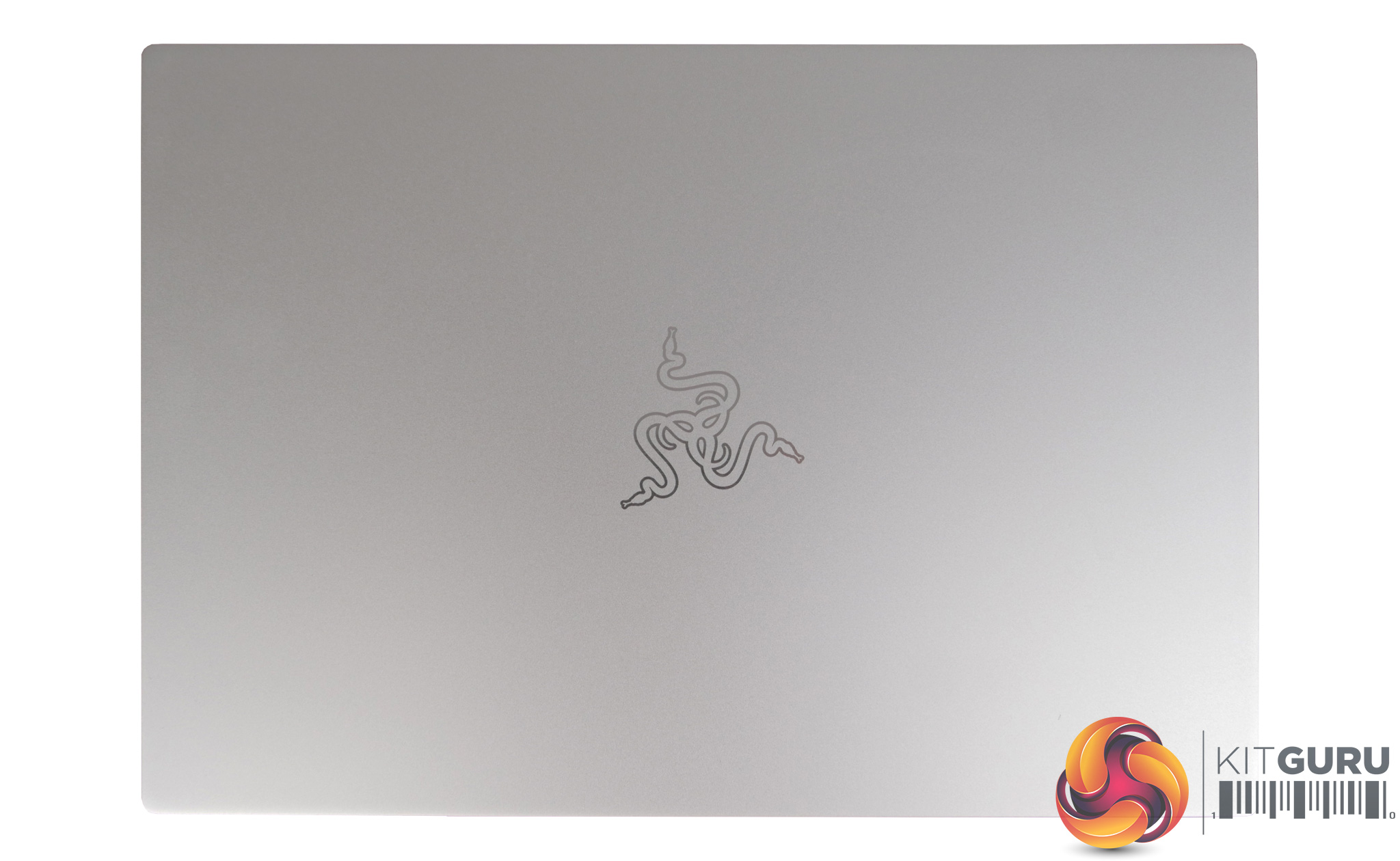
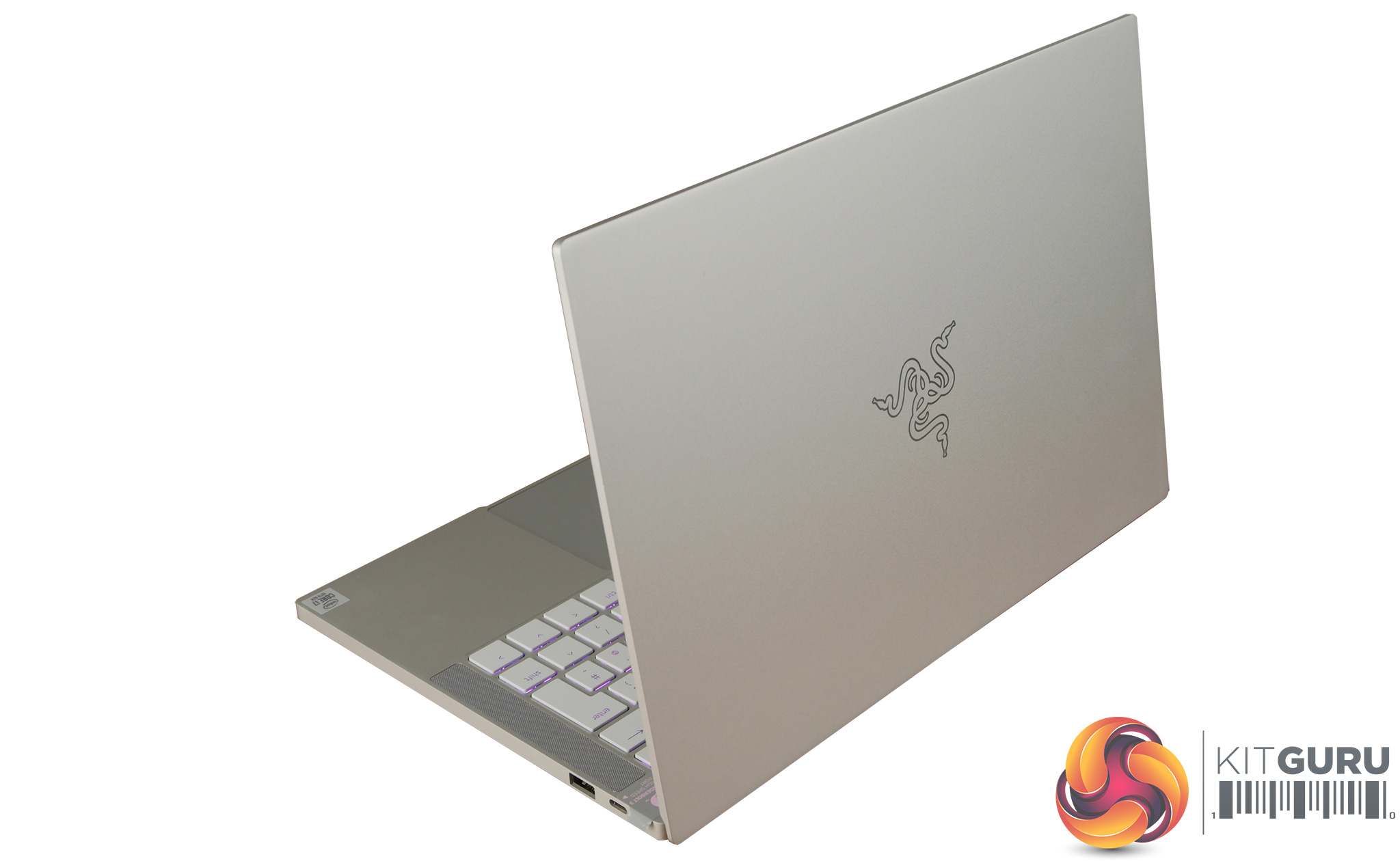
I almost exclusively take a look at hardcore gaming laptops here at KitGuru, which often come with a large form factor, a dedicated GPU and mediocre battery life. In this review I review a laptop from a well established gaming brand that has taken a different direction. The Razer Blade Stealth 13 is an ultrabook at heart with a 15mm,1.35Kg thin and lightweight chassis. It might lack a dedicated GPU but the Intel Iris graphics should still pack a reasonable punch. Is this the perfect blend of gaming laptop and portable ultrabook or is the £1499.99 asking price too steep?
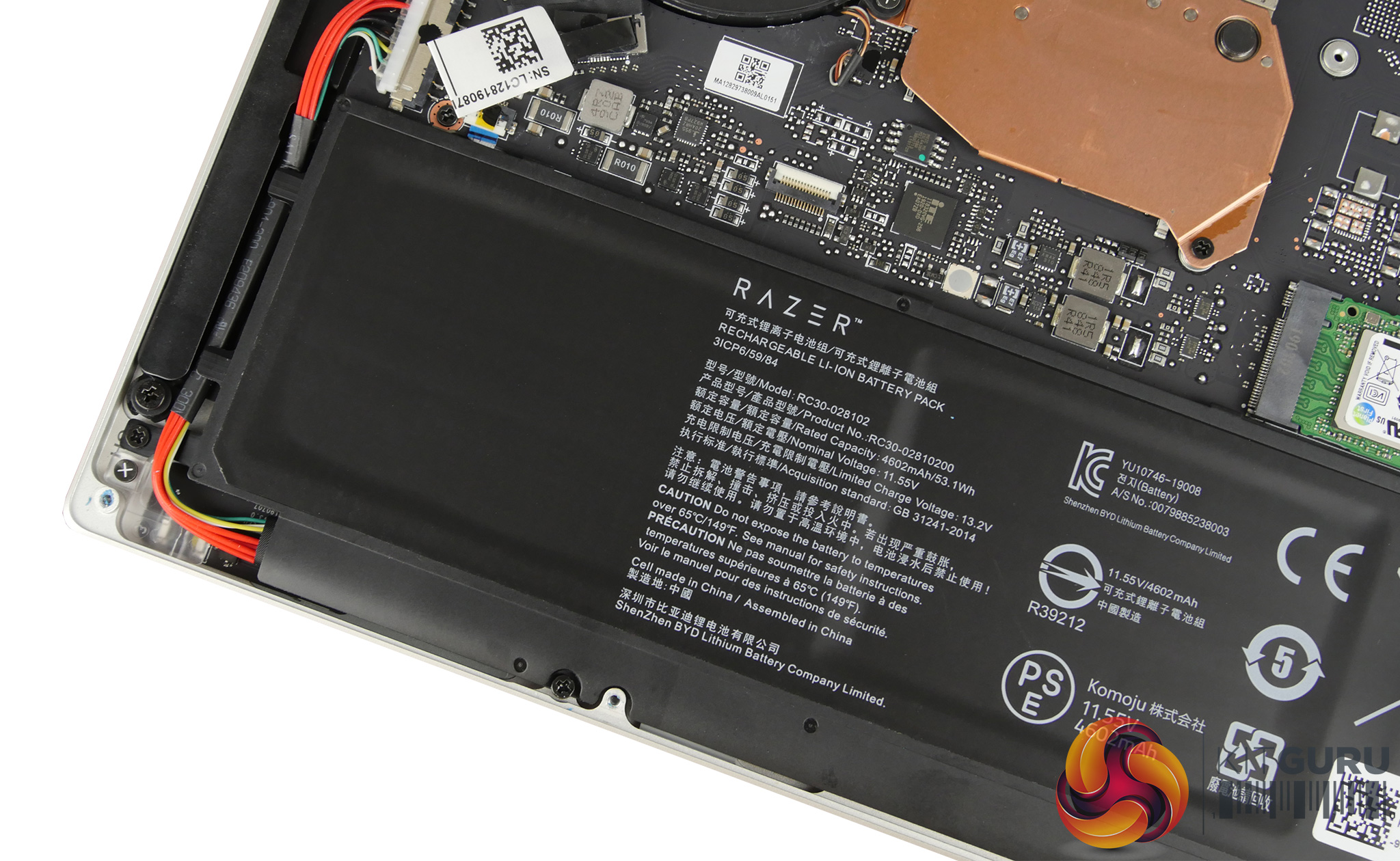
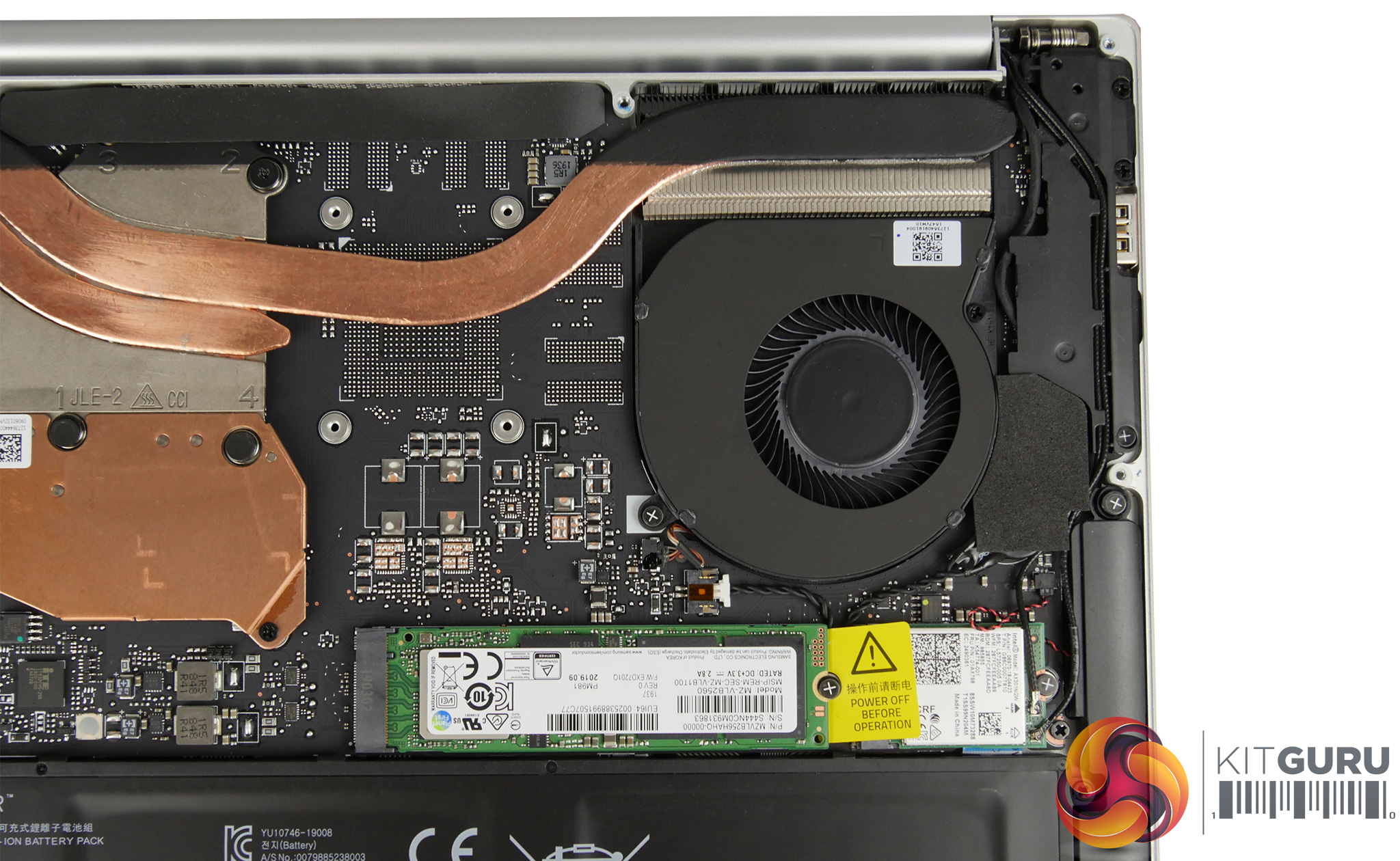
Specifications:
- Processor: Intel Core i7-1065G7 Quad Core (1.3 GHz base frequency, up to 3.9 GHz base with Intel Turbo Boost)
- Screen: 13.3″ (1920×1080 Full HD Resolution, IPS Screen)
- Operating System: Microsoft Windows 10 Home 64-bit
- RAM: 16GB (LPDDR4 3733MHz)
- Solid State Drive: 256GB NVMe SSD PM981
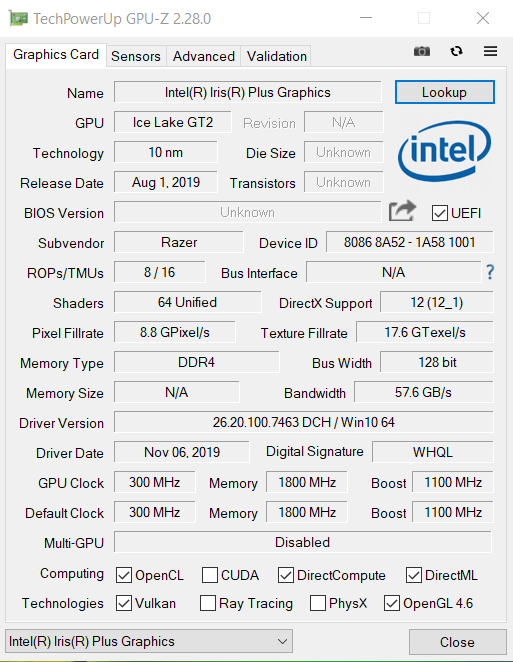
- Graphics: Integrated (Intel Iris Plus Graphics)
- Bluetooth: Bluetooth 5.0
- Wireless LAN: Wireless (802.11ac Wireless)
- Integrated Webcam: Integrated HD Webcam with Microphone + IR Camera
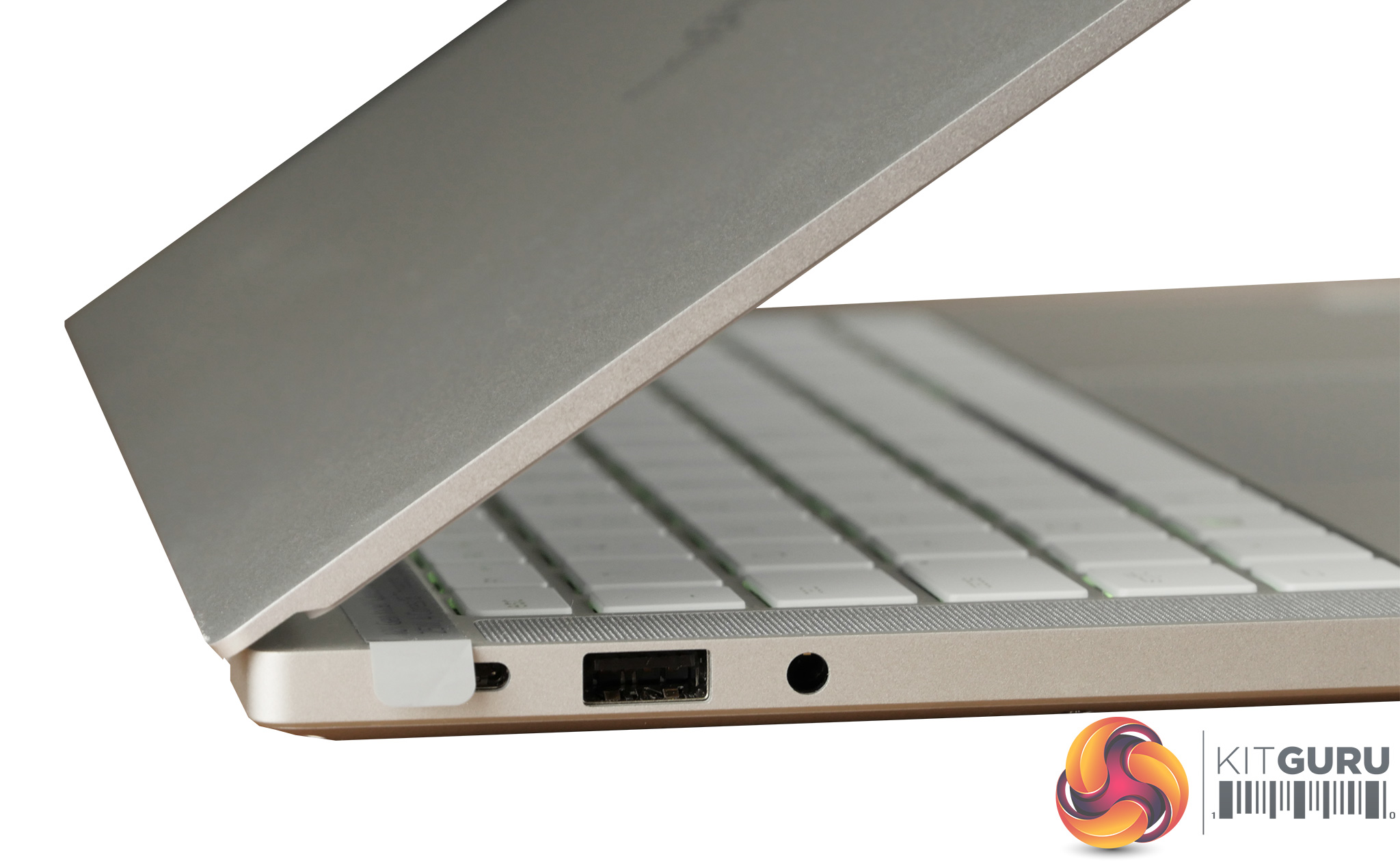
- USB Ports: 2x USB 3.0 (Type A) 1x USB 3.0 (Type C)
- Thunderbolt: 1x Thunderbolt 3 Port (USB Type C)
- Charge Time: 3.0 Hours
- Battery Life: 9-10 Hours (up to 10 hours with power management)
- Keyboard: RGB Backlit Keyboard
- Weight 1.35 Kg
- Warranty: Razer 12 Month Collect & Return Warranty
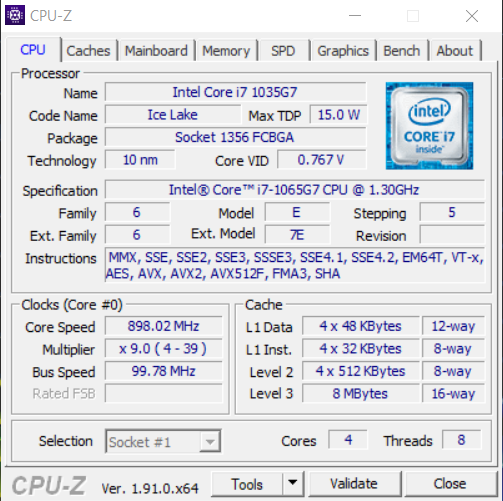
The Razer Blade Stealth 13 is equipped with the Ice lake i7-1065G7. This processor has a TDP of only 15W (in the balanced profile) meaning it uses less power and creates less heat that some of its more powerful family members. It is well suited to this type of portable ultrabook but still packs a reasonable punch with 4 cores, 8 threads and a boost clock speed of up to 3.9GHz. With my review sample, I saw it sit around 1.4GHz on battery power, and while plugged in it peaked at around 3.8GHz on all cores.
The Razer Blade Stealth 13 comes with the option of dedicated graphics in the form of a GTX 1650. However the Mercury White model is only available with the new Intel Iris Plus graphics. These integrated graphics come with a memory speed of 1800MHz and a GPU clock of 300MHz with a maximum boost to 1100MHz.
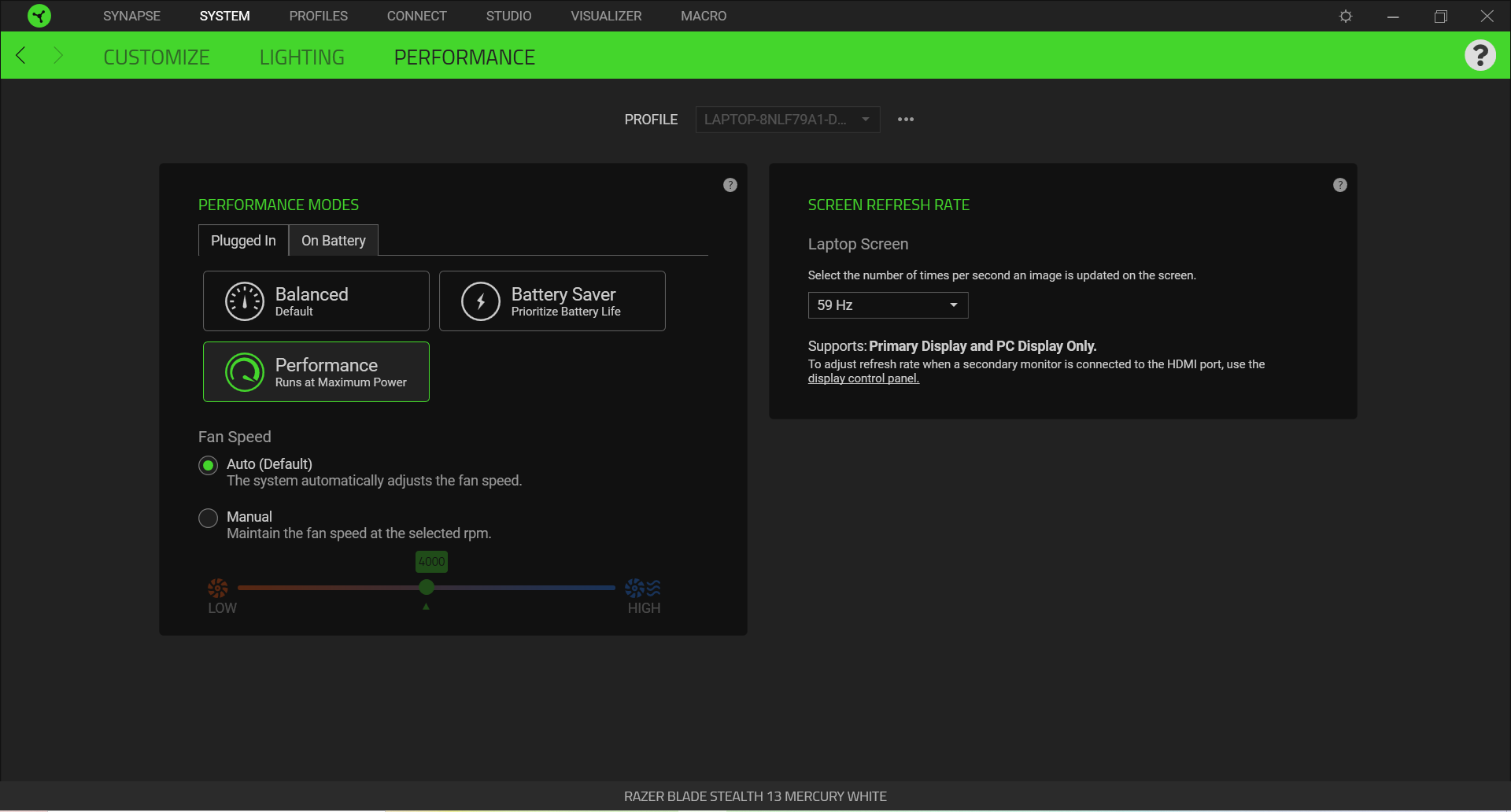
All of the testing on the Razer Blade Stealth 13 was conducted with the laptop charger plugged in and the best performance battery profile selected in Windows. The Razer Blade Stealth by default is also set to the balanced profile (15W TDP) and I went into the Synapse software and selected the performance profile (25W TDP). This allows the laptop to really stretch its legs and get the highest benchmark scores possible.
Storage Performance:
CrystalDiskMark tests the raw speed of a storage device. It uses a test file to write data to or read data from the drive. We test using the default 1GB file size.
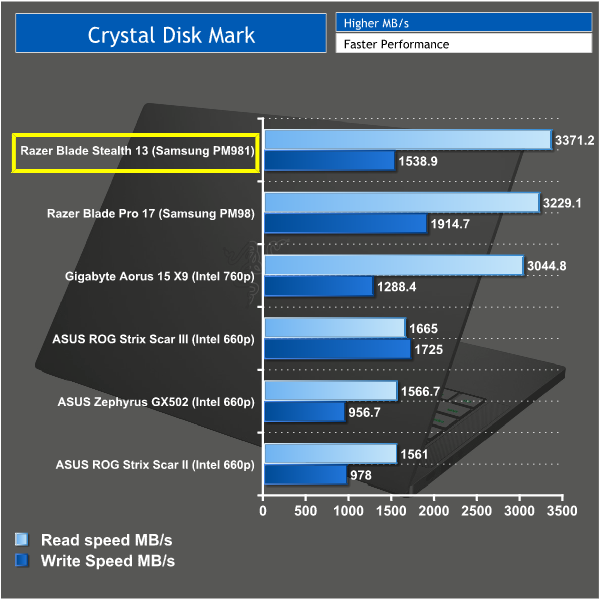
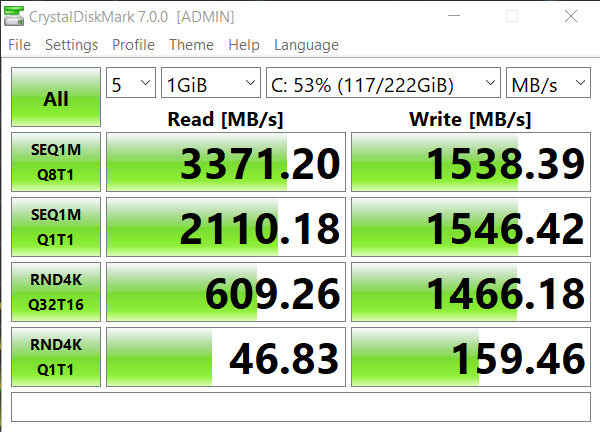
The Storage used in the Stealth 13 is a Samsung PM981 M.2 NVMe drive. This is a very fast drive and I have seen it used in other Razer laptops such as the Blade Pro 17. Some other laptop manufacturers have cut costs down by using sub par storage, which can make them less capable at handling large programs and files. I'm glad Razer have continued to use this drive in the Stealth and as you can see it does beat out many of it's competitors.
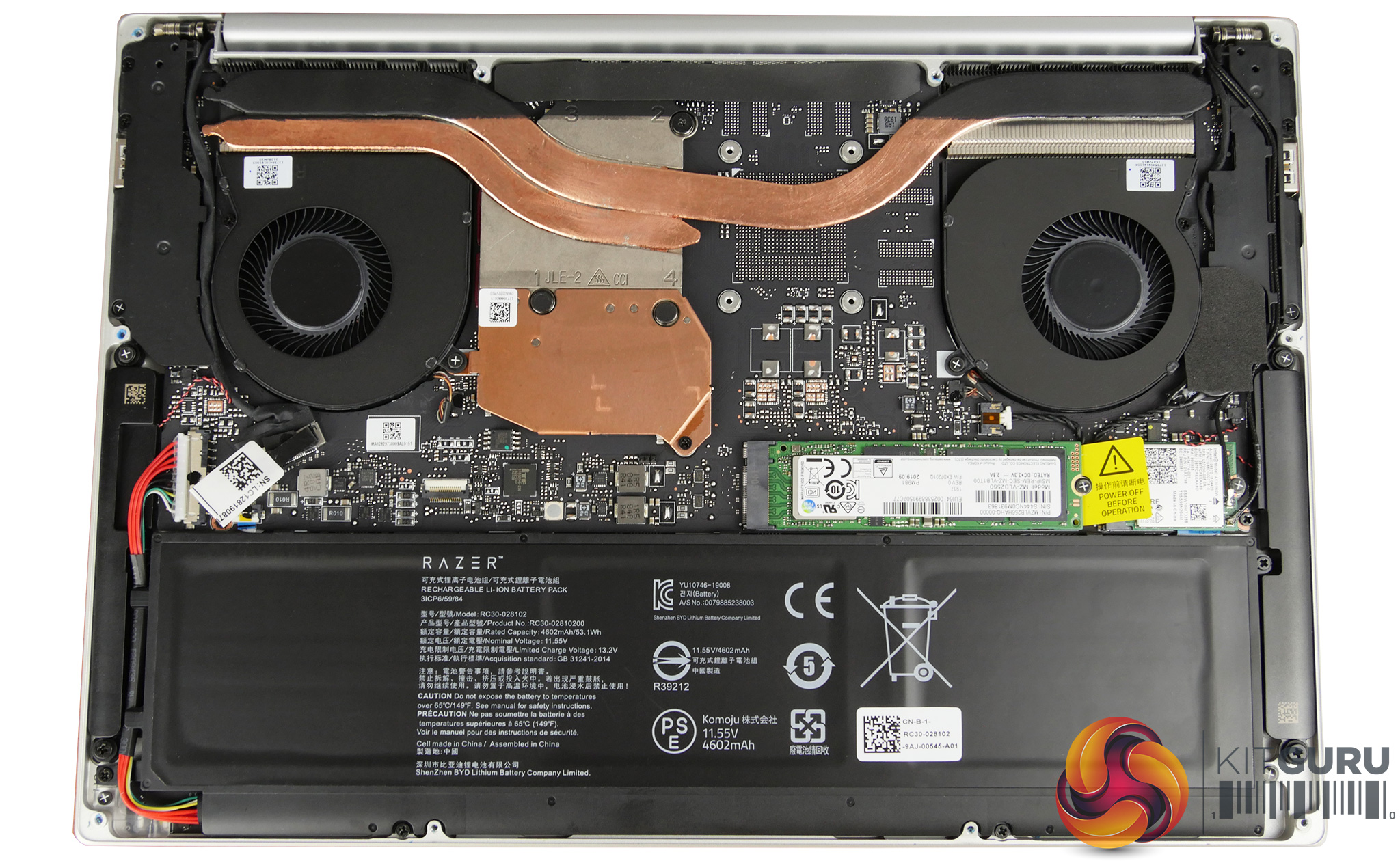
The Blade Stealth feels snappy and responsive to use, however I am pretty disappointed with the size of this drive. At 256GB it's small and there is no choice to spec a larger drive on the Razer website unless opting for the GTX 1650 equipped laptop SKU. It is something you could upgrade yourself and of course external storage is also an option, but I just think it is a major let down to have such little storage.
Cinebench R15:
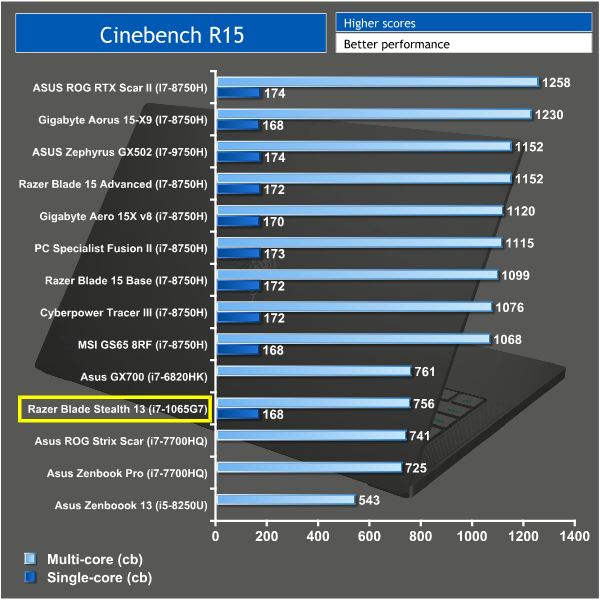
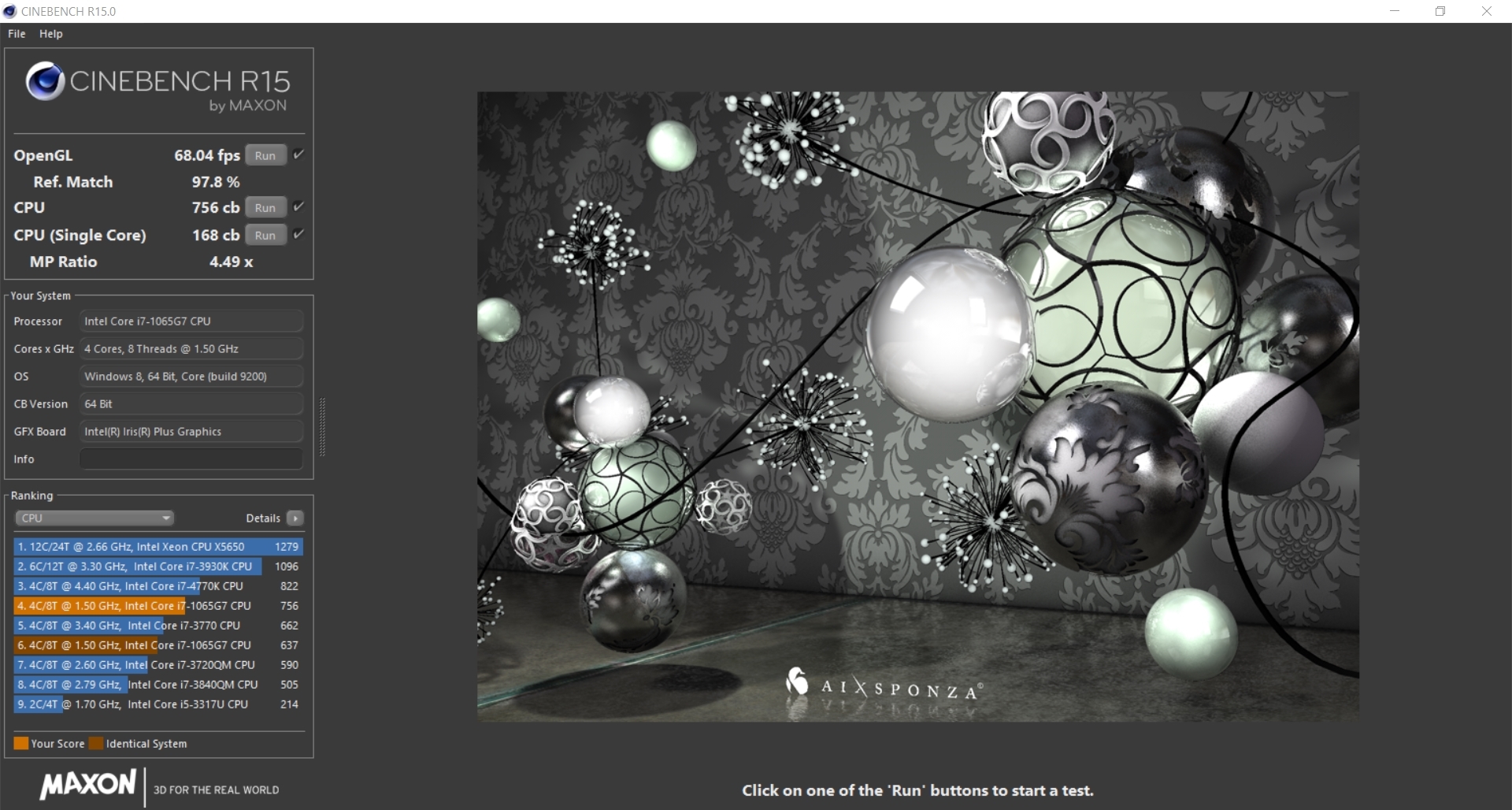
Cinebench R15 is a cross-platform testing suite that measures CPU performance. I compared the Razer Blade Stealth 13 with some other laptops KitGuru have tested for a comparison between the different types of processors.
Cinebench R20:
Improvements to Cinebench Release 20 reflect the overall advancements to CPU and rendering technology in recent years, providing a more accurate measurement of Cinema 4D’s ability to take advantage of multiple CPU cores and modern processor features available to the average user.
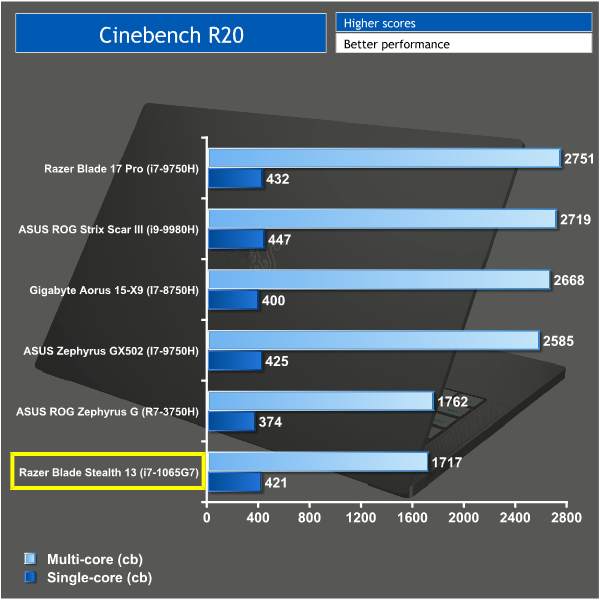
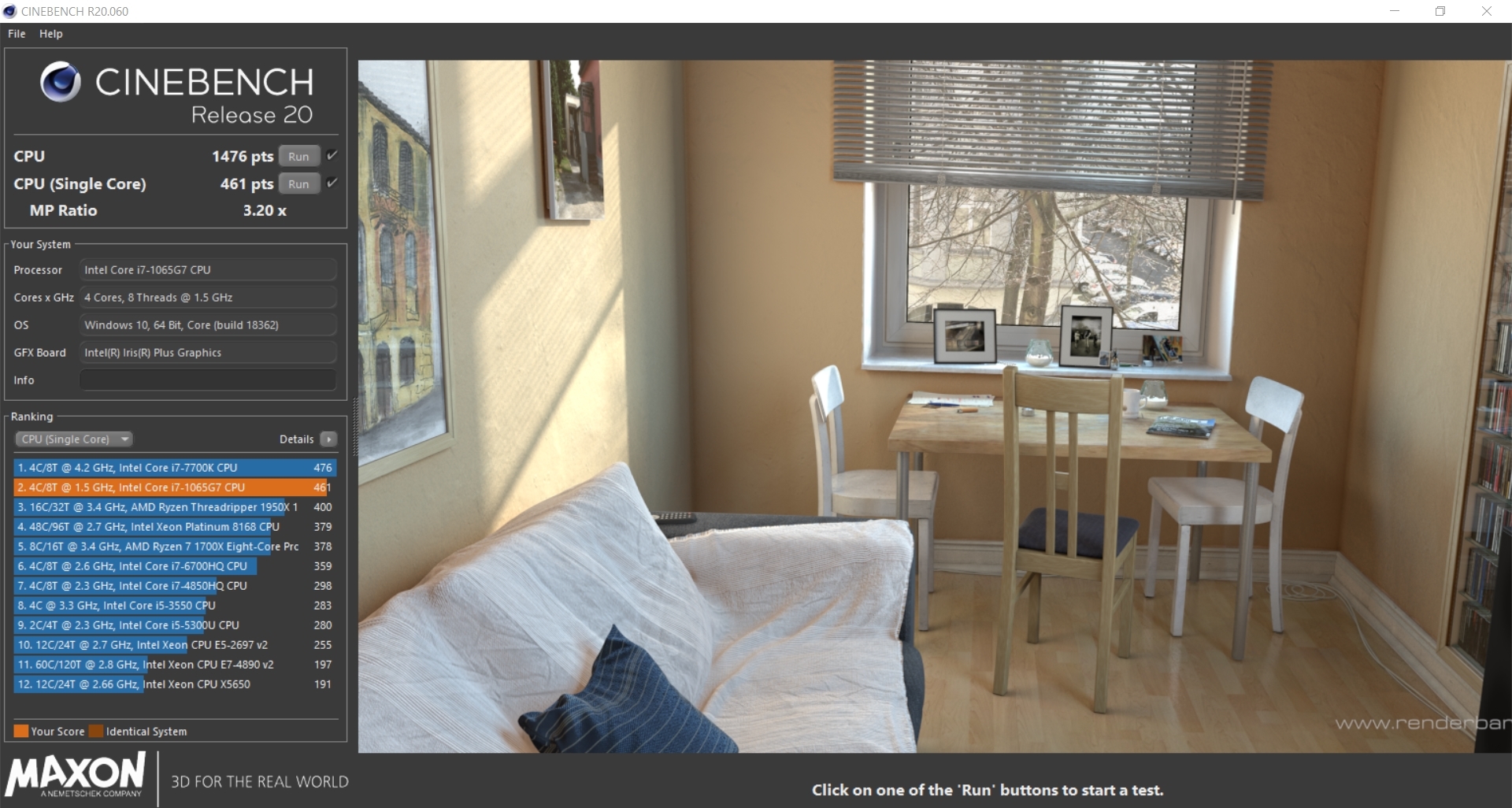
It's safe to say some of the Cinebench comparisons aren't particularly fair on this Ultrabook. I mostly test full fat gaming laptops which don't have such strict restrictions when it comes to dimensions or noise output. However, what I can deduce from the results is that the Ice Lake processor still produces a very admirable score. It beats out older gaming laptops that feature the i7-7700HQ and I can see it has similar performance to the desktop i7 4770K which from personal experience is a very capable CPU. The single core performance is also good showing its just as fast as more powerful processors on a single core.
Thermals:
I tested the temperatures with the laptop charger plugged in. I ran AIDA 64 for 10 minutes to stress the CPU. AIDA64 is an artificial benchmark and tests the laptops cooling to the max.
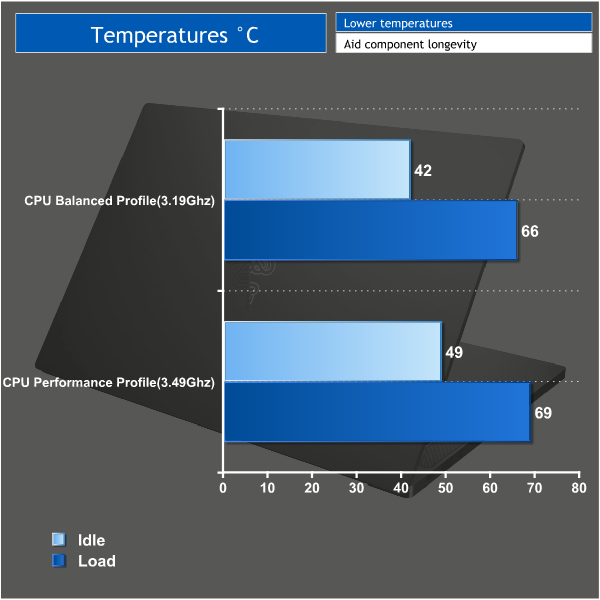
I tested the cooling performance of this laptop in both profiles, because each has its own TDP which will make a big difference to how much heat is produced. In the balanced profile (15W TDP) the CPU is restricted to a maximum boost clock speed of 3.19GHz and despite being under extreme stress it stays sat at a very cool 66C. In the performance profile the TDP increases to 25W and the processor is able to boost to 3.49GHz on all cores. However, the cooling within the Stealth had zero issues with this and the temperature only increased by 3C to 69C.
However there was a noticeable fan noise difference between the 2 profiles which brings us to acoustic performance.
Acoustic Performance:
I measured noise levels using a sound meter while the laptop was idle with no programs open, and then during temperature testing to get a reading with the system under 100% load.
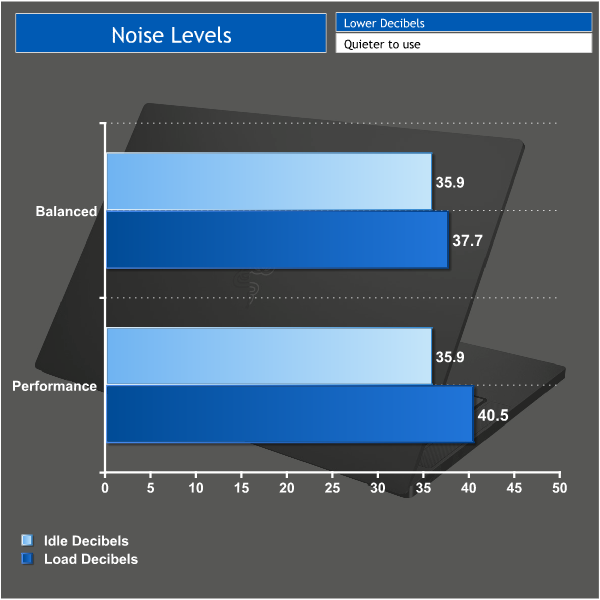
While the laptop was idle the processor sat at the pretty much the base frequency in both profiles, meaning that there was little increase in heat and the fans can stay pretty much silent at only 35.9 decibels. I had to put my ear up to the laptop in order to hear them. While under load, the laptop was still incredibly silent and in the balanced profile the noise barely increased in order to keep the CPU cool as it boosted to 3.19GHz.
The performance profile allows the CPU to boost higher and create more heat for the fans to deal with, however the fan noise once again barely increased and only reached 40.5 decibels. Overall the low noise levels produced from this laptop and the cooling performance in general is impressive and makes for a pleasant experience. The benefit of having no dedicated graphics is very noticeable in this regard.
Battery Life:
To test battery life I used the ‘Home’ benchmark in PCMark 8. This test isn’t hugely demanding when it comes to computational requirements and, although artificial, it is likely to simulate the sort of stress the laptop would undergo while doing a small amount of video editing, web browsing and word processing. I set the screen brightness to 100%, and the keyboard brightness to 100%. I also tested the laptop with the balanced profile enabled.
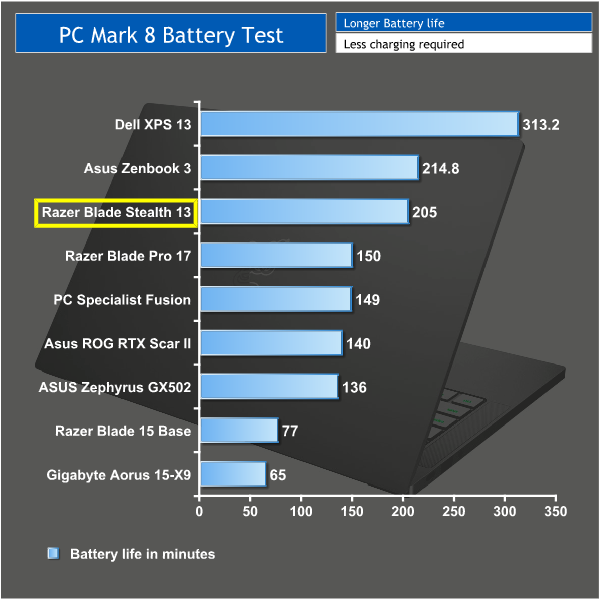
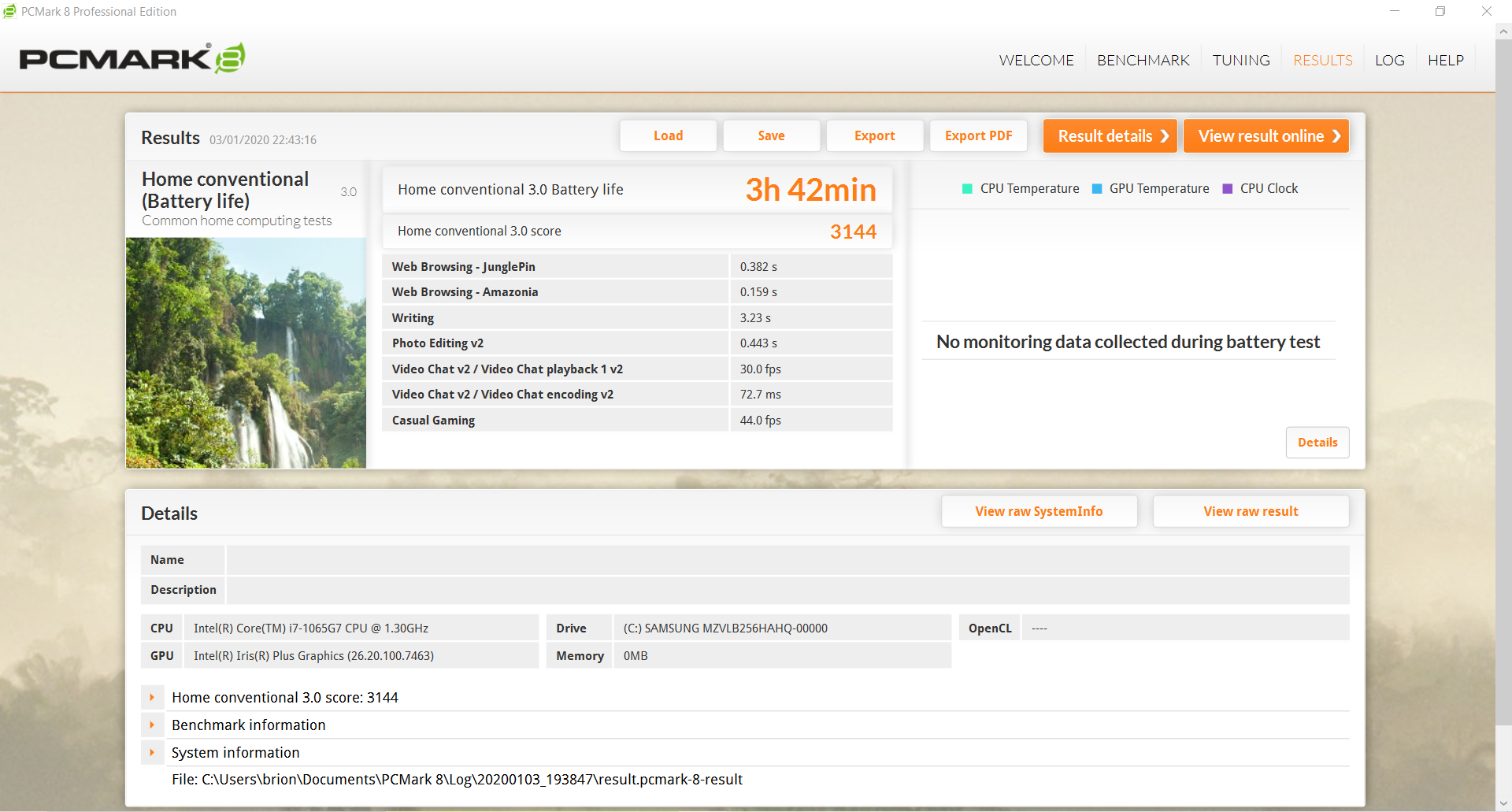
The Razer Blade Stealth is an ultrabook, meaning that compared to your typical gaming laptop it is much more focused on preserving battery. This is clear to see when it comes to the results from the battery life test. It managed 3h 42mins in the balanced profile. In a real world situation with the battery saver profile selected this could be doubled to nearly 8 hours. From using the Blade day to day I found this to be pretty accurate and I found this laptop lasting the entire day without needed to be plugged in. The Razer Blade Stealth might lack a dedicated GPU but it does make up for it in portability.
3DMark results:
For this test I ran the Razer Blade Stealth 13 through 3D Mark Fire Strike which is the test KitGuru have used to demonstrate the performance of other similar laptops. You can see the comparisons in the graph below.
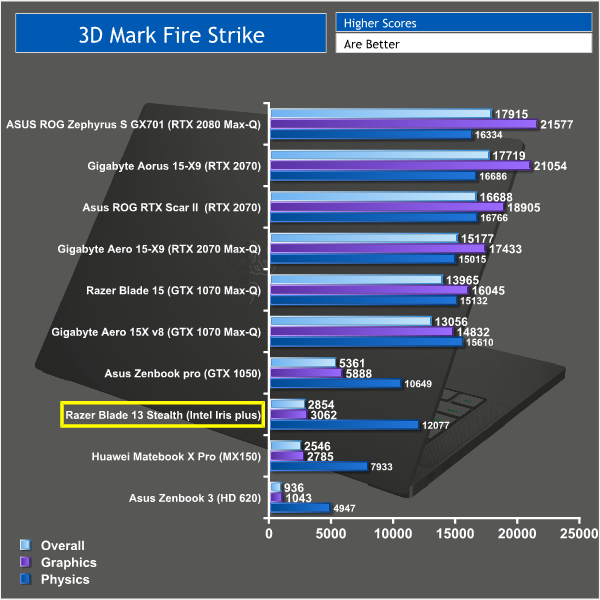
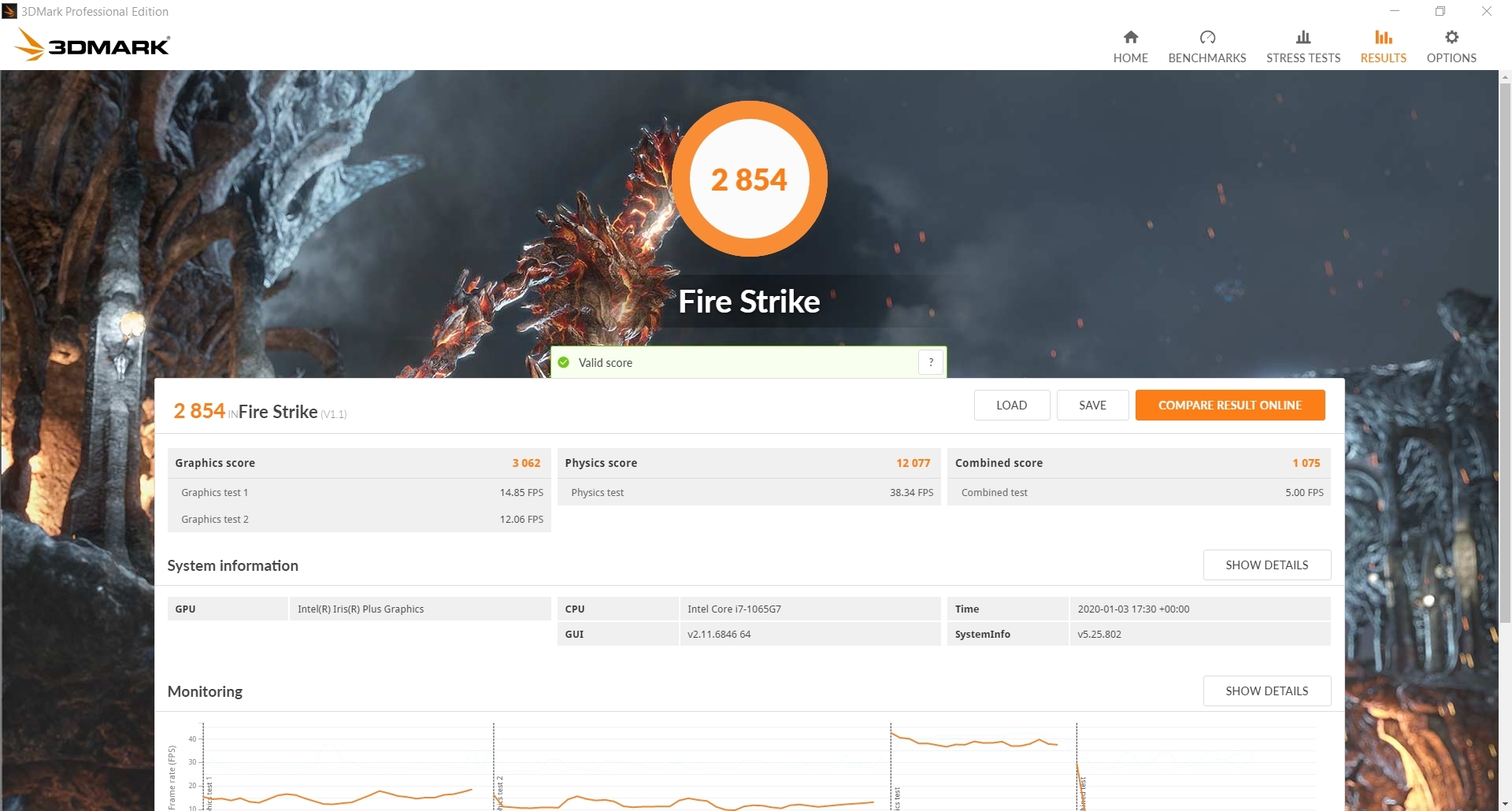
The Razer Blade Stealth achieved an overall score of 2854. It pales in comparison when taking a look at proper gaming laptops with discrete graphics, however it does beat out a couple of other ultrabooks when it comes to graphical performance. The Intel Iris Plus graphics are clearly an improvement over the old HD-series iGPUs, but even a reasonably weak GPU like the GTX 1050 is leagues ahead.
That said, this laptop is likely to be suitable for some lightweight gaming which leads me on to my next round of tests.
Gaming Performance:
To test the Razer Blade Stealth I tried out CS:GO, League of Legends and Overwatch. All 3 of these games are less demanding esports games and are more suited to this sort of laptop. You are unlikely to get any sort of playable frame rate in newer more demanding titles due to the nature of the integrated graphics.
Counterstrike: Global Offensive is a popular FPS game that has been out for a while but still has regular map updates and a thriving esports community. Its age means you can play it on pretty much anything and it's perfect for less powerful machines.
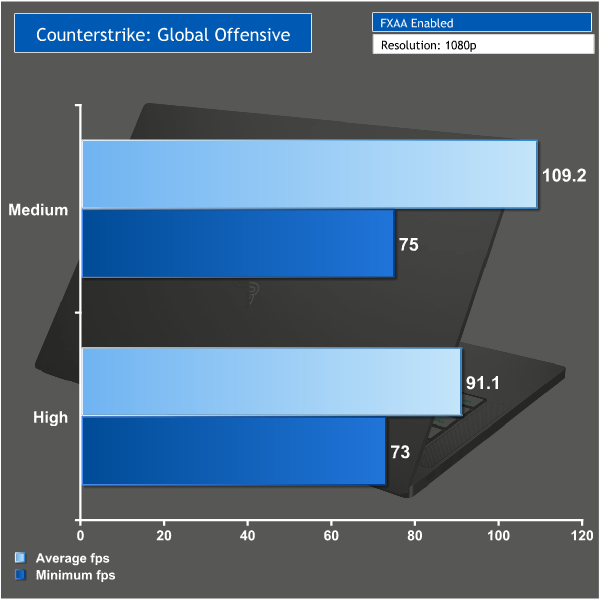
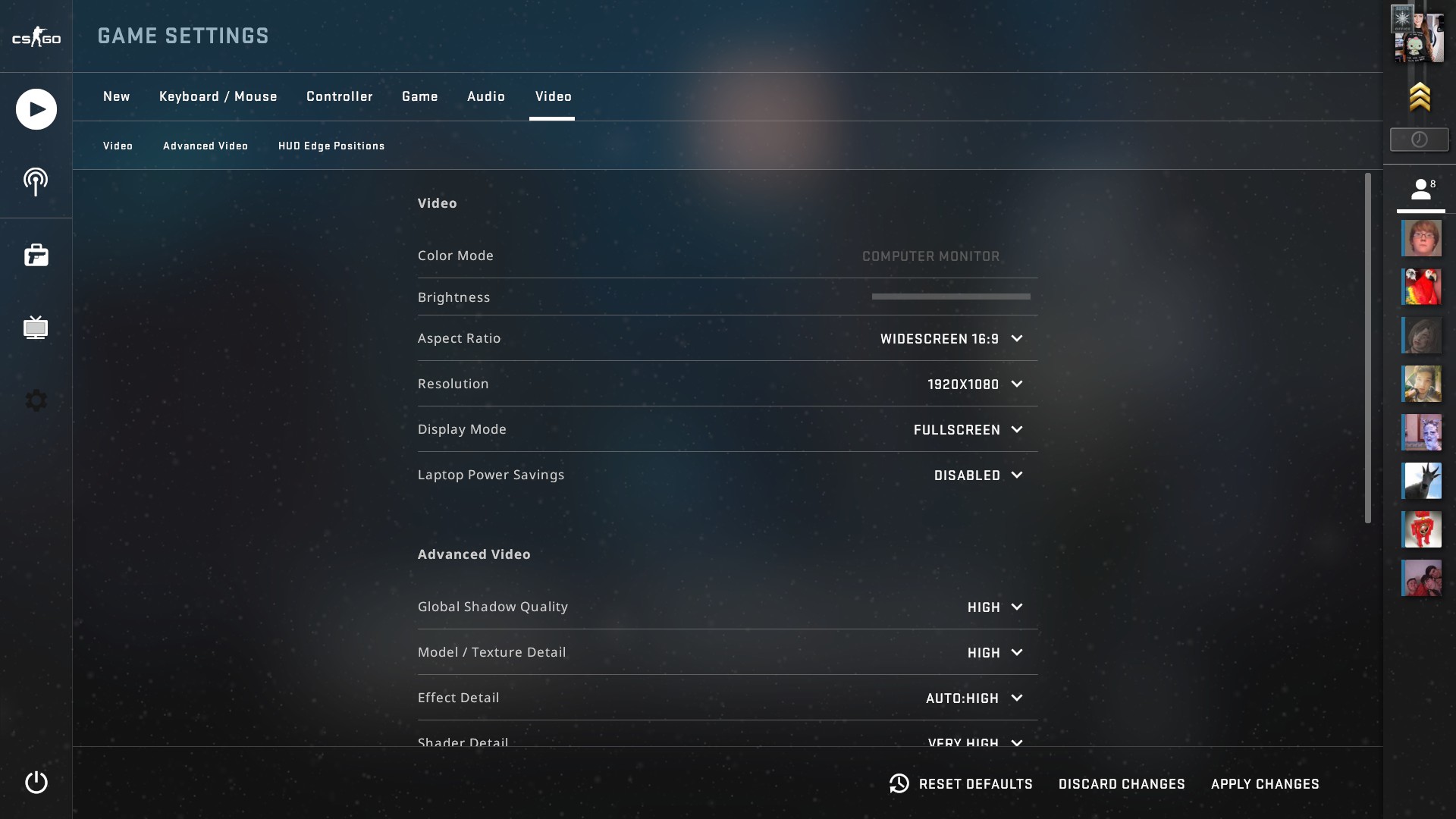
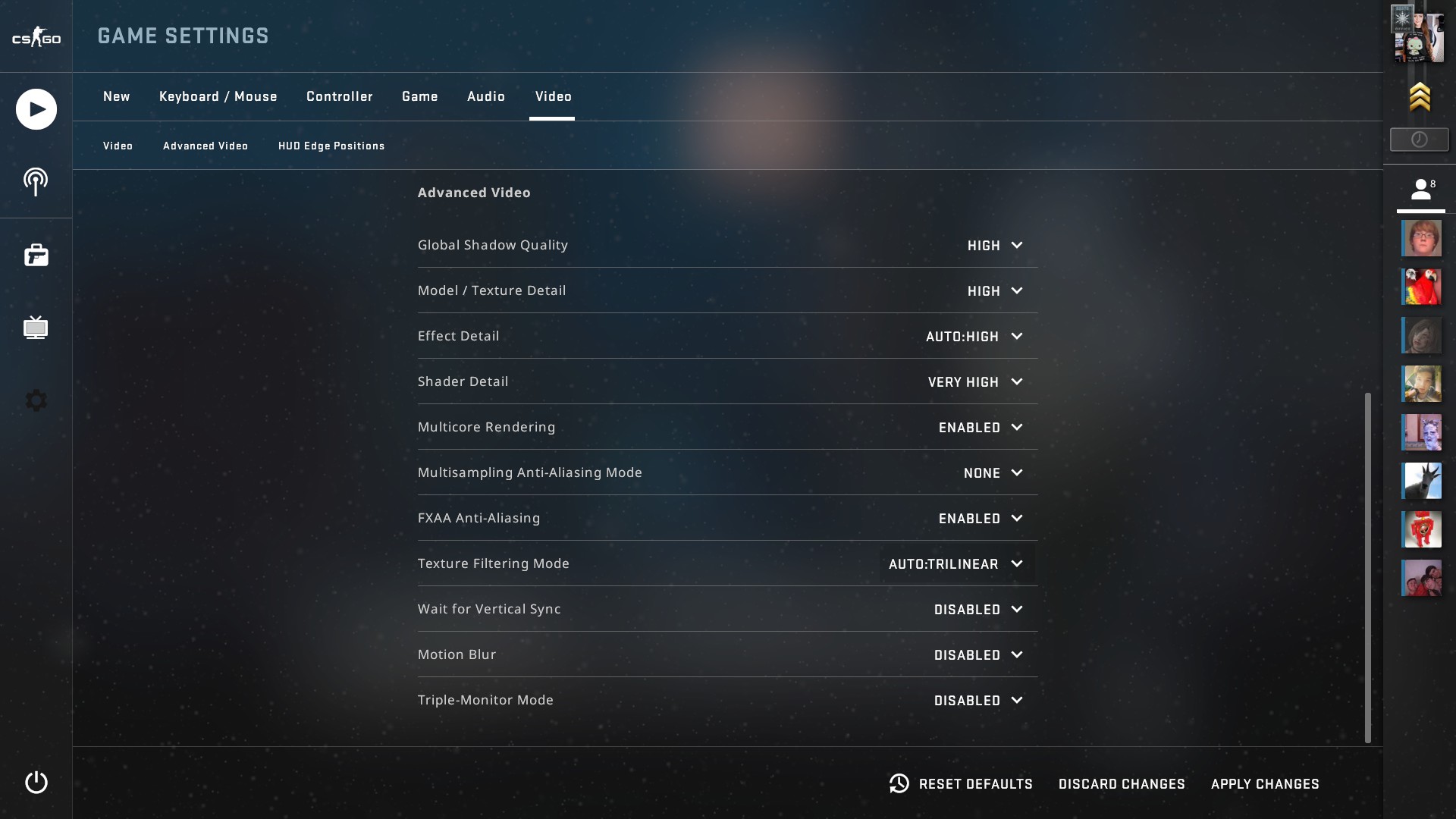
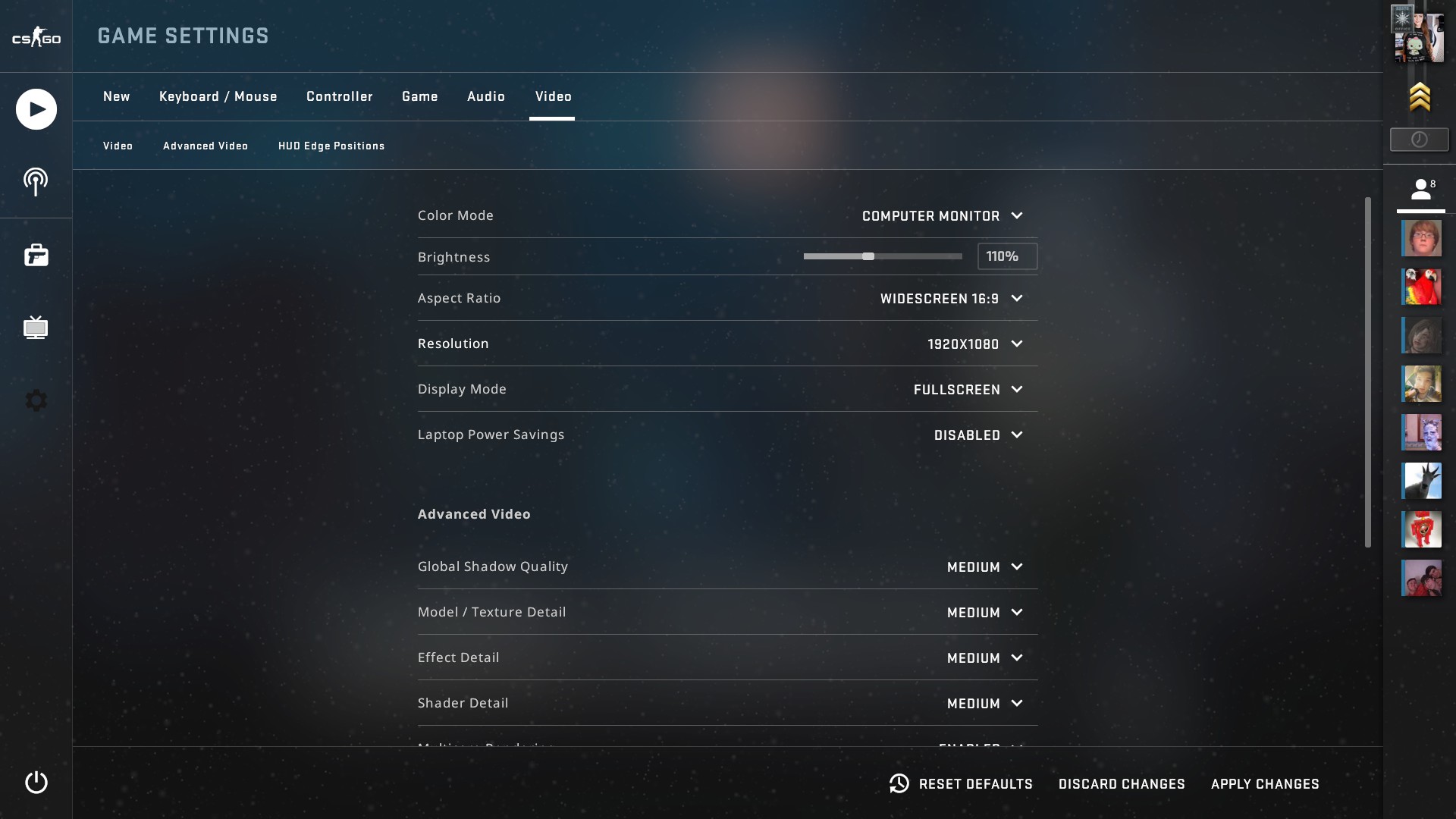
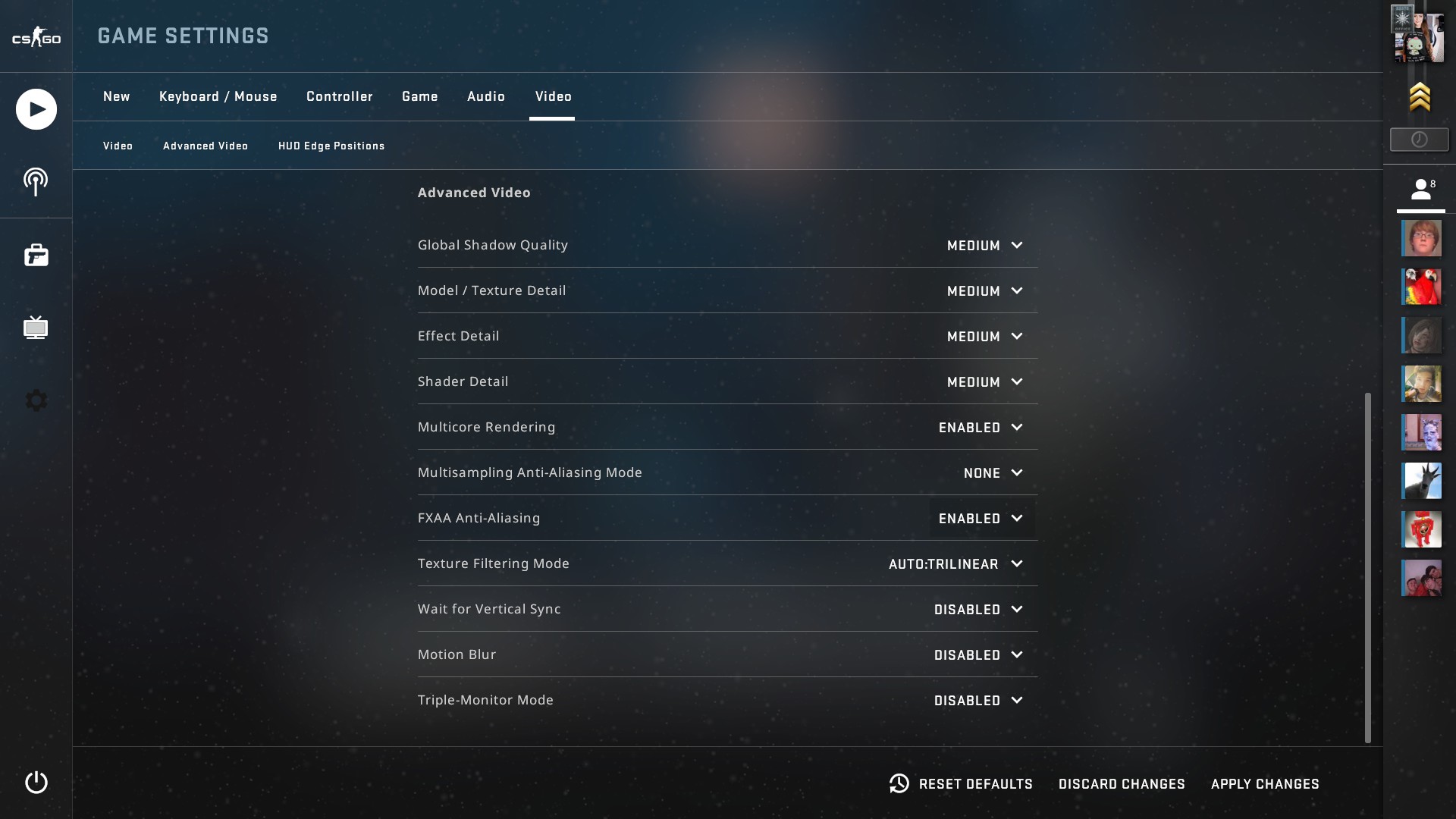
CS:GO ran perfectly on this laptop even on the highest settings and the minimum fps stayed well above 60.
League of legends is another popular esports title but once again it has been heavily optimised meaning it will run on pretty much any machine and is perfect for testing the gaming capability of this laptop.
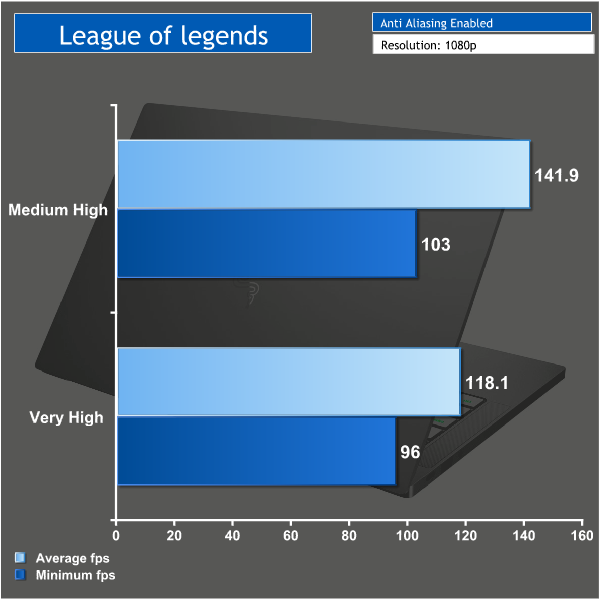
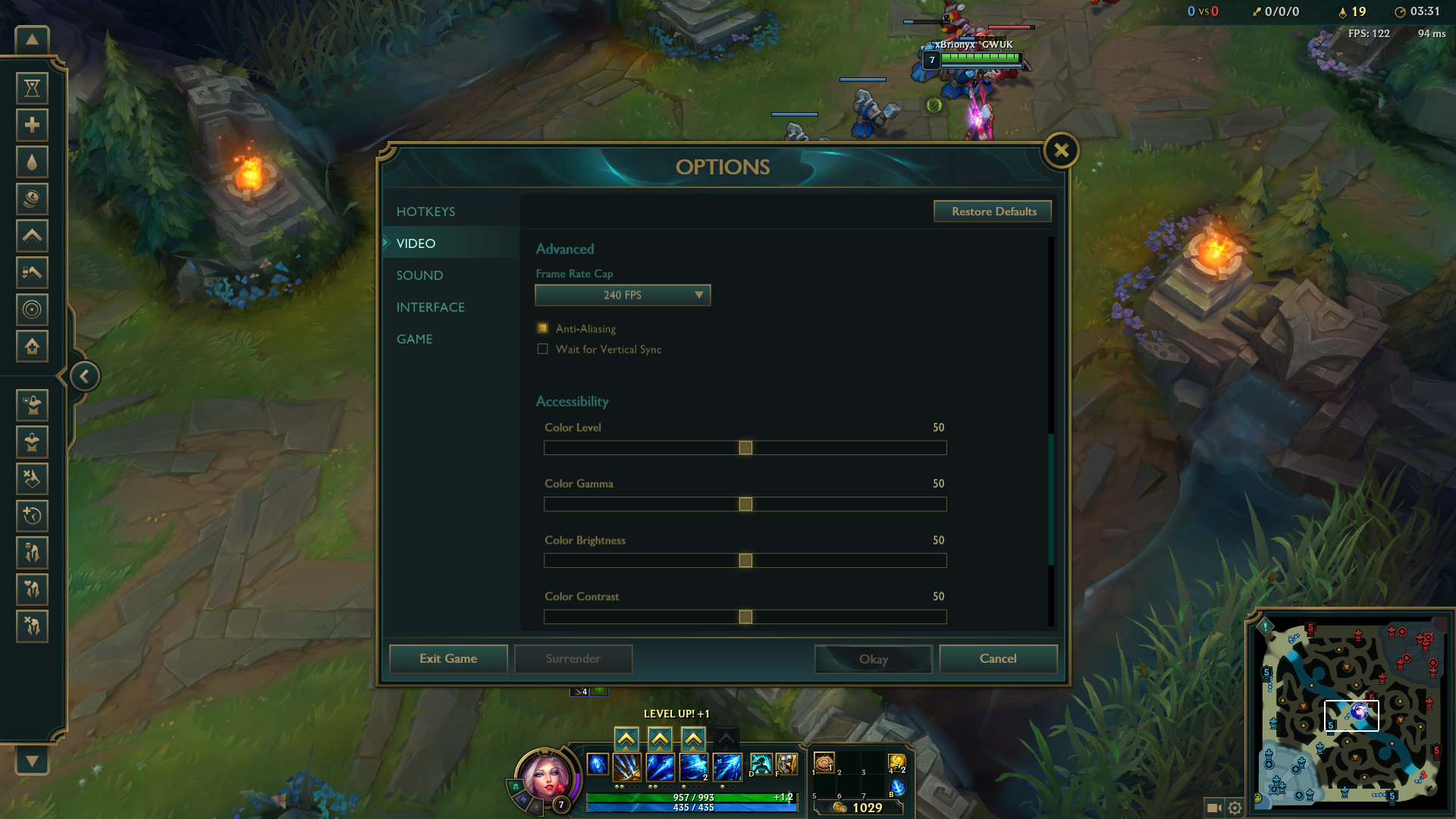
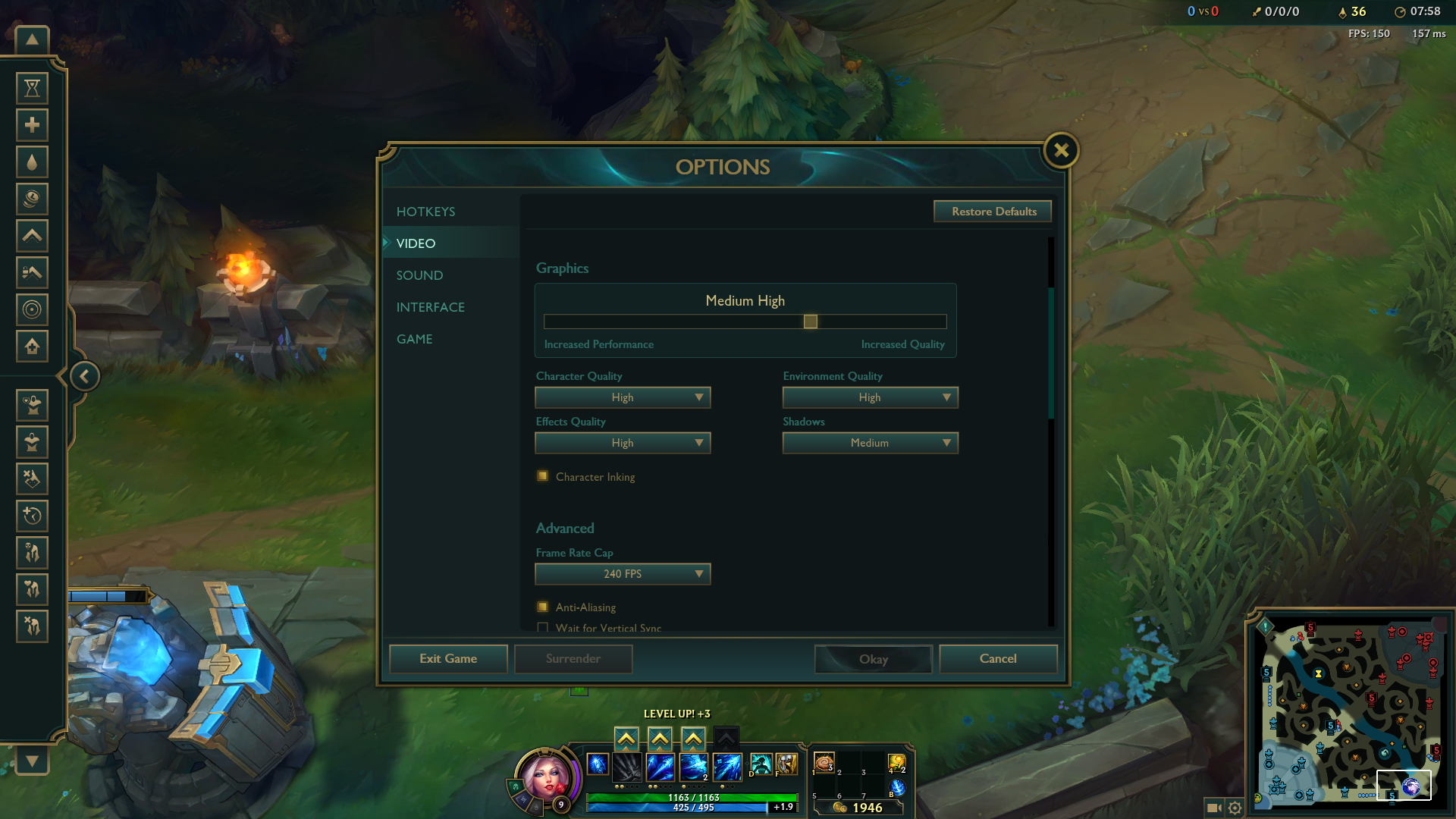
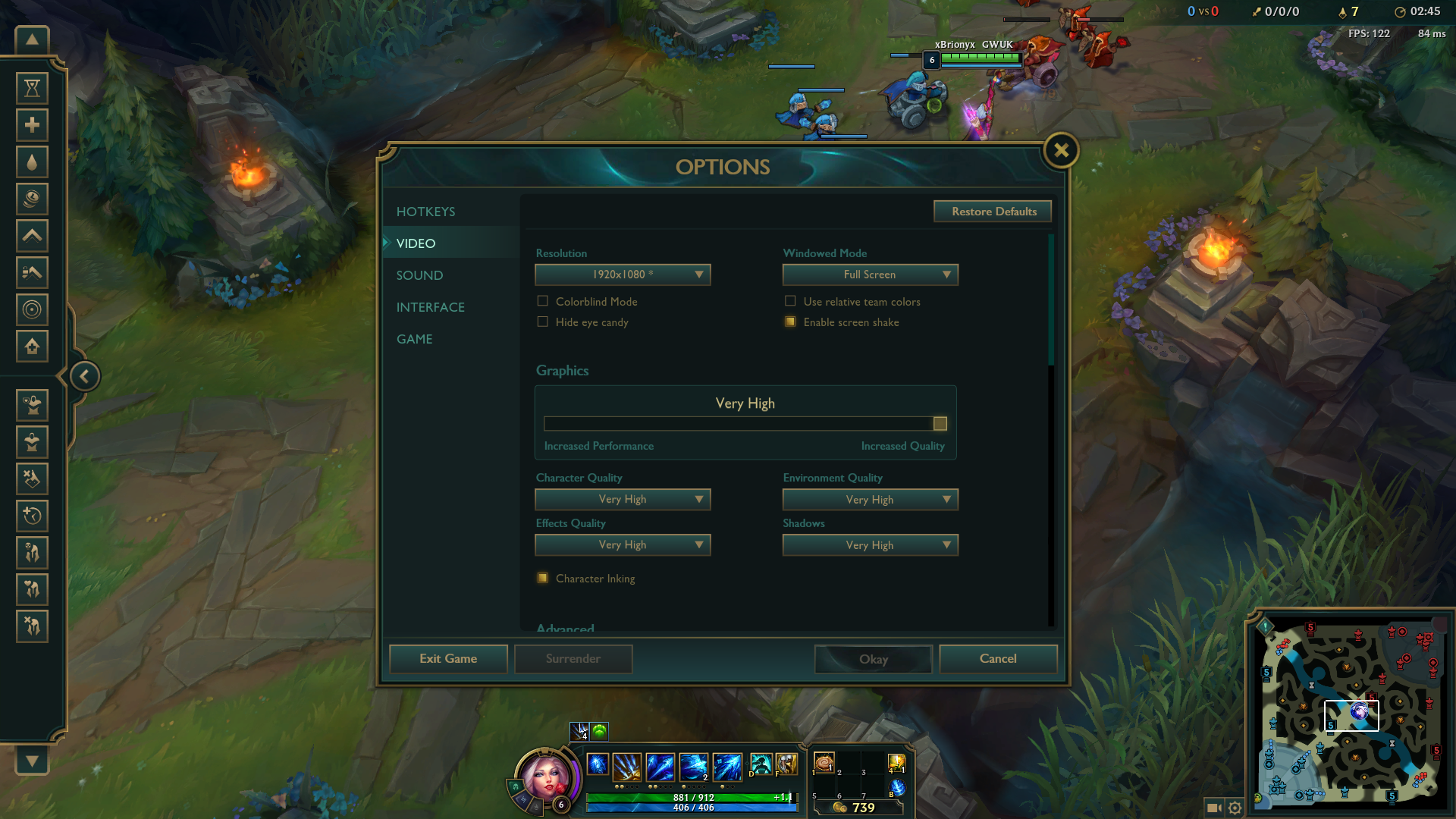
Even on very high settings League of legends was very smooth to play. The average FPS sat well above 100 and there was no danger of it dropping below 60 even during team fights.
Overwatch is a more demanding game and does push this laptop that bit harder. I set the resolution to 1080p but decided to keep the graphical settings low.
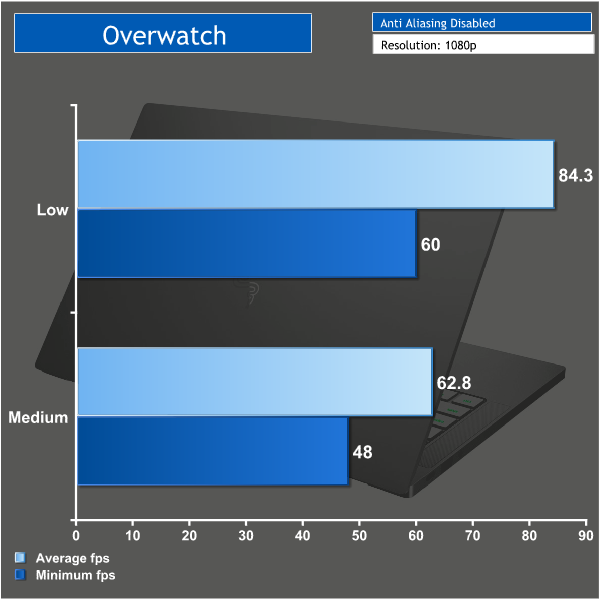
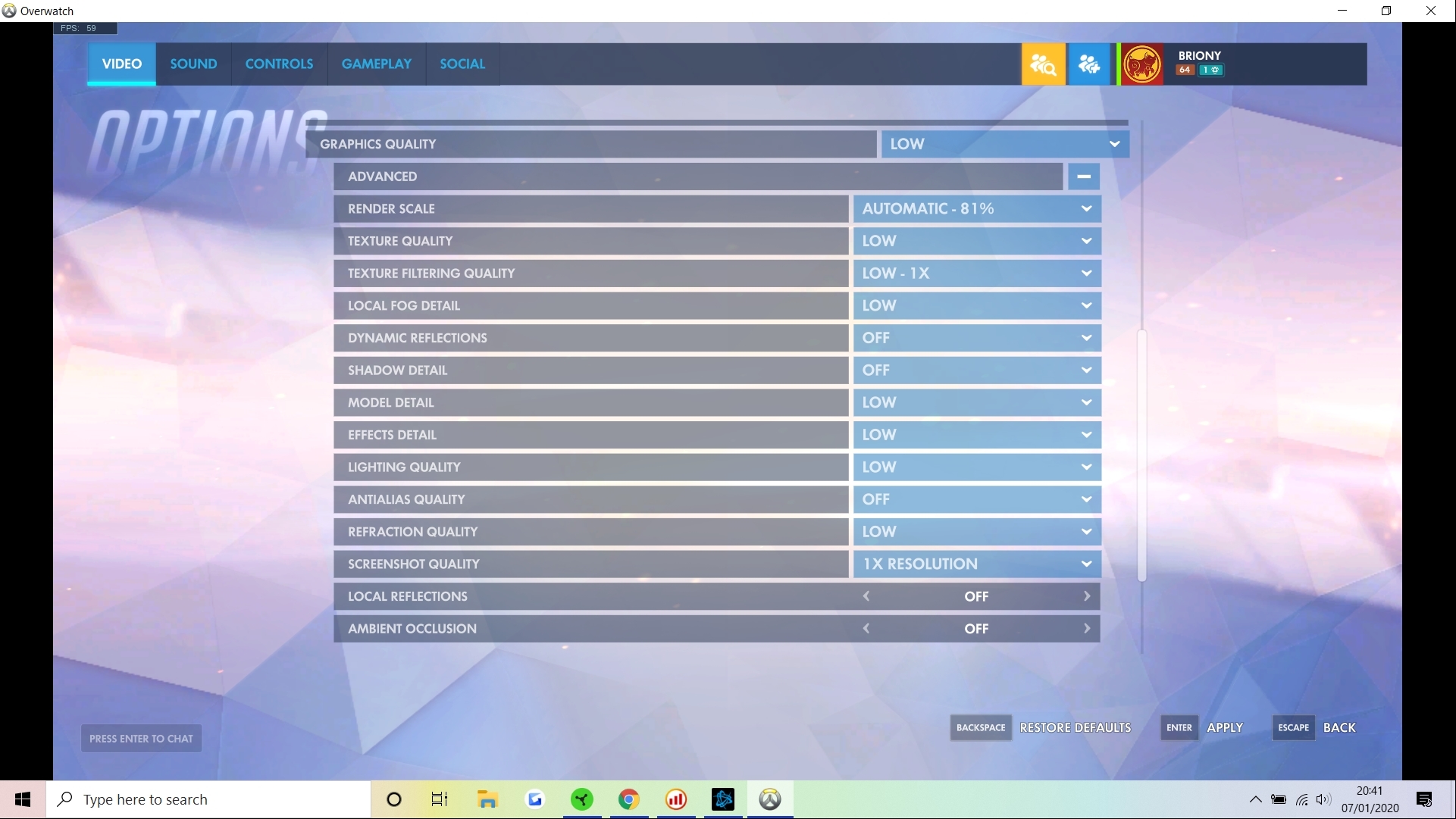
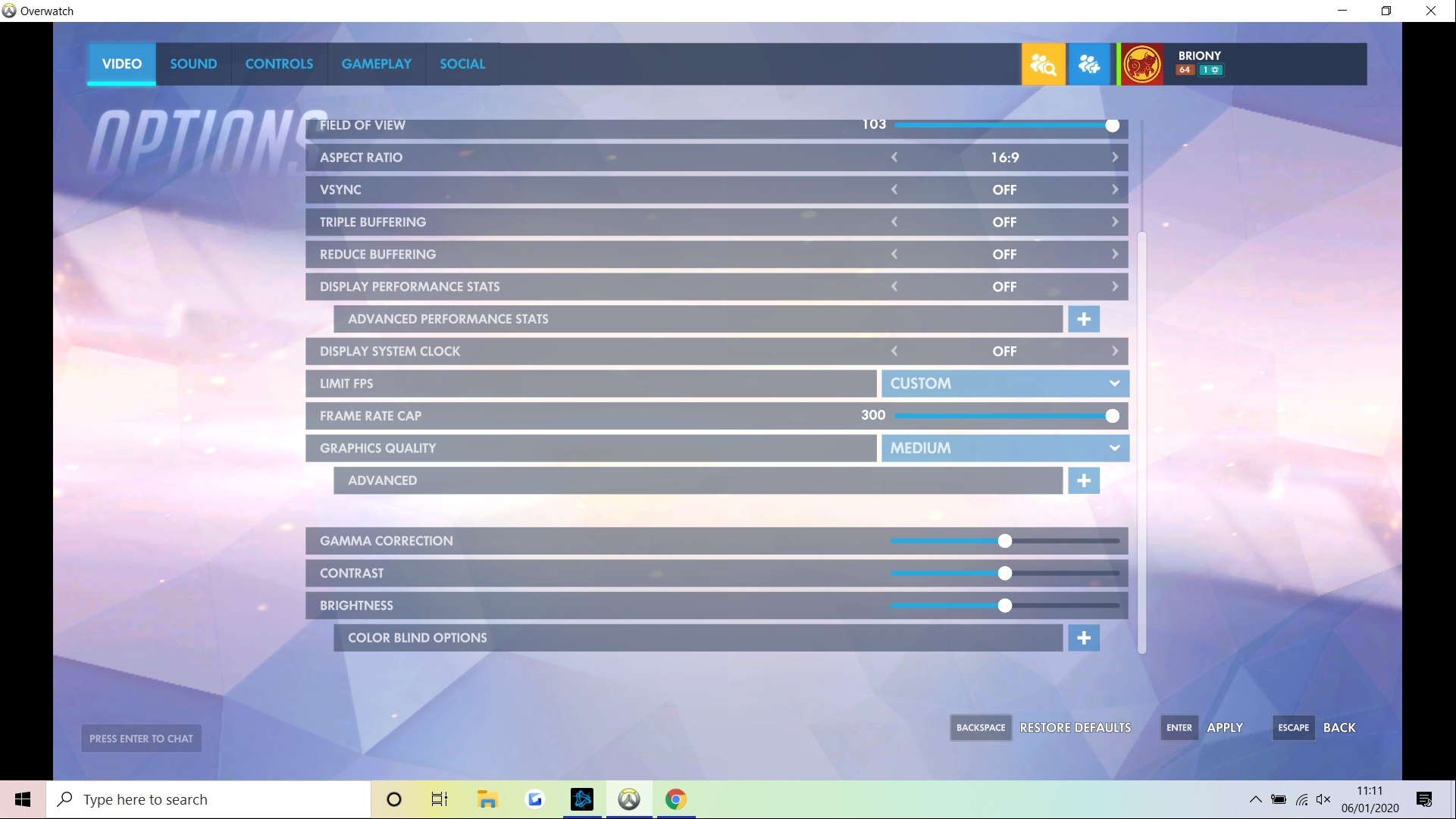
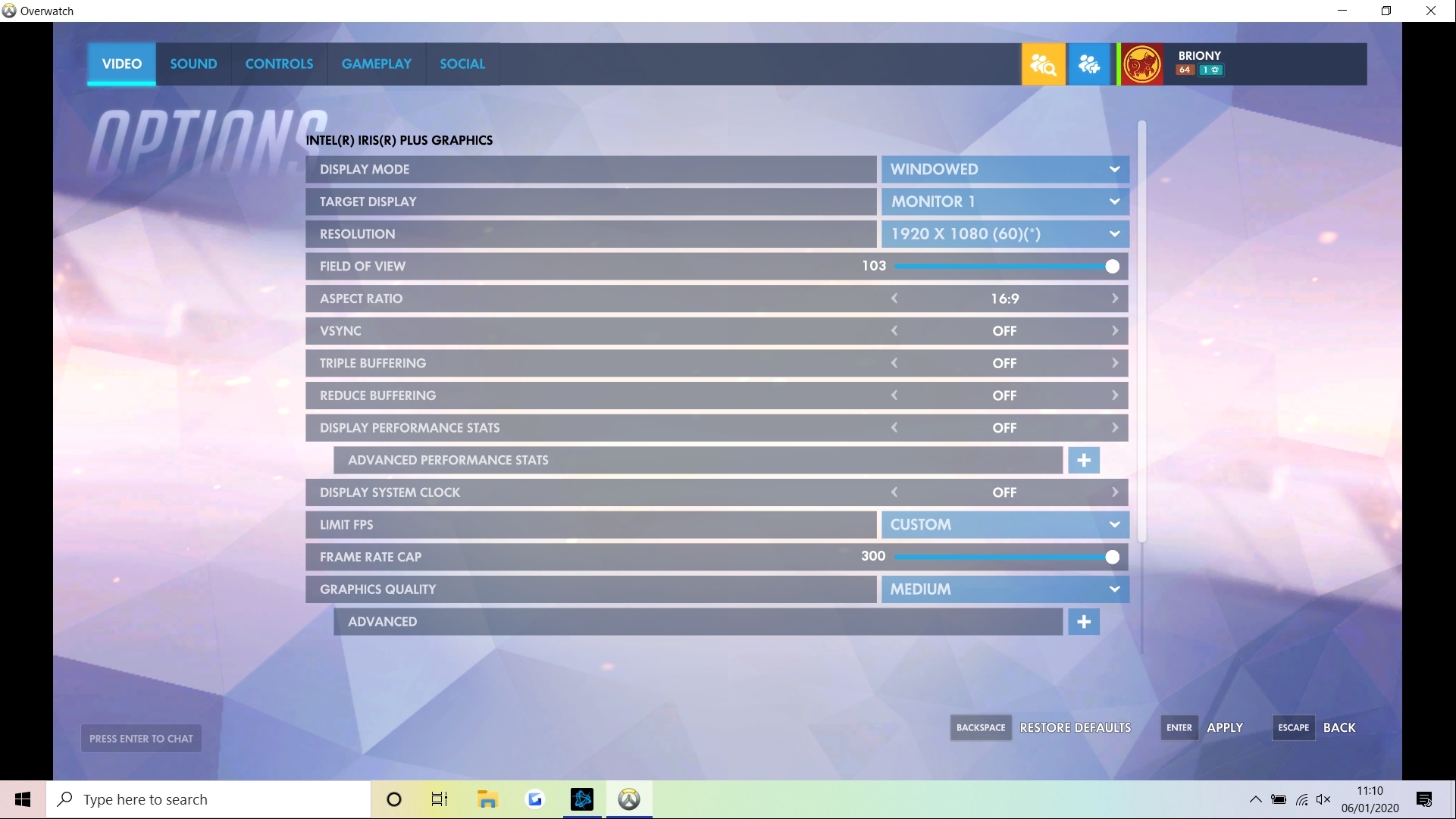
Overwatch is still very playable on this laptop at medium settings, but if you don't want to drop below 60fps you will need to drop everything to low settings. You could also drop down the resolution to squeeze out a few more fps. I'd say Overwatch is the limit on what you can happily play on this laptop and still have an enjoyable experience.
Overall I must say I was pretty impressed with what the Razer Blade can do just on the Intel iris integrated graphics. It's small, portable and quiet and yet you can still have a great gaming experience for older or less demanding esports titles.The Razer Blade Stealth 13 (2019) Mercury White comes in with a hefty price tag of nearly £1500. And if you're looking for pure price vs performance this is definitely not the laptop for you. The clue is in the Stealth name and Razer have focused on the noise, battery life and portability which is what makes it an ultrabook as opposed to a typical gaming laptop.
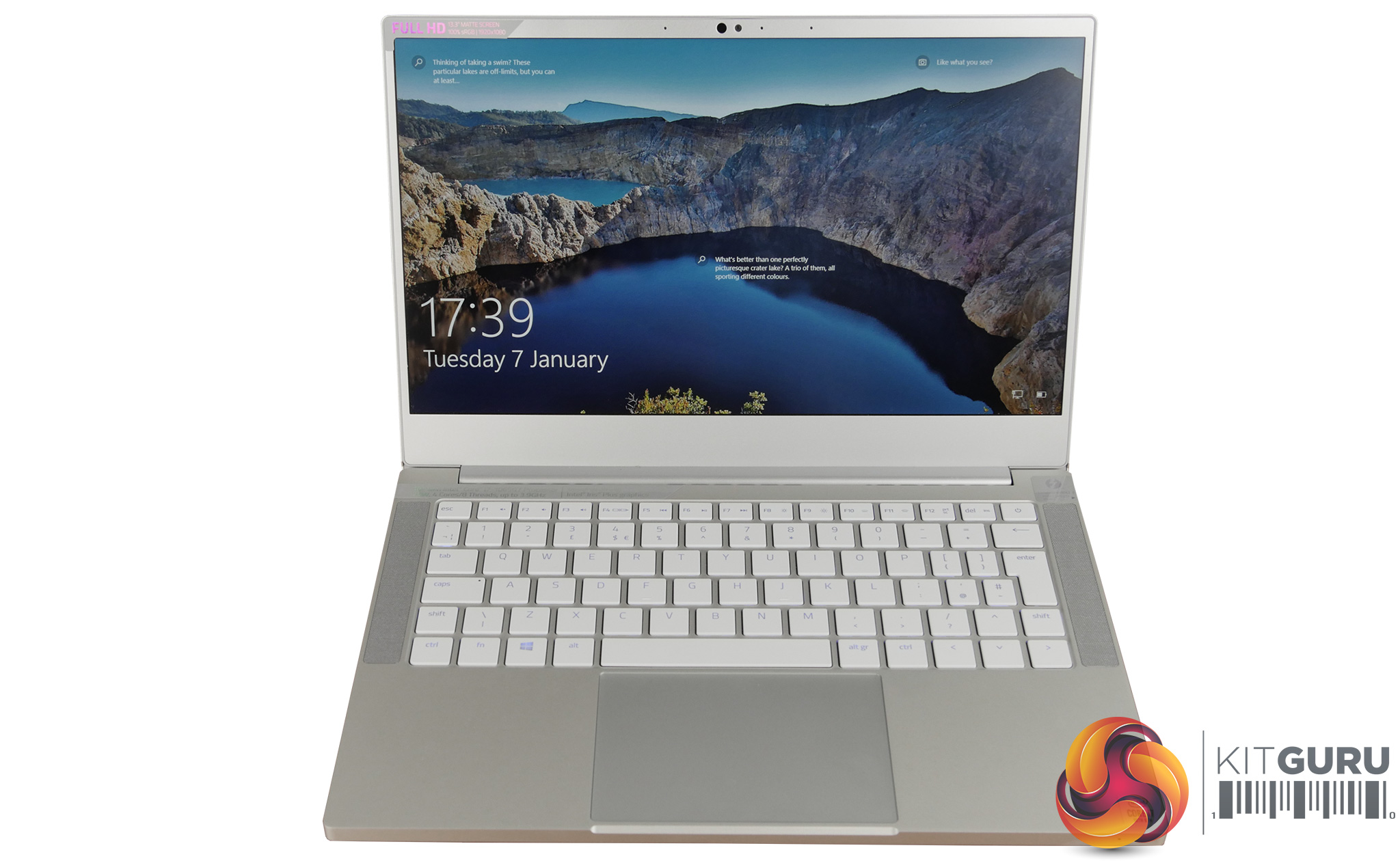
The build quality is excellent and the white and silver design really makes it stand out from other gaming laptops. You still get a hint of Razer's gaming roots with a RGB keyboard which adds some extra customisation. The 13″ size also makes it easy to take anywhere and despite the sturdy metal construction it's pretty lightweight.
The laptop in general has very few negatives besides its price tag, however the main one for me is the small 256GB storage drive. The Samsung drive used is very fast and the Stealth is snappy and responsive, however it will fill up fast and external storage isn't very convenient to lug around. And not everyone is comfortable with upgrading the internal drive themselves.
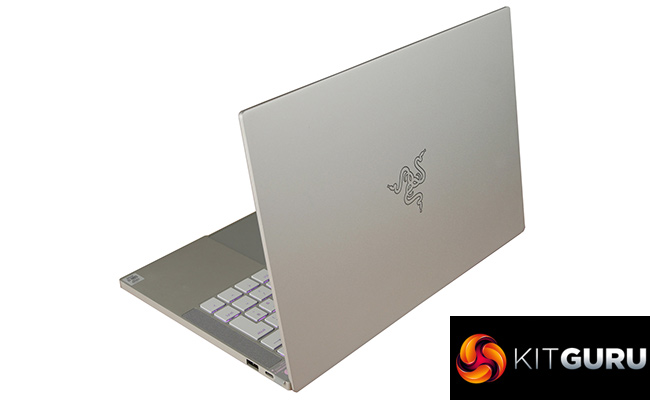
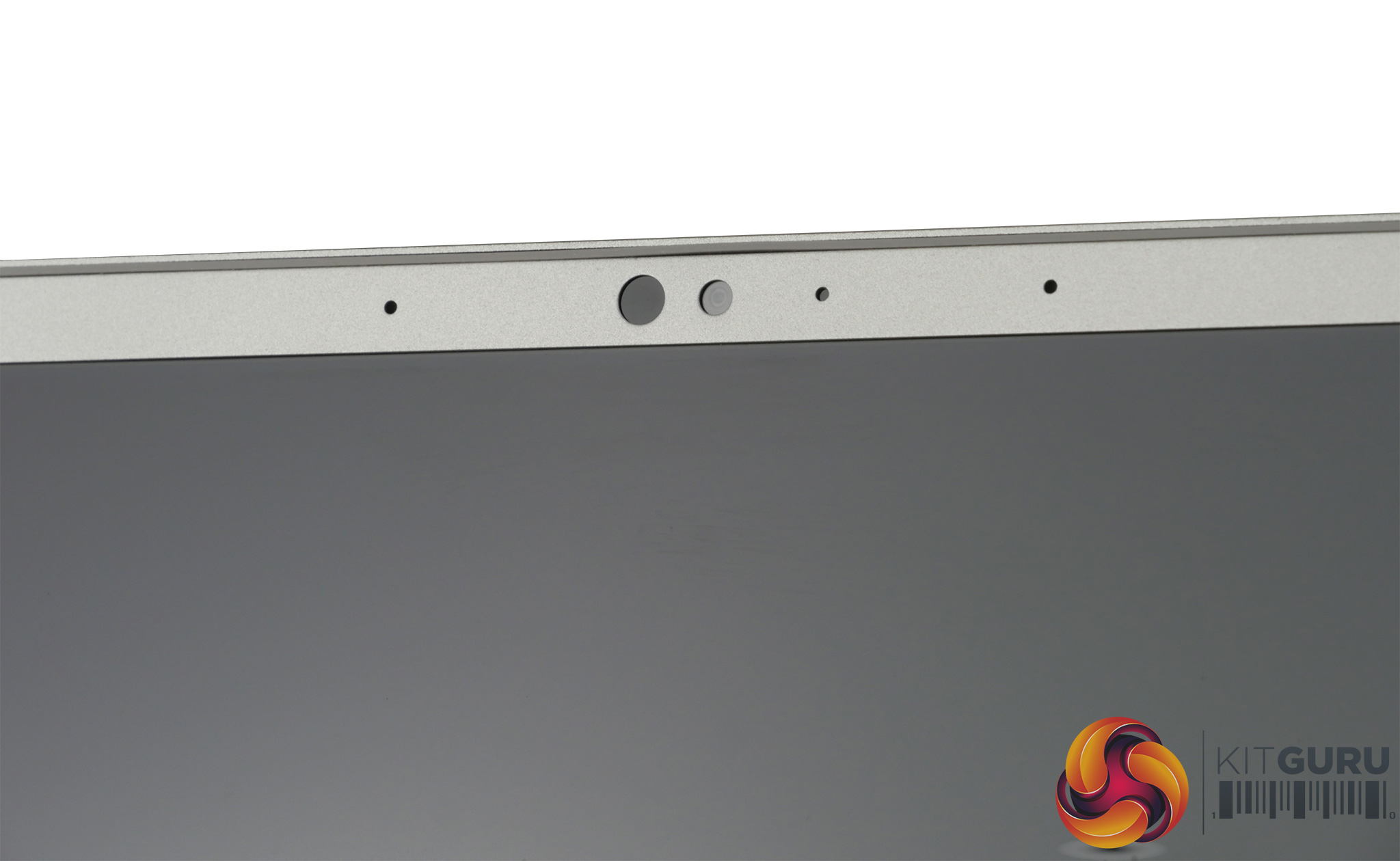
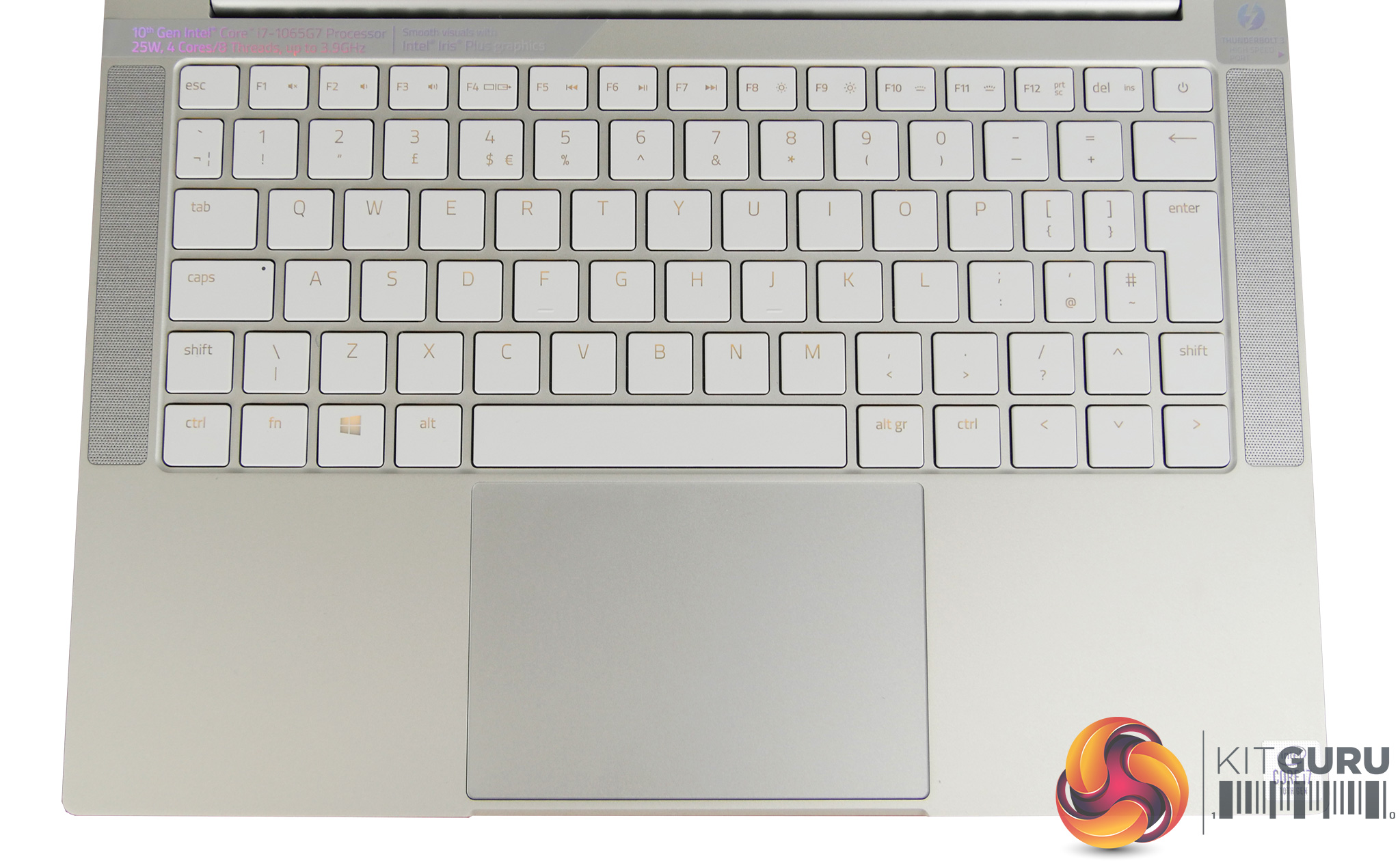
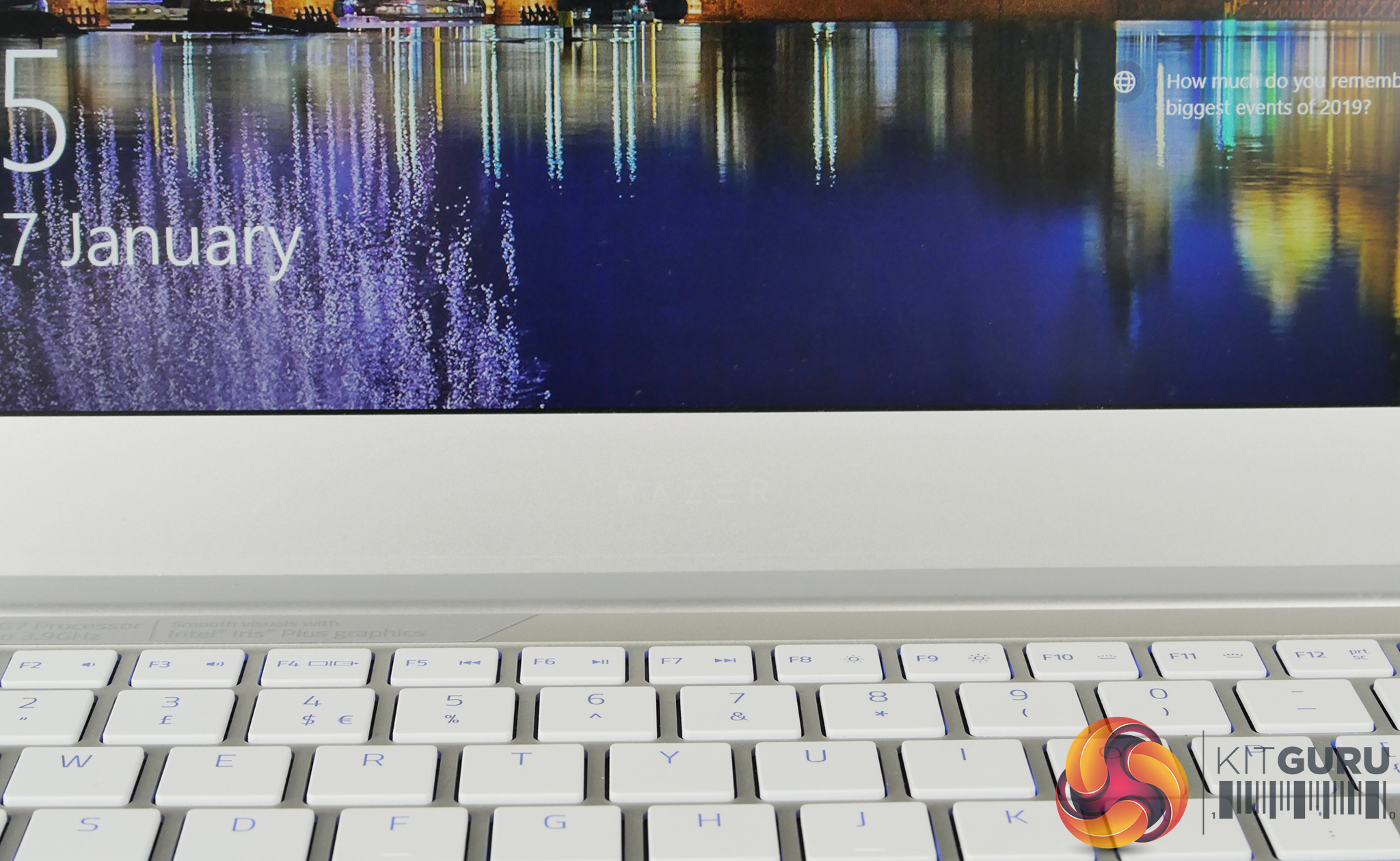
Using the laptop day to day is a very pleasant experience, despite its smaller size the keyboard is pleasant to use and well spaced. The track pad is large and smooth and the speakers are surprisingly good. I also think the display looks wonderful with high brightness and vibrant colours. Razer also managed to squeeze in a basic webcam with Windows hello at the top of the thin bezels.
The main area where this laptop excels is using it on the go. You can take it with you and know it will last a full day just like an ultrabook should do. It's very cool and quiet to use which means it can be used anywhere without annoying the people around you. You do sacrifice dedicated graphics for this portability but I was surprised at how well the Intel Iris graphics could handle less demanding games like CS:GO and League of Legends.
Overall the Razer Blade Stealth 13 is a good ultrabook with a touch of Razer's gaming DNA. It is likely to be a very appealing investment for someone who needs portability and a professional looking laptop but still wants to do some casual gaming when away from home.
You can find the Razer Blade 13 Stealth on sale directly from Razer for £1499.99 HERE.
Discuss on our Facebook page HERE.
Pros:
- Small, lightweight and portable.
- Quiet.
- Long battery life.
- RGB keyboard.
- Razer software.
- Good speakers for such a small chassis.
- Great build quality.
Cons:
- No dedicated graphics performance.
- Expensive.
- Small storage space.
- Connectivity could be better.
KitGuru says: The Razer Blade Stealth 13 is a beautiful laptop that is designed to be portable, but it's also capable of casual gaming on the go – just be prepared to pay £1500 for the privilege.