KitGuru KitGuru.net – Tech News | Hardware News | Hardware Reviews | IOS | Mobile | Gaming | Graphics Cards


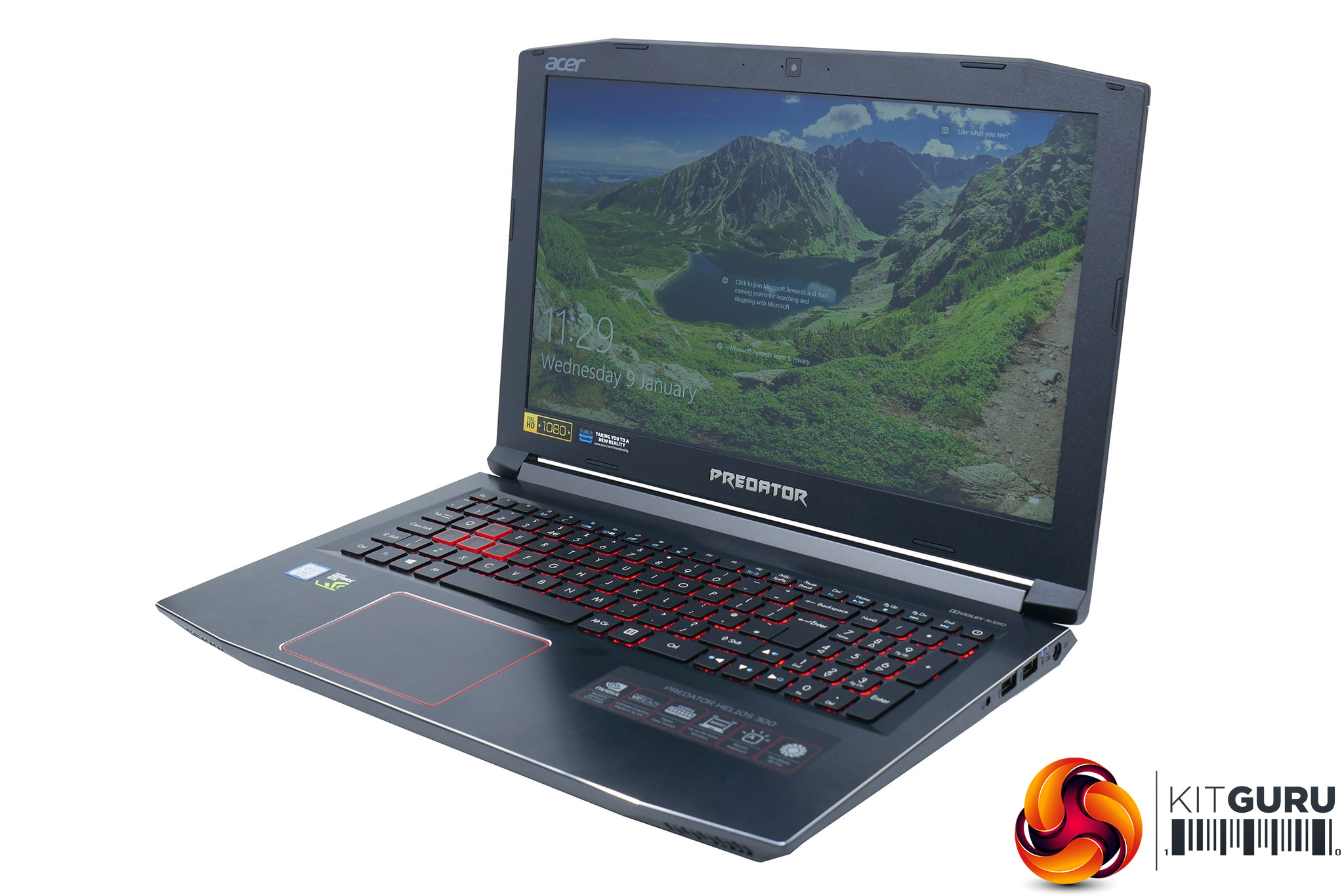
The Acer Helios 300 is a gaming laptop that boasts two headline features: a 144Hz IPS LCD display and a relatively modest price tag. That screen means you get the best of both worlds with the good overall image quality of an IPS display but with the fast gaming performance of a 144Hz refresh rate. Meanwhile, a price of £1250 is certainly not bargain basement but so far as gaming laptops go it's reasonably affordable.
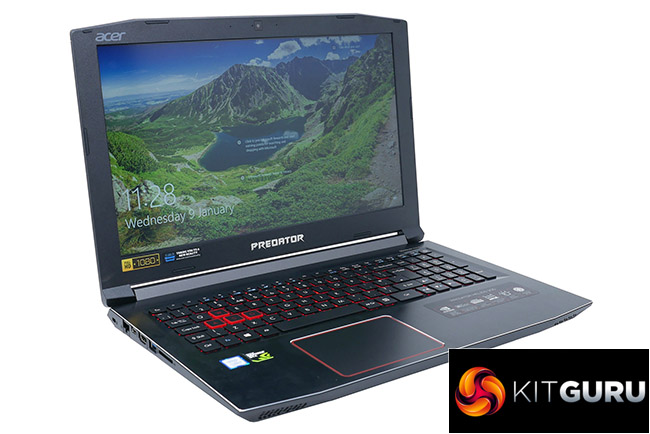
Elsewhere you get a fairly typical chunky 15.6in laptop design with the addition of black brushed aluminium topping the lid and keyboard surround, along with a few touches of red to highlight its gaming credentials.
Also present is a backlit keyboard and plenty of connectivity while inside you’ll find an 8th-generation Intel Core processor, Nvidia GeForce GTX 1060 graphics, 16GB of DDR4 and both an M.2 SSD and 2.5in hard drive. That's the range topping configuration while you can also get lower-specced versions that include older generation CPUs, smaller storage drives and GTX 1050 Ti graphics.
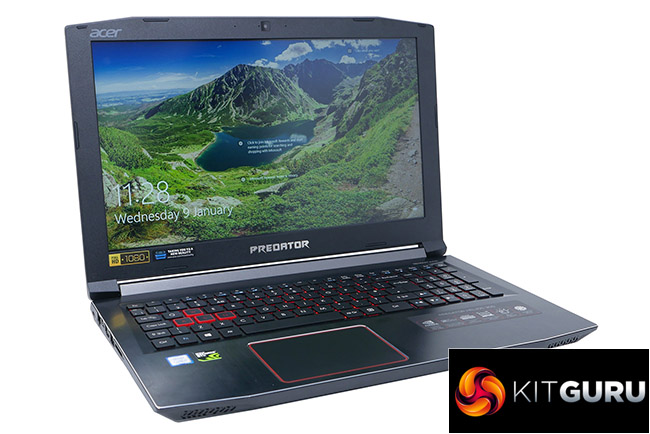
The Acer Helios 300 is not going to be breaking any speed records but with that screen and that price it should be an ideal mid-range option.
Specification:
- OS: Windows 10 64-bit
- CPU: Intel core i7 8750H (2.2Ghz – 4.1GHz)
- Display: 15.6” 144Hz IPS LCD, 1920×1080, 16:9
- Memory Supplied: 2 x 8GB
- Memory Type: DDR4
- Memory Speed: 2,667
- Max Memory Support: 32GB
- Graphics Chipset: nVidia GeForce GTX 1060
- Graphics Memory: 6GB GDDR5
- Storage: Toshiba SG5 256GB SATA M.2 SSD, WD WD10SPZX 1TB 2.5in HDD
- Keyboard Type: Chiclet
- USB Ports: 1 x USB A 3.0, 1 X USB Type-C 3.1, 2 x USB A 2.0
- HDMI Port(s): 1
- Microphone/headphone Jack(s): 1 combi port
- Card Reader: SD (XC/HC)
- Audio: Stereo
- Wireless LAN – Intel 2×2 802.11ac
- Bluetooth: V4.2
- Webcam: Full HD type (30fps@1080p)
- Dimensions: 432.3mm x 289.9mm
- Weight: 2.6kg without power cable, 3.32kg with power cable
- Warranty: 1yr RTB
Total cost £1,249 inc vat.
The most obvious thing about the Acer Helios 300‘s design is that it isn’t pushing the limits of slimness or overall size. It’s 29mm thick and has noticeably wide bezels around its 15.6in screen, making for a laptop with an overall footprint of 432.3mm x 289.9mm.
In comparison, the Razer Blade 15 measures 355 x 235 x 20mm. The Helios 300 is also heavier than such machines, weighing in at 2.6kg compared to the 2kg of the Blade. But, such is the nature of much more affordable laptops. Putting the Helios 300 up against more similarly priced alternatives and it fares much better. The MSI GE63, for instance, measures 383 x 260 x 29.5mm and weighs 2.49kg.
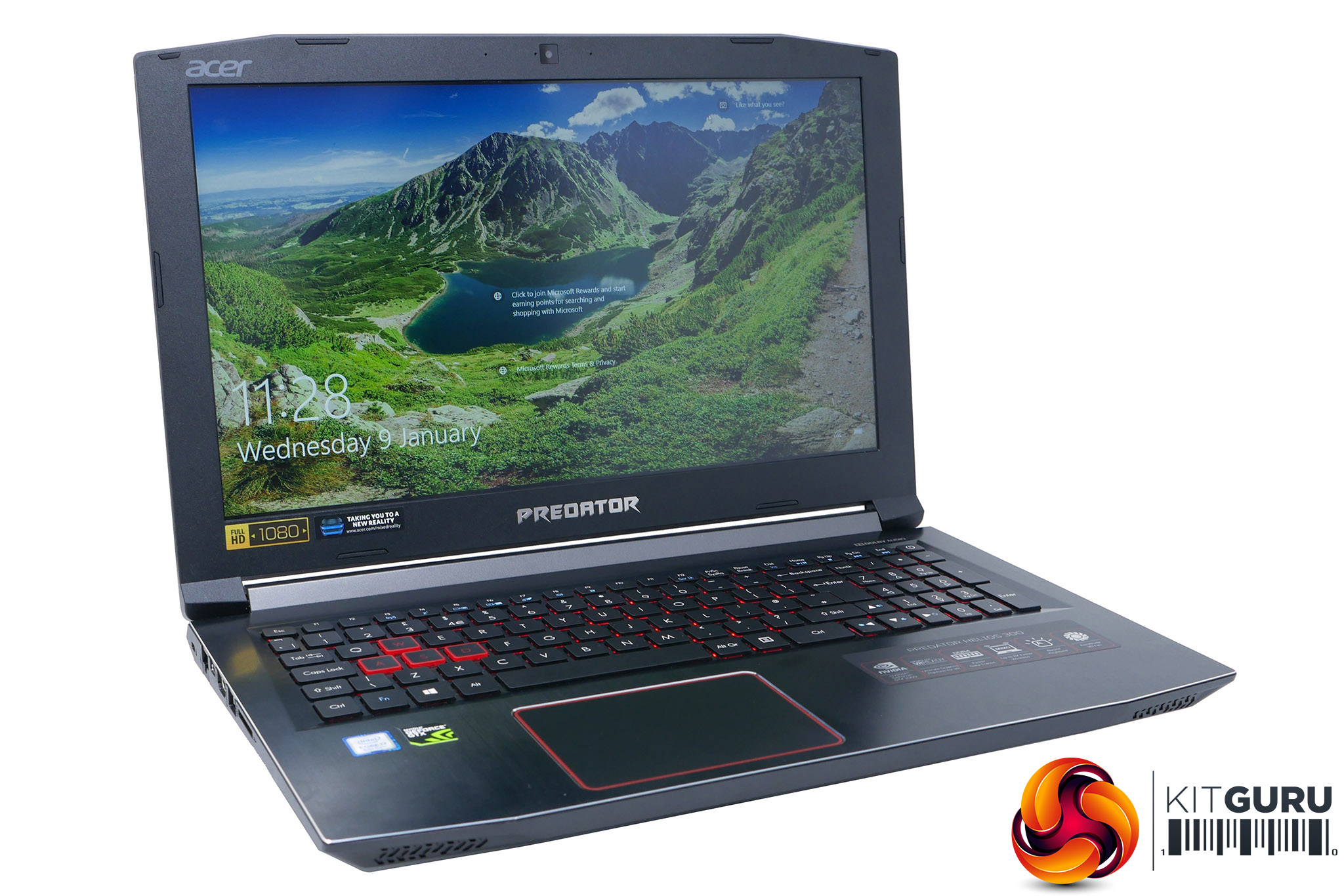
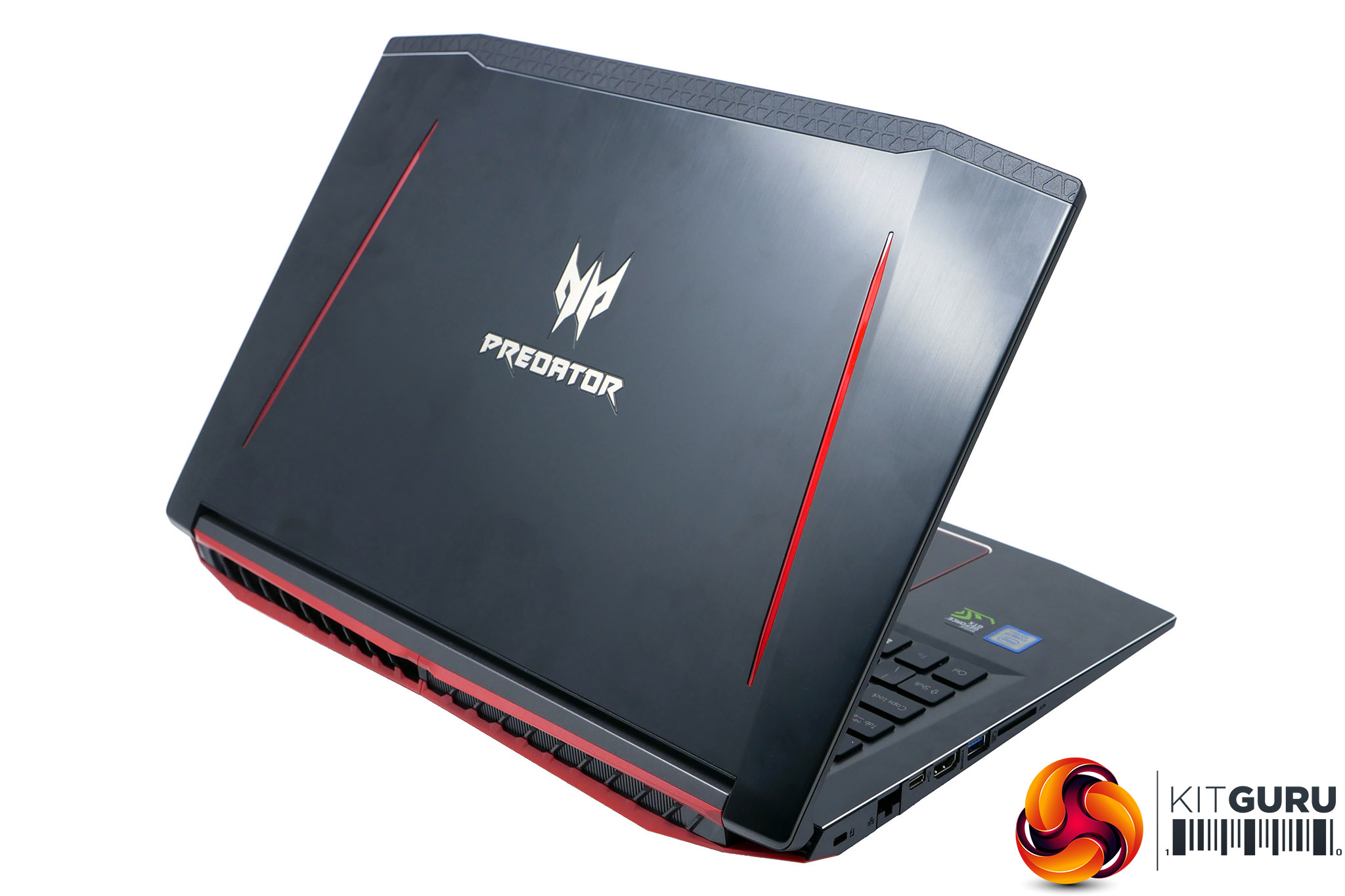
The styling is nice and modest with a simple black plastic used for the bulk of the build and brushed black anodised aluminium panels for the lid and keyboard surround.
You get the fairly aggressive silver Predator logo on the lid and there are some red highlights in the form of clear red plastic strips on the lid, metallic red paint on the rear and red backlighting but otherwise it’s reasonably plain, in a good way.
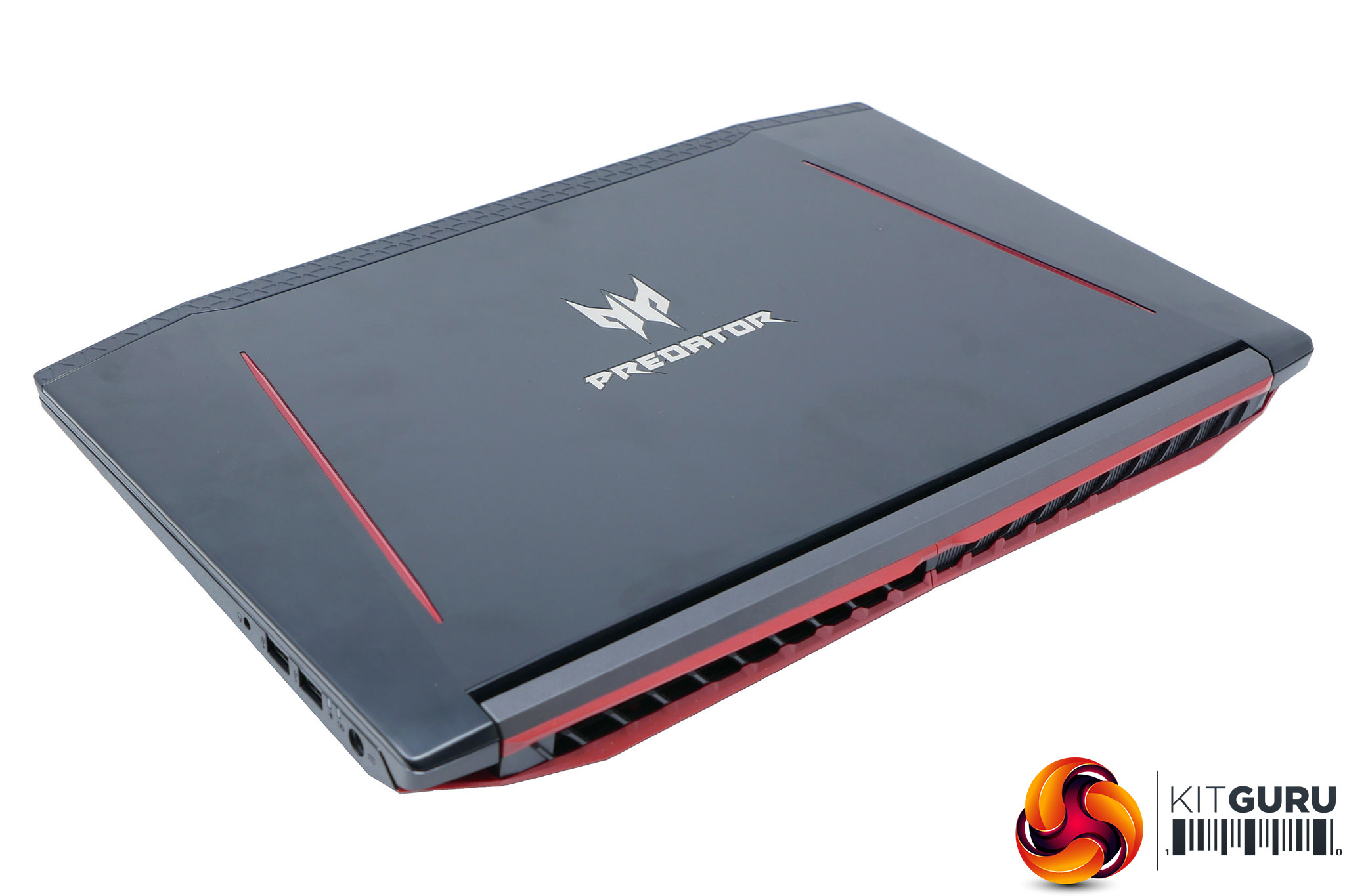
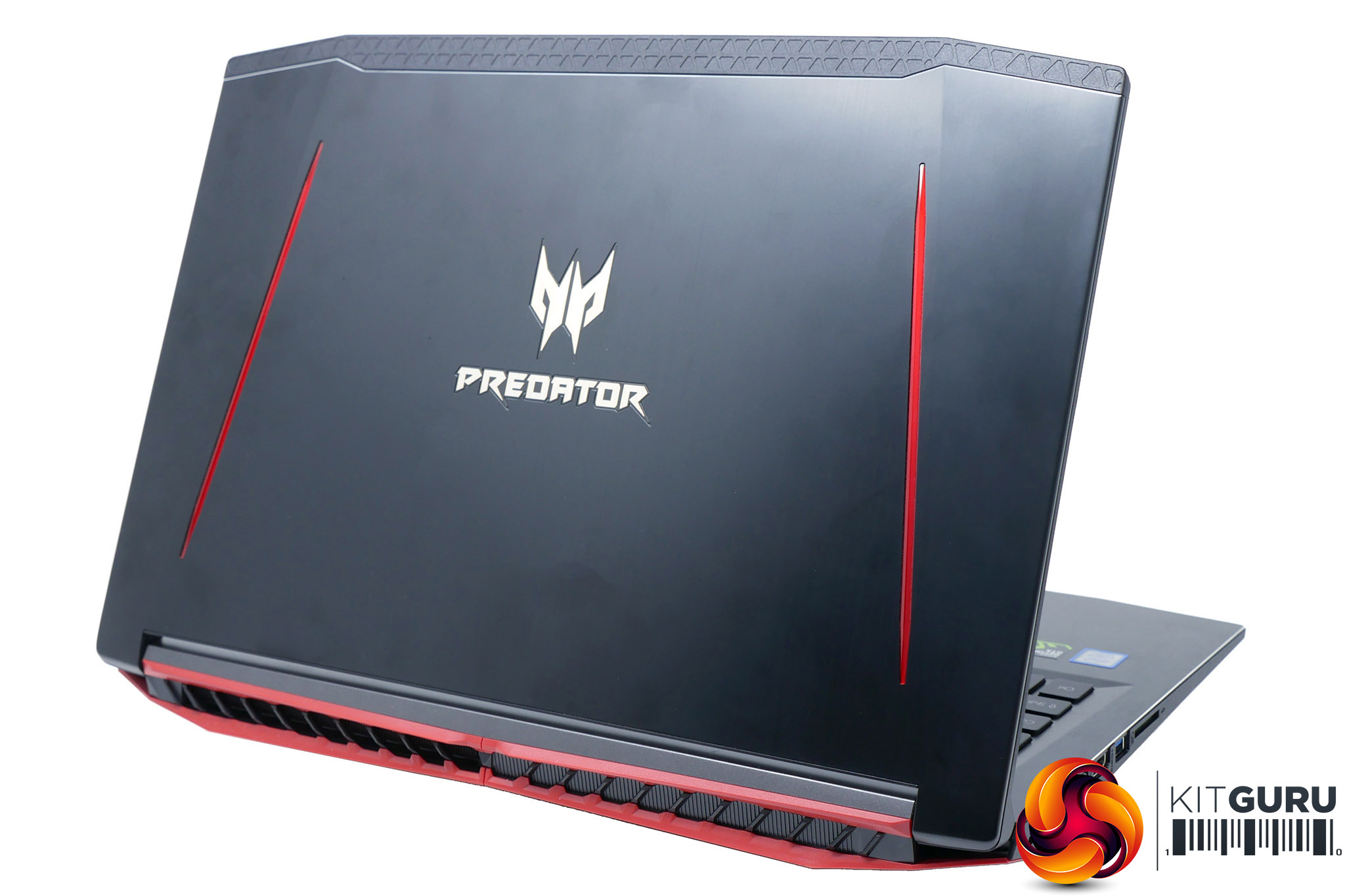
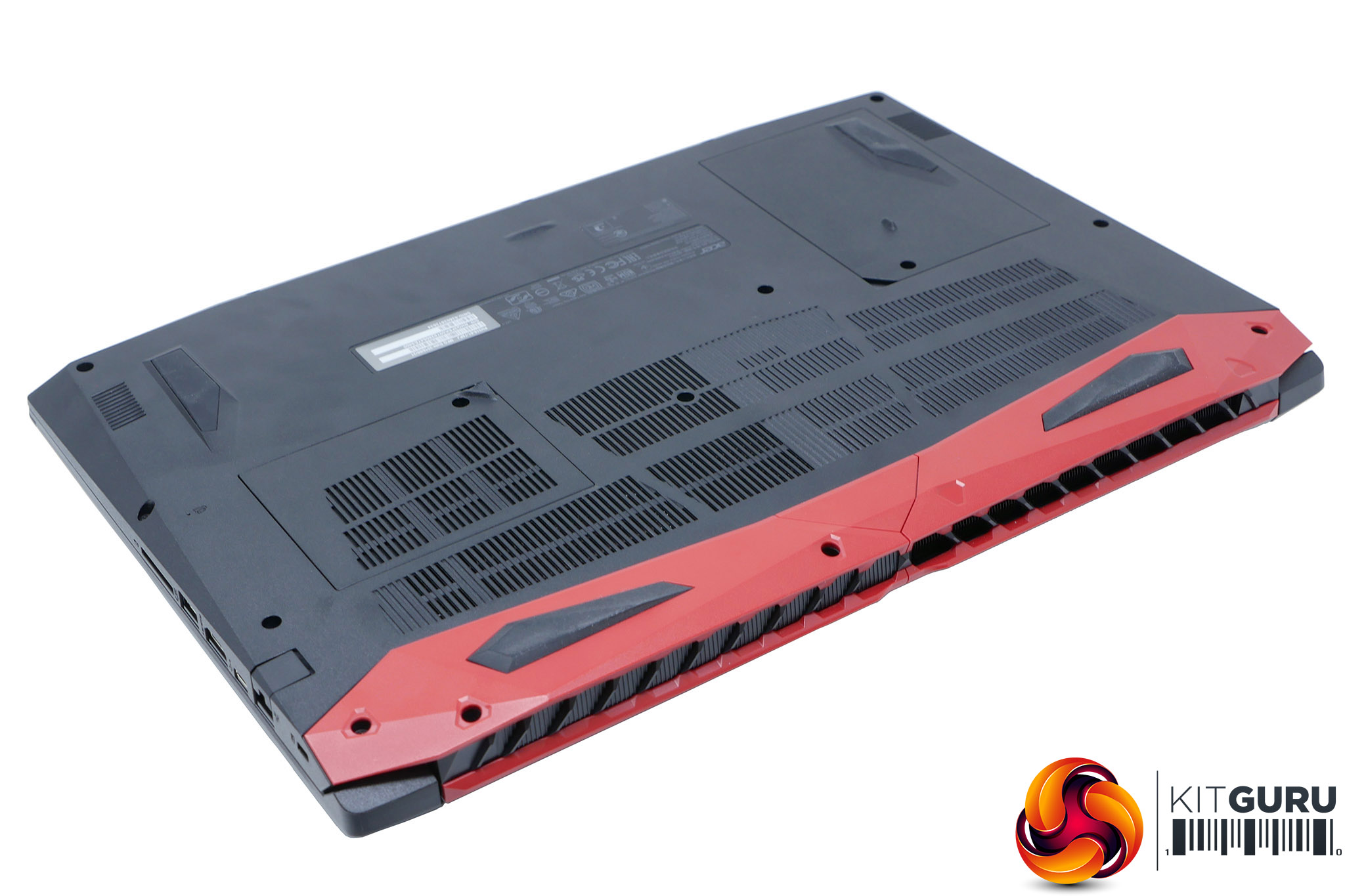
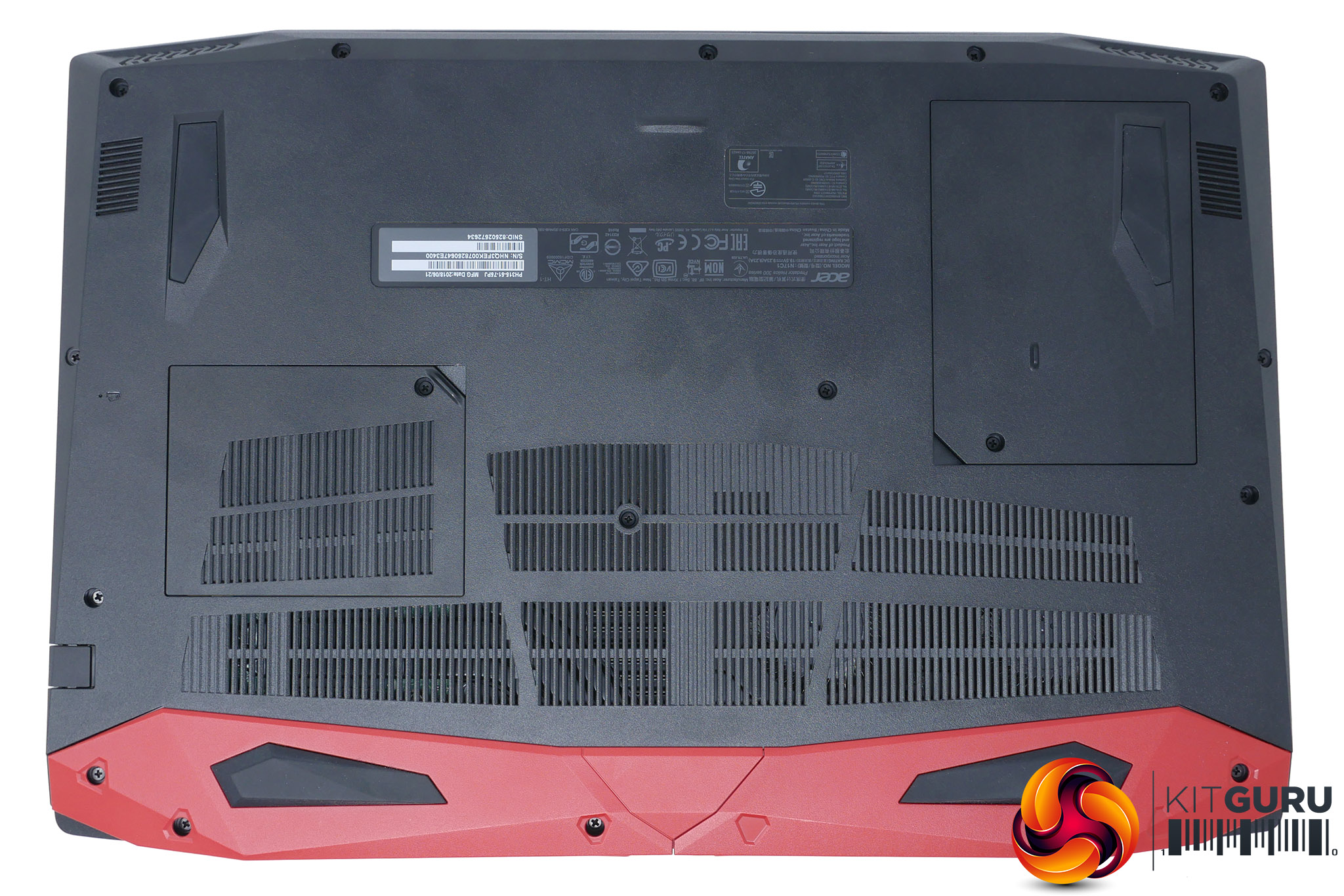
All the laptops connectivity is ranged down the sides while all the cooling draws air up through the bottom and out the back. The Helios 300’s innards are modest enough that only one side of the exhaust vents on the rear are actually used – the others are filled in.
The Helios 300 is available in a range of configurations. The main choices are between having a GTX 1060 or GTX 1050 Ti graphics card, opting for a smaller 128GB SSD or larger 256GB model and choosing between various Intel CPUs. There are models with an Intel Core i5-8300HQ, an i7-8750H and even an i7-7700HQ. Prices start at around £900 for versions with the GTX 1050 Ti and top out at £1250 for the model reviewed here.
What you get in this configuration is an 8750H, which is a six-core chip with hyperthreading running at between 2.2GHz and 4.2GHz. It has largely become the standard CPU for higher-end laptops and it’s quite capable of dealing with pretty much anything you throw at it.
Also included is 16GB of 2,677MHz DDR4 RAM, which again is more than ample for most things a laptop like this is likely to deal with.
There's there's GTX 1060 graphics card. By all means, it’s no powerhouse but for a machine of this price it’s to be expected and is still more than capable of delivering framerates that’ll max out the 144Hz screen in eSports games.
One thing that immediately concerns, though, is the choice of SSD. It's a Toshiba THNSNK256GVN8, which despite being an M.2 form factor drive, still uses the SATA interface so doesn't offer the blistering speeds of an NVMe drive. The 1TB Western Digital WD10SPZX hard drive is also rather slow, with it being a basic 5,400rpm model, but that's often sadly to be expected for a secondary storage solution.
Moving from the internals of the machine to exterior features, one advantage of a larger form factor is plenty of connectivity.
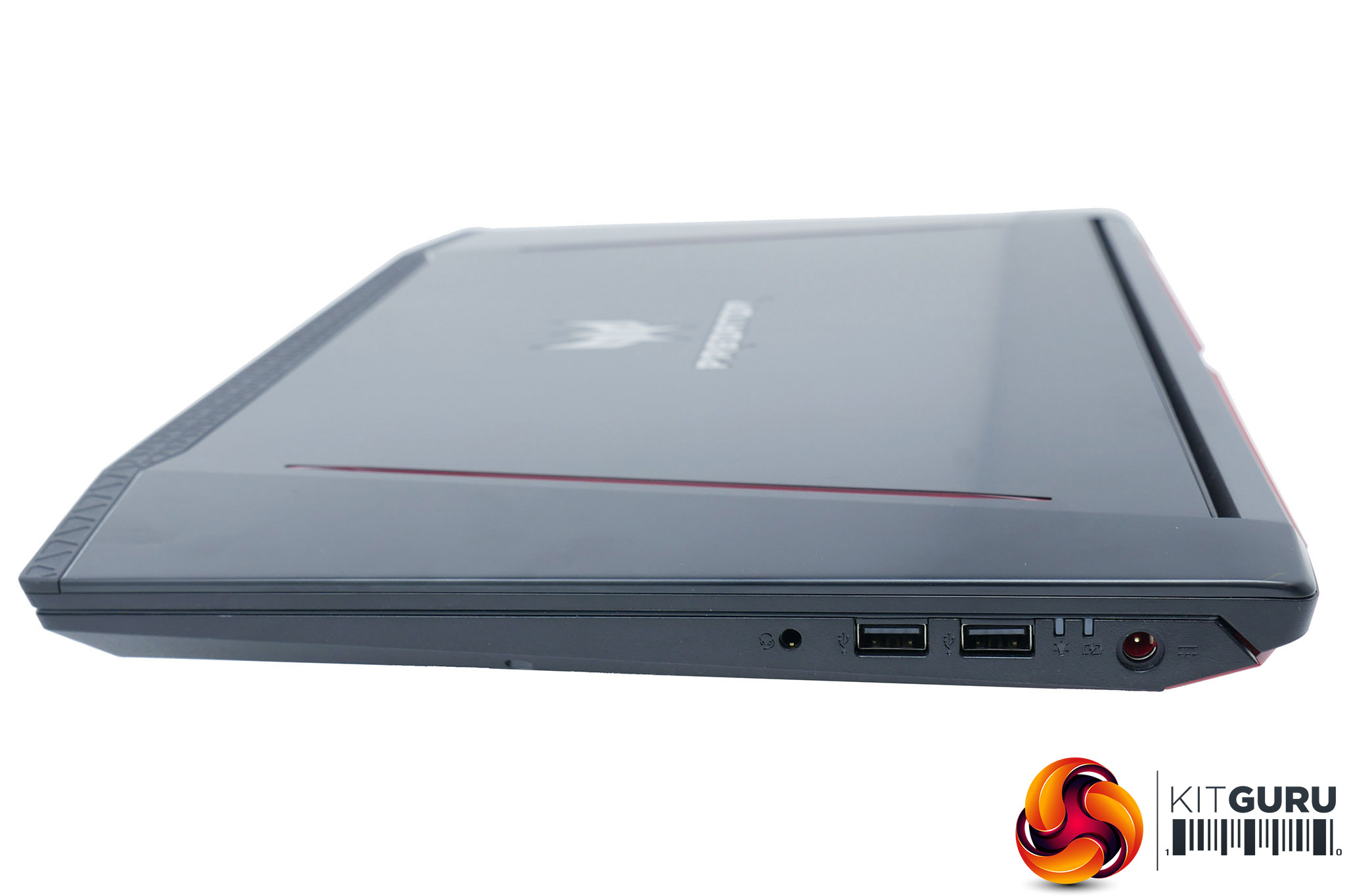
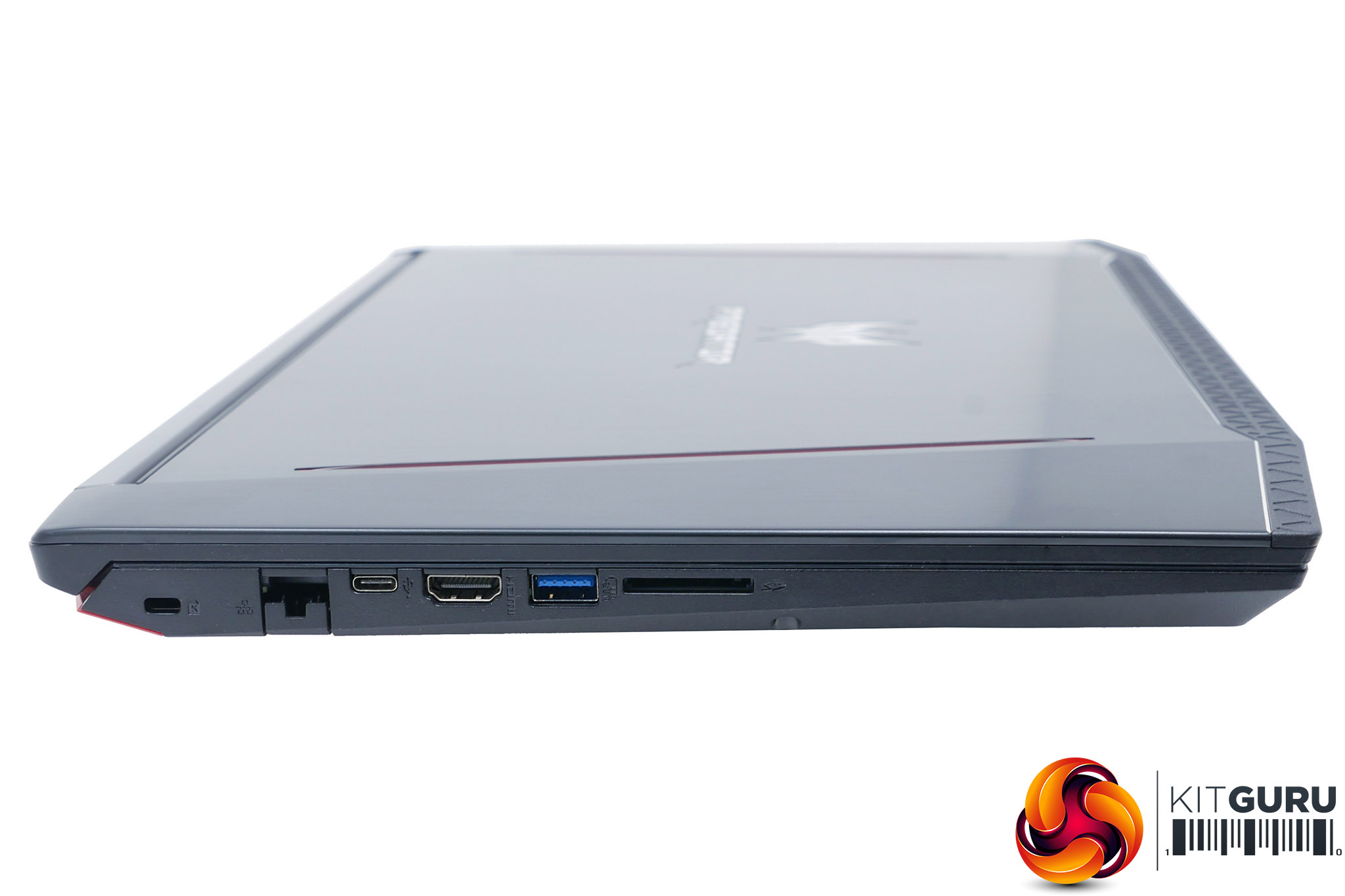
Down the left edge there’s a Kensington lock slot and ports for gigabit Ethernet, USB Type-C, HDMI and USB 3.0, along with an SD card reader.
Round the other side there’s the combi headphone/microphone jack and two USB 2.0 ports. It would’ve been nice to get the separate headphone and microphone ports of the MSI GE63 but it’s not a deal breaker.
On this right edge you’ll also find the power input. The power brick it draws from measures 155 x 75 x 30mm and weighs in at 720g, including both the mains and 12V cables.
Another advantage of a larger laptop is getting a full-size keyboard with a numpad (more on which over the page). For those used to typing lots of numbers into a spreadsheet or other such mundane number-crunching tasks, these are a god send.
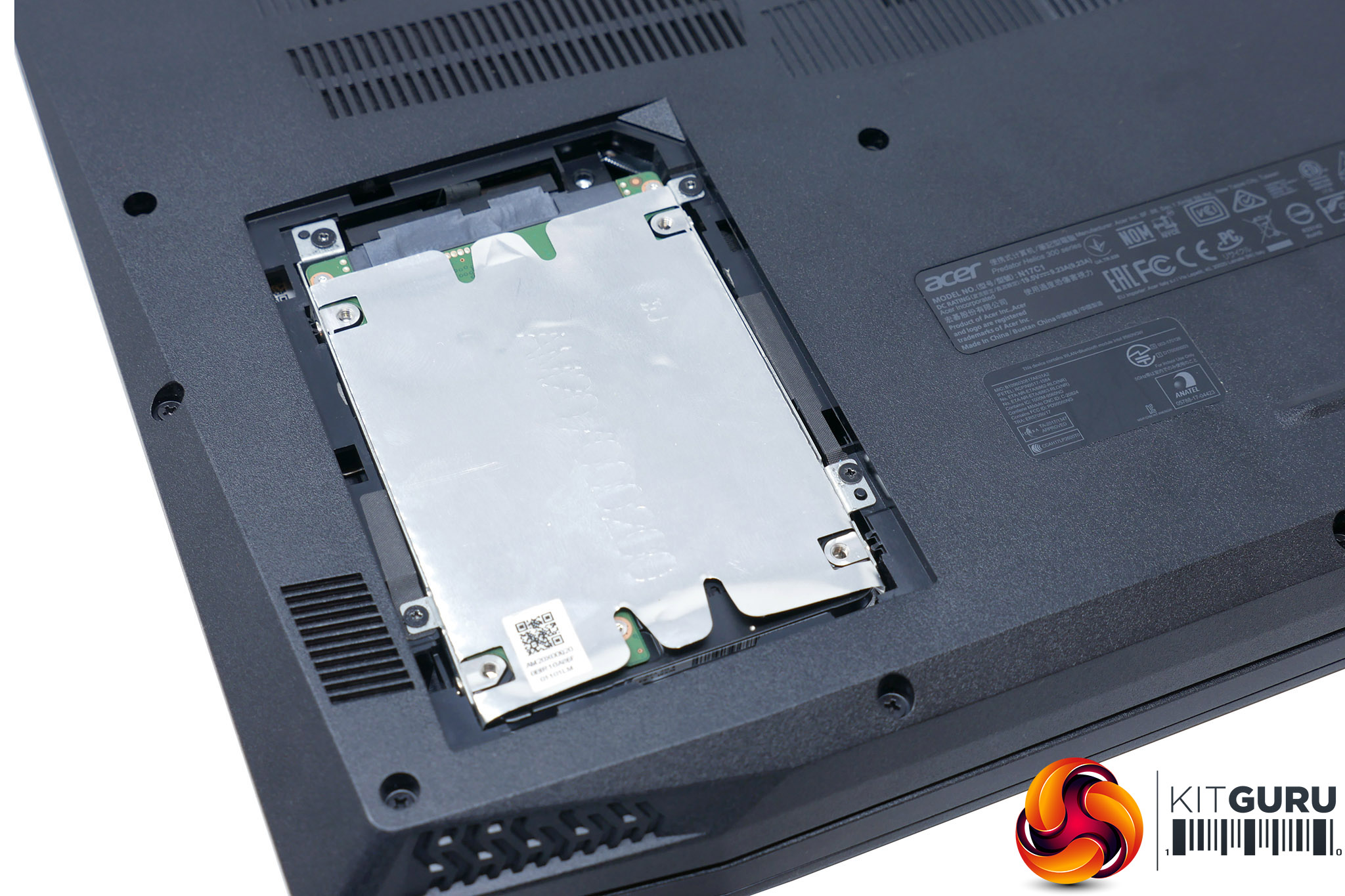
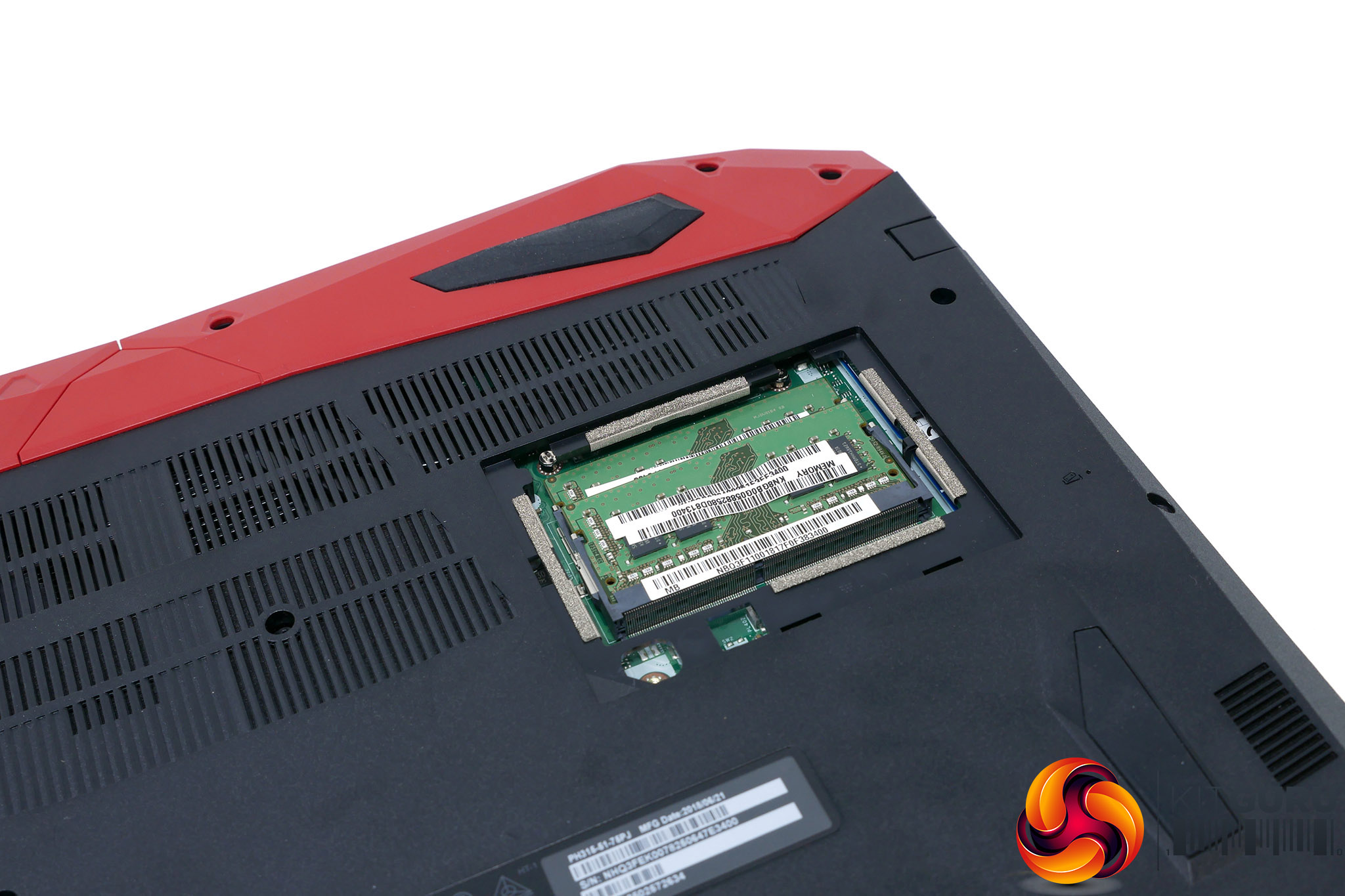
Flip the laptop over and you’ll find two panels that can be easily removed to reveal the 2.5in hard drive and two memory slots, for easy upgrading. This model comes with 16GB of RAM in two 8GB sticks so it's unlikely most users will feel a need to upgrade this, though the laptop will support up to 32GB if required. Upgrading the 2.5in drive, though, is a much more likely operation as large-capacity, cheap SSDs are easy to come by now.
If you manage to prize off the whole bottom panel – not a particularly easy task but not one that breaks any warranty seals – you should be able to upgrade the M.2 SSD too.
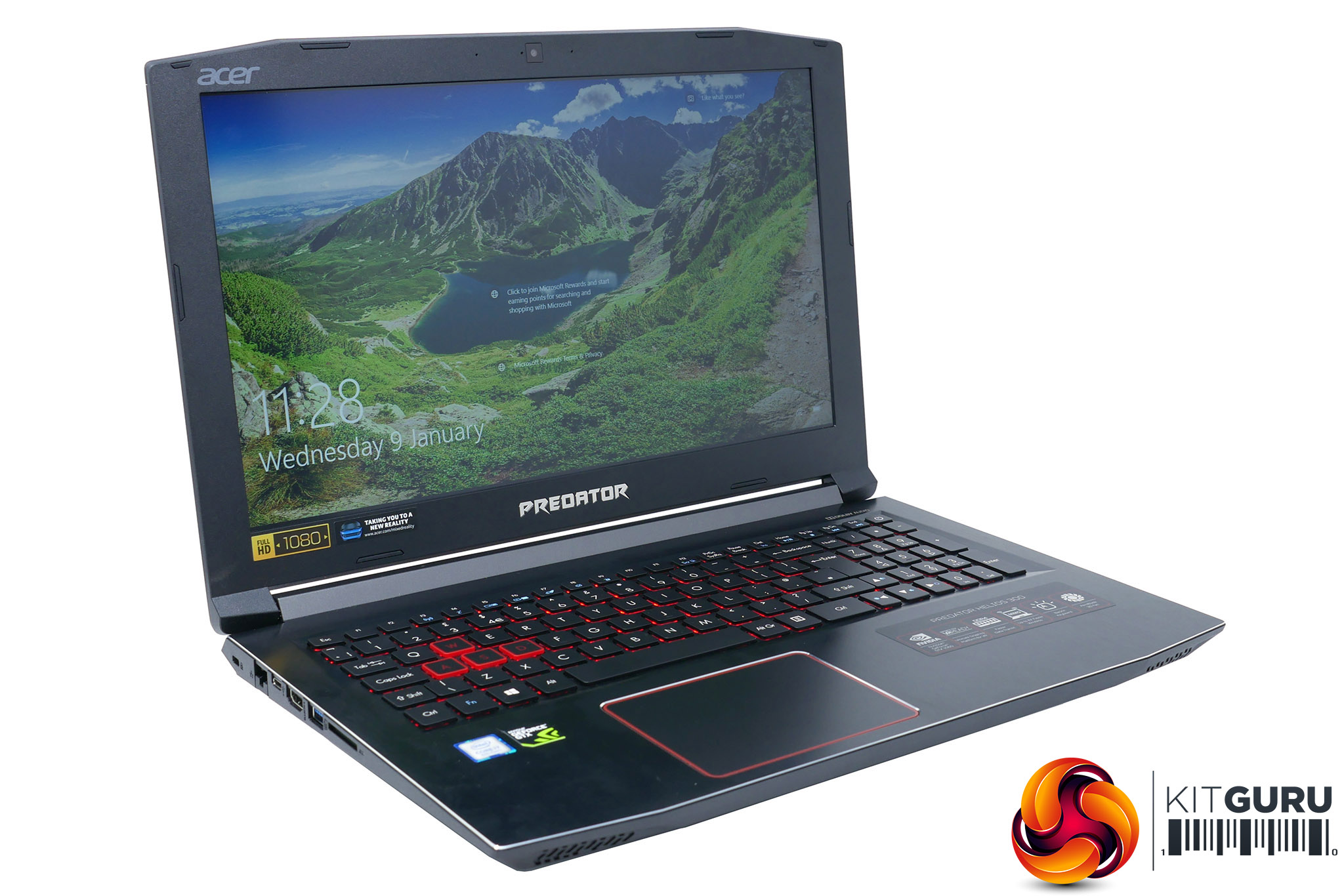
The Helios 300’s keyboard is by and large very good. The layout of the main section of keys is all but perfect, with a proper UK layout offered here in the UK and well-spaced keys used throughout. The only caveats are the Enter and hash keys. They’re too close together such that we regularly hit the hash key instead of the Enter key, but you could probably learn to get round this over time.
The numpad also uses slightly narrower than normal keys but we still found it easy enough to use and would rather have it than not.
One thing that does become particularly obvious when photographing the keyboard is just how readily this laptop shows fingerprints, with the fine-textured brushed aluminium holding on to smudges for dear life. Thankfully, you only really notice these in direct light.
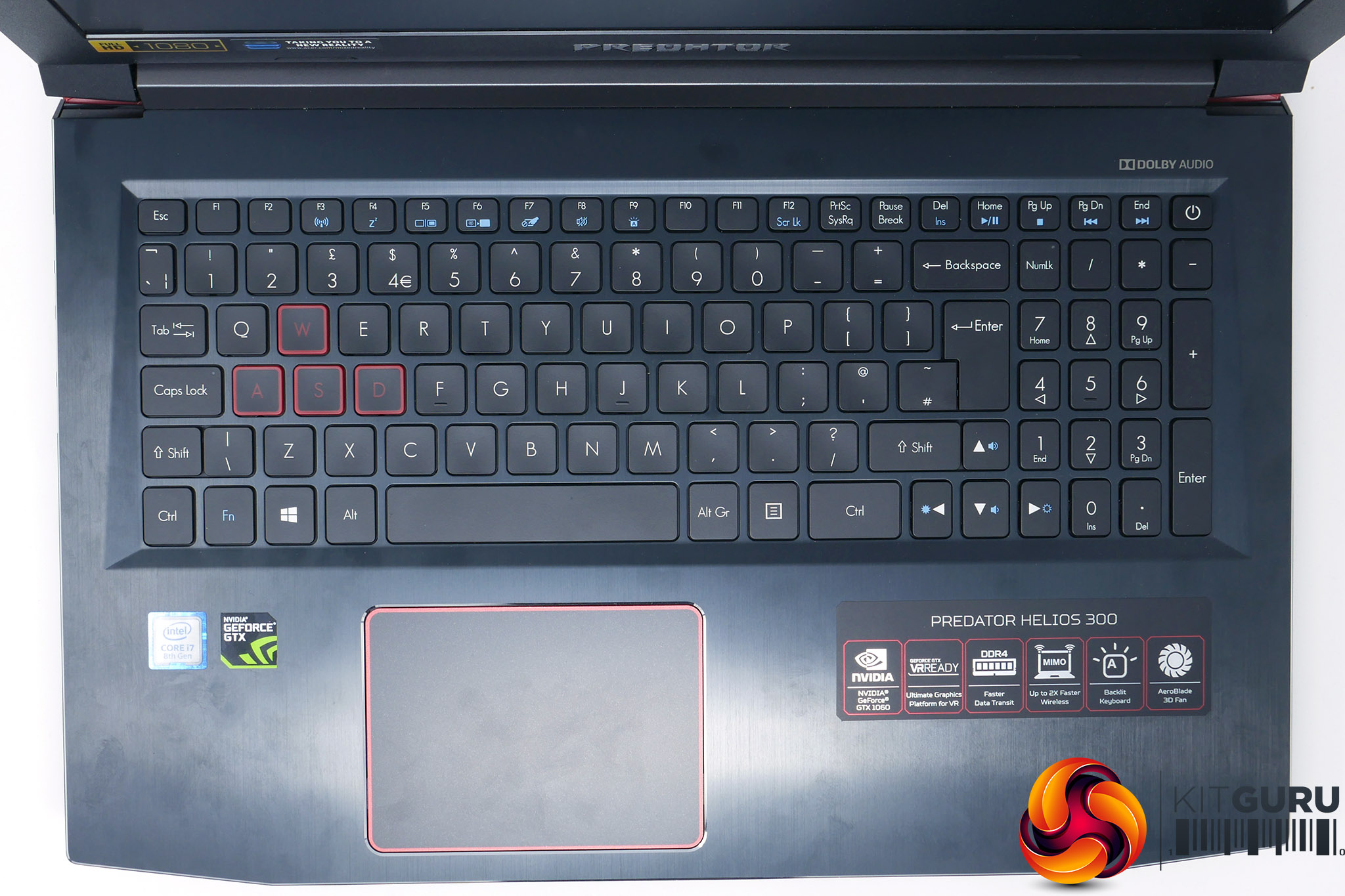
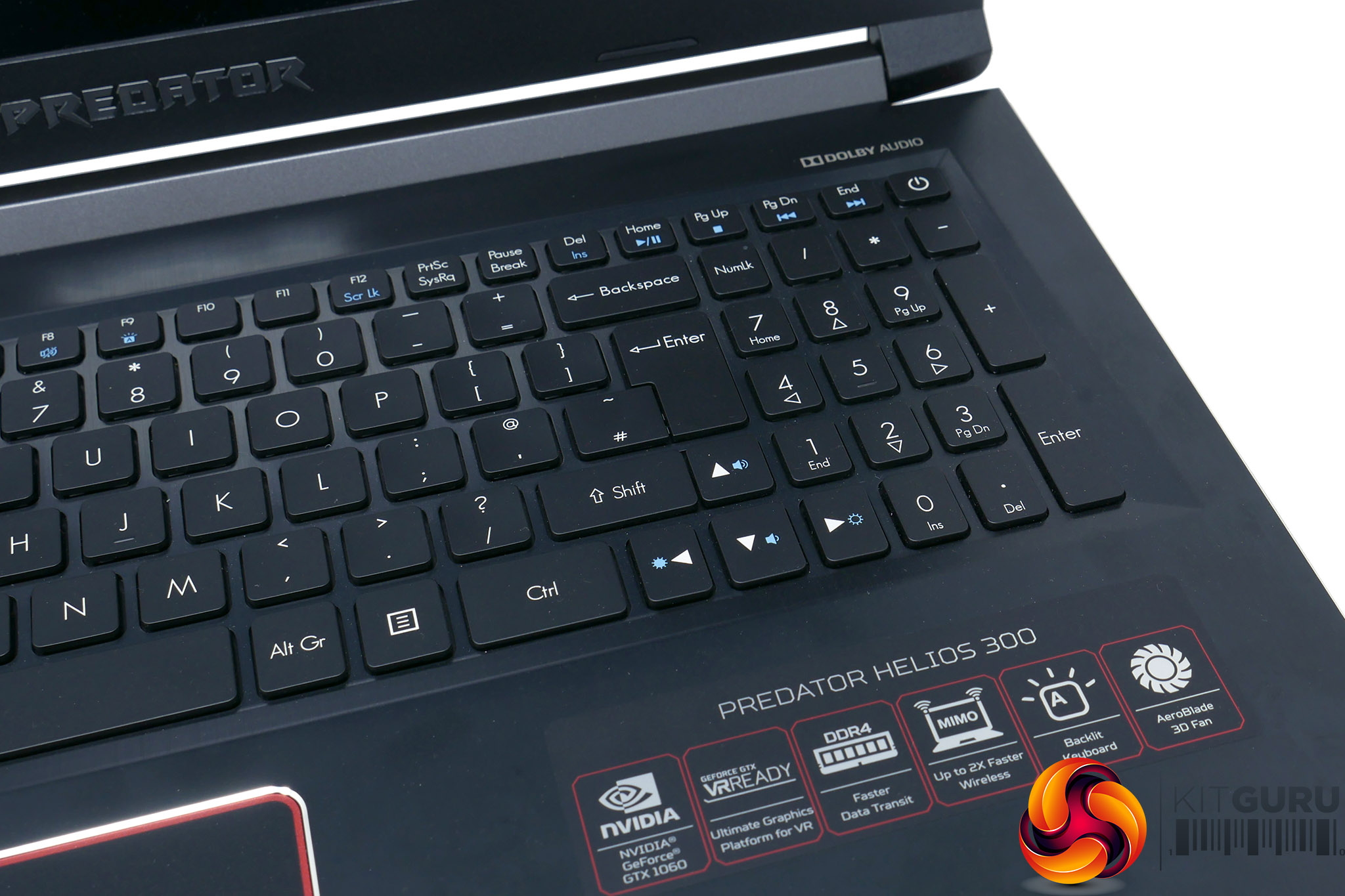
More of a concern is that the backlighting is fixed in red and doesn’t offer any brightness adjustment other than being turned off completely. Instead it relies on turning itself off after a while as a means of reducing distraction and increasing battery life.
What’s particularly odd about this is that the lighting doesn’t come back on when you touch the trackpad so you have to just mash any random key when trying to get it to turn back on in the dark. It’s a small gripe but a noticeable one.
As for the action of the keys, it’s surprisingly good. There’s a nice crisp but reasonably light response so you can type away with confidence. The keyboard also doesn’t flex in the middle like on some cheap laptops.
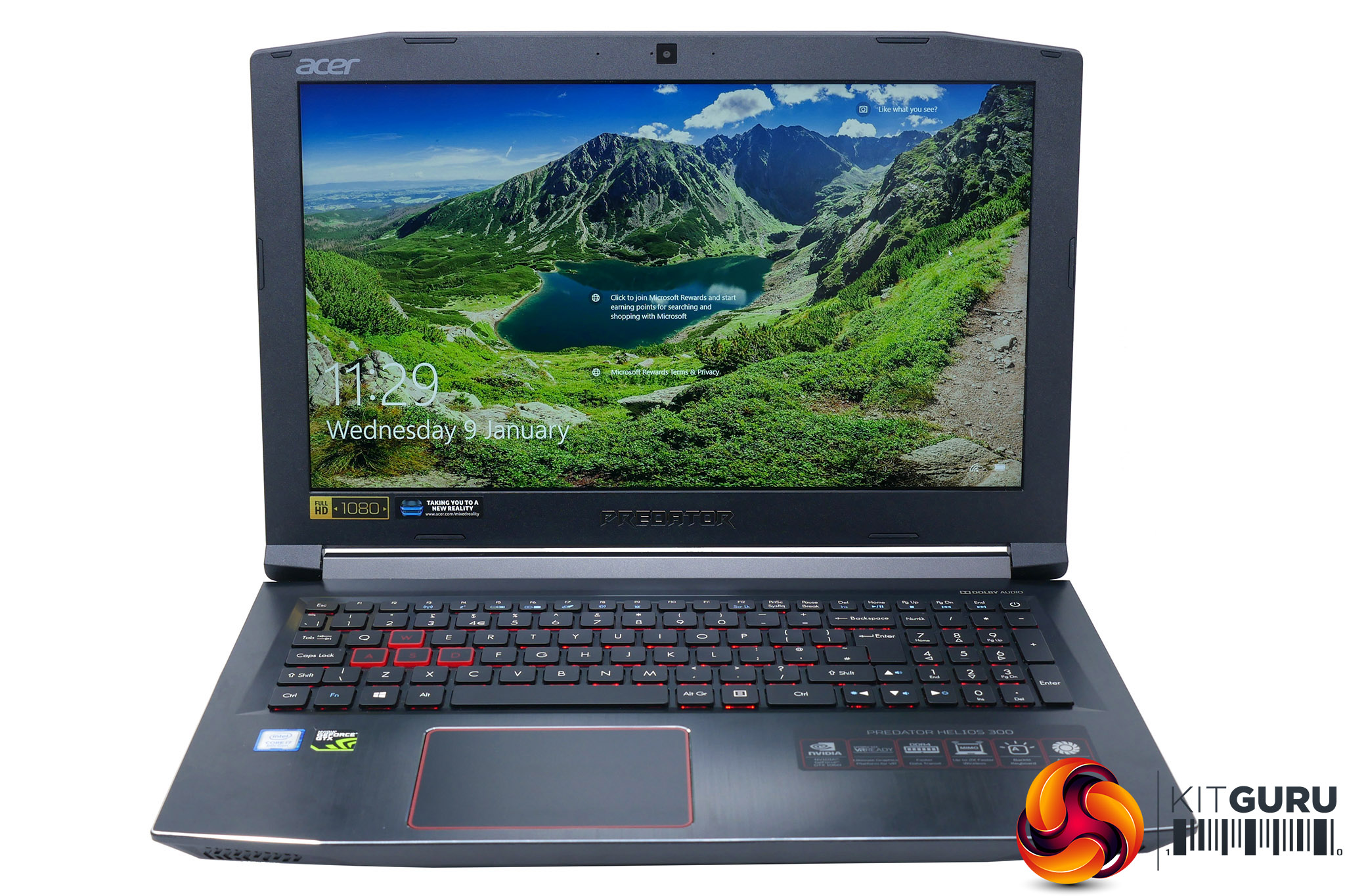
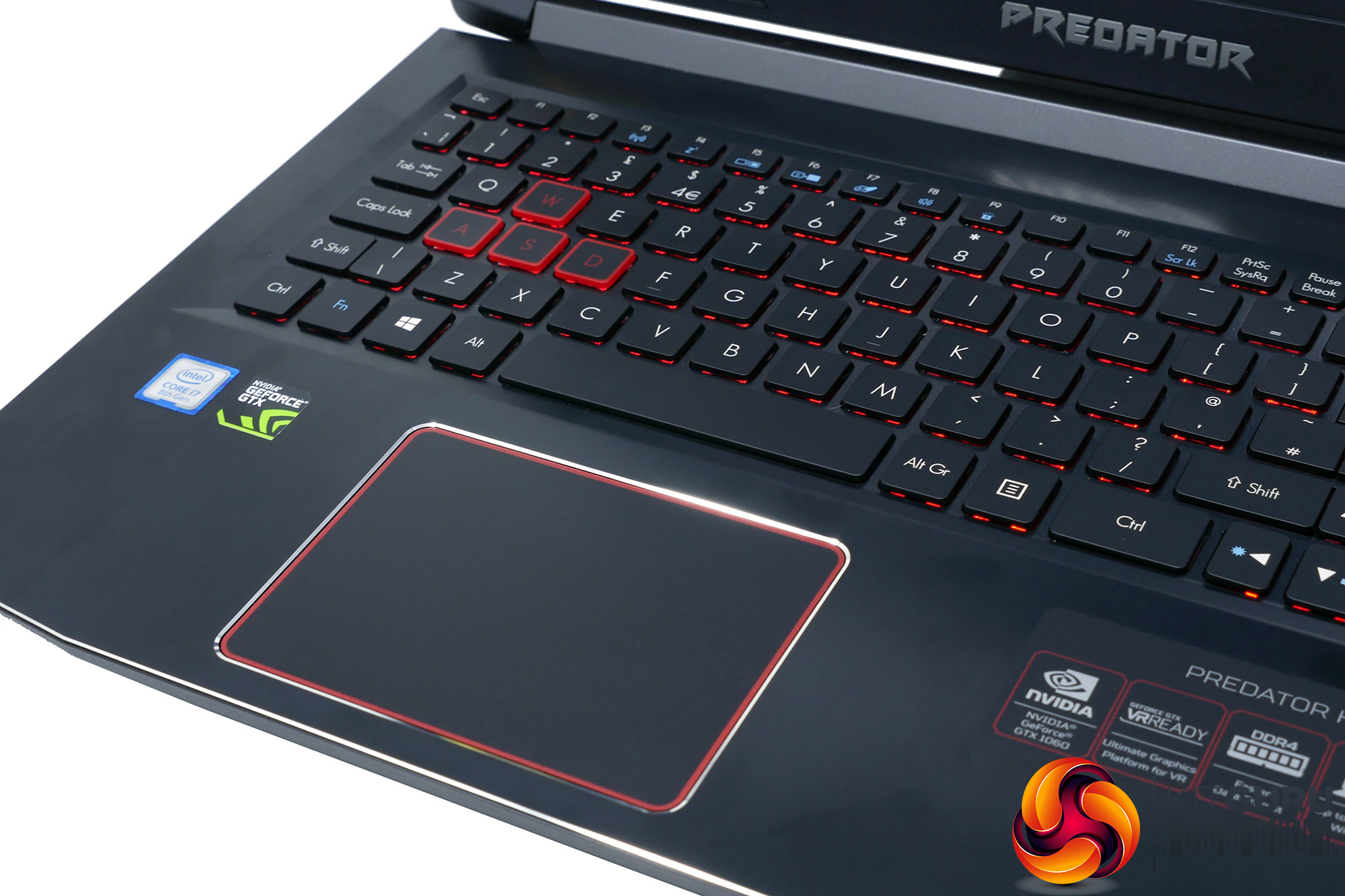
Moving onto the trackpad and it also largely impresses. It’s nice and large and has a very smooth-gliding surface. The click action is a bit stiff and indistinct but tapping works well and overall tracking is excellent.
Then there’s that 144Hz screen, and here we have very few complaints. The use of an IPS LCD panel means you get the improved viewing angles of this technology over basic TN-type displays. This is so important for laptops, where you’re often going to be viewing them from all sorts of strange angles.
Overall colour reproduction is decent too. By all means this isn’t a high-end panel with true 8-bit colour (6-bit with FRC) but its dithering doesn’t result in noticeable flickering or colour banding.
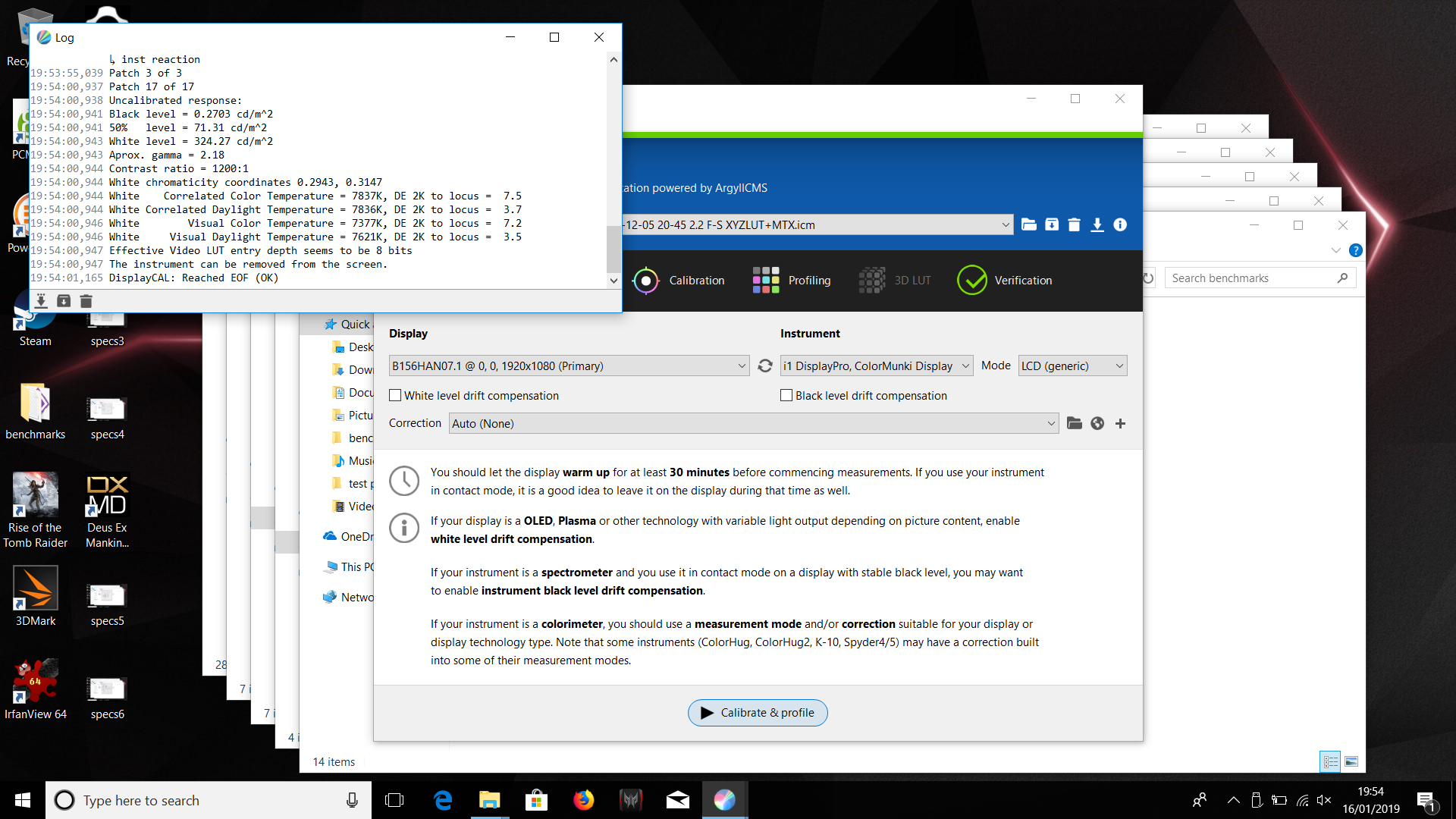
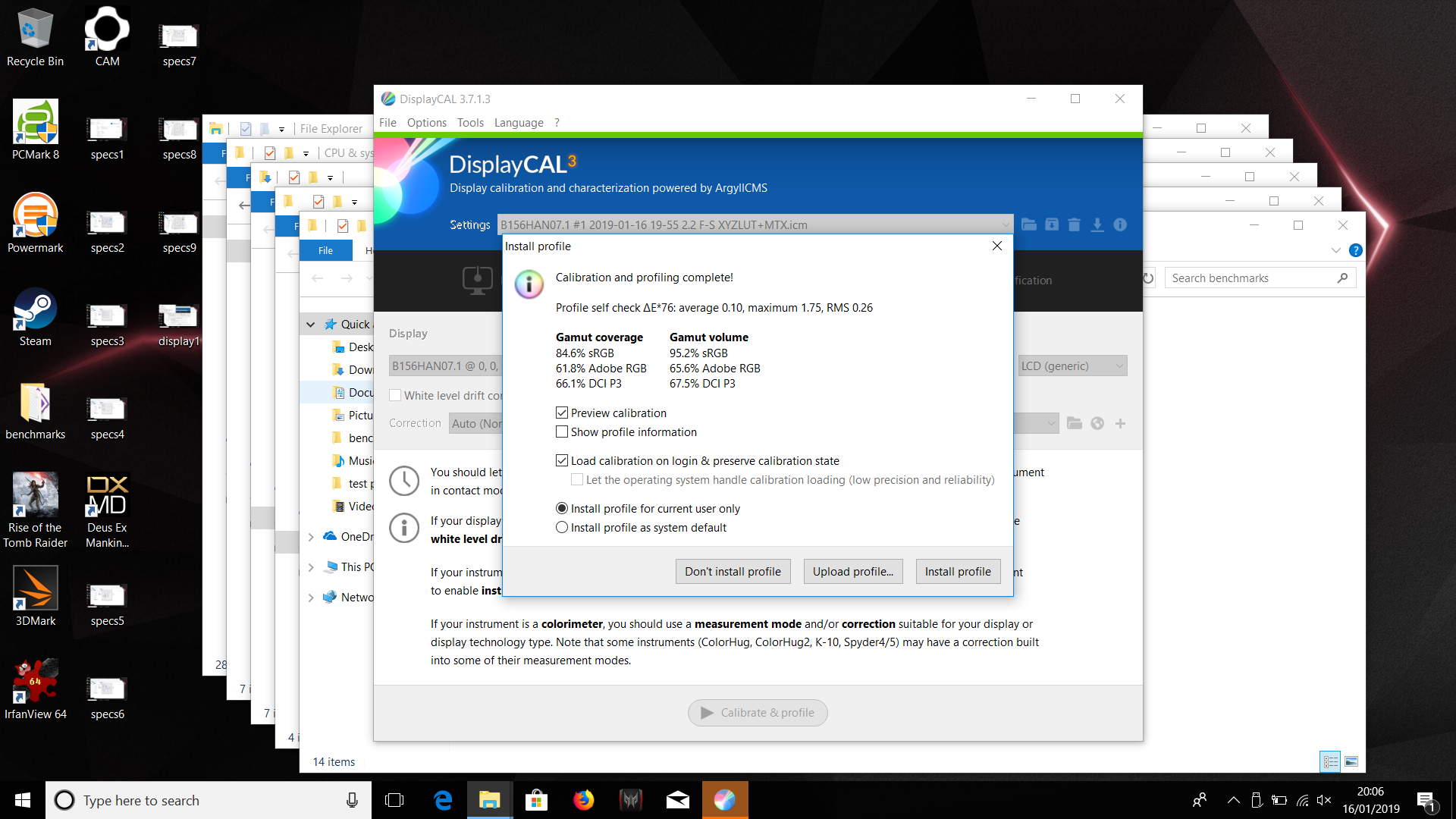
In our tests it also delivered impressive numbers. Testing with an XRite iDisplay Pro colorimeter and DisplayCal software we measured a contrast of 1200:1, which is very good for an IPS display while sRGB colour space coverage of 84.6% is fine for this type of laptop.
Maximum brightness of 324nits is also ample. Colour balance isn’t perfect, with a colour temperature of 7837K indicating a slightly blue tinge to the display, but it’s just about okay for general use and for any pros that require more accurate colour balance it’s easy enough to calibrate with a colorimeter.
Then of course there’s its gaming performance, which again delivers exactly what we’d hope for. The step up to 144Hz over normal 60Hz laptop screens is like night and day and makes this into a genuine portable eSports machine.
Opting for a laptop with a 144Hz TN-type LCD would provide even faster response time but we feel a fast-refresh rate IPS screen is the best compromise for laptop gaming.
The 1080p resolution is also ample for this size of screen and a great match for the GTX 1060. This card wouldn’t cope well with a higher resolution.
To test the Acer Predator Helios 300, we put it through our standard array of benchmarks and tests. We have tested CPU performance, GPU performance, drive performance, thermals, screen quality and battery life to give a comprehensive view of the laptop.
Here are the benchmarks you can expect to find in this review:
- Cinebench R15
- CrystalDiskMark
- 3DMark Fire Strike
- 3DMark Fire Strike Extreme
- 3DMark Time Spy
- PCMark 8 battery test
Screen quality was tested using an Xrite iDisplay Pro colorimeter and DisplayCal software while system noise was tested with a decibel meter from a distance of 30cm.
We also tested 1080p gaming performance with the following games:
- Deus Ex: Mankind Divided
- Rise of the Tomb Raider
Here are the machines we’ve used for comparisons against the Acer Helios 300:
- Intel Core i7-8750H
- Nvidia GeForce GTX 1060
- 16GB LPDDR4 2,400MHz
- 256GB SSD
- Intel Core i7-8750H
- Nvidia GeForce GTX 1070 Max-Q
- 16GB LPDDR4 2,667MHz
- 256GB SSD
CINEBENCH R15 is a cross-platform testing suite that measures hardware performance and is the de facto standard benchmarking tool for leading companies and trade journals for conducting real-world hardware performance tests. With the new Release 15, systems with up to 256 threads can be tested.
CINEBENCH is available for both Windows and OS X and is used by almost all hardware manufacturers and trade journals for comparing CPUs and graphics cards.
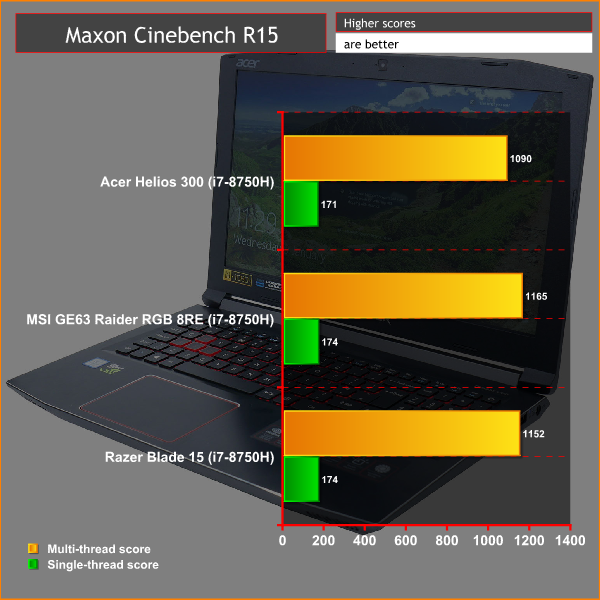
The move from two or four cores to six-cores in its latest processors means the likes of the 8750H used here leave older laptops in the dust when it comes to multi-threaded performance. The Acer Predator Helios 300 blasts past machines that are just a couple of years old in multi-threaded performance.
Against modern competitors that use the same Intel processor the Helios 300 comes up ever so slightly short in both multi-threaded performance and single-threaded performance, suggesting it maybe uses a slightly less capable cooling solution, but the margin is small enough to be of very little consequence in day to day use.
CrystalDiskMark 5.1.1 is an industry standard benchmark for testing the raw speed of a storage device. It uses a test file to variously write data to or read data from the drive, checking for sequential read and write speed and random read and write performance, with it also testing performance at various queue depths. The size of the test file can be selected from 50MB to 32GB. We test using the default 1GB file size.
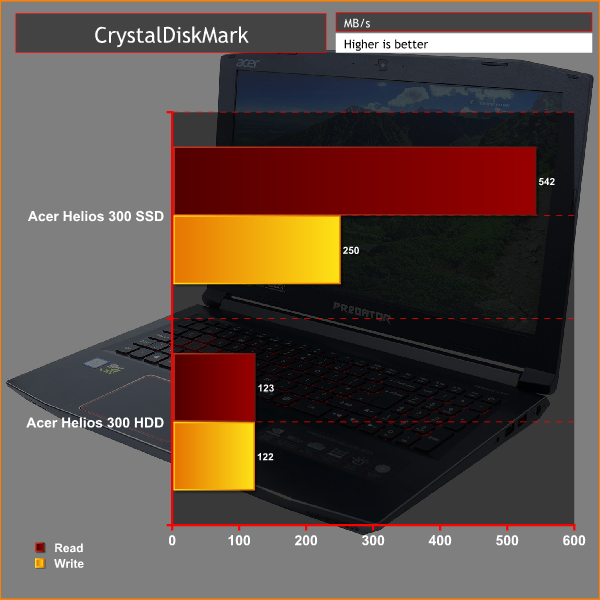
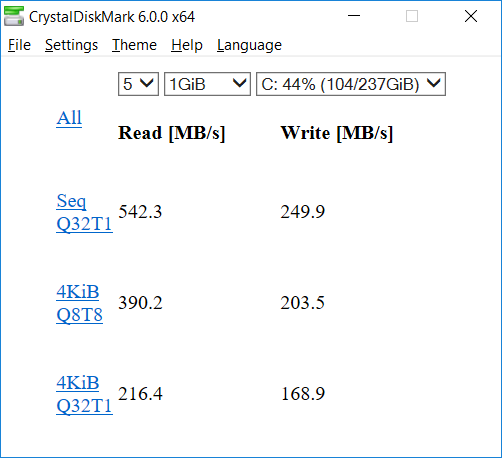
The Toshiba SSD used here is frankly a bit disappointing. Despite using a modern M.2 form factor it doesn’t use the modern NVMe connection standard so is limited to around 550MB/s read and write speed. However, it even struggles to hit these theoretical figures with it managing 542MB/s read speed and just 250MB/s write speed. By modern standards that’s downright poor.
You still end up with reasonably nippy boot up and game loading times, and file transfers aren’t too bad either but the difference compared to the fastest modern storage is still noticeable. Manually upgrading this drive would be a tempting option.
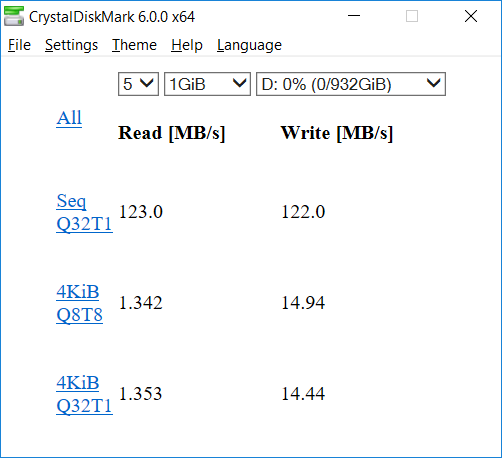
As for the 1TB hard drive, it offers the sort of performance that’s typical for a basic 2.5inch, 5,400rpm drive, i.e. rather slow. With 1TB SSDs now available for well under £200, upgrading this 2.5inch drive would be a good way to ensure all the data on your laptop can be accessed nice and quickly.
Another industry-standard benchmark, 3DMark provides a number of different tests for taxing graphics cards and emulating different gaming challenges. We use the Firestrike, Firestrike Extreme and FireStrike Ultra tests, which run the same test but at three different resolutions: 1080p, 1440p and 4K.
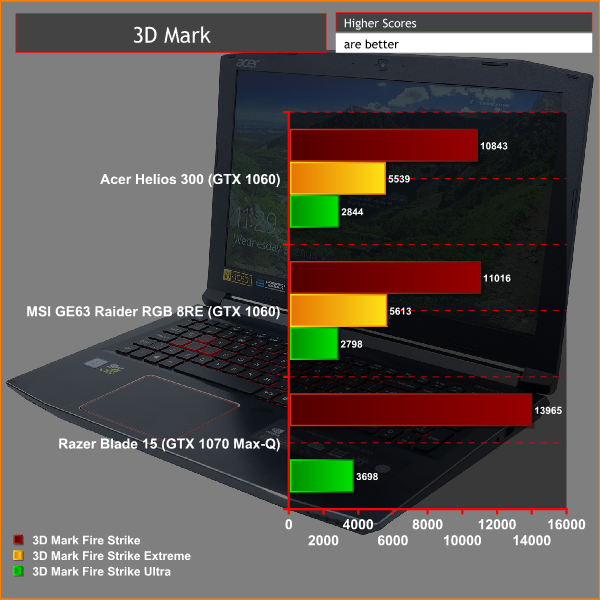
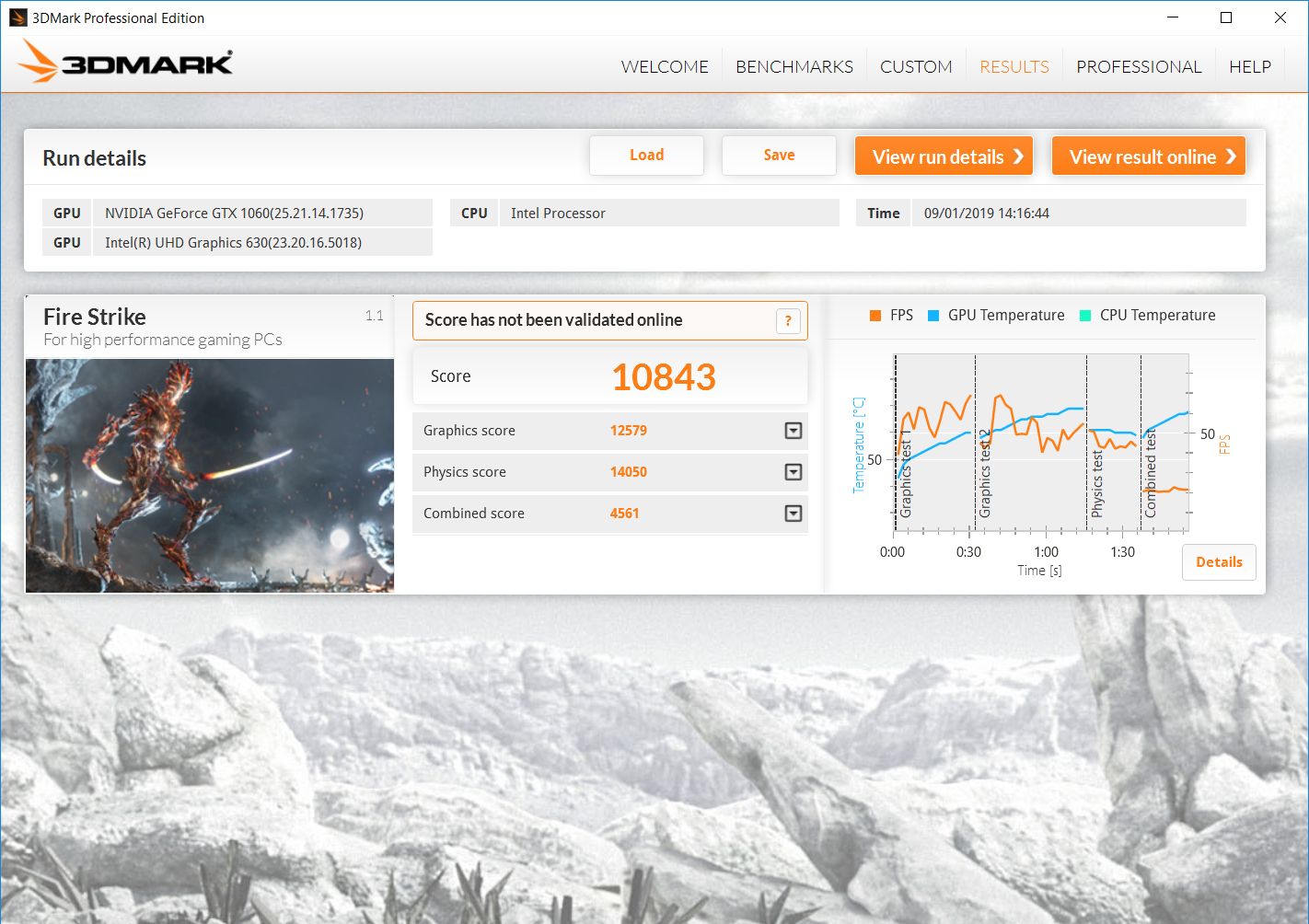
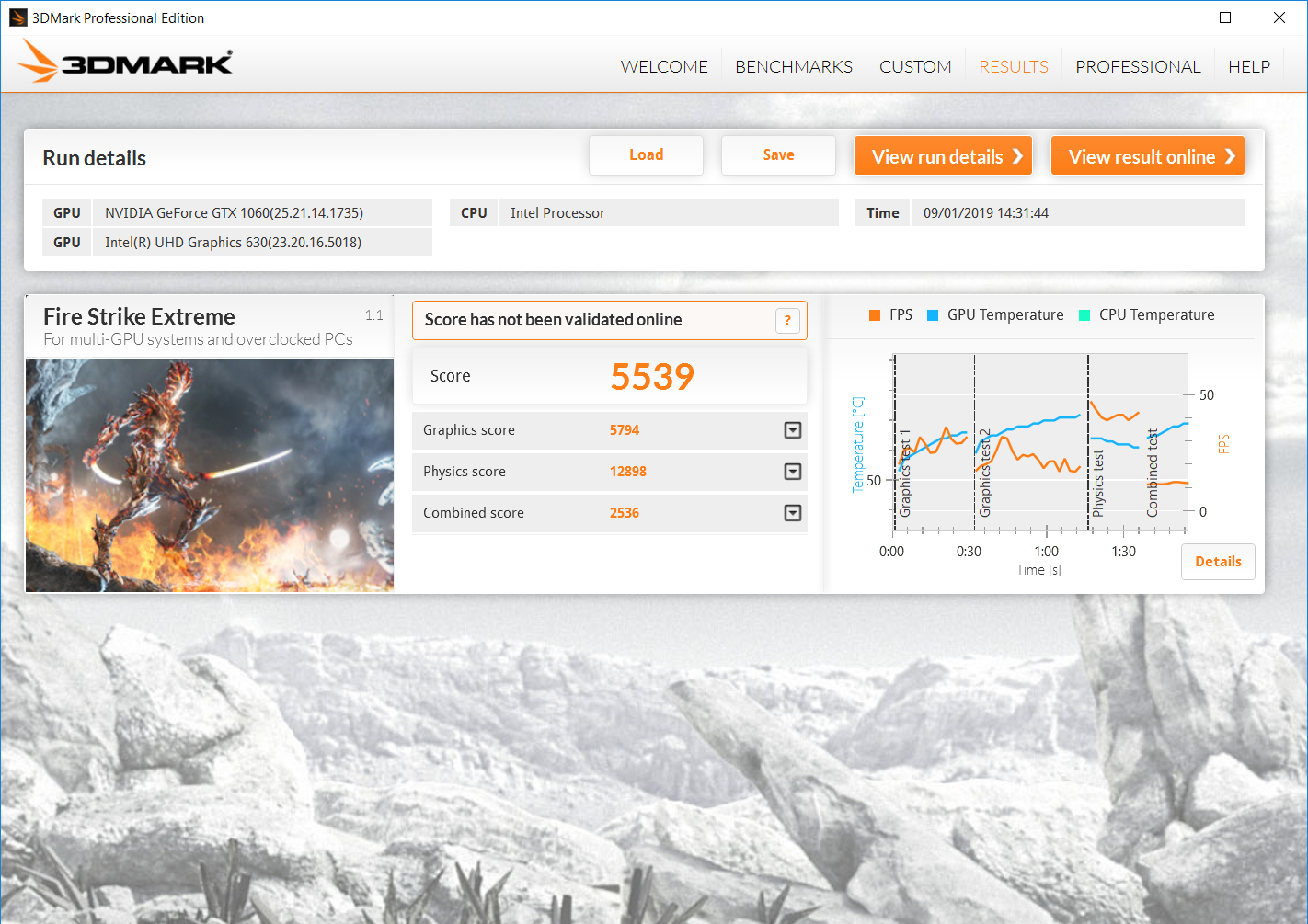
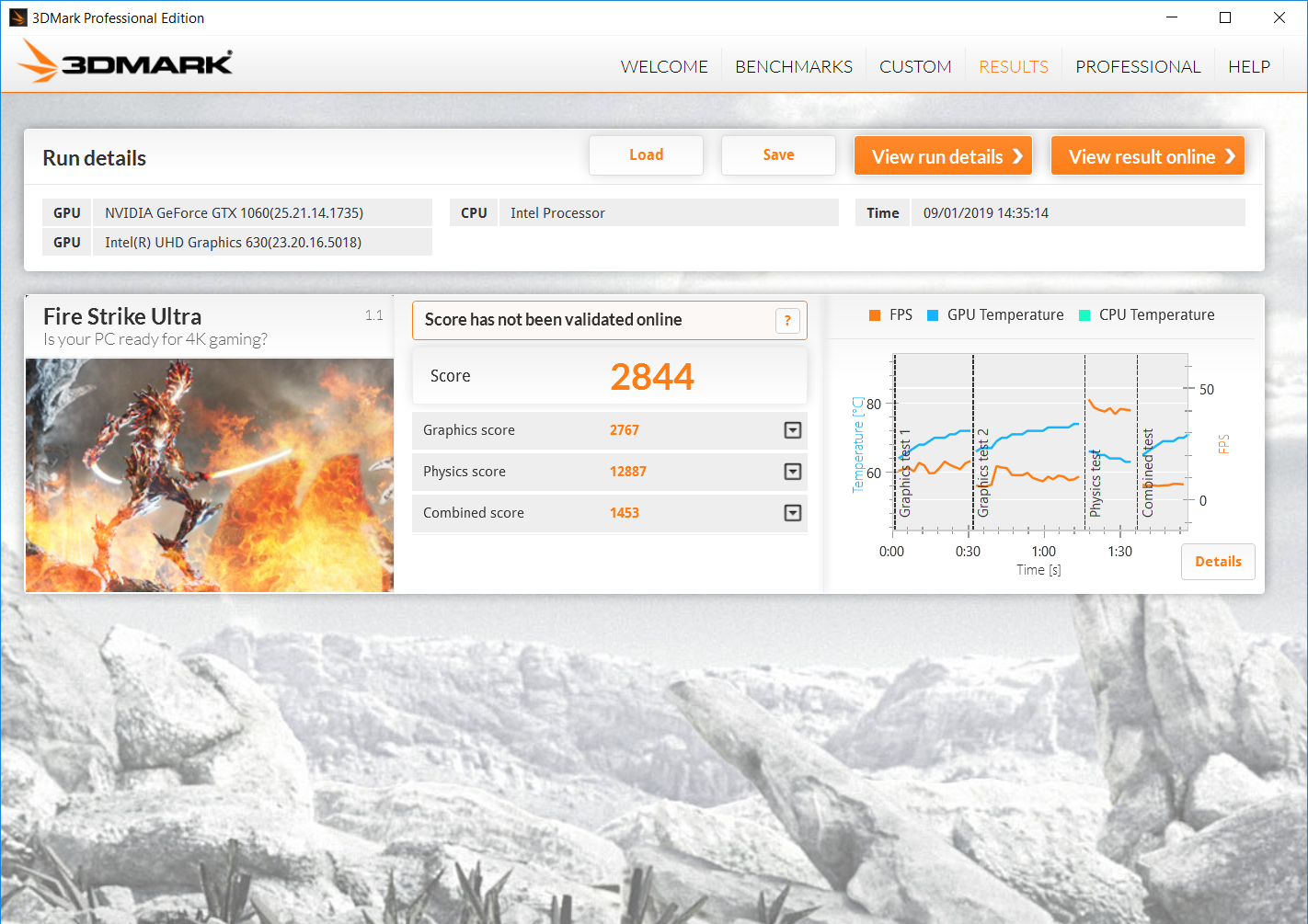
In our 3DMark tests we see the Helios 300 trail slightly behind the MSI GE63 pretty much across the board but the difference is just a few points here and there.
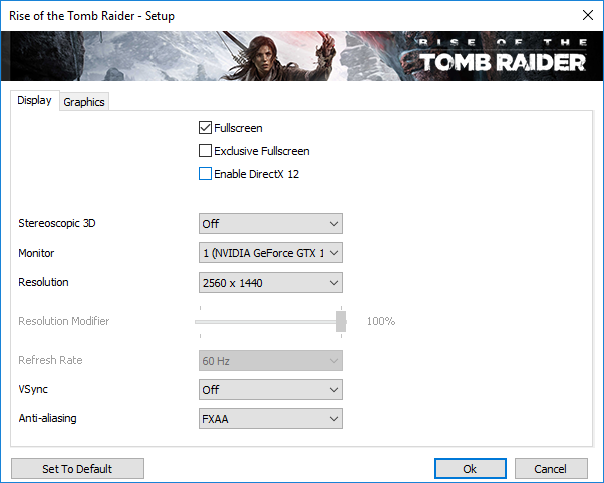
We test real-world gaming performance with Deus Ex: Mankind Divided and Rise of the Tomb Raider, using each game's built-in benchmark. The tests are run at 1080p with three different in-game detail presets, checking for both minimum and average frame rate.
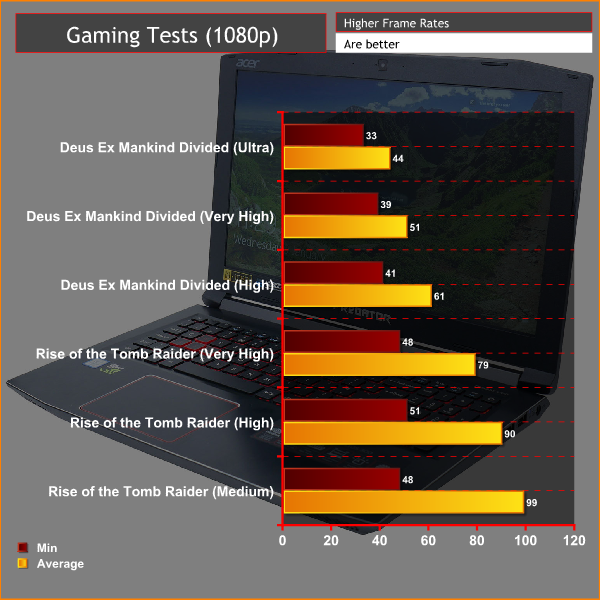
We can see here that the laptop delivers largely playable framerates across the board, with the very demanding graphics of Deus Ex: Mankind Divided just starting to push the laptop to its limits.
These are both graphically intensive games, though, so you can expect to be pushing much closer to the 144Hz refresh rate limit of this laptop's screen in less demanding games.
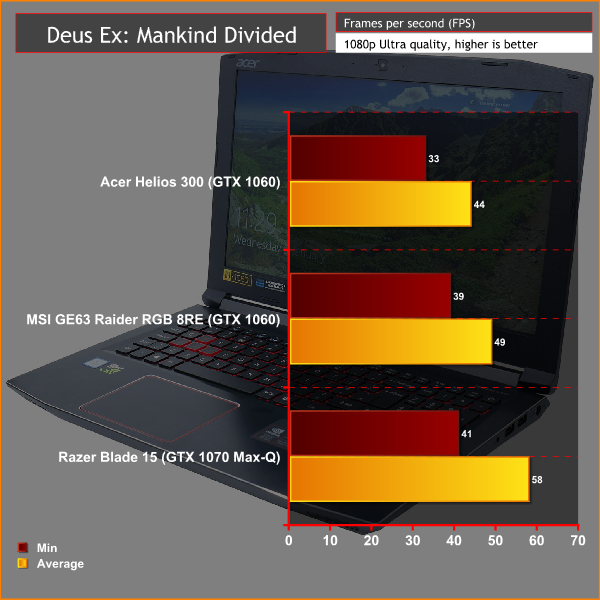
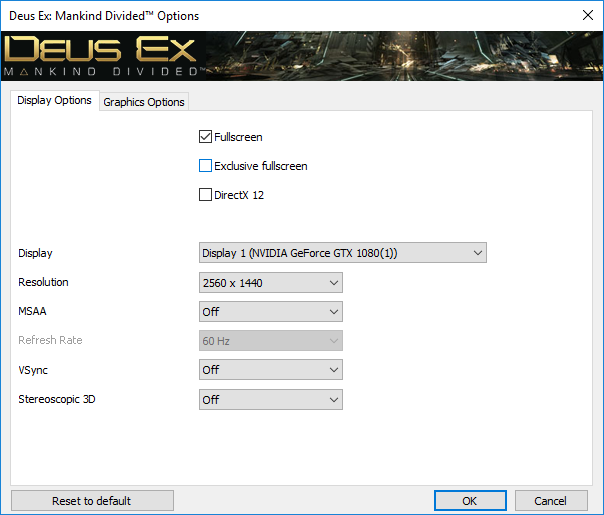
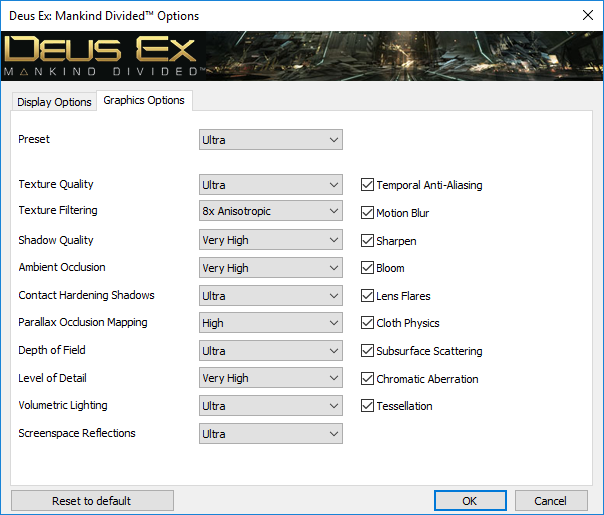
Taking a closer look at how performance compares to other laptops, in Deus Ex: Mankind Divided we again see the MSI GE63 holding a slight advantage despite having ostensibly the same core hardware. This further suggests the MSI's cooling solution is a little more capable.
Meanwhile the GTX 1070 Max-Q of the Razer Blade 15 shows just what you get when you pay the extra.
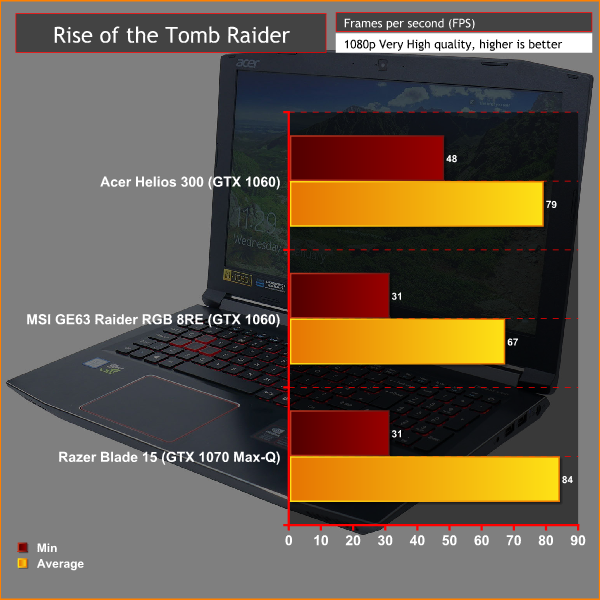
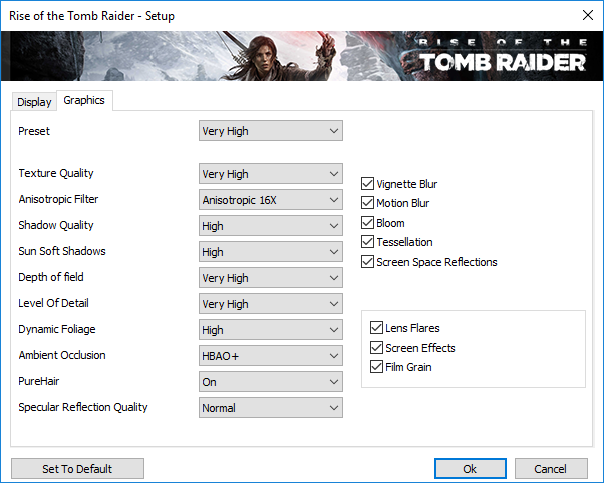
In Rise of the Tomb Raider we see a slightly odd performance trend as the Helios 300 consistently outperforms the MSI GE63 by a significant margin and come close to the performance of the Razer Blade 15. The only thing we can put this down to is that since we tested those other laptops there has been some performance-optimising either on the part of the game developer, Nvidia's drivers or both.
Regardless, we can see the general trend that matters here, whereby the Helios 300 delivers decent performance but of course you will get even more if you opt for a system with a GTX 1070 Max-Q graphics card.
We test thermal and noise performance with the laptop at both idle and under load. For the loaded test we use Prime95's SmallFFT test to 100% load the CPU while for GPU load testing we use the Rise of the Tomb Raider benchmark. CPU and GPU temperatures are measured using NZXT's CAM software while noise is tested using a decibel meter held 30cm from the front of the laptop.
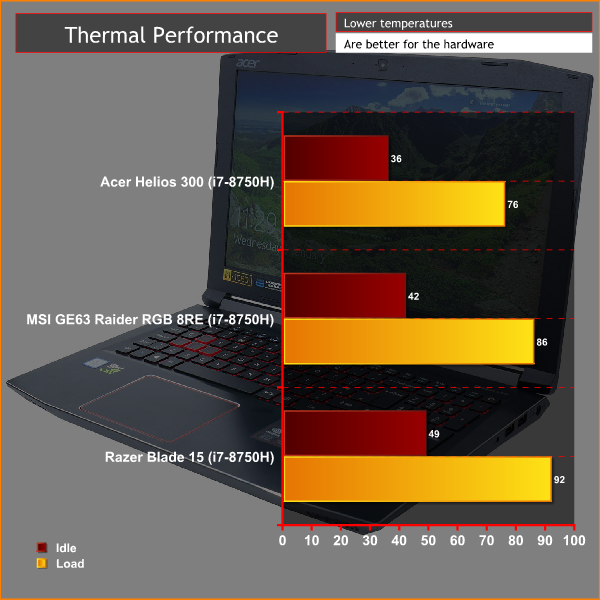
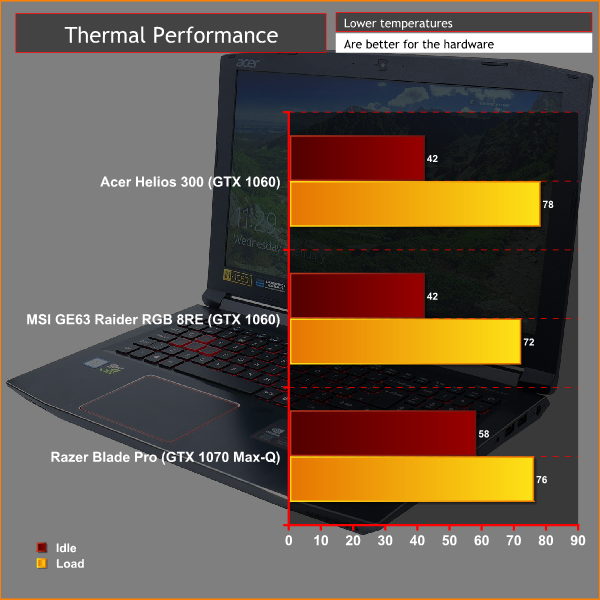
One advantage of relatively modest hardware in a large chassis is that things are less prone to overheating, and sure enough that’s the case here. At idle the CPU sits well below 40°C and the GPU isn’t much higher. Put the CPU under 100% load and it sits at a comfortable 76°C while the GPU hits just 78°C.
In terms of noise, at idle the fans are all but silent while under load the laptop is a lot louder, but at 47dB (100% CPU) and 49dB (gaming) it’s no worse than most.
We test battery life using the PC Mark 8 battery test that runs a looped routine of various day to day laptop tasks until the battery drops to 10% then extrapolates an estimated total battery life time. The test can be run at various screen brightnesses and power modes but we run at 100% brightness and balanced power mode.
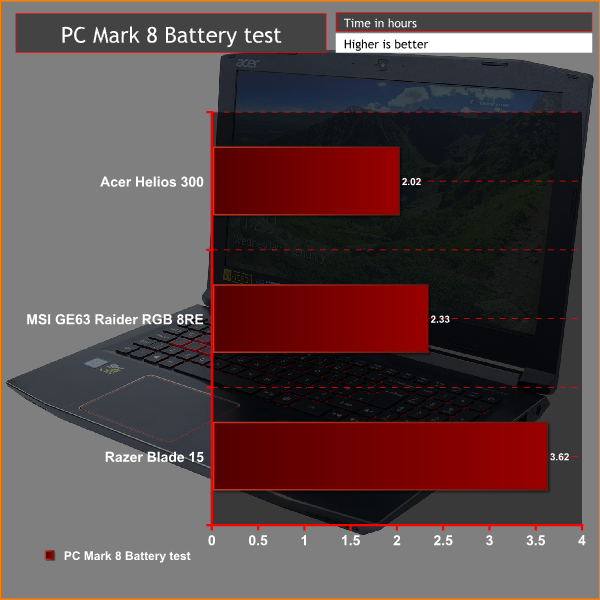
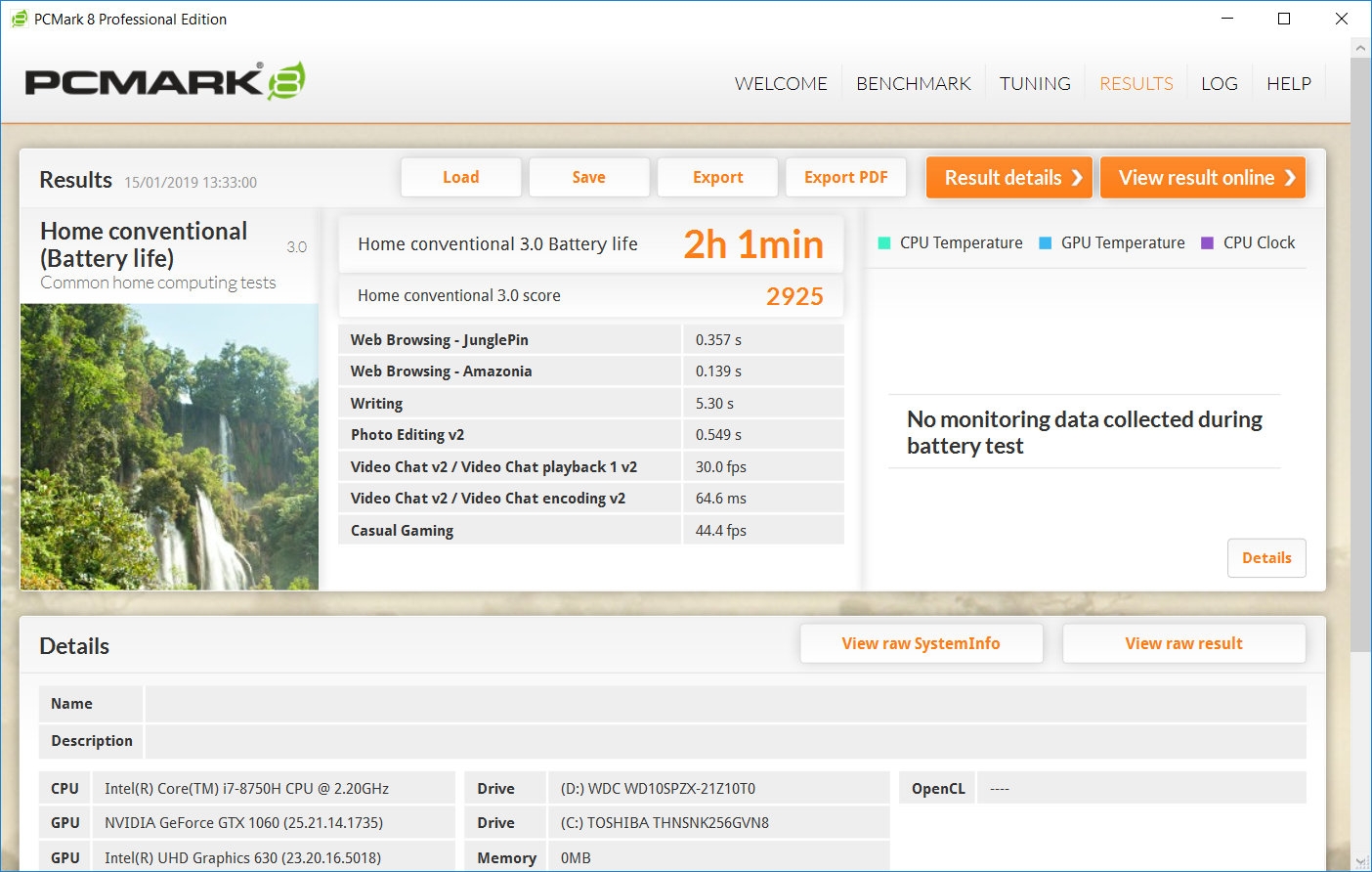
The Helios 300 puts in an okay performance in this battery test, coming in just a little shy of some of its competitors. Dial the screen brightness down a little – it is quite a bright screen – and you should be getting parity with other machines of its type.
On a broader scale, the battery life you're getting here is clearly not all that useful. It's enough to get through most movies and a quick check of your email while on the go but you're unlikely to ever get more than three hours of use out of this laptop even with light use. As for gaming, this will see it run dry in an hour or less. Such is the compromise of most gaming laptops.
The Acer Helios 300 is a nicely balanced mid-range gaming laptop. It’s no style icon but looks smart enough while largely exhibiting good build quality and it packs in all the key features you should need.
On the gaming side, an Nvidia GeForce GTX 1060 provides just enough performance to push the laptop’s 1080p 144Hz screen for eSports games while the Intel Core i7-8750H processor is ample for all things work and play. A slightly slow SSD is a bit of a disappointment but otherwise we have no complaints about overall performance.
The screen quality is excellent too. The IPS LCD panel provides good viewing angles and colour production while the 144Hz refresh rate is great for gaming. A decent keyboard and trackpad and ample connectivity further sweeten the deal.
Not everything here is perfect, with the metal finish showing fingerprints a bit too readily and the large bezel round the screen is a bit 2015. The oddly placed hash key also took a bit of getting used to. However, overall that screen and the core performance make this laptop well worth a look.
You can buy the Acer Helios 300 for £1249 from Currys.co.uk
Pros
- Good quality IPS screen
- 144Hz refresh rate ideal for gaming
- Good overall performance
- Simple, sturdy design
- Good array of connectivity
Cons
- A tad bulky
- No keyboard brightness control
- Weak battery life
KitGuru Says: A great quality 144Hz IPS 1080p screen and ample overall performance make this a good gaming laptop for the price.