KitGuru KitGuru.net – Tech News | Hardware News | Hardware Reviews | IOS | Mobile | Gaming | Graphics Cards


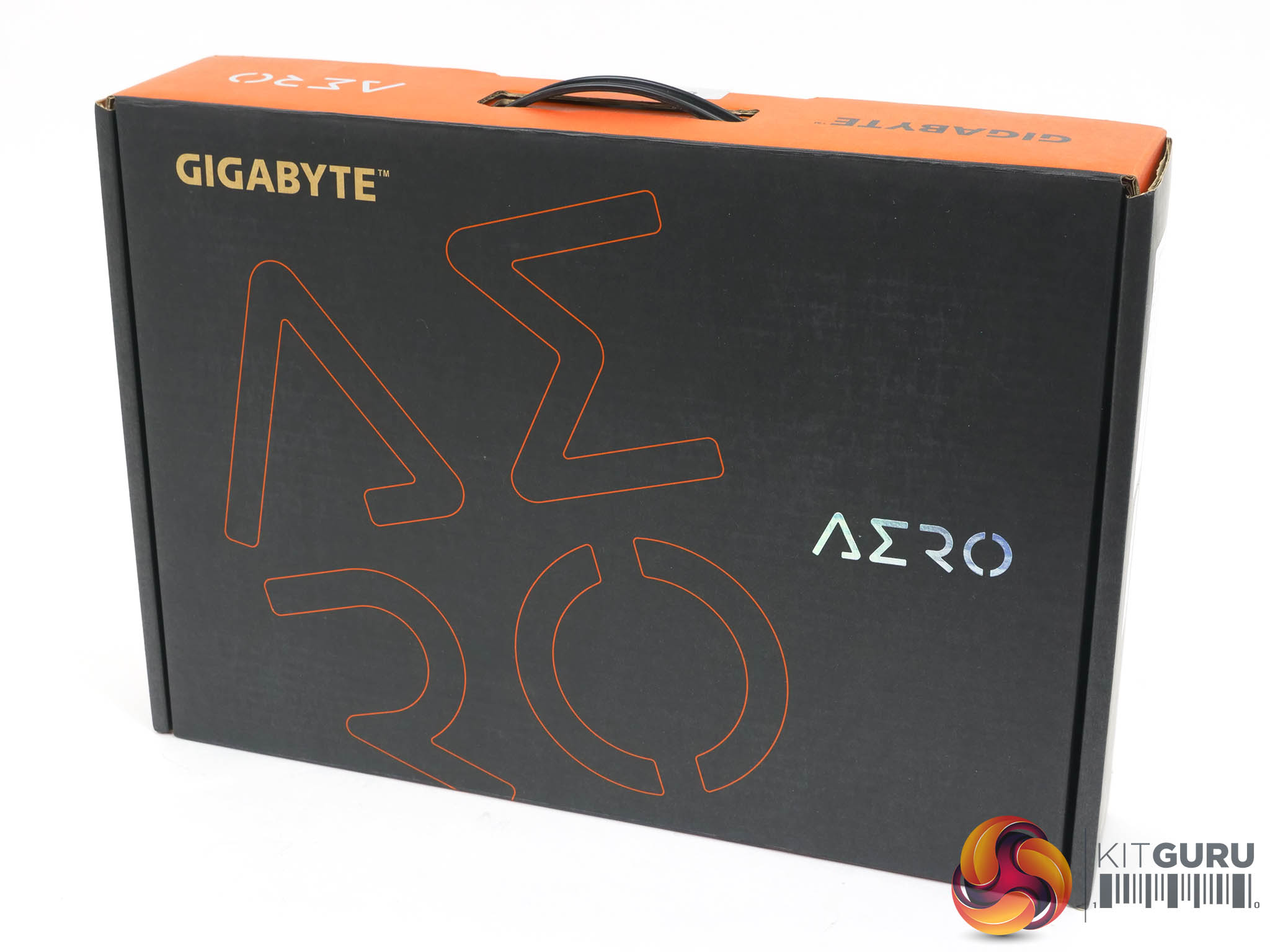
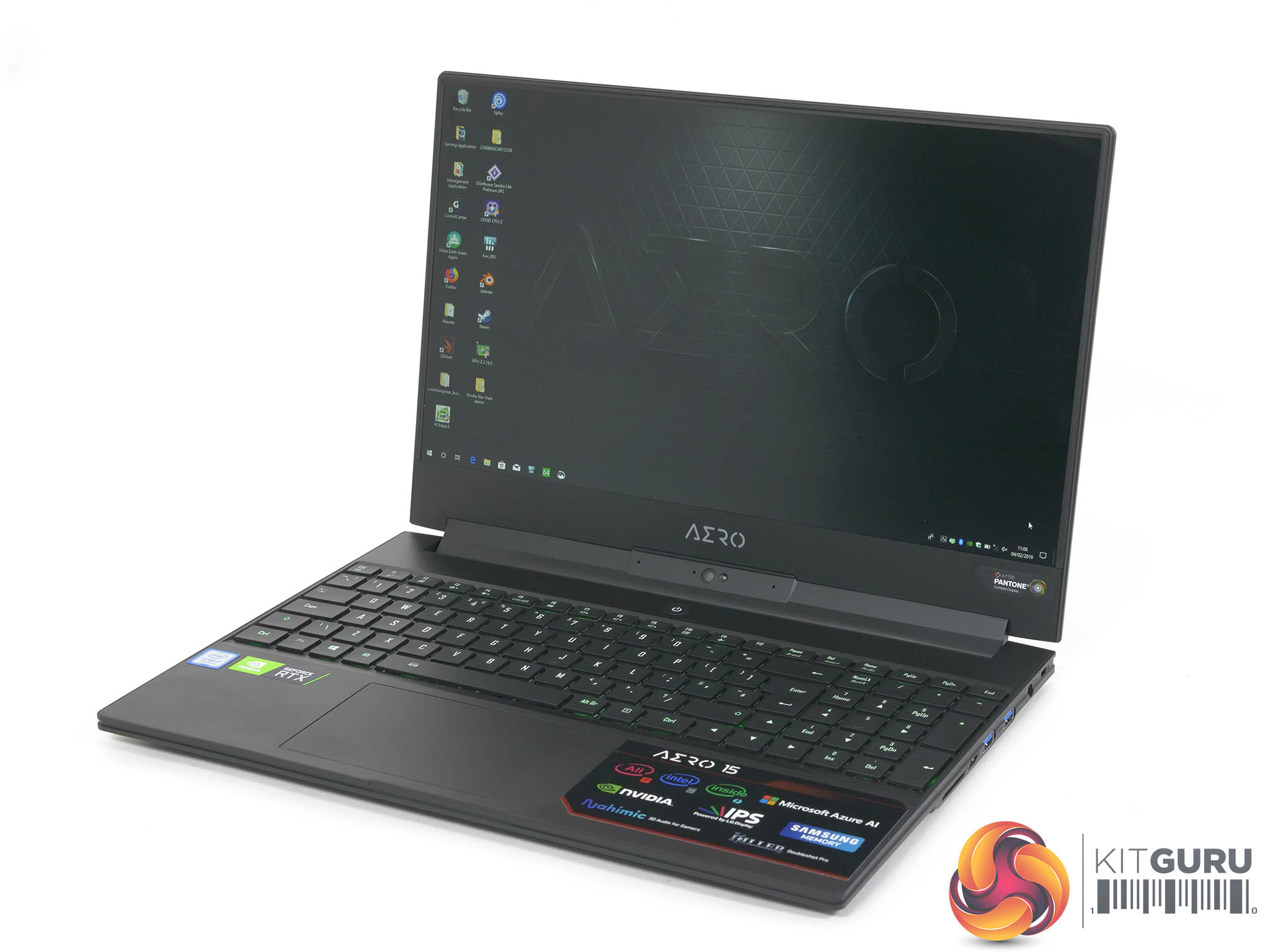
When Gigabyte showed us their Aero 15-X9 laptop at CES it stood out from the massive array of RTX graphics laptops we saw during the week. It was welcome that the Aero 15-X9 was a development of the Aero 15X v8 that turned out as one of our favourite laptops of 2018. The combination of Intel 6-core CPU and RTX 2070 Max-Q graphics was always going to work well but the thing that makes this potentially the single most interesting laptop that was launched at CES was the inclusion of a Microsoft Azure AI feature. This promises to optimise settings for each piece of software on the fly and without human intervention in a win-win where you gain performance and lose nothing.
If Gigabyte’s new AI feature could deliver the goods that would be impressive but our starting point for this review has to be the new RTX 2070 Max-Q graphics as we were keen to see just how well Ray Tracing works in conjunction with that 144Hz IPS LG display panel.
Features
- The World’s Only “All Intel Inside” laptop
- World's First Microsoft Azure AI Notebook
- 5mm Ultra-thin Bezel
- LG IPS 144Hz Panel
- Samsung DRAM Module
- Nahimic 3 3D Audio for Gamers
- X-Rite Pantone Certified Display
- Killer DoubleShot Pro, Powered by Intel
- GeForce RTX 2070 Max-Q

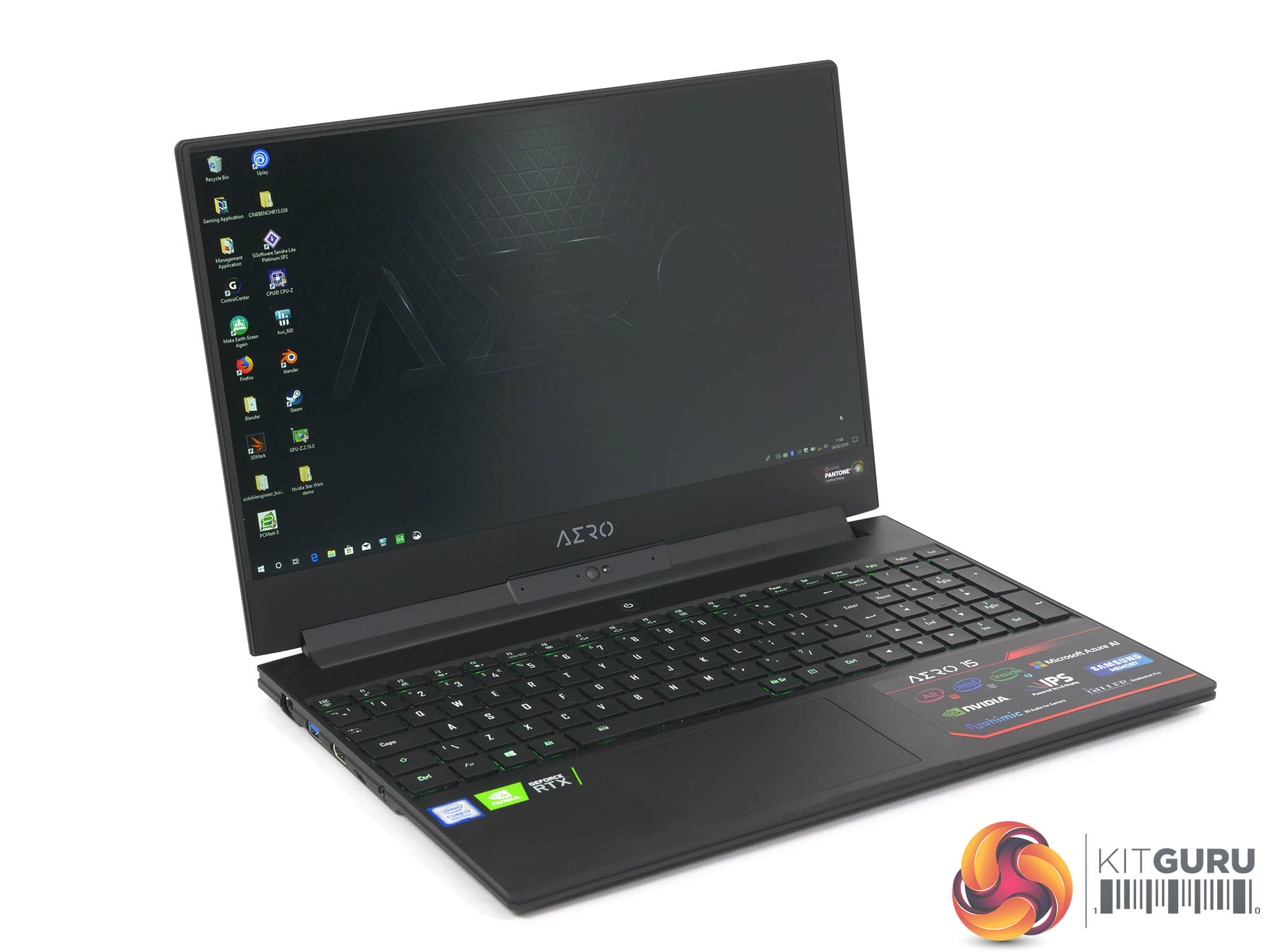
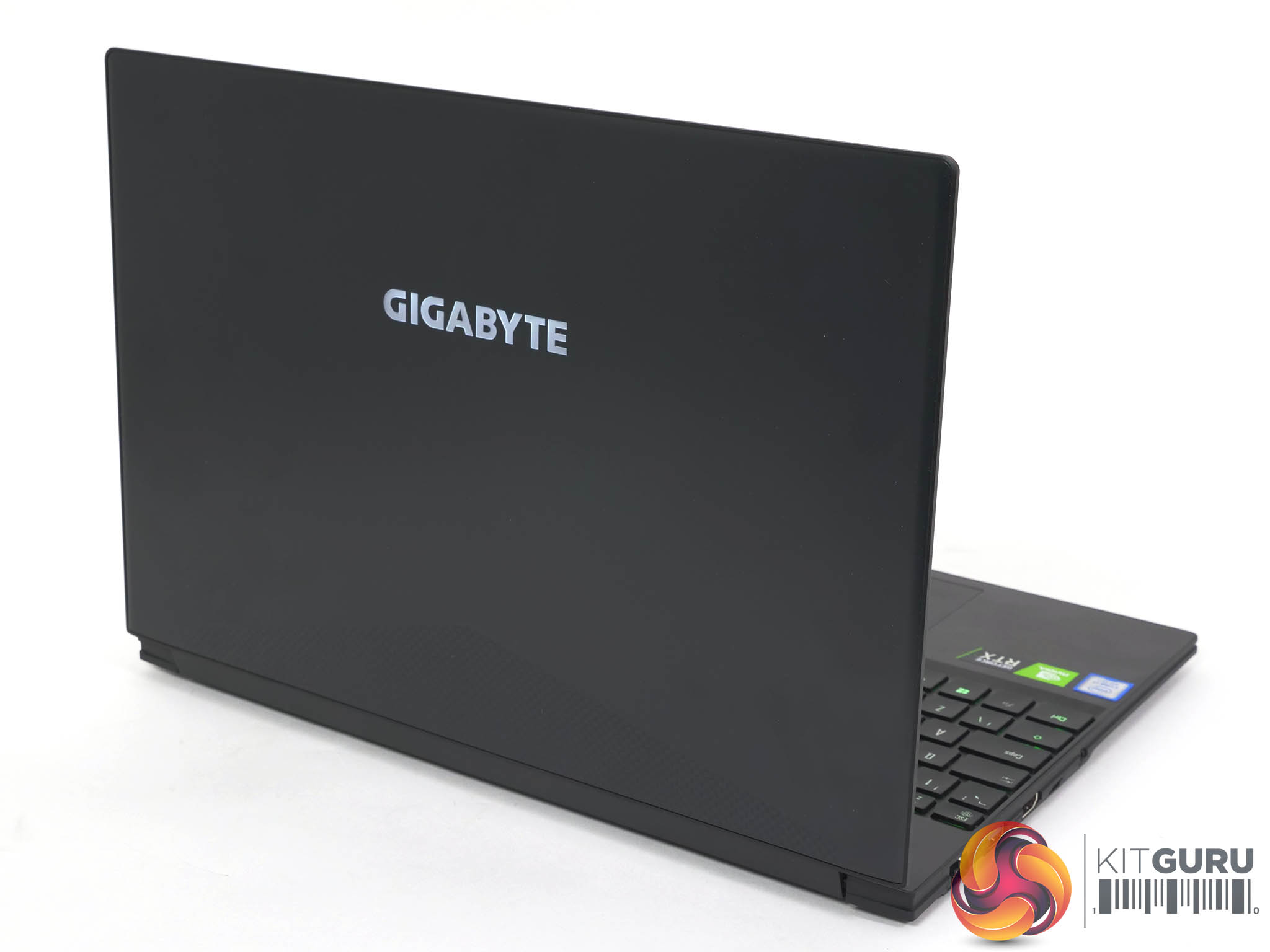
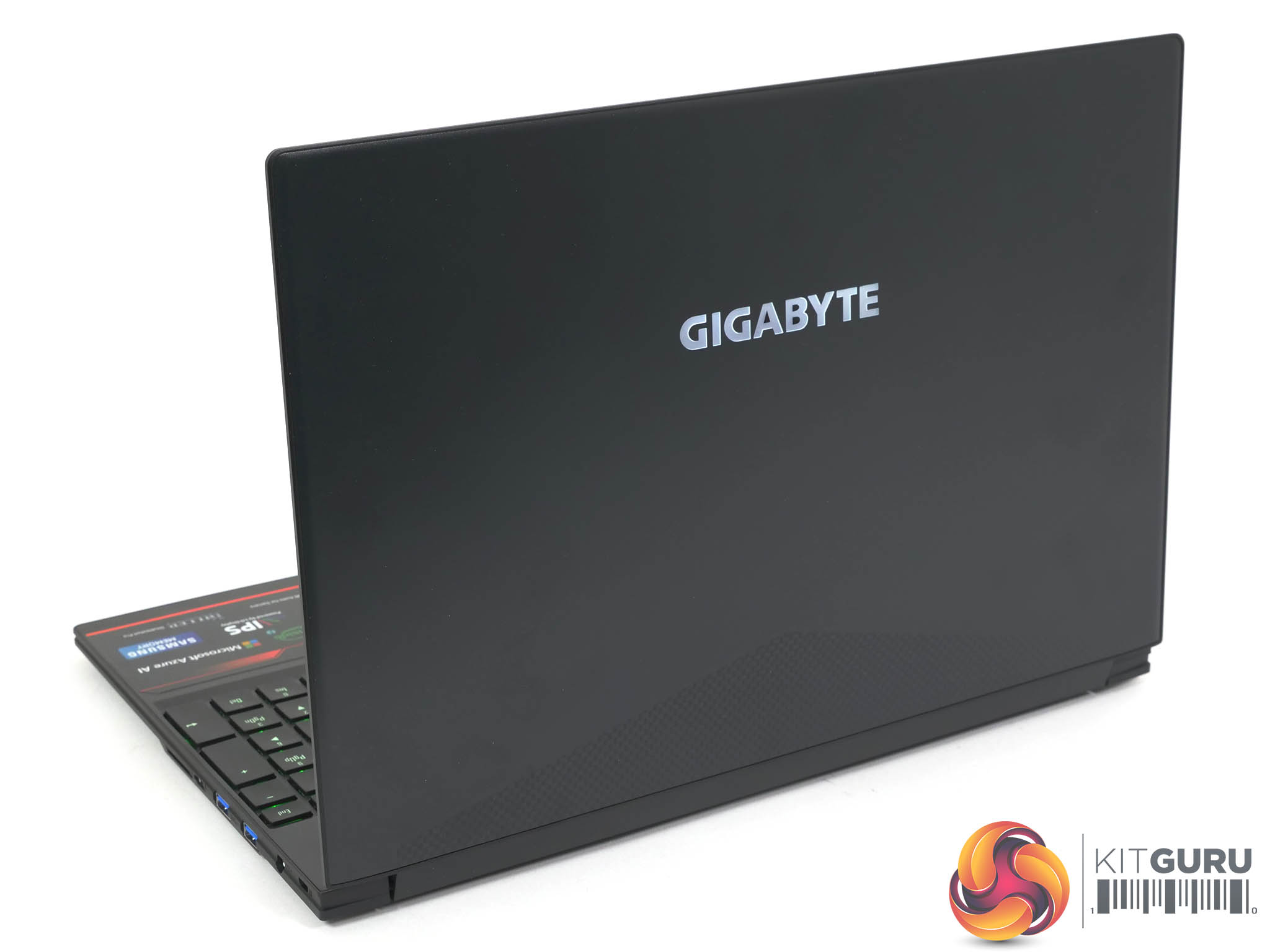

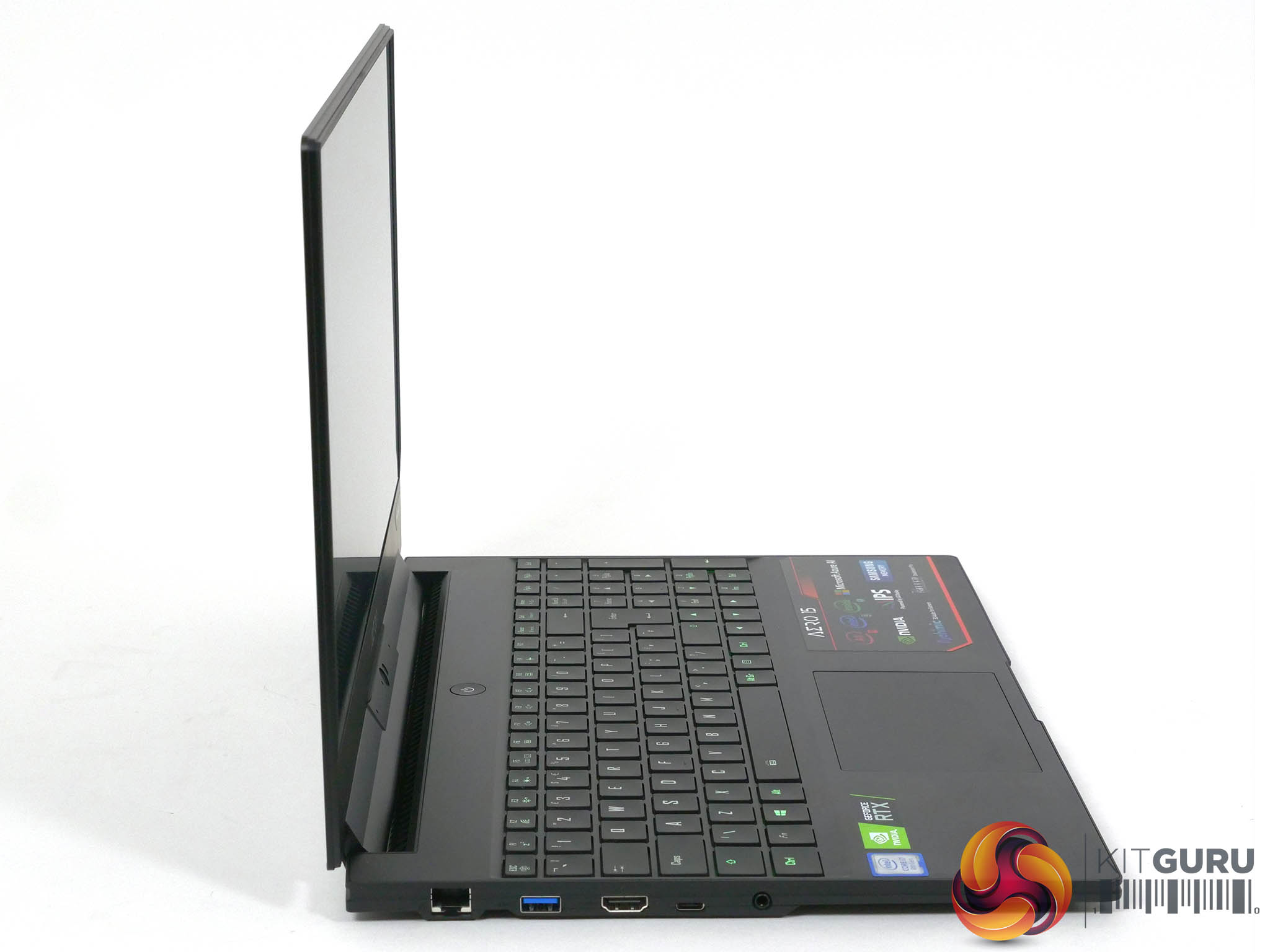
Note: if the above images are not displaying properly, you may need to disable Ad Block as it is known to interfere with our display code
Gigabyte has launched five new laptops with RTX 20 Series graphics. There are three X9 models with RTX 2070 Max-Q graphics and two Y9 models with RTX 2080 Max-Q graphics. We think it is telling that Gigabyte sent us the cheapest model priced at £2,399 which is the model they expect will be the biggest seller.
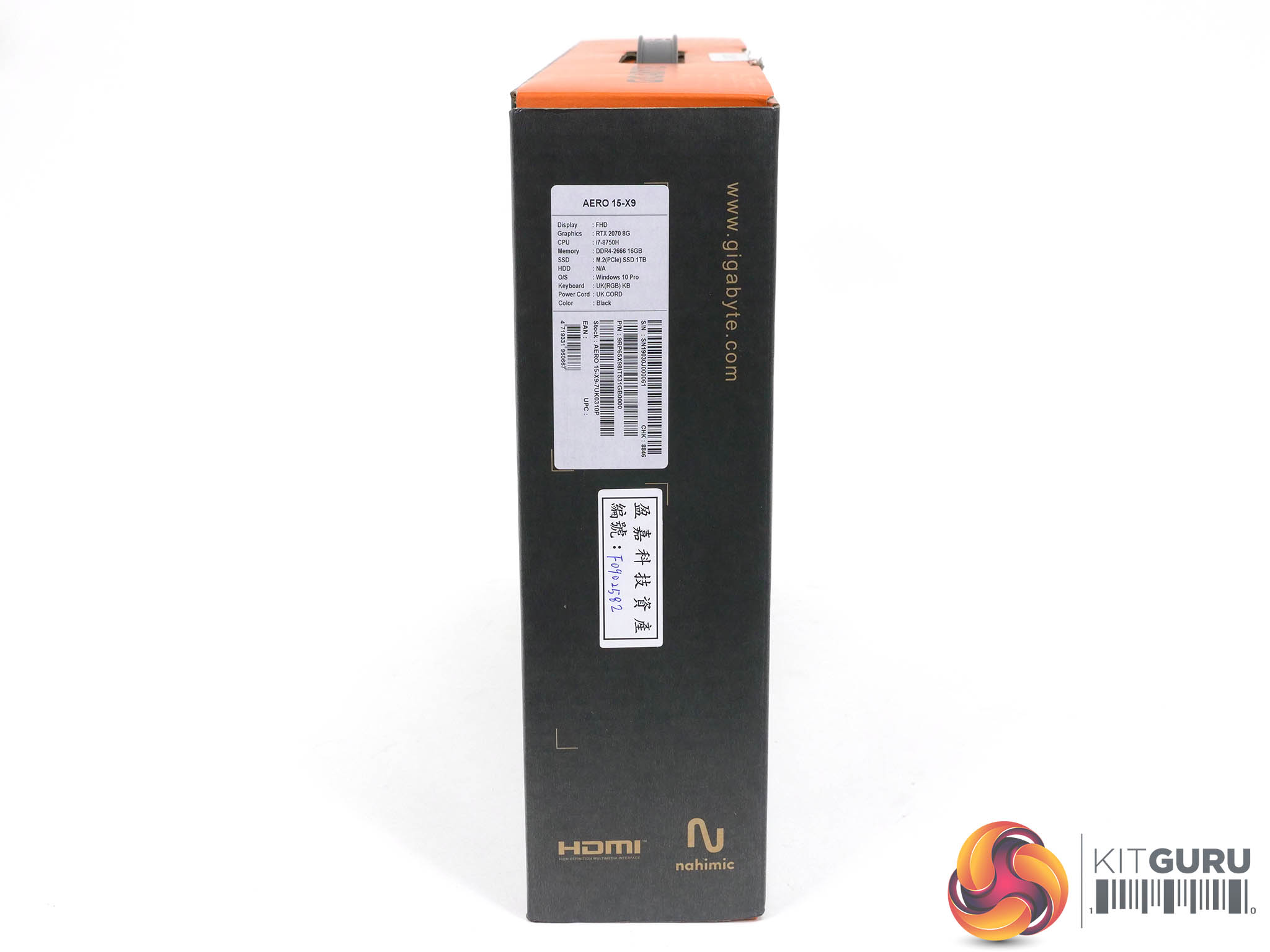
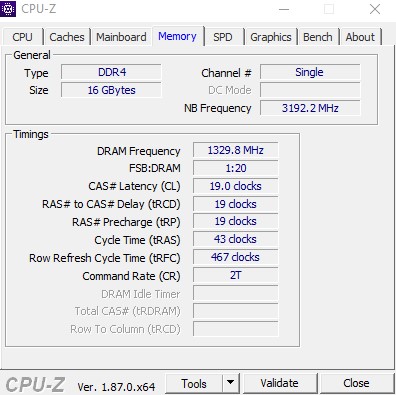
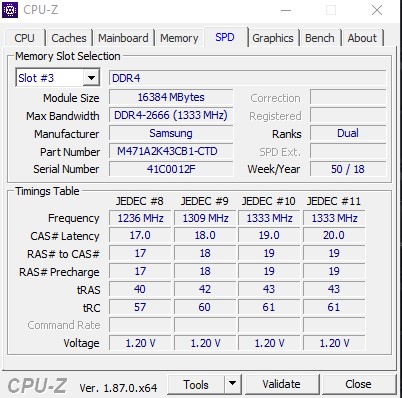
The specification combines Core i7 with RTX 2070 Max-Q and a 1TB SSD. We have a question mark over the 16GB of single channel DDR4 as that looks like a potential bottleneck but other than that it all looks good. As a general rule of thumb we think £2,000 is a sensible budget when you shop for a laptop so £2,399 is pushing the limits slightly. This stack of five laptop goes all the way up to £4,499 which is pushing the limits by any standards.
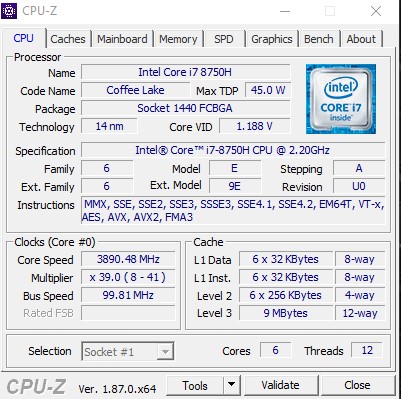
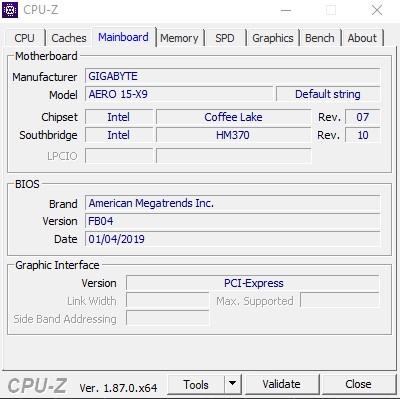
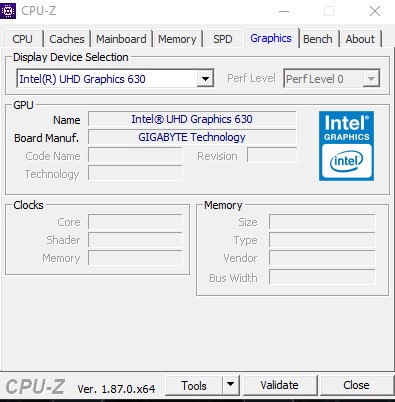
Our review sample is the Aero 15-X9-7UK0310P which is the entry level model at £2,399 with RTX 2070 Max-Q graphics, an FHD 144Hz IPS screen, Intel Core i7-8750H CPU, 16GB of single channel DDR4 and a 1TB SSD.
If you spend £2,699 for the Aero 15-X9-7UK4410P you get dual channel DDR4 and a 4K display panel.
RTX 2070 Max-Q/4K/Core i7-8750H/32GB dual channel DDR4/1TB SSD
Another big jump in price to £3,299 will get you the Aero 15-X9-9UK4410P with a Core i9-8950HK CPU which is still 6-cores but has considerably higher clock speeds.
RTX 2070 Max-Q/4K/Core i9-8950HK/32GB dual channel DDR4/1TB SSD
The junior RTX 2080 model is the Aero 15-Y9-7UK0410P at £3,199
RTX 2080 Max-Q/FHD 144Hz/Core i7-8750H/32GB dual channel DDR4/1TB SSD
If you push the boat out and spend £4,499 you get the Aero 15-Y9-9UK4720P
RTX 2080 Max-Q/4K/Core i9-8950HK/64GB dual channel DDR4/2TB SSD which combines RTX 2080 graphics with a Core i9 CPU, 64GB DDR4 and 2TB SSD.
It is also worth noting that all of the 5 Aero 15 SKUs come with one SSD pre-installed, but with 1x spare M.2 slot as well if you want to add more storage down the line.
Specification
CPU Intel 8th Gen. Core i7-8750H, 6 cores with HT, 2.2GHz base clock, All Core Boost 3.4GHz, Max Boost 4.0GHz, 45W TDP
Screen 15.6-inch, 1,920×1,080 resolution, 144Hz refresh IPS by LG
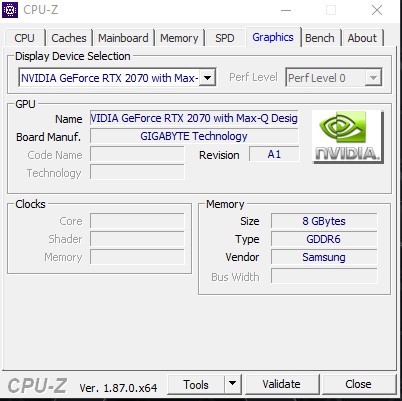
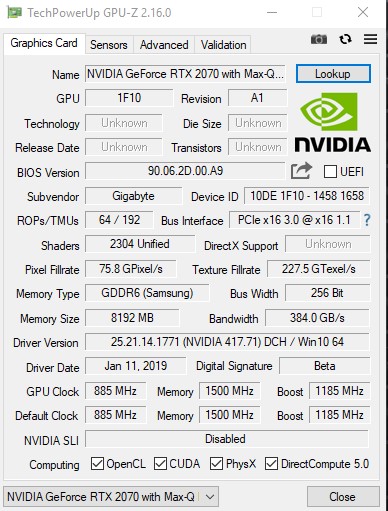
Graphics Nvidia GeForce RTX 2070 Max-Q 8GB GDDR6
Memory 16GB Samsung DDR4-2666MHz single channel
Storage 1TB Intel 760p M.2 NVMe SSD
2x NVMe PCIe M.2 slots
Audio 2x 2W speakers
Ethernet Killer Doubleshot Pro LAN
Wi-Fi Killer Wireless-AC 1550
I/O ports
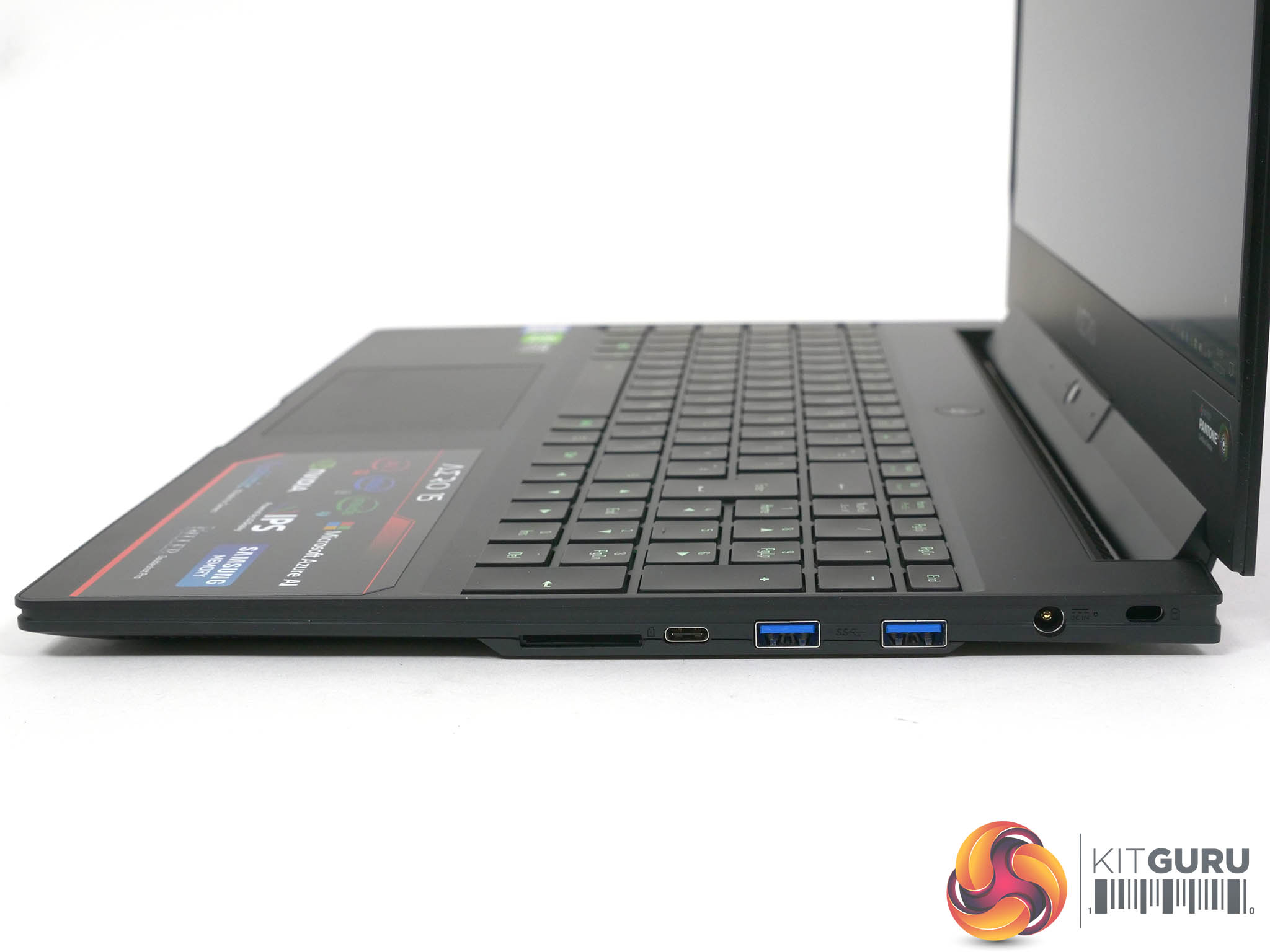
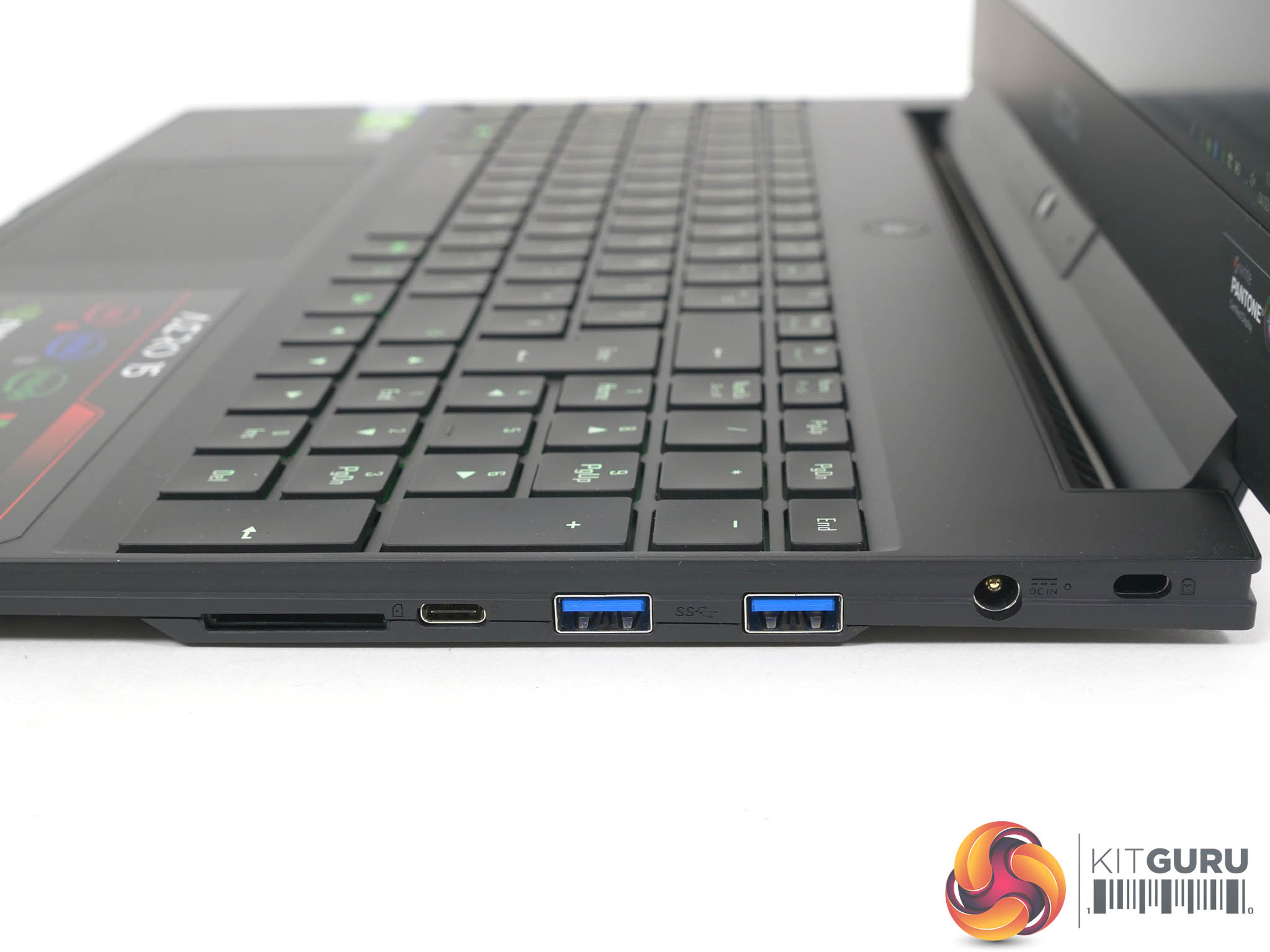
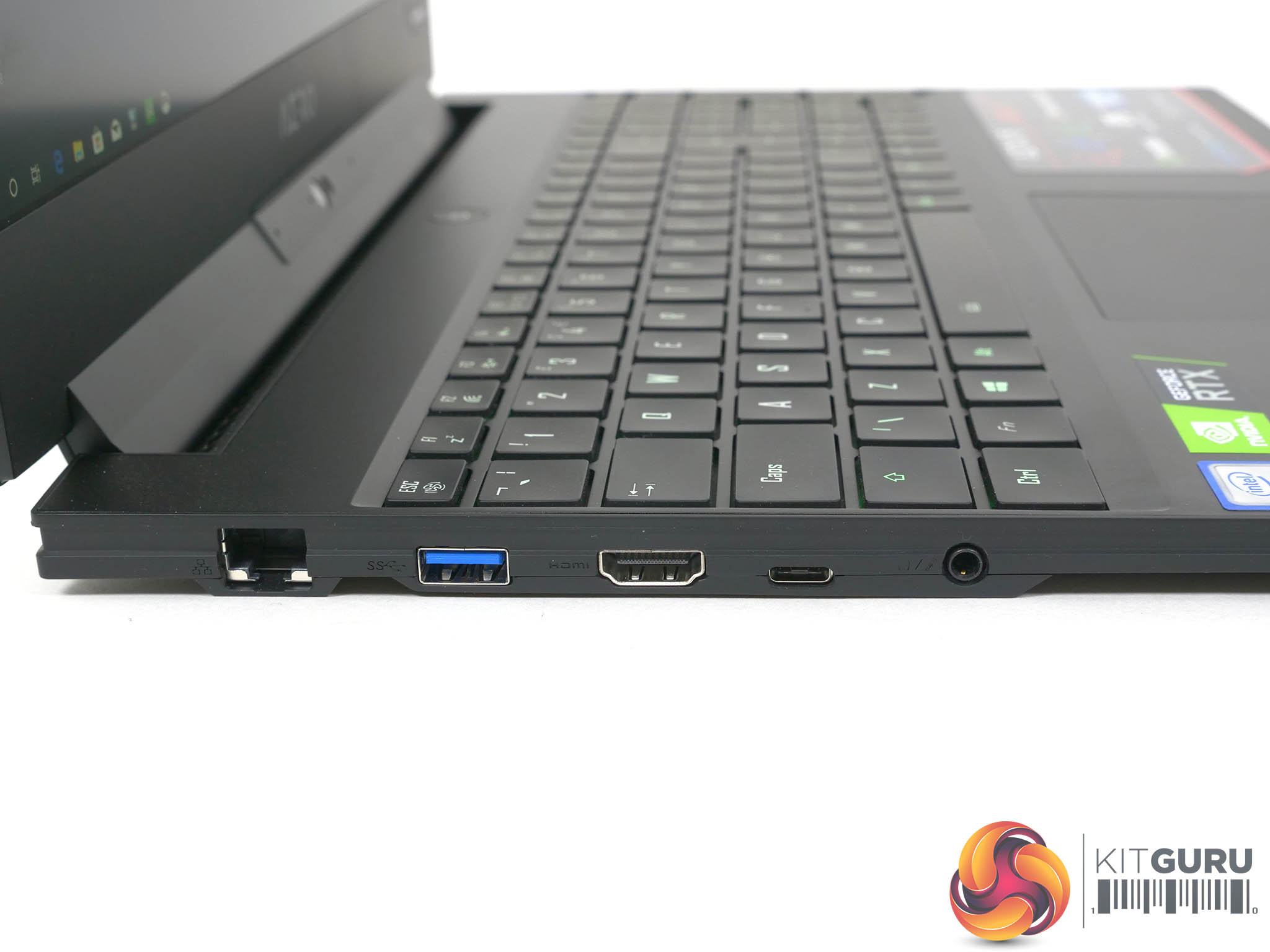
1x USB 3.1 Gen2 Type-A
2x USB 3.1 Gen1Type-A
1x Thunderbolt 3 Type-C
1x HDMI 2.0
1x Mini DisplayPort 1.4 and USB 3.1 Type-C
3.5mm Headphone jack
UHS-II SD card reader
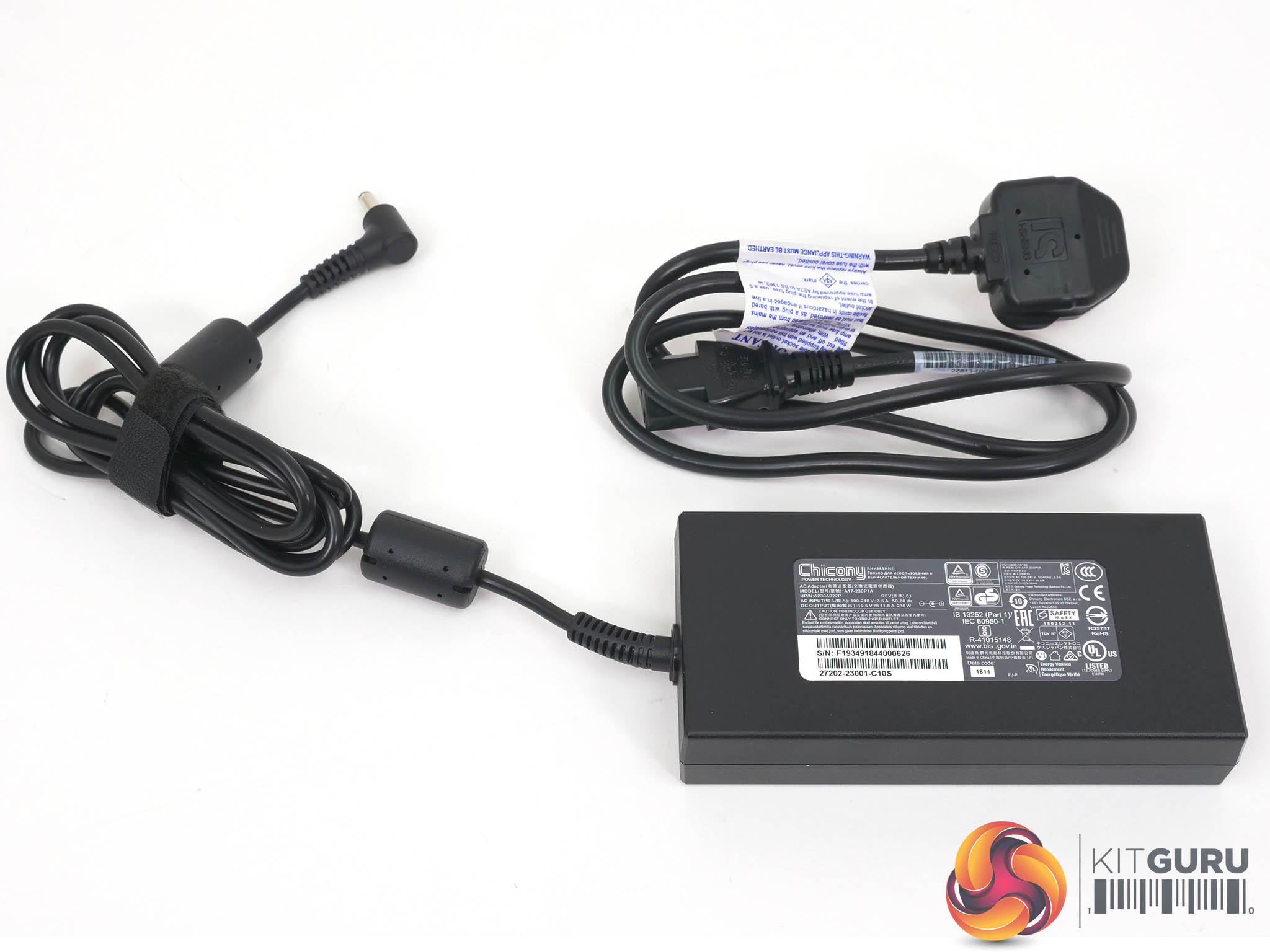
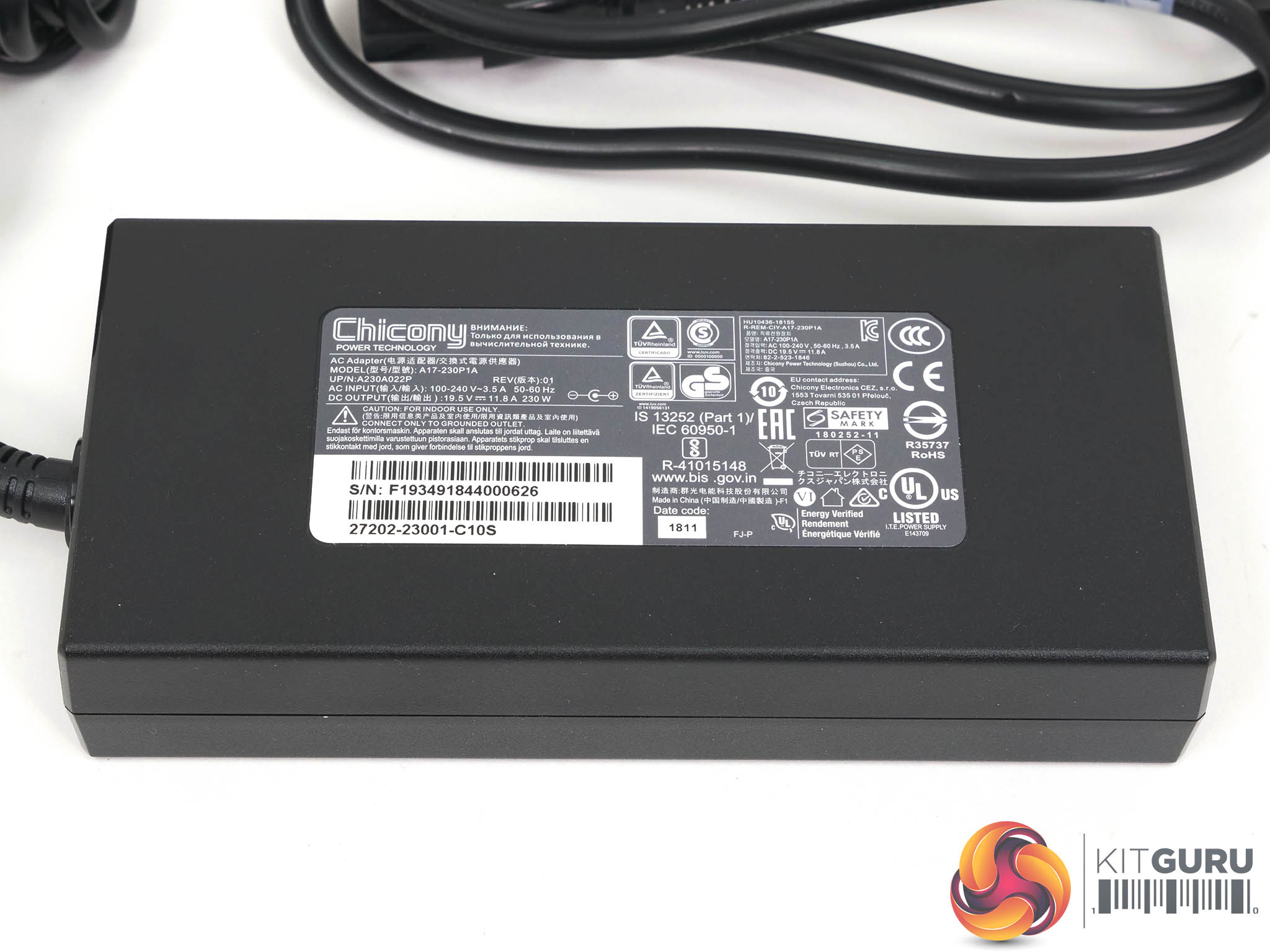
Battery 94.24Wh 6200mAh, 215W adapter
Dimensions 356mm x 250mm x 18.9mm
Weight 2.09kg plus 720g for power supply and mains cable
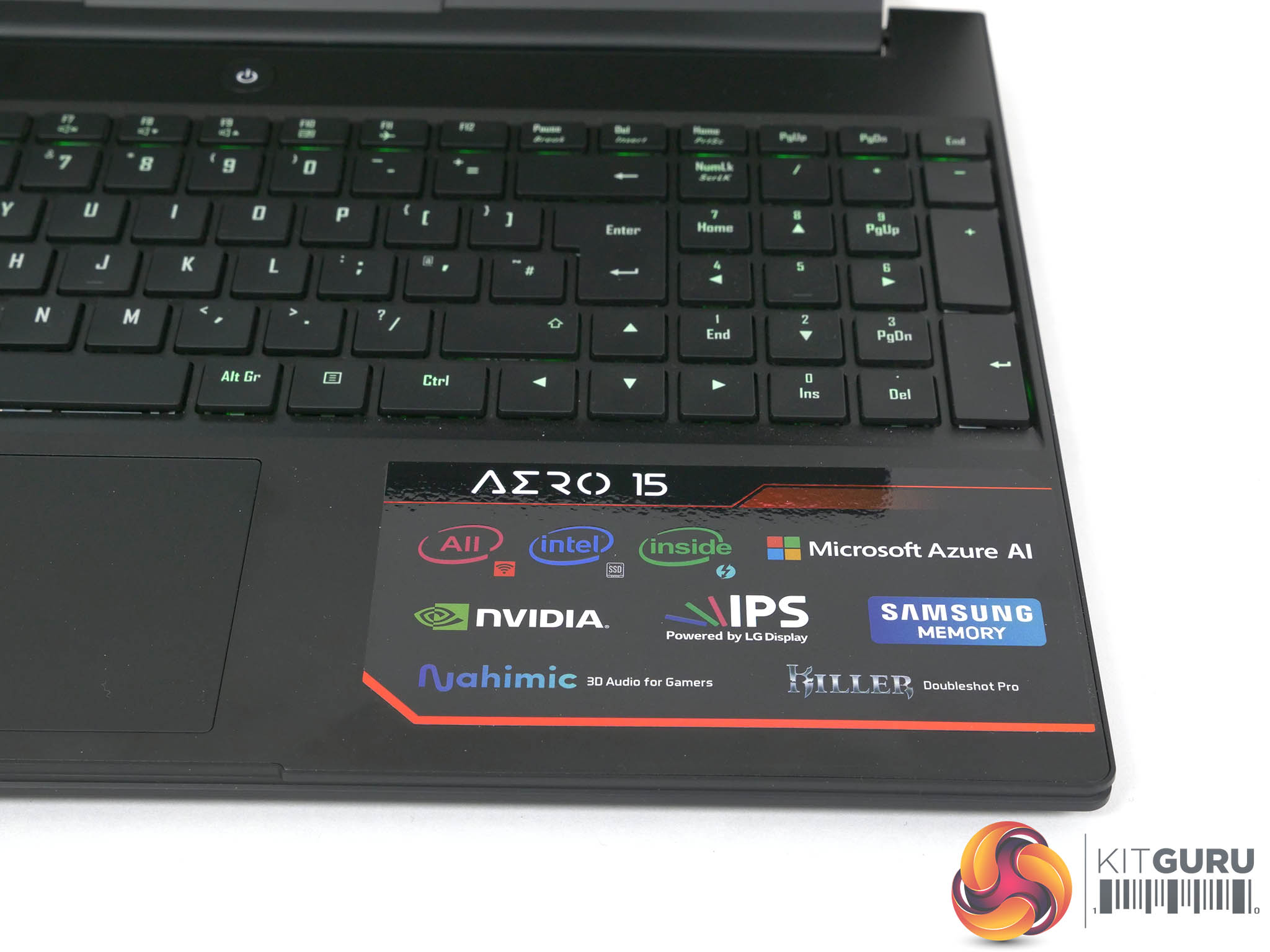
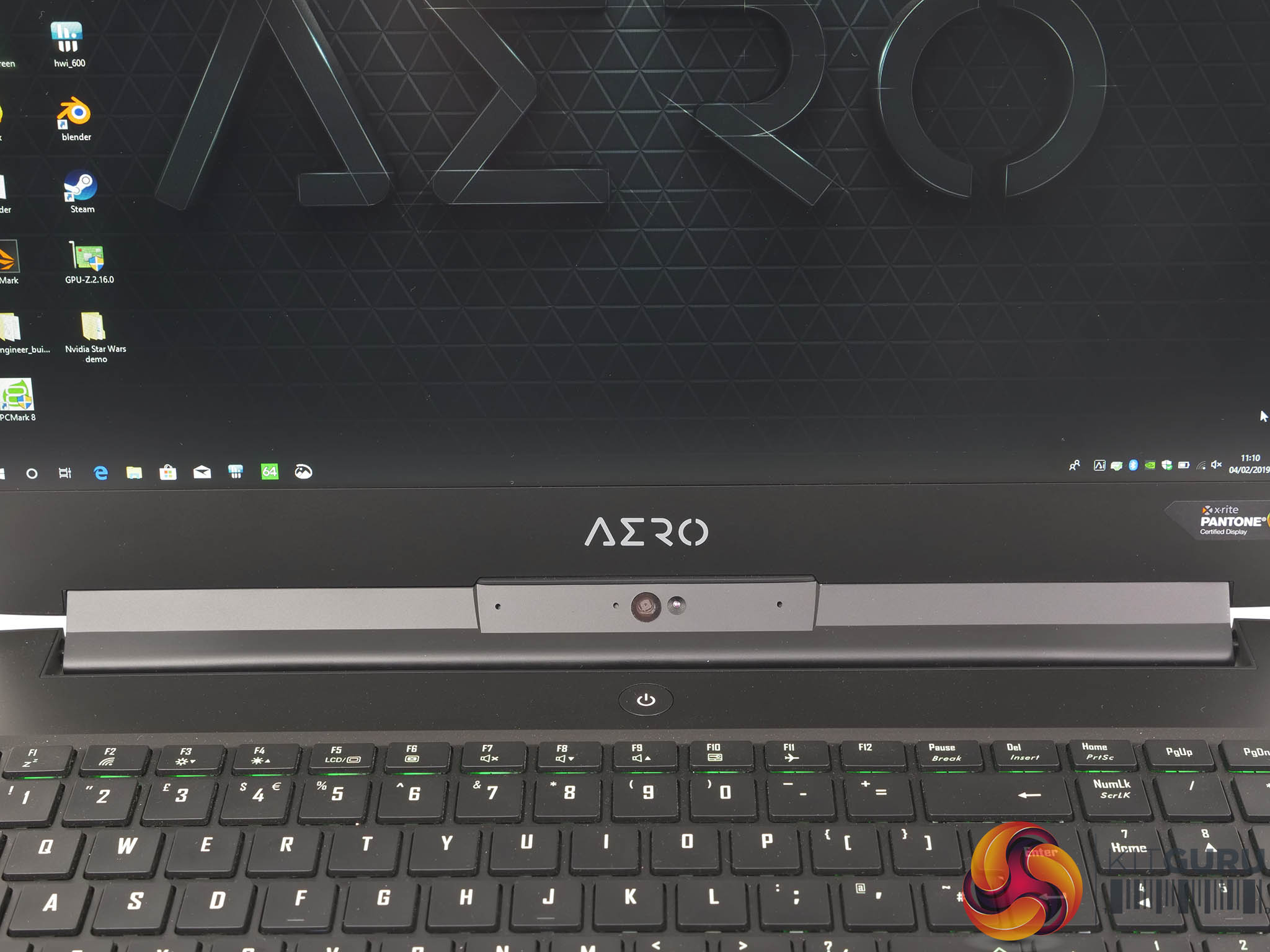
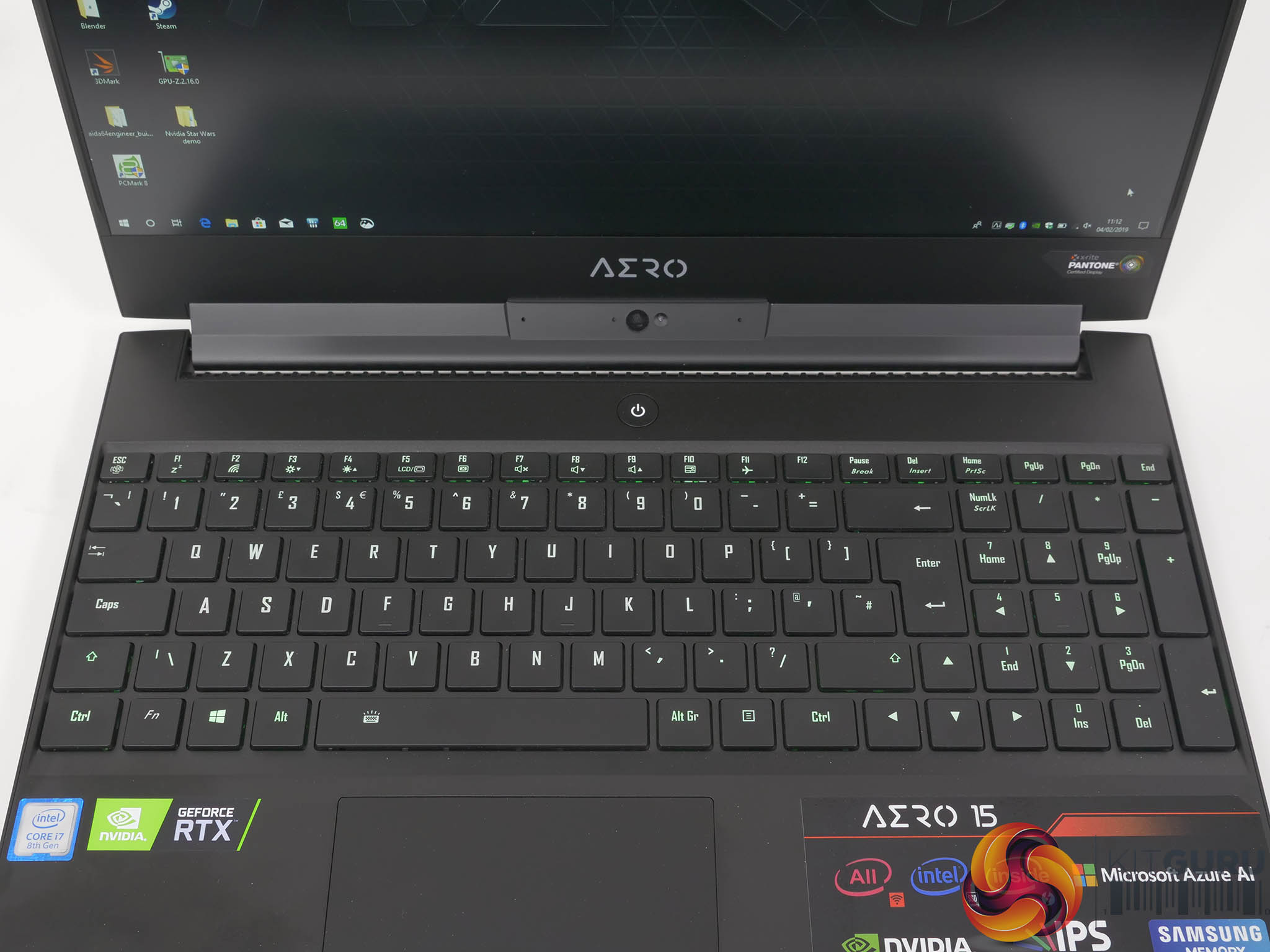
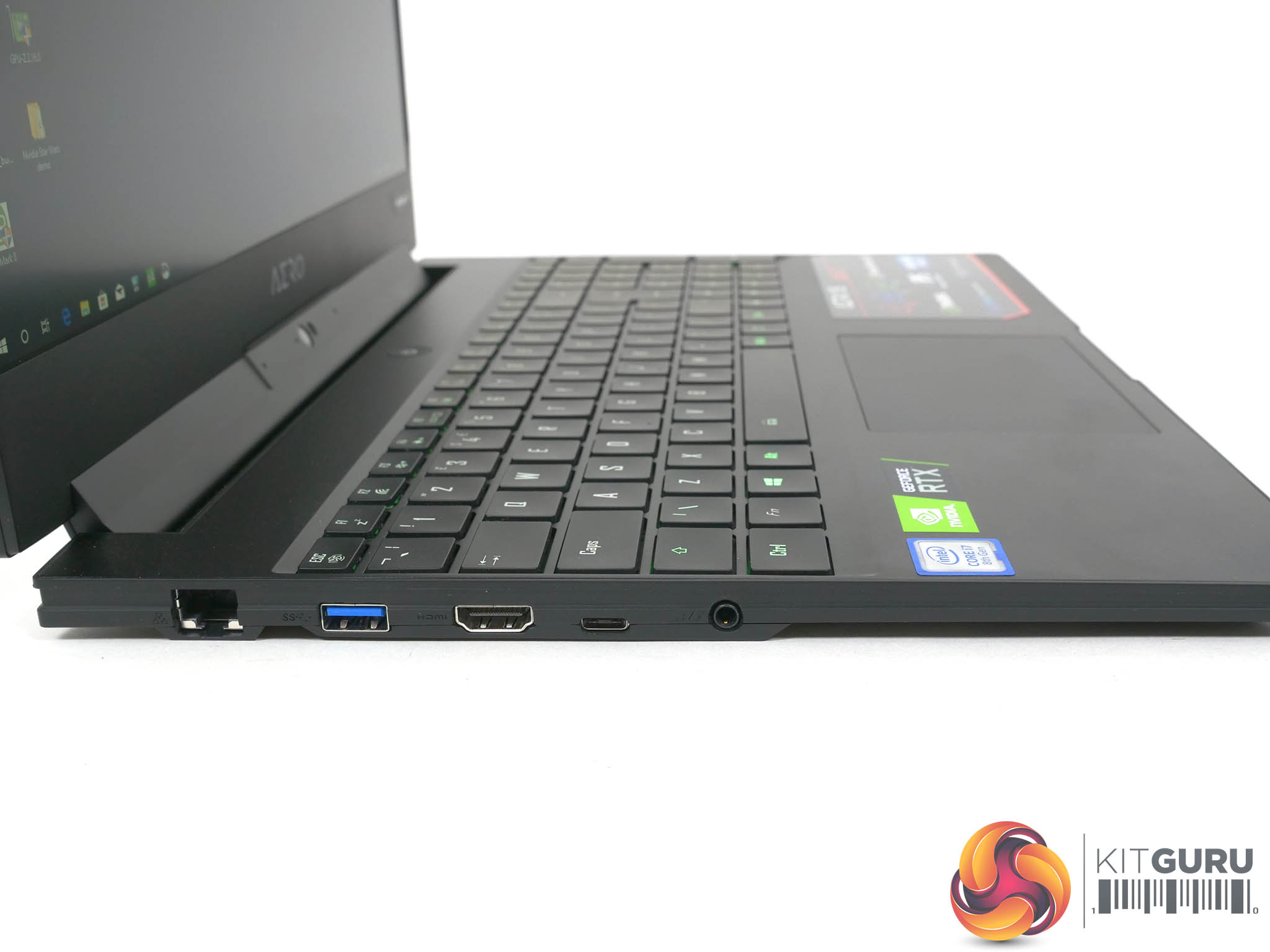
Below the keyboard you cannot avoid seeing a multi-coloured stickers that shouts about the features of the laptop, and in particular about Gigabyte’s partnerships with its various suppliers. This is the first time we have seen ‘All Intel Inside’ which covers the CPU, chipset, SSD and Wi-Fi which in turn rolls into the Killer Doubleshot Pro feature. Rivet Networks uses a number of makes of chip for its Killer products, including Intel, so the Wi-Fi is both Killer and Intel.
Gigabyte is also committing to use Samsung DDR4 memory and LG panels in the displays of these laptops which should make it easier to handle driver updates and the supply of spare parts for repairs.
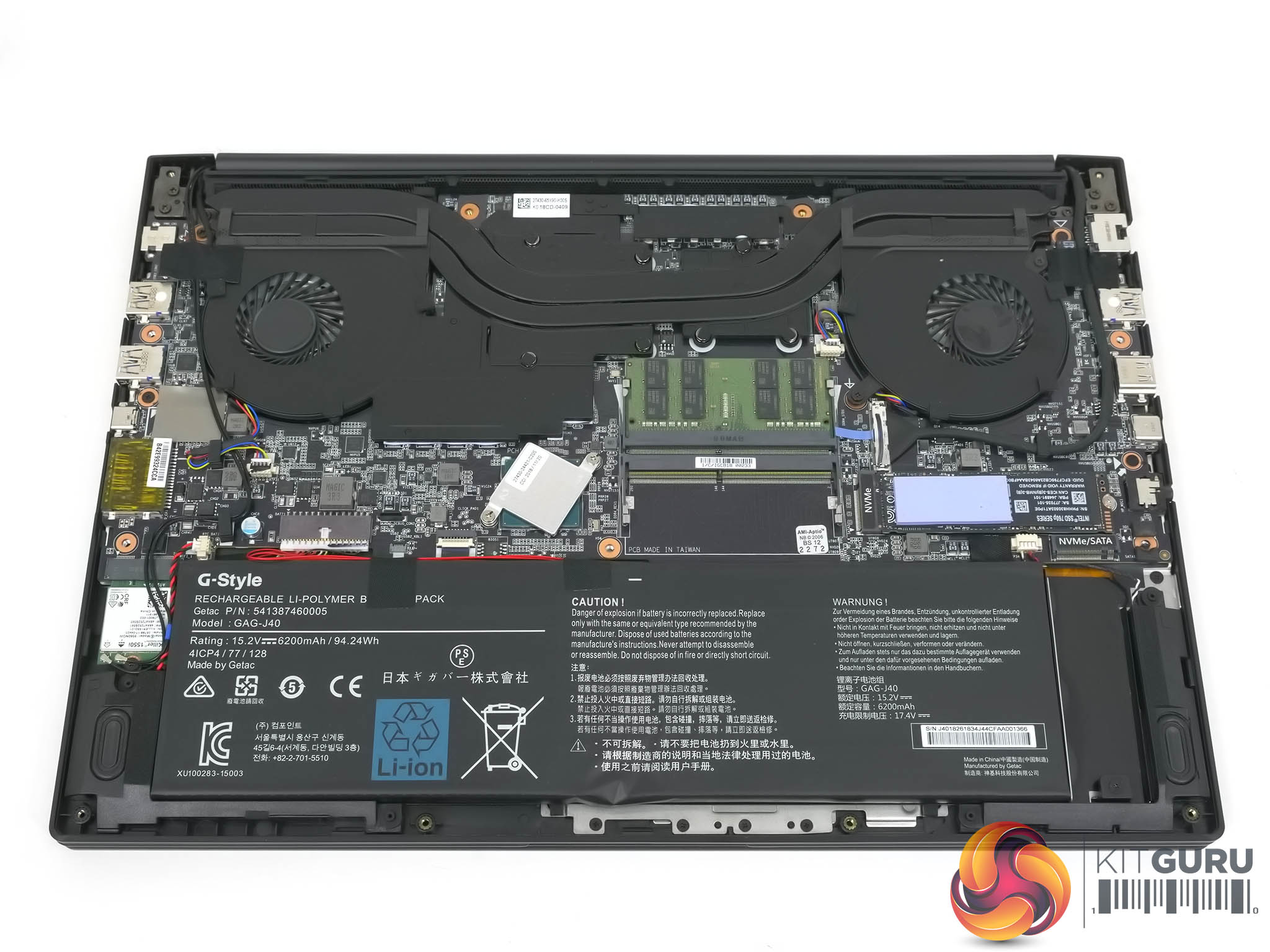
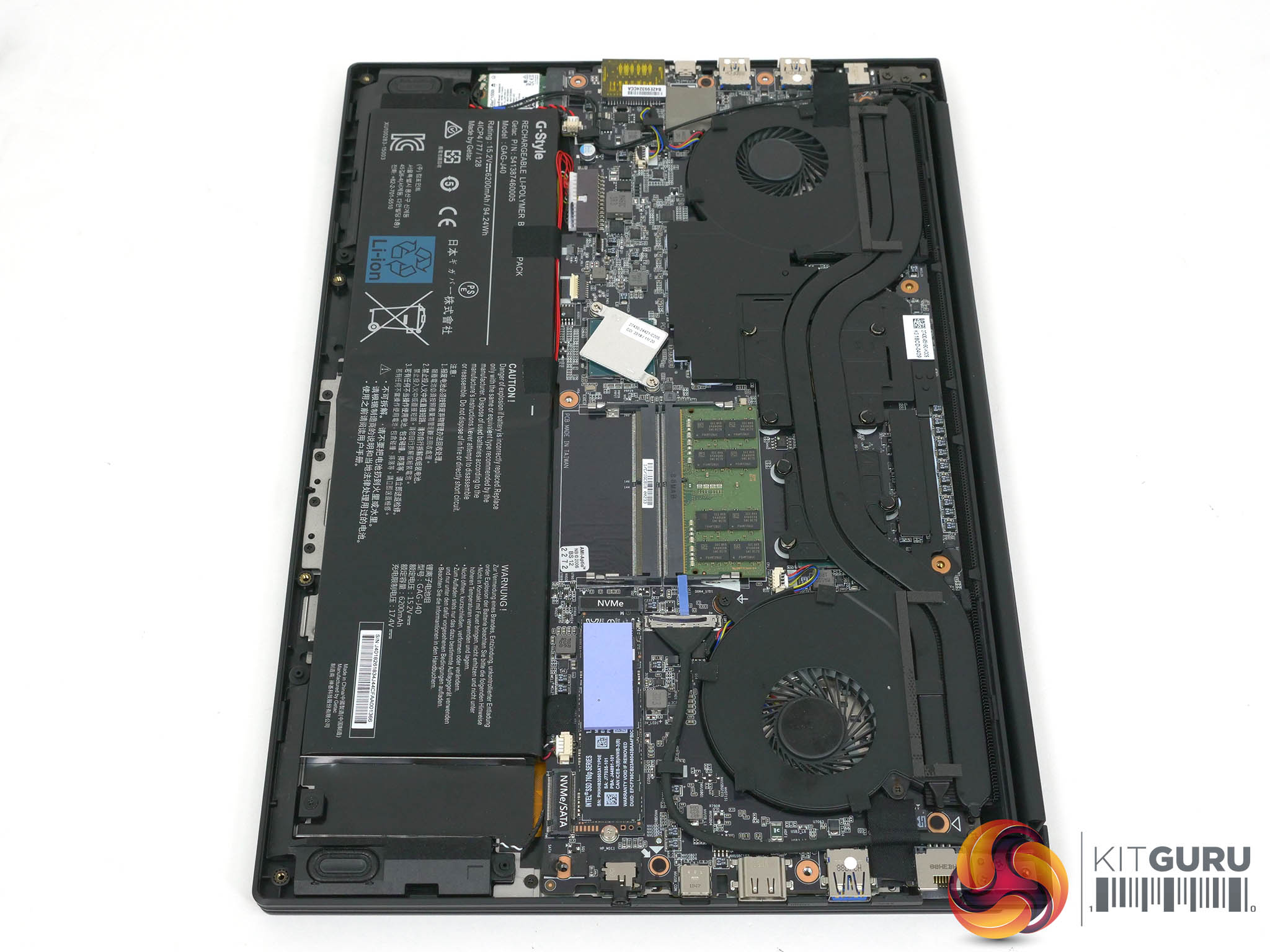
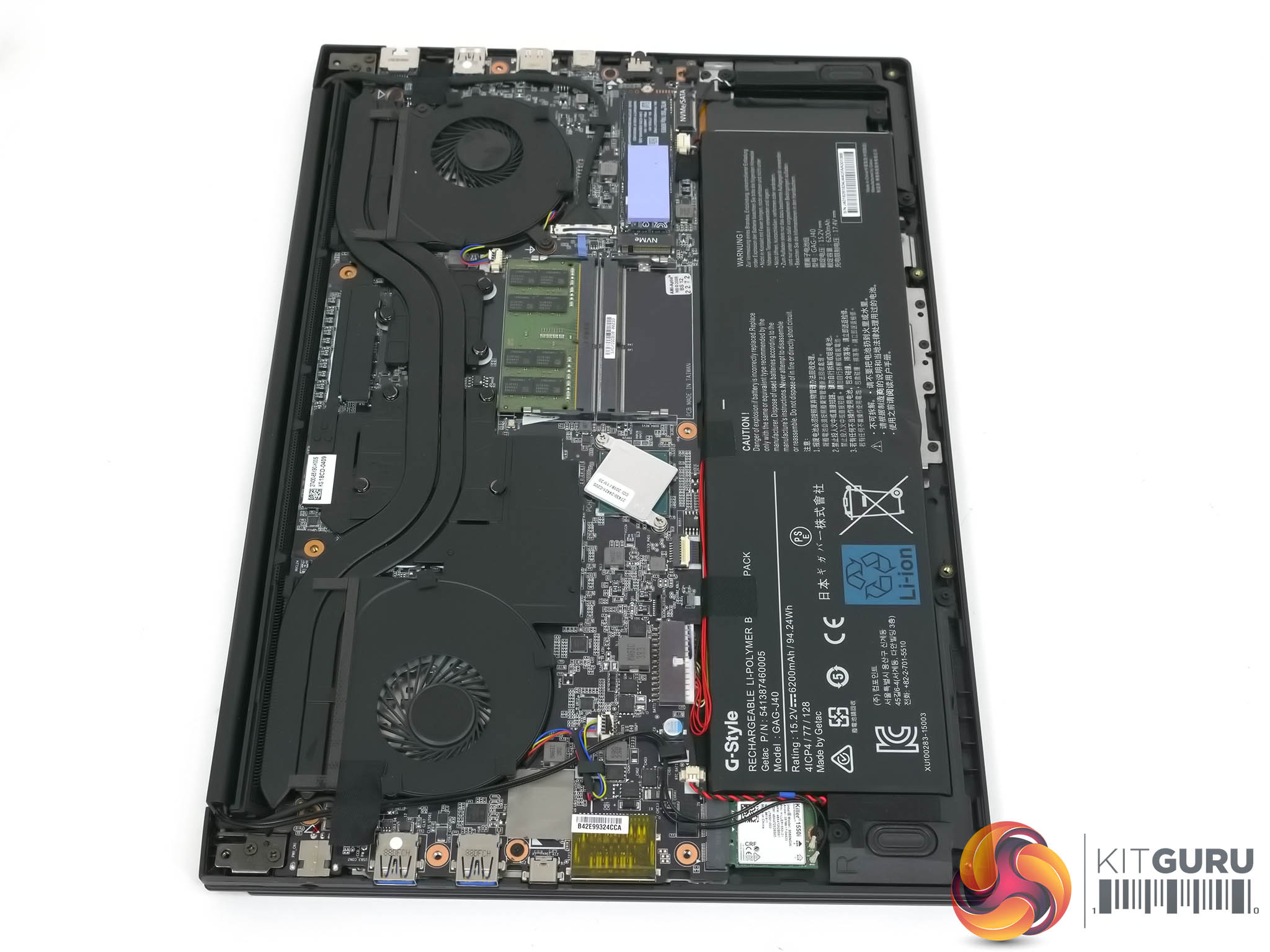
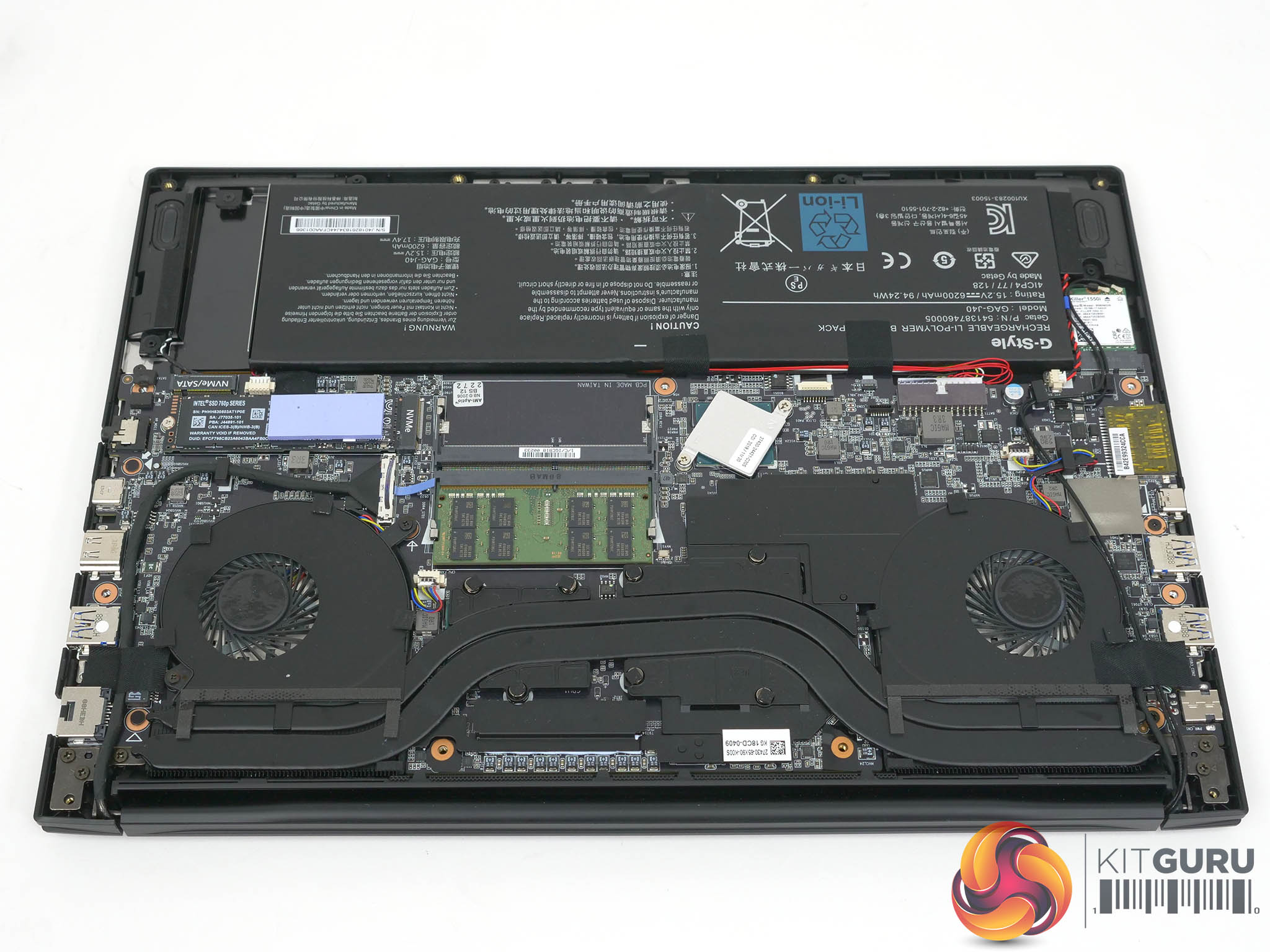
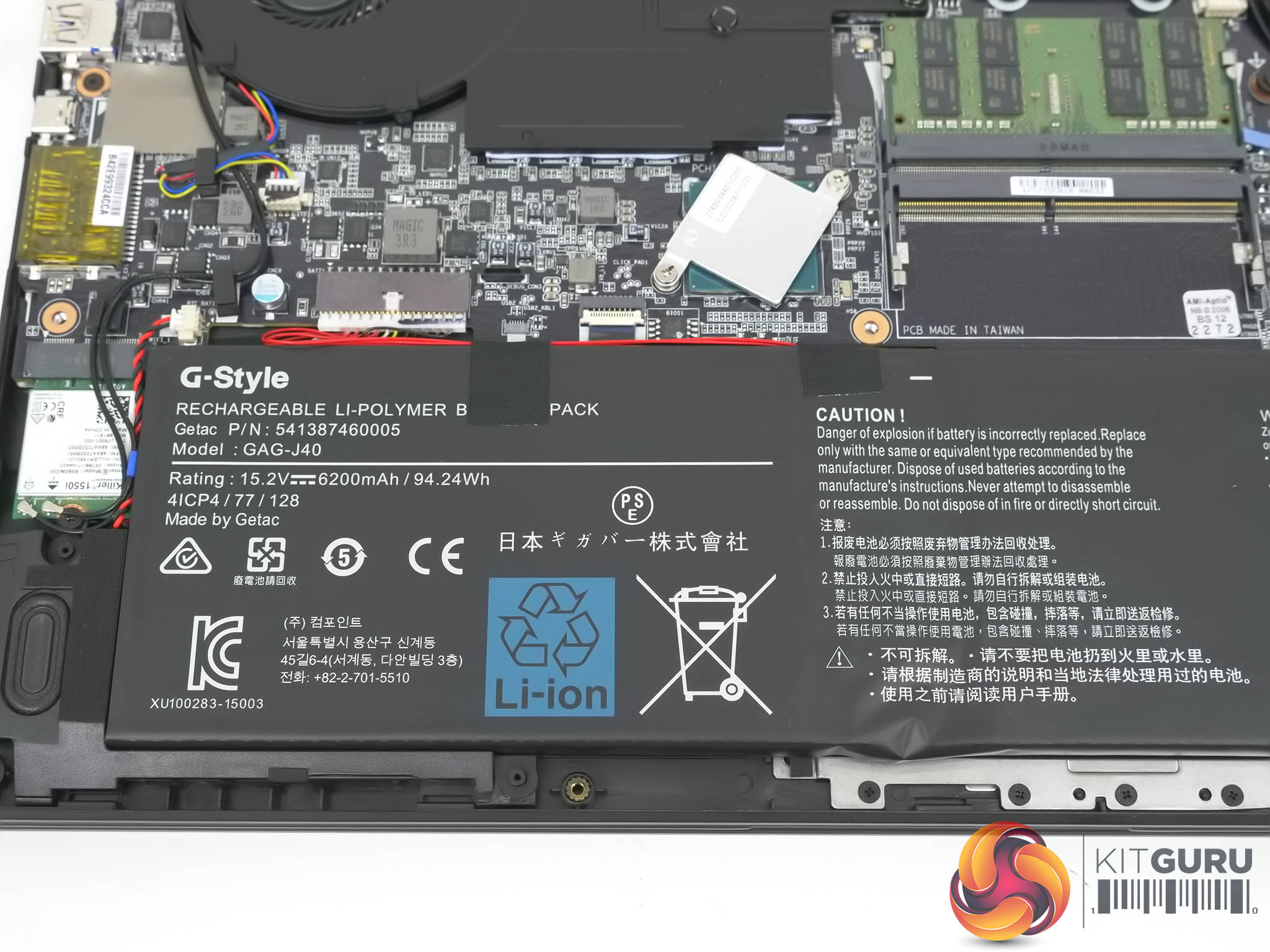
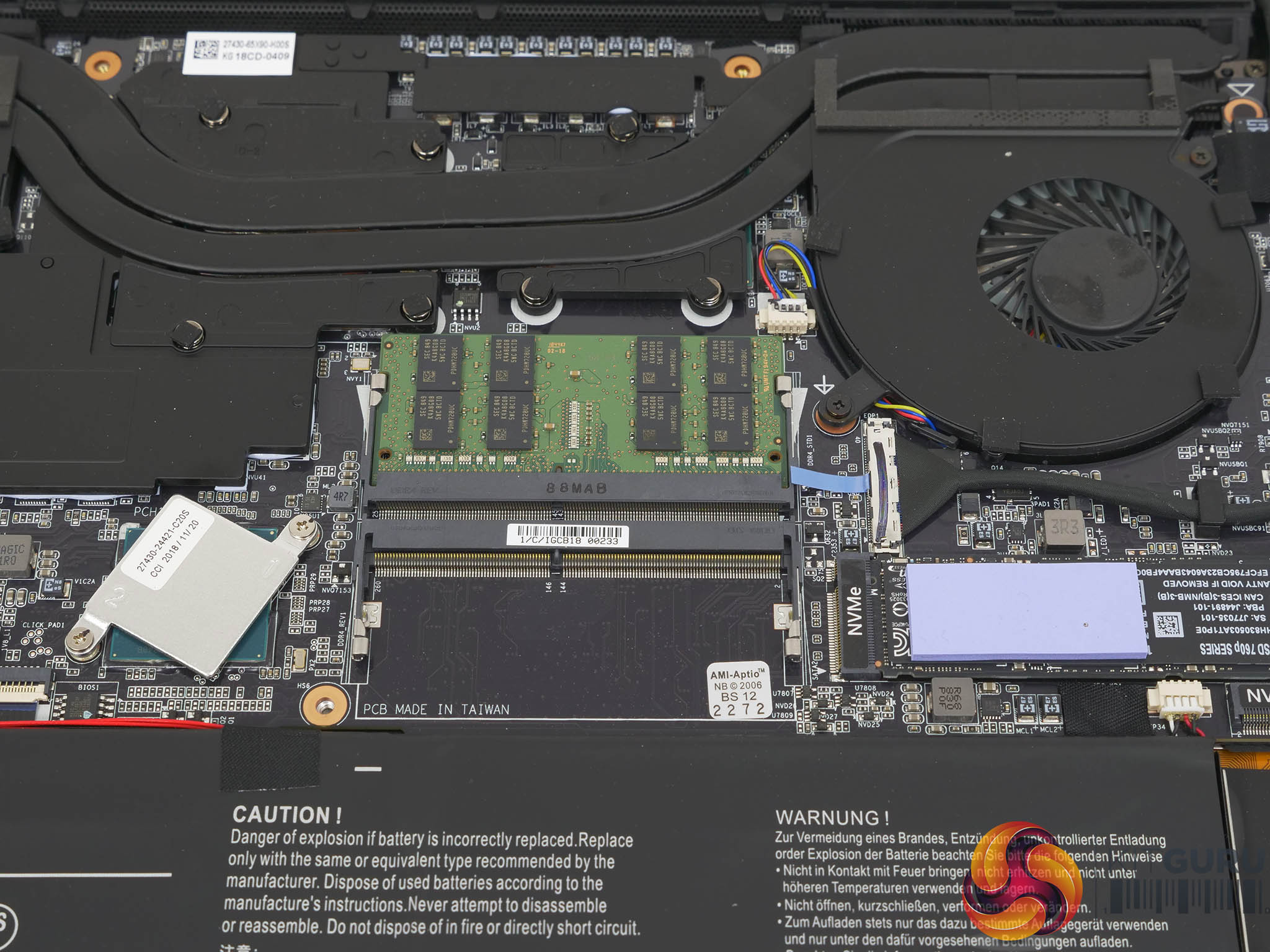
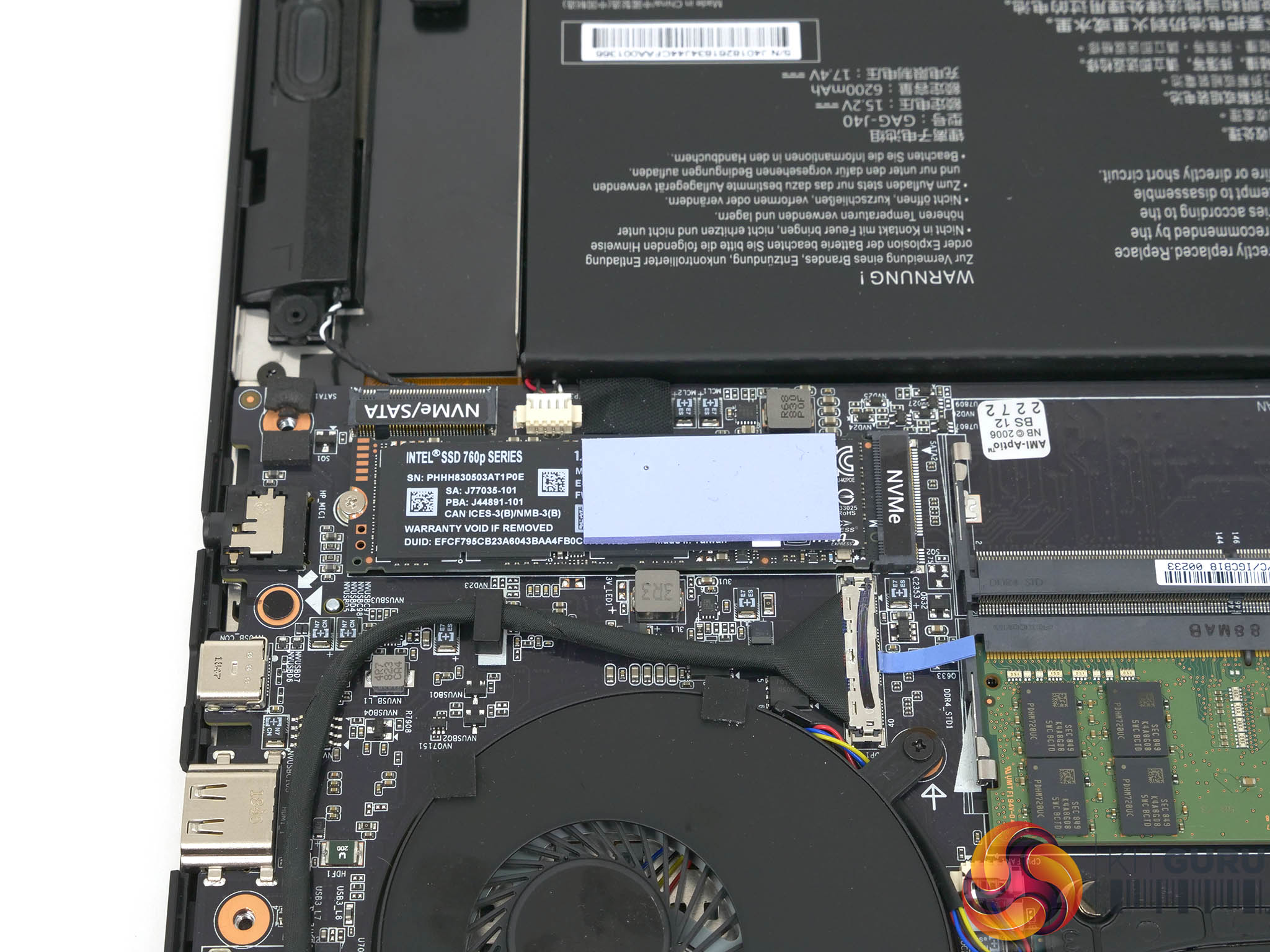
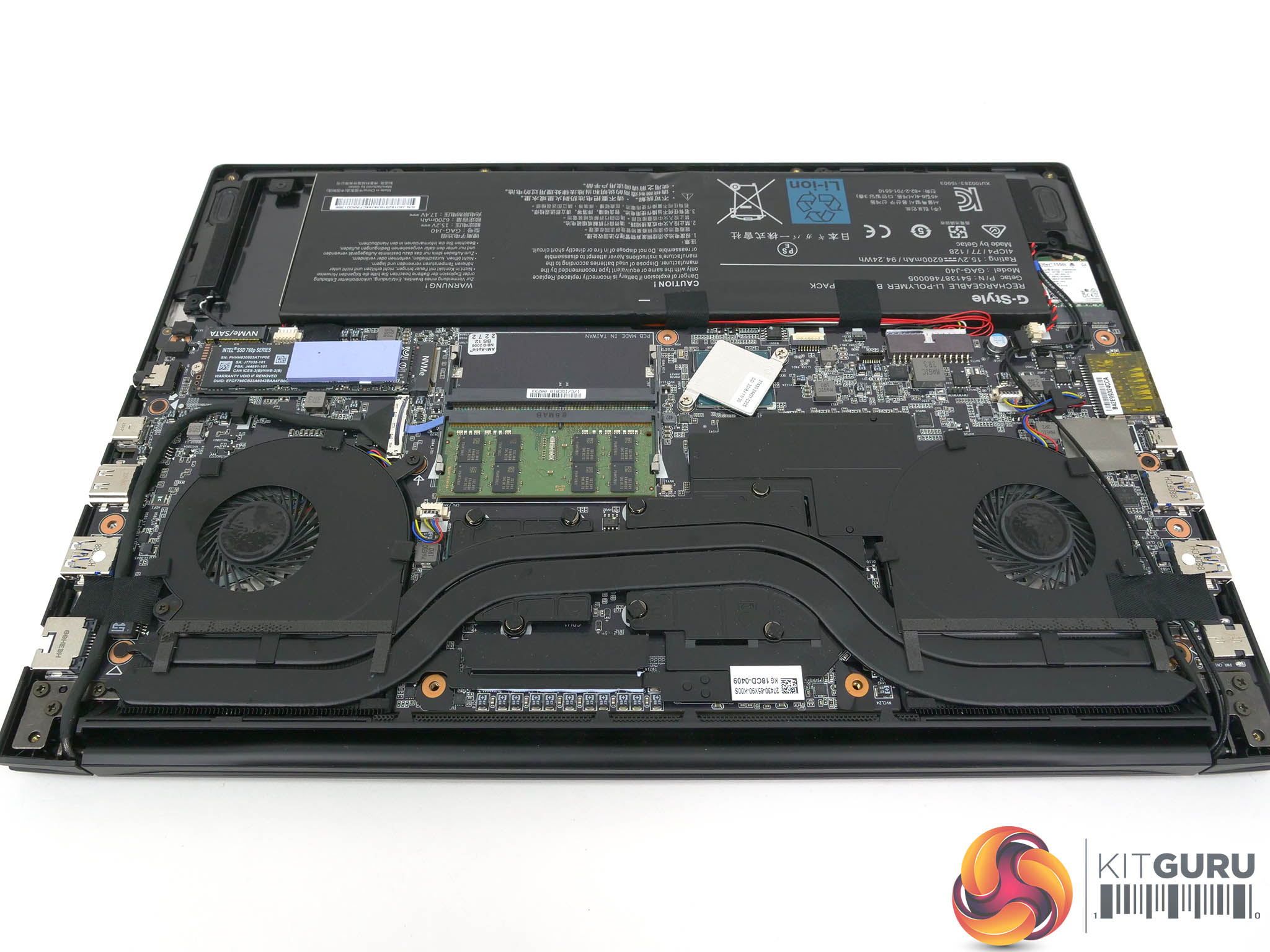
Ironically we ran into a completely different driver issue during testing, and that related to the brand new RTX 2070 Max-Q graphics. This was a developing situation during the time we made our video so it is worth spelling out exactly what happened.
Our sample was delivered by Gigabyte in Europe with GeForce driver 417.71, however very shortly after we received the laptop UL released a Ray Tracing feature update for its benchmark suite and Nvidia released a driver number 418.81. We tried to install the new driver in order that we could show the benefit of the Ray Tracing feature and the thing crashed and refused to install. We ran DDU in Safe mode and the driver rolled back to the previous version 417.49 but was having nothing to do with 418.81.
After a considerable amount of communication with Gigabyte and Nvidia it became apparent that Nvidia had not included the hardware ID for the graphics in our laptop in the driver release. This meant the drivers were incompatible with the laptop, and we can only assume that anyone who rushed out to buy a new RTX laptop is potentially in the same situation. When we said in the video that we needed driver updates from Nvidia we were quite correct, however we meant it in a ‘please make RTX better’ way and never expected to have to request drivers we could actually install!
There is no doubt the Gigabyte Aero 15-X9 has some big shoes to fill, not least because Aero 15X v8 was a darned fine laptop, and a large part of the deal are the new RTX 20-series graphics. We badly needed to take a look at the performance of the Aero 15-X9 in order that we could see whether or not this laptop is a hit or a miss.
Testing and Performance
During our testing, we saw the 6-core i7-8750H running at 3.4GHz on all cores, although close monitoring suggested that at any particular time three cores were running at 3.4GHz and three at 3.6GHz.
Meanwhile, the RTX 2070 Max-Q was running its 2,304 CUDA cores at a Boost speed of 1500MHz-1530MHz with moments at 1700MHz. We expect desktop RTX 2070 graphics cards to run around 1,900MHz so you can clearly see the difference taken by the Max-Q approach for laptops.
The 8GB of GDDR6 memory ran at a Boost speed of 1500MHz, equivalent to 6Gbps.
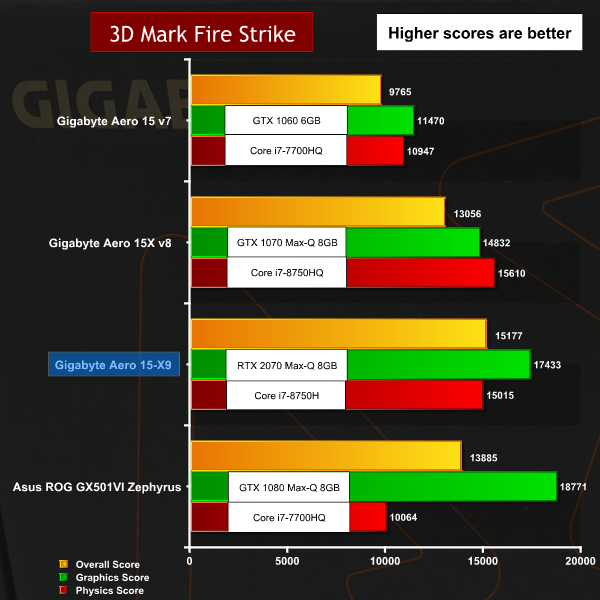
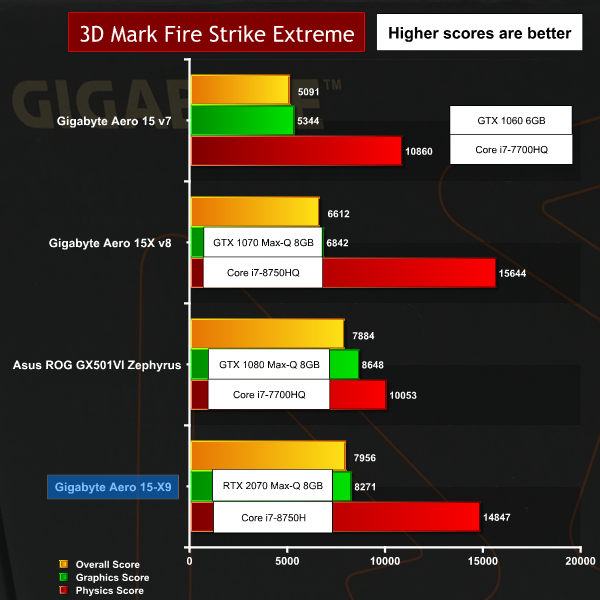
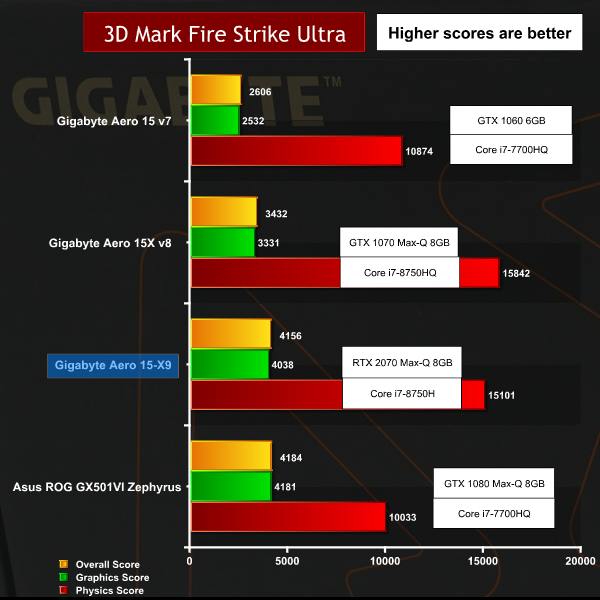
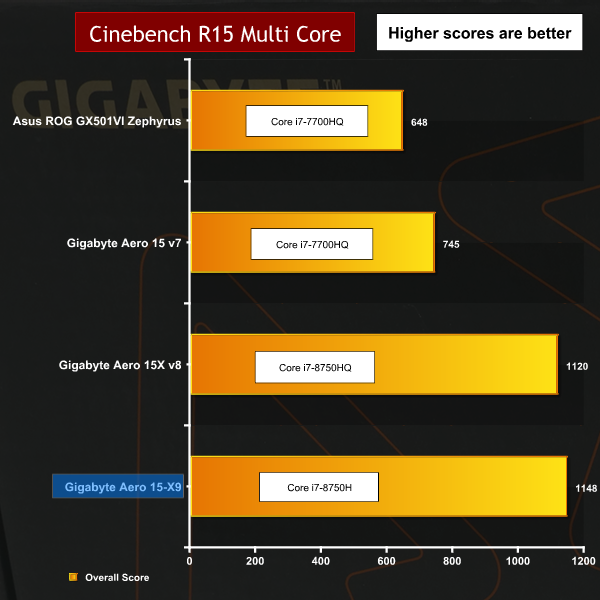
Performance overview
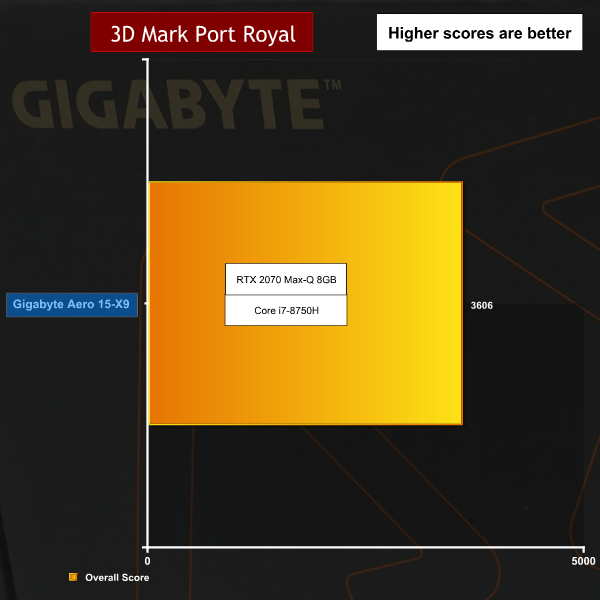
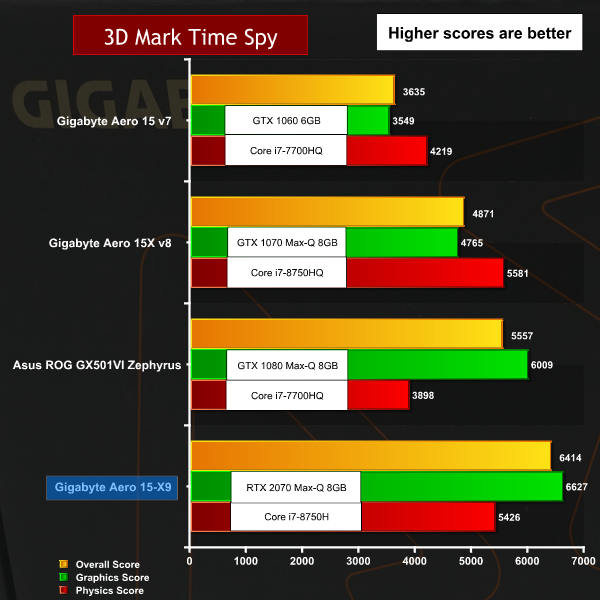
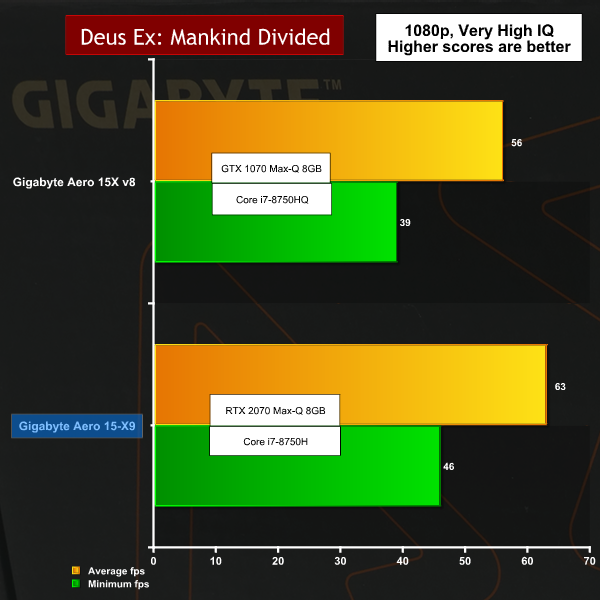
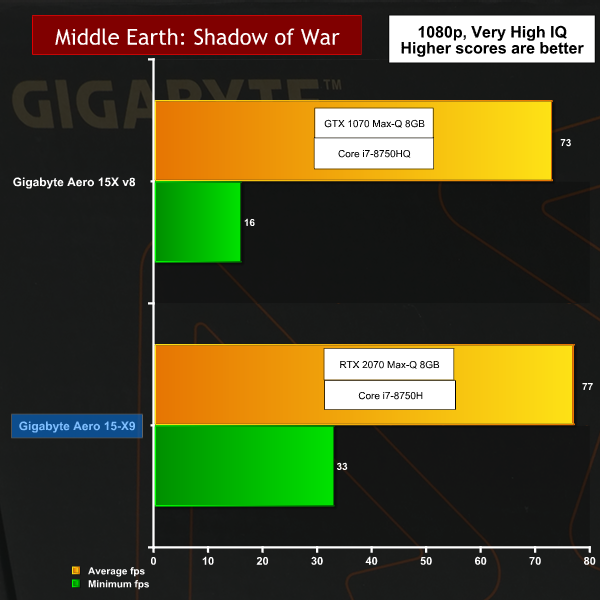
In synthetic tests such as 3D Mark it was clear the Aero 15-X9 had an advantage over the previous GTX 1070 model in the region of 20 percent. In gaming tests the scores were up and down with the new graphics typically worth ten percent extra on the frame rates. This was not consistent and some games showed a drop in frame rates which brings us back to the call for driver updates.
It is unclear whether the various RTX GPUs were rushed into production or whether there is a steep learning curve for the Volta microarchitecture. We are confident the workload is being carried by the CUDA cores and that the Tensor cores are waiting in the wings for their big moment.
Similarly we cannot comment on DLSS until Nvidia fixes their driver release such that it works on this specific laptop. We have little doubt that RTX 2070 Max-Q has significant potential that might be unlocked in the very near future but right now we simply cannot know for sure.
Cooling Performance.

Cooling Performance Overview.
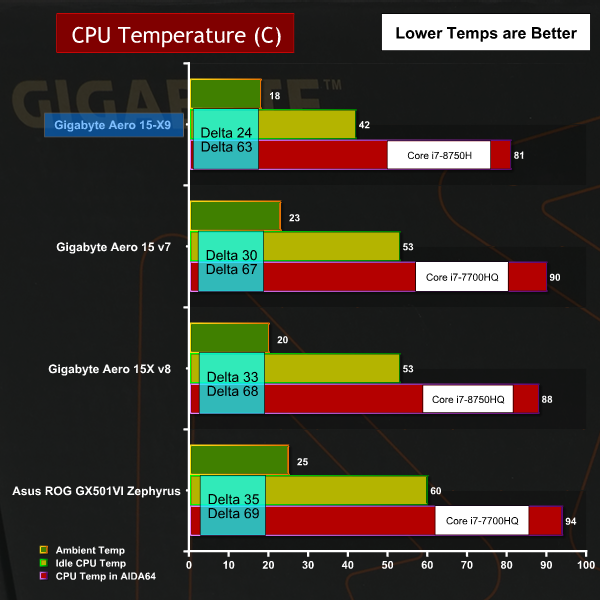
Gigabyte has used a cooling package on the CPU and GPU that is very similar to the system used on the Aero 15X v8. The air is drawn in through huge openings on the bottom of the chassis and the exhauster behind the keyboard at the bottom edge of the screen.
The CPU temperature is significantly lower than the previous model while the GPU temperature is higher. The cooling fans sound slightly louder in this model than previously and it seems to us that Gigabyte has ramped up the fan curve slightly to keep the new RTX graphics under control.
Both CPU and GPU now run at very similar temperatures and we are pleased to see the whole system is now nicely balanced and works efficiently as a whole.
Battery Life
Battery Life Overview
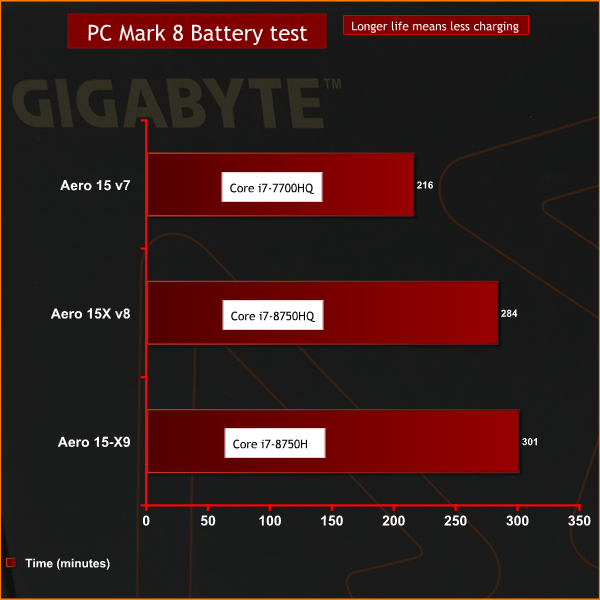
Aero 15-X9 packs the same 94.24Wh/6200mAh battery as the Aero 15X v8 and draws almost exactly the power at the wall socket. Depending on the scenario the figure may be up or down by 5W. As both laptops use the same CPU we can conclude the GTX 1070 and RTX 2070 graphics packages draw very similar levels of power.
The fact that Aero 15-X9 extends battery life by some 15 minutes in PC Mark 8 suggests we either got a slightly better battery this time round or that Gigabyte has fettled the settings slightly. We continue to be impressed by Aero 15 as a series of laptops that allow all-day working.
Closing Thoughts.
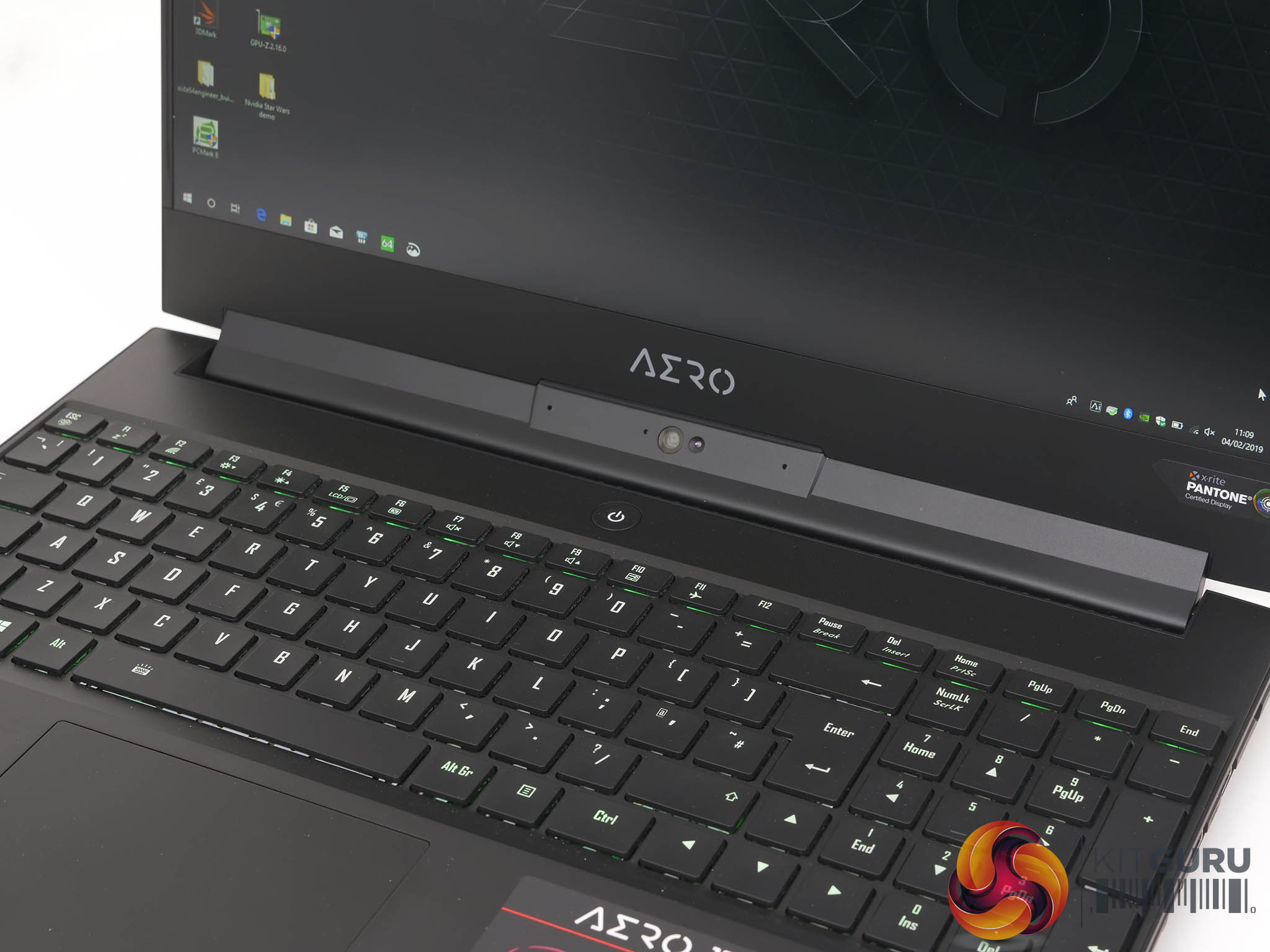
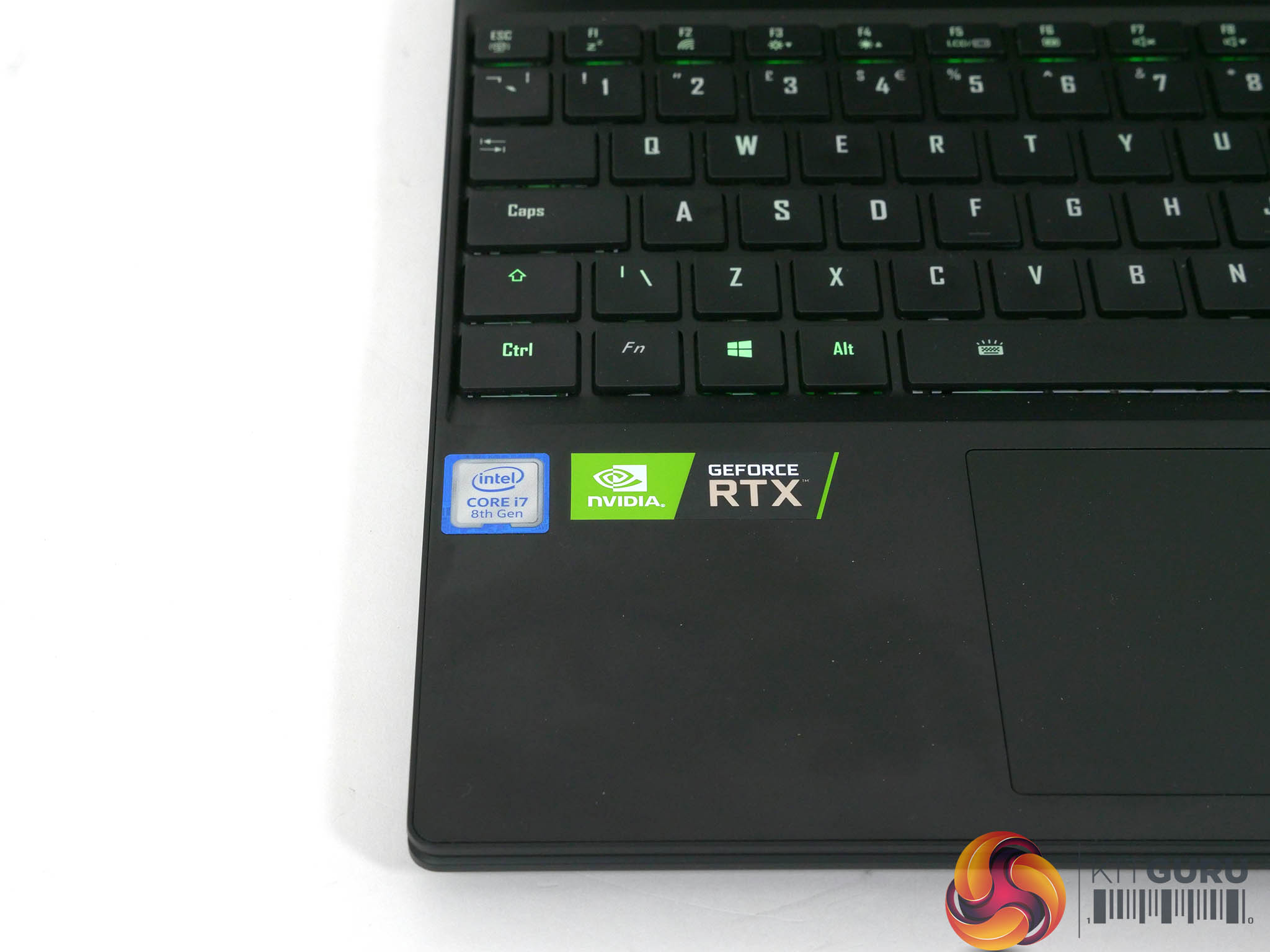
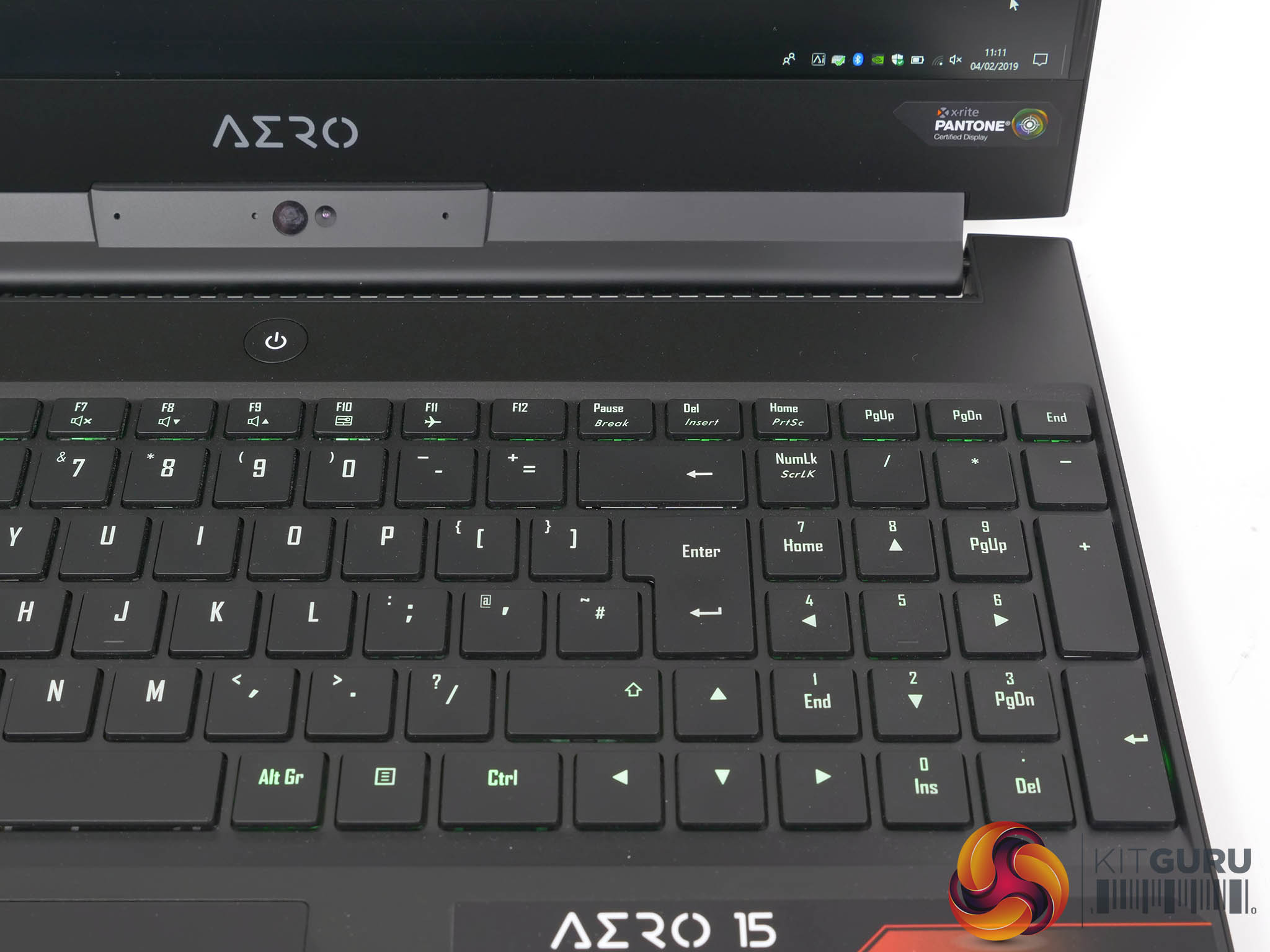
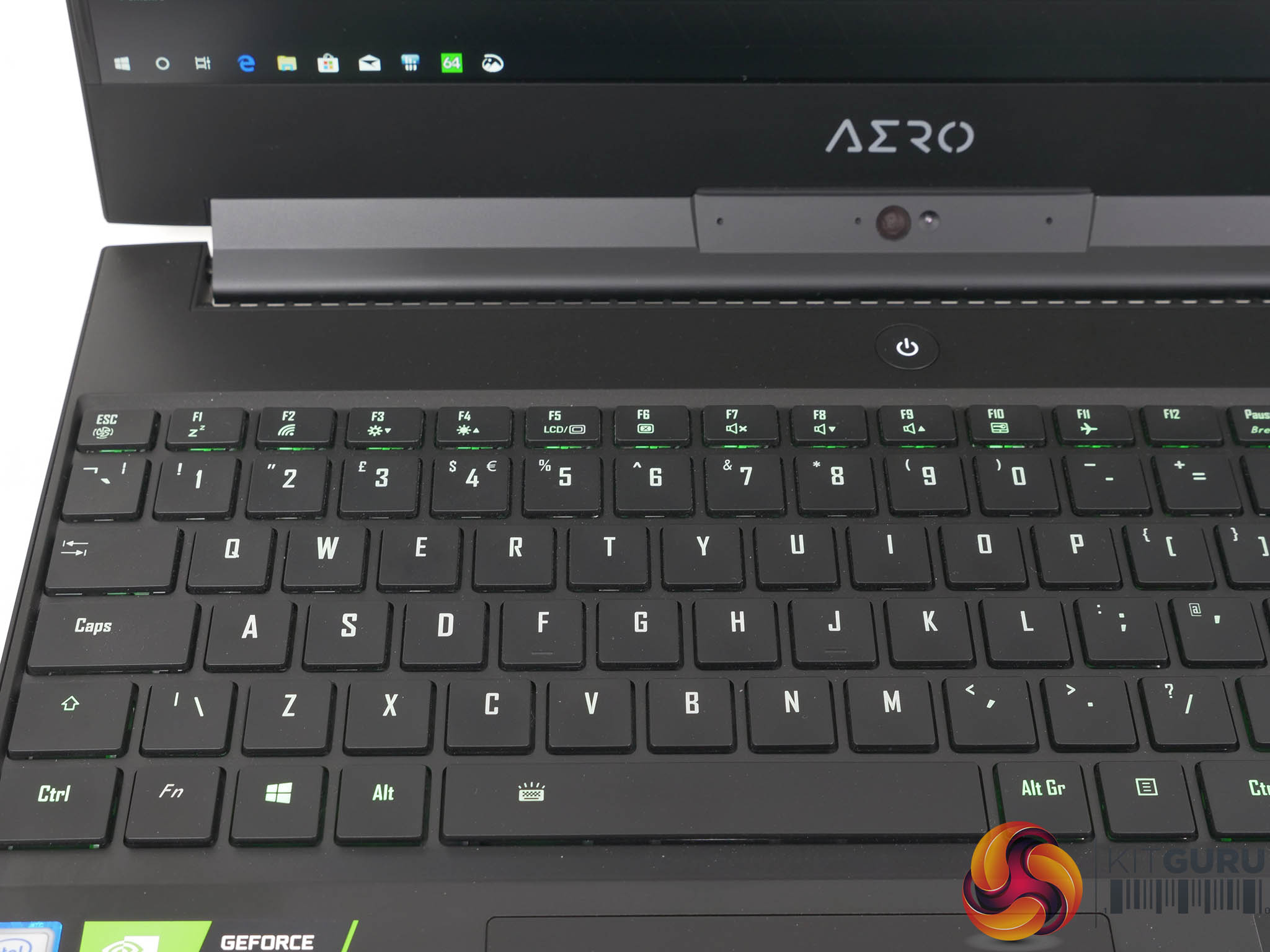
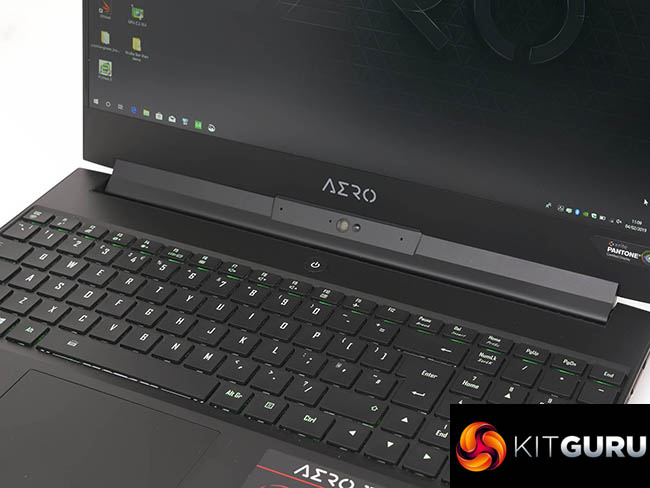
We are impressed by the quality and look of Gigabytes Aero 15-X9, although the look and feel of the keyboard continues to cause some annoyance. We said it before and we will say it again; the layout of the keys just feels weird. Functionally the keyboard and touchpad both work fine and we enjoyed using this laptop and find it to be an impressive workhorse.
At present the RTX 2070 Max-Q graphics are a work in progress. We know the desktop RTX graphics beat GTX 10-series hollow however it seems the lower clock speed of Max-Q reduces the advantage of the new GPUs. Added to that we are waiting for games developers and other software writers to use Volta to full effect. Once that starts to happen we will need Nvidia to work on the drivers and DLSS to balance image quality and performance. This process may well take years rather than months and laptop manufacturers such as Gigabyte are forced to wait and see how things turn out.
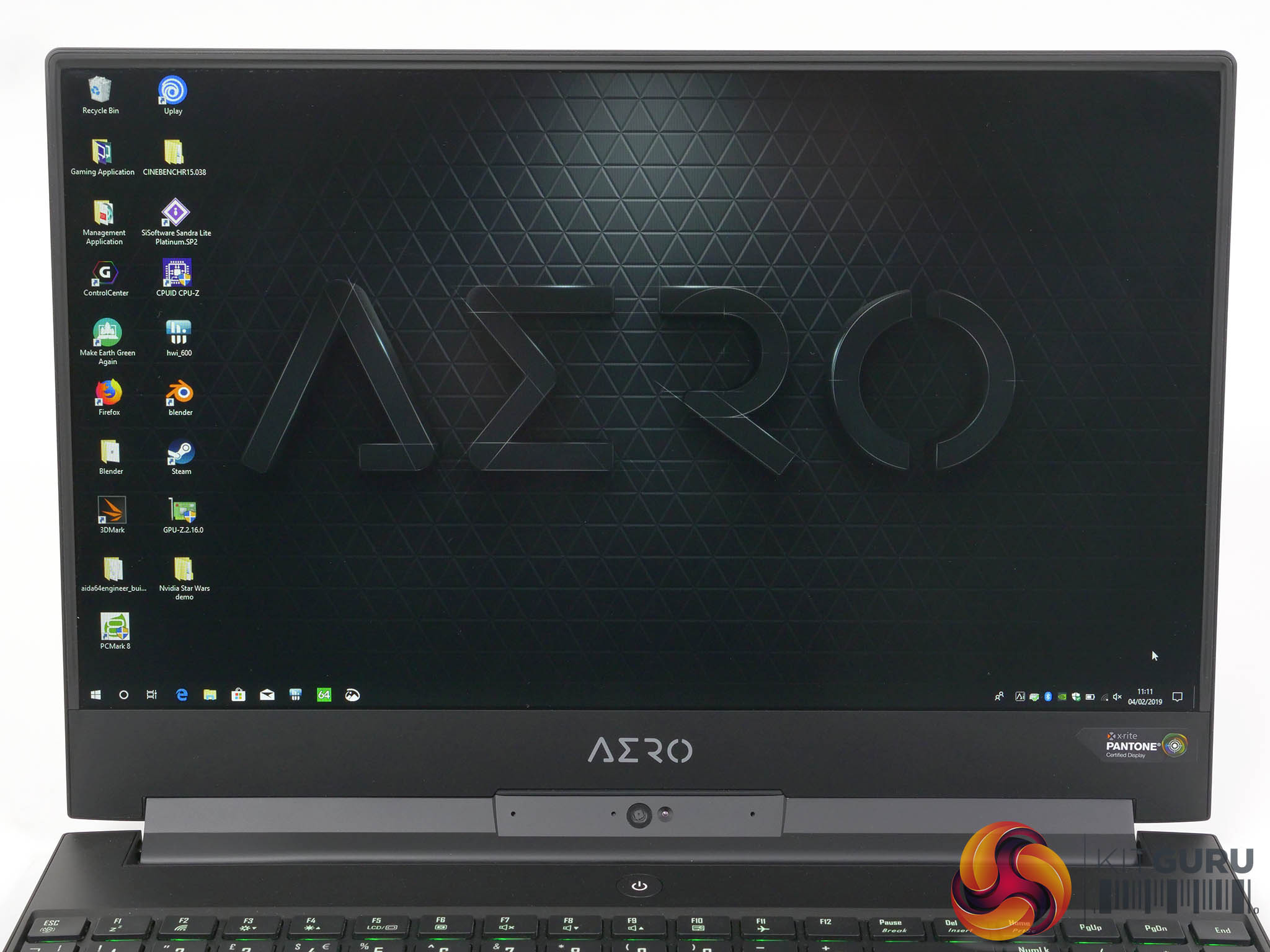
Everything we have seen so far tells us that Ray Tracing has minimal impact at 1080p and works better at higher resolution and on large displays. This means that laptops, which mostly use 1080p displays are inevitably hamstrung when it comes to the new graphics. We like the 144Hz IPS panel from LG in this Aero 15-X9 however that is nothing to do with the new RTX graphics.
One area where Gigabyte has decided to try its own thing is the Microsoft Azure AI feature where the system learns which settings deliver the best performance with particular pieces of software such as games and Adobe Photoshop. Naturally we were intrigued by this feature however we simply did not see a benefit from the software.
You will have detected our scepticism in the video as the ‘Cloud AI Machine Learning’ description sounds like a word salad of buzz words. Nonetheless Gigabyte is adamant their testing shows gains of around 4 percent performance and the system is clearly intended to improve over time.
We remain to be convinced and if we see extra performance in the future then all well and good. In the meantime if you disable the software there is zero downside so we shall withhold our final judgement for the time being.
Our single biggest problem with the new wave of RTX laptops is pricing. In the case of Aero 15-X9 you are paying an extra £200 over the GTX 1070 version for which you get a smart chassis and the promise of future performance from the new graphics. Historically we would have expected to see the latest hardware come in at the same price point as the previous version, however we all know that Nvidia has jacked up prices for the past few years. In this instance there is a £200 premium for RTX 2070 Max-Q compared to GTX 1070 and we have to say that Gigabyte prices its laptops more keenly than some other brands.
We hate to wrap up a review with a piece of wishy washy vagueness but right now we are waiting to see what Nvidia does next. Our natural inclination is to wait and see how Aero 15-X9 develops over the next few months as it does not currently offer a compelling reason to upgrade a 2018 laptop. Of course it is a different story if you need a grunty laptop right now as your buying decision becomes a question of which RTX laptop you should buy, rather than whether or not you should buy. In that context Gigabyte 15-X9 certainly deserves your consideration.
See more on this laptop over HERE. Our review sample is priced £2399 inc VAT

Buy this model from Overclockers UK HERE
See the full Aero 15 range at Overclockers UK HERE
Pros:
- Thin and light chassis with plenty of CPU cooling.
- Six cores of Intel CPU grunt.
- 144Hz LG IPS panel looks superb.
- RTX 2070 Max-Q graphics have great potential.
Cons:
- Nvidia’s new graphics have jacked the prices.
- Azure AI software has yet to prove its worth.
- Buggy software caused the RGB keyboard lighting to shut down.
- Intel has 9th Gen. CPUs coming soon.
KitGuru says: Aero 15-X9 is thin and light with long battery life however it is only marginally better than Aero 15X v8.