 KitGuru KitGuru.net – Tech News | Hardware News | Hardware Reviews | IOS | Mobile | Gaming | Graphics Cards


The Gigabyte P35K UltraBlade is a sleek 15.6-inch laptop that measures a mere 21mm thick when the lid is closed. Open the lid and the main part of the chassis is less than 17mm thick which is pretty amazing when you discover the P35K is powered by a Core i7 processor and Nvidia GeForce GTX 765M graphics. We're not talking about a weak kneed laptop that has been compressed into a skinny laptop, but rather a power house that has been shrunk to a surprisingly slender form factor.
Before we take a closer look at the hardware let's spend a moment on the model name, by which I mean the ‘UltraBlade' part rather than ‘P35K'. I expected to see the Intel Ultrabook label all over this laptop as it is slender, powered by a Core i7 CPU, uses an SSD and has an impressive Full HD screen.
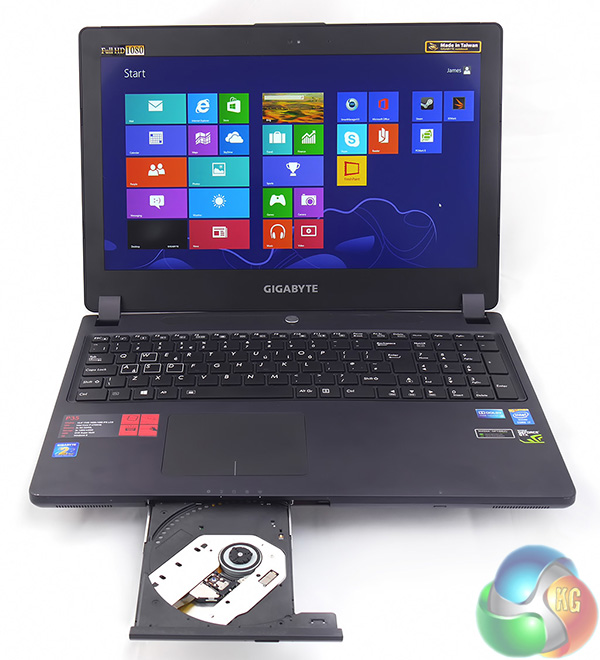
Where the Gigabyte falls short, as far as Intel is concerned, is that a 2014 Ultrabook requires a touch screen as an essential prerequisite. It seems to me as though Gigabyte decided the smart move was to create a model name that sounded like ‘Ultrabook' and came up with ‘UltraBlade'.
Gigabyte P35K UltraBlade Specification:
- Screen Size: 15.6″ 1080p IPS LCD LED backlit
- Processor Type: Intel Core i7 4700HQ
- Solid State Drive: 2x 128GB mSATA SSD (RAID 0)
- Hard Drive Interface: Serial ATA-600
- Memory Size: 16GB DDR3 1600mhz
- Operating System: Windows 8.1
- Graphics Chipset: NVIDIA GeForce GTX 765M
- Optical drive: Super Multi DVD RW
- Audio: Realtek HD Audio with Dolby Home Theatre v4
- Speaker(s): 2 x Speakers
- Subwoofer: 1 subwoofer
- Microphone: Built-in
- LAN Card: Realtek 10/100/1000
- Wireless NIC: Intel Centrino Wireless-N 2230 802.11bgn
- Bluetooth: v4.0
- 385mm wide x 270mm deep x 21mm thick
- Product Weight (g): 2.3Kg (w/Battery)
- Warranty: 2 Years
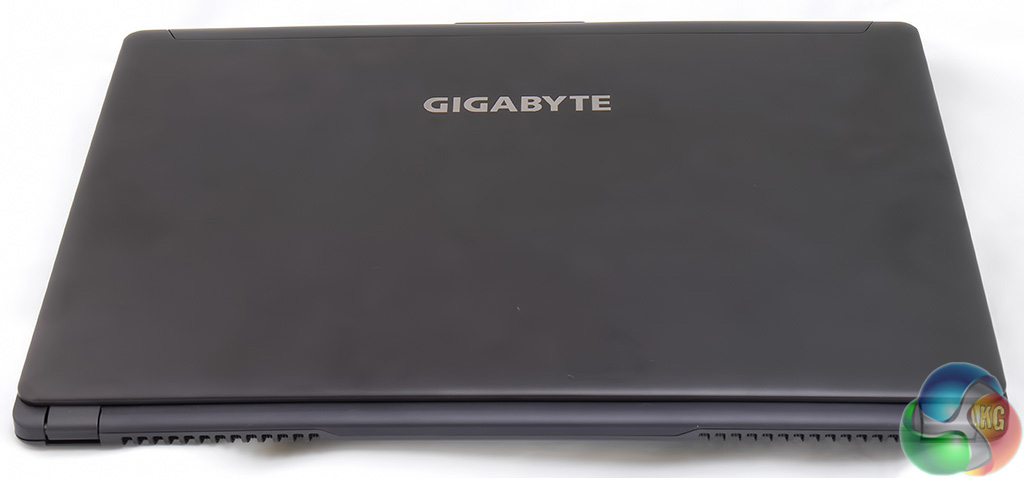
You might think that my photos of the Gigabyte P35K leave something to be desired as they don't show the colour of the laptop too clearly, however there is an explanation.
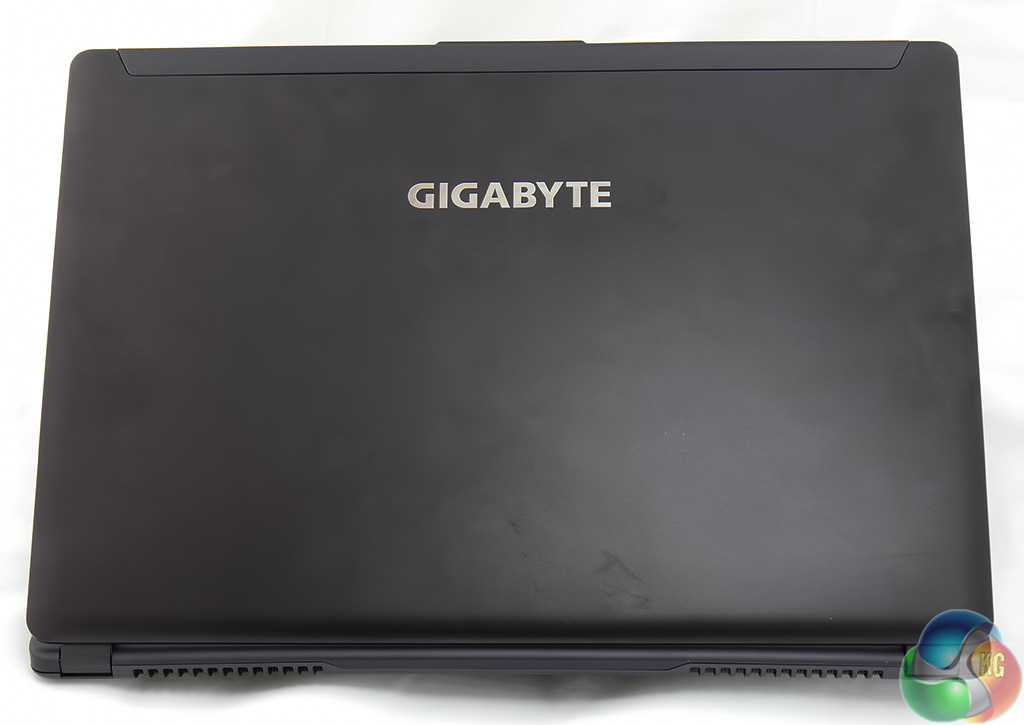
Gigabyte has used some sort of blasting process on the aluminium chassis with the result that the colour changes depending on the light. Hold it one way and it is grey; tilt it another and it is almost purple.
From a cosmetic point of view I like the P35K however the way it defies description is going to be a theme of this review. It isn't an Ultrabook but instead is an UltraBlade; it isn't the usual silver or black but neither is it purple or grey.
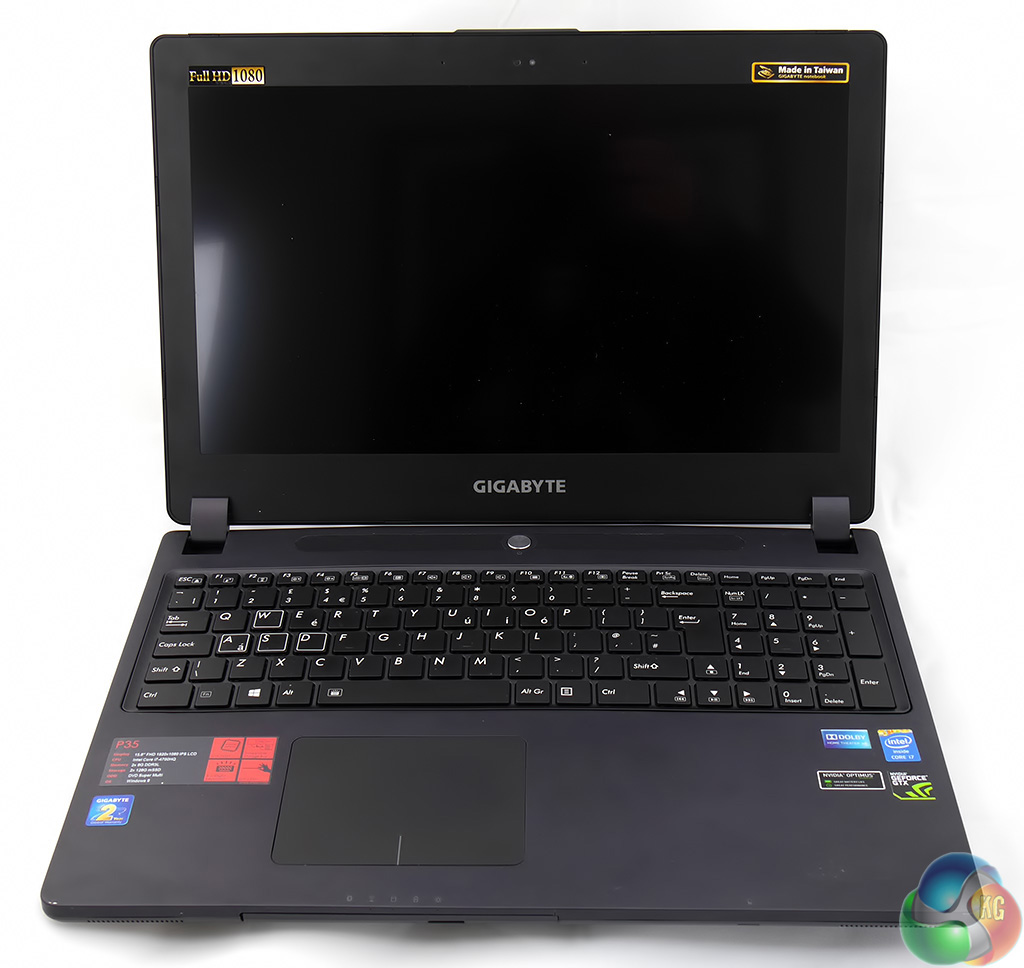
With the lid open you can see the keyboard but what you cannot tell is that the keyboard is illuminated. Hold the Fn key and toggle the Space bar and you step through off, 50 percent and full lighting.
The other thing you might not spot at first glance is that the mouse and touch pad use an all-in-one design. I expected that the touch pad on a high end laptop would be multi touch however this is not the case with the P35K.
The design of the touch pad means you can use the whole area to navigate web pages and click on the corners of the pad as mouse buttons. This means that Gigabyte has been able to shoehorn a large touch pad and pair of mouse buttons into a smaller area than you might expect.
The problem, I found, is that the tap to click function doesn't work well and when you click the mouse buttons you can find your finger tip sliding and you end up selecting the wrong item.
I quickly got in the habit of tapping the touch pad once to highlight an icon or option and then hitting the Enter key on the keyboard to open whatever it was that wanted to open. This was horribly frustrating and means that it is pretty much essential to use a USB mouse with this laptop.
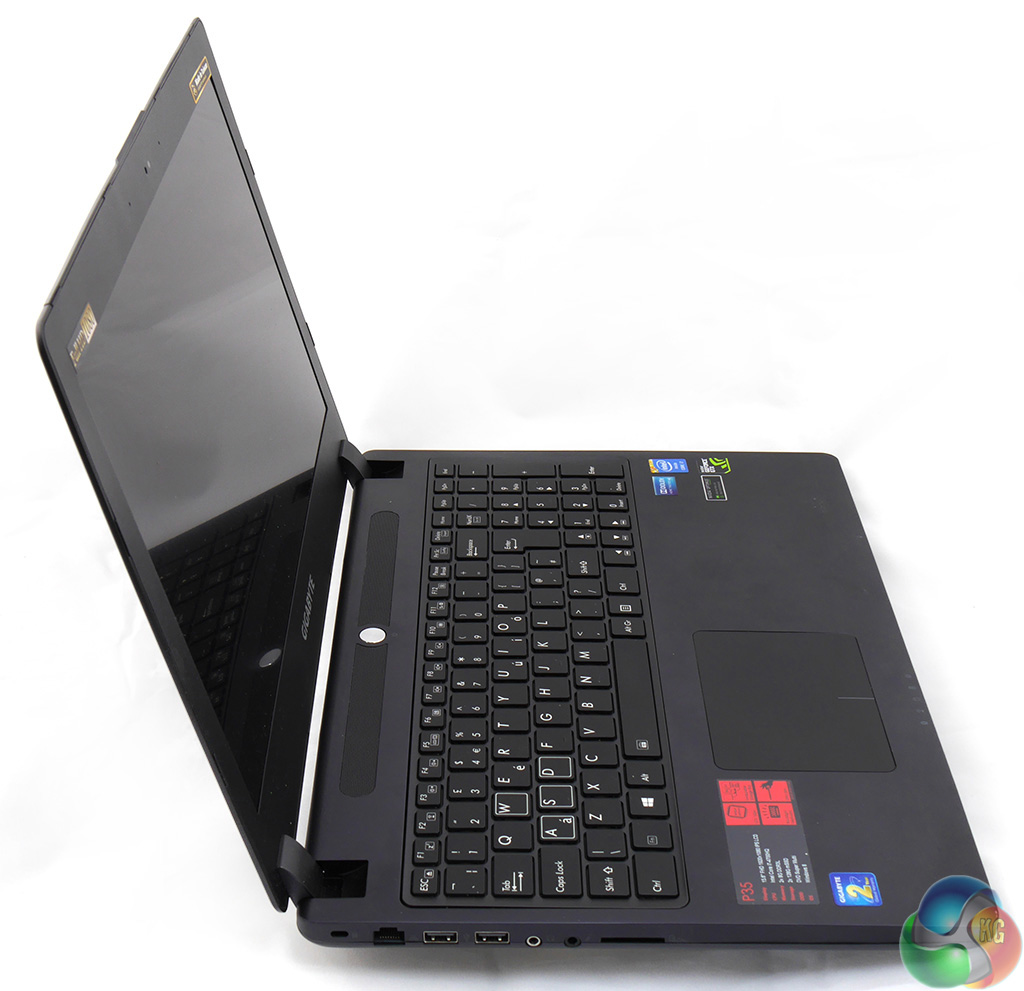
On the left side of the chassis there are two USB 2.0 ports, the Ethernet socket, a pair of headset jacks and an SD card reader.
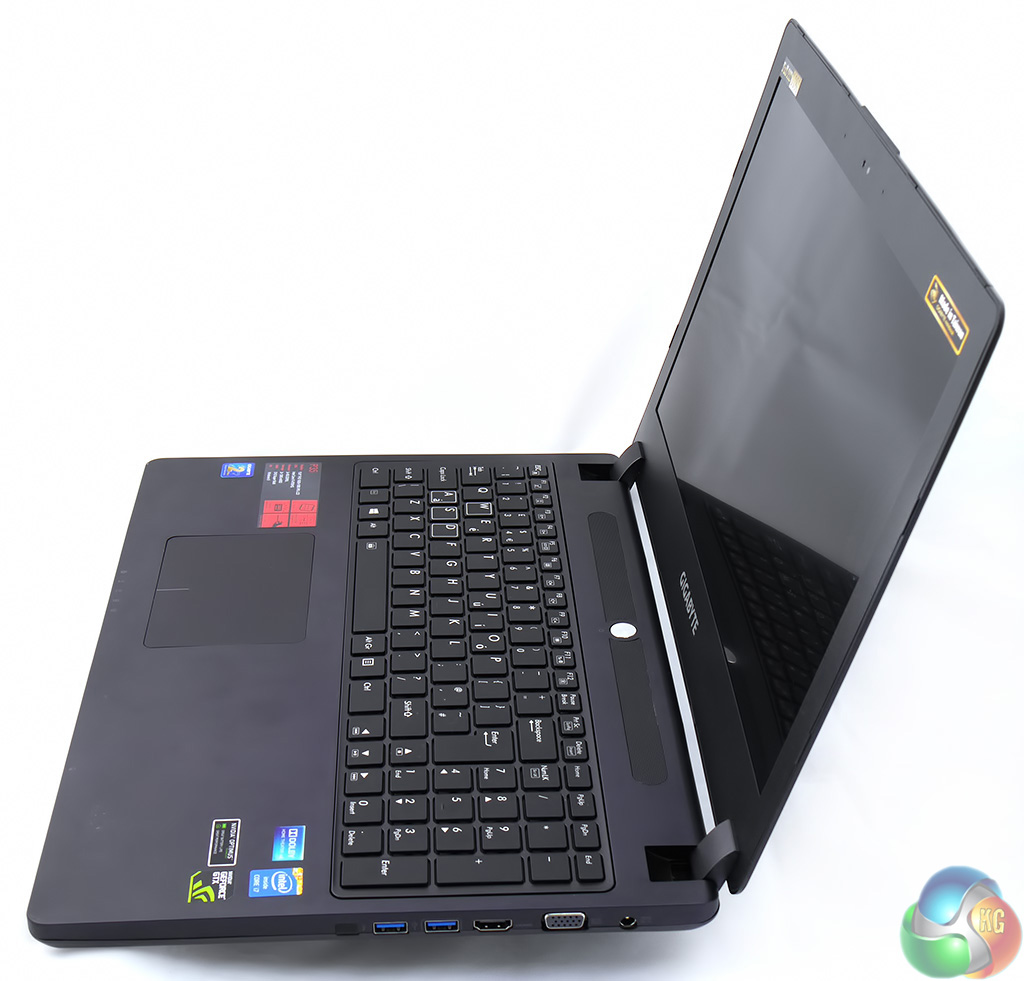
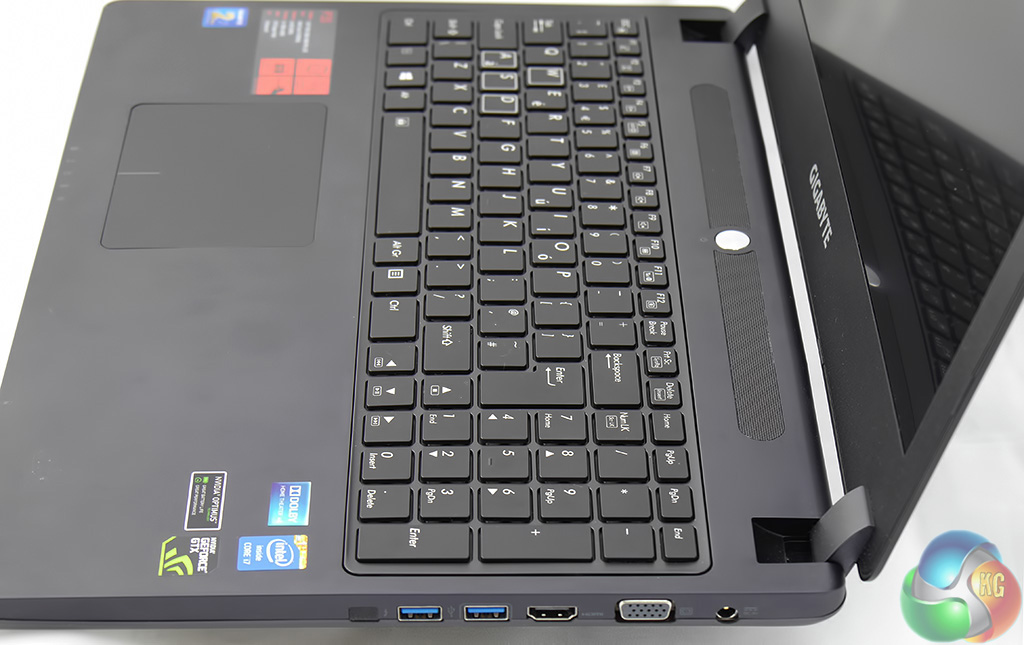
And over on the right you'll find two USB 3.0, HDMI, VGA and the power jack.
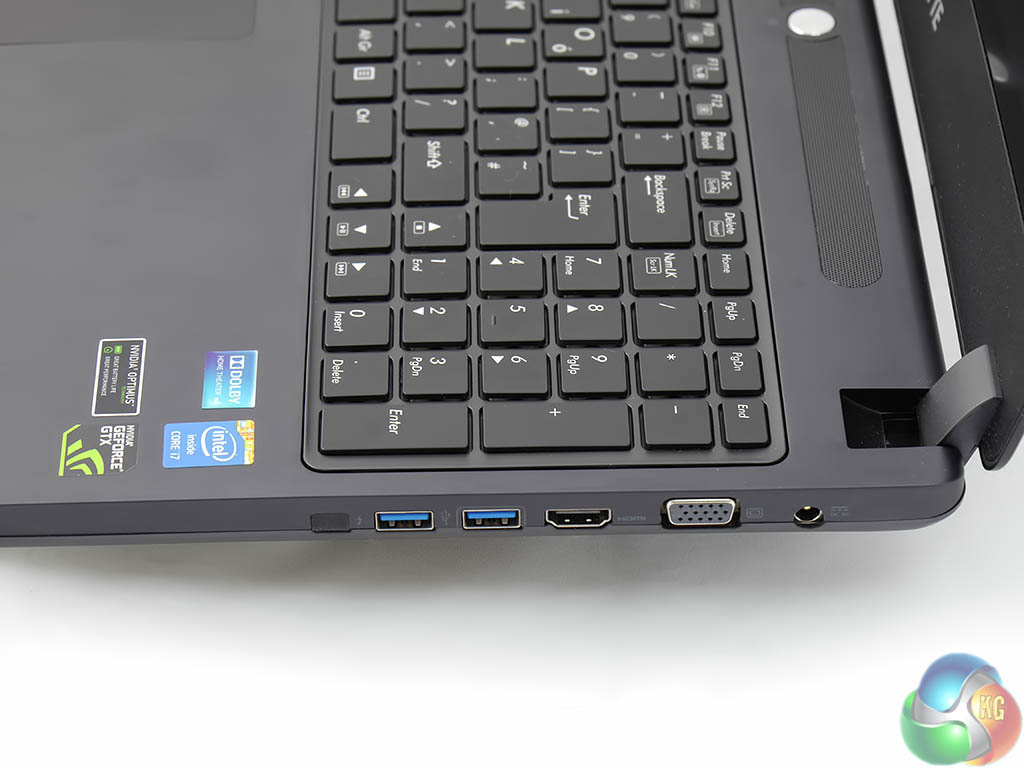
Next to the USB 3.0 there is a blanked off Thunderbolt port which is supposed to be an option is some markets – however in the UK there appears to be just the one specification (or SKU) for this laptop.
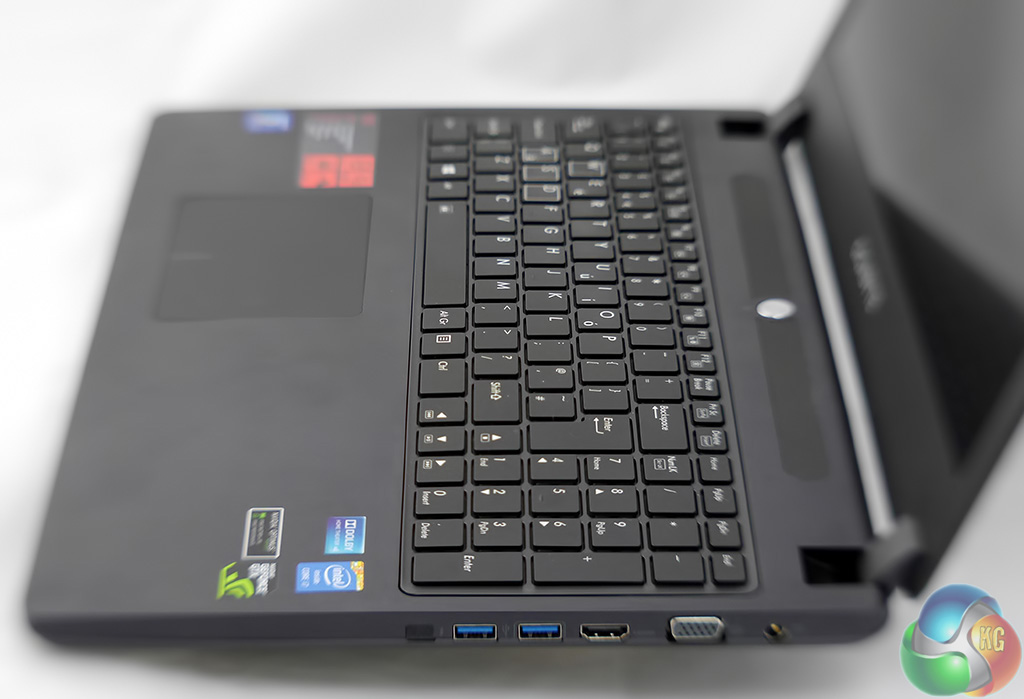
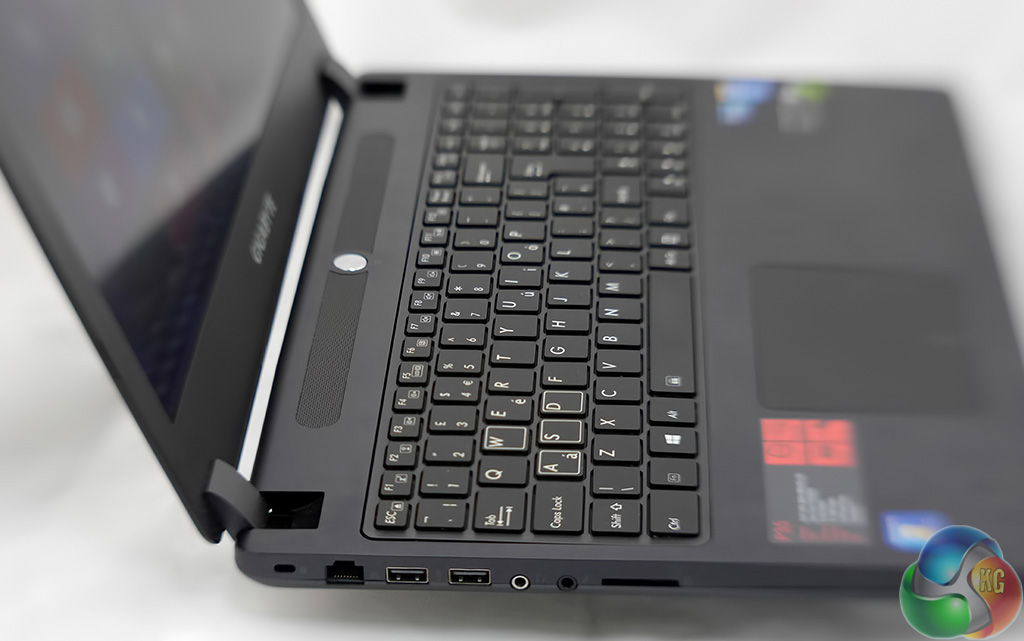
Admire the arty defocussed photos of the keyboard. Do you know how tough it can be to make a laptop look interesting?
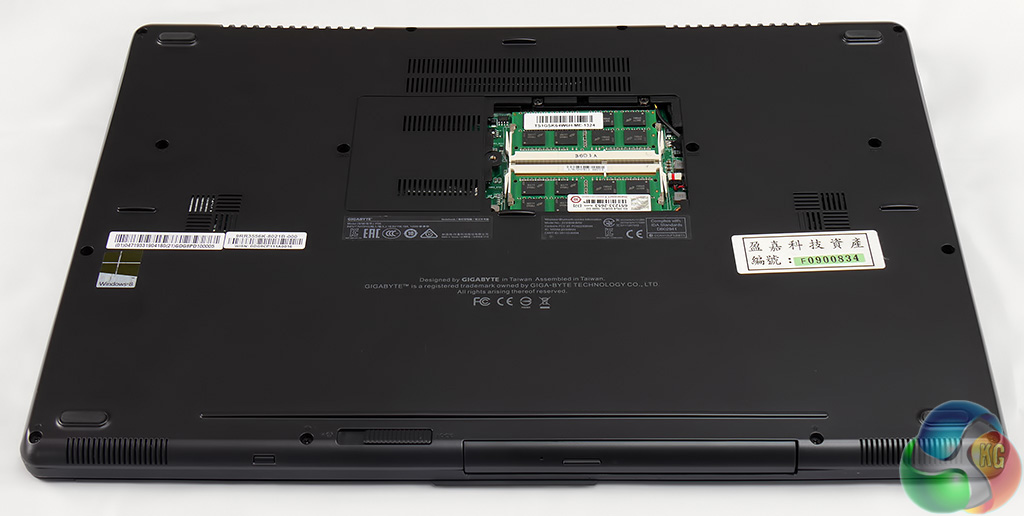
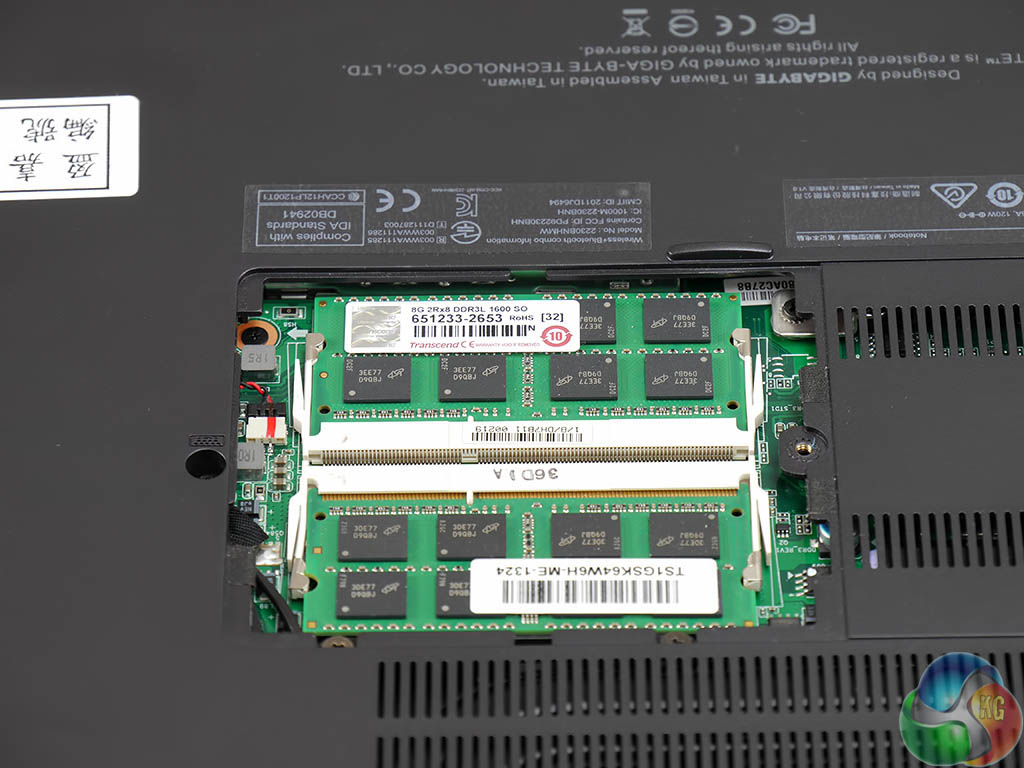
On the underside of the P35K there is a cover that gives access to the memory. Remove the cover and you see two modules of DDR3L-1600 that total 16GB, which happens to be the maximum amount you can install in the P35K.
In other words there is no obvious reason for you to look at the RAM but as it happens the memory isn't the most interesting thing in this photo.
If you look back at the previous pictures you'll see there are no cooling vents in the chassis. The only vents are on the underside of the P35K where two heatpipes connect the heatsinks on the CPU and GPU while most of the action takes place at the back of the laptop where the fans expel the hot air.
When I sat with the Gigabyte on my lap the exhaust vents caused me no problems but I have my doubts about how this laptop might fare in the hands of a typical teenager who plonks it on their bed as I am fairly sure the bedding would block the vents completely.
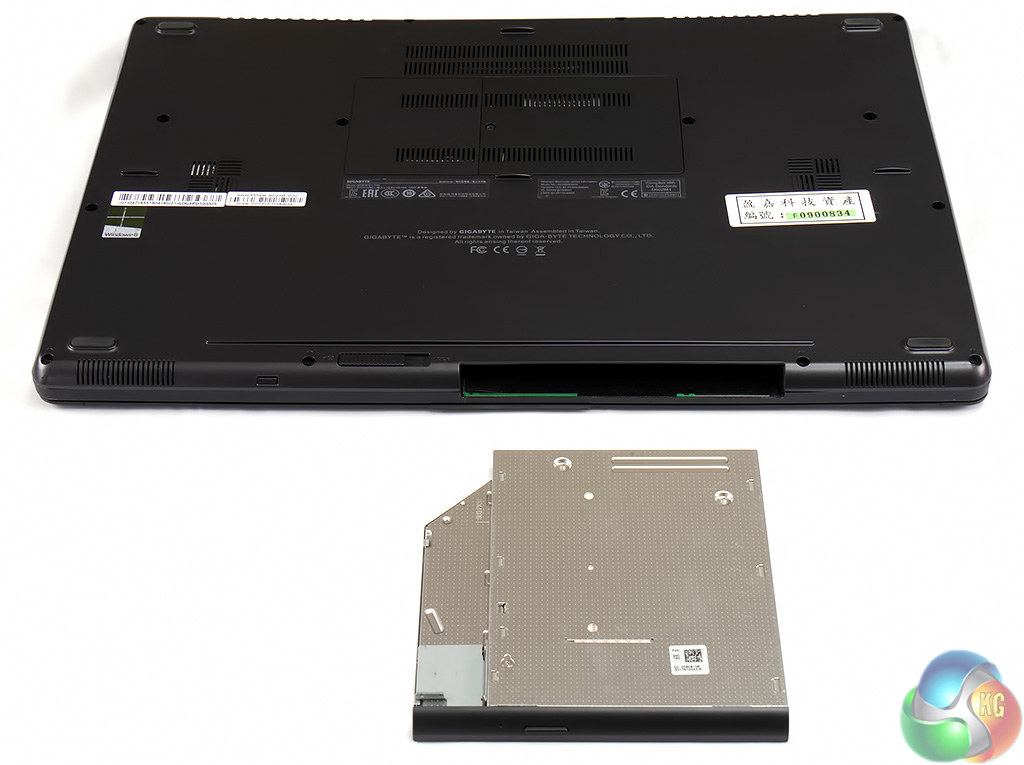
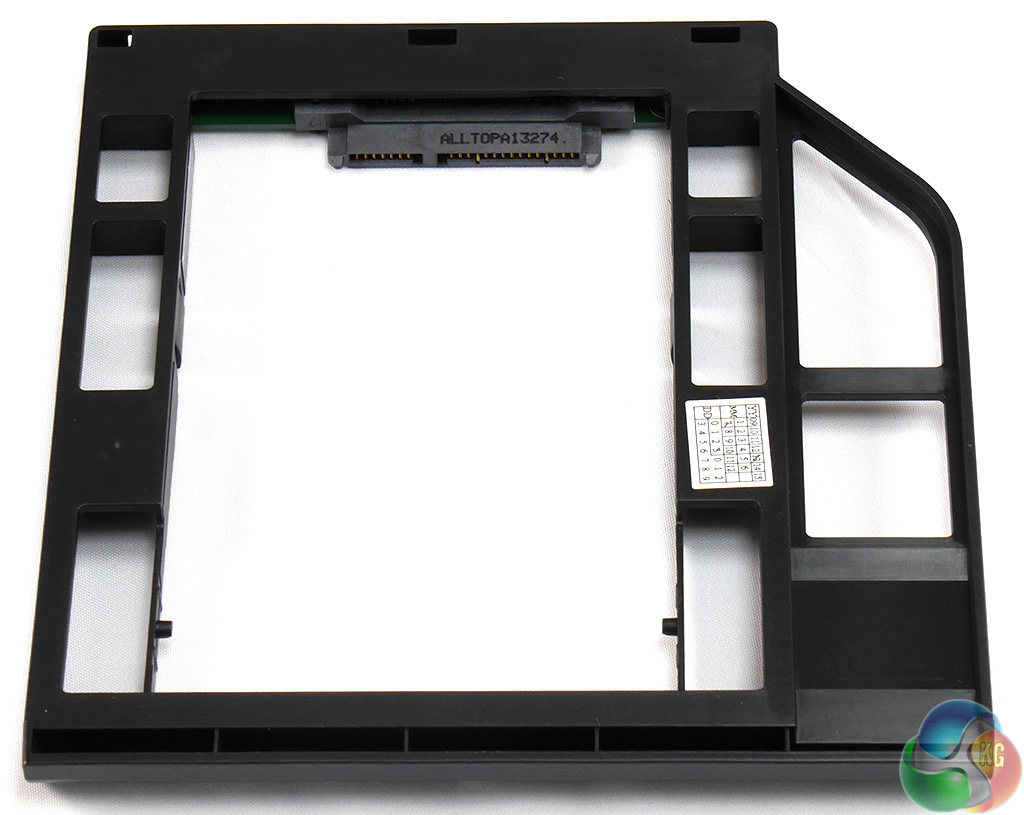
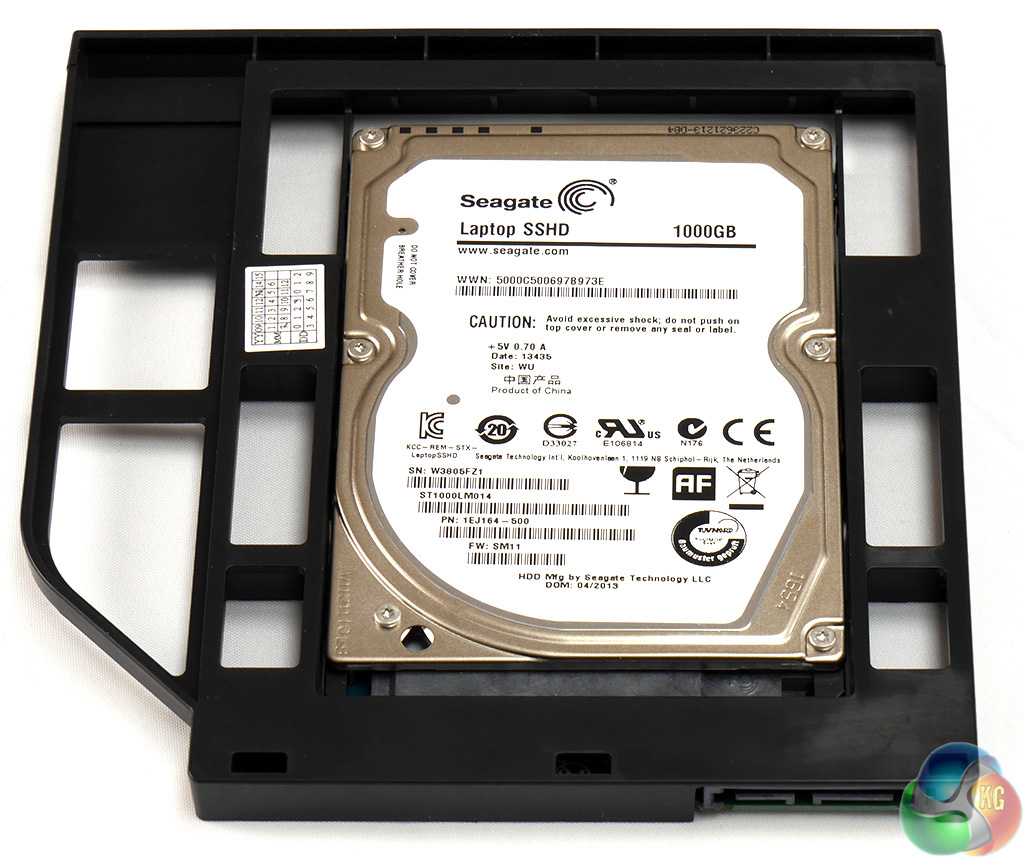
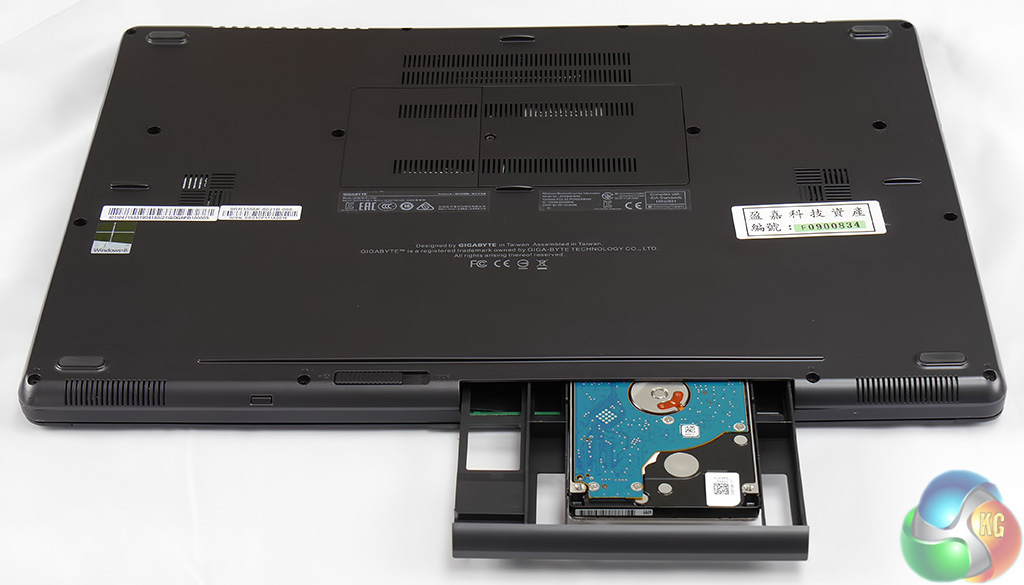
The optical drive bay is part of a quad storage system used by Gigabyte. The main Windows drive is two mSSD in RAID 0 and in addition you get a 2.5-inch storage HDD and an optical drive in the centre of the front of the chassis which is a total of four drives.
The optical drive can be removed from the chassis after you release a catch and then replaced with a hard drive that sits in a drive bay adapter that is supplied with the P35K.
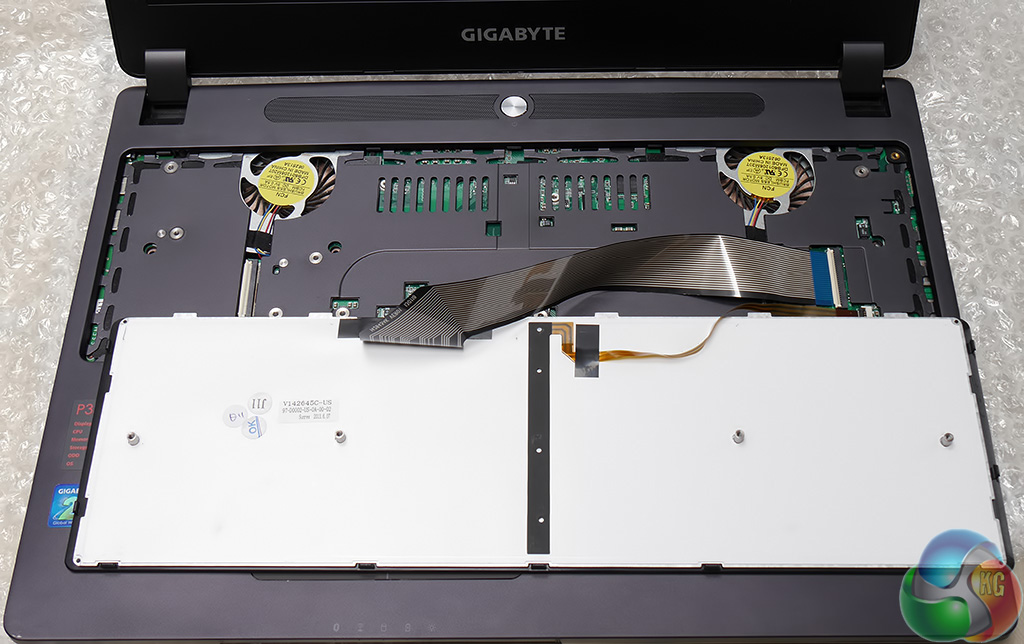
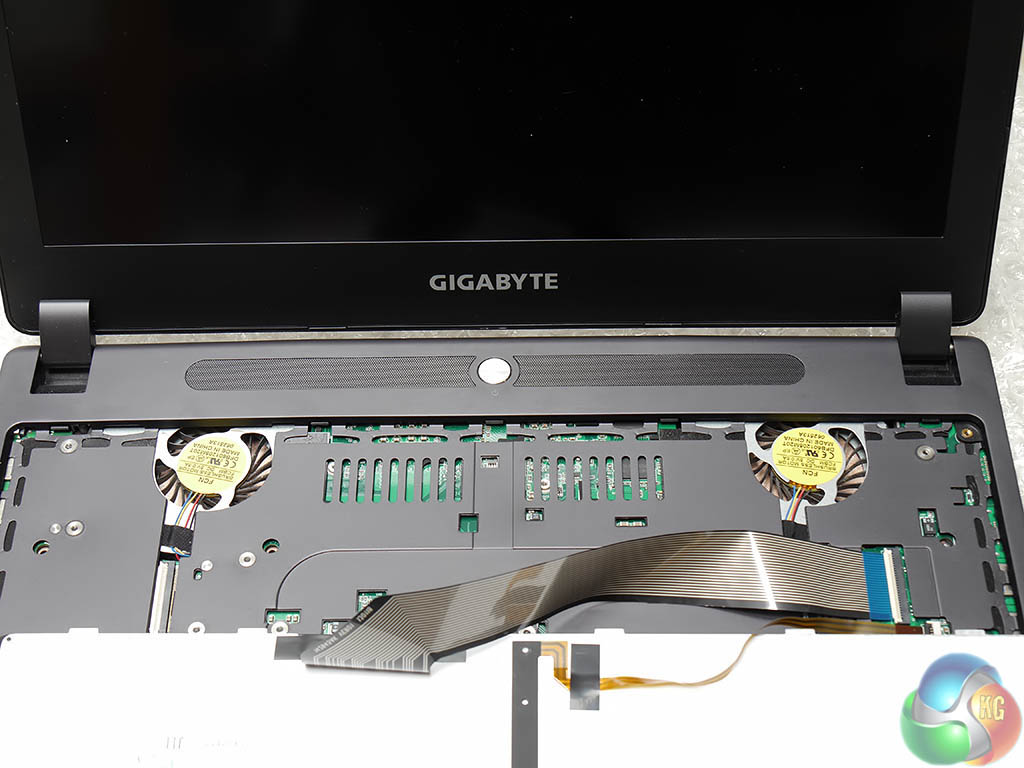
Remove four screws on the underside of the chassis and the keyboard can be lifted out to reveal the two cooling fans. The funky background in my photo is some bubble wrap that I laid under the laptop to avoid any risk of scratching or damage.
You can see the construction of the keyboard is something like a thin tray and the result is that the keys don't have much travel and the keyboard exhibits a certain amount of flex. The electrical connector in the centre of the keyboard is surely for the LEDs that provide the back light.
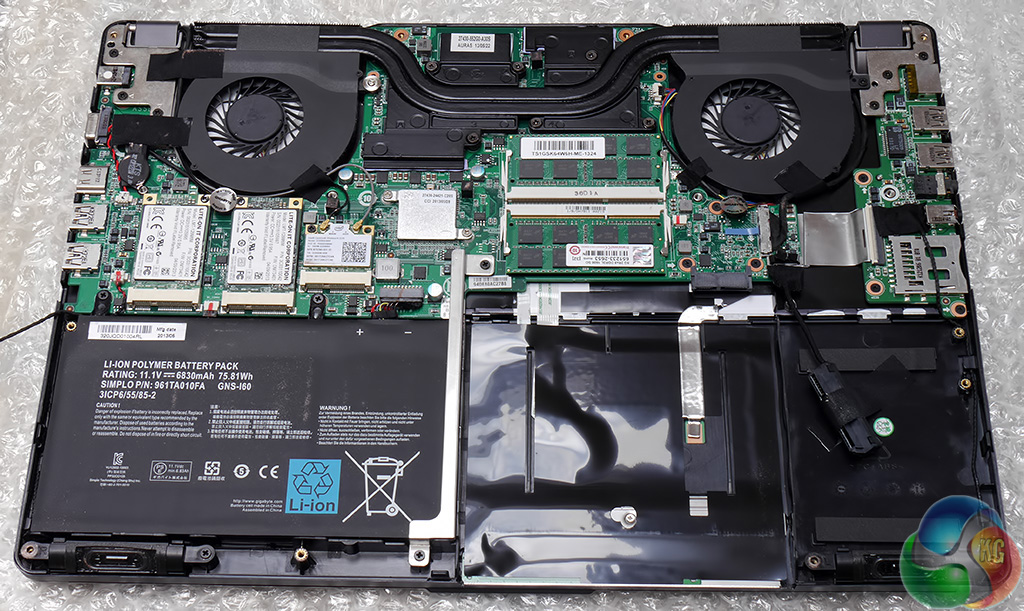
Remove ten more screws and the bottom of the chassis pops open to reveal the innards of the P35K. You'll note the laptop is upside down in the photo so the battery actually lives on the right hand side and the storage drive goes on the left.
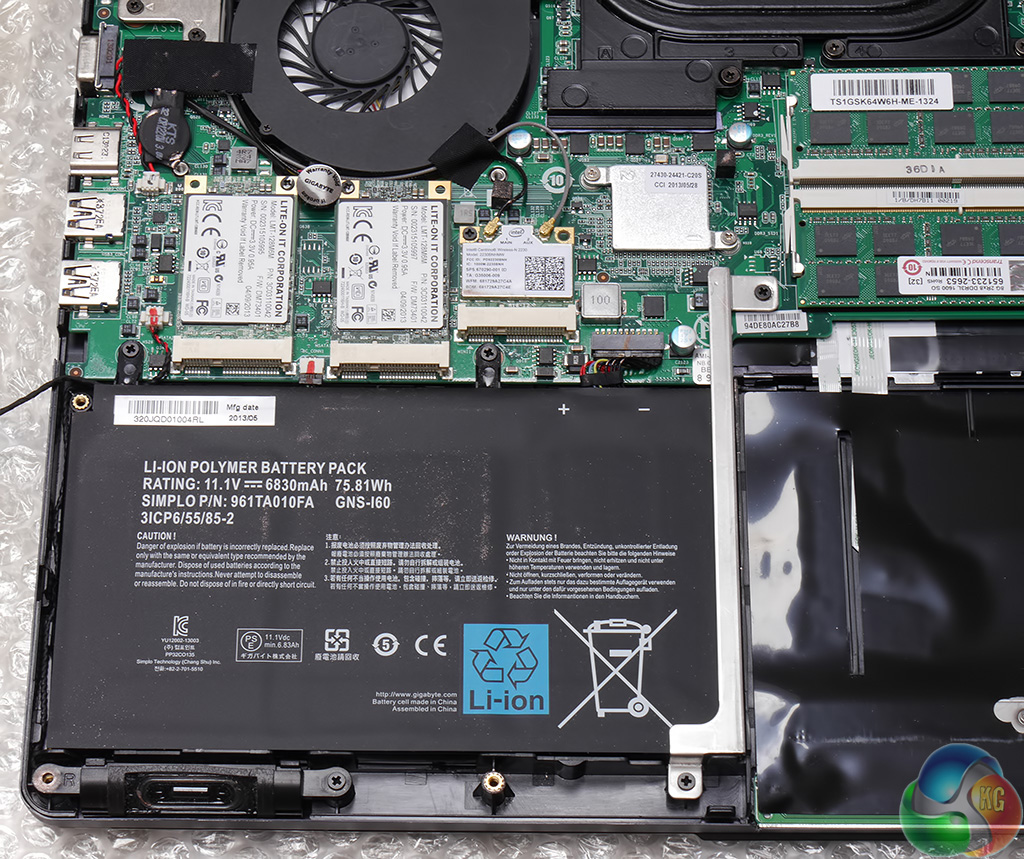
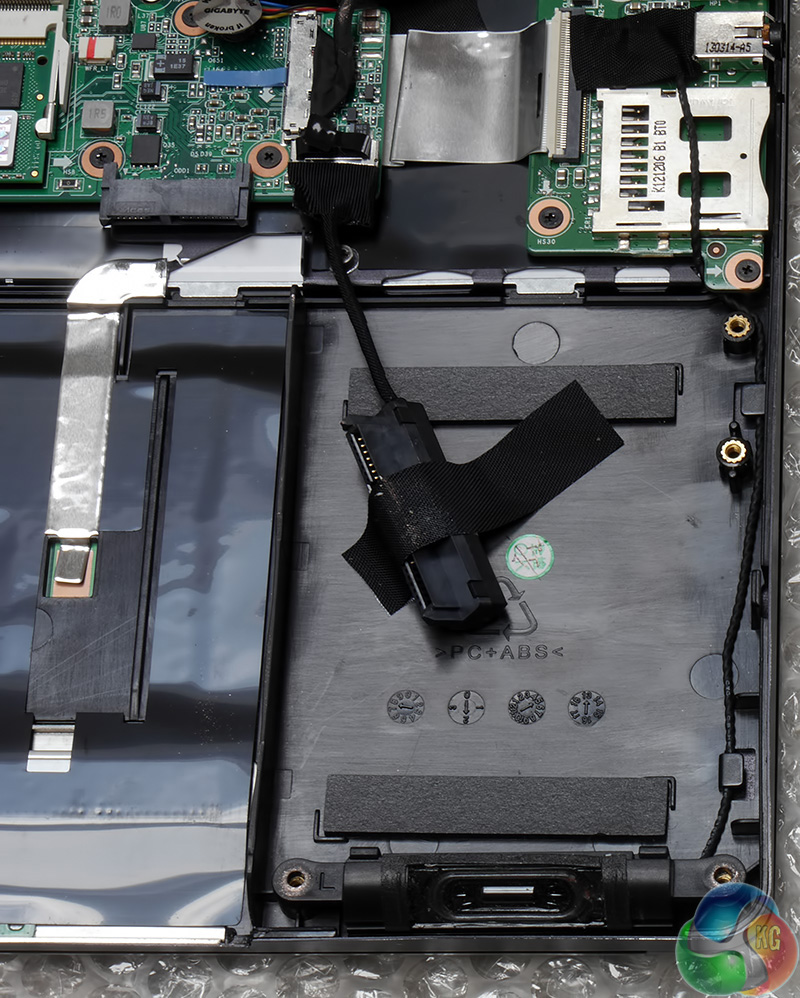
For some reason my sample of P35K didn't come with a storage HDD so I had to make do with 217GB of formatted capacity from the RAID 0 SSD array.

The two Lite-On mSATA SSDs that form the RAID array are located behind the battery and take up a vanishingly small amount of space.
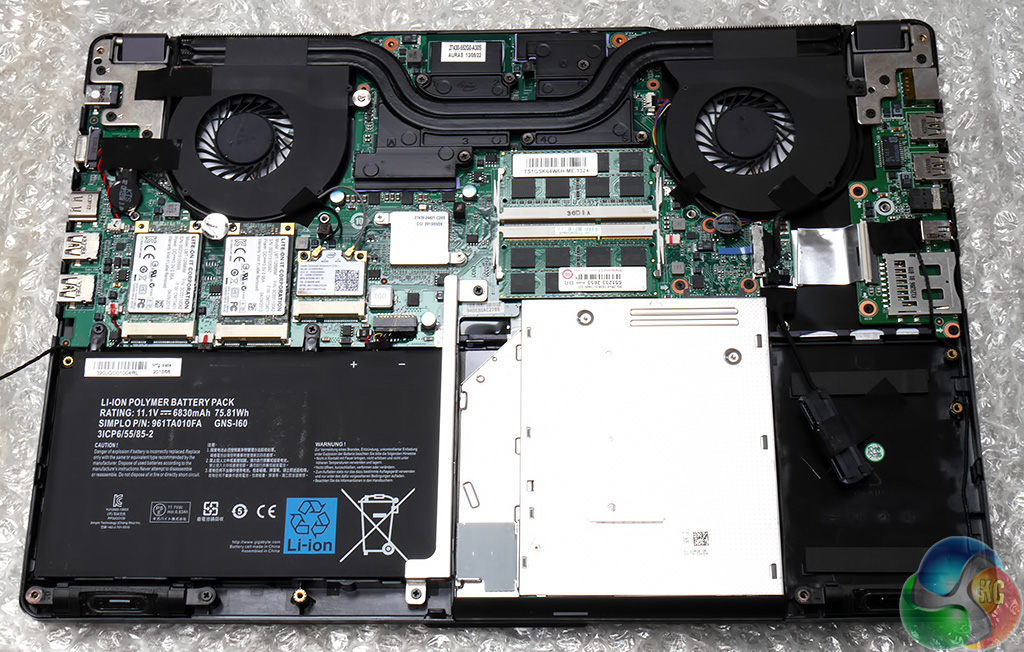
In this photo I have slipped the DVD drive into place, which might be a bad idea as the steel casing of the drive is very bright and shiny.
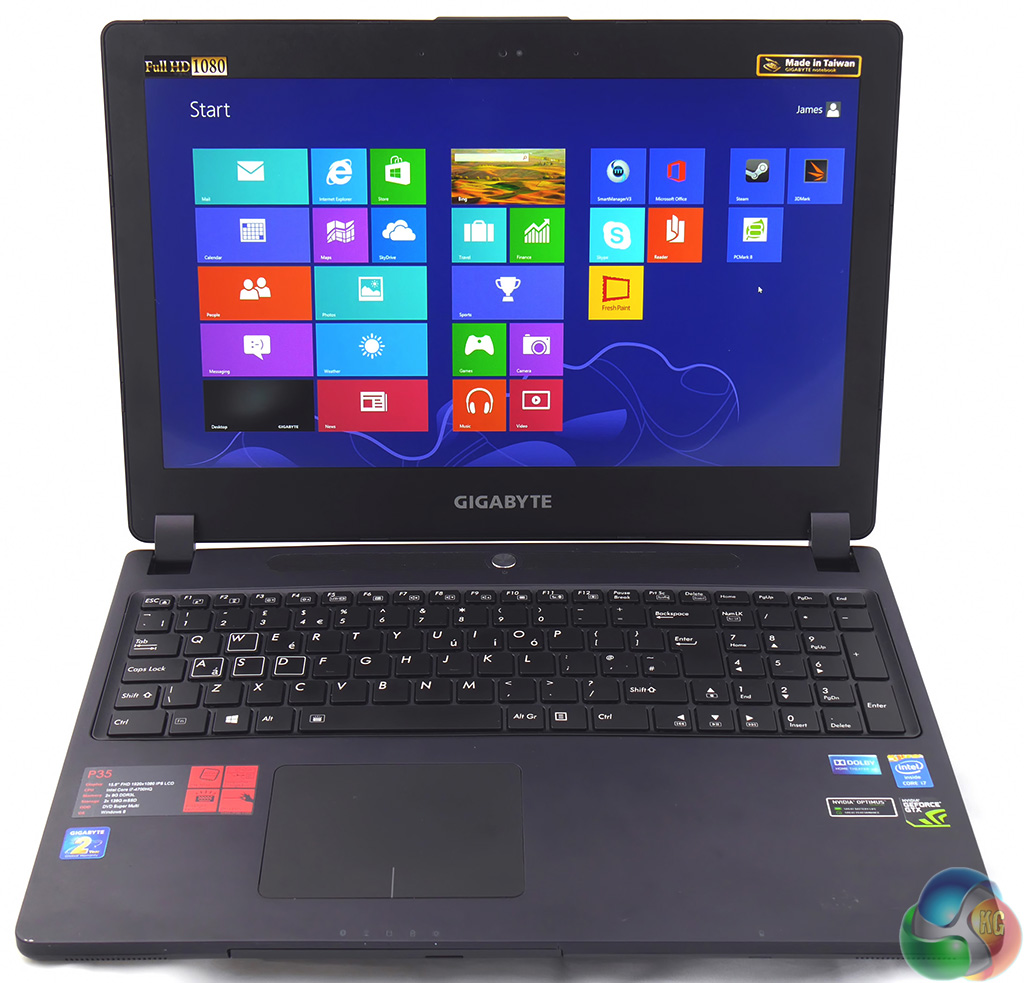
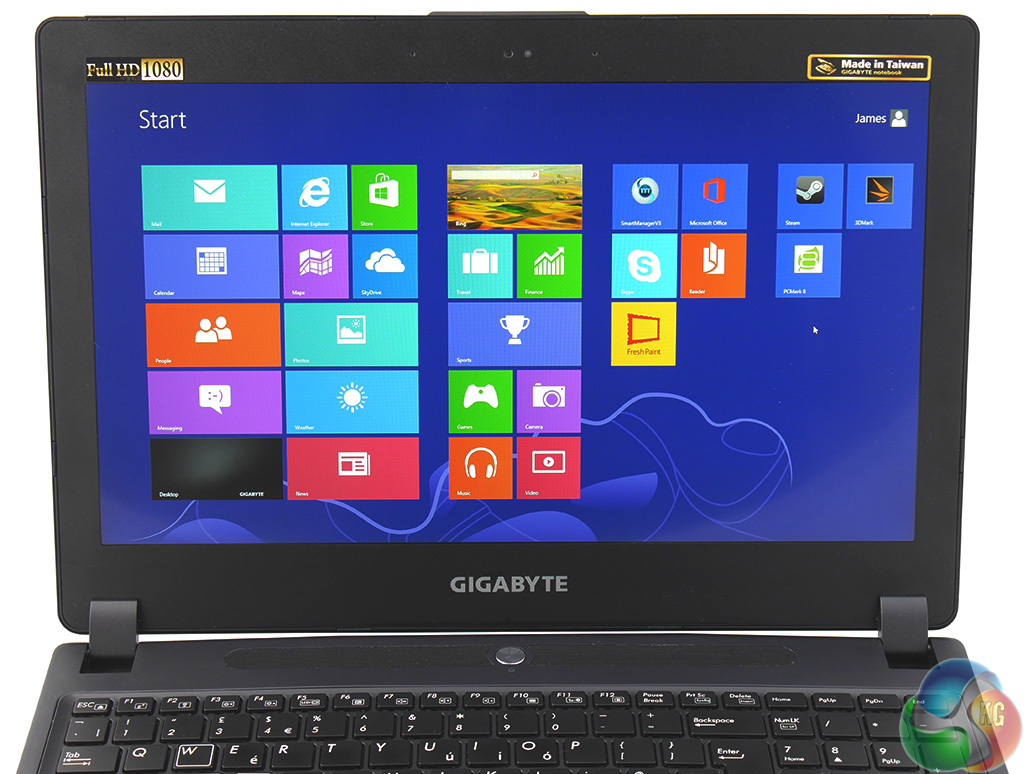
Personally speaking I am not a fan of Windows 8 but I have to say the visual impact of the Metro desktop is quite striking on the Full HD IPS screen which is bright and colourful. The screen is slightly shiny but achieves a good balance between a mirror-like glossy screen and a matte coating. I like the screen very much and was impressed by the brightness, colour and high viewing angle.
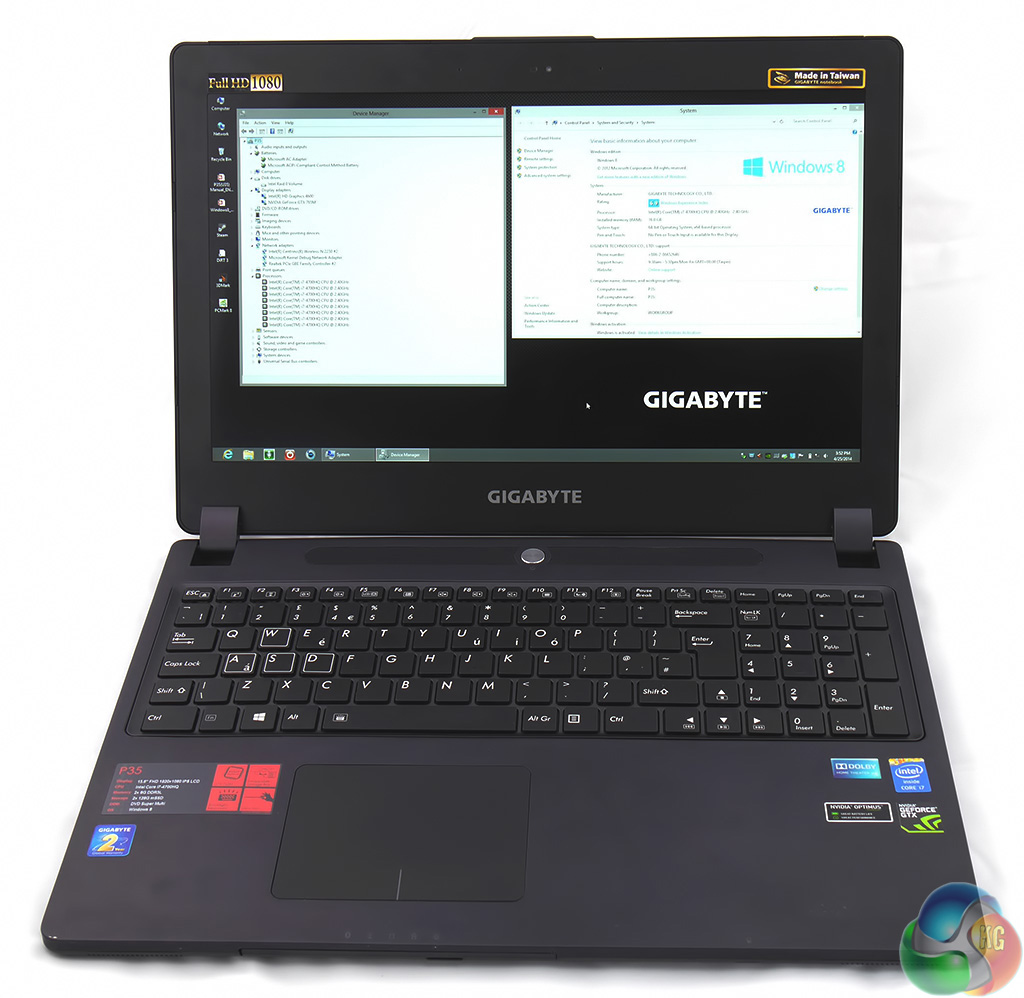
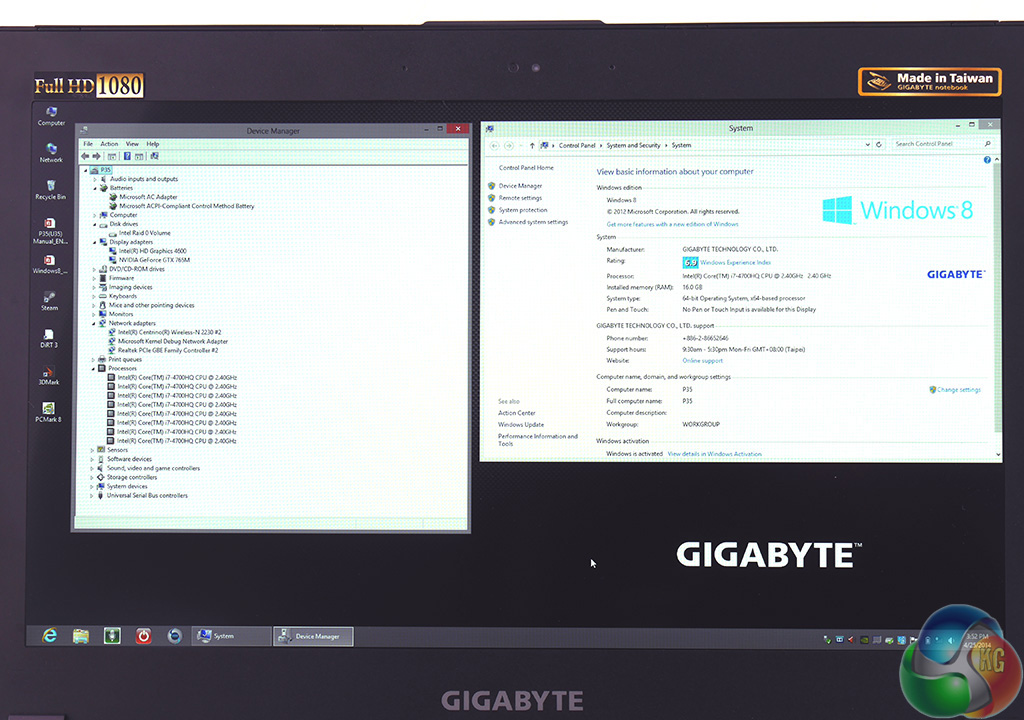
Switching to the traditional Windows desktop (which I prefer to Metro) made the Gigabyte look dull and boring. The icons were absurdly small but before I could resize them I was prompted to update to Windows 8.1 so I clicked the button and sat back to wait for 20 or 30 minutes.
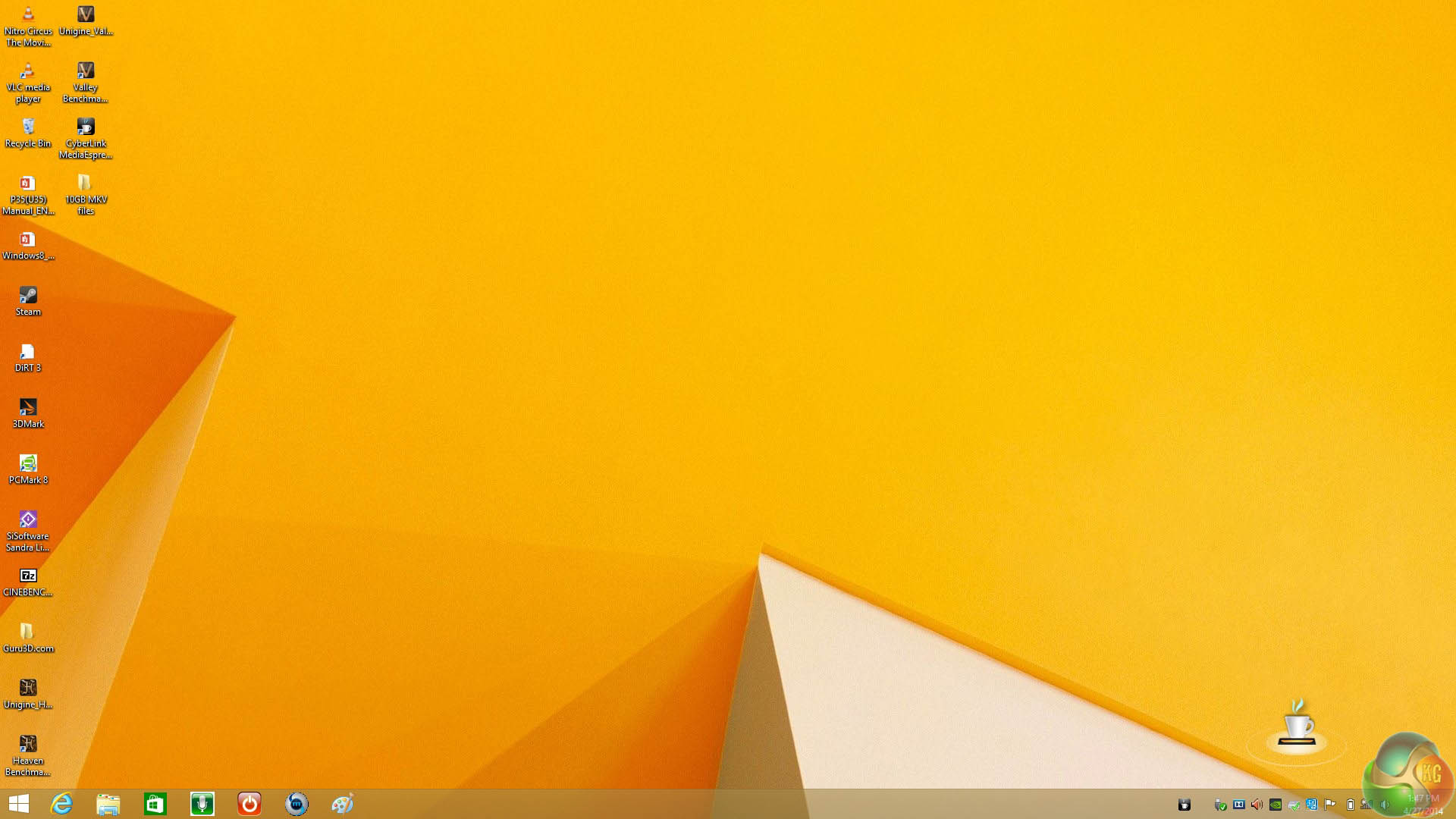

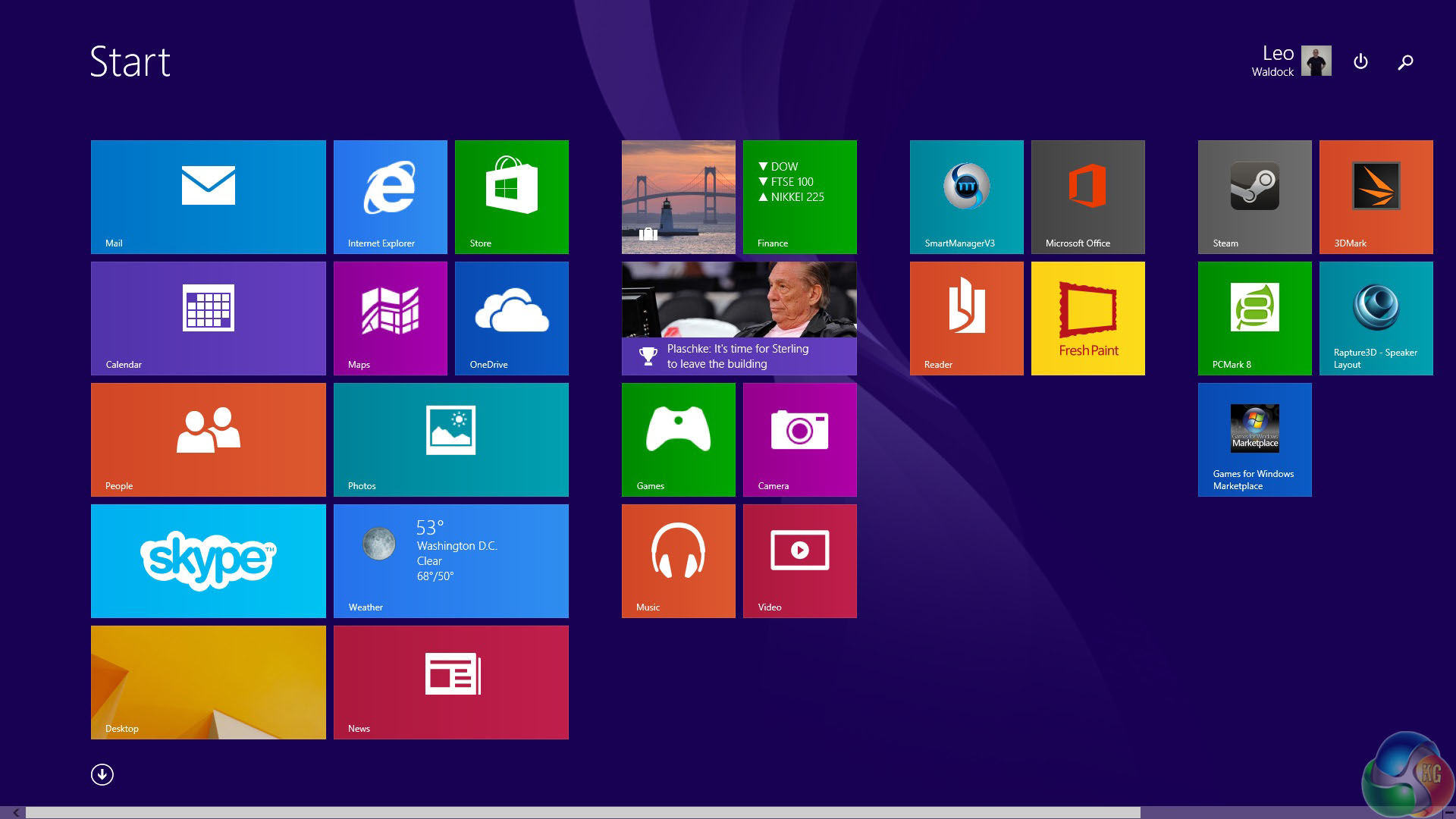
After the update from Windows 8 to 8.1 was complete I was pleased to see the Windows logo had made an appearance at the bottom left of the screen and once I had resized the icons I found the Gigabyte was very usable and close to becoming a decent laptop, although the touch pad and mouse still caused me anguish.
What you're not seeing here is the hour or two that I wasted as Windows 8.1 broke the graphics drivers and made it impossible to play games.
My first step was to head to Nvidia's website to update the graphics drivers, however the installation failed with an error message. Next I visited the Gigabyte website to update chipset, Intel Management Engine, audio and network drivers, although I stayed away from Intel RST as I didn't fancy messing with a RAID 0 array.
After that I updated the BIOS from version 08 to 09 and then I installed fresh graphics drivers and finally all was well. In all my born days I have never had to go through such an involved process to make a current model of laptop behave itself.
Comparison Systems (for specific synthetic test compares):
Dead Silence Kaveri Gaming BattleRig:
Processor: AMD 7850K Quad 3.7Ghz R7 GFX
Cooler: STD CPU Cooler (Supplied)
Mainboard: ASUS A88XMPLUS FM2+ Chipset
Memory: 8GB ADATA XPG 2133Mhz
Video: AMD Radeon HD R7 APU 3D GFX
HDD: 1TB Seagate 7200RPM – 64Mb
PSU: 500w Cooler Master B500 Power Supply
Optical: 24X Samsung DVD-RW Drive
OS: Microsoft Windows 8.1 64Bit
Mesh Elite Mini Gamer Plus:
Power Supply: 750W Cooler Master GX RS-750, 85% Eff’, 80 PLUS Bronze, SLI/CrossFire.
Motherboard: MSI Z87I WIFI – Mini-ITX Motherboard Socket 1150.
Processor: i7-4770K Quad Core Processor (3.5GHz, 8MB Cache) @ 4.2ghz.
Memory: 16GB DDR3 1866MHz Memory (2x8GB) Kit.
Graphics: 4GB AMD Radeon™ R9 290 – 4GD5 Gaming Series Graphics.
SSD: 240GB SSD – Solid State Drive.
HDD: 2TB SATA III 6Gb/s, 7200rpm, 64MB Cache, 8ms Hard Drive.
PCSpecialist Vanquish 230X:
Processor: Intel Core i5-4670K @ 4.2GHz
Memory: 16GB Kingston HyperX BEAST @ 2400MHz
Motherboard: ASUS Z87-A Motherboard
SSD: 120GB Kingston HyperX 3K SSD
HDD: 1TB SATA III 6Gb/s HDD
Graphics: 3GB AMD Radeon 280X Graphics
Cooler: CoolerMaster Seidon 120M Liquid Cooler
Power Supply: Corsair TX650M Modular PSU
Intel E5 2687W x 2
Motherboard: Asus Z9 PE-D8 WS
Coolers: Corsair H80 x2
Memory: 64GB Kingston Predator 1,600mhz 9-9-9-24 1T
Graphics Card: Sapphire HD7970 6GB Toxic Edition (1,200mhz core 1,600mhz memory).
Power Supply: Seasonic 1000W Platinum Modular
Optical Drive: Asus BluRay Drive
Chassis: Lian Li X2000FN
Monitors: Dell U3011, 3x Ilyama ProLite E2472HDD
Boot Drive: Corsair 240GB Neutron GTX SSD
Secondary Drive: Corsair 240GB Neutron SSD
Intel E5 2660
Motherboard: Gigabyte X79S-UP5-WIFI
Cooler: Corsair H100
Memory: 16GB G.Skill ARES 2,133mhz @ 9-11-10-28
Graphics Card: Sapphire HD7970 6GB Toxic Edition (1,200mhz core 1,600mhz memory).
Power Supply: Corsair AX1200
Optical Drive: Asus BluRay Drive
Chassis: Lian Li X2000a
Boot Drive: Intel 510 120GB
Secondary Drive: Patriot 240GB WildFire
Intel i7 3960X EE
Motherboard: Asus P9X79 WS WorkStation
Cooler: Corsair H100
Memory: 8GB Corsair Dominator GT8 2400mhz memory
Graphics Card: Sapphire HD7970 6GB Toxic Edition (1,200mhz core 1,600mhz memory).
Power Supply: ADATA 1200W
Optical Drive: Asus BluRay Drive
Chassis: Cooler Master Cosmos 2
Boot Drive: Crucial C300 128GB SSD
Secondary Drive: Patriot 240GB Pyro SE
Intel i7 3820
Motherboard: ASRock Extreme4-M
Cooler: Intel reference cooler
Memory: 8GB Corsair GTX8 @ 2133mhz
Power Supply: ADATA 1200W
Chassis: Lian Li PC60
Boot Drive: Crucial C300
Secondary Drive: Patriot Pyro SE 240GB
Intel i5 3570K @ 4.2 – OCUK Prodigy Arctic Gaming System
Motherboard: ASRock Z77E-ITX Intel Z77
Cooler: Coolit Liquid
Memory: Corsair Vengeance White 8GB (2x4GB) DDR3 PC3-12800C9 1600MHz Dual Channel Kit
Power Supply: OCZ ZS 750W PSU
Chassis: Bitfenix Prodigy Mini ITX Case – White
Boot Drive: OCZ Vertex 4 128GB
Secondary Drive: 1TB HDD
AMD FX 8150 Black Edition
Processor: AMD FX 8150 Black Edition
Motherboard: Gigabyte 990FXA-UD7
Cooler: Noctua NH D14
Memory: G-SKill Ripjaws 1600mhz 8GB (2x 4GB)
Power Supply: ADATA 1200W
Chassis: SilverStone Raven 3
Boot Drive: Intel 40GB SSD
Secondary Drive: Patriot 120GB WildFire
Intel Core i7 990X
Processor: Intel Core i7 990x
Cooler: Corsair H100
Motherboard: Gigabyte G1 Assassin
Memory: Kingston HyperX 6GB
Drives: Crucial RealSSD C300 256GB
Power Supply: Corsair AX1200
Chassis: Antec Twelve Hundred
Core i7 970 @ 4.6ghz
Graphics: Sapphire HD7970 6GB Toxic Edition (1,200mhz core 1,600mhz memory).
Cooling: Coolit Vantage
Motherboard: MSI X58A-GD65
Chassis: Thermaltake Level 10 GT
Power Supply: Corsair AX1200
Memory: 6GB ADATA @ 2133mhz 9-10-9-32
Storage: Kingston SSDNow V+ 512GB Gen 2 SSD (Storage) / Crucial RealSSD C300 256GB (OS boot)
Intel Core i7 2700k
Processor: Intel Core i7 2700k
Cooling: ThermalTake Frio OCK
Motherboard: Gigabyte GA-Z68AP-D3 Z68 Motherboard
Chassis: Silverstone Raven 3.
Power Supply: Corsair 850W.
Memory: Corsair 1600mhz memory
Storage: Intel 80GB SSD (boot) / Patriot Wildfire 120GB SSD.
Intel Core i7 2600k
Processor: Intel Core i7 2600k
Motherboard: ASRock Fatal1ty Z68 Professional Gen 3
Cooler: Intel XTS-100H
Memory: ADATA 1600mhz DDR3 8GB (2x4GB)
Power Supply: Thermaltake Toughpower 850W
Boot Drive: Intel 510 SSD 250GB
Intel Core i5 2500k
Processor: Intel Core i7 2500k
Motherboard: Gigabyte GA-Z68AP-D3 Z68 Motherboard
Cooler: Arctic Cooling Freezer Xtreme Rev.2 CPU Cooler
Memory: Corsair 1600mhz memory 8GB (2x4GB)
Power Supply: Corsair 850W.
Boot Drive: Patriot Pyro 120GB SSD.
AMD Phenom II X6 1100T
Processor: AMD Phenom II X6 1100T
Motherboard: Gigabyte 990FXA-UD7
Cooler: Noctua NH D14
Memory: G-SKill Ripjaws 1600mhz 8GB (2x 4GB)
Power Supply: ADATA 1200W
Chassis: SilverStone Raven 3
Boot Drive: Intel 40GB SSD
Secondary Drive: Patriot 120GB WildFire.
Software:
PCMark8
SiSoft Sandra
3DMark
Cinebench R15
Media Espresso
Unigine Heaven
Dirt 3
Technical Monitoring and Test Equipment:
Asus USB BluRay Drive
Thermal Diodes
Raytek Laser Temp Gun 3i LSRC/MT4 Mini Temp
Extech digital sound level meter & SkyTronic DSL 2 Digital Sound Level Meter
Nikon D3X with R1C1 Kit (4 flashes), Nikon 24-70MM lens.
Game descriptions are edited with courtesy from Wikipedia.
PC Mark 8 is designed to test the performance of all types of PC, from tablets to desktops. With five separate benchmark tests plus battery life testing, PCMark 8 helps you find the devices that offer the perfect combination of efficiency and performance. PCMark 8 is the complete PC benchmark for home and business.
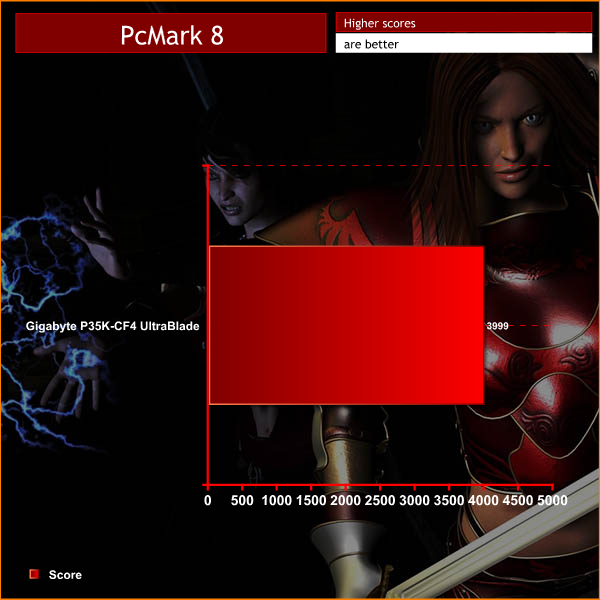
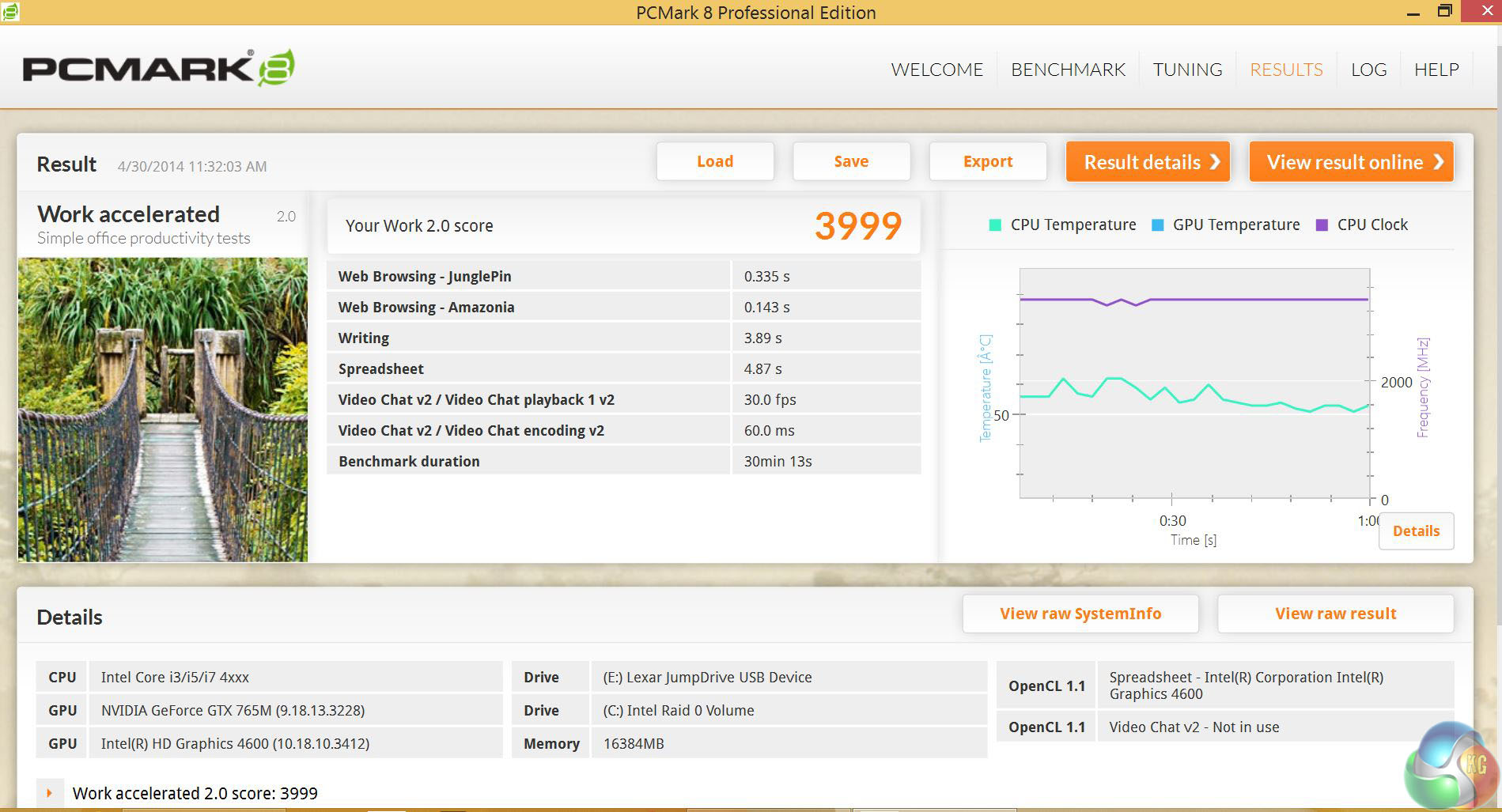
PC Mark 8 shows that the Gigabyte P35K is an impressively fast laptop. In the PCMark8 test the P35K scored 3,999 points which is a good indication of all round performance.
This was only to be expected as the Gigabyte uses a quad core Core -i7 and RAID 0 SSD array along with some decent gaming graphics. While the P35K is intended for life as a gaming laptop it will also handle daily work duties with ease.
We test memory performance with the latest version of the widely adopted SiSoft Sandra test suite.


The memory bandwidth test came in at 19.6GB/second which is a tad slower than the DinoPC Pegasus which has a very similar specification. Still these are very good results for a mobile system.
3DMark is an essential tool used by millions of gamers, hundreds of hardware review sites and many of the world’s leading manufacturers to measure PC gaming performance.
Futuremark say “Use it to test your PC’s limits and measure the impact of overclocking and tweaking your system. Search our massive results database and see how your PC compares or just admire the graphics and wonder why all PC games don’t look this good.
To get more out of your PC, put 3DMark in your PC.”
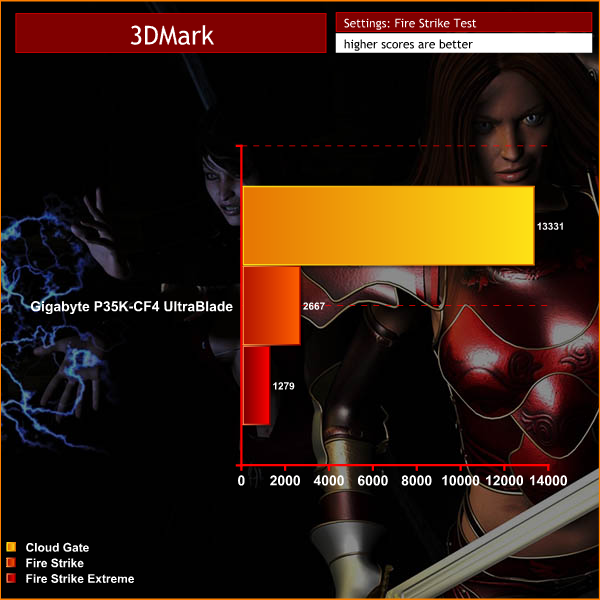
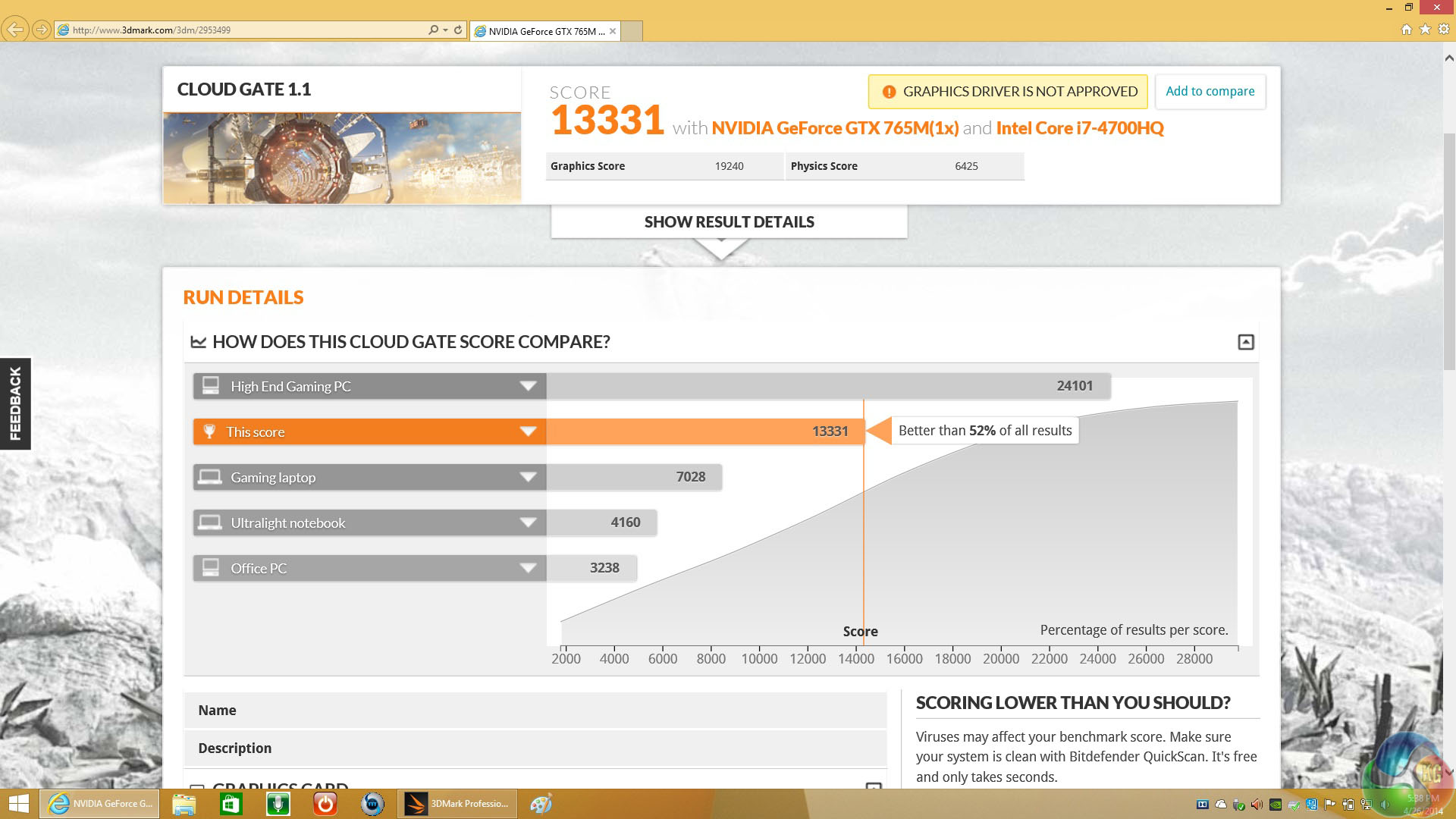

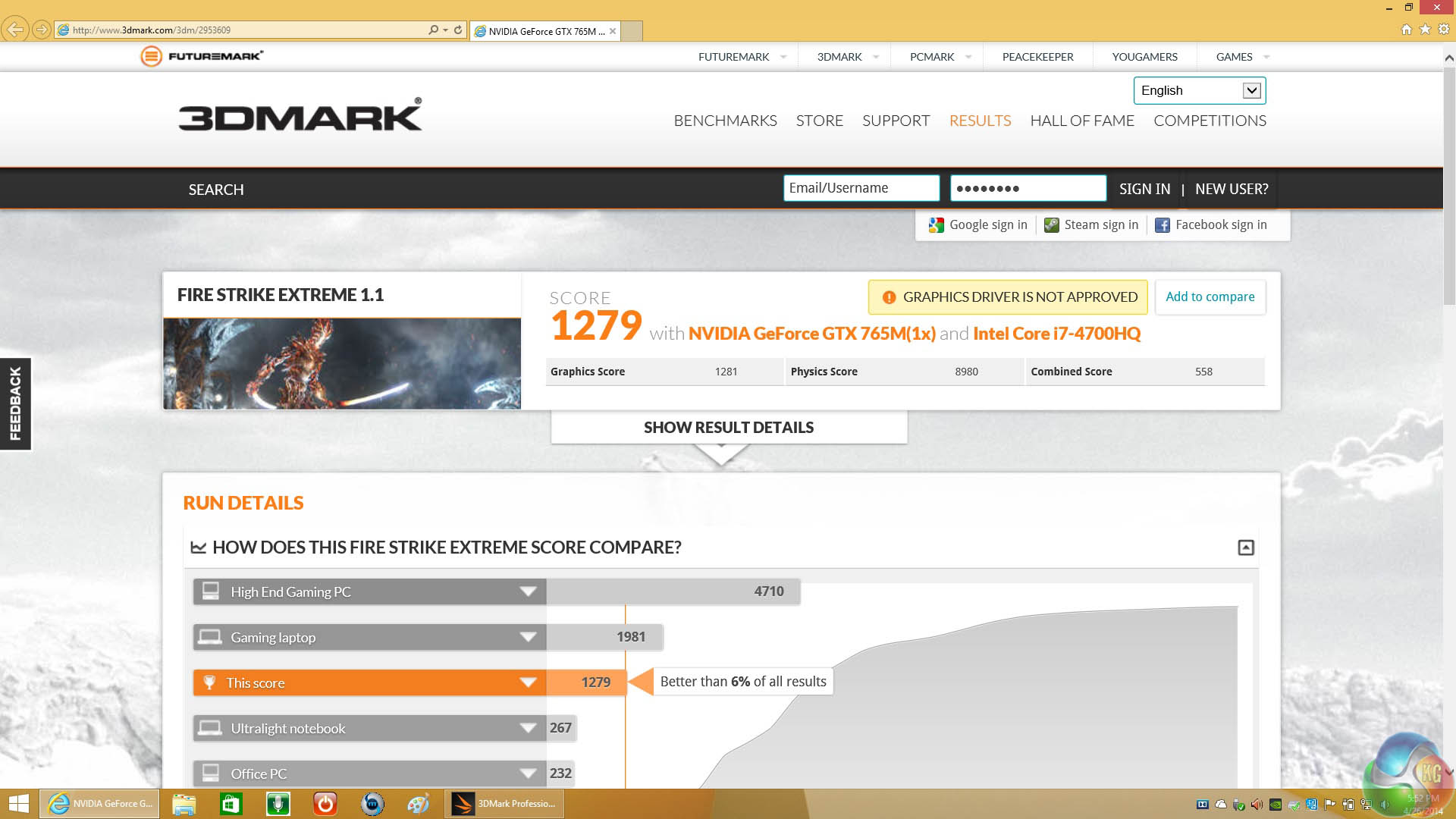
3D MARK showed the Gigabyte had slightly higher performance than the DinoPC Pegasus. This is what I expected to see as both laptops use the same Nvidia GTX 765M yet the Gigabyte has more recent drivers and a core i7 CPU rather than Core i5 which helps the Physics score along.
CINEBENCH R11.5 64 Bit is a real-world cross platform test suite that evaluates your computer’s performance capabilities. CINEBENCH is based on MAXON’s award-winning animation software CINEMA 4D, which is used extensively by studios and production houses worldwide for 3D content creation. MAXON software has been used in blockbuster movies such as Spider-Man, Star Wars, The Chronicles of Narnia and many more. CINEBENCH is the perfect tool to compare CPU and graphics performance across various systems and platforms (Windows and Mac OS X). And best of all: It’s completely free.
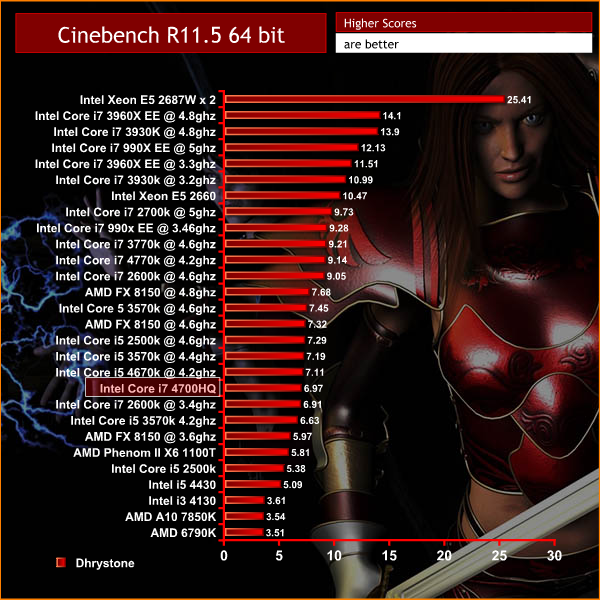
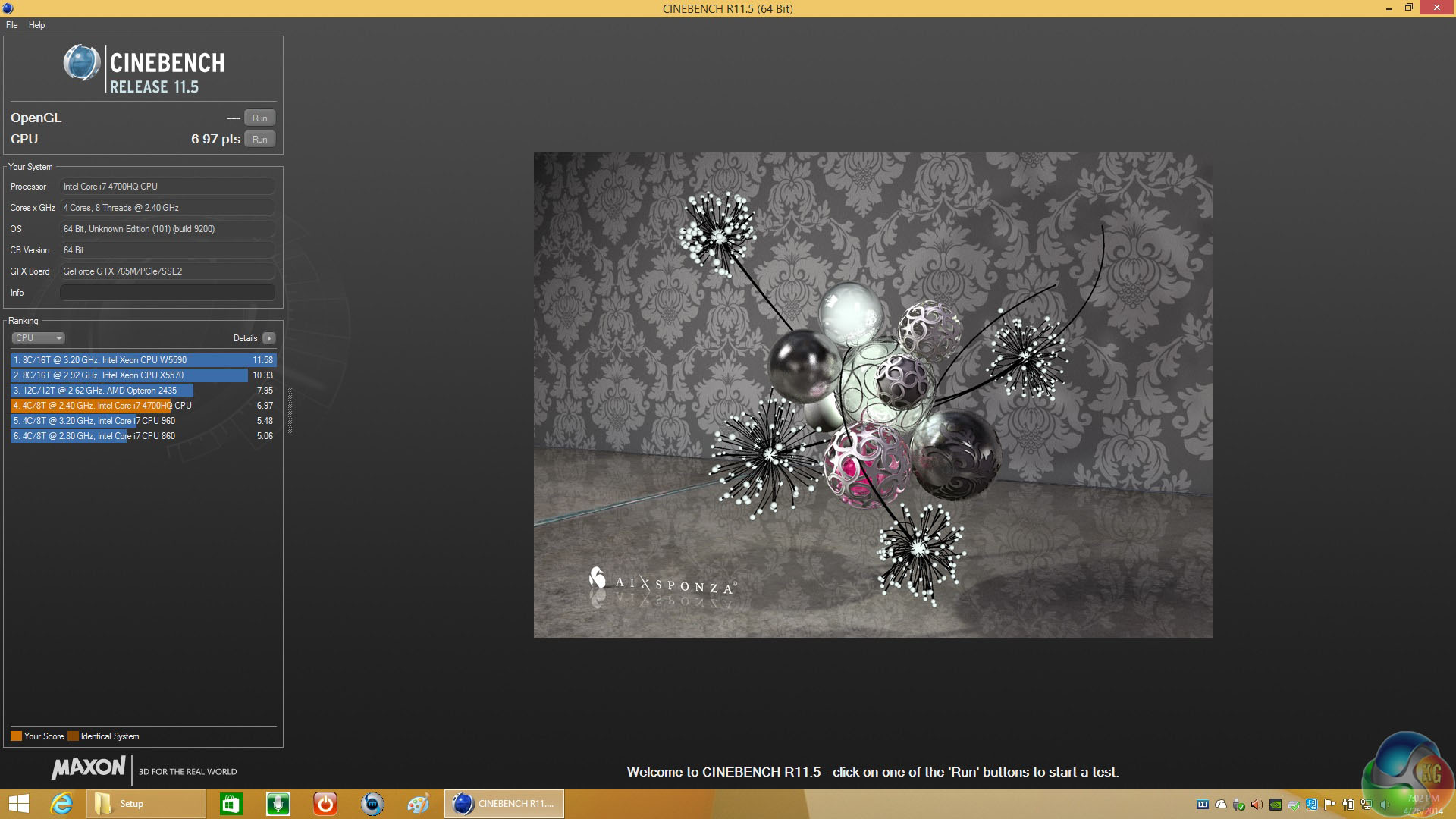
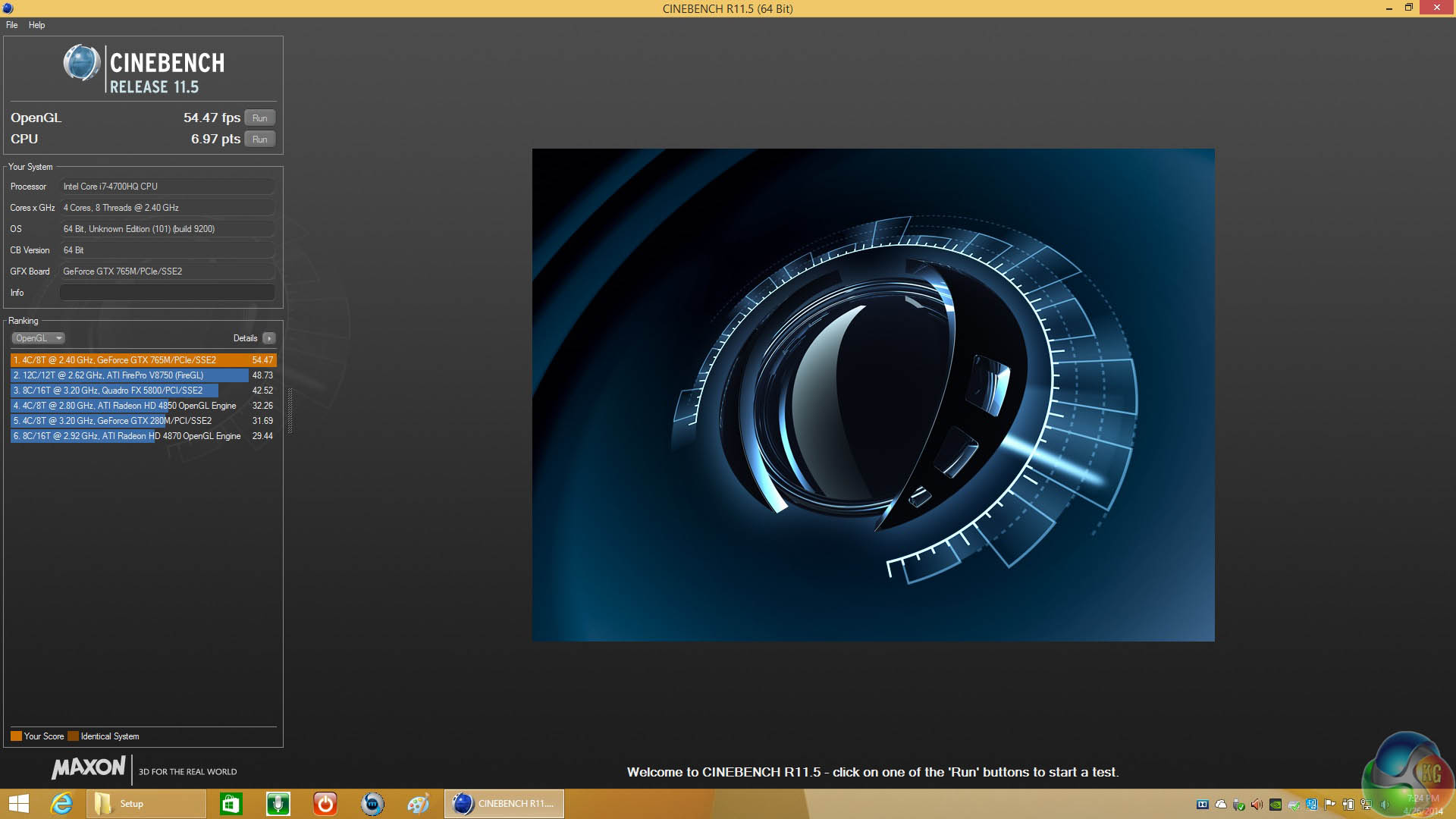
The 4700HQ is a powerhouse mobile processor and this machine could easily handle some semi serious 3D rendering on the move.
CyberLink MediaEspresso 6 is the successor to CyberLink MediaShow Espresso 5.5. With its further optimized CPU/GPU-acceleration, MediaEspresso is an even faster way to convert not only your video but also your music and image files between a wide range of popular formats.
Now you can easily playback and display your favourite movies, songs and photos not just on your mobile phone, iPad, PSP, Xbox, or Youtube and Facebook channels but also on the newly launched iPhone 4. Compile, convert and enjoy images and songs on any of your computing devices and enhance your videos with CyberLink’s built-in TrueTheater Technology.
New and Improved Features
- Ultra Fast Media Conversion – With support from the Intel Core i-Series processor family, ATI Stream & NVIDIA CUDA, MediaEspresso’s Batch-Conversion function enables multiple files to be transcoded simultaneously.
- Smart Detect Technology – MediaEspresso 6 automatically detects the type of portable device connected to the PC and selects the best multimedia profile to begin the conversion without the need for user’s intervention.
- Direct Sync to Portable Devices – Video, audio and image files can be transferred in a few easy steps to mobile phones including those from Acer, BlackBerry, HTC, Samsung, LG, Nokia, Motorola, Sony Ericsson, and Palm, as well as Sony Walkman and PSP devices.
- Enhanced Video Quality – CyberLink TrueTheater Denoise and Lighting enables the enhancement of video quality through optical noise filters and automatic brightness adjustment.
- Video, Music and Image File Conversion – Convert not only videos to popular formats such as AVI, MPEG, MKV, H.264/AVC, and FLV at the click of a button, but also images such as JPEG and PNG and music files like WMA, MP3 and M4A.
- Online Sharing – Conversion to video formats used by popular social networking websites and a direct upload feature means posting videos to Facebook and YouTube has never been easier.
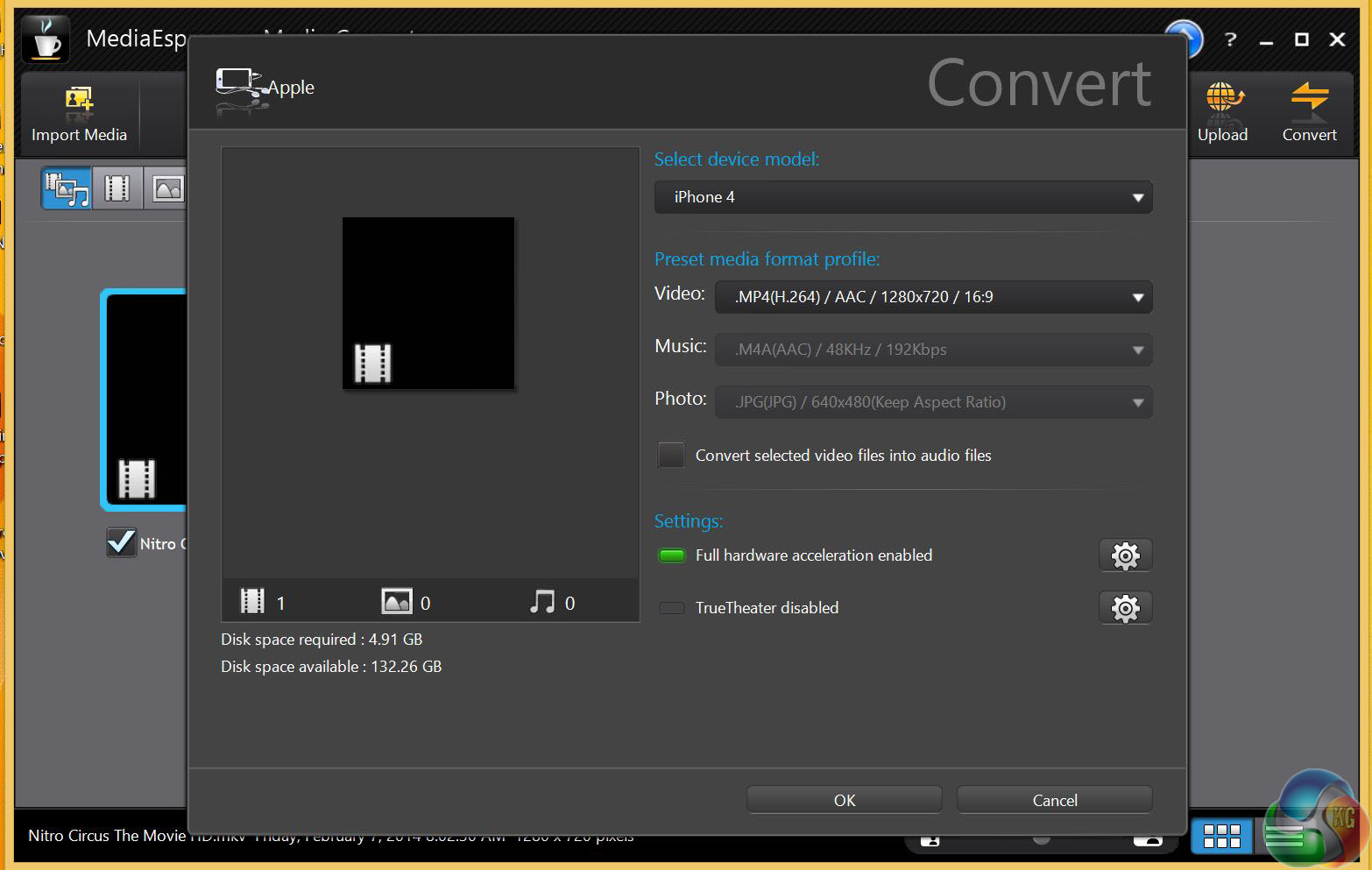
We use full hardware acceleration with a full length movie to test the encoding performance of the Gigabyte system.
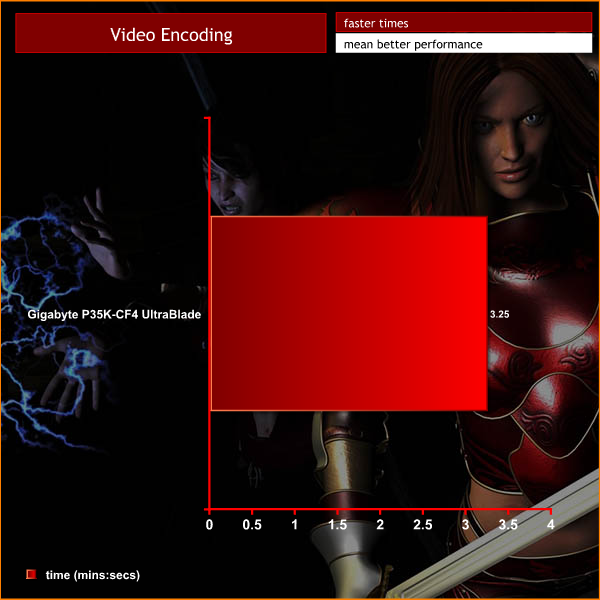
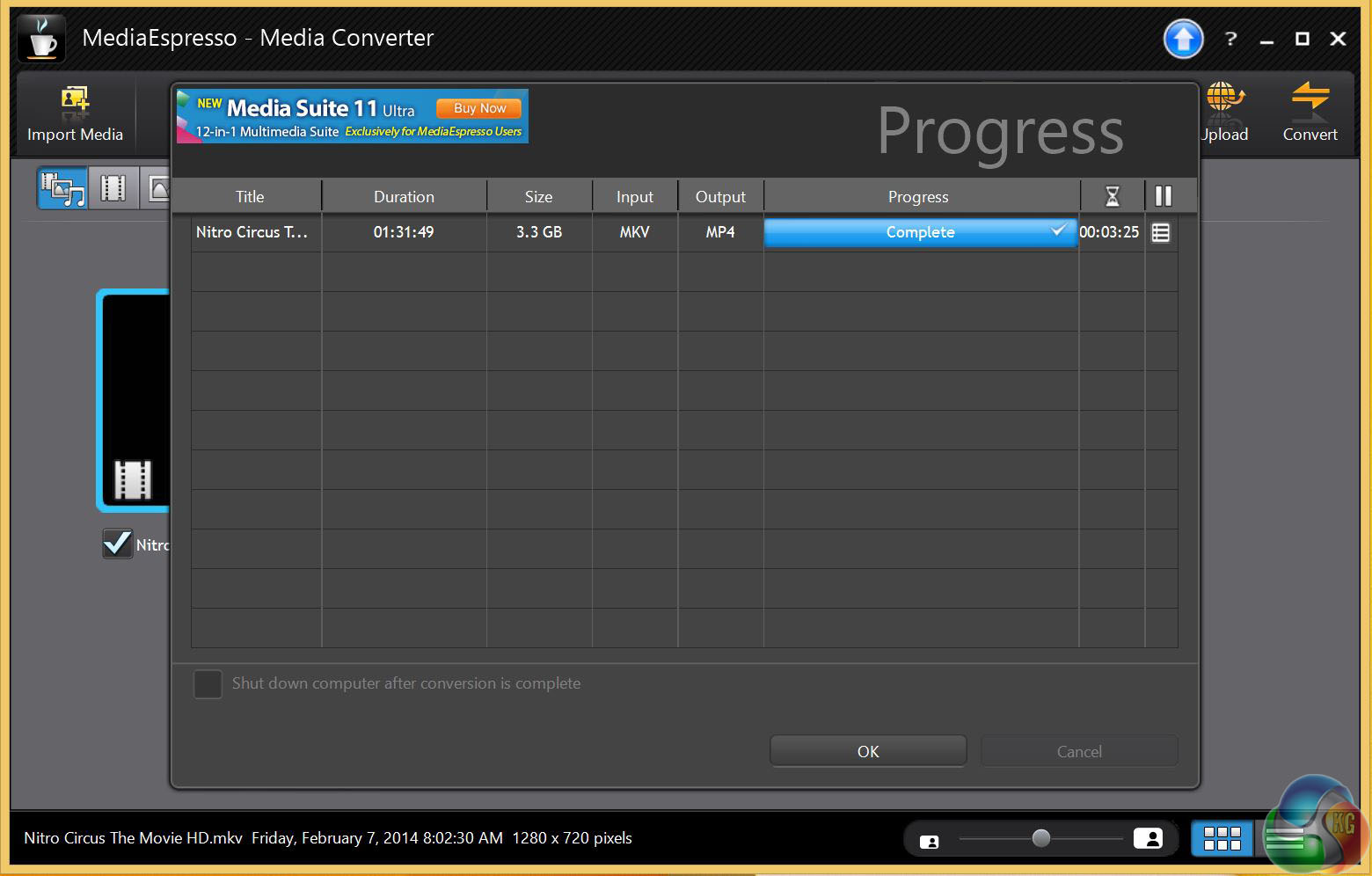
I was impressed by the way the Gigabyte delivered in MediaEspresso 6.5, converting an HD movie from MKV to HD MP4 for iPhone 4 in three and a half minutes. Once again I expected little else from a laptop that is powered by a Core i7 with DDR3-1600MHz RAM and a modern chipset.
After the test was completed using MediaEspresso 6.5 I updated to MediaEspresso 6.7 and found the performance was unchanged, except for one notable difference. For some reason the new version has a default setting where hardware acceleration is disabled so just for larks I gave it a whirl.
This time it took 16 minutes 30 seconds to convert the 3.3GB file, which is nearly five times longer.
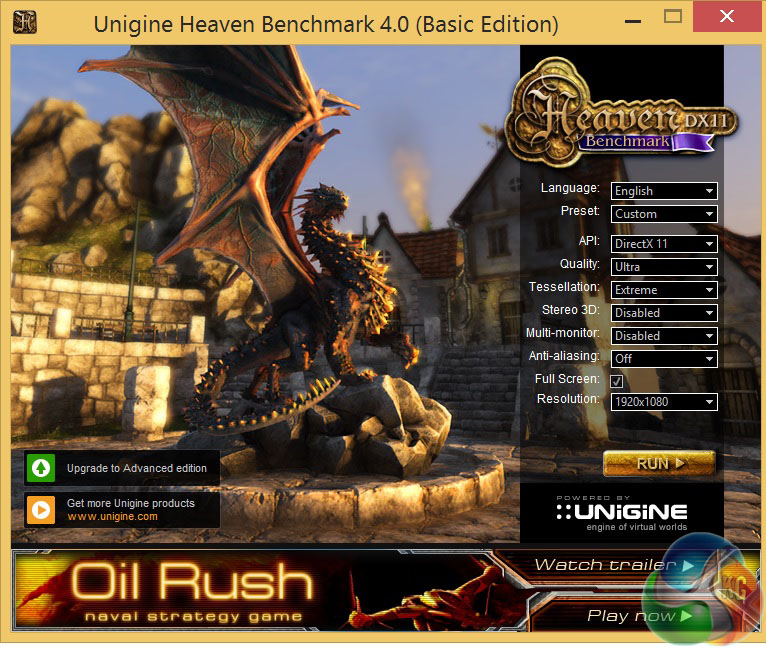
Unigine provides an interesting way to test hardware. It can be easily adapted to various projects due to its elaborated software design and flexible toolset. A lot of their customers claim that they have never seen such extremely-effective code, which is so easy to understand. We tested at 1920×1080 with the following settings.
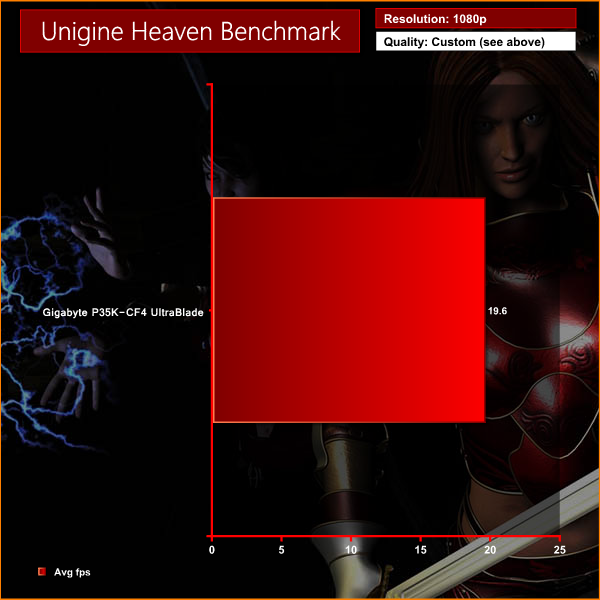
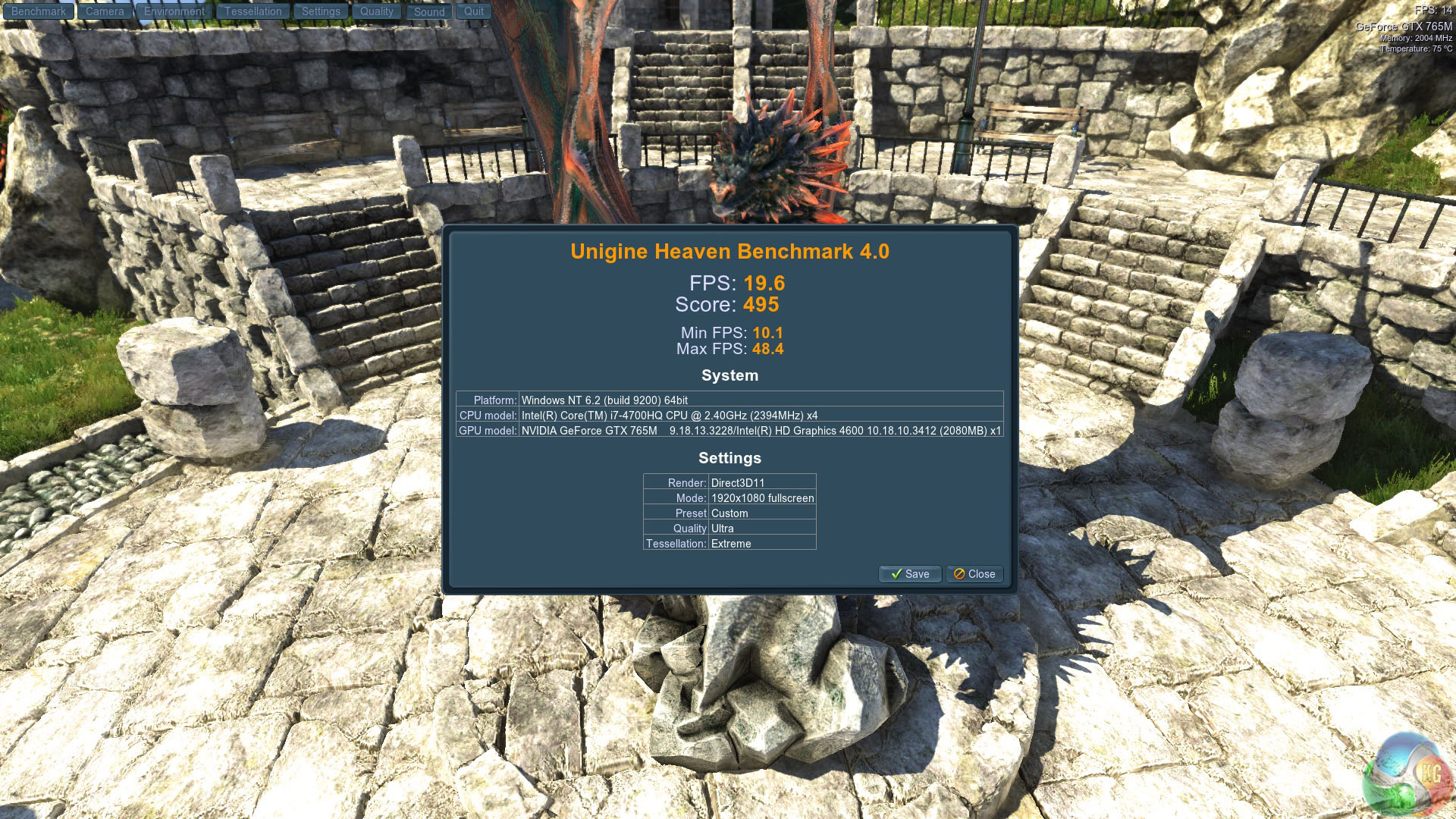
The system struggles to maintain smooth frame rates at these settings, averaging just under 20 frames per second.
We decided to test with a slightly older, yet still popular racing title – Dirt 3, which many of our readers own.
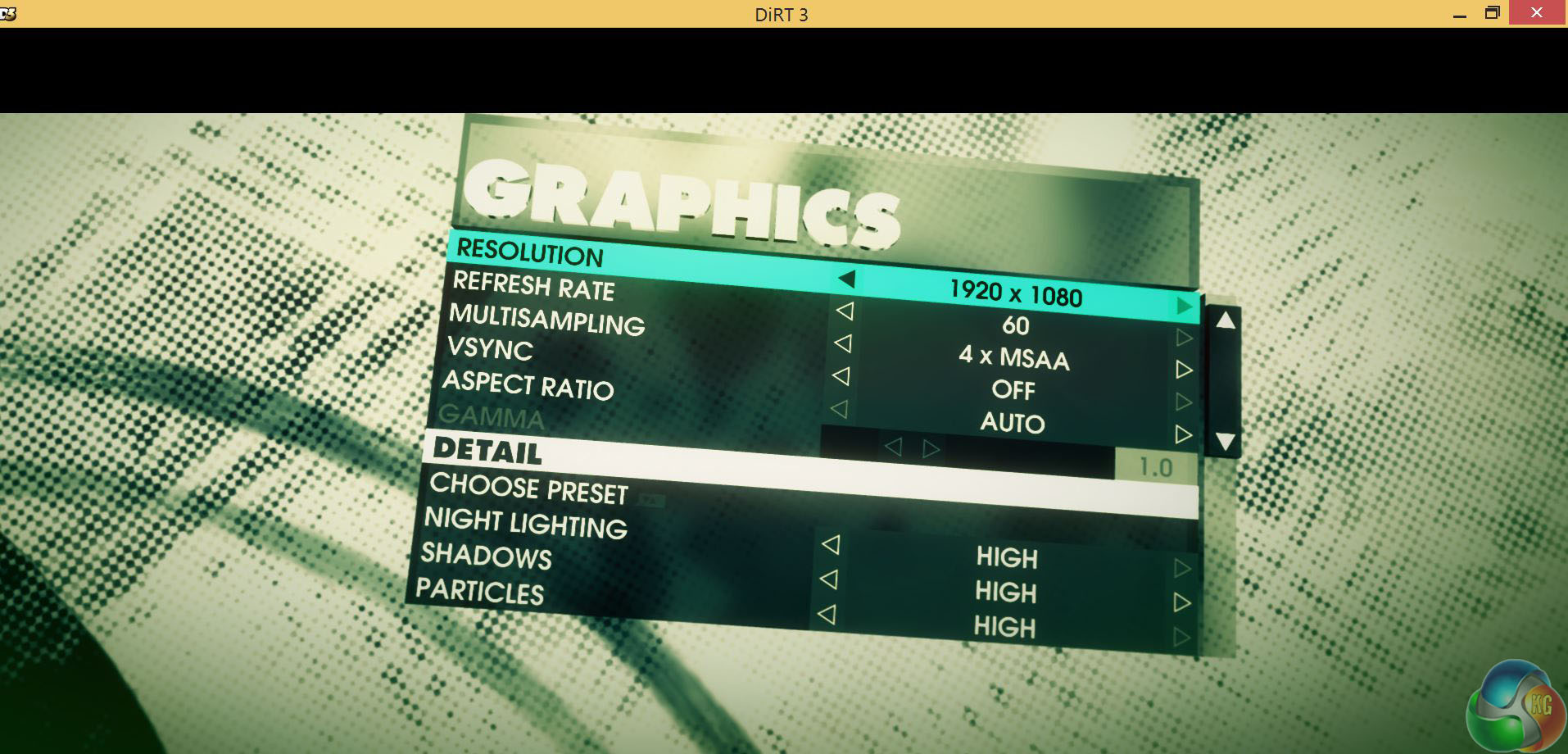
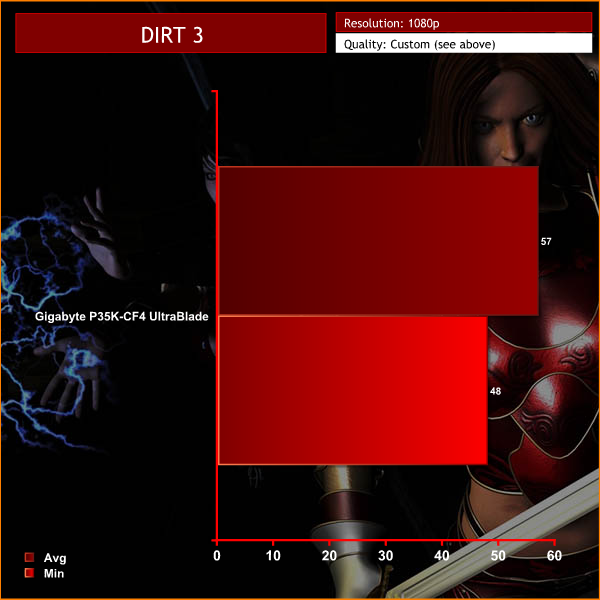
In DIRT 3 the Auto settings were 1,920,1080 with 4x MSAA and the Gigabyte P35K simply gobbled it up with an average frame rate of 57 and a low point of 48fps.
Game play was completely smooth without a single noticeable glitch or stutter and the image quality was superb.
Measuring temperatures on the underside of the P35K clearly illustrates the difficulty of packaging high performance hardware in such a slender chassis.
When the Gigabyte was idling on the Windows desktop I measured 22c degrees at the front corners (empty drive bay and battery) and 26c and 29c degrees at the back corners (CPU and GPU coolers) with a high point of 41c degrees at the central exhaust vent.
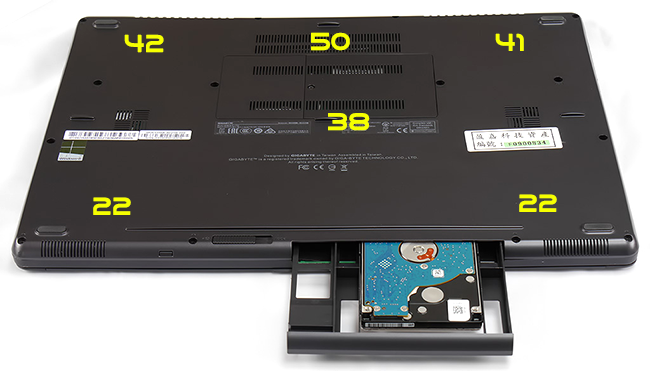
Under heavy load the temperatures at the front of the chassis remained constant at 22c degrees. The rear of the chassis got very warm to the touch and would be uncomfortable to use directly on a lap, long term.
That waste heat is a direct consequence of the high performance we saw in the benchmark results however, as we are about to see, it also has an impact in terms of battery life and cooling noise.
We measure noise with a calibrated meter – which has a realistic limit around 30 dBa. This could be considered ‘almost silent' in real world terms.
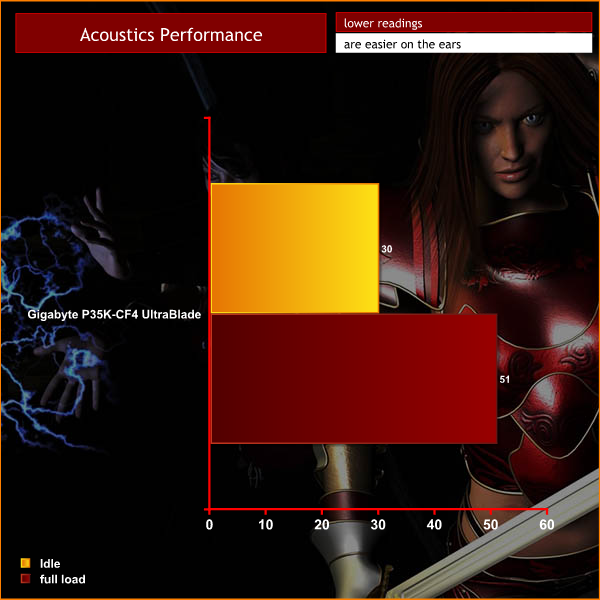
There is no doubt – this is a noisy laptop. As soon as I started a game such as DIRT 3 the fan noise shot up from an inaudible background level to an annoying 47dBA. While I was playing the game the highest noise level I recorded was 51dBA.
In fairness it has to be said the noise is directed away from you but there is no denying the noise levels are intrusive unless you are wearing headphones. Part of the problem is that Gigabyte has used a cooler that is very responsive. The noise constantly changes as the fans speed up and down, clearly reacting to the thermal load inside the chassis.
Sadly this is an incredibly annoying laptop to live with on a day to day basis.
Battery life is one of the most important things to consider, especially when buying a more compact, portable model like the Gigabyte P35K-CF4 UltraBlade.
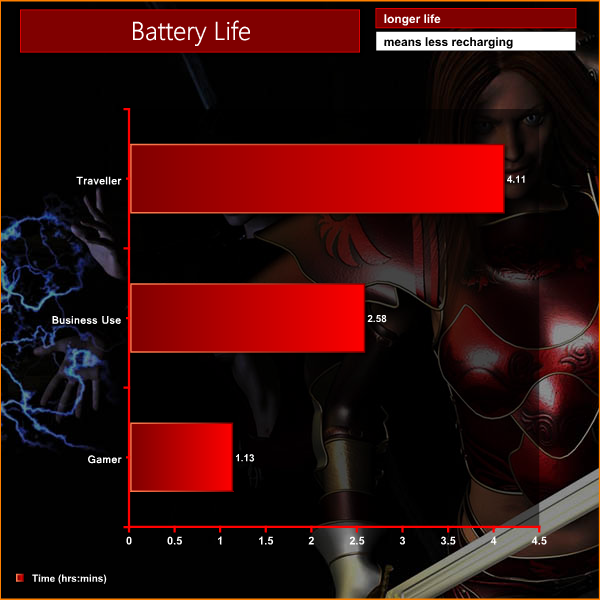
Traveller. I watched movies wearing headphones with screen brightness two notches from maximum until the battery died and got a battery life of 4 hours 10 minutes. This is a decent figure
Business use. I turned the screen to half brightness, enabled wireless and then looped PC Mark 8 which gave a figure of 2 hours 58 minutes. That is constant heavy use so in the real world it is safe to double the figure to six hours.
Gamer. This was fun, playing DIRT 3 at Full HD with Anti Aliasing. The battery lasted 73 minutes before the ‘battery low' warning interrupted things. I would prefer to see a figure closer to two hours but cannot really complain about the P35K on this score.
The Gigabyte P35K-CF4 UltraBlade has not impressed us at all and we could not recommend that our readers rush out to buy this laptop.
Initial issues required us to install a BIOS update and fresh drivers to get the laptop working correctly, although part of the blame may be the way that these samples are rotated to press for many months without regular maintenance. An improved system of ensuring the latest updates and drivers are installed before shipping to the publication would certainly help smooth out the process.
I was unimpressed by the all-in-one touch pad and mouse buttons. The Windows 8.1 update improved the laptop significantly and seemed to make the touch pad work slightly better too, although the tap-to-click control still left a lot to be desired.
A backlit keyboard certainly helps when room lighting is poor and we welcome the addition on the P35K. Sadly the board itself couldn't be classed as a high grade unit, lacking in comparison to those found on the Lenovo Thinkpad, and the Steelseries boards bundled with many of the latest gaming laptops.
The specification of the P35K appears to be set in stone however I was clearly missing the storage HDD in my review sample. I also see that retail versions of the P35K have a Blu-ray drive whereas I had to make do with a Super multi DVD writer.
Playing games on the Gigabyte P35K was a decent experience. The 2.1 speakers are surprisingly good, however we really do need to mention the fan noise. Even when playing games, the fan noise from this laptop is excruciating. The only way I could enjoy gaming was to wear headphones, masking out the whirring of fans as the P35K was heating up.
We feel the 15.6-inch screen is a touch too small for a Full HD gaming laptop. The size is a good compromise for portability but when you play games you need to sit a bit closer to the screen than seems entirely natural. I find a 17 inch screen is better when I want to sit back and enjoy high resolution gaming or even watching movies.
On a more positive note, the cosmetic appeal of the P35K is indisputable and the 21mm thickness is clearly a headline feature. While the size seems conducive in regards to portability, it weighs 2.3kg and takes a little effort to lug around under the arm.
Battery life is nothing remarkable and could be improved by replacing the optical drive with an even larger battery.
Another problem for the P35K is the price. Overclockers are selling this model for £1169.99 inc VAT but if you look around the web you'll find it on sale for £1540 inc vat.
If the price dropped to less than £1,000 we might be able to give the P35K a Worth Considering award. At the current price point there is no recommendation to short list or consider the P35K as there are better machines available, for less money.
Discuss on our Facebook page, over HERE.
Pros:
- Lovely IPS Full HD screen.
- Slender chassis.
- Impressive combination of Core i7 CPU, GTX 765M GPU and RAID 0 SSD.
- Option of swapping the DVD drive for a SATA storage drive.
- The backlit keyboard is easy to use in the dark.
- excellent speakers.
Cons:
- High price
- Excessive noise from the cooling fan.
- Touch pad/mouse don't offer enough control.
- Heavier than I would hope – at 2.3kg.
- Battery life is unimpressive.
KitGuru says: Blazing Core i7 performance and a lovely IPS Full HD screen cannot make up for the noisy cooling and extremely high price.

A number of the pictures show the base to be curved? Is this the case?
I bought the machine and it is lovely. However, some serious issues! Sound does not work through the speakers when you turn the machine on! You have to fiddle with FnF9 to try and start it? Whether it starts or not is pure luck. It is currently silent and I have no idea what to do?????
Also the dvd drive bay is very temperamental and often only works on the 2nd or third go.