KitGuru KitGuru.net – Tech News | Hardware News | Hardware Reviews | IOS | Mobile | Gaming | Graphics Cards



Deploying Nvidia’s RTX 2070 GPU alongside the new Intel Core i9-9880H eight-core CPU is a guaranteed way to get gaming laptop enthusiasts to pay attention. That’s exactly what ASUS does with the new ROG Strix Scar III G531GW gaming laptop. But rather than simply settling on a powerful combination of GPU and CPU, ASUS ups the fight by equipping its premium, yet not oversized, offering with a 15.6” 1080P screen that can run at 240Hz. No, that’s not a typo – 15.6 inches of 240Hz gaming laptop goodness.
And when we venture outside of the eye-catching CPU, GPU, and screen columns on the spec sheet, ASUS’ ROG Strix Scar III G531GW is still impressive. Our model ships with 32GB of dual-channel DDR4-2666 memory, a 1TB Intel 660p NVMe SSD, and Intel Gigabit WiFi. Oh, and let’s not forget everybody’s favourite customisation point – RGB lighting delivered through ASUS’ well-built AURA Sync.
Tipping the scales around the 2.4kg-mark with its 66WHr battery, the Scar III is deceptively slender for a gaming laptop packing significant punching power. Almost comfortably backpack-able, we’d say.
- 15.6” Full HD 240Hz 3ms IPS-level display (Model code: LQ156M1JW09)
- Eight-core Intel Core i9-9880H CPU
- Nvidia RTX 2070 8GB Mobile GPU
- 32GB DDR4 2666MHz RAM
- 1TB PCIe NVMe M.2 SSD
- 66WHr, 4-cell Li-ion battery, 280W charging brick
- Intel 9560 Gigabit WiFi + Bluetooth 5.0
- AURA Sync RGB keyboard
- 2x 3.5W speakers
- Windows 10 64-bit
- Dimensions: 36 (W) x 27.5 (D) x 2.6 (H) cm
- Weight: 2.395kg
Arguably this laptop’s main feature, the 15.6” 1920×1080 screen is, subjectively, superb. There’s no denying that 240Hz is probably overkill for most people and even enthusiast gamers. However, the swift 3ms response time and high refresh rate do indeed combine to make for an enjoyable viewing experience. For those who are particularly fond of esports games or titles such as CS:GO, the higher refresh rate of ASUS’ chosen screen may indeed be a decisive factor, even if it is challenging to get FPS values past a lofty 200.
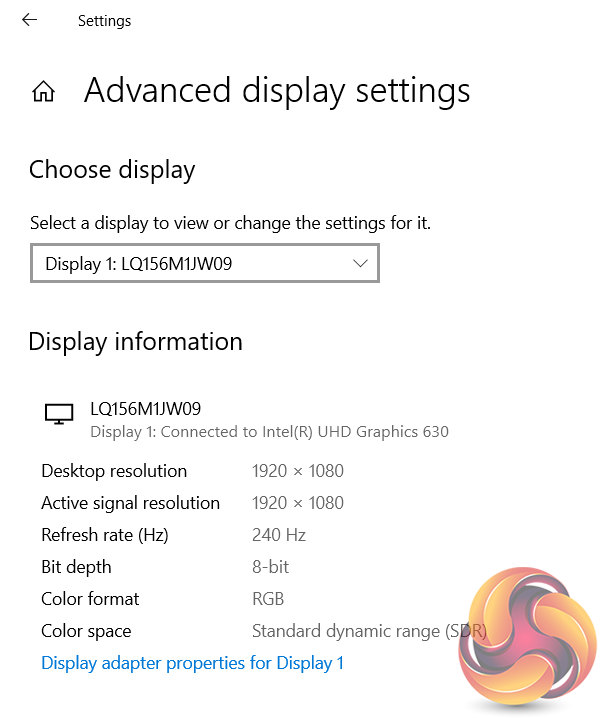
What I was particularly impressed by was the image quality of the LQ156M1JW09 screen. ASUS refers to the panel technology as ‘IPS-level’ and quotes 100% SRGB coverage; colours were bold in games and I was pleasantly surprised by the uniformity of the backlighting on our sample. Speaking of backlighting, I managed to use the G531GW at full brightness outside in intense (by UK standards) sunlight without too many issues, though the screen is not the most anti-reflective unit that I have personally seen.
Special mention must go to the slim, 6-7mm bezels that give ASUS’ Scar III G531GW a screen-to-body ratio of 81.5%. One caveat of those slim bezels, combined with potential security and tin-foil-hat resistance, is the lack of a built-in webcam. Perhaps we can all agree that no webcam is better than the much-criticised nose-cam that has seen increasing popularity.
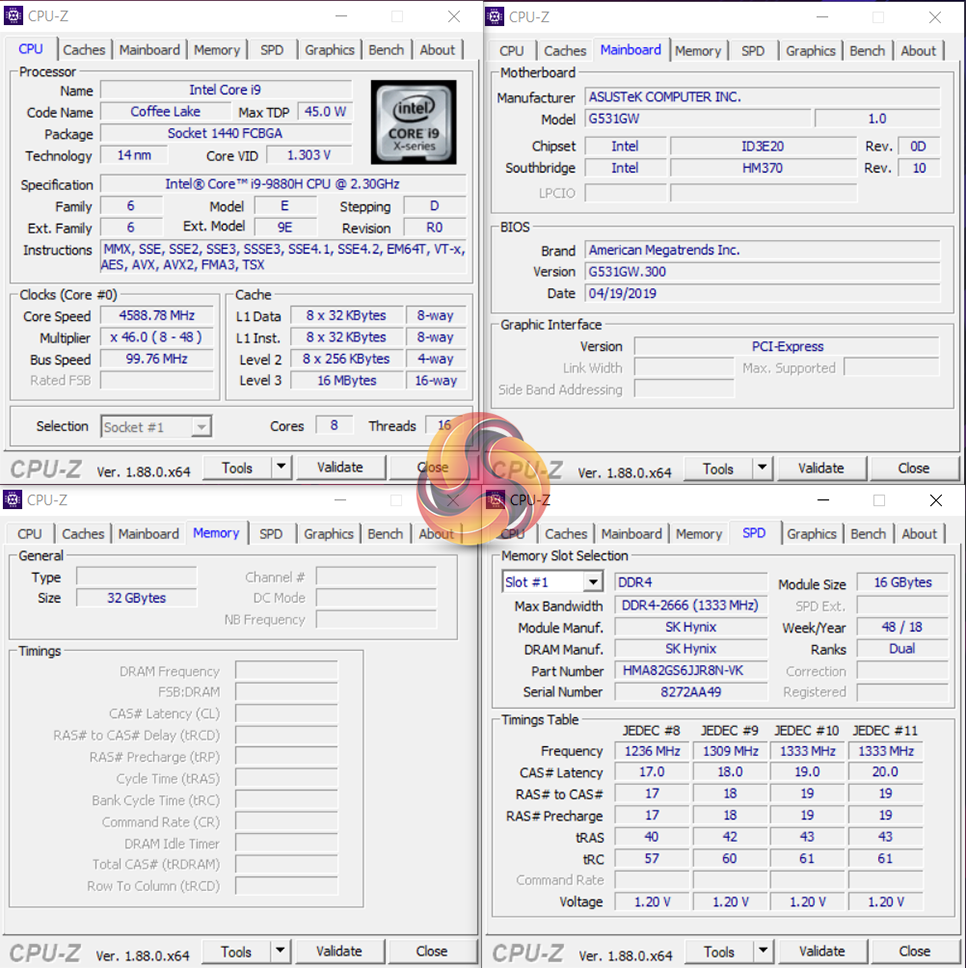
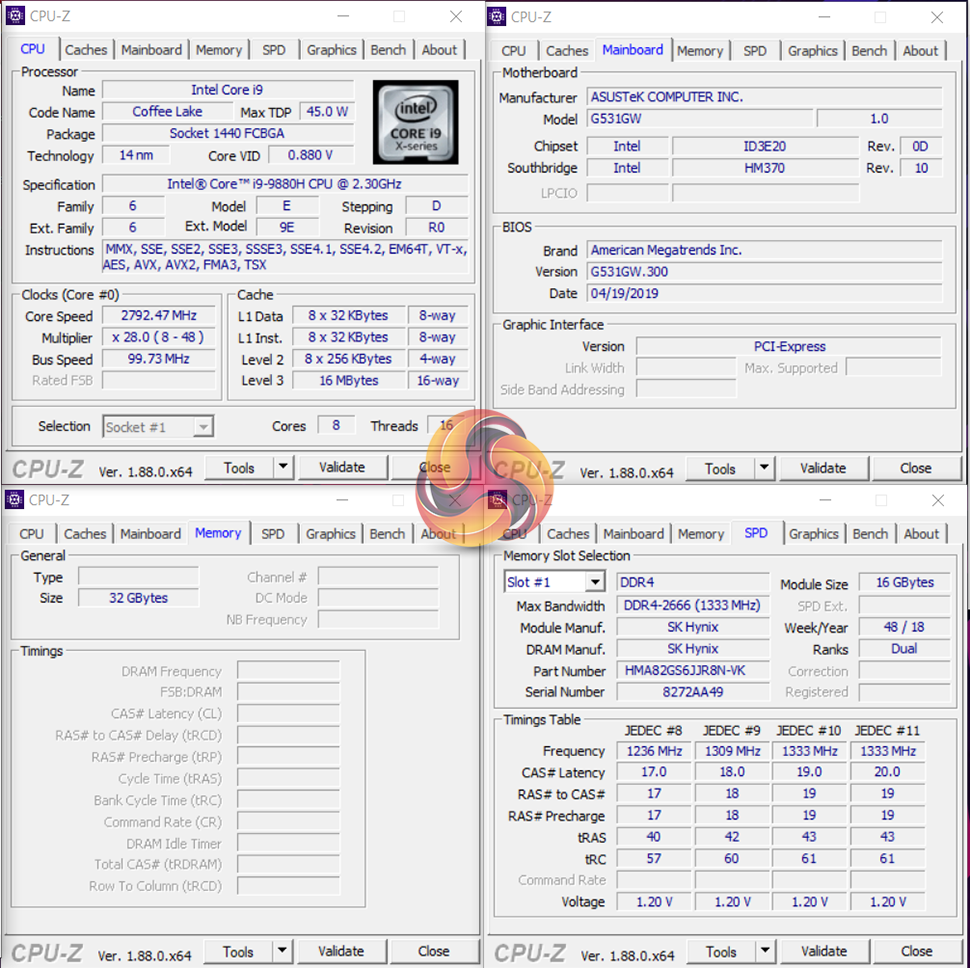
The Core i9-9880H is an eight-core, sixteen-thread Coffee Lake architecture CPU built on Intel’s 14nm++ manufacturing process. The chip clocks in at 2.3GHz on the base frequency, can boost as high as 4.8GHz under the correct conditions, and features 16MB of L3 cache. Despite the CPU’s extra pair of cores versus 8000-series predecessors, TDP is maintained at 45W and could become a challenging factor when trying to avoid power-induced throttling. Whichever way you swing it, the Core i9-9880H is a mobile CPU powerhouse that looks capable of mixing it up with decent desktop chips.
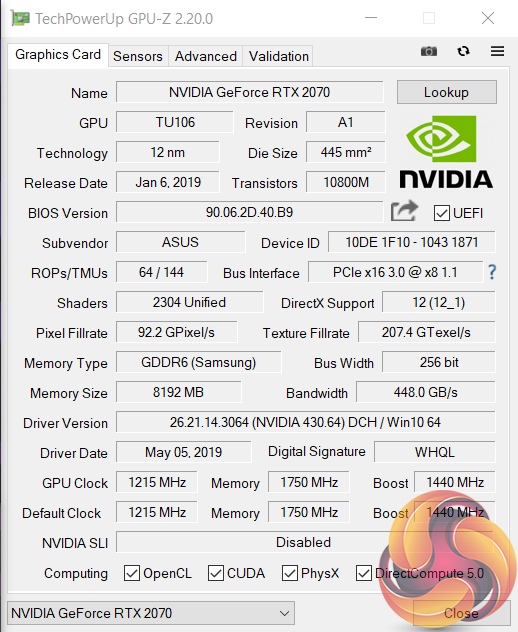
Partnering the i9 CPU is Nvidia’s RTX 2070 in its laptop form – not to be confused with the desktop RTX 2070 reference spec, or the desktop RTX 2070 Founders Edition, or the RTX 2070 Max-Q…
The RTX 2070 laptop edition GPU used in ASUS’ machine features a 1215MHz base clock and 1440MHz Boost frequency. 8GB of GDDR6 memory is clocked at 1750MHz (14000MHz effective) and sits on a 256-bit bus. Nvidia’s TU106 GPU is built on TSMC 12nm process technology and features a TDP of 115W.
Nvidia Optimus allows the dedicated RTX 2070 GPU to be disabled under certain, potentially light, loading conditions thus saving power by using the Intel UHD 630 iGPU instead.
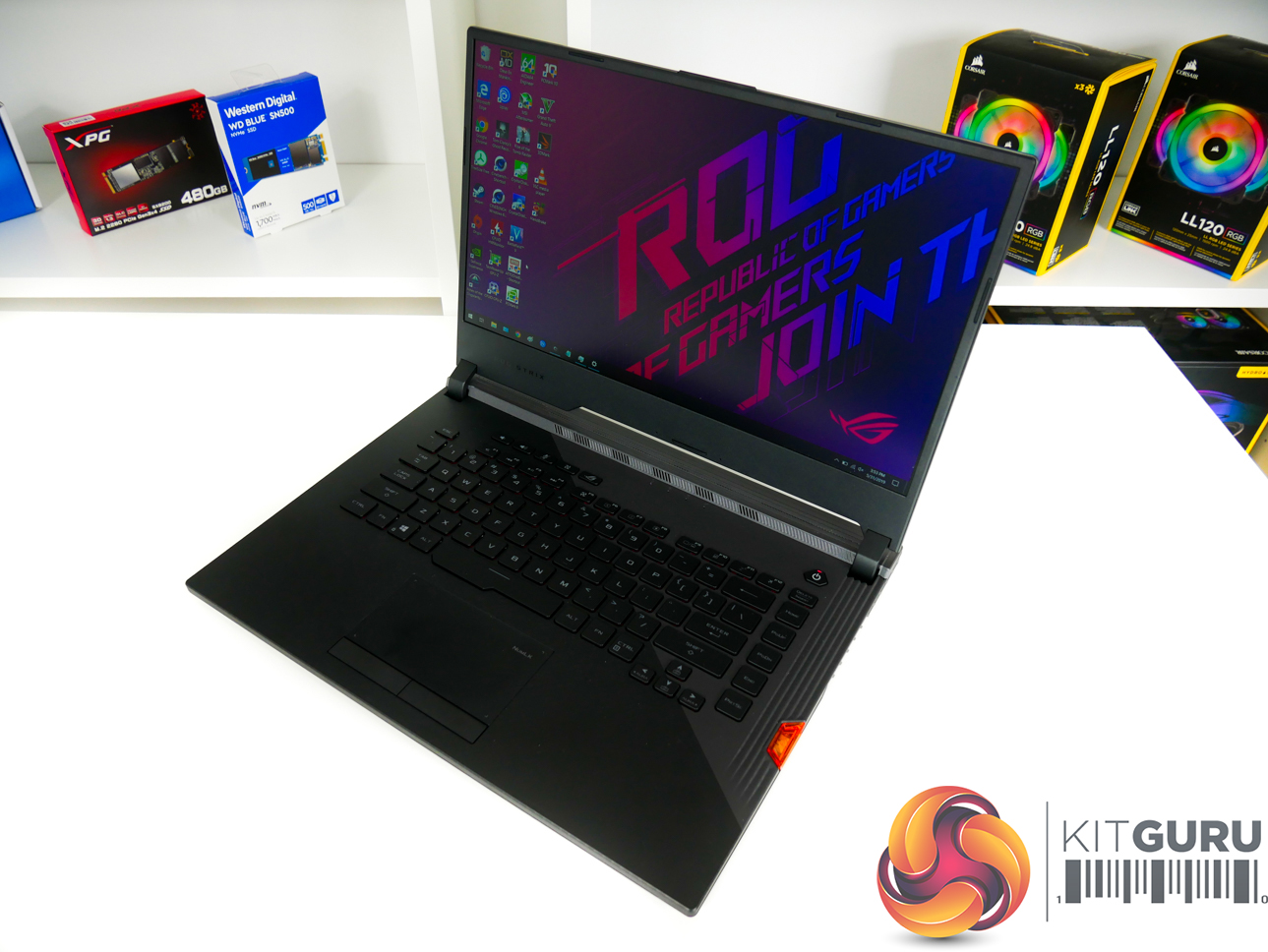
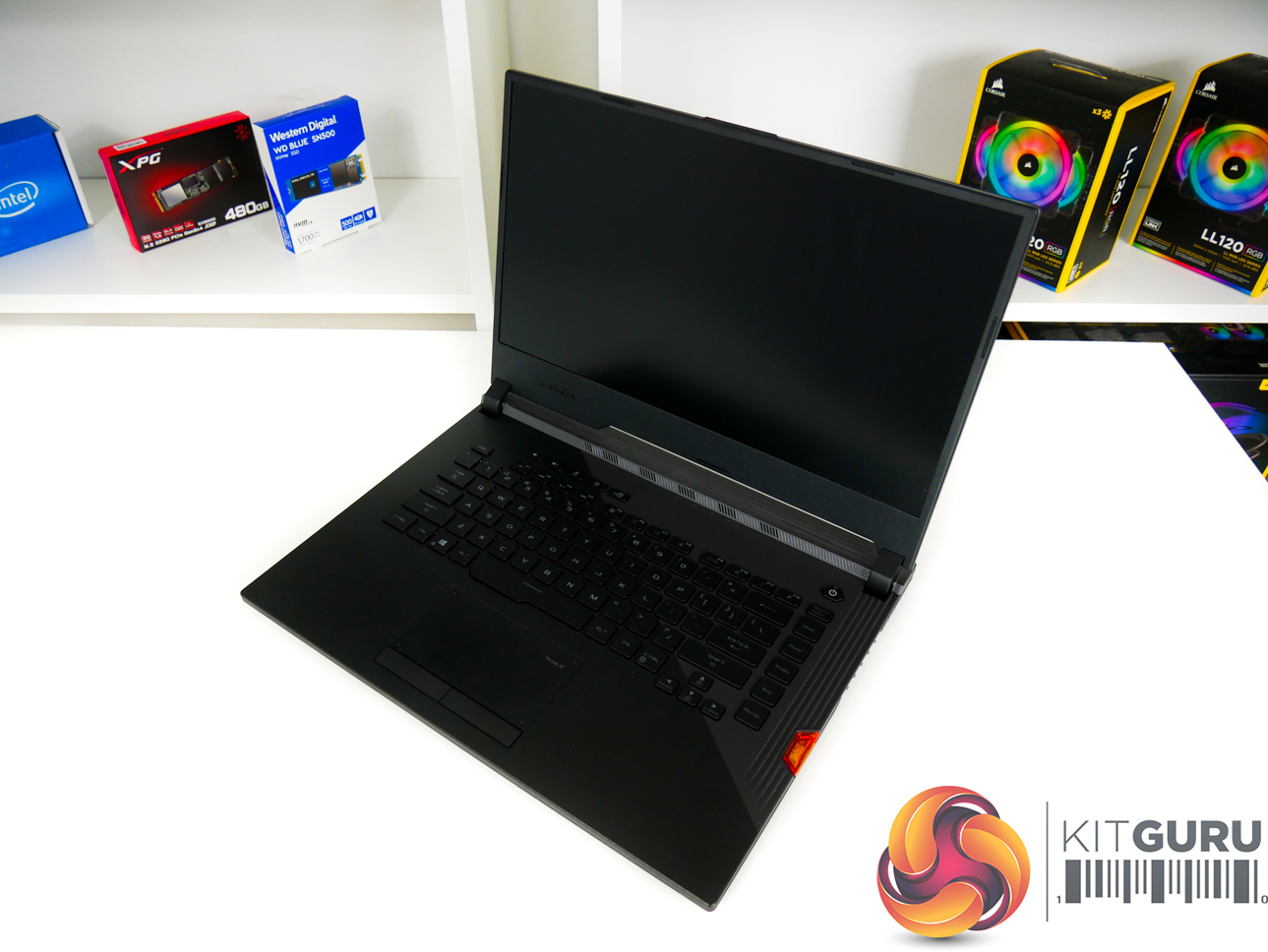
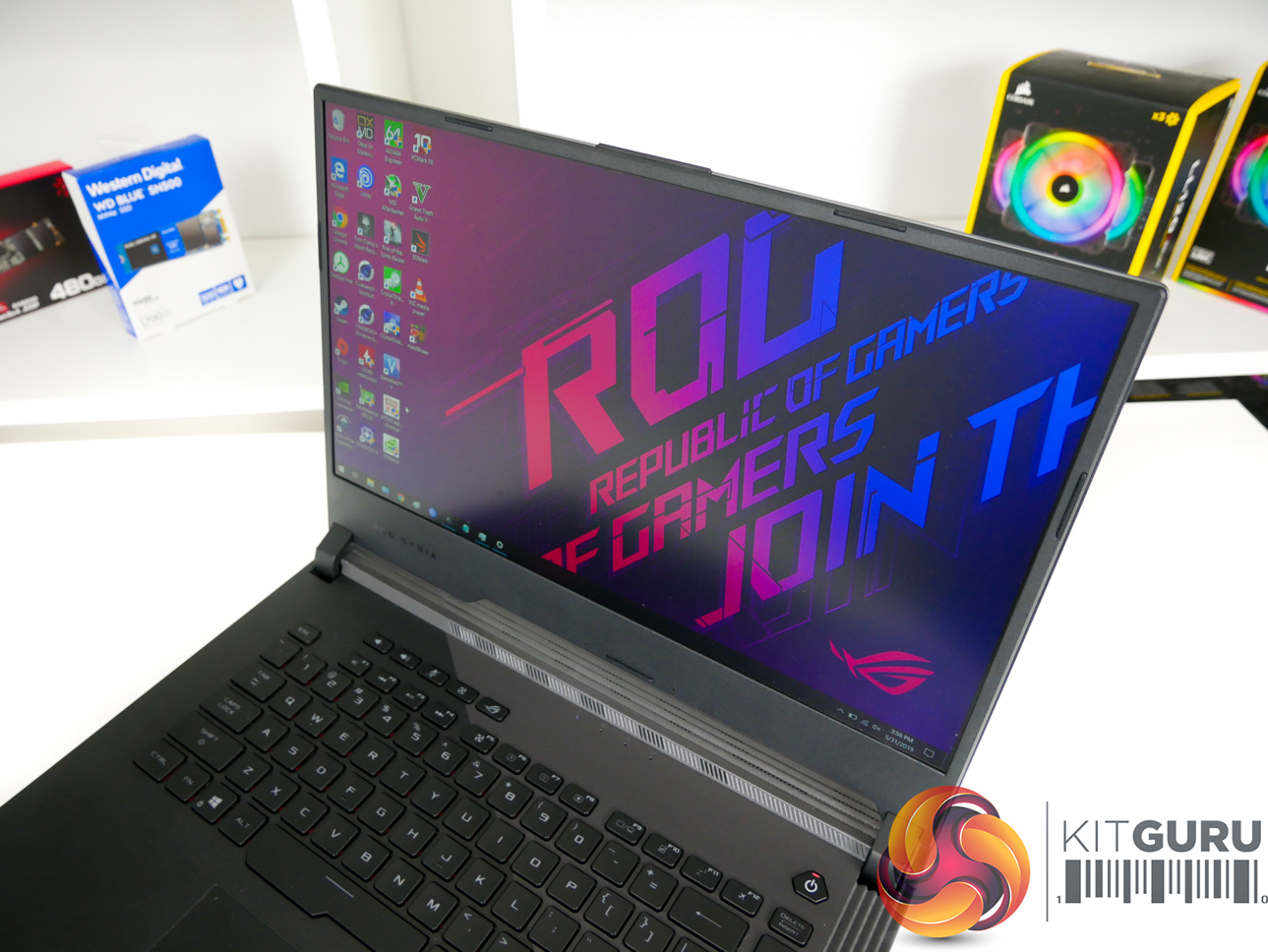
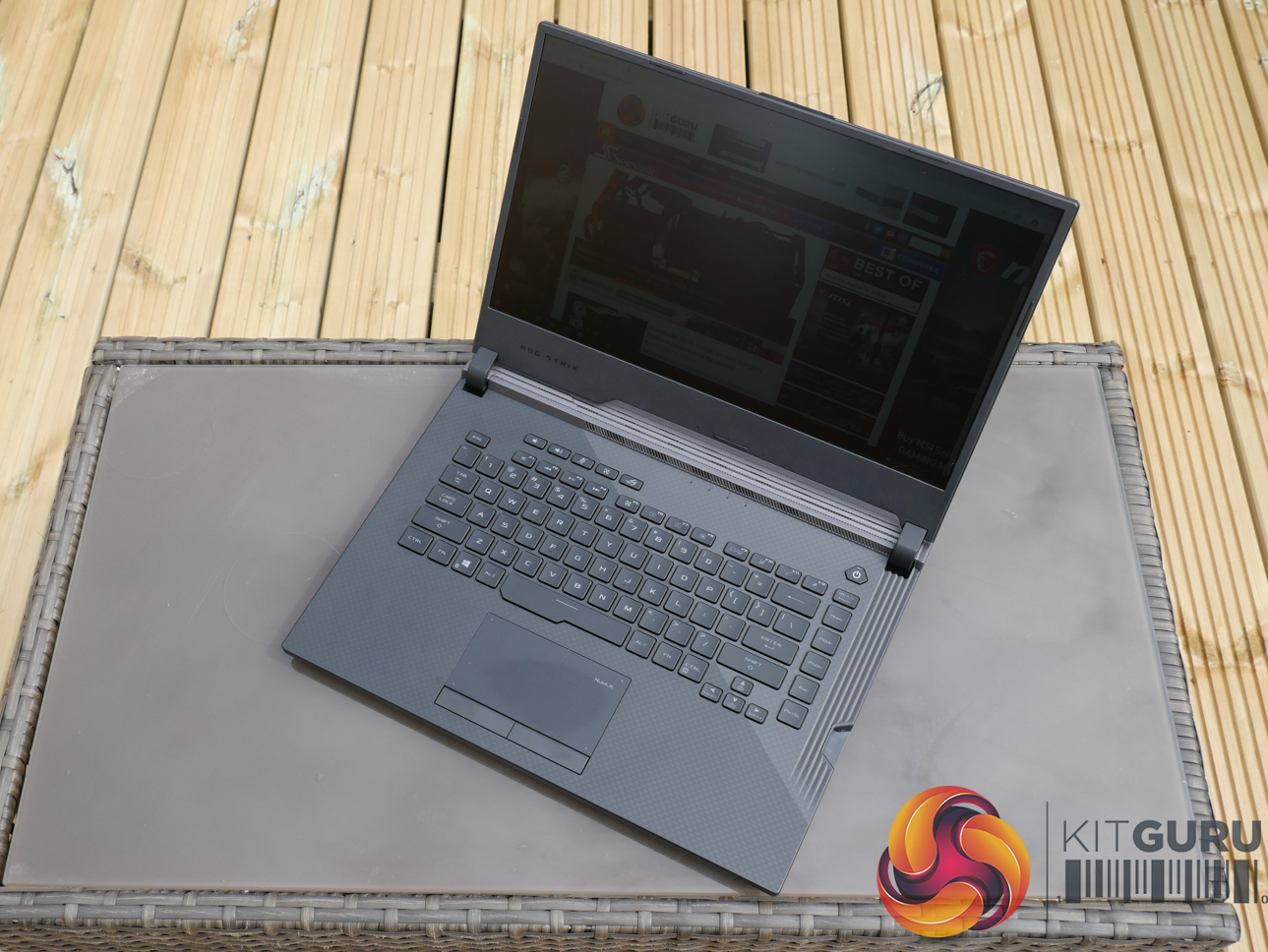
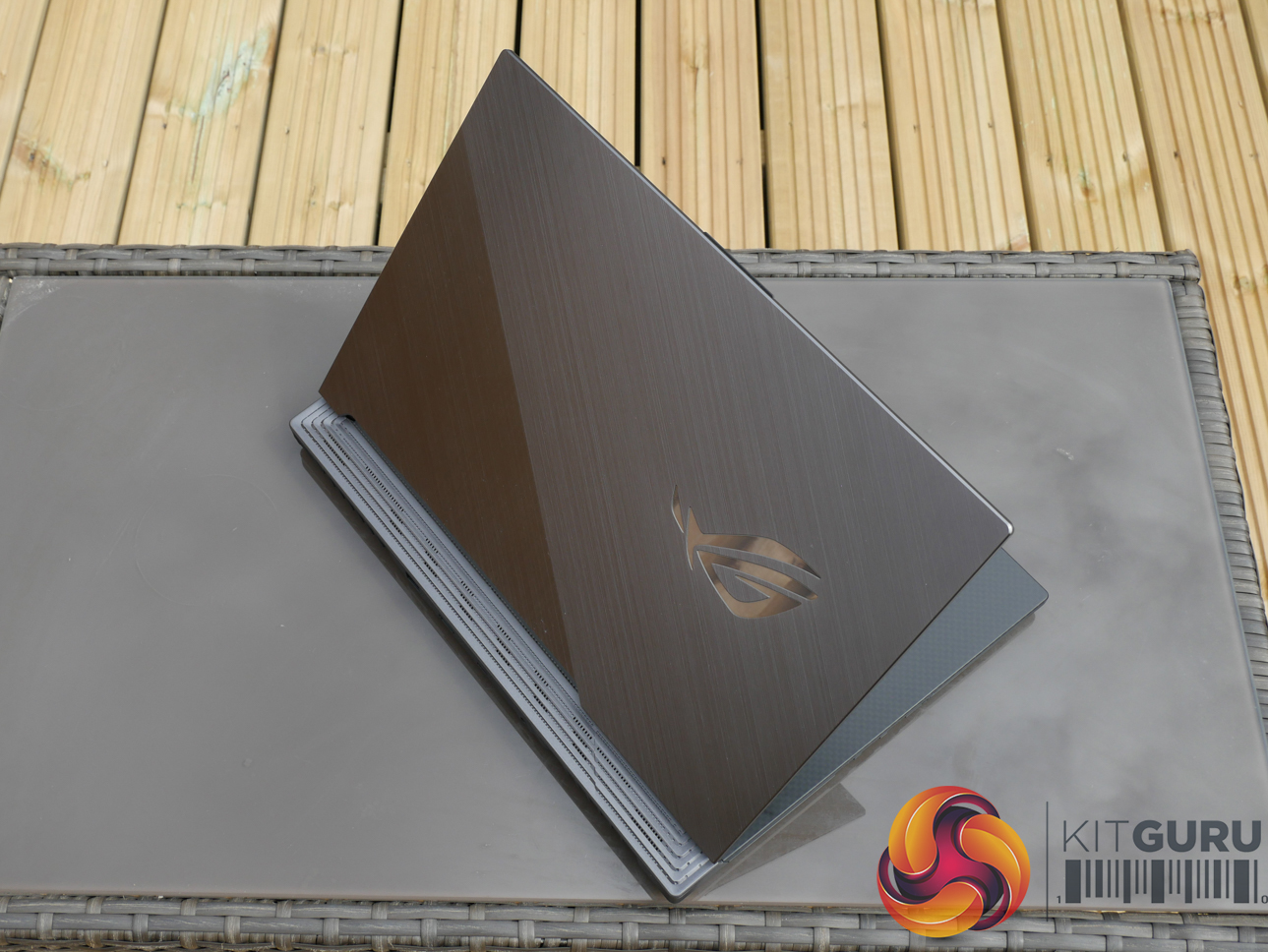
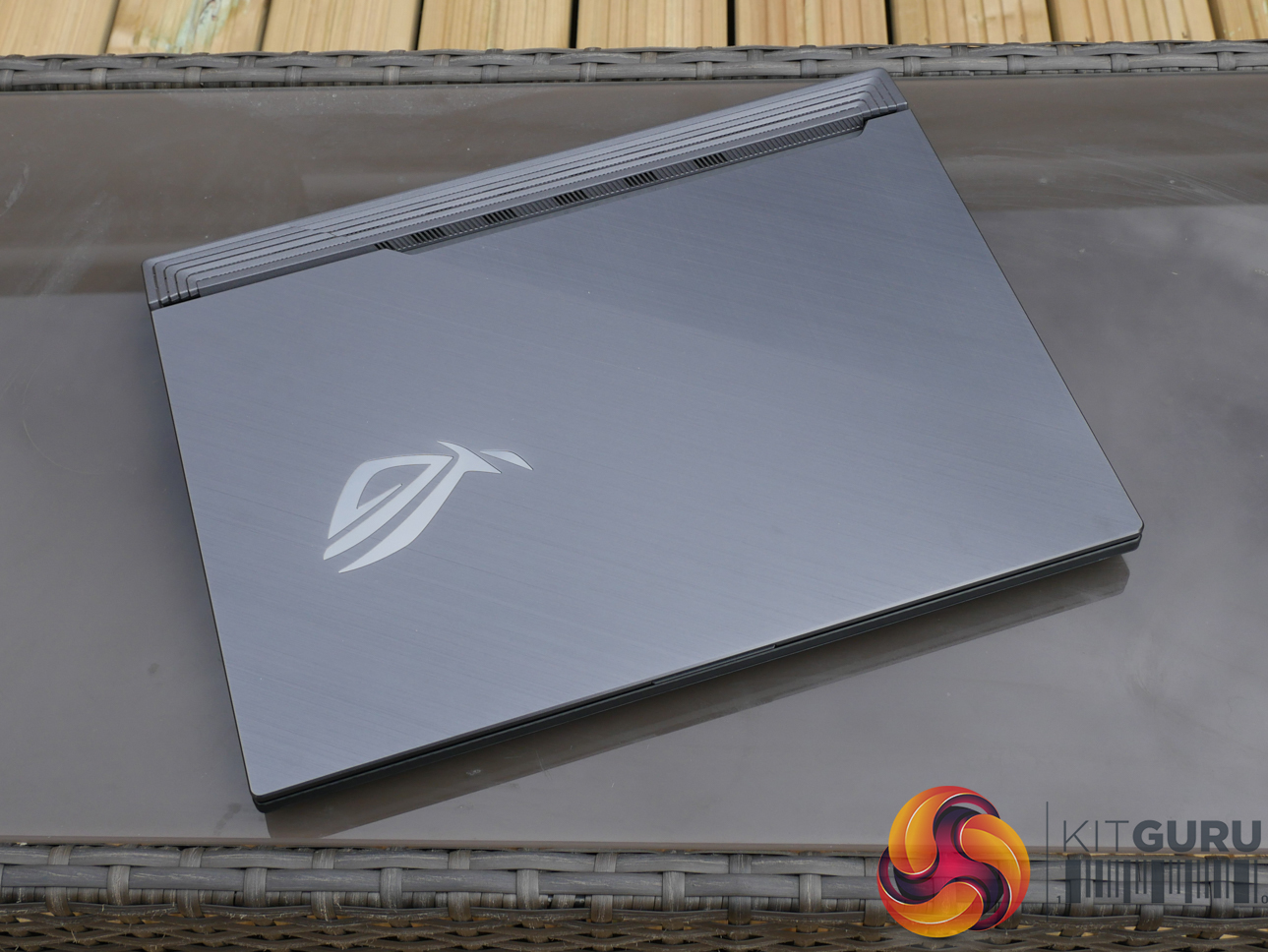
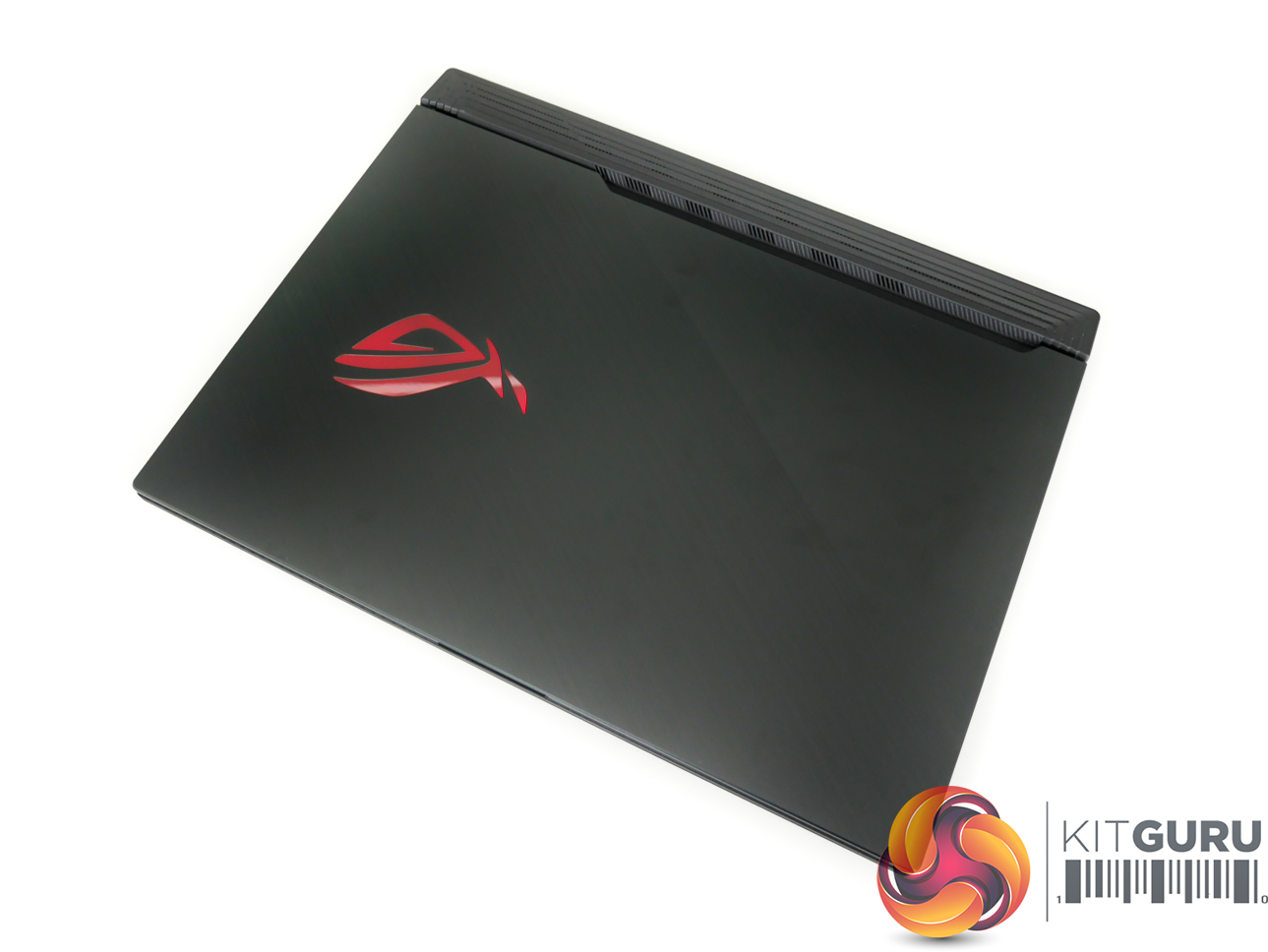
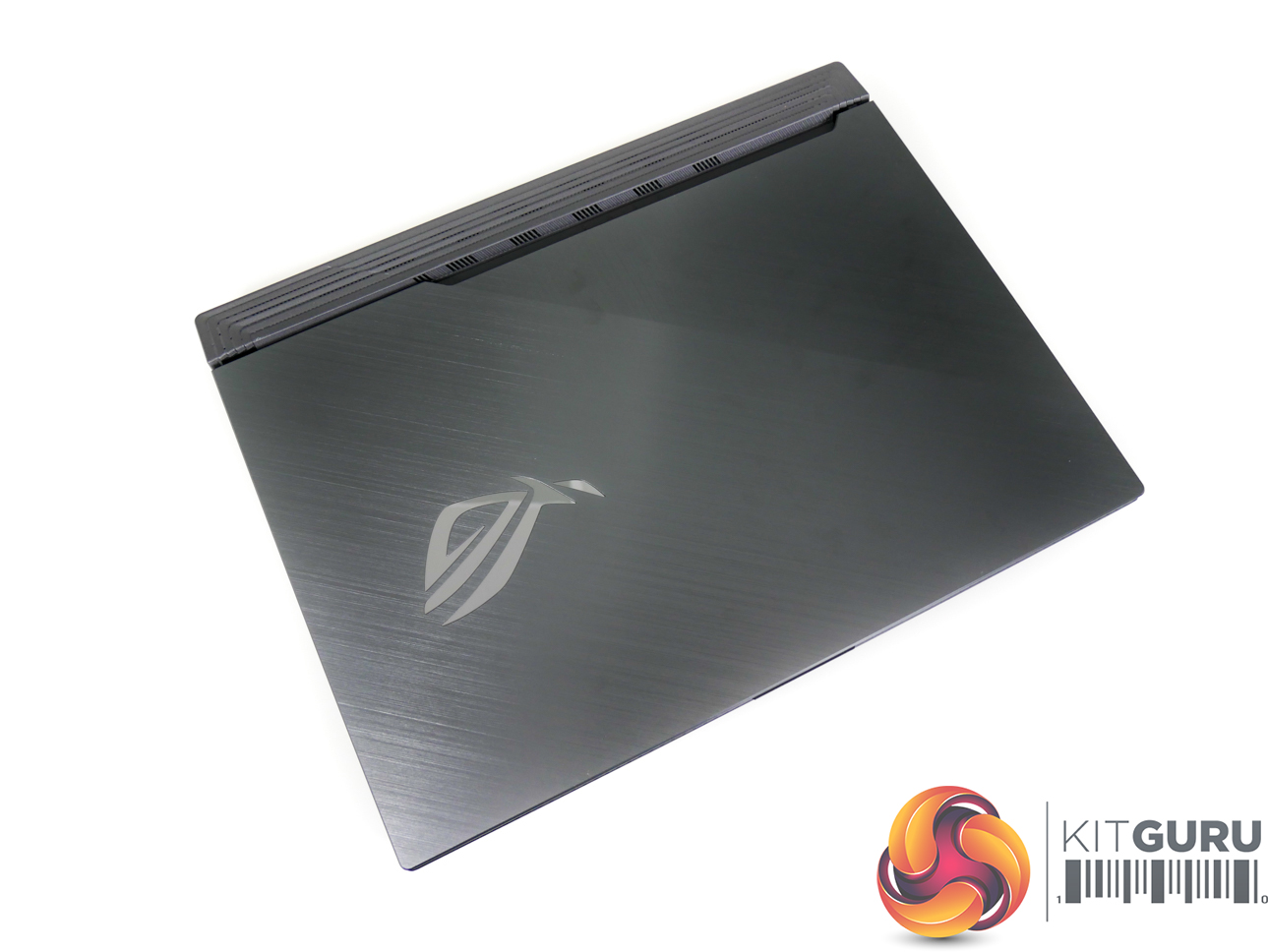
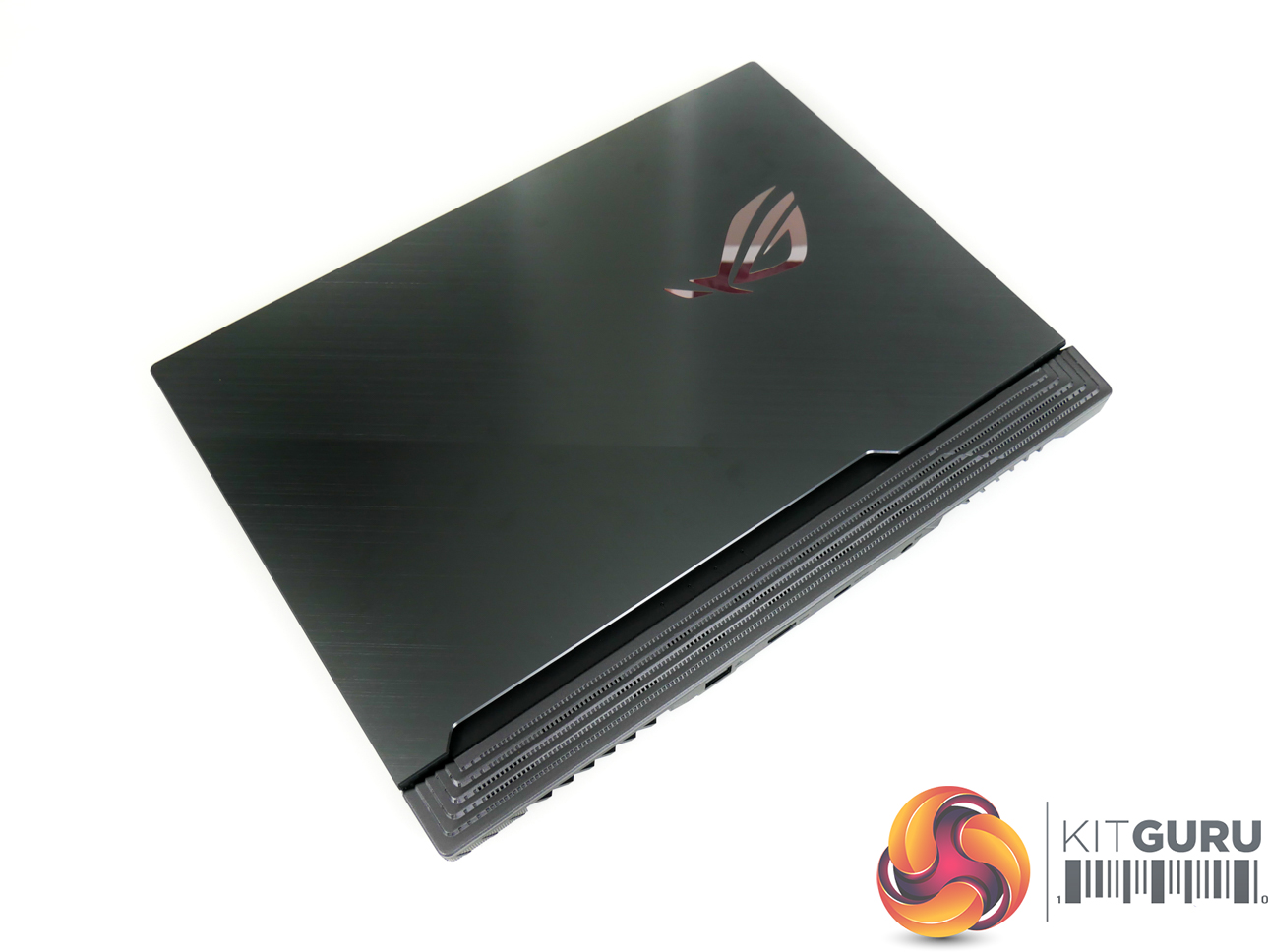
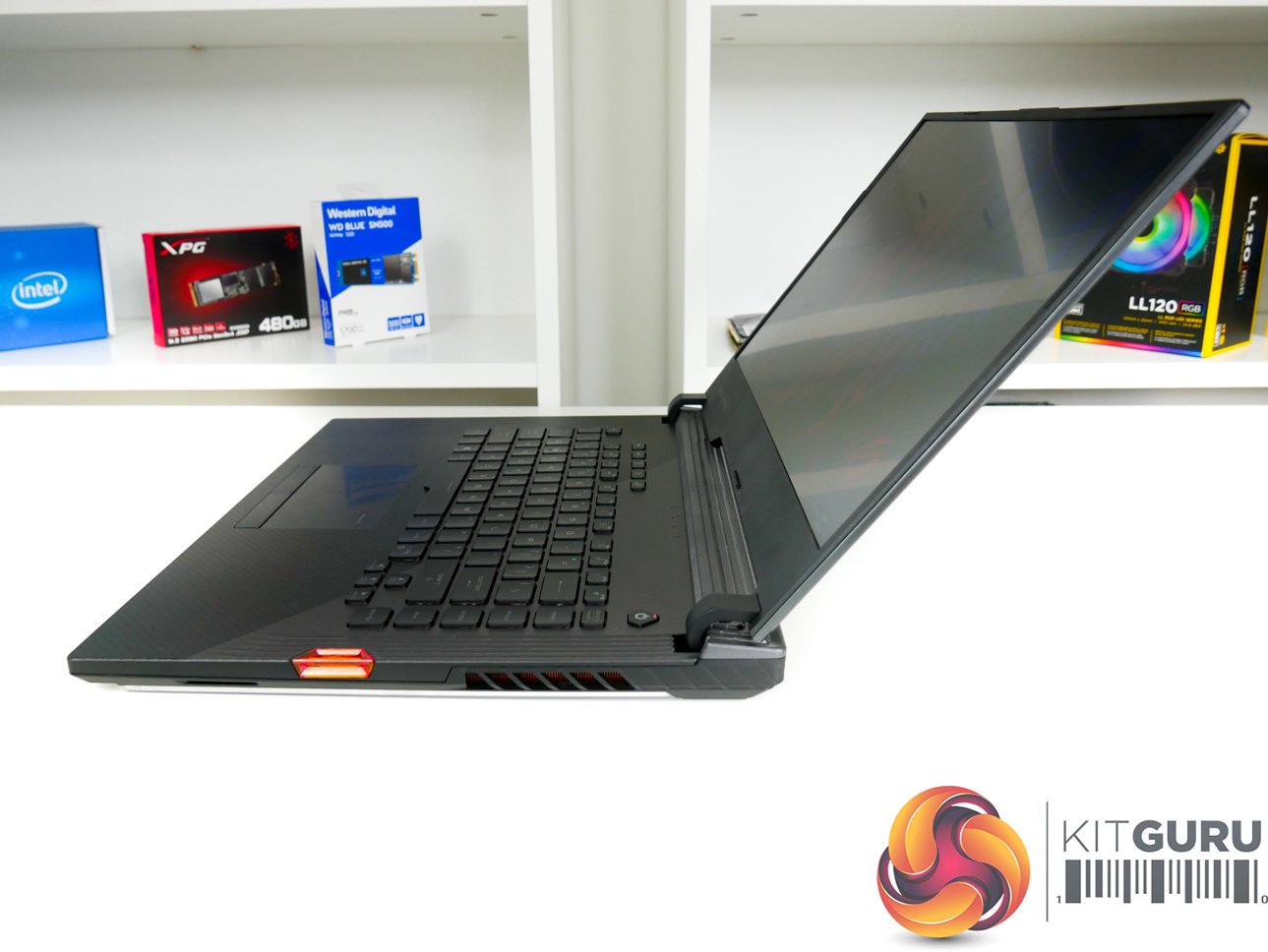
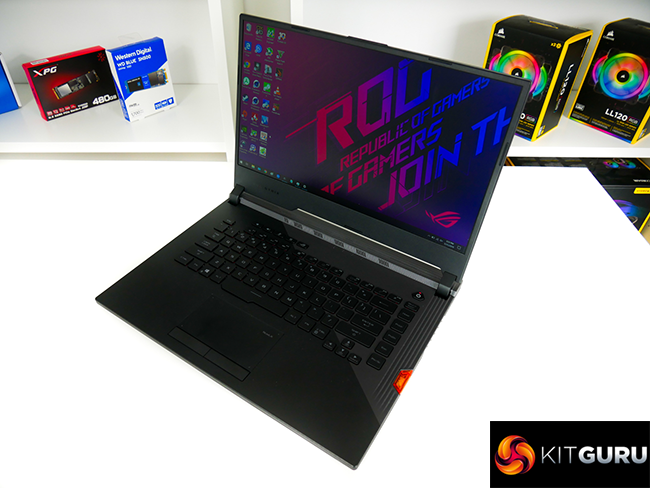
Built primarily from plastic, the ASUS ROG Strix Scar III has a sleek, understated look in its grey and black colour scheme. The faux-brushed metal cover has good fingerprint resistance and looks attractive when reflecting light. Build quality is excellent, with good rigidity throughout and a manageable amount of flex on the screen.
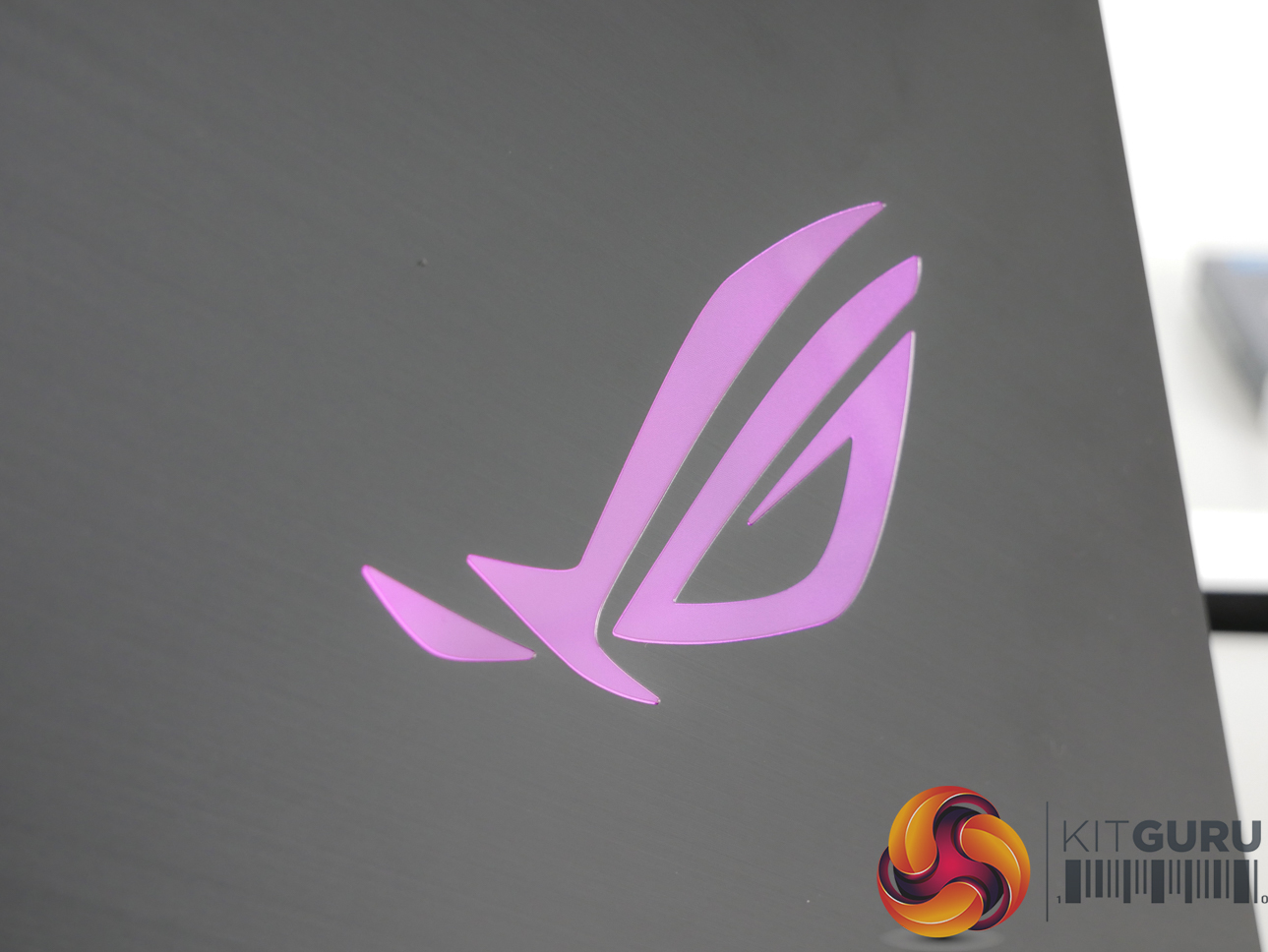
The light-up ROG logo is a nice touch which adds to the premium feel. There is a decent amount of venting on the underside plastic shroud, though most of the air intake and exhaust is handled by back and side vents.
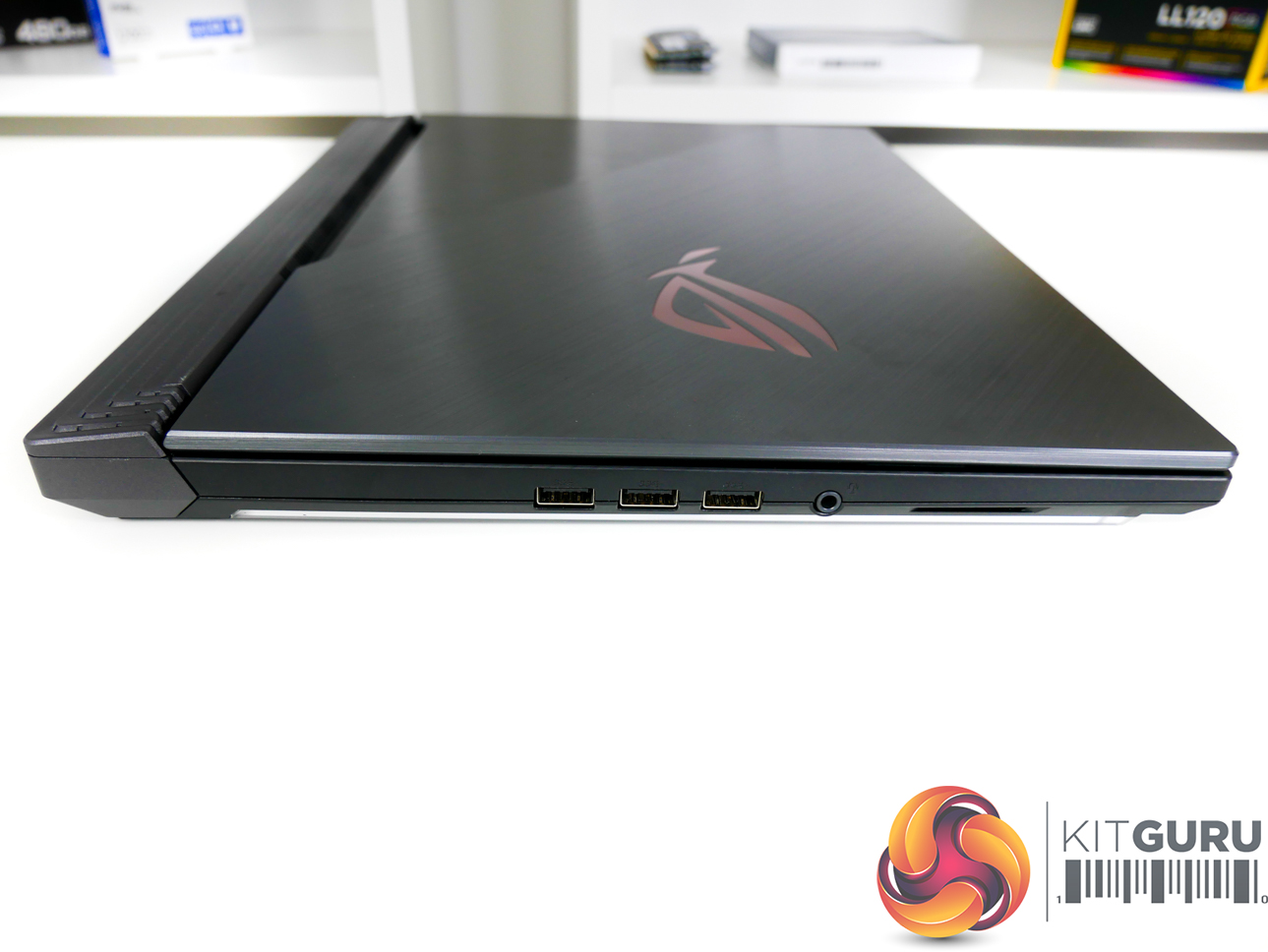
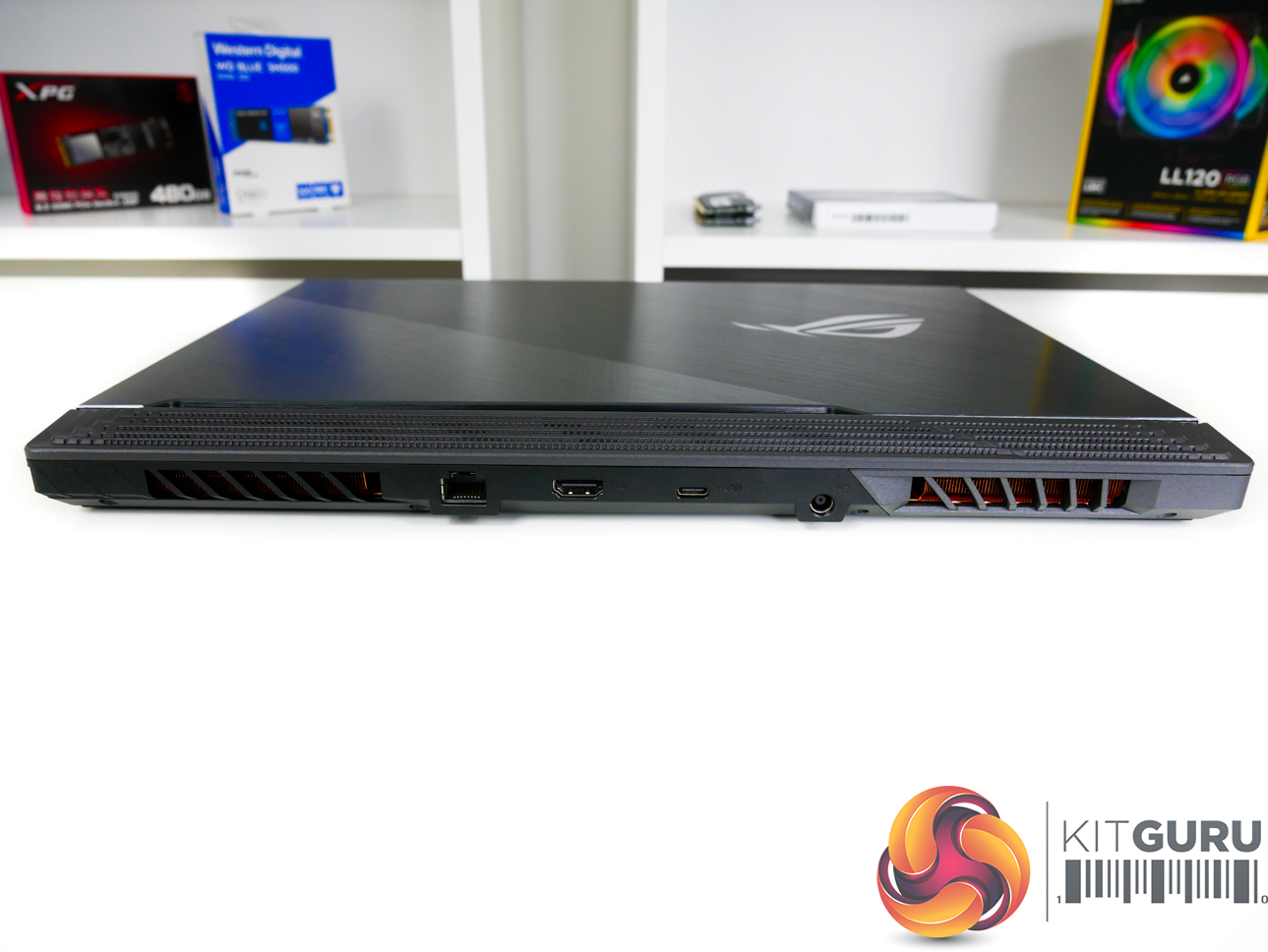
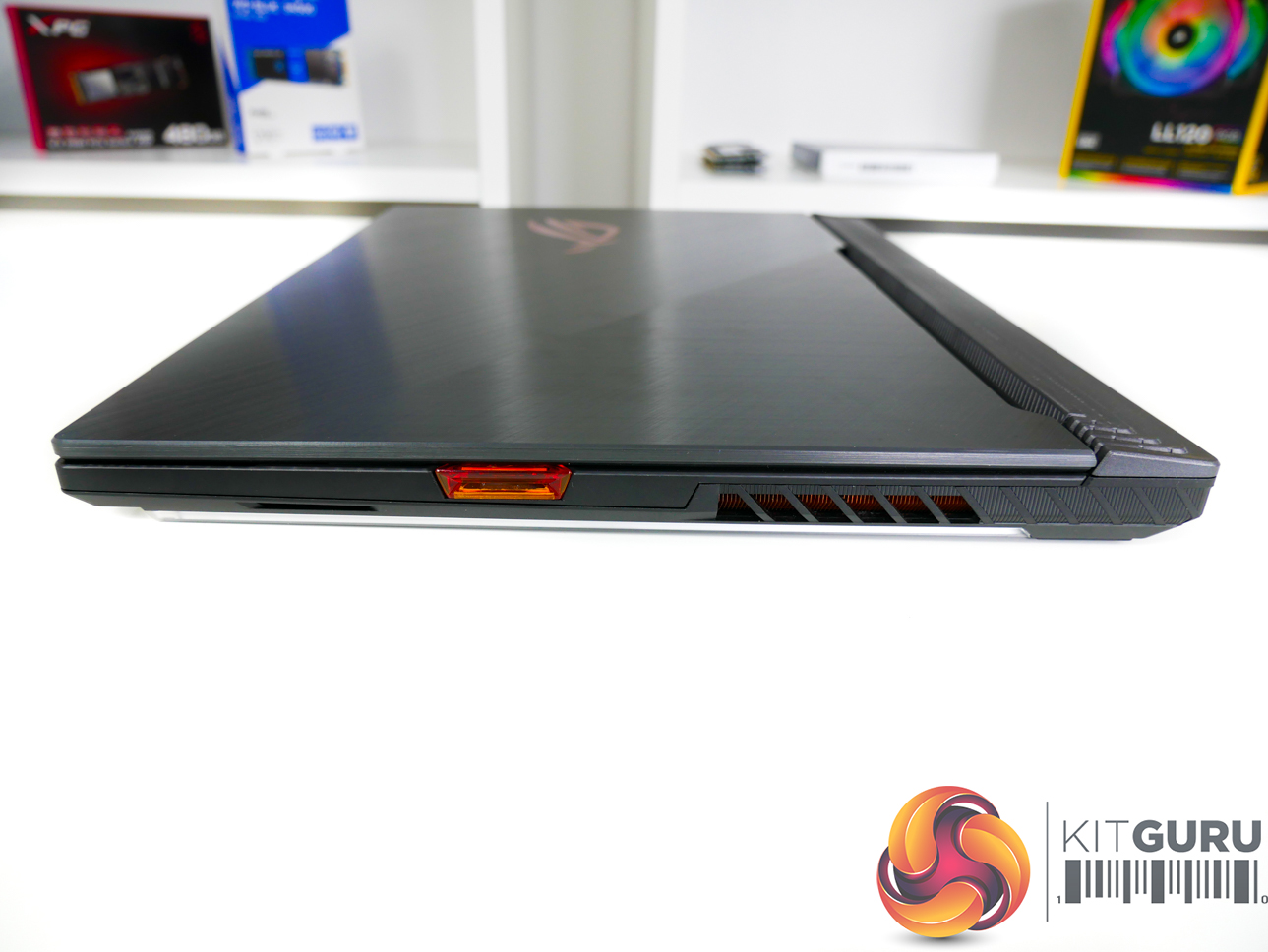
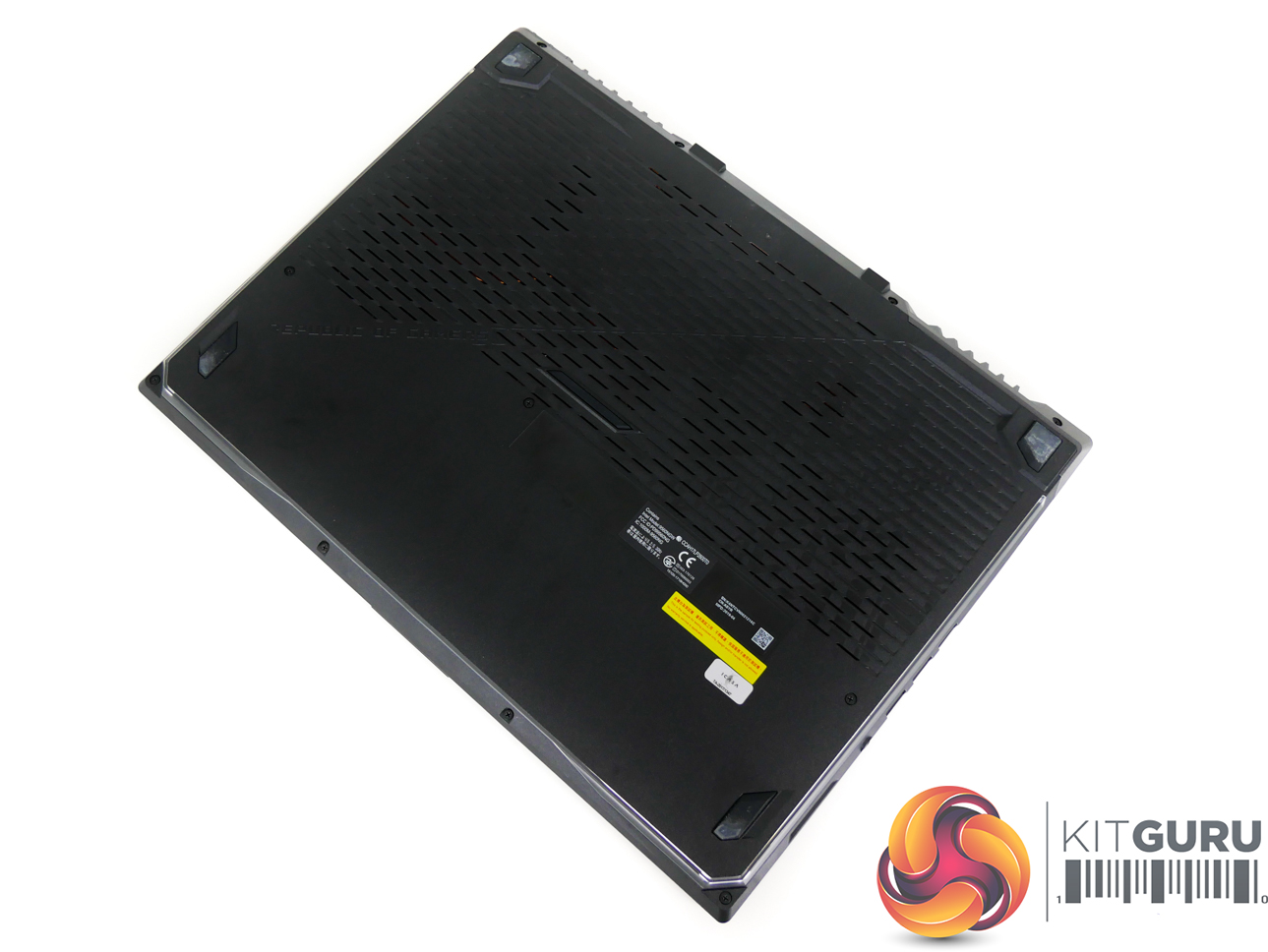
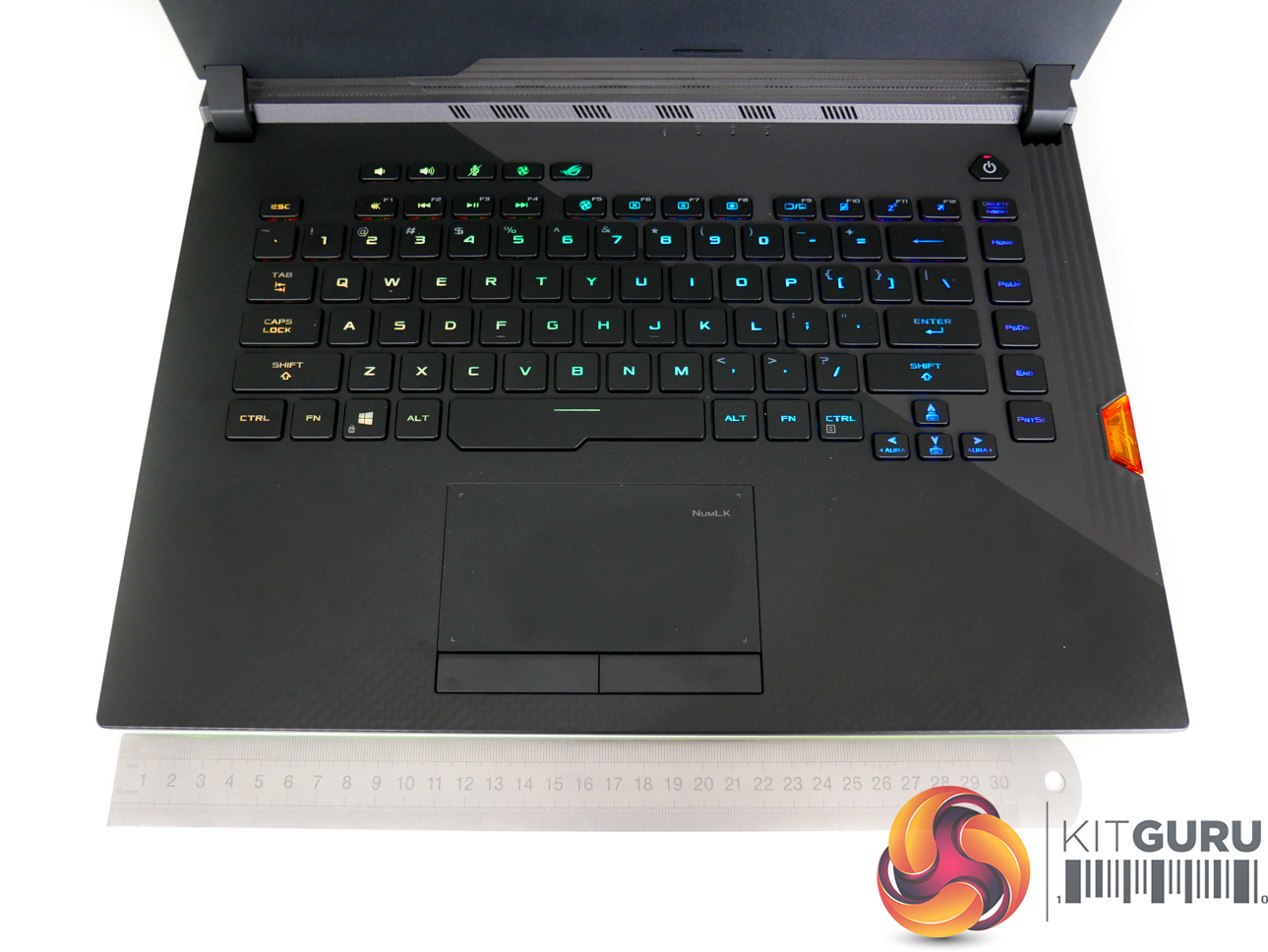
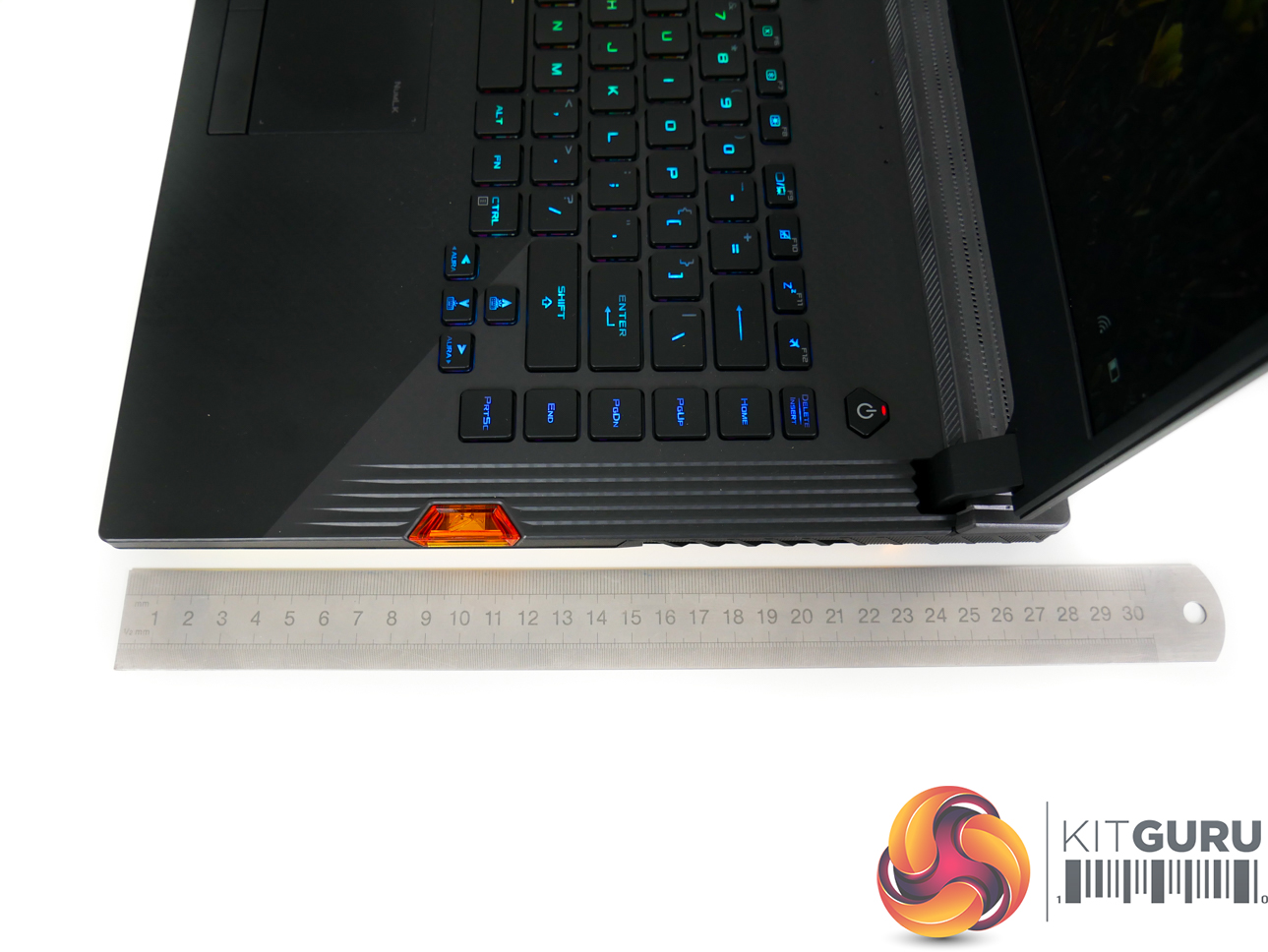
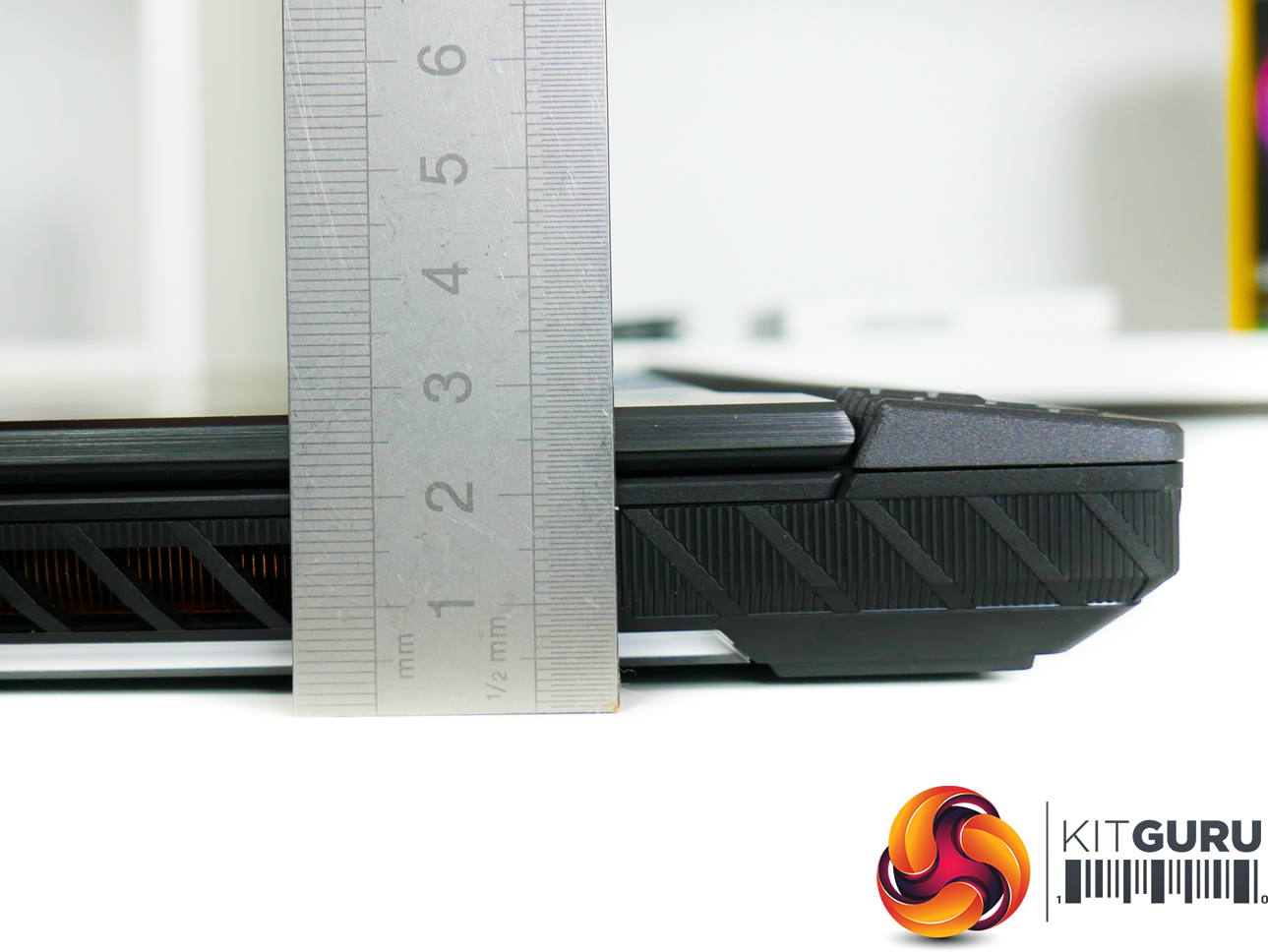
Port selection is good, with three USB 3.1 Gen 1 (5Gbps) Type-A, 3.5mm audio jack, RJ45 Gigabit Ethernet, HDMI 2.0b, and one Type-C connector that provides USB 3.1 Gen 2 (10Gbps) and DisplayPort connectivity.
All three Type-A USB connectors being positioned on the left side is my biggest complaint with respect to ports. The wire from a mouse will likely be trailing behind the screen. Spacing for the Type-A ports is not ideal, either, with a wider-than-average connector such as an SD card reader likely blocking its neighbouring port.
The G531GW measures in at 36cm wide, 27.5cm deep, and 2.6cm thick. Weight is just under 2.4kg, according to ASUS' specifications. Vents at the rear of the chassis extend past the screen hinge, thus limiting the maximum rotation angle slightly.
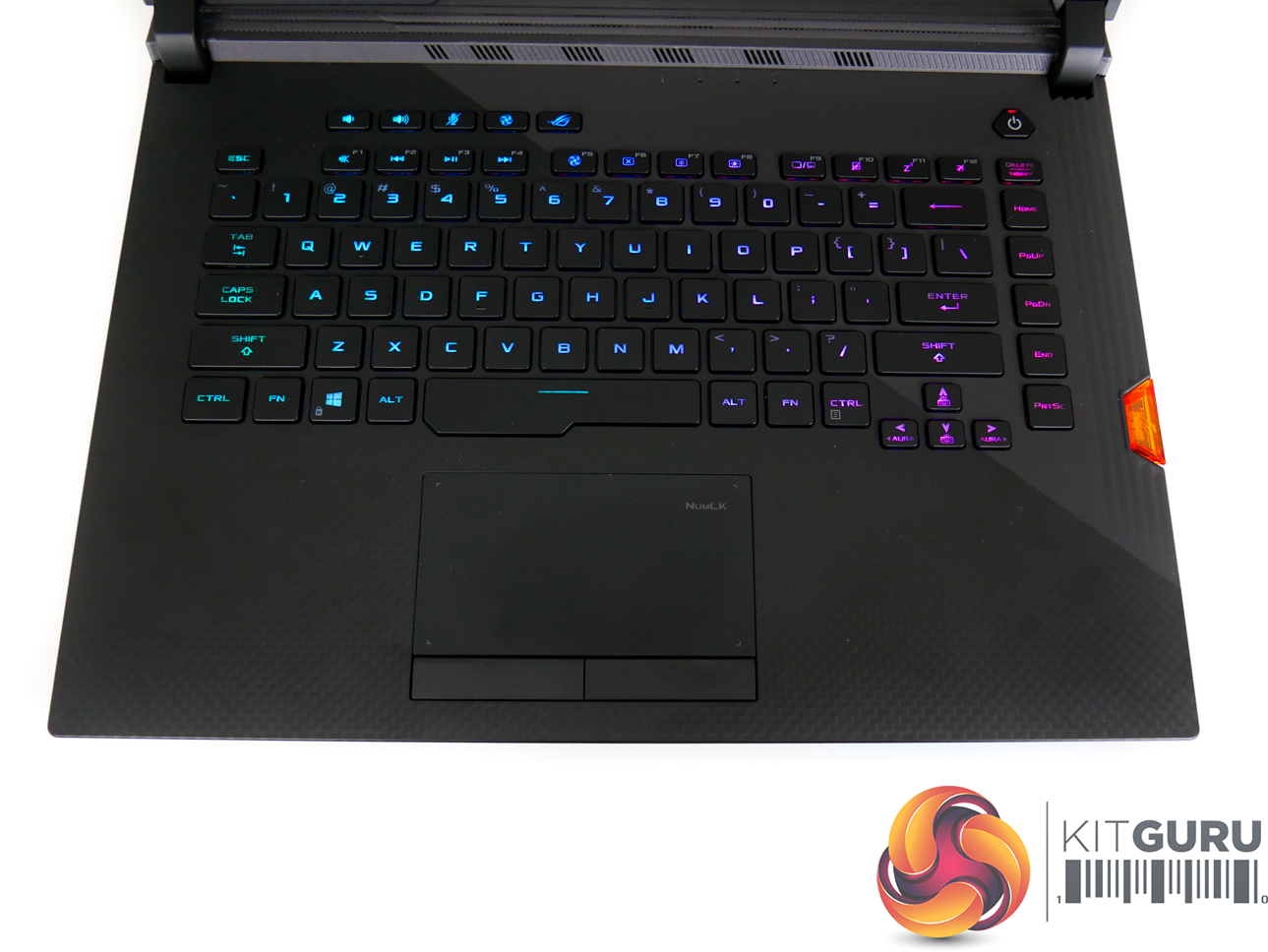
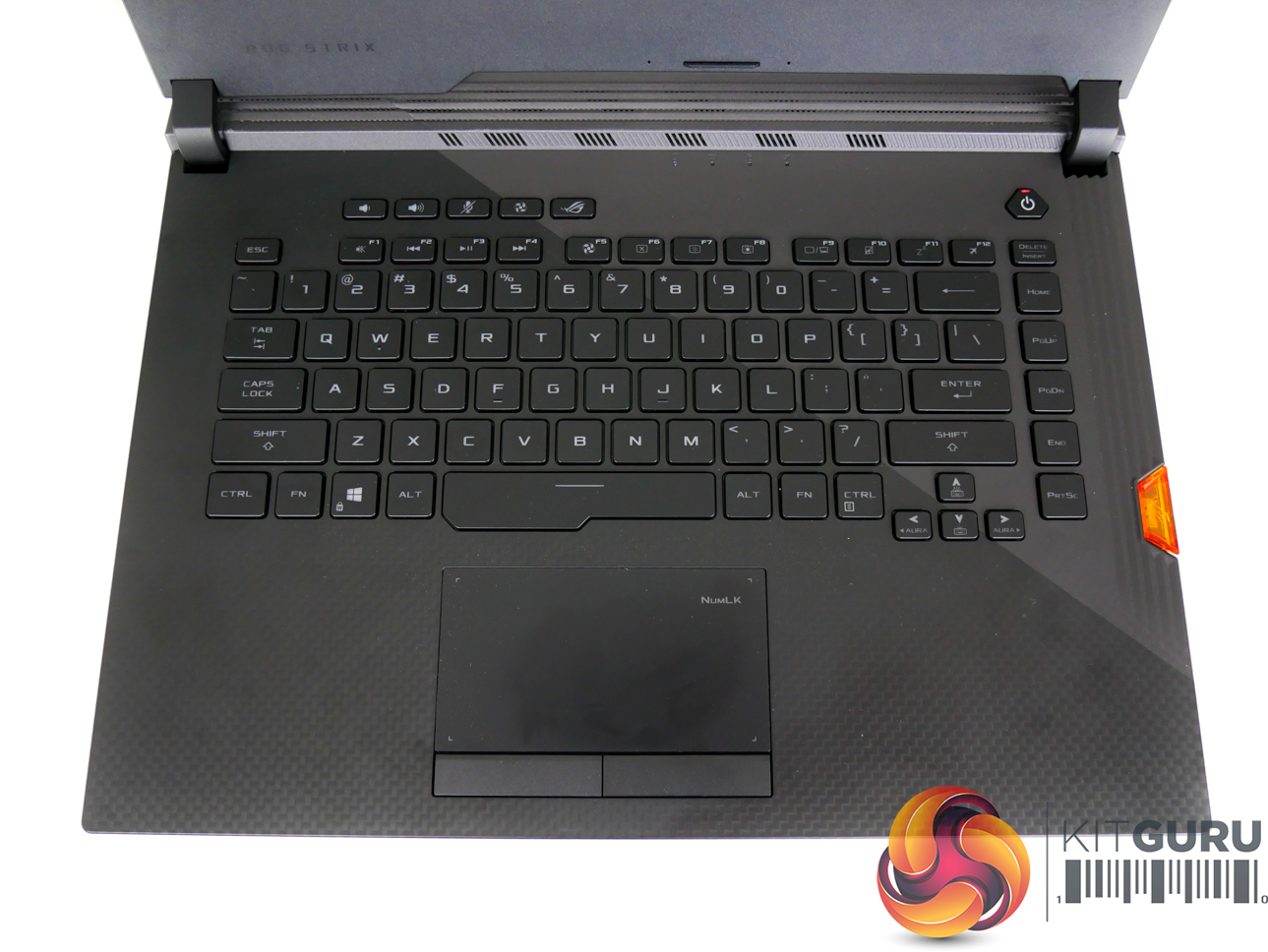
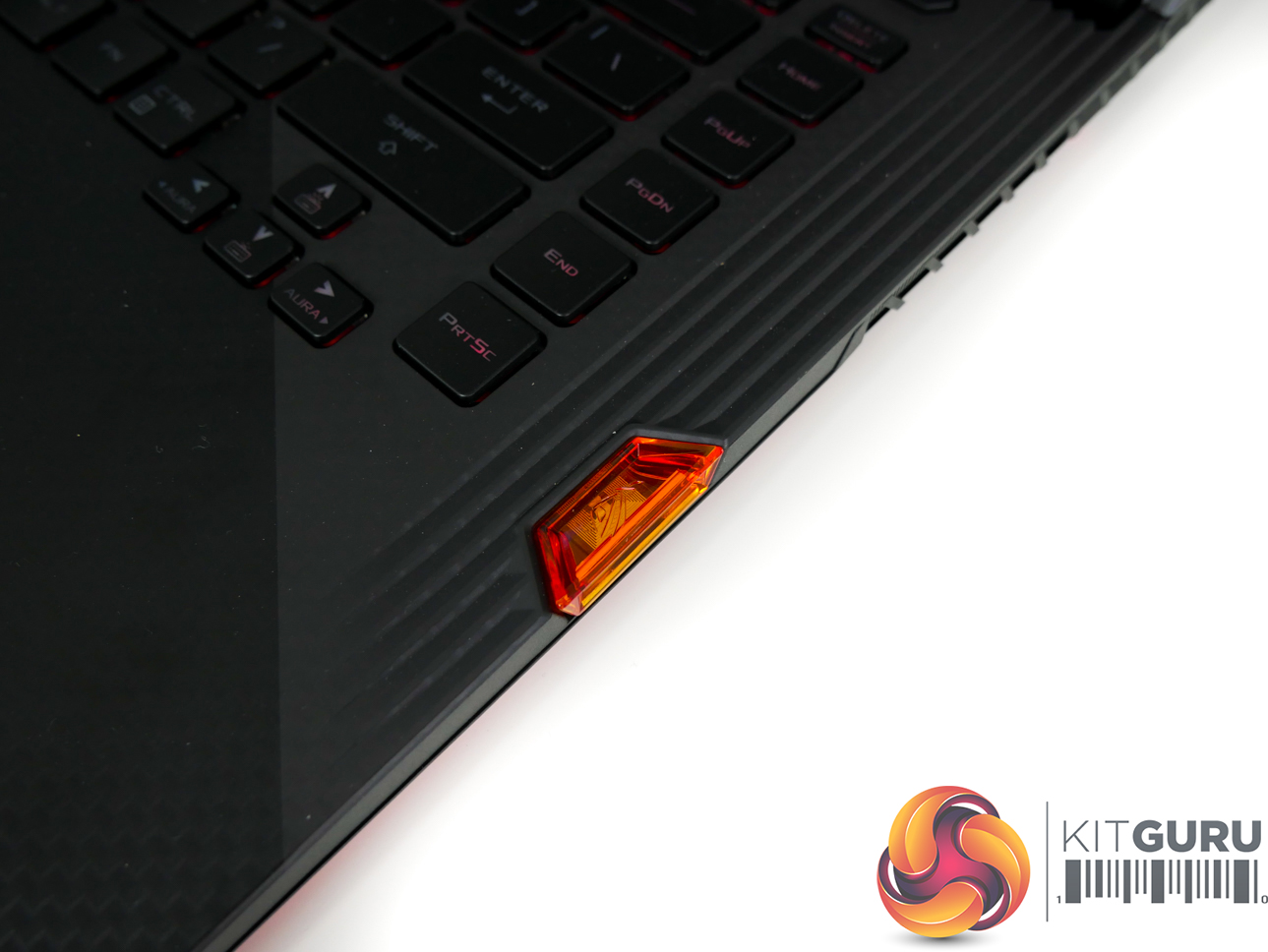
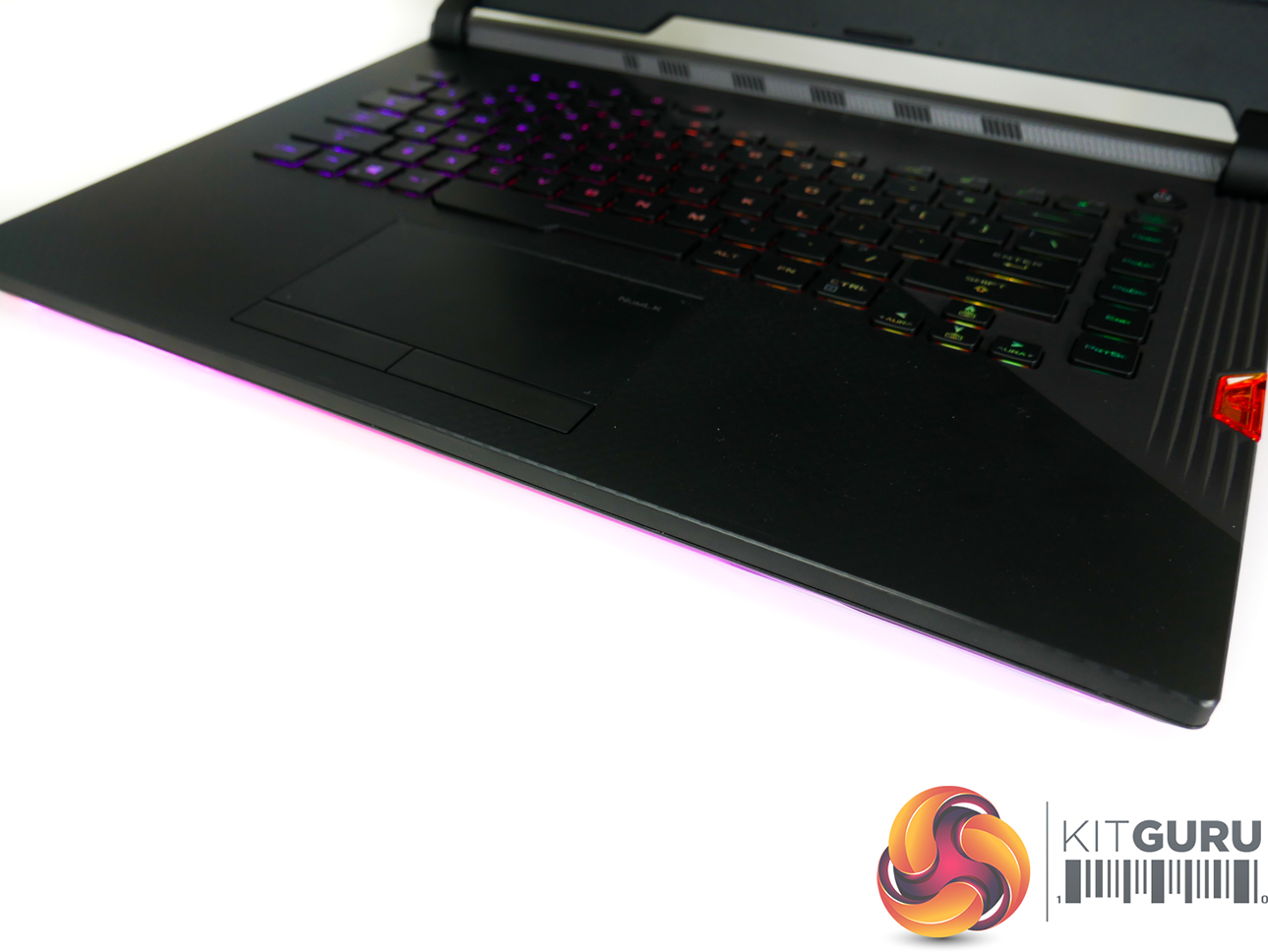
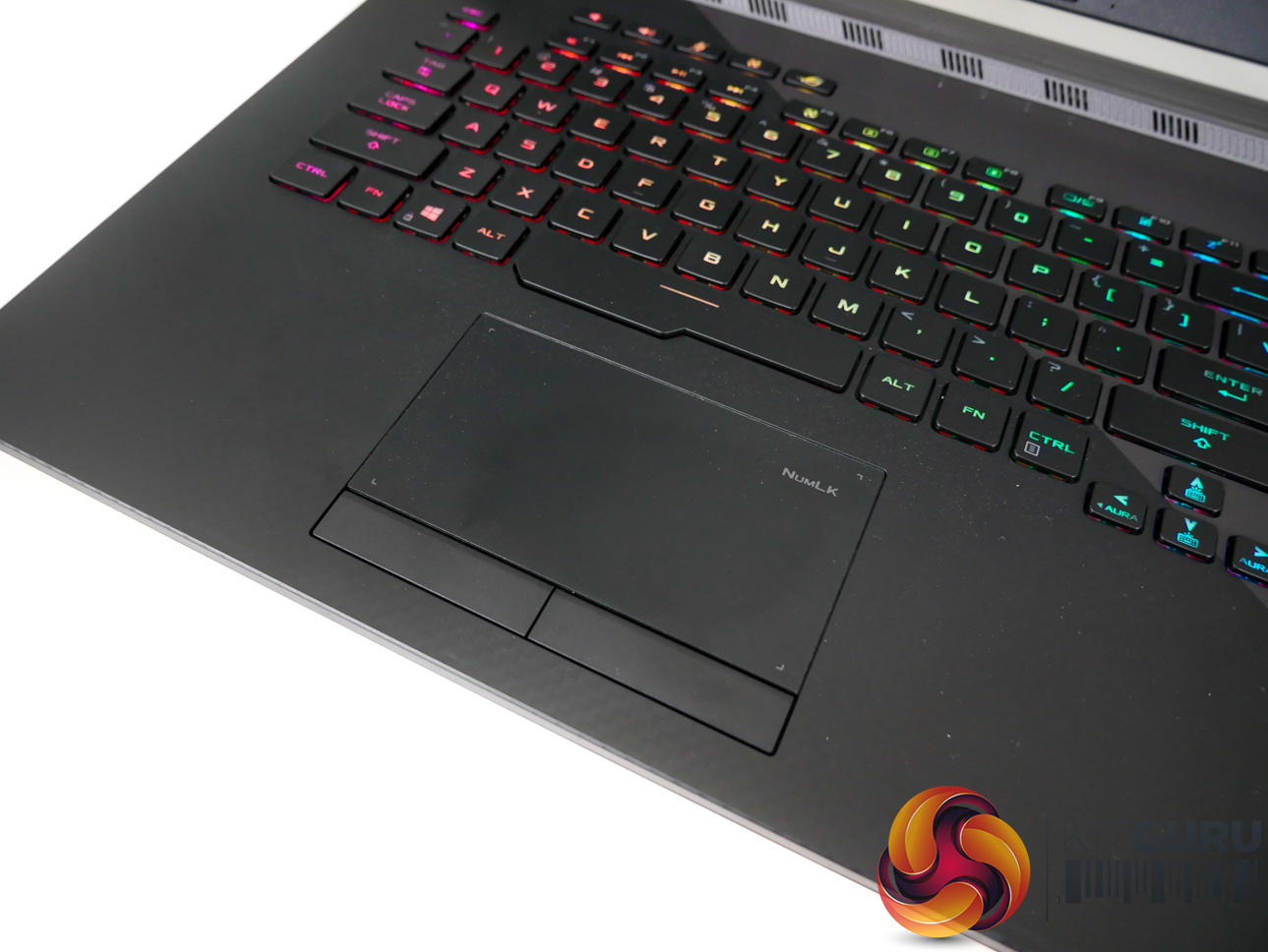
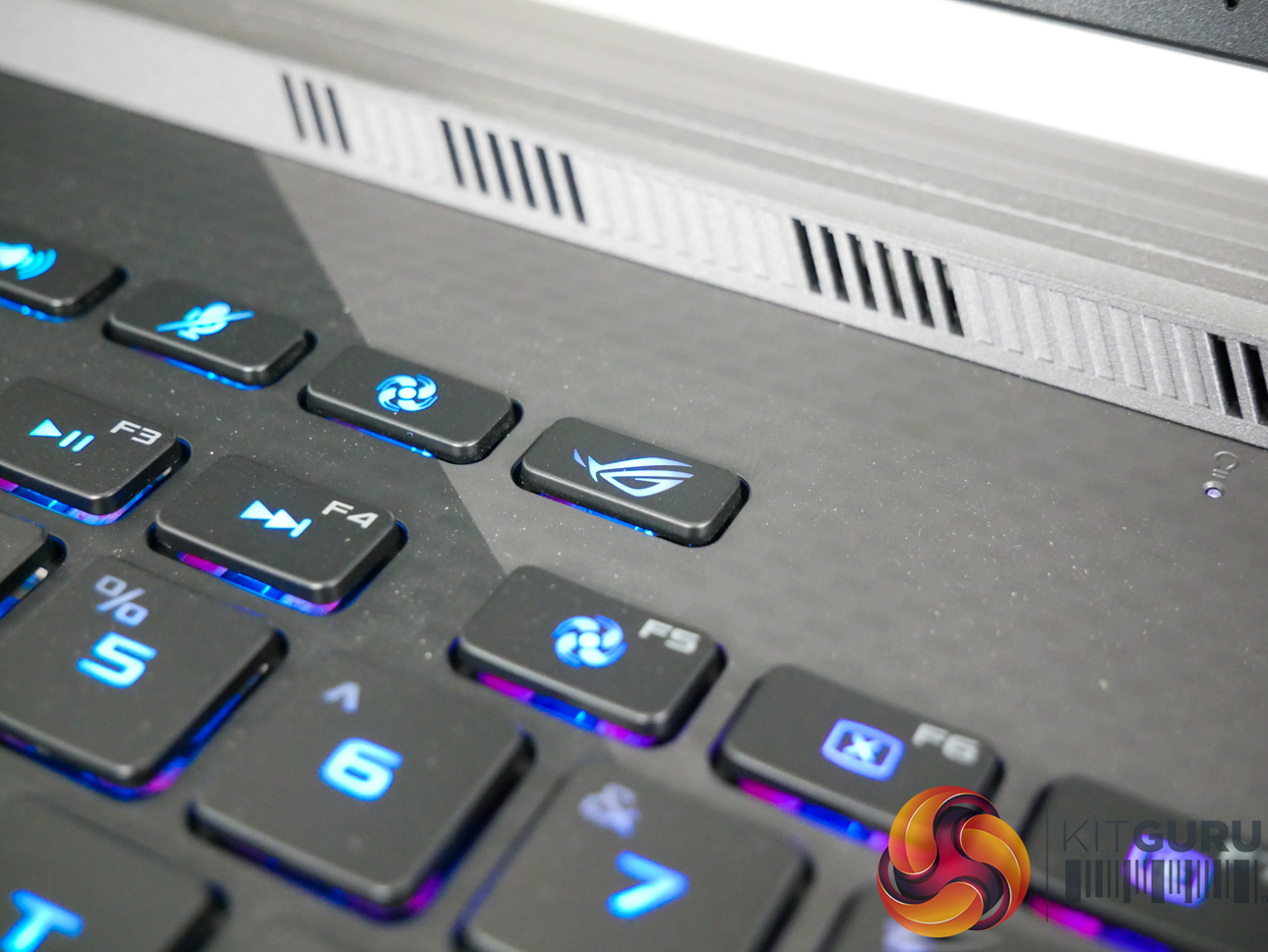
Per-key RGB lighting on the chiclet keys is strong, bright, and can be controlled easily. N-Key rollover is supported, and ASUS provides a good number of dedicated hotkeys. The NFC-enabled Keystone chip is inserted on the right-side of the laptop and fits well with the overall styling, adding a small touch of orange contrast.
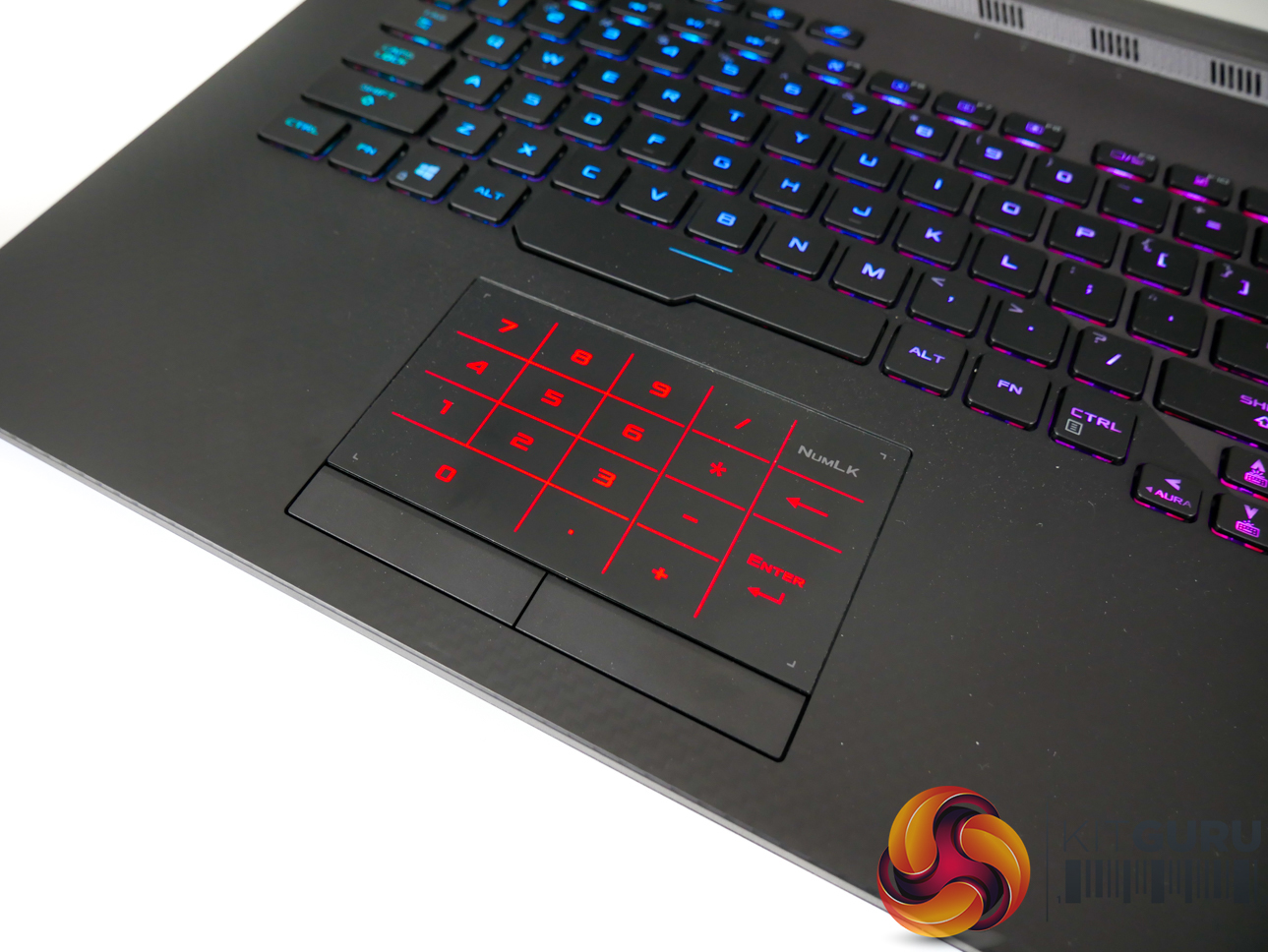
Holding the num lock button on the well-designed track pad reveals the number pad lighting. I am particularly fond of the dedicated right and left click buttons, which are superior to the all-in-one trackpad, in my opinion.
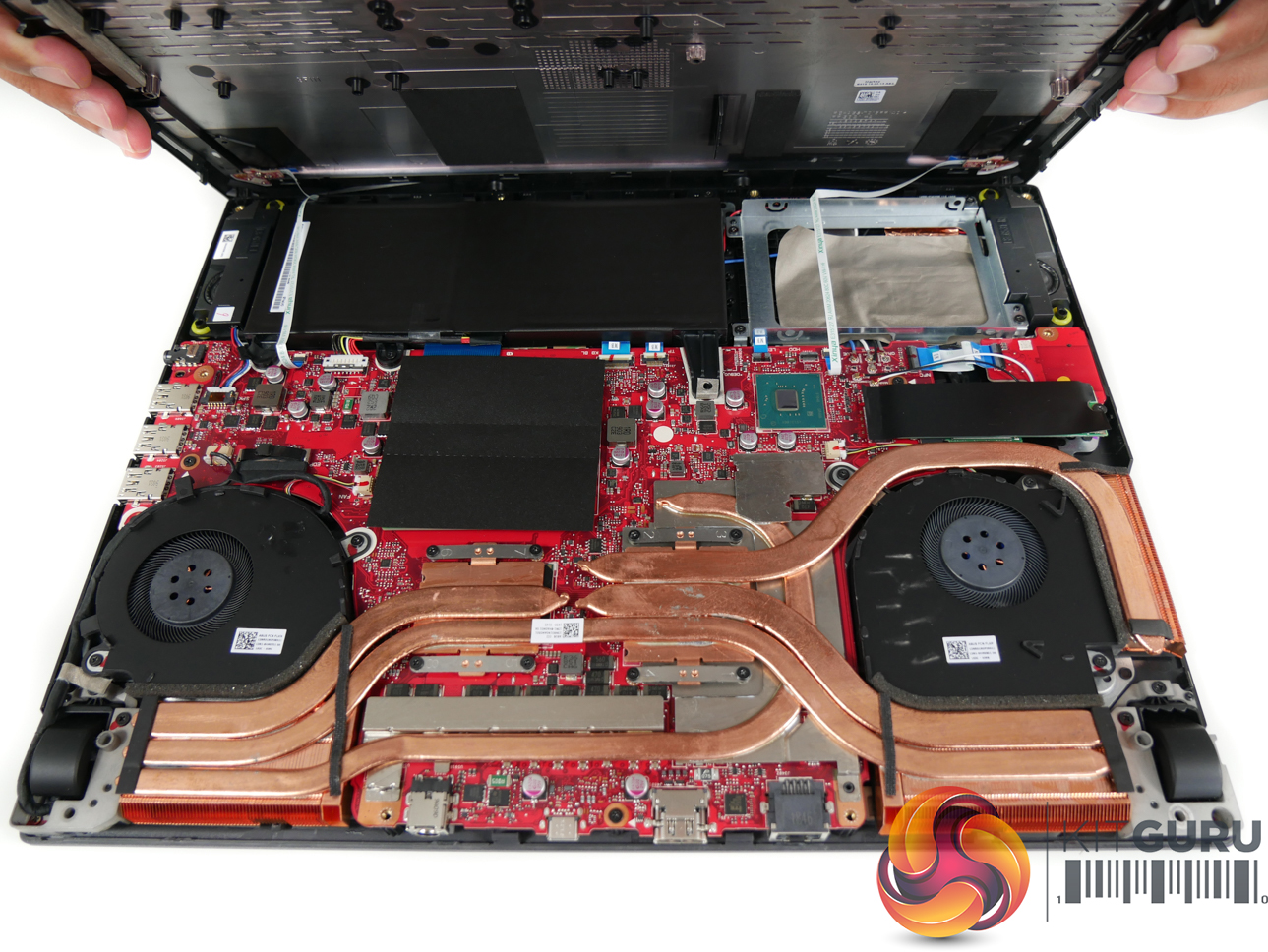
Accessing the internals is challenging as there are two ribbon cables that connect the RGB lighting on the bottom of the chassis. These cables feature small connectors and will be very difficult to re-insert once removed. As such, an extra pair of hands is strongly advised when working inside the G531GW.
Two blower-style fans take care of the Core i9-9880H CPU and the RTX 2070 GPU, along with a fleet of heatpipes. A pair of SO-DIMM slots takes DDR4 memory and come pre-installed with 2666MHz SK Hynix sticks in our 32GB test configuration. The Intel 660p NVMe SSD is covered with a thermal pad and a thin black cover.
ASUS has clearly prioritised additional storage capacity (and lower cost) by opting for a relatively small 66WHr Li-ion 4-cell battery. Opting for this size of battery does, however, make a spare 2.5″ drive bay available for SSD or HDD storage upgradability.
ASUS Armoury Crate
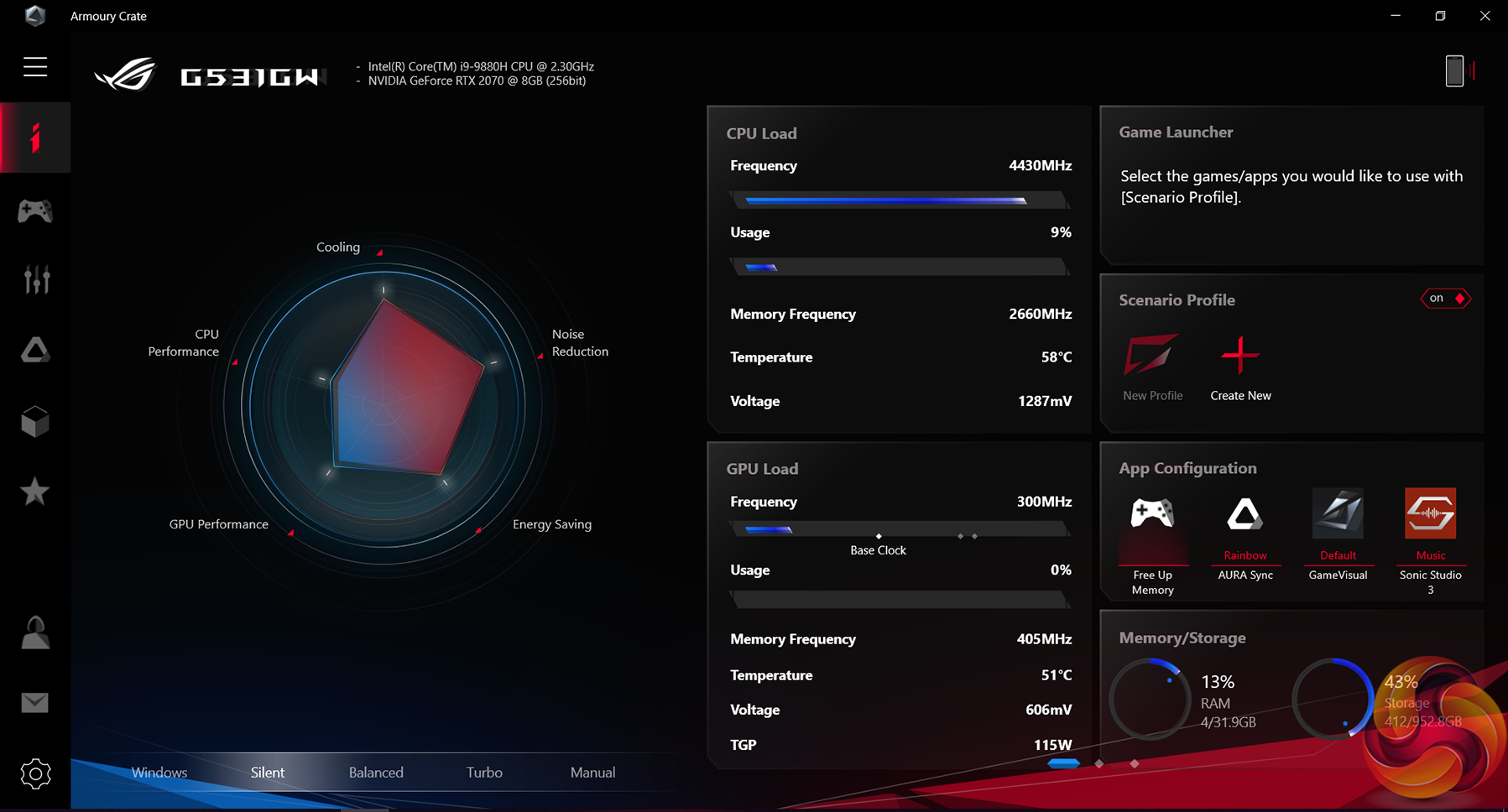
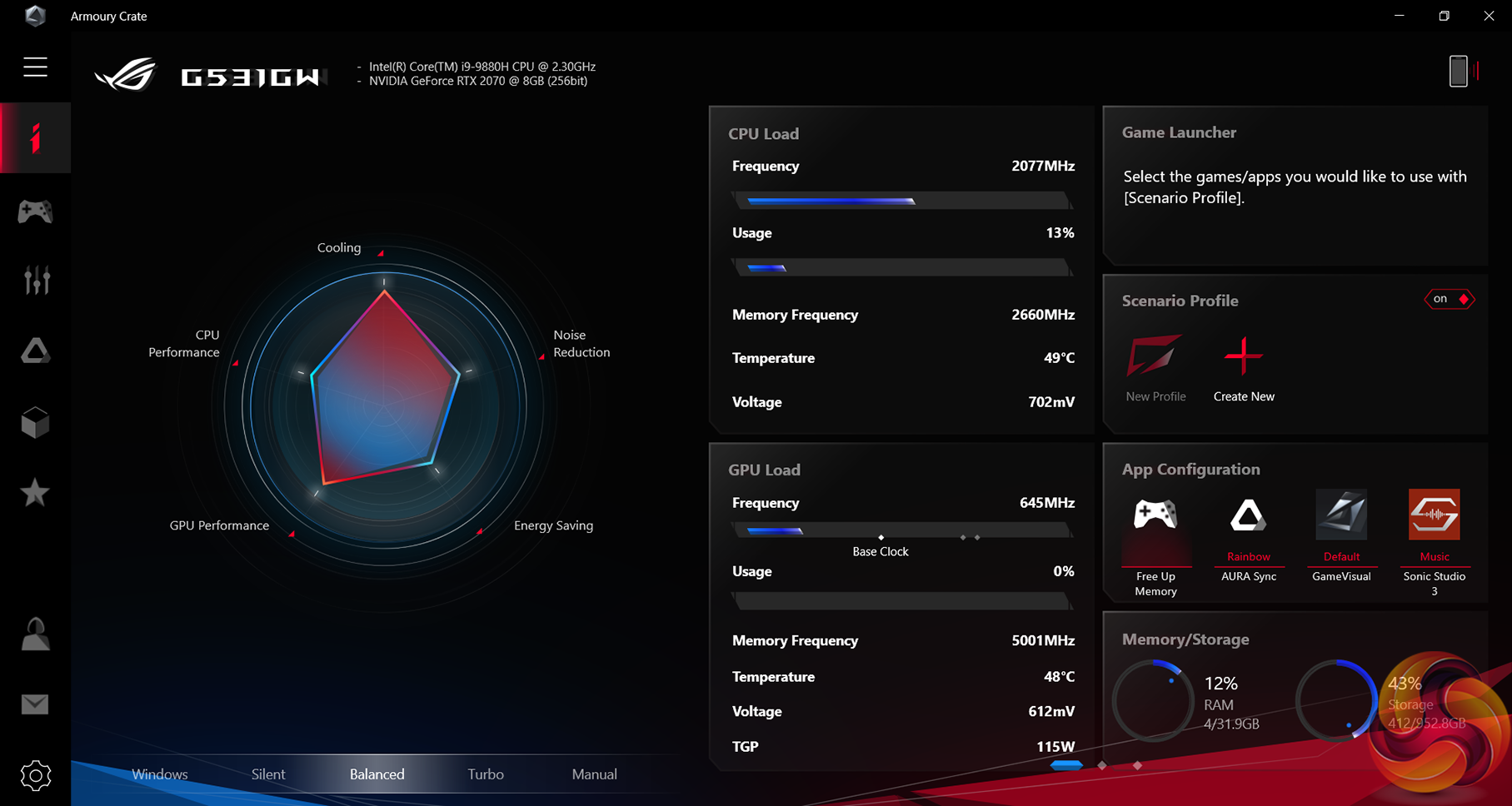
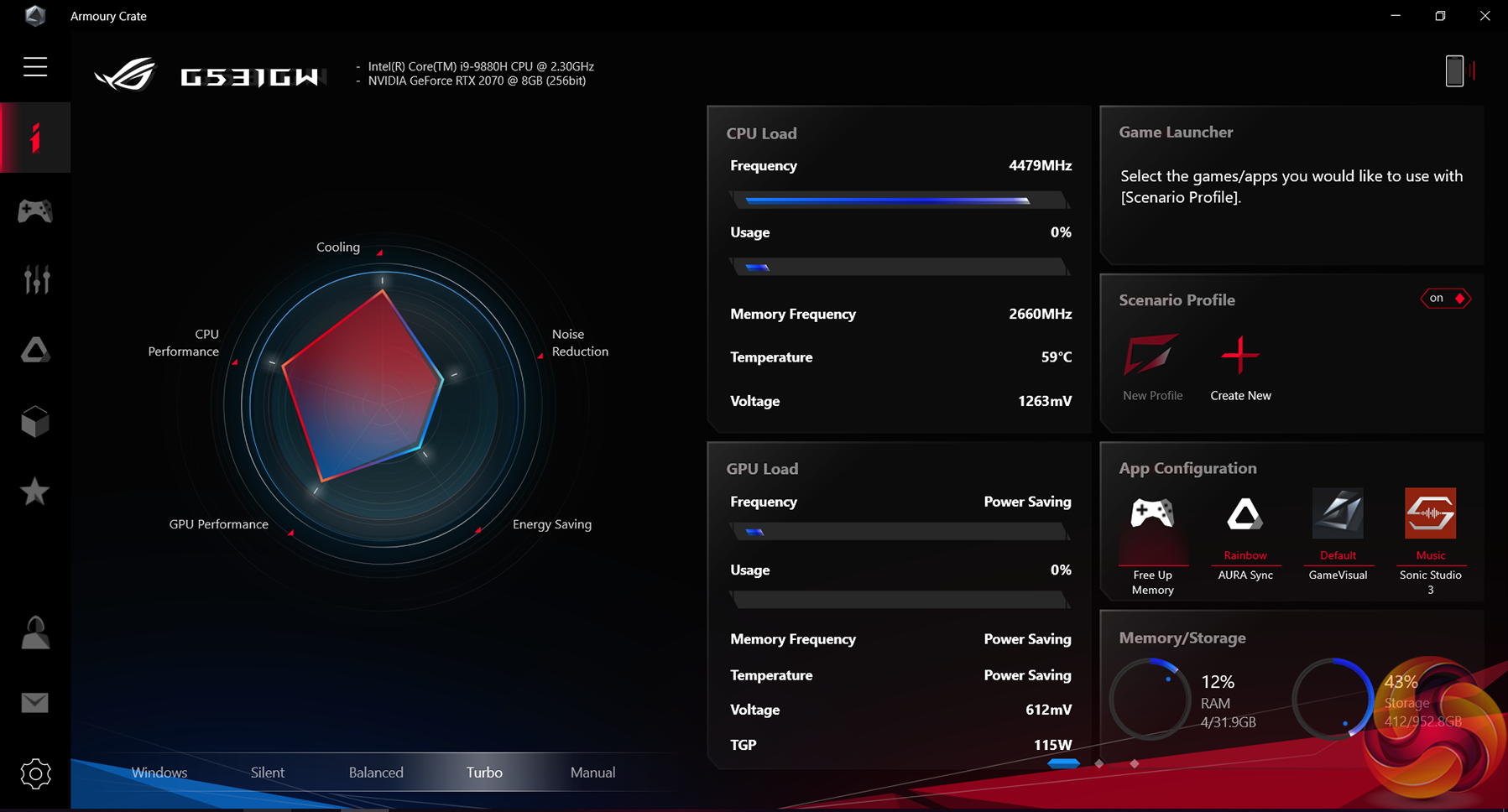
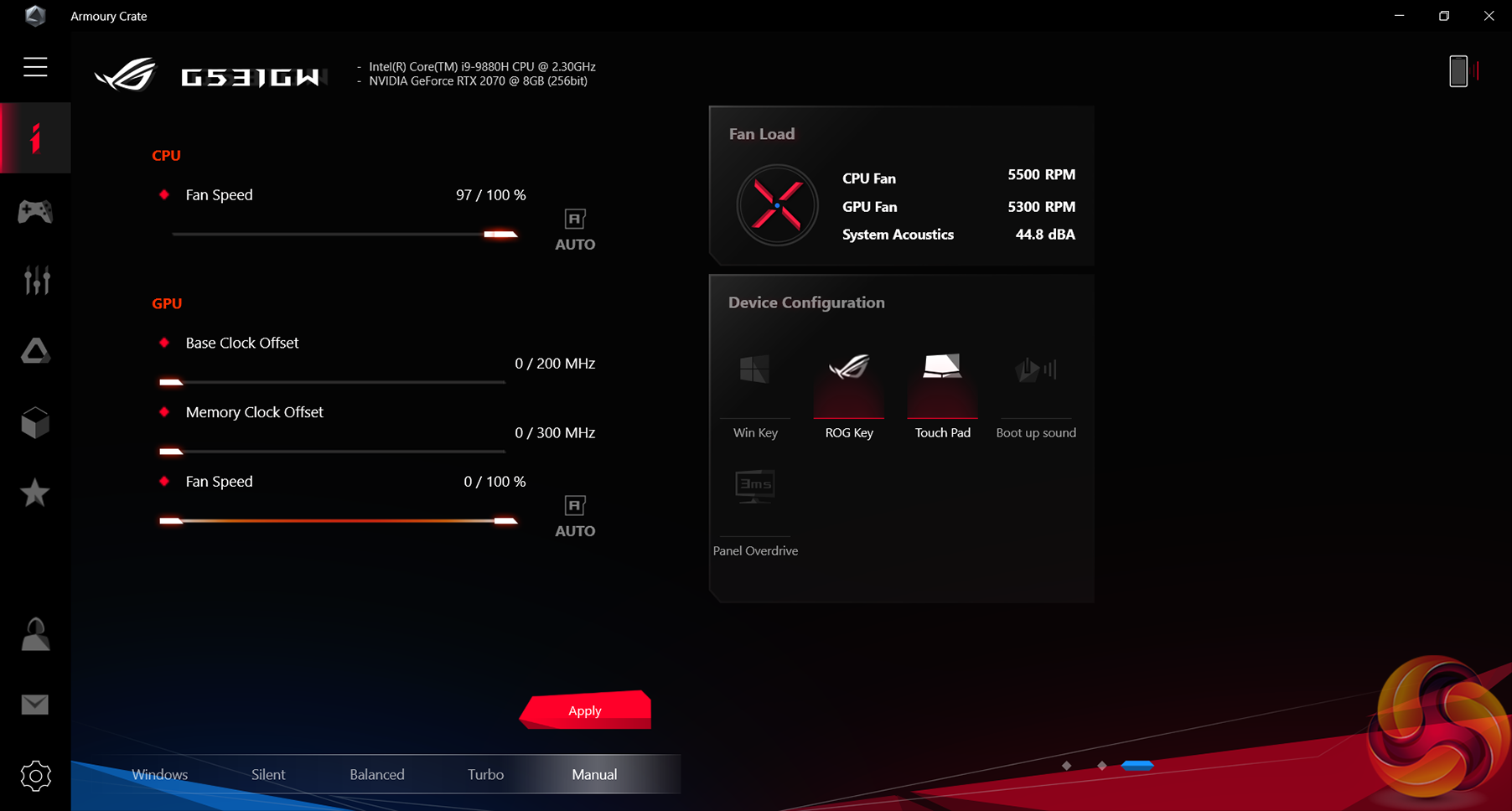
Arguably the most useful function within Armoury Crate is the ability to set and control the laptop's operating modes. Five modes are available: Windows, Silent, Balanced, Turbo, and Manual. The Windows mode lets Windows take control of performance and power duties, while the remaining four modes are driven by ASUS' experience and decisions.
Calling the Silent mode ‘silent' is certainly optimistic as, while the fan noise is reduced under this condition, it is far from alleviated. Balanced mode provides a compromise between CPU performance, noise levels, and power usage, without altering GPU and cooling performance significantly (according to the radar chart). Turbo mode maximises CPU performance at the expense of power usage and noise.
A small degree of adjustment is provided in the Manual mode. Users can set fan speed levels and have a go at GPU overclocking (not that significant gains should be expected outside of Nvidia's default GPU Boost algorithm).
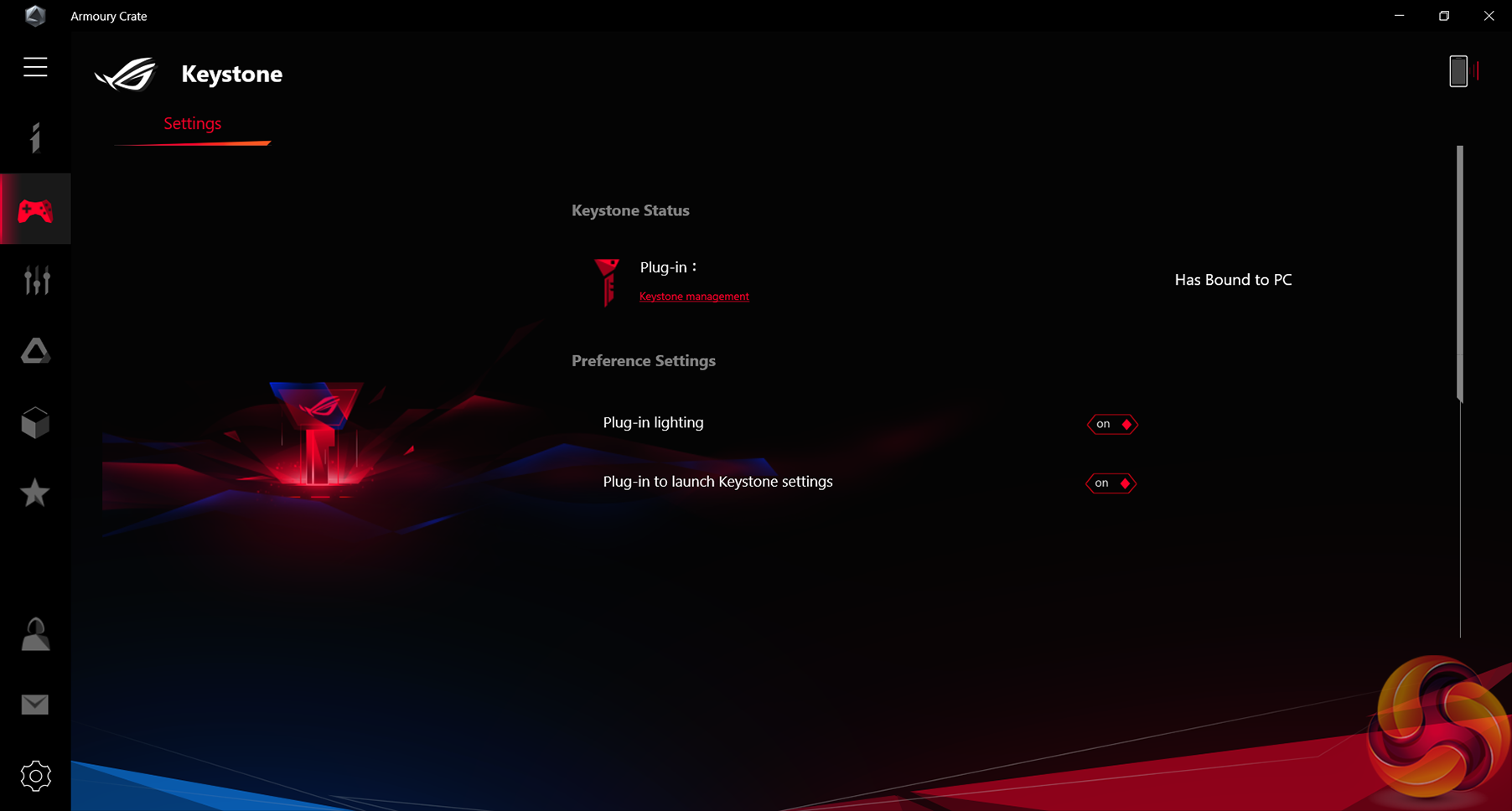

ASUS' Keystone is a small NFC-enabled device that allows users to save their preferred profile and easily transfer it between systems. Also highlighted is the ability of Keystone to work with an encrypted Shadow Drive that you may wish to configure.
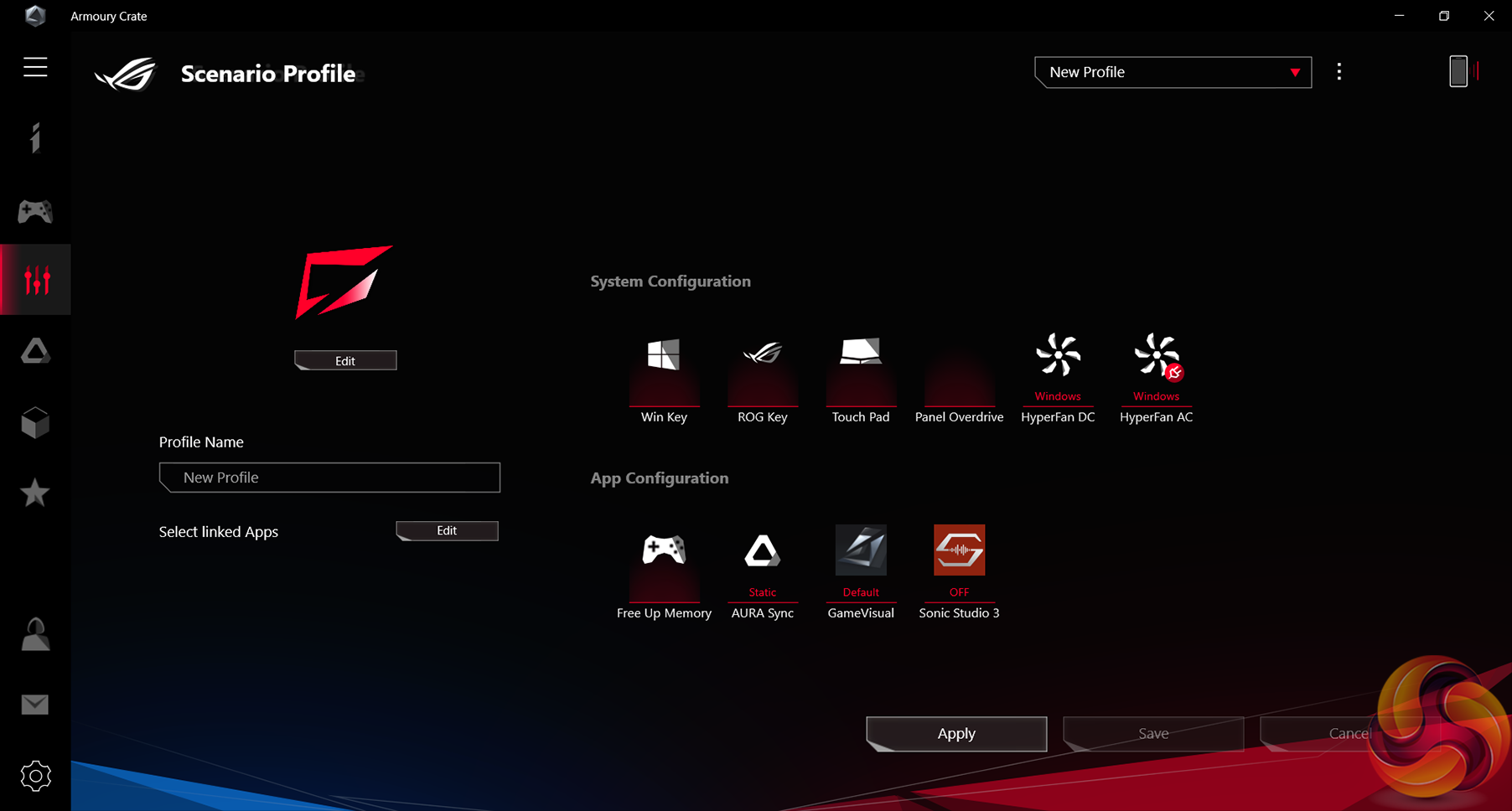
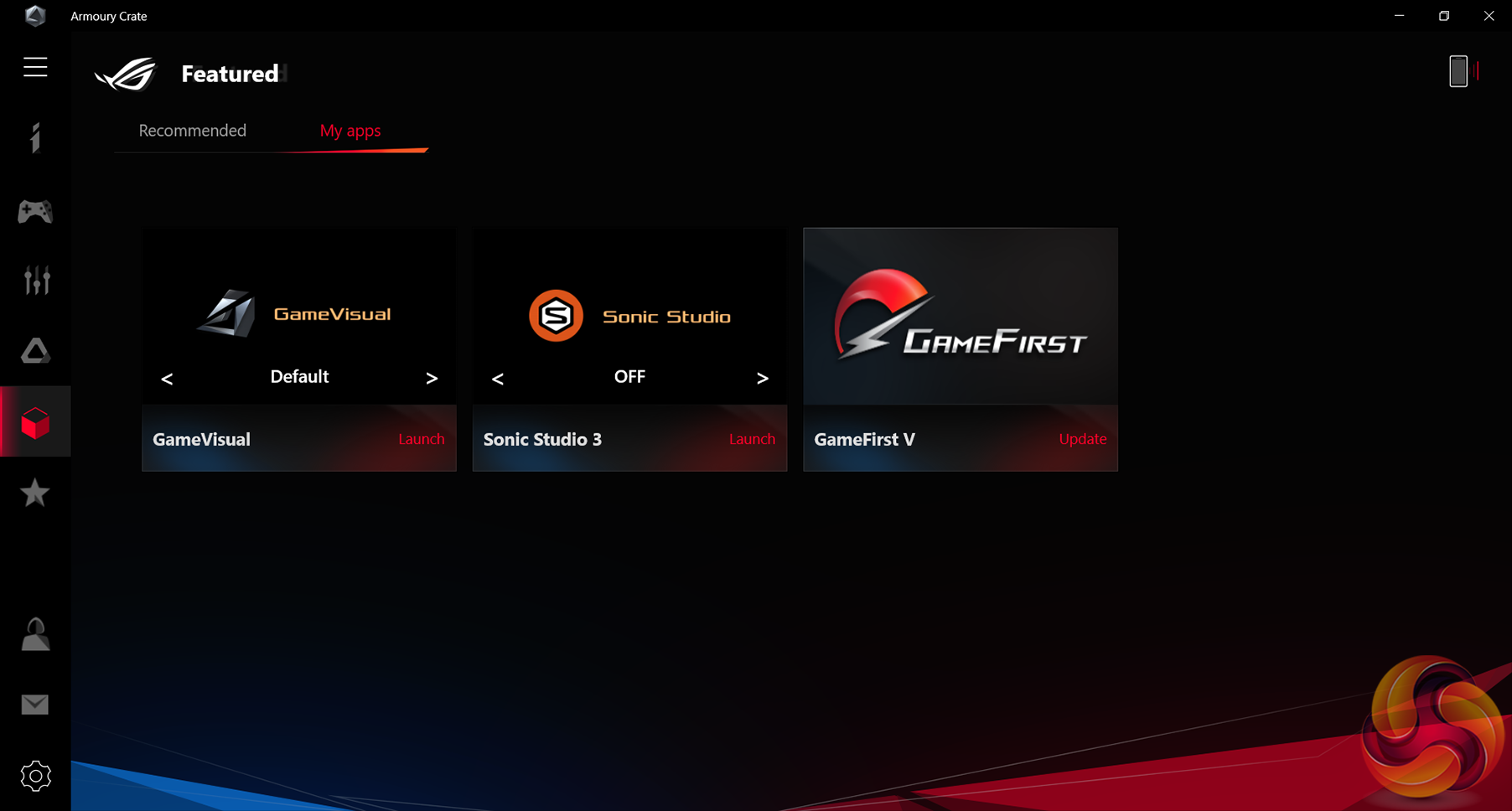
The usual selection of ASUS software is visible within the Scenario Profile and Apps pages. GameVisual, Sonic Studio, and GameFirst were installed by default on our test system.
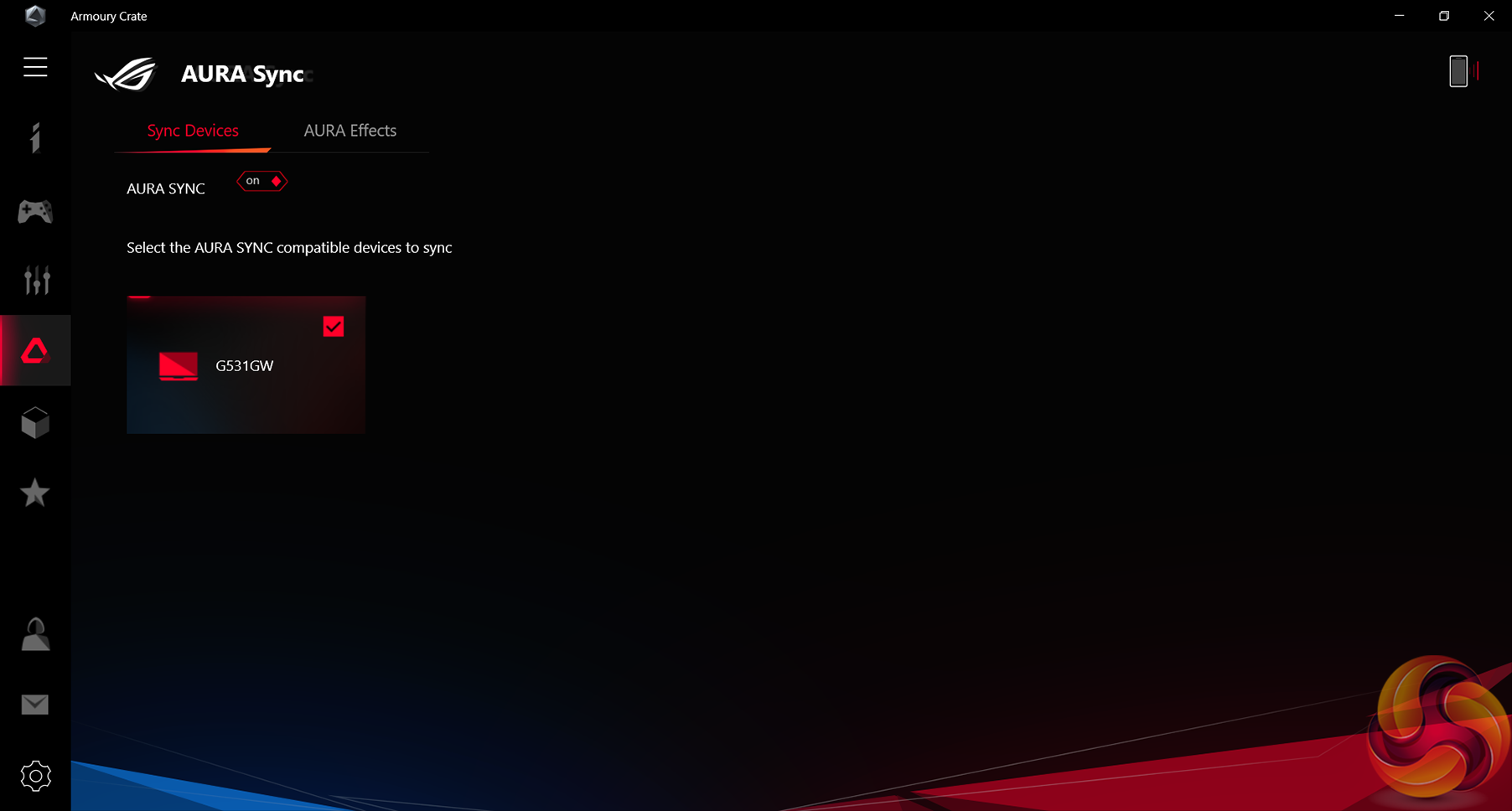
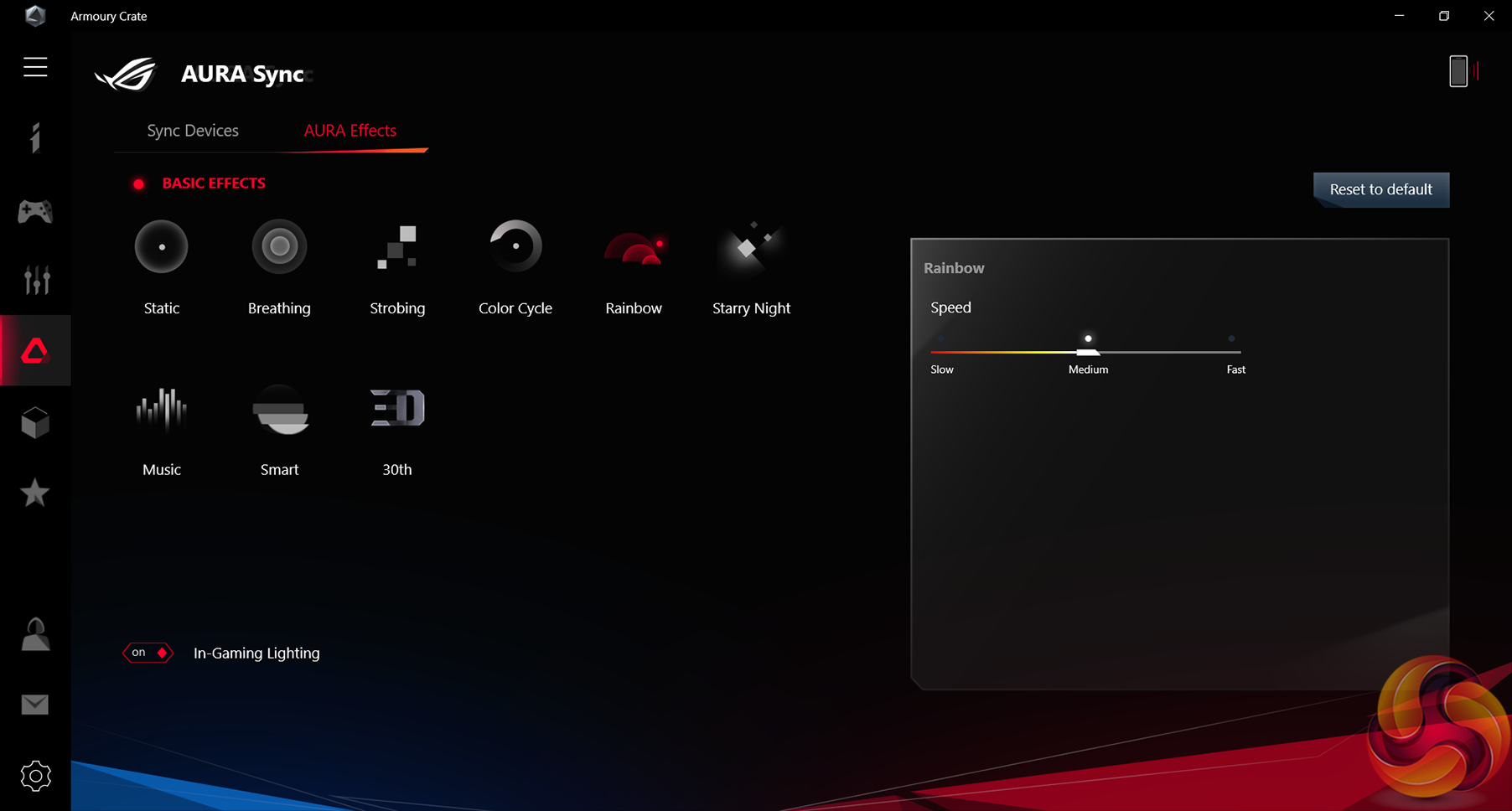
Sync and effects of the AURA RGB system have a good amount of control within Armoury Crate. Users can select nine different RGB effects, with some variance to settings such as speed being permitted. Those with accompanying ASUS AURA-compatible hardware will enjoy the ability to sync lighting across devices.
There is also capability within Armoury Crate to allow for control by using an Android or iOS device with the Armoury Crate mobile app. Perhaps this is most useful to those who want to show off to their friends.
Installed Software
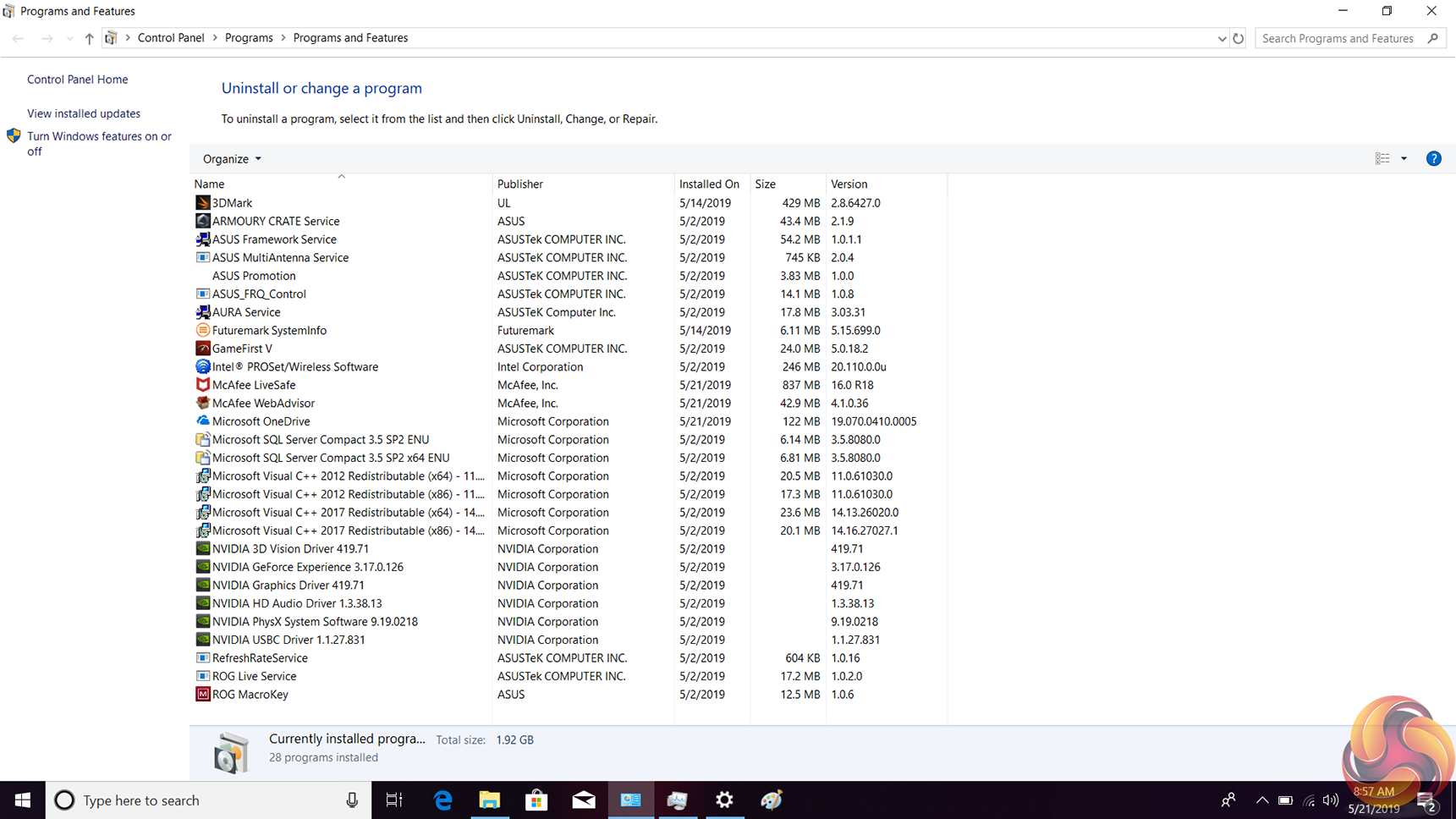


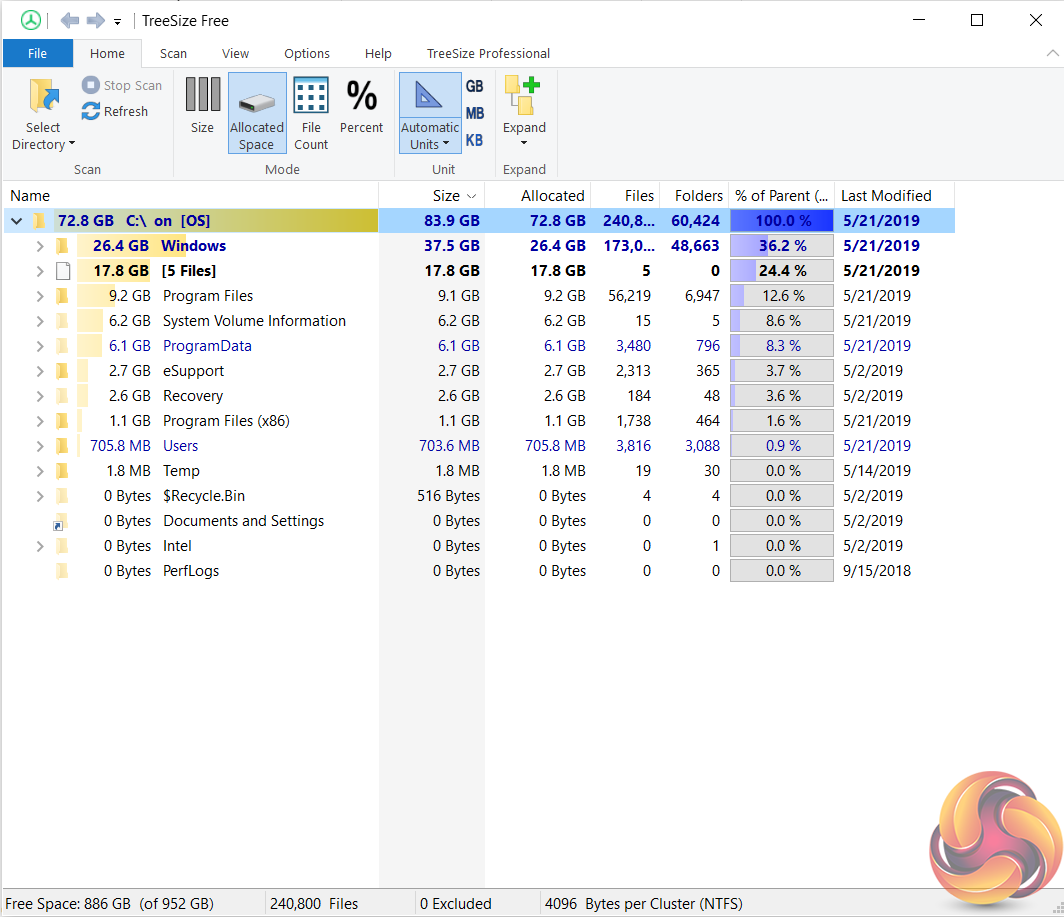
The amount of pre-installed software was not too bad, although there is certainly room for improvement. Most of the included programs are from ASUS, which is better than random third-party inclusions. With that said, we counted 10 ASUS program installations, despite this laptop using standard, non-proprietary hardware that can be controlled by default drivers from the likes of Intel and Microsoft. We would guess that the inclusion of 3DMark is purely related to our sample being a test unit.
Just under 900GB was available as free space from the 1TB (1024GB) SSD, even after we installed small programs such as Steam and Origin. Unsurprisingly, most of the pre-used storage was allocated to the Windows OS and system configuration tasks.
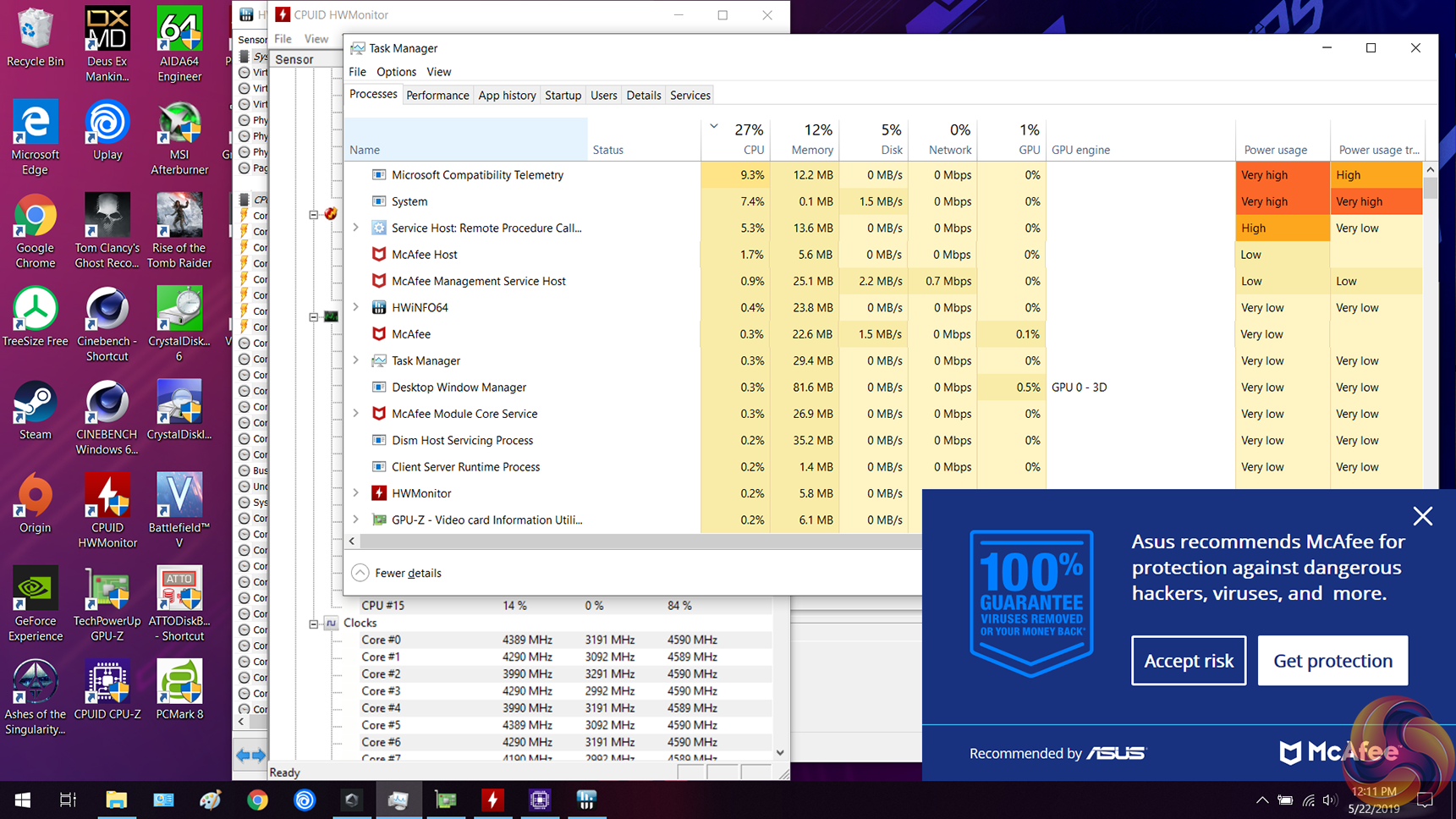


One inclusion that proved annoying and unnecessary was McAfee security suite. The irritating software steals CPU cycles, pops up frequently, and prompts purchases beyond the 30-day trial period. Buyers of this laptop should be free to choose their own security software – McAfee and all its annoyances should not be installed by default. Poor show, ASUS.
MyASUS was another pop-up that got in the way infrequently. The software is primarily used for updates and support services, so it isn't entirely useless and is far less intrusive than McAfee.
CrystalDiskMark Storage Performance
CrystalDiskMark tests the raw speed of a storage device. It uses a test file to write data to or read data from the drive. We test using the default 1GB file size.
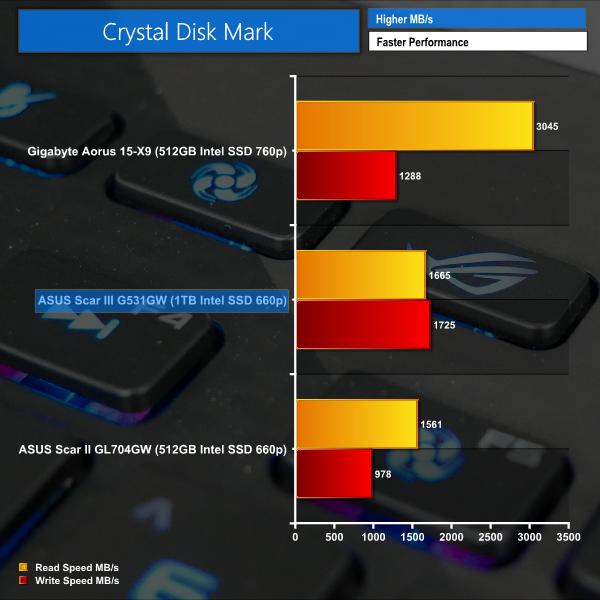
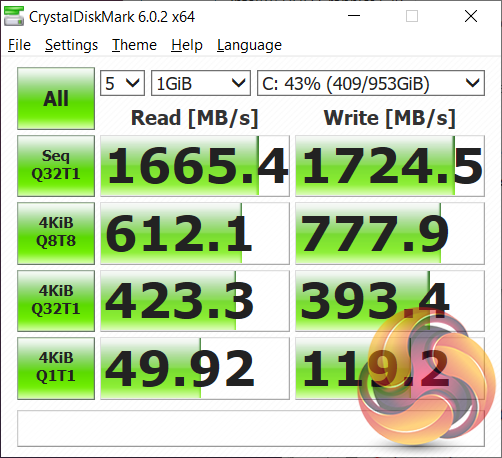
One area where ASUS deserves criticism is in the Scar III G531GW’s choice of SSD. While the 1TB Intel SSD 660p drive in our test sample was perfectly snappy and didn’t cause many hiccups during general use, it is undeniably budget for a £2.8k, ultra-high-end gaming laptop.
Underwhelming read and write figures in the order of 1.7GBps are delivered by the cheap, QLC-equipped SSD. And this was with less than 50% capacity used. Fill that drive further and the dynamic SLC cache pool size will shrink, and performance could well drop off a cliff to HDD-level sequential speeds.
There’s nothing wrong with the 1TB Intel SSD 660p QLC drive, per se. It is simply severely out of place in such a high-end, enthusiast product. ASUS should have opted for a faster NVMe drive as it would be difficult to find a less enthusiast-grade option in today’s market. What’s an extra $20-or-so on a better SSD in relation to a £2,800 laptop?
Cinebench R15
Cinebench R15 is an application which renders a photorealistic 3D scene to benchmark a computer’s rendering performance, on one CPU core, all CPU cores or using the GPU. We run the test using the all-core and single-core CPU modes.
We tested the ASUS ROG Strix Scar III G531GW laptop using the ‘BALANCED’ mode built into its Armoury software suite. Balanced mode allows for unleashed GPU performance but aims to keep noise levels in check by forcing the Core i9-9880H CPU to operate at its default TDP values.
Switching to the ‘Turbo’ mode allows the laptop’s CPU to operate for a longer time period at the increased short-duration TDP Turbo Boost limits. This can help to open up slightly higher CPU performance for short periods of ‘bursty’ loads. The main drawback of ASUS’ ‘Turbo’ mode is the significant increase in noise levels and the higher CPU operating temperature by way of its increased TDP curve.
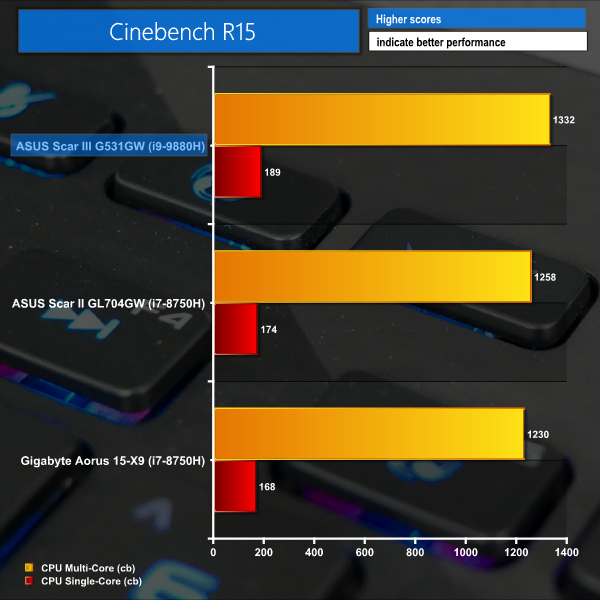
The relatively quick rendering run of Cinebench R15 gives the ASUS ROG Strix Scar III G531GW a chance to flex its Core i9-9880H eight-core muscles. The CPU’s short-duration power limits set by Intel, and respected by ASUS’ ‘Balanced’ mode, allow the eight-core chip to operate well over 4GHz for the initial benchmark sections. When the steady-state frequency of around 2.7-2.9GHz on all eight cores at 45W TDP is reached, the benchmark continues to tick along at a strong pace.
The resulting score of 1332 all-core points for Cinebench R15 is a strong result for ASUS’ fairly-sized gaming laptop. A jump in the order of 100 points over Core i7-8750H competitors may be less than expected for the eight-core versus six-core battle. However, this narrower-than-anticipated performance boost is primarily driven by the 45W TDP limit across all CPUs forcing them to find a settled clock speed that will vary between the chips. 45W across eight cores should, in theory, result in lower clock speeds than 45W across six cores. That’s the trade-off.
Nevertheless, a Cinebench R15 all-core score of 1332 is close to Intel Core i7-8700K desktop CPU territory. Respectable.
Cinebench R20
Cinebench Release 20 reflect the overall advancements to CPU and rendering technology in recent years, providing a more accurate measurement of Cinema 4D’s ability to take advantage of multiple CPU cores and modern processor features available to the average user. We run the test using the all-core and single-core CPU modes.
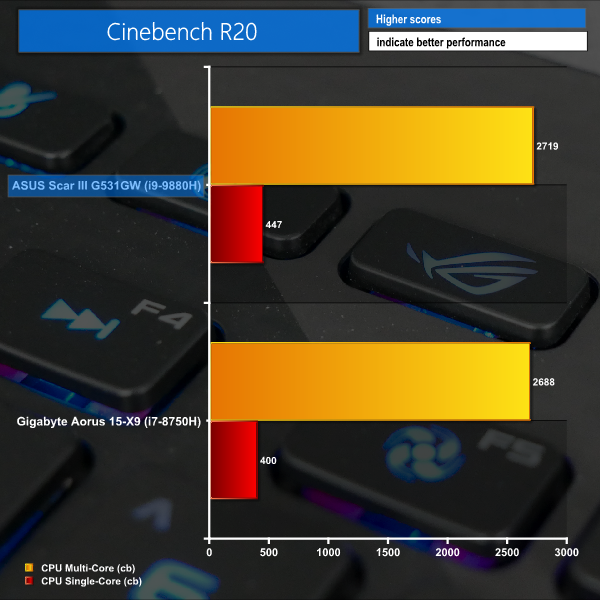
Cinebench R20 shows very similar behaviour to R15, though it appears to be a little more taxing on the CPU’s net frequency for the benchmark run. As such, the performance uplift over a six-core i7-8750H is more subdued.
Yet again, we see ASUS’ G531GW delivering strong multi-threaded performance that isn’t too far off a desktop Ryzen 5 2600 six-core chip. Certainly, a good score for a sub-3kg laptop.
As is clear, the aggressive boost clocks achievable with the combination of Intel’s new 14nm++ Core i9-9880H CPU and ASUS’ solid cooling mechanism result in superb Cinebench single-threaded performance. ASUS’ G531GW is noticeably quicker than competitors using the older, yet very popular, Core i7-8750H in the single-threaded domain.
We must point out that the variance in test results between runs is, unsurprisingly, high for ASUS’ Scar III. Strict TDP rules and dynamic temperature effects meant that variances of 5-10% (and higher) are commonplace. We saw Cinebench R20 results as low as 2638 and as high as 3021. Around the 2700-mark proved to be a decent average with some degree of consistency.
Don’t be surprised to see notably differing performance if you run a render soon after the G531GW boots from cold, compared to the final video output from that Premiere project you’ve been working on for hours.
Performance testing was conducted using ASUS’ ‘Balanced’ mode in the Armoury Crate software suite.
PCMark 10
PCMark 10 is the latest version in our series of industry standard PC benchmarks. Updated for Windows 10 with new and improved tests, PCMark 10 is also faster and easier to use.
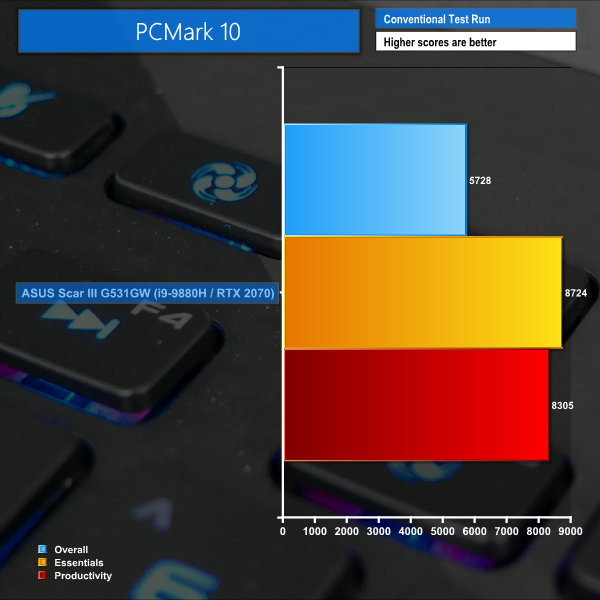
PCMark 10 performance highlights the Scar III's ability to complete light general-usage tasks with proficiency.
3DMark
3DMark is a multi-platform hardware benchmark designed to test varying resolutions and detail levels of 3D gaming performance. We run the Windows platform test and in particular the Fire Strike and Time Spy benchmarks, which are indicative of high-end 1080p and 1440p PC Gaming.
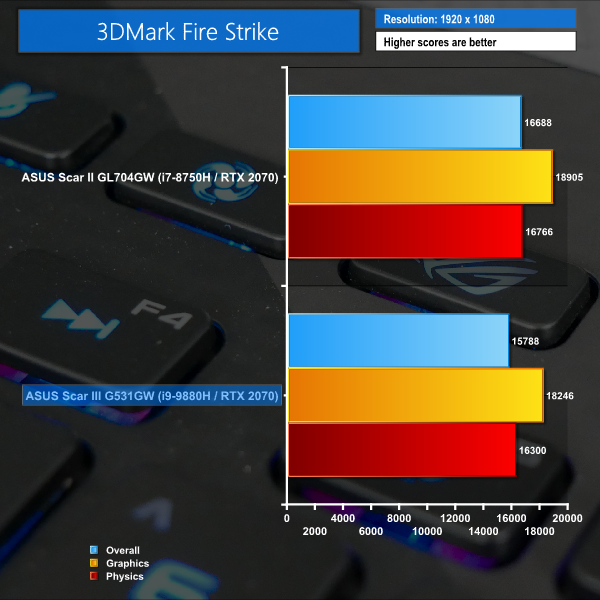
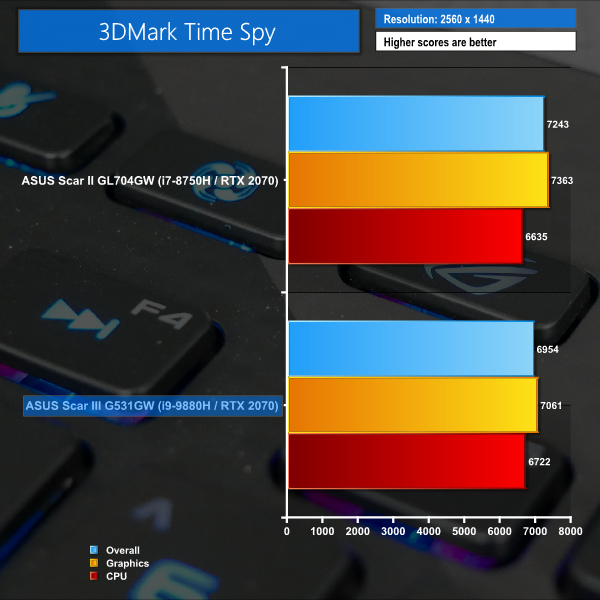
A 3DMark Fire Strike overall score just shy of 16,000 is respectable and is around the expected level for an RTX 2070-equipped laptop. The same can be said for Time Spy.
The Physics/CPU scores in both cases were a little lower than we initially anticipated for the Core i9-9880H-equipped sample. However, further interpretation of the clock speeds highlights the struggle for ASUS’ chosen eight-core chip to maintain those lofty frequencies that game engines crave.
There simply isn’t enough power budget available to the chip to allow those heavily boosted frequencies to stick around long-term.Instead, a sub-3GHz settling frequency is generally seen across all eight cores. This looks to be a decisive factor in allowing similar performance to be obtained from the Core i7-8750H-equipped alternatives previously examined.
Meanwhile, the GPU frequency was hopping around clock speeds in the order of 1300, 1400, and 1500 MHz. GPU-Z suggests that power is the GPU Boost equation’s limiting factor in this test scenario, implying that ASUS' cooling solution is doing a stellar job at allowing the RTX 2070 mobile GPU to flex its might.
Ashes of the Singularity: Escalation
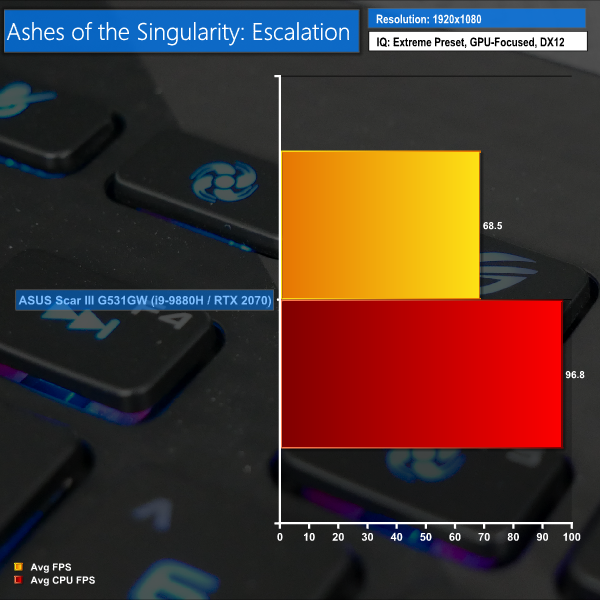
Ashes of the Singularity: Escalation is a Sci-Fi real-time strategy game built for the PC platform. The game includes a built-in benchmark tool and was one of the first available DirectX 12 benchmarks. We run the GPU-focused benchmark using DirectX 12, a 1080p resolution and the Extreme quality preset.
Deus Ex: Mankind Divided
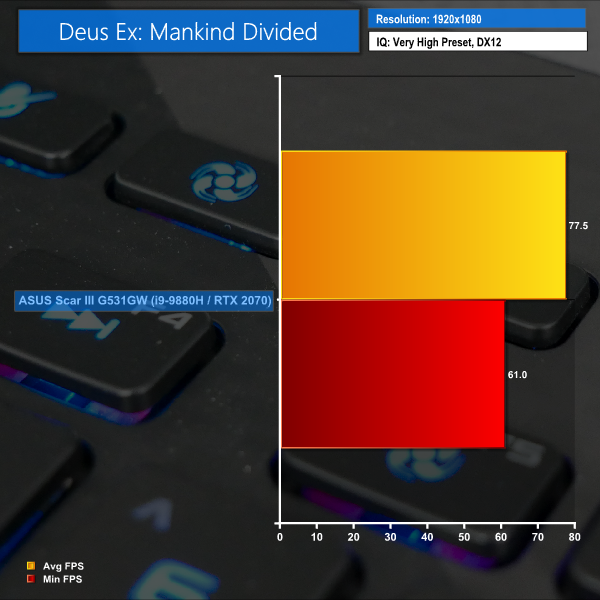
Deus Ex: Mankind Divided is an action role-playing stealth video game released in August 2016. A built-in benchmark utility is included and we test using the Very High quality preset and the DirectX 12 API at a 1080p resolution.
Tom Clancy's Ghost Recon: Wildlands
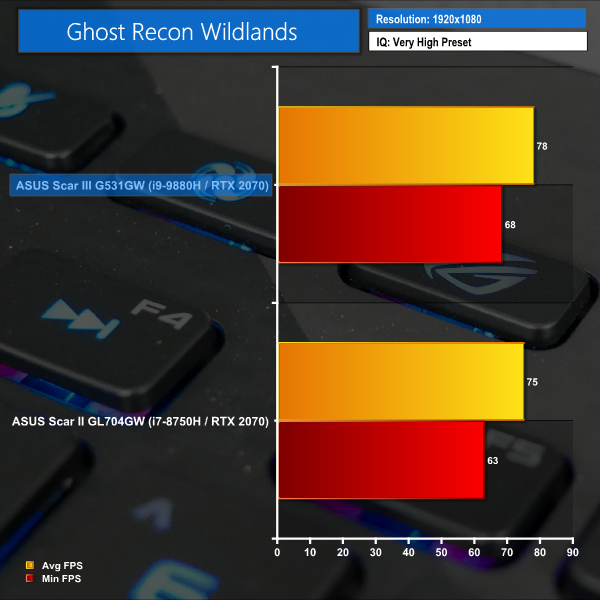
Tom Clancy’s Ghost Recon Wildlands is a tactical shooter video game developed by Ubisoft Paris and published by Ubisoft in March 2017. A built-in benchmark utility is included and we test using the Very High quality preset and the DirectX 12 API at a 1080p resolution.
Rise of the Tomb Raider
Rise of the Tomb Raider is a third-person action-adventure game that features similar gameplay found in 2013’s Tomb Raider. A built-in benchmark utility is included and we test using the Very High quality preset and the DirectX 12 API at a 1080p resolution.
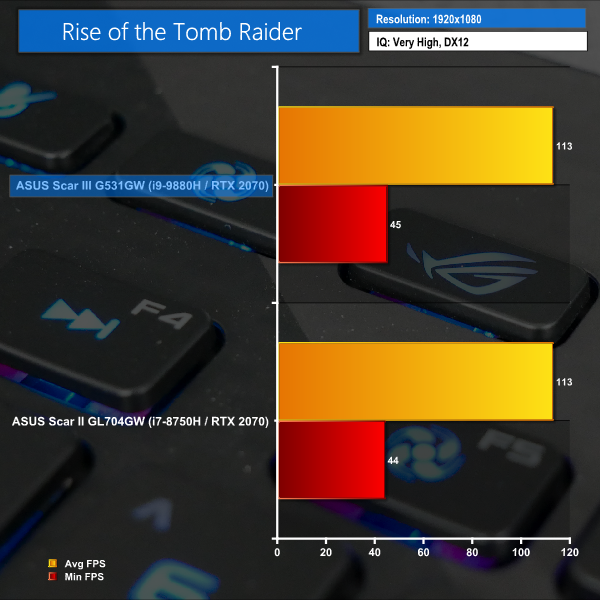
Each of the resource-intensive games was met by playable frame rates at more than 60 FPS by the Scar III. It is undeniably difficult to push FPS past 100 with an RTX 2070 fighting against AAA titles, but ASUS’ machine delivered solid, higher-than-60FPS gaming.
The GPU boost clock sat in the 1300, 1400, and 1500 MHz ranges, depending upon which game was being run. CPU clock speeds dropped below their short-duration 4GHz+ Turbo Boost rates, hence the comparable scores achieved by ASUS’ Scar II predecessor with the same GPU and the older i7-8750H (which maintains strong clock frequencies).
I also enjoyed a session on Battlefield V with the Scar III G531GW and found the hardware to perform well. Dropping the image quality settings to lower levels allowed frame rates to push past 120 FPS. The game looked excellent on the colourful screen and I was impressed by the smoothness of the gameplay at higher FPS levels, despite being well away from the monitor’s 240Hz refresh rate.
To hit over 200 FPS in games, it is likely that you would want to be playing eSports titles and games such as CS:GO. AAA titles are, in general, simply too resource-intensive to allow for 200+ FPS frame rates on an RTX 2070-equipped machine.
PCMark 8 Battery Life Test
To test battery life, we used the ‘Home’ benchmark in PCMark 8. This test isn’t hugely demanding when it comes to computational requirements and, although artificial, it is likely to simulate the sort of stress the laptop would undergo while doing a small amount of video editing, web browsing and word processing. We set the screen brightness to 100%, and the keyboard brightness to 100%.
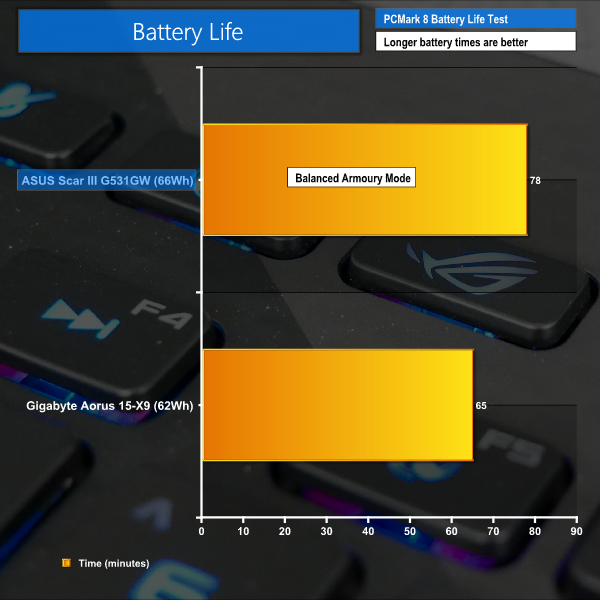
As expected, battery life for the Scar III is limited thanks to the use of a 66WHr battery. Using the PCMark 8 benchmark, we recorded a result of 78 minutes in the battery life test. While this probably translates into 2-3 hours of light, real-world usage, you’re still going to want to keep that charger (and a mains power point) nearby.
While the battery life clearly isn’t ideal for users who want mobile performance, that is not really the intention of ASUS’ Scar III. This gaming machine is almost certainly going to be pushing through gaming titles with the 280W power brick firmly connected.
Those interested in power consumption through the 280W brick should note that heavy CPU and RTX 2070 load sees around 180W pulled from the wall using ASUS’ ‘Balanced’ mode. Add another 10W on for the ‘Turbo’ mode, pretty much all of which is attributed to the long-duration CPU power budget increase from 35W to 45W when the dGPU is also taxed.
CPU and memory loading, without the RTX 2070 being pushed, results in around 100W power draw from the wall in ‘Balanced’ mode and 105-110W for ‘Turbo’ mode.
Acoustics
Noise results are recorded using ASUS’ ‘Balanced’ Armoury Crate mode which provides a balance between CPU performance, thermals, and fan speed (GPU performance is largely unaffected). Noise outputs were recorded using a decibel meter positioned where one’s head will be when using the laptop on a desk at a comfortable viewing angle.
Idle readings were taken with the system held on the Windows desktop for 10 minutes. Load readings were taken with the system undergoing 10 minutes of AIDA64 Stress Test for the CPU, FPU, cache, memory, and GPUs.
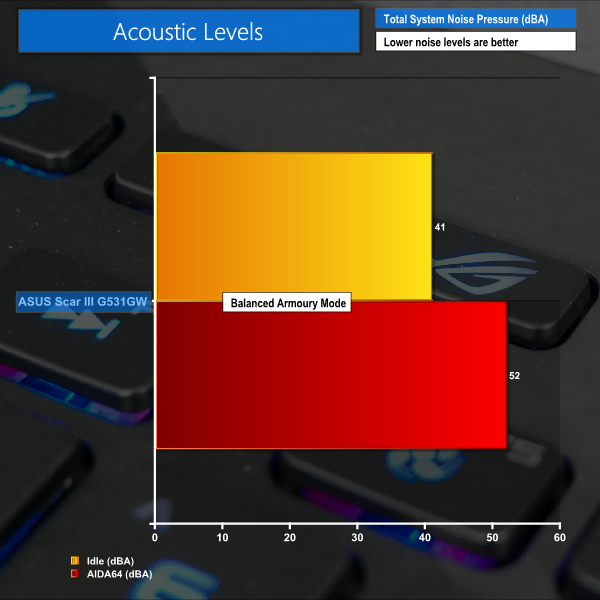
The Scar III is louder than I would have liked at idle. This is driven by the ‘Balanced’ mode opting for fan speeds in the order of 3000 RPM even when the system has no real load on it. Start browsing the web or conducting lightly loaded tasks and the fans will increase to around 4000 RPM and 46 dBA, which becomes audible and distracting quickly.
The load noise level of 52 dBA is undeniably loud and had others sat in the room passing comment on the noise while I was gaming. This is certainly a case of wear headphones when gaming. Heavily loaded fan speeds in the ‘Balanced’ mode were 5600 RPM for the CPU fan and 5200 RPM for the GPU fan. Switching to ‘Turbo’ mode increased these levels to over 6000 RPM and presented a real distraction whilst gaming.
ASUS does offer a ‘Silent’ mode in the Armoury Crate software and I would strongly recommend using this mode when compute power is not a necessity.
I also found the rate at which the fan speeds changed – the fan speed hysteresis – to be overly aggressive for my ears, with the RPM values changing frequently. This is, arguably, more noticeable than a higher consistent fan speed and did end up becoming slightly distracting when pushing the system under productivity workloads (where headphone usage is not a guarantee).
Thankfully, the punchy speakers of the Scar III helped to distract from the fan noise when gaming without headphones.
Thermals
System temperatures were recorded whilst sitting for 10 minutes at the Windows desktop for idle readings. Load readings were taken after 10 minutes of AIDA64 Engineer full system load (except SSD) stress test. We also test CPU+GPU load by running AIDA64 stress test on the CPU, FPU, Cache, and System Memory while also running 3DMark Fire Strike stress test to heavily load the GPU. This is due to the tendency of AIDA64 to load both the iGPU and dGPU in its ‘GPU’ stress test mode, thus increasing the likelihood of CPU thermal throttling, which is somewhat of an unlikely situation for gamers (unless using QuickSync streaming).
We use a mixture of software packages to read and cross-reference temperature results, with the final reading being delivered by CPUID HWMonitor. The CPU Package temperature is recorded for CPU readings as this number tends to be more stable than the individual core temperatures. However, the Package temperature is also influenced by iGPU load and can trigger thermal throttling if necessary, as expected.
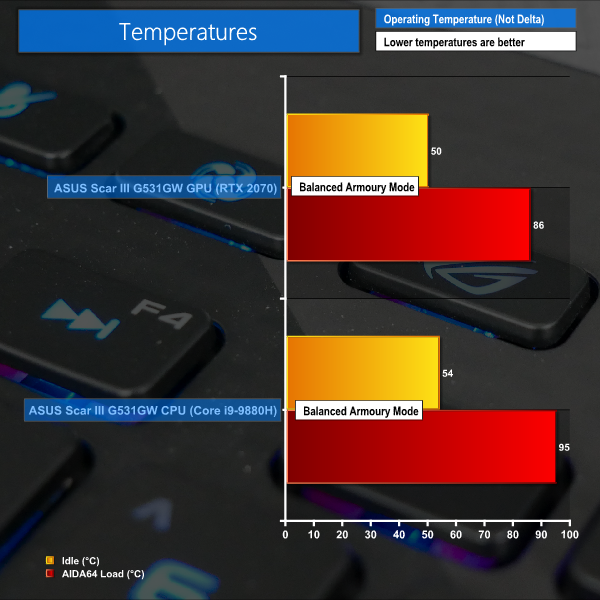
We don’t have any major complaints with regards to temperature levels – ASUS’ cooling solution does a good job at keeping the GPU and CPU temperatures in check. Idle temperatures are acceptable, and the GPU was kept below 90°C throughout the test.
Our testing method reveals interesting behaviour for the Intel Core i9-9880H CPU in ASUS’ Scar III configuration. When both the dGPU and iGPU are loaded alongside the CPU cores, the CPU can tend to throttle core clocks to less than 2GHz. This is due to a combination of factors. Under heavy load, ASUS’ ‘Balanced’ Armoury Crate mode limits the long-duration CPU power budget to 35W. Of this 35W, 8W is then allocated to the heavily loaded iGPU.
That leaves around 22W for the CPU cores (once 5W is given to the Uncore), thus forcing clock speeds to drop in search of stable operating frequencies. Core-to-core temperatures are around the low-80s in this scenario, yet the important package temperature is up at 95°C thanks in large to the heavily loaded iGPU.
One way to combat this would be to switch to ASUS’ ‘Turbo’ Armoury Crate mode which delivers more power to the CPU for short duration loading and slows the transition to the lower long-duration power limit. While loading the CPU alongside both the iGPU and dGPU is perhaps not the most likely of operating scenarios, it is worth highlighting for users who may be taking advantage of Intel QuickSync from the iGPU whilst also gaming on the dGPU, for example.
With a long-duration CPU-only load, you can expect the Core i9-9880H package temperature to be around 20°C lower. Core clocks will stick closer to 2.7-2.8GHz in this test scenario. This is validated by running AIDA64 stress test without the GPUs loaded.
Likewise, loading the CPU heavily (using AIDA64) and then loading only the RTX 2070 dGPU using 3DMark Fire Strike, sees the Core i9-9880H sitting around 2.4GHz clock speed with a 35W power budget and core temperatures around 80°C (with the CPU Package just above 85°C). ASUS’ ‘Turbo’ mode increases the power budget to 45W and sees clock speeds rise to 2.5-2.7GHz with an average temperature rise of 6°C.
Gamers with a fat wallet are likely to be impressed by the overall package offered by the ASUS ROG Strix Scar III G531GW. The price tag is far from palatable for most enthusiasts but the raw hardware on offer, combined with a 240Hz screen that provides a pleasant visual experience, may be enough to justify the cost to esports enthusiasts.
With the combination of an eight-core Core i9-9880H CPU, an RTX 2070 mobile GPU, and a strong 240Hz IPS-level 1080P screen, ASUS is more-or-less out on its own in the UK market with the ROG Strix Scar III G531GW AZ055R model. Gigabyte and MSI offer competitors in the form of the AORUS 15-XA and the GS65 Stealth 9SF-492, respectively. However, those two offerings are lower-end units that align more closely to ASUS’ lower-rung Scar III model – the G531GW AZ055T.
Focusing on the CPU, ASUS’ choice to opt for the eight-core i9-9880H CPU over the six-core alternative is, in my opinion, as much of a marketing move as a performance-driven one in a gaming laptop. Yes, the eight-core chip can (somewhat) stretch its legs in demanding tasks such as Cinebench. However, in gaming scenarios, the limited power budget available to all eight-cores tends to result in all-core frequencies in the order of 2.5-3.1GHz.
Games like clock speed more than they like core count, past a certain point, so it was not overly surprising to see similar gaming performance offered by the cheaper six-core Core i7-8750H CPU of laptops from yesteryear.
There may be specific scenarios where users would benefit from the eight-core chip (perhaps in a debate with one’s friends on who has the most CPU cores in their laptop). However, for a machine focusing primarily on gaming performance, I think that the lower-cost six-core Core i7 chip would be a better option. You get to save some cost and, based on results from the Core i7-8750H, you’re unlikely to lose any gaming performance in the Scar III G531GW configuration.
Performance from the mobile RTX 2070 GPU was as we have come to expect. You get solid 1920×1080 numbers that can push past 60 FPS. Many older AAA titles will be able to run comfortably at more than 100 FPS, and the likes of Battlefield V will do more than 120 FPS if you’re willing to sacrifice some image quality. Don’t expect to be pushing demanding titles anywhere near the monitor’s 240Hz refresh rate with the RTX 2070 – that simply is not going to happen. However, if you want ludicrously high frame rates in less-demanding eSports titles, the 240Hz refresh rate of the screen will be a more achievable target.
On the topic of the screen, I was very impressed by the overall performance and quality. There’s no denying that 240Hz is probably overkill for most people. Nevertheless, I was impressed by the smoothness during gaming and the overall image quality and colour levels did not have me yearning for a lower-speed true IPS display. I think that the design of the screen is also appealing, with a screen-to-body ratio of 81.5%, thanks to slim bezels. The compromise of an omitted webcam is a minor trade-off for such a sleek design.
There are areas for improvement. Firstly, ASUS is using a bargain-basement NVMe SSD that is equipped with QLC memory and poor read and write speeds, by today’s standards. The 1TB Intel SSD 660p drive does not belong anywhere near a £2,800 enthusiast-grade gaming laptop. Secondly, I found the fan noise to be slightly distracting as the two blowers tended to jump about in RPM values more frequently than I’d have liked. Thankfully, punchy speakers helped drown out lower-speed fan noise. Oh, and special mention goes to the inclusion of McAfee Security Suite. No further comment needed on that one!
Put simply, if you want a high-performance gaming laptop with all the bells-and-whistles in a form factor that can comfortably fit inside a backpack, the ASUS ROG Strix Scar III G531GW-AZ055R is a strong choice. 32GB of DDR4, an eight-core Core i9 CPU, the non-Max-Q RTX 2070, and a 240Hz screen aren’t easy to find in a chassis of this relative slenderness with such strong build quality, but ASUS delivers well.

The ASUS ROG Strix Scar III G531GW (Core i9-9880H, RTX 2070, 32GB DDR4, 1TB SSD, 240Hz FHD Display) is available with a 2-year warranty from Overclockers UK for £2,799.95 HERE. Amazon are also selling the laptop at £2,750.14 HERE.
Pros:
- Excellent overall performance.
- Fast, responsive screen with good image quality.
- Strong build quality on the slender chassis.
- Good RGB lighting.
- Pleasant keyboard and trackpad experience.
- Solid cooling performance.
- Armoury Crate operating modes are easy to use.
- Speakers provided a decent gaming experience.
- Balanced selection of I/O ports.
- Empty 2.5″ drive bay for a storage upgrade.
Cons:
- Fan noise can be irritating.
- Budget SSD used in a premium gaming laptop.
- McAfee pre-installed.
- Weak battery life.
- Six-core CPU may have been a better price-vs-performance gaming choice.
- Price is on the steep side.
KitGuru says: A well-built, premium gaming laptop with a superb display and plenty of performance on tap.