 KitGuru KitGuru.net – Tech News | Hardware News | Hardware Reviews | IOS | Mobile | Gaming | Graphics Cards


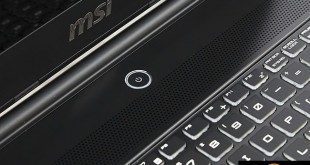
There is no doubt that MSI have been releasing some of the most exciting, feature-laden laptops in the last 24 months. Today we take a look at the new GS60 6QE which incorporates a Intel Core i7 6700HQ Skylake processor, 16GB of DDR4 memory, Nvidia GTX970m, M.2 SSD and 4K Ultra HD panel. MSI have managed to cram all this tasty hardware into a chassis that measures only 20mm at the thickest point.
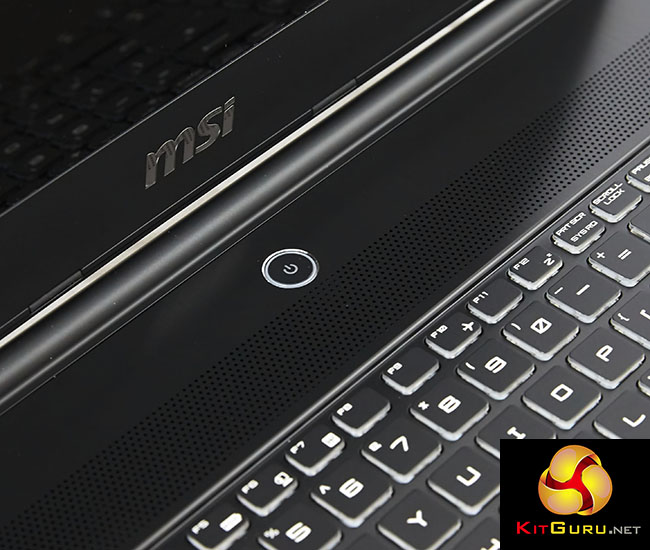
MSI have been hitting a lot of headlines this year, and rightly so – their GT80 Titan for instance was a truly remarkable desktop replacement (review HERE) that didn't just include two Nvidia GTX980m GPU's in SLi, but it was the first laptop to incorporate a proper, fully fledged mechanical keyboard.
Even at £3,000+ MSI GT80 Titan sales were that good many retailers couldn't get stock in fast enough to meet demand – it was sold out for many months. The MSI GS60 6QE we are analysing today doesn't have quite the same price of admission – a retail price set around the £1,500 mark.
Overclockers UK will have stock available in the coming weeks over HERE. We have also heard that a later revision, priced differently, will ship with a 6GB GTX970m installed, rather than the 3GB version inside our review sample.
MSI GS60 6QE Specification:
- Product Code: GS60 6QE(Ghost Pro 4K)-036UK
- OS: Windows 10 (64 bit)
- CPU: Intel® Core™ i7 Skylake-6700HQ (2.6GHz – 3.5GHz)
- Display: 15.6″ UHD, (3840*2160) 4K PLS Wide View Angle
- Memory Supplied: 2 x 8GB DDR4
- Memory Speed: 2133 mHz
- Max Memory Support: 32GB (2 Slots)
- Graphics Chipset: NVIDIA GeForce GTX970M (3GB)
- Storage: 1 x 256GB M.2 SSD + 1TB 7200RPM
- Keyboard Type: SteelSeries FULL back lit keyboard with SteelSeries Engine
- Audio: – Audio Sound by Dynaudio, Support 7.1 channel SPDIF output, Exclusive Audio Boost technology, Nahimic sound, ESS SABRE HiFi audio DAC technology
- LAN: Killer Gb LAN with Killer Shield
- Wireless: Killer ac
- Bluetooth: V4.1
- Webcam: HD type (30fps@1080p)
- Security: Kensington Lock
- Battery: 6-Cell Li-Polymer
- Dimension: 390 x 266 x 20.05mm
- Weight: 2kg(w/ battery)
- Warranty : 2 YR's Collect & Return (1 YR Global)

MSI shipped us the GS60 6QE in a plain brown box with the company name visible on both sides.
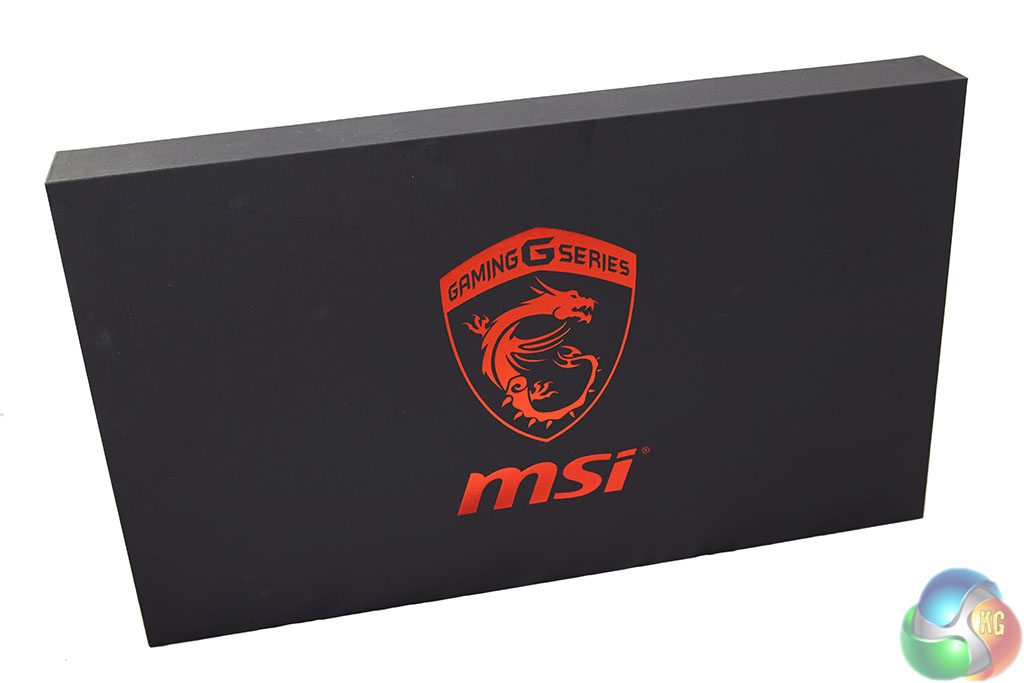
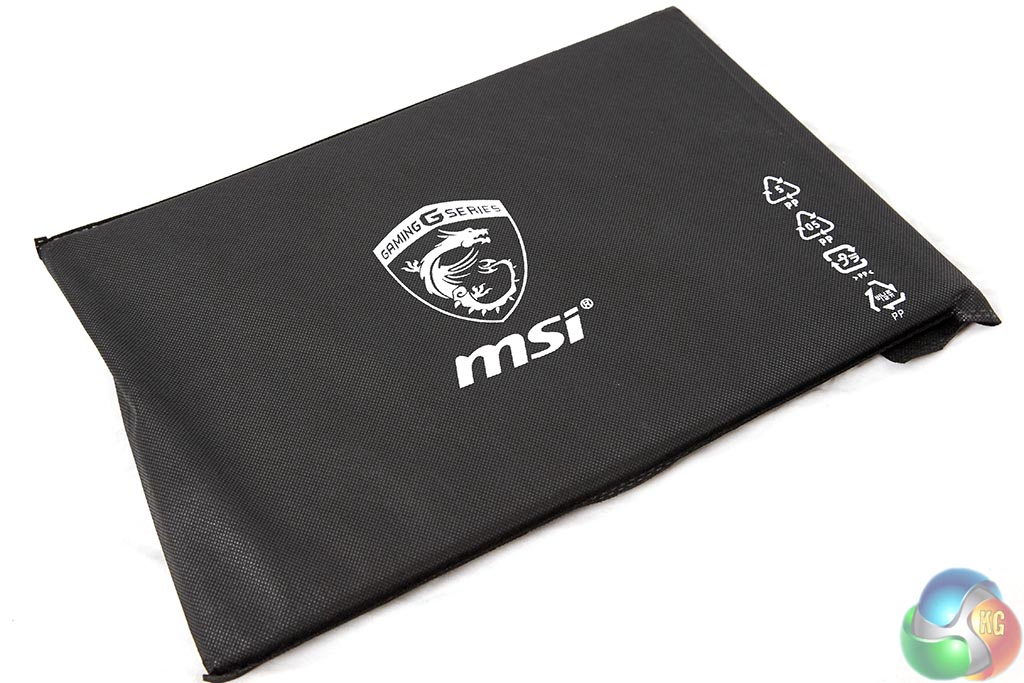
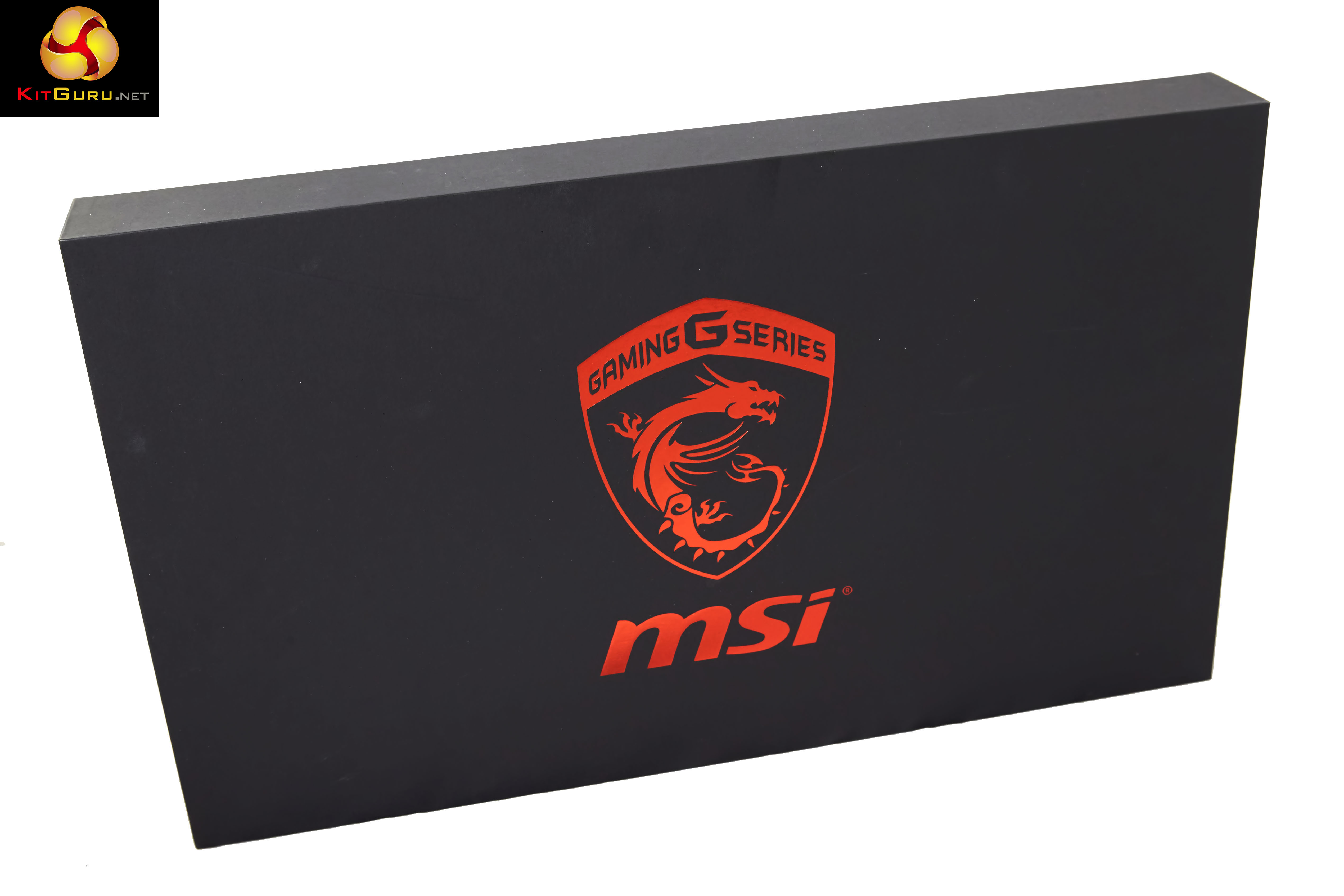
Inside the plain brown box, the main box for the laptop, featuring the MSI Gaming G Series Dragon. The laptop itself is encased in foam and protected inside a little felt bag.
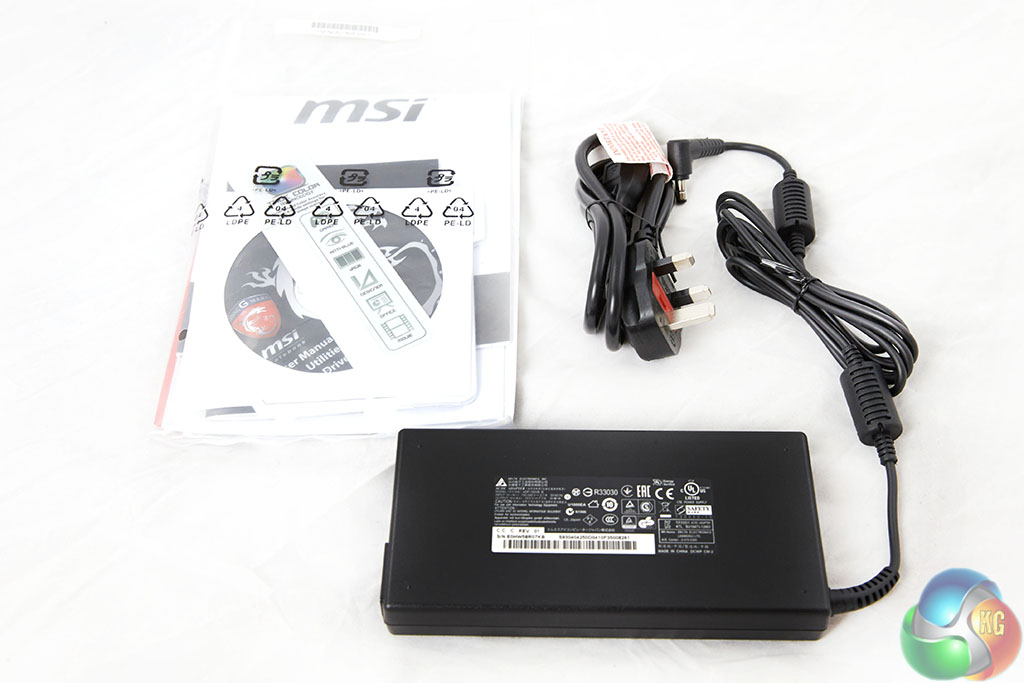
Accessories include literature, drivers and software, alongside the power brick.

The main power adapter is quite modest in size, and it is made by Delta – a high grade supply manufacturer who specialise in laptop adapters. It is rated 19.5 V, 7.7A – which by a rough calculation is capable of delivering around 150-160 watts (taking around 10% inefficiency into account as well).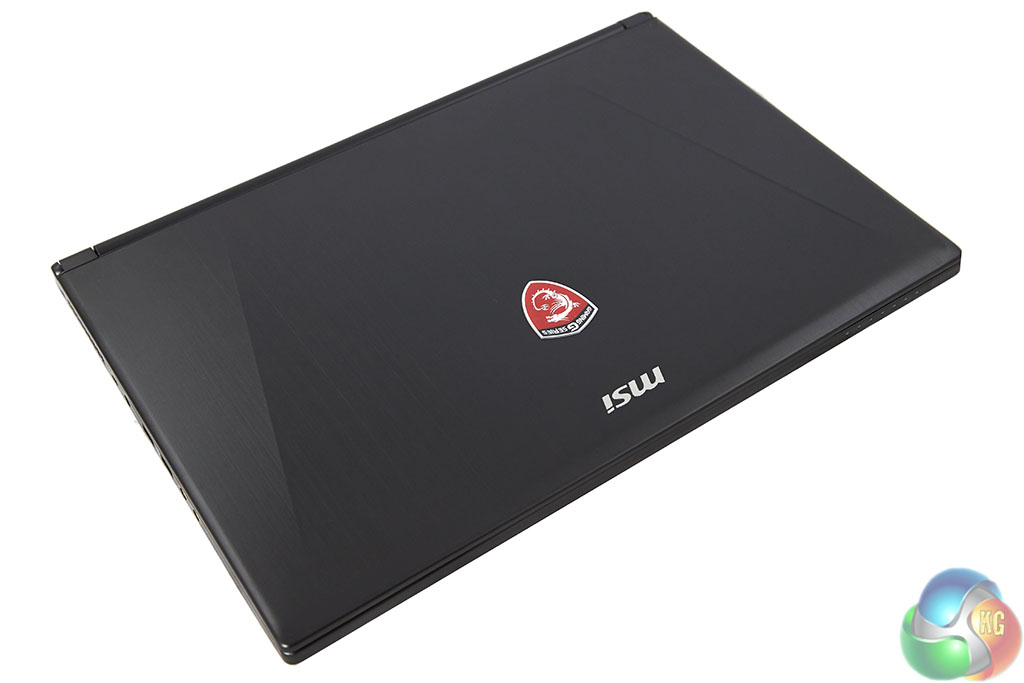
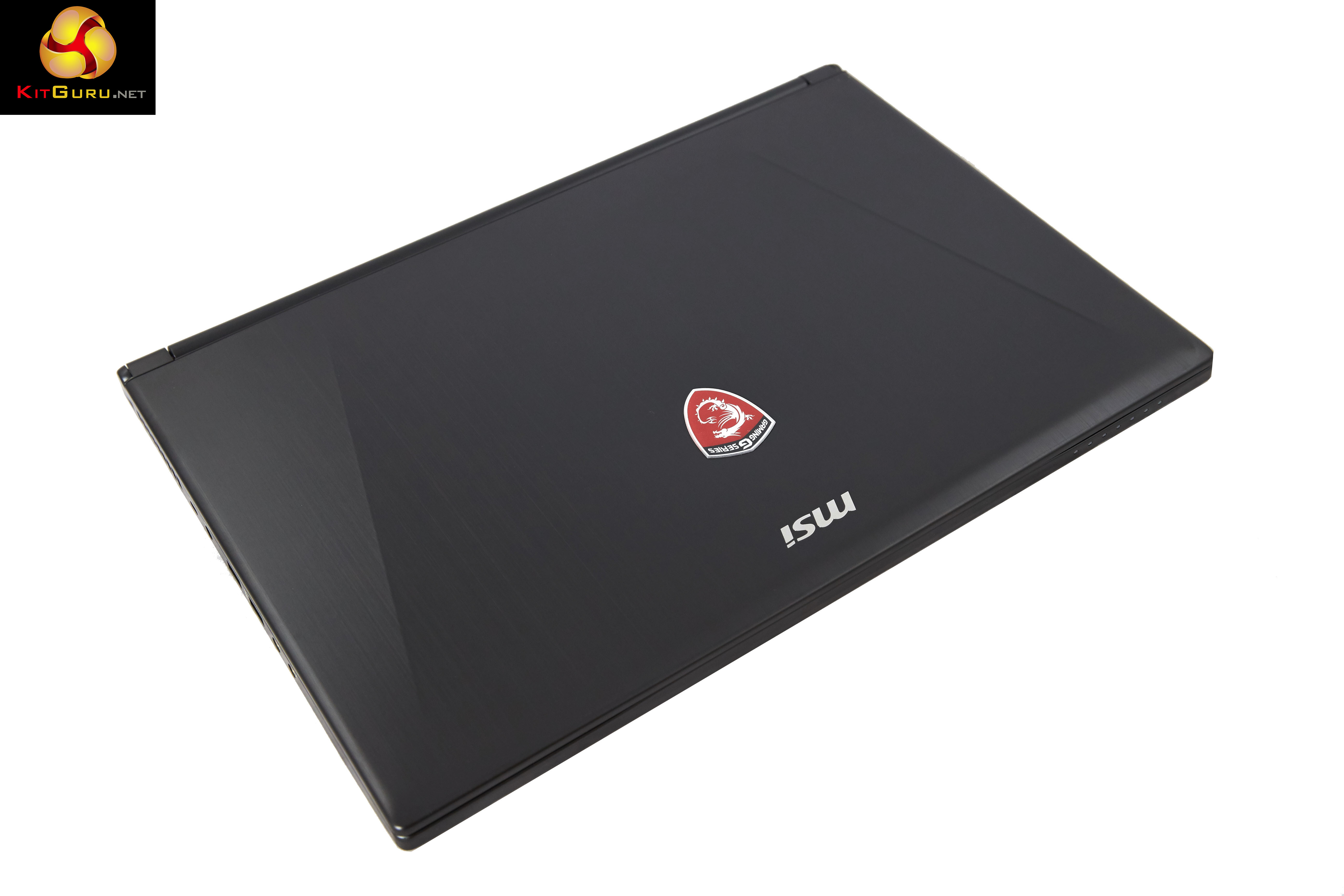
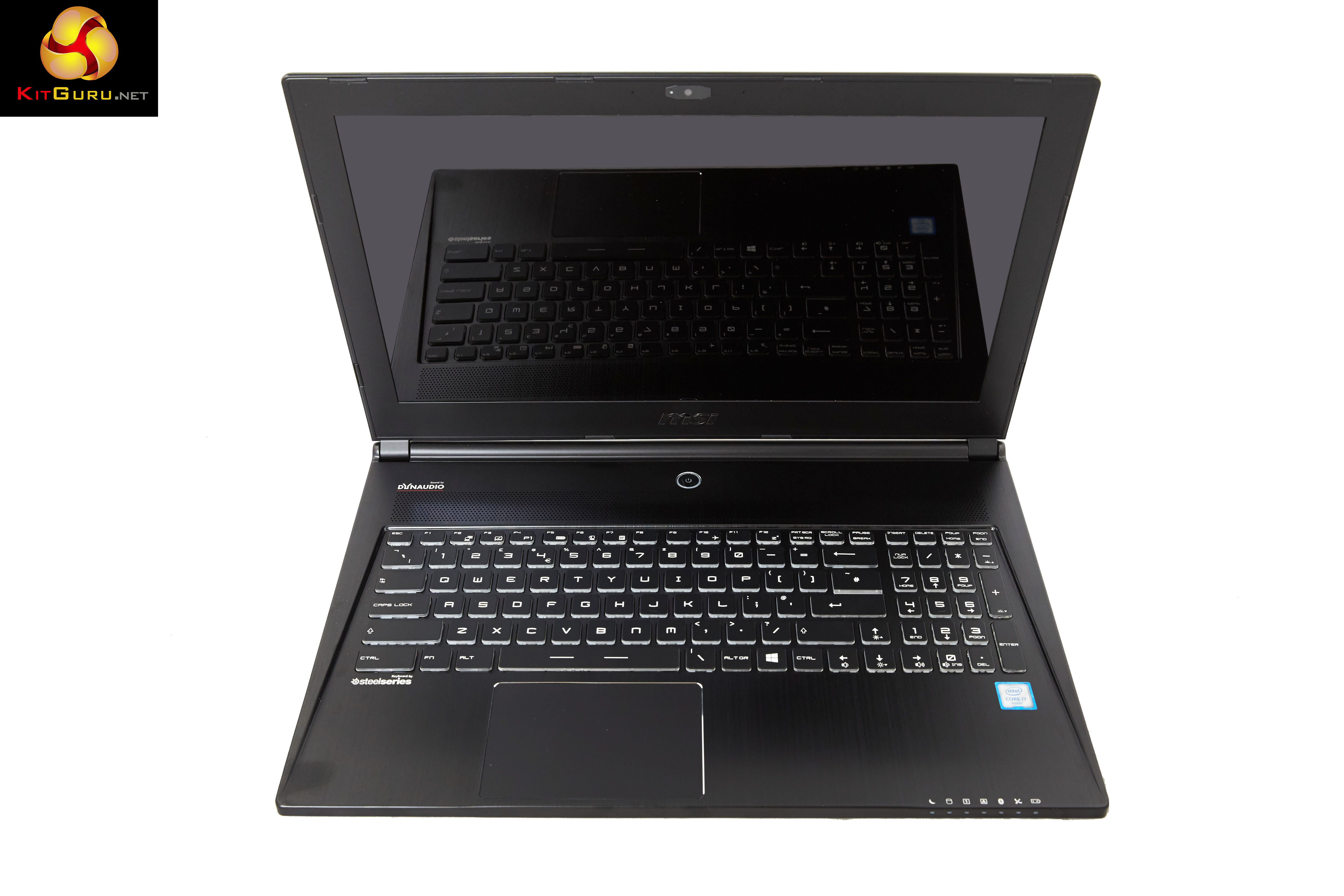
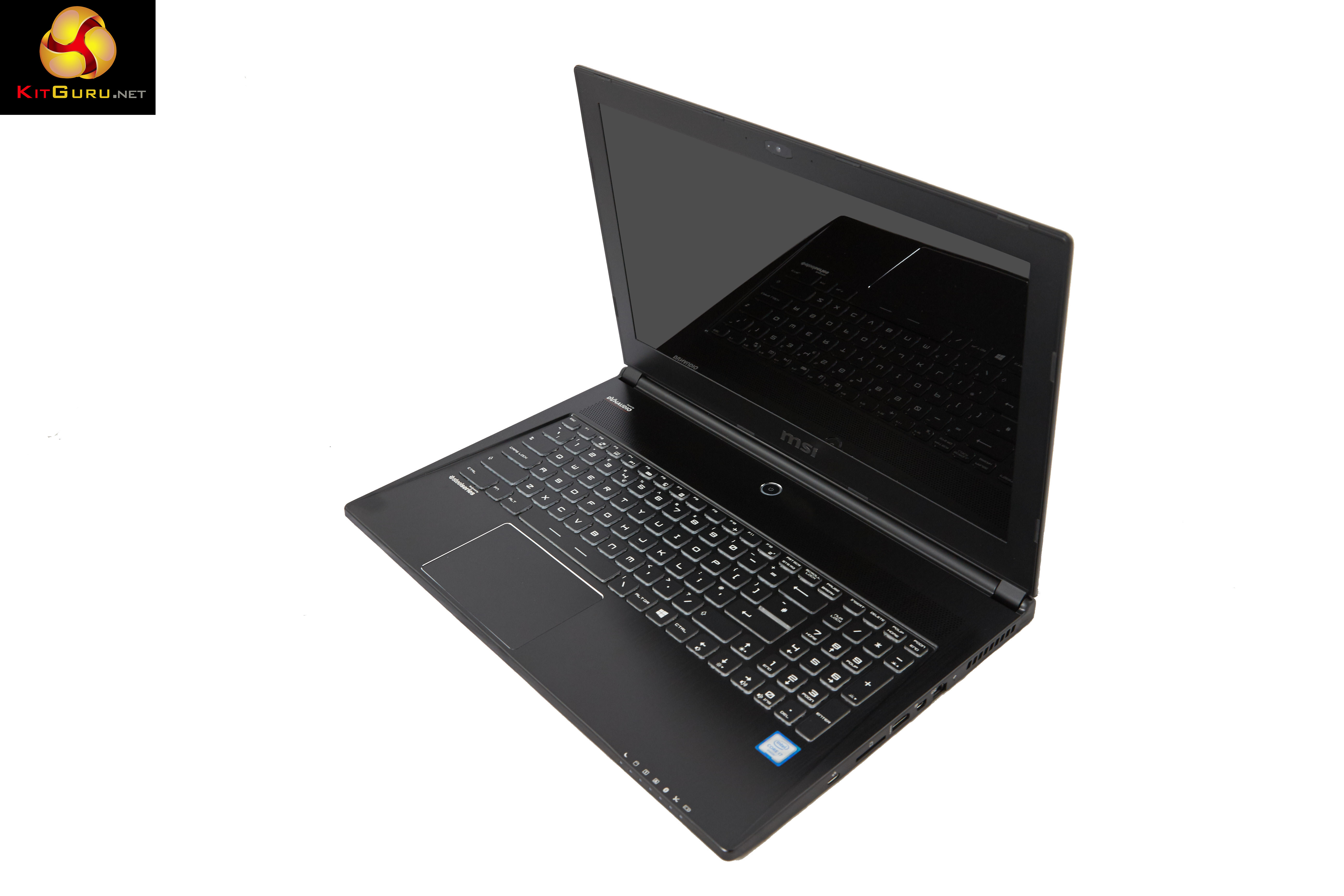
The MSI GS60 6QE (Ghost Pro 4K) is an attractive looking laptop, like all the MSI laptops we have reviewed this year. The company name and ‘Dragon Shield' logo are centralised close to the top of the lid.
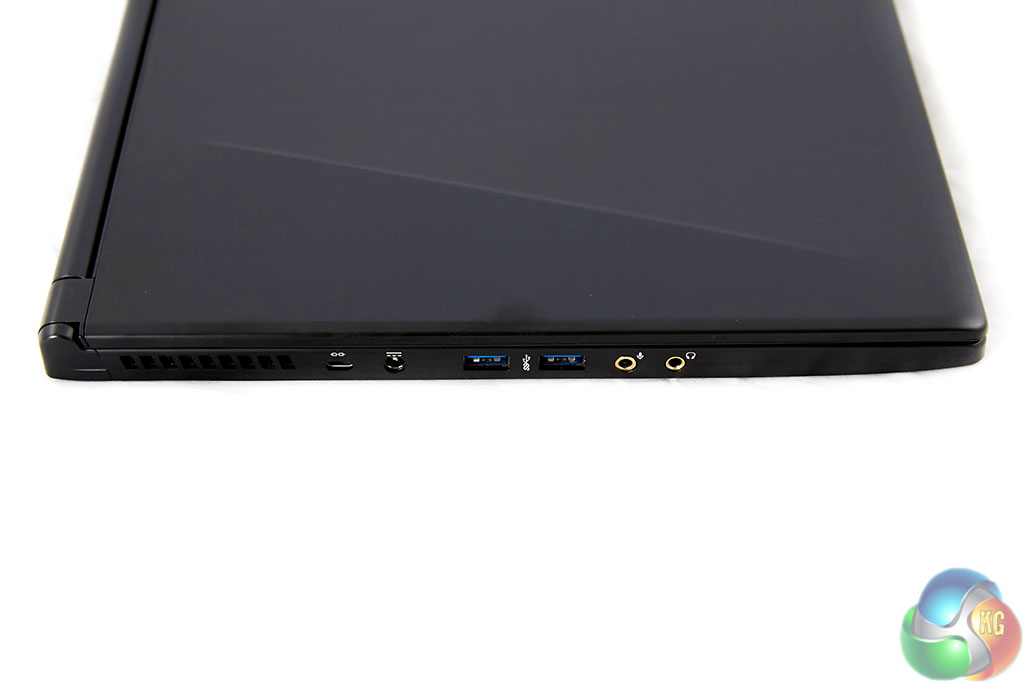
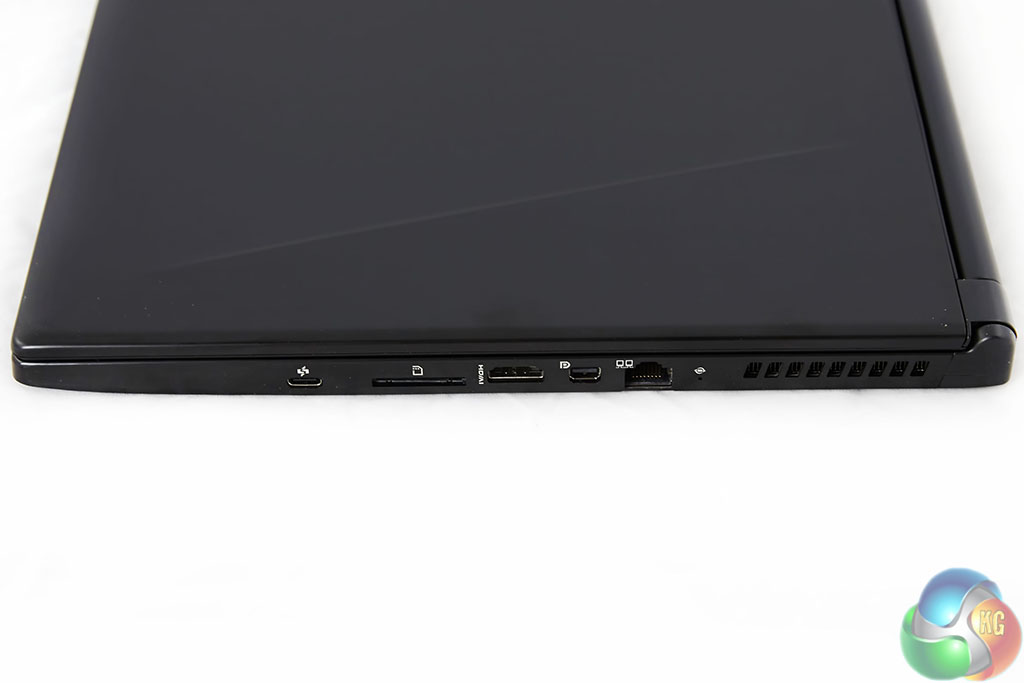
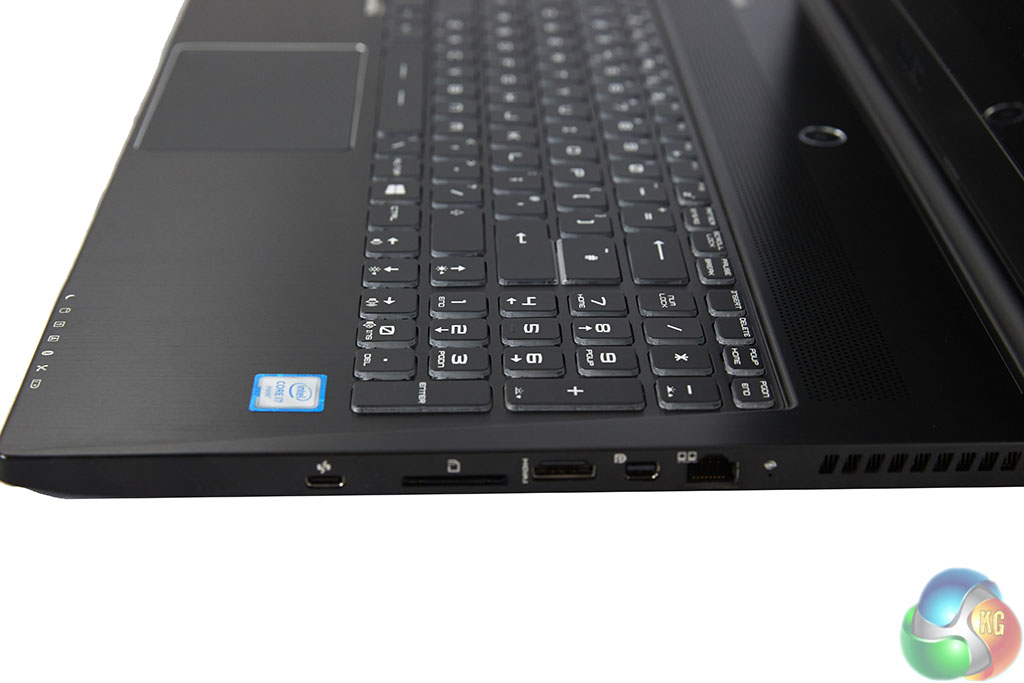
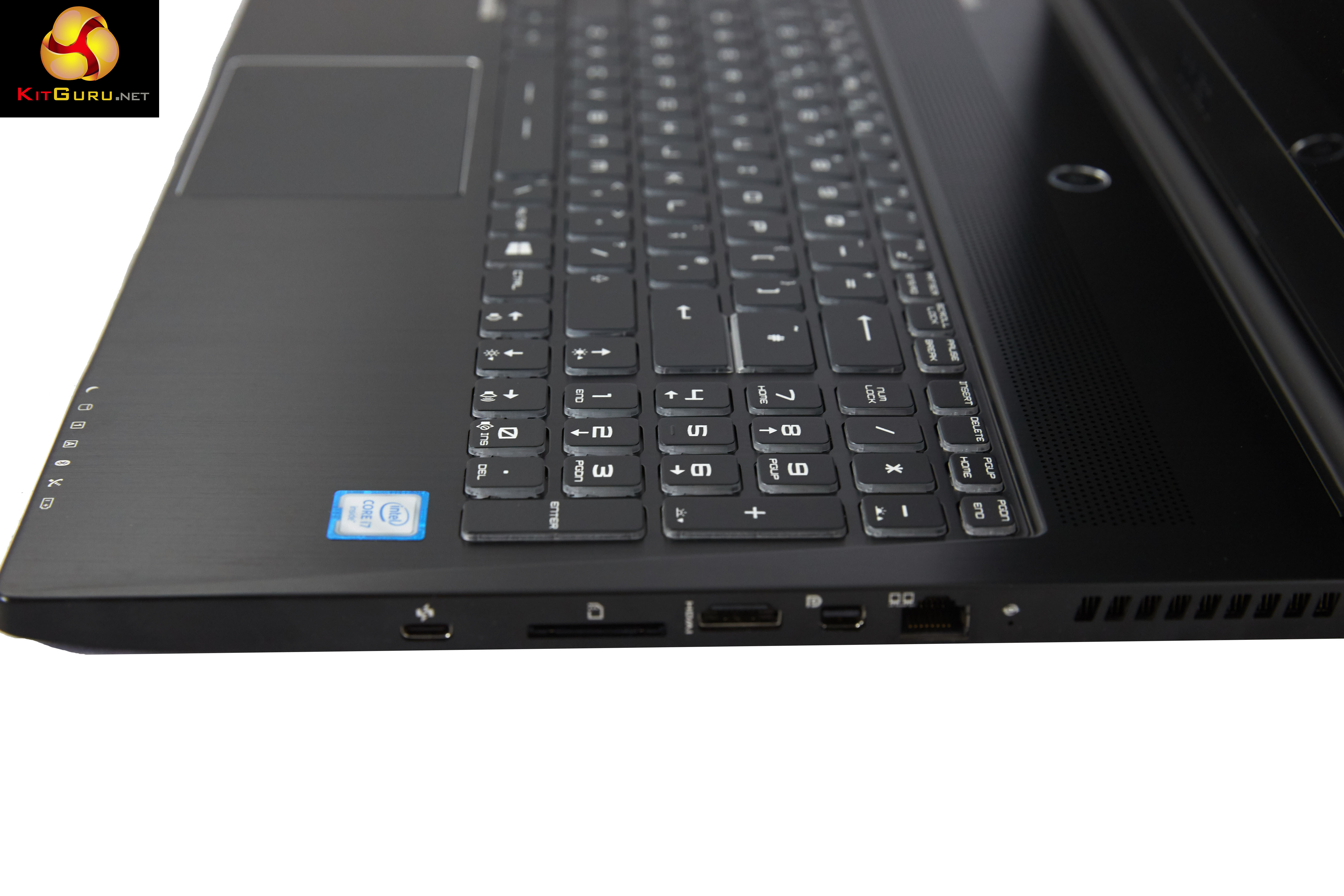
Connectivity is excellent, and the laptop even includes a USB 3.1 Type C port – for futureproofing. The only downside is that there is no traditional USB 2 or 3 port on the right side of the machine, so if you want to use a cabled mouse, you have to trail the cable around the back of the laptop from the left side. Alternatively you could buy an adapter for the USB Type C port.
We have only seen a USB 3.1 Type C port on the Google Chromebook Pixel and Macbook systems so far – it is positive to see MSI adopting this connector.
Connectors on left and right sides:
- USB3.0 Port x 2
- USB 3.1 Type-C x 1
- HDMI Port(s): 1(v1.4b), Support 4Kx2K Output
- Mini Display port(s): 1, Support FHD 120HZ, 4K 60Hz
- LAN Port(s): 1
- Microphone Jack(s): 1
- Headphone Jack(s): 1
- Card Reader: SD (XC/HC)
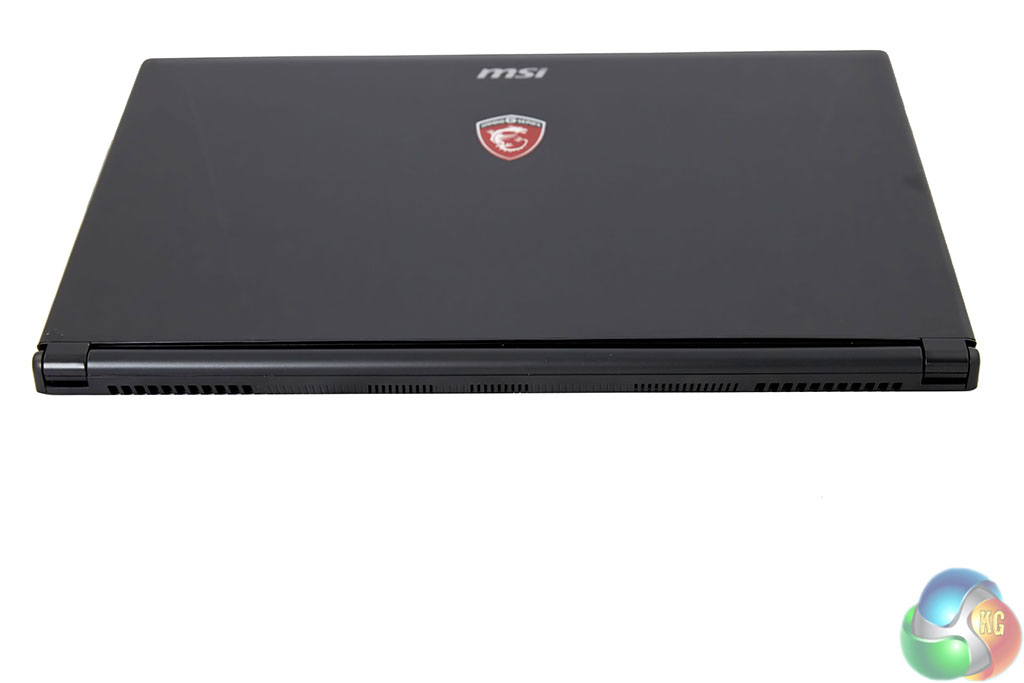
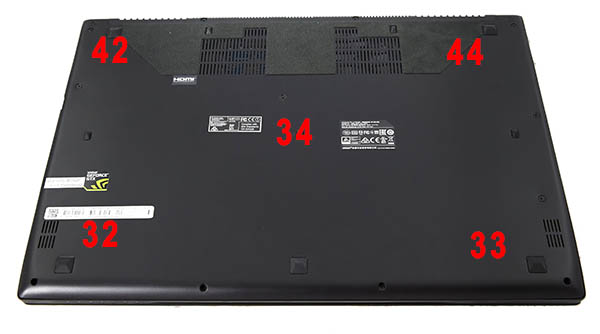
No ports on the back of the chassis – just plenty of cooling vents.

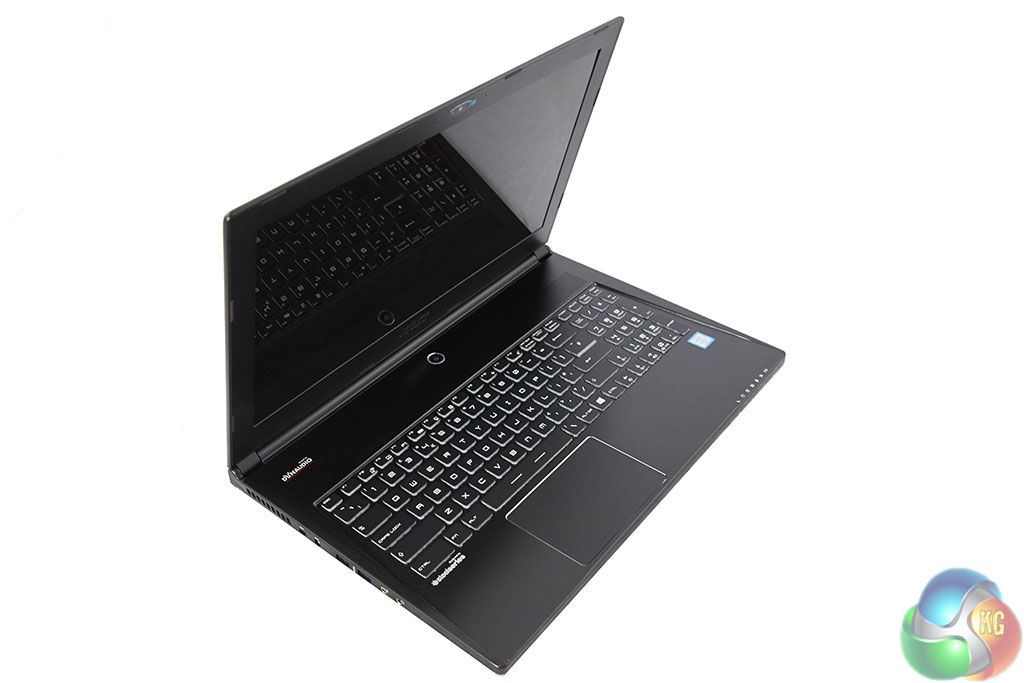
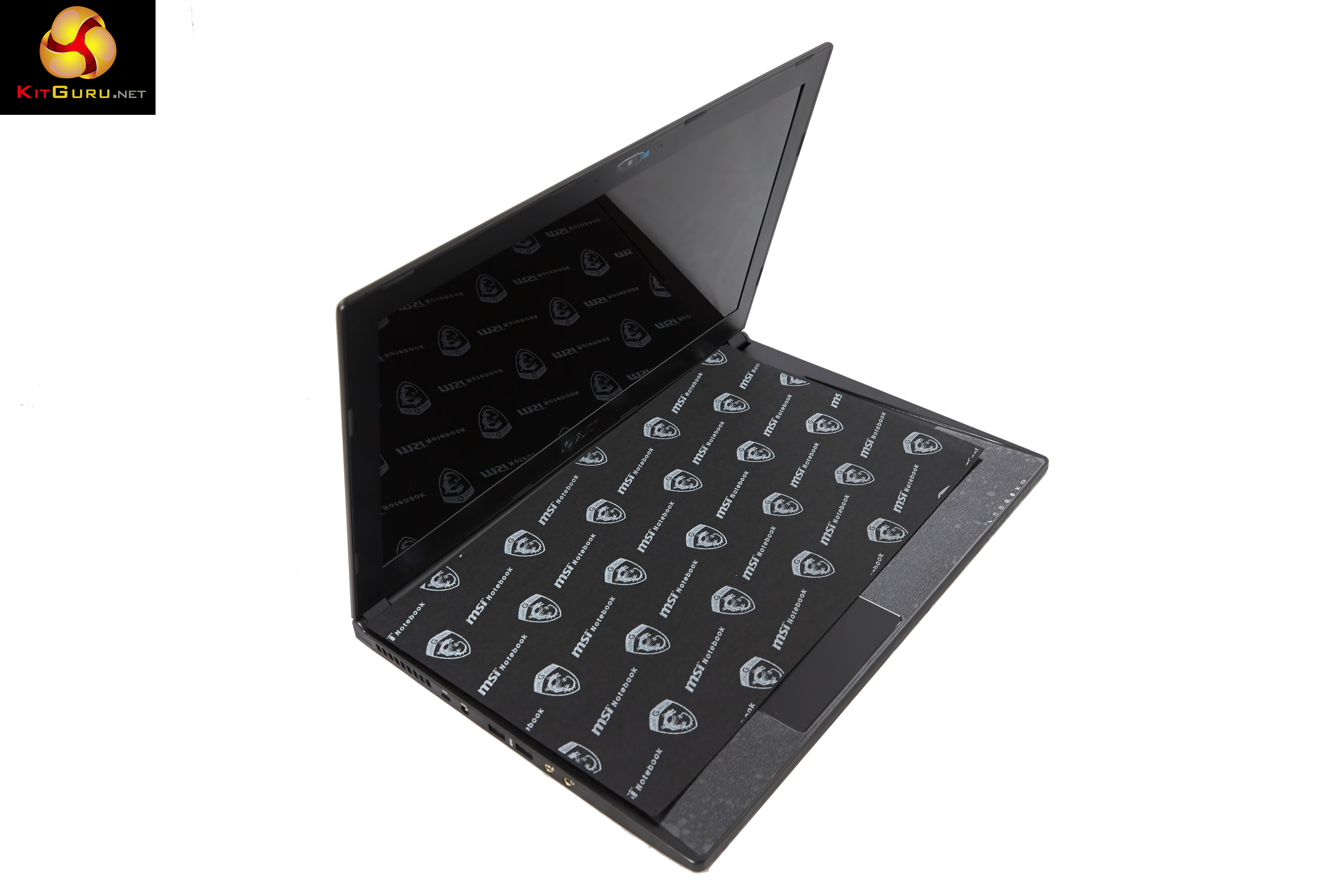
MSI ship the laptop with a protective cloth between keyboard and screen – this stops any possible marks which could be caused by very rough international shipping.

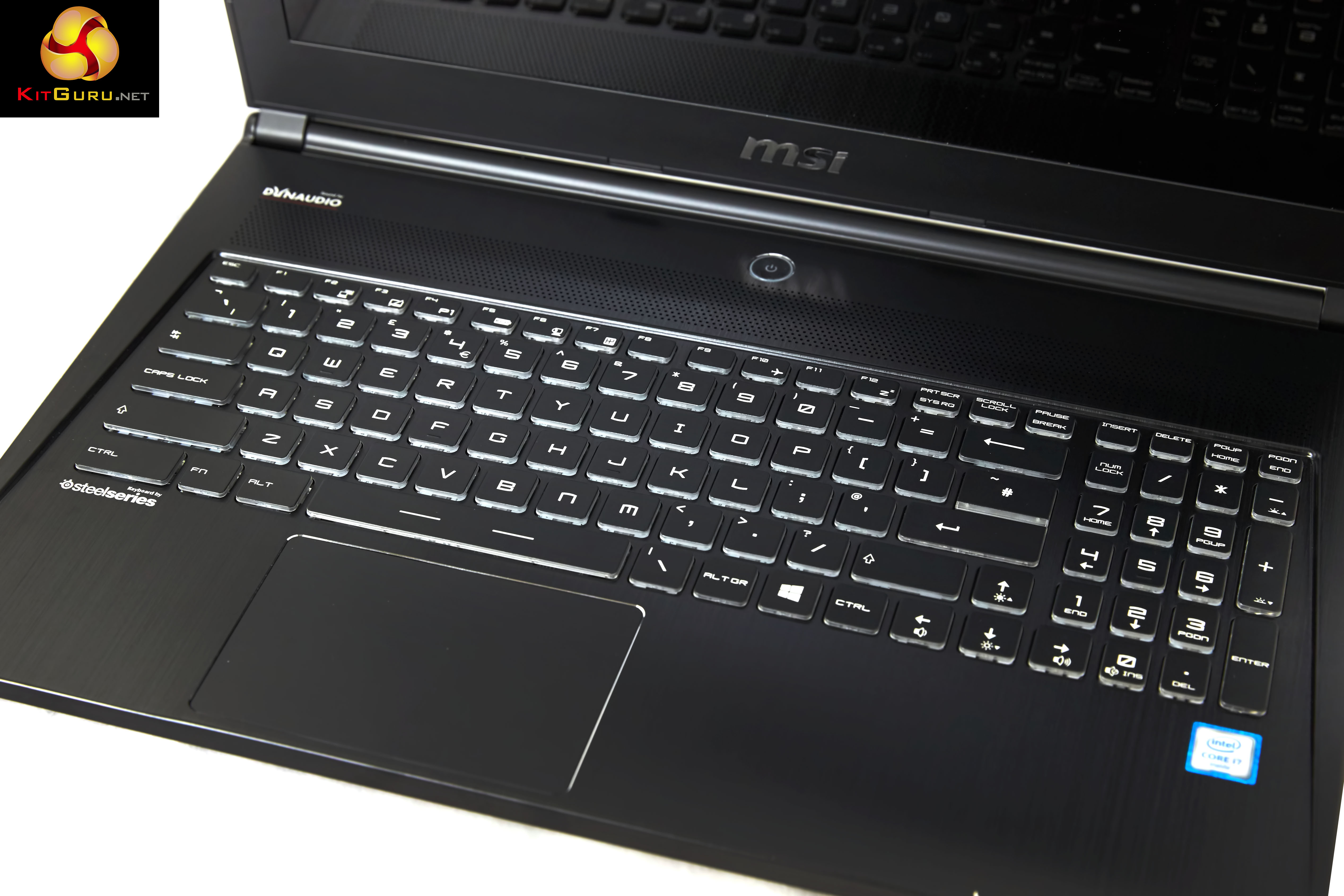
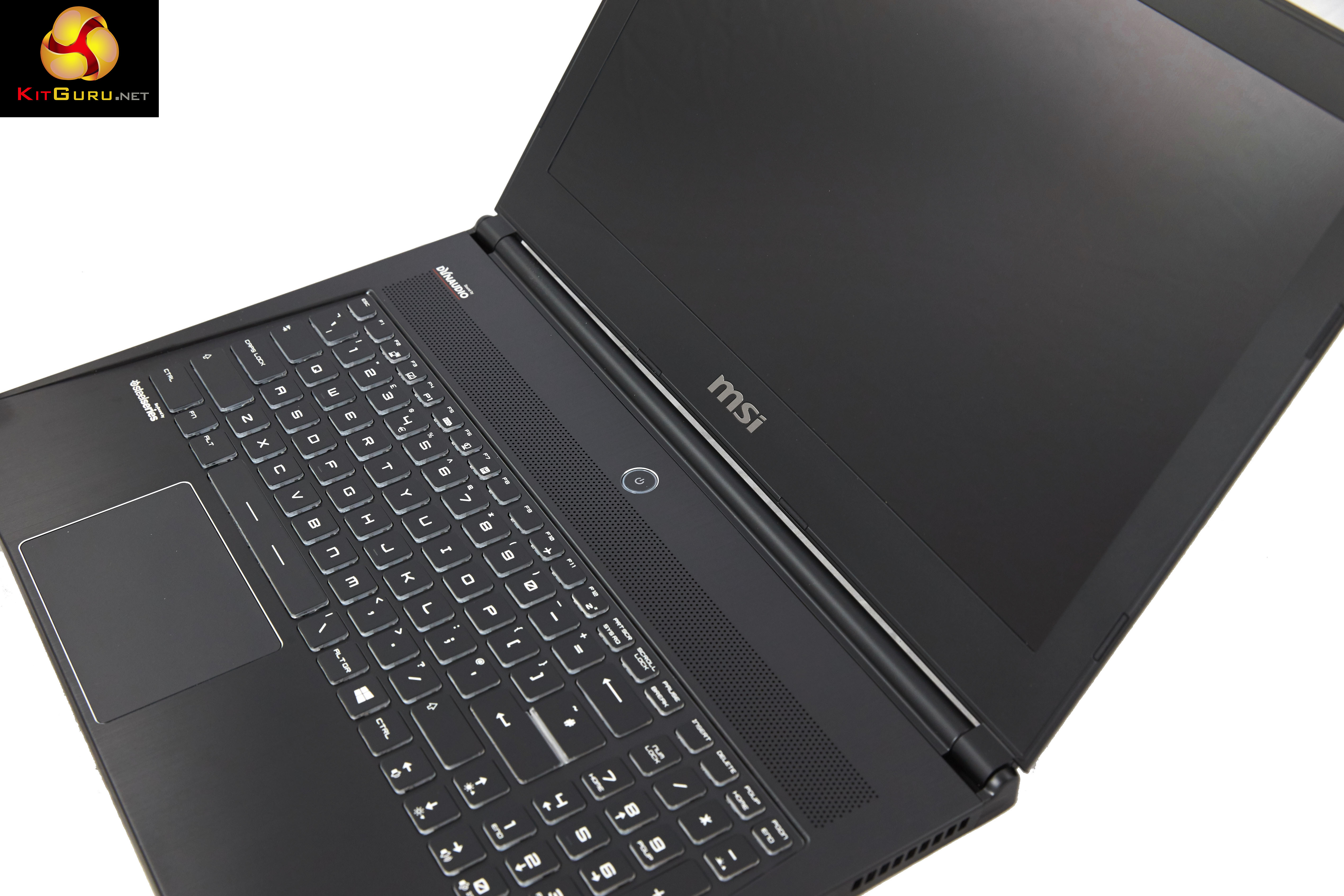
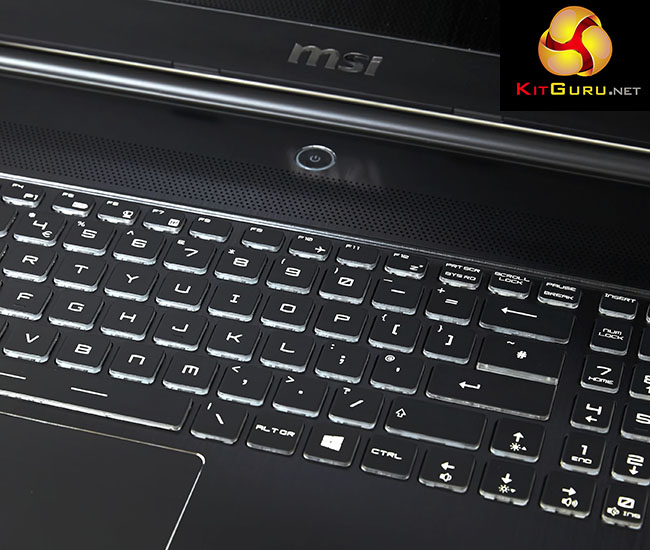
The Steelseries branded Keyboard is quite enjoyable to use, with each of the keys offering tactile feedback. I wouldn't class it as the greatest laptop keyboard I have used, but it is certainly well above average.
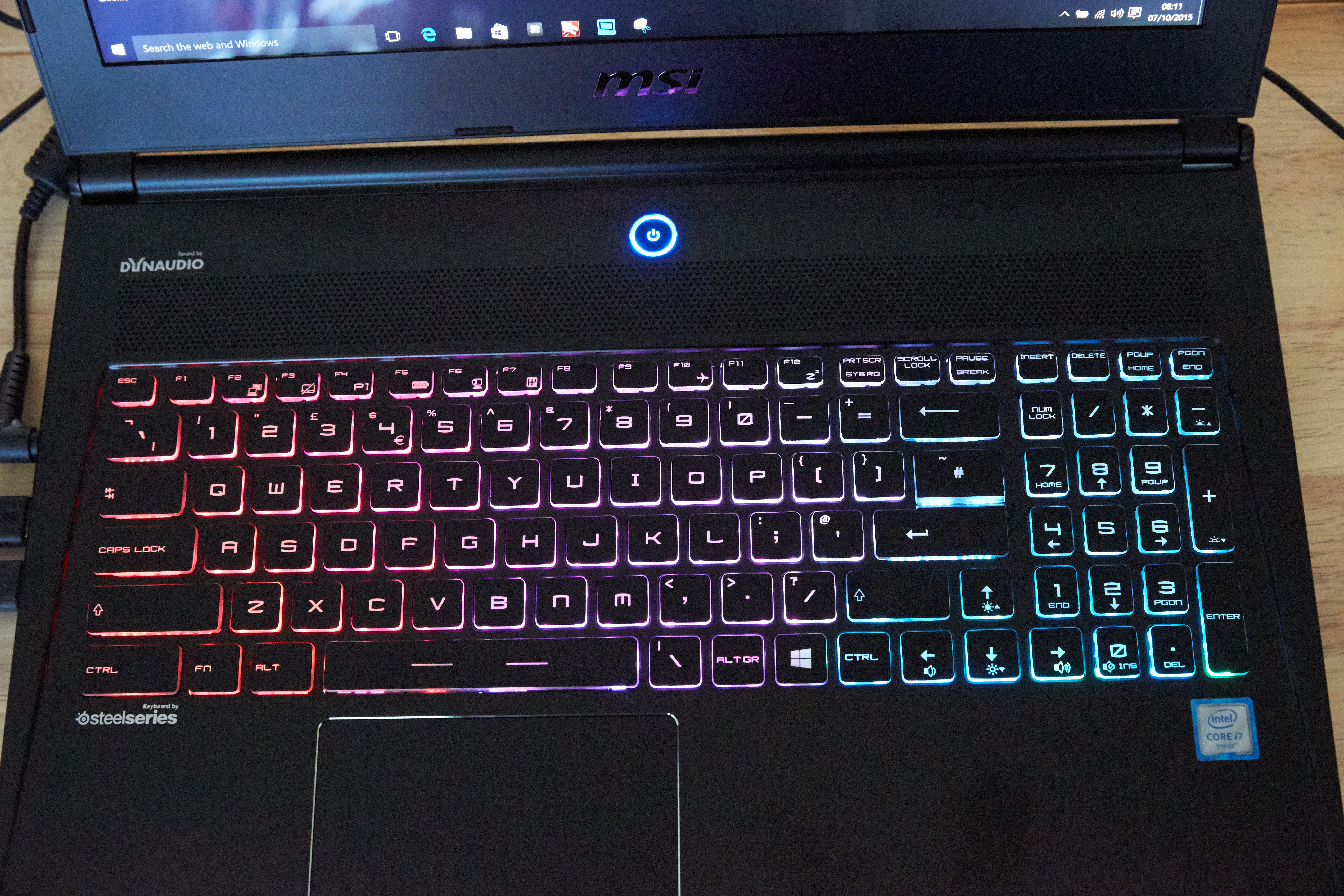

The keyboard lights up in a multicolour scheme when the driver loads during boot. Steelseries software is supplied which allows the end user to change settings.
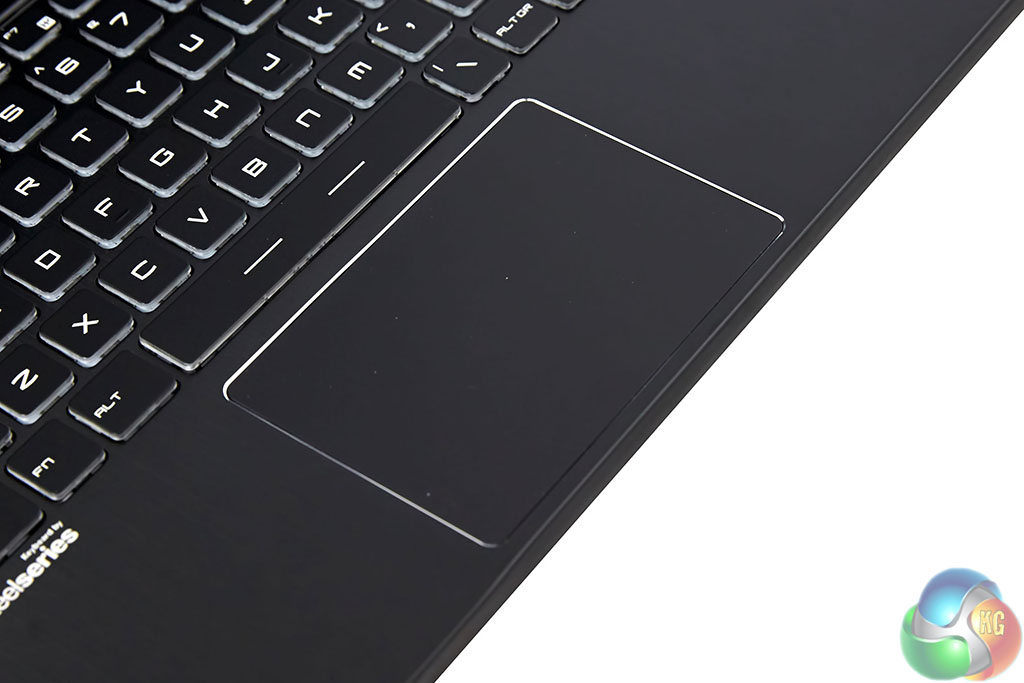
A large trackpad is positioned slightly off center and it has a slightly glossy finish which works well under the finger. Tracking is smooth and for use on public transport or in confined spaces, its perfectly fine.
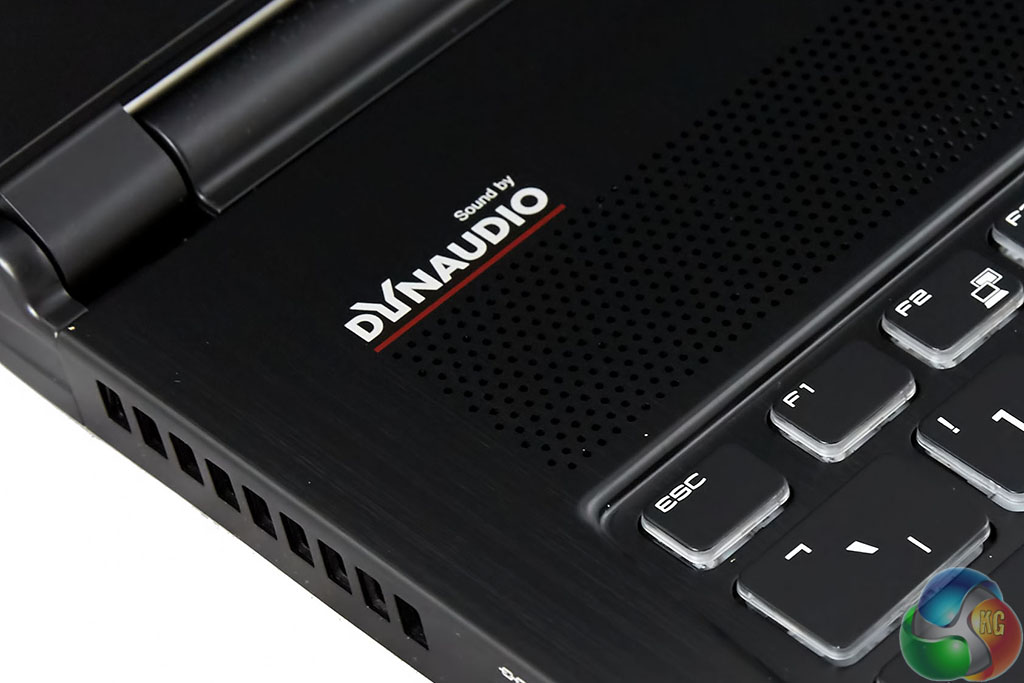
Onboard audio is supplied by ‘DynAudio', a highly respected company who are actually very well known in high end audio circles. The company make speakers that cost up to £50,000.
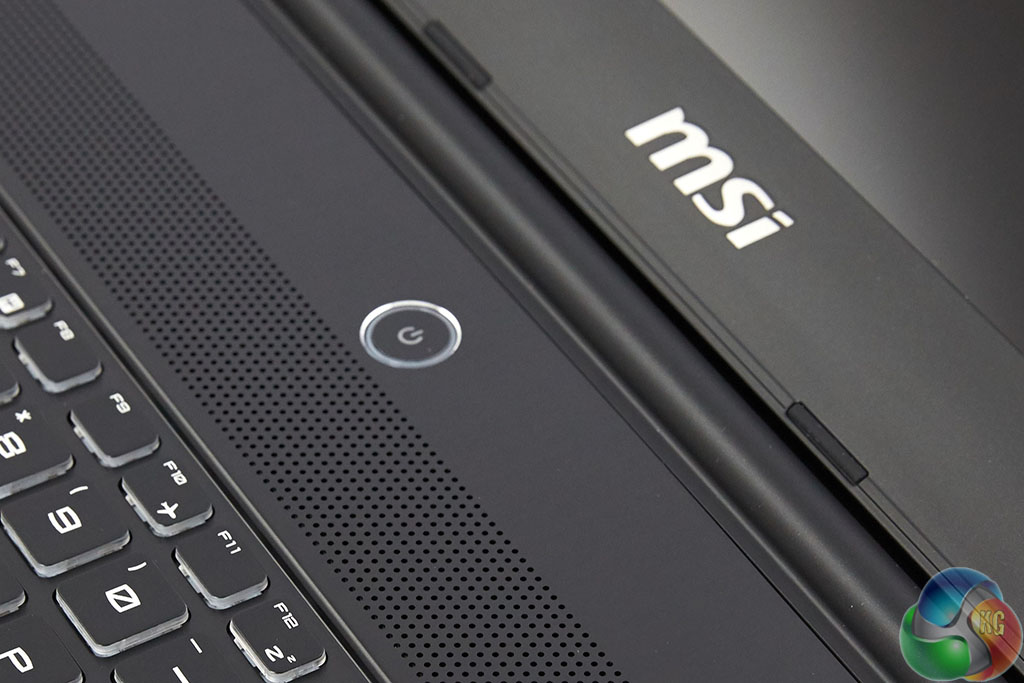
While you pick your jaws up from the floor, I will say that I was a little disappointed with the audio quality from the onboard speakers fitted inside the GS60 6QE. There is little bass and the volume level didn't go quite as loud as I hoped. A good pair of headphones or speakers would be needed to get the most from this system.
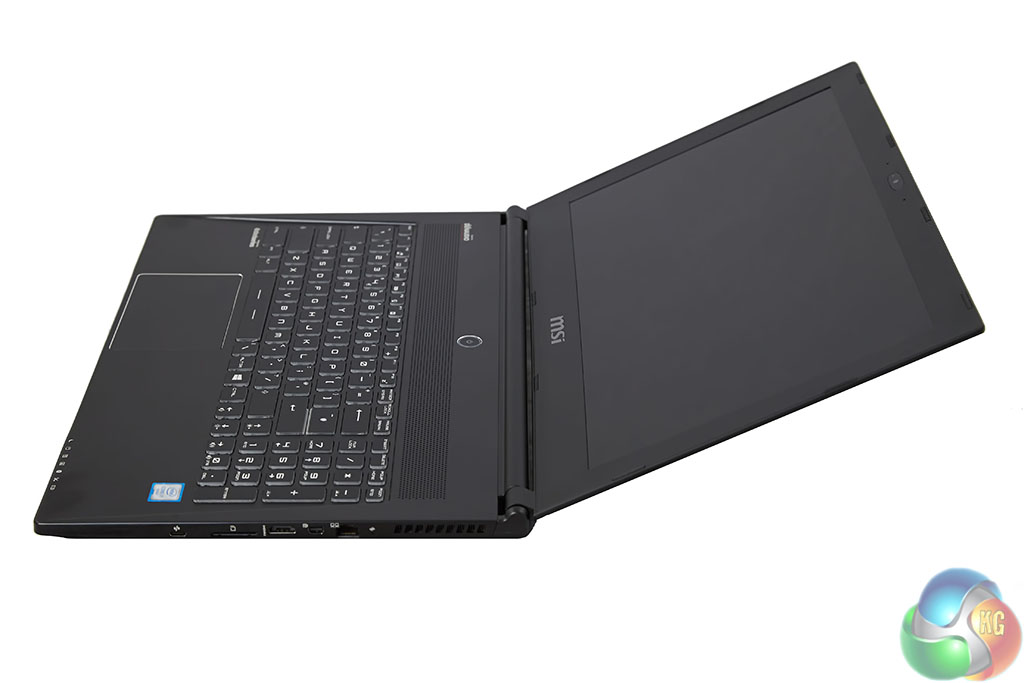
The screen doesn't quite open to a full 180 degrees – it is closer to 150 degrees.
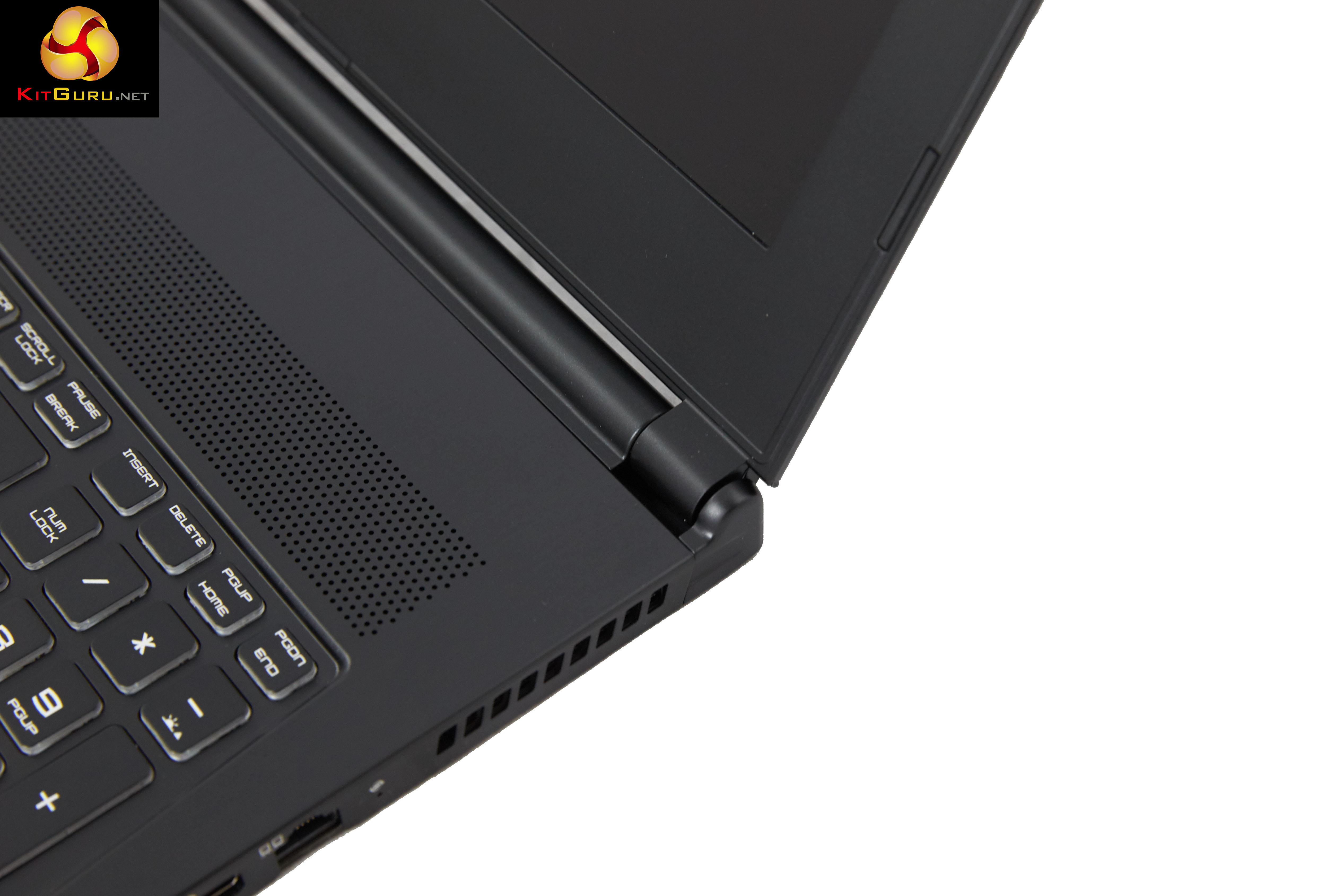
The hinge mechanism is something that many people overlook, but we are pleased to report that there is no movement from the panel at all when typing on the keyboard.
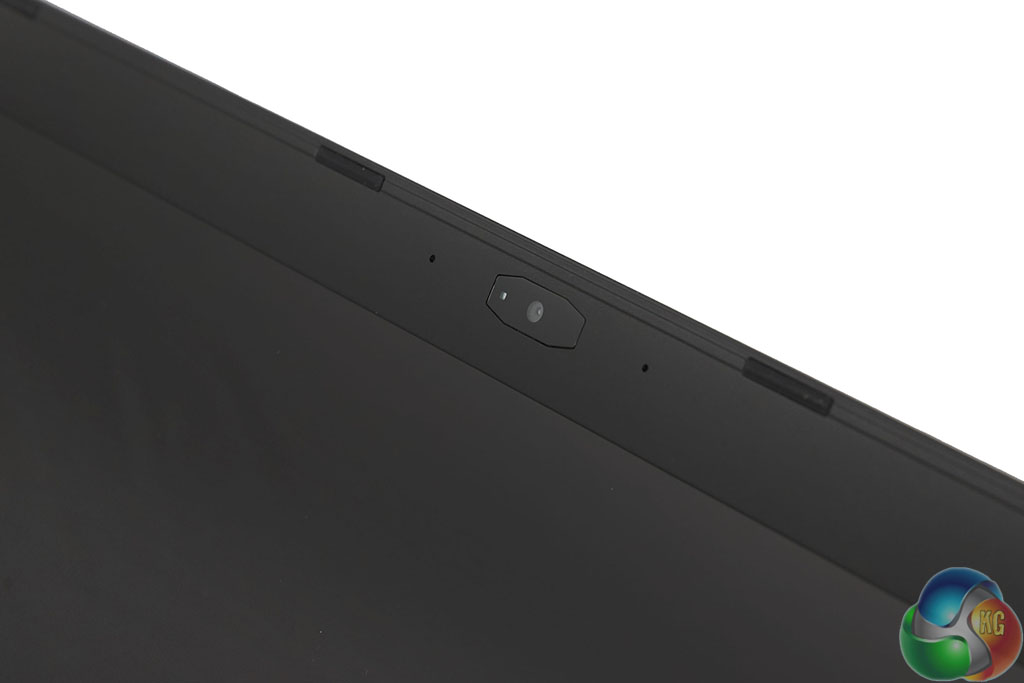
A 30fps 1080p webcam takes pride of place centrally, above the panel.
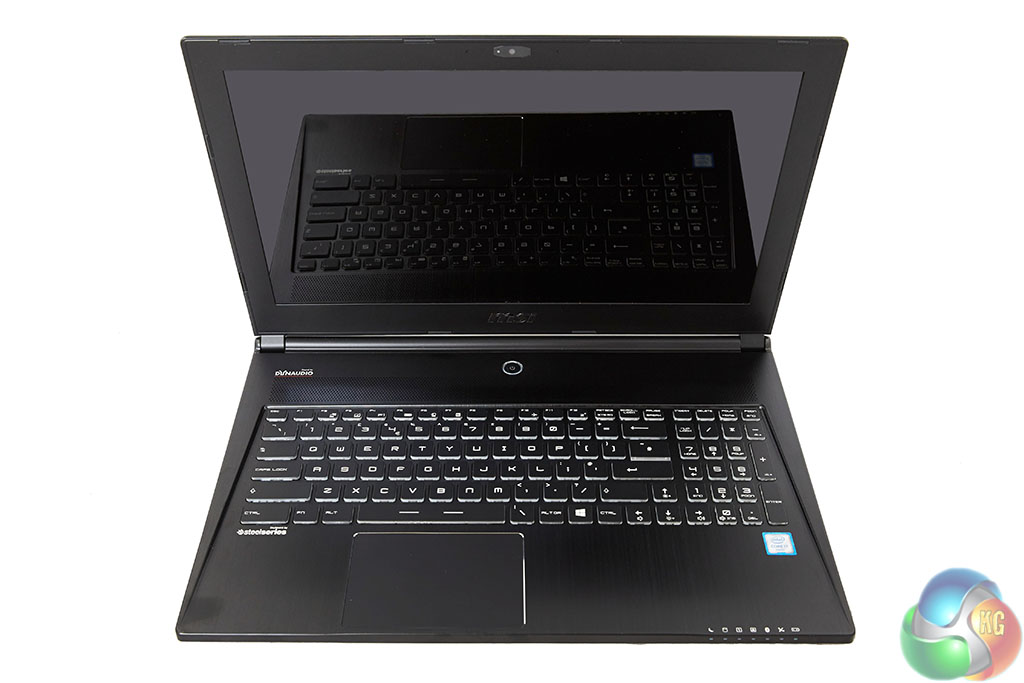
The 4K PLS Wide View Angle is the star of the show. Text is pin sharp, colour clarity is first rate, and viewing angles are fantastic. I would have liked another 1 or 2 brightness levels if I was being pedantic but I find it difficult to fault this panel. Thanks to Windows 10 default options scaling is applied to make using the operating system less tricky. A native 3840×2160 resolution would prove difficult to use on a 15.6 inch panel.
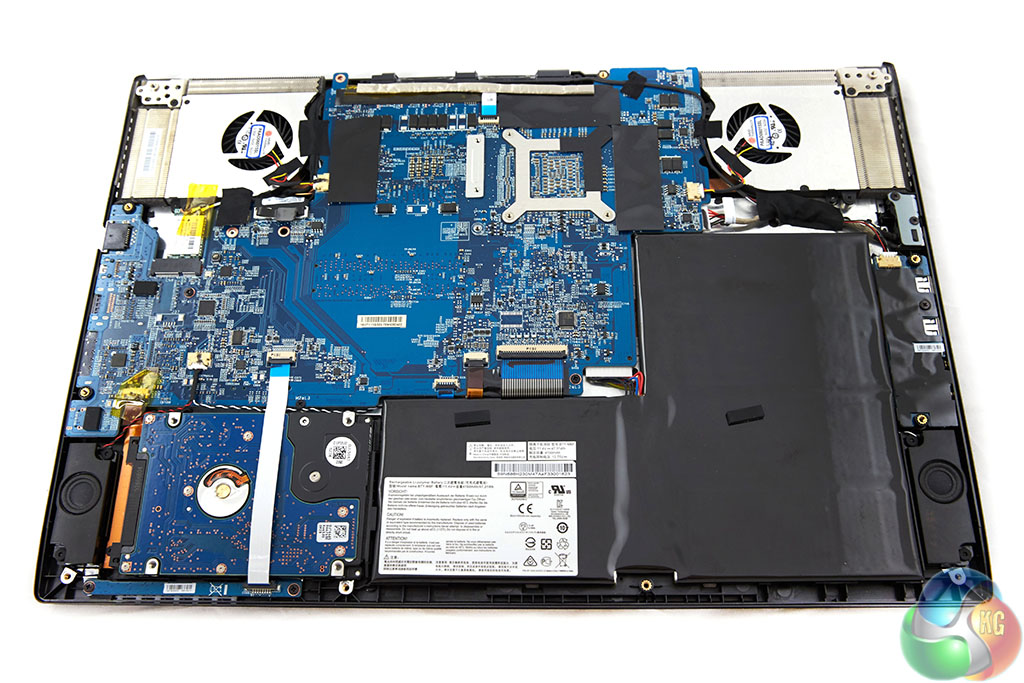
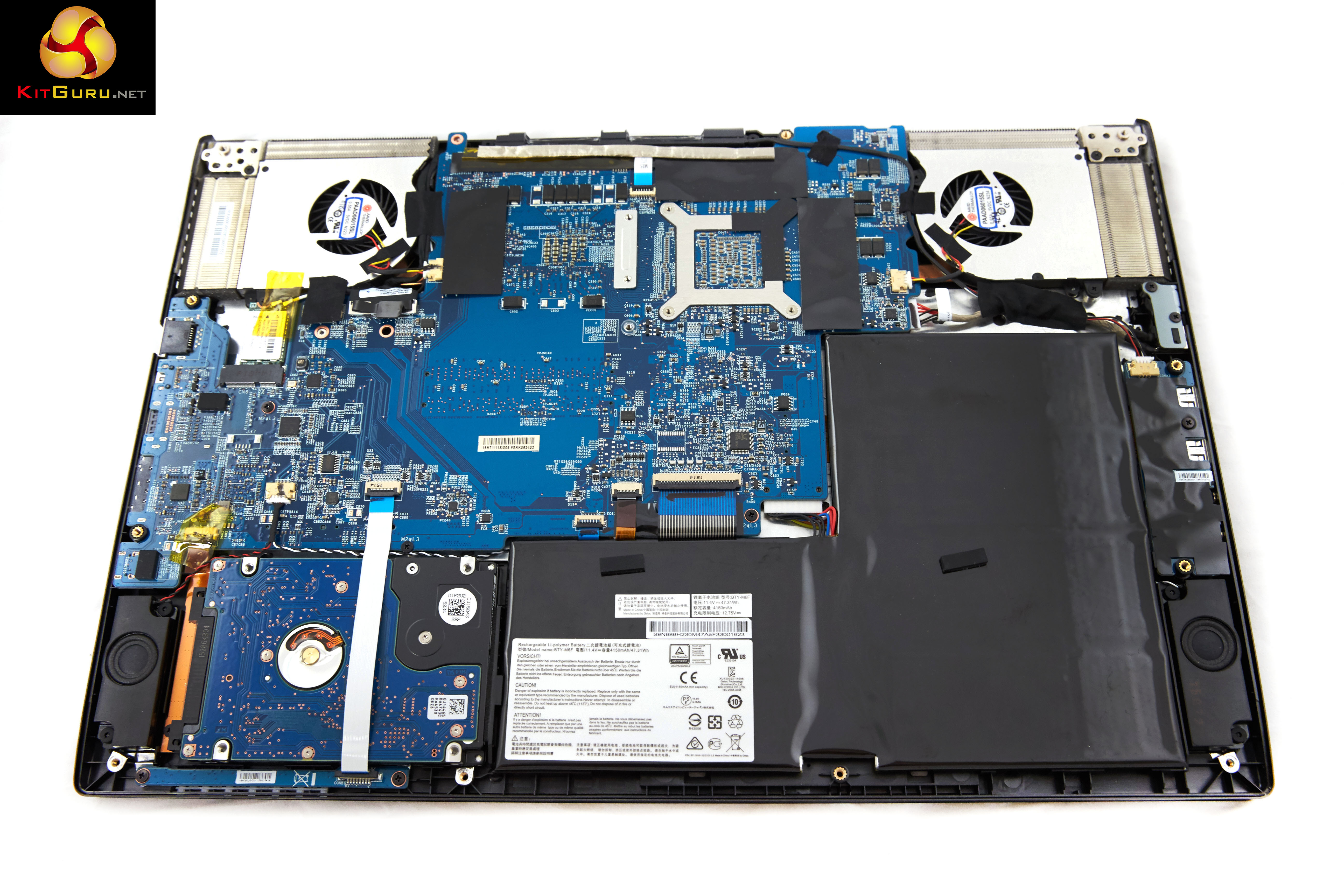
The GS60 6QE is a compact, slim design so space saving measures are important. The 4150mAh battery takes up quite a lot of the physical width of the chassis although it is thin. There are two cooling fans and heatsinks visible at each corner at the rear. The motherboard is actually reversed from view when the rear panel is open, so we can see mounting retainers – not the CPU or GPU itself.On this page we present some high resolution images of the product taken in our professional studio with a Canon 1DX. These will take much longer to open due to the dimensions, especially on slower connections. If you use these pictures on another site or publication, please credit Kitguru.net as the owner/source.

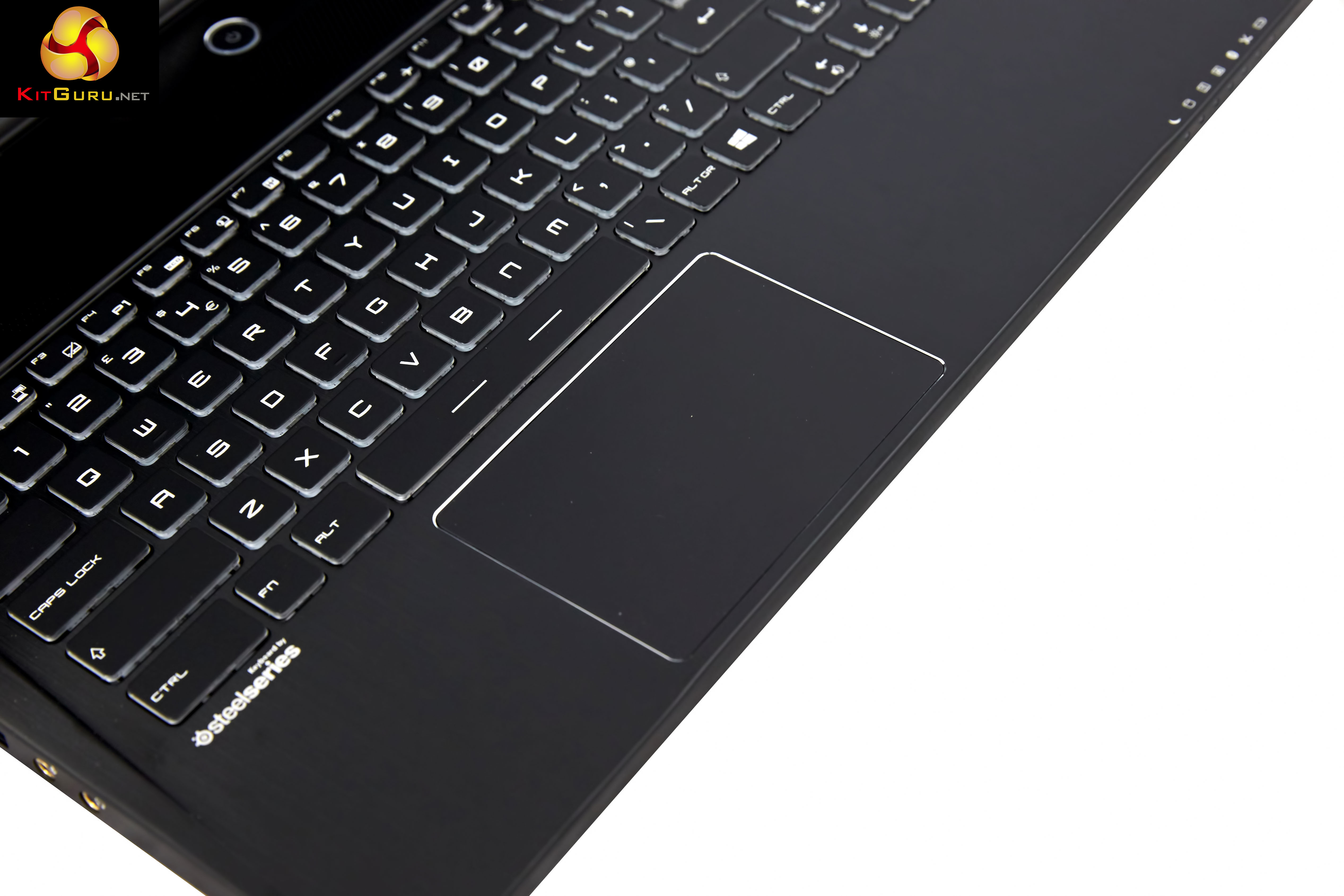
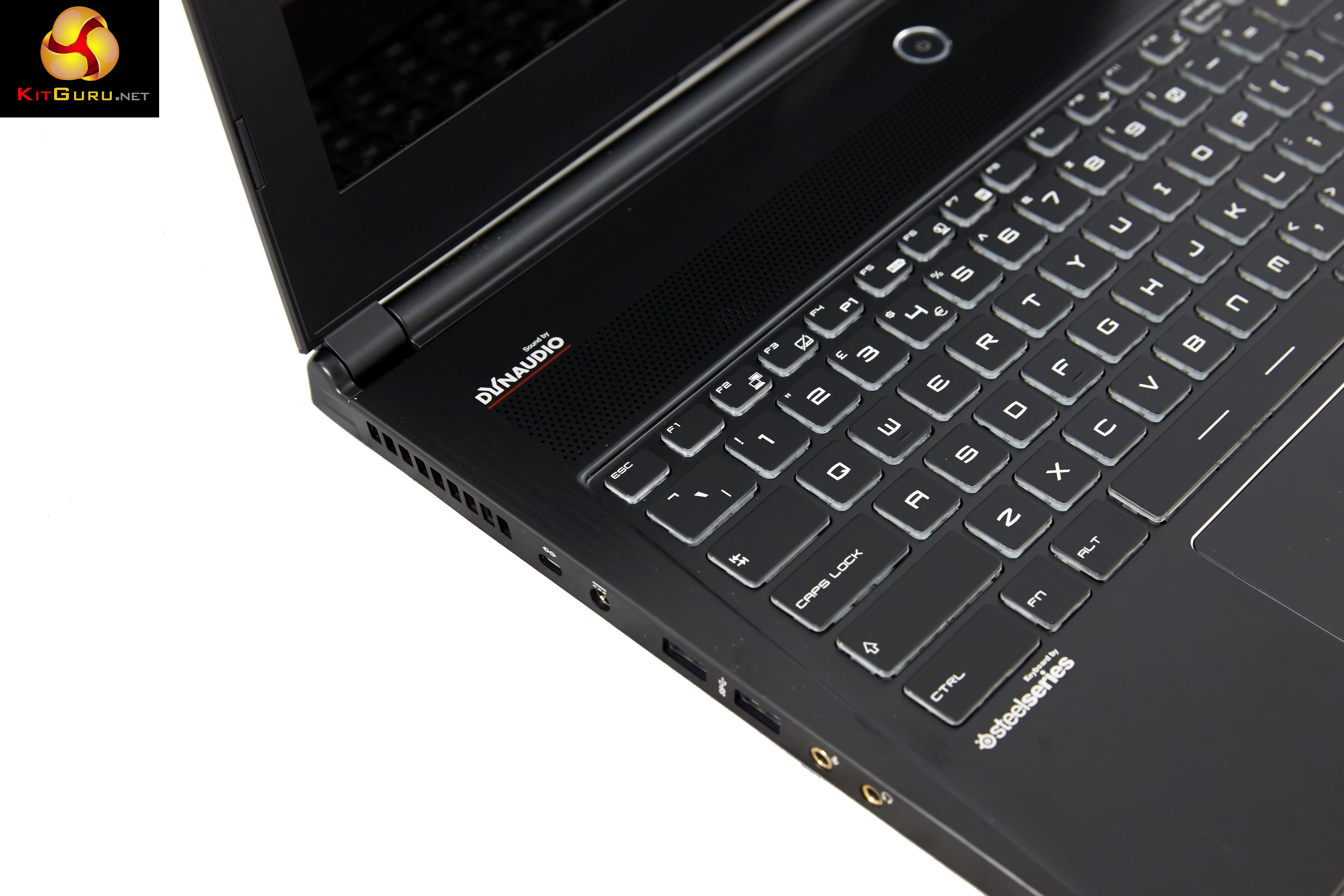
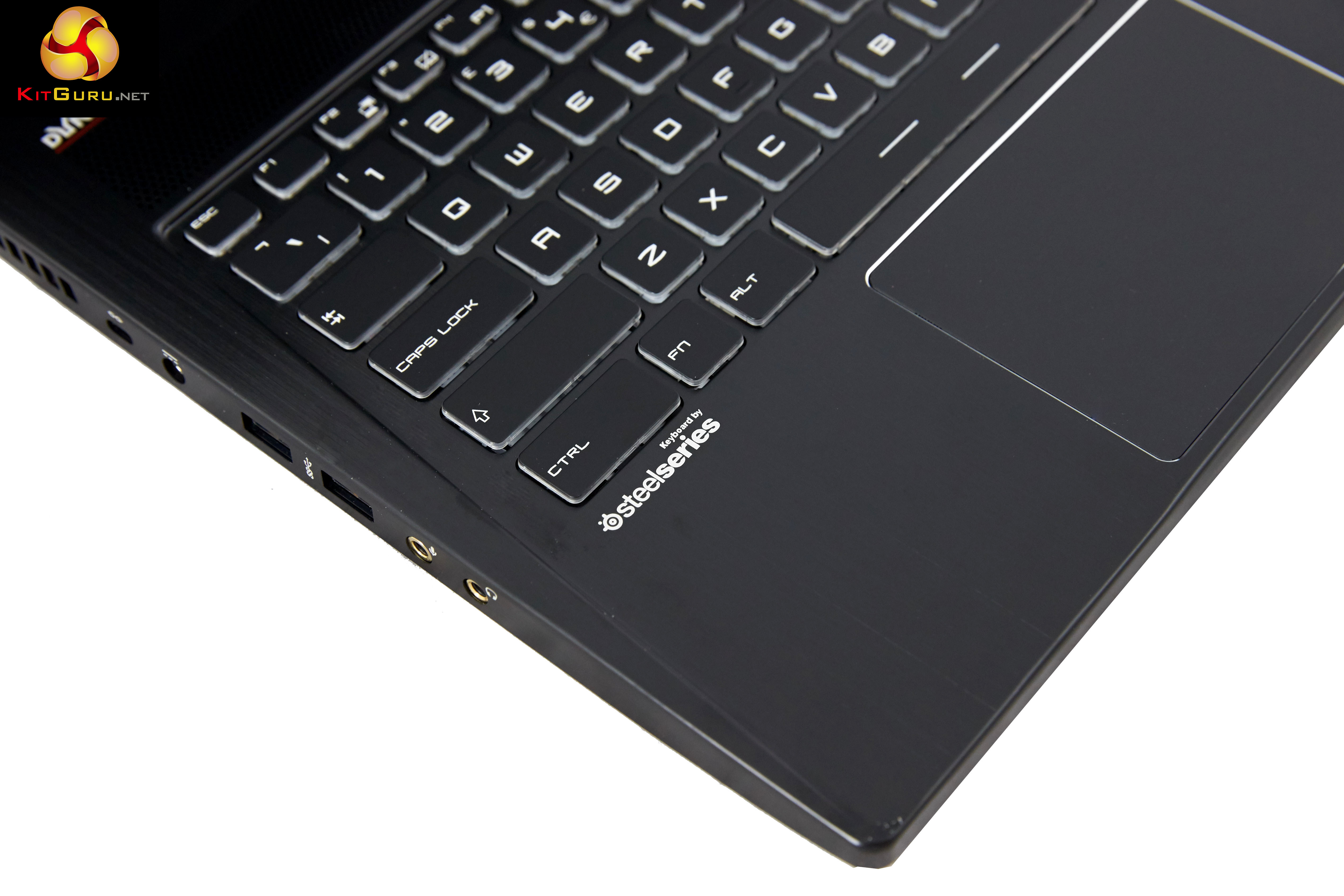
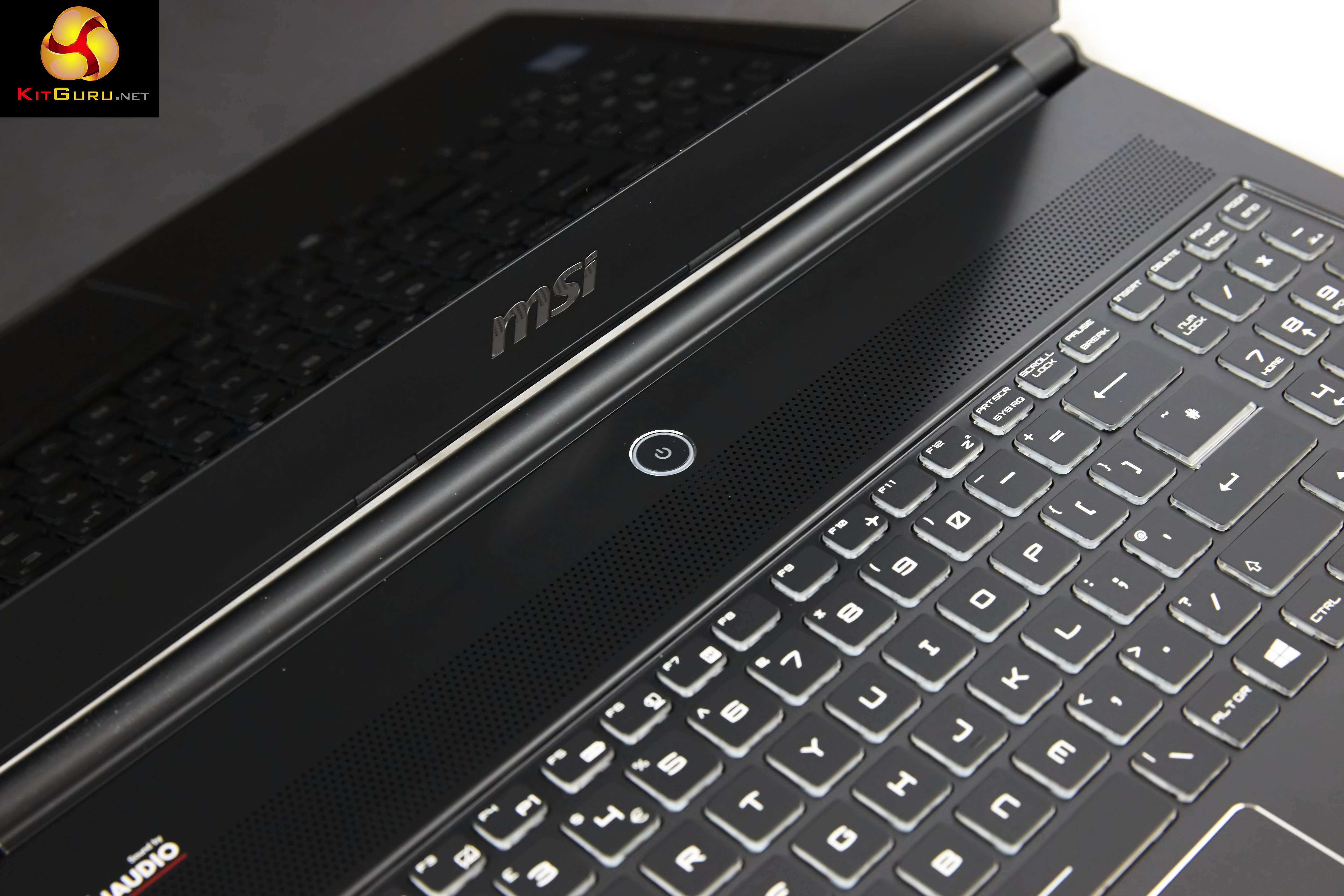

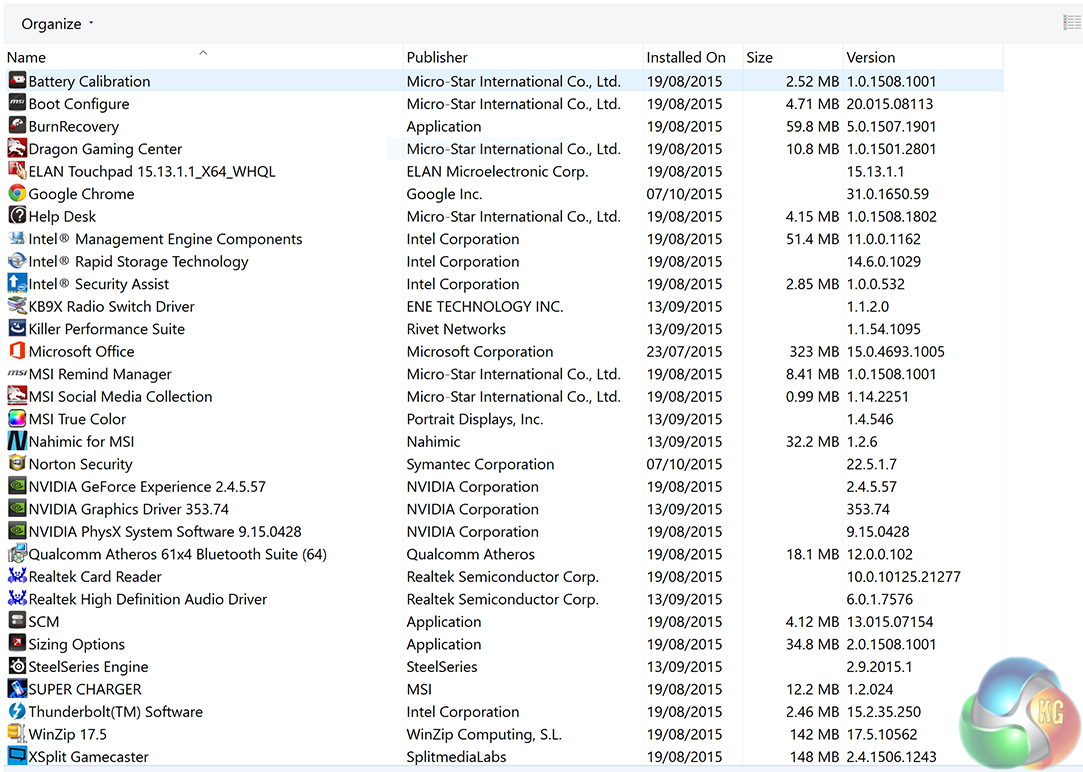
The MSI default install is primarily drivers and software related specifically to this machine – including Steelseries Engine and Boot configuration utilities. Sadly some of the programs installed such as Norton's do NAG the user from time to time. I am not a big fan of Norton's and completely removed it before testing the laptop.
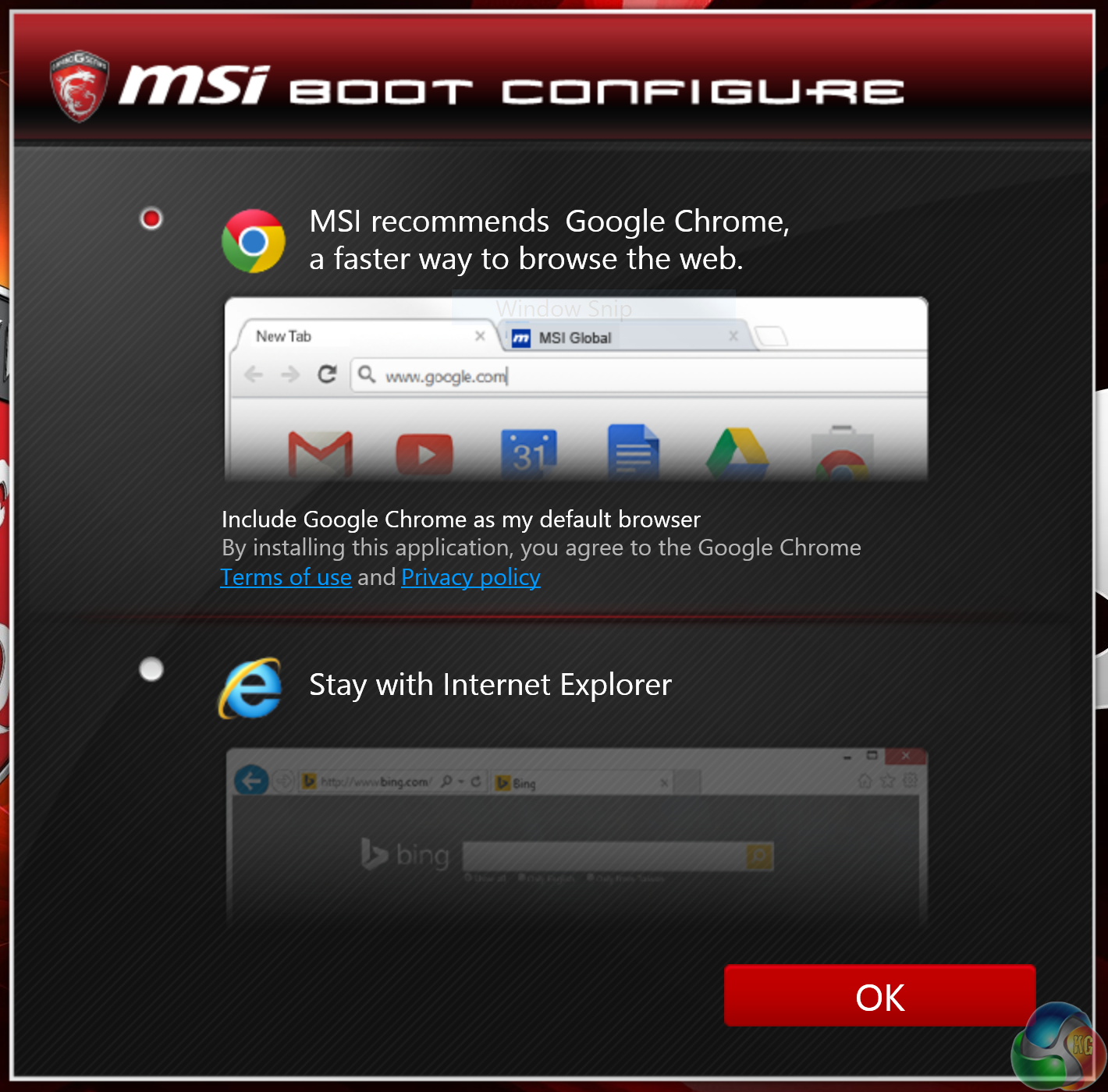
On first start up MSI boot configure appears to ask if you want to ‘stay with Internet Explorer' or use ‘Google Chrome'. I don't think I have ever seen a company put so much effort into skinning a pop up message to install a browser they don't make. I can't help but feel we really don't need this kind of pop up prompt – we all know there are alternative browser options. Go away, thank you very much.
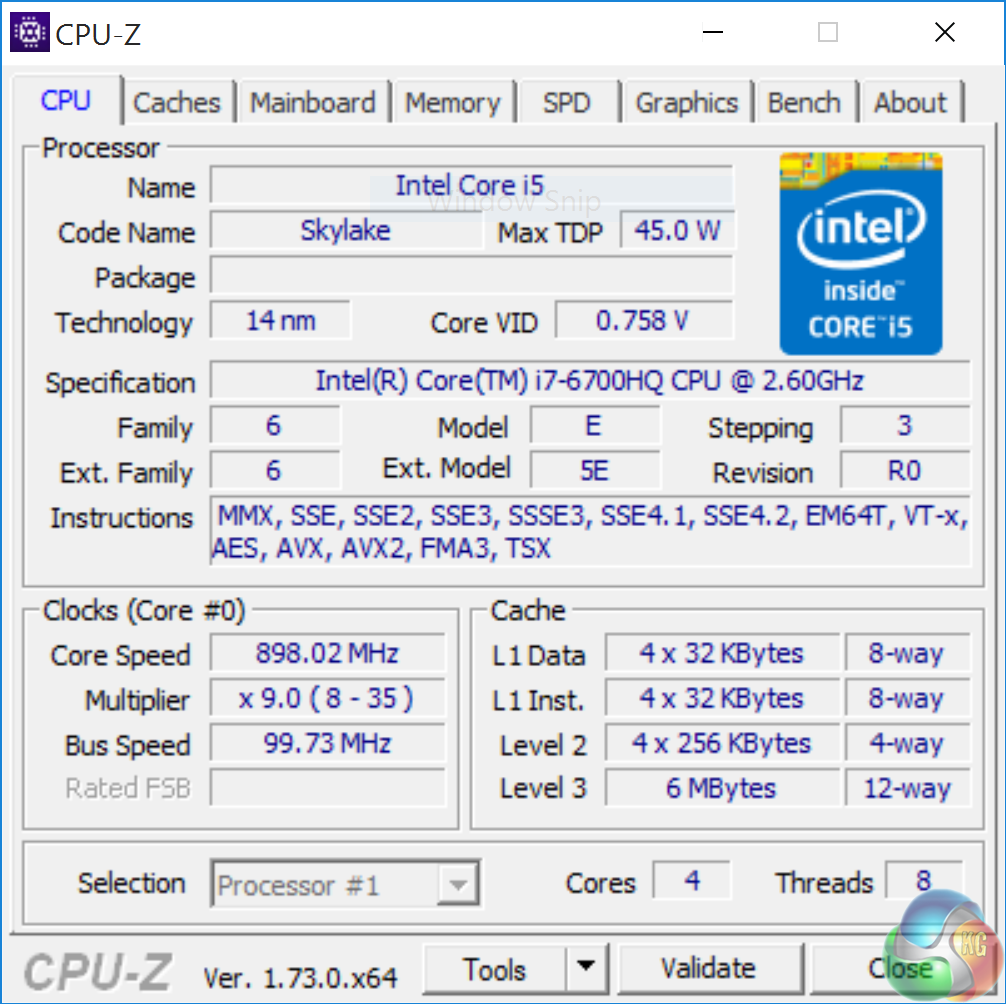
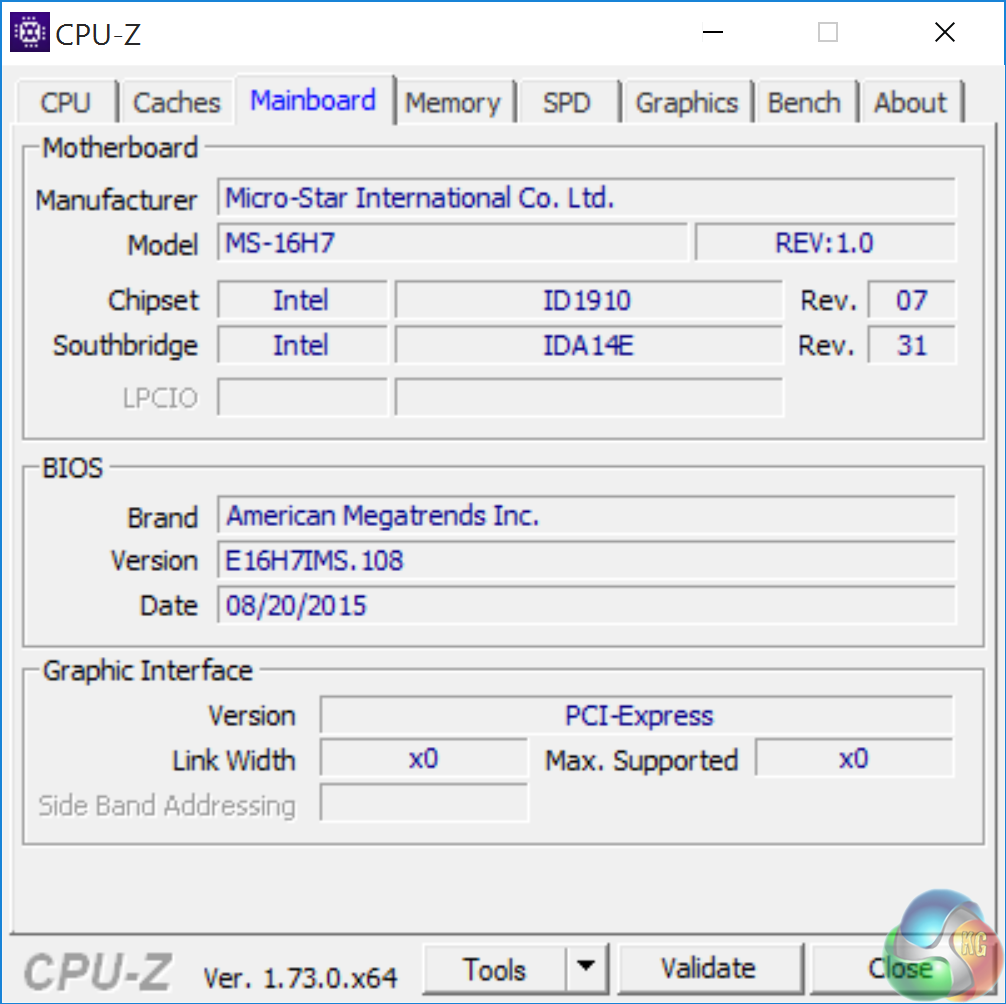
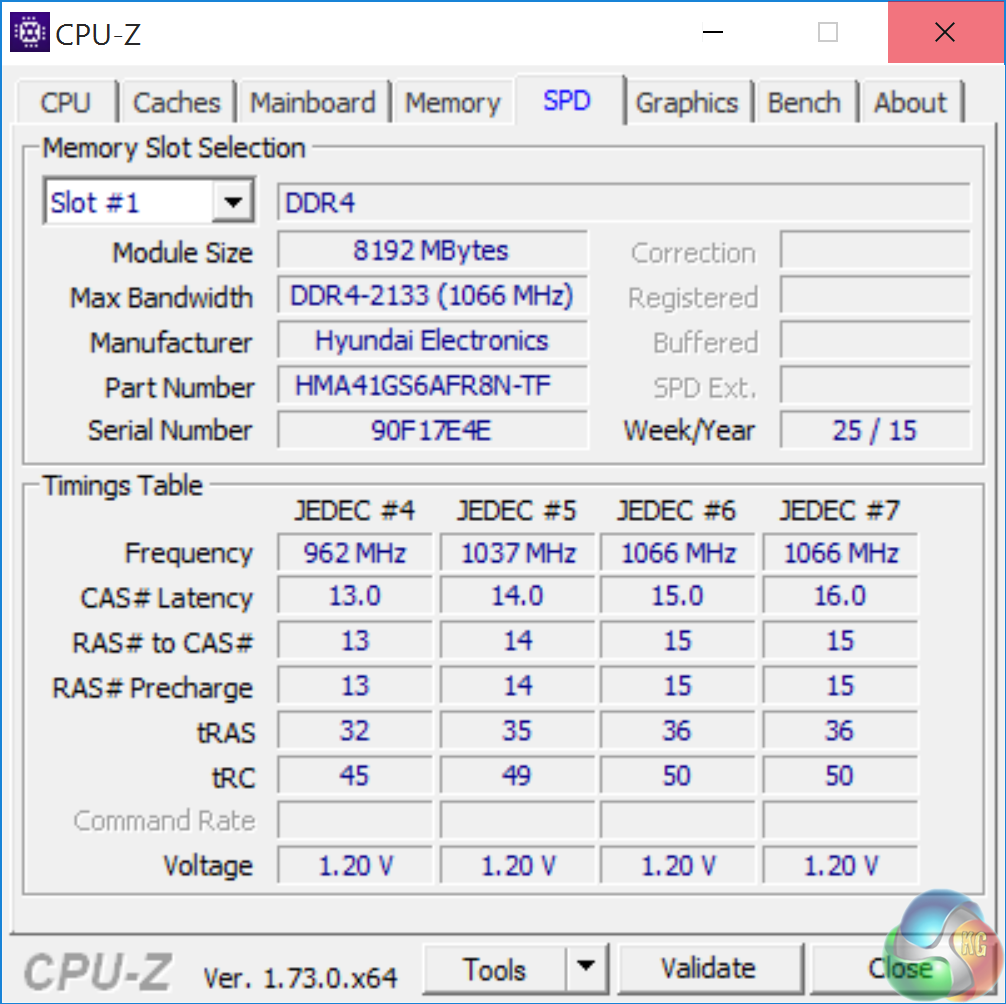
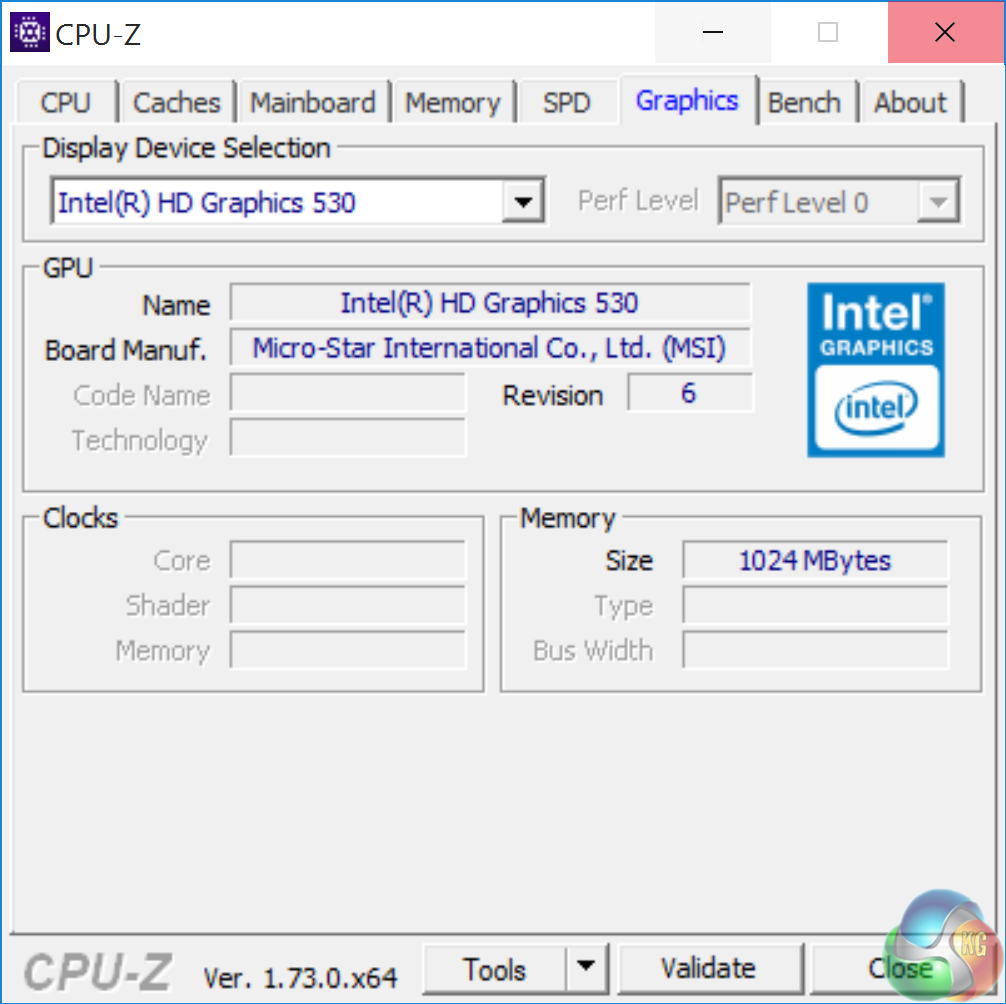
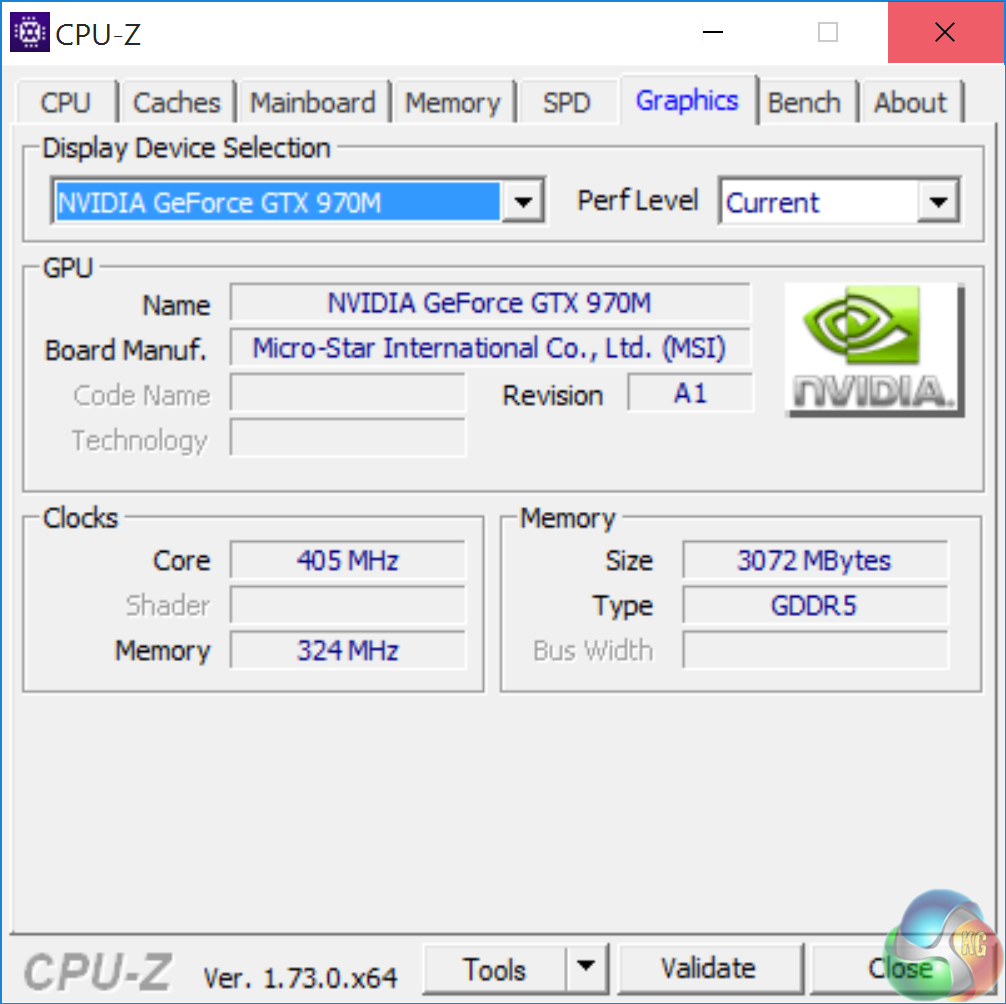
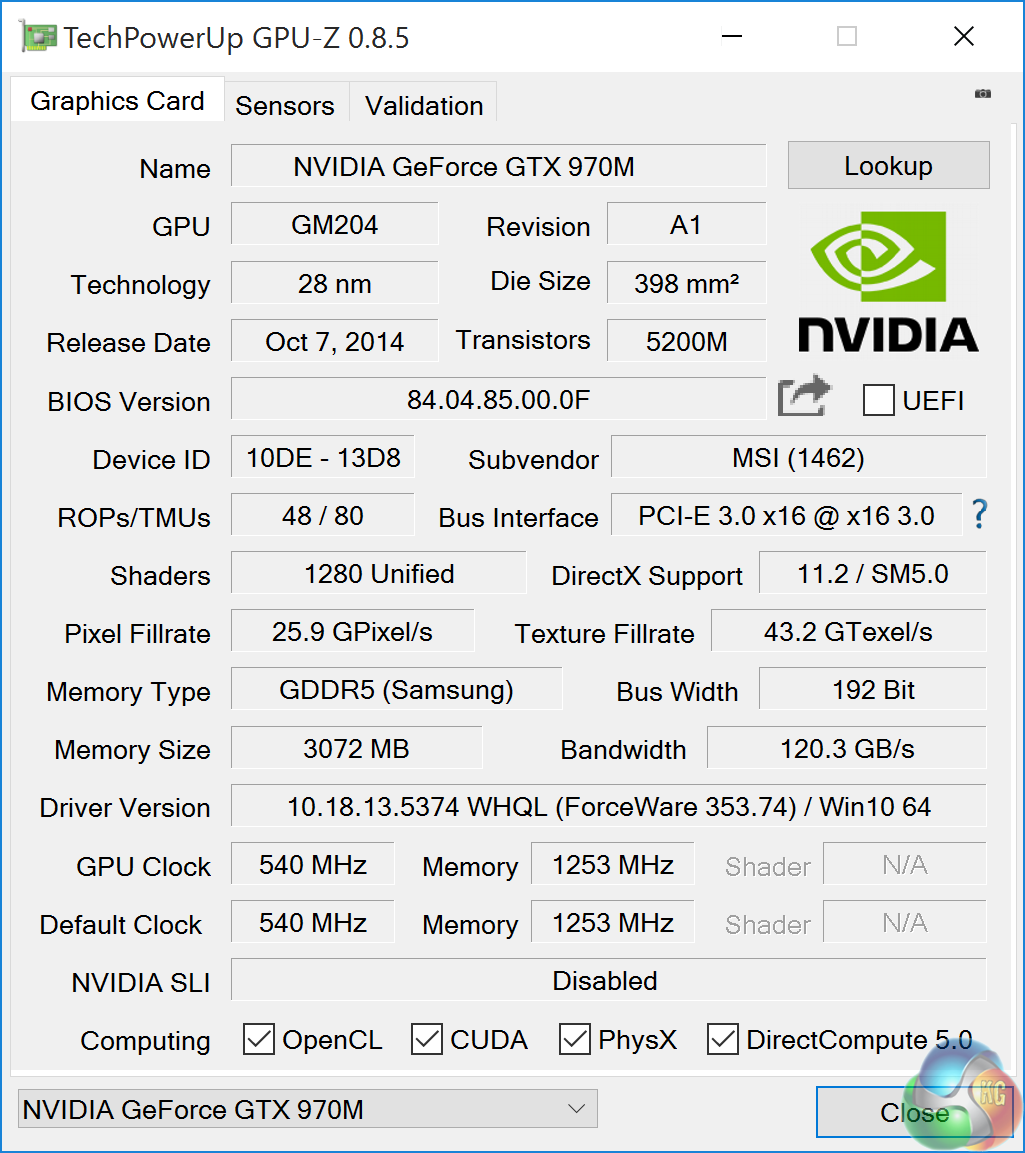
An overview of the GS60 6QE via CPUz and GPUz. The Skylake i7 -6700HQ operates at a frequency between 2.6GHz and 3.5GHz. There is 16GB of DDR4 memory installed (2x8GB) running at 2133mhz with 14-15-15-15-36 timings. Intel HD 530 graphics are integrated and the GTX970m is built on the 28nm process and has 48 ROPS, 80 Texture units and 1280 Cuda Cores. The GDDR5 memory speed is set at 1253mhz (5Gbps effective).
We include game tests today at 1080p because this is the resolution best suited to the GTX970m. We also run some game tests at 4K settings, but as you will see – to comfortably game at 4K you will want either one or two GTX980m cards. Unless you don't mind running with massively reduced image quality settings that is. None of us want that in 2015.
Comparison Mobile Systems (for specific synthetic test compares):
Razer Blade Pro (2015) (4720HQ)
MSI GT80 Titan (i7 4980HQ)
Razer Blade 14 Inch (2015) (i7 4720HQ)
MSI GS60 Ghost Pro 3K 2QE (i7 4710HQ)
MSI GT72 2PE Dominator Pro (072UK)
MSI GS60 2PE Ghost Pro 15.6 inch (Intel I7-4700HQ).
MSI GT70 2OC (Intel Core i7 4700MQ).
MSI GS70 2OD Stealth (Intel Core i7 4700HQ).
MSI GE40-20C Dragon Eyes (Intel Core i7 4702MQ).
PCSpecialist Inferno 11.6 inch (Intel Core i7 3630QM).
MSI GX60 (AMD A10 4600M).
Lenovo ThinkPad X1 Carbon (featuring Core i5 3427U).
Lenovo ThinkPad Edge S430 (featuring Core i5 3210M).
PC Specialist Vortex III HD72 (featuring Core i7 3610QM).
Asus G74SX-91013Z (featuring Core i7 2360QM).
Dell XPS 14z (featuring Core i7 2640M).
AlienWare M18X (featuring Core i7 2960XM Extreme Edition).
MSI CX640 (featuring Core i5 2410M).
Intel Core i7 2600k desktop processor.
Intel Core i5 2500k desktop processor.
Comparison Desktop System (for some gaming tests).
Detailed specifications over HERE.
Asus GTX980 ROG Matrix Platinum (1,241 mhz core / 1,753mhz memory)
Asus R9 290 Direct CU II OC (1000 mhz core / 1,260 mhz memory)
Gigabyte GTX770 OC (1,137mhz core / 1,753 mhz memory)
Sapphire Dual X R9 285 (965 mhz core / 1,400 mhz memory)
XFX R9 280X DD (1,000 mhz core / 1,500 mhz memory)
Asus Direct CU II GTX 760 OC (1,006mhz core / 1,502mhz memory)
Asus GTX750TI Strix OC Edition (1,124mhz core / 1,350mhz memory)
Software:
3DMark 11
3DMark
Cinebench R11.5 64 bit
Cinebench R15 64 bit
FRAPS Professional
Unigine Heaven Benchmark
Unigine Valley
SiSoft Sandra
CrystalDiskMark
ATTO Disk Benchmark
Cyberlink PowerDVD Ultra 12
Cyberlink MediaEspresso
Games:
F1 2015
Tomb Raider
Metro Last Light Redux
Grand Theft Auto V
Witcher 3
All the latest BIOS updates and drivers are used during testing. We perform generally under real world conditions, meaning KitGuru tests games across five closely matched runs and then average out the results to get an accurate median figure. If we use scripted benchmarks, they are mentioned on the relevant page.
Game descriptions edited with courtesy from Wikipedia.SiSoftware Sandra (the System ANalyser, Diagnostic and Reporting Assistant) is an information & diagnostic utility. It should provide most of the information (including undocumented) you need to know about your hardware, software and other devices whether hardware or software.
Sandra is a (girl’s) name of Greek origin that means “defender”, “helper of mankind”. We think that’s quite fitting.
It works along the lines of other Windows utilities, however it tries to go beyond them and show you more of what’s really going on. Giving the user the ability to draw comparisons at both a high and low-level. You can get information about the CPU, chipset, video adapter, ports, printers, sound card, memory, network, Windows internals, AGP, PCI, PCI-X, PCIe (PCI Express), database, USB, USB2, 1394/Firewire, etc.
Native ports for all major operating systems are available:
- Windows XP, 2003/R2, Vista, 7, 2008/R2 (x86)
- Windows XP, 2003/R2, Vista, 7, 2008/R2 (x64)
- Windows 2003/R2, 2008/R2* (IA64)
- Windows Mobile 5.x (ARM CE 5.01)
- Windows Mobile 6.x (ARM CE 5.02)
All major technologies are supported and taken advantage of:
- SMP – Multi-Processor
- MC – Multi-Core
- SMT/HT – Hyper-Threading
- MMX, SSE, SSE2, SSE3, SSSE3, SSE 4.1, SSE 4.2, AVX, FMA – Multi-Media instructions
- GPGPU, DirectX, OpenGL – Graphics
- NUMA – Non-Uniform Memory Access
- AMD64/EM64T/x64 – 64-bit extensions to x86
- IA64 – Intel* Itanium 64-bit
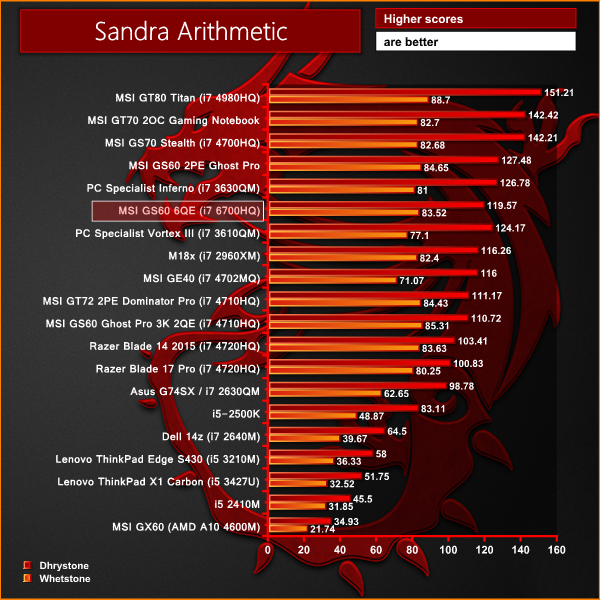
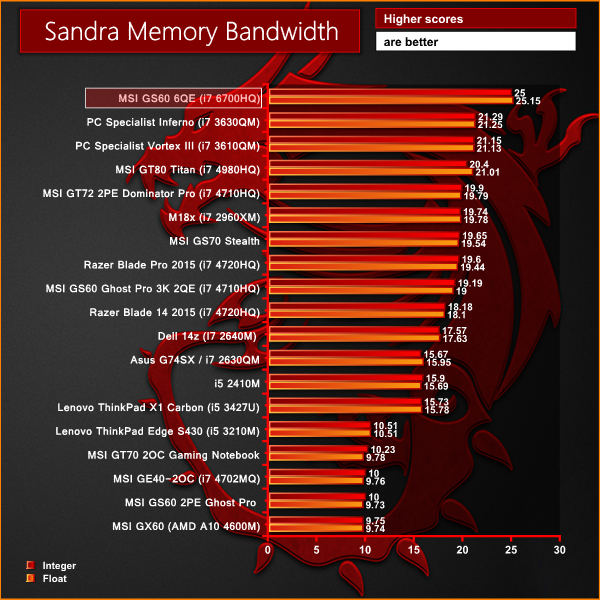
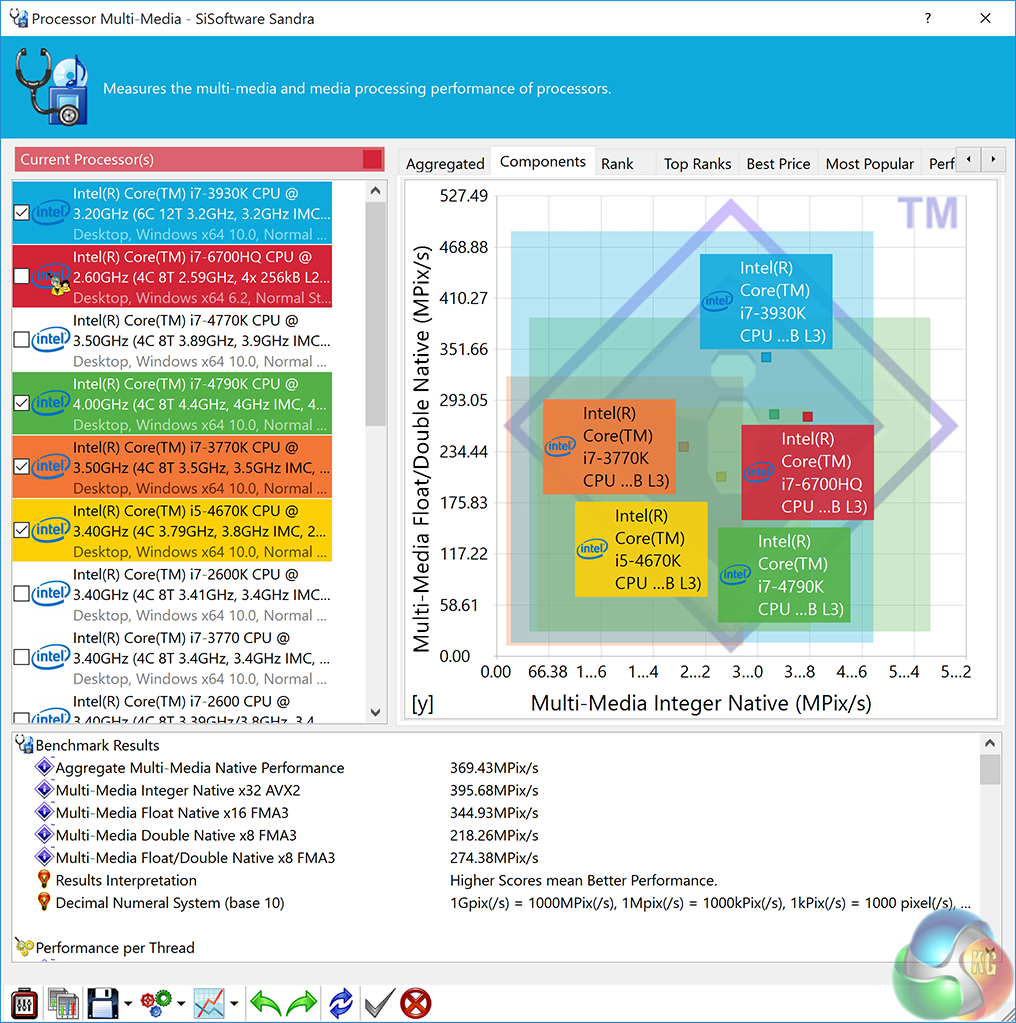
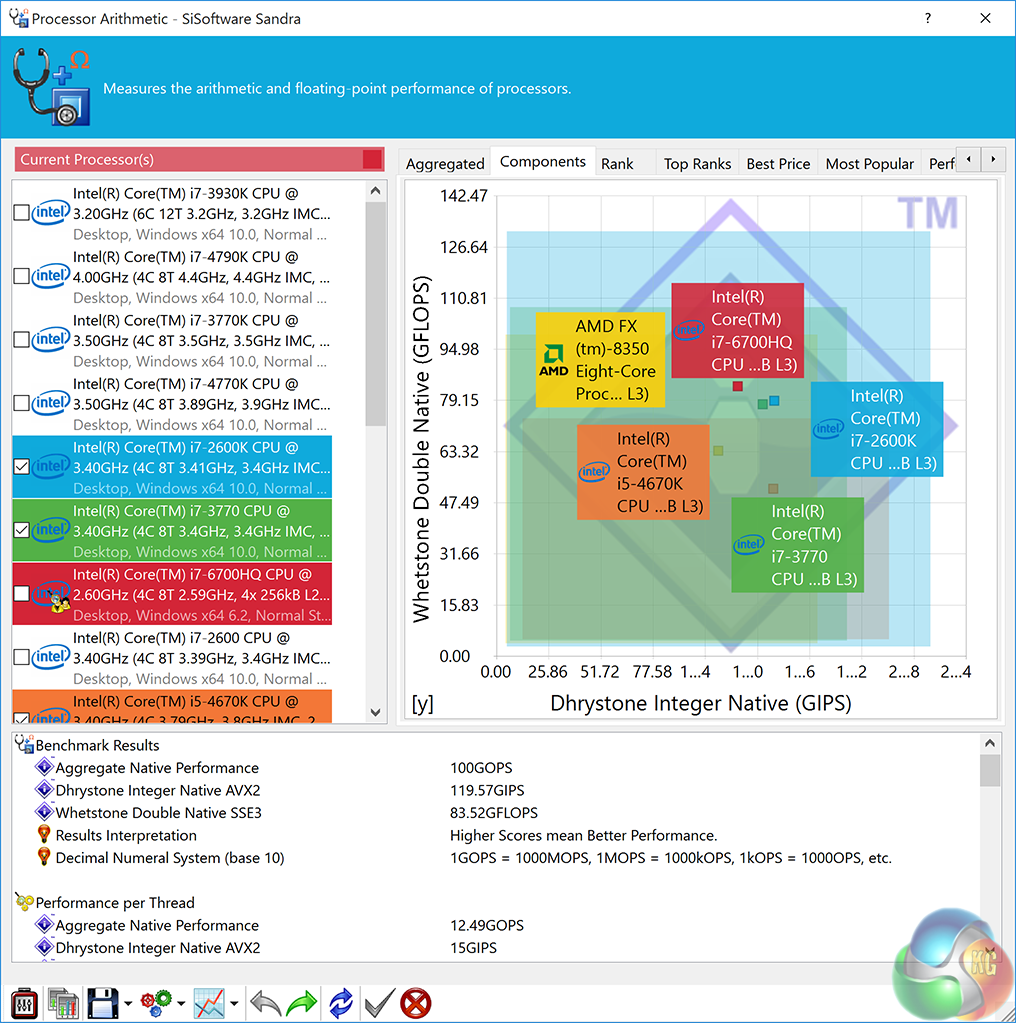
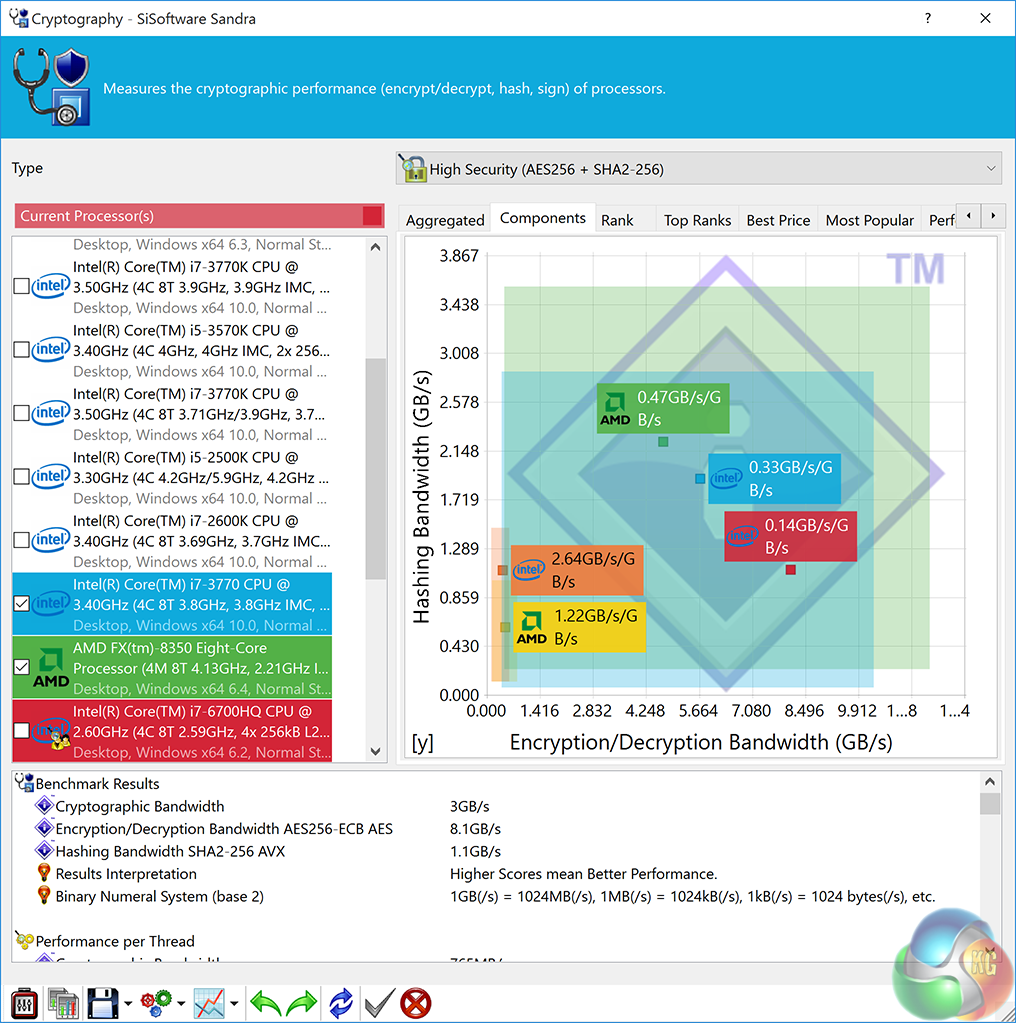
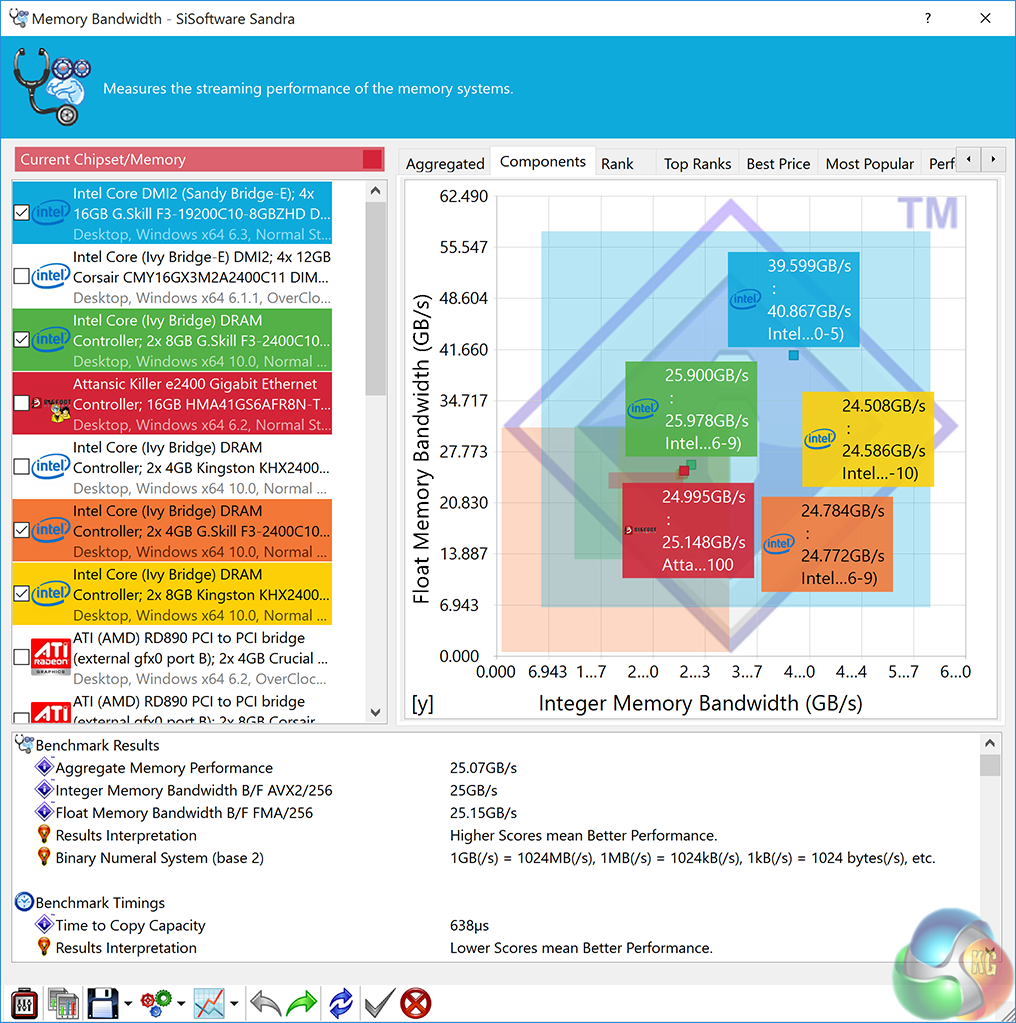
Early performance indicators are very positive. We can see the i7 6700HQ processor scores well in the Arithmetic test. The benefits of moving to DDR4 memory are also highlighted in the memory bandwidth test – the MSI GS60 6QE claims top position in this test – and by a clear margin.CINEBENCH R11.5 64 Bit is a real-world cross platform test suite that evaluates your computer’s performance capabilities. CINEBENCH is based on MAXON’s award-winning animation software CINEMA 4D, which is used extensively by studios and production houses worldwide for 3D content creation. MAXON software has been used in blockbuster movies such as Spider-Man, Star Wars, The Chronicles of Narnia and many more. CINEBENCH is the perfect tool to compare CPU and graphics performance across various systems and platforms (Windows and Mac OS X). And best of all: It’s completely free.

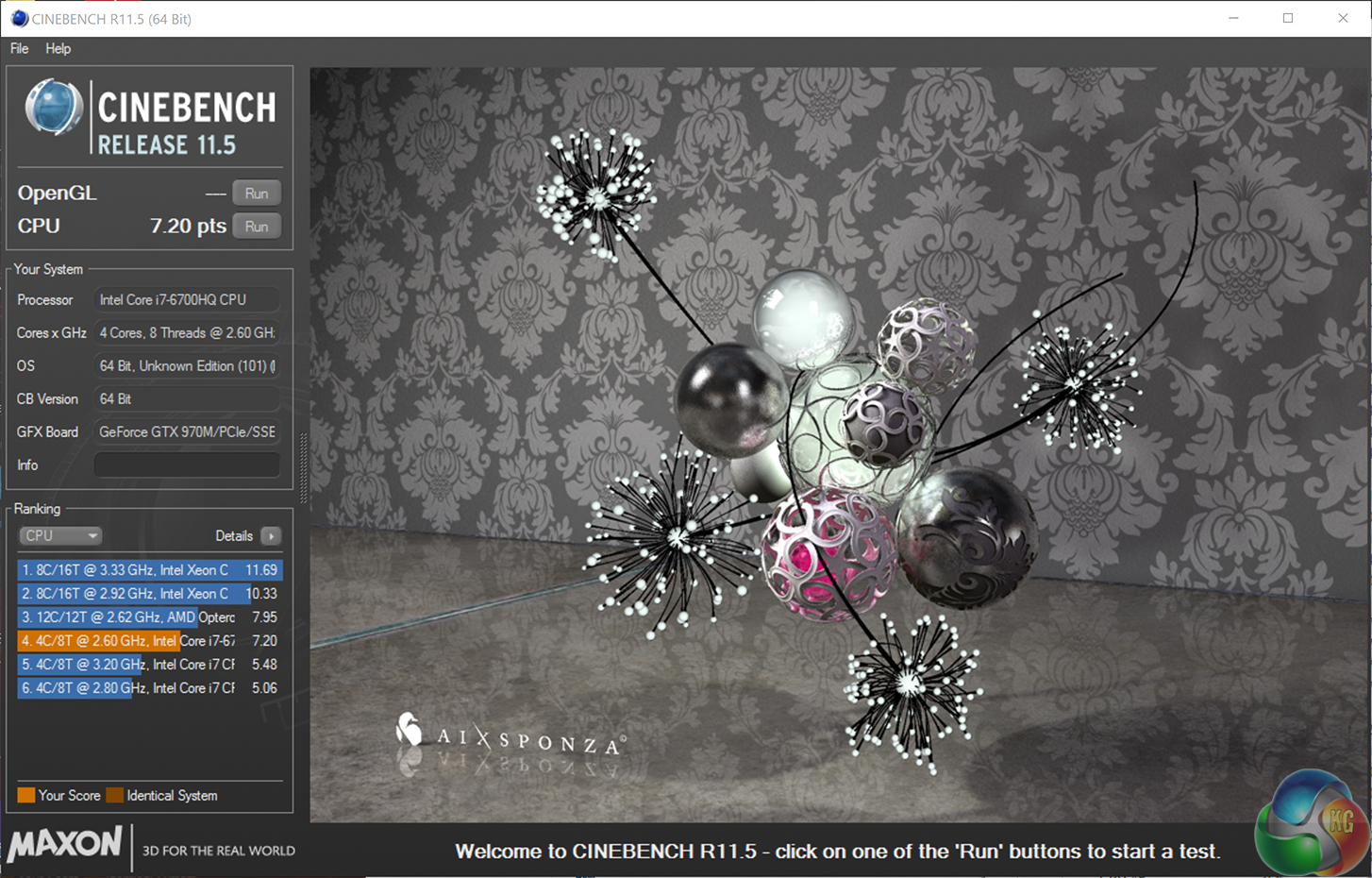
Stellar results, indicating that the 6700HQ will make an ideal solution for reasonably intensive mobile 3D rendering duties. It can't quite match the older 4980HQ Extreme Edition, but the price difference in favour of the new Skylake processor is substantial.CINEBENCH 15 is a cross-platform testing suite that measures hardware performance and is the de facto standard benchmarking tool for leading companies and trade journals for conducting real-world hardware performance tests. With the new Release 15, systems with up to 256 threads can be tested. CINEBENCH is available for both Windows and OS X and is used by almost all hardware manufacturers and trade journals for comparing CPUs and graphics cards.


The newer version of Cinebench shows similar scaling to the older version on the previous page. The 6700HQ takes second place, just behind the 4980HQ Extreme Edition CPU.
3DMark 11 is designed for testing DirectX 11 hardware running on Windows 7 and Windows Vista the benchmark includes six all new benchmark tests that make extensive use of all the new features in DirectX 11 including tessellation, compute shaders and multi-threading.
After running the tests 3DMark gives your system a score with larger numbers indicating better performance. Trusted by gamers worldwide to give accurate and unbiased results, 3DMark 11 is the best way to test DirectX 11 under game-like loads.
If you want to learn more about this benchmark, or to buy it yourself, head over to this page.
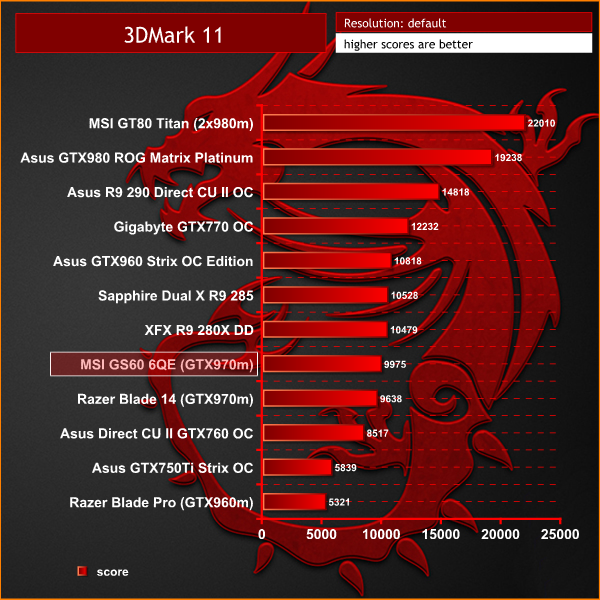
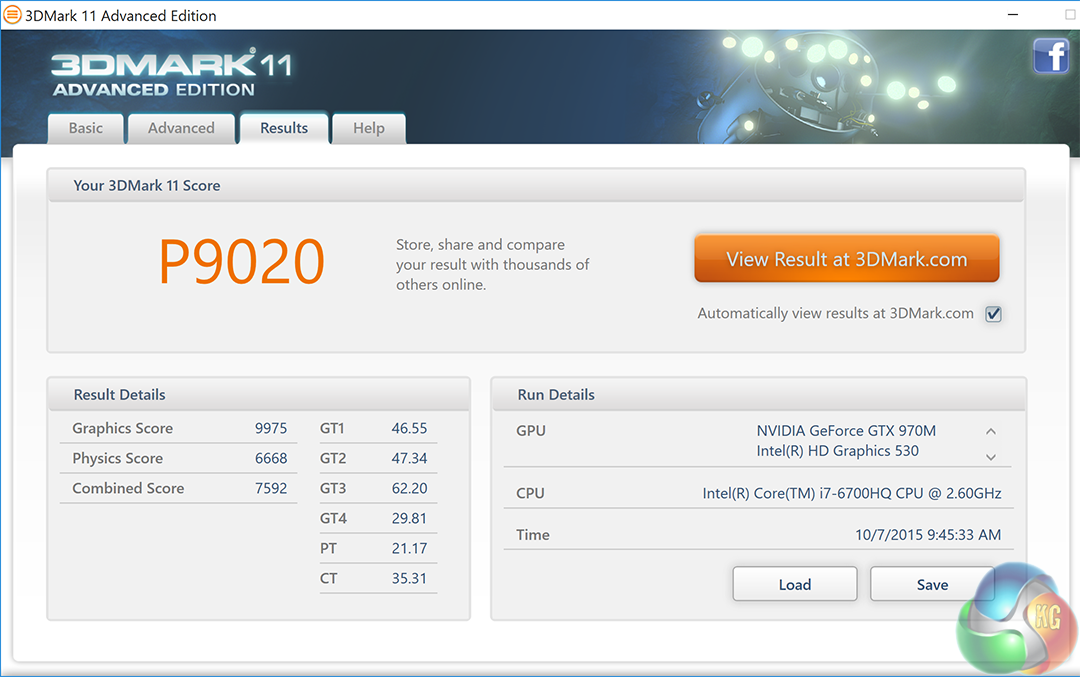
Nvidia's GTX970m is a powerful discrete mobile GPU and the scoring with this older Direct X 11 benchmark falls as we would expect. Not powerful enough for high IQ 4K gaming, but more than capable of handling smooth rates with many engines at 1080p.
3DMark is an essential tool used by millions of gamers, hundreds of hardware review sites and many of the world’s leading manufacturers to measure PC gaming performance.Futuremark say “Use it to test your PC’s limits and measure the impact of overclocking and tweaking your system. Search our massive results database and see how your PC compares or just admire the graphics and wonder why all PC games don’t look this good.To get more out of your PC, put 3DMark in your PC.”
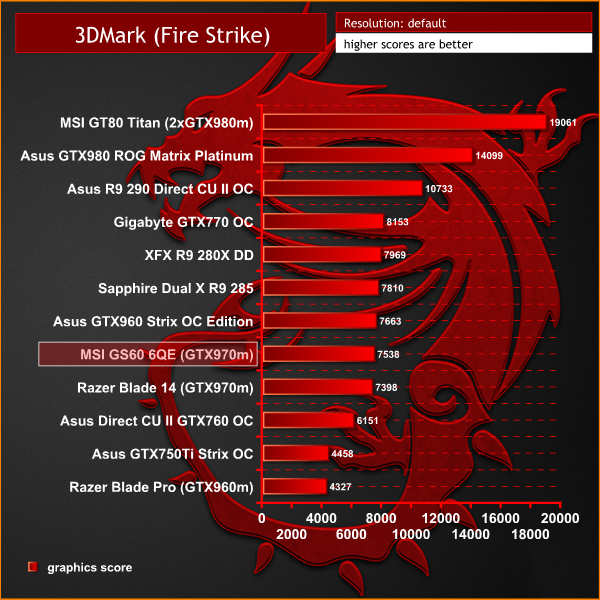
Nvidia GTX970m performance is almost identical to the overclocked ASUS GTX960 Strix OC Edition.On this page we test the onboard Solid State Drive and mechanical hard drive.
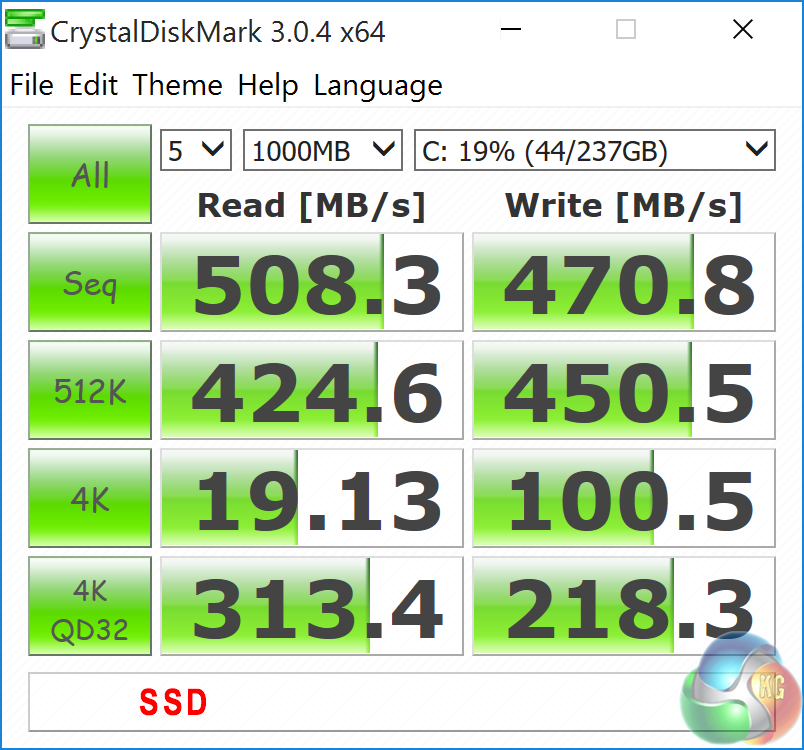

The SSD delivers great performance in both sequential read and write and the 4k QD32 tests. The mechanical drive is obviously much slower, but is likely to be used for backups and file storage.
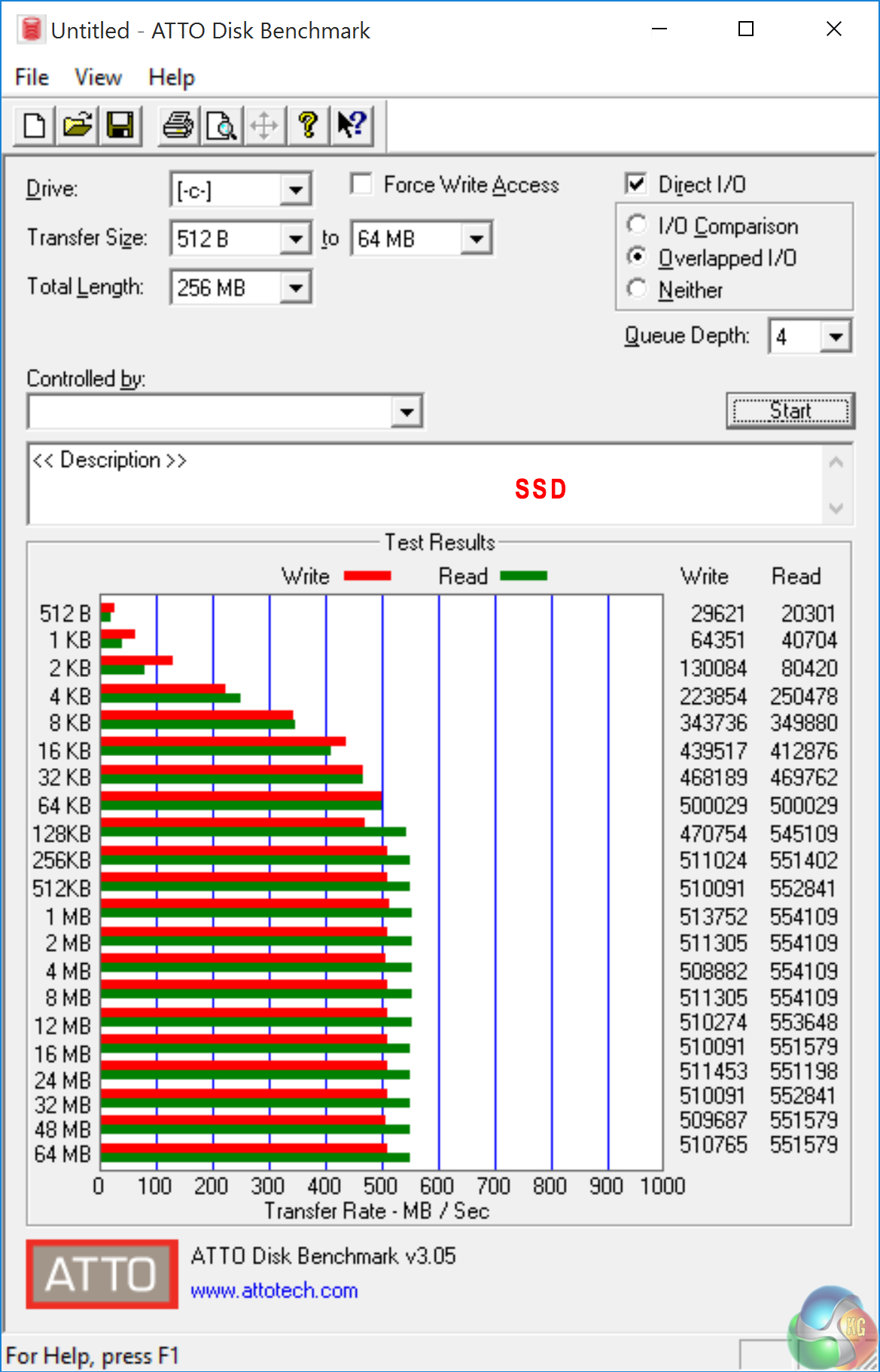
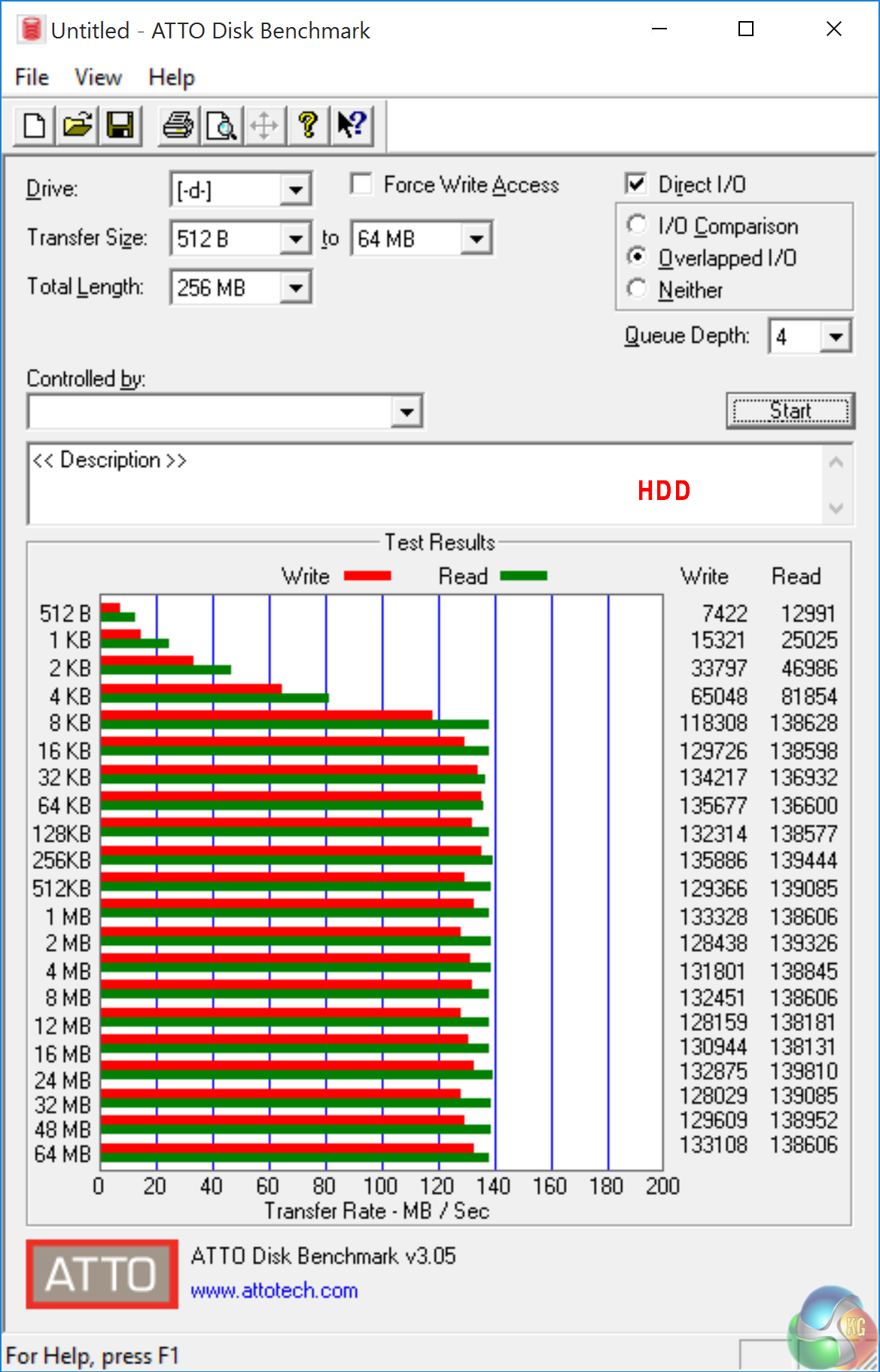
ATTO Disk Benchmark verifies the excellent performance as initially highlighted in CrystalDiskMark.
To test USB 3.0 performance we need a drive that is capable of completely saturating the bus. Until recently we used the Corsair Voyager GTX drive, one of the fastest pen drives on the market. We have recently switched to using a 500GB Brinell Drive, available on Amazon for around £250 inc vat. Inside is a 500GB SAMSUNG EVO 840 SSD, a product all our readers are familiar with.
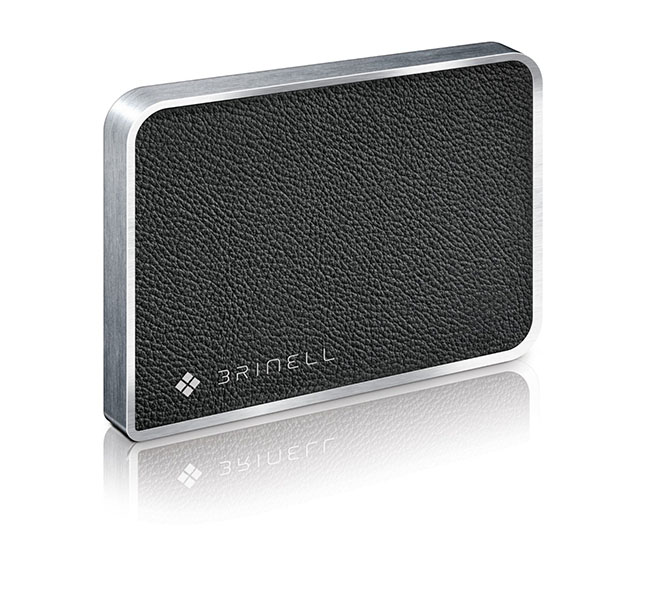
We have not reviewed this product, but it is one of the fastest external SSD products you can buy, and is self powered from the USB 3.0 port.

Performance from the external SSD over USB 3.0 is first class. Both read and write speeds are in excess of 400 MB/s.

The drive delivers some incredible results in the ATTO benchmark test – peaking at close to 470MB/s in both read and write tests. This is as good as we have seen from the drive and close to the theoretical limits of the USB 3.0 BUS.
Tomb Raider received much acclaim from critics, who praised the graphics, the gameplay and Camilla Luddington’s performance as Lara with many critics agreeing that the game is a solid and much needed reboot of the franchise. Much criticism went to the addition of the multiplayer which many felt was unnecessary. Tomb Raider went on to sell one million copies in forty-eight hours of its release, and has sold 3.4 million copies worldwide so far. (Wikipedia).

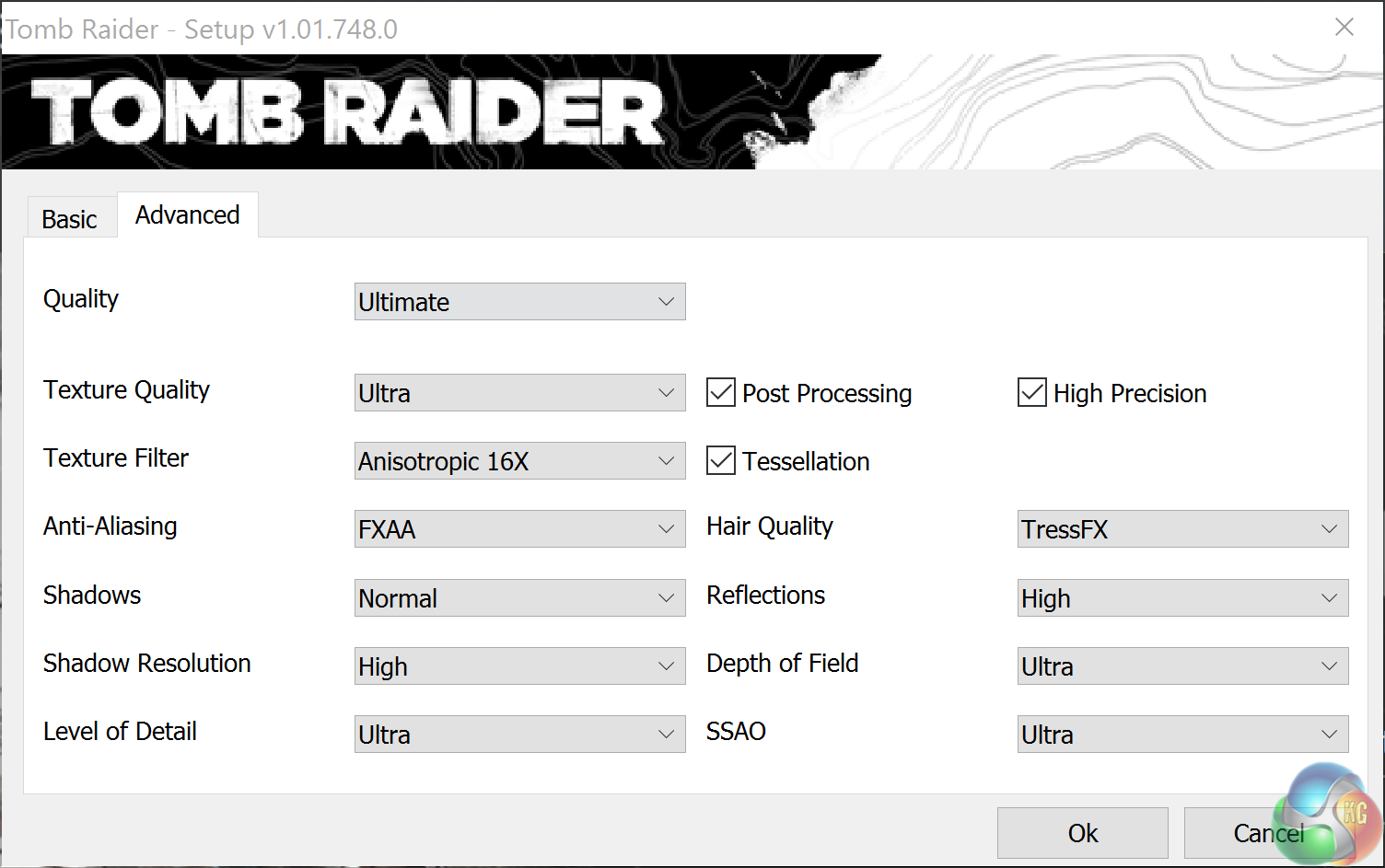
We first test at 1080p with the Ultimate profile enabled.
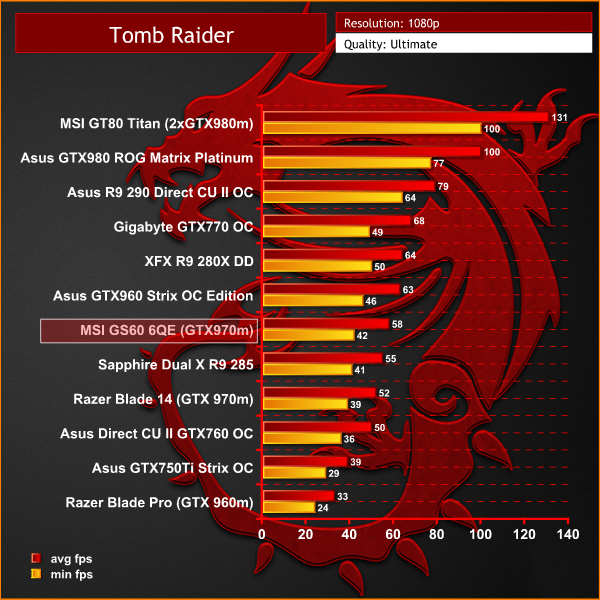
Performance at 1080p is very good, almost hitting an average of 60 frames per second. Performance is shown to fall between the desktop Sapphire R9 285 Dual X, and Asus GTX960 Strix OC Edition.
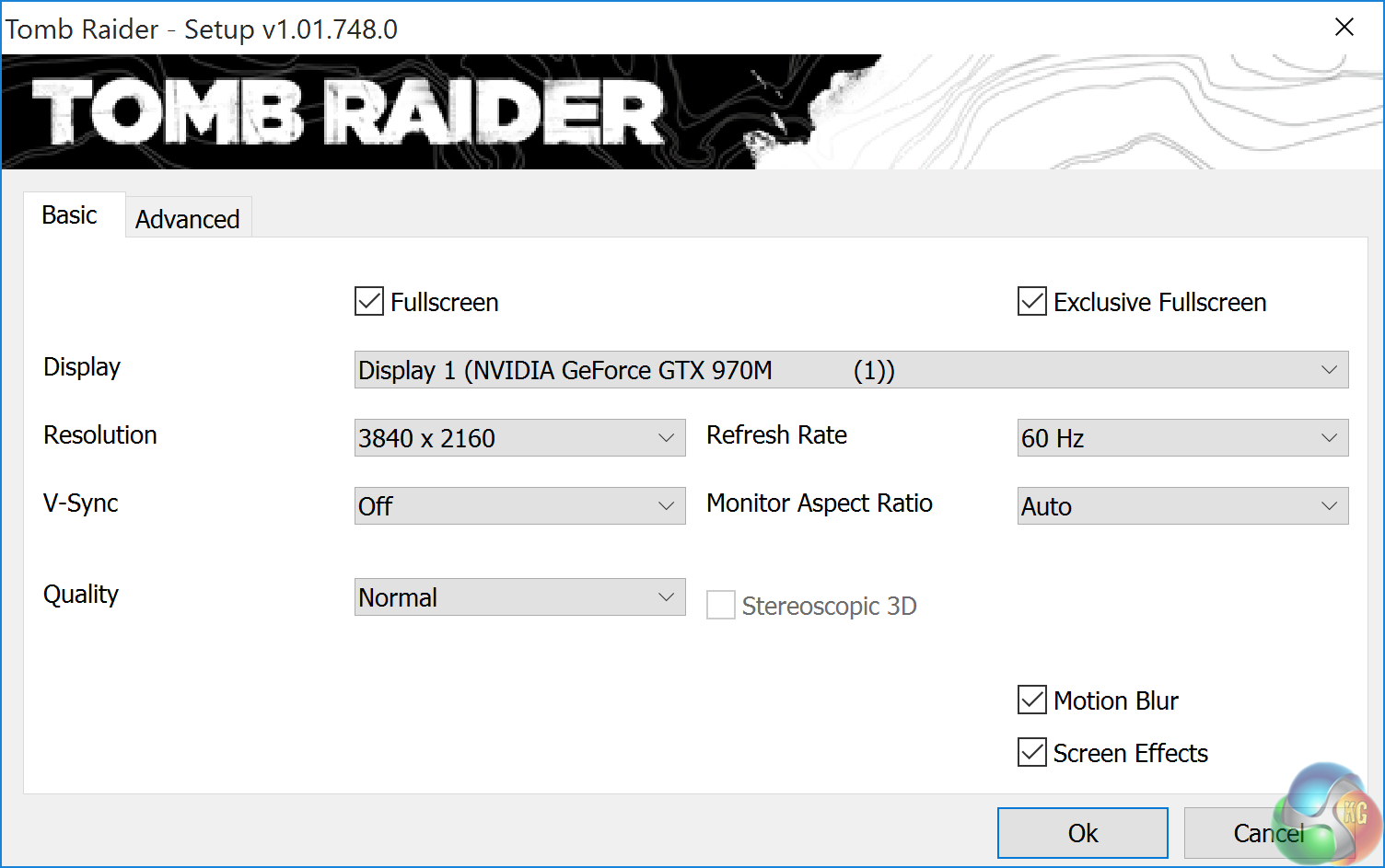
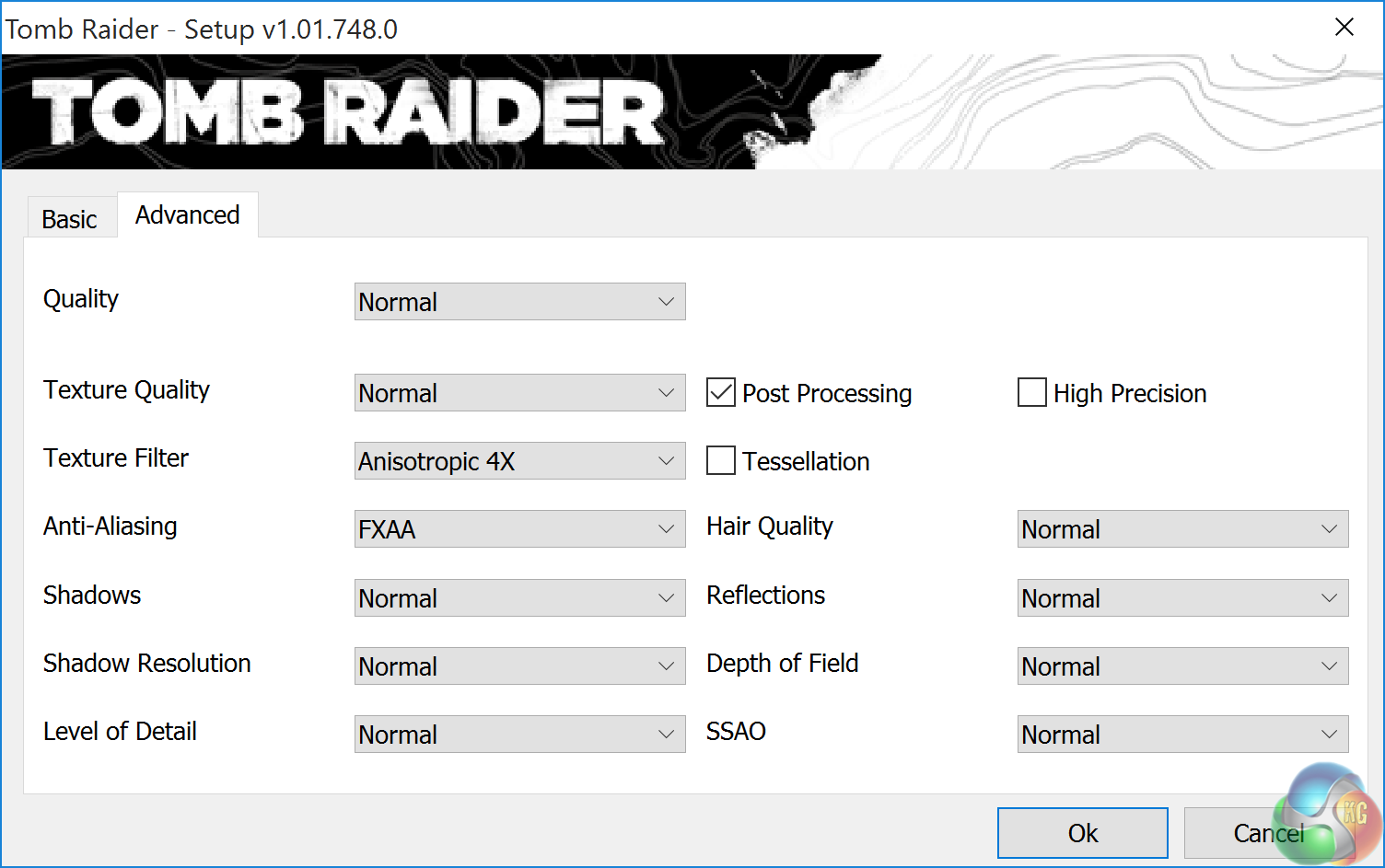
We decided to include a Tomb Raider test at Ultra HD 4K and dropped image quality settings to the ‘Normal' preset.

This proves that if you are willing to drop the image quality settings – some engines will be playable via the GTX970m at 4K resolutions. The game is playable, but the texture quality looked a lot worse than Tomb Raider running at 1080p with image quality settings maxed out. We will stick to 1080p for this one.F1 2015 is a racing video game based on the 2015 Formula One season developed and published by Codemasters. It is the seventh Formula One game produced by the studio. It was released on July 10, 2015, and features the team and driver line-ups from the 2015 season, including the Autódromo Hermanos Rodríguez. (Wikipedia).
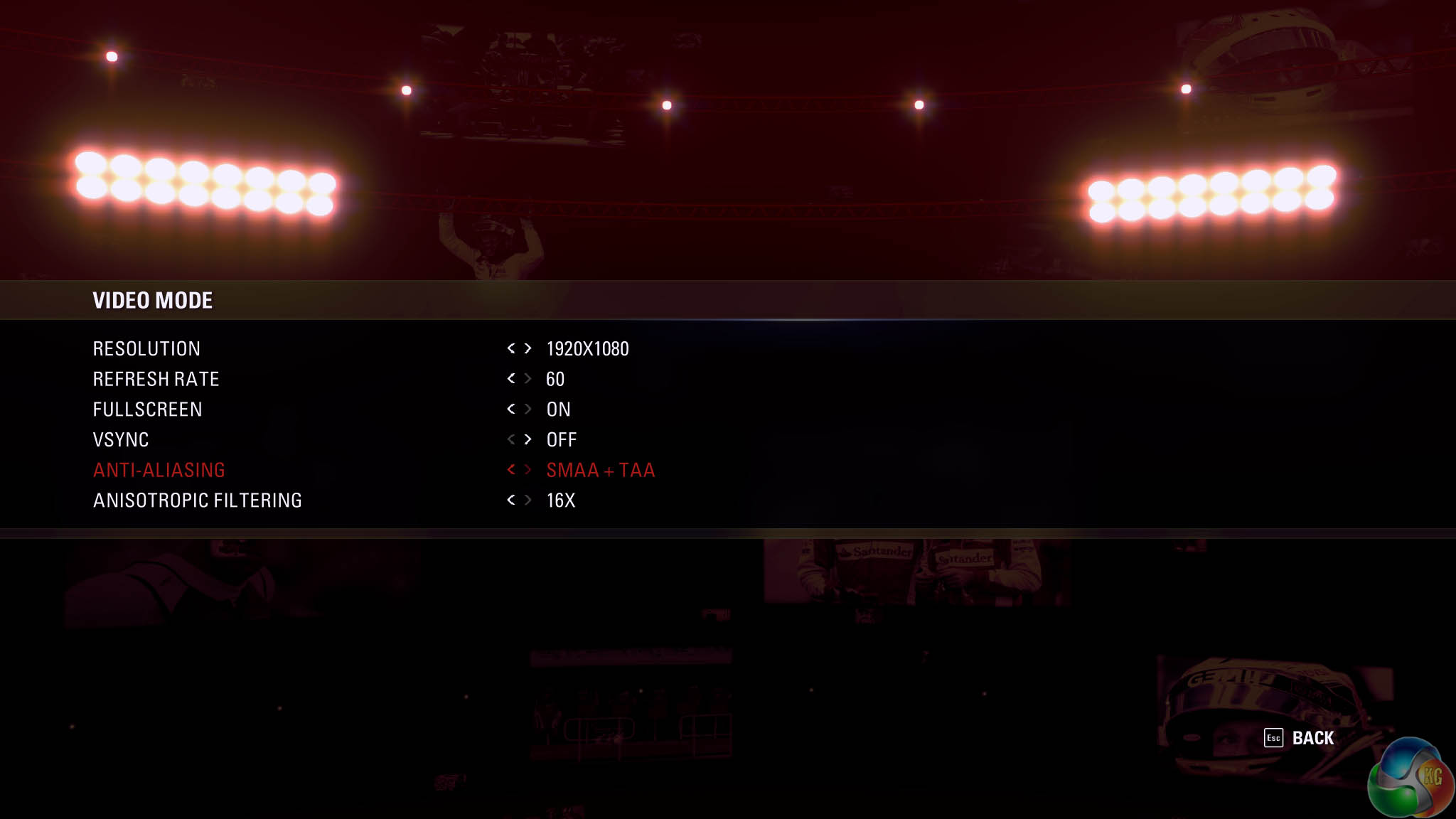
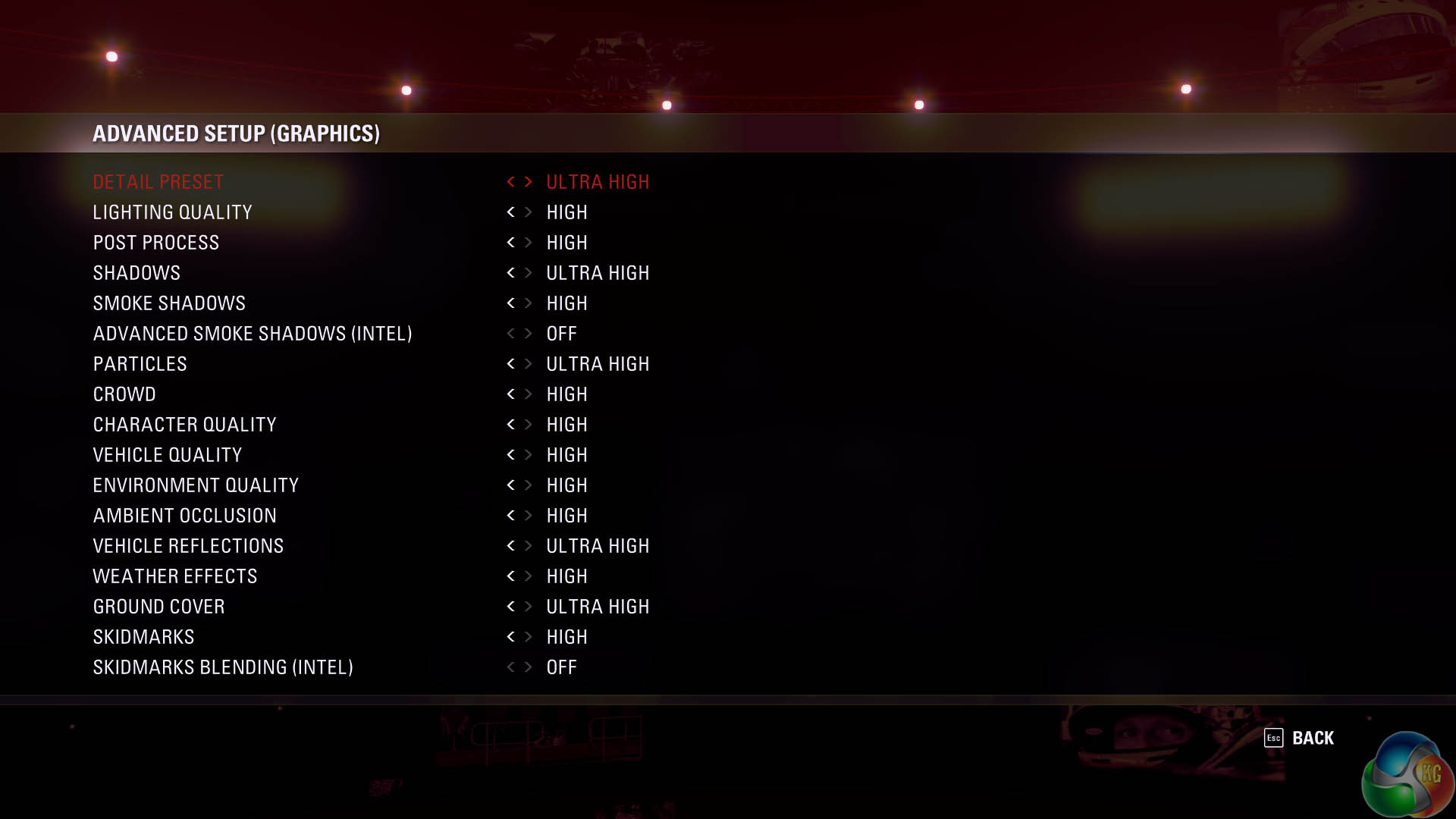
We test at the native 1080p resolution of the panel, with SMAA +TAA enabled. The graphics preset is toggled to ‘Ultra High'.
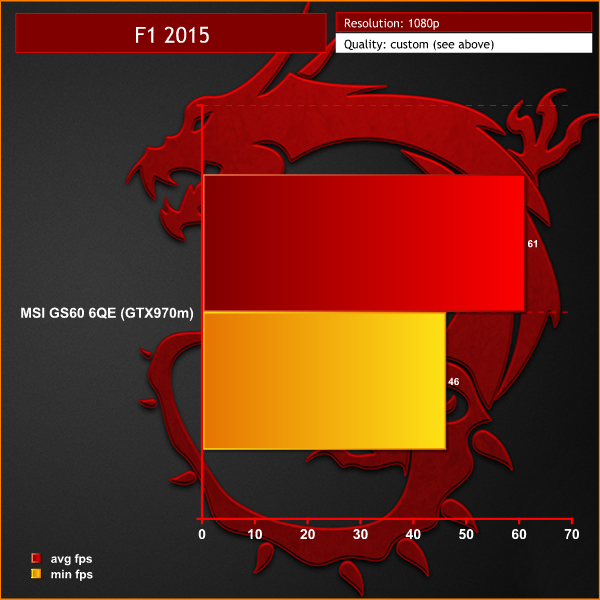
The engine runs well well, holding an average just over 60 frames per second. If you want a consistent 60 frames per second however you would need to reduce the image quality settings a little.
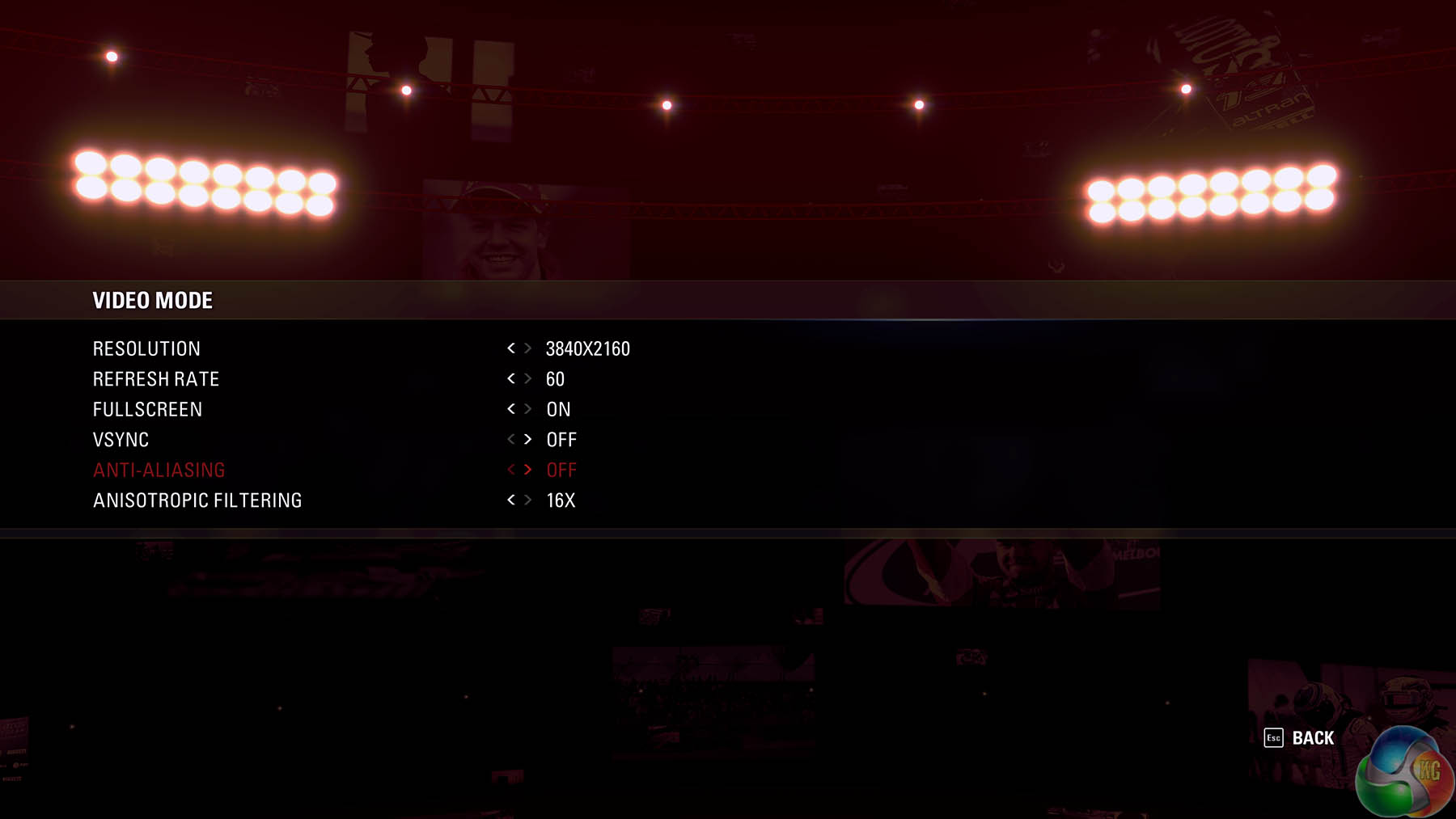
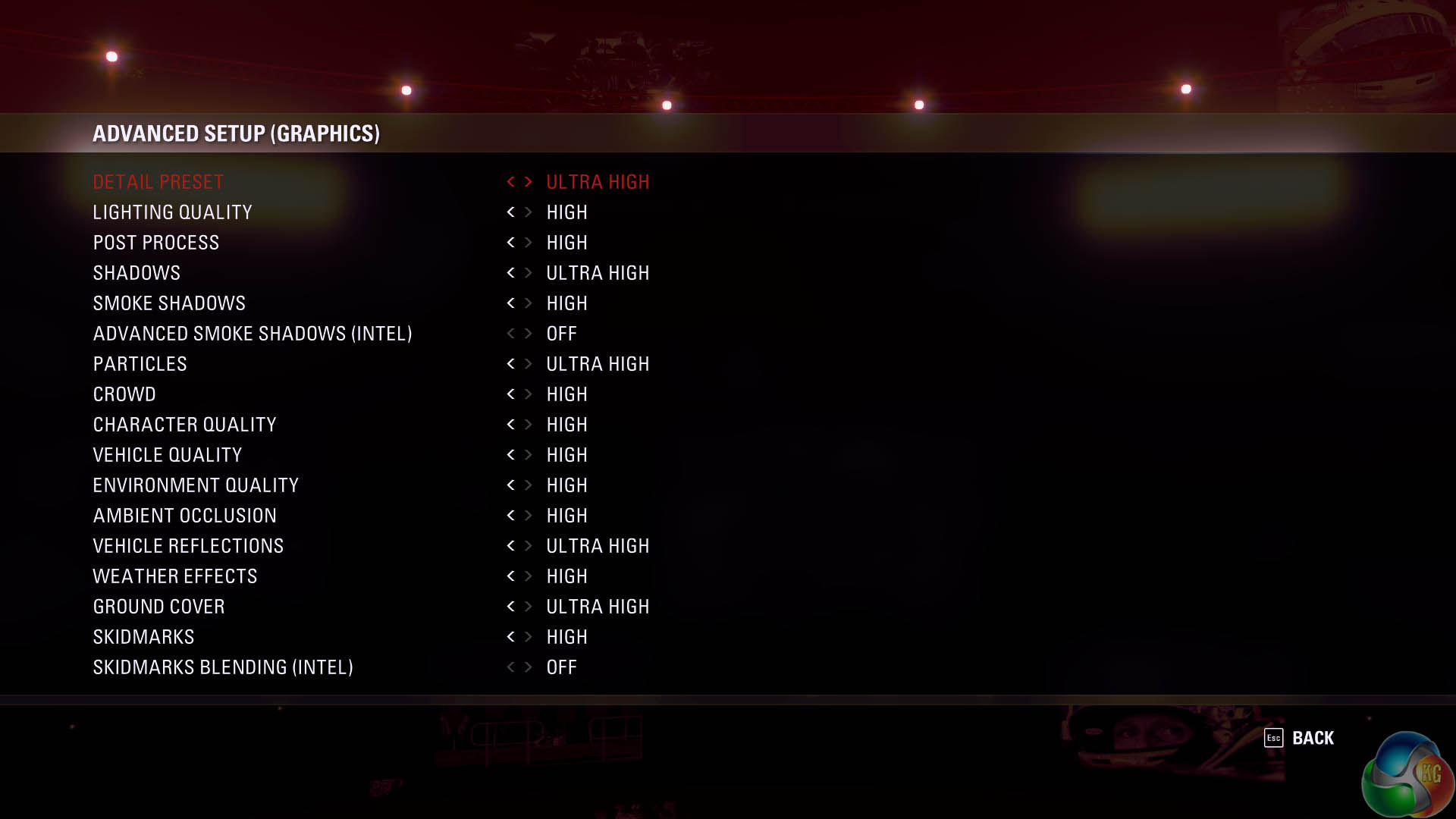
I opted to run a test at Ultra HD 4K at the same ‘Ultra High' preset – but decided to disable SMAA and TAA to give the GTX970m some chance.
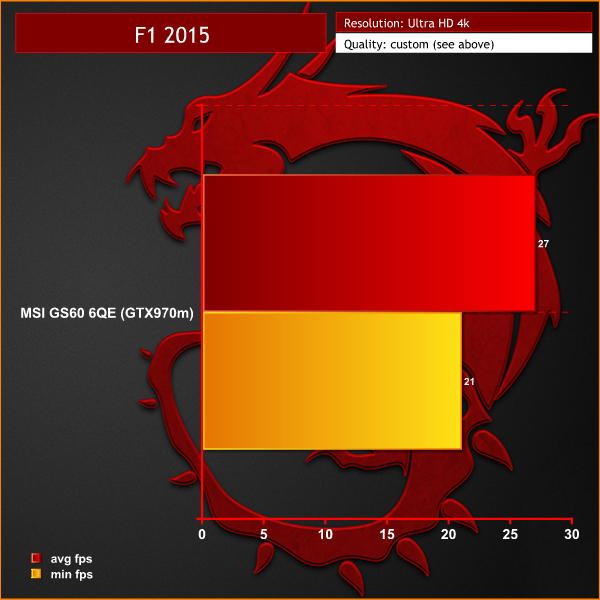
This proved too much of a challenge for the system and clearly further image quality settings would need reduced to get super smooth engine performance.
On May 22, 2014, a Redux version of Metro Last Light was announced. It was released on August 26, 2014 in North America and August 29, 2014 in Europe for the PC, PlayStation 4 and Xbox One. Redux adds all the DLC and graphical improvements. A compilation package, titled Metro Redux, was released at the same time which includes Last Light and 2033. (Wikipedia).
We test with following settings at 1920×1080: Quality – very high, SSAA – off, Texture Filtering – 16x, Motion Blur – on, Tessellation – normal, vsync – off and advanced PhysX – off.
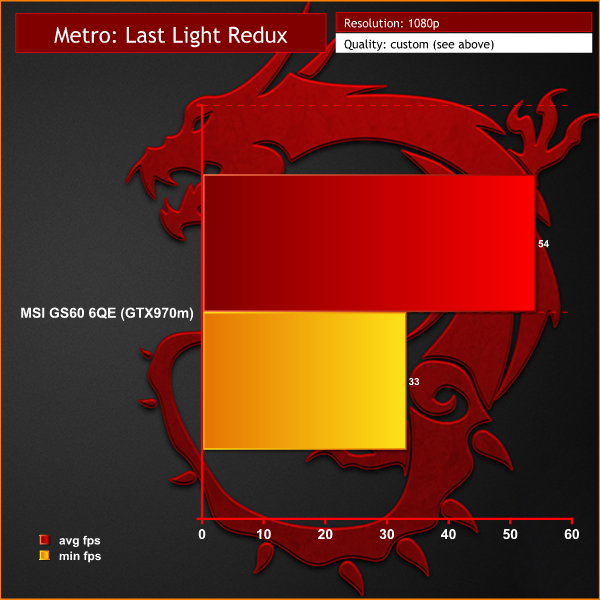
This engine is very demanding although we could class this performance as acceptable. Generally the frame rate was over 45 frames per second, but some intensive sections of the environment would drop the frame rate close to 30 frames per second.
We wanted to run a further test at Ultra HD 4K, so we dialed down the image quality settings to try and see if the GTX970m could cope with the demand. Quality – HIgh, Texture filtering – off, SSAA – off, Motion Blur – on, Tessellation – off, Vsync – off and advanced PhysX – off.

Ultra HD 4K gaming with this engine proved too much of a challenge. Minimum frame rates dropped into single digits. As a further test we dropped image quality settings down to the lowest possible and the game was just about playable. It looked much better at 1080p however with image quality settings up very high.Grand Theft Auto V is played from either a third-person or first-person view and its world is navigated on foot or by vehicle. Players control the three lead protagonists throughout the single-player mode, switching between them both during and outside of missions. The story is centred on the heist sequences, and many of the missions involve shooting and driving gameplay. Players who commit crimes may incite a response from law enforcement agencies, measured by a “wanted” system that governs the aggression of their response. (Wikipedia).
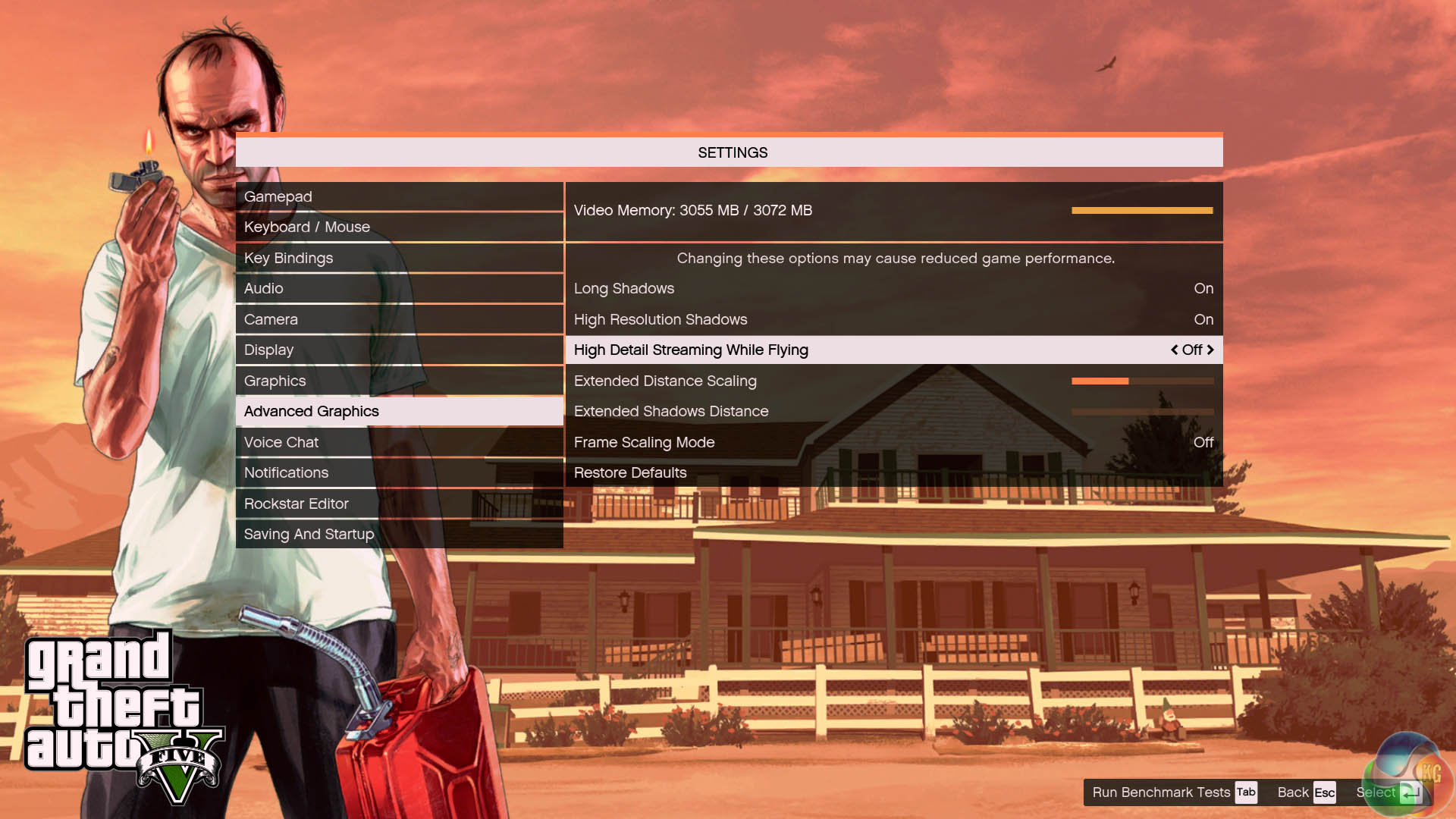
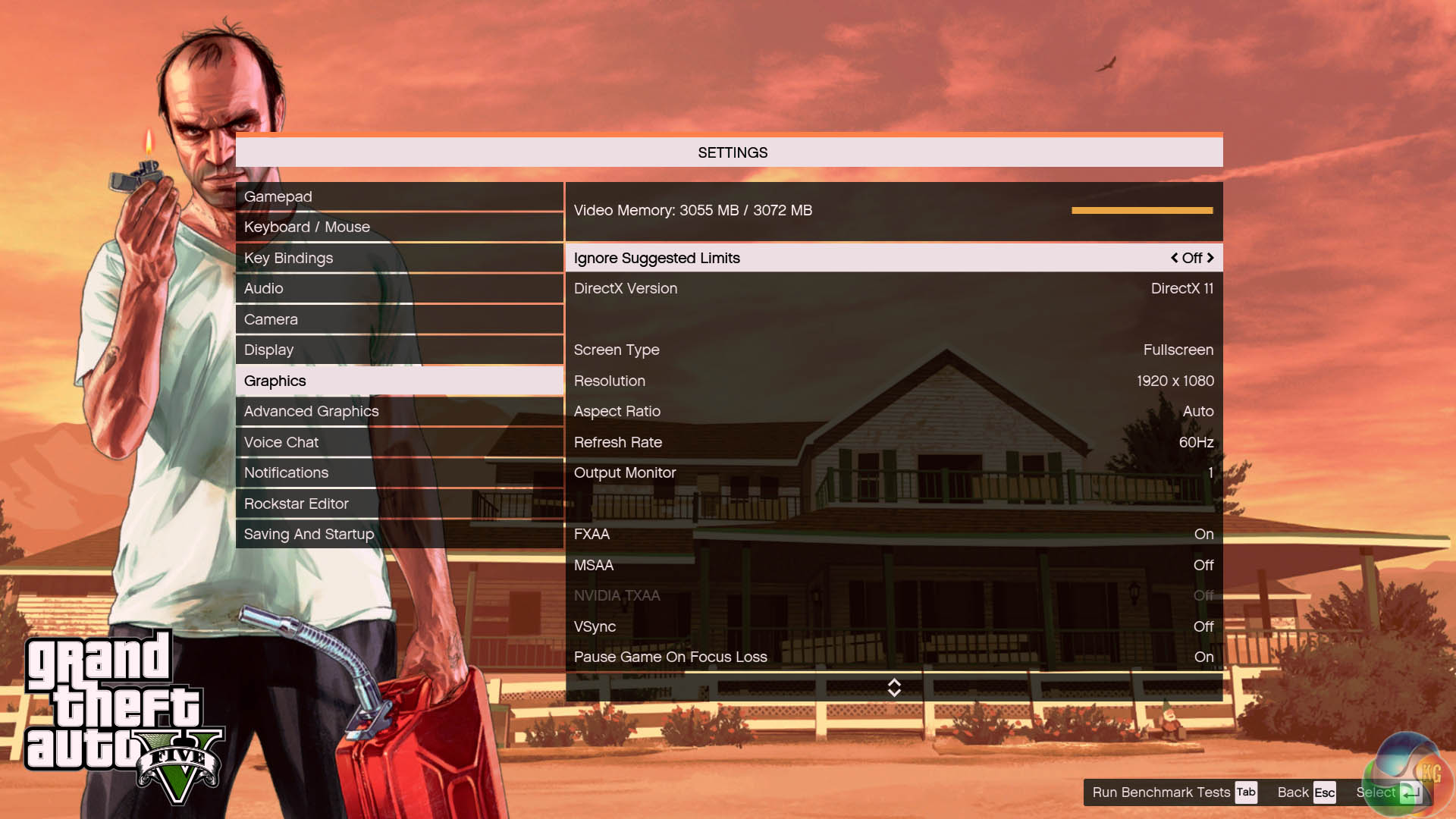
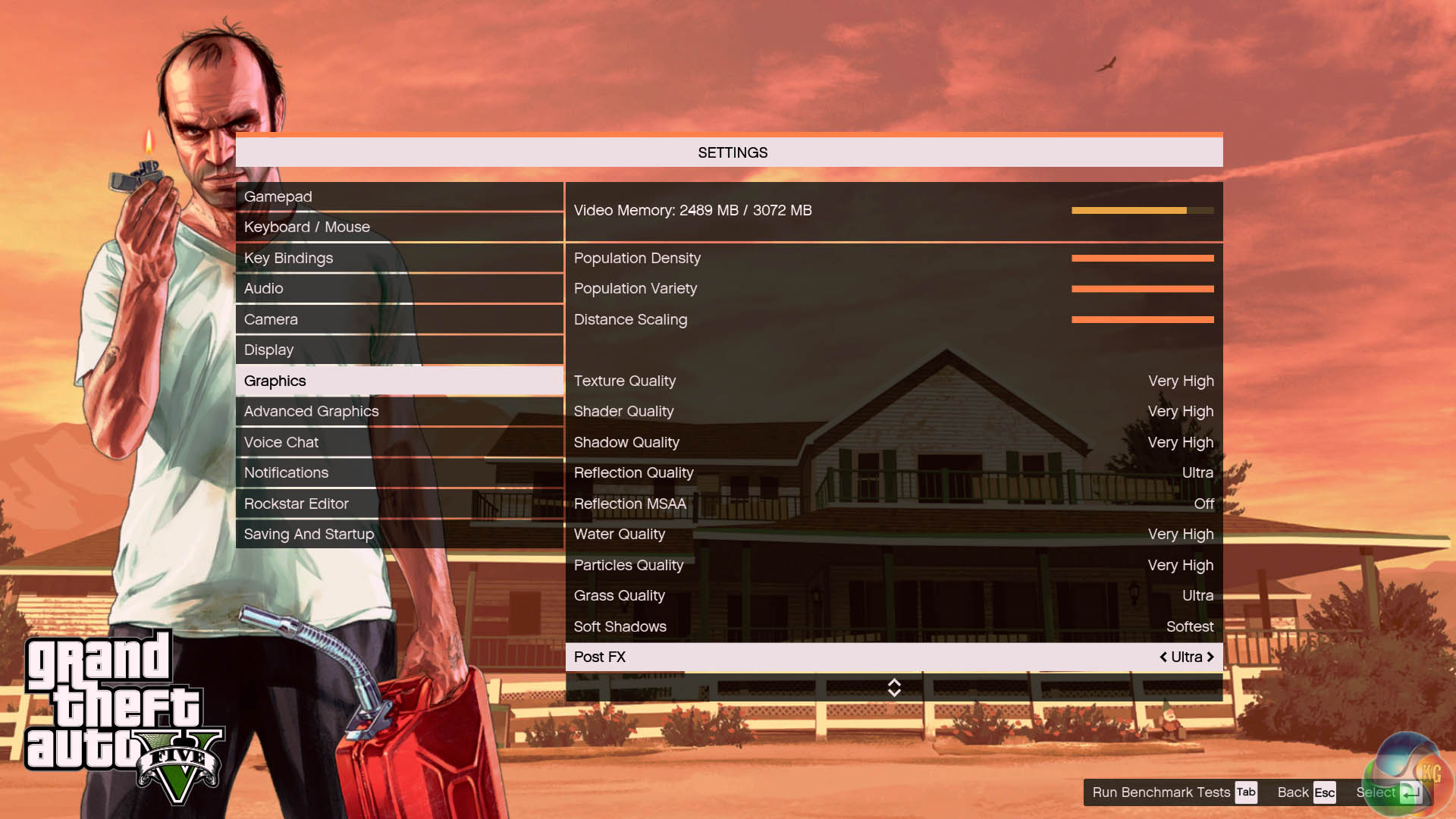

We test at 1080p with image quality with high image quality settings – detailed in the screenshots above. The total memory draw was 3,055MB of the 3,072MB available on the GTX970m.
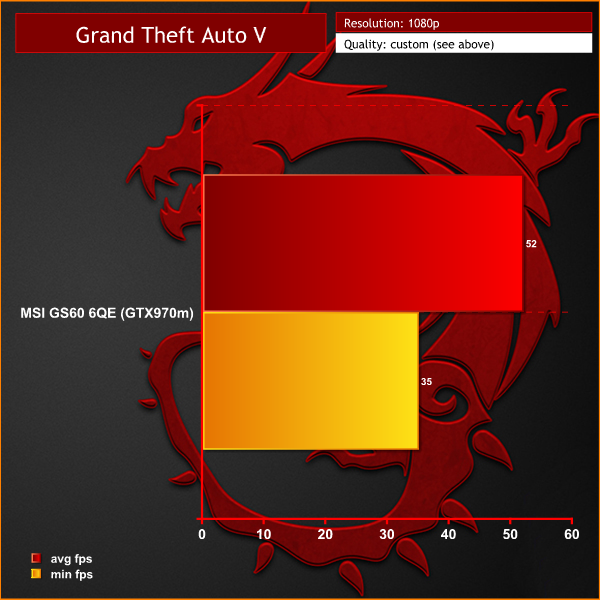
Grand Theft Auto V is a great game and one I played for months. These settings produce excellent image quality and the hardware is able to hold well in excess of 30 frames per second at all times. If you like the frame rates to hold closer to 60 – then lowering the draw distance and some of the settings from ULTRA will improve the minimum.
The Witcher 3: Wild Hunt is more than “30.0 times larger” than previous Witcher games, requiring players to sail by boat to some locations and ride by horseback to others. However, fast travelling around the areas of known locations is also possible. The Witcher 3 has been described as “20% bigger than Skyrim“. Many actions the player performs affect the world; many of the quests have a number of options on how to complete them, and the outcomes differ. CD Projekt RED anticipates approximately 100 hours for the completion of the game, 50 of them belonging to side quests, and 50 belonging to the main story line. (Wikipedia)

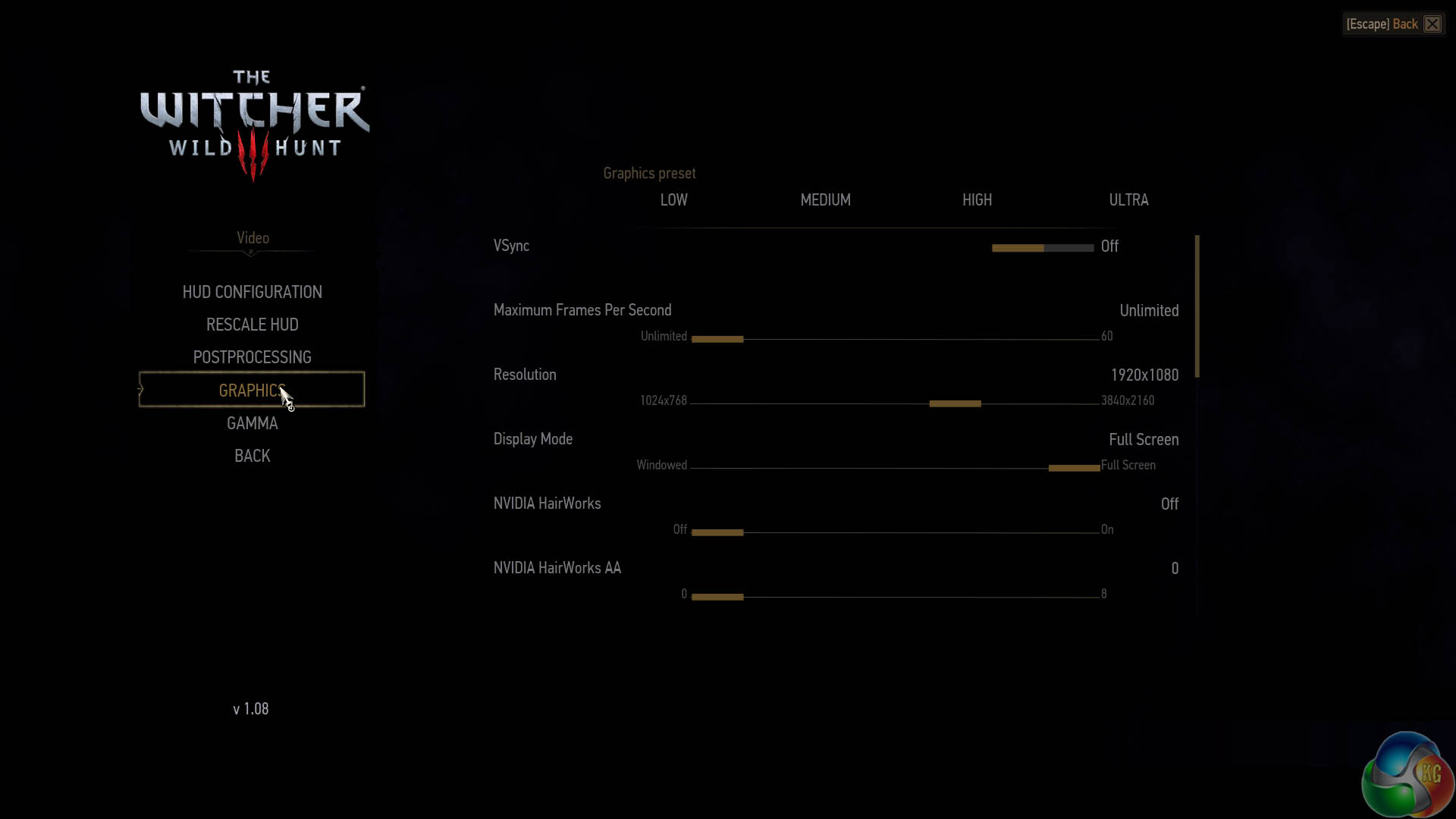
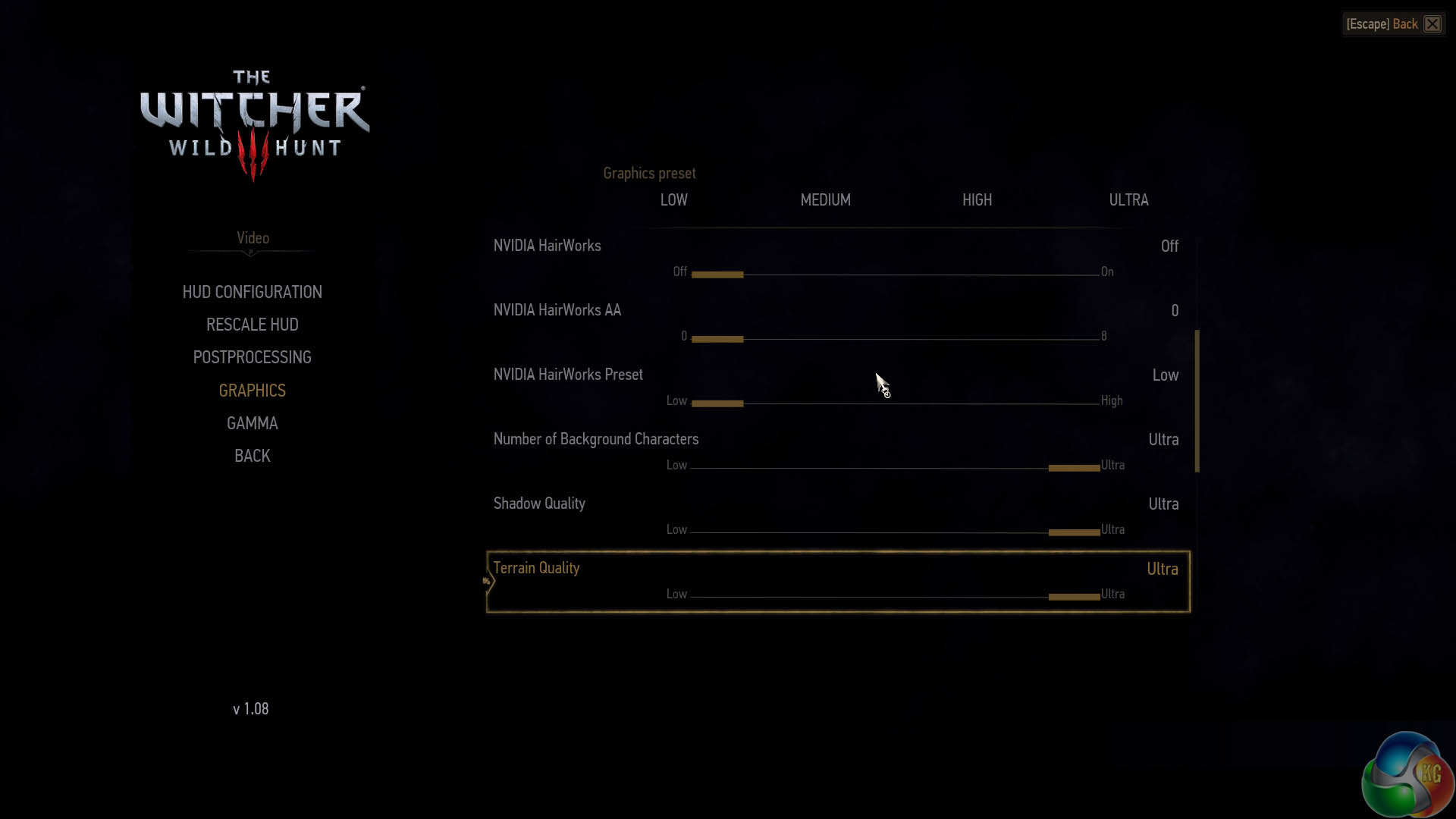
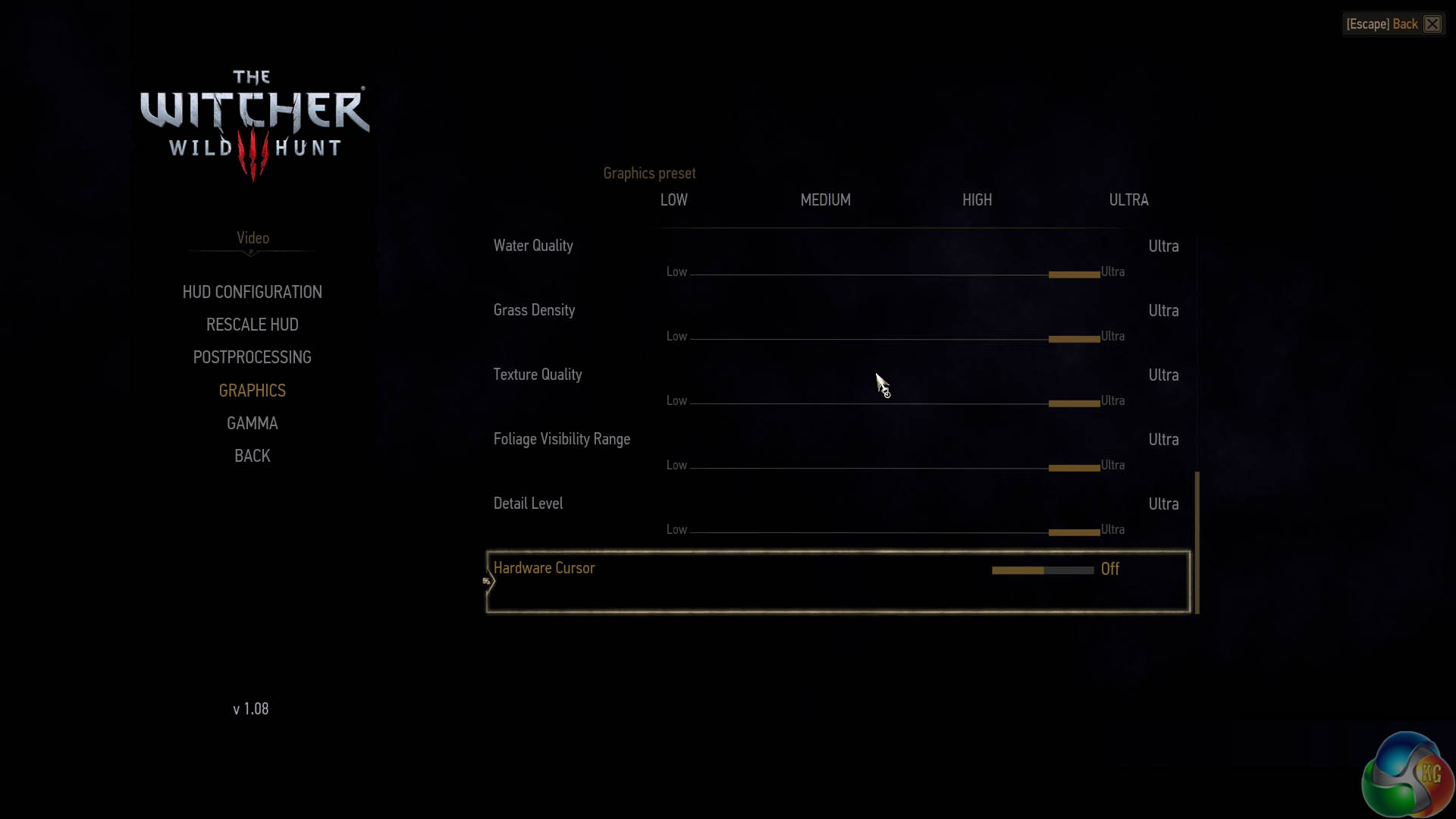
Postprocessing is set to the ‘high' preset. We enable the ULTRA graphics preset but disable Nvidia Hairworks as it has a rather negative impact on frame rate.
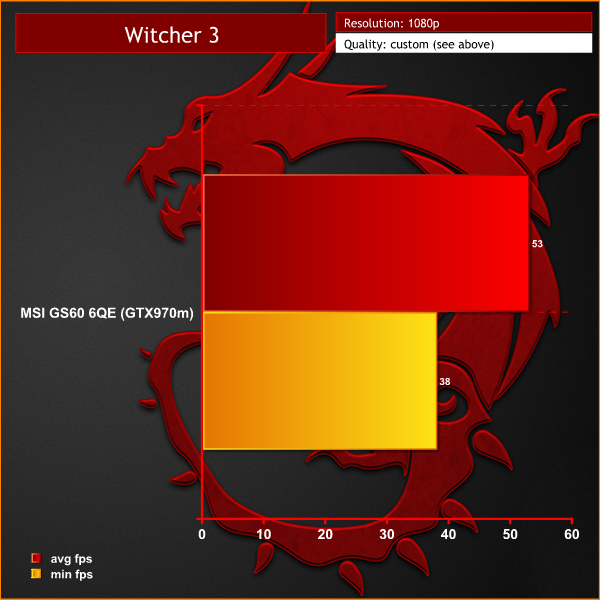
At these settings the engine runs smoothly, holding above a 50 fps average. The minimum frame rates are held close, or above 40 at all times. Ultra HD 4K was only playable with image quality settings dialed down low, so we left out the results.
The tests were performed in a controlled air conditioned room with temperatures maintained at a constant 23c – a comfortable environment for the majority of people reading this.Idle temperatures were measured after sitting at the desktop for 30 minutes.
Load measurements were acquired by playing Tomb Raider for 30 minutes and measuring the peak temperature. All fan settings were left on automatic.
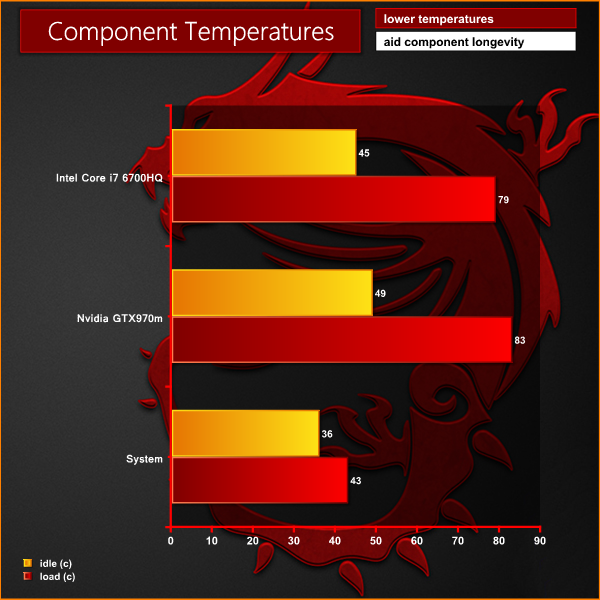
The MSI GS60 6QE is a reasonably cool running laptop, even though it is very slim from front to back (20mm at thickest point). The dual fans inside the chassis work reasonably hard under load, but under moderate load, or when idle, they spin very slowly or disable completely.
We attached five diodes to the underside of the chassis and played a game for 45 minutes. We took measurements of the chassis at this point. We can see that the two hotspots are next to the cooling system – which actively cools both GPU and CPU inside. The other parts of the chassis remain cool thanks to the generous air flow. If you are gaming for many hours at a time we would advise using the GS60 on a table. If you want to game with the Ghost Pro on your lap, then investing in something like this would be a good idea.
We measure from a distance of around 1 meter from the closed chassis and 4 foot from the ground to mirror a real world situation. Ambient noise in the room measures close to the limits of our sound meter at 28dBa.
Why do this? Well this means we can eliminate secondary noise pollution in the test room and concentrate on only the video card. It also brings us slightly closer to industry standards, such as DIN 45635.
KitGuru noise guide
10dBA – Normal Breathing/Rustling Leaves
20-25dBA – Whisper
30dBA – High Quality Computer fan
40dBA – A Bubbling Brook, or a Refrigerator
50dBA – Normal Conversation
60dBA – Laughter
70dBA – Vacuum Cleaner or Hairdryer
80dBA – City Traffic or a Garbage Disposal
90dBA – Motorcycle or Lawnmower
100dBA – MP3 player at maximum output
110dBA – Orchestra
120dBA – Front row rock concert/Jet Engine
130dBA – Threshold of Pain
140dBA – Military Jet takeoff/Gunshot (close range)
160dBA – Instant Perforation of eardrum
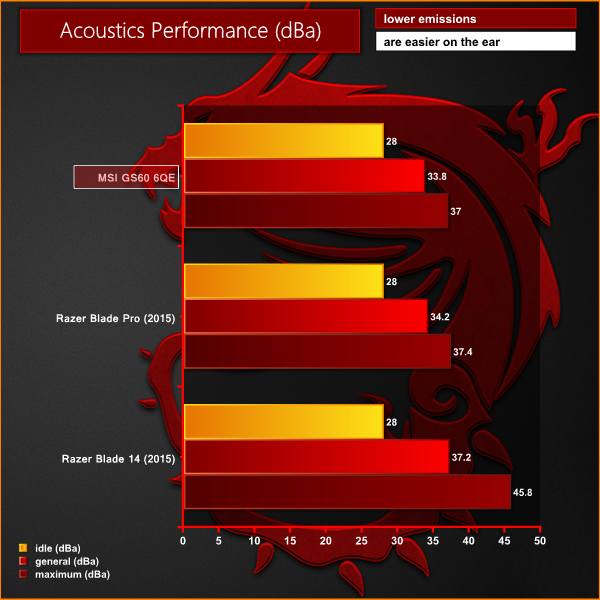
The noise emissions are reasonable, especially when factoring in the slim profile. When idle the fans spin very slowly and are basically inaudible. Under moderate load they spin quite slowly, rising to a noticeable noise level under high, sustained load – such as when gaming or 3D rendering. Not the quietest laptop we have tested but its actually fairly well balanced.
To test today, we are putting the machine through a variety of ‘real world’ situations, mirroring the real world usage of a potential customer.
One as a media movie lover on the move (wearing headphones), a person wanting to watch high definition media on a train journey or bus with screen brightness two notches from maximum.
Second as a businessman, with screen brightness around half way. Wireless was enabled. A mixture of checking, answering emails using Microsoft Office and editing pictures in Adobe Photoshop.
Lastly as a gamer, playing Tomb Raider until the machine turned itself off.
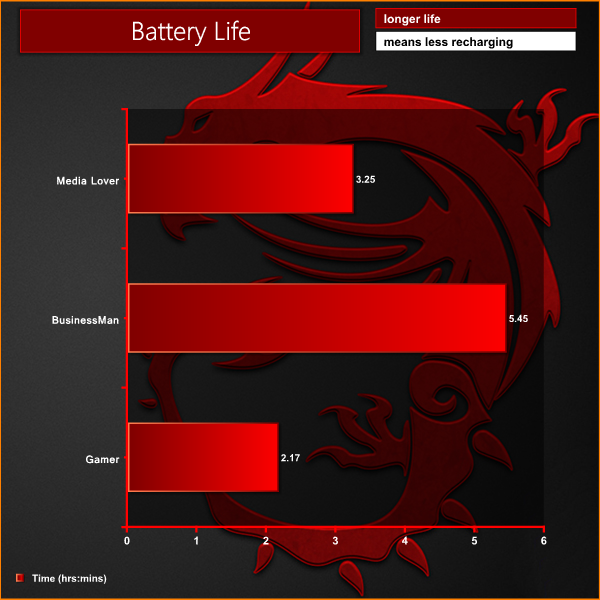
The GS60 6QE isn't loaded with a very large battery and as such it performs actually quite well. We would expect between 3 and 5 hours life if you surfing the net, or using an Office suite. This will drop when more demanding tasks are required.
We have been reviewing the GS60 range now for many years, and this latest model is their best yet. The GS60 6QE is a great looking, slim laptop that manages to cram in some powerful hardware, without suffering from thermal and throttling issues.
The new Intel Core i7 6700HQ Skylake processor is undoubtedly a beast. It isn't quite as fast as the older generation i7 4980HQ Extreme Edition, but it is only a couple of percent slower and significantly less expensive … when we look back in time to the release pricing.
The adoption of DDR4 memory in the latest Ghost Pro laptop is unlikely to make much of a real world difference to the majority of readers, although the Sandra Memory Bandwidth test did highlight tangible benefits in specific environments. Around 4GB/s of additional bandwidth over the fastest dual channel DDR3 laptops we reviewed. 3D rendering on this laptop is actually extremely impressive and just as quick as one of my older desktop systems based around a Core 2700k processor.
Thanks to the inclusion of a fast Solid State Drive overall system performance is snappy. The additional 1TB HDD means that there is plenty of room to store personal documents, images, videos and back up files.
The Nvidia GTX970m is a good choice. There is no doubt the GTX980m is a more powerful, albeit it more expensive solution, but due to the greater power demands and heat dissipation it is unlikely to work properly in such a thin chassis. MSI have taken a more balanced approach and it makes more sense. Unfortunately, the GTX970m does tend to run out of steam at 4K resolutions, but thanks to the pixel density and Windows 10 scaling, the overall experience is fantastic.
We really do love the Ultra HD 4k screen in this laptop, it is one of the finest panels I have used in the last year. Colour rendition is simply beautiful, text is crystal clear and photographs and video content look very three dimensional. Viewing angles are stellar and there is very little, if any hint of grain. I would have liked another two levels of brightness for outdoors use, but it really is a minor point to make when everything else is so good.
I enjoyed using the keyboard, although a double height return key would be a better fit for me. The trackpad is smooth and the build quality overall is first class. I have to admit to being a little disappointed with the onboard speaker system, however due to the thin design of the chassis compromises with bass response have obviously had to be made.
Another miss for me, is that I would like to see a standard USB 3.0 port on the right side of the laptop, specifically for the use of a corded mouse. You will be forced to buy an adapter for the USB 3.1 Type C port, or run a mouse cable around the back of the laptop from the left hand side. Not ideal, but again many will consider this a non issue. It is actually commendable that MSI included the USB 3.1 Type C port in the first place as I have only seen one so far on the new Google Chromebook Pixel and Apple Macbook.
At the end of the day if you are in the market for a premium grade, svelte, well built laptop with a top quality screen and want to game on the move, then the GS60 6QE comes very highly recommended. Another winner for MSI.

The MSI GS60 6QE is available direct from Overclockers UK HERE.
Discuss on our Facebook page, over HERE.
Pros:
- great build quality.
- the 4k screen delivers a marvellous image.
- Core i7 6700HQ Skylake processor is very powerful.
- DDR4 memory.
- USB 3.1 Type C port.
- GTX970m is a good gaming card at 1080p.
- 802.11AC Wifi performance is excellent.
- fast SSD.
- backlit Steelseries keyboard.
Cons:
- 4K gaming is out of the question, unless you reduce image quality.
- No standard USB port on the right side.
- Nortons software installed by default.
Kitguru says: The MSI GS60 6QE is a world beater. It combines looks with performance and will suit a wide audience of people who want to game, yet also deal with more intensive tasks, such as rendering and video editing. The 4K screen is stunning and makes using the laptop a pleasure.

What about the yellow issues of the previous Ghost Pros?
Is this the same 4k panel as used in the earlier 2015 model?
If so it’s a total no go.
How does this compare with the Dell XPS 15? That’s now available with a 960M.
I’m thinking a 960M isn’t bad, as eGPUs should now finally be an option – and you’ll even be able to get mobile ones. So e.g. upcoming 990M is a portable package. Or obviously full blown deskptop graphics in a larger unit.
Different panel http://www.kitguru.net/laptops/jon-martindale/msi-gs60-ghost-pro-confirmed-60hz-at-4k/
Thanks, yellow issue still seems to exist though. Kitguru haven’t even reported on that? Mustard yellow’s have been a major issue with the 4k panel. Seems they only fixed the refresh rate. Any details on the FHD screen?
How is the battery life on this notebook now?
Tell me some figures with wifi on, 50% brightness and backlit keyboard off also running on eco mode.
Just for school work.
Thanks
Didnt see any issues with our sample, hence no mention of the issue.
Thanks for the review! But i got one question. Is the HMDI Port 1.4b or 2.0? The review says 1.4b but both Skylake and Maxwell are capable of HDMI 2.0
I have a problem, if I game with the power cable in the wifi looses connection, however if I game on battery it stays connected, any ideas? If tried changing power management settings etc
Can anyone who bought from OCuk actually confirm the monitor is 60 Hz? I’ve read the KitGuru article where MSI said all there 4K monitors are 60 Hz but the people at OCuk seem to think they’re still at 48 Hz. Would love to know for sure
Can someone confirm the size and type of M.2 SSD drive onboard? I would consider swapping that out with an adapter to use a larger mSATA if possible.
Yes, I know performance might not be as good but 128/256Gb is far too small.
Why can’t it come with the 2TB Samsung M9T laptop drive? If the laptop supports a regular 9.5mm thick drive, it can work. But MSI and Asus never offers this drive in their laptops from the factory.
Page 18, temps; Why not run software that will cause more power consumption and thus test the cooling system harder? For instance running Seti@home on the CPU cores and on the GPU at the same time, so full utilization on all CPU cores and mostly fully utilized GPU all at the same time. This way you can see if the cooling system really can take care of the heat and not cause throttling. Then try it in a slightly warmer room, like 27 celsius with the same scenario. The heat expels out the back of the laptop, not the sides?
I wonder if the GS40 Skylake laptop’s cooling system can move as much heat as this GS60.
The screen is matte and not reflective?
Thanks
-because a 2Tb SSD would DOUBLE the cost of the machine, that’s why. Who will buy a gaming laptop that costs $4000?? The few people who desperately want a 2Tb SSD for storage are perfectly capable of replacing it with an aftermarket drive.
A Samsung M9T 2TB HARD DRIVE. Mechanical hard drive. Costs maybe $40 more than a 1TB hard drive for a laptop. This could be in the laptop along with the m.2 SSD.
Yes the 4K screen is 60Hz, I just got the MSi GS60 6QE-054US model a few days ago, and let me just say “It is Glourious!”, and way beyond my expectations, build quality is excellent, and the entire body of the Laptop top and bottom is made from magnesium (one reason why its so light and pricy). In Cinebench render multi cpu test it runs only 12% slower than my stock i7 4770K. Ghost=7.22 4770K=8.2. Very impressive machine, I recomend every one to check it out in the store if you get the chance. Happy Gaming! I’m off to Tomb Raider land =)
don’t get it. you compared the battery life from the gs60 with the gs40 which has a 8060mAh battery. and you said, that the gs60 can reach a bettery life of almost 6hours. with the same hareware inside, the battery life of the gs 40 should be much better than the gs60 ones! but all other reviews werde sad about the gs60 battery life and get only 4,5h hours from the gs40. so whom should i believe?
I’m considering buying this laptop from the Microsoft Store as a “signature edition”, no bloatware. Is there any essential software I would be missing from MSI?
I’ve seen some conflicting reports on battery life. How has the battery held up over the past two months? Any changes?
Great review – this is my first time on kitguru and I will be coming back often!
Kitguru’s GS40 preview mentioned that they received a “halfway house laptop” which I interpreted as a pre-production laptop.
The GS40 they were sent had:
1) a higher clocked cpu
2) a not yet finalized cooling system
3) a configuration that won’t be available (16gb ram with 128gb ssd)
4) a larger battery that may not make it to retail sale (see quote)
“One difference we observed is that GS60 has a 4150mAh/47.31Wh battery while the smaller GS40 has an 8060mAh/61.25Wh battery. That goes against all expectation and it will be interesting to see whether the larger battery makes it to retail sale.”
That being said, I have also read the lower battery life claims on other sites. Some people believe it is due to old drivers. Hopefully that is the case and we can stick to kitguru’s numbers.
Hey thanks for the reply! MSI really need to be clearer with their marketing, two major UK retailers didn’t have any idea when I asked. I ended up putting it off and bought a broadwell Gigabyte P35W during black friday that I’m really happy with. Glad you’re enjoying the gs60! 🙂
Please, would you tell me the adobe RGB gamut? Thanks!