KitGuru KitGuru.net – Tech News | Hardware News | Hardware Reviews | IOS | Mobile | Gaming | Graphics Cards


At the end of 2014, we reviewed Corsair's M65 gaming mouse. Now we have an updated version, named the M65 Pro. Aimed at FPS gamers – the M65 Pro has a healthy feature-set and certainly looks good on paper. Today we see how it fares in the real world.
While not much may have changed on the surface, the Corsair M65 Pro boasts a new-and-improved 12,000 DPI sensor, whereas the original M65 has ‘only' a 8,200 DPI sensor. There are also weights for fine-tuning the mouse's centre of gravity as well as full 16.8m colour RGB backlighting across two zones. Let's get started.
Features
- 12000 DPI high-accuracy sensor: custom tuned, gaming grade sensor for pixel-precise tracking.
- Aircraft-grade aluminum structure: light weight, durability, and optimal mass distribution.
- Advanced weight tuning system: set the center of gravity to match your play style.
- Surface calibration tuning utility: Optimizes sensor precision and responsiveness for your playing surface.
- Optimized sniper button positioning: take advantage of on-the-fly DPI switching to instantly match mouse speed to gameplay demands.
- Harness the Power of CUE: don’t just configure your mouse – program it with double macros, custom RGB lighting, and more.
- Eight strategically placed buttons: gain an advantage by customizing your button configuration and play your way.
- High-capacity Omron switches rated for 20 million clicks: ensure reliable performance that holds up through even the longest campaigns.
- High-mass scroll wheel: a rubberized exterior is wrapped around a metallic core for great feel and tactile precision.
- Extra-large PTFE glide pads: great feel and swift, precise movement with minimal effort.
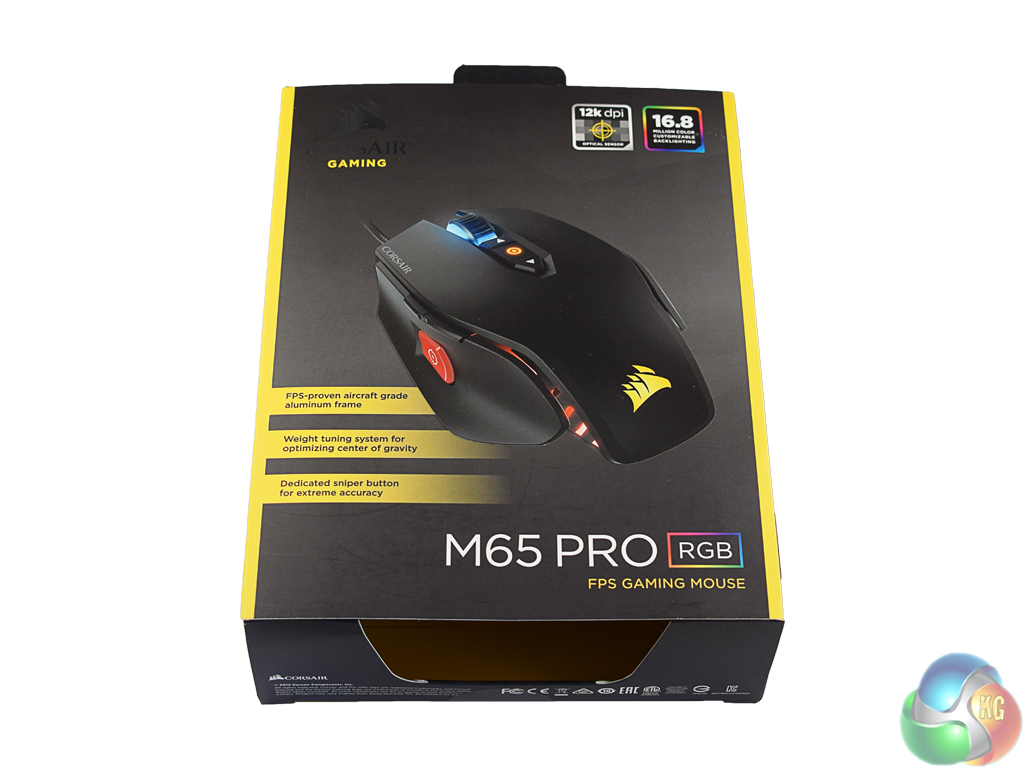
The Corsair M65 Pro ships in an attractive black box, with yellow accents.
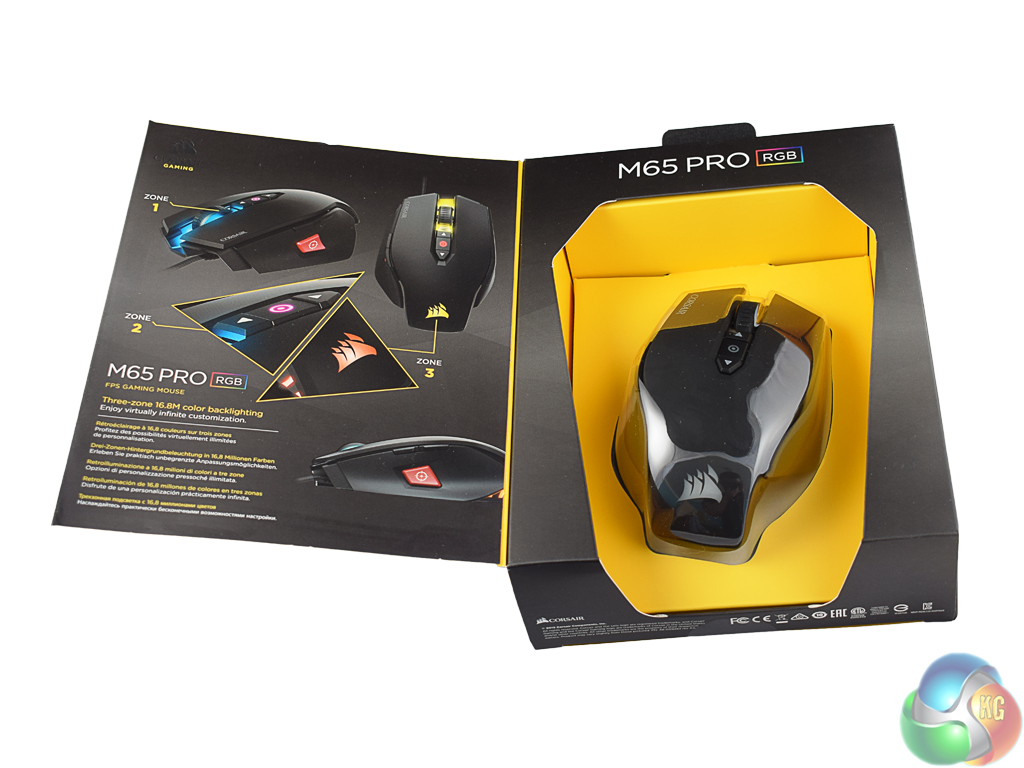
The ‘front' of the box is actually a lid that lifts off to reveal the mouse below.
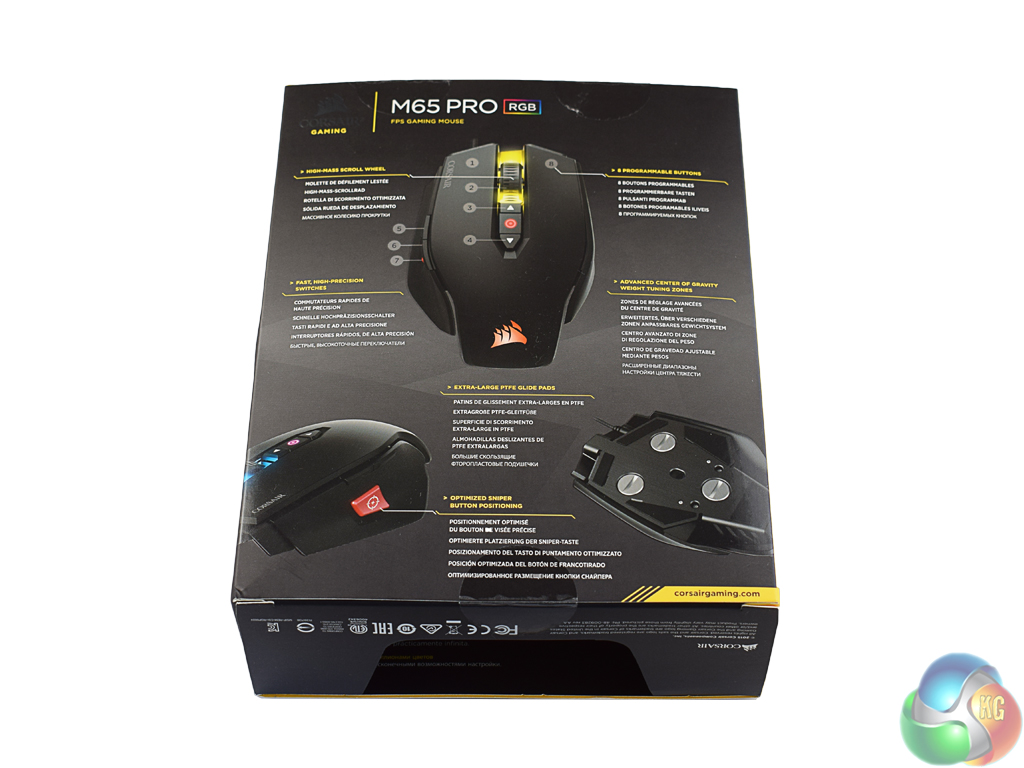
On the back, Corsair have included information about several key features.

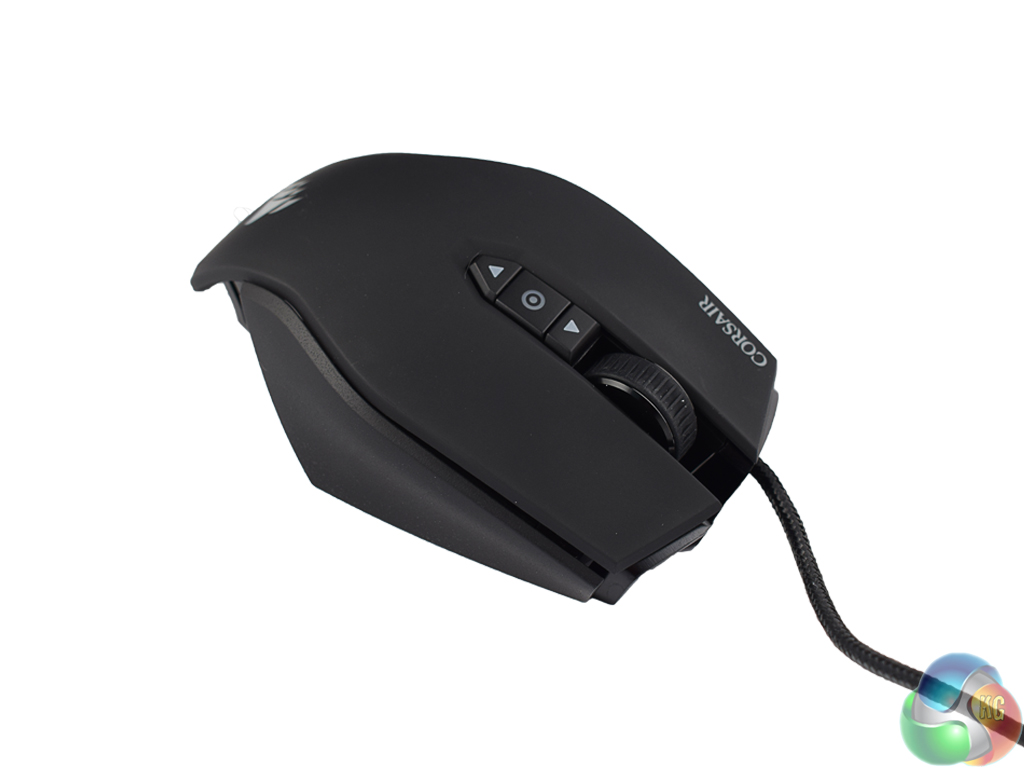
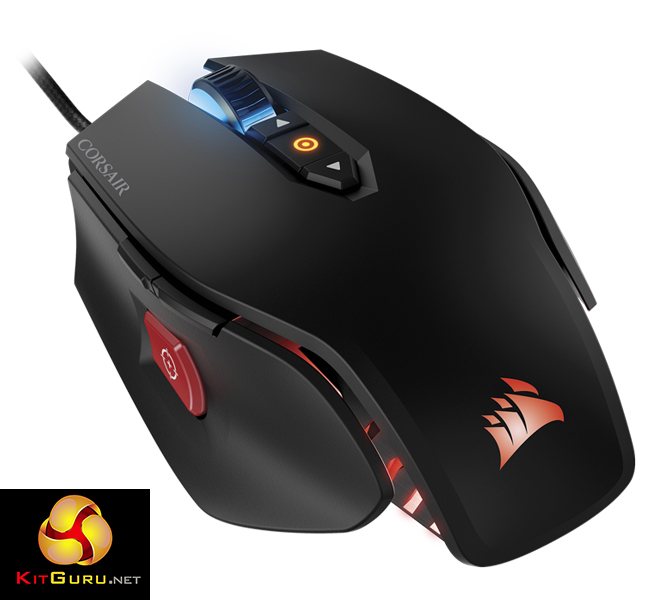
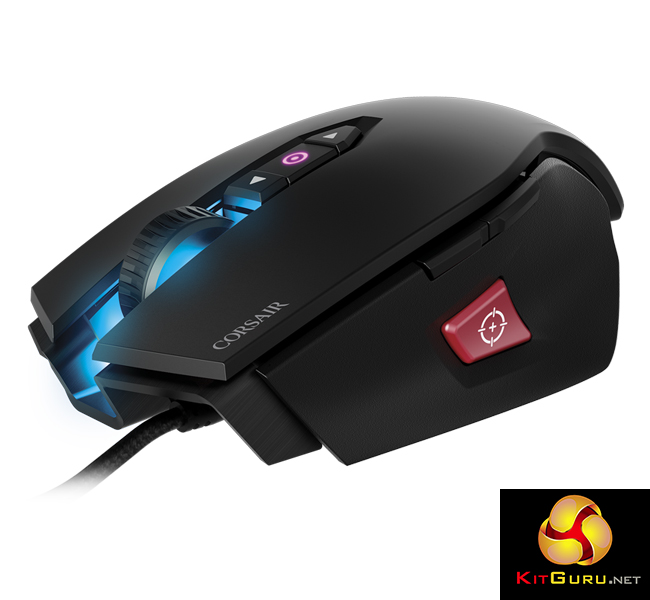
The M65 Pro itself looks very similar to the original M65. Indeed, you would be forgiven for thinking nothing has changed. However, that is not to say the M65 Pro is a badly designed mouse. Quite the opposite, in fact.
The top of the mouse has a rubberised, matte black finish to help you keep a firm grip. The side panels, too, are textured which means fingers do not slip off easily.
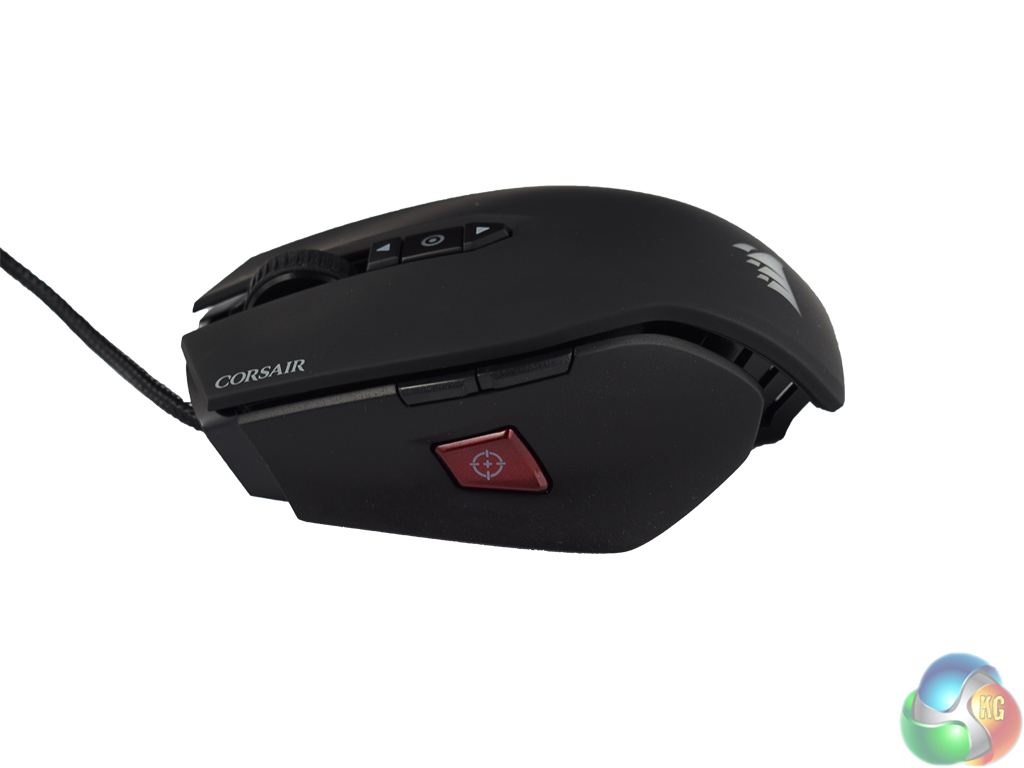
The left side panel also features a sniper button, which is positioned exactly where your thumb rests for easy use. Above this are two re-programmable buttons which are traditionally used for browser navigation purposes.
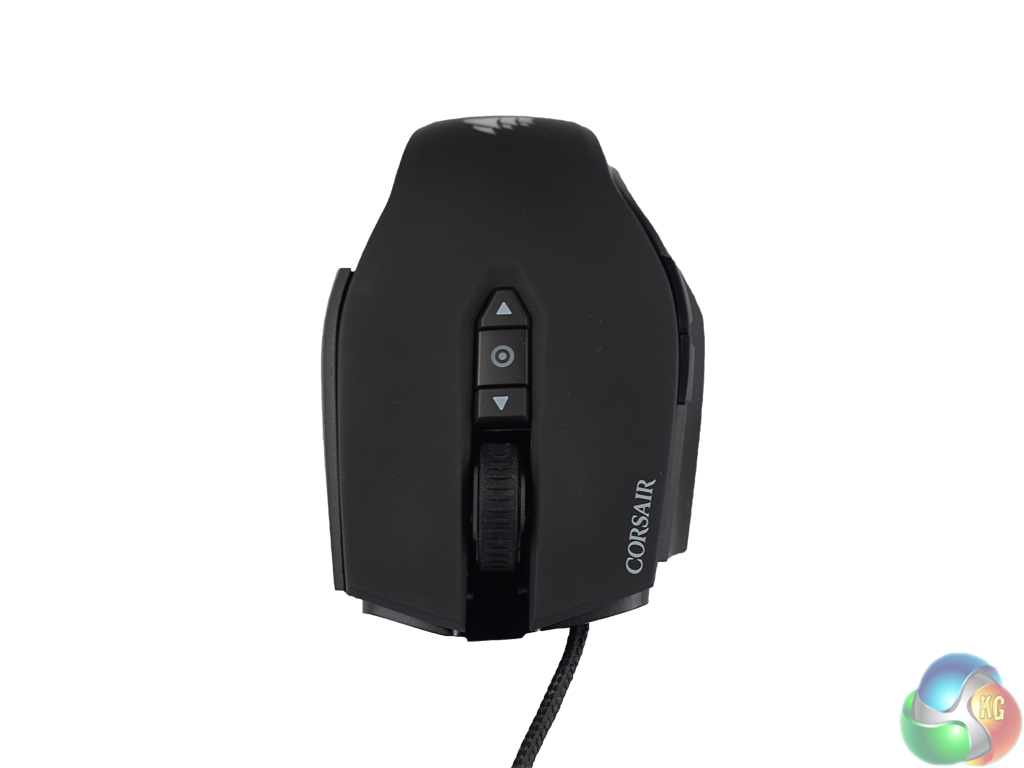
At the top of the mouse are two DPI switches – one for increasing the DPI, the other for decreasing DPI. Above these switches is the mouse wheel, which lights up along with the Corsair logo at the bottom of the mouse. On the next page we assess how the RGB lighting performs.
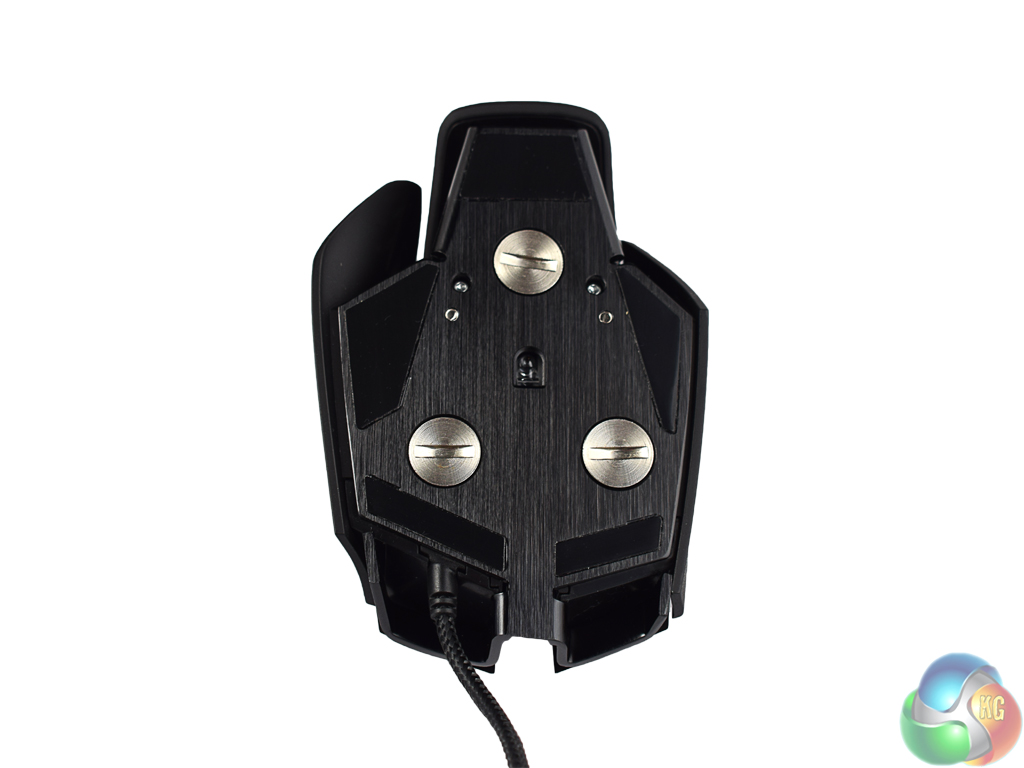
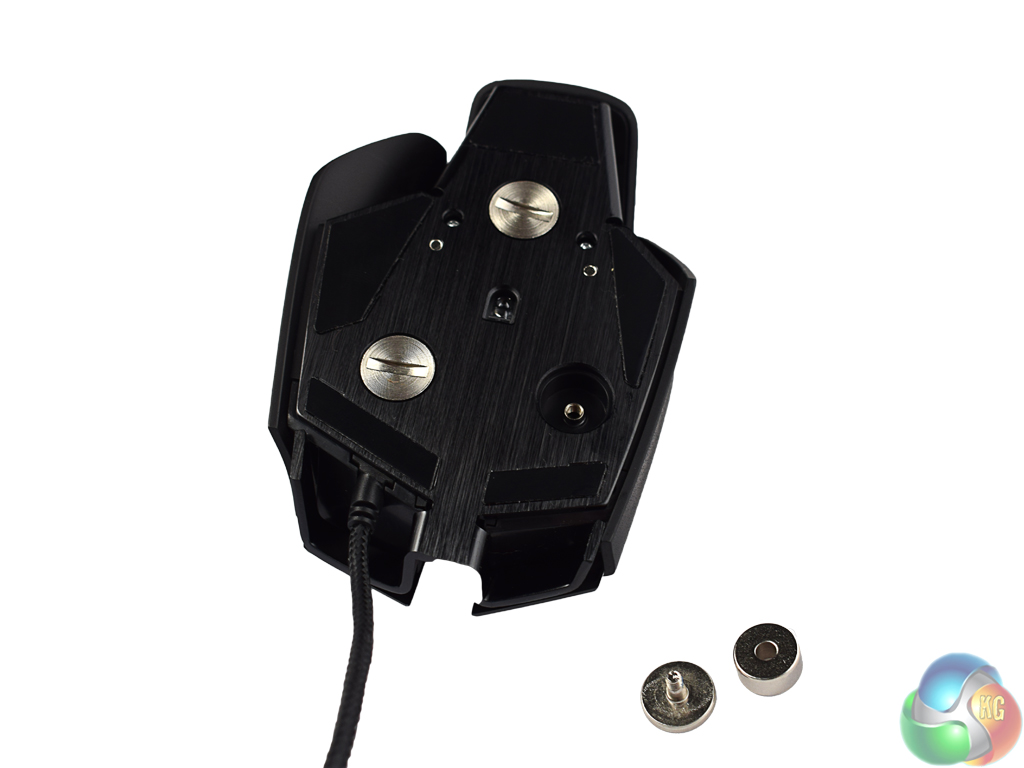
A brushed aluminium unibody design gives the M65 Pro a premium feel, and certainly helps keep it sturdy. Above you can see the screws on the base of the mouse, each of which pops out to reveal a 4.5g weight. Including screws, that gives a total weight adjustability of 20.5g, as the M65 Pro is 115g with no weights and 135.5g with weights.
I like a heavier mouse so I tested the M65 Pro with all the weights screwed in, but it is good to have the level of customisation available to each end-user.
The rather unique shape of the M65 Pro remains from the M65, and this does favour claw or finger-tip gripping styles. Users can still use a palm grip but it does not feel quite as natural as a claw grip, so this is something to bear in mind if you tend to use a palm grip.When testing any mouse, it is always good to first take a look at the accompanying software suite. The M65 Pro comes with Corsair's Utility Engine, known as CUE.
CUE's UI is split into four main tabs – profiles, actions, lighting and settings. We will look at each in turn.
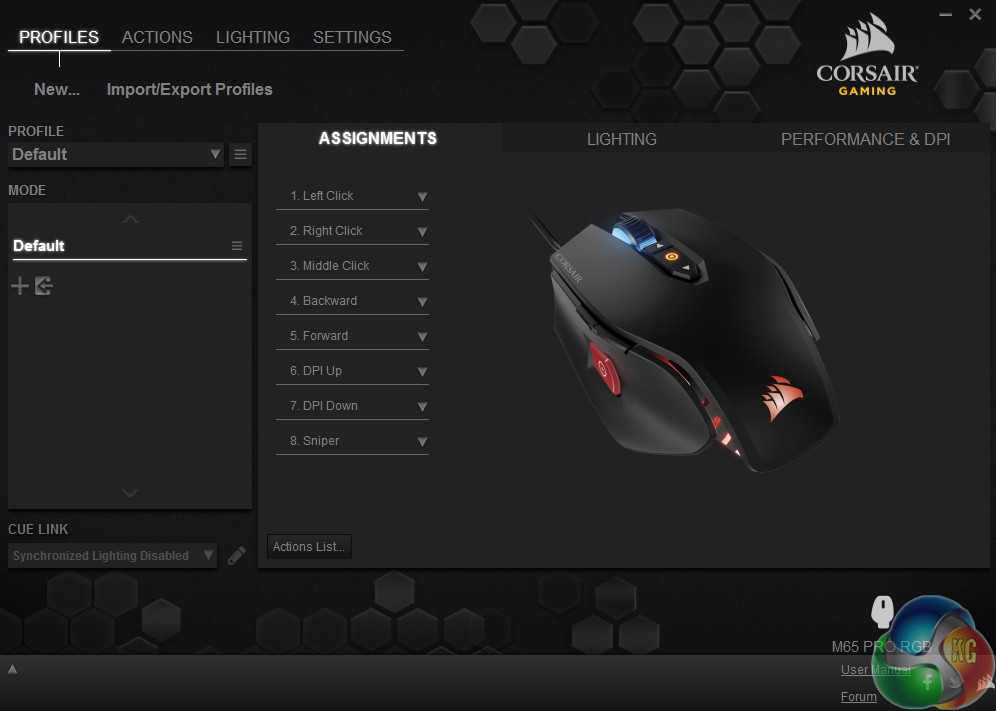

The profiles tab is where most users will spend the majority of their time. The assignments sub-tab allows users to reprogram the 8 mouse buttons as they see fit, with lots of options available. The lighting sub-tab allows users to set the mouse's backlight colour – and as there are two lighting zones, the mouse wheel and the Corsair logo can be different colours if you wish.
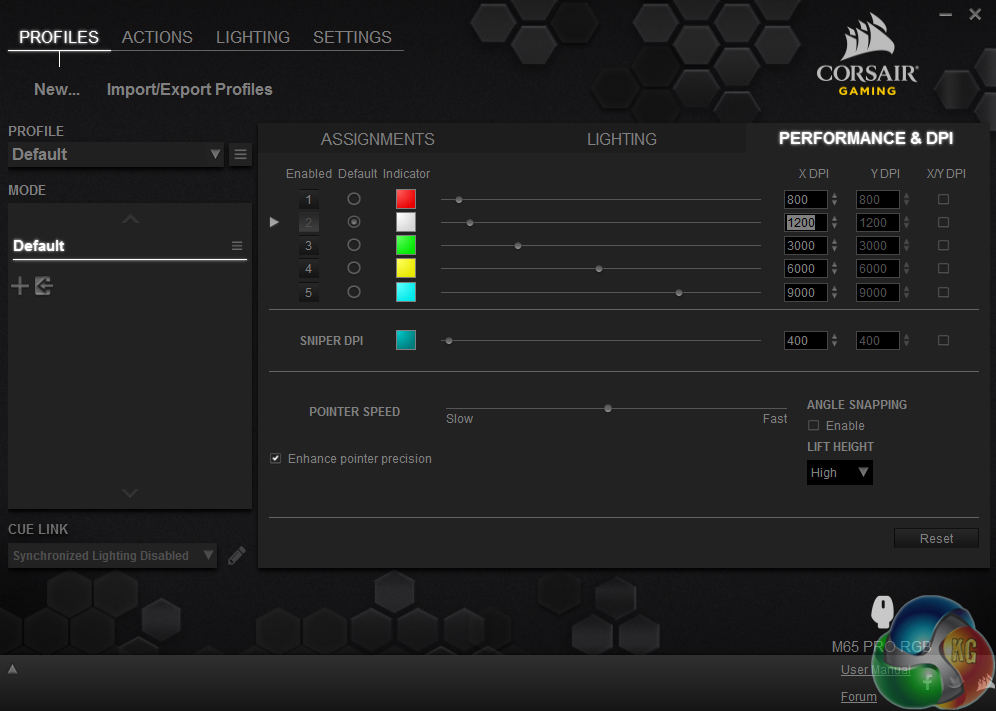
Finally, the performance sub-tab allows users to set the 5 DPI stages, as well as associate a colour with each stage. Here, there is even the option of having a different DPI setting for when using the X or Y-axis.
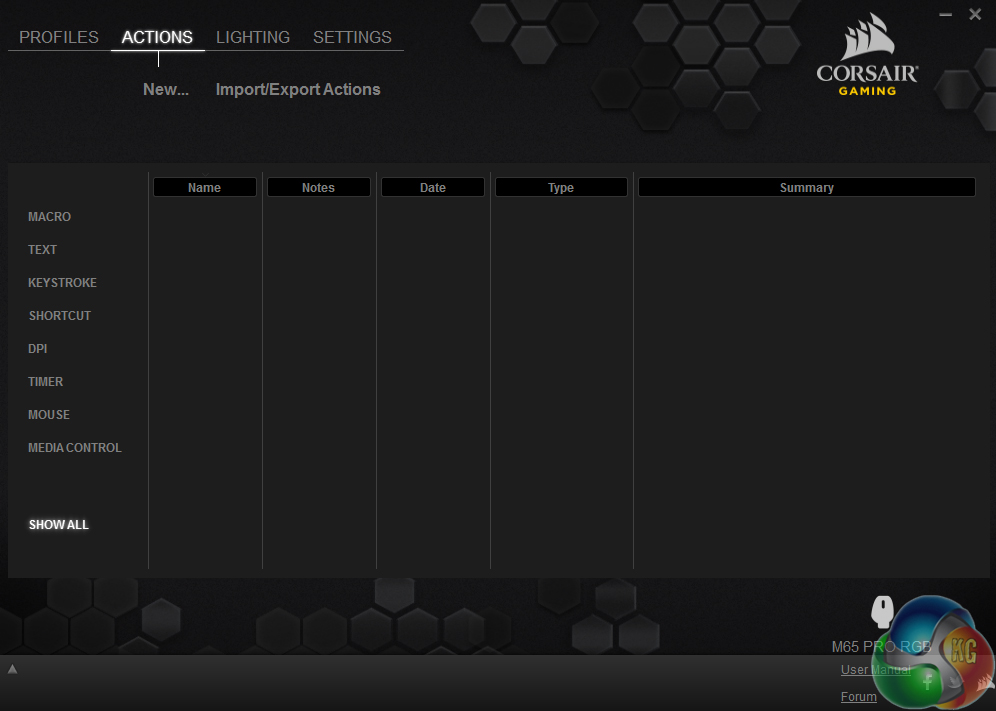
On to the actions tab. This allows users to record macros, as well as set shortcuts and trigger actions via a keystroke – to name but 3 options available. There is huge scope to get creative here, with a wealth of options to keep even the most picky of users happy. Though I do not personally make use of such features, the option is there for people who do.
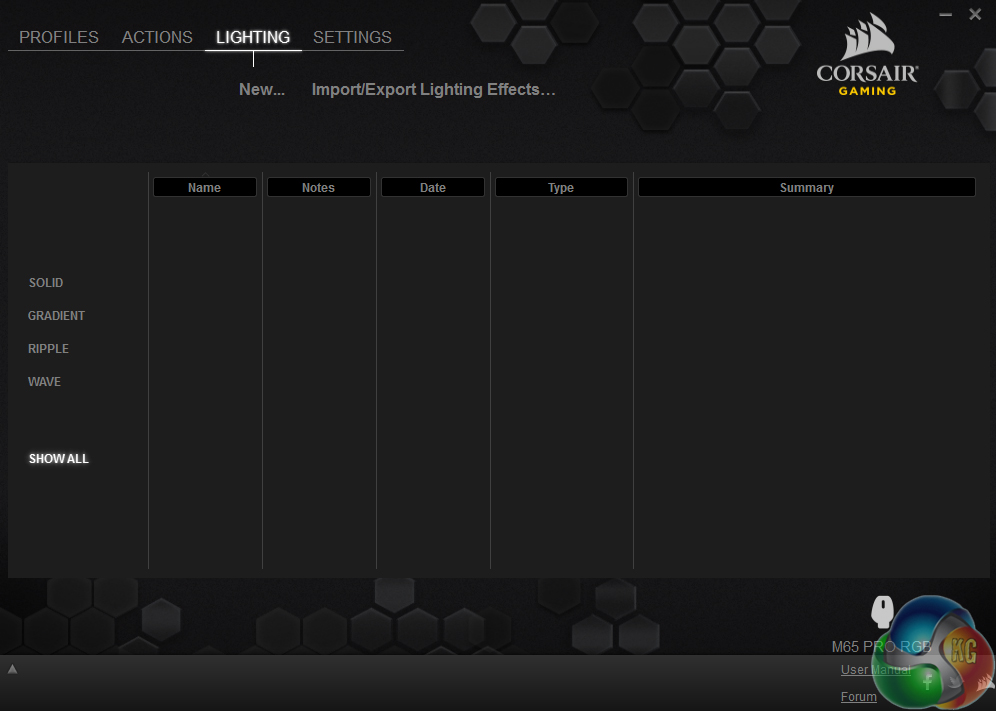
The same can be said of the lighting tab. Rather than setting the colours used for the backlight, the lighting tab allows users to create different effects for the M65 Pro's backlight. While I prefer a solid backlight, there is the option to create gradient, ripple and wave effects – as well as change the lighting intensity.
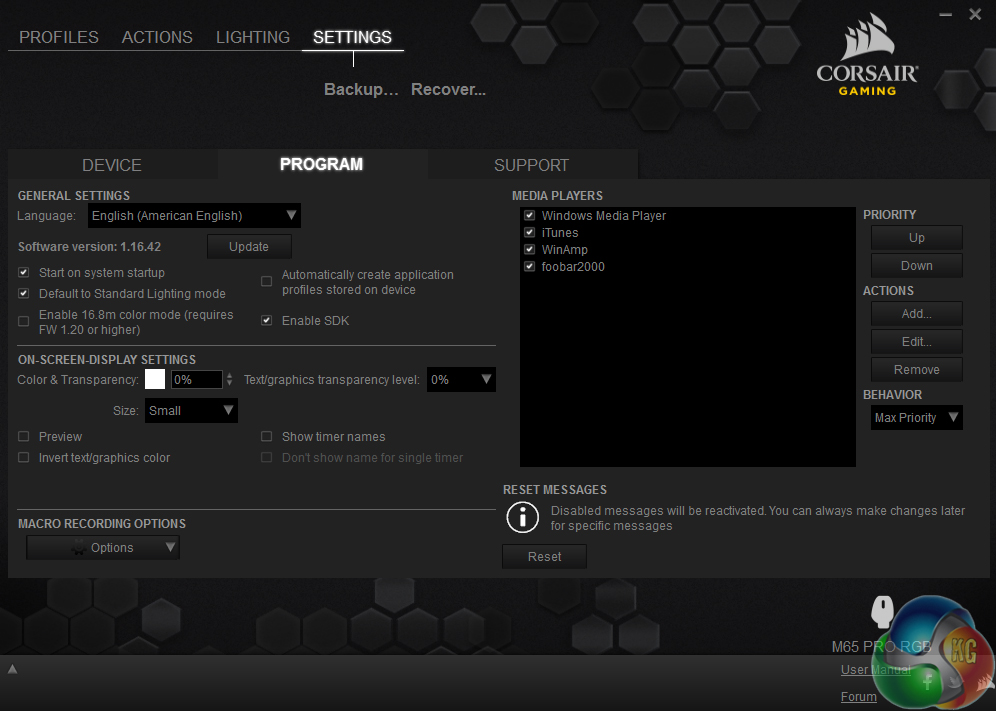
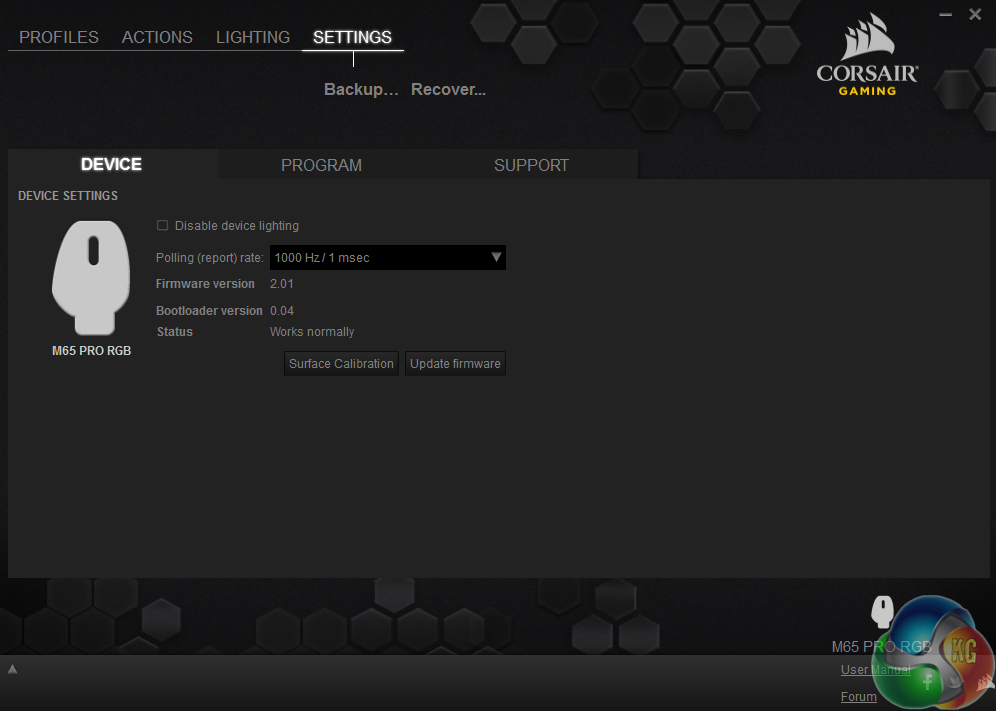
Finally, the settings tab. It is slightly less exciting, with the program sub-tab letting users decide whether or not CUE starts on system start-up and so on. The device sub-tab allows you to change the polling rate and calibrate the mouse – but it would make more sense to have these options under the performance sub-tab of the main profiles tab. As it is, these options feel a bit tucked away.
All, in all, though, CUE is a versatile and user-friendly piece of kit, with a huge variety of options for users to adjust things to their liking.
So having assessed the software, it is time to get on to assessing the hardware.
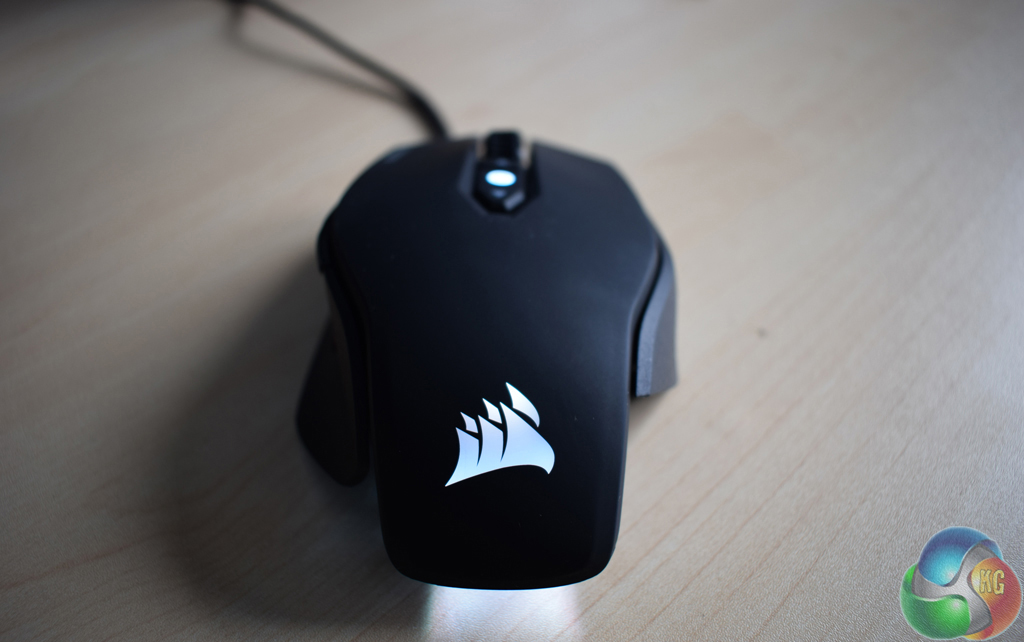
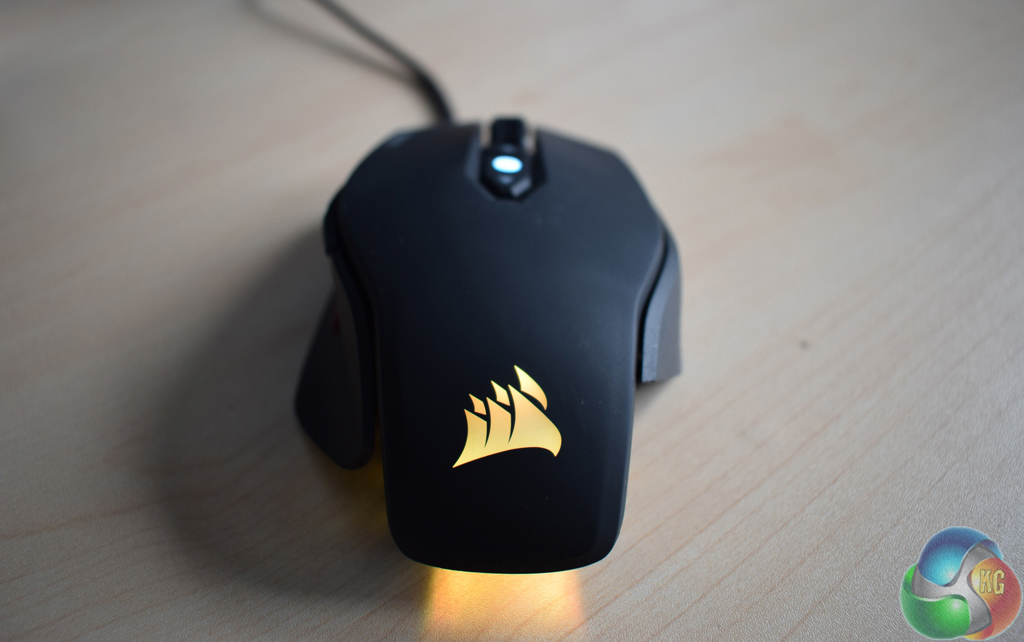
White light looks blue, while what should be a pale yellow light looks orange – to give just two examples.
To start with, I must say Corsair has failed to improve the lighting system. We noted that the original M65 has a poor backlight, and nothing has changed. No matter how good the lighting software is, colours are simply not produced accurately, and that is a real shame – particularly as Corsair has had over a year to improve things.
However, lighting aside, the M65 Pro is a joy to use on a daily basis.
The aluminium body gives a very premium feel to the mouse, and I greatly appreciate being able to adjust the weight of the M65 Pro. The rubberised finish also helps to create a device with fantastic grip.
Furthermore, having two DPI adjustment buttons is a nice touch. On a typical gaming mouse, there is just one button – meaning you have to cycle through each stage to get the desired setting. With the M65 Pro, simply go up or down until you have reached the sensitivity you want. Associating each DPI stage with a colour is also very handy as it helps you identify which stage you are currently at.
Having a 12000 DPI sensor is absurd though – and I cannot being to imagine who would need such a high sensitivity. However, it does no harm and I was very happy at my preferred 2400 DPI setting.
The emphasis on using a claw grip certainly re-affirms the idea that the M65 Pro is very much a FPS gaming mouse, though a palm grip is possible – just less comfortable. Still, when using a claw grip, the M65 Pro offers great responsiveness to slight movements, which can just give you that edge in a gunfight.The Corsair M65 Pro gaming mouse is a good piece of kit. It is well designed, with a sturdy aluminium unibody design and a rubberised finish which gives good grip. Two DPI adjustment switches is a particular boon, as it makes locating your desired DPI stage that much easier.
The M65 Pro also features a weight-adjustment ability, allowing you to set the mouse's weight to your liking. At its lightest the M65 Pro is 115g, while it can go up to 135.5g with all the weights screwed in.
Using the M65 Pro is also a very satisfying experience, thanks in part to the great design but also due to Corsair's CUE software. It just has so many options for users to tweak and change, meaning each individual can configure the M65 Pro just the way they like it.
There is one major disappointment, however, and that is the RGB lighting. Corsair has simply not improved it from the original M65, and that is not good enough. For this to be advertised as an RGB gaming mouse, the lighting has simply got to improve. At the moment, the majority of colours are just not reproduced accurately.
However, lighting aside, the M65 Pro is a a good piece of kit and comes recommended. It is also well priced at its £54.99 RRP, giving a good feature set for the price.
Discuss on our Facebook page, over HERE.

You can pick one up from Overclockers UK for £54.95 inc vat HERE.
Pros
- Adjustable weights.
- Premium feel.
- Two DPI buttons.
- Huge 12000 DPI sensor.
- Well priced.
Cons
- Lighting is a big let down.
KitGuru says: If Corsair can improve the lighting, the M65 Pro can provide the basis for a brilliant gaming mouse.