KitGuru KitGuru.net – Tech News | Hardware News | Hardware Reviews | IOS | Mobile | Gaming | Graphics Cards


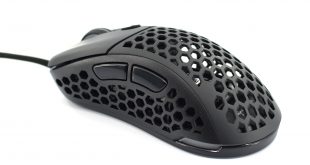
If you follow the latest trends across the gaming peripheral industry, you will be familiar with the concept of ultra lightweight gaming mice. Popularised by Finalmouse and the original ‘Ultralight', the likes of Glorious PC Gaming Race, Cooler Master, G Wolves and Xtrfy have all released their own super lightweight mice, and today Sharkoon has joined the party with its Light2 200, weighing in at just 62 grams.
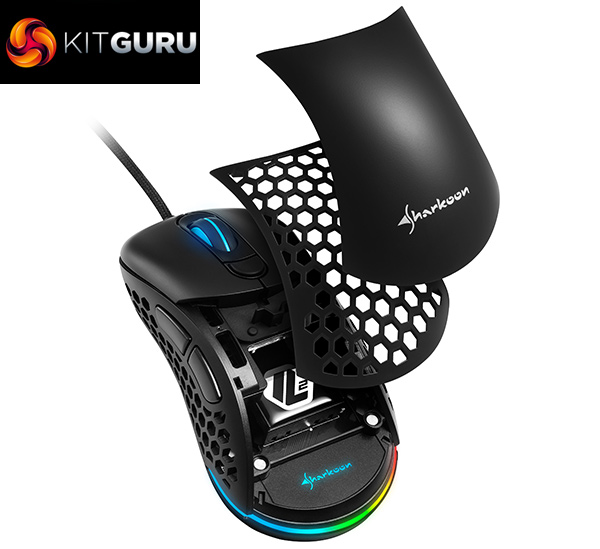
The immediate idea behind the Sharkoon Light2 200 becomes clear with a single glance – take the popular Zowie EC shape and make it lighter by adding a lot of holes to the shell. However, Sharkoon has also taken the opportunity to add some extra features to the package, as the Light2 200 also features a swappable top shell, as well as replaceable DPI buttons so you can choose a low or high-profile button.
Sharkoon also claims its mouse features ‘highly precise sensor of up to 16,000 DPI, an ultra-flexible cable, and five mouse feet made of pure PTFE for extreme sliding properties'. Priced at just £43.99, or 49.99Euros, just how good is the Light2 200?
General:
- Max. DPI/CPI: 16,000
- Min. DPI/CPI: 50
- Sensor: Optical
- Chip: Pixart PMW 3389
- Illumination: RGB
- Polling Rate: 1,000 Hz
- Frames Per Second: 16,000
- Inches Per Second: 400
- Max. Acceleration: 50 g
- Honeycomb Structure
- Customizable Design
- Mouse Feet: 5, Pure PTFE
- Weight Without Cable: 62 g
- Dimensions (L x W x H):120x66x42mm
- Supported Operating Systems: Windows
Button Properties:
- Number of Buttons: 6
- Programmable Buttons: 6
- Operating Life Cycles of Buttons:
- Min. 20 Million Clicks
DPI Properties:
- DPI Steps: 7, Fully Customizable
- DPI Switch
- DPI Indicator: LED
Software Properties:
- Gaming Software
- Onboard Memory for Game Profiles
- Capacity of Onboard Memory: 64 kB
- Number of Profiles: 5
Cable and Connectors:
- Connector: USB
- Gold-Plated USB Plug
- Ultraflexible, Textile Braided Cable
- Cable Length: 180 cm
Package Contents:
- LIGHT2 200
- Interchangeable Top Cover
- Interchangeable DPI Buttons
- Additional Set of Mouse Feet
- Manual
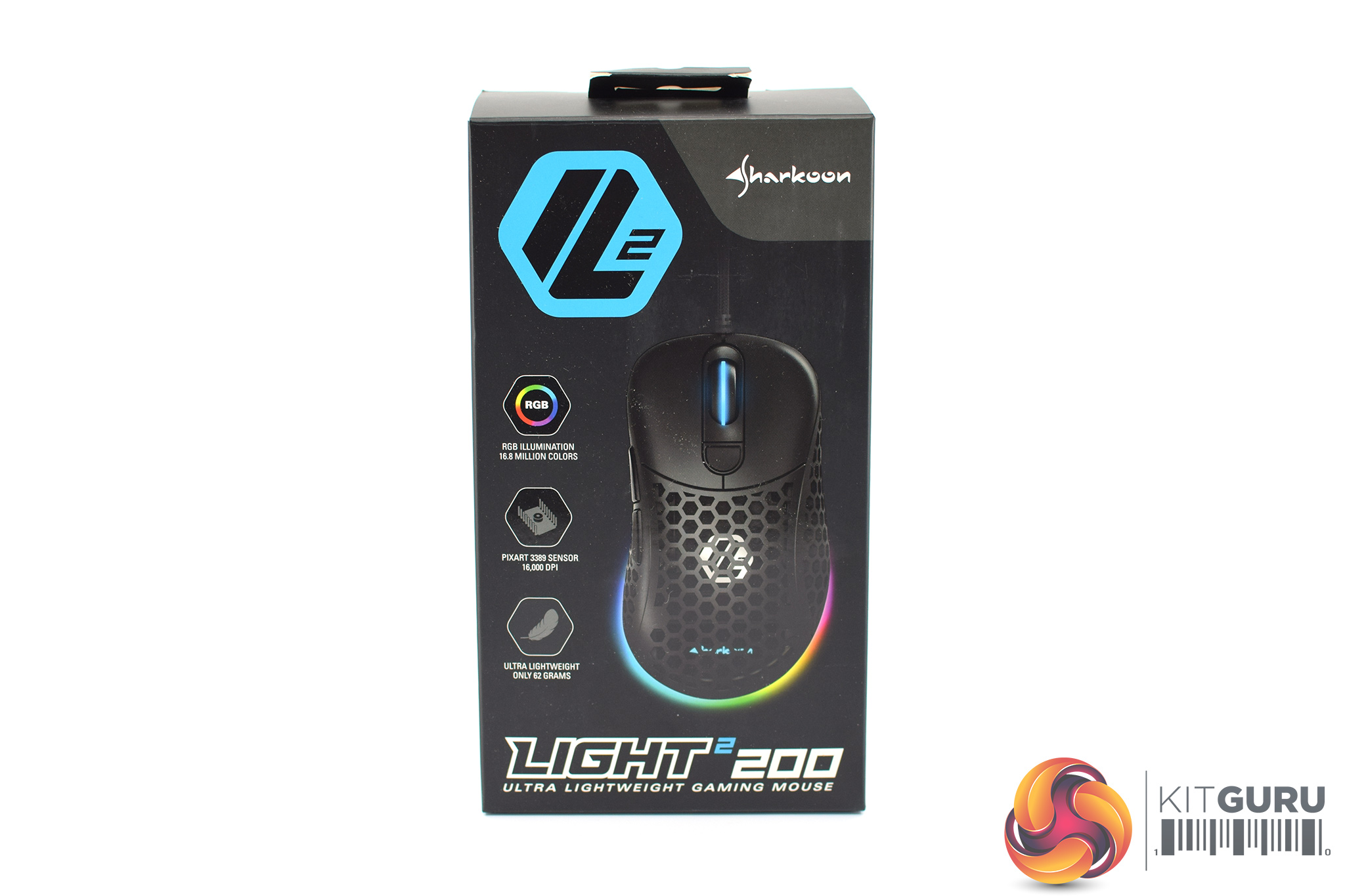
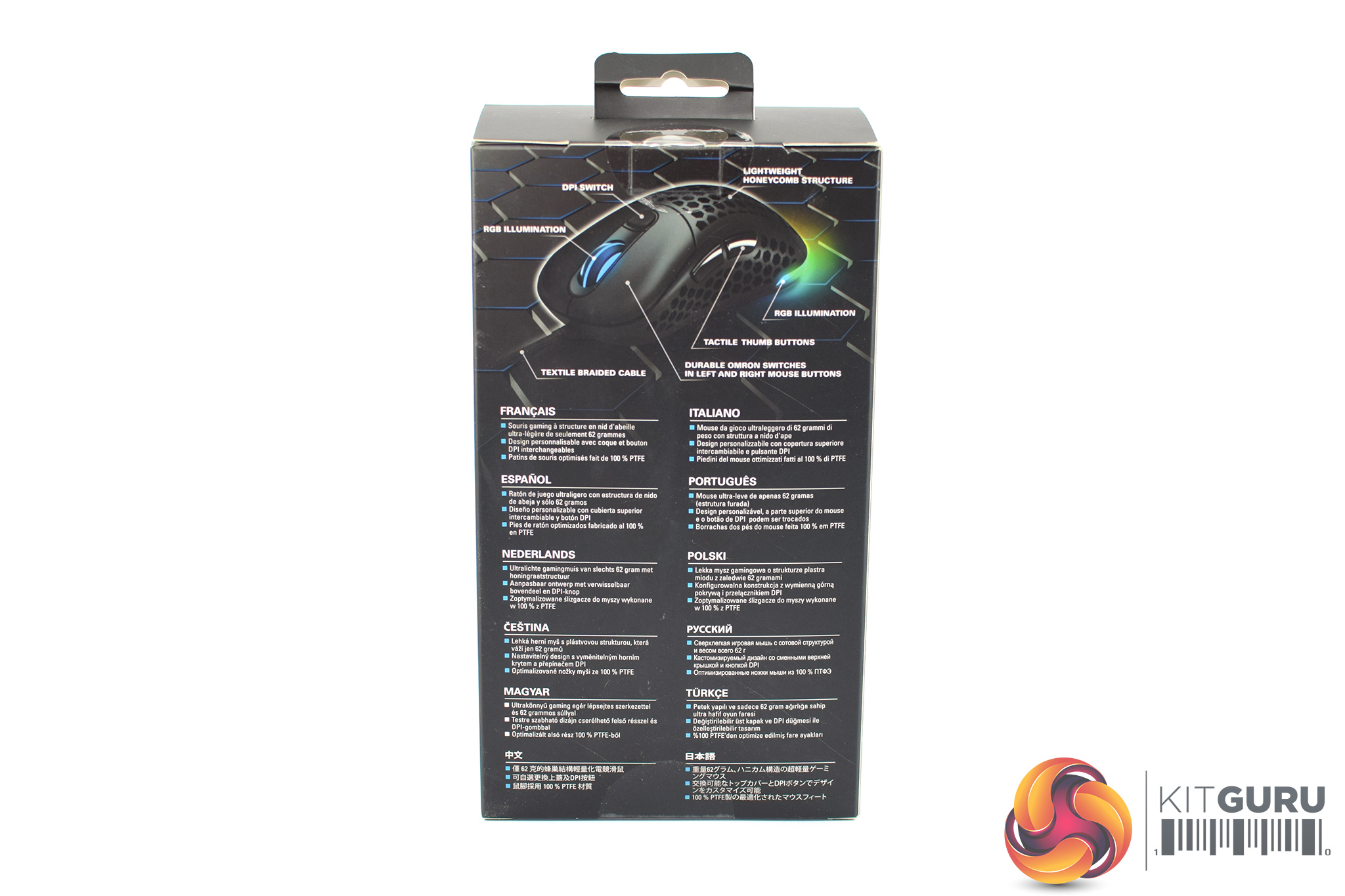
The Sharkoon Light2 200 ships in a compact black box, with a large image of the mouse itself visible on the front alongside three key features Sharkoon has highlighted – the RGB lighting, PMW 3389 sensor, and the 62g total weight.
On the back of the box, we find multi-lingual text pointing out a similar selection of features.
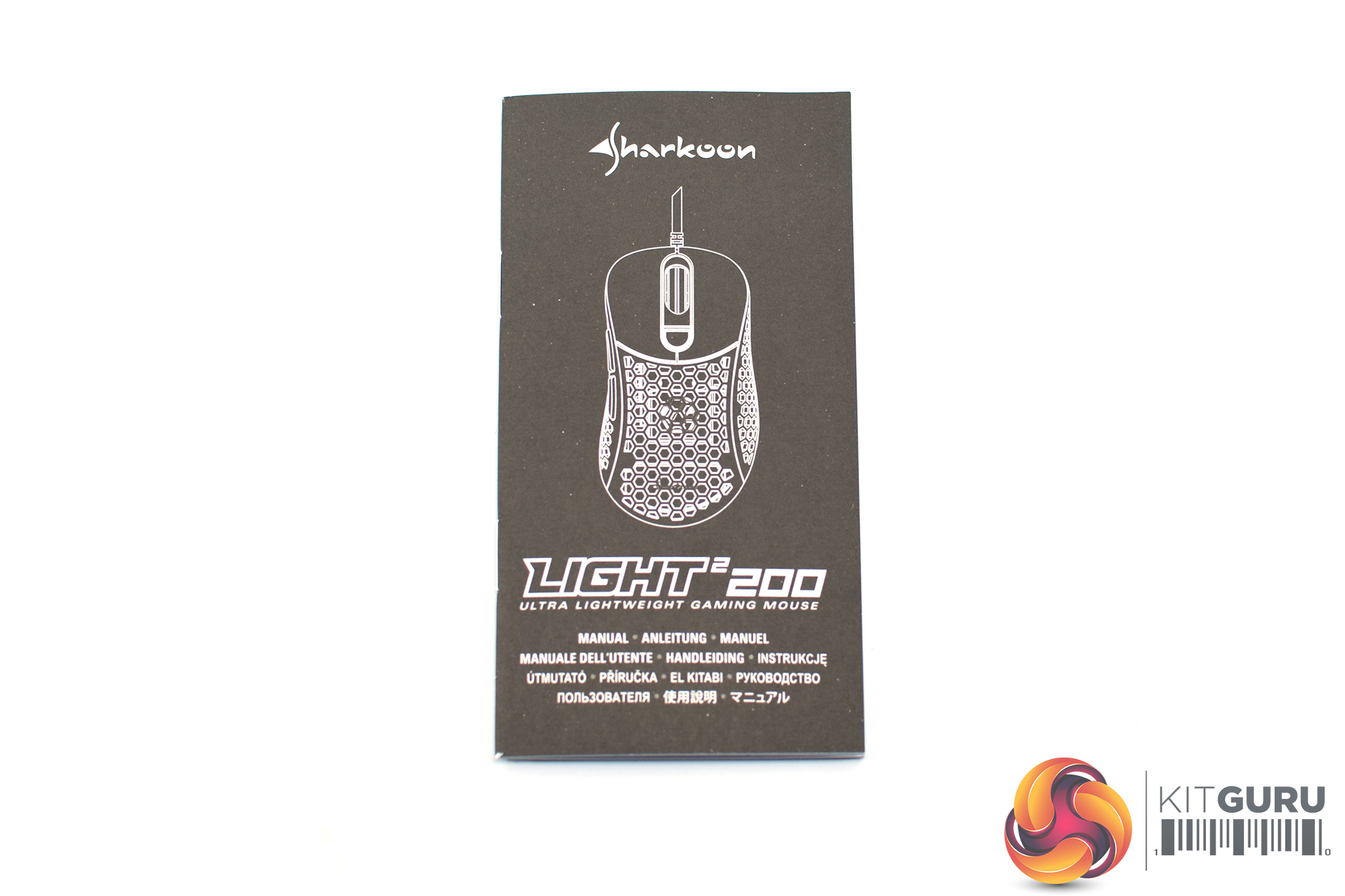
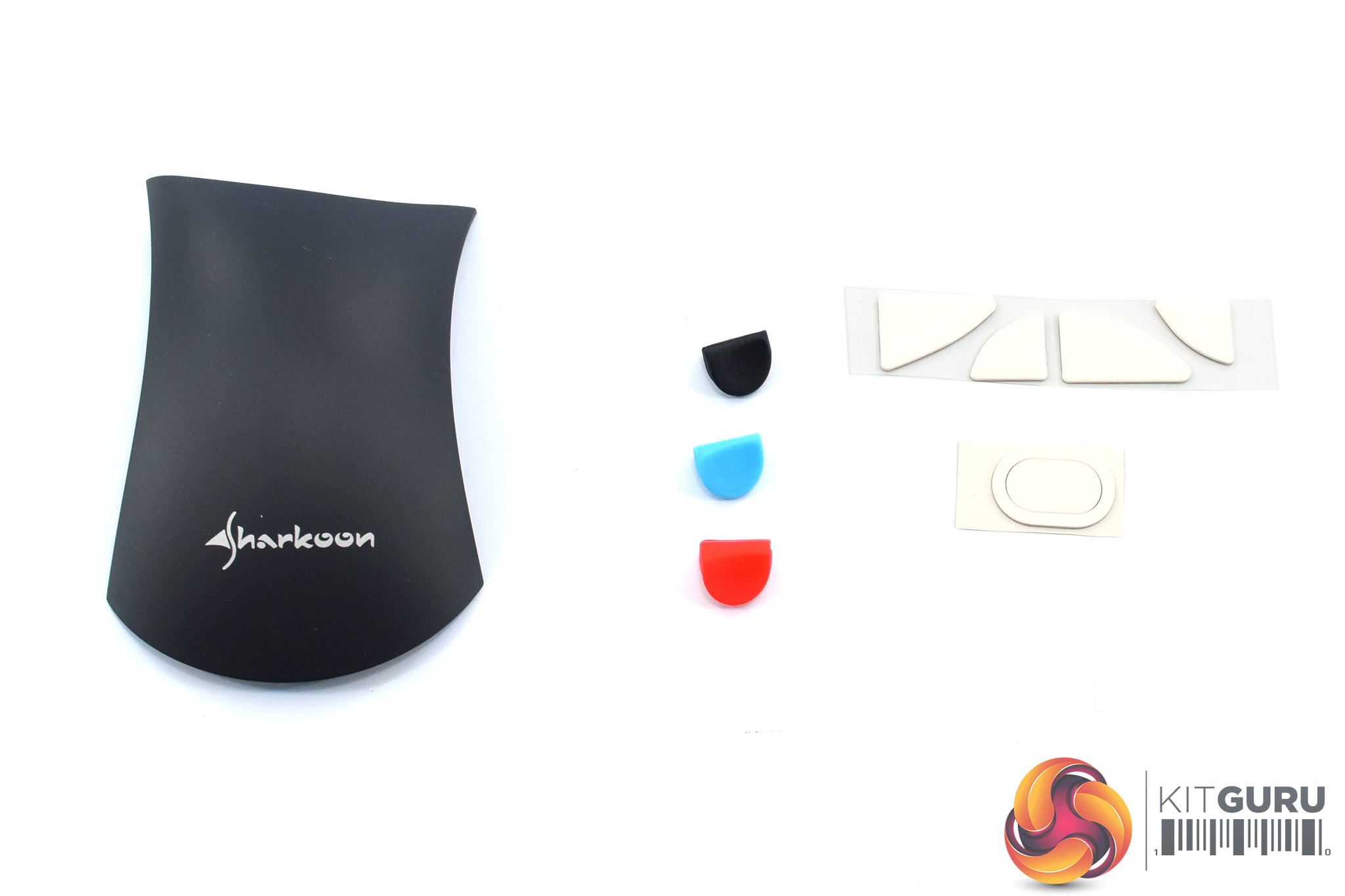
Inside, before we get to the mouse itself, Sharkoon has also included some extras in the box. These include a little manual, but more interesting is the replacement top shell for the mouse, as well as some replaceable DPI button covers – more on those below. Finally, an extra set of PTFE mouse feet are also included.
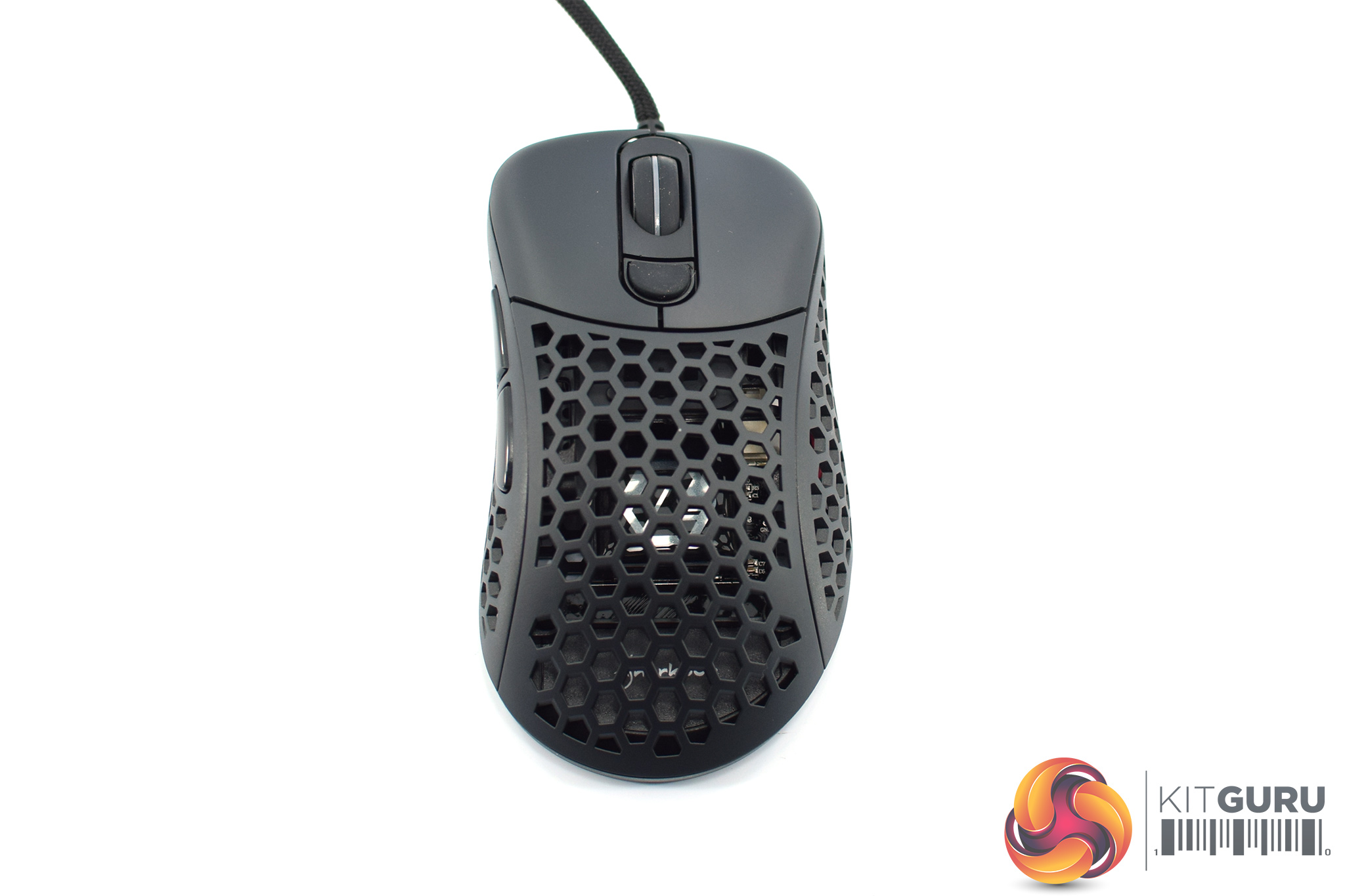
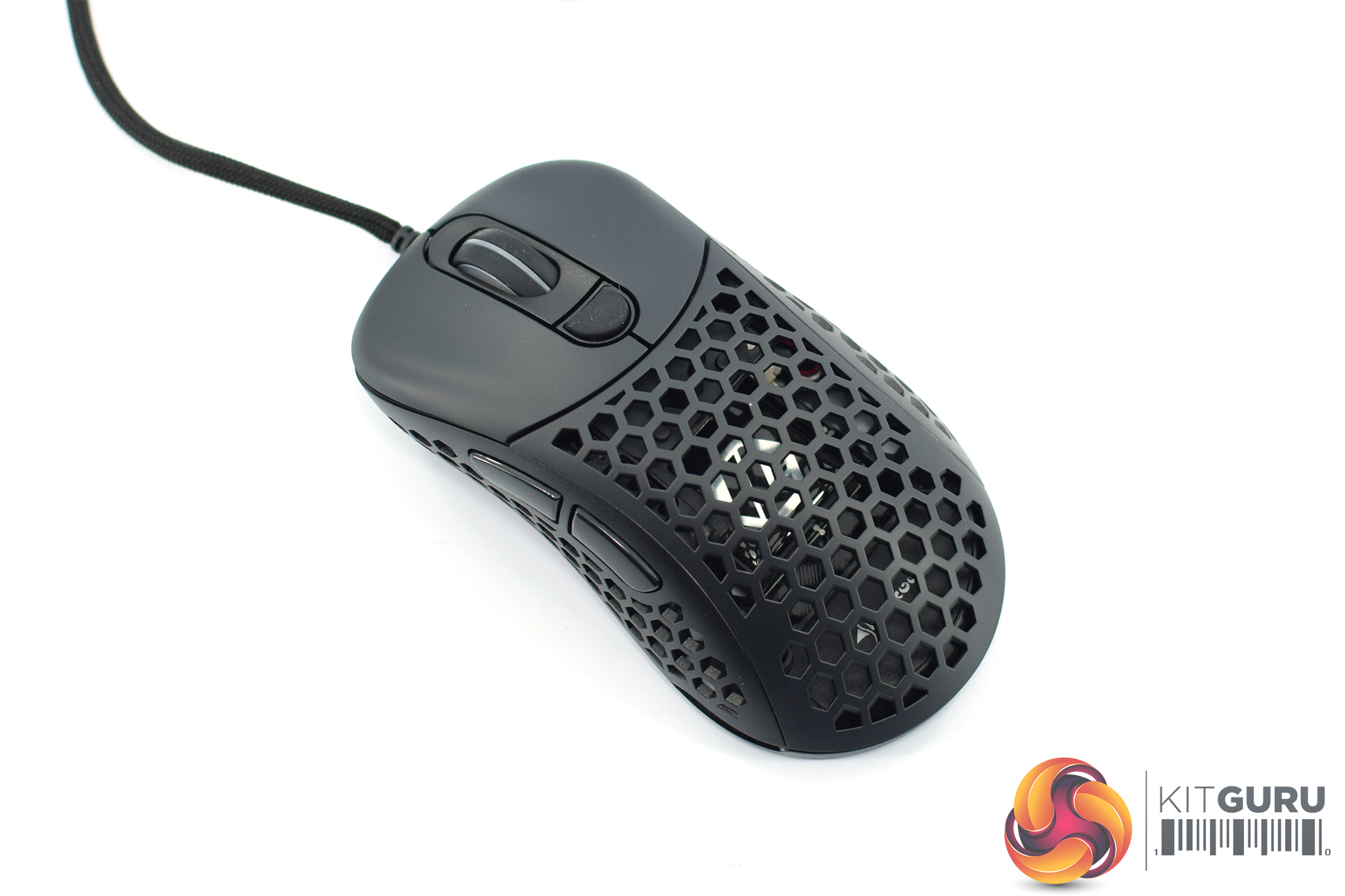
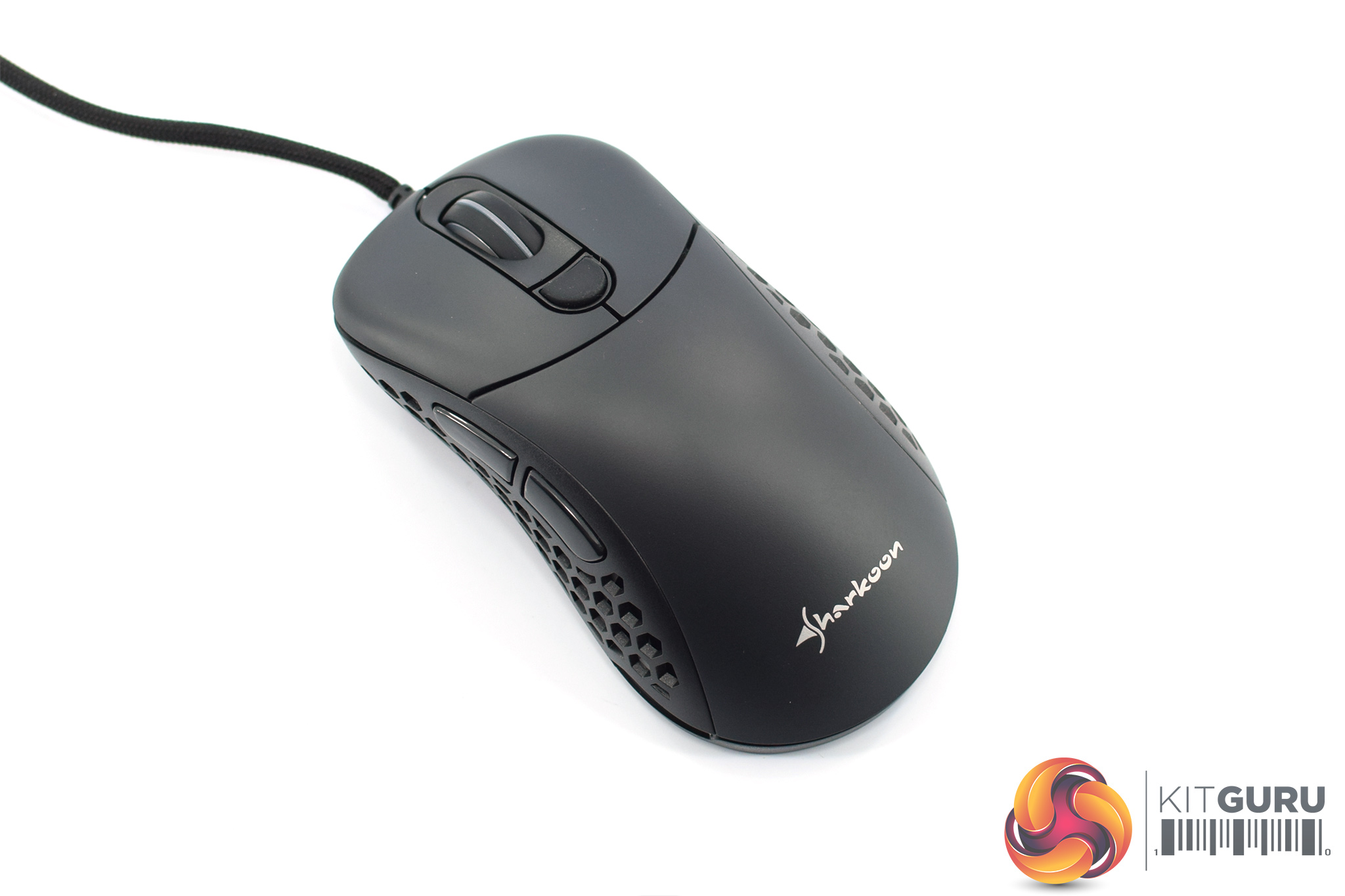
Getting our first proper look at the Light2 200, as mentioned on the first page it is clear Sharkoon is using the Zowie EC shape here – a well-regarded, ergonomic shape designed exclusively for right-handers. The obvious difference is that Sharkoon is trying to keep weight to a minimum with the Light2 200, so the shell is absolutely covered in small hexagonal holes.
Just to provide a bit more context here, Sharkoon's official measurements for the mouse are as follows: 120x66x42mm (L x W x H). This means the Light2 200 is closer to the EC2 in size, as the EC1 is 8mm longer and also 3mm wider. Overall, I'd class the Light2 200 as a medium-sized ergonomic mouse.
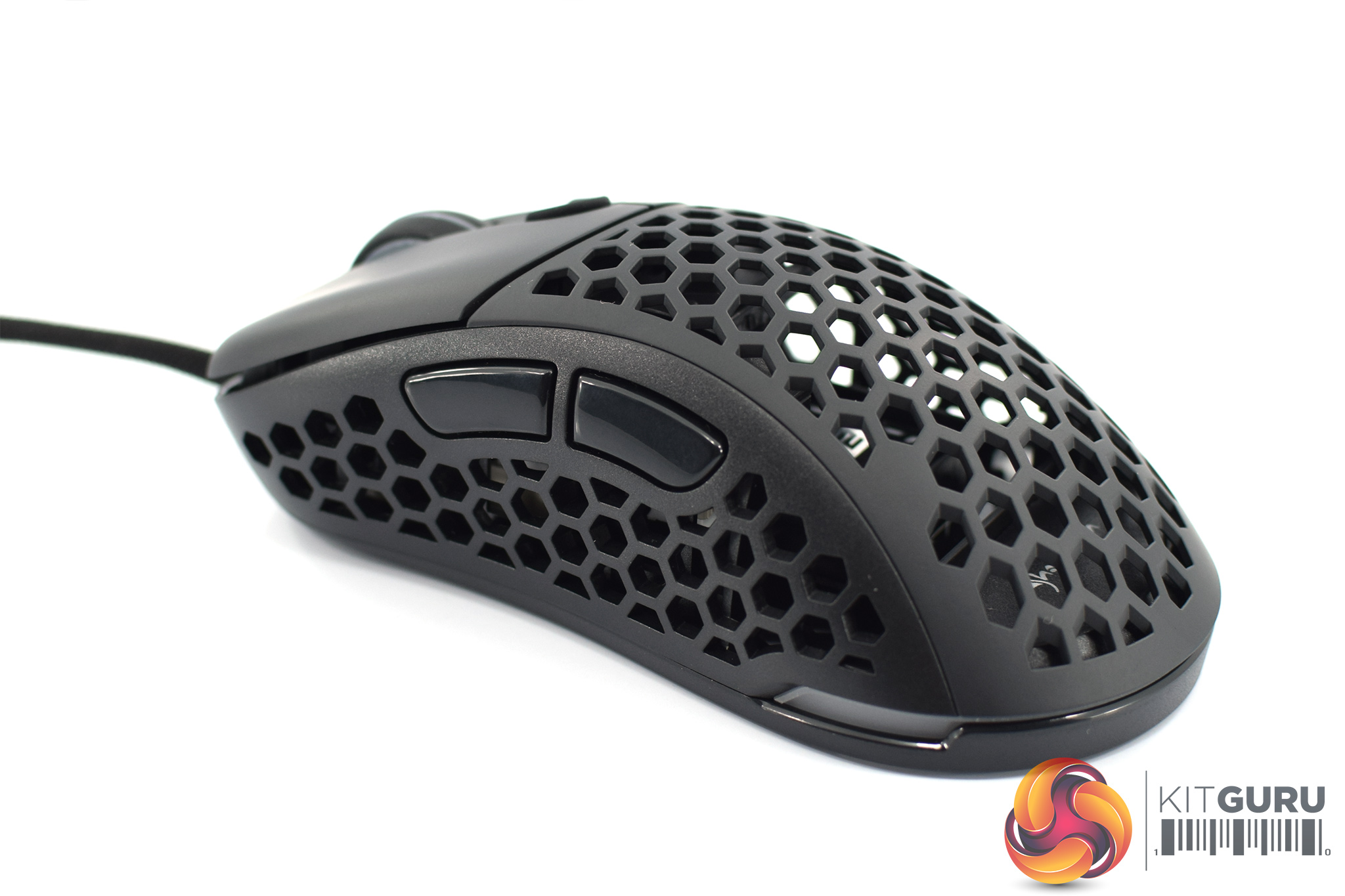
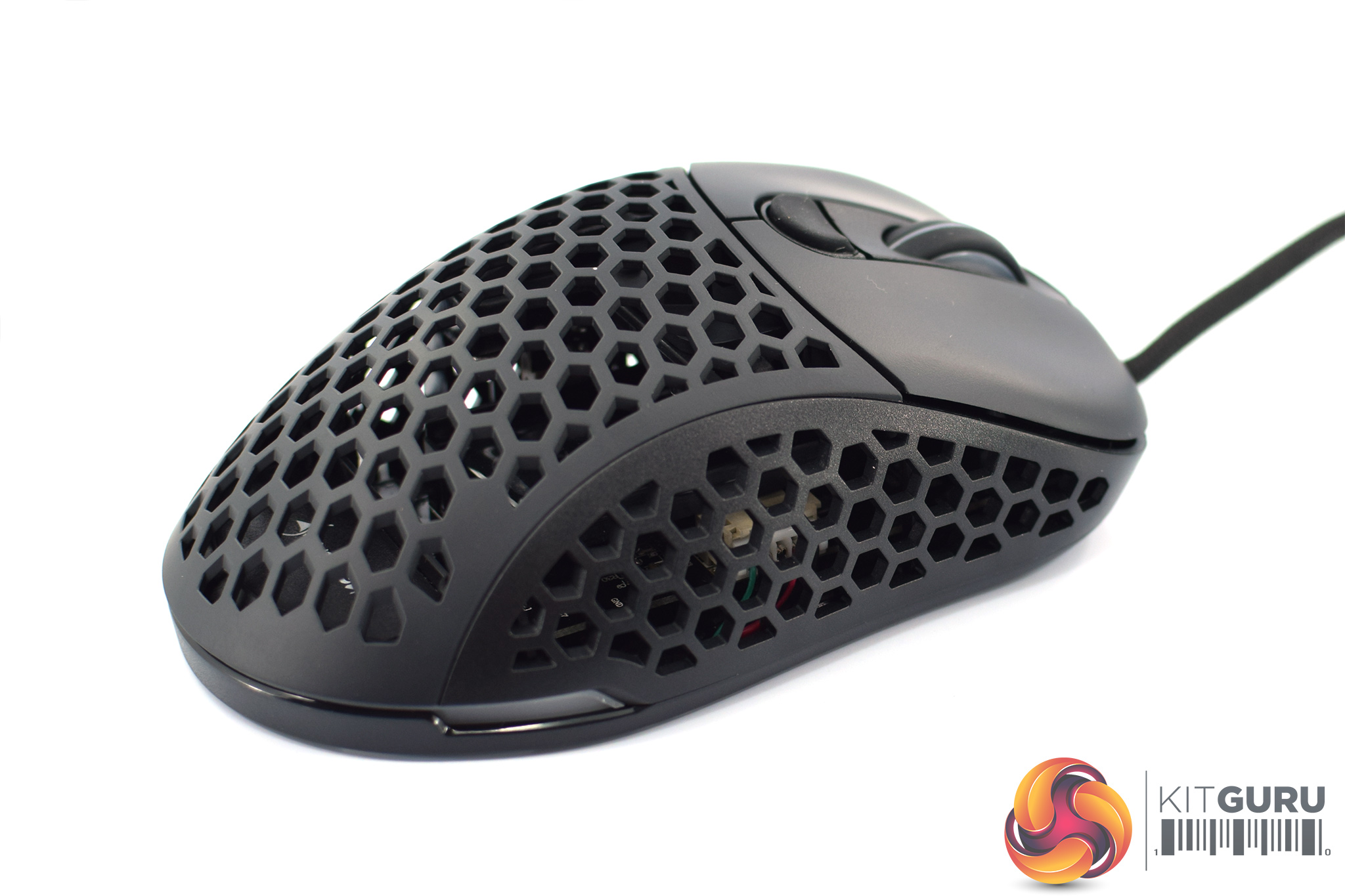
On the left-hand side of the mouse, we can see more holes in the shell, as well as two side buttons. There's no buttons on the right-hand side – just more holes.
Interestingly, one thing you can also tell from the images above is Sharkoon has used a slightly different plastic for the sides of the mouse compared to the top shell and buttons. The top is slightly smoother and also more of a dark grey colour to my eye, while the sides look slightly darker and also a bit more textured. It's not something that really bothers me, just something to note.
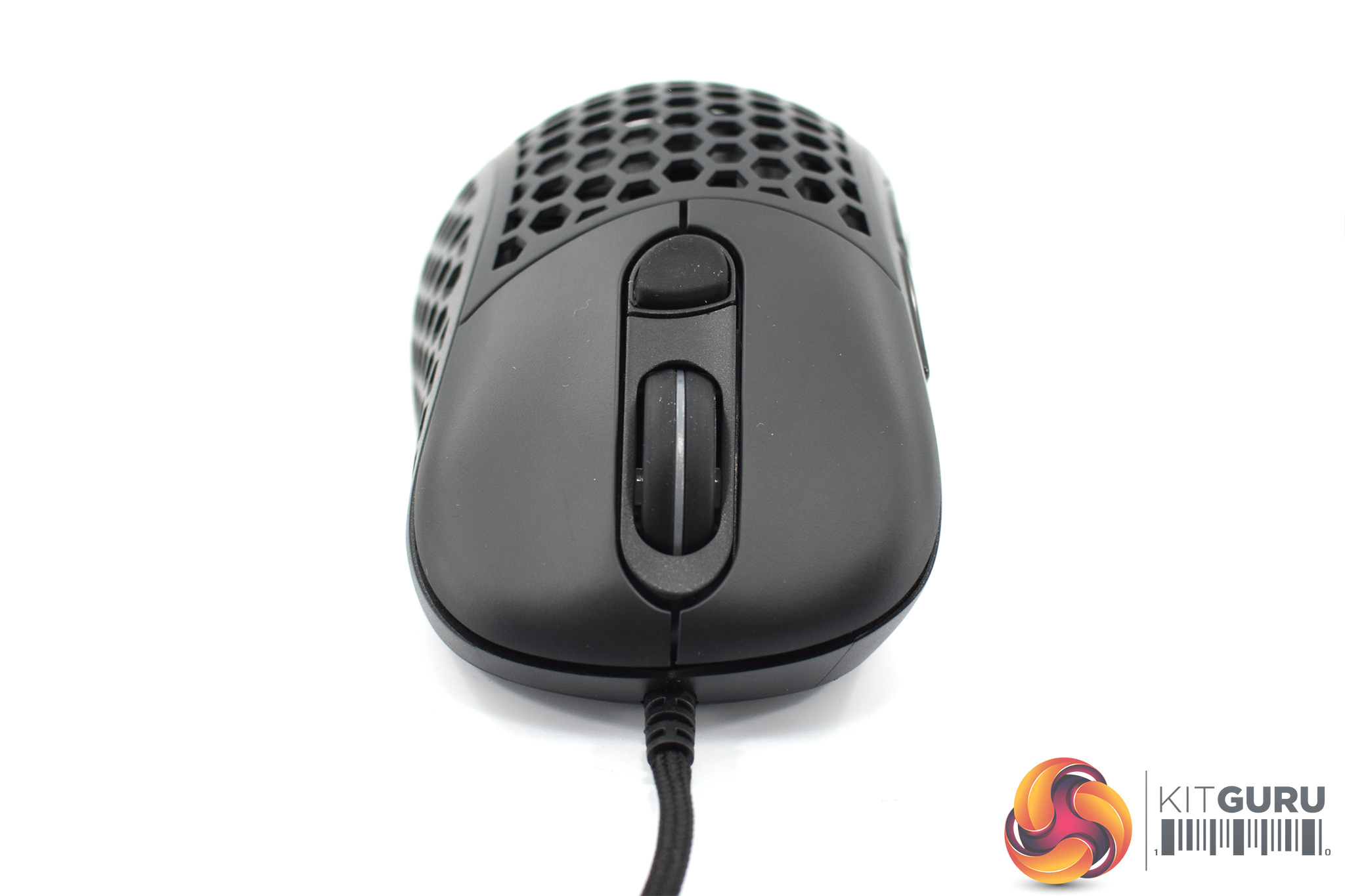
At the front of the mouse, we get a look at the primary buttons which have slight comfort grooves, as well as the rubber scroll wheel. Behind this sits a single DPI button.
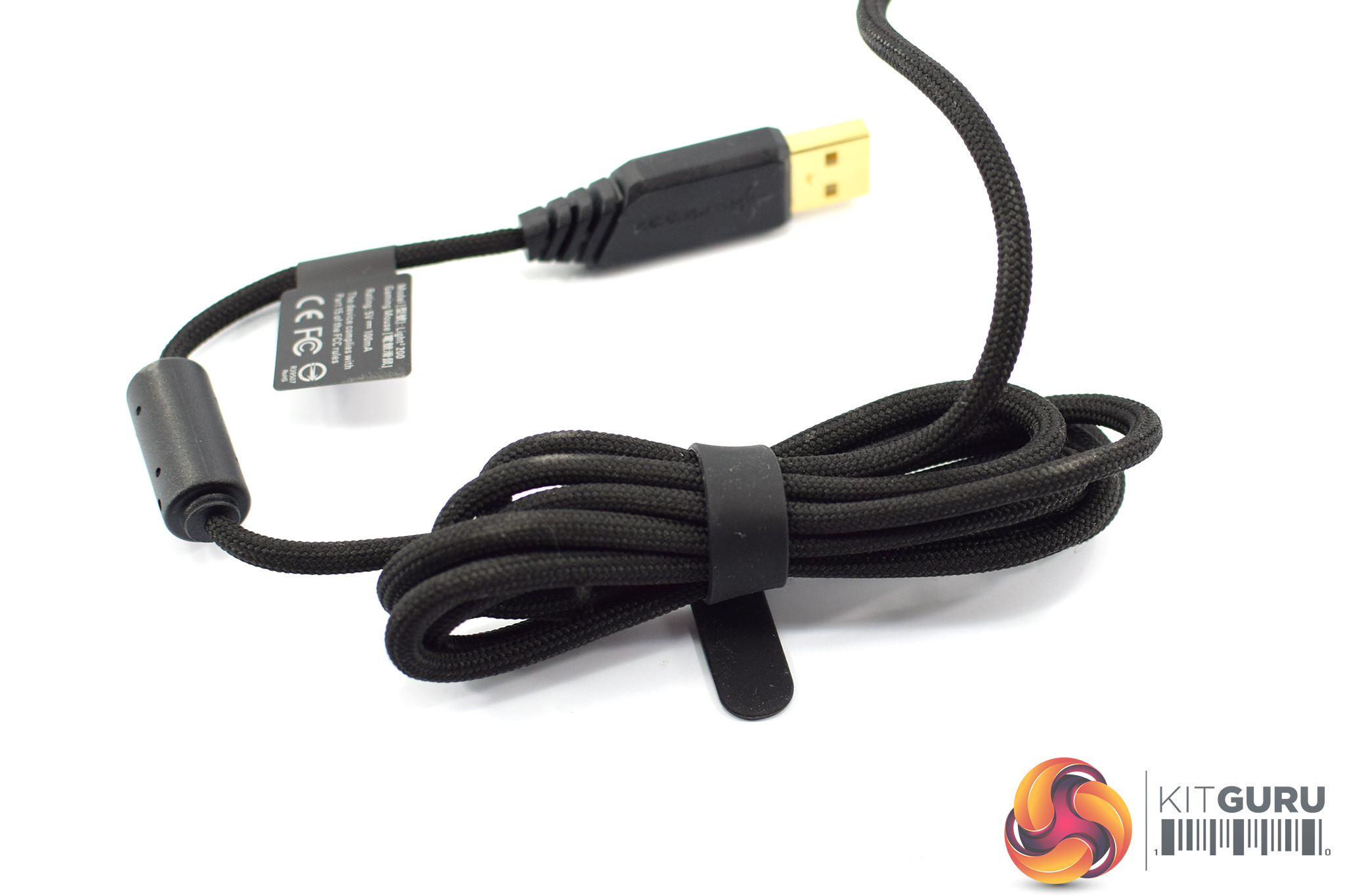
As for the cable, Sharkoon calls this ‘an ultra-flexible cable' which is covered in a black braid, and it measures 1.8m long.
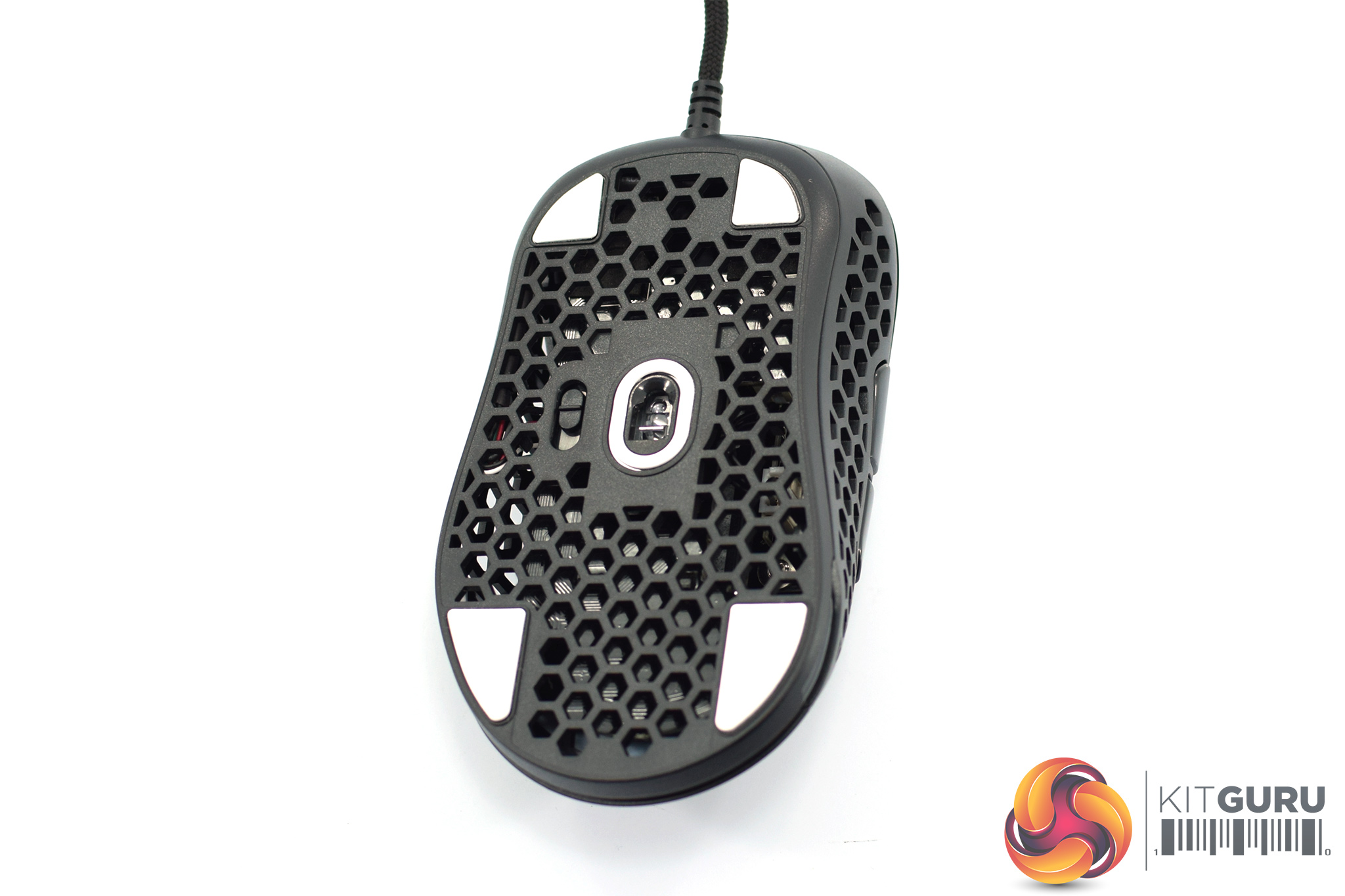
Flipping the mouse over, we can again see lots of hexagonal holes cut into the bottom shell. Four small PTFE mouse feet are positioned in each corner, with another oval-shaped foot around the sensor lens. As shown above, a set of spare feet are included in the box.
There's also some customisable elements to the design of the Light2 200. First is the top shell, which is held in place with a set of clips and two magnets. Simply lift from the bottom end of the shell to unhook it from the mouse, and then you can use either the solid shell or the pre-installed ‘holey' one. On my scale, the solid shell weighs 7g and the holey one weighs 4g, so it's not a big difference either way.
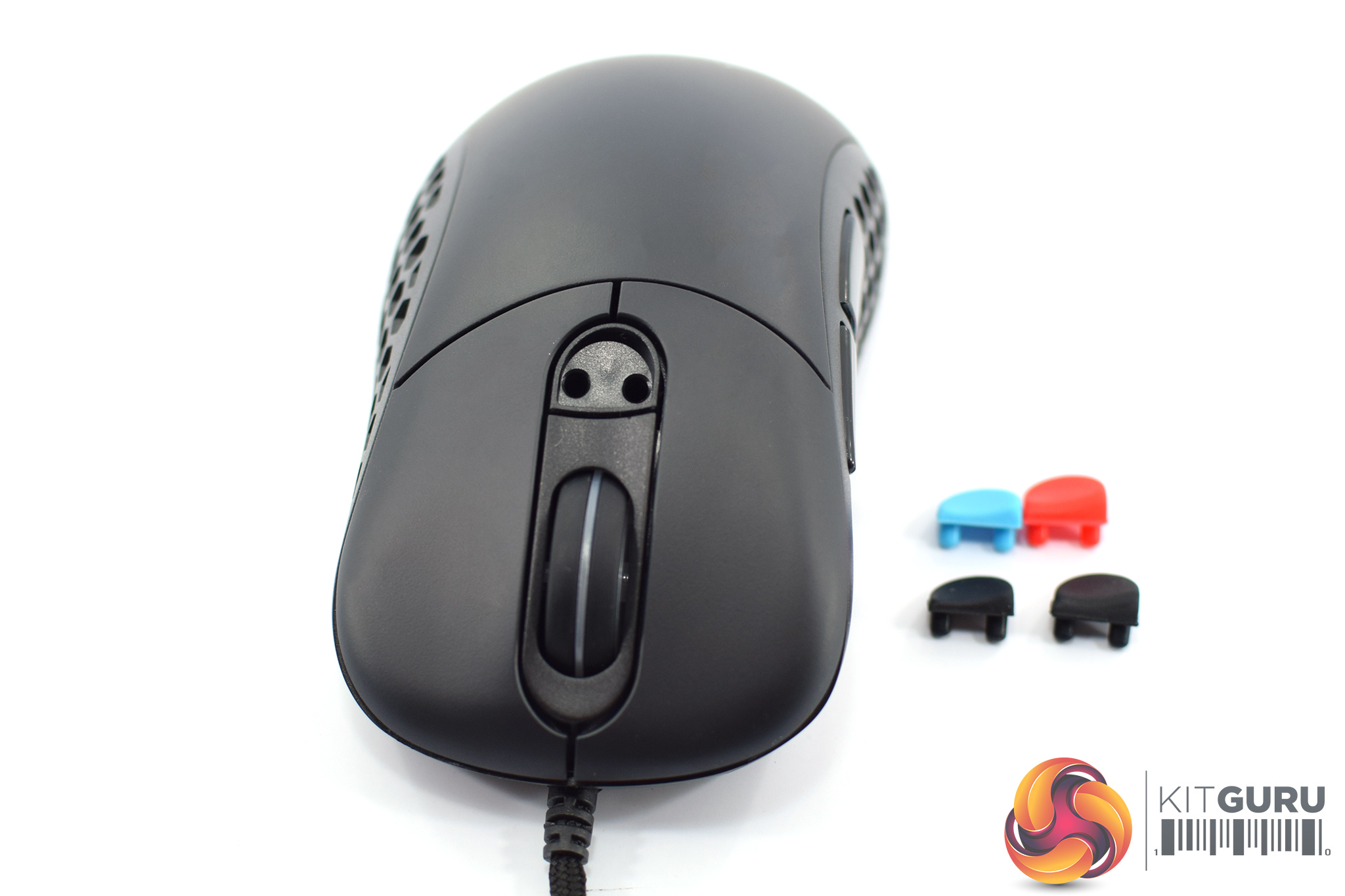
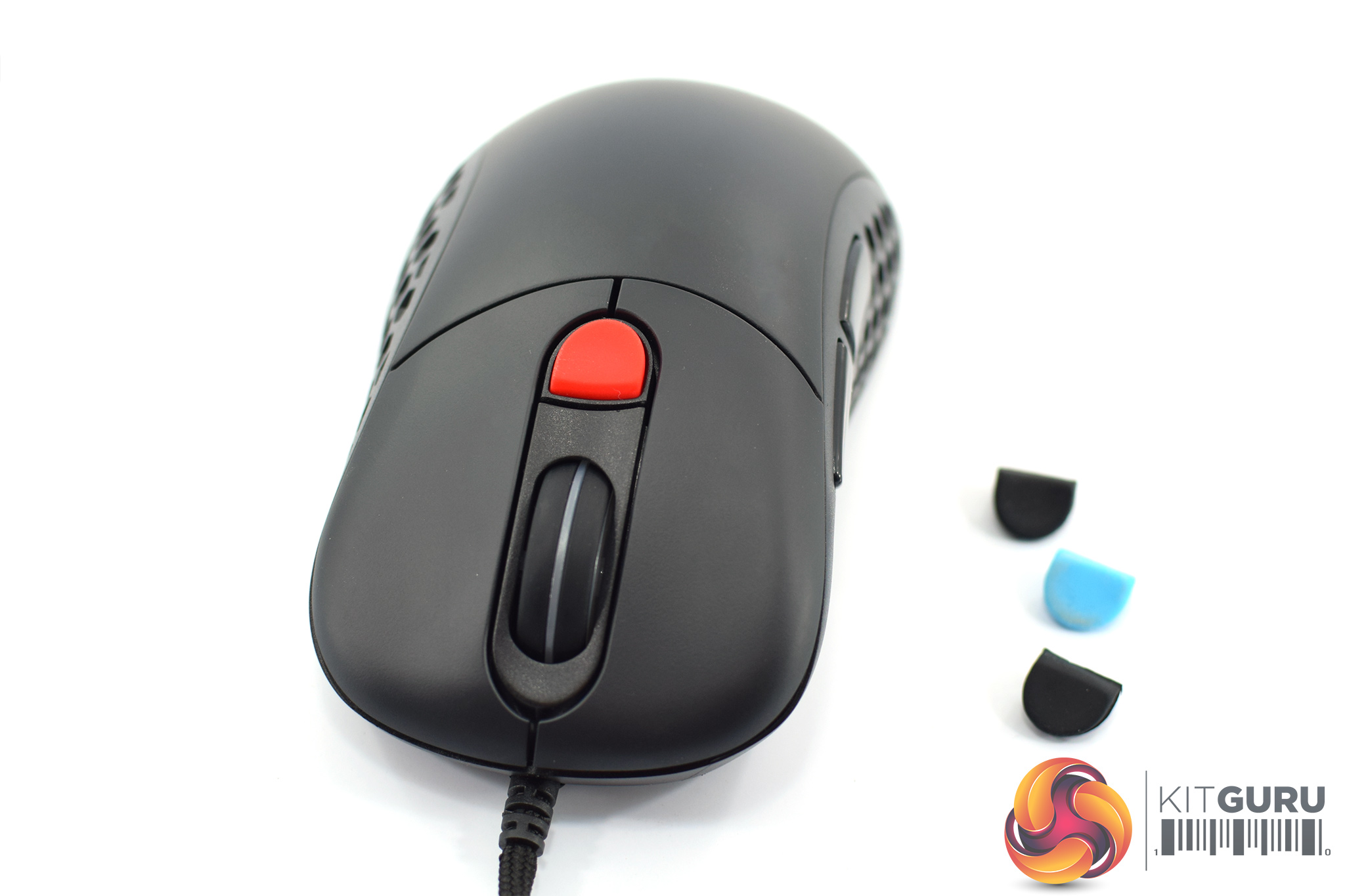
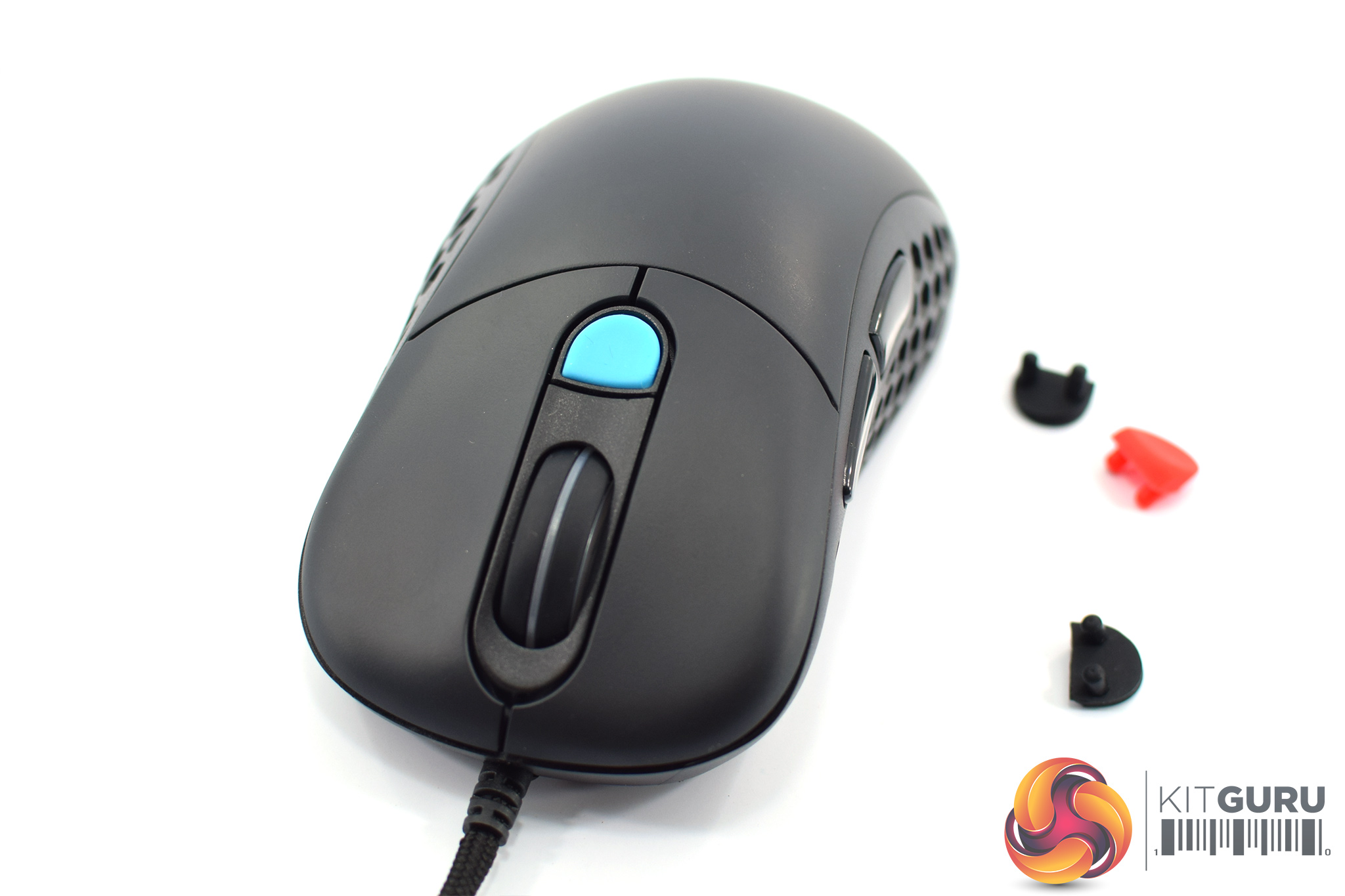
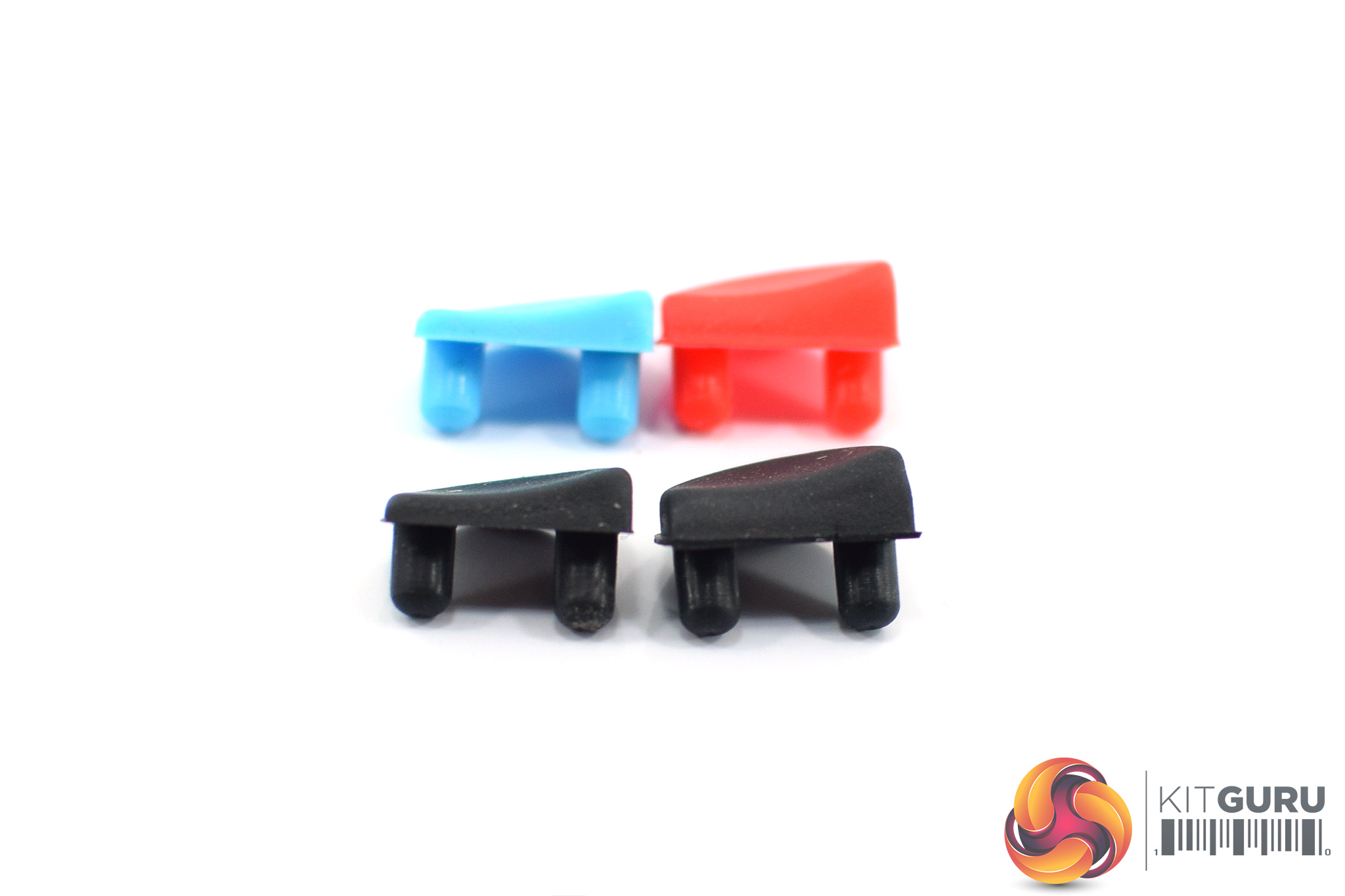
Additionally, the rubber DPI button is also removable – one comes pre-installed, and there's three in the box. Simply prise it out with your finger, and you can see each rubber piece simply slots into two small holes in the shell.
This isn't just for aesthetics, though, as you get a choice of two low-profile buttons and two high-profile ones – the blue is low-profile, the red is high-profile, and then one of each in black. This is another good addition from Sharkoon which just gives the end user a bit more choice here.
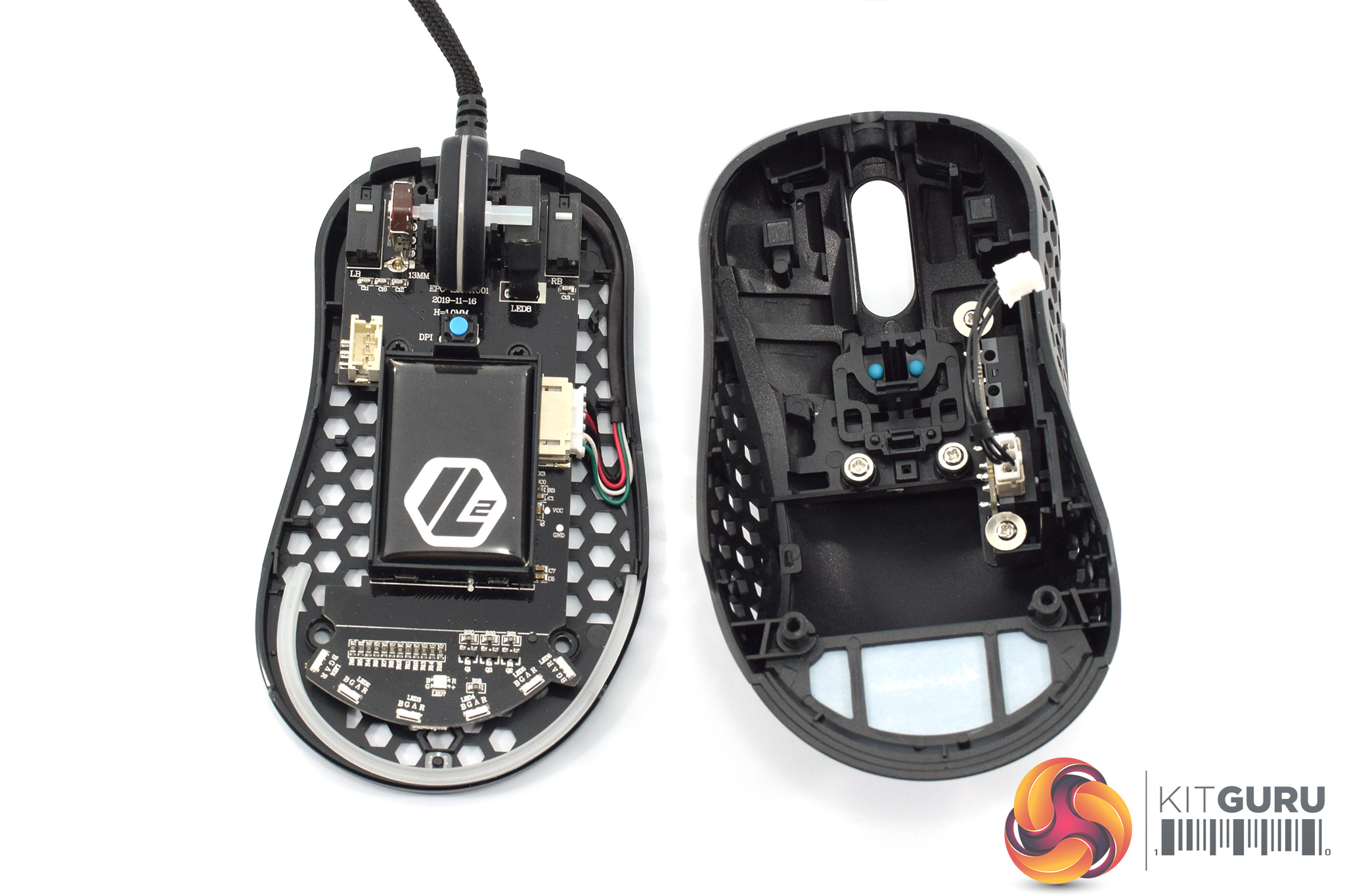
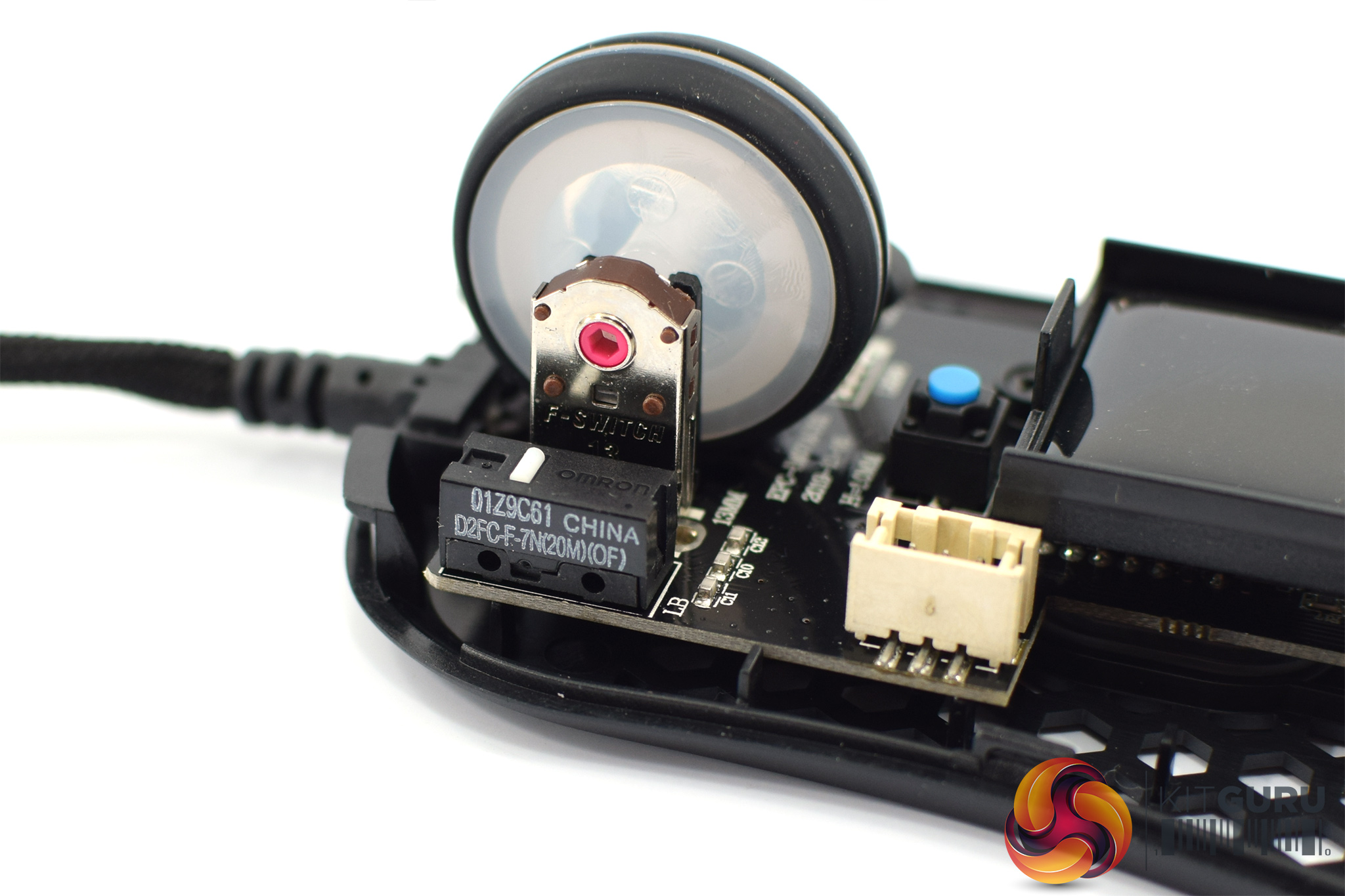
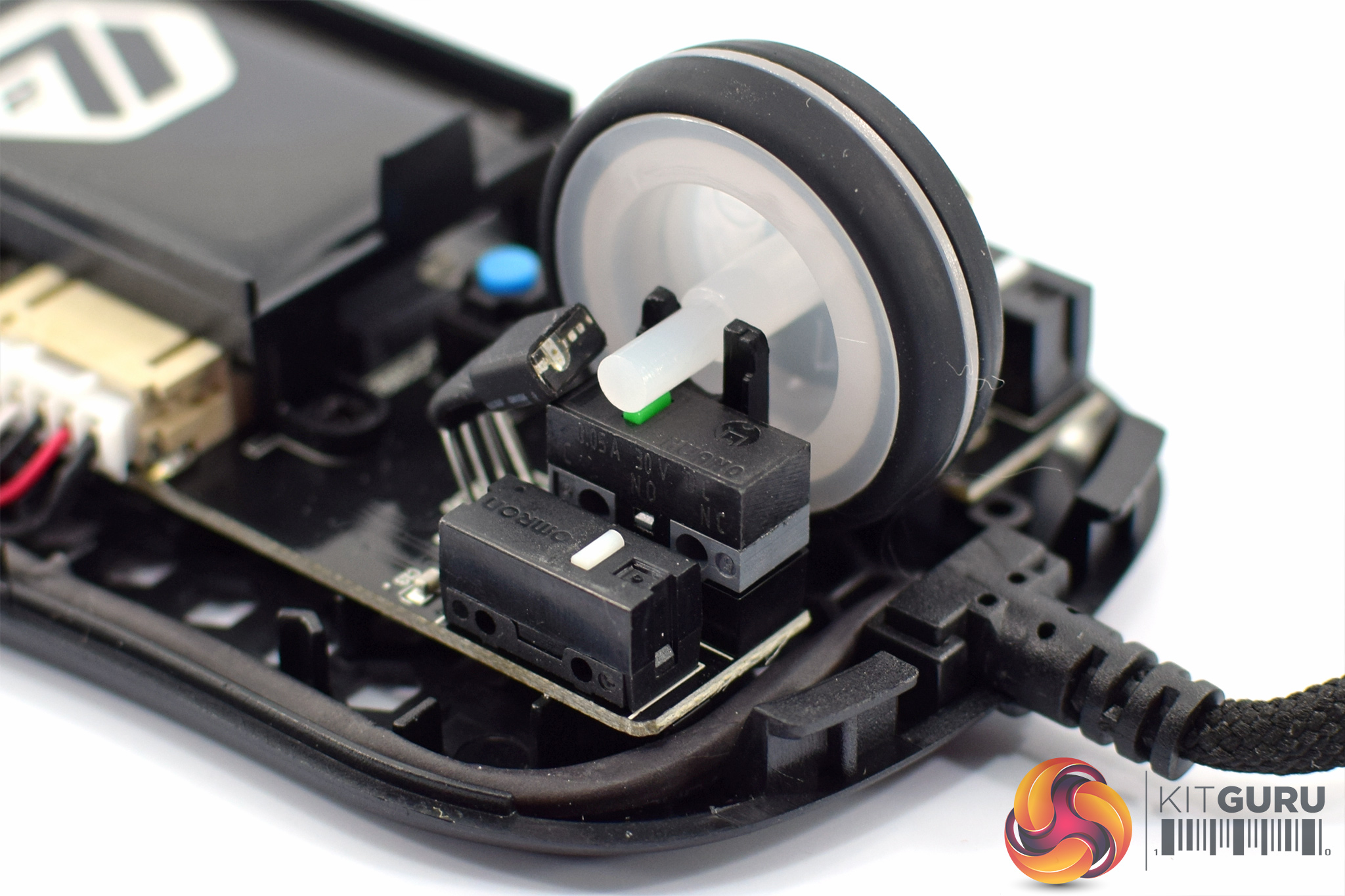
Disassembling the mouse, we can get a look at the buttons used. The primary buttons are Omron D2FC-F-7N(20M) which are widely used across the industry. We can also see the use of an F-Switch brown encoder, while the scroll wheel click uses a Huano green switch.
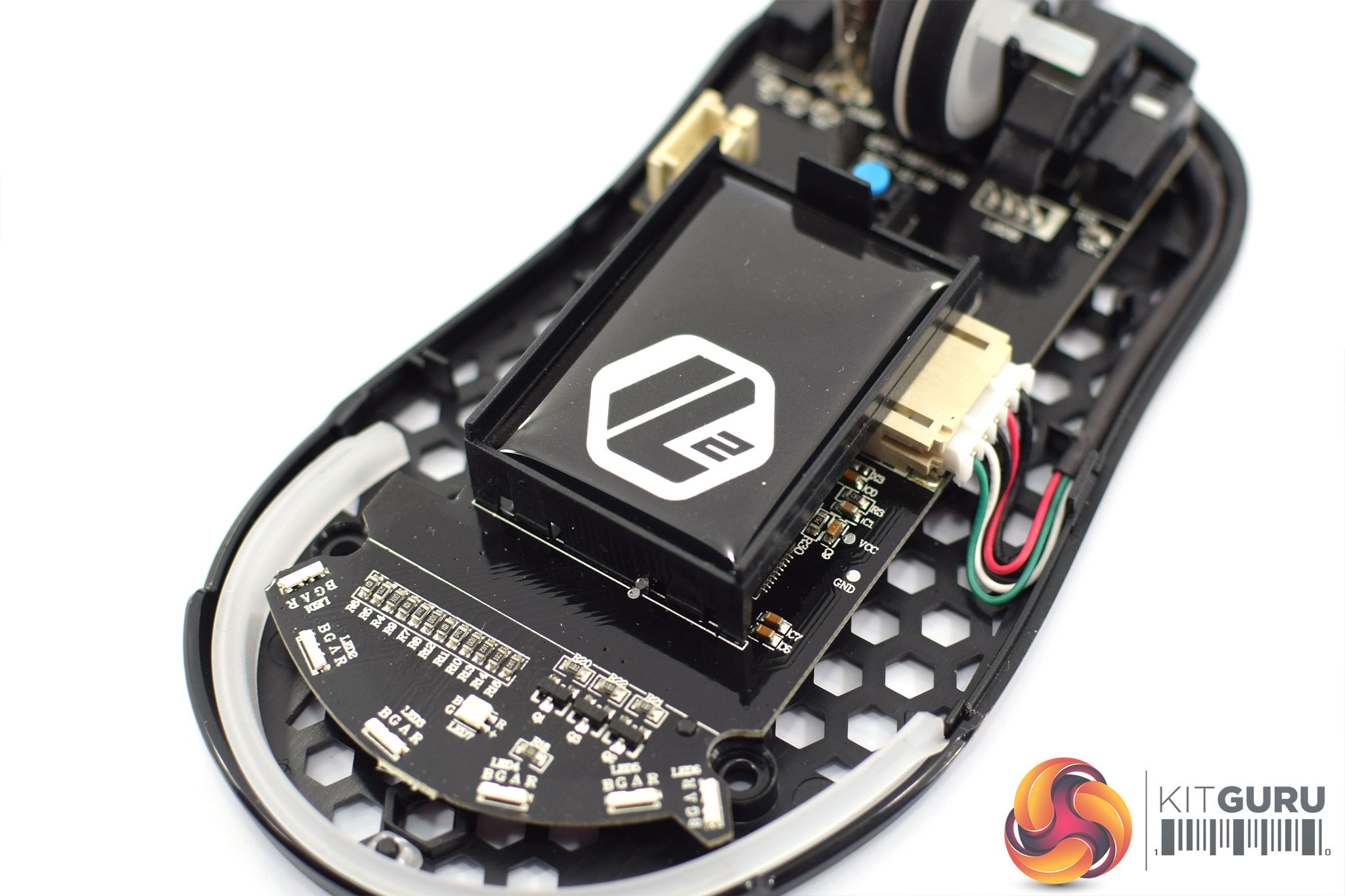
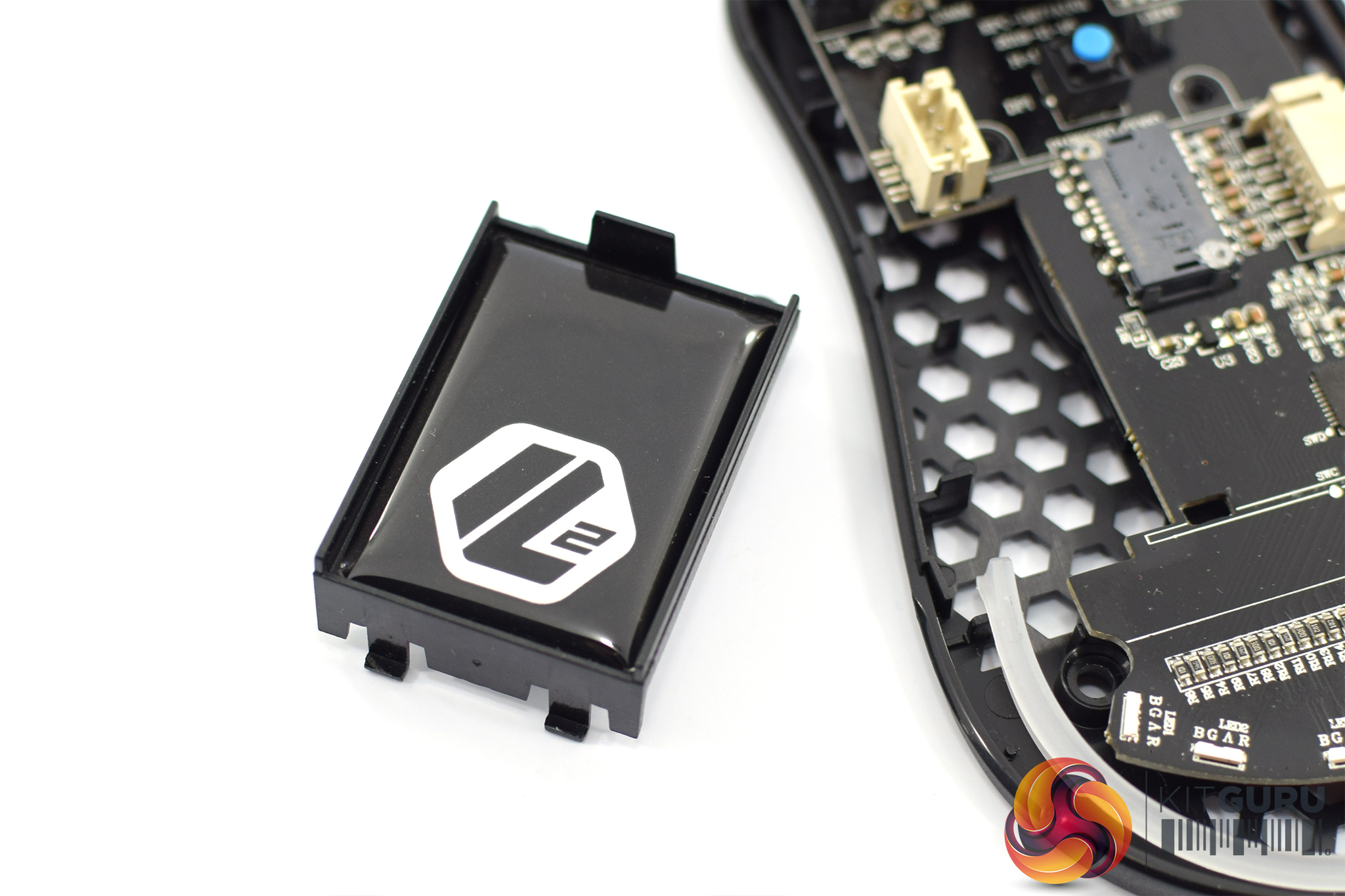
In the middle of the PCB, there's also a small piece of plastic, with the Sharkoon Light2 logo stuck on via adhesive. I asked Sharkoon about this and they said it is for aesthetic reasons, but also to provide some protection to the PCB (it sits directly over the sensor) should you spill a drink on the mouse etc.
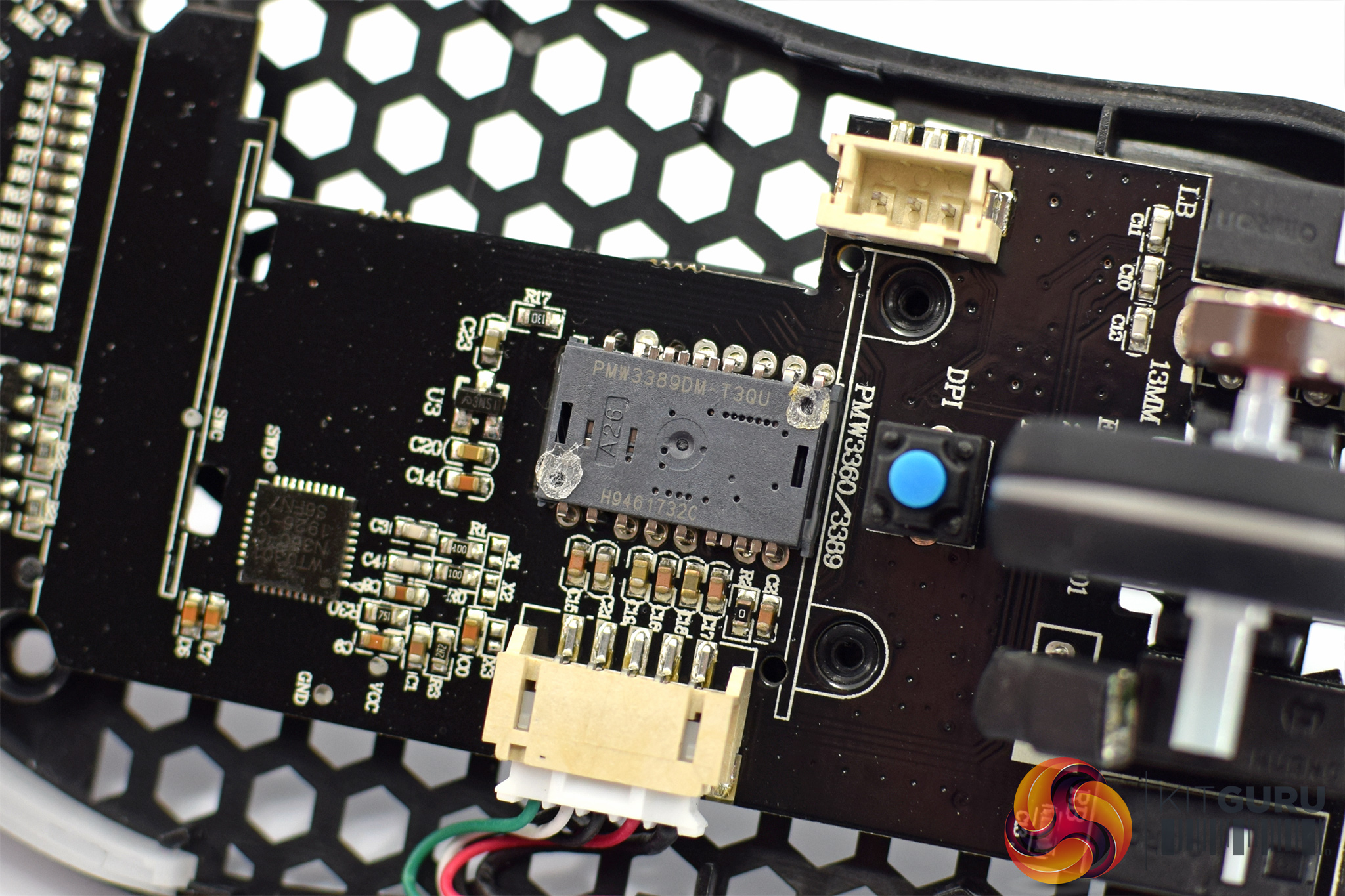
That piece can be removed with two small screws, and then we can also get a look at the PixArt PMW 3389 sensor used with this mouse.
To test the Light2 200, I used it as my daily driver for just under a week. We break down testing into four main sections: software, lighting, build quality and comfort, and performance.
Software
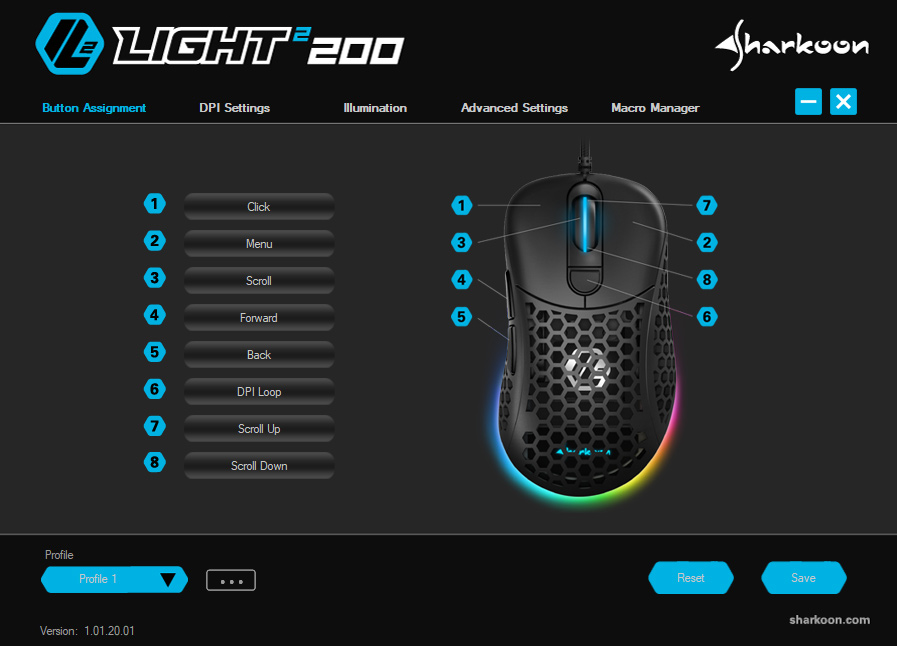
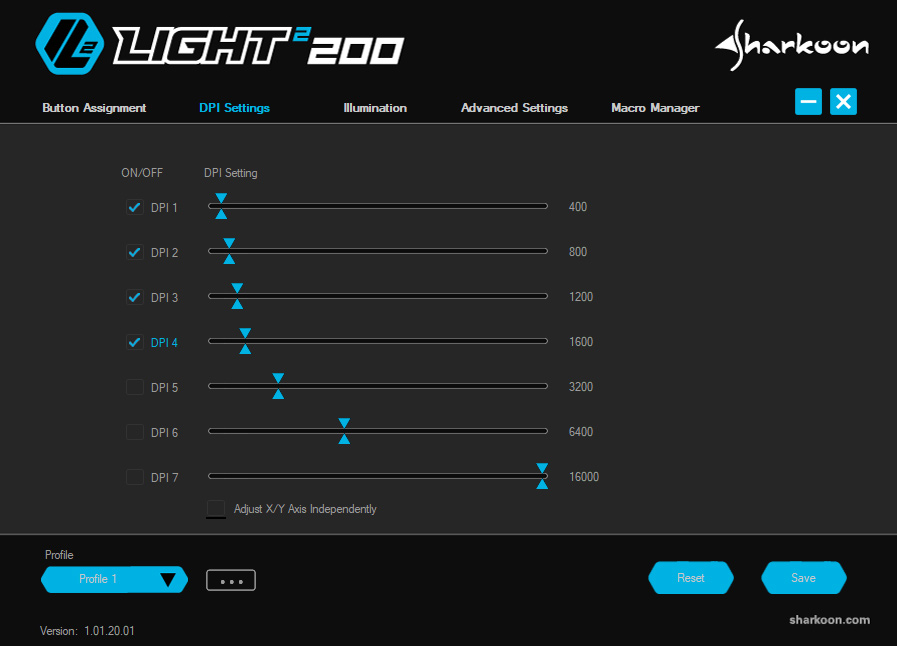
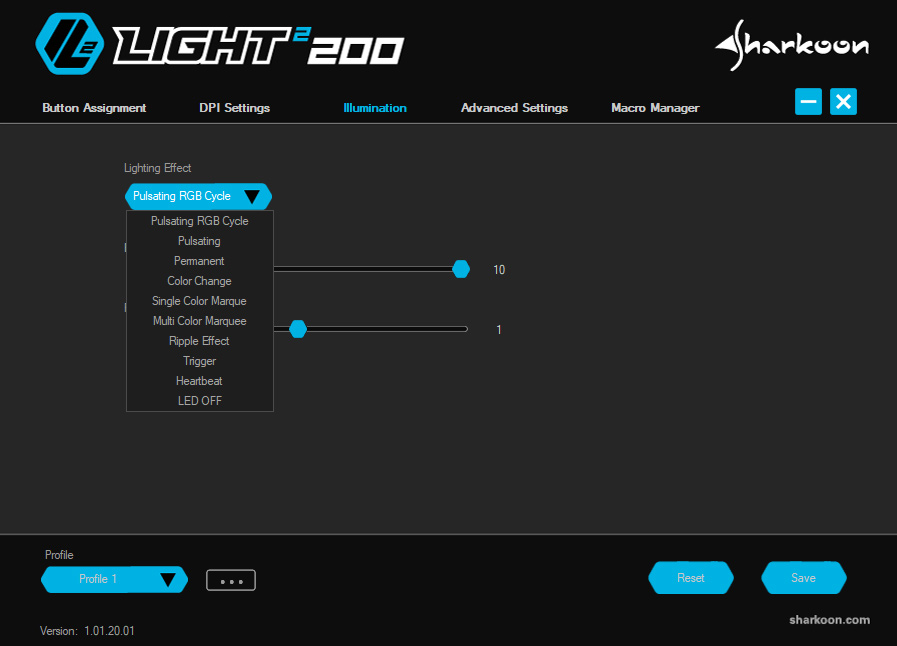
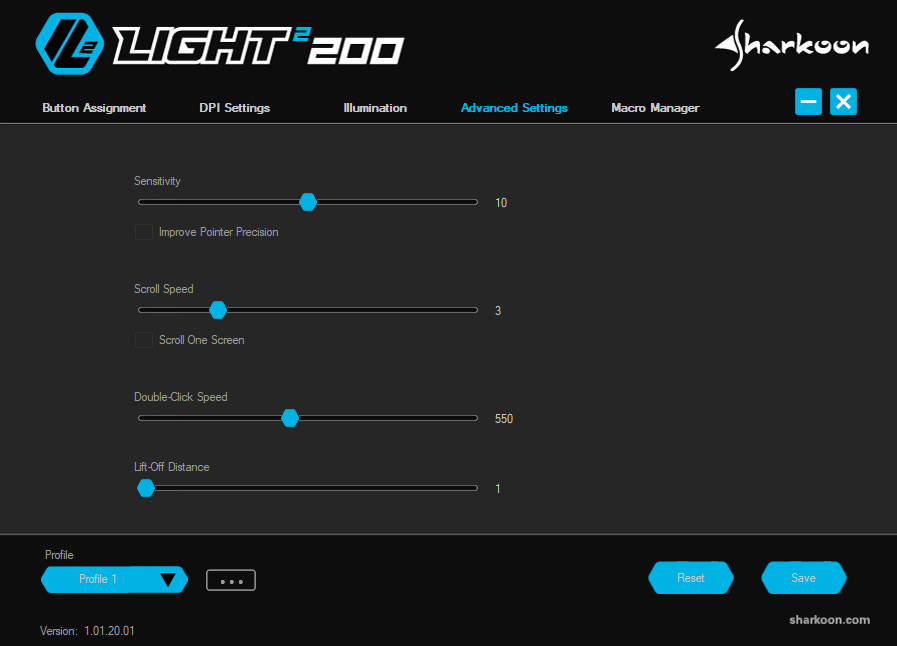
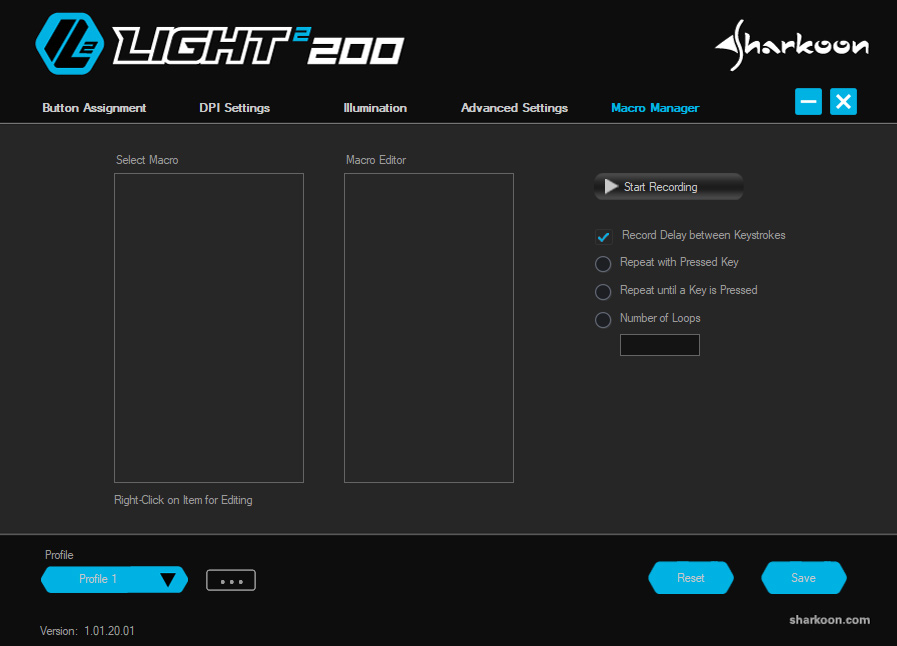
Starting with the software, this is a simple application from Sharkoon but I think it ticks most of the boxes. It's divided into 5 separate tabs:
- Button Assignment lets you re-map the 8 different button/wheel functions
- DPI Settings enables you configure up to 7 DPI stages, adjustable in increments of 50
- Illumination lets you choose from a range of lighting presets, adjust brightness and speed
- Advanced Settings offers control over mouse sensitivity, scroll speed, double click speed and lift-off distance
- Macro Manager is used to record and edit macros
Honestly, as far as software suites go, I've no major complaints here. The UI doesn't look as polished as Razer Synapse or Corsair iCUE, but there's control over a lot of different settings in the app – compared to something like the Glorious Model O software, this is definitely more in-depth.
Best of all, there's support for up to 5 on-board profiles thanks to 64KB mouse memory, so you can configure the settings to your liking and simply uninstall the software if you wish to.
Lighting
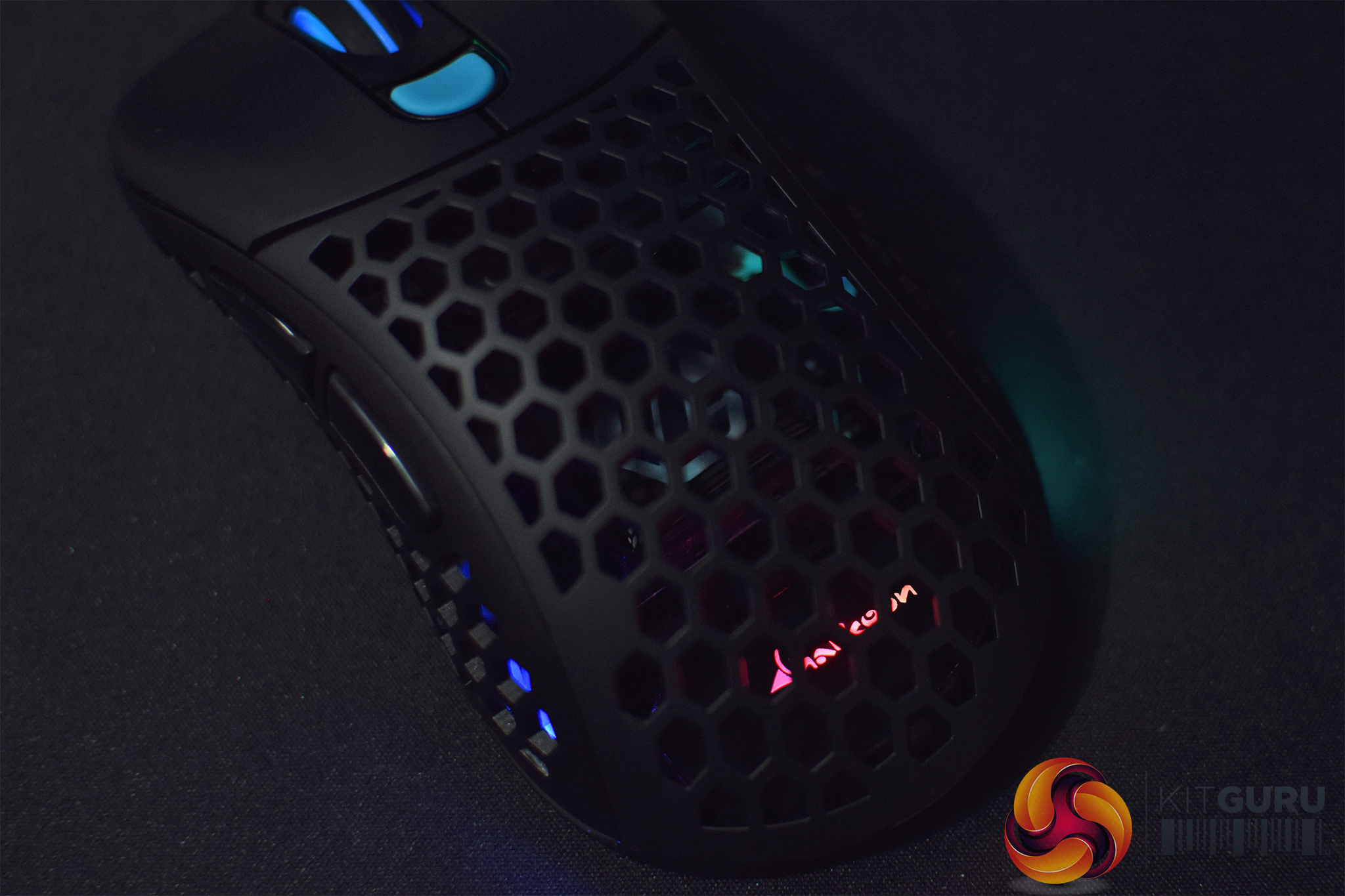
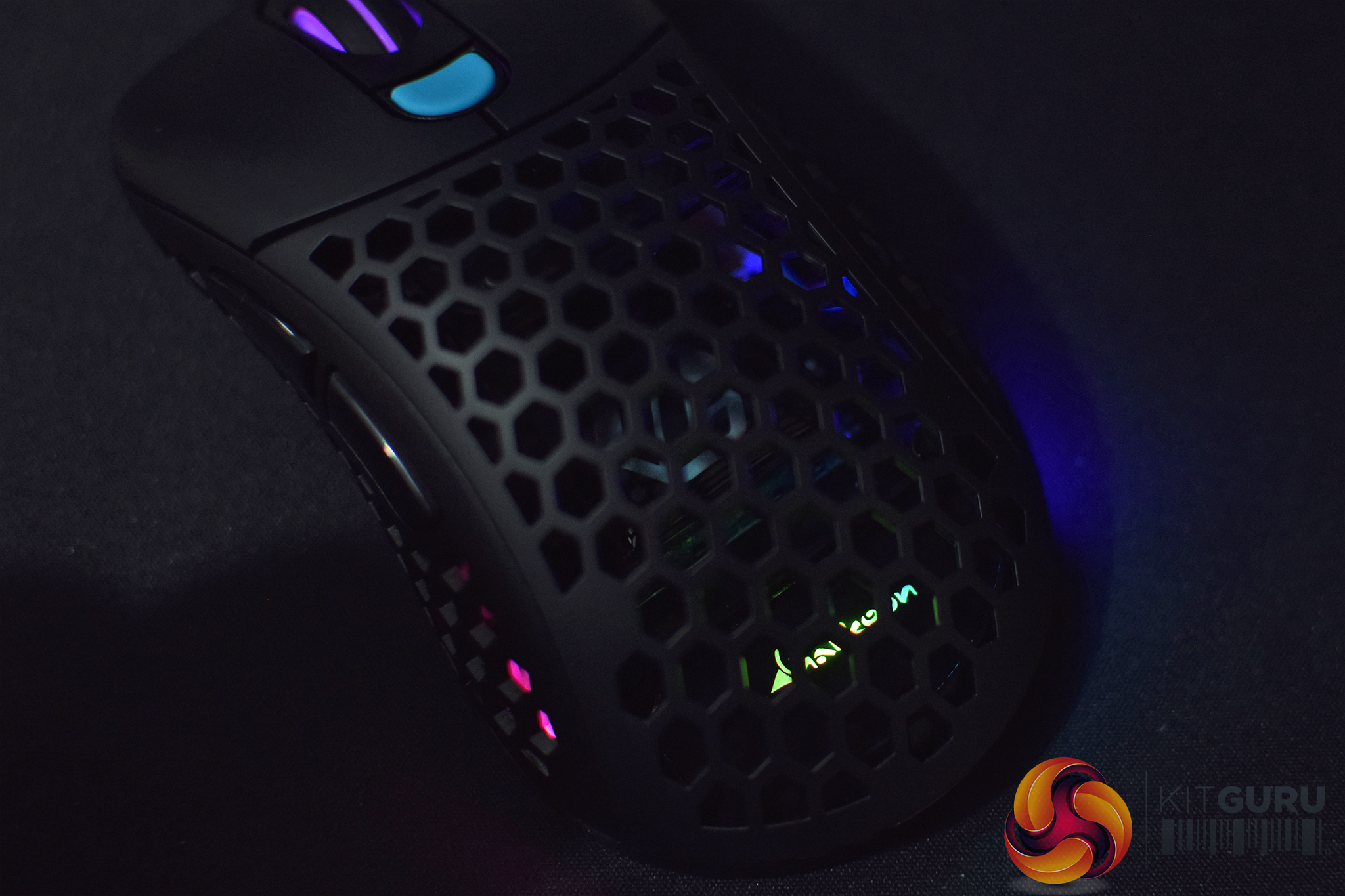
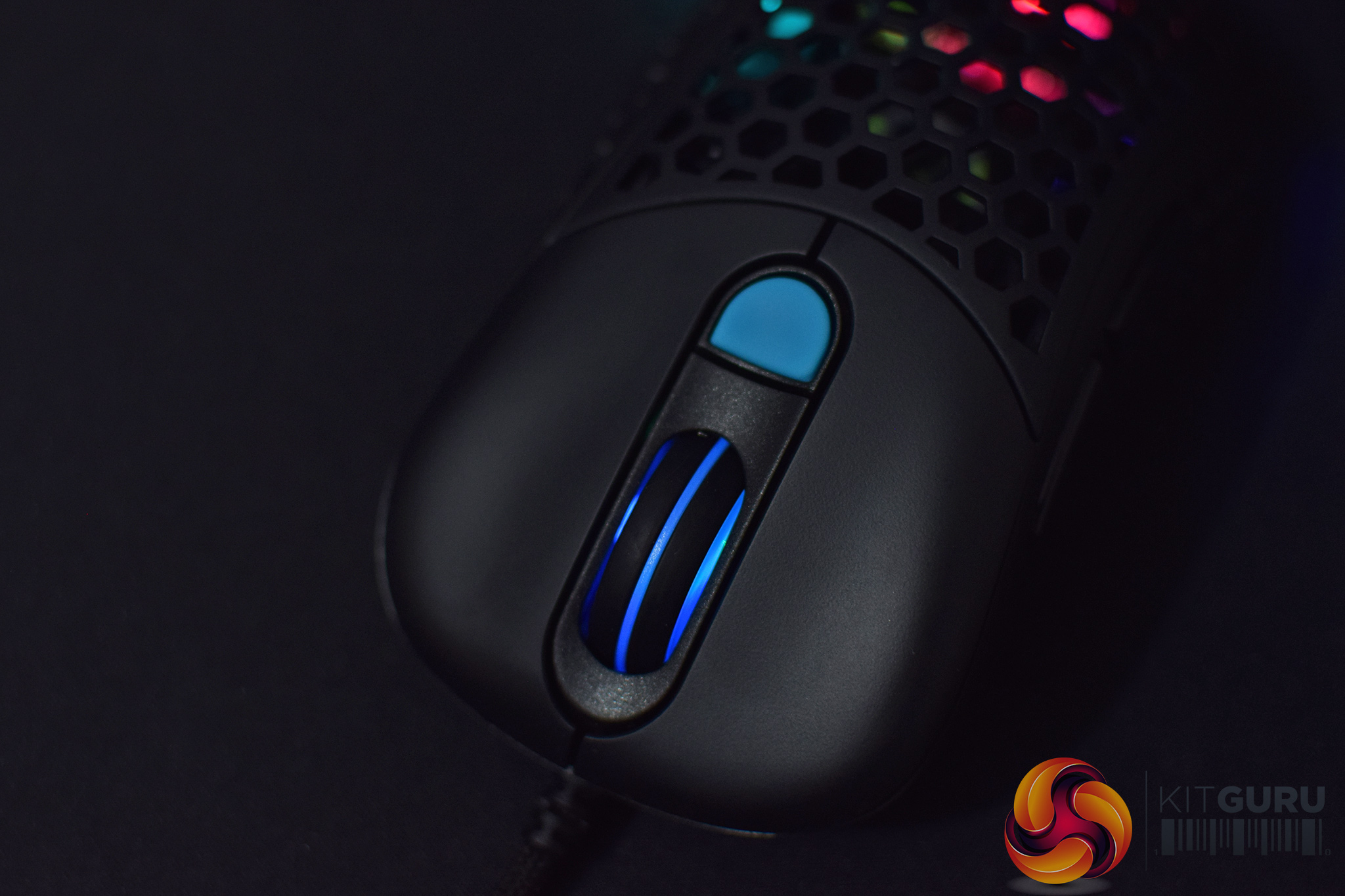
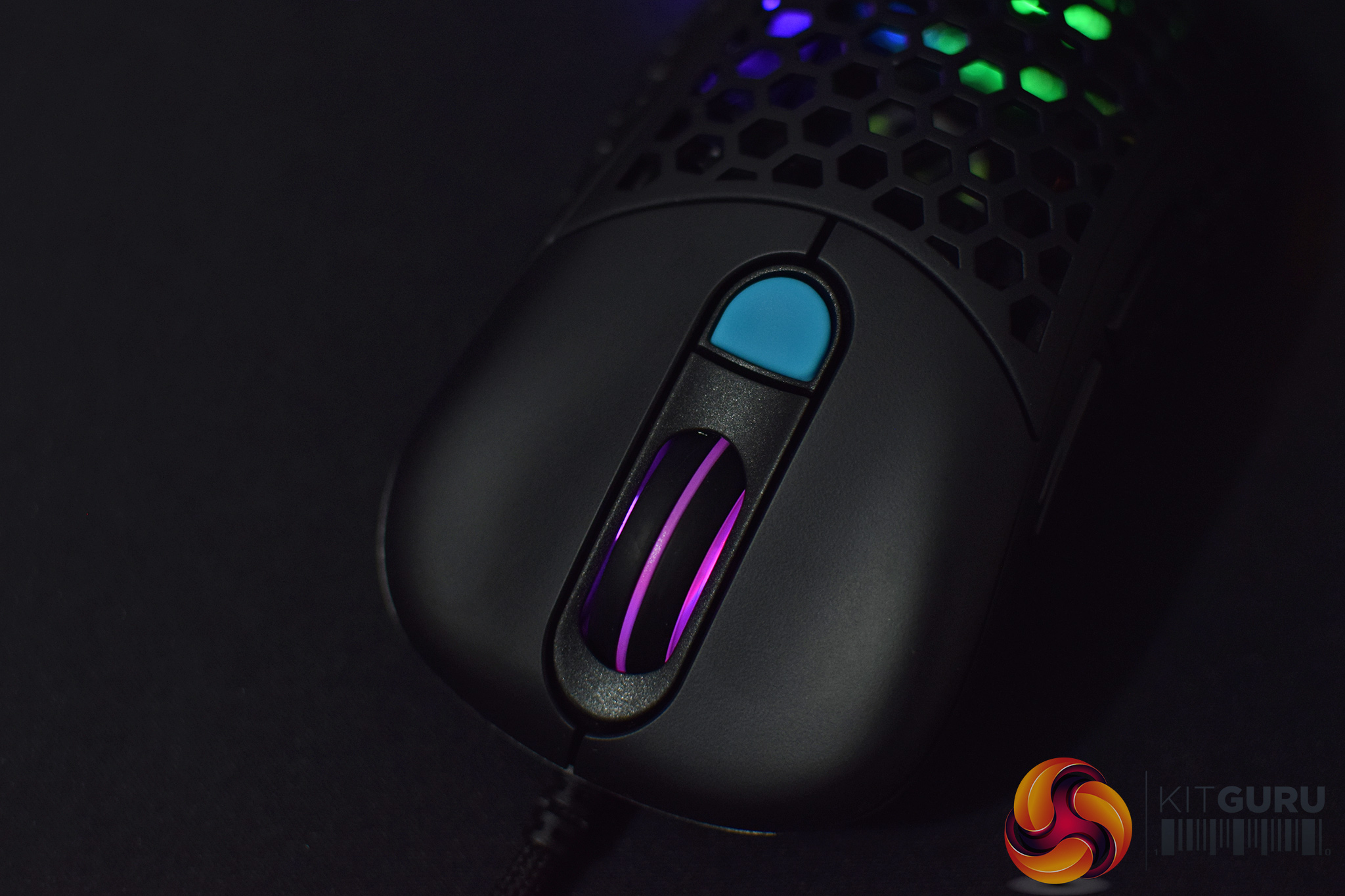
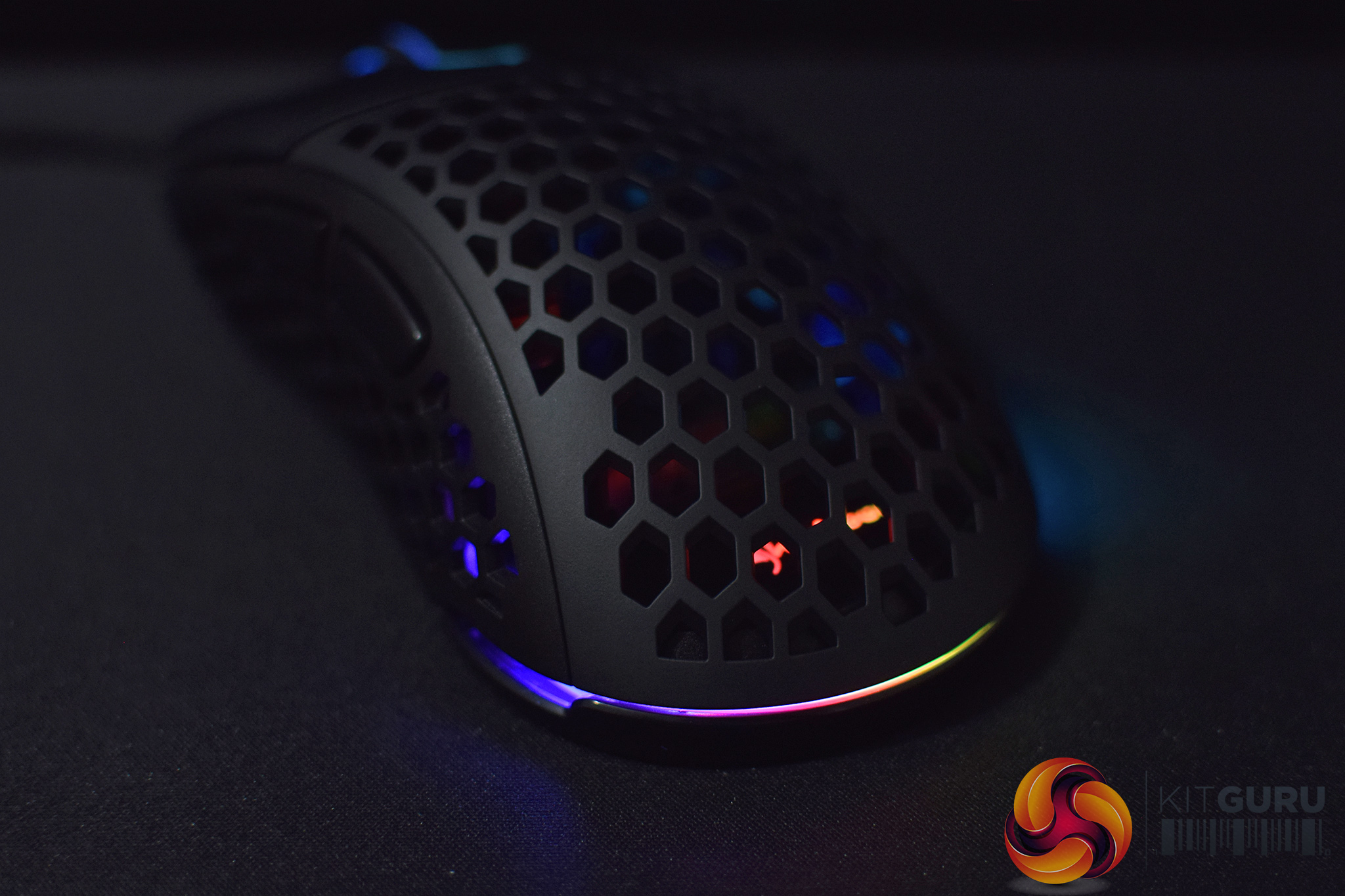
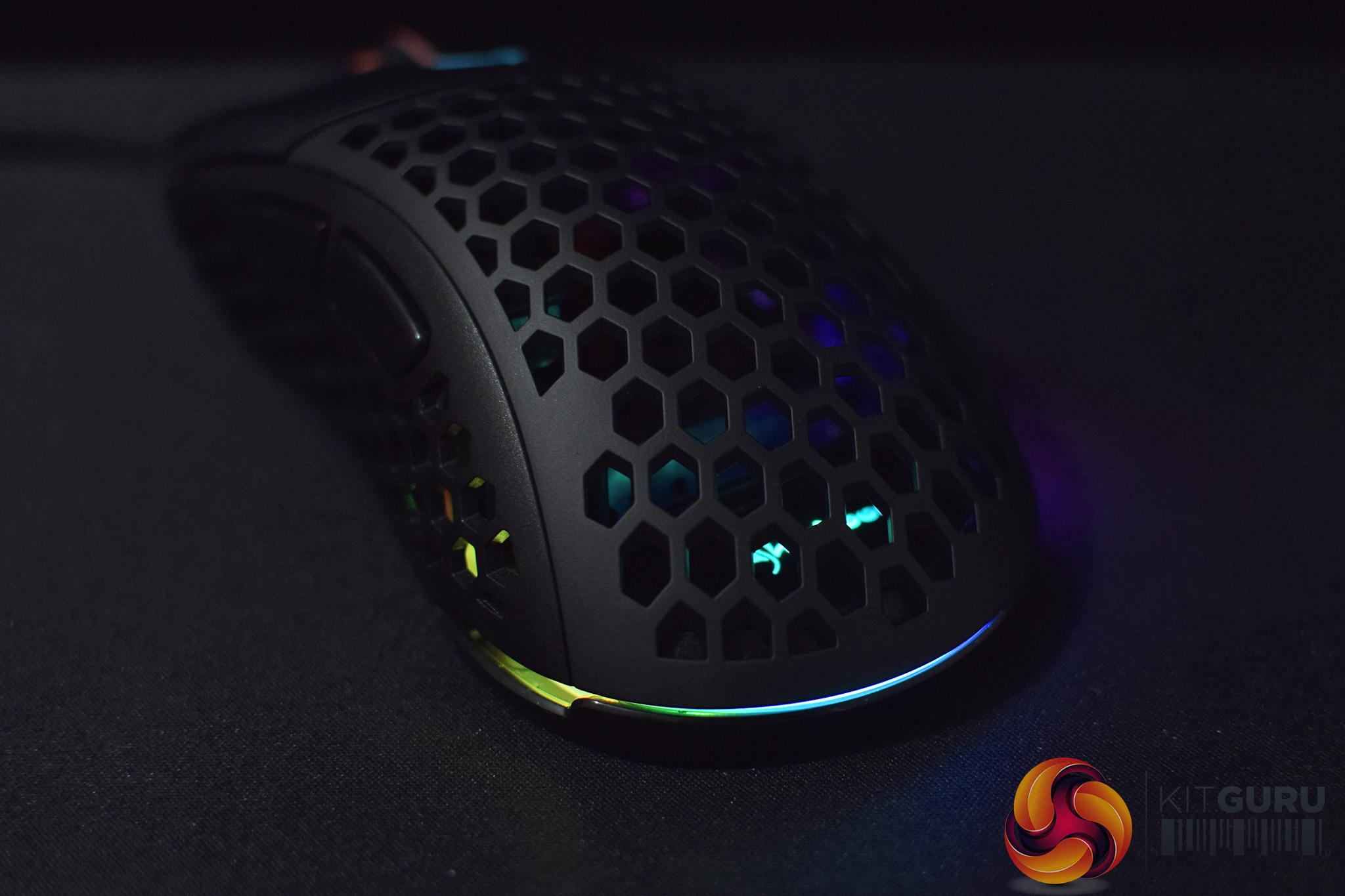
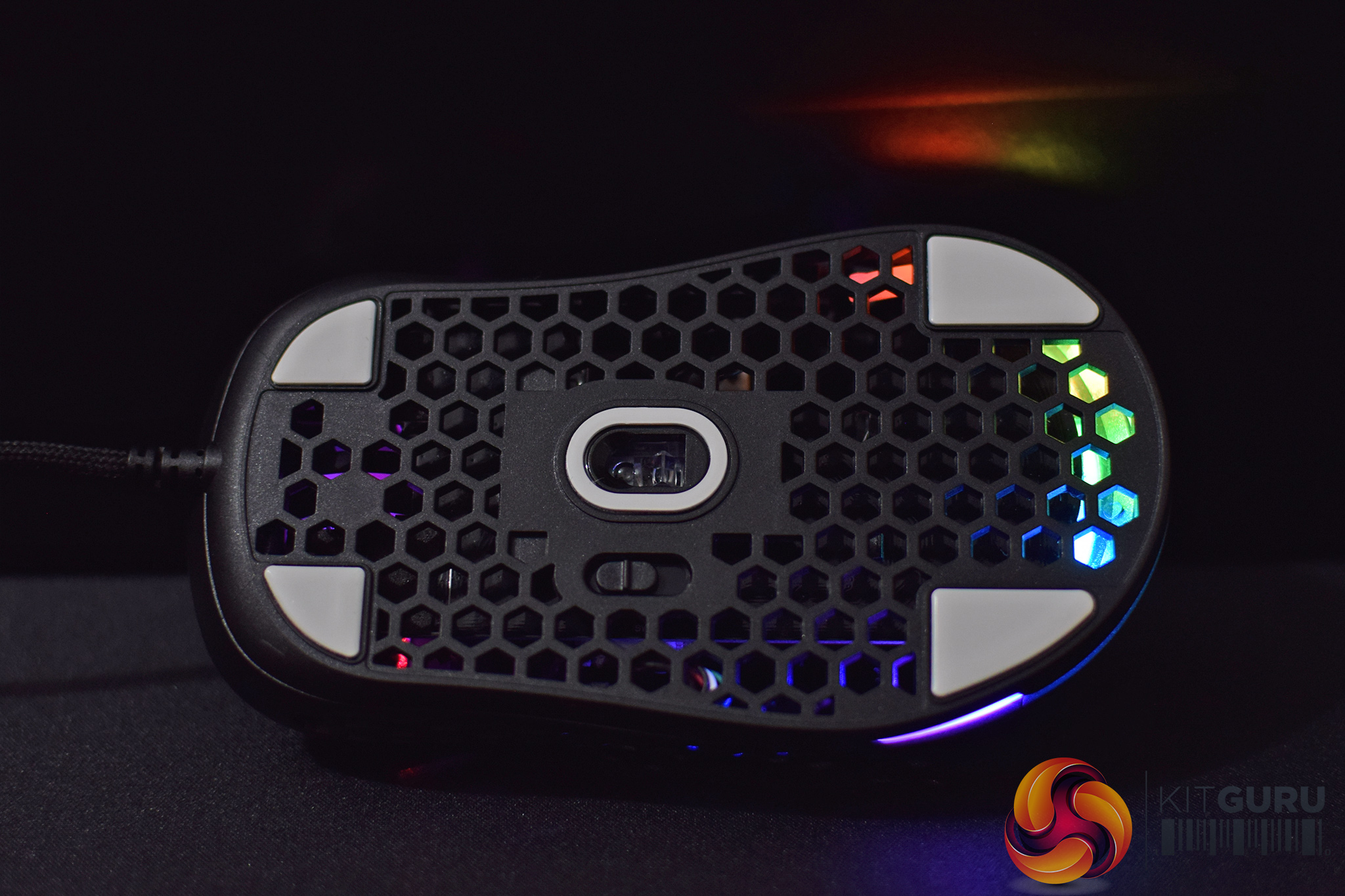
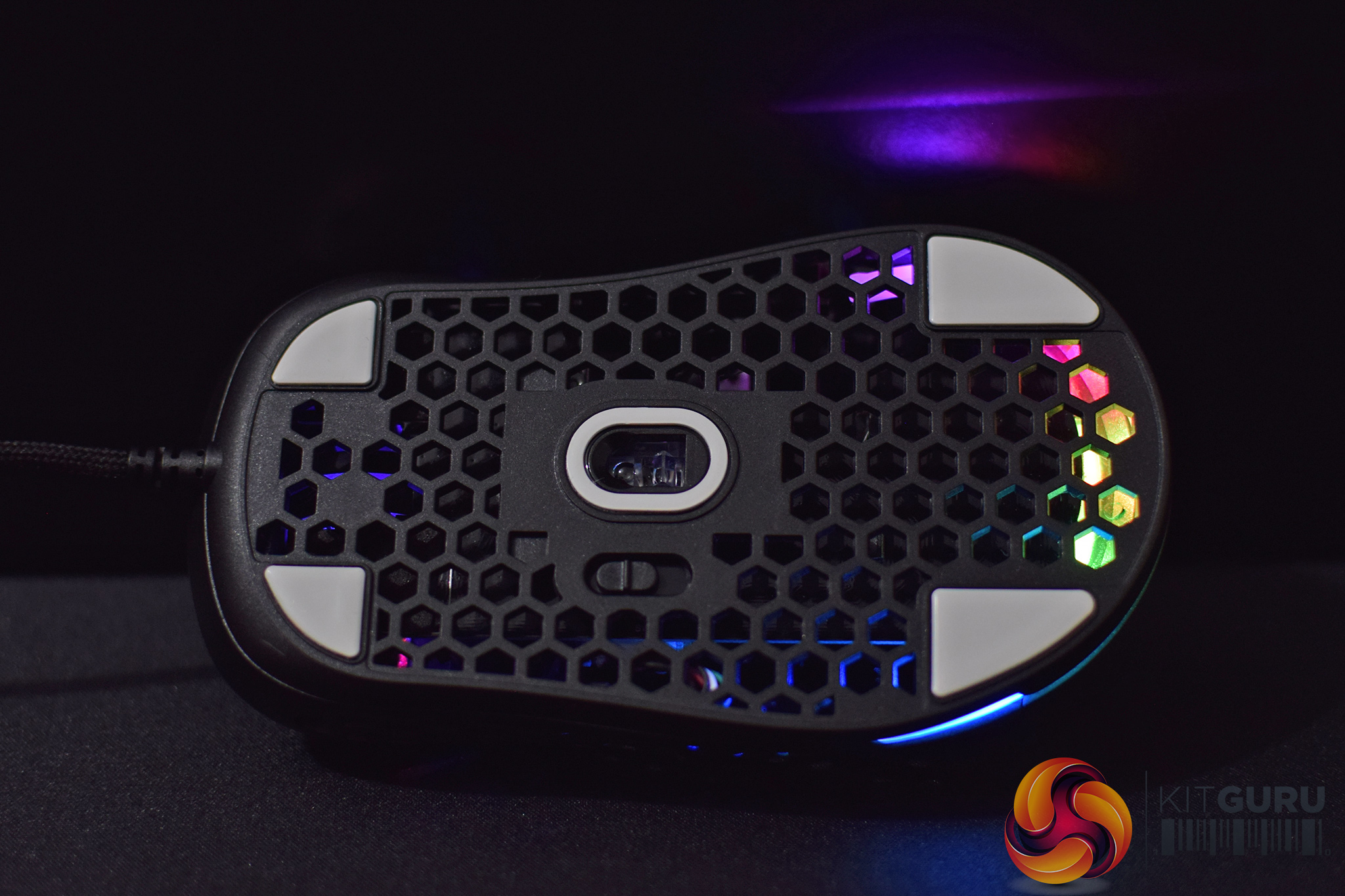
There's three RGB zones on the Light2 200 – the scroll wheel, the Sharkoon logo at the bottom of the PCB (under the shell), and then a small strip and the bottom of the mouse. I wouldn't say the mouse has blown me away with how good the RGB looks, primary because the LEDs aren't the brightest, but it's certainly passable and there's a number of effects to choose from in software.
Build quality and comfort
Moving onto overall build quality, this is an interesting area given the trend of ultra-lightweight mice – certainly, filling a mouse shell full with holes isn't going to make it any stronger. That said, I can't really complain of any major issues with the Light2 200's build quality, but there's just a couple points to note.
First of all, I did notice a small amount of flex to the top of the shell when pressure was applied. However, I didn't notice any flex during normal use, it was only when I deliberately pressed down hard on the mouse that this would happen, so it's not a factor for normal everyday use.
In a similar fashion, you can actuate the buttons on the left-side of the mouse by squeezing the sides of the mouse shell. Again, though, when I was gripping the mouse normally, this simply did not occur – to get the buttons to actuate you have to use an unreasonable amount of force that it's simply not going to happen during normal usage.
Impressively, there is also no audible rattle when using the mouse, even when I picked it up and gave it a good shake I couldn't hear any rattle from either the sensor lens or the scroll wheel.
In terms of comfort now, there's a good chance you have used a Zowie EC mouse already, and if you haven't something like the Razer Mamba or SteelSeries Rival is going to give you a good idea whether or not you would like the shape. Simply put, this mouse can work for pretty much any grip type, depending on your hand size. I myself have 18.5x9cm and found it comfortable to claw or palm grip. If your hands are on the bigger side, then the Light2 200 may be slightly small, but for a lot of people this is going to be a very safe ergonomic shape.
The only other thing I noticed in terms of comfort is related to the removable top shell of the mouse. On just a few occasions I noticed this removable panel moving ever so slightly under my palm, just towards the bottom of the mouse where it is held in place with two magnets. This really didn't happen much during my testing, but every now and again I felt the shell move slightly. I wouldn't say it's a big deal, but if Sharkoon could eliminate the slight movement entirely in a future revision, that would only improve things.
Performance
Now it's time to talk about how the Light2 200 performs day to day. I'll start by touching on the primary buttons, and I have to say these are some of the best I have used in a gaming mouse. The actuation is light and crisp, yet still very satisfying and I was able to repeatedly mash them at high speed. There is only minimal pre- and post-travel from the shell, too, maybe slightly more than something like the Endgame Gear XM1, but overall these are excellent primary buttons.
The side buttons are also very good, with essentially no pre-travel and a light and fast actuation. The buttons are also nice and low-profile so they didn't interfere with my grip at all. I did notice just a small amount of wobble from these buttons when resting my thumb on top of them, but nothing significant whatsoever.
As for the scroll wheel, this again has a tight and satisfying click – it's on the heavier side to click in so rapid presses may be tricky, but I had no issues using it for frags in PUBG. I wasn't as keen on the scrolling experience though, as the steps aren't that well defined – it's easy to flick the wheel and get some serious movement from it, but you don't get as tight or well defined steps when scrolling slowly which I did miss here.
In terms of sensor performance, as the Light2 200 uses the PixArt PMW 3389 – a top of the line optical sensor – I wasn't expecting any issues and that's exactly how things played out. Simply put, whether I was editing photos at 400DPI or gaming at 1200DPI, I had no issues with overall tracking and couldn't detect any unwanted acceleration or jitter. As a final point, I couldn't get the sensor to spin out either, no matter what I tried, so all around top marks here.
The Light2 200 also offers software control over the mouse's lift-off distance (LOD), with three settings available. The first setting, ‘1' (which I presume means ‘1mm'), would not track with the mouse set 1 DVD high from the ground. Raising this to setting ‘2' would track on from 1 DVD high, but stopped tracking at 2 DVDs. The final setting, ‘3', would track from 1 and 2 DVDs high, but stopped tracking at 3 DVDs. Overall behaviour is pretty much as expected then.
Finally, we must also mentioned the cable. It's 1.8m long and braided, supposedly ‘ultra-flexible', and in my experience it is overall a passable cable but ‘ultra-flexible' is definitely pushing it too far. Definitely compared to the likes of the Cooler Master MM711 or Xtrfy M4, the Light2 200's cable does feel noticeably thicker and slightly less flexible than those two competitors. I found it best when using the cable in a bungee to reduce its overall movement.
To be clear, I wouldn't say it is a bad cable at all, but relatively speaking it is the main area to be improved for Sharkoon.I've not used a Sharkoon mouse in a long time and wasn't sure what to expect when this box turned up on my doorstep. Thankfully, it's been a joy to use the Light2 200 as it is an excellent mouse.
Sharkoon hasn't really pushed the boat out too far with this gaming rodent, as you could crudely describe the Light2 200 as a ‘lightweight Zowie EC with lots of holes', and broadly speaking that is the essence of this mouse. However, it still takes work to take that central idea and turn it into a successful mouse, and that is exactly what Sharkoon has done.
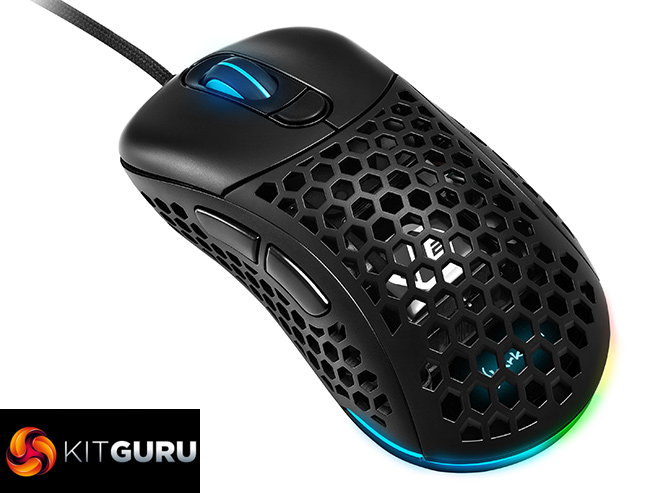
Build quality, for instance, is reassuringly sturdy, with only minor flexing once significant pressure is applied. The primary and side buttons are also excellent, while Sharkoon also offers a good level of options in its software app.
Additionally, I like to see Sharkoon going the extra step and giving users replaceable top shells for the mouse – you can have either a solid shell or stick with the honeycomb hole panel which comes installed out of the box. You can also swap out the DPI buttons, with a choice of two low-profile and two high-profile buttons depending on your preference.
As for my issues with the mouse, the list is pleasingly short. The main area to be improved is undoubtedly the cable, as despite Sharkoon's best efforts to make us think this is ‘ultra-flexible', it's certainly got room for improvement in terms of its overall flexibility. Other than that, though, the RGB lighting could be brighter and the scroll wheel could have more defined steps, but those are hardly major criticisms.
All-in-all, the Sharkoon Light2 200 is a really good, ergonomic gaming mouse. Priced at just £43.99, or 49.99 Euros, it is also very well positioned in the market with a very competitive price. If you want to try an ultra-lightweight mouse that won't set you back $120, this is well worth buying.
You can buy the Light2 200 from Amazon UK for £43.99 HERE.
Discuss on our Facebook page HERE.
Pros
- Great, ergonomic ‘Zowie EC' shape.
- Impressive build quality.
- Replaceable top panel and DPI buttons.
- Flawless sensor performance from the PMW 3389.
- Primary buttons are also very good.
- Software offers good level of control, coupled with on-board memory.
Cons
- Cable could be improved.
- RGB LEDs are on the dim side.
- Scroll wheel steps could be tighter.
KitGuru says: The Sharkoon Light2 200 is a very good mouse at an equally attractive price-point.