 KitGuru KitGuru.net – Tech News | Hardware News | Hardware Reviews | IOS | Mobile | Gaming | Graphics Cards



Dell seems to be waging a war on the monitor bezel. Our first look at the company's InfinityEdge technology came in the form of the Dell UltraSharp 24 InfinityEdge U2417H 24in Monitor, which was a decidedly capable screen. Our second look comes in slightly larger form, with the Dell S2718H 27in model. This isn't another unit from Dell's high-end UltraSharp range, but it has a few extra tricks up its sleeve, such as HDR and a more meaty built-in speaker system than most screens.
The S2718H is more of an everyday monitor than the U2417H. For a start, although it's a 27in model, the resolution remains 1,920 x 1,080, where 2,560 x 1,440 is more normal for this screen size. This is still an IPS panel, so image quality should be good, but whilst the 1000:1 contrast rating is typical for this screen type, as is the 6ms gray-to-gray response time, the brightness of 250cd/m2 is merely average.

One unusual inclusion is support for AMD's Freesync technology. You normally expect to see this on screens aimed specifically at gaming, and with high refresh rates available, but this screen has a recommendation of 60Hz at its native resolution. Another slightly surprising choice is the input selection, with just HDMI and VGA available – no DisplayPort. This probably won't be an issue with the target market, but not every graphics card offers HDMI, so an adapter would be required.
Sadly, there's no USB hub included either, although the detatchable speaker unit is rated at 12W, which is relatively loud for monitor sound. The stand can be adjusted for tilt 5 degrees forward and 21 degrees back, but no swivel or height changes are possible. This is clearly an everday screen, but the price is very competitive for 27in, at just over £250 inc VAT. Let's find out if the S2718H has what it takes for a value recommendation.
Specification:
Screen size: 27-inch, 16:9 aspect
Native resolution: 1,920 x 1,080
Refresh rate: 60Hz
Panel type: IPS
Contrast ratio: 1,000:1
Brightness: 250cd/m2
Response time: 6ms grey-to-grey
Display inputs: HDMI, VGA
USB hub: No
Tilt: Yes
Raise: No
Swivel: No
Other: Headphone jack, audio input minijack, built-in 12W speakers.
Retail Price: £256 (inc. VAT)
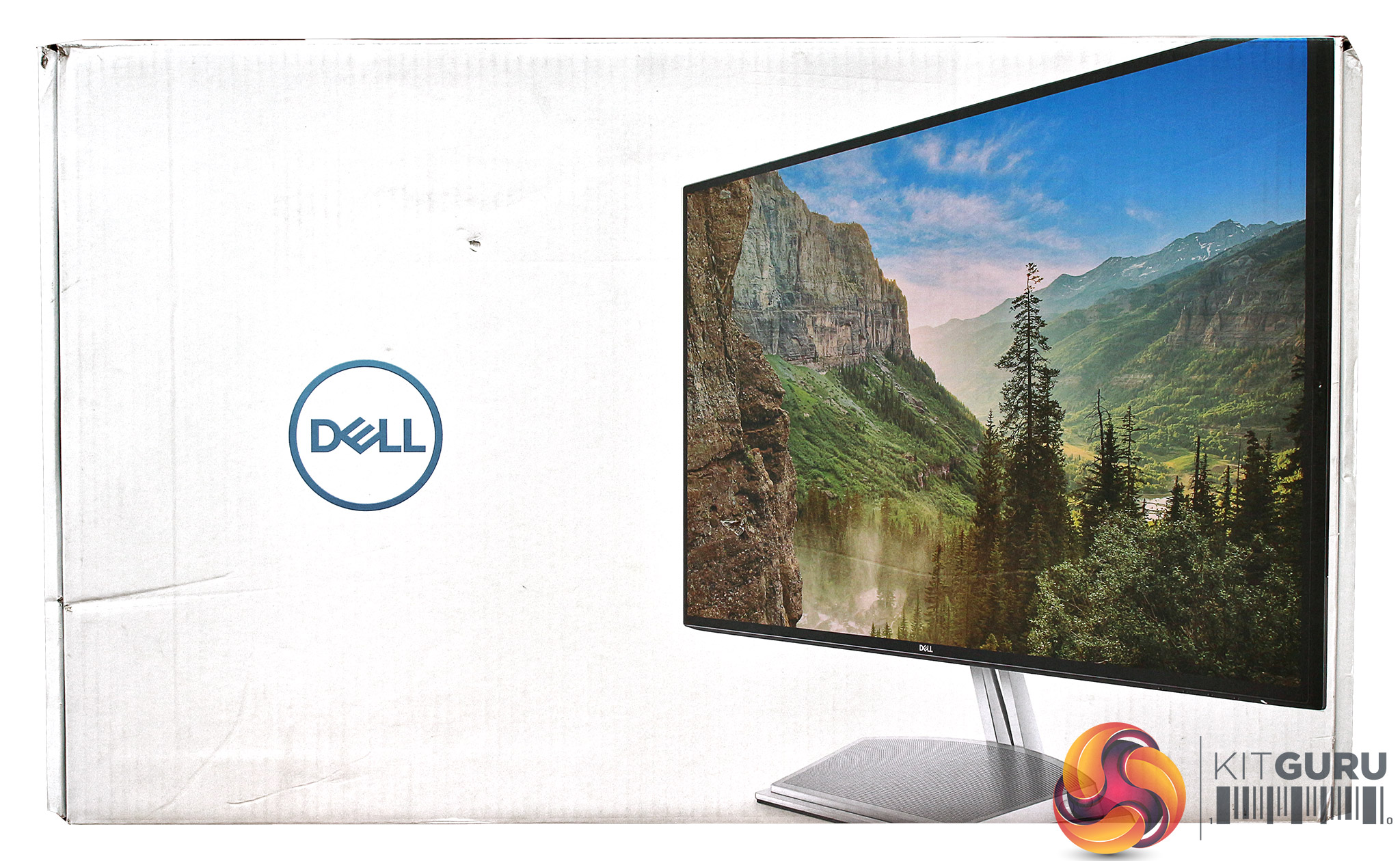
The S2718H is relatively easy to remove from its box, unlike some screens.
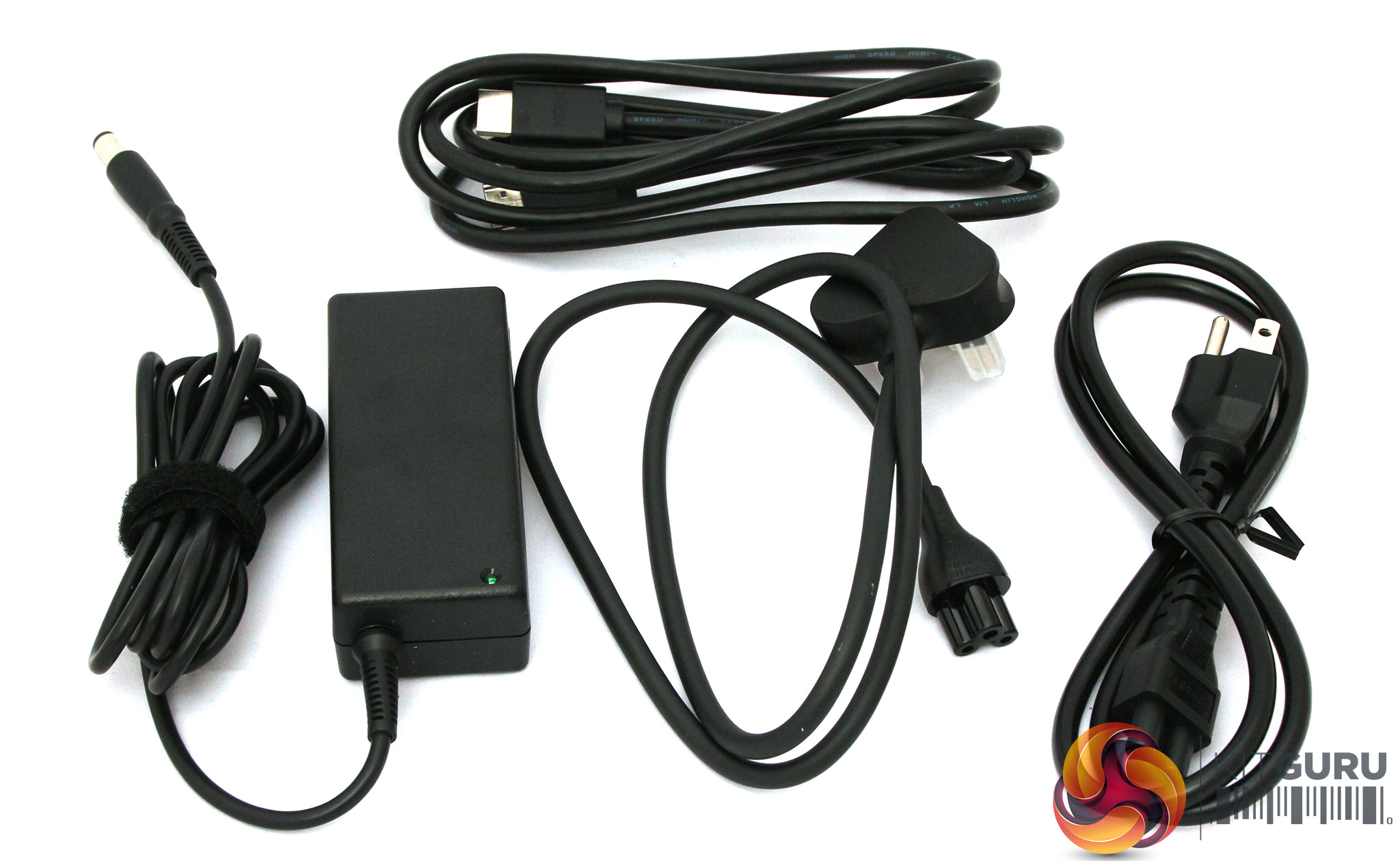
Aside from the external power adapter and cables for UK and European sockets, there's just an HDMI cable included in the bundle.
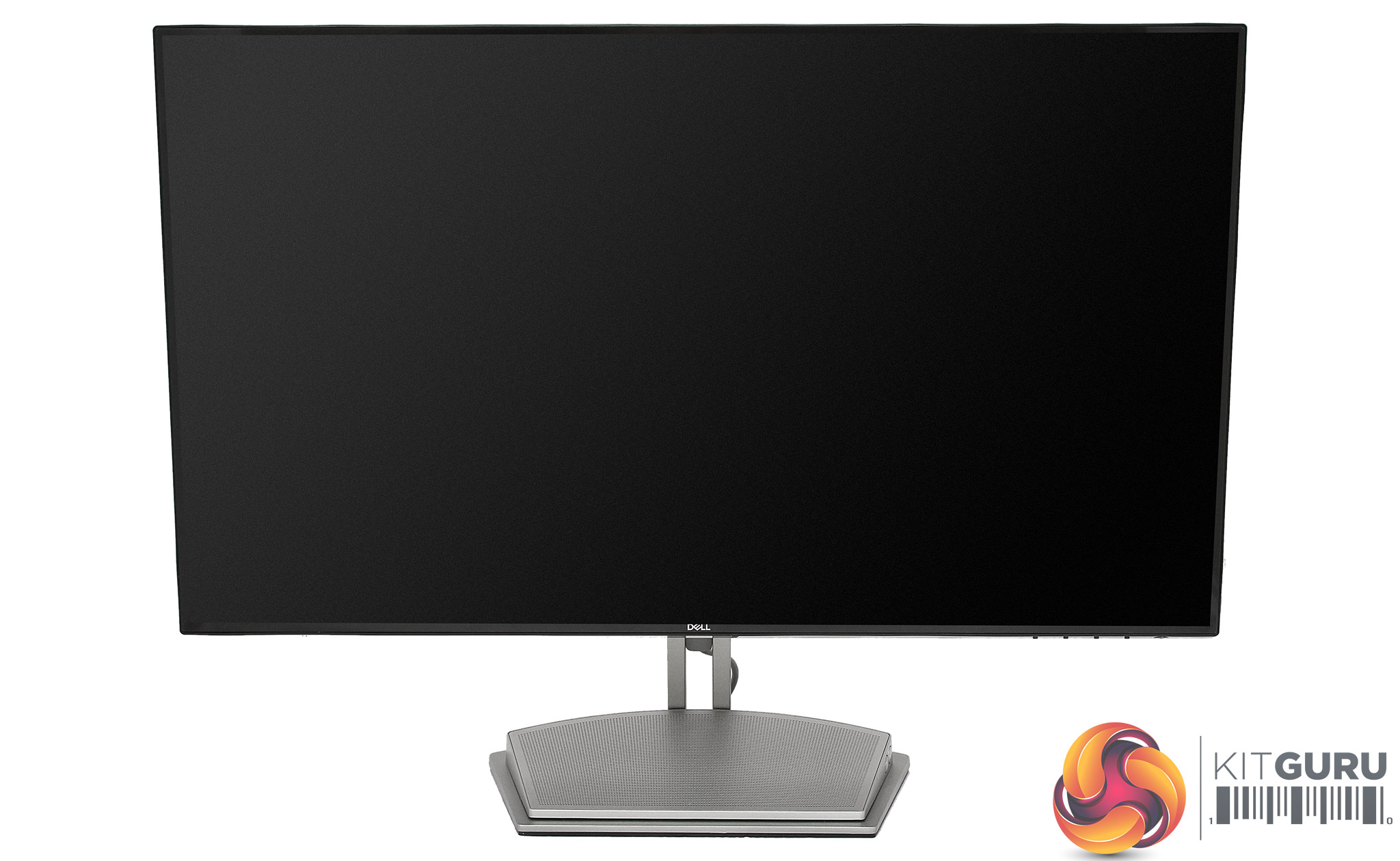
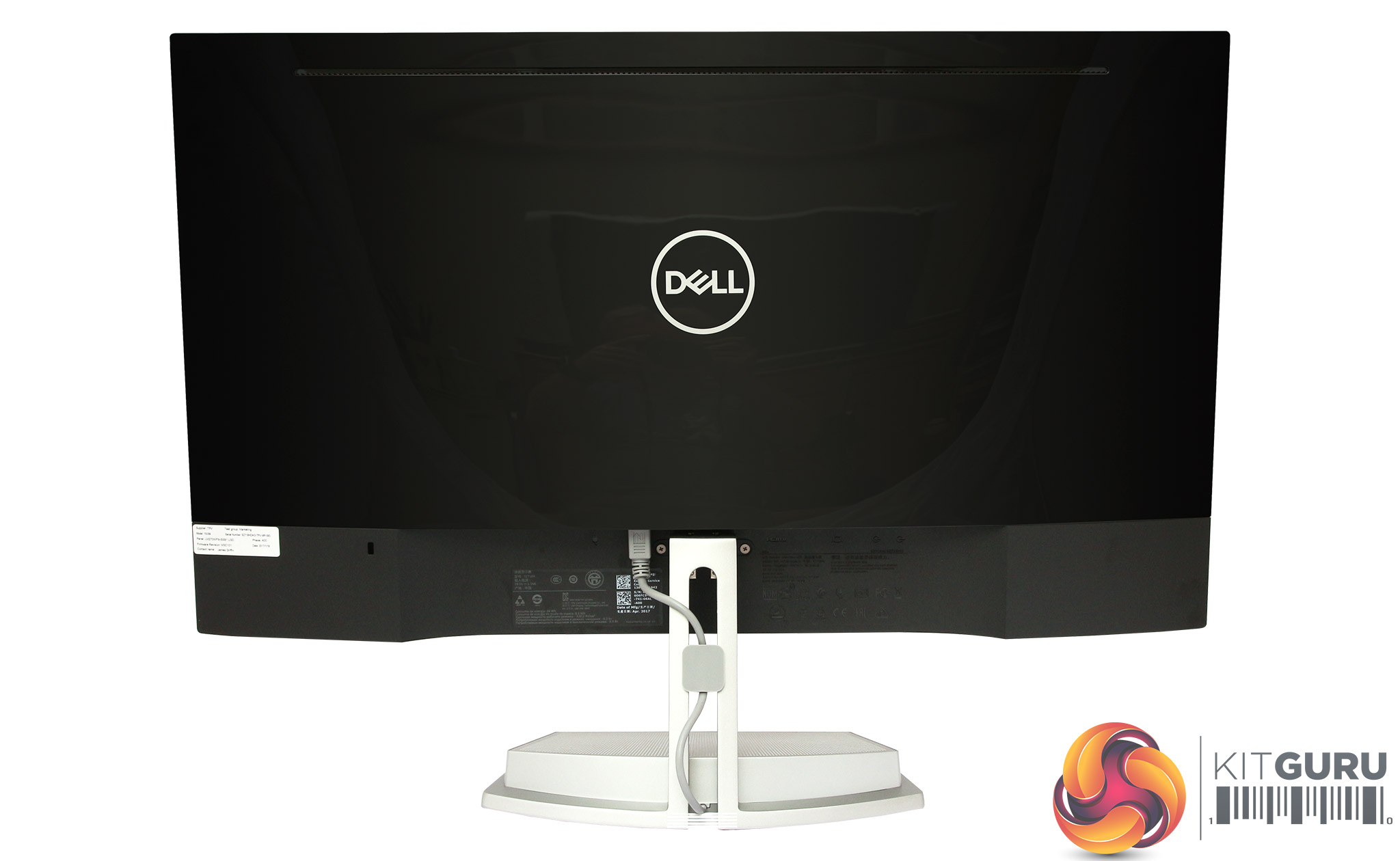
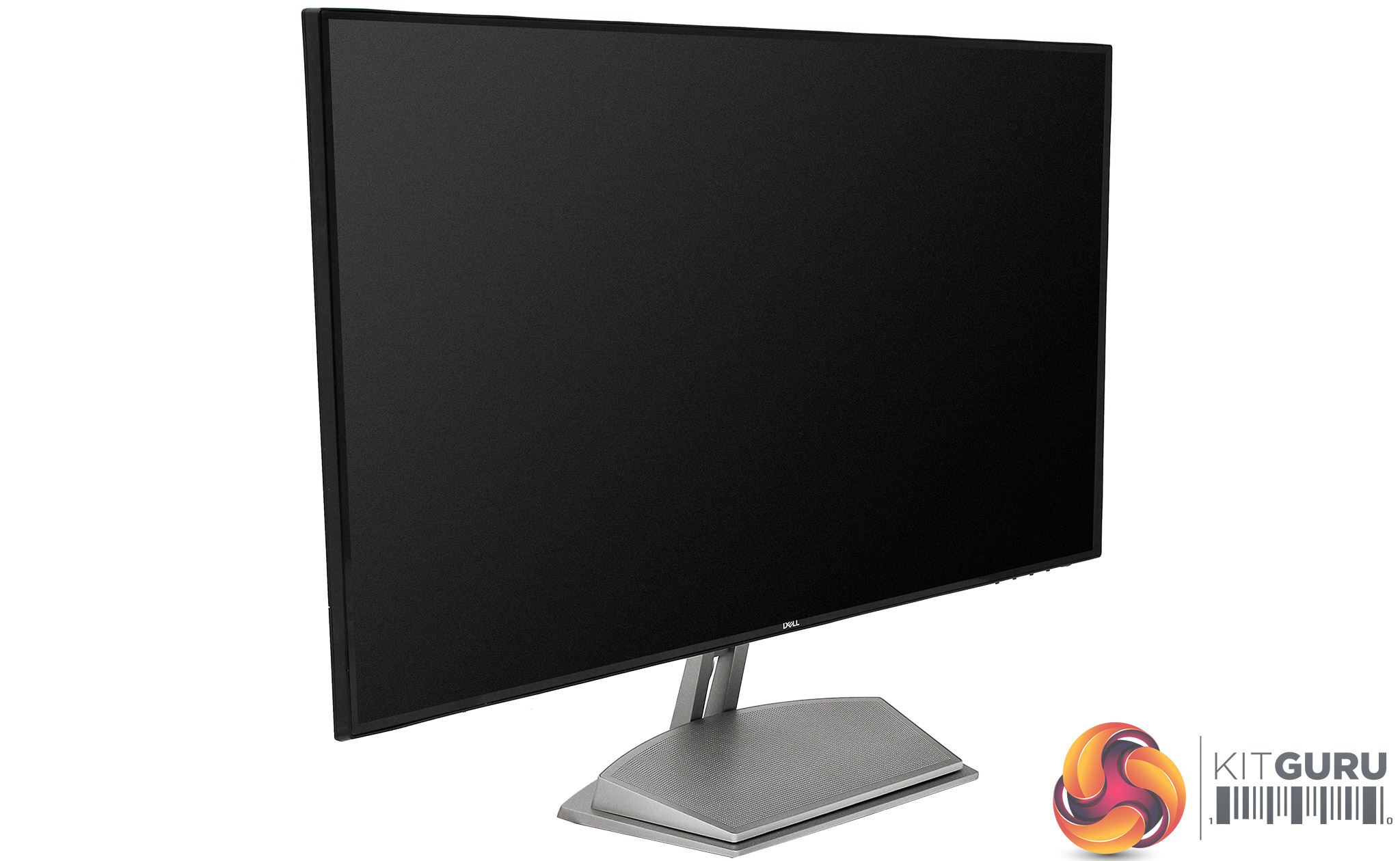
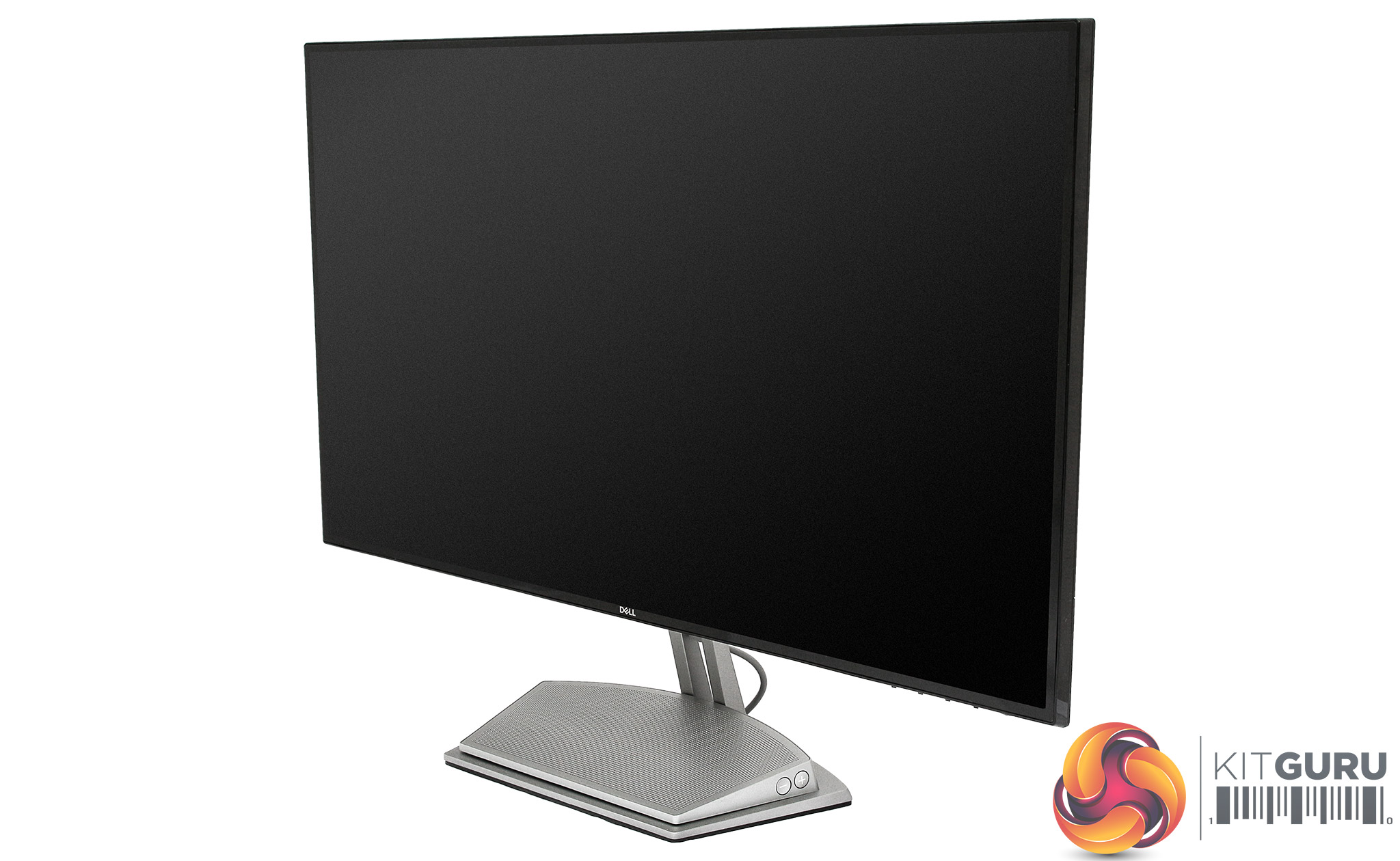
This is a reasonably attractive screen, although the styling on the Dell UltraSharp range is more confident and, well, stylish. The panel pops onto the stand easily, no screws required. However, the base doesn't provide much in the way of adjustment. You can rotate the whole base to angle the screen, and there's tilt 5 degrees forward plus 20 degrees backward. But there's no height adjustment or rotation into portrait mode.
One advantage of the InfinityEdge technology is that there will be little distance between two screens side-by-side, so a dual monitor setup can have a less intrusive seam between the two screens in a wider view.

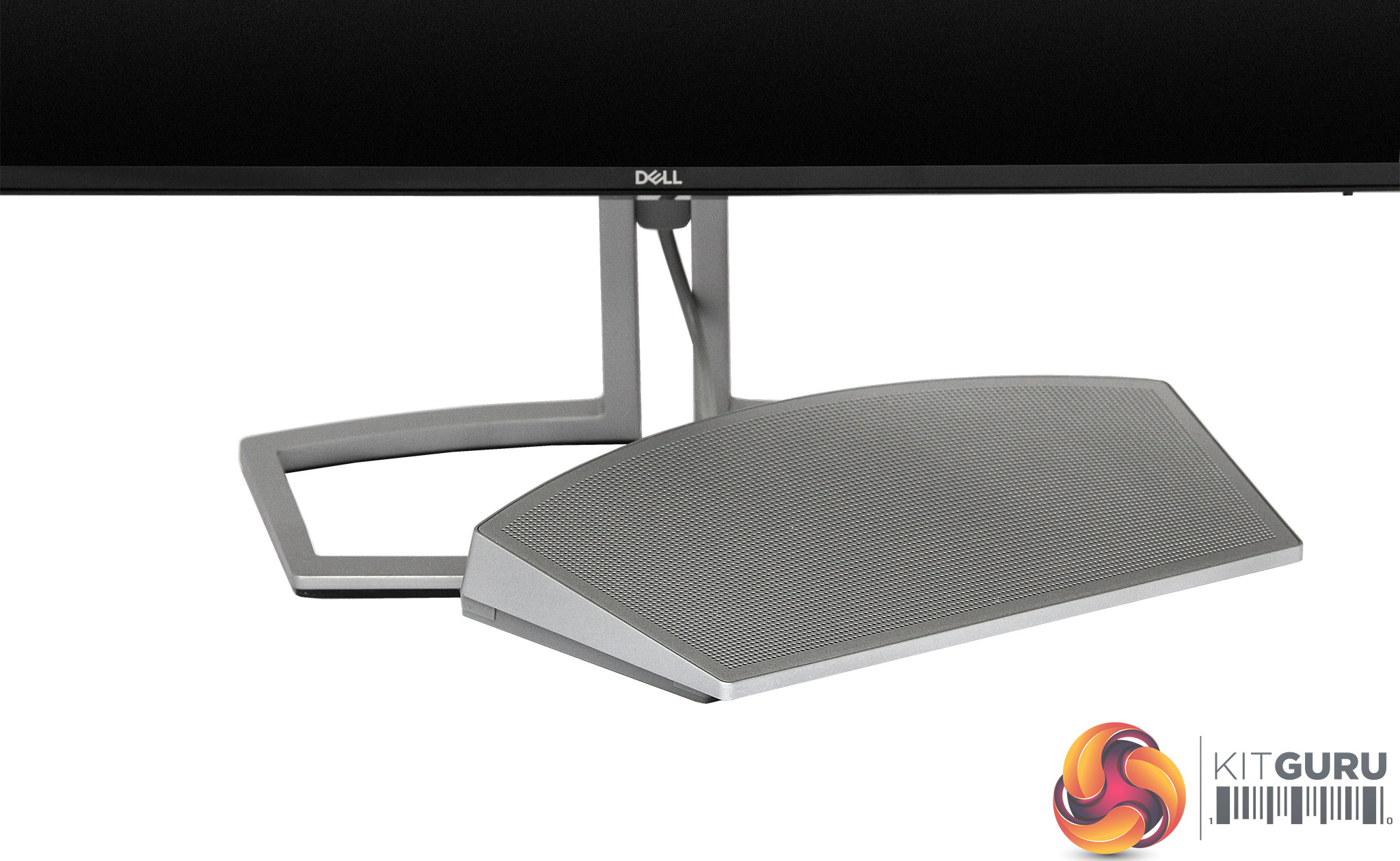
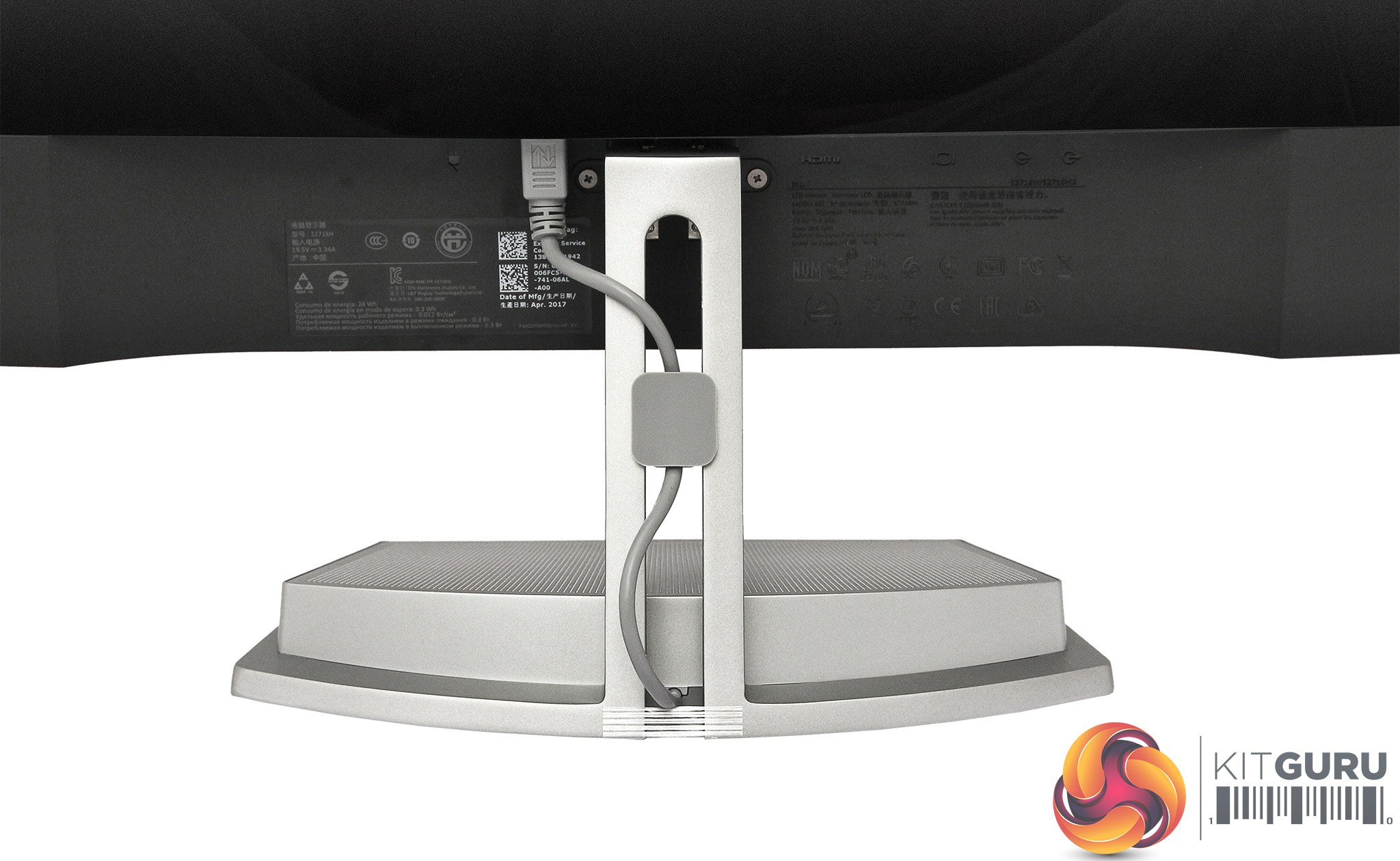
The 12W speaker system comes in a separate module that slots into the base of the stand. There's a proprietary DIN connector that attached to the rear of the screen. The speakers can then receive audio from HDMI or the analog minijack, and there are physical volume controls on the side.
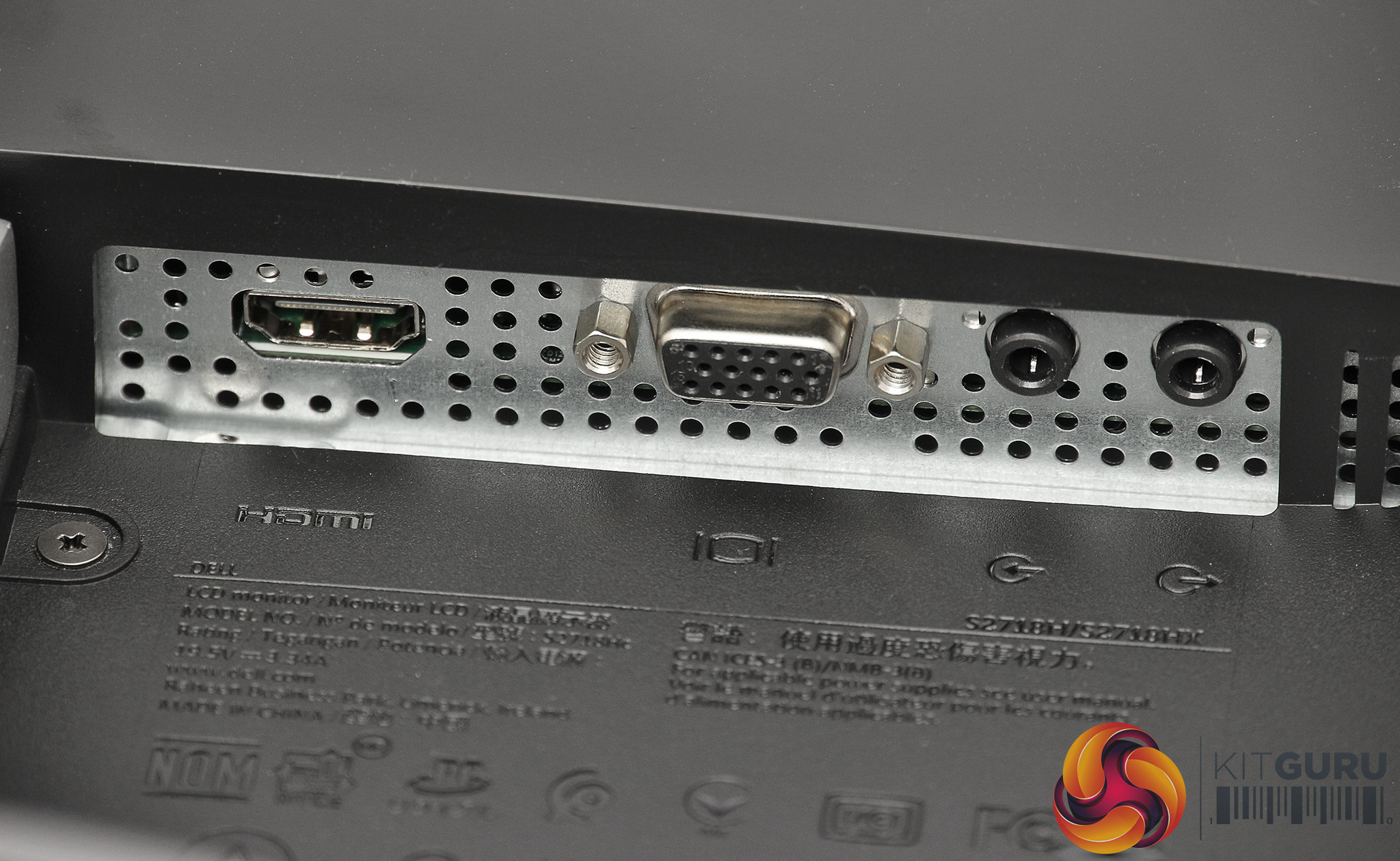
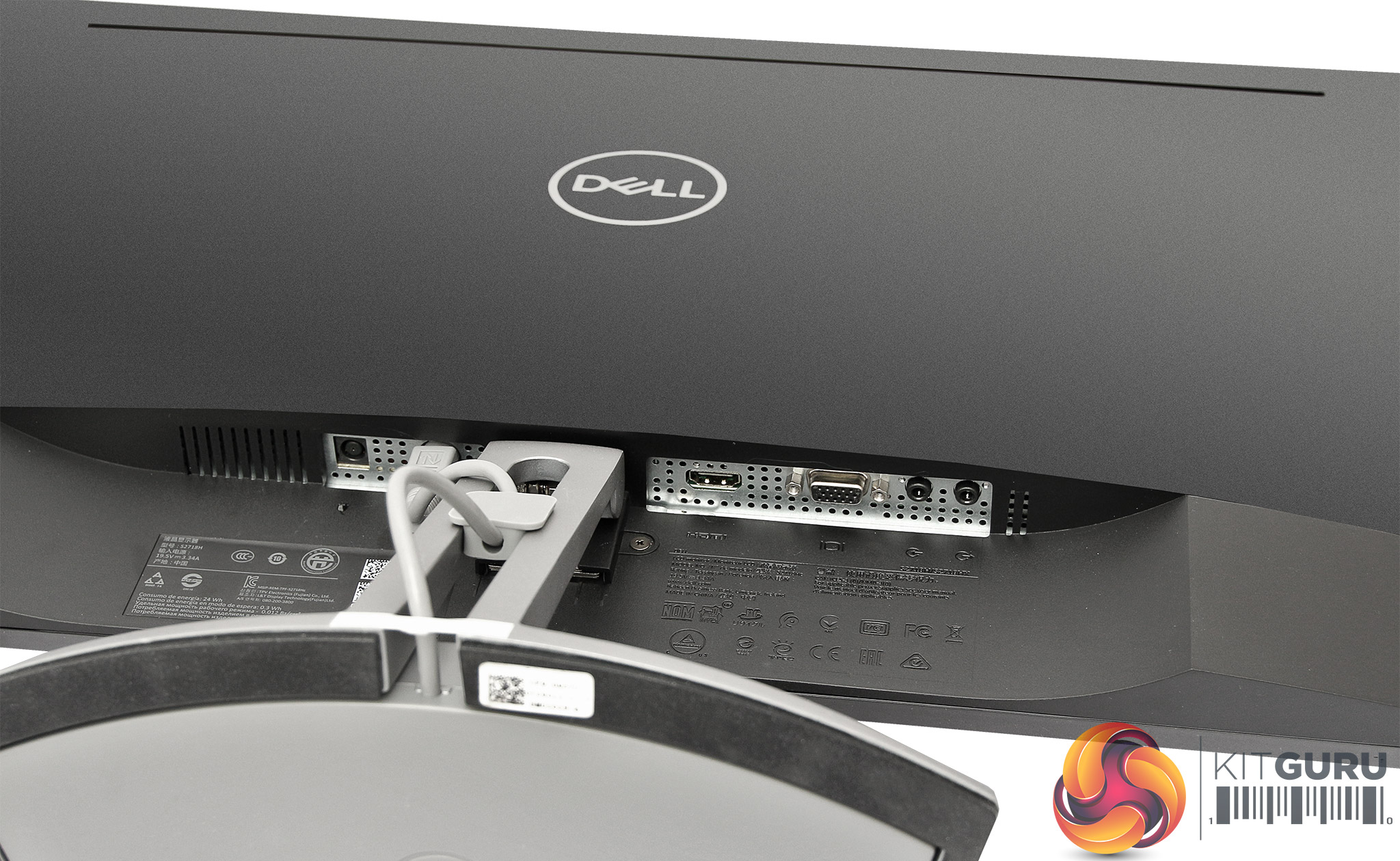
The port allocation isn't particulalry generous. Alongside the power input and connector for the speaker module, there are just single HDMI and VGA ports for display input. The two minijacks provide line in and line out. It would have been useful to have a headphone minijack on the speaker module. There's no USB hub built in either.
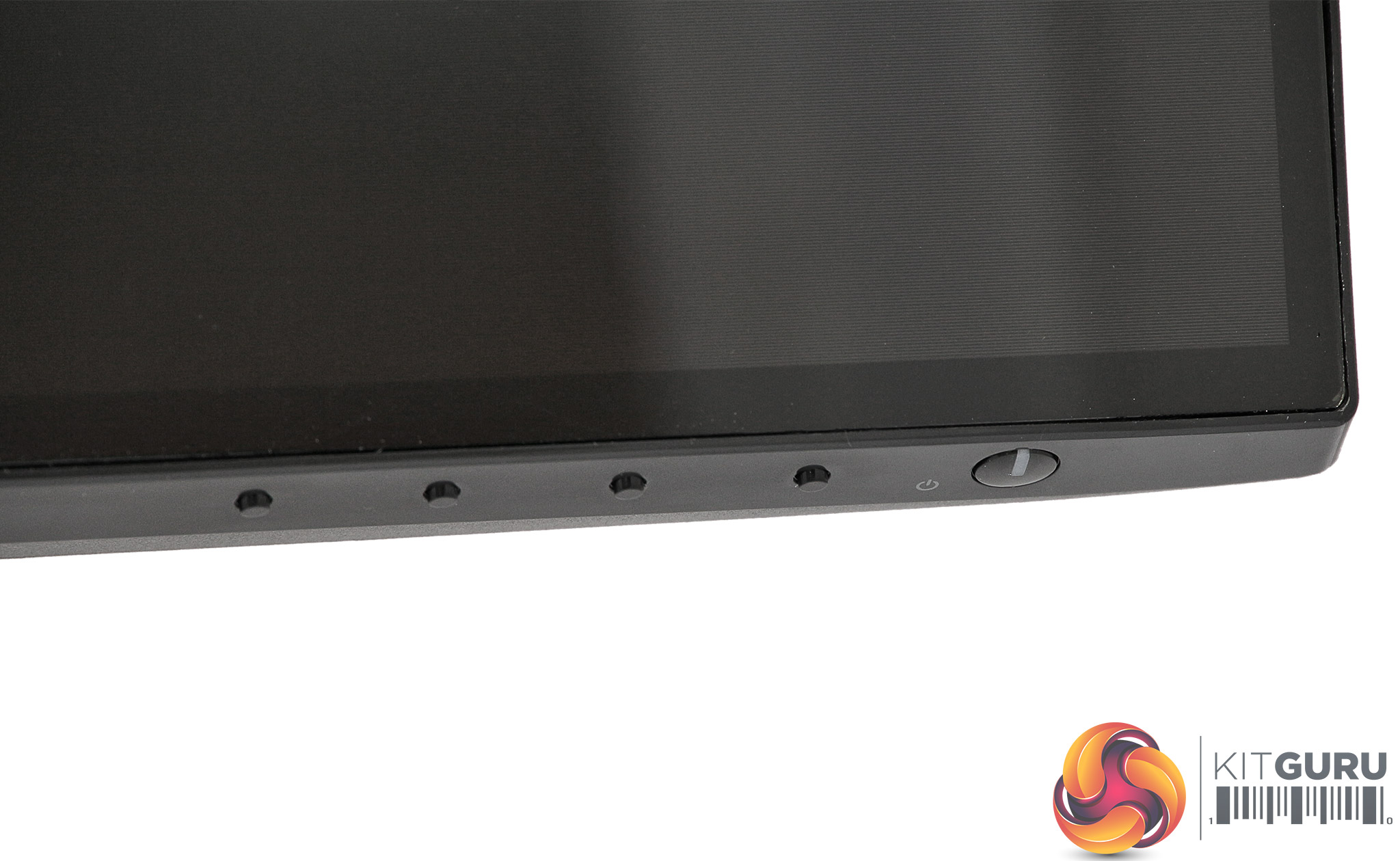
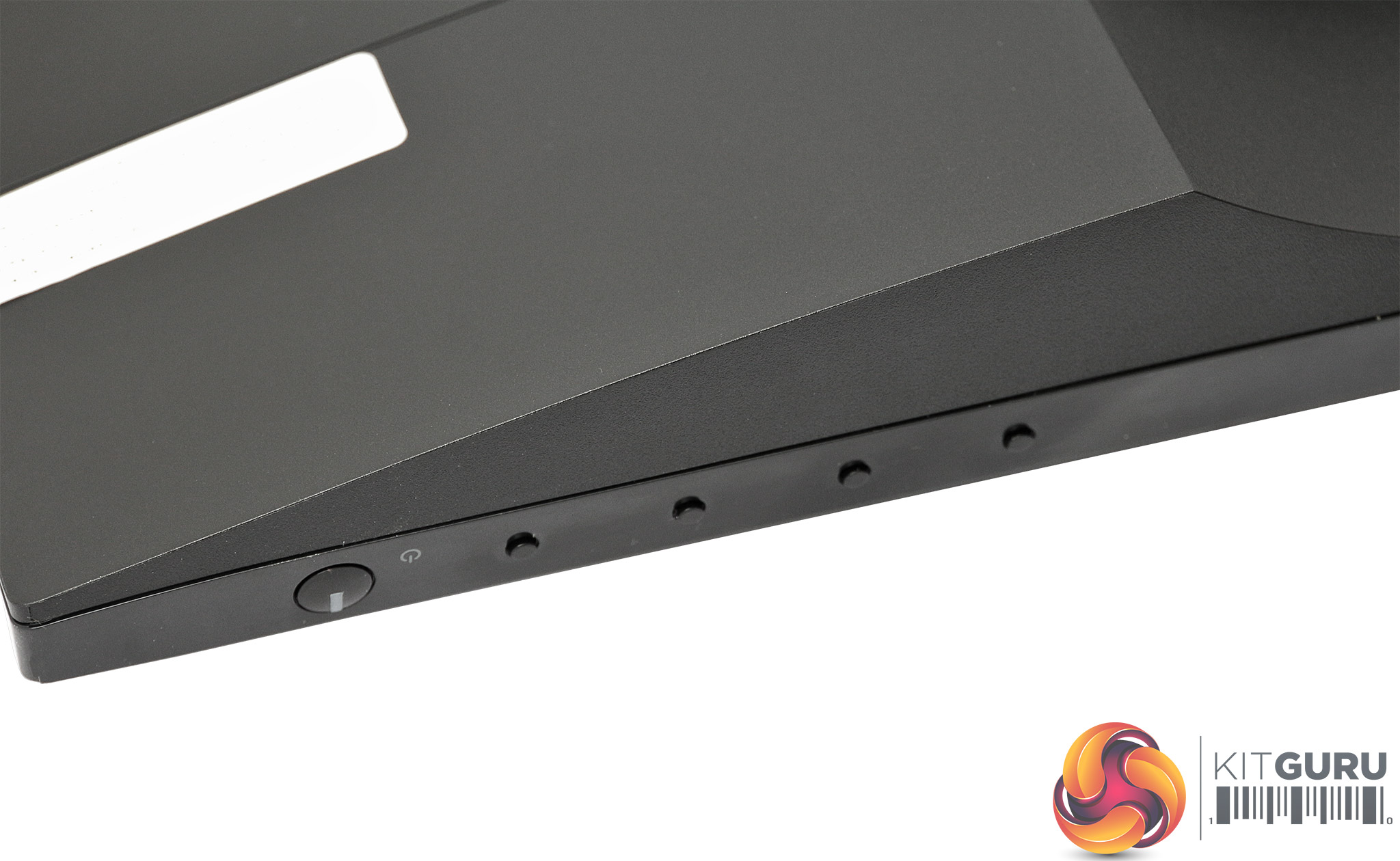
There are five buttons on the bottom-right corner of the screen, which can easily be located with your fingertips on the underside edge. The one furthest right operates the power, with the other four controlling the On-Screen Display (OSD).
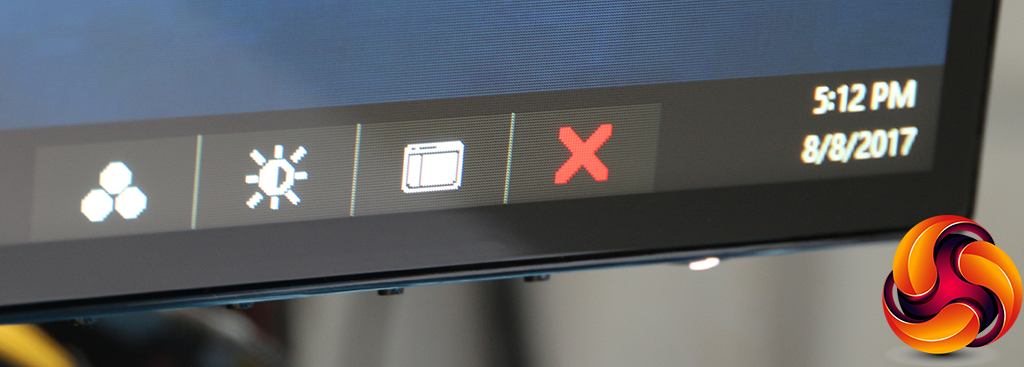
Pushing any of the four OSD buttons calls up a quick menu with three options.
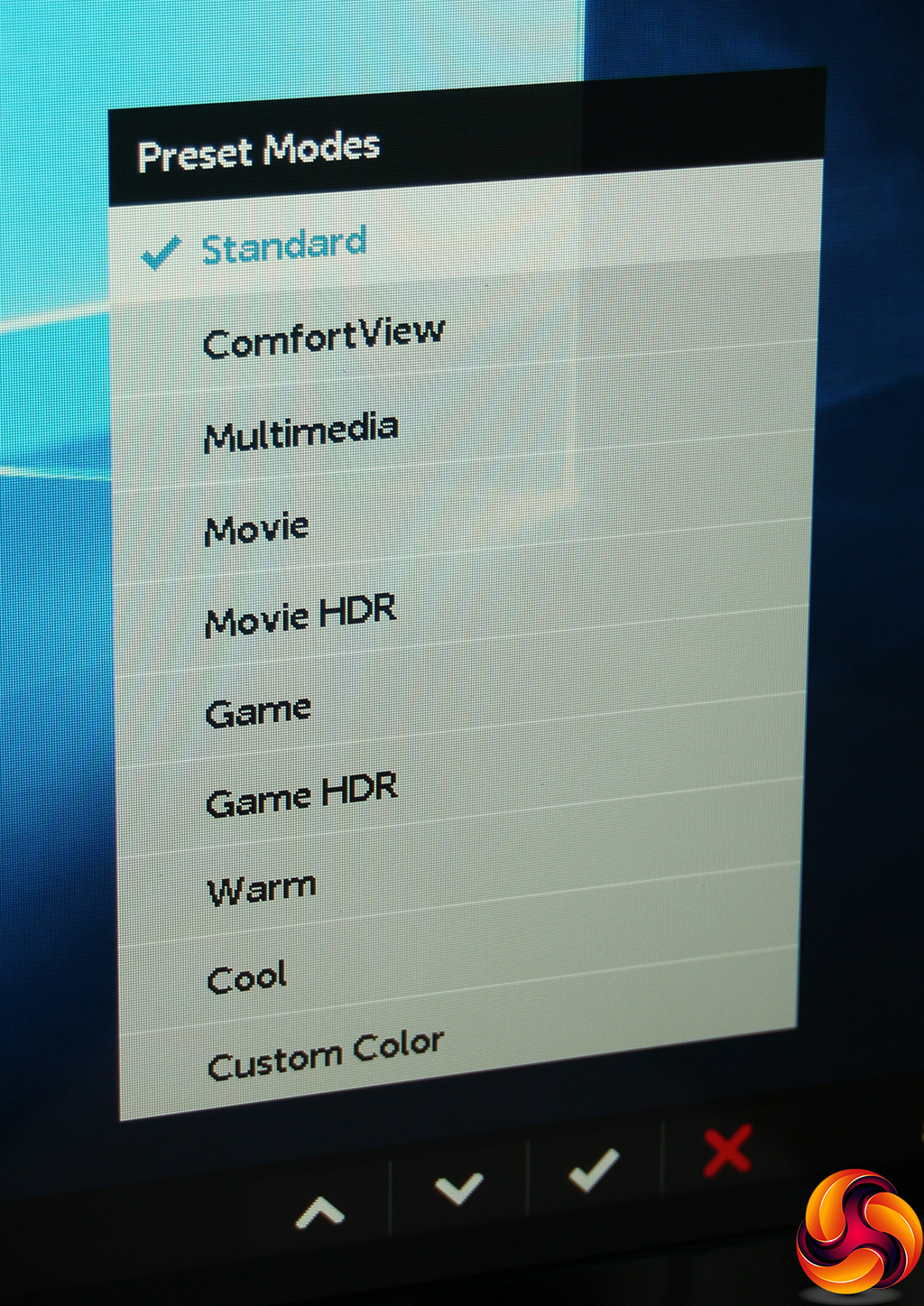
The first option on the quick menu calls up the Preset Modes, of which there are a myriad. Aside from Standard, there's ComfortView, Multimedia, Movie, Movie HDR, Game, Game HDR, Warm, Cool, and Custom Color. This is a healthy variety for most everyday situations. The Custom Color mode reveals RGB sliders.
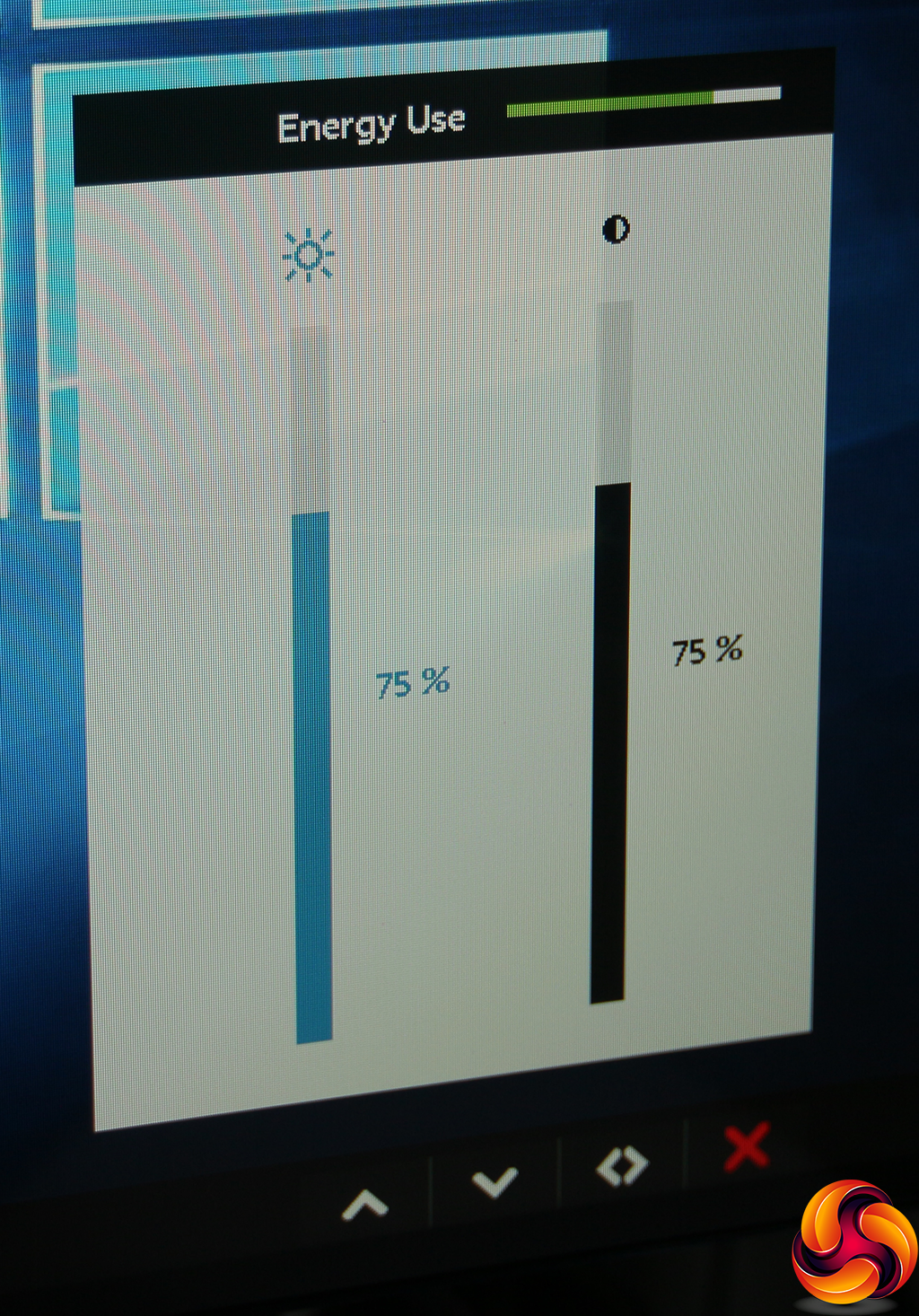
The second quick menu option helpfully includes an energy use graph alongside brightness and contrast controls, so you can see how adjusting the latter benefits your power consumption.
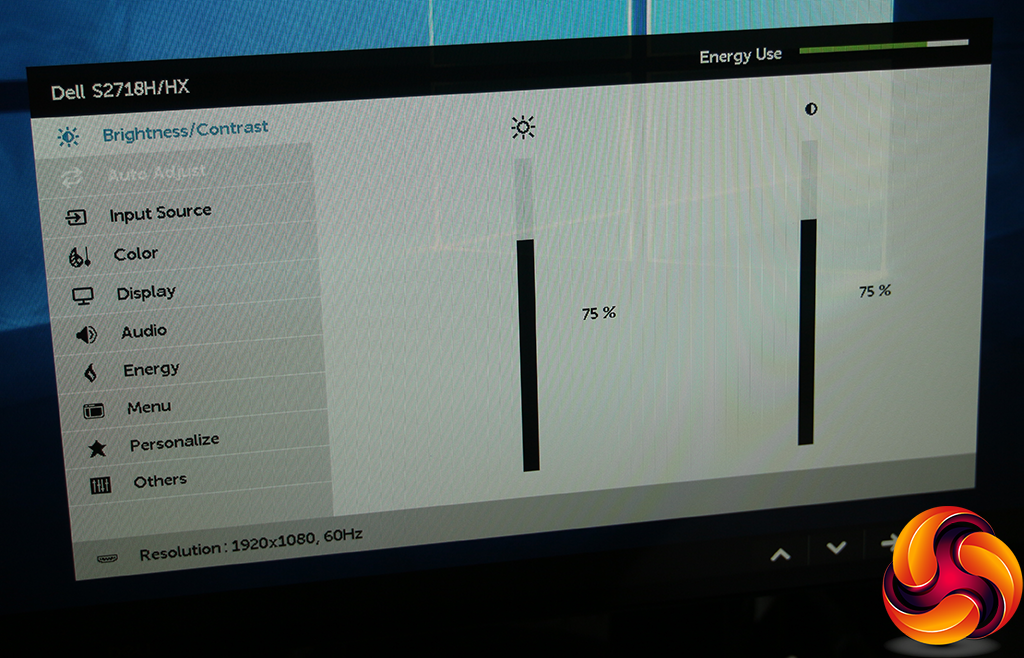
The final quick menu option calls up the main menu, with the default option being Brightness/Contrast. These are the same settings as the quick menu version, including the Energy Use graph.
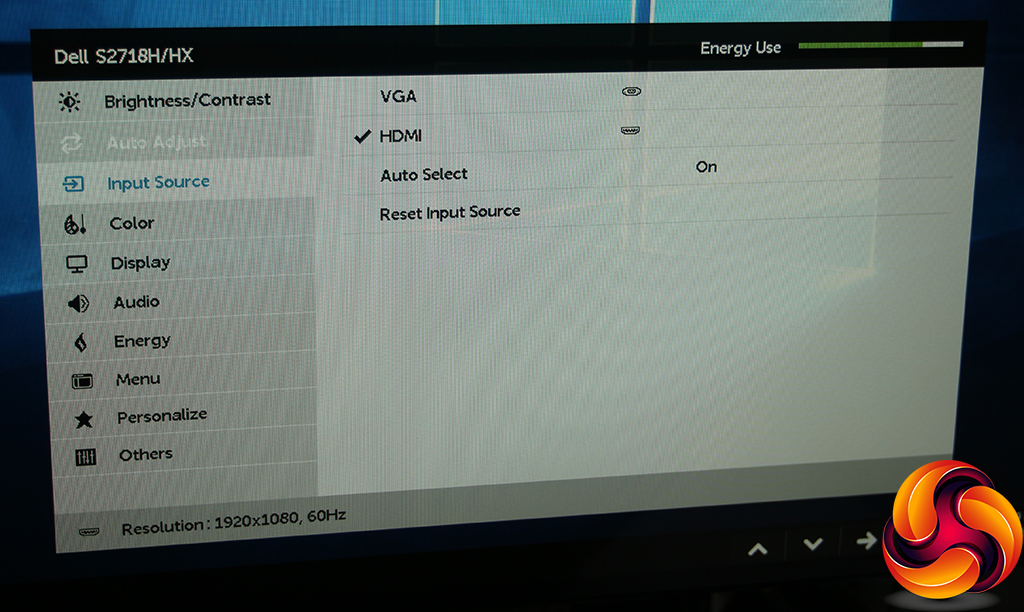
With an HDMI source, the Auto Adjust setting isn't available, so the next main menu option is Input Source, where you can select between the two connections manually.
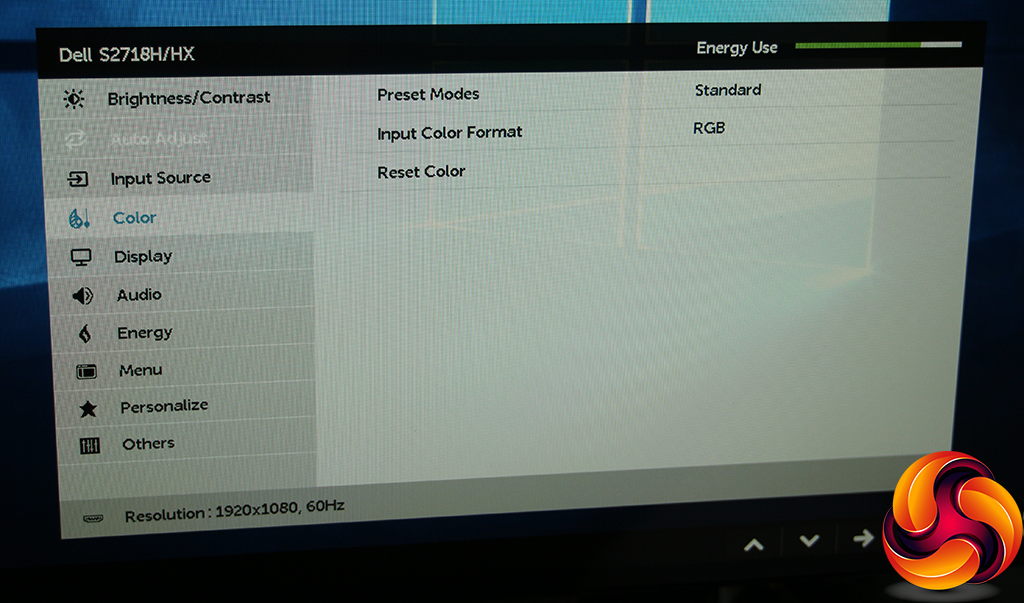
The Color option gives you another route to the Preset Modes, but also lets you choose between RGB input colour format and YPbPr, as well as resetting to default.
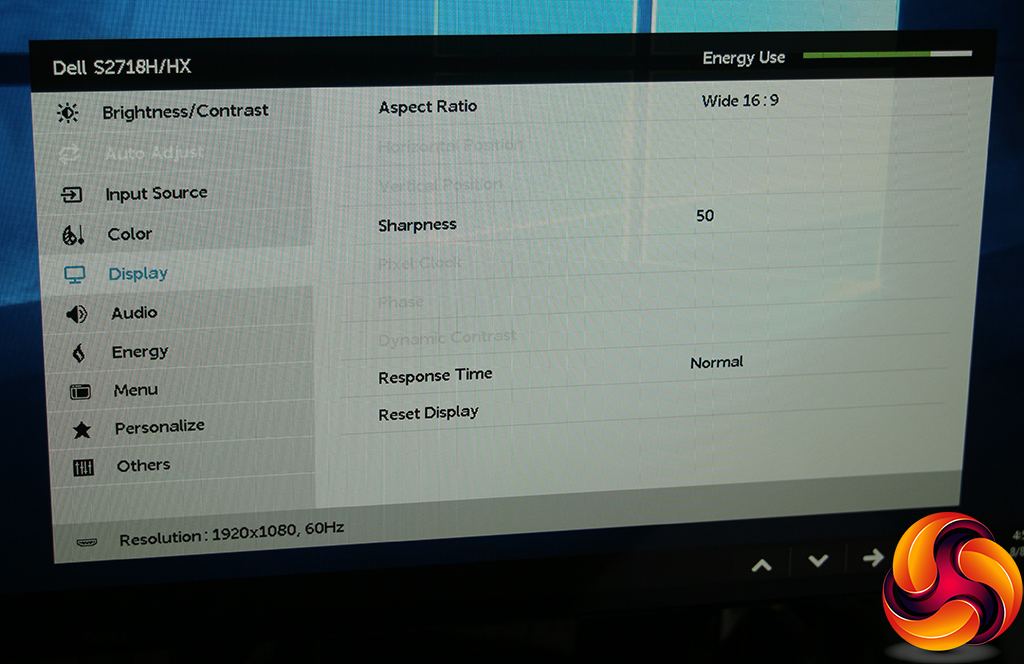
A lot of the options in the Display submenu are greyed out when an HDMI source is used, because they are aimed at adjusting an analog signal. With a digital signal, you're left with switching the aspect ratio, altering the sharpness level (50 by default), and improving the response time. The fast option overdrives the pixels a little for more responsive gaming.
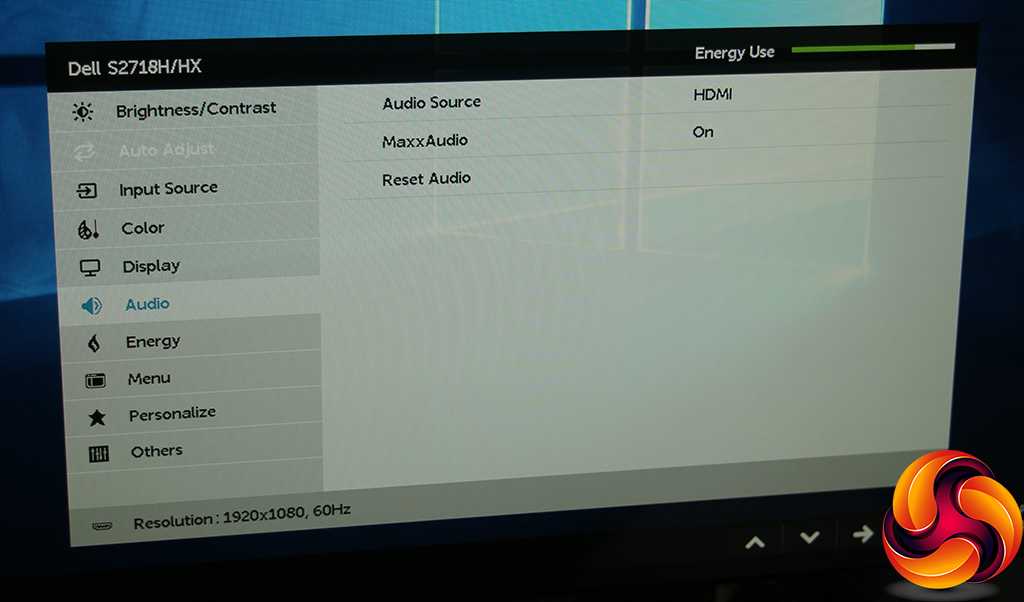
The Audio submenu lets you choose between HDMI or the analog minijack audio input, and you can toggle MaxxAudio. This is a technology Dell has created in partnership with Waves to enhance the sound from the built-in speaker.
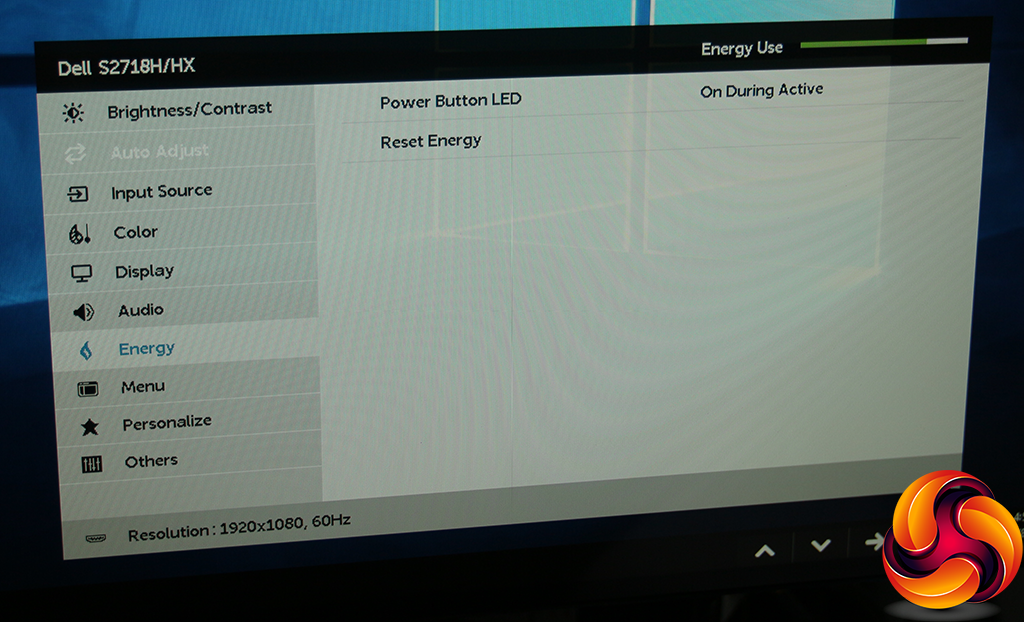
The Energy submenu only seems to control whether the power button is lit.
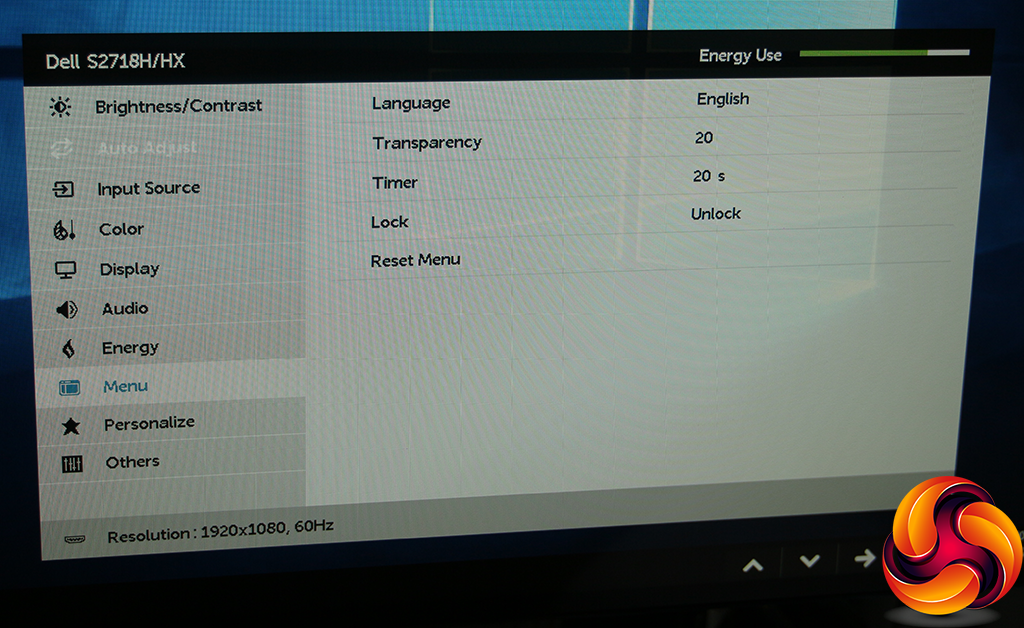
The Menu submenu provides facilities to alter the way the OSD itself is displayed.
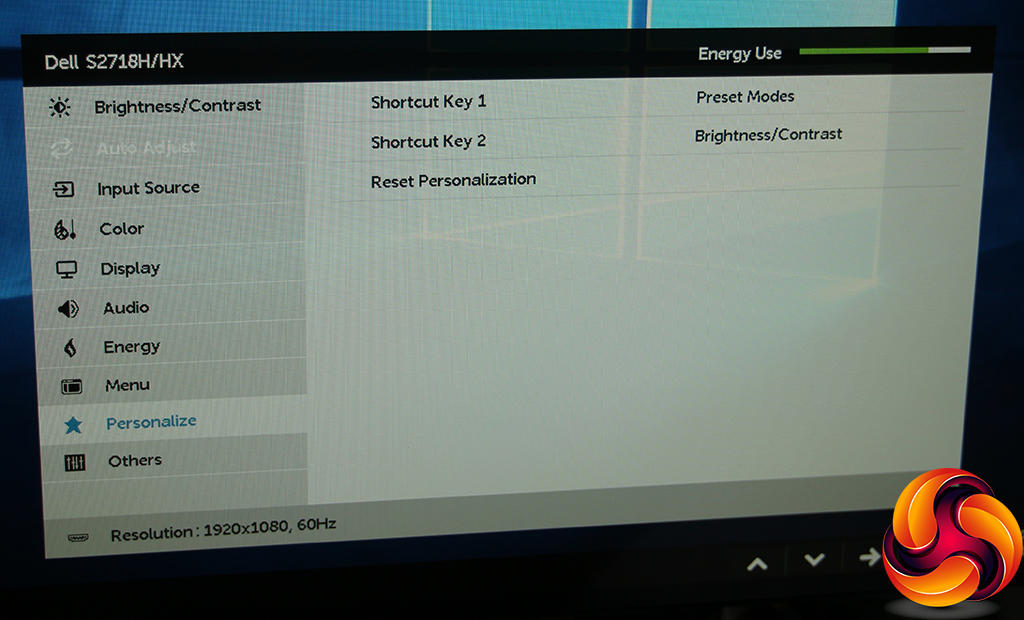
It's possible to change what the first two OSD buttons do, although the default options are pretty sensible.
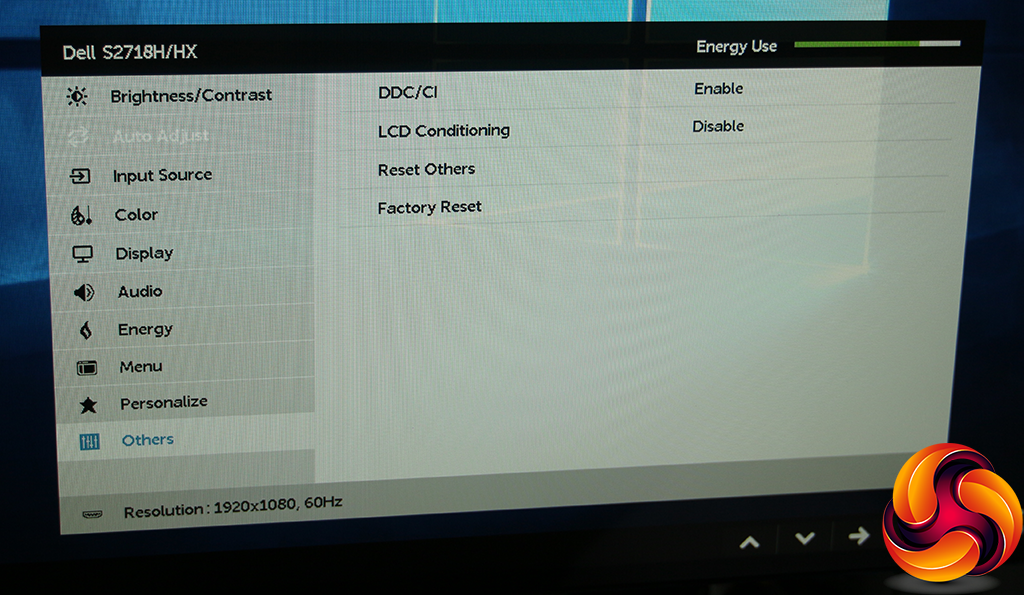
The Others section is where you can reset to defaults, turn on DDC/CI (allowing your PC graphics driver to control certain aspects of the screen) and enable LCD Conditioning. The latter reverses the effects of burn-in when an image has been left onscreen for too long.
Overall, the OSD has enough control for the intended user. The healthy range of presets is the highlight, with most usage scenarios catered for. There's not a huge amount of tweaking possible, with Gamma settings notable by their absence, but the purchaser of a screen in this range will be more concerned with how it performs without much adjustment. So let's find out.
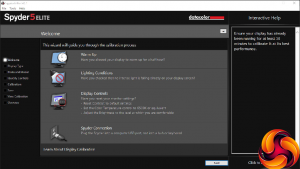
Our main test involves using a DataColor Spyder Elite 5 Colorimeter to assess a display’s image quality. The device sits on top of the screen while the software generates colour tones and patterns, which it compares against predetermined values to work out how accurate the screen is.
The results show –
- A monitor’s maximum brightness in candelas or cd/m2 at various levels set in the OSD.
- A monitor’s contrast ratio at various brightness levels in the OSD.
- The brightness deviation across the panel.
- The black and white points
- The colour accuracy, expressed as a Delta E ratio, with a result under 3 being fine for normal use, and under 2 being great for colour-accurate design work.
- The exact gamma levels, with a comparison against preset settings in the OSD.
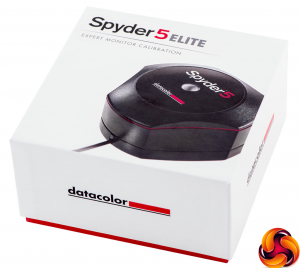
We first run this test with the display in its default, out-of-the-box state, with all settings on default. We then calibrate the screen using the Spyder software and run the test again.
We always test the display subjectively on the Windows desktop, using it for general tasks such as browsing and word processing, and with games as well, even if the display is not intended solely for that purpose. We pay careful attention to any artefacts, ghosting or motion blur, and enable any gaming specific features, such as adaptive-sync settings like G-Sync, using a compatible graphics card in our test PC.
In the case of the S2718H, we performed the primary testing at the native 1,920 x 1,080 resolution in the default mode with the Standard Preset, apart from during the section that actually tests presets. We left the monitor at 60Hz, which is the default, although it can reach 75Hz at resolutions lower than 1,920 x 1,080. Our test system was equipped with an NVIDIA Quadro K2200.
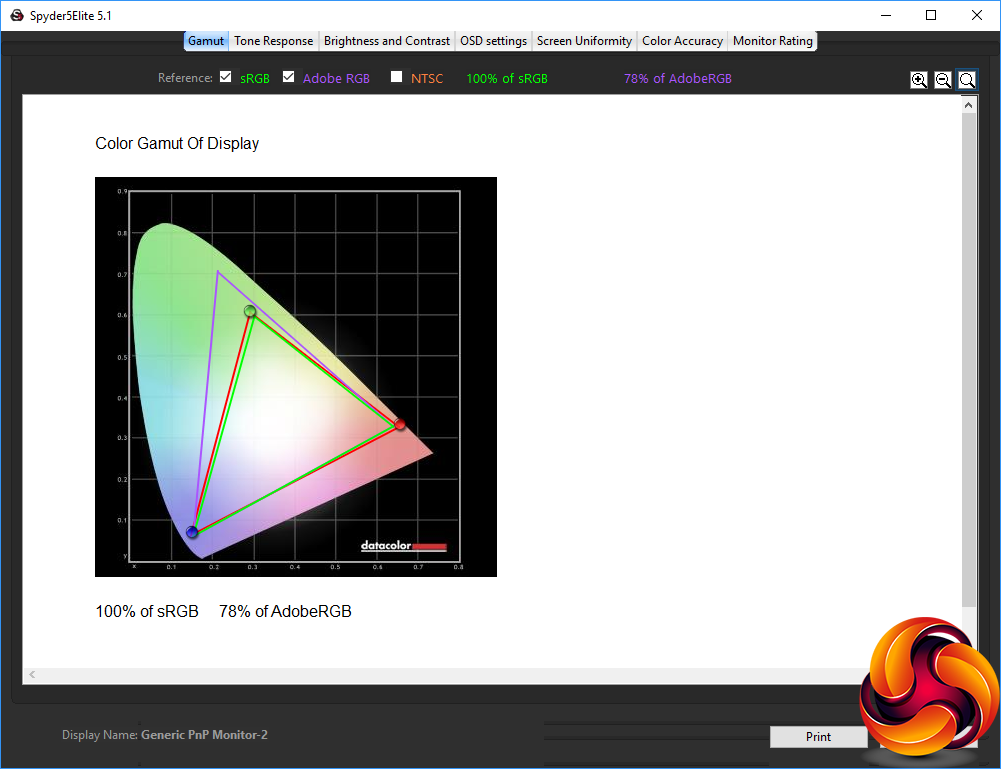
Gamut is very commendable, as you expect from an IPS screen. The S2718H can display 100 per cent of sRGB and a healthy 78 per cent of AdobeRGB.
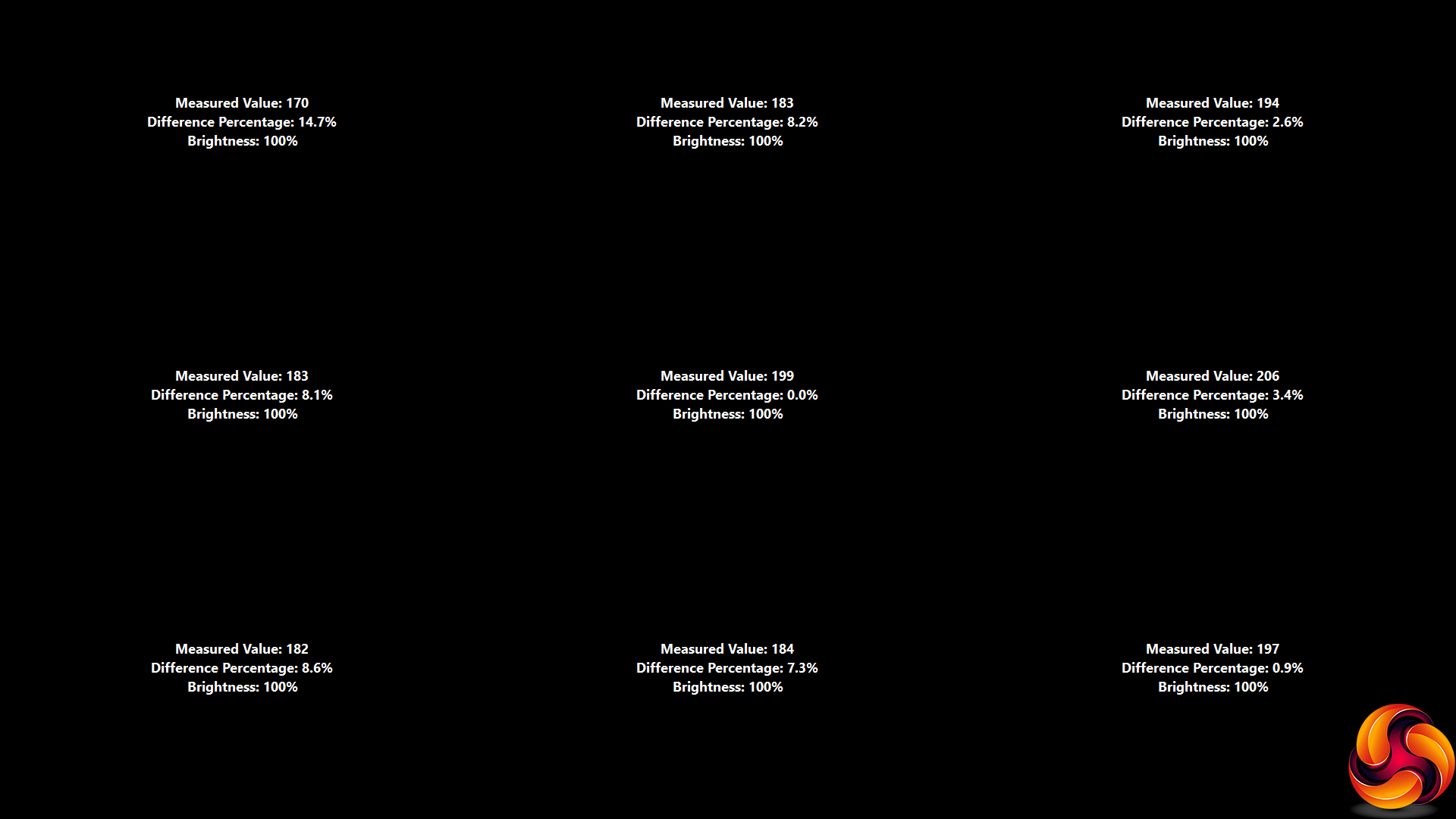
Brightness uniformity is a bit of a mixed bag, with the top-left corner, top middle and left side showing more aberration than the rest of the screen, which fares better.
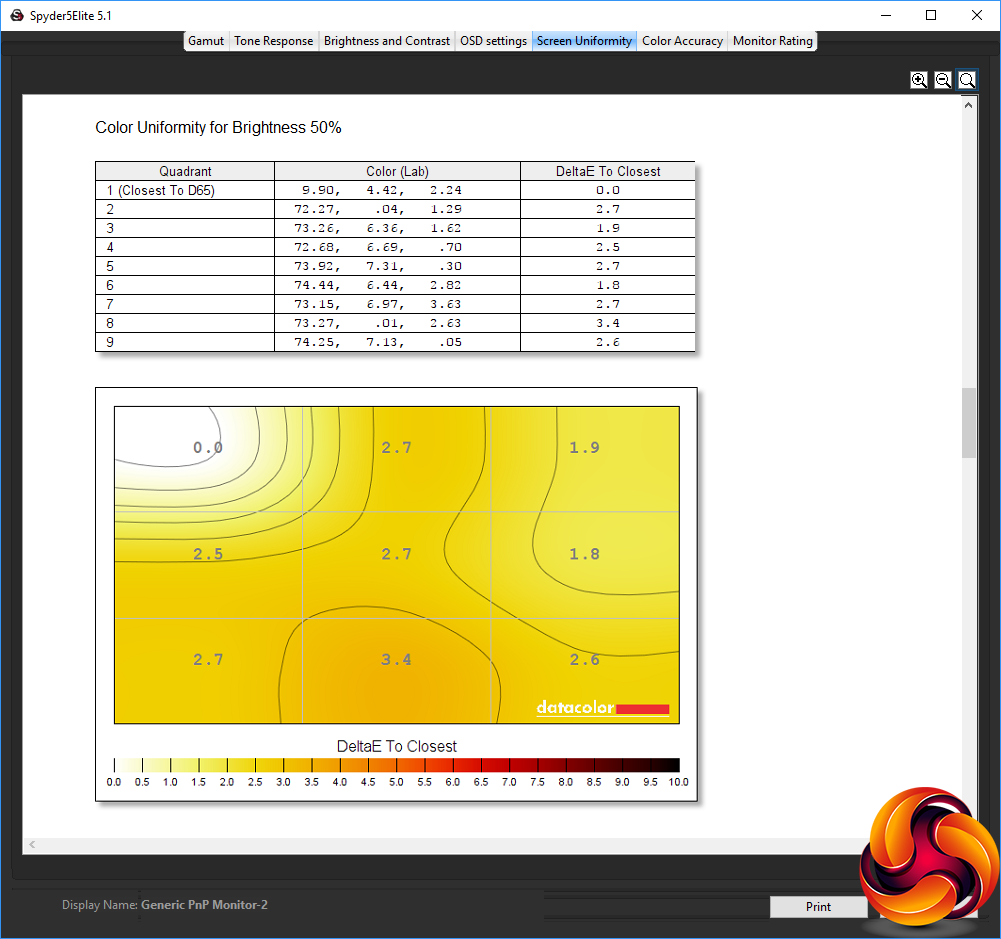
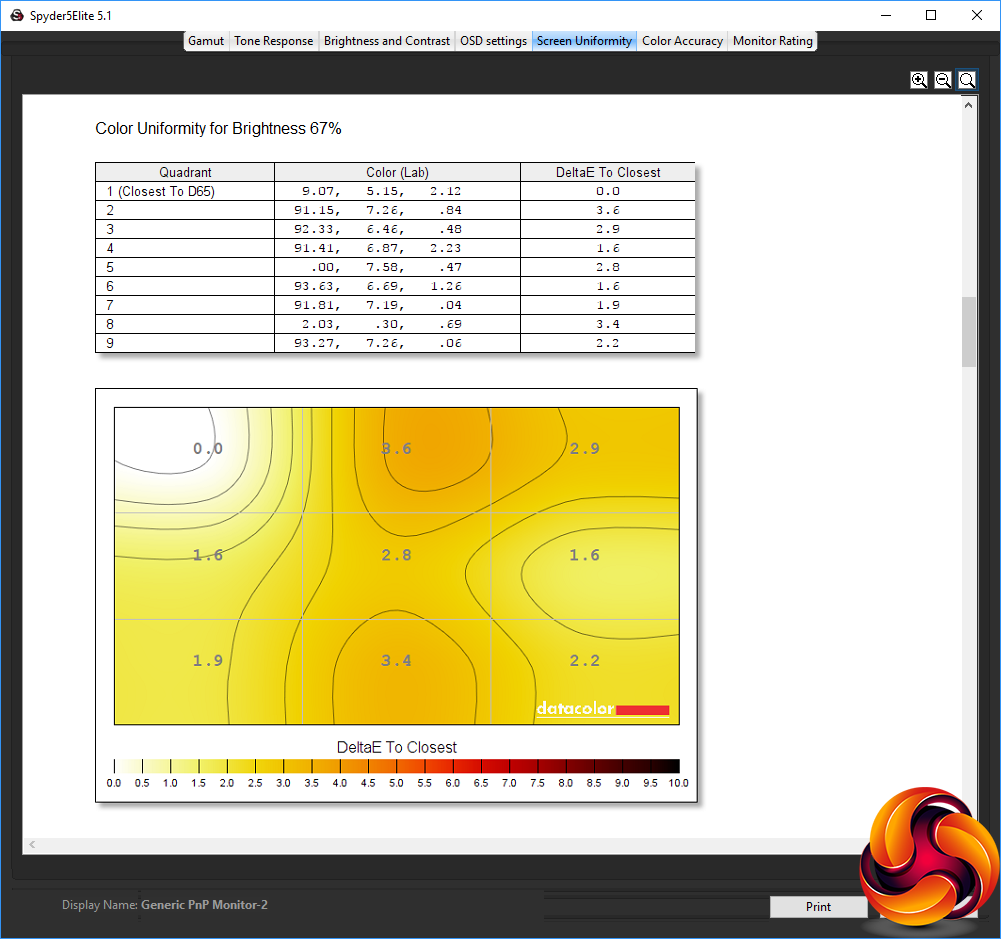
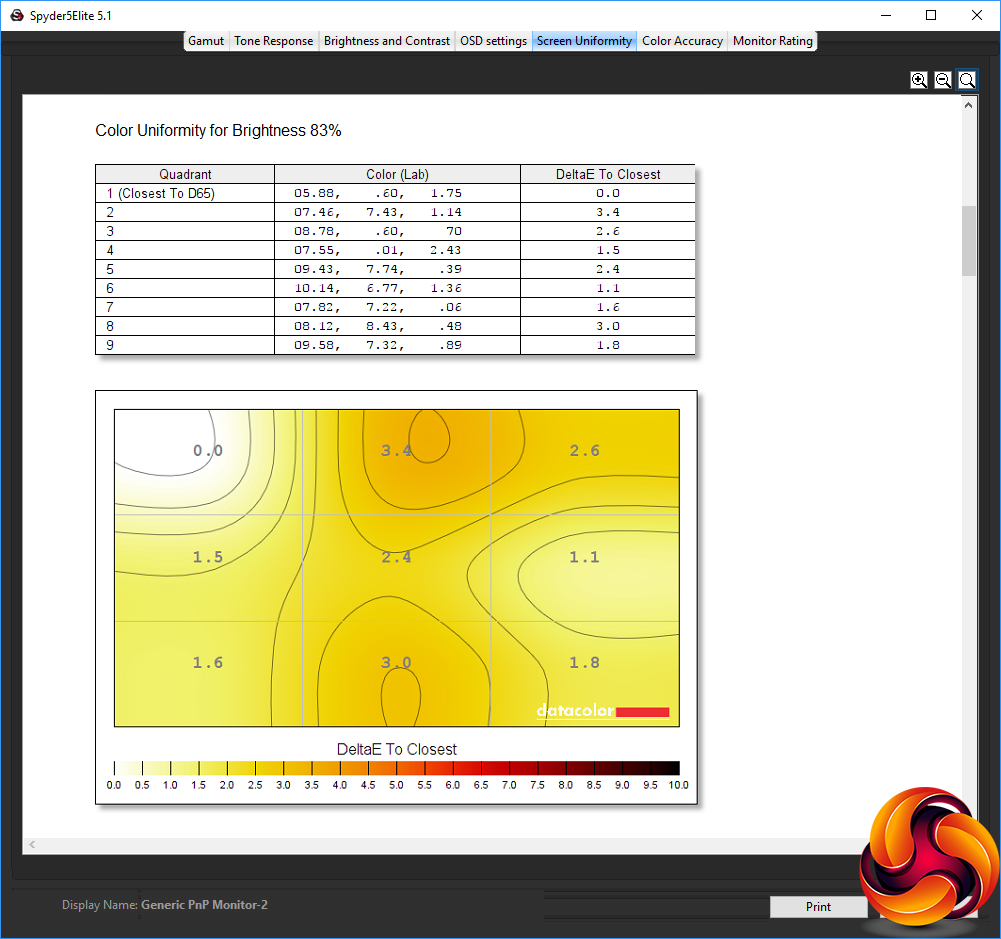
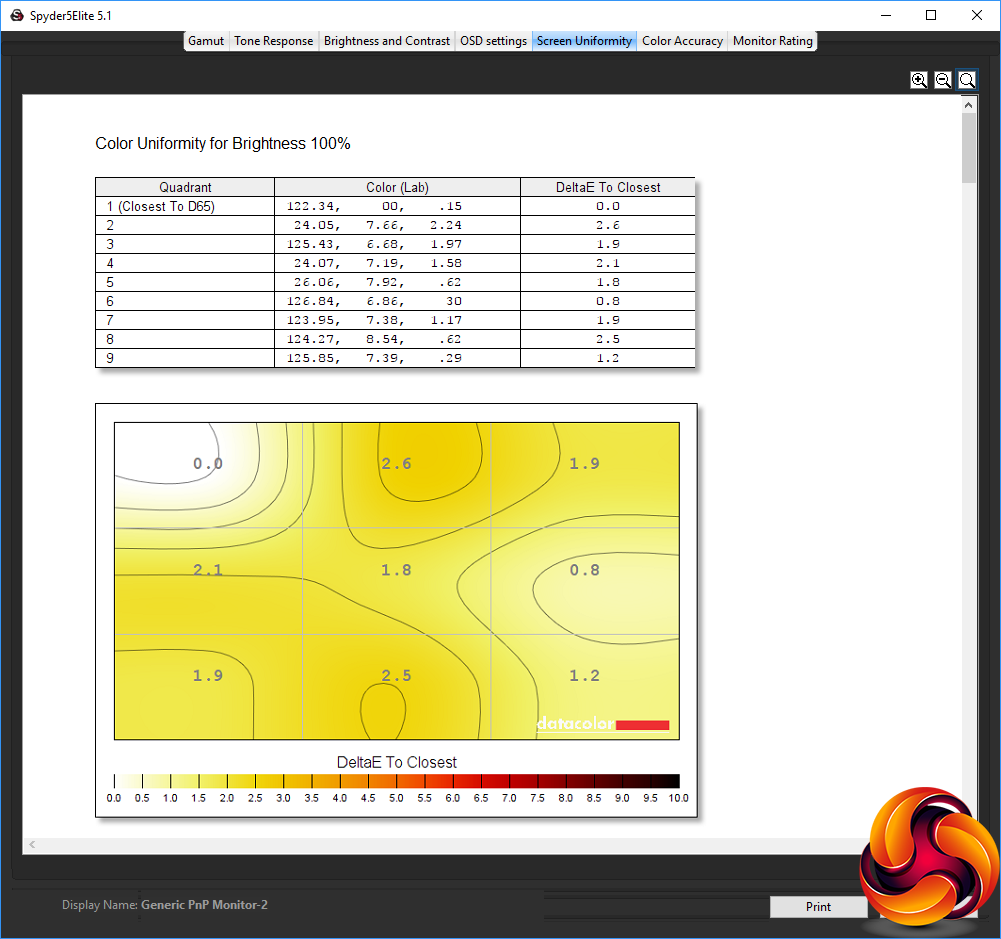
Colour uniformity is reasonable at all brightness levels from 50 to 100 per cent, which is commendable.
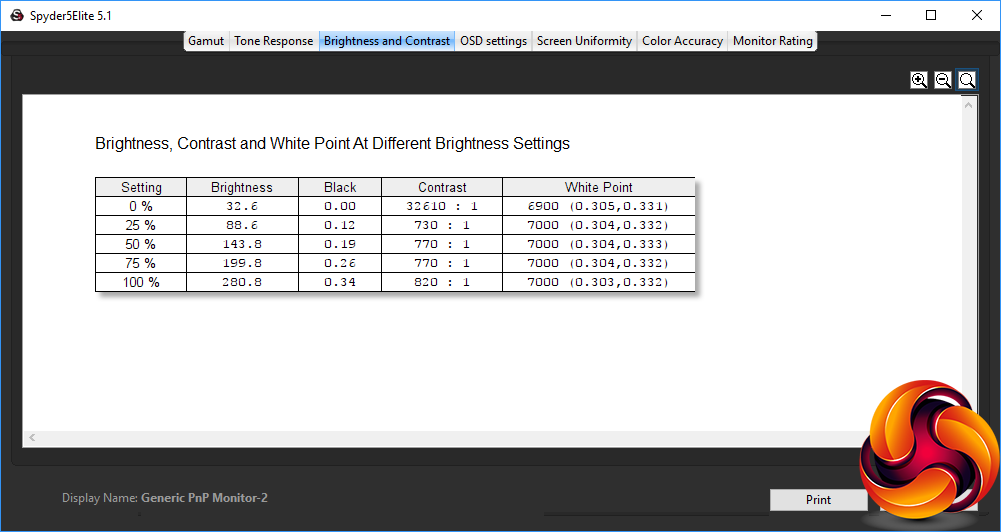
The brightness level at 100 per cent setting is reassuringly higher than the 250cd/m2 rating, coming in at 280.8cd/m2, with a reasonable 820:1 contrast. At the default 75 per cent brightness, the level is 199.8cd/m2, with contrast down to 770:1. The black level drops fairly uniformly as brightness is reduced, but the white point remains very constant at 7,000K, with just a step to 6900K at 0 brightness.
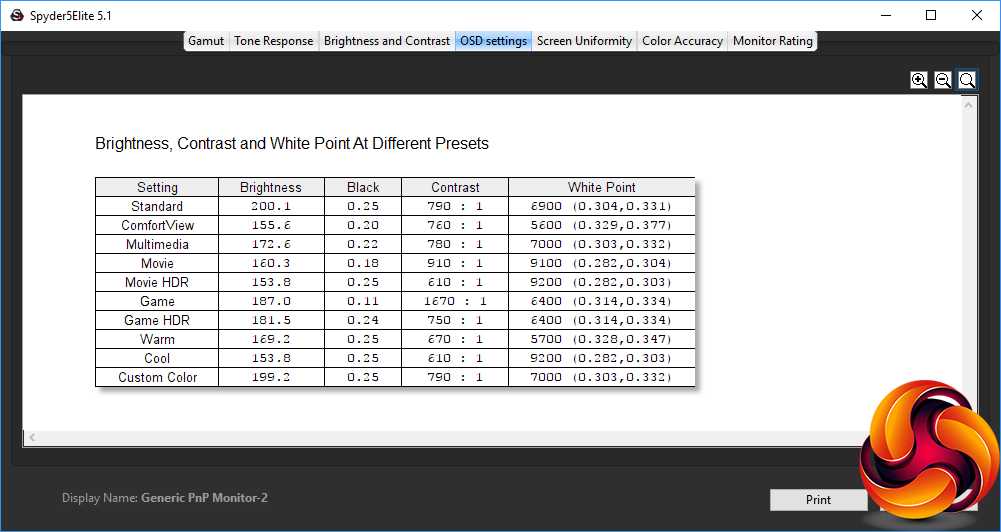
There are lots of OSD presets available with the S2718H, and they're very varied too. The Standard mode sits at 200.1cd/m2, with a 0.25 black point, 790:1 contrast and 6900K white point – all pretty expected for a mid-range option. ComfortView drops the brightness down to 155.6cd/m2, with a slightly lower 760:1 contrast and warmer 5,600K white point.
The Multimedia option sits in between Standard and ComfortView for brightness at 172.6cd/m2 and contrast at 780:1. The white point is a little cooler at 7,000K. The Movie presets both have very cool points, with the standard one using 9,100K and the HDR version 9,200K. Brightness is around the same at 160.3 and 153.8cd/m2 respectively. But the black points vary as does contrast, with the standard Movie mode offering a high 910:1 but the HDR version opting for 610:1, as you might expect for a setting that aims to bring out highlights and shadows.
The Game modes offer a similar contrast to the Movie modes. The non-HDR version is a little brighter at 187cd/m2 versus 181.5 for HDR, and the white point is identical at 6,400K, but the black point is lower, and contrast ranges from 1,670:1 for non-HDR to 750:1 for the HDR version. We will be talking about these HDR modes a bit more later.
Finally, the Warm mode unsurprisingly has a warm white point of 5,700K and Cool mode a cool white point of 9,200K. The black point is the same for both at 0.25, and brightness not that different with 169.2cd/m2 for Warm and 153.8cd/m2 for Cool. Similarly, contrast remains in the same ballpark at 670:1 and 610:1 respectively. Custom Color isn't any different to Standard mode, until you adjust the RGB sliders that appear when this mode is selected.
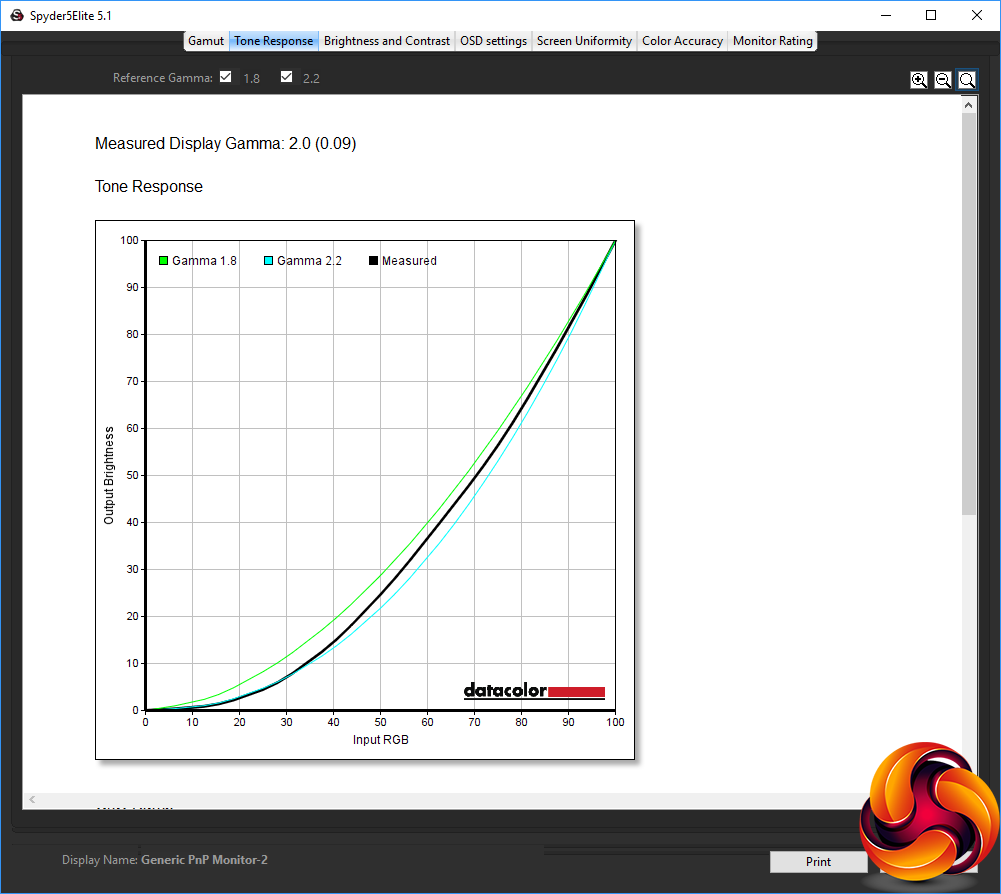
With no gamma settings, the Standard preset provides a pretty spot-on gamma curve of 2.0, which is a little low for a mid-range setting, where 2.2 would be more normal.
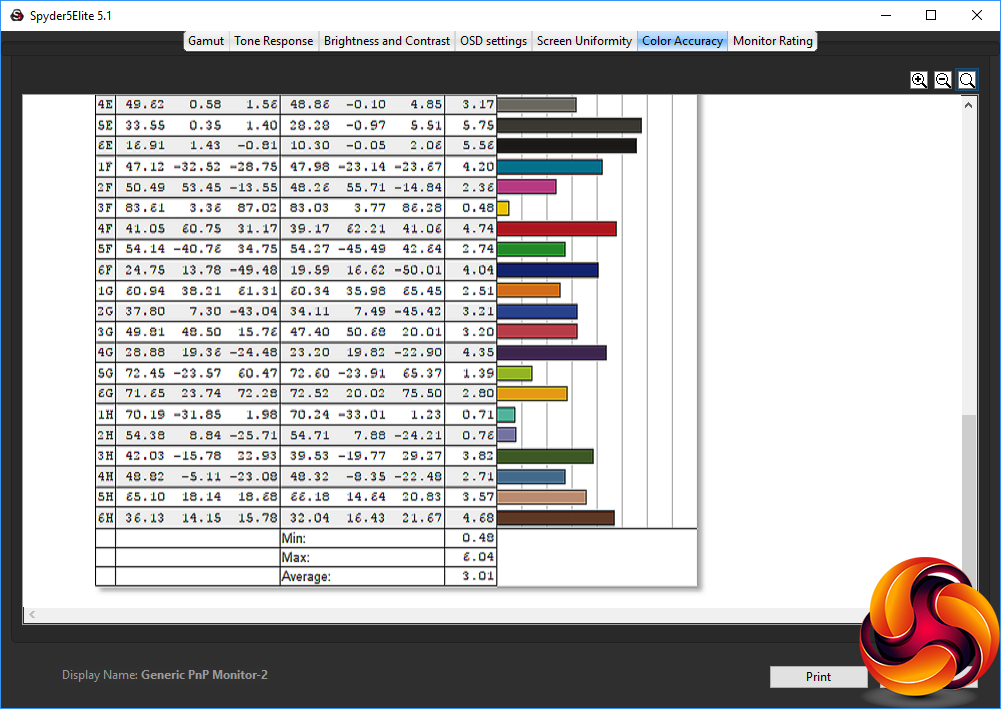
Colour accuracy is merely decent at 3.01 average variance. This is not in the same league as the factory-calibrated Dell UltraSharp U2417H.
We hoped we could do better with a bit of adjustment, so we calibrated the screen using the Spyder to find if this would improve matters.
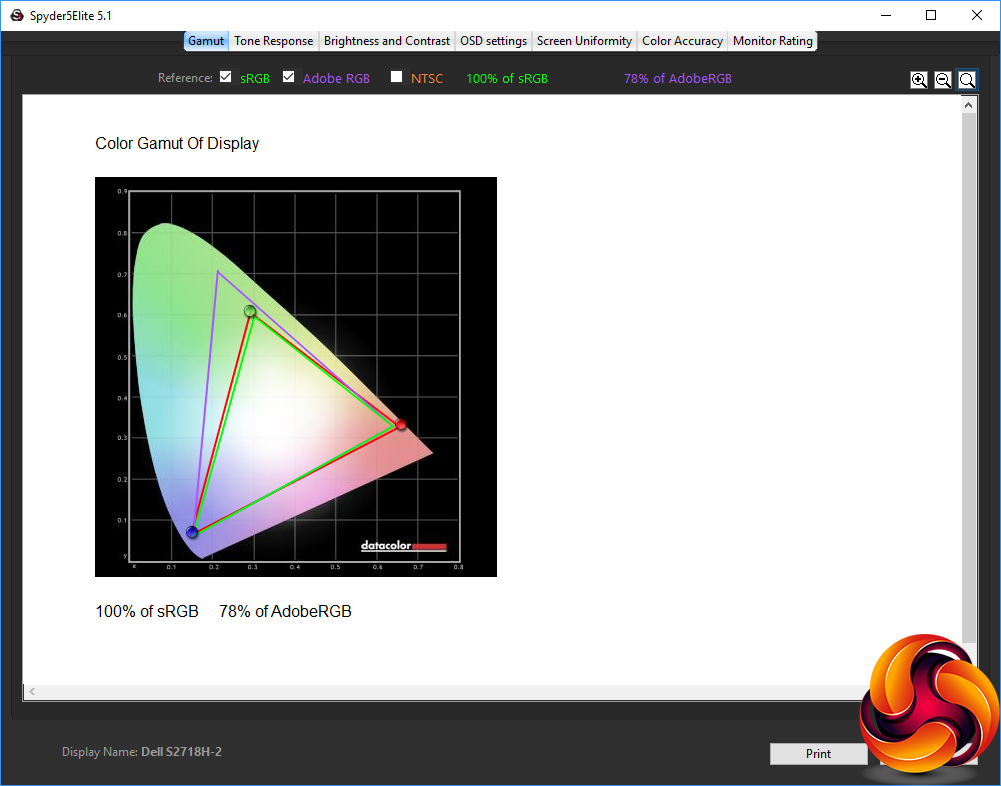
As we usually find, the gamut hasn't changed, with the same commendable 100 per cent of sRGB and 78 per cent of Adobe RGB.
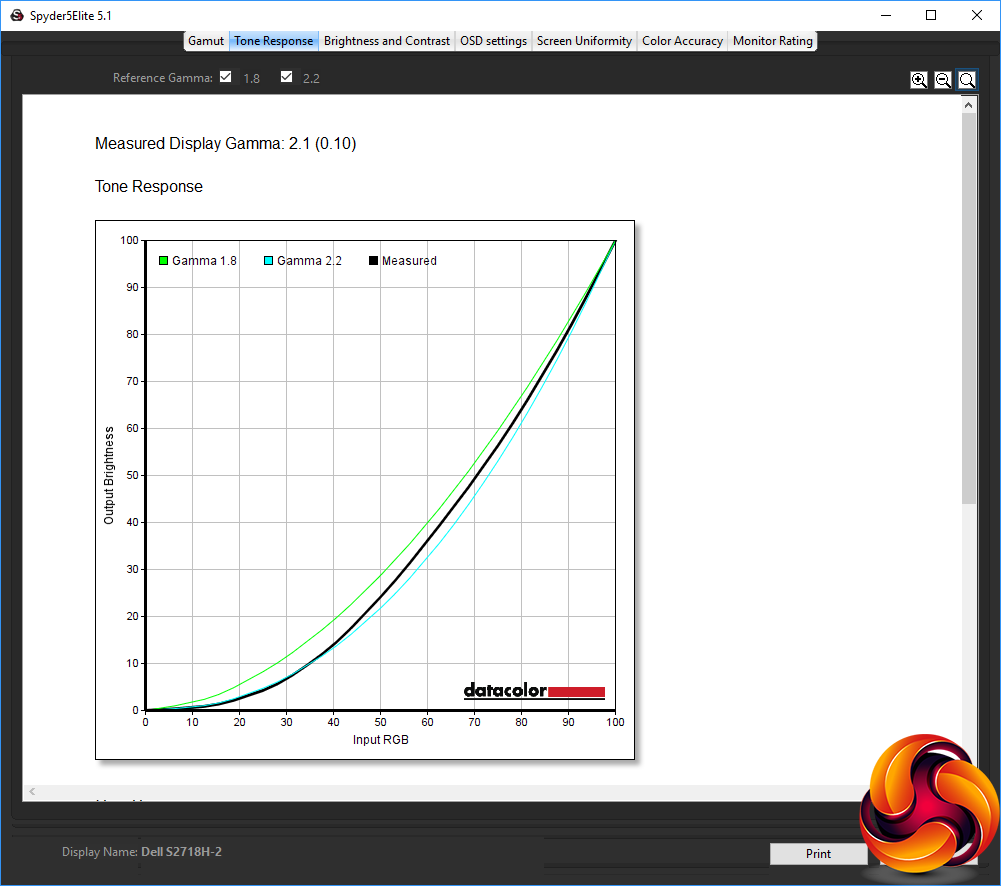
The gamma has increased to 2.1, which is closer to what we would expect from a mid-range setting.
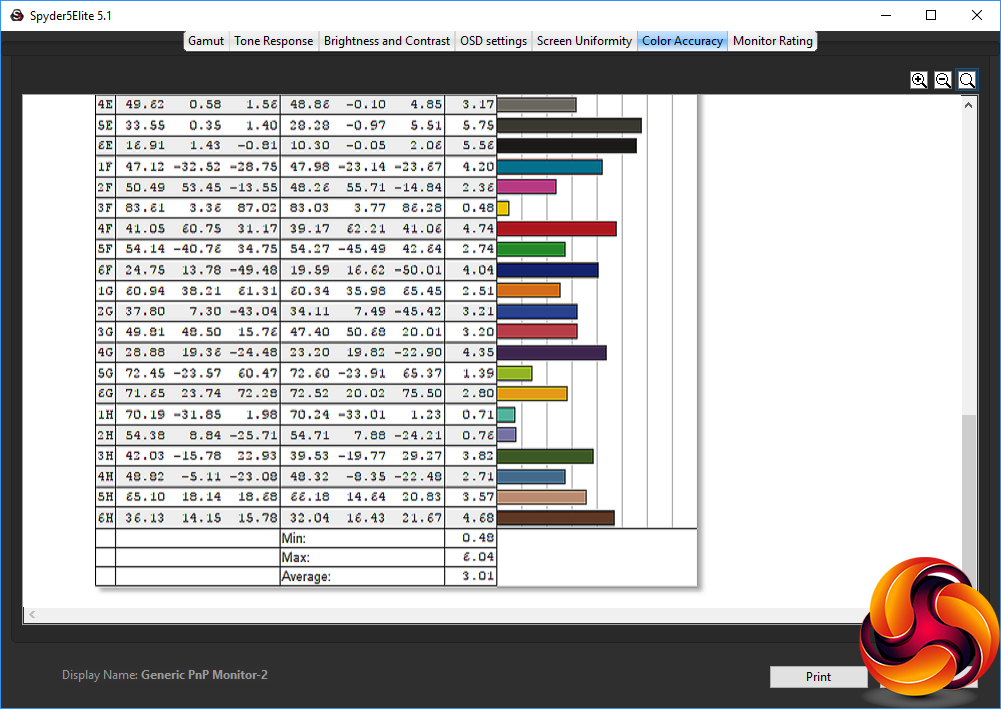
Colour accuracy has improved a bit too, reaching 2.72, which means the process was worth doing. It's still only a reasonable score, and no match for Dell's UltraSharp U2417H, but then you pay a lot more for screens in this range.
We also tried some games and movies, which were pleasant enough. Without any high refresh modes, there's none of the ultra-smooth frame rates found with top-end gaming screens, and as our test system had NVIDIA graphics, FreeSync wasn't enabled. We tried the two HDR modes (Movie and Game) and found their effects very subtle. There is a slight improvement of detail in bright or shadowy areas, but it's hardly a huge leap.
One area where the S2718H does punch a little above its price is in the quality of the built-in audio. This is noticeably better than the average display sound, with greater range and more volume available. We would still turn to separate speakers for music enjoyment or gaming, but the quality is more than enough for business use.
Overall, though, the S2718H produces a mid-range performance for a screen with a mid-range price and specification, which is about as you would expect. This is a competent all-rounder but nothing special.
The Dell S2718H is not a screen that will blow anybody away. However, image quality is decent and, so long as you stick to the presets, there are plenty of configuration options for everyday usage. Most importantly, it's not that expensive for a 27in screen, particularly one using an IPS panel.
Nevertheless, the top resolution is only 1,920 x 1,080 with a 60Hz refresh. Although the built-in speakers are pretty good for monitor audio, there's no USB hub included, and only tilt can be adjusted.
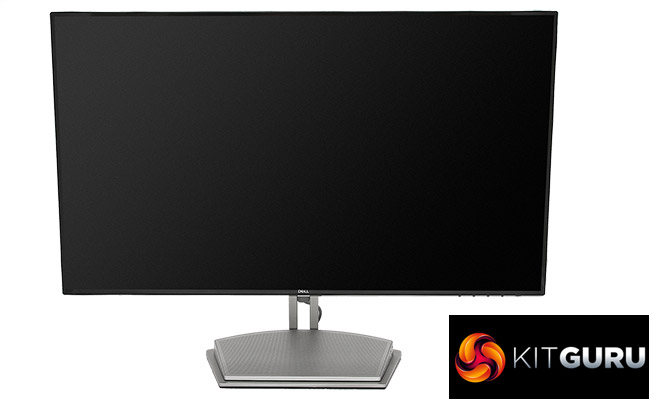
Overall, this is a reasonable screen for the money, but it's best suited to office use, multimedia viewing, and occasional gaming (with AMD graphics to take advantage of the FreeSync). If your needs are more discerning, we recommend you up your budget and look elsewhere.
The Dell S2718H is available from Dell UK HERE for £272
Discuss on our Facebook page, over HERE.
Pros:
- Keen price for 27in screen.
- Reasonable colour accuracy, which improves with calibration.
- Decent 12W speaker module.
Cons:
- Only 1,920 x 1,080 resolution.
- 60Hz refresh in Full HD.
- Only tilt adjustment.
- No USB hub.
Kitguru Says: The Dell S2718H is commendable value for a 27in screen, with good performance for the price, but it's only Full HD and not packed with features other than above-average built-in speakers.


n ice looking panel for the money
Imho is overpriced for a FHD 60hz even if the panel is a decent ips. You can find similar panels at 1440p or 100(+)hz
waste @ 1080p
What about the sRGB gamut? This one is over %99.
This looks like a decent “compromise monitor” for console users. PS3 games really do not scale well to 4K at all. So, if someone has a PS3 and PS4 Pro in the same room, the PS3 content will look acceptable on a 1080p monitor and even though they can’t use the PS4 Pro in 4K they can at least play games in HDR. Shame about the stand not being vertically adjustable though. Seems to be an issue with lots of Dell monitors these-days.
Just returned this monitor after a few days trying to live with it. The build quality isn’t great and brightness was much less uniform on mine compared to this review model. The so-called HDR is a joke. If it was £75 cheaper it would be easier to more generous but I think most people expect more from a monitor at this price point.