KitGuru KitGuru.net – Tech News | Hardware News | Hardware Reviews | IOS | Mobile | Gaming | Graphics Cards


Screen sizes are increasing inexorably, but sometimes space or budgetary restrictions mean the classic 24in format is still the best choice. If you're a professional in one of these categories, the Iiyama ProLite XUB2493HS-B1 could be what you're looking for. It's a 24in Full HD screen for under £160, but uses IPS panel technology, so should provide professional-grade quality characteristics.
The XUB2493HS-B1 is nothing revolutionary on paper. The specification is as expected for IPS technology. It has the usual 250cd/m2 brightness and 1,000:1 contrast ratio, plus 4ms response time. So this isn't a screen for gaming or watching movies at a distance.
Iiyama claims a pedestrian 99 percent sRGB and 72 per cent NTSC colour. Where this screen should win out is in colour fidelity, thanks to that IPS panel.
There's something for everyone where inputs are concerned, with VGA, HDMI and DisplayPort, plus an analog headphone output. Unfortunately, there's no USB hub but you do get a pair of 2W speakers for stereo sound.
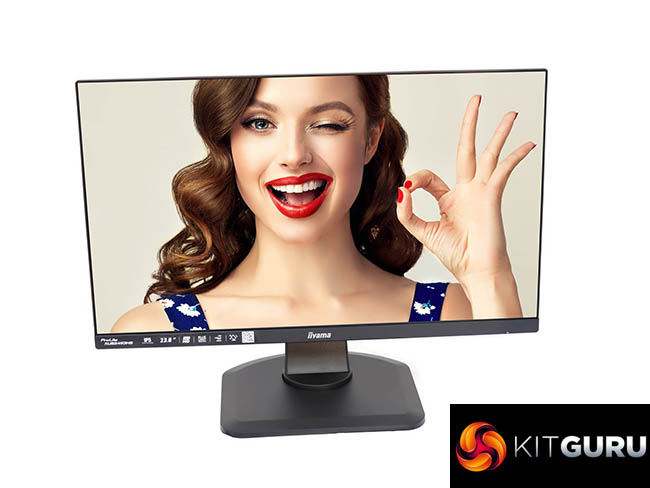
This is a comprehensively adjustable monitor, too, with a full range of height, angle and rotational alterations available. However, you wouldn't expect that many surprises in a monitor costing under £160. Let's find out if the Iiyama ProLite XUB2493HS-B1 has any tricks up its sleeve.
Specification:
- Screen size: 24-inch, 16:9 aspect
- Native resolution: 1,920 x 1,080
- Refresh rate: 75Hz
- Panel type: IPS
- Contrast ratio: 1,000:1 (typical)
- Brightness: 250cd/m2
- Response time: 4ms Grey-to-Grey
- Display inputs: HDMI, DisplayPort, VGA
- USB hub: No
- Tilt: 5 degrees forward, 22 degrees backward
- Raise: 130mm
- Swivel: 45 degrees left and right
- Other: Minijack audio input and output, stereo 2W speakers
Retail Price: £158 (inc. VAT)
The Iiyama XUB2493HS-B1 is a ProLite, so every aspect is businesslike.
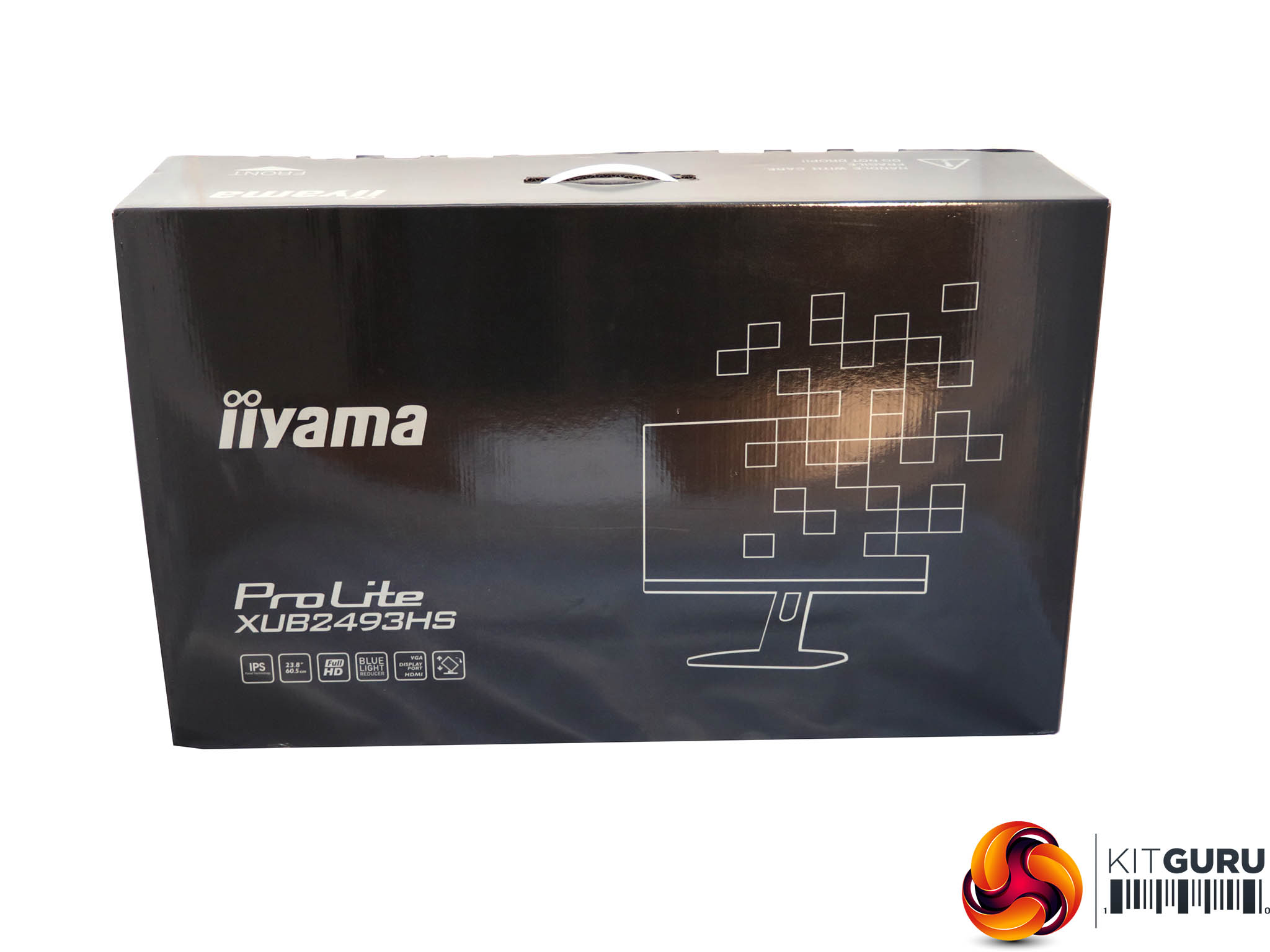
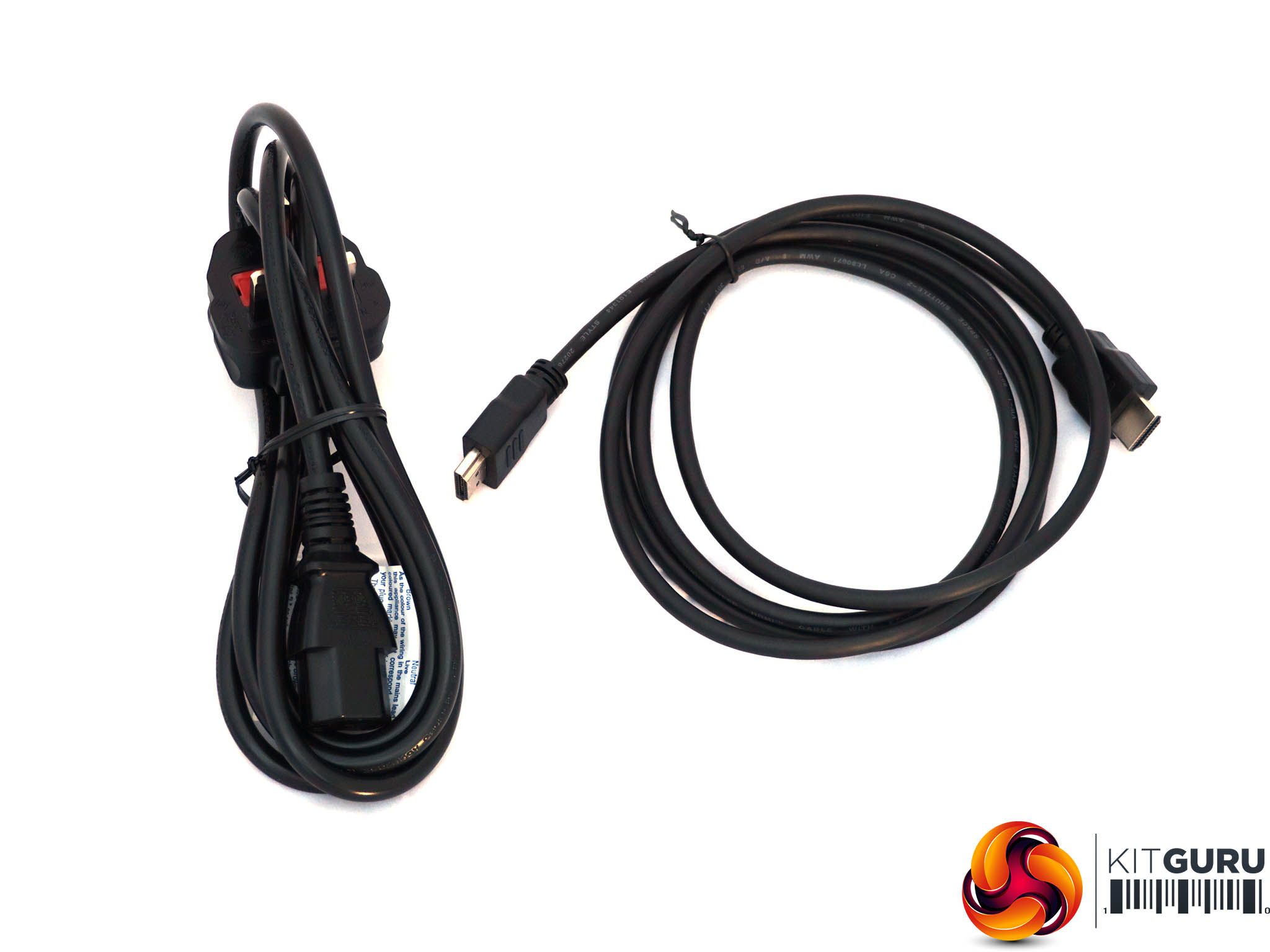
The black glossy box has a serious but stylish line drawing rather than a glamorous photo, but does not contain that much apart from the screen itself – just HDMI and power cables.
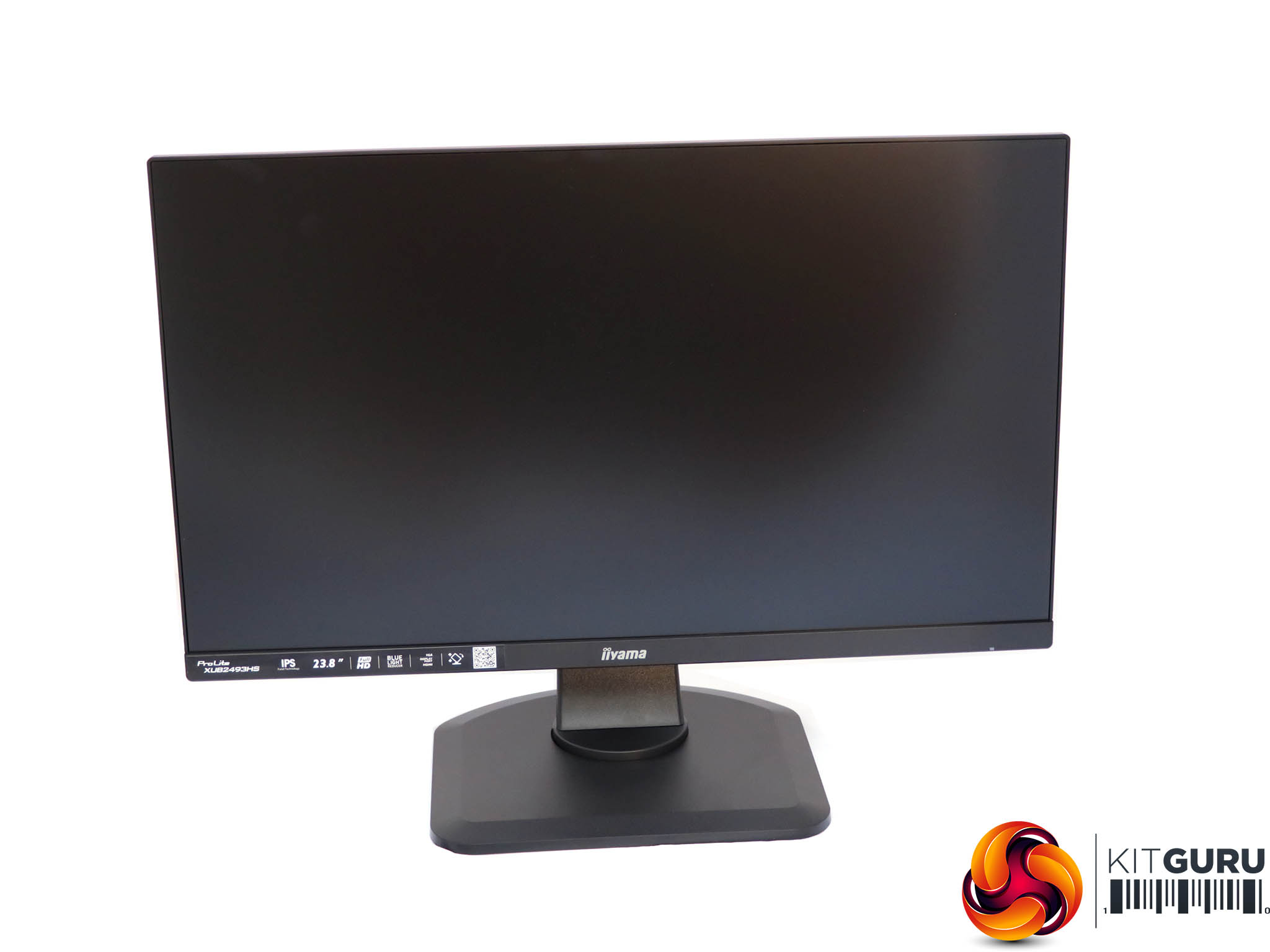
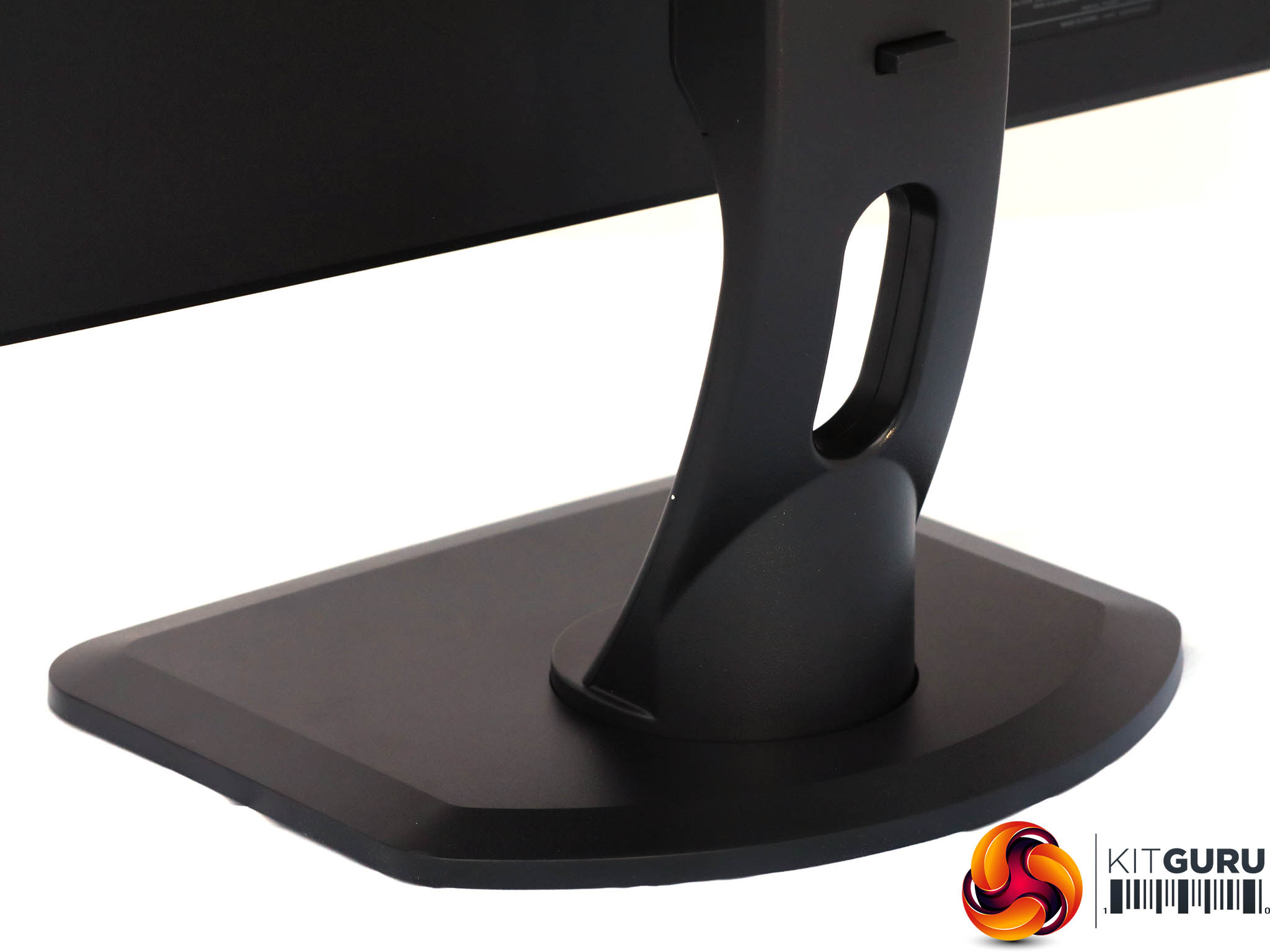
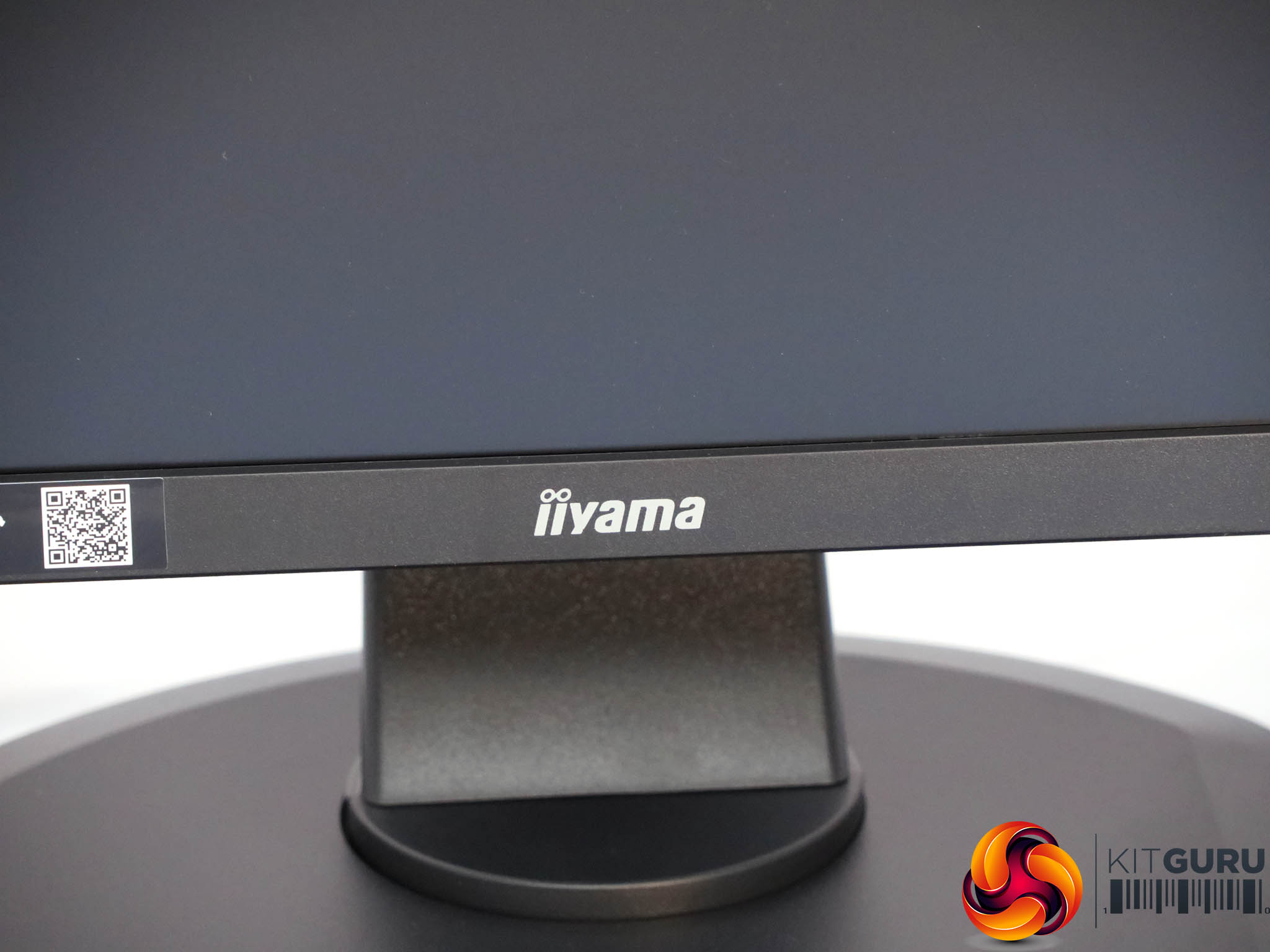
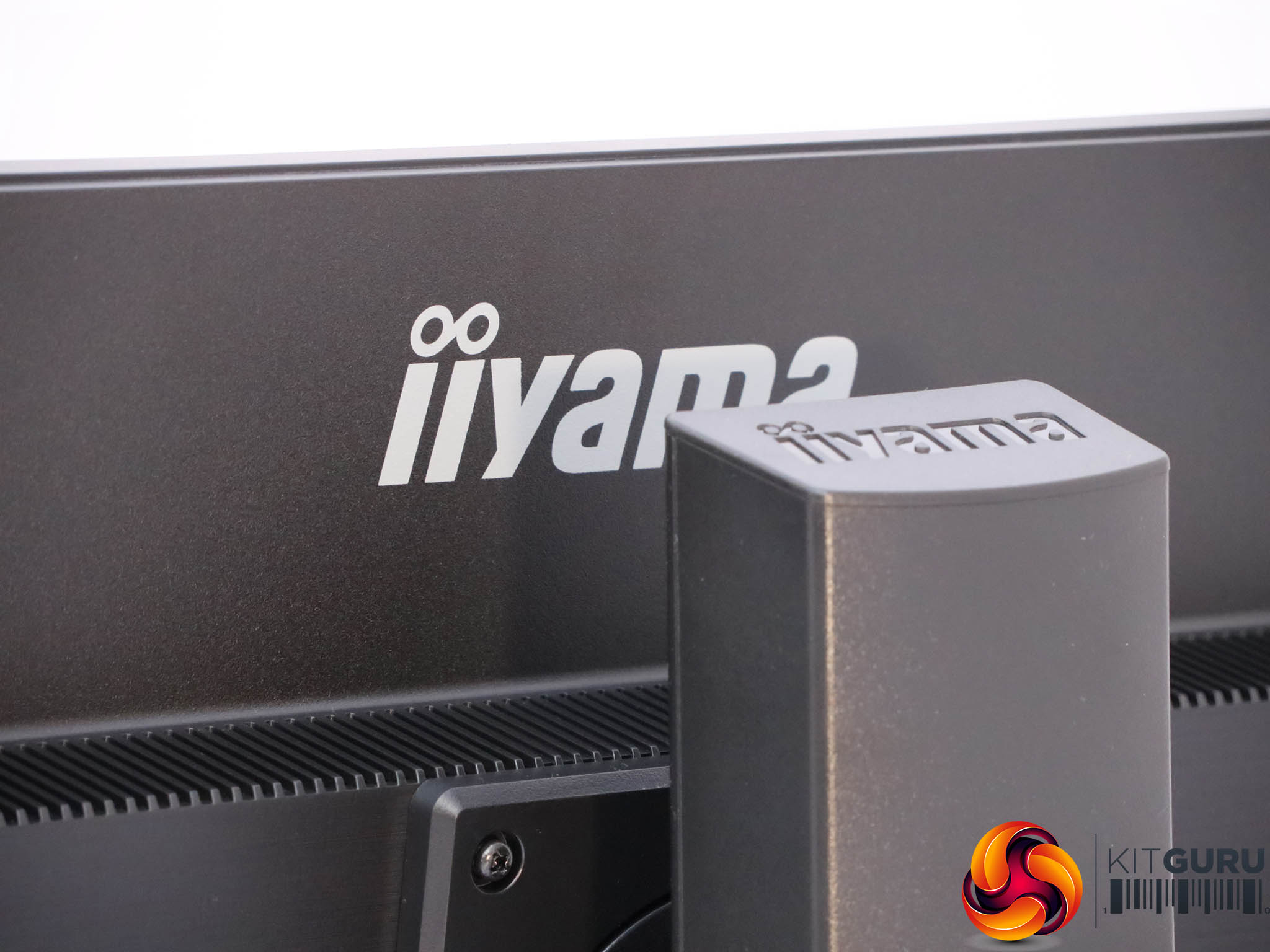
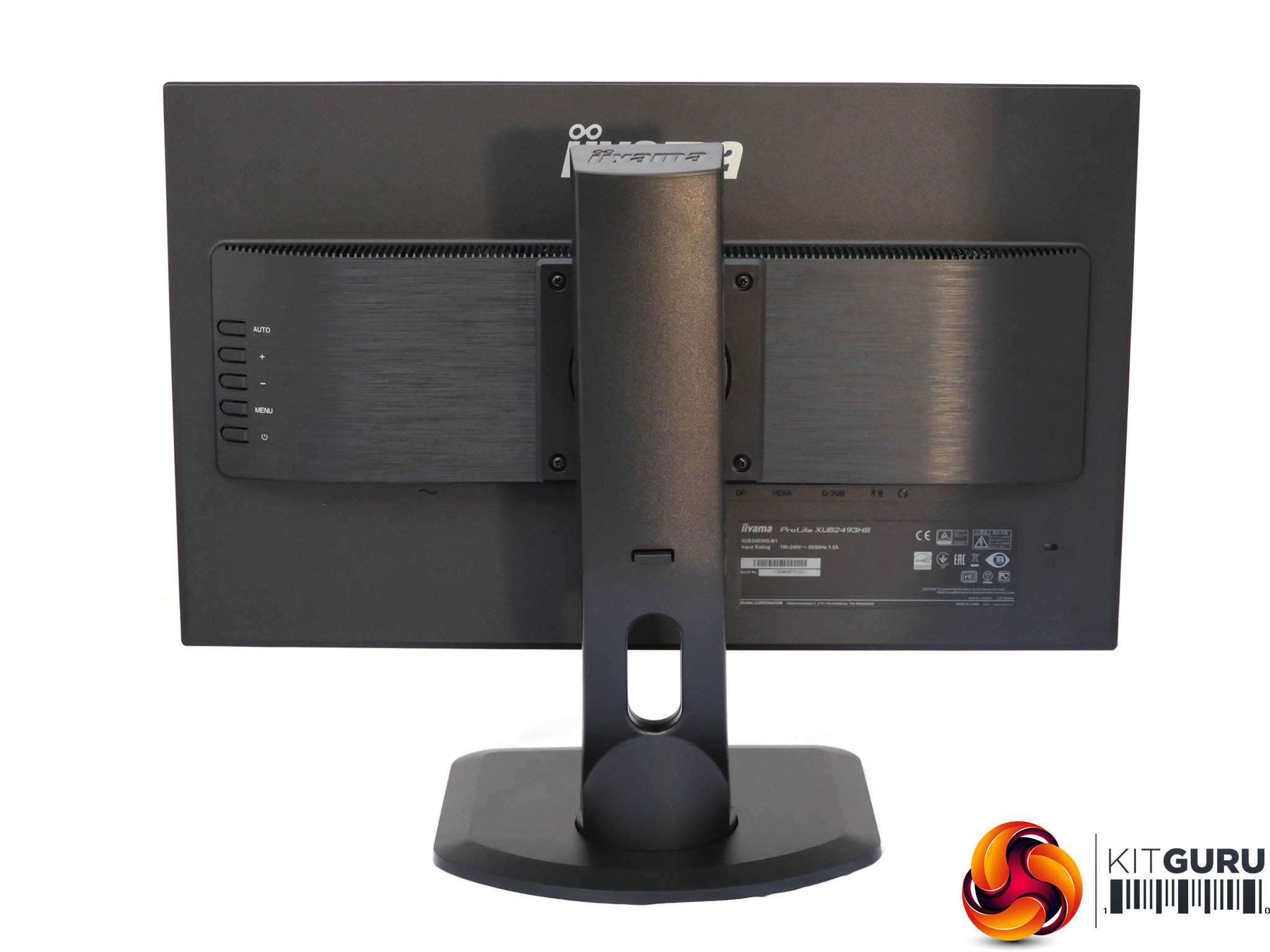
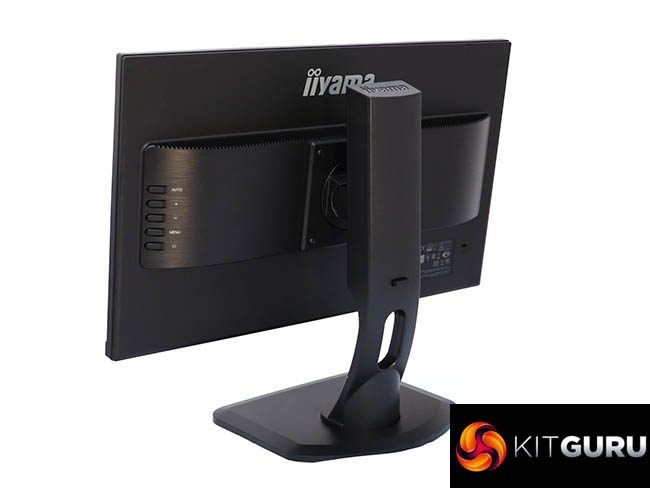
It's a decent-looking screen, finished in a combination of black plastic and black-tinted brushed metal. It's a very understated appearance and should fit comfortably alongside a black business PC or workstation.
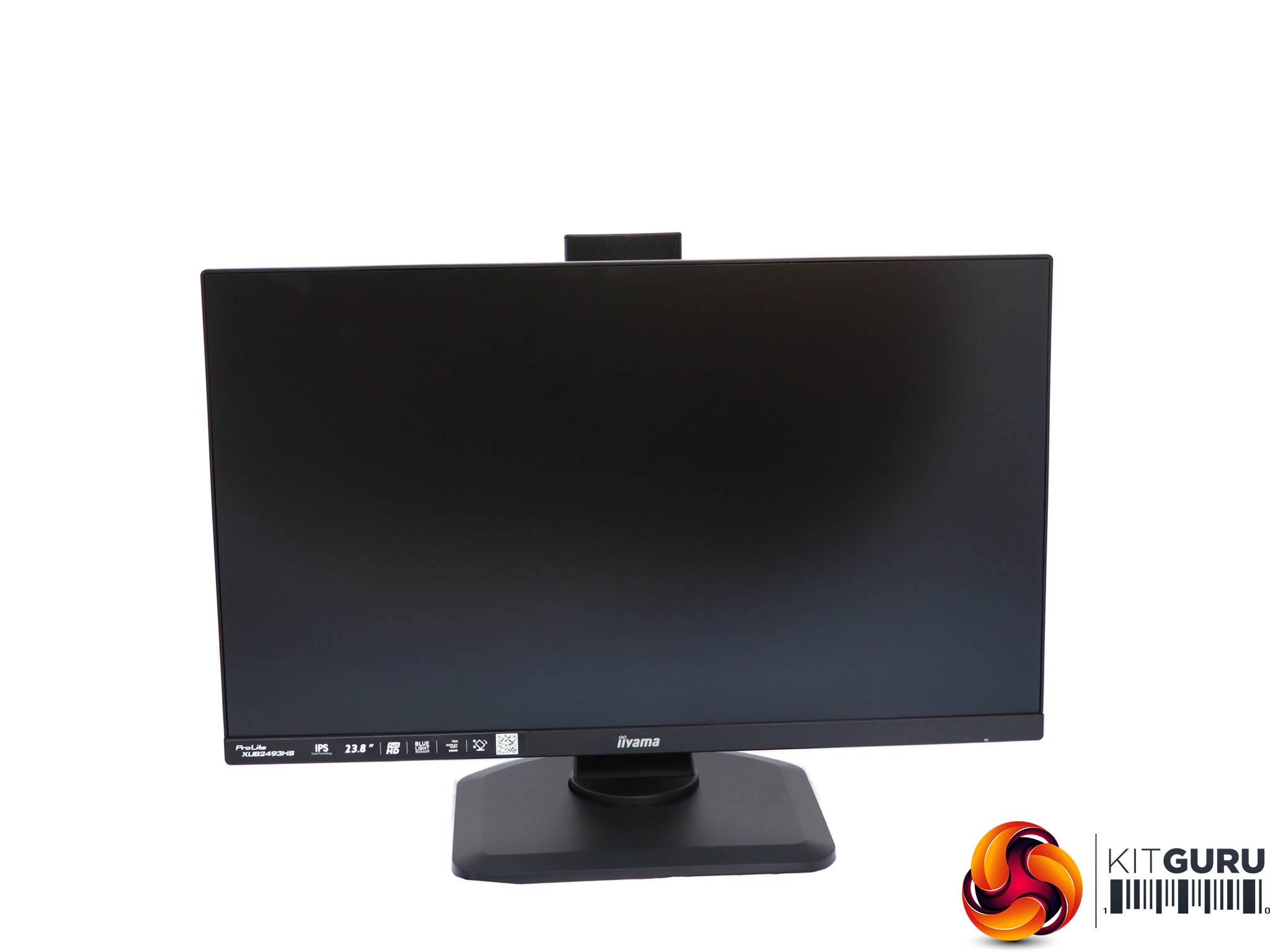
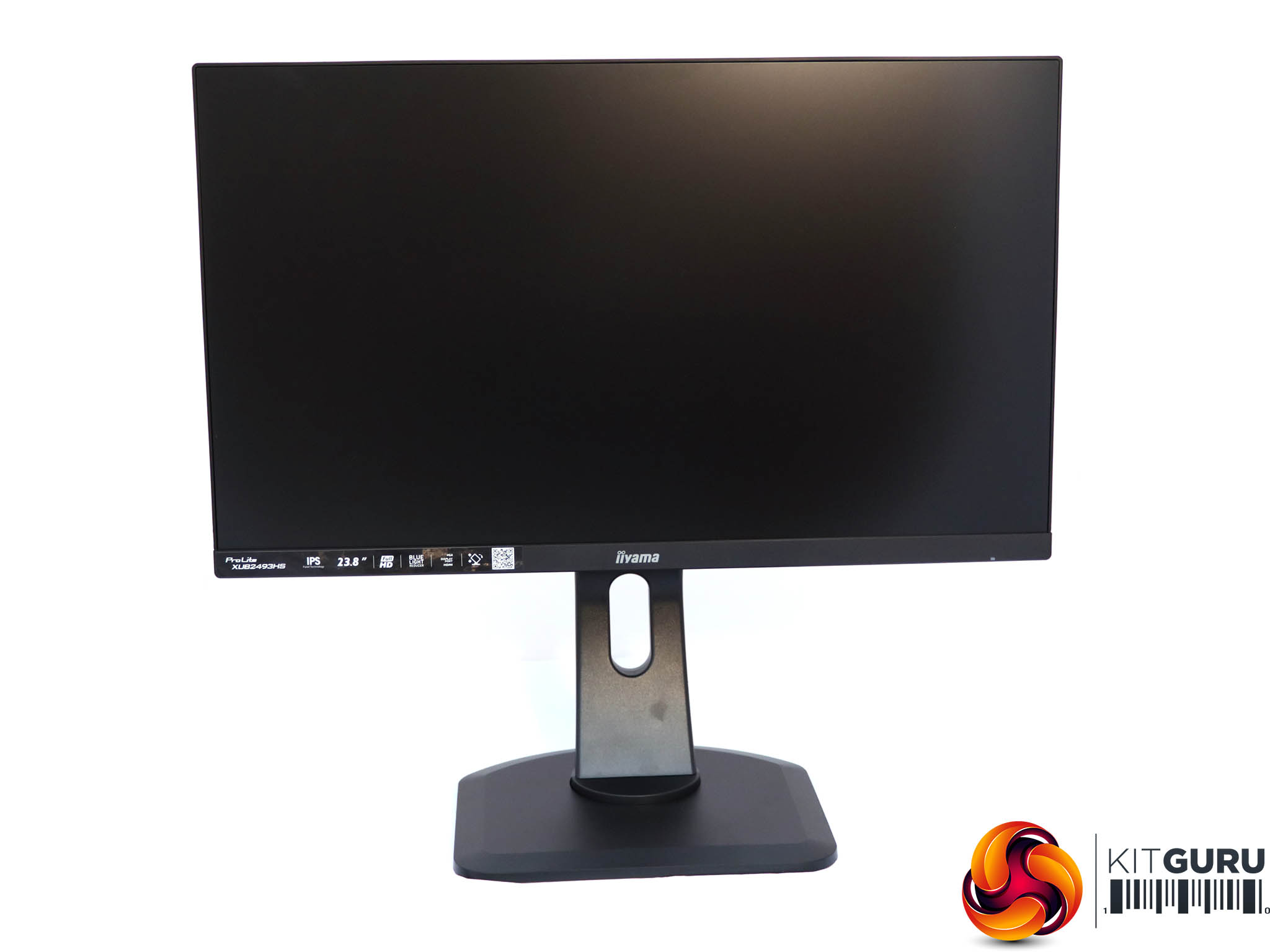
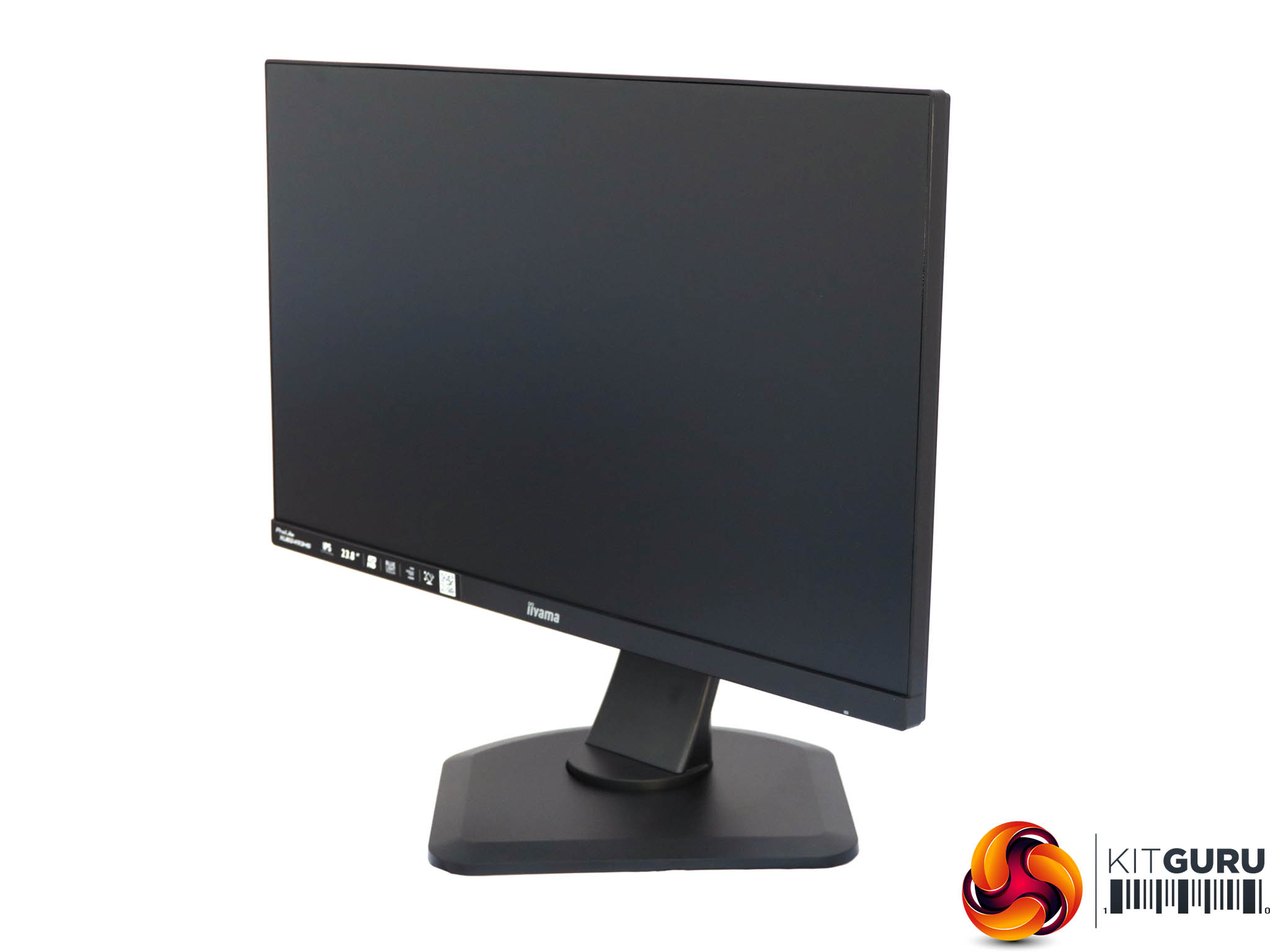
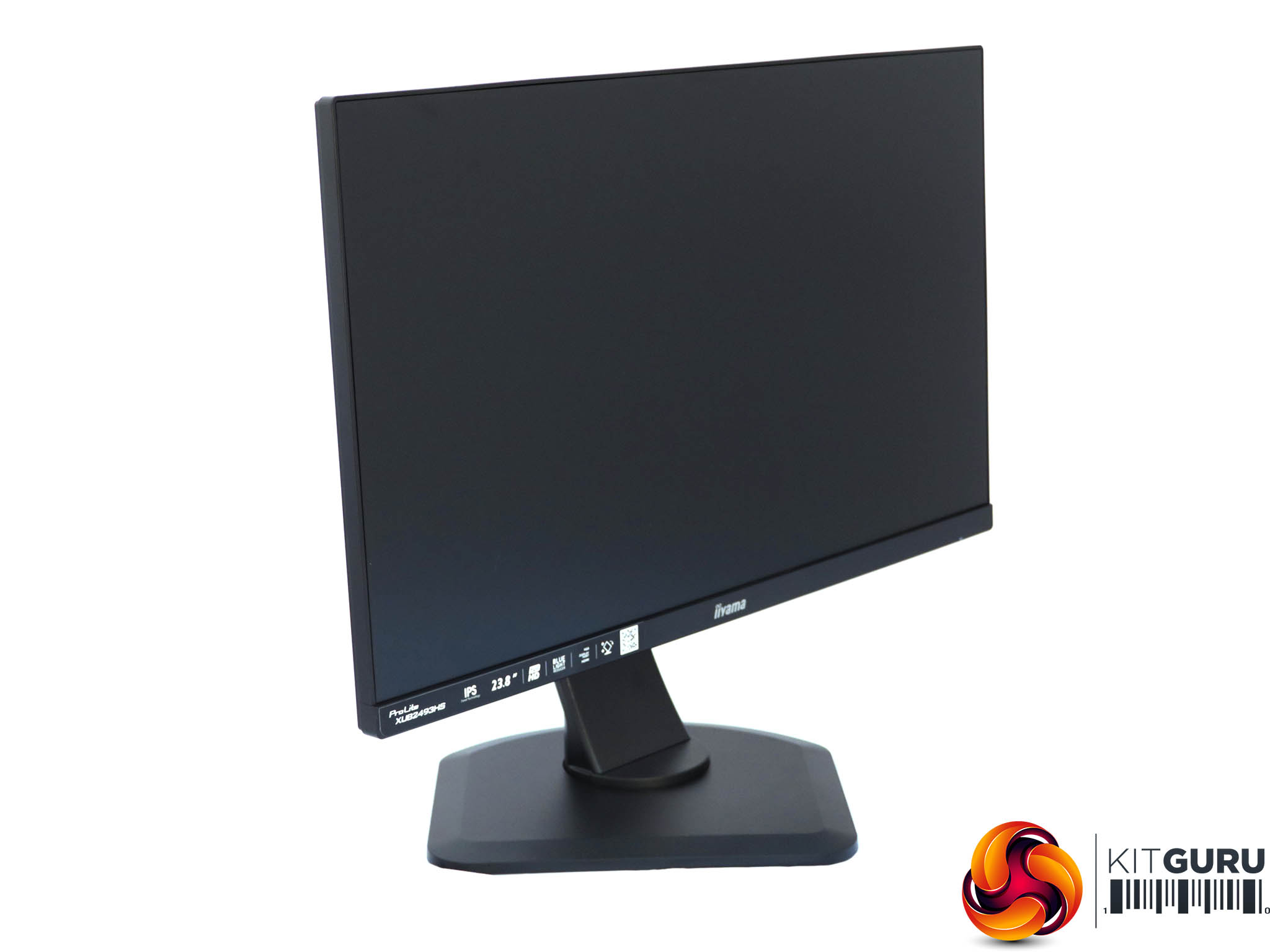
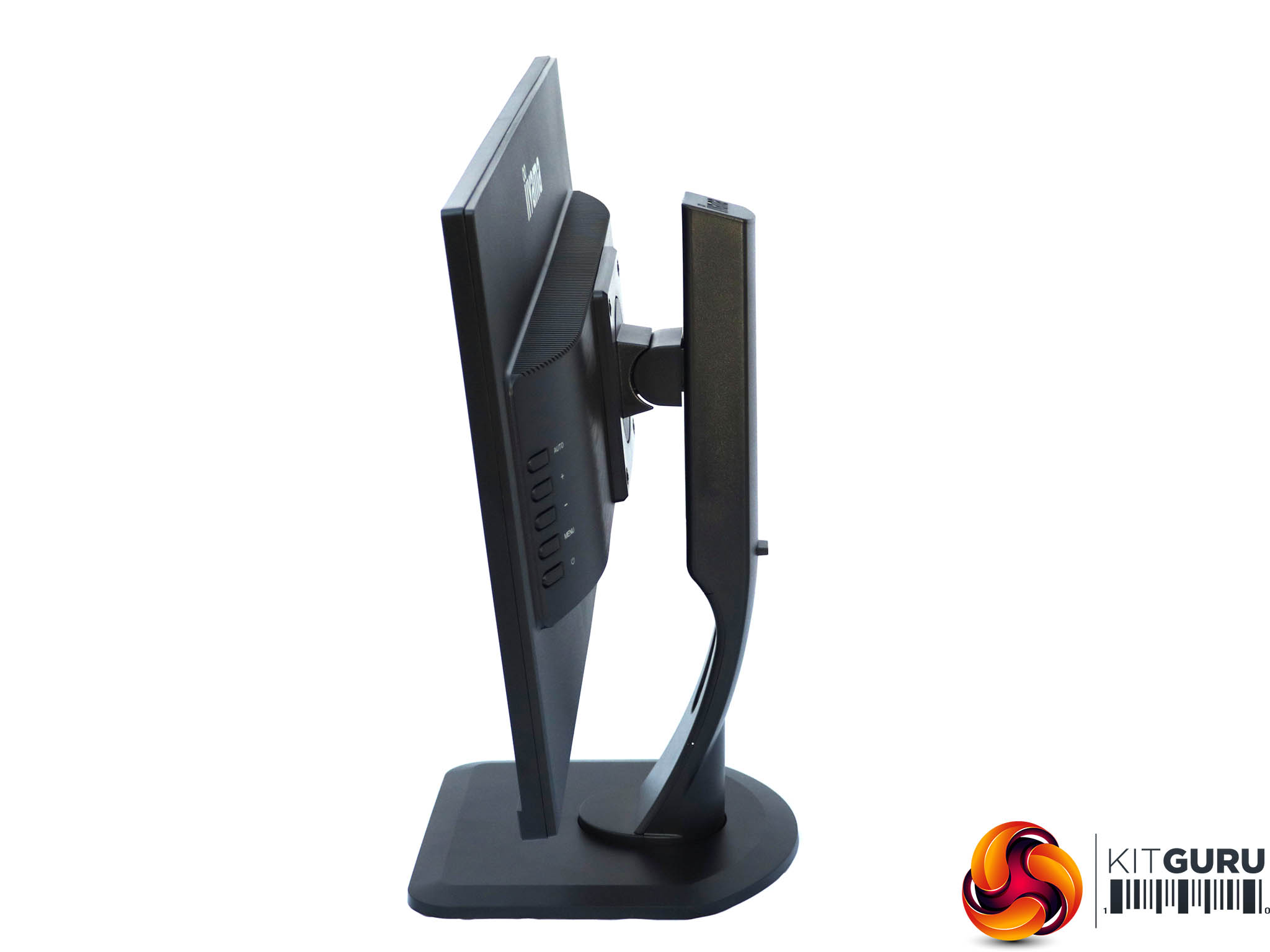
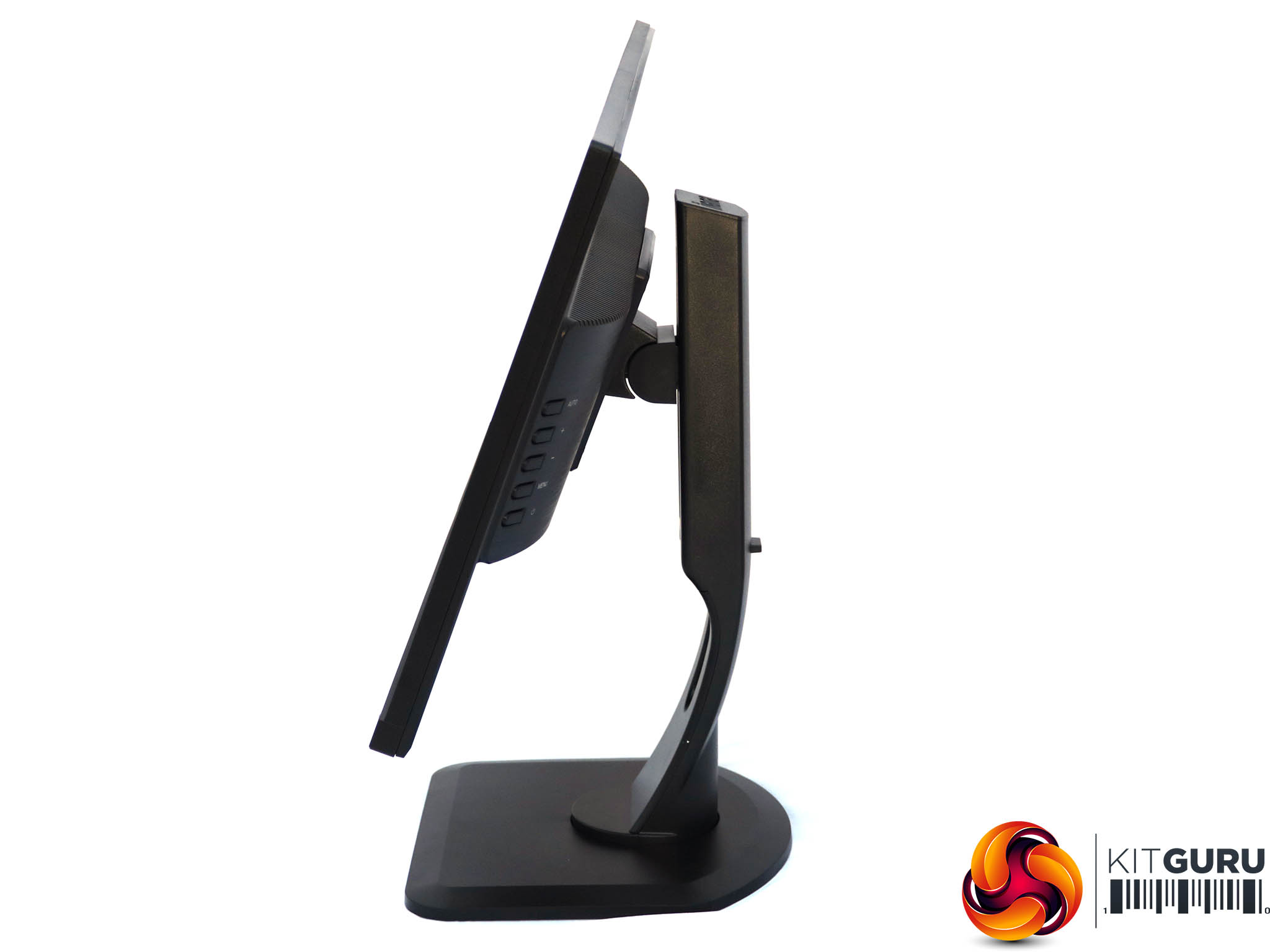
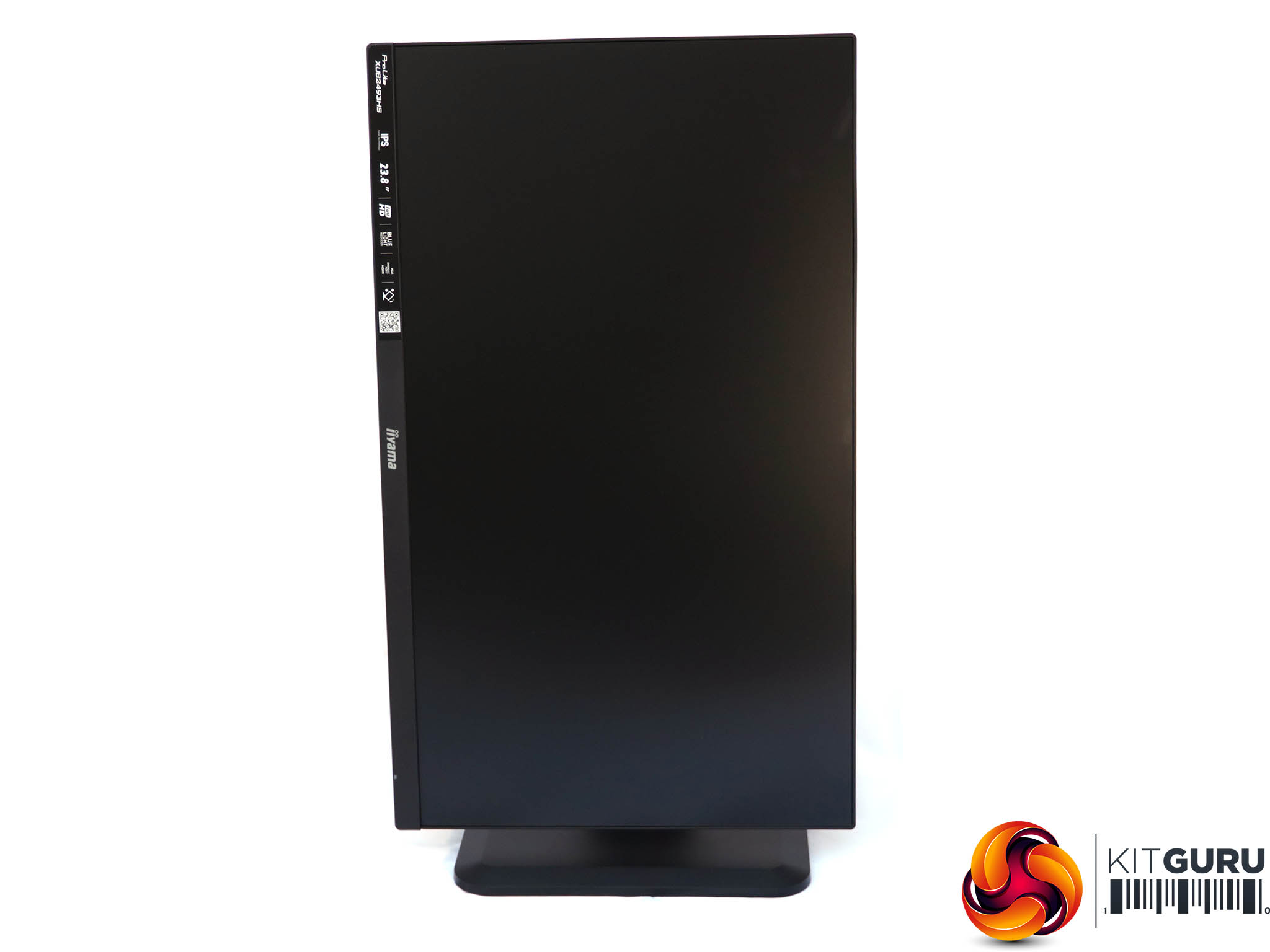
The ProLite XUB2493HS-B1 definitely wins on adjustability. The height can be raised by 130mm, the panel can be swiveled 45 degrees in either direction, and you can tilt 22 degrees backwards or 5 degrees forward. It's also possible to rotate the screen 90 degrees into portrait mode.
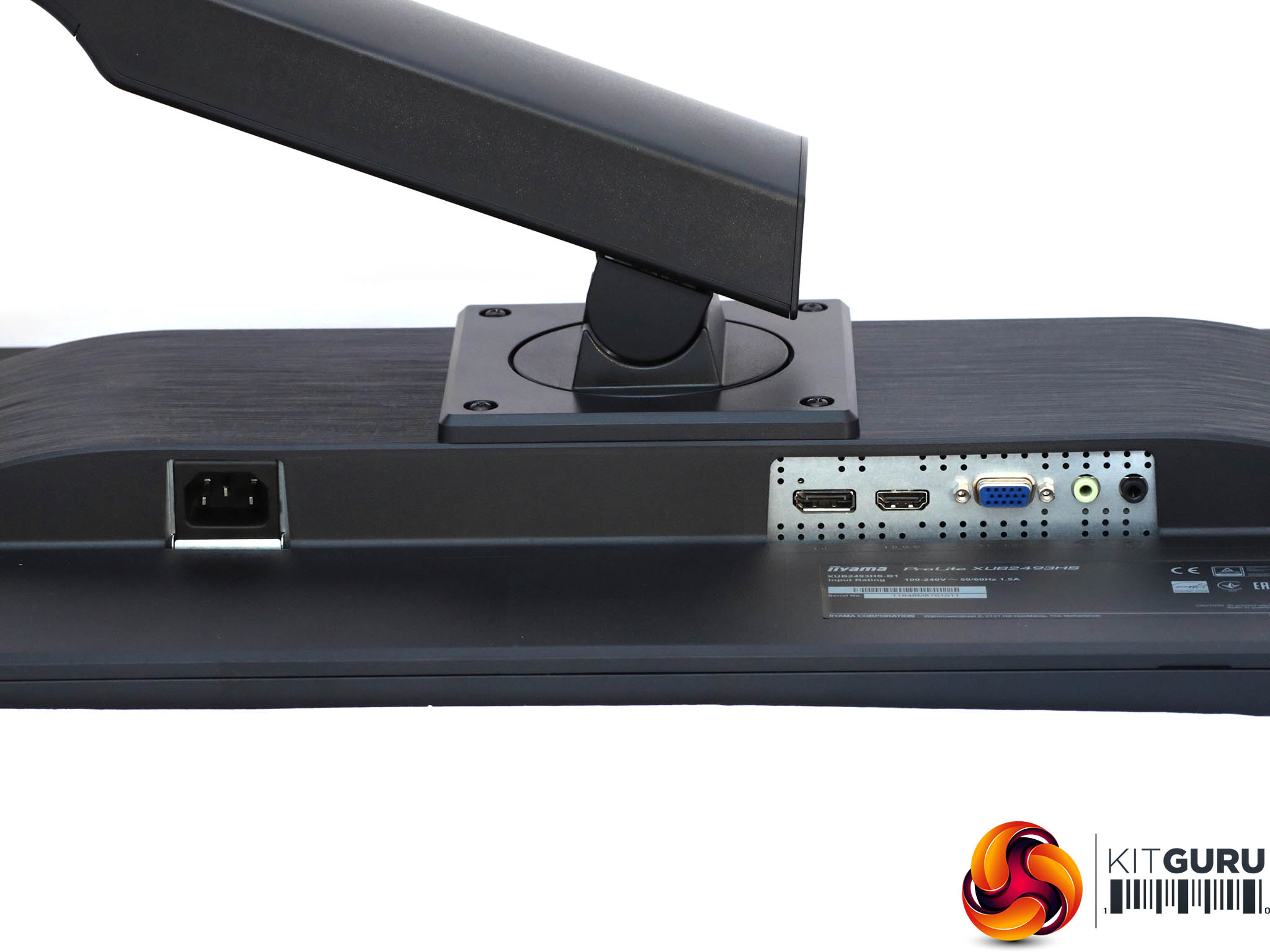
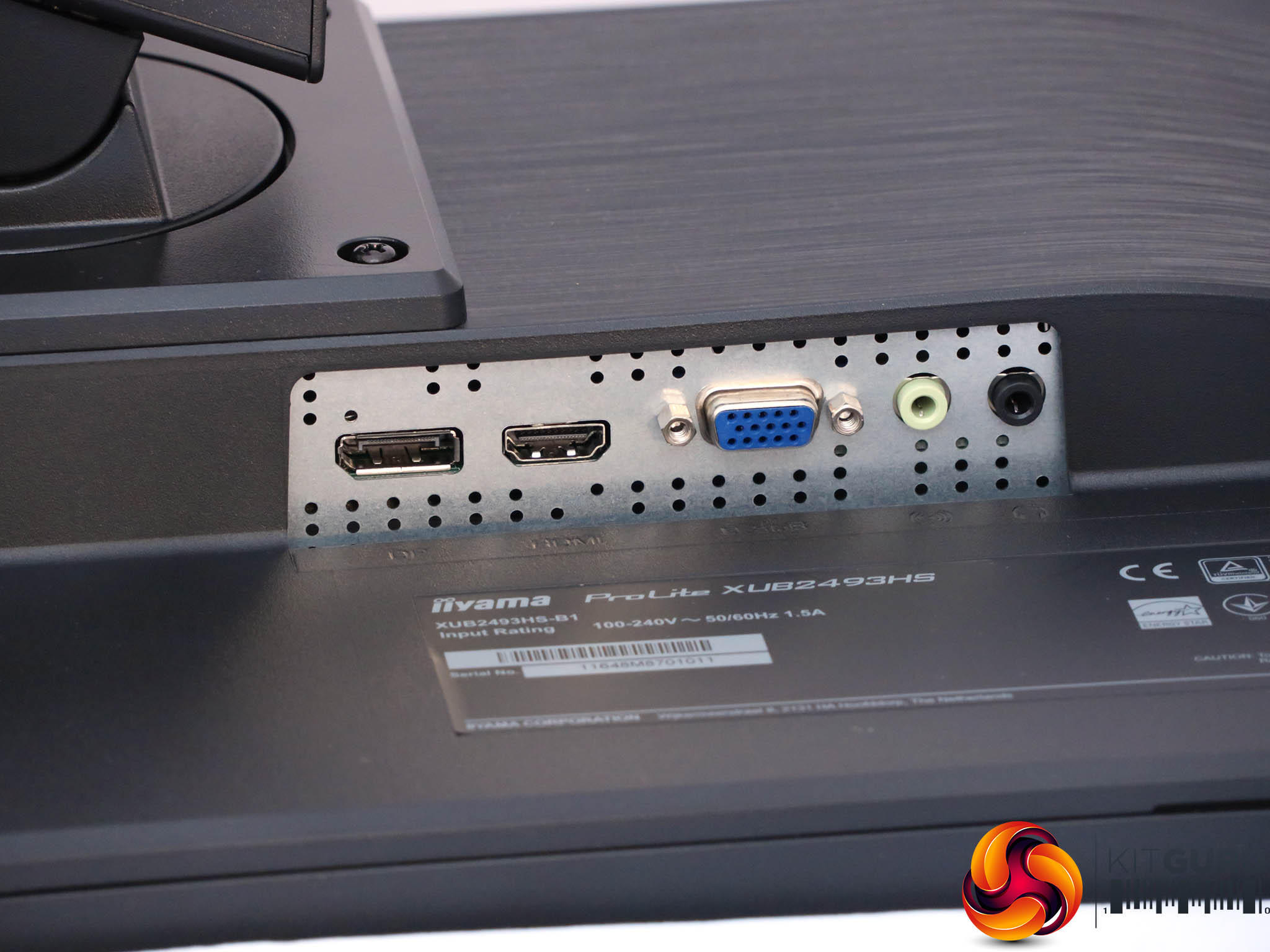
The port allocation would appropriately be described as covering the main bases without being overly generous. You get one each of DisplayPort, HDMI, and legacy VGA, plus analog audio input and output minijacks.
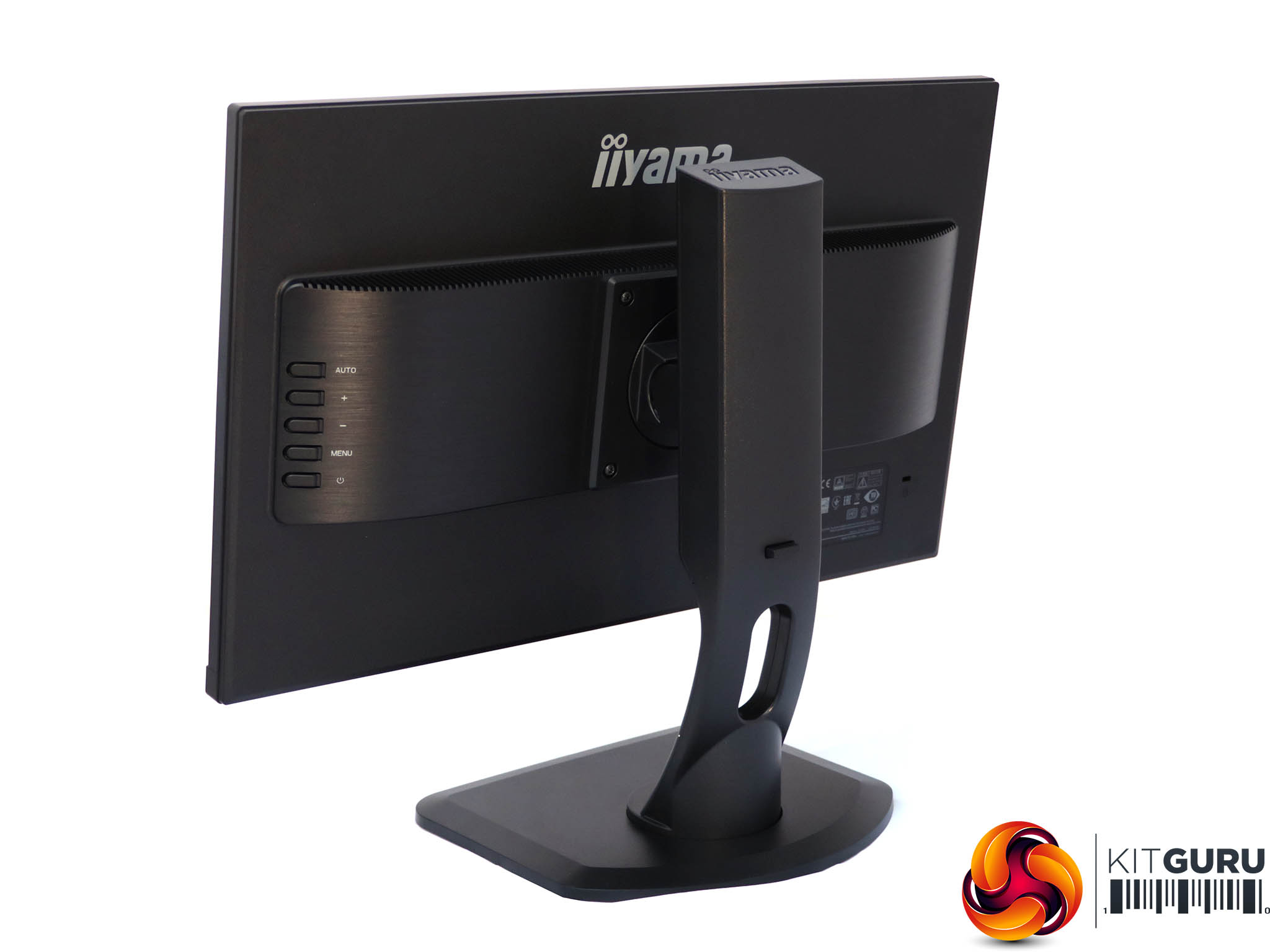
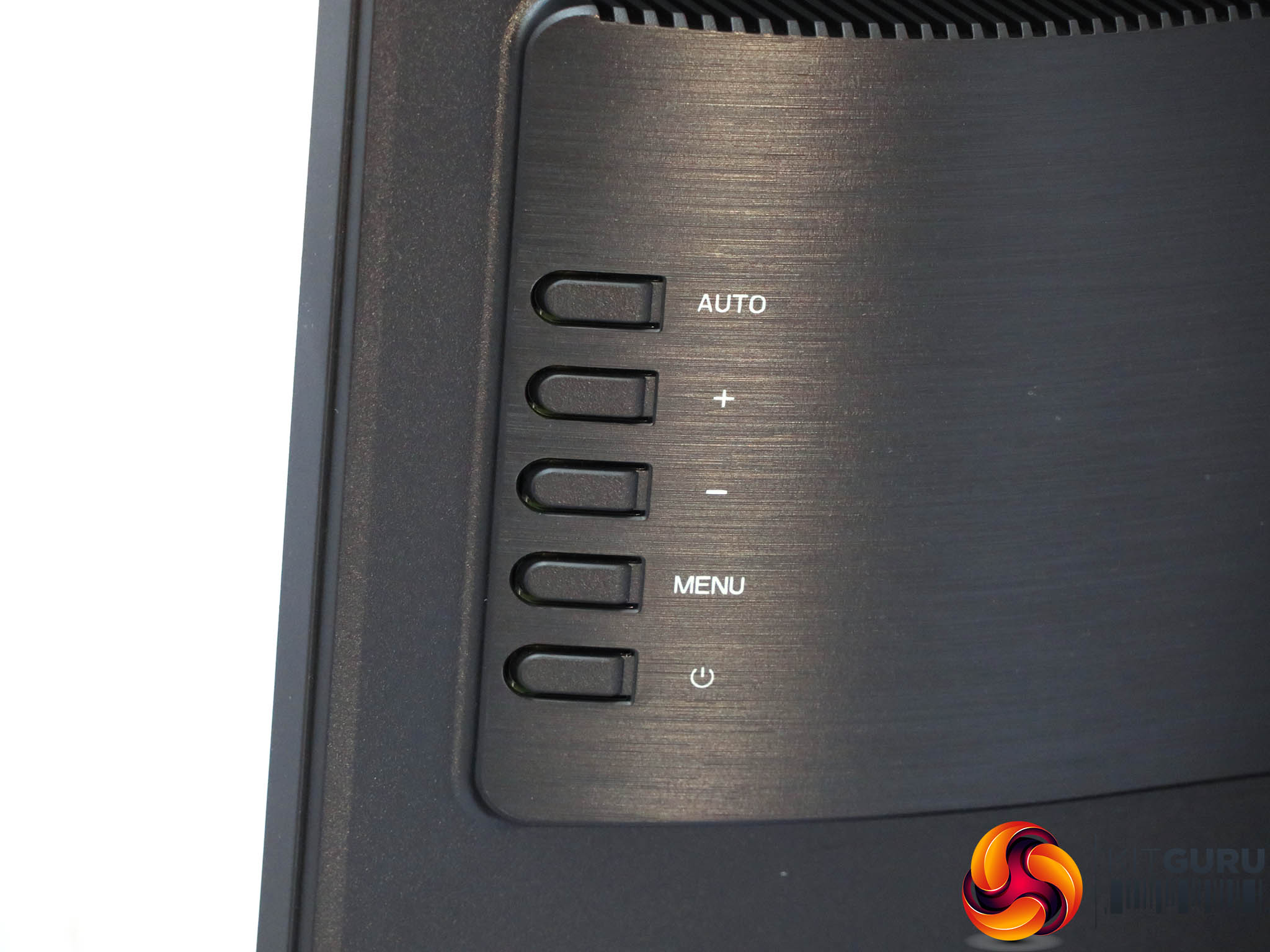
The menu is operated with five buttons on the rear right-hand side. They protrude a decent amount making them reasonably easy to access.
The bottom button is merely for toggling power, so we'll start at the top instead.
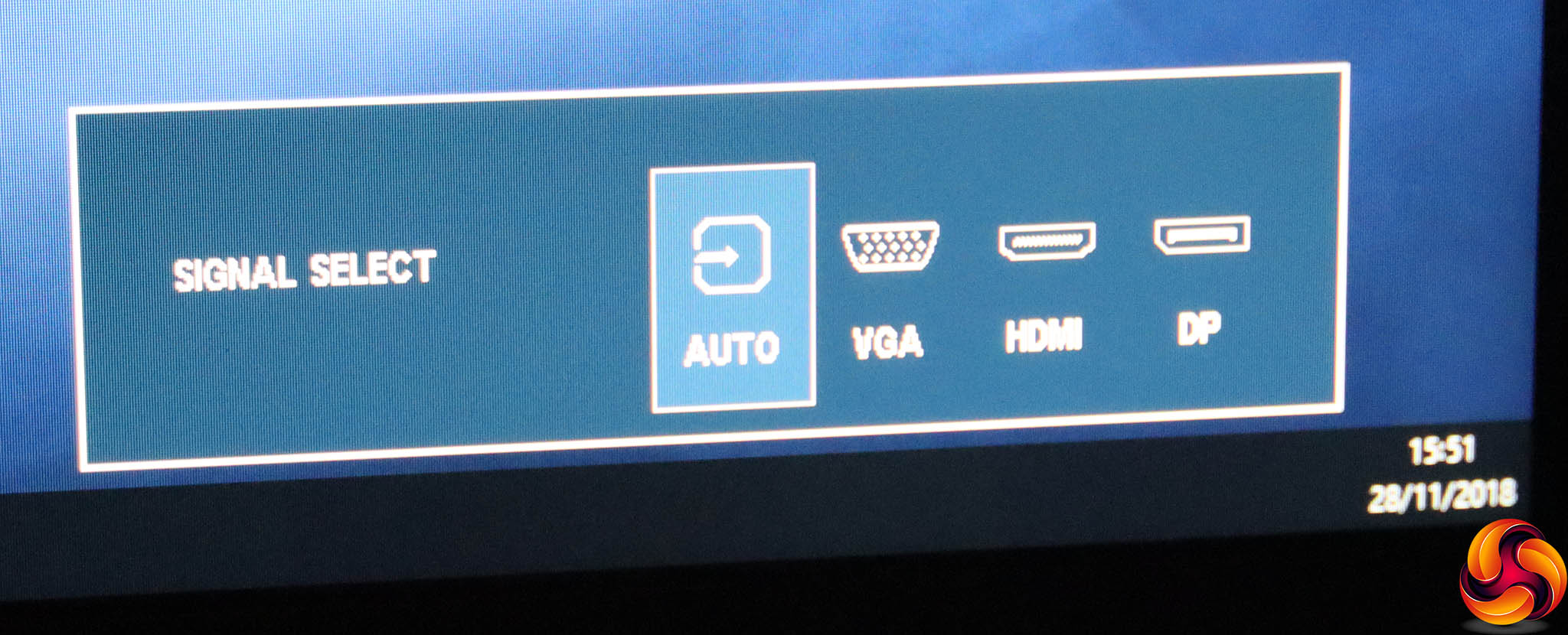
The top button is marked “Auto”, but in fact switches between auto signal detection and manual selection of the three inputs. Or it takes you up a level in the main menu system.
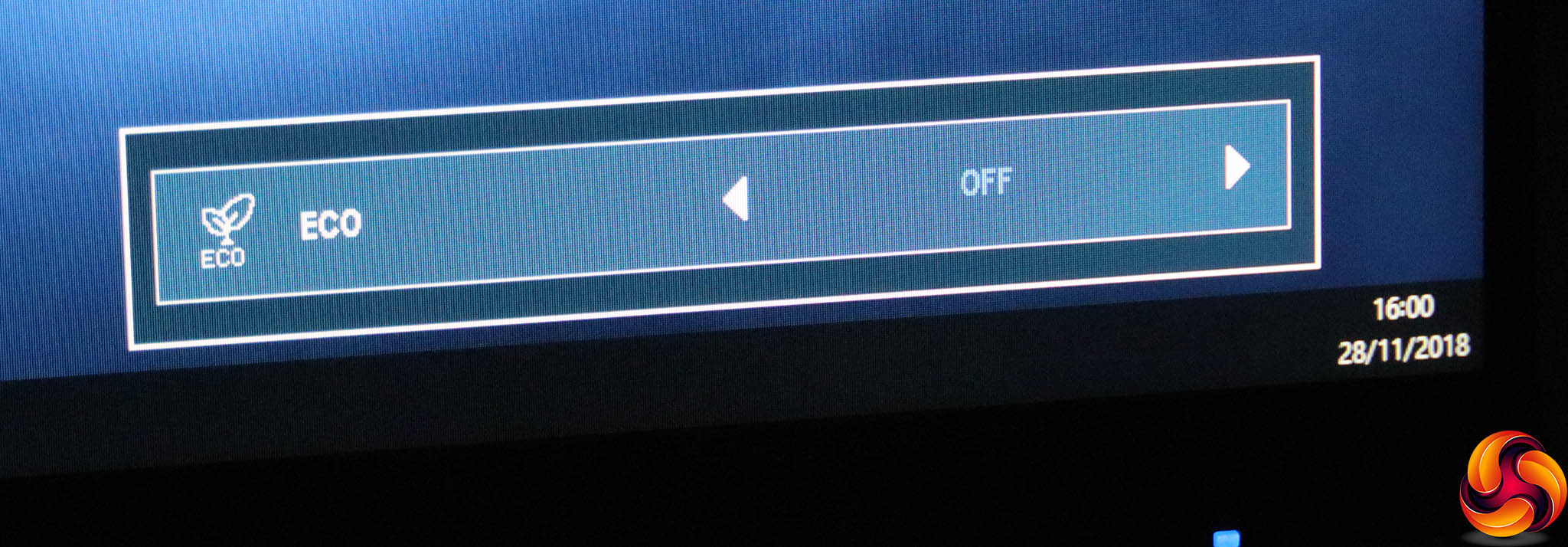
The next button down (+) toggles between the three ECO modes, which reduce brightness to conserve power.
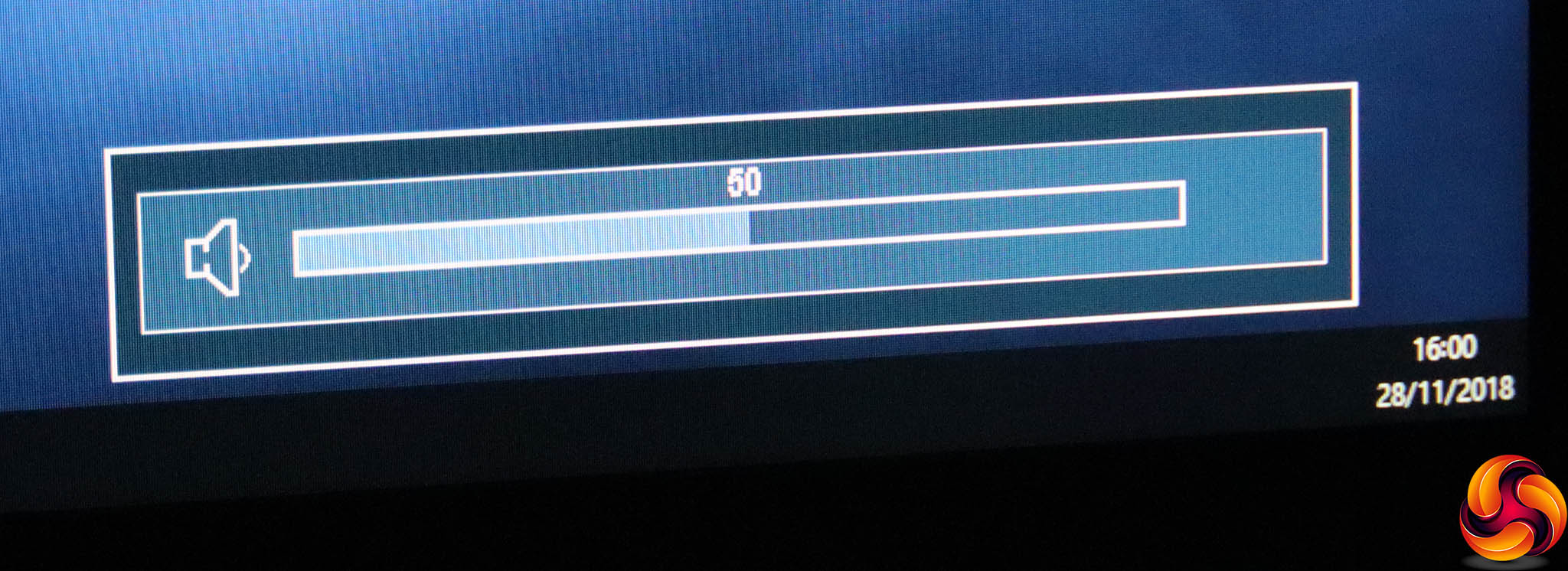
The (-) button calls up the volume control for the speakers and / or any attached headphones.
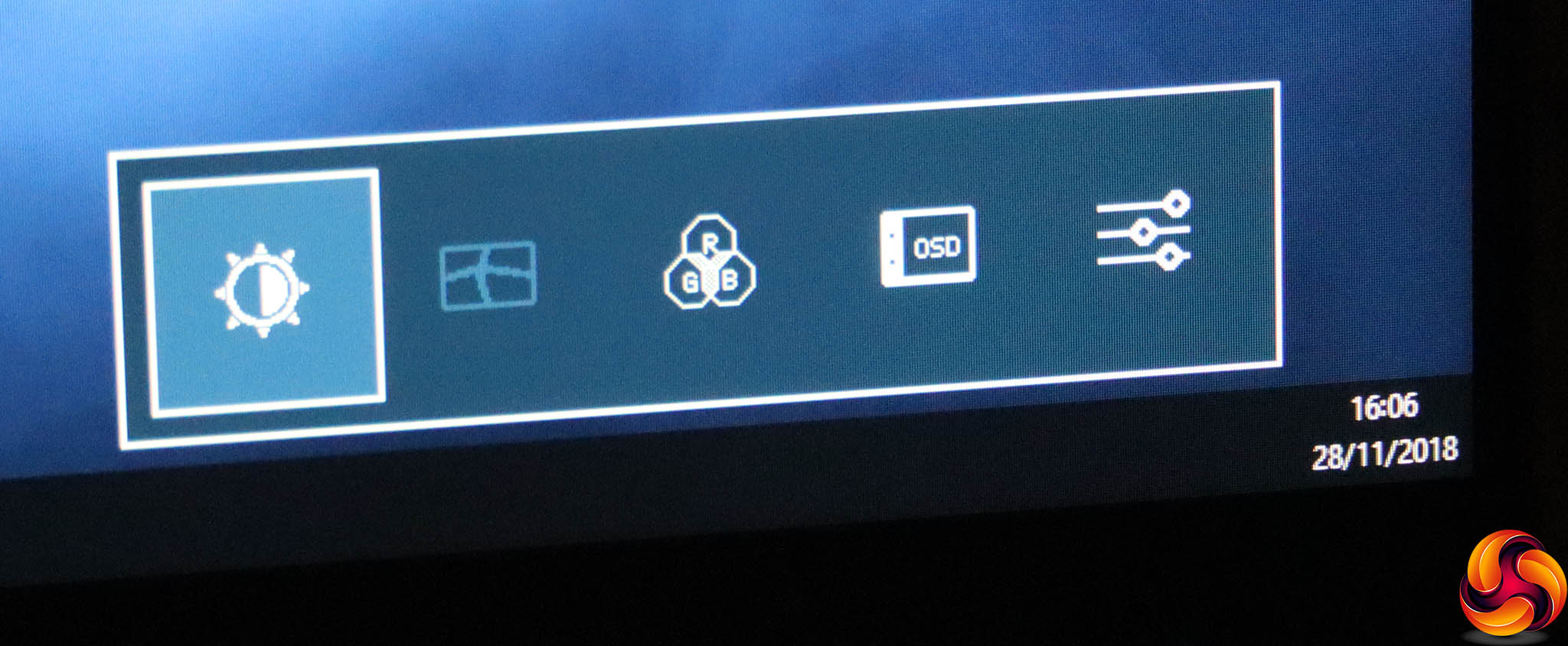
The Menu button (fourth down), unsurprisingly calls up the Menu. However, you need to press it again to enter any of the categories. Alternatively, you can use the + and – buttons to switch to another category.
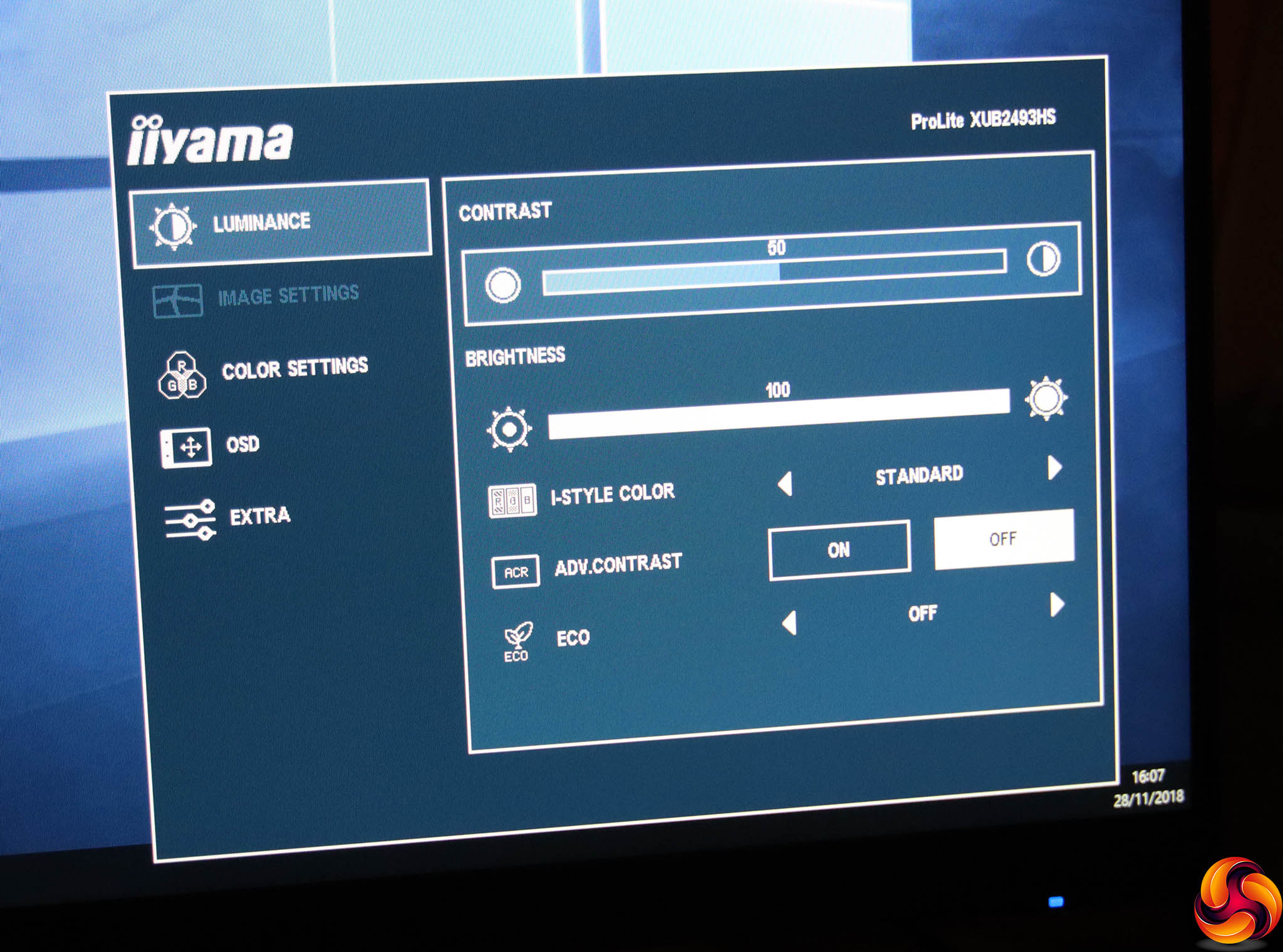
The first main menu section is Luminance, where you can adjust brightness, contrast, and I-Style Color modes, which are this monitor's presets. These include Standard, Sports, Movie, Game, Internet and Text.
You can also toggle Advanced Contrast, which is Iiyama's take on an adaptive system that varies the backlight intensity to increase the perceived contrast range. The Luminance section also provides another route to the ECO modes.
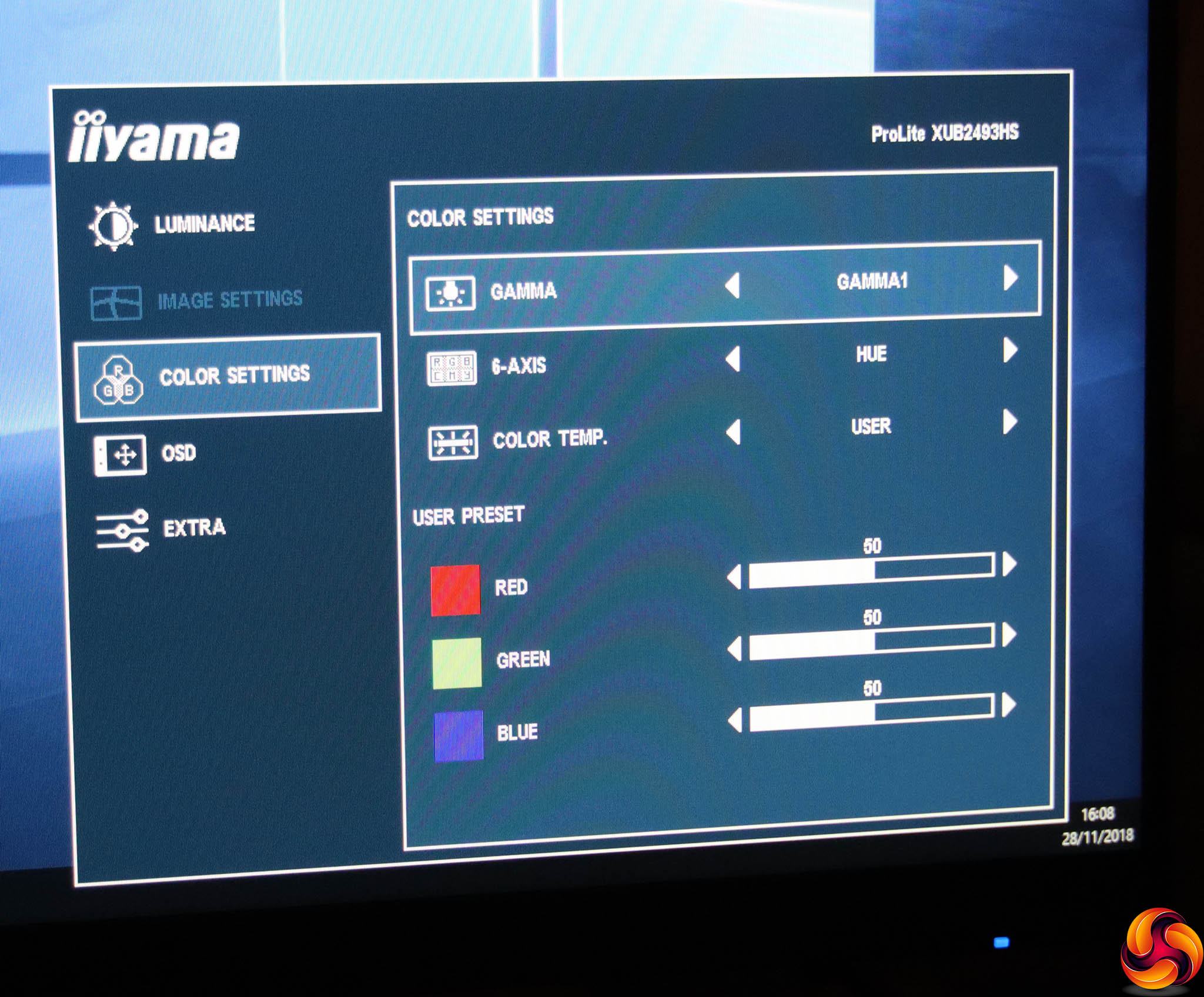
The Image Settings options are only available with an analog VGA video source, so the next section to discuss is Color Settings since we were using a digital connection.
Here you can select one of three gamma modes, and there's a six-axis colour control with hue and saturation options. The colour temperature presets include cool, warm, normal, sRGB, or you can adjust red, green and blue independently.
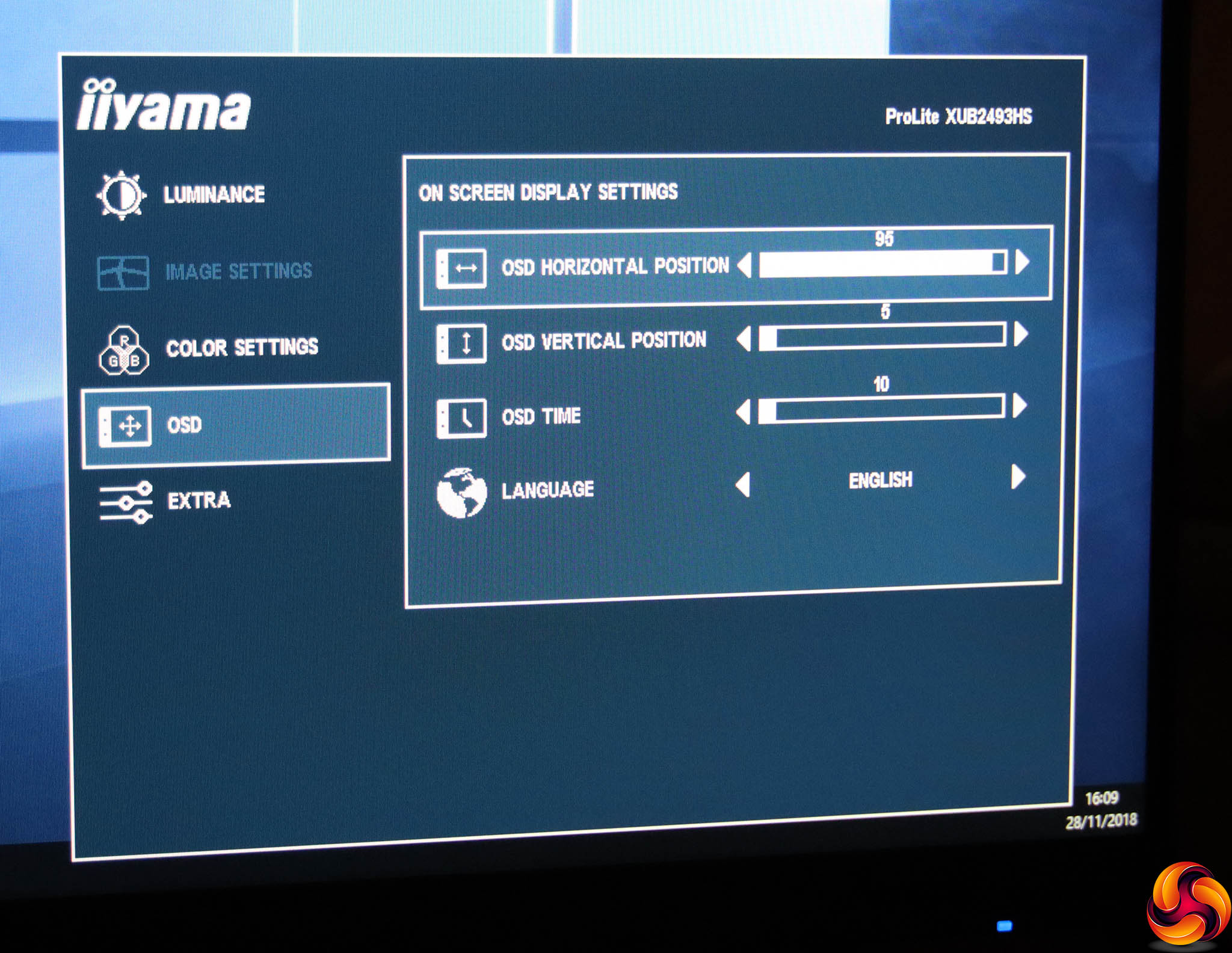
The OSD section includes the usual options to position the menu display where you want it onscreen, change how long it stays visible, and the language used.
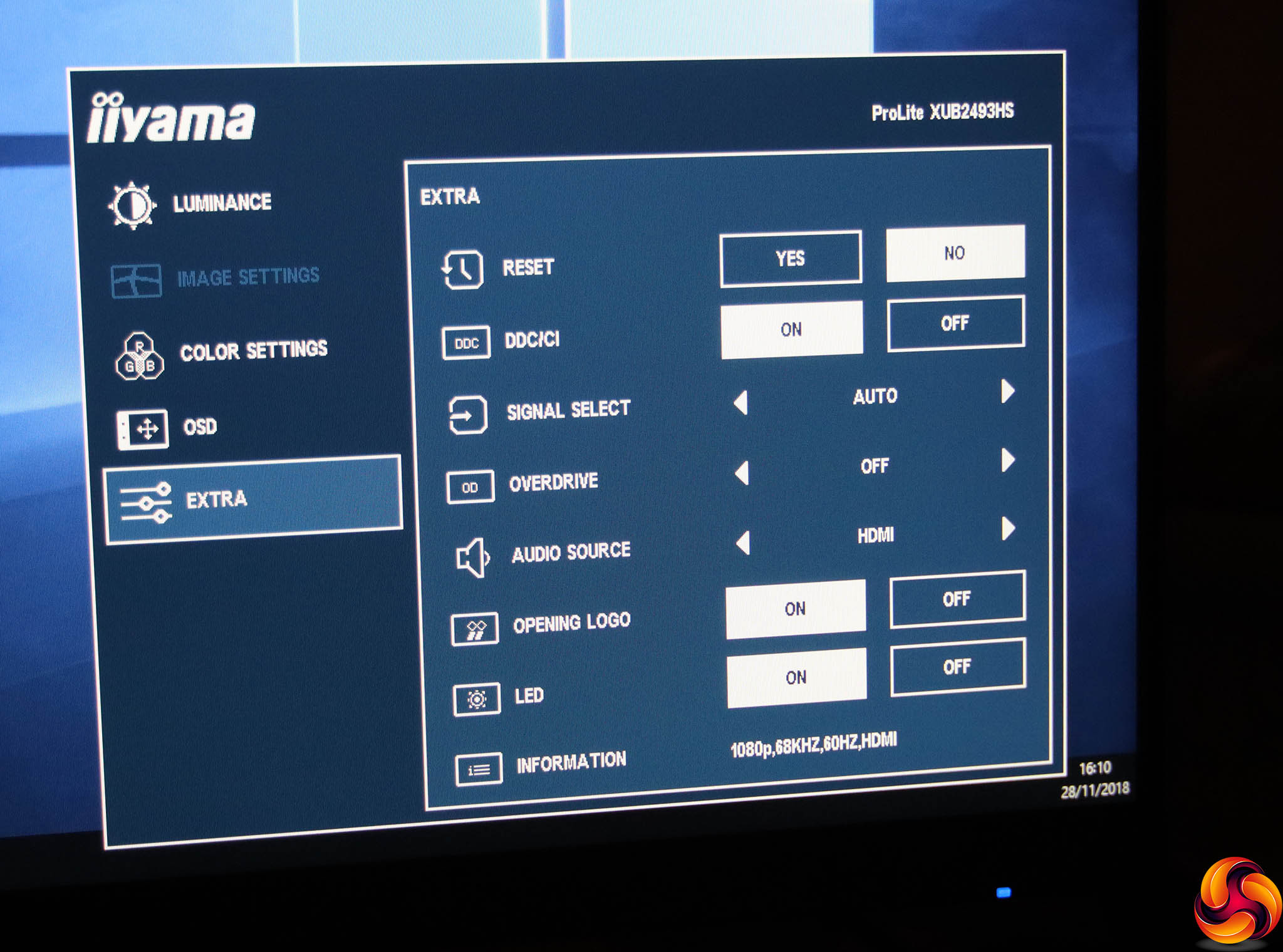
Finally, the Extra section includes all the options that didn't fit elsewhere. You can reset to factory defaults, toggle DDC/CI control, and choose the video signal input manually. There's an option to overdrive the pixels to improve on the relatively slow response of IPS panels, and you can also manually select the audio source rather than using the current video input. There are also sundry settings for whether the screen shows the Iiyama logo when it turns on and whether the LED power light comes on.
Overall, this is a decent level of control, albeit unsurprisingly aimed at business and professional rather than games or entertainment usage. The menus themselves are well laid out and easy to understand, but the buttons on the rear are a little frustrating as you have to feel around for the right one by counting up from the bottom or down from the top. It's quite easy to accidentally turn the screen off if you're not paying adequate attention to where your fingers are.
Our main test involves using a DataColor Spyder Elite 5 Colorimeter to assess a display’s image quality. The device sits on top of the screen while the software generates colour tones and patterns, which it compares against predetermined values to work out how accurate the screen is.
The results show –
- A monitor’s maximum brightness in candelas or cd/m2 at various levels set in the OSD.
- A monitor’s contrast ratio at various brightness levels in the OSD.
- The brightness deviation across the panel.
- The black and white points.
- The colour accuracy, expressed as a Delta E ratio, with a result under 3 being fine for normal use, and under 2 being great for colour-accurate design work.
- The exact gamma levels, with a comparison against preset settings in the OSD.
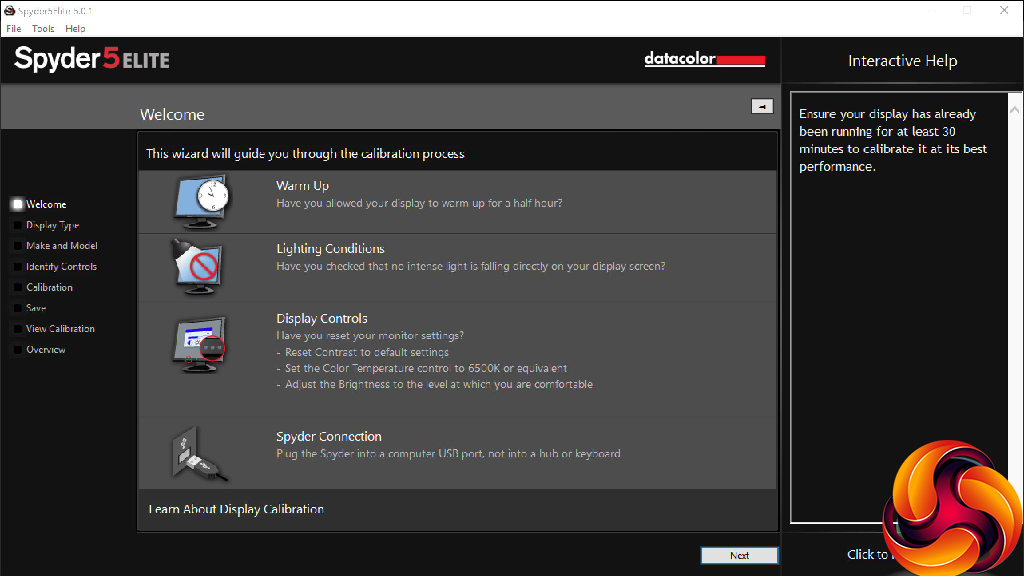
We first run this test with the display in its default, out-of-the-box state, with all settings on default. We then calibrate the screen using the Spyder software and run the test again.
We always test the display subjectively on the Windows desktop, using it for general tasks such as browsing and word processing, and with games as well, even if the display is not intended solely for that purpose.
We pay careful attention to any artefacts, ghosting or motion blur, and enable any gaming-specific features, such as adaptive-sync settings like G-Sync or FreeSync, using a compatible graphics card in our test PC.
We performed the quality tests on the XUB2493HS-B1 at its native 1,920 x 1,080 resolution in the default mode using the HDMI connection. Our test system was equipped with an AMD Radeon Vega Frontier Edition graphics card.
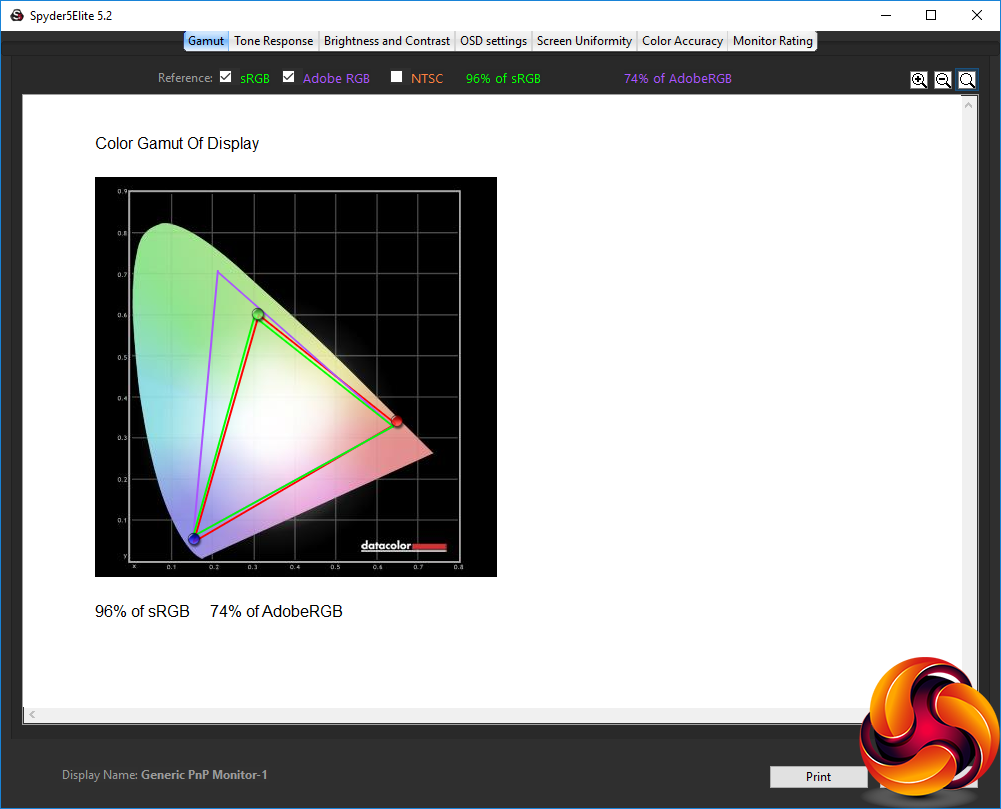
This is a very mediocre gamut result, with just 96 per cent of sRGB and 74 per cent of AdobeRGB. You would want a wider gamut if you were going to use this screen for serious photo editing or other detailed colour work.
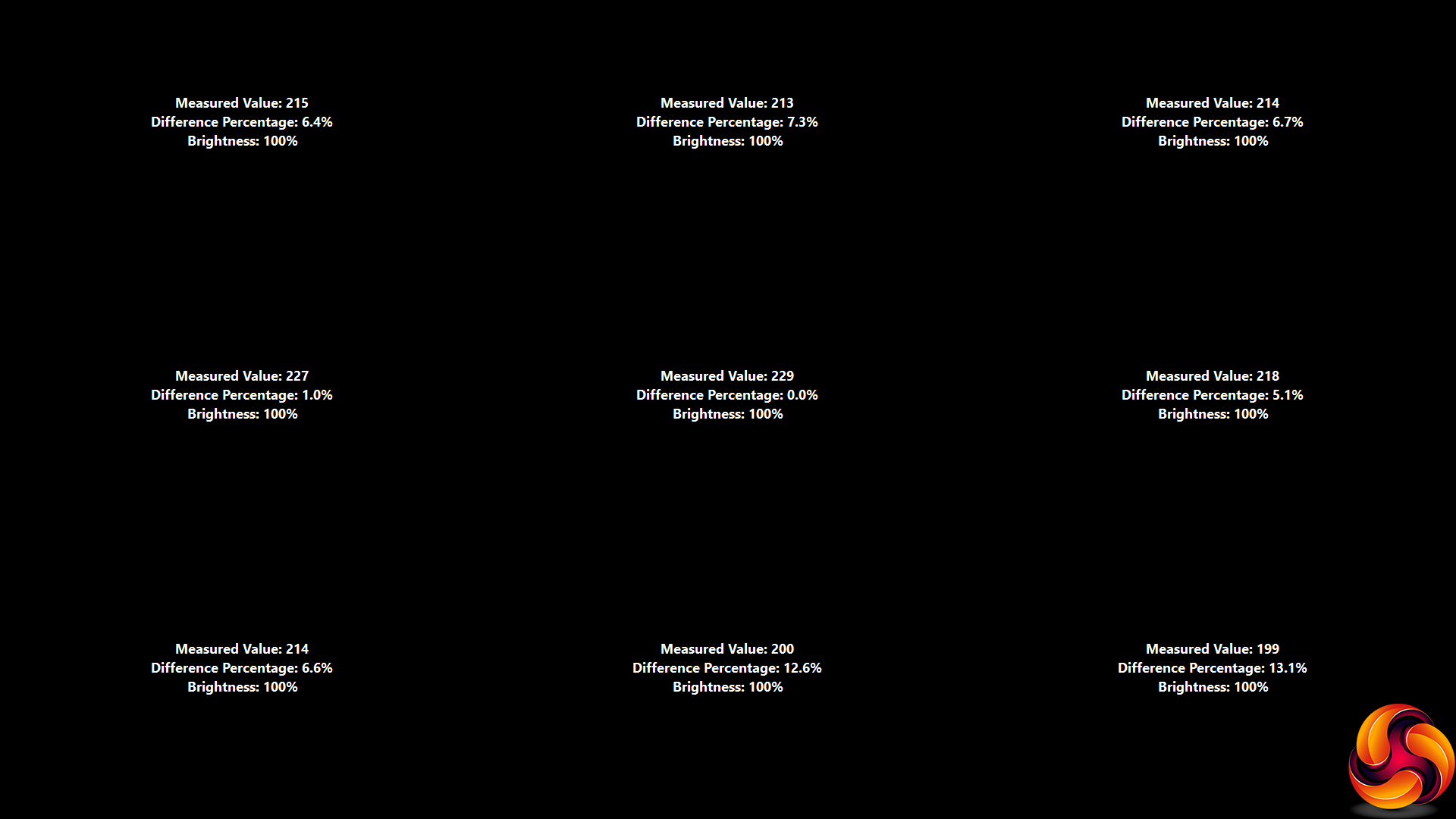
Brightness uniformity is a little better, although the bottom edge is quite aberrant. The rest of the screen is on par with what we see with decent mainstream screens.
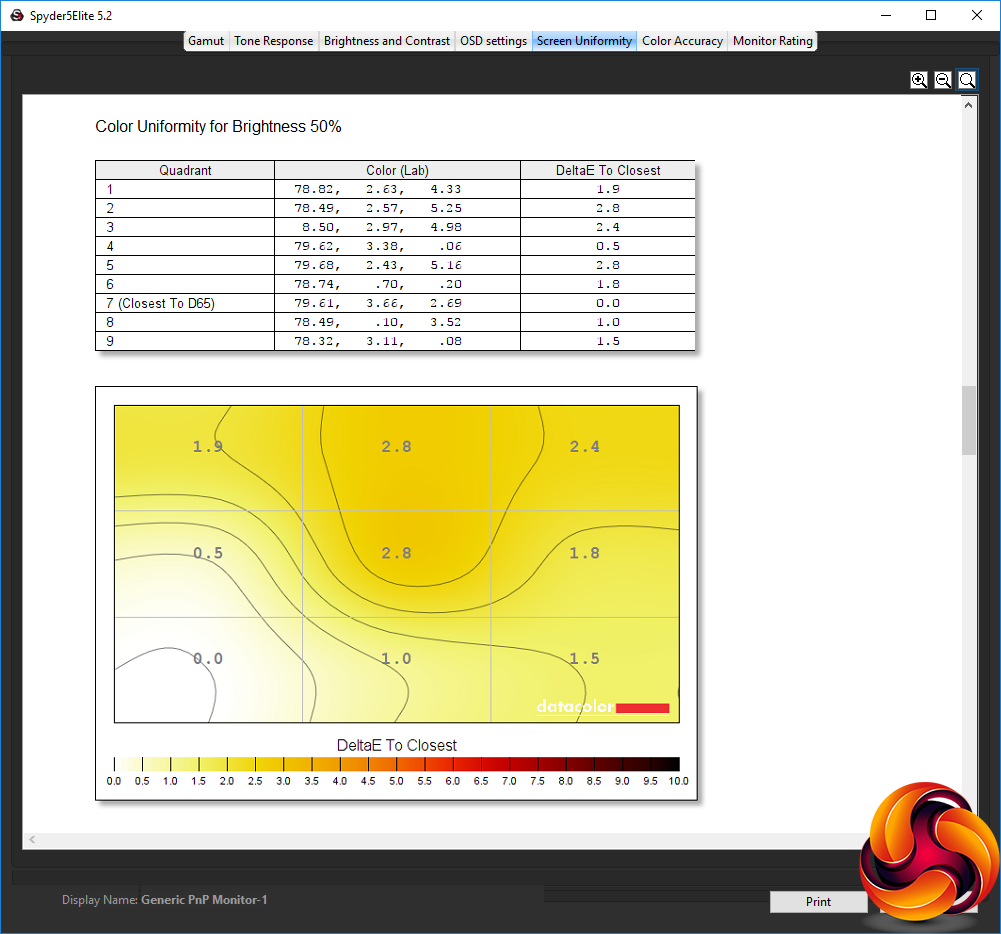
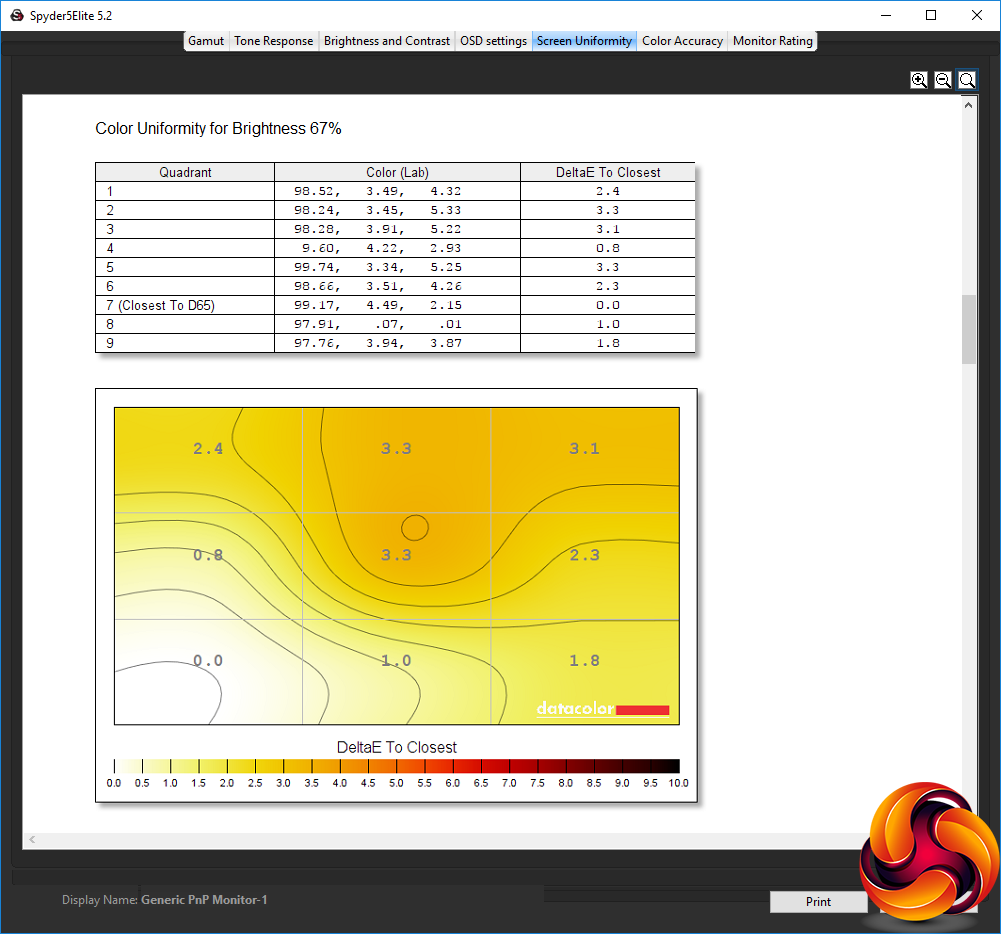
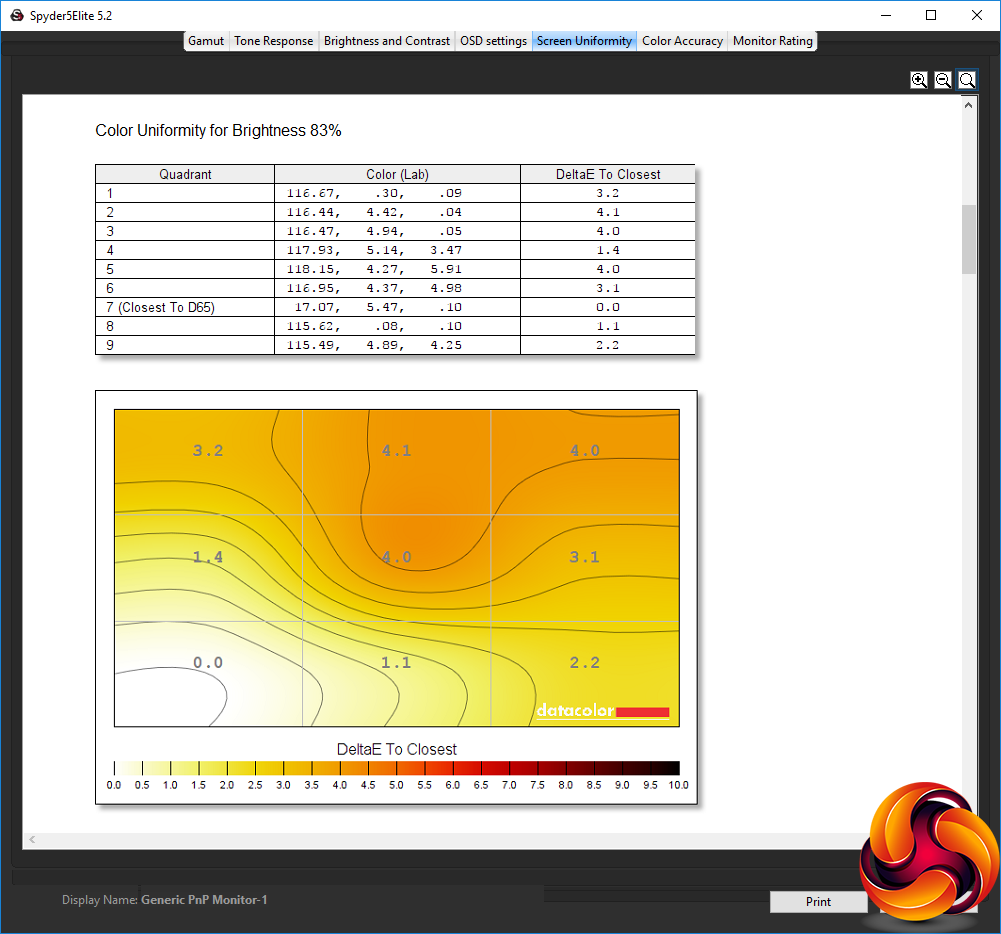
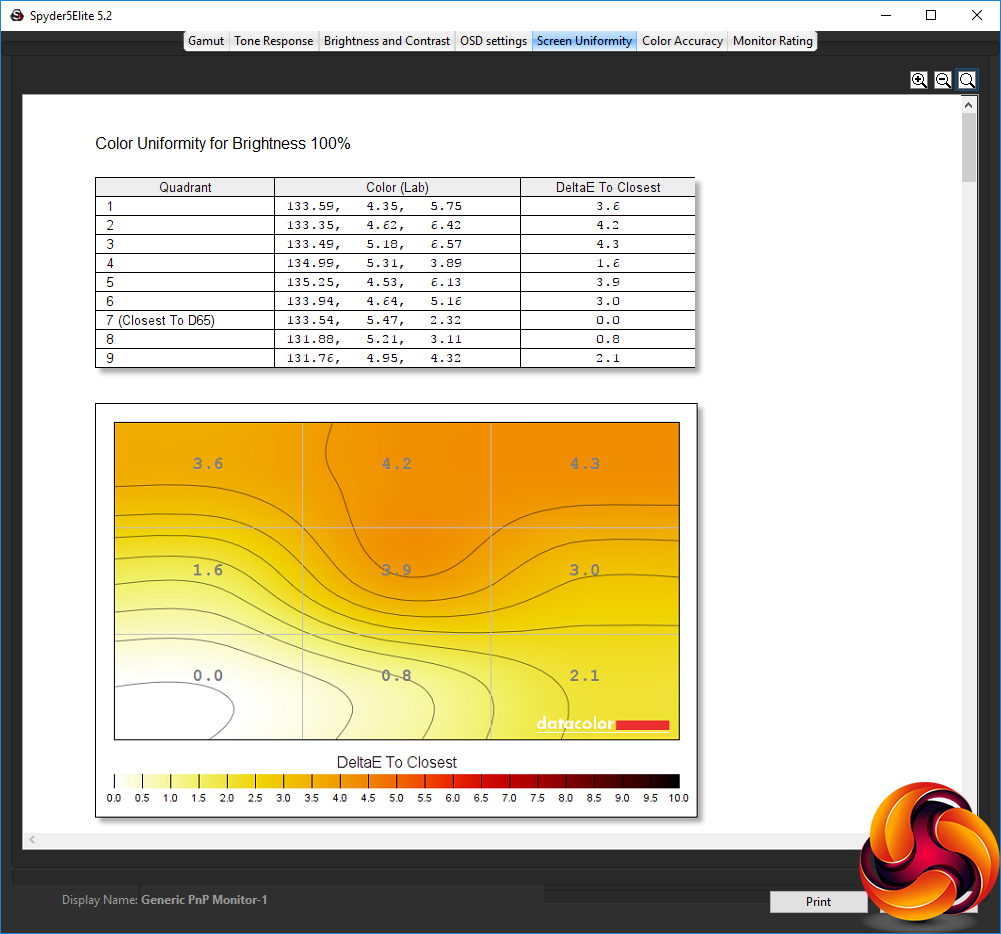
Colour uniformity is similarly decent, particularly around 50 to 67 percent brightness.
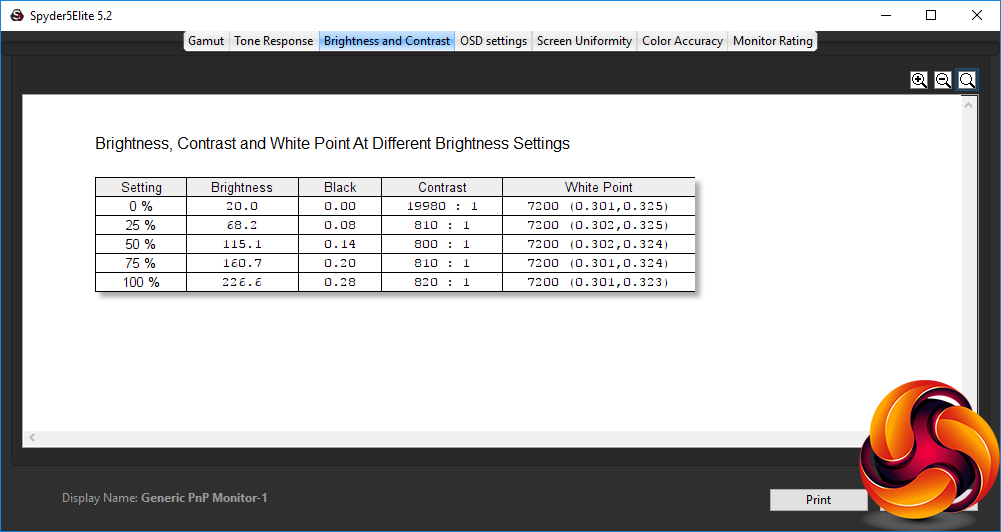
The XUB2493HS doesn't even reach its specified maximum of 250cd/m2 brightness at the 100 per cent setting. However, the white point is spot on 7,200K all the way through the range, which is impressive, and from 25 per cent brightness or above the contrast remains quite stable, in the 800:1 to 820:1 range.
These results are about what we would expect to see in an IPS panel with this specification.
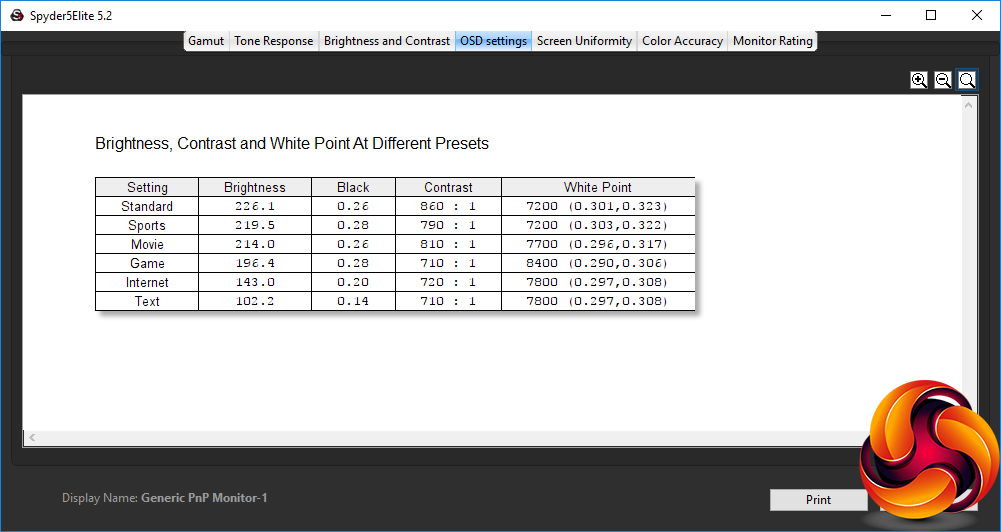
The I-Style Color presets are very generally focused, although they do cover the range of everyday tasks. The default Standard option is the brightest (226.1cd/m2) and has the highest contrast at 860:1, with 7,200K white point. Sports mode is not that different, with slightly lower 219.5cd/m2 brightness and 790:1 contrast, but the same 7,200K white point.
Movie mode bumps up the white point to a cooler 7,700K, but keeps a similar 214cd/m2 brightness and 810:1 contrast. Game mode takes the white point up even further to 8,400K, whilst reducing brightness to 196.4cd/m2 and contrast to 710:1. Internet mode drops brightness right down to 143cd/m2, with 720:1 contrast and 7,800K white point.
Text mode uses the same white point, and similar 710:1 contrast, but drops brightness right down to 102.2cd/m2, presumably to reduce eye strain.
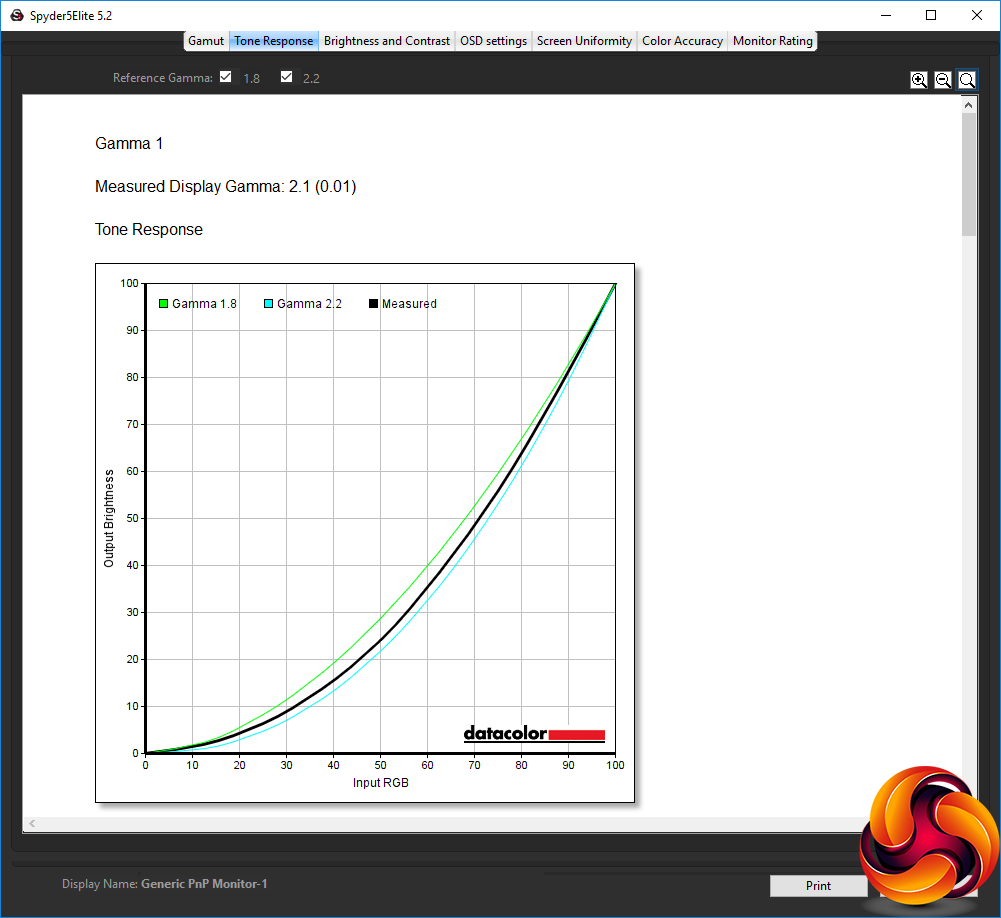
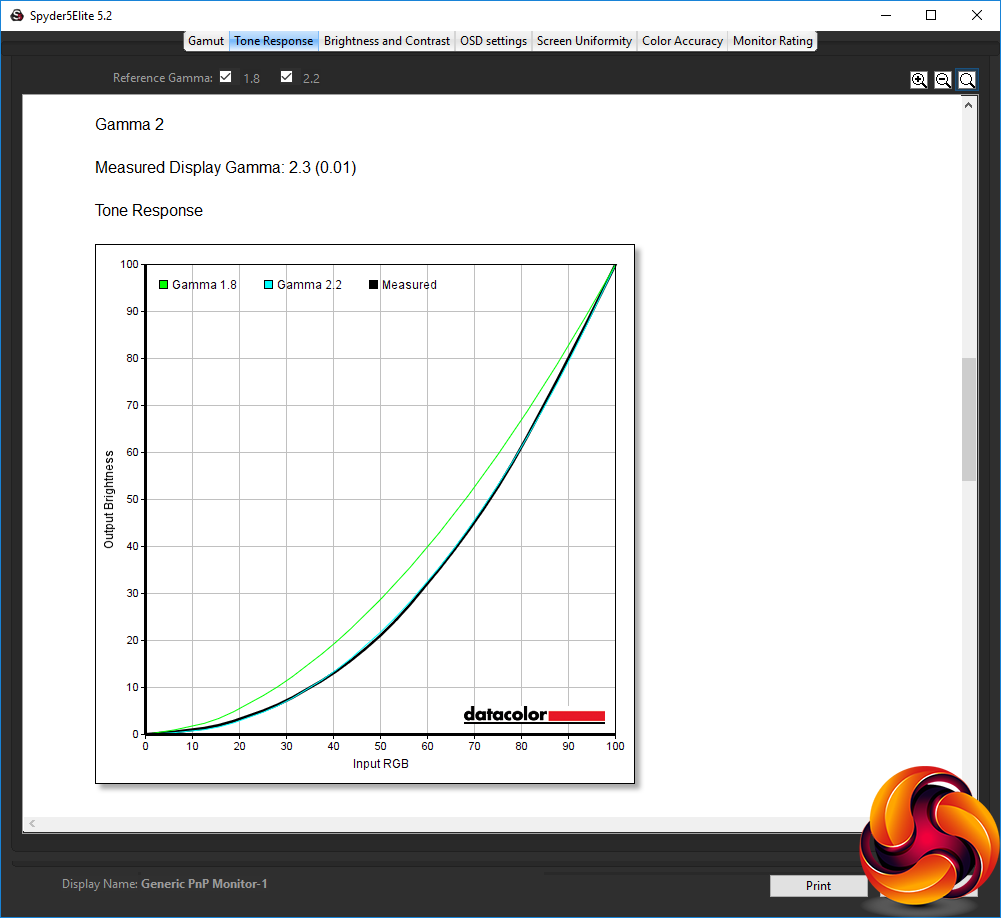
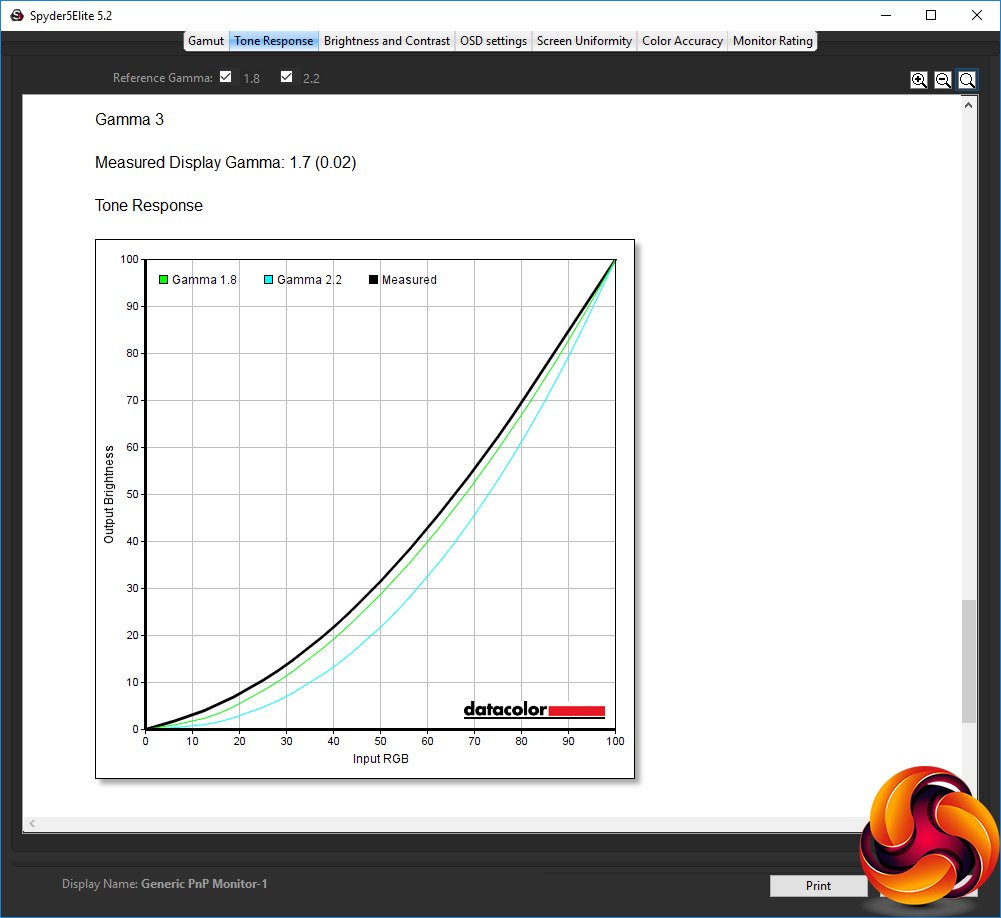
Iiyama's gamma options are always a bit curious. The default Gamma 1 setting equates to a midrange 2.1, and Gamma 2 to 2.3, but Gamma 3 is actually 1.7. This is a strangely non-linear progression of settings.
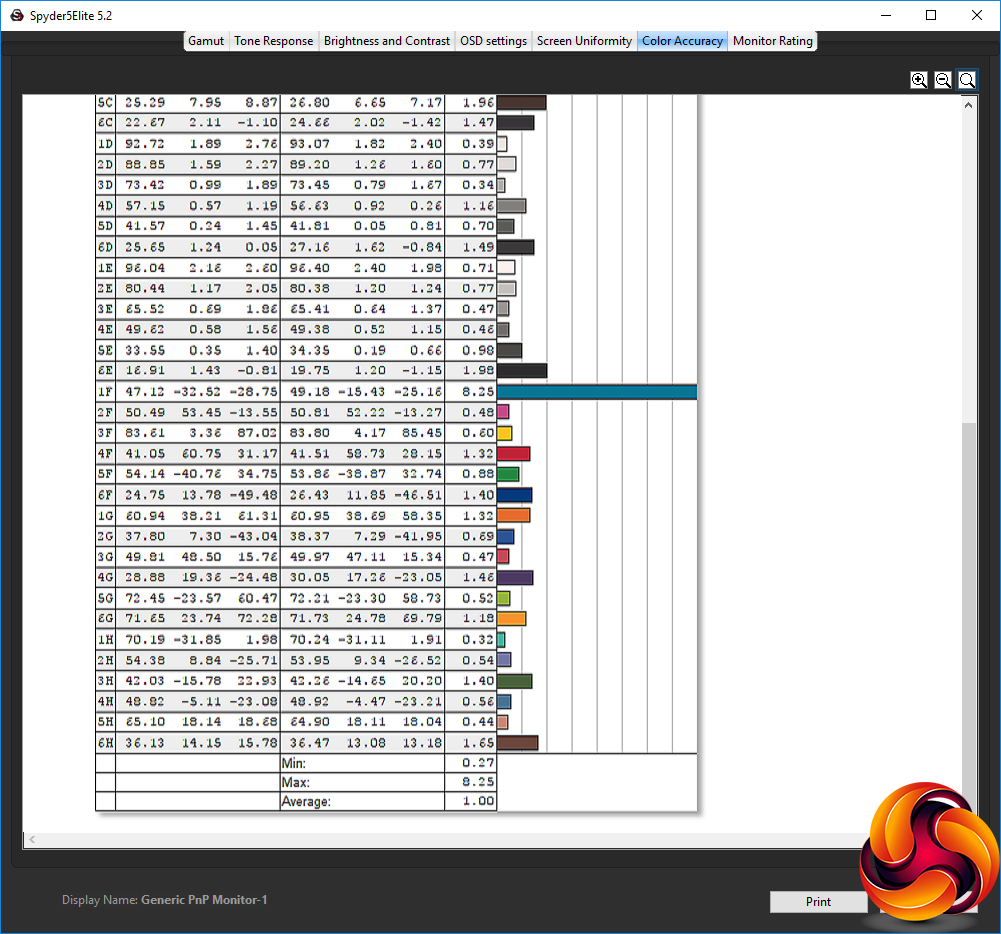
So far, so middle-of-the-road. But colour accuracy is a different story. This has traditionally been a strong point for Iiyama screens, and the XUB2493HS keeps that tradition alive. The average delta of just 1.00 makes this one of the most colour-accurate screens we've tested, and is particularly impressive considering the price.
As always, though, we wondered if we could do even better via calibration, so we called upon the Spyder's system to see if improvements could be made.
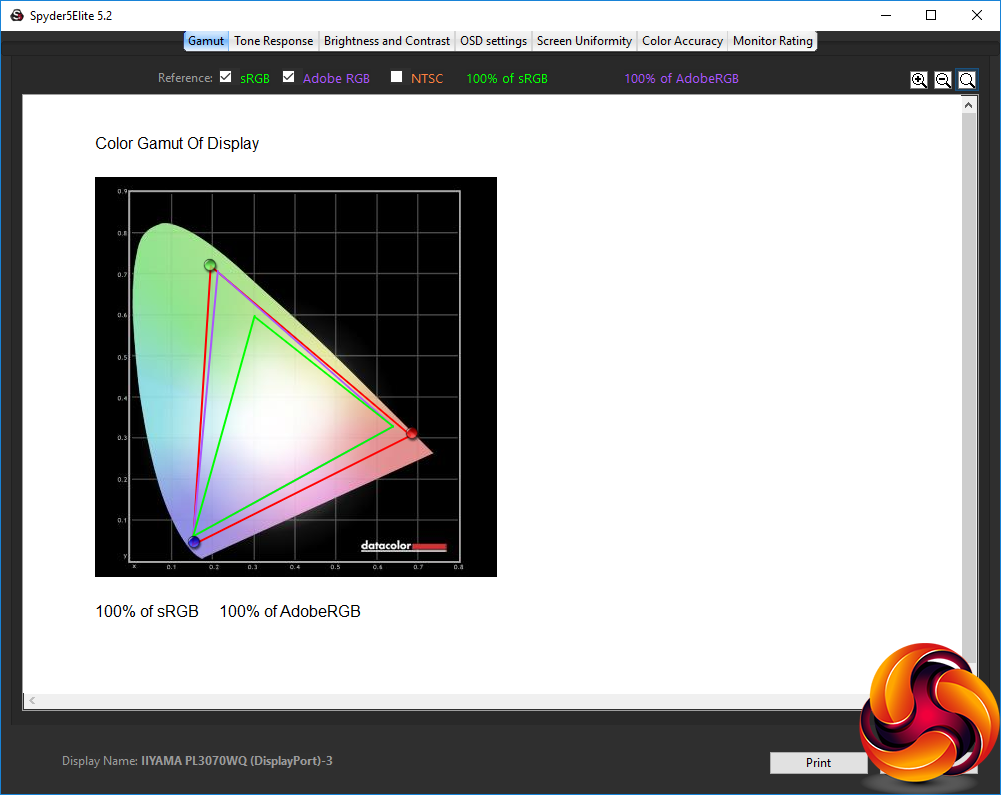
As is almost always the case, the gamut hasn't changed significantly. It's still as mediocre as it was before.
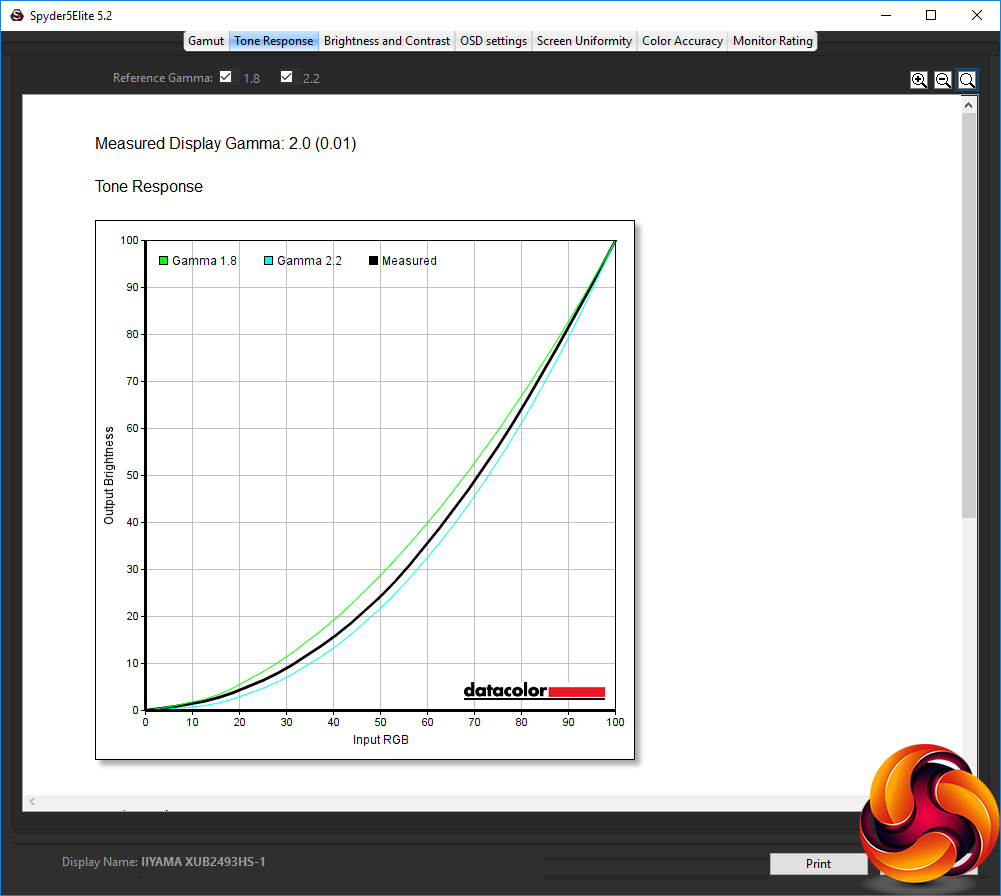
We only retested the Gamma 1 option, which has decreased to 2.0 from 2.1.
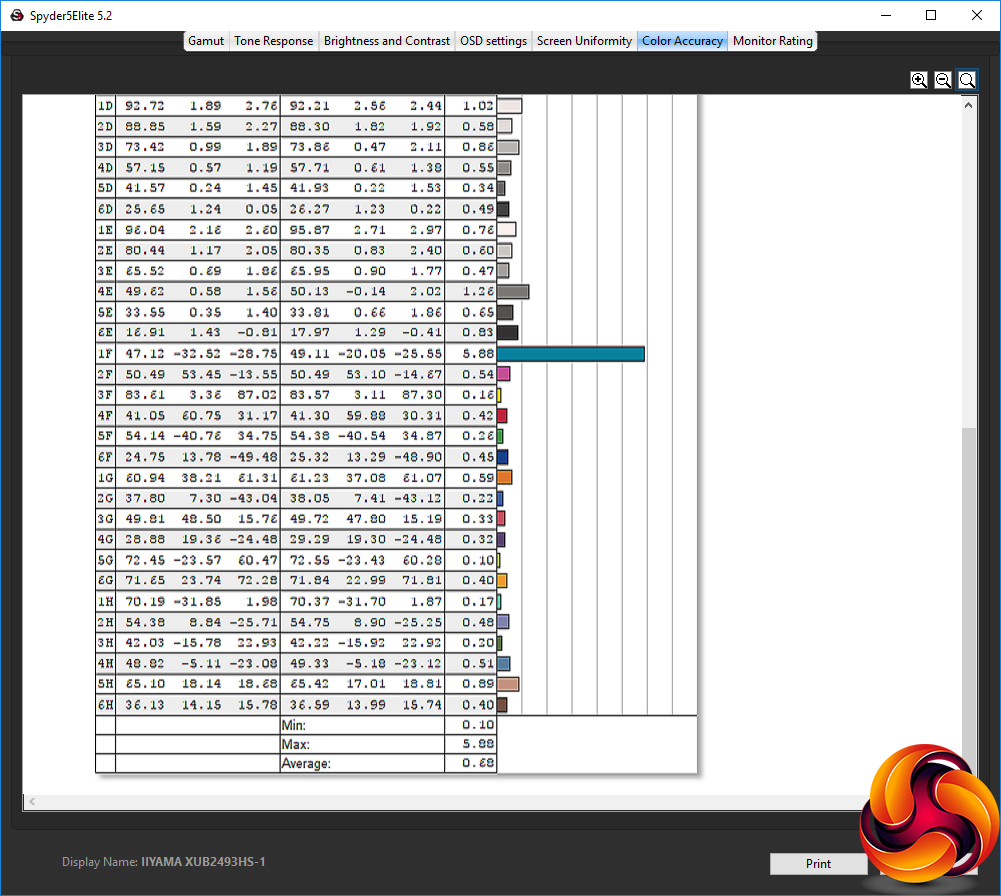
The most significant change is to the colour accuracy, which is an even better 0.68 delta. This is the second best we have seen, coming in behind just Iiyama's own Pro Lite XB3070WQS.
This may be a relatively midrange monitor in most respects, but its colour accuracy is clearly brilliant.
After testing and calibration, we tried a few professional tasks such as image editing with Photoshop and general word processing. It was a comfortable screen for both activities, and video looked very good using the movie setting. But gaming was nothing to write home about, with occasional pixel lag.
The Iiyama ProLite XUB2493HS-B1 isn't a professional powerhouse along the same lines as the XB3070WQS. It's very much a mainstream business-oriented screen in most respects. The brightness, contrast and uniformity are all nothing to write home about, and the gamut is a bit disappointing.
But this isn't a particularly expensive screen for IPS, and it has one clear ace up its sleeve – colour accuracy. Its fidelity is one of the best we have seen, up there with top-end professional models.
Although the range of video inputs will cater for most usage scenarios, whilst the built-in speakers and analog audio connectivity are handy for business users, the lack of a USB hub lets the side down a notch in this area.
This leaves the XUB2493HS-B1 in an odd position. It doesn't quite have the characteristics for discerning professional graphics users, but nor is it priced accordingly. As a result, its best positioning is for business users who do some graphics work and are looking for a screen that doesn't take over your entire desk or cost a fortune.
If you're in this category and on the hunt for a solid, dependable screen with great colour accuracy, it's well worth considering.
The Iiyama ProLite XUB2493HS-B1 is available from Amazon for £158.01.
Pros:
- Excellent colour accuracy; even better when calibrated.
- Keen price for an IPS panel.
- Comprehensive ergonomic adjustments.
- Built-in speakers.
Cons:
- Mediocre gamut.
- Not that bright.
- No USB hub.
KitGuru says: The Iiyama ProLite XUB2493HS-B1 is midrange in most respects, but it's reasonably priced and has excellent colour accuracy.