KitGuru KitGuru.net – Tech News | Hardware News | Hardware Reviews | IOS | Mobile | Gaming | Graphics Cards


Our main test involves using an X-Rite i1 Display Pro Plus colorimeter and utilising Portrait Displays’ Calman Ultimate software. The device sits on top of the screen while the software generates colour tones and patterns, which it compares against predetermined values to work out how accurate the screen is.
The results show:
- A monitor’s maximum brightness in candelas or cd/m2 at various levels set in the OSD.
- A monitor’s contrast ratio at various brightness levels in the OSD.
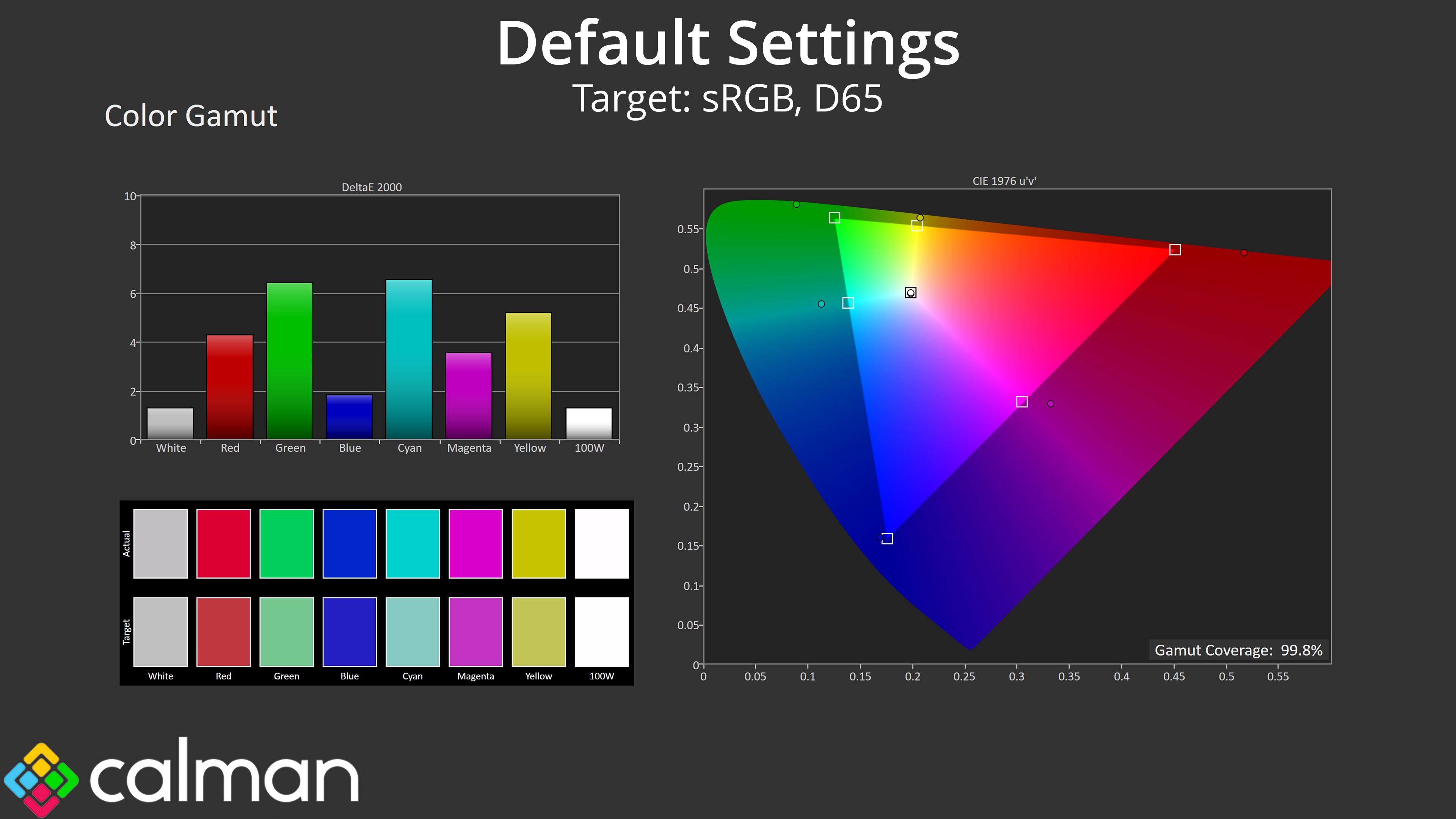
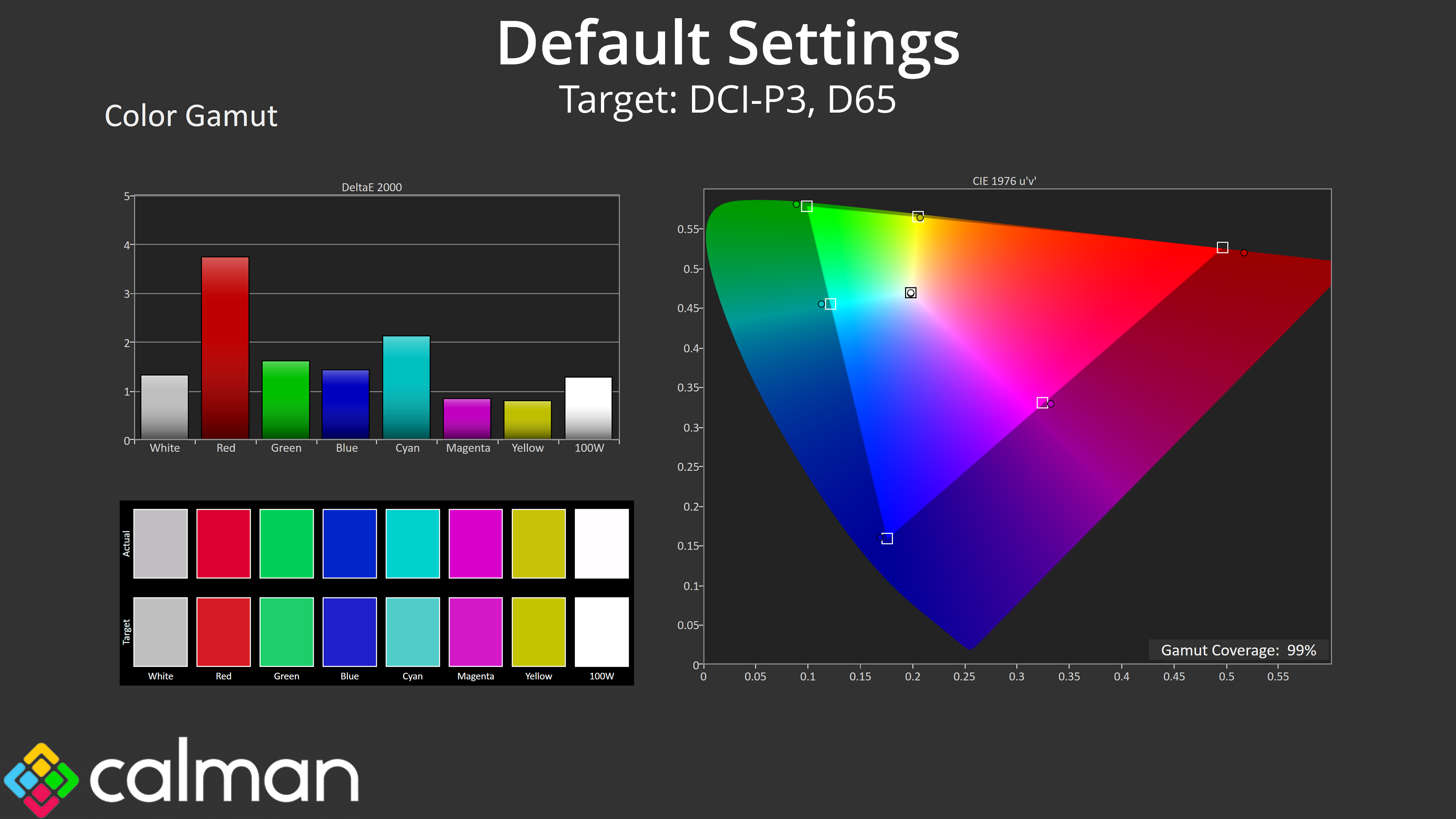
- Gamut coverage, primarily focusing on sRGB and DCI-P3 colour spaces.
- Greyscale accuracy, measured across 20 shades, with an average colour balance reported.
- The exact gamma levels, with a comparison against preset settings in the OSD.
- The colour accuracy, expressed as a Delta E ratio, with a result under 3 being fine for normal use, and under 2 being great for colour-accurate design work.
We first run these tests with the display in its out-of-the-box state, with all settings on default. If there is an sRGB emulation option or other useful mode then we may test that too. We then calibrate the screen using the Calman Ultimate software and run the tests again.
You can read more about our test methodology HERE.
Default settings
Brightness and Contrast (Full Screen)
| OSD Brightness | White Luminance (cd/m2) | Black Luminance (cd/m2) | Contrast Ratio |
| 0% | 35.3 | 0.00 | ~Infinite |
| 25% | 113.6 | 0.00 | ~Infinite |
| 50% | 191.8 | 0.00 | ~Infinite |
| 75% | 259.4 | 0.00 | ~Infinite |
| 100% | 297.2 | 0.00 | ~Infinite |
Kicking things off with our brightness testing, we can see an immediate bump in peak luminance over previous QD-OLED panels – those would typically hit 250-260 nits, but the 322UR X24 is just shy of 300 nits in my testing. It also gets pretty dim at 35 nits minimum, and of course you get the effectively infinite contrast that we'd associate with OLED technology.
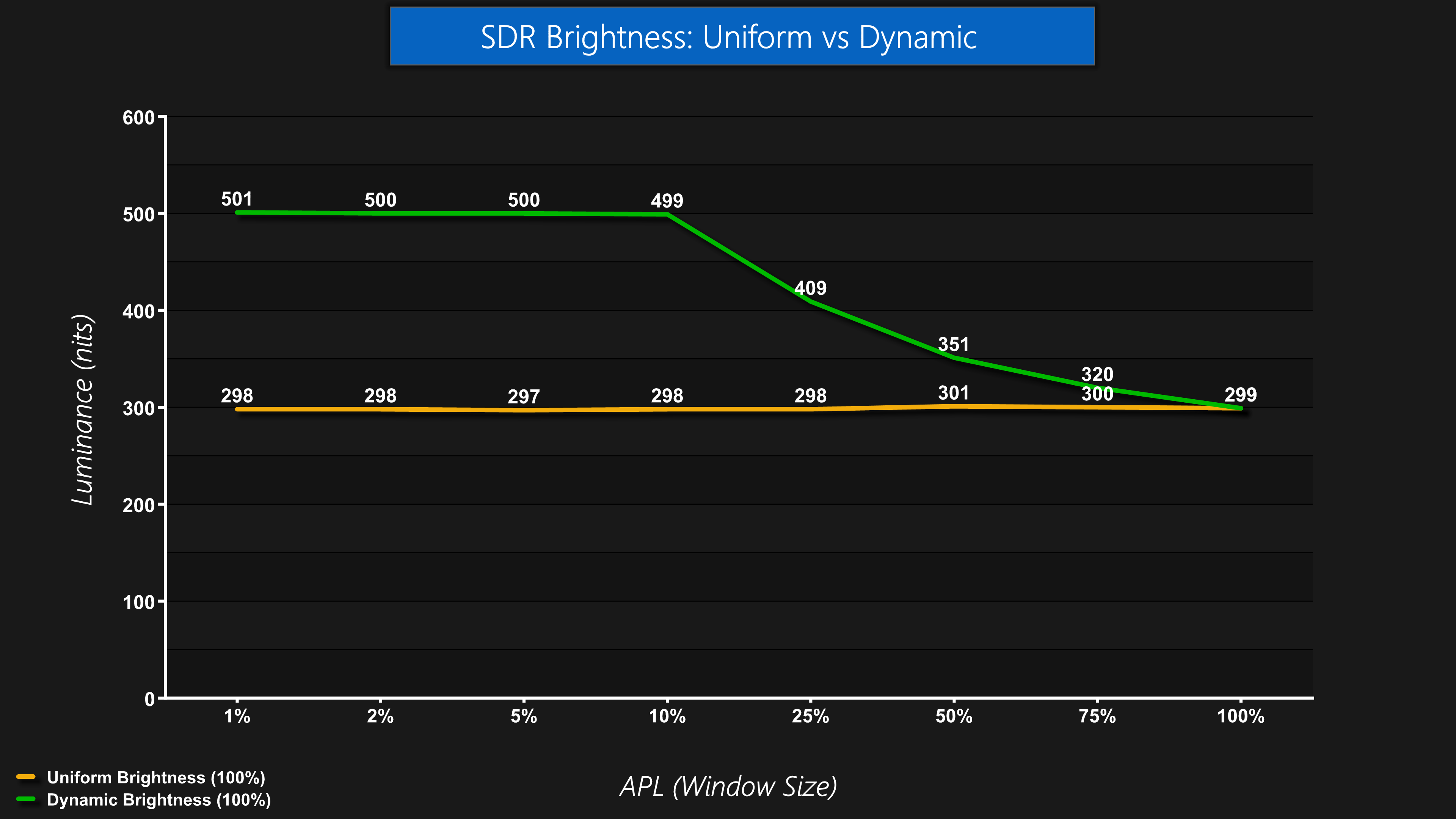
MSI has also included another option for brightness this time around, giving users a choice of the Uniform or Dynamic modes. This is something we've seen before from other manufacturers, and it's essentially a choice between consistent but slightly lower brightness, or higher peaks but with noticeable dimming as the window size increases, due to ABL behaviour. Uniform is set by default but it's always good to have the choice.
Screen Uniformity
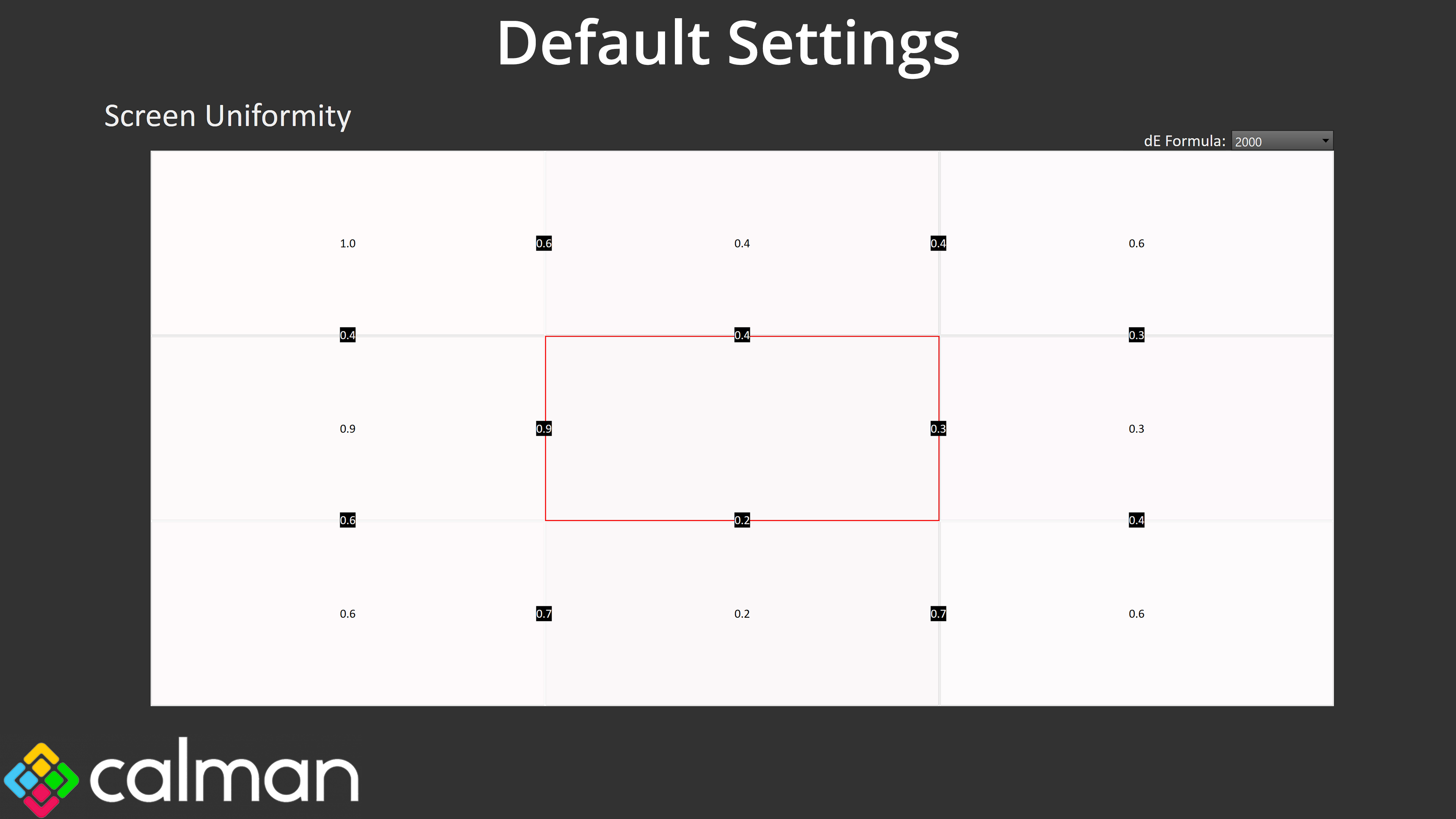
Screen uniformity is next and this is stellar, with a maximum deltaE of just 1, and in many cases even less than that.
Gamut (CIE 1976)
| Colour space | Coverage (%) |
| sRGB | 99.8 |
| DCI-P3 | 99 |
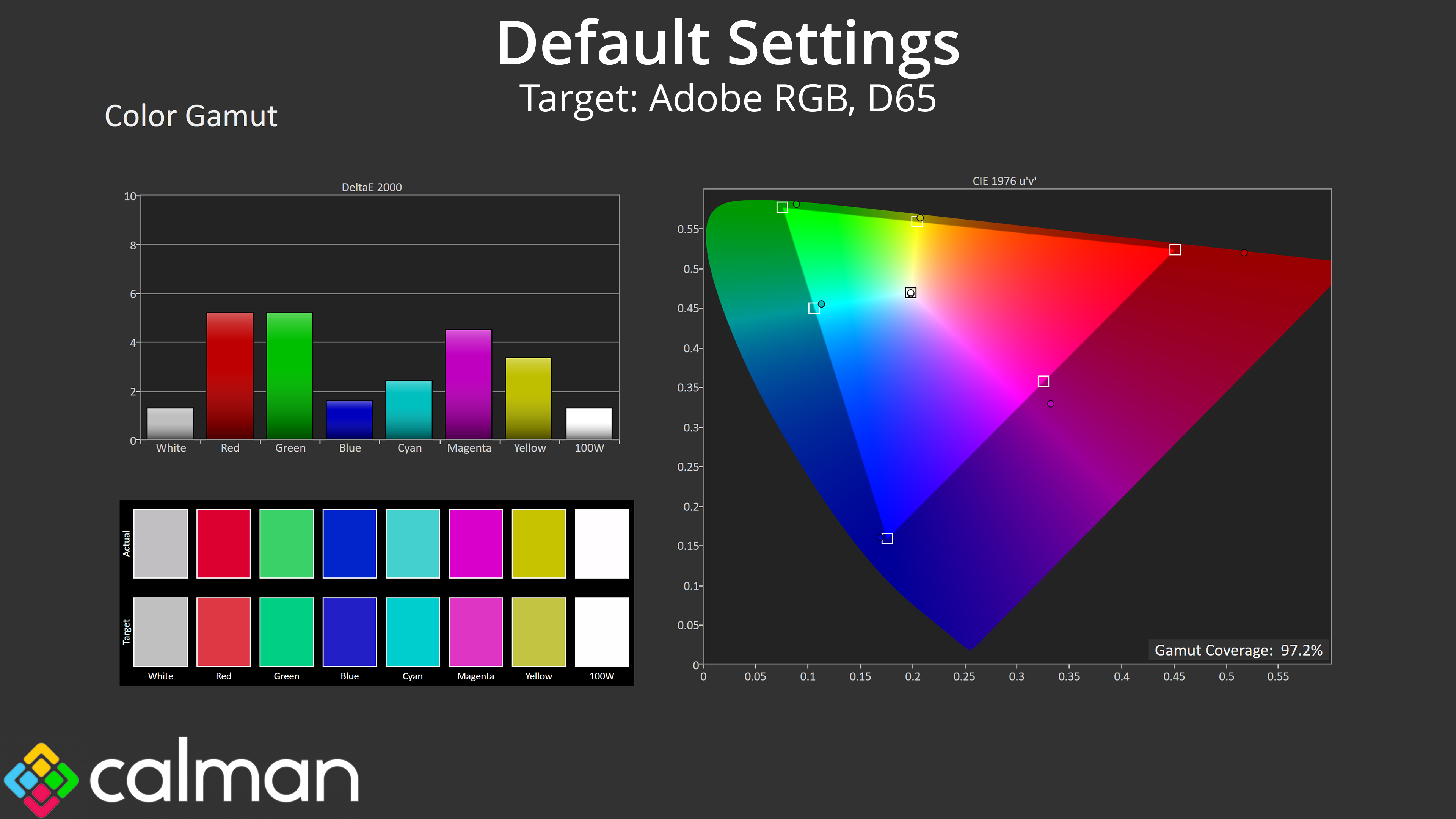
| Adobe RGB | 97.2 |
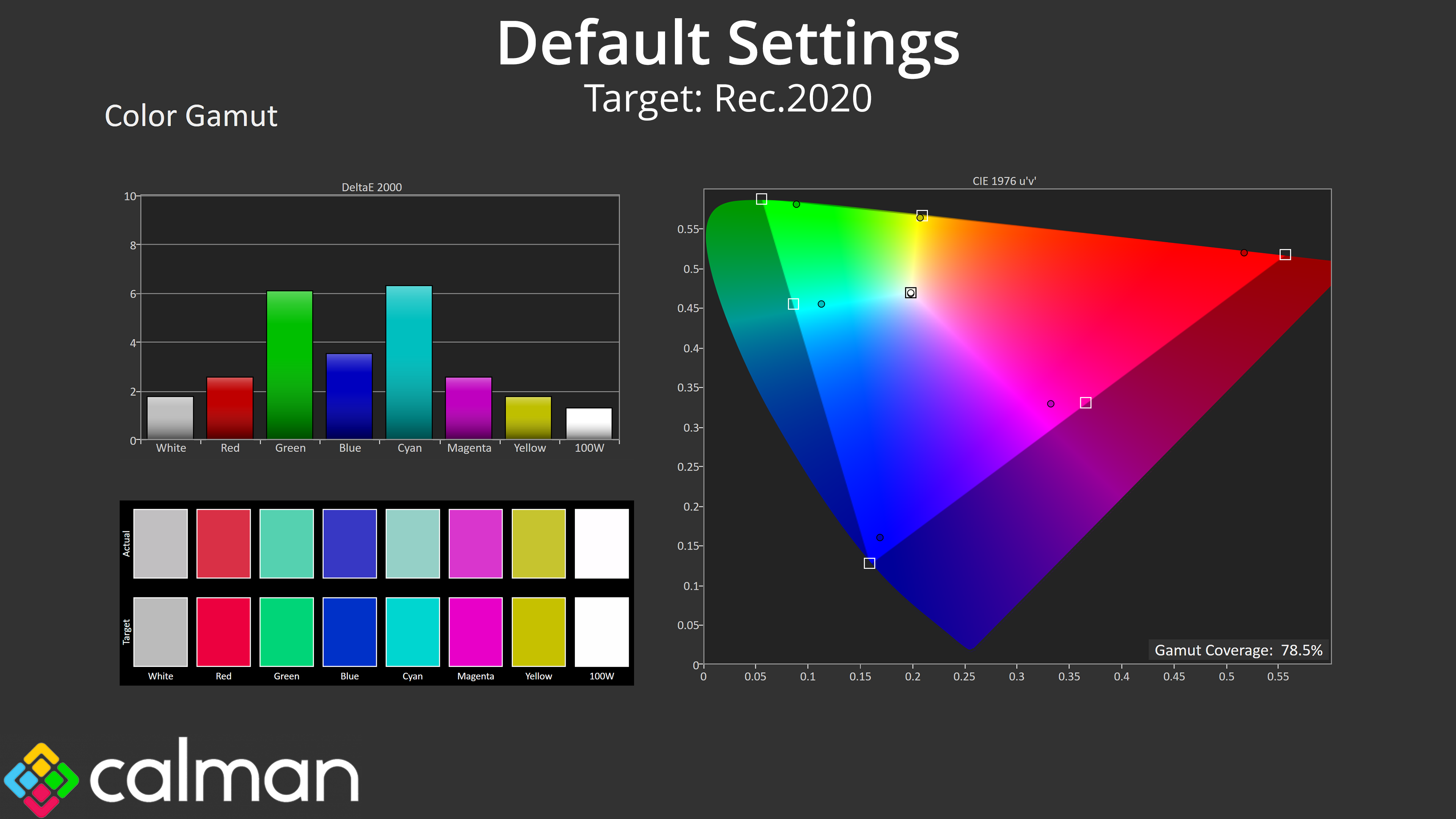
| Rec.2020 | 78.5 |
Gamut is just as wide as we'd expect from a QD-OLED, well exceeding the sRGB space and hitting 99% DCI-P3, 97.2% AdobeRGB, and then 78.5% Rec.2020.
Greyscale
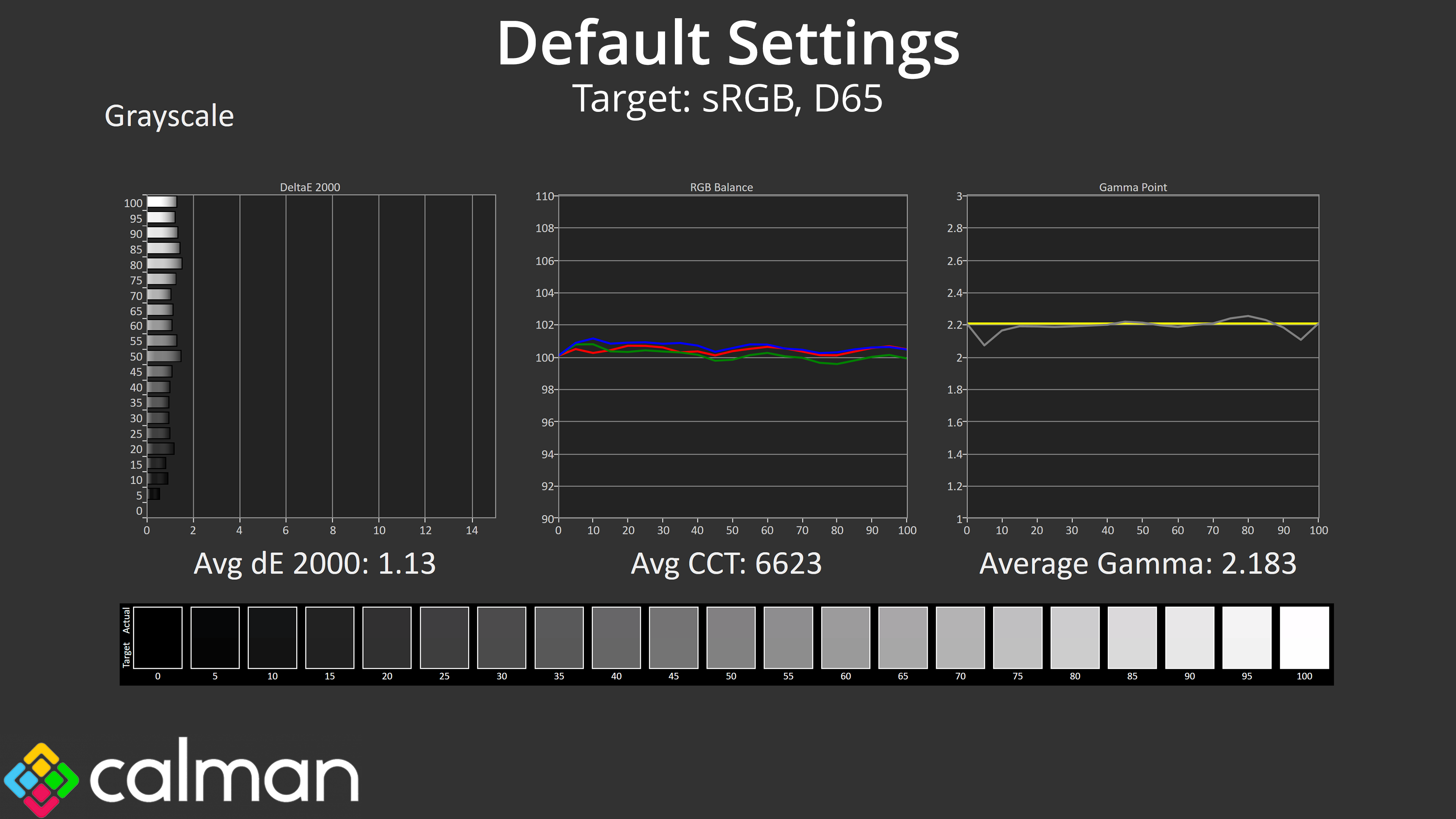
Default greyscale is where things get even more impressive, as the factory calibration here is absolutely stellar. Both the average colour balance and gamma tracking are just shy of perfection, and that gives an average greyscale deltaE of just 1.13 – a seriously good result considering this is using out of the box settings, no tweaking required!
Saturation
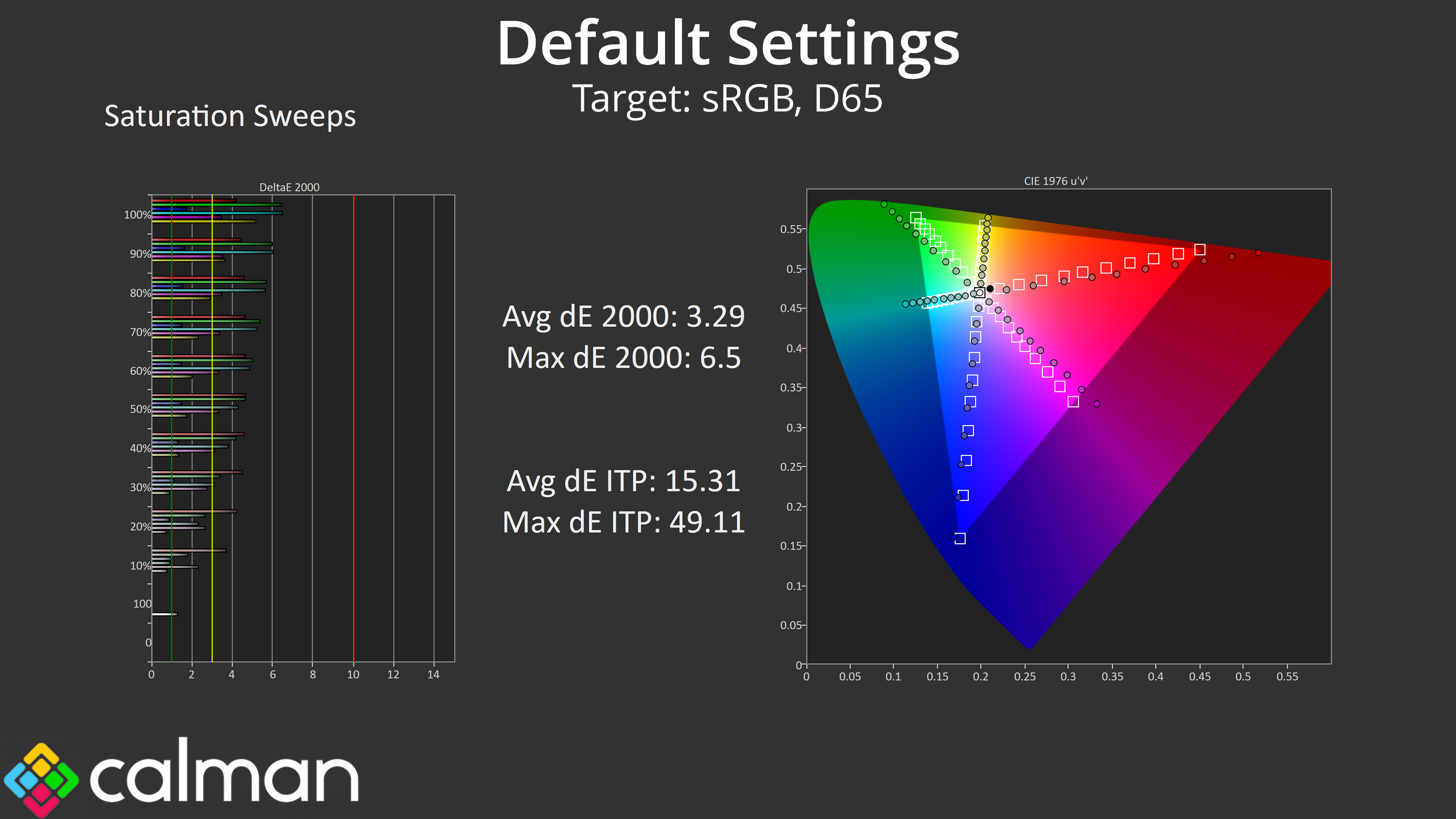
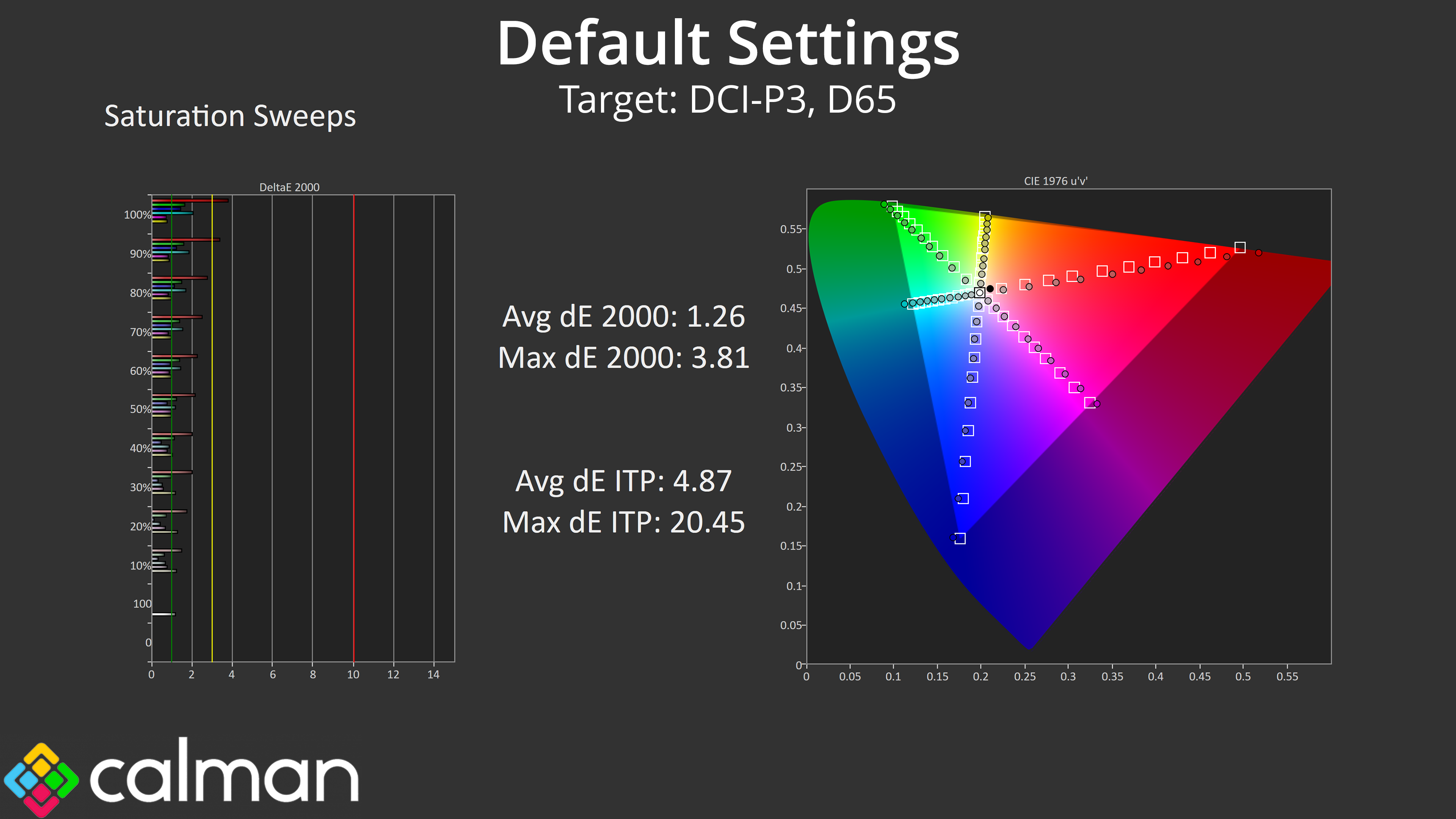
As expected, the super wide gamut does mean there's a good degree of oversaturation of the sRGB space, but relative to DCI-P3, the average error rate of 1.26 is very impressive.
Colour Accuracy
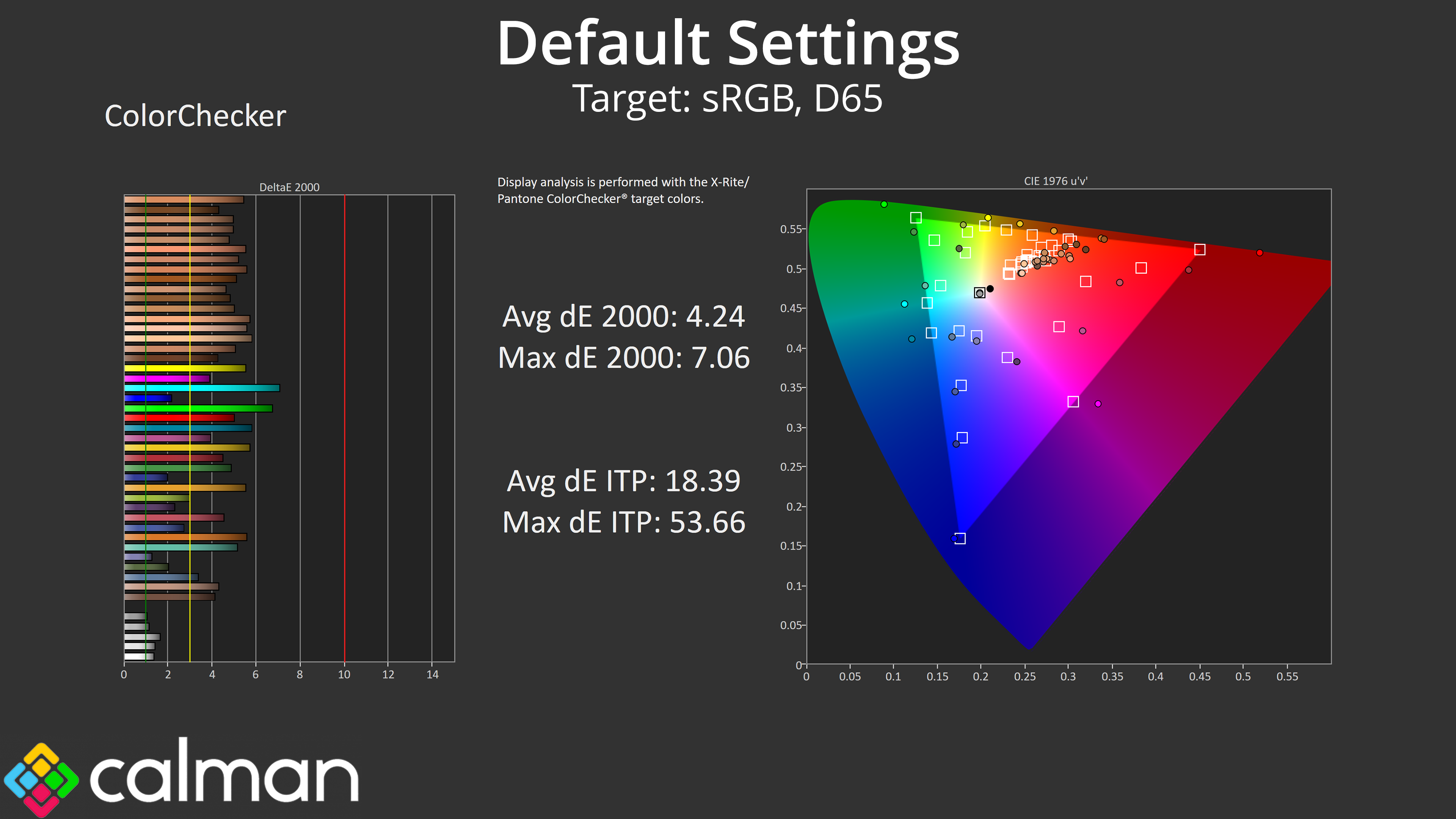
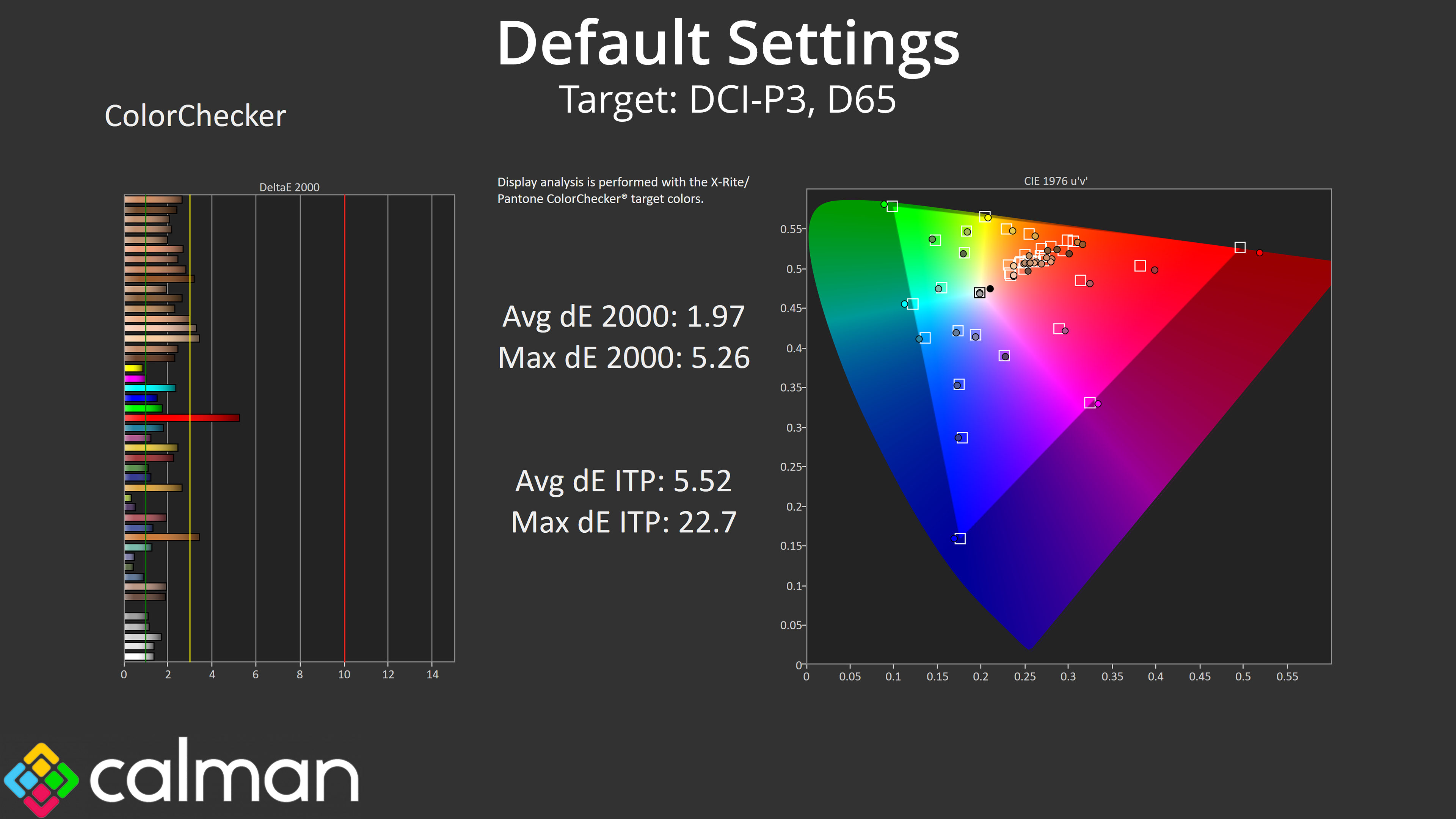
The same goes for colour accuracy – the oversaturation relative to sRGB results in a fairly high error rate (although that is to be expected from a QD-OLED and is very normal.) However, comparing against the DCI-P3 space and the results look much better.
sRGB Emulation Mode
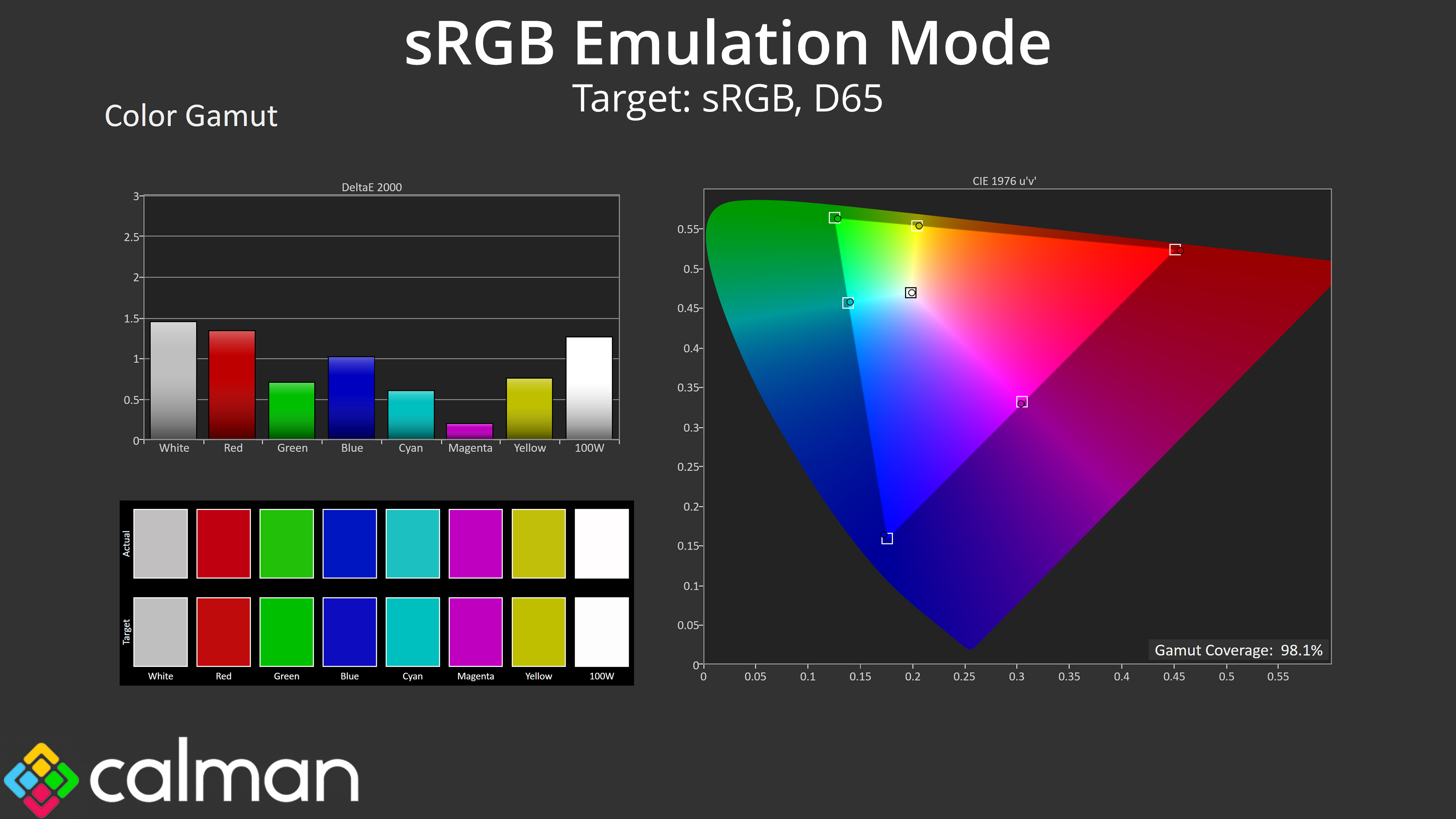
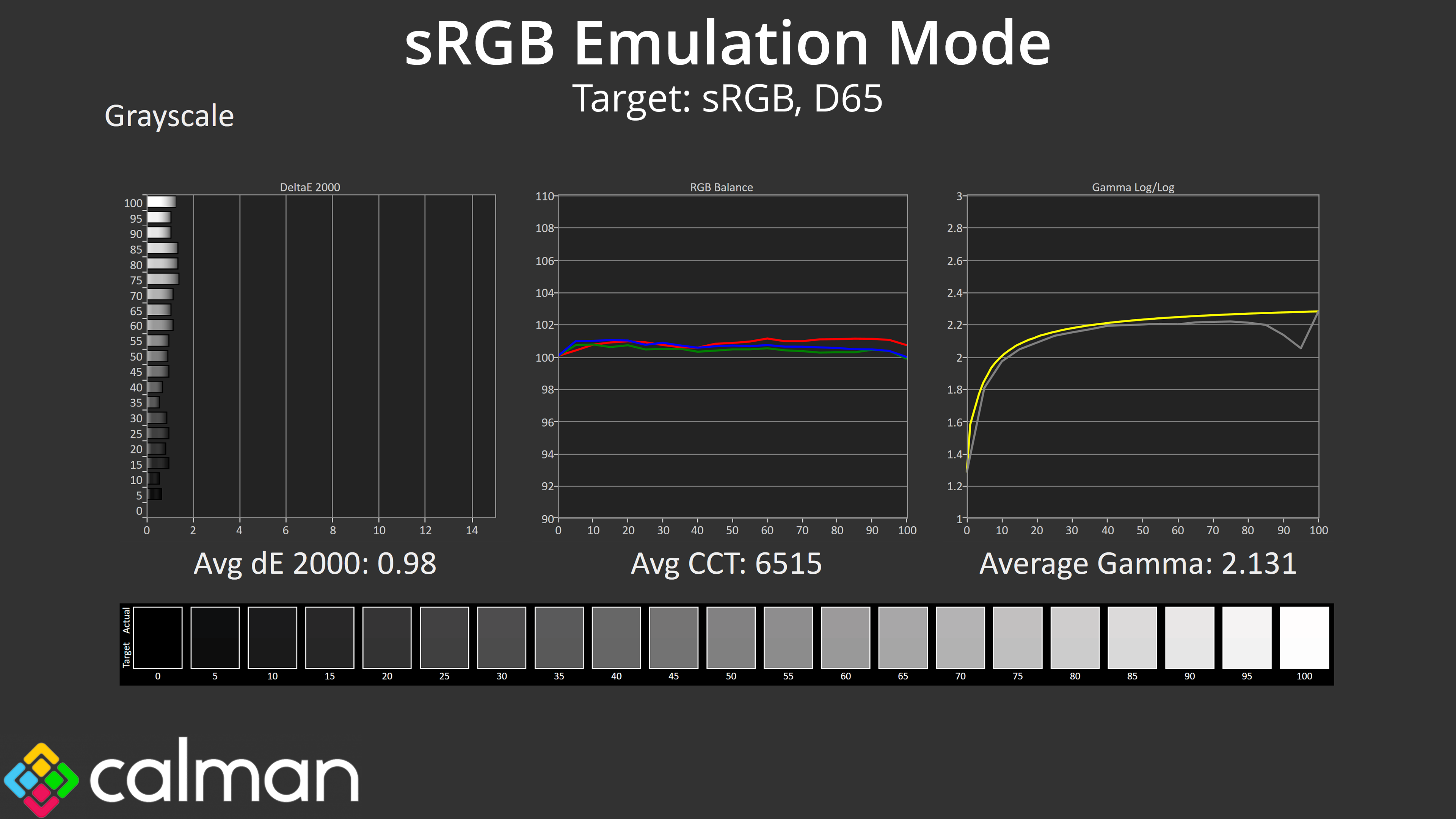
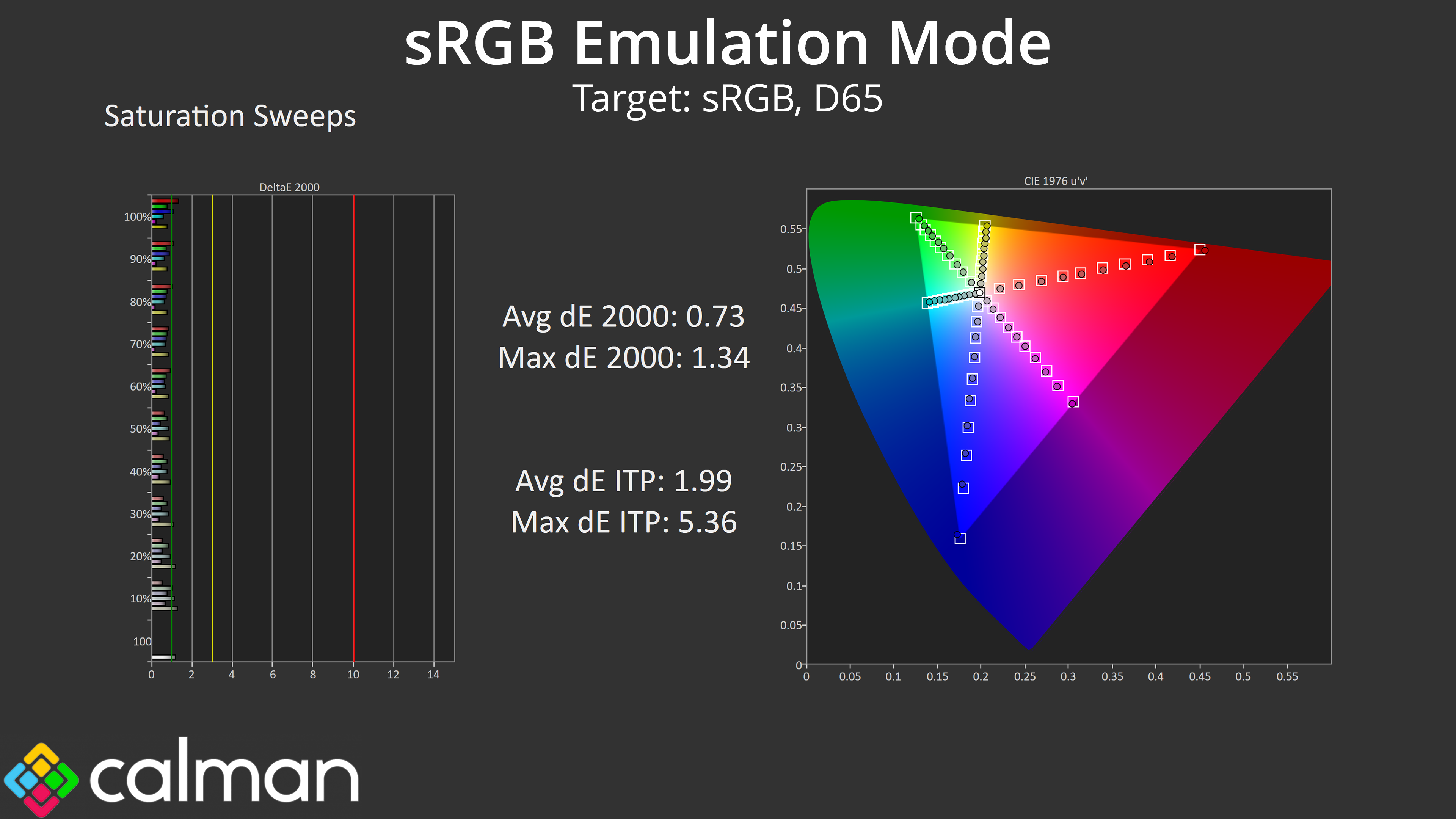
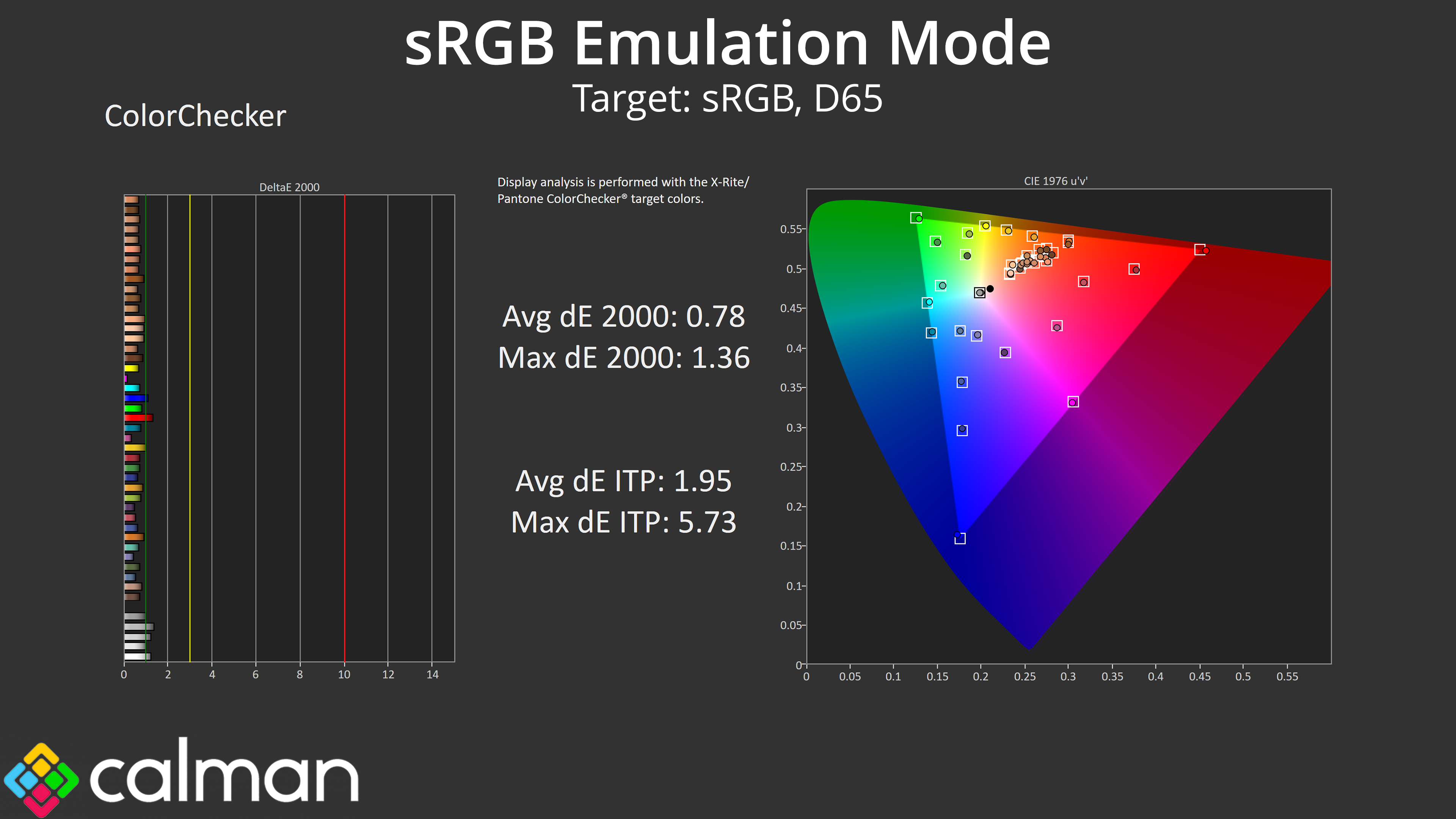
Thankfully MSI does include an sRGB emulation mode and it is very good indeed. It does a good job at clamping the gamut and greyscale performance is just as good as we'd hope considering the stock behaviour. As a result, both the saturation and colour accuracy average deltaE figures drop below 1, making this one of the best sRGB modes we have ever tested.
Calibrated Results
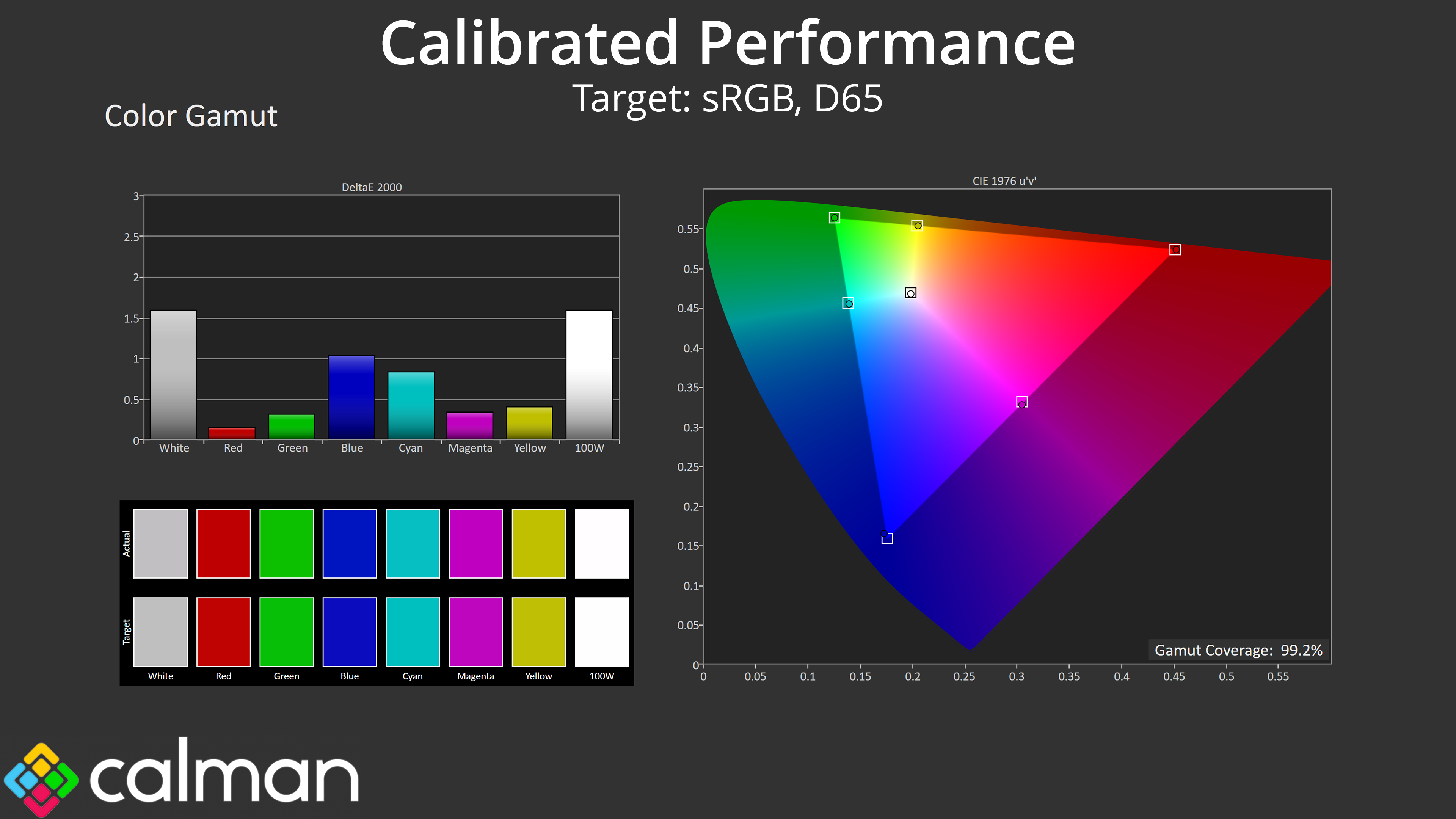
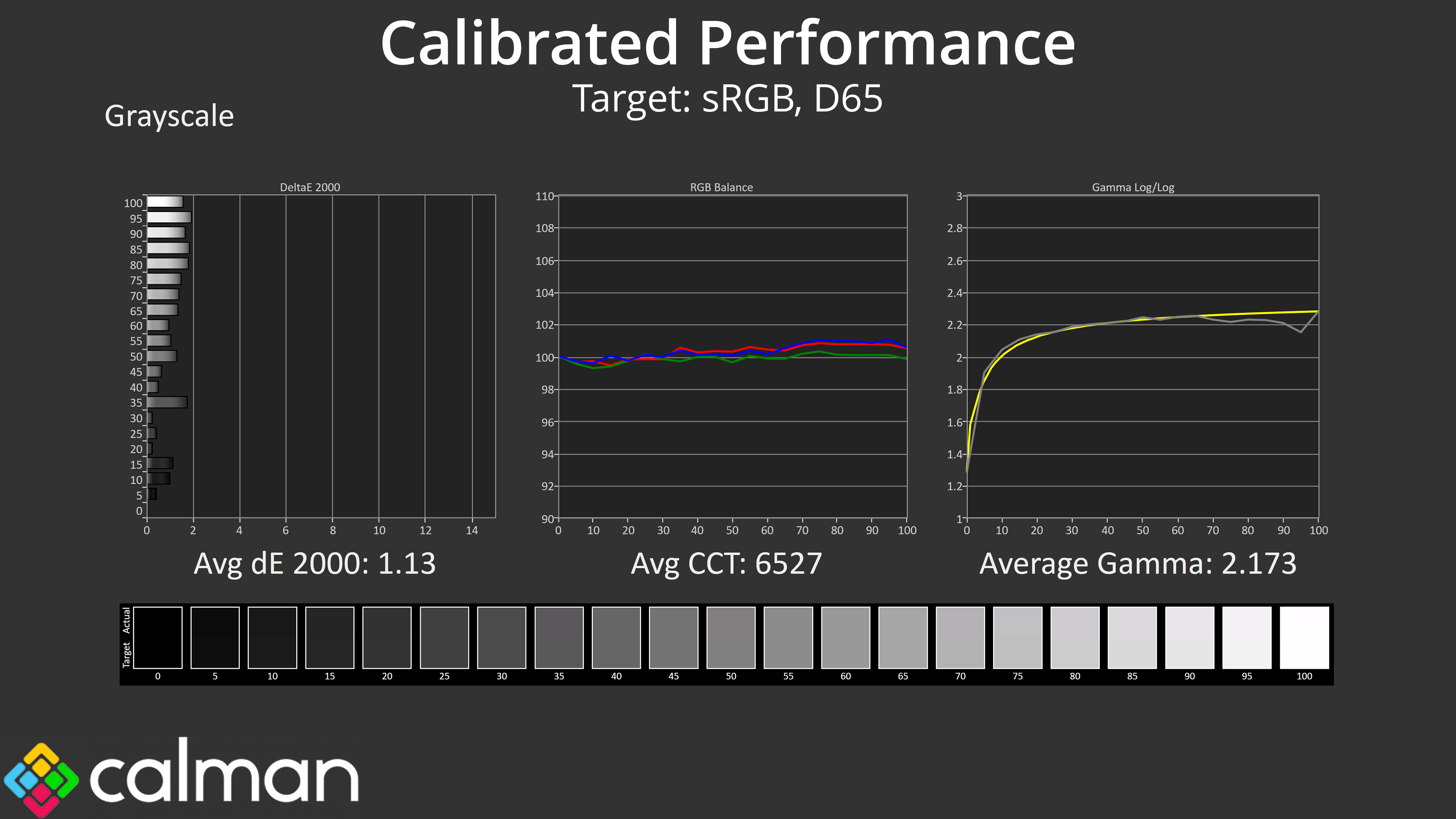
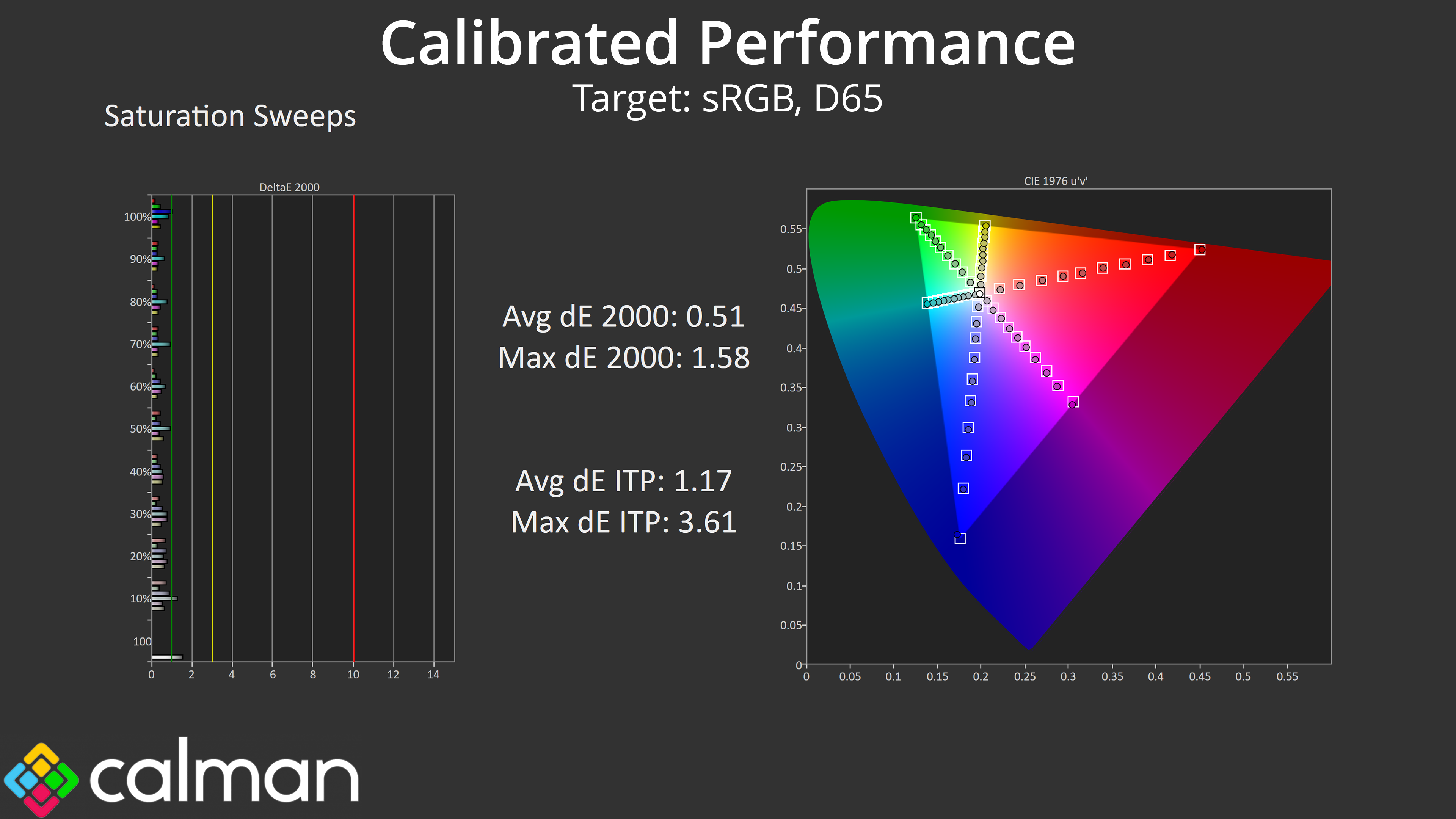
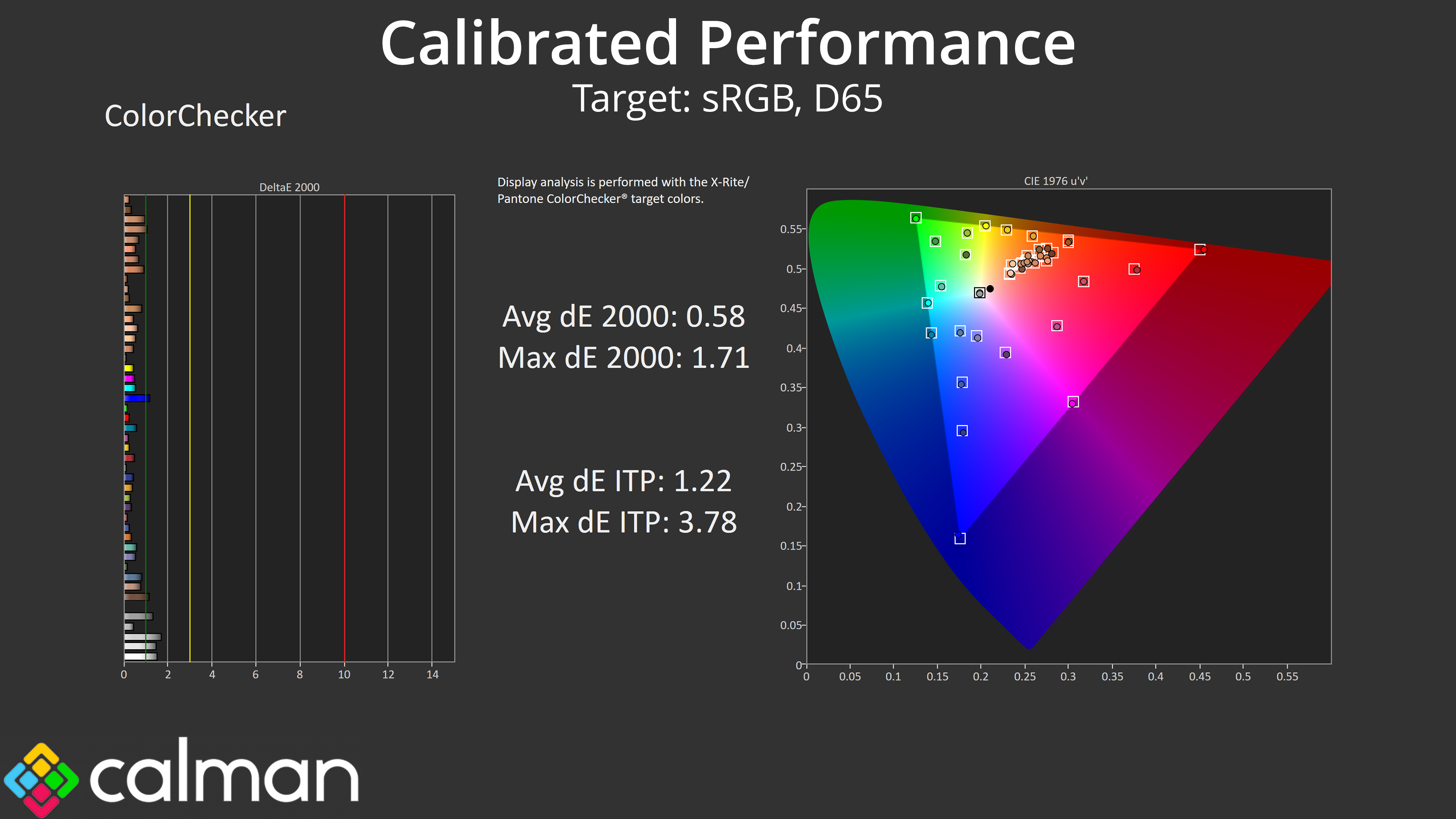
Of course, we did also run through a full calibration using Calman Ultimate, and it goes to show what can be achieved if you have the necessary hardware and software tools – though I'd say the sRGB mode will be more than enough for the majority of users.