 KitGuru KitGuru.net – Tech News | Hardware News | Hardware Reviews | IOS | Mobile | Gaming | Graphics Cards


The AOC AG271UG, is a 27-inch, 4K gaming monitor that has an IPS LCD panel and includes G-Sync technology. With it maxing out at 60Hz, it’s not a monitor aimed at fast-twitch gamers but instead combines excellent image quality, G-Sync, low input lag and a moderately fast response time to provide as smooth and rich a gaming experience as possible. Add in a premium design, plenty of features and a relatively low price, and it should be a tempting proposition for many.
Is it an oxymoron to have a “gaming” monitor that can only run at 60Hz? Well, if your first priority is competitive FPS gaming then the simple answer is “yes”. If you’re looking for a gaming advantage, 60Hz just isn’t enough and, even if it were, running games at 4K resolutions will mean most graphics cards struggle to deliver a particularly high frame rate.
Instead, the likes of the AG271UG – and its direct rivals the Acer XB271HK and Asus PB279Q – are about making all your other gaming experiences as immersive as possible. G-Sync will smooth out any screen tear and stutter, that 4K resolution will provide masses of detail and the IPS panel should provide excellent colour accuracy and viewing angles. That’s a pretty compelling combination.
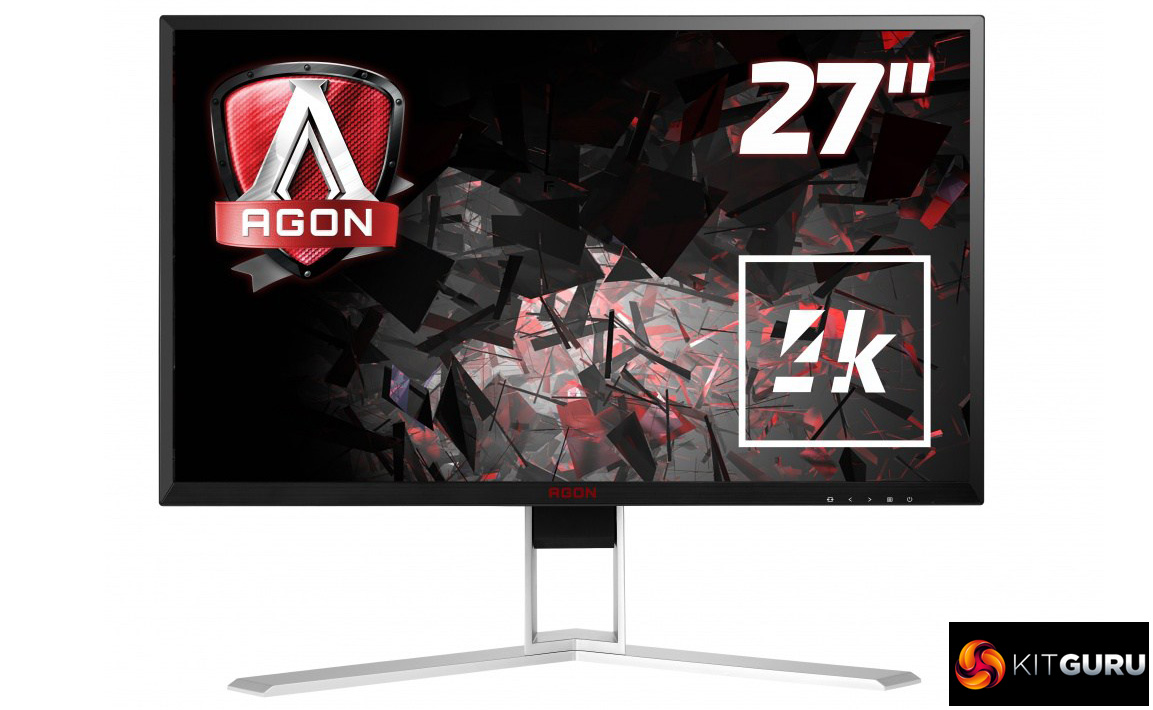
What’s more, you get a premium, all-metal, fully-adjustable stand plus several extras including a USB hub. Priced at around £600, it’s certainly not a cheap monitor but it’s either the same price as or cheaper than its main rivals.
In fact, the only real reason to have pause about buying this display is that both Acer and Asus – and presumably AOC at some point soon too – have already announced all-singing, all-dancing 4K gaming screens that will run at 144Hz.
Unveiled at the start of this year, these displays also include full array local dimming backlight technology for true HDR performance. This makes them very exciting – the fast refresh rate in particular will give pause for thought about buying a 60Hz screen such as this one.
However, neither of these fancy new displays has arrived yet, and it’s looking like neither will for a few months. Moreover, they’re likely to cost nearly double the price of this display so if your budget can’t stretch to well over £1,000, the AG271UG may still be the ideal choice for you.
Specification:
- Screen size: 27-inch, 16:9 aspect
- Native resolution: 3,840 x 2,160
- Refresh rate: 60Hz
- Panel type: IPS
- Contrast ratio: 1,000:1
- Brightness: 300cd/m2
- Response time: 4ms grey-to-grey
- Display inputs: DisplayPort, HDMI
- USB hub: USB 3.0, four ports, 1 x fast charging
- Tilt: Yes
- Raise: Yes
- Swivel: Yes
- Pivot: Yes
- Other:
- VESA: Yes
- Warranty: 3 years
Retail Price: £430 (inc. VAT)
AOC’s AGON gaming monitors all have such a similar core design that it’s almost impossible to tell them apart at a glance. It’s a good thing, then, that the company has chosen a design that, for the most part, looks quite nice.
An all-metal, silver-coloured stand is the highlight. It’s sturdy, simple and elegant, and sets off the black frame of the display nicely. Less convincing is the frame itself. Mostly plain matt black plastic, the bottom section of bezel has a faux brushed metal effect and a rather uninspiring red AGON logo in the middle. It’s not totally off-putting but it’s not quite on the level of the most stylish displays.
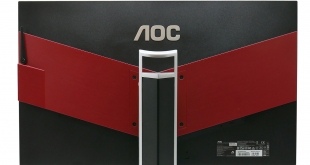
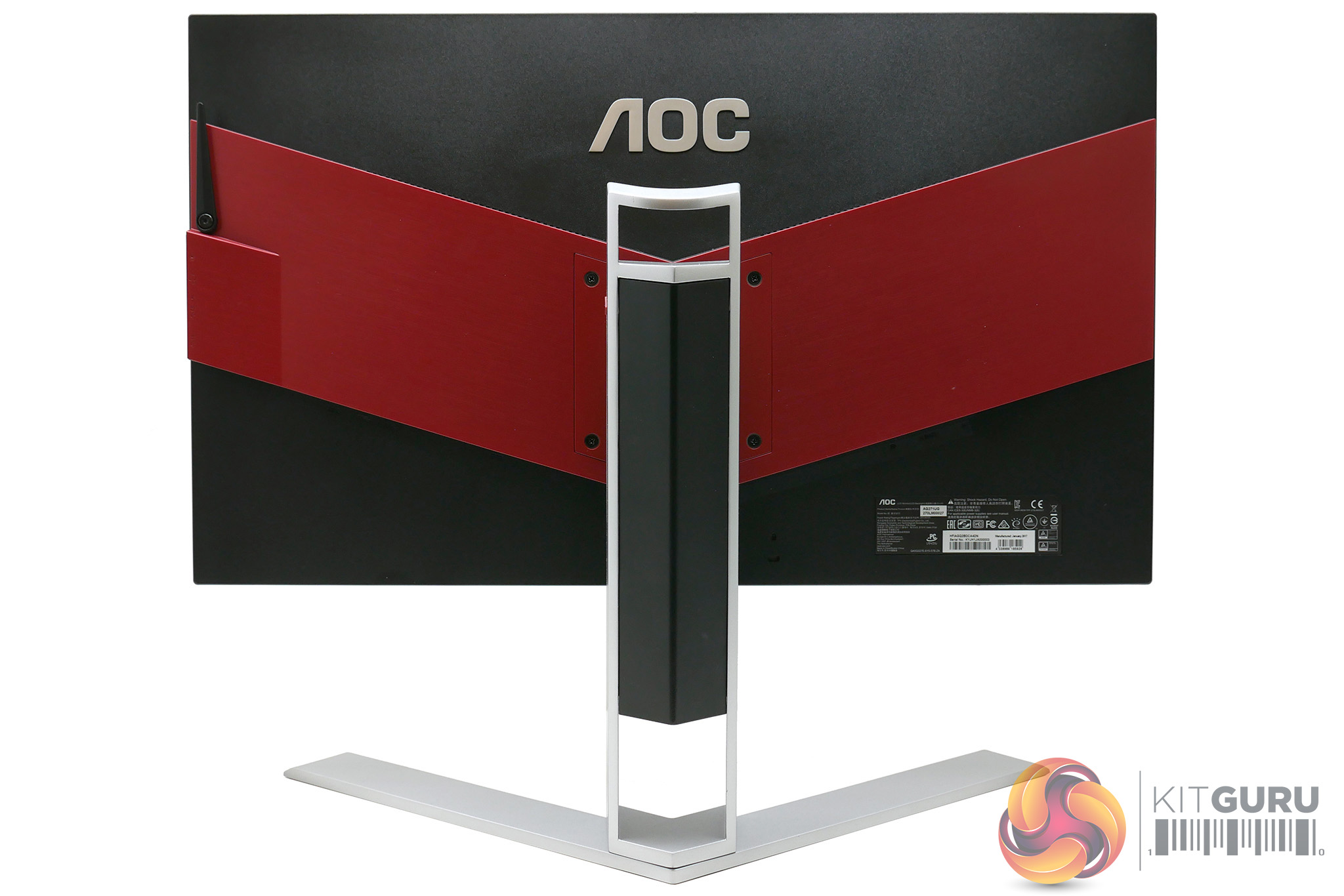
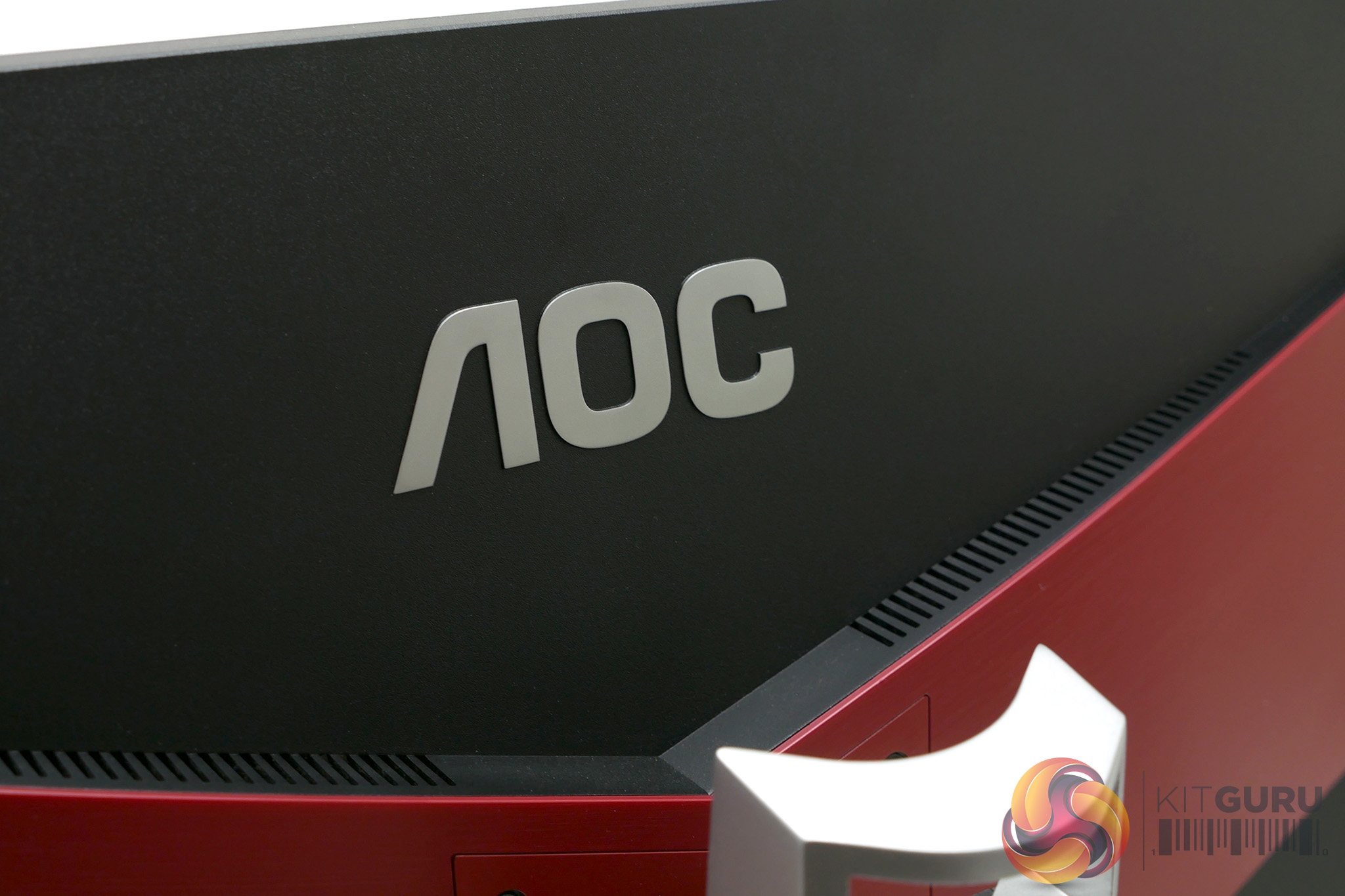
Meanwhile, round the back the “gamer” styling is cranked up several notches as the mostly matt black plastic rear is bisected by a large “V” shaped red section. It’s not too garish but a paragon of style it isn’t. Nonetheless, overall build quality is excellent, with a sturdy feel to both the stand and the display.
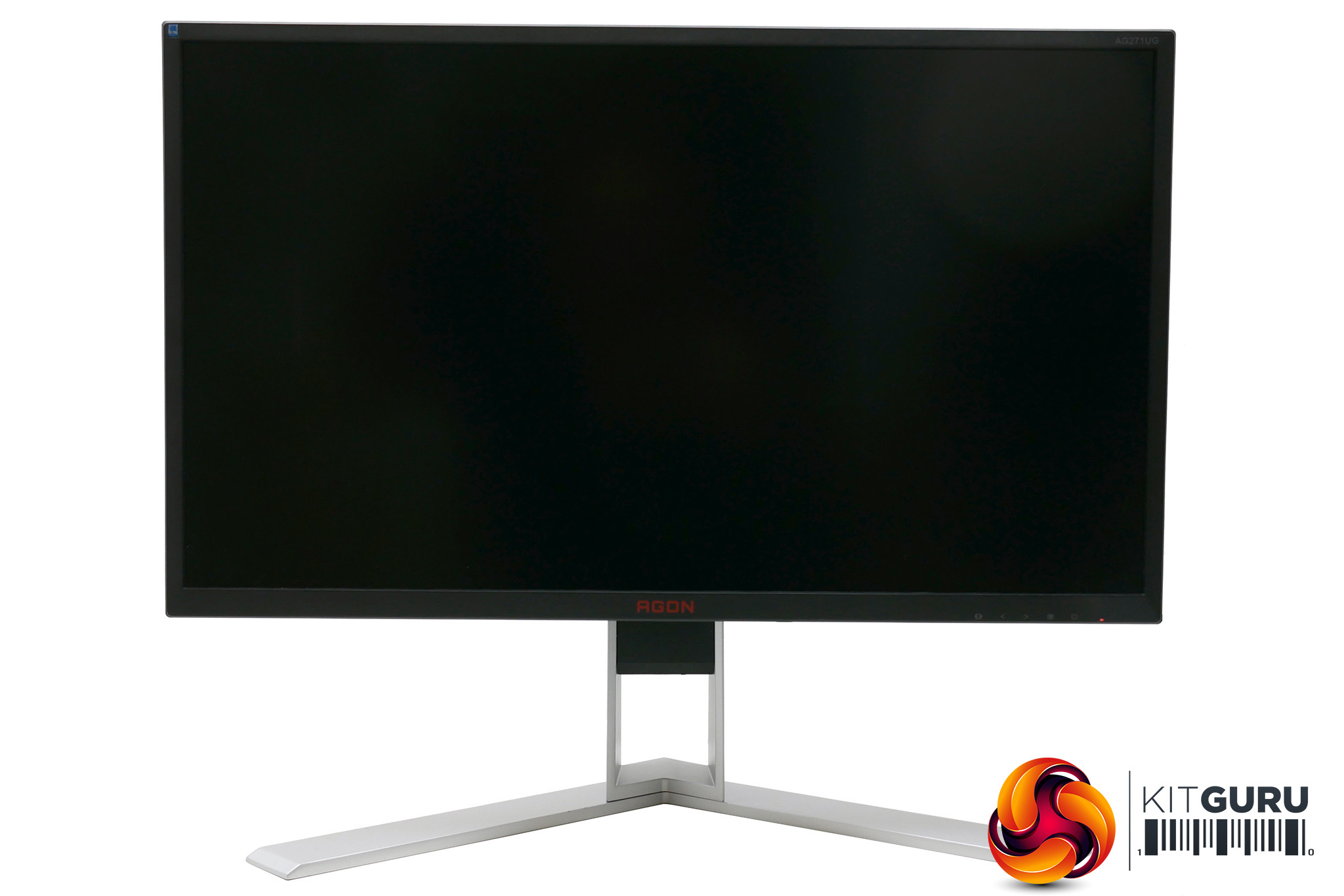
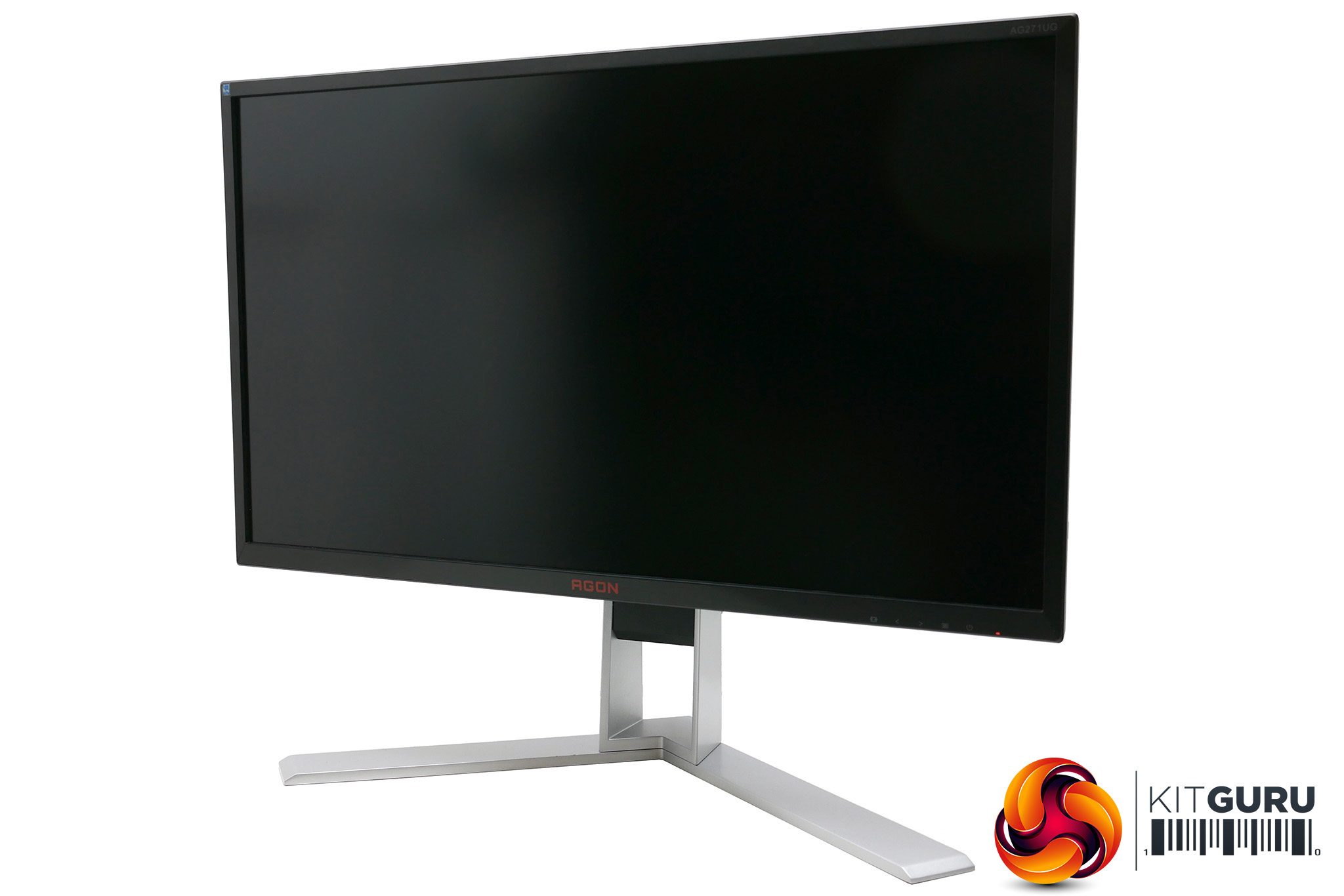
It’s also a versatile stand. It provides height, tilt, rotation and pivot adjustment and does so with smooth, precise and reassuringly firm movements.
On the side of the stand’s upright there’s also an indicator that can be used to record your preferred monitor height and tilt angle. Once dialled in, it makes it easy to reset your display at just the right position.
The top of the stand also doubles as a carry handle and you can remove the stand altogether and affix a provided adapter that allows you to use other standard 100x100mm VESA mount stands.
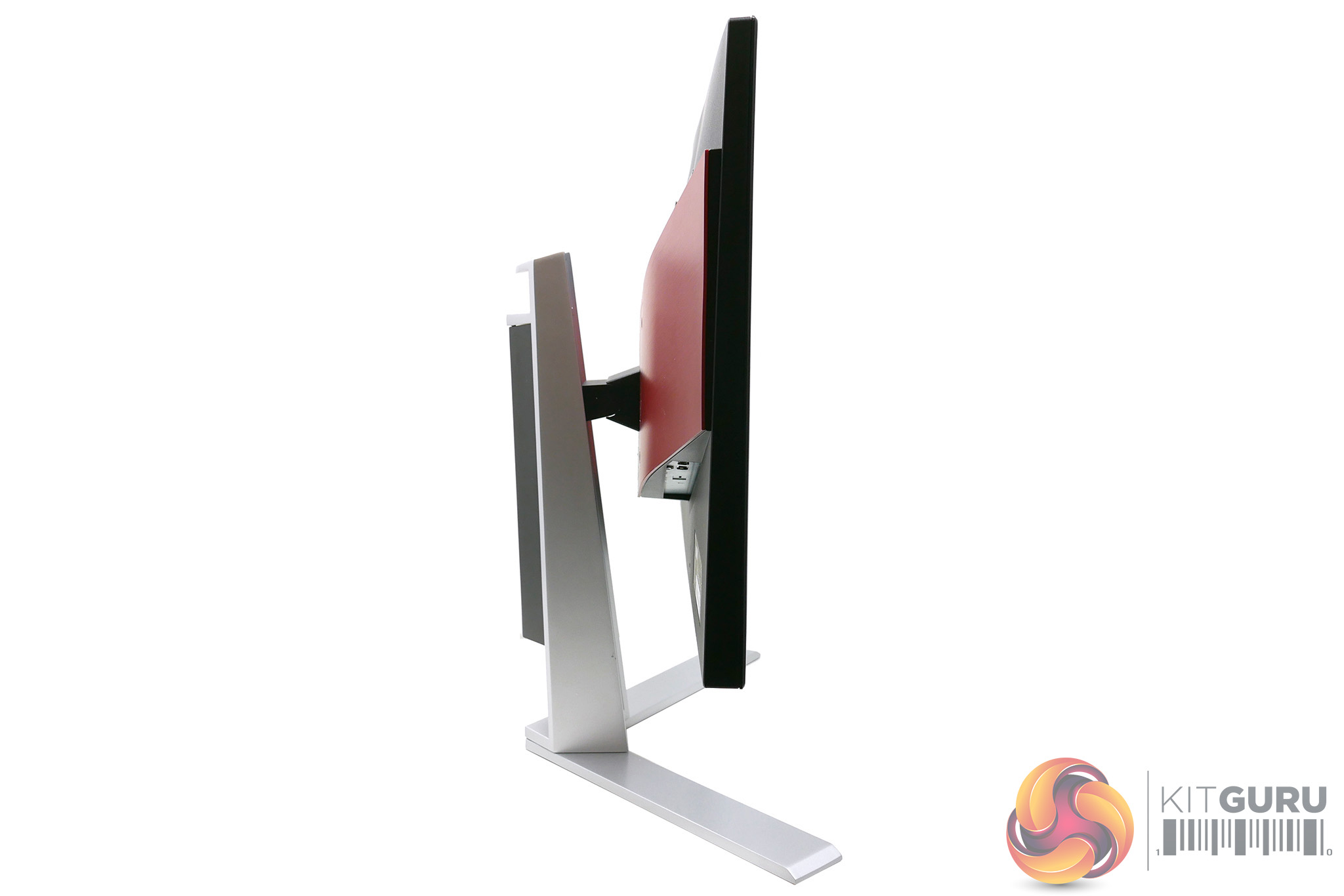
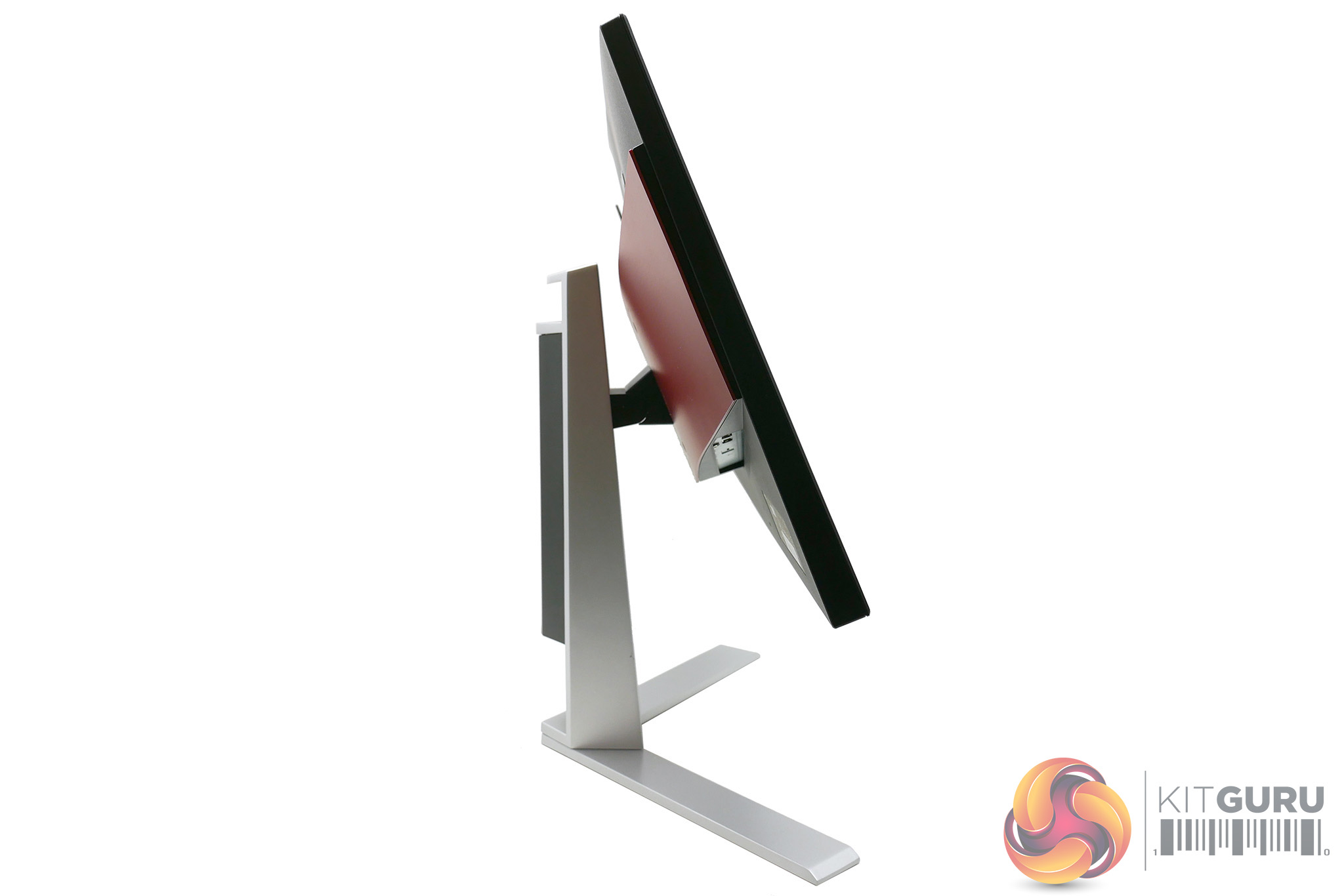
On the right edge is a favourite AOC feature which is a cluster of connectivity and a headphone stand. The latter is just a flip-down plastic arm, but it provides a really convenient spot to quickly hang your headphones. Below this there’s also the sockets for your headphones and microphone, as well as a couple of USB 3.0 ports. The yellow port also supports fast-charging.
Alongside the power socket on the underside of the red “V”, you get a further couple of USB 3.0 ports. On the other side of the “V” are the DisplayPort and HDMI video inputs and a microphone output that carries the audio from your headset back through to your PC.
Inside you also get a pair of 2W speakers, the audio for which comes via the video connections – there’s no analogue audio input. The speakers are fairly weedy but it’s useful to have them just in case. The headphone jack auto-mutes the speakers when used.
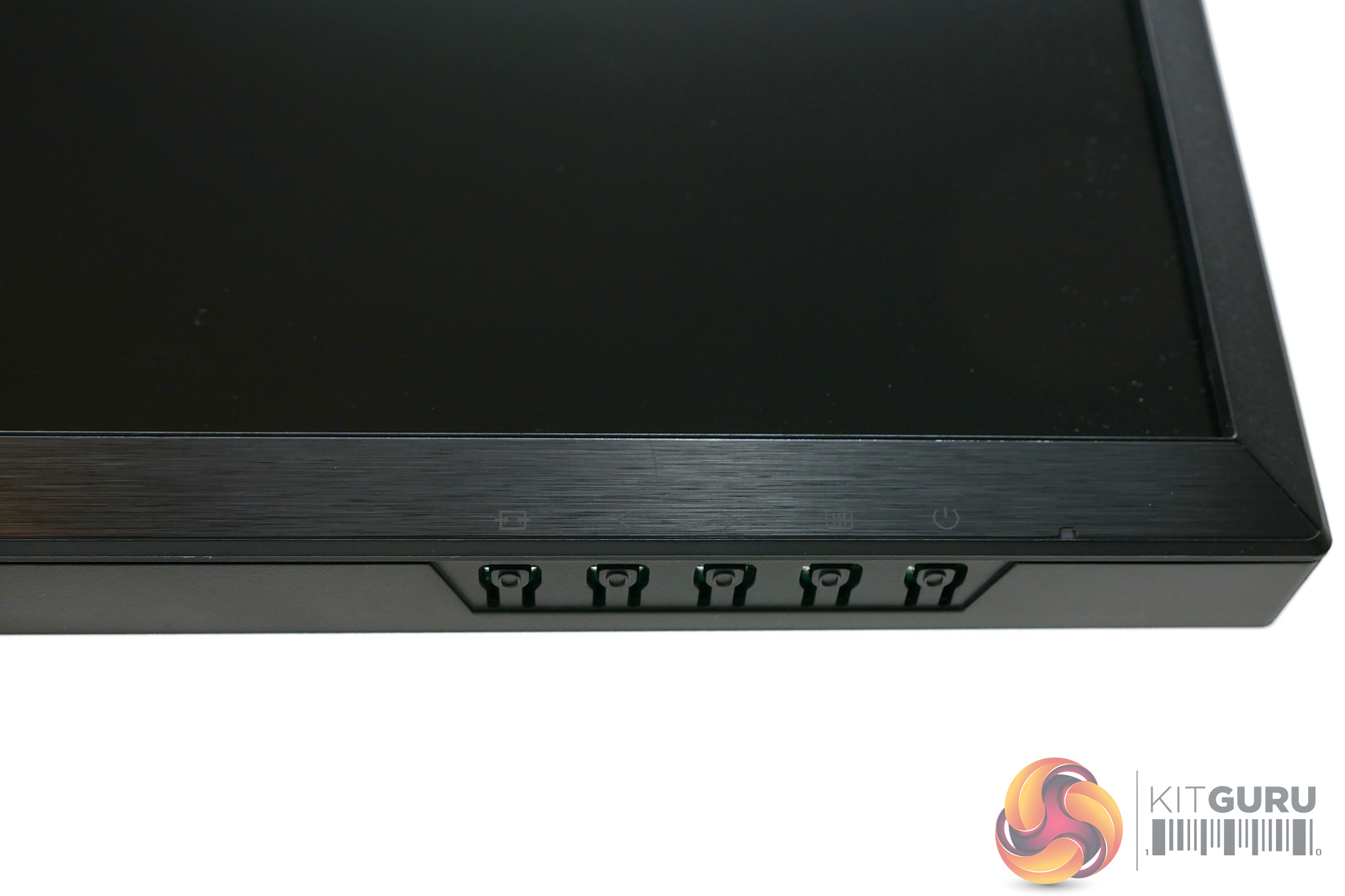
On the underside of the display’s frame is the power button alongside the OSD controls, which consist of Input/Back, Left, Right and OK/Menu buttons. With its non-G-Sync displays AOC also provides a useful wired remote for controlling its OSD. However this isn’t compatible with G-Sync so you miss out on it here.
What you do get in the box, though, are HDMI, DisplayPort and USB cables so you’re all set for getting every port connected. As with many G-Sync displays, there’s no room for an internal power supply so an external power brick is required, which is slightly less convenient than a standard IEC ‘kettle’ lead.
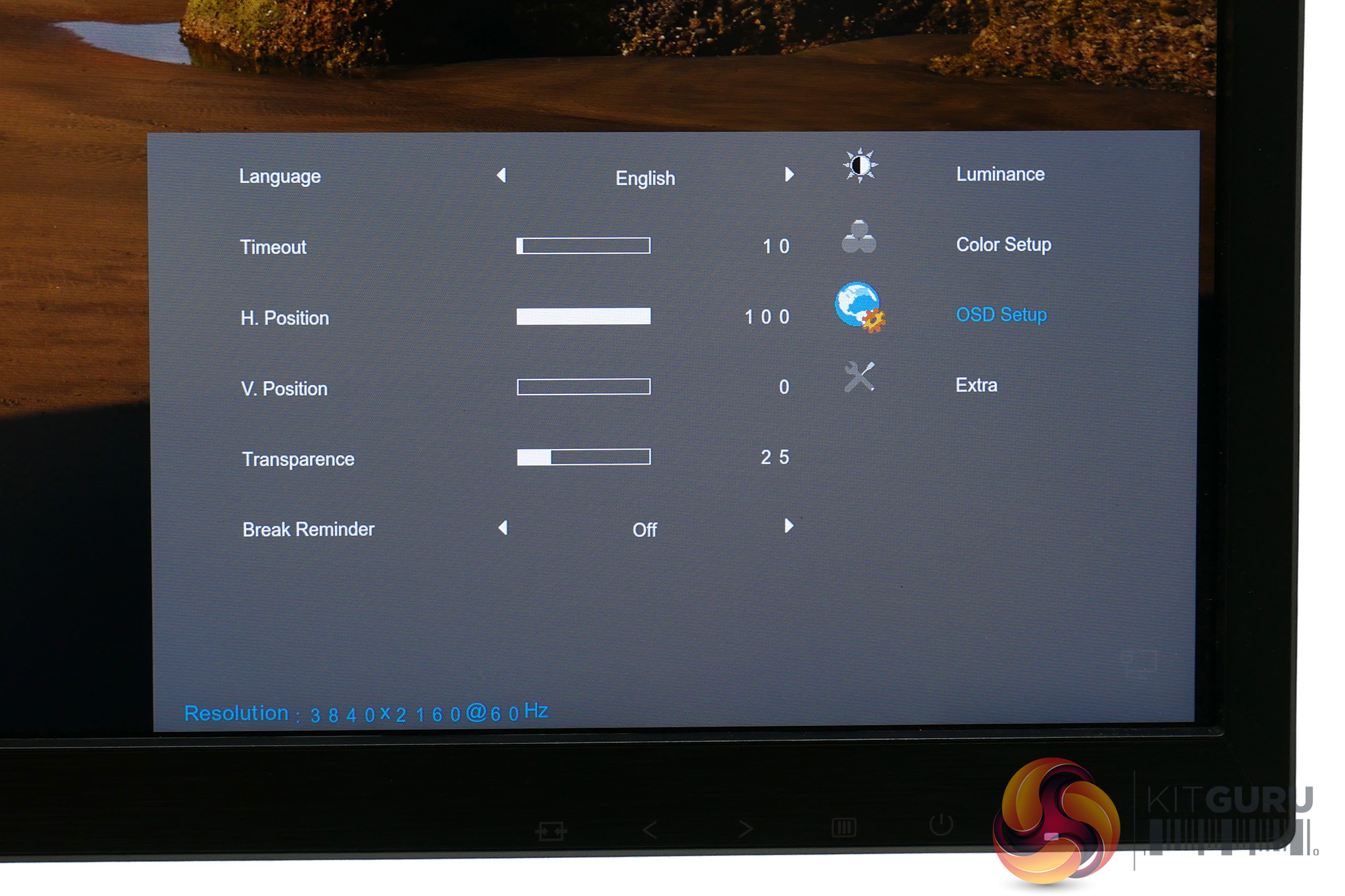
The four buttons used to control this monitor’s OSD seem like a simple enough selection but as with many other AOC displays they have one silly layout issue. When moving through the several vertical lists of options that are in the menus, rather than the Left and Right buttons corresponding to moving up and down, as you’d expect, they work the opposite way round.
This one thing alone makes it decidedly frustrating to use and it’s not helped by the menus themselves looking drab and rather utilitarian.
Otherwise, though, the overall menu layout is intuitive and the selection of settings is ample. Brightness, contrast, gamma and colour balance can all be tweaked to get the best overall image quality.
There’s also a Game Color option, which is basically a vibrancy setting that at 0 makes the picture greyscale and at 200 totally over-saturates colour. We’re not sure why you’d ever want to change this unless radioactive colours are your thing.
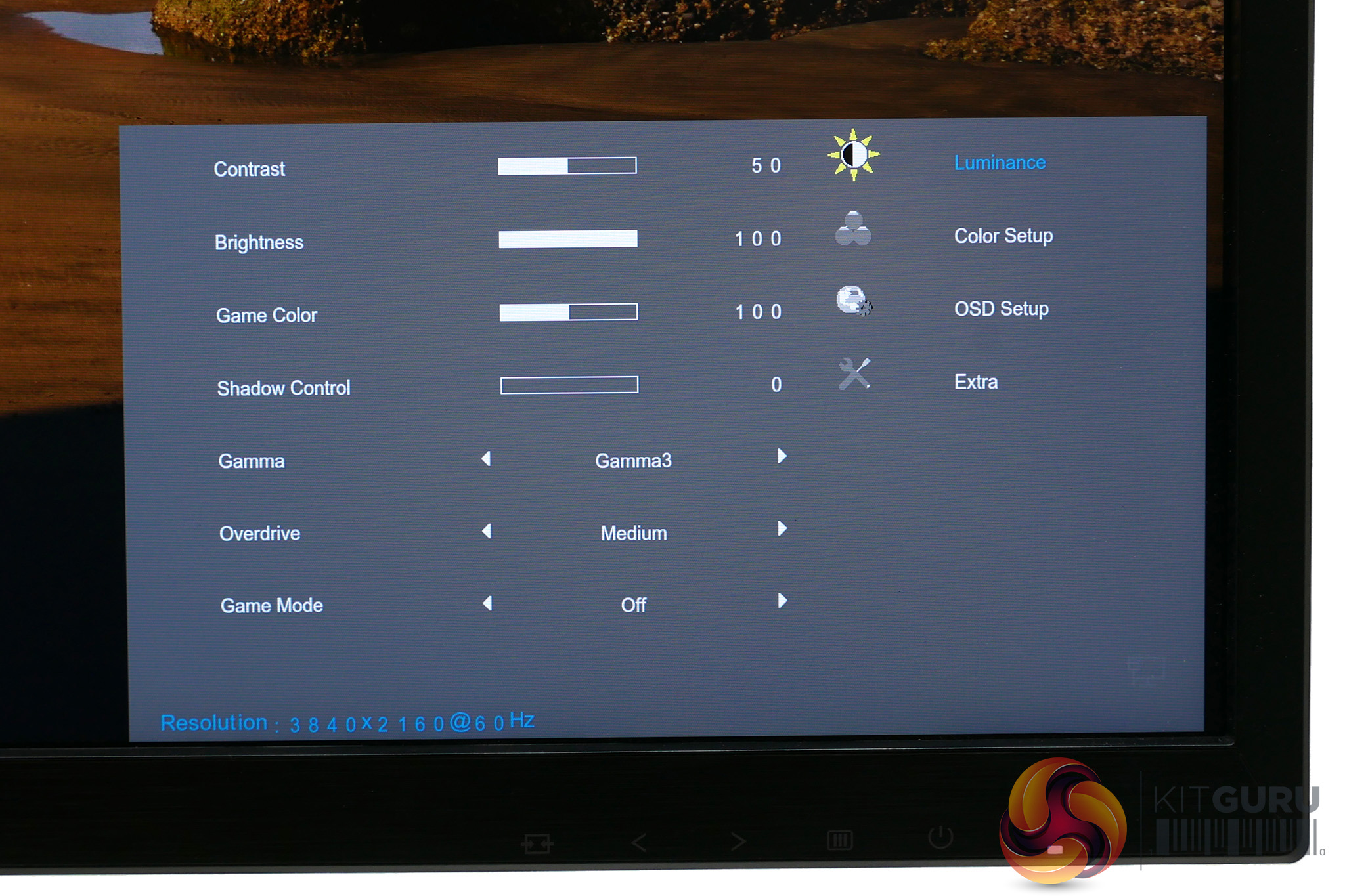
As for Shadow Control, it’s essentially a gamma adjustment setting that increases the brightness of dark colours as you turn it up. This is useful for making it easier when gaming to see if any enemies are lurking in the dark.
Meanwhile, you can also choose from several Game Mode options. These just adjust several of the existing settings such as Shadow Control and Overdrive to optimise them for different genres; the options are FPS, RTS, Racing and Gamer.
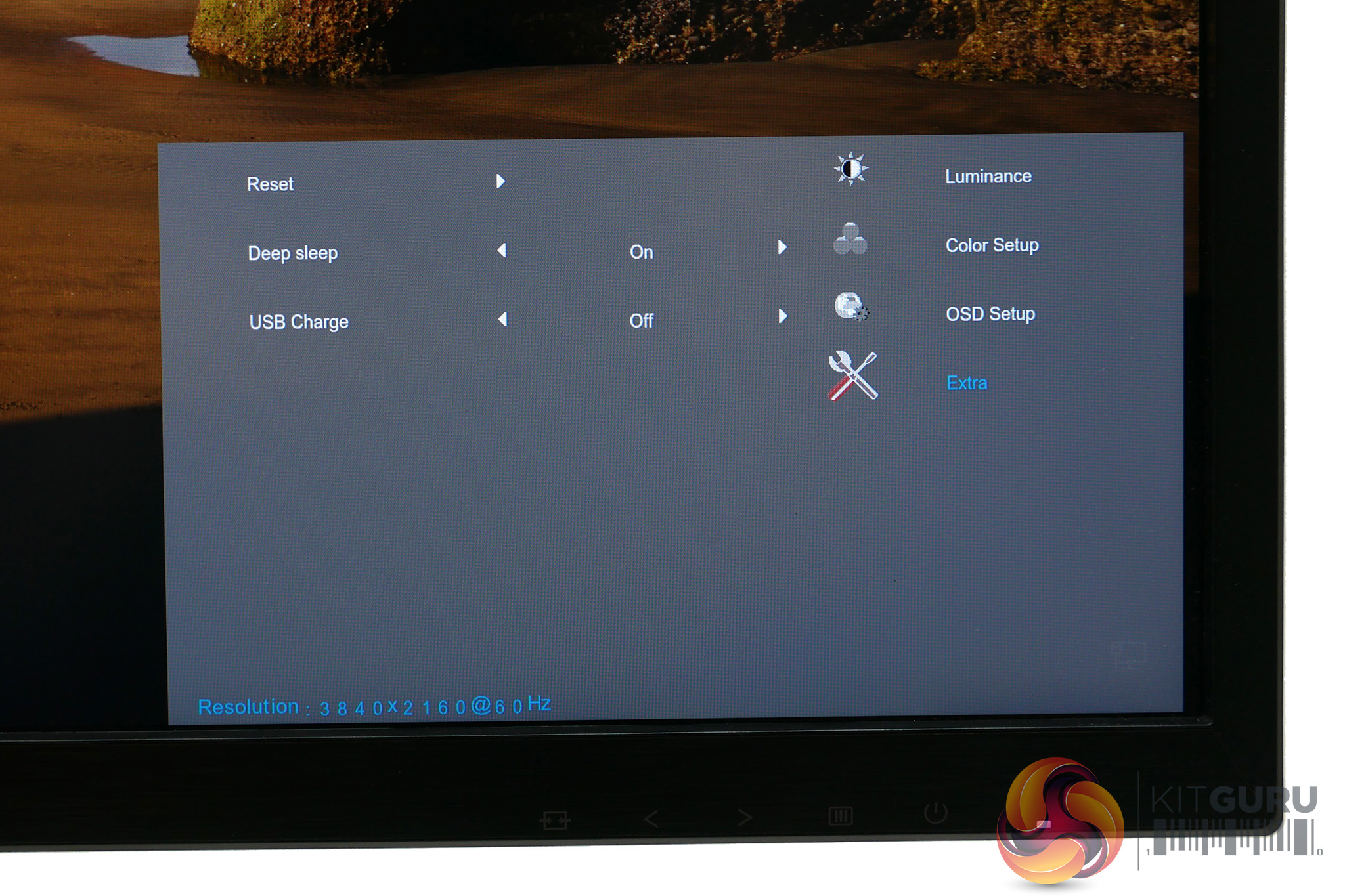
The overdrive setting is the main means of adjusting the gaming performance of this monitor. Its default setting is Medium but it also offers Weak, Light and Strong settings, as well as the option to turn it off completely. We were happy with Medium as it offers a good balance of improved pixel response without too many of the artefacts introduced by overly aggressive overdrive.
Rounding things out, there’s also a low blue light option that helps reduce eye strain.
We start our assessment of all monitors with an objective test of their out-of-the-box image quality, using a DataColor Spyder 5 Elite colorimeter. This is a device that sits in the middle of the display and measures its output, checking for things like maximum brightness and colour accuracy.
In its out of the box state, the AOC is set to brightness 90 with gamma in the first of its settings, contrast at 50 and the Warm (rather than Normal) colour preset. This seems to be AOC’s standard setup for most of its AGON monitors and generally we find it’s a decent starting point, though we’re still not entirely sure why the Normal colour mode isn’t the default.
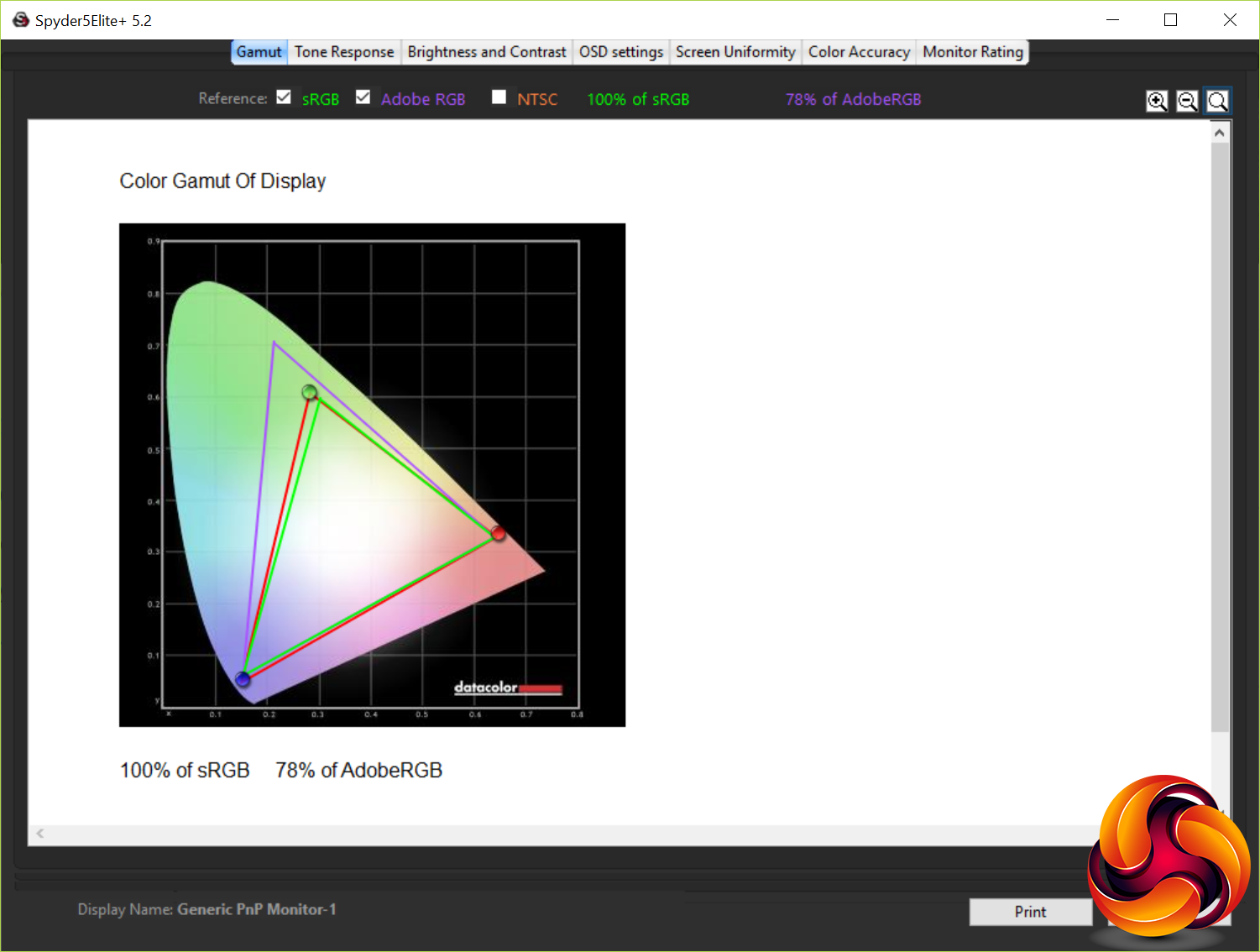
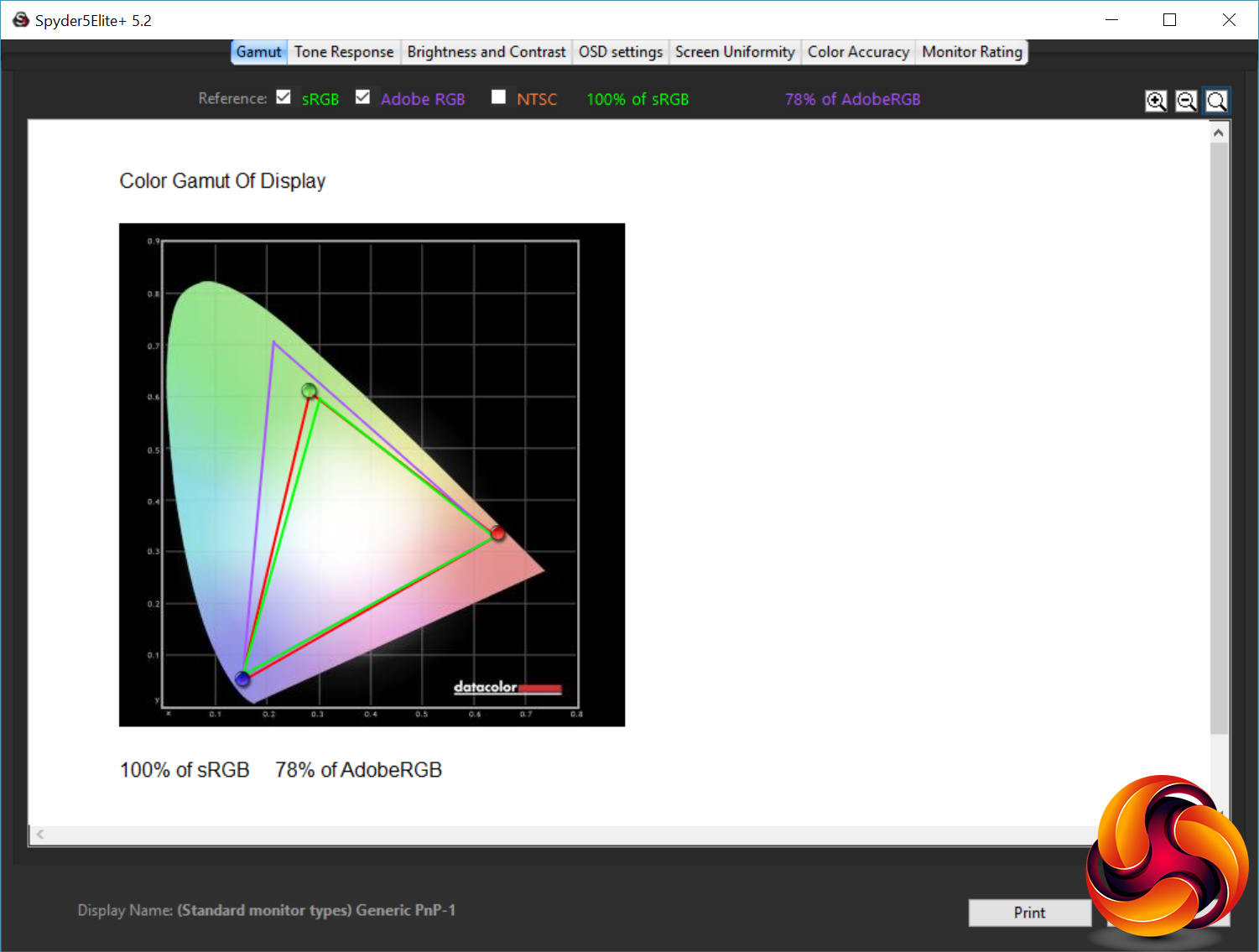
The first test that the colorimeter performs checks for how much of the various standard colour spaces the monitor can cover. It managed 100% of the sRGB colour space and 78% of the AdobeRGB space, which is about as good as you can hope for from a display of this type. This is hardly a surprise given that this is a true 10-bit panel so fine colour reproduction should be spot on.
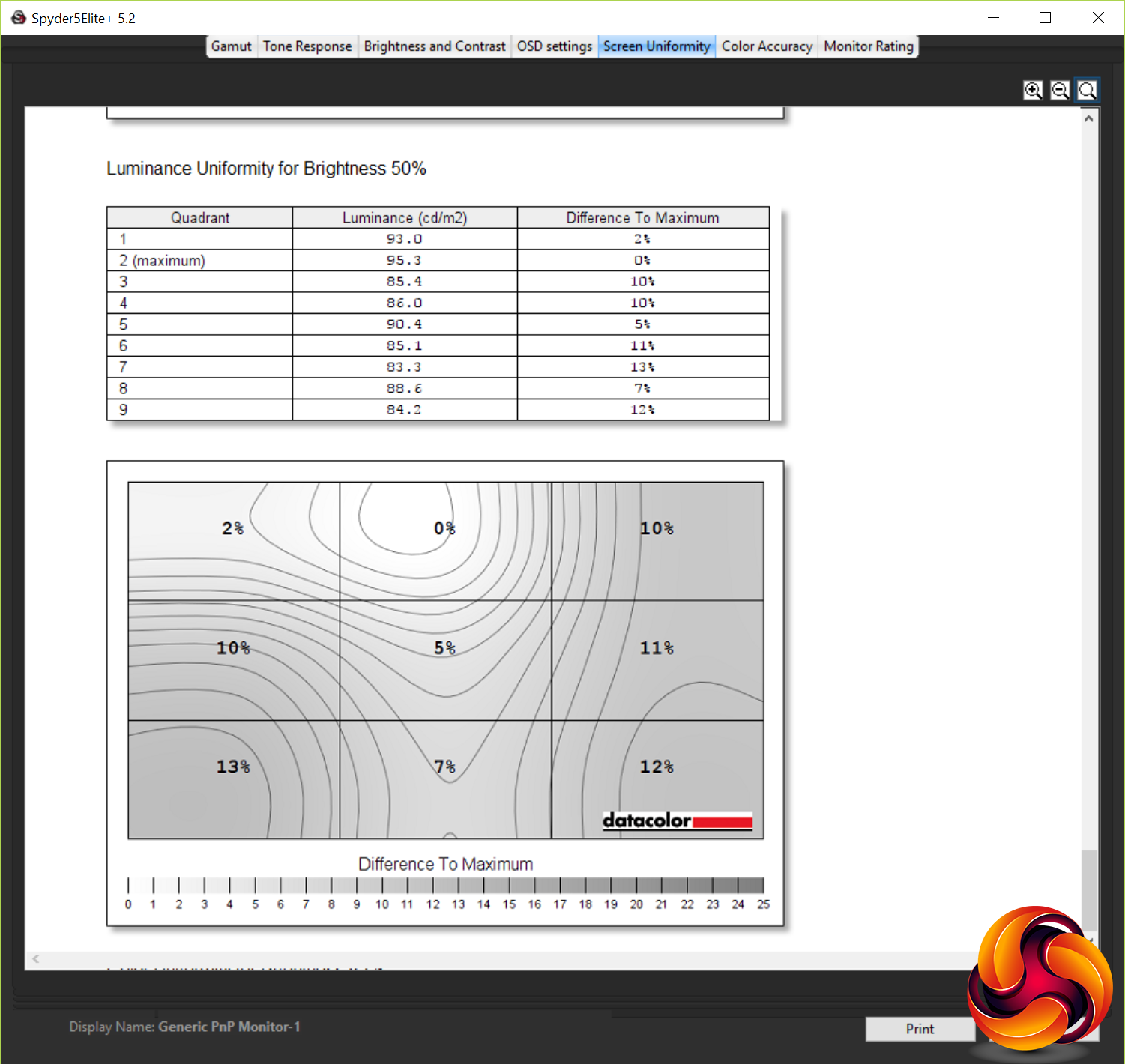
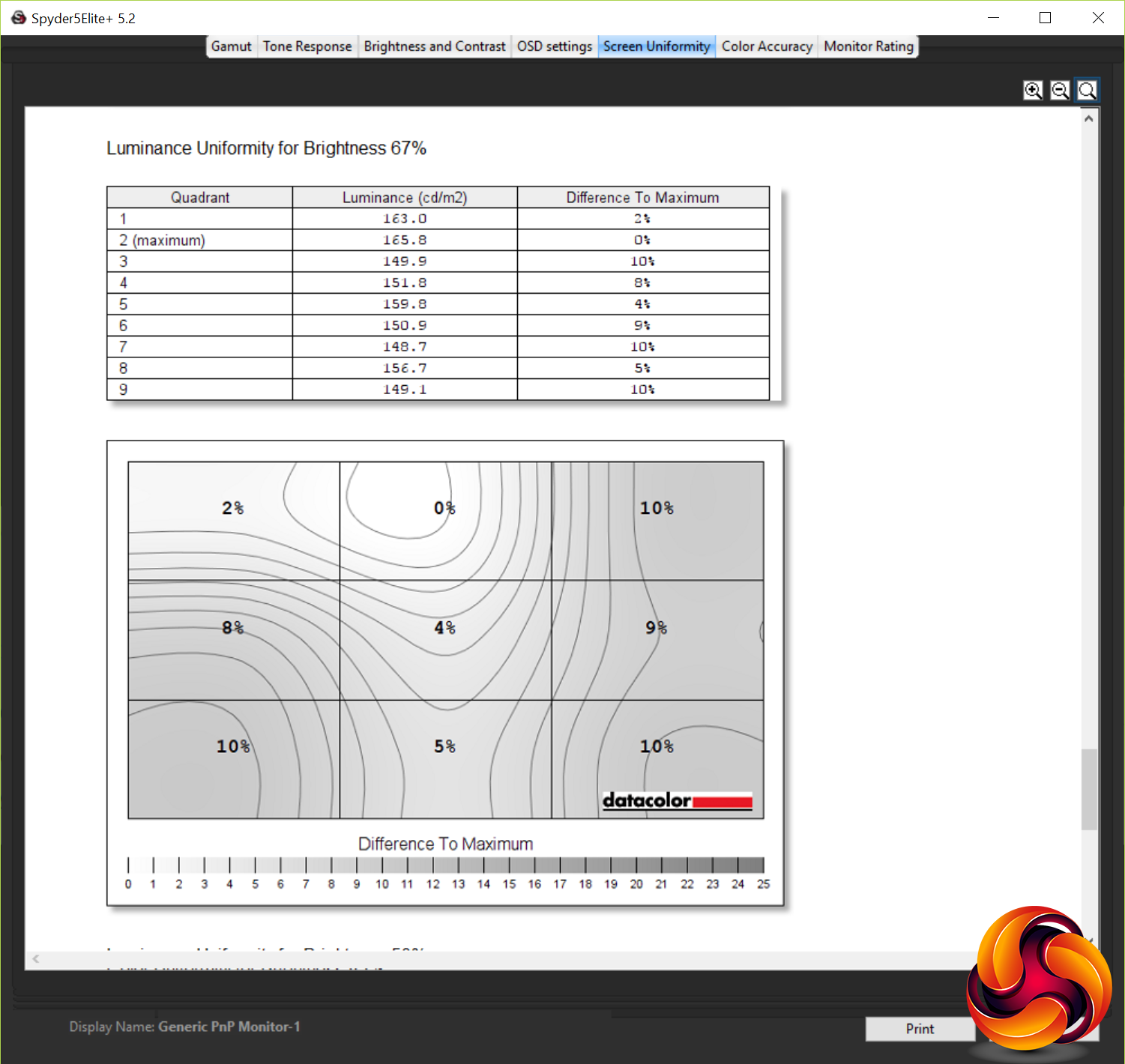
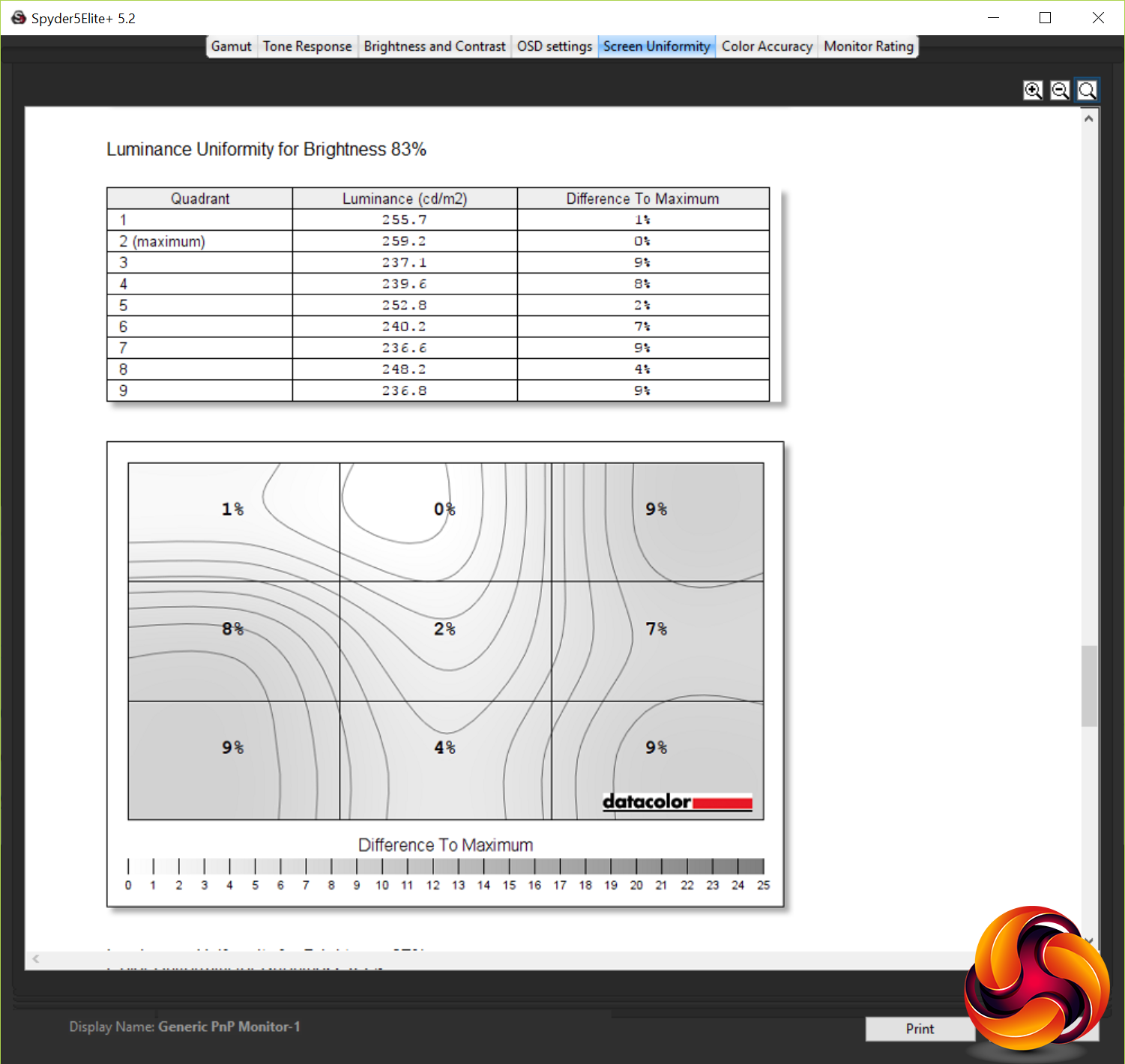
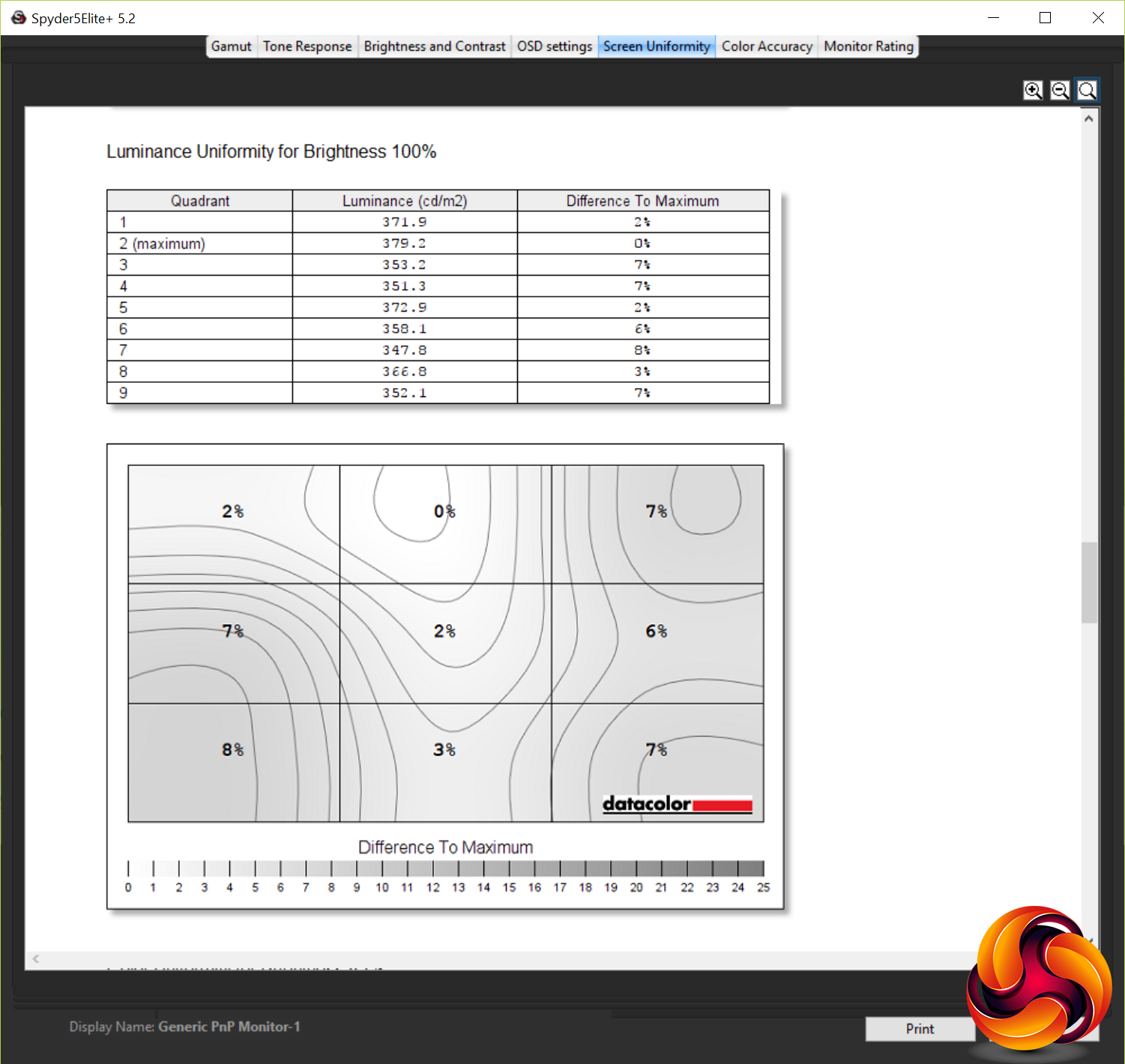
Brightness uniformity is up next and the AG271UG put in a reasonable performance. At 100% brightness it showed a 5.4% average variation in brightness across the area of the screen. At lower brightness settings this rose to 8.3% but overall it’s still a reasonably uniform display.
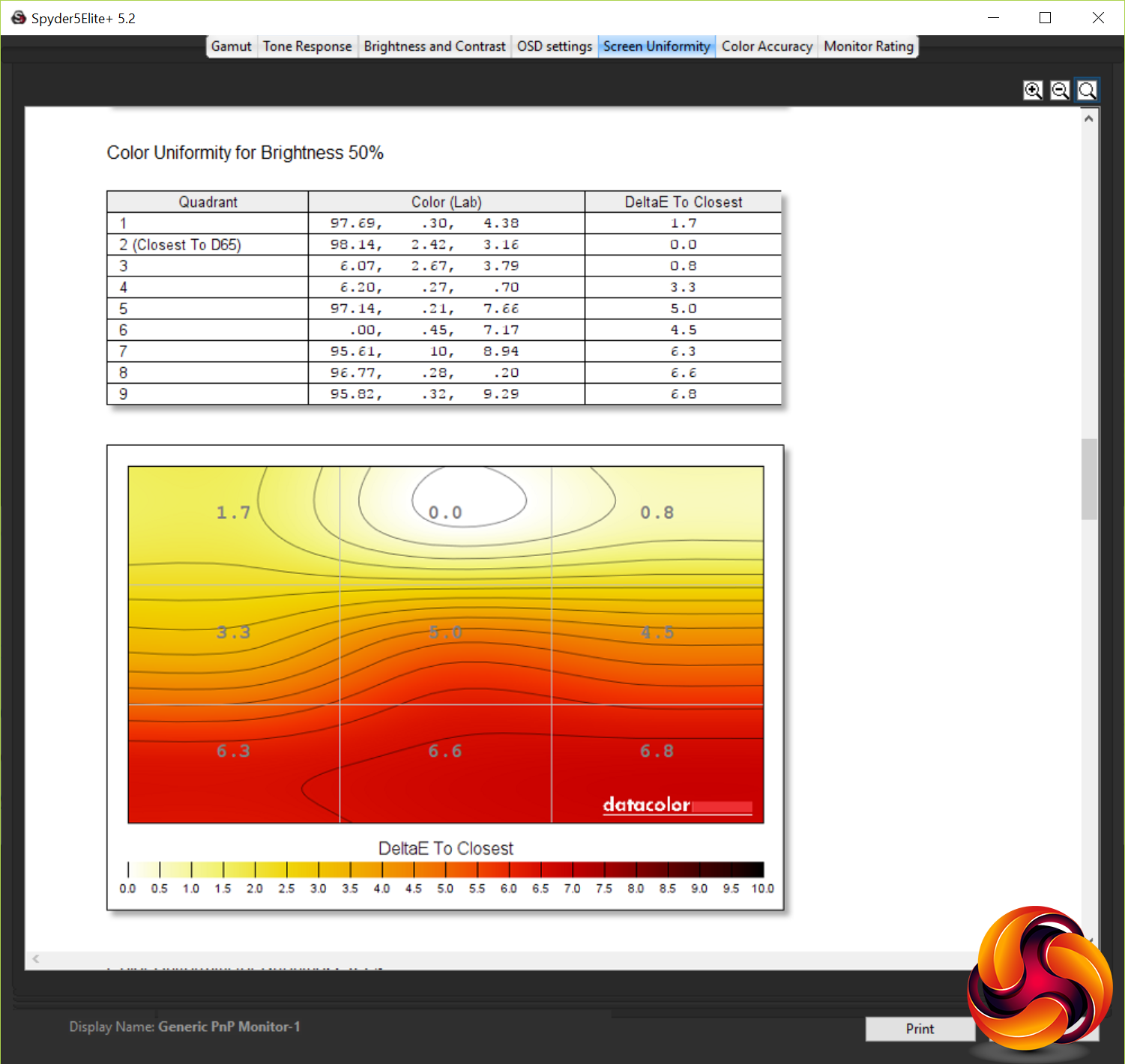
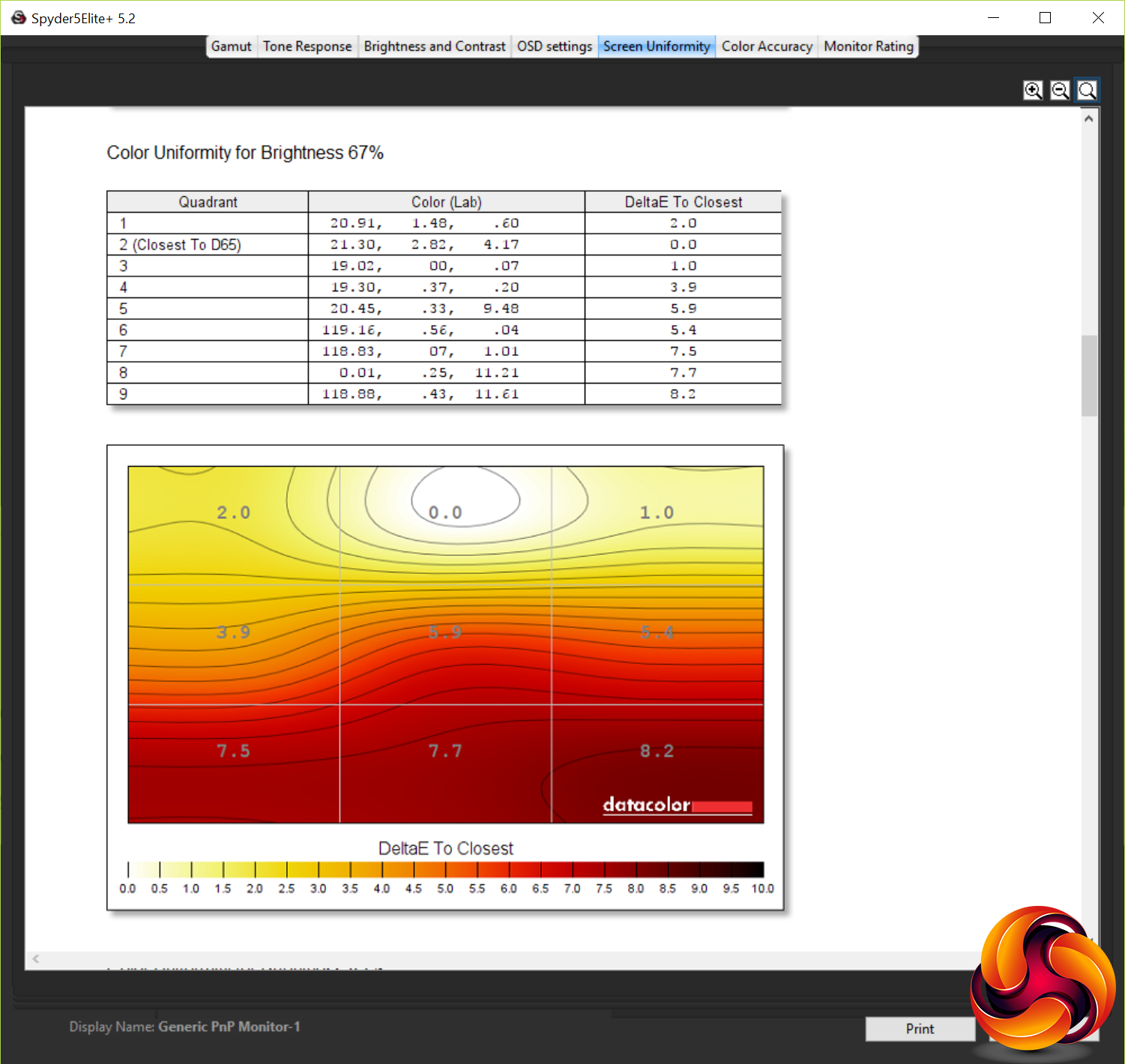
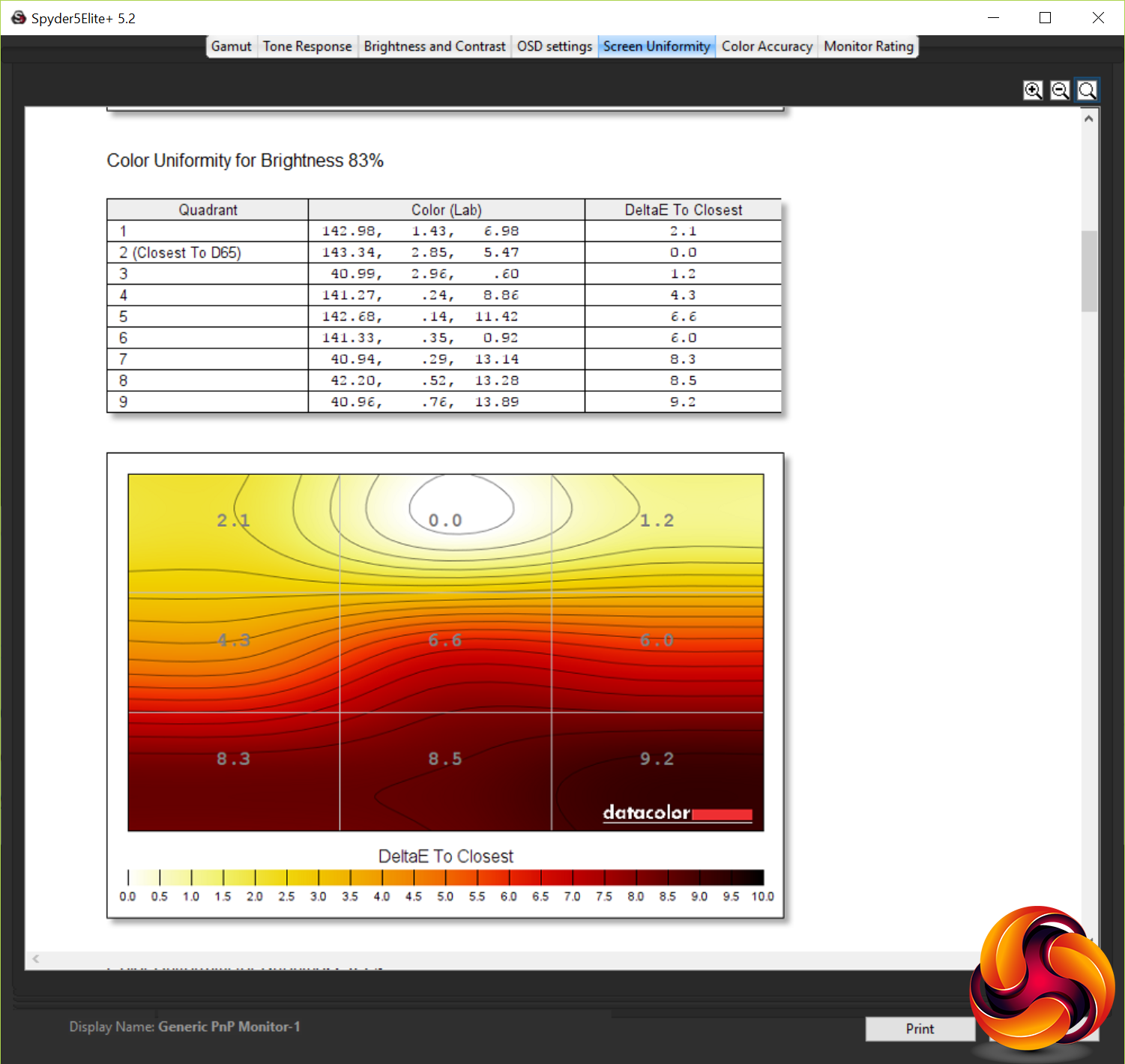
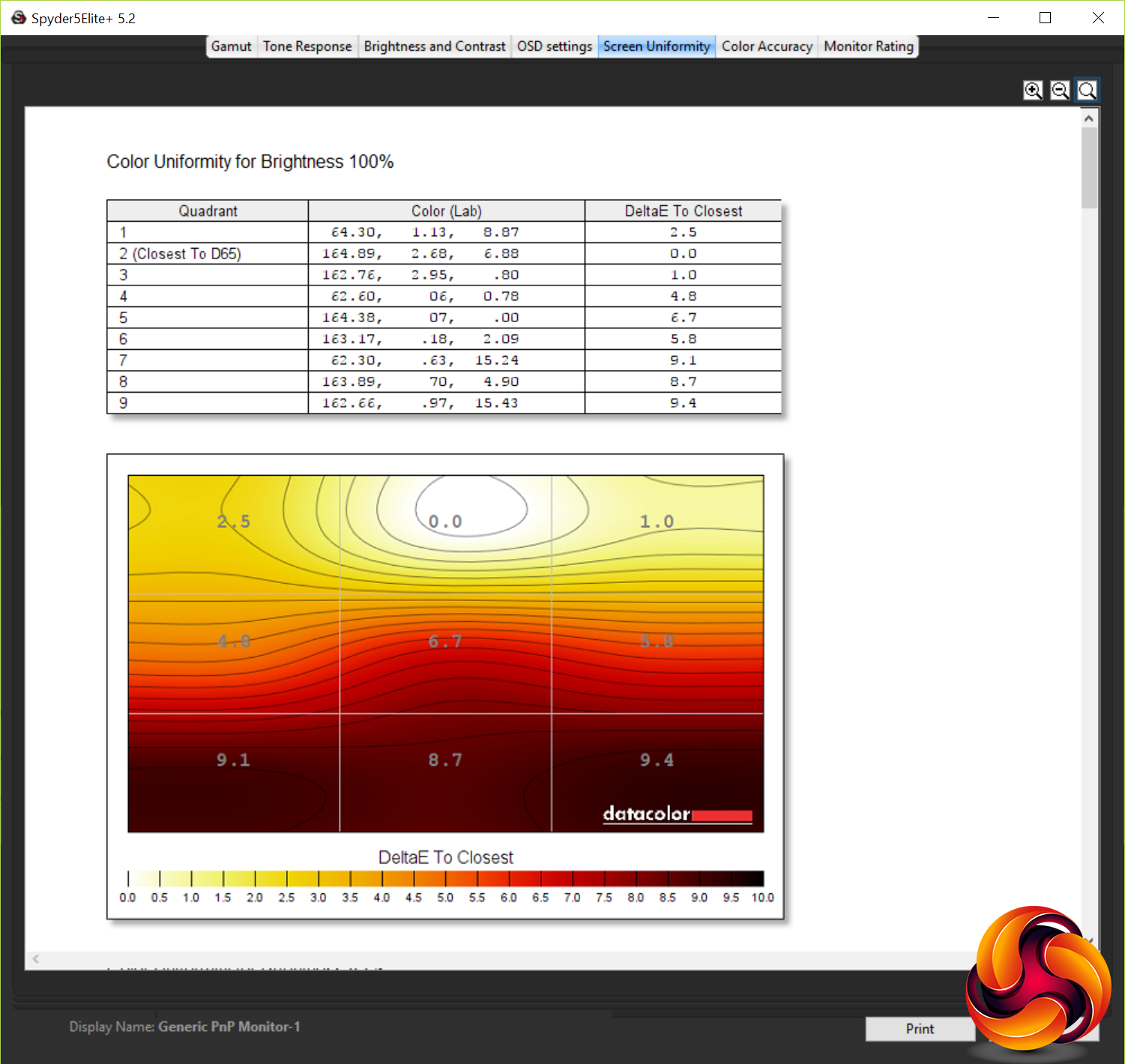
Meanwhile, colour uniformity is okay. An average of 5.6% at 100% brightness and 4.1% at 50% brightness is low enough not to be obvious to the naked eye but certainly isn’t the best we’ve seen.
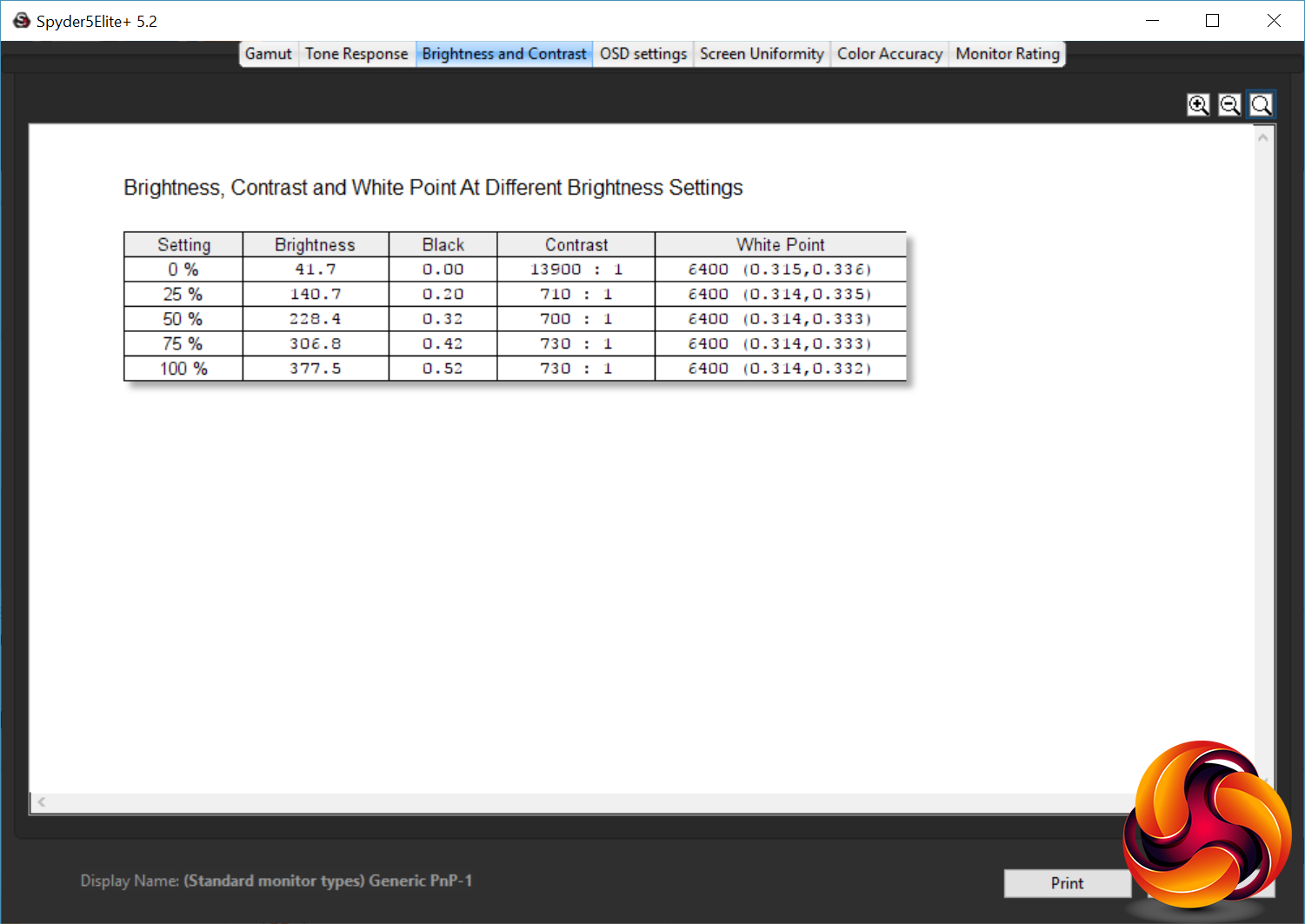
In terms of the overall brightness range, this monitor far exceeded AOC’s claimed 300nits, instead maxing out at 407nits. So different is this that we feel it must be a typo on AOC’s website and they mean 400nits.
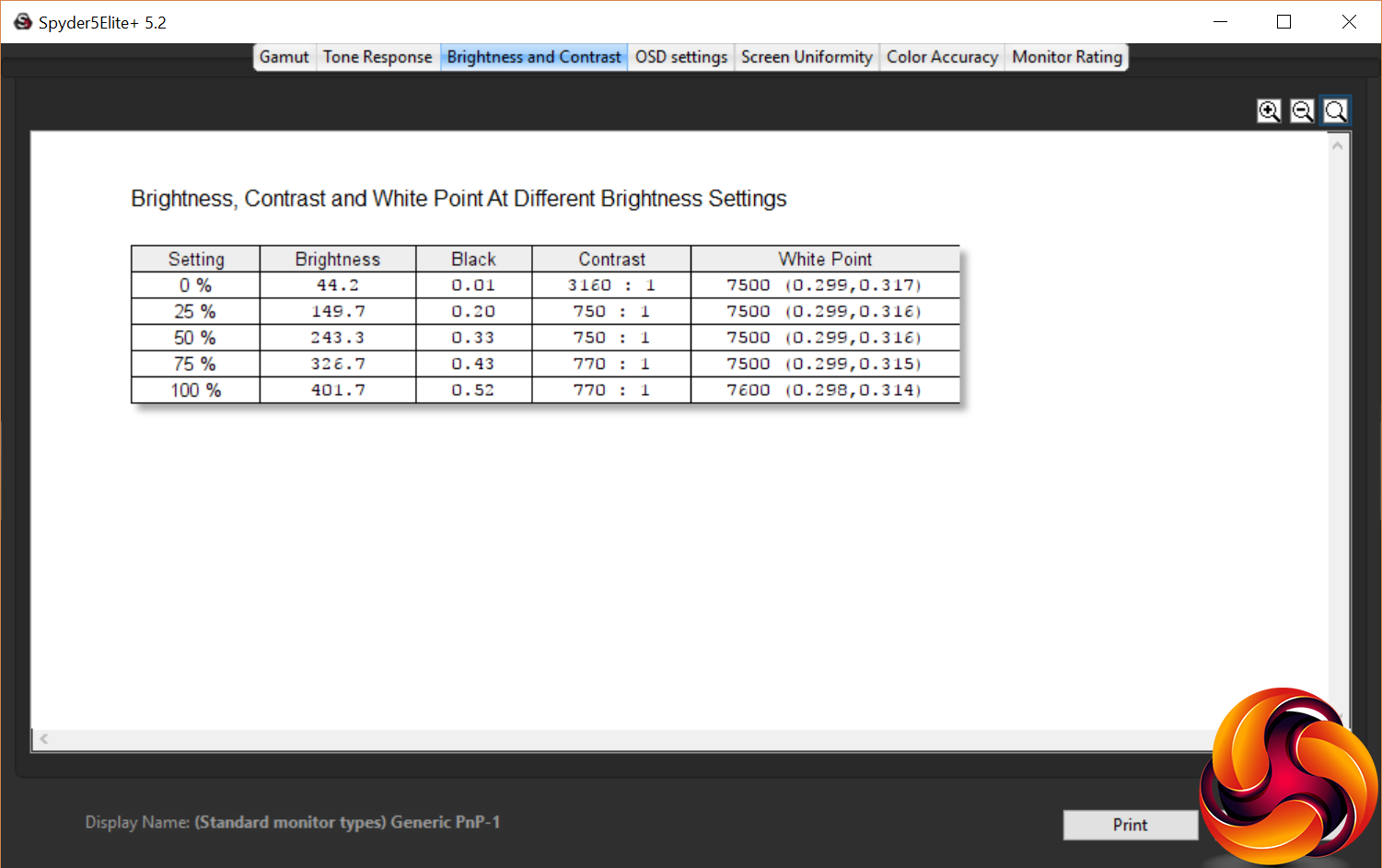
At the other end of the scale, at the monitor’s 0% brightness setting it emits just 44.5nits, making for a nice broad range of brightness settings. What’s more, unlike some AOC monitors we’ve used, the steps in brightness are fairly even as you move through the scale, making it reasonably easy to dial in the level that you want.
At this lowest setting, the Spyder software reported a ridiculous 14840:1 contrast ratio, which is clearly an issue with how the software or hardware is checking these things – it seems to be a common occurrence with this colorimeter. In fact, this colorimeter seems to have a problem in general with correctly measuring contrast as its reported maximum of 810:1 is well below manufacturer claims and what is reported by another colorimeter, the Xrite iDisplay Pro.
Nonetheless, relative to other displays tested with the Spyder5, the AG271UG shows it's there or thereabouts in terms of contrast.
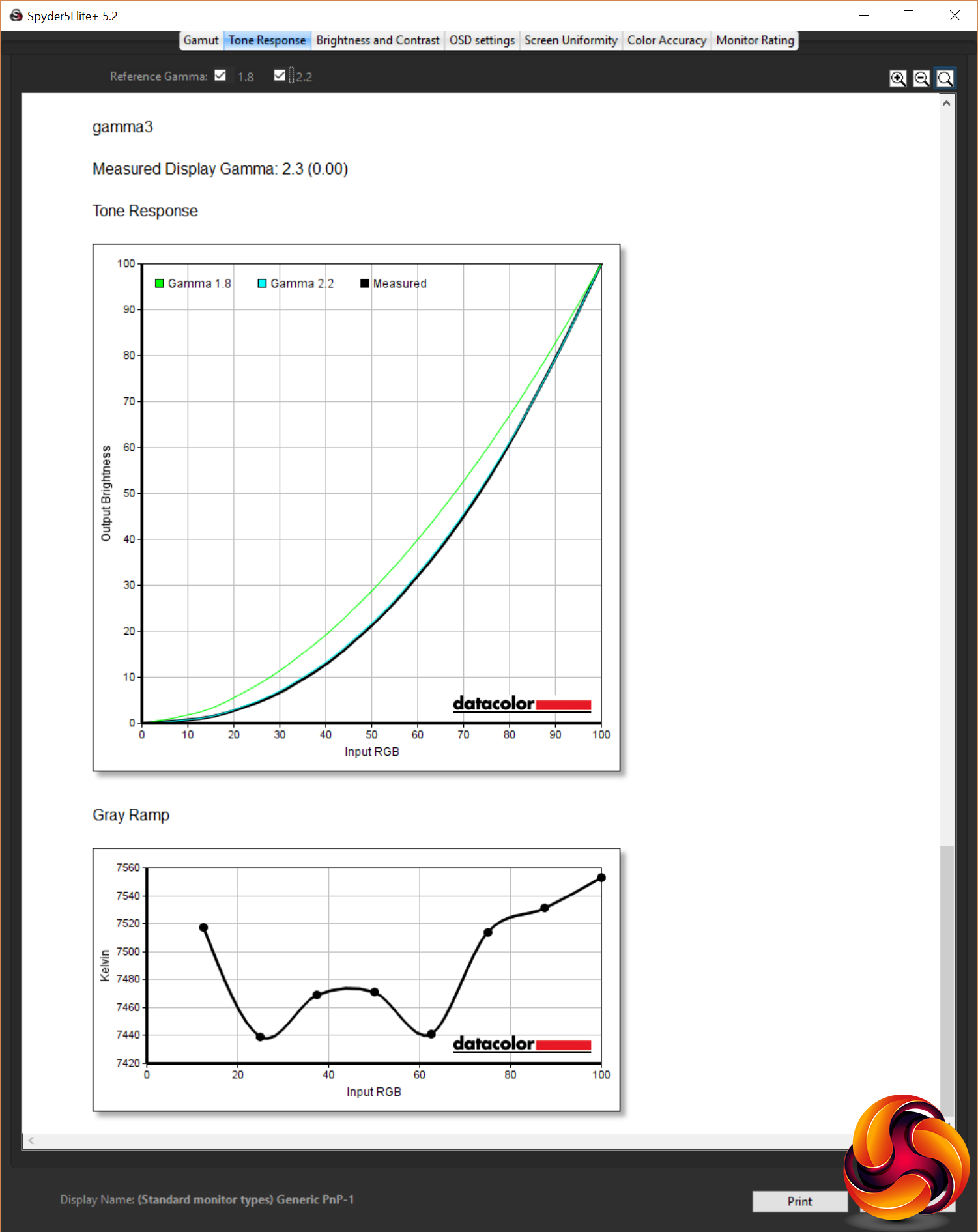
As for its gamma performance, its three settings correspond to measured gammas of 2.1, 1.9 and 2.3. This means that none of the options quite hits the 2.2 that we normally aim for. In use we settled on the third option of 2.3, as it provided a slightly deeper, richer looking image without crushing black detail too much.
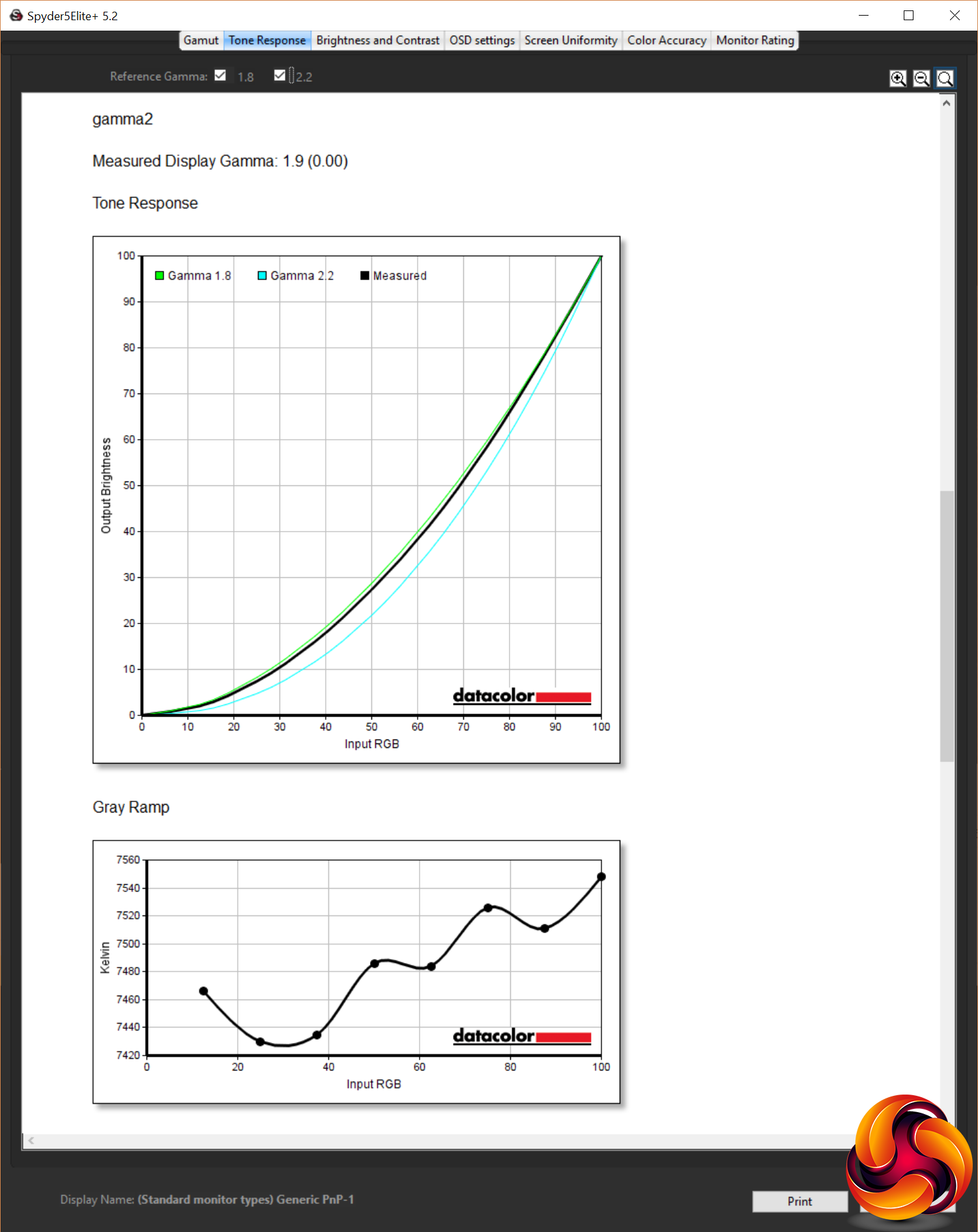
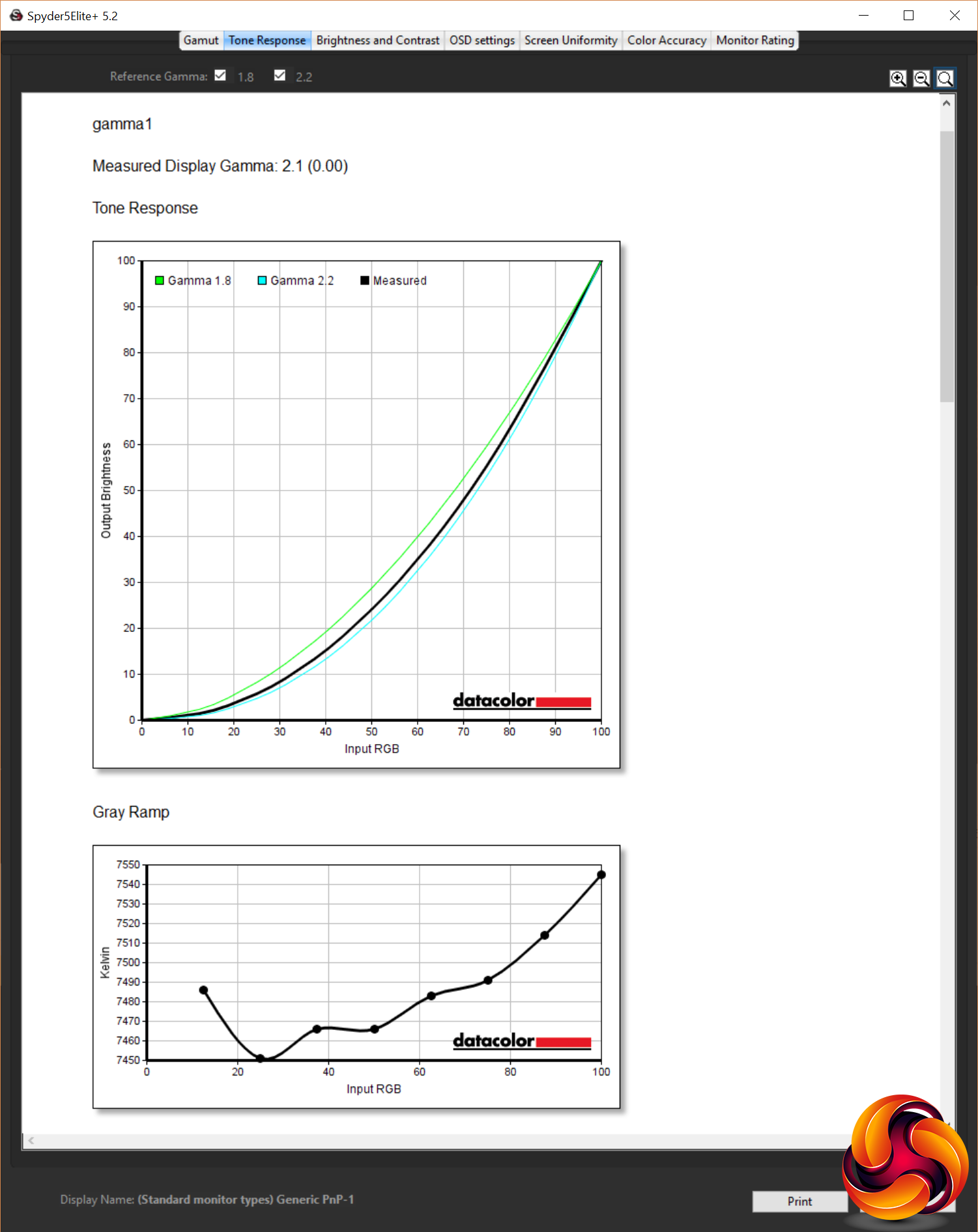
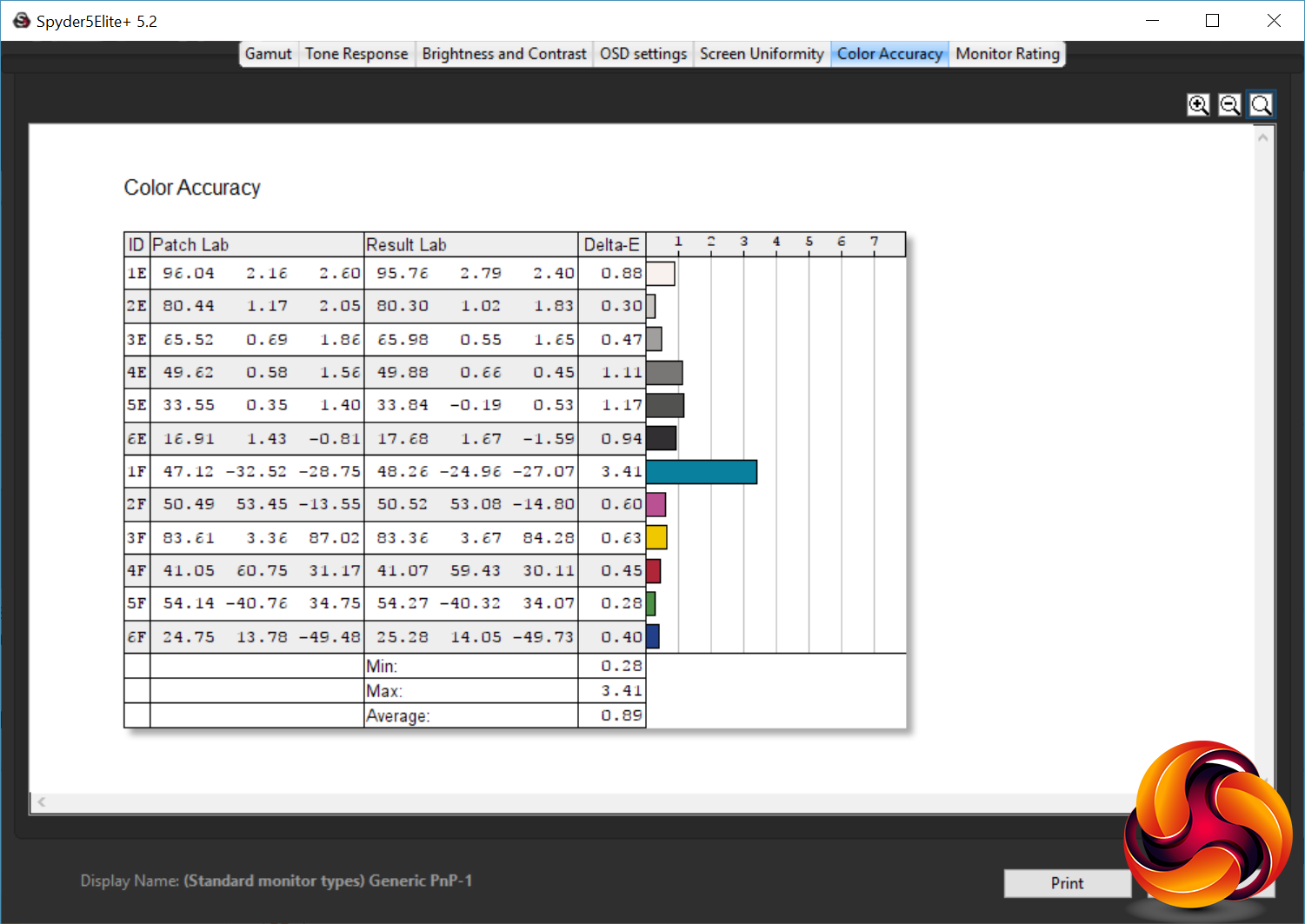
Meanwhile, colour accuracy is excellent, with an average Delta E of just 0.87, and a maximum of 4.14. Anything below three is considered invisible to the naked eye so it only just creeps over that figure in one test while staying well below 1 for nearly all other test colours.

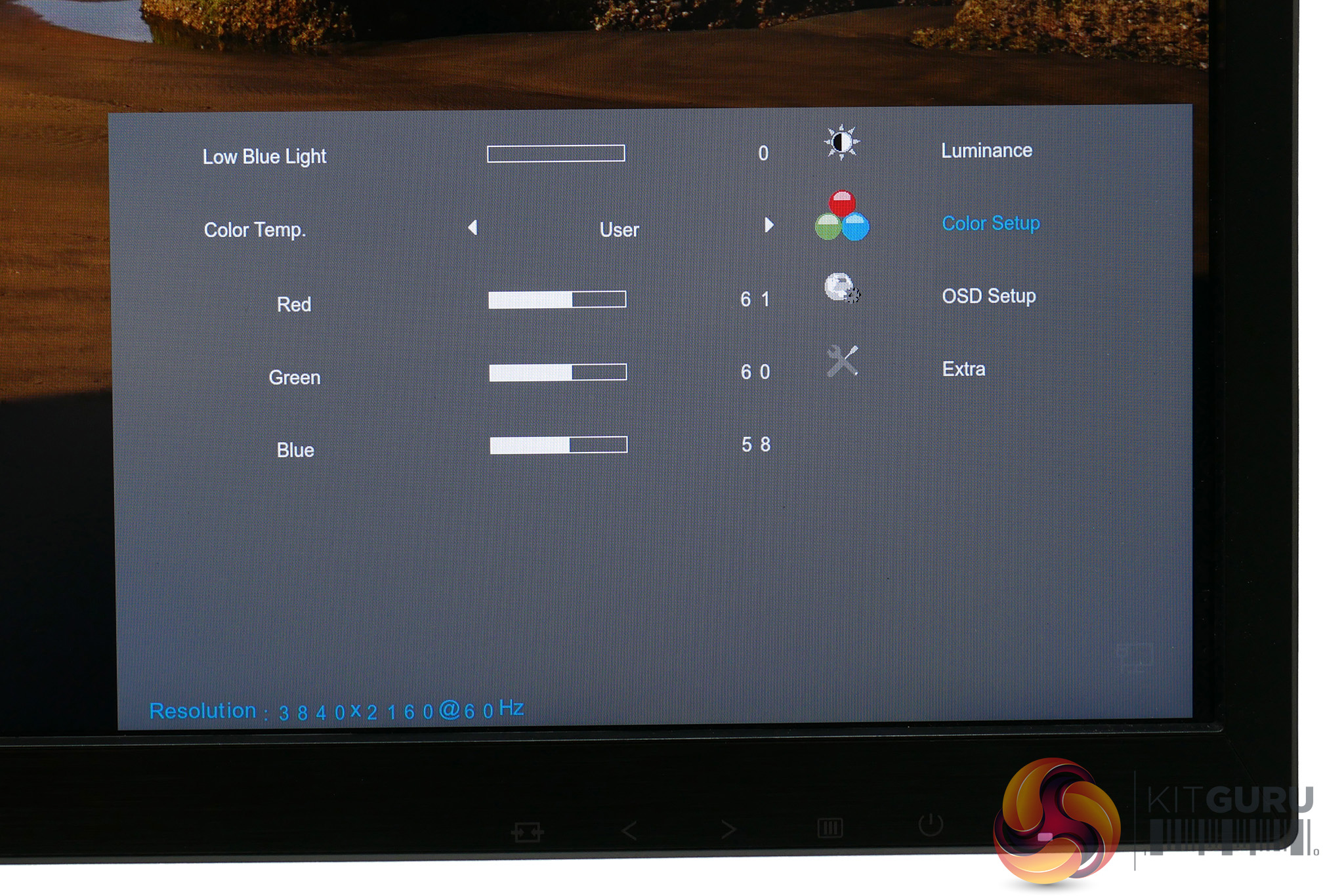
All told, the AG271UG puts in a decent performance out of the box. However, it's not quite perfect. As well as choosing to change the gamma setting, we found we needed to tweak the colour balance. In all of its default colour modes it is too blue/green looking with a colour temperature that's too high.
As such, we switched to the User colour mode and tweaked the RGB values, measuring with the Spyder5 as we went. To dial in as close to the ideal colour temperature of 6500K as possible required changing the RGB values from 65x65x65 to 65x62x57. That's a reasonably drastic change and we'd hope for a little better from a display of this calibre.
With those changes made the monitor is all but perfect but to get the very last drop of accuracy out of it we also ran a software calibration resulting in even better colour accuracy.
Outside of objective image quality tests, we found the AG271UG to be mostly very impressive. Its IPS panel makes for great viewing angles and that 4K resolution looks stunning in games and movies.
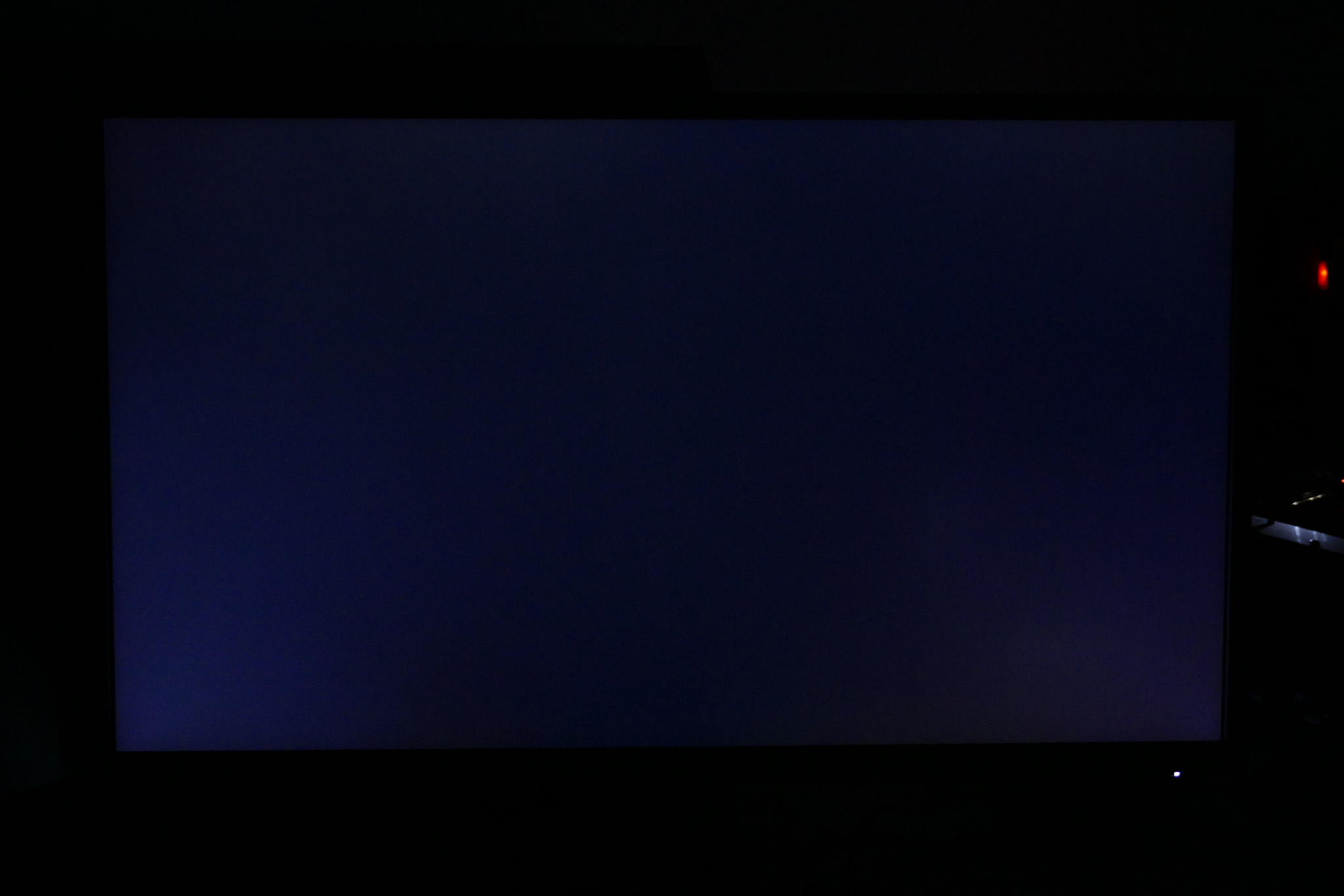
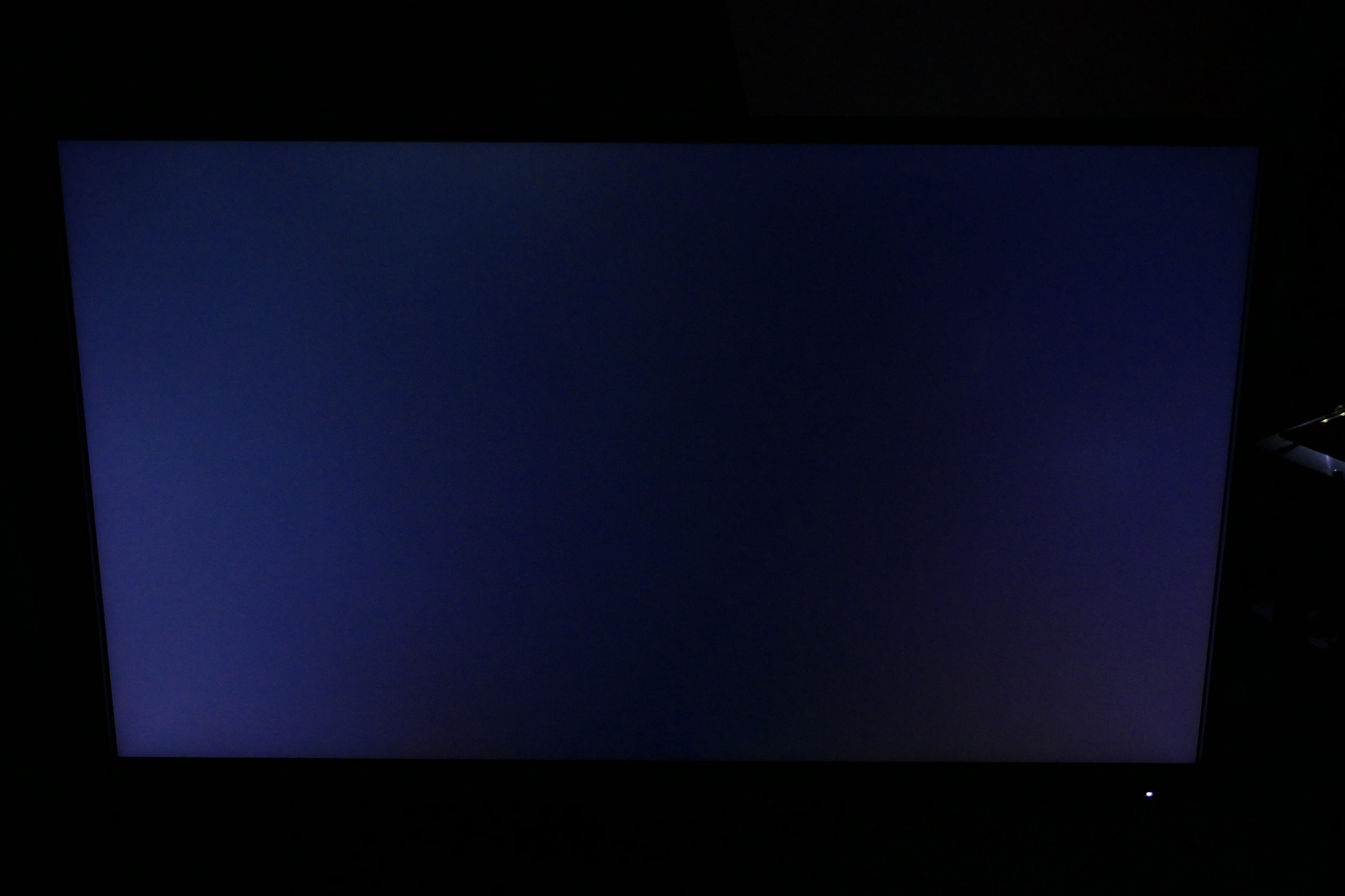
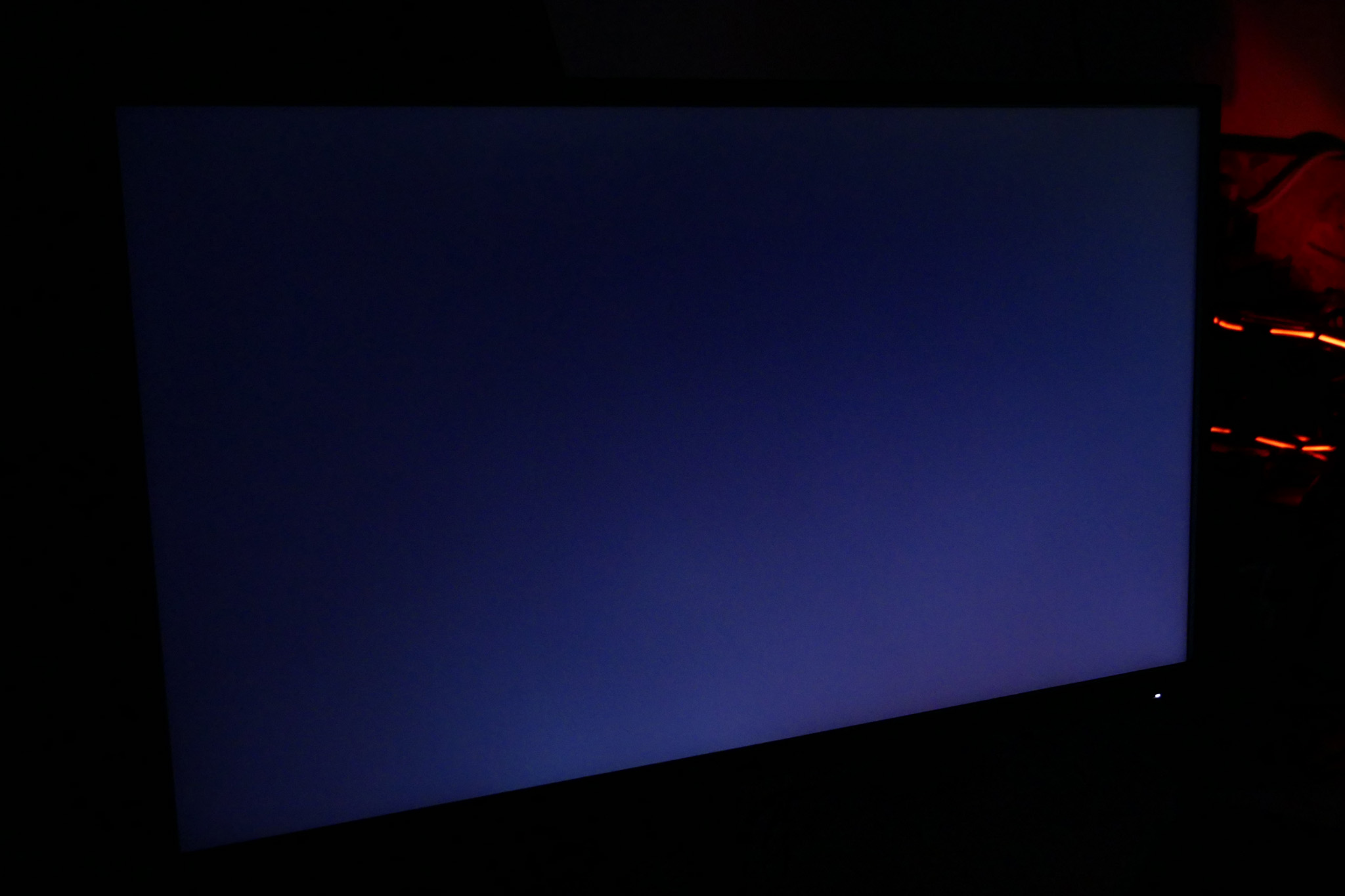
The only issue was slightly more prominent IPS glow than we've seen on some displays. Sat at a normal viewing position there's a slight greying to the bottom corners of the image, while viewed off axis there's a noticeable cast to the whole screen. The images below show the screen viewed straight-on, from slightly above, to the side and to the side and above (at full brightness with a black image).
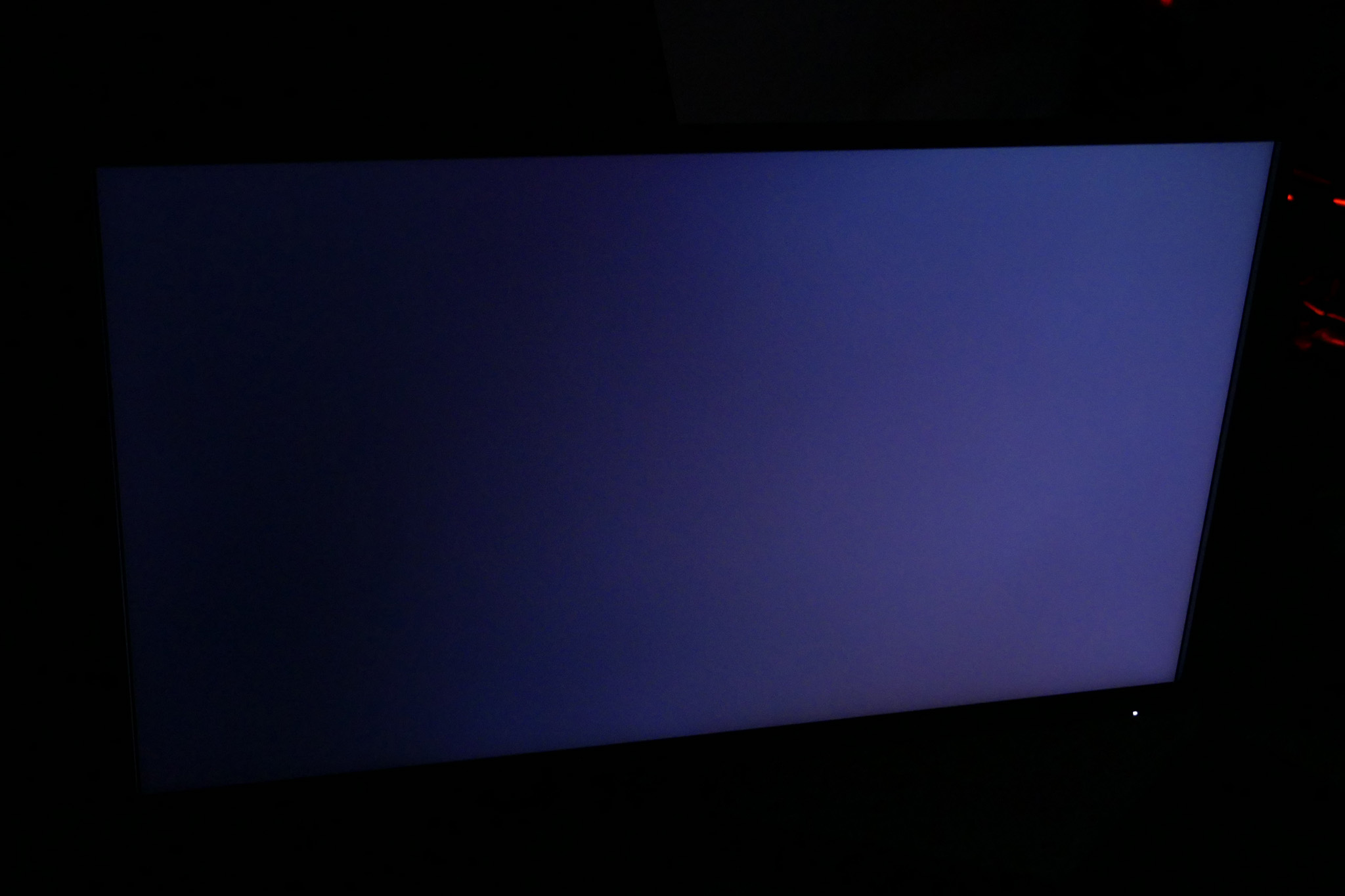
As for gaming, the G-Sync and 4ms response time combine to make for a smooth and responsive experience. For competitive twitch gaming it simply can't compete with a 144Hz screen but it's still a slight step up from non-G-Sync models, especially those with slower 16ms response times.
The AOC AGON AG271UG is a great monitor. It produces good overall image quality, G-Sync works well and you get a reasonably premium design with a few nice extra features. Compared to its direct rivals it’s also competitively priced. If you’re after a 4K gaming display it's right up there with the best.
The only caveat is that its colour balance isn't quite as good as we'd hope, right out of the box. While this can be fixed easily with calibration, it would be nice for it to be a little closer to ideal, especially as a monitor like this is all about great image quality.

Otherwise, whether you should buy this display really comes down to whether its combination of features is one that makes sense to you. With this display limited to 60Hz, the addition of 4K and G-Sync is all about making your games look the best they can, rather than providing any real competitive advantage. If that’s all that matters to you then it’s a great buy.
However, if you’re after more of an all-rounder of a gaming display that can also turn its hand to competitive gaming then the limited refresh rate means that paying the premium for 4K and G-Sync might not make as much sense. You could get a non-G-Sync 4K screen for quite a bit less and still enjoy great-looking games. Meanwhile, you can get 144Hz, 1440p, 27-inch, IPS displays for the same price as this screen. They’ll have Freesync instead of G-Sync but they still look great and have genuine gaming chops.
Neither option is right or wrong but perhaps more so than most displays, you will want to consider exactly what your priorities are.
Pros:
- Elegant design
- Practical 4K resolution
- Good overall image quality
Cons:
- Colour balance slightly off
- Limited to 60Hz
- G-Sync makes it a touch pricey
Kitguru Says: Great overall image quality defines this display, thanks to its IPS panel, 4K resolutoin and G-Sync. It's not one for competitve gamers but is ideal for graphically rich single-player worlds.


Better go for a compromise: 1440p at 144Hz
Much better. I had a 4k 60hz g-sync monitor. It just doesn’t hack it for gaming
27-inch => not worth for 4K (barely any difference vs 1440p and will need scaling)
60Hz => Who games at 60FPS on PC nowadays? You need to be 75FPS (ultrawide), or 100+.
4ms => OK for 60Hz, but not good for any higher.
DisplayPort (1.2?) => We got DP1.4 already. Why are you implementing old tech?
USELESS monitor for gaming.