 KitGuru KitGuru.net – Tech News | Hardware News | Hardware Reviews | IOS | Mobile | Gaming | Graphics Cards


The DiskStation DS916+ is the latest addition to the the Synology Plus product line aimed at Workgroups and Small & Medium Business users. The 4-Bay DS916+ features a Quad-core Intel processor and expandable memory.
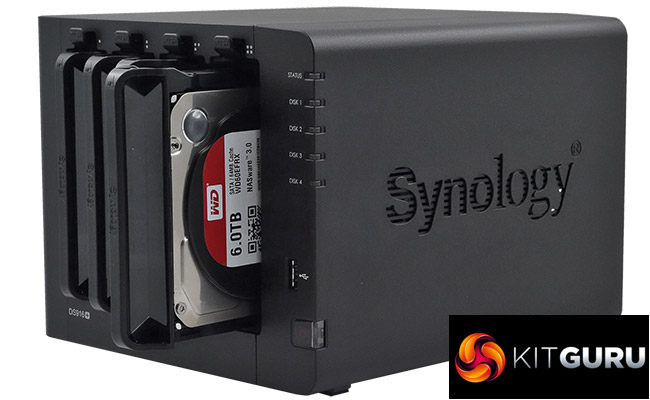
Powered by an Intel Pentium N3710 processor clocked at 1.6GHz (burst up to 2.56GHz) the DiskStation DS916+ is offered in two memory options, the entry level 2GB version or an 8GB version, which is the model Synology submitted for review. 8GB is the maximum memory supported by the single SO-DIMM slot, so if you buy the entry level unit, at least you upgrade the memory should you need to.
It has an AES-NI hardware encryption engine and an hardware-accelerated transcoding engine which supports the transcoding and streaming of H.264 4K / 1080p video content.
Synology quote Sequential throughput performance for the DS916+ as 226MB/s for reads and 222MB/s for writes although a point of caution here, those figures are with both LAN ports being used in Link Aggregation mode.
Synology back the DS916+ with a 3-year warranty.
Specifications
Intel Pentium N3710 1.6GHz (Burst up to 2.56GHz)
8GB DDR3 memory
Dual Cooling fans
Dual LAN ports
Btrfs file system support
3-year warranty
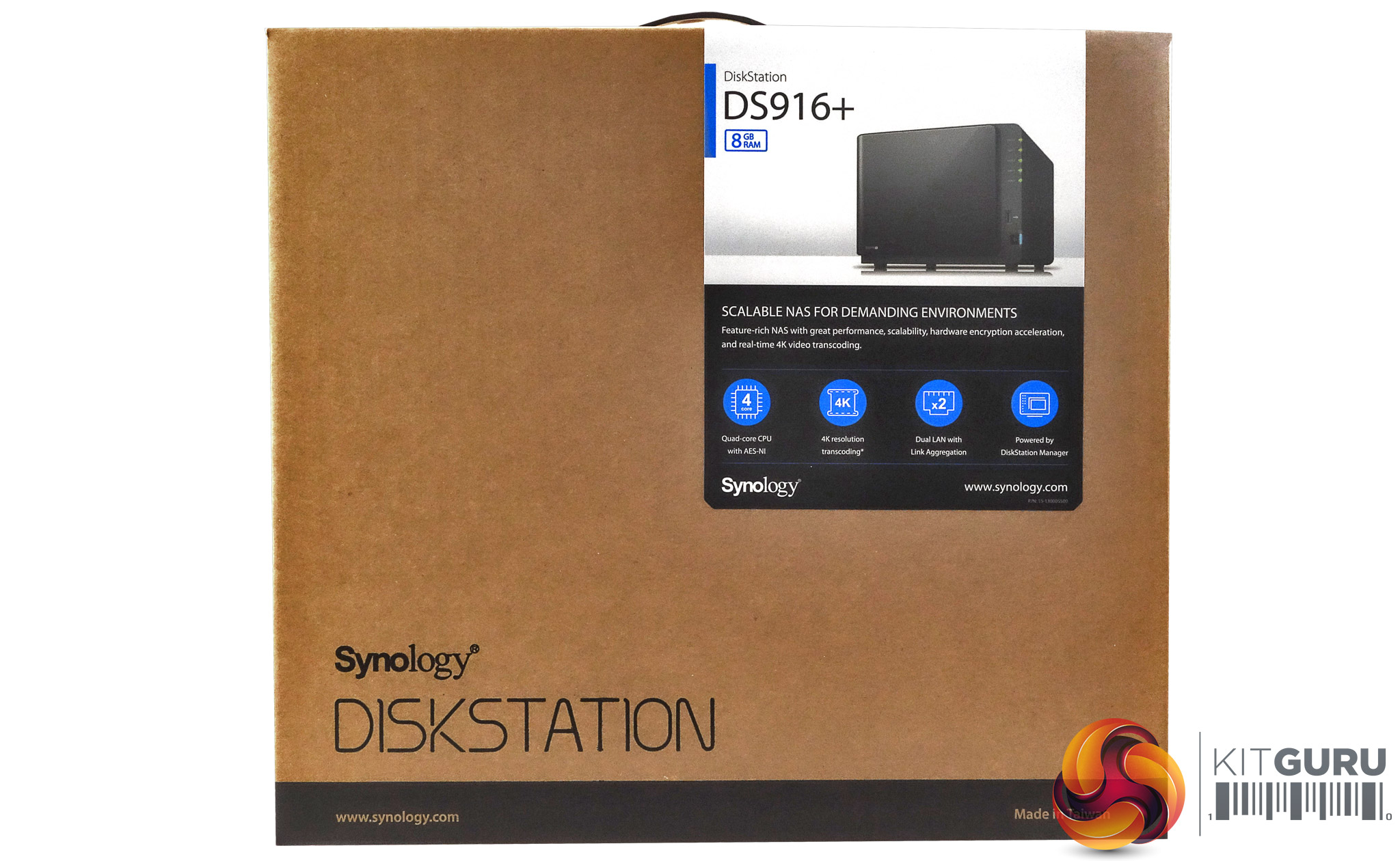
The Synology DiskStation DS916+ arrives in a smallish brown box with a label on the top right-hand corner. There is also an image of the unit detailing which memory version it is. Also displayed on the label are four feature points of the NAS; Quad core CPU, 4K transcoding support, dual LAN and the DSM OS.
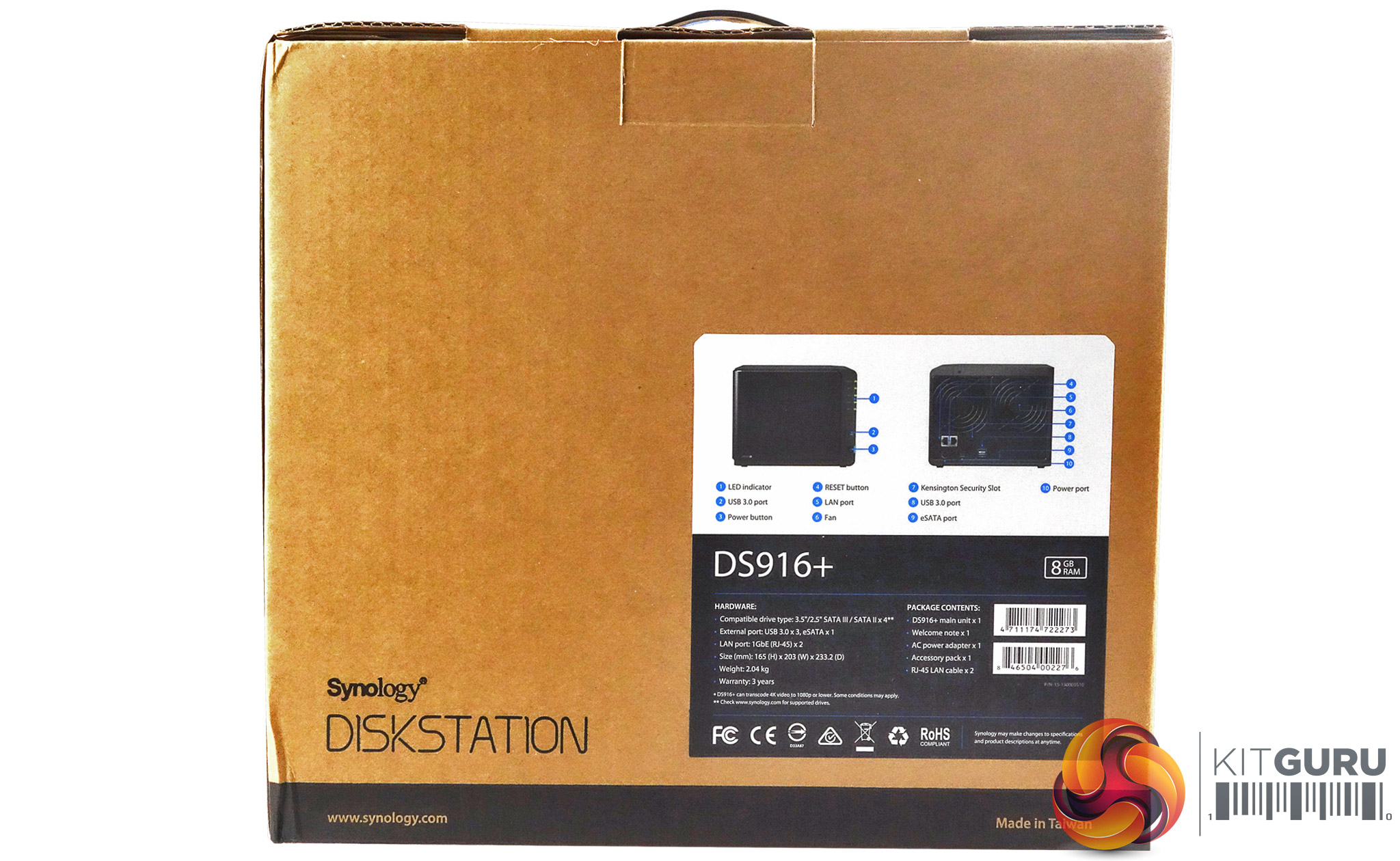
The rear of the box has a label in the bottom right-hand corner and this has front and rear images of the DS916+ with spot points of the various ports and LEDS. Under this sits a hardware and box contents panel.
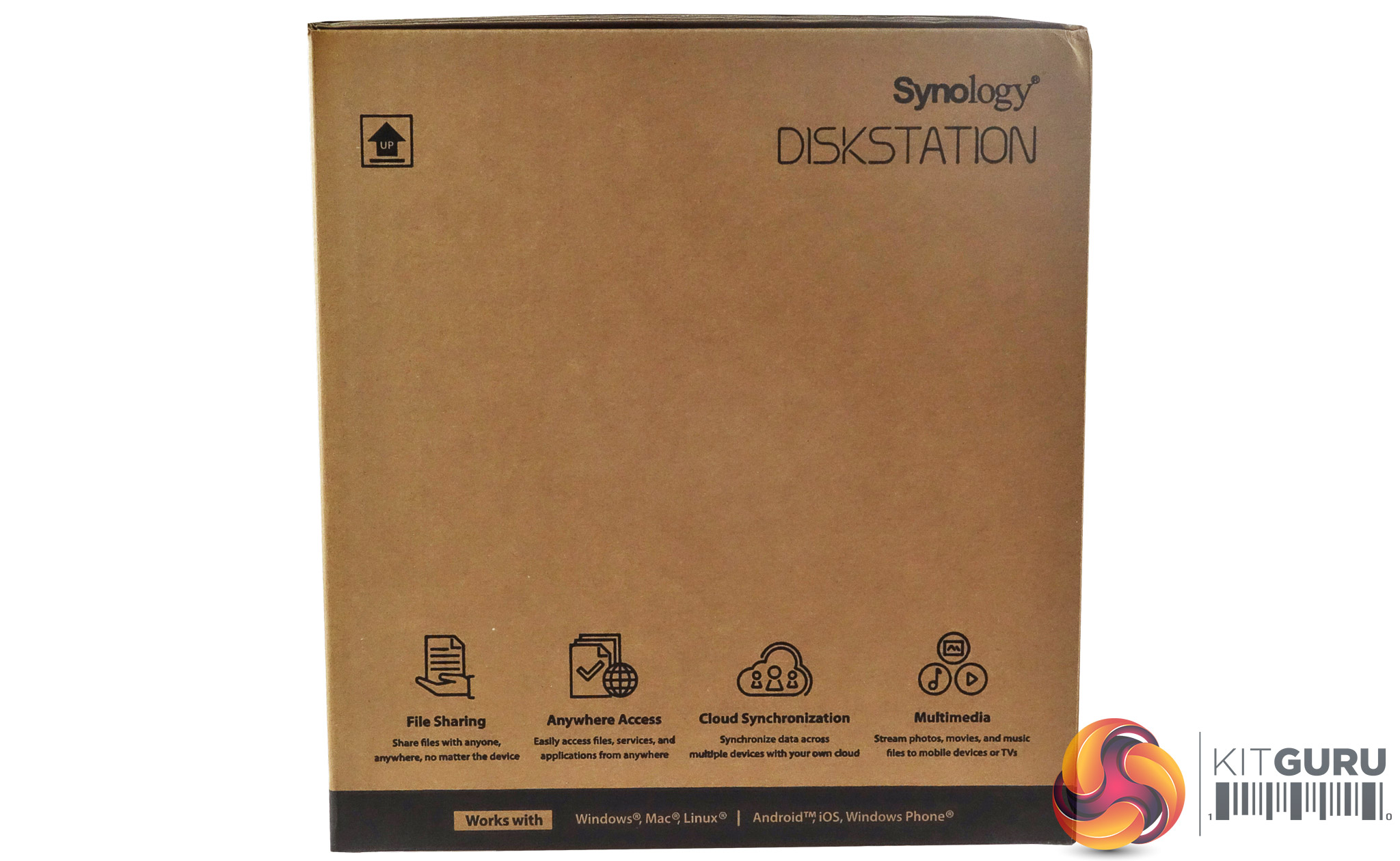
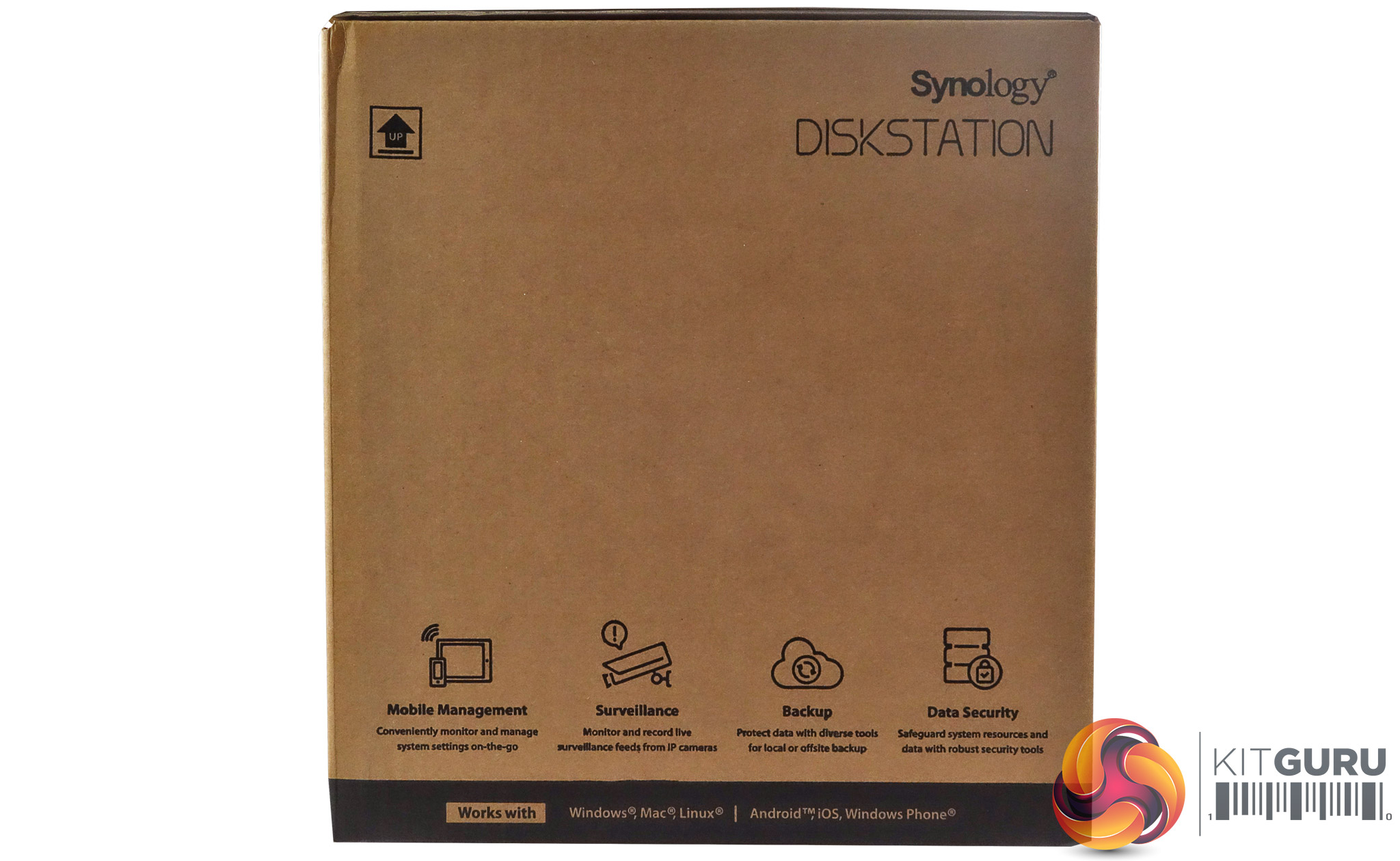
Both sides of the box have icons along the bottom showing some of the uses and features of the DS916+; Mobile Management, Surveillance, Backup, Data Security, File Sharing, Anywhere Access, Cloud Sync and Multimedia.
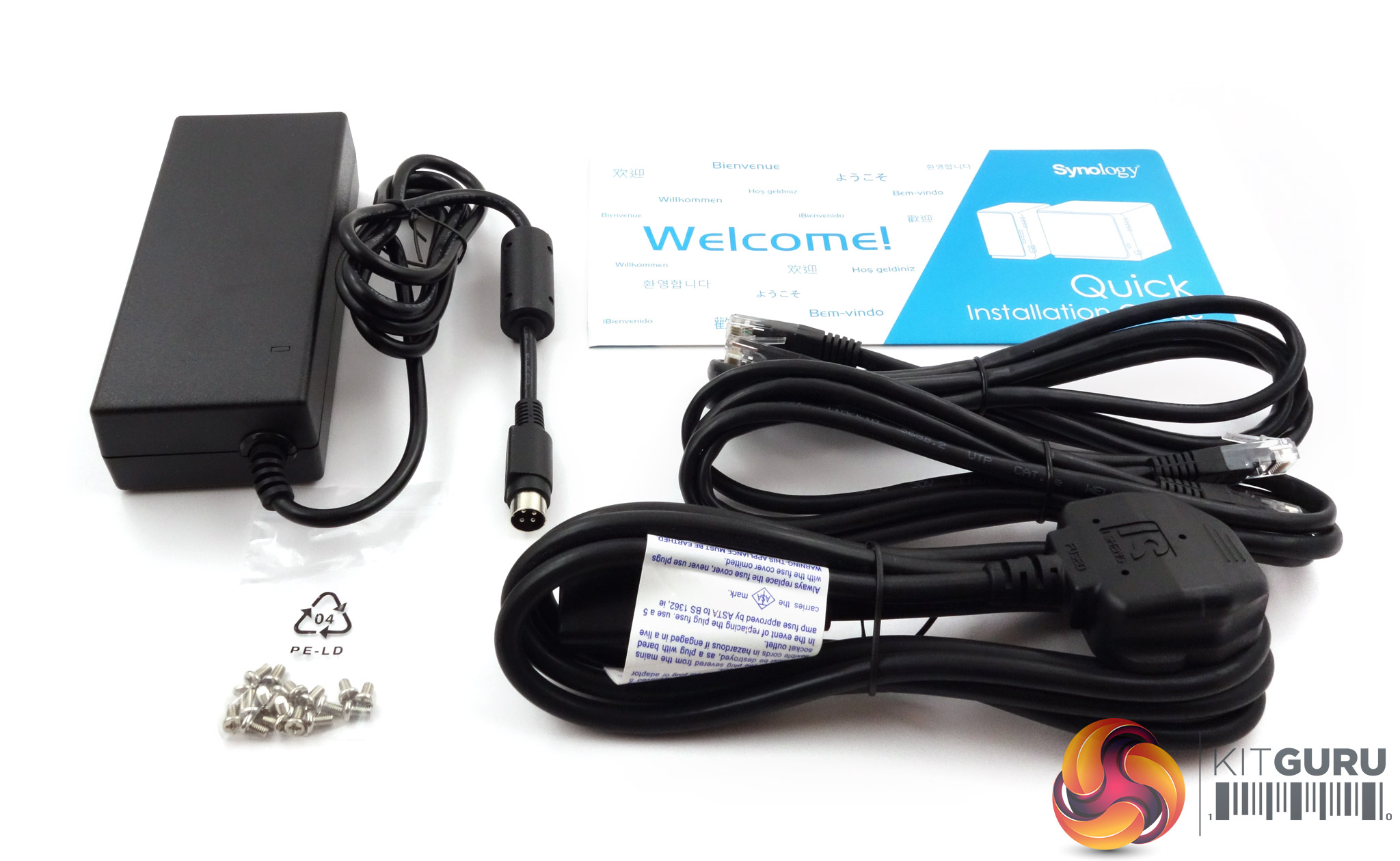
The box bundle contains everything you need to get started; PGB EA11011D-120 power adapter (rated at 100W), a pair of Ethernet cables, fixing screws for 2.5in drives and a quick install guide.
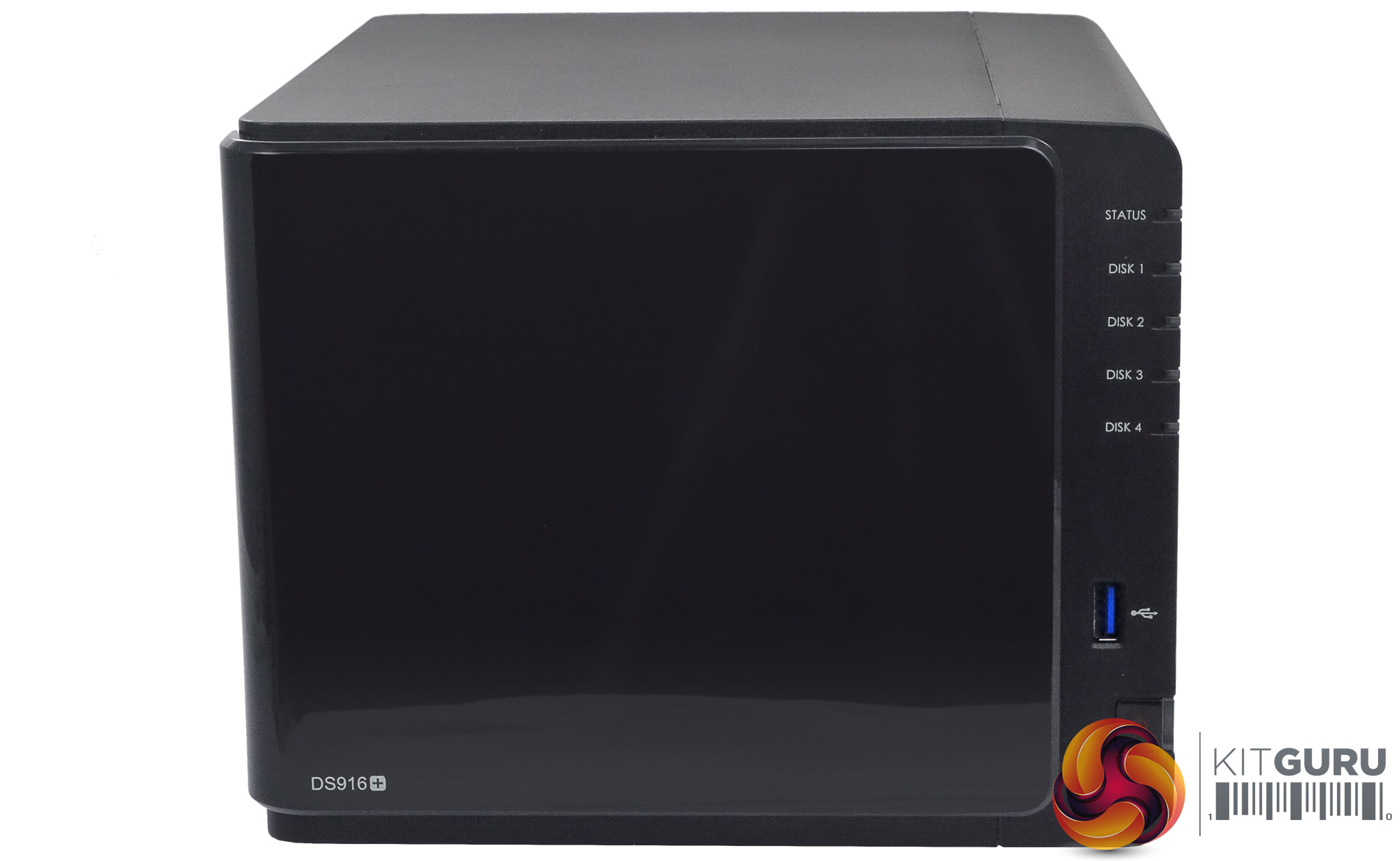
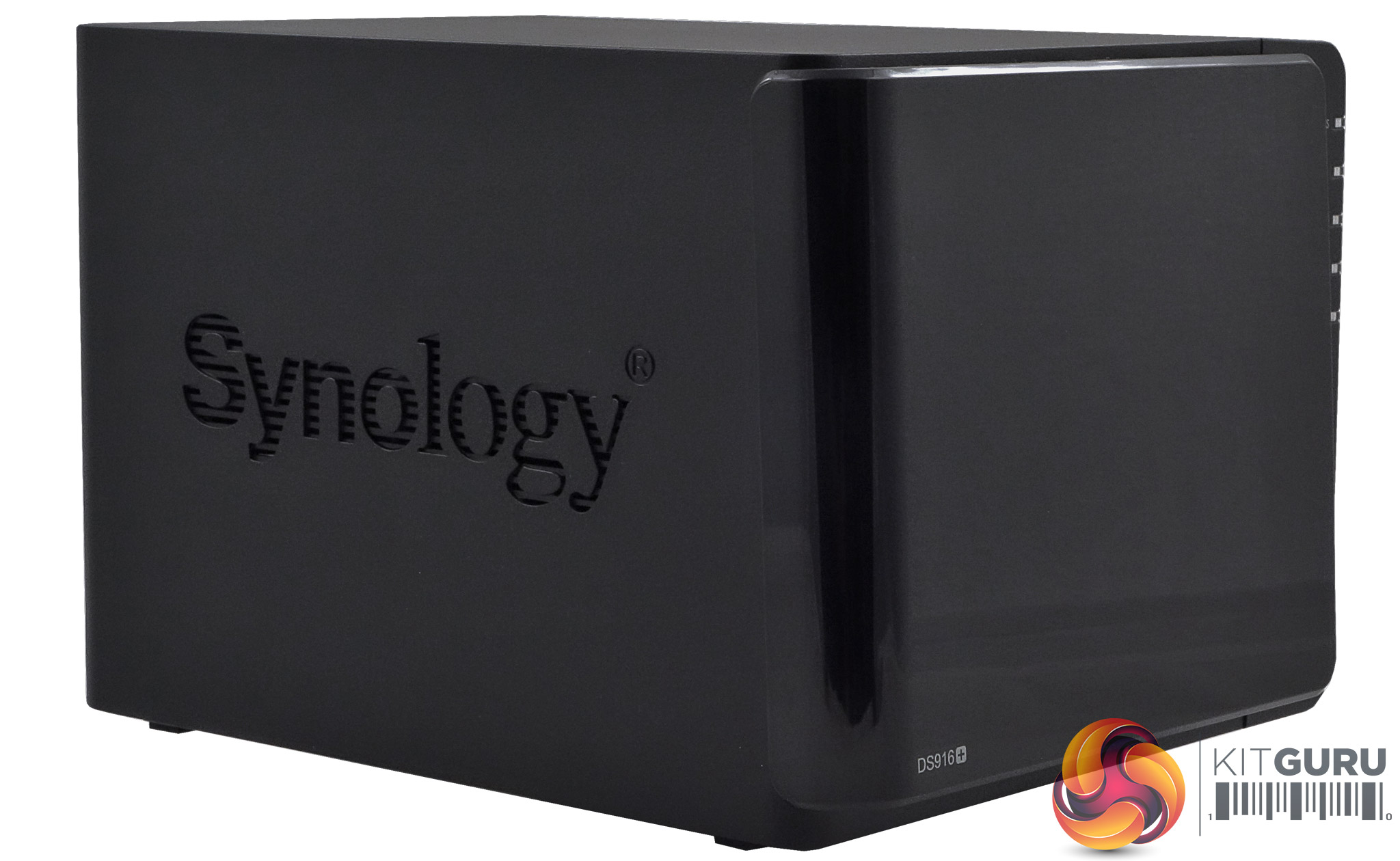
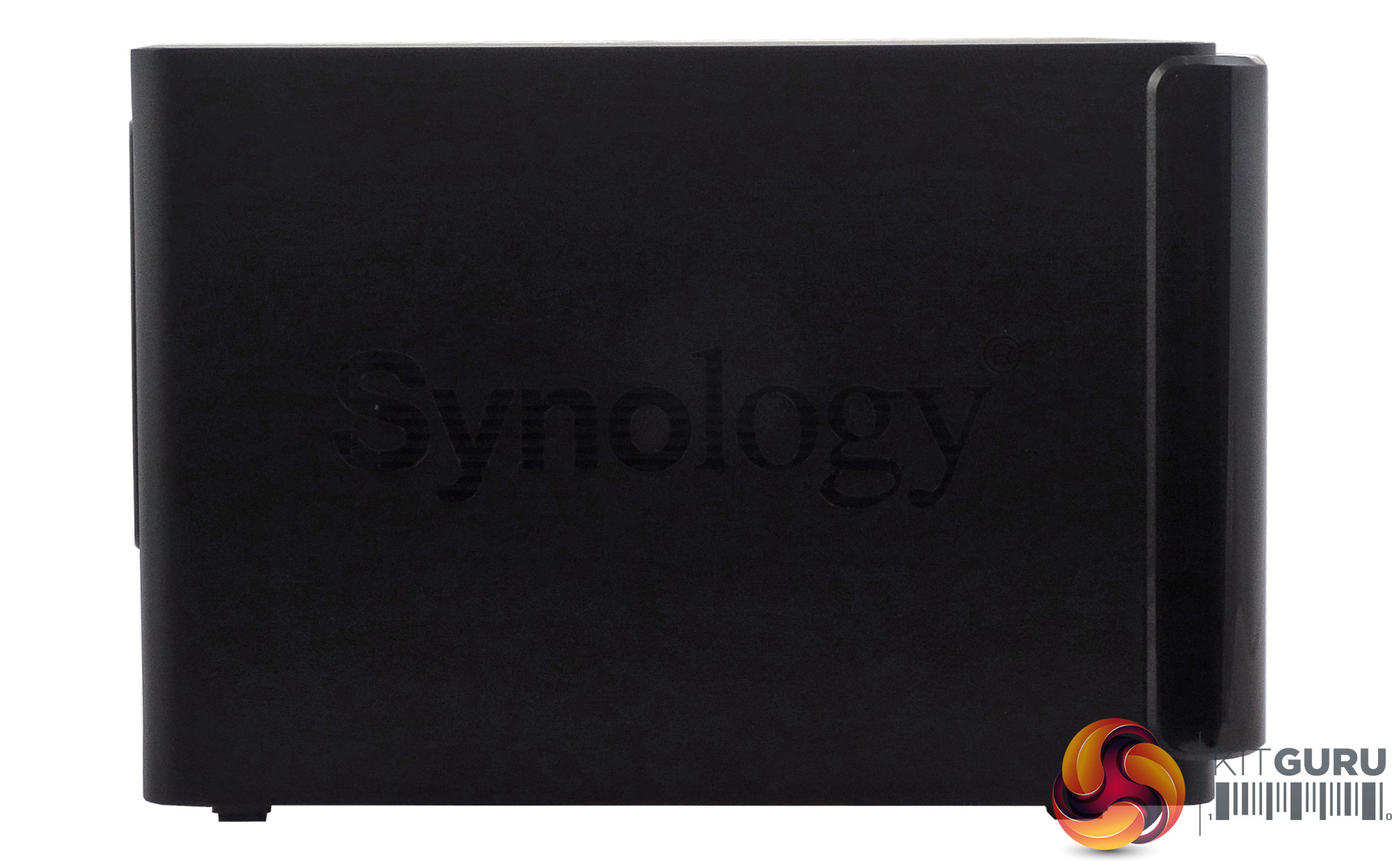
The Synology DiskStation DS916+ is a compact 4-bay tower design, with a matt black cover set off by a fingerprint attracting high gloss Piano Black front bezel – this just pulls off. A neat design touch is that the Synology branding on the cover sides is cut through, to aid in the cooling of the drives.
At the top right of the front bezel sit five vertically mounted indicator LEDs. The top one is the system status indicator with the remaining four used to indicate drive activity and status.
Under these LEDs sits a single USB 3.0 port to connect external drives to and under this is the power button.
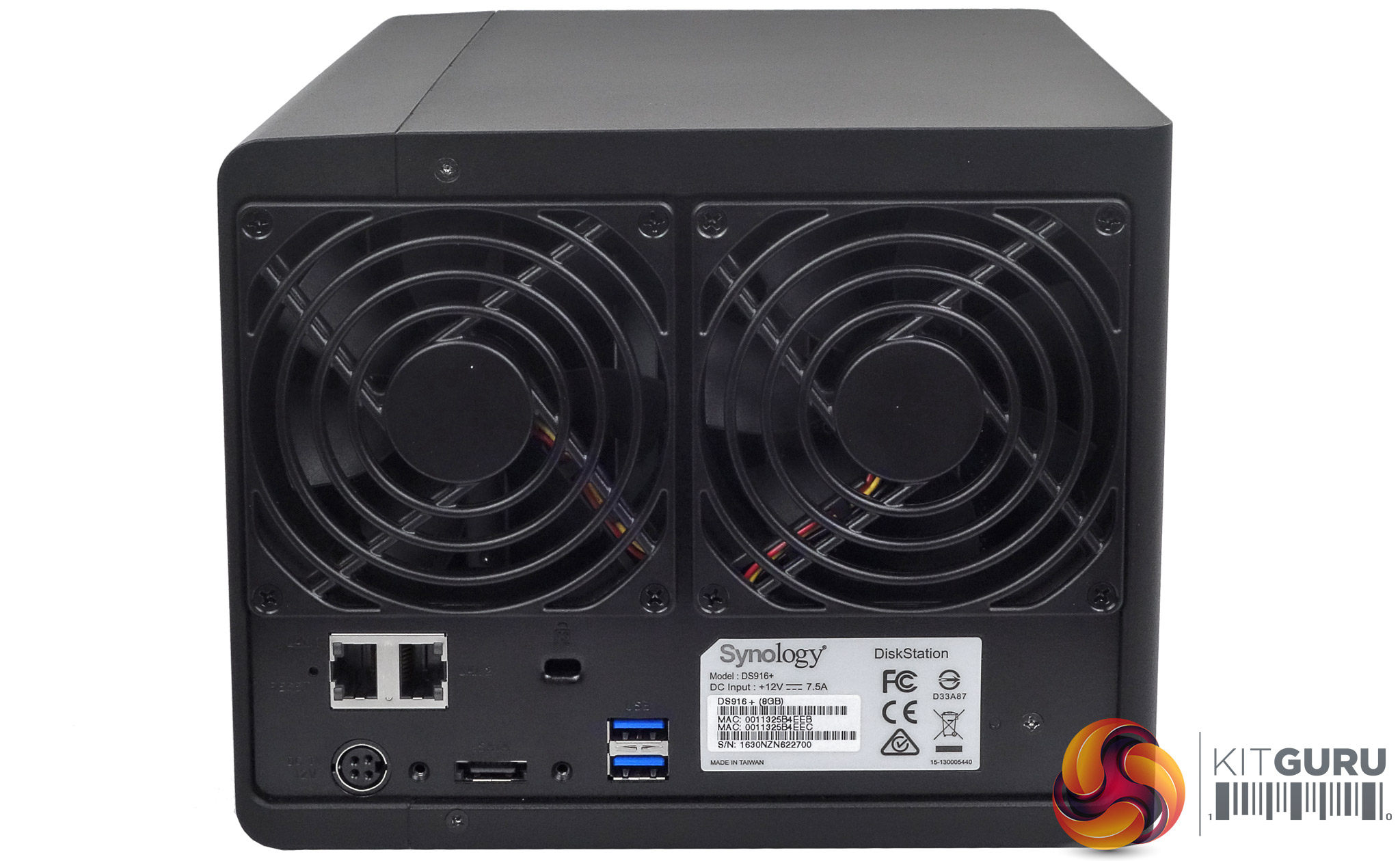
The rear of the unit is dominated by the grills for the dual cooling fans. Directly under these sit two Gigabit LAN ports, which support Link Aggregation and under these sit the power port for the adapter, an eSATA port, a Kensington Lock slot and two USB3.0 ports.
There is also a button with which you can reset the admin password and network settings or by pressing for a second time re-install the DSM software.
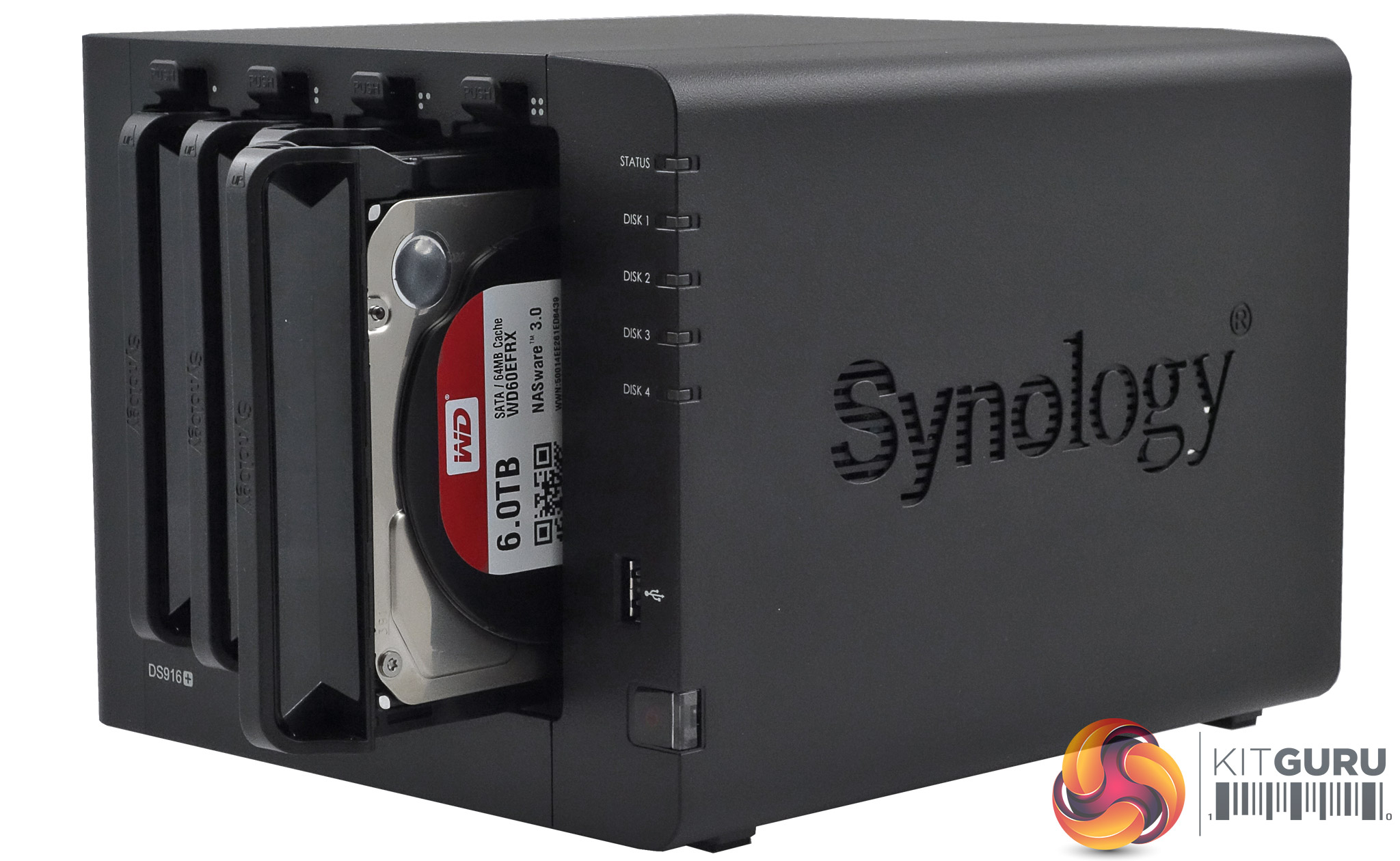
The four vertically mounted drive bays are hidden behind the pull off front panel which allows for easy access. The downside of this is the lack of physical security for the drives, which is something to be aware of if the NAS is in an office.
The drive trays are held in place by a plastic latch. To remove the drives its a simple matter of gently lifting up the latch and pulling out the drive; the trays even have small handles on them to make this easier.
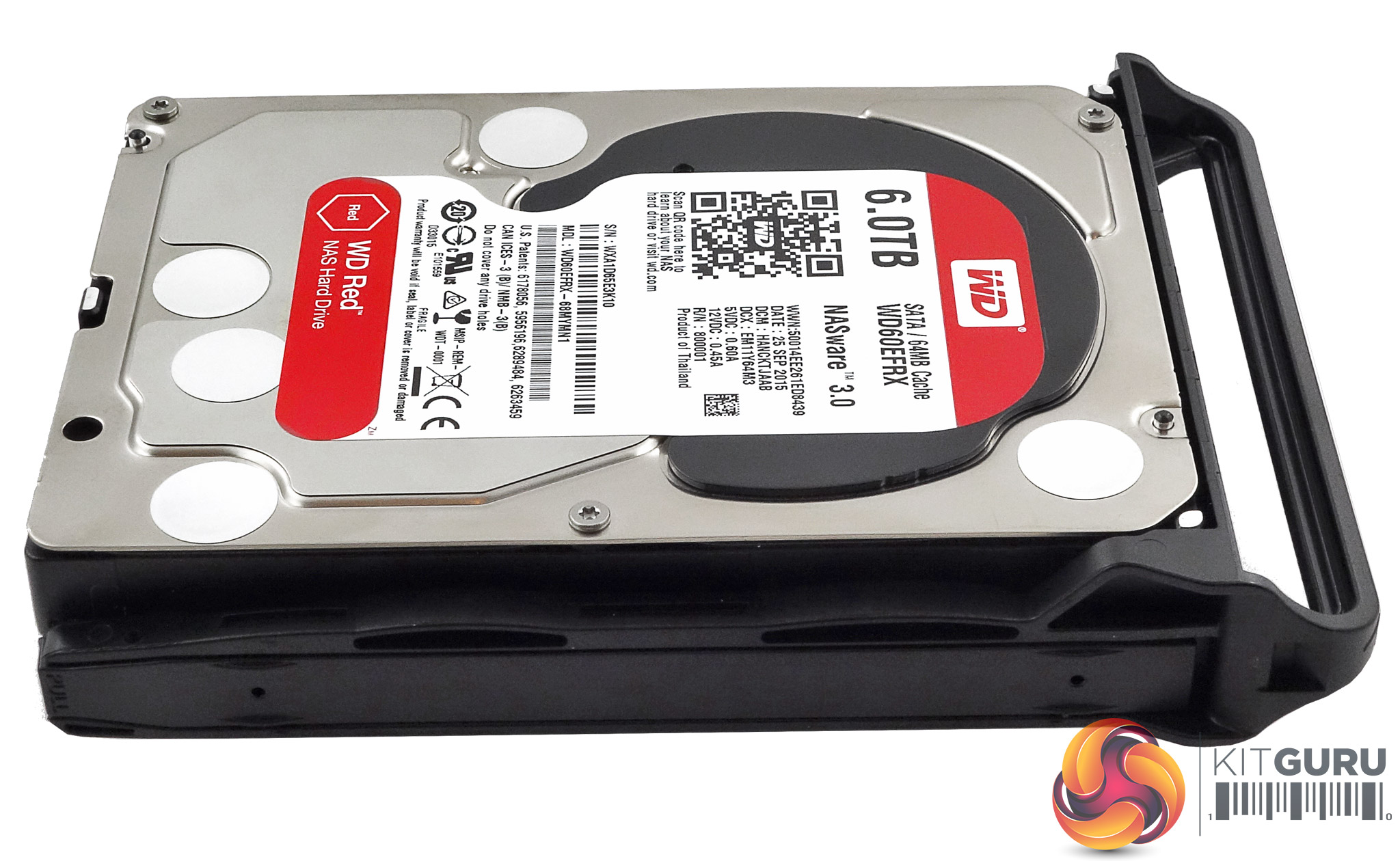
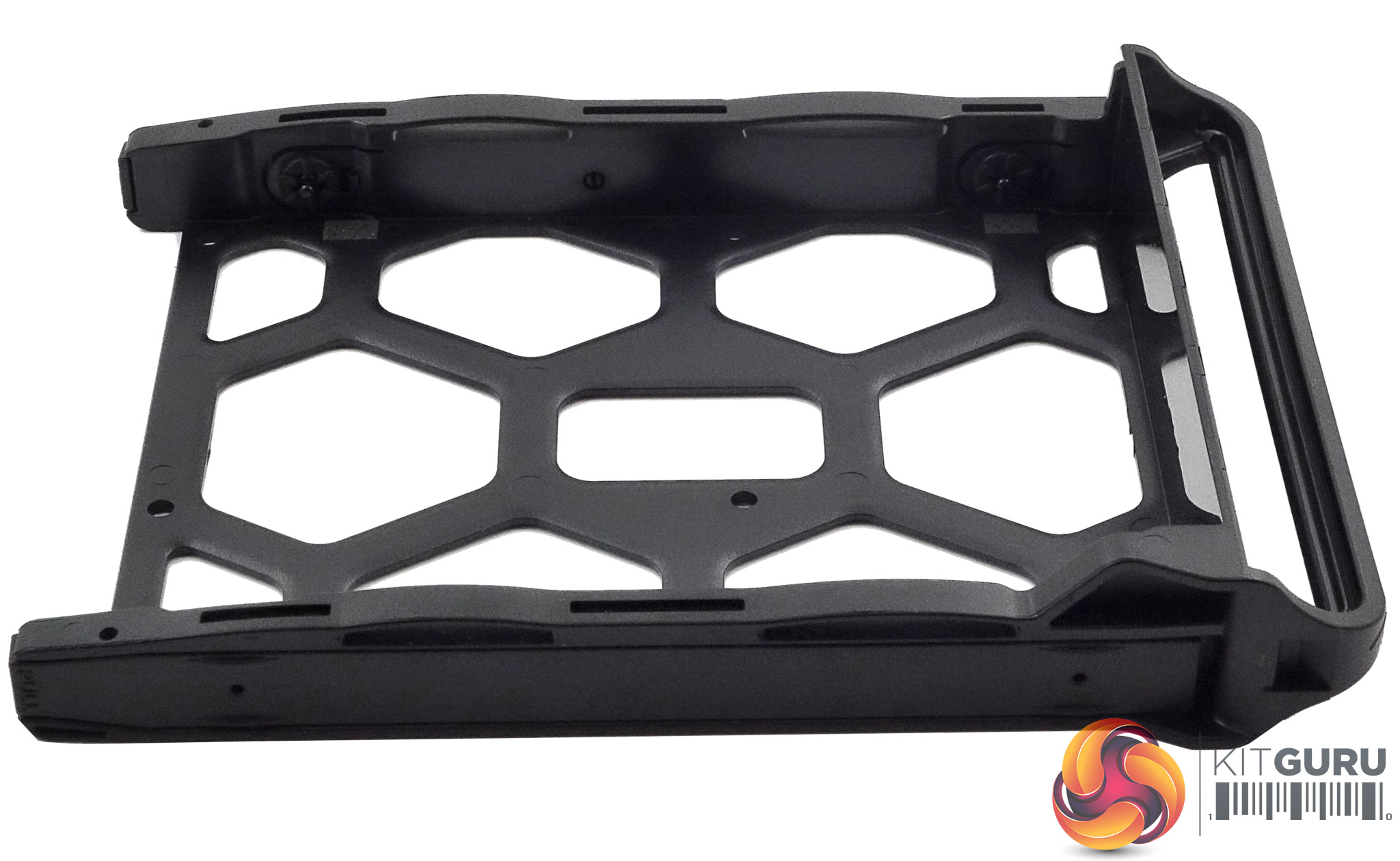
The plastic drive trays themselves are tool free for 3.5in drives but 2.5in drives will need fixing to the bays (enough screws are provided in the box). The larger drives are held in position by plastic strips which have pins on them to go through the holes in the sides of the trays and into the mounting holes of the drive, a simple but very effective tool free design.
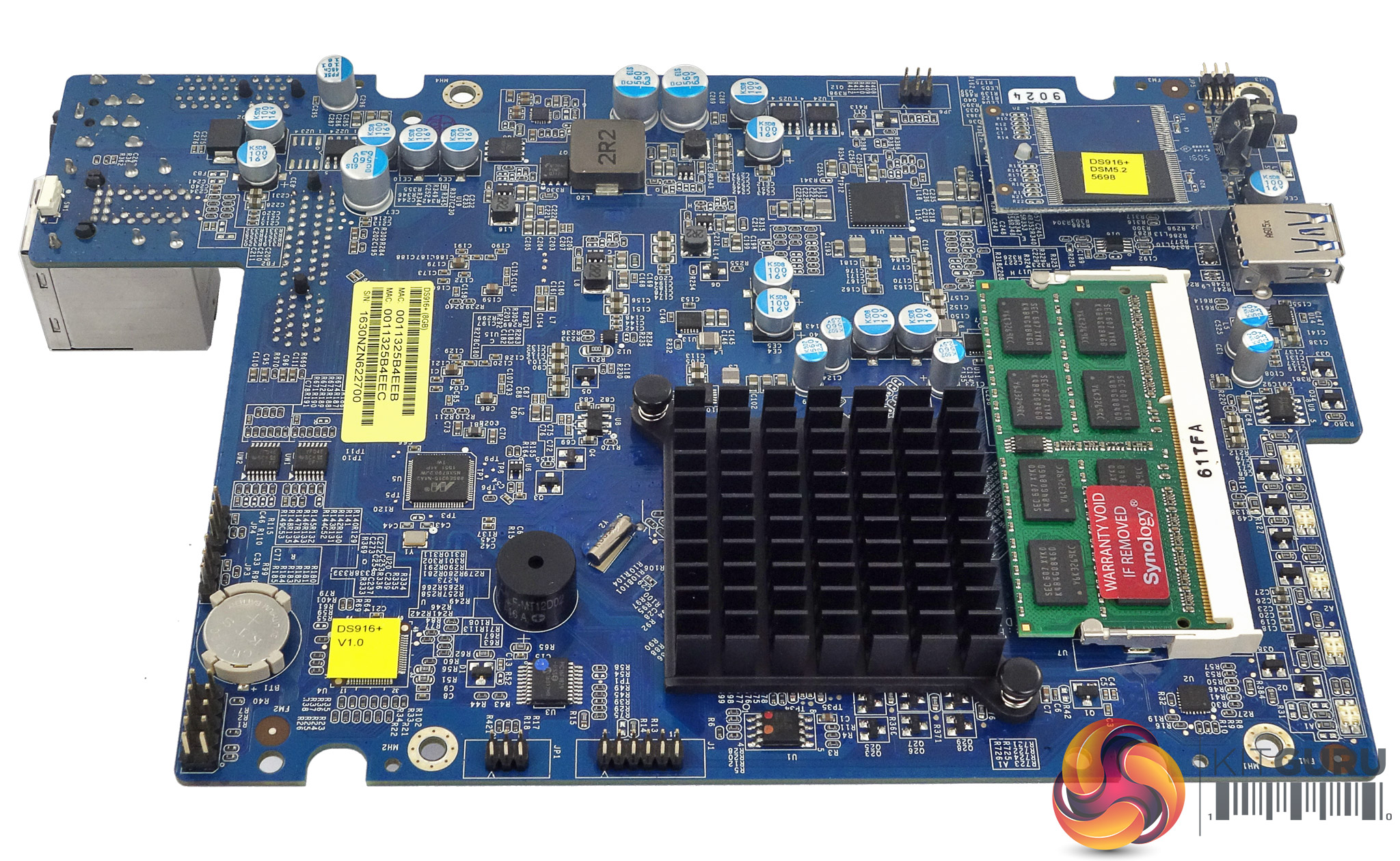
Dominating one side of the compact motherboard is the passive cooler for the N3710 processor (with a TDP of just 6W, the N3710 doesn't require any active cooling) and the single SO-DIMM slot which supports memory modules up to 8GB in size.
Also on this side of the board is a Marvell 88SE9215-NAA2 disk controller which supports up to four drives. The CPLD (Complex Programmable Logic Device) used to store the DS916+ configuration is an Altera 5M80Z.
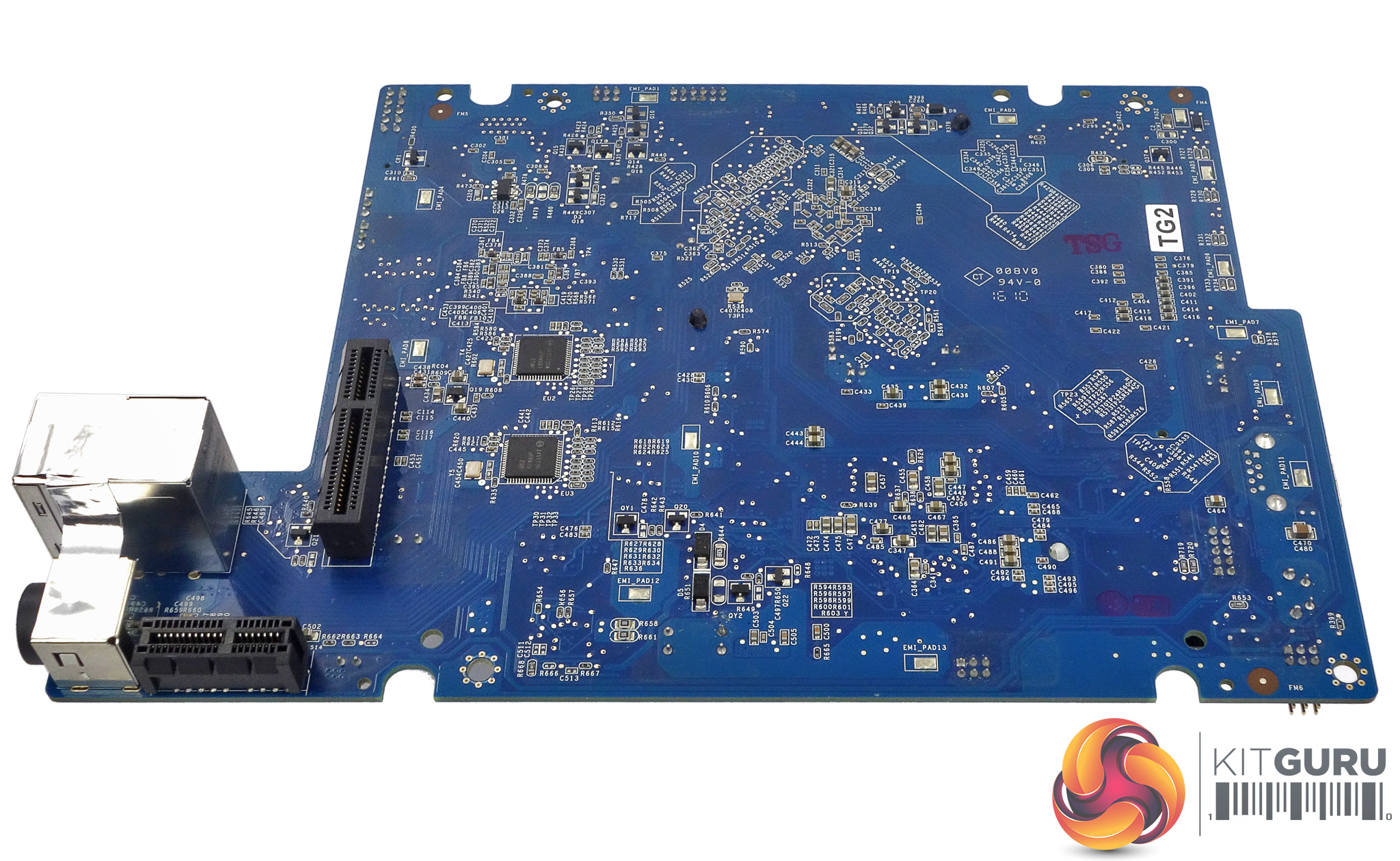
The only chips found on the flipside of the board are a pair of Intel WGI211AT ICs which look after the two Ethernet ports. Joining these are two PCIe slots, one supports the backplane that the four SATA ports are mounted on while the other holds the riser card which houses the rear USB 3.0 ports and the eSATA ports. These two USB 3.0 ports are controlled by an EtronTech EJ168A IC mounted on the riser card.
Keeping the unit cool are a pair of 92mm Y.S Tech FD129225LL-N fans. The FD129225LL-N uses a Sintetico bearing and has a maximum speed of 1,900rpm. At maximum speed, it shifts 36.3CFM of air around at a quoted noise level of 23dB(A).
Physical Specifications
Processor: Intel Pentium N3710 1.6GHz (Burst up to 2.56GHz).
Memory: 8GB DDR3-1600
Gigabit Ethernet Ports: 2 (Link Aggregation support)
Front panel connectors: 1 x USB3.0
Rear panel connectors: 2 x USB3.0, 1 x eSATA
RAID support: Synology Hybrid RAID, JBOD, RAID 0,1,5,6,10
Cooling: Dual 92mm.
Drive bays: 4.
Maximum hard drive size supported: 10TB
Maximum Capacity: 40TB
Dimensions (D x W x H) 233.2 x 203 x 165mm.
Weight 2.04kg.
We reviewed the DS916+ with the very latest version of Synology's DSM (DiskStation Manger) OS, version 6.1 which was recently launched. DSM has always been one of the top NAS OS around and Synology keeps updating it at regular intervals to add more features and apps.
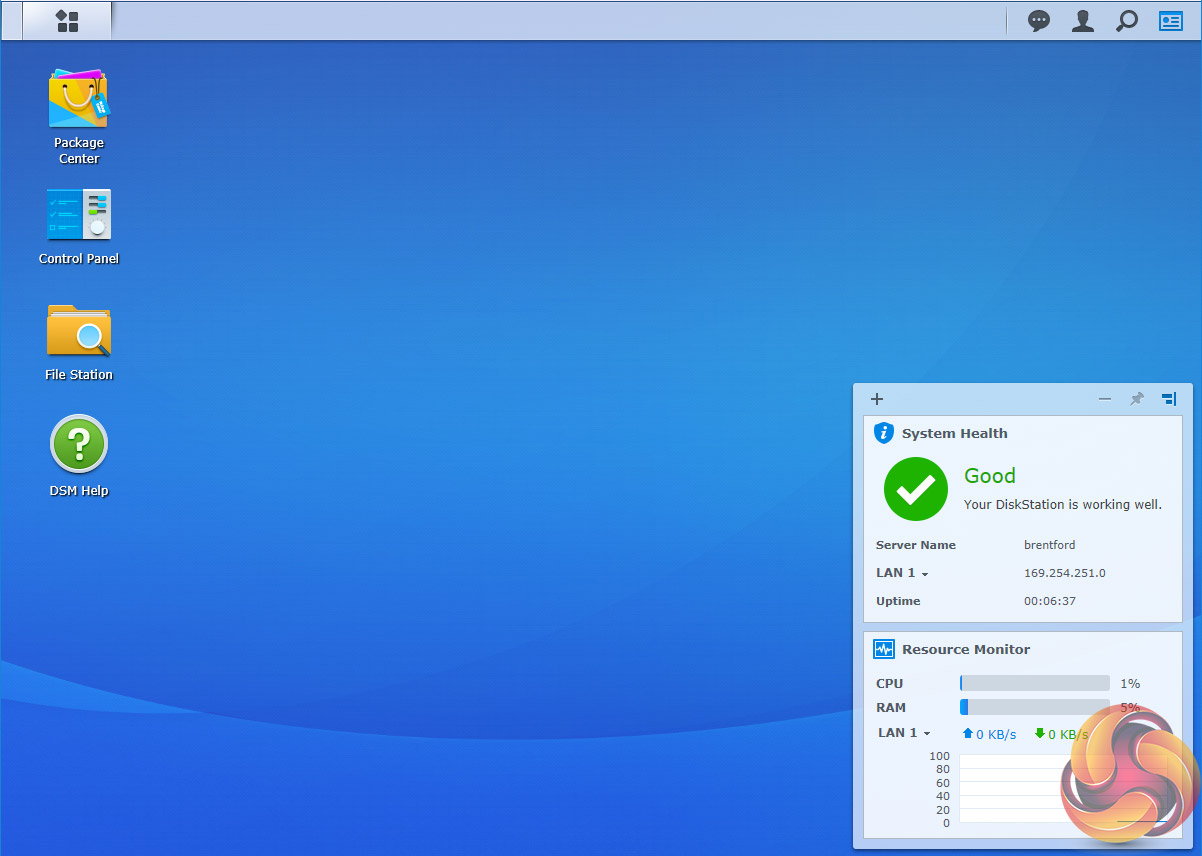
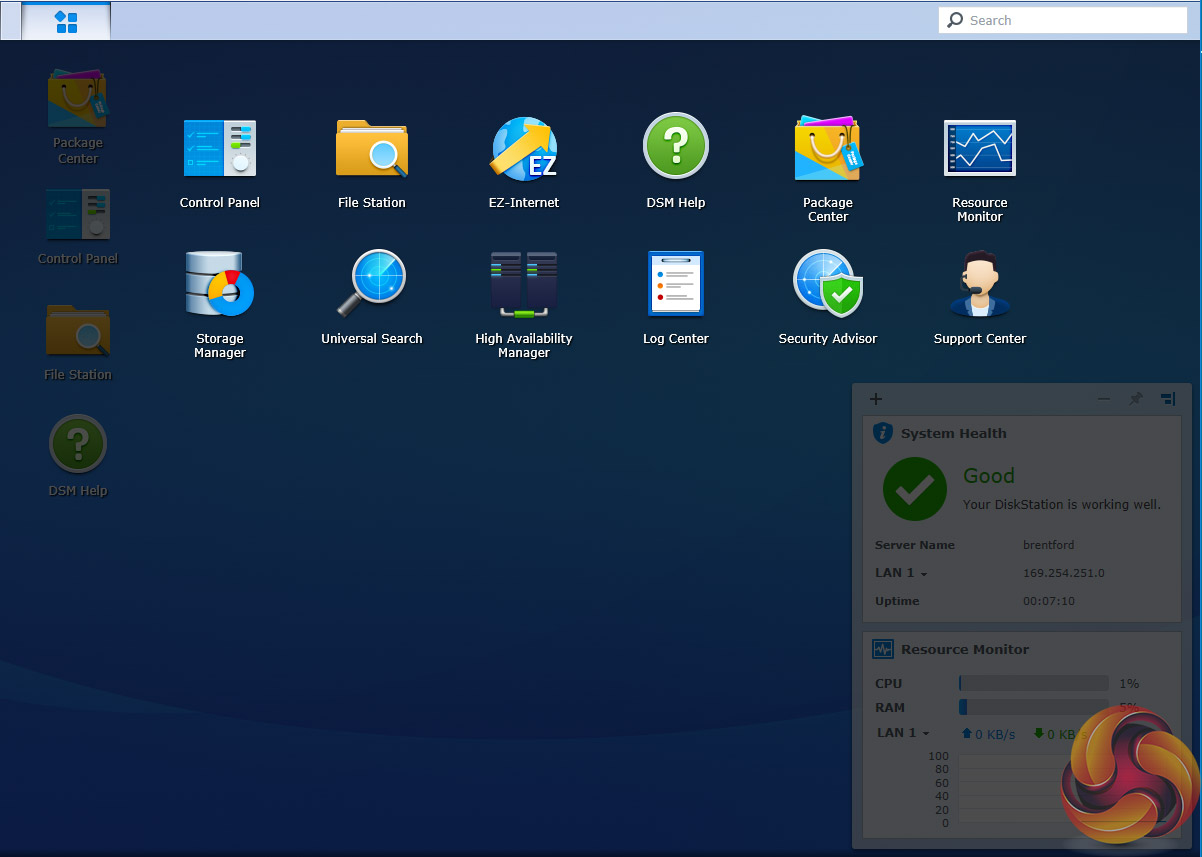
DSM has a graphically rich interface with all the major features of the OS clearly listed. The basic start page just lists four items; Package Center, Control Panel, File Station and DSM help.
Clicking on the left-hand top tab opens a more advanced start page which displays a lot more menu choices than the basic one. Clicking on the furthest right-hand icon at the top of the window opens the System Health and Resource Monitor widgets.
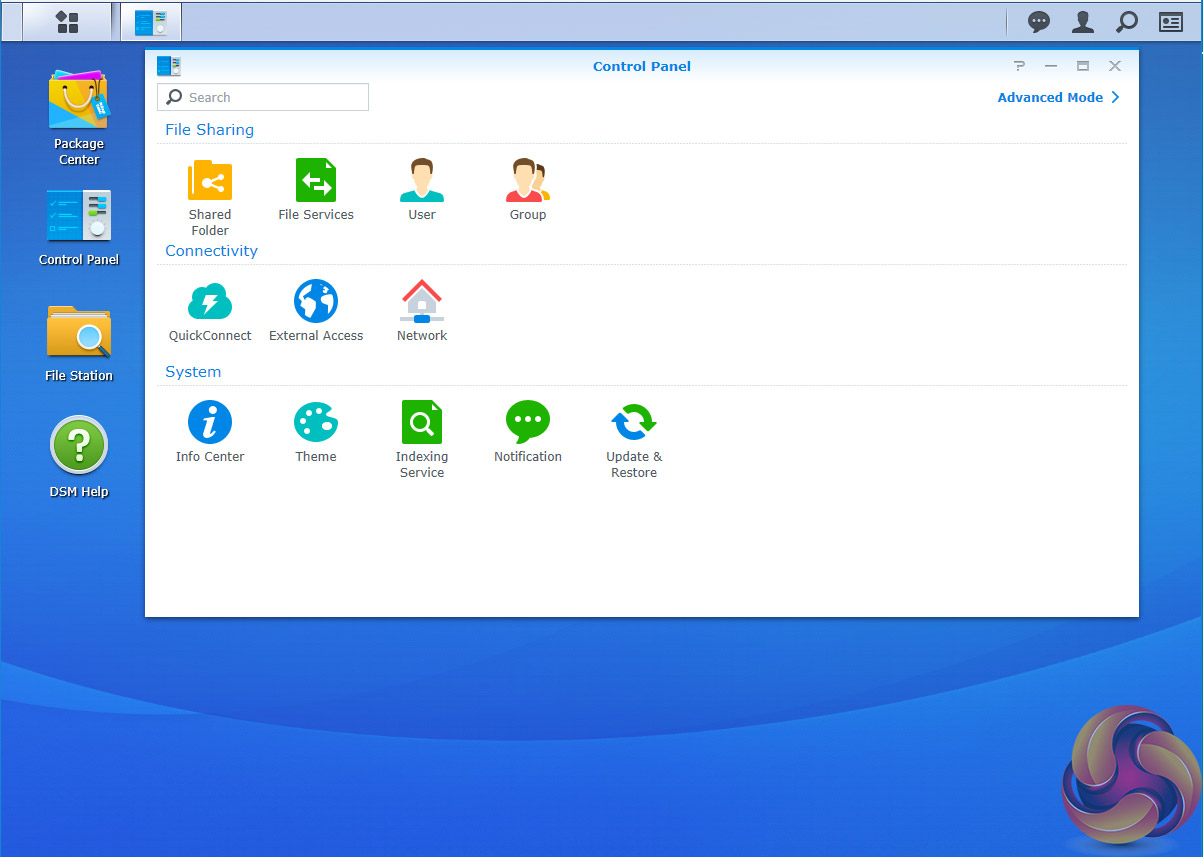
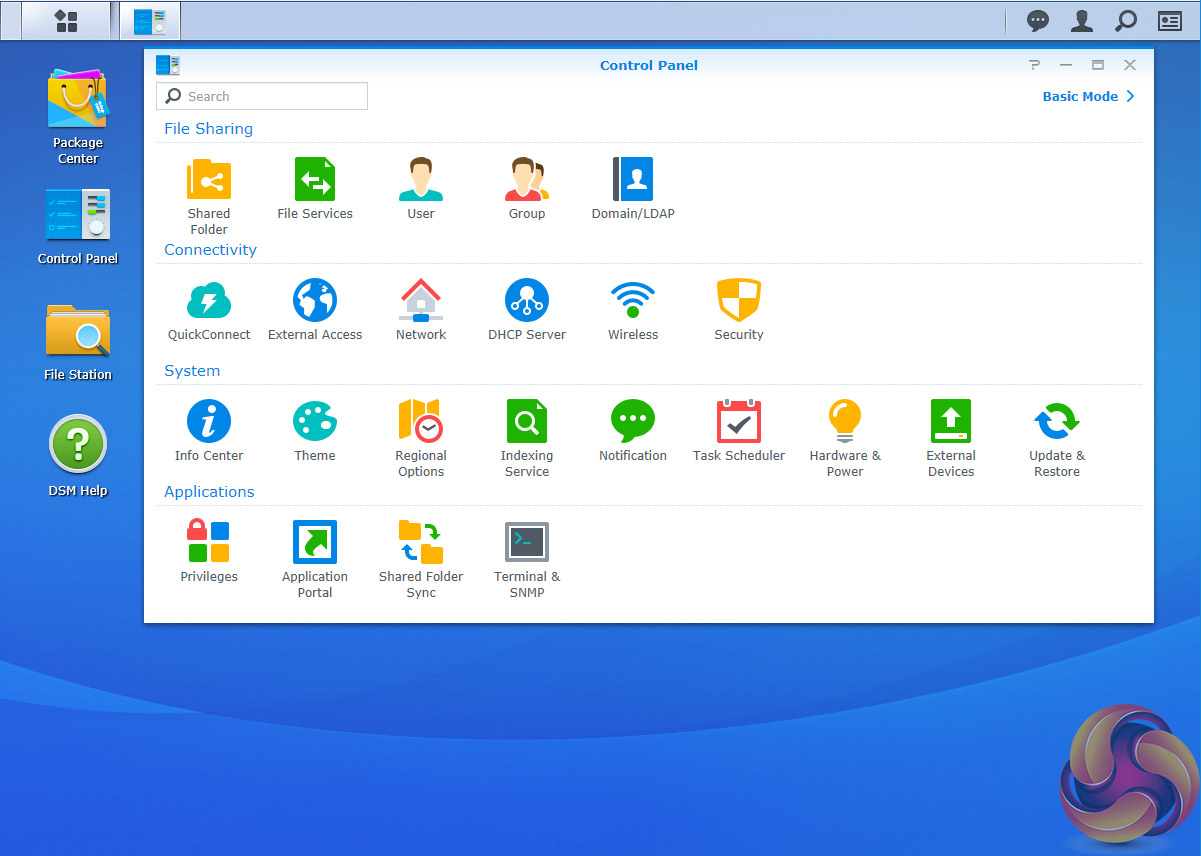
There's a choice of control panels, Basic which displays the features most people will want to get to grips with while the Advanced option offers plenty of scope for those that want to delve deeper into the system.
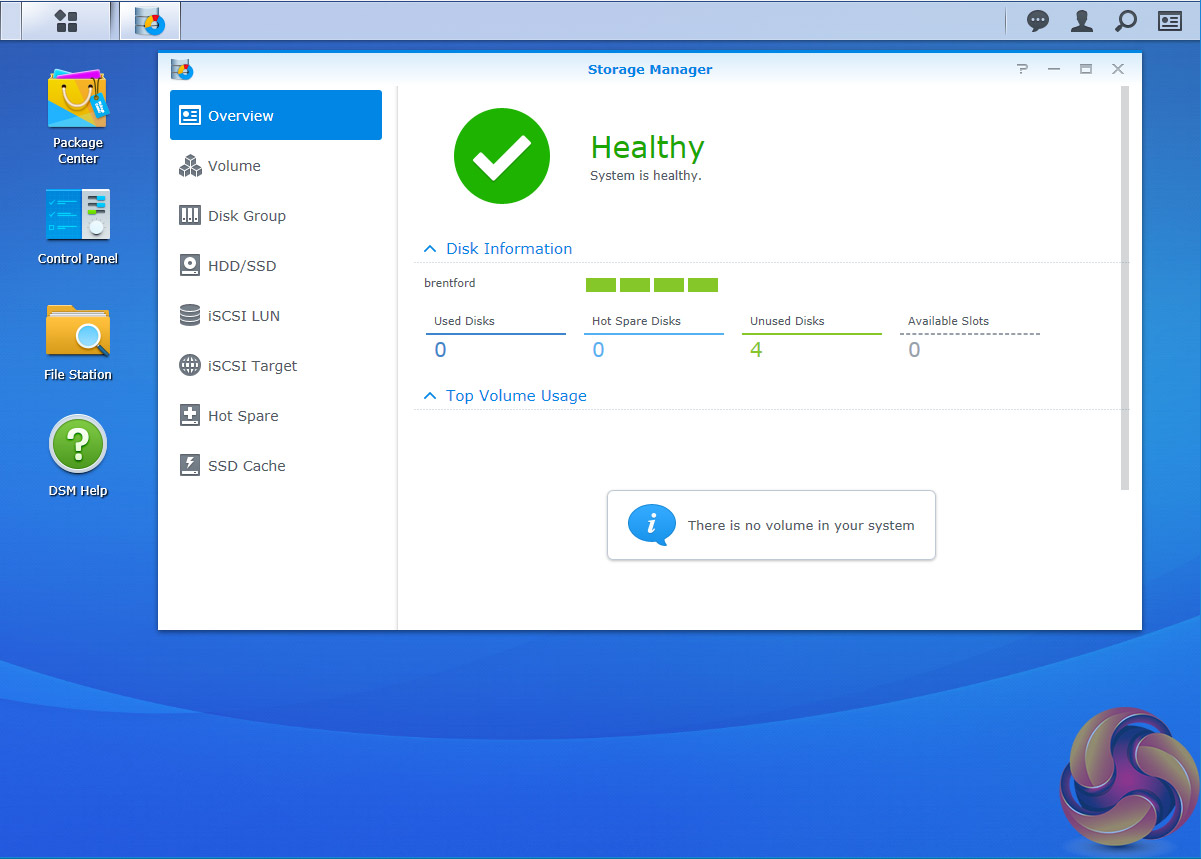
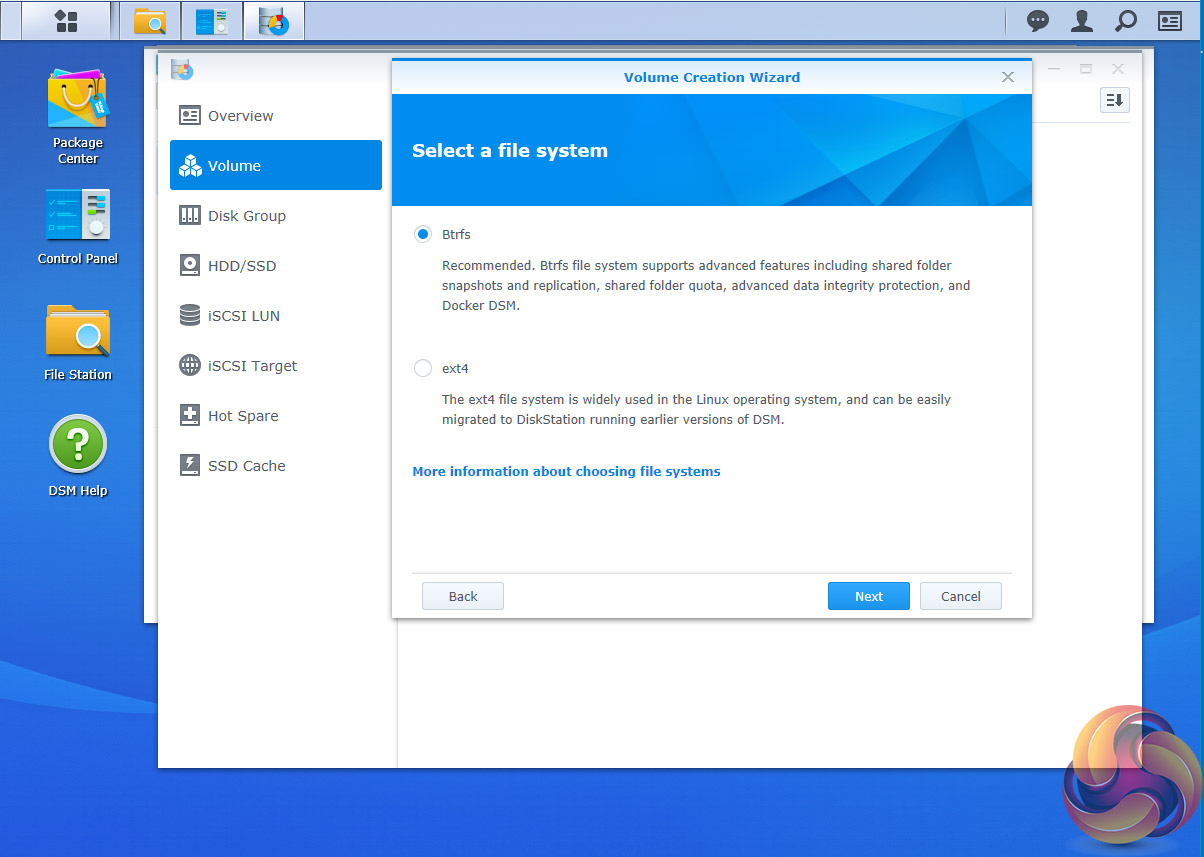
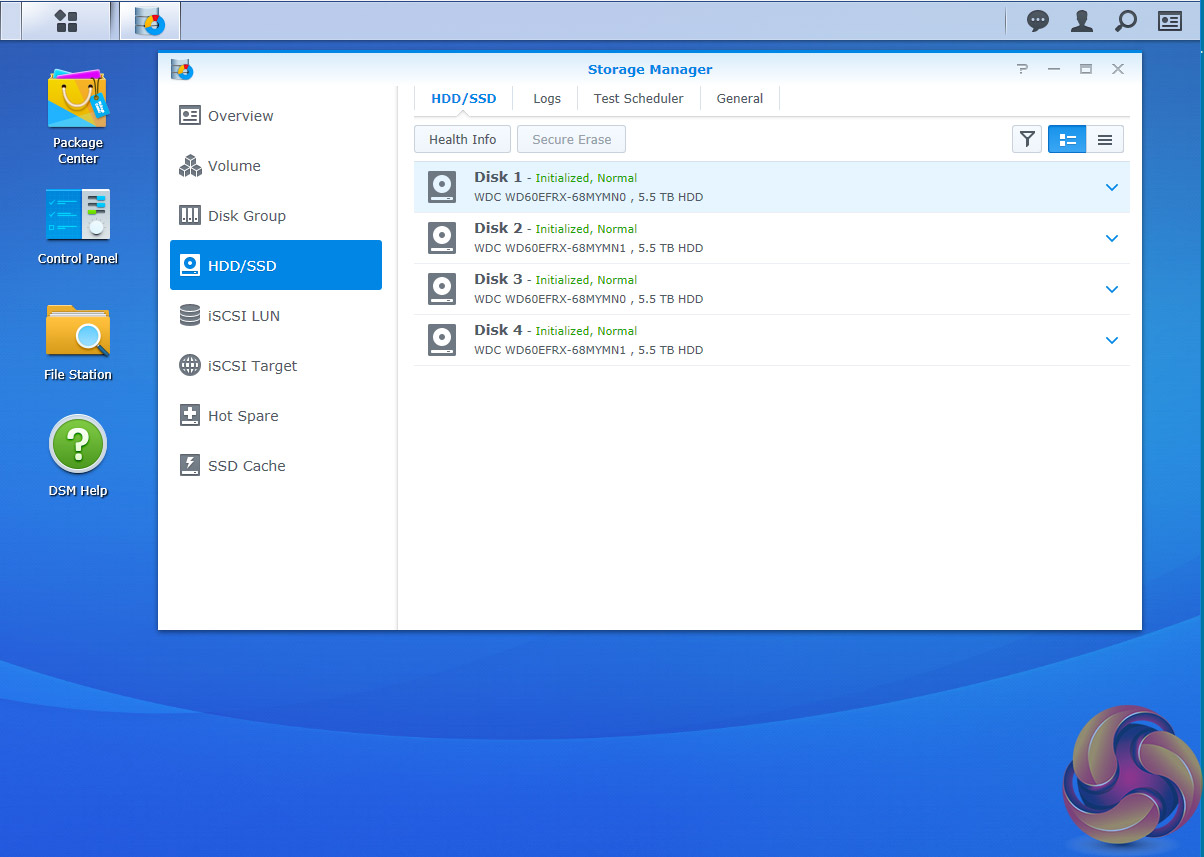
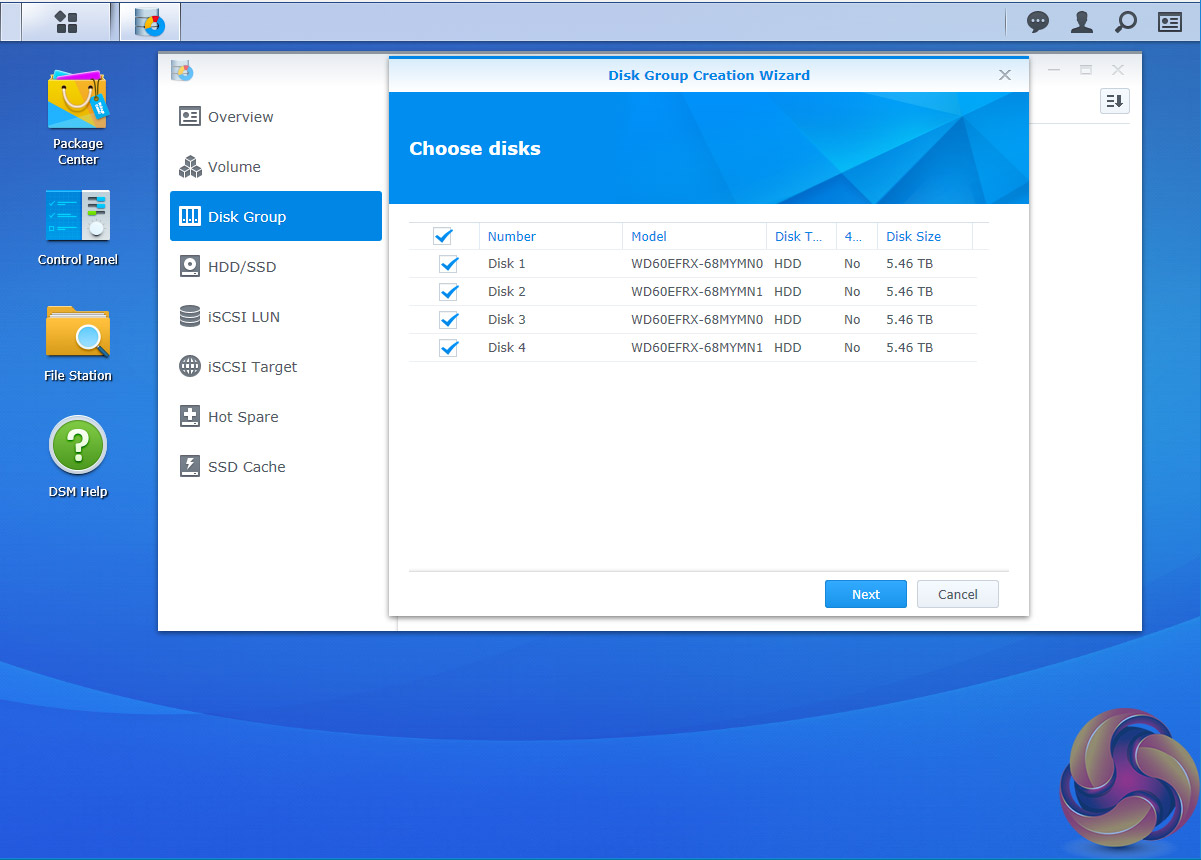
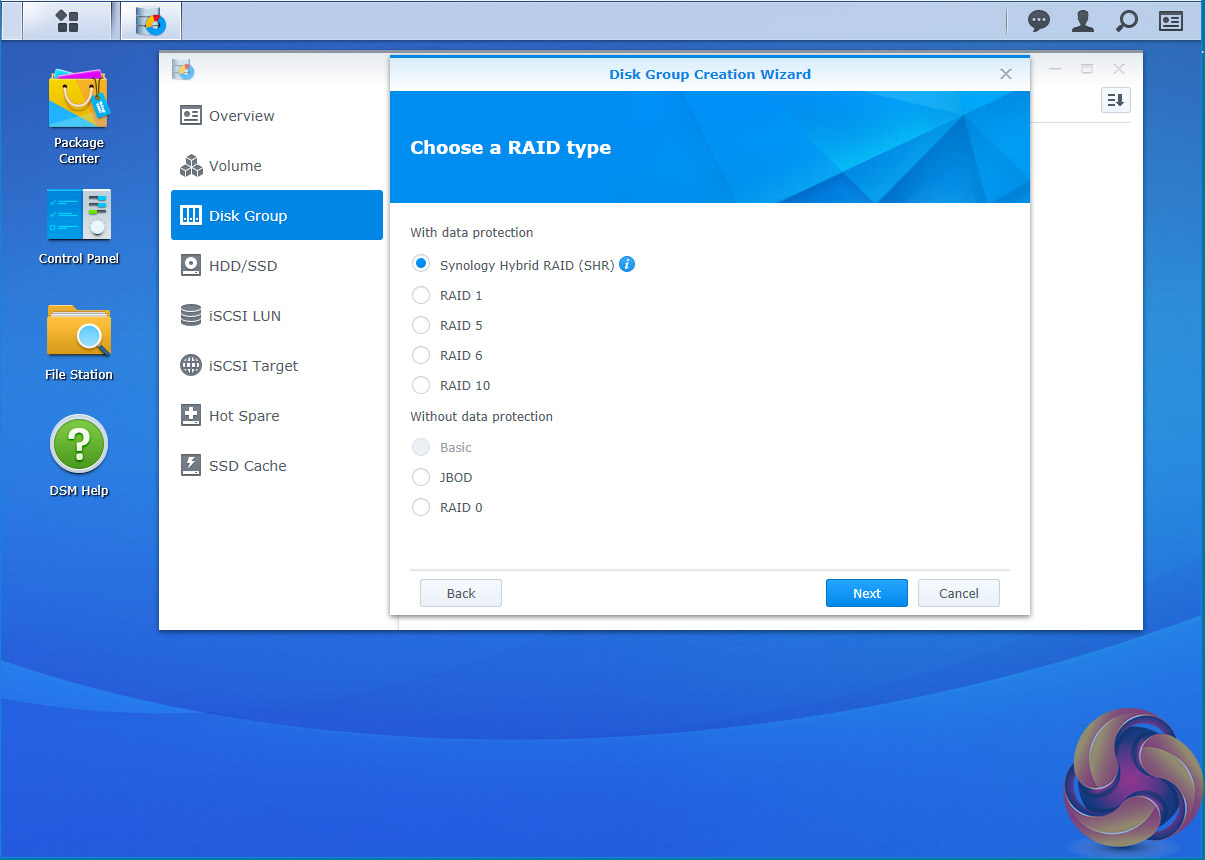
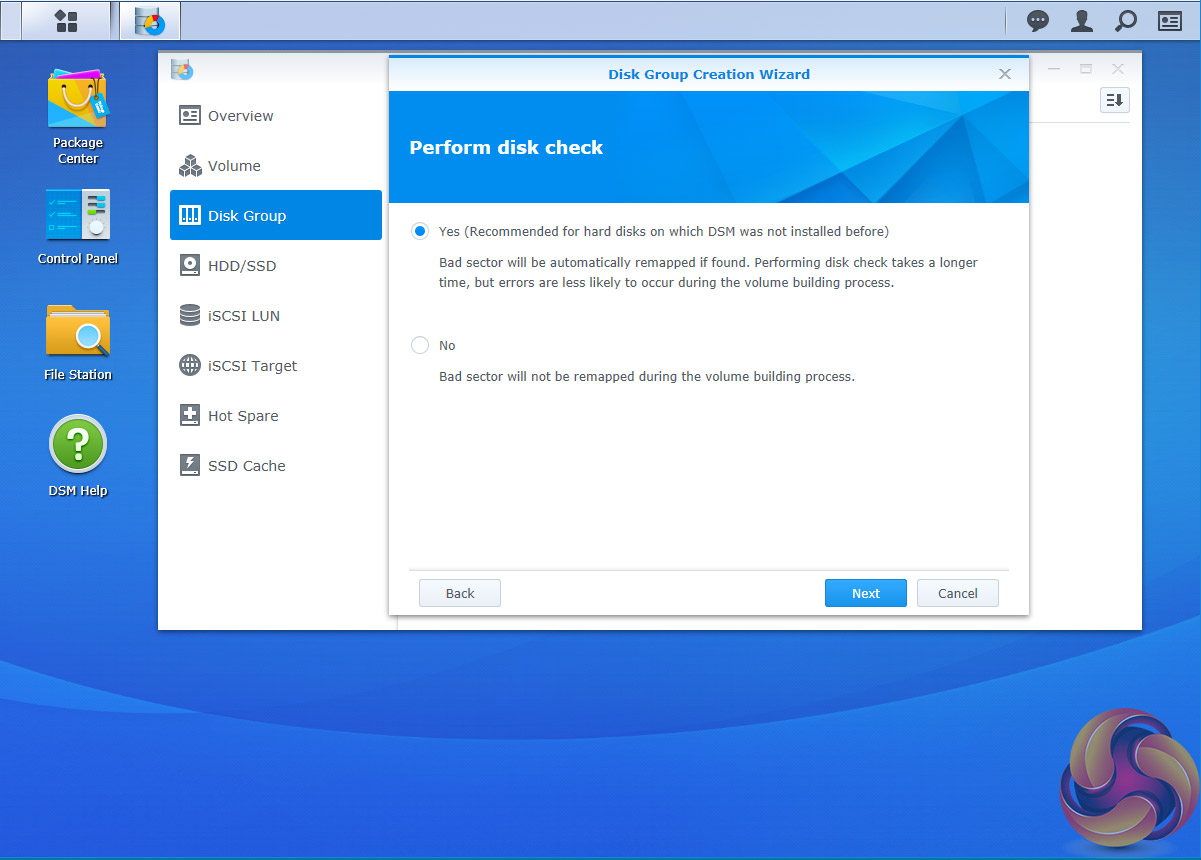
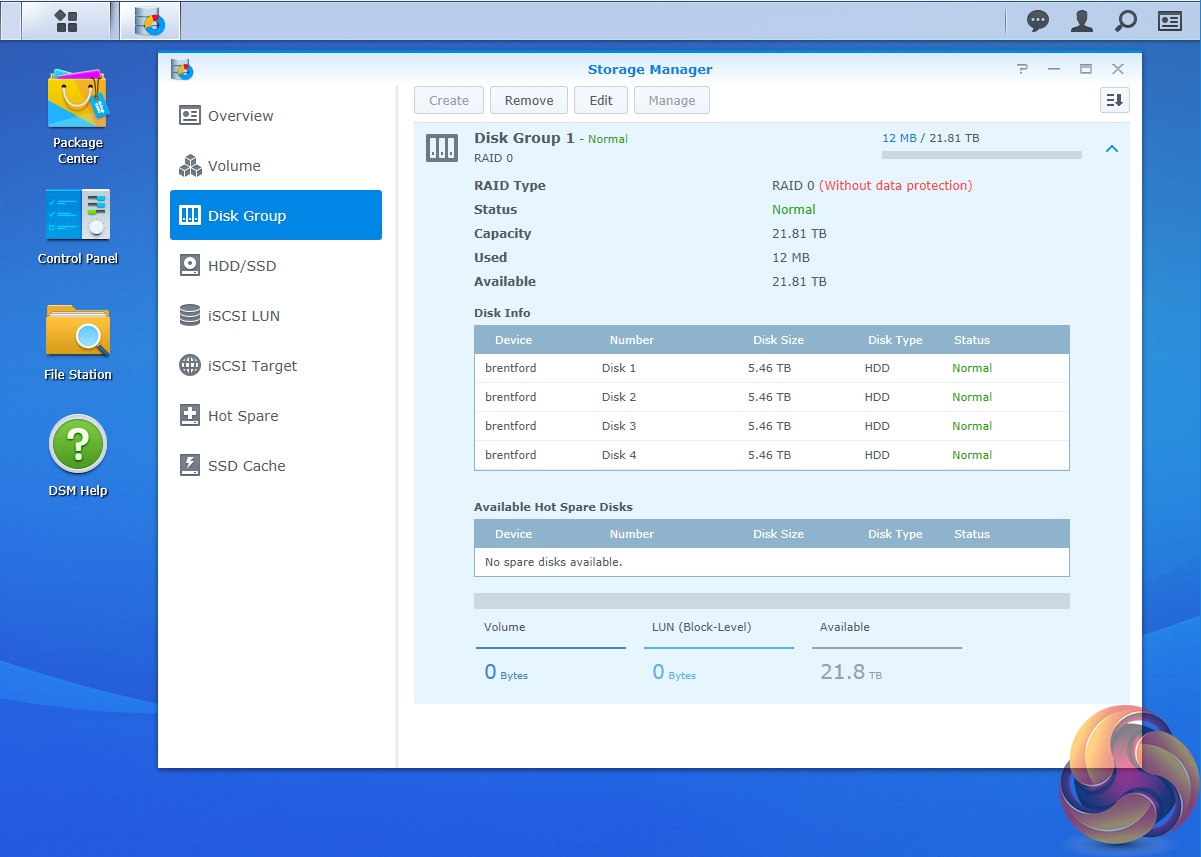
Storage Manager looks after RAID setups, volume creation (choose between Btrfs or ex4) and all other disk management duties.
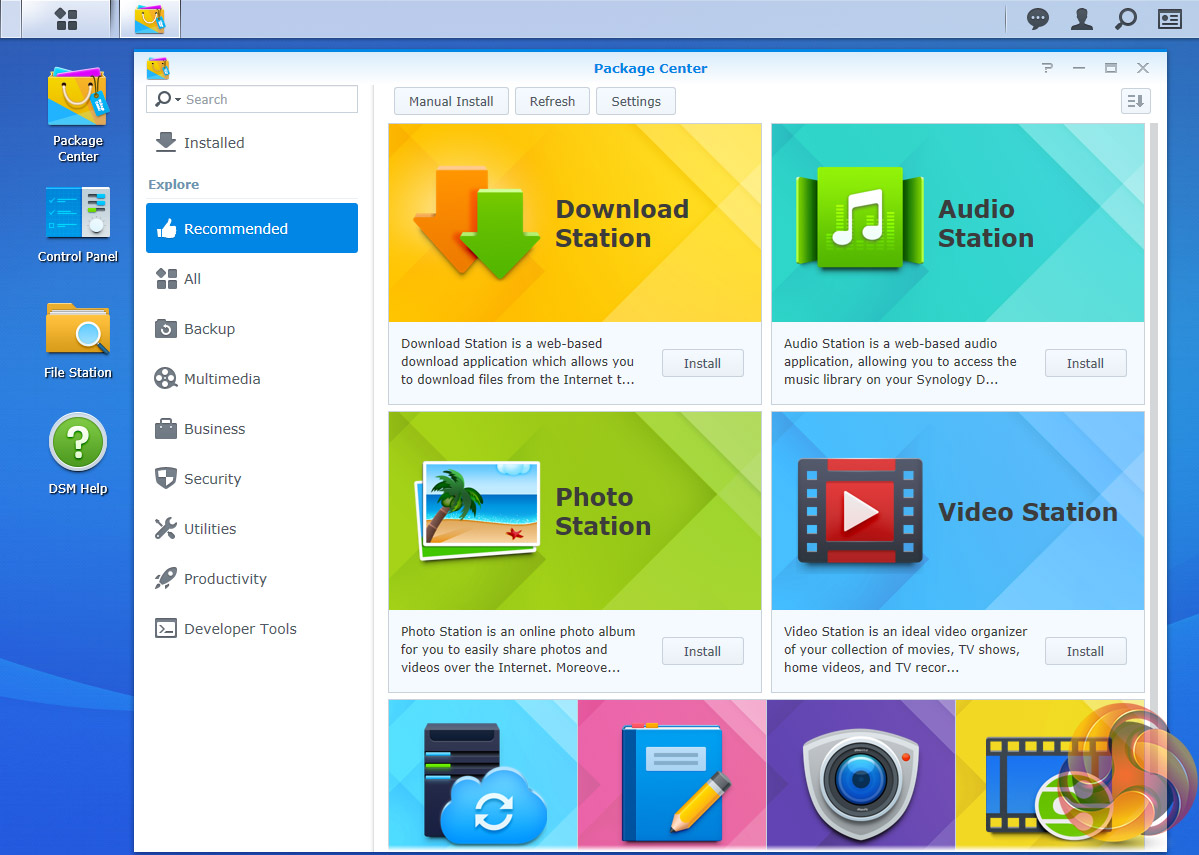
Package Center is where you'll find all the add-in apps and there is an extensive list to choose from, 117 to be exact, allowing the DS916+ to be customised to your own requirements. One of the updates 6.1 brings is Package Center auto repair to fix apps that might have been broken by a DSM update.
DSM 6.1 brings some new features as well as refinements to existing utilities. Top of the list is that with DSM 6.1, more Synology models now have support for the Btrfs file system. Many of the other new features and improvements are aimed more towards business users but a couple that home users may find useful are Synology Universal Search and USB Copy 2.0.
Synology Universal Search is a new search tool that includes multimedia files and apps and offers previews of metadata and contents of files with just a mouse click. USB Copy 2.0 Auto copies data to a from a USB storage device and can be configured to set backup destinations, copy mode and any file filters.
On the business side of things, Active Server Directory as been added to DSM. ASR allows a NAS to be used as a domain controller and can help streamline a company's IT maintenance duties as it allows for the creation of policies to install software or system updates across a range of computers without the need to visit each one in turn.
There have been updates to Snapshot Replication (now includes encrypted shared folder replication, local replication for extra security and automatic pause/resume during replication), Hyper Backup, Synology High Availability and Virtual DSM Manager
Features
Btrfs file support
File Station
Photo Station
Audio Station
Video Station
Download Station
Cloud Station, Cloud Station Backup, Cloud Station ShareSync and DS Cloud.
Synology Universal Search
Note Station
Web Clipper
Spreadsheet
USB Copy 2.0
Snapshot Replication
Active Directory Server
Hyper Backup
Synology High Availability
Virtual DSM Manager
Synology has made the DS916+ very straight forward and quick to setup, and from getting it out of the box to ready to use takes around 20 minutes, although this is just being set up into RAID 0.
With RAID 5 and 6, it takes a whole lot longer because of verifying and disk parity checks which take around 14 hours to complete.
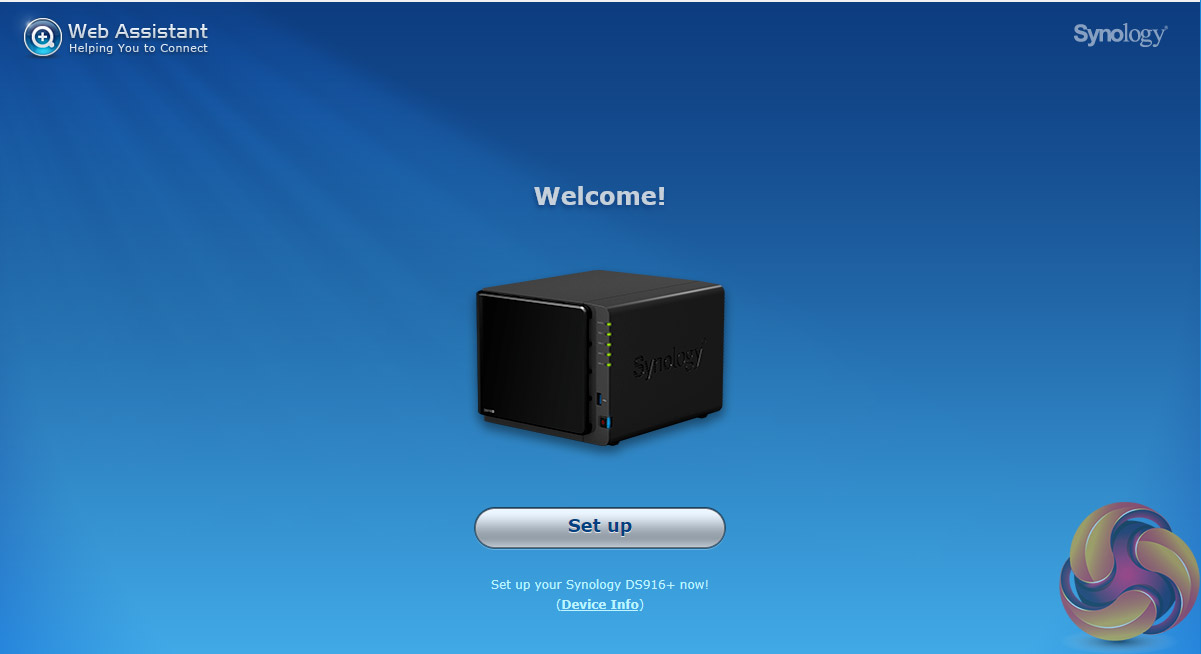
The first part of setting up the DS916+ as with all Synology NAS units is to go to http://find.synology.com which launches Web Assistant.
This app searches for all DiskStations on the network so you can begin the install. If this method fails to find the NAS, the App has a link to the Synology Download Center where you can download Synology Assistant to your PC to search again for the NAS.
Once the NAS is found, the first window of the DSM setup wizard appears. Pressing install (there's also a manual install option to install a downloaded instance of DSM ) automatically downloads the latest version of DSM and starts installing it after reminding you that any data on the hard disks will be deleted.
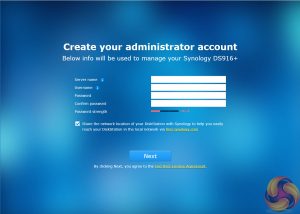
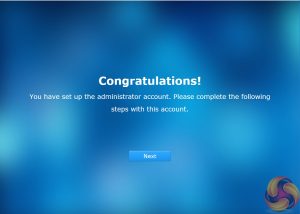
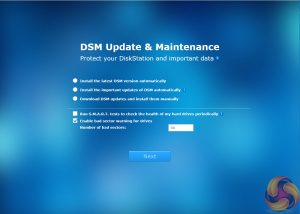
After the basic install has finished, the NAS is restarted and next up comes the setting up of the NAS management, where you assign a server name, admin user name and password. The next window is where the DSM update settings are set.
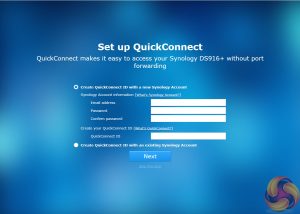
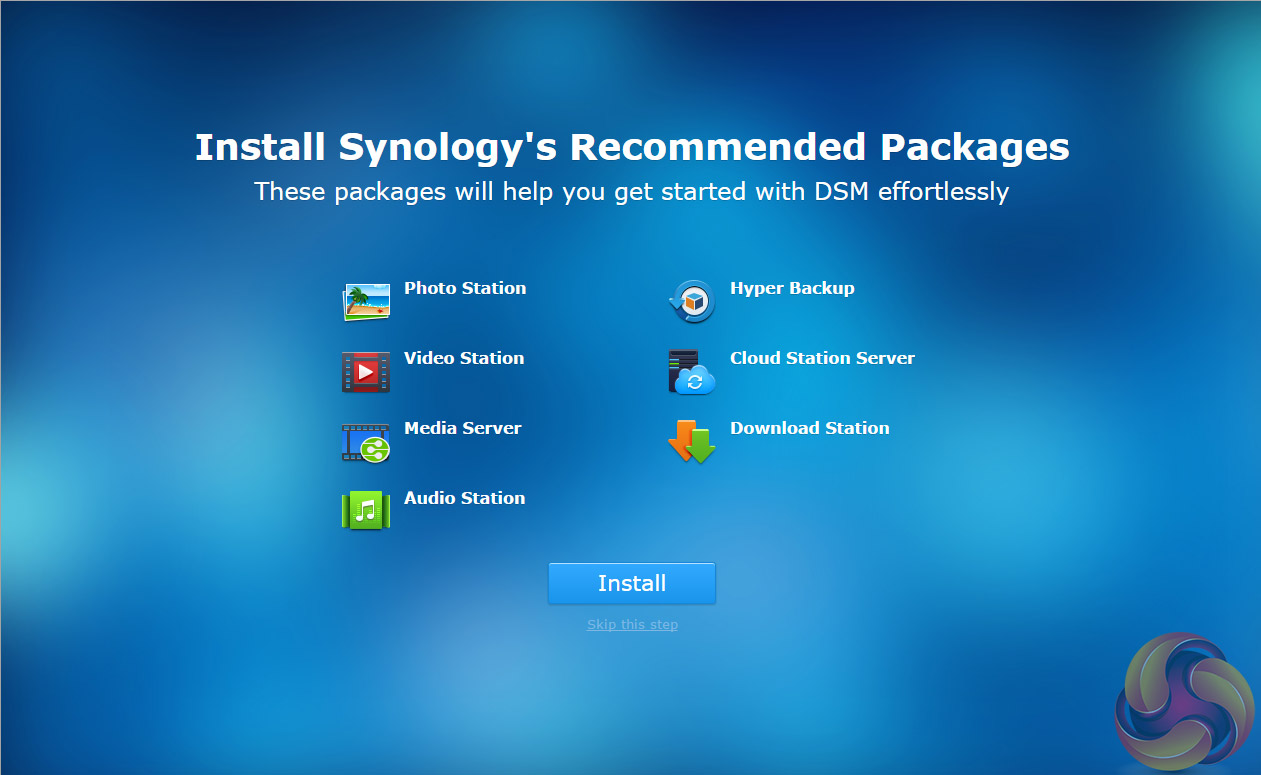
Next you can set up Quick Connect (remote access to the DiskStation) or skip it and set it up later as you can with the install of Synology's recommended packages; Photo, Video, Audio and Download Stations and Media and cloud Station Servers as well as Hyper Backup and that's the setup complete.
To test the DiskStation 916+ we used four WD 6TB Red drives (WD60EFRX, 5,400rpm class, 64MB cache), built into all the standard RAID arrays supported by the device; RAID 0,1, 5, 6 and 10 using the ex4 file system and then tested. As the DS916+ supports both ex4 and Btrfs file systems we also built the disks in a RAID 5 array using Btrfs to see if there is any performance advantage or indeed disadvantage from using this file system.
Software:
Atto Disk Benchmark.
CrystalMark 3.0.3.
IOMeter.
Intel NASPT.
To test real life file/folder performance we use a number of different file/folder combinations to test the read and write performance of the NAS device. Using the FastCopy utility to get an MB/s and time taken for each transfer, the data is written from and read back to a 240GB SSD.
60GB Steam folder: 29,521 files.
50GB Files folder: 28,523 files.
12GB Movie folder: 24 files – mix of Blu-ray and 4K files.
10GB Photo folder: 621 files – mix of .png, .raw and .jpeg images.
10GB Audio folder: 1,483 files – mix of .mp3 and .flac files.
Crystalmark is a useful benchmark to measure theoretical performance levels of hard drives, SSD’s and other storage devices. We are using V3.0.3.
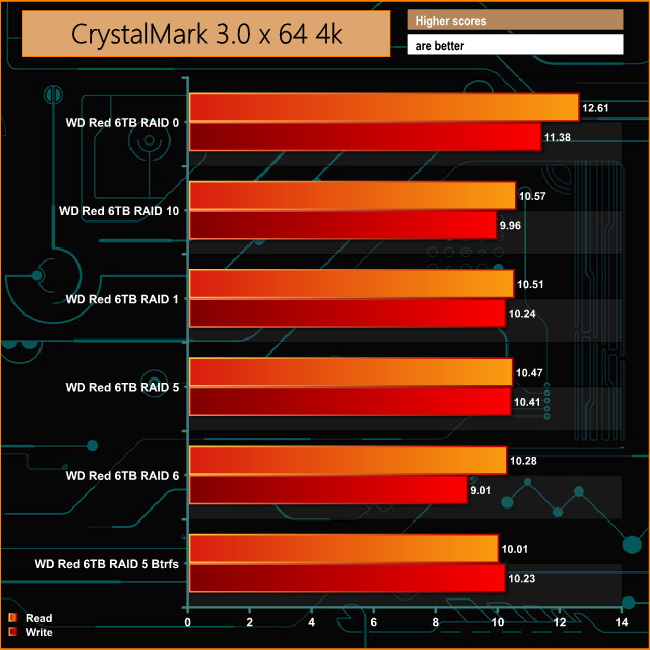
The DS916+ shows a pretty good level of consistency across all the supported RAID arrays when dealing with small bity files averaging just under 11MB/s for reads and 10.38MB/s for writes.
The ATTO Disk Benchmark performance measurement tool is compatible with Microsoft Windows. Measure your storage systems performance with various transfer sizes and test lengths for reads and writes. Several options are available to customize your performance measurement including queue depth, overlapped I/O and even a comparison mode with the option to run continuously.
Use ATTO Disk Benchmark to test any manufacturers RAID controllers, storage controllers, host adapters, hard drives and SSD drives and notice that ATTO products will consistently provide the highest level of performance to your storage.
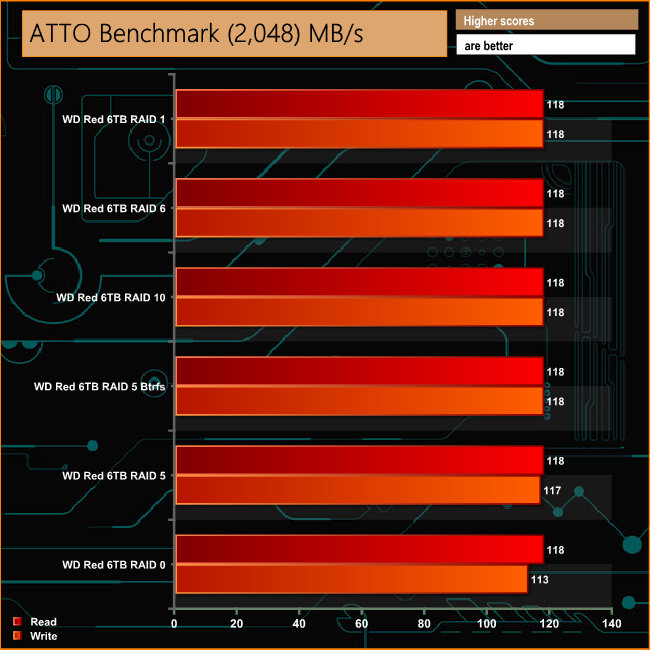
Although Synology quotes Sequential performance figures for the DS916+ of 226MB/s for reads and 222MB/s for writes, this was with both LAN ports in Link Aggregation mode. Using a single LAN link the DS916+ shows great consistency across the arrays, with the read/write performance topping 100MB/s across the board. The write performance drops back a little in RAID 0.
Intel’s NASPT (NAS Performance Toolkit ) is a benchmark tool designed to enable direct measurement of home network attached storage (NAS) performance. NASPT uses a set of real world workload traces (high definition video playback and recording, video rendering/ content creation and office productivity) gathered from typical digital home applications to emulate the behavior of an actual application.
We’ve used some of the video and office apps results to highlight a NAS device’s performance.
HD Video Playback
This trace represents the playback of a 1.3GB HD video file at 720p using Windows Media Player. The files are accessed sequentially with 256kB user level reads.
4x HD Playback
This trace is built from four copies of the Video Playback test with around 11% sequential accesses.
HD Video Record
Trace writes a 720p MPEG-2 video file to the NAS. The single 1.6GB file is written sequentially using 256kB accesses.
HD Playback and Record
Tests the NAS with simultaneous reads and writes of a 1GB HD Video file in the 720p format.
Content Creation
This trace simulates the creation of a video file using both video and photo editing software using a mix of file types and sizes. 90% of the operations are writes to the NAS with around 40% of these being sequential.
Office Productivity
A trace of typical workday operations. 2.8GB of data made up of 600 files of varying lengths is divided equally between read and writes. 80% of the accesses are sequential.
Photo Album
This simulates the opening and viewing of 169 photos (approx 1.2GB). It tests how the NAS deals with a multitude of small files.
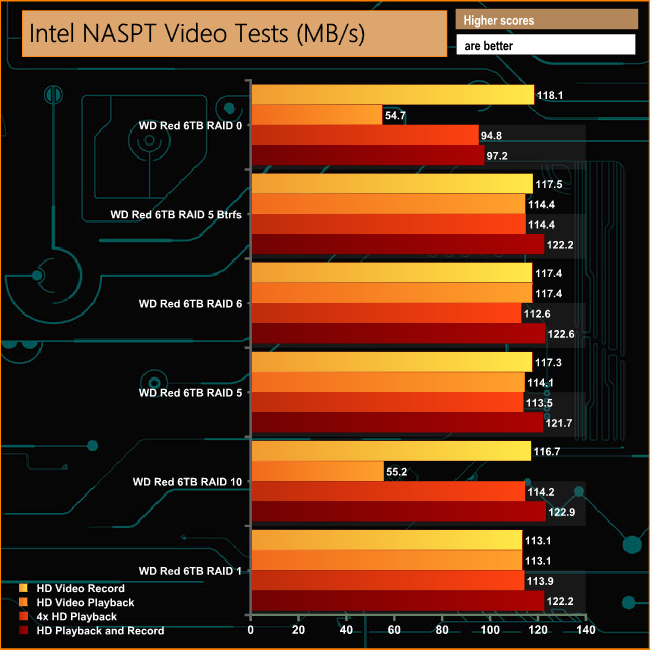
The DS916+ shows strong performance across the arrays in the NASPT video tests with the noticeable exception of the HD Video Playback test in RAID's 0 and 10.
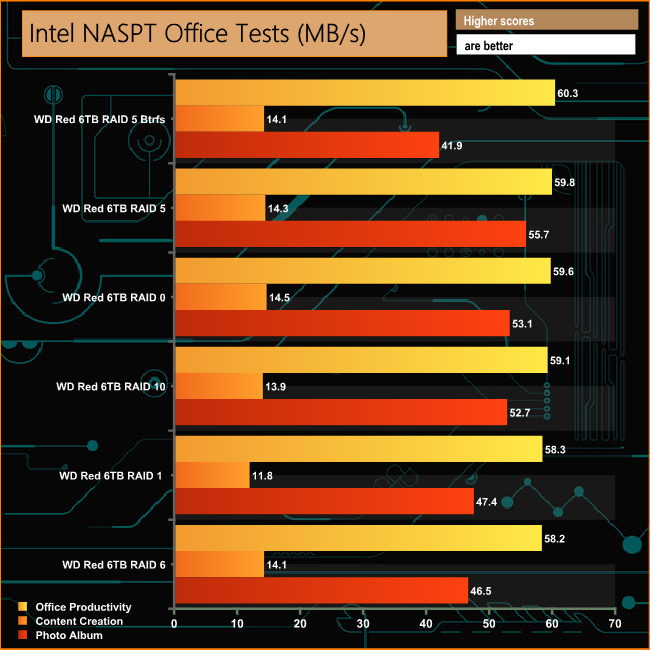
Again consistency is the key word when it comes to all three of the NASPT Office tests with an average of 59.2MB/s for the Office Productivity Test, 13.7MB/s for the Content Creation test and 49.55MB/s for the Photo Album test.
IOMeter is another open source synthetic benchmarking tool which is able to simulate the various loads placed on hard drive and solid state drive technology.
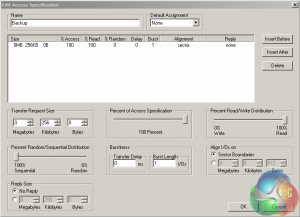
We set IOmeter up (as shown above) to test both backup and restore performance on a 100GB partition.
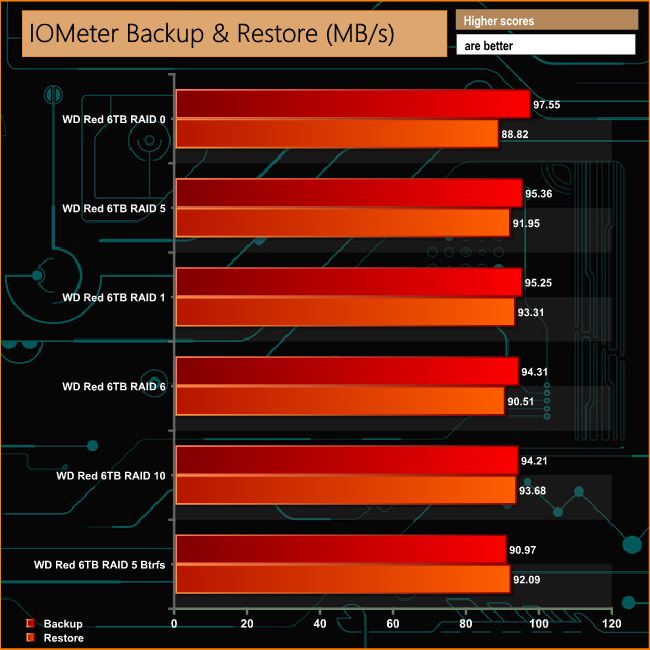
The DS916+ didn't have any problems dealing with backing up and restoring the 100GB partition, with transfer rates in excess of 90MB/s for all bar one of the test runs.
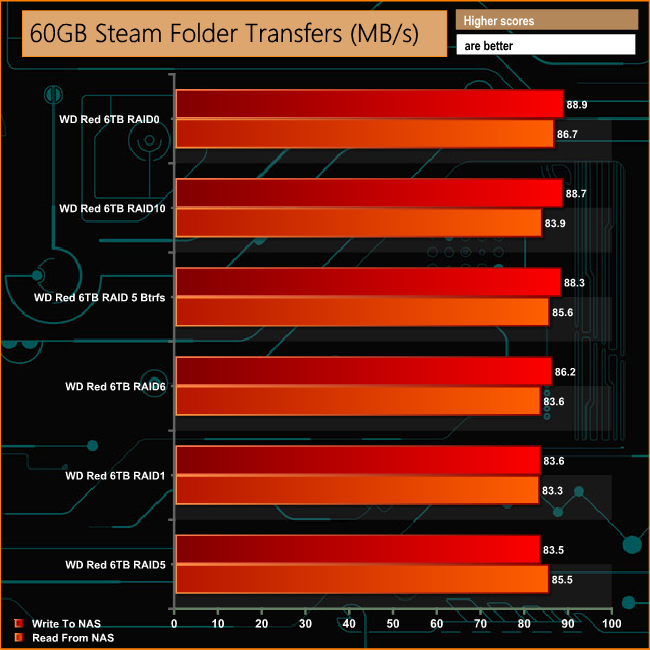
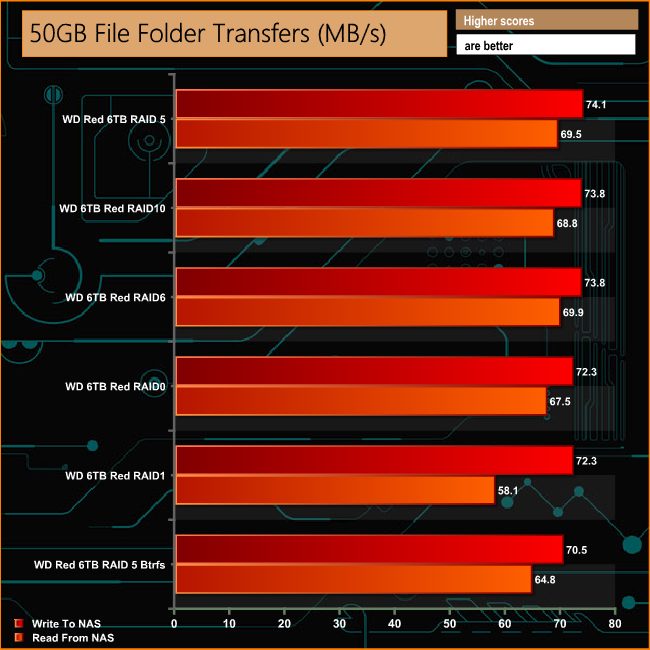
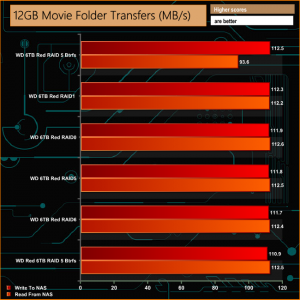
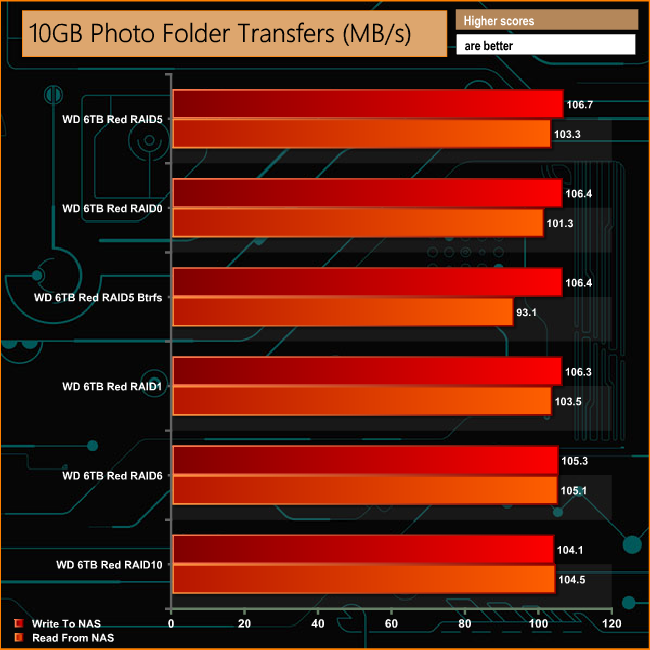
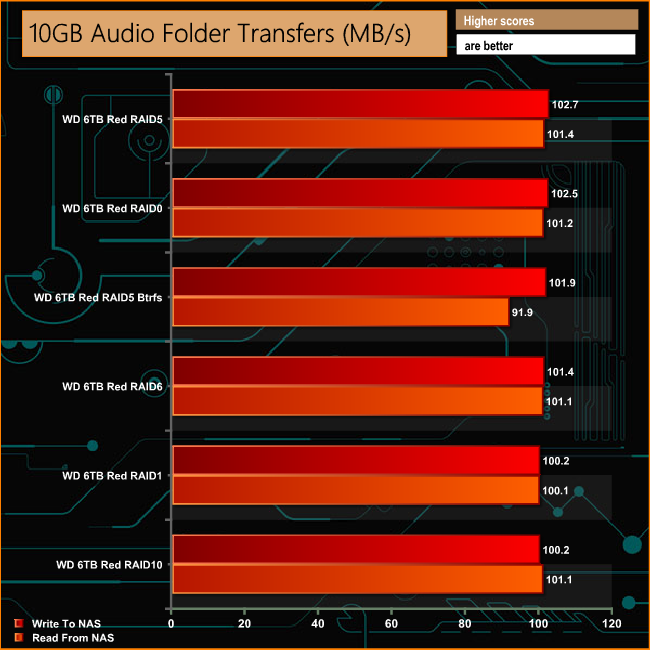
When it came to the real life transfers, the DS916+ didn't really miss a beat regardless of what type of data was being transferred.
We tested the peak power consumption of a NAS at the wall during a run of CrystalDiskMark 5.0.2 as this version of the benchmark runs the read and write benchmark suites separately so it's easier to monitor what power the device is using during each function.

With a CPU having a TDP of just 6W and four drives using an average of 6.4W when in Read/Write mode, 5.2W in idle mode and a standby mode of 0.7W, the DS916+ was never going to be that power hungry.
Synology's DiskStation DS916+ is, at the time of writing, the only 4-Bay NAS unit in the Plus product line that includes 2, 5, 8 and 12 bay tower models as well as a couple of rack designs. The Plus series are aimed primarily at SMB users but the DS916+ would also make for a powerful NAS for the home office.

As well as having a built-in AES-NI hardware encryption engine, the DS916+ also features a hardware-accelerated transcoding engine. It allows the transcoding and streaming of H.264 4K / 1080p video content via Synology’s Video Station, DS video and Media Server with support for MP4, MOV, M4V and MKV formats.
Currently, hard drive support goes all the way up 10TB giving it a total capacity of 40TB but should you require more at a later date, the device supports Synology's DX513 5-bay expansion unit which connects to the DS916+ via the eSATA port in the back of the unit. The DX513 also supports 10TB drives which, when connected gives a 9-bay NAS offering up to 90TB of storage capacity.
Synology's DSM (DiskStation Manger) is one of the best NAS O/S out there, quick and easy to install, feature rich and with a large collection of apps in the Package Center to expand what the device can do and Synology regularly update it with even more features and apps.
The latest 6.1 version of DSM brings Btrfs file system support to more models in Synology's product line (there's a full list of compatible units available on Synology’s site). Amongst Btrfs many features are auto-detection of corrupted files (silent data corruption) and repair. It does this providing checksums for the data and metadata, generating two copies of the latter and then verifies the checksums during each read. Any reported mismatch sees the metadata being repaired.
The DS916+ supports a pretty comprehensive list of cloud services which includes Amazon Cloud Drive, Google Drive, Microsoft OneDrive, Dropbox, Box, and Baidu Cloud via the Cloud Station App. Cloud Station also enables file syncing between DiskStations as well as Windows PC, Mac, Linux, iOS, Android and Windows mobile devices.

You can buy the Synology DiskStation DS916+ from Overclockers UK for £529.99 (inc VAT) HERE
Discuss on our Facebook page, over HERE.
Pros
- DSM O/S.
- Btrfs file support.
- 4K transcoding.
- Expandability via expansion unit.
Cons
- No physical security on drive bays.
Kitguru says: The DiskStation DS916+ is a powerful NAS for the small business and enthusiast alike and it is well served by Synology's DiskStation Manger software, the latest 6.1 version of which, adds even more features to what was already one of the best NAS O/S around.


2M or 8M? Do you mean M or do you mean Gb?
Google is paying $97 per hour! Work for few hours & have longer with friends and family! !wr183c:
On monday I got a great new mclaren f1 from having earned $12778 this last four weeks.. 3 to 5 hours of work a day… Weekly paychecks… Bonus opportunities…Its the most-financialy rewarding I’ve had.. It sounds unbelievable but you wont forgive yourself if you don’t check it
!wr183c:
➽➽
➽➽➽➽ http://GoogleFinancialCashJobs183HomeBank/GetPaid$97/Hour… ★✫★★✫★✫★★✫★✫★★✫★✫★★✫★✫★★✫★✫★★✫★✫★★✫★✫★★✫★✫★★✫★✫★★✫★✫★★✫:::!wr183u:……
I would think they mistyped it and it should be Gb, if you look in the specfications it shows 8Gb DDR 3 Mem.