KitGuru KitGuru.net – Tech News | Hardware News | Hardware Reviews | IOS | Mobile | Gaming | Graphics Cards


G-Technology's G-Speed Shuttle Thunderbolt 3 units have been designed to be portable 4-bay RAID storage systems for professional users supporting multi-stream 4K and 8K production workflows with a Thunderbolt 3 interface.
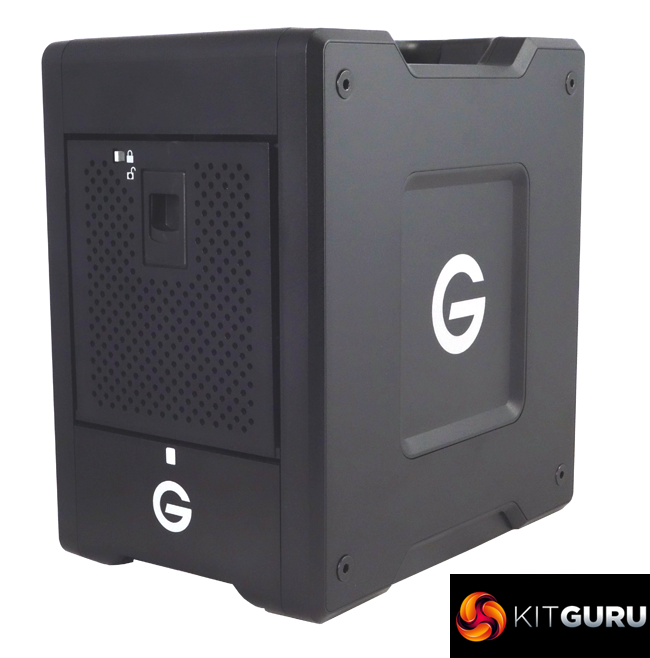
The G-Technology G-Speed Shuttle Thunderbolt 3 family comprises 4 models, the entry level 16TB (we are reviewing here), 24TB, 32TB and the flagship 48TB unit, all using four 7,200rpm enterprise class hard drives.
The official rated transfer speed for the G-Speed Shuttle is up to 1000MB/s. This figure is based on read speed with the drives in a RAID 0 array.
G-technology back the drive with a 5-year limited warranty.
Physical Specifications:
Usable Capacities: 16TB (4 x 4TB drives)
Drive installed: 4 x 4TB HGST Ultrastar 7K6000
Interface: 2 x Thunderbolt 3
Form Factor: External
Dimensions: 247.6 x 174.0 x 266.7mm
Drive Weight: 7.40Kg
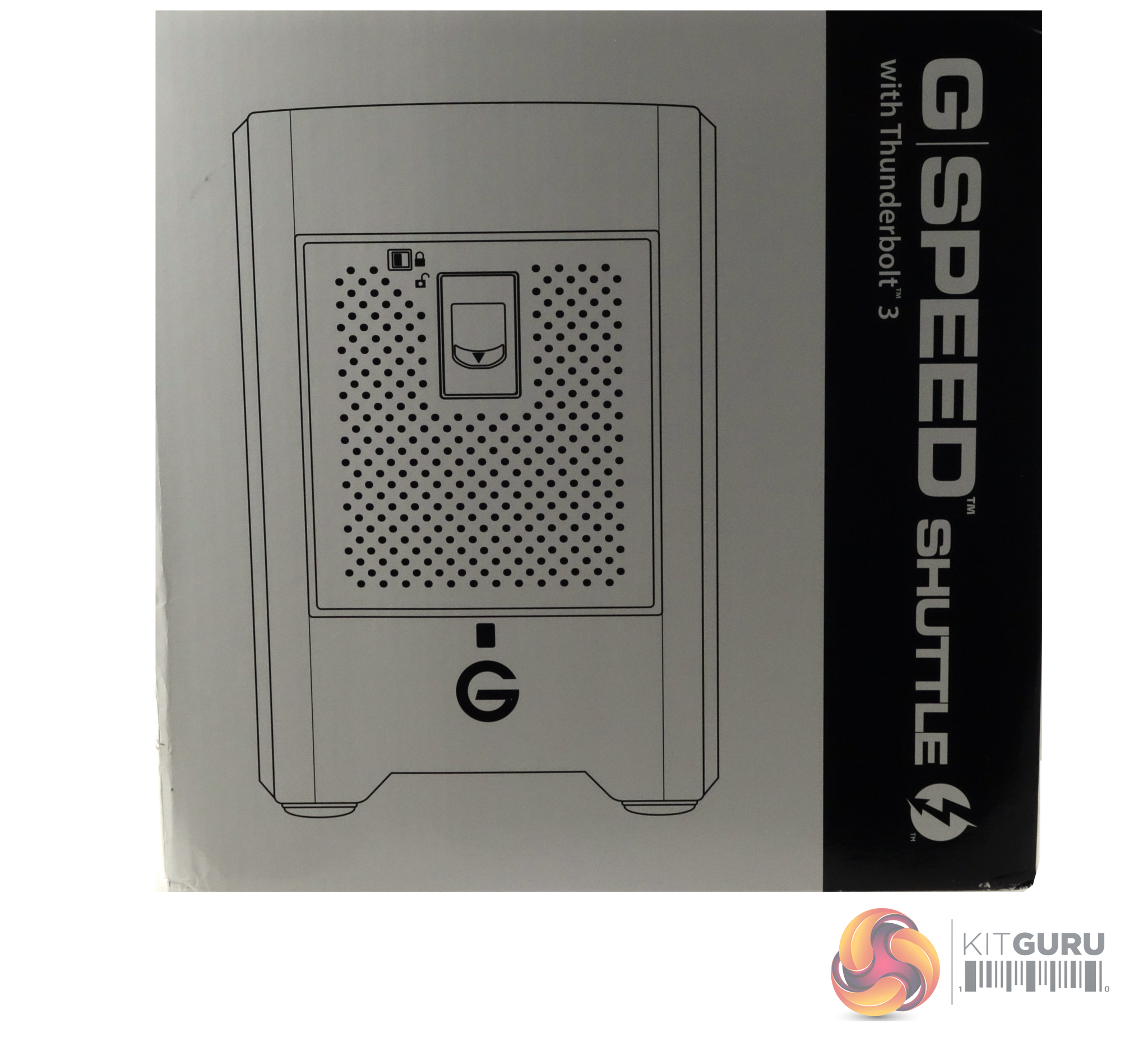
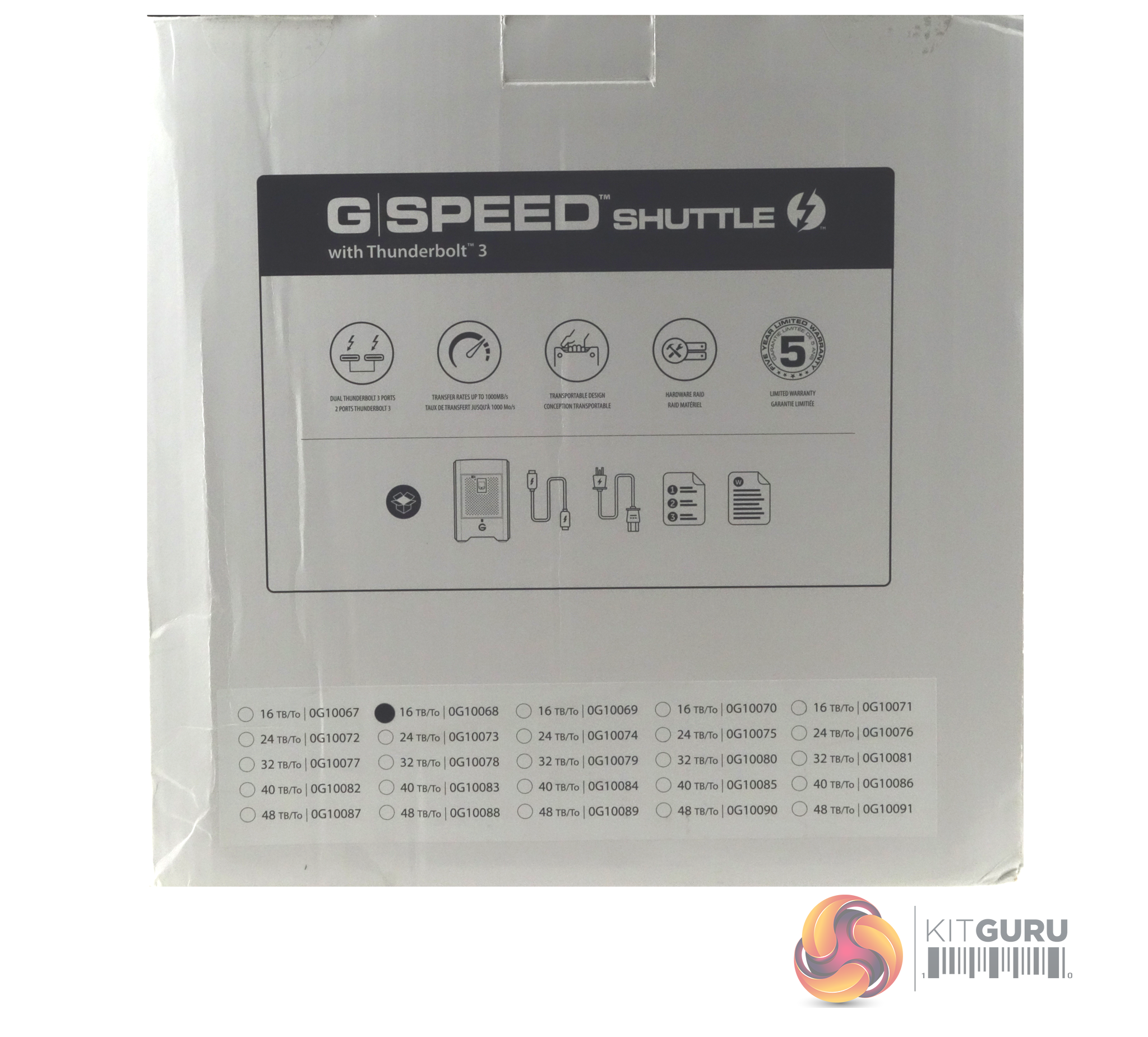
The G-Speed Shuttle comes in a sturdy box with a drawing of the unit on the front. The rear of the box has a display of icons showing some of its features; dual Thunderbolt 3 ports, 1,000MB/s transfer rate, transportable design, hardware RAID and the fact it's backed by a five year warranty.
There's also a display of what's included in the box and which version of the Shuttle it is.
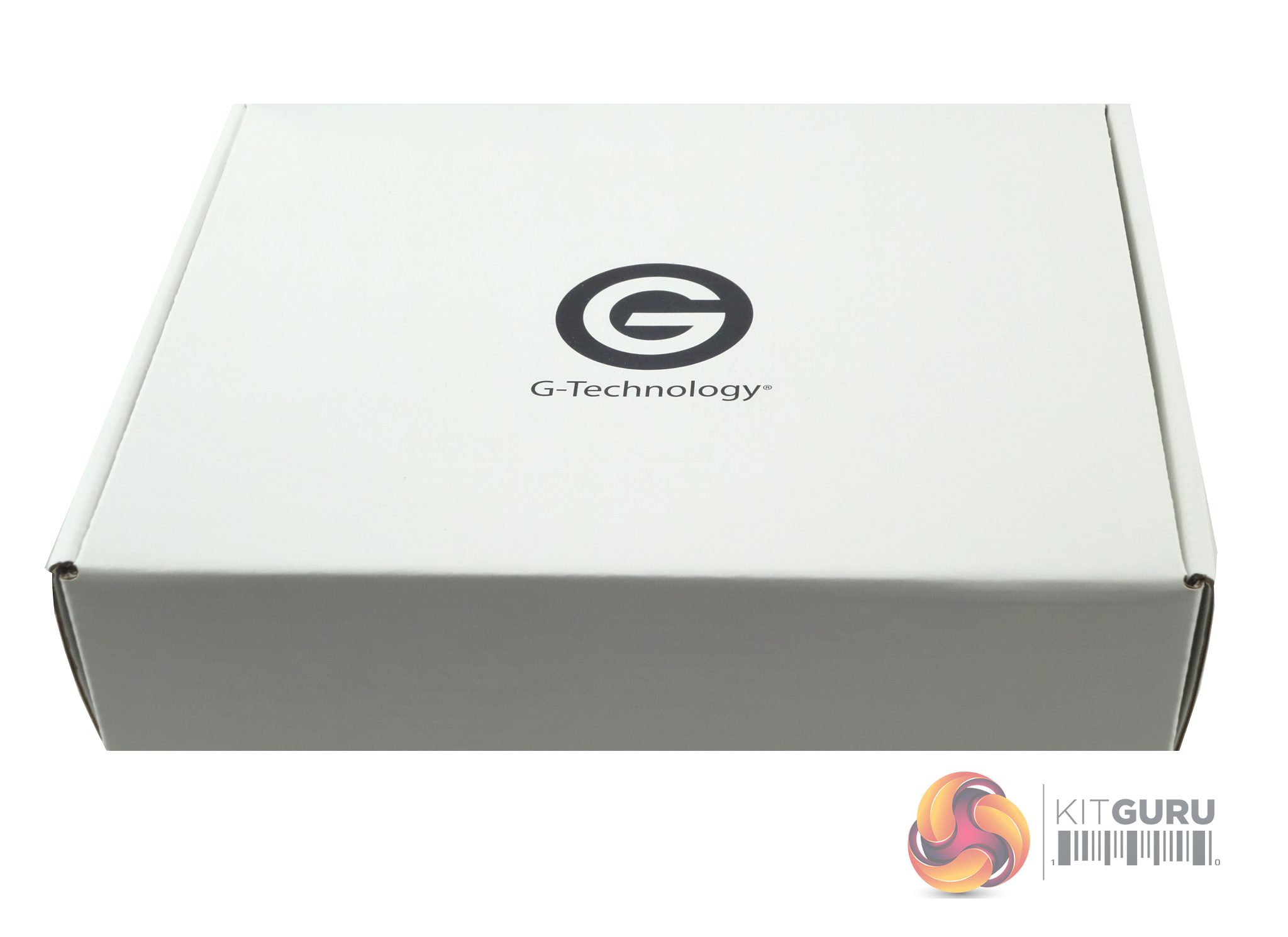
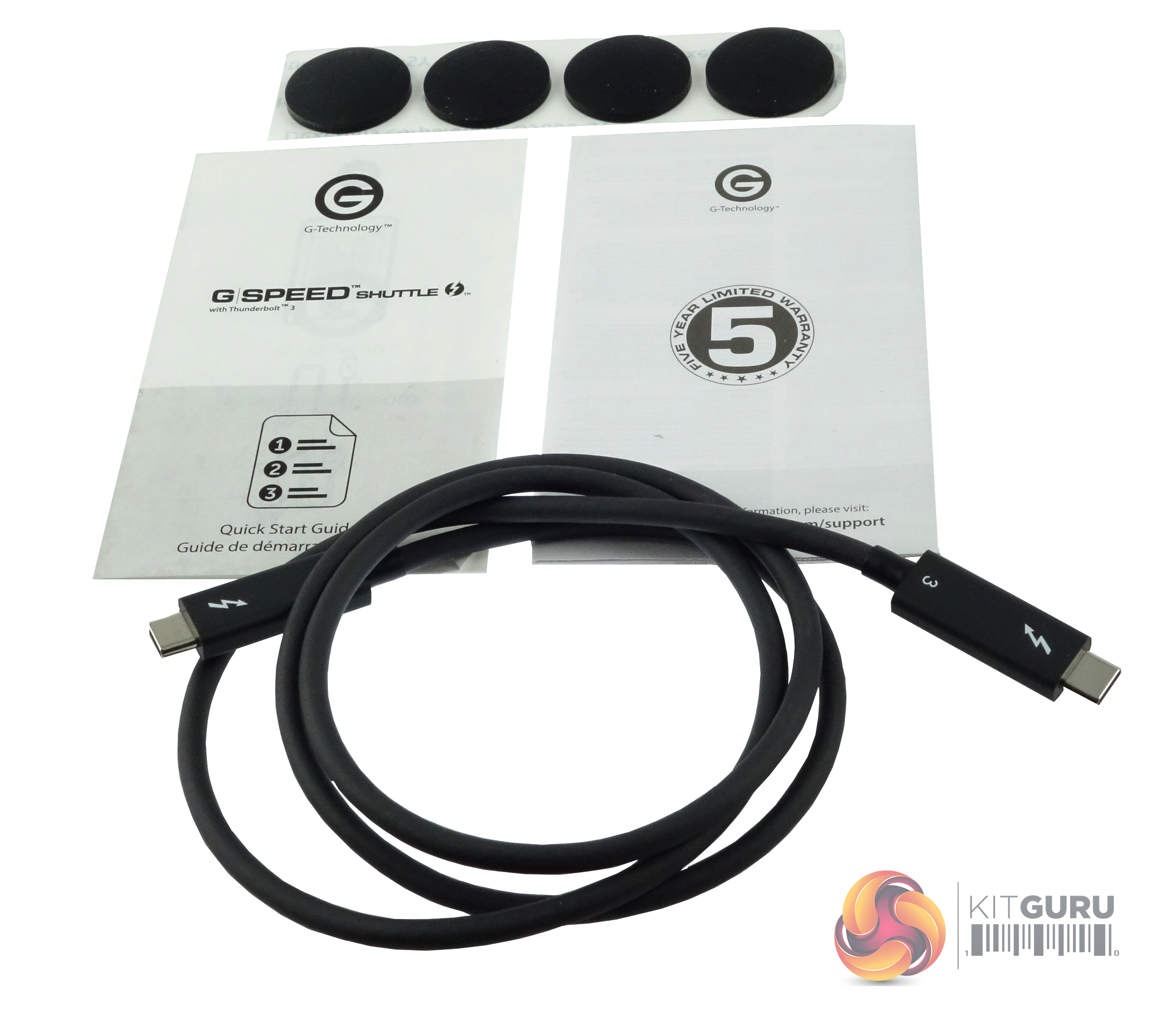
The box containing the various bits and bobs to get you started with the Shuttle come in a nicely branded box, not the usual plain old brown job. Inside there is a Thunderbolt 3 cable, four self-adhesive cushioning pads and warranty and Quick Start pamphlets.
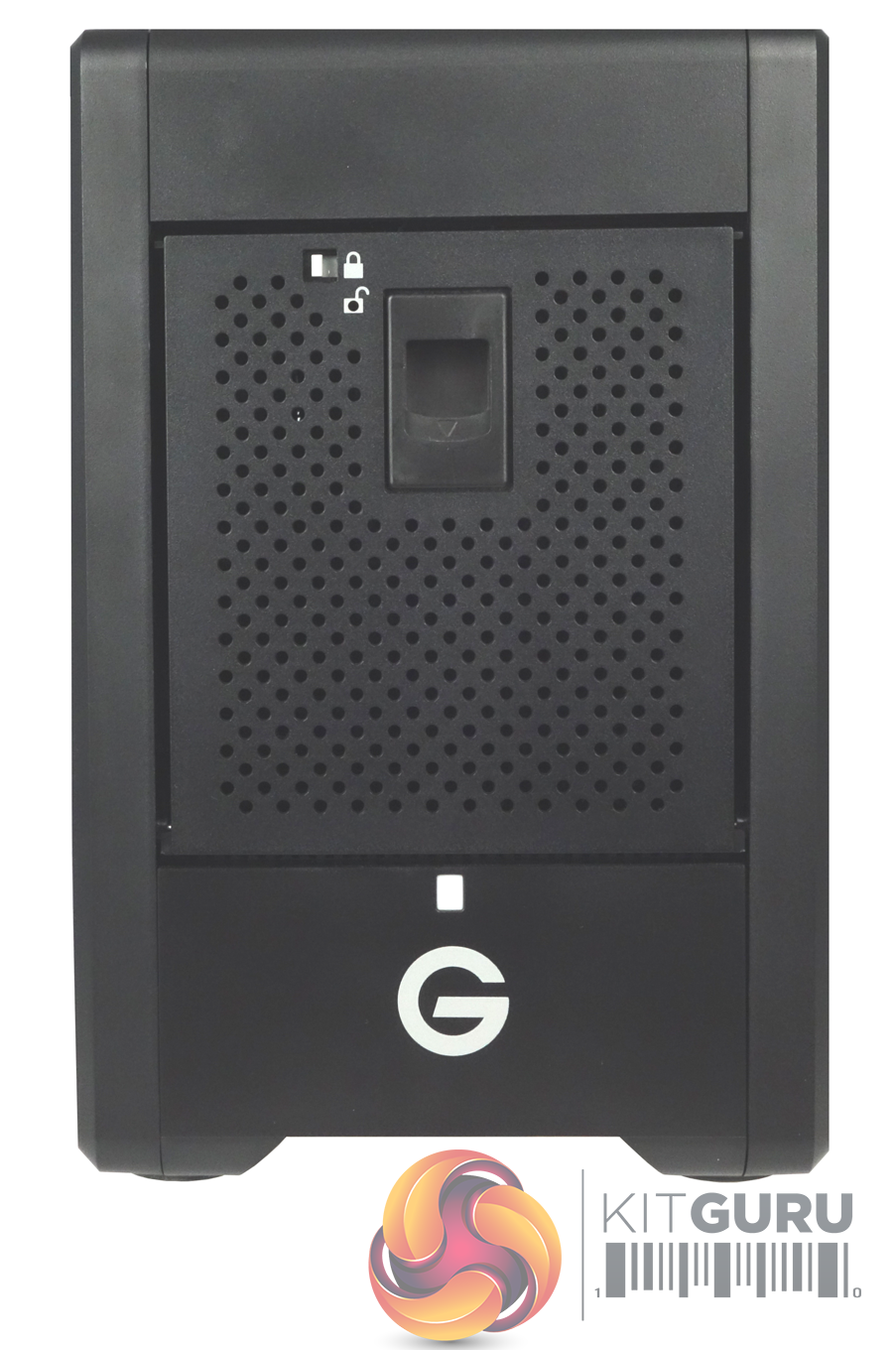
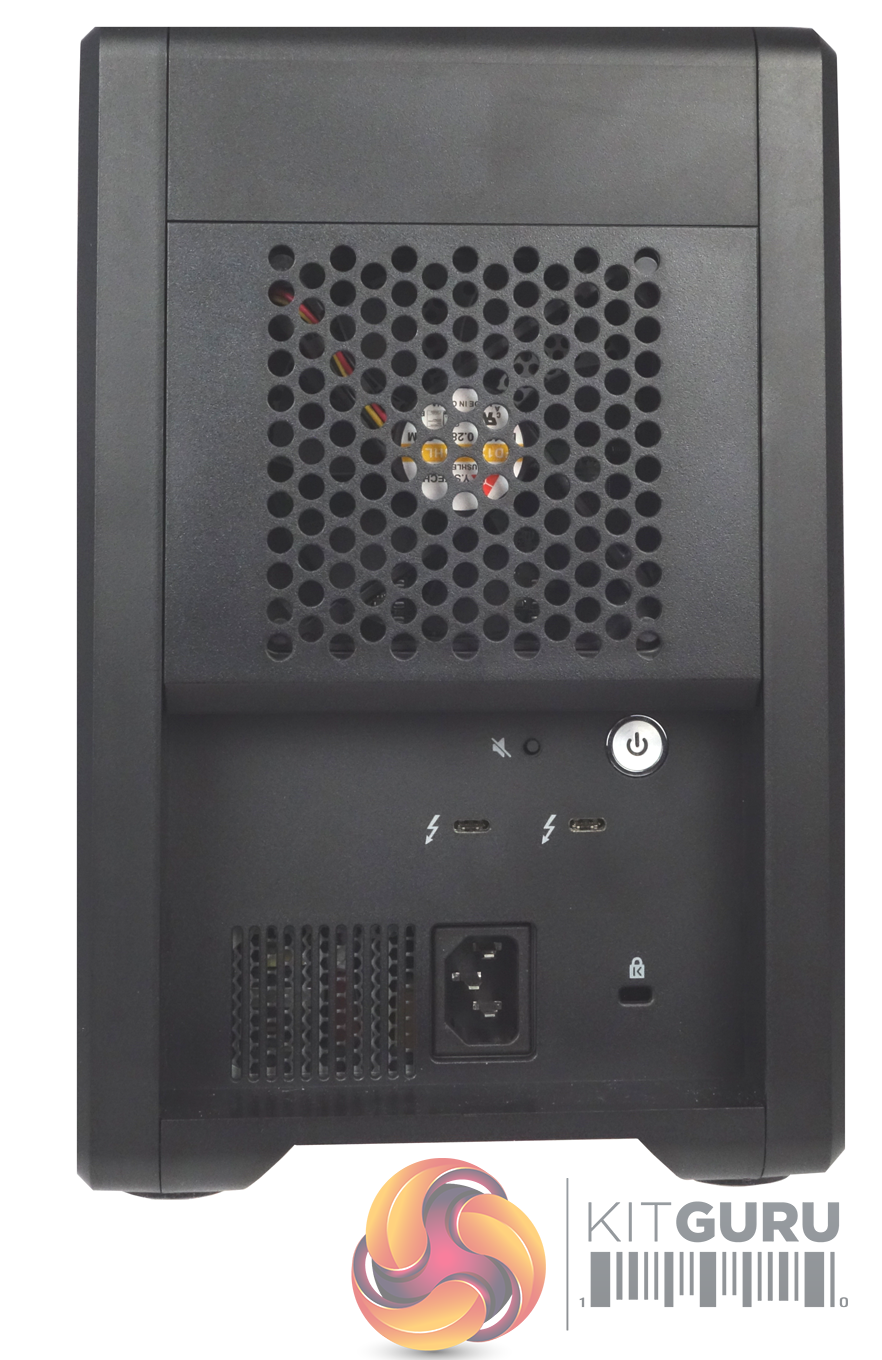
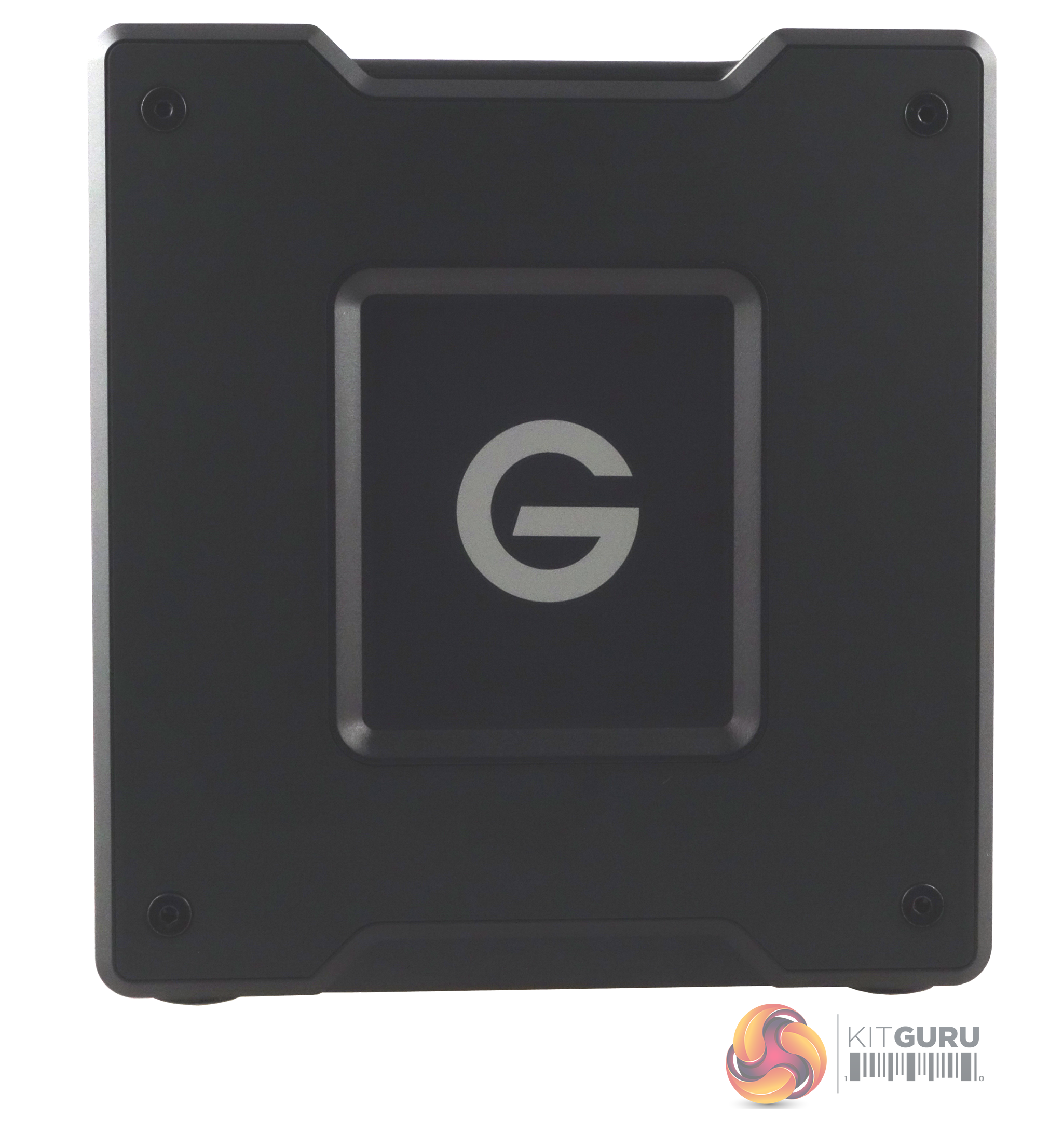
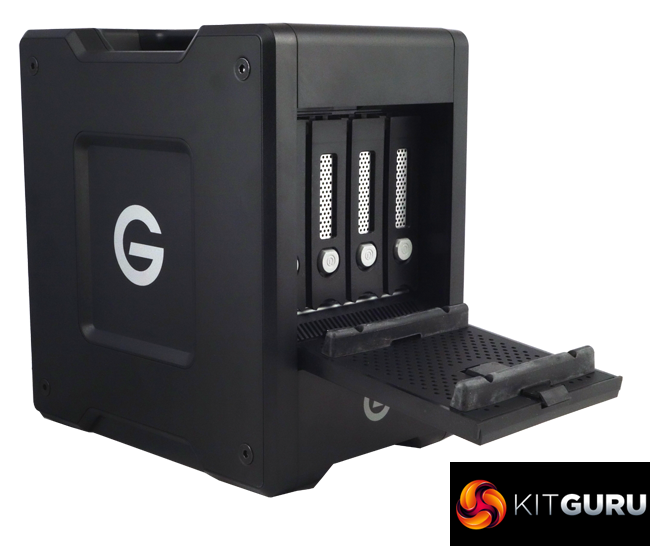
The G-Speed Shuttle's design, to this reviewer at least, looks like a miniature “jerrycan”. It's been designed to be carried and although it weighs in at a fairly hefty 7.4Kg, the broad carrying handle has been well thought out to make lugging it around as easy as possible.
The front of the unit is dominated by the drive bay door which hinges down to access the drives. At first glance it looks like the door has a simple sliding lock, but it's a bit more intelligent than that. Once the lock is enabled you can't move the latch. Instead you have to use something like a paper-clip pressed into the marked hole in the door under the lock to free the latch – a simple but effective way of added security while the drive is being transported around. Under the door is a drive activity LED.
The rear of the G-Speed Shuttle is dominated by the grill for the 120mm fan (YS Tech FD129225HL-N) cooling fan. Under this and in a recessed panel sit the power button, which is a bit awkward to get at to say the least, the two Thunderbolt 3 ports, a speaker mute button and the power socket.
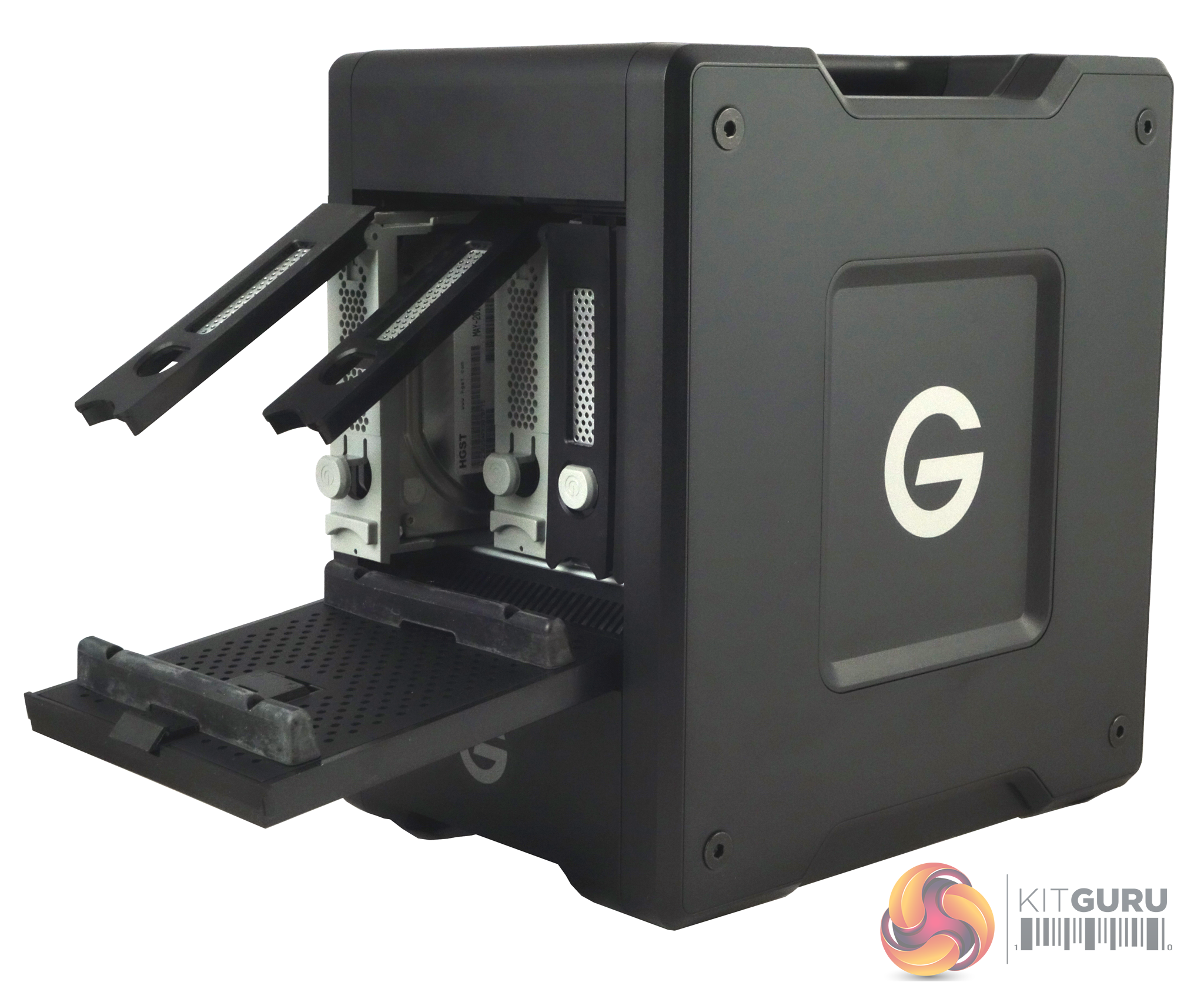
The four vertically mounted drive bays are found behind the door in the front panel. The drive trays themselves are locked in position via a simple button and lever mechanism. Unfortunately the drive trays are not a tool-less design, but as this is a box designed to be carried around that makes sense as it does provide extra security to stop any drive movement while in transit. Each of the trays has a drive indicator LED built into it. Also you need to bear in mind that the drives are not hot-swappable.
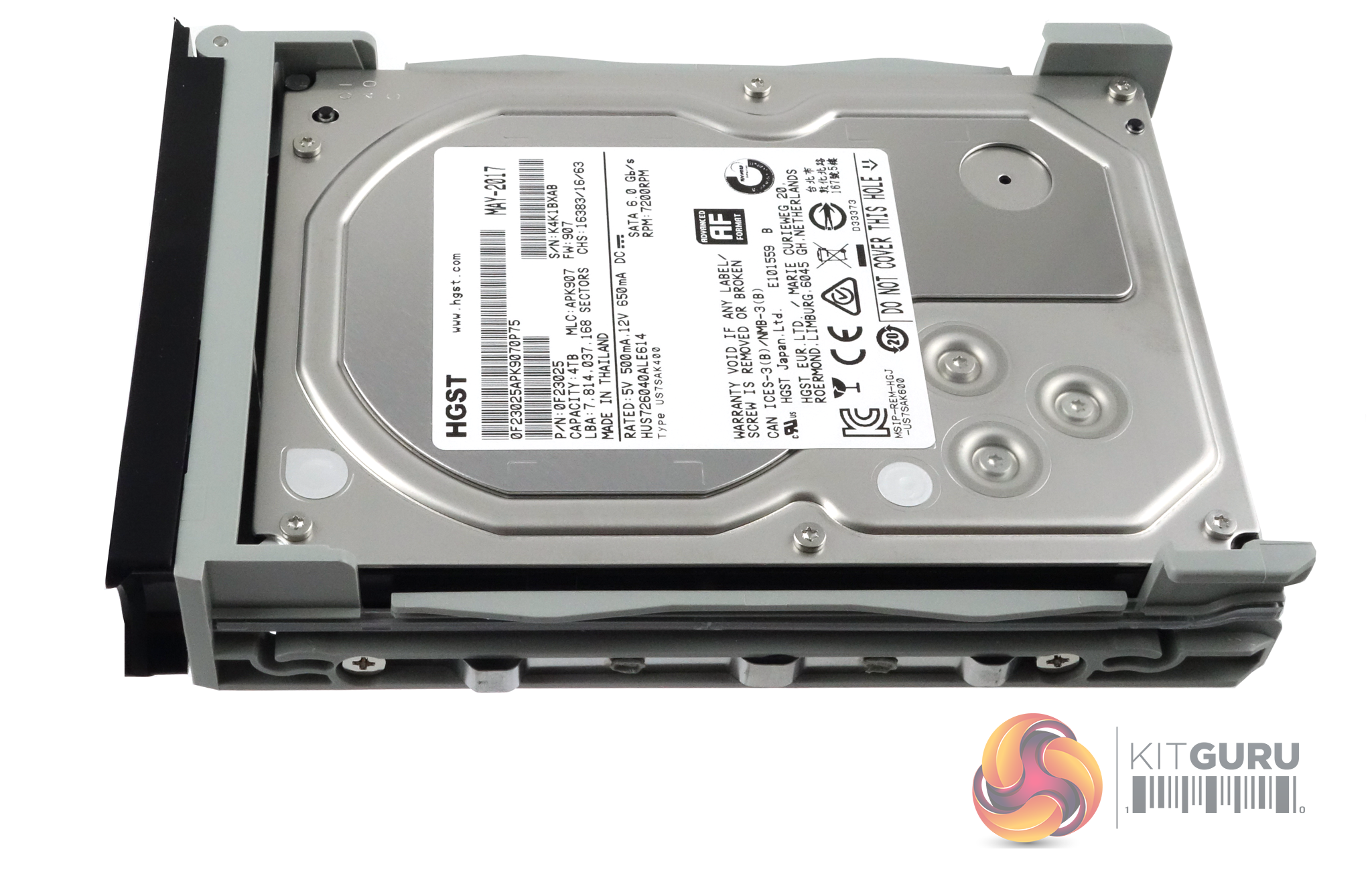
The G-Speed Shuttle 16TB comes with four 4TB HGST Ultrastar 7K6000 enterprise class drives pre-installed. The Ultrastar 7K6000 uses five 800GB platters (discs), each with a maximum areal density of 446 Gbits/sq. in to reach its 4TB capacity.
It has a spin speed of 7,200rpm, 64MB cache and a 4.6ms latency figure. Official access times for the drive are 7.6ms for reads and 8.0ms for writes.
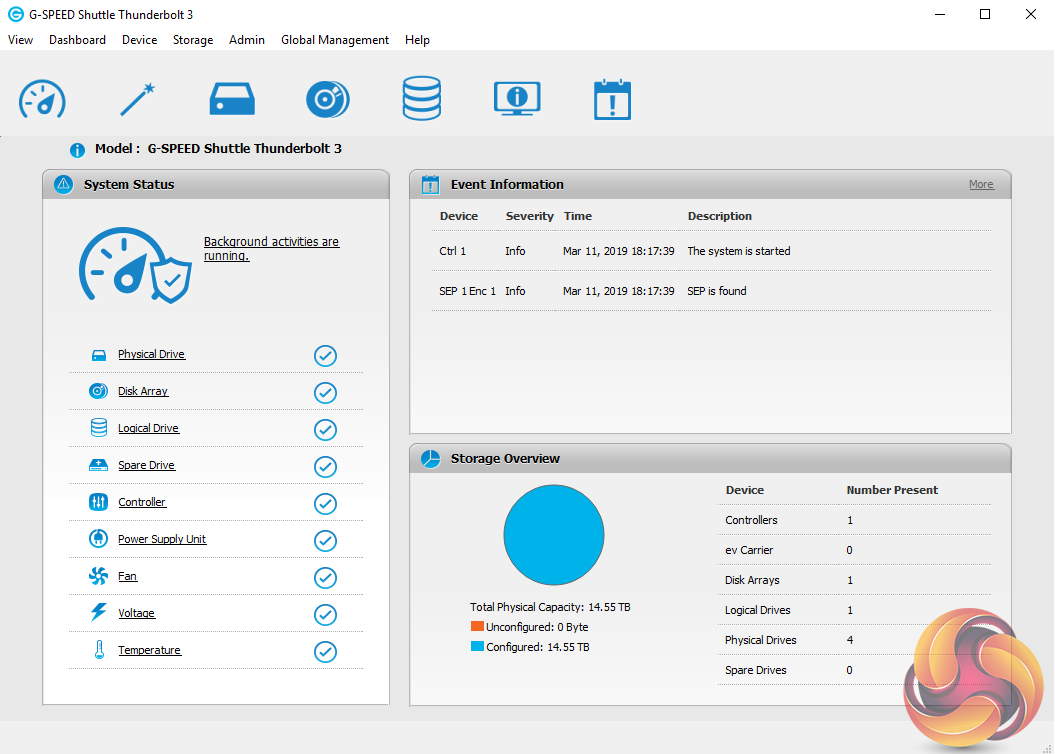
The first thing you need to do to get the ball rolling with the G-Speed Shuttle is to download the Windows driver and the G-Speed Utility software from the G-Technology website. The G-Speed utility is a very impressive utility and would give some of the lesser NAS OS's out there a run for their money with the amount of features it has.
The main System Status window is split into three panes. The top right pane displays a list of events for the unit while under this is an overview of how the capacity of the G-Speed Shuttle is being used.
The left hand pane holds a really useful list of shortcuts to various information pages such as Physical and Logical drives, RAID arrays, any spare drives and cooling, voltage and temperature status readings.
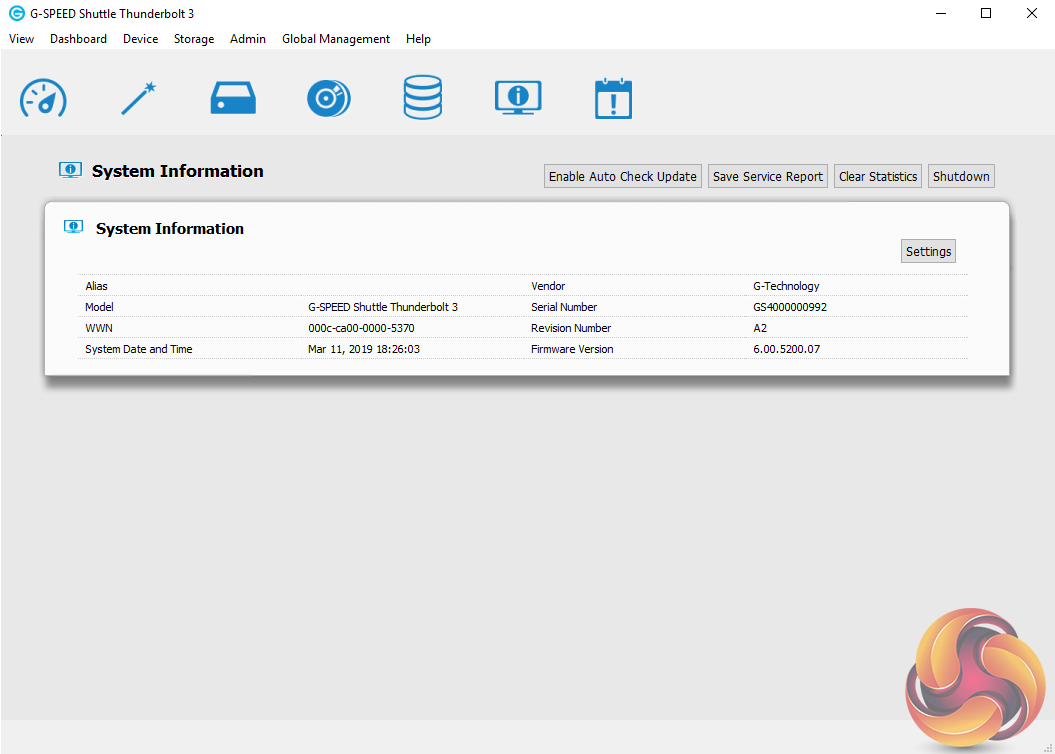
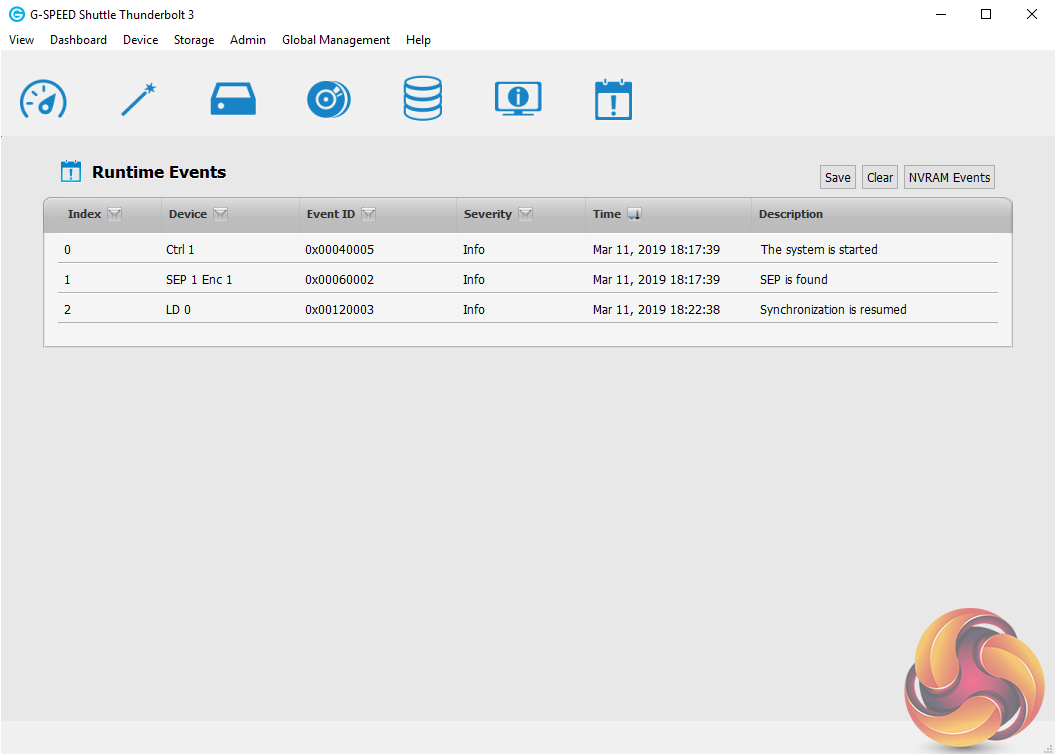
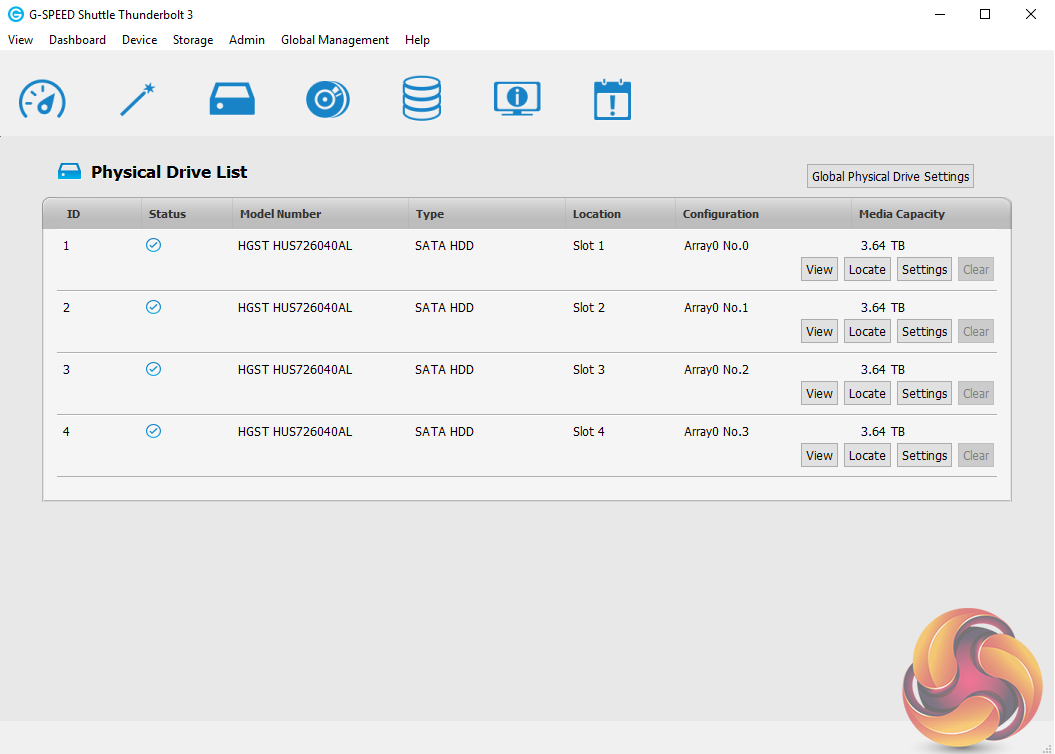
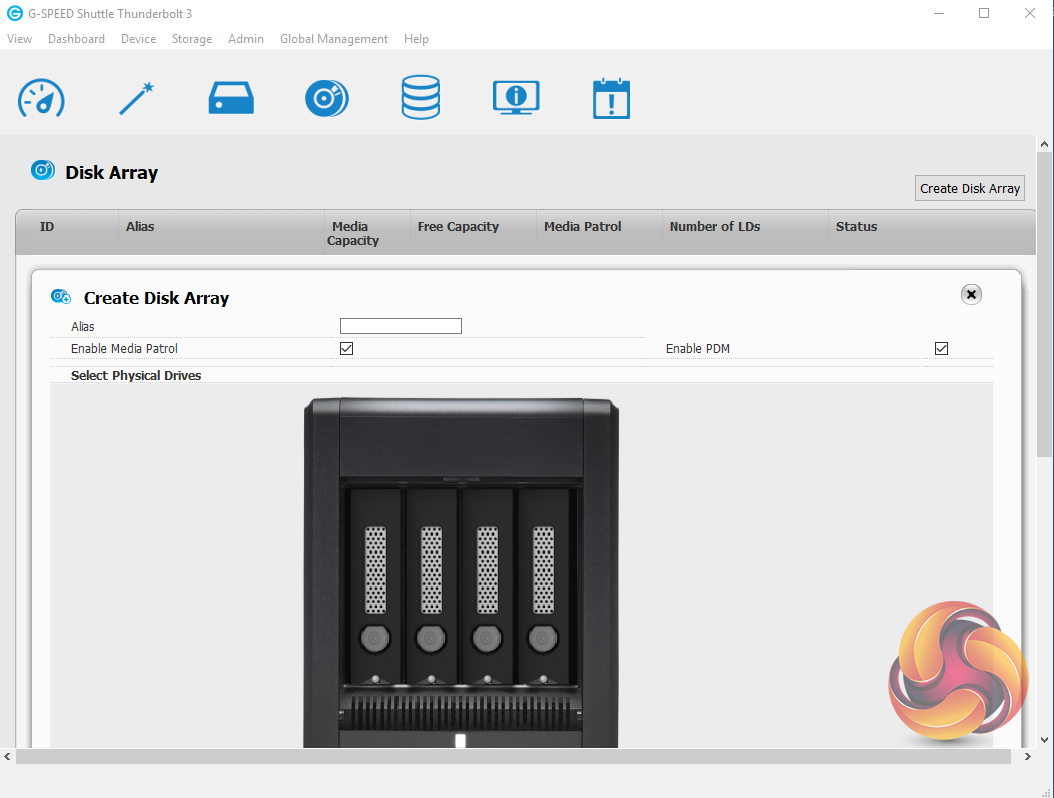
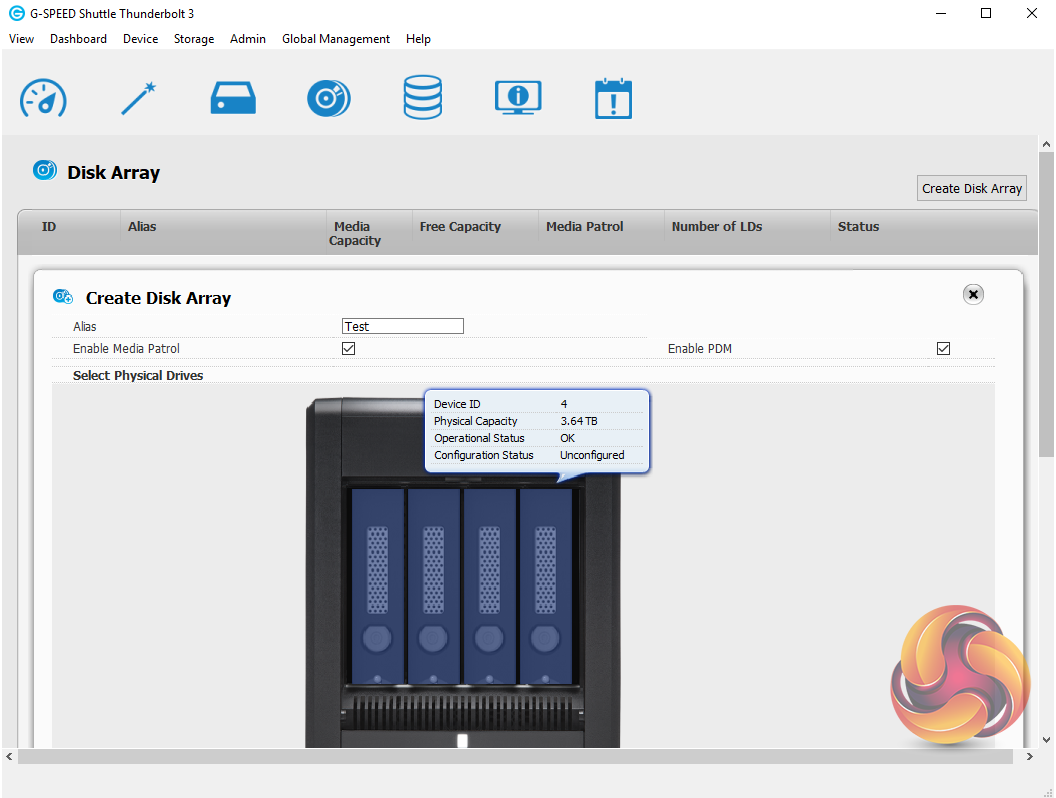
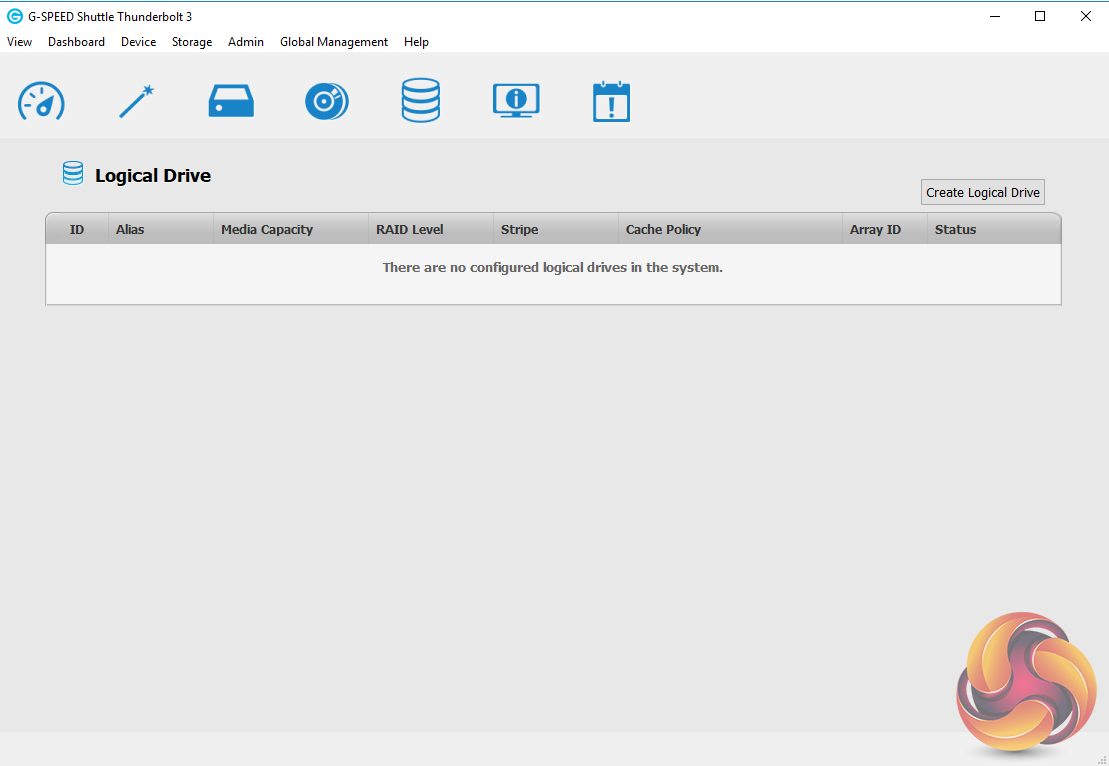
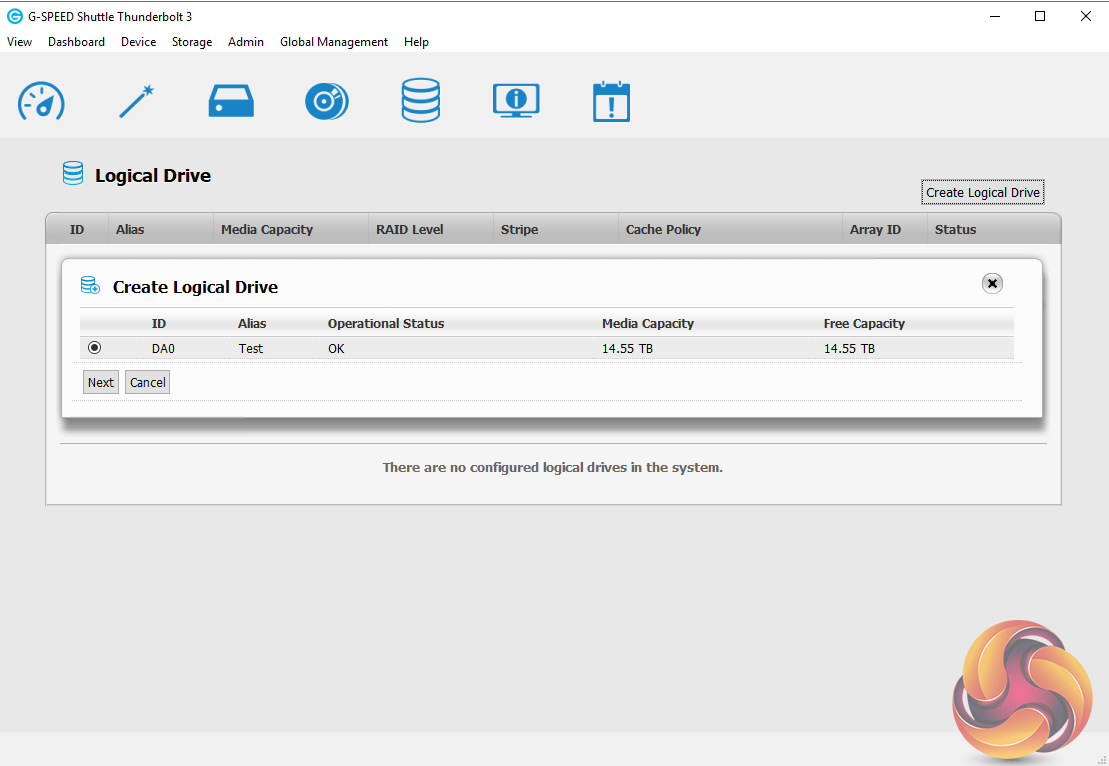
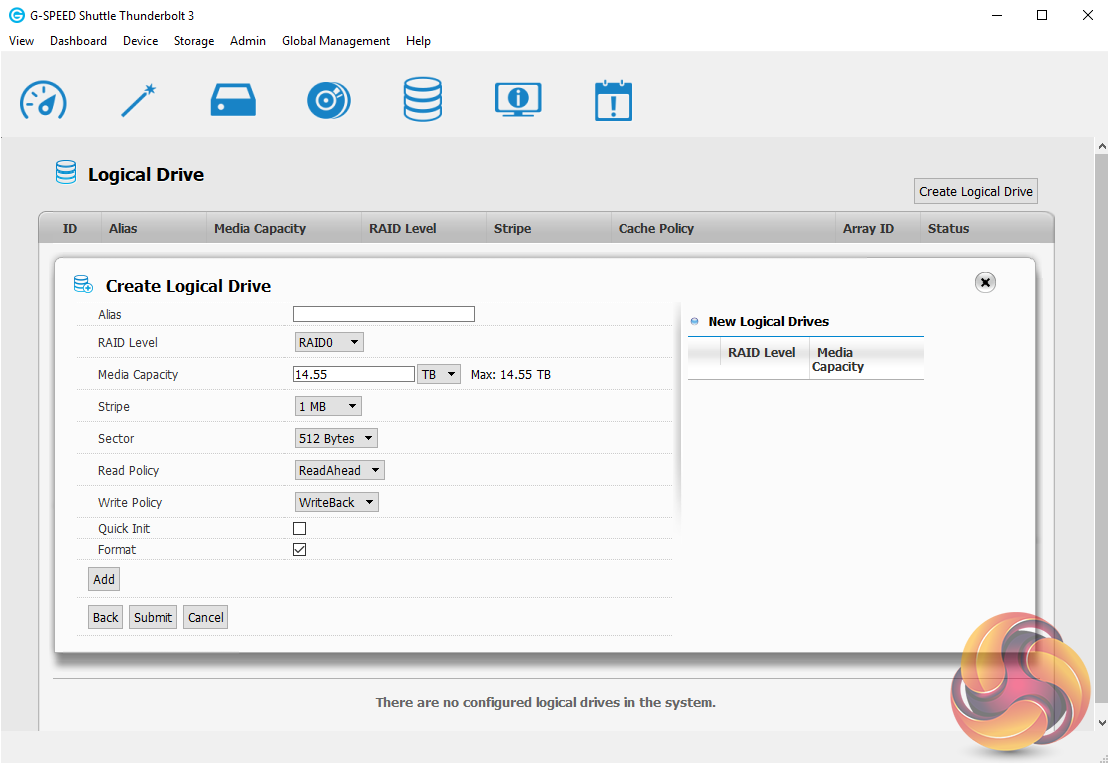
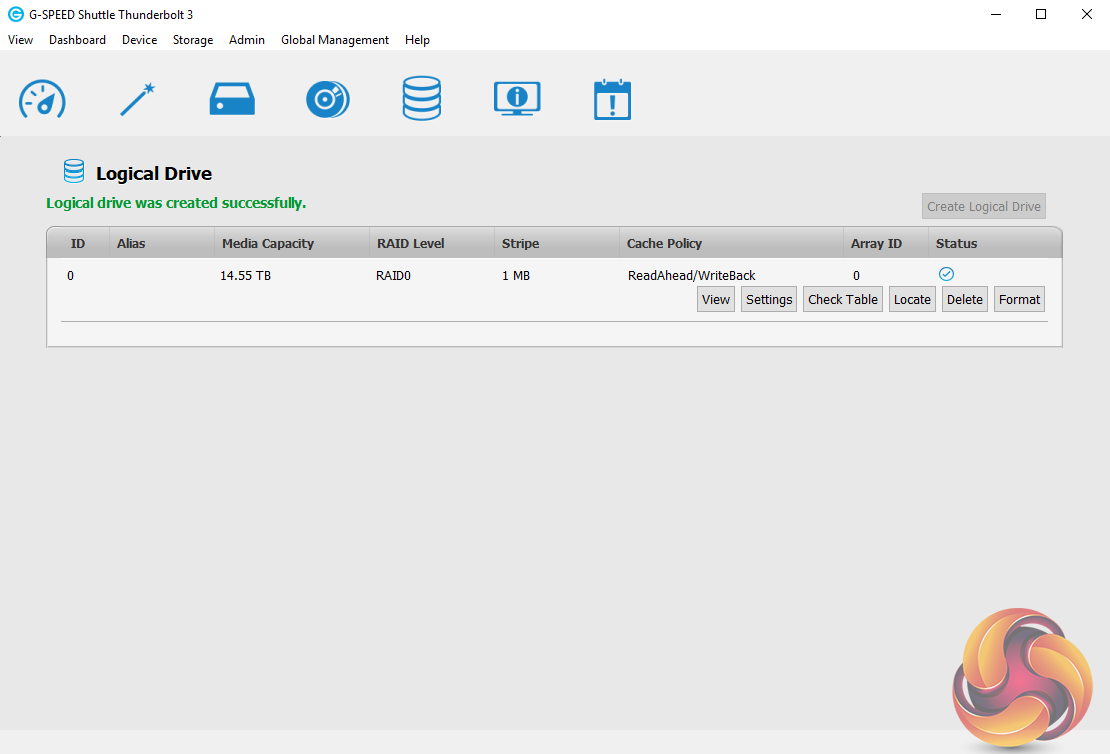
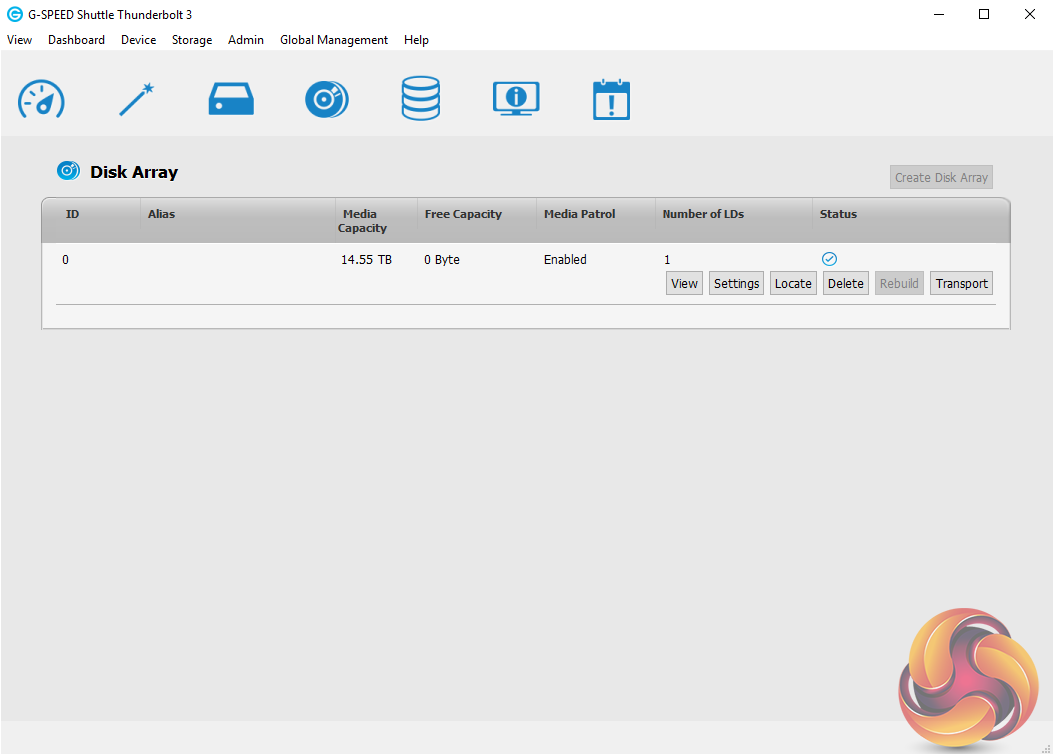
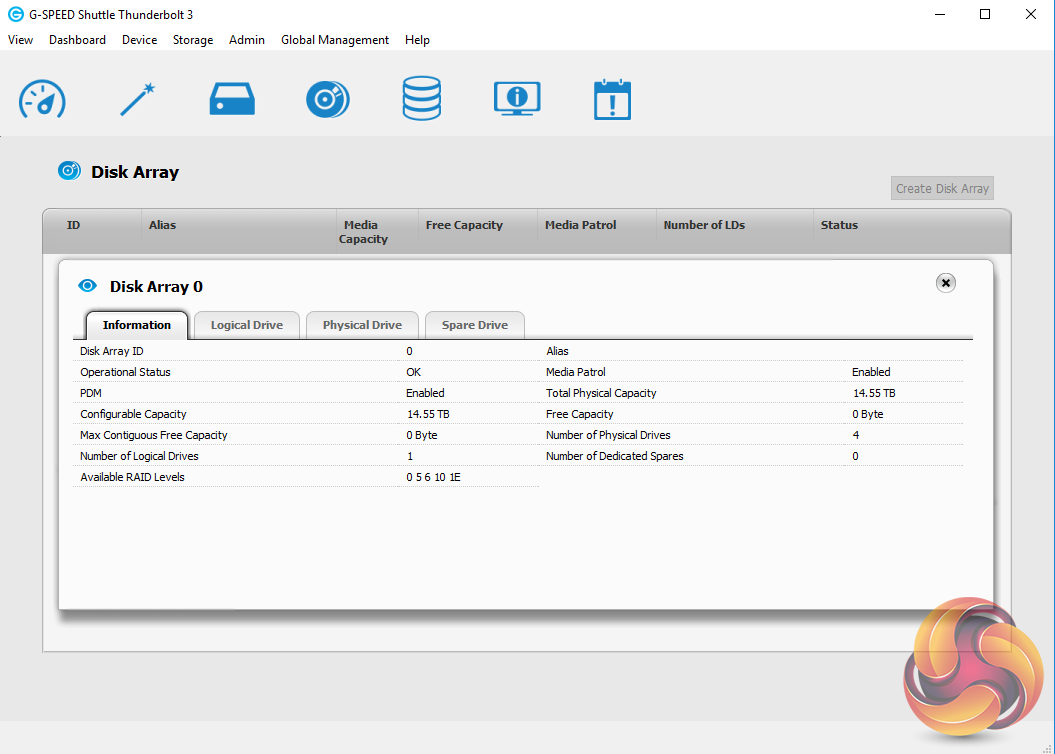
Setting up logical drives and RAID arrays is quick and easy to do thanks to the G-Speed utility although it does take a while to synchronise the disks in a RAID array if you choose that option; around 8 hours for a RAID 6 array for example.
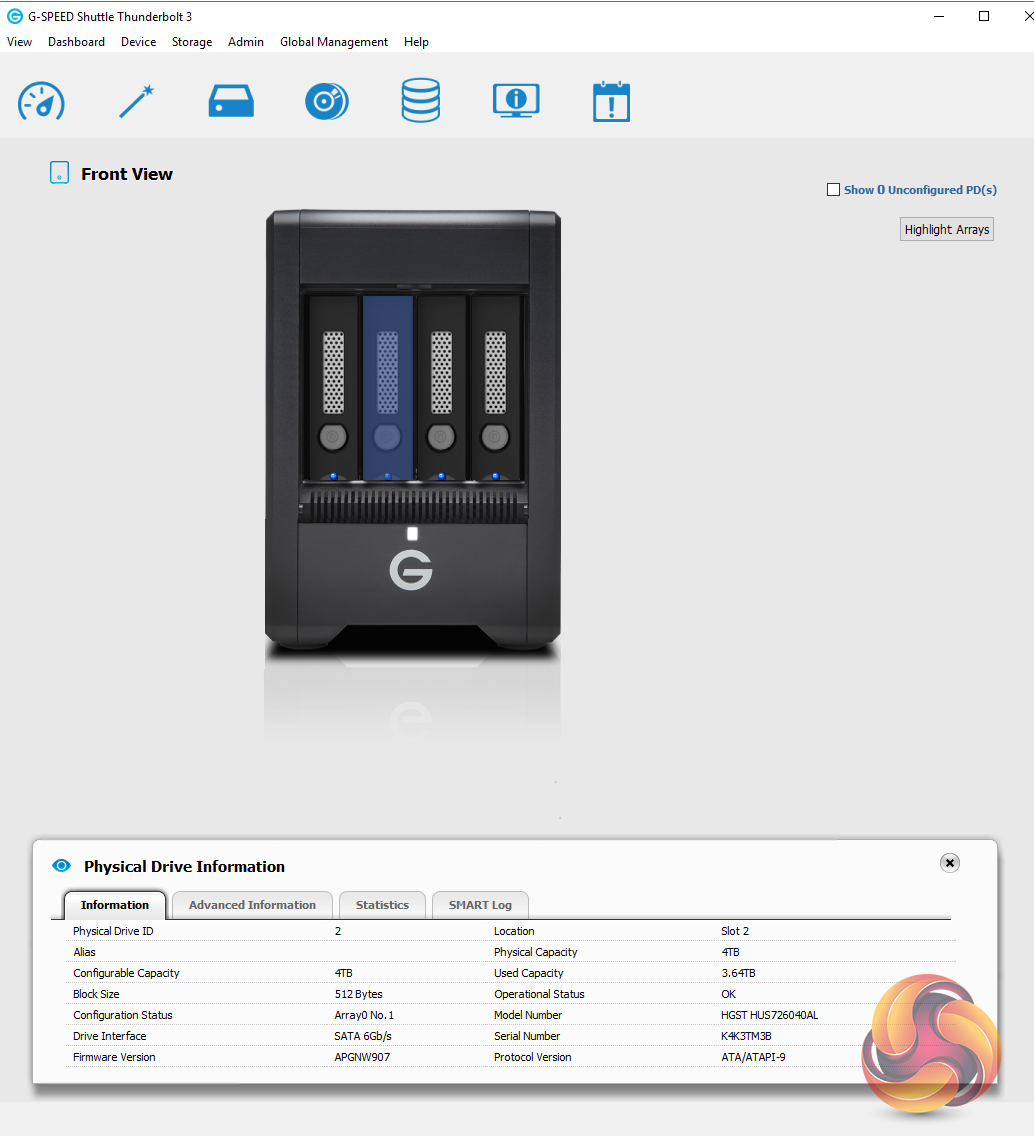
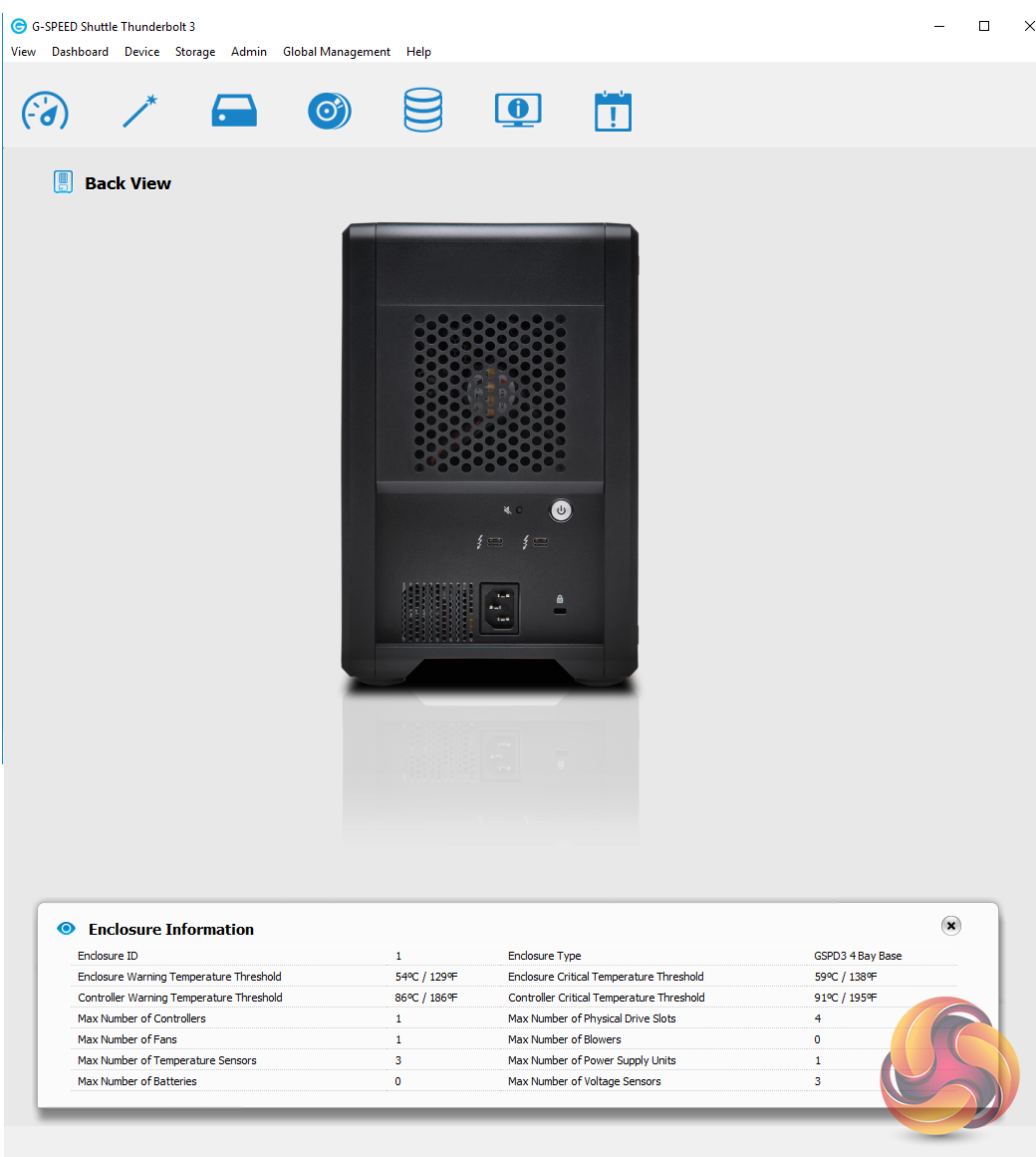
Device View is a useful tool that displays images of the front (with the door removed) and rear of the G-Speed Shuttle. With the front view, moving the mouse over a drive will display a pop up window with brief details of the drive while clicking on it displays full drive information under the image. Similarly, clicking on the fan area on the rear view displays detailed information about the enclosure.
Out of the box the four 4TB HGST Ultrastar 7K6000 (7,200rpm) drives in the G-Technology's G-Speed Shuttle are setup in a RAID 5 array. We tested it in this configuration and then tested each other RAID array that the unit supports; RAID 0, 1, 6 and 10.
To test the G-Speed Shuttle we used an Asus ThunderboltEX3 add-in card in our standard test rig: Intel Core i7-7700K with 16GB of DDR4-3200 RAM, Sapphire R9 390 Nitro and an Asus Prime Z270-A motherboard.
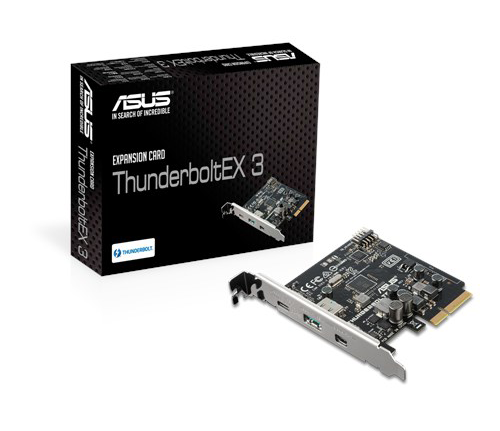
Thanks to Asus for their support with this. You can see more information on this card on the ASUS site, over HERE.
The ATTO Disk Benchmark performance measurement tool is compatible with Microsoft Windows. Measure your storage systems performance with various transfer sizes and test lengths for reads and writes. Several options are available to customize your performance measurement including queue depth, overlapped I/O and even a comparison mode with the option to run continuously.
Use ATTO Disk Benchmark to test any manufacturers RAID controllers, storage controllers, host adapters, hard drives and SSD drives and notice that ATTO products will consistently provide the highest level of performance to your storage.
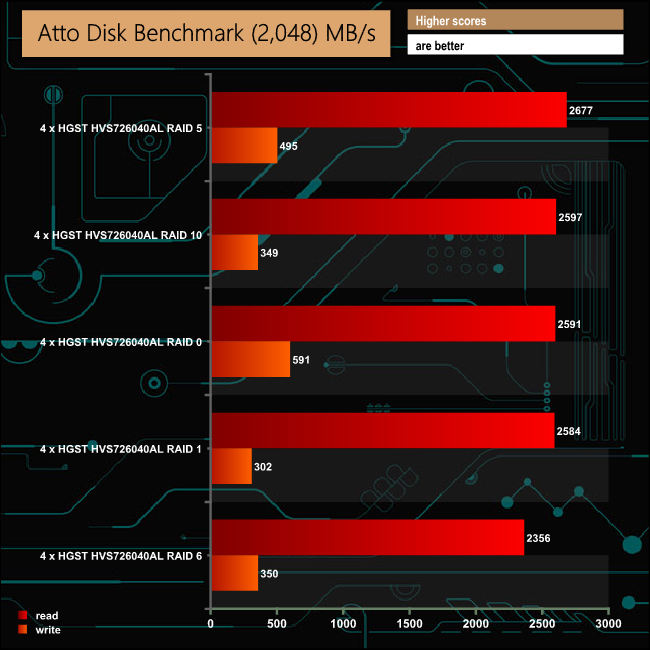
The official transfer speed for the G-Speed Shuttle is up to 1000MB/s, based on reads. With the G-Speed Shuttle connected to our test rig we managed over twice that for all the arrays using the ATTO benchmark.
Crystalmark is a useful benchmark to measure theoretical performance levels of hard drives and SSD’s. We are using V3.0.3.
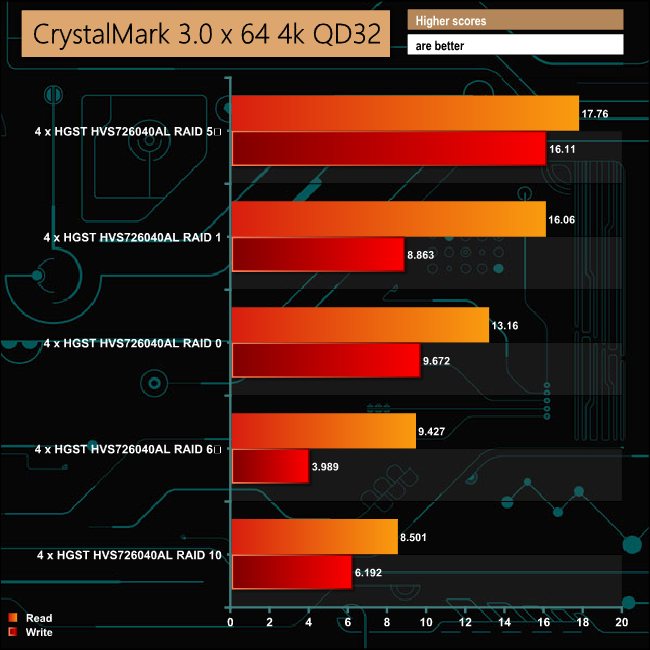
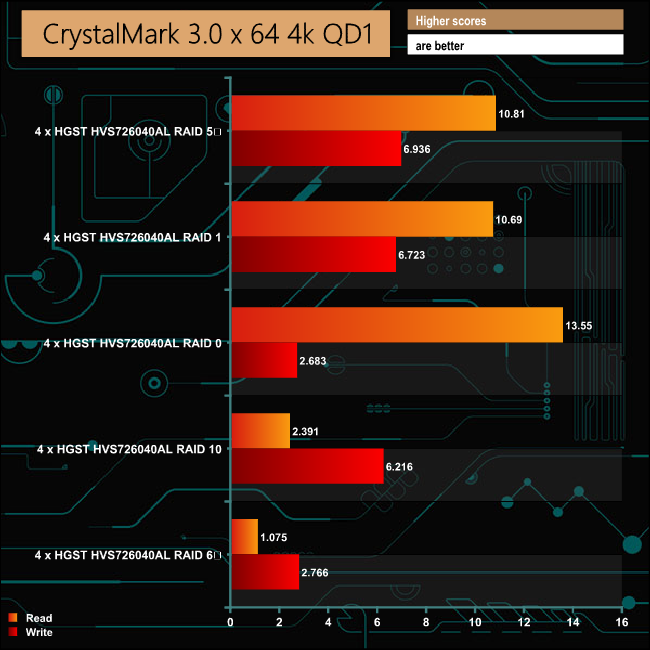
The 4K read/write random performance from the G-Speed Shuttle is pretty impressive with the disks in the default RAID 5 mode.
IOMeter is another open source synthetic benchmarking tool which is able to simulate the various loads placed on hard drive and solid state drive technology.
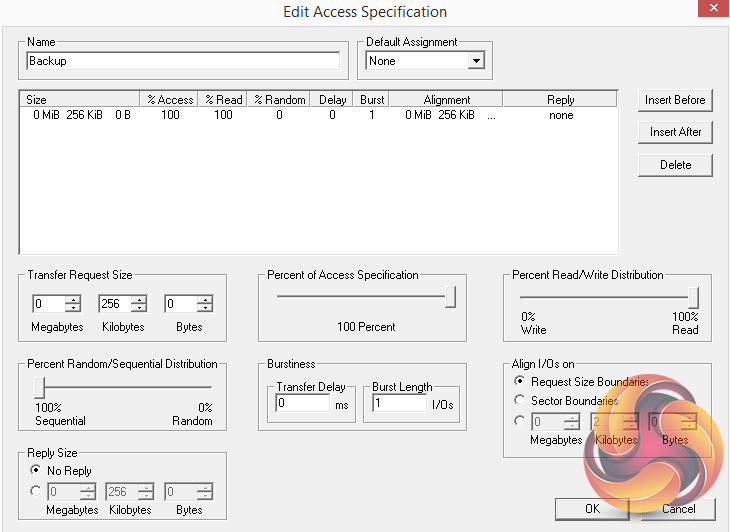
We set IOmeter up (as shown above) to test both backup and restore performance on a 100GB file.
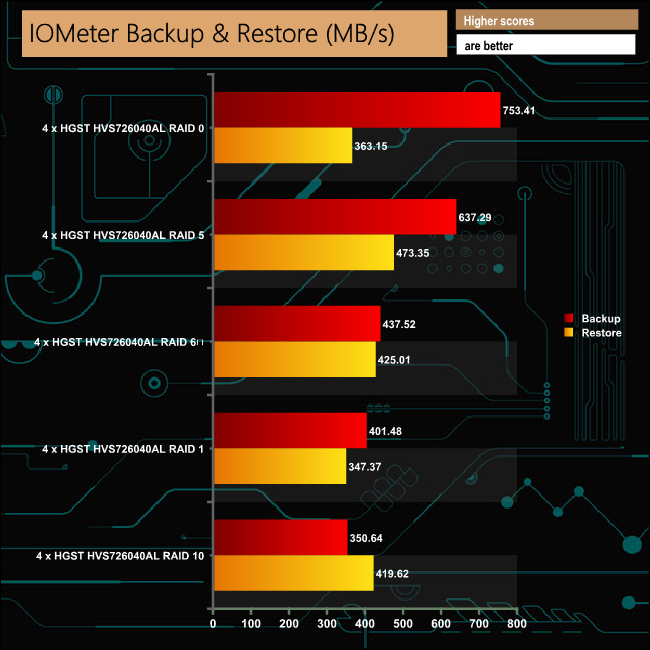
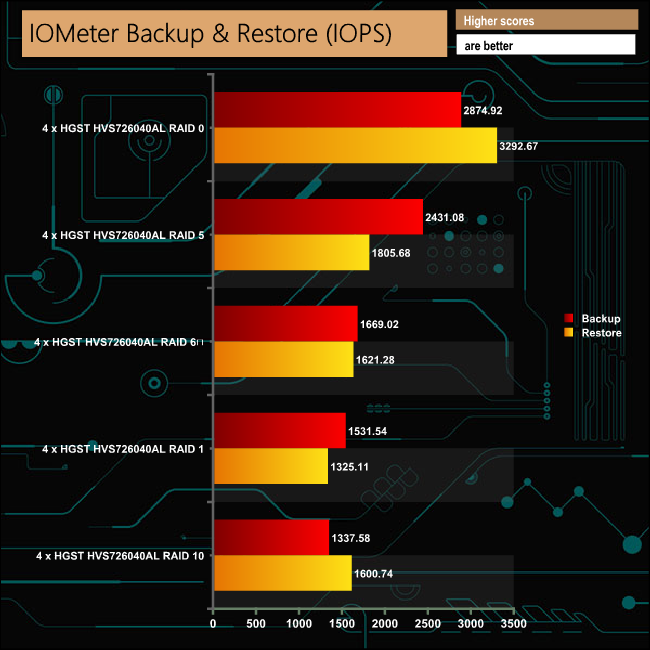
Taking the RAID 0 results out of the equation, the unit was fastest dealing with our backup/restore tests when in its default RAID 5 mode.
To test real life performance of a drive we use a mix of folder/file types and by using the FastCopy utility (which gives a time as well as MB/s result) we record the performance of drive reading from & writing to a 256GB Samsung SSD850 PRO.
At the heart of G-Technology's idea for the G-Speed Shuttle is to a mobile RAID storage system supporting 4K and 8K file transfers. To this end we added both 4K and 8K folders of movie clips to our real life file transfer tests.
We also tested the real life file transfer performance between the G-Speed Shuttle and a fast NVMe SSD (512GB Toshiba OCZ RD400), more akin to the drive you might find in a workstation.
100GB data file.
60GB iso image.
60GB Steam folder – 29,521 files.
50GB File folder – 28,523 files.
12GB Movie folder – 24 files (mix of Blu-ray and 4K files).
10GB Photo folder – 621 files (mix of .png, raw and .jpeg images).
10GB Audio folder – 1,483 files (mix of mp3 and .flac files).
5GB (1.5bn pixel) photo.
BluRay movie.
16GB 4K Movie folder
40GB 8K Movie folder.
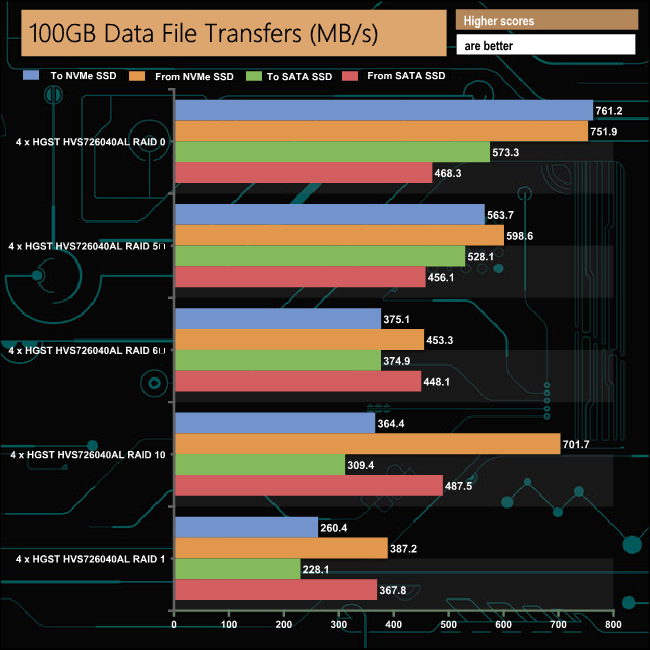
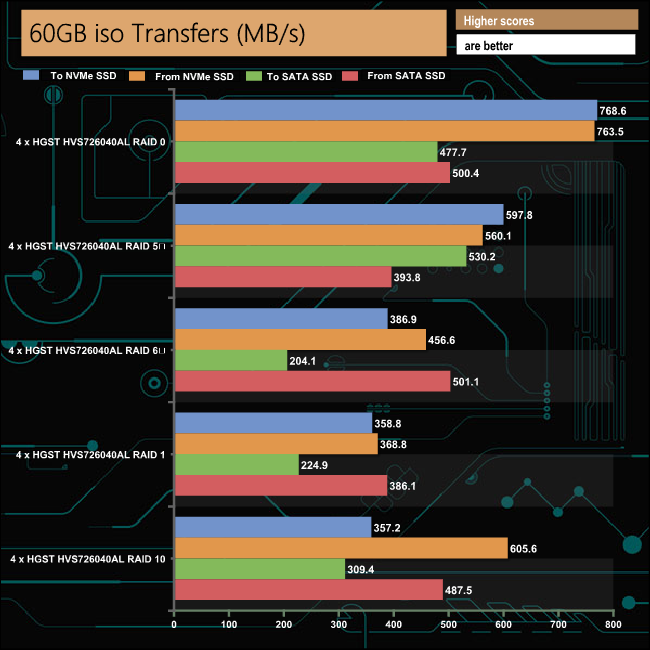
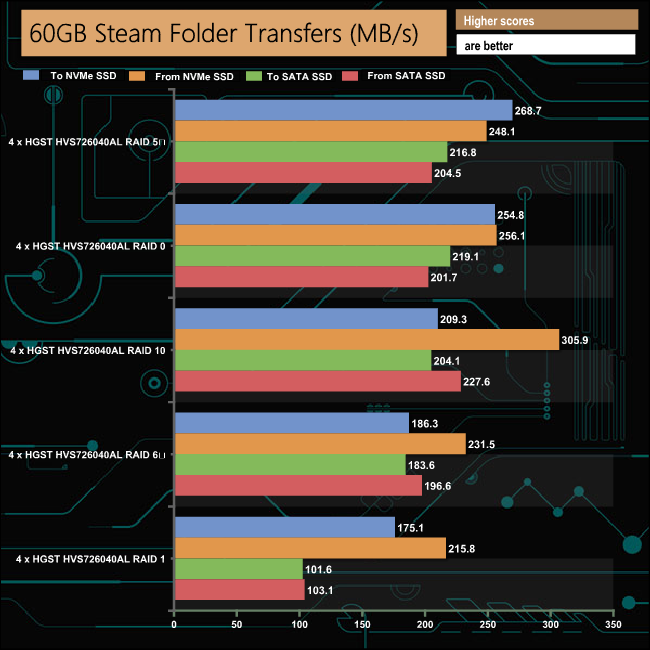
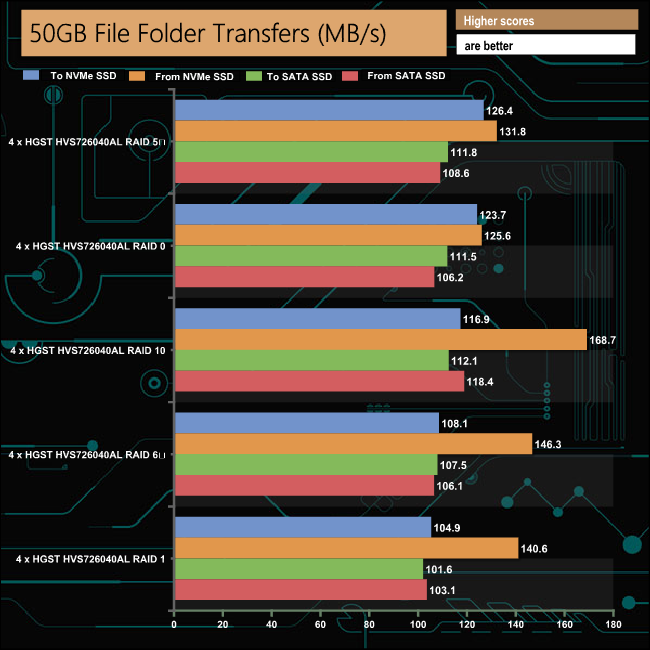
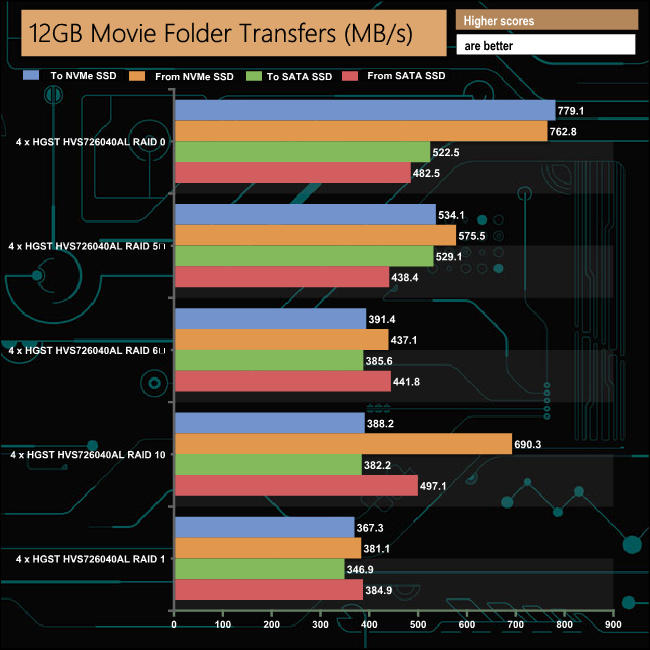
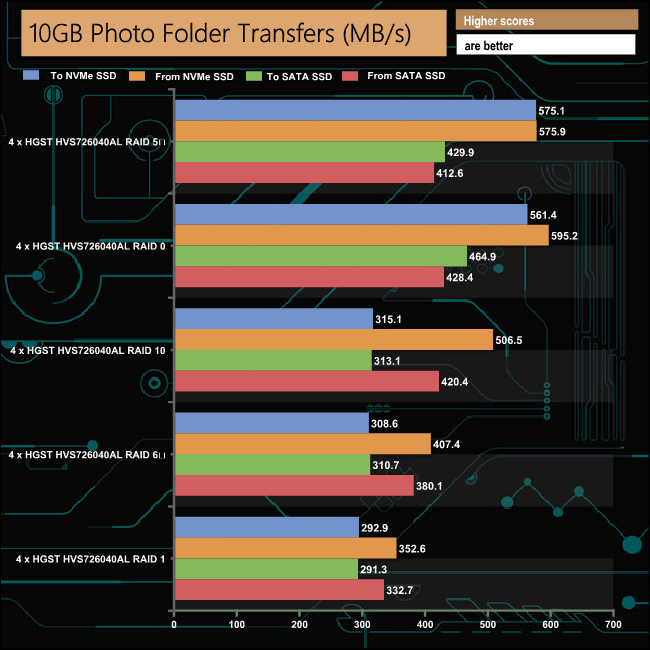
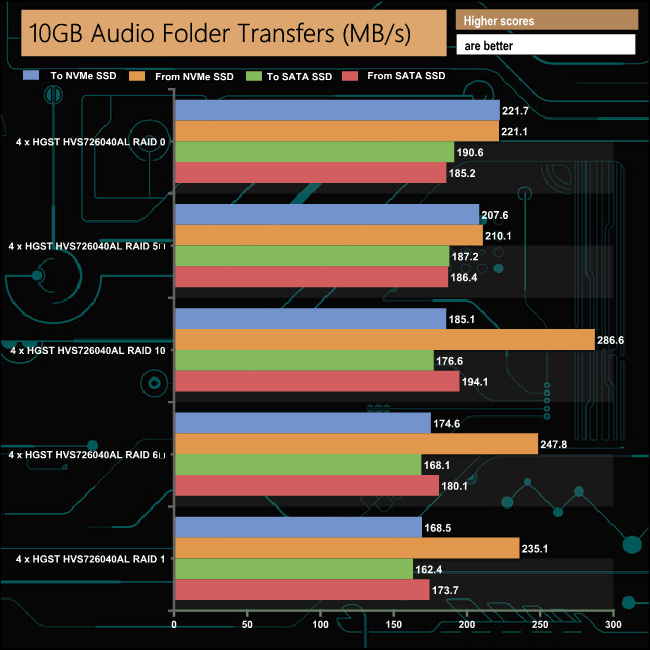
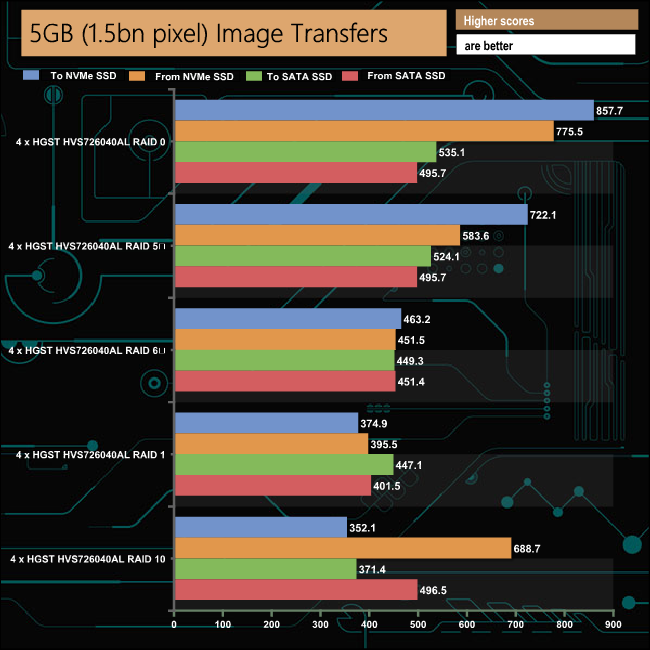
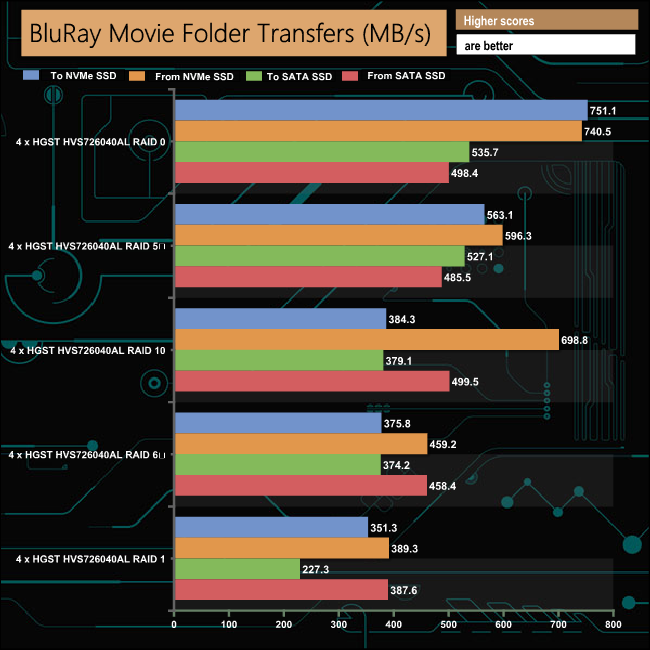
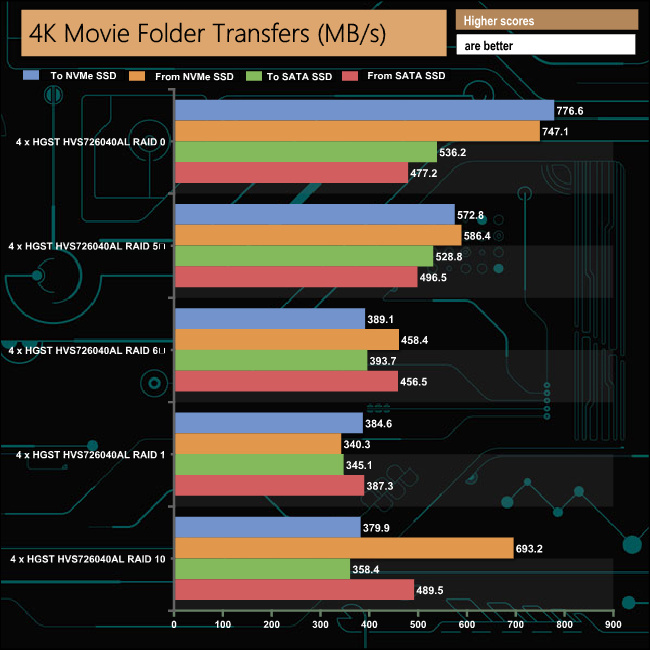
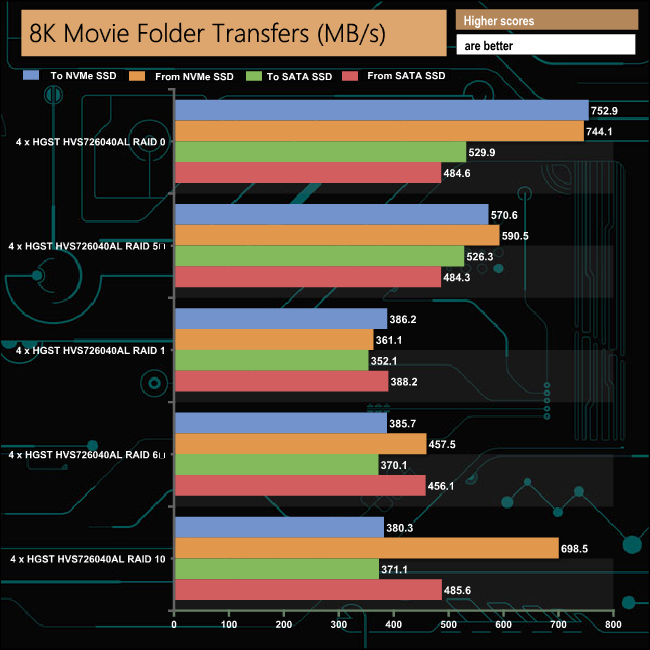
The drive handled our real life file transfers to and from both types of SSD without any problems. The G-Speed Shuttle handles large files very quickly and efficiently. At its default RAID 5 mode, our 16GB folder of 4K clips took just 28 seconds to transfer to the NVMe drive and 27 seconds in the opposite direction while the 40GB 8K folder took 38 seconds to transfer to the NVMe drive and 36 seconds to write back to the unit.
G-Technology, WD's professional-grade storage arm offers a wide range of desktop external drive solutions from single bay to multi bay units most of which now have Thunderbolt 3 interfaces.
The G-Speed Shuttle series are one of the more novel devices, in the fact that they have been designed to be multi-bay drive, RAID supporting units that can be carried about – think NAS with a carrying handle. With its dual Thunderbolt 3 interfaces you can chain up to 5 additional devices such as other drives, 4K displays etc.
Out of the box the G-Speed Shuttle comes with its four enterprise class drives built into a RAID 5 array but it also supports RAID 0, 1, and 10.
Strangely RAID 6 isn't mentioned in the specs for the unit, but although it may not say in the specs that it supports it, the G-Speed software utility offers it as an option and we built the drives in a RAID 6 array and tested them without any problems. Another thing to bear in mind is that the drives are not hot-swappable.
The G-Speed software is easy to install and use and it gives some of the lesser NAS OS's out there a run for their money with some of the options available. It offers full information about all aspects of the enclosure and the drives in it and it allows for quick and easy setting up of the various RAID levels supported.
The official transfer rate for the G-Speed Shuttle Thunderbolt 3 is up to 1000MB/s in a RAID 0 array. Testing the unit plugged into our standard test rig, that figure appeared to be very conservative to say the least, as in the ATTO benchmark the review unit produced a read score of 2,677MB/s.
Write performance on the other hand wasn't much to write home about at 495MB/s in RAID 0. However in our real life file transfer tests we got much closer to that official figure, the fastest transfer rate in RAID 0 being the 857.7MB/s for the 5GB Photo transfer test.
To test how quickly the drive can transfer 4K and 8K files to and from an NVMe SSD (512GB Toshiba OCZ RD400) we created two folders, one with 16GB of 4K Movie clips and the other with 40GB of 8K Movie content and timed the transfers using the FastCopy utility with the drives built in the default RAID mode of RAID 5.
The 4K folder took 28 seconds (572MB/s) to transfer to the NVMe SSD and 27 seconds (586.4MB/s) to write back the data. The 8K data took just 38 seconds (570MB/s) to transfer to the NVMe drive and just 36 (590MB/s) to come back the other way.
We found the 16TB G-Technology G-Speed Shuttle on Span.com for £1,696.80 (inc VAT) HERE
Pros.
- Read transfer speed.
- 5-year limited warranty.
- G-Speed software.
Cons.
- Doesn't support hot swapping of drives.
- Pricey.
Kitguru says: Yes it's a niche product and yes it's pricey, but if you need to physically move around very large chunks of data with full RAID protection and then transfer them at high speed, it's just the tool for the job.