 KitGuru KitGuru.net – Tech News | Hardware News | Hardware Reviews | IOS | Mobile | Gaming | Graphics Cards


Recently at KitGuru, we have reviewed a number of (pricey) all-in-one liquid coolers. While AIOs typically offer good performance and funky visuals, there are several valid reasons why you may not want to go with a liquid cooler. Because of that, today we look at the Arctic Freezer i32 air cooler. Priced at around the £30 mark, is the Freezer i32 a good option for an air cooler on a budget?
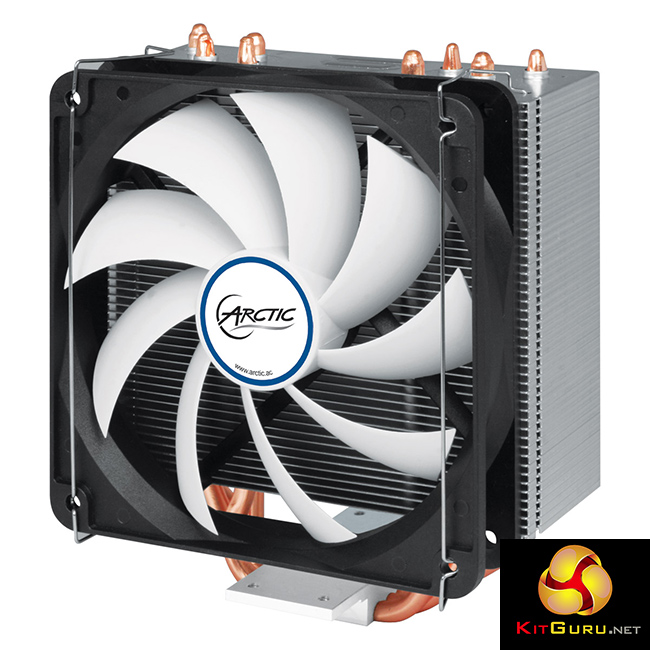
While the Arctic Freezer i32 is a low-cost cooler, it is not without its special features. Most interestingly, Arctic market the Freezer i32 as a ‘semi-passive' cooler. Essentially, the included F12 fan is designed to only spin up once the CPU is under some load – at idle, it simply does not spin. In this review, we take you through the included accessories, the installation process and the cooler's performance to see whether it is worth buying.
Specifications
- Intel Socket: 1150, 1151, 1155, 1156, 2011*, 2011-3* (*SQUARE ILM (80 x 80 mm spacing) only)
- Max. Cooling Capacity: 320 Watts
- Recommended for TDP up to: 150 Watts
- Fan Diameter: 120 mm
- Fan Speed: 0 – 1,350 RPM (Controlled by PWM)
- Fan Noise Level: 0.3 Sone
- Fan Current / Voltage: 0.20 A / +12V DC
- Heatsink (with fan) dimensions: 123 x 95 x 150mm (L x W x H)
- Heatsink (with fan) weight: 641 grams
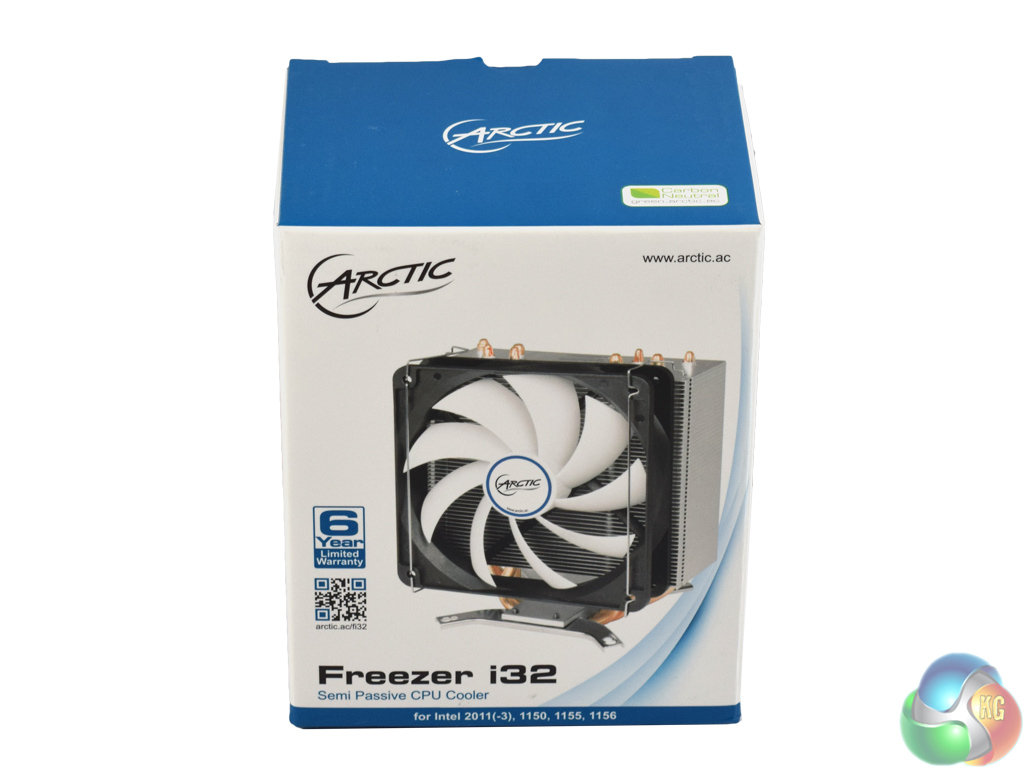
The Arctic Freezer i32 ships in a familiar-looking box – Arctic's other coolers (such as the Liquid Freezer 240) also ship in white-and-blue boxes.
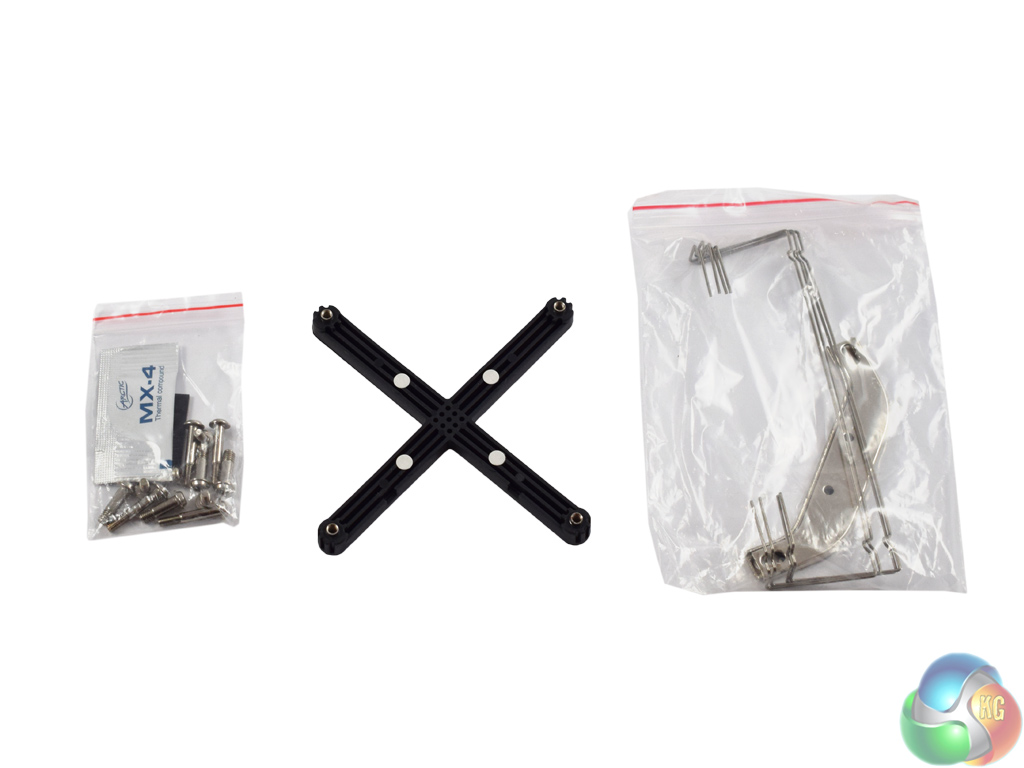
Inside, there is little in the way of accessories. This is partly due to the fact that the Freezer i32 only supports Intel sockets. There is an AMD equivalent, the Freezer A32, so make sure you don't buy the wrong one!
What you do get, however, is a standard backplate, four fan clips, two mounting brackets, a sachet of thermal paste, and finally an assortment of screws.
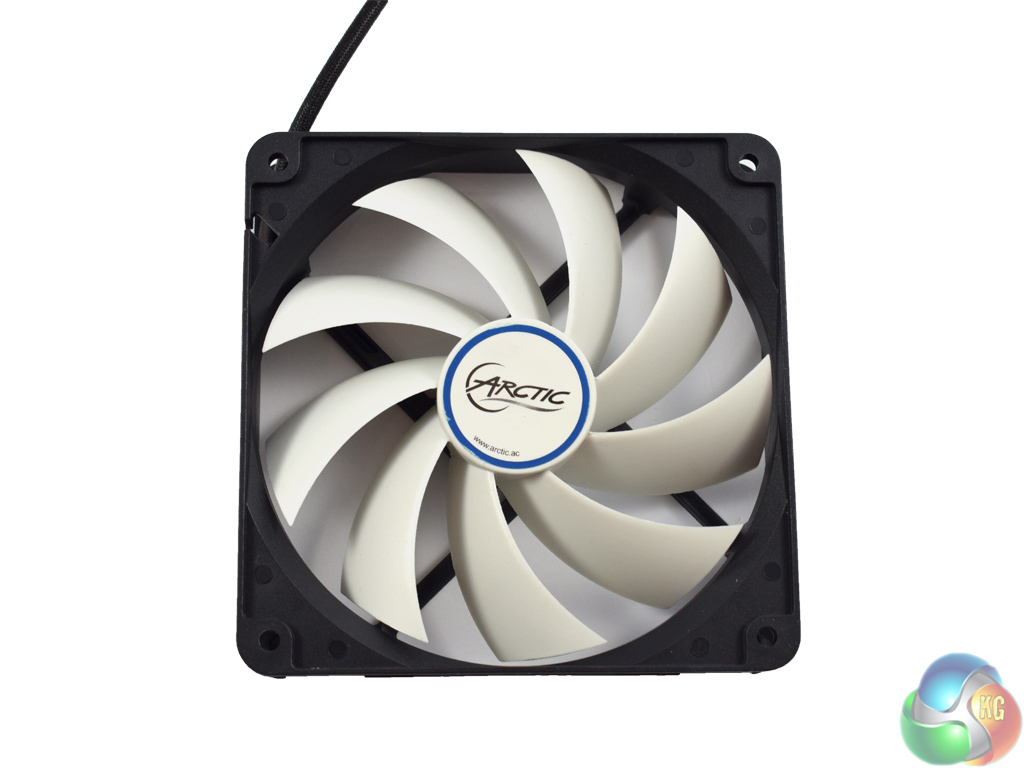
A single 120mm fan is also included – Arctic's F12 fan. As mentioned on the first page, the fan only spins when the CPU is under a certain amount of load – to be precise, when the PWM value reaches 40%.
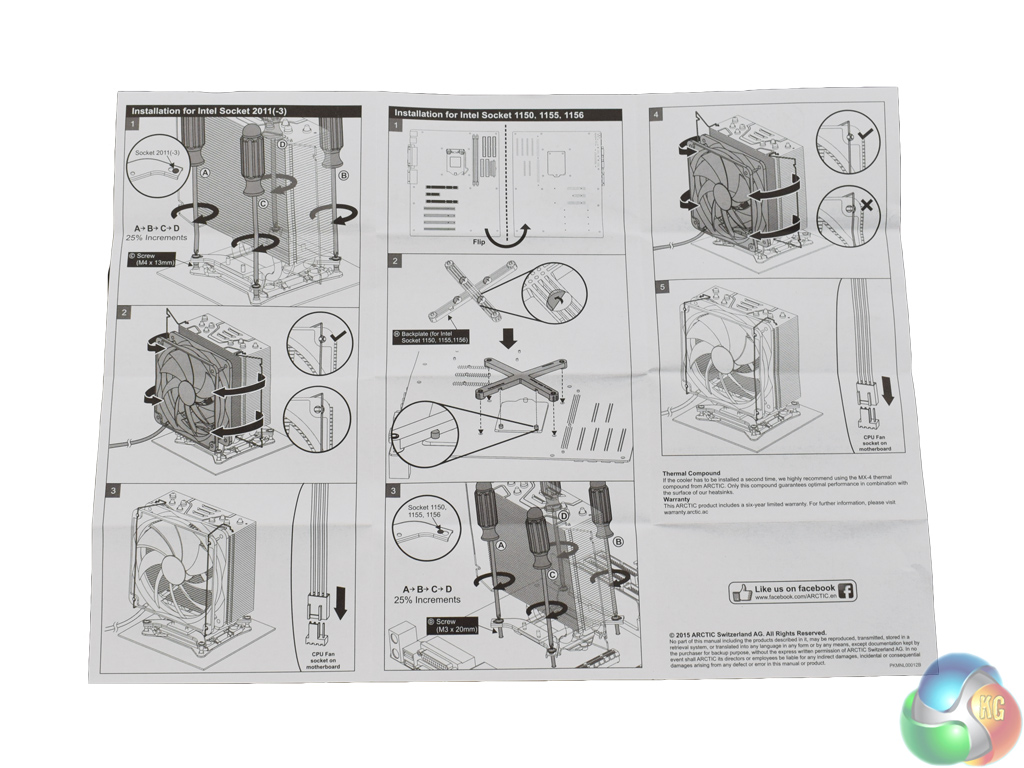
The instructions booklet is clear and detailed, with every step explained for both the LGA 2011 and LGA 115x sockets.
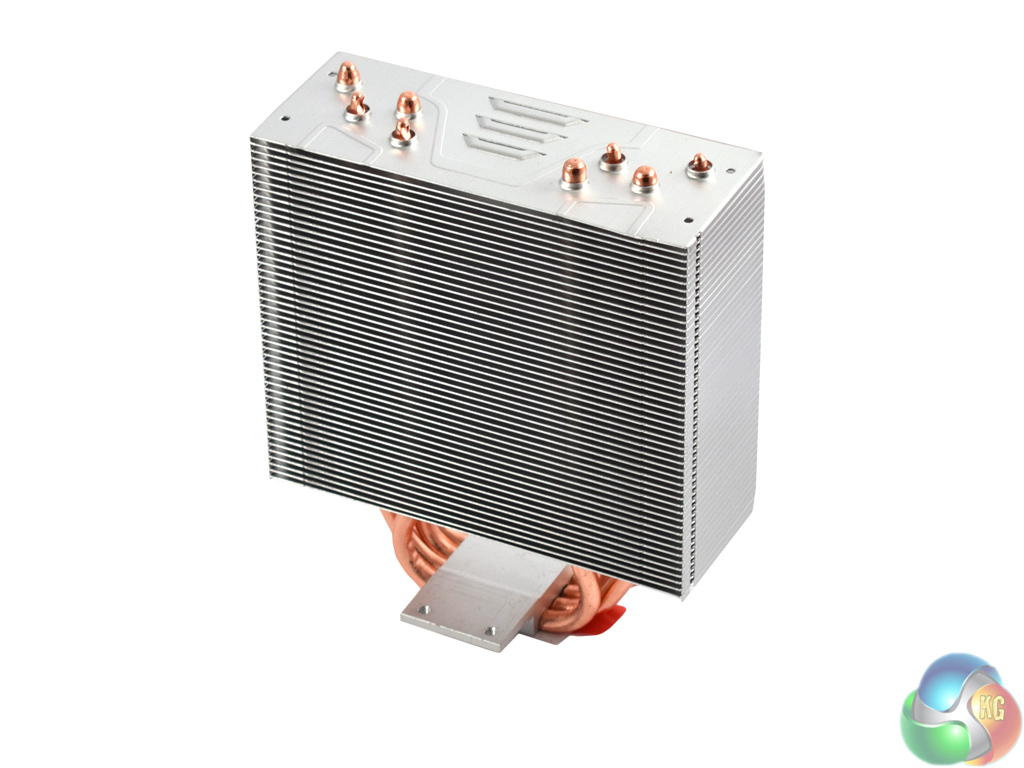
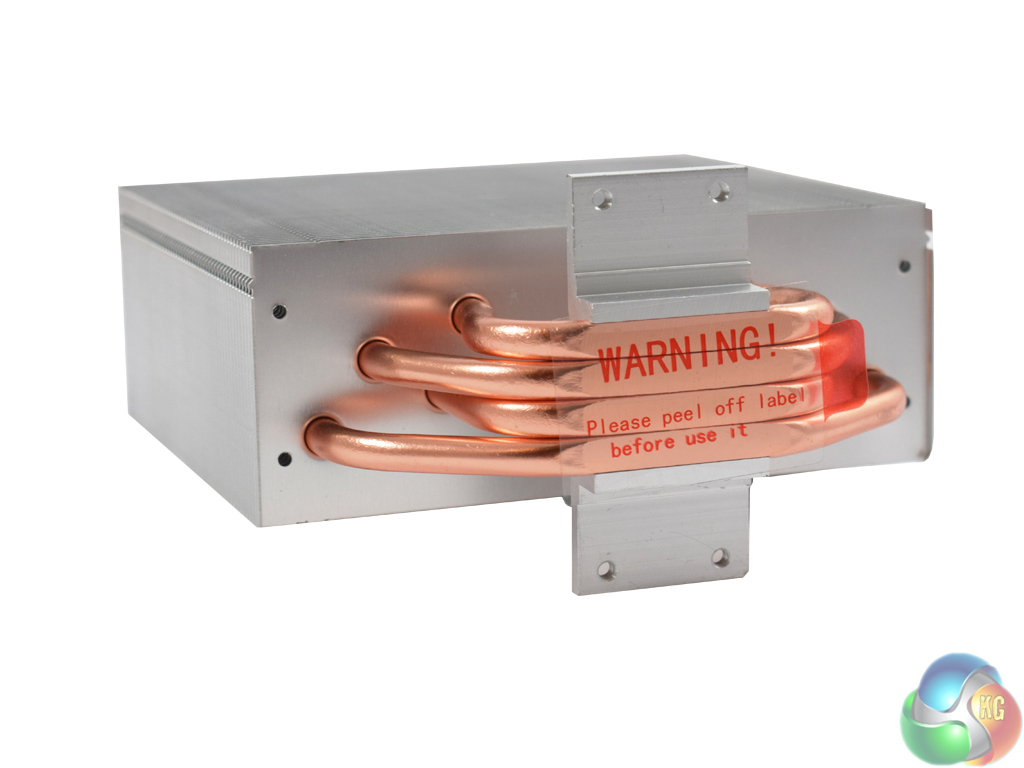
Lastly, we get a look at the heatsink. It is a fairly slim unit, with 4 copper heatpipes. Arctic are keen to point out the fact that the heatpipes are off-centre, which should allow for greater heat dissipation (as compared to the i32's predecessor, the i30.)Installation of the Freezer i32 is straightforward but slightly fiddly in parts.
As a disclaimer, we installed the cooler on a motherboard using the LGA 1150 socket. The process below reflects that.
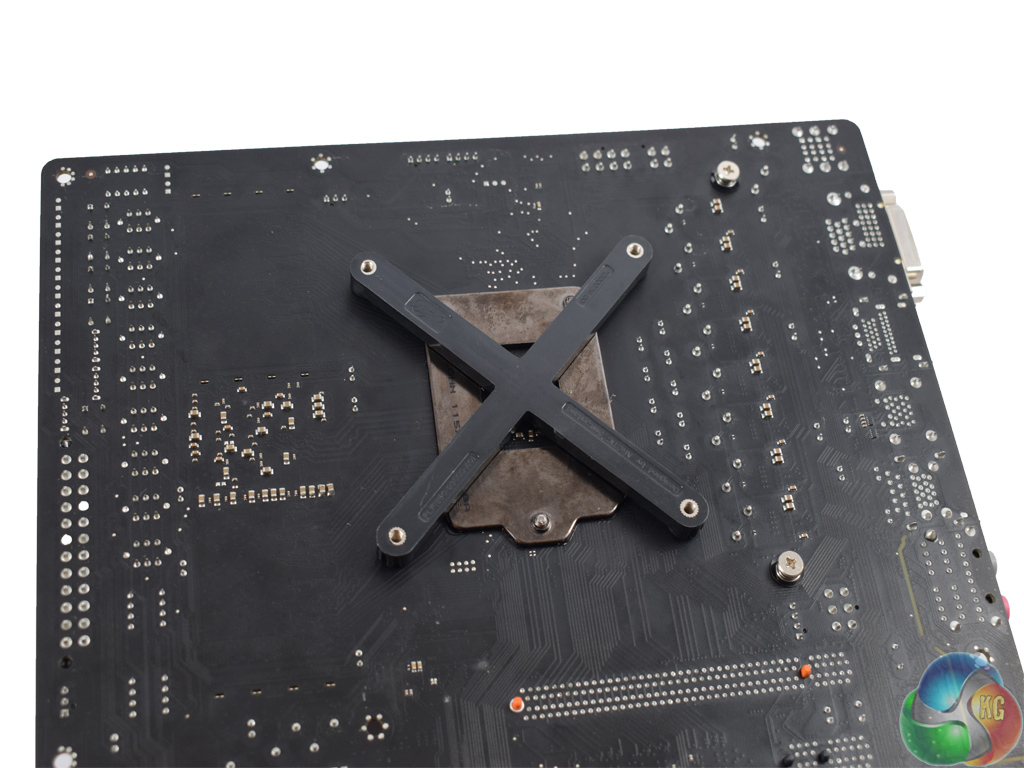
First, slot the backplate into place. It can only be oriented one way due to protrusions on the motherboard socket, which prevent it from lying flush otherwise.
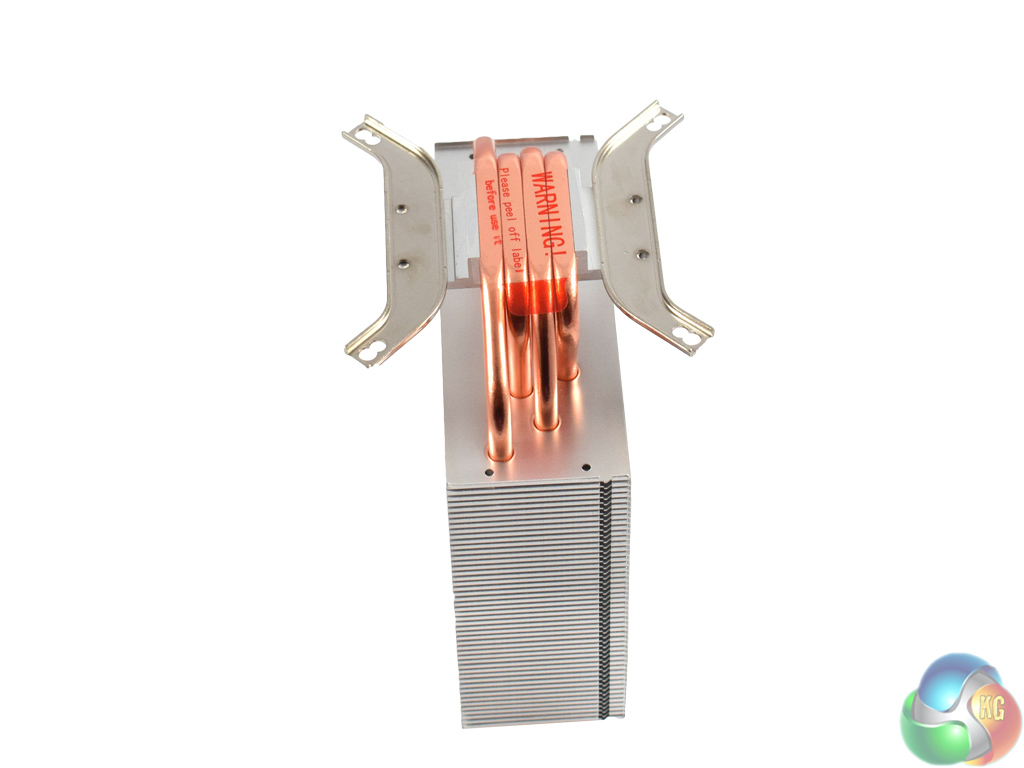
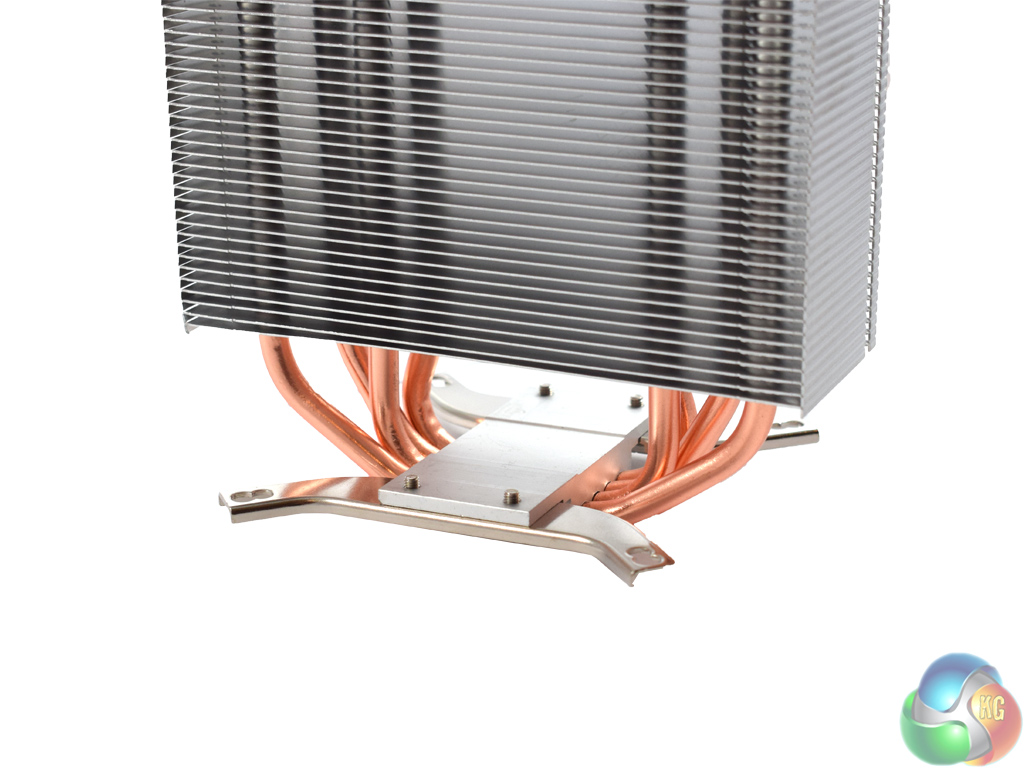
Next, the mounting brackets need to be screwed to the base of the cooler. Flip the heatsink upside-down and align the brackets with the screw holes on the base of the cooler. Then, simply screw each bracket in place – the smallest four screws are the ones you want.
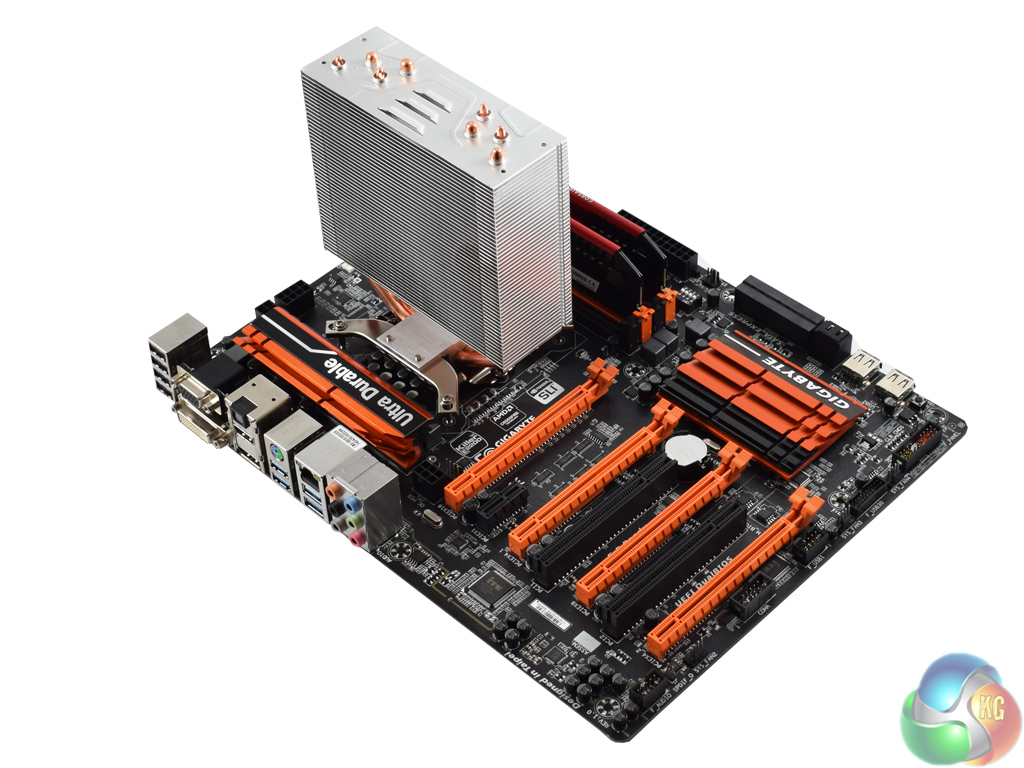
Once you have done that, all you need to do is screw the cooler into the backplate and the heatsink is attached.
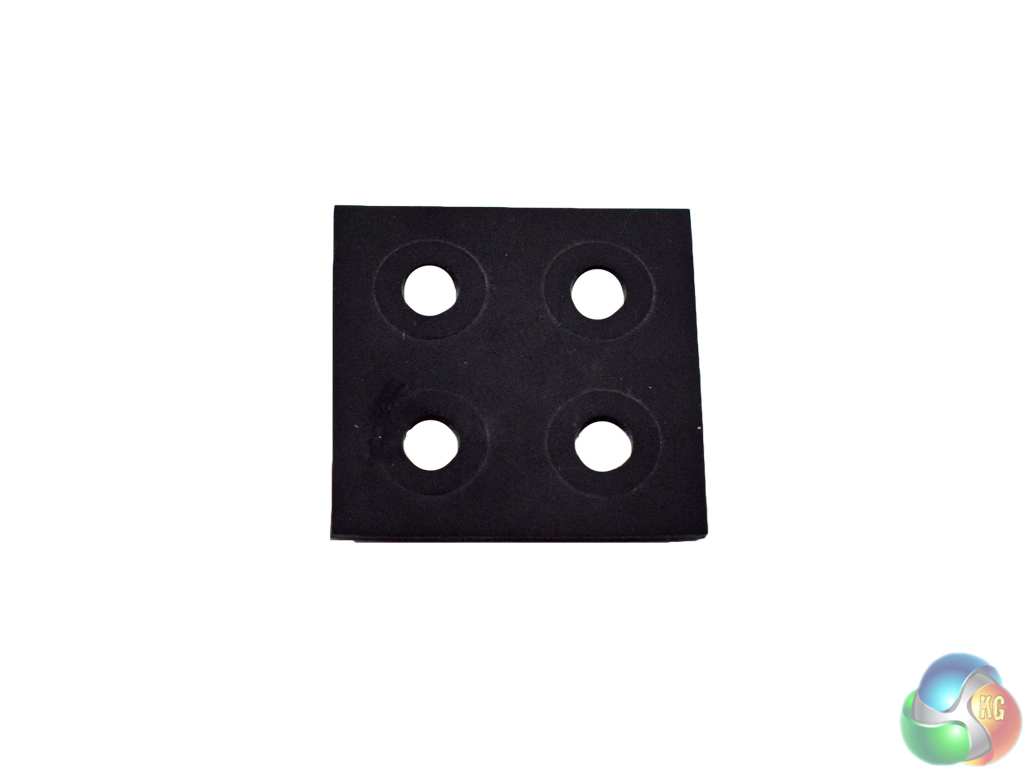
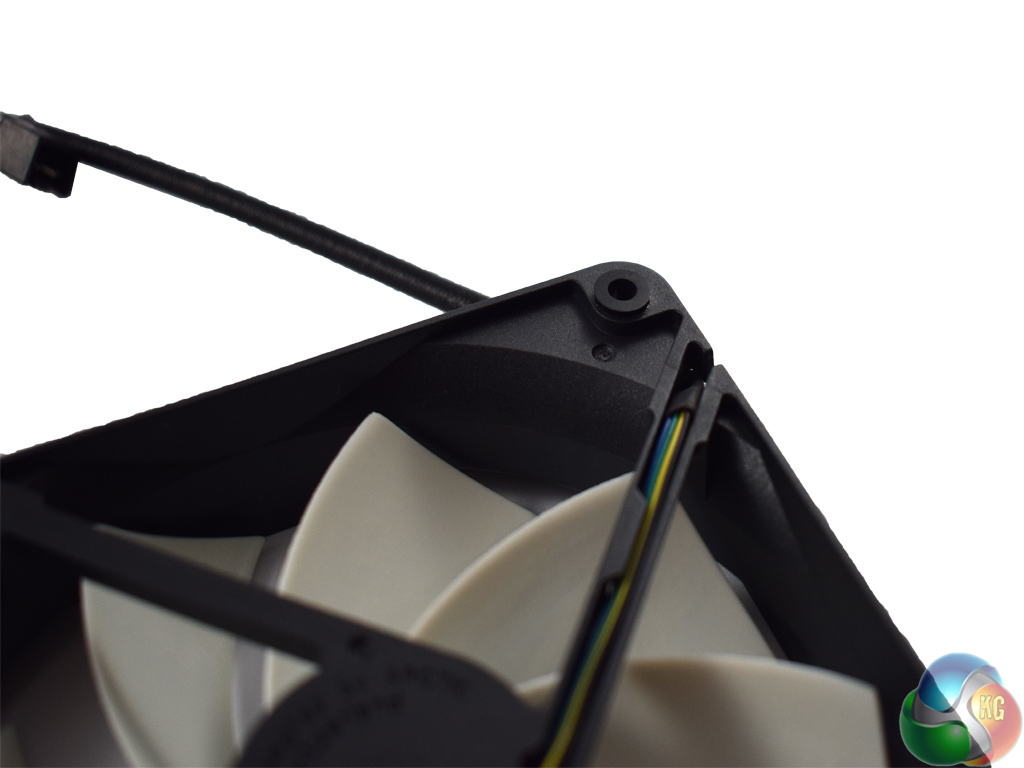
Before attaching the fan, Arctic recommend installing a rubber washer to each corner of the fan. This should dampen any vibrations, reducing noise.
However, I found this part of the installation to be painfully fiddly. The washers come as part of a bigger sheet of rubber and you have to try to separate them from the rest of the rubber. This is much easier said then done and it took me a good 5 minutes to eventually prise the washers free and stick them in place.
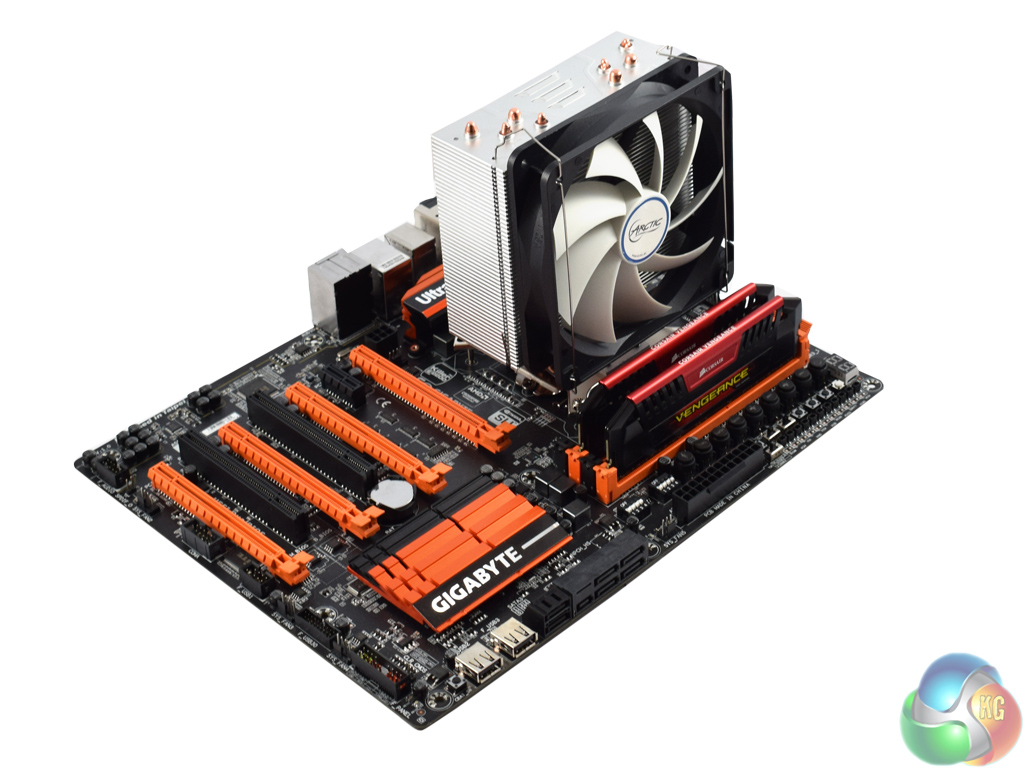
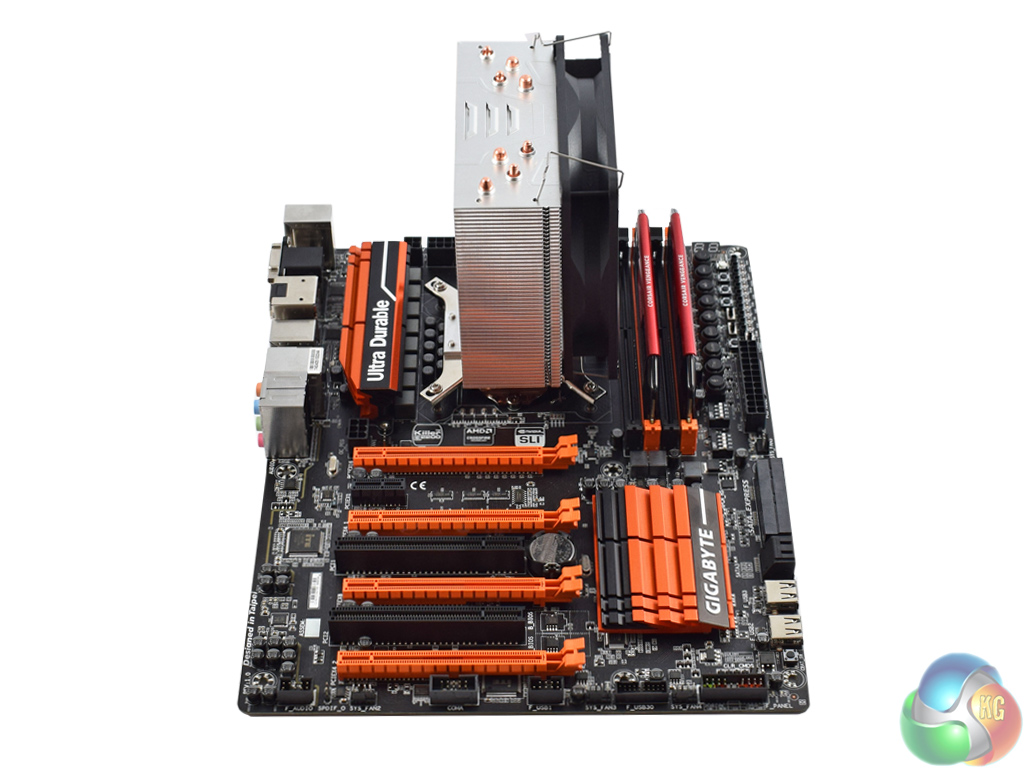
Once you have stuck the washers in place, though, the fan attaches with two standard fan clips. Job done!To test all CPU coolers, we devised an easily repeatable test with no variables other than the coolers themselves. This ensures that figures from every cooler we test are comparable with each other.
Test rig
Using an open-air test bench, we deploy an Intel Core i7-4790K plugged into a Gigabyte Z97X-SOC Force motherboard. Alongside this is 16GB of 2400MHz Corsair Vengeance DDR3, as well as a 120GB OCZ Trion 150 SSD. Powering everything is a Corsair RM750x PSU.
The test process
Testing coolers involves taking a total of 4 temperature readings per cooler. First, we measure the idle temperature of the i7-4790K at stock speeds (turbo boost disabled), before measuring its temperature under load at stock speeds. Next, we overclock the CPU to 4.5GHz using a 1.3 Vcore, ensuring greater heat output. In its overclocked state we then measure the idle and load temperatures of the CPU again.
To ward off potential comments or questions, we know 4.5GHz using a 1.3 Vcore is not the ‘best’ overclock – this particular CPU could reach that frequency at closer to 1.25 on the Vcore, which is more efficient. That is not the point, however. We are trying to stress the coolers to see how they deal with excess heat … hence the higher than necessary Vcore.
Where possible, each cooler’s fans are plugged directly into the motherboard using the CPU_Fan or CPU_Opt headers. Some AIOs, however, ship with their own fan controllers or PWM hubs. If we are unable to plug the fans directly into the motherboard, it is specified in the performance section of the review.
An idle reading comes from leaving Windows on the desktop for 15 minutes. A load reading comes from running Prime95’s (version 26.6) Small FFTs test for 15 minutes – enough time for temperatures to plateau.
Noise output
Unfortunately I am unable to properly measure the sound output of CPU coolers using a digital sound meter. This is because I am based alongside a busy road (with high ambient noise levels). Using a sound meter is, as such, not possible as there are variables out of my control. However, I will try my best to subjectively describe the noise output in a helpful manner.Temperatures
All temperature charts are sorted with lowest load temperatures at the top.
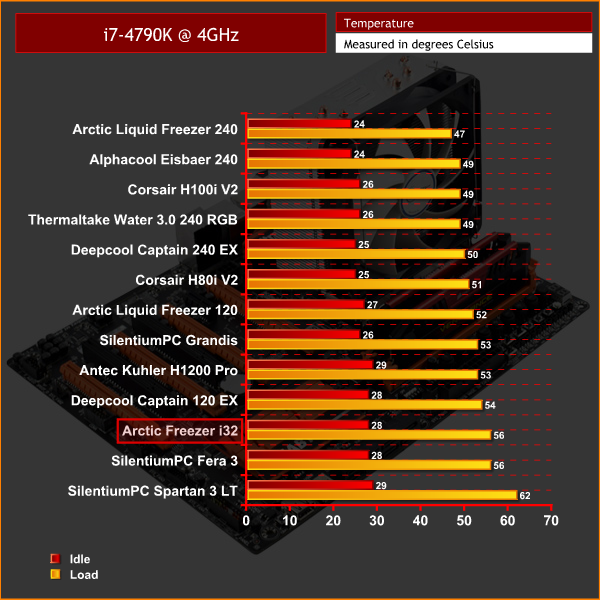
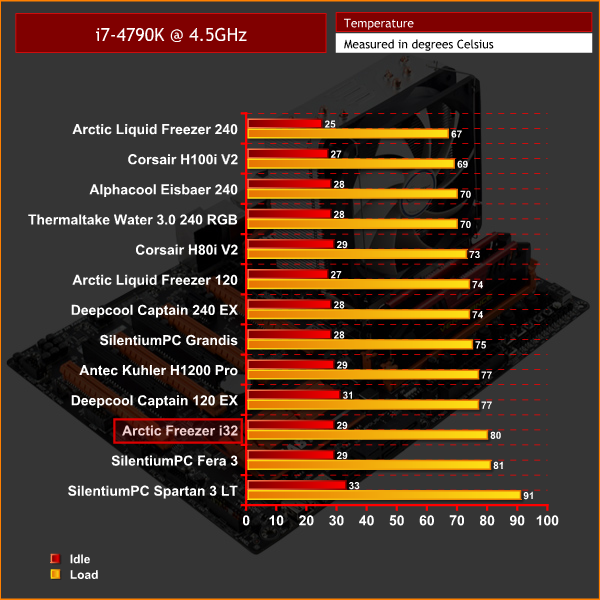
The Arctic Freezer i32 offers good performance for a small air cooler. In both tests, it performs similarly to SilentiumPC's Fera 3 – which is not surprising, considering they both have 4 copper heatpipes and similarly-sized heatsinks.
Of course, you do not get the same performance as the £75 Liquid Freezer 240 – but that was never going to be the case. For a small air cooler, the relative performance of the Freezer i32 is very respectable.
Noise output
The first thing to say about the noise levels produced by the Freezer i32 is that they are non-existent while idling or under low levels of load. Simply put, the fan does not spin until load on the CPU reaches a certain point – it is a great feature.
When the CPU does ramp up, the F12 fans are still relatively inoffensive to the ears – a max speed of 1350rpm pushes enough air to keep the heatsink cool, but is certainly not horribly loud.At first glance, the Arctic Freezer i32 looks like a fairly standard air cooler.
If you simply jumped to the performance charts, that is indeed the impression you may come away with. However, the Freezer i32 is not about raw performance.
Its main feature is that it is a ‘semi-passive' cooler. The cooler's fan only spins once the CPU is under a certain amount of load – meaning you can email, watch videos and type documents in silence, as the fan will simply not spin.
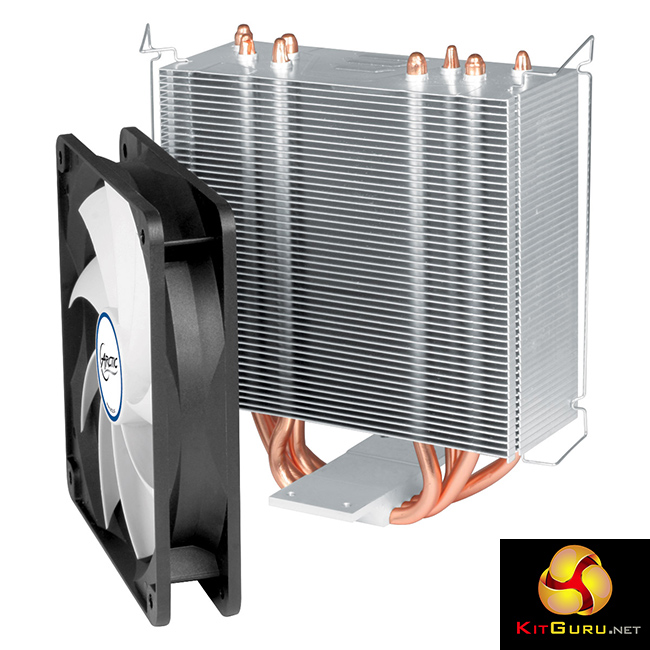
This makes the Freezer i32 an enticing option for builds where silence is key – a media centre, for example, would benefit hugely from this design.
There are a few niggles with the Freezer i32 – installing the rubber washers is a pain, and raw performance figures are not mind-blowing.
However, the fan's ability to switch off at low levels of CPU load is greatly appreciated, and makes the Arctic Freezer i32 well worth £30.
You can pick one up from CCL for just under £30 HERE.
Discuss on our Facebook page HERE.
Pros
- Semi-passive.
- Compact.
- Fan is inoffensive under load.
- Affordable.
Cons
- Very fiddly to install the rubber washers.
- Raw performance levels are pretty standard.
KitGuru says: The ability of the Freezer i32's fan to stop spinning entirely propels the cooler to our ‘Worth Buying' award. If silence is key, this a great option.


I had their cooling all recommendations
It’s good but when its main competitor is Fera 3, it loses. It has almost identical performance but is cheaper and much better looking(the new revision has really clean looking heatpipe caps and a black top: https://www.silentiumpc.com/en/fera-3-he1224/ ).
On the other hand both are great. I used hardware from both companies and their customer service is absolutely top notch.
Zero fan feature is a good selling point, really looking forward this cooler for my next build when Kaby Lake comes out.
Too bad it is too heighty for my Thermaltake Core V1. If it is 5mm shorter I might change my choice. Either way, Cryorig H7 is my choice (barely hit the top by 1-2mm).
Google is paying 97$ per hour! Work for few hours and have longer with friends & family! !mj153d:
On tuesday I got a great new Land Rover Range Rover from having earned $8752 this last four weeks.. Its the most-financialy rewarding I’ve had.. It sounds unbelievable but you wont forgive yourself if you don’t check it
!mj153d:
➽➽
➽➽;➽➽ http://GoogleFinancialJobsCash153TopHouseGetPay$97Hour… ★★✫★★✫★★✫★★✫★★✫★★✫★★✫★★✫★★✫★★✫★★✫★★✫★★✫★★✫★★✫★★✫★★✫★★::::::!mj153d:….,….
I would dig this cooler so much if optional mounting brackets would allow the cooler to be mounted rotated 90 degrees, actually looking at it, that would really interfere with the RAM, maybe a future version that is a bit taller so the radiator grid can be raised it to clear the memory
The stock pictures are without the washers by the way. I have them with. The i32 is quiet always, and cooling is average for this kind of a cooler. So perfect for light overclocking. However, during hot summerdays, better to have a good ventilated case. Source: me being an owner.