 KitGuru KitGuru.net – Tech News | Hardware News | Hardware Reviews | IOS | Mobile | Gaming | Graphics Cards


The AOC Q2778VQE is a 27-inch 16:9 monitor with a WQHD (2,560 x 1,440) TN (twisted nematic) display and a refresh time of just 1ms, making it a good choice for gamers. It retails for a reasonable £285, but can be found for slightly less at many online vendors. Although there’s plenty of competition at this mid-range price point, with ultra-wide 21:9 screens, IPS panels and so on, there are fewer low-latency 27-inch displays – making the Q2778VQE a relatively unique prospect for gamers.
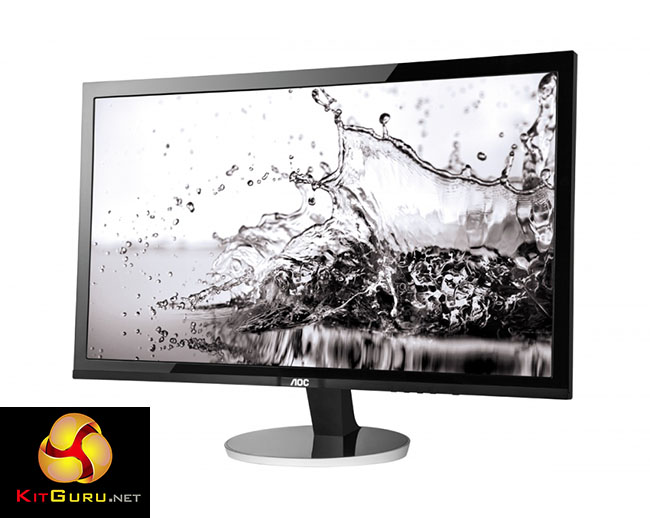
The AOC Q2778VQE is a display that sits somewhere between entry level and mid range in terms of its price, picture quality and array of features.
The use of a TN panel means slightly worse viewing angles than you find on most IPS screens. But modern TN panels don’t deserve the bad reputation they have, and with the Q2778VQE’s viewing angles rated at 170 degrees horizontal and 160 degrees vertical, it’s good enough to avoid ruining the image quality.
The use of TN technology allows for a 1ms refresh time, which beats IPS screens and therefore avoids serious ghosting effects when objects are moving about quickly on the screen.
Great picture quality and a low refresh rate could make the Q2778VQE a good choice for gamers.
- 27-inch panel
Experience a new level of sharpness with this large 68.5 cm (27”) monitor. - WQHD resolution
The Q2778VQE utilises a state-of-the-art TN panel with the stunning WQHD resolution of 2560 x 1440 pixels. - Full input range
With its D-Sub, DVI-D, HDMI and DisplayPort connectors, this energy-efficient display offers you a multitude of applications, delivering exceptionally crisp and vivid images for even the highest demands. - Tilt and swivel
Benefit further from flexibility tilt and swivel function. - Power frugal
The Q2778VQE comes in a glossy black design and features eco-friendly LED-backlights. It fulfills sustainability certificates such as Energy Star 6.0, TCO 6.0 and EPEAT Silver.
Compared with some of the enormous displays we’ve tested recently, such as the 32-inch BenQ BL3201PT and the 40-inch Phillips BDM4065, the Q2778VQE feels quite lightweight, weighing 6.77 kg with packaging, and 4.72 kg without.
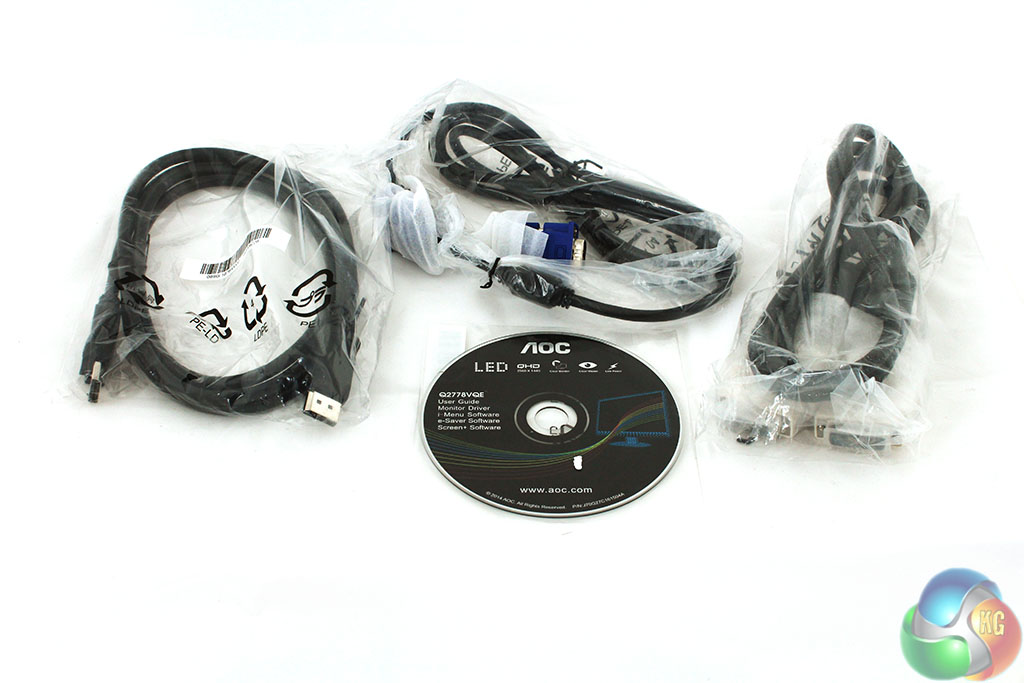
The box contains a VGA cable, DVI cable and DisplayPort cable, with a software CD containing the user guide, driver and software.
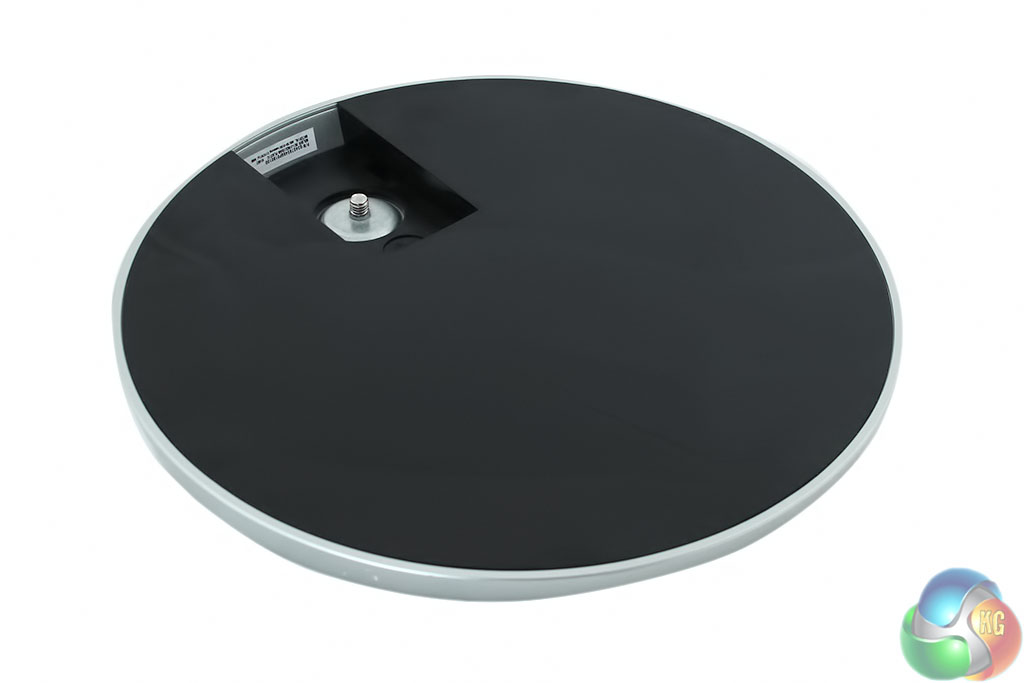
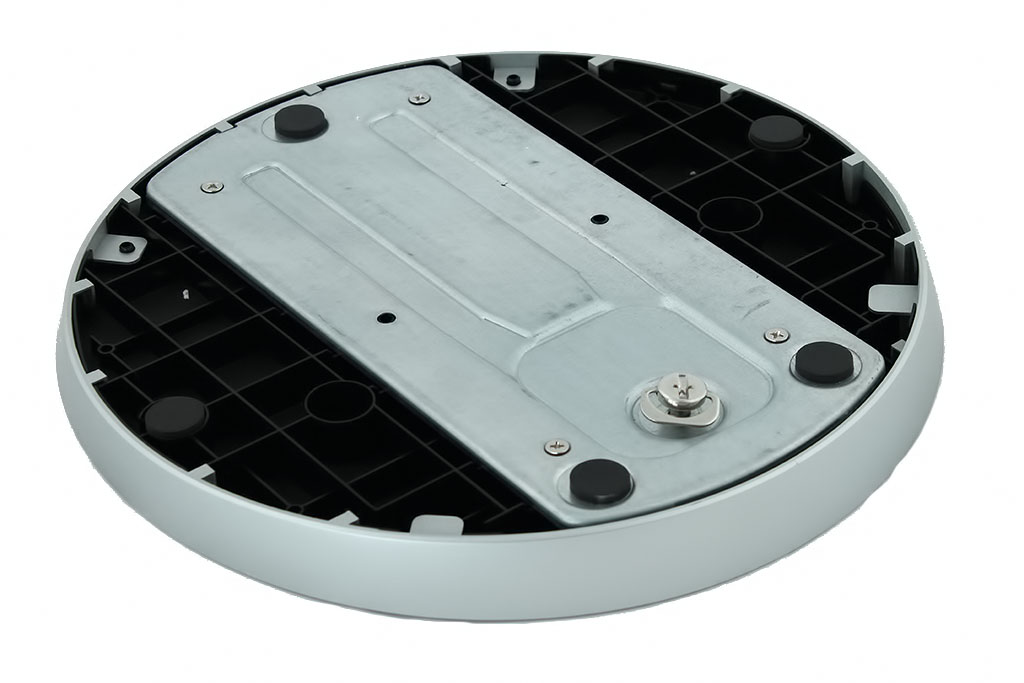
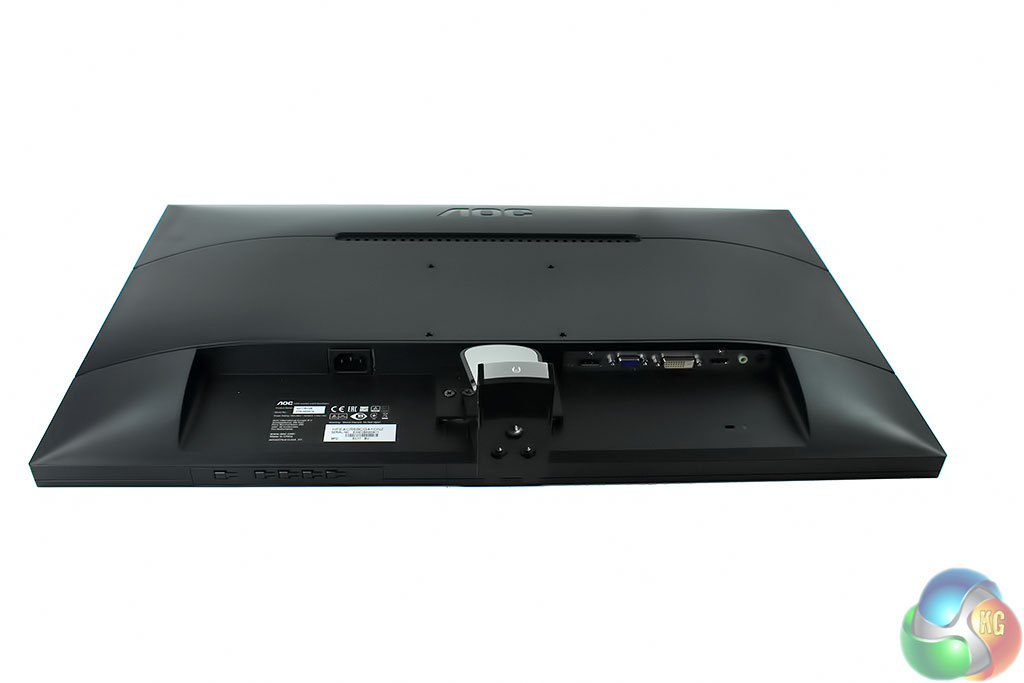
The other two items are the display itself, which comes with the support column already connected, and the base for the stand. The stand feels slightly cheap and wobbles slightly from side to side.
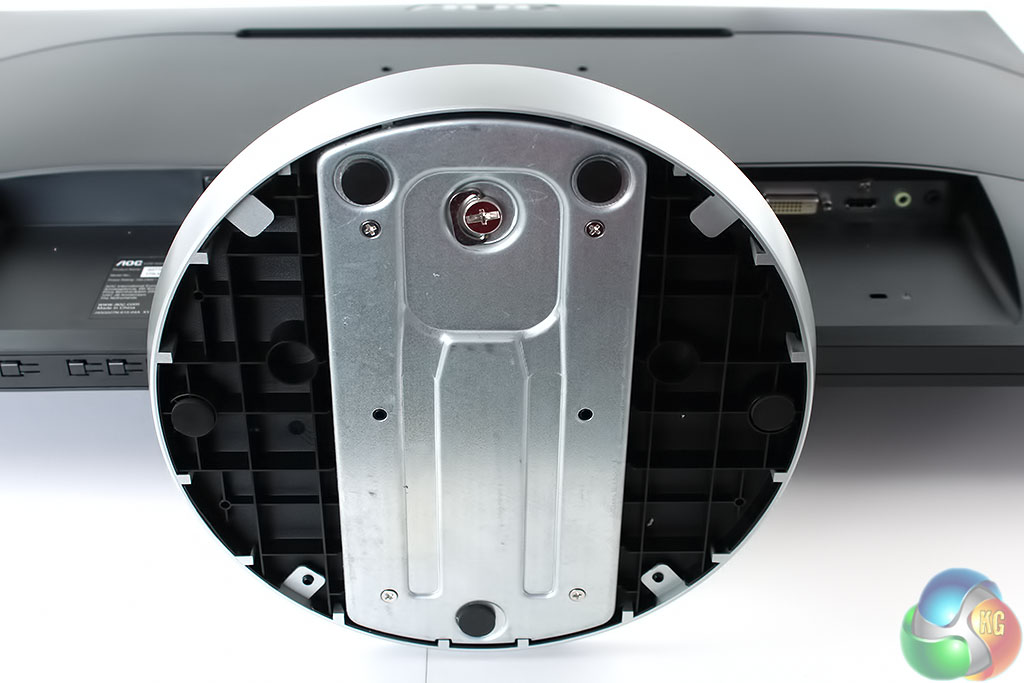
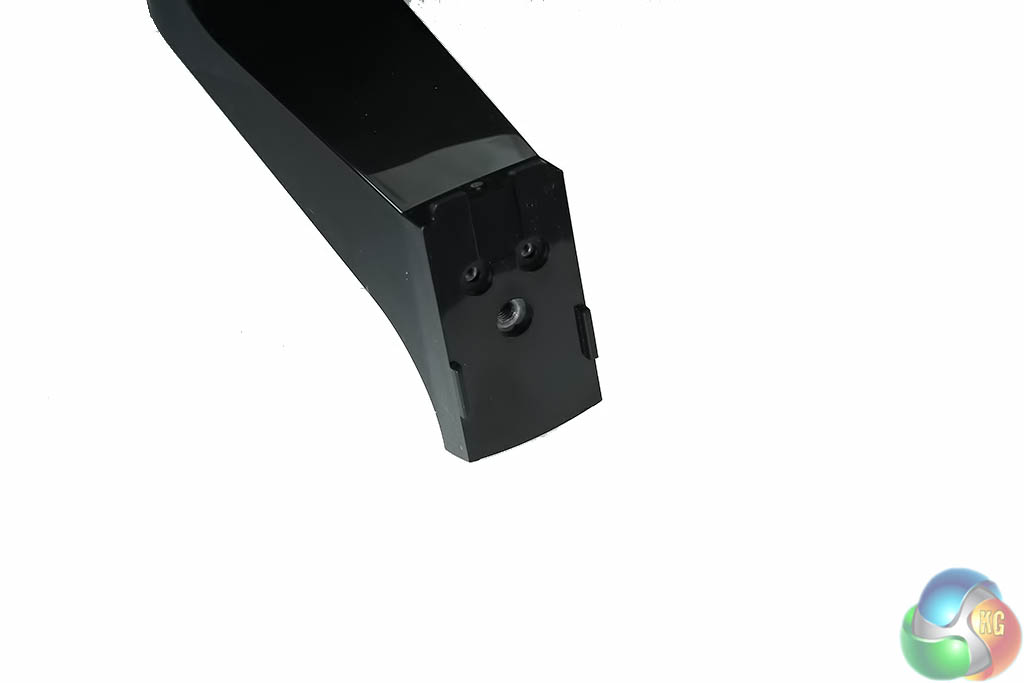
The stand support column clips into the base unit, and like on many other displays, is tightened with a metal “key” underneath it.
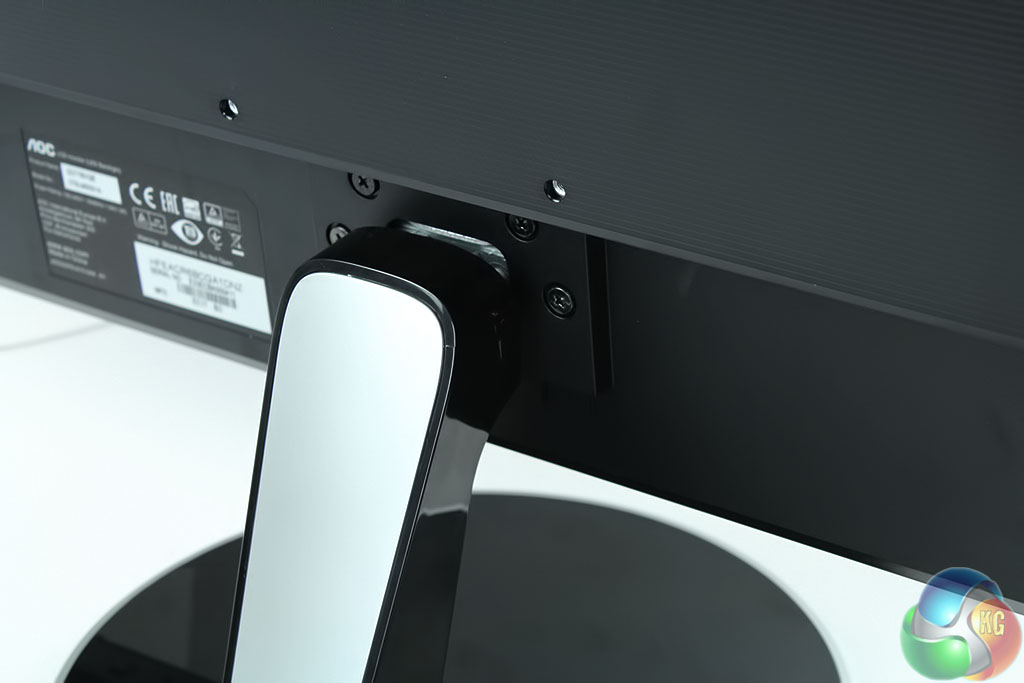
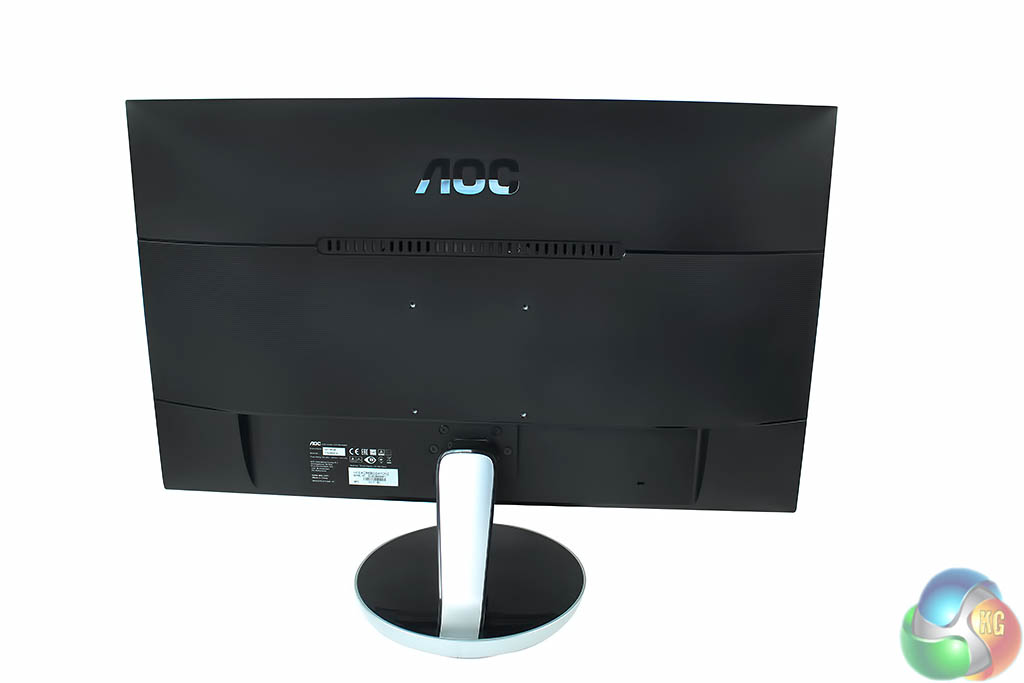
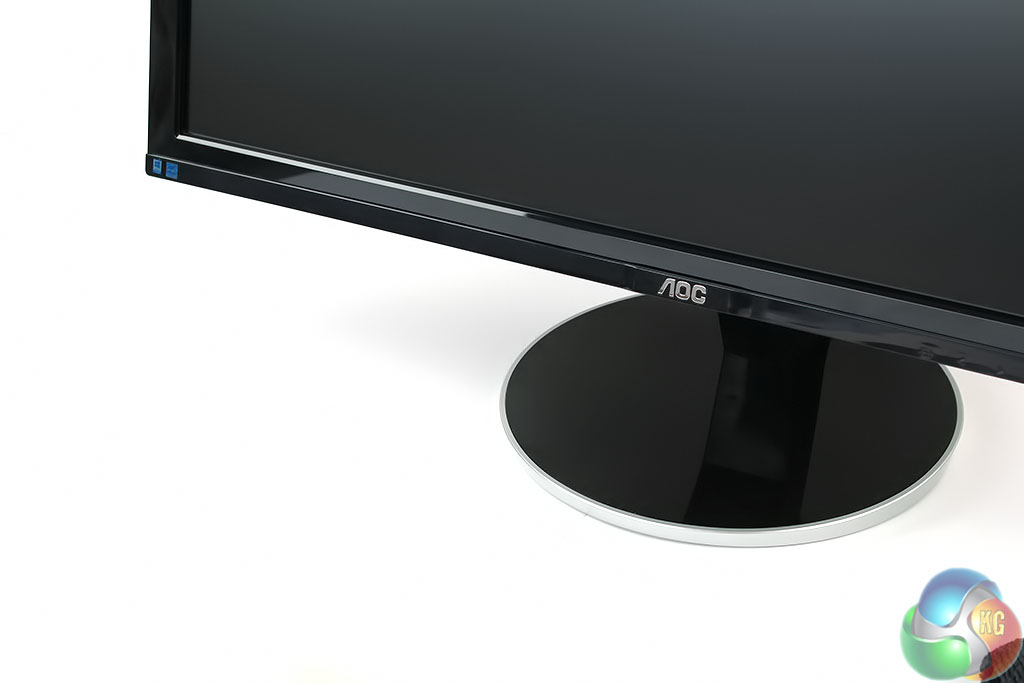
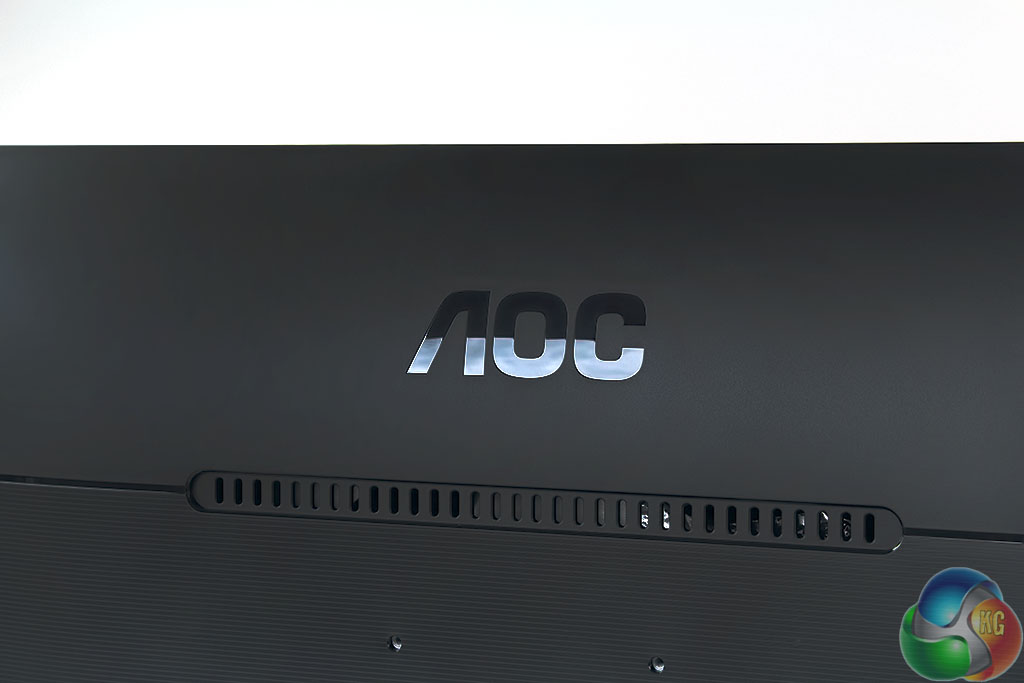
It’s very easy to assemble. The AOC logo is emblazoned right at the top with a more glossy plastic material than the rest of the rear, which is more of a matte colour.
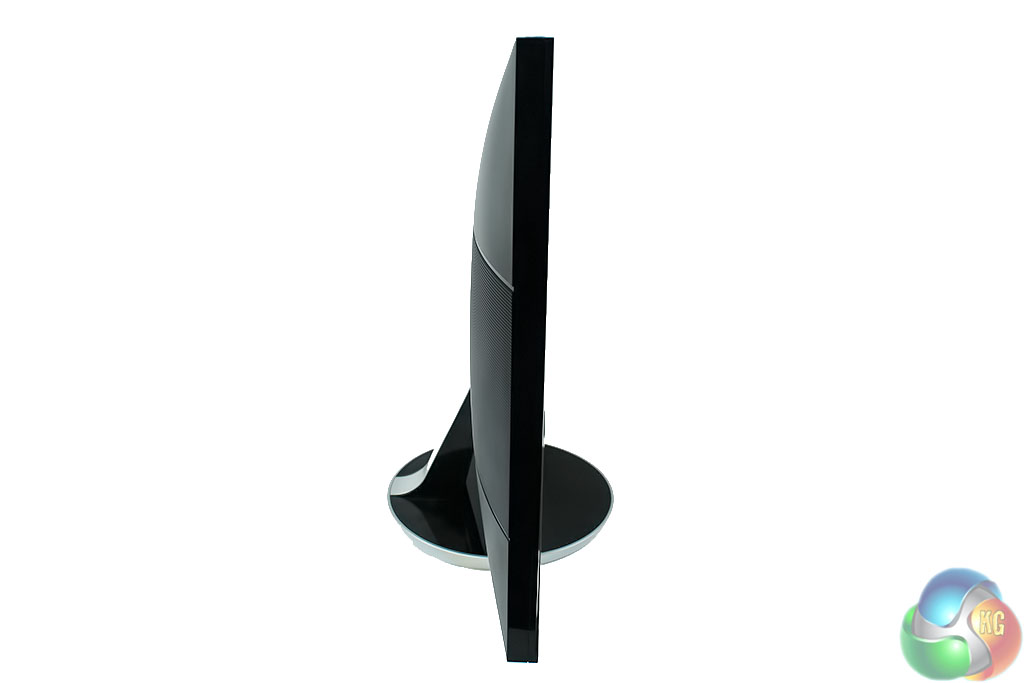
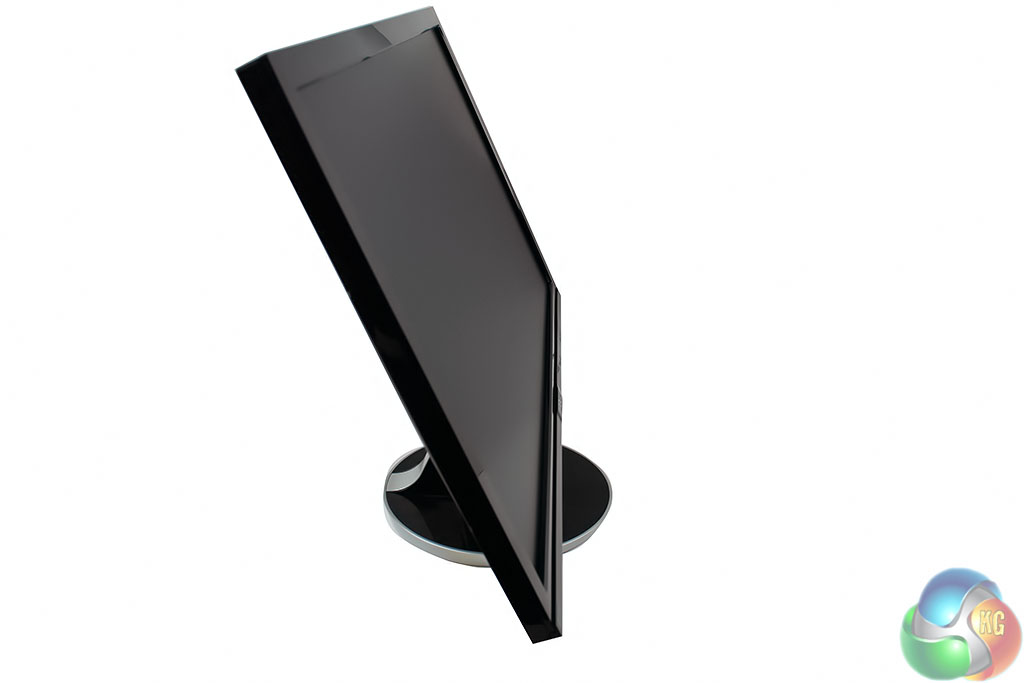
The Q2778VQE can’t swivel or rotate but it can pivot forwards and backwards to an angle between -4 and 21 degrees.
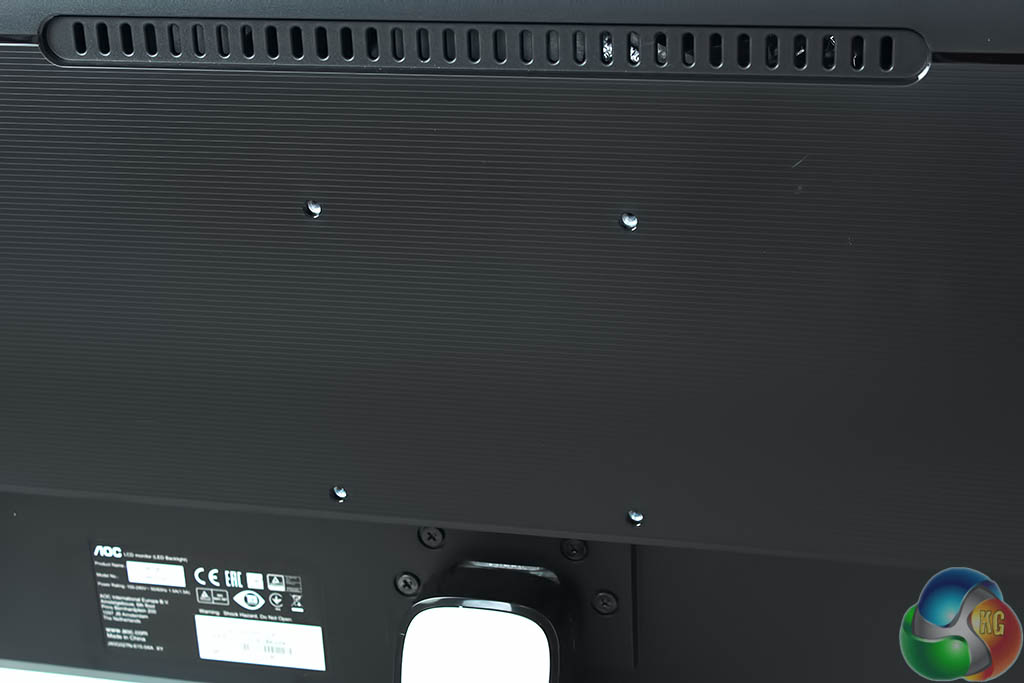
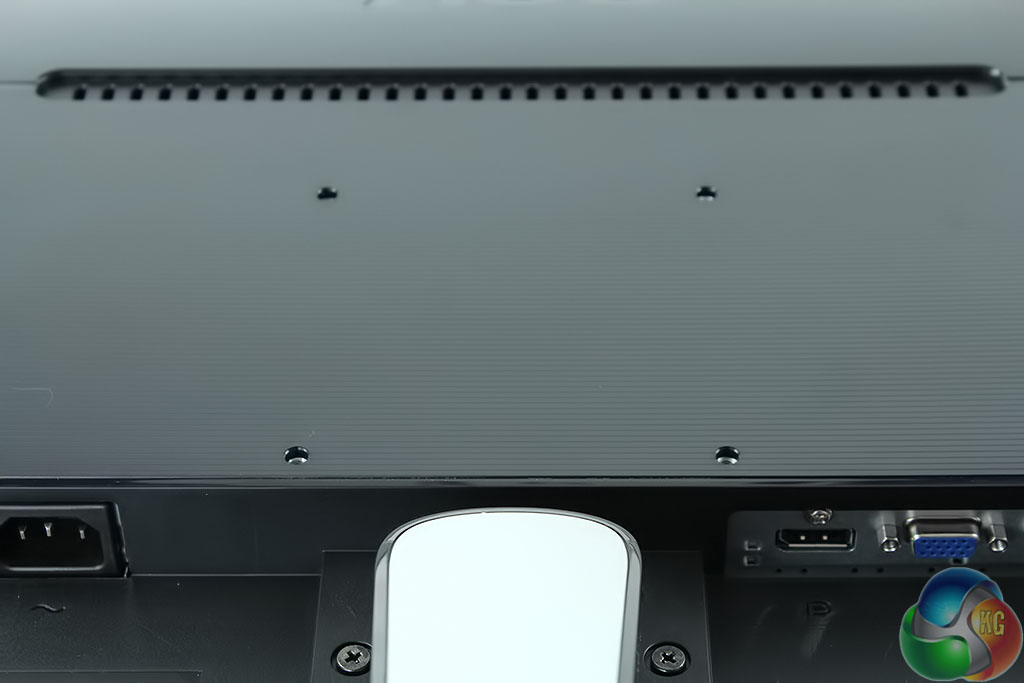
There are four 100mm VESA holes for wall mounting or attaching a third-party stand for extra flexibility.
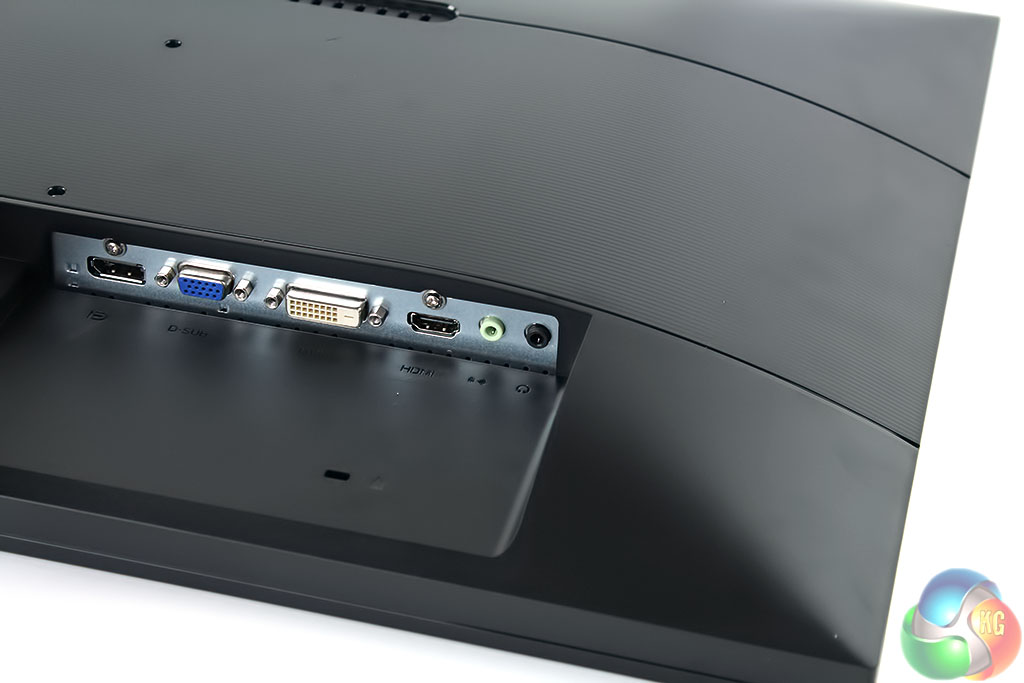
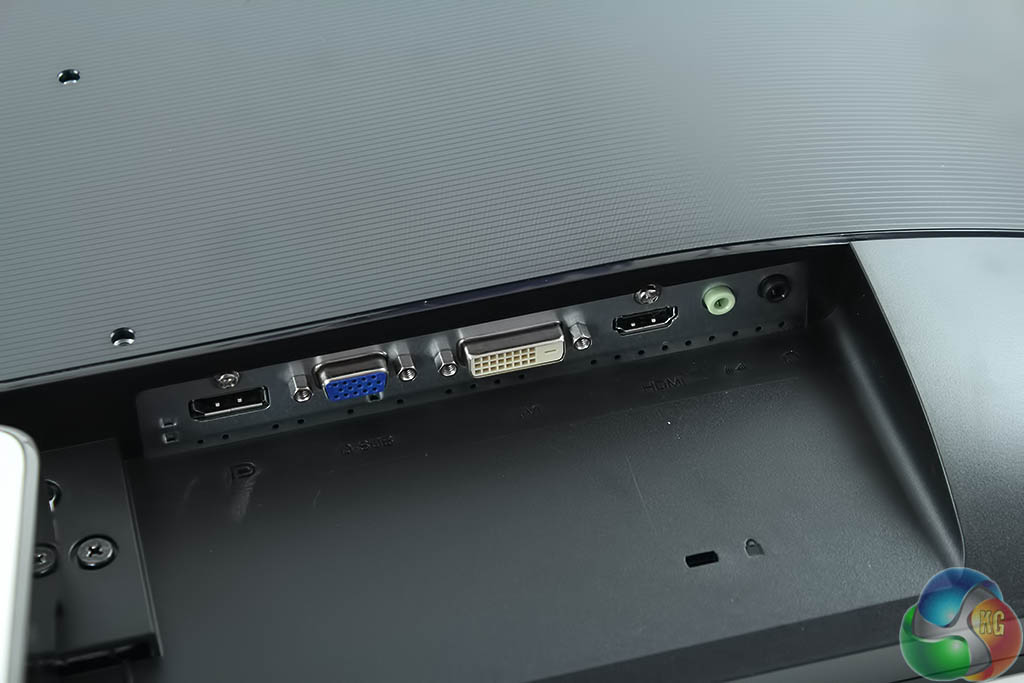
There are four display inputs on the right-hand side: DisplayPort, VGA, DVI and HDMI. There’s also a pair of 3.5mm audio input and output jacks.
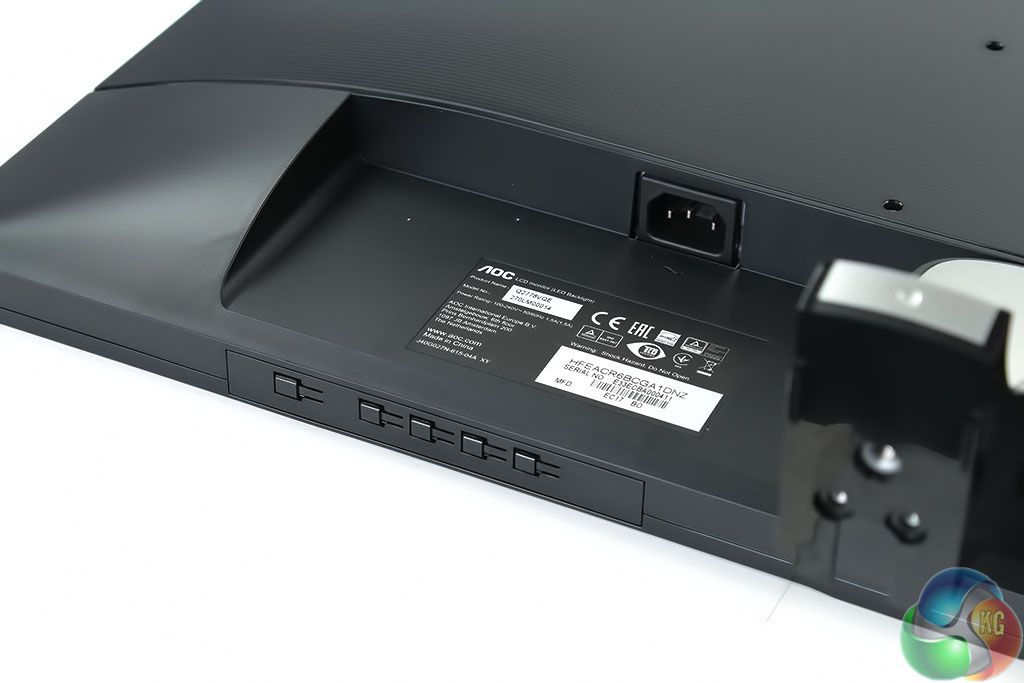
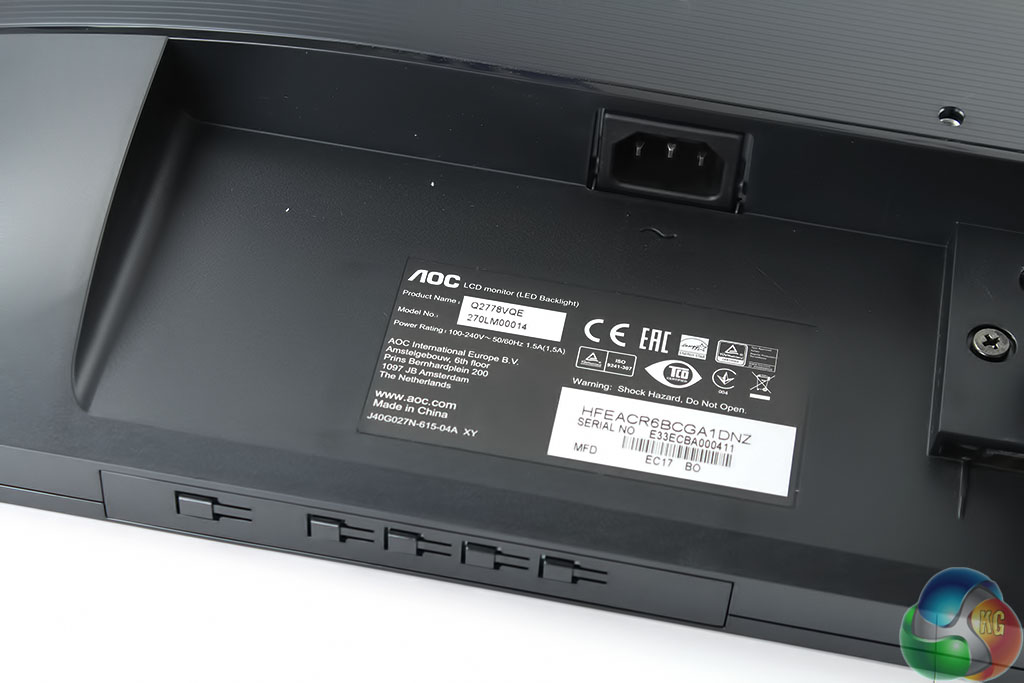
An IEC (standard kettle lead) power connector is on the left-hand side, with five small physical context-sensitive buttons for controlling the OSD underneath it.
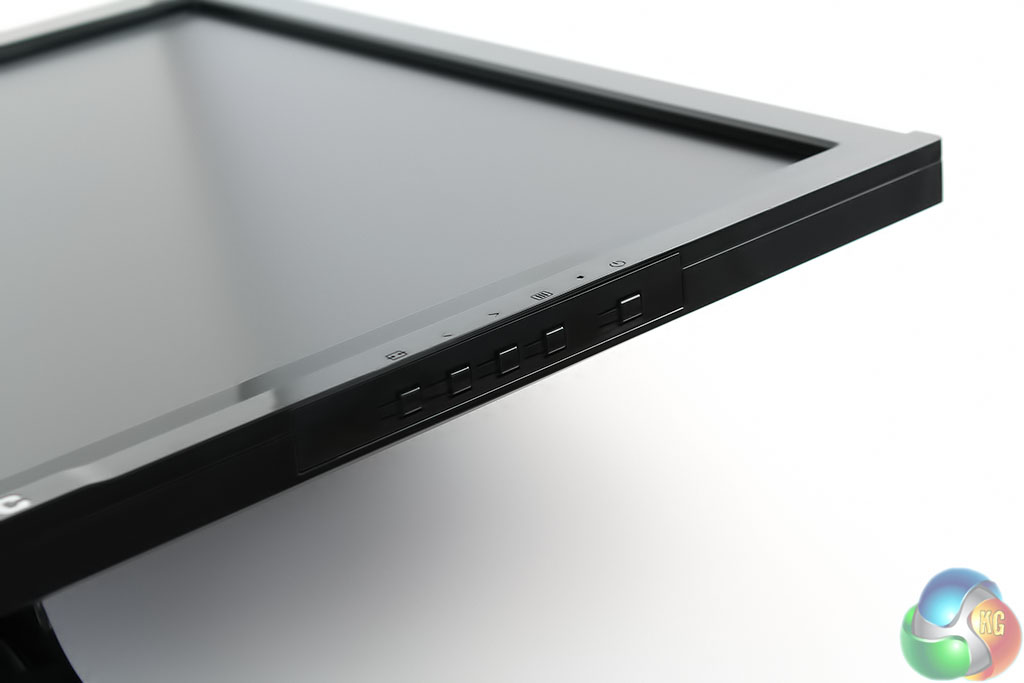
The right-most button is always for power, with an LED next to it that lights up green when the monitor is on.
Next to that is a button that brings up the on-screen display (OSD). Then there are buttons to move up and down through the menus, followed by one more on the left that controls the video input.
Although the bright light in these pictures illuminates the button functions that are etched onto the front of the screen, under normal indoor lighting we had trouble seeing them, making it a lot harder to use the OSD without accidentally pressing the wrong button.
The OSD has many useful features in it including full adjustment of the Red, Green and Blue values. The front buttons don’t make it especially easy to navigate. During testing we hit the power off button more than a few times.
The three buttons on the left perform different functions depending on whether the OSD is on the screen or not. When the OSD is off, the far left button selects the display input. The next button along activates Clear Vision, an image-enhancing feature that we preferred left turned off as it introduced some pixelation around images.
Again, with the OSD off, the next button adjusts volume. However, there are no built-in speakers with the Q2778VQE so this adjusts the volume if you’re using speakers connected to the 3.5mm output.
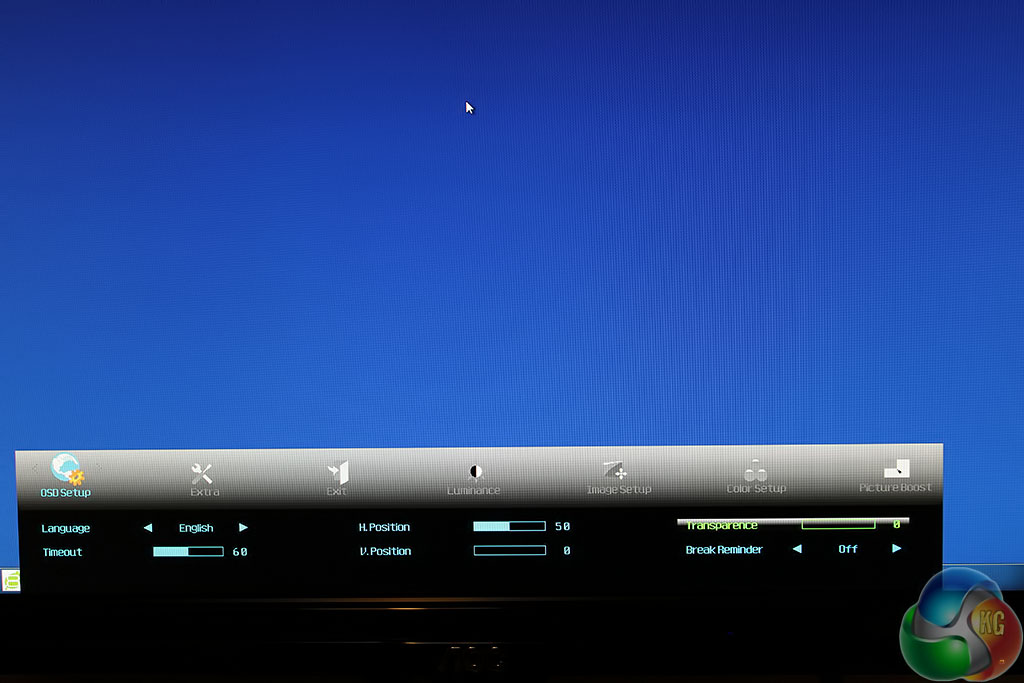
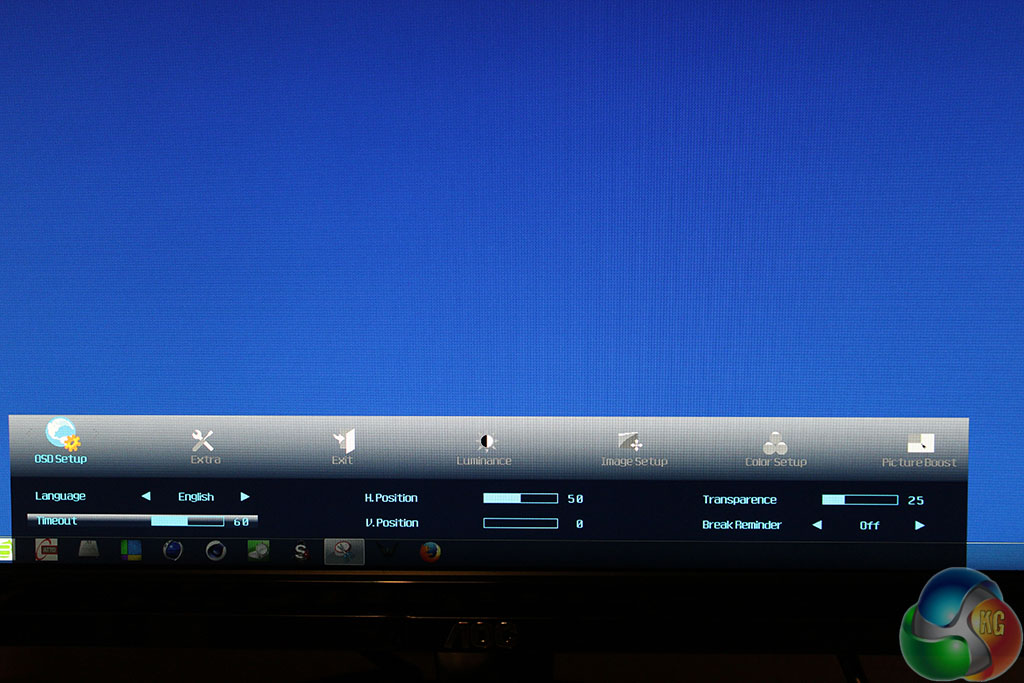
The button to the left of the power button brings up the OSD. By default, it appears right at the bottom, with a slight transparent effect that can make icons from the Windows desktop show through it. This can be changed in the OSD setup menu.
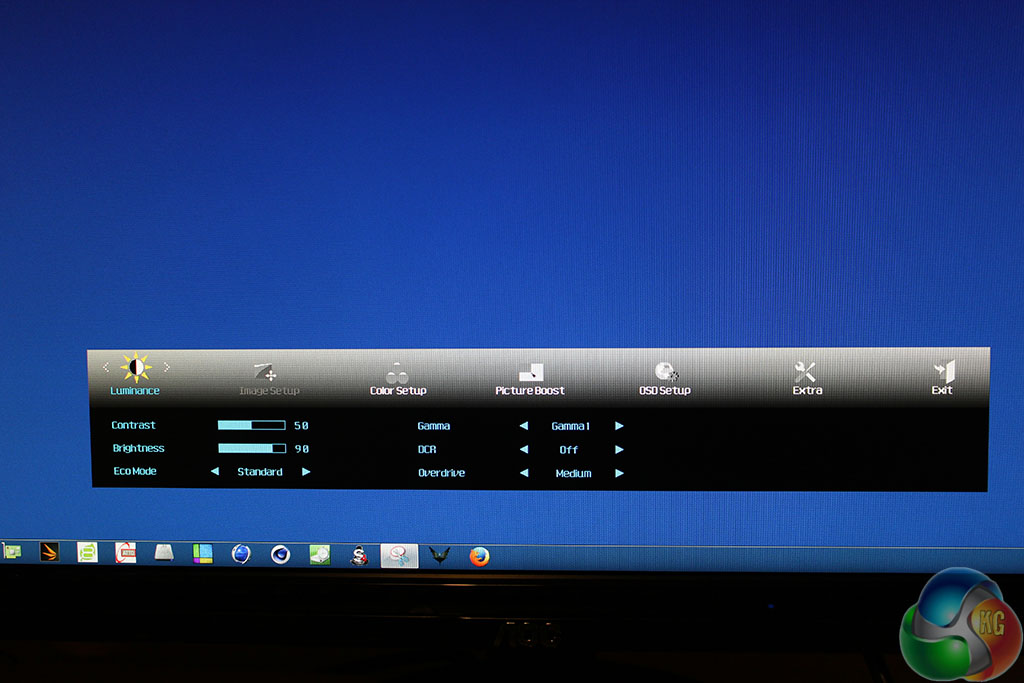
Brightness and contrast controls are in the Luminance menu, along with different gamma settings and an ECO mode. The ECO mode is a range of brightness and contrast presets for different scenarios, such as Sports, Text and so on. Higher brightness values means more power consumption. The default setting is Standard, which we used for testing.
The three gamma settings are labelled Gamma 1, Gamma 2 and Gamma 3. Our Spyder4 Elite Colorimeter identified these as 2.1, 1.8 and 2.3 respectively.
The DCR setting enables dynamic contrast ratio.
The Overdrive setting adjusts the response time, with four options (Weak, Medium, Strong and Off). We loaded up the Battlefield 4 test range, moved about a bit and tried each setting and couldn’t spot much ghosting regardless of the setting.
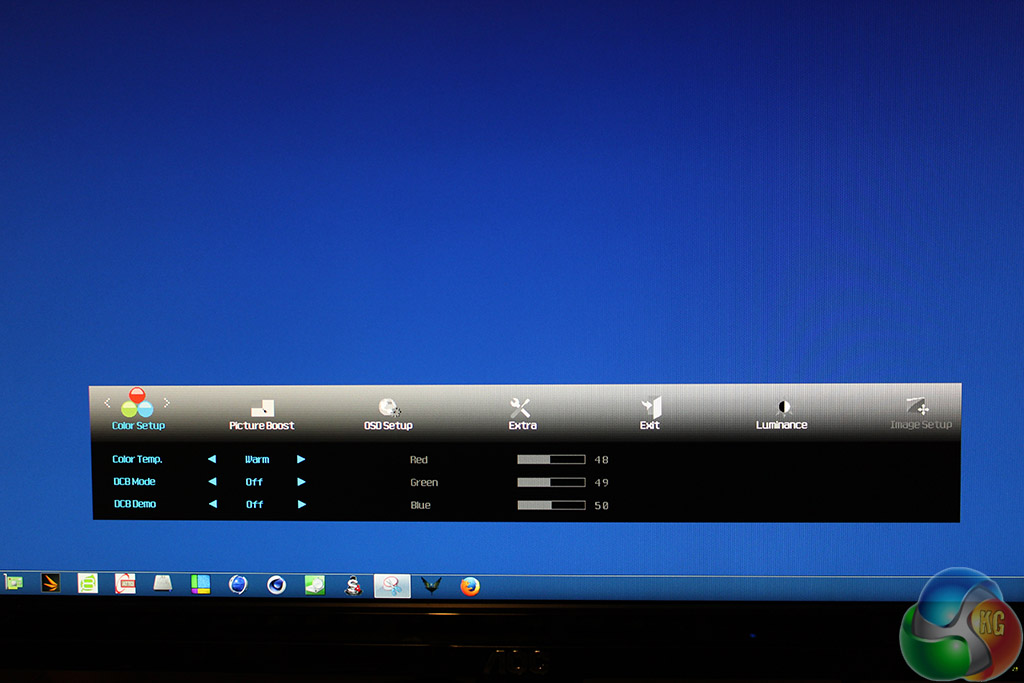
In the Colour menu are RGB sliders and a colour setting ranging from warm to cool, with a normal setting to turn the effect off. By default this setting is on Warm. When it is set to user the Red Green and Blue sliders are enabled.
The DCB mode adjusts colour with a demo mode splitting the screen in half.
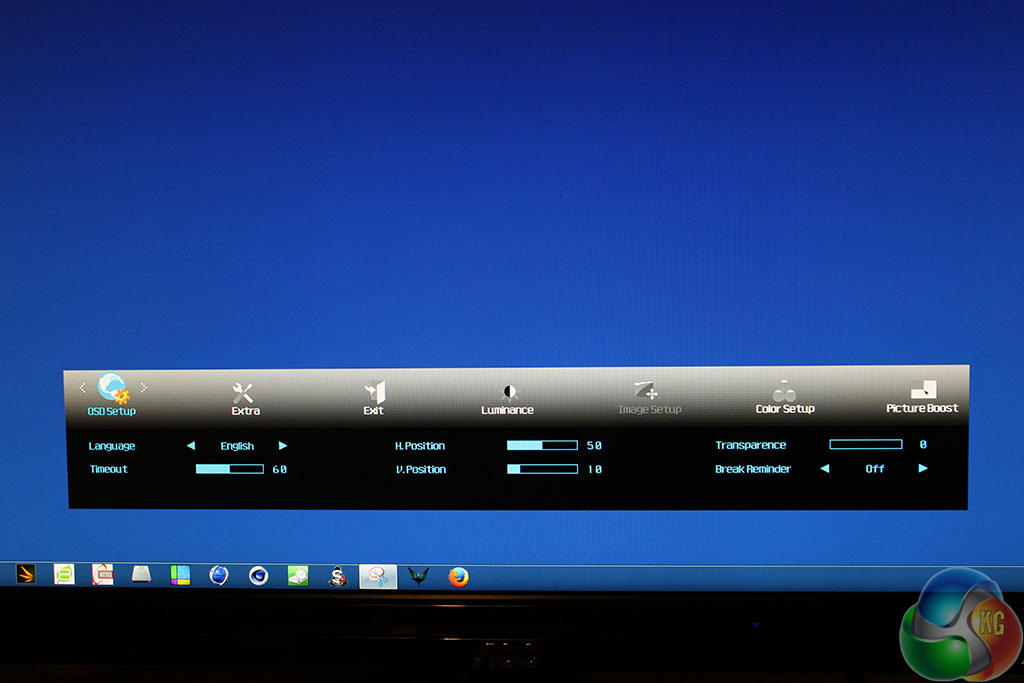
In the setup menu you can adjust the transparency, move the OSD from the bottom of the screen and change the timeout. There’s an amusing Break Reminder option that displays a warning on the screen every hour the display remains on, suggesting you go and stretch your legs.
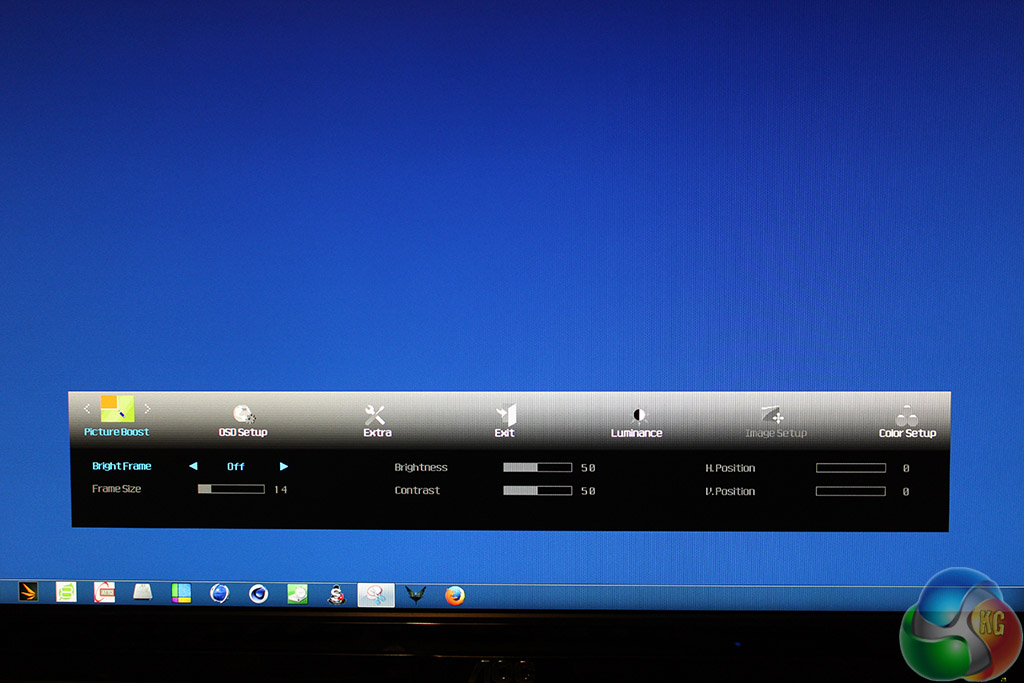
The Bright Frame setting illuminates a small rectangle on the screen, with the size and position adjusted with the other settings. This could possibly be handy with a map in an FPS or even in the centre of the screen, although we left it turned off.
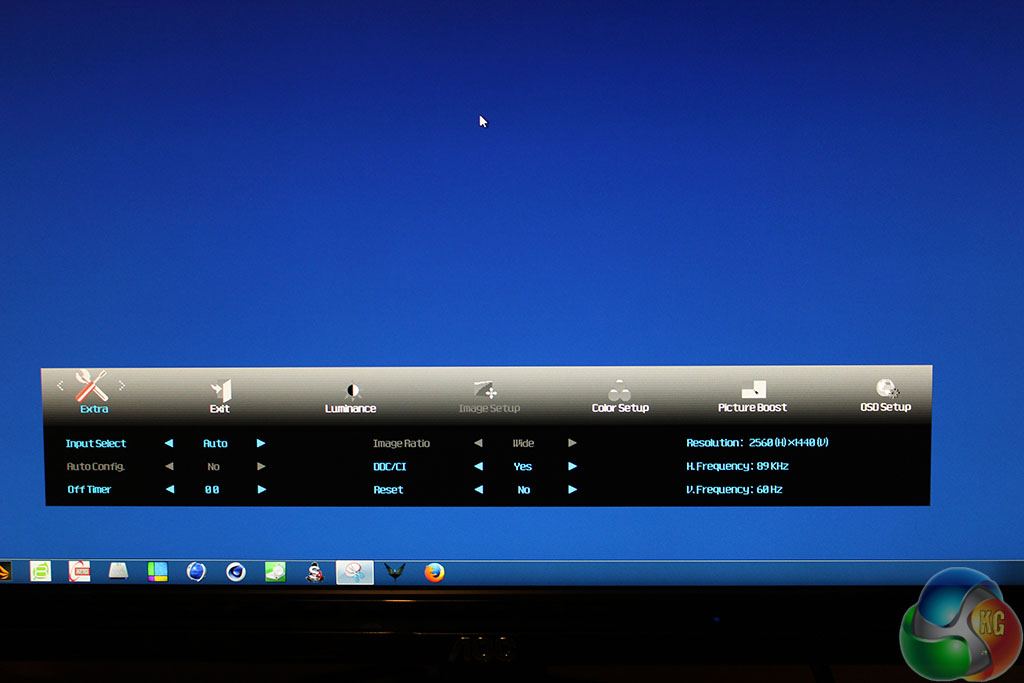
The Extra menu provides another way to select the video signal. AutoConfig resizes a display to fit. There’s support for DDC-CI (Display Data Channel Command Interface) for connection to external sensors. There’s also a reset button.
We used a Spyder 4 Elite Colorimeter with the AOC Q2778VQE, which provided figures for the brightness uniformity, coverage of various colour standards and tone response.
We tested with the monitor reset to its default values.
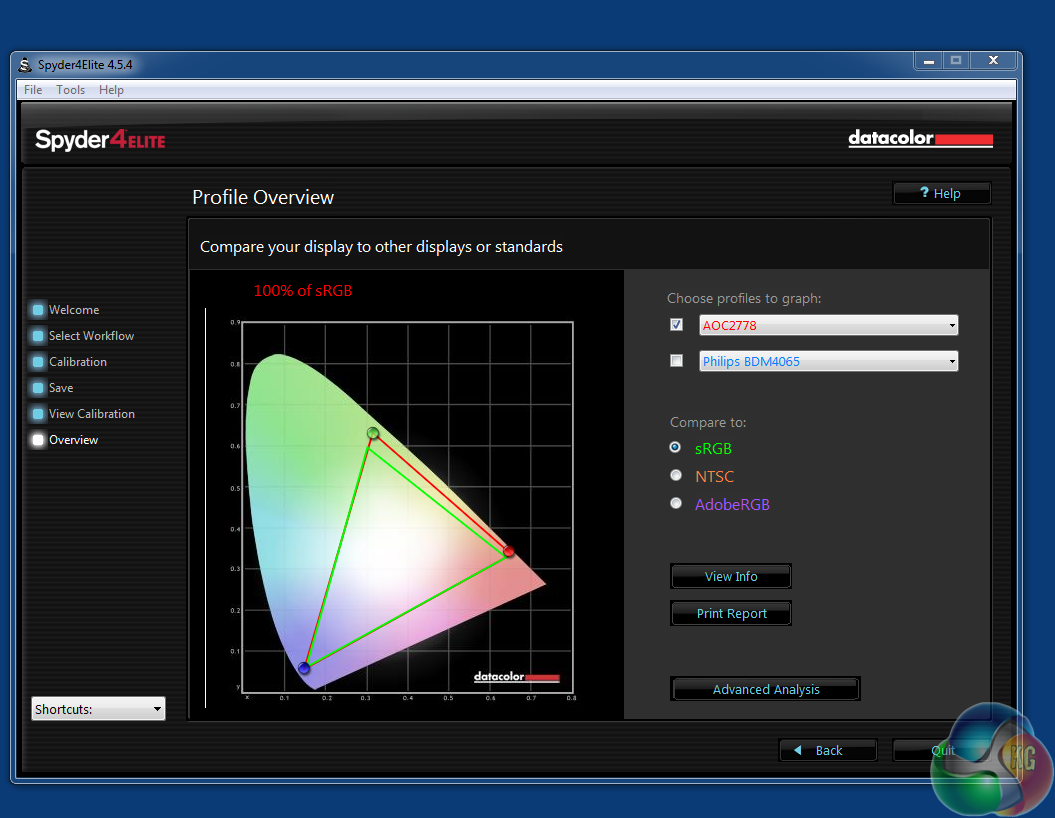
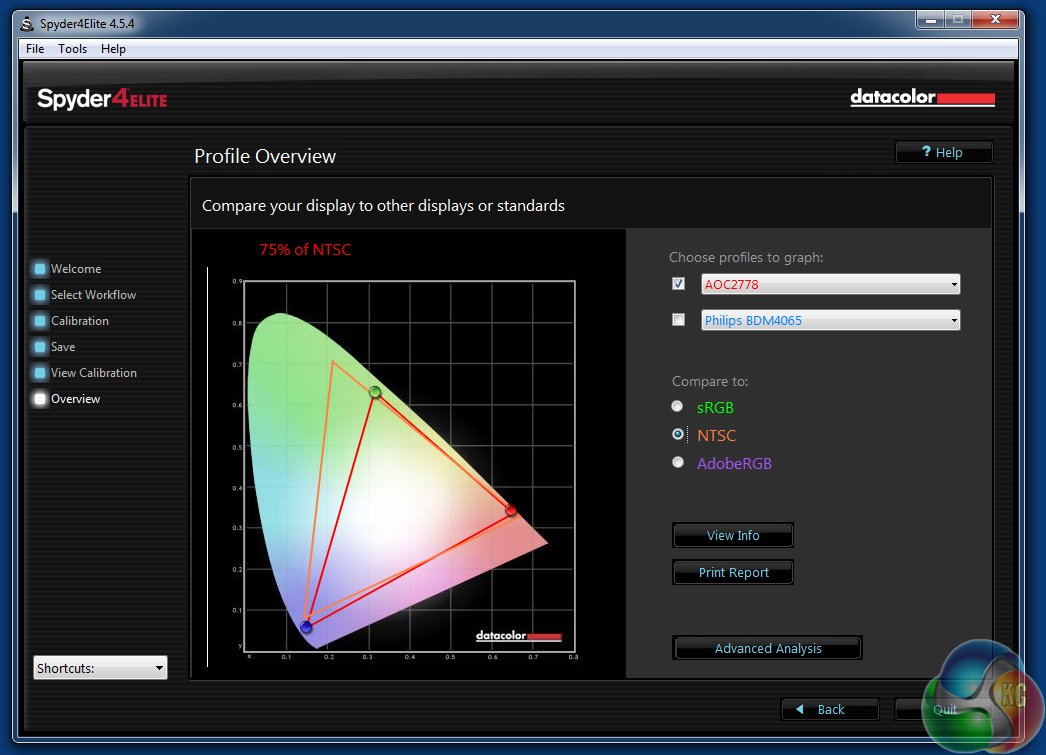
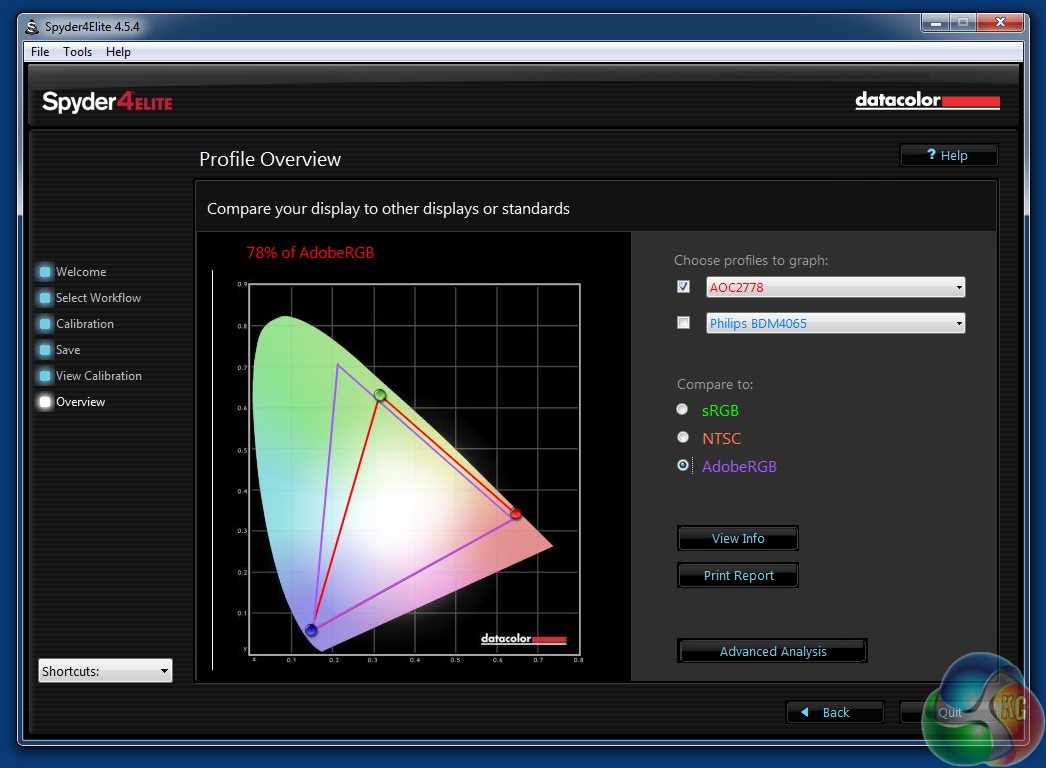
The Q2778VQE delivered some excellent coverage figures, with 100 per cent sRGB, 75 per cent NTSC and 78 per cent Adobe. Although the Q2778VQE isn’t sold as a colour-accurate display, this is a great result.
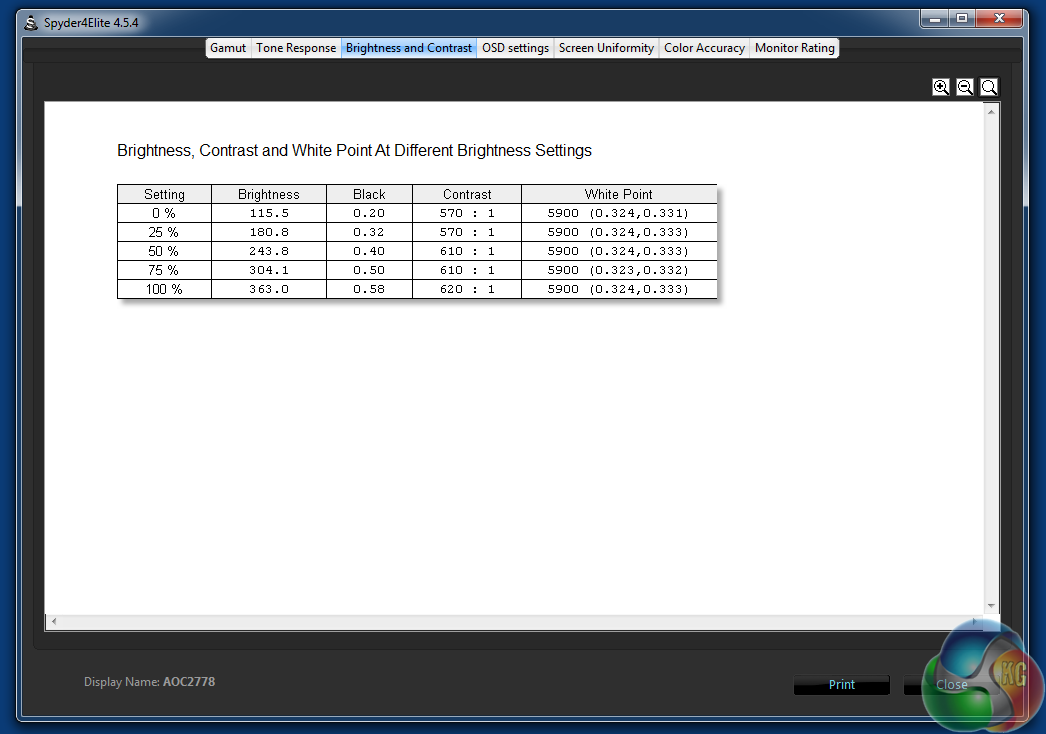
Brightness and contrast levels were promising too. At 100 per cent brightness on the OSD, the screen managed 363 cd/m2 with 620:1 contrast, results that beat many IPS panels we’ve tested.
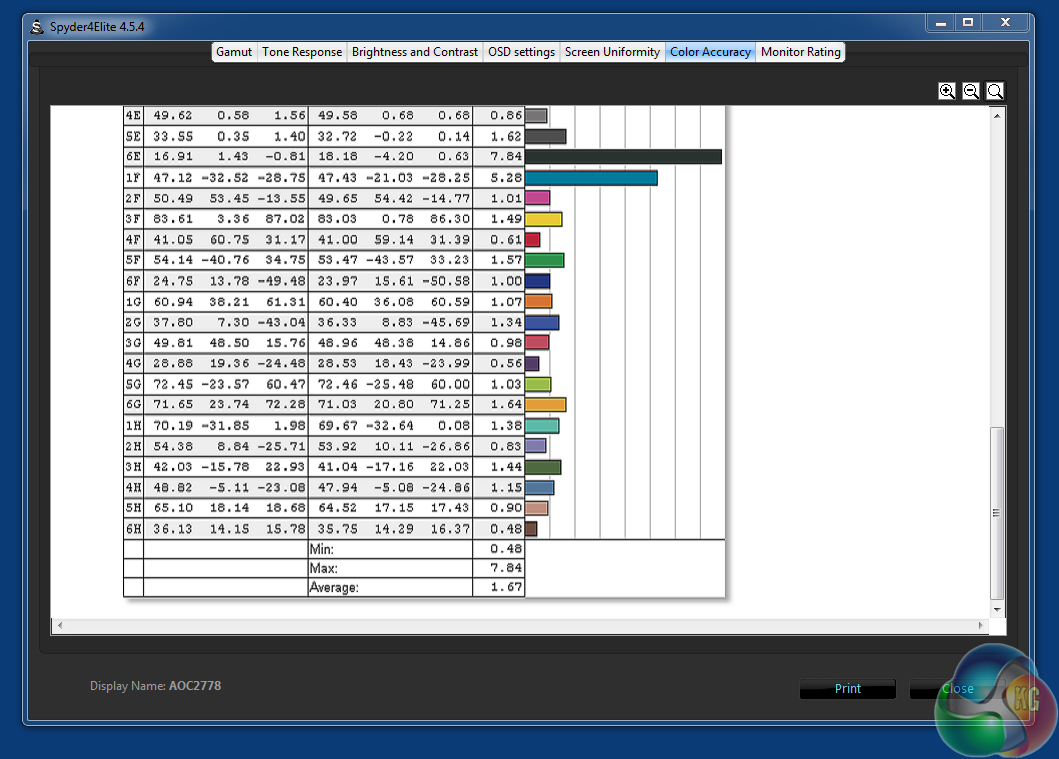
Uncalibrated the Q2778VQE delivered an average DeltaE result under 3, with a calibrated result of 1.67.
Brightness distribution varied between 4.3 and 17 per cent. It was most reasonable in the middle and lower sections, but deviated considerably toward the top, with variances of 14.9,13.6 and 17.9 per cent. This is probably the worst performing aspect of the display quality.
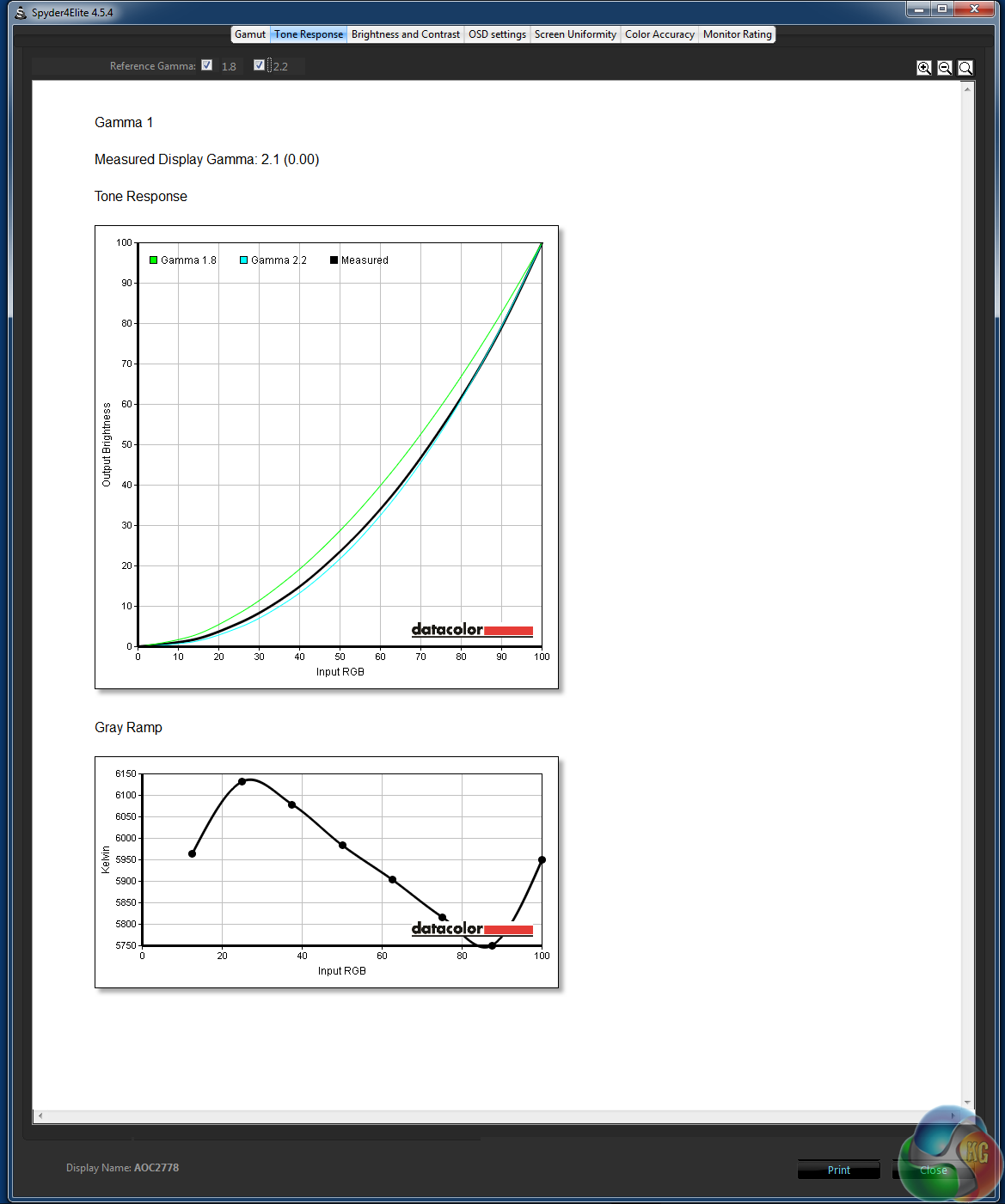
With the Gamma 1 setting selected, the Q2778VQE delivered a solid 2.1, slightly below the magic 2.2 figure.
The AOC Q2778VQE is a great example of why TN technology still has a place in a market increasingly dominated by IPS and AHVA panels.
Although the viewing angles aren’t quite as good, it provides superb colour reproduction, with full sRGB coverage, along with NTSC and Adobe colorimeter results that compete with more expensive colour-accurate displays.
Its recorded brightness and contrast levels are equally impressive, at levels that better many other displays, including some that use IPS panels.
More subjectively, in use we found the image quality to be excellent at all times. Movies looked good, and gaming in Battlefield 4 produced no ghosting effects, thanks to the display’s 1ms response time. We never had to use the monitor’s Overdrive function to achieve this either. Even when this option was turned off, gaming was a pleasure.
A great screen then, and reasonably good value for money too. A 27-inch panel for under £300 is a good deal, and it’s sweetened by the low response time, great picture quality and use of a 2,560 x 1,440 WQHD native resolution, when some displays of this size use a 1,920 x 1,080 resolution.
The strong response time and lack of ghosting will most appeal to gamers then, but the sRGB coverage could make it a good choice for graphic designers too, although the brightness uniformity notably drops off slightly towards the top, which can affect accuracy.
There is strong competition around this price point though, with some competing screens, particularly from LG, offering ultra-wide 21:9 displays. Those screens are a rather different prospect though and might be better for movies than games, which may not necessarily support the ultra-wide resolution.
But unfortunately there has been some obvious cost cutting from AOC to achieve this low price point. There’s no built-in USB hub or speakers, and the stand really isn’t great. Although it offers a tilt function, it cannot be raised or lowered, or rotated 90 degrees for portrait use, something other panels can do. It generally feels quite cheap and plasticky, and even wobbles slightly.
The buttons at the front are quite fiddly to use too, especially when first using the Q2778VQE. It’s all too easy to press the wrong button and power off the monitor when trying to move through menus, and the alternating functions switching between options on the OSD gets similarly confusing.
But with familiarity, the OSD becomes easier to use, and the stand can be replaced with a VESA mount if you wish. The Q2778VQE ticks the boxes for picture quality and gaming performance, making its ergonomic shortcomings far more forgivable, especially considering its reasonable pricing.
Discuss on our Facebook page, over HERE.
Pros:
- Full sRGB coverage.
- 1ms response time and little ghosting.
- Good viewing angles for a TN panel.
- Good overall picture quality.
Cons:
- Very fiddly buttons.
- Poor quality stand.
Kitguru says: The Q2778VQE is one of the better performing TN panels you can buy, with superb colour reproduction and good brightness levels.


With the help of kitguru < I didn't believe …that…my brother woz like truly making money part time at their computer. . there aunt had bean doing this 4 only seventeen months and resantly paid the dept on there apartment and bourt themselves a Lotus Elise .
see this her CLICK FOR MORE INFO
➧➧✥➧➧✥ $73.. per-hr @mi36//
,,
➨➨➨http://ChaTeamViewerData.com/supperb/Catcher/2O15…
Good monitor, worth the price 🙂