KitGuru KitGuru.net – Tech News | Hardware News | Hardware Reviews | IOS | Mobile | Gaming | Graphics Cards


SilverStone are well known for their range of PC cases and accessories. However, they also offer a plethora of other PC components including power supplies, storage devices and cooling solutions with the latter being what we are looking at today with one of SilverStone’s latest all-in-one, closed-loop CPU coolers on our test bench.
Their latest all-in-one cooler offerings, called Permafrost, are available in a range of sizes including 120mm, 240mm and 360mm variants, with the PF240-ARGB 240mm version being the one we will be putting through its paces.
SilverStone are keen to make it clear that their Permafrost range, which uses a brand-new water block, includes a pump featuring a dual-chamber design that isolates hot and cold liquid channels to prevent heat bleeding. This should ensure more efficient removal of heat away from the CPU water block.
The new pump utilises a three-phase motor and six pole design for smoother, quieter operation compared with other single-phase designs, which in turn should improve efficiency too. At the base of the pump, there is a large copper thermal transfer plate, with 0.2mm micro-channels to evenly distribute liquid flow for improved heat dissipation.
SilverStone has sourced several automotive-grade components to ensure the Permafrost coolers include high quality and durable parts. An automotive-grade sine wave generator is used to drive the pump, which ensures electrical noise and vibrations are kept to a minimum. The 240mm radiator is also said to be manufactured from automotive-grade materials too.
Two 120mm SilverStone fans are included in the PF240-ARGB cooler. These fans are PWM controlled and feature addressable RGB lighting. SilverStone states the fans are optimised for both air-flow and pressure, therefore providing maximum performance with minimal noise.
The PF240-ARGB cooler has an included ARGB controller for users to connect with the ARGB fans and pump. However, since all the cables use standard ARGB 5V 3-pin motherboard type connections, this provides the option to connect directly to the motherboard and sync the RGB lighting with other components in the system. SilverStone’s RGB solution is compatible with Gigabyte RGB Fusion 2.0, MSI Mystic Light Sync, Asus Aura Sync and Razer Chroma.
Key features
- Full copper thermal transfer plate
- Aluminium radiator
- 120mm ARGB fans
- ARGB pump top design
- ARGB lighting controller
Specification
Water Block
- Application: Intel Socket LGA775/115X/1366/2011/2066 AMD Socket AM2/AM3/AM4/FM1/FM2
- Dimensions (L x W x H): 61mm x 61mm x 50mm
- Material: Copper base with plastic body
Pump
- Motor Speed: 3400±10% RPM
- Rated Voltage: 12V
- Rated Current: 0.39A
Fan
- Dimensions (L x W x H): 120mm x 120mm x 25mm
- Speed: 600~2200RPM
- Noise Level: 7.4~35.6 dBA
- Rated Voltage: 12V
- Rated Current: 0.32A
- Max Airflow: 94CFM
- Pressure: 3.53mm/H2O
- Connector: 4 Pin PWM
Radiator
- Dimensions (L x W x H): 272mm x 120mm x 28mm
- Material: Aluminium
- Tube Length: 400mm
- Tube Material: Rubber
- Application: Intel Socket LGA775/115X/1366/2011/2066 AMD Socket AM2/AM3/AM4/FM1/FM2
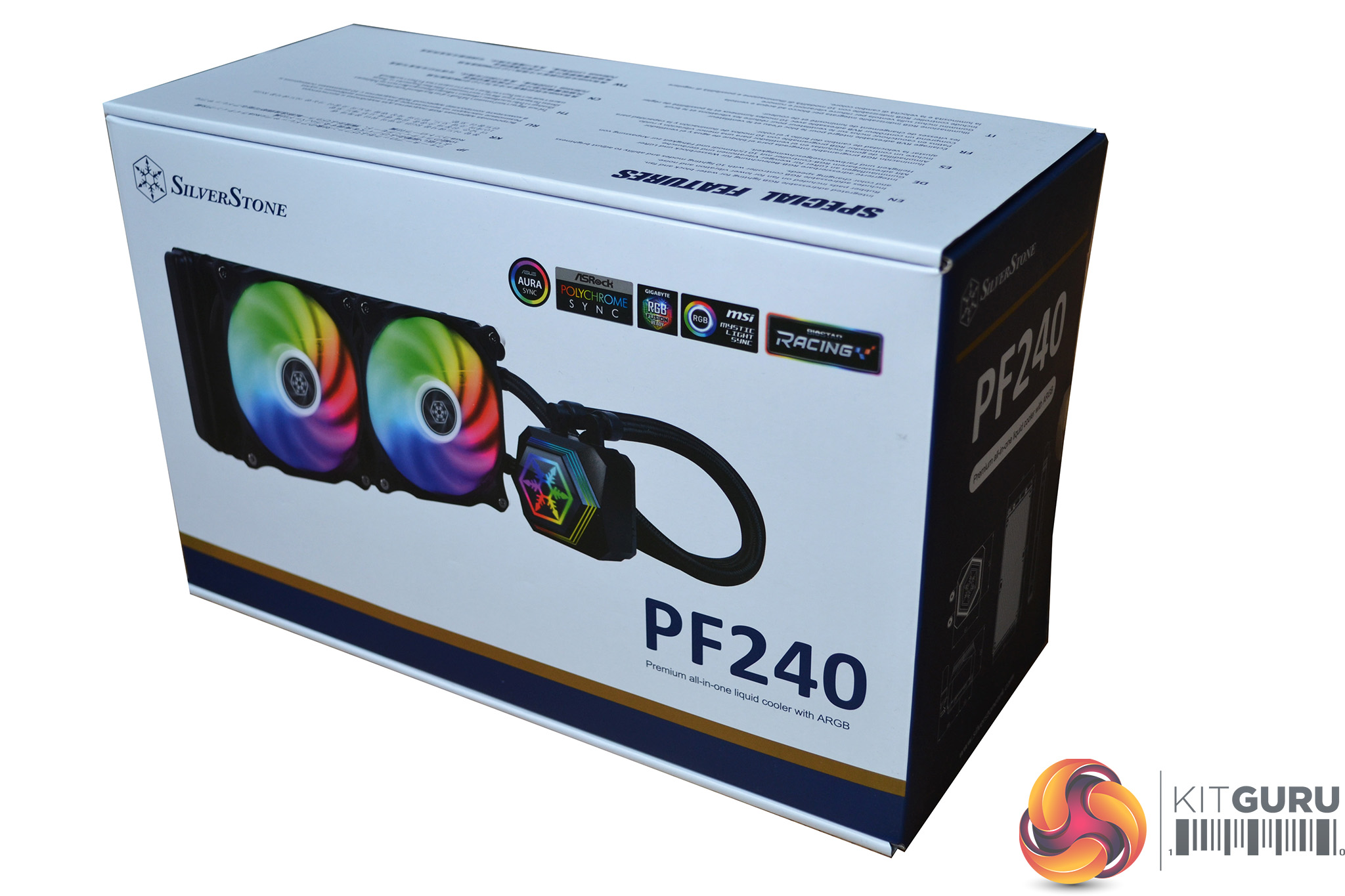
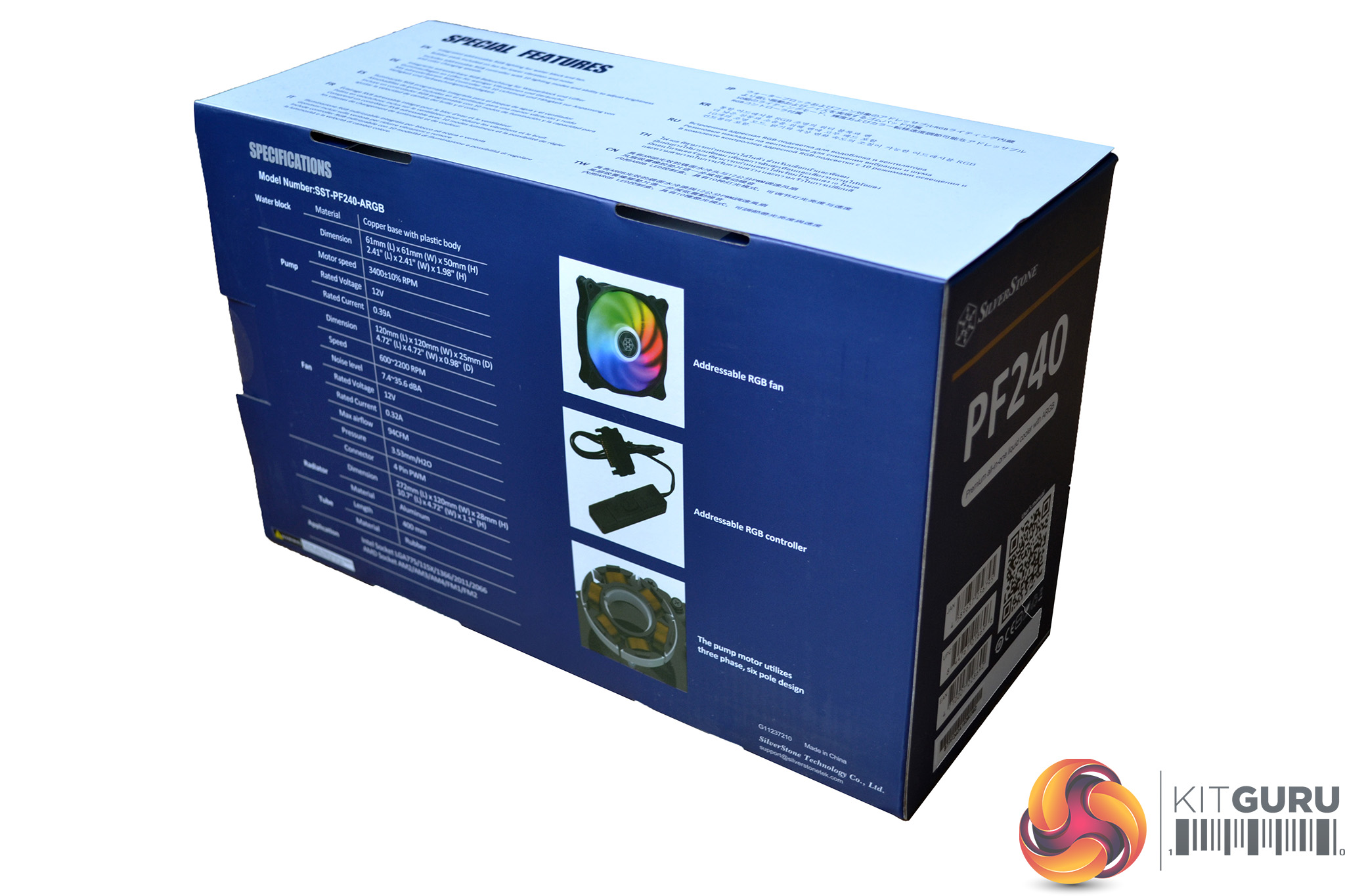
SilverStone package the Permafrost PM240-ARGB in a cardboard box with a blue and white theme. The front has a clean look, displaying a large image of the cooler centrally, with the SilverStone name and cooler model printed in opposite corners. On the rear are specifications and three smaller images.
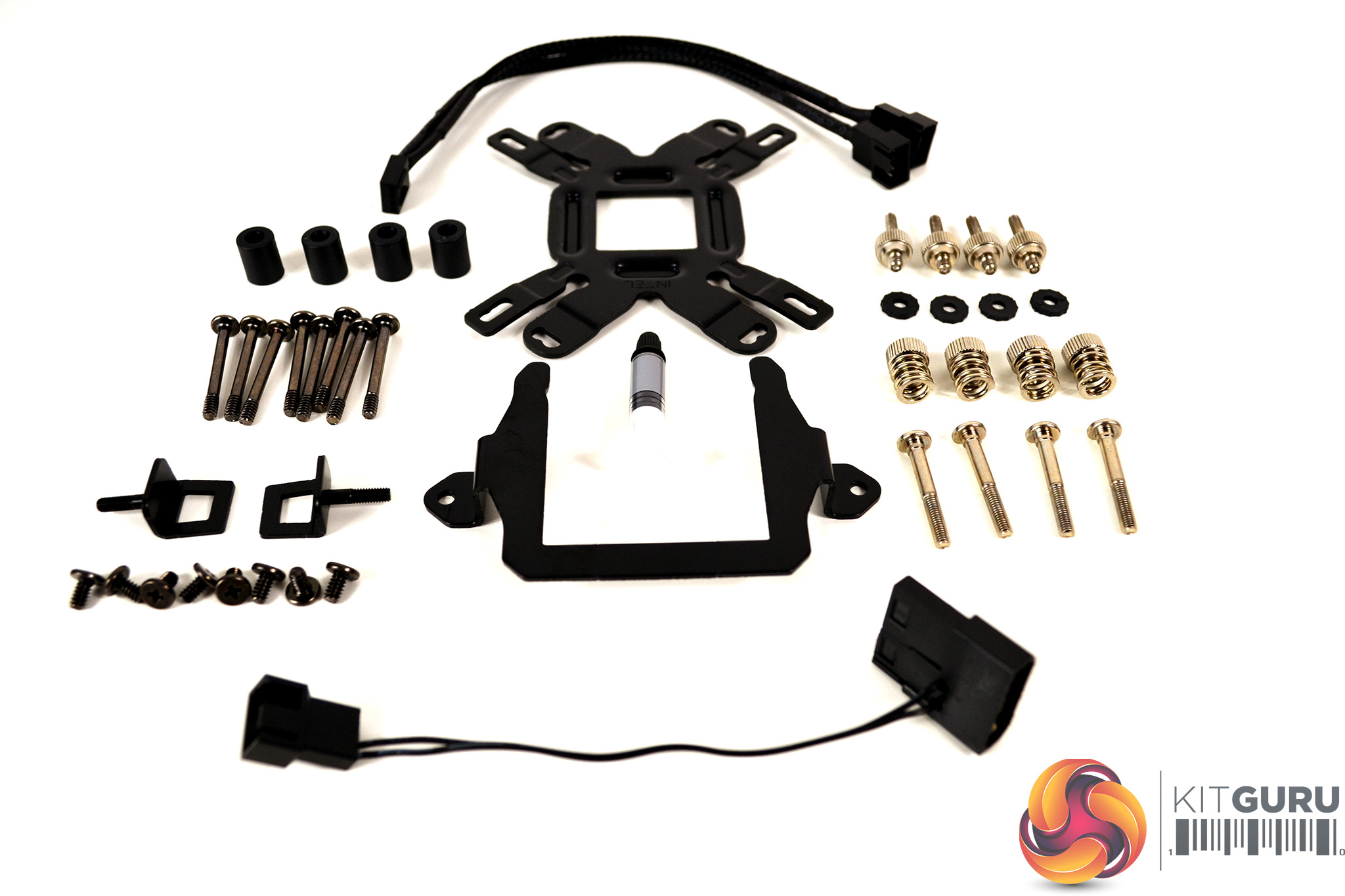
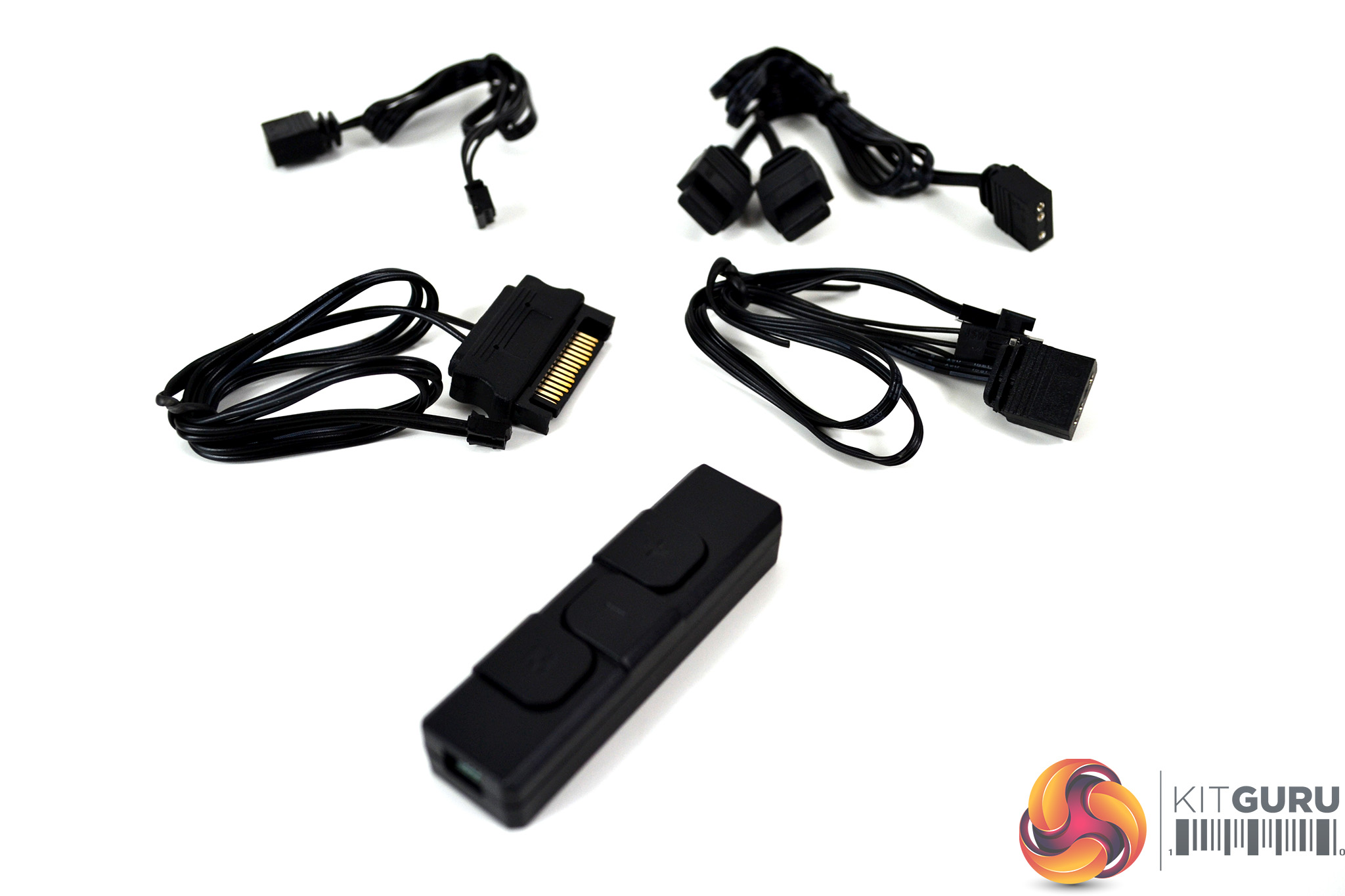
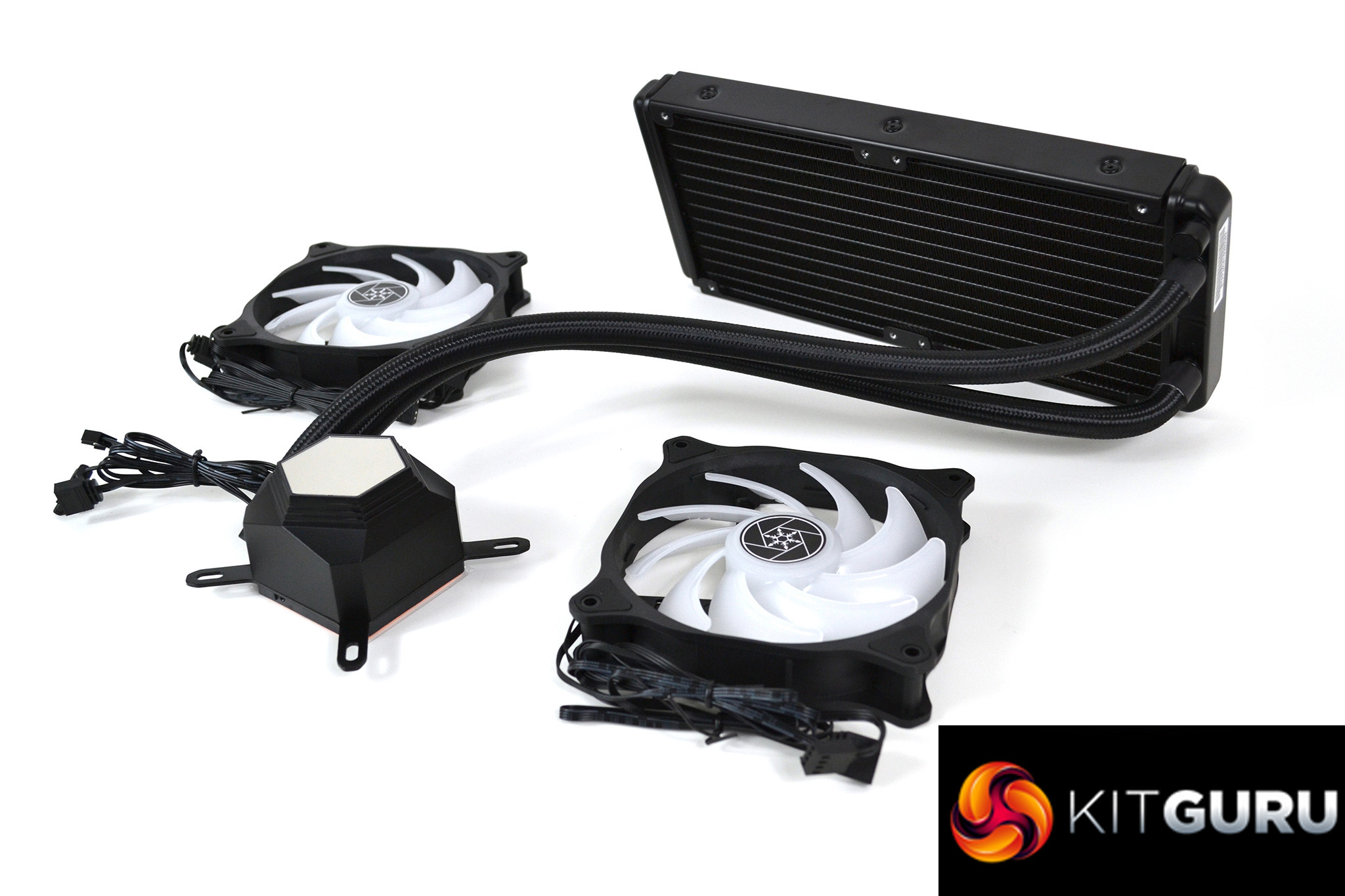
Once removed from the box and plastic wrapping, we can clearly see what’s included. Several grip seal bags contain all the mounting hardware which is sorted for socket type. Another grip seal bag contains assorted cables and an ARGB controller and of course, the cooler itself.
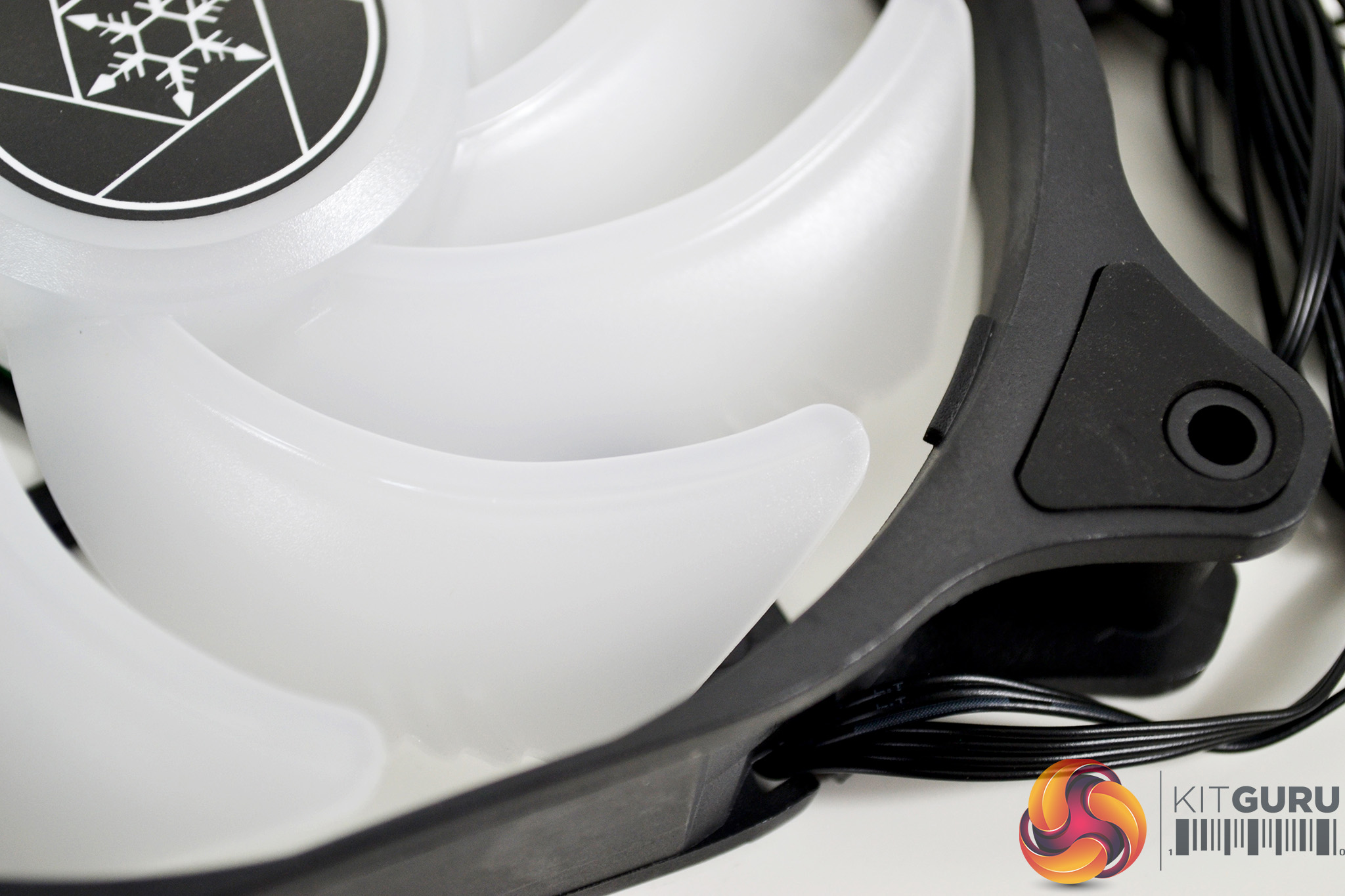
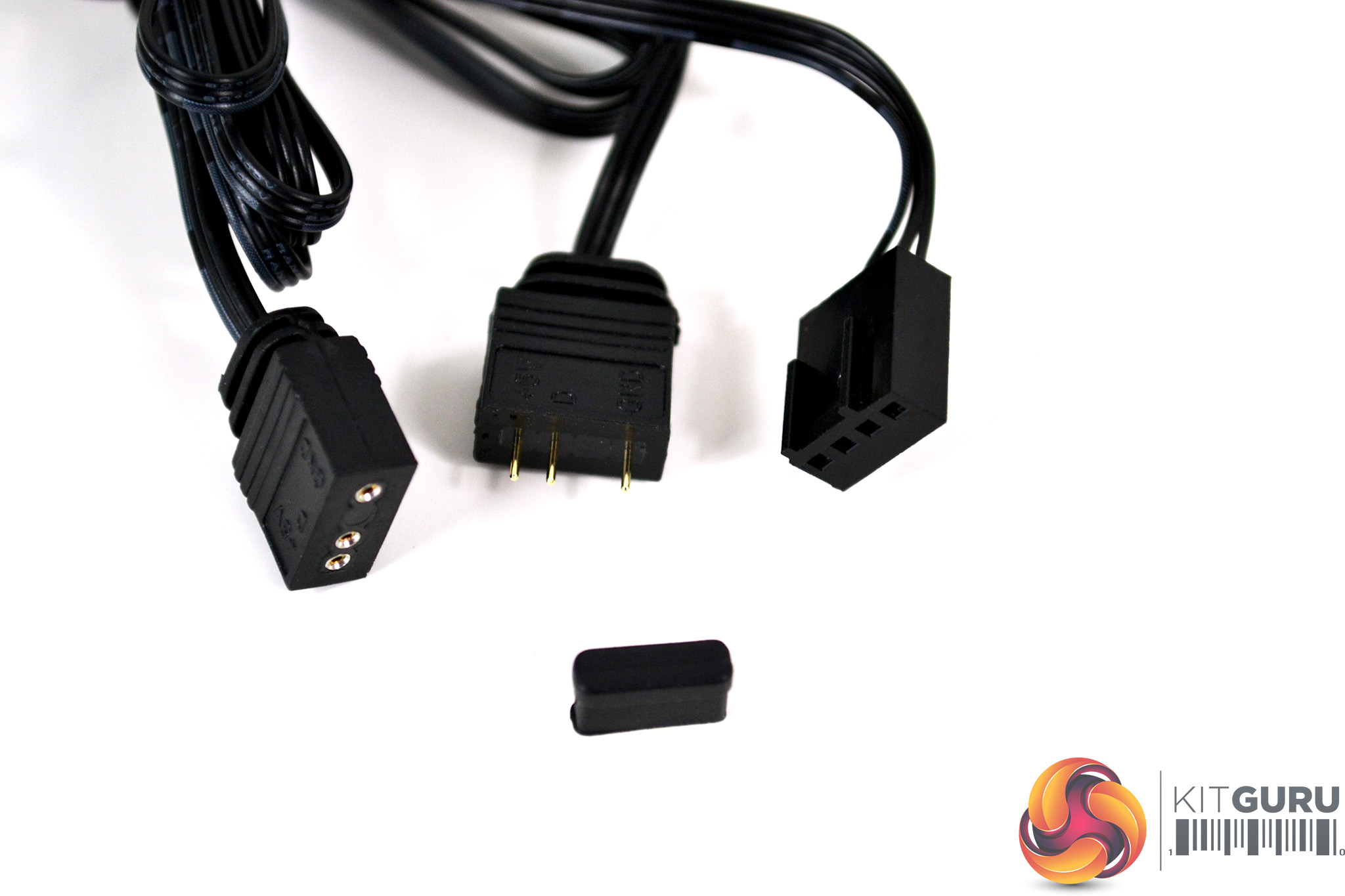
Additionally, there are two 120mm ARGB fans with 4-pin PWM connectivity, featuring nine opaque blades on a relatively small central hub. The four corner mounting points are fitted with rubber anti-vibration pads and feature standard ARGB 3-pin 5v connections.
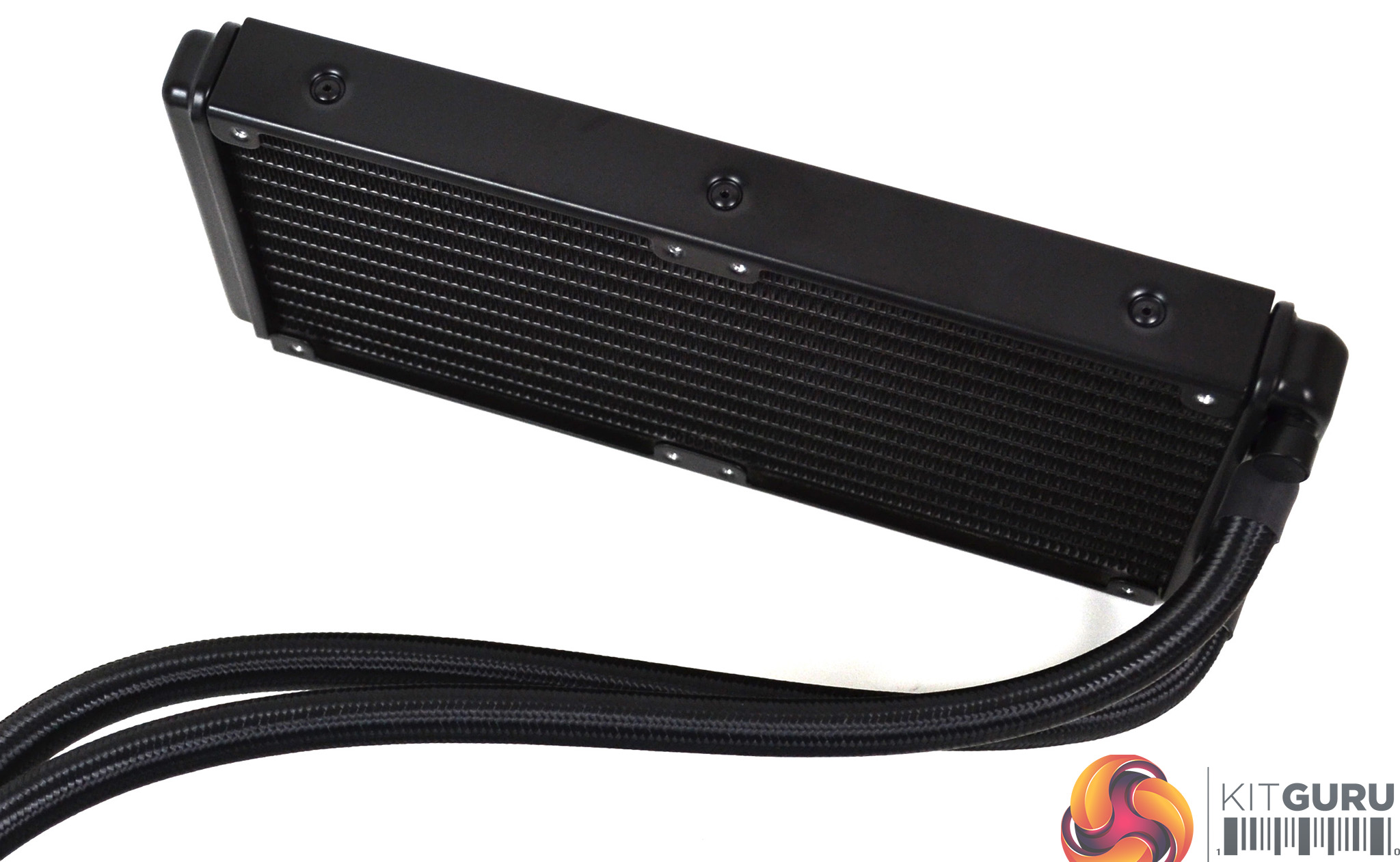
The PM240-ARGB radiator is a very minimalist design with rivets on show, painted all black and showing no branding whatsoever. This may not appeal to everyone; however, it should provide aesthetic compatibility in most systems due to its neutral design.
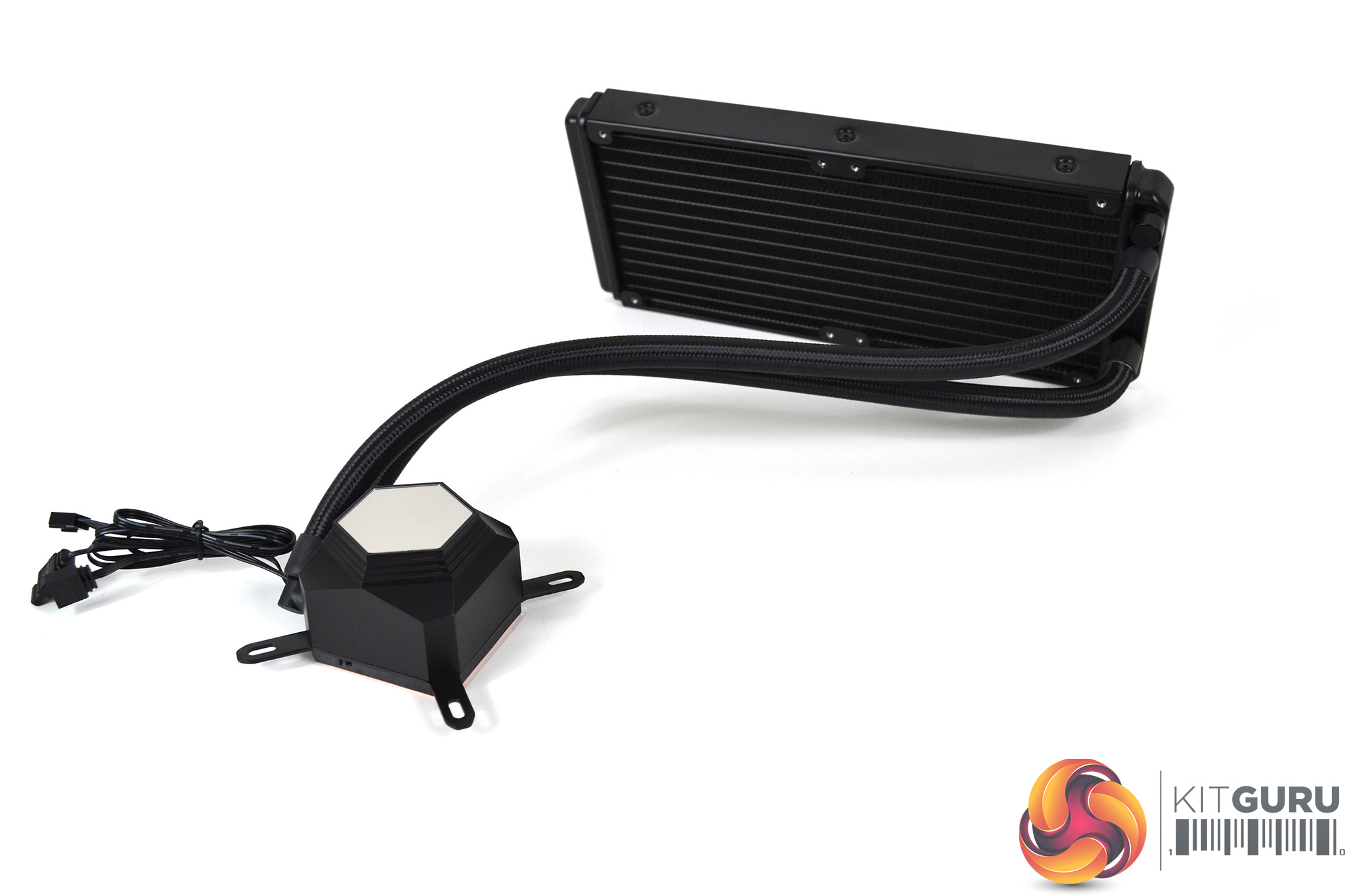
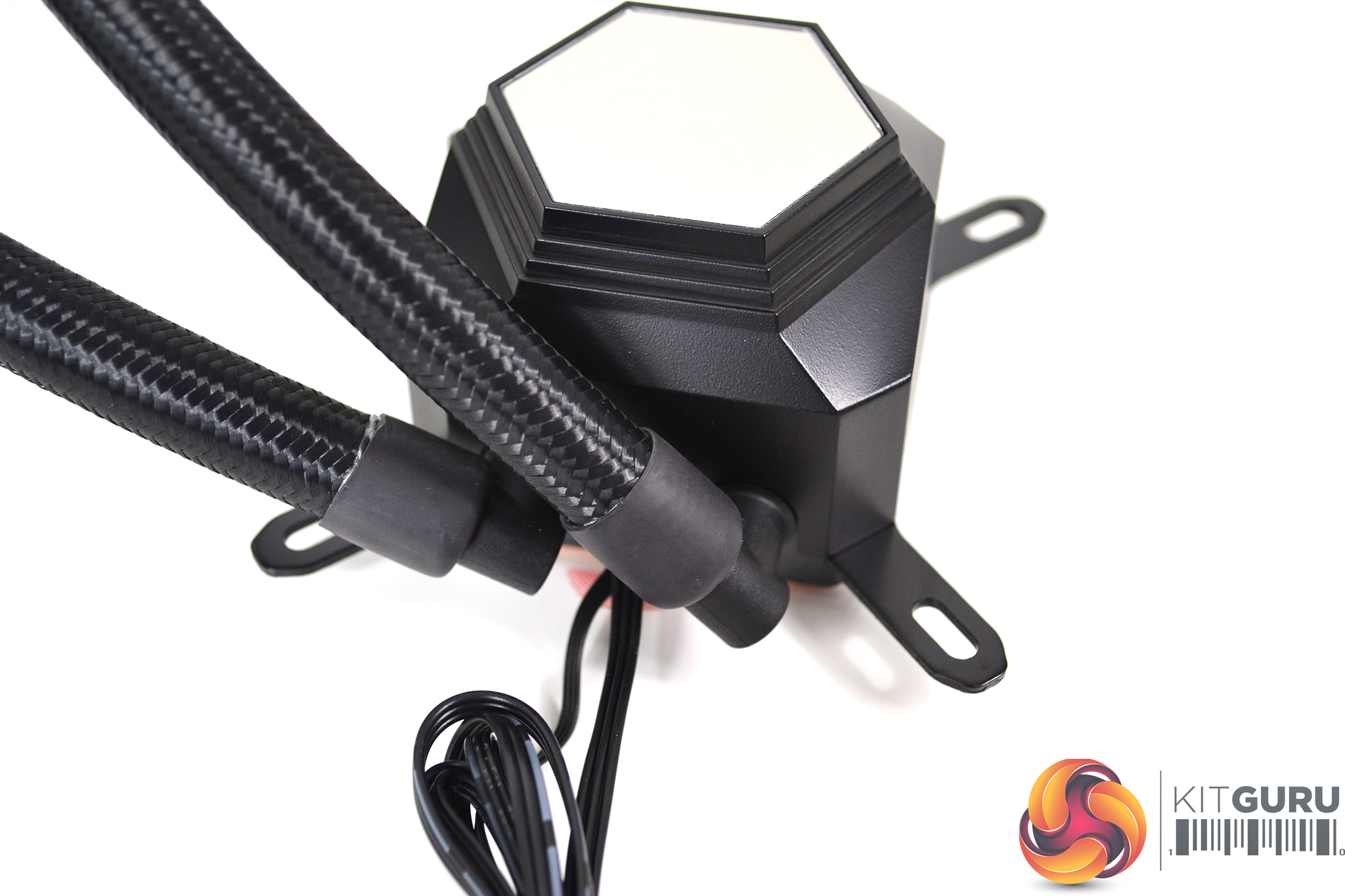
The radiator tubing has a generous length to it at approximately 395mm and is covered in high quality black braided sleeving. On the radiator end, the tubing is fixed in position. However, at the pump end, there are rotating fittings to aid with installation.
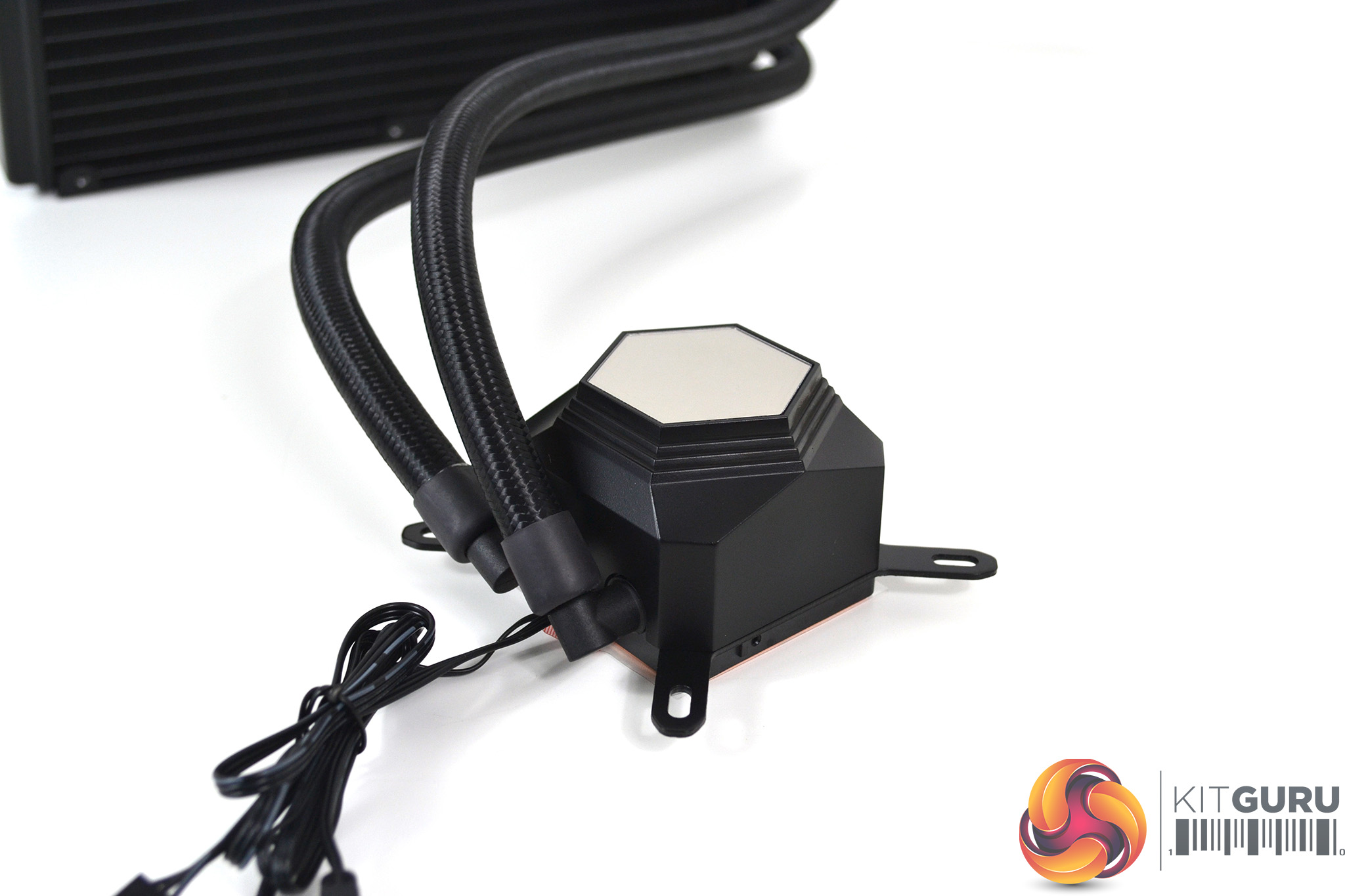
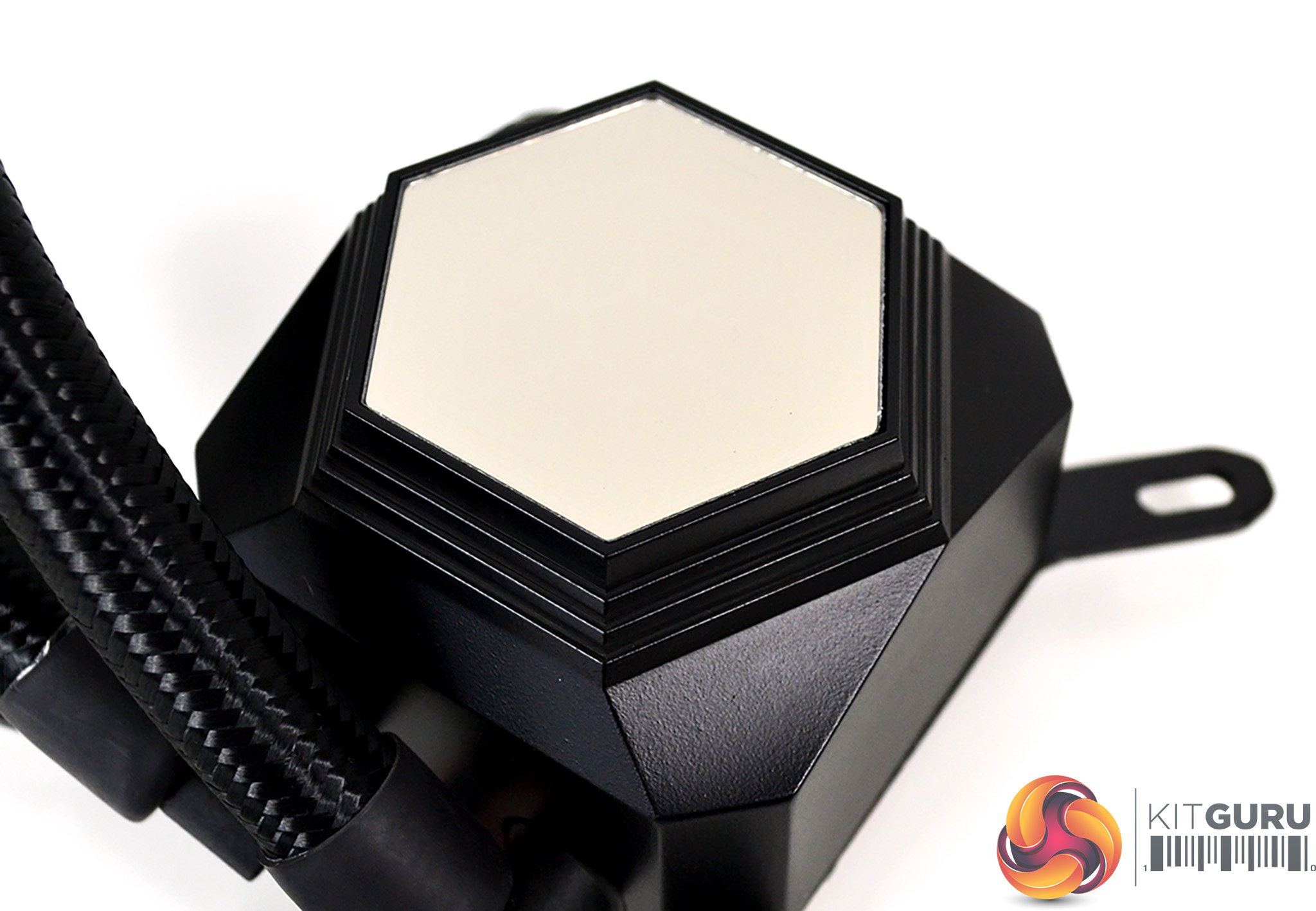
Most of the CPU block is made up of a black plastic cover, and while this looks ok, it has a slightly cheap feel to it. This should not affect performance though. The top of the CPU block features a mirror finish plastic plate, and on close inspection, we can just make out the SilverStone logo beneath. Again, SilverStone uses standard ARGB 3-pin 5v cables for the pump.
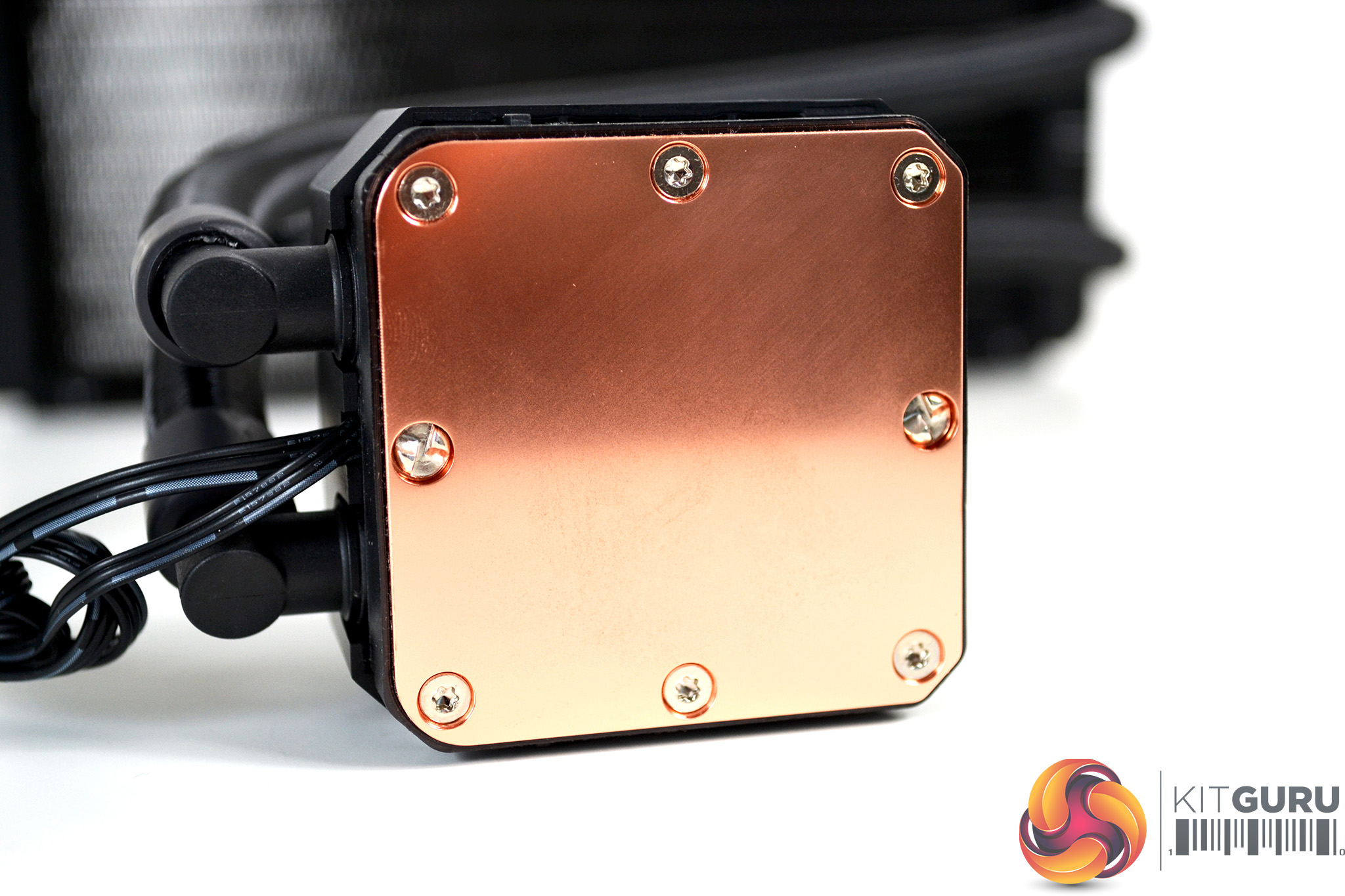
The underside of the CPU block features a large square design and a copper microchannel thermal transfer plate with Torx screws securing it to the pump housing, along with two security screws. The size and shape of the thermal plate looks good and should fully cover all desktop CPU integrated heat spreaders, which not all coolers manage to achieve.
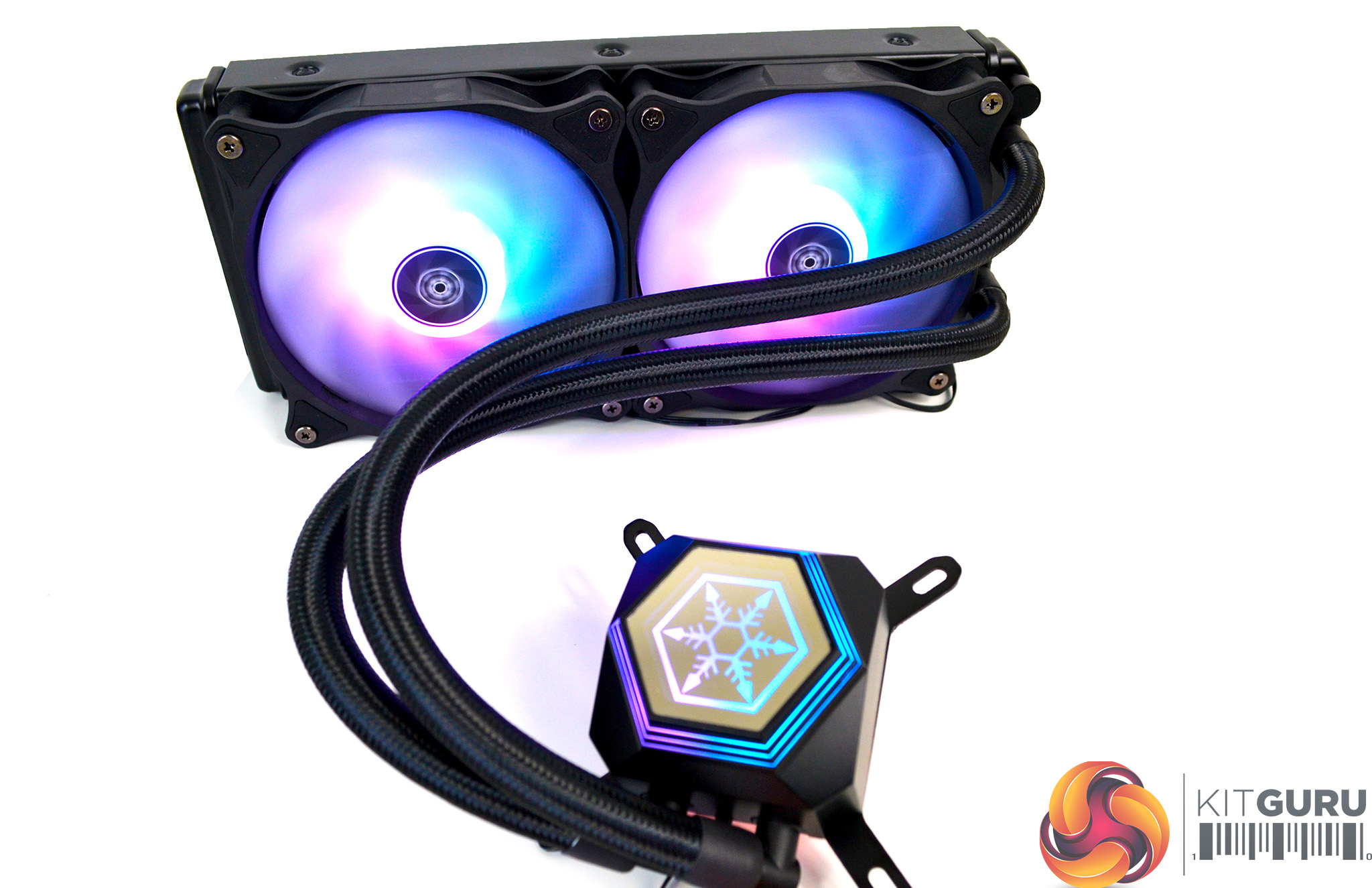
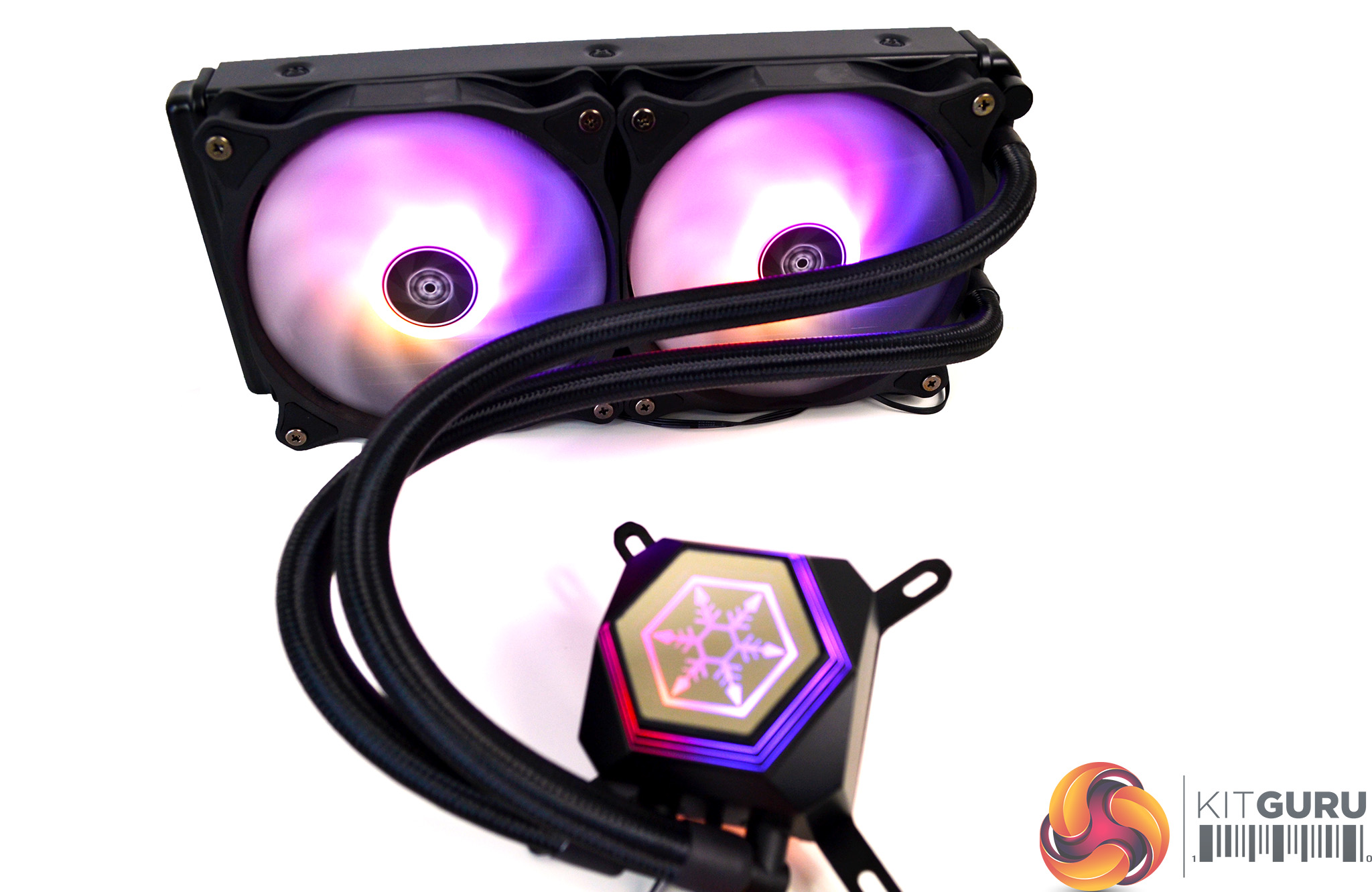
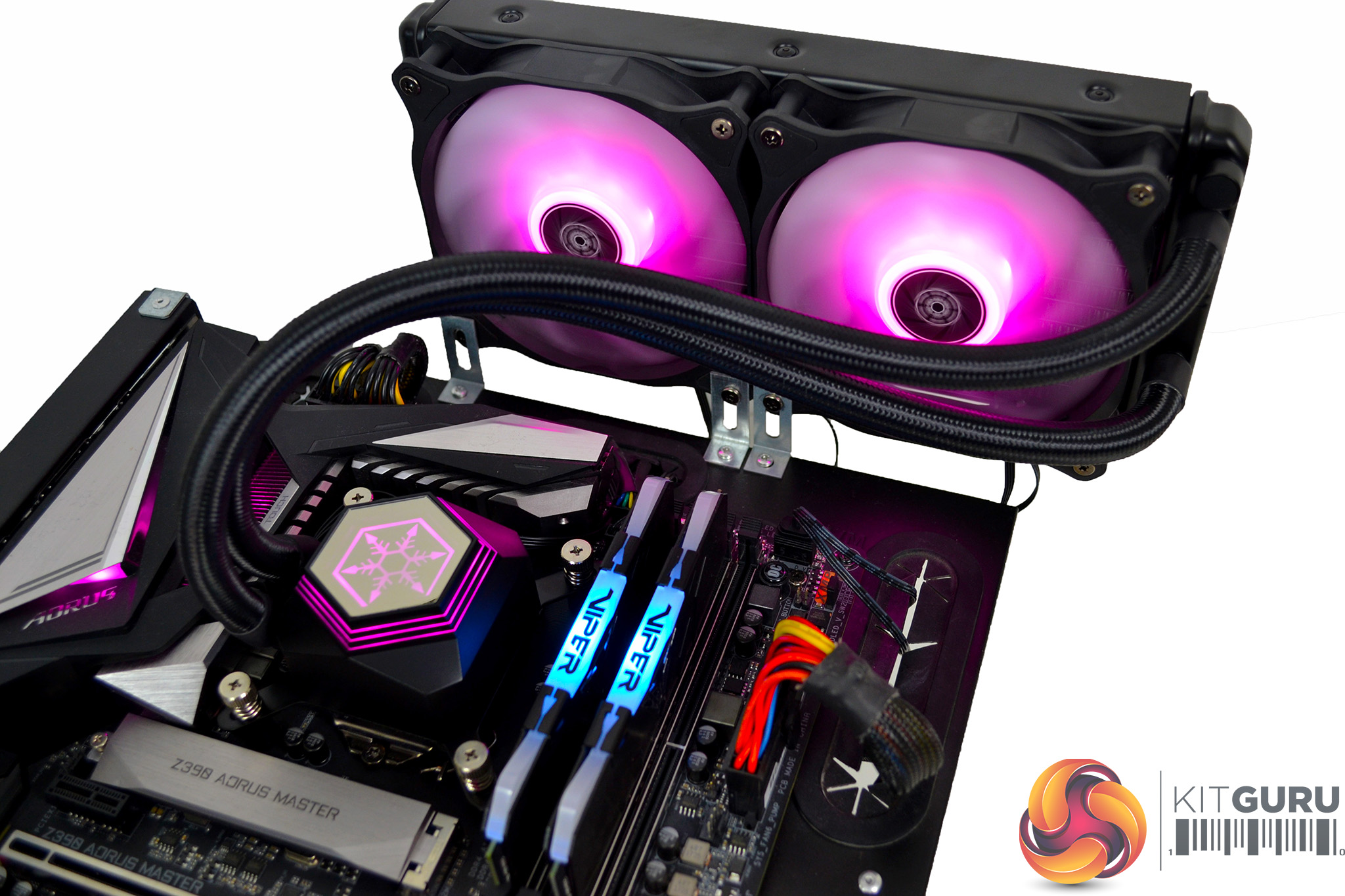
With power applied to the cooler, the SilverStone logo under the mirror-finished plastic now lights up with RGB LEDs. As do the fans, which adds another dimension to the visual design.
Overall, the build quality of the PM24-ARGB is excellent as SilverStone has used a combination of high-quality materials. We especially like the fact that they have used standard 3-pin 5v ARGB cables, which means we are not forced to use any manufacturer specific devices or software to control the RGB lighting.
Our test system is Intel Z390 based, therefore, we will be following the relevant 115X socket installation procedure. However, there was no sign of any installation manual included with the PF240-ARGB. This may be due to us receiving a review sample – we would expect full retail versions to include this.
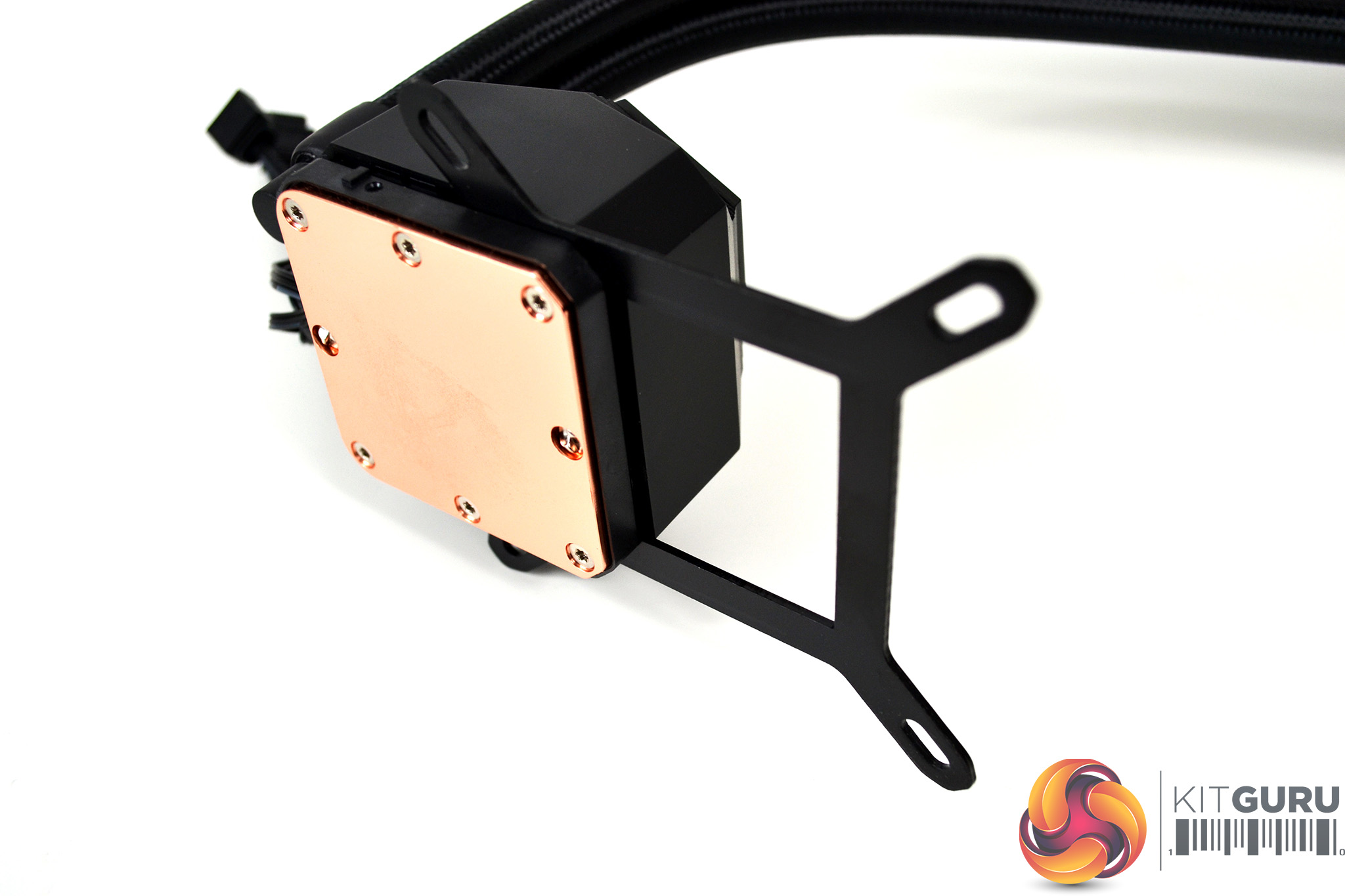
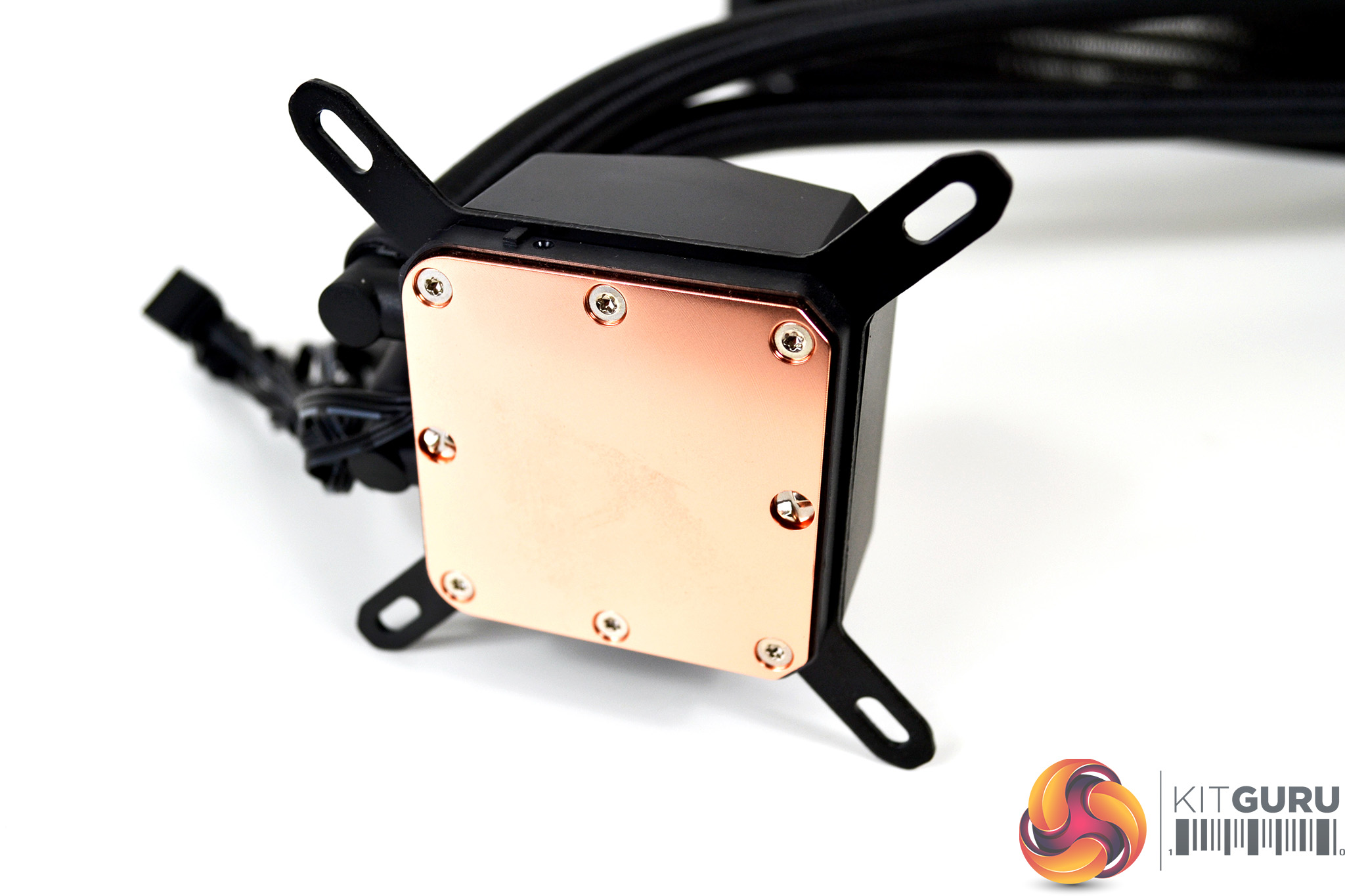
First off, if it’s not already fitted, take the Intel 115X top mounting bracket and slide it into the slots on the pump housing, until firmly fixed in place. There are no further screws to secure it.
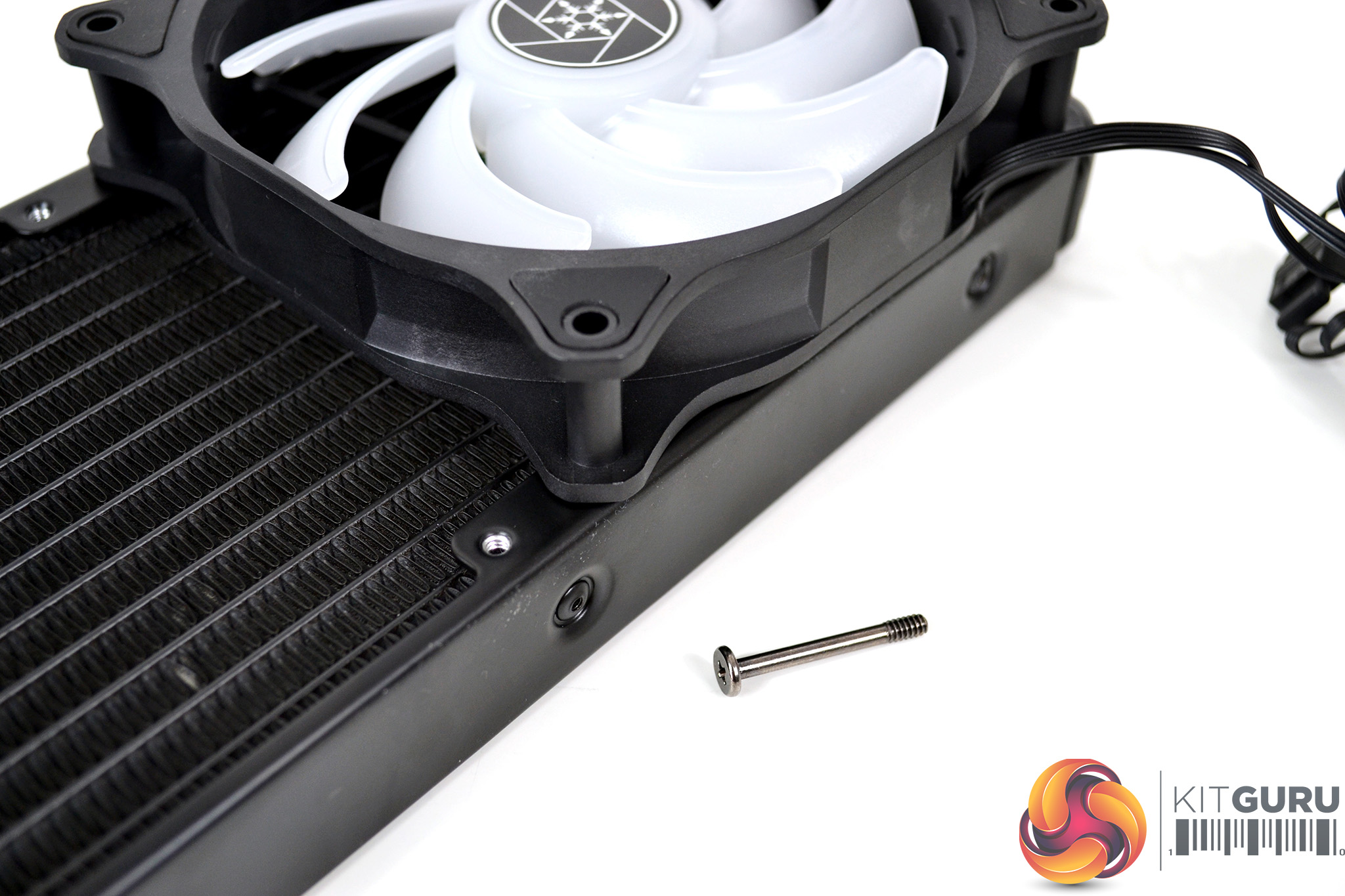
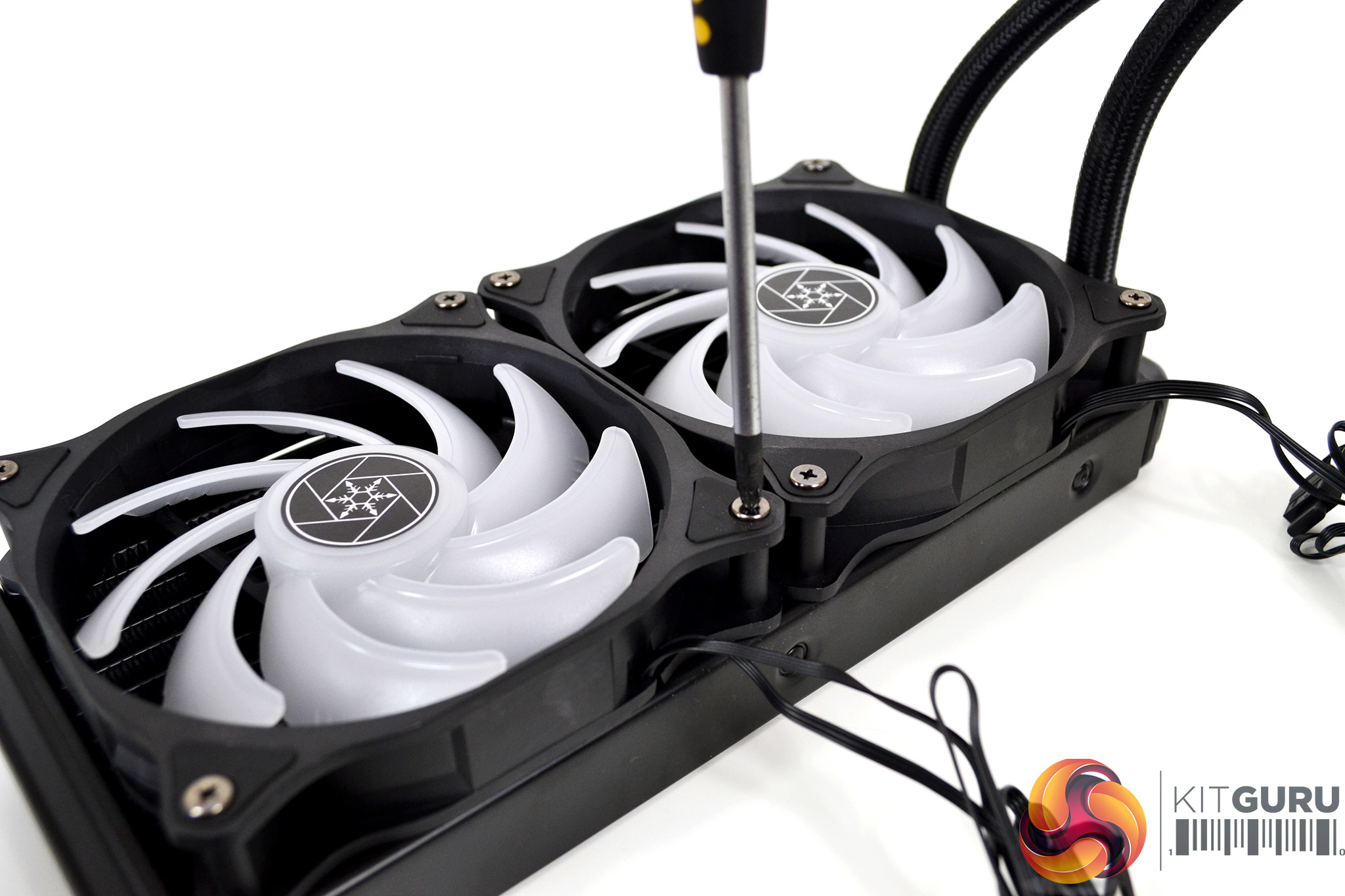
Next, fit the fans to the radiator. Place the fans over the radiator with the mounting holes in both components lined up and install the eight long Philips head screws provided. Tighten the screws down with a screwdriver.
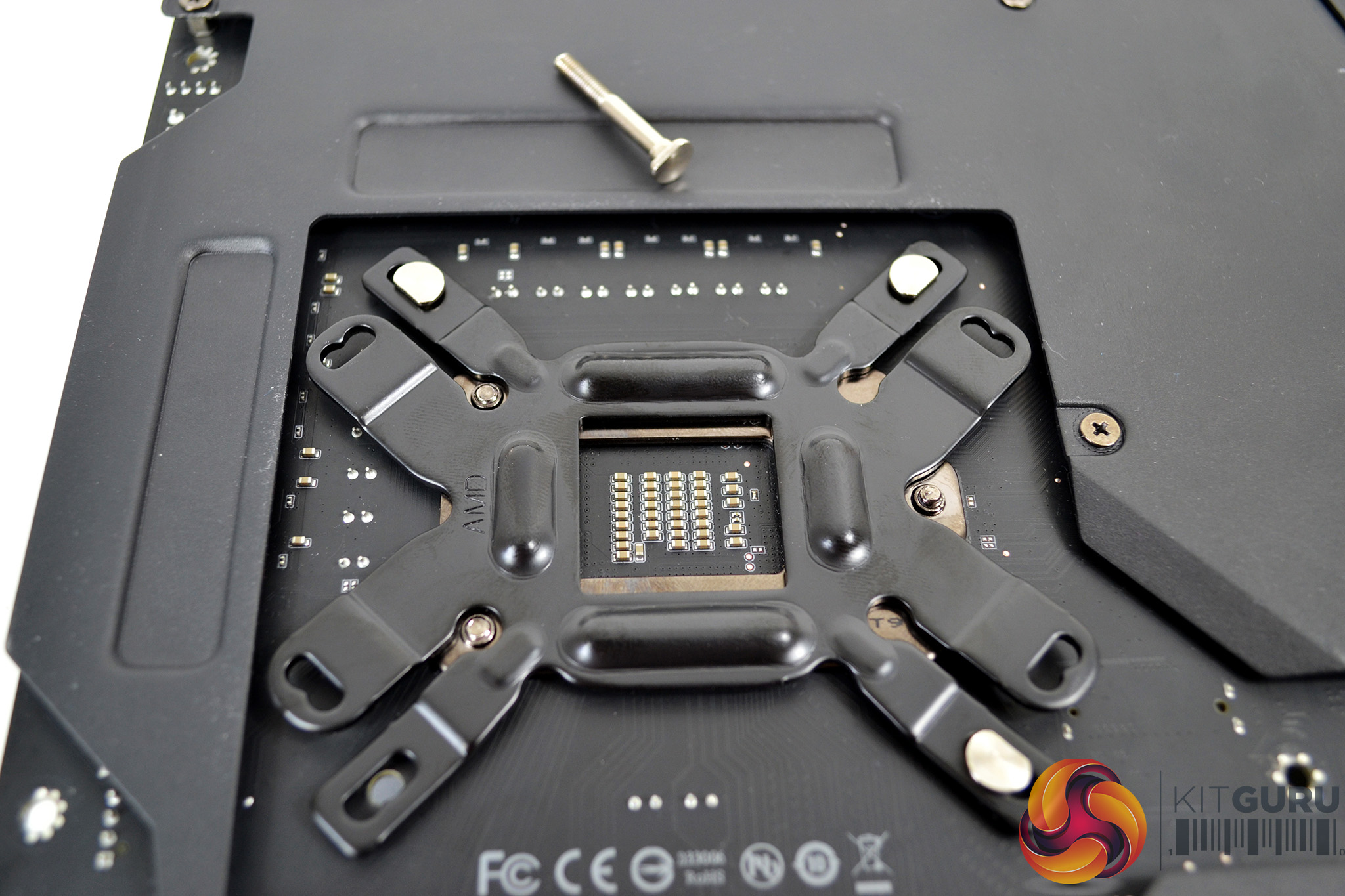
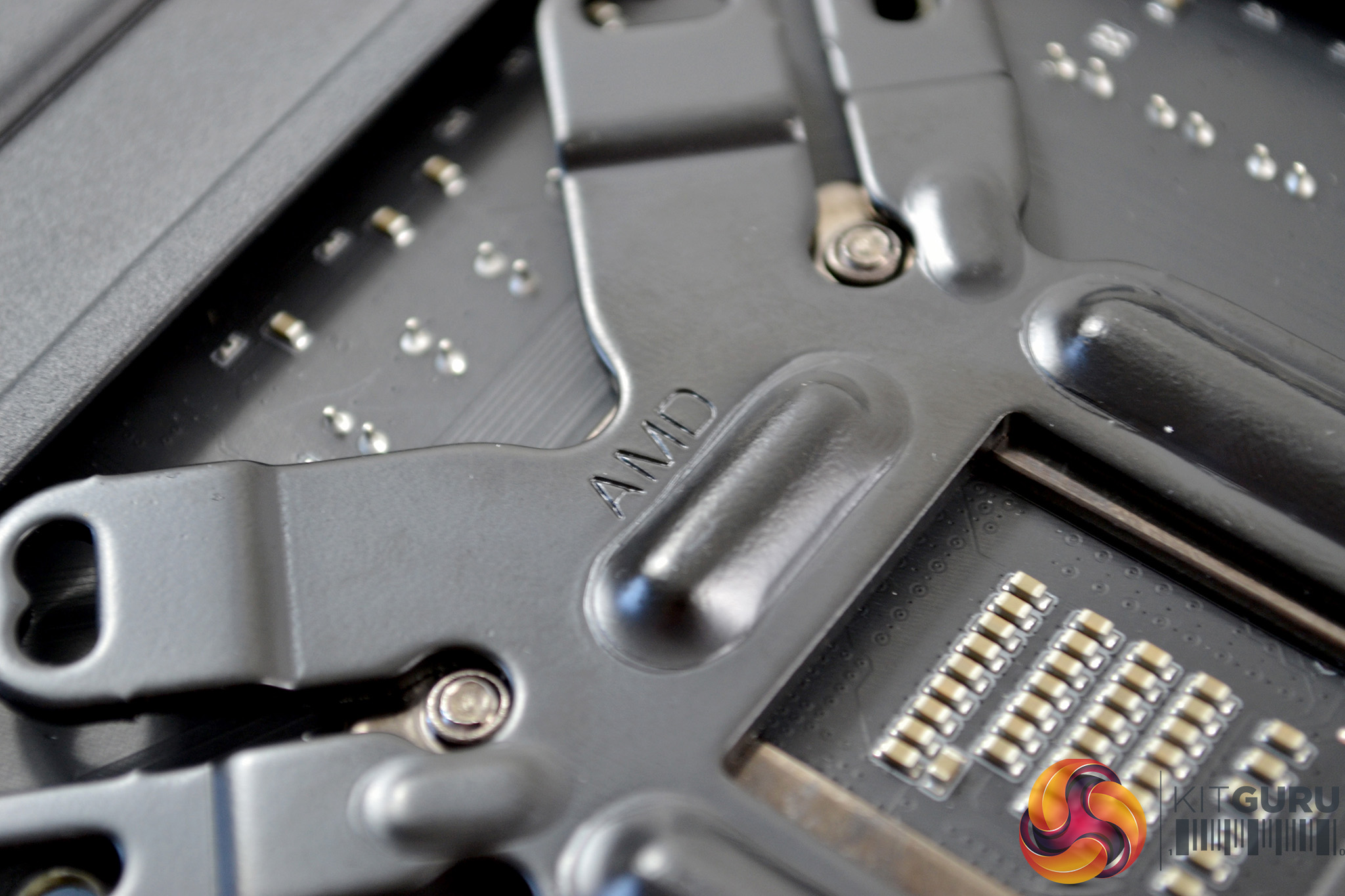
Now, prepare the motherboard. Flip it upside down and place the cooler's mounting backplate over the CPU socket's rear retention plate. Notice the three CPU socket retaining screws fit the cut-outs on the SilverStone backplate, and the AMD text on the cooler's mounting backplate is facing up.
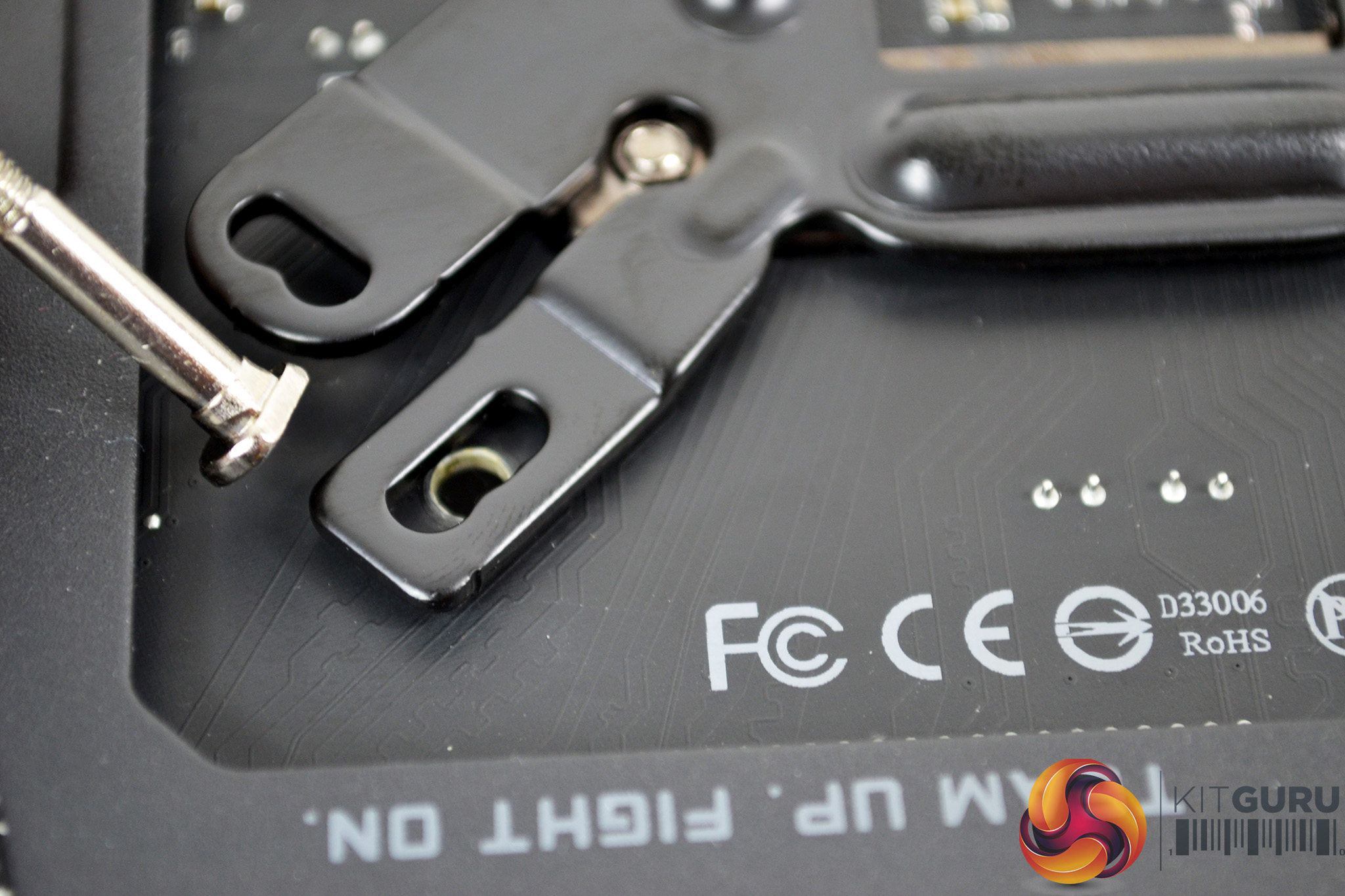
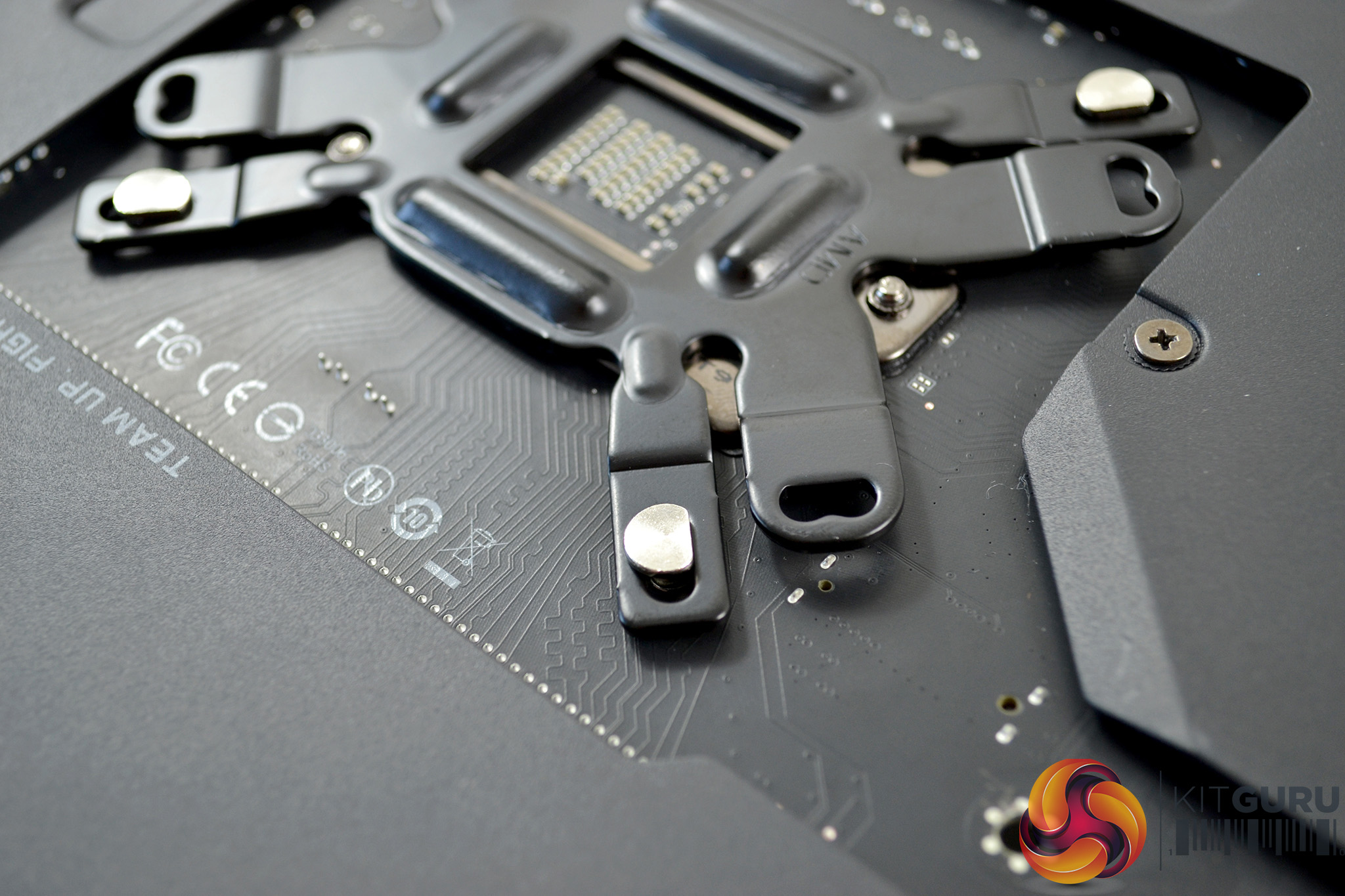
Push the four silver mounting screws into the corresponding holes in the backplate, through the motherboard and in the correct orientation. With nothing to secure the screws when you flip the motherboard back over, we recommend using some tape to hold them temporarily.
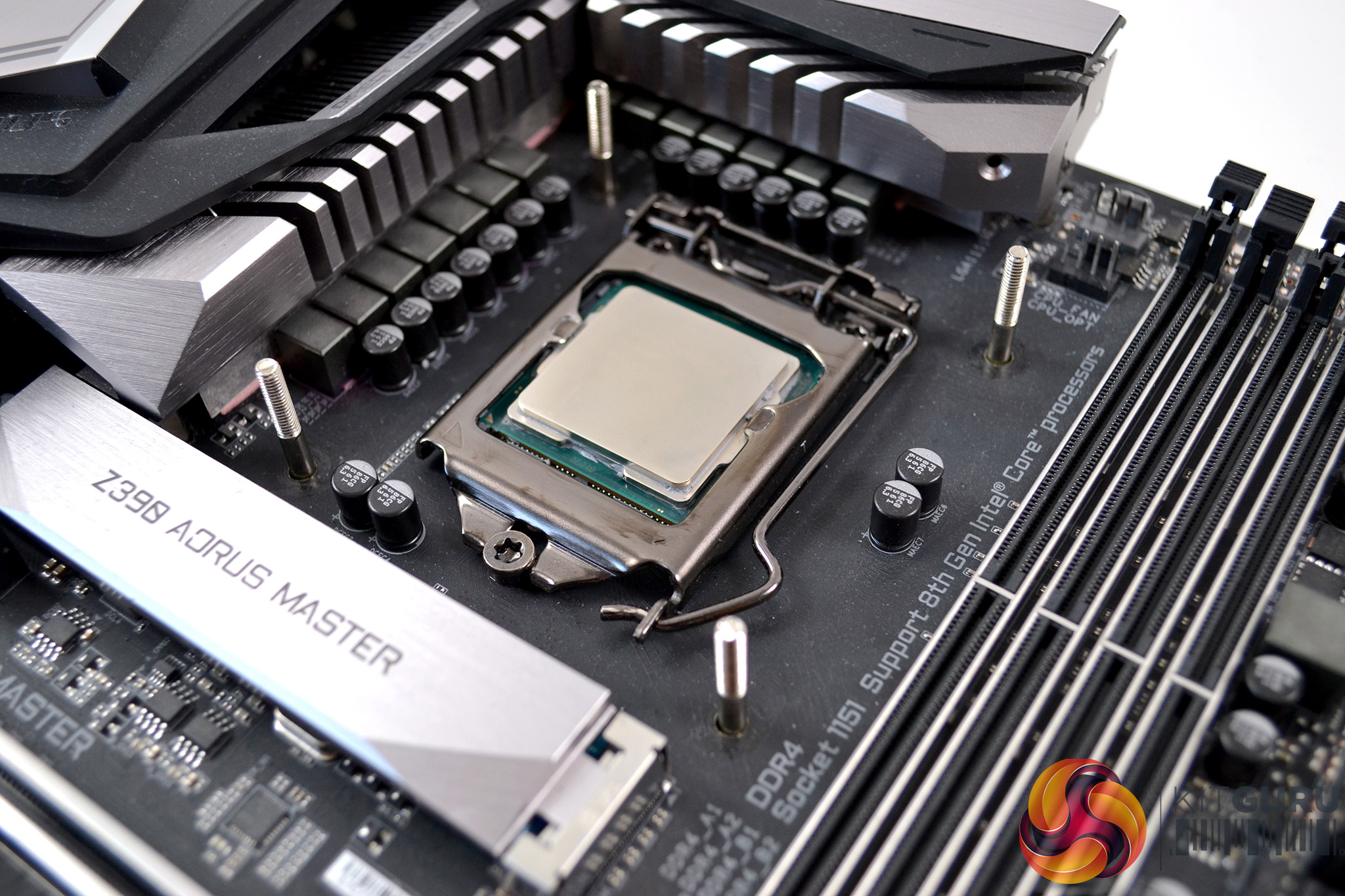
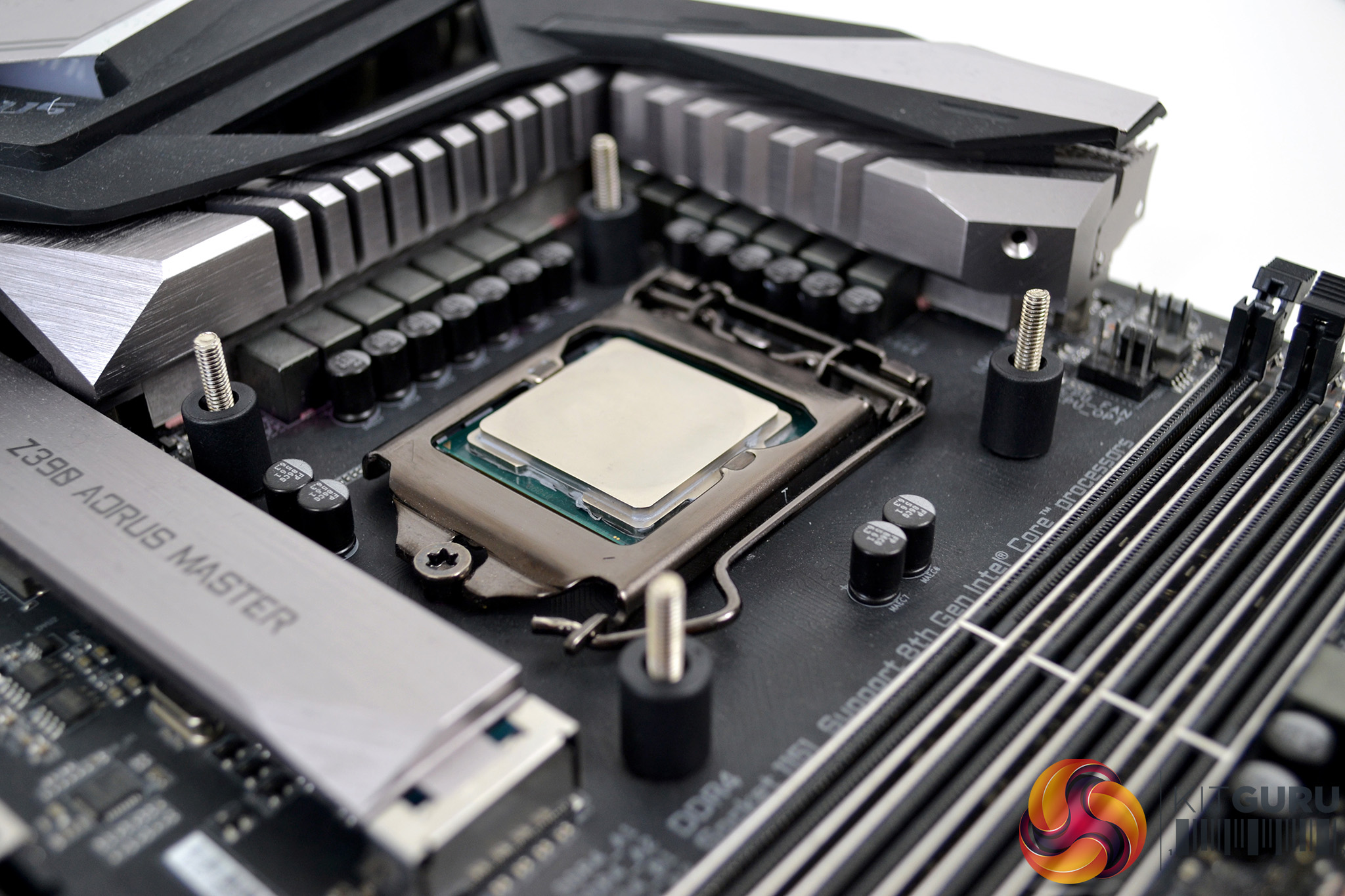
Now with the motherboard facing the correct way up, the mounting screws should be seen protruding up from the motherboard. Place the four plastic spacers over the screws.
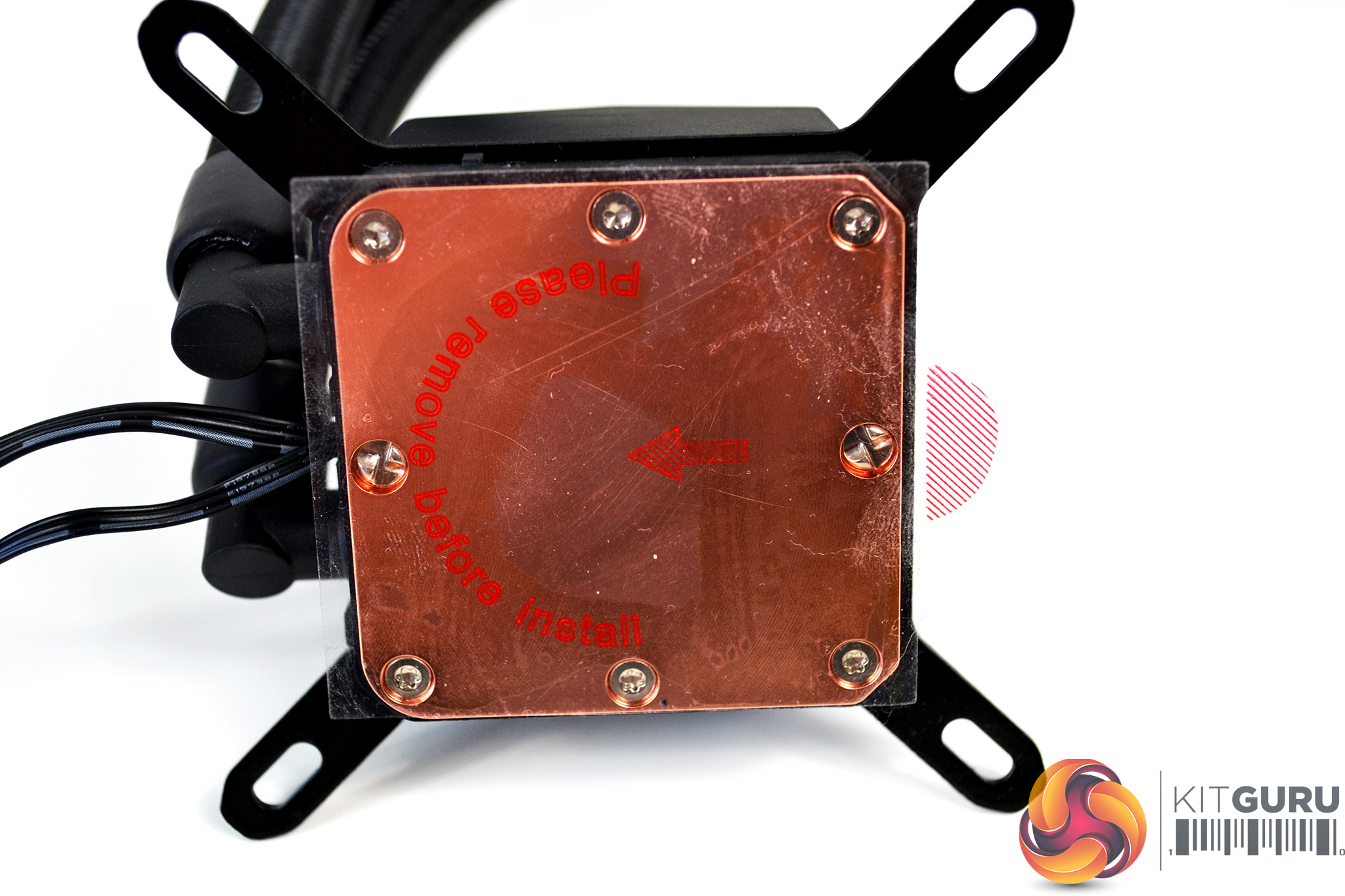
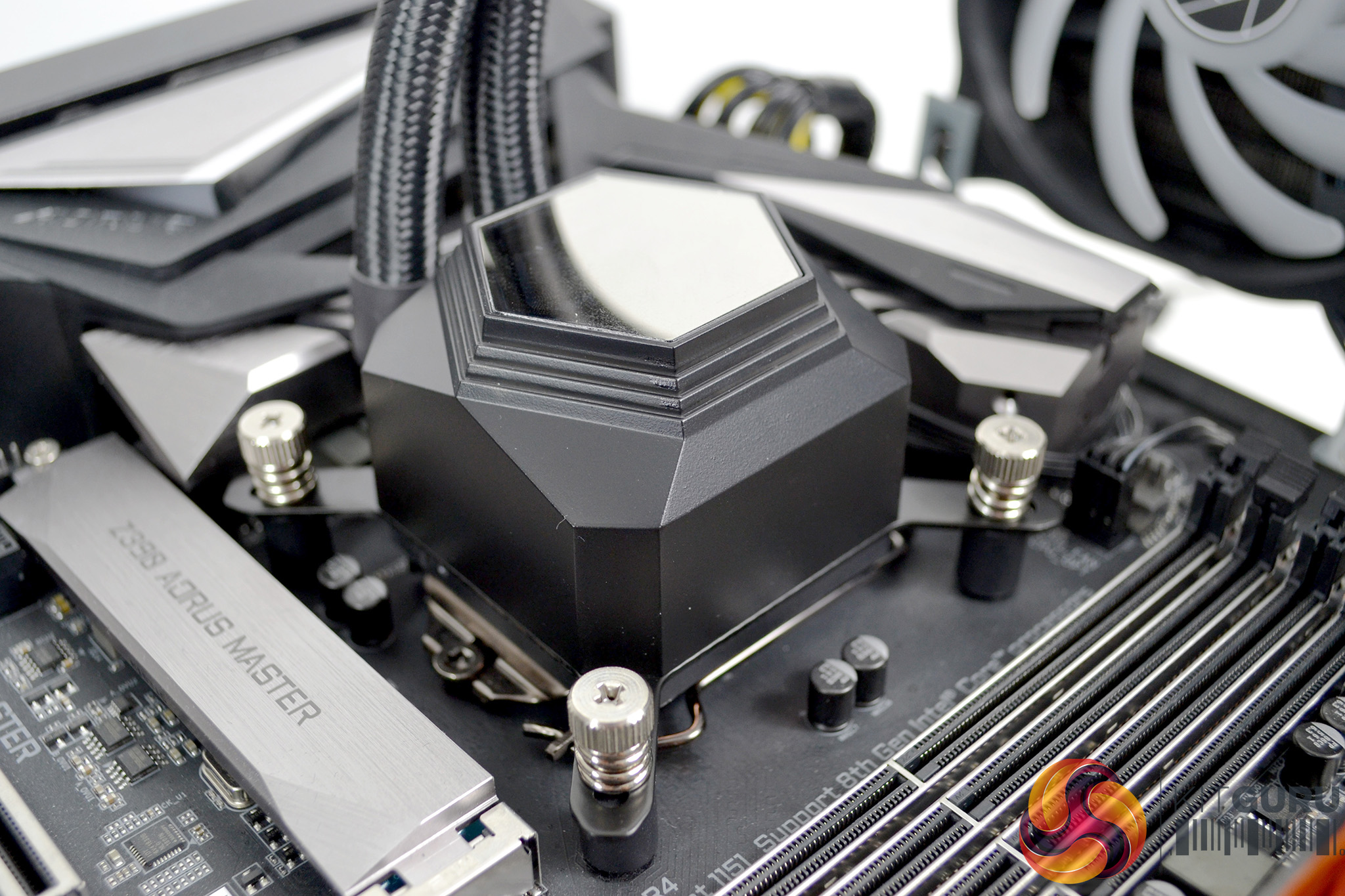
To install the CPU block to the motherboard, remove the protective film from the copper thermal transfer plate, apply thermal compound to the CPU IHS using your chosen method, and lower the CPU block over the mounting screws, aligned with the holes in the bracket. Using the four spring-loaded thumbscrews, tighten down fully in an X pattern to ensure equal pressure is spread over the CPU.
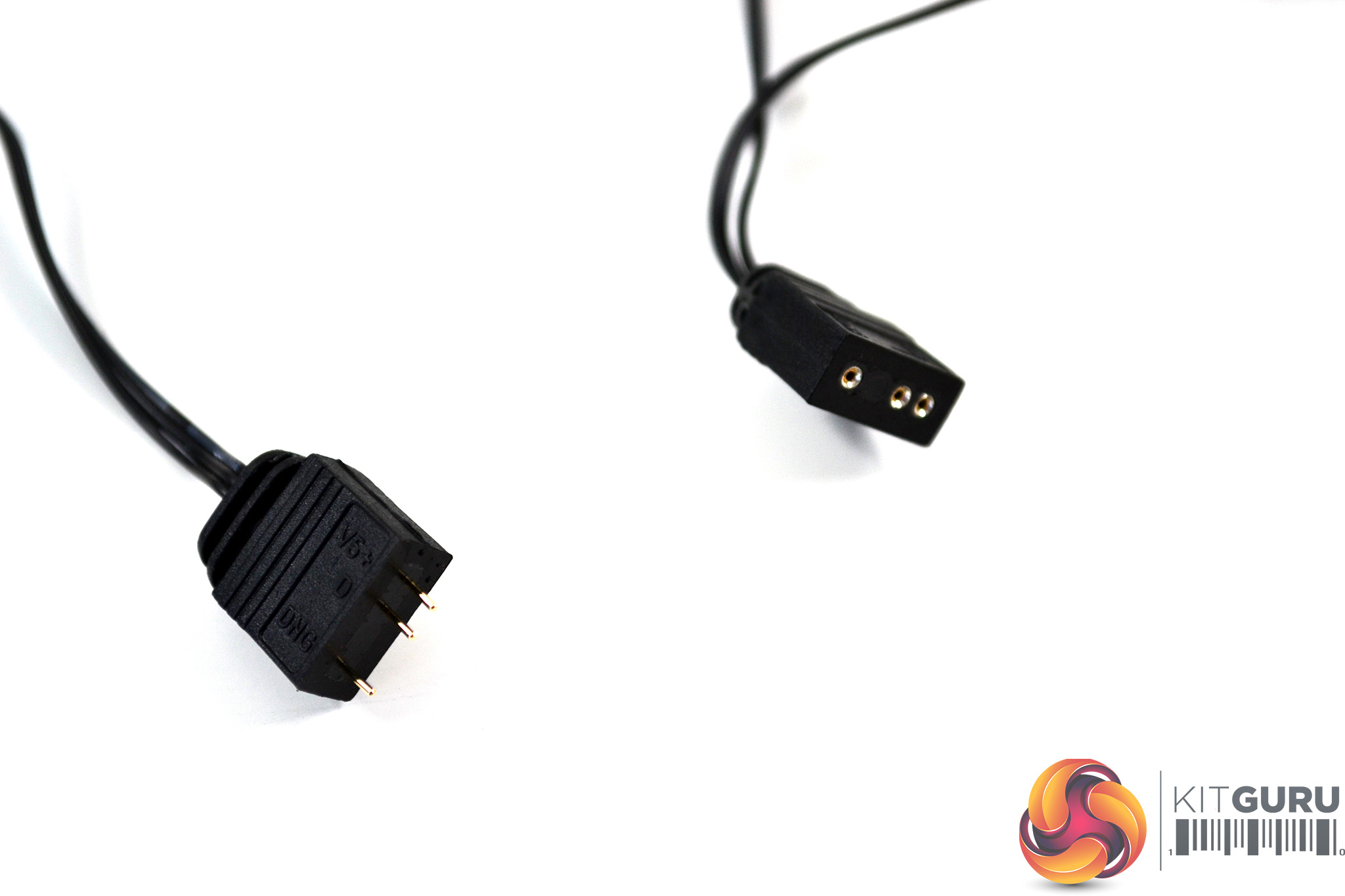
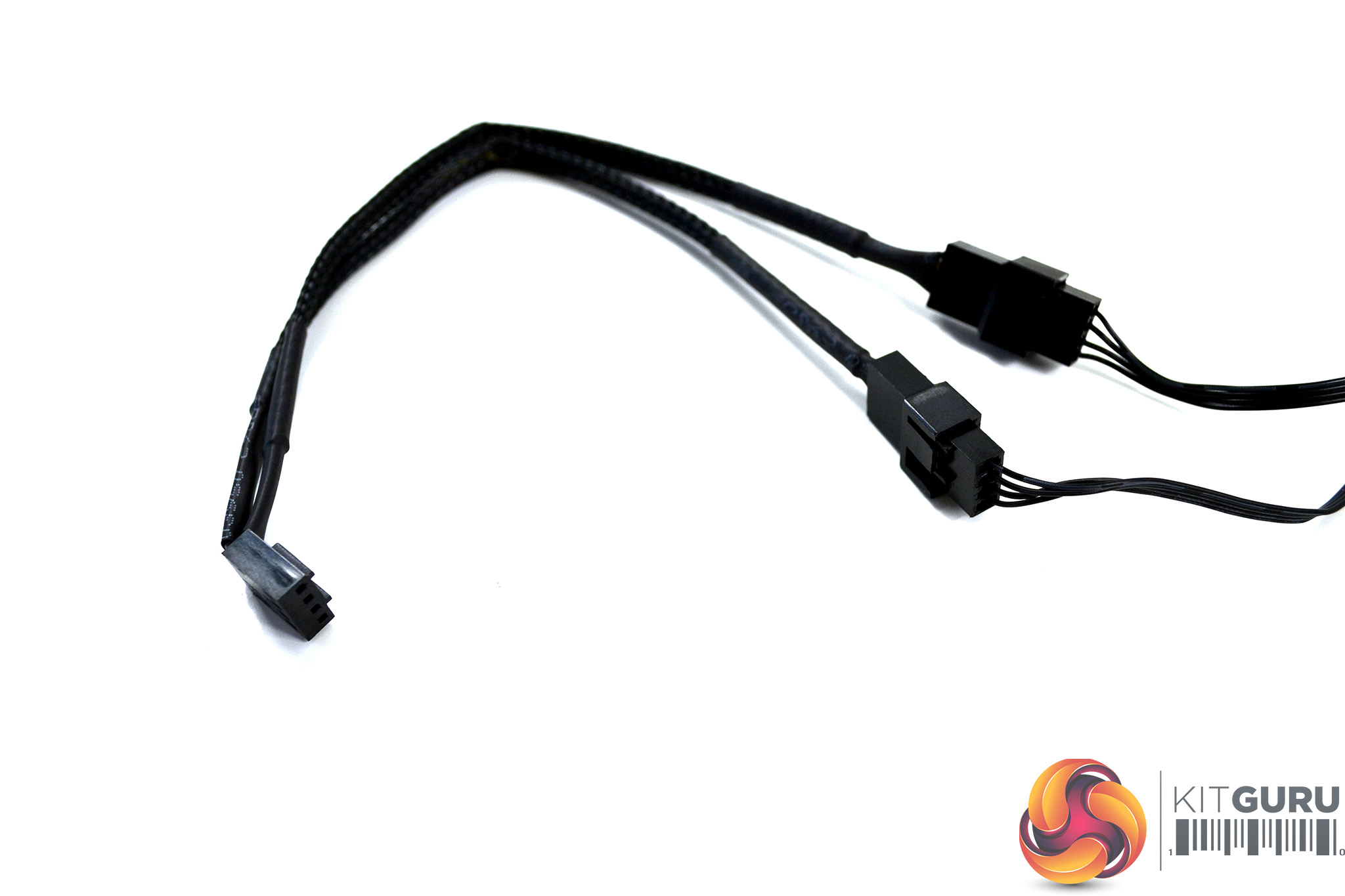
Finally, connect the cables. All the ARGB cables can be connected to each other as SilverStone has integrated handy splitters into them. You can then either connect directly to a motherboard ARGB 3-pin 5V header or use the supplied ARGB controller, which is powered by a SATA power connector.
Be sure to connect the cooler's 3-pin pump cable to the motherboard CPU_OPT header and connect the 4-pin fan cables together with the provided splitter and then to the motherboard CPU_FAN header, for full PWM speed control.
RGB Gallery
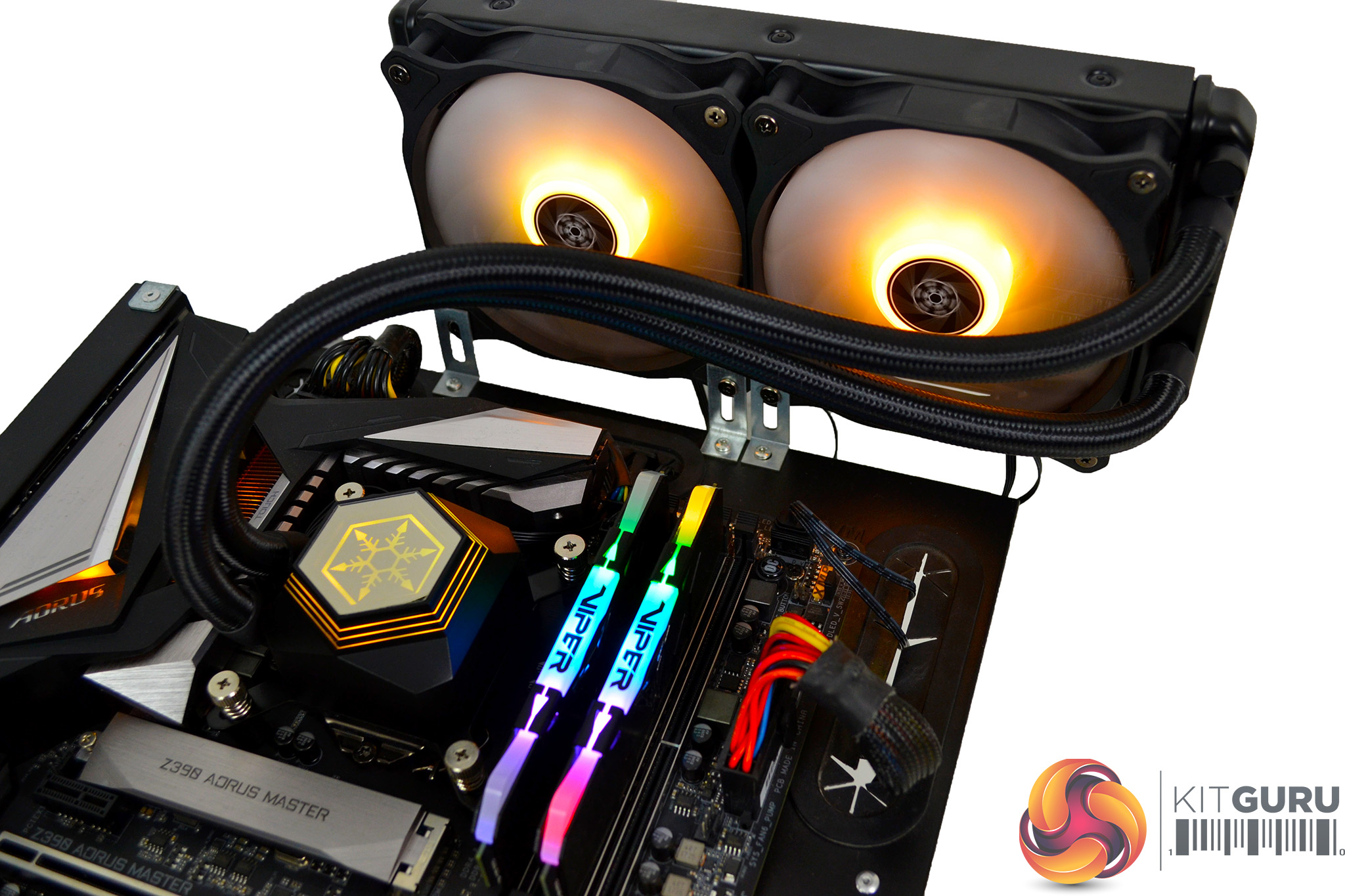
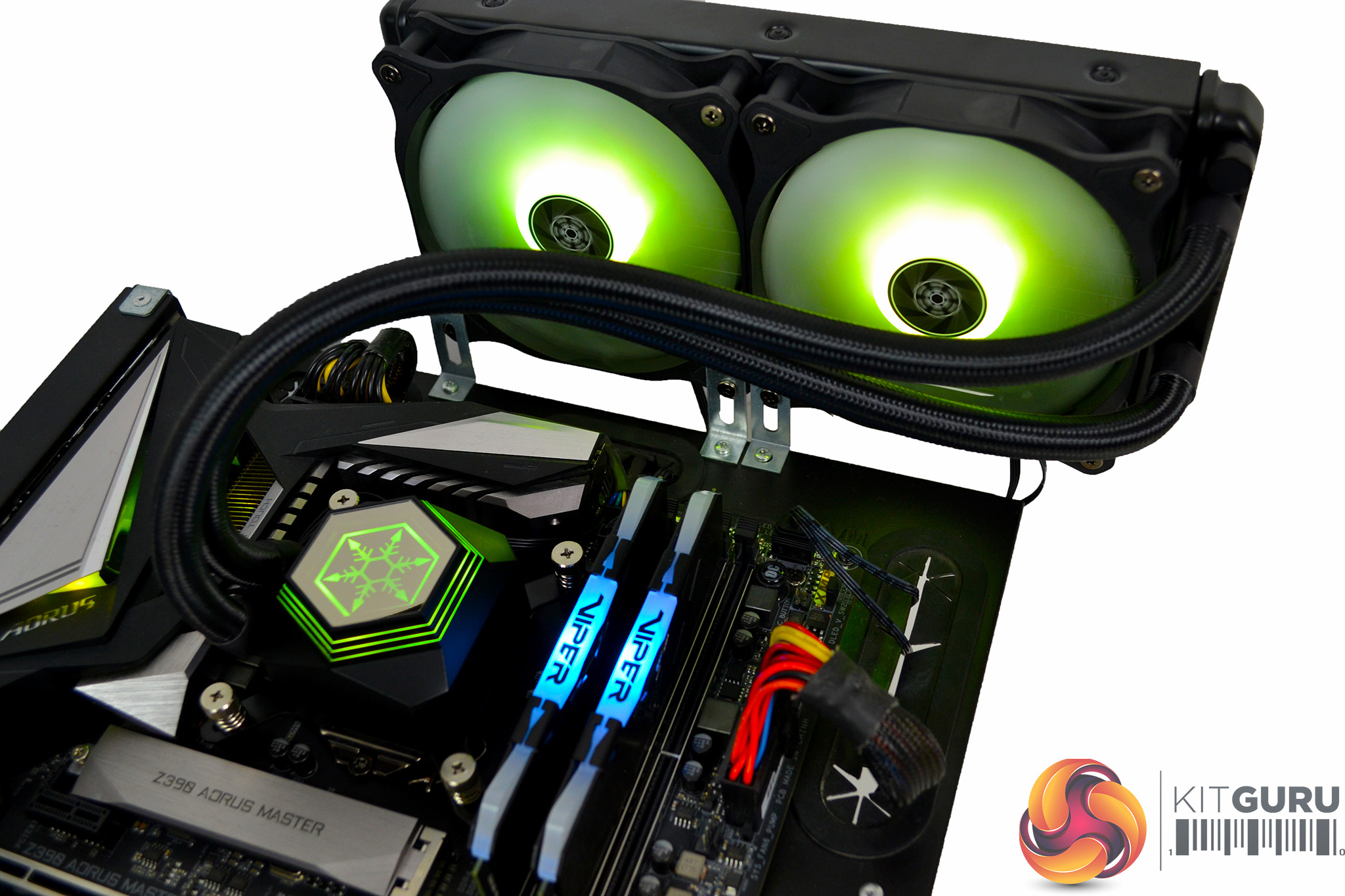
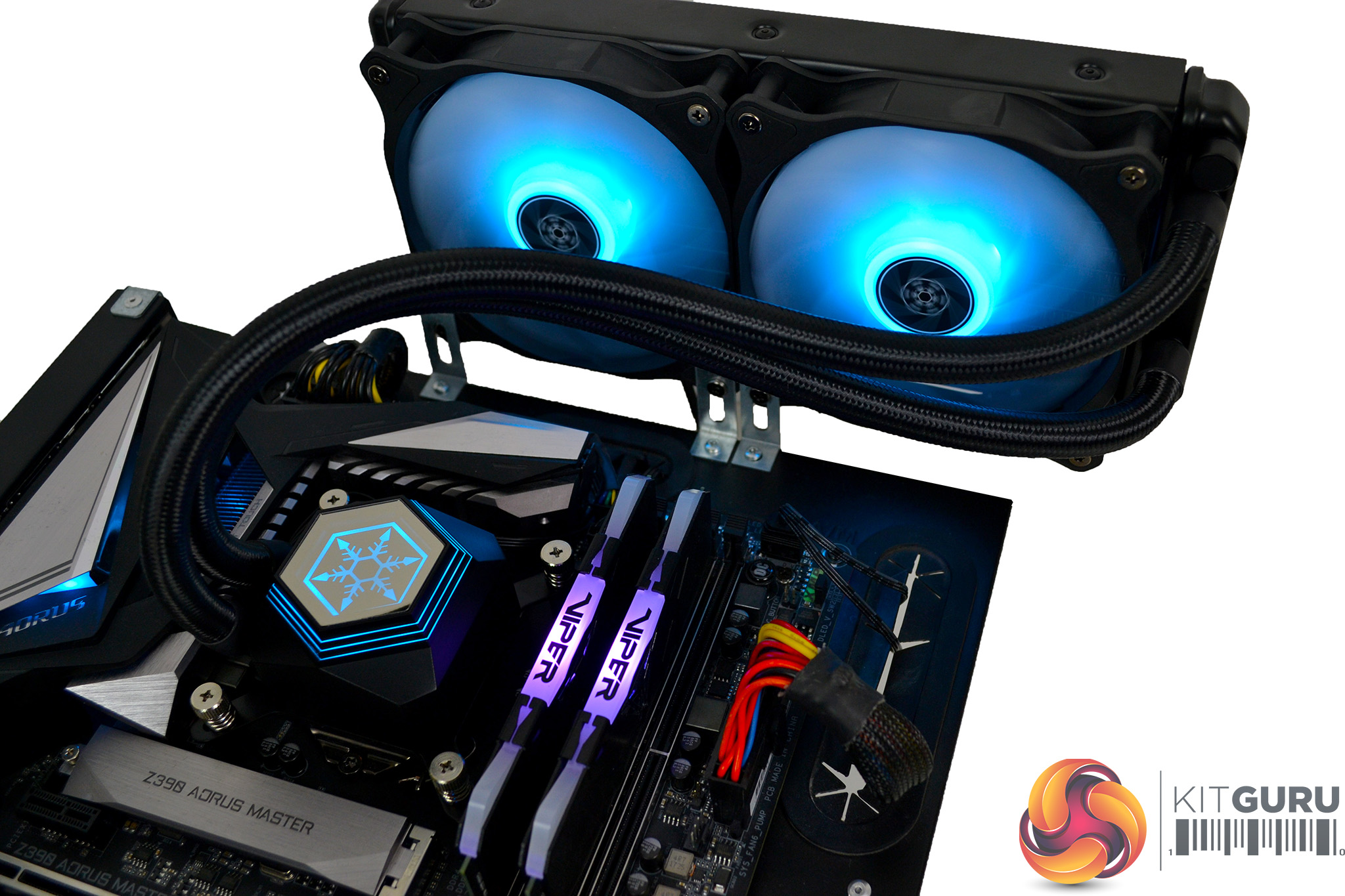
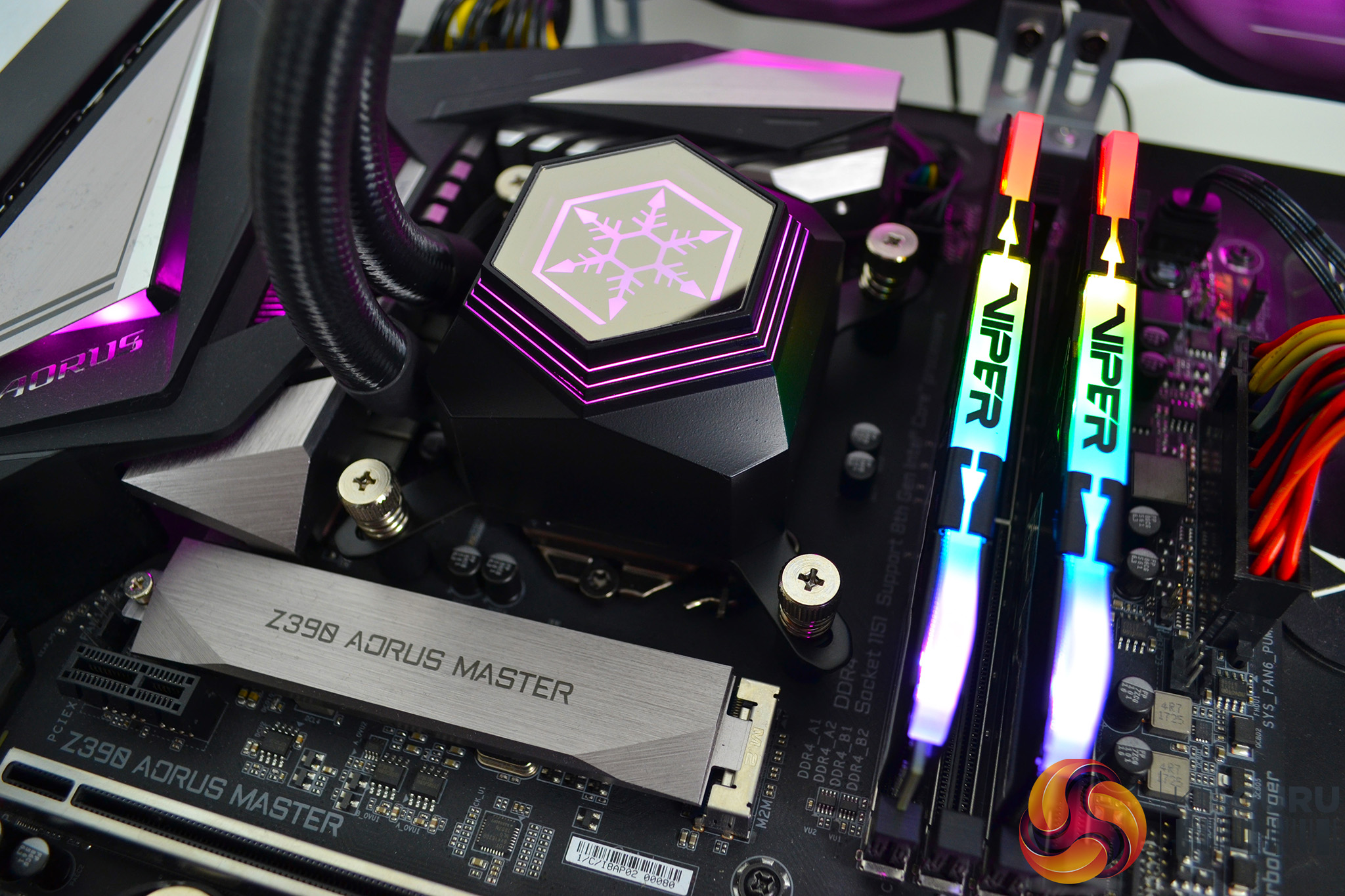

To measure the performance of CPU coolers, we devised an easily repeatable series of tests. The only variable is the coolers themselves to ensure the results can be accurately compared against one another.
Test Rig
To reflect current hardware demands, we have updated the test system at KitGuru. It now comprises of a Z390 platform and included is the Intel Core i9 9900k CPU, mated with a Gigabyte Z390 Aorus Master motherboard and 16GB (2x 8GB modules) Patriot Viper RGB running at 3600mhz CL16. Our storage device is a Corsair Force LE 120GB SATA SSD. Power to the test system is managed by a Seasonic Platinum Series 1000w PSU.
Thermal Testing Procedure
The procedure will consist of several tests, that will produce six temperature readings for each cooler. The data can then be used to compare cooling performance.
First, we will lock the 9900k at its 3.6GHz all-core base clock speed, with a 1.15V Vcore applied in the BIOS. Then, let the system idle in windows for 15 minutes and measure temperature. At the same frequency, we will then measure the load temperature.
To simulate overclocked frequency, we will then lock the 9900k to 4.7GHz on all cores with a 1.20V Vcore and run the same idle and load test again. To measure an extreme overclocking situation, we will lock the 9900k frequency to 4.9GHz on all cores with 1.30V Vcore and run the tests one final time – this should push the limits of the cooling performance of even the very best CPU coolers.
Admittedly, the overclocked frequencies/voltage may not be the highest achievable, but, nevertheless, it will give us a good set of data to compare the effect frequency/voltage changes have on temperature.
The temperatures presented in the graphs will be average Delta temperatures measured over the length of the test. We will calculate the Delta temperature by deducting the ambient temperature in the test room from the measured CPU temperature, both at idle and under load.
All idle temperatures are measured by letting the system idle in Windows for 15 minutes. Load temperatures are achieved by running AIDA64 stressing CPU, FPU and cache again for 15 minutes. This should give the CPU enough time to reach its maximum temperature. Throughout testing, Load Line Calibration will be set to level 6 (turbo) in BIOS and all CPU Fans/pumps set to maximum RPM.
Noise Testing
Noise levels will be measured with our sound meter at a distance of 1 meter from the test bench. The cooler’s fans will be set to their maximum RPM rating. Ambient noise level in the room is measured at 37.5dBA and the peak noise level of the cooler will be recorded in dBA.
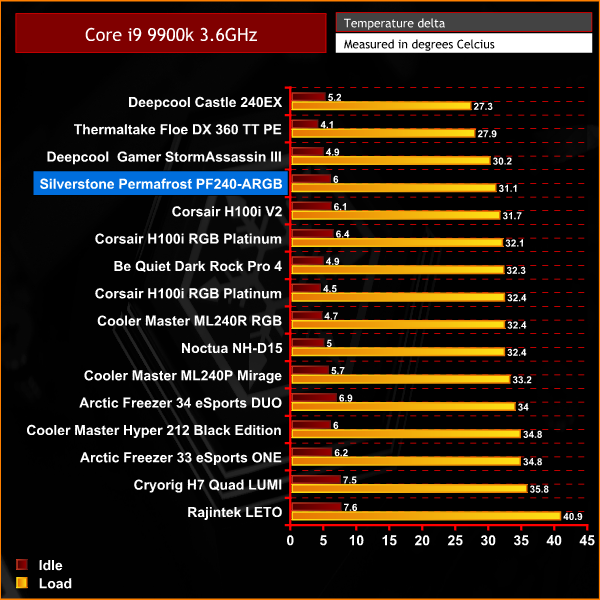
The SilverStone PF240-ARGB gets off to a great start with our the tests. Its result of 31.1C is right up there with the big boys, which is impressive.
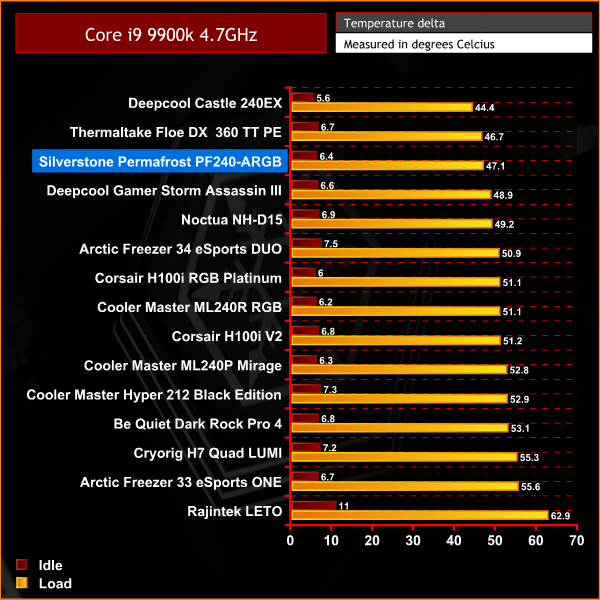
Again, the Permafrost PF240-ARGB is holding on. In fact, in our initial overclocked test it has jumped up a place into third position.
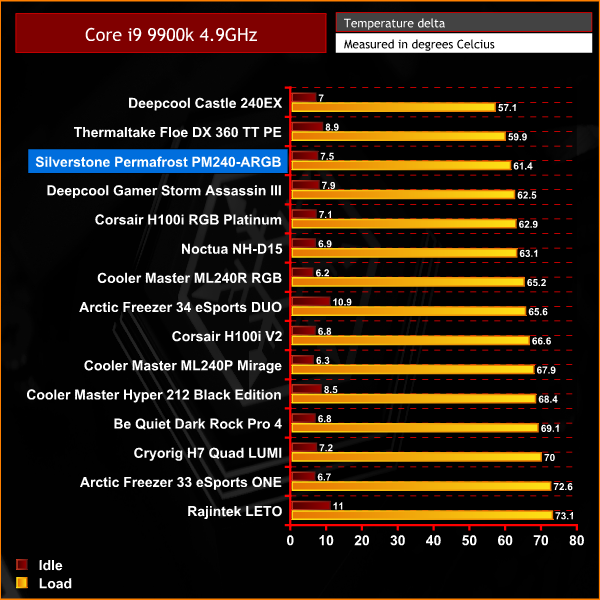
Holding onto third position in our tests at 4.9GHz frequency is no mean feat – this cooler has performed way above my expectations considering its price
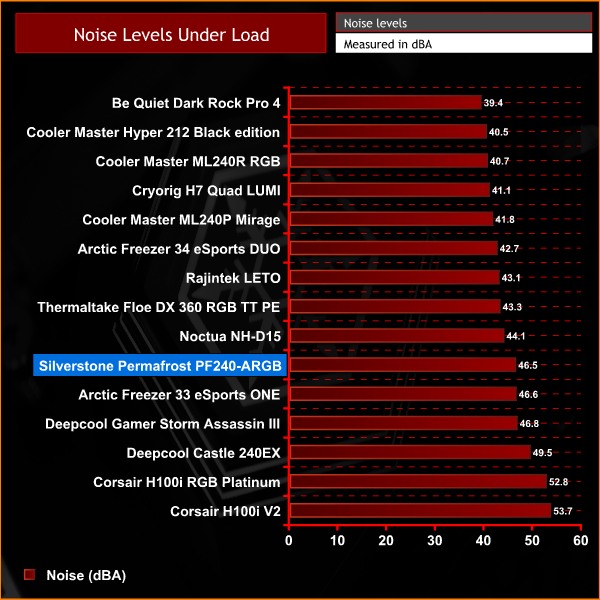
In our noise levels test, the PF240-ARGB isn't the quietest cooler we have tested, but by no means is it the loudest. You can hear it, but there are much louder coolers out there.Taken as a whole, SilverStone has done a really great job with their new line of Permafrost all-in-one liquid coolers. A good combination of quality components and RGB lighting makes it both aesthetically pleasing and a good performer during our tests.
The implementation of their new water block and pump design seems to be working as expected – the cooler really impressed us with its raw cooling power. In our overclocked frequency tests, the Permafrost PF24-ARGB was up there with some of the best coolers we have tested in recent months.
When the system is idle, both the pump and the fans are very quiet, you can barely hear the pump at all. Once the fans start to ramp up under load, they do become louder. However, it still remains quieter than some of the other all-in-one 240mm liquid coolers we have tested from more popular brands.
Earlier in the review, we had some slight reservations about the quality of the plastic shroud covering the pump housing. Although it does look a little cheap, once installed in the system the plastic wasn't too noticeable and blended in with the colour of other components, so this shouldn't put anyone off.
All the other components which make up the Permafrost PF240-ARGB appear to be sourced from good quality materials – this is something we noticed during installation. Everything feels very solid and we didn't come across any problems, other than the fact we had no installation manual, which we assume will come with retail versions.
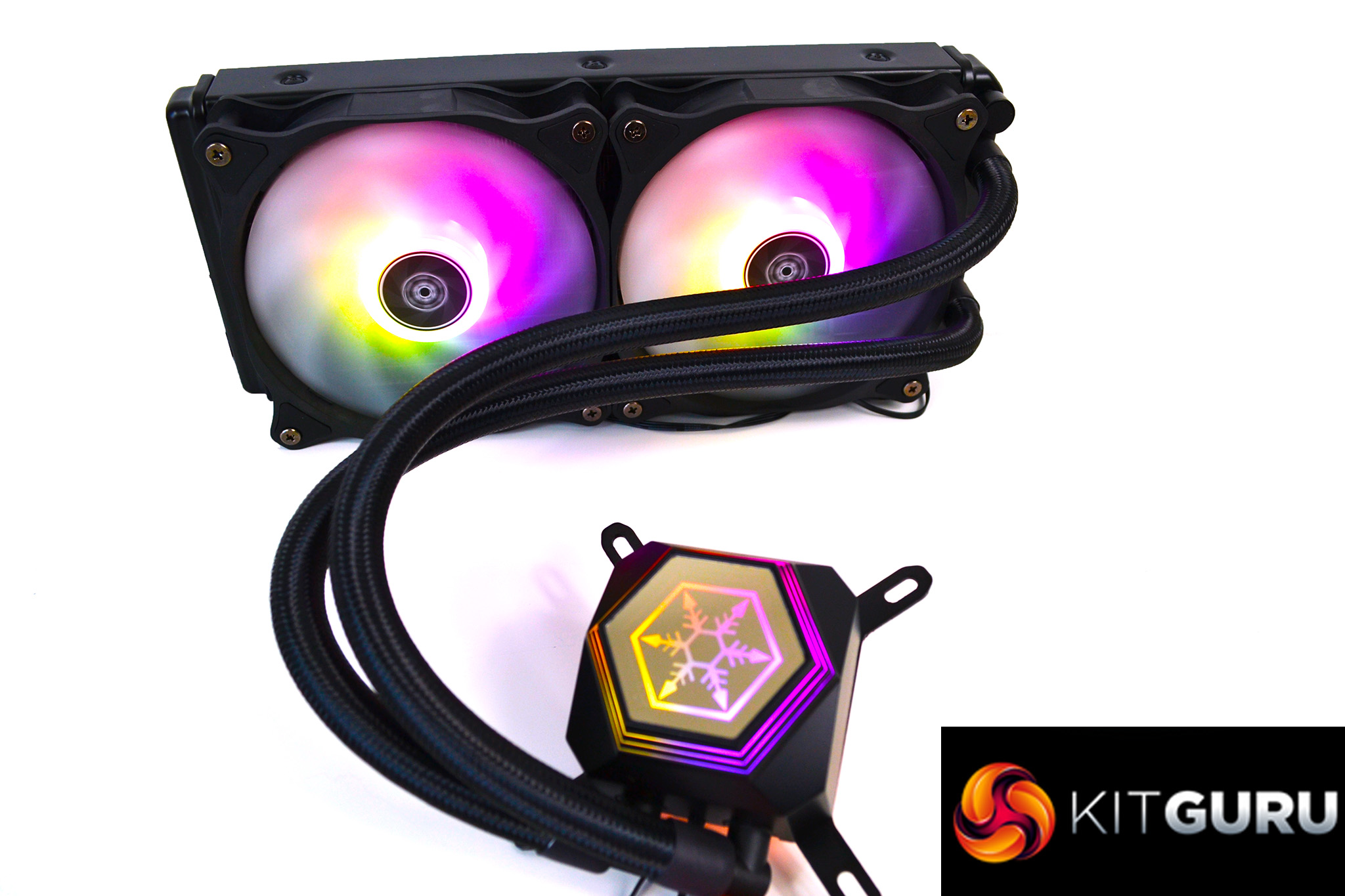
SilverStone has certainly not cut corners with the PF240-ARGB – a good length of tubing has been fitted and the braided sleeving adds to the appearance. The tubing is thicker than some we have seen in other all-in-one liquid coolers before. Rotating fittings on the pump is always a good feature which makes installation and tube routing easy.
A good implementation of RGB has been incorporated into the Permafrost PF240-ARGB's design, the lighting is bright and the colours are vivid. The fact that you have the option to connect directly to motherboard ARGB headers is also a feature we love, which is often missing in other RGB based products. SilverStone also goes to the trouble of providing an optional ARGB controller, so users who don't have RGB motherboards with 3-pin 5v headers, can still take advantage of the RGB lighting of the cooler.
Overall, SilverStone has provided a really good option for anyone in the market for a new all-in-one liquid cooler currently. This is one we would certainly recommend as it provides both excellent cooling performance and good aesthetics with relatively low noise levels. On top of that, with a price of under £100 at launch, we think this is great value too.

The SilverStone Permafrost PF240-ARGB all-in-one liquid cooler is available to pre-order now from Overclockers for £94.99 HERE.
Pros:
- Excellent cooling performance.
- ARGB lighting.
- High-quality components.
- Lighting controller included.
Cons:
- Slightly cheap-feeling plastic cover on pump.
- Fan noise levels can be a little distracting under full load.
KitGuru says: If you are looking for a new all-in-one liquid cooler at the moment, be sure to check out the SilverStone Permafrost range – it's a great option at under £100.