KitGuru KitGuru.net – Tech News | Hardware News | Hardware Reviews | IOS | Mobile | Gaming | Graphics Cards


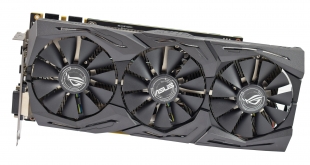
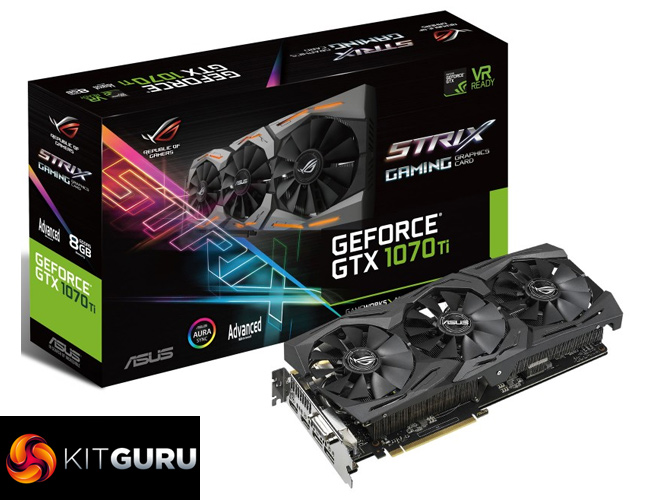
Supplementing our GTX 1070 Ti launch day coverage, today our attention turns to ASUS' ROG Strix model. With its stealthy all-black aesthetic, triple-fan cooling solution and the closest thing we will get to a factory overclocked GTX 1070 Ti, ASUS looks to be onto a winner here. The big question, then, is whether or not the card is worth its £499.99 asking price.
Perhaps most interesting of the features mentioned above is ASUS's one-click overclock mode that they are advertising with the GTX 1070 Ti ROG Strix. After all, we know Nvidia has kept its partners from apply factory overclocks to their aftermarket 1070 Tis, so to try and get ahead ASUS' configured a one-click setting that applies a small overclock to the card.
Admittedly it is not quite the same as a factory OC but for users who aren't keen to manually overclock it is better than nothing.
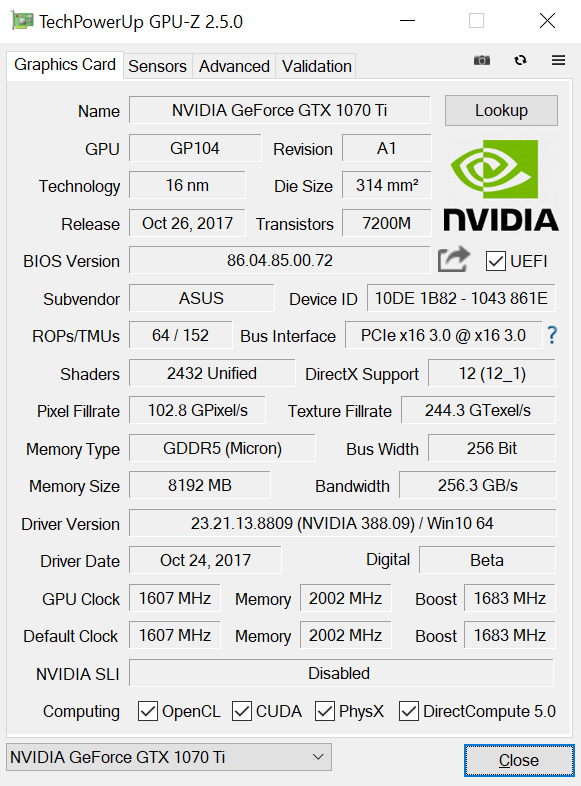
| GPU | Geforce GTX 1070 Ti | Geforce GTX 1080 | Geforce GTX 1070 |
| CUDA Cores | 2432 | 2560 | 1920 |
| Base Clock | 1607 MHz | 1607 MHz | 1506 MHz |
| GPU Boost Clock | 1683 MHz | 1733 MHz | 1683 MHz |
| Total Video memory | 8GB GDDR5 | 8GB GDDR5X | 8GB GDDR5 |
| Memory Clock | 4004 MHz | 5005 MHz | 4006 MHz |
| Memory Bandwidth | 256GB/s | 320GB/s | 256GB/s |
| Bus Width | 256 | 256bit | 256 bit |
| ROPs | 64 | 64 | 64 |
| Manufacturing Process | 16nm | 16nm | 16nm |
| TDP | 180 Watts | 180 Watts | 150 Watts |
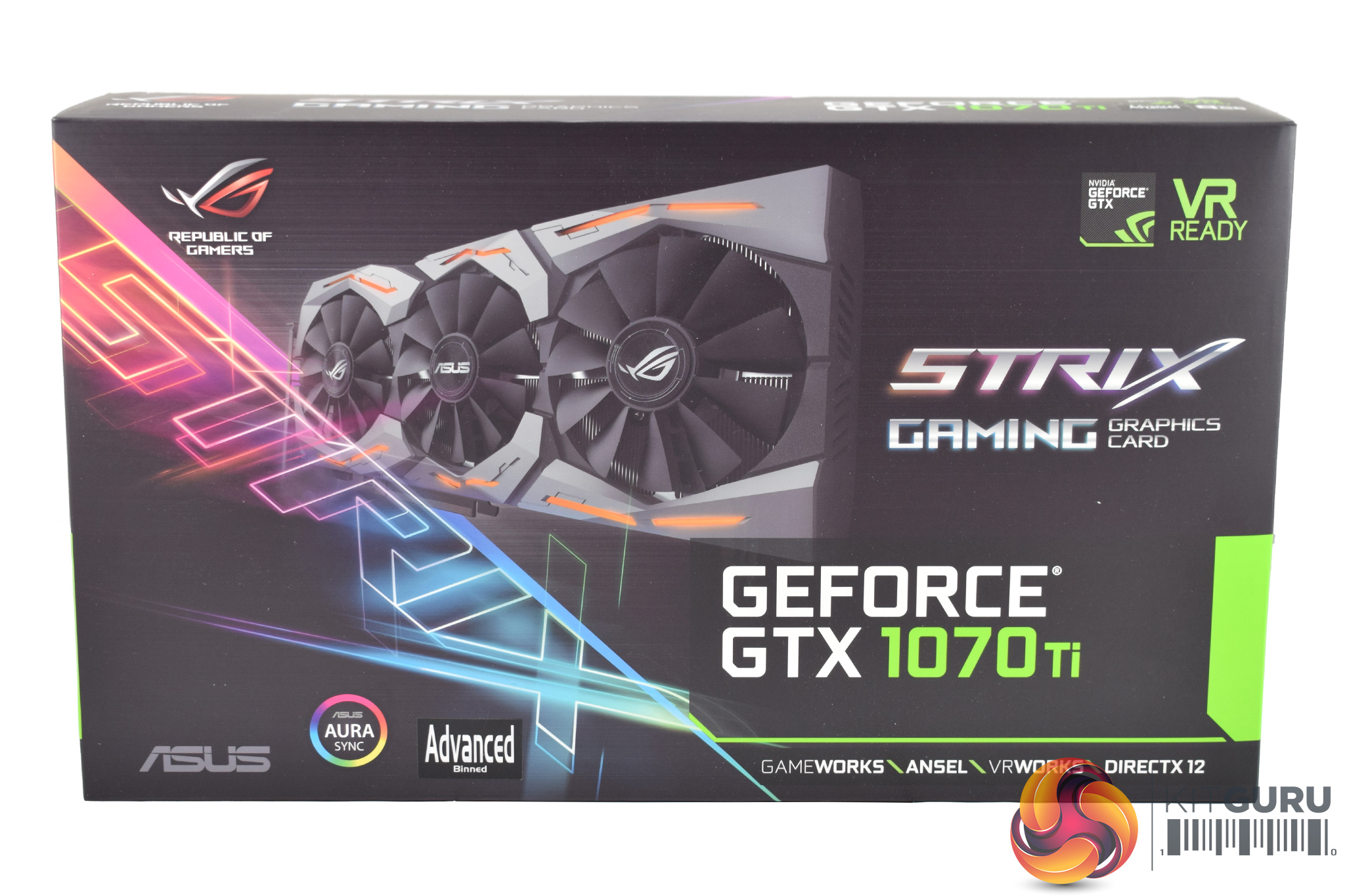
If you have bought any other ASUS ROG products, then you will be instantly familiar with the GTX 1070 Ti ROG Strix‘s box – it is mostly dark but with an electric neon Strix logo dashed across the left-hand side.
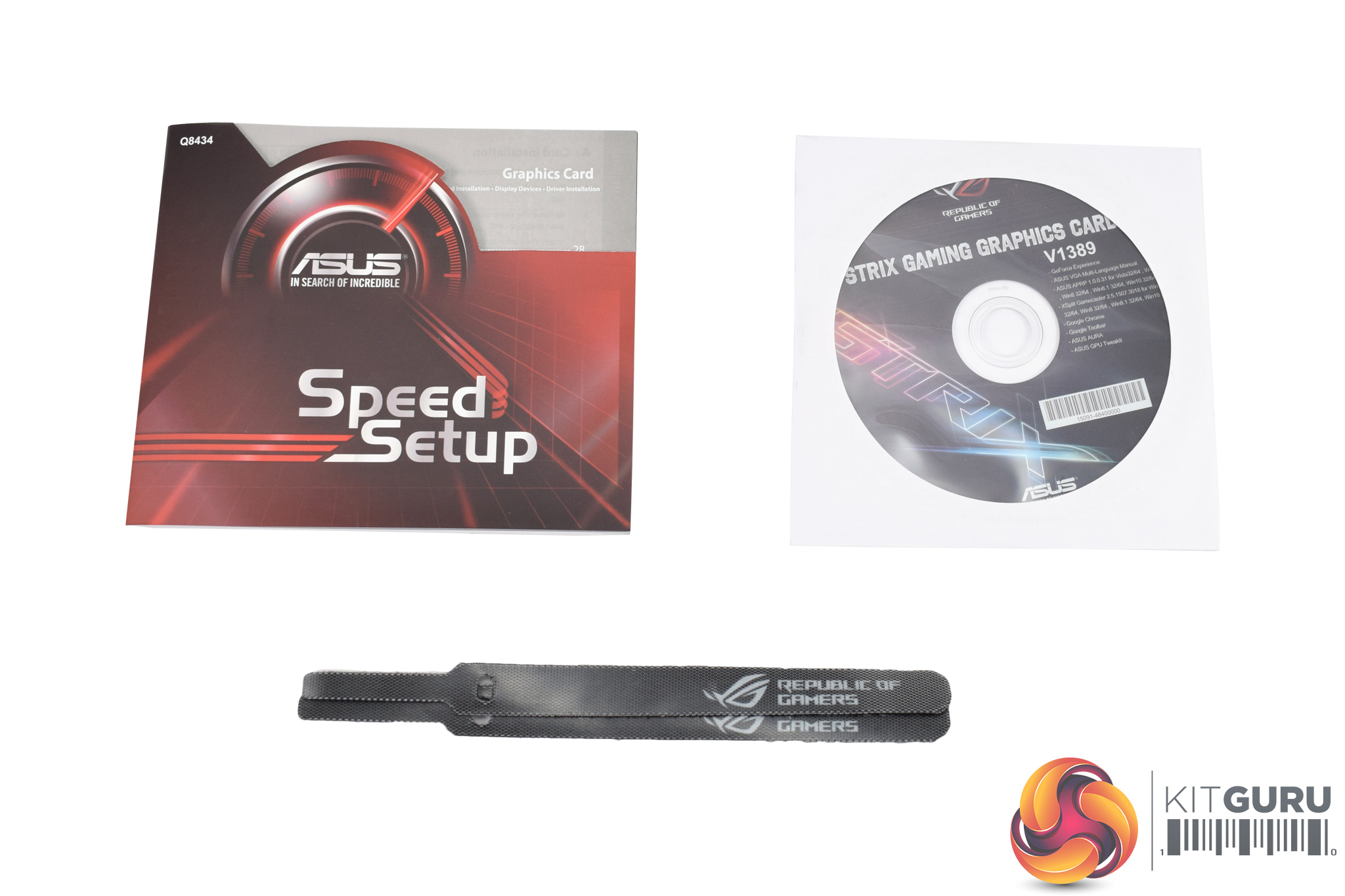
Inside, the accessories bundle is scarce. Users get 1x driver disc, 1x quick-start guide and 2x cable ties, and that is it.
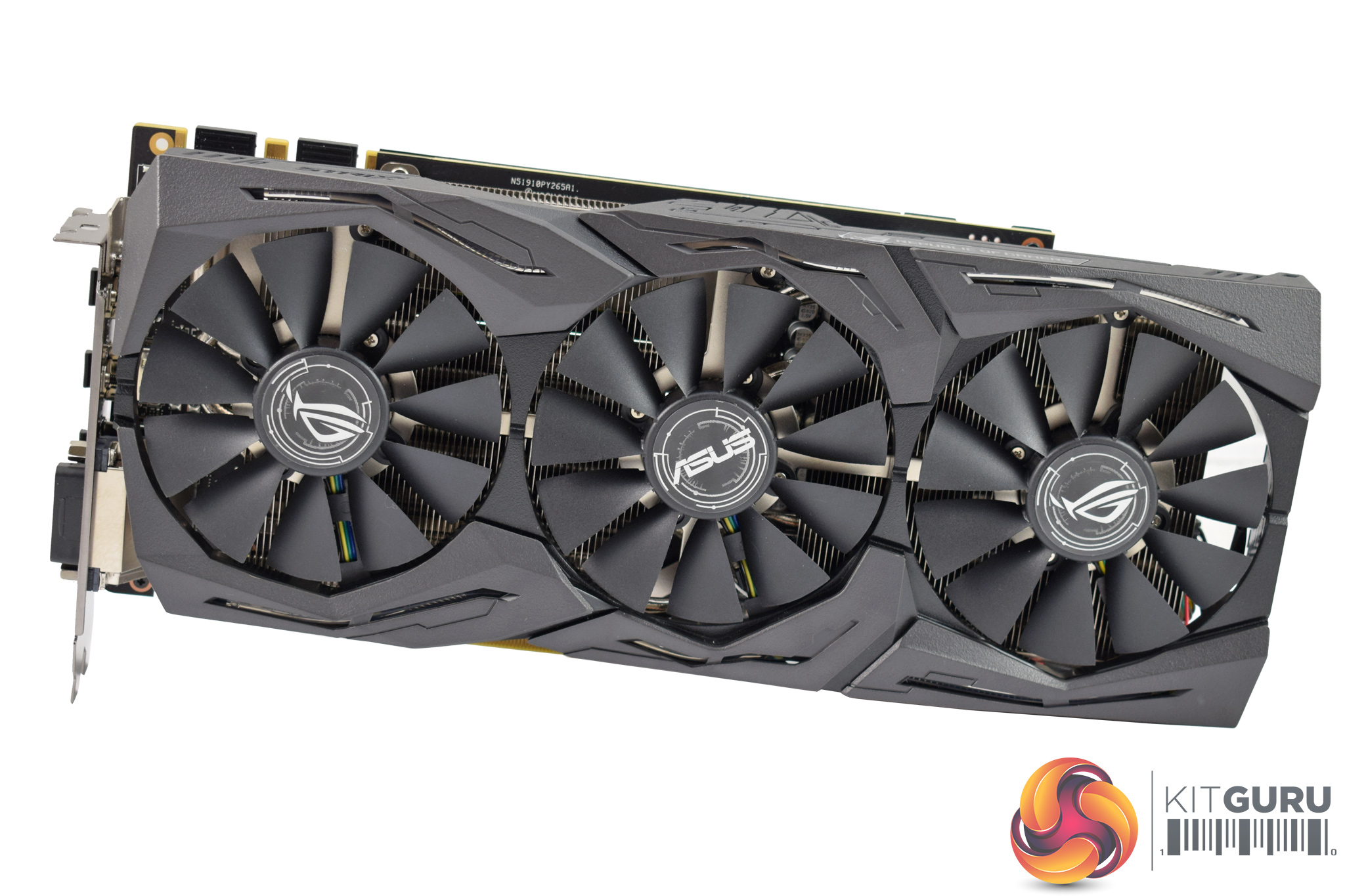
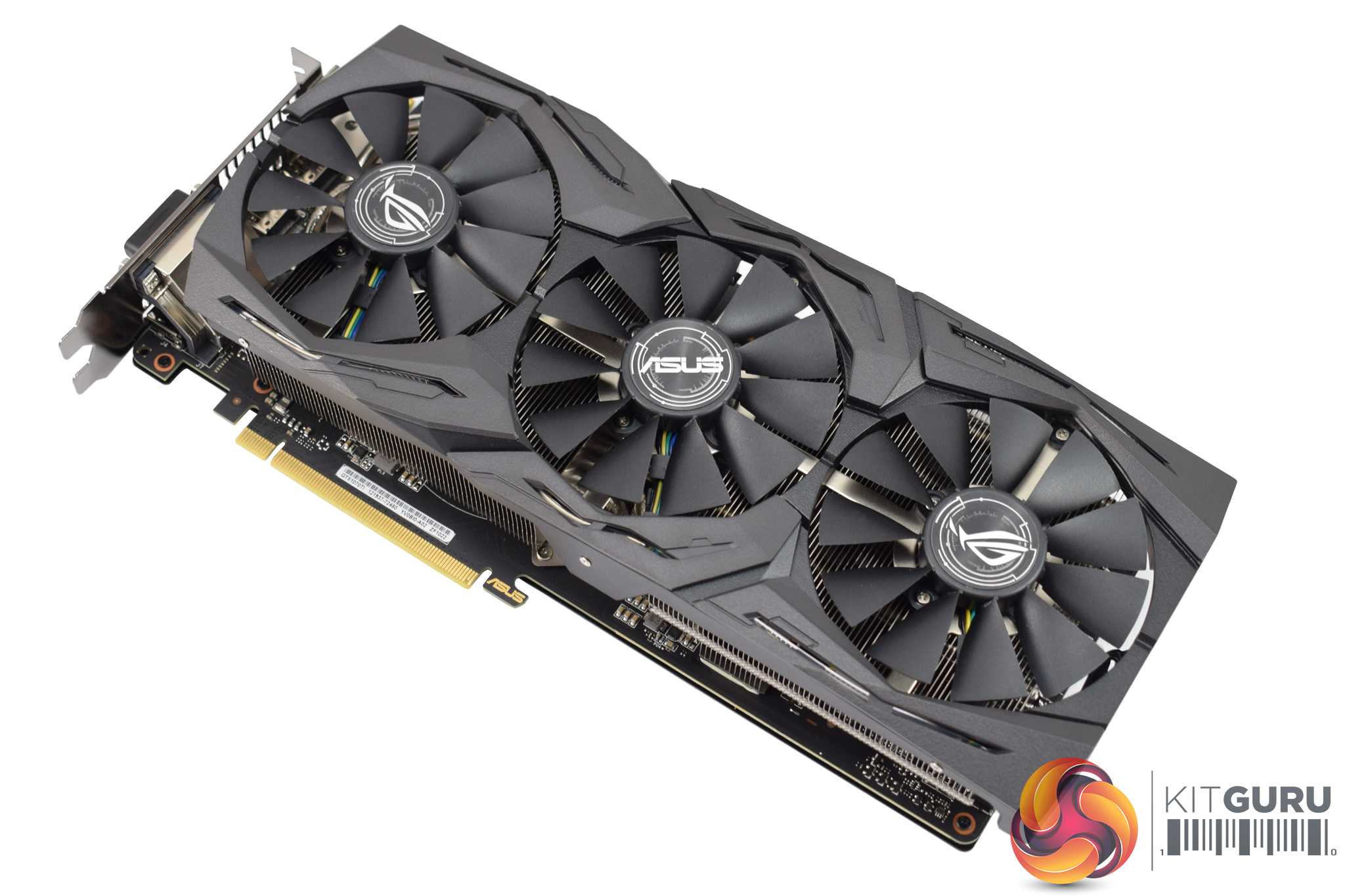
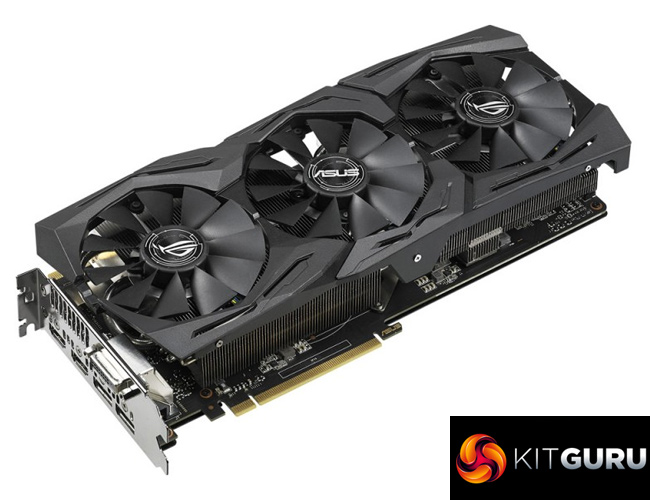
The graphics card itself is what we're really here for, though, and I think ASUS has absolutely nailed the design. It is nothing new – if you have seen any of our ASUS graphics card reviews over the last year then you will be familiar with the Strix design.
That being said, the matte black aesthetic is lovely, and the triple-fan Wing-Blade configuration should provide good cooling performance.
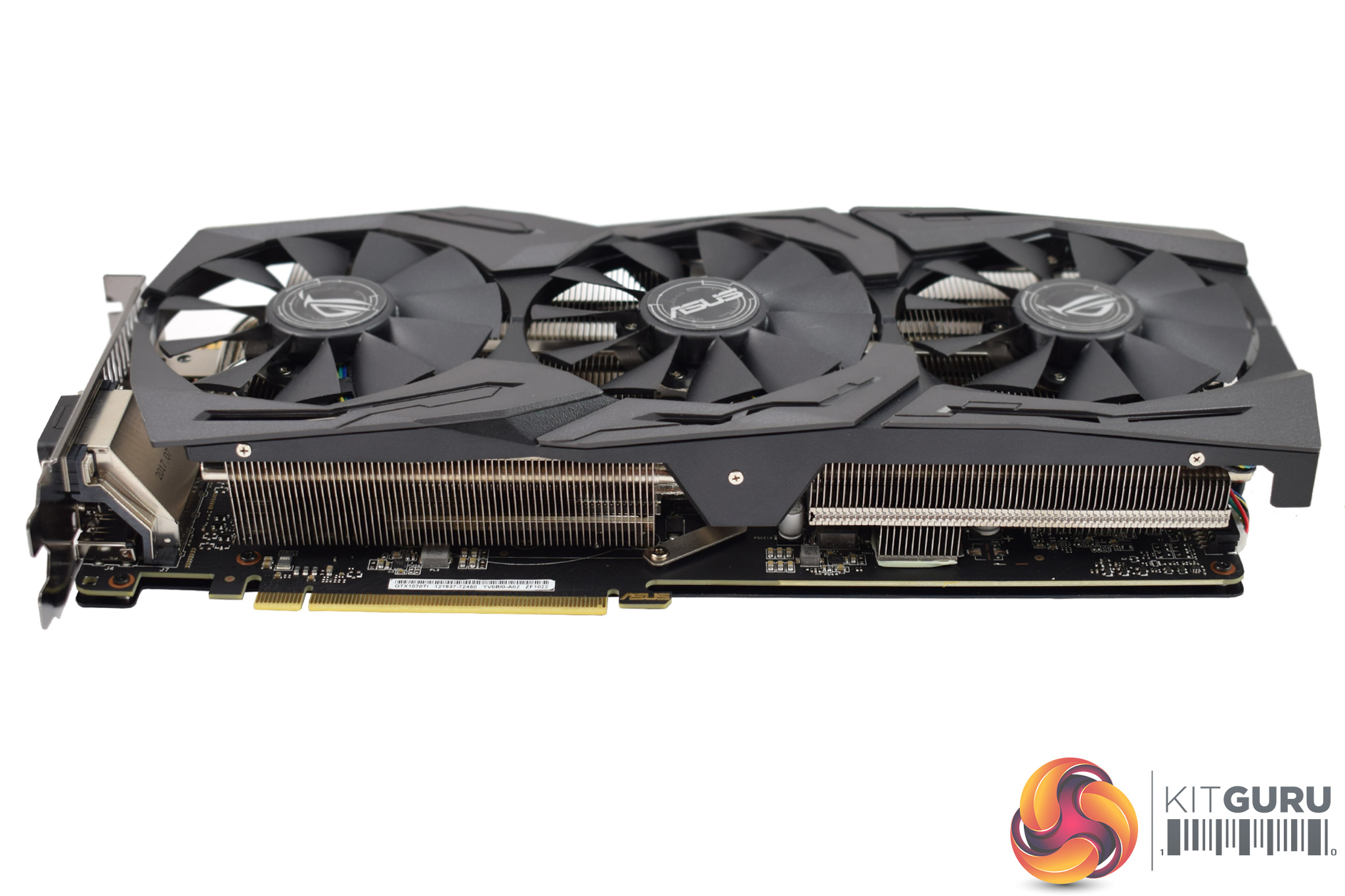
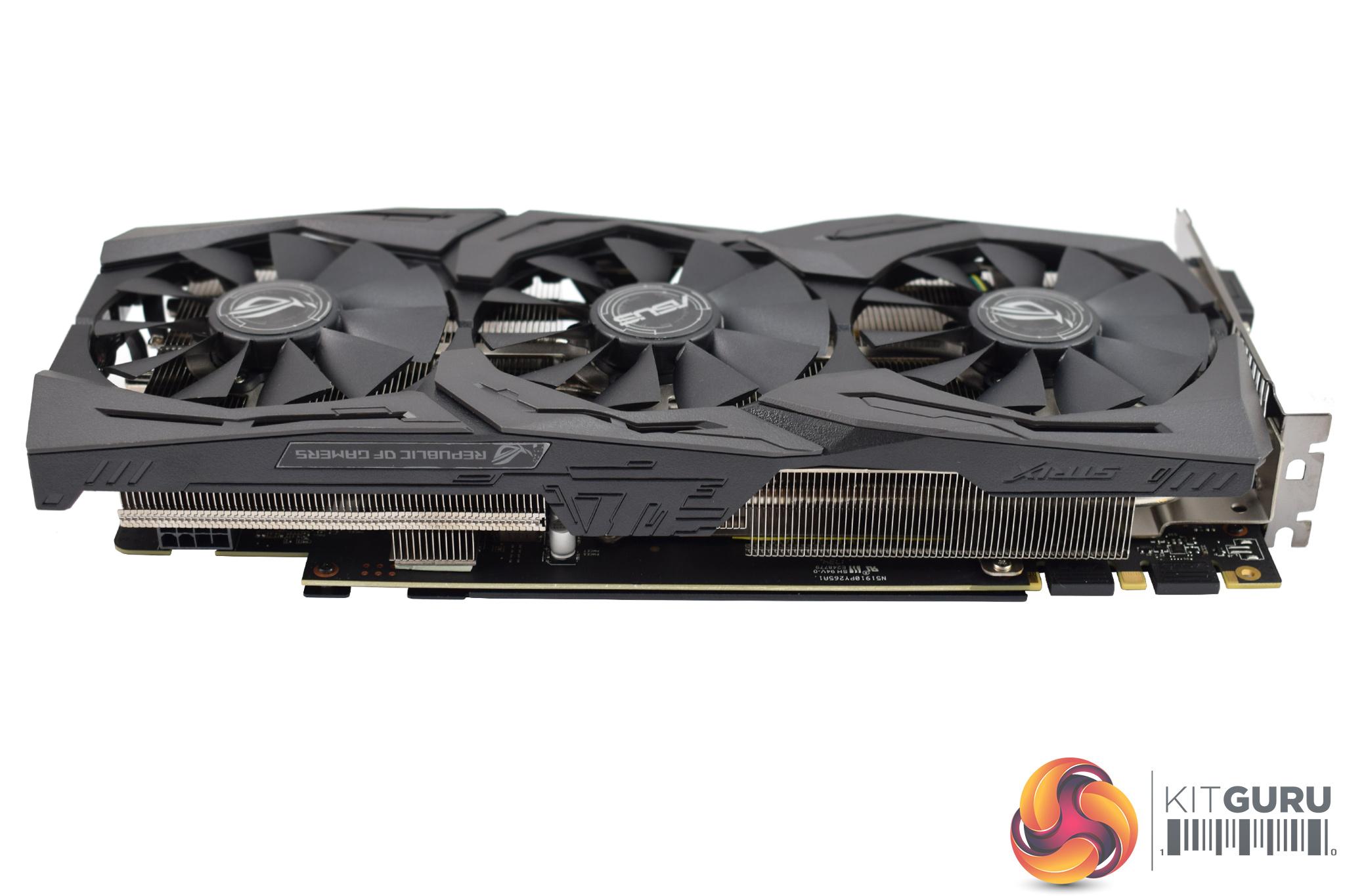
It is also absolutely massive, measuring 298mm x 134 x 40mm, so it is probably not for the Mini-ITX users out there. Those dimensions also mean the card takes up 2.5 PCIe slots.
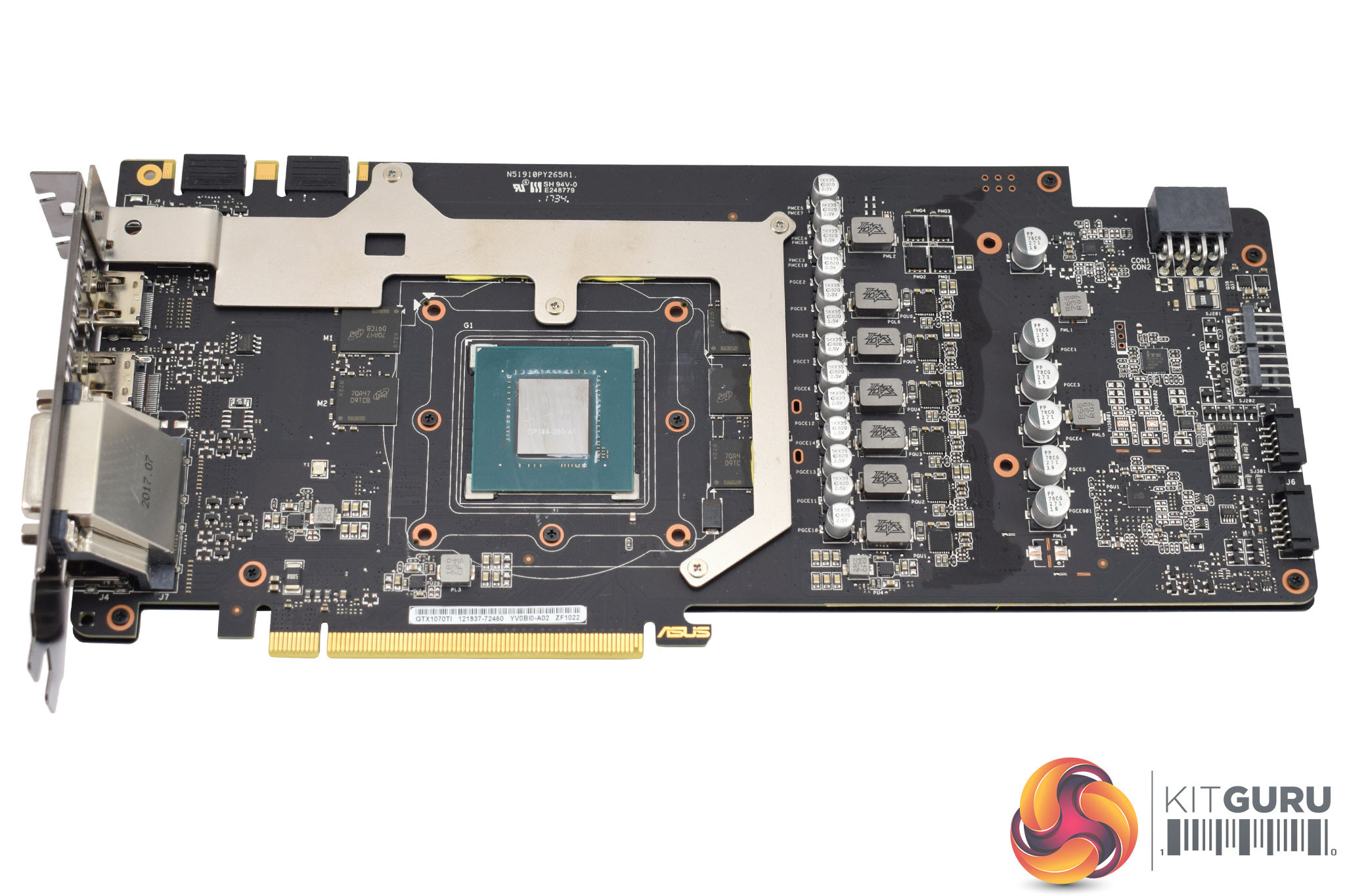
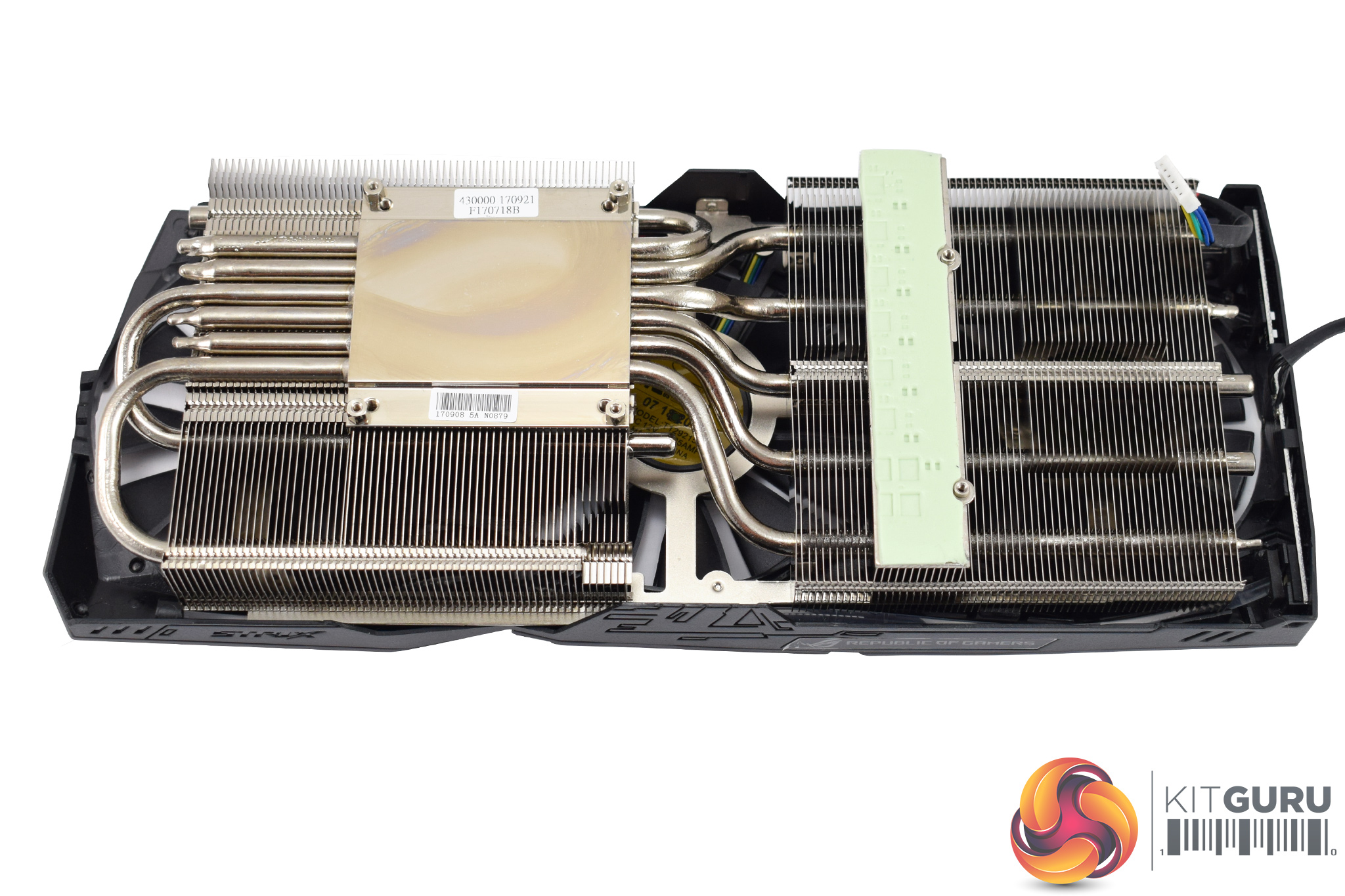
Taking the card apart is dead easy – just remove the six spring-loaded screws from the back of the card. The backplate is screwed into the PCB from the underside, though, so you have to actually remove the heatsink if you want to get at the backplate.
In terms of the PCB design, the VRAM cooling plate immediately grabbed my attention – it should just provide extra surface area for the chips' heat to dissipate. The VRM MOSFETs are also provided with a thermal pad to aid cooling.
The Strix's heatsink is a hefty unit, with 6x 6mm nickel-plated heatpipes, and ASUS' ‘MaxContact' mounting plate – precision machined, it is supposedly 10x flatter than other GPU contact areas which obviously aids heat transfer.
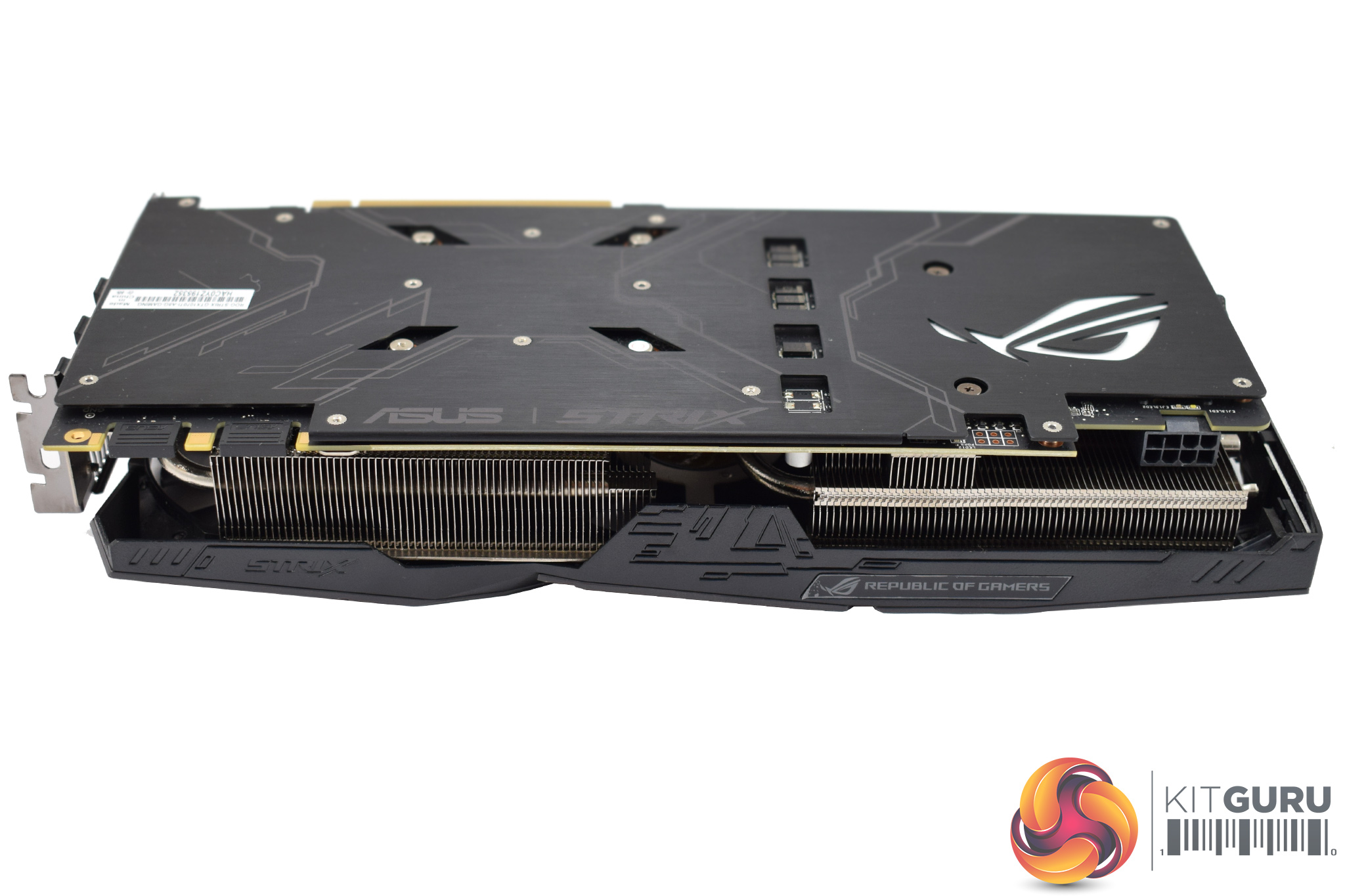
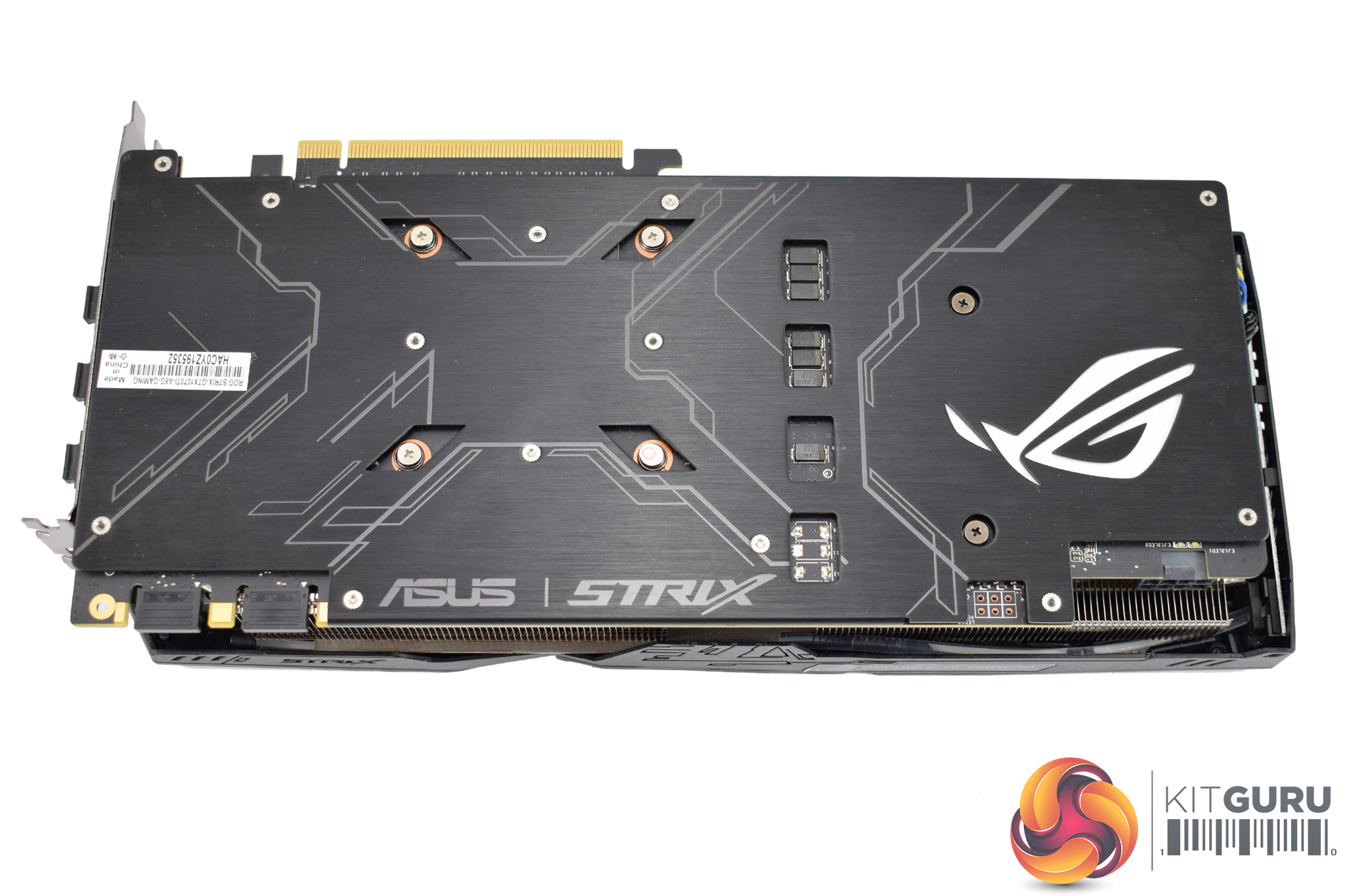
Moving on to the backplate, it is a thing of beauty – brushed metal, with a large cut-out for the ROG logo which is one of the RGB lighting zones. The ASUS and Strix logos are also present on the backplate.
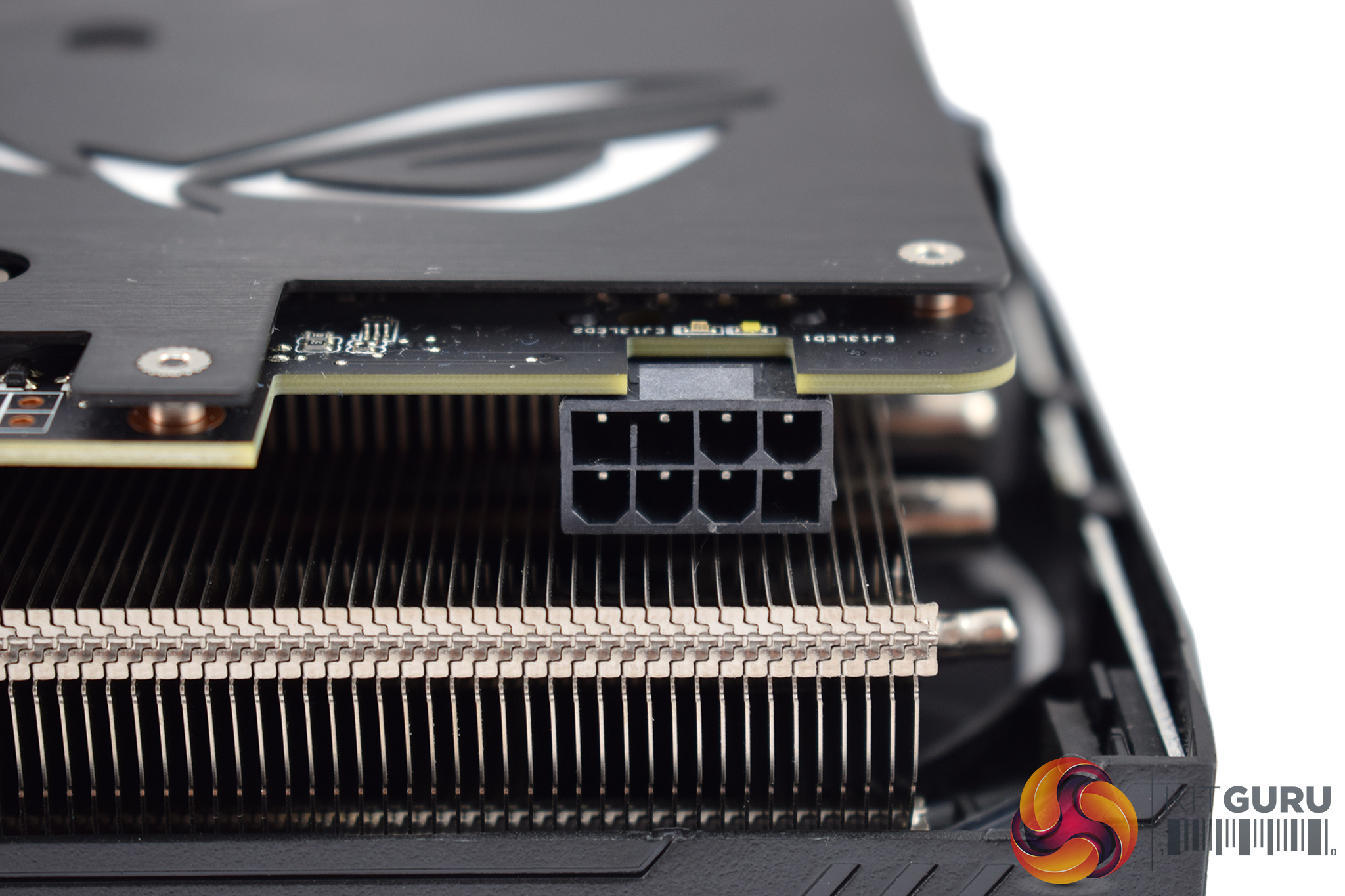
Interestingly, the Strix GTX 1070 Ti uses a single 8-pin PCIe power connector – the two aftermarket models we looked at last week, from MSI and Palit, both used 1x 8-pin and 1x 6-pin. Still, the TDP is the same at 180W.
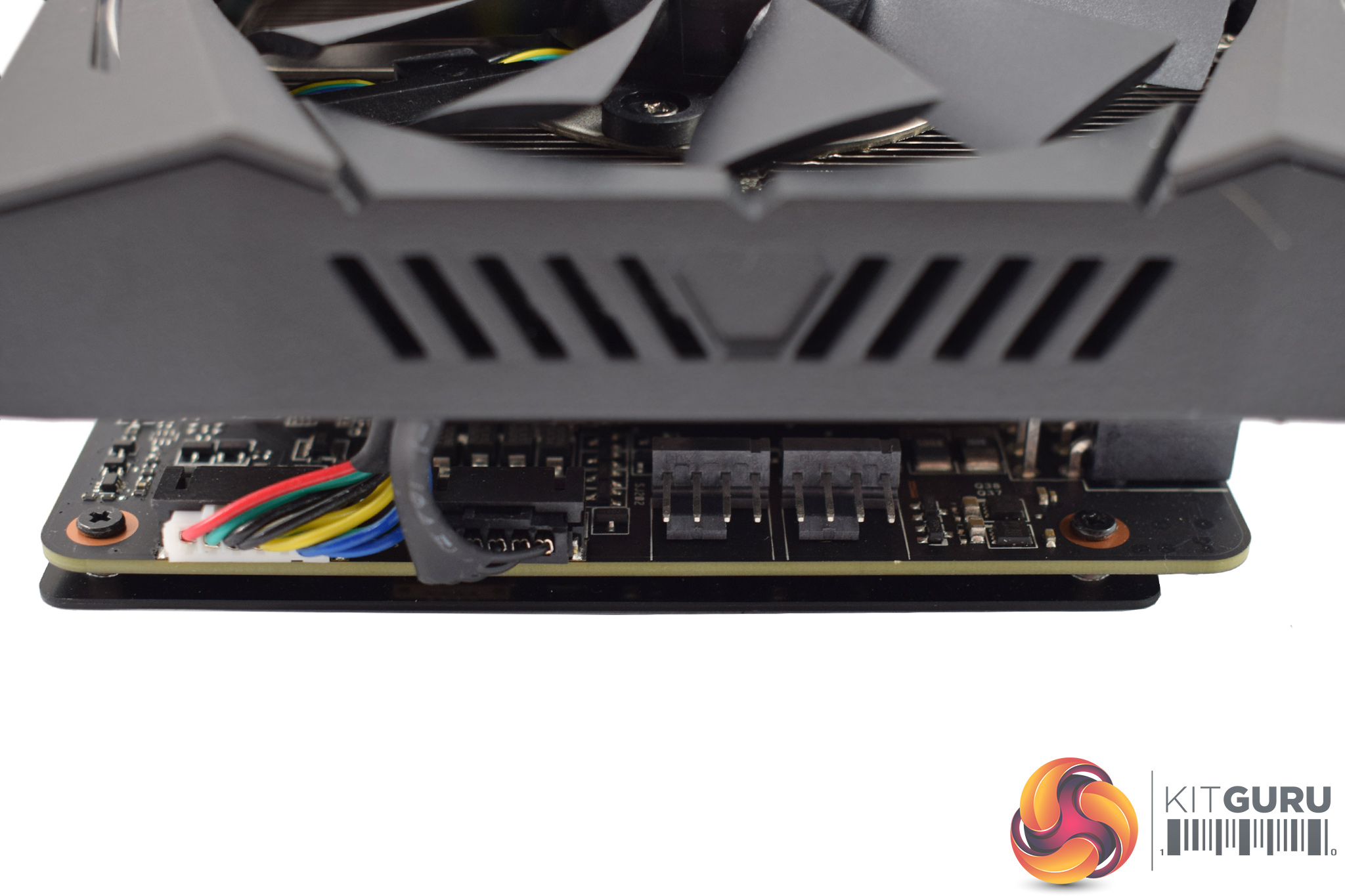
Another Strix feature is the inclusion of 2x 4-pin fan headers on the end of the PCB. These headers control any fans users choose to connect and adjust the fan curve based on the GPU's temperature, instead of the CPU. This should help when gaming, as we know games tax a GPU much more than a CPU, so the increased temperatures should prompt faster-spinning chassis fans.
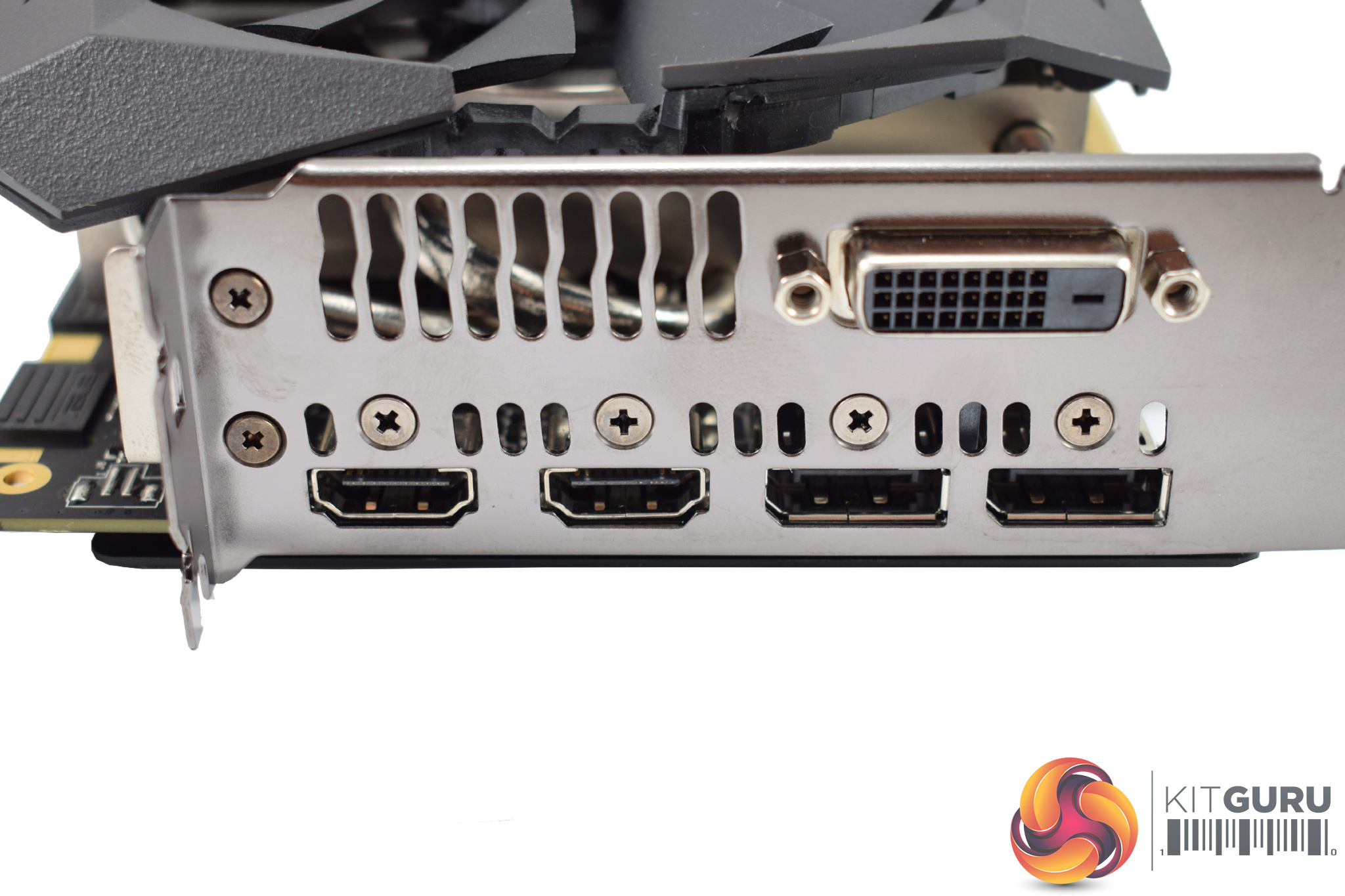
Lastly, the I/O is worth noting: the Strix card has 2x HDMI 2.0b, 2x DisplayPort 1.4 and 1x DL-DVI outputs.Our newest GPU test procedure has been built with the intention of benchmarking high-end graphics cards. We test at 1920×1080 (1080p), 2560×1440 (1440p), and 3840×2160 (4K UHD) resolutions.
We try to test using the DX12 API if titles offer support. This gives us an interpretation into the graphics card performance hierarchy in the present time and the near future, when DX12 becomes more prevalent. After all, graphics cards of this expense may stay in a gamer’s system for a number of product generations/years before being upgraded.
We tested the RX Vega64 and Vega56 using the ‘Turbo‘ power mode in AMD’s WattMan software. This prioritises all-out performance over power efficiency, noise output, and lower thermals.
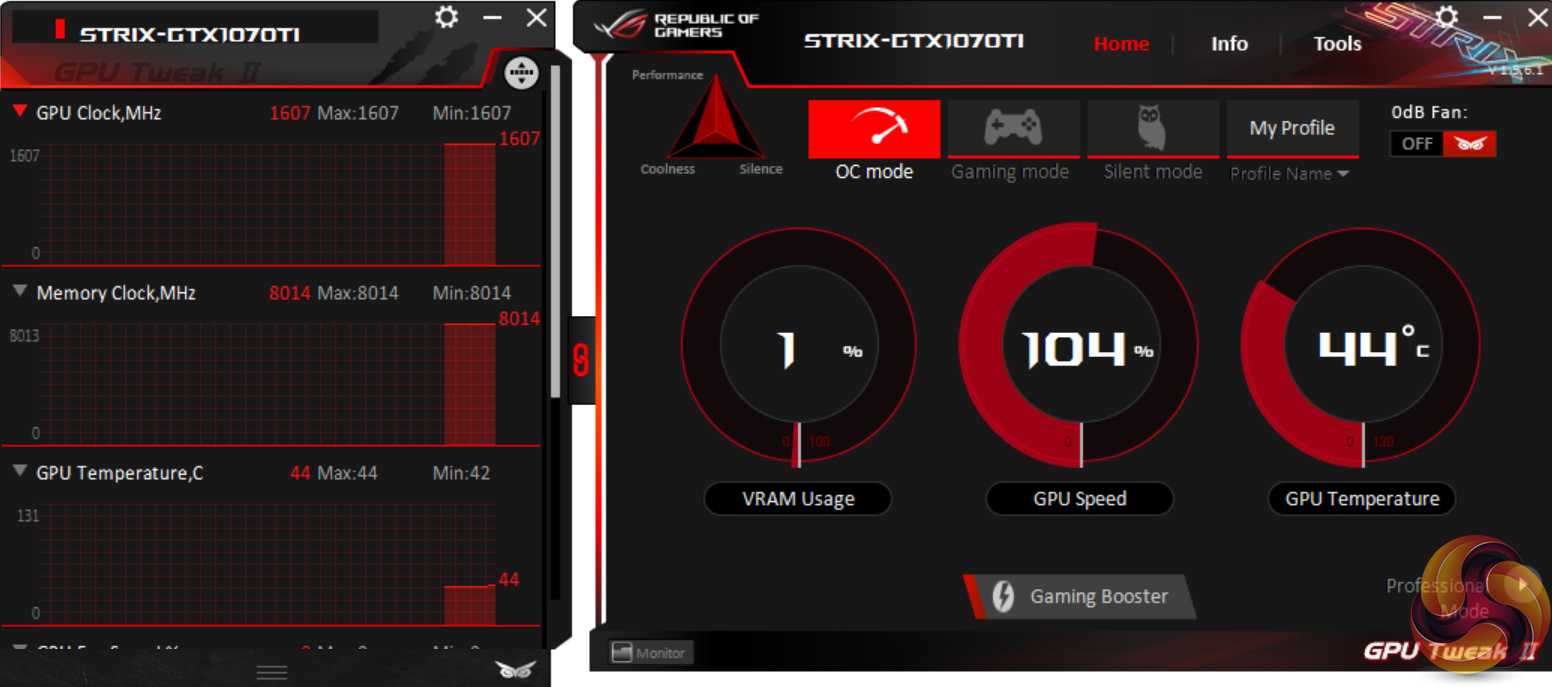
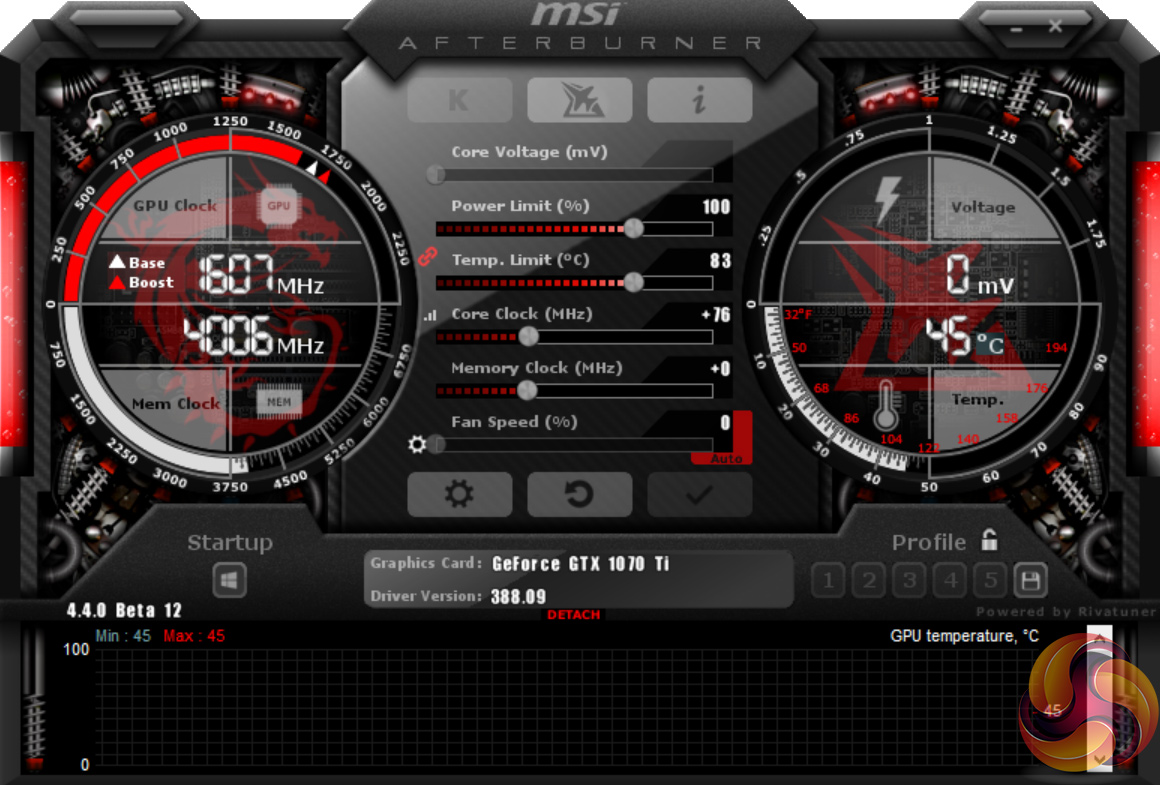
We tested the Strix GTX 1070 Ti in ‘OC mode'. This is the one-click overclock solution we discussed on the first page. All it does is add +76MHz to the GPU core, and nothing else.
General Test System Notes
- AMD Graphics cards were benchmarked with the AMD Crimson ReLive 17.9.1 driver.
- Nvidia Graphics cards, not including GTX 1070 Ti cards, were benchmarked with the Nvidia 384.94 driver.
- GTX 1070 Ti cards were benchmarked with the Nvidia 388.09 driver.
Test System
| CPU |
Intel Core i7-7700K ‘Kaby Lake’ (Retail)
Overclocked to 4.8GHz Core |
| Motherboard |
ASUS Z170 Pro Gaming
|
| Memory |
Geil Evo X
16GB (2x8GB) @ 3200MHz 16-16-16-36 |
| Graphics Card |
Varies
|
| System Drive |
Sandisk SSD PLUS 120GB
|
| Games Drive | Crucial M4 512GB |
| Chassis | Game Max Moonstone (high fan speed) |
| CPU Cooler |
Fractal Design Celsius S24
|
| Power Supply |
Seasonic Prime 1000W Platinum
|
| Operating System |
Windows 10 Professional with Creators’ Update (64-bit)
|
Our test system consists of an overclocked Core i7-7700K processor and 16GB of 3200MHz Geil DDR4. High-end hardware is used to eliminate CPU and memory from the bottleneck equation and put the performance onus solely on the GPU being tested.
Comparison Graphics Cards List
AMD Radeon RX Vega64 Air (1247MHz core / 1546MHz average boost / 1.89Gbps HBM2 memory)
AMD Radeon RX Vega56 Air (1156MHz core / 1471MHz average boost / 1.6Gbps HBM2 memory)
Nvidia GTX 1080 Ti Reference (1480MHz core / 1582MHz boost / 11Gbps GDDR5X memory)
Zotac GTX 1080 Ti Mini (1506MHz core / 1620Mhz boost / 11Gbps GDDR5X memory)
MSI GTX 1080 Ti Gaming X Trio (1569MHz core / 1683MHz boost / 11Gbps GDDR5X memory)
Gigabyte GTX 1080 G1 Gaming (1696MHz core/ 1835MHz boost / 10Gbps GDDR5X memory)
MSI GTX 1070 Ti Gaming 8G (1607MHz core / 1683HMz boost / 8Gbps GDDR5)
Palit GTX 1070 Ti Super JetStream (1607MHz core / 1683HMz boost / 8Gbps GDDR5)
Nvidia GTX 1070 Founders Edition (1506MHz core/ 1683MHz boost / 8Gbps GDDR5 memory)
Software and Games List
- 3DMark Fire Strike & Fire Strike Ultra (DX11 Synthetic)
- 3DMark Time Spy (DX12 Synthetic)
- Ashes of the Singularity: Escalation (DX12)
- Deus Ex: Mankind Divided (DX12)
- Ghost Recon Wildlands (DX11)
- Grand Theft Auto V (DX11)
- Rise of the Tomb Raider (DX12)
3DMark Fire Strike is a showcase DirectX 11 benchmark designed for today’s high-performance gaming PCs. It is our [FutureMark’s] most ambitious and technical benchmark ever, featuring real-time graphics rendered with detail and complexity far beyond what is found in other benchmarks and games today.
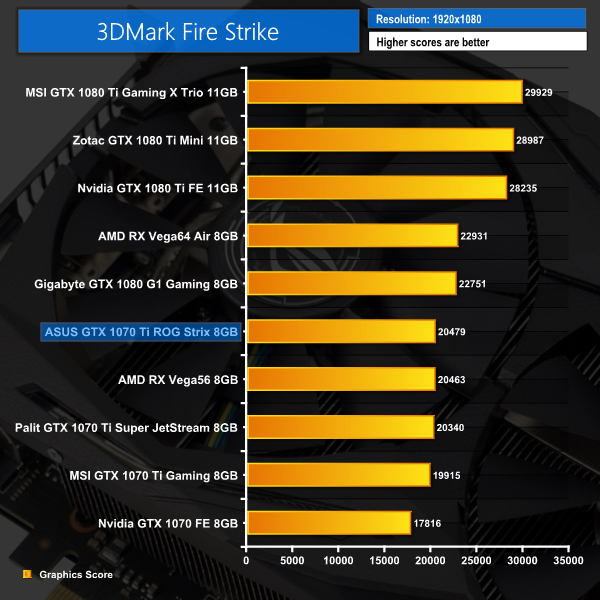
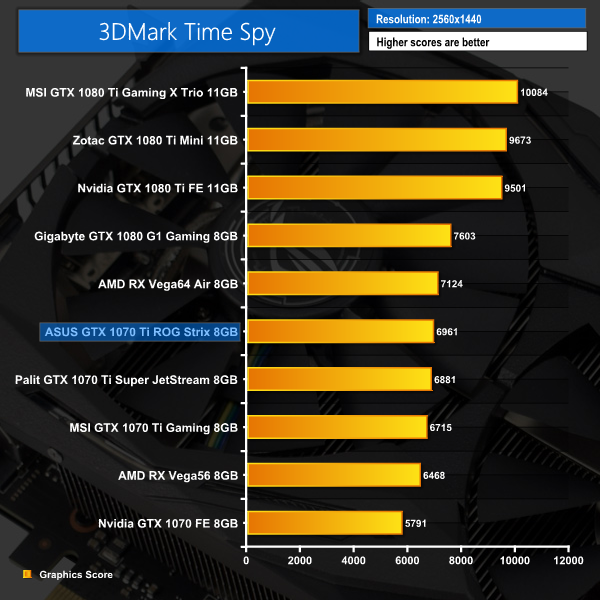
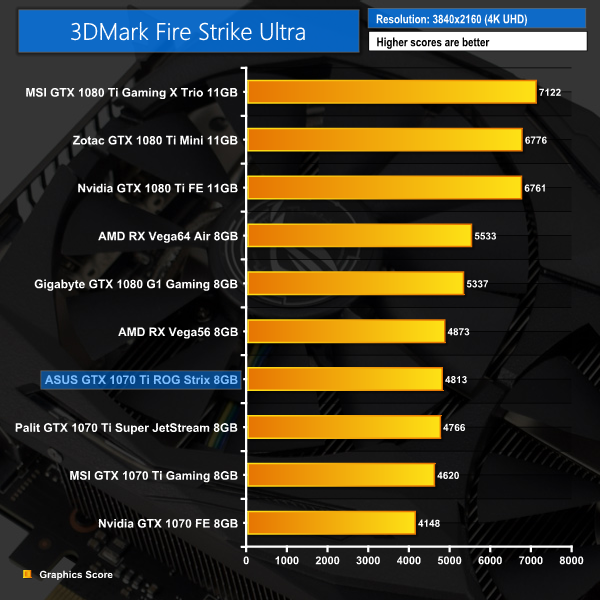
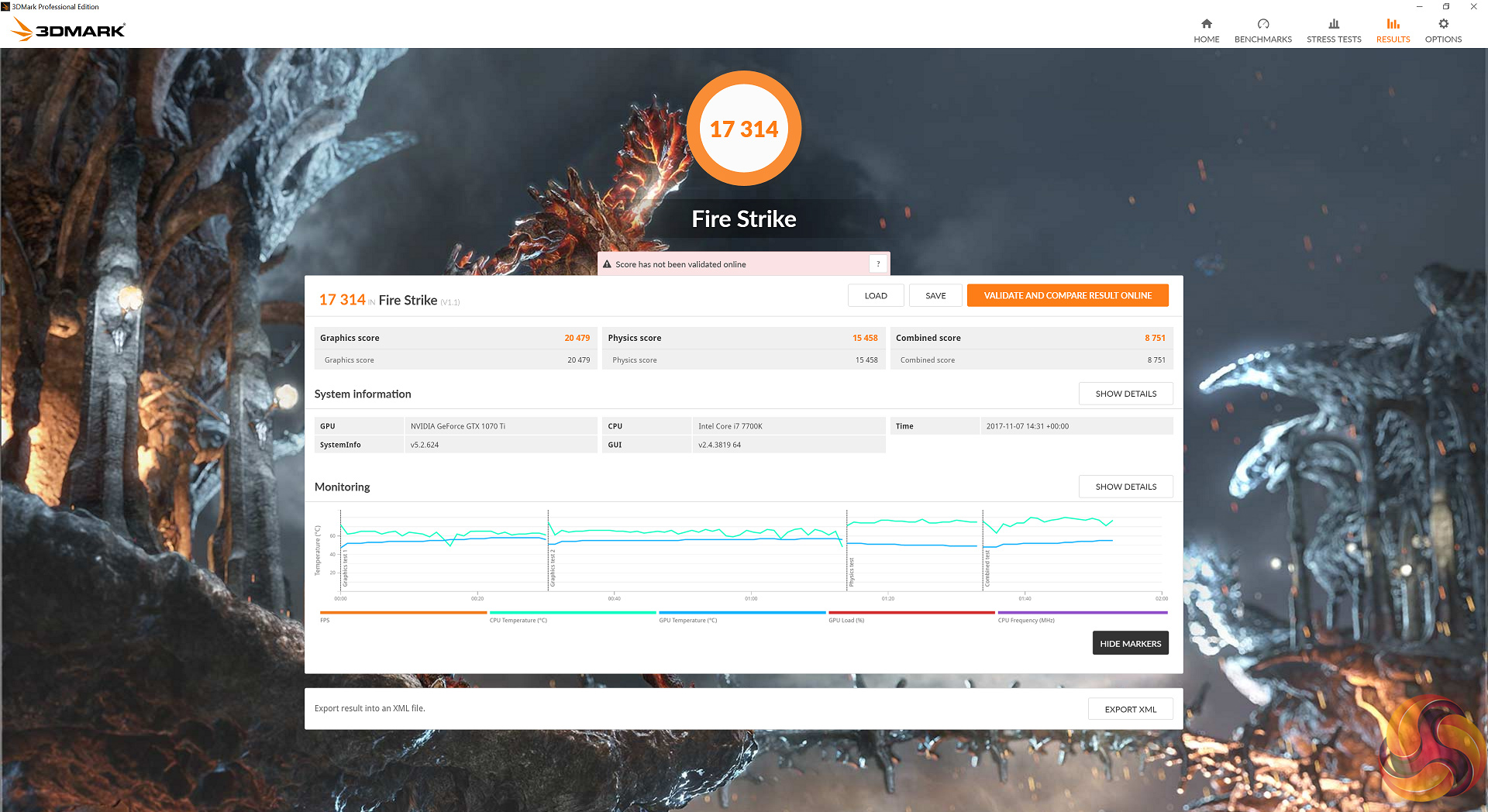
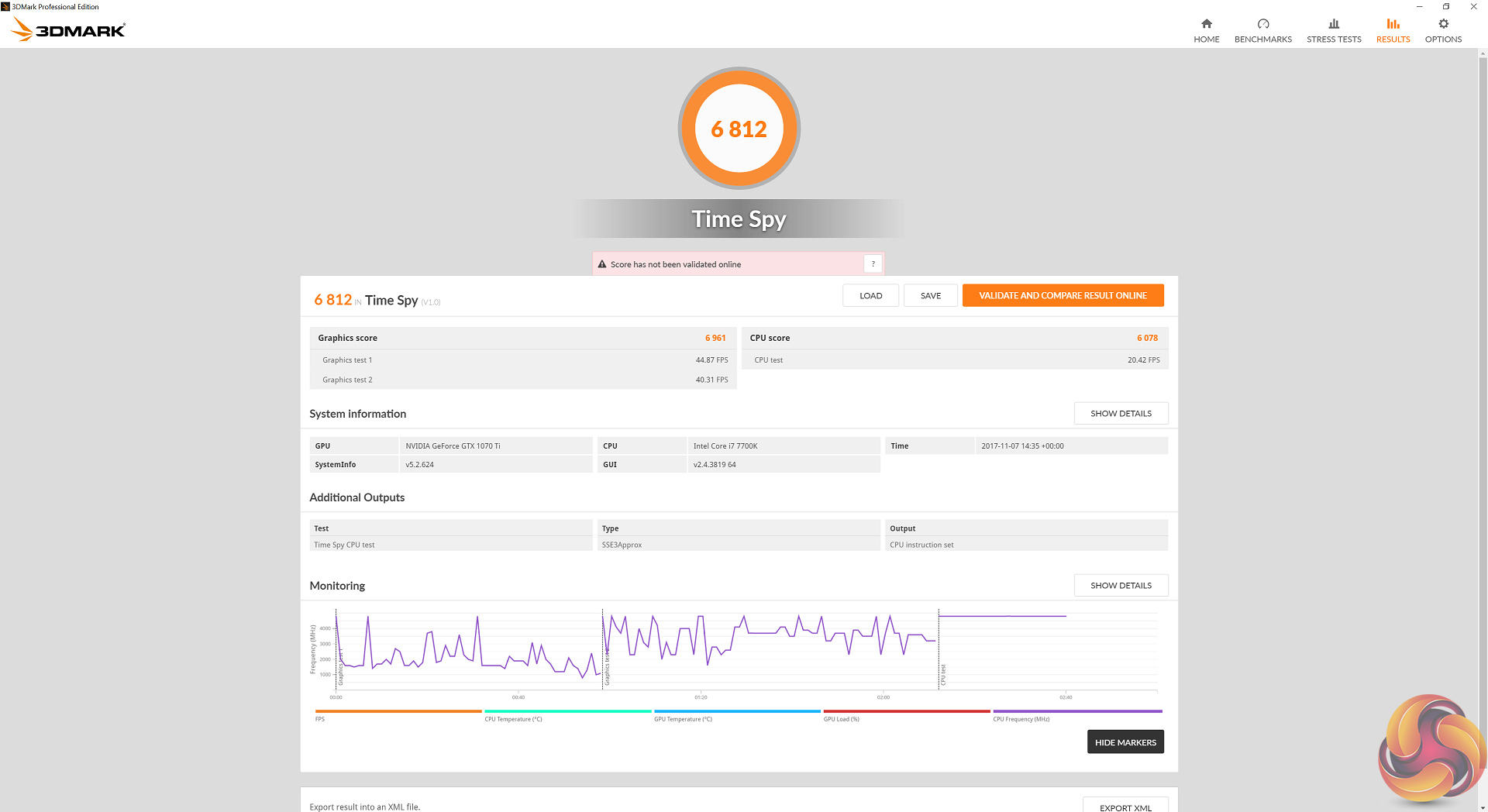
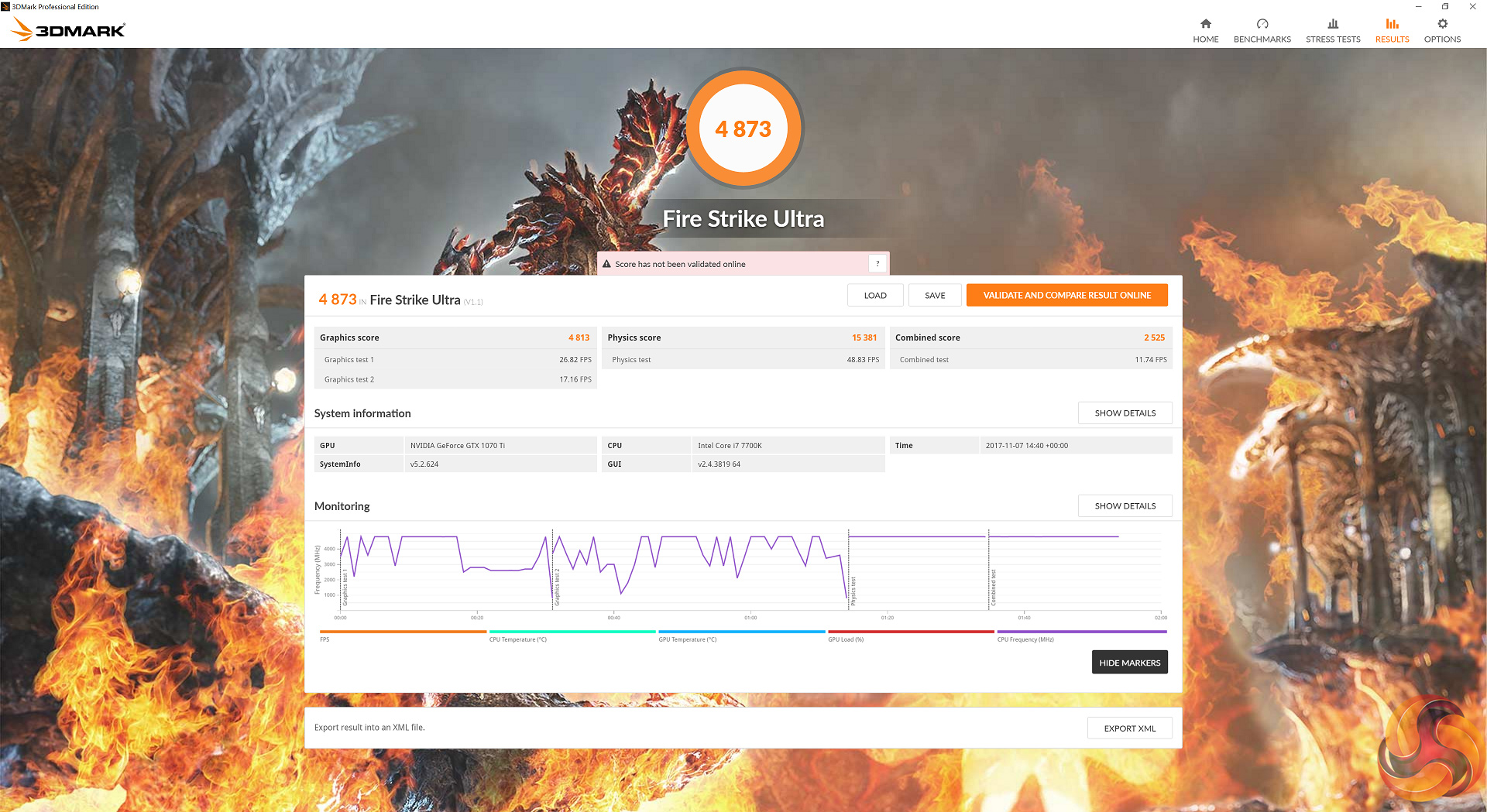
It's a good start for the Strix GTX 1070 Ti – it proved faster than both the MSI and Palit GTX 1070 Tis across all three 3DMark tests.Ashes of the Singularity: Escalation is a real-time strategy game set in the future where descendants of humans (called Post- Humans) and a powerful artificial intelligence (called the Substrate) fight a war for control of a resource known as Turinium.
Players will engage in massive-scale land/air battles by commanding entire armies of their own design. Each game takes place on one area of a planet, with each player starting with a home base (known as a Nexus) and a single construction unit.
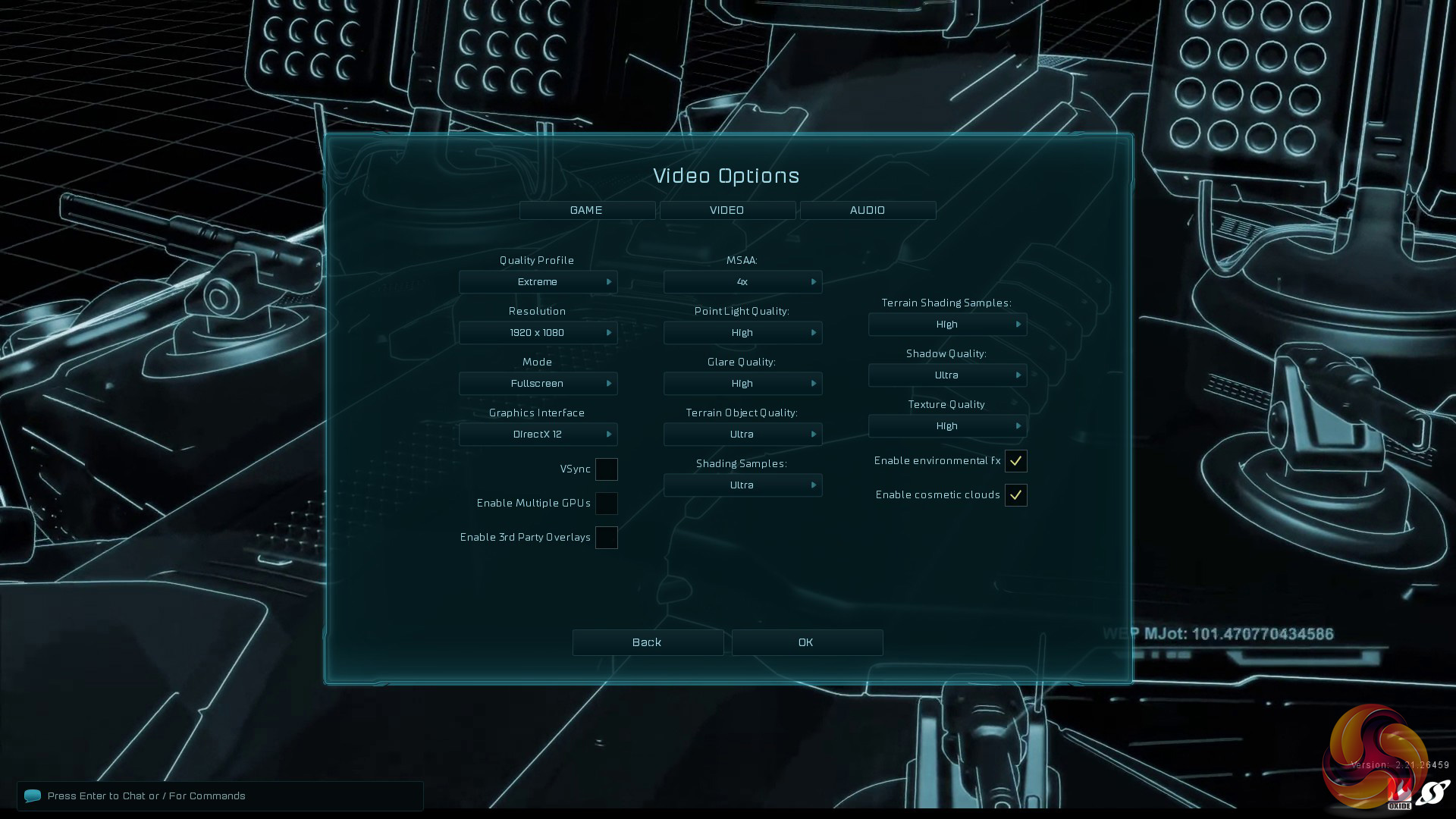
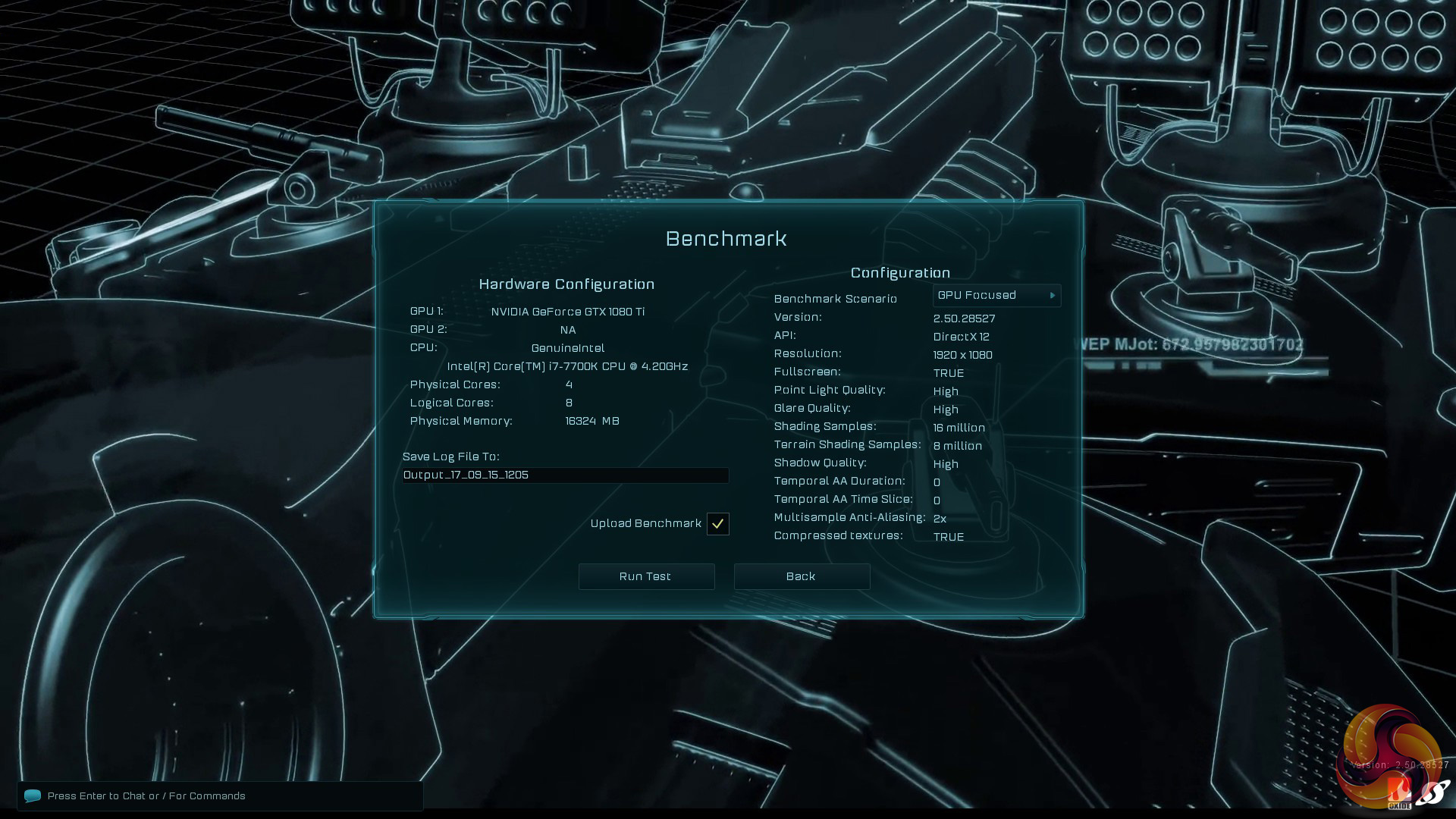
We opt for the Extreme quality profile and run the GPU-Focused test using the DX12 game mode.
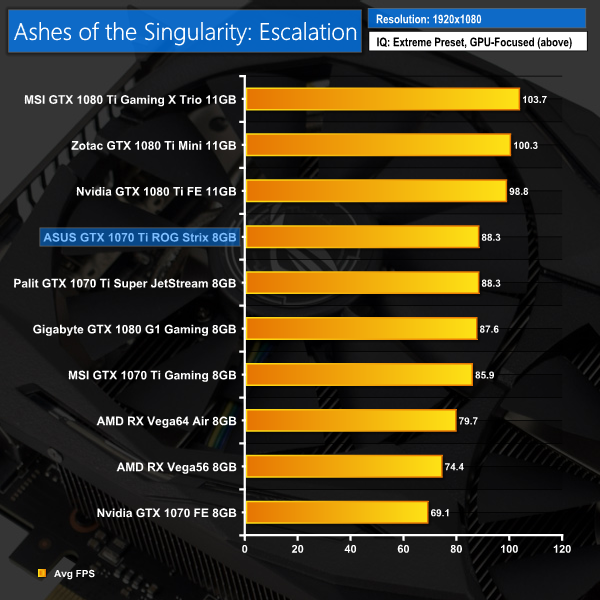
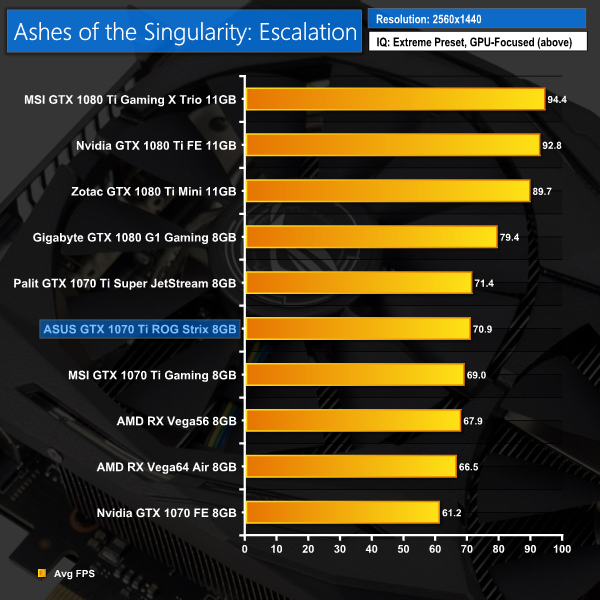
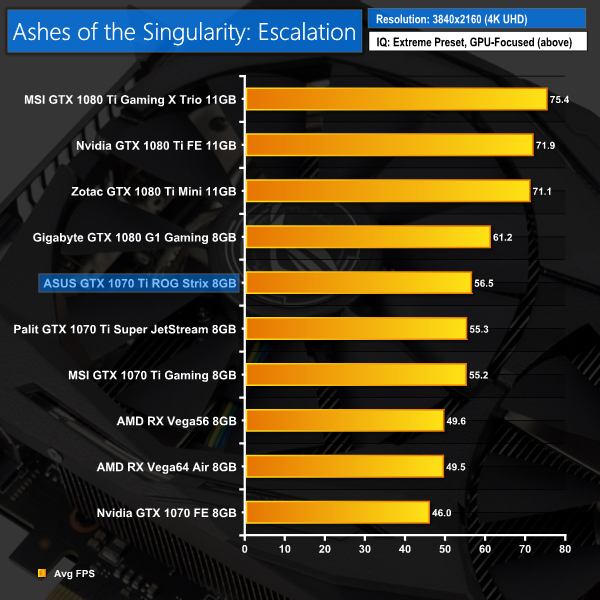
Ashes isn't quite as cut-and-dry as our initial 3DMark benchmarks – at 1080p both the Strix and Palit cards scored exactly 88.3 FPS, while the Palit edged ahead at 1440p. At 4K, however, the Strix card reclaimed the lead.Deus Ex: Mankind Divided is set in the year 2029, two years after the events of Human Revolution and the “Aug Incident”—an event in which mechanically augmented humans became uncontrollable and lethally violent. Unbeknownst to the public, the affected augmented received implanted technology designed to control them by the shadowy Illuminati, which is abused by a rogue member of the group to discredit augmentations completely. (Wikipedia).
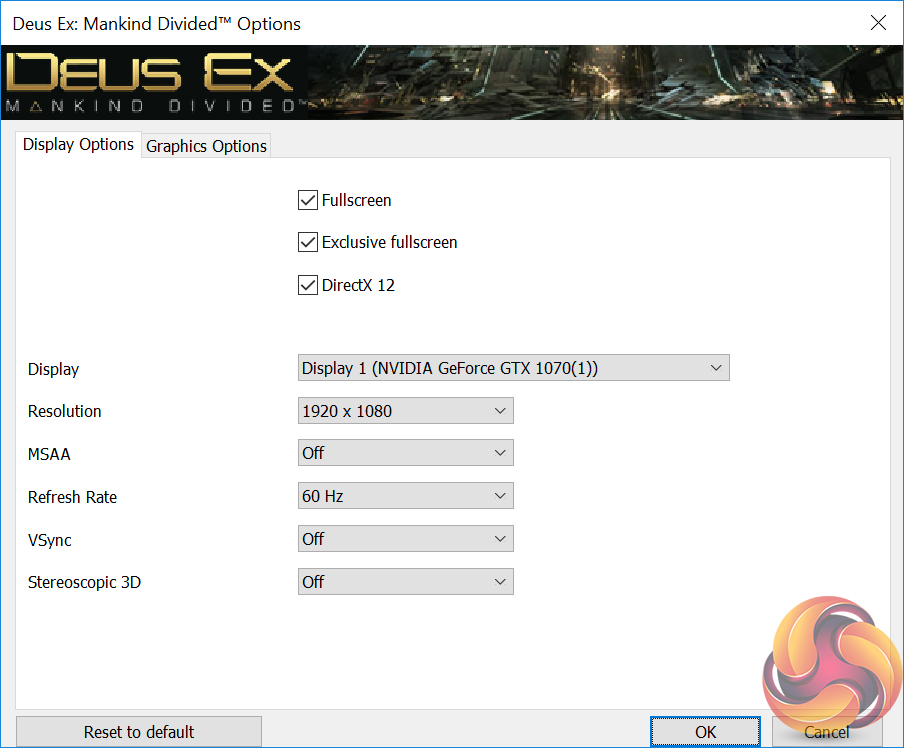
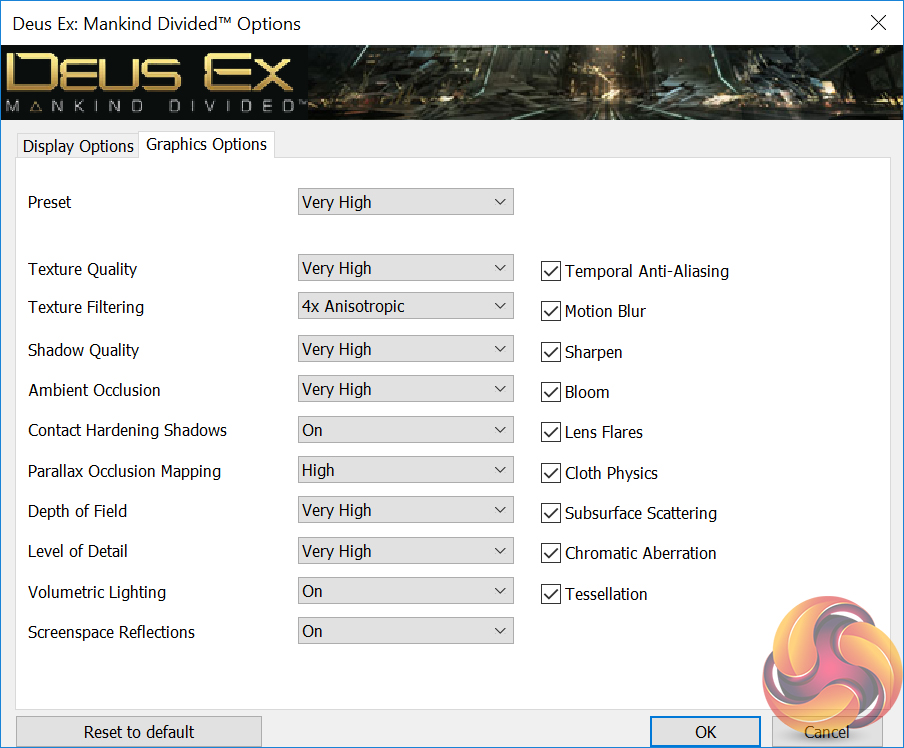
The Very High preset was used for 1080P, 1440P, and 4K. We used the DirectX 12 API.
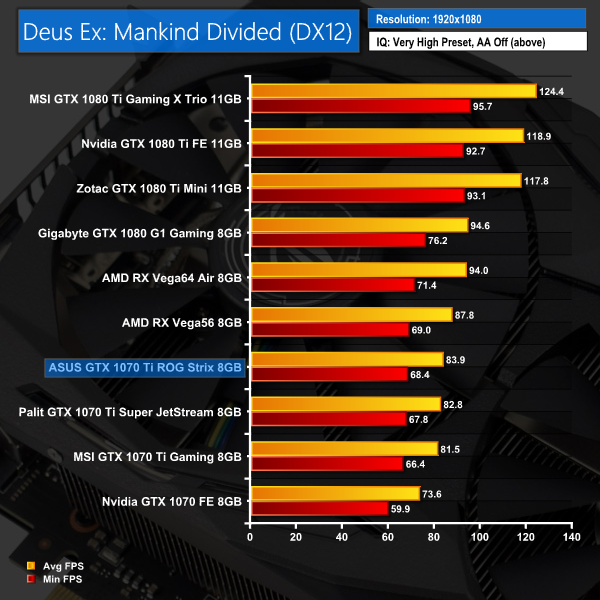
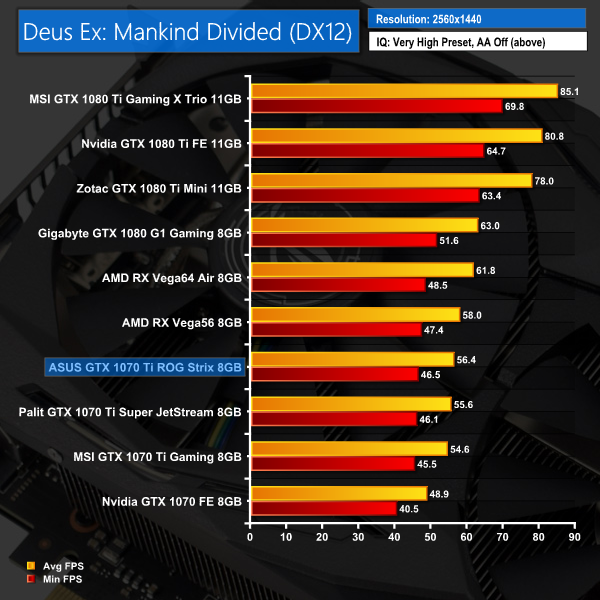
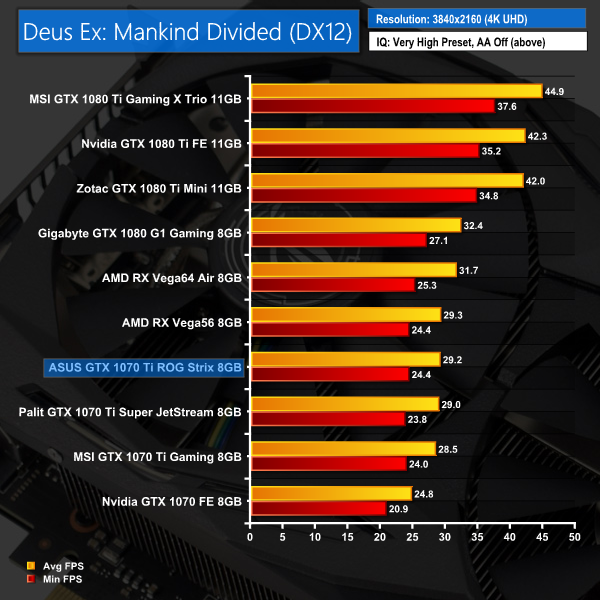
Despite proving slower than AMD's Vega56 in Deus Ex, the Strix card posted better scores than the other two GTX 1070 Ti partner cards.Tom Clancy’s Ghost Recon: Wildlands is an open world tactical shooter video game developed by Ubisoft Paris. It is the tenth instalment in the Tom Clancy’s Ghost Recon franchise and is the first Ghost Recon game to feature an open world environment.
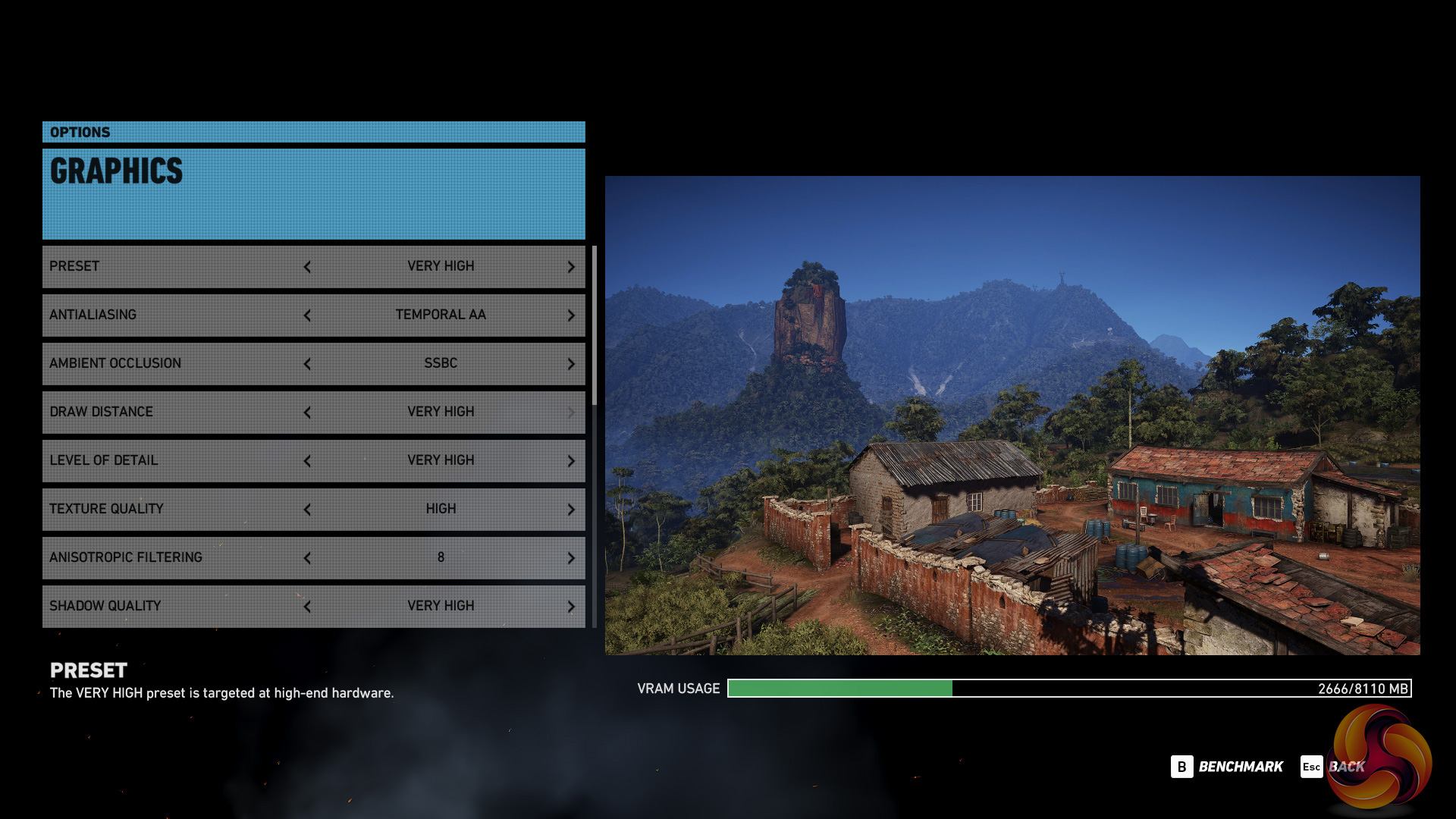
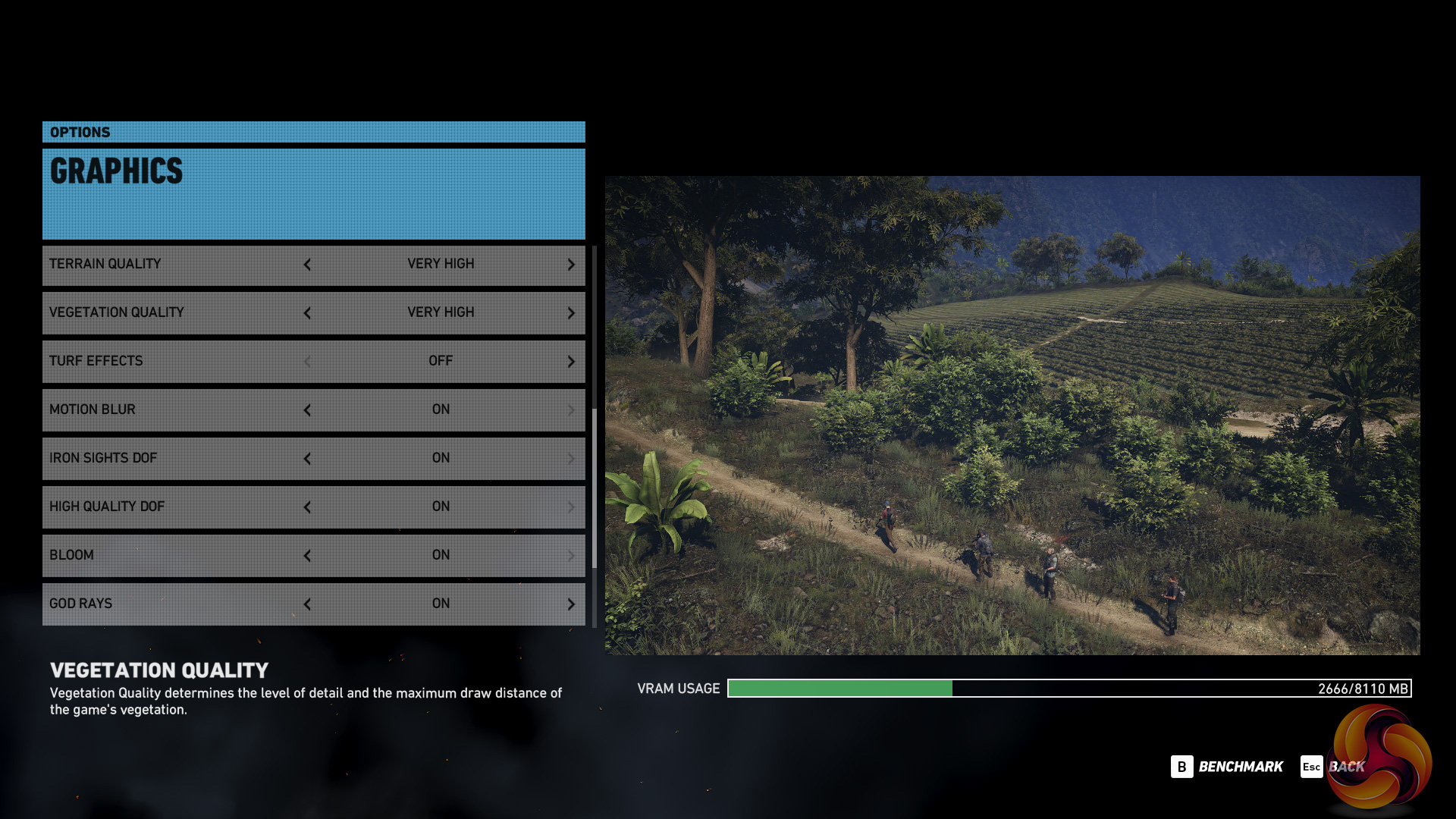
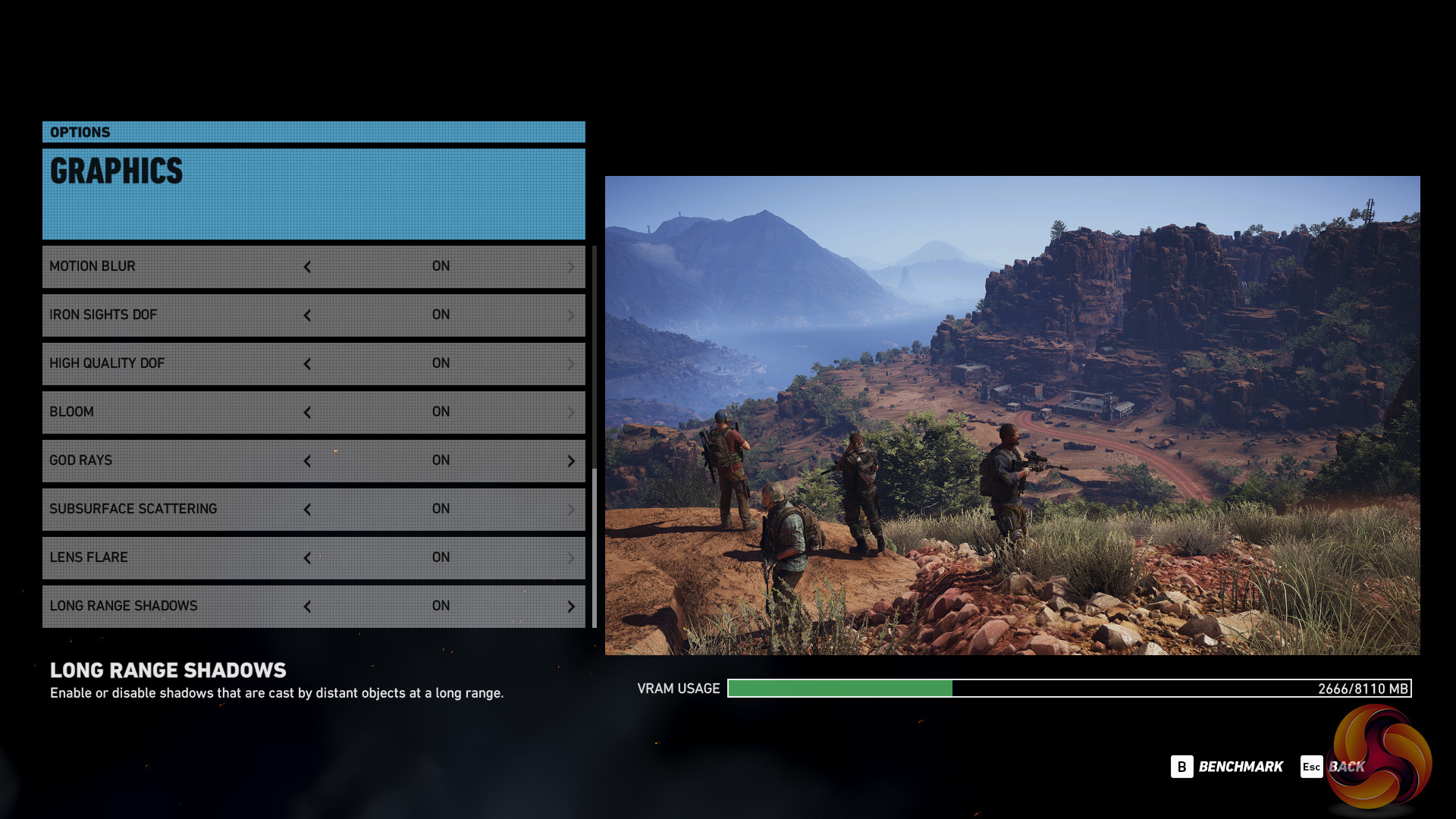
We run the built-in benchmark using the Very High quality preset at 1080P, 1440P, and 4K.
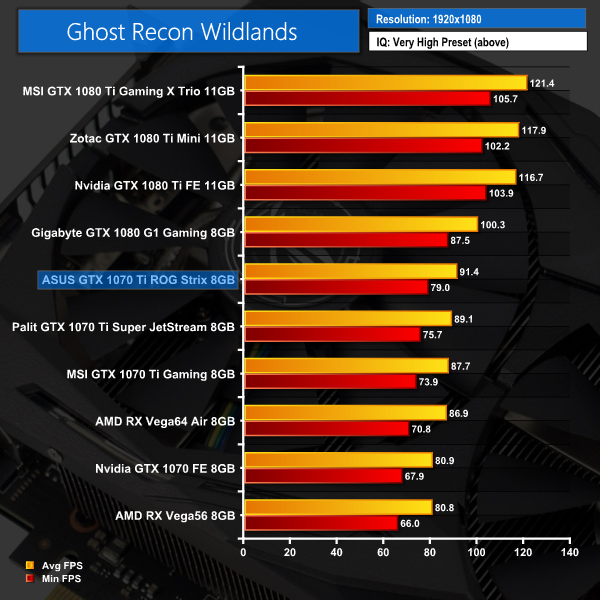
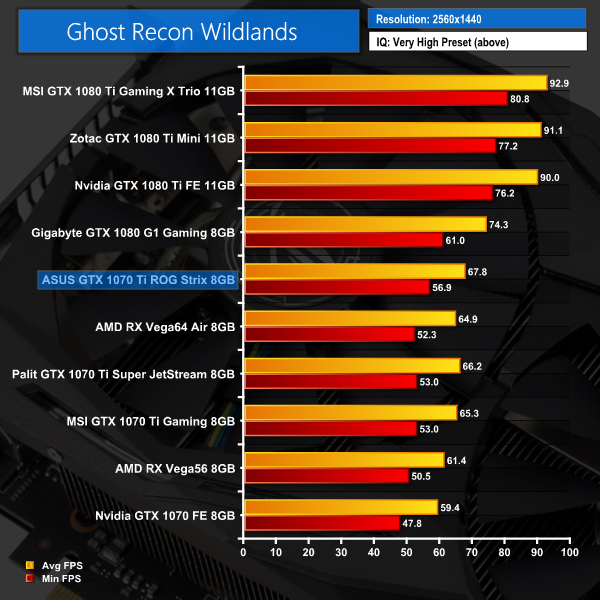
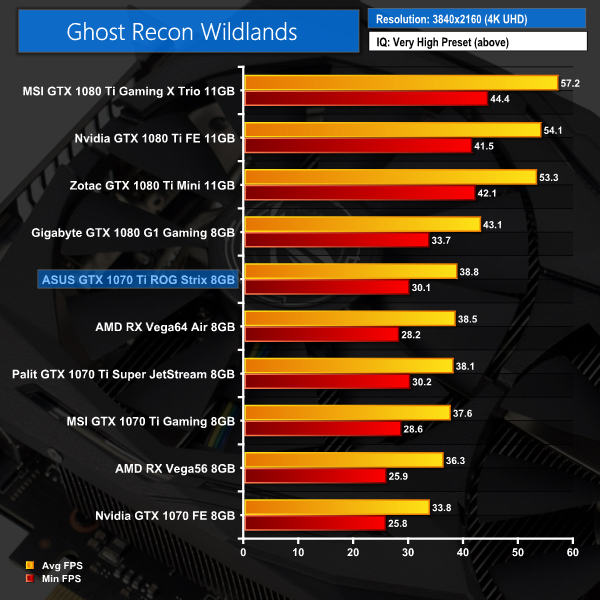
Wildlands does favour Nvidia hardware, so here we see the Strix 1070 Ti ahead of both Vega56 and Vega64. It also delivered better frame rates than its rival 1070 Ti partner cards.Grand Theft Auto V is an action-adventure game played from either a first-person or third-person view. Players complete missions—linear scenarios with set objectives—to progress through the story. Outside of missions, players may freely roam the open world.
Composed of the San Andreas open countryside area and the fictional city of Los Santos, the world is much larger in area than earlier entries in the series. It may be fully explored after the game’s beginning without restriction, although story progress unlocks more gameplay content.
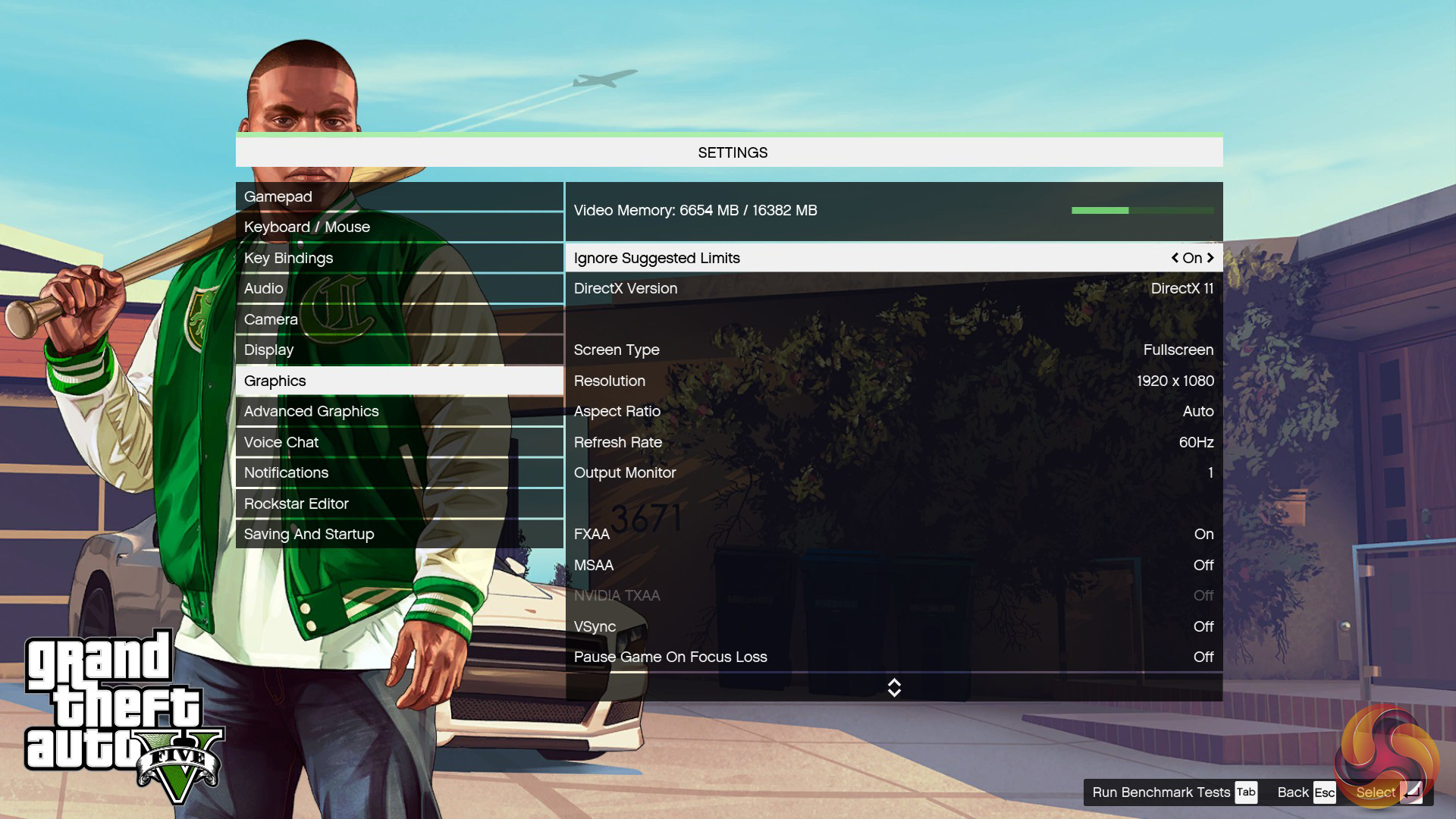
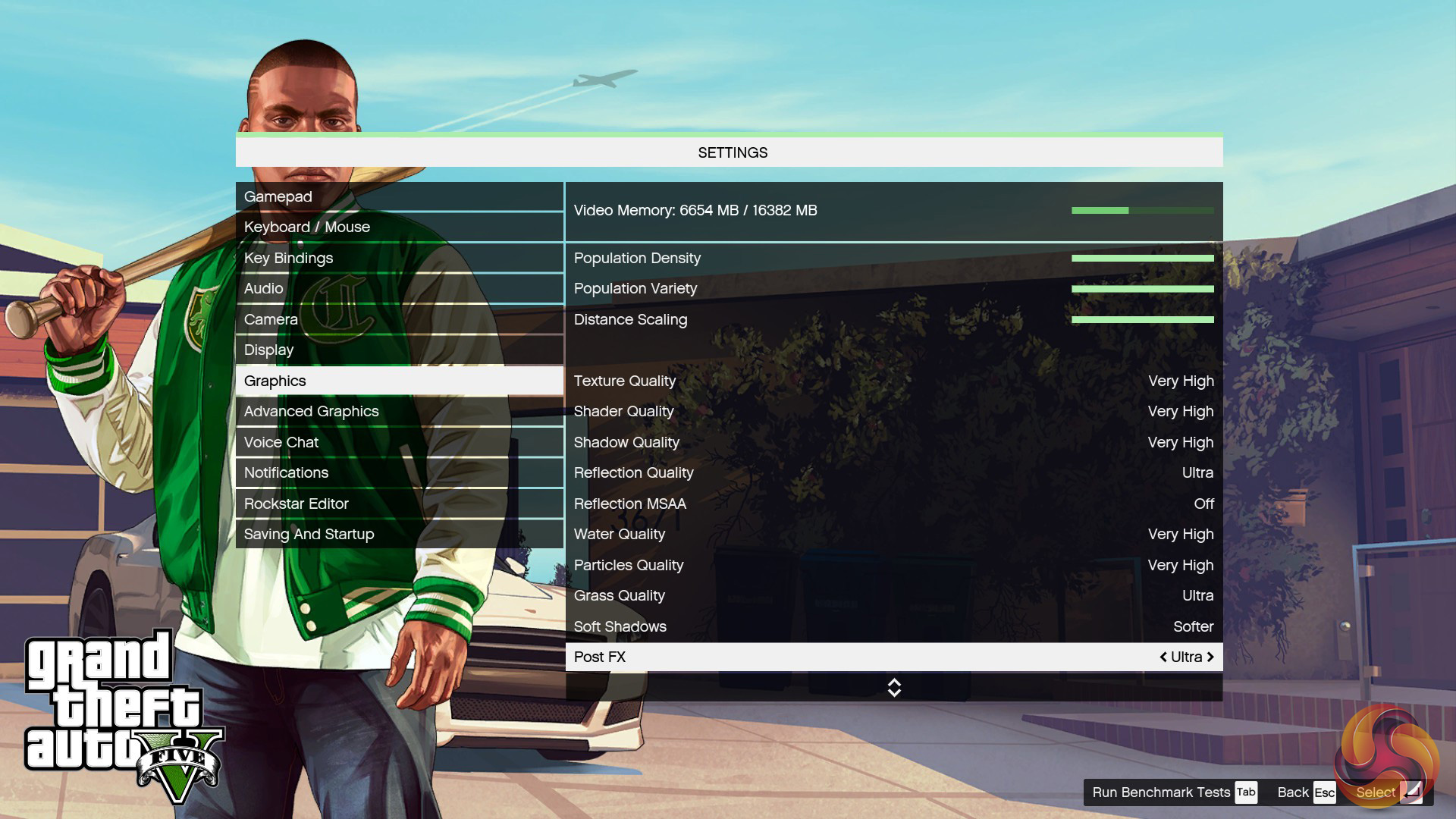
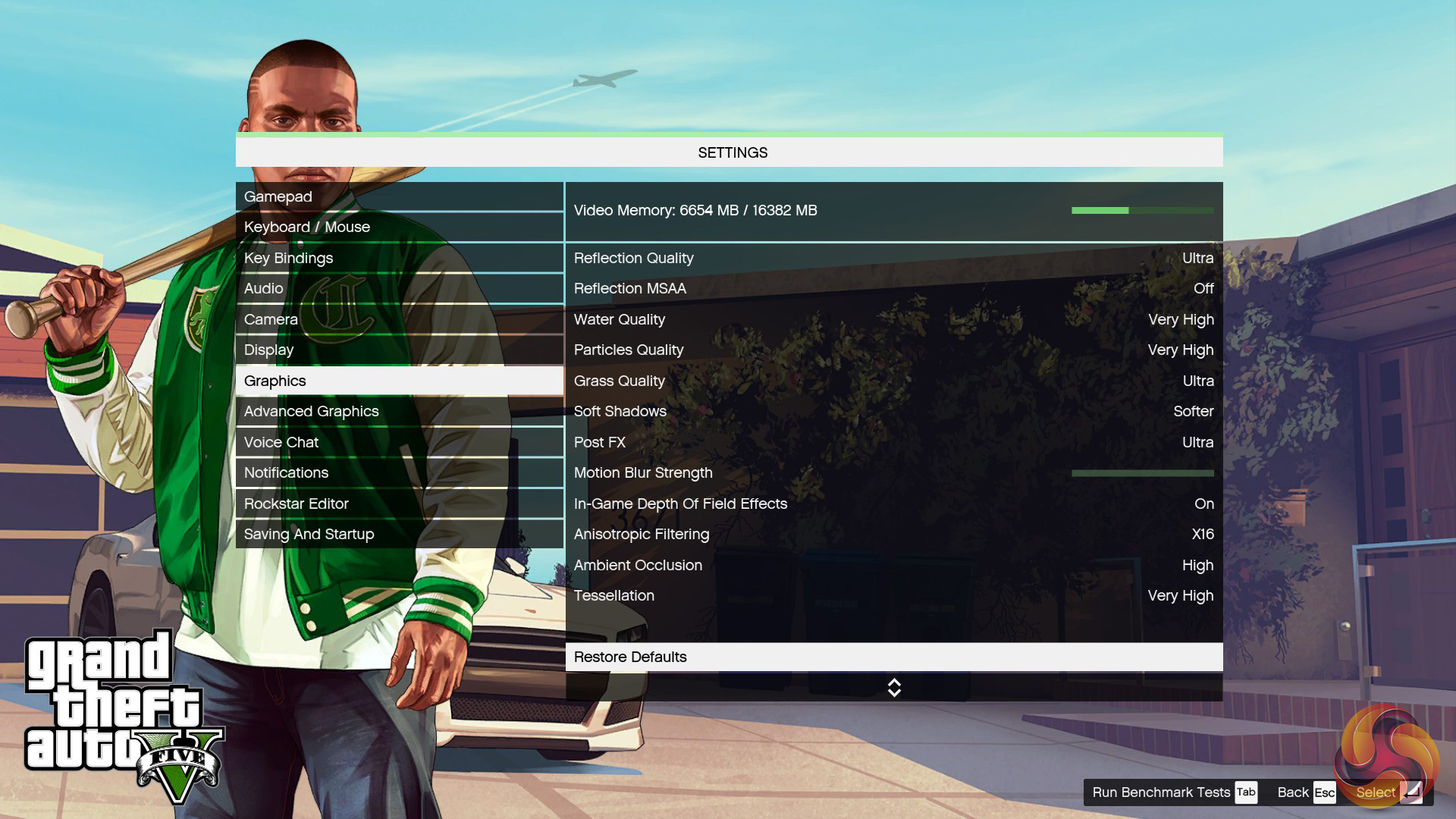
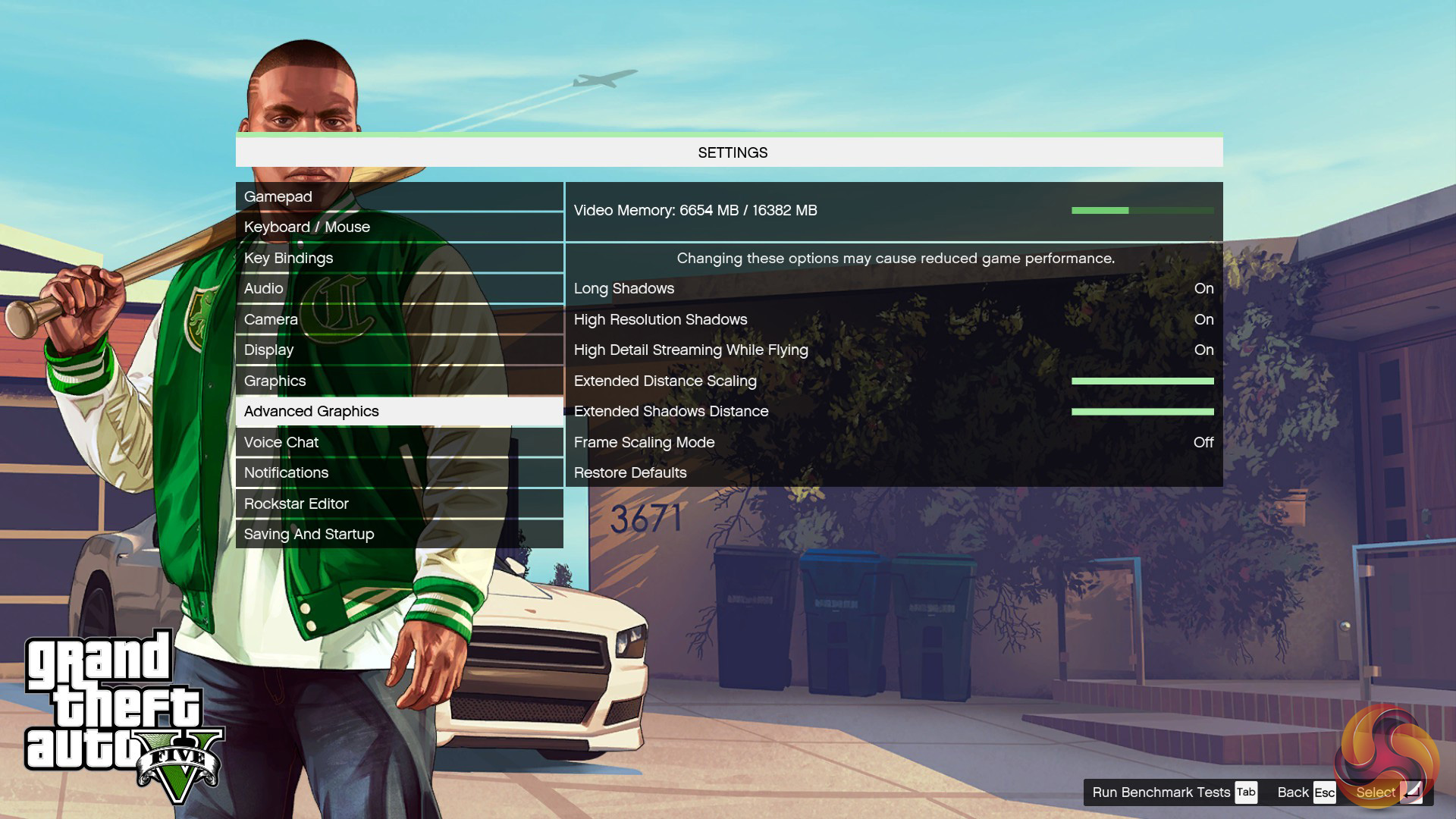
We use the Ultra quality settings (or the highest alternative – generally Very High or High – when Ultra is unavailable). MSAA is set to 2x for 1080p and 1440p and is disabled for 4K. The Advanced Graphics options are all set to their maximum levels.
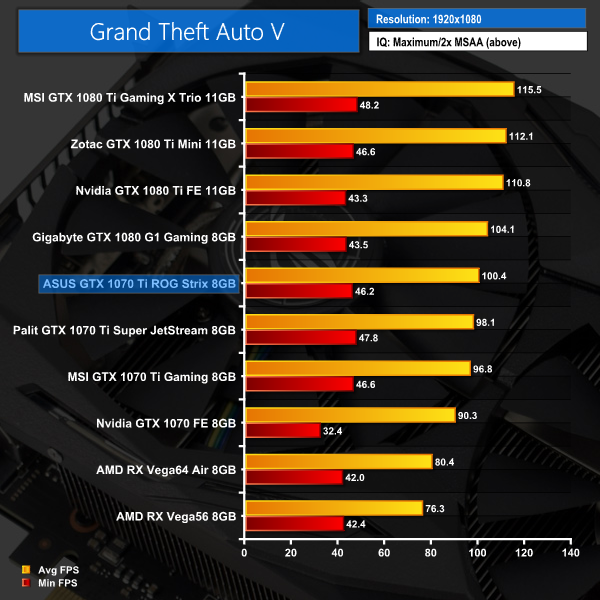
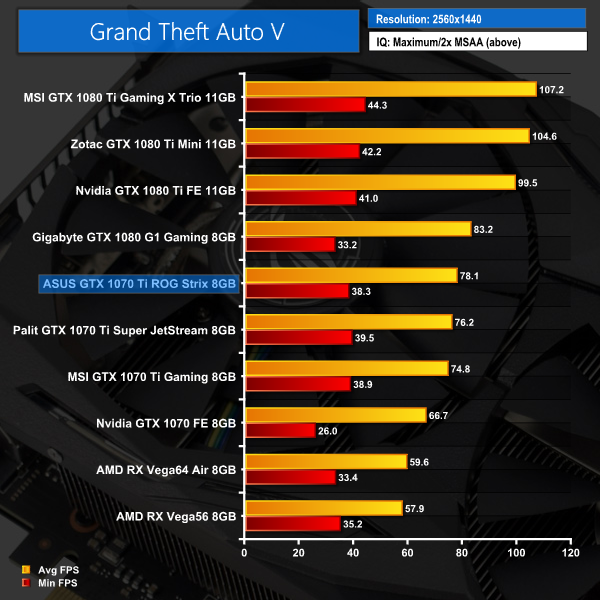
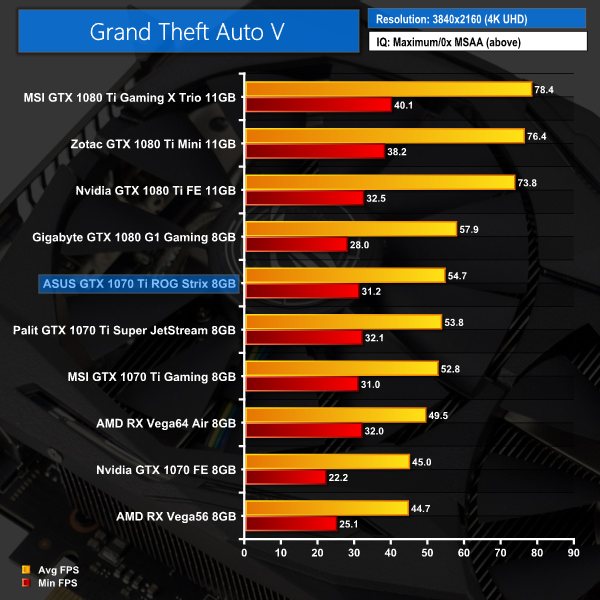
GTA V continues in exactly the same fashion as Wildlands – the Strix card is faster than both the MSI and Palit models, while it also beats out both Vega cards.Rise of the Tomb Raider is a third-person action-adventure game that features similar gameplay found in 2013’s Tomb Raider. Players control Lara Croft through various environments, battling enemies, and completing puzzle platforming sections, while using improvised weapons and gadgets in order to progress through the story.
It uses a Direct X 12 capable engine.
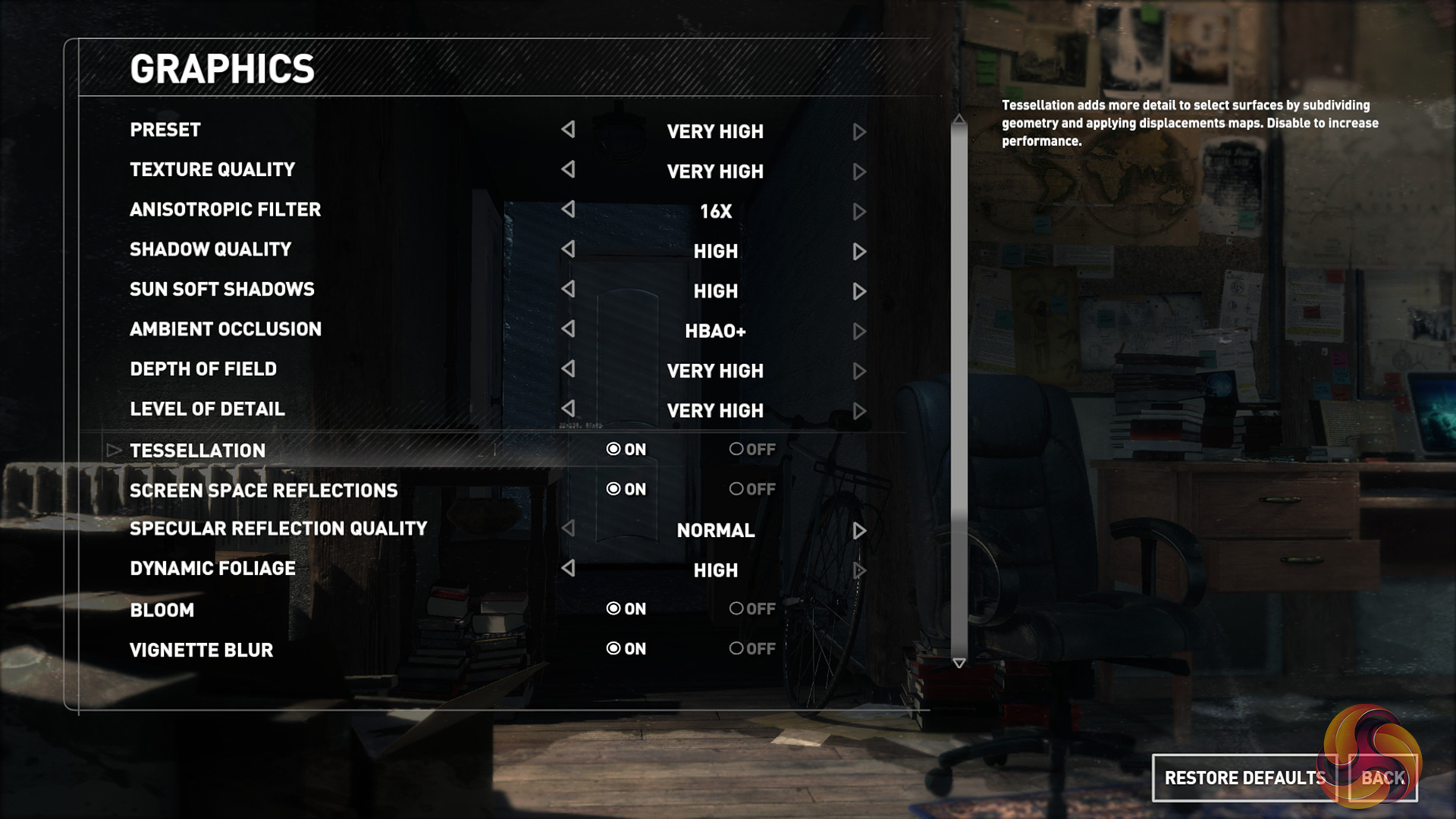
At 1080p and 1440p, we use the Very High quality preset and 2x SSAA. At 4K we use SMAA. The DirectX 12 API is used. Numbers are taken from the benchmark’s Geothermal Valley test.
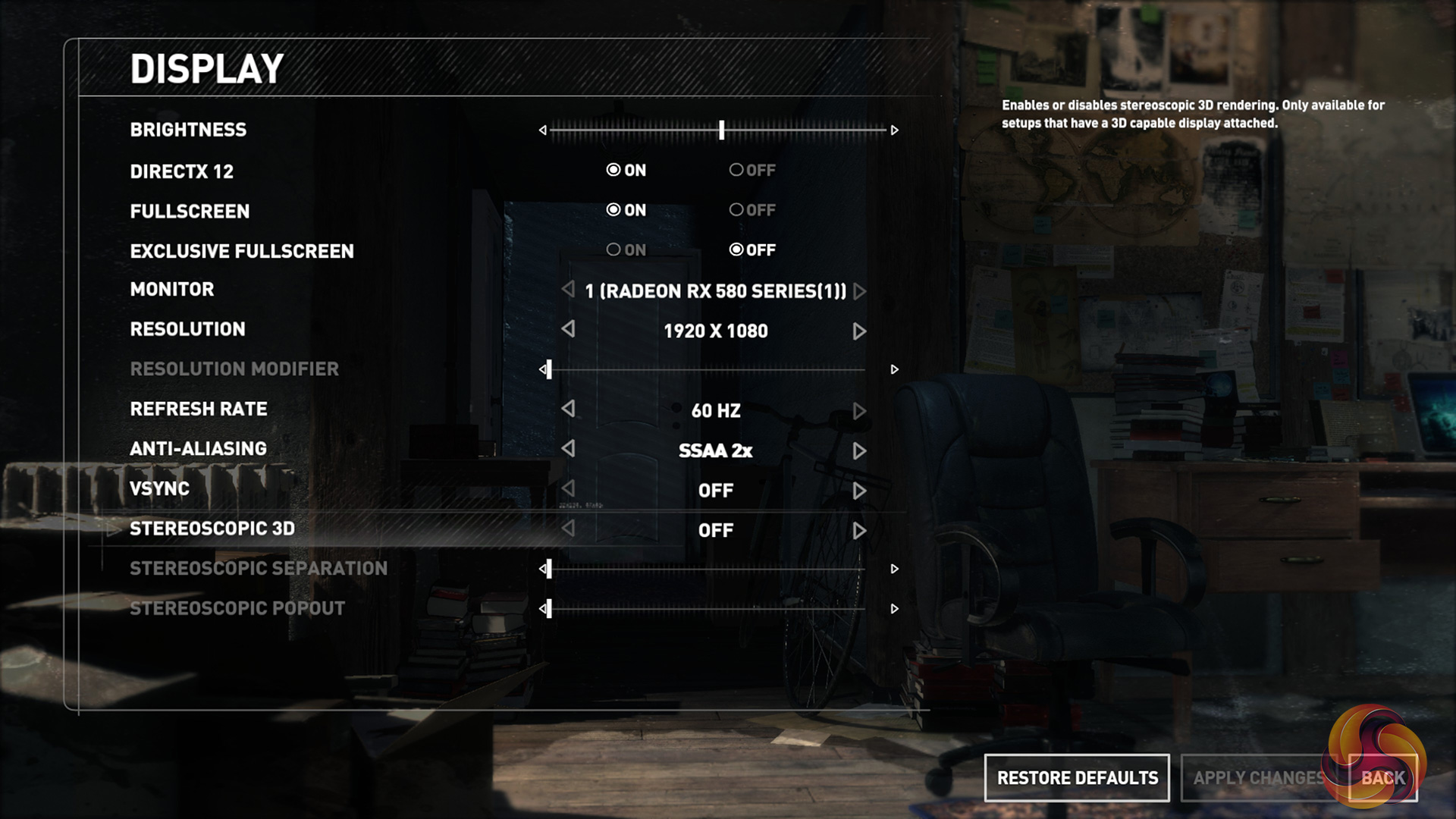
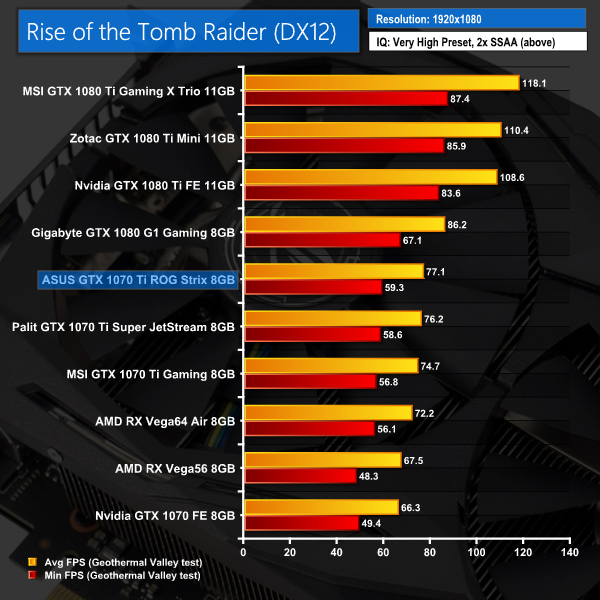
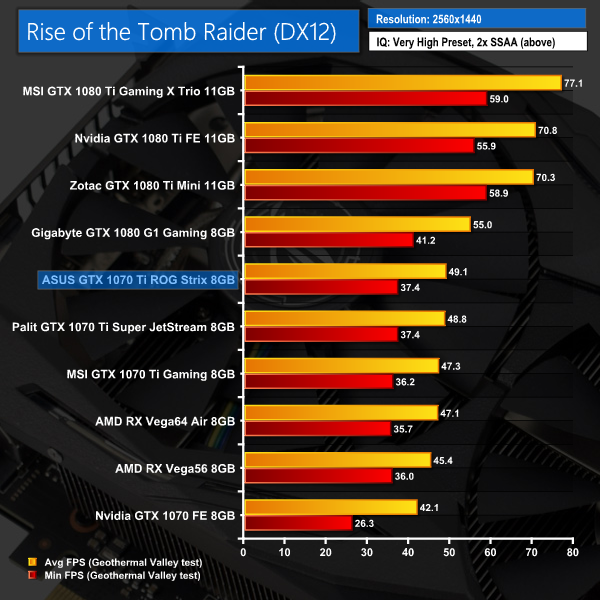
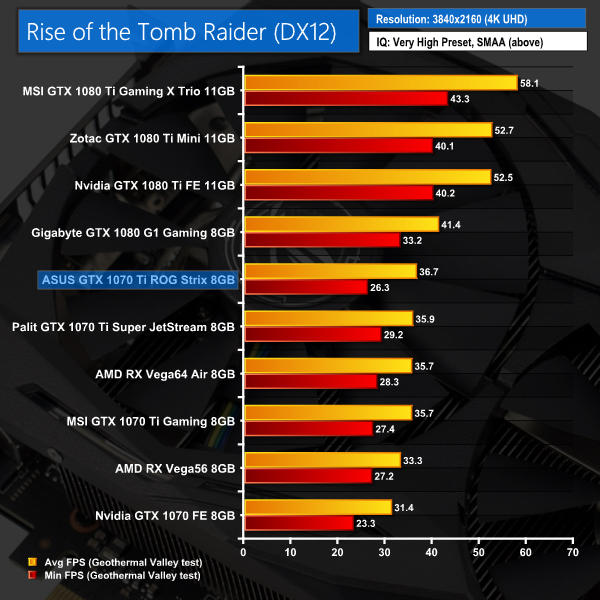
The last game on test today, ROTTR again shows the Strix to be that bit faster than its GTX 1070 Ti rivals.We first measure system-wide power draw from the wall while the card is sat idling at the Windows 10 desktop for 5 minutes. Gaming power draw is recorded by running the Deus Ex benchmark at 4K. As a maximum stress test, Fire Strike Ultra Stress Test is run 5 consecutive times and the cards’ power draws are recorded.
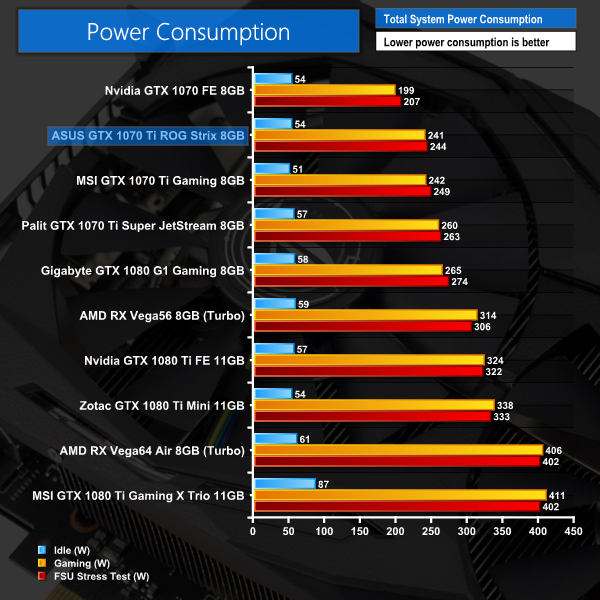
Surprisingly, the Strix card is actually marginally less power-hungry than the MSI Gaming 8G. I would've though the extra 76MHz might have bumped the power draw a little, but the Strix design is obviously very efficient.We first measure GPU temperature while the card is sat idling at the Windows 10 desktop for 5 minutes. Gaming GPU temperature is recorded by running the Deus Ex benchmark at 4K. As a maximum stress test, Fire Strike Ultra Stress Test is run 5 consecutive times and the cards’ GPU temperature levels are recorded.
Ambient room temperature was held at around 23°C.
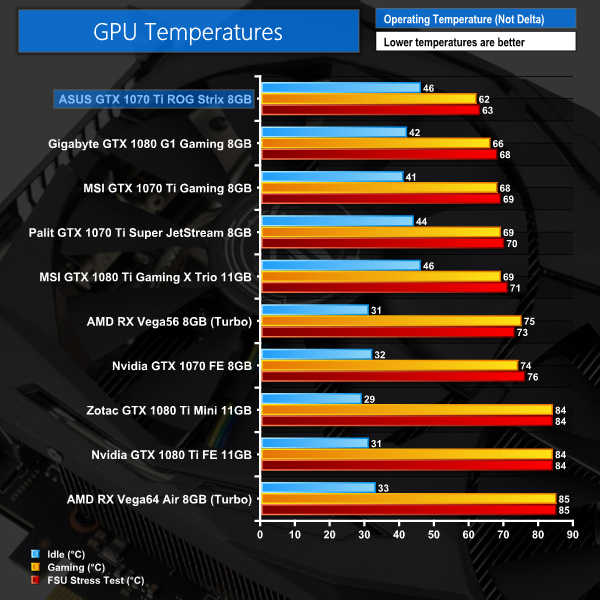
Here the Strix cooler shows itself to be a class-leading design. Despite testing in OC mode (+76MHz to the GPU core), the Strix GTX 1070 Ti still posted the lowest temperatures I have seen to date.
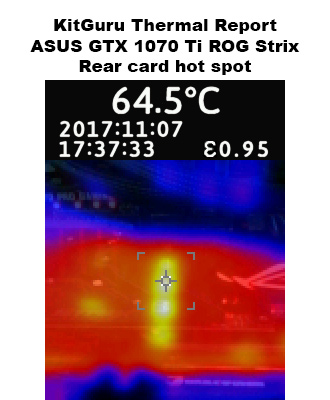
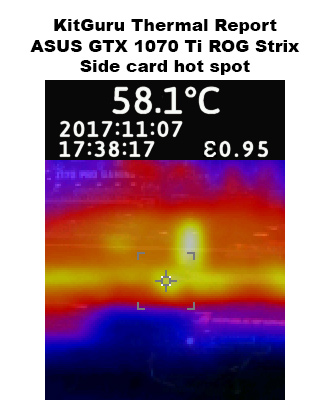
Moving onto our thermal imaging, the hottest point on the back of the card peaked at 64.5C – there are actually some exposed transistors on the back of the card which is where the heat is coming from.
On the side, nothing to worry about – a peak temperature of 58.1C is excellent.We take our noise level measurements with the decibel meter on the top and middle section of the case, overhanging the side panel (power supply side, not motherboard tray side) by exactly 1 inch to avoid any airflow pressure coming from the exhausting AIO cooler.
I measured the sound floor to be 34 dBA, thus anything above this level can be attributed to the graphics cards. The power supply is passive for the entire power output range we tested all graphics cards in, while all CPU and system fans were disabled.
Noise levels were measured after 5 minutes under three scenarios: desktop idle, Deus Ex: Mankind Divided at 4K, and the Fire Strike Ultra stress test.
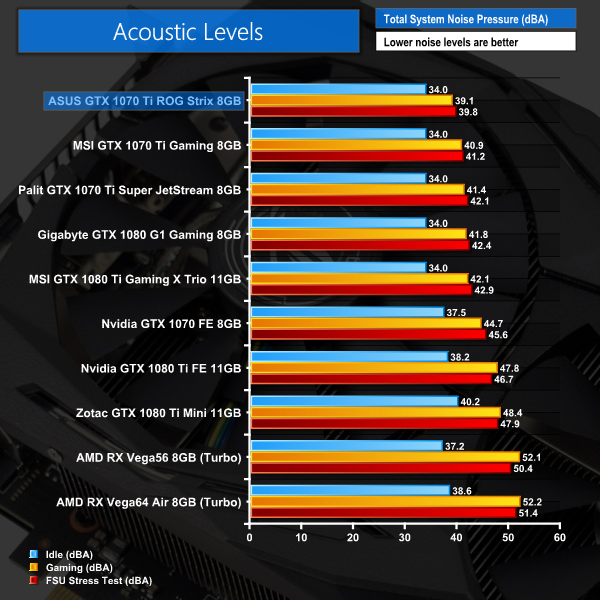
In terms of noise, we again have to commend the Strix design – it is a cool, efficient and quiet card, nudging in front of the MSI Gaming 8G to take top-spot in this test.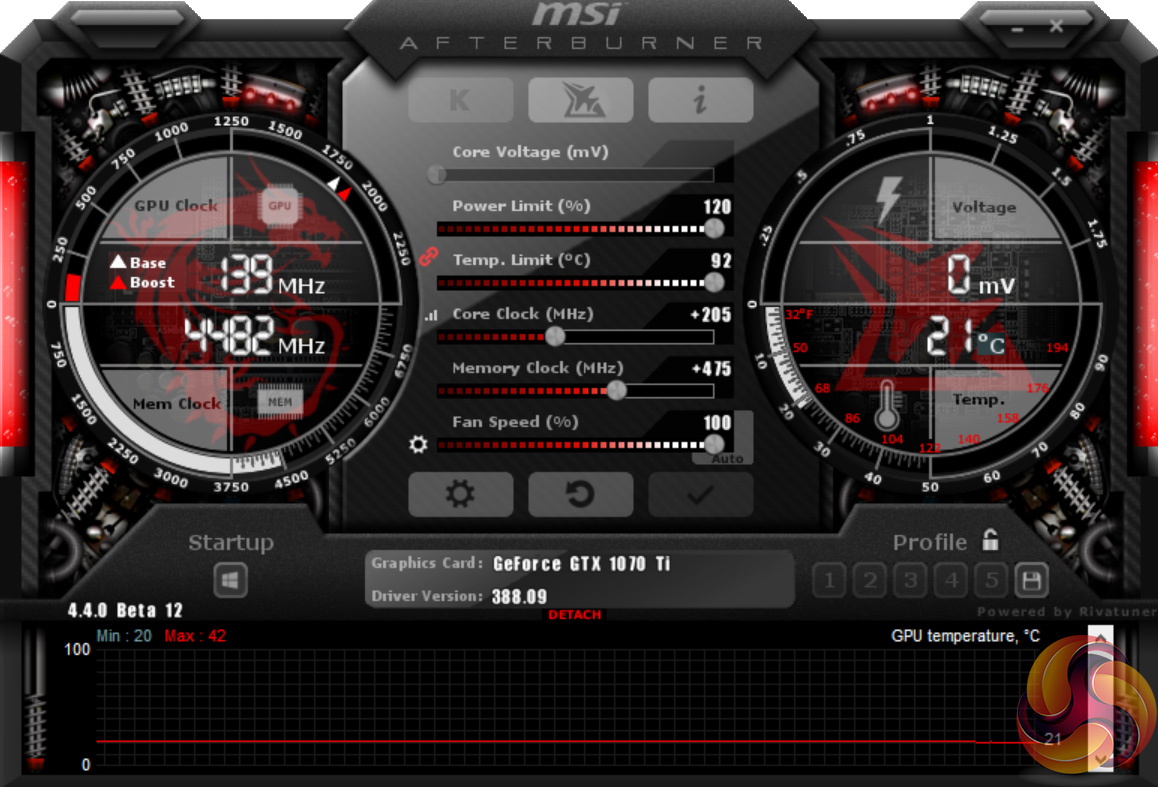
Our best overclocking result came with +205MHz to the GPU core, +575MHz to the memory, and both power and temperature sliders pushed to the max. We also held the fans at a constant 100% speed.
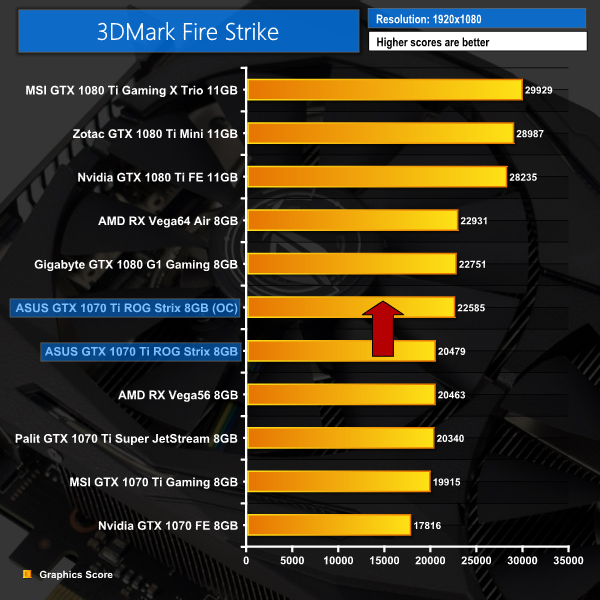
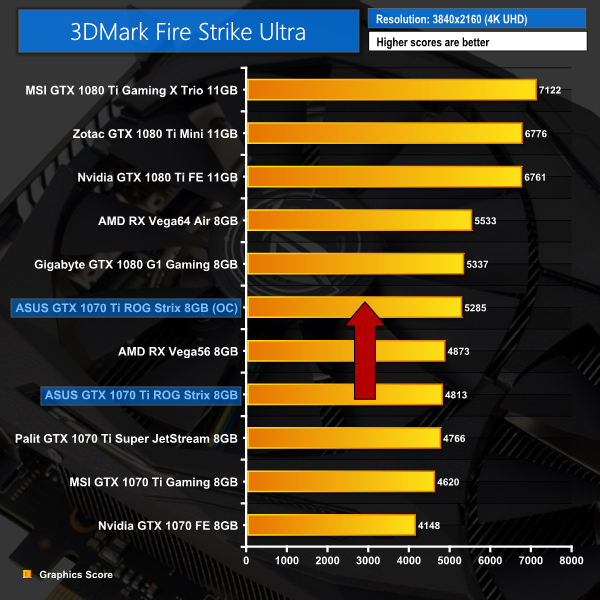
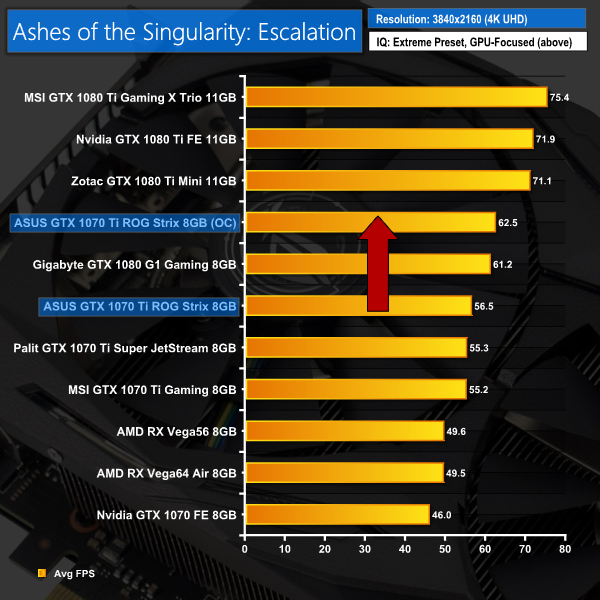
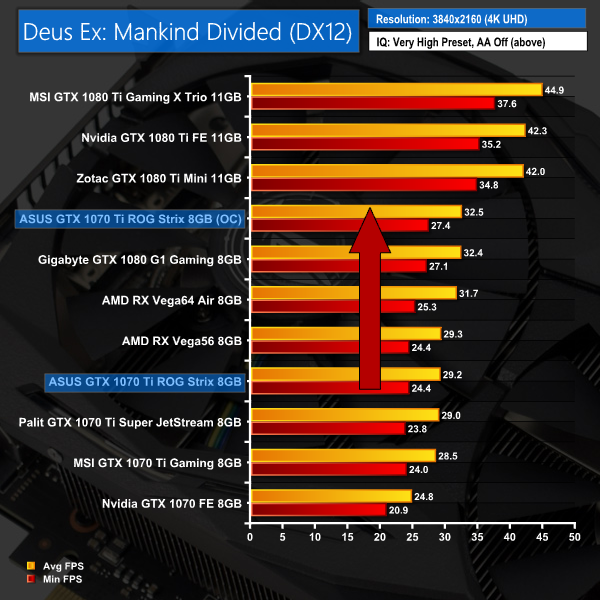
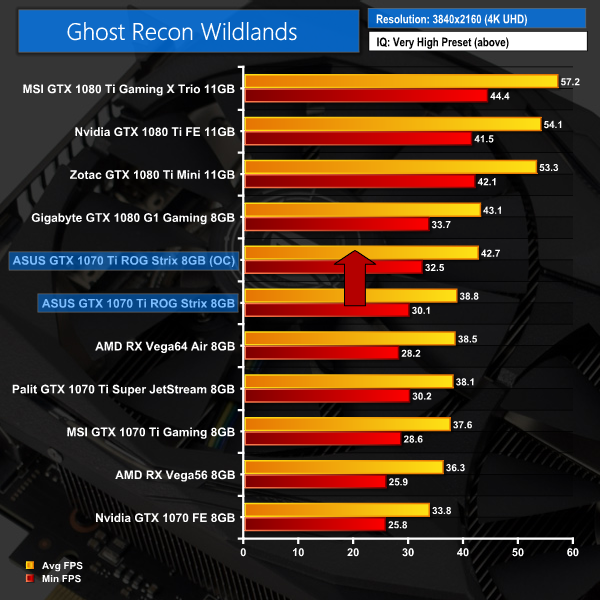
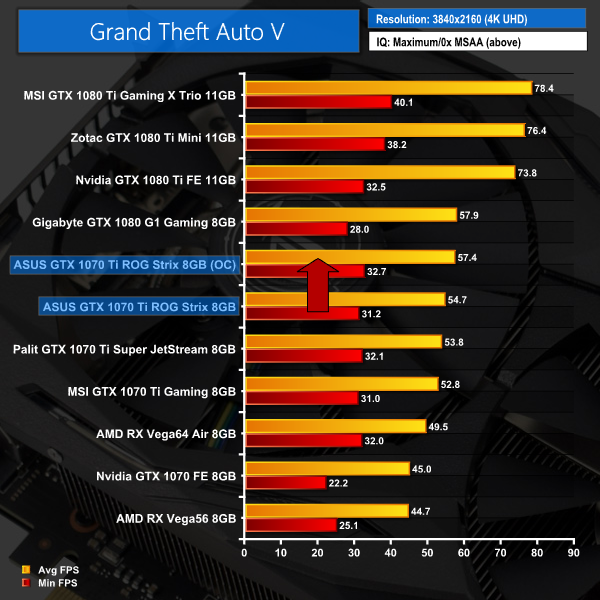
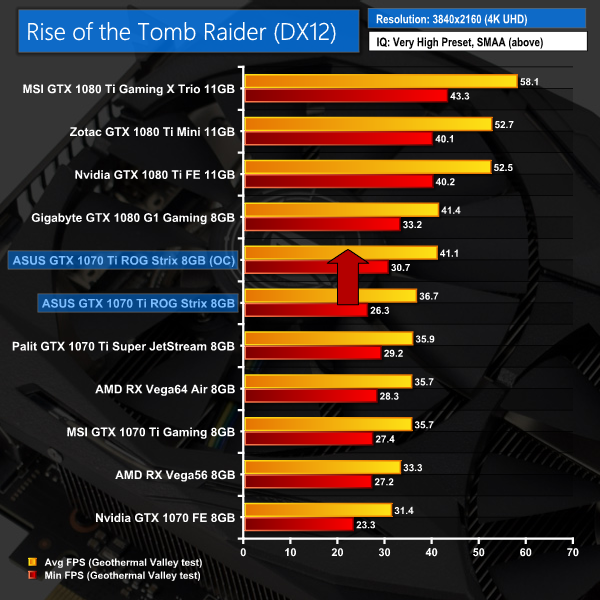
We saw some big gains with that overclock dialled in – the Strix 1070 Ti beats our GTX 1080 in around half of the benchmarks, which is no mean feat.
If you are wondering, the real-world clock speed of the overclocked card bounced between 2088-2101MHz, which is mighty impressive for an air-cooled card.Having analysed two GTX 1070 Ti partner cards last week, today our attention was firmly on the ASUS GTX 1070 Ti ROG Strix model.
I must say, the overall design is stunning. Not only is the card a real looker with its matte black aesthetic and swanky backplate, but it is also cool, quiet and especially efficient. In fact, this Strix model actually posted the lowest noise levels and temperatures of any graphics card to come into my office over the last few months.
In terms of performance, we did see a benefit from the ‘OC mode' setting which ASUS is providing with its ROG Strix 1070 Tis. This is essentially a one-click overclock which adds +76MHz to the GPU core – it is ASUS' way of getting around Nvidia's requirement that all 1070 Tis ship with reference speeds.
So, in OC mode, the Strix card was perhaps 1-2% faster than the other two GTX 1070 Ti partner cards we analysed last week. It is not much, and manual overclocking will obviously bring more gains, but it is enough to help elevate the Strix card above the competition.
However, pricing is still the enemy here. ASUS' card currently retails for £499.99 here in the UK, and that is actually more expensive than some GTX 1080s currently on the market. We fully appreciate the ROG Strix GTX 1070 Ti is packed to the gills with good features, but at the end of the day, a GTX 1080 is a GTX 1080, and it is highly unlikely you would pay more for a slower card.
As it is, we are still playing the waiting game, hoping prices will drop. At around the £450 mark, the ASUS GTX 1070 Ti ROG Strix would be a much more attractive proposition – after all, it is an excellent card. For now, though, the price is too much for this card to be the instant success it should be.

You can buy one from Overclockers UK HERE.
Discuss on our Facebook page, over HERE.
Pros
- Good-looking.
- Very quiet.
- Power efficient.
- Lots of features.
- OC mode enables better performance.
- Manual overclocking also raises performance to GTX 1080 levels.
Cons
- Pricing is still inflated – GTX 1080s can actually be found for less money.
KitGuru says: This is undoubtedly the most polished GTX 1070 Ti we have seen so far. If the price drops, it could be a real winner. For now, though, GTX 1080 is still the way to go.