 KitGuru KitGuru.net – Tech News | Hardware News | Hardware Reviews | IOS | Mobile | Gaming | Graphics Cards


Today we are back with a look at not one, but two RX 5700 XT graphics cards. In this review, we are directly comparing the Gigabyte RX 5700 XT Gaming OC to the Aorus RX 5700 XT. For those that don't know, Aorus is Gigabyte's premium sub-brand, and today we see what differences there are between the two cards, and whether or not it is worth paying the extra money for an Aorus model.
The prices of these two graphics cards immediately reflects the different product positioning for each model. The Gigabyte RX 5700 XT Gaming OC is currently £374.99 while the flagship Aorus RX 5700 XT retails for £409.99. That £35 increase over the Gaming OC is almost a 10% price jump for the Aorus model.
So what do you get for that extra money? Well, we won't spoil everything for you here, but the Aorus comes with a higher boost clock, larger cooler and dual-BIOS support. Over the next two pages we take a close look at the difference in design between these two models, before extensively testing the two GPUs in over 10 games to see if there's any meaningful difference in performance.
| RX 5600 XT | RX 5700 | RX 5700 XT | RX Vega 56 | RX Vega 64 | ||
| Architecture | Navi | Navi | Navi | Vega 10 | Vega 10 | |
| Manufacturing Process | 7nm | 7nm | 7nm | 14nm | 14nm | |
| Transistor Count | 10.3 billion | 10.3 billion | 10.3 billion | 12.5 billion | 12.5 billion | |
| Die Size | 251mm² | 251mm² | 251mm² | 486mm² | 495mm² | |
| Compute Units | 36 | 36 | 40 | 56 | 64 | |
| Stream Processors | 2304 | 2304 | 2560 | 3584 | 4096 | |
| Base GPU Clock | n/a | Up to 1465MHz | Up to 1605MHz | 1156 MHz | 1274 MHz | |
| Game GPU Clock | 1375MHz | Up to 1625MHz | Up to 1755MHz | n/a | n/a | |
| Boost GPU Clock | Up to 1560MHz | Up to 1725MHz | Up to 1905MHz | 1471 MHz | 1546 MHz | |
| Peak Engine Clock | n/a | n/a | n/a | 1590 MHz | 1630 MHz | |
| Peak SP Performance | Up to 7.19 TFLOPS | Up to 7.95 TFLOPS | Up to 9.75 TFLOPS | Up to 10.5 TFLOPS | Up to 12.7 TFLOPS | |
| Peak Half Precision Performance | Up to 14.4 TFLOPS | Up to 15.9 TFLOPS | Up to 19.5 TFLOPS | Up to 21.0 TFLOPS | Up to 25.3 TFLOPS | |
| Peak Texture Fill-Rate | Up to 224.6 GT/s | Up to 248.4 GT/s | Up to 304.8 GT/s | Up to 330.0 GT/s | Up to 395.8 GT/s | |
| ROPs | 64 | 64 | 64 | 64 | 64 | |
| Peak Pixel Fill-Rate | Up to 99.8 GP/s | Up to 110.4 GP/s | Up to 121.9 GP/s | Up to 94.0 GP/s | Up to 98.9 GP/s | |
| Memory | 6GB GDDR6 | 8GB GDDR6 | 8GB GDDR6 | 8GB HBM | 8GB HBM | |
| Memory Bandwidth | 288 GB/s | 448 GB/s | 448 GB/s | 410 GB/s | 483.8 GB/s | |
| Memory Interface | 192-bit | 256-bit | 256-bit | 2048-bit | 2048-bit | |
| Board Power | 150W | 185W | 225W | 210W | 295W | |
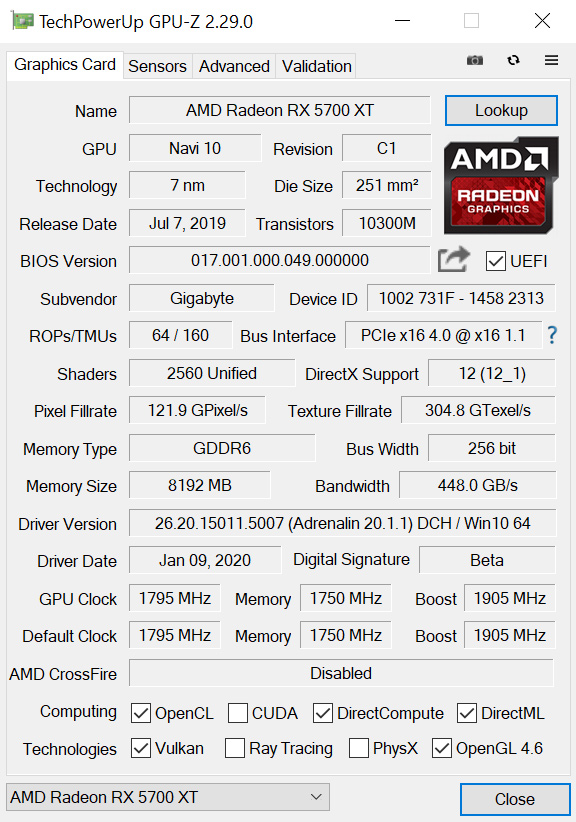
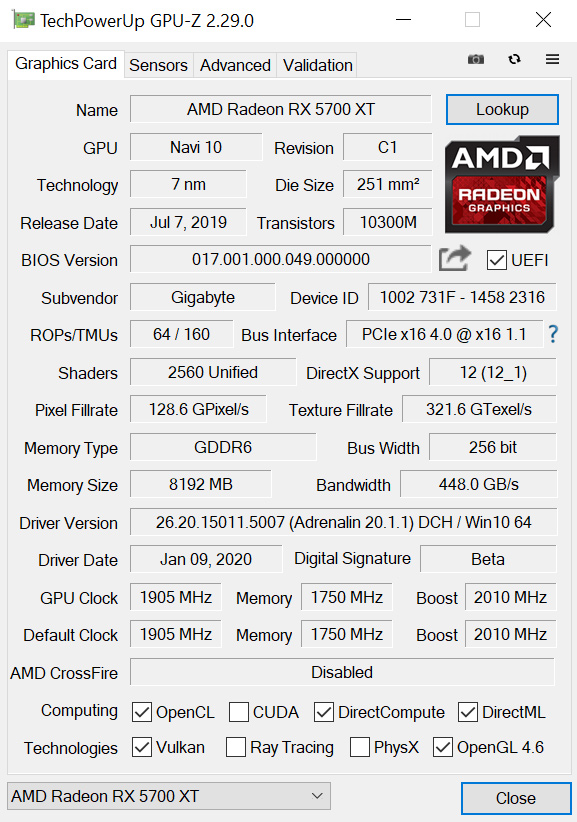
Gaming OC (left) compared with Aorus (right
For just a quick recap over the core spec of the RX 5700 XT GPU, this Navi chip is built on TSMC's 7nm process and has a total of 40 Compute Units (CU). Each CU houses 64 stream processors, giving the GPU a total of 2560. 8GB of 14Gbps GDDR6 memory is also supplied, using a 256-bit bus for total memory bandwidth of 448 GB/s.
Reference RX 5700 XT has a rated game clock of 1755MHz, meaning both the Gigabyte and Aorus cards are factory overclocked. The Gaming OC has a 1795MHz game clock, while the Aorus is clocked even higher with a 1905MHz game clock.
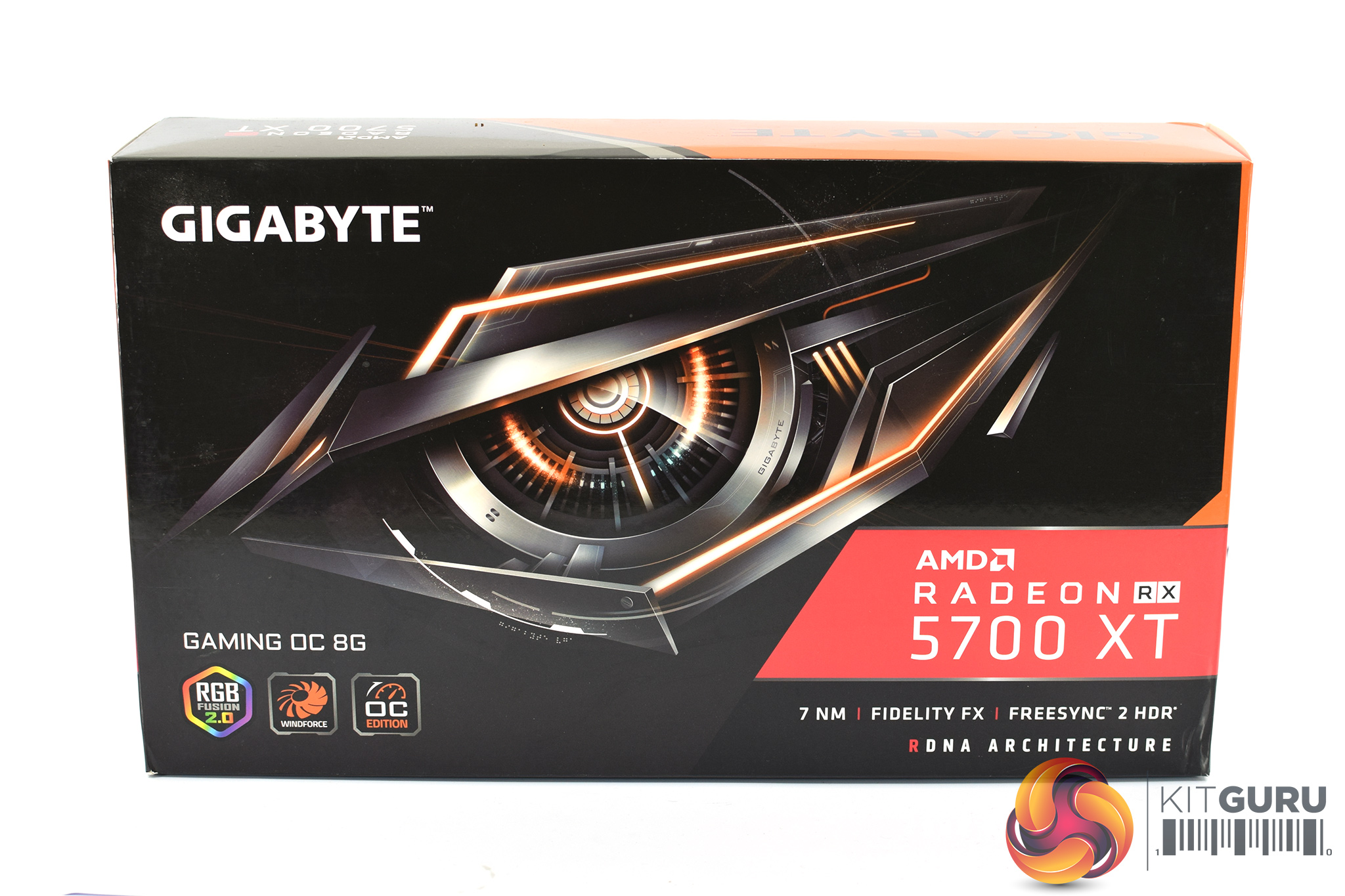
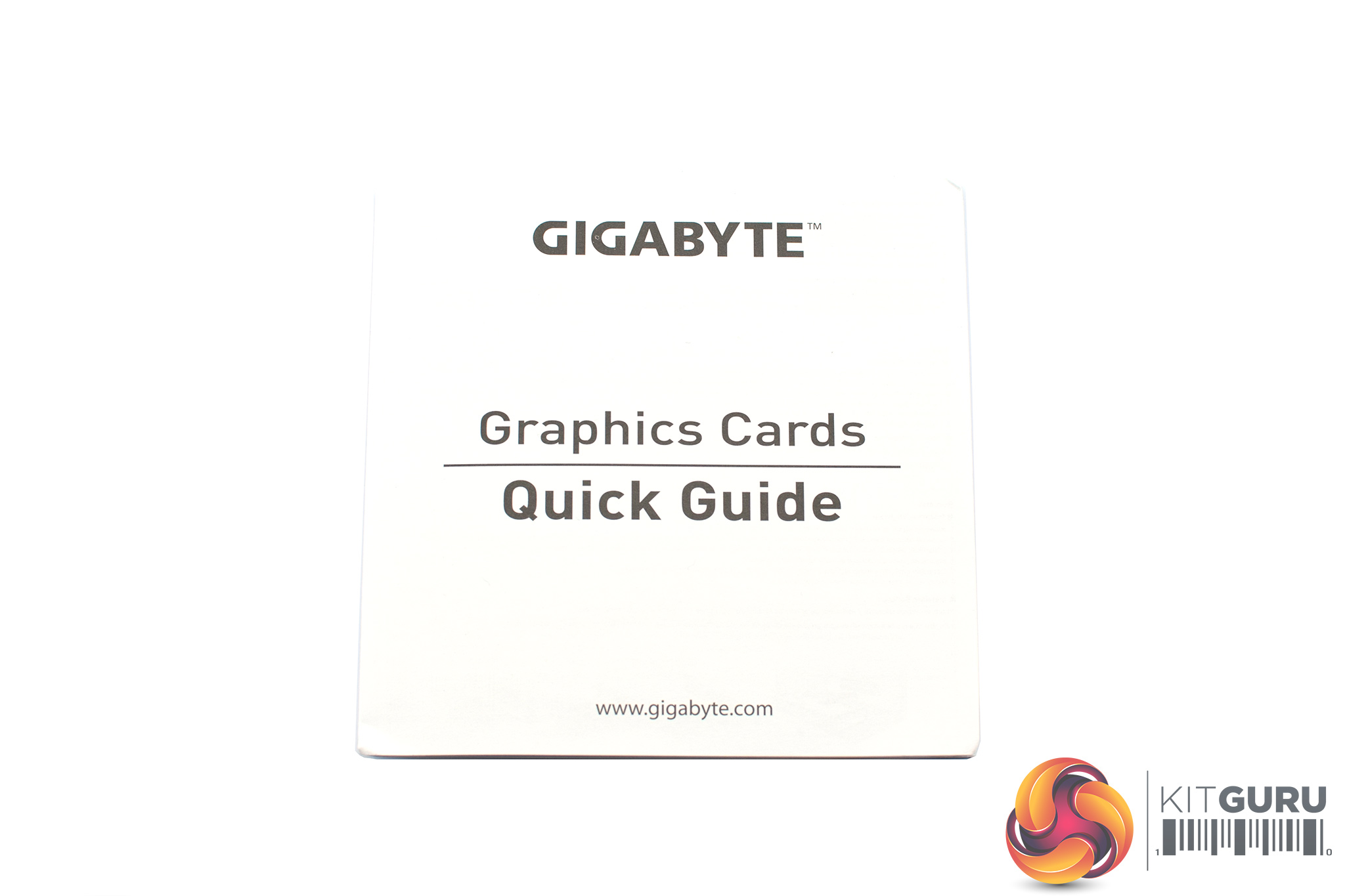
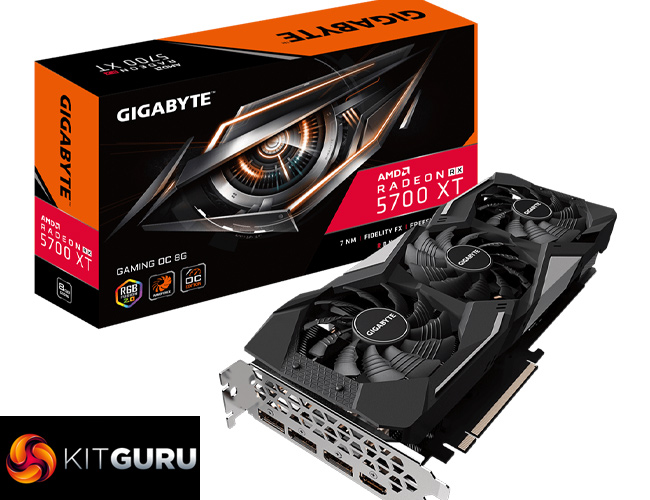
The Gigabyte RX 5700 XT Gaming OC ships in a black box, with Gigabyte's large robotic eye logo dominating the front. Inside, the only included accessory is a small quick start guide.
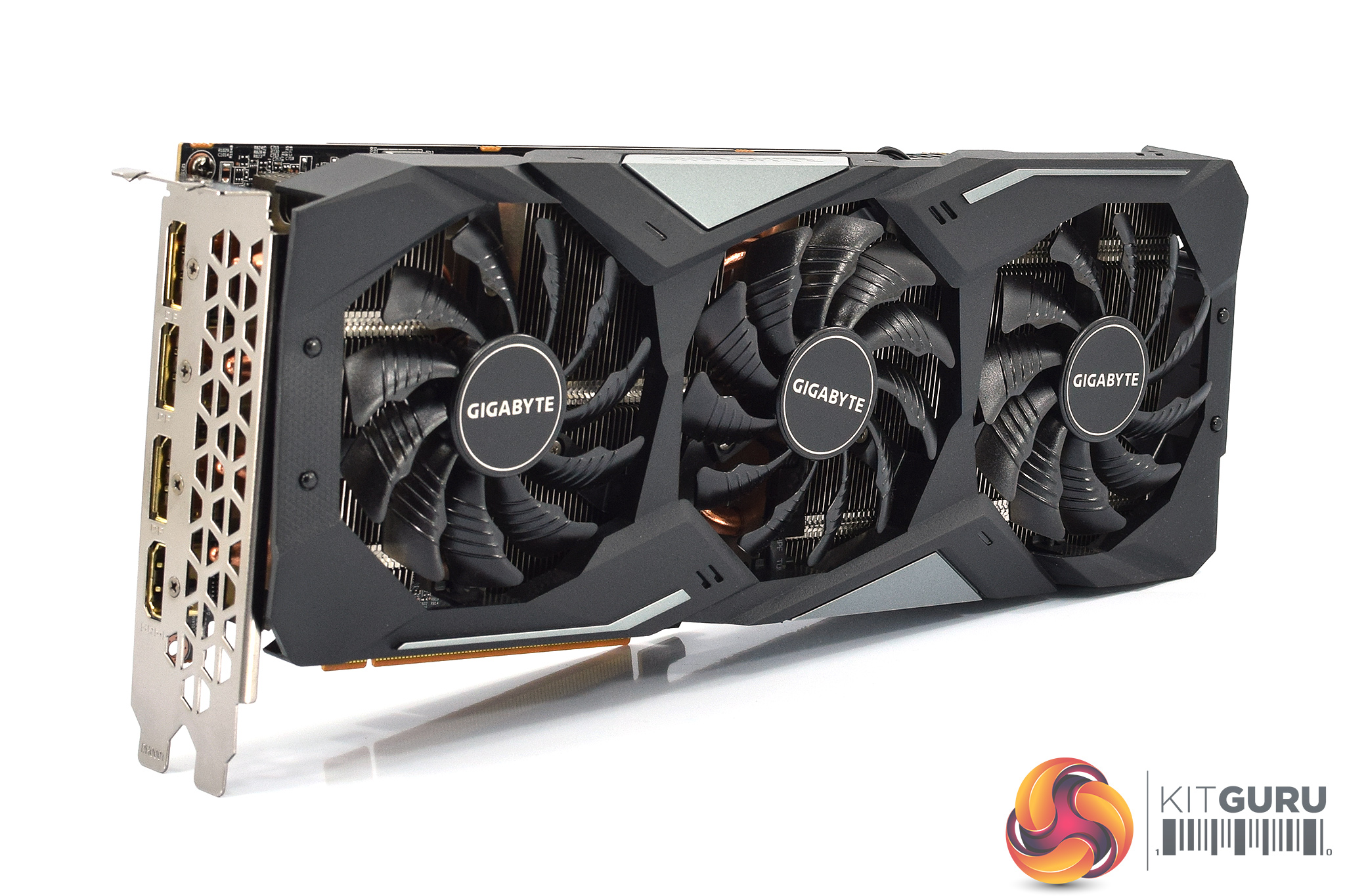
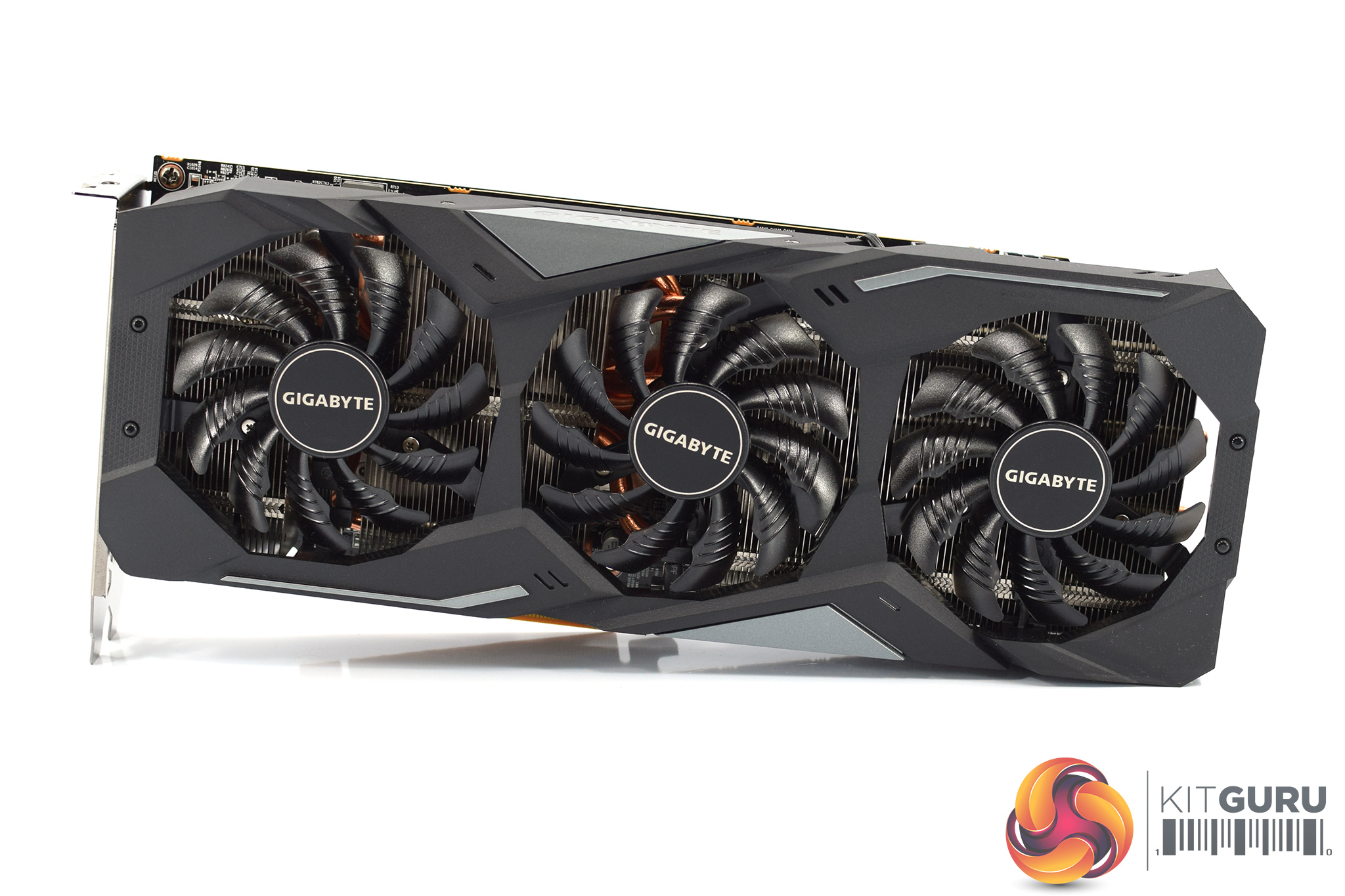
The card itself will be instantly familiar to many of our readers – it is the same design as the RX 5600 XT Gaming OC we reviewed last month, which means it is also the same design as several other Nvidia-based graphics cards we have seen from Gigabyte over the last 18 months.
The shroud consists of mostly matte black plastic, but it does also have some grey accents as well. It's overall a very colour-neutral design, though arguably it is also a bit plain. The three fans form part of the Windforce 3X cooler, each measures 80mm and you will note the central fan spins in reverse relative to the outer two. Gigabyte calls this ‘alternate spinning' technology which should reduce turbulence and increase airflow pressure.
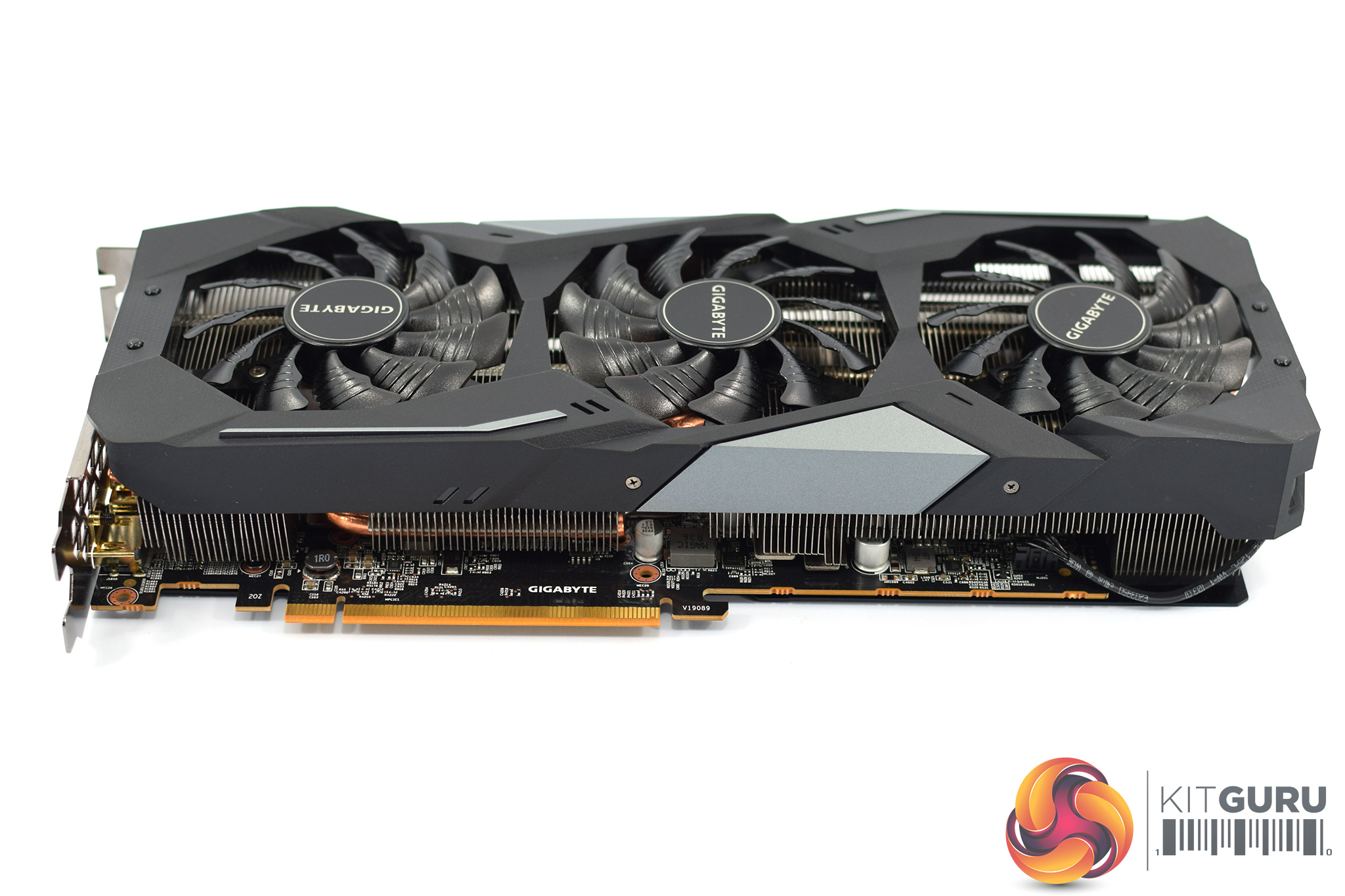
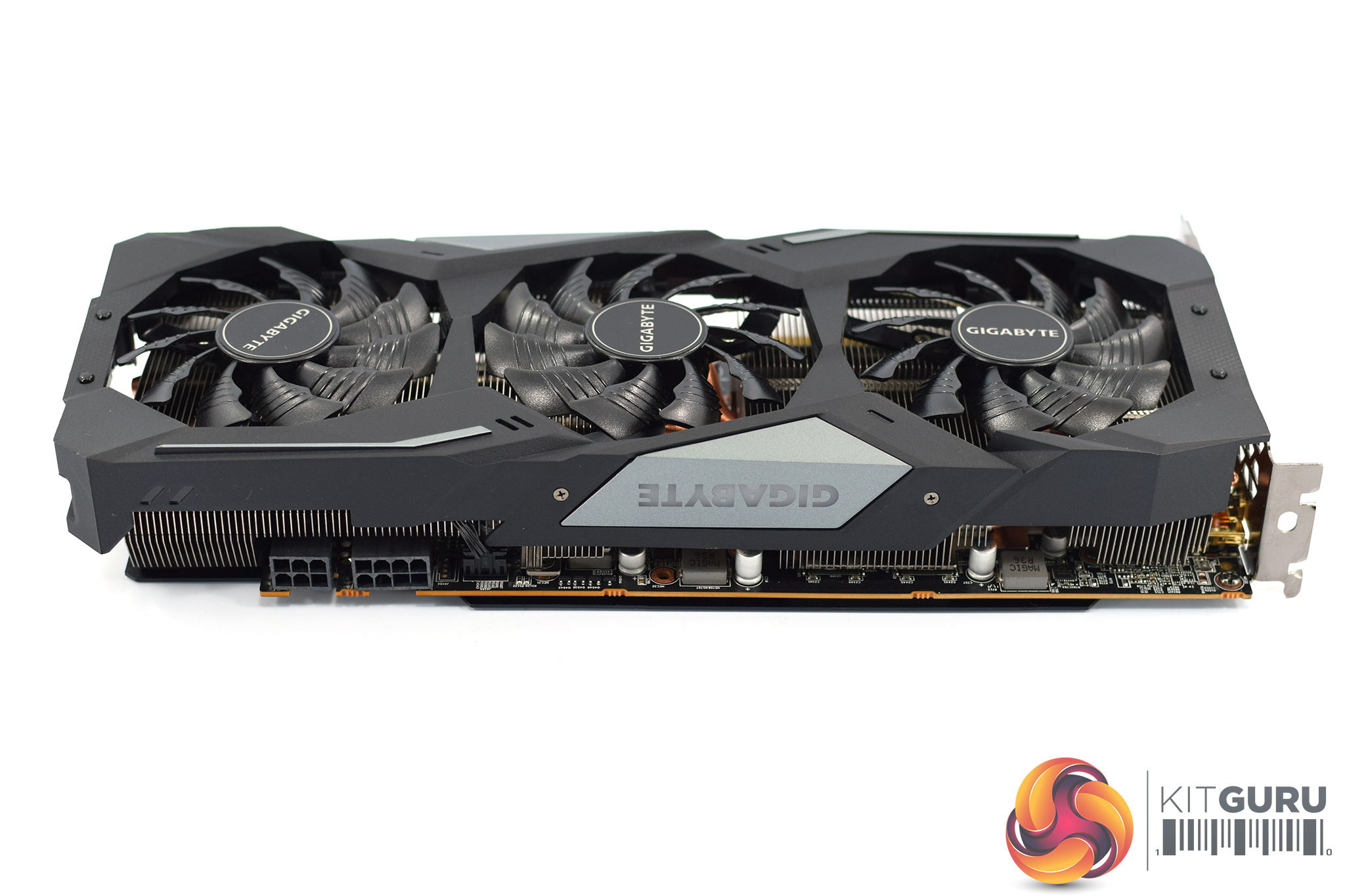
In terms of the size of the card, it's not a monster by modern standards, but it's not small either. Official dimensions come in at 279.85 x 114.35 x 49.55 mm, so you will need three expansions slots free.
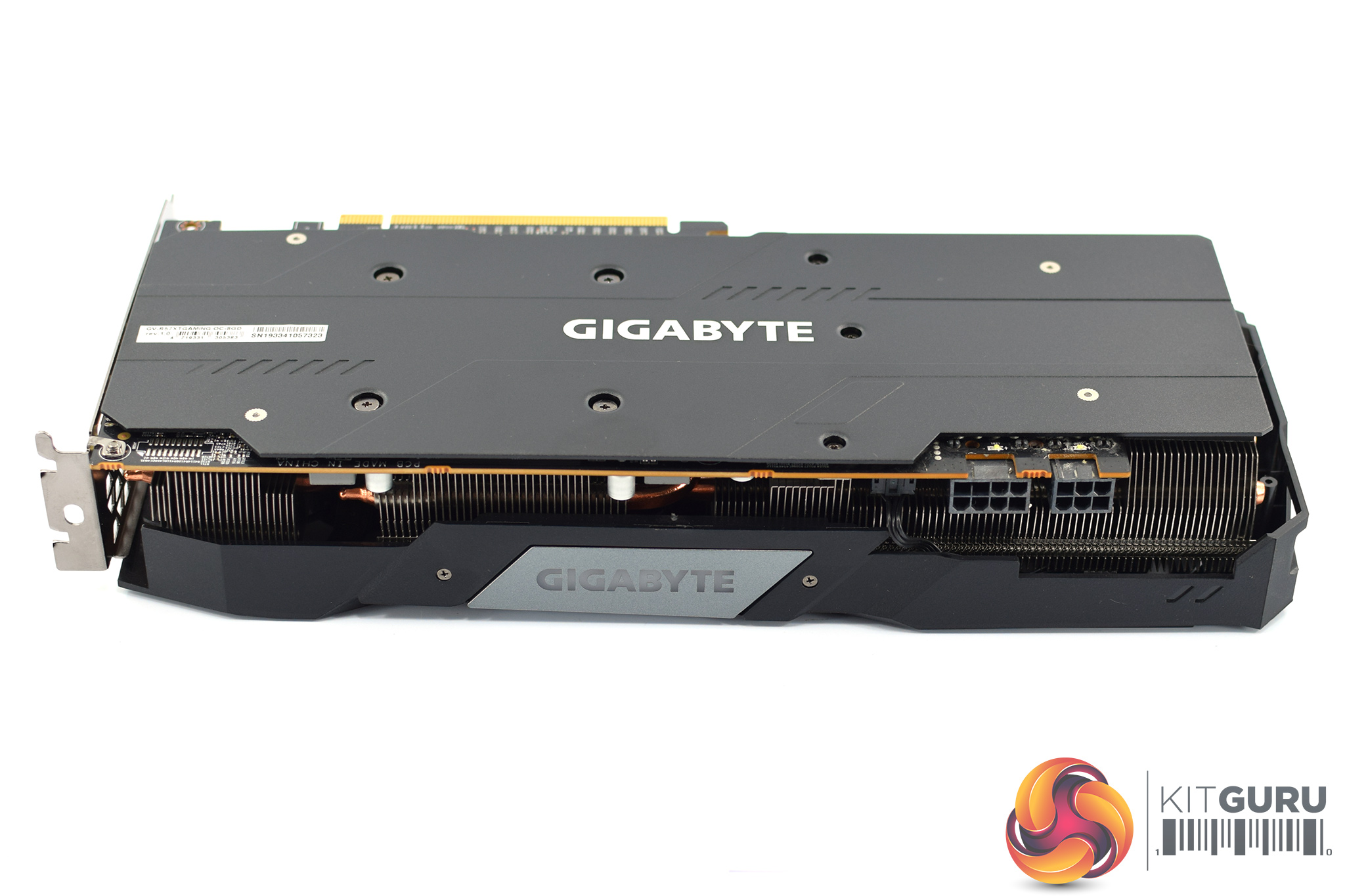
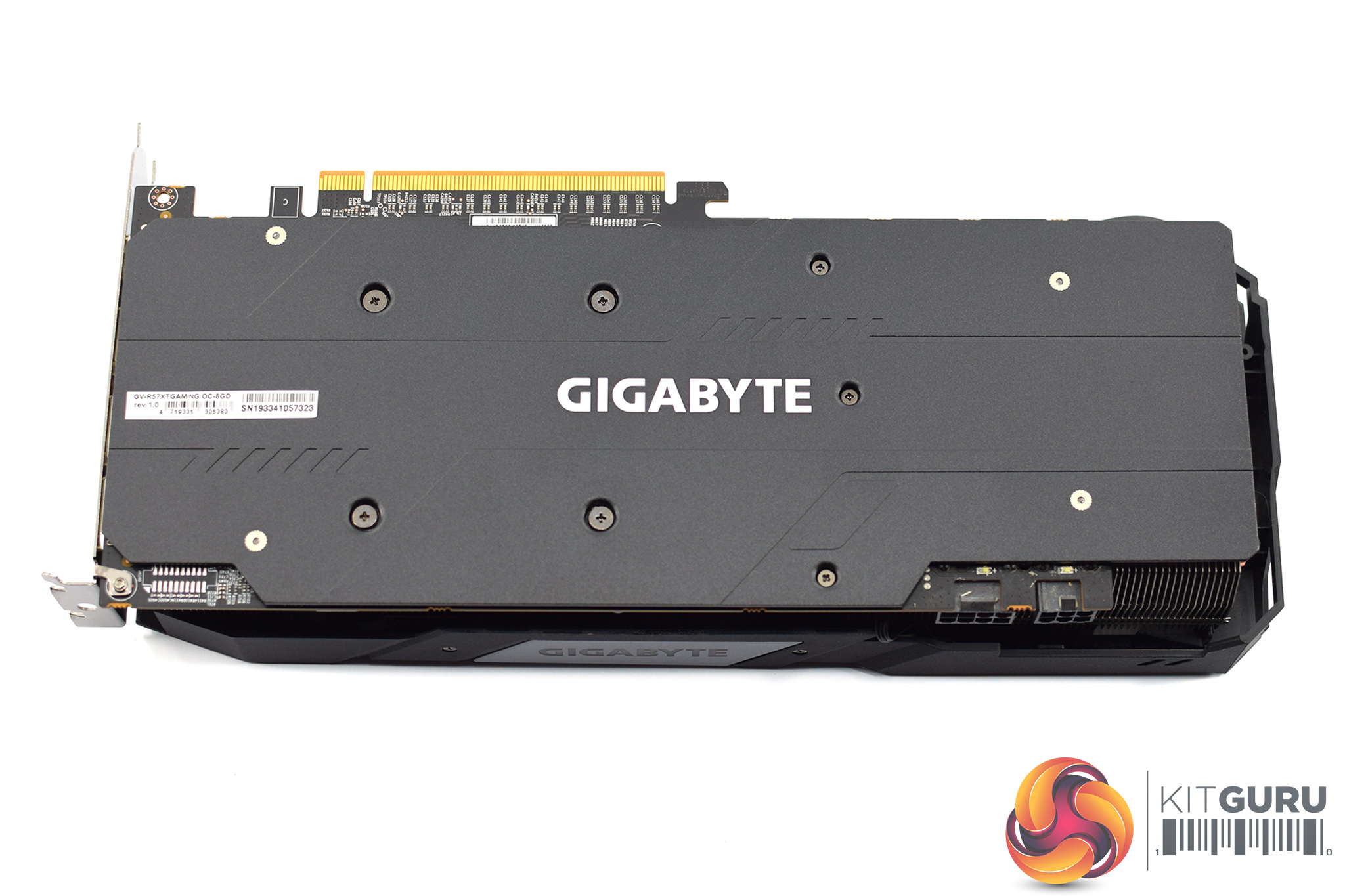
The front side of the card is again quite plain, with a small Gigabyte logo which acts as the card's sole RGB zone. Similarly, while there is a full-length metal backplate, aside from the Gigabyte logo printed in white, it has been left relatively bare.
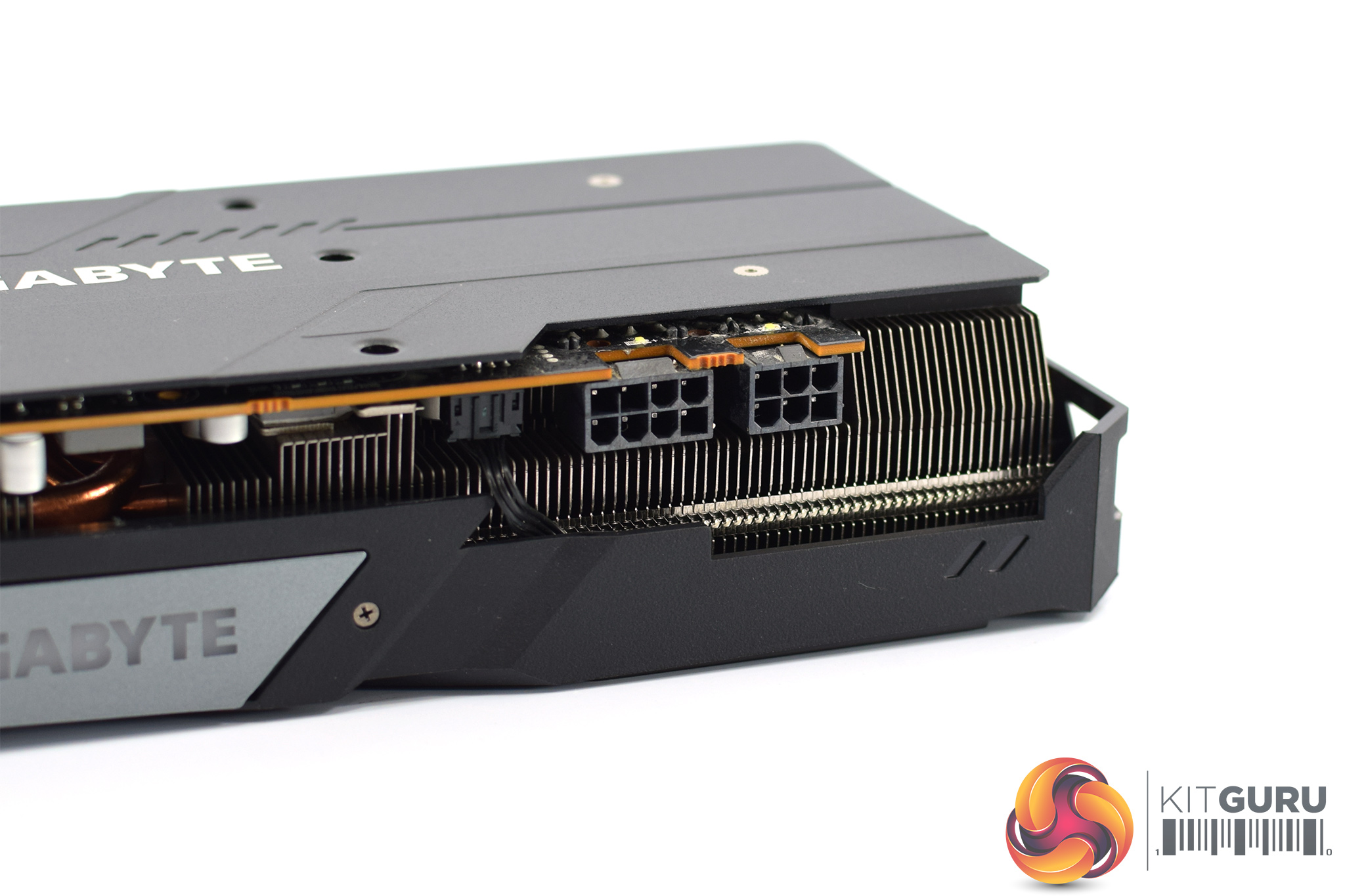
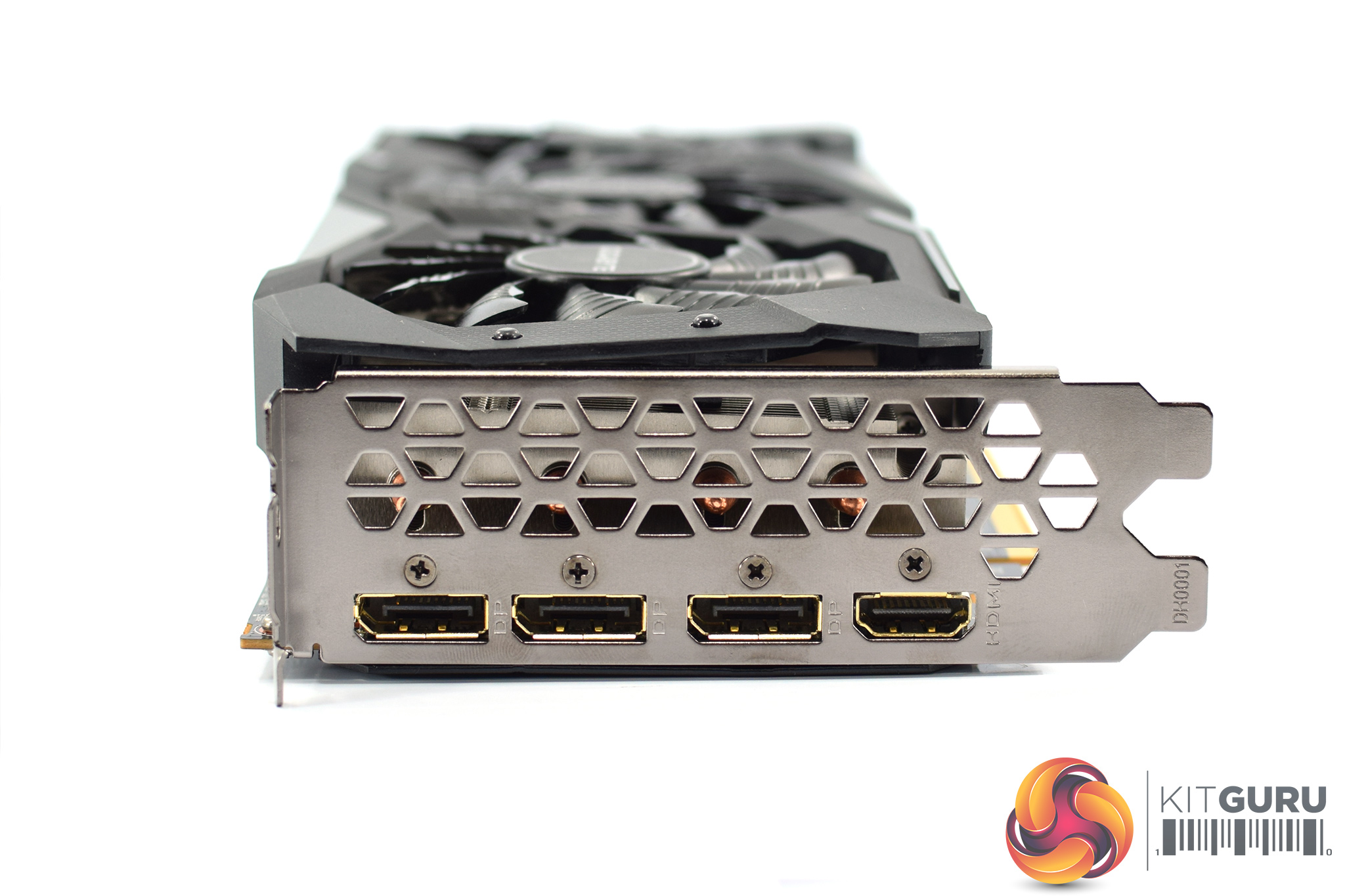
Power requirements consist of 1x 8-pin and 1x 6-pin connectors, while we get 3x DisplayPort and 1x HDMI video outputs.
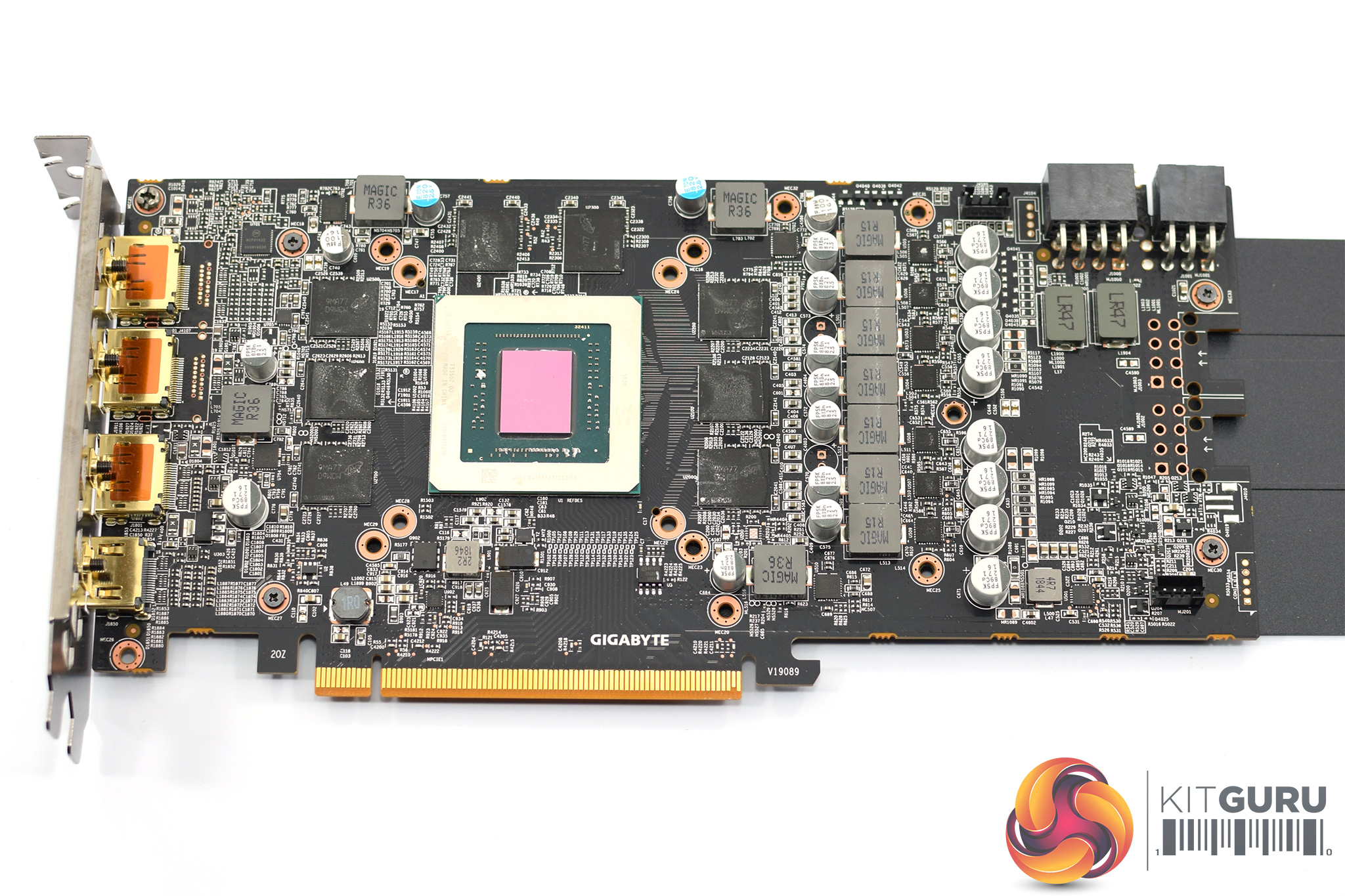
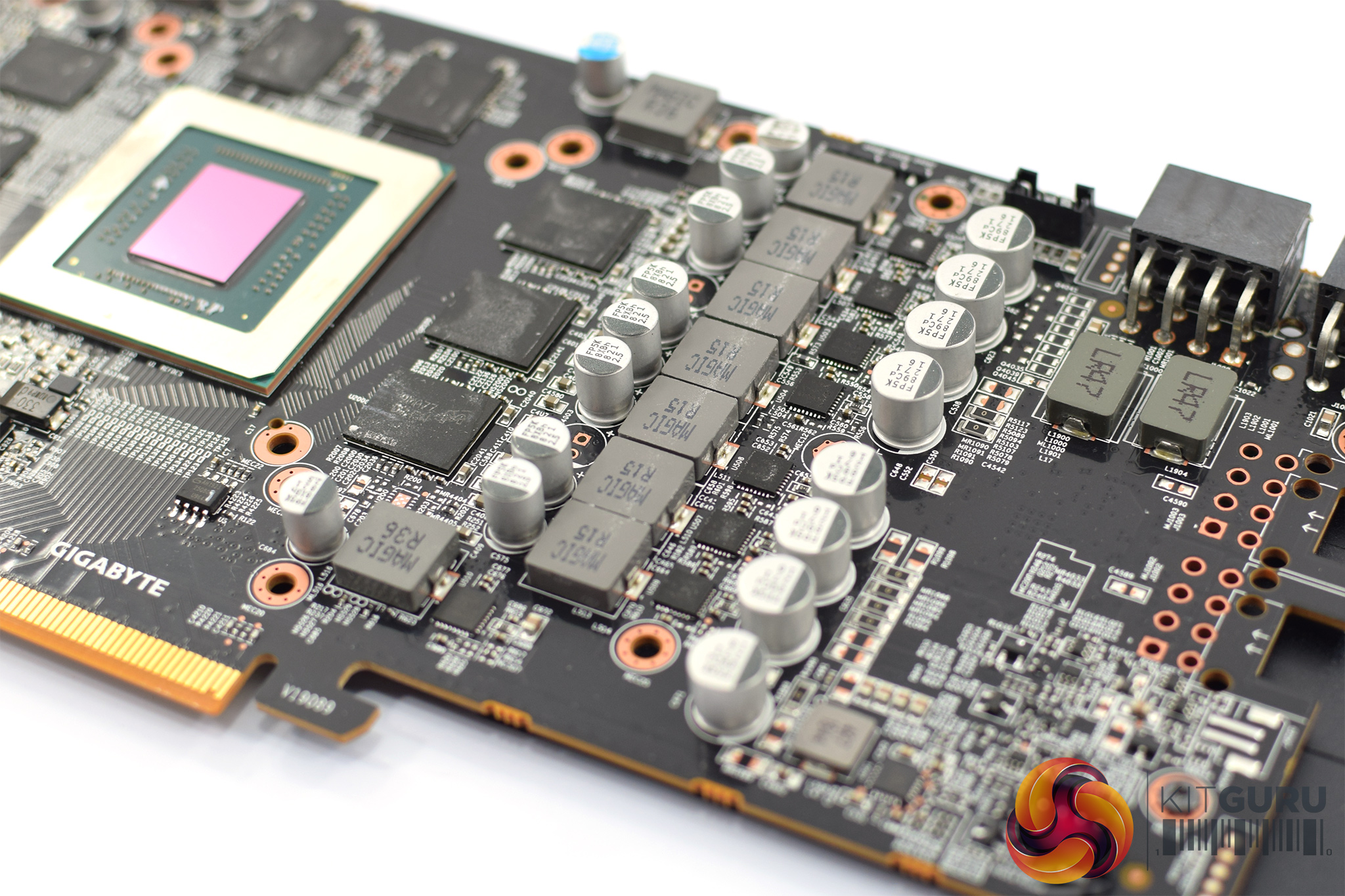
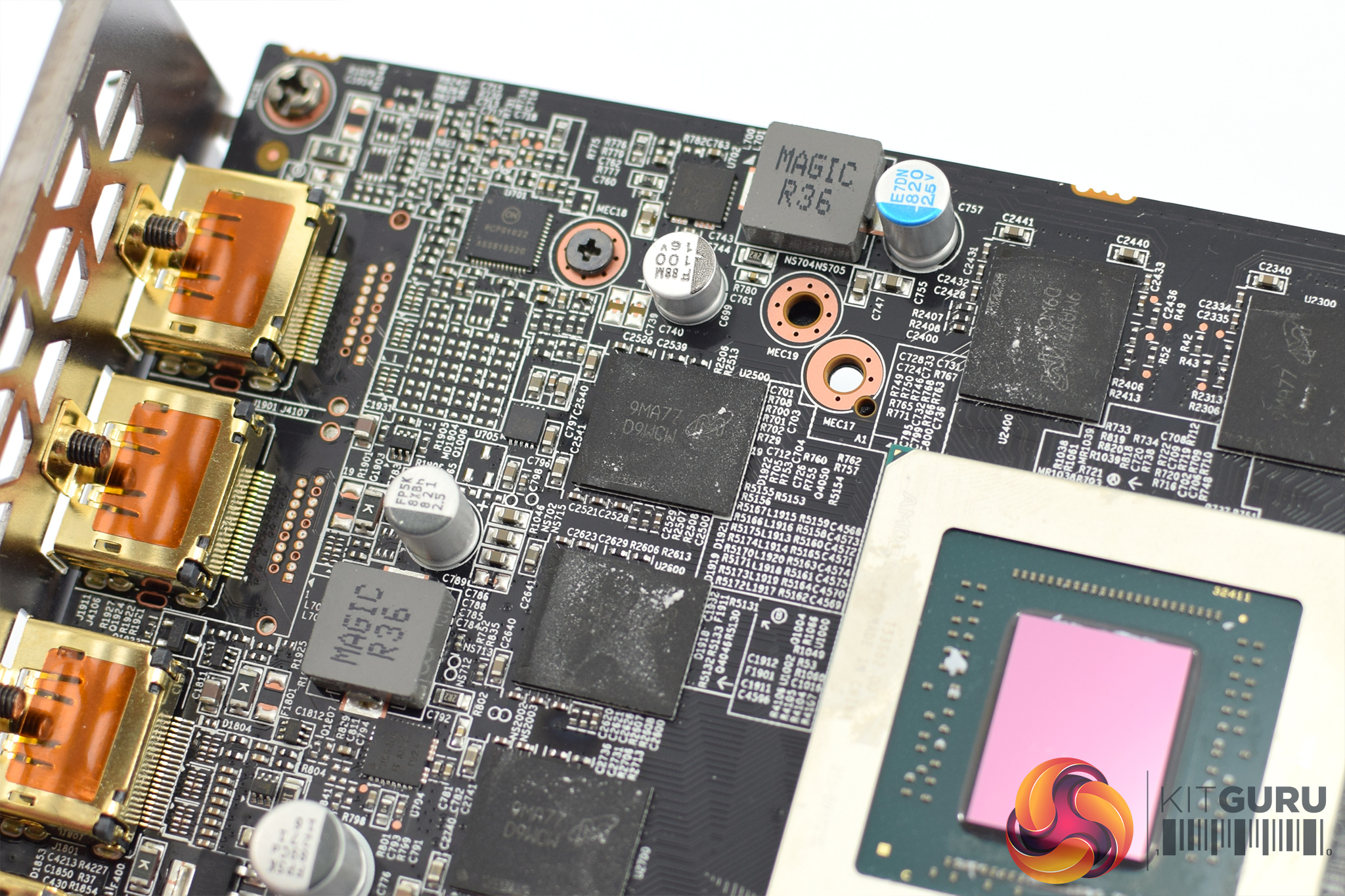
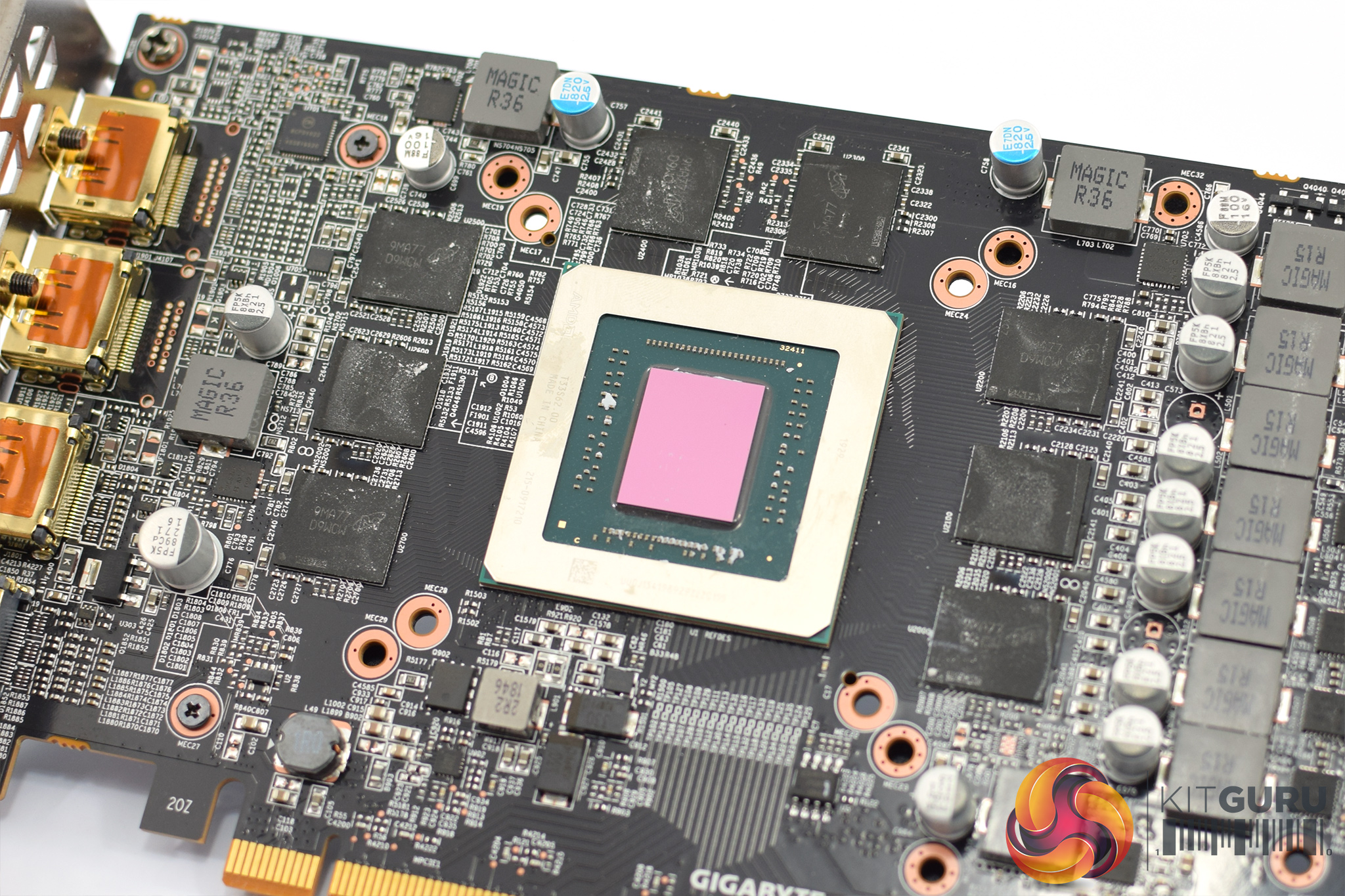
In terms of the PCB, the Gaming OC is pretty straightforward with a 7-phase VRM for the GPU and a 2-phase VRM for the memory. Memory is supplied by Micron in the form of its ‘D9WCW' 14Gbps modules, while we can also see the Navi 10 GPU measuring 251mm².
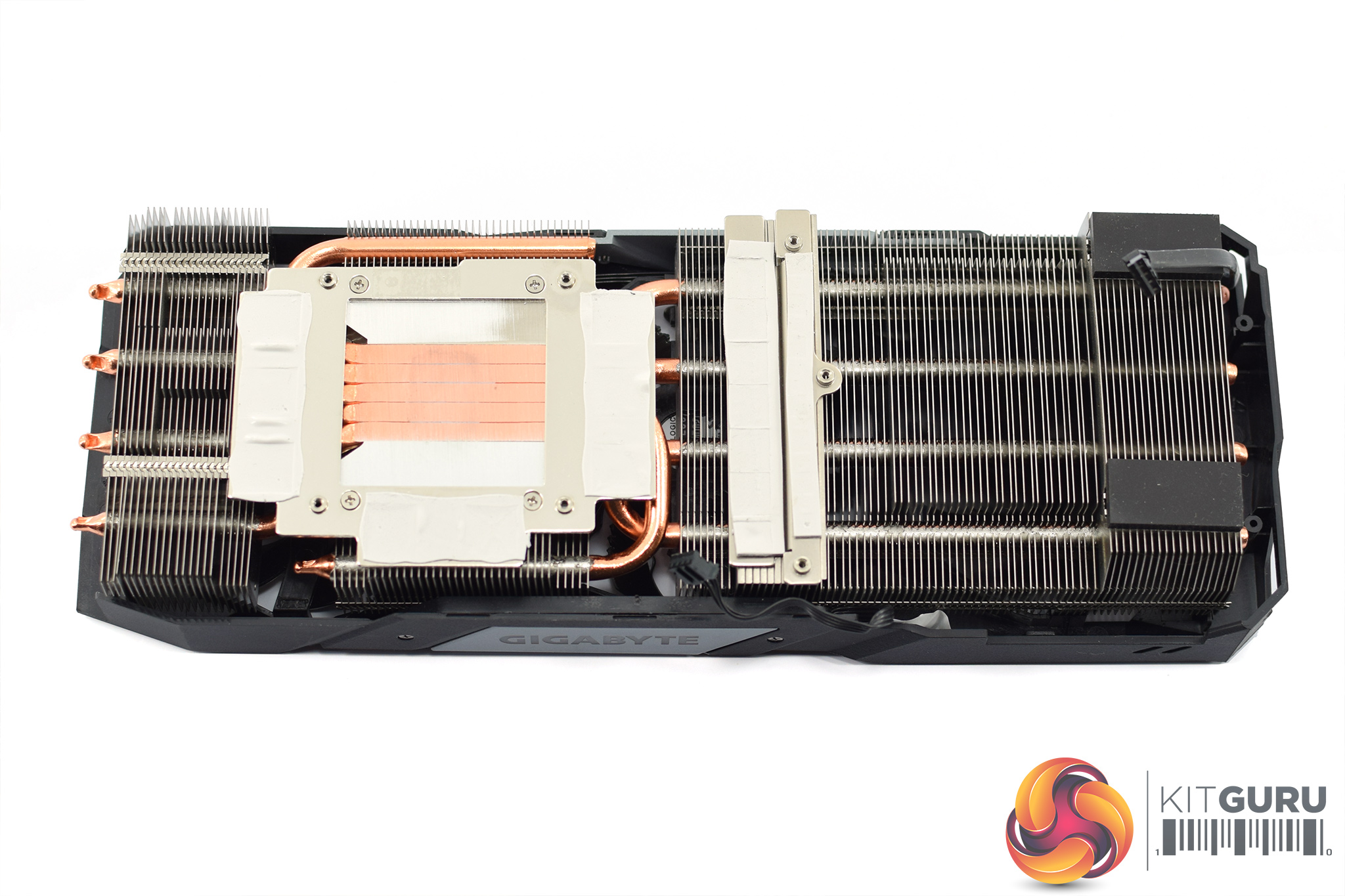
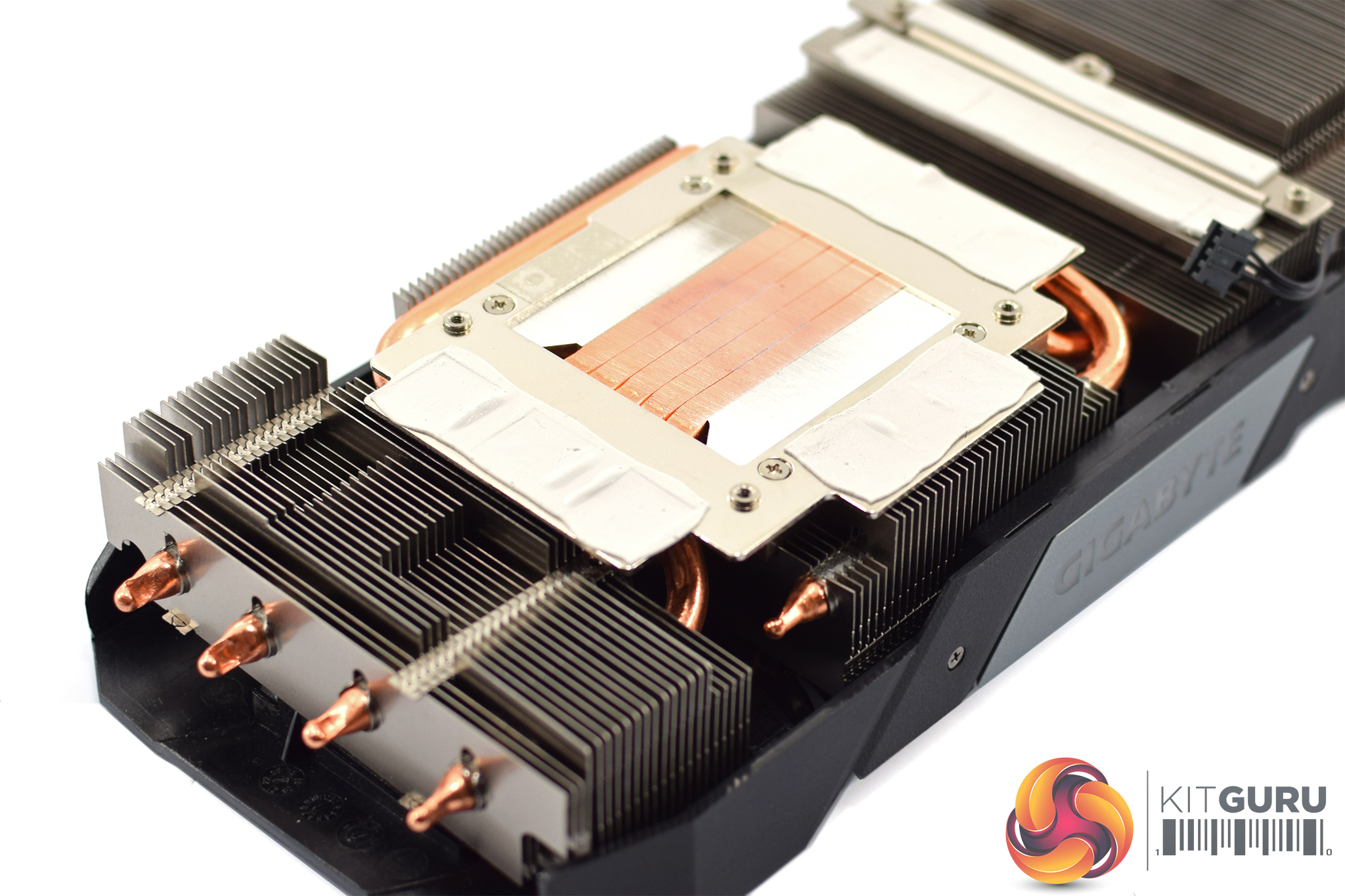
The cooler is again familiar, being the same design as the RX 5600 XT Gaming OC. This means it uses three fin stacks, with a total of 5 copper heatpipes – each pipe measures 6mm. These pipes also make direct contact with the GPU die, but there are separate coldplates for the memory and the VRM.
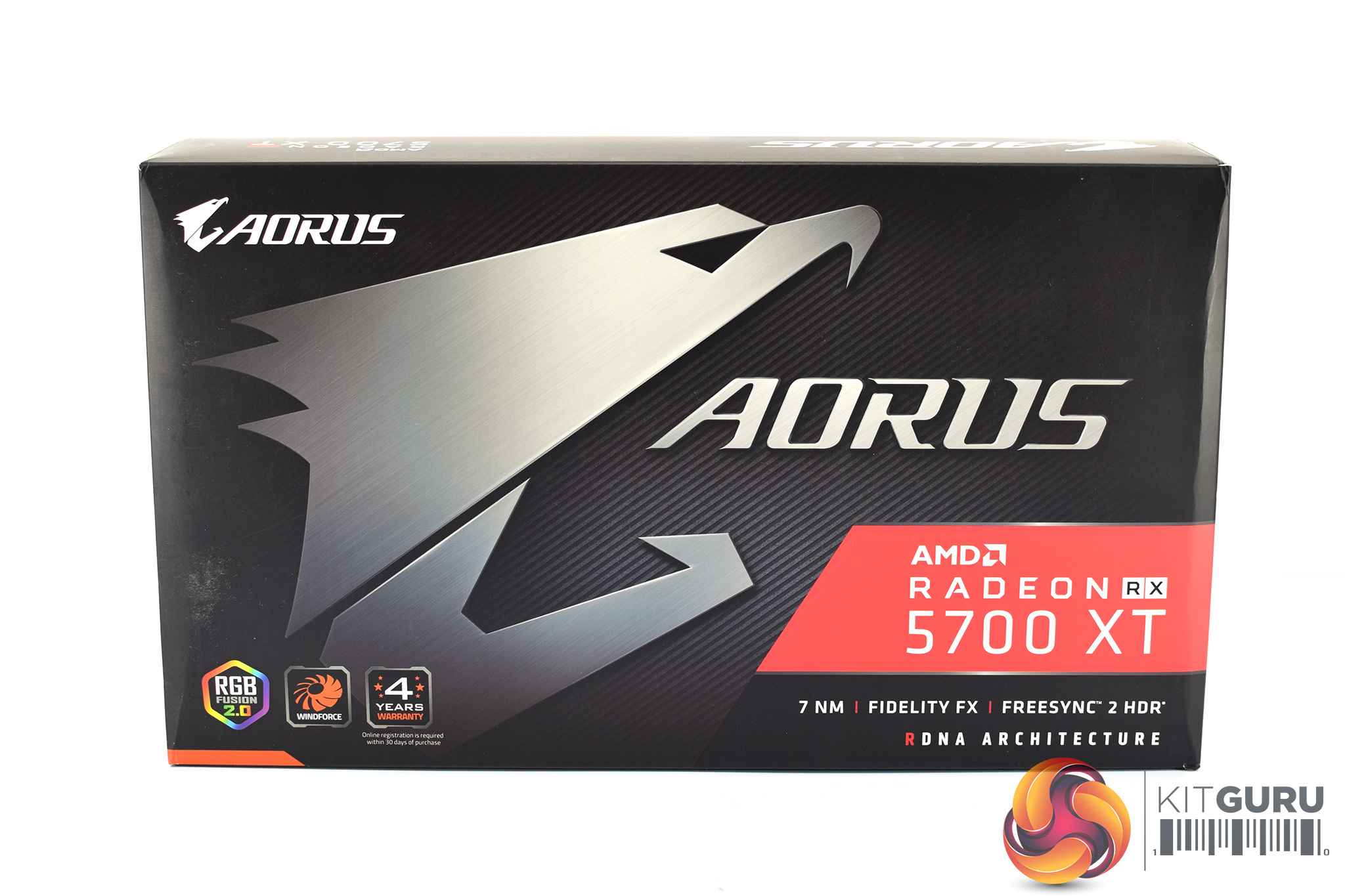
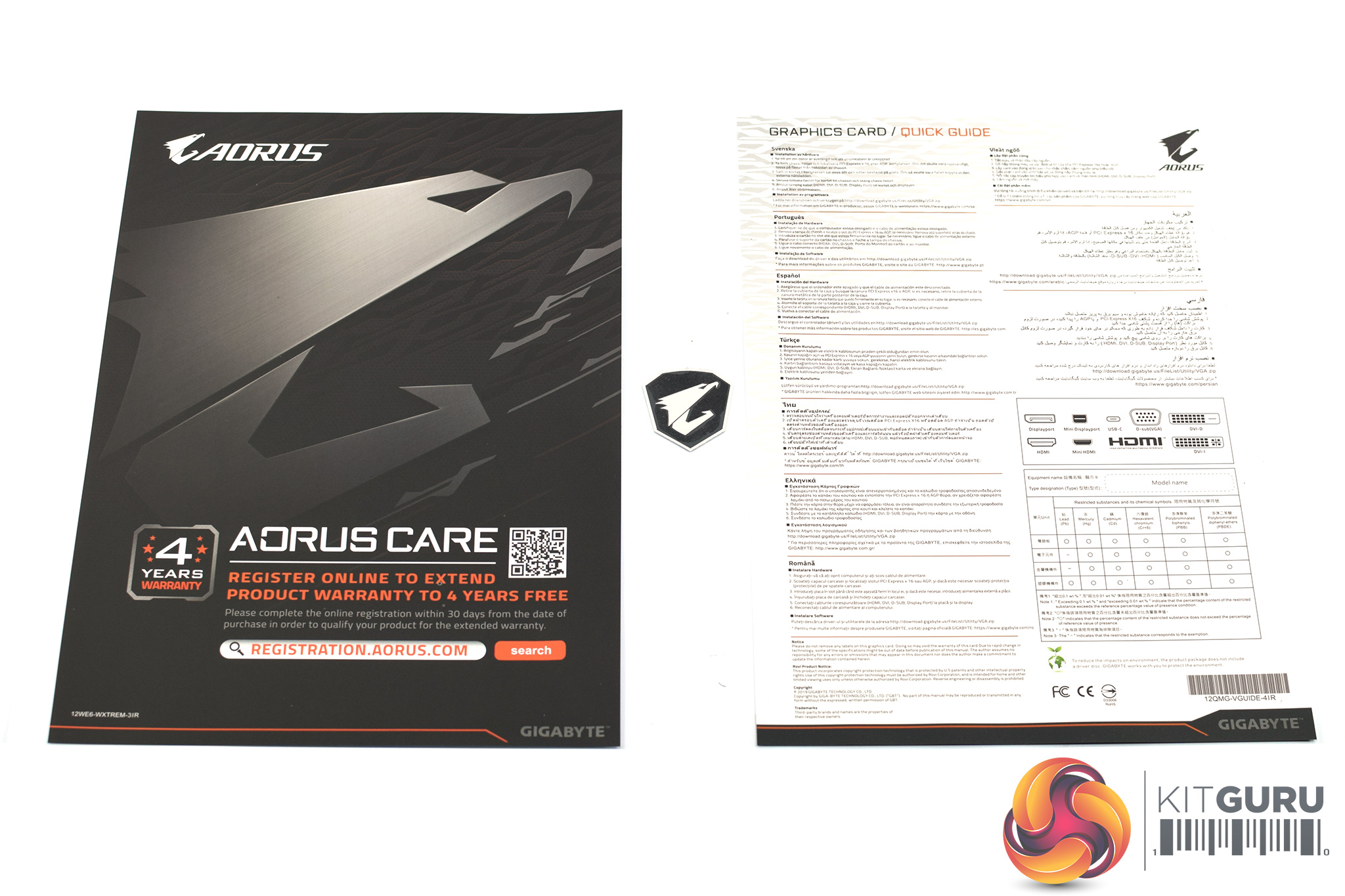
As for the Aorus RX 5700 XT, this again ships in a black box but with the Aorus eagle logo taking pride of place on the front. Inside, the accessory bundle consists of an Aorus care leaflet, a small Aorus sticker/badge, and a multi-lingual quick start guide.
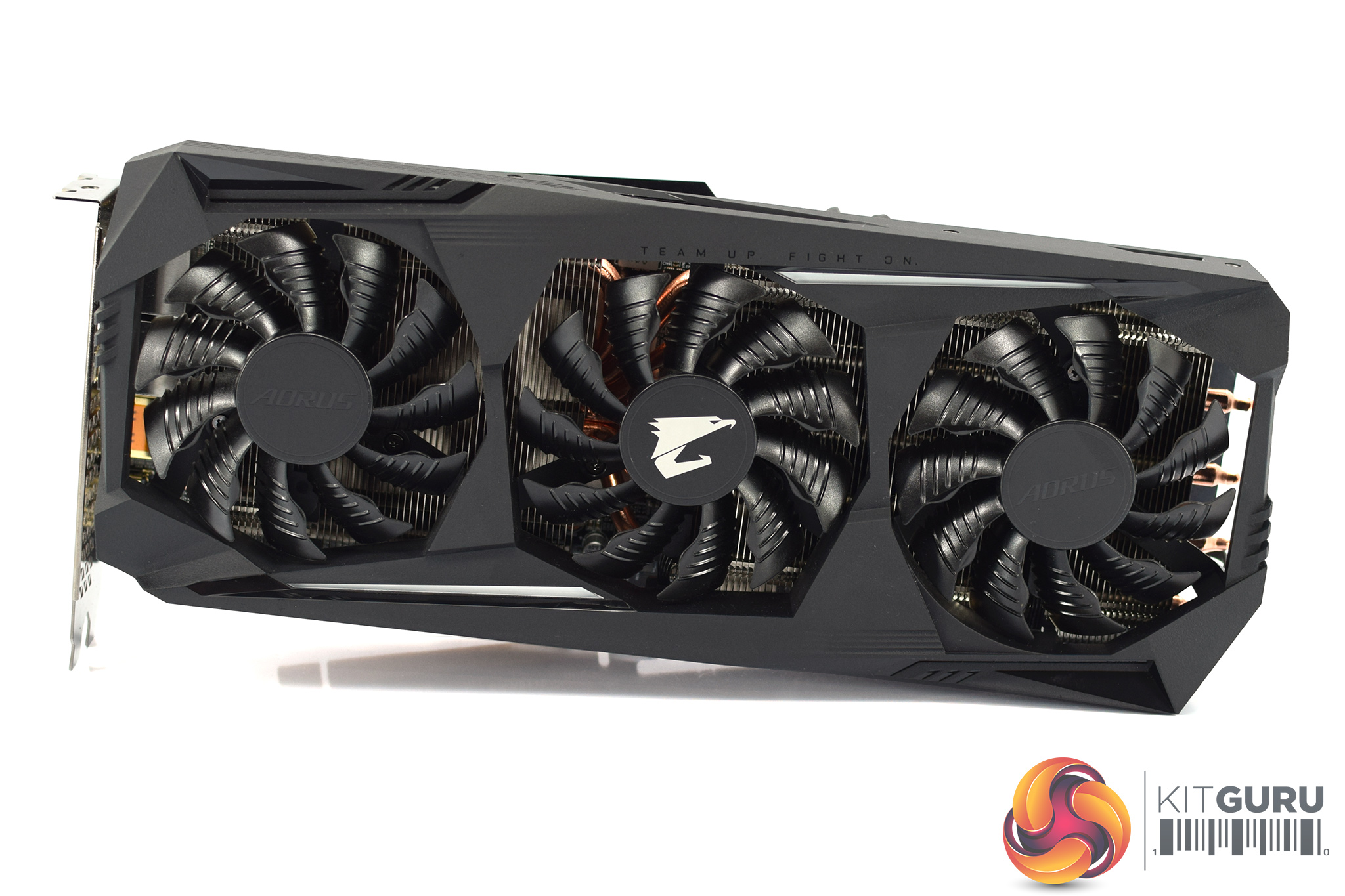
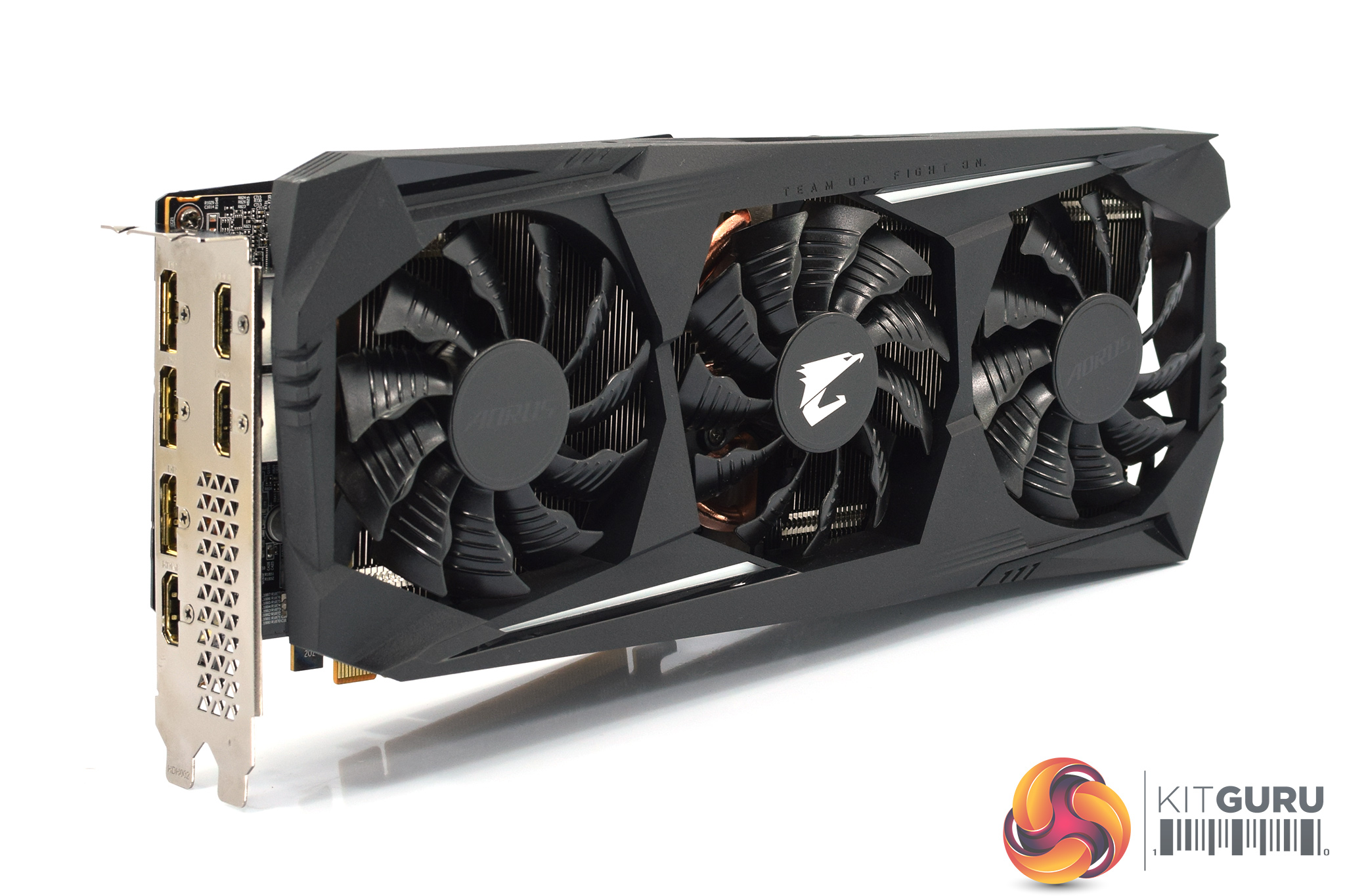
Immediately we can see some design differences when looking at the Aorus card itself. First of all, it is completely back, and that coupled with its slightly more aggressive shroud design reminds me of the Batmobile (but definitely in a good way). Design is always going to be a subjective area, but for me personally I do prefer the look of the Aorus card.
It still has a three-fan cooler, but the fans are marginally larger here – they measure 82mm, up from 80mm on the Gaming OC. ‘Alternate spinning' technology is also featured here, with the central fan spinning in reverse relative to the outer fans.
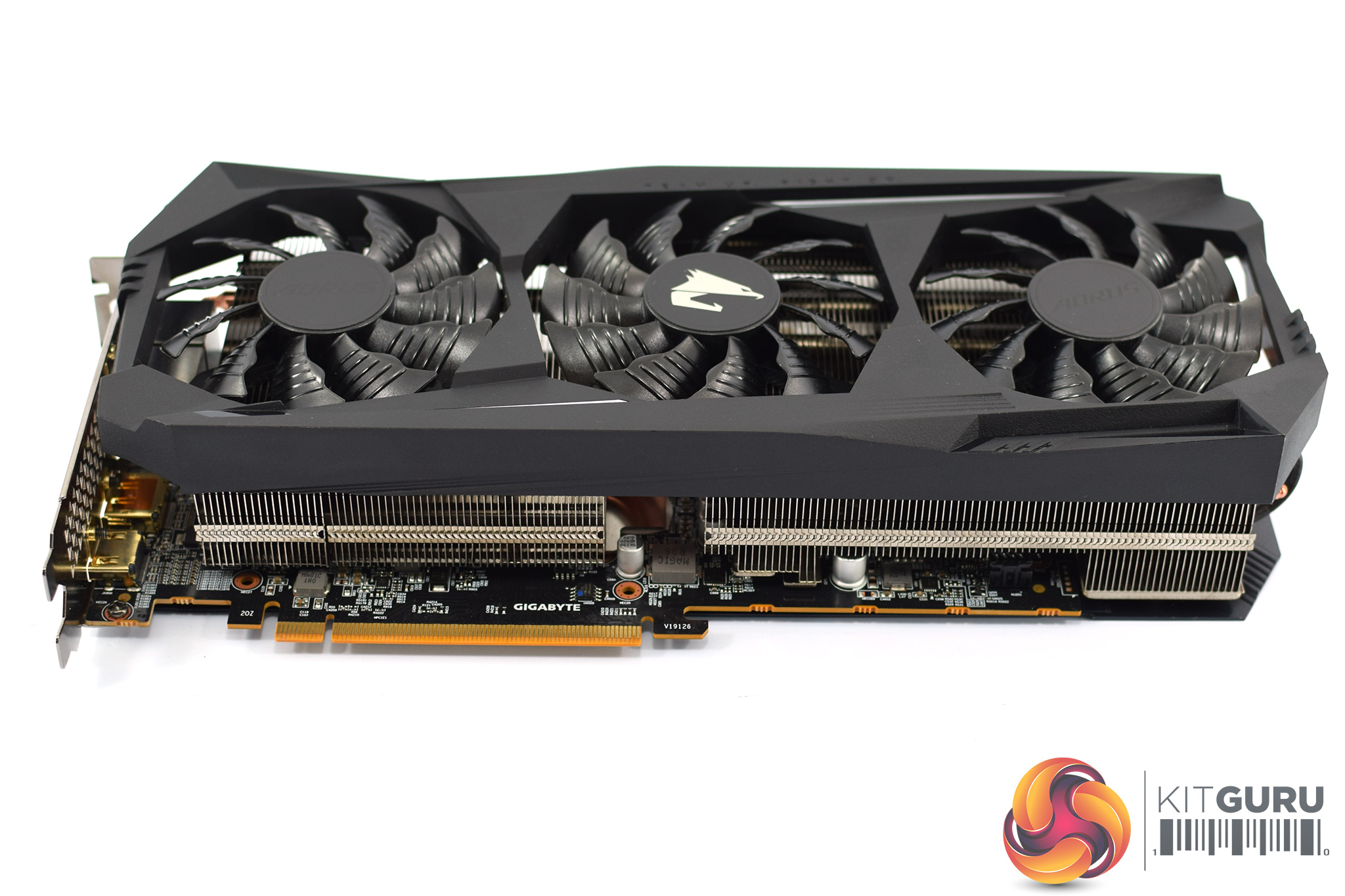
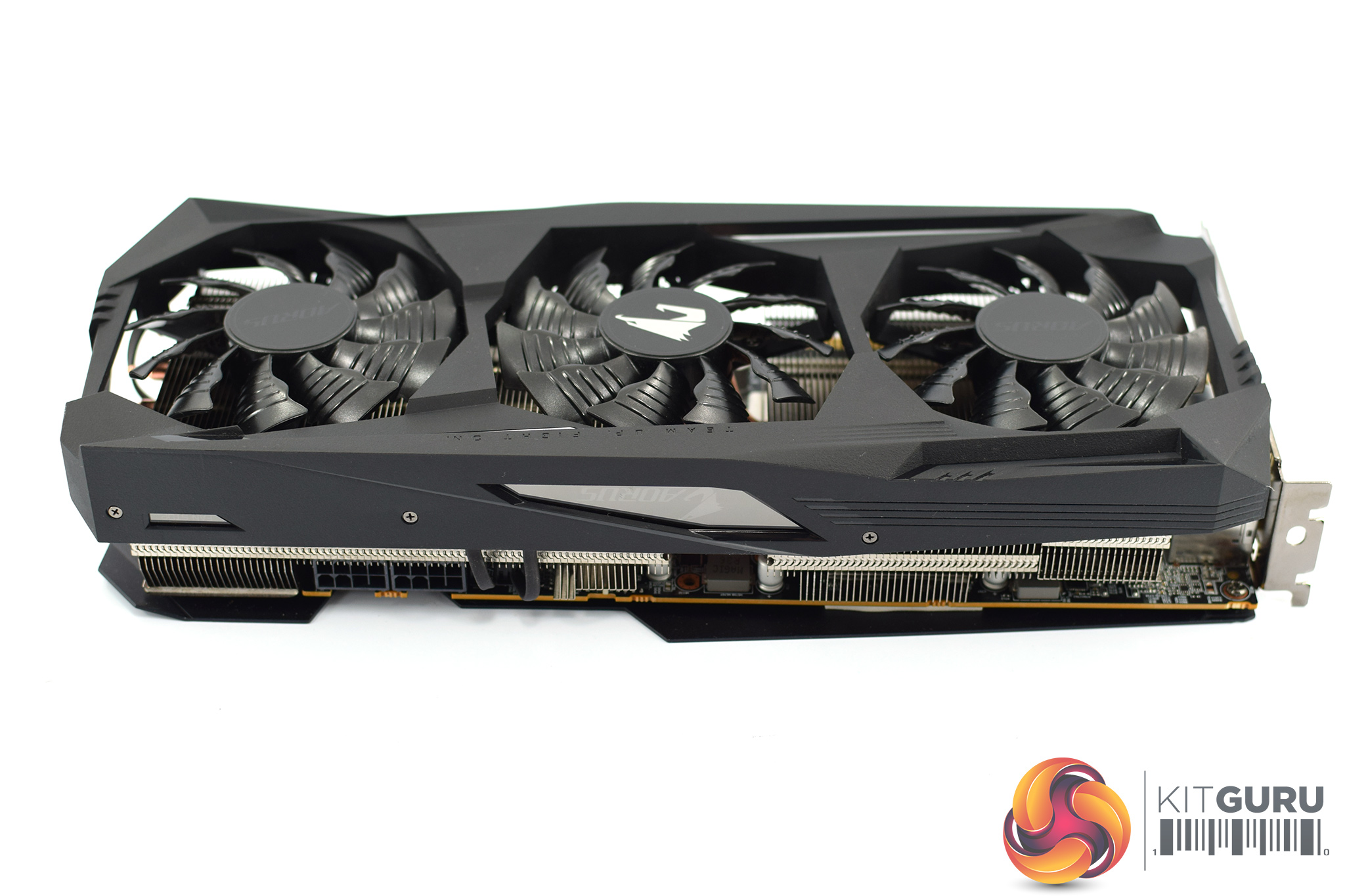
The Aorus is also noticeably larger than its Gaming OC counterpart. It's official dimensions are 290 x 123 x 58 mm – making it only 10mm longer than the Gaming OC, but also 9mm taller and 9mm thicker. It's thickness means this is a true triple-slot card.
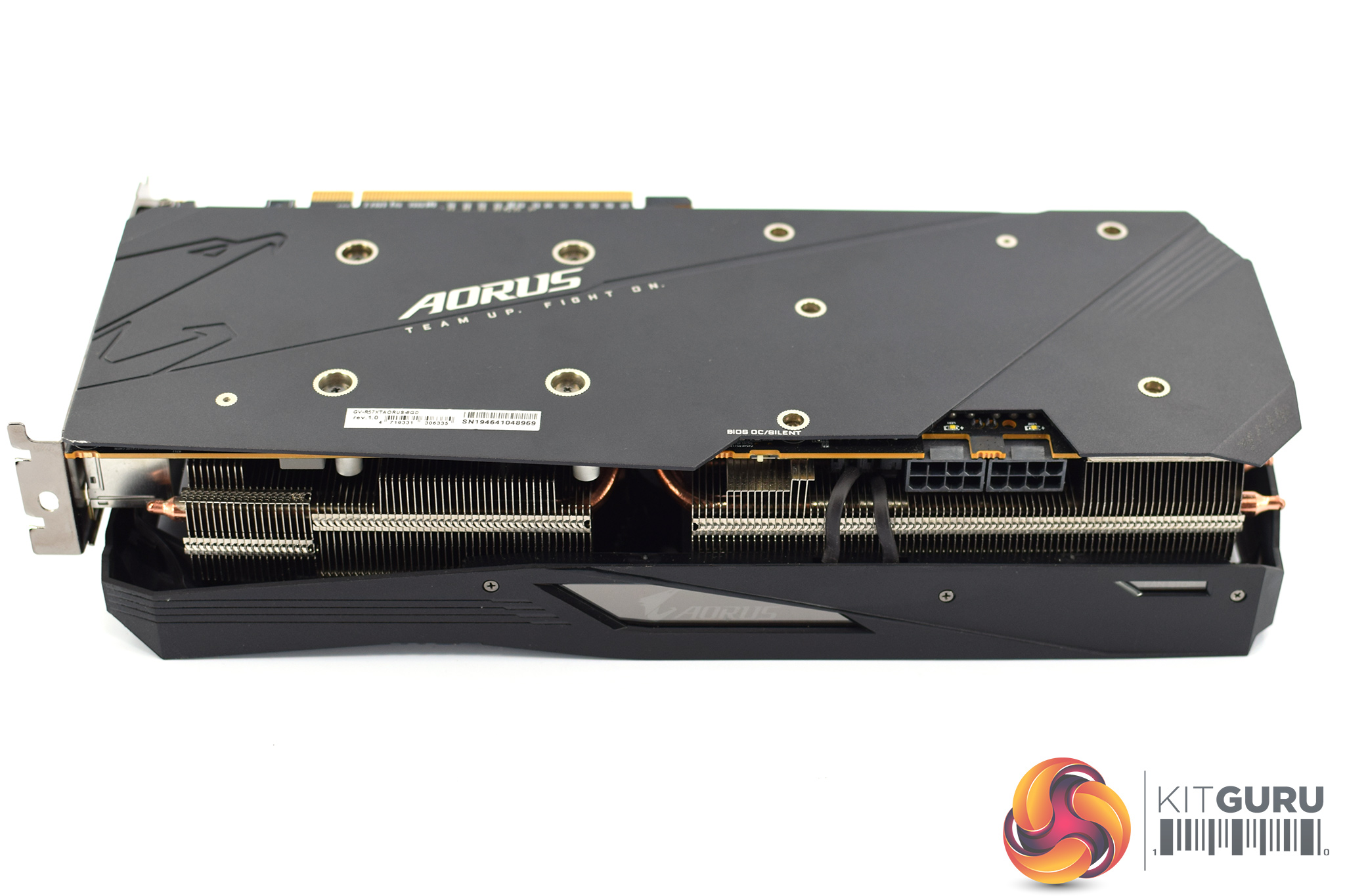
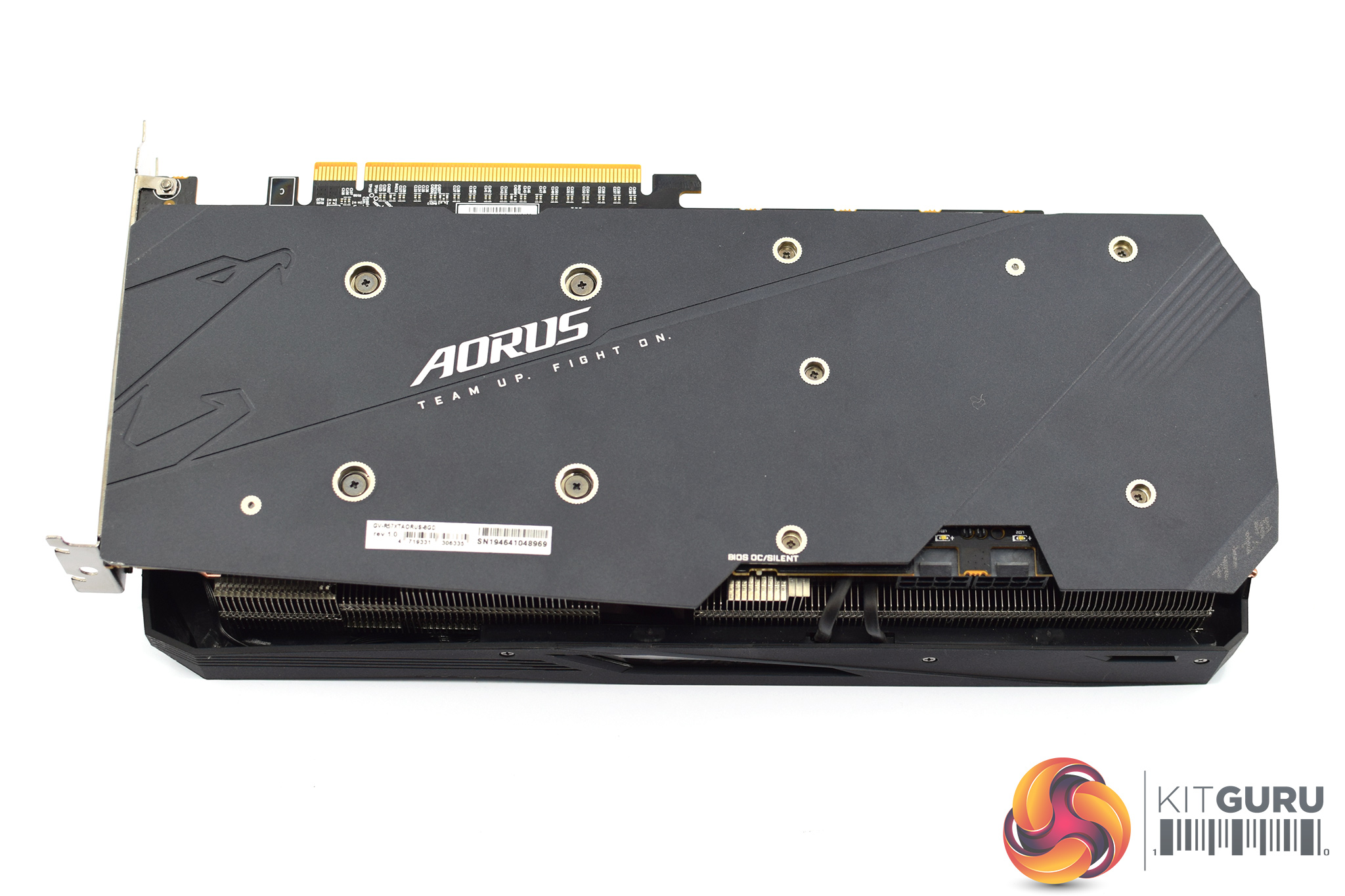
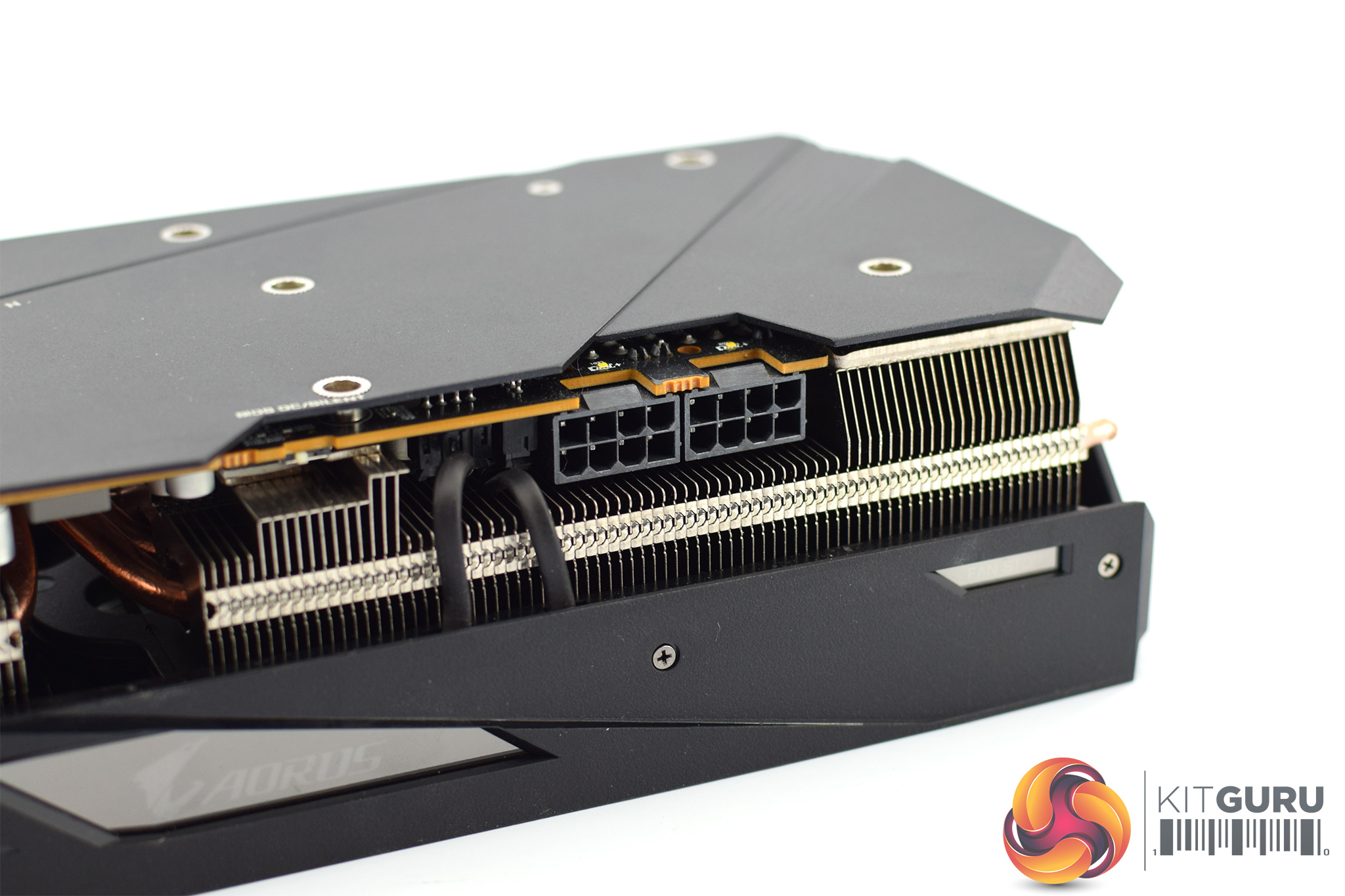
Another key feature for the Aorus is its dual-BIOS support. You can see the BIOS switch on the front side of the PCB, to the left of the power connectors – out of the box, the switch is positioned to use the ‘OC' BIOS, but there is also a ‘Silent' option. We test what difference these make later in this review.
We can also see the full-length metal backplate used here. There is a bit more design flair here, with the Aorus eagle logo cut into the backplate on the left-hand side. We can also see the words ‘team up. fight on' printed under some Aorus branding. Even the shape of the backplate is unique, with an angled front edge which extends out past the heatsink.
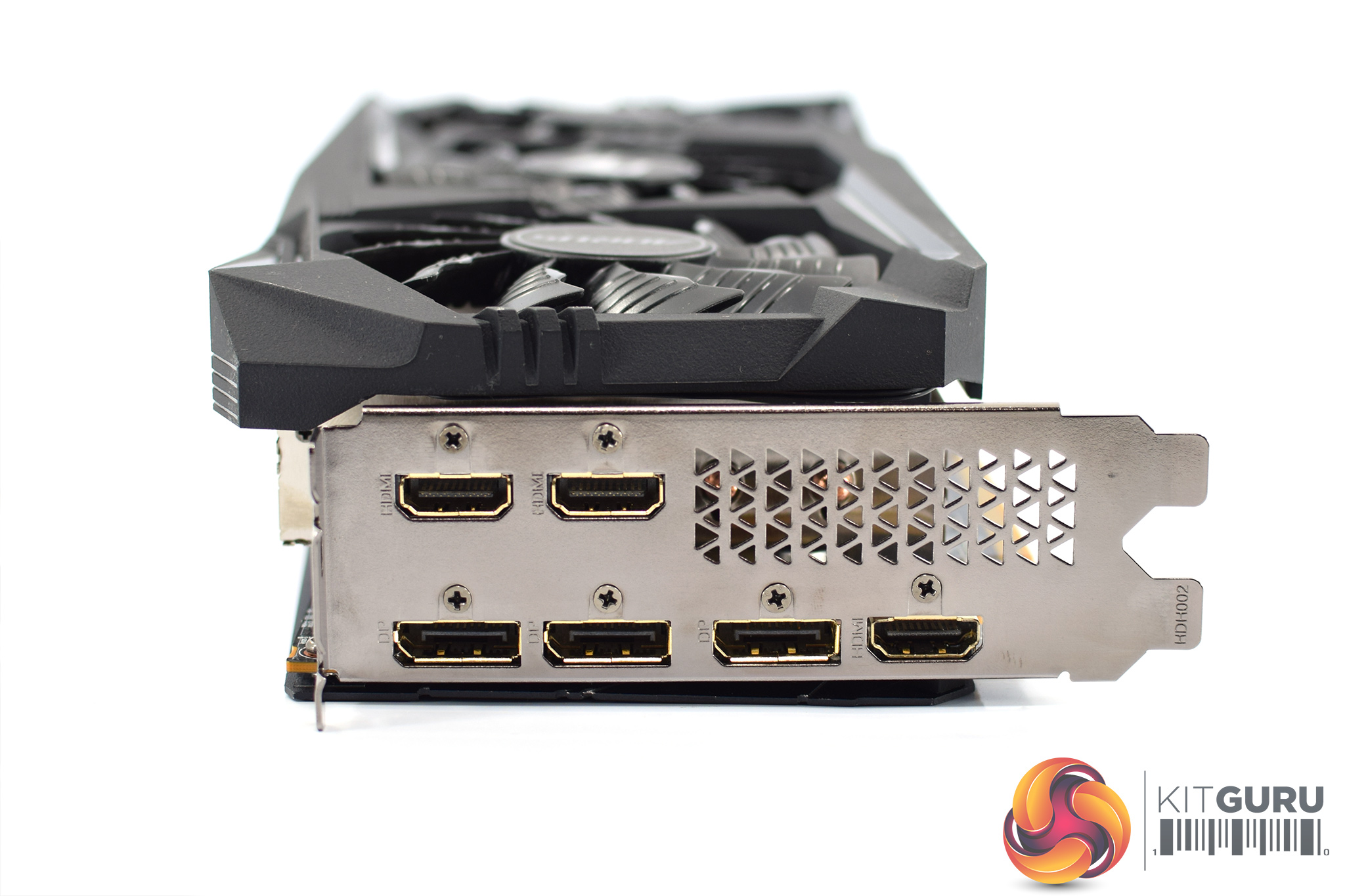
For power, the Aorus requires 2x 8-pin connectors. There's also a total of 6 video outputs – 3x DisplayPort and 3x HDMI.
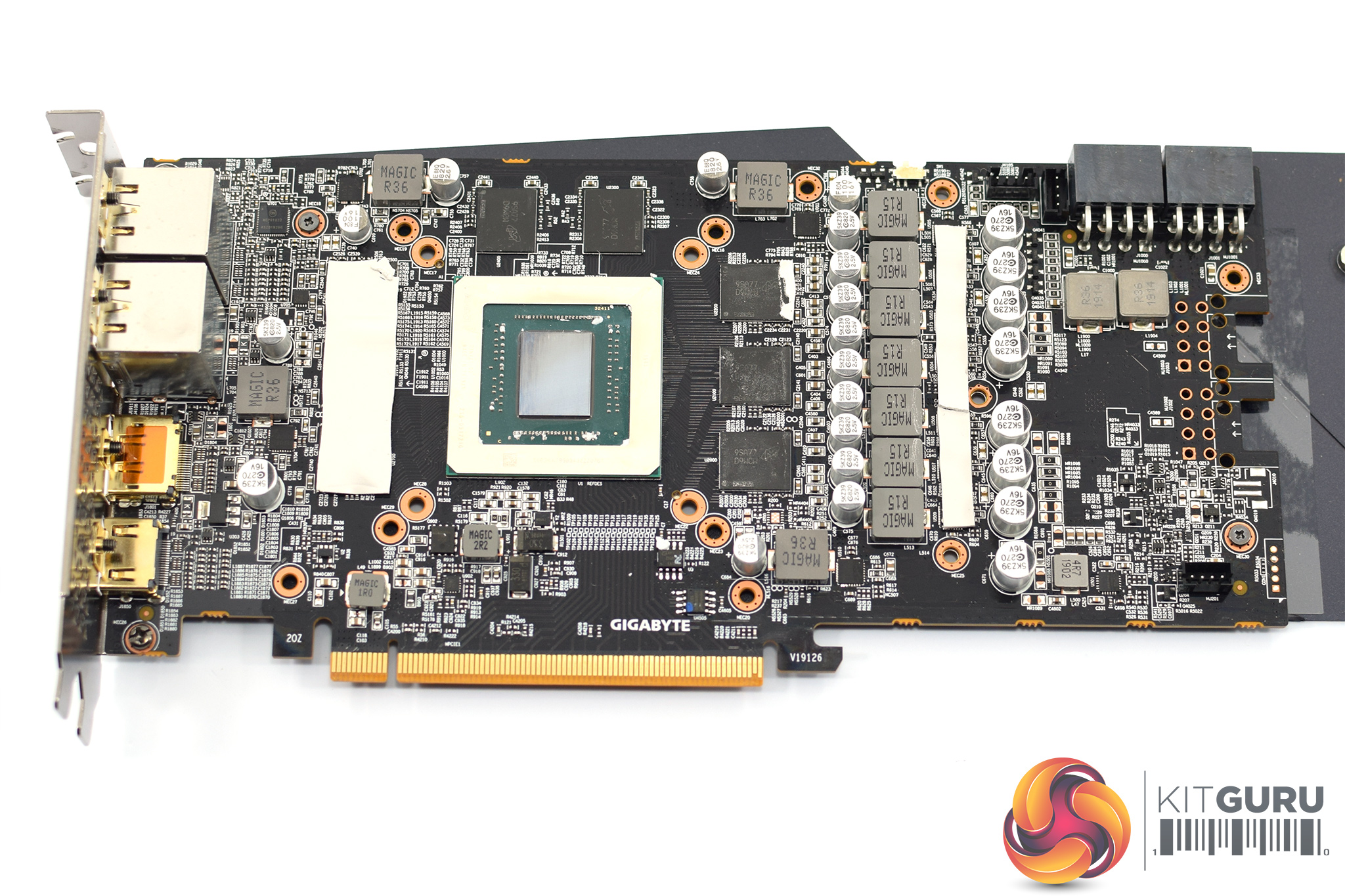
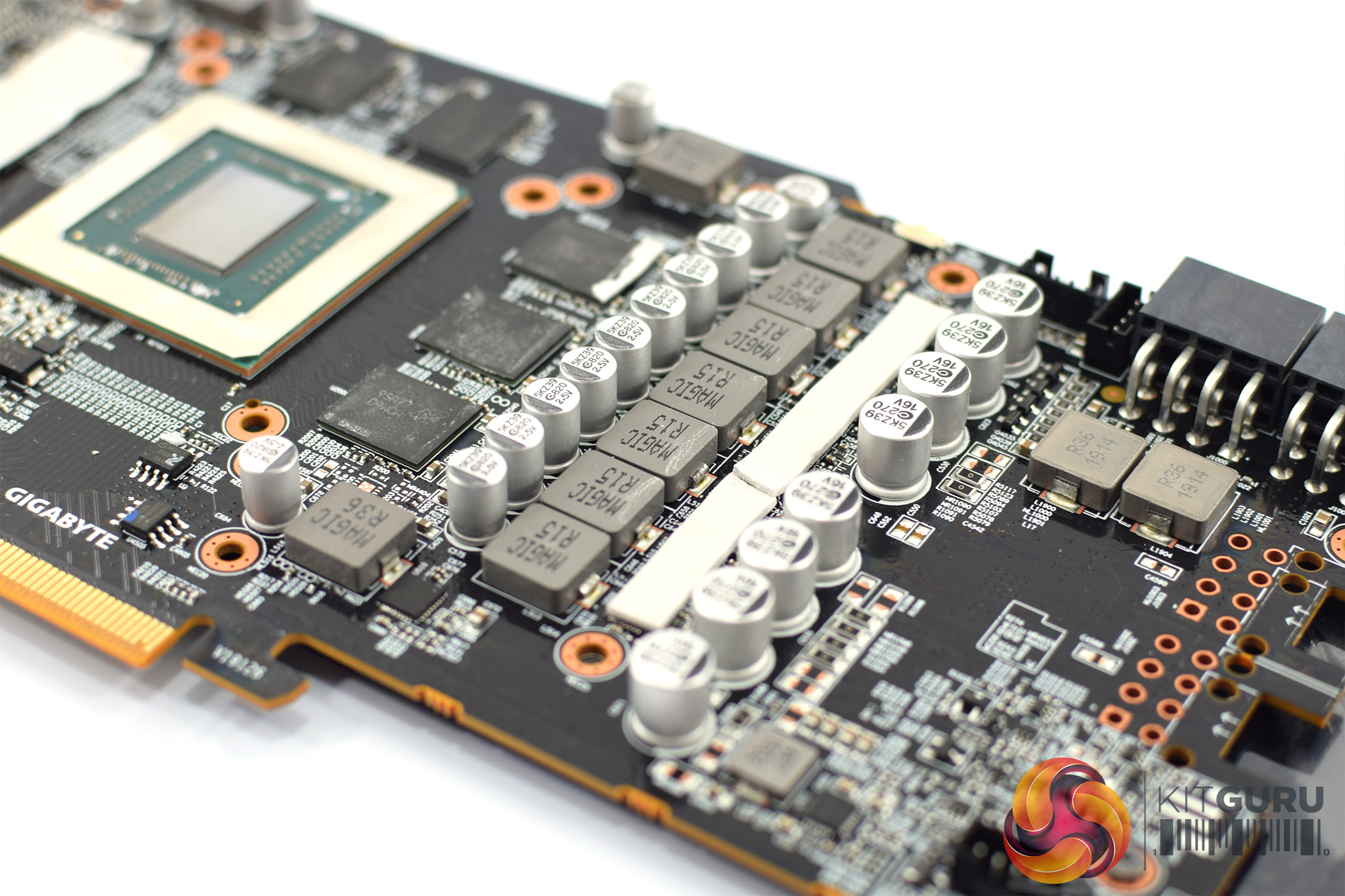
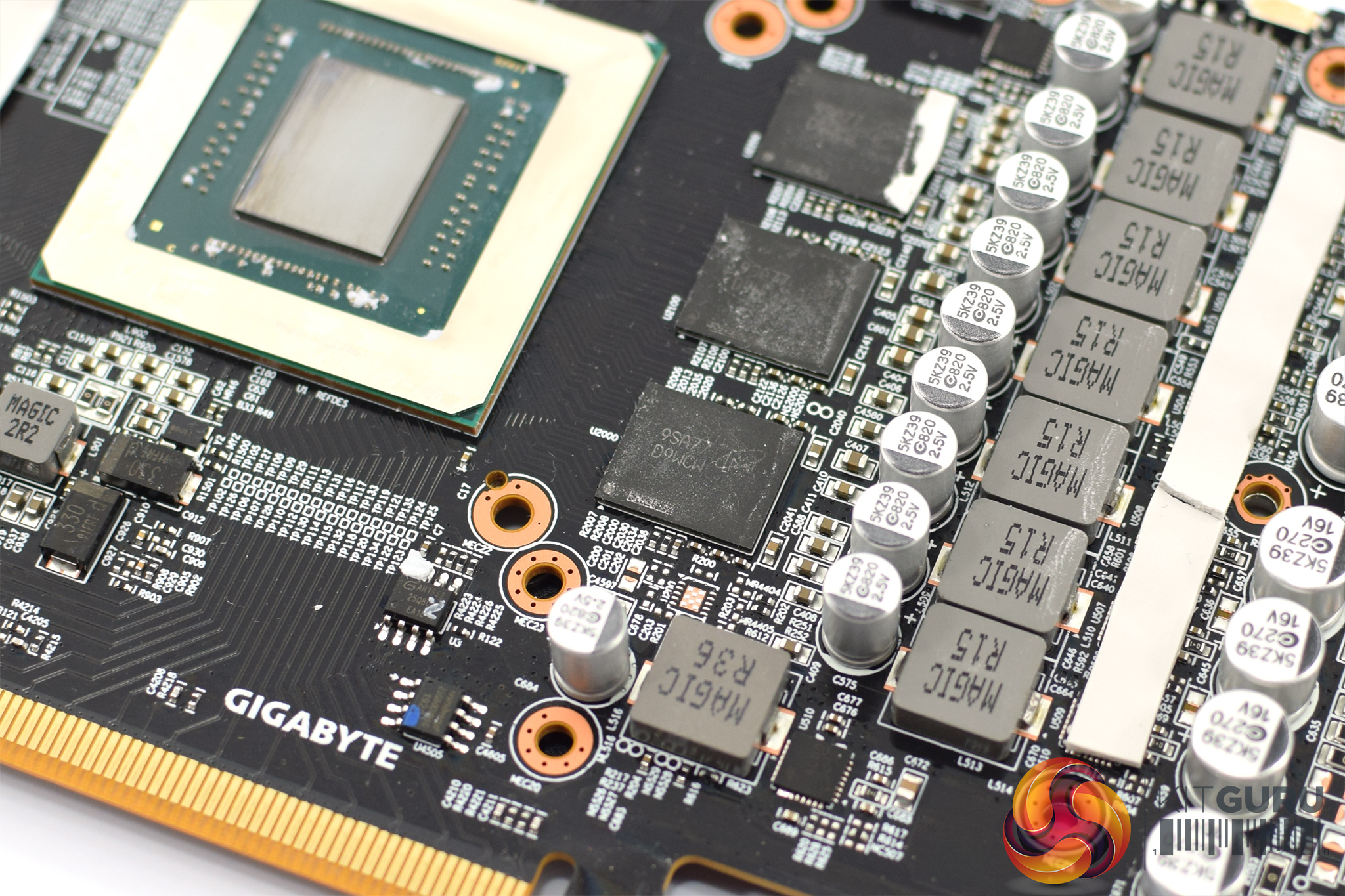
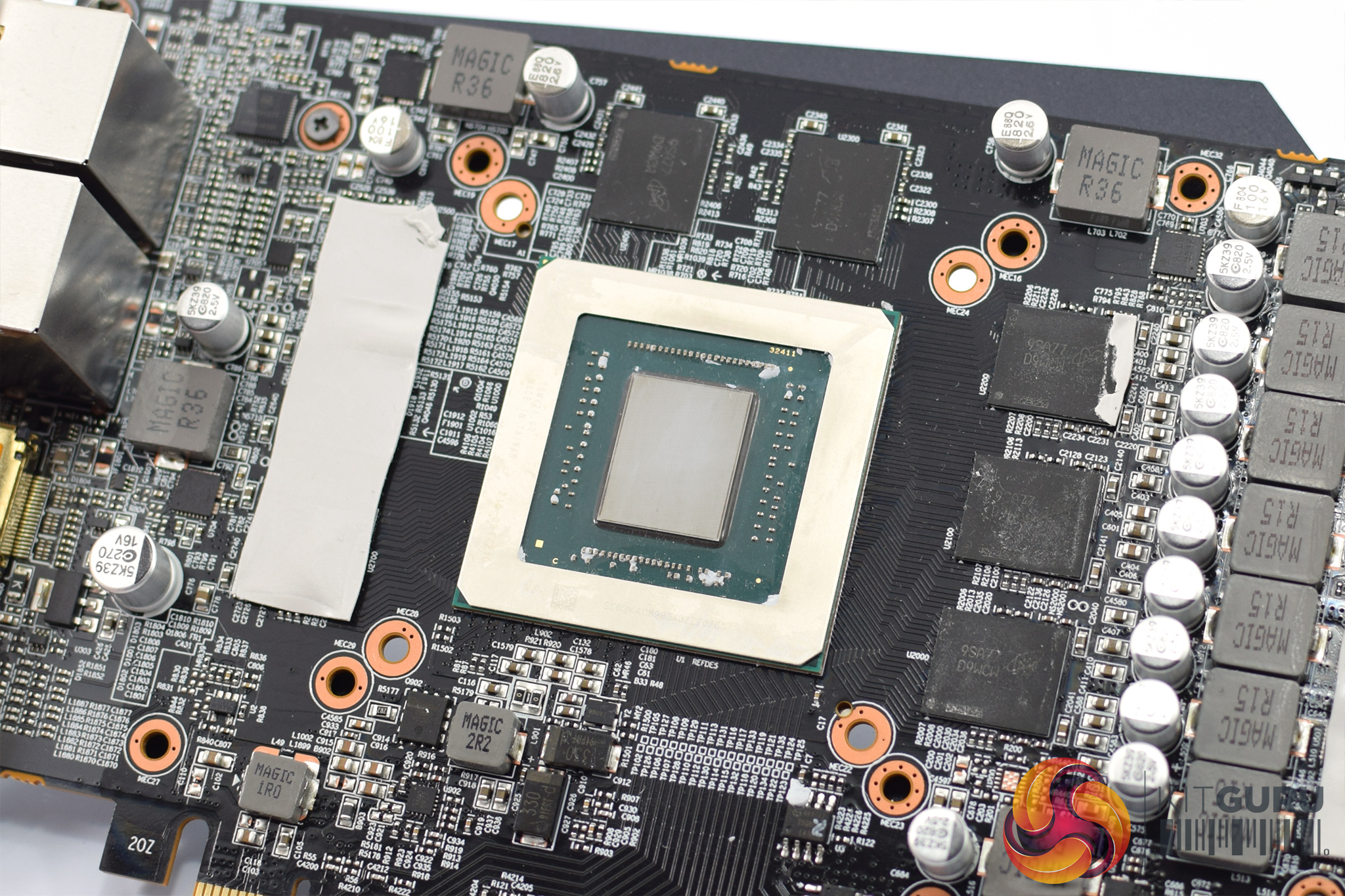
As for the PCB, i must admit I was expecting the Aorus card to have a beefed-up VRM compared to the Gigabyte Gaming OC, but as far as I can tell both cards are using essentially the same PCB design. Again, this means a 7-phase VRM for the GPU and 2-phase VRM for the memory. Those memory modules are once more 14Gbps ‘D9WCW' modules from Micron.
The Navi 10 GPU is obviously the same as both cards are RX 5700 XTs, however I did noticed the Gaming OC has a pinkish hue to the GPU die itself, whereas the Aorus does not. I can't say this means anything remotely significant, but it is a visual difference I noticed.
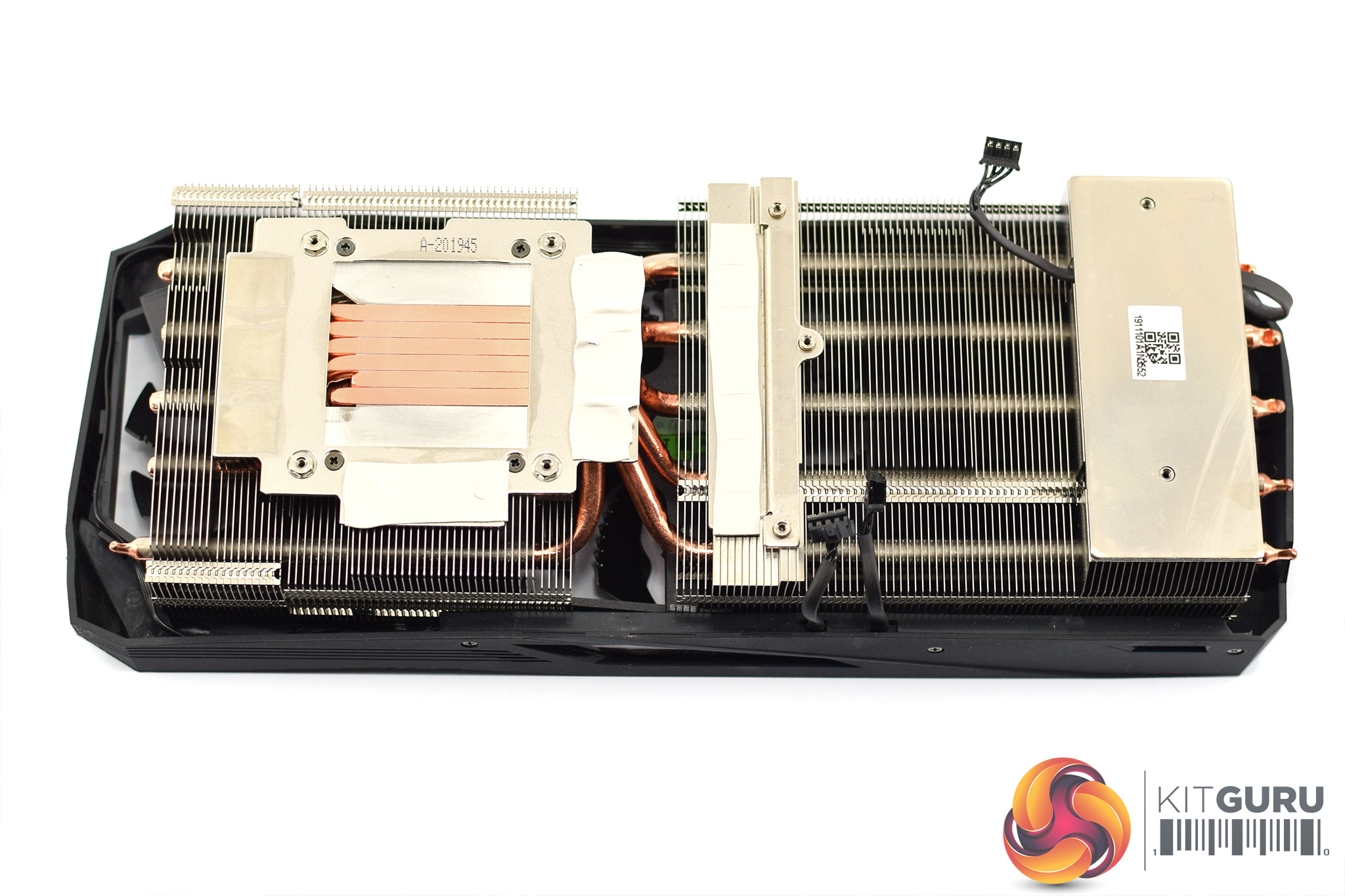
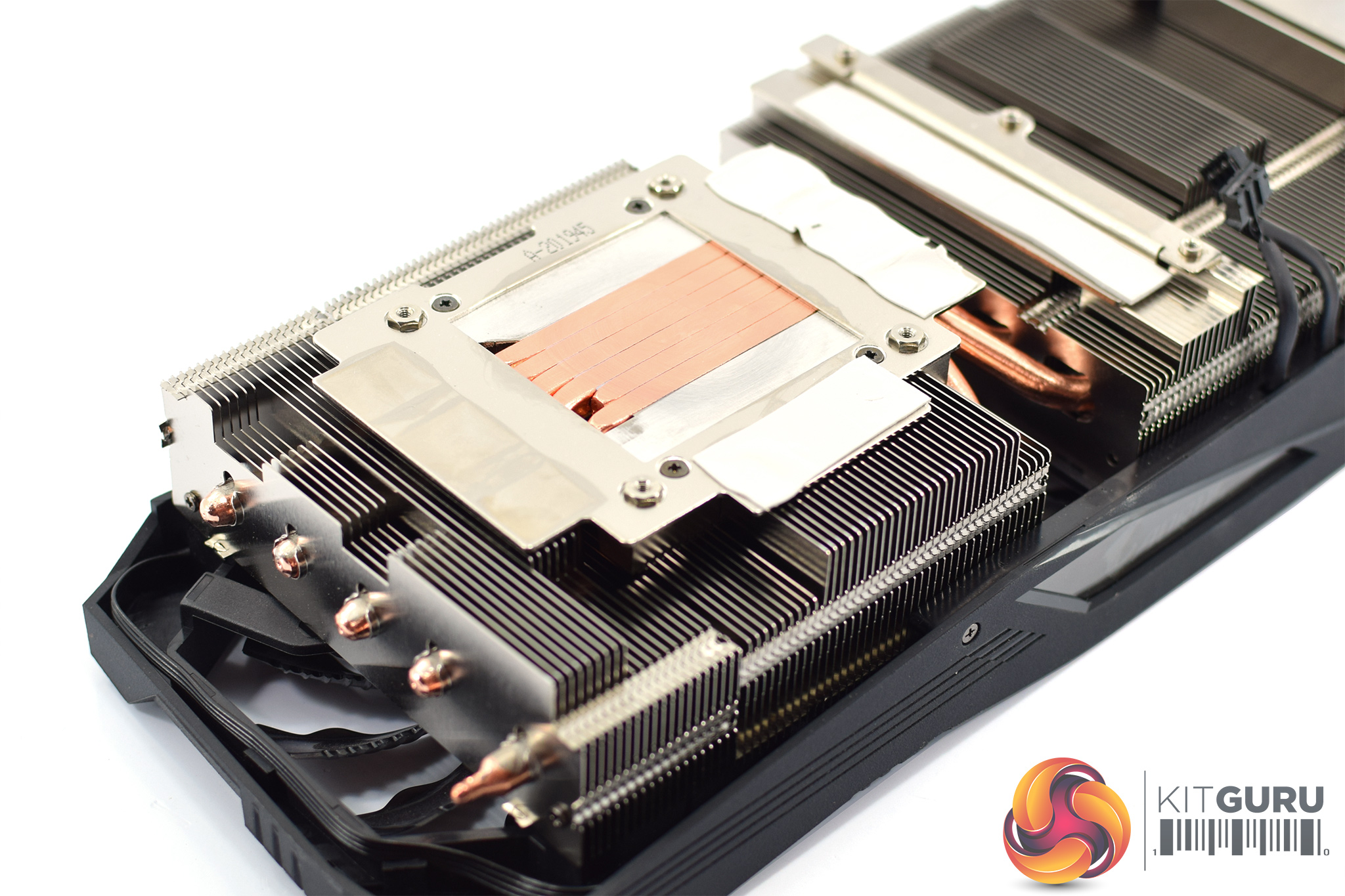
While the PCB may not have changed between the Gaming OC and Aorus cards, the cooler is definitely a step up with the Aorus card. We've already touched on the fact the Aorus model is thicker, with increased mass for its two fin stacks. It also has an extra heatpipe compared to the Gaming OC, for a total of 6x6mm pipes. Once more, both the VRAM and VRM use their own dedicated coldplates.
Our newest GPU test procedure has been built with the intention of benchmarking high-end graphics cards. We test at 1920×1080 (1080p), 2560×1440 (1440p), and 3840×2160 (4K UHD) resolutions.
We try to test using the DX12 API if titles offer support. This gives us an interpretation into the graphics card performance hierarchy in the present time and the near future, when DX12 becomes more prevalent. After all, graphics cards of this expense may stay in a gamer’s system for a number of product generations/years before being upgraded.
For our game testing, we used the OC BIOS with the Aorus RX 5700 XT. Later in the review, when we look at clock speed, temperatures, noise and power, we test both the OC and Silent BIOS to examine the difference between the two.
Driver Notes
- All AMD graphics cards (except RX 5600 XT) were benchmarked with the Adrenalin 20.1.1 public driver.
- RX 5600 XT graphics cards were benchmarked with the Adrenalin 20.1.1 driver supplied to press.
- All Nvidia graphics cards were benchmarked with the Nvidia 441.87 public driver.
Test System
We test using the Overclockers UK Germanium pre-built system, though it has been re-housed into an open-air test bench. You can read more about it over HERE.
| CPU |
Intel Core i7-8700K
Overclocked to 5.0GHz |
| Motherboard |
ASUS ROG Strix Z370-F Gaming
|
| Memory |
Team Group Dark Hawk RGB
16GB (2x8GB) @ 3200MHz 16-18-18-38 |
| Graphics Card |
Varies
|
| System Drive |
Samsung 960 EVO 500GB
|
| Games Drive | Crucial M4 512GB |
| Chassis | Streacom ST-BC1 Bench |
| CPU Cooler |
OCUK TechLabs 240mm AIO
|
| Power Supply |
Corsair AX1500i 80+ Titanium PSU
|
| Operating System |
Windows 10 1903
|
Comparison Graphics Cards List
- Nvidia RTX 2060 SUPER Founders Edition (FE) 8GB
- Nvidia RTX 2060 Founders Edition (FE) 6GB
- Gigabyte GTX 1660 Ti Gaming OC 6G
- EVGA GTX 1660 SUPER SC Ultra 6GB
- Palit GTX 1650 SUPER StormX OC 4GB
- Nvidia GTX 1060 Founders Edition (FE) 6GB
- MSI RX 5600 XT Gaming X 6GB
- Gigabyte RX 5600 XT Gaming OC 6GB
- Sapphire RX 5600 XT Pulse 6GB
- Sapphire RX 5500 XT Pulse 4GB
- ASRock RX 5500 XT Challenger OC Edition 8GB
- AMD RX 5700 8GB
- AMD RX Vega 56 8GB
- Sapphire RX 590 Nitro+ SE 8GB
Software and Games List
- 3DMark Fire Strike & Fire Strike Ultra (DX11 Synthetic)
- 3DMark Time Spy (DX12 Synthetic)
- Battlefield V (DX12)
- The Division 2 (DX11)
- F1 2019 (DX12)
- Far Cry New Dawn (DX11)
- Gears 5 (DX12)
- Ghost Recon: Breakpoint (DX11)
- Metro: Exodus (DX12)
- Middle Earth: Shadow of War (DX11)
- Red Dead Redemption 2 (DX12)
- Shadow of the Tomb Raider (DX12)
- Total War: Three Kingdoms (DX11)
We run each benchmark/game three times, and present averages in our graphs.
3DMark Fire Strike is a showcase DirectX 11 benchmark designed for today’s high-performance gaming PCs. It is our [FutureMark’s] most ambitious and technical benchmark ever, featuring real-time graphics rendered with detail and complexity far beyond what is found in other benchmarks and games today.
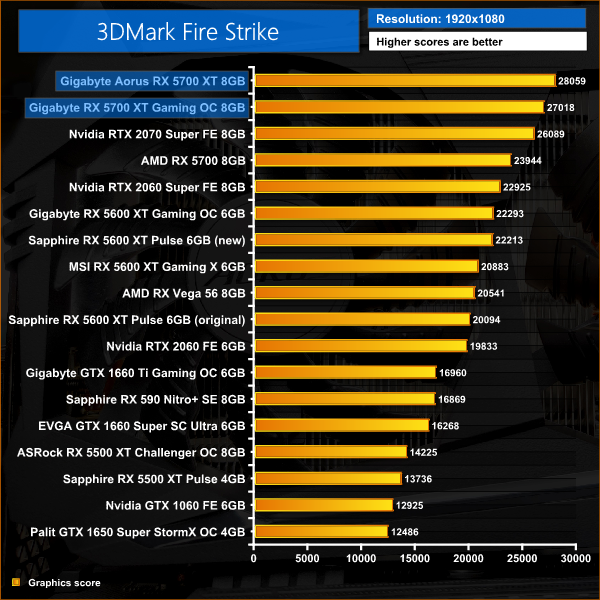
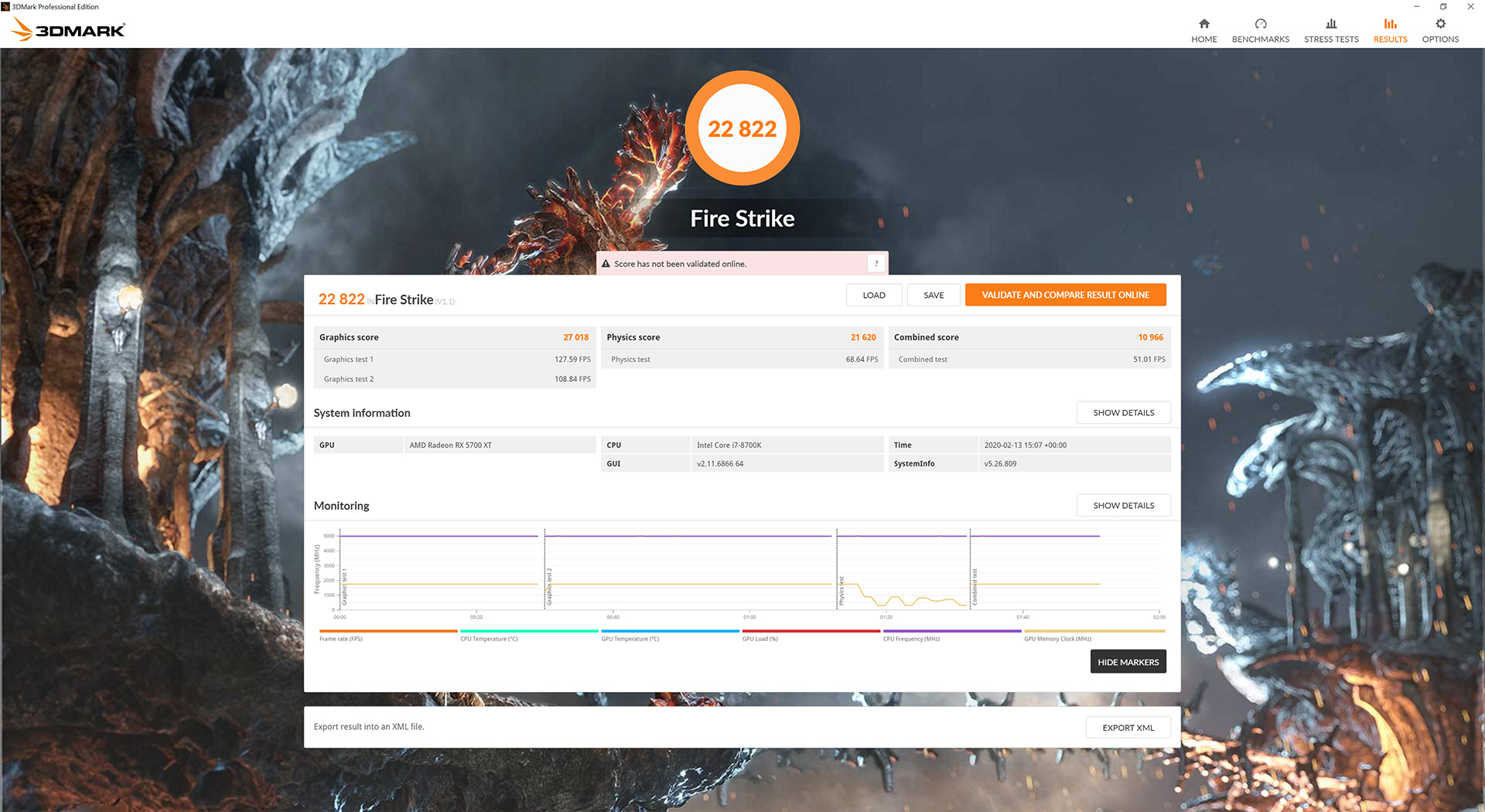
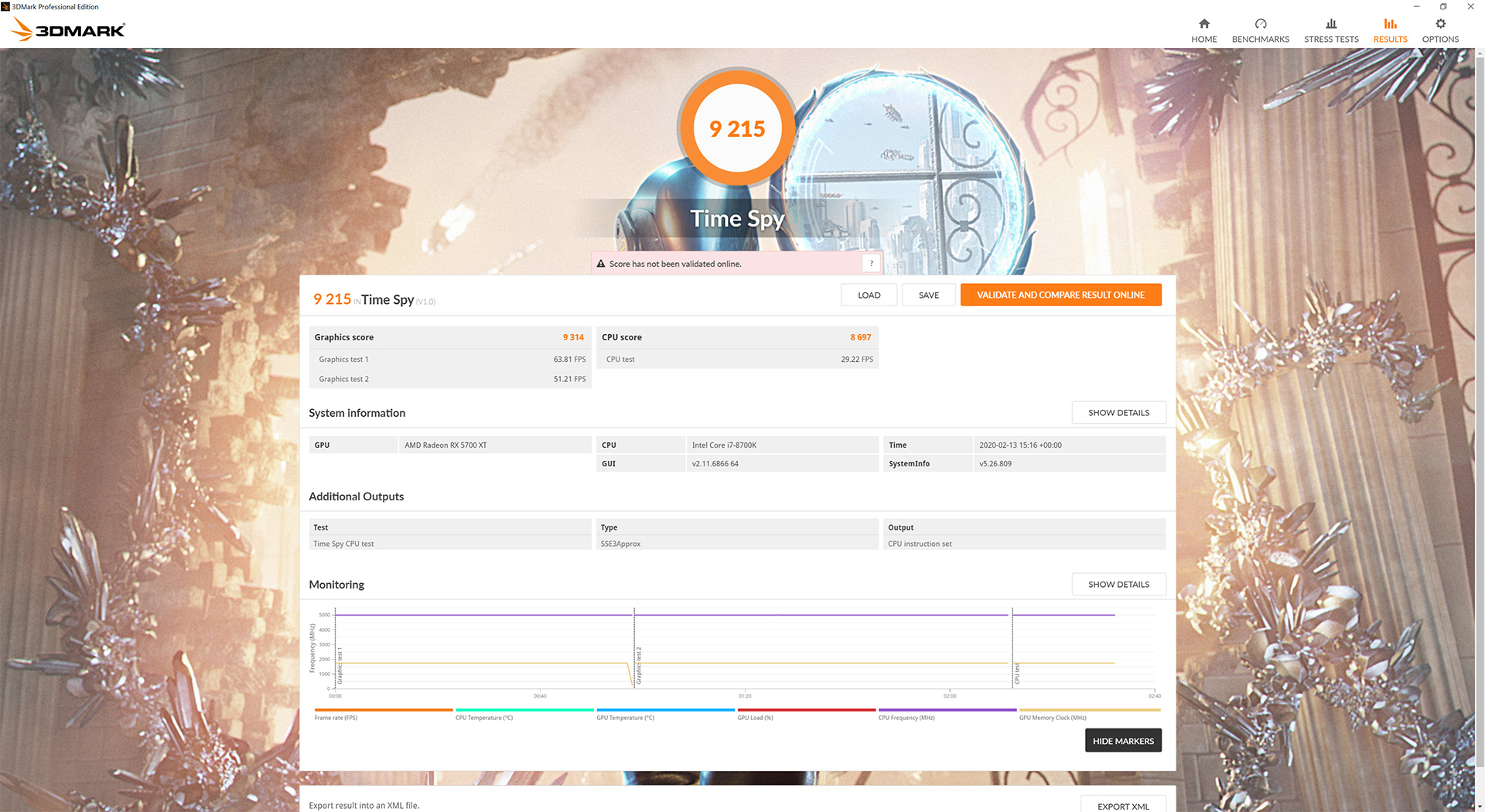
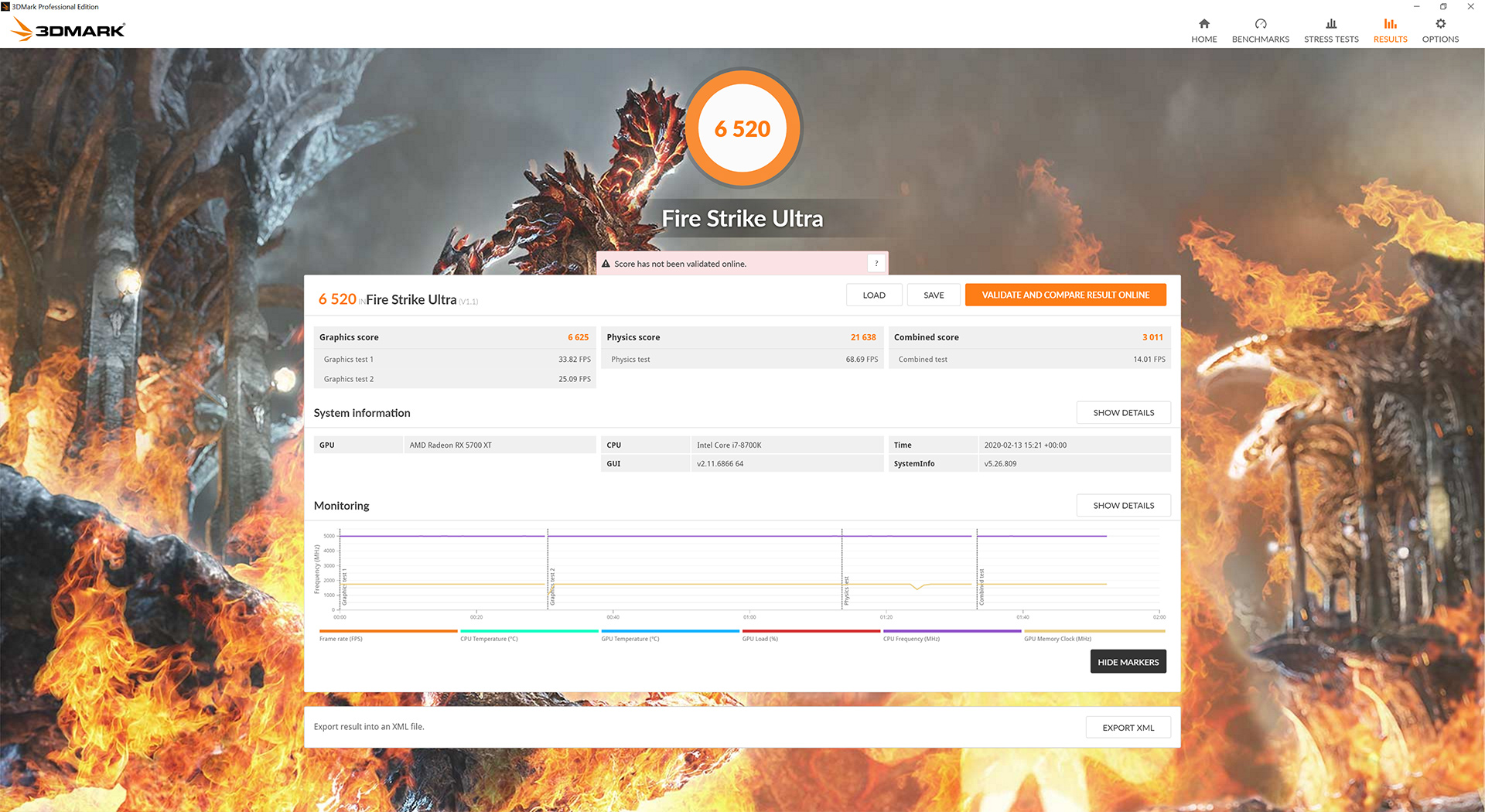
Gigabyte 3DMark results (above).
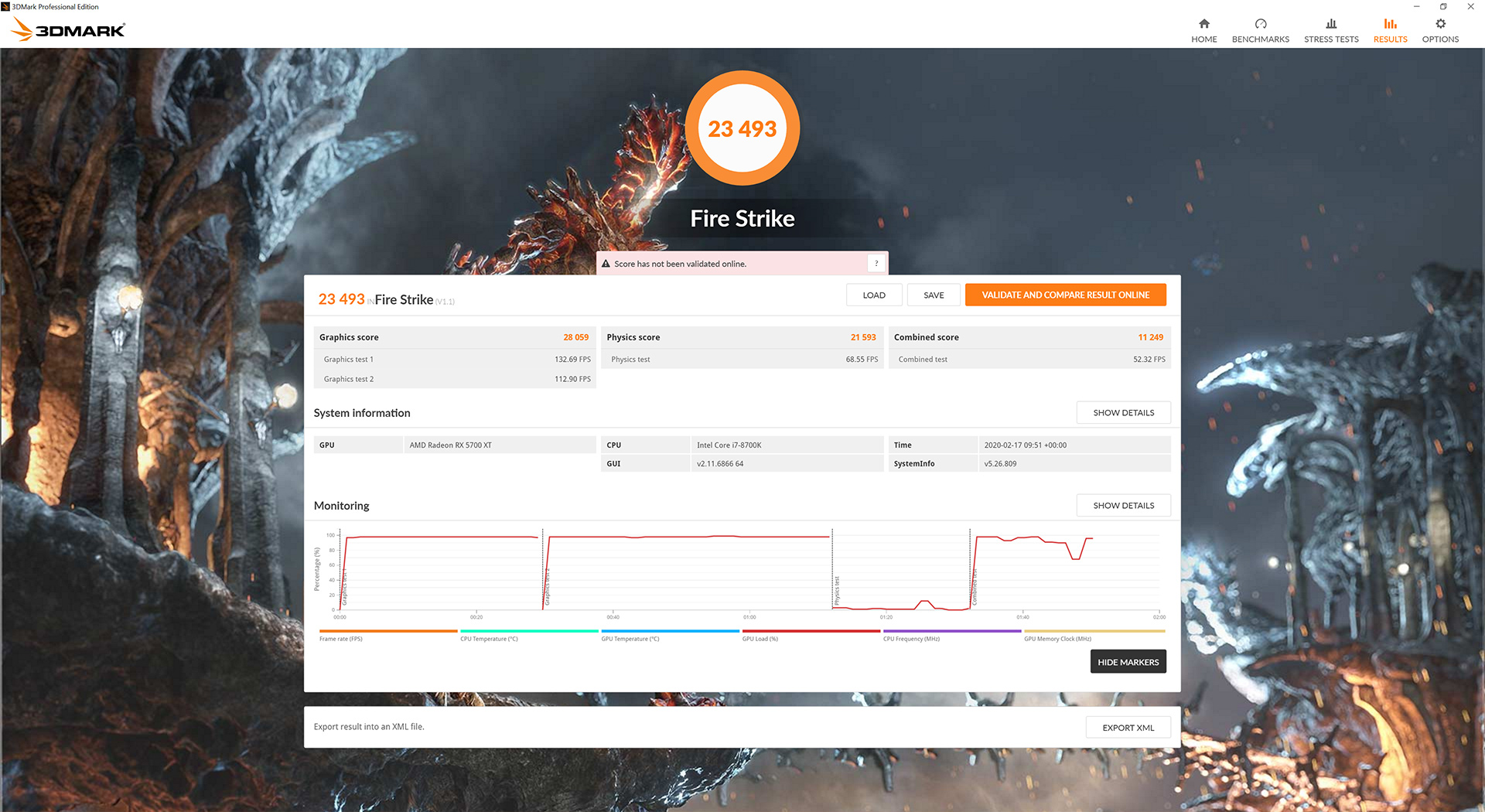
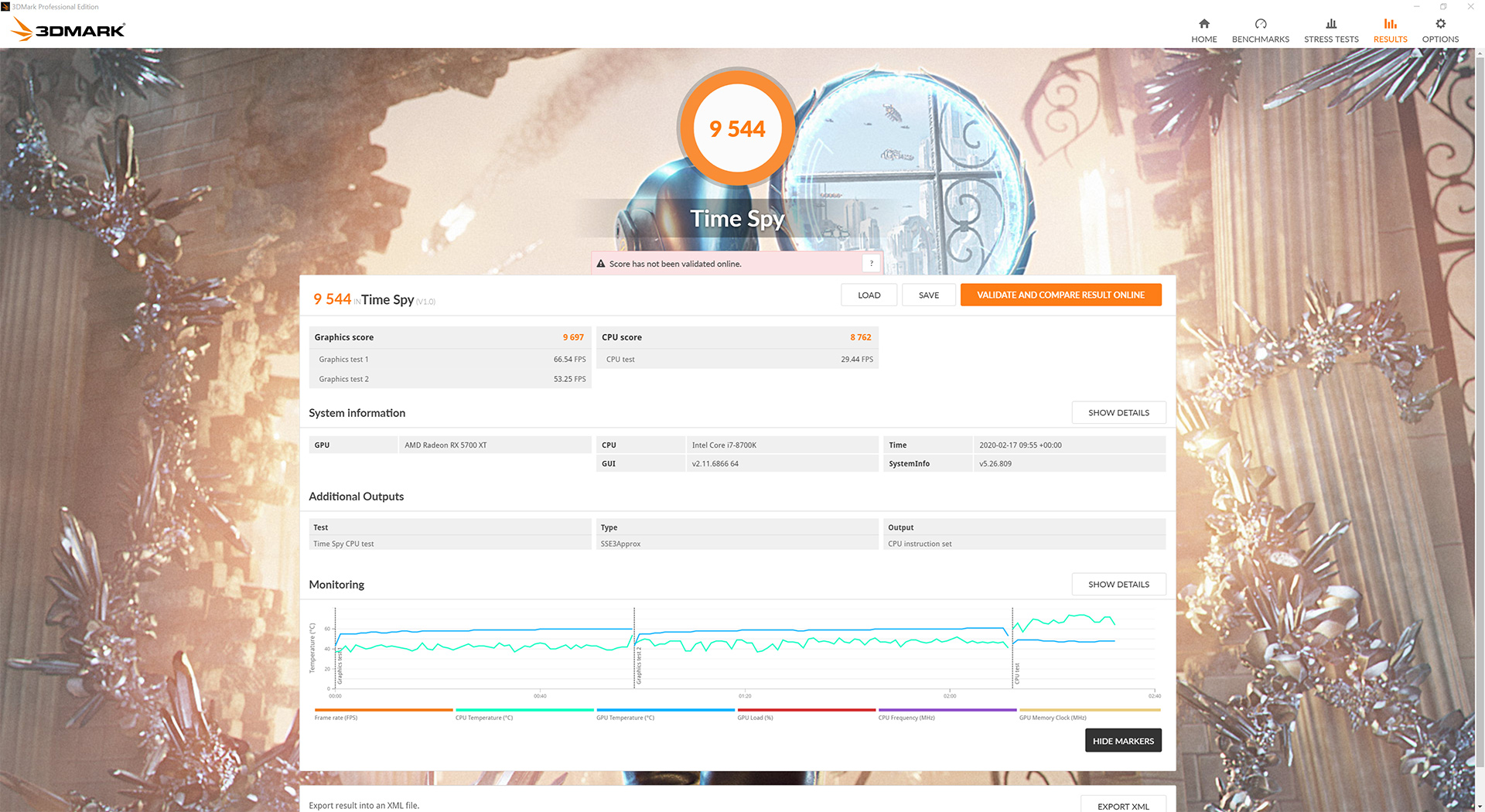
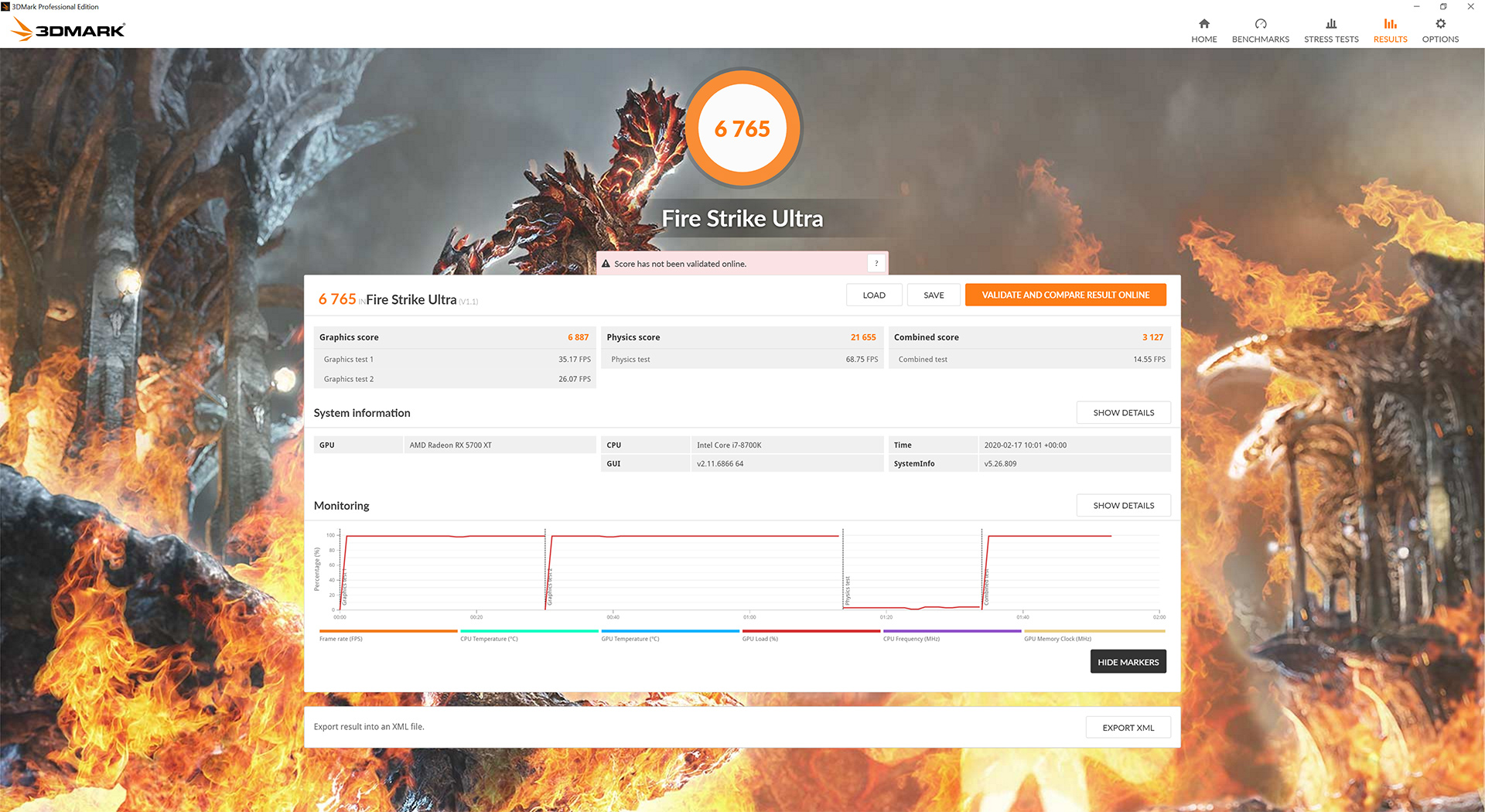
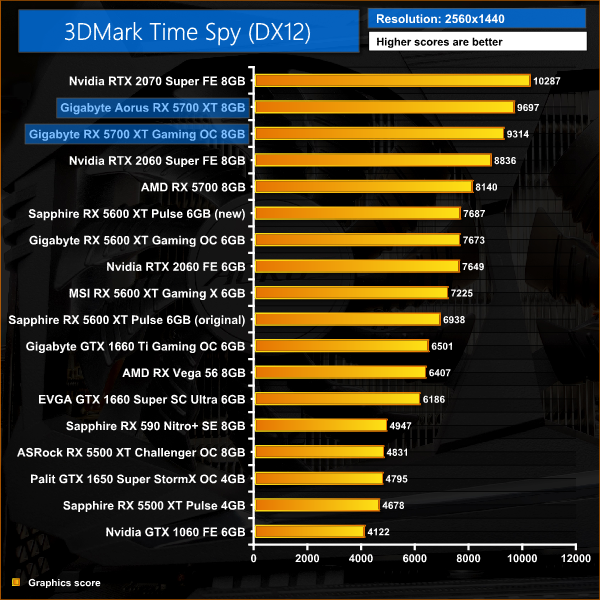
Aorus 3DMark results (above.)
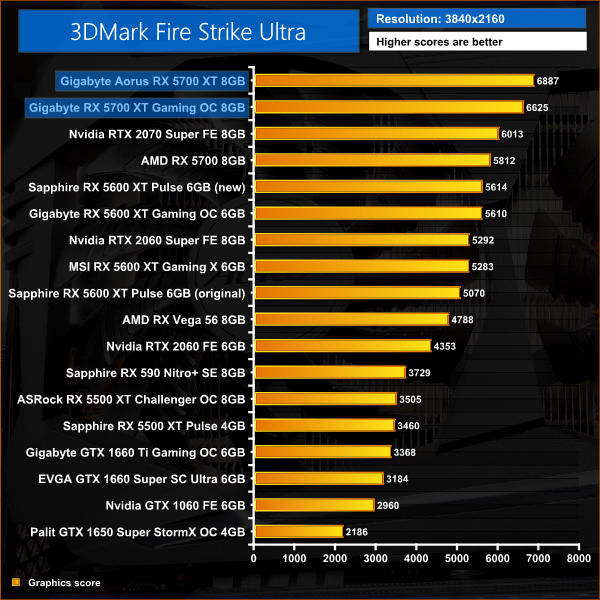
Our 3DMark scores give a slight indication about what we can expect from our games testing today – the Aorus produces scores which are 4% higher than the Gaming OC across all three 3DMark tests. Both cards beat the RTX 2070 Super in Fire Strike and Fire Strike Ultra, but fall behind the Nvidia GPU in the DX12 Time Spy test.
Battlefield V is a first-person shooter video game developed by EA DICE and published by Electronic Arts. Battlefield V is the sixteenth instalment in the Battlefield series. It was released worldwide for Microsoft Windows, PlayStation 4, and Xbox One on November 20, 2018. (Wikipedia).
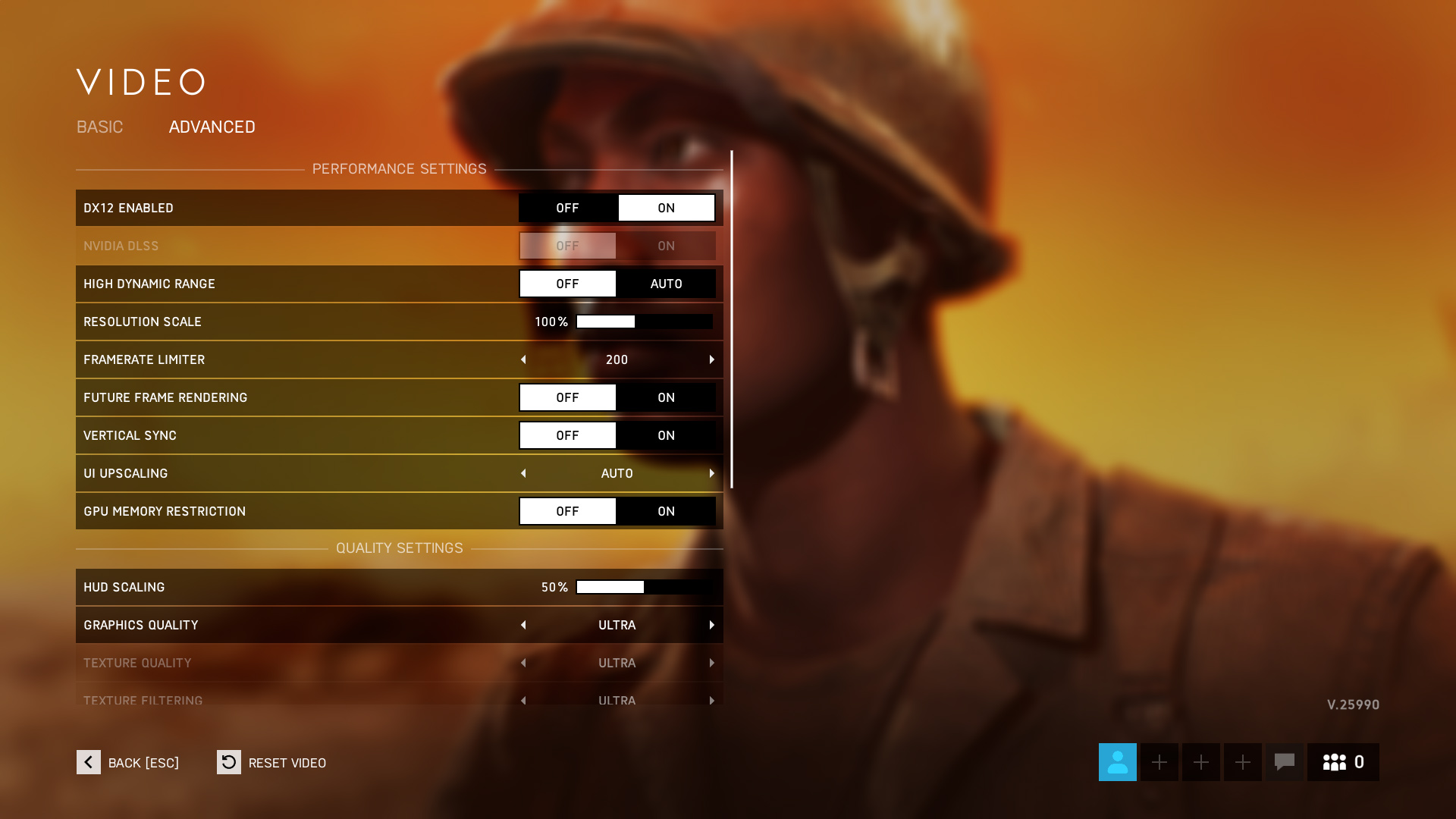
We test using the Ultra preset, DX12 API.

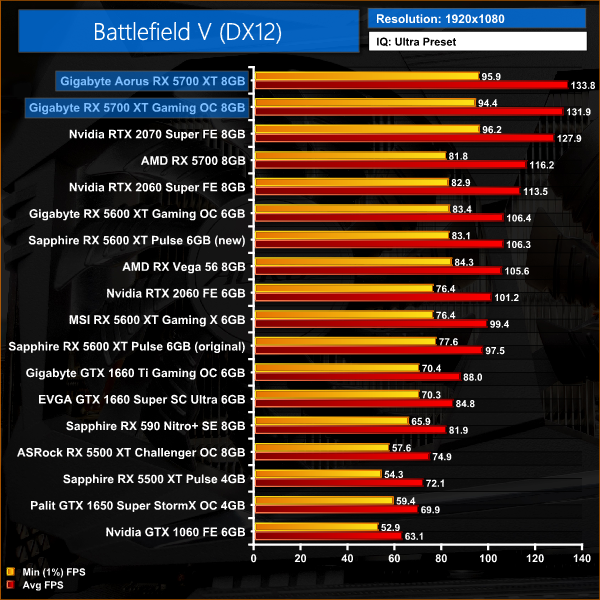
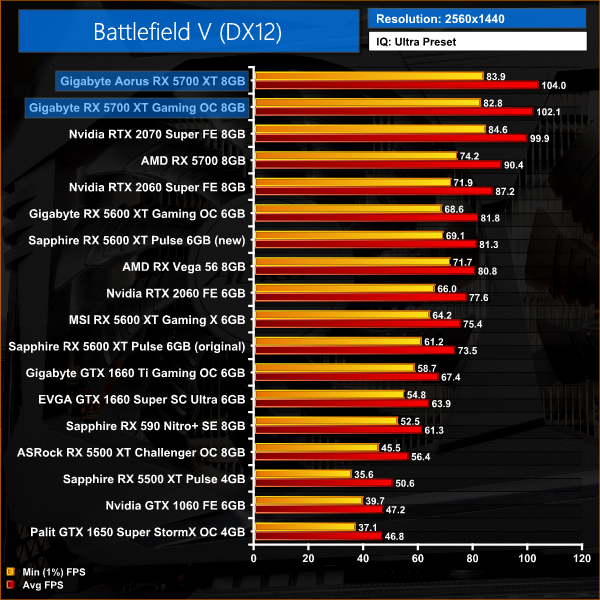
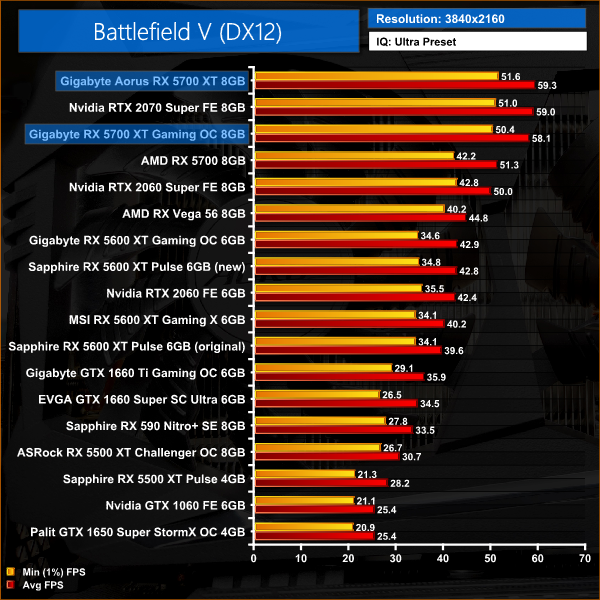
Battlefield V is our first game of the day, and here the performances gains for the Aorus card aren't huge. At 1080p, both 5700 XTs outperform the RTX 2070 Super, but the Aorus is just 1% faster than the Gigabyte Gaming OC.
These margins do change as the resolution steps up to 1440p, but not by much – both cards are still marginally faster than the 2070 Super, but the Aorus holds a 2% lead over the Gaming OC.
Tom Clancy's The Division 2 is an online action role-playing video game developed by Massive Entertainment and published by Ubisoft. The sequel to Tom Clancy's The Division (2016), it is set in a near-future Washington, D.C. in the aftermath of a smallpox pandemic, and follows an agent of the Strategic Homeland Division as they try to rebuild the city. (Wikipedia).
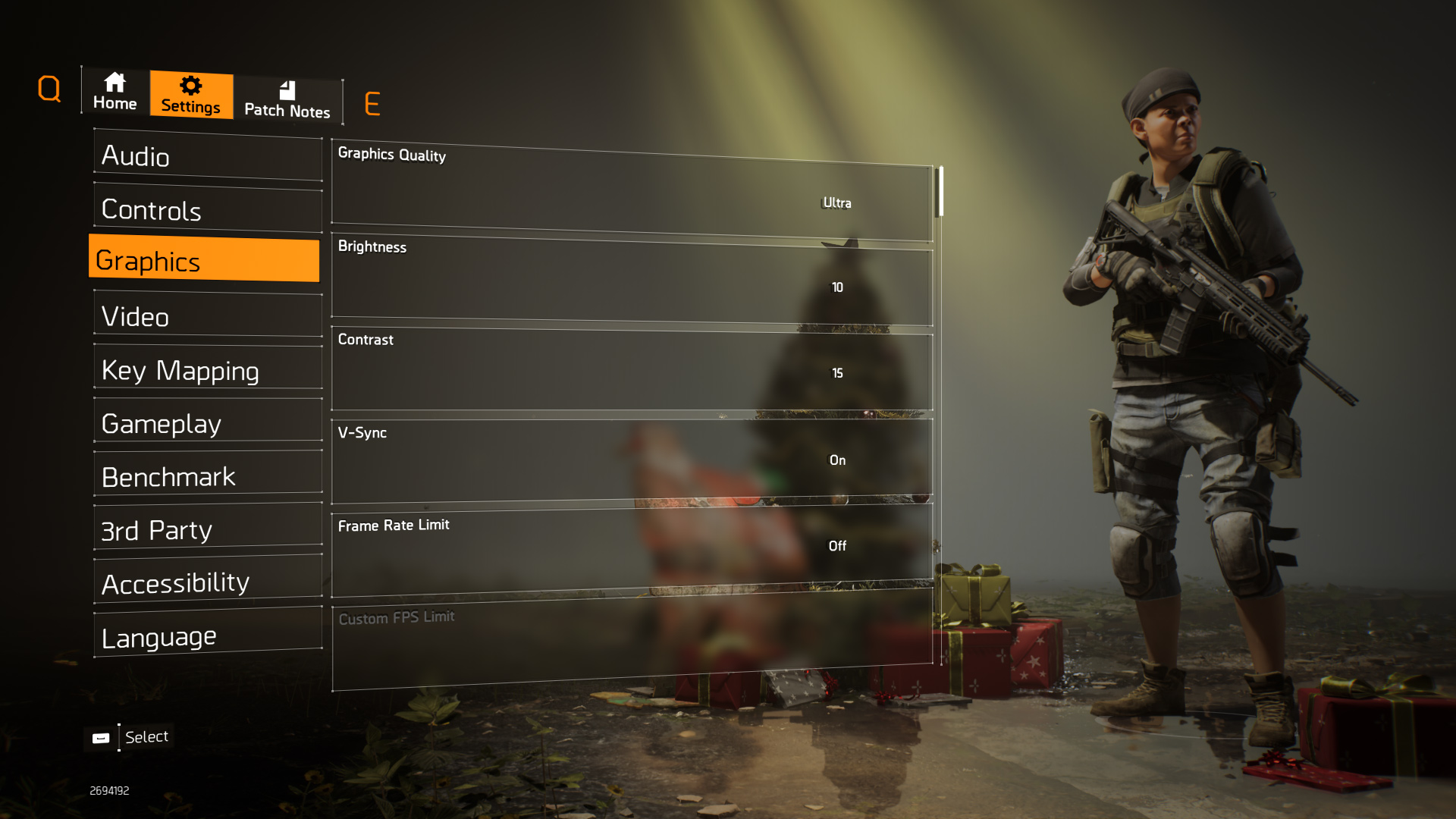
We test using the Ultra preset, but with V-Sync disabled, DX11 API.
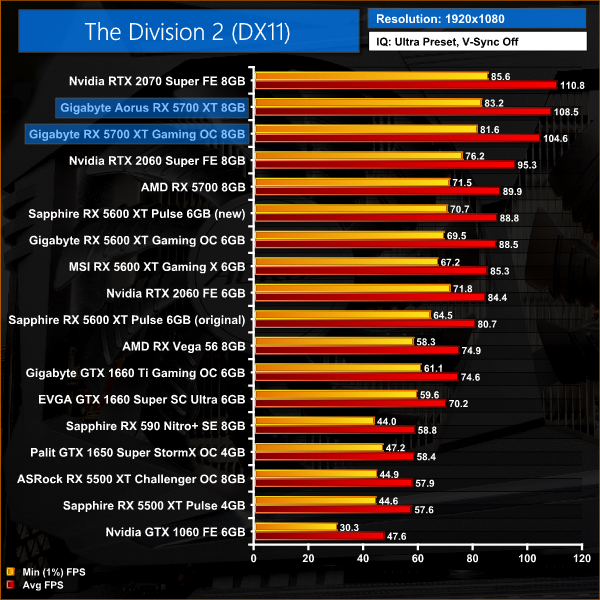
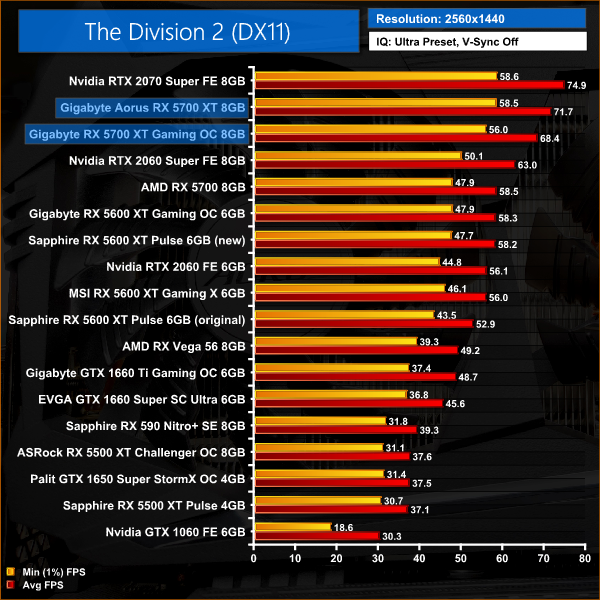
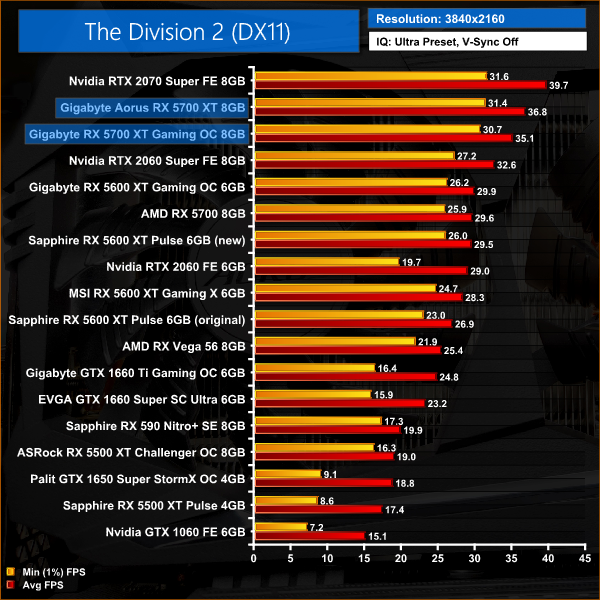
On the other hand, we see a reasonably significant difference between the two 5700 XTs in The Division 2. I've noted previously how this game responds strongly to an increase in clock speed and that certainly benefits the Aorus 5700 XT here – at 1080p, that card is 4% faster than the Gaming OC.
At 1440p, that difference increases to a 5% performance lead for the Aorus card. Both RX 5700 XTs come in slower than the 2070 Super across all resolutions in this title.
F1 2019 is a racing video game based on the 2019 Formula One and Formula 2 Championships. The game is developed and published by Codemasters and is the twelfth title in the Formula One series developed by the studio. The game was announced by Codemasters on 28 March 2019. (Wikipedia).
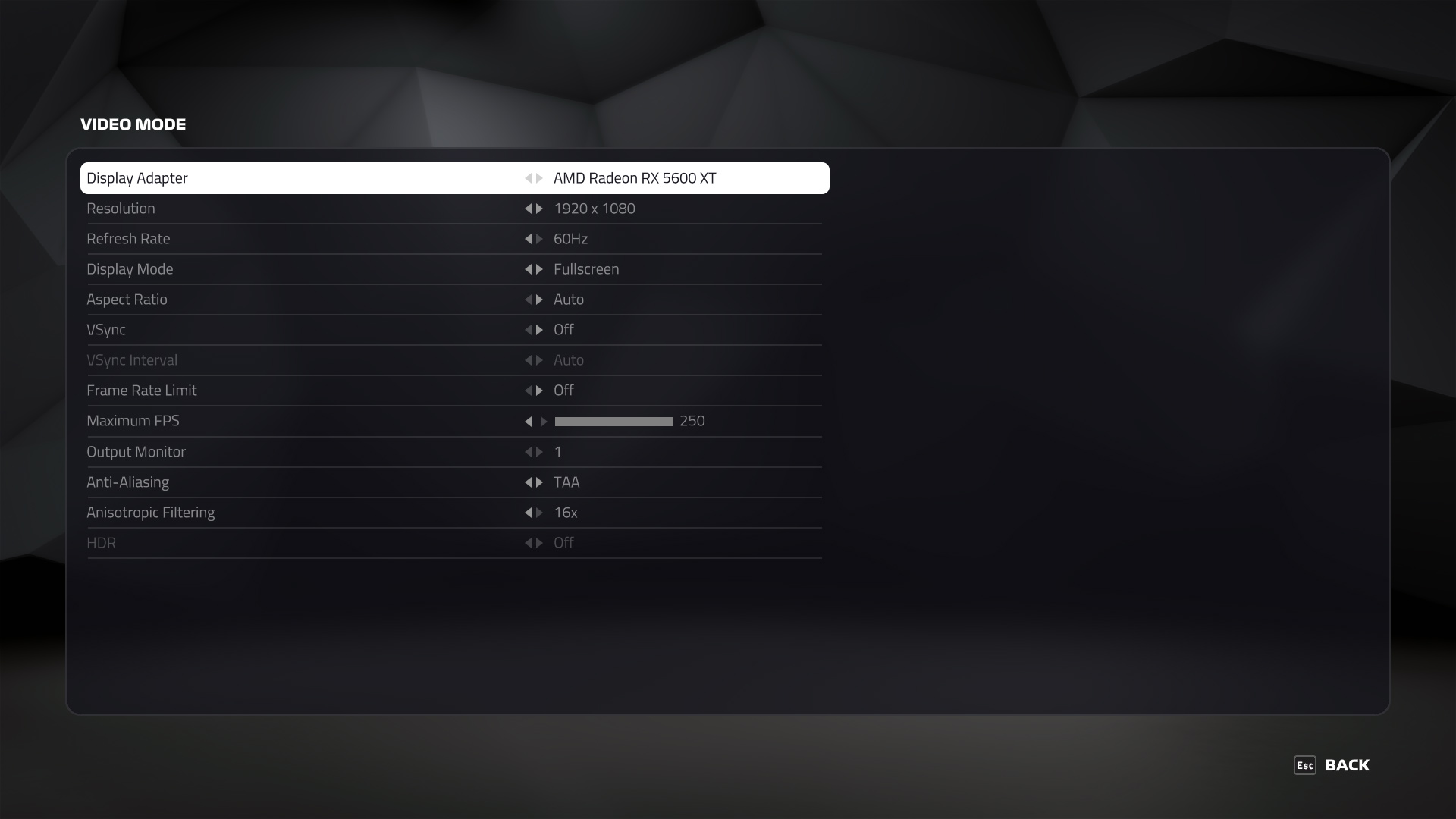
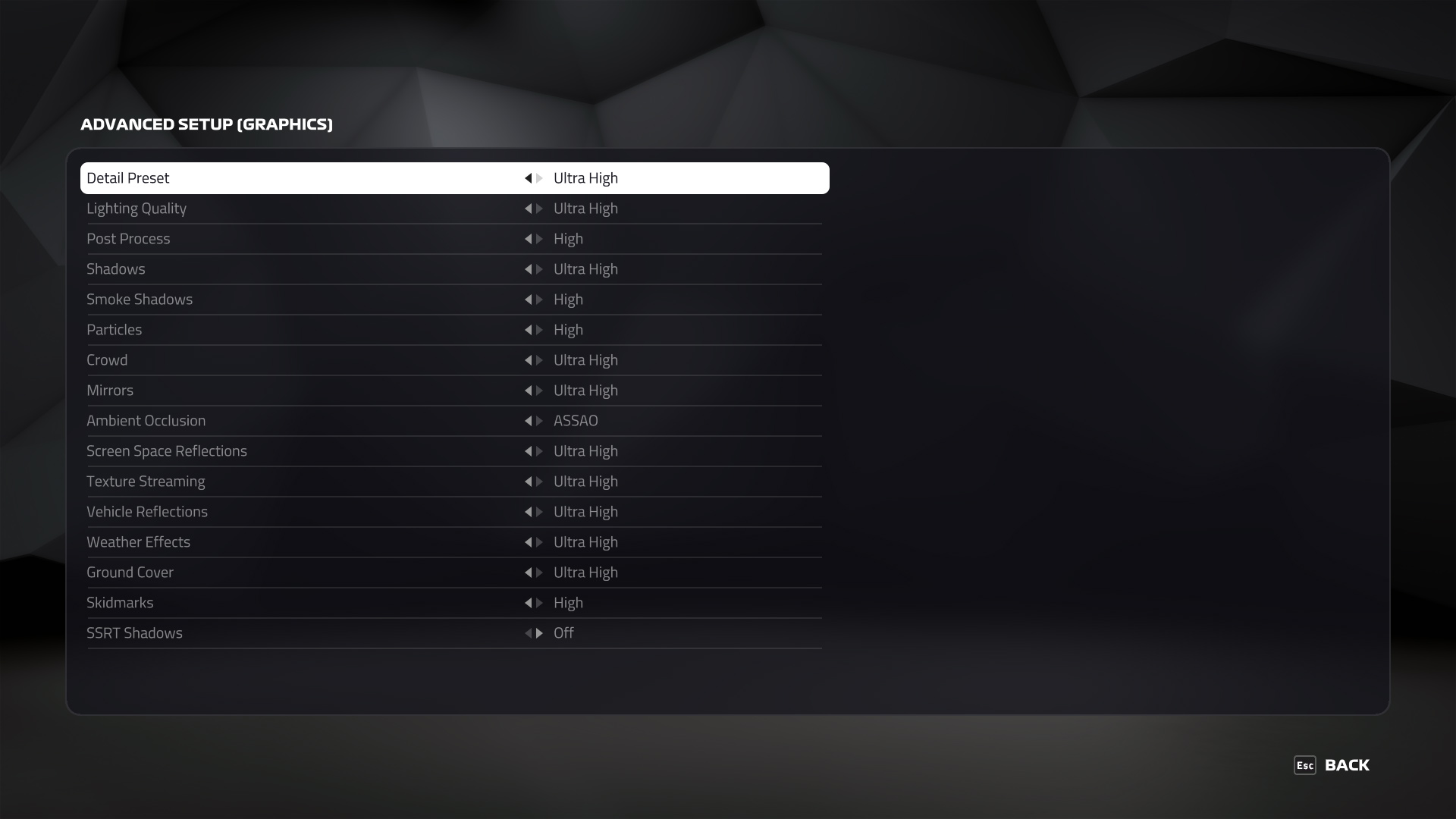
We test using the Ultra High preset, with TAA and 16x Anisotropic Filtering, DX12 API.
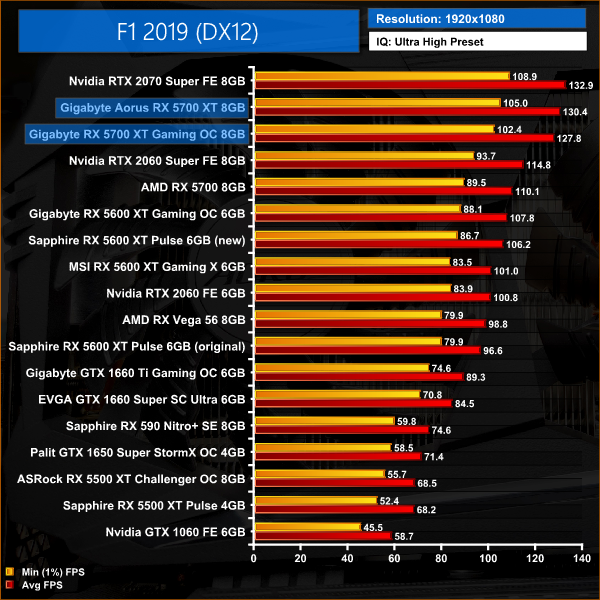
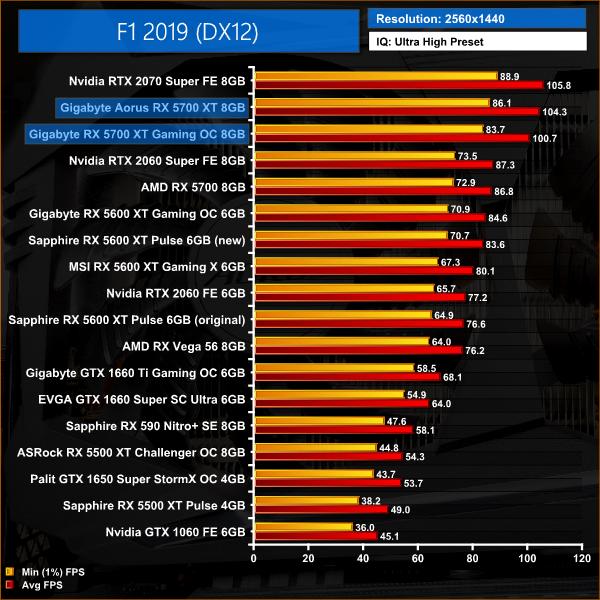
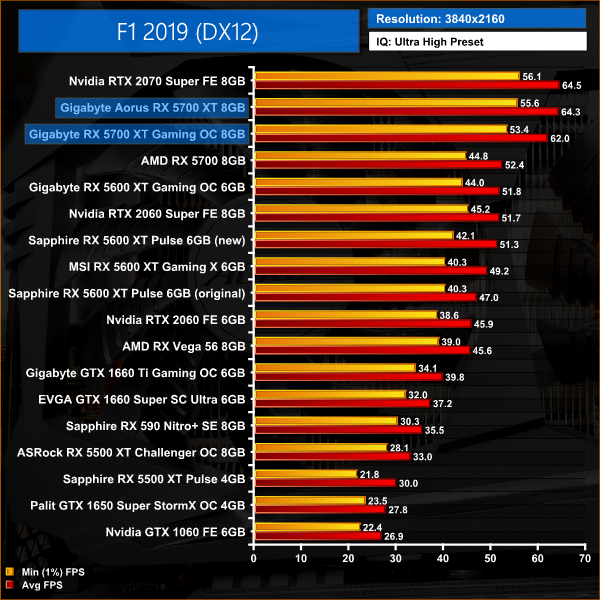
Playing F1 2019 at 1080p doesn't show much of a difference between the two 5700 XT cards, as there is barely a 2% difference between the Aorus and Gaming OC.
At 1440p, however, the Aorus card can stretch its legs a bit more. While it is still slower than the 2070 Super at this resolution, the Aorus is only 1% behind. The Gaming OC, on the other hand, is 5% slower than the Nvidia GPU.
Far Cry New Dawn is an action-adventure first-person shooter developed by Ubisoft Montreal and published by Ubisoft. The game is a spin-off of the Far Cry series and a narrative sequel to Far Cry 5. It was released for Microsoft Windows, PlayStation 4 and Xbox One on February 15, 2019. (Wikipedia).
We test using the Ultra preset, with the HD Textures pack, DX11 API.
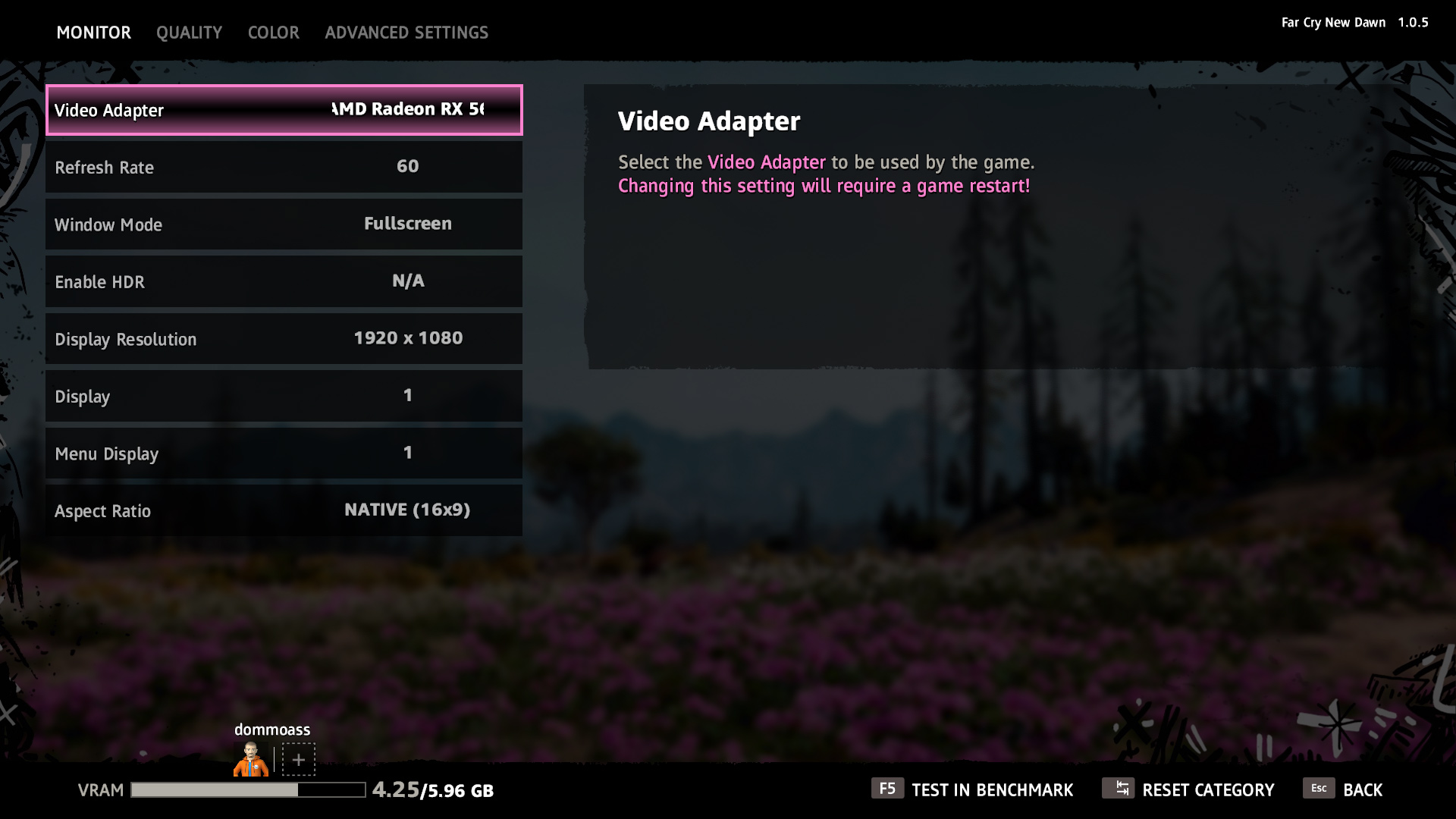
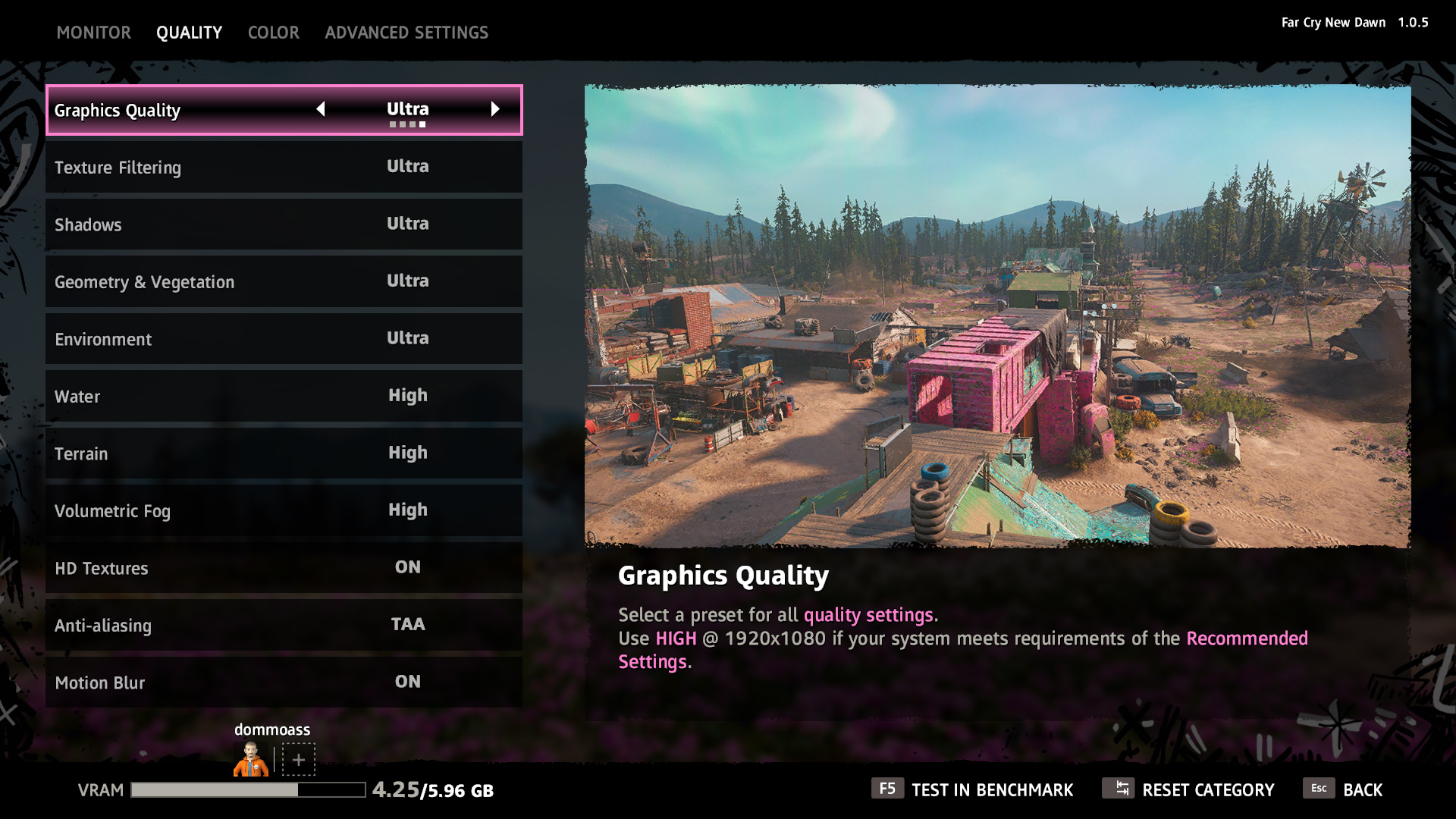
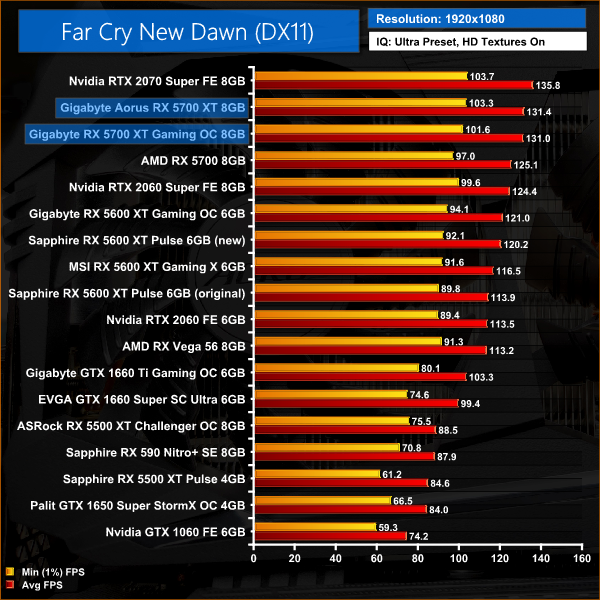
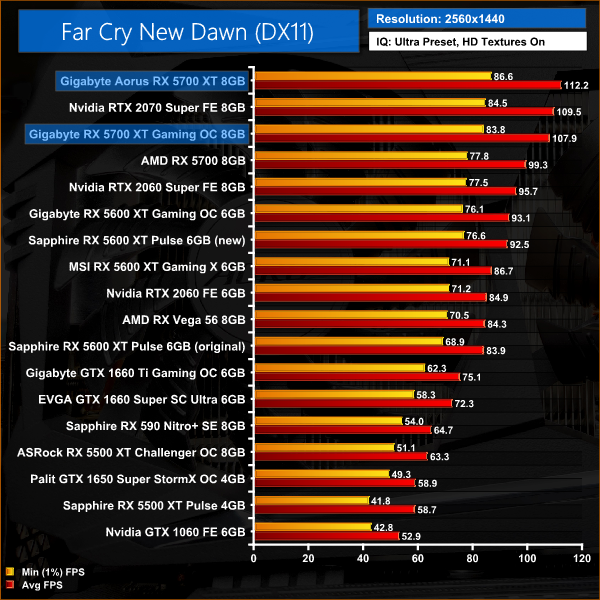
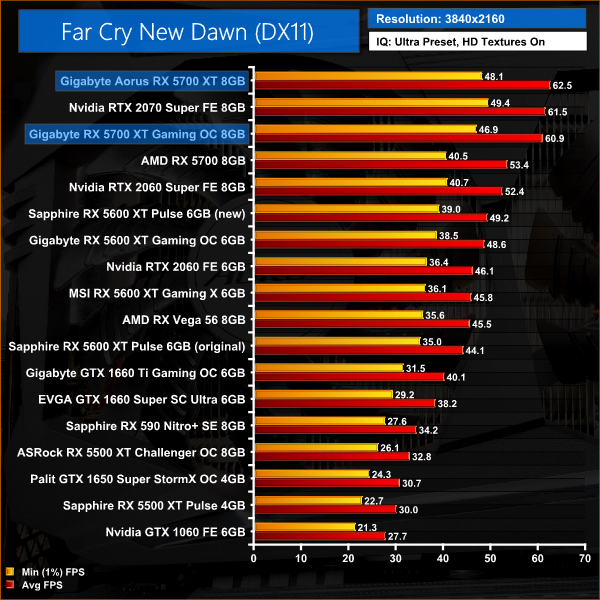
Far Cry New Dawn at 1080p runs into CPU bottlenecking issues which mean there's essentially no difference between the Gaming OC and Aorus 5700 XT cards.
Upping the resolution to 1440p put the emphasis back onto the GPU, and this translates into a 4% lead for the Aorus. Interestingly, at this resolution the increased clock speed takes the Aorus 5700 XT beyond the 2070 Super, while the Gaming OC is still marginally slower than that Nvidia card.
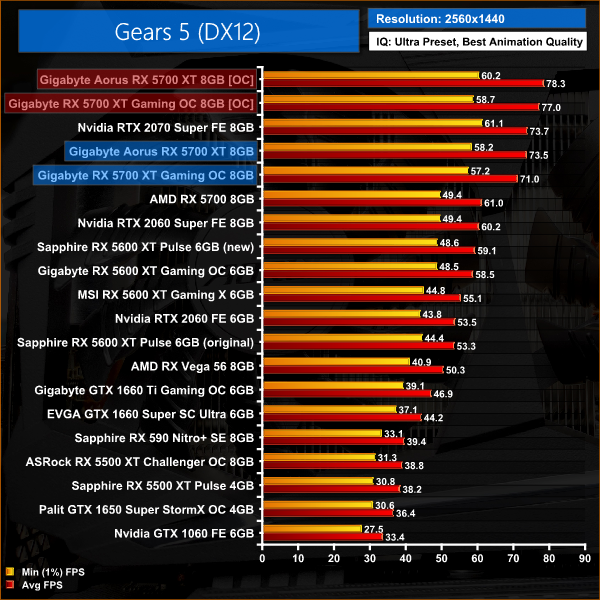
Gears 5 is a third-person shooter video game developed by The Coalition and published by Xbox Game Studios for Microsoft Windows and Xbox One. It is the sixth instalment of the Gears of War series, and is the second Gears of War game not to be developed by Epic Games.
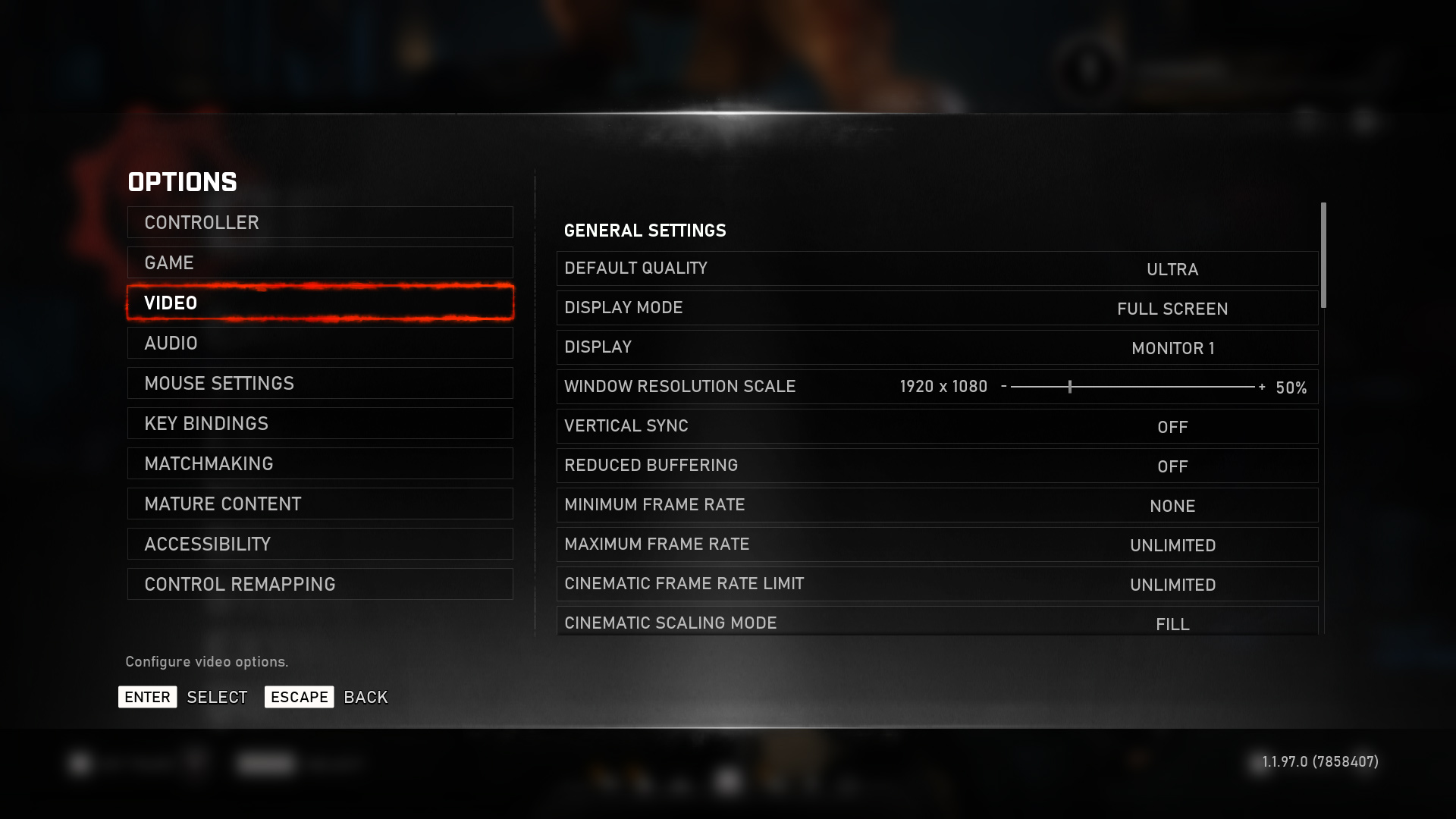
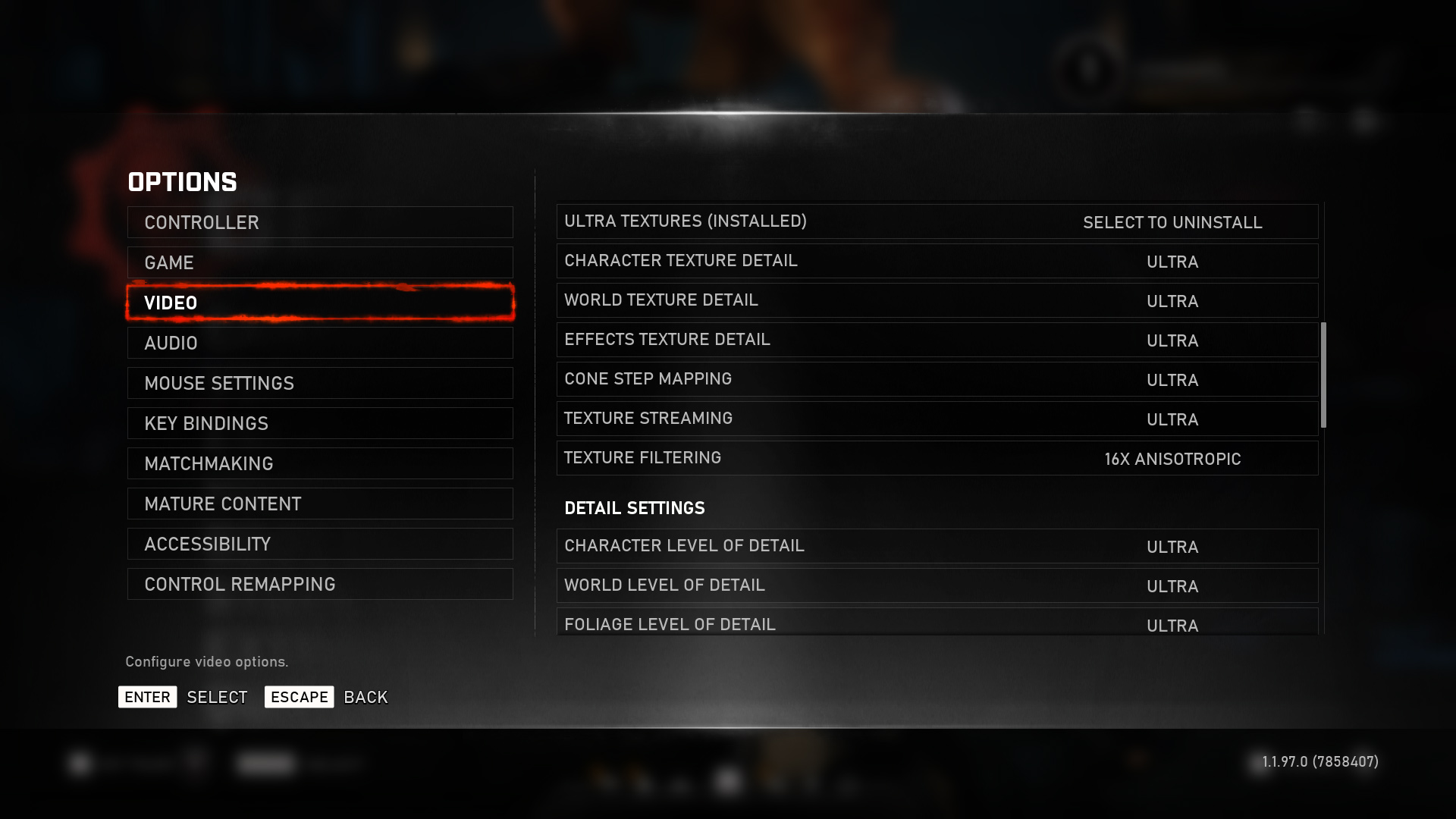
We test using the Ultra preset, with Best Animation Quality (instead of Auto), DX12 API.
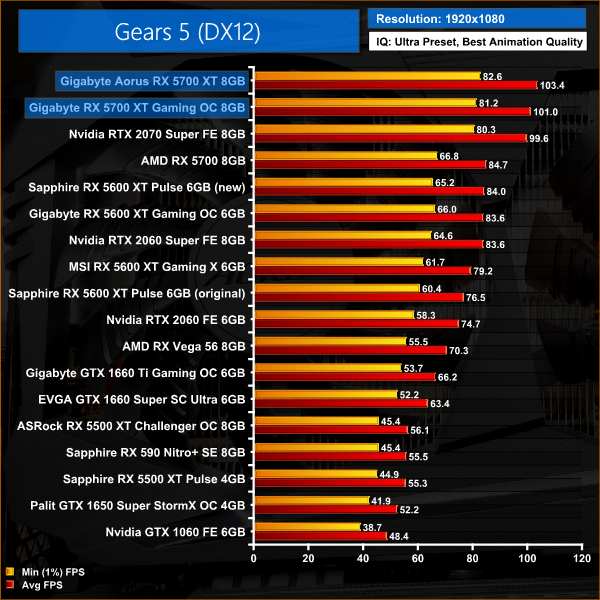
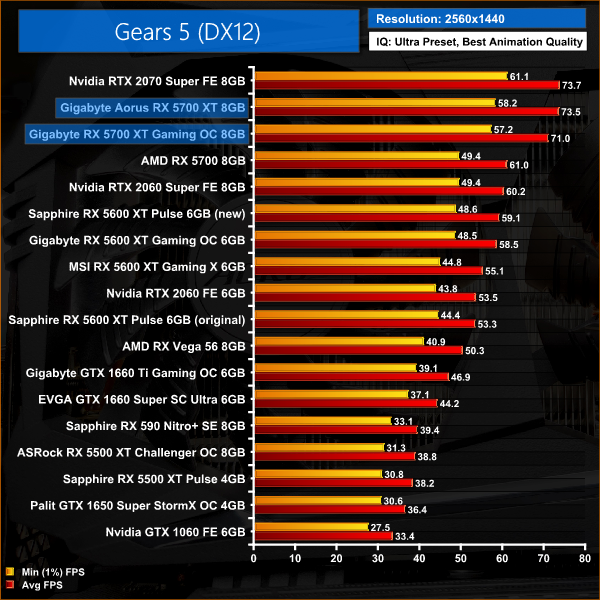
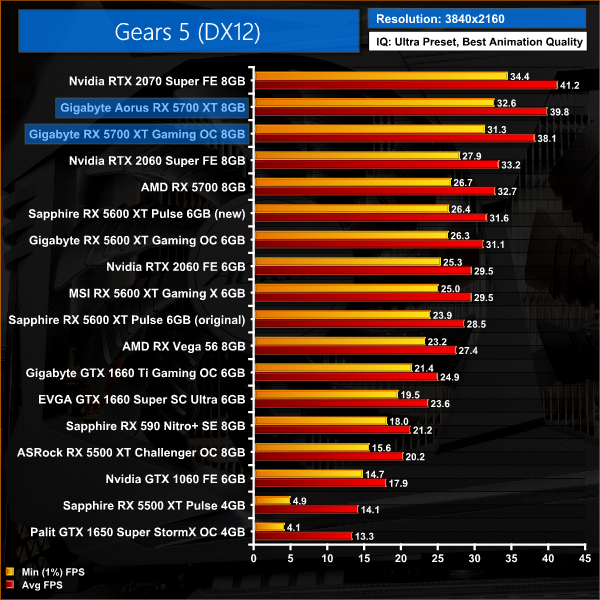
As we have seen in a couple of other titles so far, the difference between our two RX 5700 XTs isn't huge when gaming at 1080p in Gears 5 – there's just a 2% gap between the Aorus and Gaming OC cards.
Stepping up to 1440p, however, we again see the Aorus take a 4% lead over the Gaming OC. This is enough to put the Aorus card on equal footing with the 2070 Super, while the Gaming OC is still a couple frames slower.
Tom Clancy's Ghost Recon Breakpoint is an online tactical shooter video game developed by Ubisoft Paris and published by Ubisoft. The game was released worldwide on 4 October 2019, for Microsoft Windows, PlayStation 4 and Xbox One, (Wikipedia).
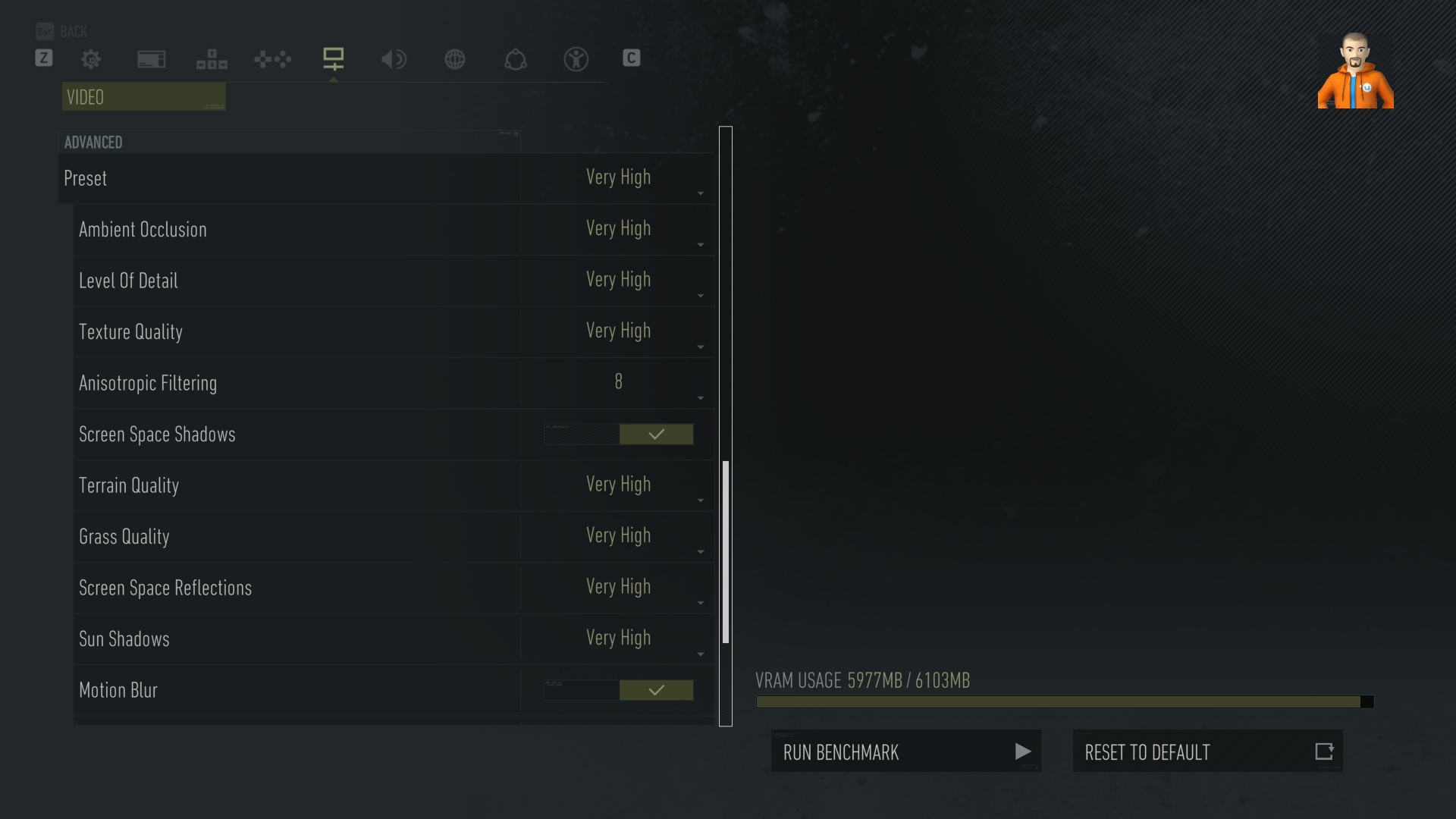
We test using the Very High preset, with AA disabled, DX11 API.
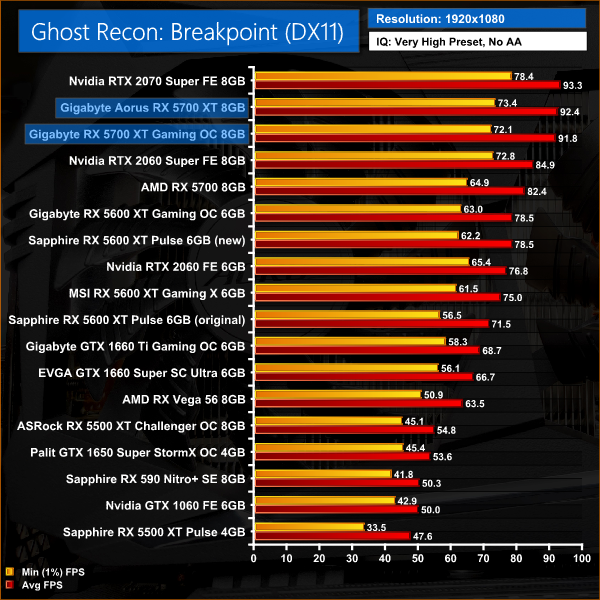
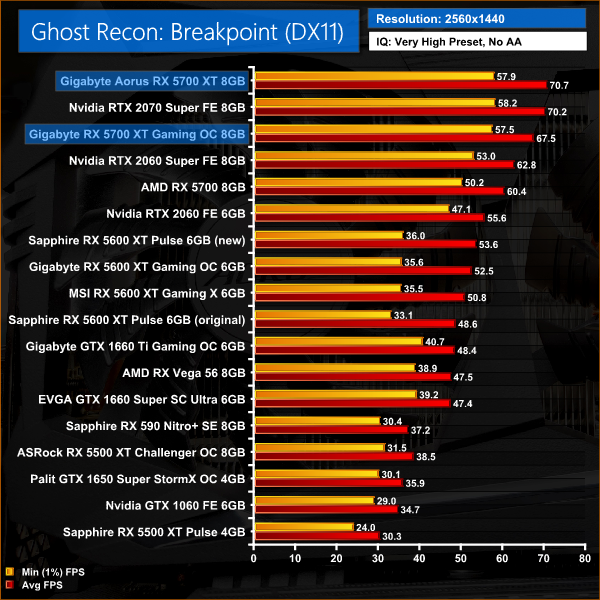
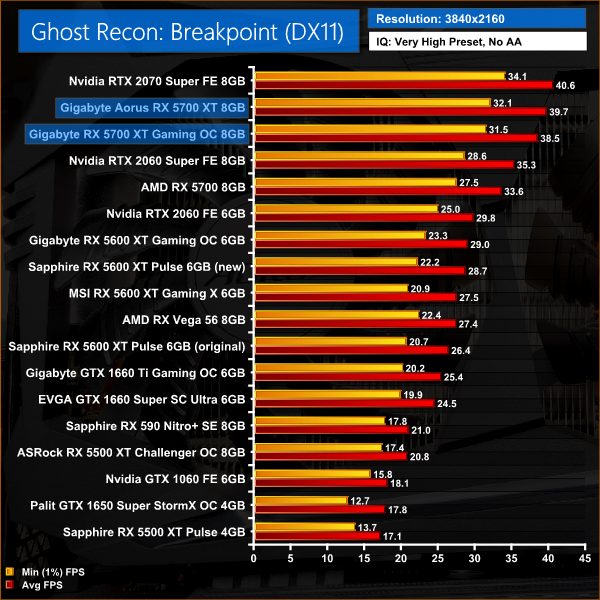
In an almost identical fashion to Gears 5, there's just a 1% gap between the Gaming OC and the Aorus when playing Breakpoint at 1080p. Step up to 1440p, however, and the Aorus uses its increased clock speed to develop a 5% advantage over the Gaming OC, one of the biggest differences between the two cards we will see today.
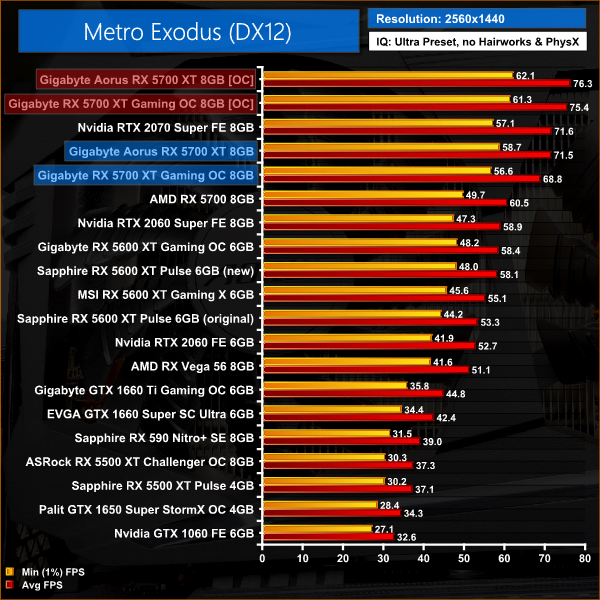
Metro Exodus is a first-person shooter video game developed by 4A Games and published by Deep Silver in 2019. It is the third instalment in the Metro video game series based on Dmitry Glukhovsky's novels, following the events of Metro 2033 and Metro: Last Light. (Wikipedia).
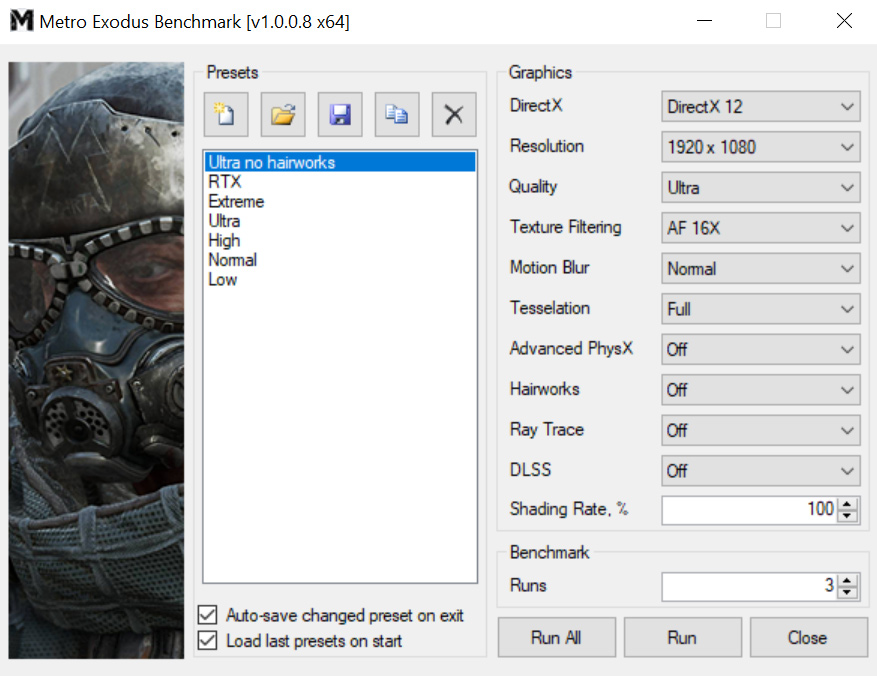
We test using the Ultra preset, but with Hairworks and Advanced PhysX turned off, DX12 API.
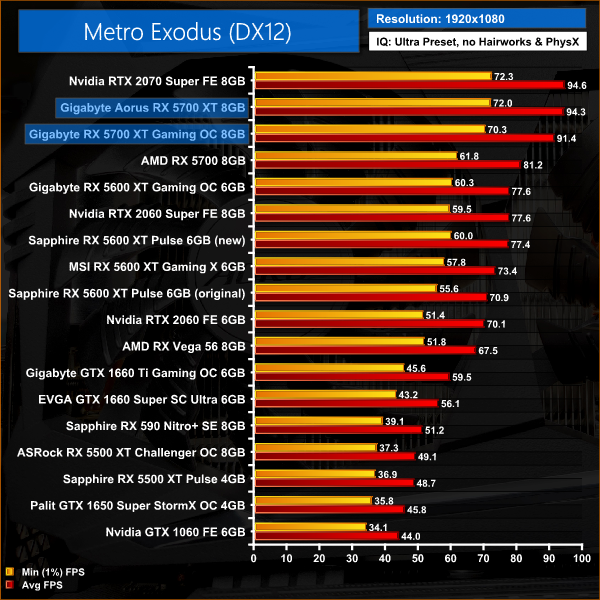
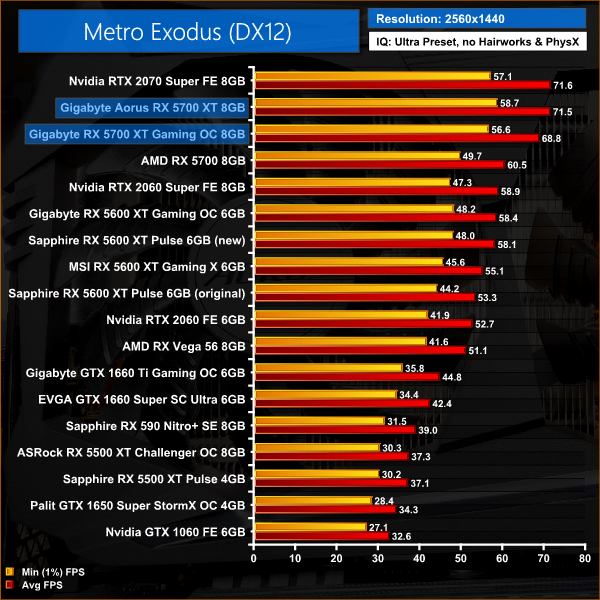
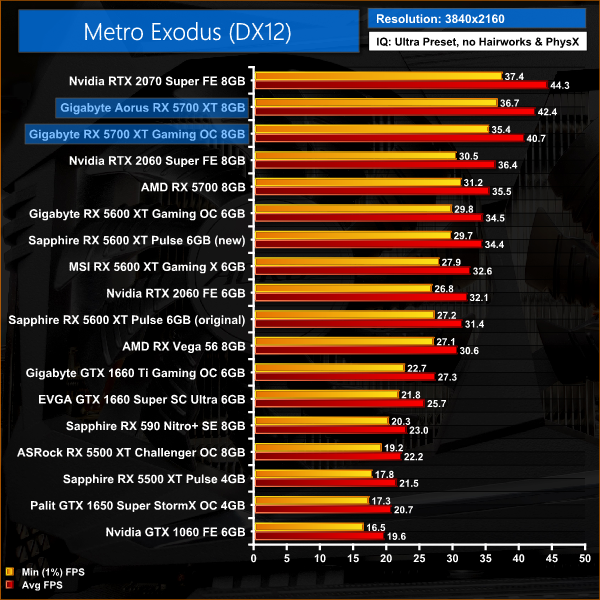
As for Metro Exodus, this title is a bit more consistent when directly comparing the two 5700 XTs. At 1080p for instance, the Aorus is 3% faster than the Gaming OC, while at 1440p the difference between the two is 4%. At that resolution, the Aorus is going toe-to-toe with the 2070 Super, but the Gaming OC is 4% slower.
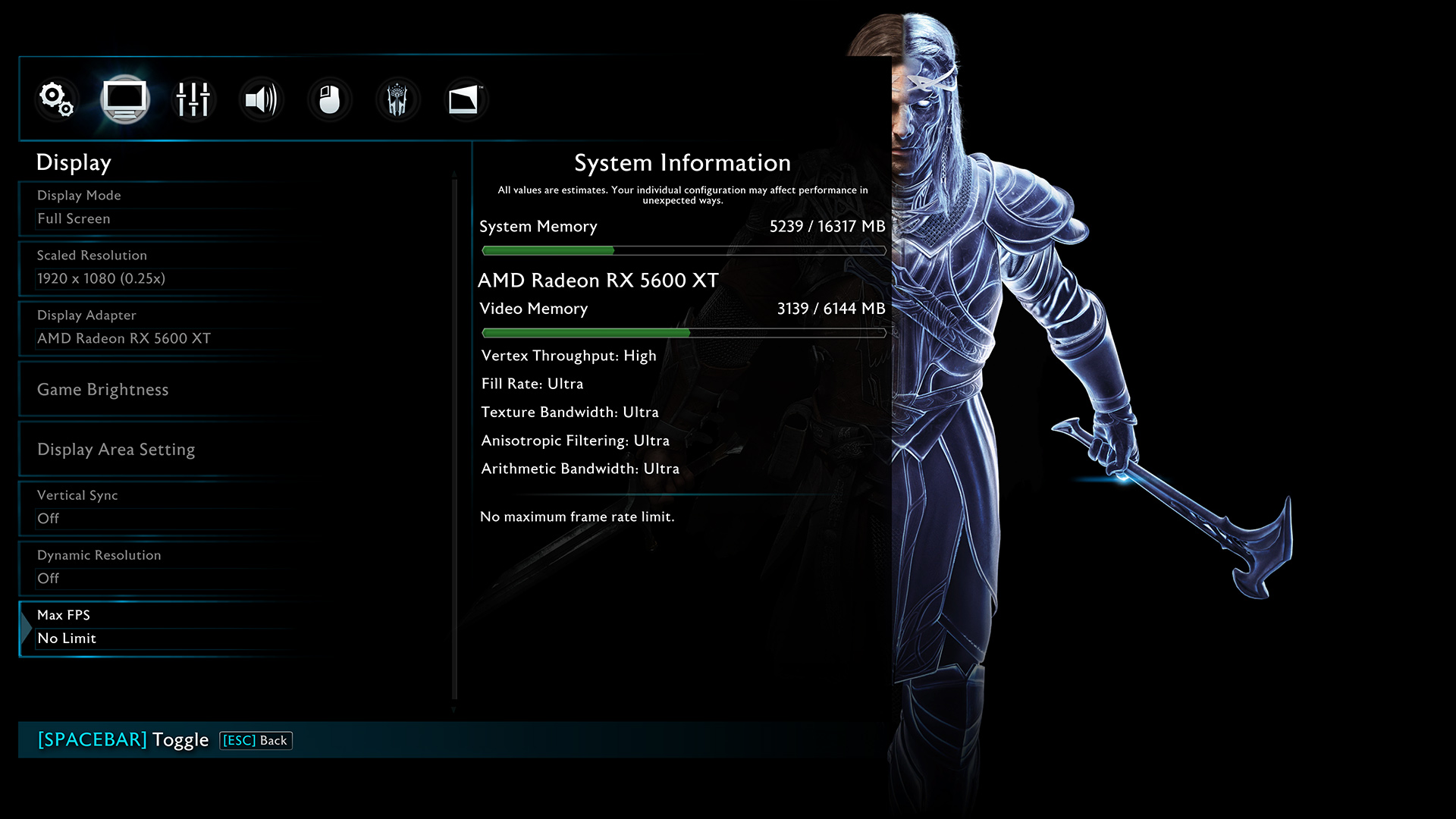
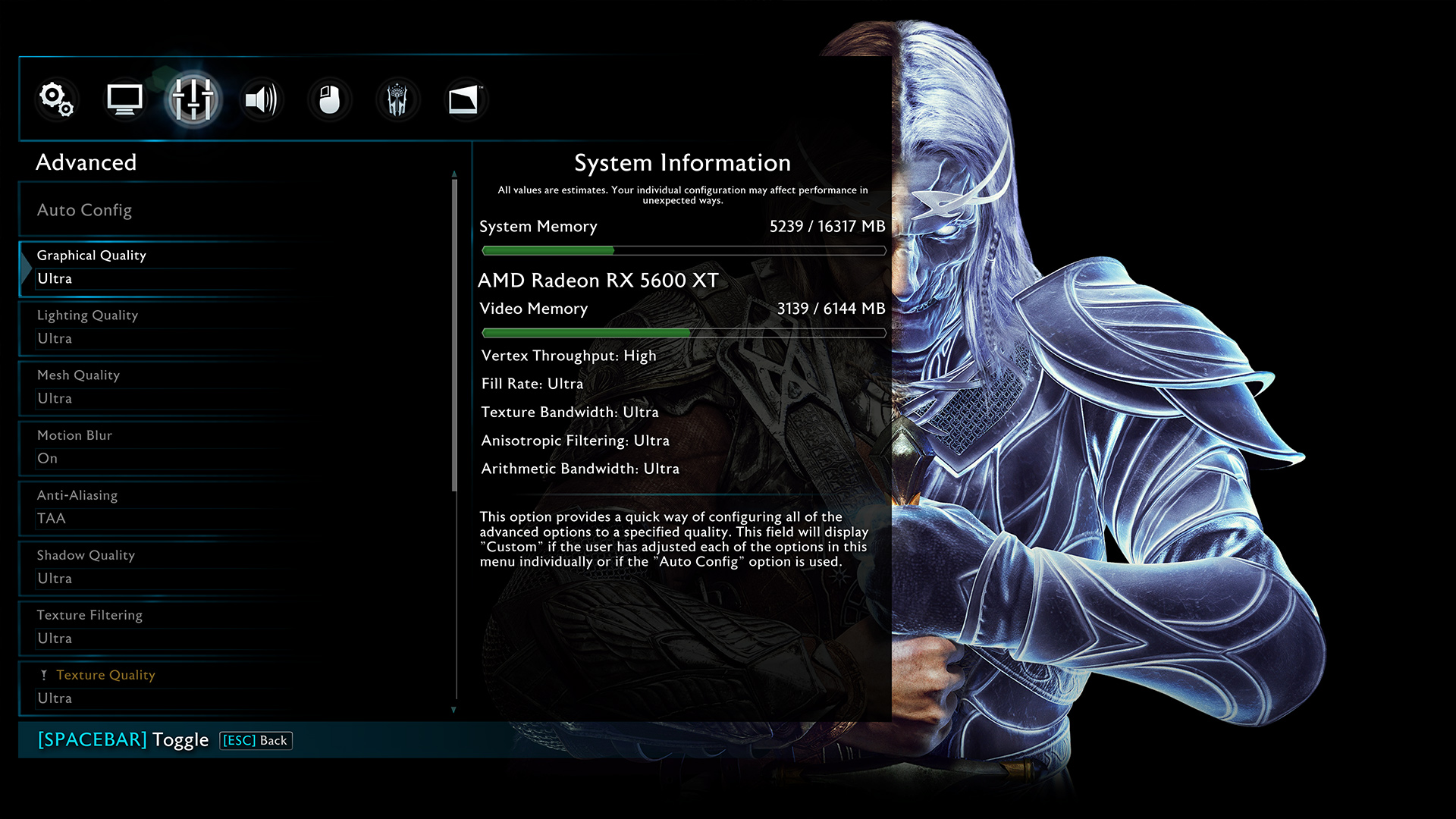
Middle-earth: Shadow of War is an action role-playing video game developed by Monolith Productions and published by Warner Bros. Interactive Entertainment. It is the sequel to 2014’s Middle-earth: Shadow of Mordor, and was released worldwide for Microsoft Windows, PlayStation 4, and Xbox One on October 10, 2017. (Wikipedia).
We test using the Very High preset, DX11 API.
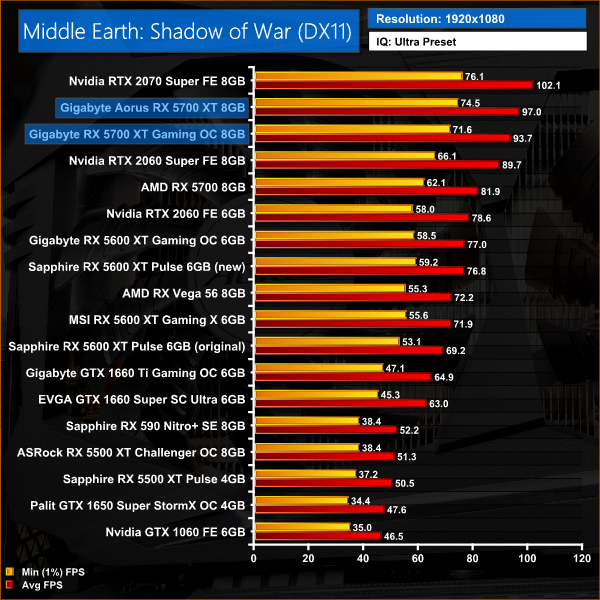
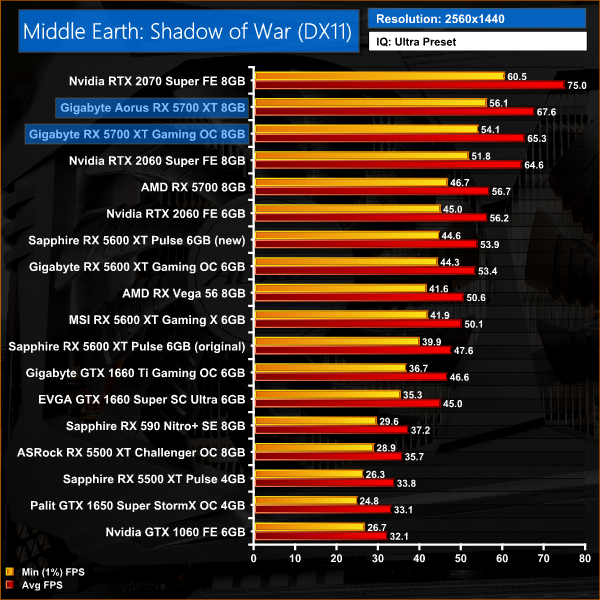
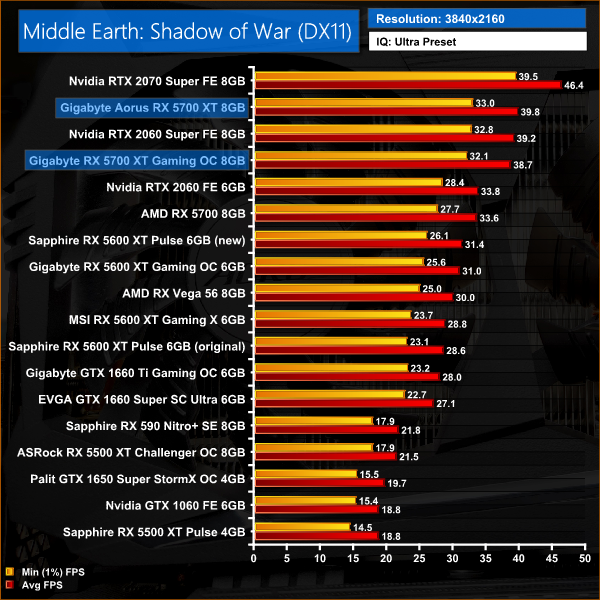
Despite the Aorus RX 5700 XT coming in 4% faster than the Gaming OC at both 1080p and 1440p resolution, it isn't enough to close the gap on the RTX 2070 Super in Middle Earth : Shadow of War. The Aorus 5700 XT is 10% slower at 1440p, while the Gaming OC is further behind, with a 13% performance deficit.
Red Dead Redemption 2 is a 2018 action-adventure game developed and published by Rockstar Games. The game is the third entry in the Red Dead series and is a prequel to the 2010 game Red Dead Redemption. Red Dead Redemption 2 was released for the PlayStation 4 and Xbox One in October 2018, and for Microsoft Windows and Stadia in November 2019. (Wikipedia).
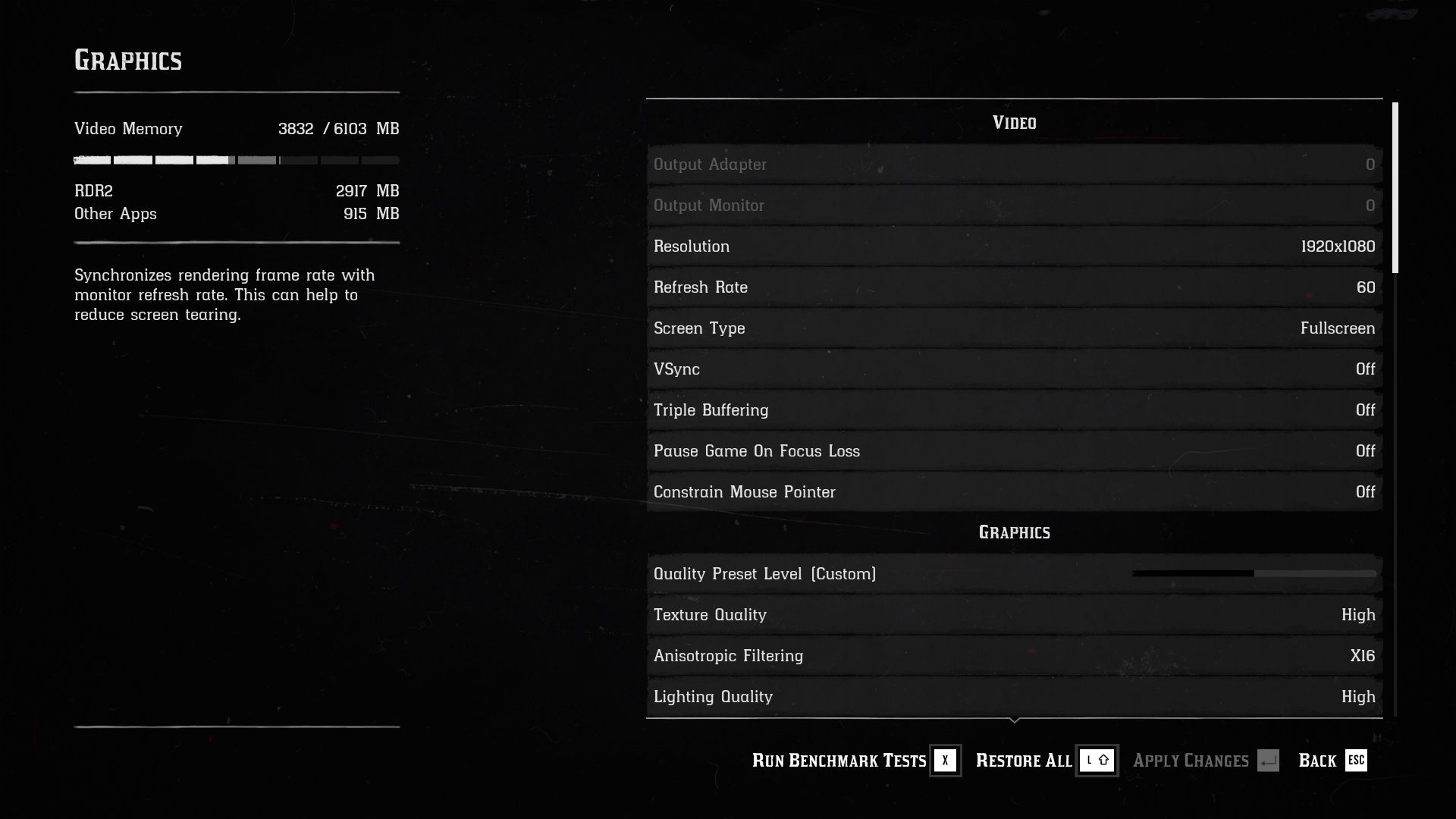
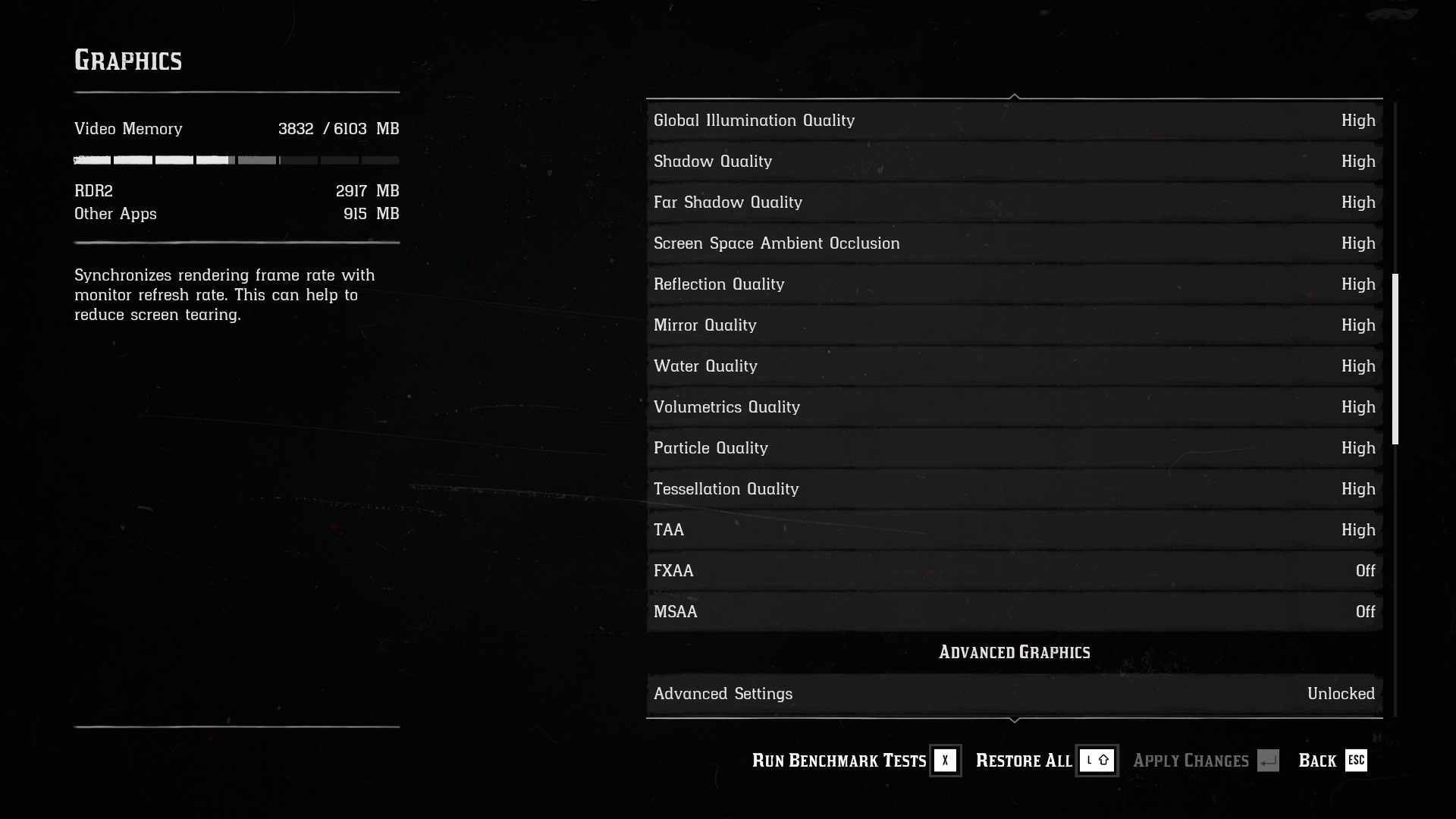
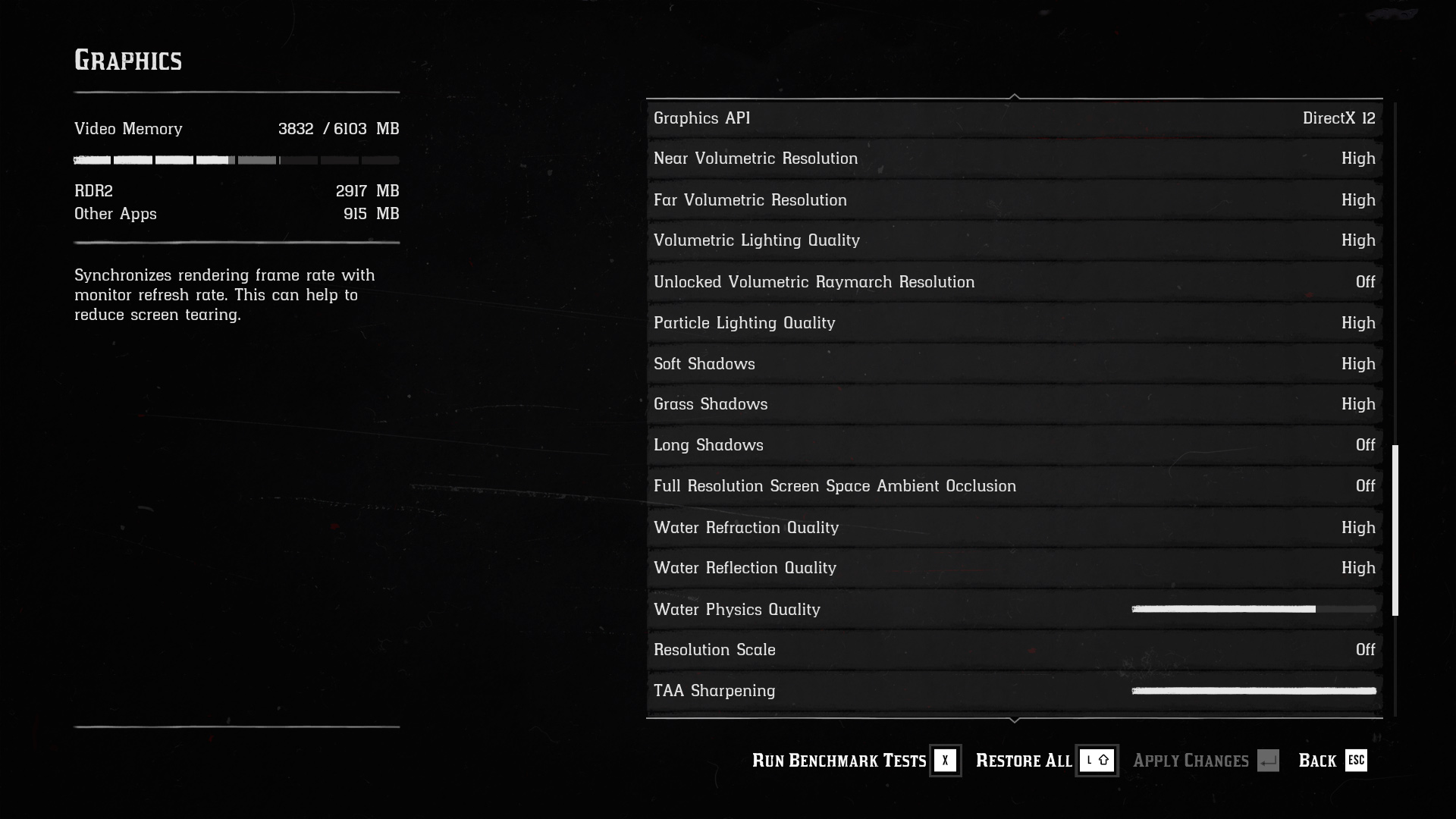
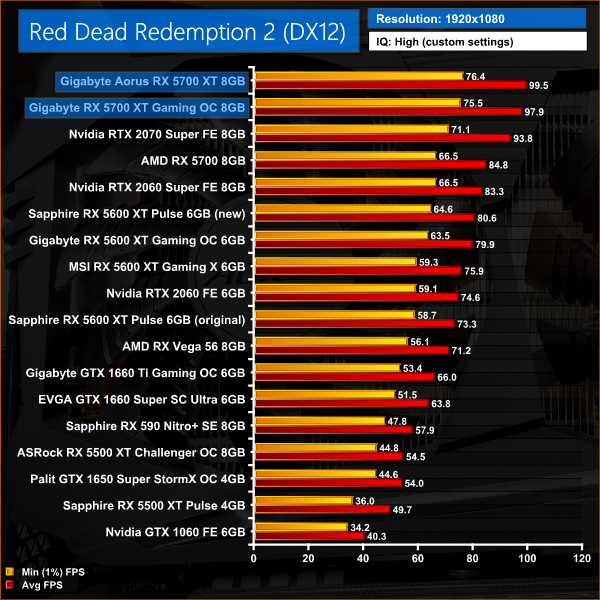
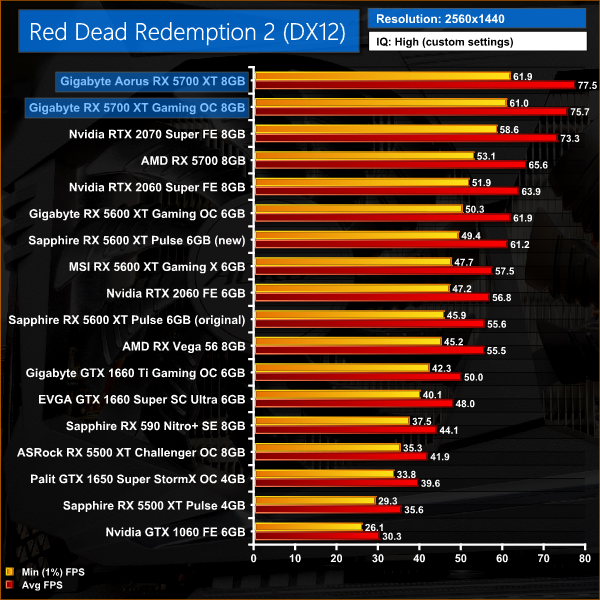
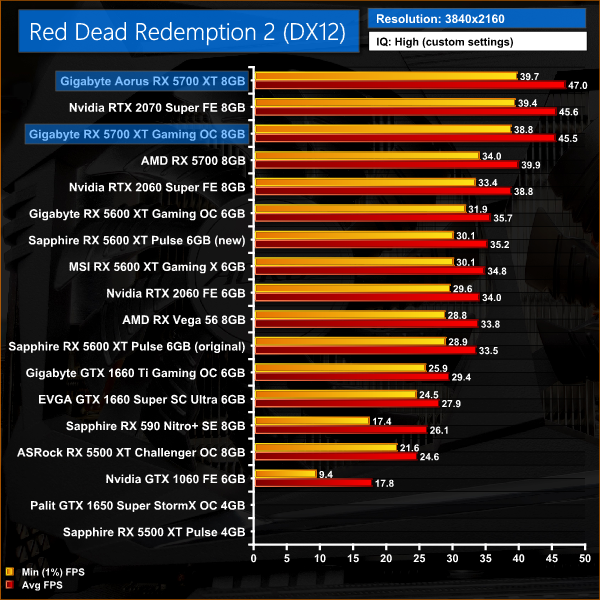
Red Dead Redemption 2 is an interesting game for this comparison. Despite being an intensive modern title, the Aorus' extra clock speed doesn't bring it much benefit – at both 1080p and 1440p resolutions, the Aorus is only 2% faster than the Gaming OC, which are some of the smallest performance differences we have seen today. Both RX 5700 XTs are also faster than the 2070 Super at 1080p and 1440p.
Shadow of the Tomb Raider is an action-adventure video game developed by Eidos Montréal in conjunction with Crystal Dynamics and published by Square Enix. It continues the narrative from the 2013 game Tomb Raider and its sequel Rise of the Tomb Raider, and is the twelfth mainline entry in the Tomb Raider series. The game released worldwide on 14 September 2018 for Microsoft Windows, PlayStation 4 and Xbox One. (Wikipedia).
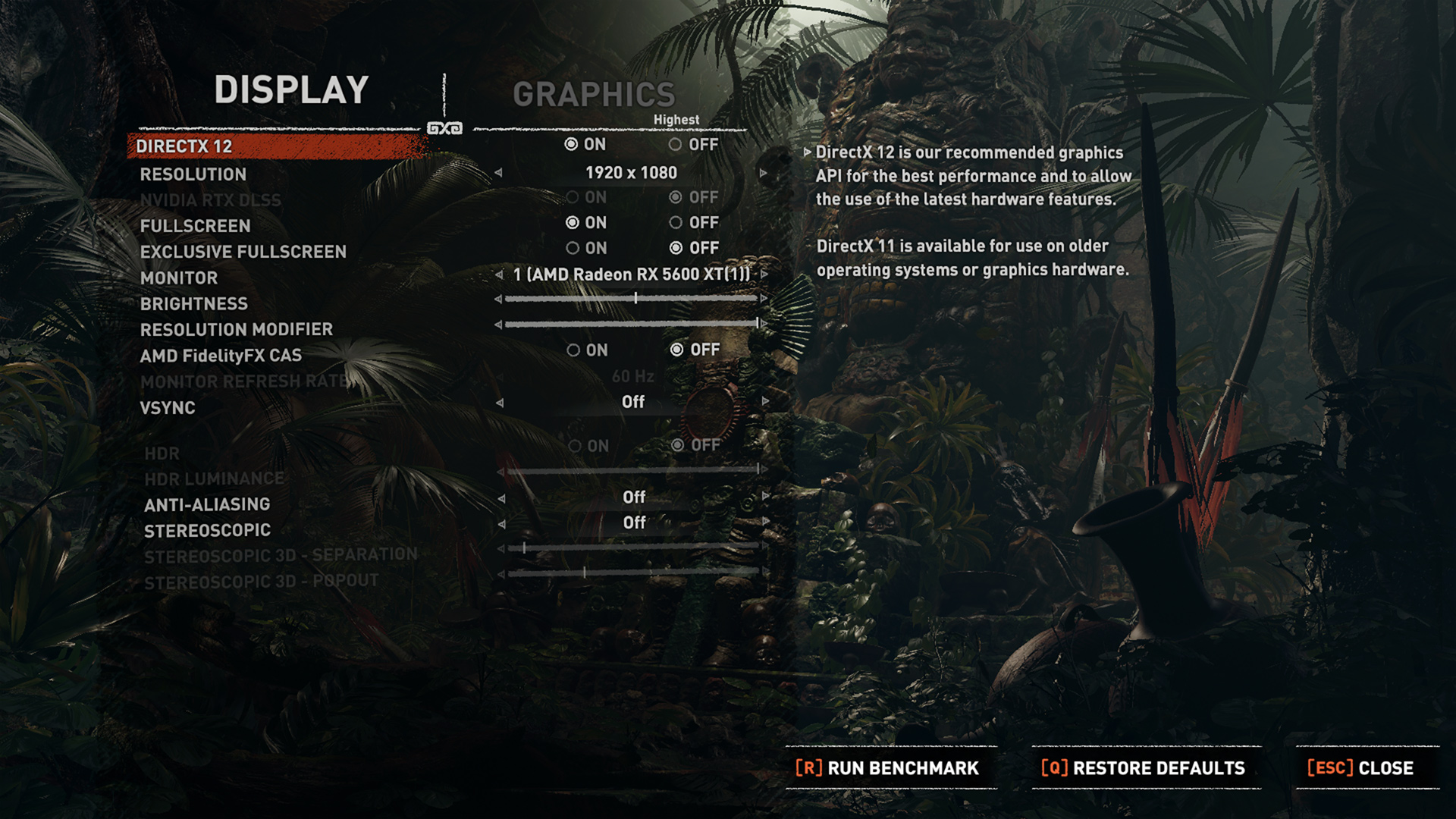
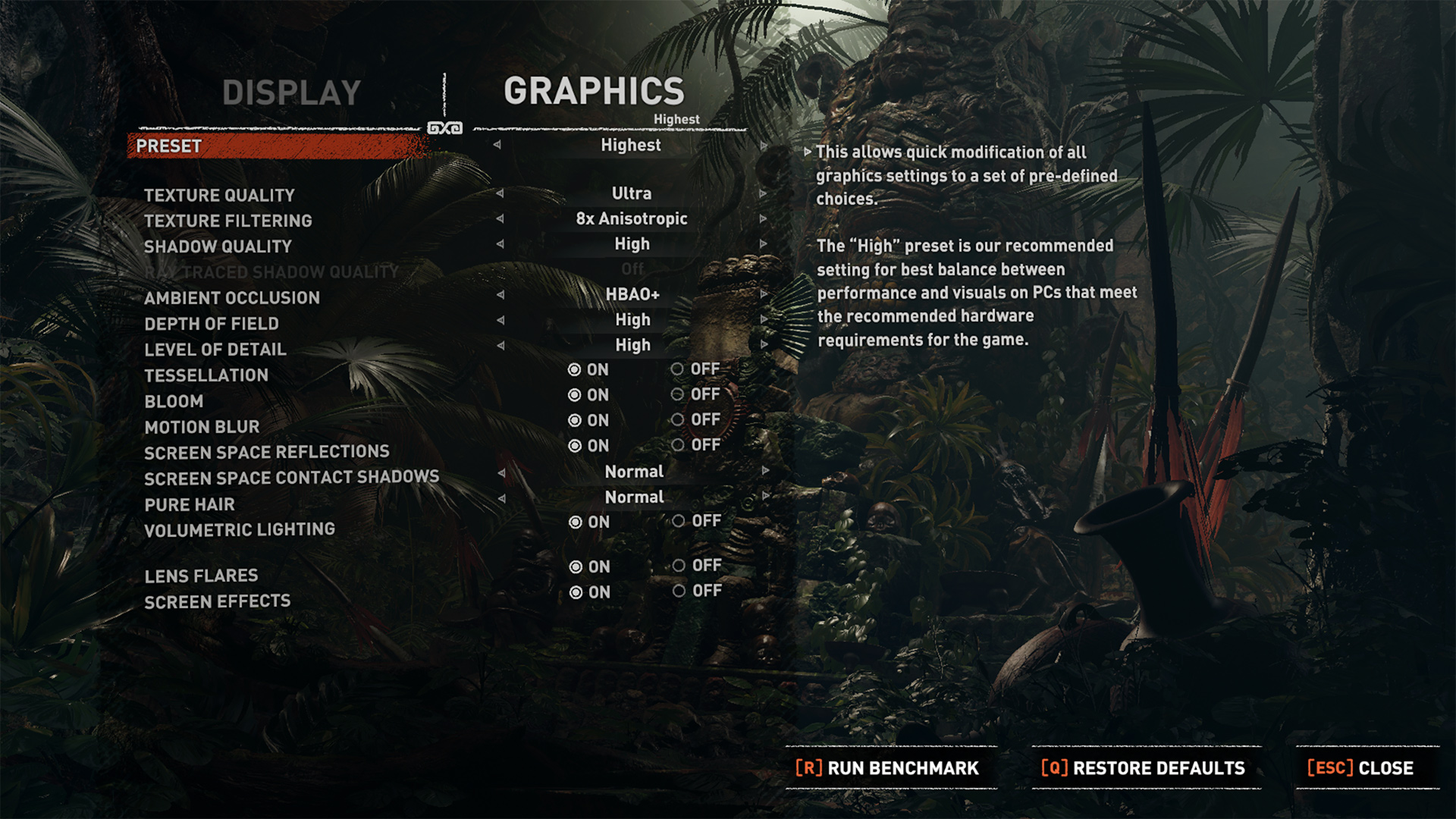
We test using the Highest preset, with AA disabled, DX12 API.
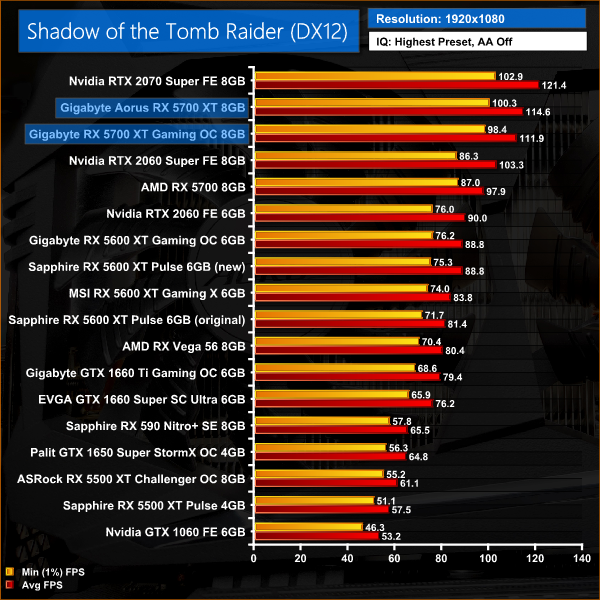
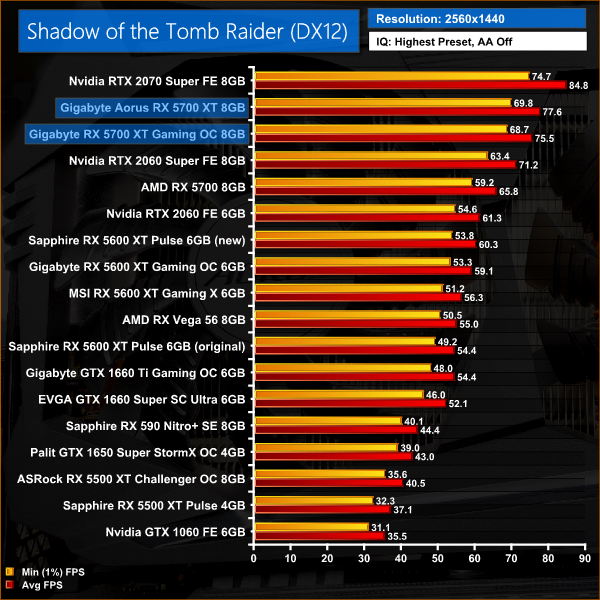
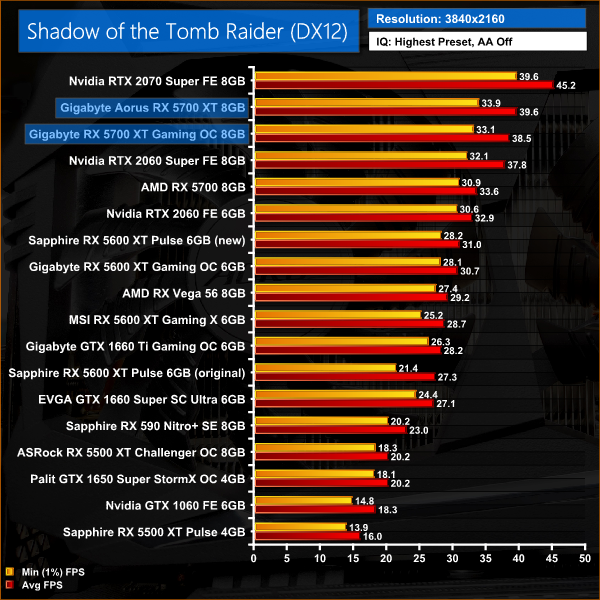
In Shadow of the Tomb Raider, we can again see both RX 5700 XTs fall behind the 2070 Super. That said, the increased clock speed for the Aorus card helps it close the gap on the Nvidia card – it's just 8% slower at 1440p, compared to the Gaming OC which is 11% slower at that same resolution.
Total War: Three Kingdoms is a turn-based strategy real-time tactics video game developed by Creative Assembly and published by Sega. As the 12th mainline entry (the 13th entry) in the Total War series, the game was released for Microsoft Windows on May 23, 2019.
We test using the Ultra preset, DX11 API.
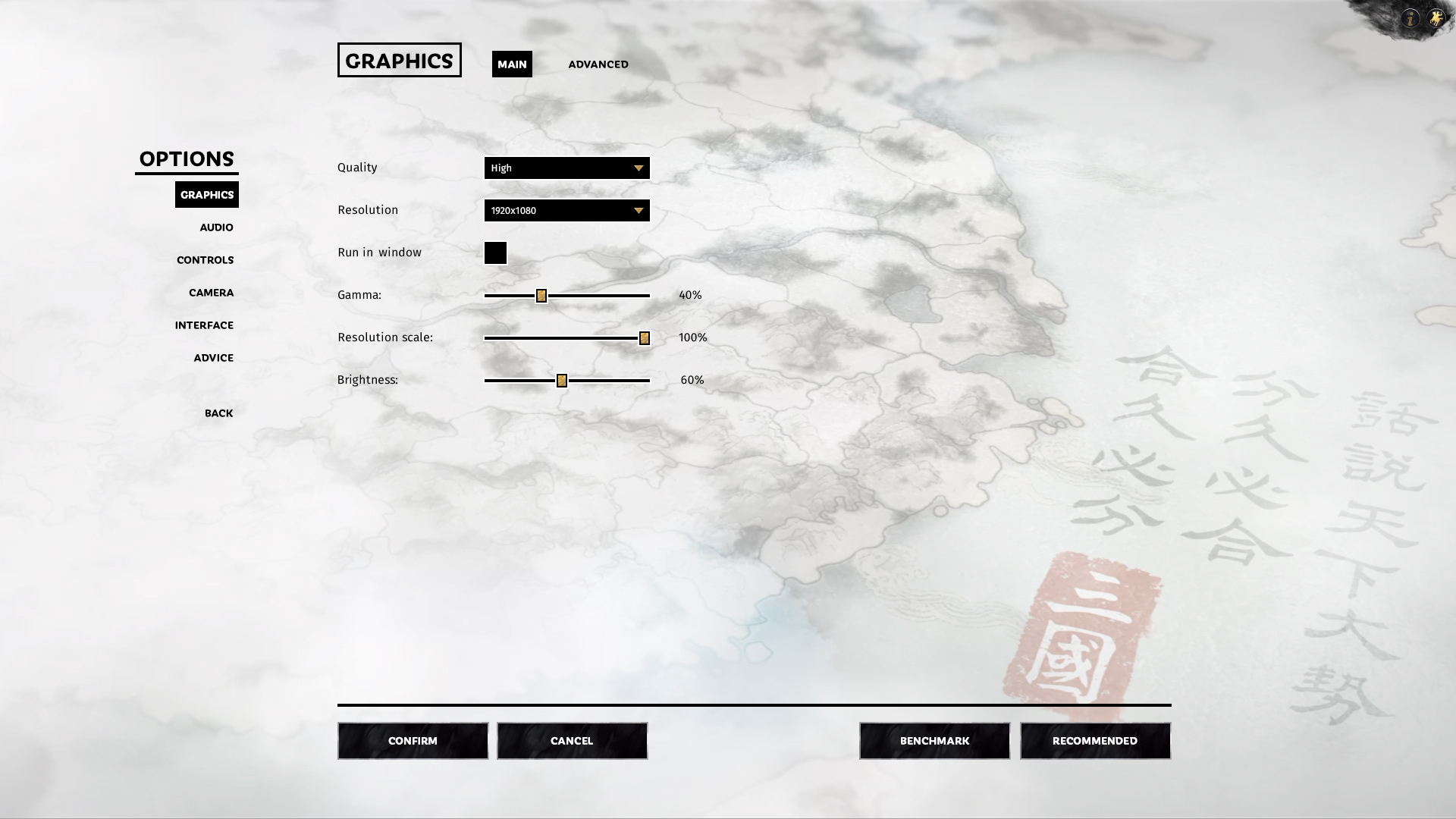
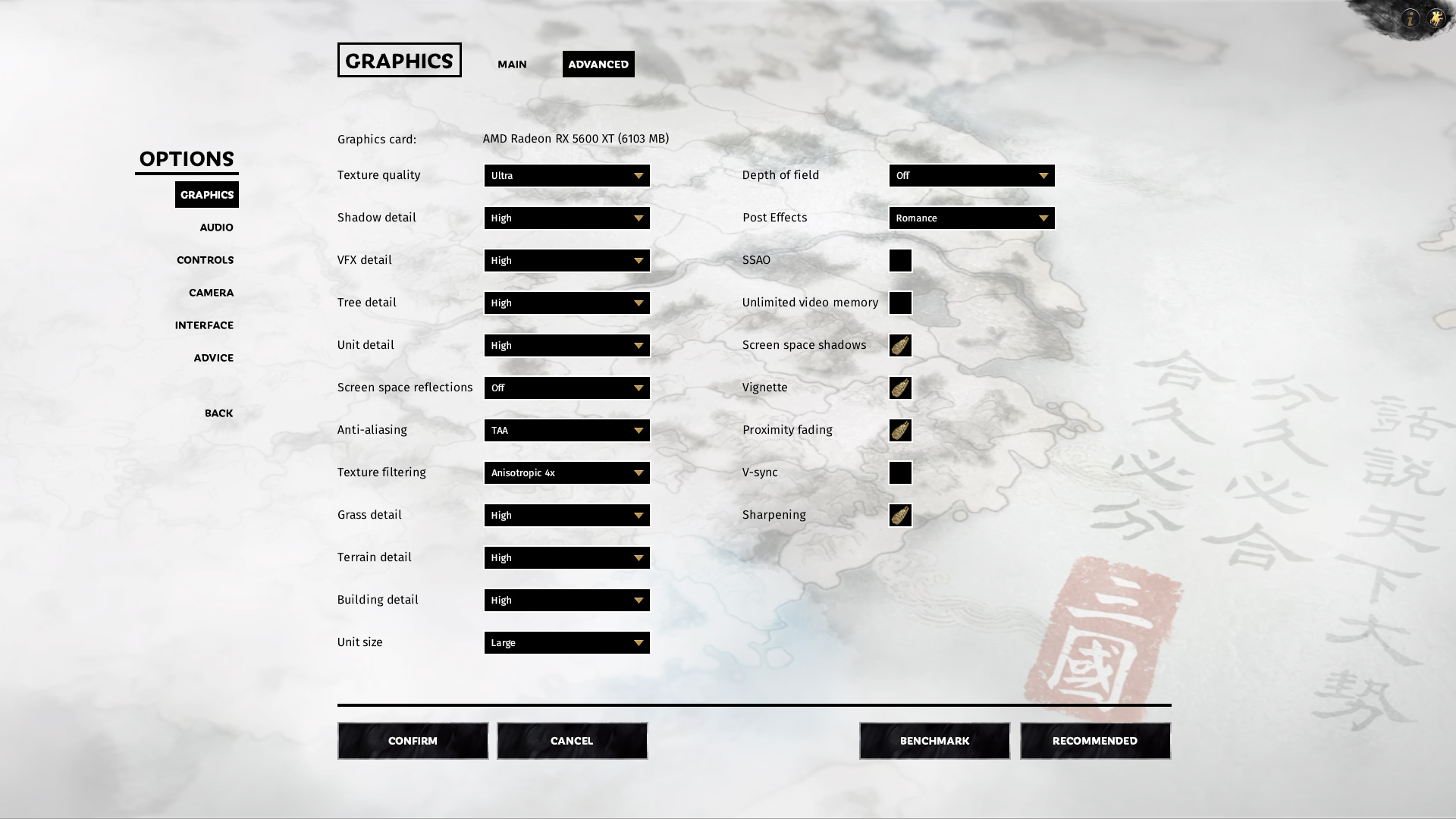
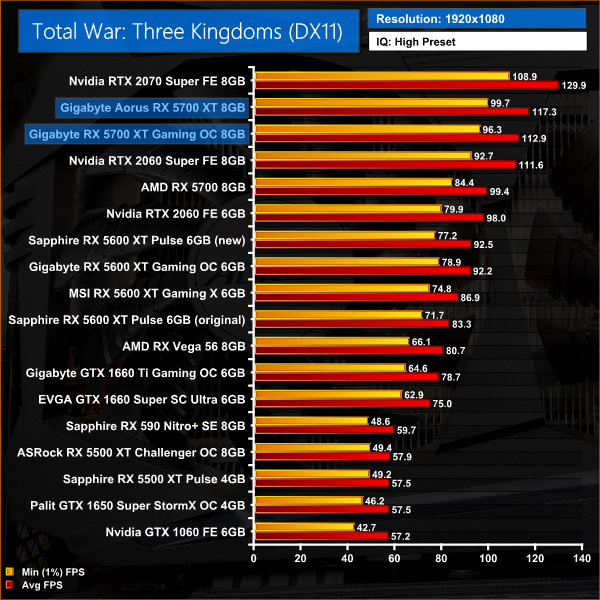
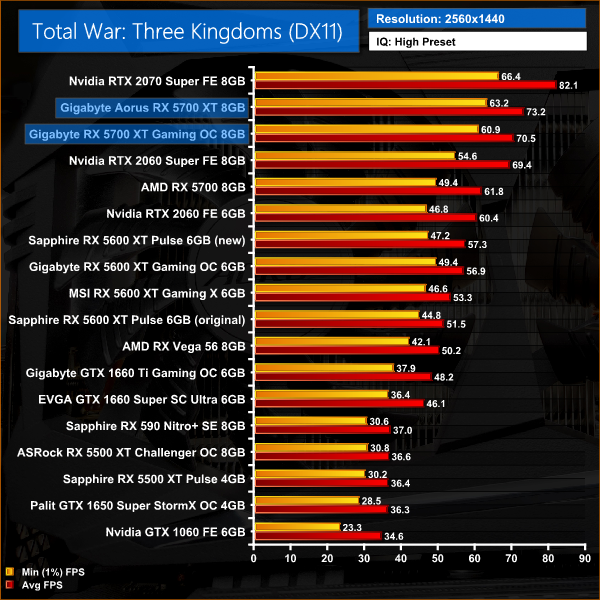
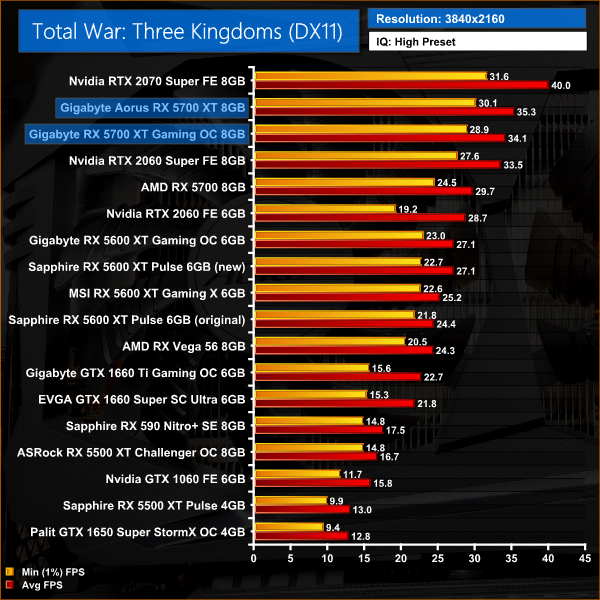
Finally we come to Total War: Three Kingdoms. This game scaled well with increased clock speed, as the Aorus 5600 XT comes in 4% faster than the Gaming OC across every resolution tested. This still isn't enough to match the RTX 2070 Super, but where the Gaming OC is 14% slower than the 2070 Super at 1440p, the Aorus is 11% slower instead.
Here we present the average clock speed for each graphics card while running the 3DMark Time Spy stress test for 30 minutes. We use GPU-Z to record the GPU core frequency during the Time Spy runs. We calculate the average core frequency during the 30 minute run to present here.
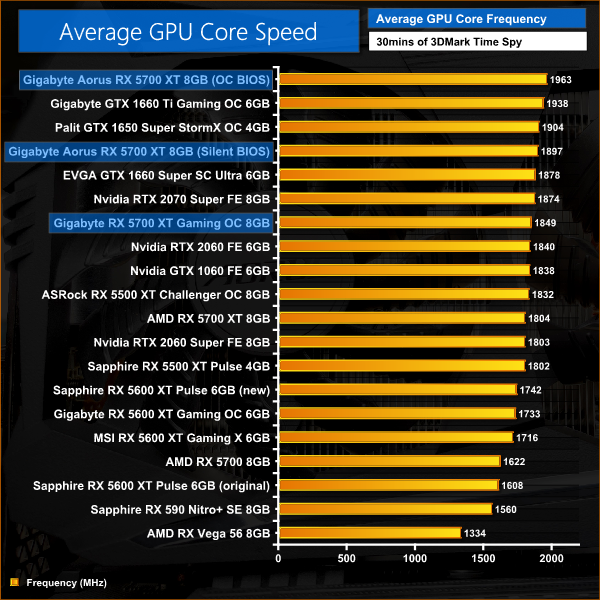
We mentioned at the beginning of this review that the Aorus comes with a large factory overclock, and that played out pretty much as expected during our testing. Looking at average clock speed under load, the Aorus averaged 1963MHz using its OC BIOS. This works out as a 114MHz increase over the Gaming OC, which matches up almost perfectly with the difference in rated game clocks between the two cards.
The Aorus also has a trick up its sleeve in the form of its on-board dual-BIOS, and even when switching to the Silent BIOS the GPU averaged just under 1900MHz, so that is still faster than the Gaming OC.
For our temperature testing, we measure the peak GPU core temperature under load. A reading under load comes from running the 3DMark Time Spy stress test for 30 minutes.
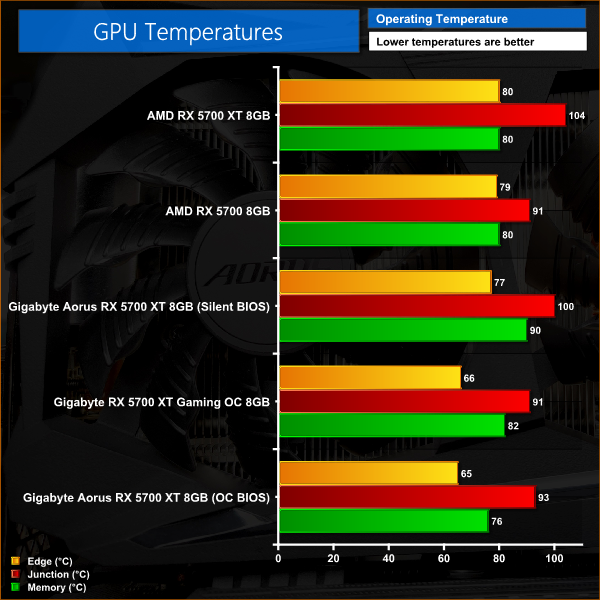
Temperature testing is a very interesting area to look at, especially when comparing the two BIOS options for the Aorus card. The first thing to point out is that both the Gaming OC and the Aorus perform very well here – the Aorus does have marginally lower edge and memory temperatures using its OC BIOS, but both sets of results are impressive and there's not a lot between the two. Do bear in mind, though, the Aorus is also running faster while maintaining these temperatures.
The Aorus' Silent BIOS, however, sees junction temperature hit 100C, with memory temperature up to 90C as a result of the lower fan speed. Both results are in spec, but they are also quite high, so I'd have liked to see the Silent BIOS run the clock speed a bit slower – maybe around 1800MHz – to help keep these temperatures down a bit.
We take our noise measurements with the sound meter positioned 1 foot from the graphics card. I measured the noise floor to be 32 dBA, thus anything above this level can be attributed to the graphics cards. The power supply is passive for the entire power output range we tested all graphics cards in, while all CPU and system fans were disabled. A reading under load comes from running the 3DMark Time Spy stress test for 30 minutes.
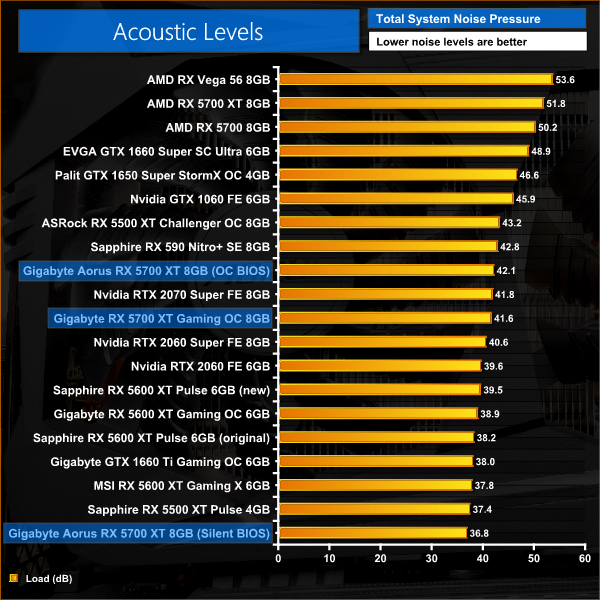
The benefit to the Silent BIOS is immediately noticeable, with peak noise readings below 37dB. This is about 5dB less than the card using the OC BIOS, and while that is certainly not loud for a graphics card, you can hear the fans spinning so the Silent BIOS does make a difference. To put it into context, the Silent BIOS saw the fans spin at just 28%, or 1200rpm, while the OC BIOS ran the fans at 42%, or about 1800rpm.
As for the Gaming OC, it's a little quieter than the Aorus using the OC profile, but not by much, with its three fans spinning at 41% under load, or around 1740rpm. Again, it's a good result but there are quieter cards out there.
We measure system-wide power draw from the wall while running the 3DMark Time Spy stress test for 30 minutes.
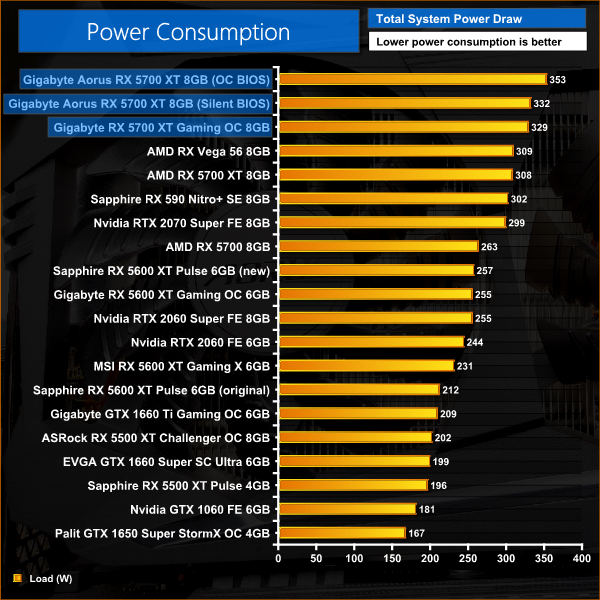
Lastly we come to power draw. It's no surprise to see the Aorus 5700 XT using its OC BIOS pulling the most power, at over 350w for total system power draw in our testing. Switching to the Silent BIOS dropped power consumption by about 20W, which incidentally was almost identical to that of the Gaming OC. Considering the extra clock speed both cards offer over the reference design, I'd say these results are as expected.
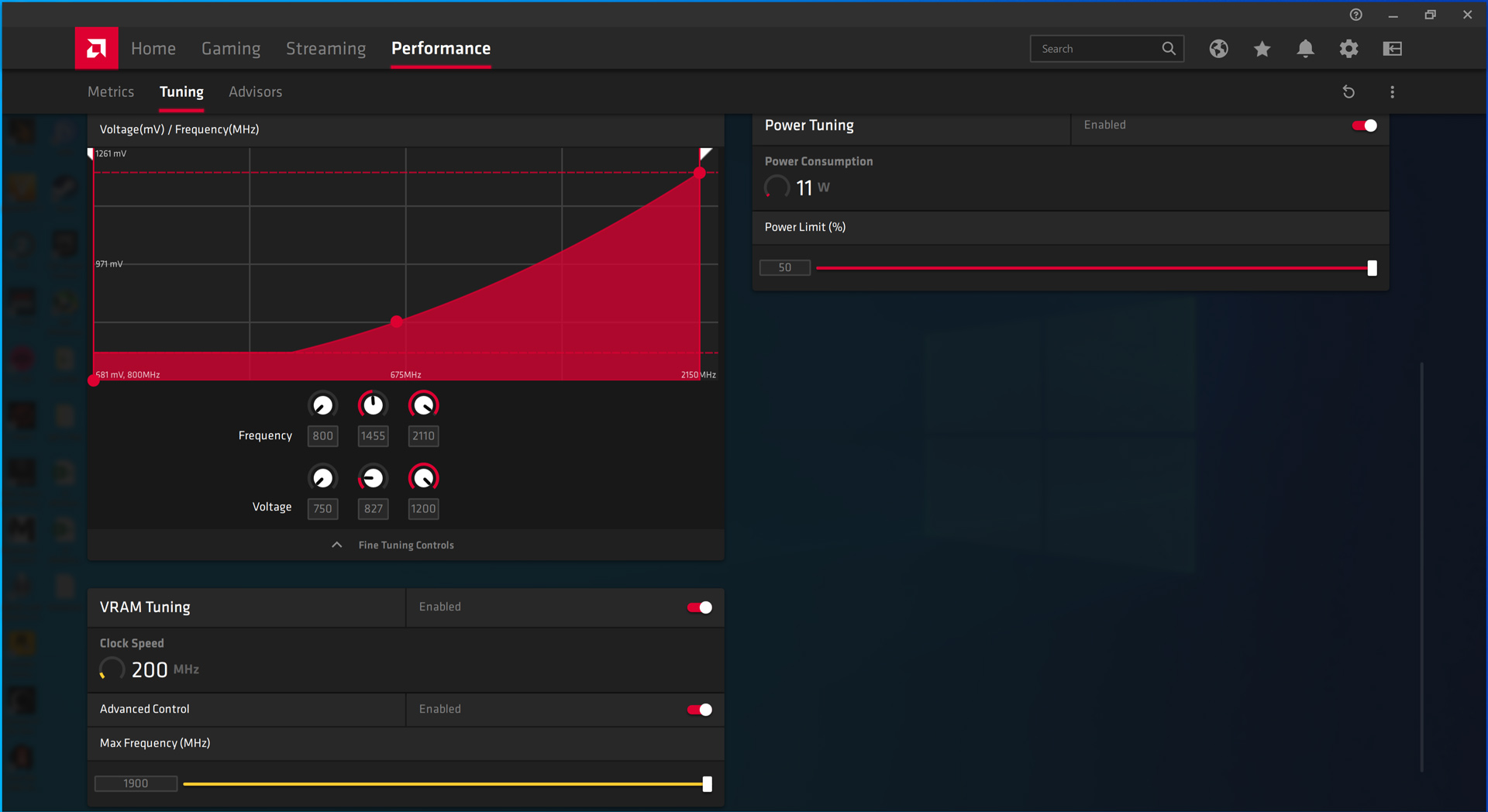
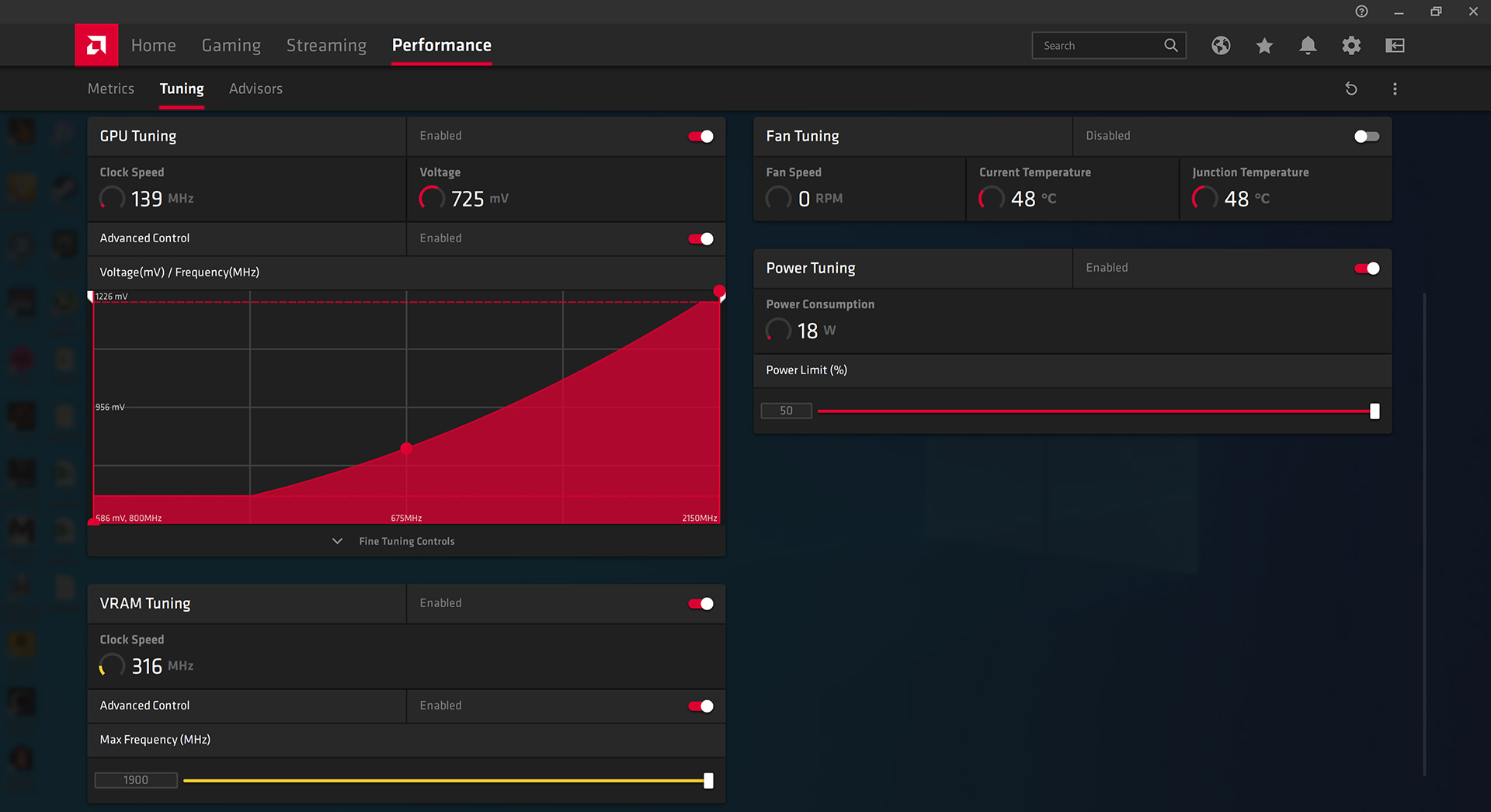
Overclock settings for the Gaming OC (left), overclock settings for the Aorus (right)
When manually overclocking these cards, I wasn't sure what to expect as both use essentially the same PCB – though the Aorus does have 2x 8-pin power connectors instead of 1x 8-pin and 1x 6-pin. In the end, both cards could comfortably hit 1900MHz on the memory (15.2Gbps), but we could only push the Gaming OC to 2110MHz on the core when the Aorus hit 2150MHz.
Average clock speed under load
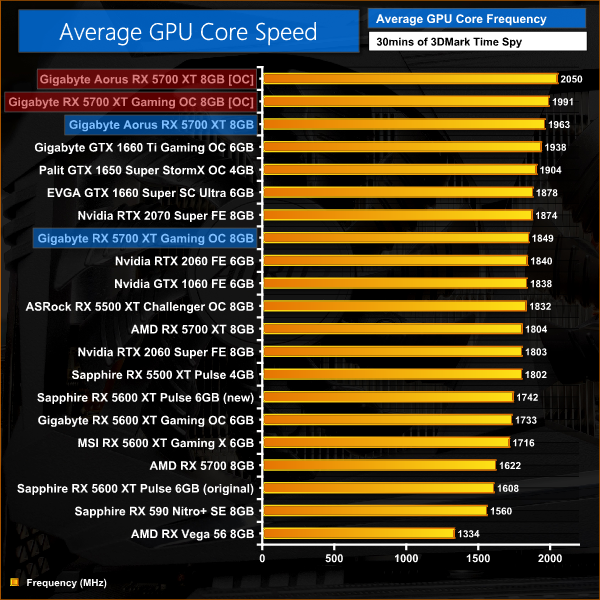
This saw the Aorus run about 60MHz faster in our average clock speed testing as it hit 2050MHz. The Gaming OC came in just shy of that 2GHz mark.
Games
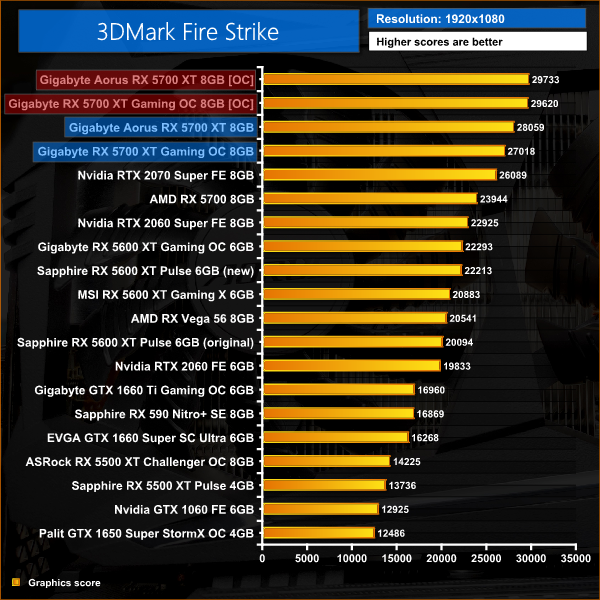
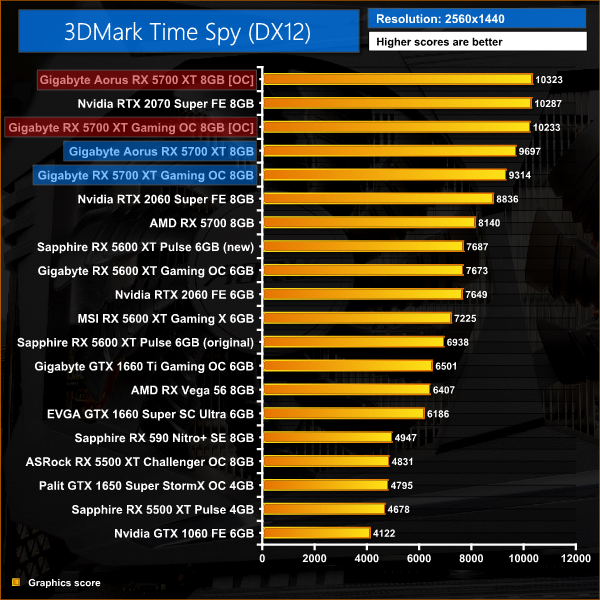
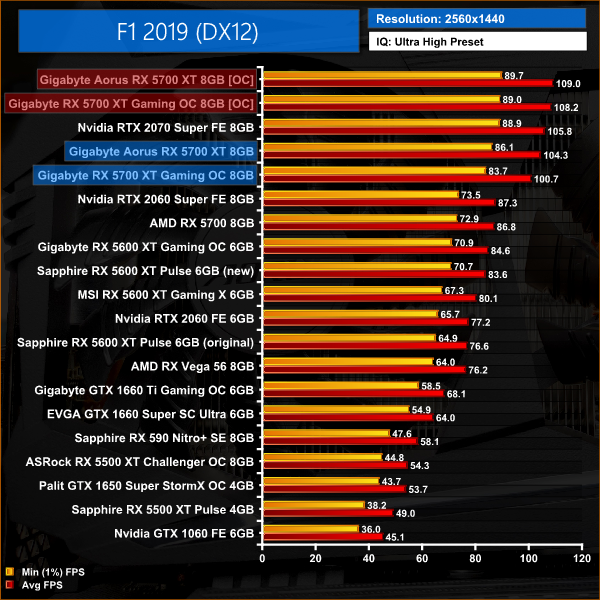
Unsurprisingly, the Aorus still ran faster in our 3DMark benchmarks and in some of the games we retested at 1440p, but the Gaming OC closed the gap significantly to the point where both cards were performing at essentially the same level. In all three games we re-tested, the manual overclock was enough for both 5700 XTs to surpass stock 2070 Super performance.
Today we have pitted two graphics cards – both from Gigabyte – against each other in a head-to-head comparison. The cards in question are the Gigabyte RX 5700 XT Gaming OC and the Aorus RX 5700 XT. For those who don't know, Aorus is Gigabyte's premium sub-brand – at the time of writing, the Aorus 5700 XT costs £410, while the Gigabyte Gaming OC is £375.
So what do you get for the extra money? In my mind, there are two main advantages for the Aorus, and then a few other more minor points. The first point is out of of the box clock speed – the Aorus ran almost 115MHz faster than the Gaming OC, giving it a 4% performance advantage (on average) across the 11 games we tested today.
The second main point in favour of paying extra for the Aorus is its on-board dual-BIOS support. You can choose between either the OC BIOS with its high clocks and faster fans, or switch to the Silent BIOS and drop the fan speed considerably for a quieter gaming experience. This is a feature I value highly, both because it gives the card a bit more versatility, but also because a second BIOS is great for redundancy should you brick the first one.
We also saw marginally lower temperatures with the Aorus card (using its OC BIOS) when compared to the Gaming OC, but in my view this isn't enough to pick the Aorus over the Gaming OC – the edge temperature was only 1C lower for the Aorus, while the memory ran 4C cooler. In my view, it's not much of a win at all.
Personally speaking, I also prefer the design of the Aorus card. This is obviously going to be personal preference, and some of you simply may not care at all, but the Gaming OC is just a bit plain looking in my opinion, while the Aorus offers something a little extra. Contrasted against that, the Gaming OC is physically smaller so if you have a case which may not fit the Aorus 5700 XT, then that is also something to consider.
I was also surprised to see that both cards are using essentially the same PCB design. This works out as a positive for the Gaming OC as the Aorus does not have a beefed-up VRM in comparison which I have to admit, I was expecting to be the case. It's not necessarily a negative for the Aorus, but aside from on-board dual-BIOS there's nothing unique or different to the PCB of the Gaming OC.
With all that said, which card should you buy? Well, if you're just looking for a simple RX 5700 XT to install and forget about, the Gaming OC is £35 cheaper than the Aorus and still offers a factory overclocked core and very solid cooler. That'd be my recommendation for anyone who doesn't want to tinker with the BIOS or isn't interested in the extra features the Aorus can offer.
On the other hand, I prefer the design of the Aorus card, while it is also faster out of the box and has that dual-BIOS support which I value highly. For me, that is enough to pay an extra 10% for. Ultimately, both cards are solid choices and I wouldn't really say one was outright better than the other – it really comes down to what feature-set you are looking for and how much you are prepared to pay.
Discuss on our Facebook page HERE.
You can buy the Gigabyte RX 5700 XT Gaming OC for £374.99 from OCUK HERE.
Pros
- Solid cooler.
- Relatively compact.
- Good value at £375.
- Factory overclocked core.
Cons
- Subjectively speaking, it's plain looking.
- No dual-BIOS.

You can buy the Aorus RX 5700 XT for £409.99 from OCUK HERE.
Pros
- Striking aesthetic.
- Dual-BIOS.
- Heavily factory overclocked.
- 10% price premium over the Gaming OC is fair.
- Solid cooler.
Cons
- Relatively large.
- Would've expected a tweaked PCB design compared to the Gaming OC.
KitGuru says: If you have the money, the Aorus RX 5700 XT offers a few extra features and a different design which I think justify the increased cost. For £35 less, however, the Gaming OC is still a very solid option that doesn't do much wrong.
