KitGuru KitGuru.net – Tech News | Hardware News | Hardware Reviews | IOS | Mobile | Gaming | Graphics Cards


Following on from our launch-day RTX 3050 review, today we are supplementing that initial coverage with a look at two more custom cards. The first comes from Inno3D in the form of the RTX 3050 Twin X2 OC, while we also have MSI's RTX 3050 Gaming X to test. We find out how they perform, while also comparing the cards to Gigabyte's Eagle and Palit's StormX OC models.
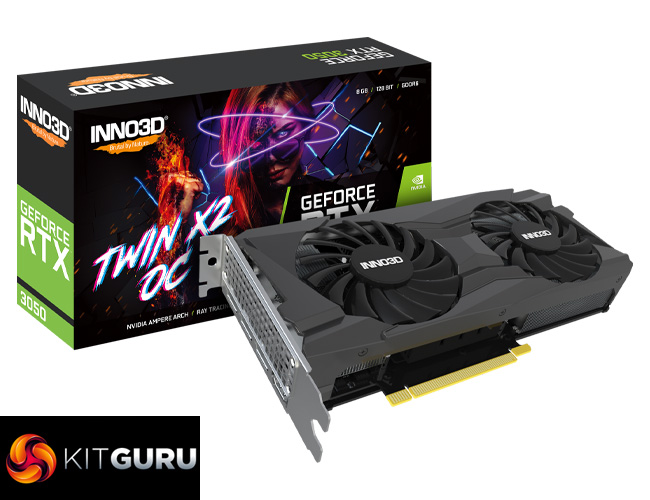
We have two more AIB RTX 3050 cards to review today. The Inno3D RTX 3050 Twin X2 OC is, as the name suggests, a dual-fan model that ships with a 45MHz factory overclock. It also sports a metal backplate and grey shroud, though there is no RGB lighting.
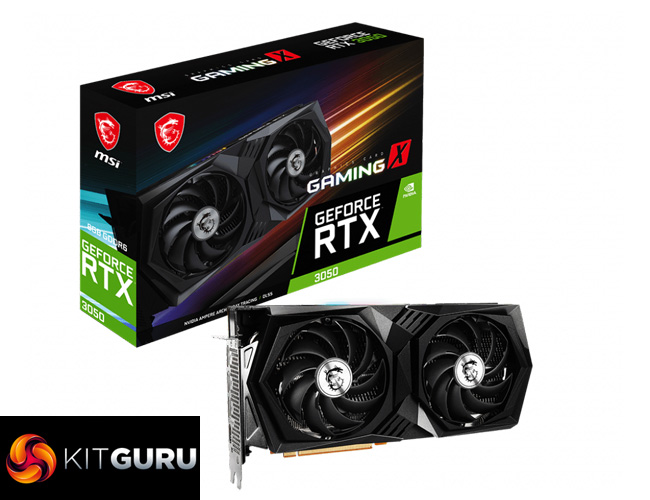
Alongside that, we also assess the MSI RTX 3050 Gaming X. This is MSI's flagship RTX 3050 offering, with an eye-watering £369.99 MSRP. For that money we get a 67MHz factory overclock, metal backplate and a single RGB zone. As we will see, MSI has also beefed-up the VRM slightly compared to the other RTX 3050s we have reviewed so far.
| GPU | RTX 3080 | RTX 3070 | RTX 3060 Ti | RTX 3060 | RTX 3050 |
| SMs | 68 | 46 | 38 | 28 | 20 |
| CUDA Cores | 8704 | 5888 | 4864 | 3584 | 2560 |
| Tensor Cores | 272 | 184 | 152 | 112 | 80 |
| RT Cores | 68 | 46 | 38 | 28 | 20 |
| Texture Units | 272 | 184 | 152 | 112 | 80 |
| ROPs | 96 | 96 | 80 | 48 | 32 |
| GPU Boost Clock | 1710 MHz | 1725 MHz | 1665 MHz | 1777 MHz | 1777 MHz |
| Memory Data Rate | 19 Gbps | 14 Gbps | 14 Gbps | 15 Gbps | 14 Gbps |
| Total Video Memory | 10GB GDDR6X | 8GB GDDR6 | 8GB GDDR6 | 12GB GDDR6 | 8GB GDDR6 |
| Memory Interface | 320-bit | 256-bit | 256-bit | 192-bit | 128-bit |
| Memory Bandwidth | 760 GB/Sec | 448 GB/Sec | 448 GB/Sec | 360 GB/sec | 224 GB/sec |
| PCIe Interface | PCIe 4.0 x16 | PCIe 4.0 x16 | PCIe 4.0 x16 | PCIe 4.0 x16 | PCIe 4.0 x8 |
| TGP | 320W | 220W | 200W | 170W | 130W |
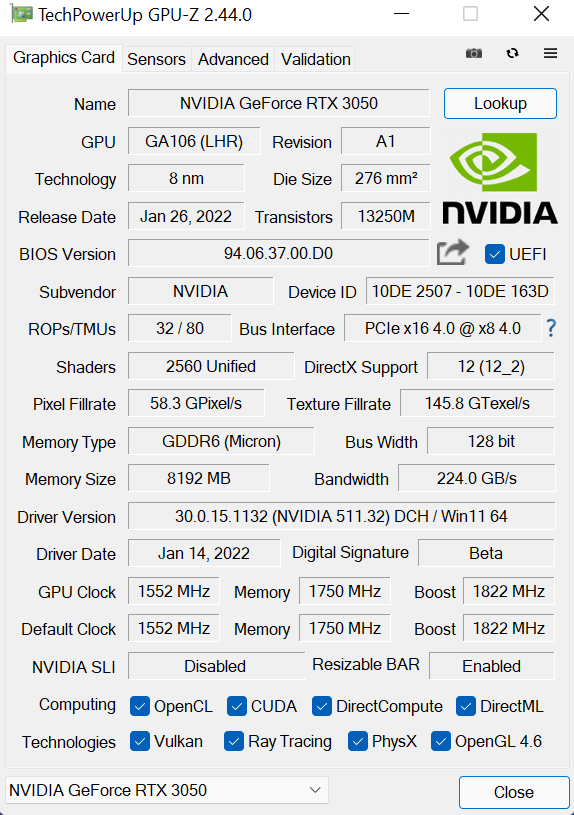
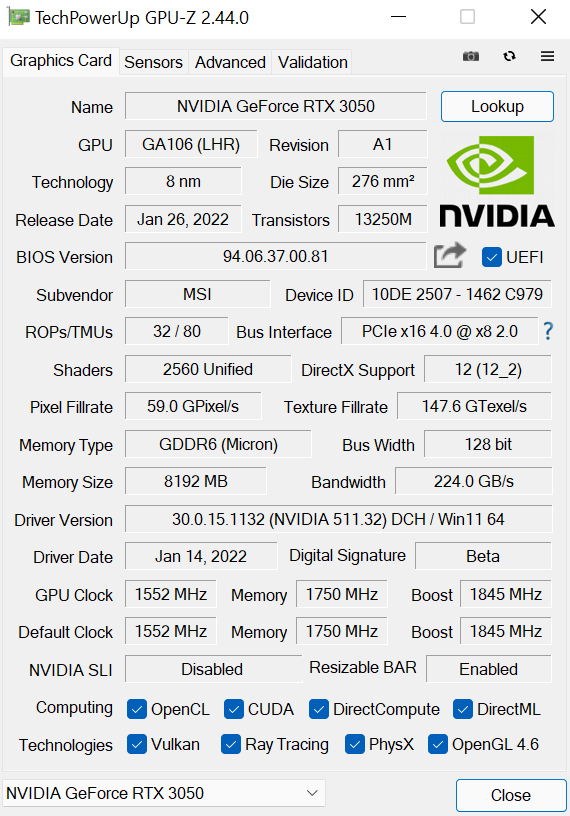
GPU-Z: Inno3D Twin X2 OC (left), MSI Gaming X (right)
As a cut-down GA106 GPU, the RTX 3050 sports a total of 20 streaming multiprocessors (SMs).Thanks to Ampere’s new SM structure with its two FP32 datapaths, each SM houses 128 CUDA cores, giving a total of 2560.
Ampere also places one RT core, and four Tensor cores, in each SM, giving a total of 20 RT cores and180 Tensor cores. This is accompanied by 80 texture units, and 32 ROPs which are now housed directly within each graphics processing cluster (GPC), with 16 ROPs per GPC, and 2 GPCs in total for RTX 3050.
Rated clock speed is carried over from the RTX 3060, as we find the same 1777MHz boost clock. Of the two cards we are looking at today, both are factory overclocked, with the Inno3D shipping with a 1822MHz boost clock, while the MSI has a 1845MHz boost clock.
Memory is provided by 8GB of GDDR6, clocked at 14Gbps. Over the narrower 128-bit memory interface, we see total memory bandwidth hit 224 GB/s, a reduction of 38% against the RTX 3060. The PCIe interface has also been shaved down, with a PCIe 4.0 x8 connection, instead of the full x16 allocation.
Lastly, for total graphics power, Nvidia rates the RTX 3050 for 130W, a 40W (24%) decrease compared to the RTX 3060 that seems broadly in line with the reduction in core-count.
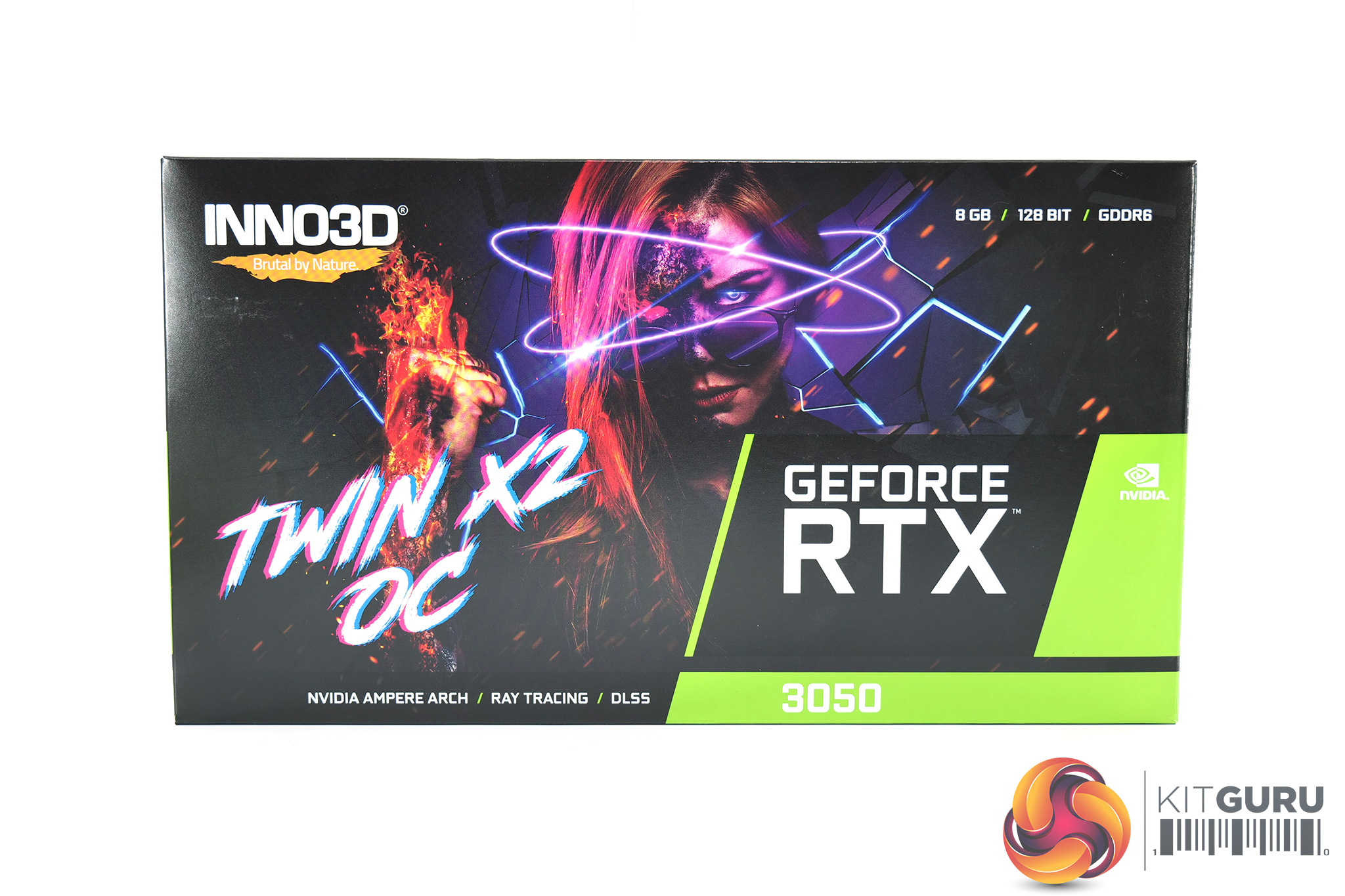
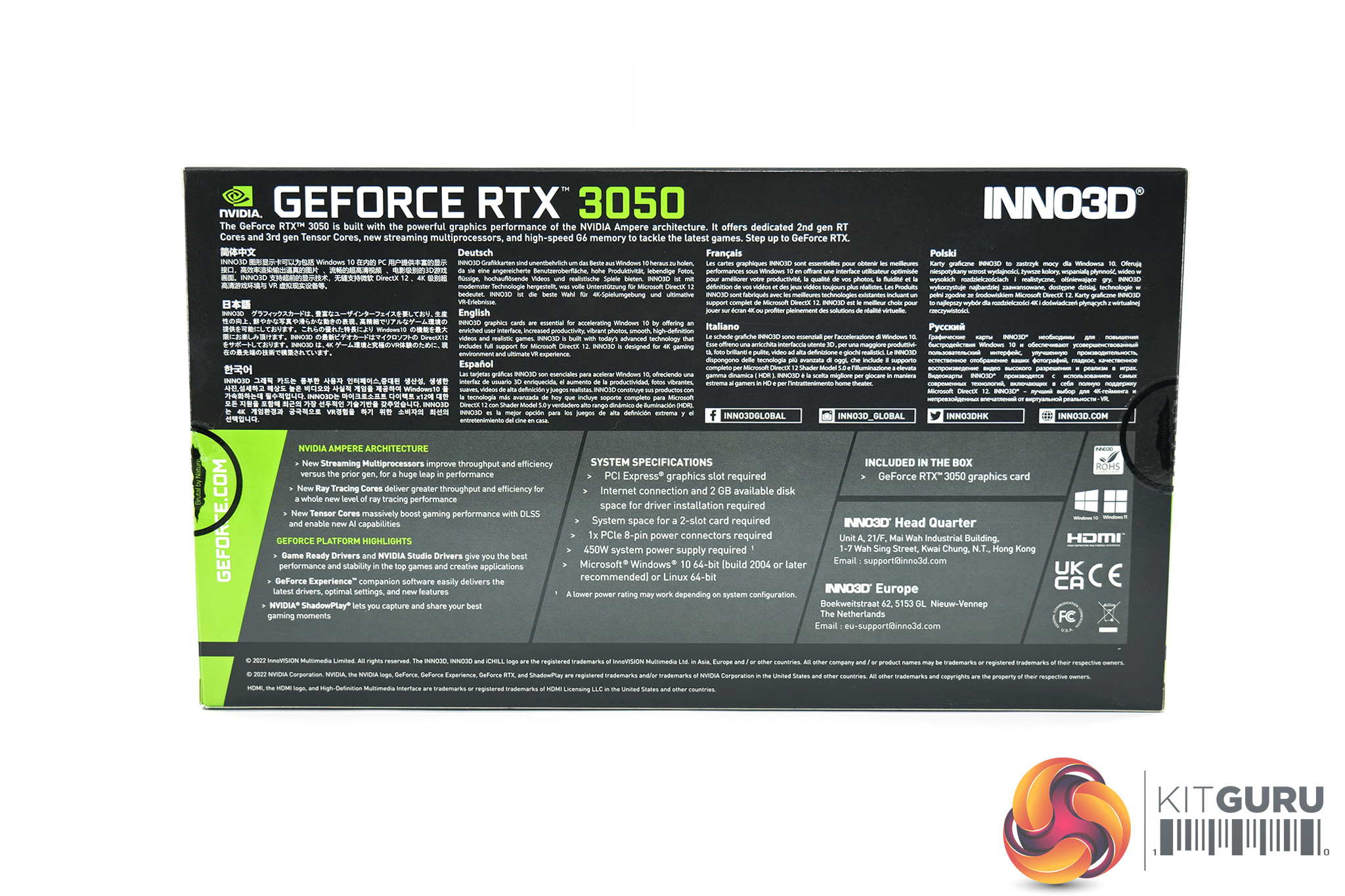
Inno3D's RTX 3050 Twin X2 OC ships in a black packaging, with cyberpunk-themed box art visible on the front. On the back, various key features of the card are highlighted in multi-lingual text.
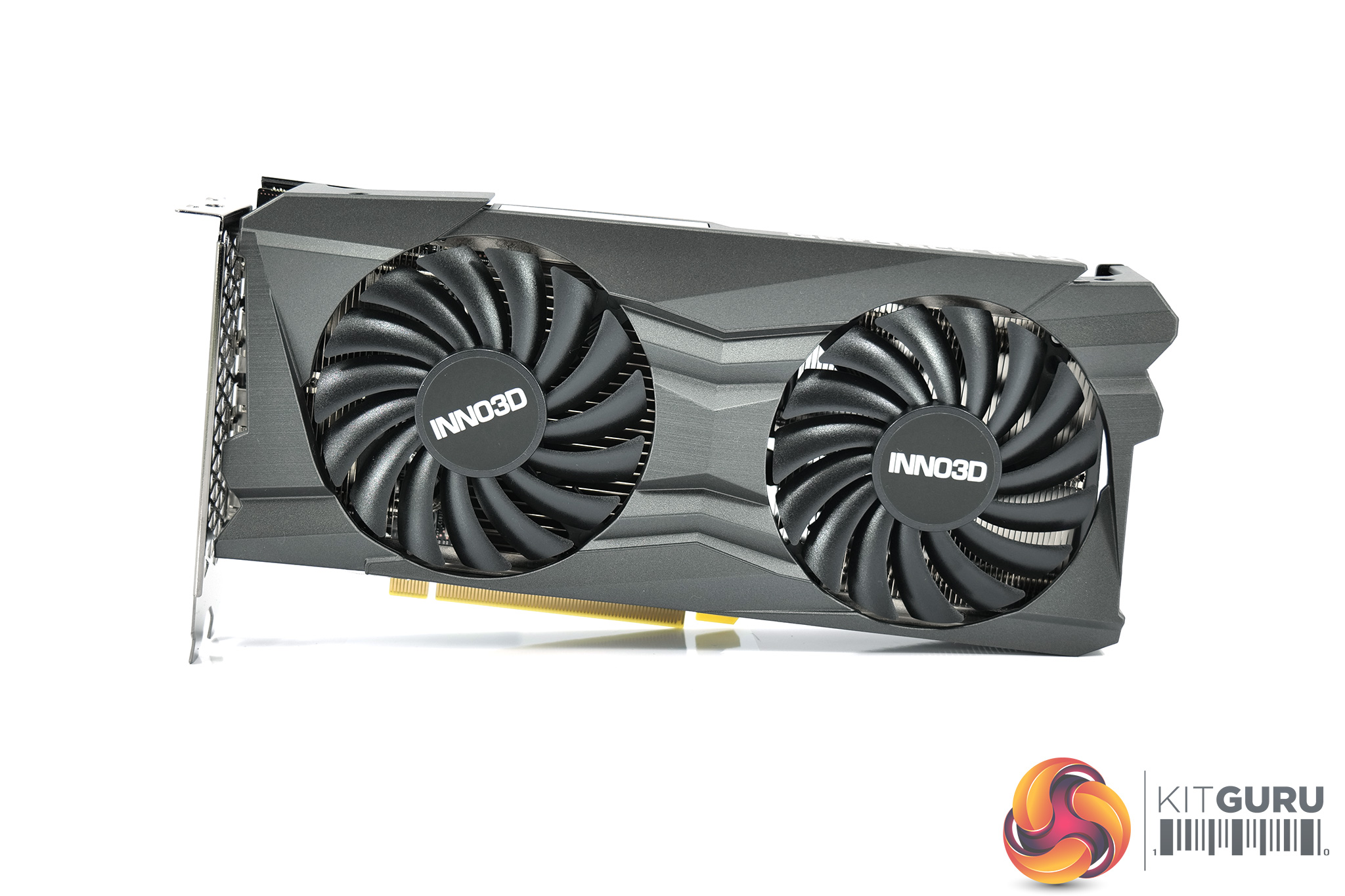
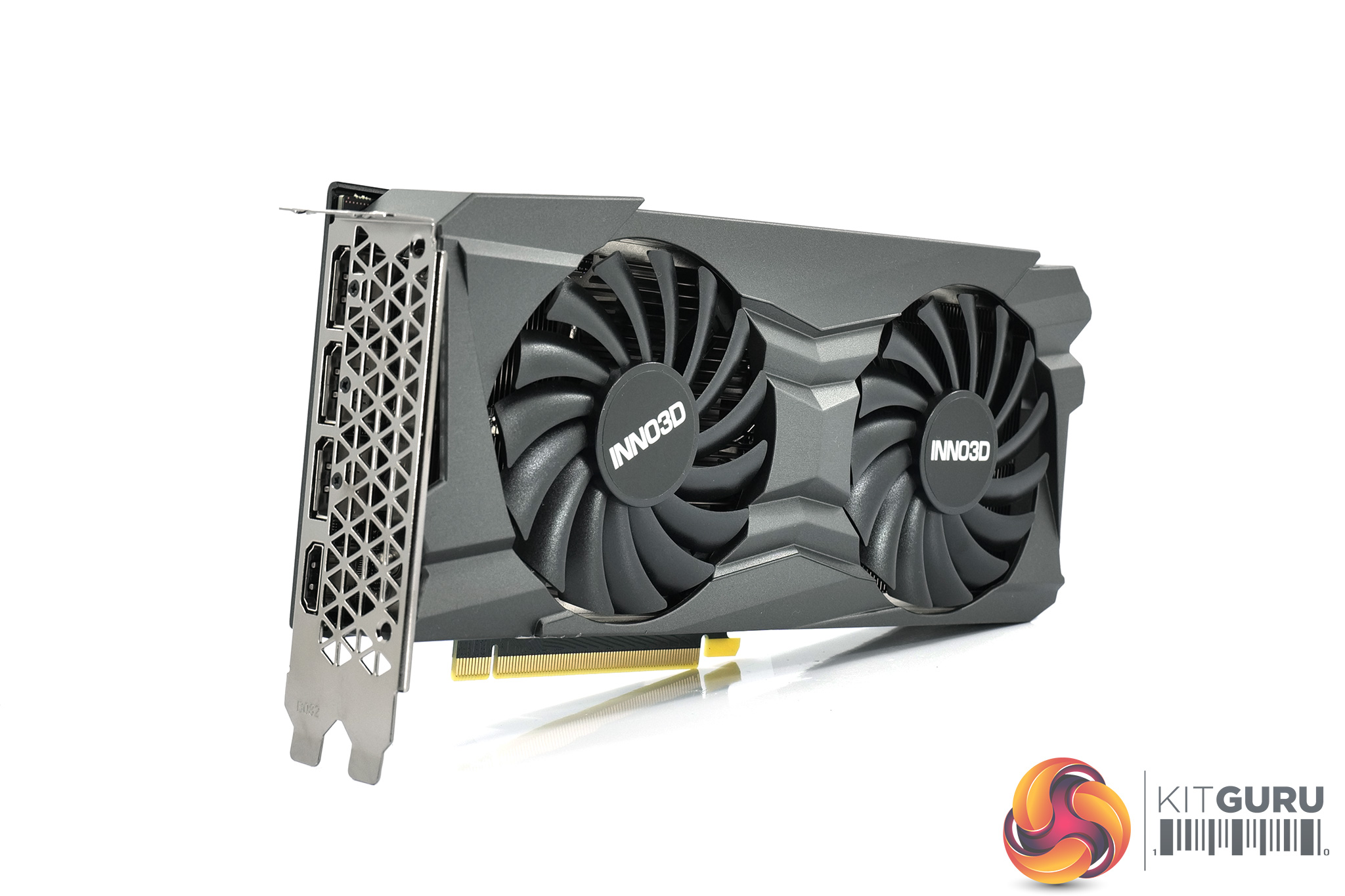
The card's shroud is made of a grey plastic, though it feels solid to the touch. The design isn't over the top but it's certainly more visually interesting than a plain slab of plastic – there's plenty of angles and ridges built into the shroud here.
We can also note two 90mm fans, each with 15 fan blades densely packed together.
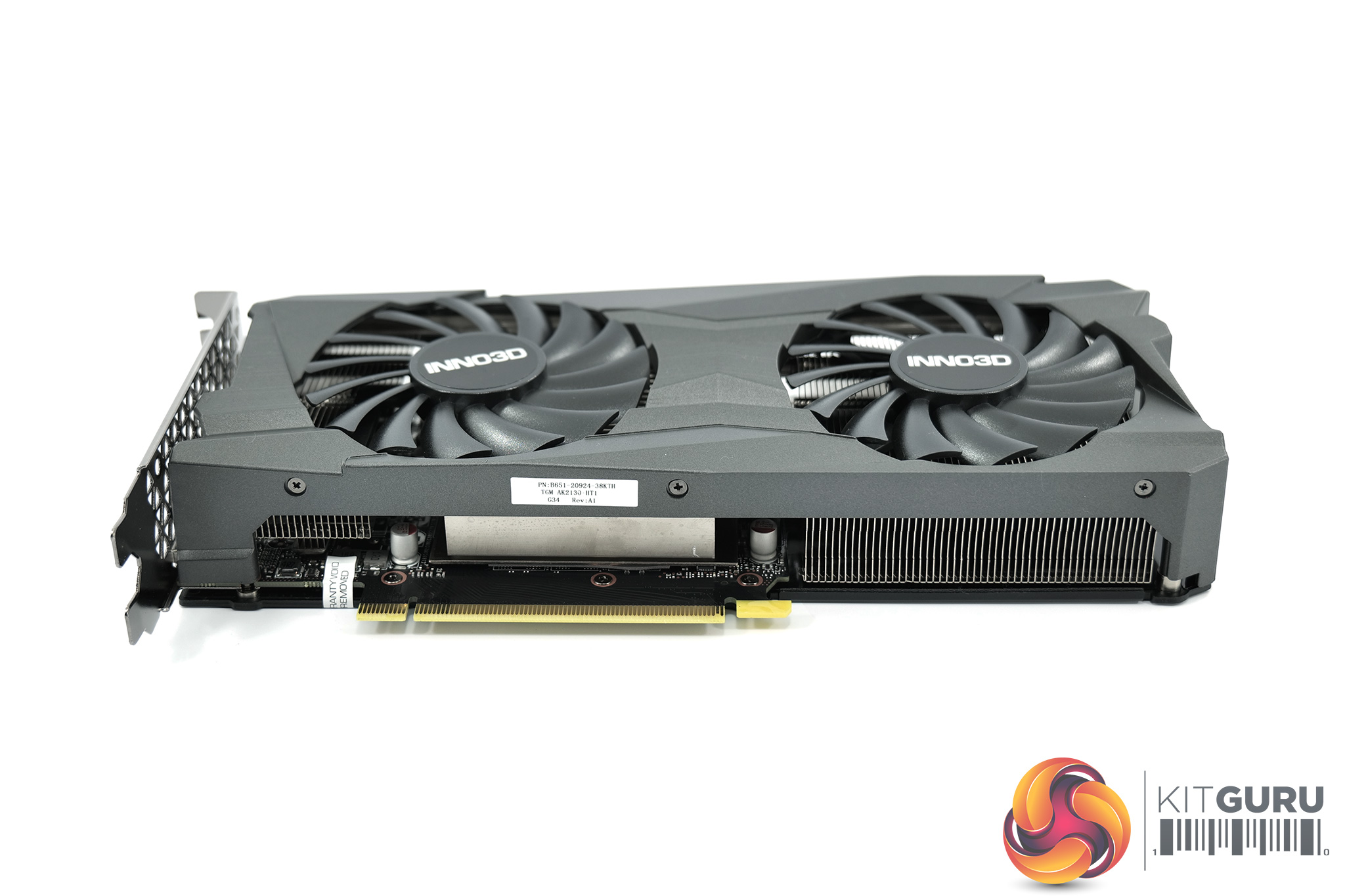
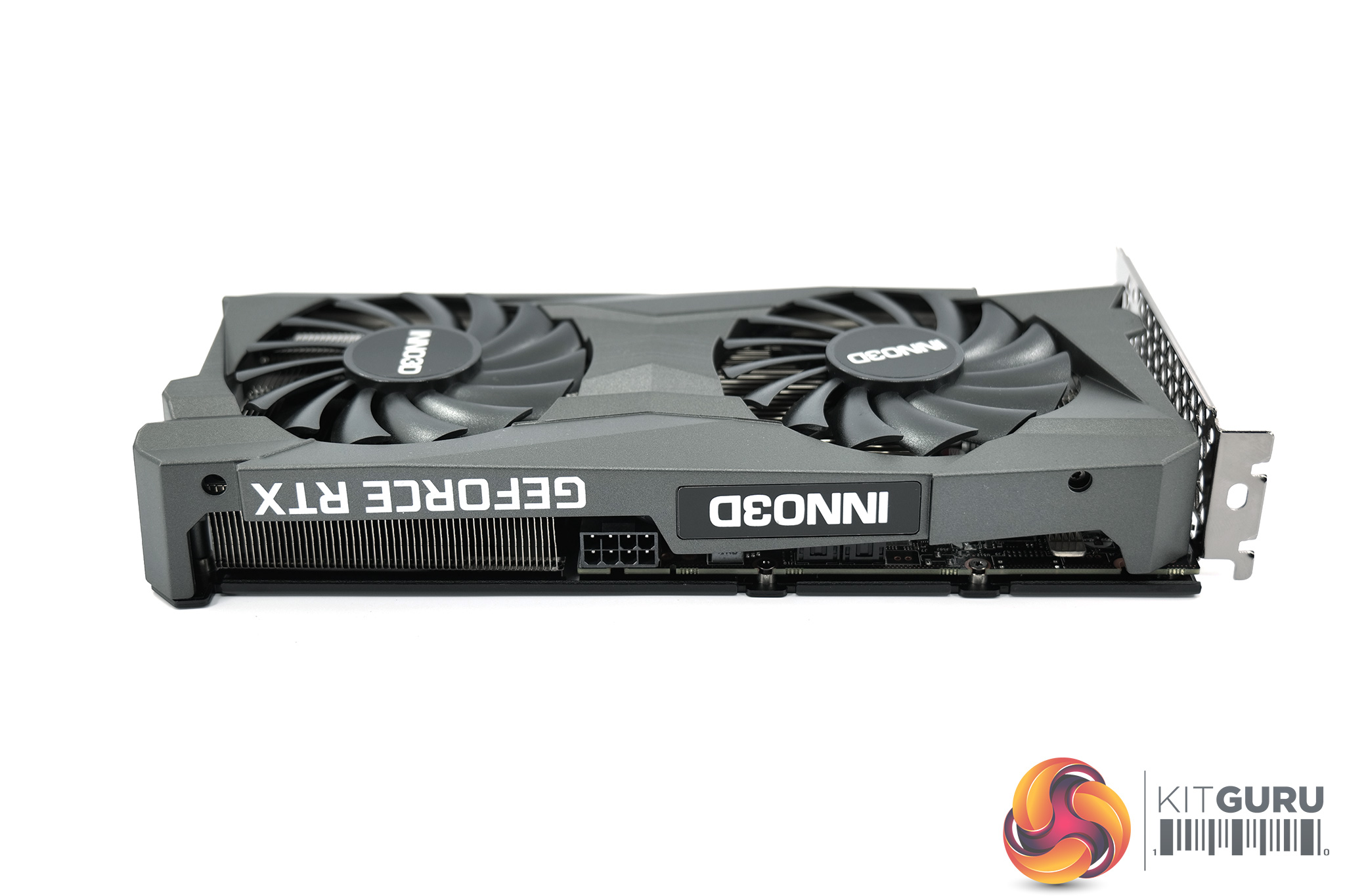
The Twin X2 OC isn't a small card, measuring in at 240 x 120 x 40mm, but it's not a monster either. Still, smaller RTX 3050s are available – including both the Gigabyte Eagle and Palit StormX.
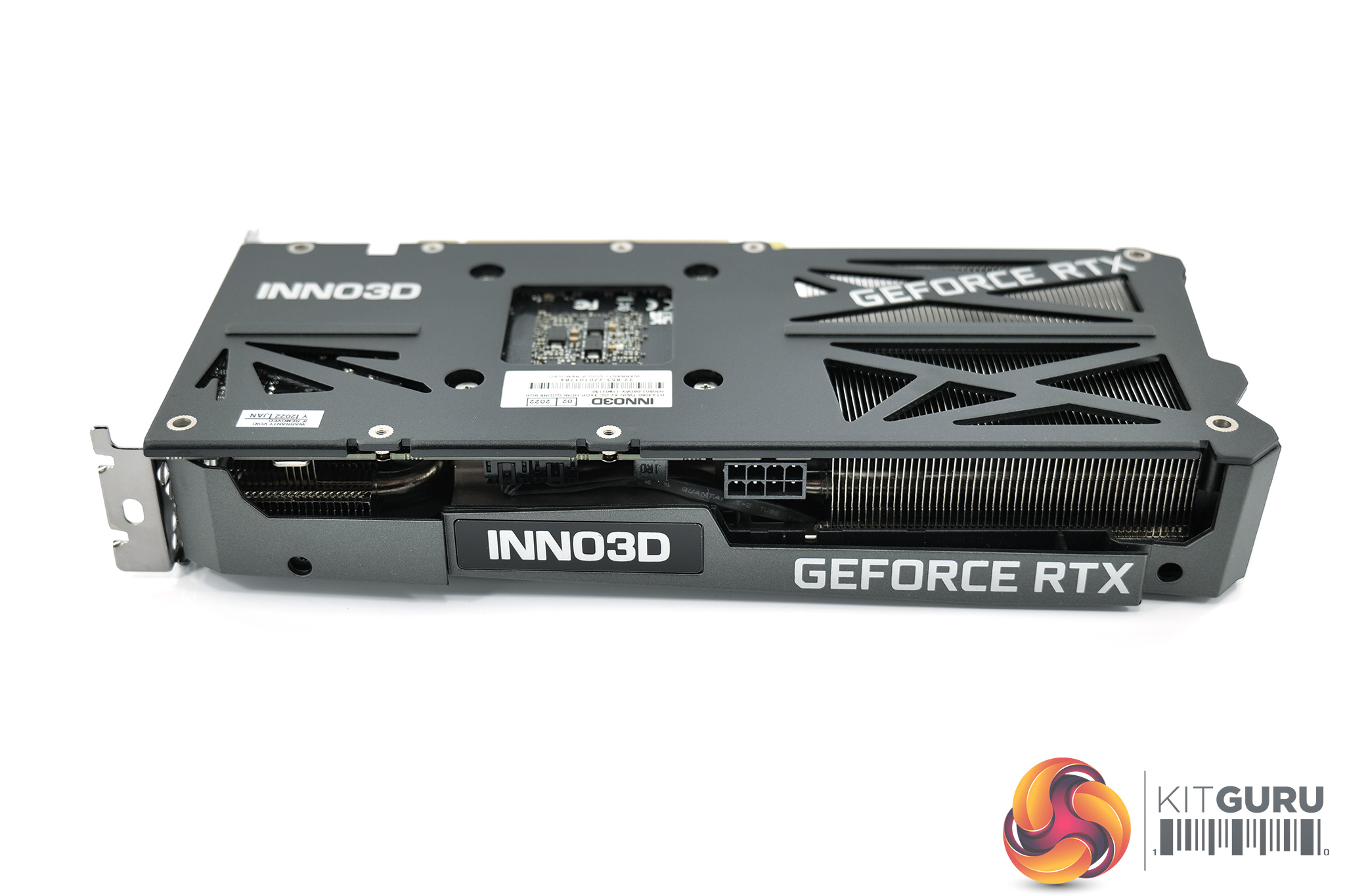
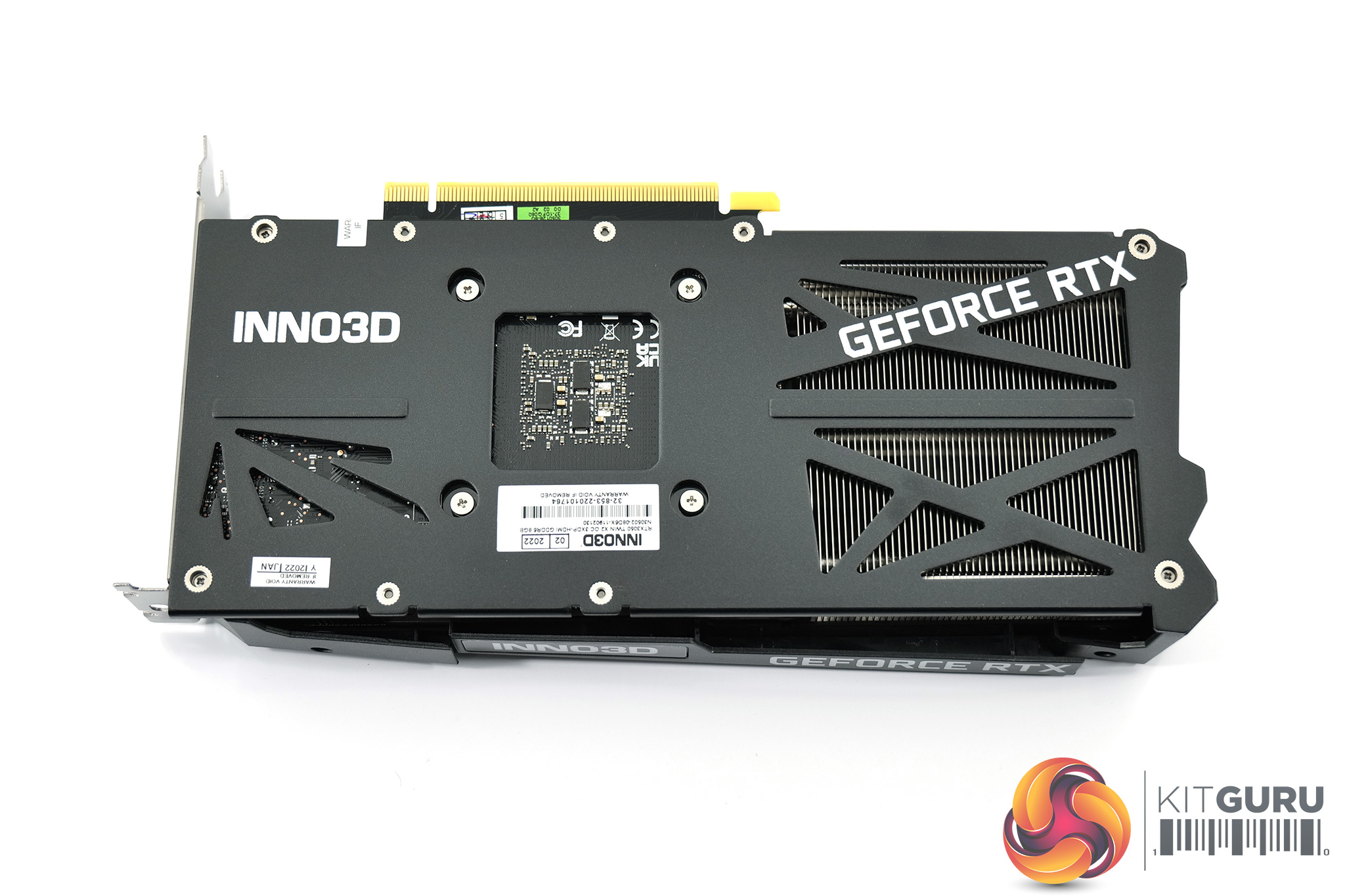
On the side of the shroud, we can find both the Inno3D and GeForce RTX logos, while a black metal backplate protects the rear of the PCB. There's plenty of cut-outs in the metal though, allowing direct airflow through the heatsink.
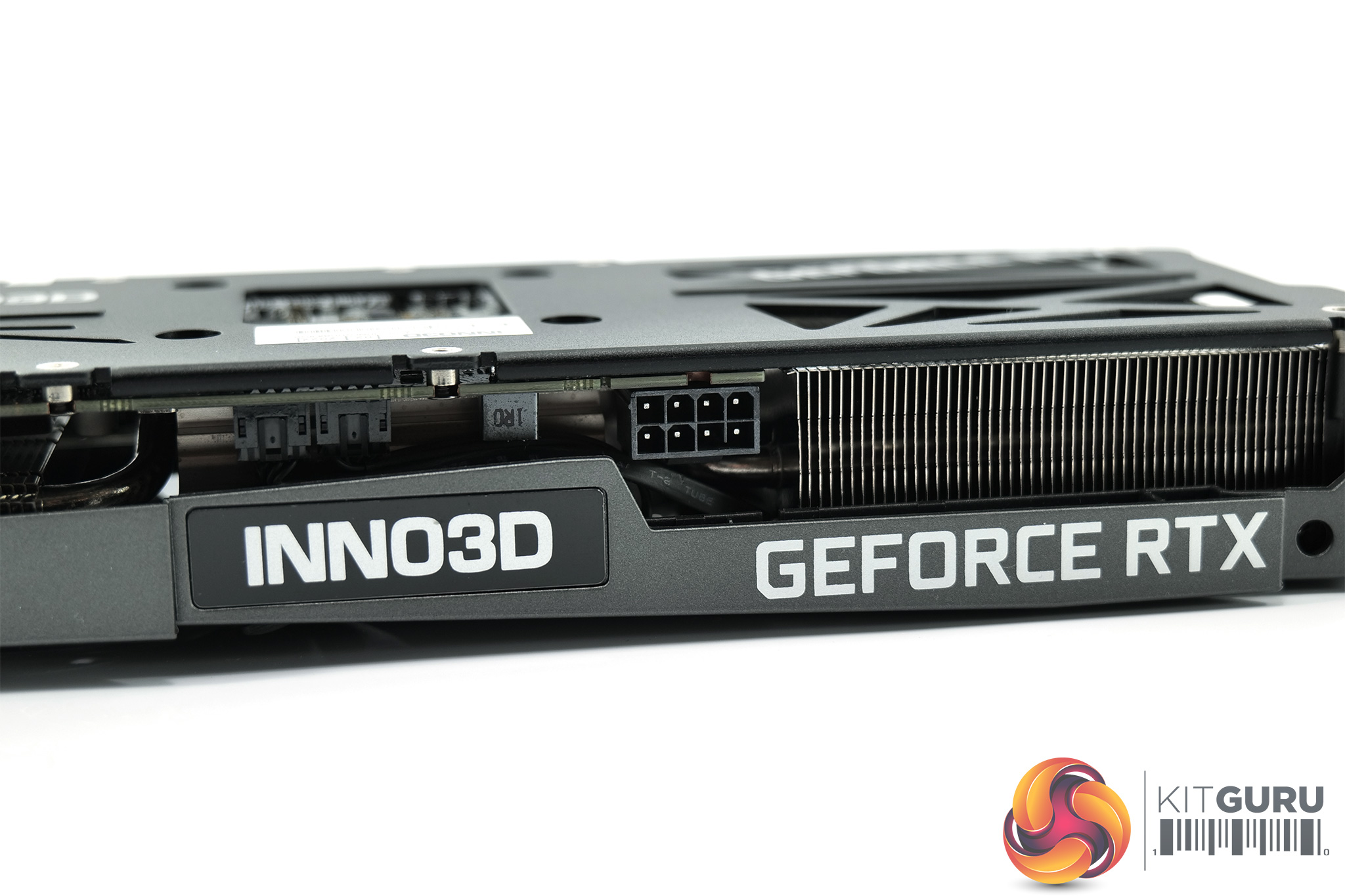
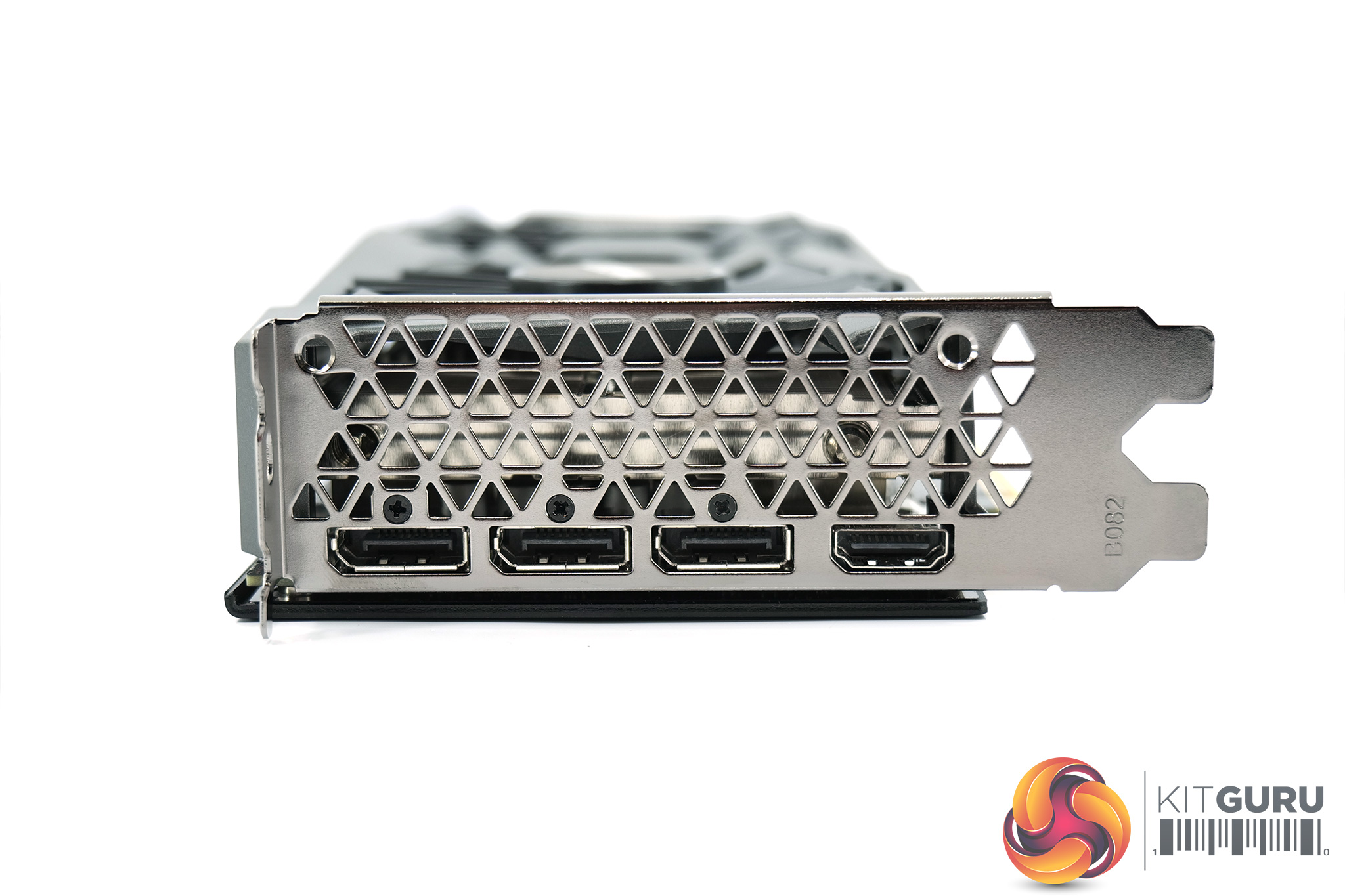
Power is supplied by a single 8-pin PCIe connector. Display outputs are also standard, with 3x DisplayPort 1.4 and 1x HDMI 2.1.
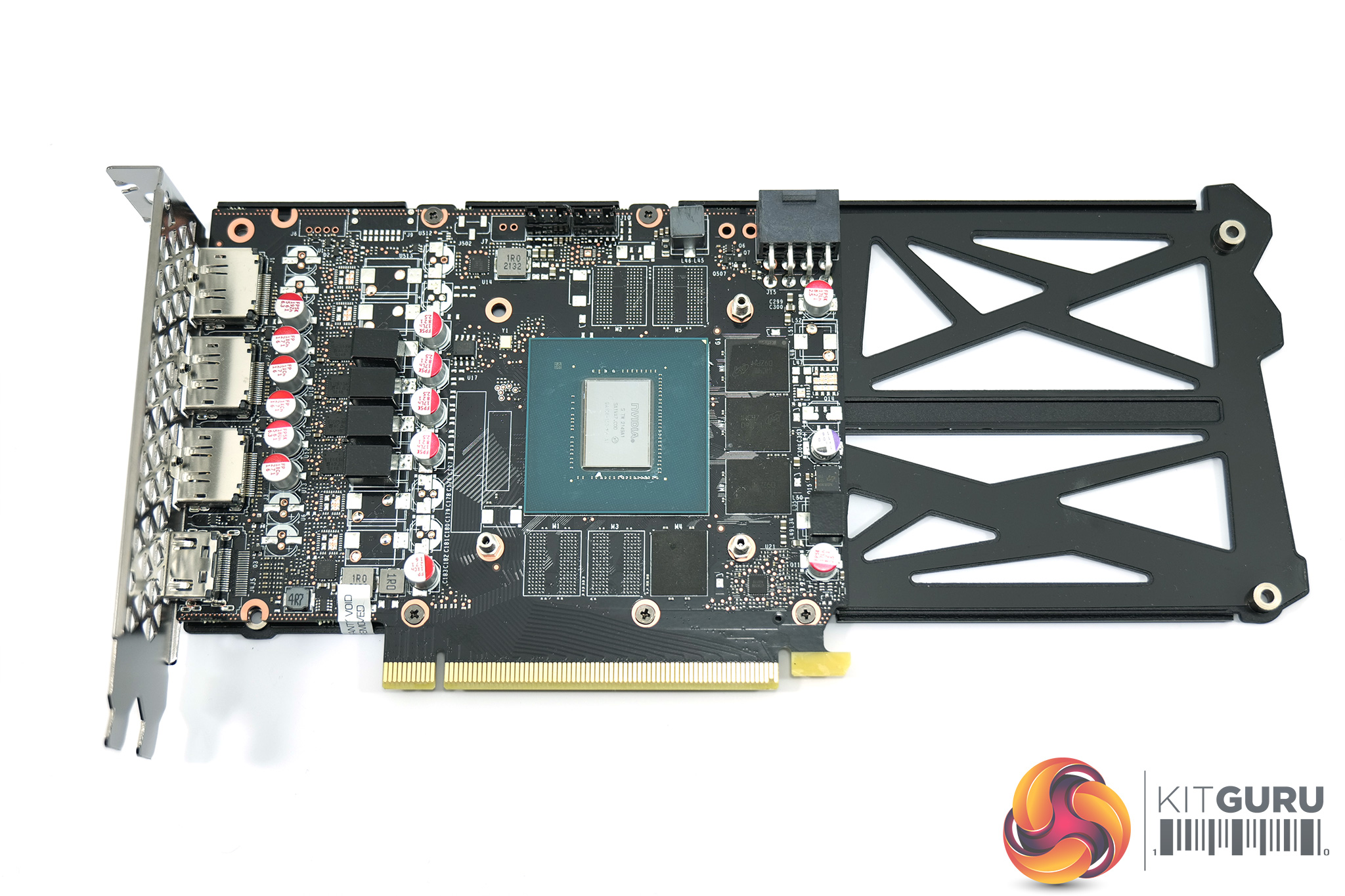
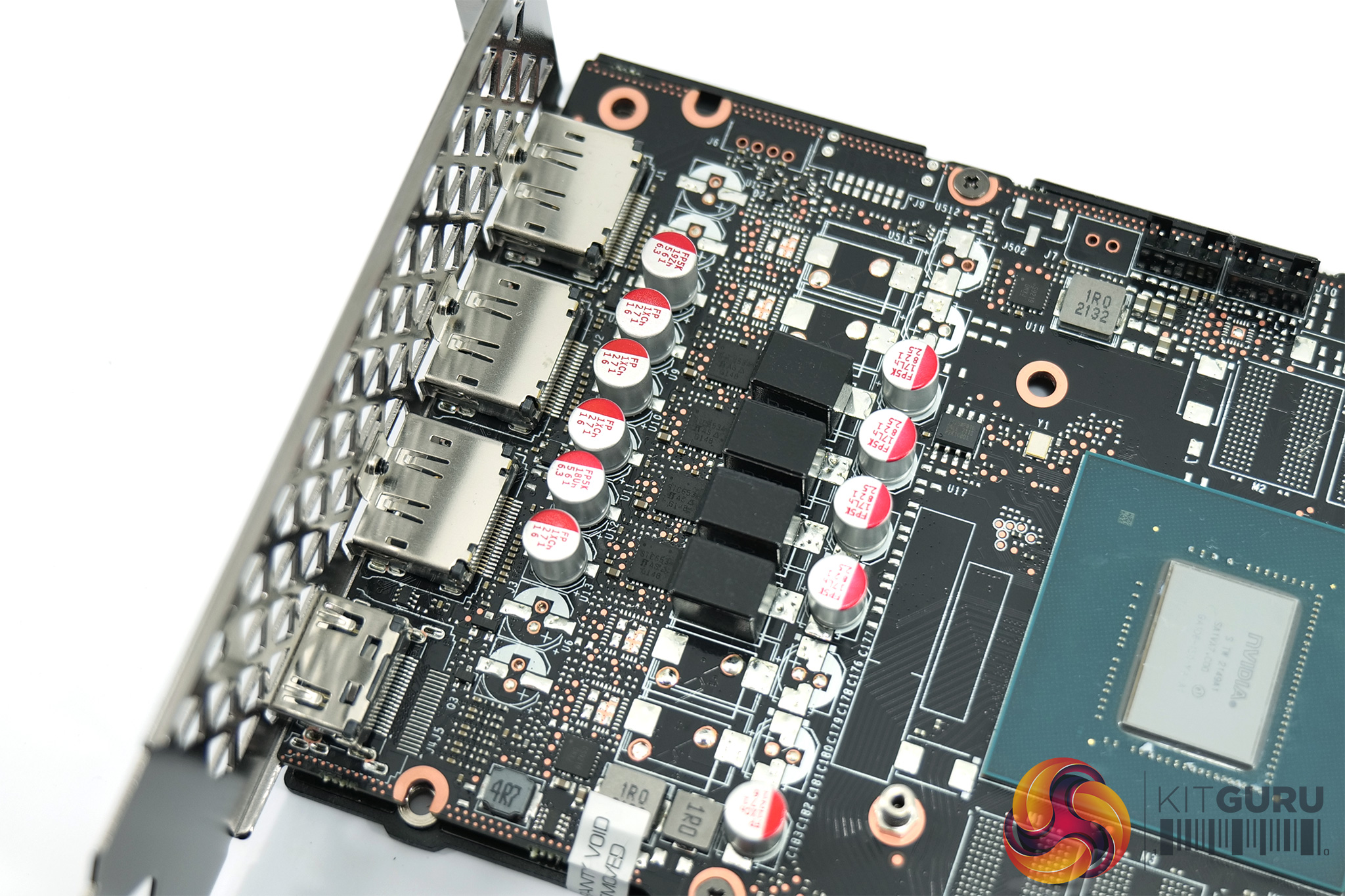
Looking now at the PCB, the first thing to note is just how small it is – it extends just as far as the PCIe retention clip, with the Twin X2 OC's cooler and backplate stretching another 10cm beyond the PCB itself.
Actual componentry is near enough identical to the two RTX 3050s we looked at on launch – we find a 4-phase VRM for the GPU and a single phase for the memory. 14Gbps memory modules from Micron are used, carrying the D9ZPM model code.
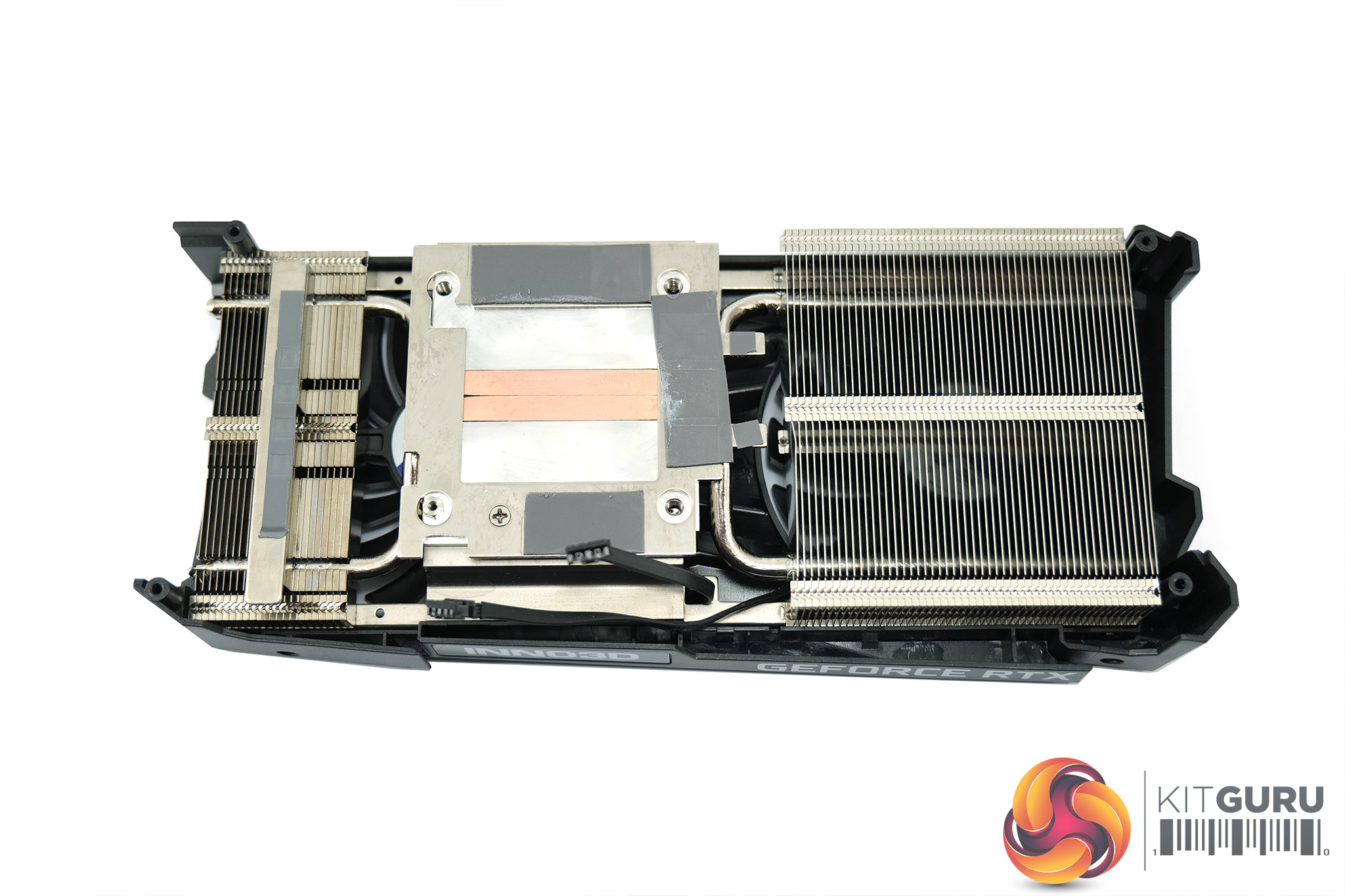
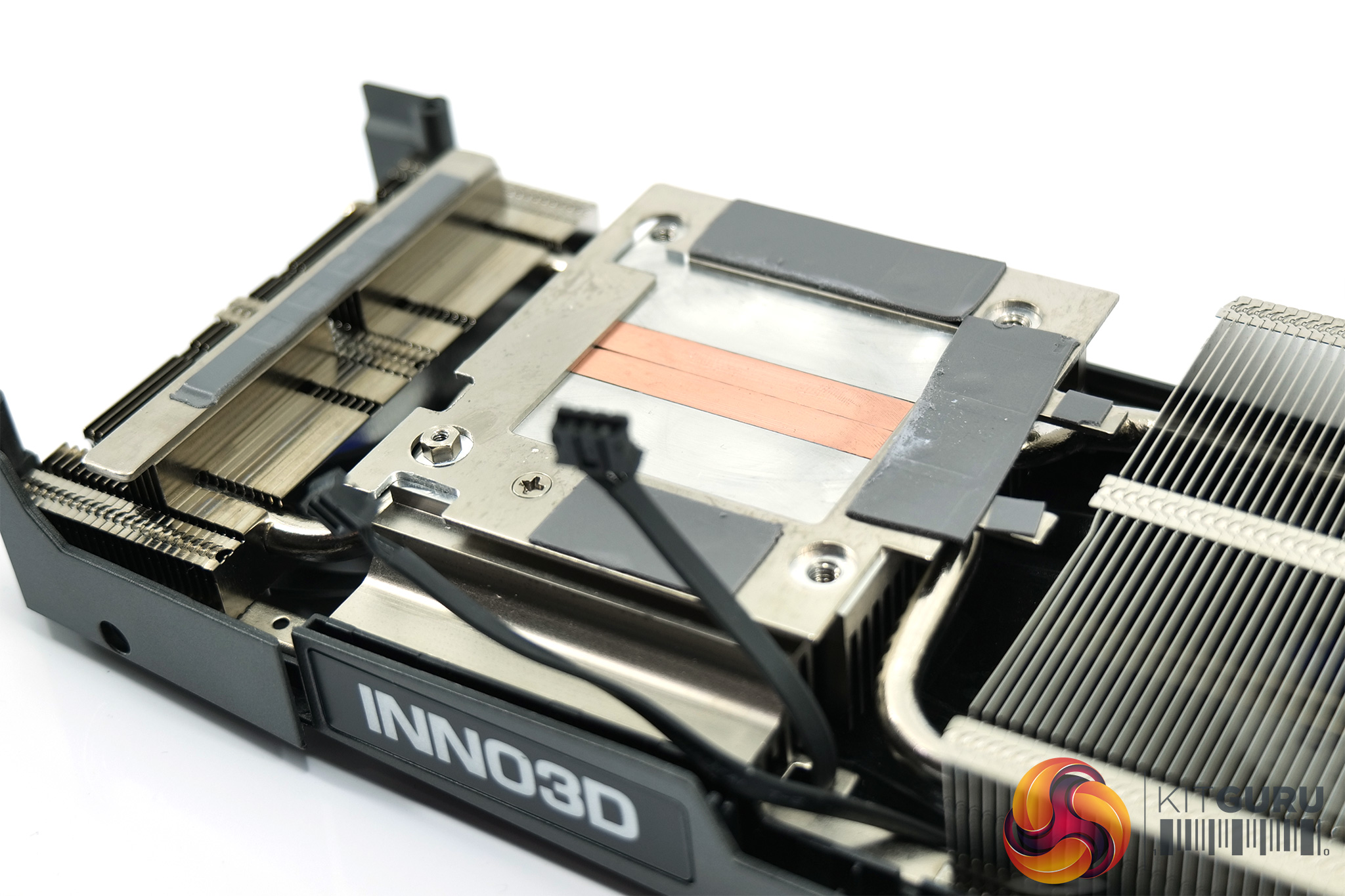
As for the heatsink design, Inno3D uses three finstacks, connected by two copper heatpipes. These make direct contact with the GPU die, while the memory modules contact with a baseplate. Inno3D claims the two heatpipes have a total length of 543mm, while the heatsink has a total surface area of 360477mm2.
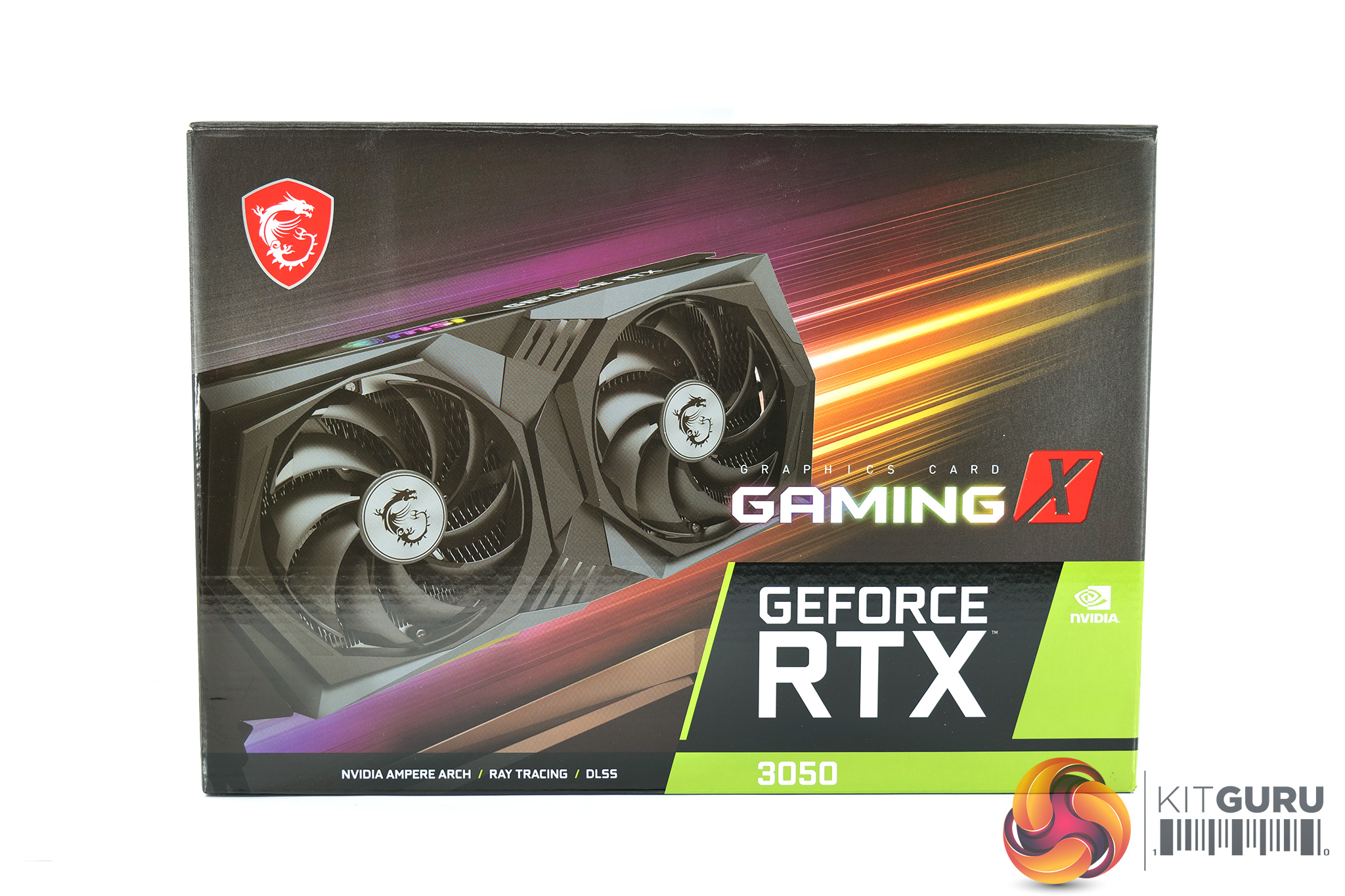
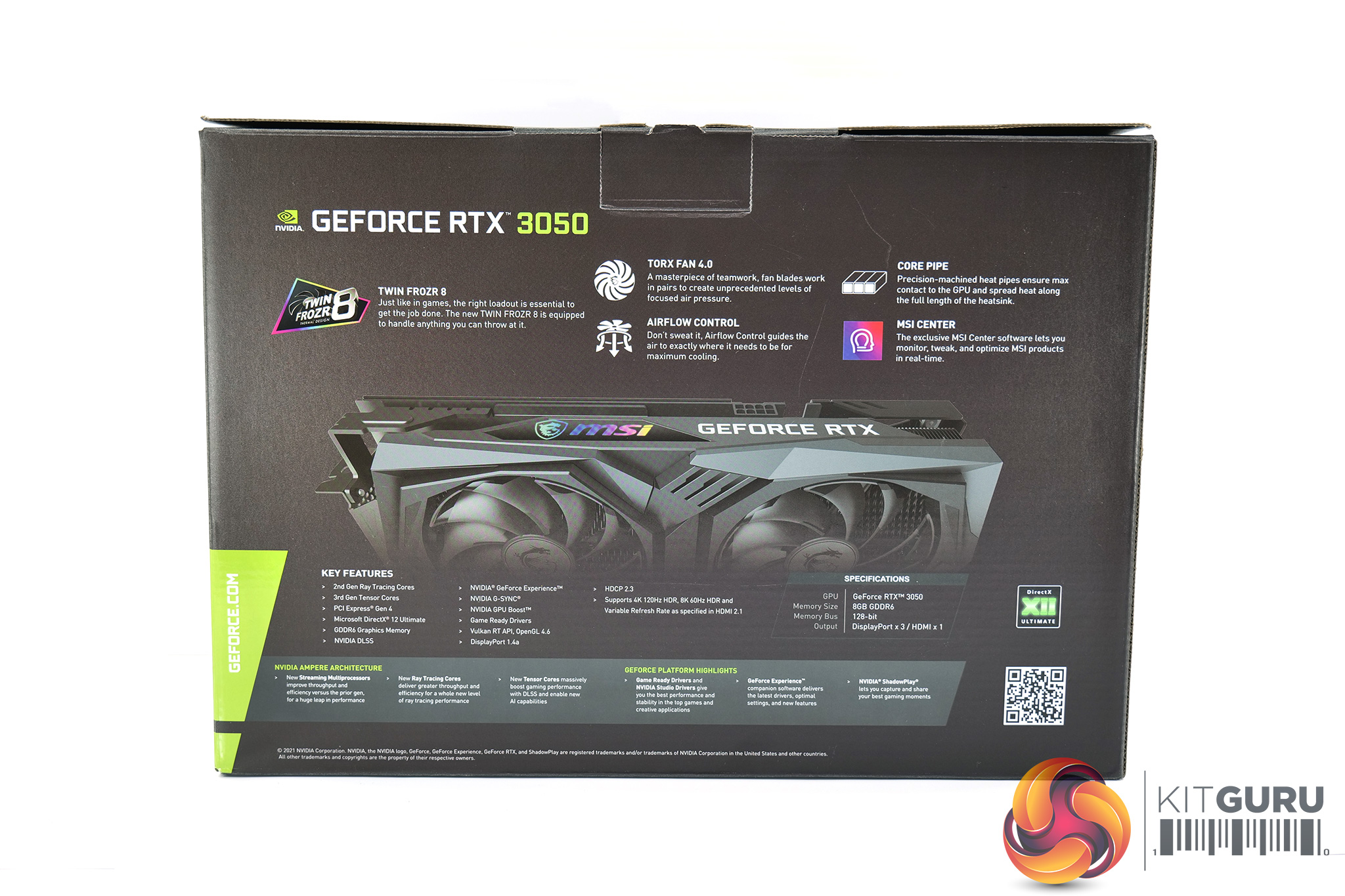
Looking now at the MSI RTX 3050 Gaming X, this card ships in a mostly dark brown box, but the front has a large image of the card itself as well as some yellow and purple accenting. The back of the box highlights a handful of the card's design features.
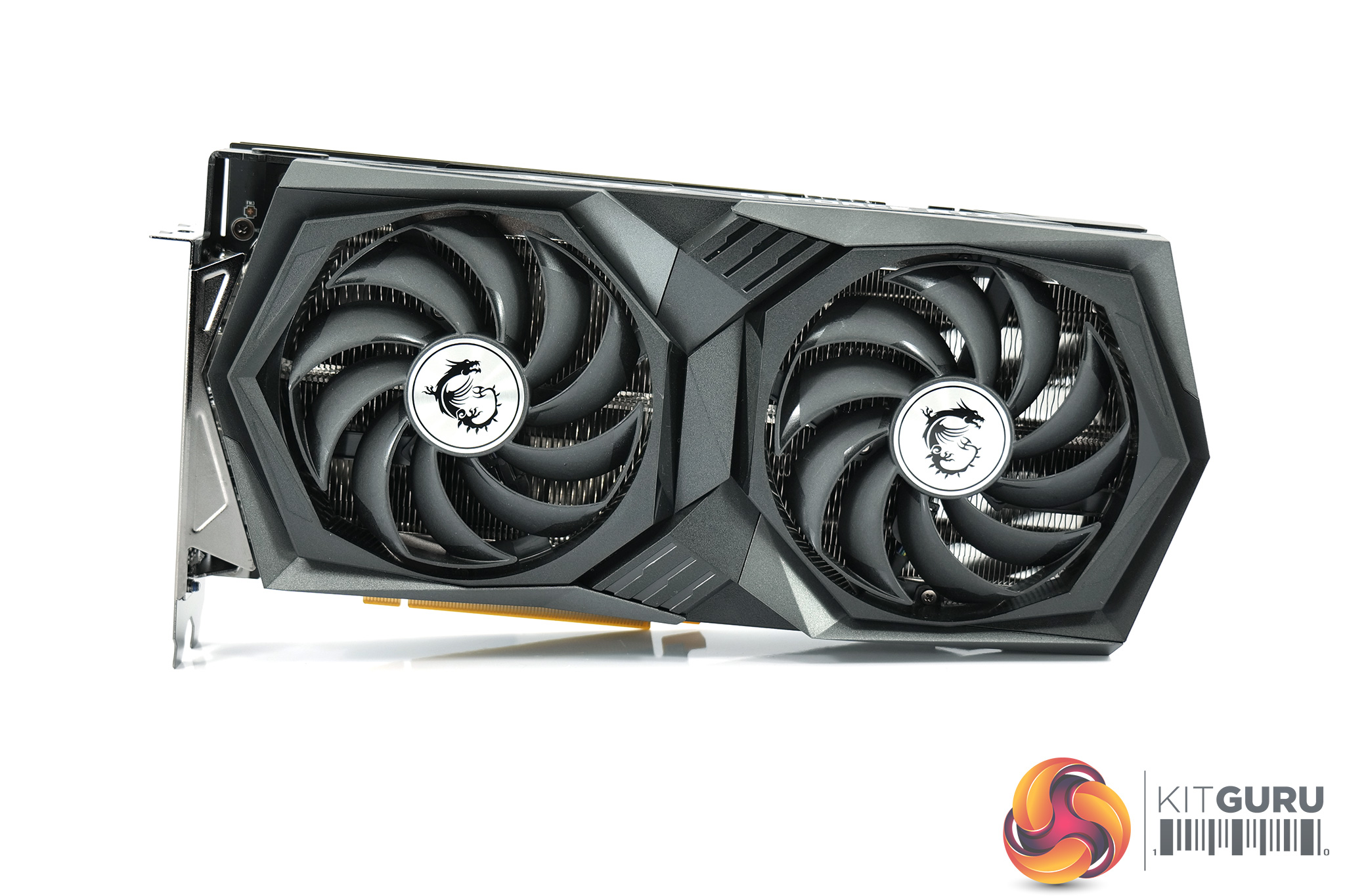

The overall design of the Gaming X will be immediately familiar to anyone who's already seen MSI's other current-gen Gaming-series cards, like this RTX 3070. The design language is consistent across models, with a black and dark-grey shroud that is made of plastic.
Two 100mm fans dominate the front of the card too, with these using MSI's Torx 4.0 design. This sees two fan blades connected to one another with an outer-ring, designed to focus airflow down and through the heatsink – not dissimilar to ASUS' design on its current-gen cards.
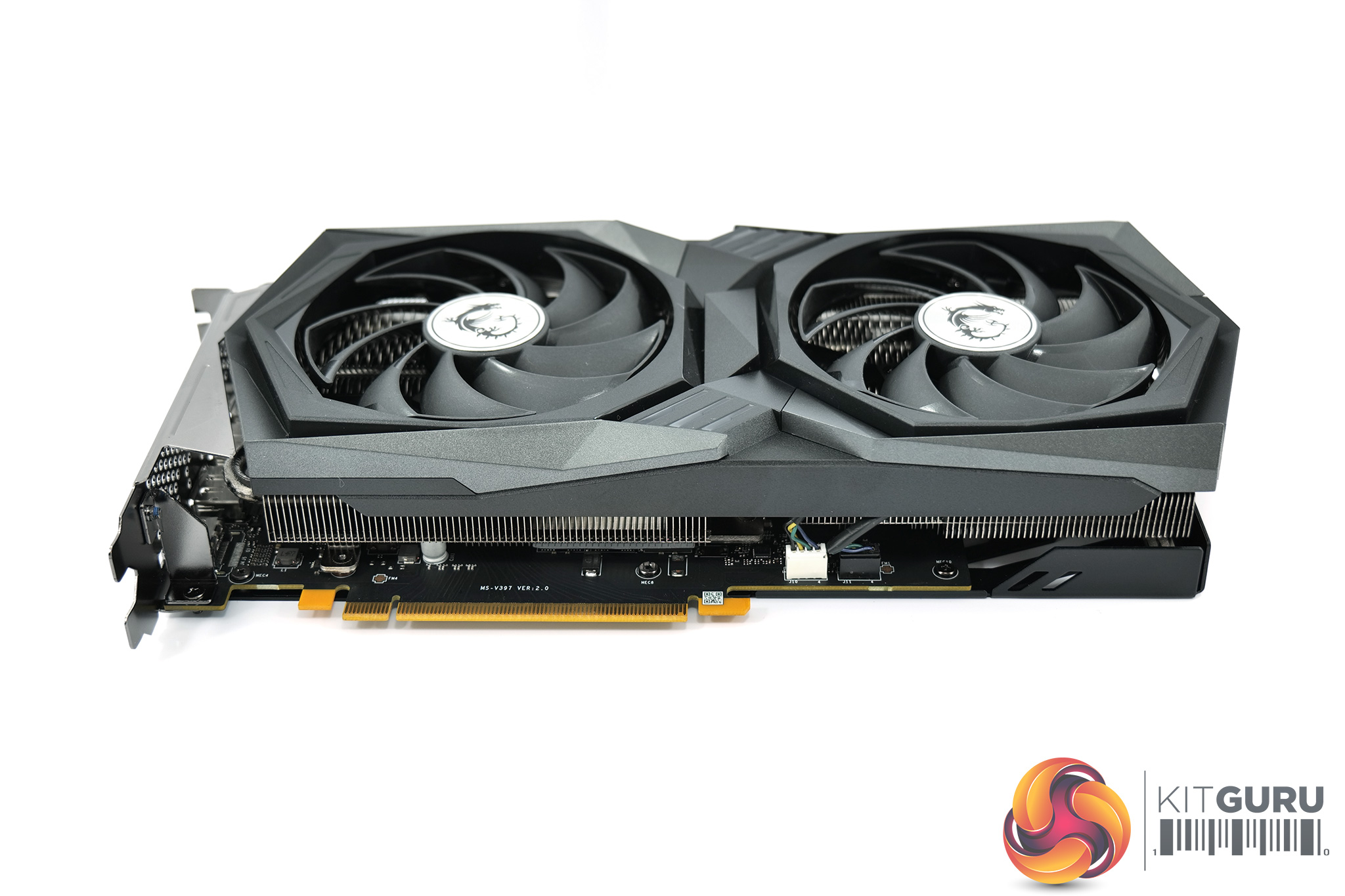
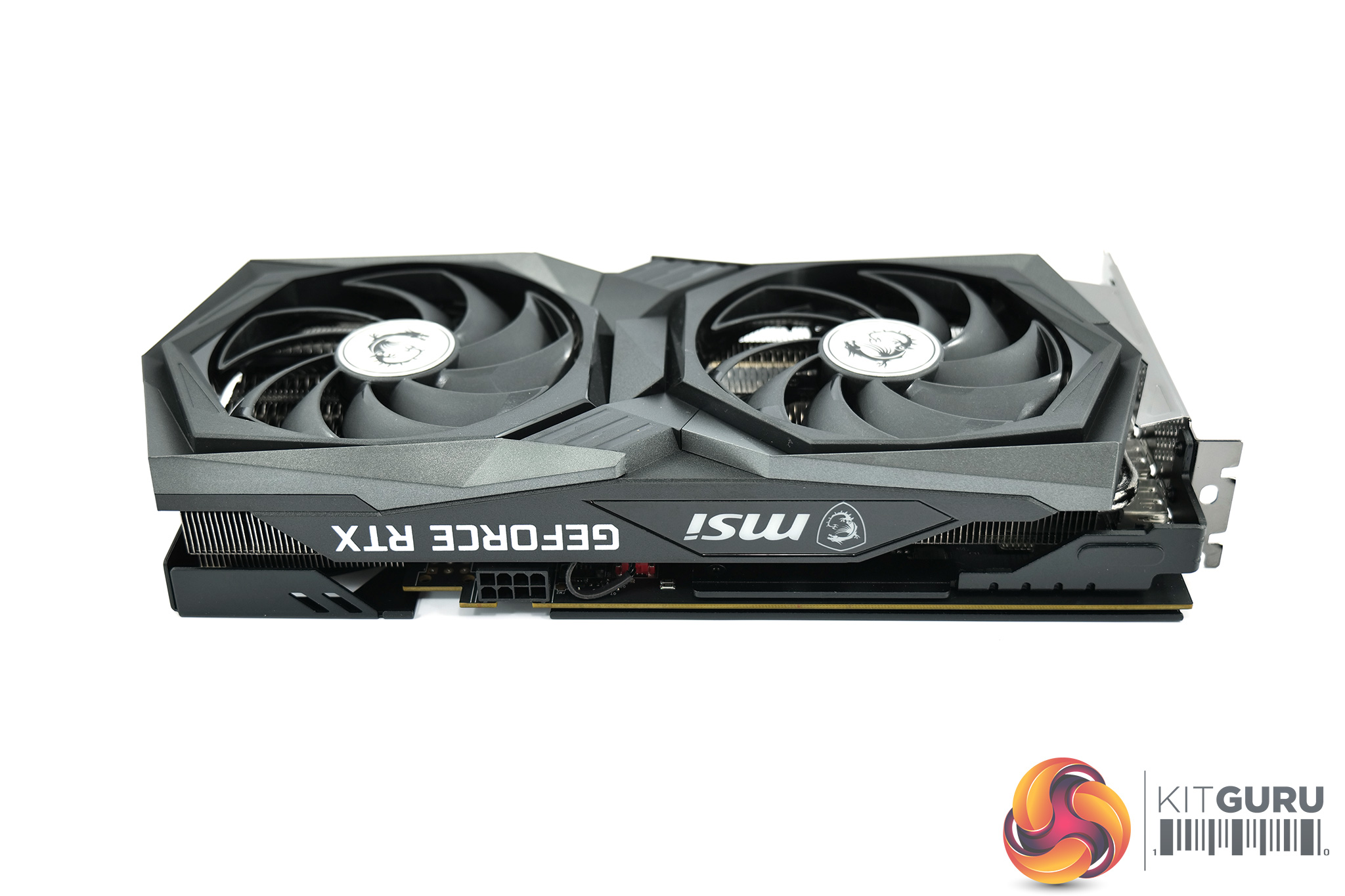
The sizing of this card is potentially problematic. Granted, it's not a triple-fan model, but it still measures in at 278 x 130 x 49mm. To put that into perspective, Nvidia's RTX 3080 Ti Founders Edition measures 285 x 112 x 40mm, meaning the Gaming X is actually thicker and taller, while only coming in 7mm shorter in length.
Considering the RTX 3080 Ti draws over 200W more power than the RTX 3050, the word ‘overkill' certainly springs to mind, but we will reserve final judgement until we've looked at the card's thermals and noise level.
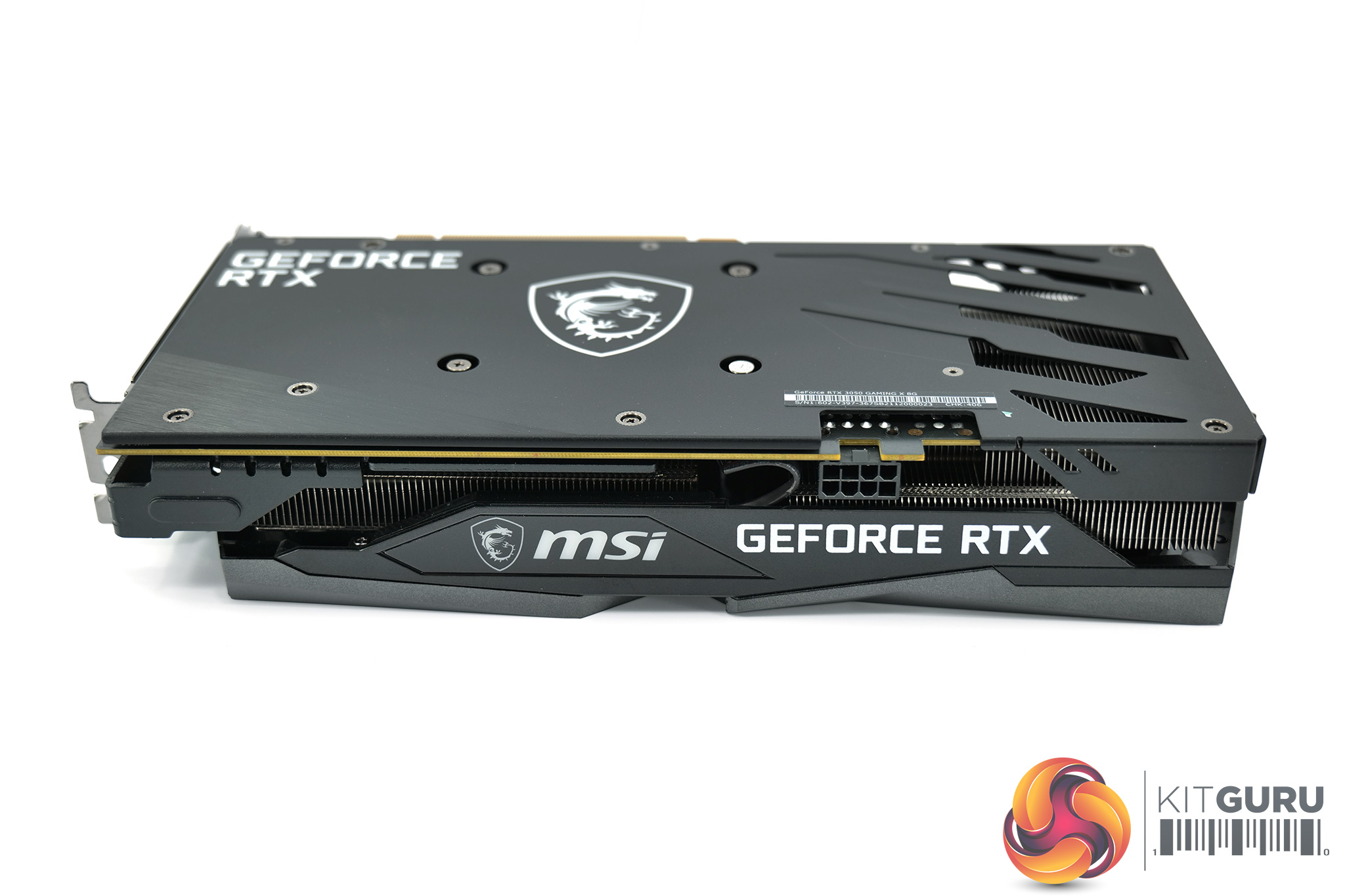
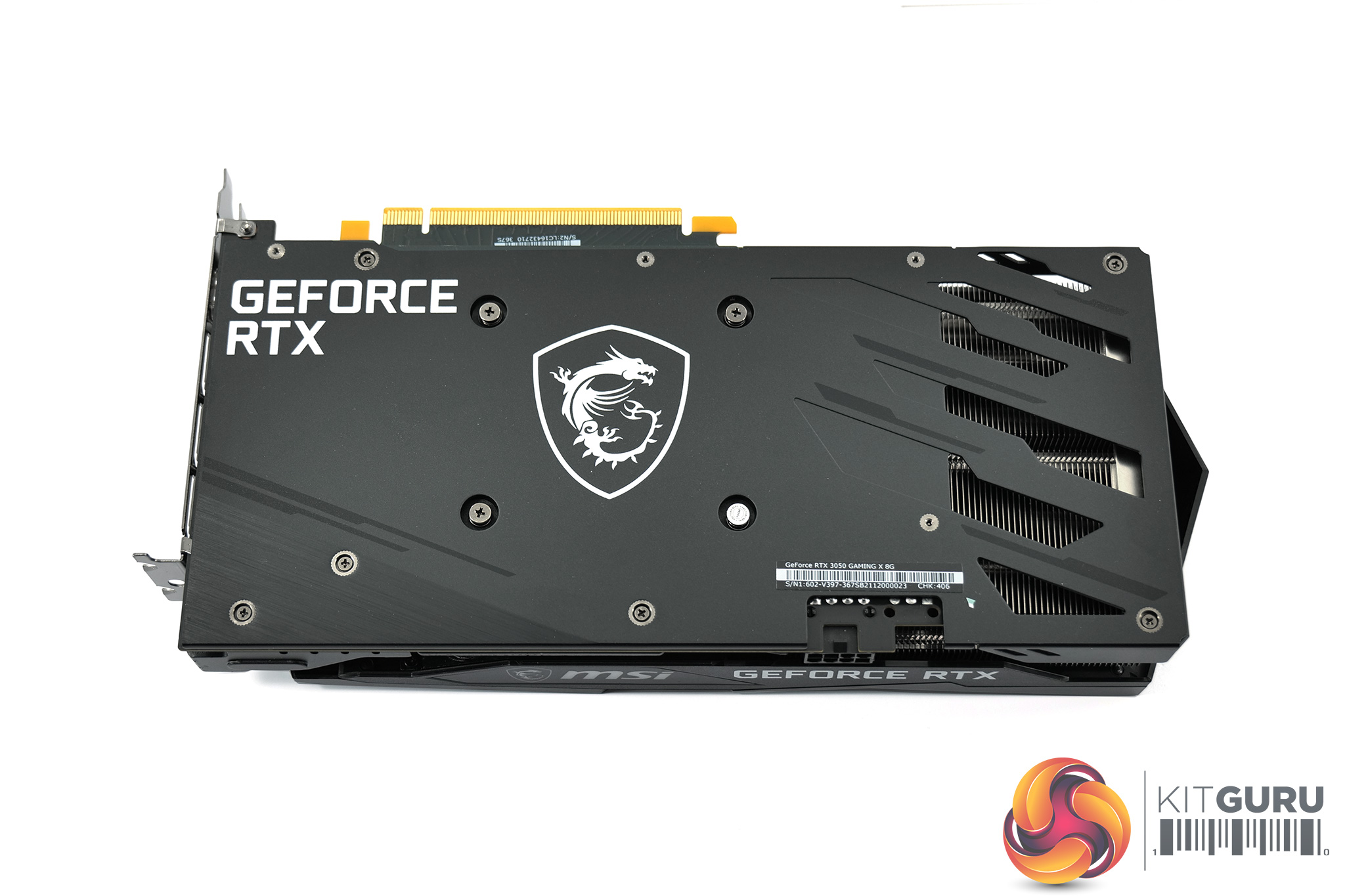
On the side of the shroud, we find the MSI logo, which acts as the only RGB zone on the card. A metal backplate is also present, with a well-sized MSI dragon logo taking pride of place in the centre of the backplate. A few cutouts are visible towards the end of the card, to allow some airflow to pass directly through the heatsink.
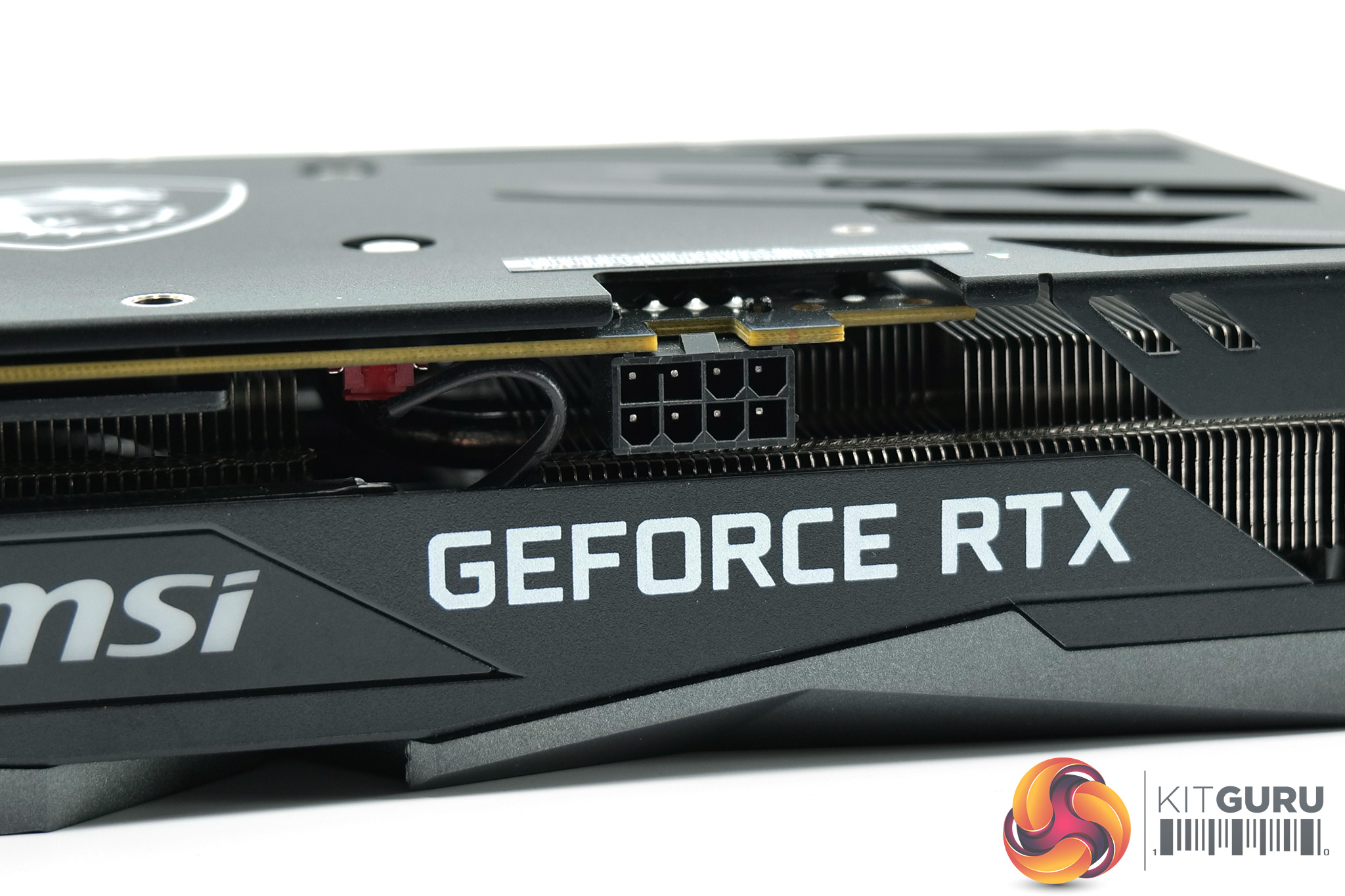
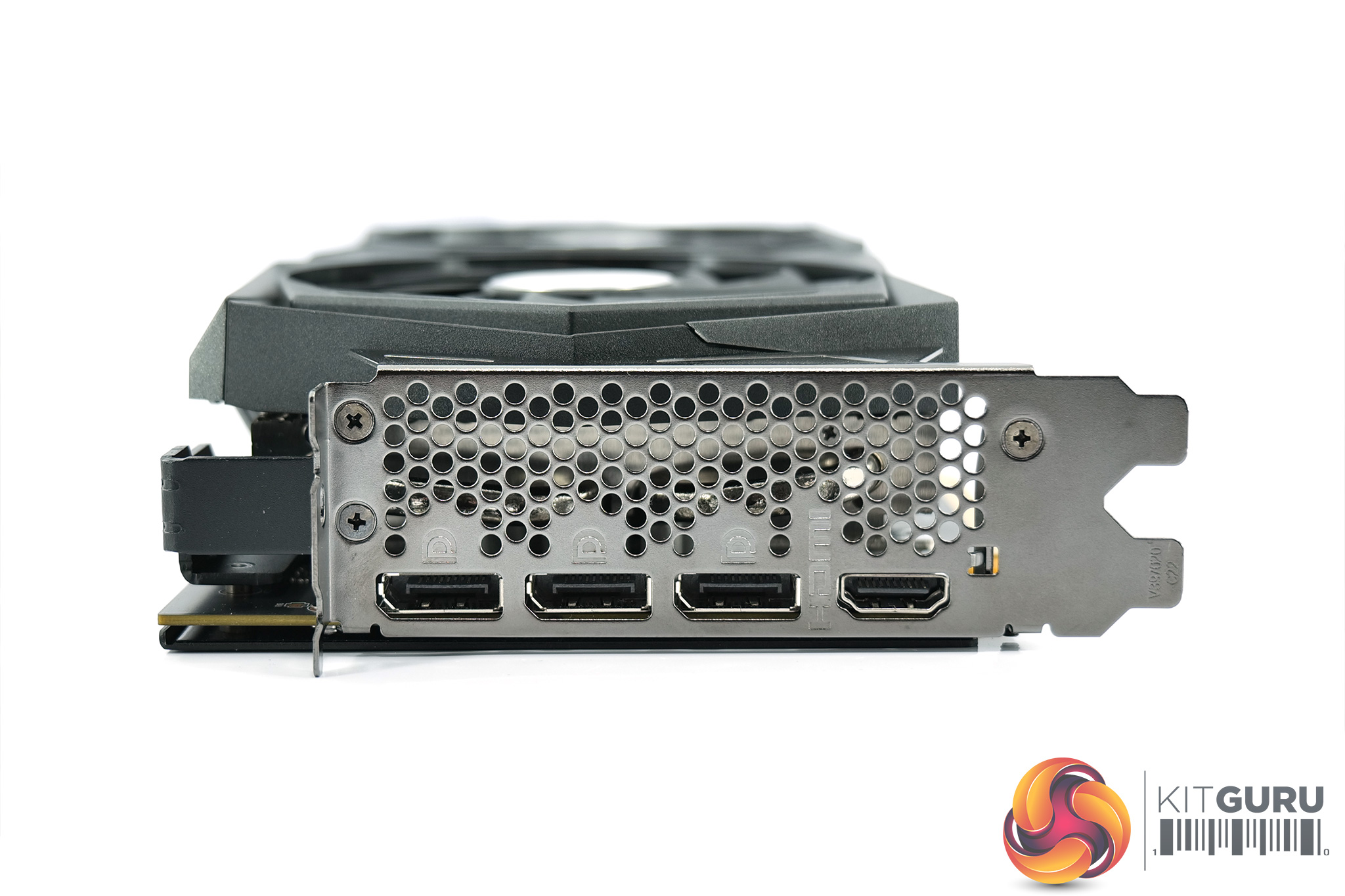
Power is supplied by a single 8-pin PCIe connector, while display outputs again consist of 3x DisplayPort 1.4 and 1x HDMI 2.1.
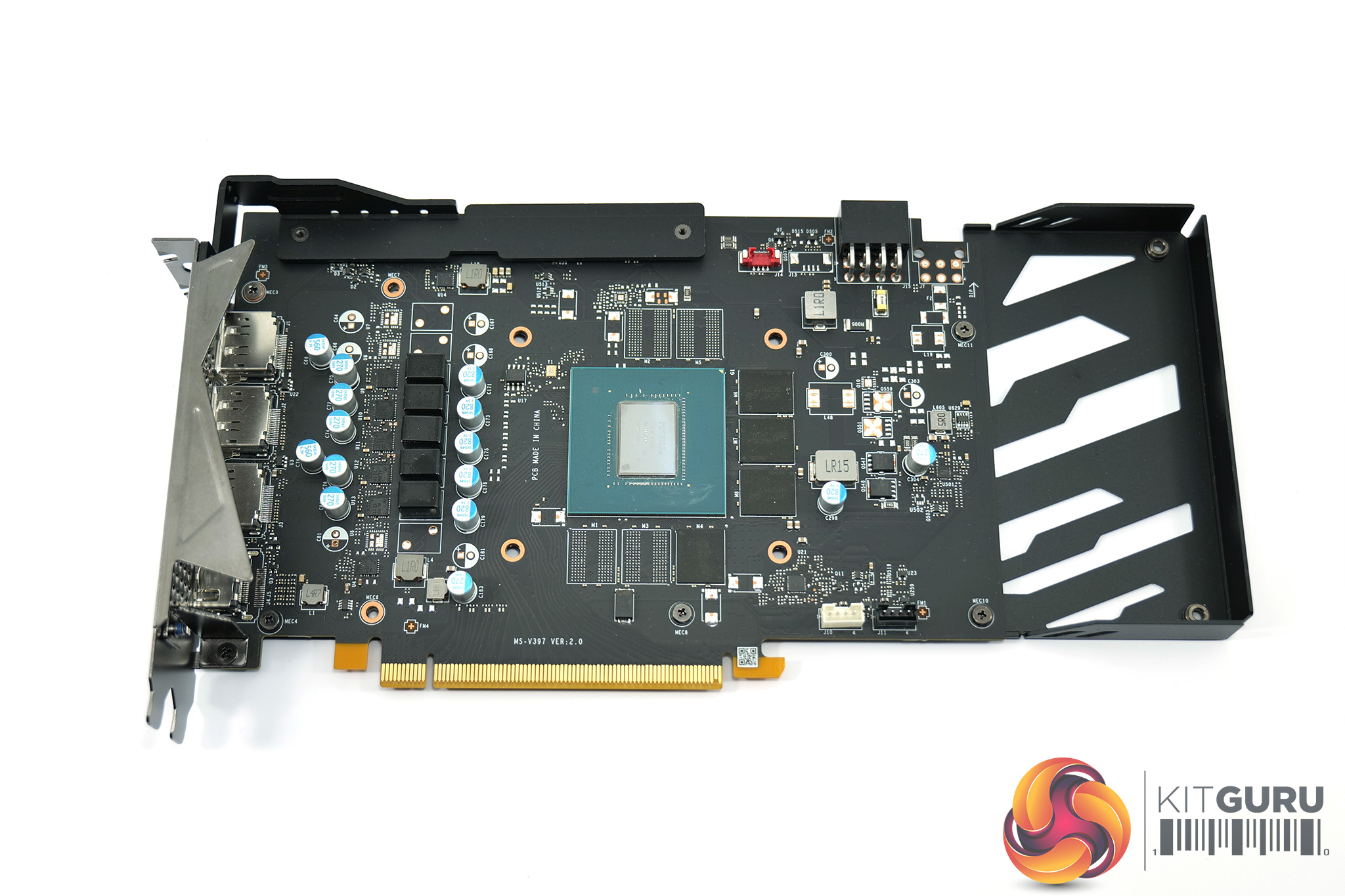
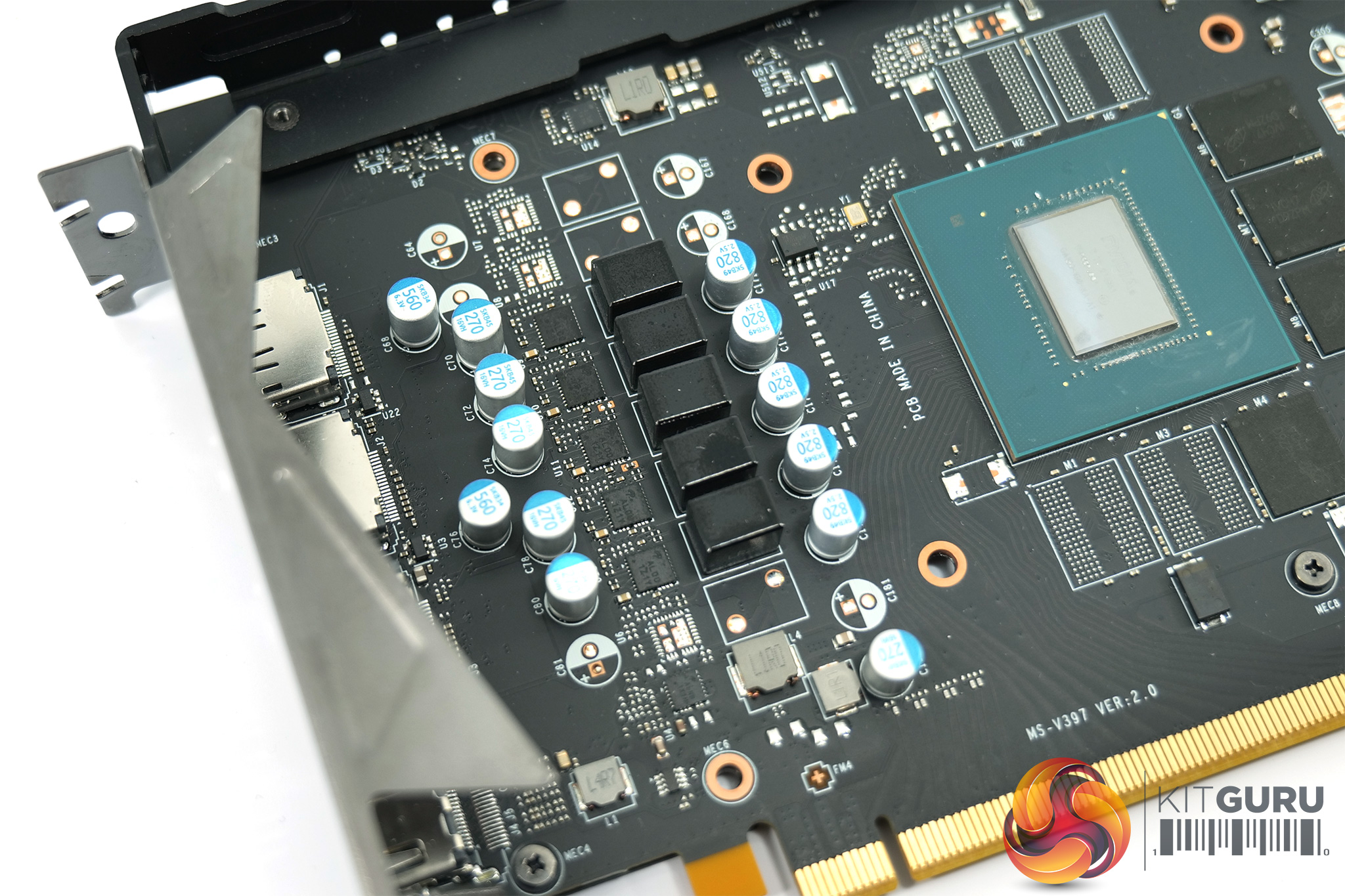
Moving to look at the PCB, we can see MSI has taken things a step further with the GPU VRM, which is a 5-phase design here – every other RTX 3050 card we have looked at so far uses a four-phase VRM. The memory VRM remains single-phase however.
14Gbps memory modules from Micron are used, carrying the D9ZPM model code.
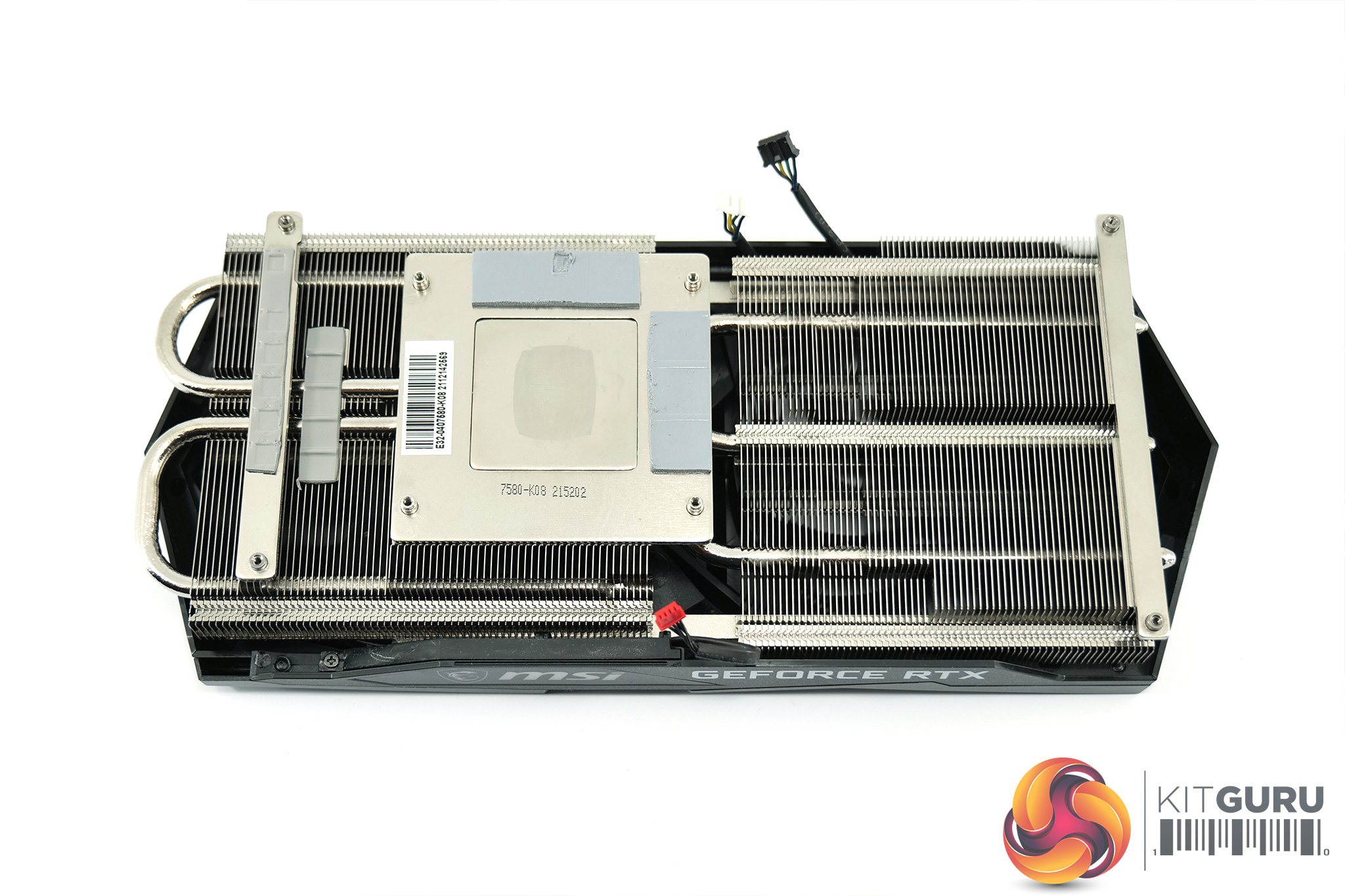
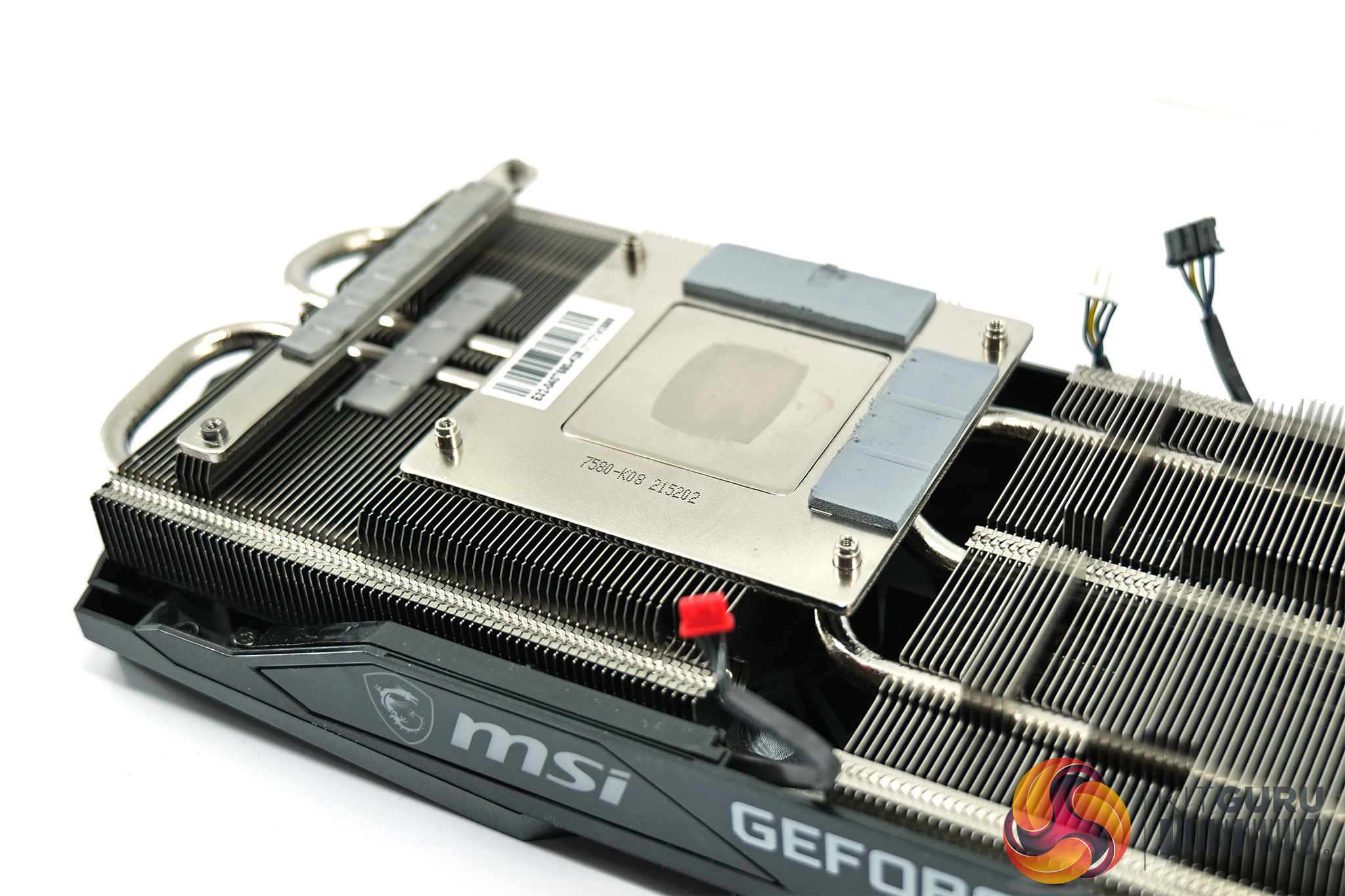
Then for the heatsink, it's an impressive-looking piece of engineering. It features two large and fairly dense finstacks, with a total of three heatpipes. Both the GPU and memory contact with a baseplate.
Driver Notes
- All Nvidia GPUs (except RTX 3050) were benchmarked with the 511.23 driver.
- RTX 3050 was benchmarked with the 511.32 driver supplied to press.
- All AMD GPUs (except RX 6500 XT) were benchmarked with the public Adrenalin 22.1.1 driver.
- RX 6500 XT was benchmarked with the Adrenalin 22.1.1 driver supplied to press.
Test System
We test using the a custom built system from Cyberpower, based on Intel's Alder Lake platform. You can buy your own system from Cyberpower HERE.
| CPU |
Intel Core i9-12900K
|
| Motherboard |
MSI MPG Z690 CARBON WIFI
|
| Memory |
Corsair Dominator Platinum RGB DDR5 5200MHz (2 X 16GB)
CL 40-40-40-77
|
| Graphics Card |
Varies
|
| SSD |
2TB Seagate FireCuda 530
|
| Chassis | Corsair 5000D Airflow |
| CPU Cooler |
Corsair H150i Pro XT
|
| Power Supply |
Corsair 1200W HX Series Modular 80 Plus Platinum
|
| Operating System |
Windows 11 21H2
|
Comparison Graphics Cards List
- Gigabyte RX 6600 Eagle 8GB
- Gigabyte RX 6500 XT Eagle 4GB
- ASRock RX 5500 XT Challenger 8GB
- Sapphire RX 5500 XT Pulse 4GB
- Sapphire RX 580 Pulse 8GB
- ASUS ROG RX 570 Strix OC 4GB
- Palit RTX 3060 StormX 12GB
- Gigabyte RTX 3050 Eagle 8GB
- Palit RTX 3050 StormX OC 8GB
- Nvidia RTX 2060 FE 6GB
- Gigabyte GTX 1660 Super Gaming 6GB
- Palit GTX 1650 Super StormX OC 4GB
- Gigabyte GTX 1650 Gaming OC 4GB
- Nvidia GTX 1060 Founders Edition (FE) 6GB
Software and Games List
- 3DMark Fire Strike & Fire Strike Ultra (DX11 Synthetic)
- Cyberpunk 2077 (DX12)
- Hitman 3 (DX12)
- Watch Dogs: Legion (DX12)
We run each benchmark/game three times, and present mean averages in our graphs. We use FrameView to measure average frame rates as well as 1% low values across our three runs.
Fire Strike is a showcase DirectX 11 benchmark for modern gaming PCs. Its ambitious real-time graphics are rendered with detail and complexity far beyond other DirectX 11 benchmarks and games. Fire Strike includes two graphics tests, a physics test and a combined test that stresses the CPU and GPU. (UL).
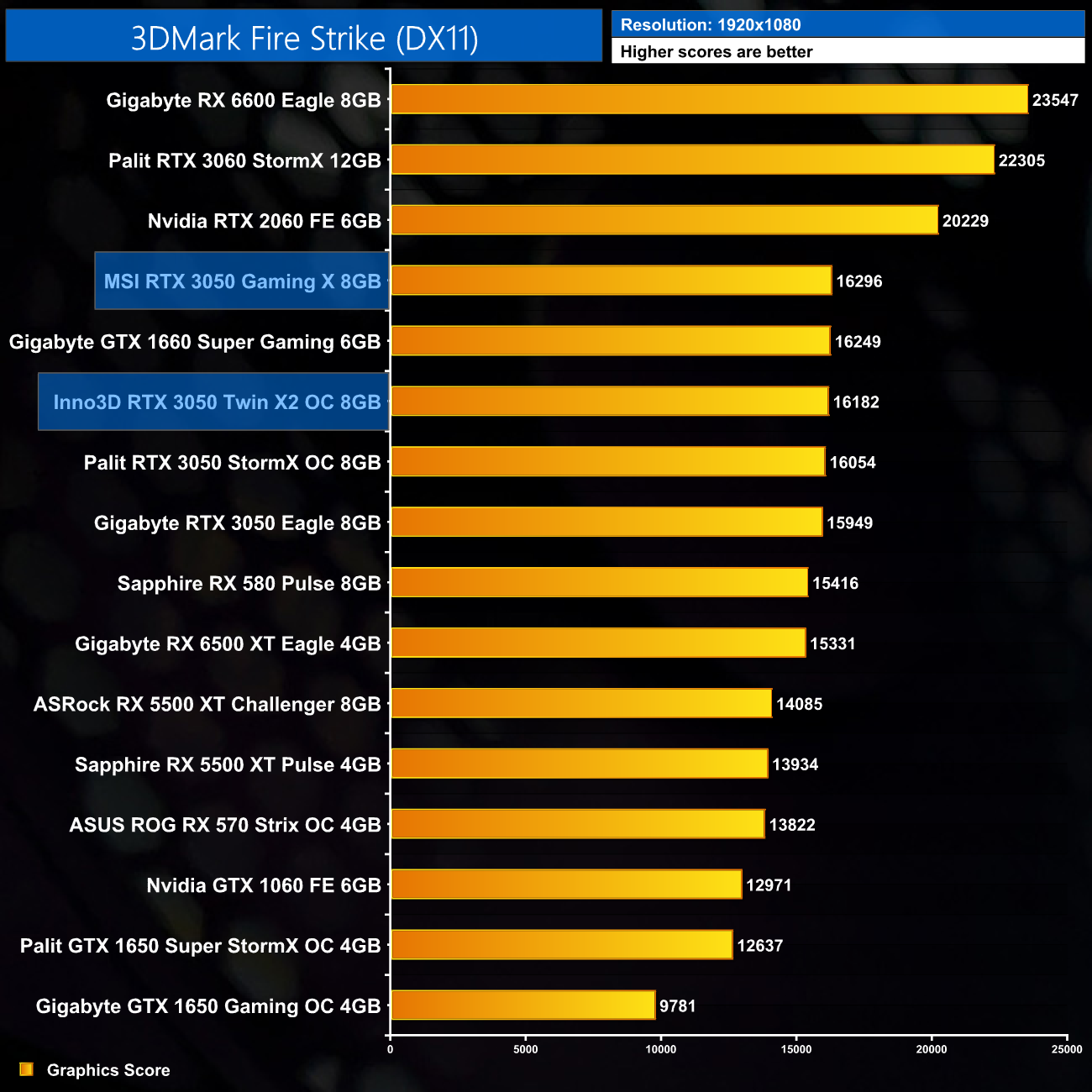
Getting an initial look at performance from 3DMark Fire Strike, what we see isn't much of a surprise. The Inno3D and MSI RTX 3050s carry more aggressive factory overclocks than the Gigabyte Eagle and Palit StormX OC that we have already assessed, and that translates into a marginal performance victory for these new cards. We're talking a couple percent at most though, so the different to performance are not big.
Real-time ray tracing is incredibly demanding. The latest graphics cards have dedicated hardware that’s optimized for ray-tracing. The 3DMark DirectX Raytracing feature test measures the performance of this dedicated hardware. Instead of using traditional rendering techniques, the whole scene is ray-traced and drawn in one pass. The result of the test depends entirely on ray-tracing performance. (UL).

Likewise in the 3DMark DXR featuretest, the extra clock speed on offer from the MSI Gaming X and Inno3D Twin X2 helps boost performance, but even the Gaming X is not more than 3% faster than the Gigabyte Eagle.
Here we test three games, all at 1920×1080 resolution using maximum image quality settings.
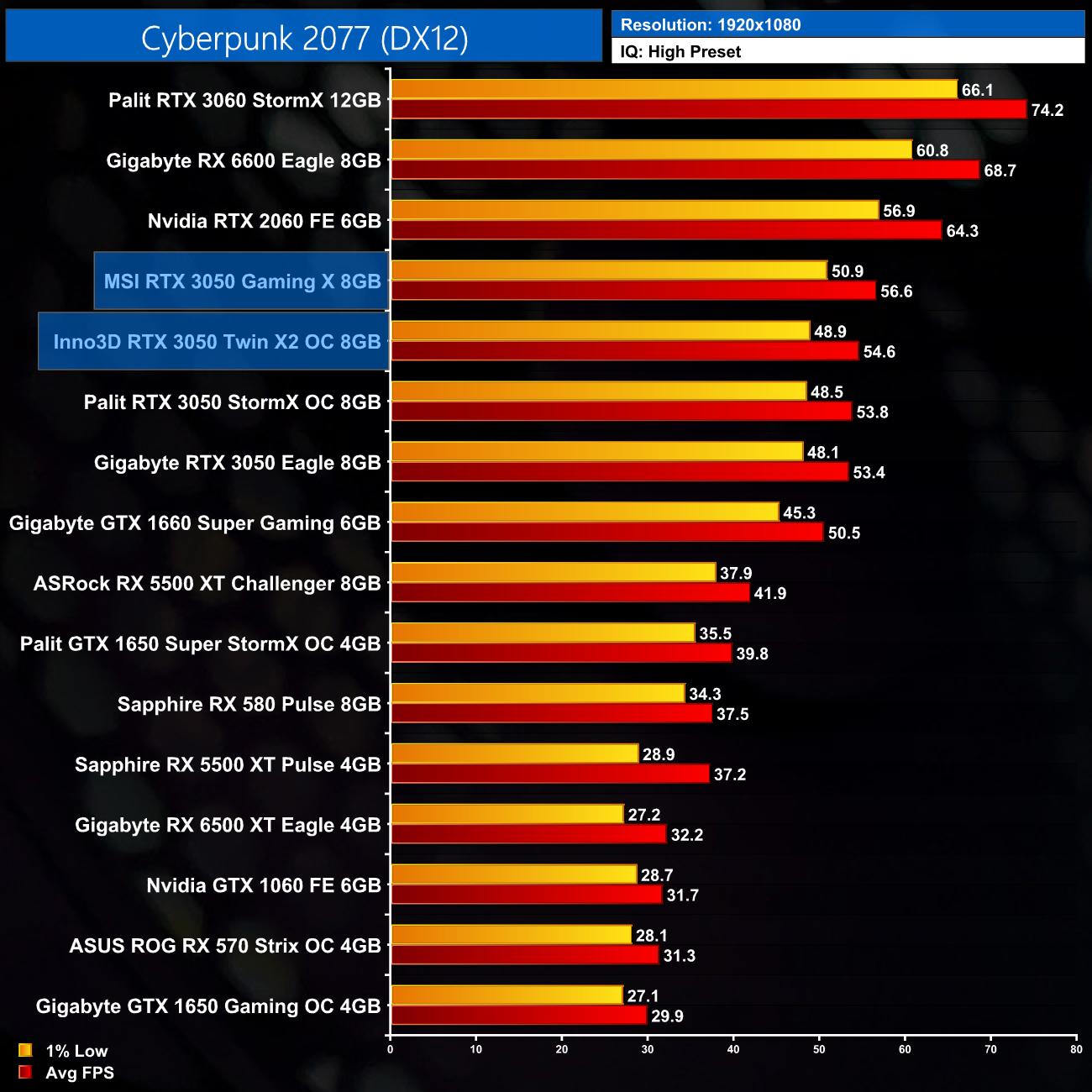
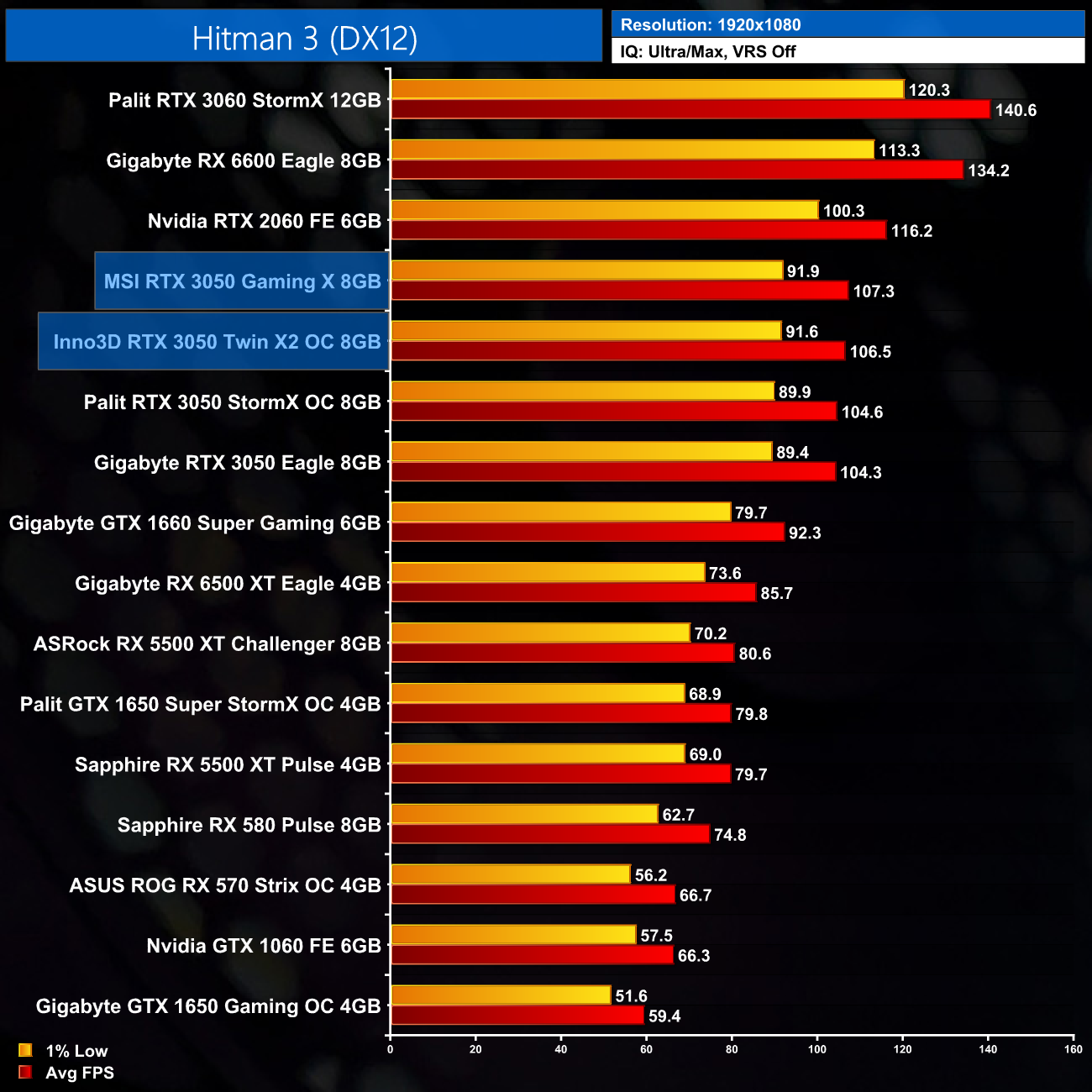
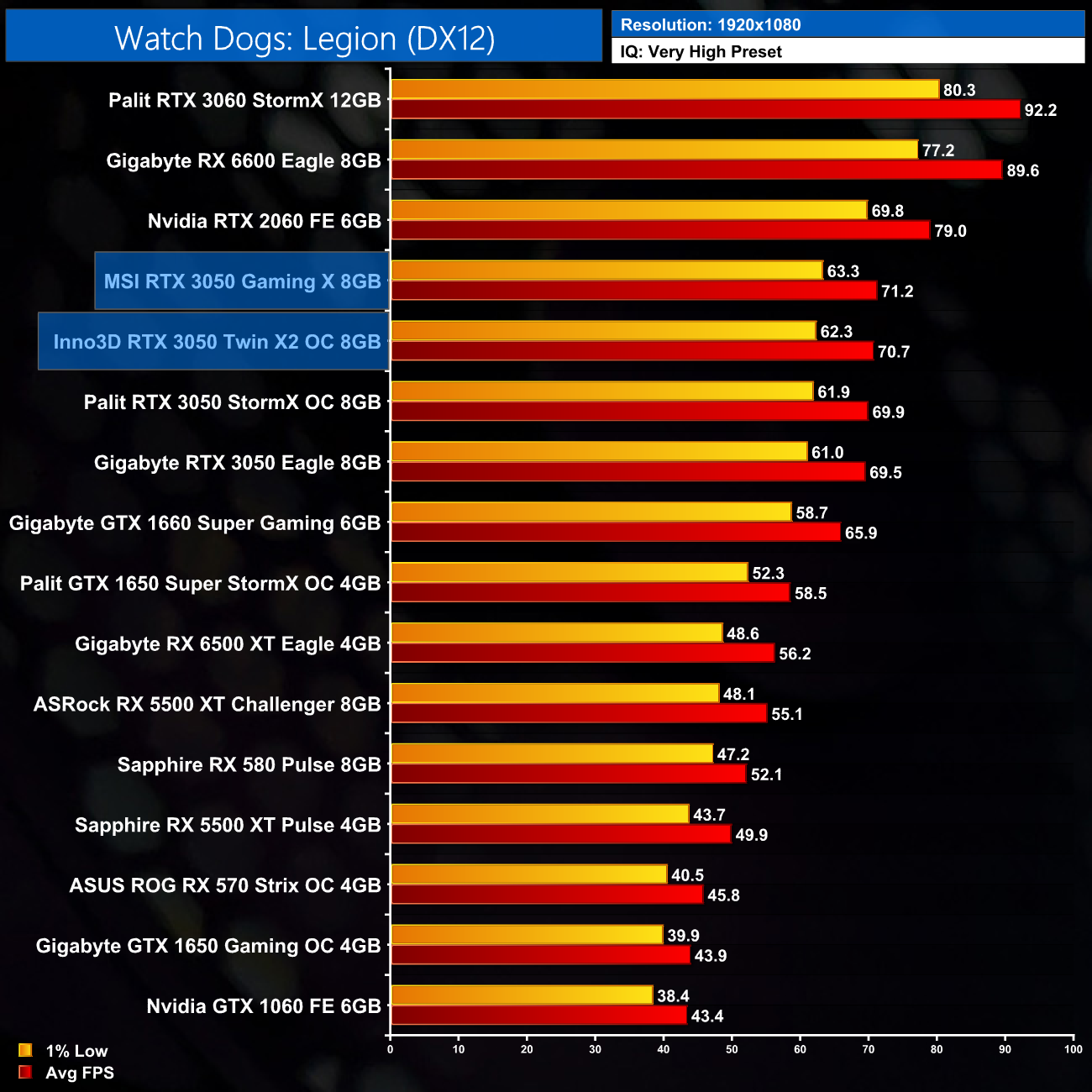
We don't test a lot of games for these AIB cards reviews, for the simple reason that no factory overclock is going to add more than a handful of FPS to the GPU in question. That is perfectly illustrated by the performance numbers above – yes, both the Gaming X and Twin X2 OC are faster than the Gigabyte Eagle on paper, but the differences are so marginal they are effectively of no real consequence. In other words, no one is going to be able to tell the difference between 71FPS and 69FPS.
The good news, though, is that these cards are performing exactly as expected, which is to say that are indeed RTX 3050 GPUs.
Here we present the average clock speed for each graphics card while running Cyberpunk 2077 for 30 minutes. We use GPU-Z to record the GPU core frequency during gameplay. We calculate the average core frequency during the 30 minute run to present here.
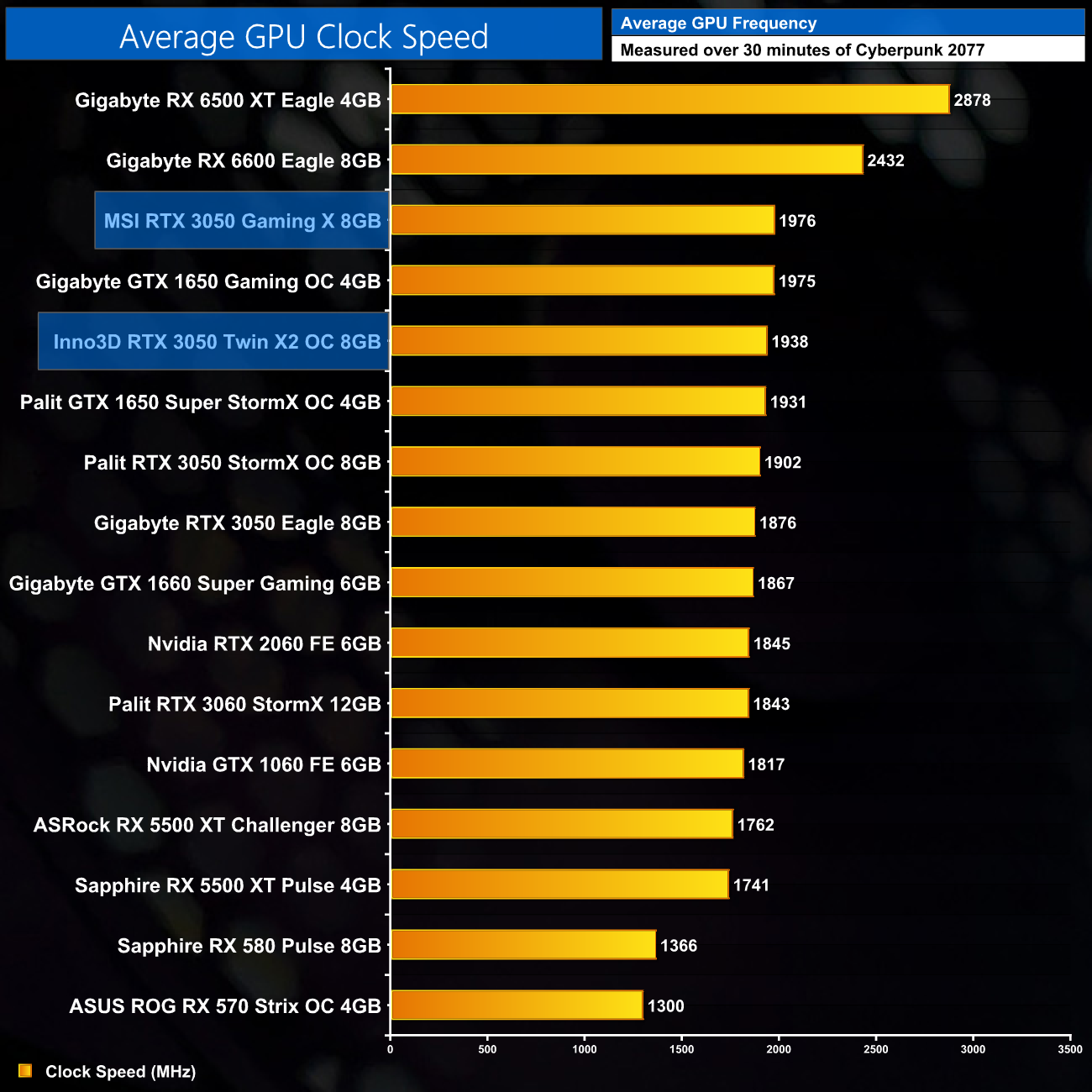
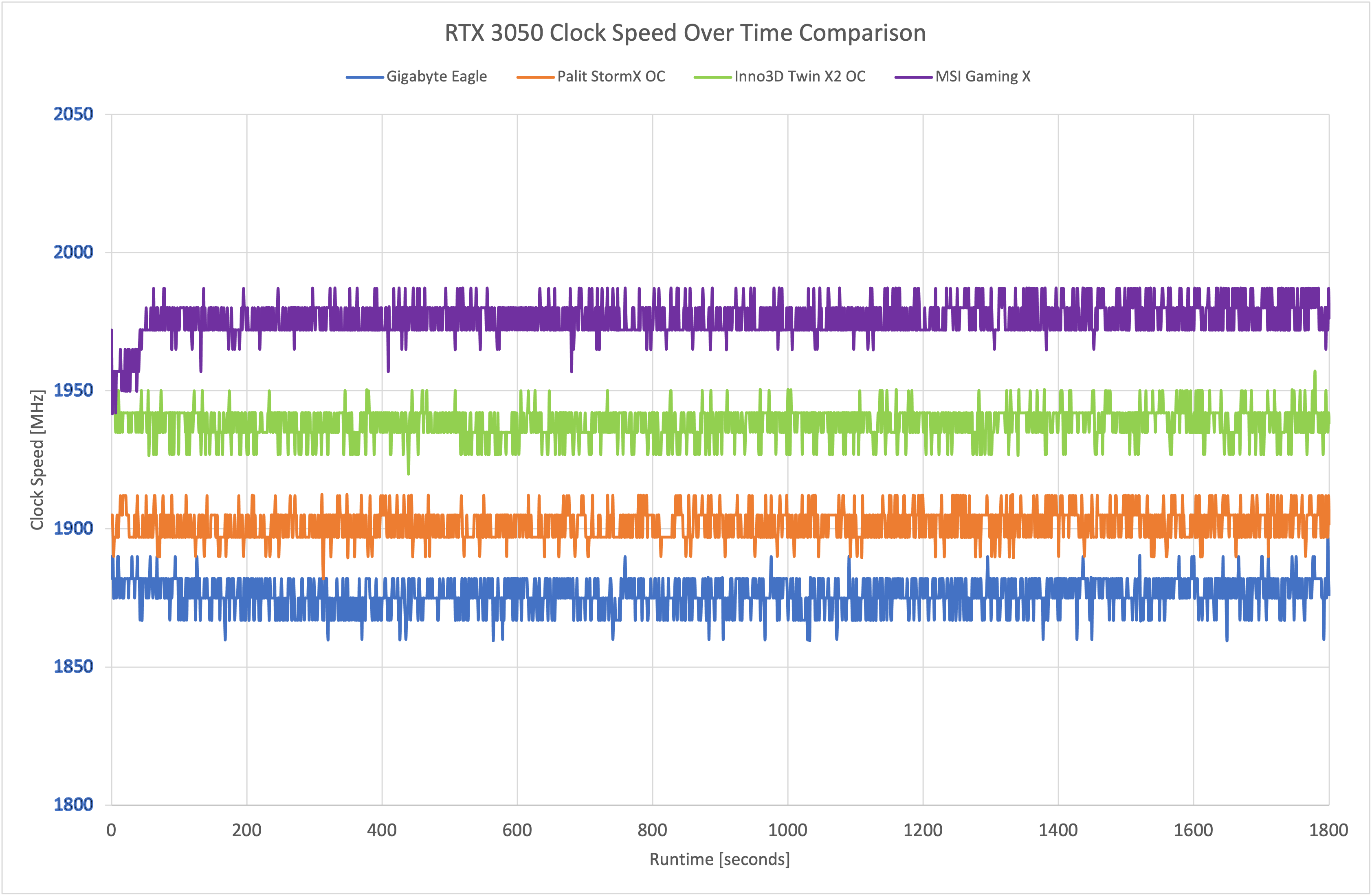
To dive deeper into the operating clock speeds of all four RTX 3050s we have tested so far, above we can see both the 30-minute average clock speed, as well as a scatter graph showing the operating clock speed plotted over the course of our 30-minute stress test.
As expected, the MSI Gaming X does run the fastest, consistently hovering around the 1975MHz mark. The Inno3D Twin X2 is only slightly slower, with its clock speed typically below 1950MHz bur occasionally boosting to or beyond that figure. Even the reference-clocked Gigabyte Eagle isn't too far behind, with its real-world clock speed just 100MHz slower on average than the Gaming X.
For our temperature testing, we measure the peak GPU core temperature under load. A reading under load comes from running Cyberpunk 2077 for 30 minutes.
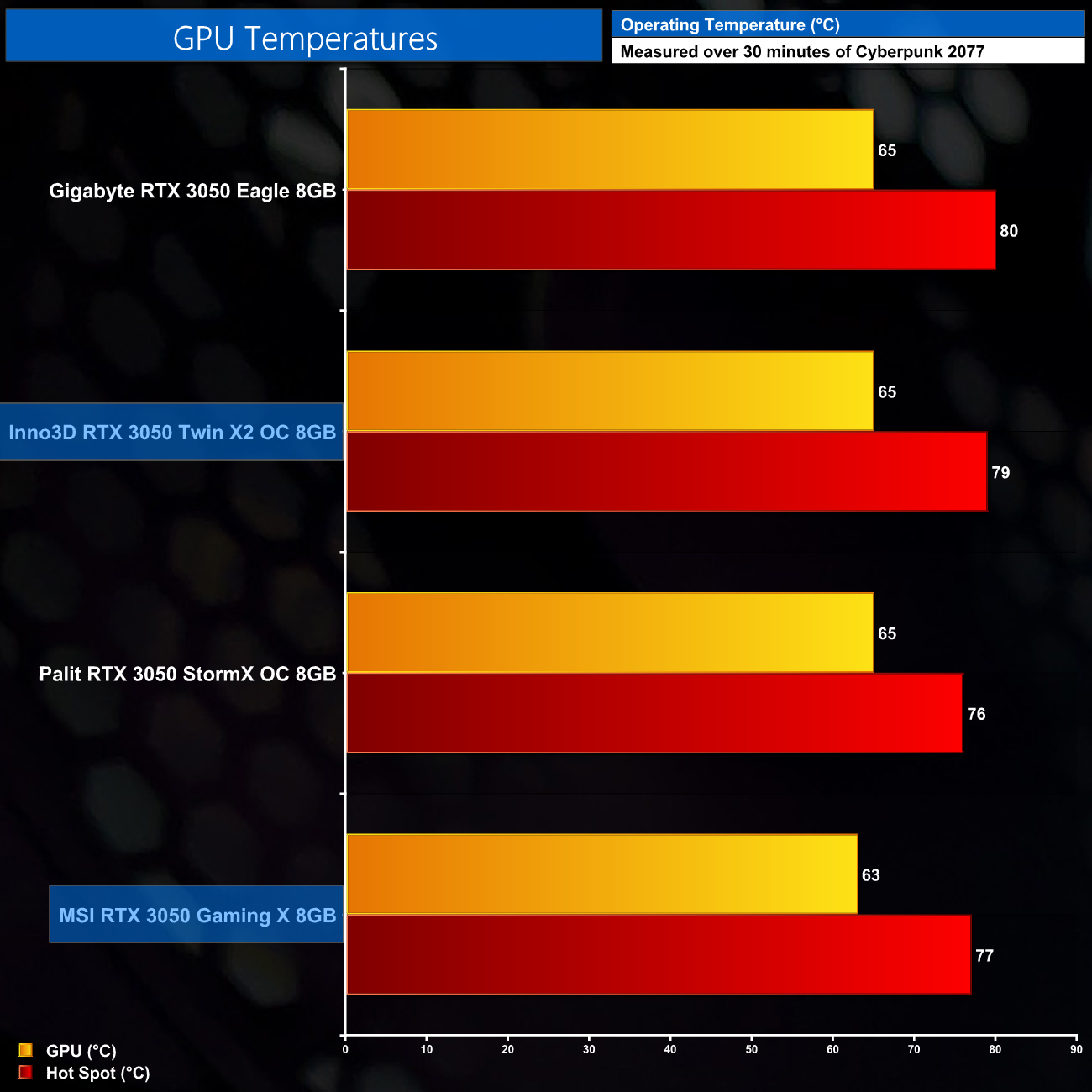
Out of the box thermal performance is a fascinating area to look at. These figures are recorded using the cards' default fan curves, so they don't account for differences in fan speeds and therefore noise, but they are representative of the out of the box thermal performance you can expect.
What we can see though is pretty much the same sort of temperatures across all four cards. There's only small differences in the GPU and hot-spot temperatures, with no more than a 4C margin at most, so let's take a look at the acoustic performance and see if that explains things…
We take our noise measurements with the sound meter positioned 1 foot from the graphics card. I measured the noise floor to be 32 dBA, thus anything above this level can be attributed to the graphics cards. The power supply is passive for the entire power output range we tested all graphics cards in, while all CPU and system fans were disabled. A reading under load comes from running Cyberpunk 2077 for 30 minutes.
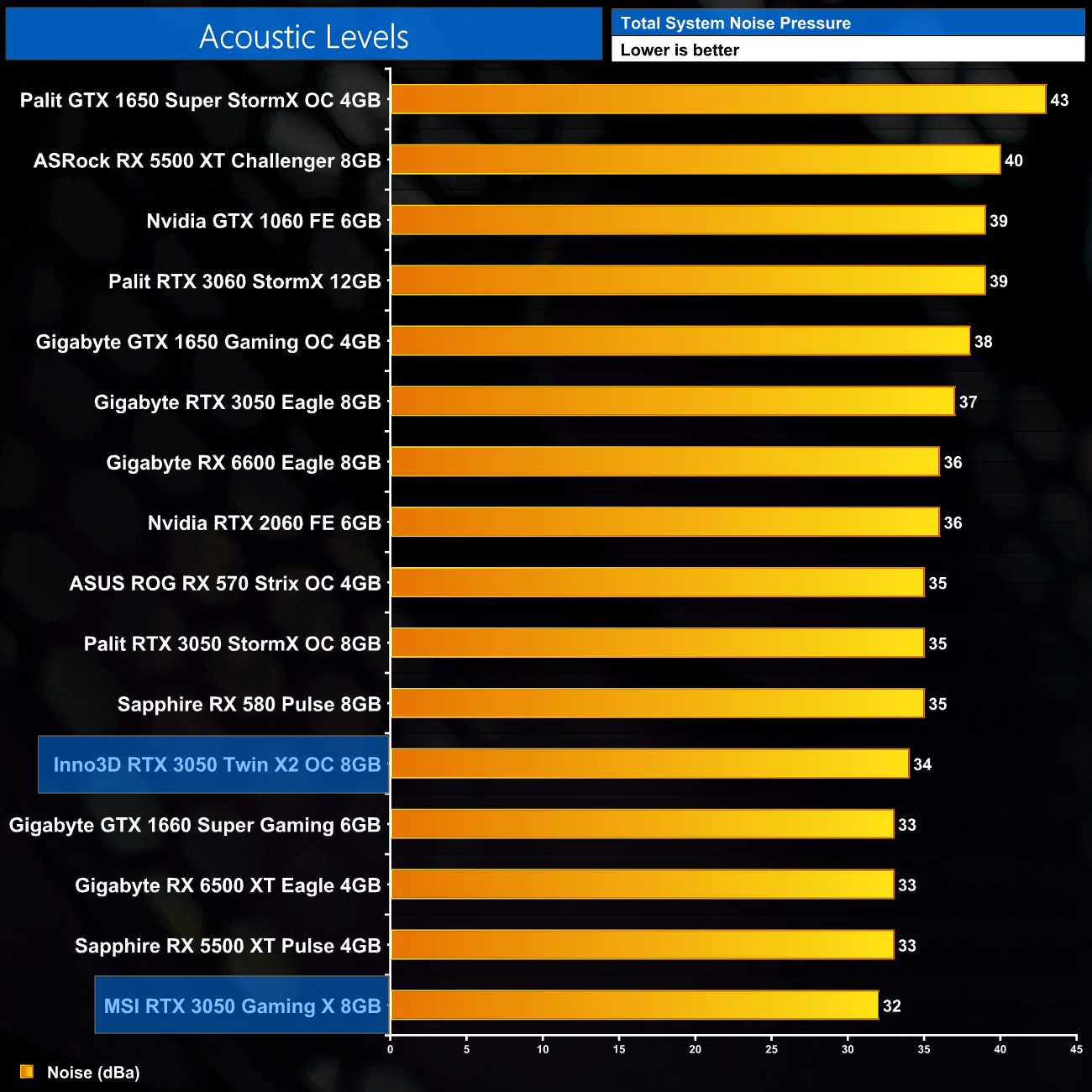
Thermal performance is indeed better understood when looking at noise levels. We'd expect the Gaming X to offer the best cooling performance due to its size, which it does just about achieve, but it's also easily the quietest RTX 3050 we've tested, with its fans spinning at just 30%, or 1200rpm, making it practically inaudible.
The Inno3D Twin X2 is only a couple of decibels louder, with its two fans spinning at 1510rpm, or 42%, and I'd be more than happy to use that in my own system – the Gaming X can just get away with spinning its fans even slower thanks to its increased size and extra heatpipe.
Following on from our stock thermal and acoustic testing, here we re-test the operating temperature of the GPU, but with noise levels normalised to 40dBa. This allows us to measure the efficiency of the overall cooling solution as varying noise levels as a result of more aggressive fan curves are no longer a factor.
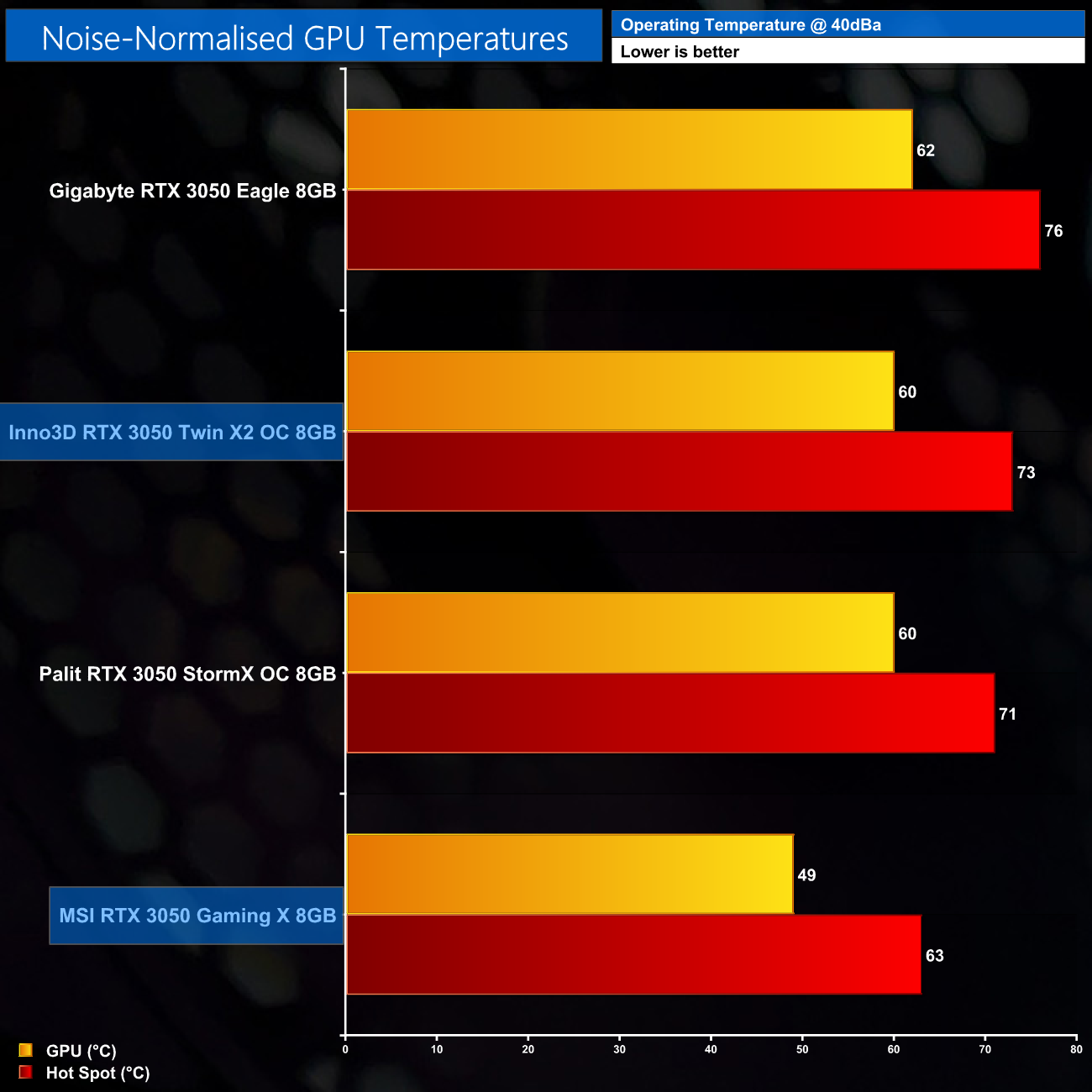
Noise-normalised thermals really shows the benefit to the extra size and heft of the Gaming X's heatsink. We had to increase fan speed up to 54% (1990rpm) to hit 40dBa, resulting in a GPU temperature of below 50C, while the hot spot hit just 63C.
Interestingly, for the Twin X2 OC, we increased the fan speed to 64% (2070rpm) and that saw noise-normalised results basically matching the Palit StormX OC. You may be wondering how that is possible, but the StormX OC's cooler is actually the same one as used on the RTX 3060 model, so it's got a total of 3 heatpipes crammed in there – one more than even the Twin X2 OC.
We measure system-wide power draw from the wall while running Cyberpunk 2077 for 30 minutes.
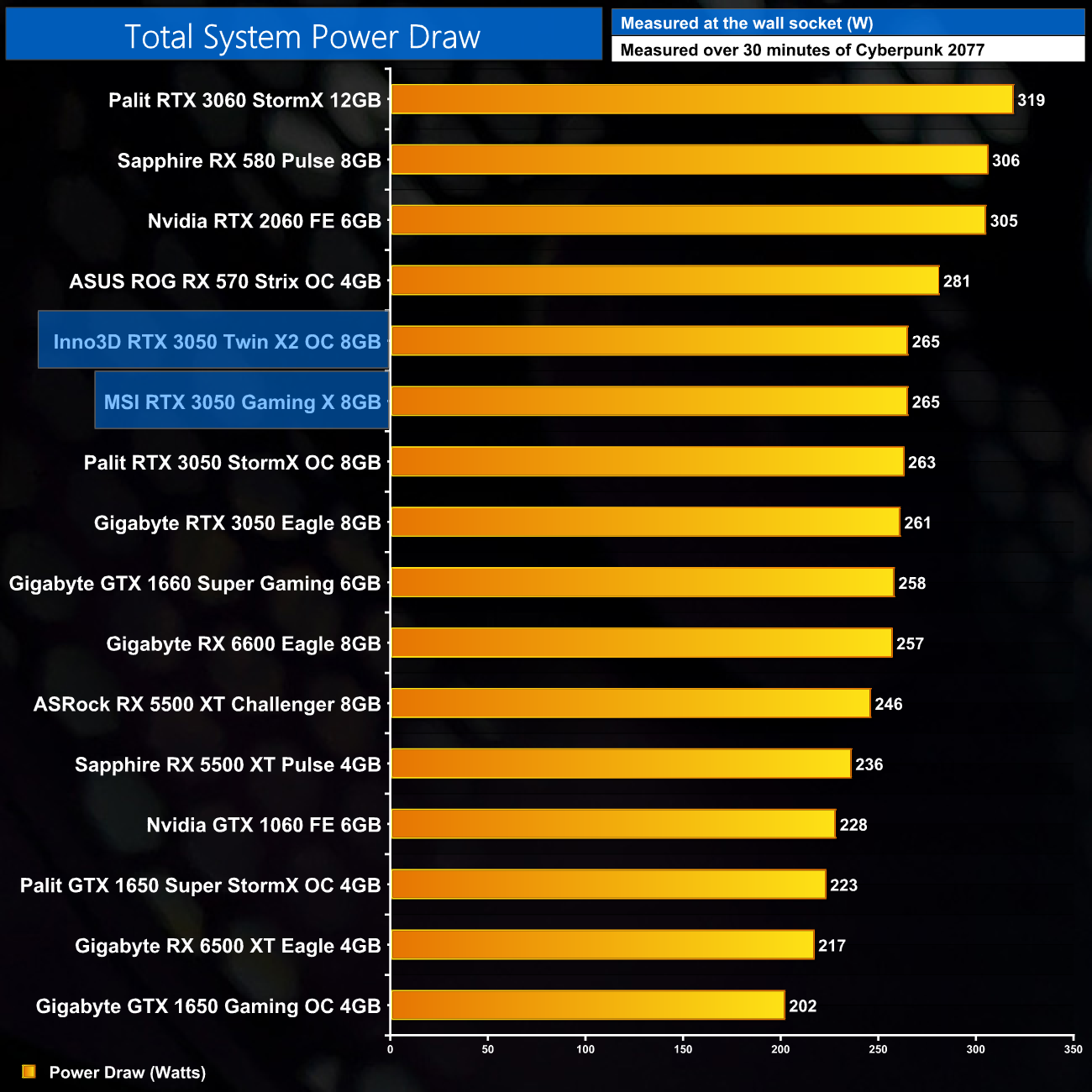
All four RTX 3050s tested share the same 130W power target, so total system power draw is really within the margin for error across all four models.
We also use Nvidia PCAT to measure power draw of the graphics card only, with readings from both the PCIe slot and the PCIe power cables combined into a single figure. This provides us with significantly more accurate data to work with as it is measuring only the GPU power, and not total system power which is a fundamentally imprecise measurement.
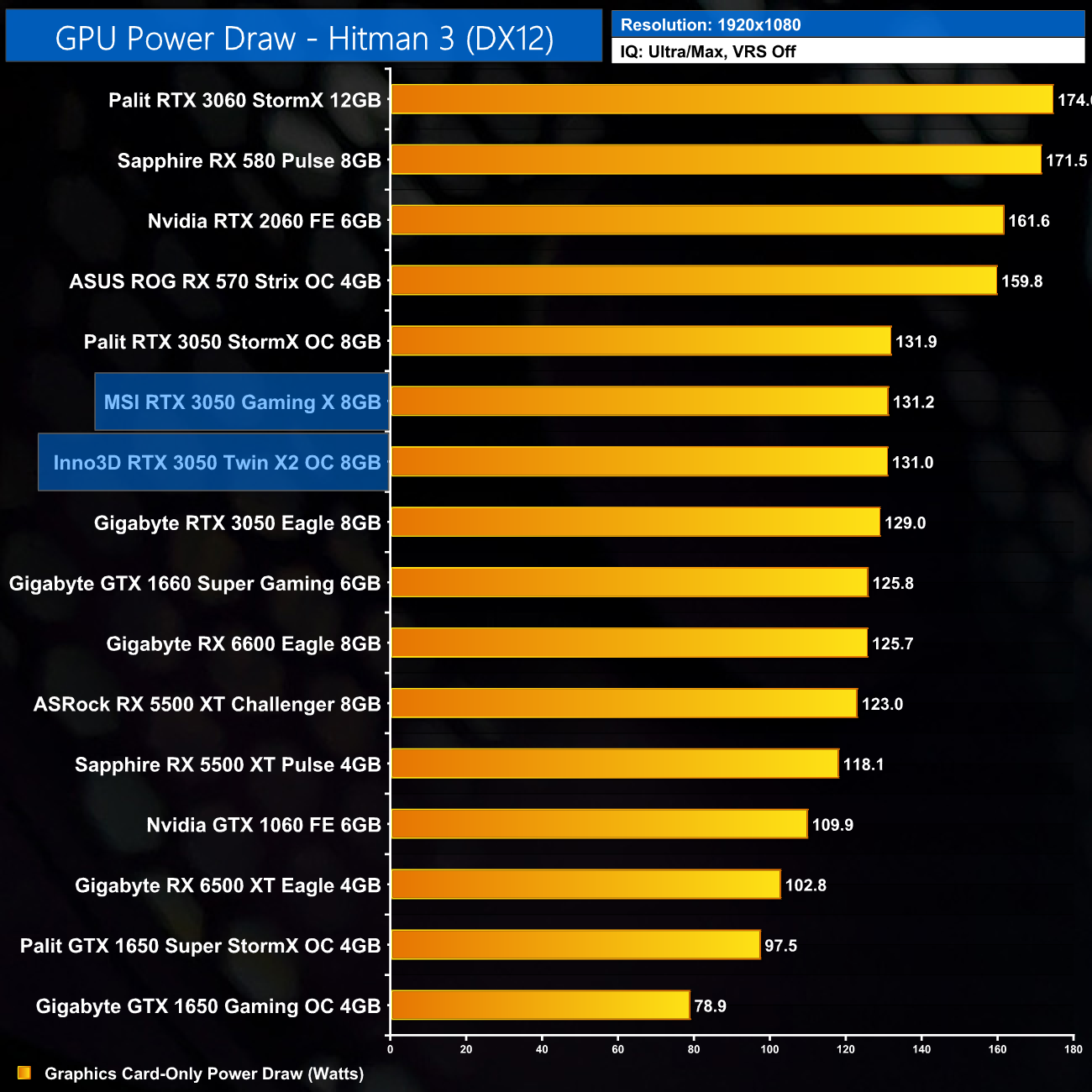
Likewise with our graphics card-only power draw, all four models tested are basically hovering around the same 130W figure, so there's no real-world difference in power draw here.
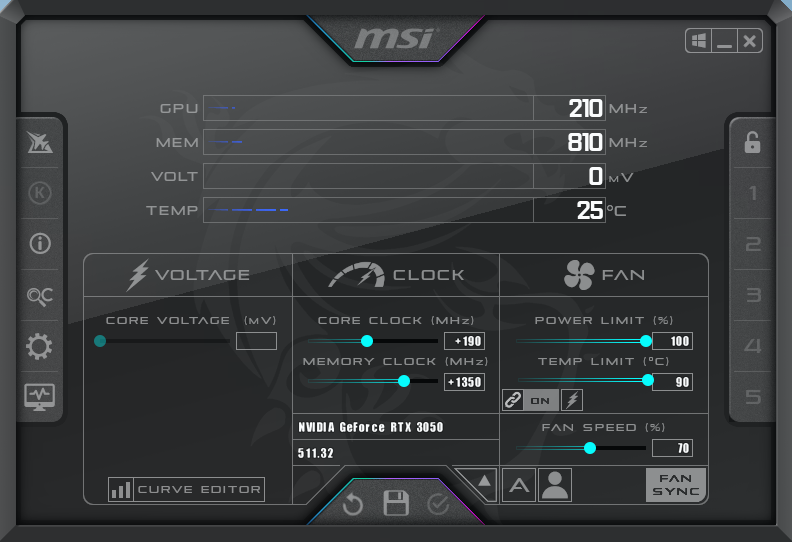
For our manual overclocking tests, we used MSI Afterburner. Our best results are as below.
Inno3D Twin X2 OC:
MSI Gaming X:
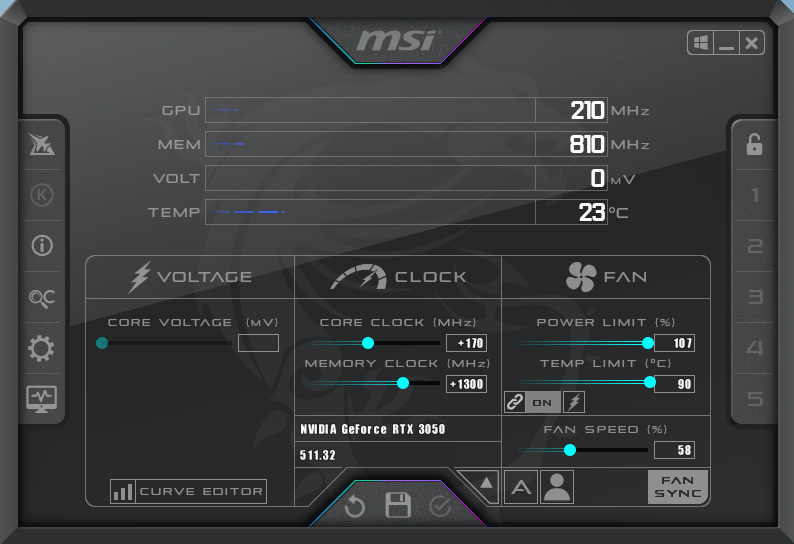
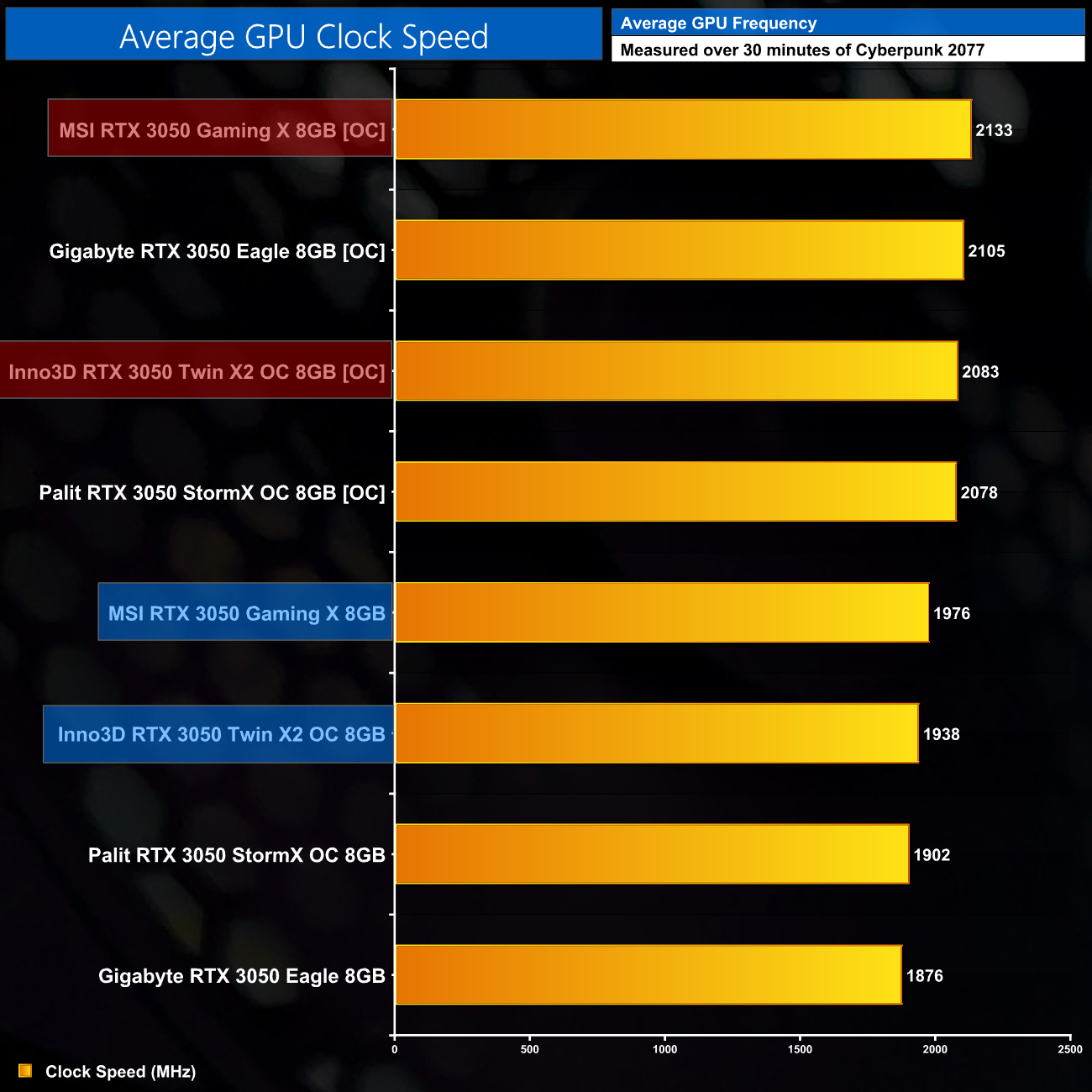
Interestingly, the Inno3D Twin X2 does not have an adjustable power limit, so it is locked at 130W. The MSI Gaming X can add another 7% to the power limit, allowing it to hit the highest clock speed of all four RTX 3050s we have tested. Even then, the Twin X2 OC is only just below the 2.1GHz figure, so it's still a decent result.
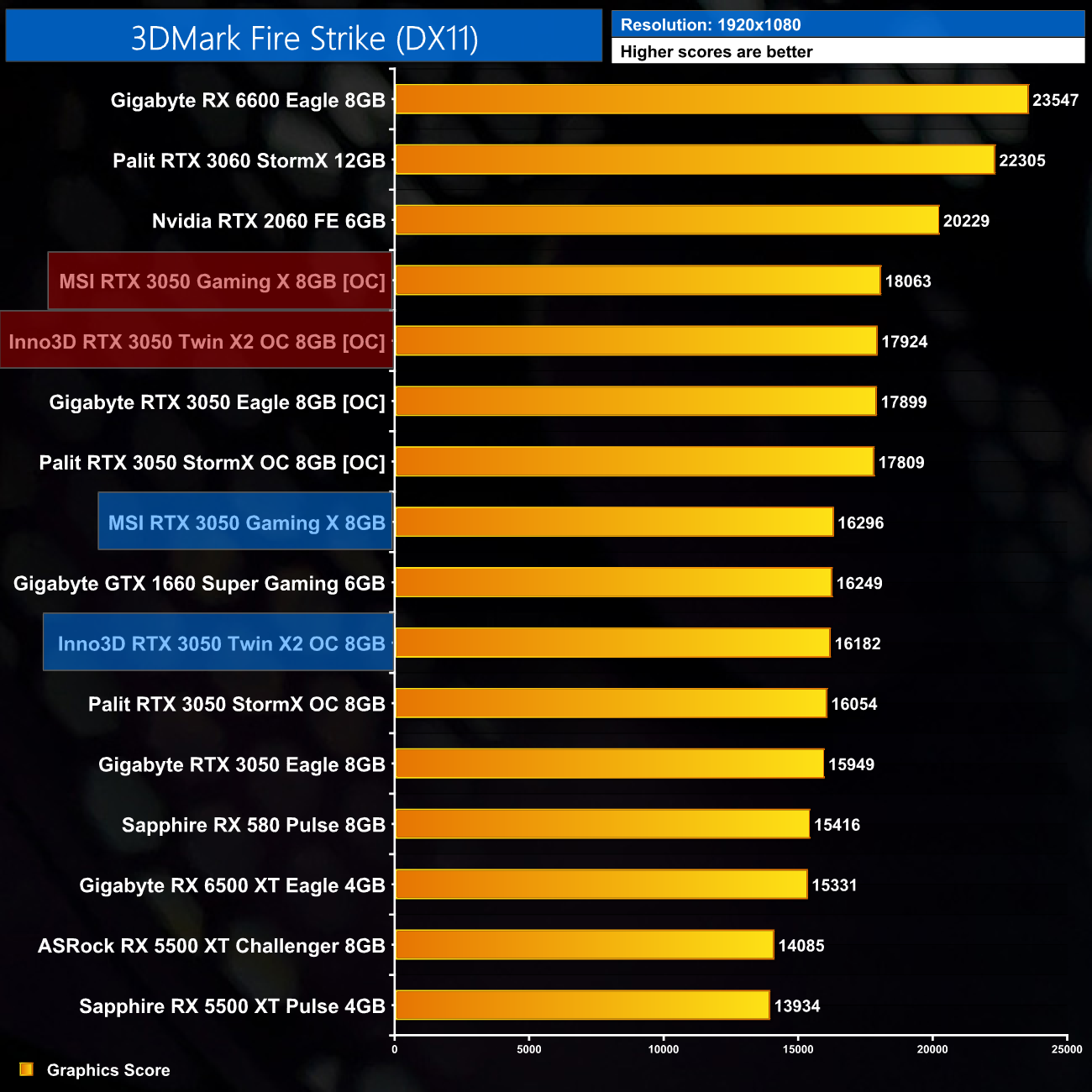
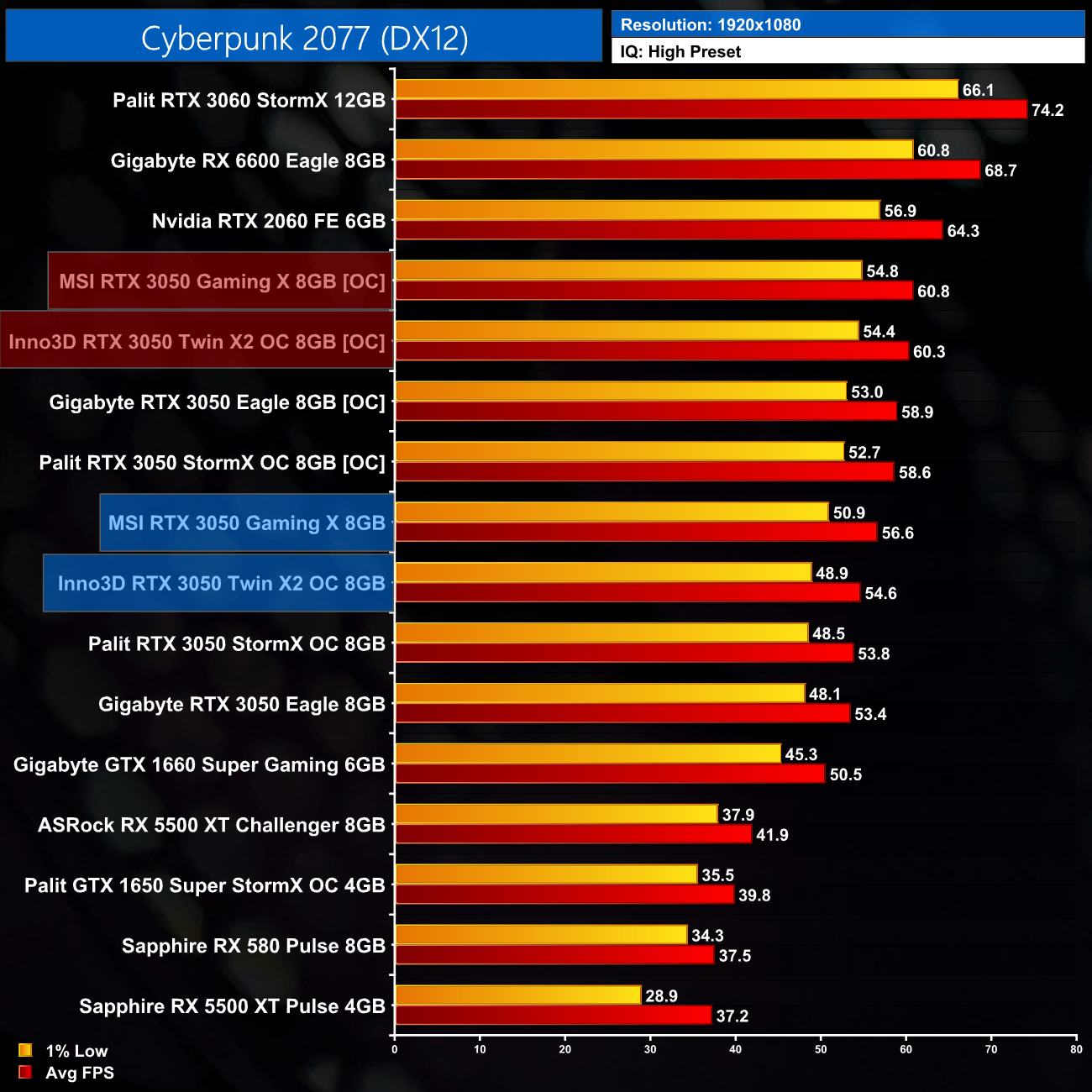
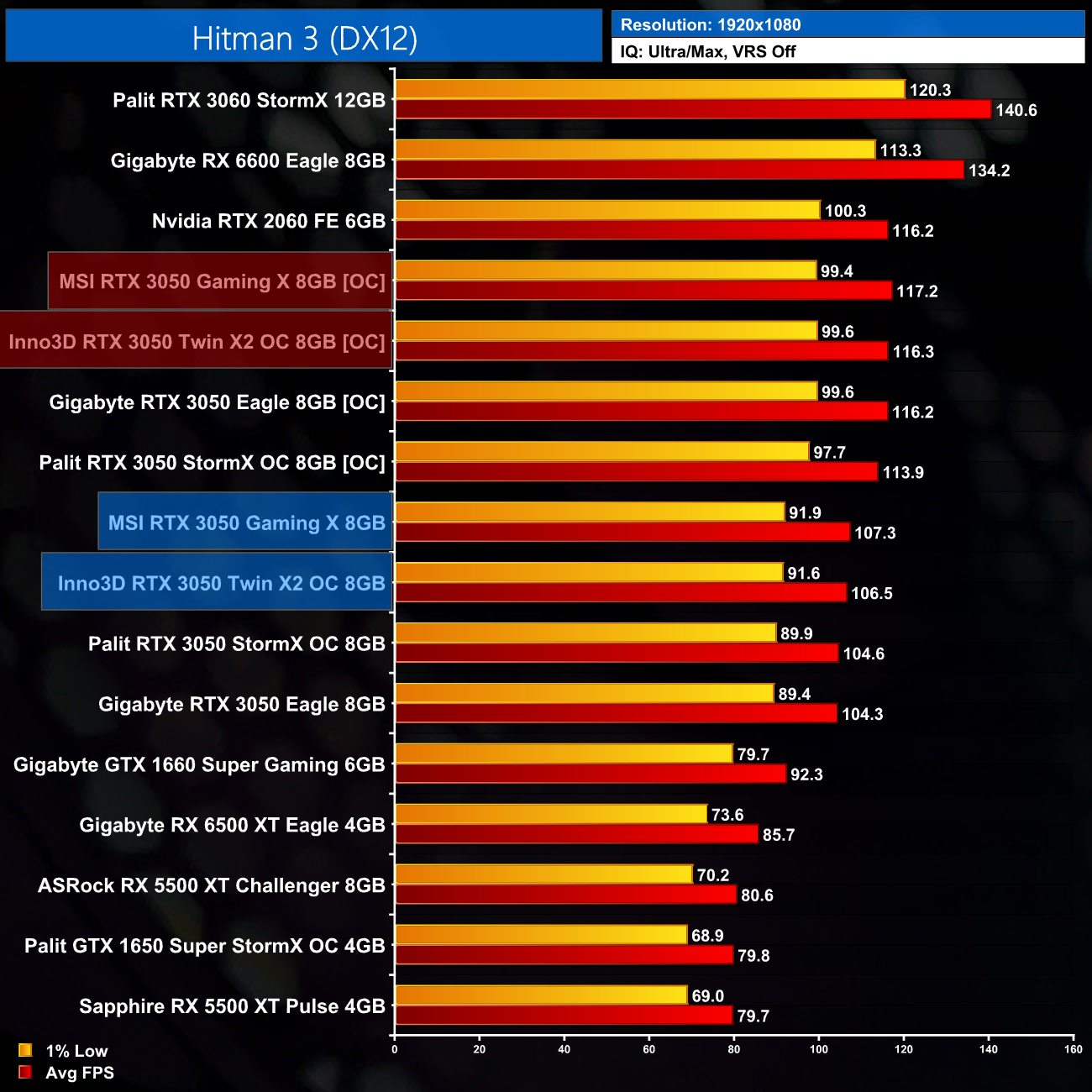
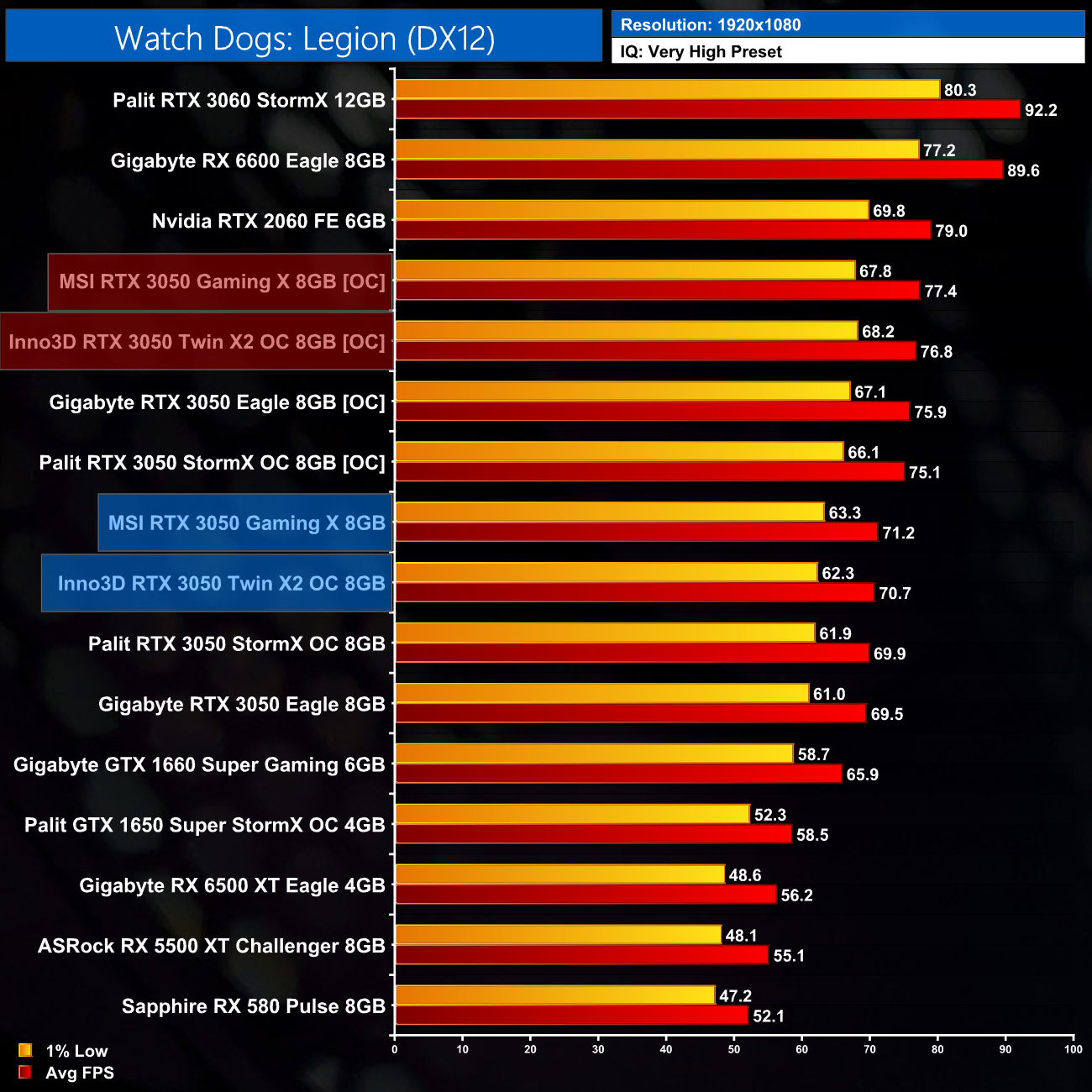
Overclocked performance is once more, very similar to the other two RTX 3050s we had already tested, in that we are looking at an extra few frames on average – though that does improve to over 10FPS in the case of Hitman 3. The Gaming X was able to extract an extra drop or two that the other models couldn't, but again, you're not going to be able to tell the difference in the real world.
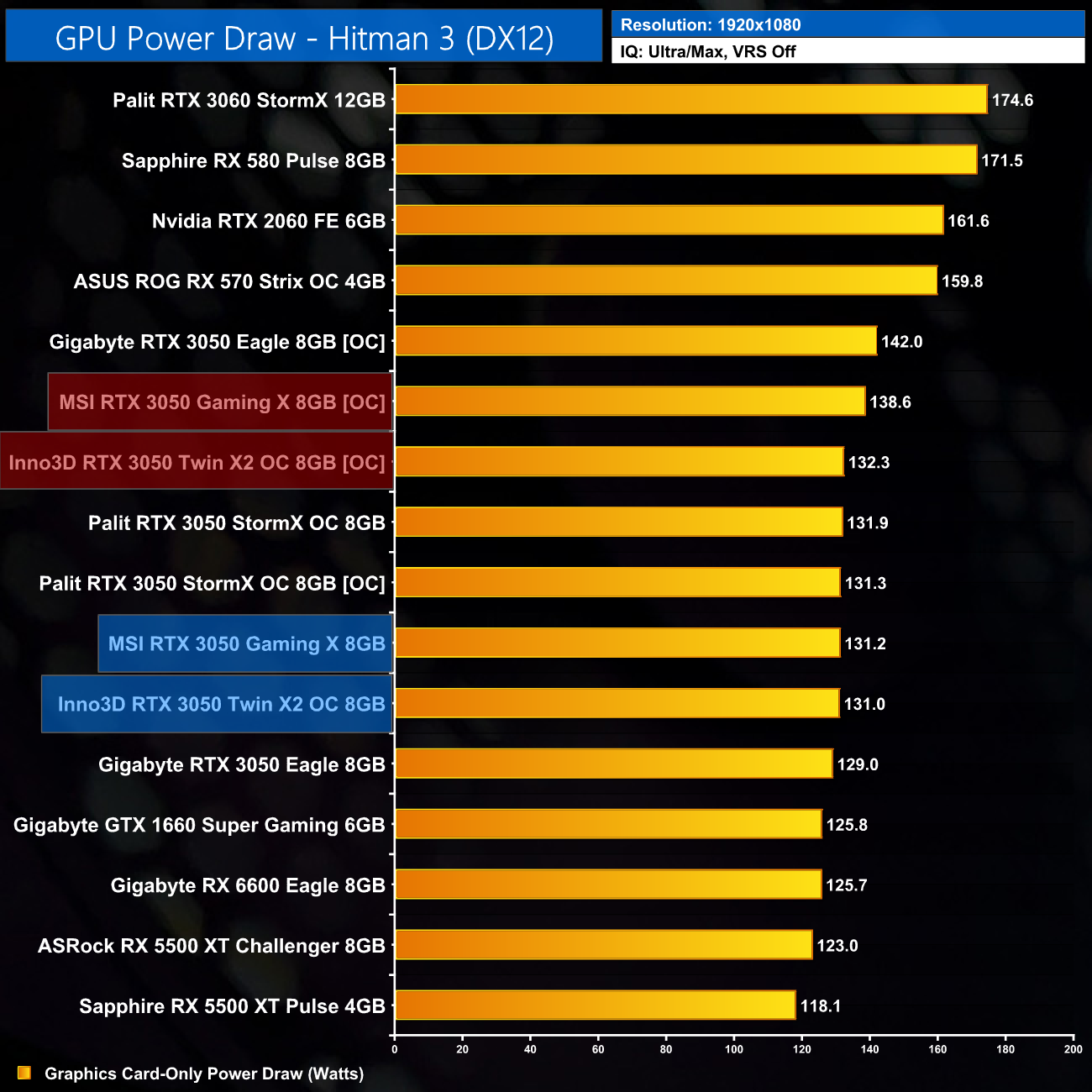
Lastly, given the Inno3D Twin X2 does not have an adjustable power slider, power draw barely changed once that card was overclocked. The Gaming X drew an extra 7W though, which is a bit more than nothing but it's still hardly a significant result.
Shortly after the RTX 3050's launch day, we received two more AIB cards – the MSI RTX 3050 Gaming X and the Inno3D RTX 3050 Twin X2 OC, and today we have put them through their paces.
Getting the overall performance summary out of the way first as this is arguably the most predictable part of our testing, both cards offered small performance increases over the stock-clocked Gigabyte RTX 3050 Eagle. We're only talking 2-3FPS on average however, so it's hardly a major difference but this is what we have come to expect from factory overclock models. Overall gaming performance is basically identical to other RTX 3050s.
We did see the benefits to the Gaming X's large cooler however. Not only is it the quietest of all four RTX 3050s we've tested, but when noise-normalised, its thermal performance is significantly better, in the region of 10C cooler than the Palit StormX OC and the Inno3D Twin X2 OC.
The thing is though, I don't think it needs to run as cool and quiet as it does, certainly not for a 130W GPU. That's because, to achieve such good results, the Gaming X is simply a huge card for what should be an entry-level GPU. With dimensions overall very similar to, and in fact larger than the RTX 3080 Ti Founders Edition depending on the exact metric, this card really does feel like overkill.
That's only exacerbated by the MSRP too, which MSI has set at £369.99. I've not been able to find the Gaming X listed with a retail price anywhere, but you can bet actual street pricing will be higher still – so for GPU which should start at £239, to be this large and priced so high above the MSRP, really does make little sense to me.
Inno3D's Twin X2 OC isn't as baffling, but we don't have any pricing data for this model and as a factory OC SKU, I still wouldn't expect it to be cheap. Both models are clearly competent RTX 3050s, but so is the Gigabyte Eagle, and that is at least meant to be an MSRP card.
It comes back to the point I made in my launch-day review – with RX 6600s in stock and readily available at £429, and RX 6600 XT only slightly more expensive at £450, the RTX 3050 really can't justify a price tag north of £350. We're hoping that we will see more stock arrive into the channel once things are back to normal after Chinese New Year, but we will have to wait and see if that materialises.

Both the MSI RTX 3050 Gaming X and Inno3D RTX 3050 Twin X2 OC are listed on Overclockers UK, but neither are in stock at the time of writing.
Discuss on our Facebook page HERE.
Inno3D RTX 3050 Twin X2 OC
Pros
- Colour-neutral design.
- Runs cool and quiet.
- Overclocked well, despite fixed power limit.
Cons
- Likely priced significantly above the £239 MSRP.
- Palit's StormX OC performs similarly but is much smaller.
MSI RTX 3050 Gaming X
Pros
- Colour-neutral design.
- Runs very cool and very quiet.
- Overclocked well.
Cons
- £369 MSRP is far too much,
- Just too big for a 130W RTX 3050.
- Palit's StormX OC performs similarly but is much smaller.
KitGuru says: RTX 3050 has its place in the market, but pricing needs to stay well clear of the RX 6600 to make sense.