 KitGuru KitGuru.net – Tech News | Hardware News | Hardware Reviews | IOS | Mobile | Gaming | Graphics Cards


Inno3D supply their own software for overclocking, but we achieved the same results by using MSI’s Afterburner, based on RivaTuner. It is more user friendly too.
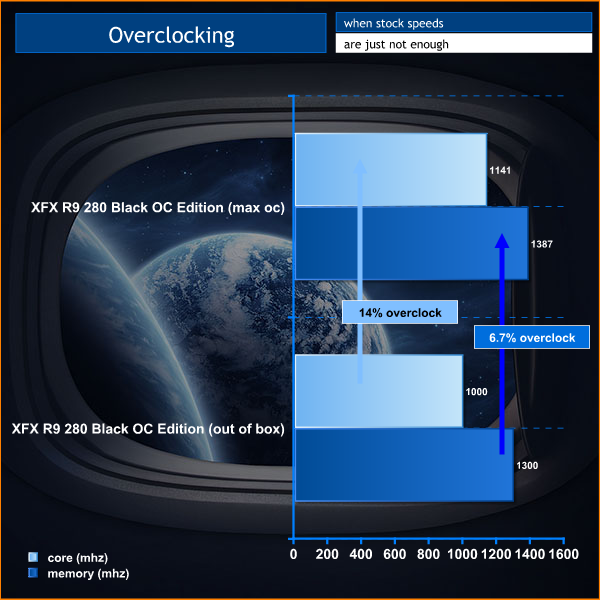

There is plenty of overclocking headroom on the sample we received, hitting 1,141mhz on the core – a 14% overclock.
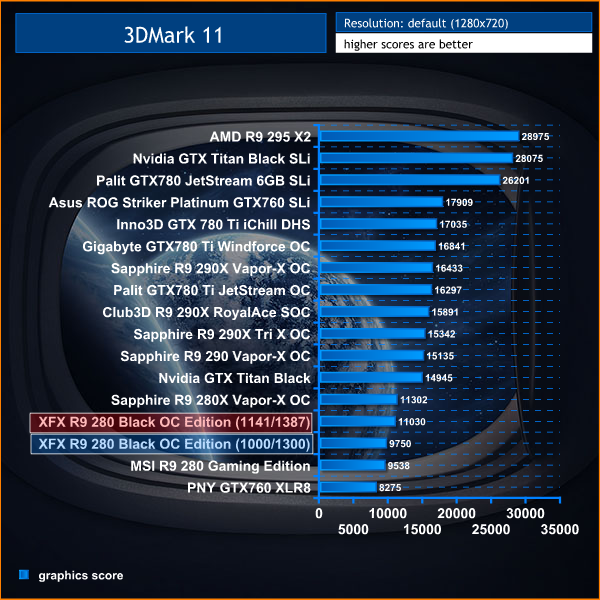
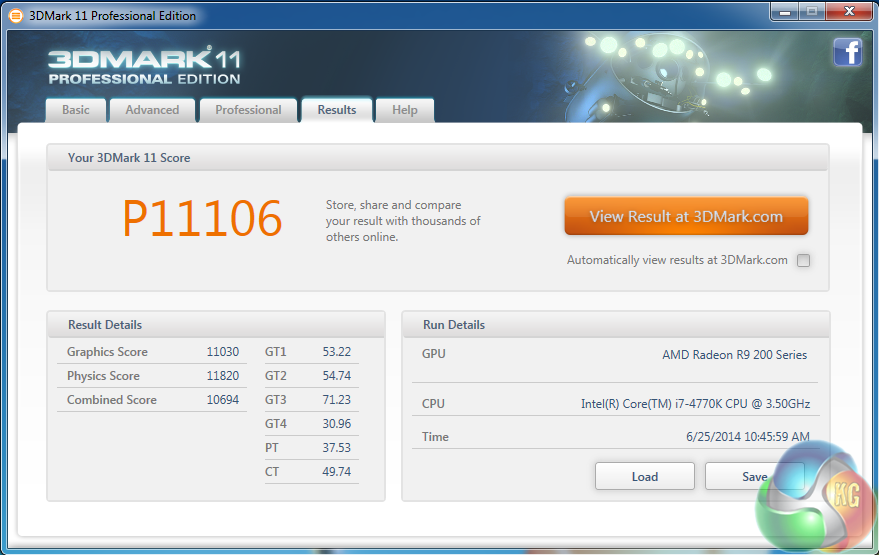
The manual overclock helped to increase the GPU score from 9,750 points to 11,030 points.
What kind of VRM temps did you get with this card? I’m a little worried as after just 5 mins of Furmark with stock settings my card has VRM temps of 99 degrees.
Hi dav, I meant to add that in. have done now on the temperature page.