 KitGuru KitGuru.net – Tech News | Hardware News | Hardware Reviews | IOS | Mobile | Gaming | Graphics Cards


Today we are going to look at an exciting new cooler from Noctua – the NH-D15. Unfortunately to some technical issues, our review of this has been delayed for some time now. The Noctua NH-D15 slots in at the top of their range of coolers – above the critically acclaimed NH-D14 which we dubbed the ‘Austrian Sandwich'.
Noctua are one of the most respected and admired manufacturers of high-end air cooling products in the market and have gathered a large following of enthusiasts across the globe. They have persevered with their range of air coolers, bucking the market trend of ‘all-in-one' liquid cooling.
Specification
- Compatibility: Intel LGA2011/1155/1156/1150 andAMD FM1/FM2/AM3+/AM3/AM2+/AM2 (backplate required)
- Height (without fan): 165 mm
- Width (without fan): 150 mm
- Depth (without fan): 135 mm
- Height (with fan): 165 mm
- Width (with fan): 150 mm
- Depth (with fan): 161 mm
- Weight (without fan): 1000 g
- Weight (with fans): 1320g
- Material: Copper (base and heat-pipes), aluminium (cooling fins), soldered joints & nickel plating
- Fan compatibility: 140x150x25, 140x140x25, 120x120x25 (with 120mm mounting holes)
- Fan Model: Two Noctua NF-A15
- Fan Bearing: SSO2-Bearing
- Fan Rotational Speed (±10%): 1500 RPM
- Fan Rotational Speed with L.N.A. (±10%): 1200 RPM
- Min. Rotational Speed (PWM, ±20%): 300 RPM
- Max. Airflow: 82.5 CFM
- Max. Airflow with L.N.A.: 67.9 CFM
- Max. Acoustical Noise: 24.6 dB(A)
- Max. Acoustical Noise with L.N.A.: 19.2 dB(A)
- Input Power: 1.56 W
- Voltage Range: 12 V
- MTBF: > 150.000 h
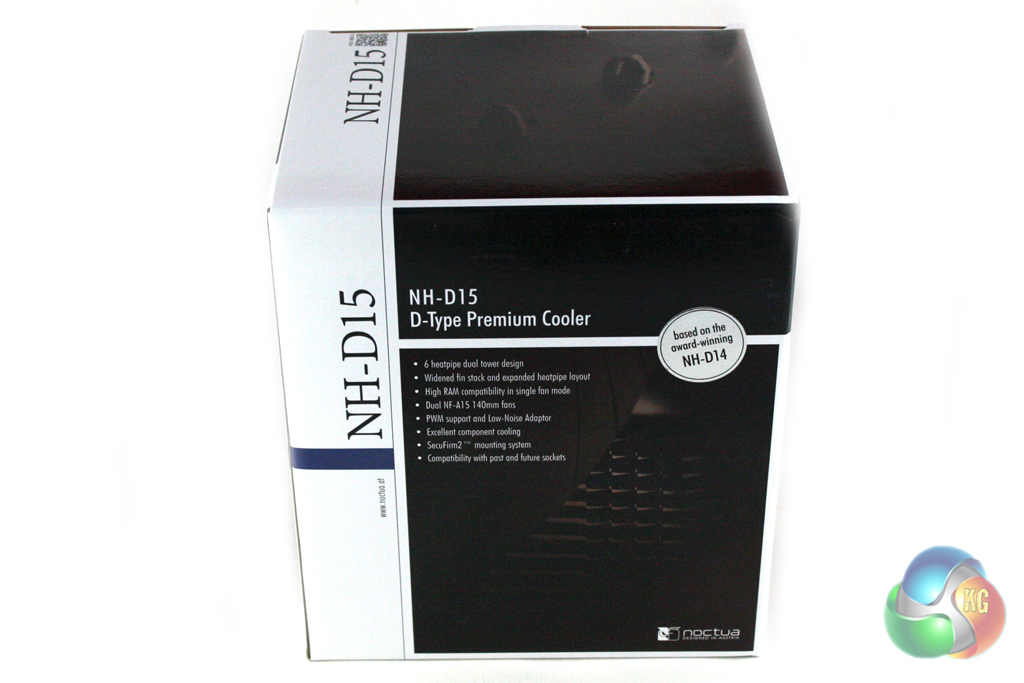
Noctua have used the same brown and white colour scheme for the packaging that stretches across their entire product range. This is very distinctive and should help the cooler to stand out well on retail shelves.
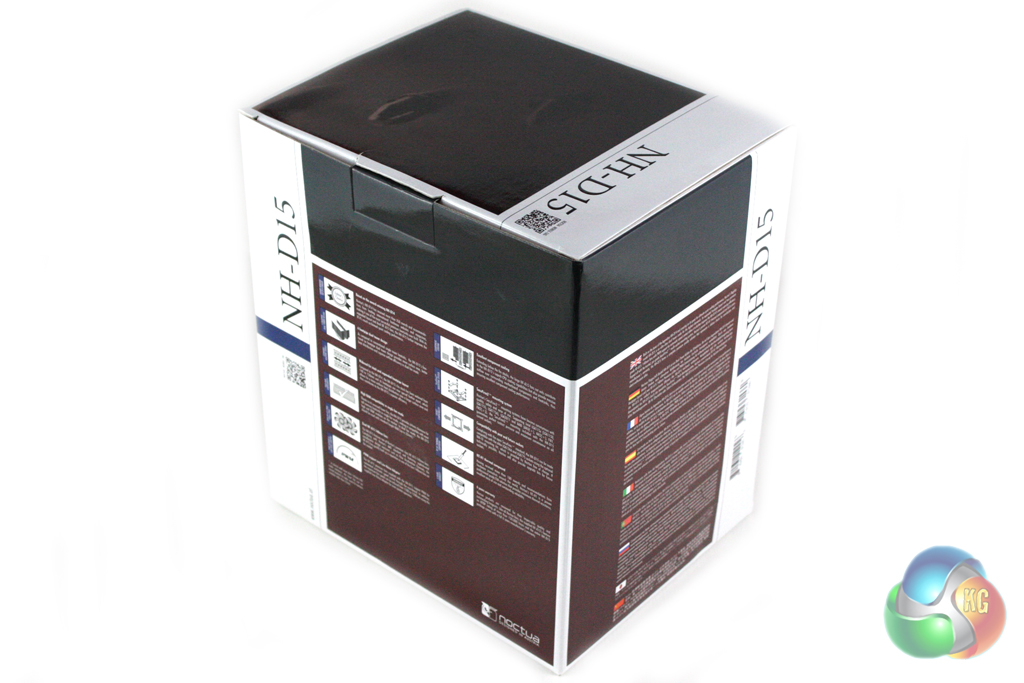
The box itself is huge for a CPU cooler, reflecting the size of the unit within. There is a large amount of information about the cooler on the exterior of the packaging which gives full details of the features and specification.
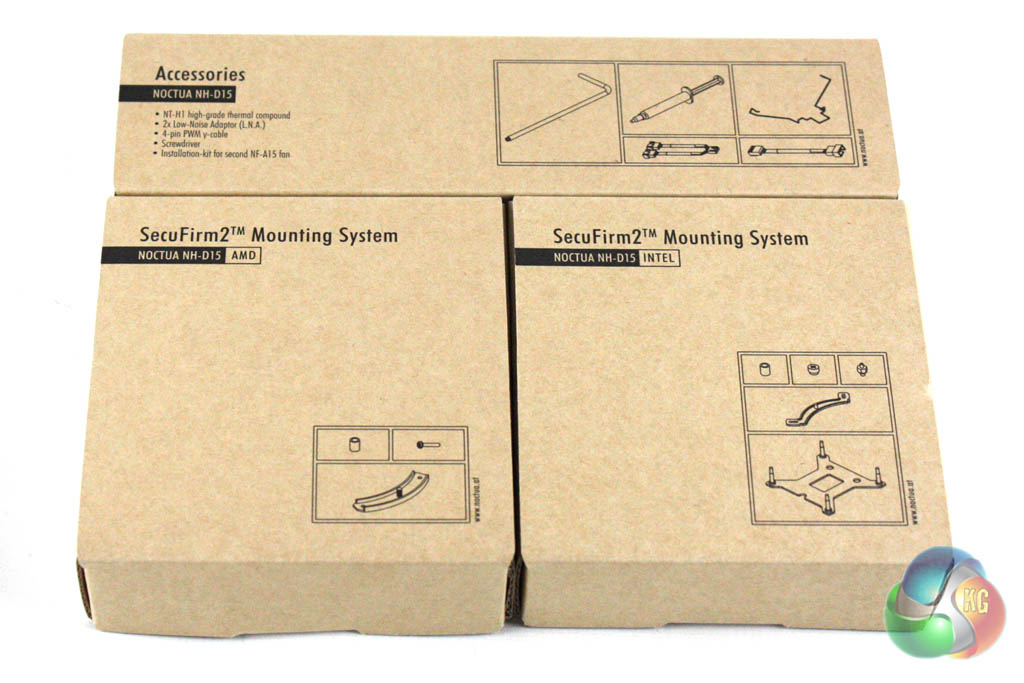
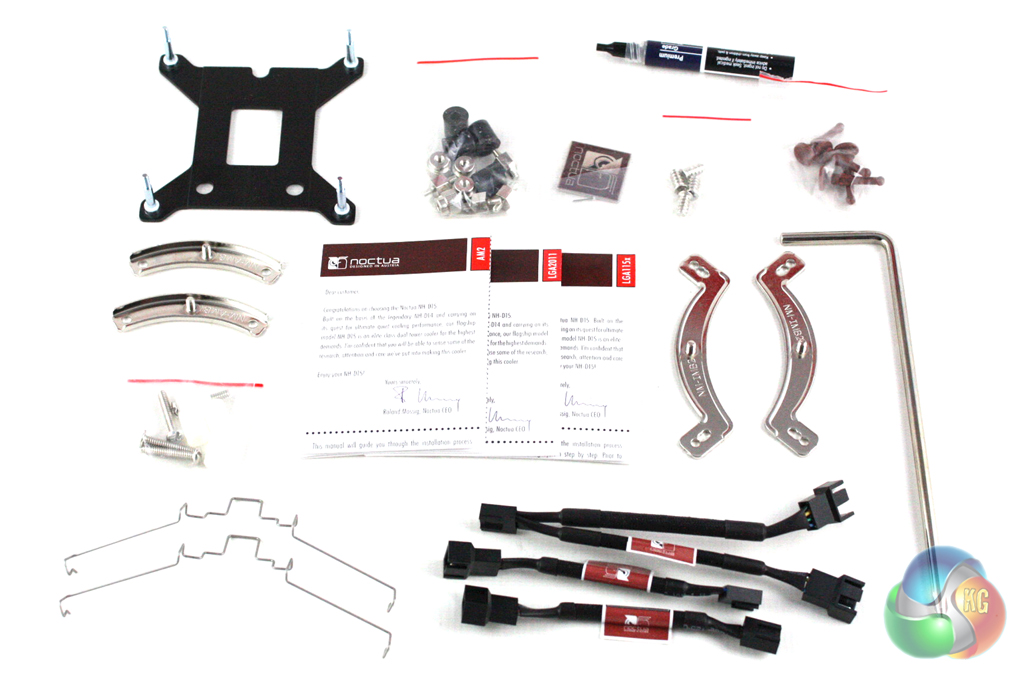
The included accessory bundle is split into three, comprising AMD mounting accessories, Intel mounting accessories and general accessories. These are clearly labelled and feature individual user guides to simplify the installation procedure.
It is quite clear that the NH-D15 is an evolution of the NH-D14, with a design that has been adapted to meet the ever increasing demands of overclocking enthusiasts.
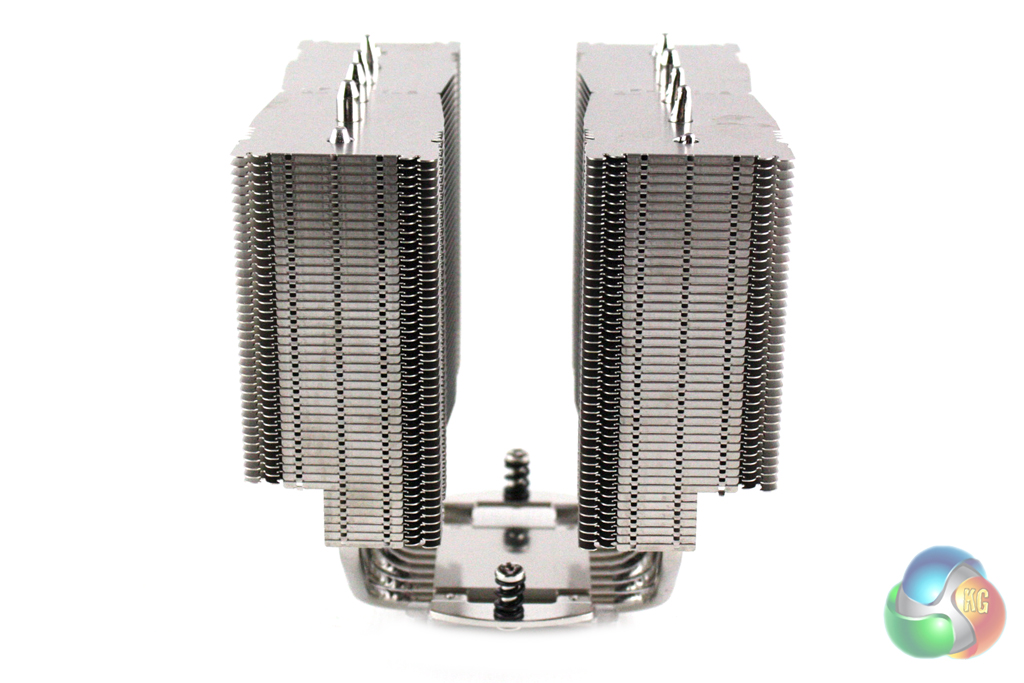
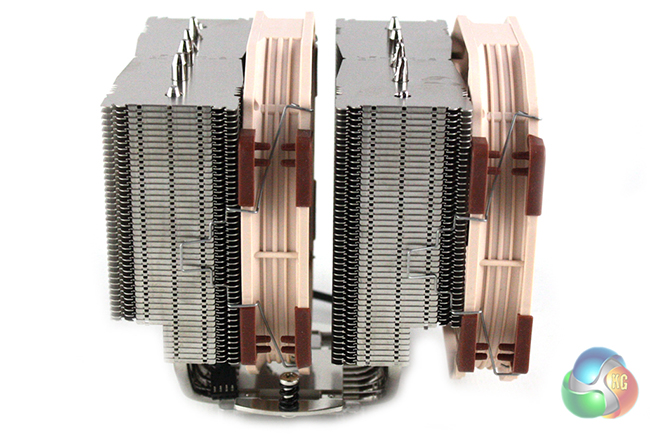
Noctua has retained the dual tower configuration, with a series of aluminium fins arrange across the six nickel-plated copper heatpipes. These heatpipes measure 6mm in diameter and are U-shaped, meaning each heatpipe passes through both towers and the CPU block in the centre.
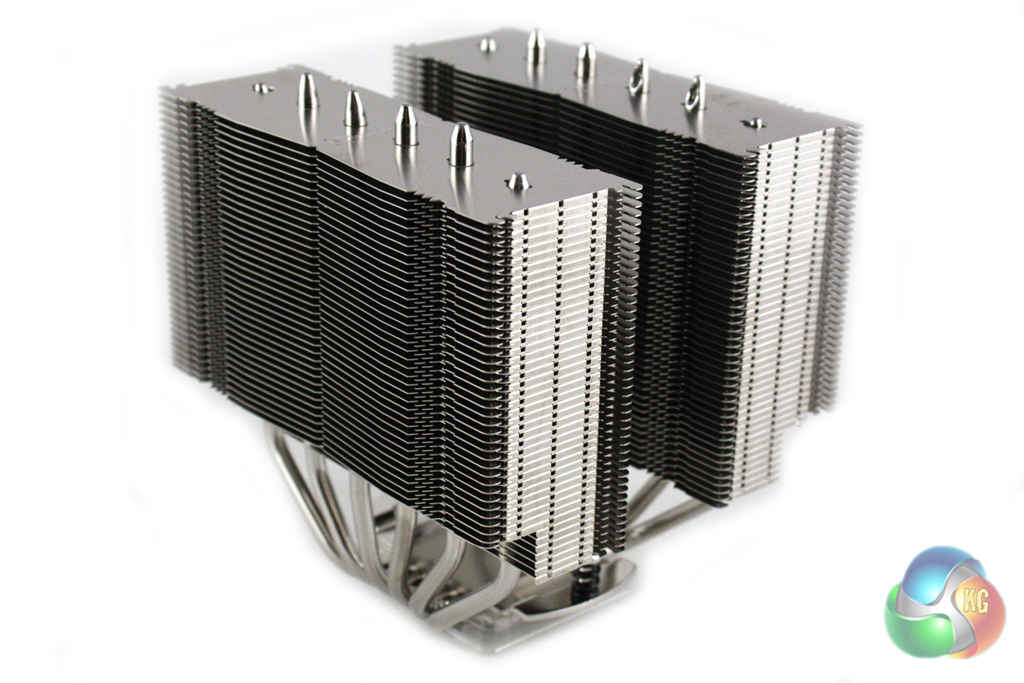
One of the main issues with the NH-D14 was RAM compatibility, as the heatsink had a tendency to obscure the memory slots. Noctua have cut large sections into the heatsink of the NH-D15 to allow sufficient room to install memory with tall heatspreaders. While we wouldn't guarantee compatibility with all memory, we tried a number of different types and didn't have a problem with any.
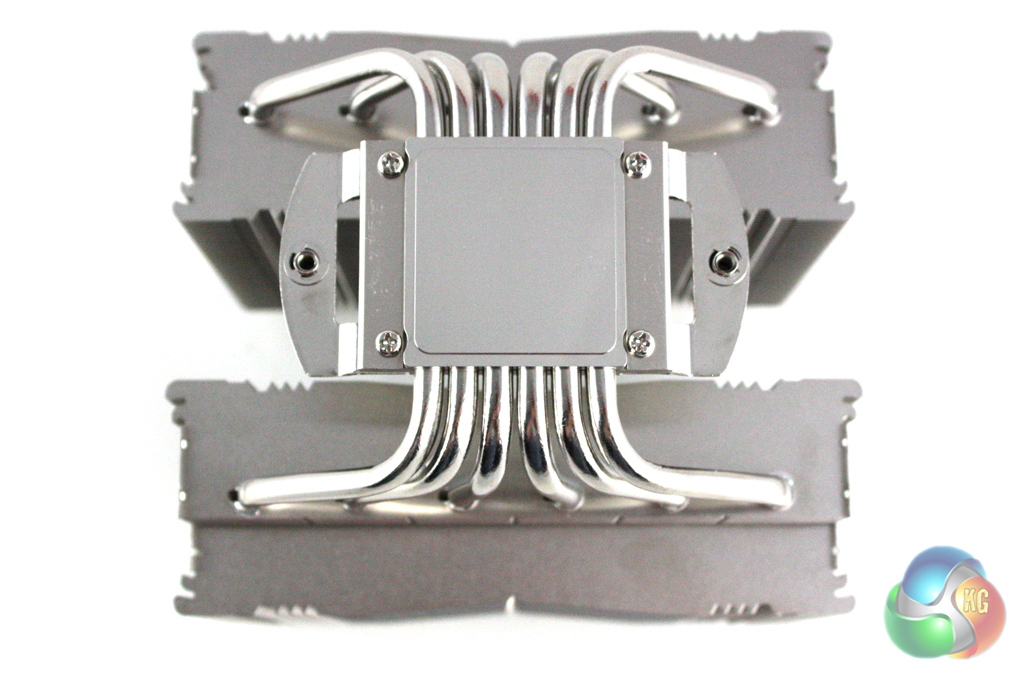
The CPU block is almost identical in design to most other Noctua models, consisting of a textured nickel-plated copper block. Unlike some manufacturers, Noctua don't pre-apply thermal paste to the block, but do include a tube of high-quality paste in the bundle.
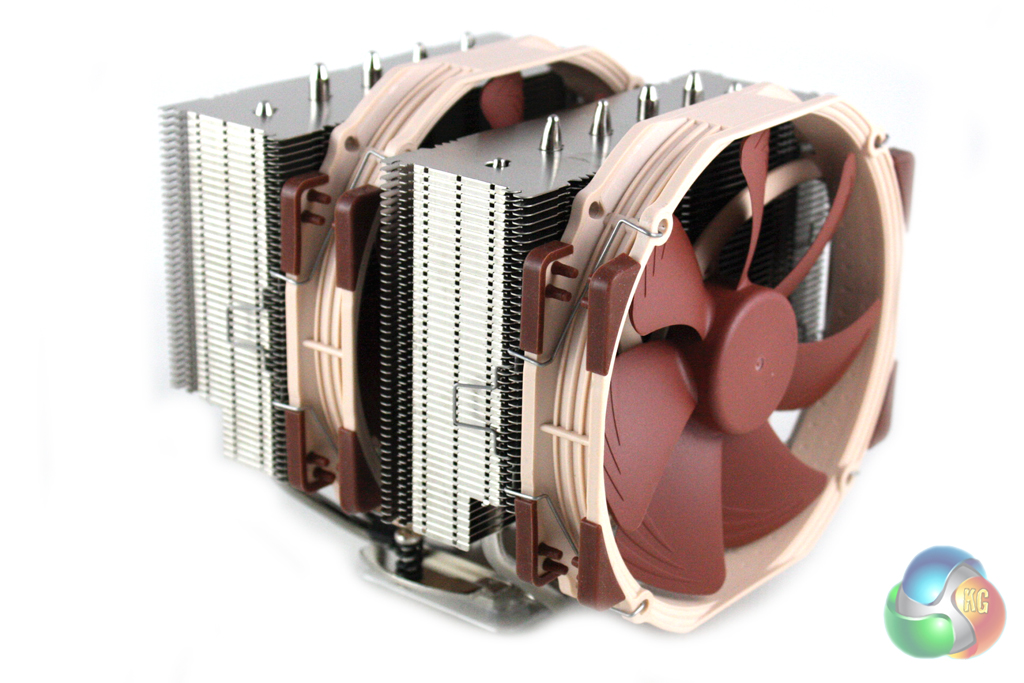
The NH-D15 is supplied with two Noctua NF-A15 150 mm fans. These features 140 mm mounting points, meaning you would have to replace them with 140mm models if you're considering alternatives.


The fans can be PWM controlled, spinning up to a maximum of 1,500 RPM at full speed, although Noctua include a low noise adapter for those who want to ensure they have a silent system.
Noctua thoughtfully supplies different installation guides for AMD and Intel installation to prevent confusion. These are located in the boxes dedicated to each mounting kit. We will be documenting the installation procedure on an Intel Socket 2011 motherboard.

First of all, we have to attach the retention screws into the CPU cooler bracket built into the motherboard.

Then, the retention bars can be secured down using the thumb-nuts provided.
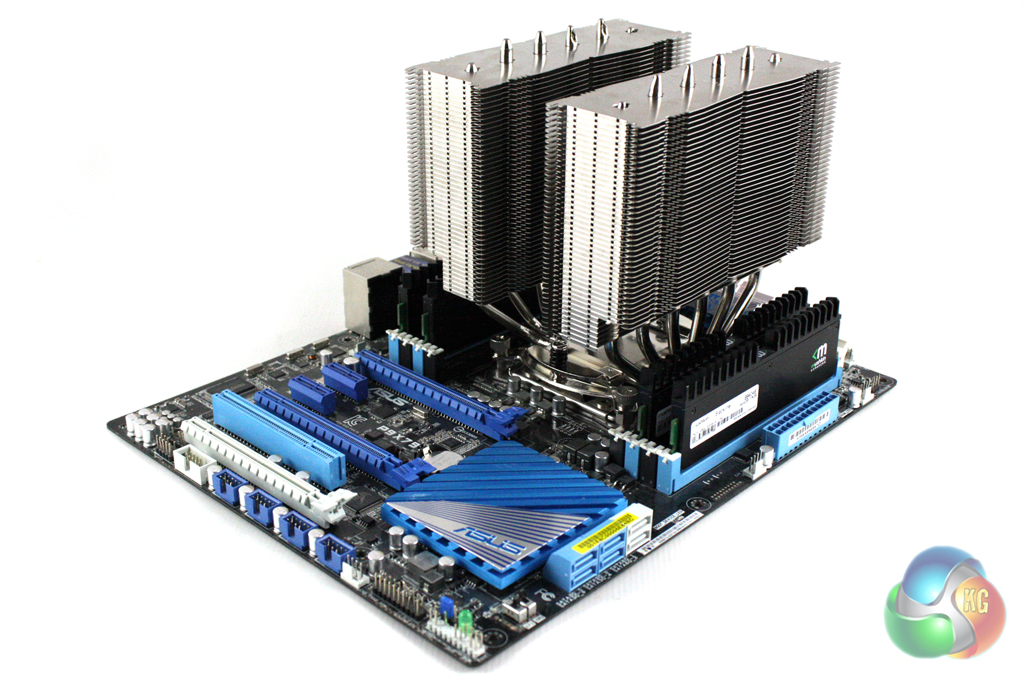
Next, the heatsink can be secured down onto the motherboard using the spring screws on either side of the heatsink. We found this a little tricky with the provided screwdriver due to its awkward L-shape. It proved much easier to use a regular screwdriver for this step.
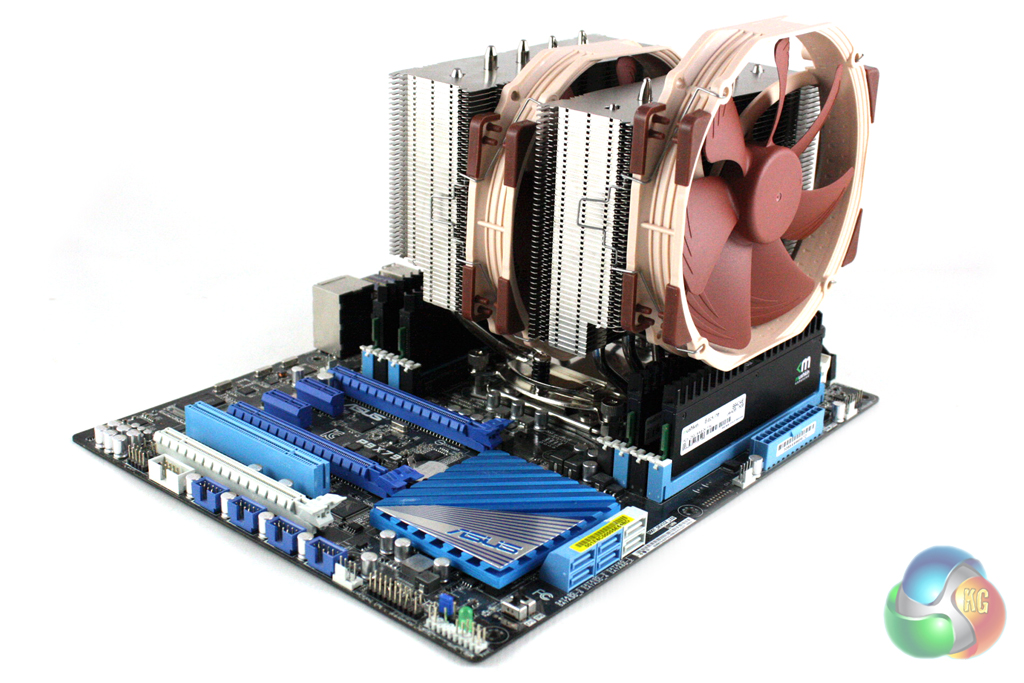
The fans simply clips into place using wire clips on either side, although we had to mount the outside fan a little higher up that we would prefer due to the memory installed in our system.
To test the performance of the Noctua NH-D15 we built a powerful X79 based system on an open test bench to push the cooler to it’s limits. As we were testing on an open test bench, we directed a Be Quiet! Shadow Wings 120 mm fan at the VRM circuitry to better simulate the airflow generated in a case. We will be testing the cooler both at full speed (1500 rpm) and with the optional low noise adapter installed. We will be using a Noctua NH-U14S and a Phanteks PH-TC14PE for comparison purposes in this review.
- Processor: Intel Core i7-3930K
- Motherboard: Asus P9X79
- Memory: 16 GB (4 x 4 GB) Mushkin Blackline 1600 MHz
- Thermal Paste: Noctua NT-H1
- Graphics Card: AMD Radeon HD 7950
- Graphics Card (noise tests): HIS Radeon HD 5550 Silence
- Power Supply: Seasonic Platinum P1000W
- Prime 95 (64-bit)
- CPUID Hardware Monitor
Overclocking
We manually overclocked the i7-3930K to 4.6 GHz by increasing the multiplier to 46x, leaving the baseclock set at 100 MHz. We set the voltage to 1.375V.
For our temperature tests we loaded the system for 10 minutes using Prime 95 and recorded the CPU temperature using CPUID HWMonitor. We then restarted the system and left it idling at the desktop for 10 minutes before recording idle temperatures. The temperatures recorded are based on an ambient temperature of 20 degrees C.
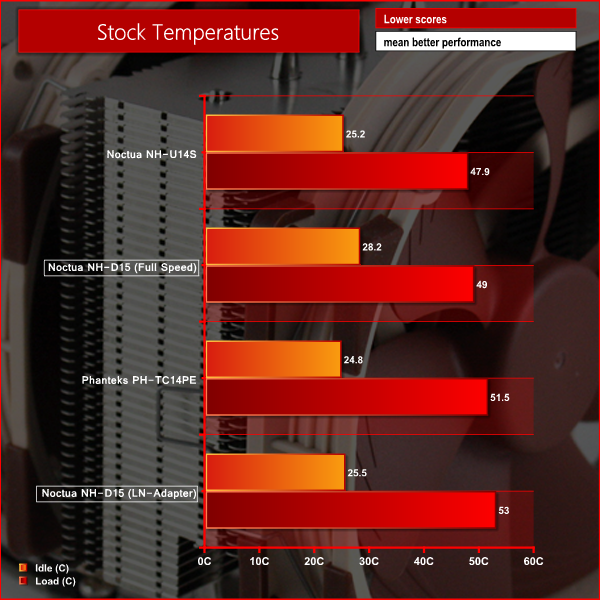
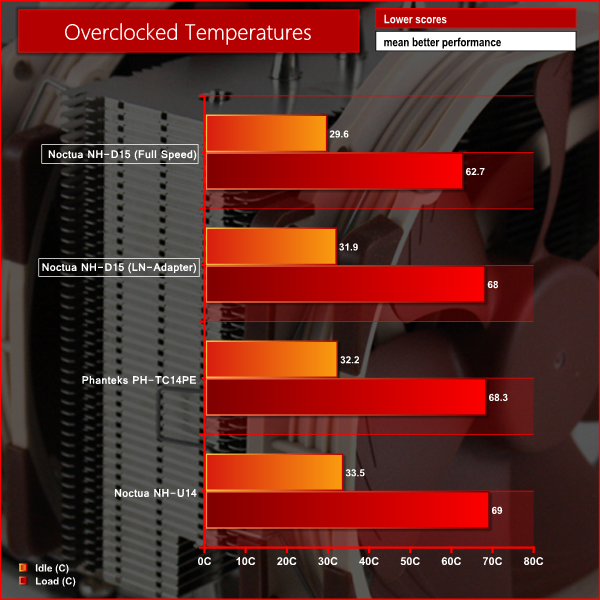
We can see from the above results that the NH-D15 offers excellent performance when overclocked, cooling our i7-3930K to more than 5 degrees C cooler than the Phanteks PH-TC14PE.
In our noise level tests we switched off all other fans in our system. It's worth noting we used a HD 5550 passive graphics card too, ensuring we just took into account the noise generated by the cooler fans themselves.
We measured the noise level with a Digital Noise Level meter at a distance of 1 m from the front of the system.
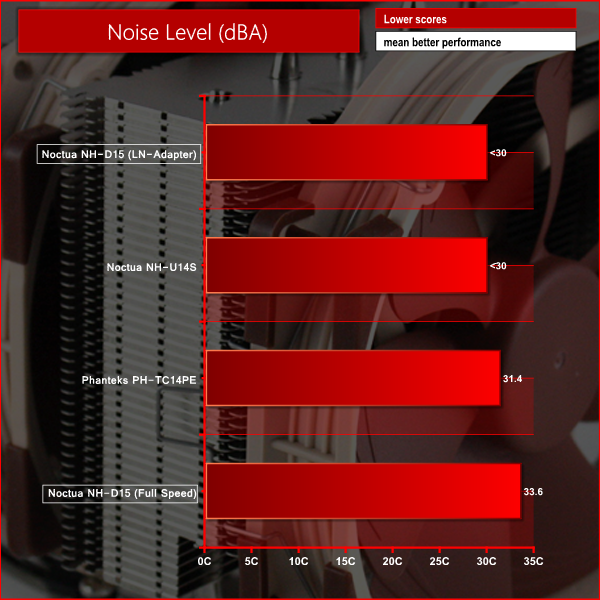
Even though the NH-D15 recorded the highest noise level in this test at full speed, 33.6 dBA is still very quiet. If you are willing to sacrifice some performance, it can operate almost silently with the low noise adapter.
It is clear that the Noctua NH-D15 is a very impressive cooler. The revised dual tower design offers much better memory compatibility, although the increased size may pose an issue for some more compact cases.
The cooling performance offered by the NH-D15 was nothing short of incredible in our overclocked tests. Even more impressive than the cooling performance is the tiny amount of noise generated by the fans during operation. While they can be heard at full speed, a decent chassis will block out most of the noise. For those looking to build a silent system, the included low noise adapters reduce the noise to almost inaudible levels.
As we have come to expect from Noctua, the build quality of the NH-D15 is very impressive indeed. The cooler feels very solidly put together – the fans are constructed from high quality plastic and the product packaging is attractive, functional and simple. Noctua's excellent mounting mechanism is also worth highlighting as it makes installation very simple indeed.
Perhaps the only negative attributes of the NH-D15 are the size and weight of the cooler itself. It weighs a kilogram (before attaching the fans) which is sure to put quite a strain on the motherboard, and the sheer size of the cooler may cause compatibility issues in some cases.
At a price of £78 from Overclockers UK, the Noctua NH-D15 is very expensive indeed. However, it is one of the best air coolers we have ever tested and is an therefore an excellent choice for those who want to build a high-end air-cooled system for overclocking.
Discuss on our Facebook page, over HERE.
Pros
- Excellent overclocking performance.
- Solid build quality.
- Quiet operation.
- Simple mounting mechanism.
Cons
- Potential compatibility issues due to its size.
- Very heavy
Kitguru says: Another excellent high-end air cooler from Noctua.


I’ve never liked Noctua heatsinks because they’re way too bulky. It’s a nice product don’t get me wrong.
Why is it being compared against the U14 which only has a single tower? Why isn’t it compared to the D14? I’m curious as to improvements in regards to cooling, not just form factor.