 KitGuru KitGuru.net – Tech News | Hardware News | Hardware Reviews | IOS | Mobile | Gaming | Graphics Cards


Automatic CPU Overclocking:
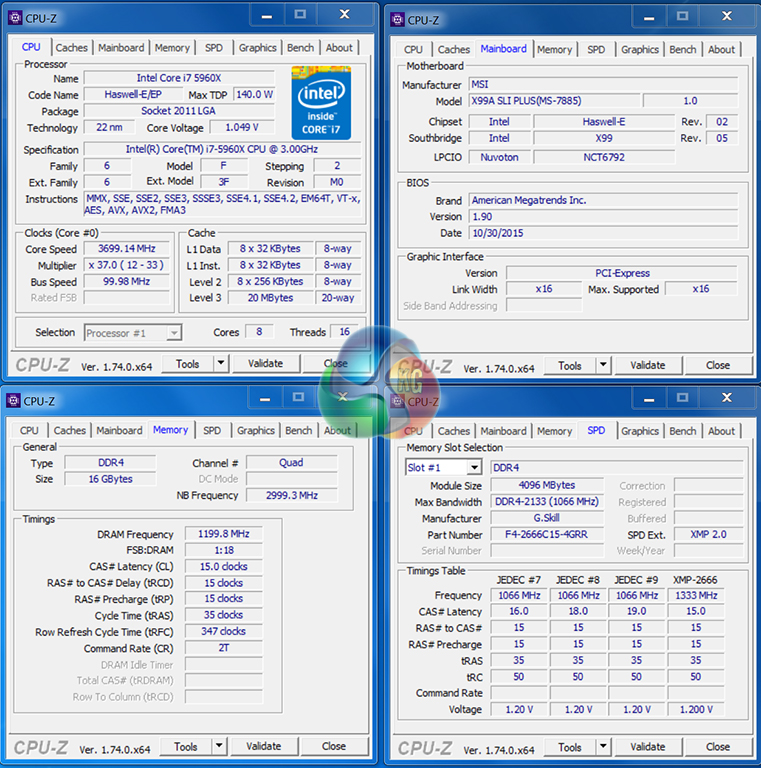
We applied the OC Genie button through the board's UEFI. OC Genie boosted our 5960X CPU to 3.7GHz on all cores under load, but memory frequency was reduced to 2400MHz. Cache frequency was not changed.
This is a very conservative overclocking preset and does not represent a particularly worthwhile performance boost. Most Haswell-E chips are capable of more than 4GHz, so only boosting the 5960X's frequency by 200MHz is overly conservative. Reducing the memory below its XMP speed is also annoying.
Manual CPU Overclocking:
After a significant amount of trial and error, we found that the best way to overclock inside MSI's X99 UEFI was to adjust as few settings as possible. We typically edit the CPU, cache, and input voltages, as well as manually setting a 3GHz cache frequency and static 4400MHz CPU clock. But this provided an unquestionable performance drop using the MSI X99A SLI Plus.
So instead, we opted to adjust only the CPU core ratio to 44x and increase the VCore to 1.30V. This provided stability and representative performance results throughout our testing.
By default, the DRAM frequency was maintained at 2666MHz and cache frequency was maintained at 3.0GHz.
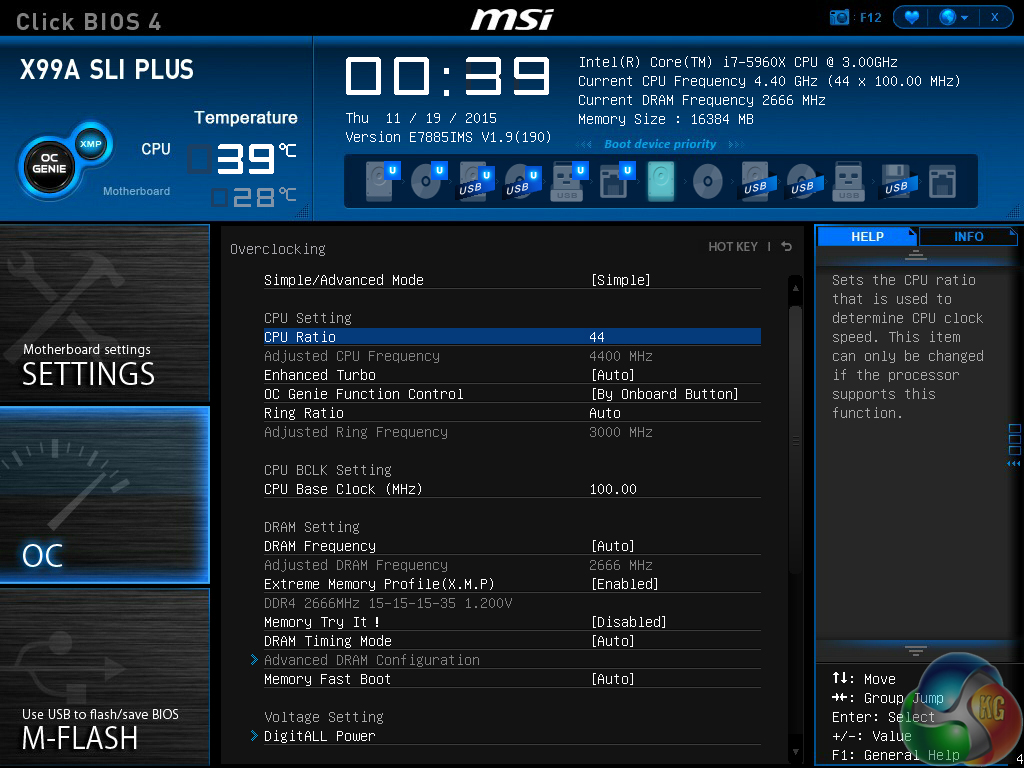
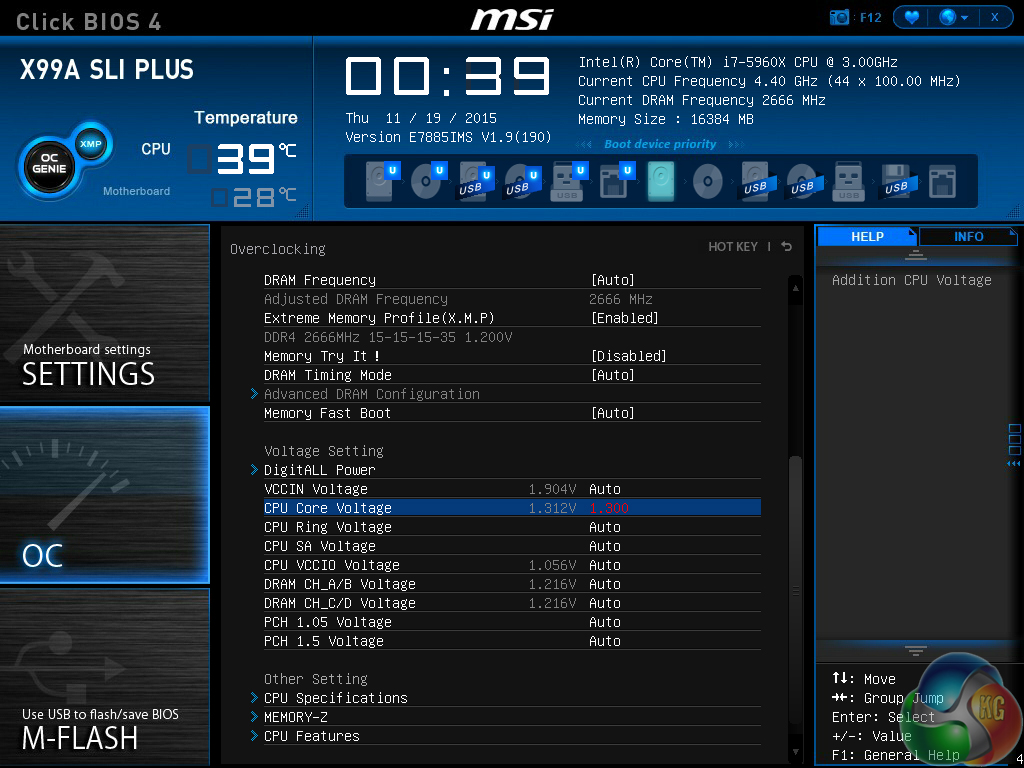
MSI's UEFI is very easy to navigate, as far as simple system tweaks are concerned. It took a matter of seconds to tweak the system voltages and set a simple CPU overclock.
What is disappointing, however, is the poor clarity of MSI's load-line calibration settings. I struggled to find a parameter that looked remotely similar to load-line calibration control and provided clear explanation as to its function and effect on CPU voltage.
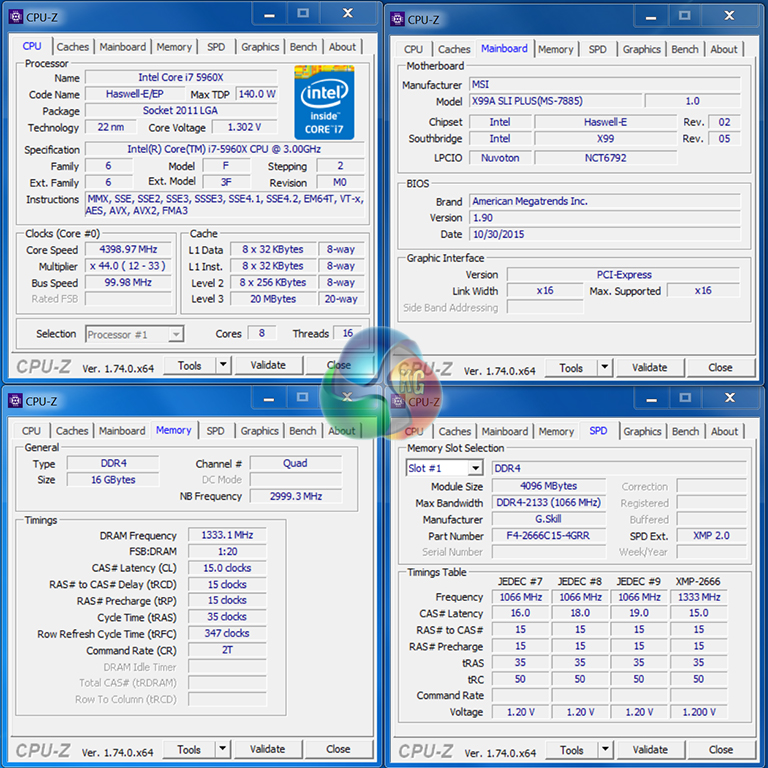
Despite the lack of a clear load-line calibration function, the MSI X99A SLI Plus motherboard had no trouble taking our 5960X to its 4.4GHz frequency limit.
As already mentioned, the simple settings which rely heavily on MSI's automatic parameters functioned perfectly throughout testing. Our manual adjustment of three main voltages (VCore, CPU Input, and CPU Cache) and two ratios (CPU and CPU Cache) caused an inexplicable drop in performance that points towards some kind of BIOS bug.

Wow, what a board! I’ve been eyeing this MSI motherboard for ages. It looks stunning and so cheap too. I think I’ll have to buy this come Black Friday!
I have S version of that board, the only difference is that this one has additional USB 3.1 controller. This board gave me a lot of problems to boot with G.Skill 8GB RAM sticks. It booted only with one stick and what was more frustrating it could boot only from the second BIOS. After I did BIOS update all started booting fine with all slots occupied.