KitGuru KitGuru.net – Tech News | Hardware News | Hardware Reviews | IOS | Mobile | Gaming | Graphics Cards


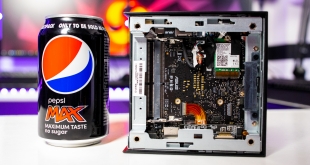
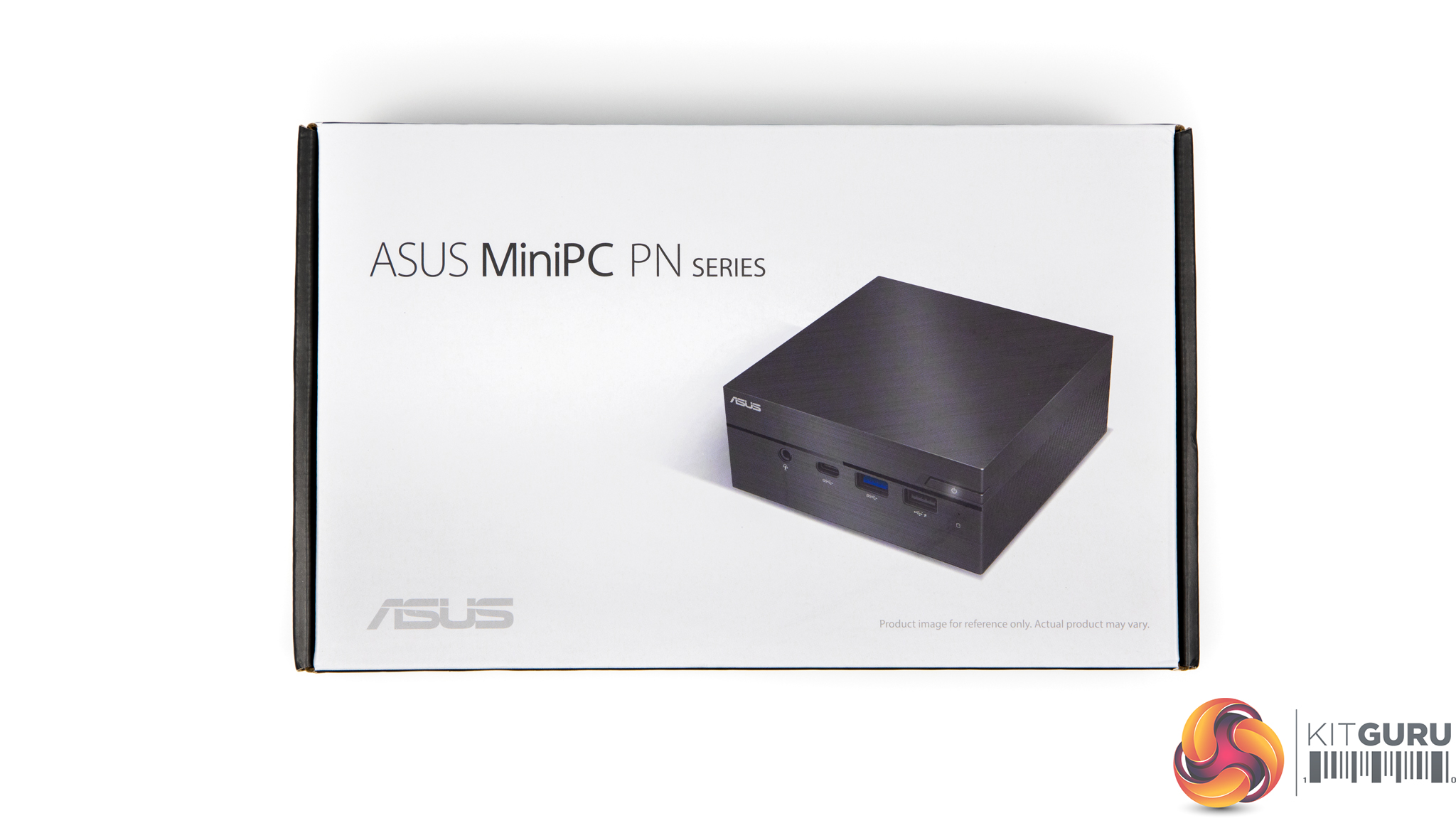
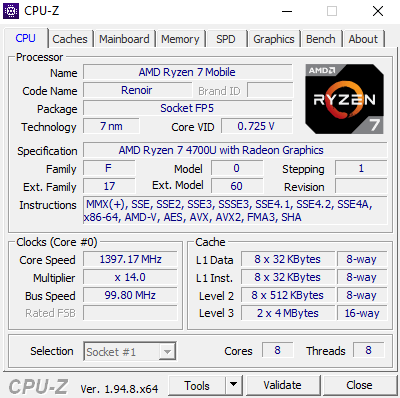
We love reviewing the biggest, most powerful systems here on KitGuru but not everyone needs a huge PC glowing like a disco. For casual users and businesses there are some far more practical options available. The ASUS PN50 Mini PC is a tiny system but don’t let that fool you. Featuring a Ryzen 7 4700U, integrated AMD Radeon Vega 7 graphics, Wi-Fi 6, Bluetooth 5, 8K and 4x 4K monitor support as well as upgradable memory and storage, this little machine punches above its weight class.
Specifications:
- Review model: ASUS PN50 Barebones system (No OS, SSD or RAM included)
- Barebones configuration price: £369.99
- AMD Ryzen R7-4700U (8-core, 15W TDP)
- Integrated AMD Radeon Vega 7 Graphics
- Intel Wi-Fi 6 AX200 (Gig+)
- Bluetooth 5
- Monitor support: 8K support, 4 x 4K support
- IR Sensors for use with remote control
- Dual-array microphones
- 3 in 1 card reader
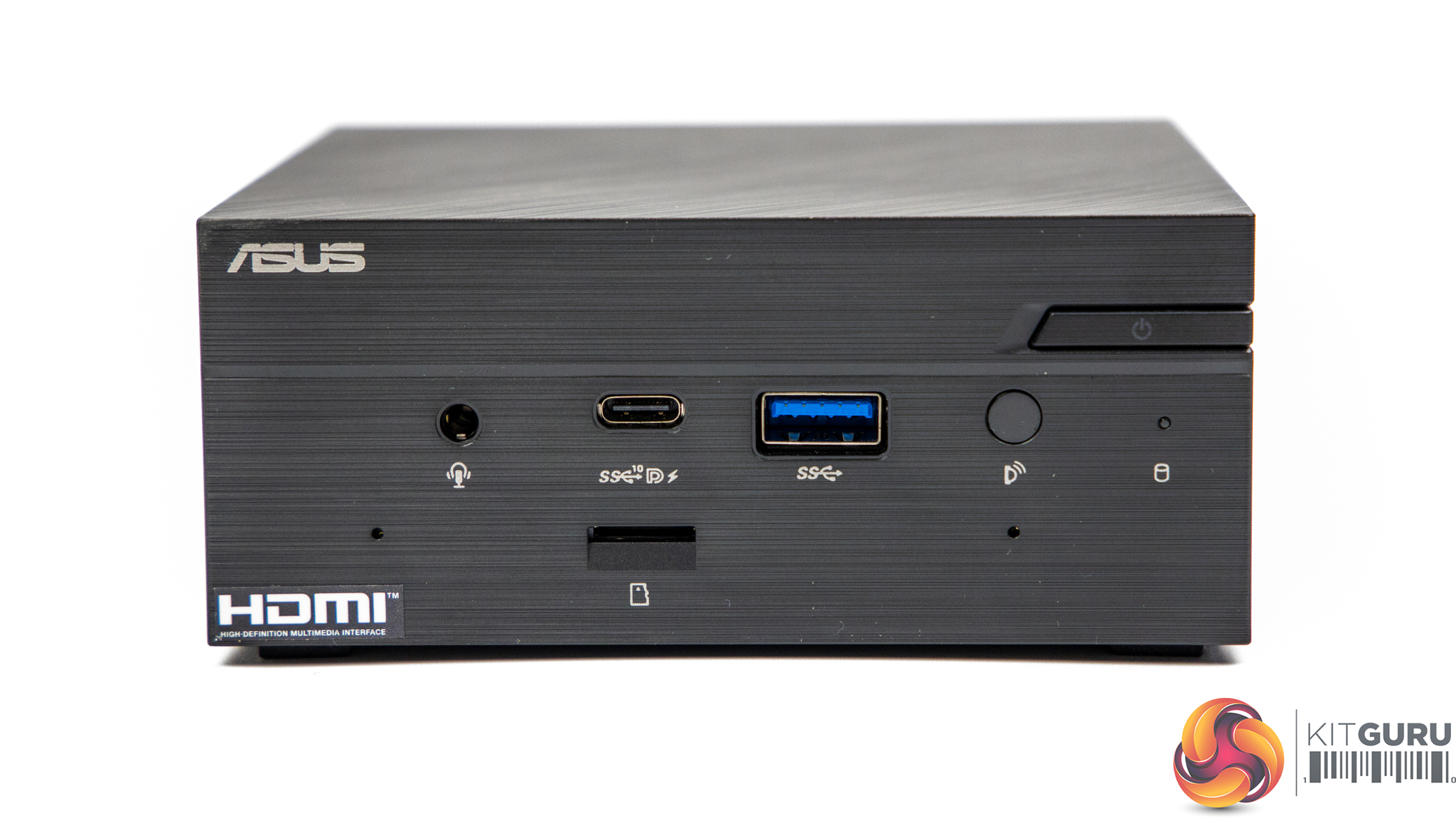
- Front I/O: 1 x USB 3.2 Gen2 Type-C (Support Display Port 1.4, Battery Charging 1.2) 1 x USB 3.2 Gen1 1 x Audio Jack (Line in/ Mic in/ Headphone out) 2 x Microphone Array 1 x IR receiver 1 x 3 in 1 Card reader
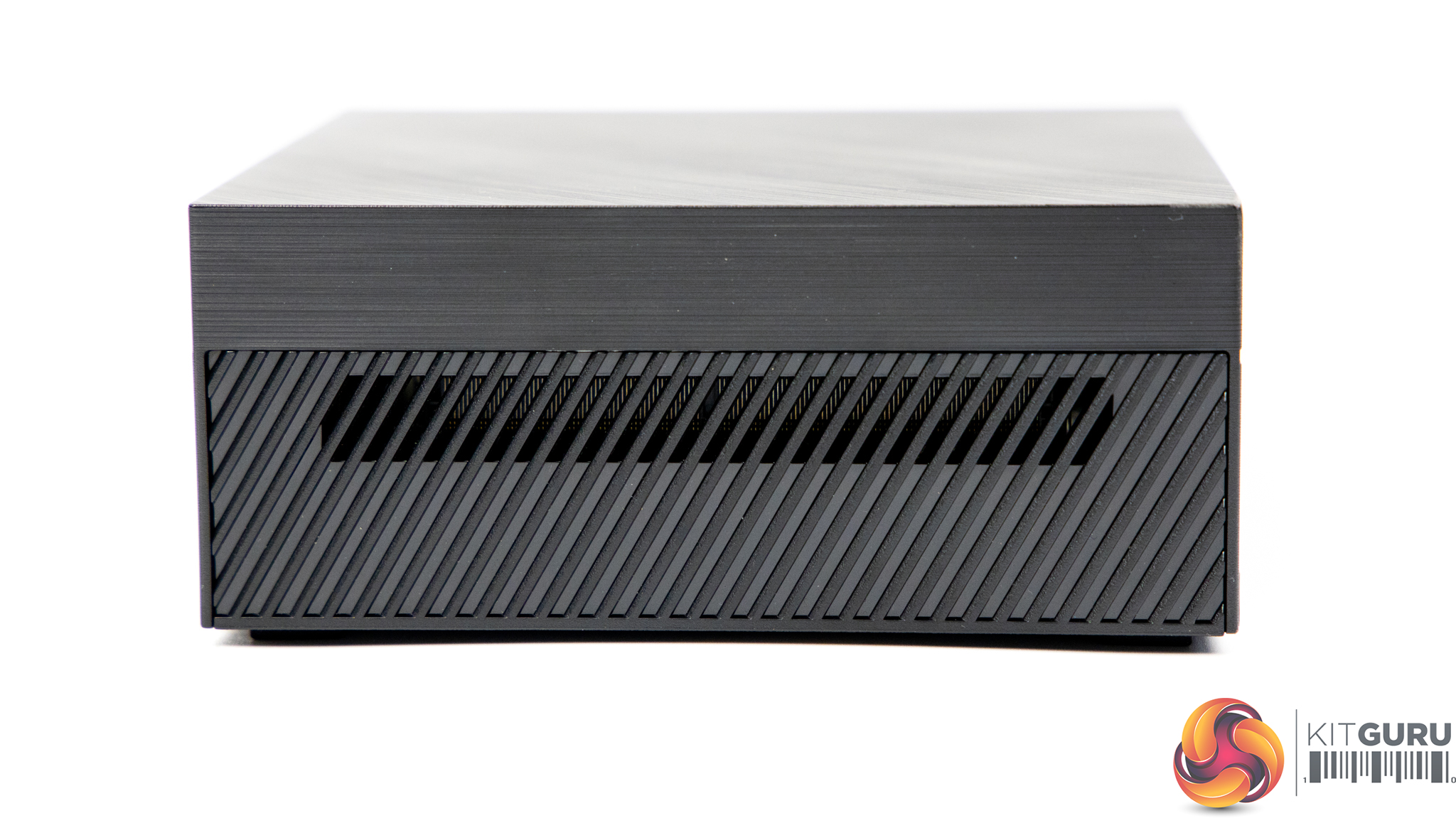
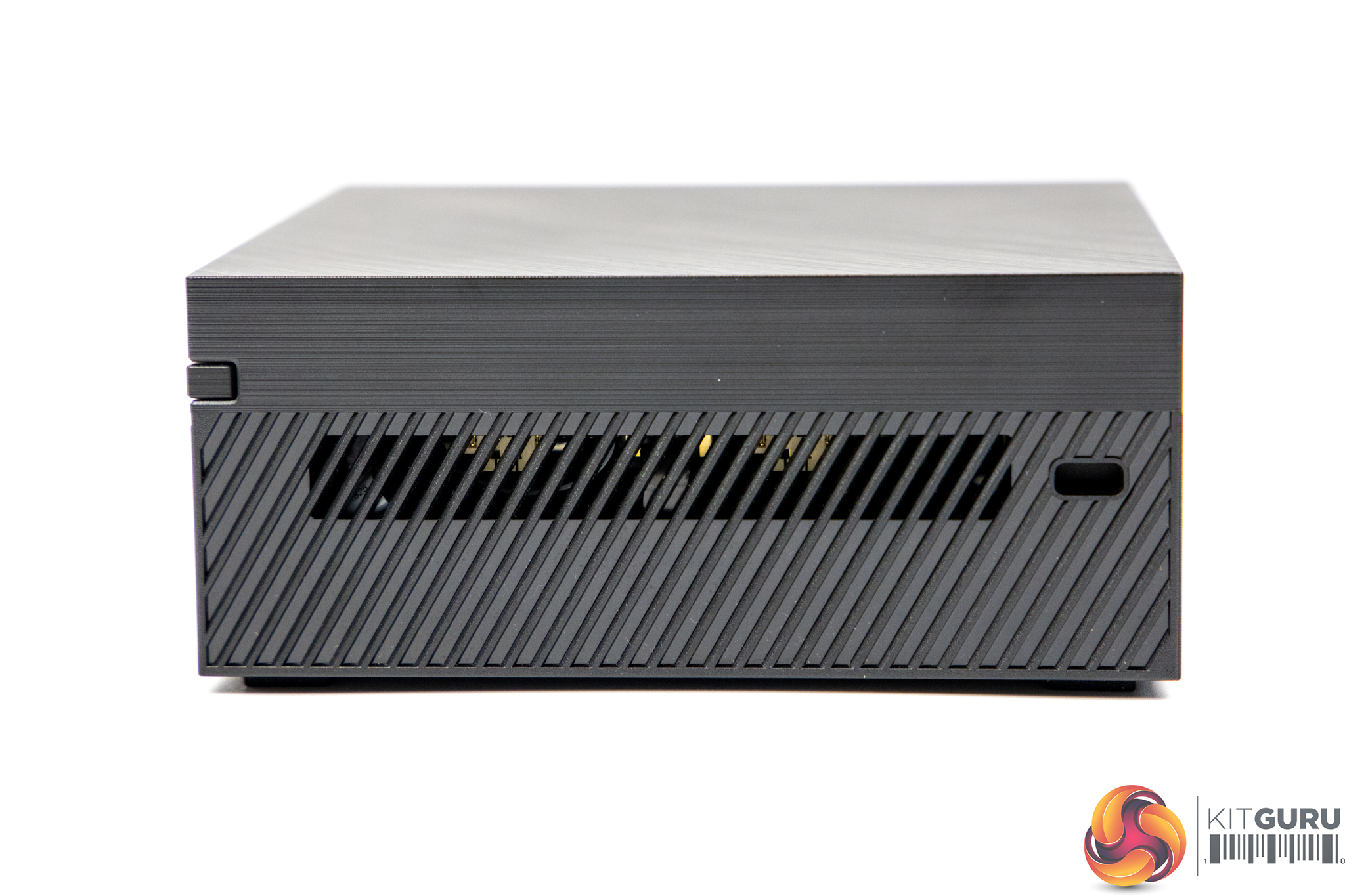
- Side I/O: 1x Kensington Lock
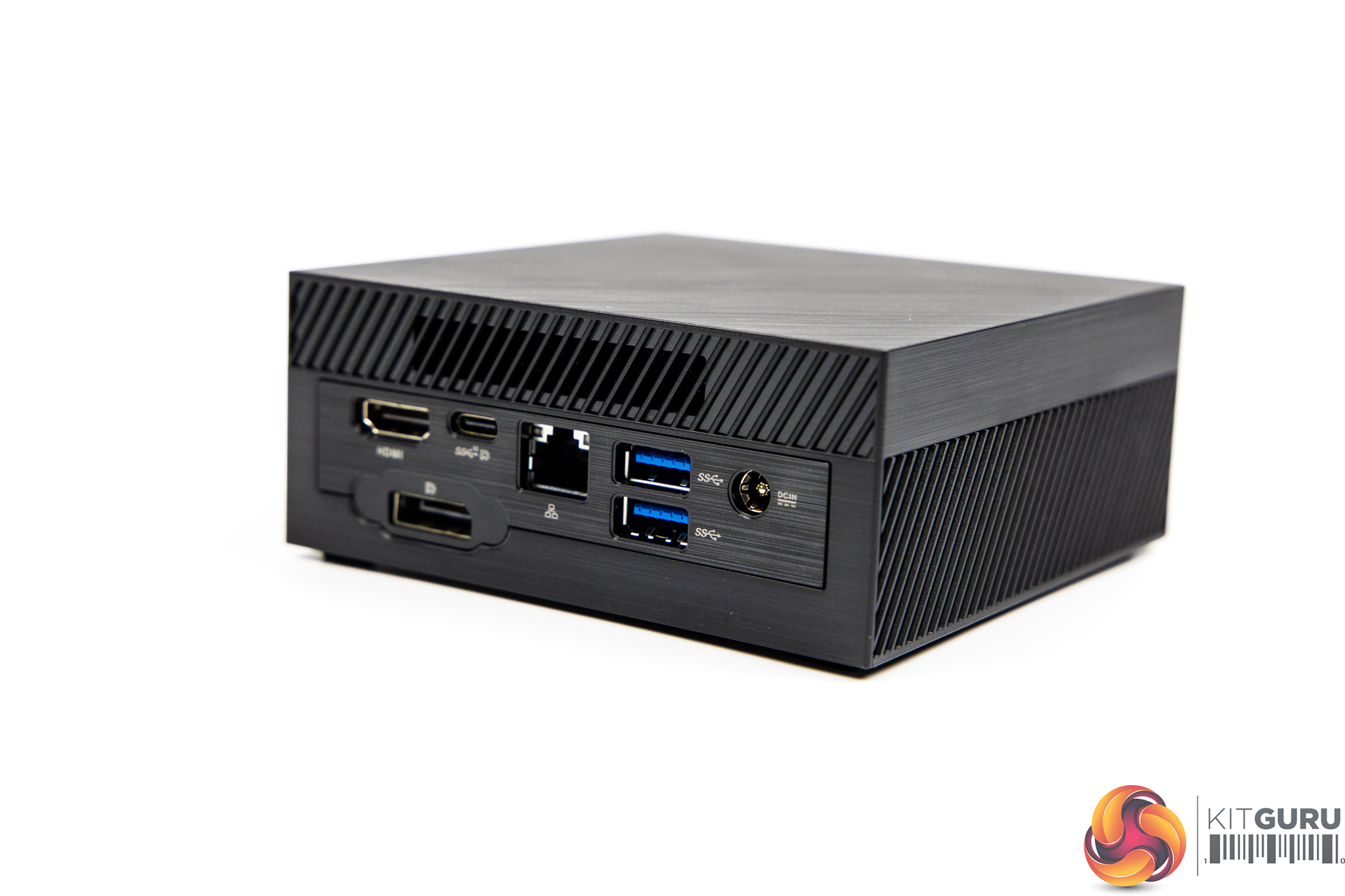
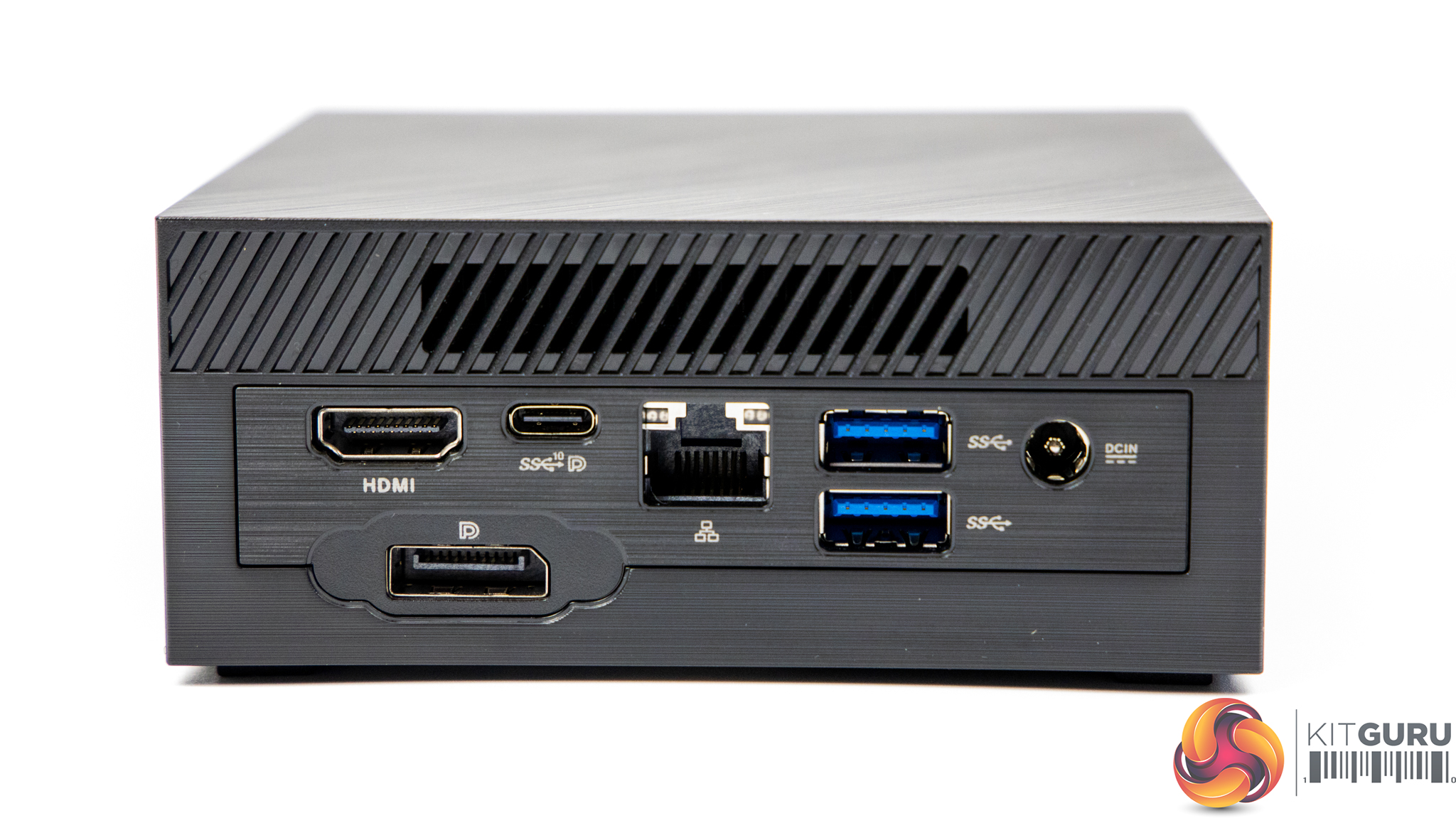
- Rear I/O: 1 x USB 3.2 Gen2 Type-C (Support Display Port 1.4) 2 x USB 3.2 Gen1 1 x HDMI 2.0 Port 1 x Display Port 1.4 1 x RJ45 LAN 1 x DC-in
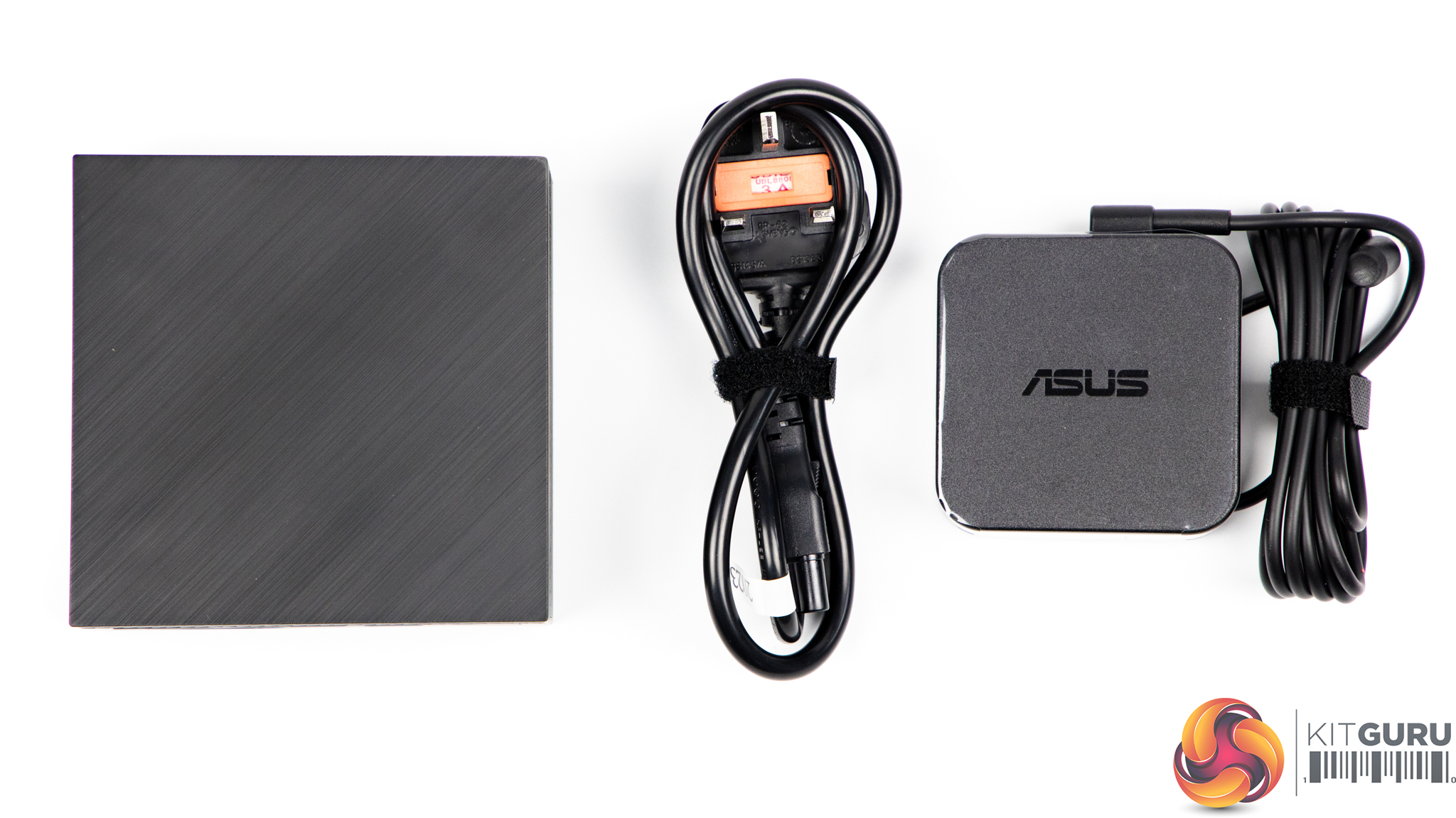
- 90W Power Adapter
- Storage supported: 1 x SATA 6Gb/s for 2.5″ 500G/1TB HDD 1 x M.2 2280 for SATA & PCIe 128G/256G/512G/1TB SSD (Supports NVMe)
- RAM supported: 2 x SO-DIMM, DDR4-3200MHz memory (4GB to 64GB)
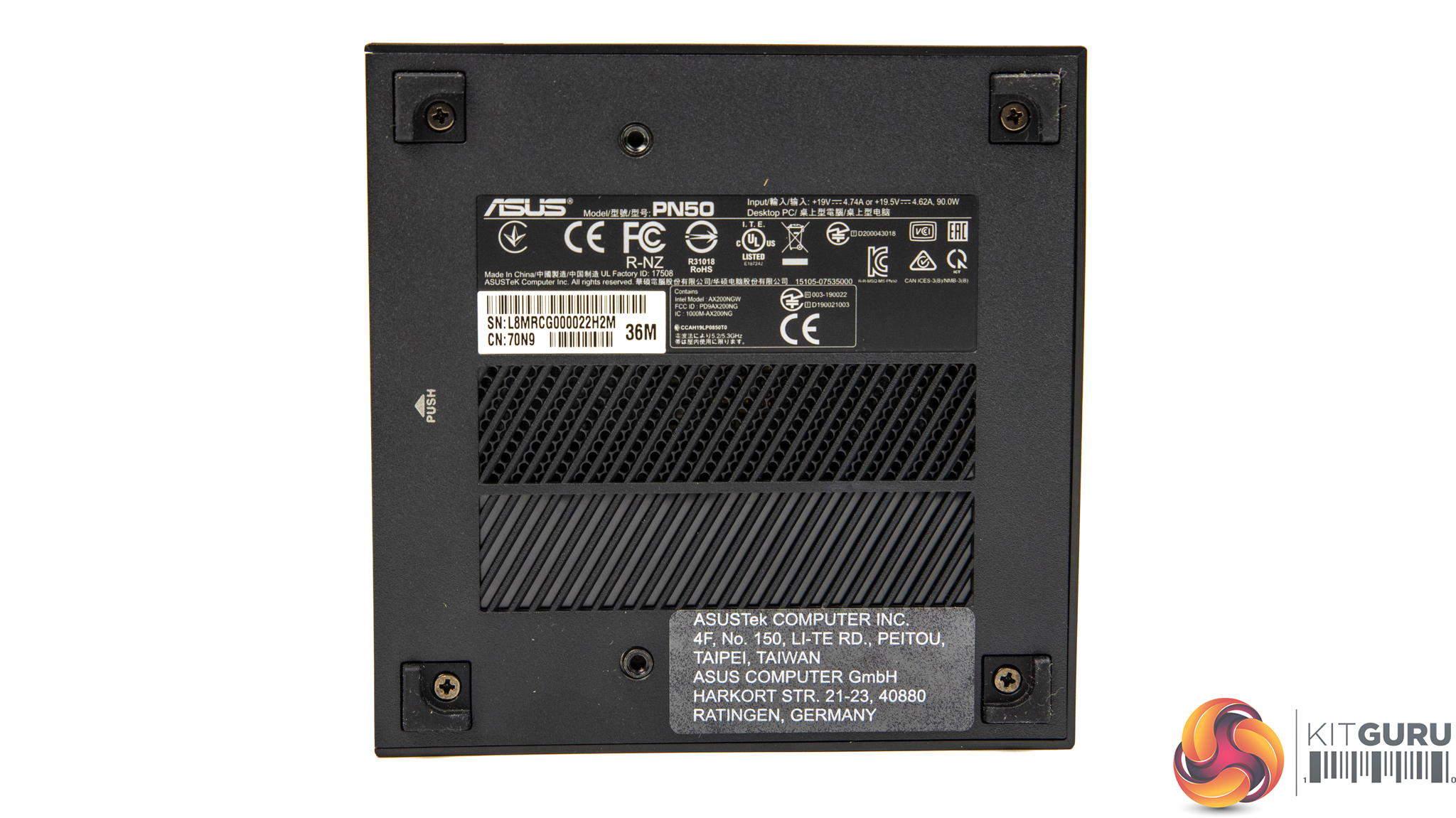
- Dimensions: 115 x 115 x 49 mm
- Weight: Under 0.7Kg
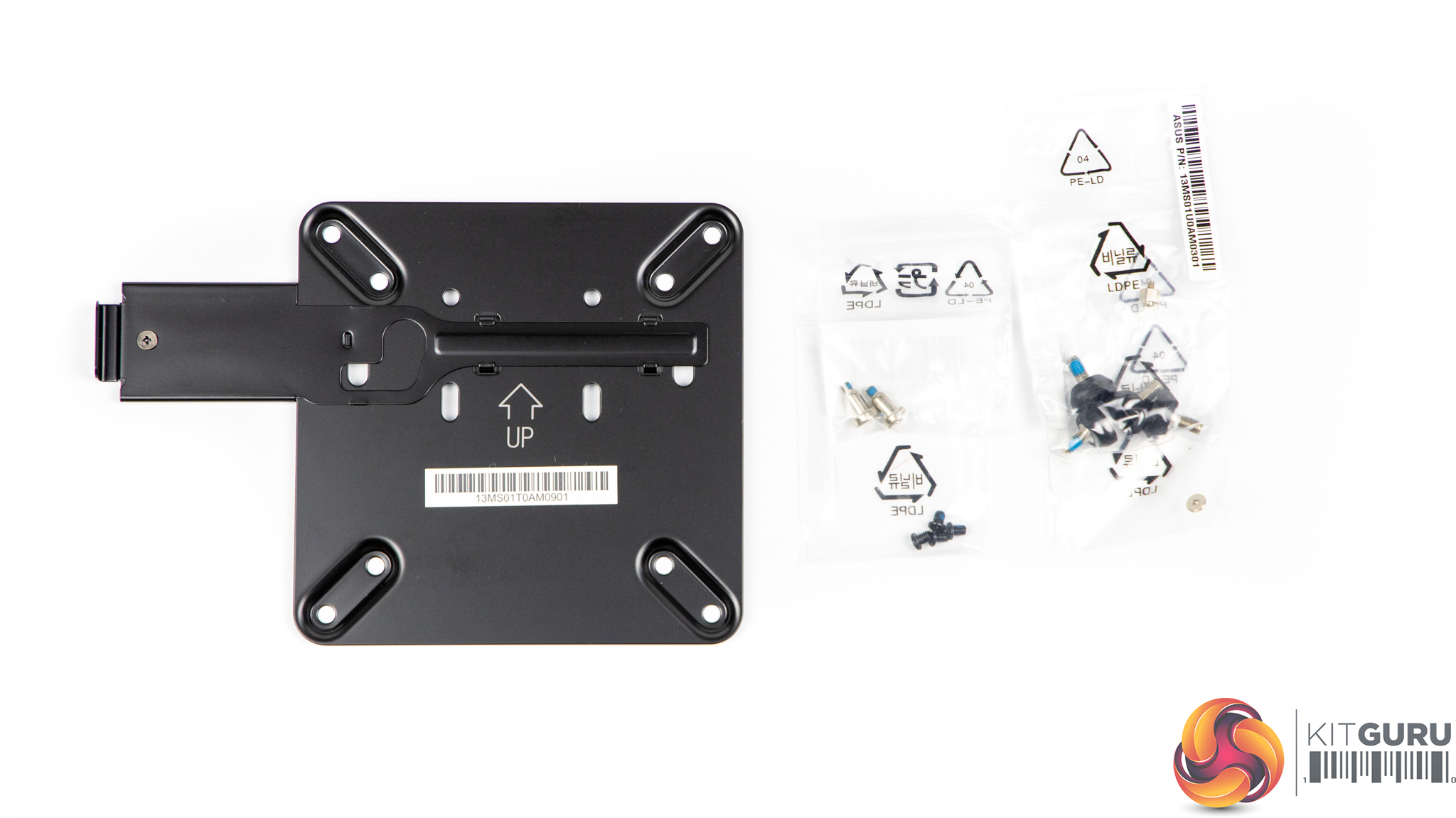
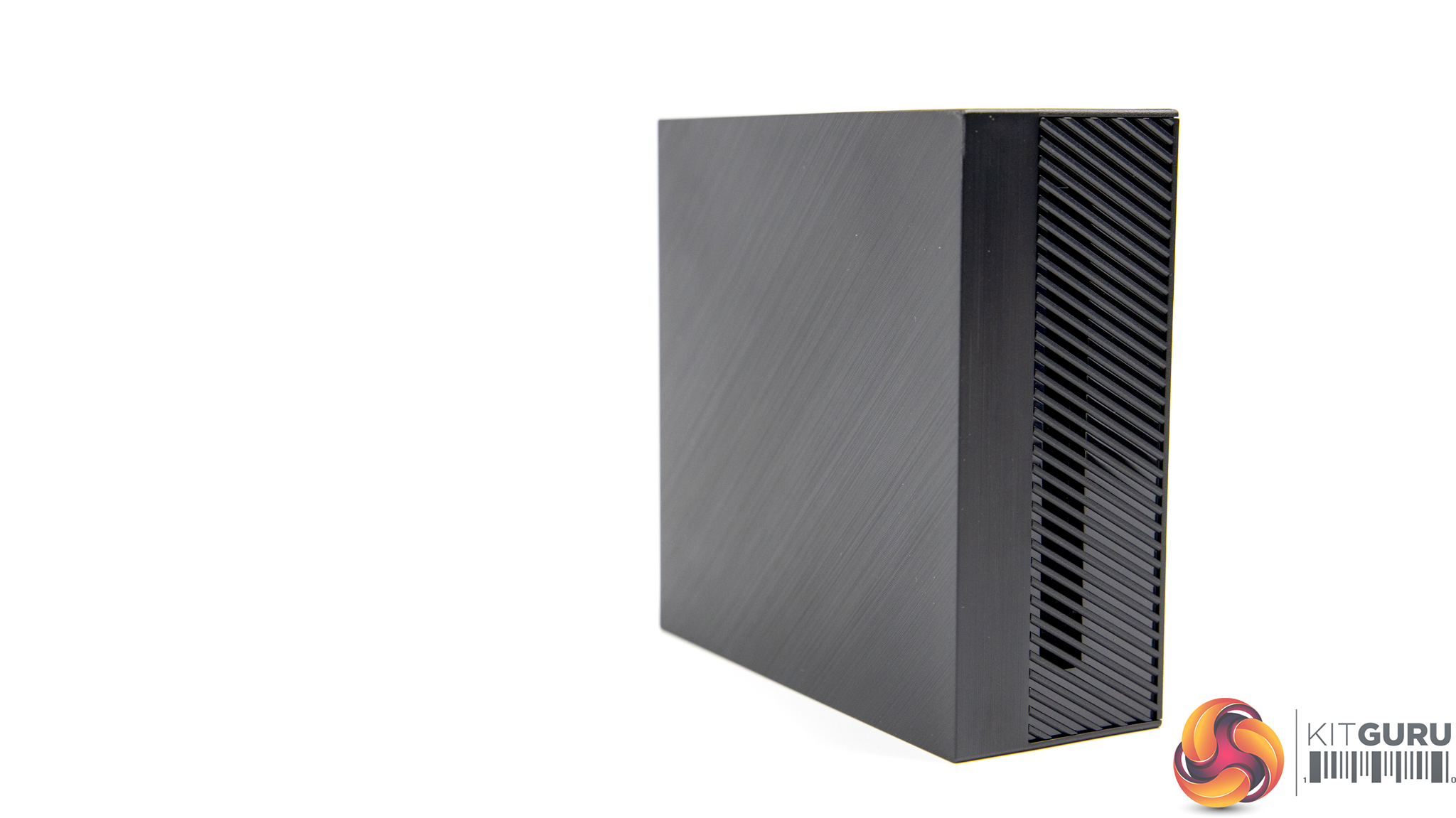
The PN50 is aimed at businesses, both office and retail, those that just want a compact system and even home-theatre setups. Since it’s so small it can easily be tucked out of sight where other systems would struggle to fit, and can even be attached to the back of a monitor via the included VESA mount. Weighing less than 1kg, dimensions of 115 x 115 x 49 mm and a sleek black, brushed, aesthetic the PN50 will suit any home or office setup.
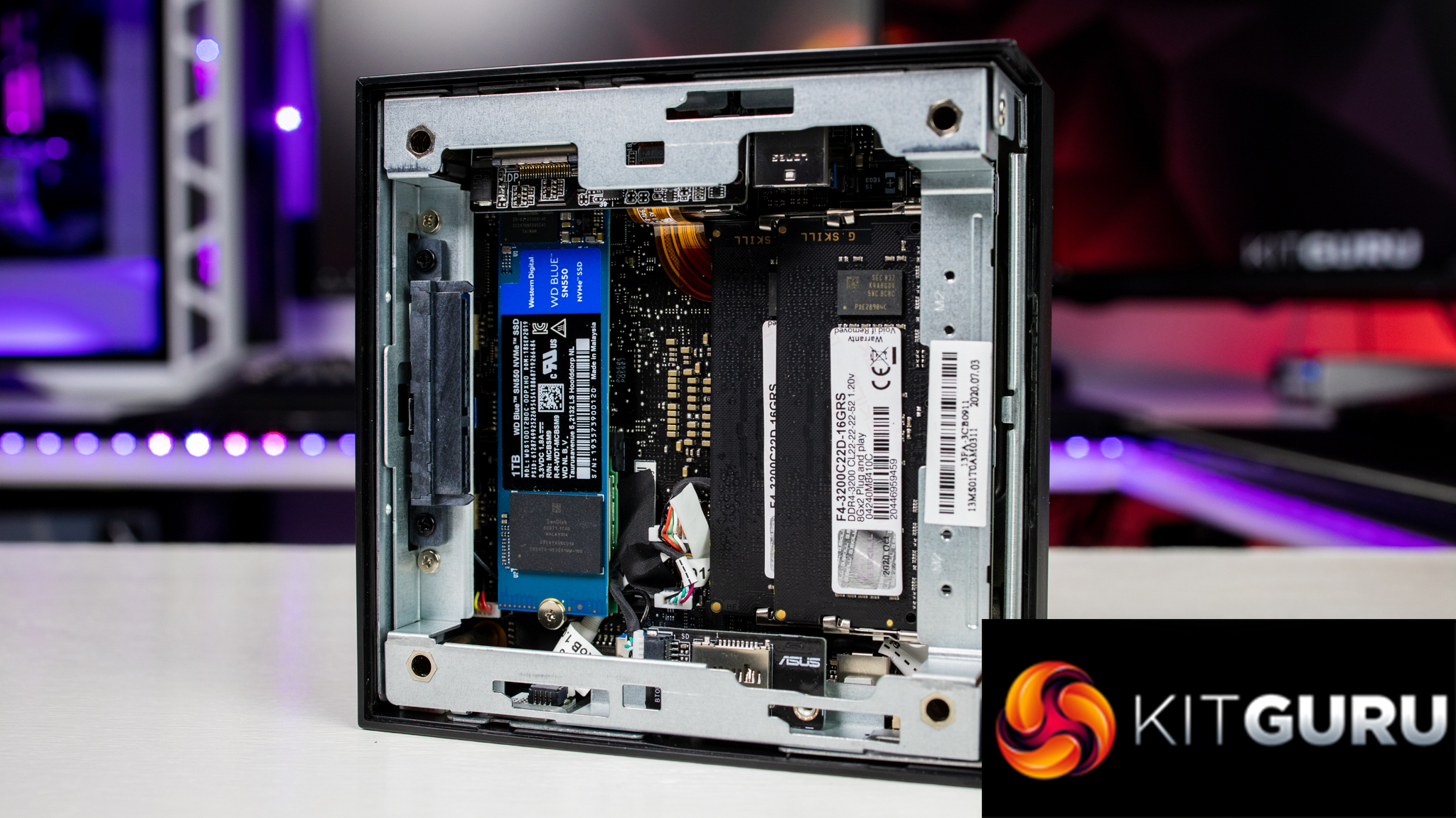
As this is a barebones system it does not come supplied with any storage drives, RAM or even operating system. Of course, depending on your use for the system will depend on what you choose to install but for our test purposes we chose 16GB of G-Skill Ripjaws SO-DIMM DDR4 3200MHz RAM and 1TB WD Blue SN550 NVMe SSD.
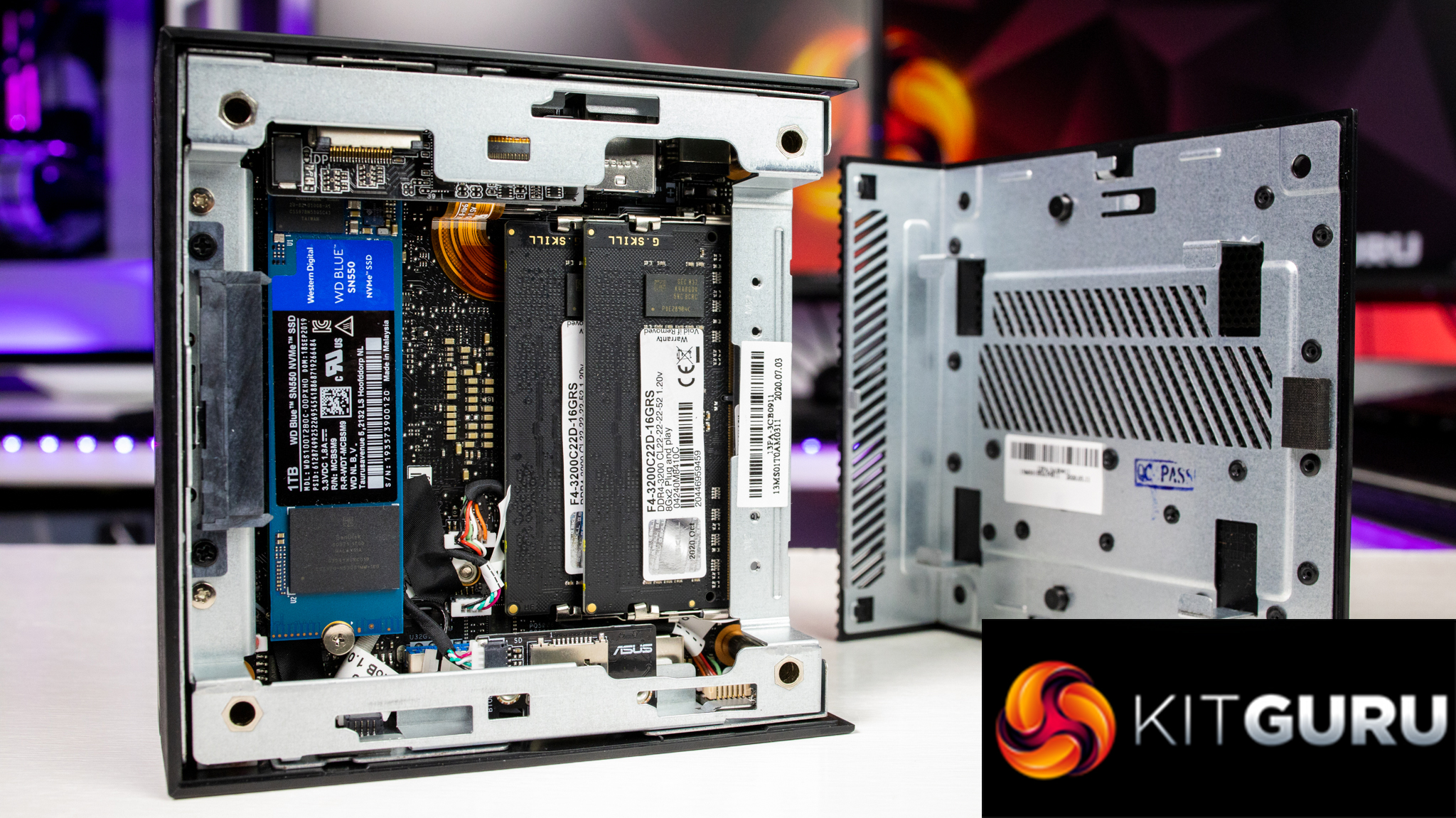
Installation is easy, even if you’re not a confident PC builder the instructions are clear. I don’t think you should be put off and I’d give it a good 8/10 for how easy it is to install or even upgrade.
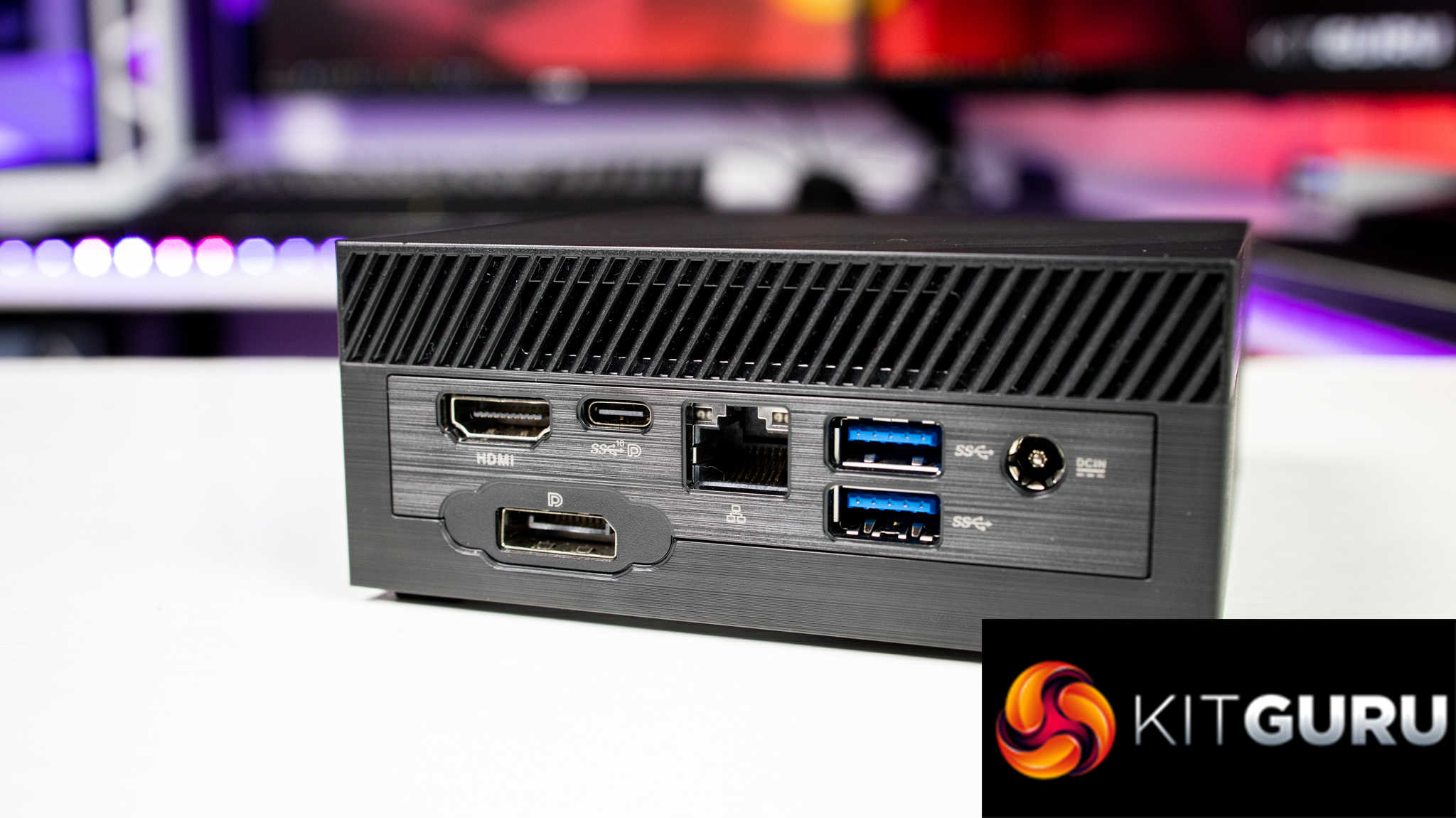
If you take a look at the specifications above, connectivity wise, it really does have a lot going for it, more so than a lot of full-sized systems. This is excellent for business users as well as home use too. On the front we also have one combination audio jack for line in, mic in and headphone out, dual-array microphones for use with Windows Cortana and an IR receiver for use with a remote control, which is another great feature that will appeal to businesses and a 3 in 1 micro-SD card reader.
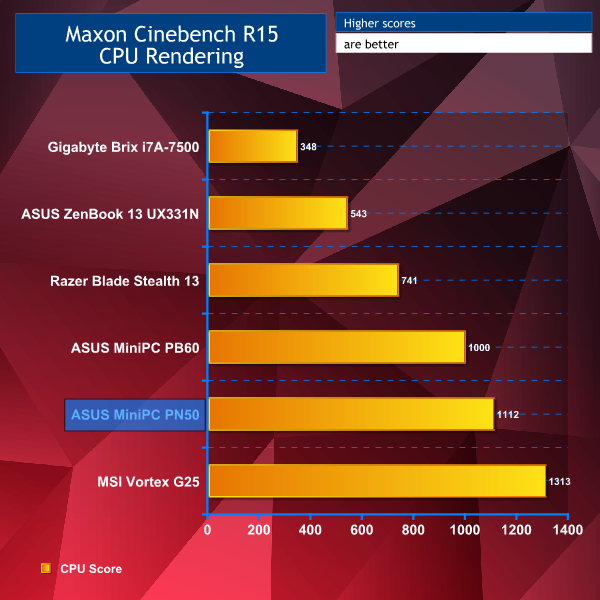
Let’s get into some tests, shall we? We put our R7-4700U to the test first with Cinebench R15 and R20. James reviewed the ASUS PB60 in June of last year and taking a look at Cinebench R15 I’ve included his test results, along with some other similar systems. You can see here that the ASUS PN50 actually performs excellently, taking second place with a multi-core score of 1,112!
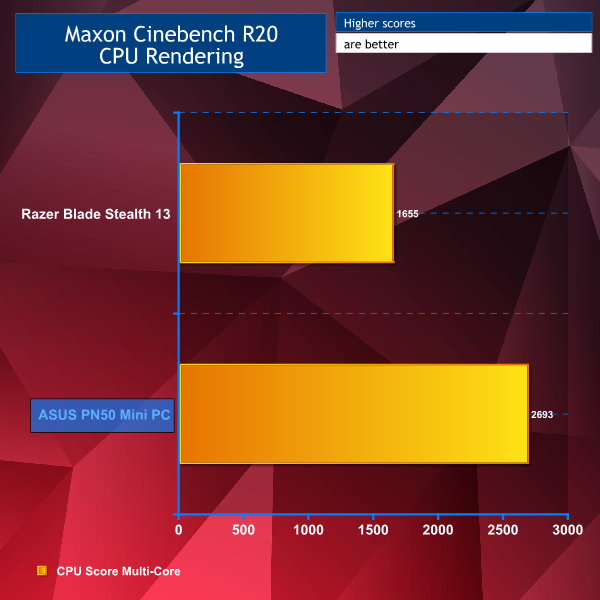
I didn’t have any comparable systems for Cinebench R20 other than the Razer Blade Stealth 13 that I reviewed earlier this year, even here the ASUS PN50 wipes the floor with the Razer notebook. This is due to the R7-4700U having twice the number of cores.
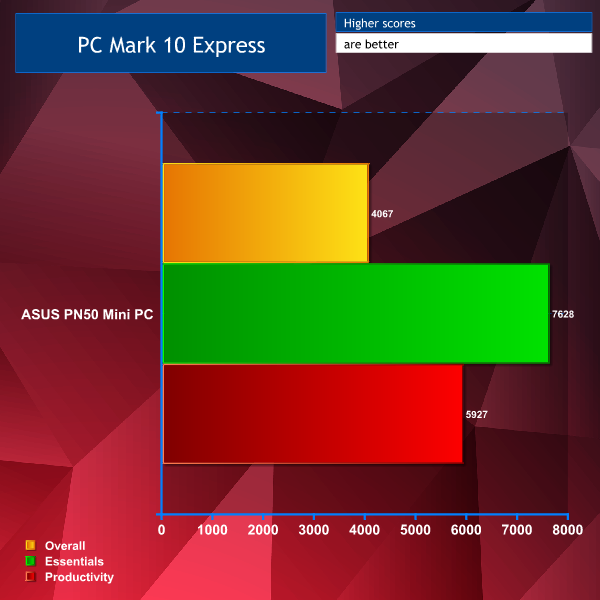
Running PCMark 10 Express also gave us good scores all round, showing it’s capable of doing different tasks to a good level.
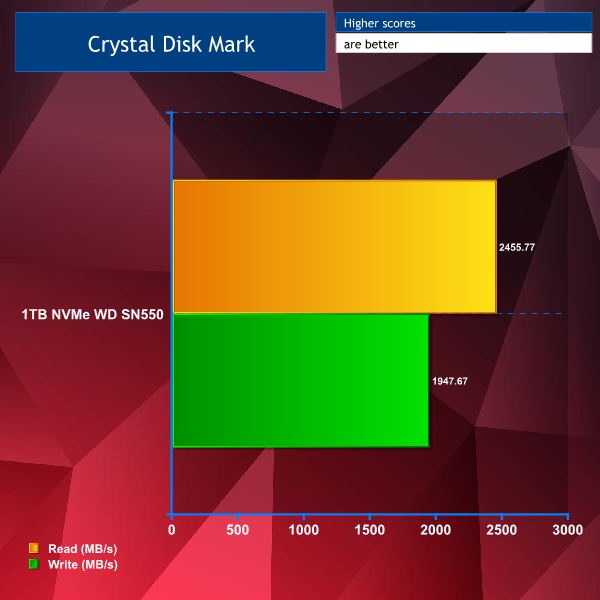
Putting our WD Blue SN550 through its paces with Crystal Disk Mark showed excellent read and write speeds, which is what we’d expect to see since it’s an NVMe drive. Your mileage may vary depending on the drive you choose to install.
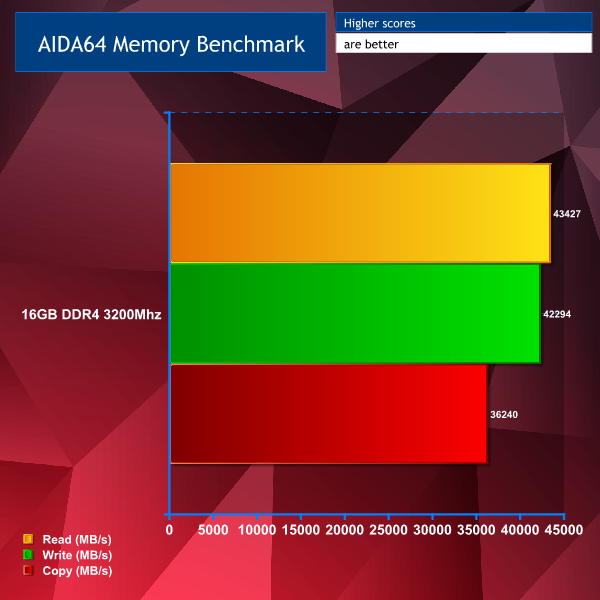
Testing G-Skill’s Ripjaws 16GB RAM also gave us great results through AIDA64’s benchmarking tool. Once again, your results may differ depending on the speed and capacity of the RAM you choose to install into your own ASUS PN50.
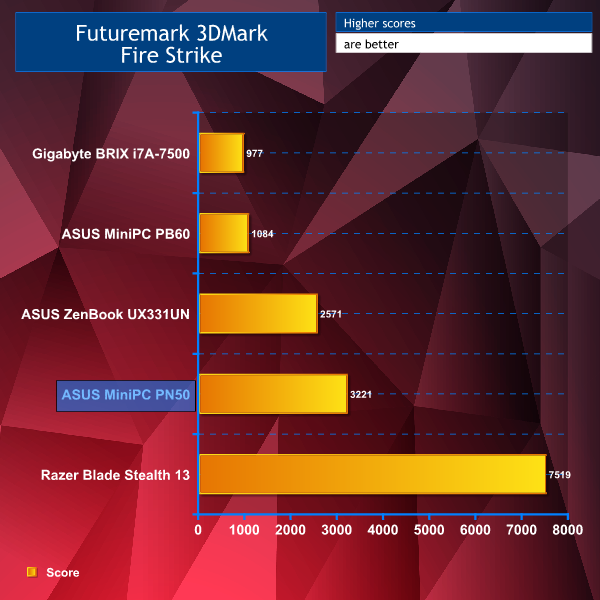
Despite having just integrated AMD Radeon Vega 7 graphics, the PN50 still proved to pack a punch in comparison to the other systems during our 3DMark Fire Strike benchmark, taking second place again.
Despite the fact this system is 100% not aimed at gamers I wanted to test a few games just to see if it could handle them. If this was a gaming system, I’d be pushing it to the limit maxing out every setting at the highest resolution to see what it could do, however; on this occasion I actually did the exact opposite. I ran these games at the lowest possible settings, all at 1080p, to see just how well they would perform.
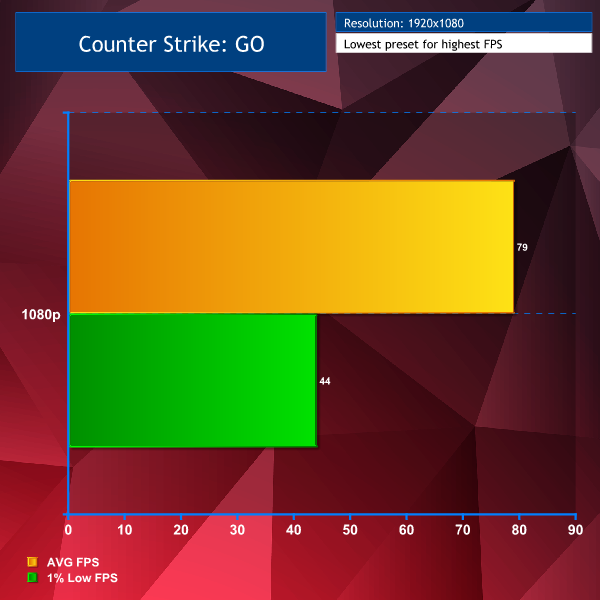
Counter Strike GO on the lowest preset, at 1080p did fairly well at nearly 80FPS average and 1% low of 44 FPS.
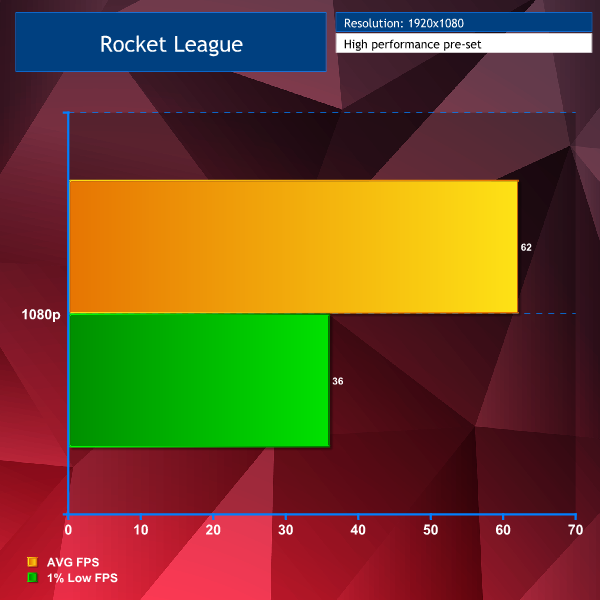
Rocket League on the high performance preset at 1080p averaged 62FPS with 1% lows of 36.
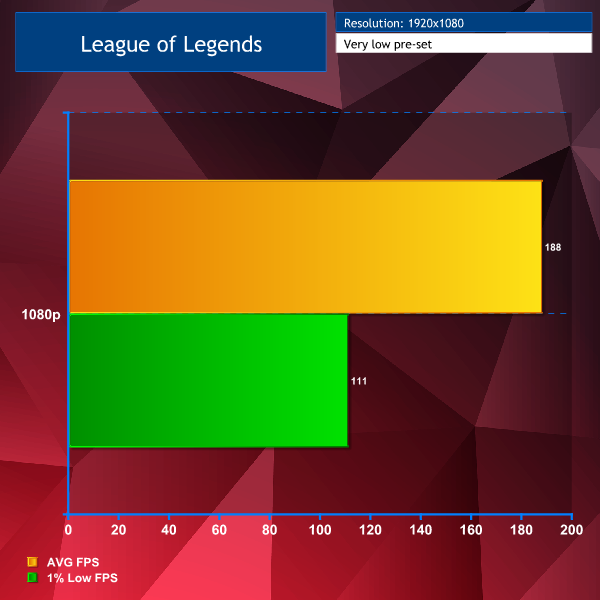
Finally, League of Legends on the very low pre-set at 1080p gave an incredible 188 average and 1% lows of 111FPS. I was pretty happy to see that I must admit! Overall, on the gaming front I was impressed. I actually wasn’t expecting those results and I’d say light gaming is absolutely possible on the PN50.
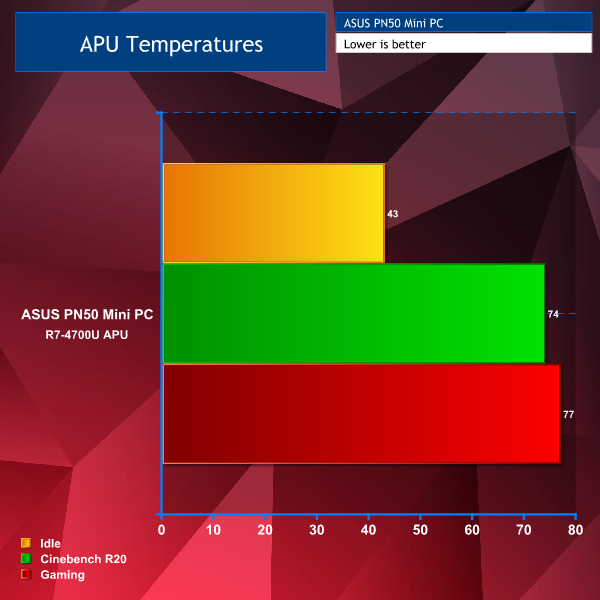
Moving onto our final results now, our R7-4700U temperatures saw an idle of 43 degrees, hitting 74C during Cinebench R20 runs and 77C during Rocket League. Not bad at all considering how compact this system really is.
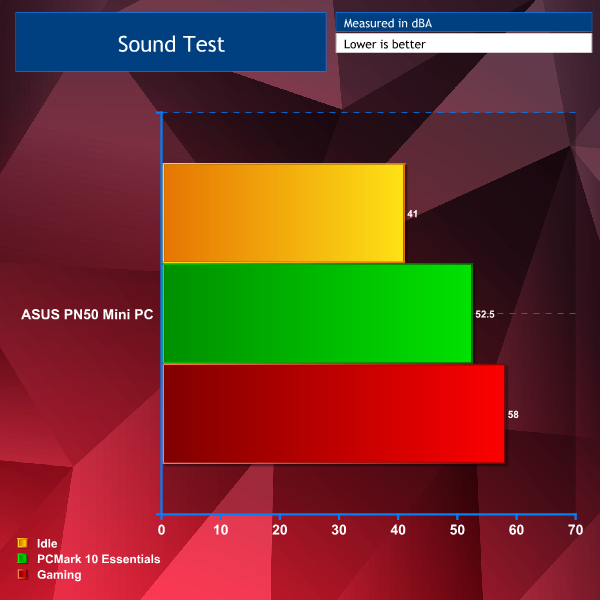
Sound wise the PN50 is actually almost silent, despite idling around 41dBA the ambient noise in the room wasn’t far off of that and I could only hear the fan in the PN50 kick in during gaming.
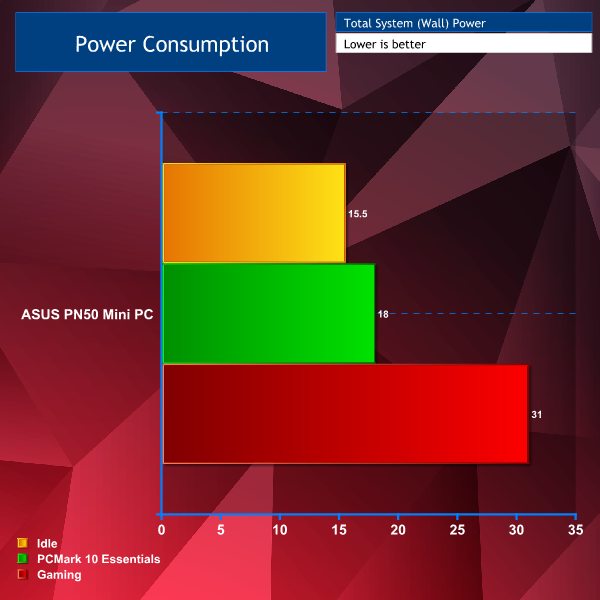
Finally, power consumption, I was impressed with just how little power this system drew during our PCMark 10 test and even while gaming. Idling at just under 16w was also impressive too.
In conclusion, the fact our ASUS PN50 system is barebones may seem like a negative to some but it can actually be seen as a positive as the user can decide exactly what components to install themselves for their specific usage, which may also bring the overall cost down if Person A wanted a simple compact system at home, whereas Person B wanted a more powerful system for business use.
Taking another look at the price our barebones system costs £370, plus approximately £100 for 16GB of G-Skill Ripjaws 3200MHz RAM and another £90 for our WD Blue SN550 NVMe SSD, plus Windows 10 home if you’re a standard user will cost around £120 from Microsoft, you’re looking at a total cost of approximately £680. Or If you’re a business user you’ll no doubt opt for Windows 10 Pro, which retails for £220 from Microsoft, you’re looking at a total cost of £780.
You are paying a premium for such a powerful system in a tiny unit but at just under £700 for home use or just under £800 for business use for a system with this many I/O connectivity options, 8K support, 4 x 4K display support and so much more all in a box just larger than your wallet… I think this is an option worth considering for those that have specific needs in mind.
Our review of the PN50 has been solely based on the barebones system and as easy as it is to install/upgrade components we know this won’t appeal to everyone. For example, a business user that may be looking at purchasing 10 of these is probably not going to want to buy extra components to then sit and install everything 10 times over. Luckily, ASUS let us know that PCSpecialist sell complete PN50 systems that require no extra components whatsoever. For many this is going to be the preferred way of buying an ASUS PN50 system so let me go over them.
Bear in mind these systems will vary in price compared to our barebones system total cost because we chose to add a 1TB NVMe SSD and 16GB 3200MHz RAM, along with Windows as an added expense. PCSpecialist offers 4 different PN50 configurations, and while these come fully assembled upon purchase, you can configure the memory and storage options to suit your needs via the PCSpecialist configurator.
Where each of these prebuilt systems differ is with the APU. This is where you’ll really need to think about what you are going to use your PN50 for, if you’re wanting a small system just to type word documents then maybe the cheapest will do fine, whereas if you’re after a home entertainment system you might want to opt for the more powerful and more expensive choices. All of the data in this review was collected using the Ryzen 7-4700U.
Starting at £421 you get an AMD Ryzen 3-4300U, with 4 cores, 4 threads at 2.7GHz with a max boost clock of 3.7GHz and an AMD Radeon RX Vega 5 graphics. You can configure this model from PCSpecialist, HERE!
Starting at £466 you get an AMD Ryzen 5-4500U, 6 cores, 6 threads at 2.3GHz with a max boost of 4.0GHz and an AMD Radeon RX Vega 6 graphics. You can configure this model from PCSpecialist, HERE!
Starting at £536 you get an AMD Ryzen 7-4700U, just like our barebones model with 8 cores, 8 threads at 2.0GHz with a max boost of 4.1GHz and an AMD Radeon RX Vega 7 graphics. You can configure this model from PCSpecialist, HERE!
Starting at £646 you get an AMD Ryzen 7-4800U, 8 cores, 16 threads at 1.8GHz with a max boost of 4.2GHz and an AMD Radeon RX Vega 8 graphics. You can configure this model from PCSpecialist, HERE!
Finally, for £369.99, if you'd prefer the barebones system like the one that we have reviewed here, so you can choose your own specifications, you can purchase the barebones ASUS PN50 Mini PC, HERE!
With great scores across the board from our test results I think the PN50 by ASUS paired with the Ryzen R7-4700U with integrated Vega 7 graphics is a very competent little machine that will definitely suit the purposes of the users this system is aimed at.
The barebones system we reviewed is available for £369.99 from Ebuyer HERE.
Discuss on our Facebook page HERE.
Pros:
- Super compact.
- Excellent performance results throughout.
- Very easy to install SSD/HDD & RAM.
- NVMe support and up to 64GB RAM supported.
- Excellent array of connectivity options and I/O.
- IR sensors & dual microphones.
- Wi-Fi 6 and Bluetooth 5 support.
- Excellent choice for home entertainment setups.
- Excellent choice for business users.
Cons:
- No full-sized SD card reader.
- Integrated AMD Radeon graphics cannot compare to discrete graphics cards.
KitGuru says: With an array of external connections, WiFi 6 and Bluetooth support, the ease of SSD/RAM upgradability, the included VESA mount and Kensington lock, the PN50 should appeal to both business users and home users.