KitGuru KitGuru.net – Tech News | Hardware News | Hardware Reviews | IOS | Mobile | Gaming | Graphics Cards


Intel's 10th Generation Core processors for desktop hit the shelves just a few weeks ago and PCSpecialist has been hard at work designing new pre-built systems around the latest Comet Lake-S platform. Today we look at one of the first systems from PCSpecialist to be equipped with the new Intel Core i7-10700K processor and see whether or not it is worth buying, priced at just under £1650.
The new Intel Core i7-10700K processor is basically a rebadged Core i9-9900K with a few tweaks to clock frequencies. The Core i9-9900K is still regarded as one of, if not the best CPU for gaming and is a very handy multitasking CPU with its 8 cores and 16 threads, so we expect the 10700K to follow in its footsteps. The 8 core, 16 thread part is no longer Intel’s flagship CPU so it is likely that we may see the 10700K appear in more reasonably price mid-high-end pre-built gaming PCs in the coming months.
With the launch of Intel 10th generation desktop processors came a new Z490 motherboard platform with an LGA1200 socket which is the base of this new Vortex S3 system from PCSpecialist in the form of the Asus ROG Strix Z490-F Gaming. The motherboard in question has a very stealthy looking appearance with its matte black PCB and various black heatsinks and heat spreaders with silver highlights.
We expect this motherboard to form an excellent base for a gaming system, it also offers the potential for overclocking and fine-tuning the system as well as an upgrade path to 11th generation Intel Core processors when Intel chooses to release those in the future. The Asus motherboard inside the system also offers space for expansion such as adding another graphics card to run SLI or Crossfire, unpopulated DIMM slots to install additional memory and an extra M.2 slot for adding more high-speed storage.
While we are on the subject of storage, this is an area of the system that I am immediately impressed by. PCSpecialist has done away with any mechanical hard drives in the Vortex S3 system and has instead opted for two Samsung SSDs. The lower M.2 slot is populated by a 500 GB Samsung 970 EVO Plus NVMe M.2 SSD that contains the Windows 10 installation with an additional 1 TB Samsung 860 QVO SATA SSD for storage.
The default memory capacity that comes pre-installed in the Vortex S3 is 16GB DDR4, which is widely thought of as the minimum for a gaming system these days. The brand of memory is Corsair Vengeance LPX and PCSpecialist has configured the memory to run at its XMP profile speed of 3000MHz in the motherboard BIOS.
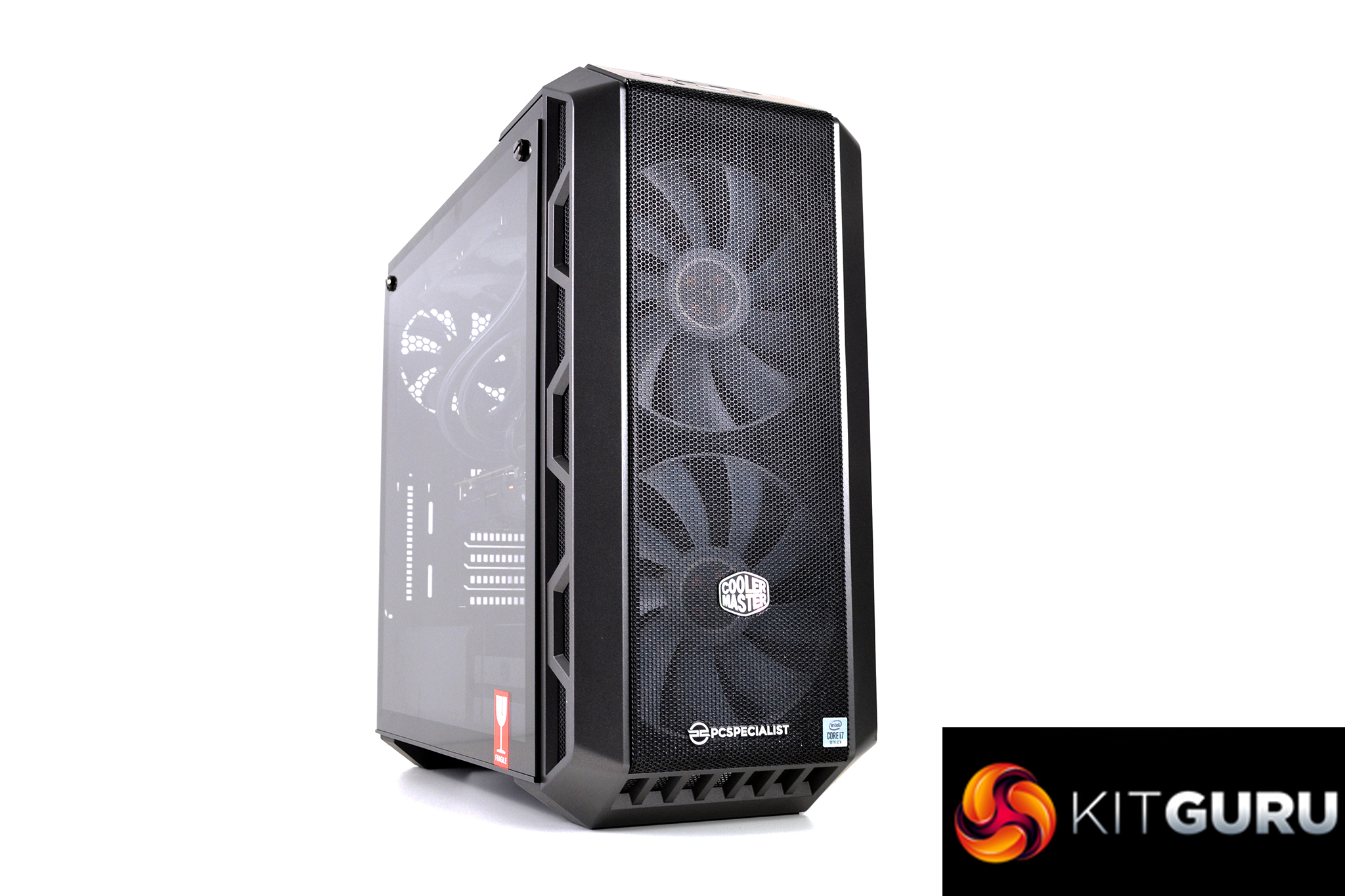
A Cooler Master MasterCase H500 is the chosen chassis for the Vortex S3 system which is a good choice for airflow with its vented mesh front panel. The case is supplied with an alternative acrylic front panel for reduced noise and PCSpecialist has included this so the customer has the choice of running the case in either configuration.
To ensure that the system temperature is kept under control, PCSpecialist has equipped the Vortex S3 with a 240 AIO CPU cooler, as well as retaining the three systems fans that come pre-installed with the Cooler Master case. The 240 AIO cooler is branded as a PCS FrostFlow 240 RGB high-performance liquid cooler. The cooler is supplied by ID-Cooling and is one of their ZoomFlow 240X ARGB units, with a custom top cover sporting a PCSpecialist logo.
PCSpecialist has included an Nvidia RTX 2070 Super graphics card from Palit in the Vortex S3 system. This probably seems like the logical pairing with the 10700K since the 8 core part is considered more of a mid to high-end CPU now that the 10 core 10900K is the flagship for this generation and would probably be more likely to be the CPU that is paired with the high-end RTX 2080 Super and 2080 Ti cards in flagship pre-built systems.
The Vortex S3 system from PCSpecialist has the specification of a high-end gaming PC and should also be a very competent workstation or content creation type system. The System specification can be tweaked to suit customer preference and is available to order directly from the PCSpecialist website. In its stock form, the system is priced at £1,649 which seems reasonable, but we will save final judgement for later in the review.
Key Features
- High-performance CPU
- Interchangeable case front panels
- RGB lighting
- Tempered glass side window
- 240mm RGB AIO liquid CPU cooler
Specification
- Case – Cooler Master MasterCase H500
- Processor (CPU) – Intel Core i7 eight-core processor 10700K (3.8GHz) 16MB Cache
- Motherboard – Asus ROG Strix Z490-F Gaming (LGA1200)
- Memory (RAM) – 16GB Corsair Vengeance LPX DDR4 3000MHz (2 x 8GB)
- Graphics Card – 8GB Palit RTX 2070 Super GP
- 1st Storage Drive – 1TB Samsung 860 QVO 2.5” SATA 6Gb/s SSD
- 1st M.2 SSD Drive – 500GB Samsung 970 EVO Plus M.2, PCIe NVMe (up to 3500MB/R, 3200 MB/W)
- Power Supply – Corsair 650W TXm Series semi-modular 80 Plus Gold
- Processor Cooling – PCS FrostFlow 240 series RGB high-performance liquid cooler
- Sound Card – Onboard 6 channel (5.1) high definition audio (as standard)
- Wireless/Wired Networking – 10/100/1000 Gigabit LAN port (Wi-Fi not included)
- USB/Thunderbolt Options – Min. 2 x USB 3.0 & 2 x USB 2.0 ports @ back panel + min. 2 front ports
- Operating System – Windows 10 Home 64 Bit – inc. Single Licence
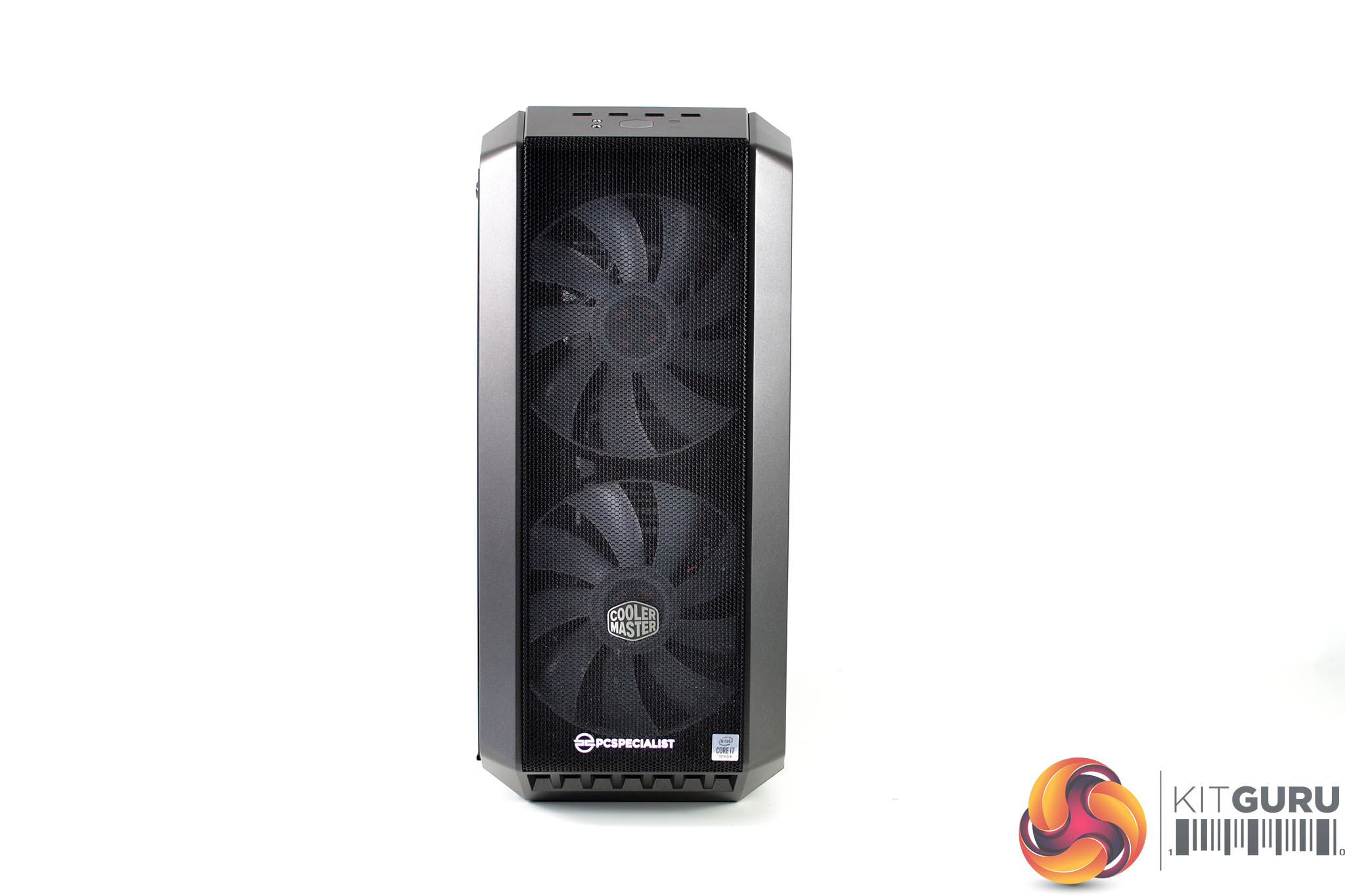
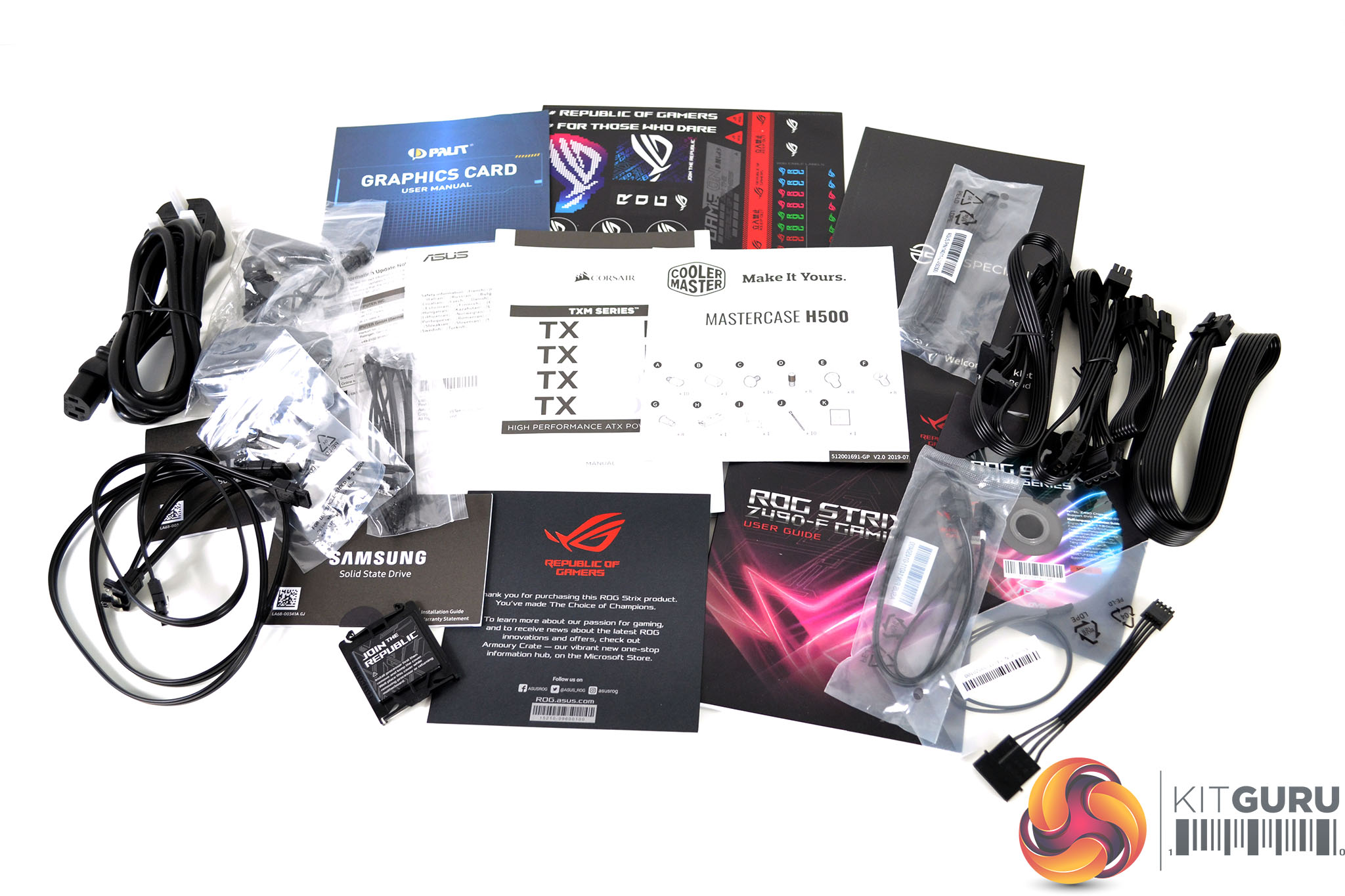
An interchangeable front panel is included with the system, the default configuration is aimed at high airflow with the mesh front panel pre-installed. Cooler Master supplies an acrylic front panel for users who prefer reduced noise with the H500 and this is also bundled with the Vortex S3, as well as an accessory pack including a power cable, user manuals, screws, zip ties and additional cables for the semi-modular power supply.
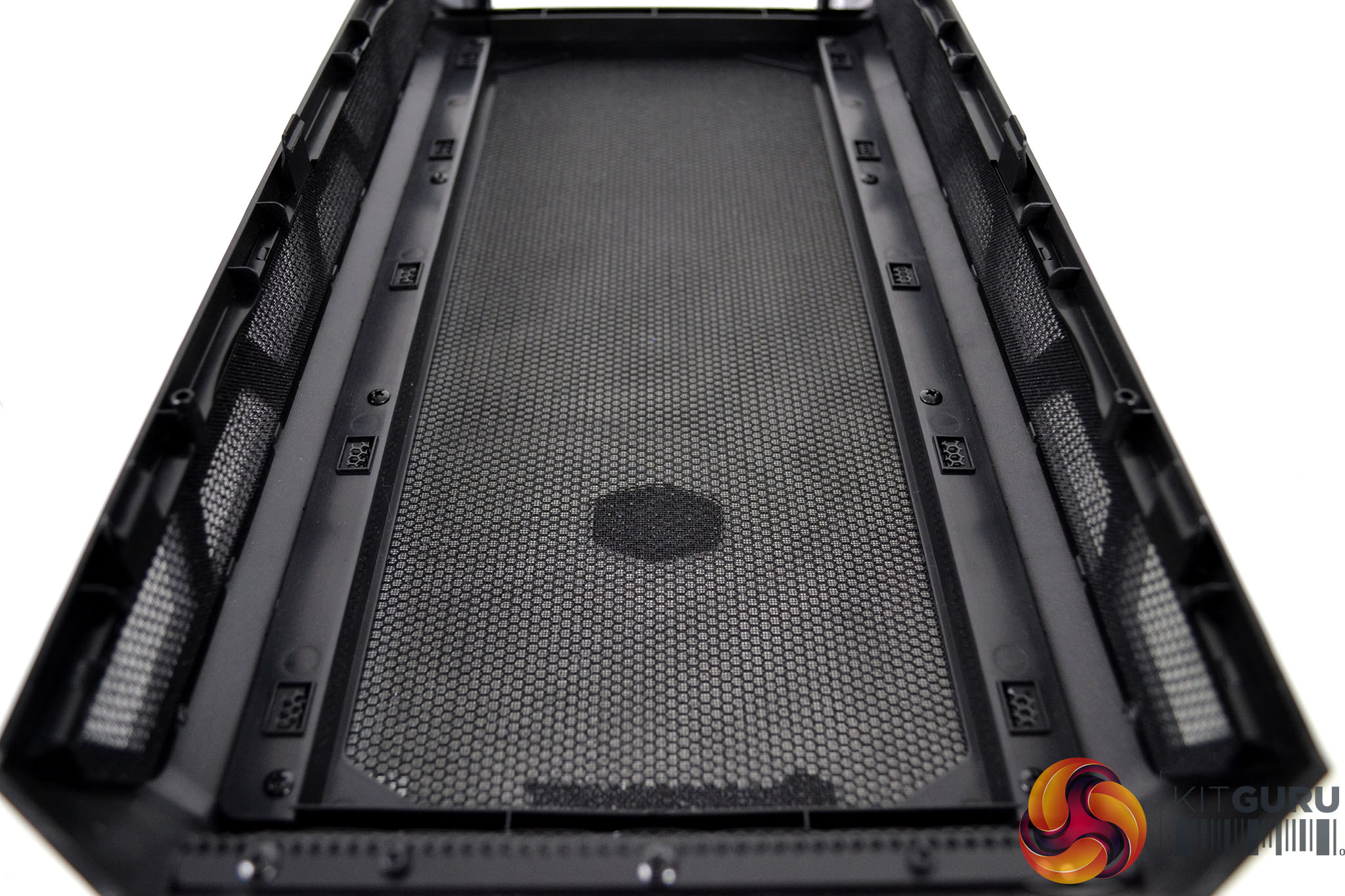
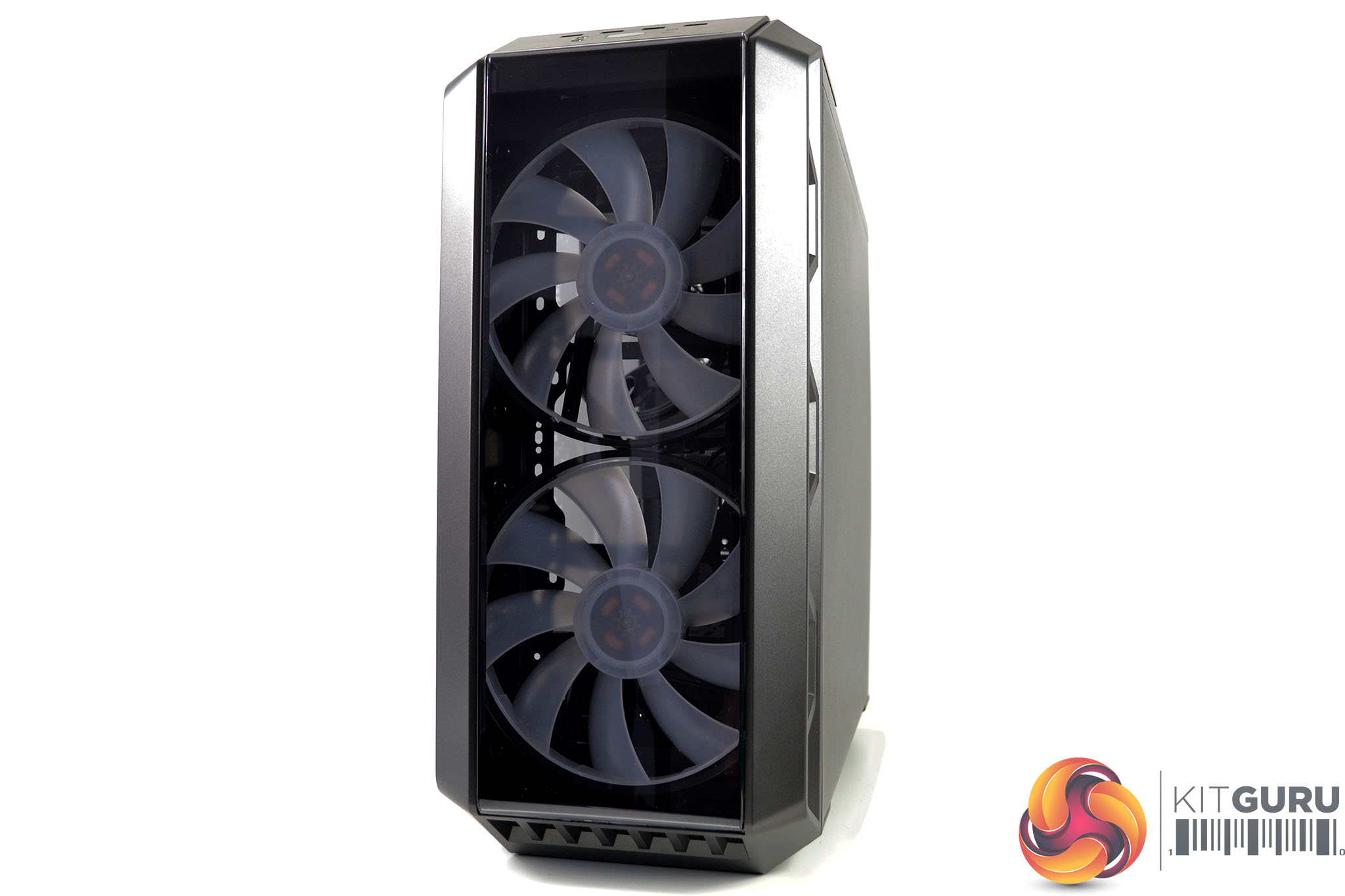
To install the acrylic front facia, first pull the whole front panel assembly from the chassis frame and remove the eight screws holding the mesh facia in position. Pull upwards to release the mesh facia and then insert the acrylic panel and fix it in position using the same eight screws from the mesh panel.
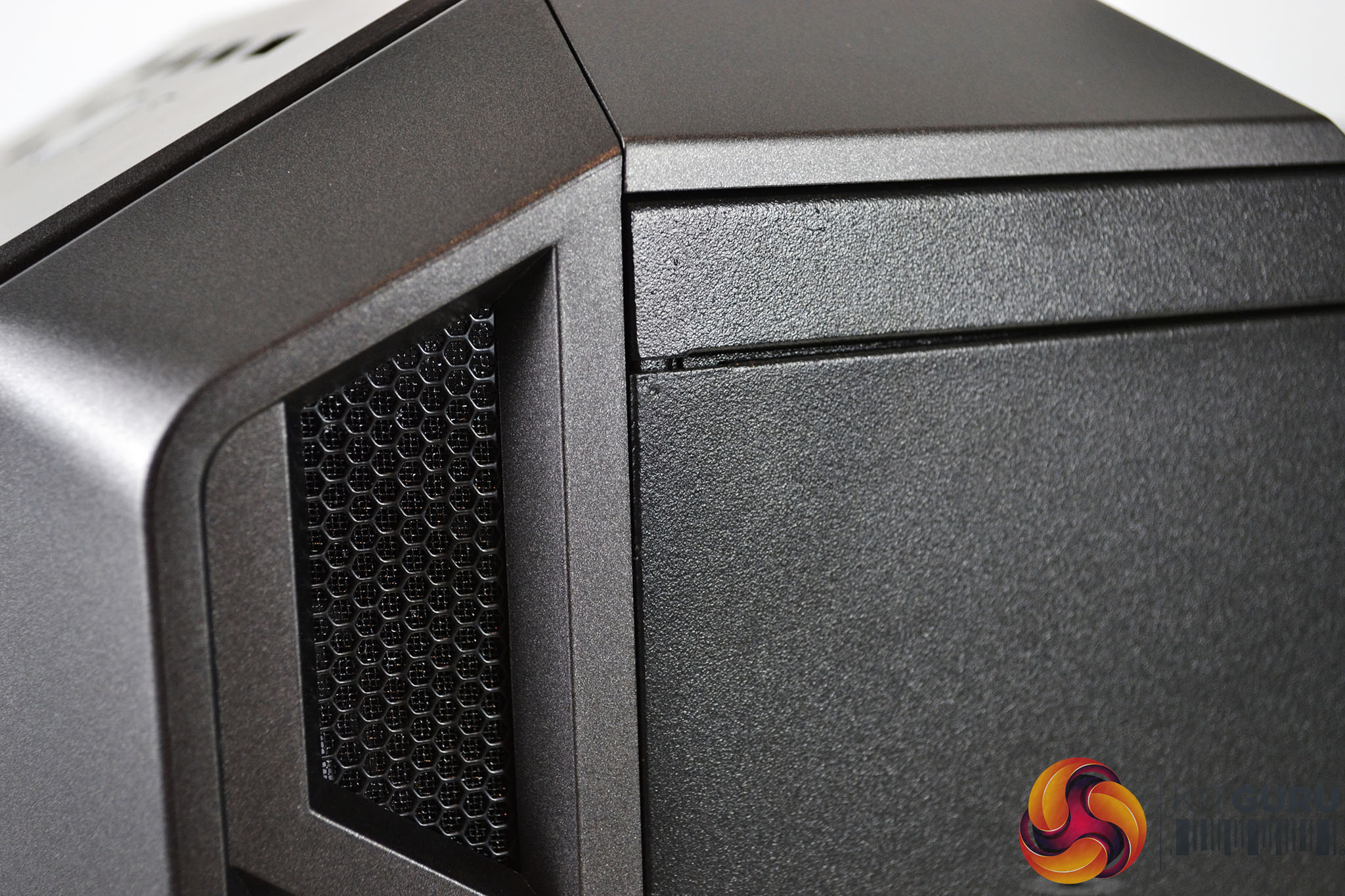
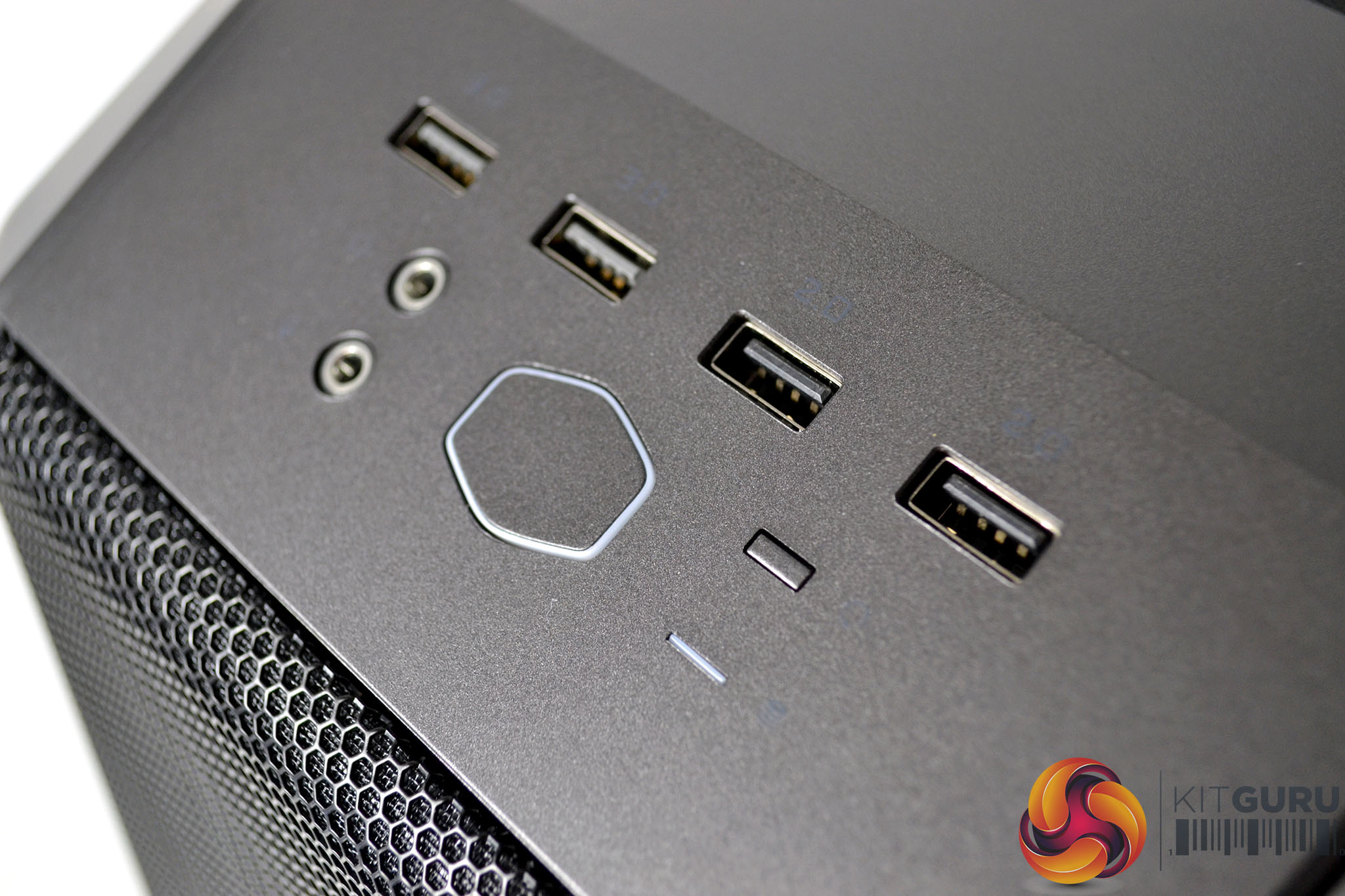
The front panel and the top I/O panel are plastic with a gunmetal finish while the steel side panel and the chassis frame are black. The front panel I/O is located at the top of the front panel for convenience and consists of two USB 2.0 Type-A ports, two USB 3.0 Type-A ports, 3.5mm audio jacks for headphones and a microphone as well as power, reset buttons and power/storage activity LEDs.
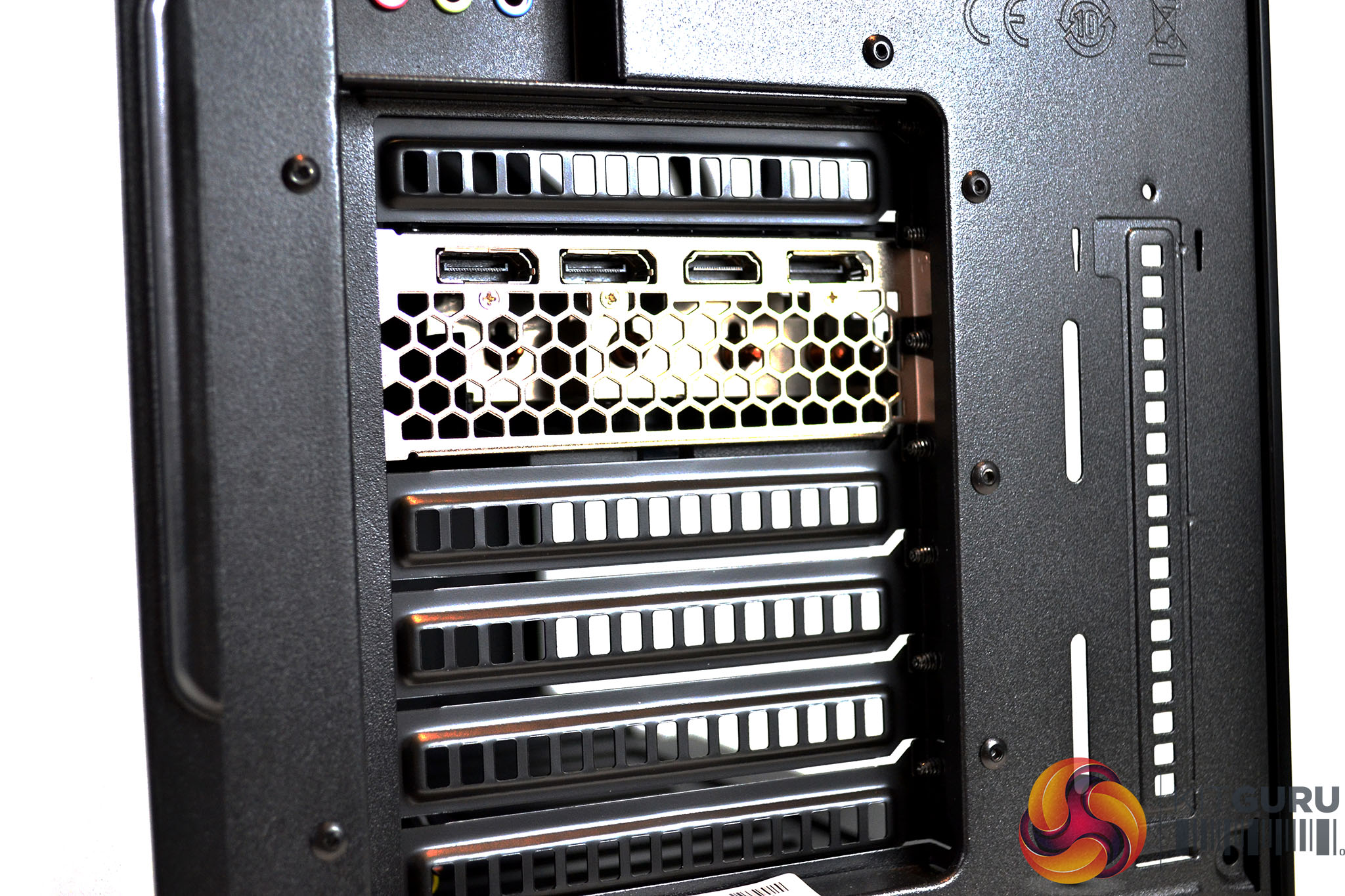
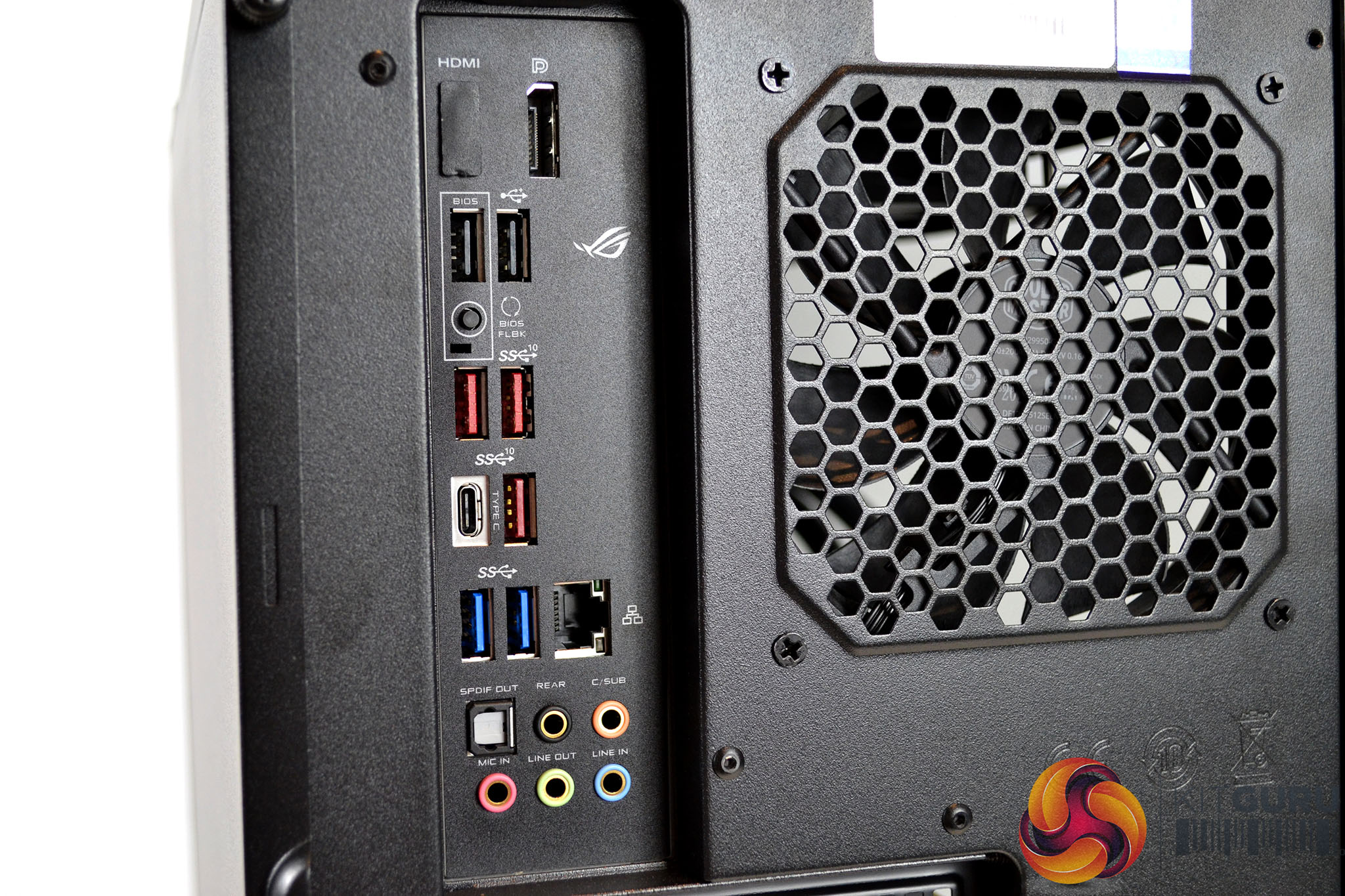
Around the back of the system, the connectivity options continue. The Palit RTX 2070 Super graphics card offers three DisplayPort outputs and a single HDMI port. The rear motherboard I/O panel provides additional USB connections with three USB 3.2 Gen 2 Type-A ports, two USB 3.2 Gen 1 Type-A ports, two USB 2.0 Type-A ports, a single USB 3.2 Gen 2 Type-C port as well as Ethernet, five gold plated 3.5 mm audio jacks, an optical S/PDIF audio out, DisplayPort and HDMI out for the Intel on-chip iGPU.
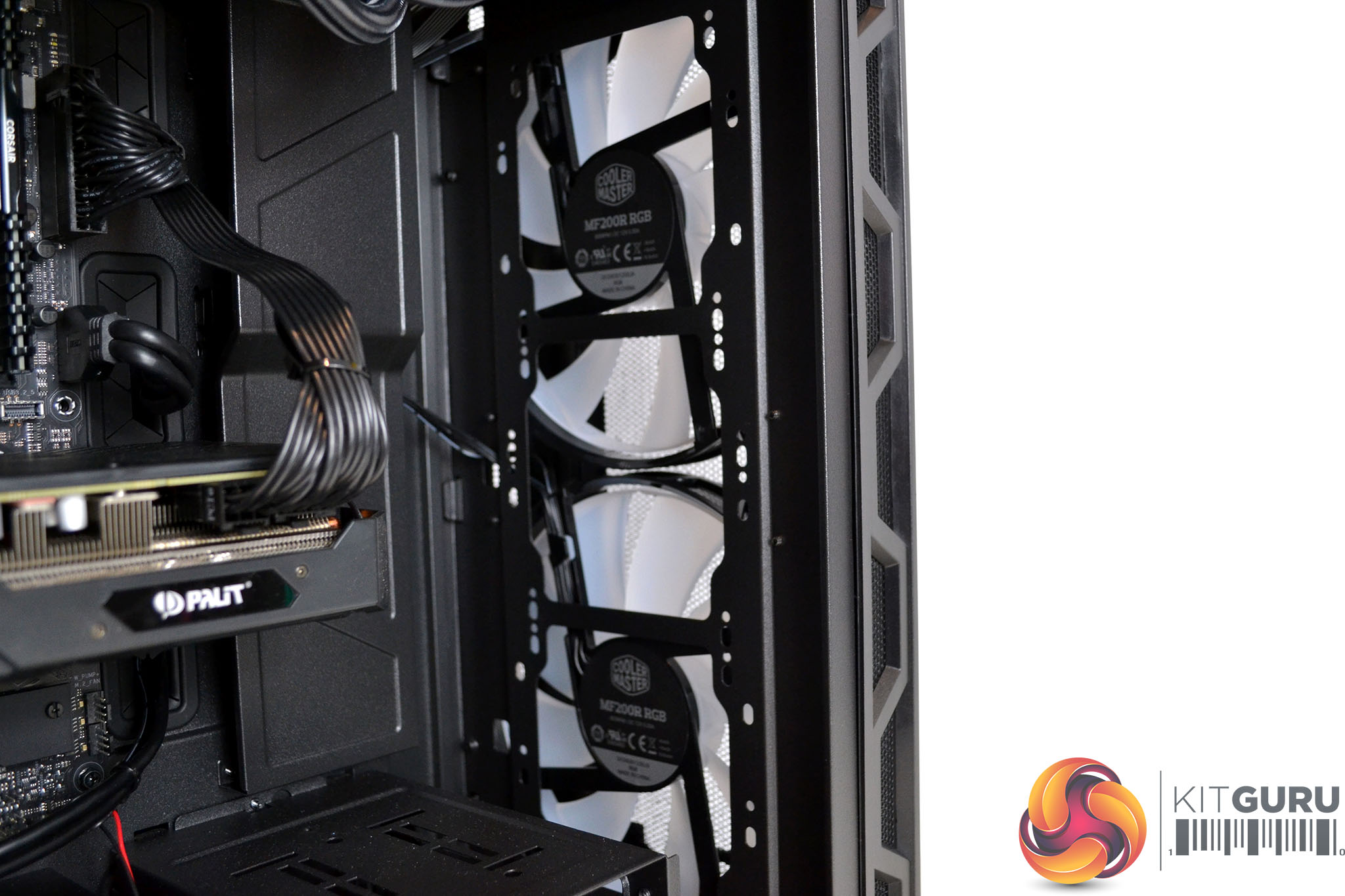
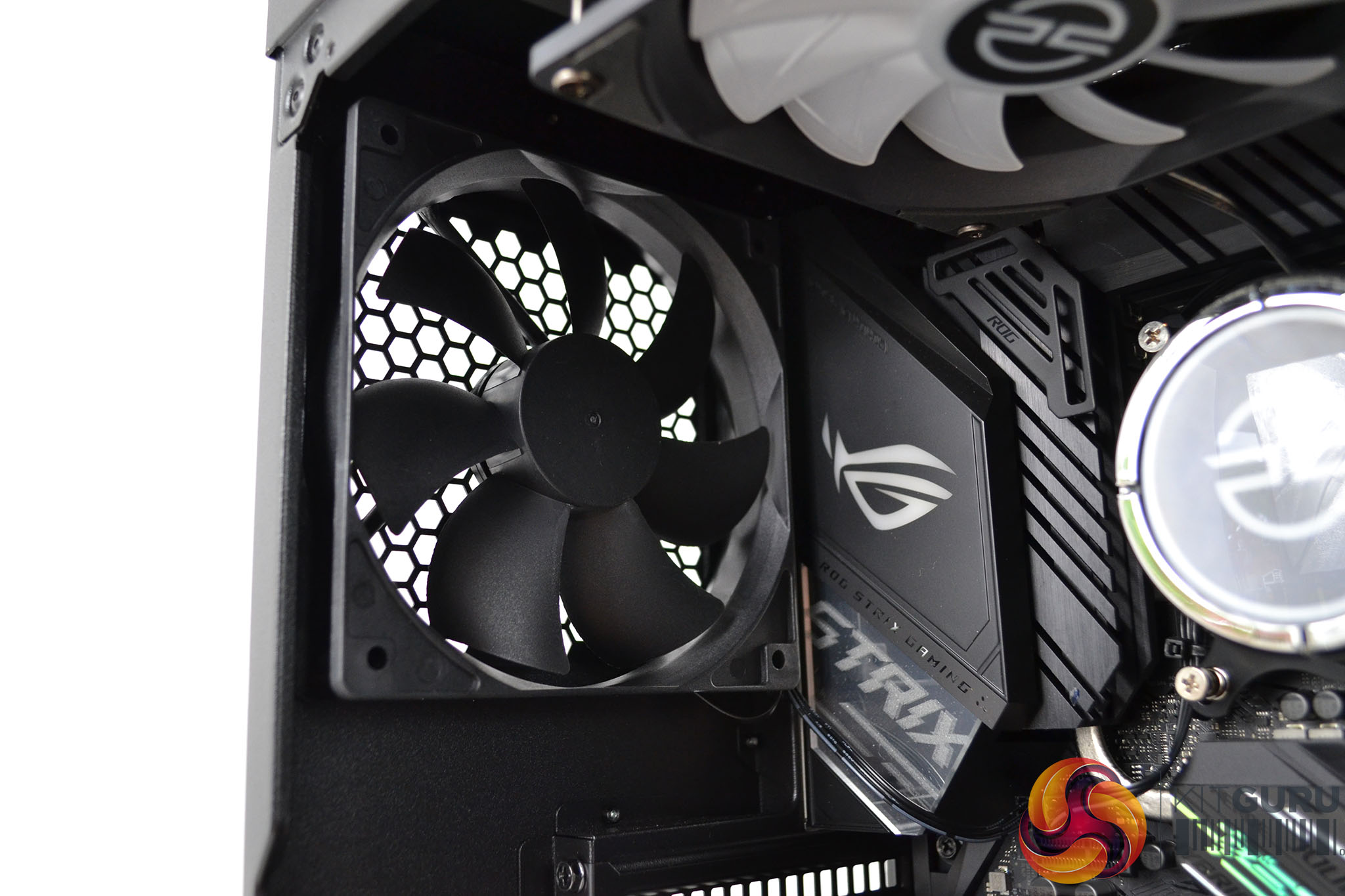
Inside the system is where things get a little more interesting, At the front of the case are two huge 200mm Cooler Master RGB fans configured as intakes, pulling cool air into the system. The RGB lighting for these fans is connected to the motherboard header so will synchronise with the motherboard RGB via the Asus Aura Sync software. At the rear of the case is a black system fan configured to exhaust warm air out of the system.
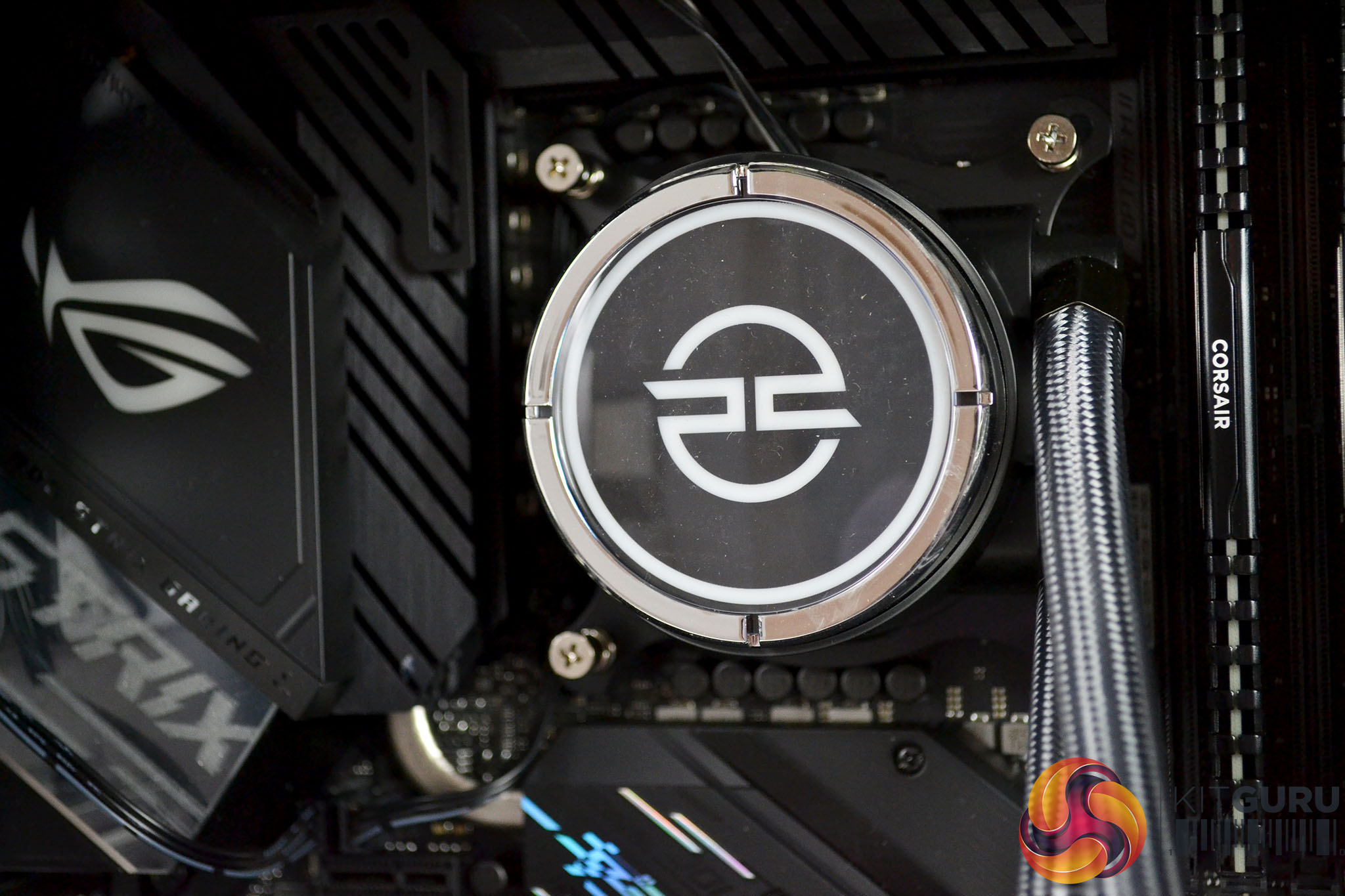
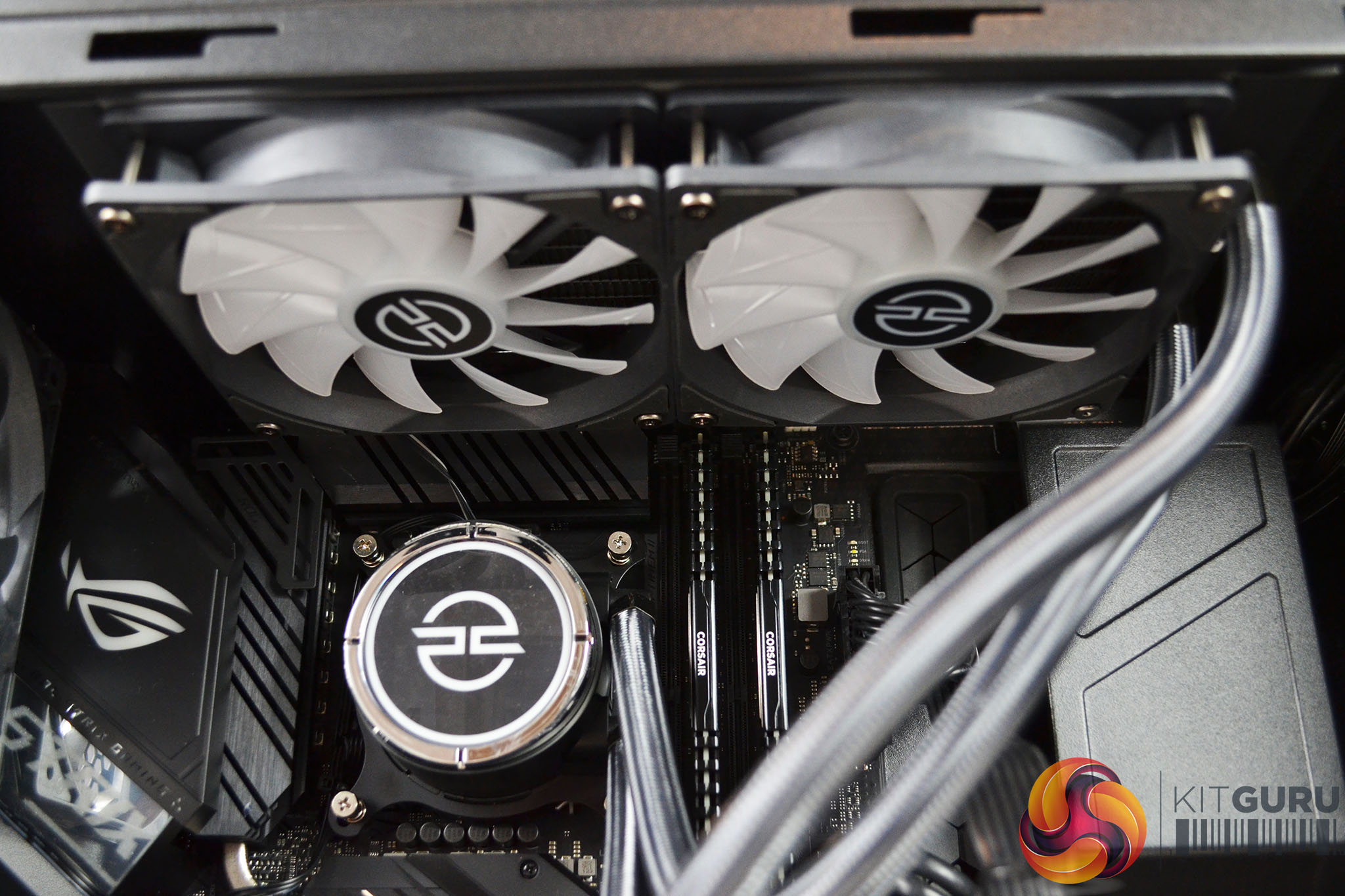
CPU cooling is taken care of by a 240mm all-in-one closed-loop liquid cooler. PCSpecialist label this as a PCS FrostFlow 240 RGB, in actual fact it is a rebranded ID-Cooling ZoomFlow 240X ARGB AIO. A 240mm AIO of this type should be more than enough cooling for the Intel Core i7 10700K CPU running at its stock frequency, as it is in the Vortex S3 system.
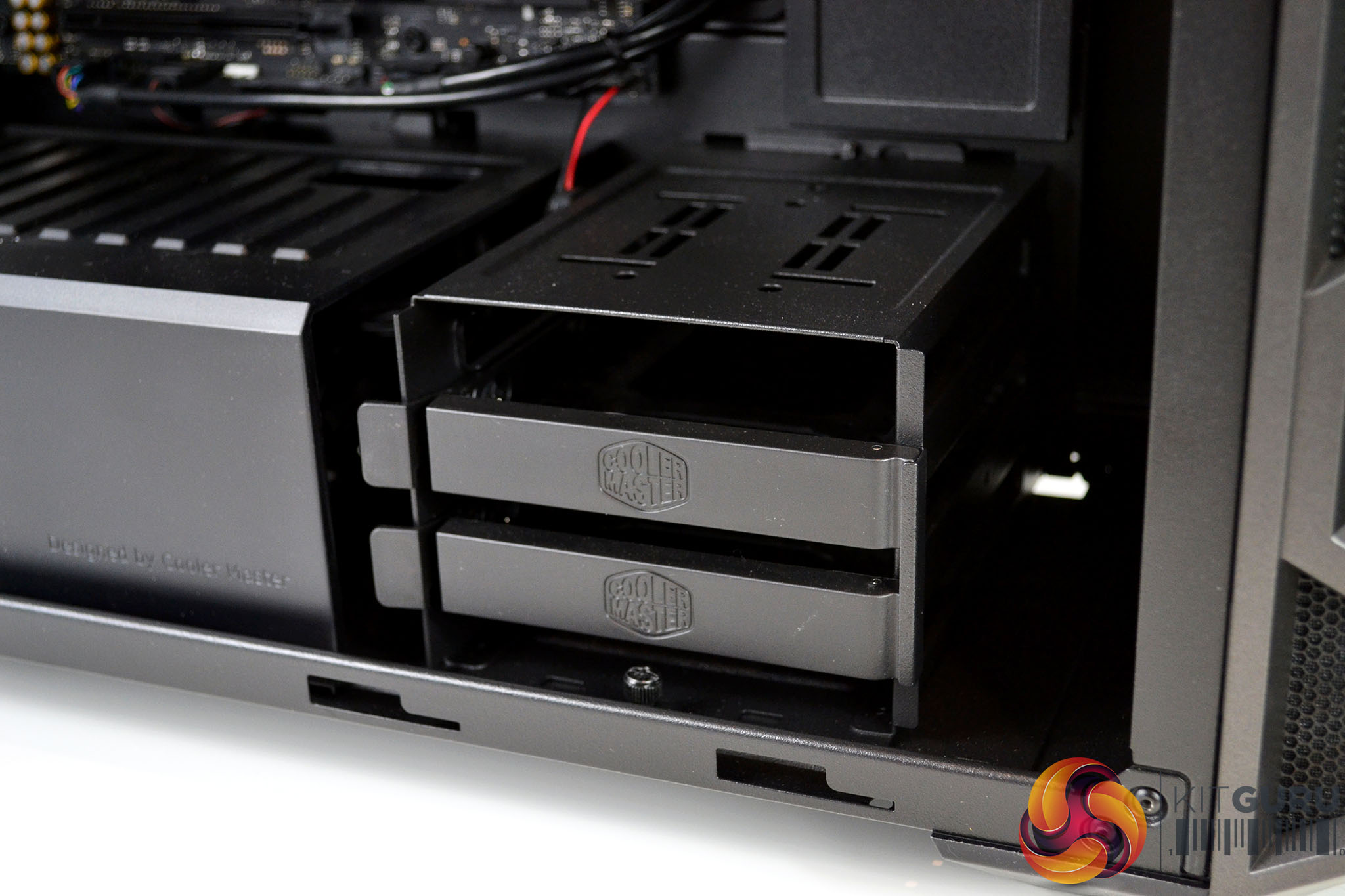
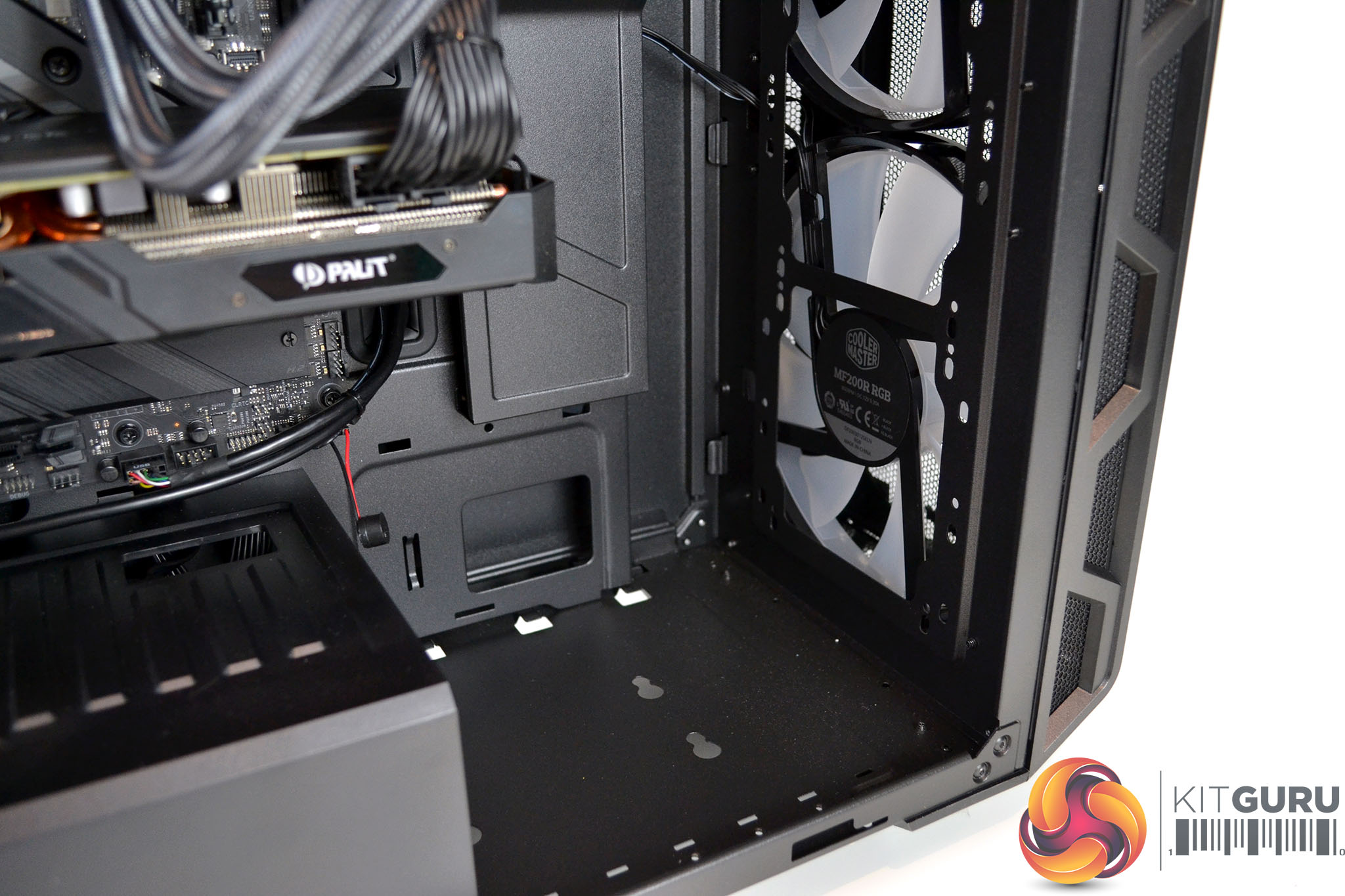
Although there are no traditional 3.5-inch mechanical hard drives included with the Vortex S3 system, at the bottom of the case are two 3.5-inch HDD bays. So, if additional high capacity storage was needed, the option to add 3.5-inch HDDs in the future is possible. Alternatively, this 3.5-inch HDD cage can be removed from the system to create more space for a front-mounted radiator or custom liquid cooling components.
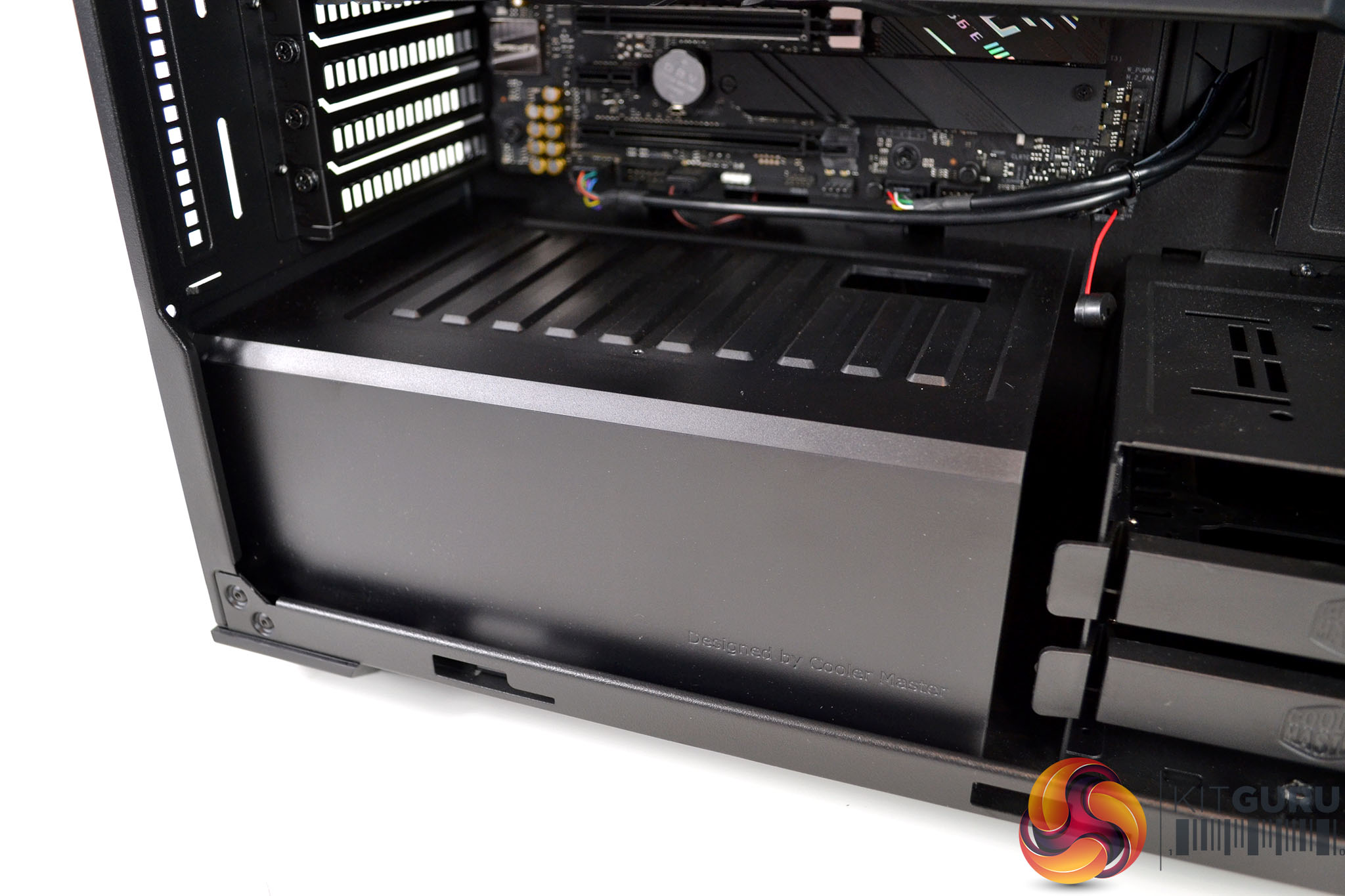
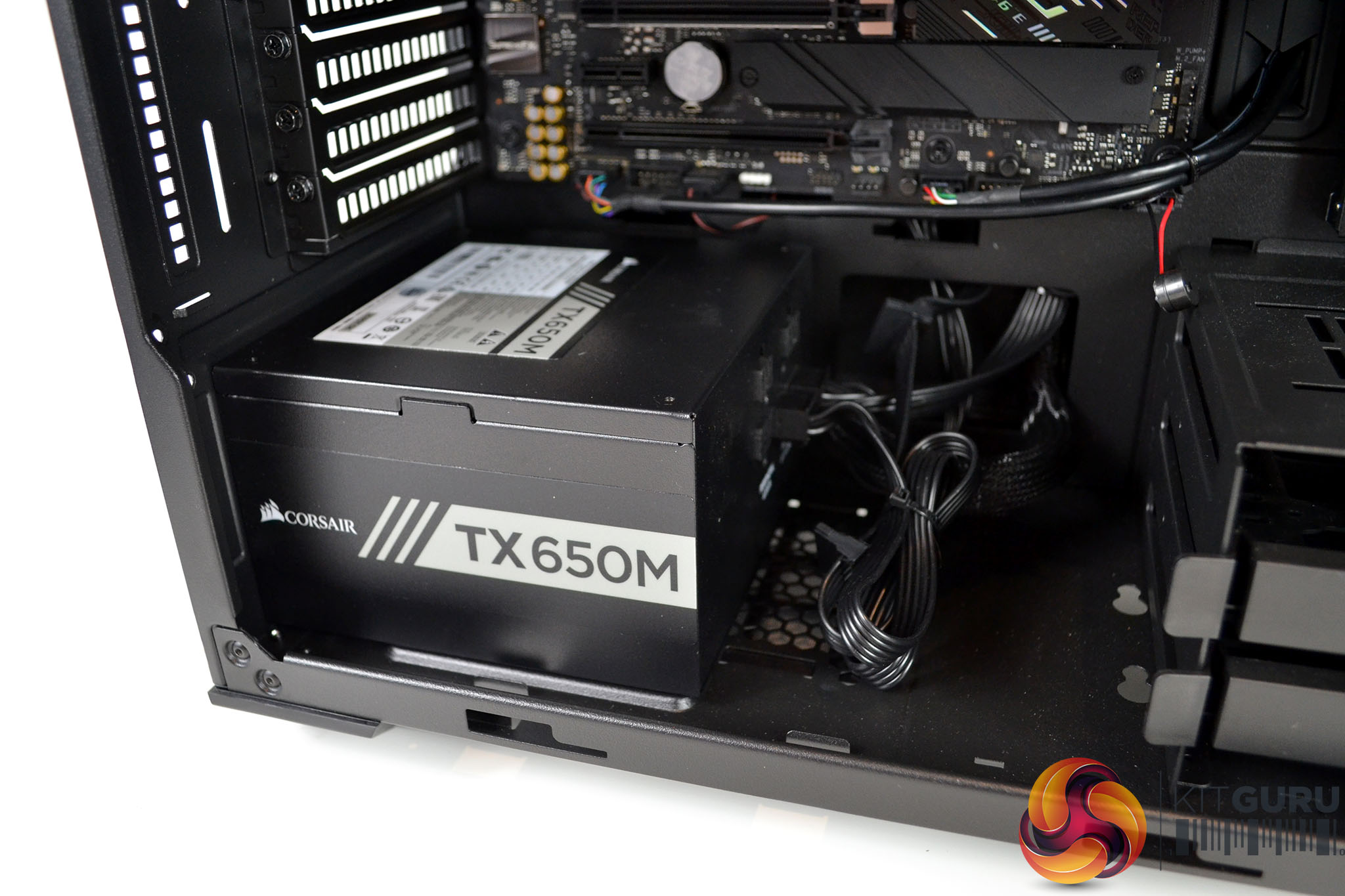
Next to the 3.5-inch HDD cage is a power supply shroud that covers the PSU and cables to keep the system looking neat and tidy. Again, this power supply shroud can be removed simply, a single thumbscrew at the rear holds it in place. Removing the shroud provides unrestricted access to the power supply and makes connecting extra cables to the power supply for future upgrades easy.
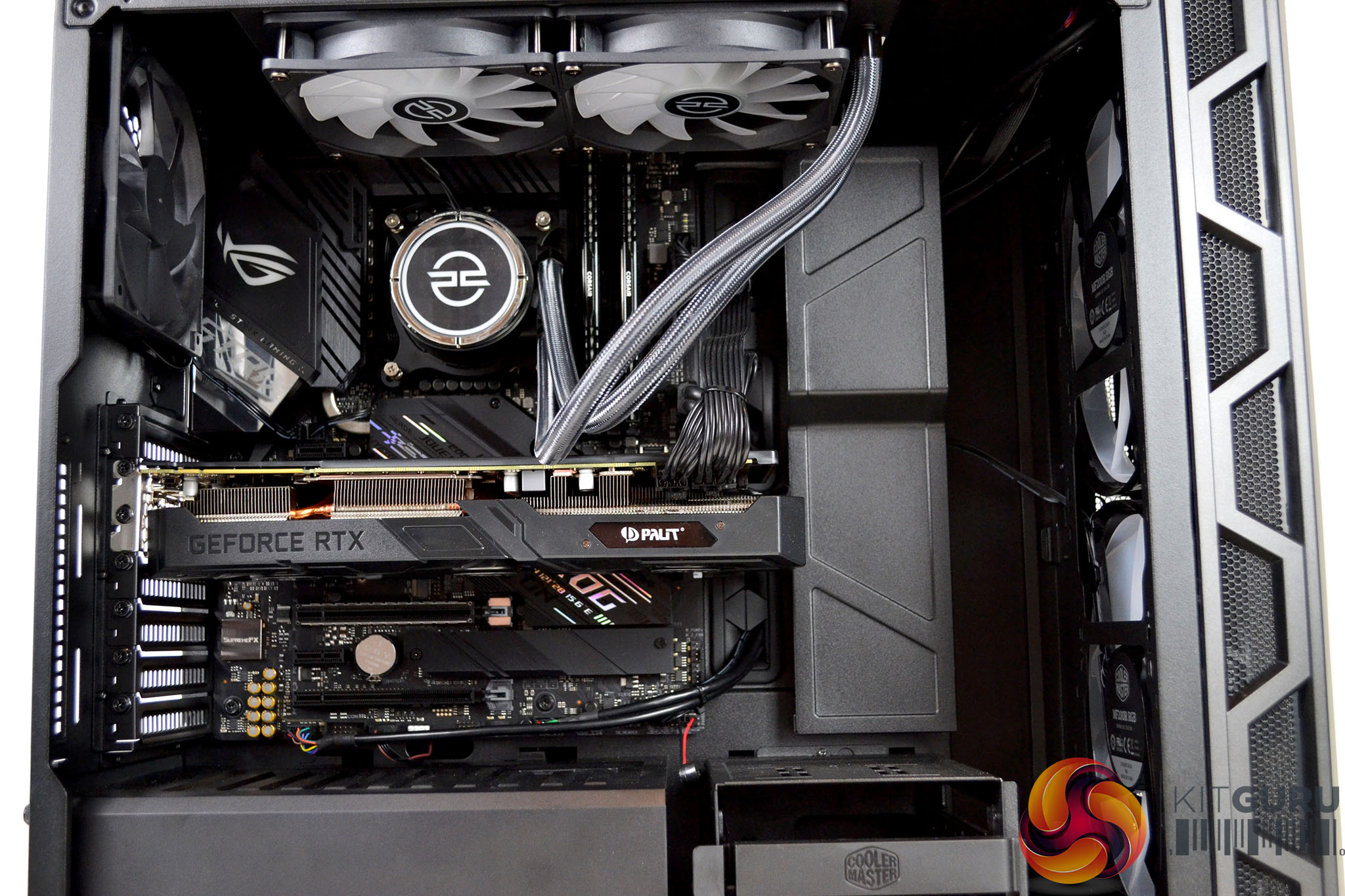
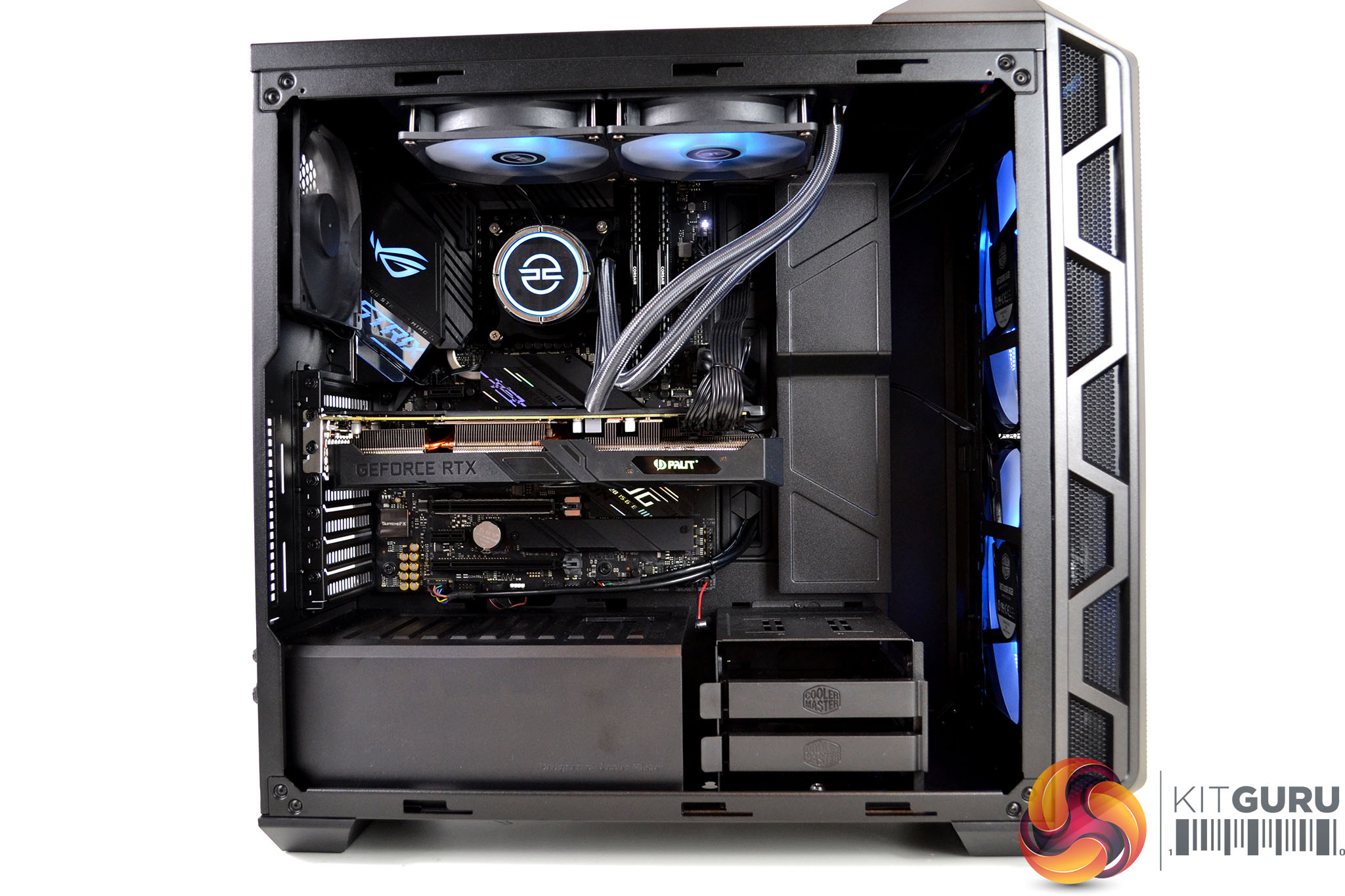
There has certainly been some thought put into the component choice in terms of colour scheme with a black and silver theme running through the interior that gives the systems a stealthy appearance which I like. However, once the system is powered on, RGB lighting illuminates the interior, this can be adjusted to user preference or turned off if you prefer the stealth look.
Also, both the front fans and the AIO cooler fans are equipped with similar-looking opaque blades that illuminate with very comparable RGB lighting effects that maintain the continuity of the appearance throughout the system, even though the fans are made by two different manufacturers.
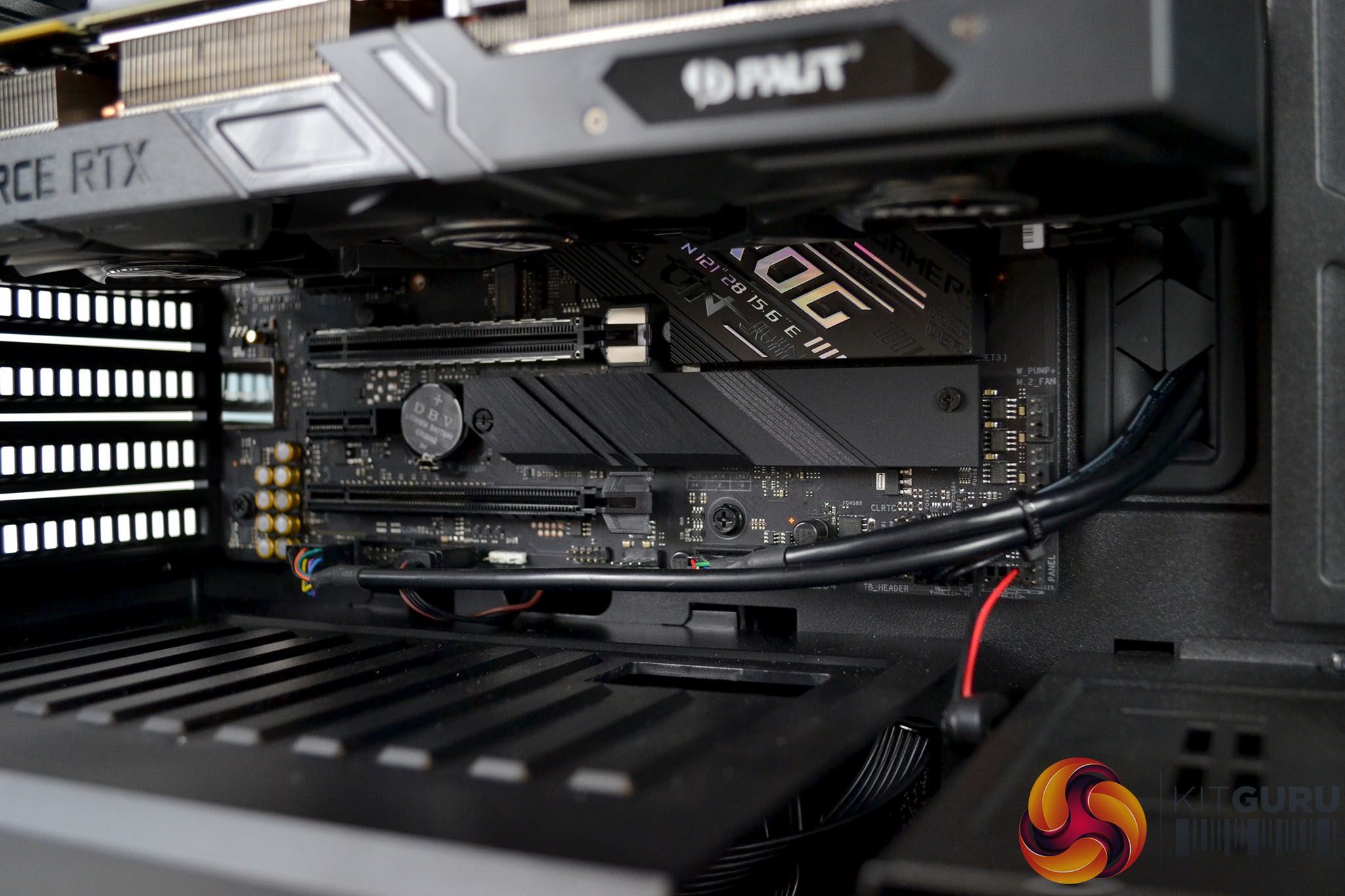
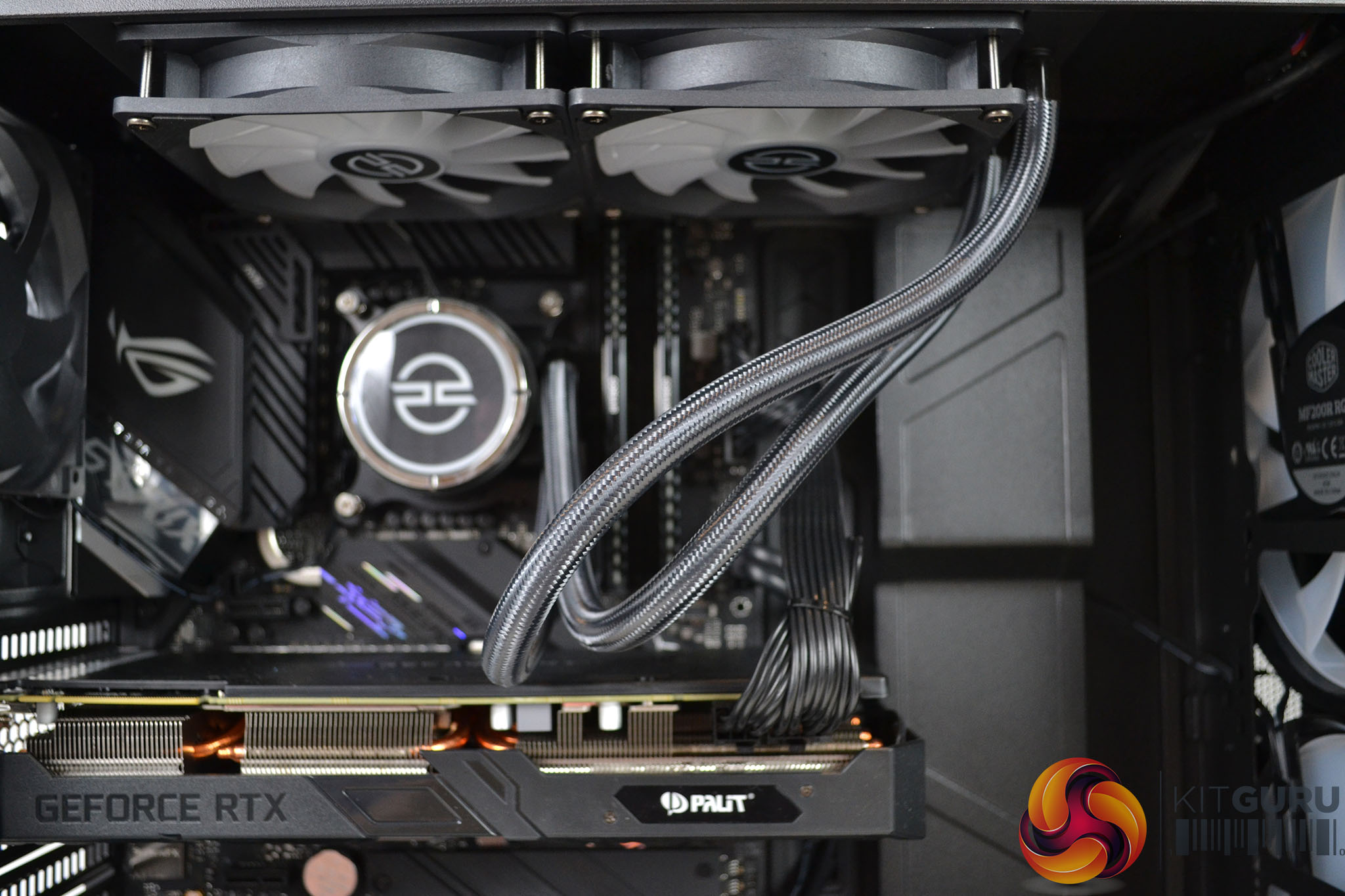
General build quality and cable management seem to be of a high standard. The left-hand side of the case looks quite neat, however, there are one or two cables that could have been routed differently to make the area look a little tidier and the tubing from the AIO cooler looks a little messy but overall, the build has a professional finish to it.
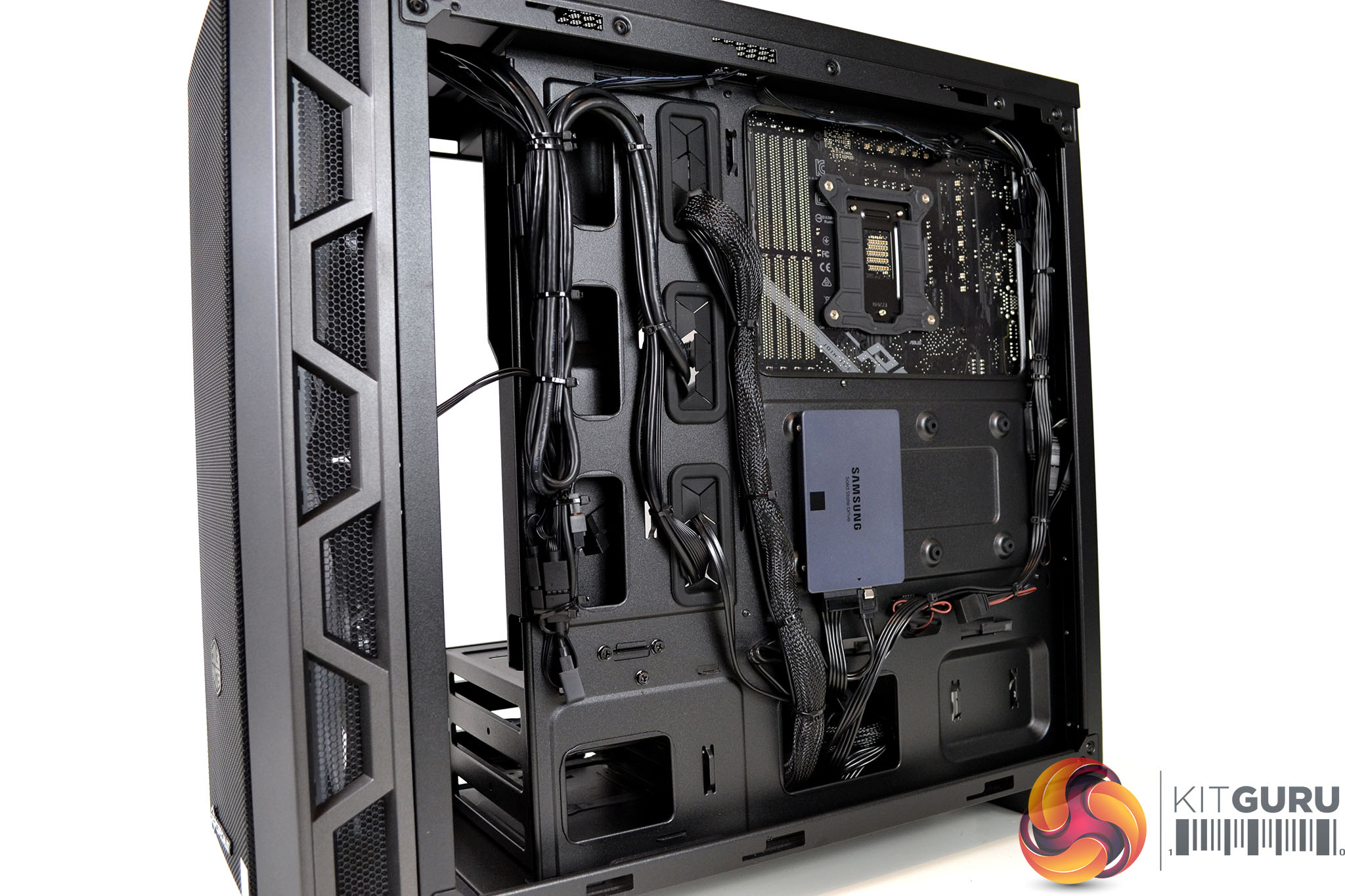
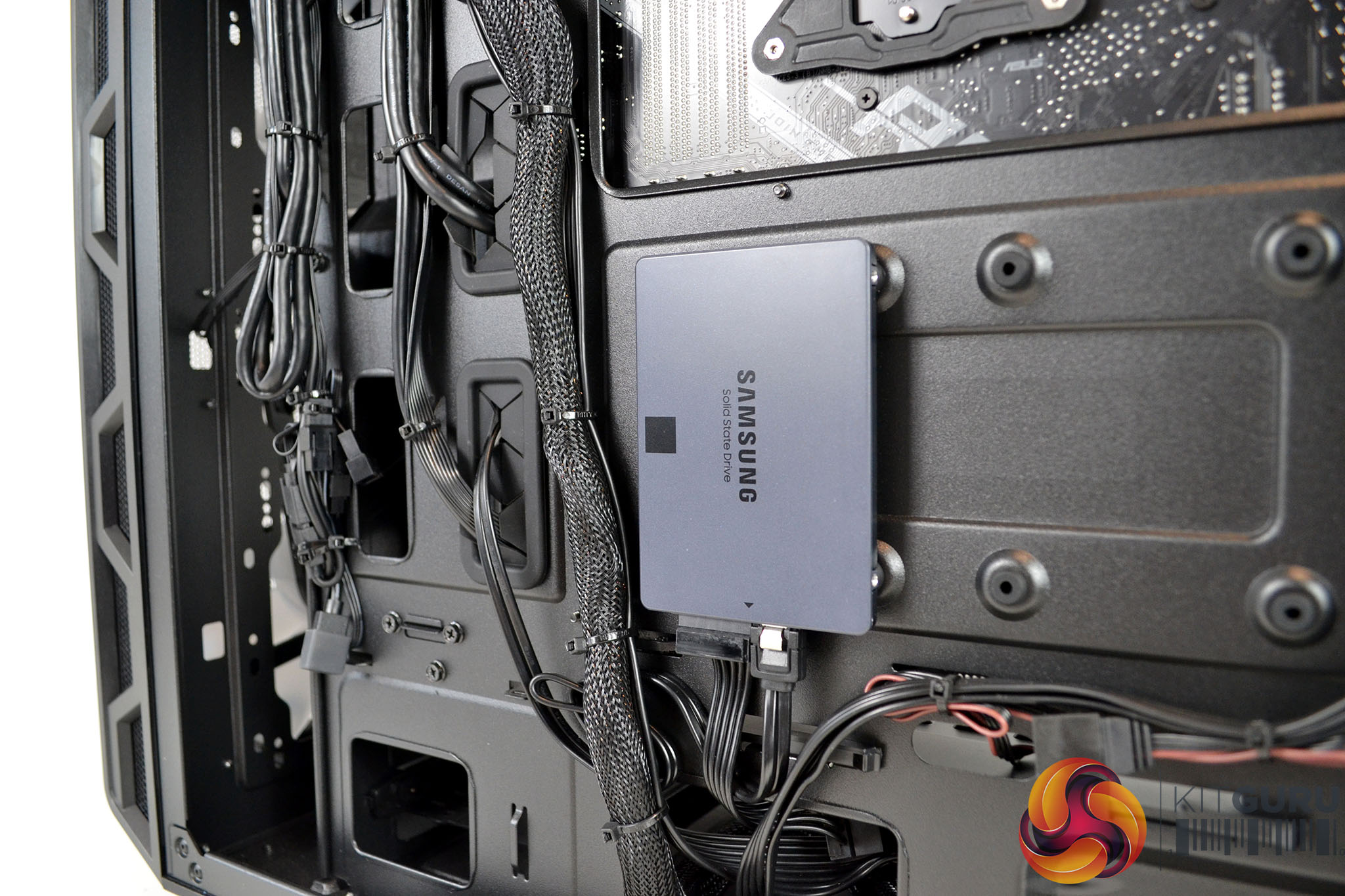
Likewise, with the right-hand side of the case, time has been spent on making it look neat. An area which is often overlooked in pre-built systems is the cable management in the right-hand side of the case. PCSpecialist has gone to the effort of utilising cable cut-outs and tie-down points as they should be and again, this gives the system a professional-looking appearance.
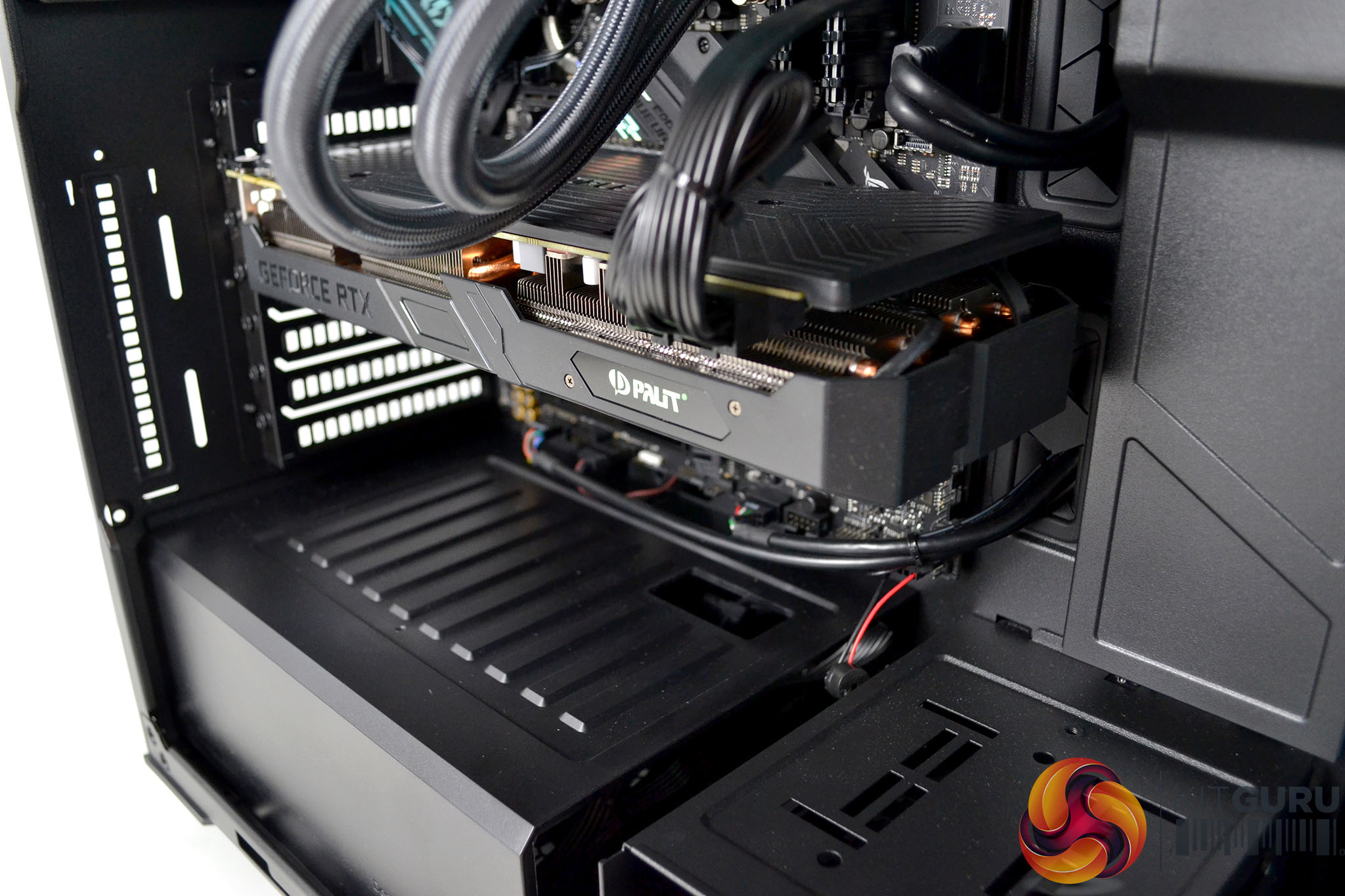
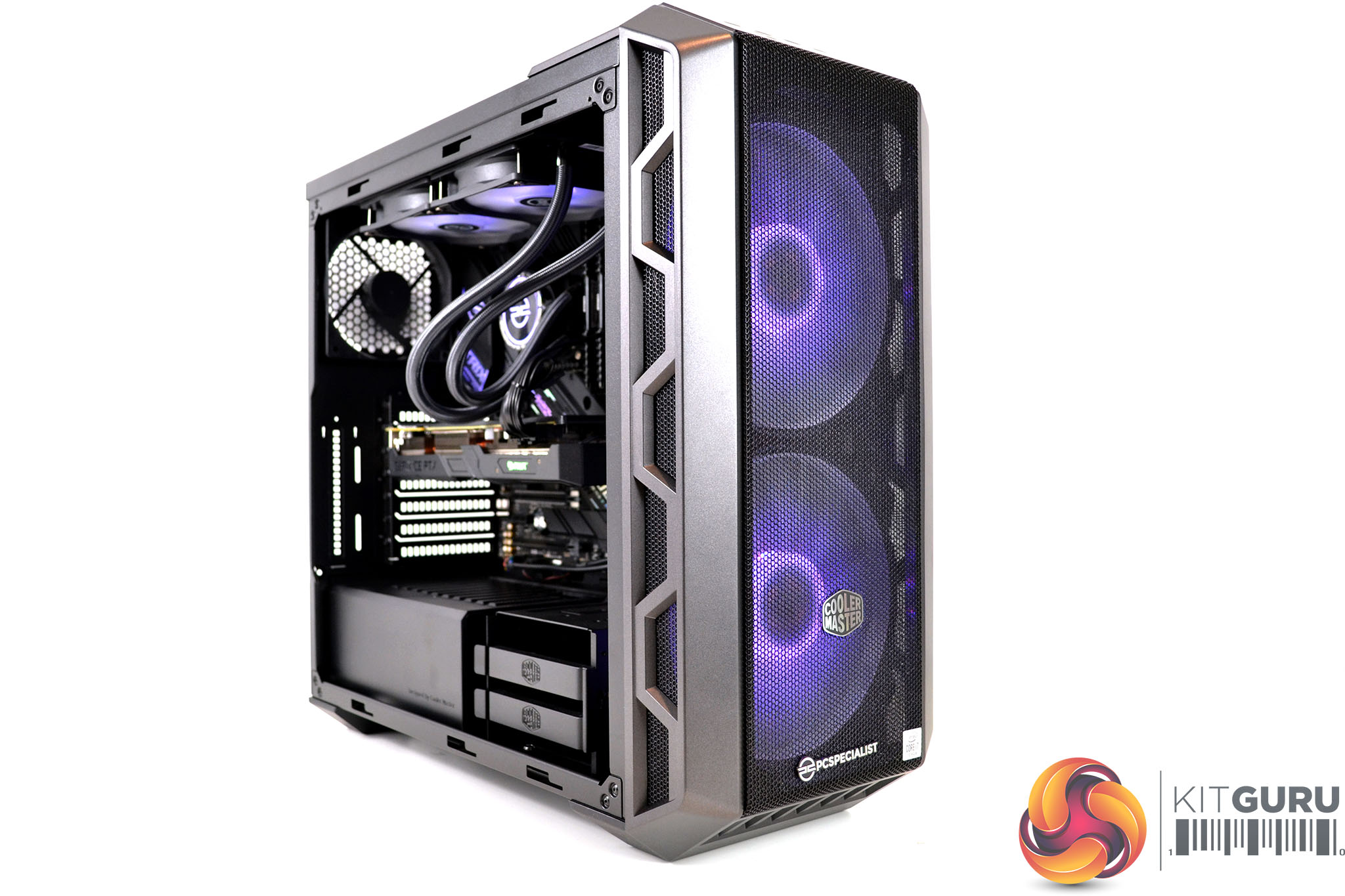
Overall, I am generally impressed with the build quality and the level of cable management in the Vortex S3. Thought has gone into the selection of components, not only to balance the performance but also in terms of how the system looks. The choice of a Cooler Master MasterCase H500 chassis should offer good airflow, so system temperature will remain well within limits and the choice of two SSD storage devices means that the system should feel very snappy during all types of tasks.
Performance: 3DMark & Cinebench
3DMark
A 3Dmark benchmark is always a good indication of a system’s performance and is a handy tool for comparing your system against others in the database to see if it’s performing as it should. We ran a series of 3DMark benchmarks to test the system’s performance and show the scores achieved for CPU (Physics), GPU and an overall score in our charts below, to compare performance against recent systems we have tested.
Comparison systems:
PCSpecialist Ignite X1 – £1350
AMD Ryzen 9 3900, XFX RX 5700 XT 8GB, 16GB DDR4-3200.
Cyberpower Ultra 9 RTX Super – £2099
AMD Ryzen 9 3900, MSI RTX 2080 SUper 8GB, 32GB DDR4-3200.
Cyberpower Hydro-X Ultra Gaming – £2595
AMD Ryzen 9 3900X, reference AMD RX 5700 XT, 16GGB DDR4-3200.
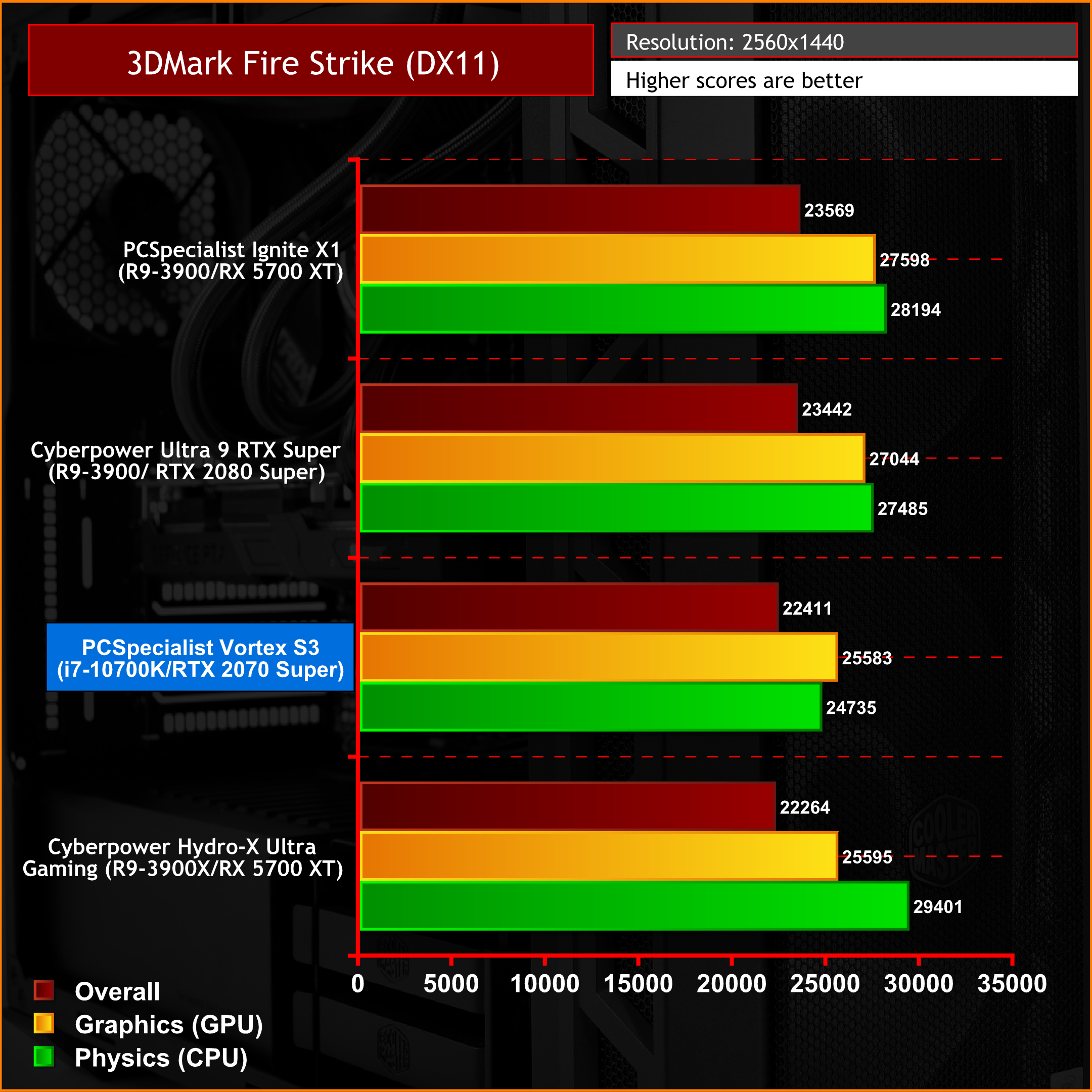
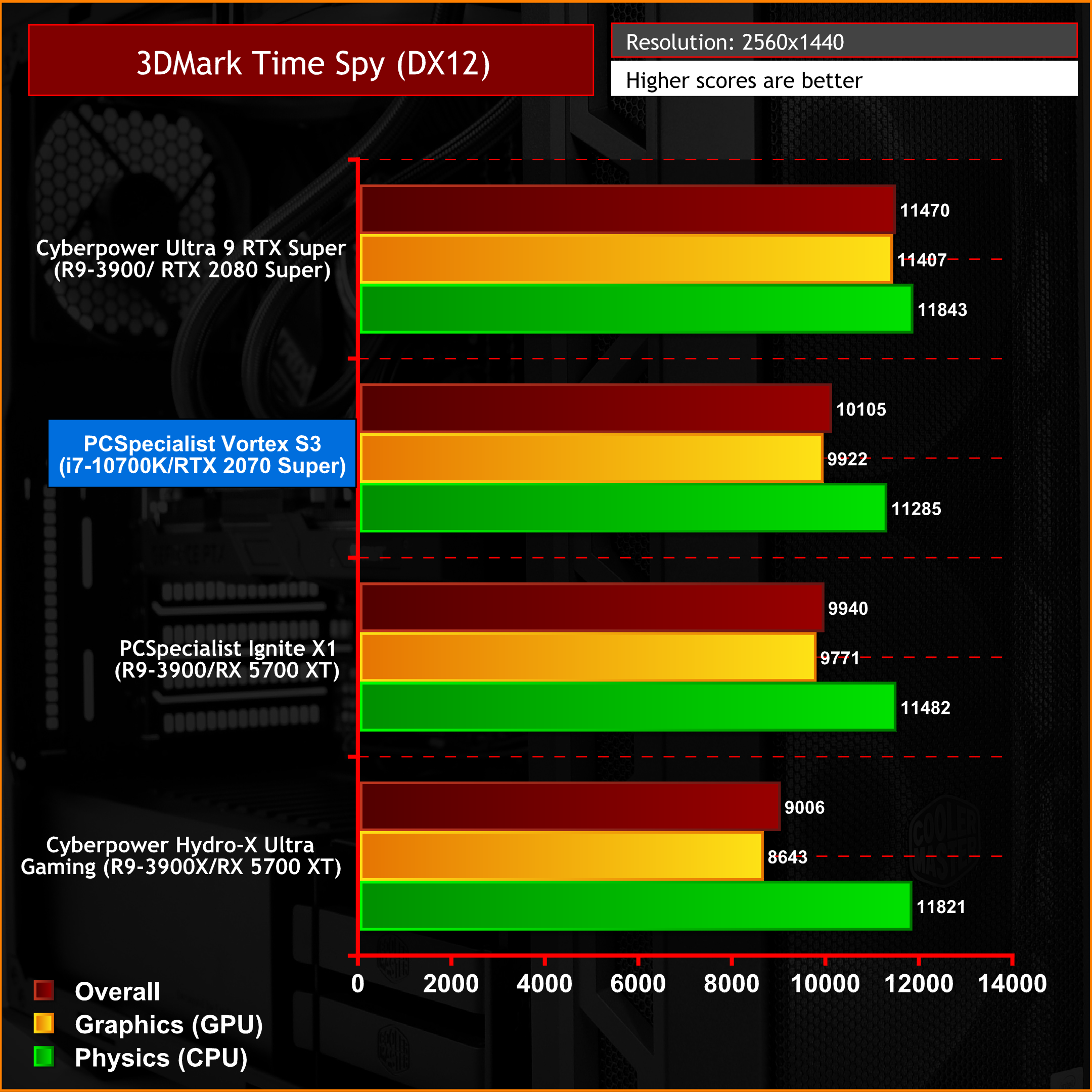
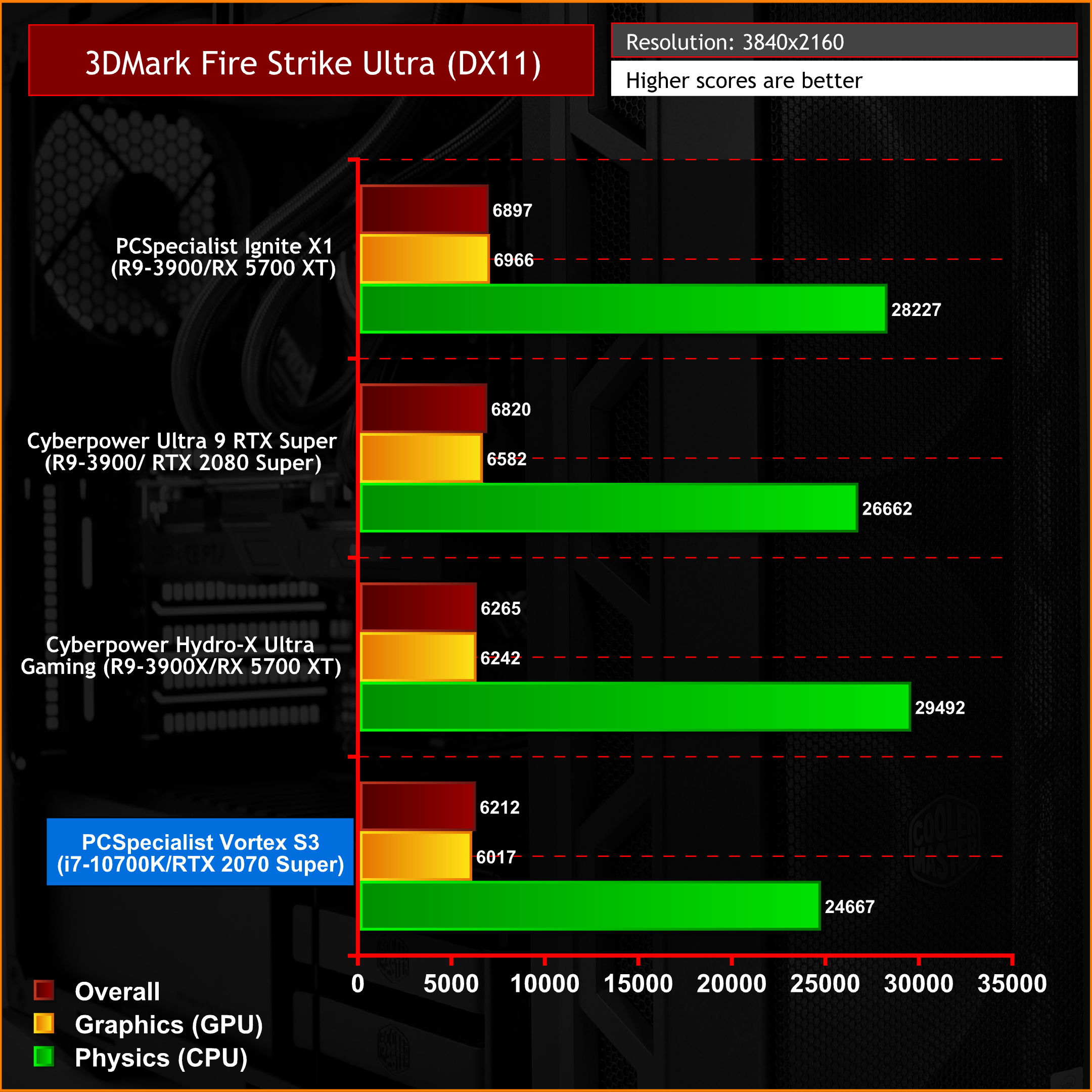
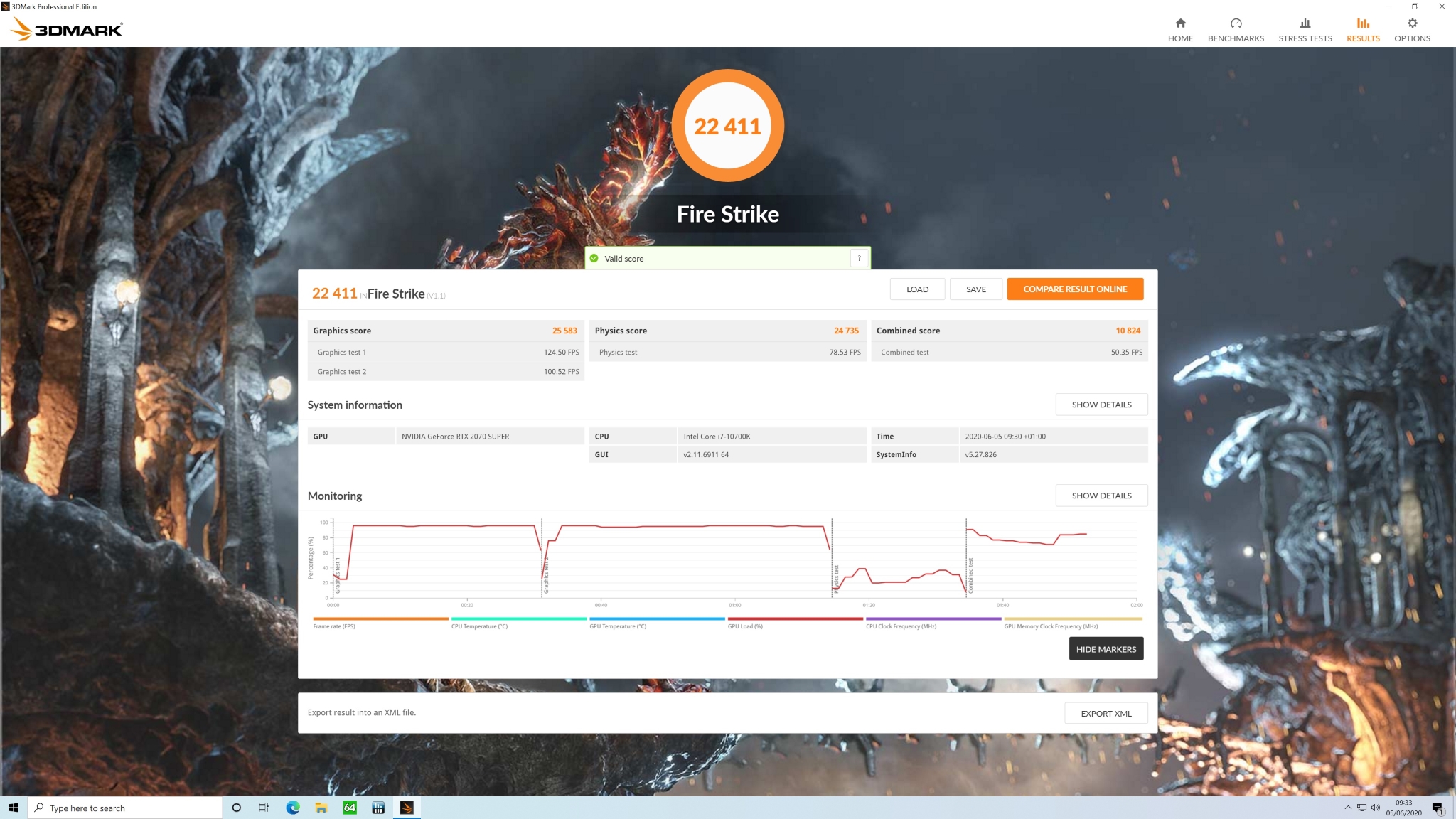
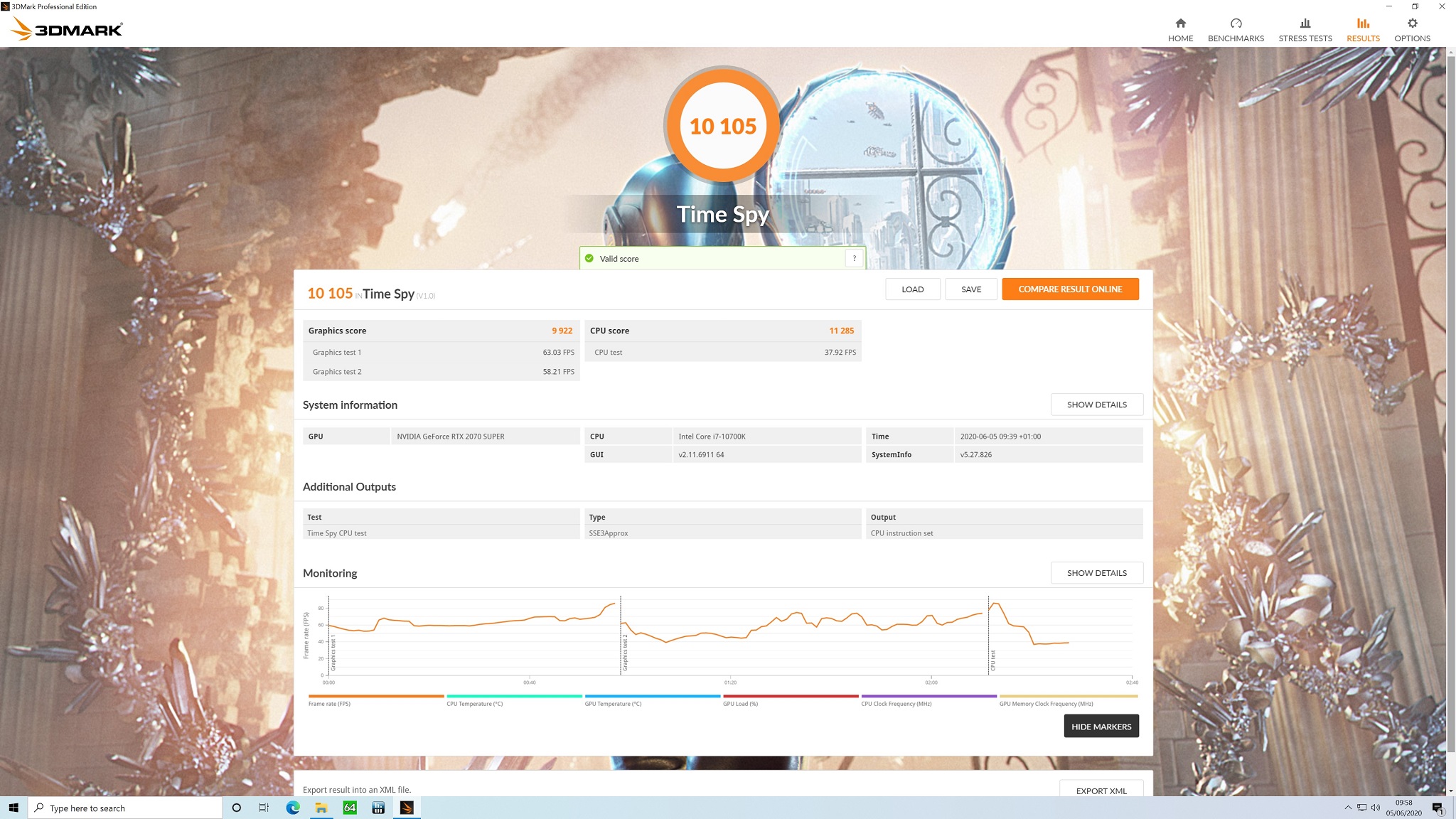
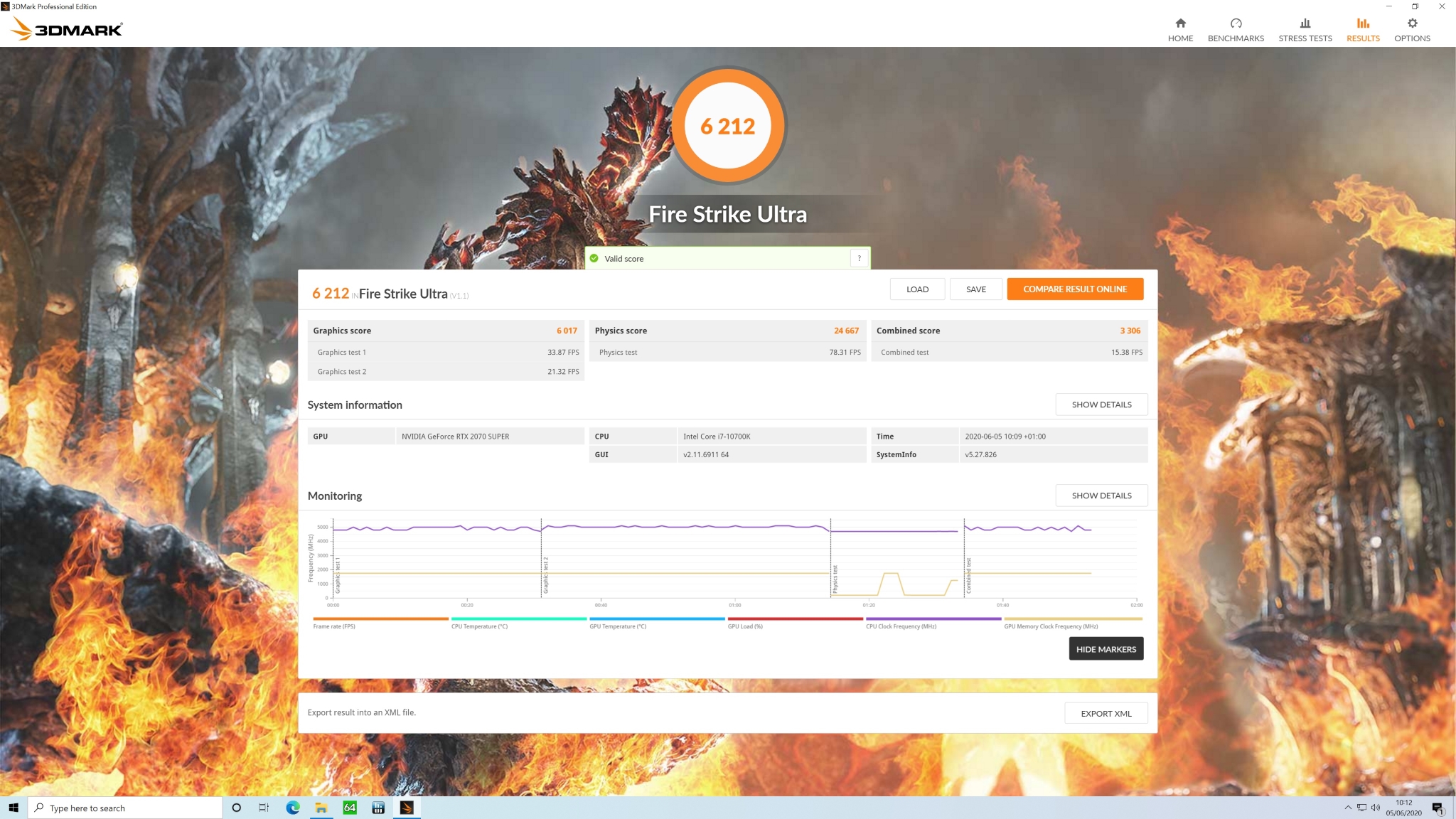
3DMark benchmark tests didn’t throw up any results out of the ordinary. Performance of the Vortex S3 in all of the 3DMark benchmarks was comparable to the other three systems we have tested recently, performing best in the DirectX 12 Time Spy benchmark at 1440p (2560×1440) resolution.
Cinebench
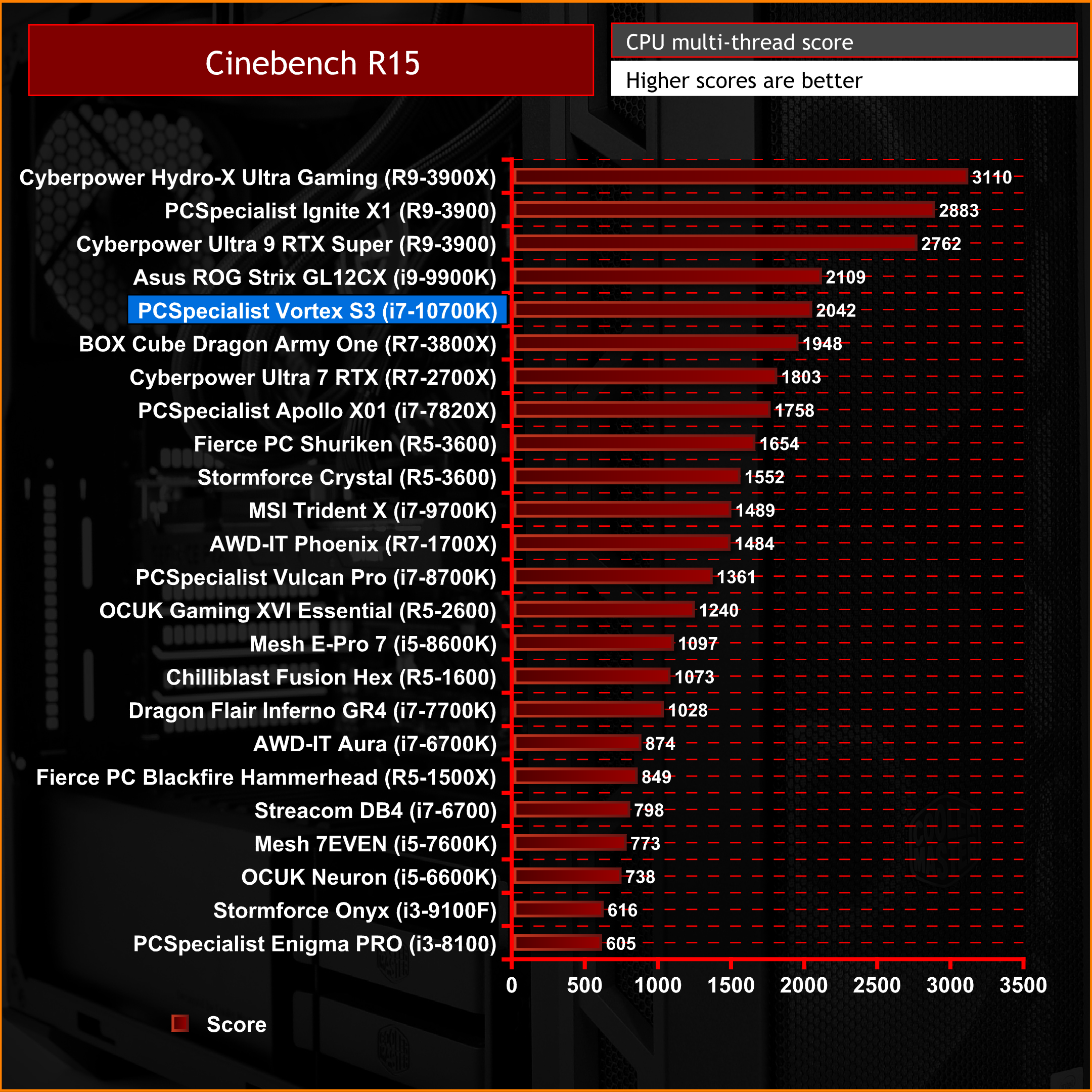
PCSpecialist has equipped the Vortex S3 with a new Intel Core i7-10700K, not only is it a great CPU for gaming but also very capable at multitasking, which makes it an ideal CPU for productivity tasks. With this in mind, we ran a series of tests on both Cinebench R15 and R20 and compiled a chart below to compare the results against other pre-built systems we have reviewed recently.
CineBench R15 Multi-thread Performance:
Cinebench R20 Multi-thread & Single-thread Performance:
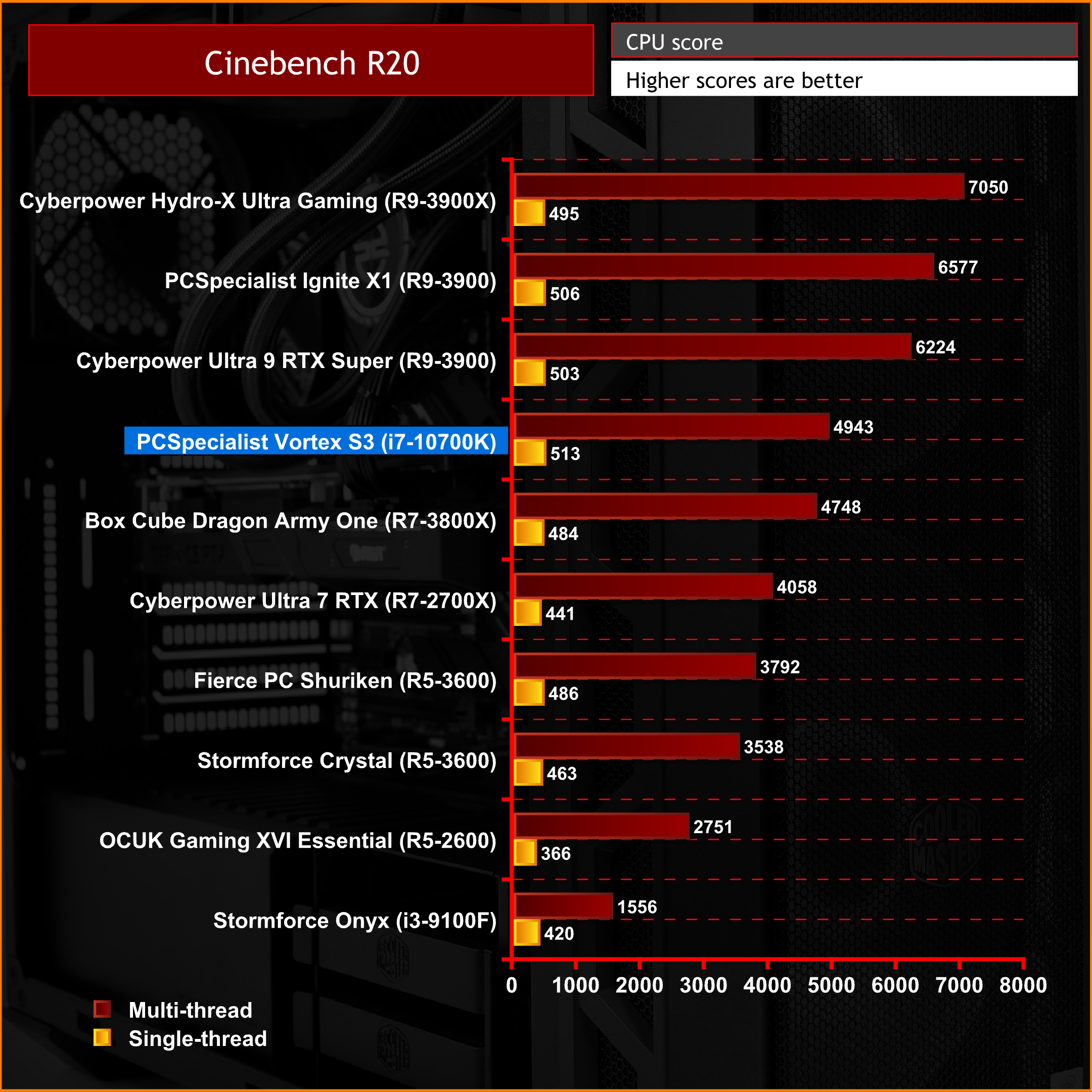
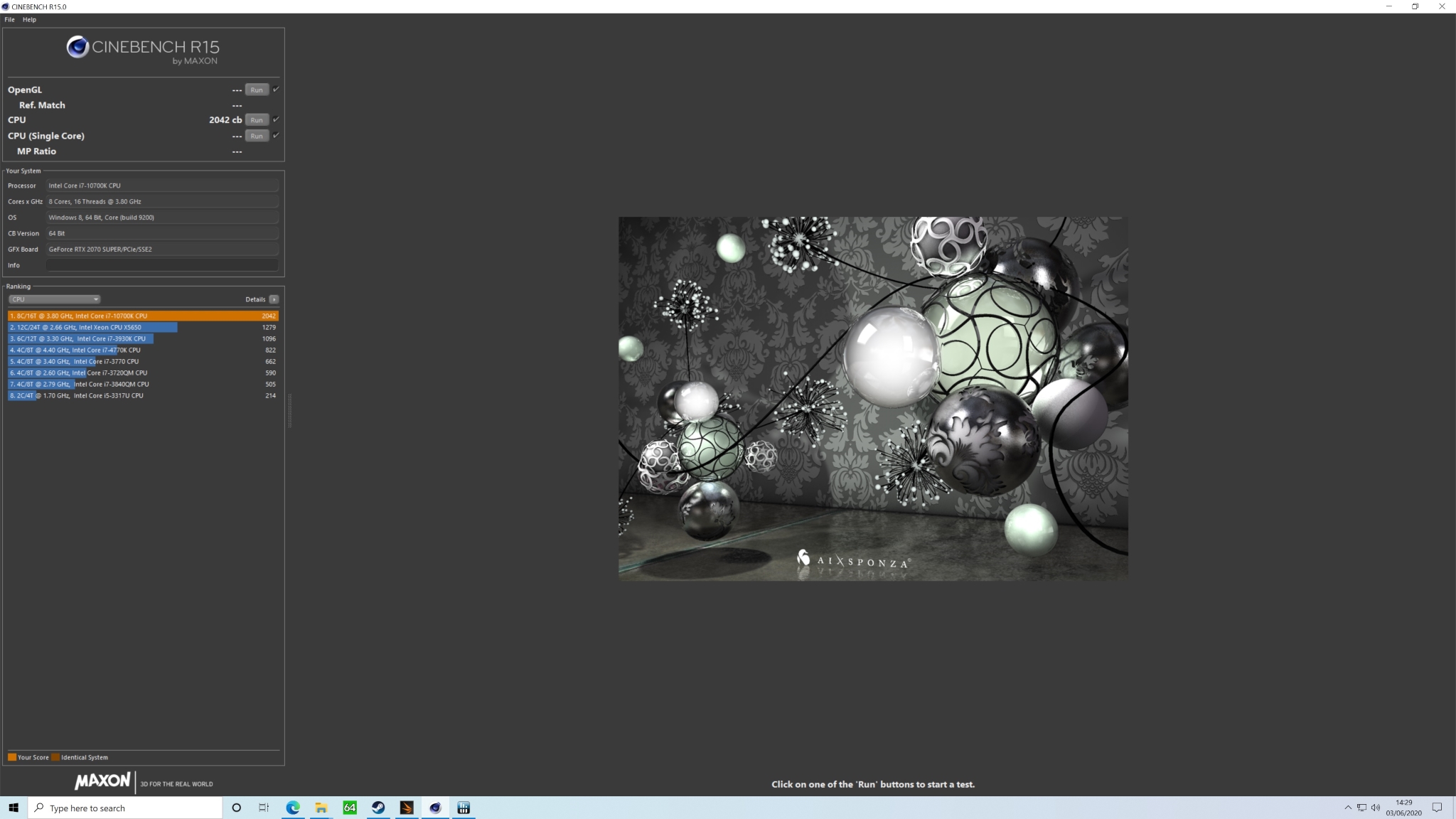
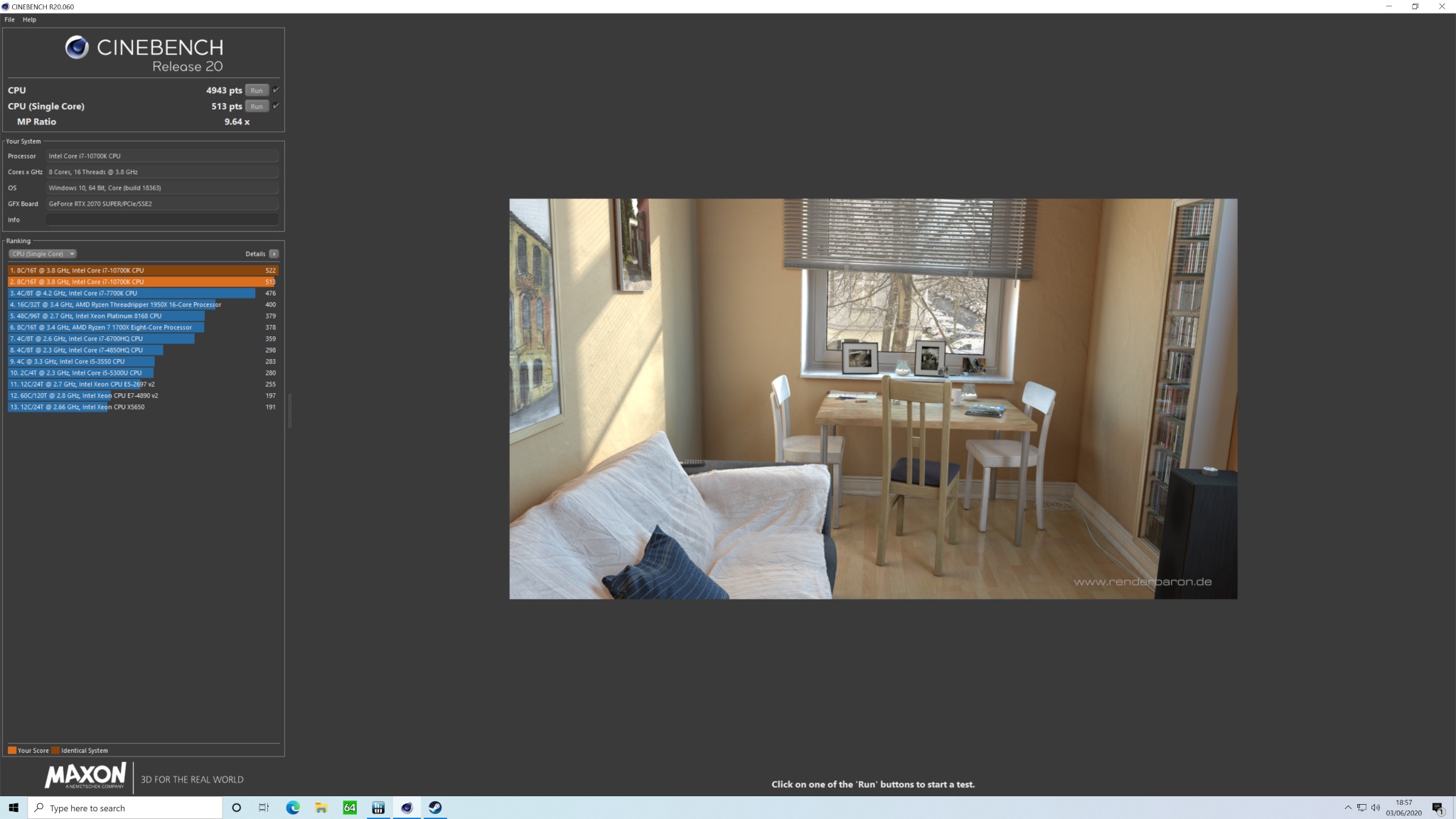
In both Cinebench R15 and R20 multi-thread workloads, the i7-10700K slots into position on our charts exactly where we would expect. Right in between an 8 core 16 thread and 12 core 24 thread AMD systems. No surprise that the higher core frequency of the Intel Core i7-10700K beats the 8 core Ryzen processors but naturally, the higher core count of Ryzen 9 3900 equipped systems perform better in these multi-thread tasks.
Multi-thread performance results are still very high for the PCSpecialist Vortex S3 which means the system would also make a great system for heavy multitasking workloads such as productivity, video editing and content creation, as well as being a very capable gaming system.
Performance: Gaming Benchmarks
To measure the PCSpecialist Vortex S3 performance during gaming sessions, we ran a series of tests from a selection of current, popular games using their built-in benchmarks, testing both DirectX 11 and 12 performance where applicable.
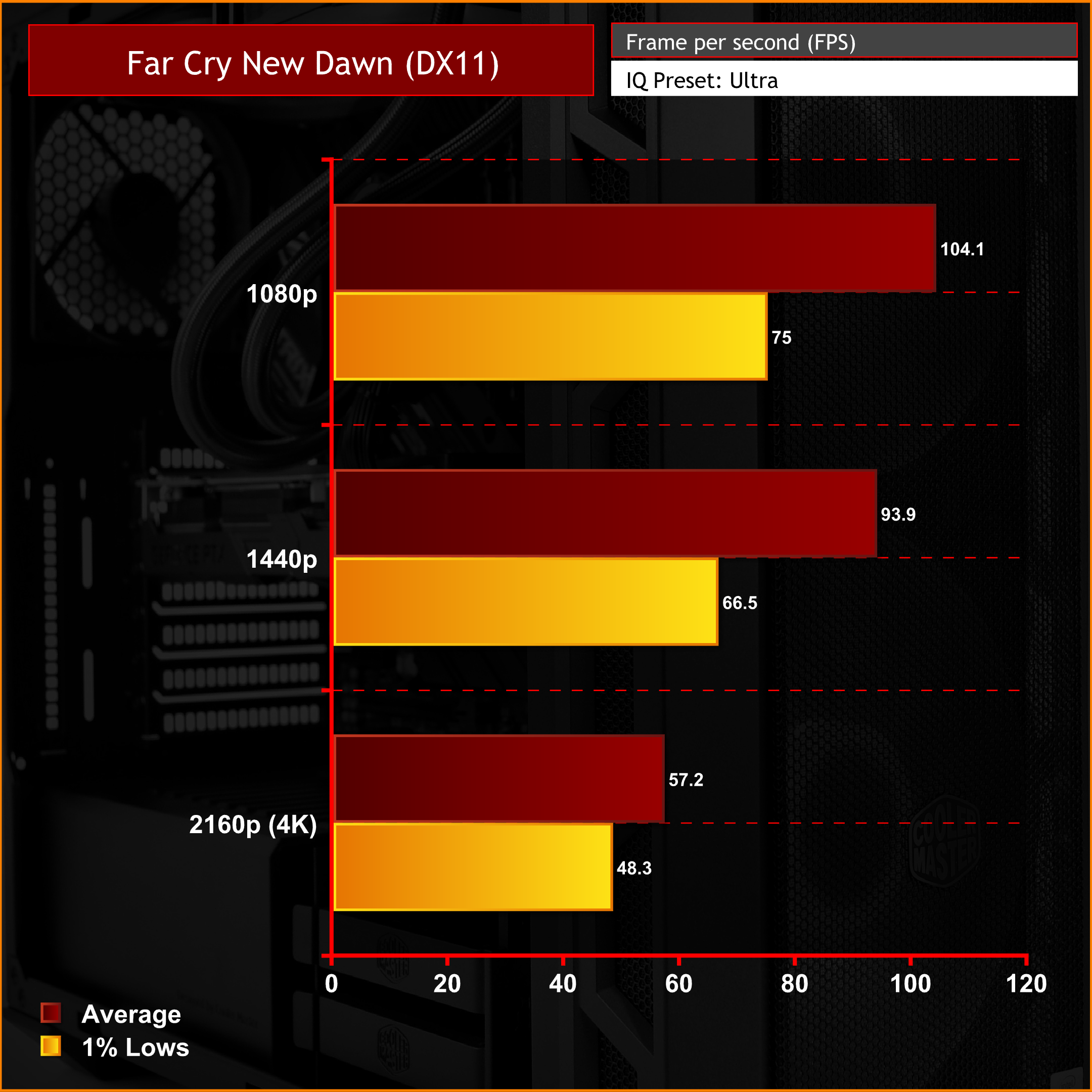
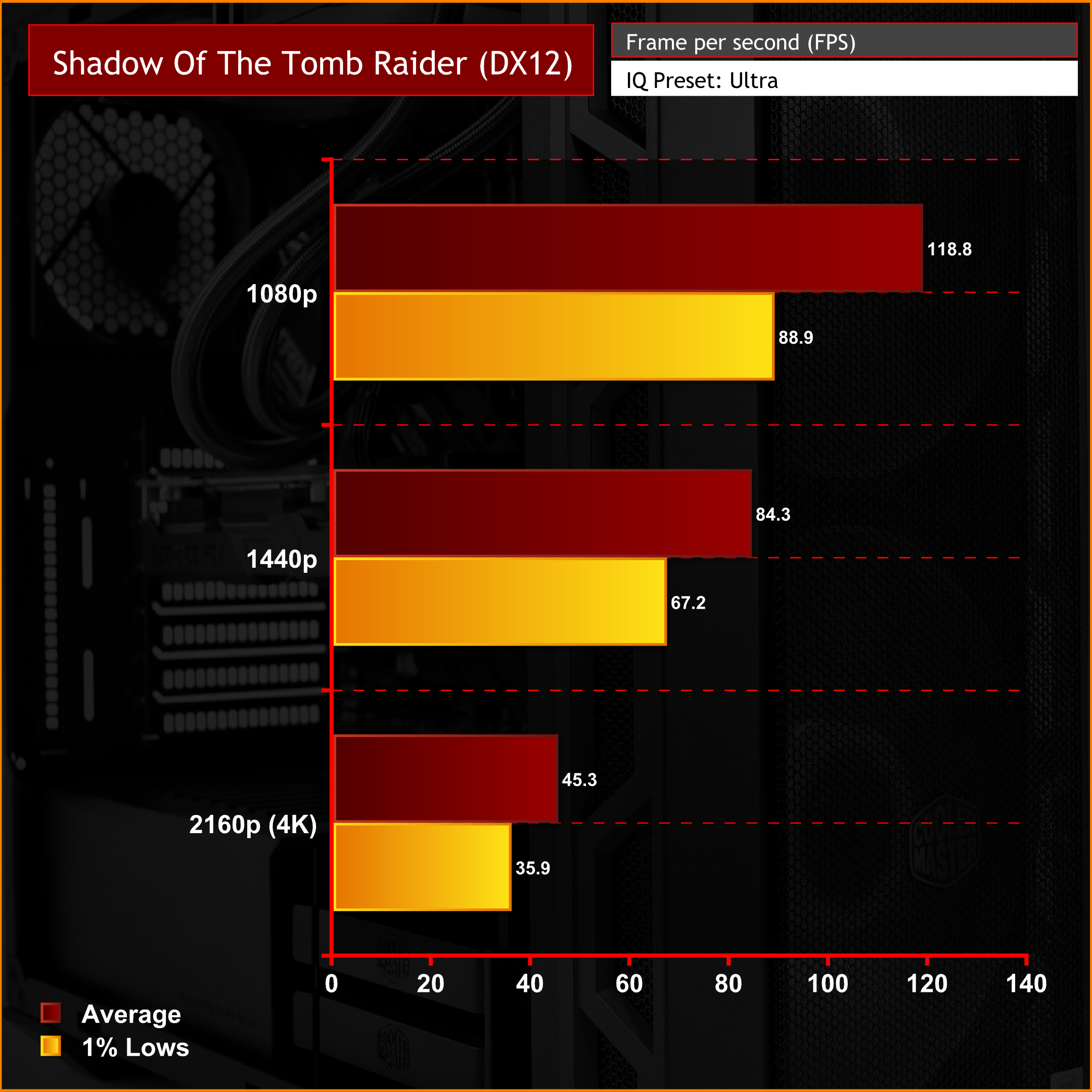
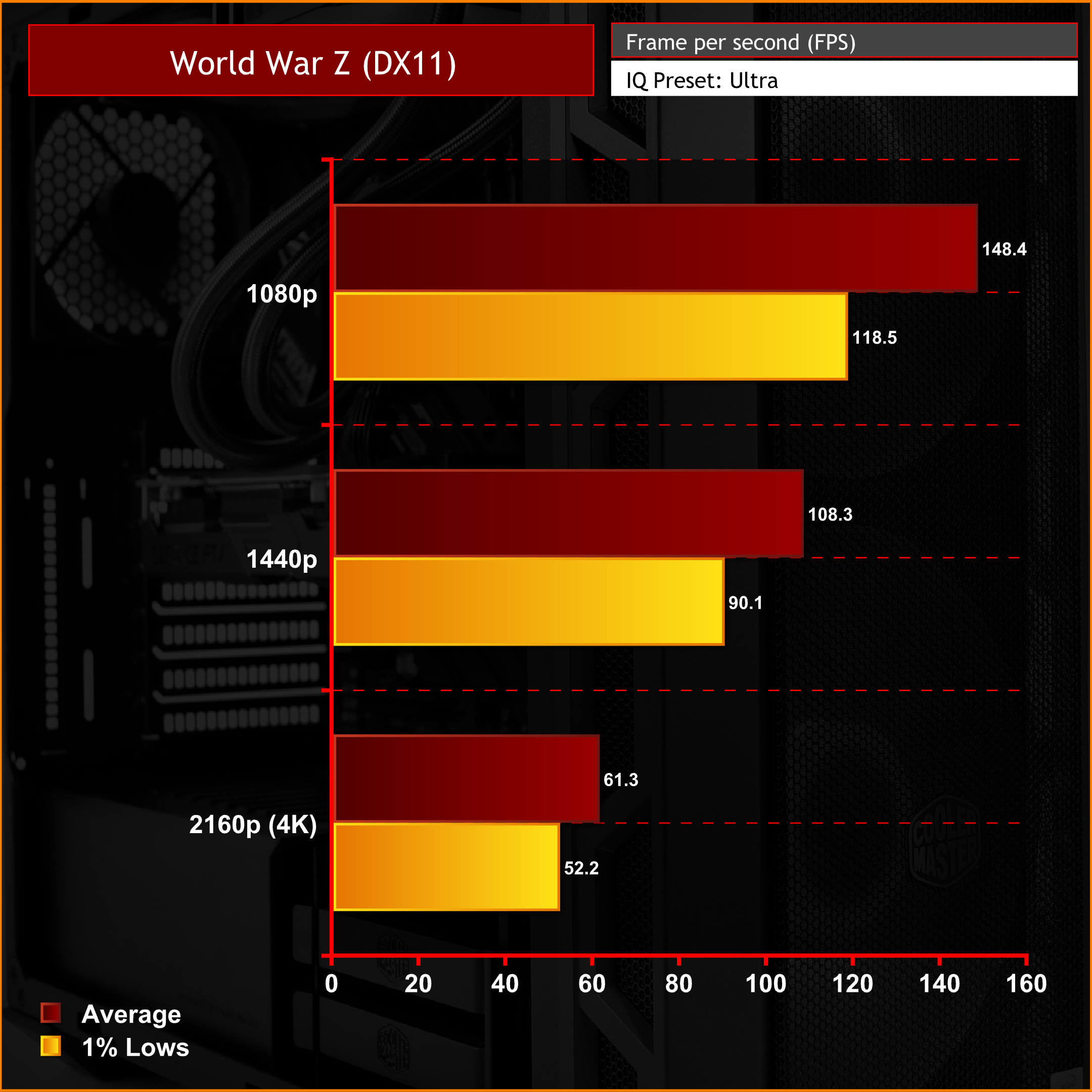
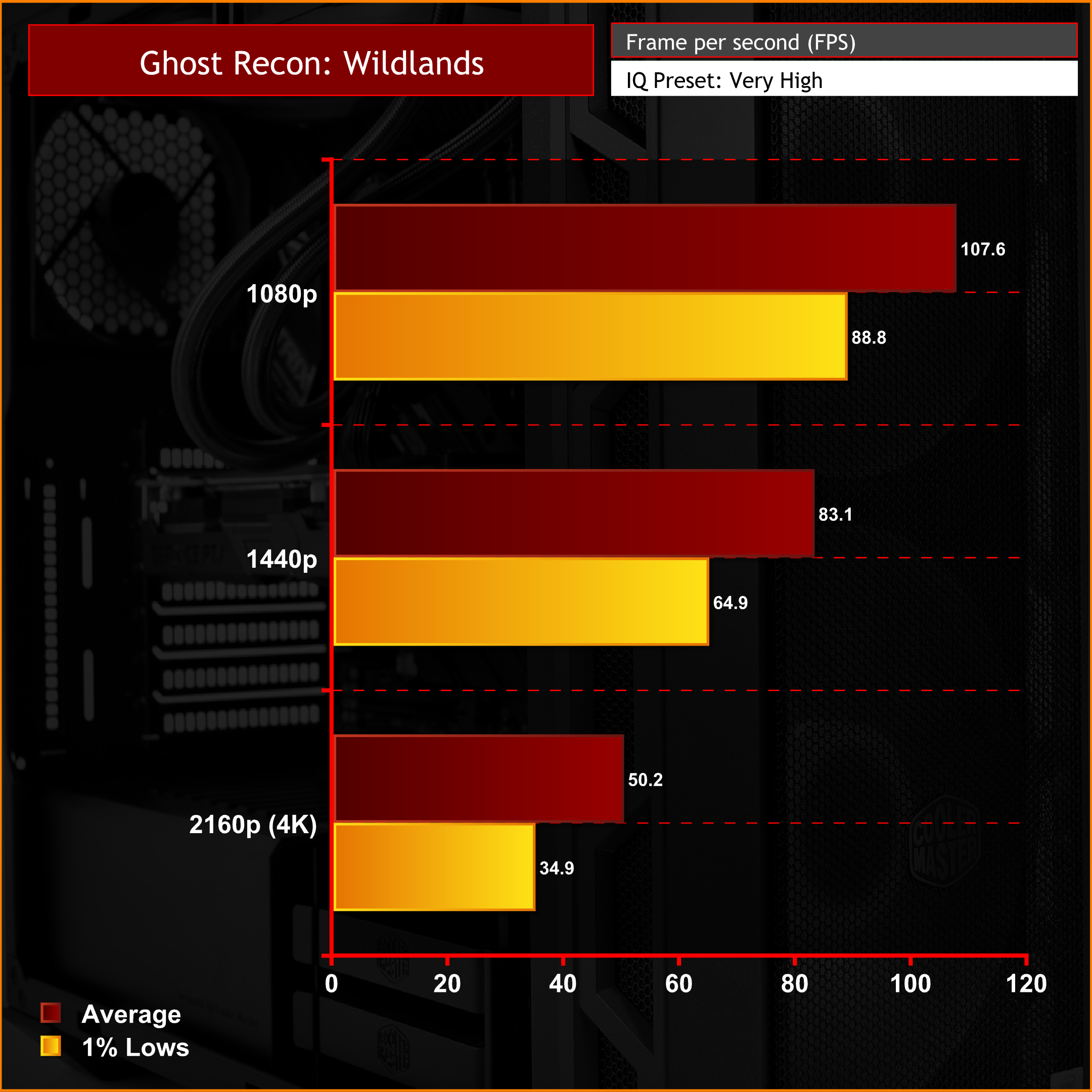
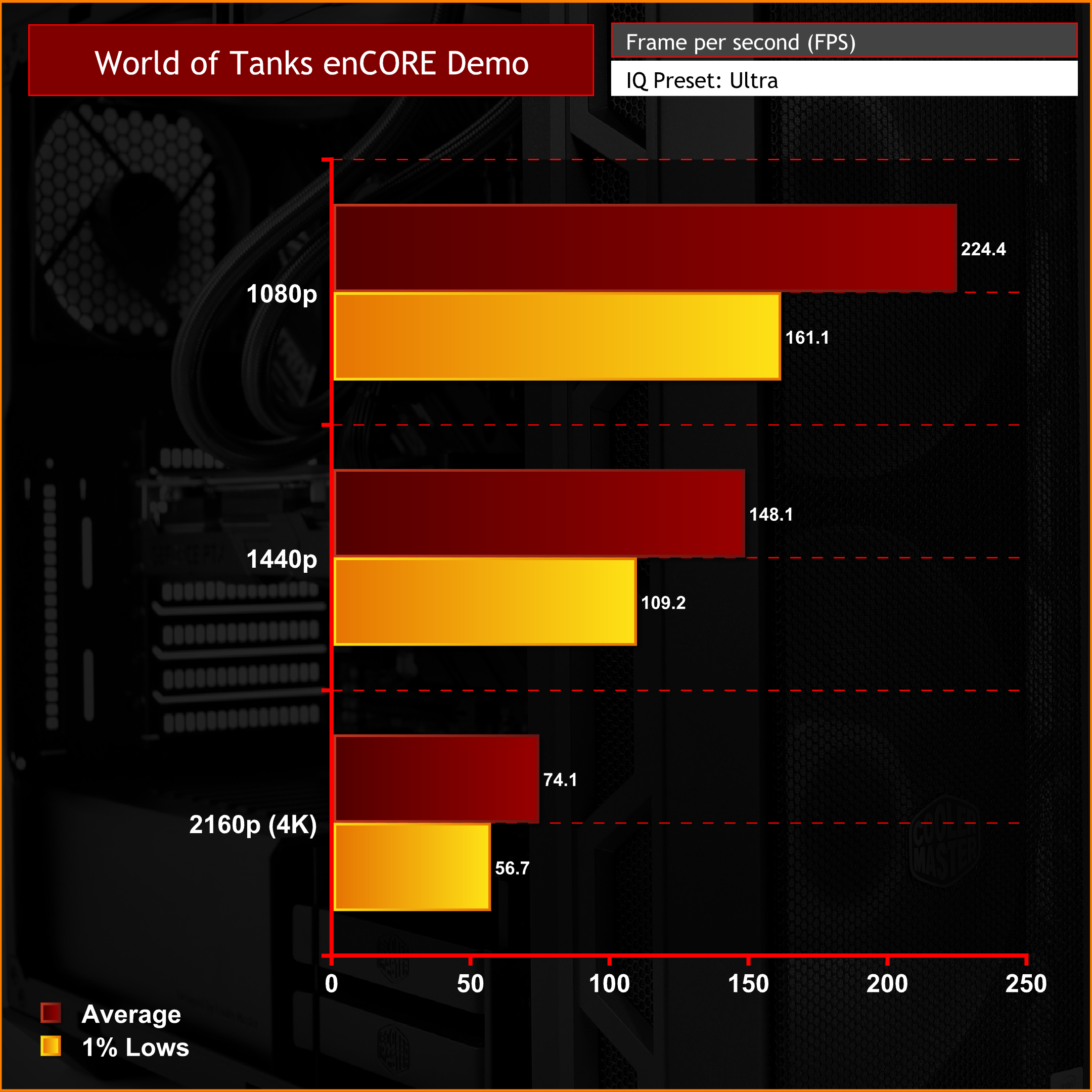
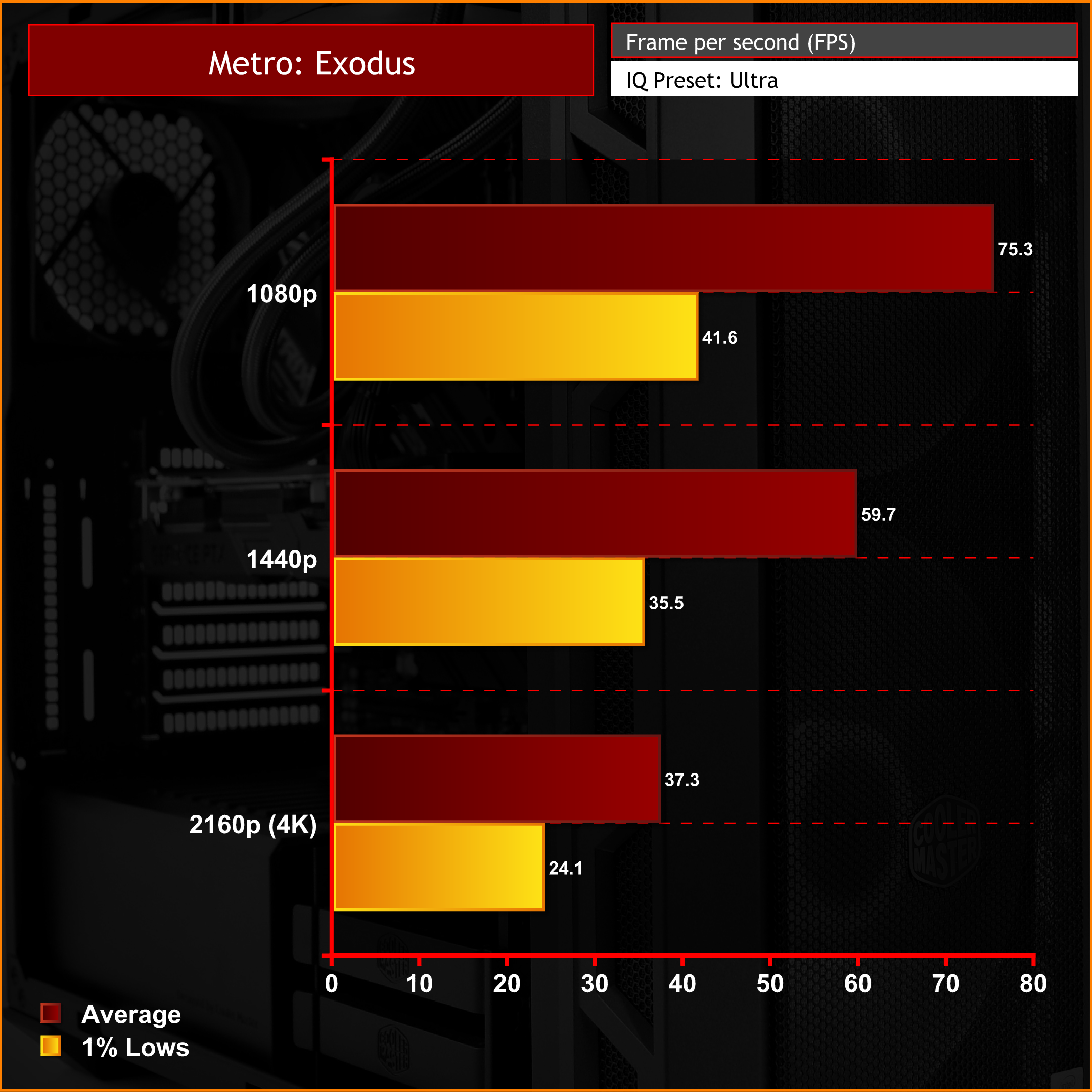
The RTX 2070 Super installed inside the Vortex S3 records performance levels roughly as we expected. At 1080p (1920 x 1080) resolution, most games produce over 100 FPS, even with ultra quality settings applied. 1440p (2560 x 1440) gaming will also offer high frame rates in most current AAA titles. However, to maintain over 100 FPS, graphics setting may need to be dialled back a little.
4K (3840 x 2160) gaming, even on high-end PCs often becomes difficult to maintain high FPS levels, especially with the eye candy turned up. We again see this pattern with the Vortex S3, the more demanding games struggle to reach an average of 60 FPS at 4K and ultra graphics presets. Therefore, either 1080p or 1440p is our recommended resolution for gaming with this system and paired with a high refresh rate monitor, it should be a smooth gaming experience at these resolutions.
Performance: Memory, SSD & PCMark10
Using CrystalDiskMark, we measure the performance of all storage devices installed in the PCSpecialist Vortex S3. AIDA64’s memory benchmark is run to determine system memory performance and we also compare PCMark10 performance against the Cyberpower Ultra 9 RTX Super system we reviewed last month.
CrystalDiskMark
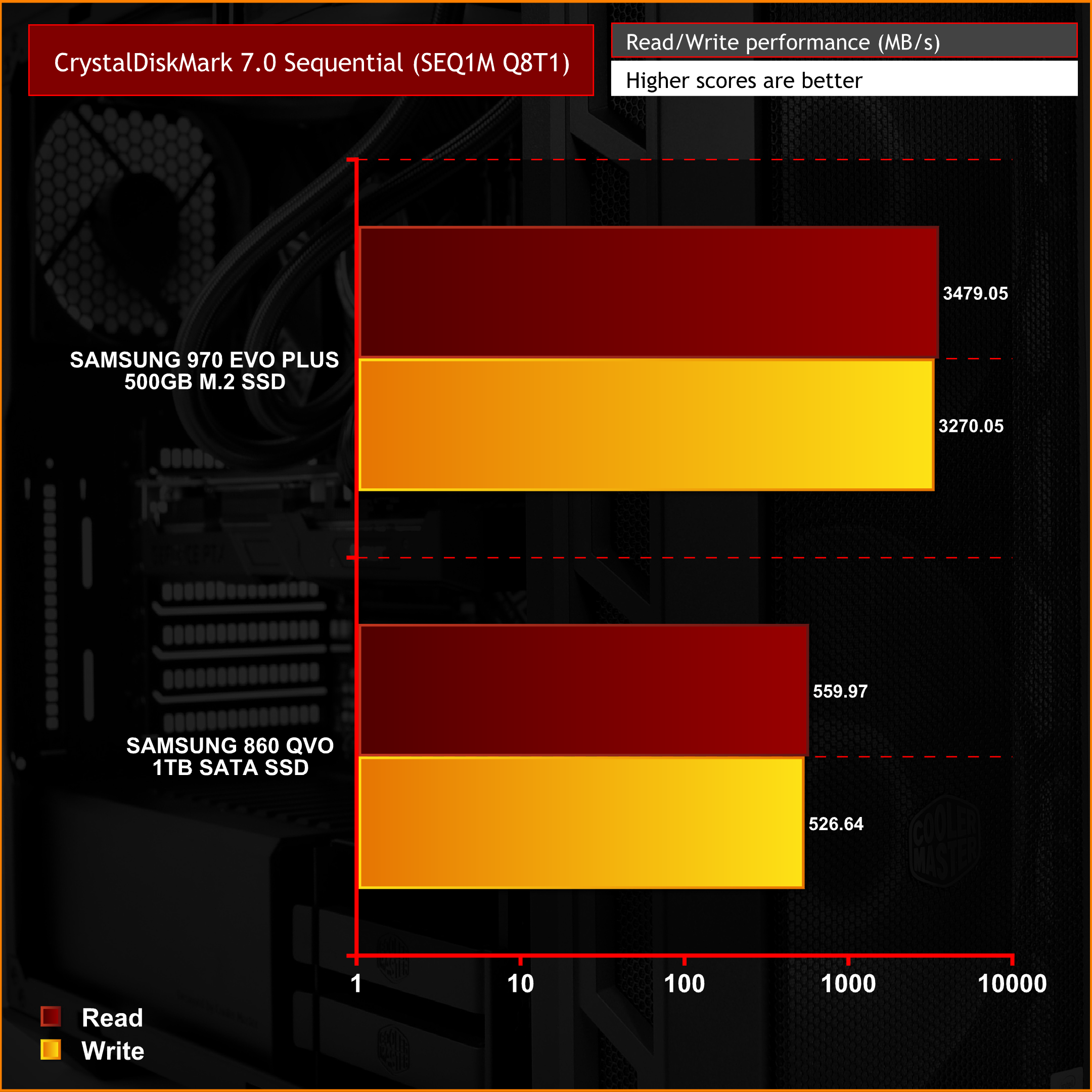
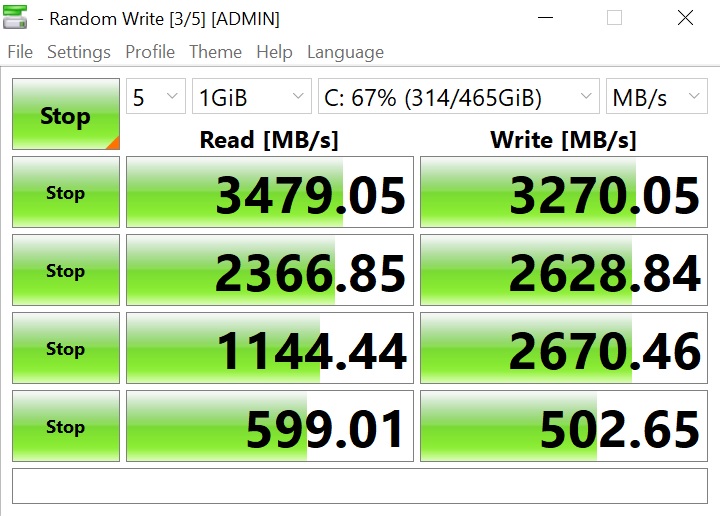
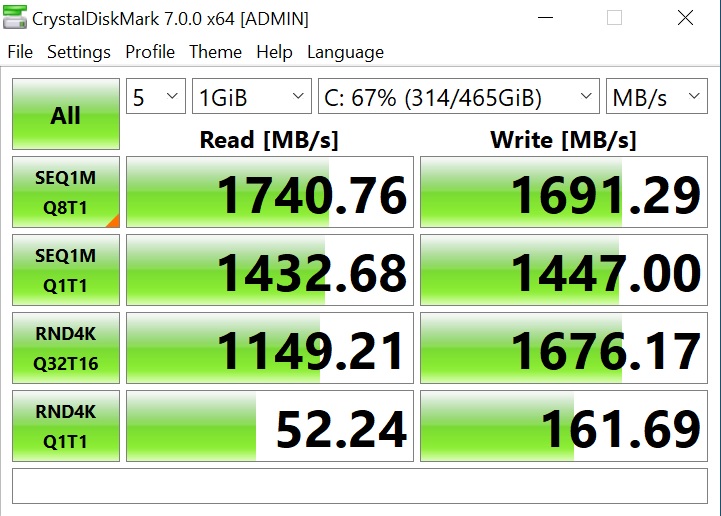
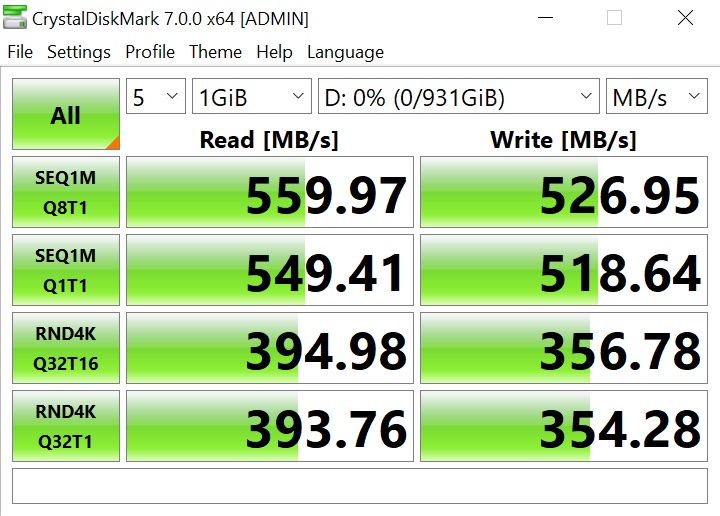
The Samsung 970 EVO plus NVMe M.2 SSD installed to the Vortex S3 system is an excellent choice and can provide read/write speeds of up to 3,500MB/s. Our CrystalDiskMark test proves that the M.2 SSD is working as it should with a speed of 3,479 MB/s read and 3,270MB/s write recorded.
PCSpecialist installed the M.2 SSD in the bottom M.2_2 motherboard slot which shares bandwidth with the SATA 5/6 ports if a device is connected to either of these. It is worth noting that if the customer decides to add additional storage drives and connects to either of the SATA 5/6 ports then M.2 SSD performance would be halved using the M.2_2 motherboard slot.
AIDA64 Memory Benchmark
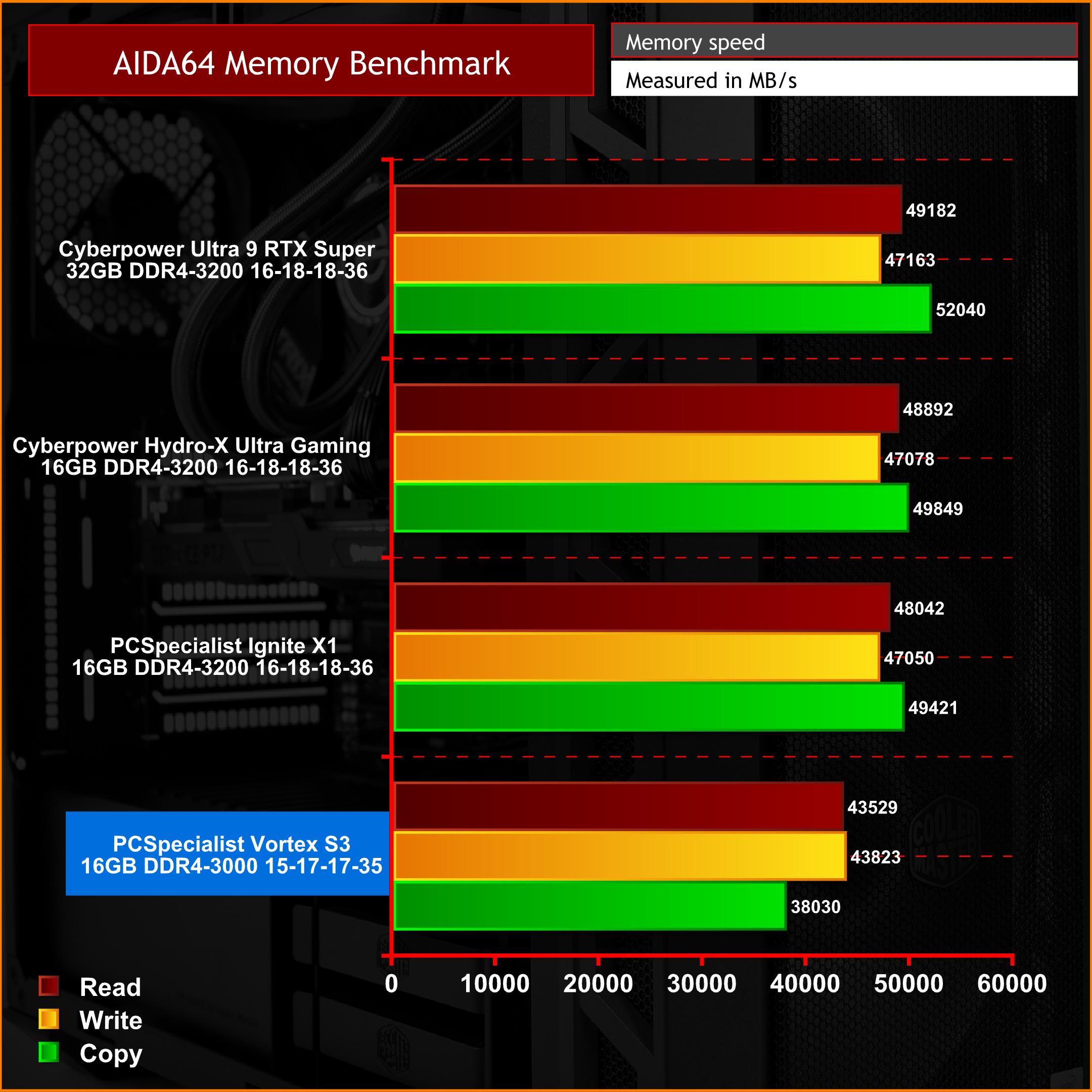
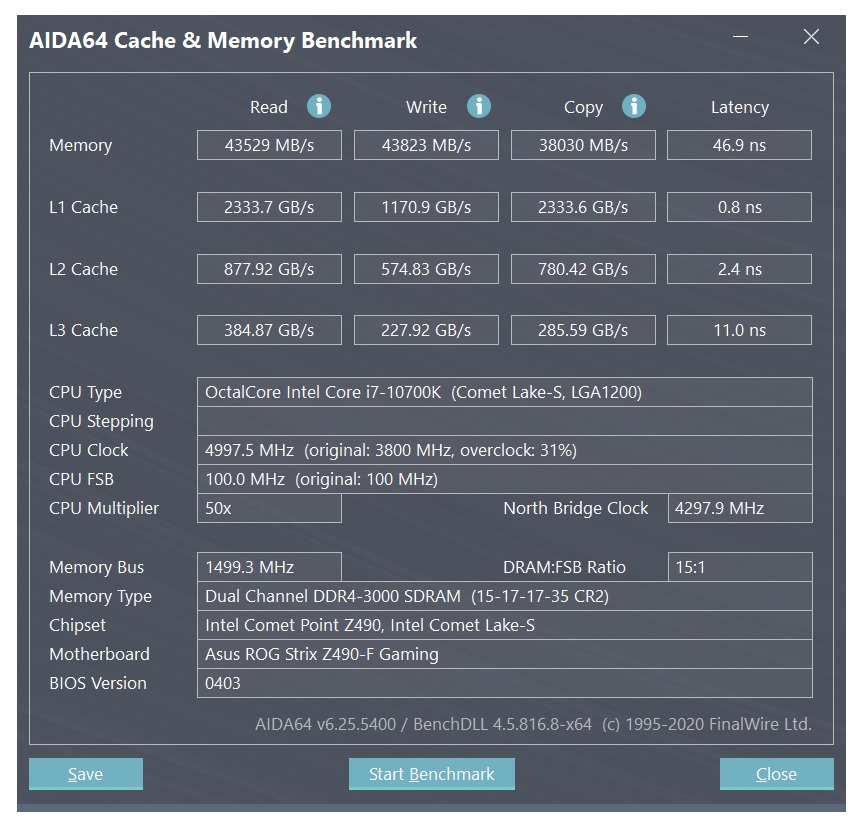
The AIDA64 memory benchmark test produced speeds typical of DDR4 3000MHz memory. So, no surprises and nothing to be concerned about here, memory read, write and copy performance is as it should be. Performance is obviously slower than other systems we have tested recently, however, they were all equipped with faster memory at 3200MHz.
PCMark 10
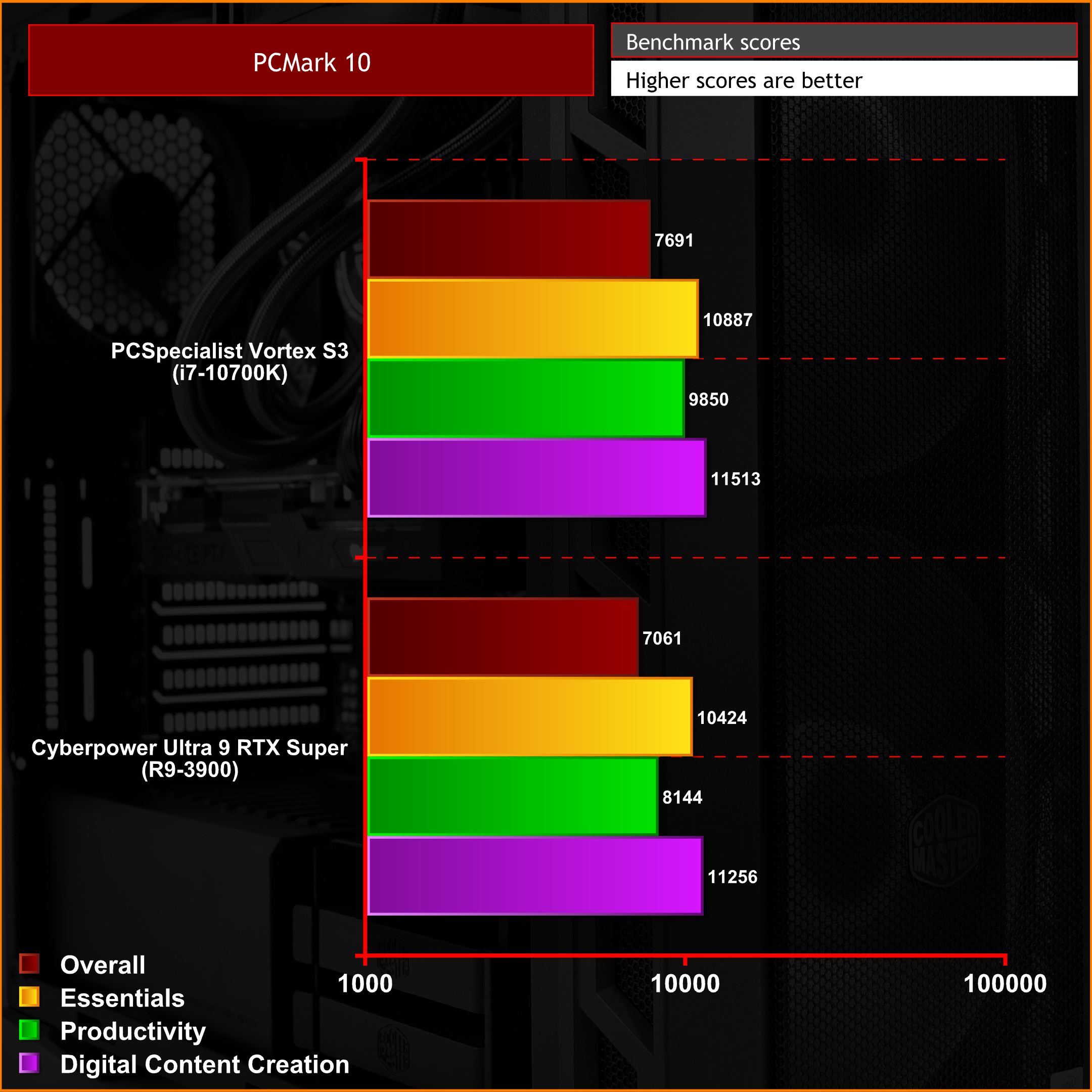
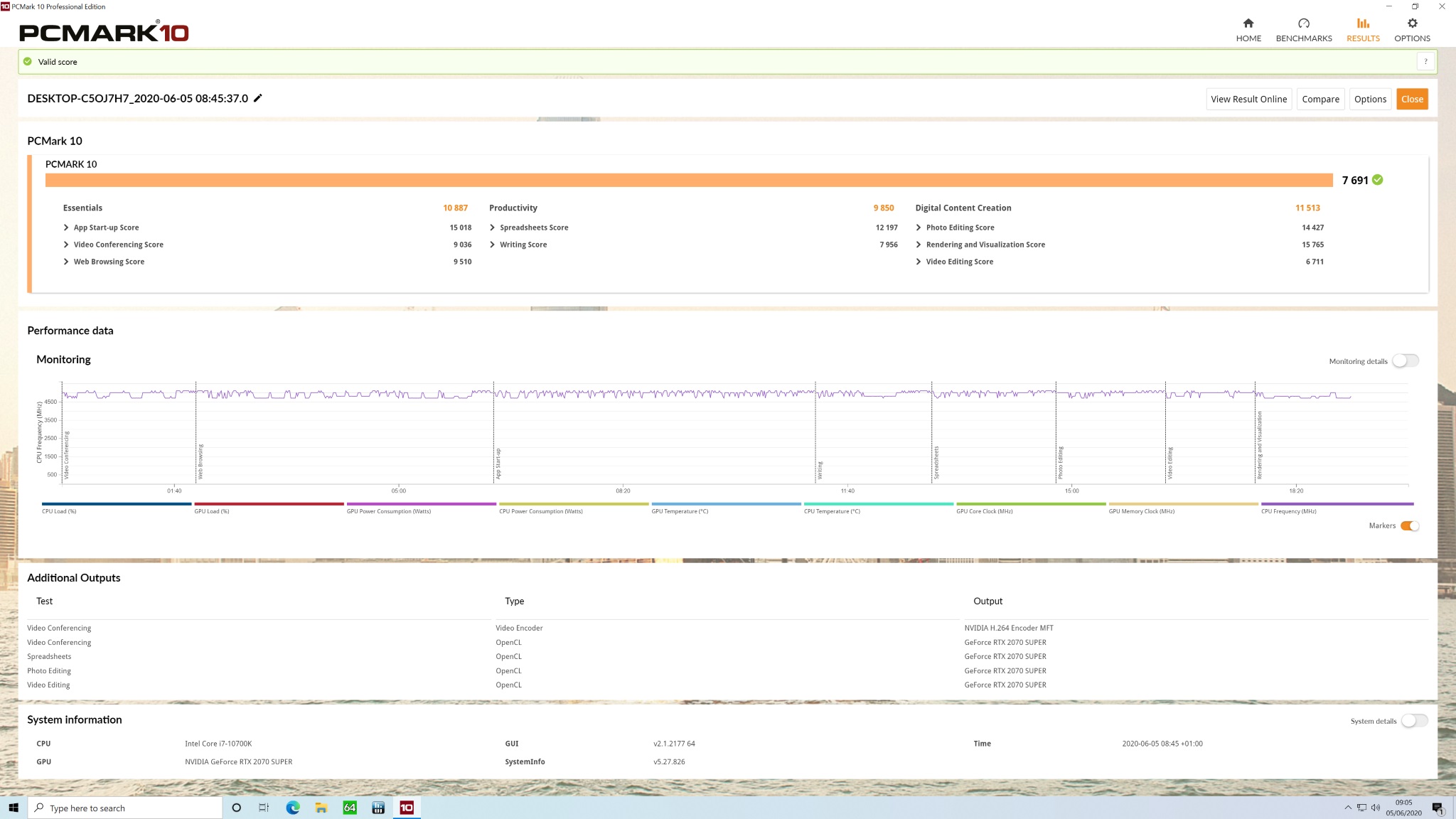
PCMark10 benchmarks the system to produce a set of results covering the performance of the system during various tasks such as essentials like web browsing, word processing and video conferencing, as well as more demanding productivity and content creation workloads. The results of the PCMark10 benchmark shows us that the system is very capable in all these workloads, so it is ideal for users who choose to do more than just gaming.
Performance: Thermals, Noise & Power
An important characteristic of any gaming PC is how it handles the cooling of the internal components, To see how the PCSpecialist Vortex S3 stacks up, we ran a series of tests with the case in various configurations including thermal tests with the case in its default configuration, with the tempered glass side removed and with the alternate acrylic front panel installed in place of the default mesh.
With the charts below, We can compare thermal performance in each given situation. To measure the cooling performance of the system all fans were left to run in the default configuration that was set by PCSpecialist during assembly, to represent how the system would arrive configured to the customer.
AIDA64 Stress CPU, Cache & GPU, thermal Performance.
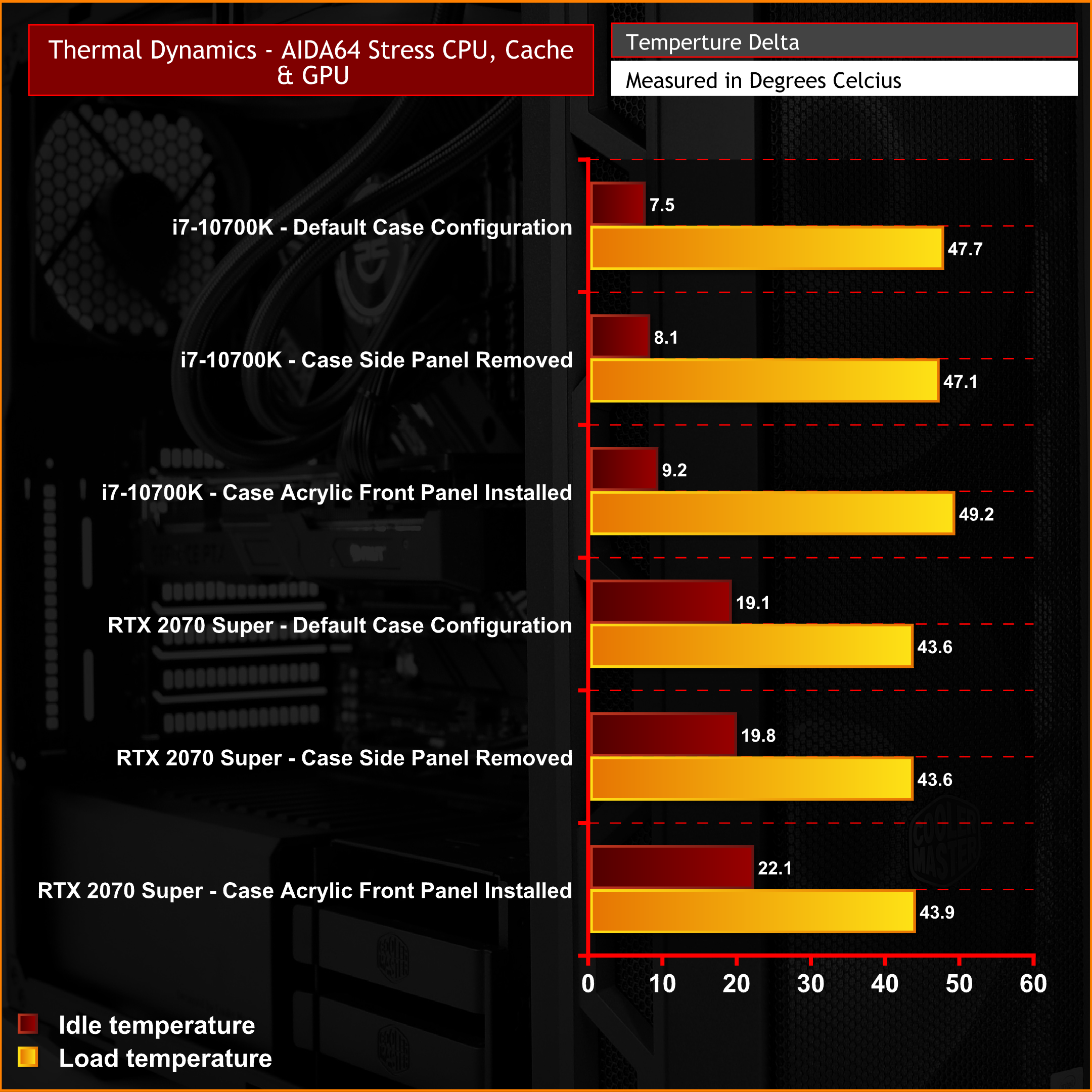
PCSpecialist has chosen an effective case for airflow with the Vortex S3. The Cooler Master MasterCase H500 uses a mesh front panel in its default configuration with two 200mm intake fans which helps pull plenty of cool air into the system. During our thermal performance tests, system temperature was excellent with the case in its default configuration.
Removing the side panel or installing the solid acrylic front panel had very little effect on thermal performance, so in either configuration, users will be pleased to know that system temperature will be under control, even during intense heavy workloads.
Noise levels
Like in our thermals test, we test noise levels with the system case in various configurations, to see how this affects noise output. The same configurations from thermal testing will be used to test noise levels. The ambient noise levels (noise floor) in the room is 37.4 dBA. We will run AIDA64 stressing CPU, cache and GPU for 15 minutes to measure noise levels in each configuration. After leaving the system for 30 minutes to cool, we will then measure noise levels with the system idle on the Windows desktop.
During noise level testing all fans in the system will be set to their default setting as they would come configured from PCSpecialist.
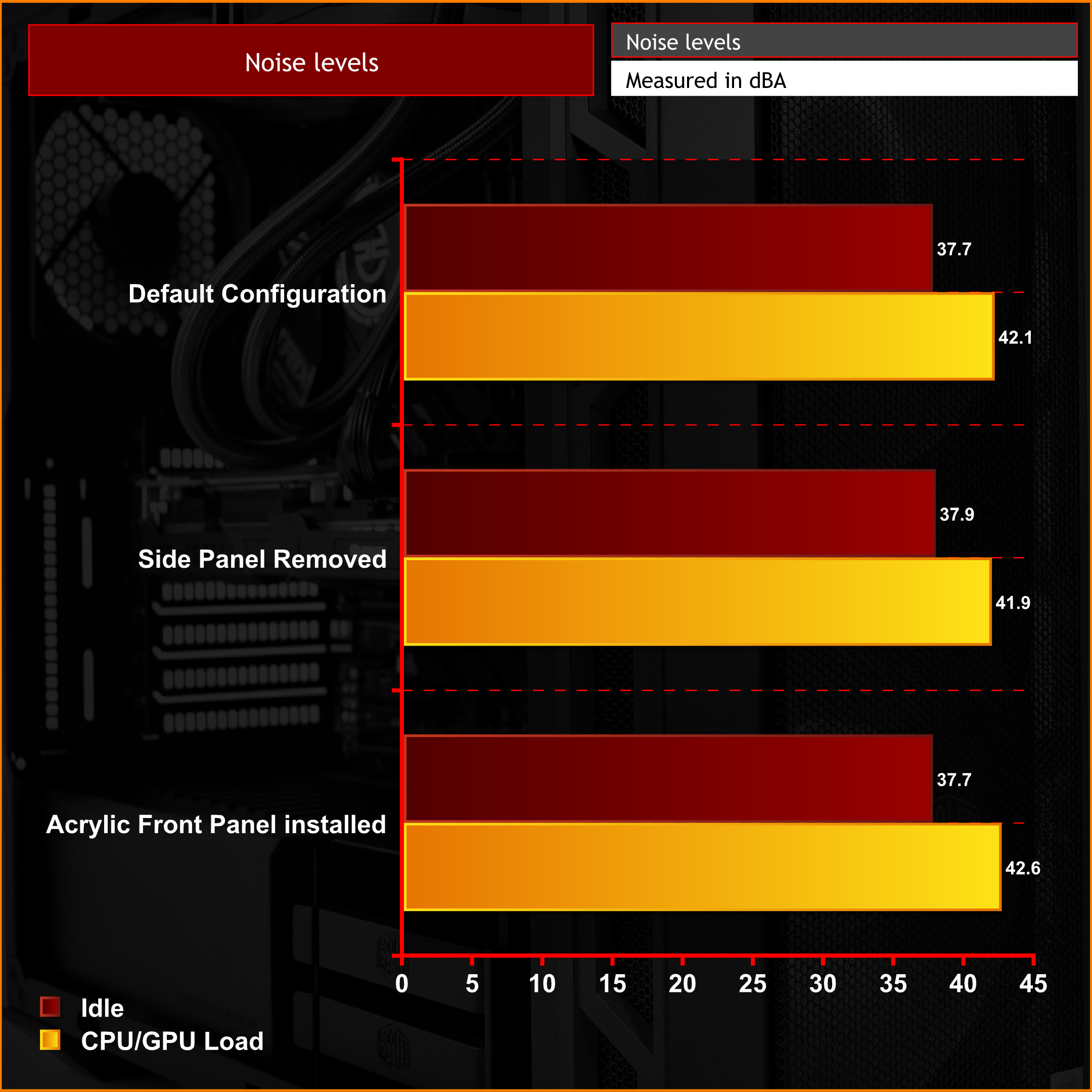
Changing the configuration of the case had little effect on noise levels. As we often see with case thermal performance testing, GPU temperature is slightly lower with the side panel removed which means noise levels are at their lowest in this configuration due to the graphics card fan running a little slower. In either configuration, the system noise levels are tolerable under load.
Power Usage
To measure the system’s power usage, first, we leave the system to idle in Windows, with all fans and pumps (where applicable) set to default values and measure power usage at the wall in Watts. Next, using AIDA64 to stress the whole system and with all fans and pumps set to their factory configuration, we again measure the peak power usage at the wall in Watts.
Finally to see how much power the system draws while gaming, we run the Metro Exodus benchmark in a loop ten times and again measure power at the wall in Watts. The results are recorded in the chart below.
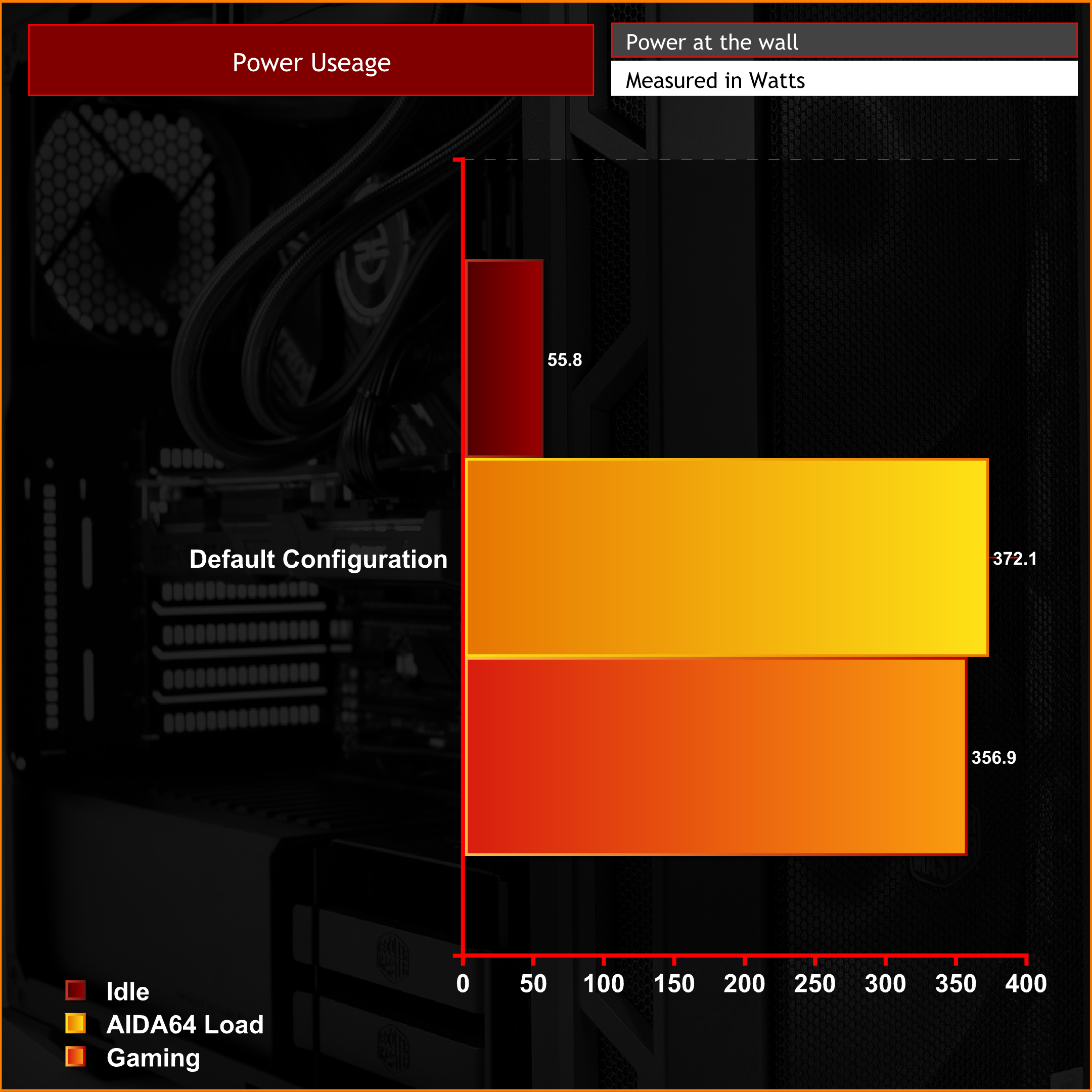
In its stock specification, the Corsair 650W power supply installed in the Vortex S3 has more than enough juice to power the hardware with a little left in the tank for future upgrades.
Ever since the launch of Intel's 10th Gen Intel Comet Lake-S desktop processors, we have been looking forward to getting our hands on a pre-built using one of these CPUs. The combination of the Intel Core i7-10700K processor and the Samsung 970 EVO Plus M.2 SSD inside the PCSpecialist Vortex S3 makes using the system for general day to day tasks feel very smooth and snappy.
While the CPU performance may not much of an improvement over the previous 9th Generation 8 cor, 16 thread Core i9-9900K, it is a little more affordable now. The 8 core part in the 10th Generation line-up is no longer the flagship CPU, however, it is still classed as a high-end processor and during our performance tests, it showed excellent performance in both gaming and productivity workloads.
Since this is not the flagship CPU in the 10th generation range, it probably explains why PCSpecialist didn’t pair the i7-10700K with a true high-end graphics cards such as the RTX 2080 Super or RTX 2080 Ti, and instead went for an RTX 2070 Super in the Vortex S3, which we'd consider a solid choice for high refresh 1080p or 1440p gaming.
However, during the purchasing process of a PCSpecialist system, components selection can be tweaked, so if you have a little more cash in the budget, you could opt for a slightly more powerful graphics card to get more out of the i7-10700K CPU. Or alternatively, if your budget is tight, you could swap out the i7-10700K for a 6 core 12 thread i5-10600K, which you could argue is actually a better match for the RTX 2070 Super in this situation.
On the other hand, the Intel Core i7-10700K CPU will give the system more longevity and potential to take advantage of future upgrades. While on the subject of upgrades, if a few months down the line after purchasing the Vortex S3, you begin to run out storage space with the 1.5TB stock capacity, you will find there is plenty of space inside the chassis to add more, with two 3.5-inch bays and additional 2.5-inch mounts available.
Although 1.5TB may not be a huge amount of storage these days since game installs are often above the 100GB mark now (COD: Modern Warfare, we are looking at you!), it should be enough to keep you going for a while. Something that immediately impressed us about the Vortex S3 was the fact that PCSpecialist had chosen to only install SSD storage devices, so there are no traditional mechanical HDDs to slow down performance. If you are thinking of adding more storage in the future, we would suggest sticking to SSDs if your budget will allow.
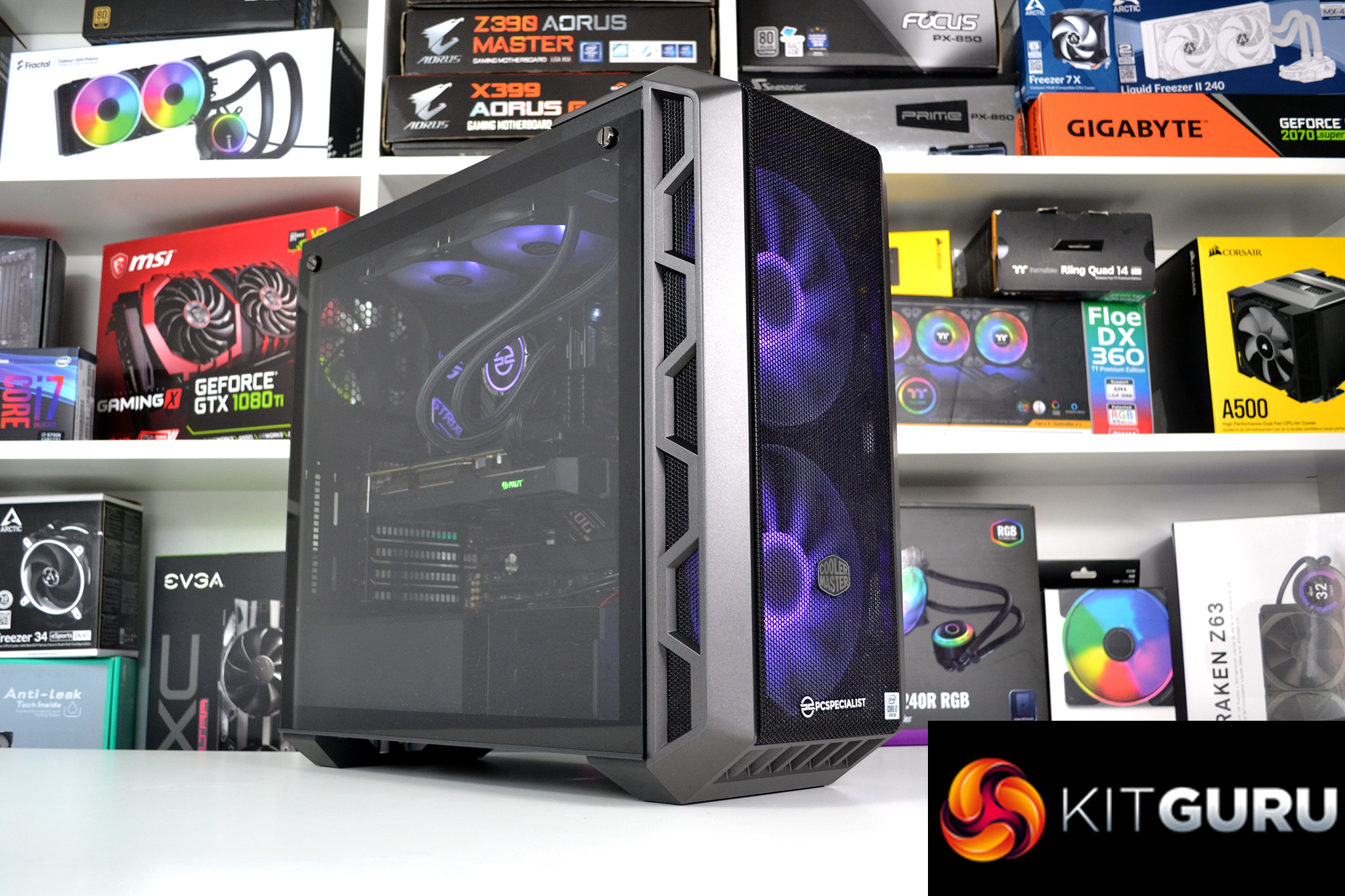
In terms of aesthetics, PCSpecialist has gone with an understated appearance balanced with some subtle RGB lighting via the pre-installed Cooler Master 200mm fans up front and matching fans on the all-in-one CPU cooler installed at the top of the system. We quite like the stealthy black and silver interior appearance and contrasting RGB fans. However, if RGB is not your thing, the lighting effects can be disabled using the Asus Aura Sync software that comes pre-installed.
PCSpecialist choice of case for the Vortex S3 works great for this system with its large front mesh panel allowing for a healthy amount of cool air to enter the case and keep system temperature under control. An alternative solid acrylic front panel is also supplied with the case, however, we prefer the mesh panel as it diffuses the RGB lighting and looks better in our opinion, as well as providing excellent thermal performance.
Overall, the Vortex S3 is a very capable PC for both gaming and productivity tasks. In its default configuration, it would suit users who need it for work during the day and also enjoy some smooth, high FPS gaming in the evenings. Paired with either a 1080p or 1400p high refresh rate monitor, it would make for a solid gaming system. However, for a smooth 4k gaming experience, a more powerful graphics card would be recommended. In its current configuration, it's a great all-rounder.
The PCSpecialist Vortex S3 system is available to purchase directly from PCSpecialist for £1649 HERE.
Discuss on our Facebook page HERE.
Pros:
- High-performance CPU.
- Good gaming performance at 1080p or 1440p resolution.
- Great storage drive selection.
- Understated stealthy interior appearance.
- Excellent thermal performance.
Cons:
- Struggles with 4K resolution gaming performance.
- Storage capacity a little low considering the size of modern games.
KitGuru says: The PCSpecialist Vortex S3 provides good value at its launch price, so those who don't have the ability or confidence to build their own system will be getting good value from this system. It's an ideal PC for users who want something for more than just gaming and the new Intel platform is expected to offer an upgrade path for the future, so it should last.