 KitGuru KitGuru.net – Tech News | Hardware News | Hardware Reviews | IOS | Mobile | Gaming | Graphics Cards


We were impressed with our first look at AOC’s new AGON gaming screen brand, which arrived in the shape of the AG271QX. Whilst the AOC AGON AG271QG’s almost identical model name and indistinguishable external appearance makes it look like it’s the same screen with G-Sync instead of FreeSync, it actually has a markedly different specification.
For starters, where the QX top out at 144Hz, the QG can reach 165Hz But whilst that might be the feature (alongside G-Sync) that will grab the gamer’s eye to begin with, the most fundamental difference is that this is an IPS panel where the AG271QX uses TN technology. This isn’t always the most popular panel type for gaming, as it entails a slower response rate (4ms in this case versus 1ms for the TN-based AG271QX). But image quality should be superior.
Some specifications are identical, such as the 350cd/m2 brightness and 1000:1 contrast, with a 50M:1 dynamic contrast. The resolution is the same 2,560 x 1,440, too. However, IPS screens generally have better viewing angles and this one is no different, boasting 178 degrees both horizontally and vertically, whilst the AG271QX can only muster 170 degrees horizontally and a meagre 160 degrees vertically (common for TN panels).
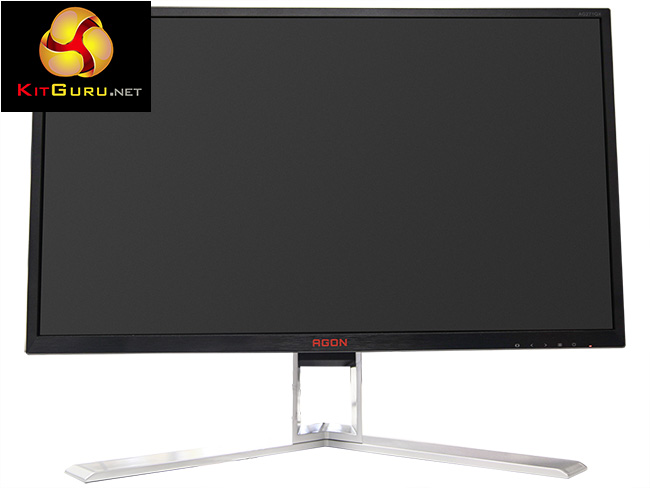
The AG271QG falls behind the AG271QX when it comes to inputs, with no VGA or DVI, just HDMI and DisplayPort. There is an analog audio input and USB 3.0 hub, plus built-in speakers, although these are only rated to 2W whilst the AG271QX offers 3W. However, one of our favourite aspects of the latter is notably absent – the external Quick Switch keypad. So you will always need to resort to the screen’s buttons for adjustment in this case.
You pay a lot more for the IPS panel nonetheless, particularly with the higher frequency. Costing nearly £200 more than the AG271QX, the AG271QG is approaching £550. So let’s find out if it’s worth the extra money.
Specification:
Screen size: 27-inch, 16:9 aspect
Native resolution: 2,560 x 1,440
Refresh rate: 165Hz
Panel type: IPS
Contrast ratio: 1000:1 (typical)
Brightness: 350cd/m2
Response time: 4ms
Display inputs: DisplayPort 1.2, HDMI
USB hub: Yes
Tilt: Yes
Raise: Yes
Swivel: Yes
Other: Headphone jack, microphone jack, line audio input jack, mic audio input jack; built-in 2W speakers; NVIDIA G-Sync (30Hz -165Hz).
Retail Price: £548.99 (inc. VAT)


The AGON AG271QG includes an external power supply, plus cables for its two connections options, DisplayPort and HDMI. There is a minijack cable to route the microphone to the monitor, plus one for the USB 3.0 hub. A plate is included for VESA mounting.
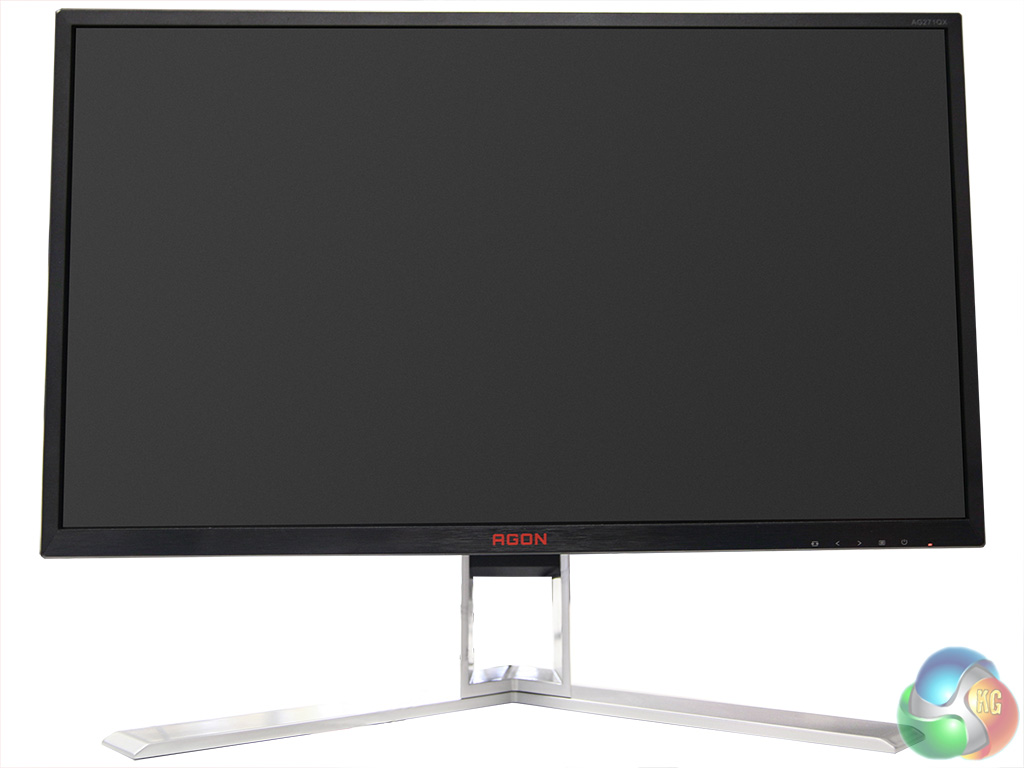
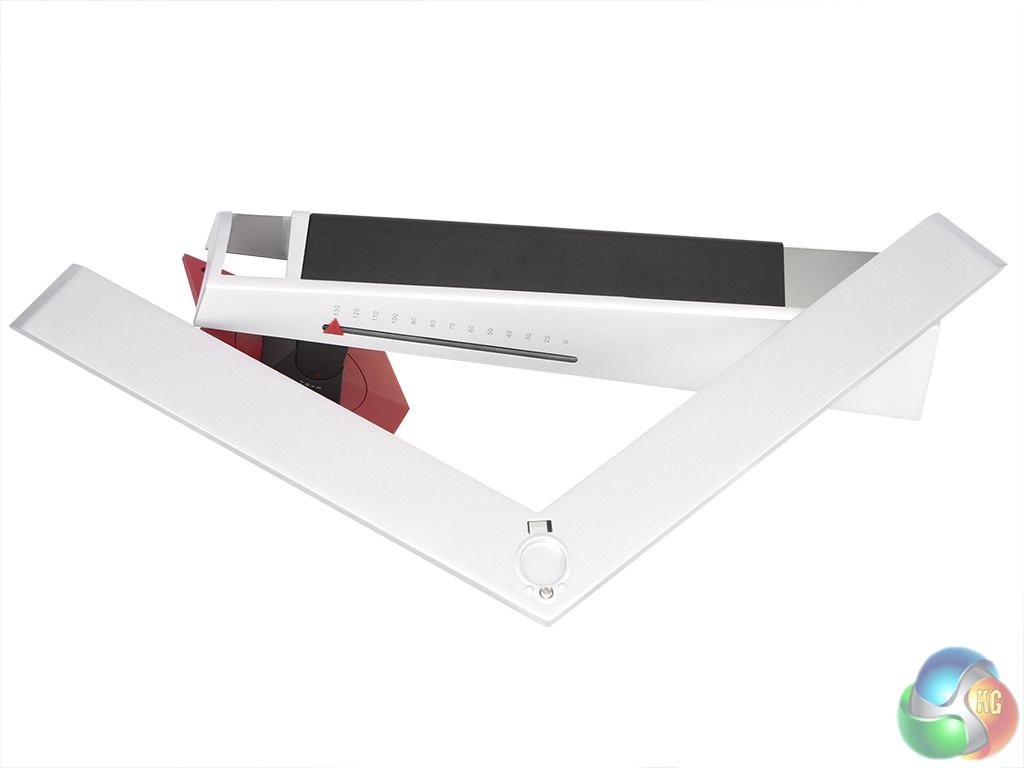
The AG271QG looks identical to its AG271QX stable mate, with the same black bezel and red flashes. The stand comes in two parts and while the legs easily attach to the arm via a thumbscrew, the stand then has to be screwed to the panel with four screws, which is a bit of a pain when most other monitors offer a quick attachment and release mechanism.
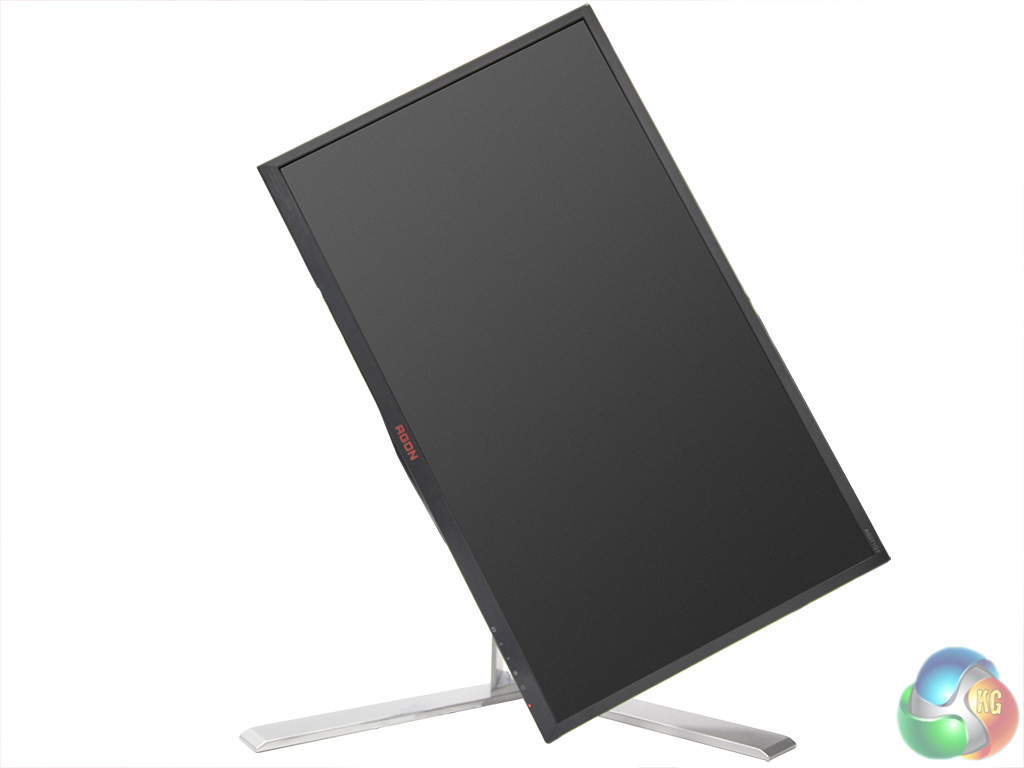
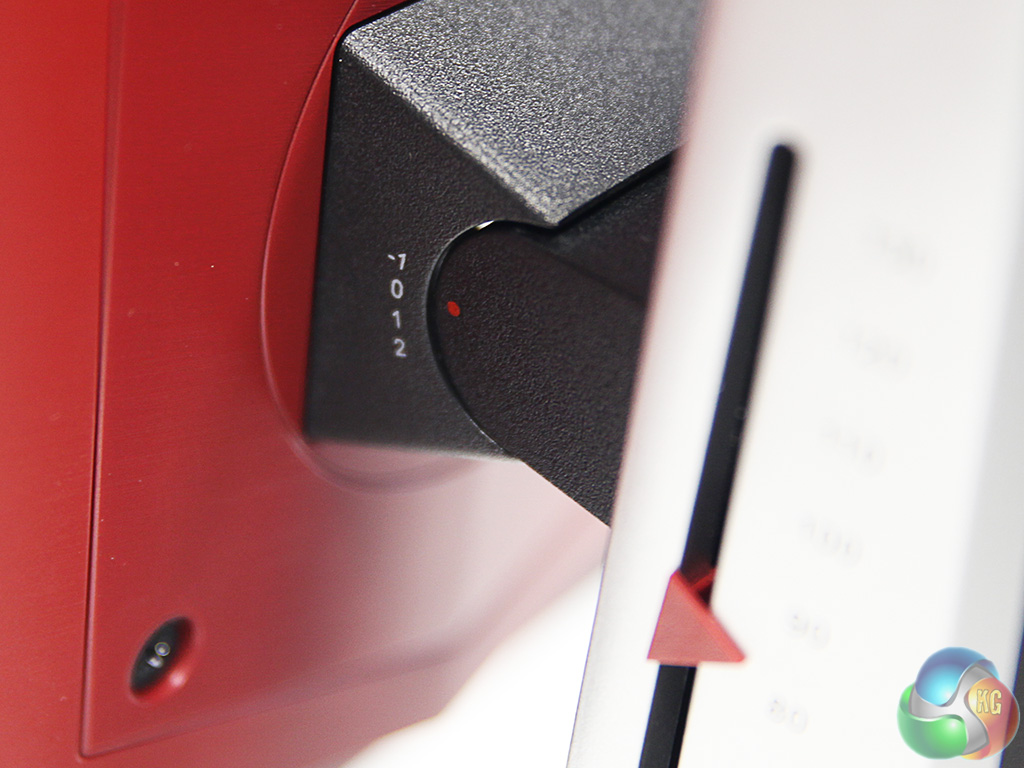
Like the TN version, the screen swivels on its base by 20 degrees in each direction, can be tilted 3.5 degrees downwards or 21.5 degrees upwards. There is a 130mm range of height adjustment available, and the whole screen can also be rotated into portrait mode.
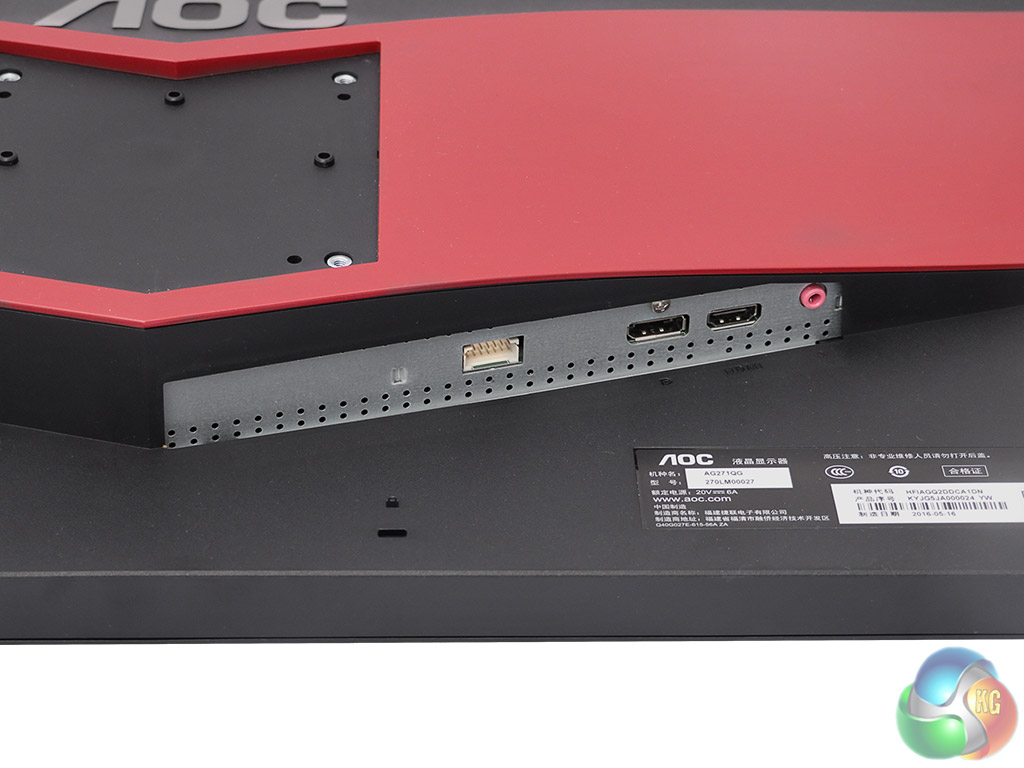
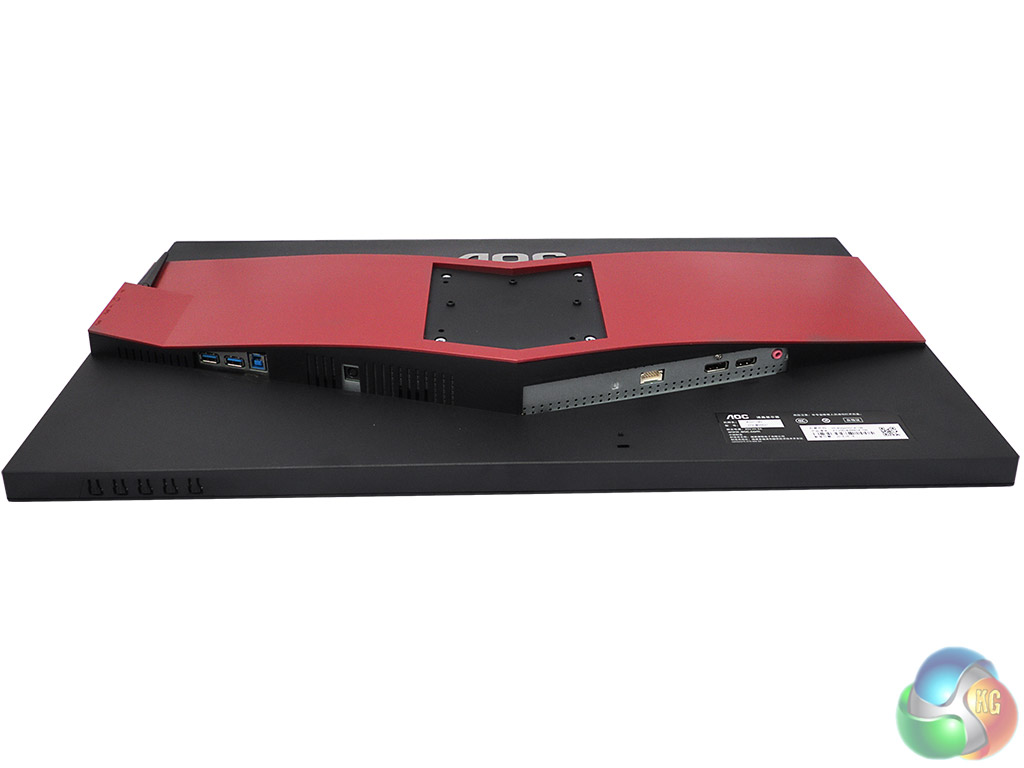
The section with display inputs looks a bit bare with just HDMI and DisplayPort. There is only a microphone output, unlike the AG271QX, which also has a line connection. Presumably this is because both DisplayPort and HDMI can be used to route audio signals, and there are no connections that would require separate audio.
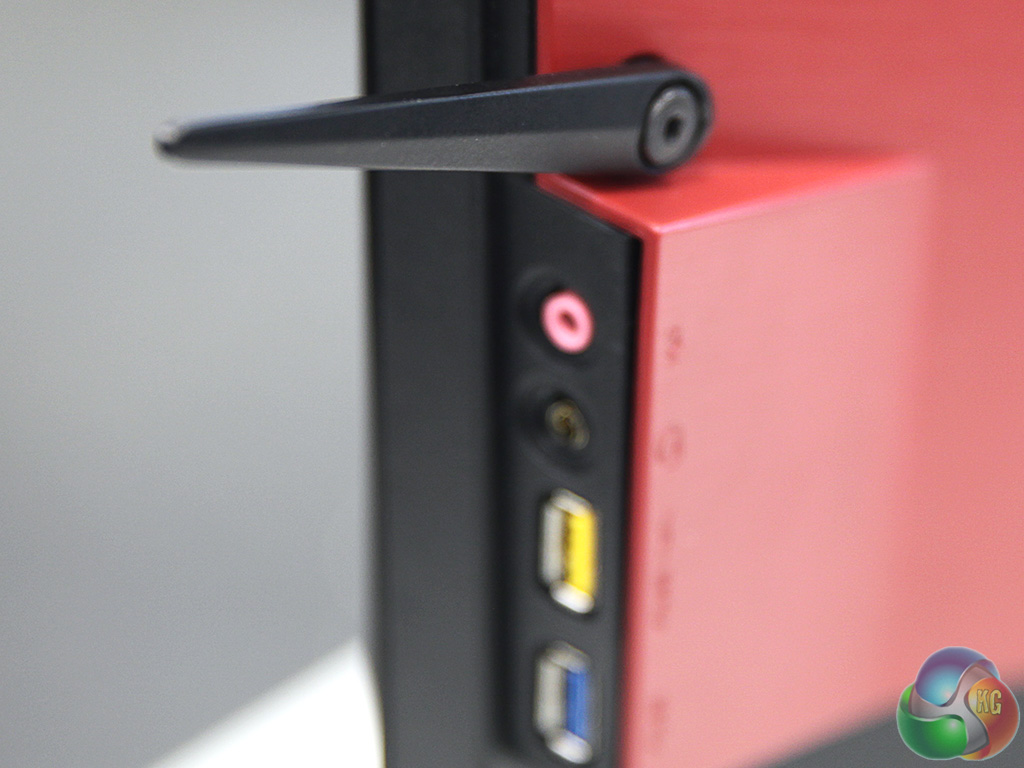
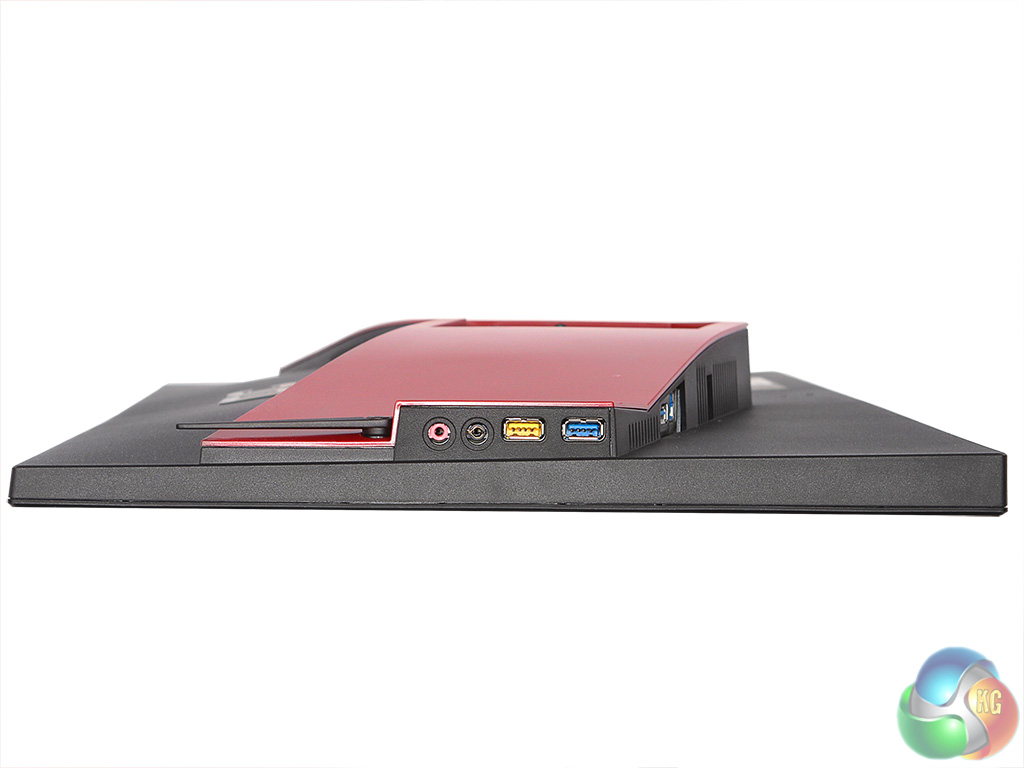
We really liked the heaphone stand that folded out of the AG271QX, so it's great to see that this is also found on the AG271QG. There are a couple of handy USB 3.0 ports placed here for easy connection, one of which supports fast charge, plus microphone input and combo microphone input/headphone output.
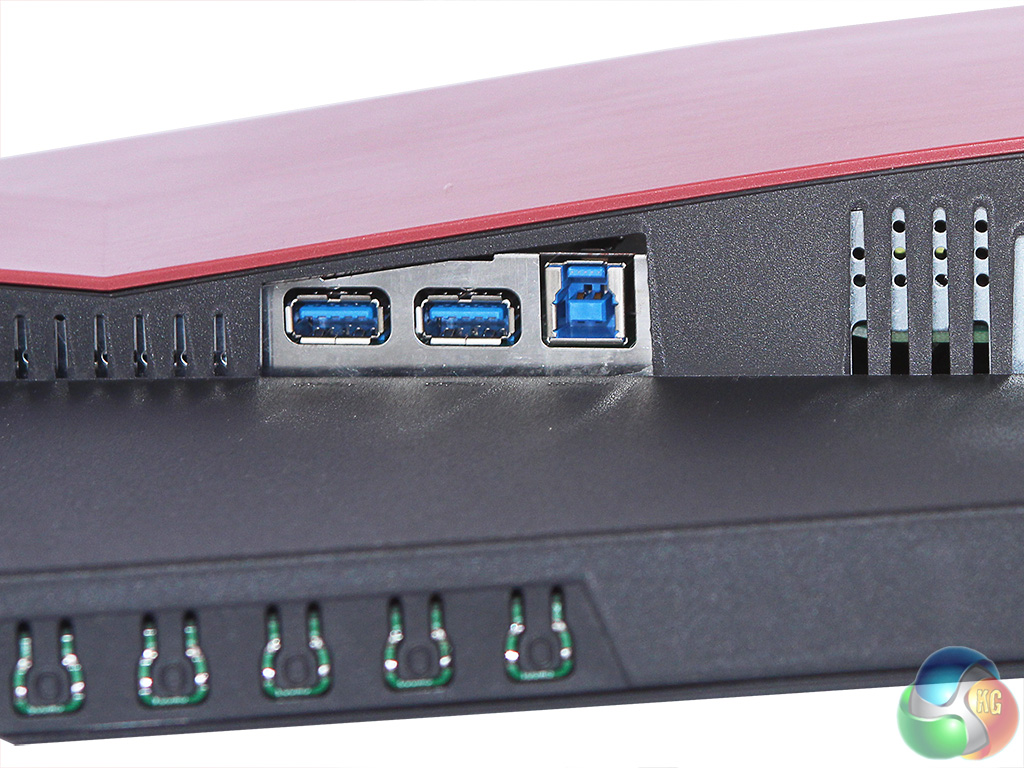
The upstream port and two downstream ports for the USB 3.0 hub are found on the right-hand side, and in front are the five buttons to control the OSD. Without the Quick Switch keypad, these are your sole method for accessing the screen's configurations.
The AG271QG has a very different OSD compared to the AG271QX, with a much more limited range of options.
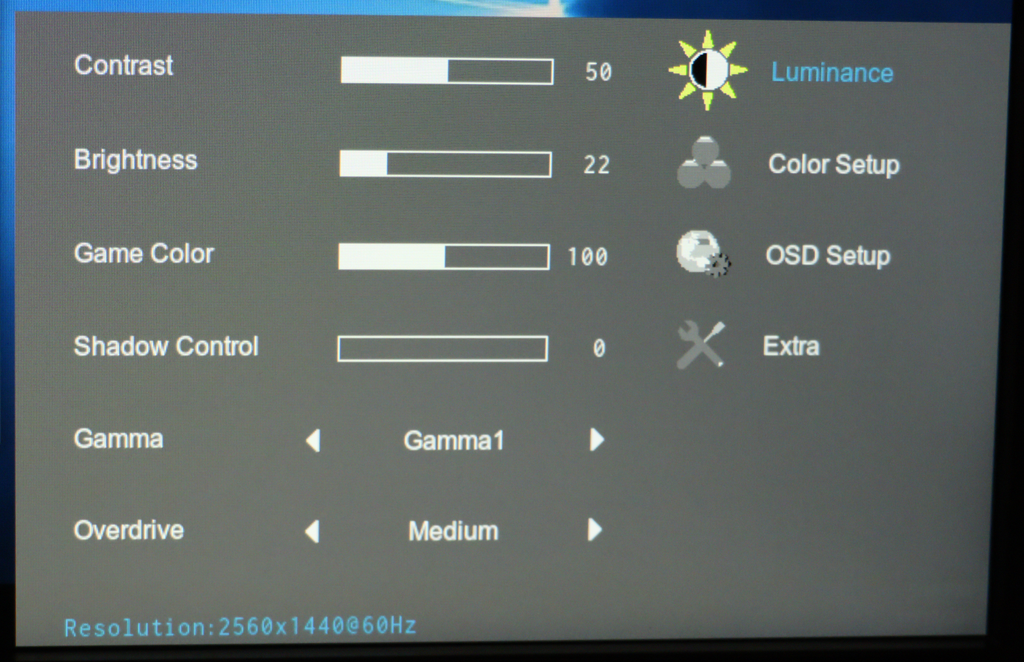
There are just four sections in the OSD, with the first being Luminance. This contains controls for Contrast, Brightness, Game Color, Shadow Control, three options for Gamma and four levels of pixel overdrive. The Game Color setting adjusts saturation, whilst Shadow Control operates in a vaguely HDR-like fashion so that detail is more visible in dark areas. This could be handy for spotting enemies hiding in the gloomier areas of a map.
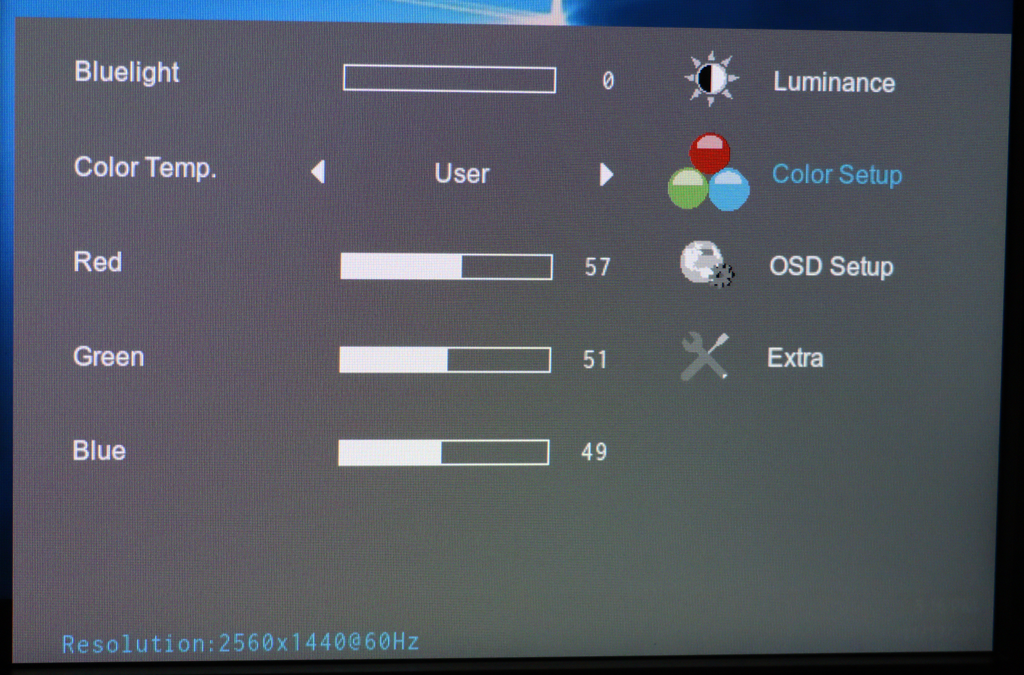
The Color Setup section provides control over colour temperature via four presets and a user-configurable option. There are Warm, Normal, Cool and sRGB presets, with Warm being the default rather than Normal. There's a Bluelight option, too, which can be adjusted to reduce the effects of eye strain.
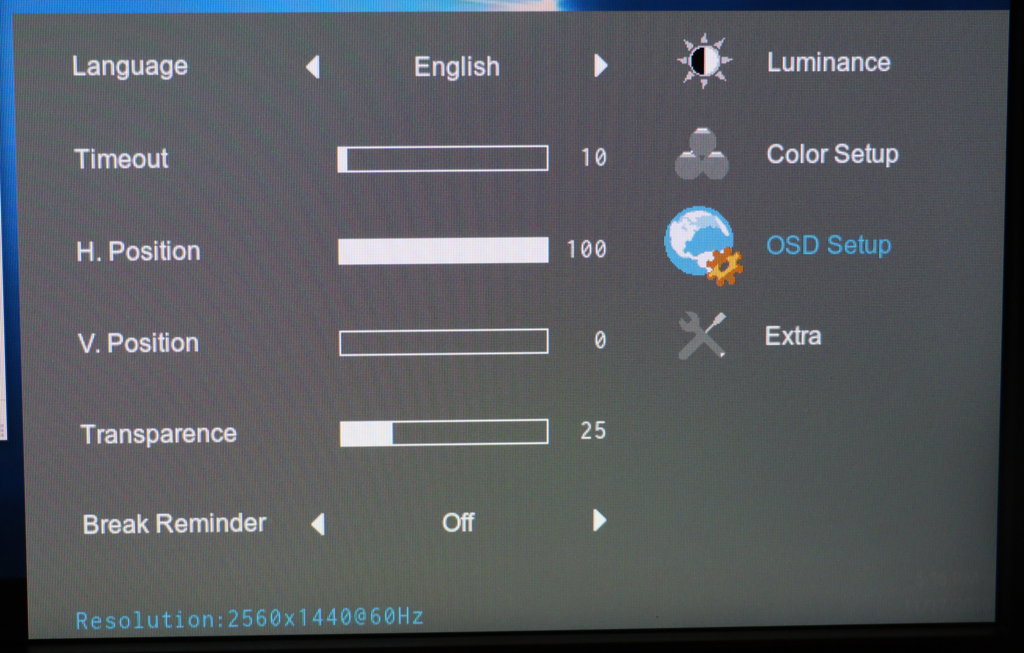
The OSD Setup section allows you to adjust how the OSD is displayed, and you can set up a reminder to tell you to take a screen break at certain intervals.
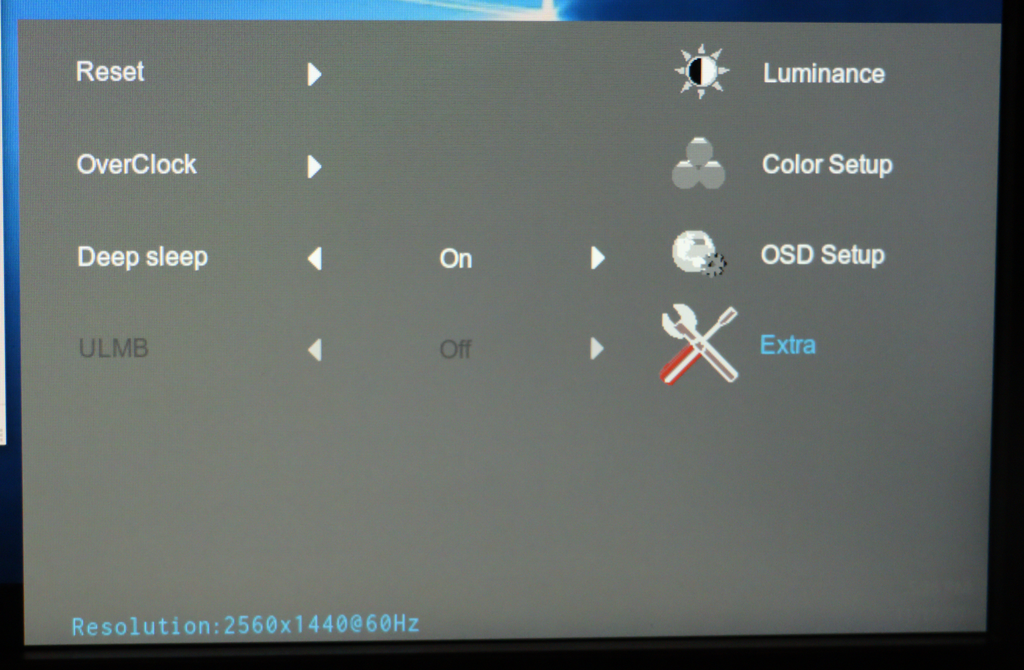
The final Extra section is where you can turn on the Overclocked 165Hz screen refresh, after which the screen will restart. There's a blur-reduction option as well (ULMB), but that didn't appear to be available at any of the settings we were using during testing.
Overall, while there are the essential features in the OSD that you will need, the range of options is far behind what is available with the AG271QX. It's not just the QuickSwitch keypad we miss. The OSD feels more like one you would see on a business monitor than one aimed at the gaming market.
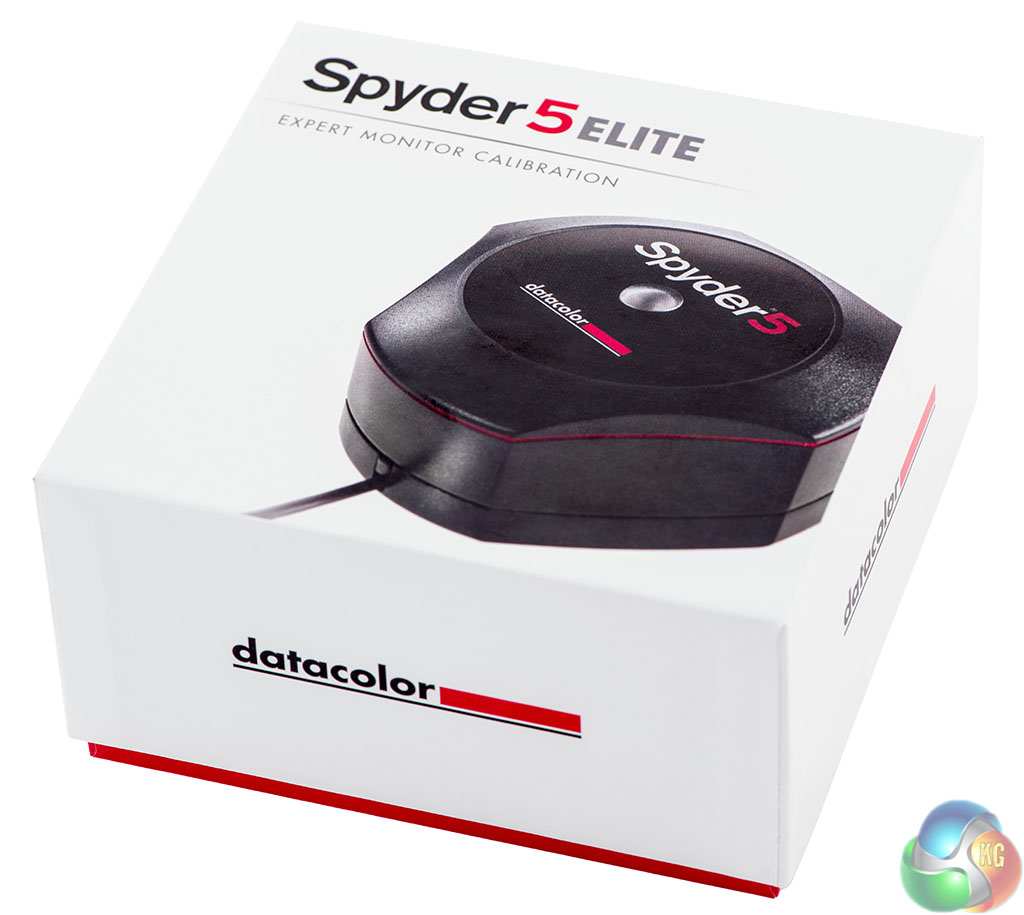
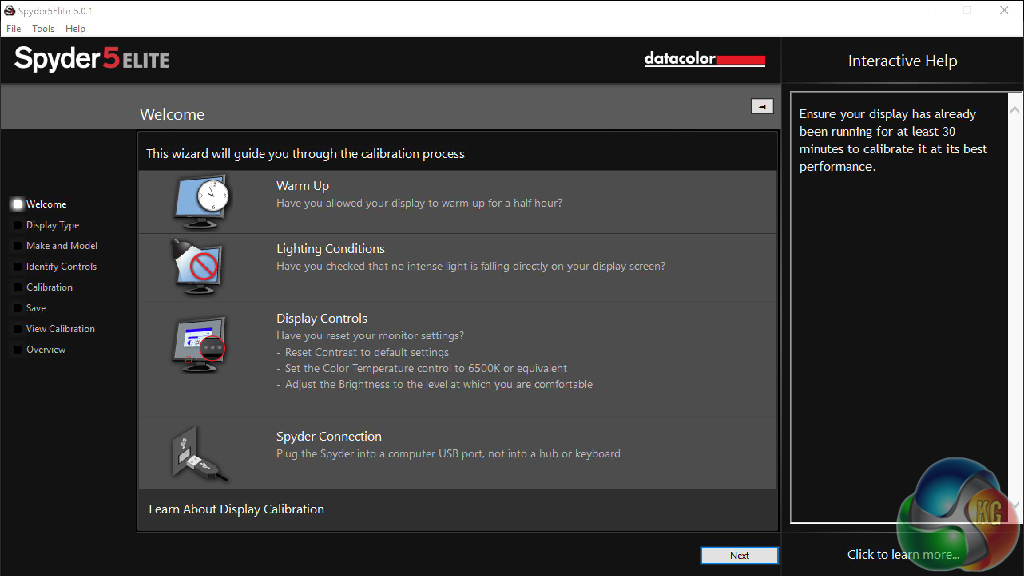
Our main test involves using a DataColor Spyder Elite 5 Colorimeter to assess a display’s image quality. The device sits on top of the screen while the software generates colour tones and patterns, which it compares against predetermined values to work out how accurate the screen is.
The results show –
- A monitor’s maximum brightness in candelas or cd/m2 at various levels set in the OSD.
- A monitor’s contrast ratio at various brightness levels in the OSD.
- The brightness deviation across the panel.
- The black and white points
- The colour accuracy, expressed as a Delta E ratio, with a result under 3 being fine for normal use, and under 2 being great for colour-accurate design work.
- The exact gamma levels, with a comparison against preset settings in the OSD.
We first run this test with the display in its default, out-of-the-box state, with all settings on default. We then calibrate the screen using the Spyder software and run the test again.
We always test the display subjectively on the Windows desktop, using it for general tasks such as browsing and word processing, and with games as well, even if the display is not intended solely for that purpose. We pay careful attention to any artefacts, ghosting or motion blur, and enable any gaming specific features, such as adaptive-sync settings like G-Sync, using a compatible graphics card in our test PC.
In the case of the AGON, we performed the primary testing in default preset mode – Gamma 1 and Warm colour profile. We also left the monitor at 60Hz rather than 165Hz, as higher frequencies can reduce image quality performance with some screens.
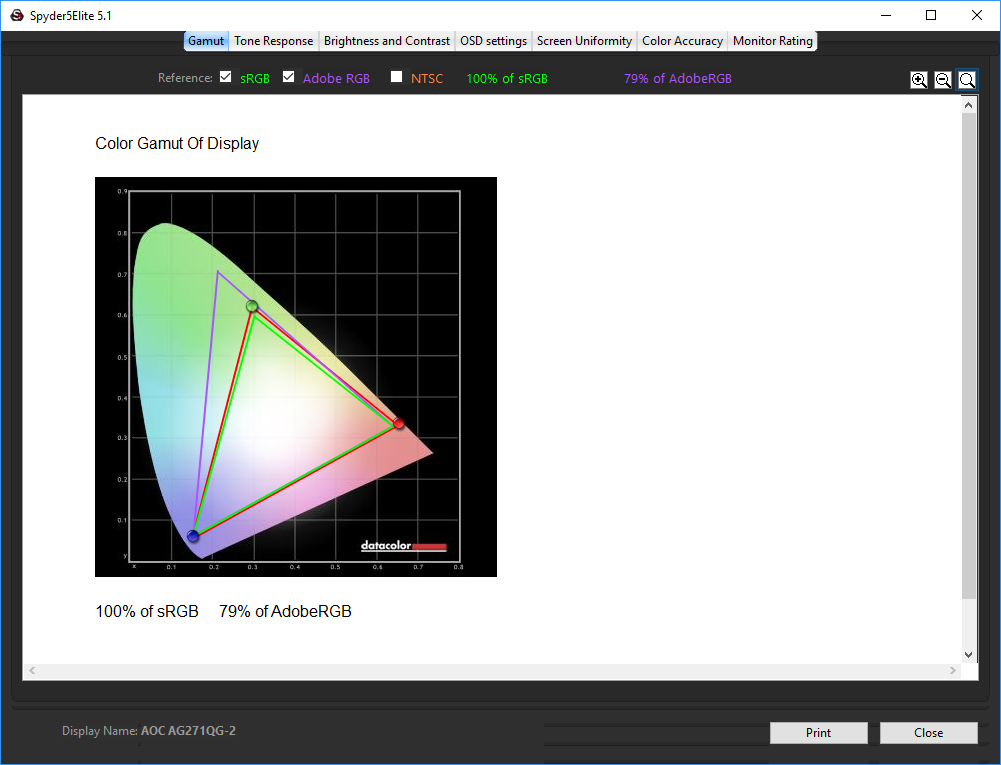
First off, the uncalibrated results show a good gamut, with 100 per cent sRGB coverage and commendable 79 per cent Adobe RGB.

The first surprise comes with the brightness uniformity. We had heard rumours that there were issues in this area with the IPS panel used in the AG271QG, and this bears those rumours out, with a lot of variation in the top third, down the left and right sides, and in the bottom left corner. These results are notably behind the TN-based AG271QX.
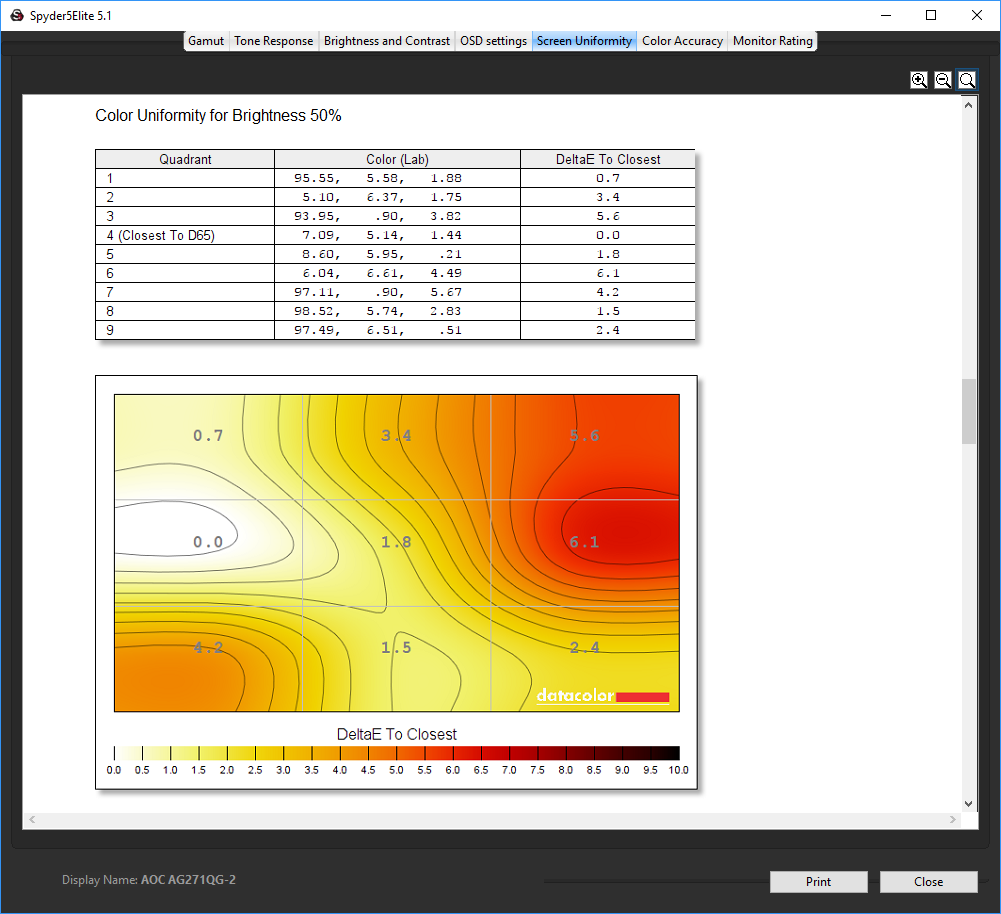
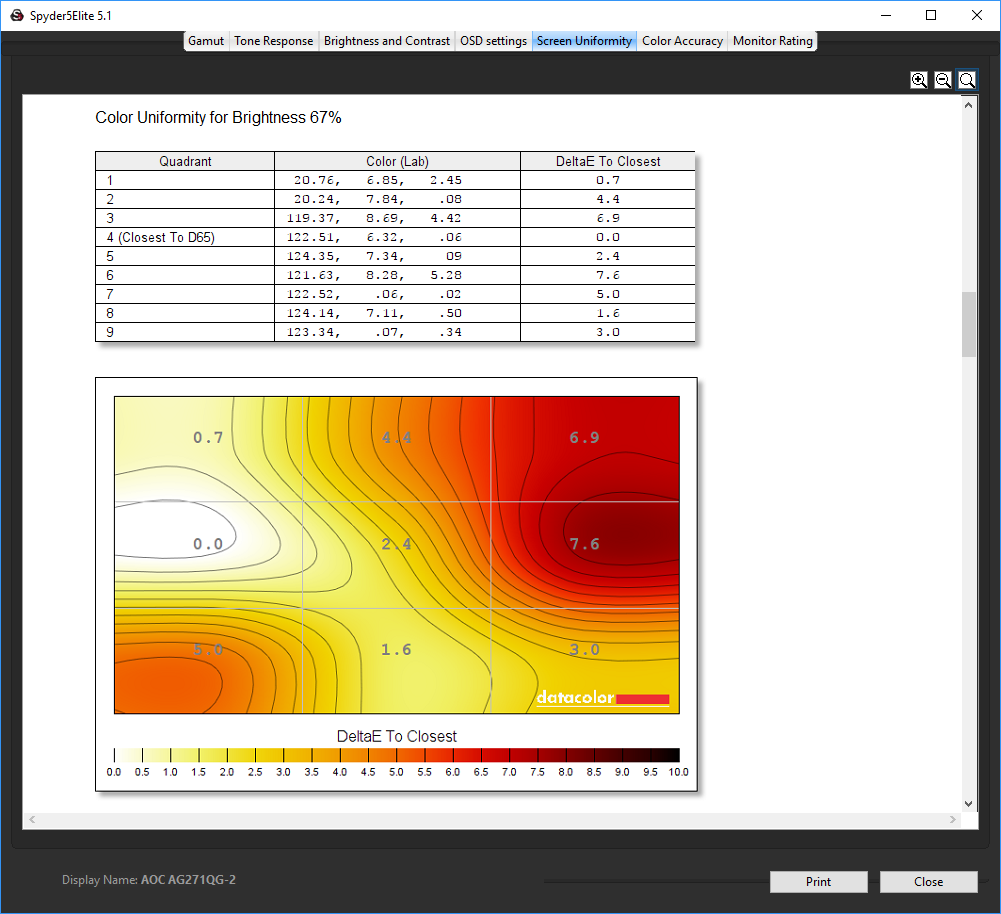
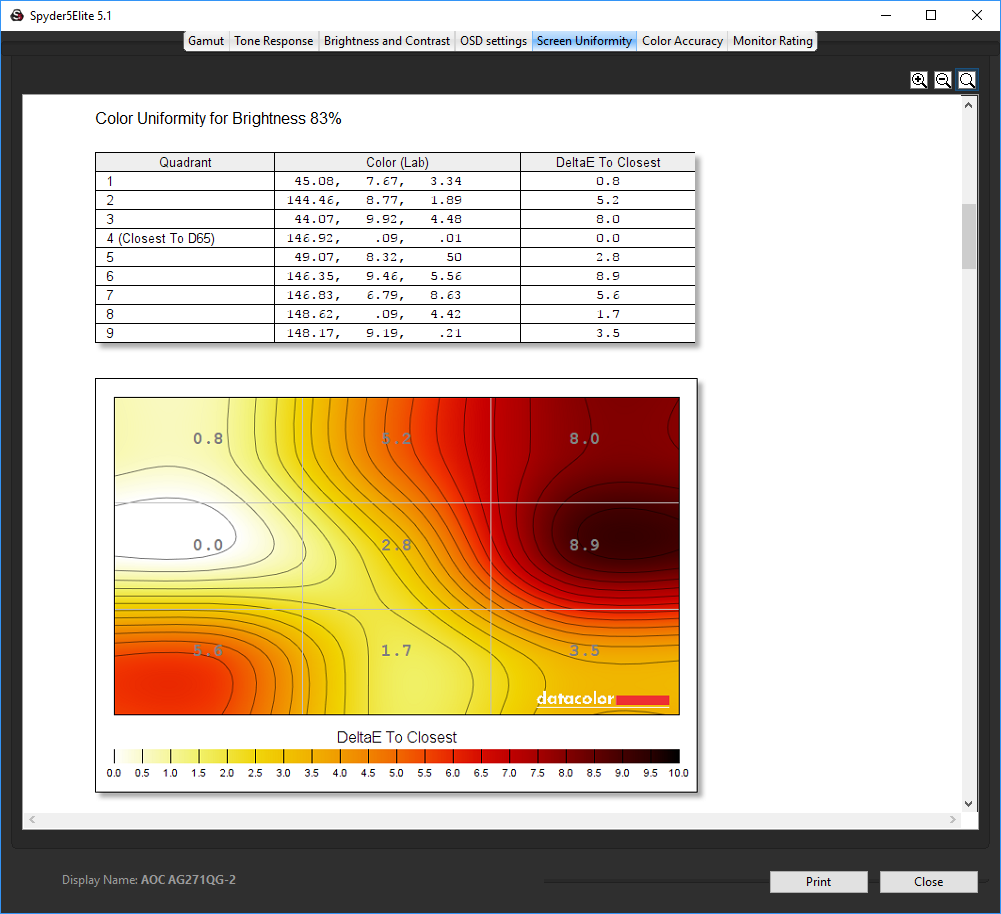
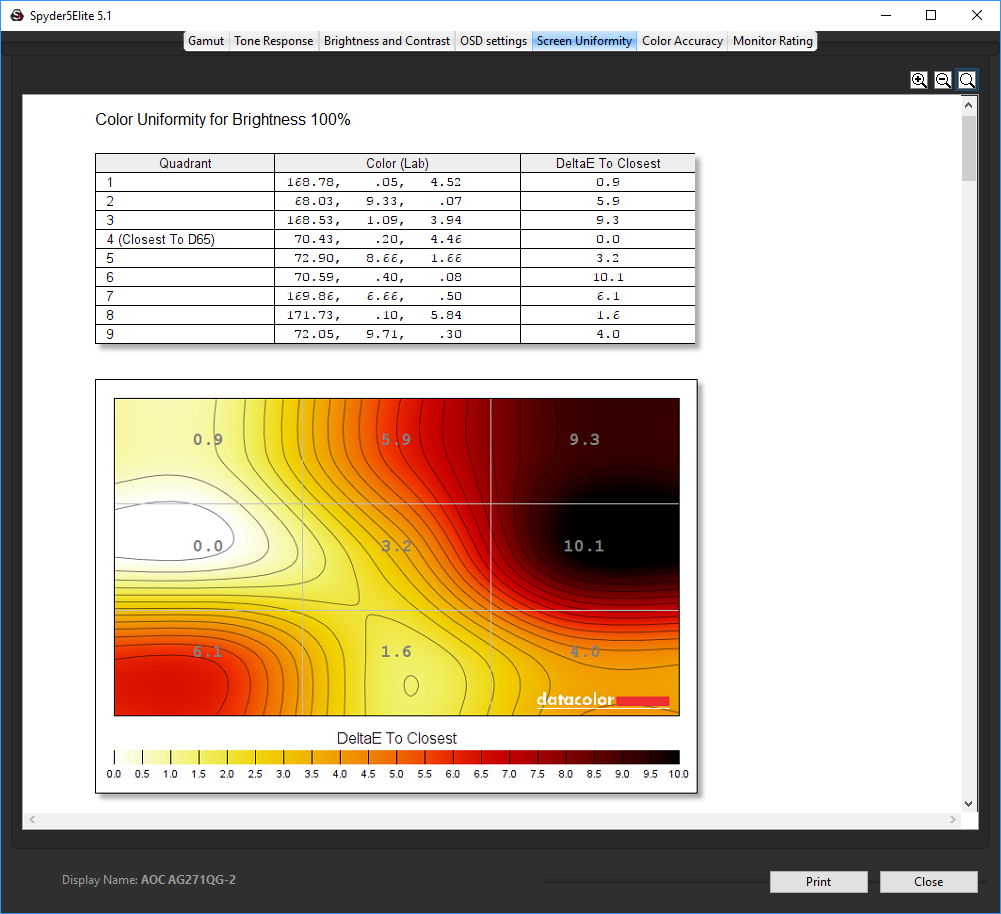
Colour uniformity is similarly less than stellar, particularly when compared to the AG271QX. This does improve as you reduce the brightness, but it's a concern in such an expensive screen.
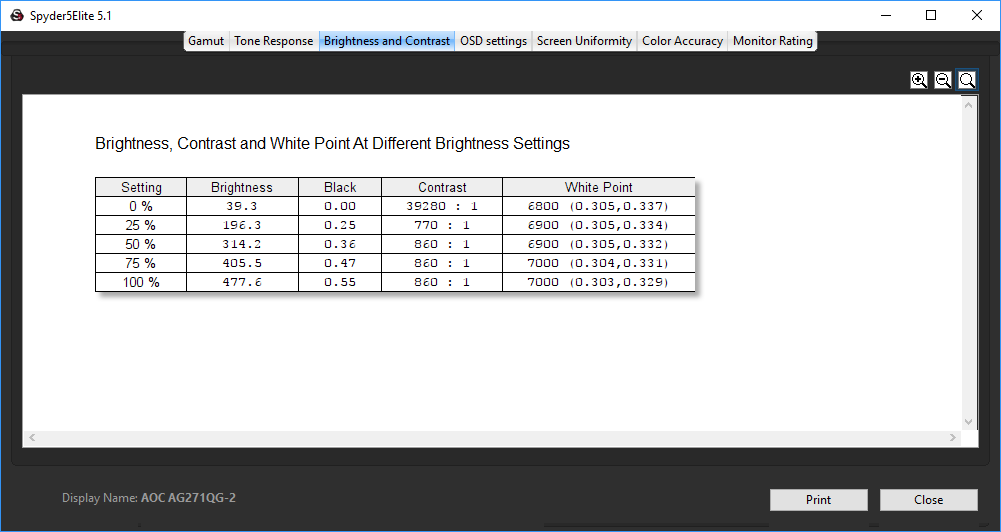
The AG271QG starts to pull things back when we look at brightness, contrast and white points as you go up the brightness settings. Although this monitor is rated at 350cd/m2, at 100 per cent brightness it goes well beyond that to around a 50 per cent greater level. You could readily use this screen at 50 per cent brightness and enjoy the same level as many screens at 100 per cent. This mitigates the lack of uniformity, which is much more acceptable around the 50 per cent brightness setting.
Contrast is also very stable across the board, hitting 860:1 at 50 per cent brightness and above, and only dropping to 770:1 at 25 per cent brightness. The white point is also pretty stable across the brightness range, although the AG271QX was a total master in this area, with variance only at maximum brightness. Note that the default brightness for the AG271QG is 90 per cent, which seems unnecessarily high after seeing the results of this test.
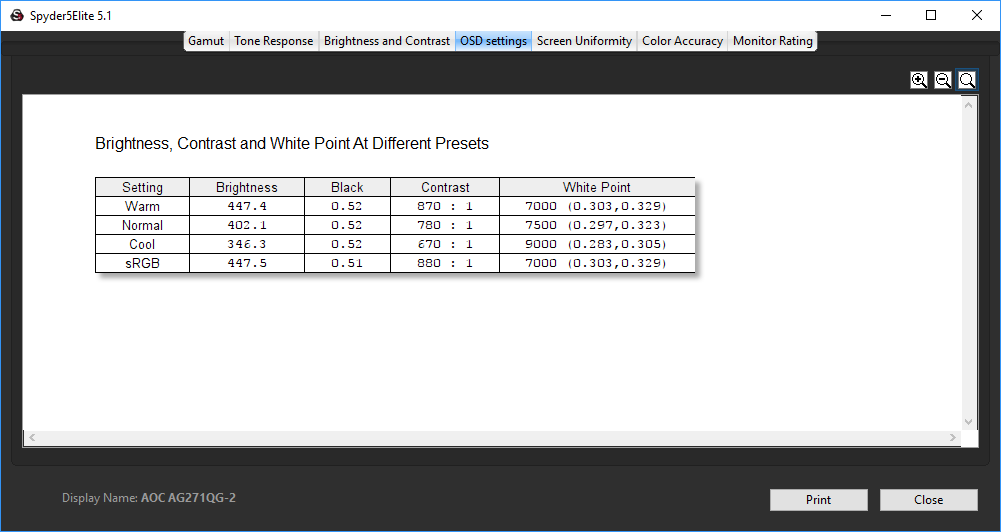
The AG271QG's more pedestrian colour settings than most gaming monitors only provide a small range of different configurations. The Warm and sRGB options are hardly different at all, with the same brightness and white point readings, and almost the same black level and contrast.
The Normal option is a little less bright, with lower contrast, and a slightly cooler colour temperature. The Cool option naturally has a much higher white point at 9000K, allied with a lower brightness and contrast.
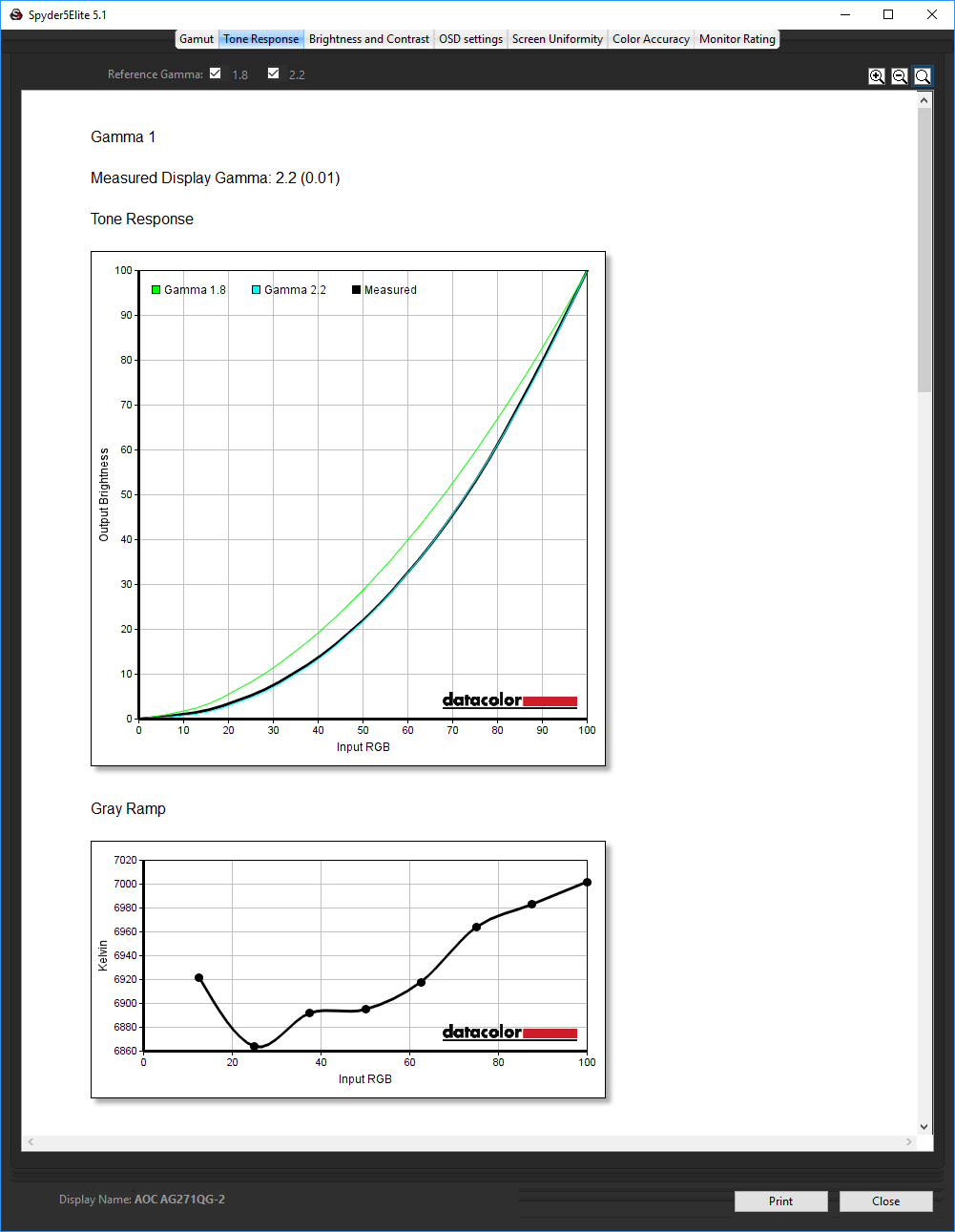
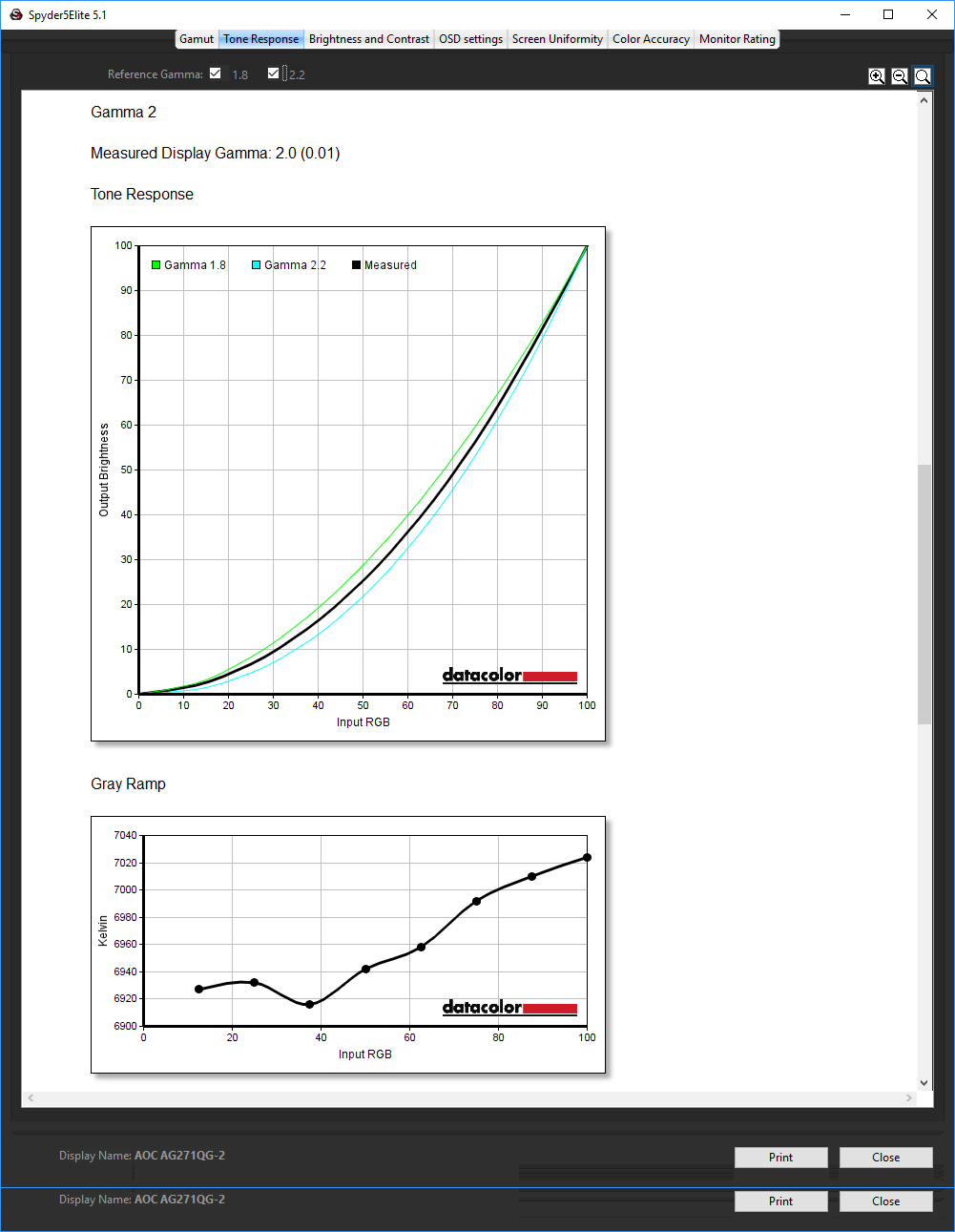
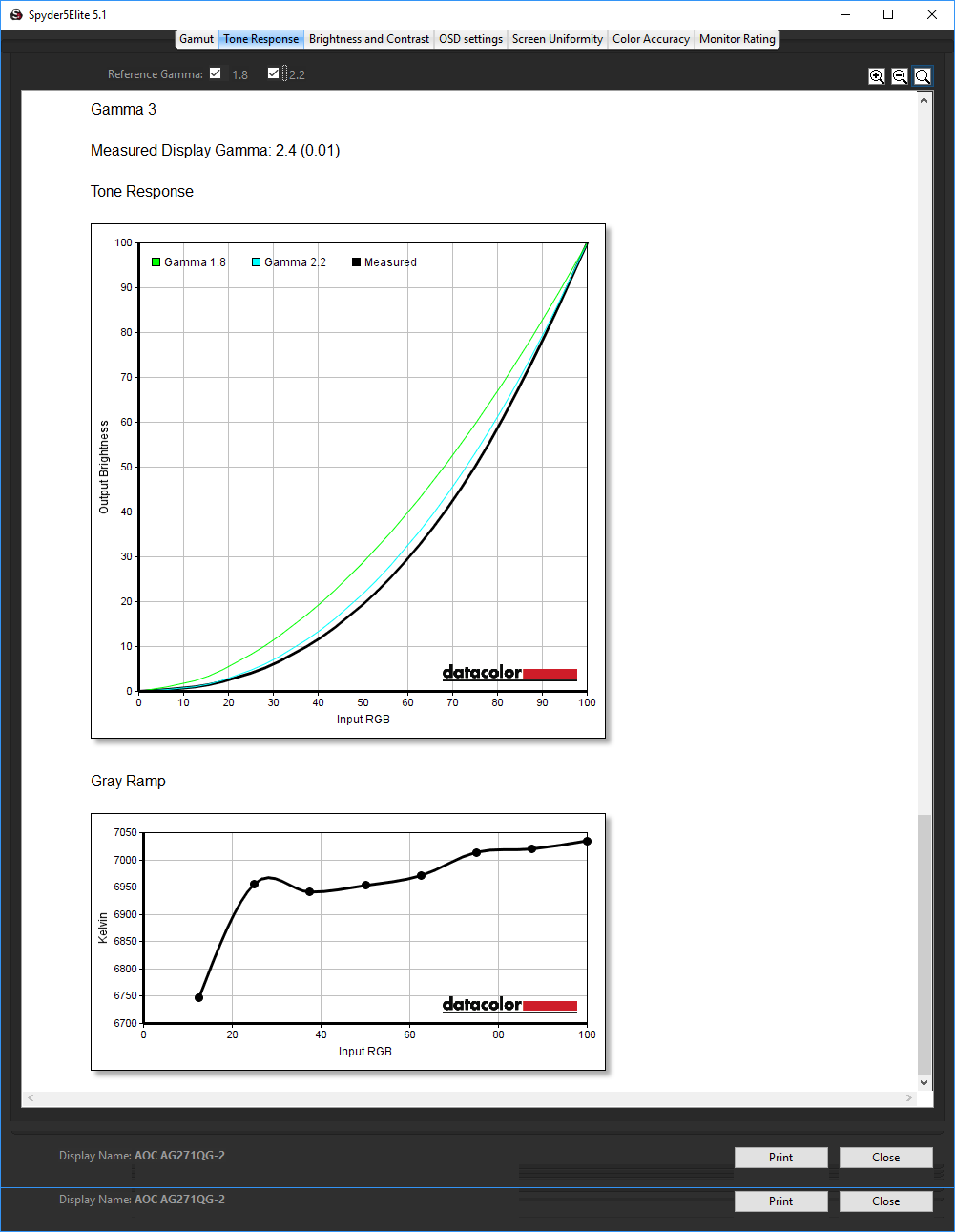
There are three gamma presets, with Gamma 1 being the default. This equates to almost exactly 2.2. The Gamma 2 setting reduces things to a straight 2.0, whilst Gamma 3 increases to 2.4. So there is a health range of options here.
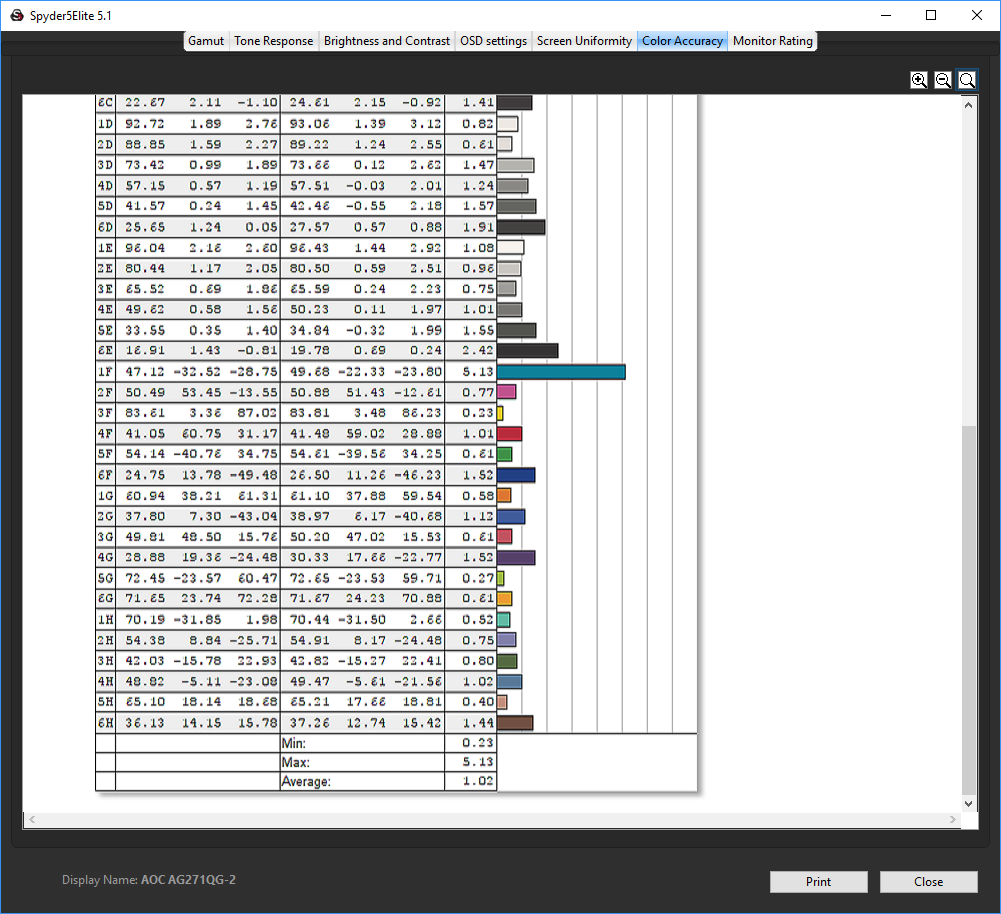
Colour fidelity is where IPS panels really pull away from their TN competitors, and without any calibration the AG271QG is much more faithful than the AG271QX, and indeed very good overall with a score of 1.02.
Next we calibrated the screen using the Spyder to see if this could improve matters even further.
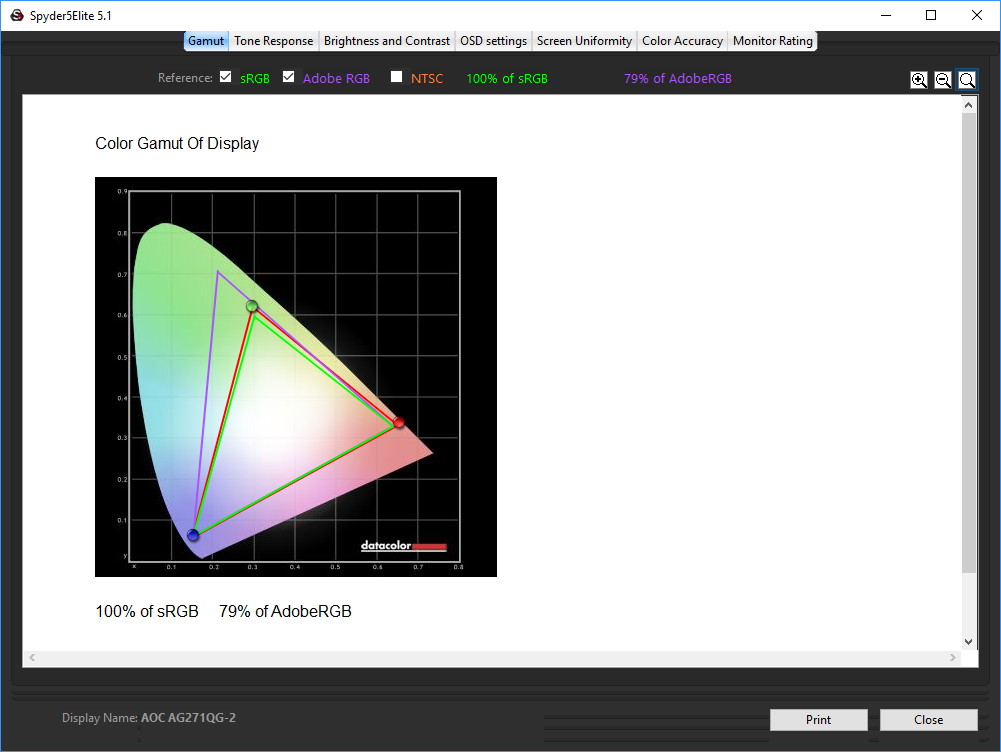
No change to the colour gamut, with 100 per cent of sRGB and 79 per cent Adobe RGB – already great results.
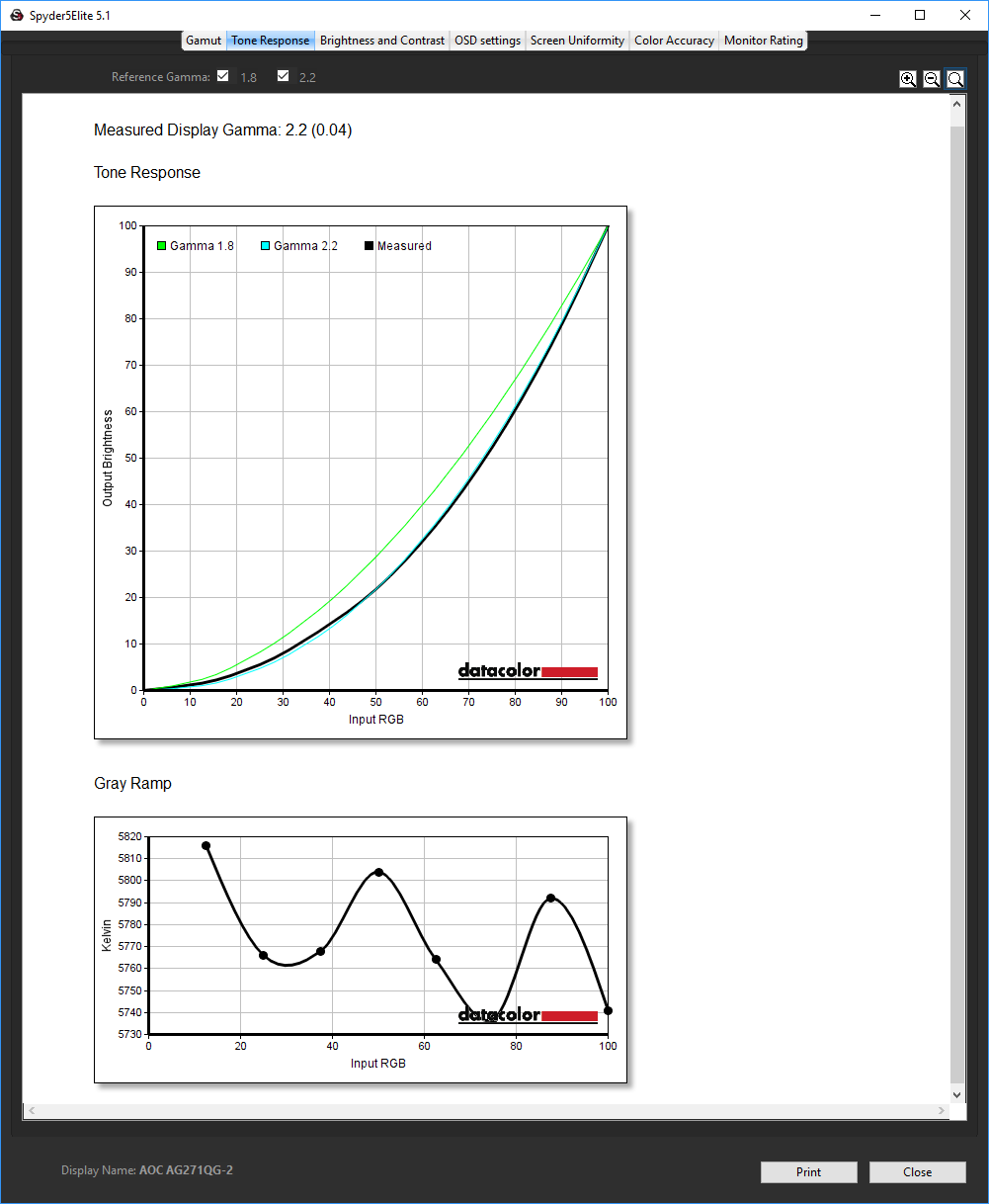
Only infinitesimal changes to tonal range, too, with the gamma remaining at 2.2.
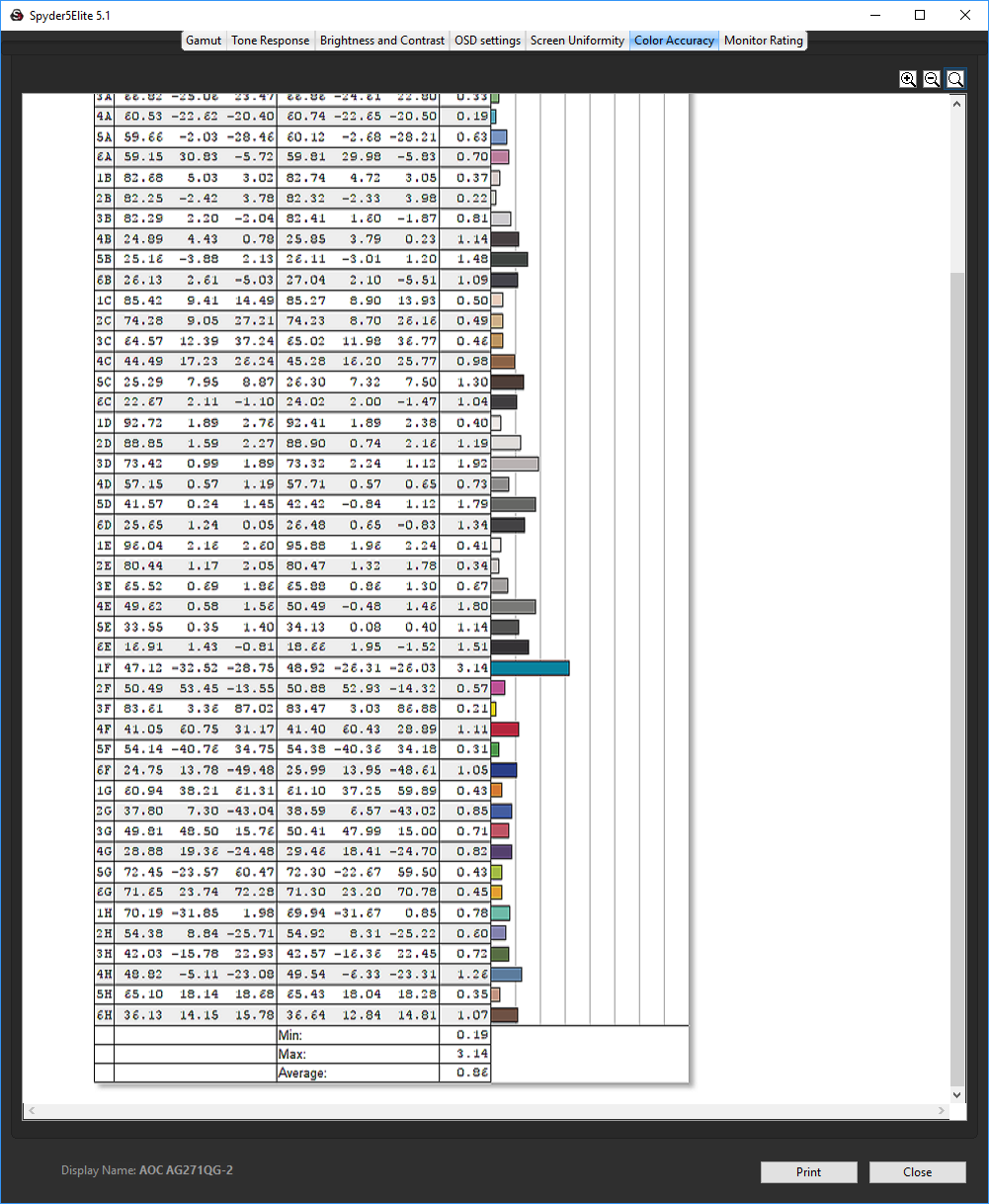
The already brilliant colour accuracy is now averaging 0.86. This is one of the best results we have seen from any panel we have tested.
We also tested the monitor with some games, both at the default 60Hz and the top 165Hz. With games that could deliver the higher frame rates on our test system, there was noticeably smoother animation at the higher refresh. This was even better when we enabled G-Sync on our test system's NVIDIA Quadro K2200 graphics card. This varies the refresh to match the frame rate, within the bounds of the screen's capability, which is 30Hz to 165Hz when overdriven, or 144Hz when not. The average casual gamer isn't going to gain a huge amount from these much faster screen refresh rates, but if you're competitive every frame counts for top performance.
Overall, the AG271QG has good and bad sides. The brightness uniformity issues are a little disappointing, but the colour accuracy is nothing short of brilliant, especially when calibrated. The 165Hz refresh and G-Sync will be very tempting for the serious gamer.
Despite the almost identical outer appearance, the AOC AGON AG271QG is a very different monitor to the AG271QX. Colour accuracy is excellent, and that 165Hz option with G-Sync is going to be a serious draw for some. However, the lack of brightness uniformity tars the copy book and we miss both the extra gaming options of the TN model as well as its super-convenient Quick Switch keypad.
Apart from the high refresh, this screen is less game-focused in terms of features than the AG271QX, and notably behind the excellent ASUS ROG SWIFT PG248Q in this respect. Like the TN panel, we would have liked to see presets for multimedia activities such as watching movies, although the screen accuracy is such that you might not change things around much once set up the way you like it.
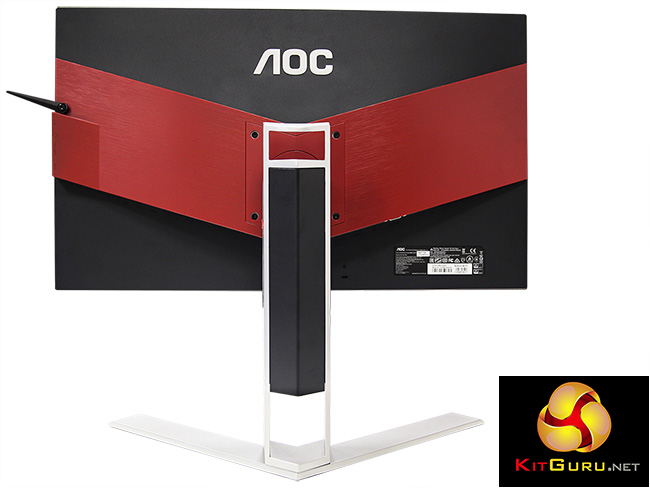

The AOC AGON AG271QG is available at Overclockers UK for £548.99 (at the time of writing). This is rather pricey for a 27in screen with 2,560 resolution, although an IPS panel and 165Hz refresh is never going to be cheap. It's worth considering if you want the ultimate in frame rates and super colour accuracy.
Discuss on our Facebook page, over HERE.
Pros:
- 165Hz refresh rate.
- G-Sync support.
- Superb colour accuracy.
- Connectivity includes USB 3.0 hub and audio.
- 2,560 x 1,440 resolution.
Cons:
- Expensive.
- No gaming or multimedia presets.
- Poor brightness uniformity.
Kitguru Says: The AOC AGON AG271QG combines brilliant colour accuracy with a superb 165Hz refresh and G-Sync, but it's expensive and brightness uniformity could be better.


One yr ago I decided to quit my office job and that decision was a life changer for me… I started to work at home, over a website I discovered on-line, for several hours a day, and I earn much more than i did on my office job… My check for last month was for $9k… Amazing thing about this work is that i have more time to spend with my family… SECURE54.COM
Google is paying 97$ per hour! Work for few hours and have longer with friends & family! !sa270c:
On tuesday I got a great new Land Rover Range Rover from having earned $8752 this last four weeks.. Its the most-financialy rewarding I’ve had.. It sounds unbelievable but you wont forgive yourself if you don’t check it
!sa270c:
➽➽
➽➽;➽➽ http://GoogleFinancialJobsCash560WebServeGetPay$97Hour… ★★✫★★✫★★✫★★✫★★✫★★✫★★✫★★✫★★✫★★✫★★✫★★✫★★✫★★✫★★✫★★✫★★✫★★::::::!sa270c:….,…..
Google is paying 97$ per hour! Work for few hours and have longer with friends & family! !sa300c:
On tuesday I got a great new Land Rover Range Rover from having earned $8752 this last four weeks.. Its the most-financialy rewarding I’ve had.. It sounds unbelievable but you wont forgive yourself if you don’t check it
!sa300c:
➽➽
➽➽;➽➽ http://GoogleFinancialJobsCash590WebMonitorGetPay$97Hour… ★★✫★★✫★★✫★★✫★★✫★★✫★★✫★★✫★★✫★★✫★★✫★★✫★★✫★★✫★★✫★★✫★★✫★★::::::!sa300c:….,…..