KitGuru KitGuru.net – Tech News | Hardware News | Hardware Reviews | IOS | Mobile | Gaming | Graphics Cards


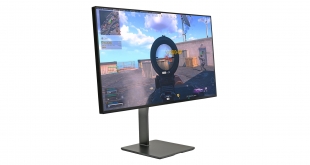
Eve Spectrum caused quite a stir when it was first teased back in 2019. Offering a 4K resolution, 144Hz refresh rate and an initial starting price of just $589, it sounded too good to be true. For a while, it certainly seemed that may be the case – but over two years on, Eve Spectrum is finally here and we've been using it for the last two weeks. Is it as good as it looks, or is there more to the story? Let's find out.
Eve Spectrum is being manufactured in three different forms – 1440p/144Hz, 1440p/240Hz and 4K/144Hz. We are reviewing the latter, though right now only the 4K/144Hz model (ES07D03) is shipping with the other models still in development, which Eve says is primarily because of the ‘IC crisis.'
Using the same IPS panel as LG's 27GN950, the Spectrum promises 1ms G2G response times – with overdrive, at least – and comes with VESA DisplayHDR600 certification. It's also officially G-Sync Compatible and AMD FreeSync Premium Pro certified. The price has increased from the ‘early bird' offer though, as the 4K model will now set you back $799 and that doesn't include a stand – Eve's own is available separately for $99.
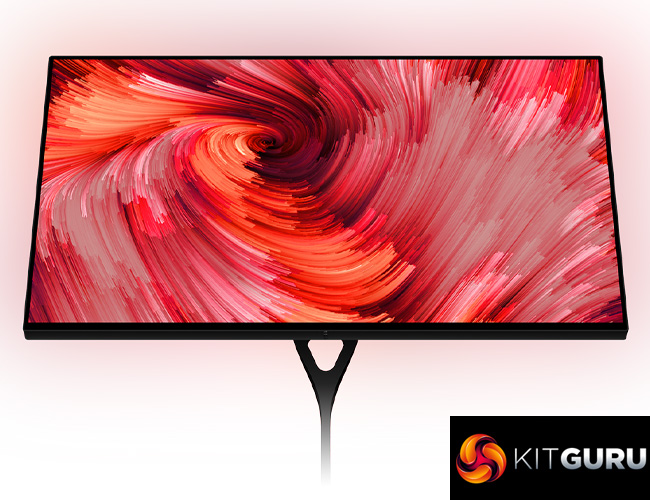
Specifications (ES07D03):
- monitor size: 27″ (diagonal)
- display area: 597mm x 336mm
- aspect ratio: 16 : 9
- native resolution: 3840×2160 pixels
- pixel pitch: 0.1557mm
- pixel density: 163ppi
- brightness: 450cd/m² typical, 750cd/m² peak
- HDR: HDR10 Media Profile, VESA DisplayHDR600 certified
- displayable colors: 1.07 billion
- color gamut: 98% DCI-P3, 100% sRGB
- color depth: 10-bit (8-bit + A-FRC)
- color accuracy: Individual factory calibration, D65 white point, 0.59 average ΔE (typical)
- contrast ratio 1000:1 typical, 10 000 000 : 1 dynamic
- viewing angle: 178° horizontal 178° vertical
- surface treatment: Low-haze 20% anti-glare coating
- response time: 5ms (gray-to-gray) typical, 1ms (gray-to-gray) overdrive
- adaptive sync: NVIDIA G-SYNC Compatible certified, AMD FreeSync Premium Pro certified, frequency range 48Hz – 144Hz
- panel technology: Nano IPS Oxide TFT LCD
- backlight technology: Bottom edge-lit white LED with KSF nano-particle layer
- backlight dimming: Global or no dynamic dimming in SDR mode, 16-zone local dimming in HDR mode
- HDMI: 2x HDMI 2.1 video input
- DisplayPort: 1x DisplayPort 1.4 video input
- USB Type-C: 1x DisplayPort 1.4 video input, SuperSpeed+ USB (USB 3.1 Gen 2, up to 10Gbps) upstream connection to computer, Power output up to 20V 5A (100W)(USB PD 3.0)
- USB Type-C: 1x, SuperSpeed+ USB (USB 3.1 Gen 2, up to 10Gbps), Power output up to 5V 3A (15W)
- USB Type-A: 2x SuperSpeed+ USB (USB 3.1 Gen 2, up to 10Gbps), Power output up to 5V 2A (10W)
- 3.5mm audio jack: 1x, Analog audio outputfrom video input source
- USB Type-B: 1x, SuperSpeed+ USB (USB 3.1 Gen 2, up to 10Gbps) upstream connection to computer
- variable overdrive: Yes
- backlight strobing: Yes
- built-in speakers: No
- VESA mount compatible: VESA Mounting Interface Standard 100mm x 100mm
- Kensington lock compatible: Yes
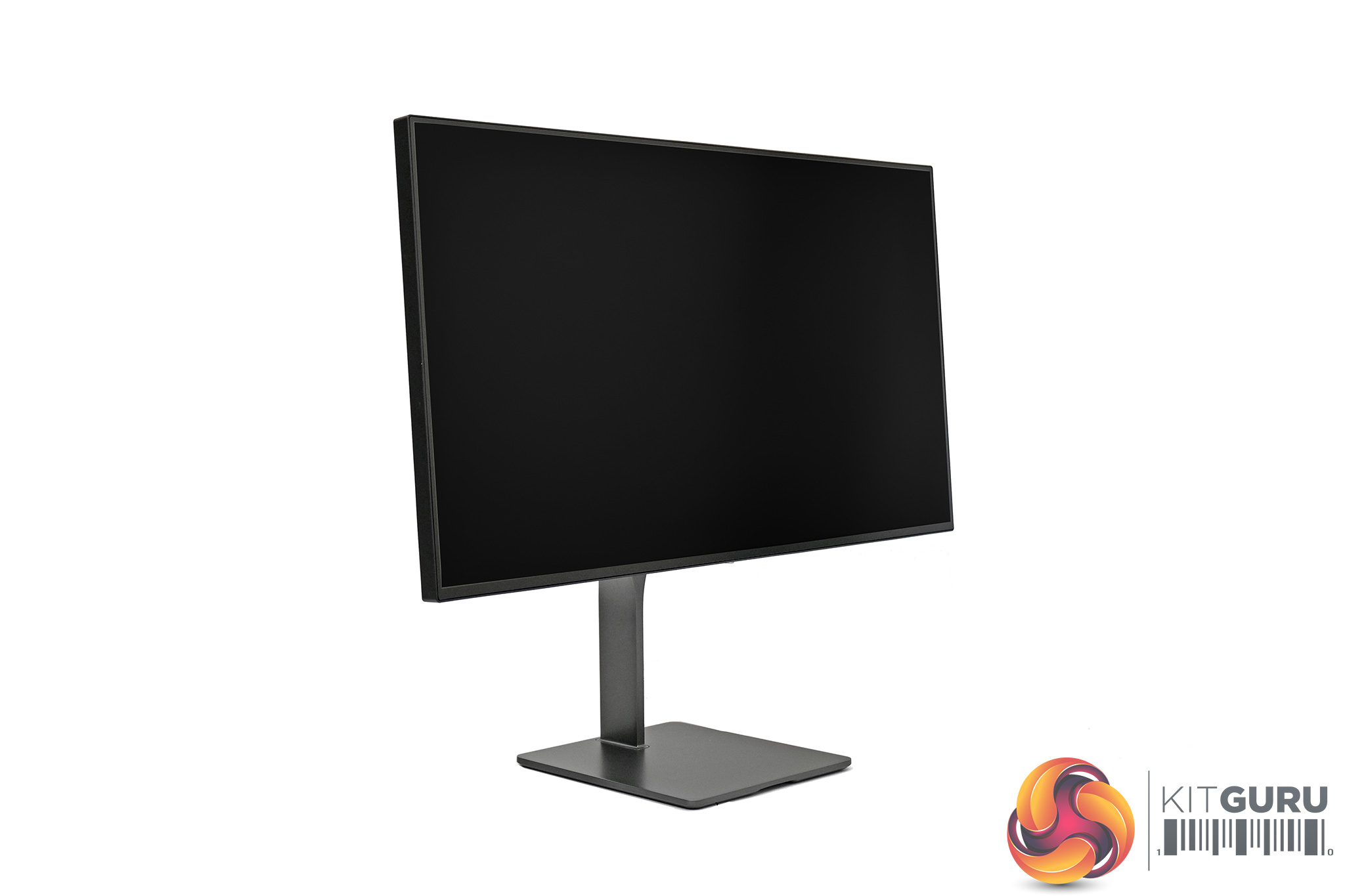
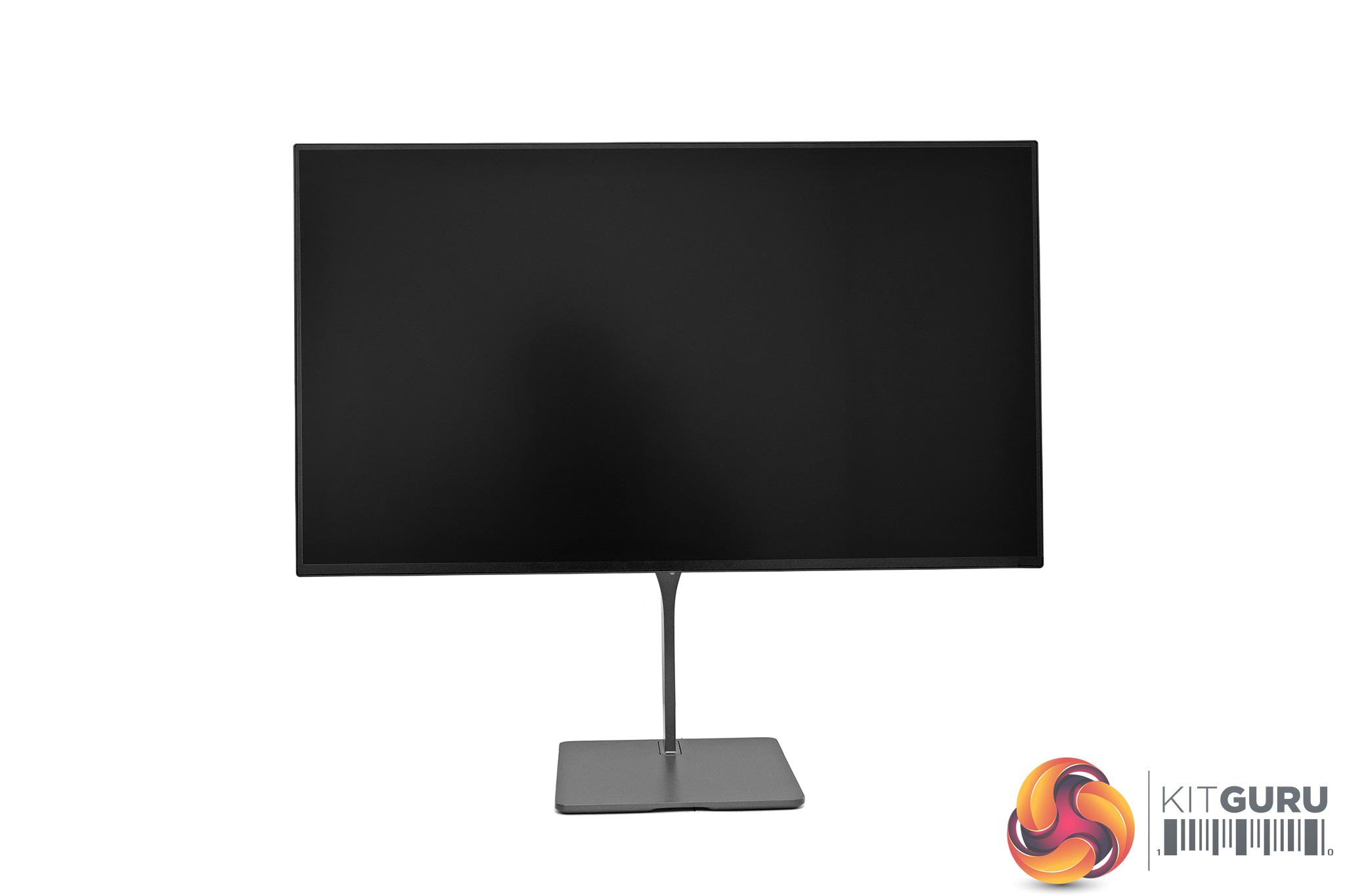
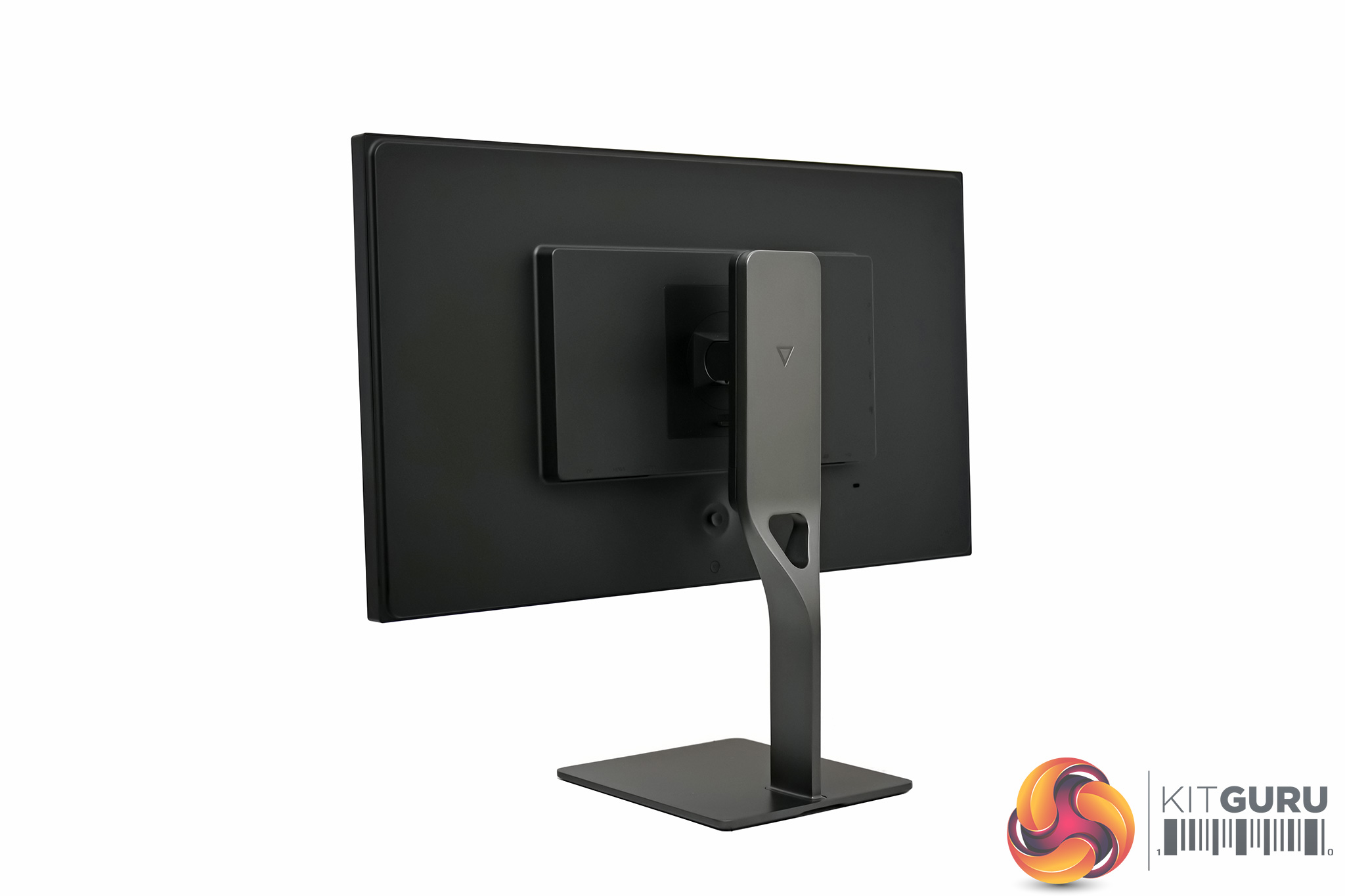
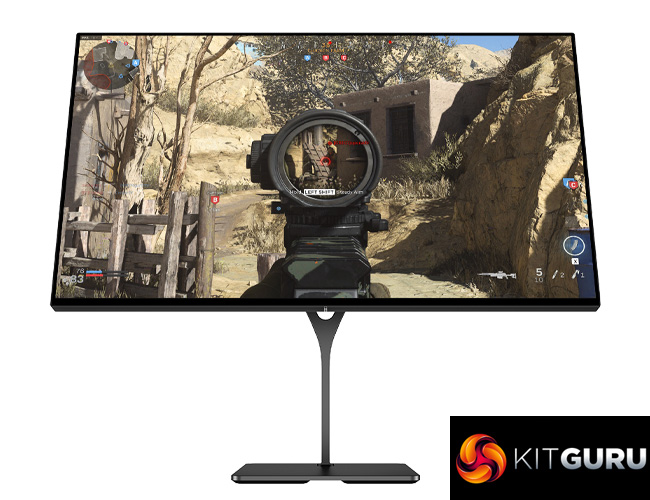
Eve Spectrum is an extremely stylish monitor, no doubt about it. It's very minimalistic in its design and nothing about it makes it look like a ‘gaming' display – there's no RGB, no aggressive angles or curves, and no tacky logos. Instead it offers extremely thin bezels, a monochrome colourway and a fairly svelte overall thickness. If someone told me the Spectrum was Apple's first gaming monitor, I wouldn't think they were lying.
Part of the clean aesthetic does come from the stand, and as a reminder, this is not included in the $799 price for the display itself and will set you back another $99. The benefit to this approach is if you already have a VESA 100 wall mount or monitor arm, you're not wasting any money on a stand you don't need or won't use. If you don't already have your own stand but don't want to spend $99 on one, Amazon has a ton of options.
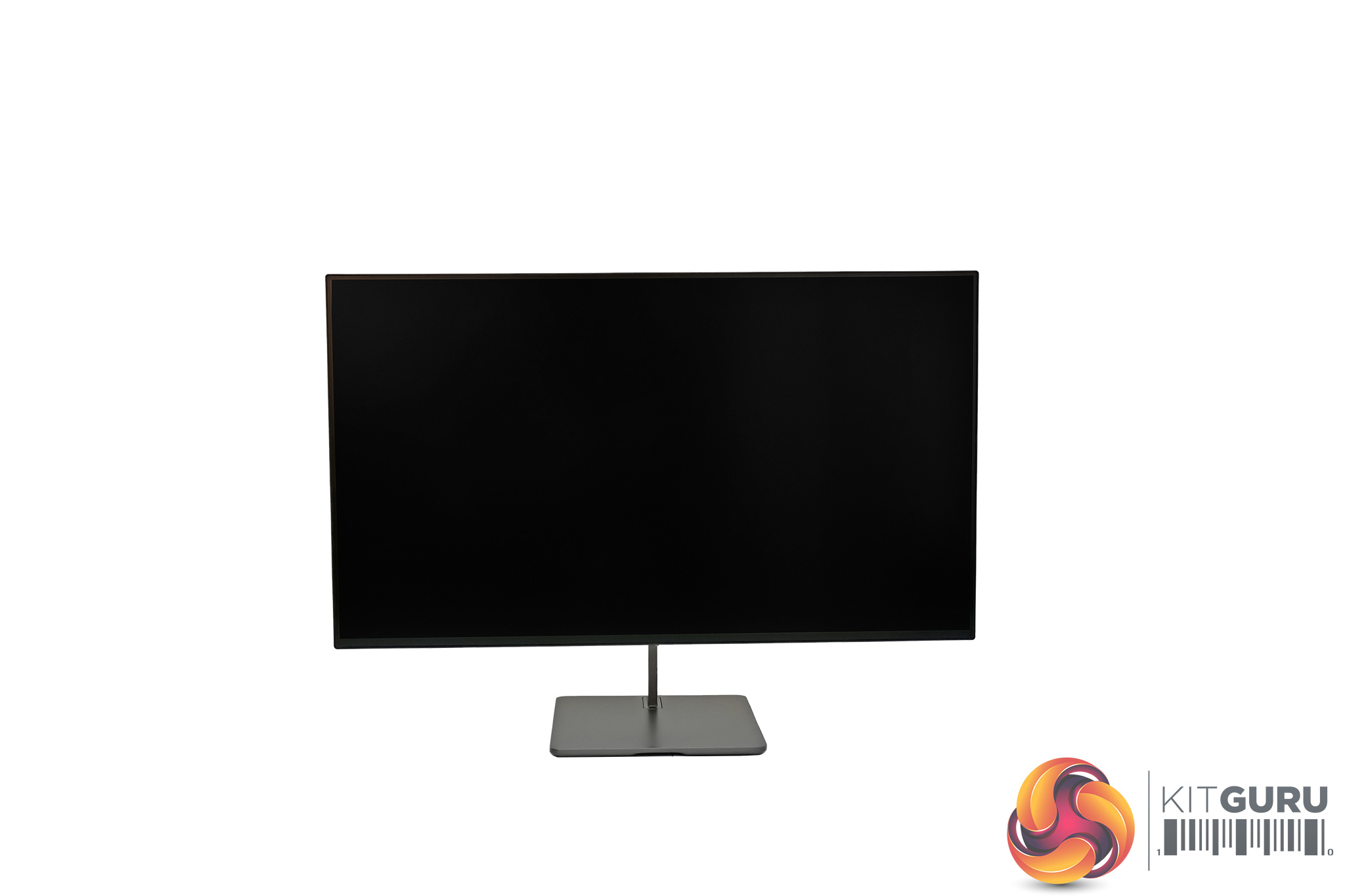
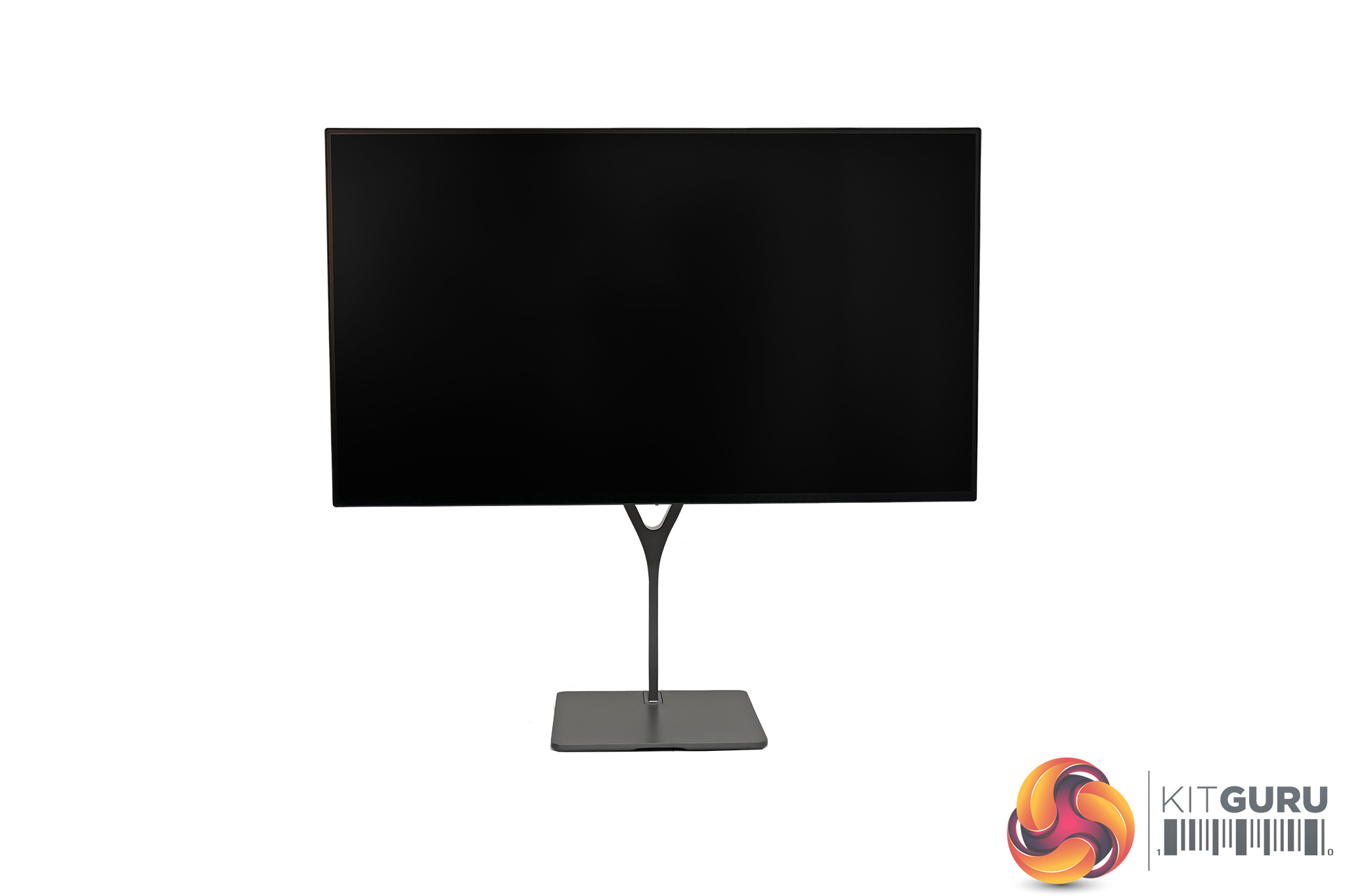
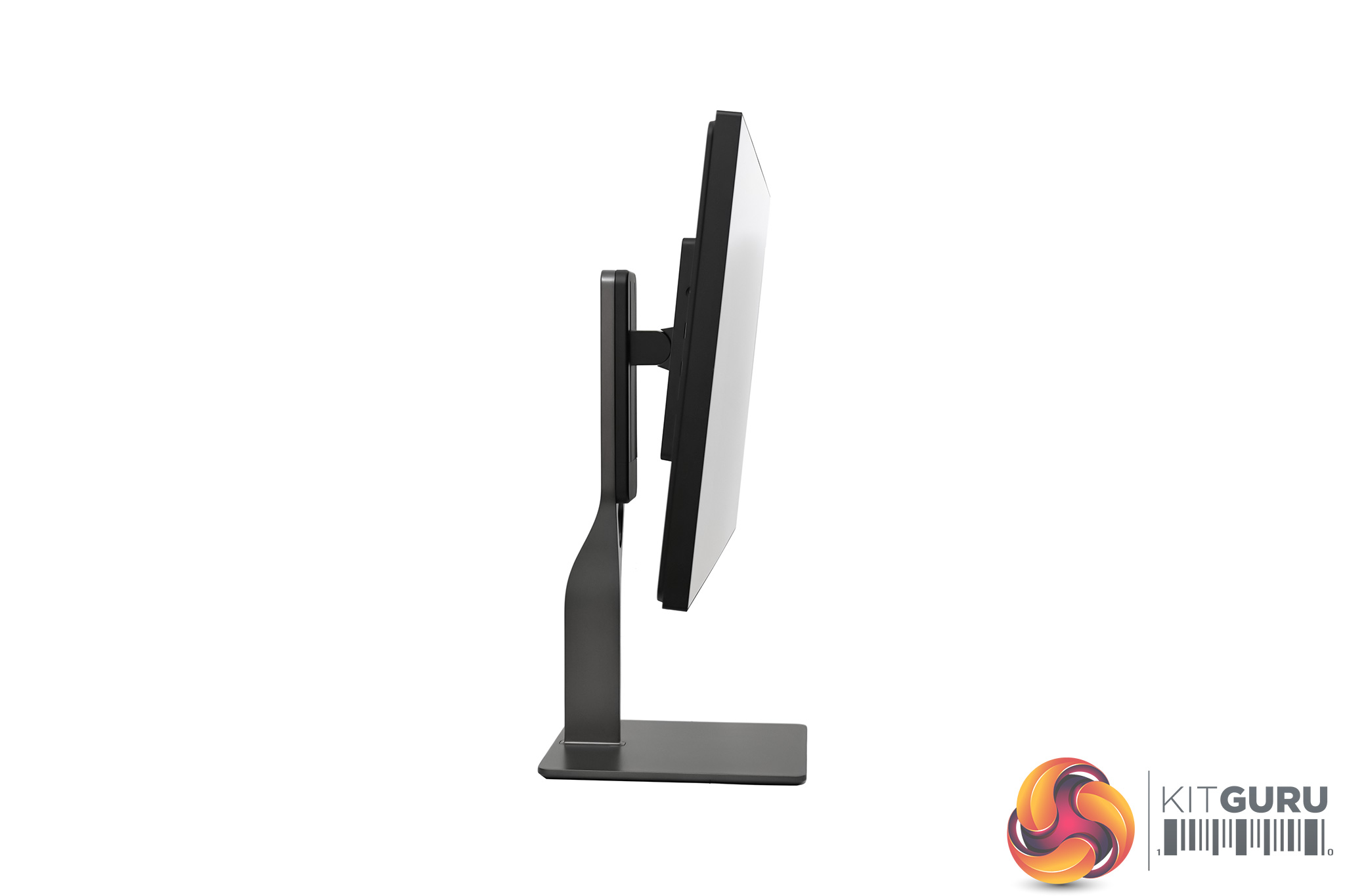
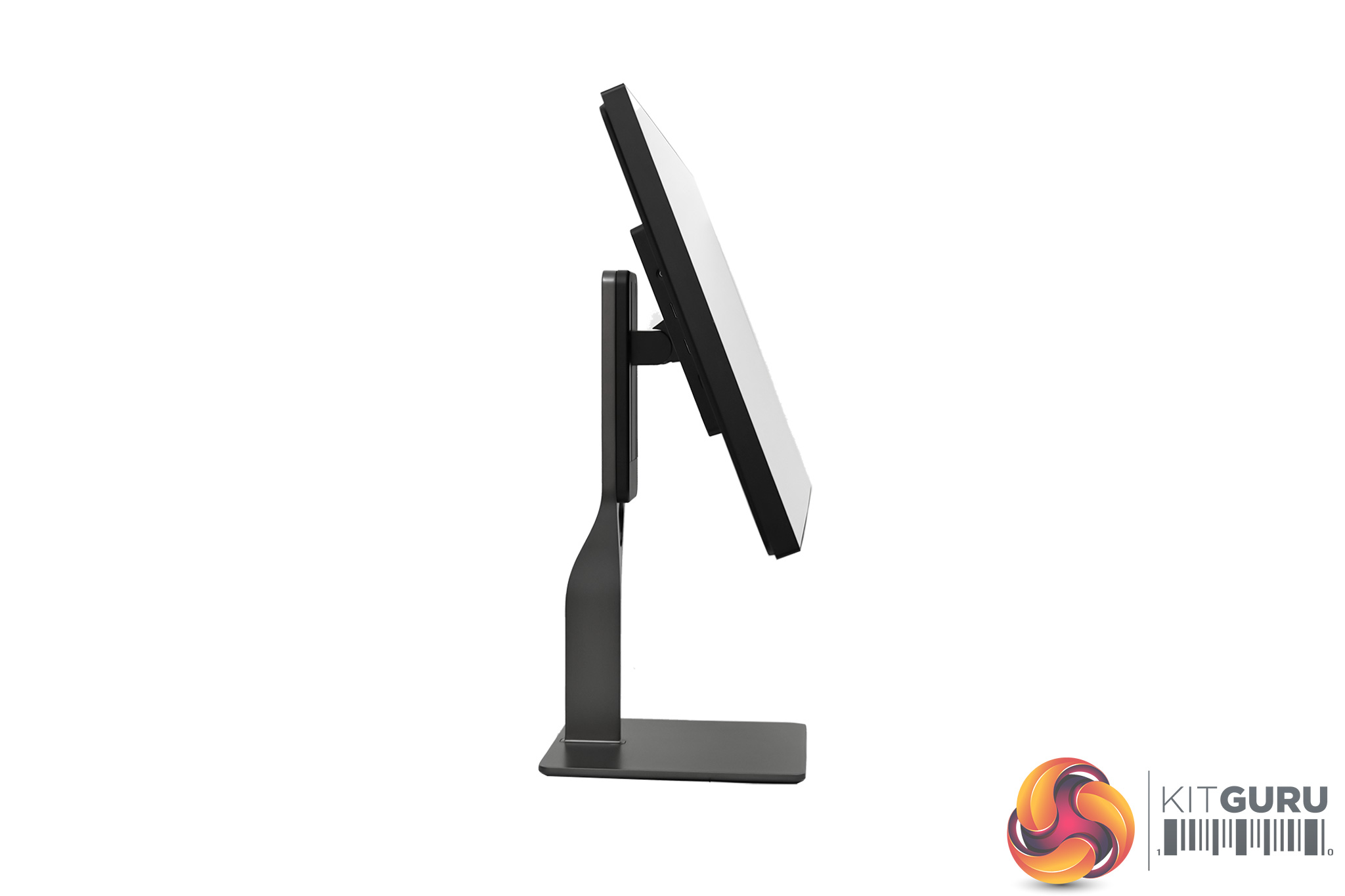
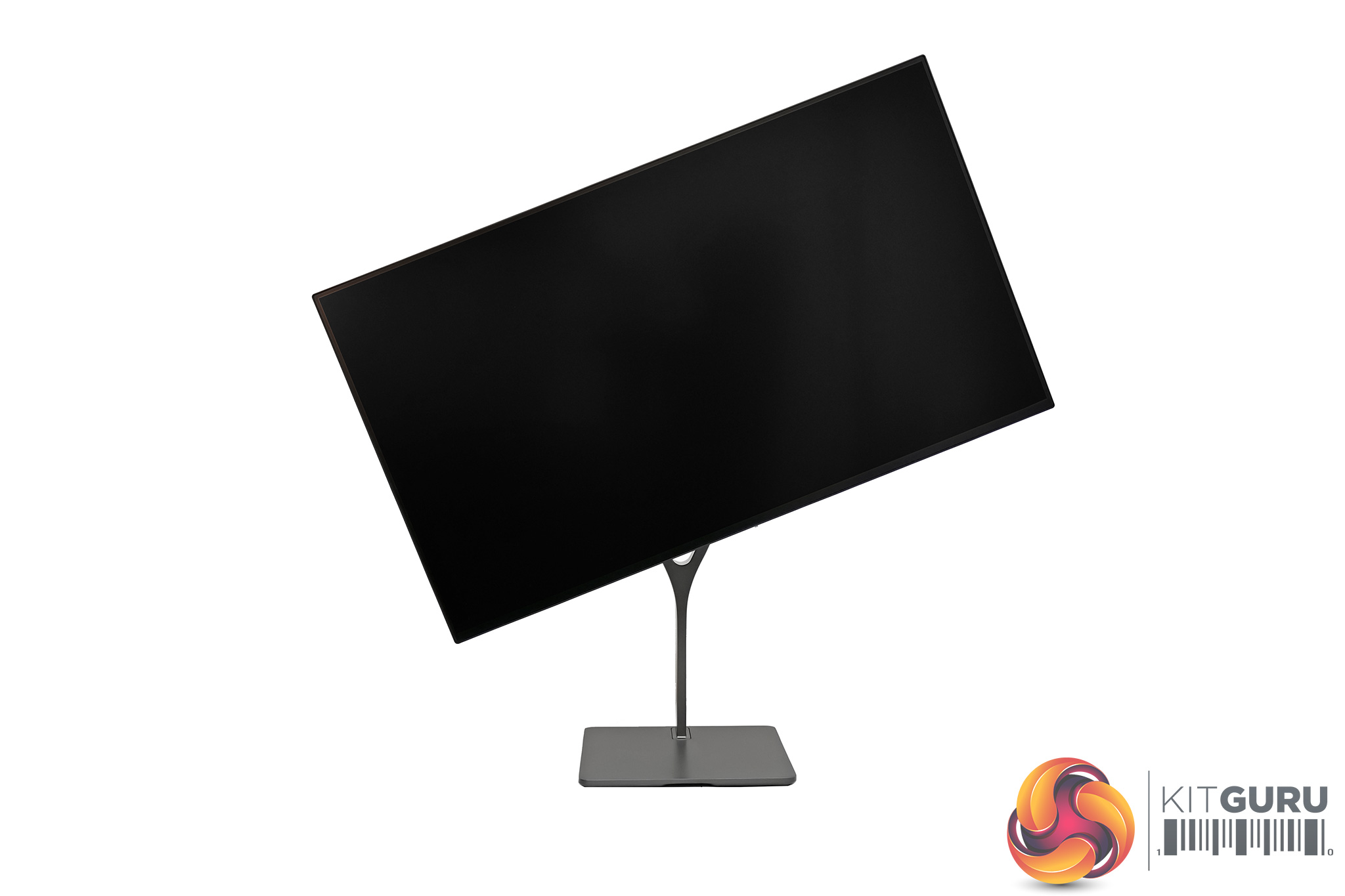
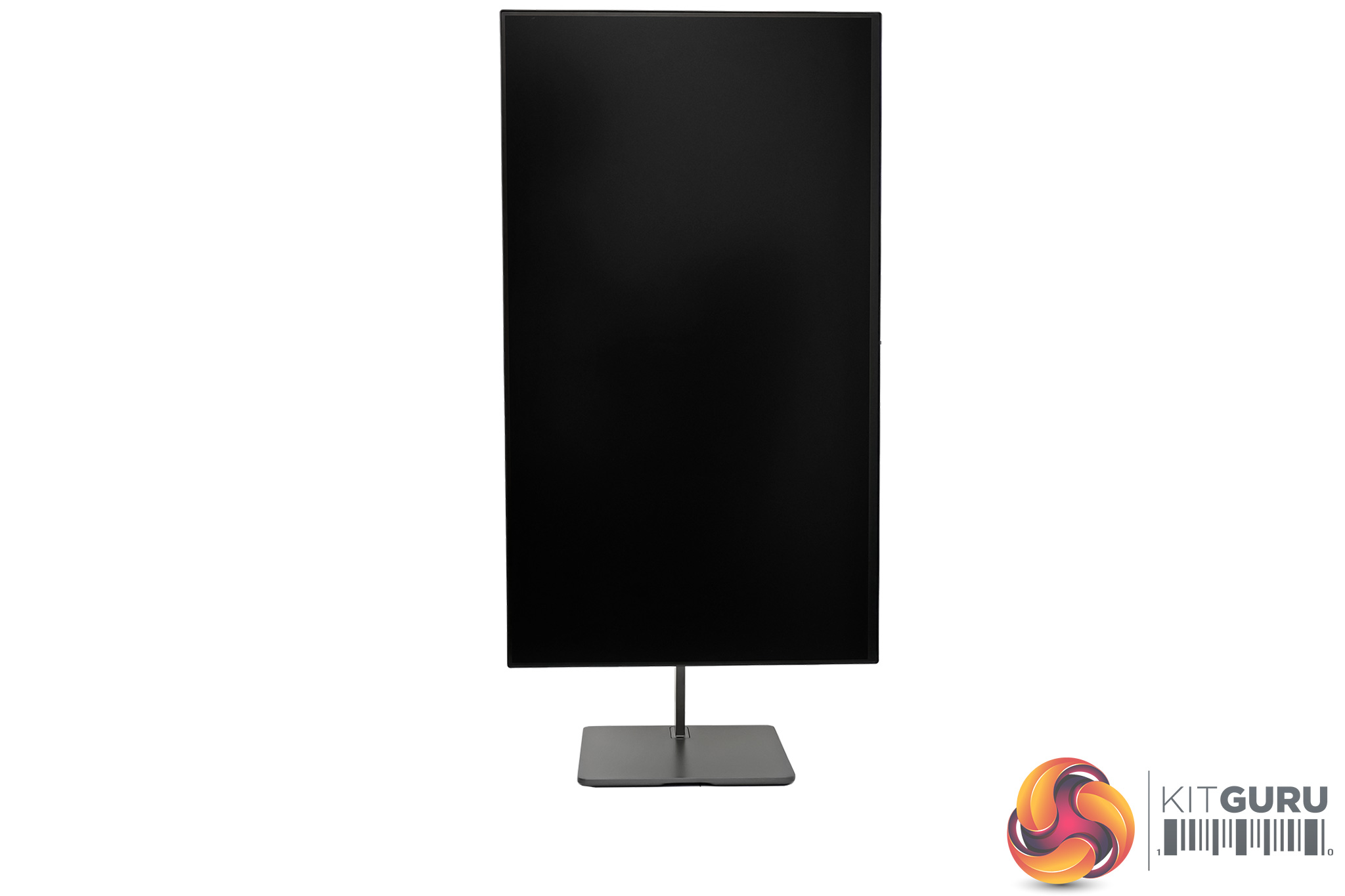
If you do buy the included stand however, which is made of a sturdy dark grey metal, then you get a range of ergonomic adjustments including 122mm of height adjust, tilt from -7 degrees to 23 degrees, as well as 90 degree rotation/pivot functionality, so you can use the display vertically if you want. The only thing missing is swivel, but with the compact, rectangular base to the stand, you can easily move the screen about.
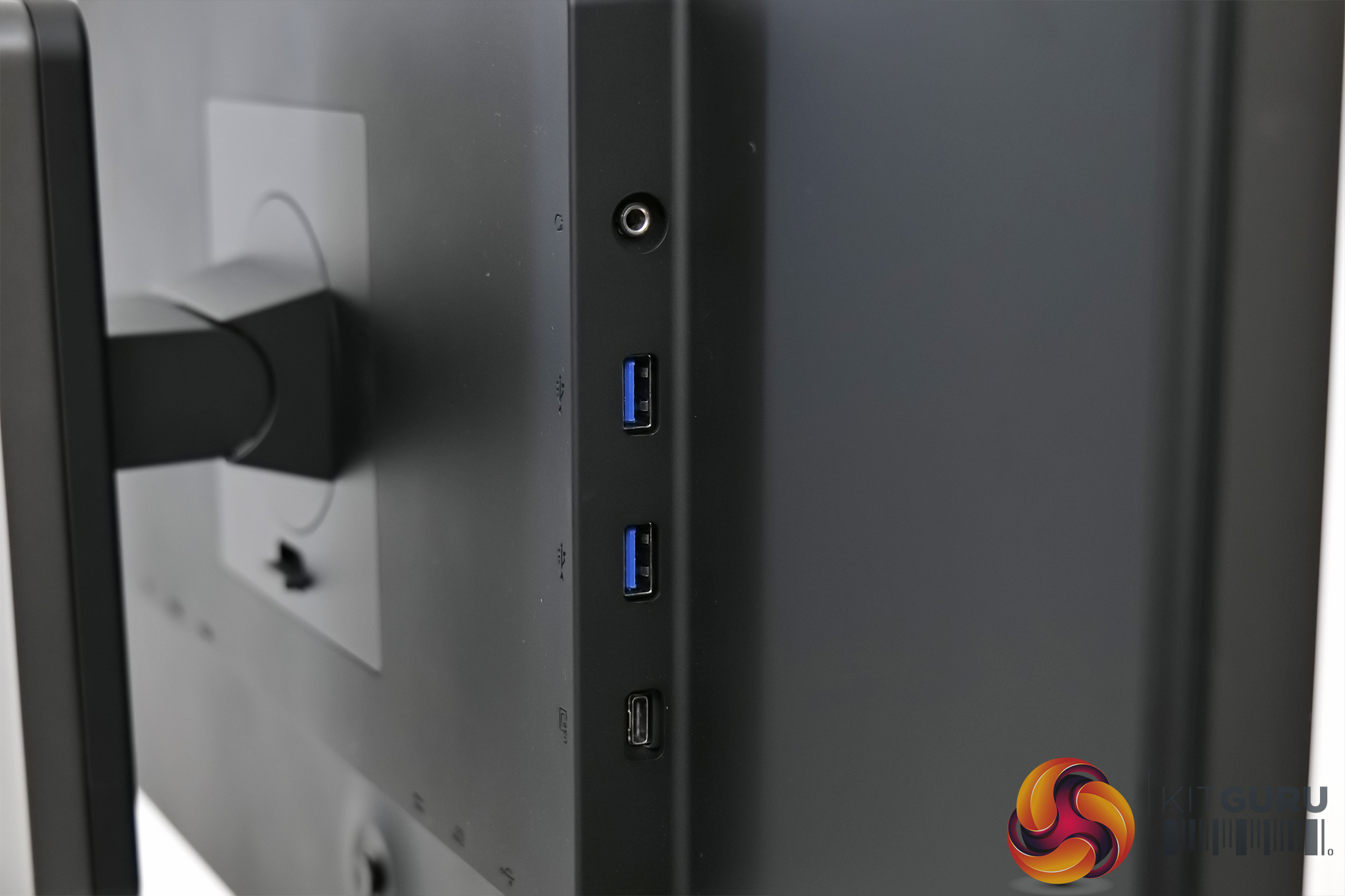
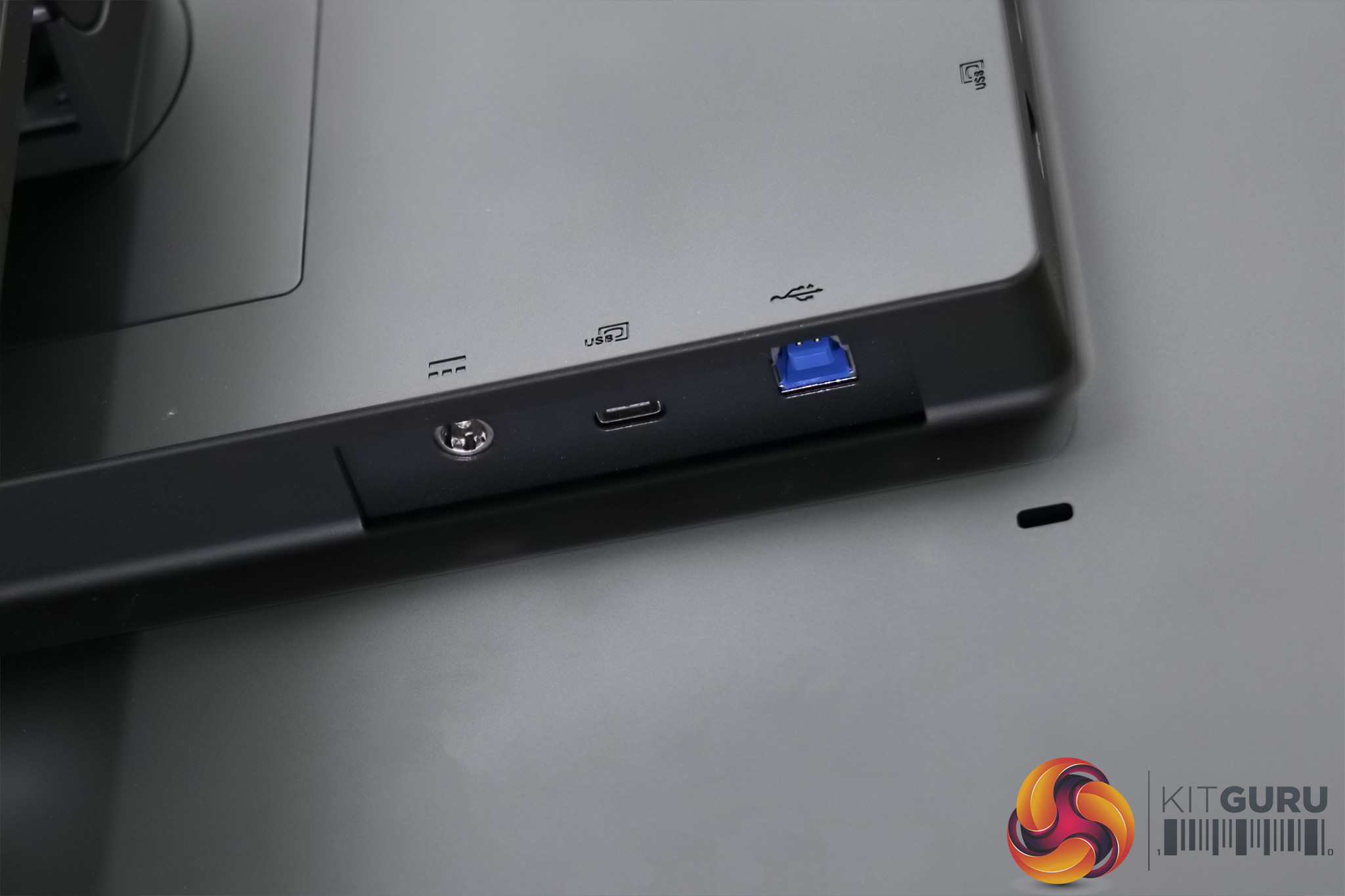
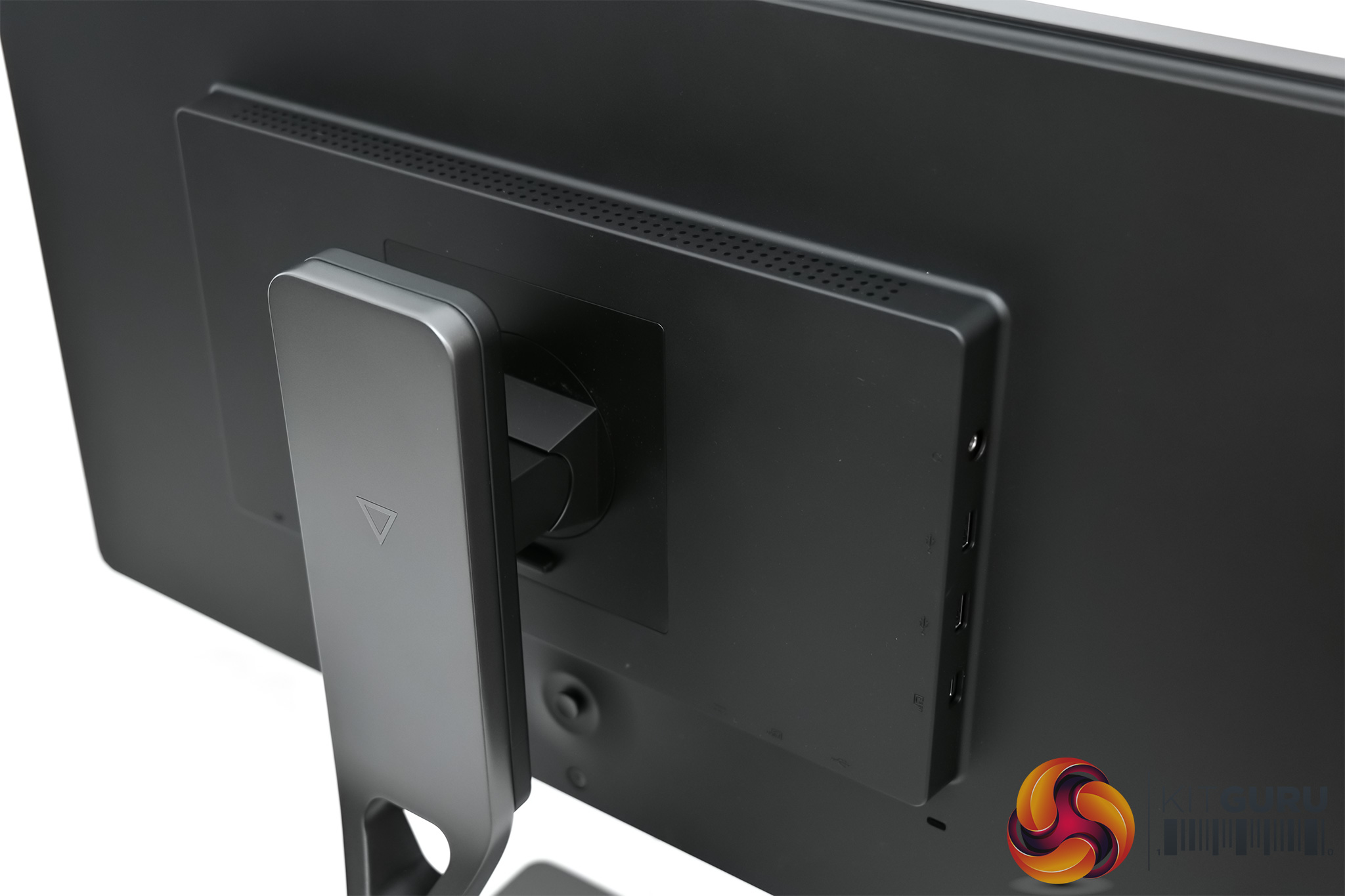
Round the back, there's a raised piece of the monitor, and here is where Eve has placed all the ports and connectors. This starts with a USB hub on the left-hand side of the raised section, offering 2x USB 3.1 Gen2 Type-A downstreams, 1x USB 3.1 Gen2 Type-C, and a 3.5mm audio jack. On the bottom edge, there's the USB Type-B upstream port, another USB-C port which supports DisplayPort 1.4 and up to 100W charging, and the monitor power input.
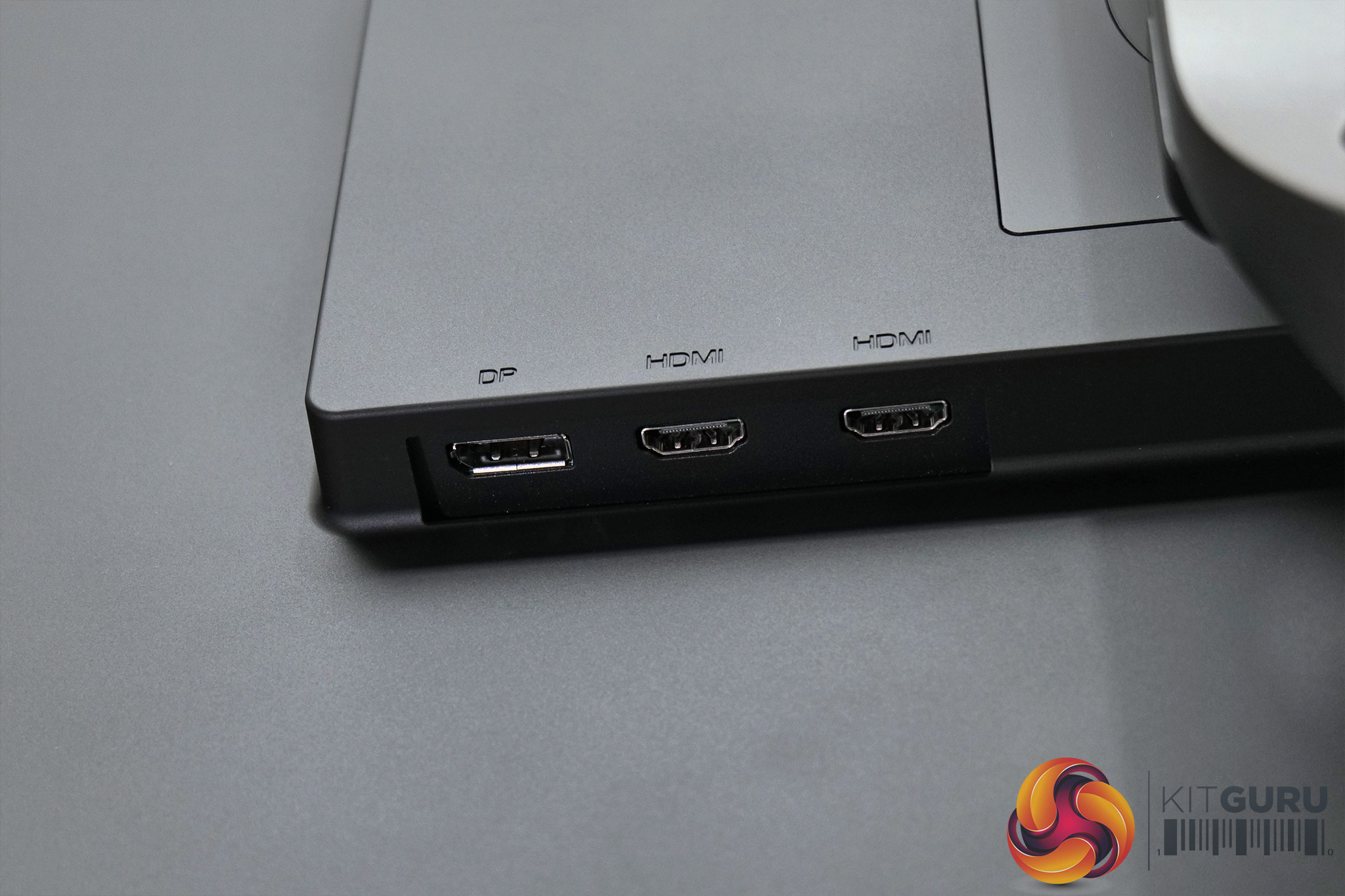
Finally, on the bottom edge but over to the right, we have the full-size video inputs – 2x HDMI 2.1 and 1x DisplayPort 1.4a. And yes, we have confirmed with Eve that both HDMI ports offer the full 48Gbps bandwidth.
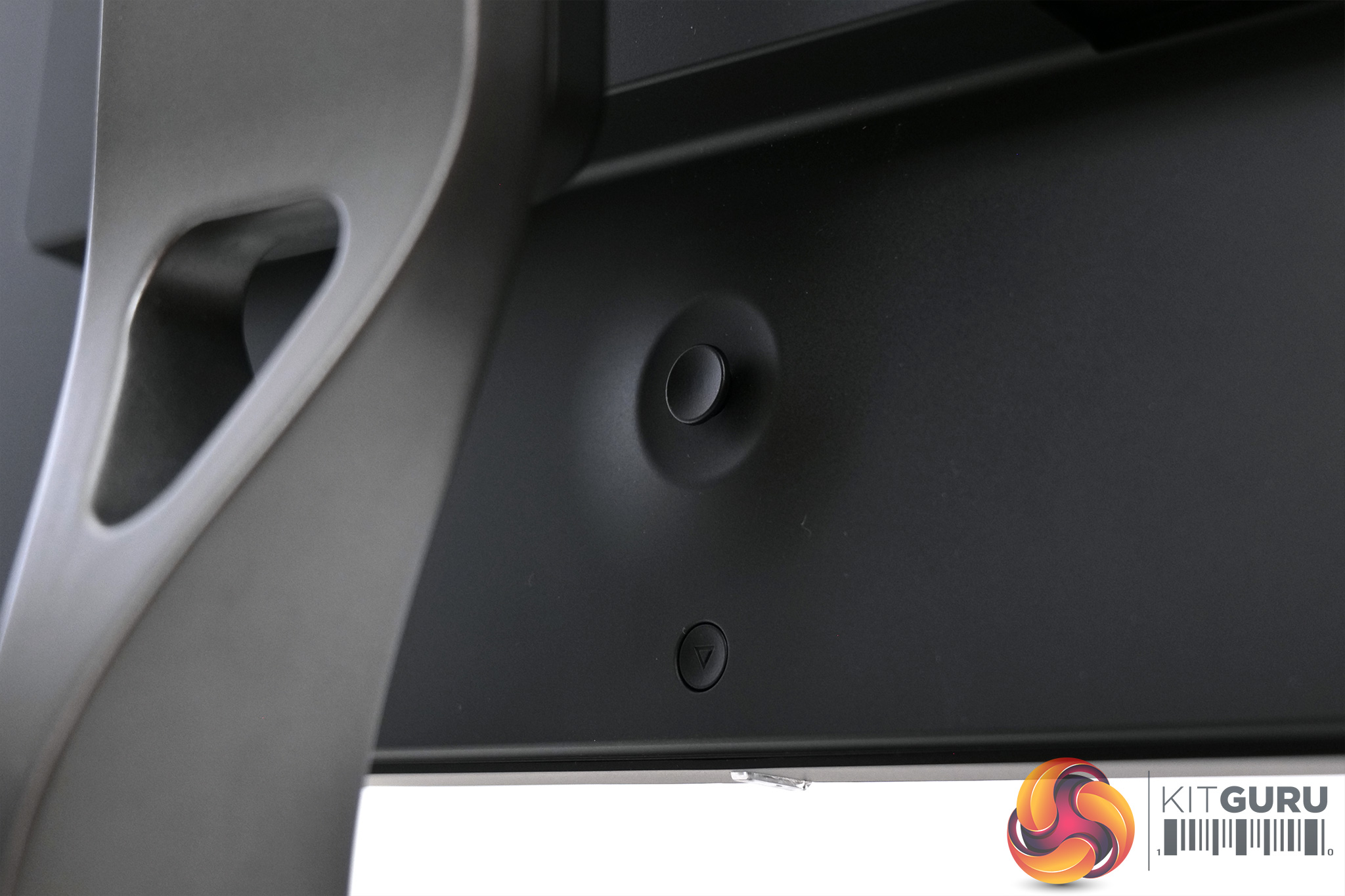
The only other thing to mention is a small joystick placed centrally on the back of the panel, with a power button below it.
As mentioned on the previous page, a small joystick is used to navigate the Spectrum's OSD.
The OSD itself is entirely text-based – there's no funky GUI or anything flashy that you might expect to see on a monitor from the likes of ASUS ROG. Instead, everything is simply split into 8 different tabs:
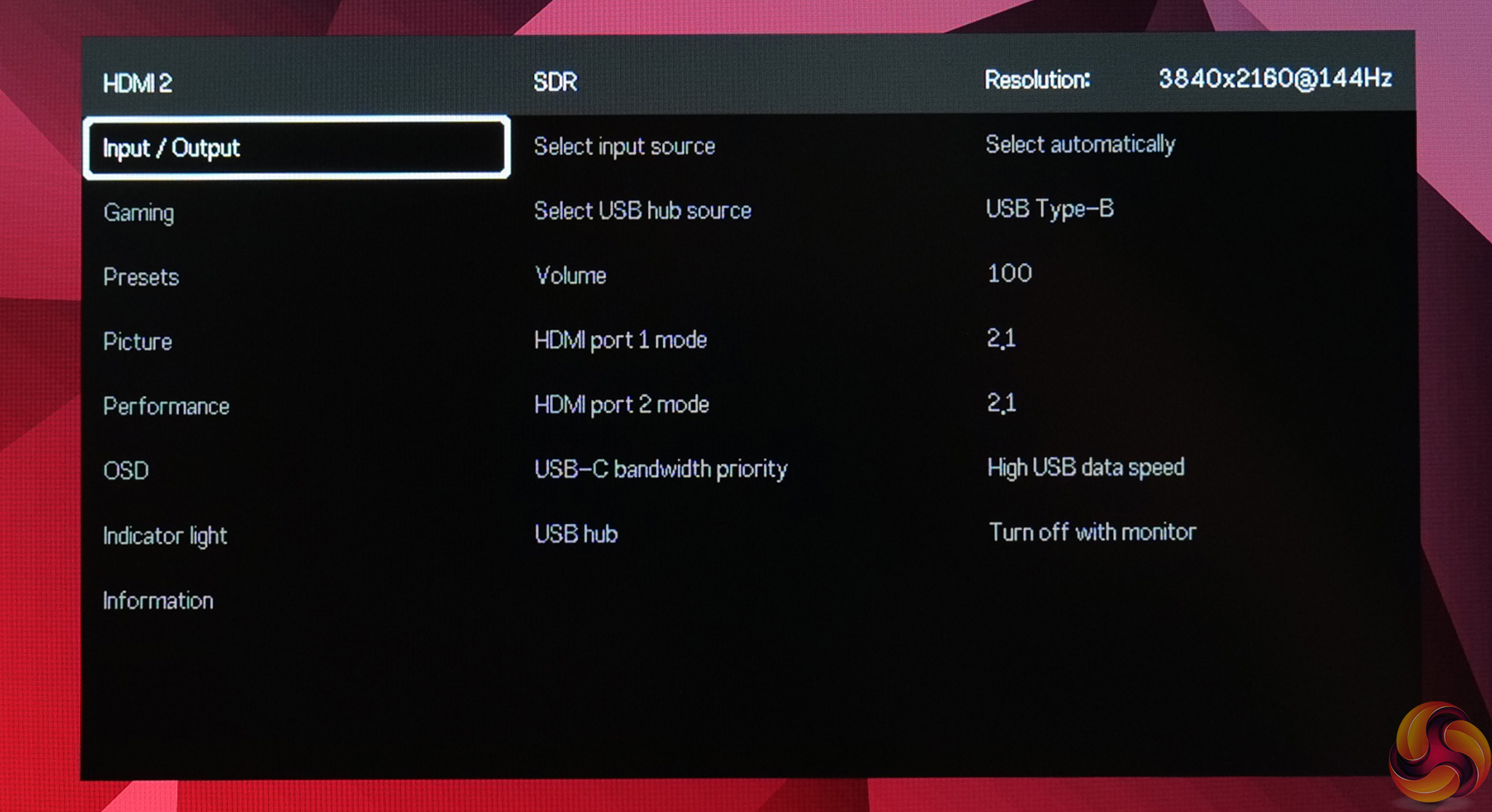
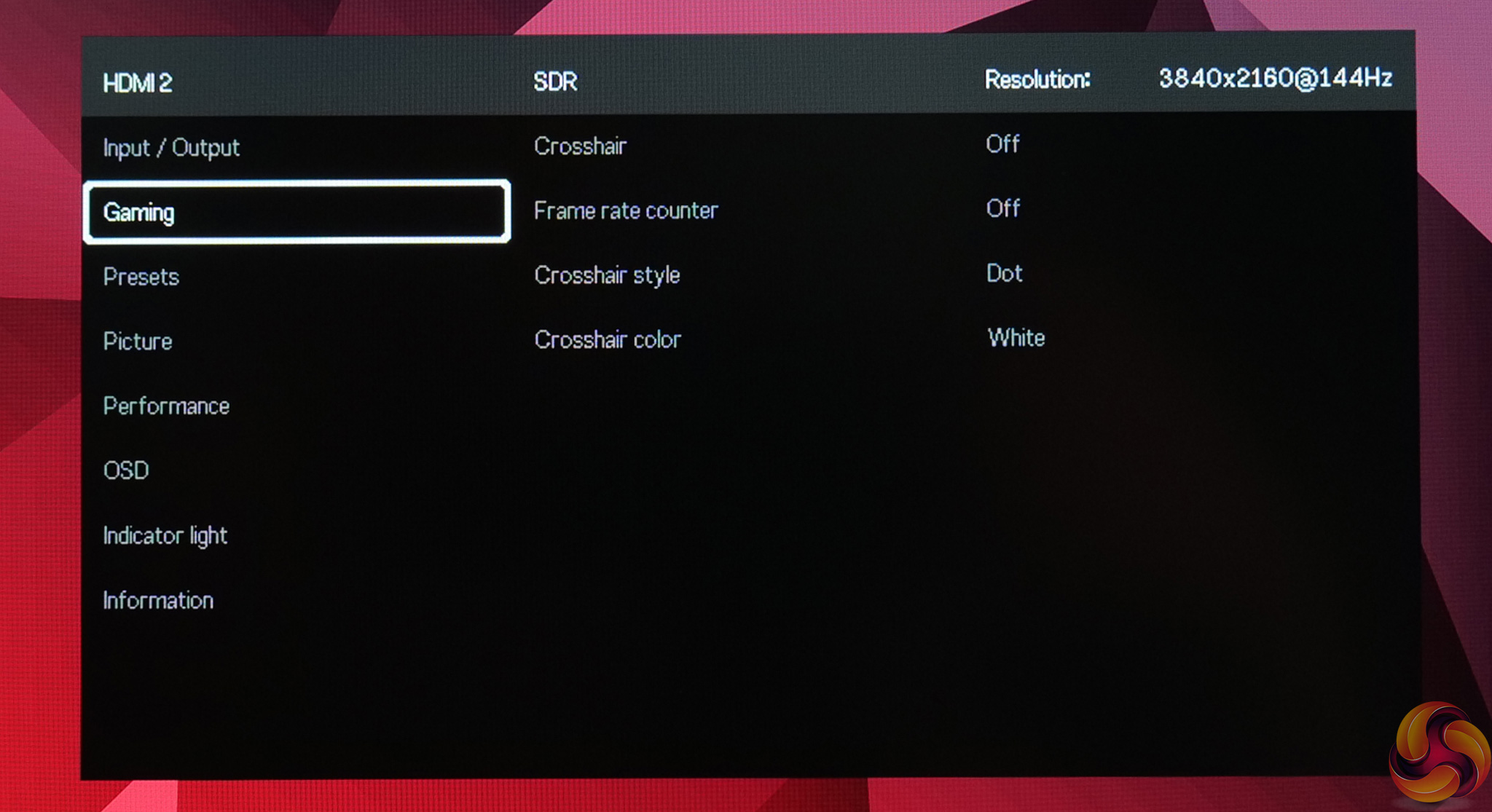
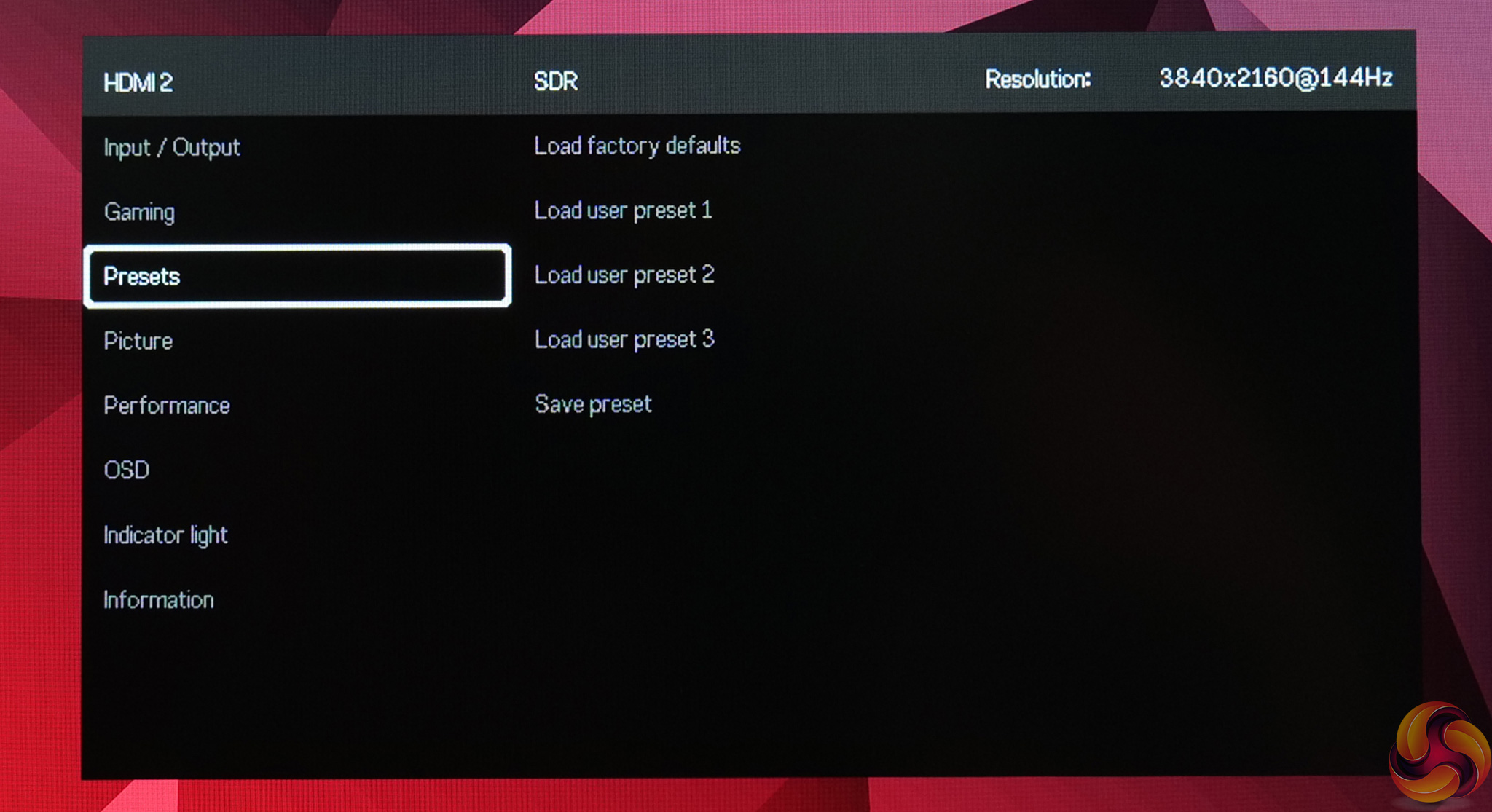
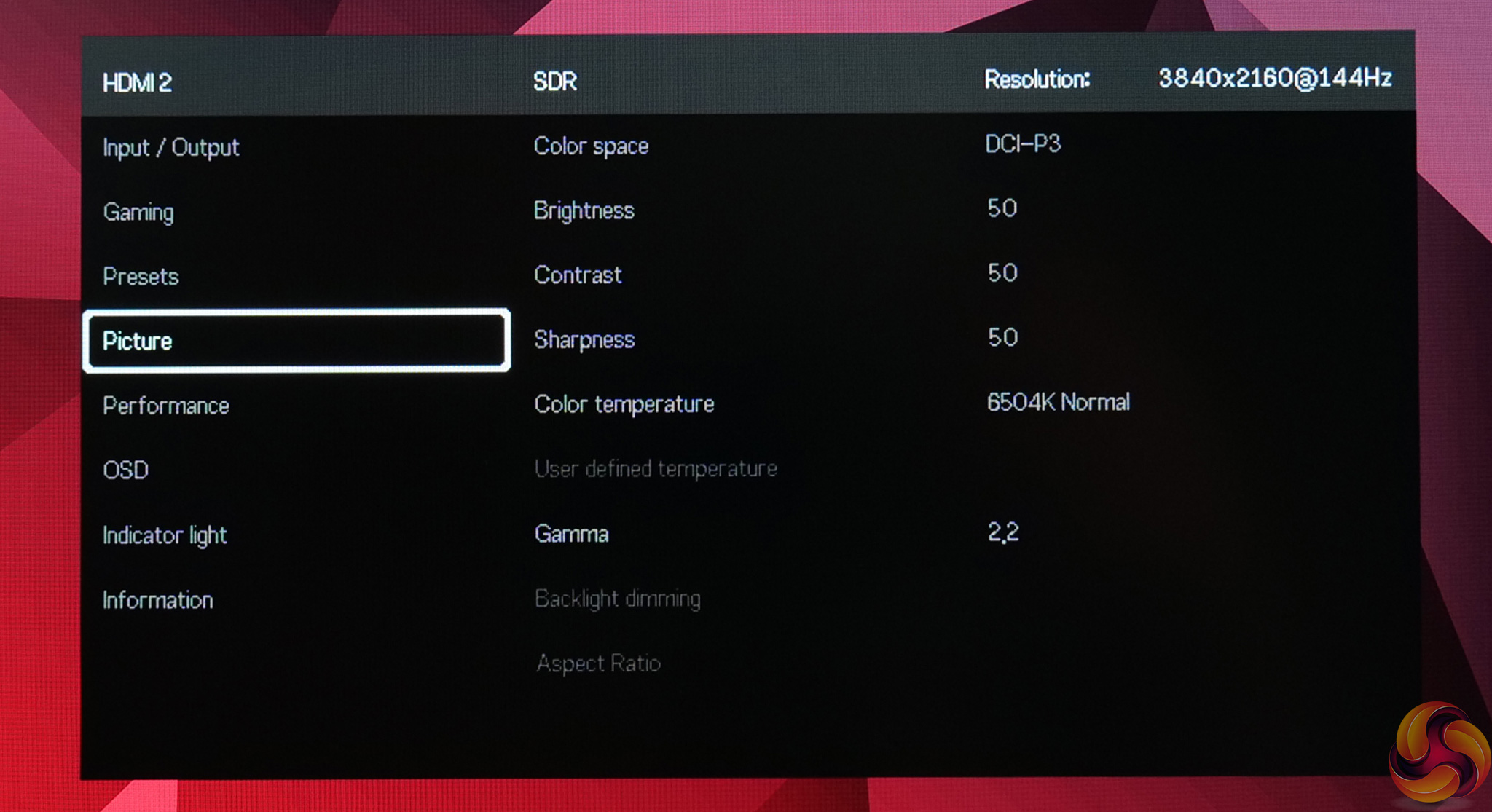
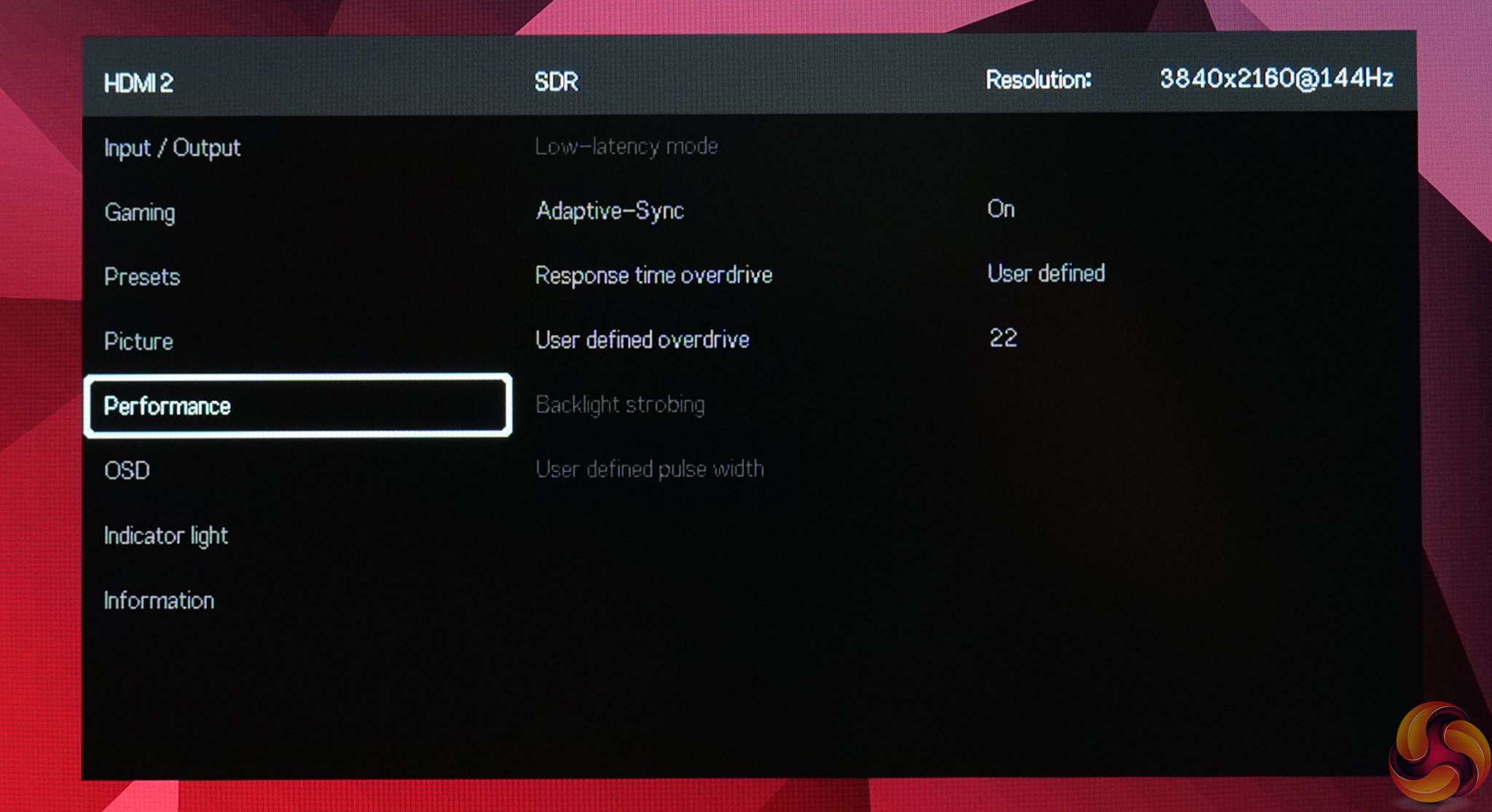
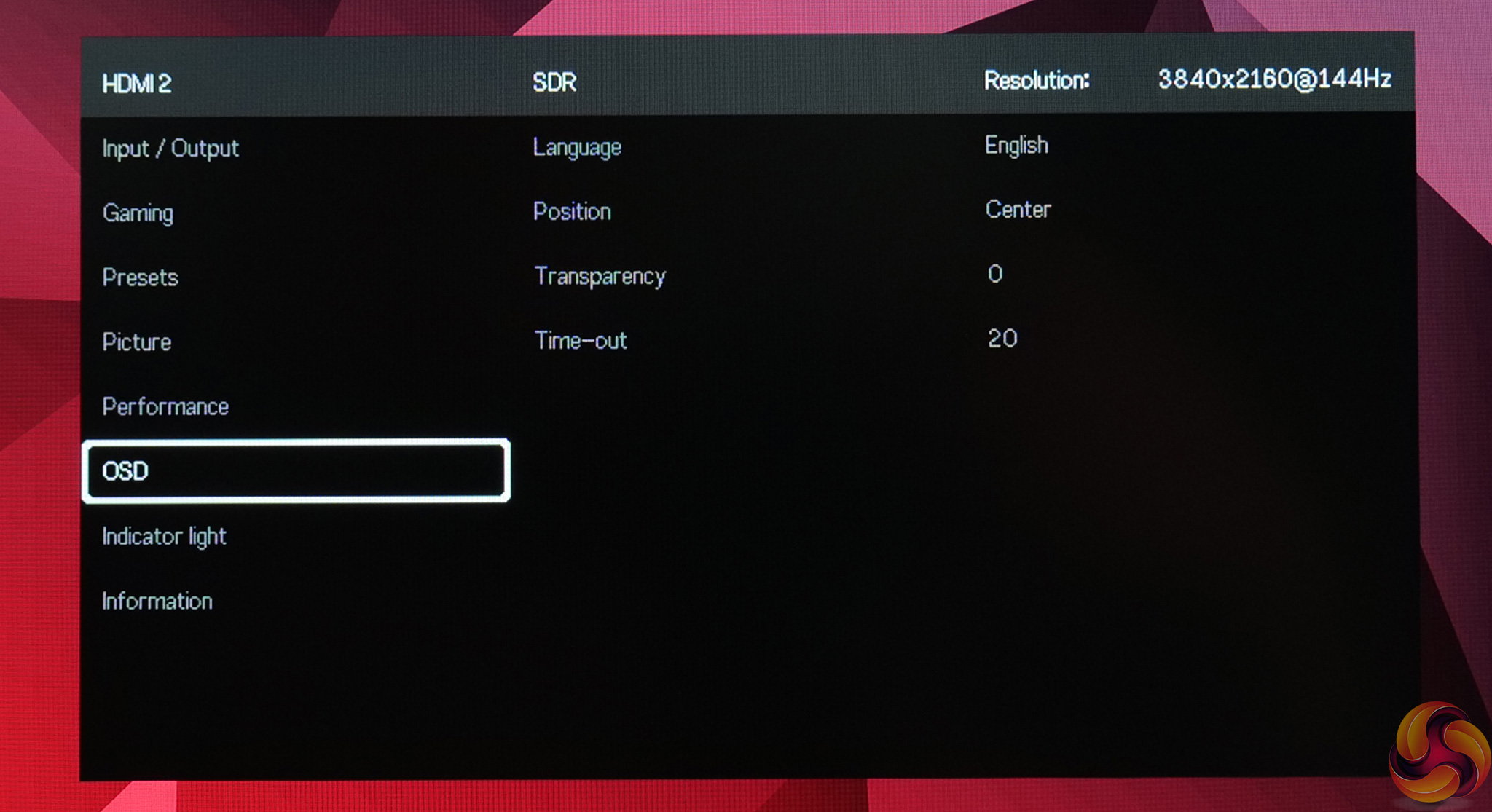
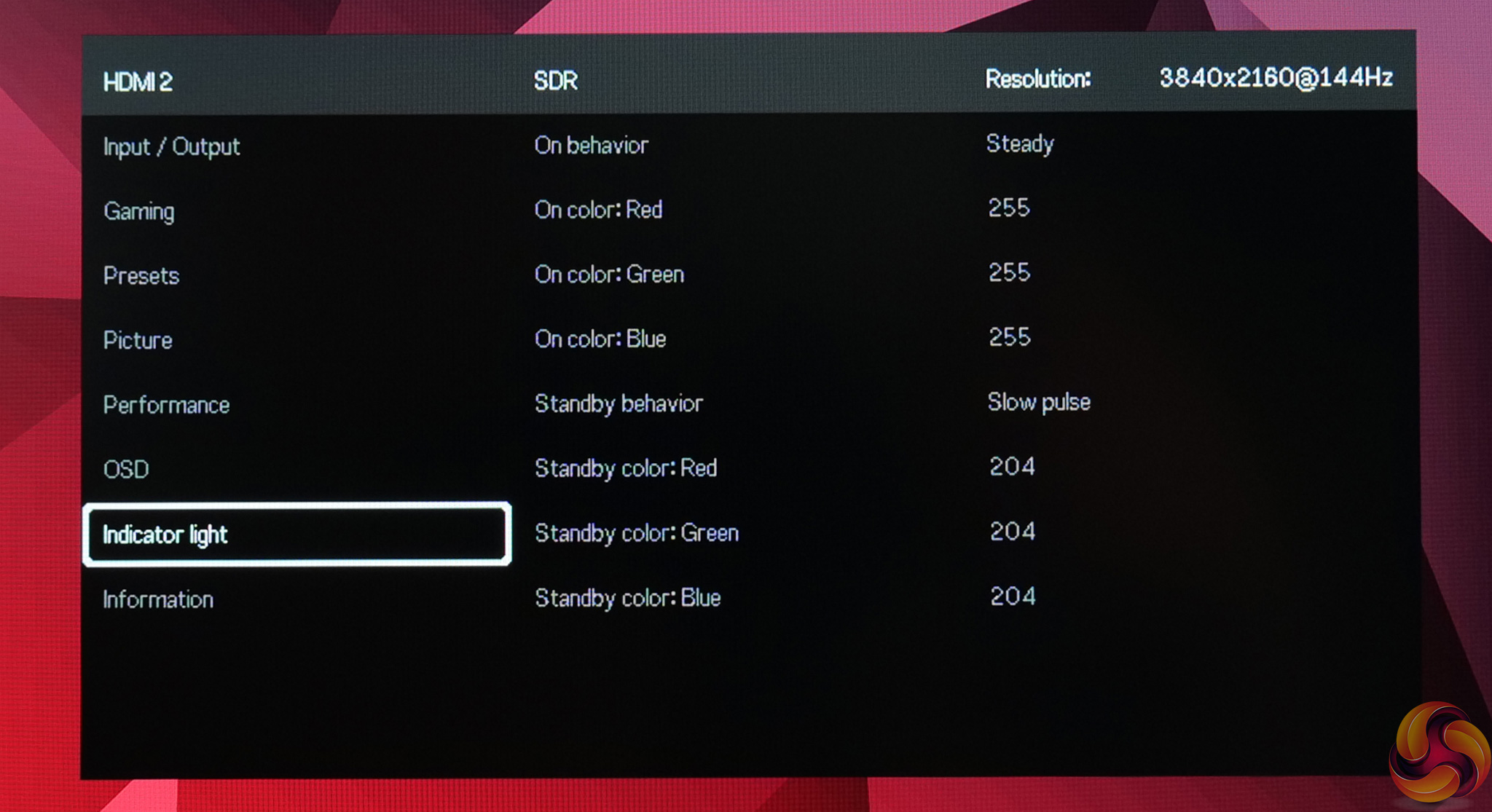
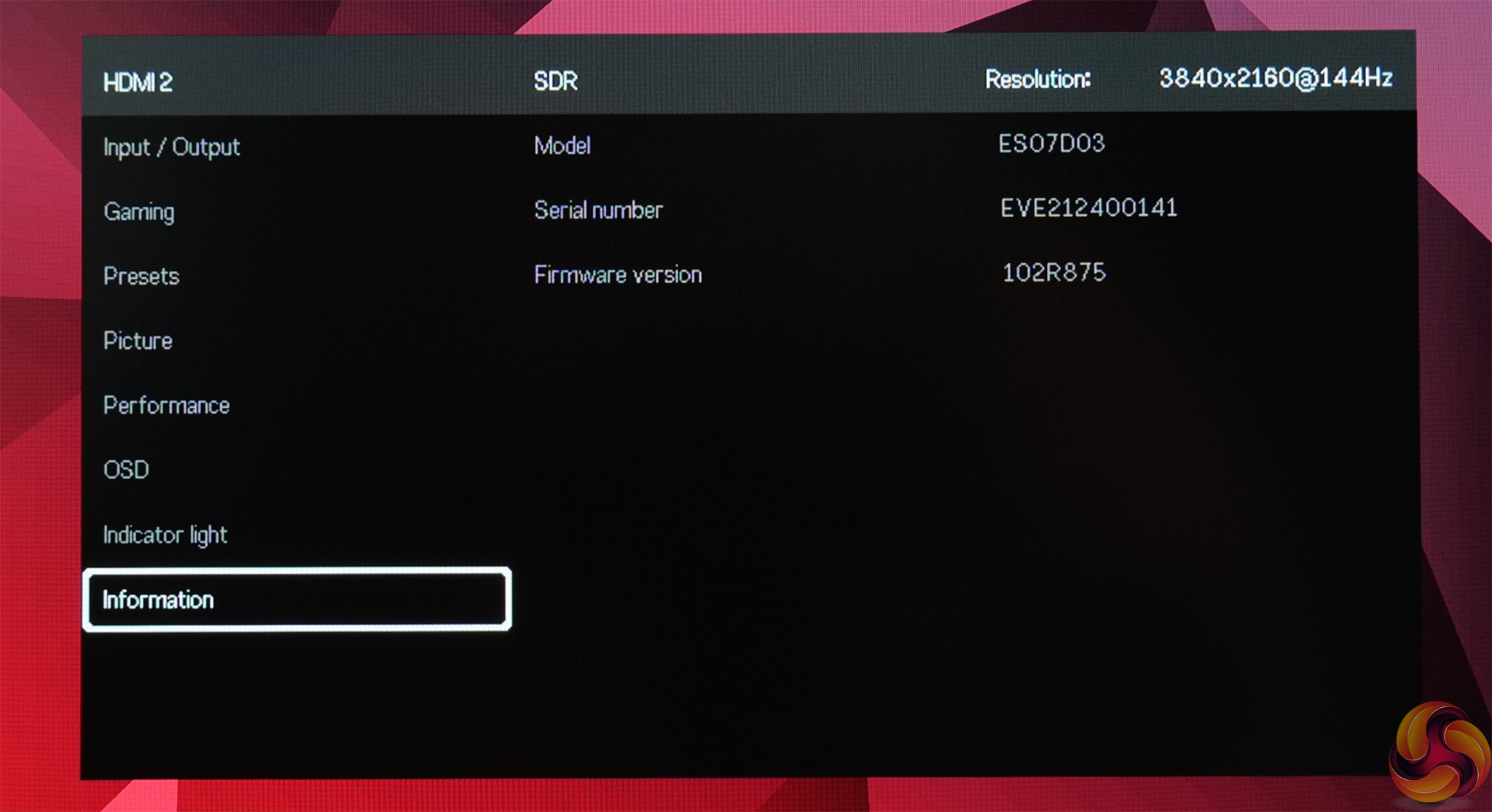
This does not bother me at all, everything is accessible in a clean and easy to use manner. In fact, Spectrum even offers some features not found on any other monitor that I have tested. I'm talking about the manual overdrive and backlight strobing control – instead of picking between 2-3 preset options, users can customise the precise amount of overdrive (with 63 total settings) and set the strobe pulse width (with 25 different settings.) It's a very cool and unique ability.
Granted, not everything feels quite as fully fleshed out as we'd expect from a more seasoned monitor manufacturer. There's no Windows OSD companion app for instance, or ‘live dashboard' that we've seen from certain Gigabyte monitors. Switching between different sources can also take a while, there's no picture-in-picture mode and other ‘gamer-y' features (such as shadow boost or different image presets for different game genres) are also missing.
That said, the OSD covers the core features of what you'd expect from a gaming monitor, and you can store up to three different user presets. I don't tend to adjust much in the OSD once I am happy with everything anyway, so I was perfectly happy with the featureset on offer here.
Our main test involves using a DataColor SpyderX Colorimeter to assess a display’s image quality. The device sits on top of the screen while the software generates colour tones and patterns, which it compares against predetermined values to work out how accurate the screen is.
The results show –
- A monitor’s maximum brightness in candelas or cd/m2 at various levels set in the OSD.
- A monitor’s contrast ratio at various brightness levels in the OSD.
- The brightness deviation across the panel.
- The black and white points.
- The colour accuracy, expressed as a Delta E ratio, with a result under 3 being fine for normal use, and under 2 being great for colour-accurate design work.
- The exact gamma levels, with a comparison against preset settings in the OSD.
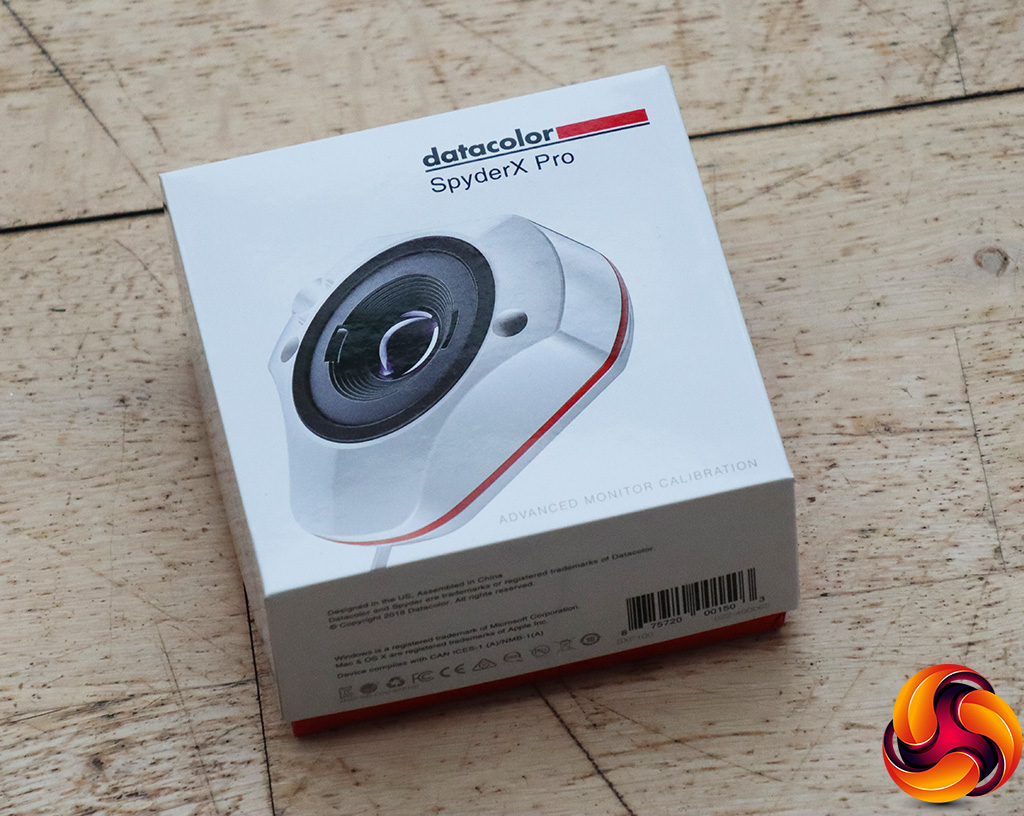
We first run this test with the display in its default, out-of-the-box state, with all settings on default. We then calibrate the screen using the Spyder software and run the test again.
Pre-calibration
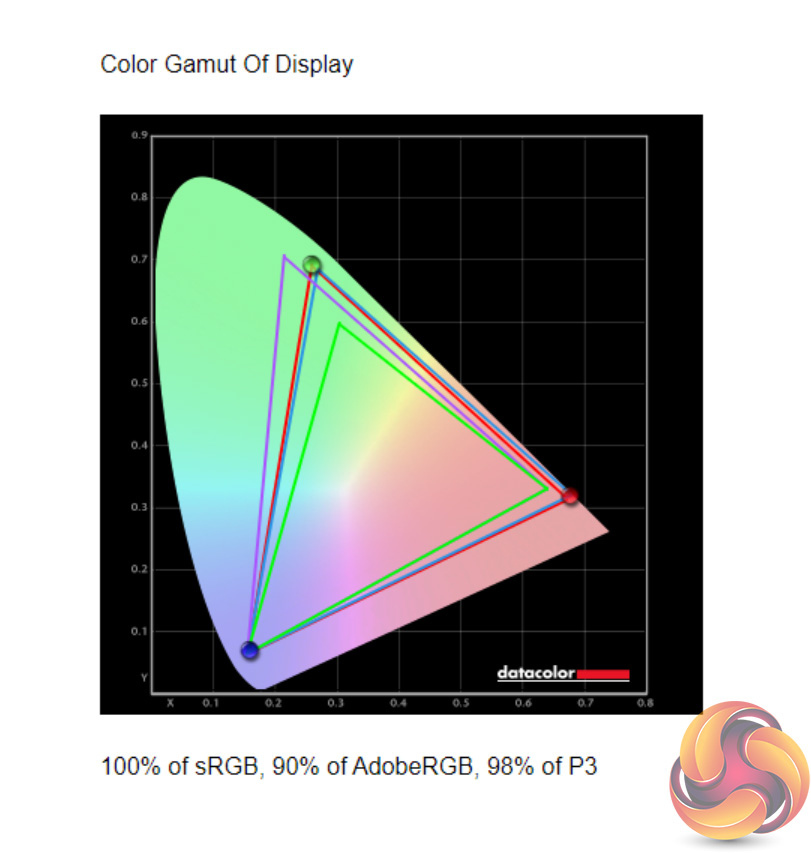
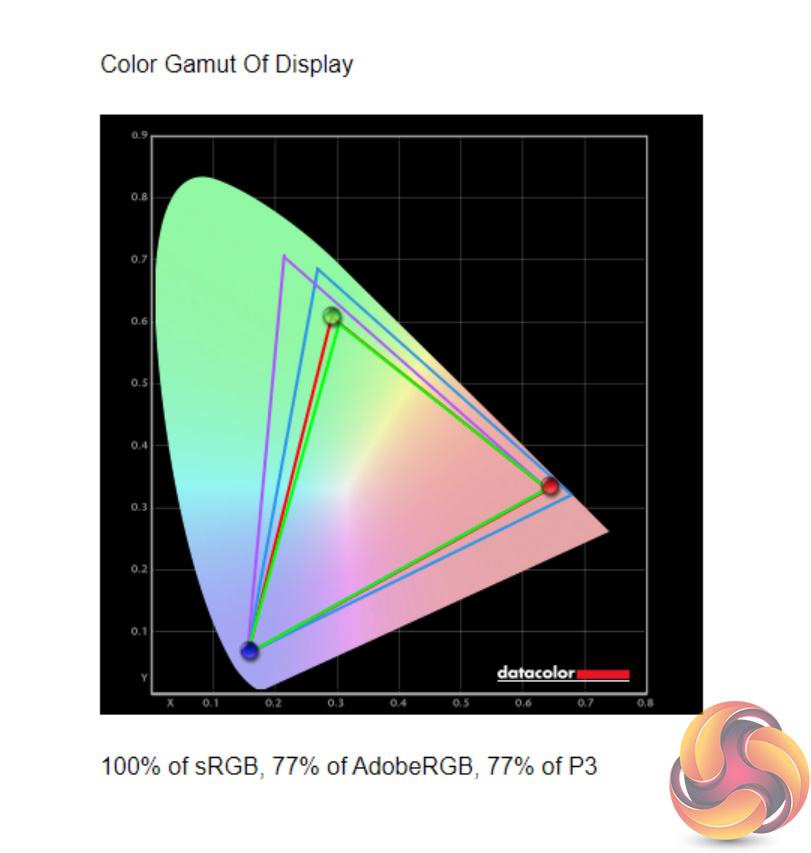
With the Spectrum offering both a DCI-P3 profile and an sRGB profile, we tested both. The DCI-P3 offers 100% sRGB, 90% AdobeRGB and 98% DCI-P3 coverage – right in line with Eve's claims. The sRGB profile naturally hits 100% sRGB coverage, but falls away with the other gamuts.
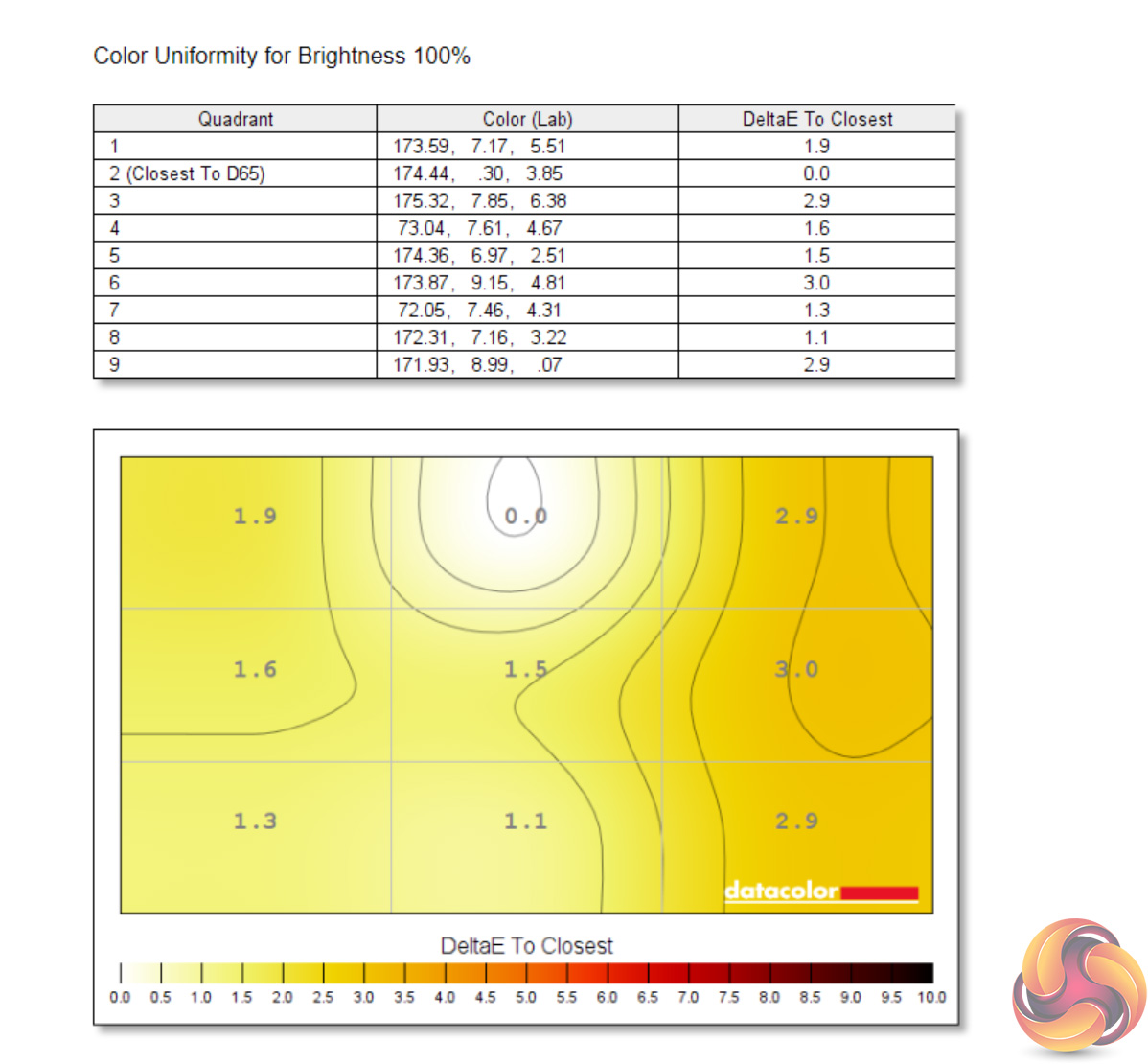
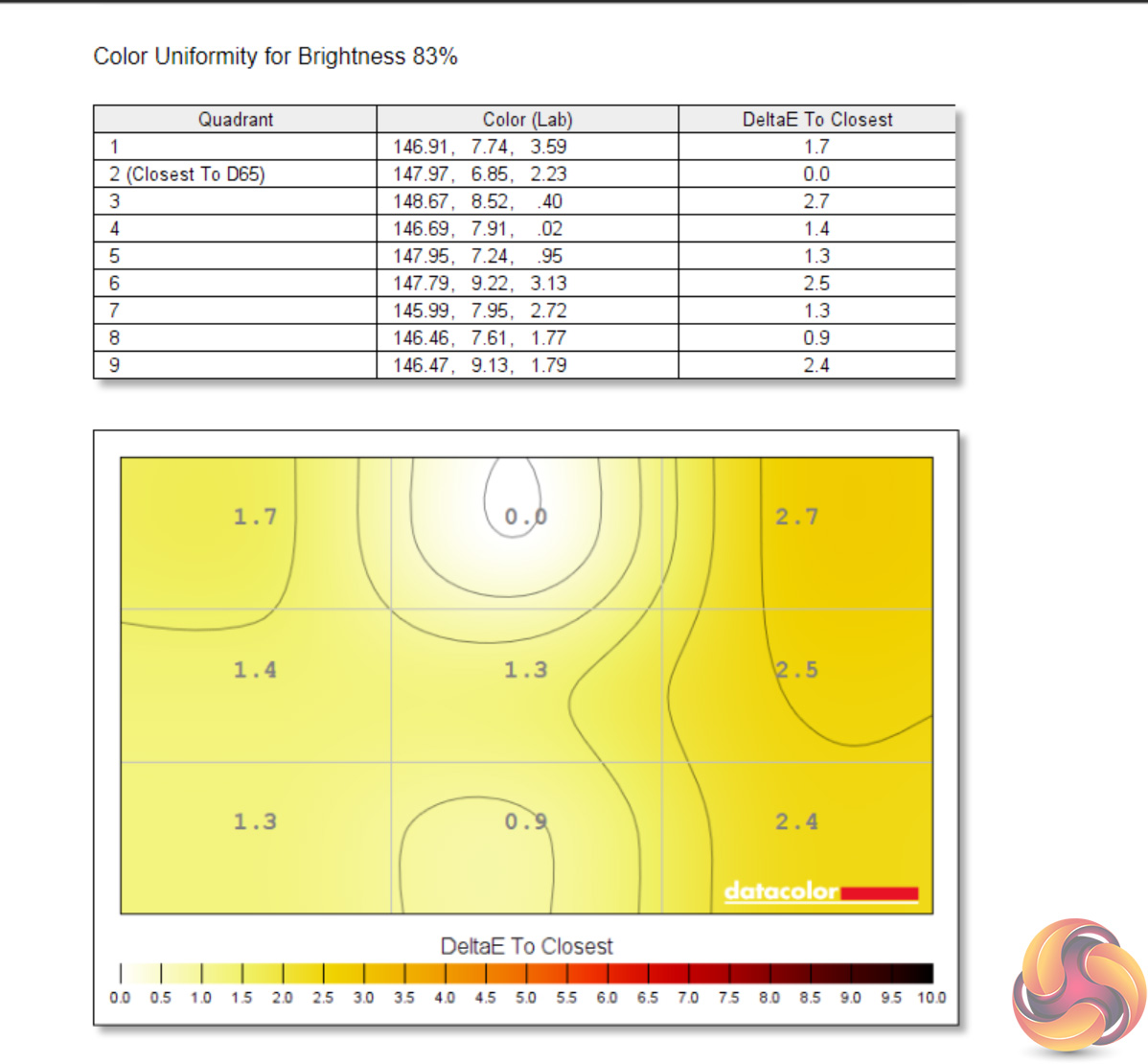
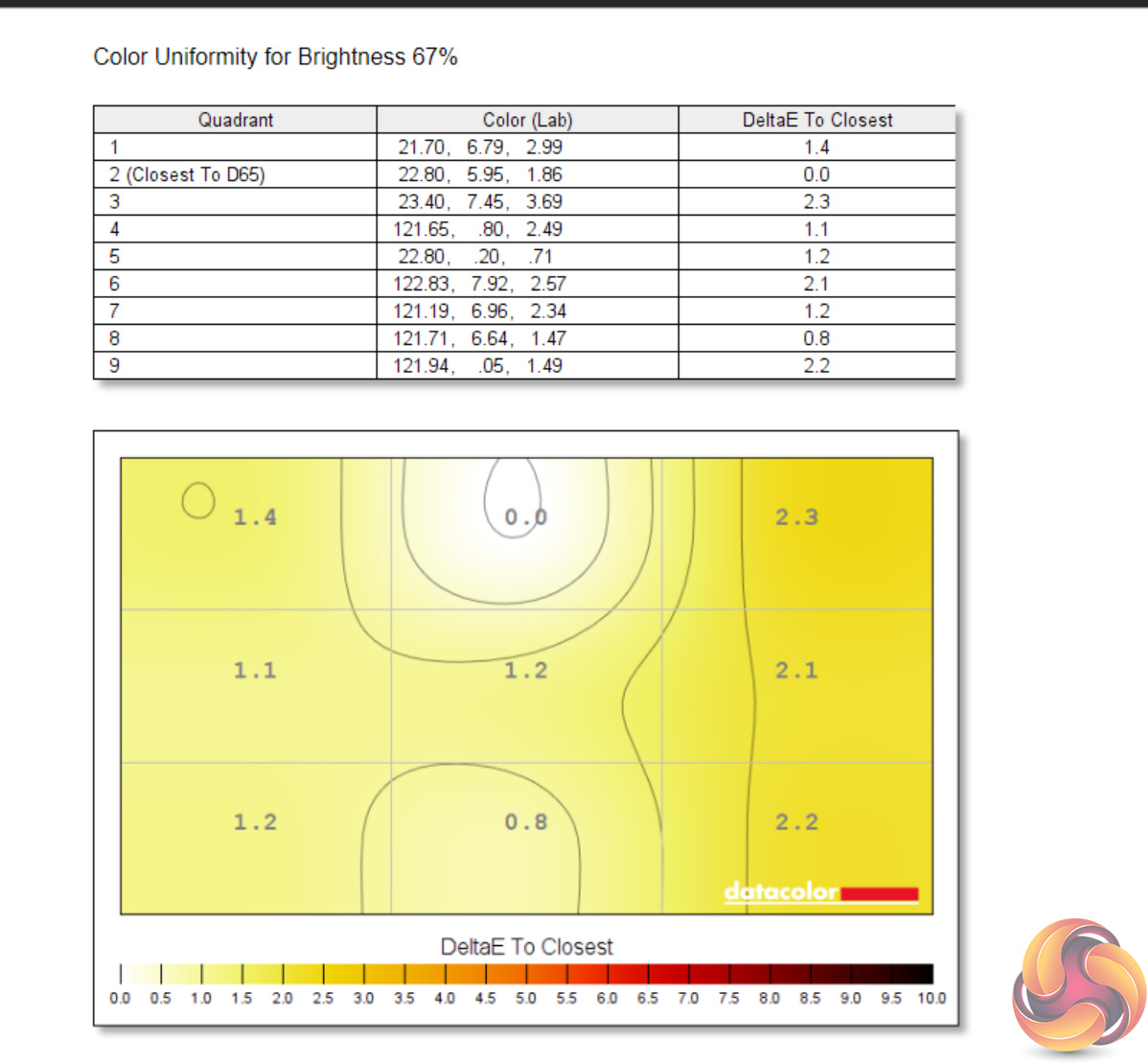
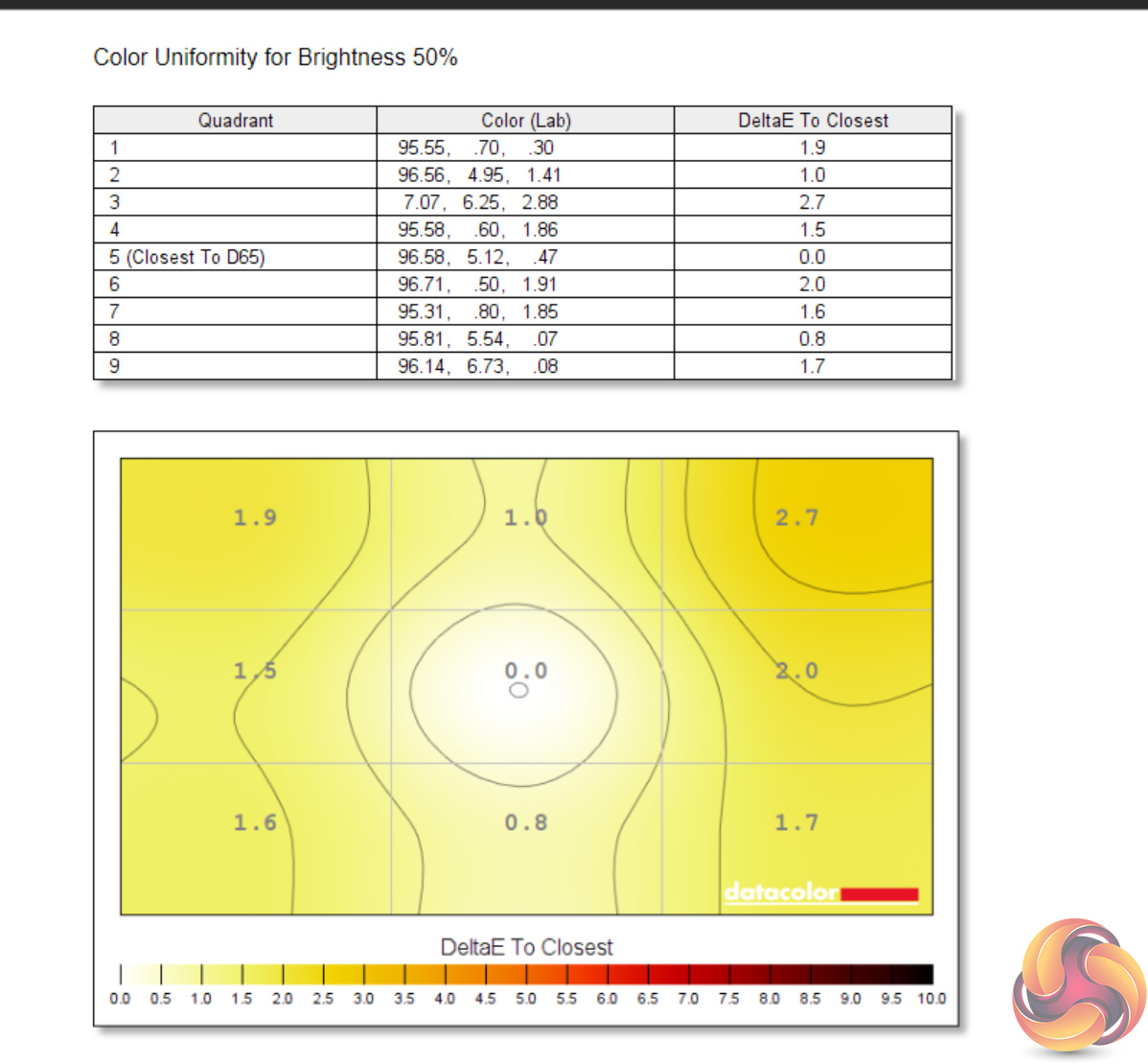
Colour uniformity is very solid, especially at lower brightness levels. There is some deviation down the right-hand side which becomes most evident with 100% brightness, but it's nothing major at all.
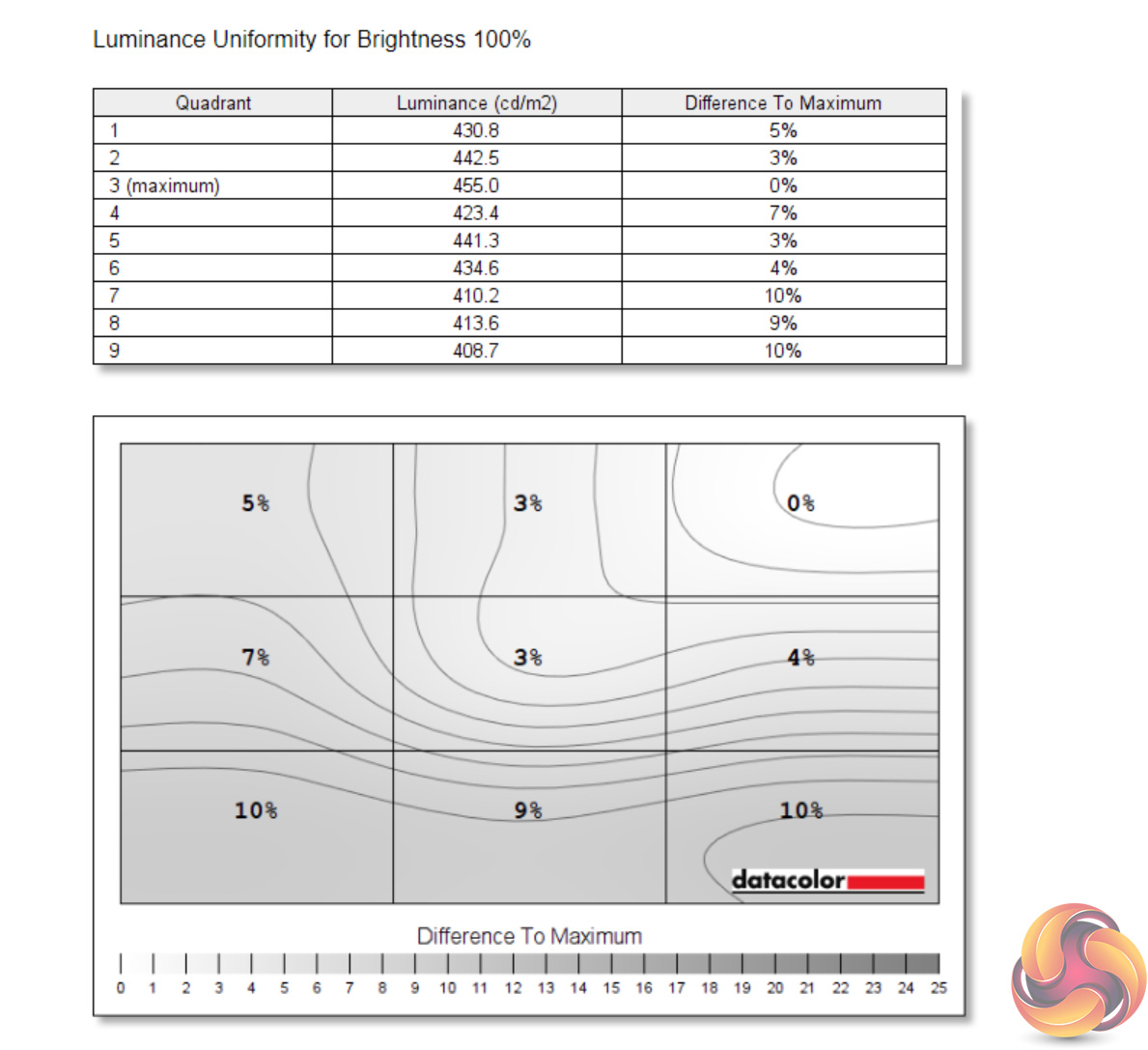
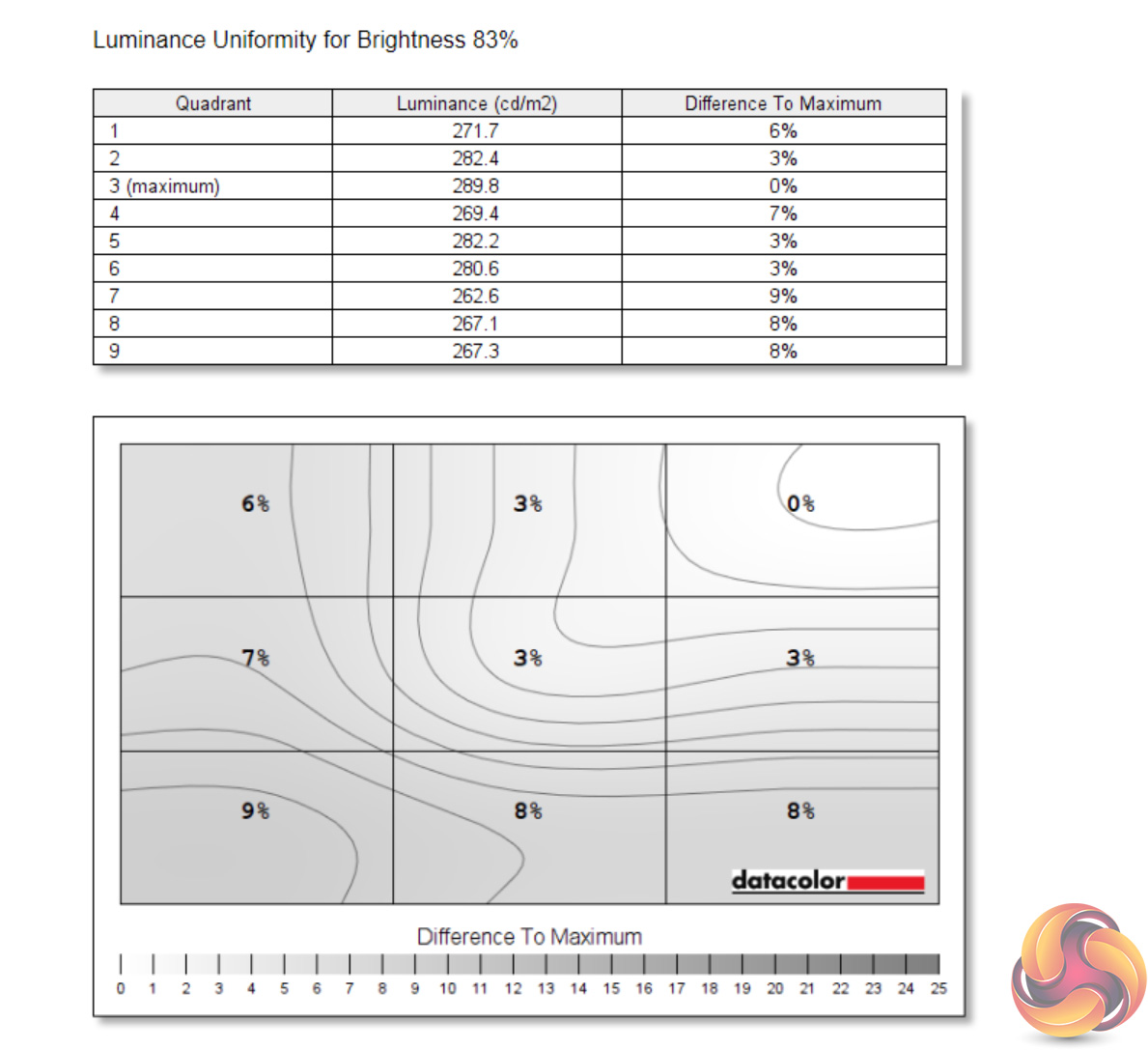
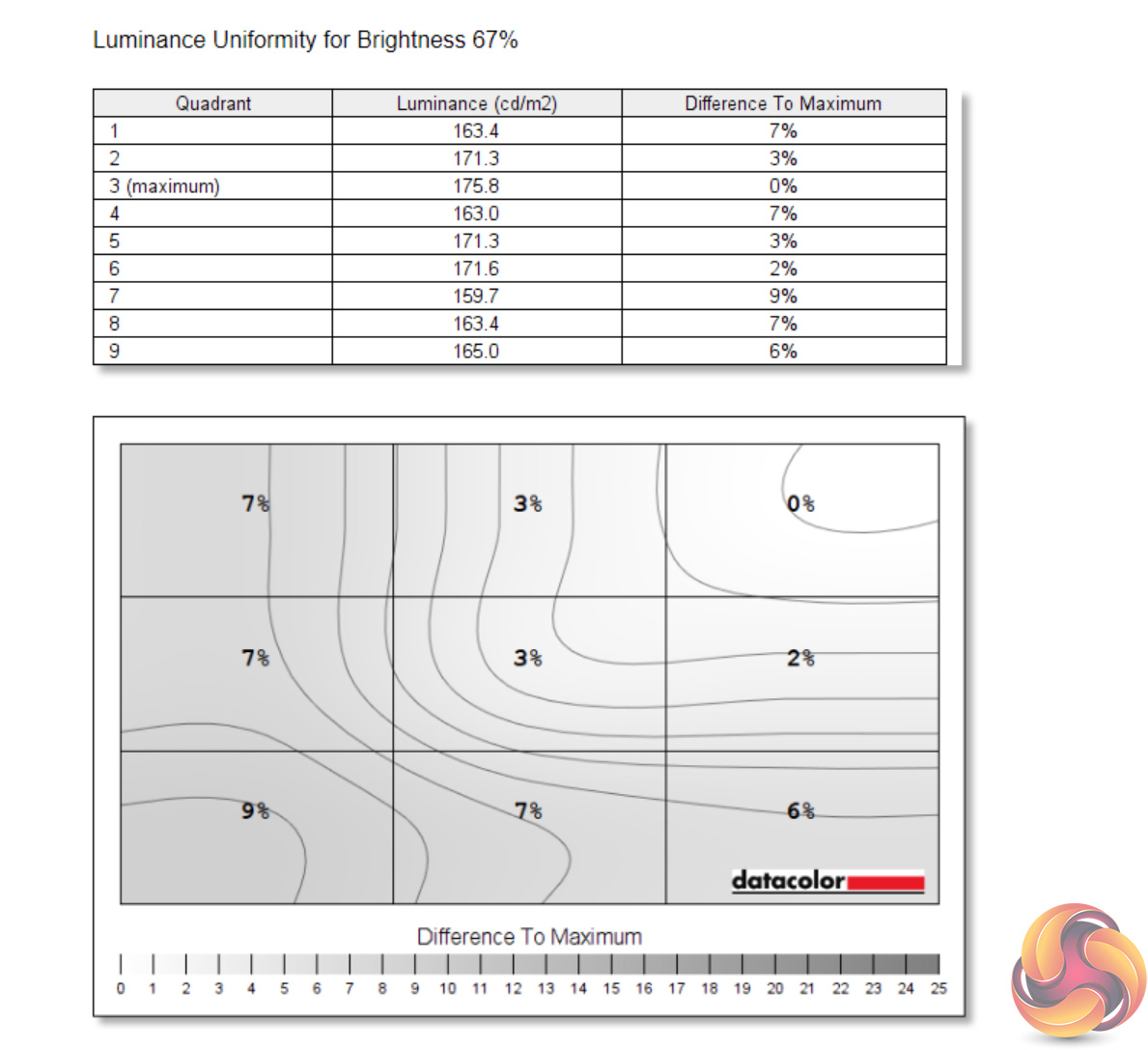
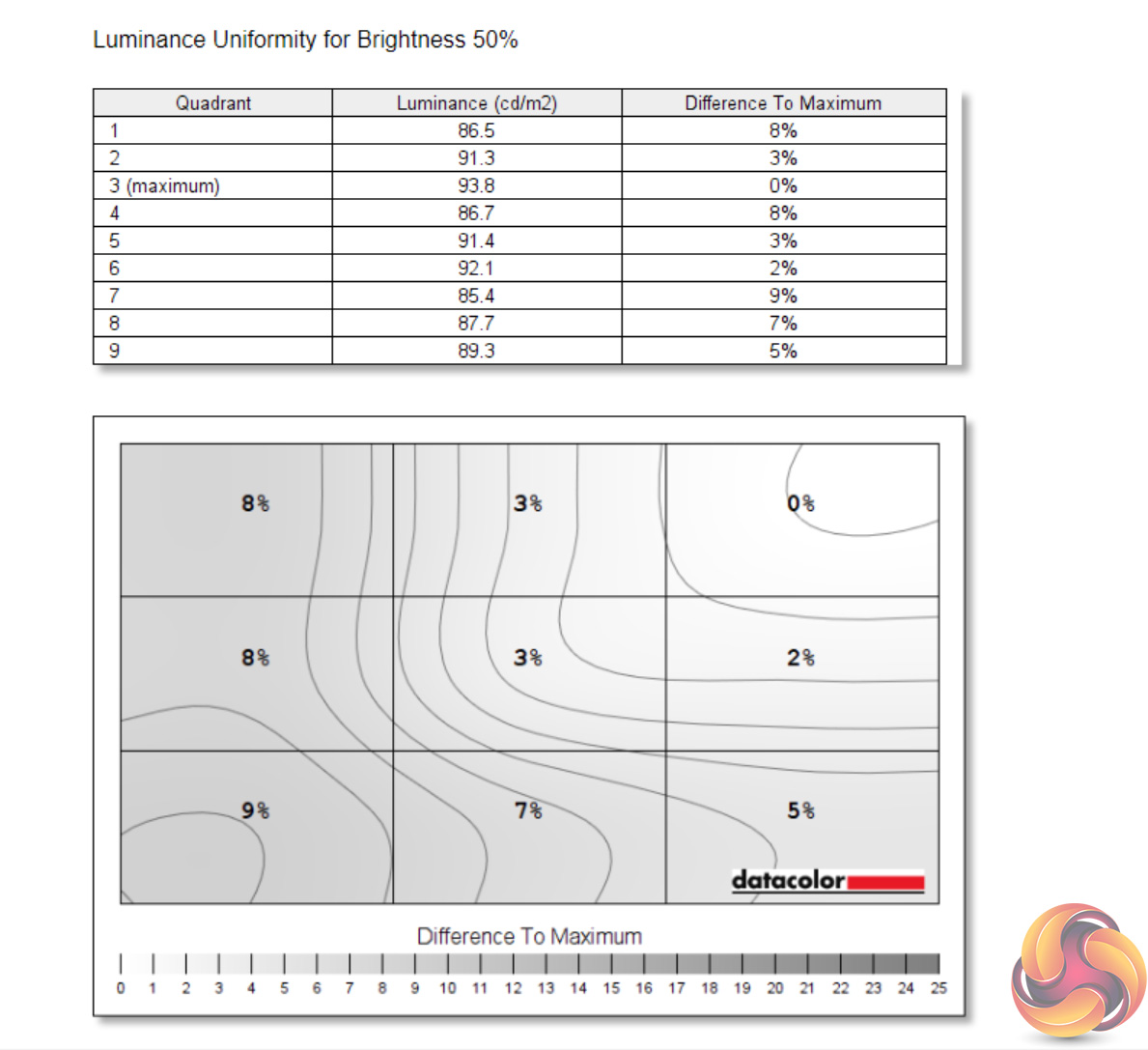
Likewise, luminance uniformity is not a problem. The bottom left-hand corner of the screen proved the most aberrant, and that's also where I noticed a touch of backlight bleed, but the deviation proved never greater than 10% and certainly wasn't noticeable to my eye.
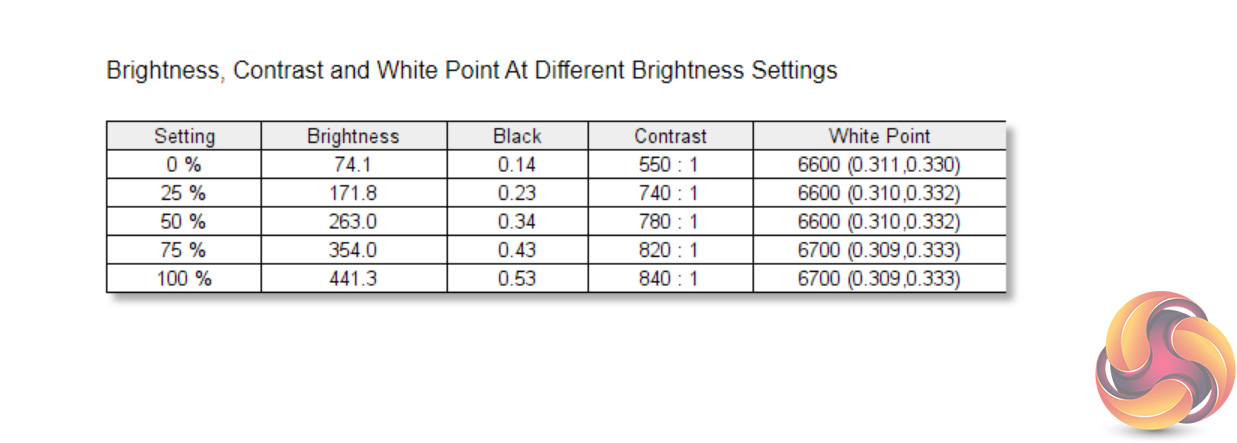
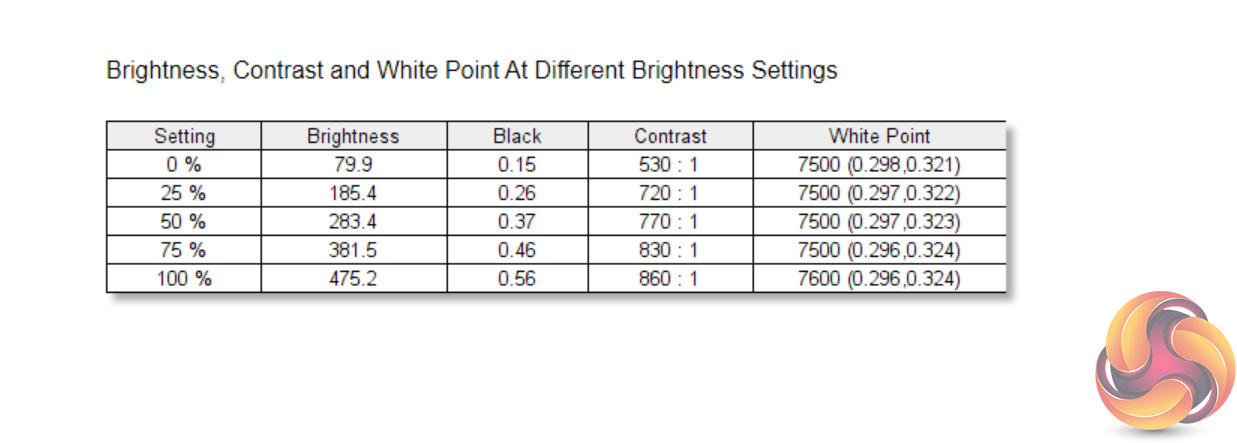
Overall brightness of the panel is impressive. It gets as dim as 74 cd/m2 but peaks at 441 cd/m2 when set to 100% brightness, and personally I preferred to use it at around the 40% setting. Contrast isn't super strong though, peaking at 840:1. We tried to improve this by manually cranking the contrast to its maximum setting, but even then we saw a ratio of 860:1. IPS panels are not known for high levels of contrast, so if you do want something a bit punchier you may want to consider a VA screen.
On a more positive note, the white point is very close to the 6500K ideal, coming in very slightly cool at 6700K when tested at maximum brightness. Just a very small tweak would help bring this down.
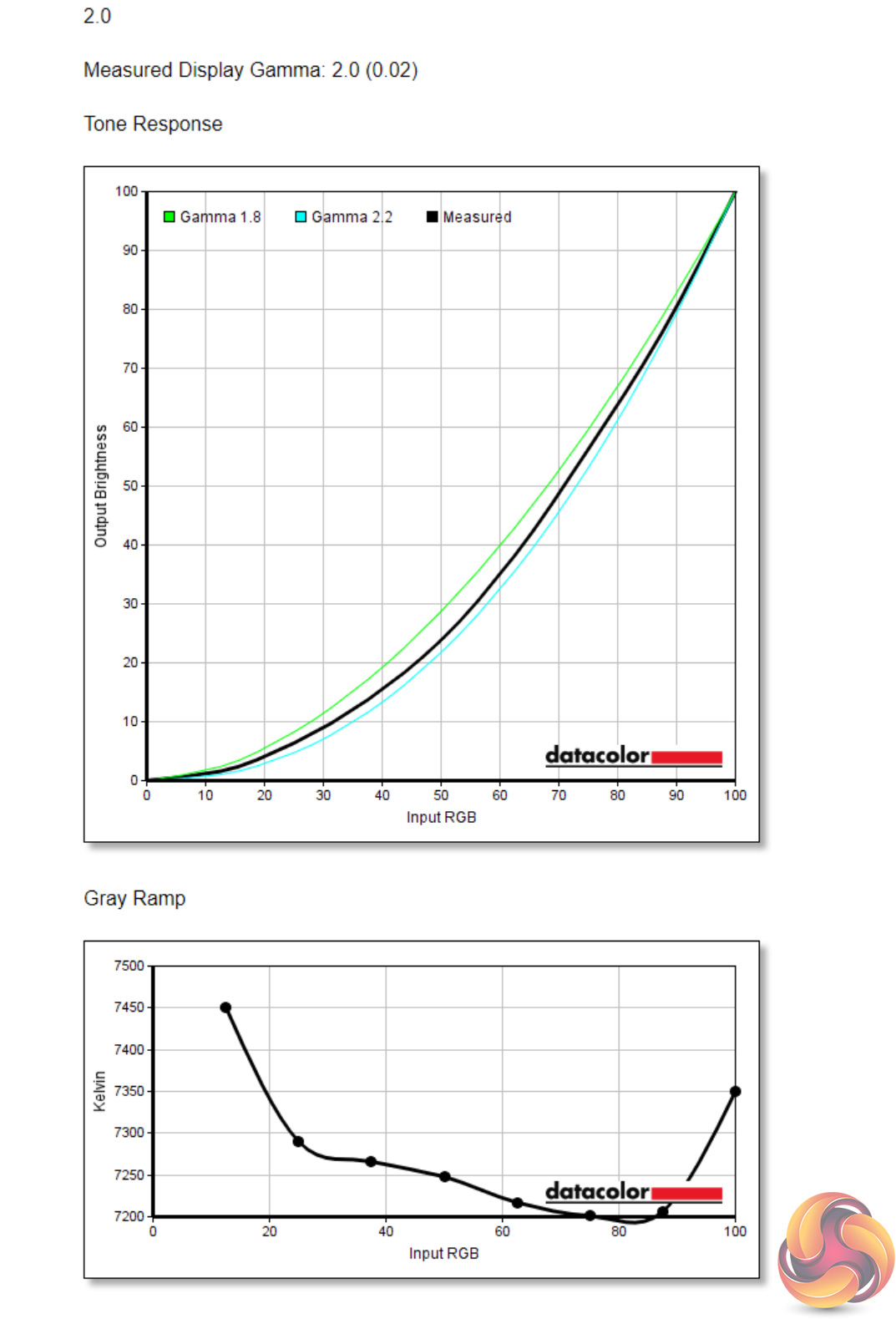
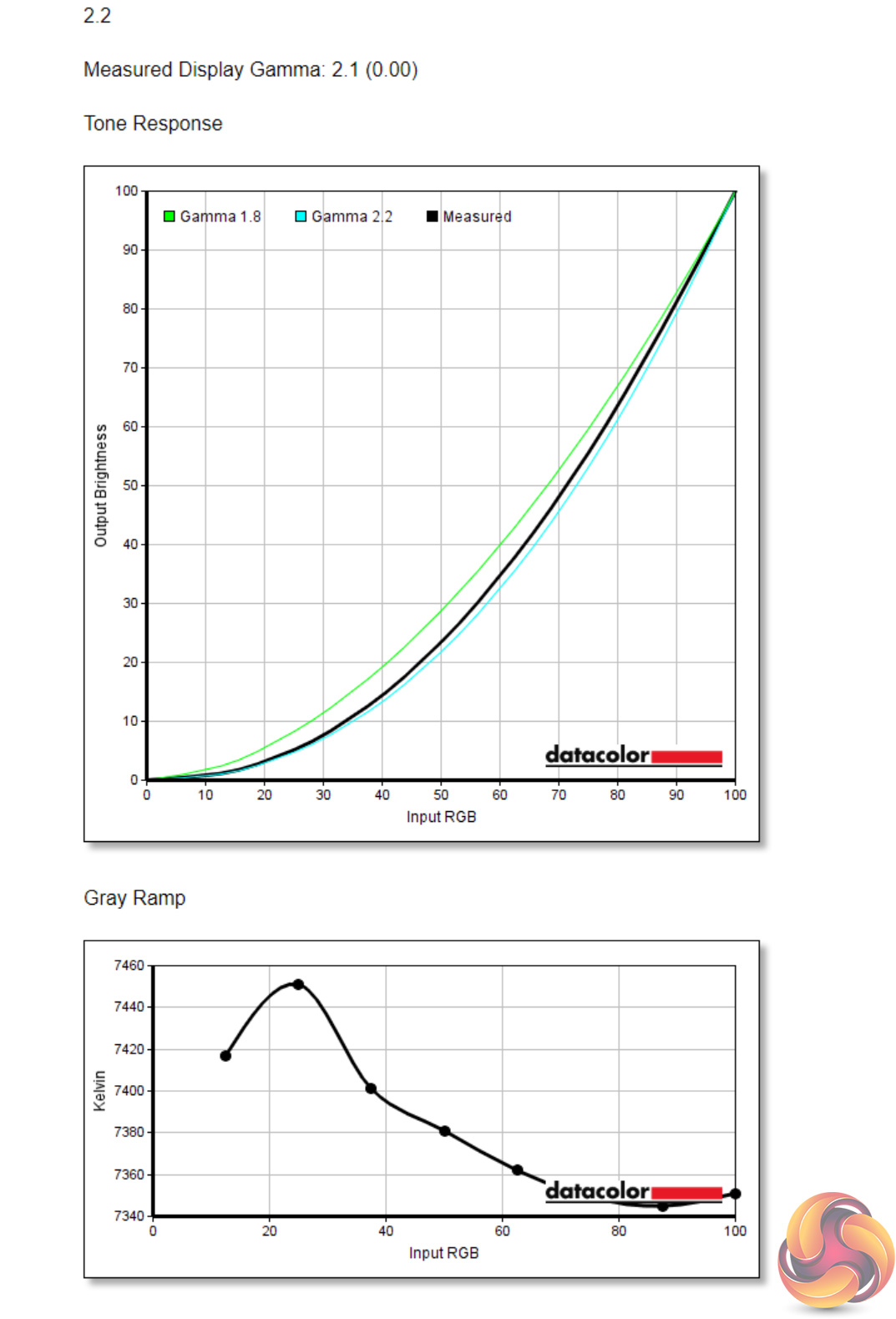
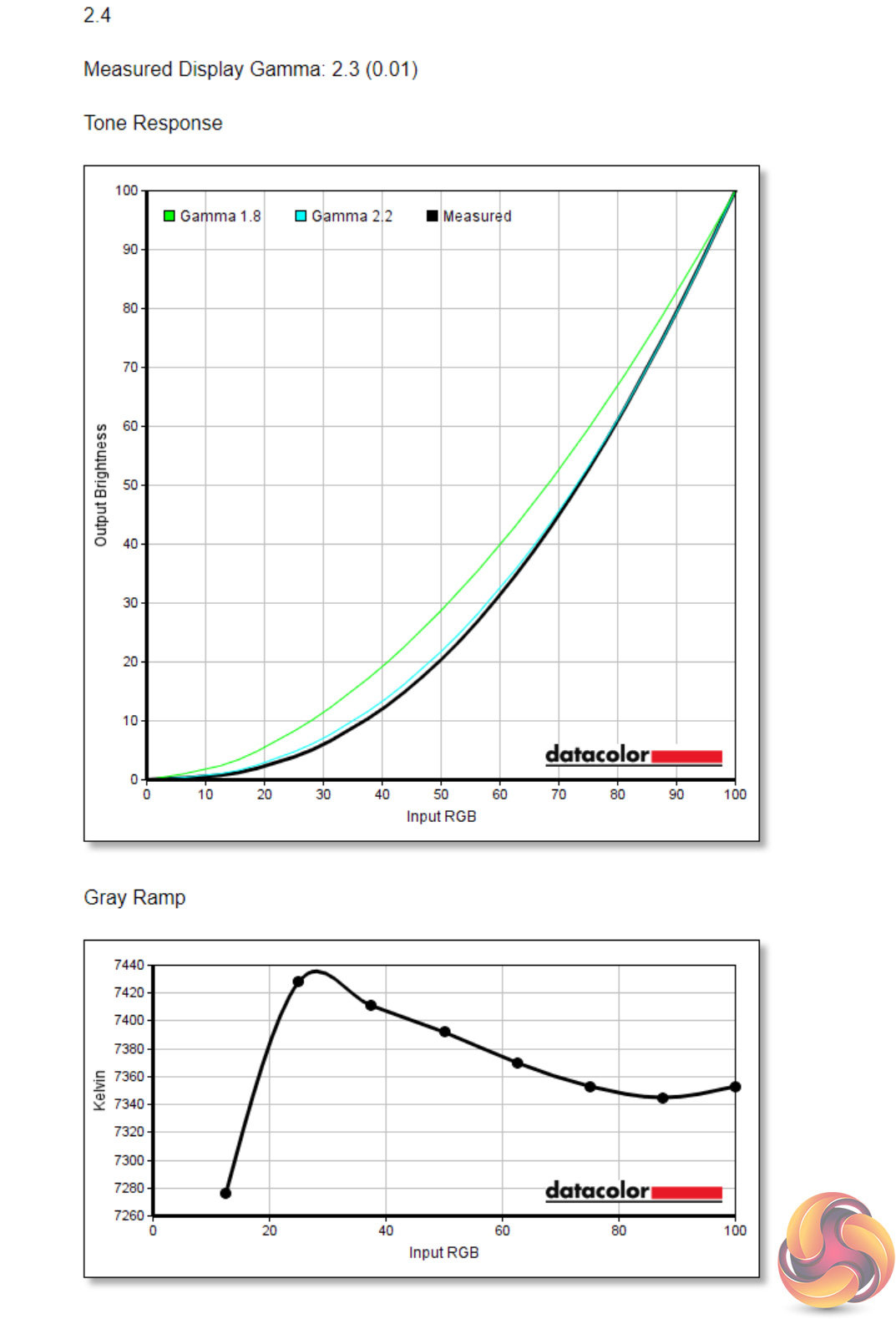
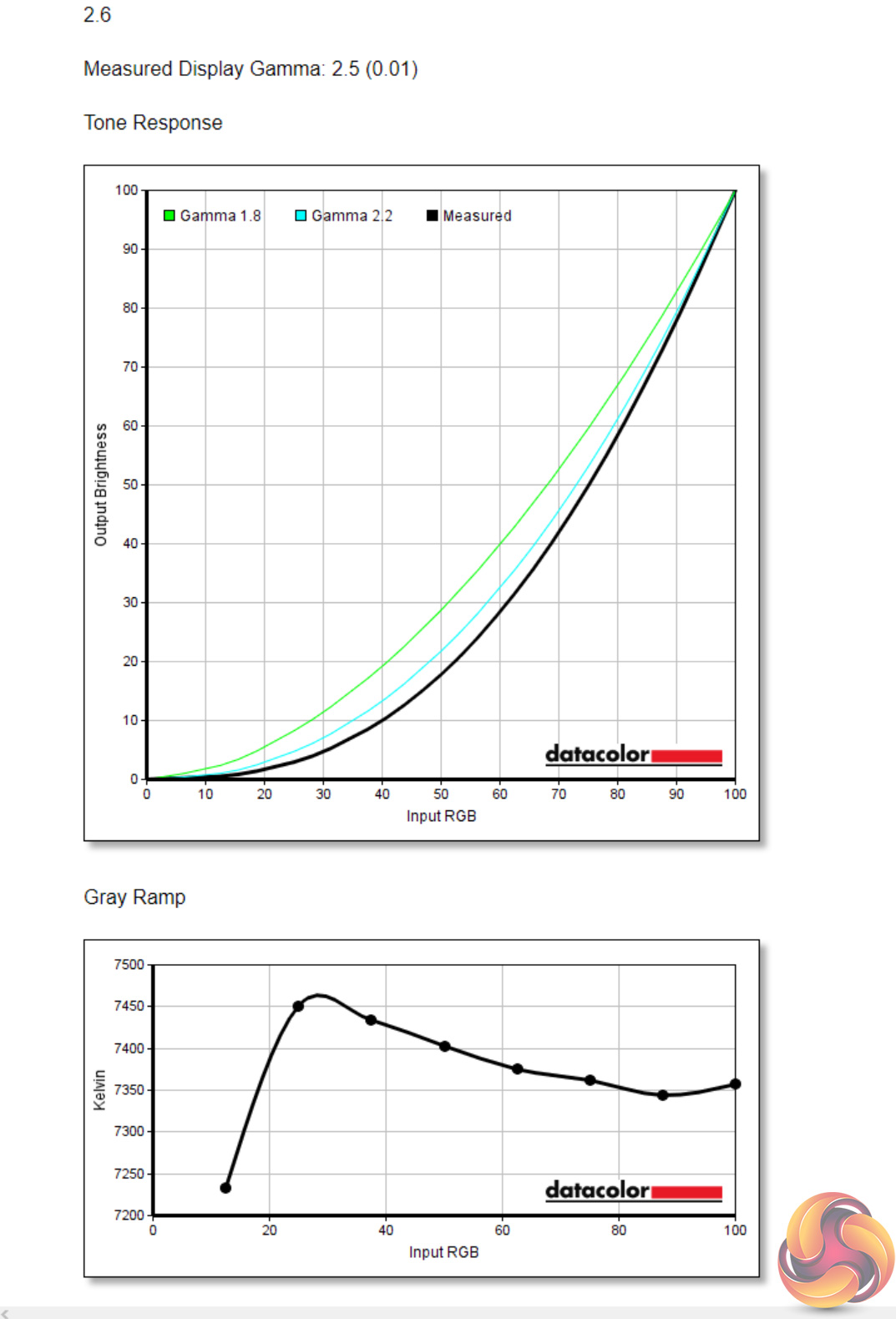
The Spectrum offers four different gamma settings – 2.0, 2.2, 2.4 and 2.6 Apart from the 2.0 setting, which was spot on, the other three modes all reported 0.1 below their intended target, so the 2.2 setting delivered a measured gamma value of 2.1.
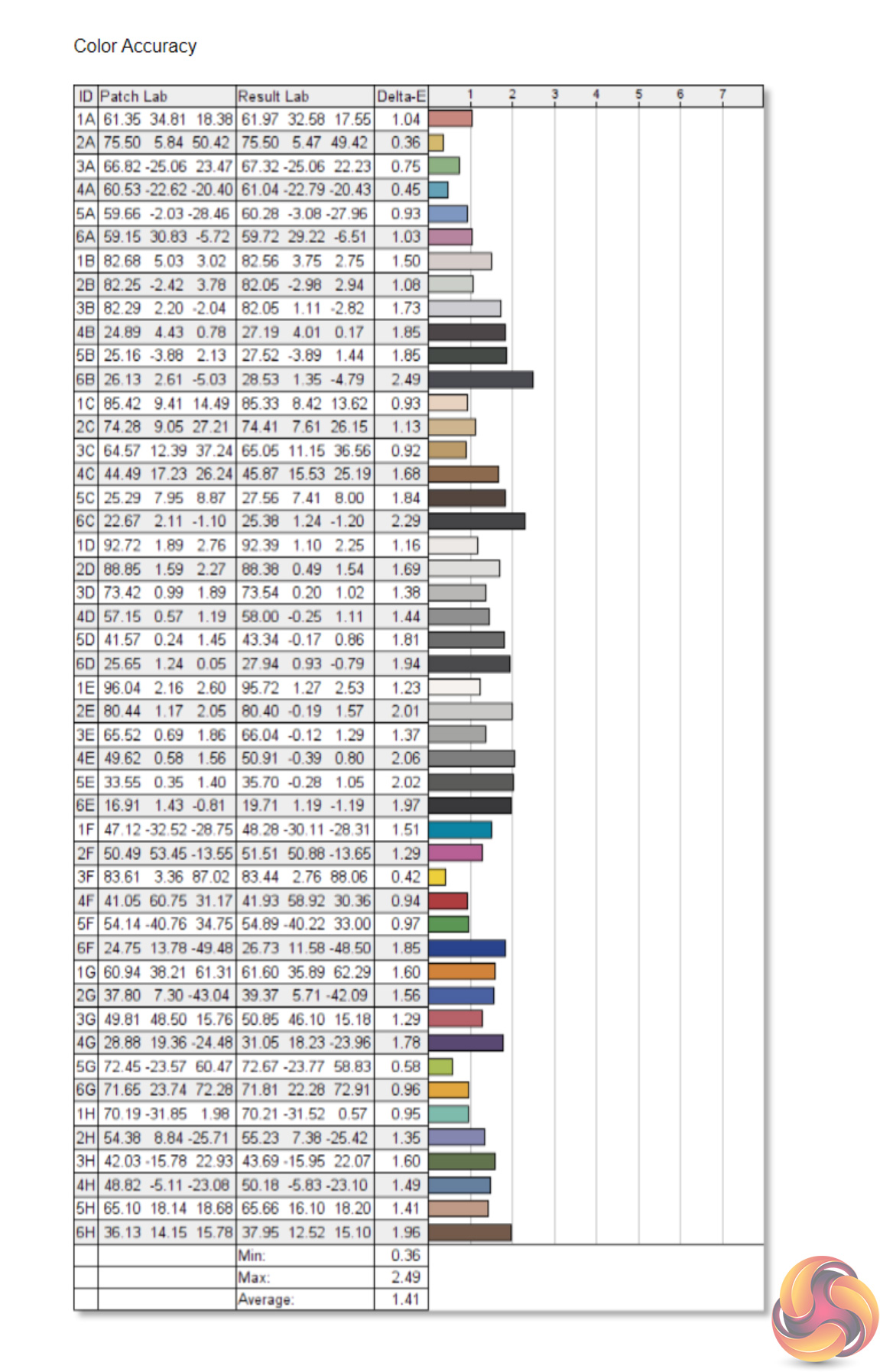
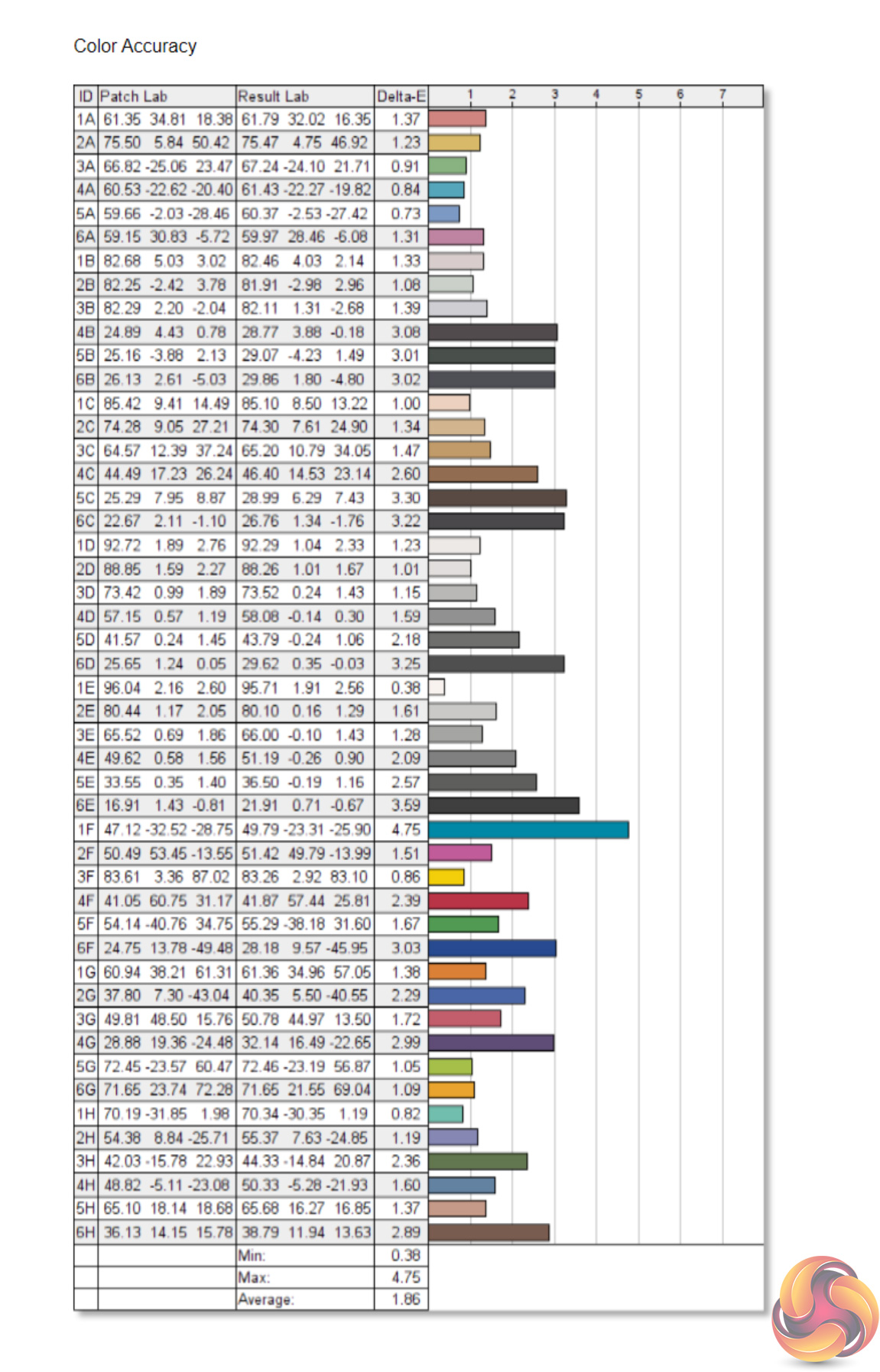
Lastly, for colour accuracy we again tested the default DCI-P3 profile as well as the monitor's sRGB profile. Both offer a high degree of colour accuracy, but the P3 profile is the clear winner with an average deltaE of 1.41 and a higher overall level of consistency. That's an excellent result for a gaming panel and would also open up the door to creatives or professionals who want a single screen for work and play.
Post-calibration
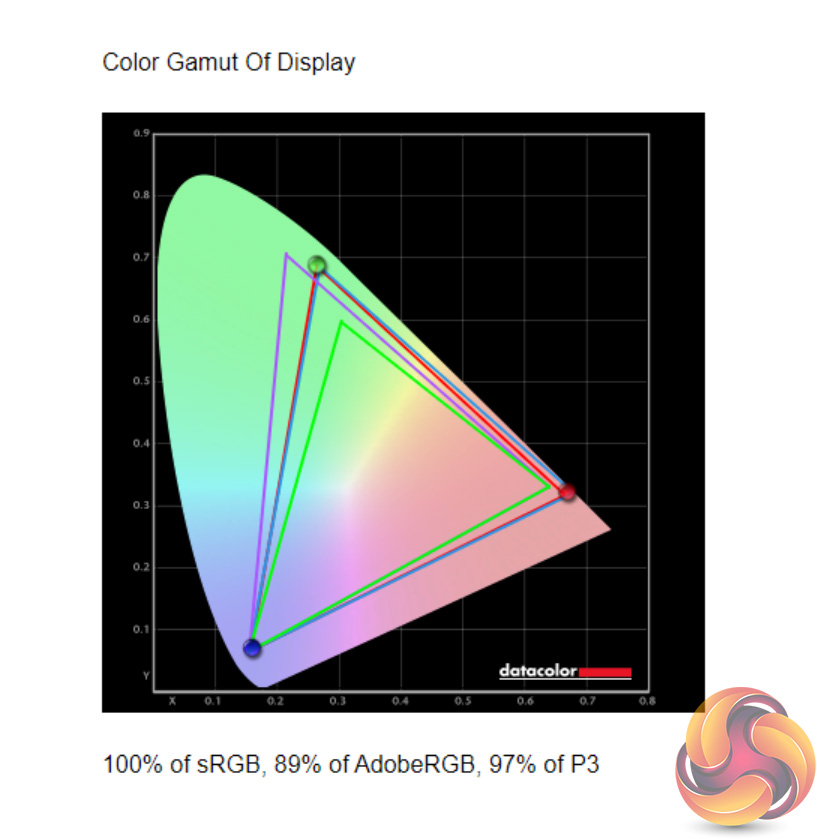
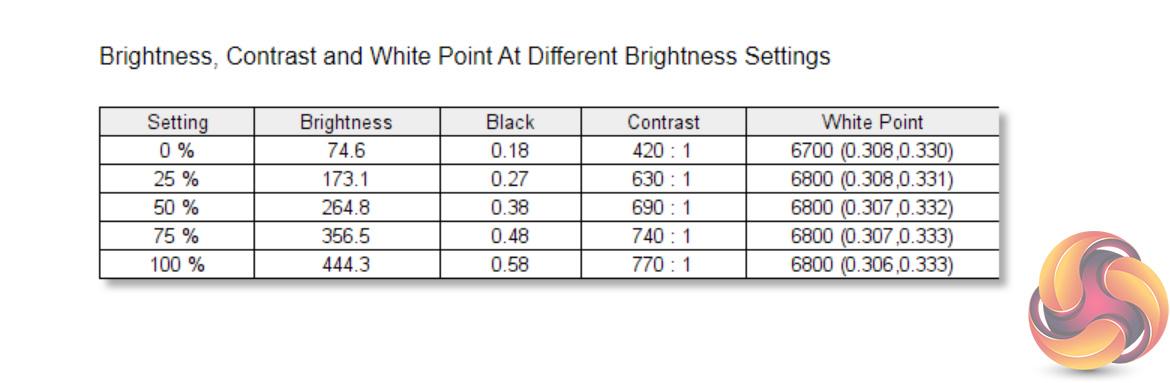
After calibration, using the DCI-P3 profile, AdobeRGB and sRGB gamut coverage got marginally worse, each losing 1%. Contrast has also slightly worsened, but not by much at all.
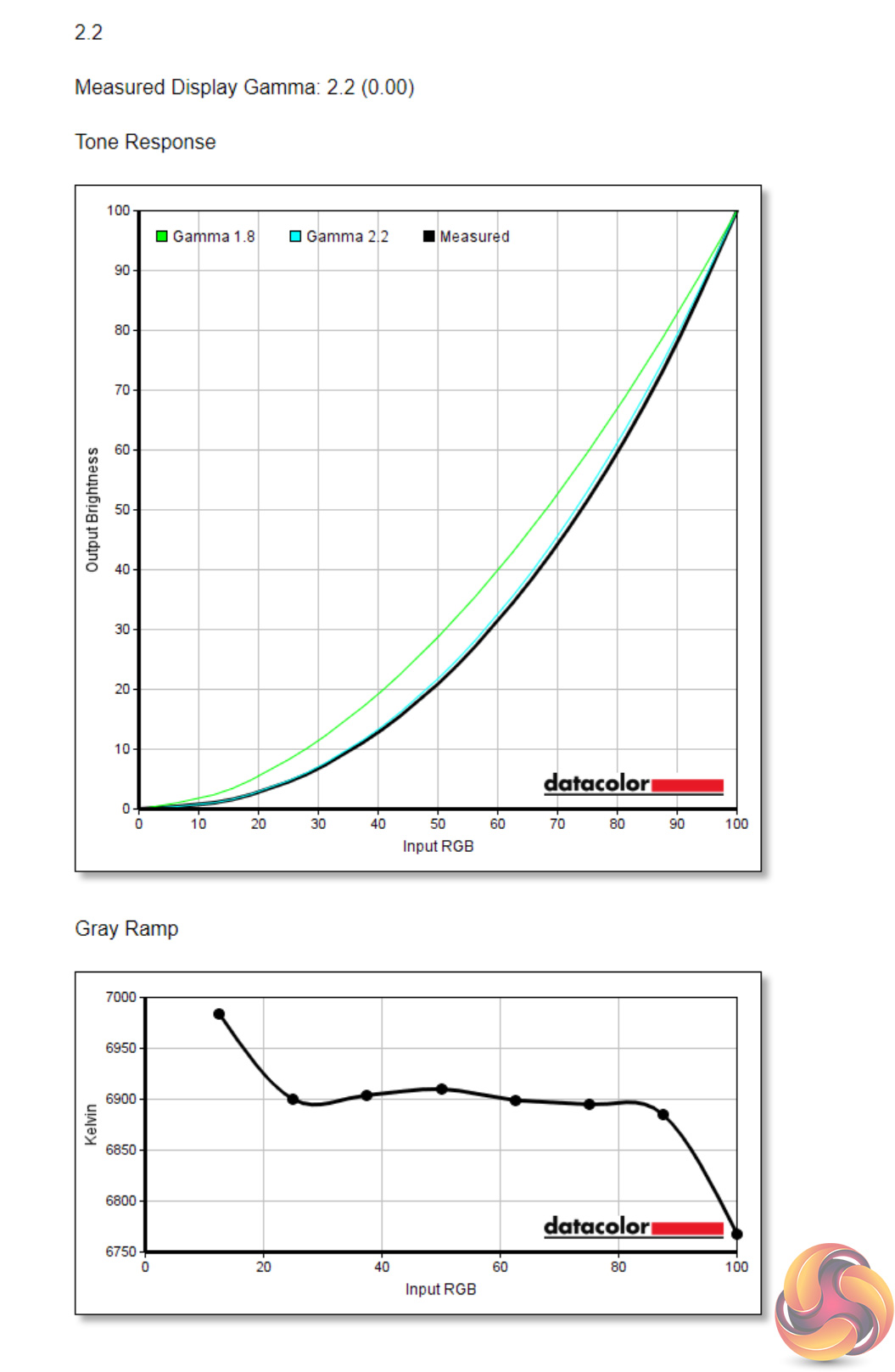
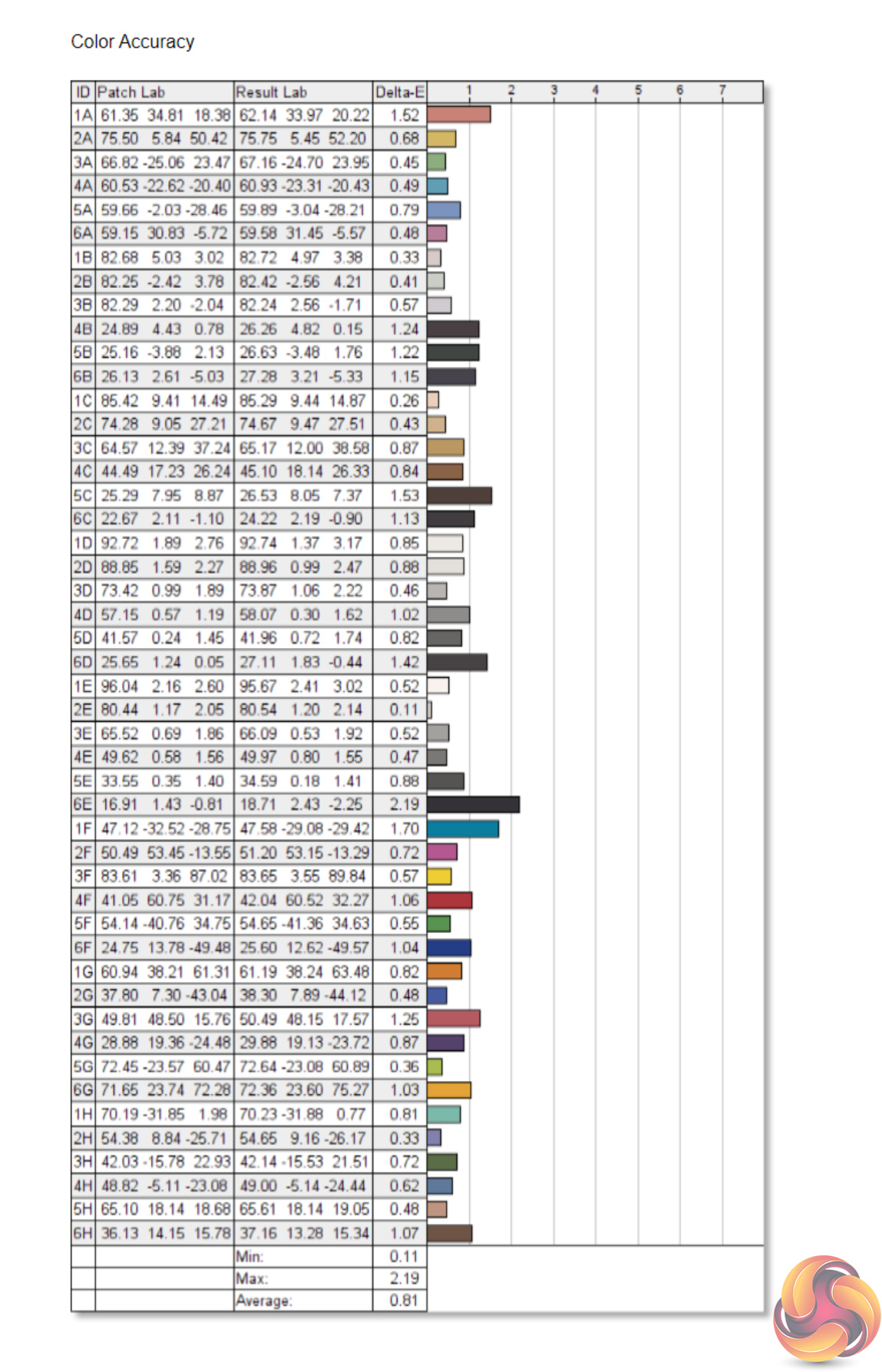
The 2.2 gamma setting however is now delivering an actual gamma value of 2.2, so that's a definite improvement. And colour accuracy is now even better than before, achieving an average deltaE of just 0.81. It's an absolutely terrific result, so if you want a fast, gaming-grade screen than can also deliver absolutely top-notch colour accuracy, the Eve Spectrum can do that for you.System latency is a new addition to our testing, where we use Nvidia’s Latency and Display Analyzer Tool (LDAT) to measure end-to-end system latency. LDAT itself is a photosensor which is placed on the monitor. It has an integrated mouse button, allowing it to measure the total time taken from mouse click, to an action happening on screen, which is done by measuring a change in luminance. This data is logged to a CSV file over USB, allowing for close analysis of the data.
As this is end-to-end system latency, we are not measuring only the processing/input latency of each monitor we test. However, we can standardise the test process so the monitor is the only variable. It also gives an insight into how different refresh rates and resolutions can affect end-to-end latency, which is of course highly relevant to your purchasing decision.
We use Rainbow Six Siege for this testing. We recently changed the graphics settings we test at, to allow for higher frame rates, so the Spectrum is only the second monitor we have tested with LDAT using these settings. That means we currently have limited comparison data, but we will add to these charts as we review more screens.
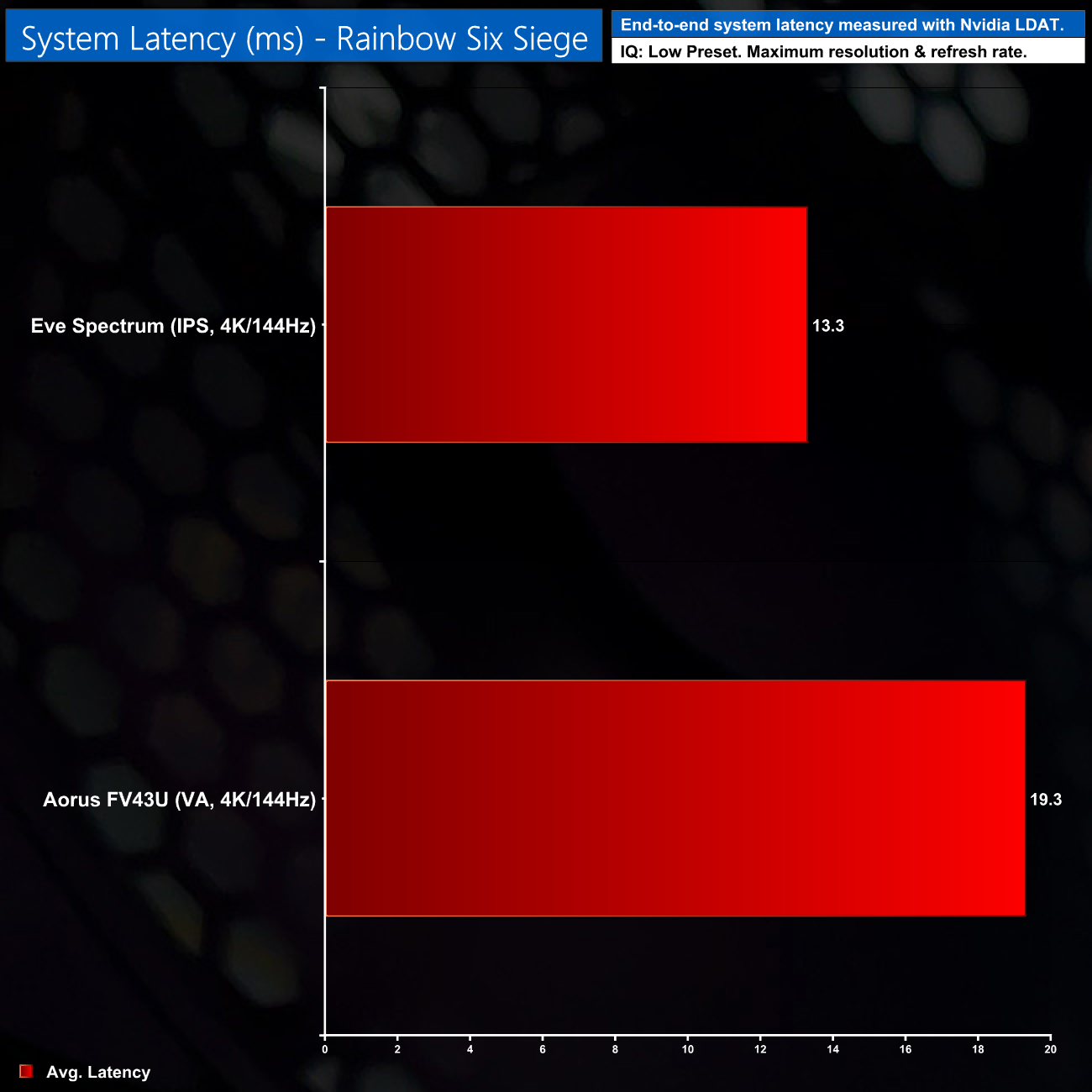
Average system latency hit 13.3ms, and this is actually a 6ms reduction compared to the Aorus FV43U we reviewed last week. Subjectively speaking, I didn't notice any perceptible input latency from either screen, but it is good to know the Spectrum is managing to reduce total system latency times compared to that Aorus display.
Incidentally, the spectrum does also feature a Low-Latency mode. However, we measured no different in end-to-end system latency when using this mode. We asked Eve about why this would be, and they told us that ‘Low-latency mode keeps the incoming resolution and frame rate unmodified. It is more for compatibility than performance improvement. For example, Adaptive-Sync requires low-latency mode to be on, while monitor scaling is incompatible with low-latency mode.'Having spent the last week using the Eve Spectrum for gaming, photo and video editing, it is clear that the $799 asking price gets you a lot of monitor for your money.
Not only does this display offer excellent response times, with user-definable overdrive settings, that makes for a fast gaming experience, but it is highly colour accurate as well. We saw an average deltaE of just 1.41 out of the box, while this improved to 0.81 after calibration – one of the best results we have ever seen. It means the Spectrum is a fantastic monitor if you want a single screen for both gaming and colour-sensitive work.
It's hard not to be taken in by the sleek design too. The bezel-less design looks fantastic and the overall aesthetic is just incredibly clean. Granted, the metal stand isn't included in the price and will set you back an extra $99, but that also means anyone who already has their own stand or wall mount isn't wasting their money on something they won't need.
Certainly, if any other monitor manufacturer was offering this package for $799, it would almost be a no-brainer. I say that because Eve as a company has a troubled past – we don't need to get into all the nitty gritty here, but the company previously offered a 2-in-1 device known as the V, with numerous reports of customers not receiving the product and not getting refunds either. The Spectrum itself has also been delayed significantly, as it was first estimated to ship at the end of 2019, and other estimates for a 2020 shipping window came and went.
We wanted to address these concerns head on, and reached out to Eve CEO Tuukka Korhonen. He told us that the company has changed its whole business model since the V debacle, and also offered some numbers indicating a significant number of 4K Spectrums have already shipped – we were asked not to share exact figures, but it was a reassuring number.
Still, I would completely understand if Eve's history would be enough to deter a potential customer. It's just a shame this needs saying at all, as the Spectrum is a technically excellent screen. That – along with at least some user reports of their orders arriving – is why we are still giving the 4K/144Hz Spectrum our ‘Worth Buying' award.
You can buy the Eve Spectrum directly from Eve HERE. The 4K/144Hz model is priced at $799, with the monitor stand priced at $99.
Discuss on our Facebook page HERE.
Pros
- Sleek and stylish design.
- Very impressive colour accuracy.
- Wide gamut coverage, including 98% DCI-P3.
- Fast response times with customisable overdrive settings.
- Good levels of brightness.
- Low latency.
- Two HDMI 2.1 ports, both offering 48Gbps bandwidth.
Cons
- Eve has a chequered history.
- HDR isn't worth using.
- Some may find the screen size too small for the 4K resolution.
KitGuru says: The Spectrum is a great 4K gaming monitor, though wary potential customers may want to wait for more real-world user reports.