KitGuru KitGuru.net – Tech News | Hardware News | Hardware Reviews | IOS | Mobile | Gaming | Graphics Cards


Lots of laptops now come with touch screens that you probably rarely use, even if your notebook is a transformer / 360 version that is designed to double as a tablet. But very few desktop monitors offer this facility. Nevertheless, for demonstration purposes or content creators, this could be an essential feature. Enter the Iiyama ProLite Touch T2736MSC, a 27in screen with fingertip sensitivity.
The T2736MSC looks fairly normal, albeit somewhat chunky by today's 27in TFT standards. The screen surface is also a lot more reflective than most. But other than that, this panel looks like a normal monitor.
However, it has a relatively modest 1920 x 1,080 resolution for a 27in screen, and uses the AMVA variant of VA panel technology, which provides better contrast than IPS and TN can offer, at 3,000:1. Although the panel itself boasts a reasonable native brightness of 300cd/m2, the touch layer reduces this to 255cd/m2, and Iiyama doesn't make any claims on gamut.
The bases are all covered where connectivity is concerned, with VGA, HDMI and DisplayPort video connections available, plus a minijack output for headphones or external speakers, However, stereo 2W speakers are also integrated. There's a four-port USB 3.0 hub, too.
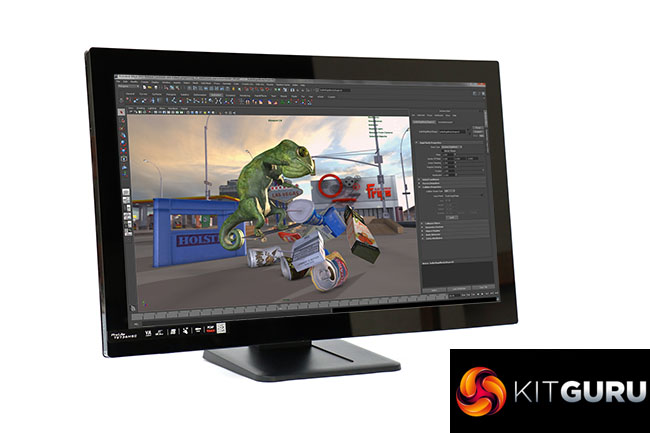
Since the T2736MSC is such a specialist product, it's no surprise that it doesn't come cheap. Over £400 inc VAT is a lot to pay for a 27in Full HD screen, but on the other hand its abilities are relatively unique, so read on to see if it's a touch of class or could do with a helping hand.
Specification:
- Screen size: 27-inch, 16:9 aspect
- Native resolution: 1,920 x 1,080
- Refresh rate: 75Hz
- Panel type: AMVA
- Contrast ratio: 3,000:1 (typical)
- Brightness: 300cd/m2, 255cd/m2 with touch
- Response time: 4ms Grey-to-Grey
- Display inputs: HDMI, DisplayPort, VGA
- USB hub: Yes, 4 x USB 3.0
- Tilt: 3 degrees forward, 73 degrees backward
- Raise: No
- Swivel: No
- Other: Minijack audio output, stereo 2W speakers, projective capacitive touch with 10 touch points (with supported OS)
Retail Price: £419.95 (inc. VAT)
The Iiyama T2736MSC is a ProLite, so aimed at a business customer.
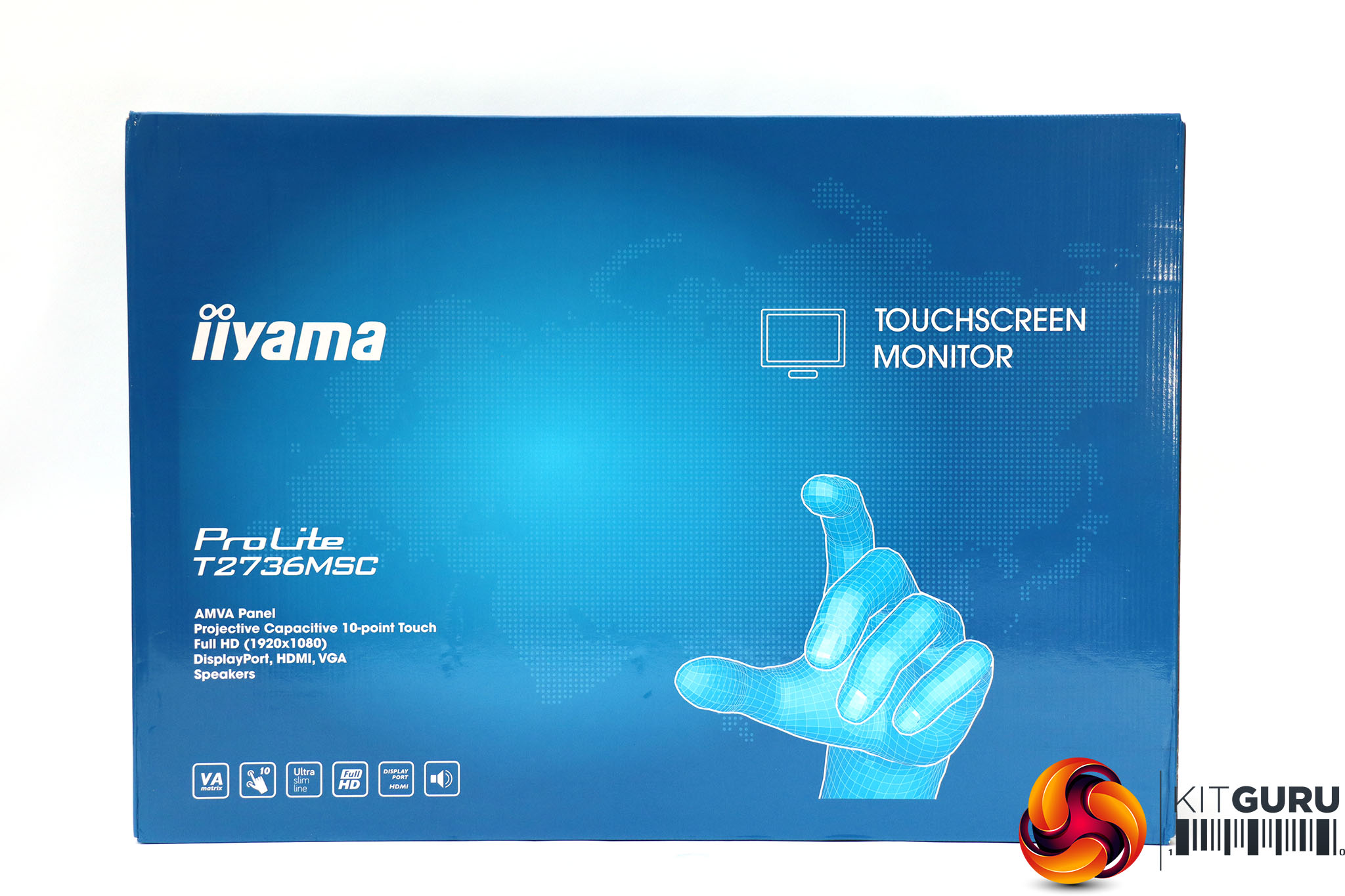
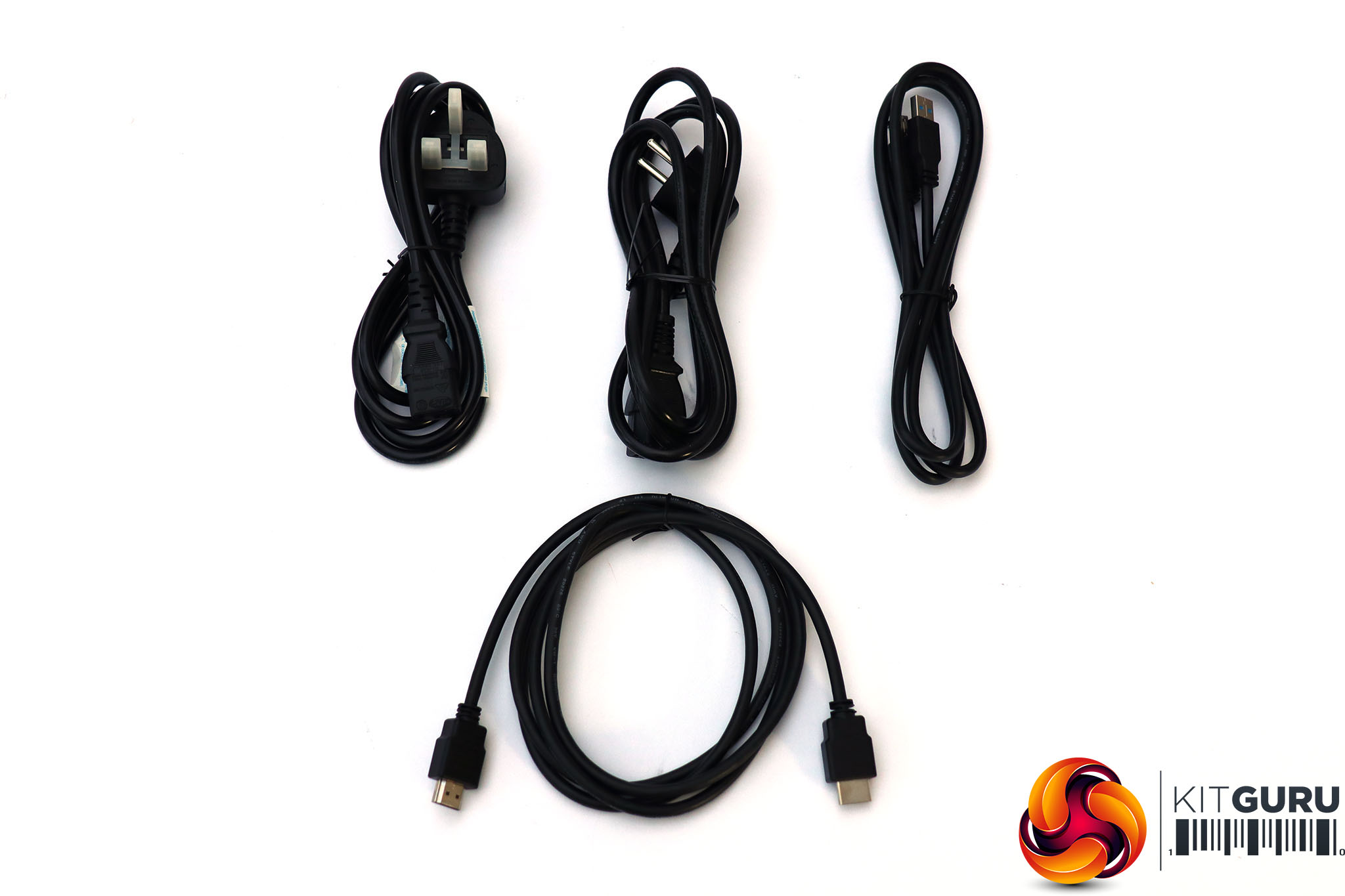
However, the chirpy blue box breaks from the black usually found with Iiyama's professionally-oriented ProLite range. Inside, you get power cables for the UK and EU, plus USB upstream and HDMI. And the monitor, obviously.
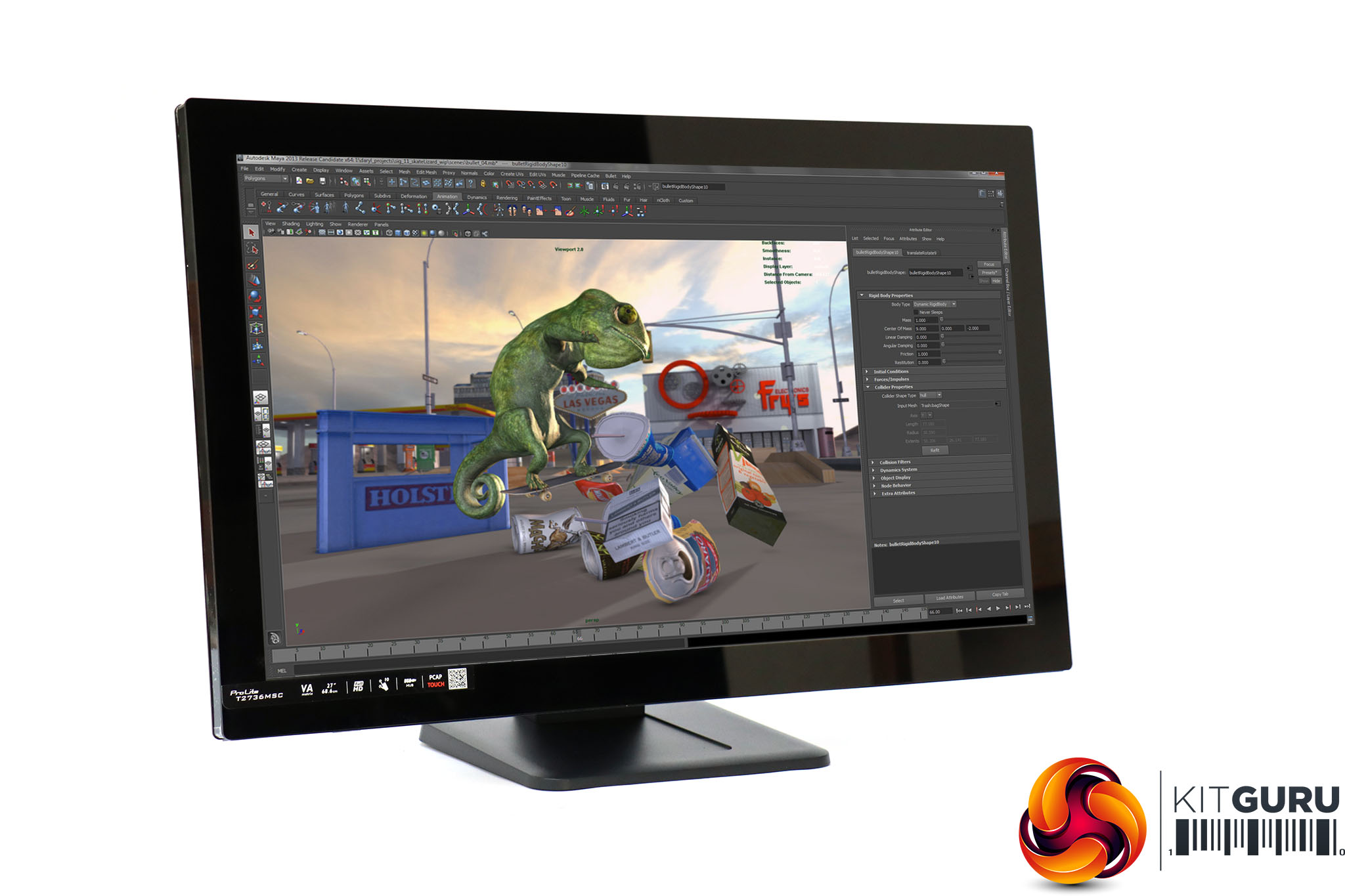
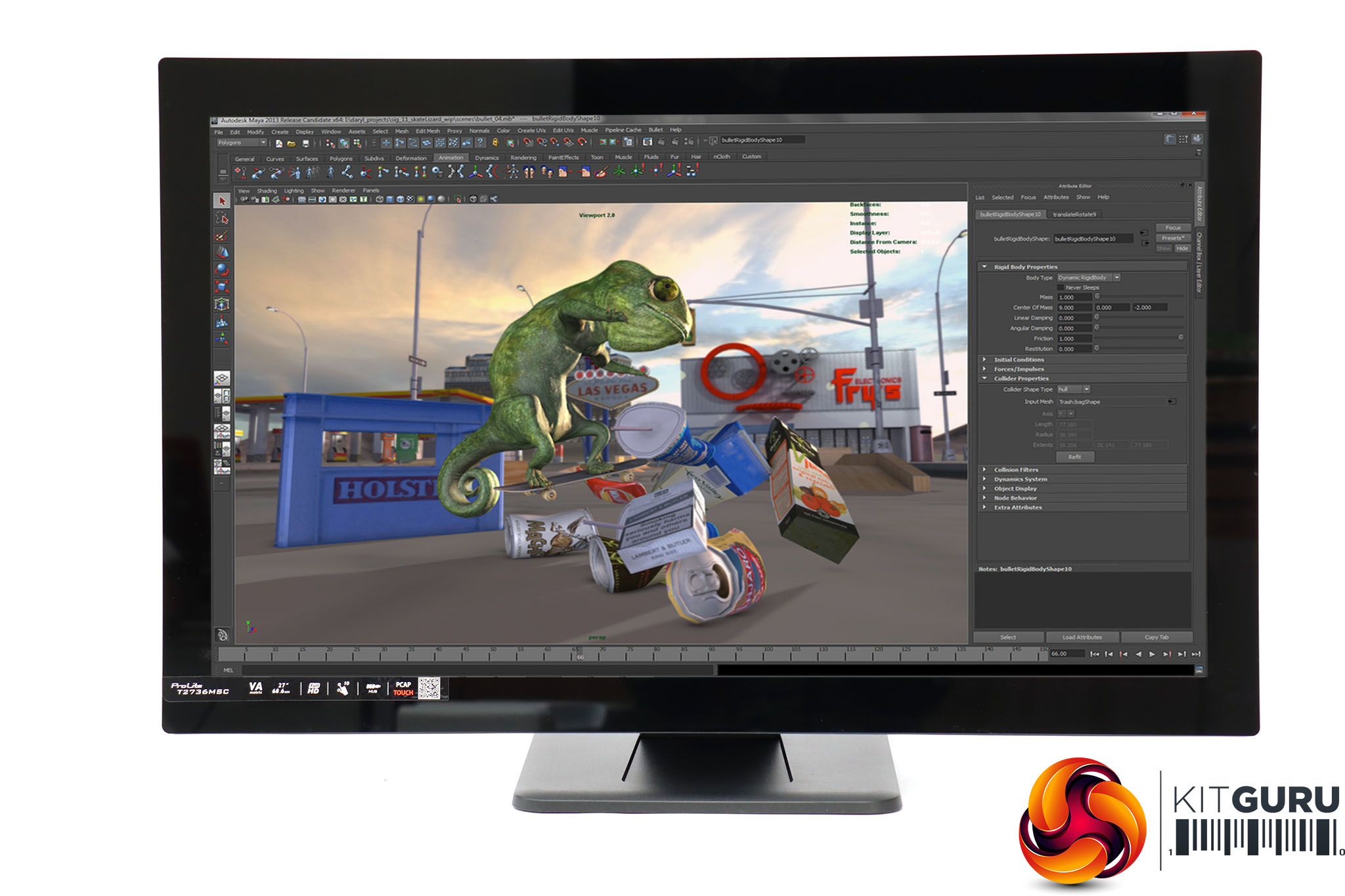
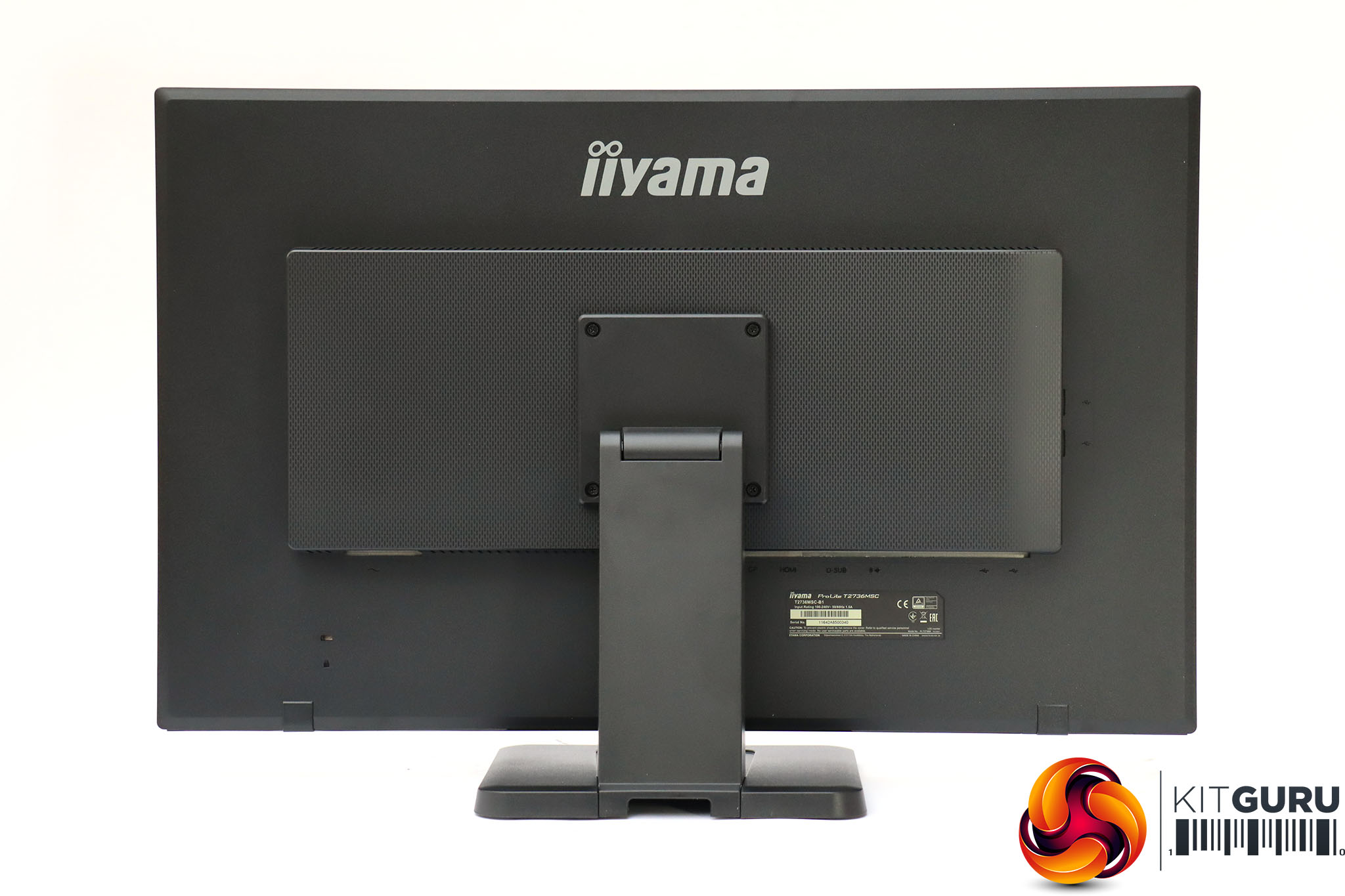
The screen is a serious black chunk. It's very solidly built, with a robust stand. If you peel off the label from the bottom-left of the panel, there is no logo or model identification on the front, just a large Iiyama branding on the rear.
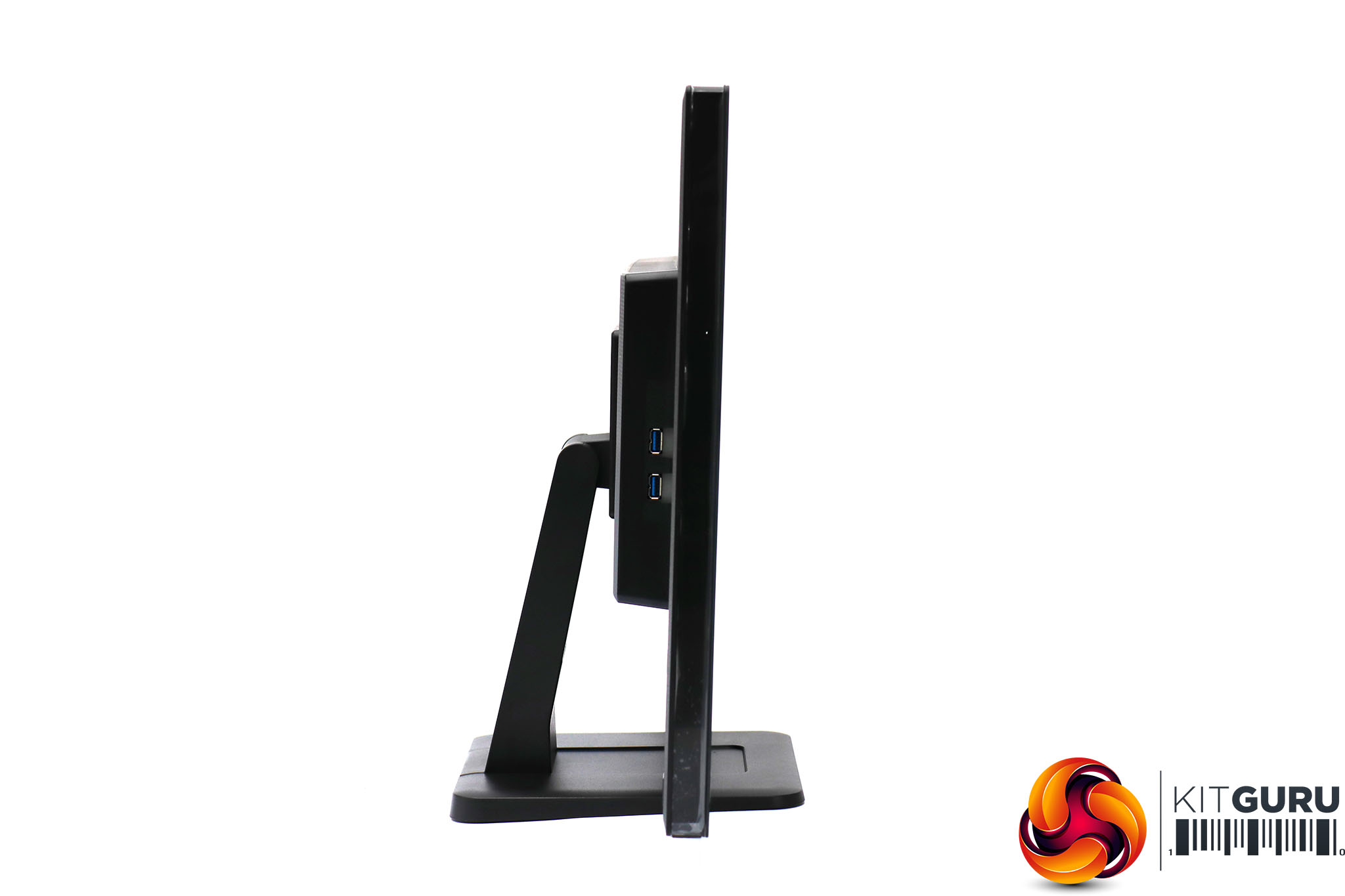
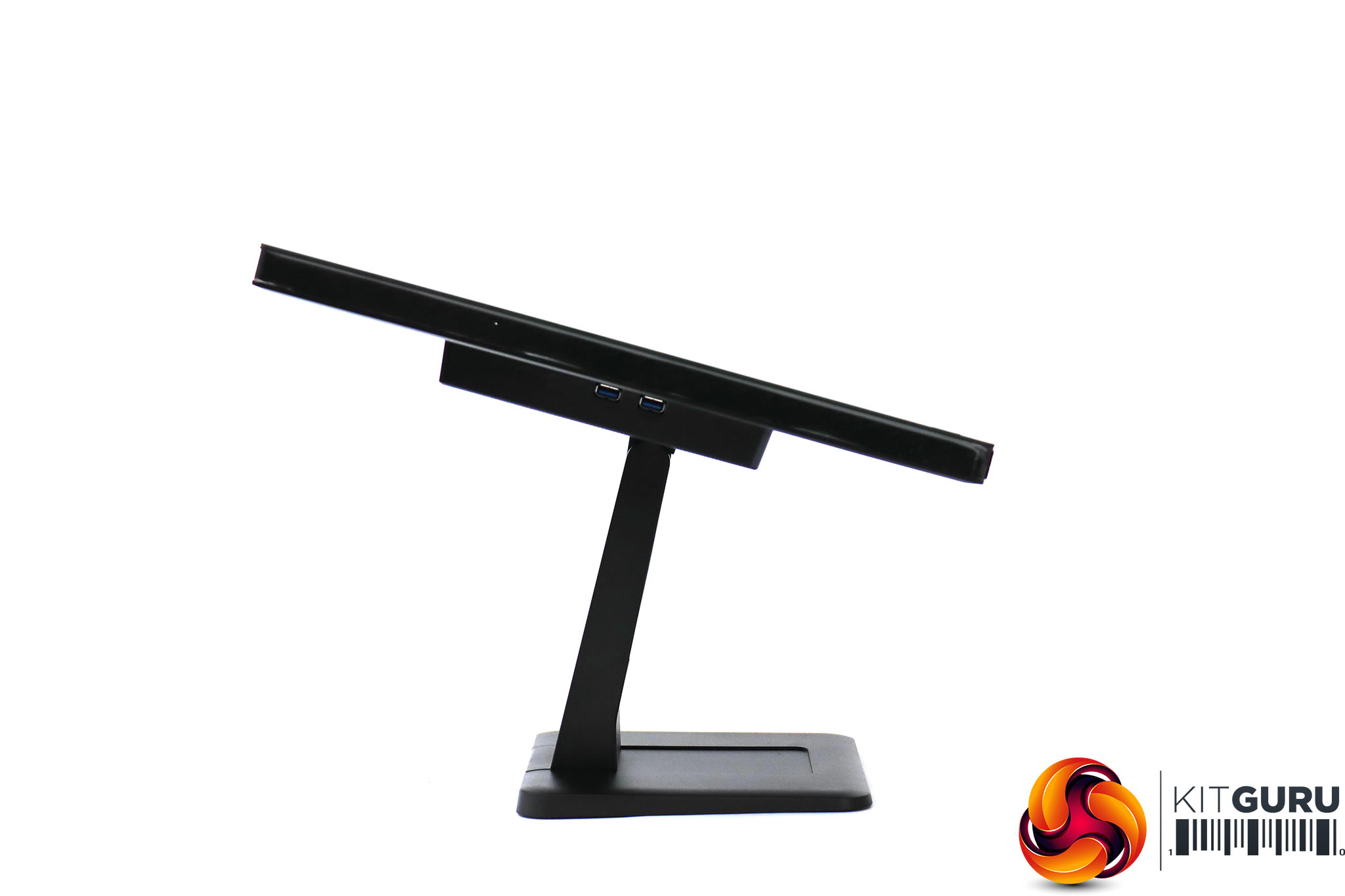
Since the T2736MSC is meant to be prodded at with your finger on a regular basis, it needs to have a firmer relationship between screen and stand. As a result, the range of adjustment is much smaller than for most monitors. You can't swivel the panel on the stand, you can't raise or lower it, and you can't rotate the screen into portrait mode.
However, whilst you can only tilt the monitor three degrees forward, it tilts 73 degrees backwards, and stays in this position solidly. This means you can use the screen from a standing position as a large interface, like a really, really big touchpad or permanently installed tablet.
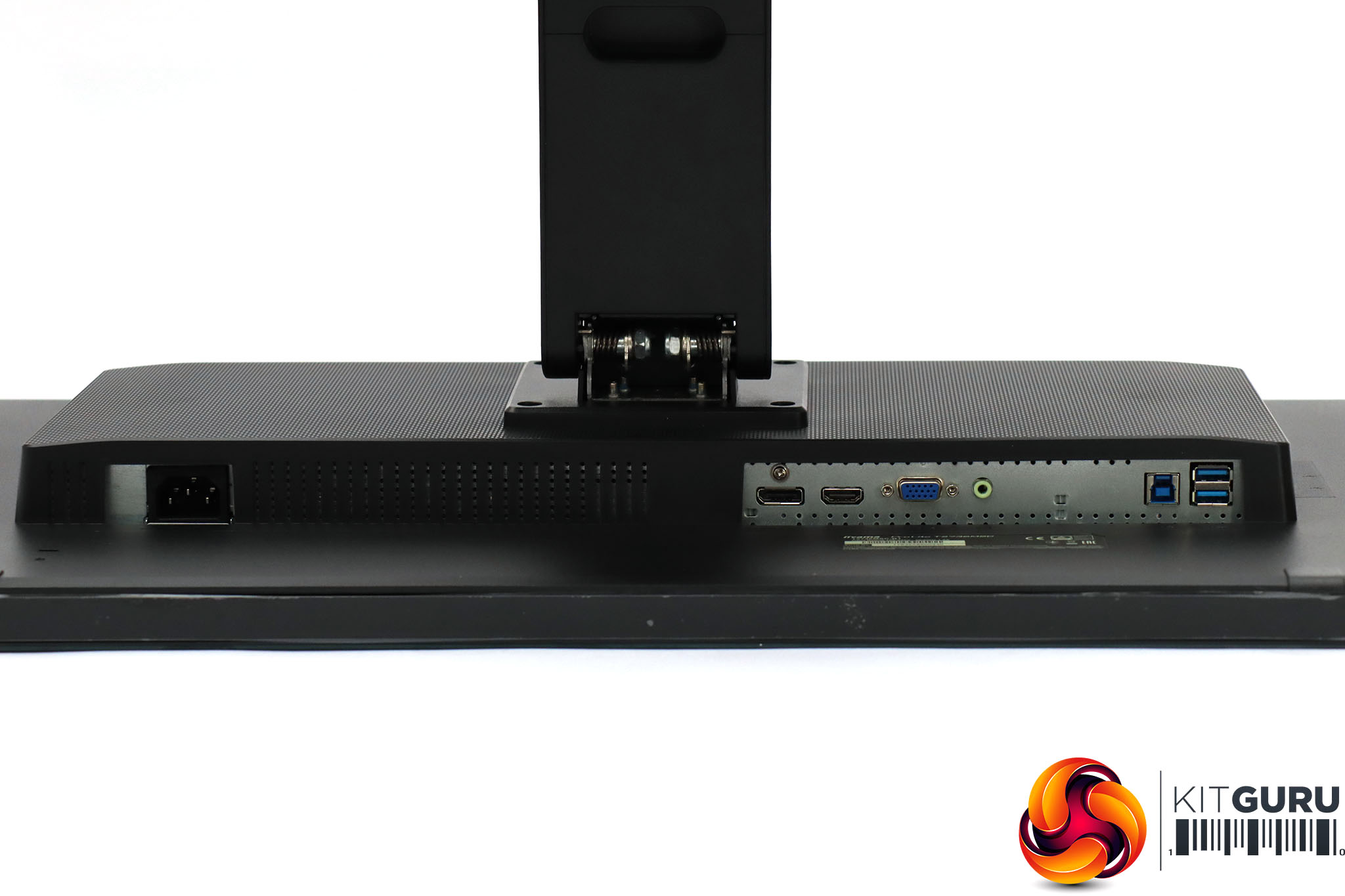
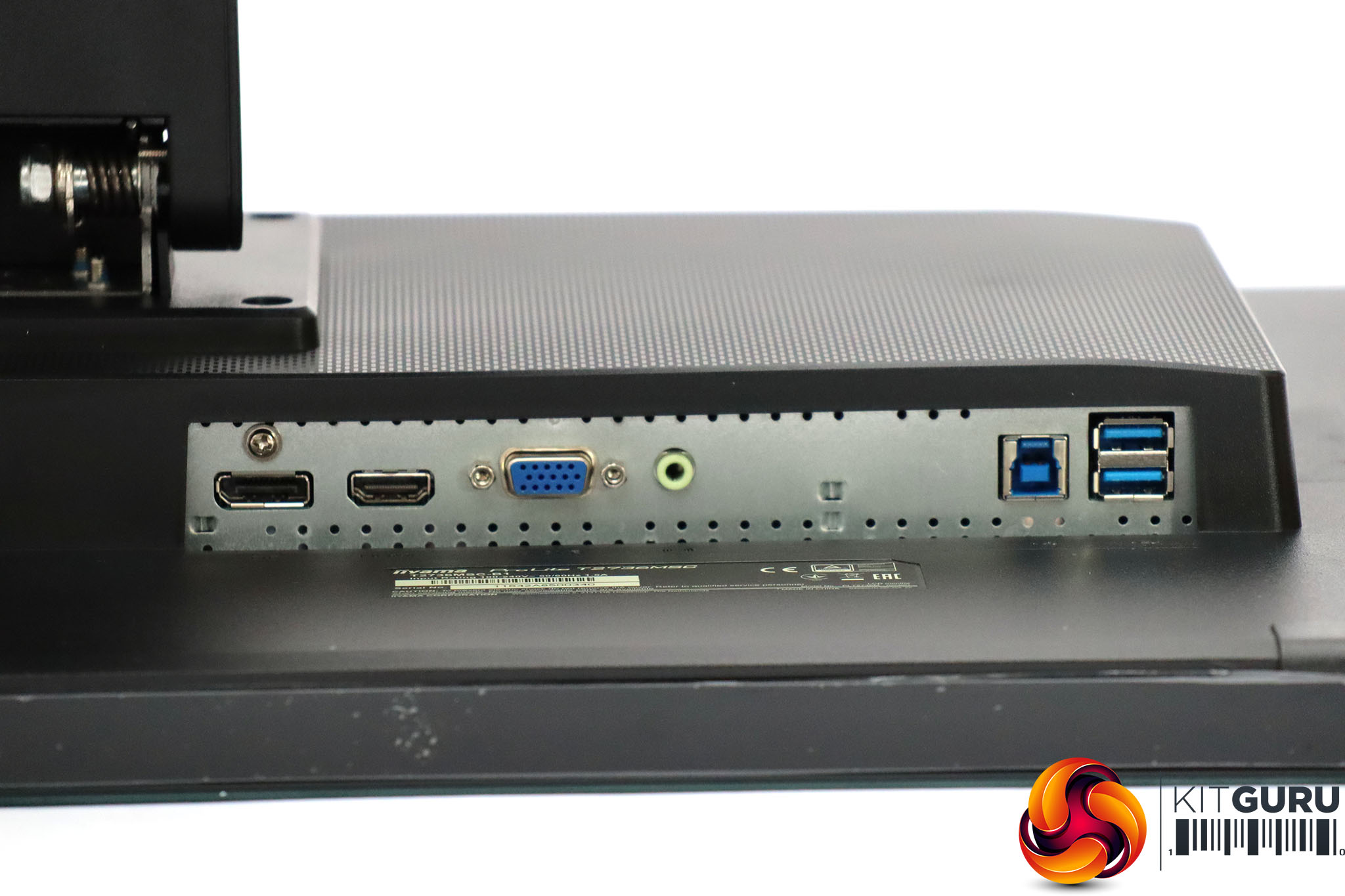
The T2736MSC is reasonably well supplied with connectivity. On the underside of the rear section, you get one each of DisplayPort, HDMI and legacy VGA, plus a minijack audio output for headphones or external amplification, although the screen has a pair of 2W speakers built in.
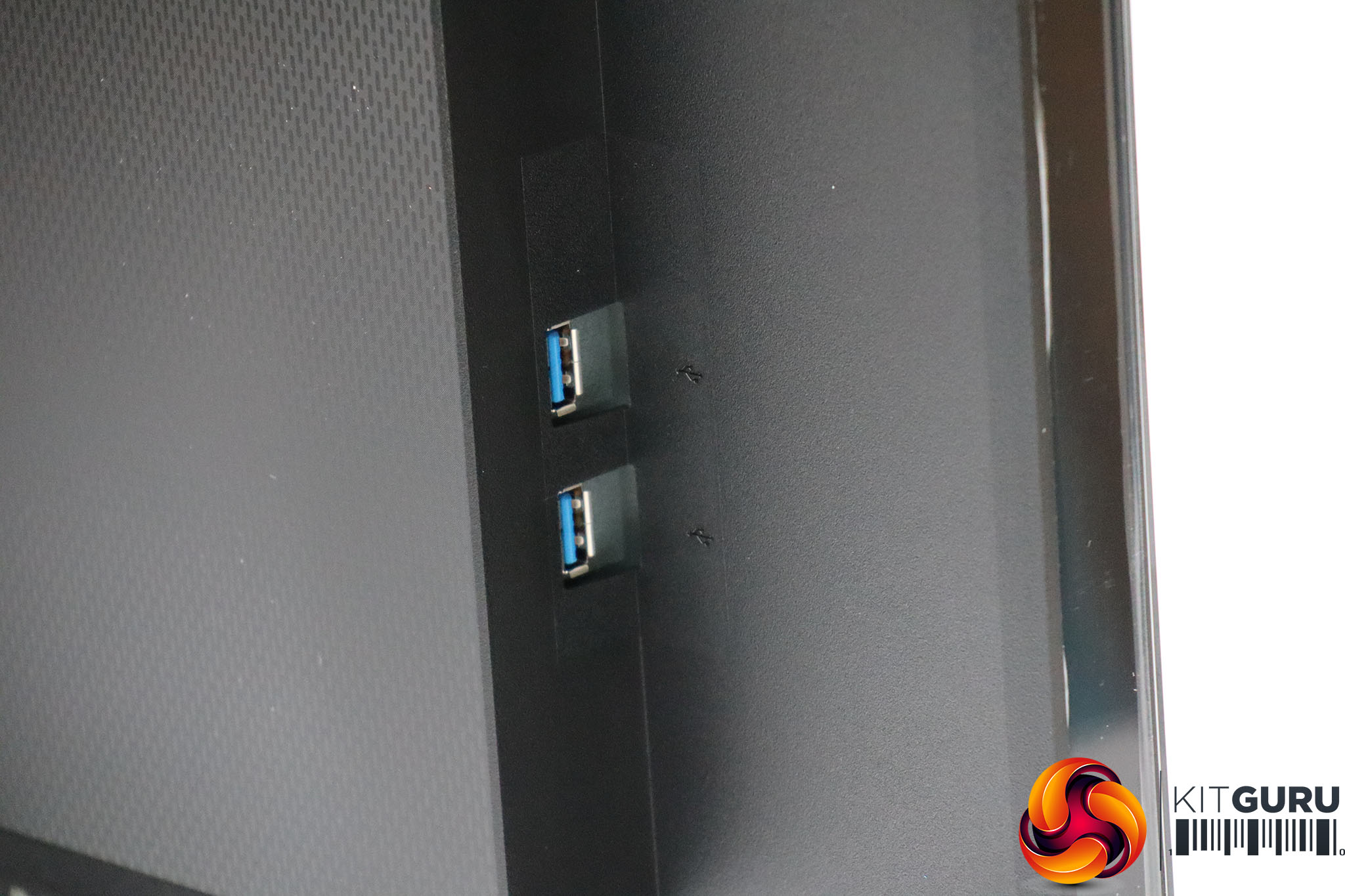
There is also an input port for upstream USB 3.0 connectivity and two downstream ports. Usefully, two more downstream USB 3.0 ports can be found on the left-hand side of the screen, so you don't need to scrabble around underneath to connect a USB Flash drive or external hard drive.
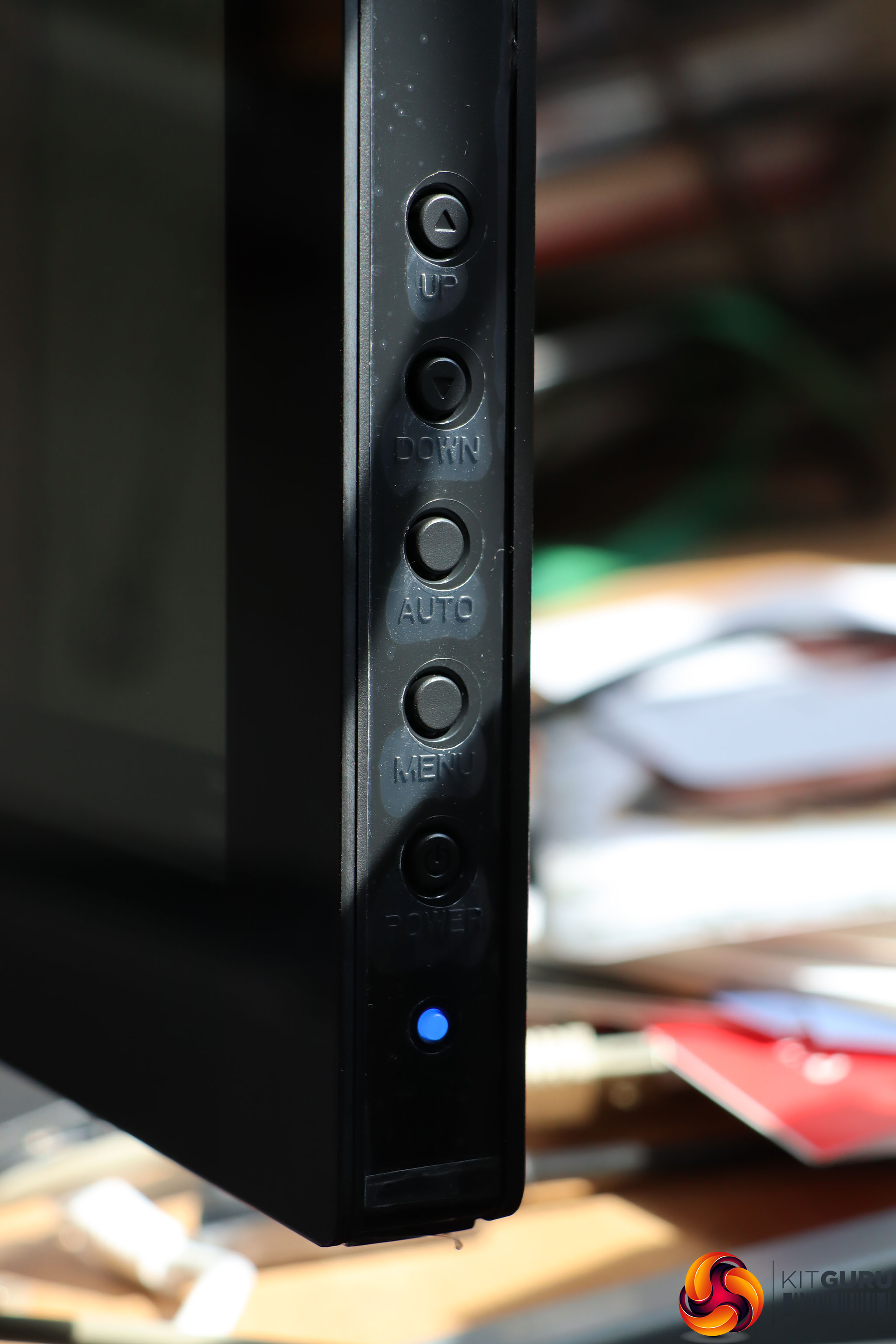
The menu is operated by a conventional set of four buttons down the right-hand side of the screen, plus a fifth for toggling the power. All four buttons call up quick menus, but also double for menu navigation, with the top two being the arrows and the third for escape, with the bottom selecting the option.
Since the bottom button is for turning on the power, we'll start with the top one.
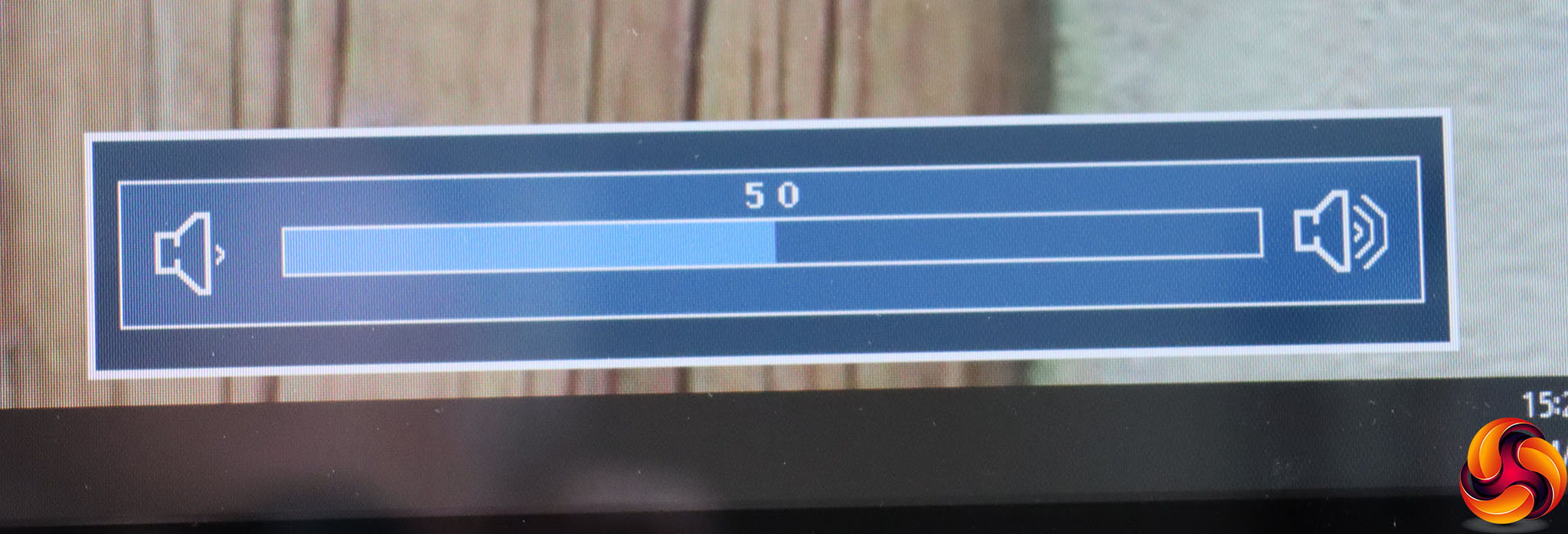
The top button calls up the volume control for the built-in speakers or headphone output.
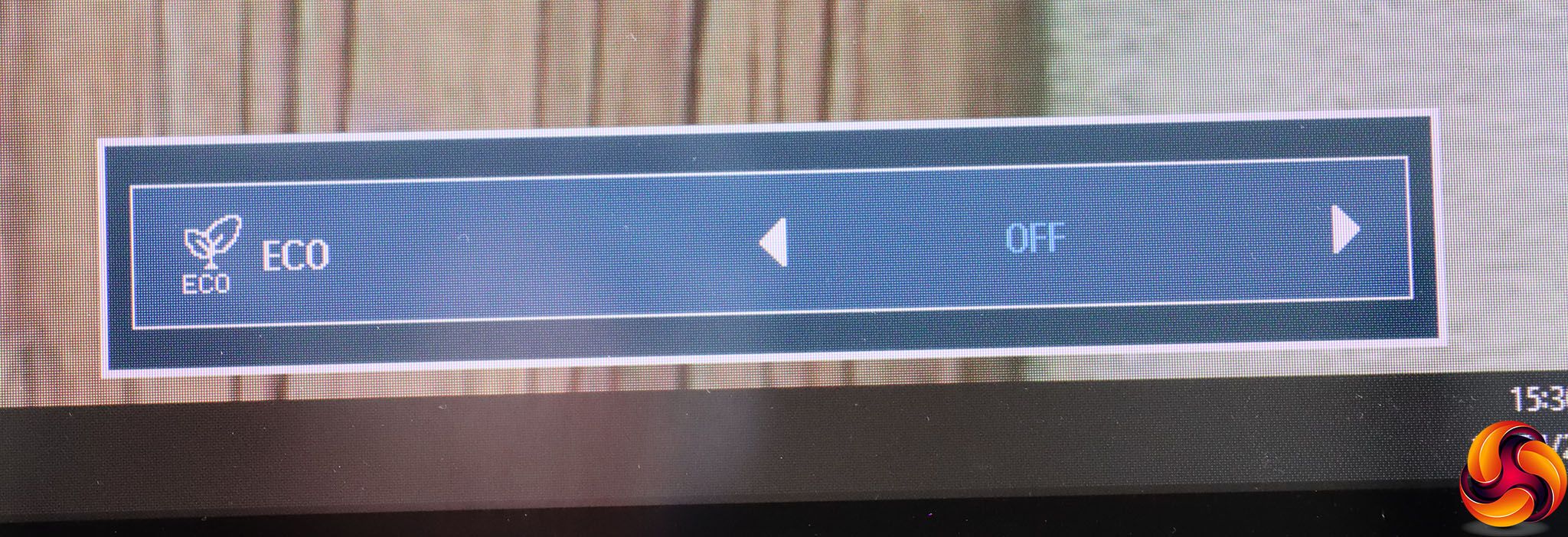
The next button down toggles between the three ECO modes, which reduce brightness to conserve power.
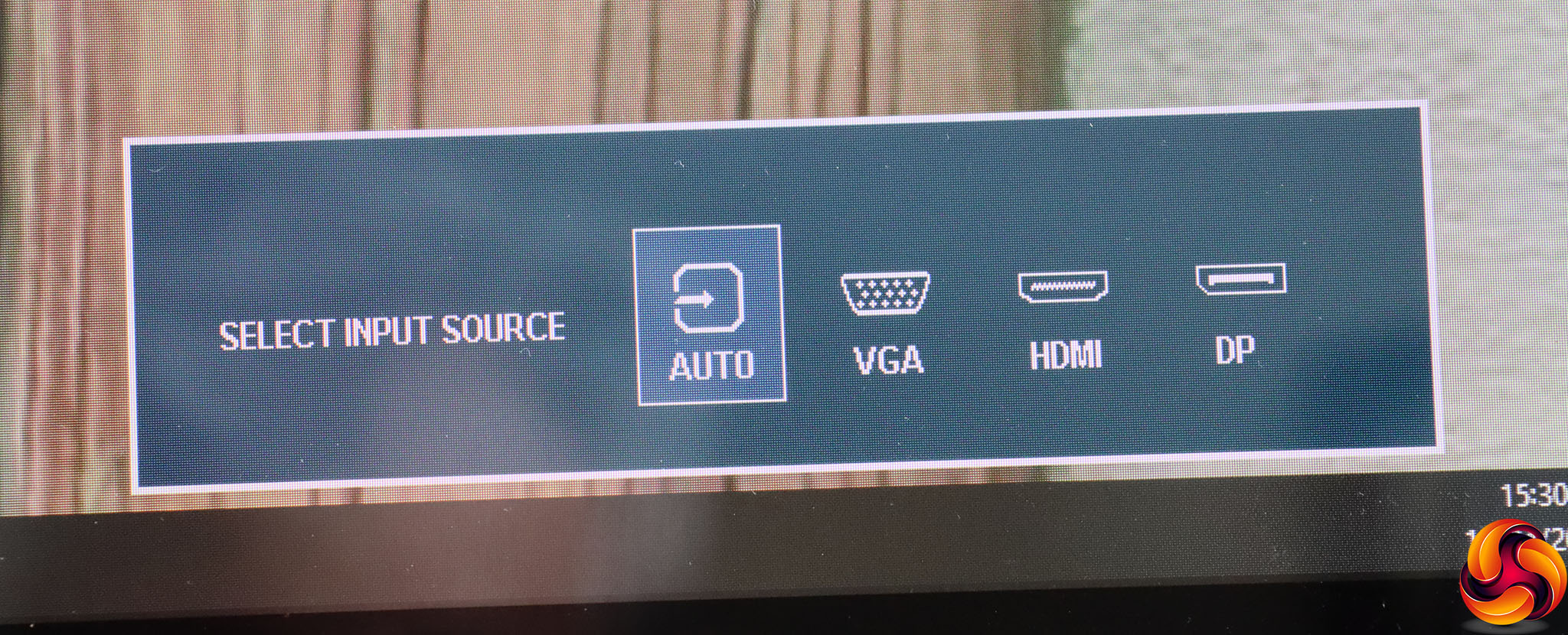
The third button from the top lets you select between the three different inputs manually.
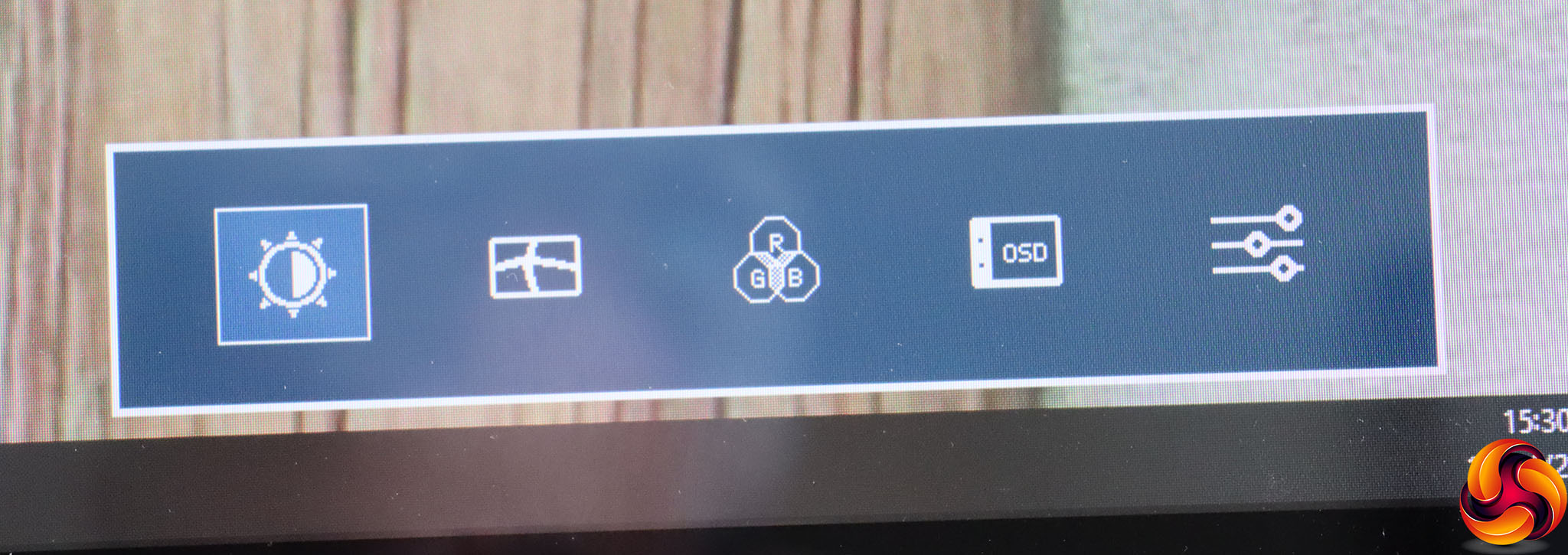
The fourth button down calls up a row of icons so you can go to the main menu items.
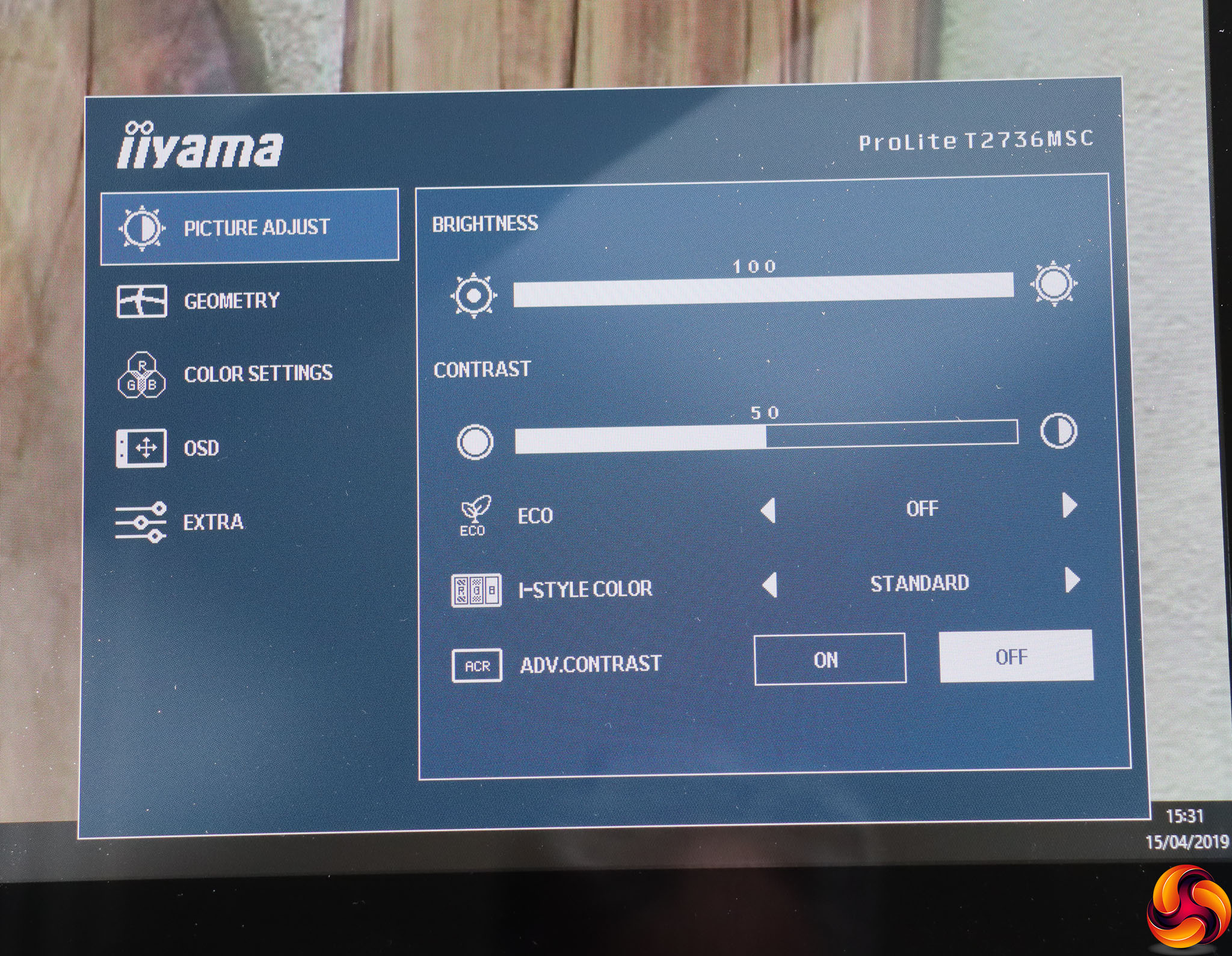
The first main menu section is Picture Adjust, where you can alter brightness, contrast, and enable one of the three ECO modes. You can also turn on one of the I-Style Color presets, which include Standard, Sport, Movie, Game, Internet and Text.
You can also toggle Advanced Contrast, which is Iiyama's take on an adaptive system that varies the backlight intensity to increase the perceived contrast range.
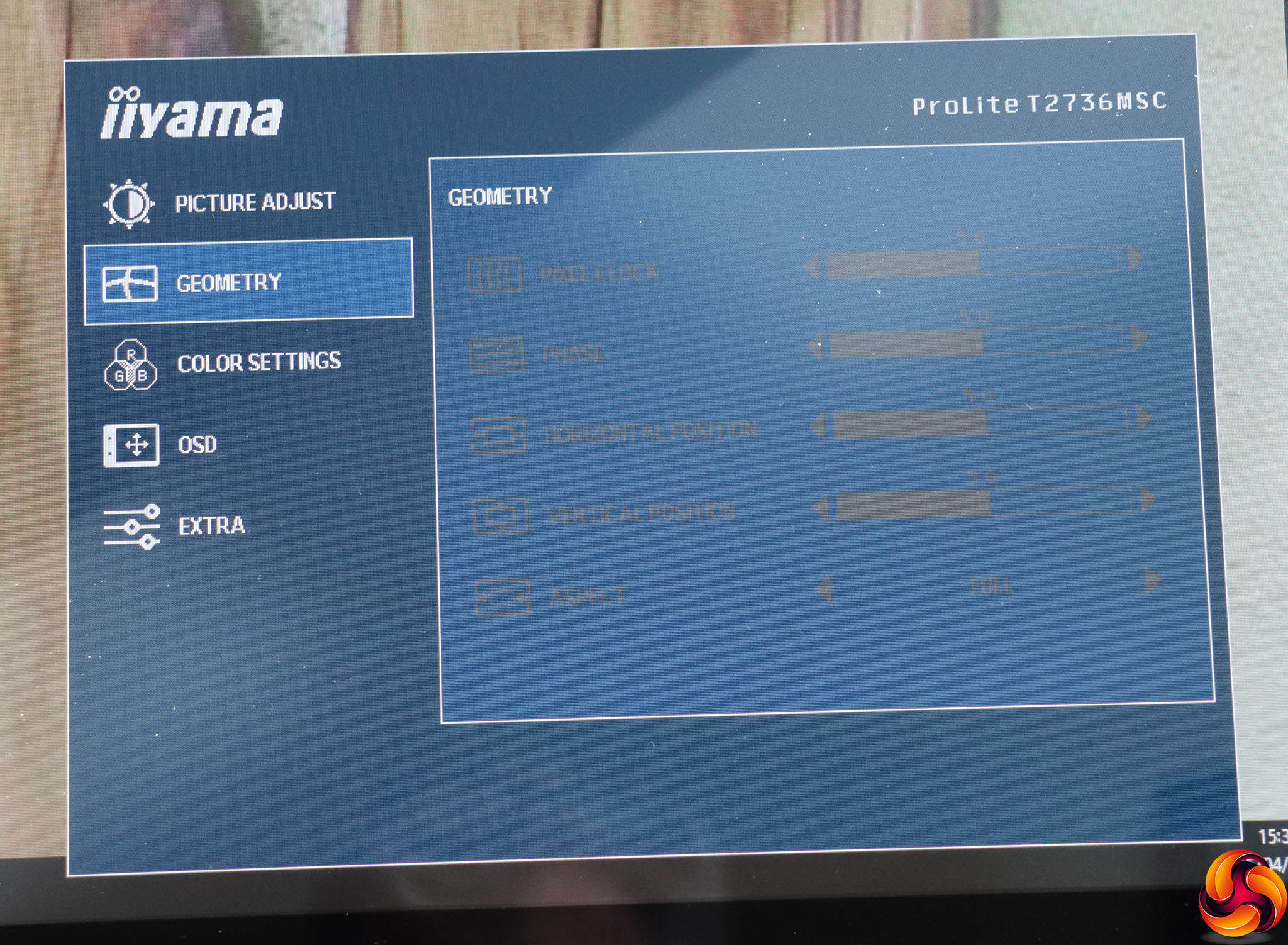
The Geometry section is greyed out unless you have an analog VGA source, in which case it allows you to adjust how the pixels are displayed on the digital screen.
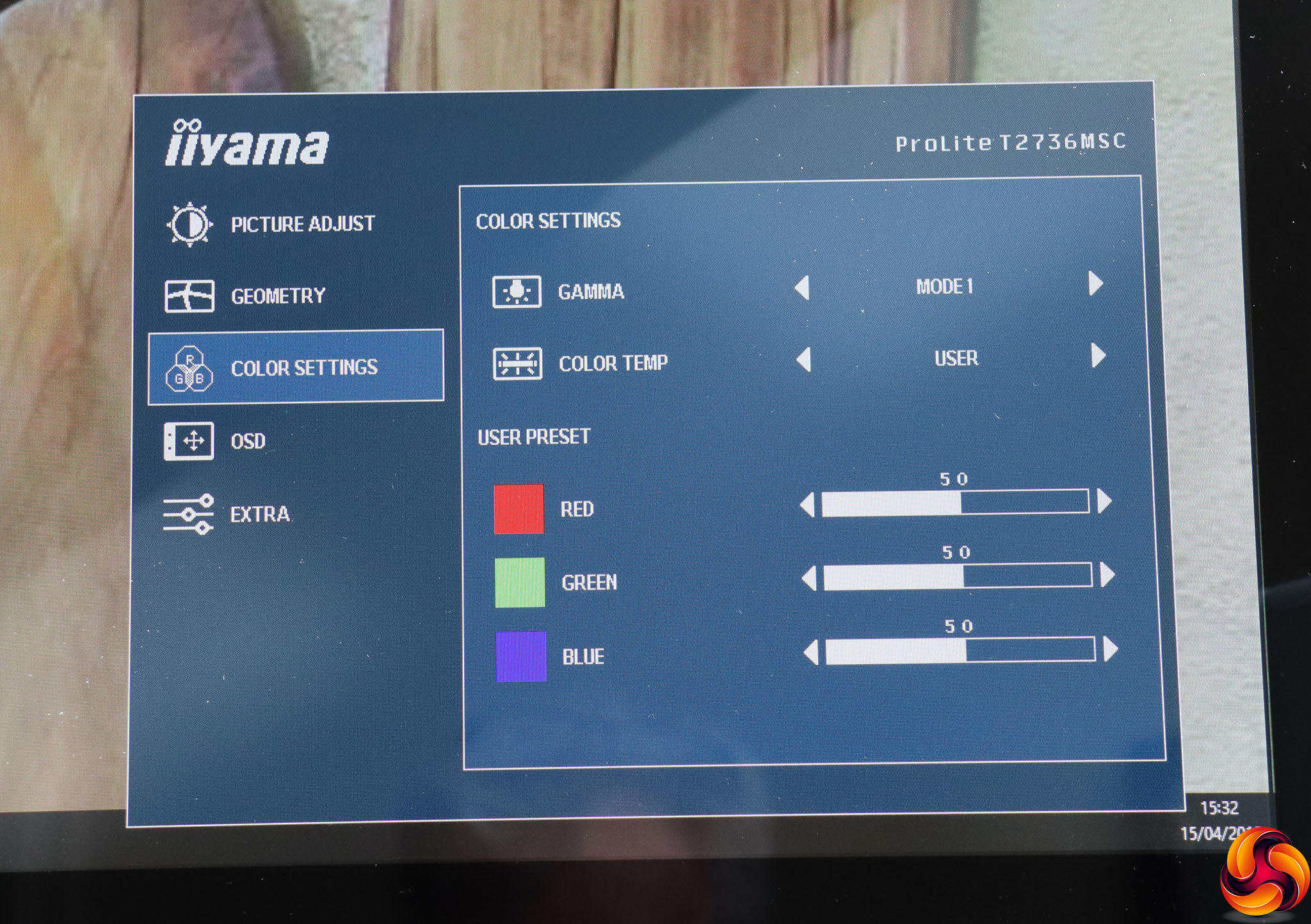
The Color Settings section lets you choose between three different Gamma options, with MODE 1 the default. You can select Cool, Normal, Warm, and sRGB colour temperature presets, or a User option that reveals separate sliders for red, green and blue.
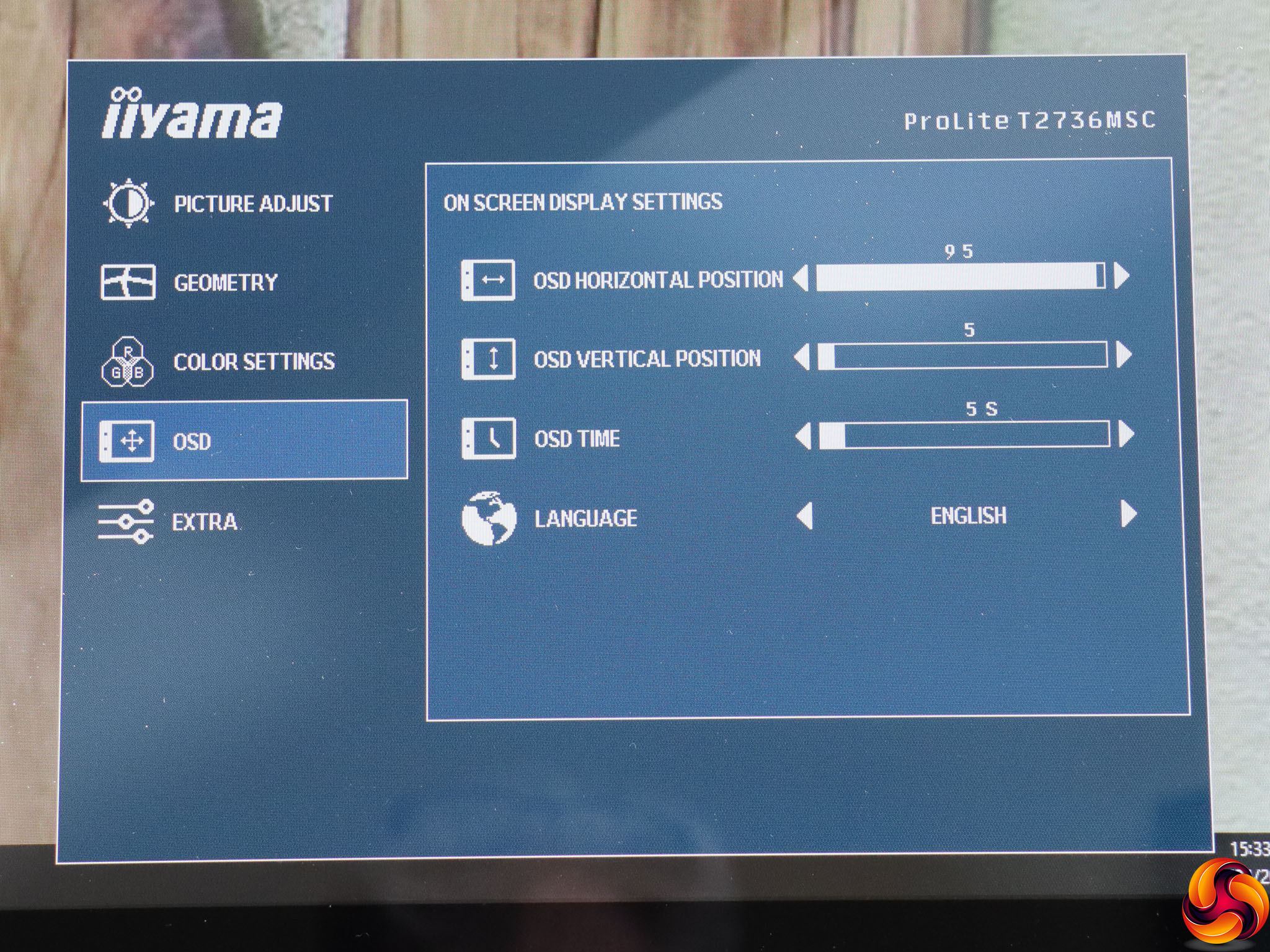
The OSD section includes the usual options to position the menu display where you want it onscreen, change how long it stays visible, and the language used.
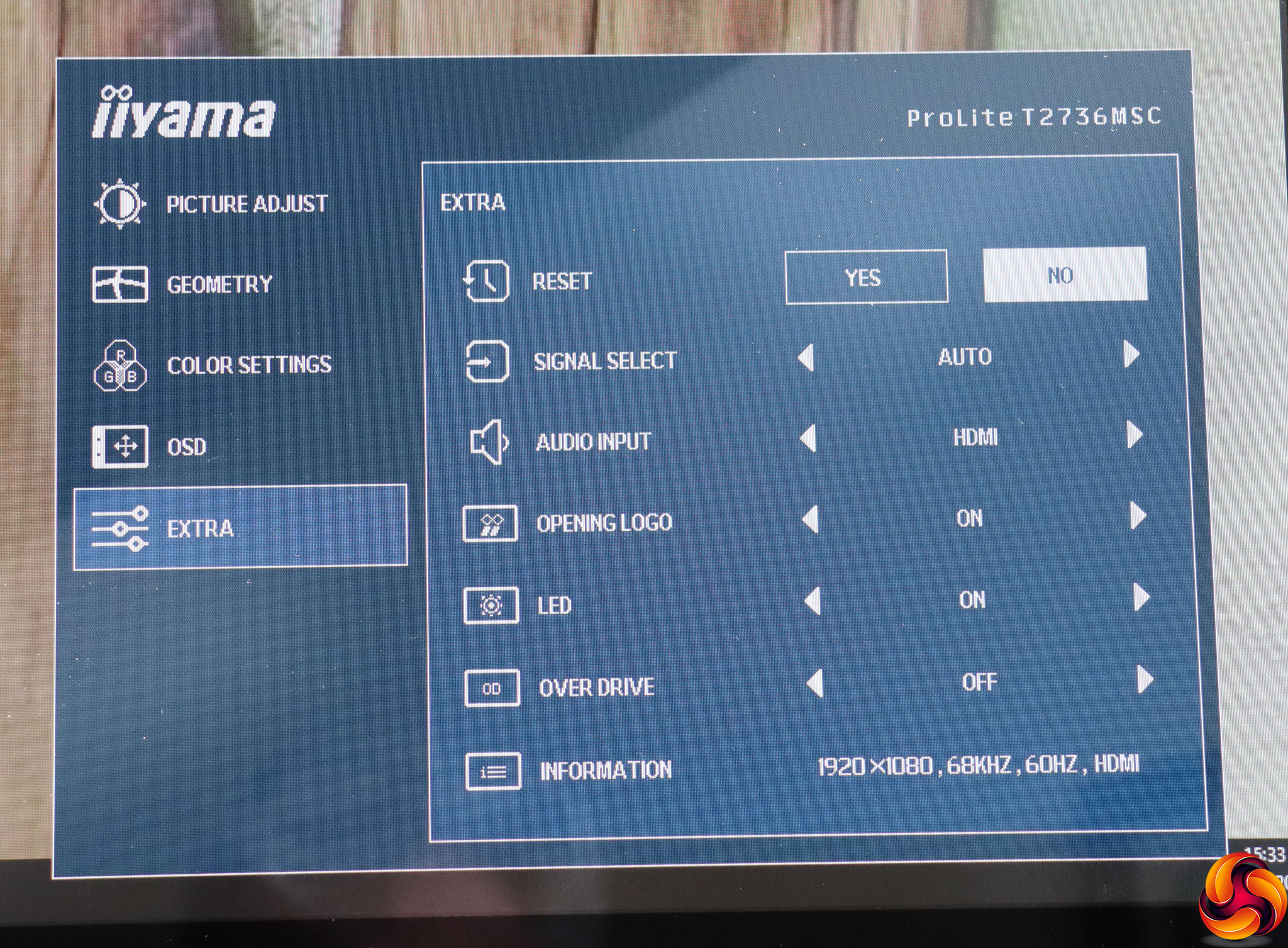
Finally, the Extra section includes all the options that didn't fit elsewhere. You can reset to factory defaults, plus choose the video signal and audio inputs manually. You can toggle whether the opening logo and power LED on the side are displayed. There's an option to overdrive the pixels to improve on the relatively slow response of MVA panels.
Overall, this is an adequate level of of control. It's not the most exciting menu layout, but it is very clear and easy to navigate.
Our main test involves using a DataColor Spyder Elite 5 Colorimeter to assess a display’s image quality. The device sits on top of the screen while the software generates colour tones and patterns, which it compares against predetermined values to work out how accurate the screen is.
The results show –
- A monitor’s maximum brightness in candelas or cd/m2 at various levels set in the OSD.
- A monitor’s contrast ratio at various brightness levels in the OSD.
- The brightness deviation across the panel.
- The black and white points.
- The colour accuracy, expressed as a Delta E ratio, with a result under 3 being fine for normal use, and under 2 being great for colour-accurate design work.
- The exact gamma levels, with a comparison against preset settings in the OSD.
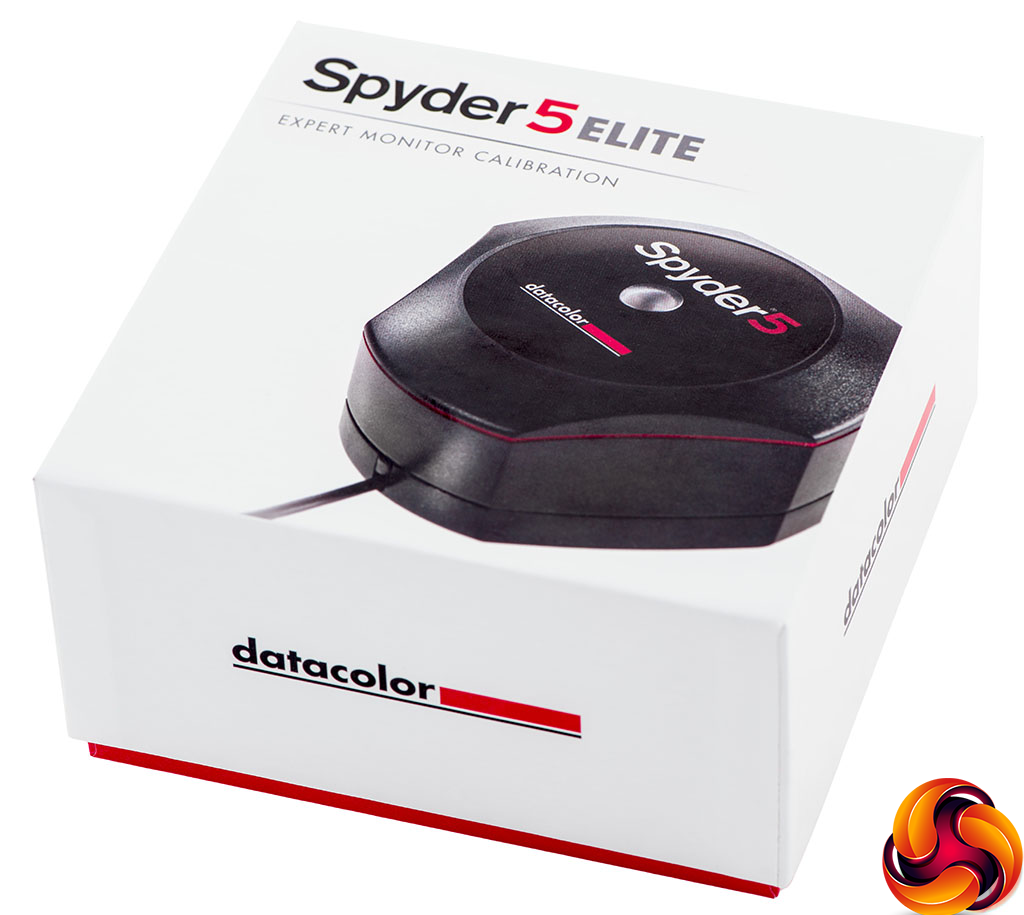
We first run this test with the display in its default, out-of-the-box state, with all settings on default. We then calibrate the screen using the Spyder software and run the test again.
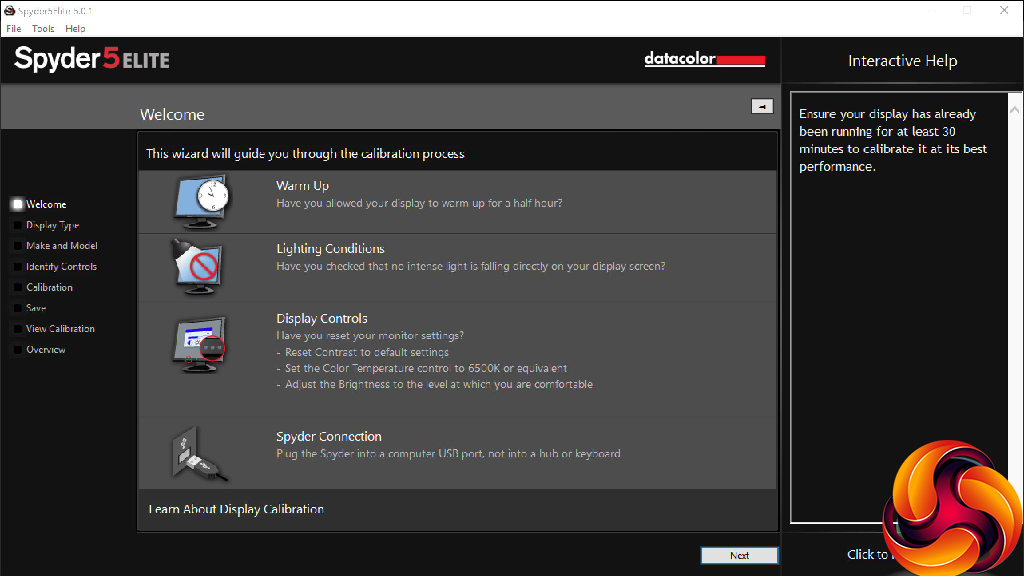
We always test the display subjectively on the Windows desktop, using it for general tasks such as browsing and word processing, and with games as well, even if the display is not intended solely for that purpose.
We pay careful attention to any artefacts, ghosting or motion blur, and enable any gaming-specific features, such as adaptive-sync settings like G-Sync or FreeSync, using a compatible graphics card in our test PC.
We performed the quality tests on the T2736MSC at its native 1,920 x 1,080 resolution in the default mode using the HDMI connection. Our test system was equipped with an AMD Radeon Vega Frontier Edition graphics card.
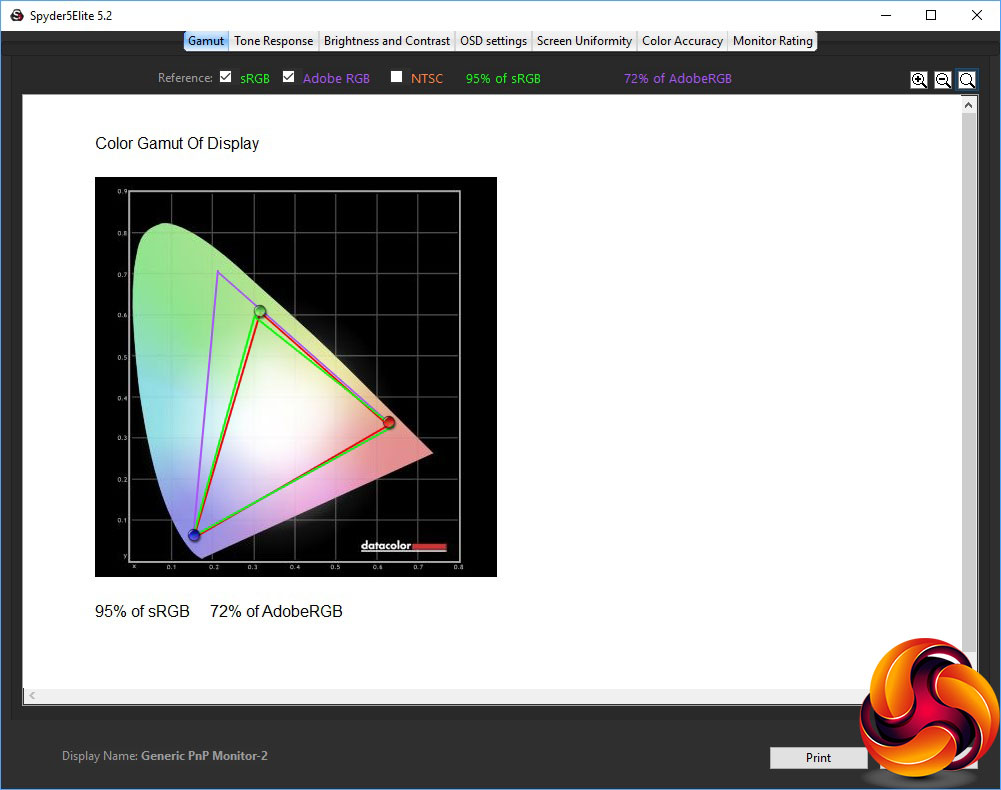
The gamut is decidedly mediocre, with just 95 per cent of sRGB and a meagre 72 per cent of AdobeRGB. We suspect that the touch-sensitive surface is holding it back.

Brightness uniformity is also rather mediocre, with the top edge showing particular variation.
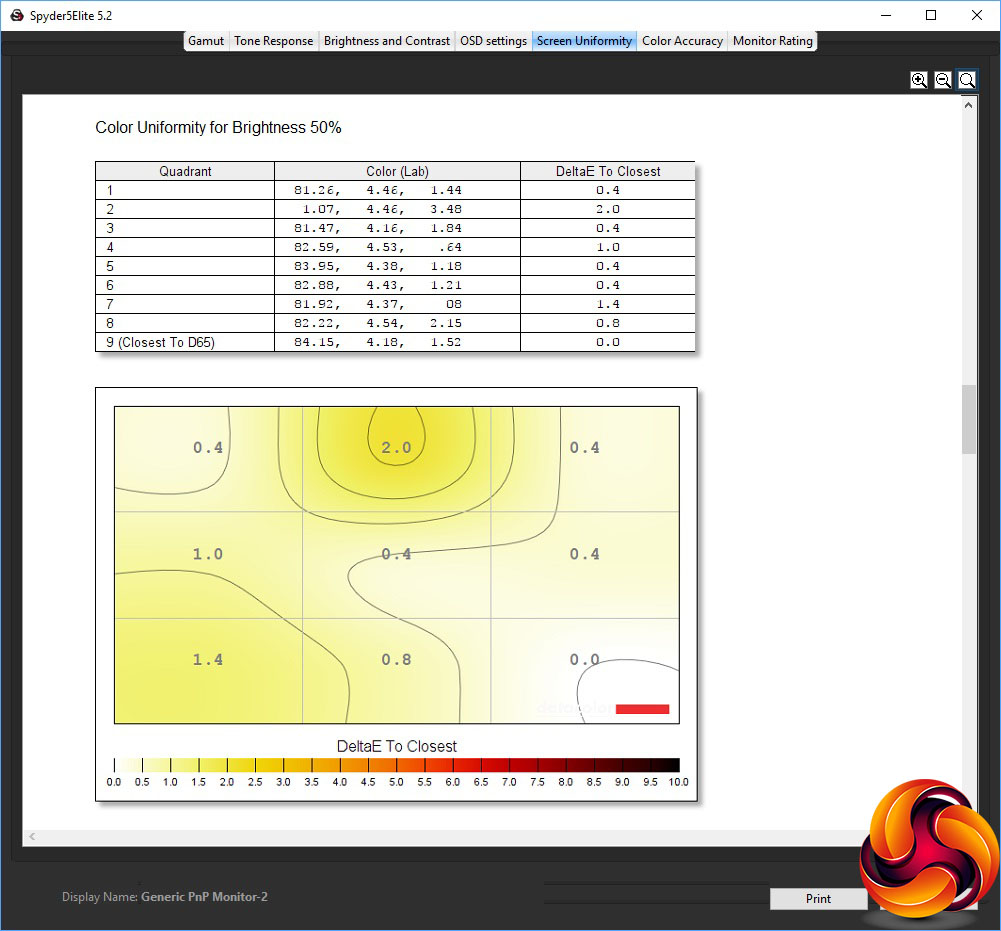
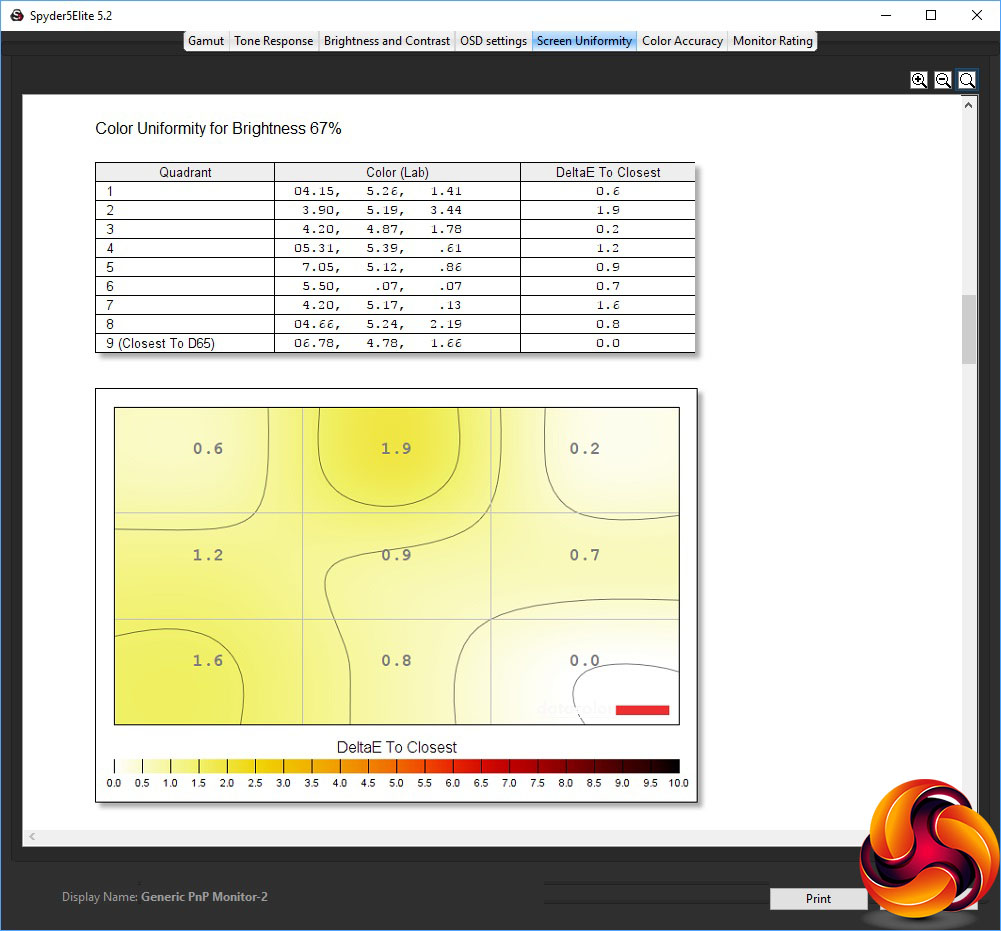
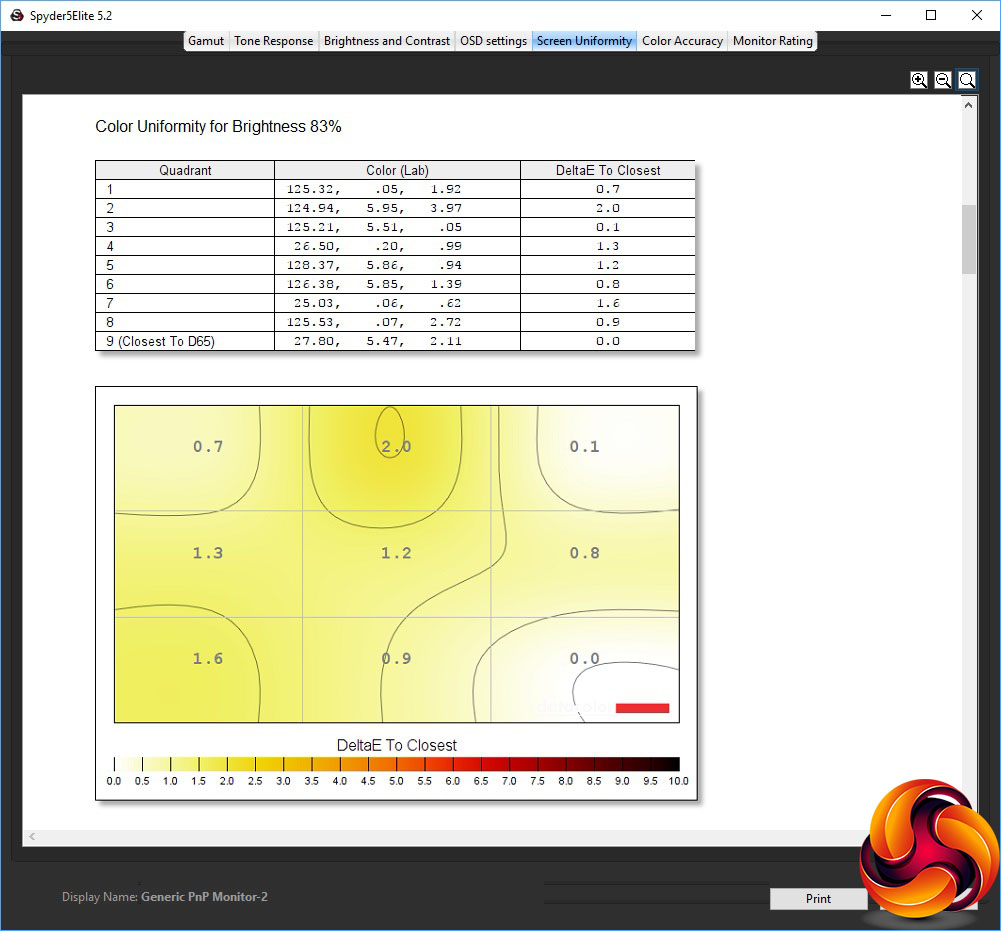
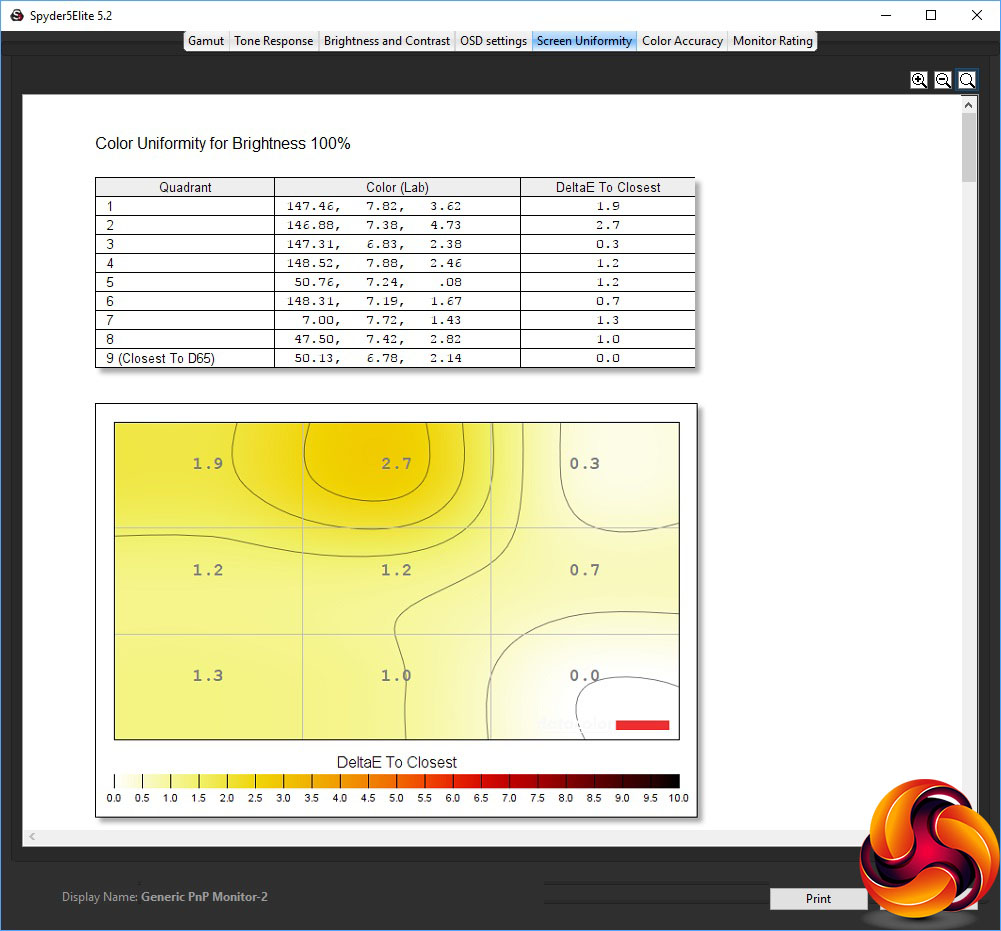
Colour uniformity, on the other hand, is excellent at all brightness levels.
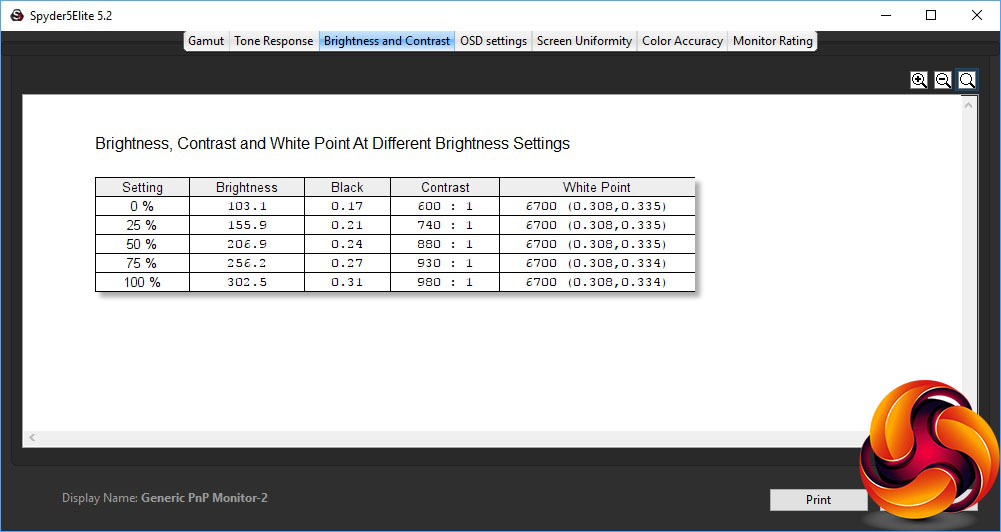
The T2736MSC delivers on its promise of 300cd/m2 brightness, achieving 302.5cd/m2 at the 100 per cent setting. The level drops quite uniformly to 103.1cd/m2 at zero brightness. Impressively, the white point remains at 6700K throughout, although the black point does increase with the brightness level. The contrast also goes up, hitting 980:1 at 100 per cent brightness. The Spyder tends to under-report contrast, so this is a very respectable result.
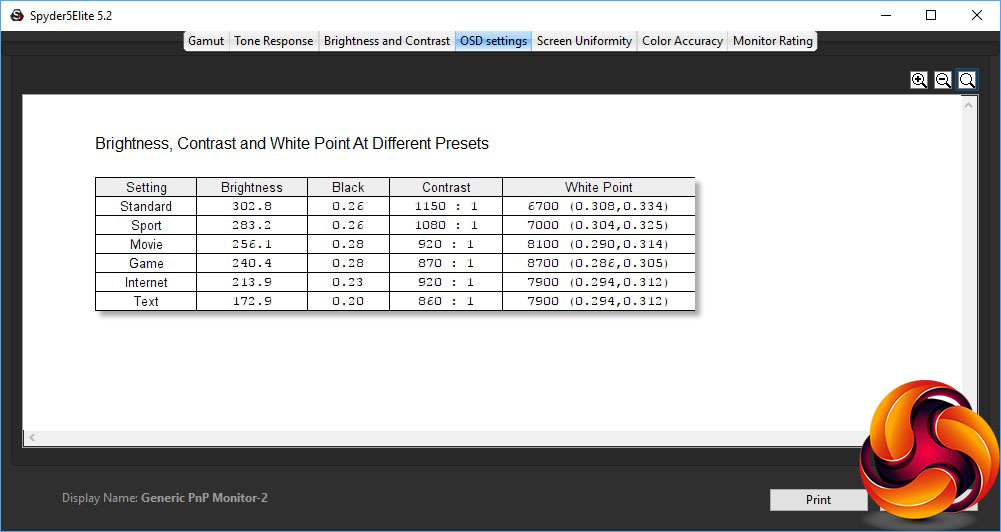
The I-Style Color presets provide a range of general options that cover the main usage scenarios. The Standard setting provides the highest brightness at 302.8cd/m2, the highest contrast at 1,150:1, and a mid-range 6700K white point. The Sport option is a little less bright at 283.2cd/m2, with a little less contrast at 1,080:1, and a little cooler white point of 7000K.
The Movie mode drops the brightness down a bit further to 256.1cd/m2, the contrast down to 920:1, with an even cooler 8100K white point. Game mode goes further still, with 240.4cd/m2 brightness, 870:1 contrast, and a very cool 8700K white point.
Internet and Text mode are very similar. Both use a relatively cool 7900K white point, with Internet mode brighter at 213.9cd/m2 and Text mode at 172.9cd/m2, although the latter is not as dark as some monitors' reading-oriented presets. Contrast is relatively on part, with 920:1 for Internet mode and 860:1 for Text mode.
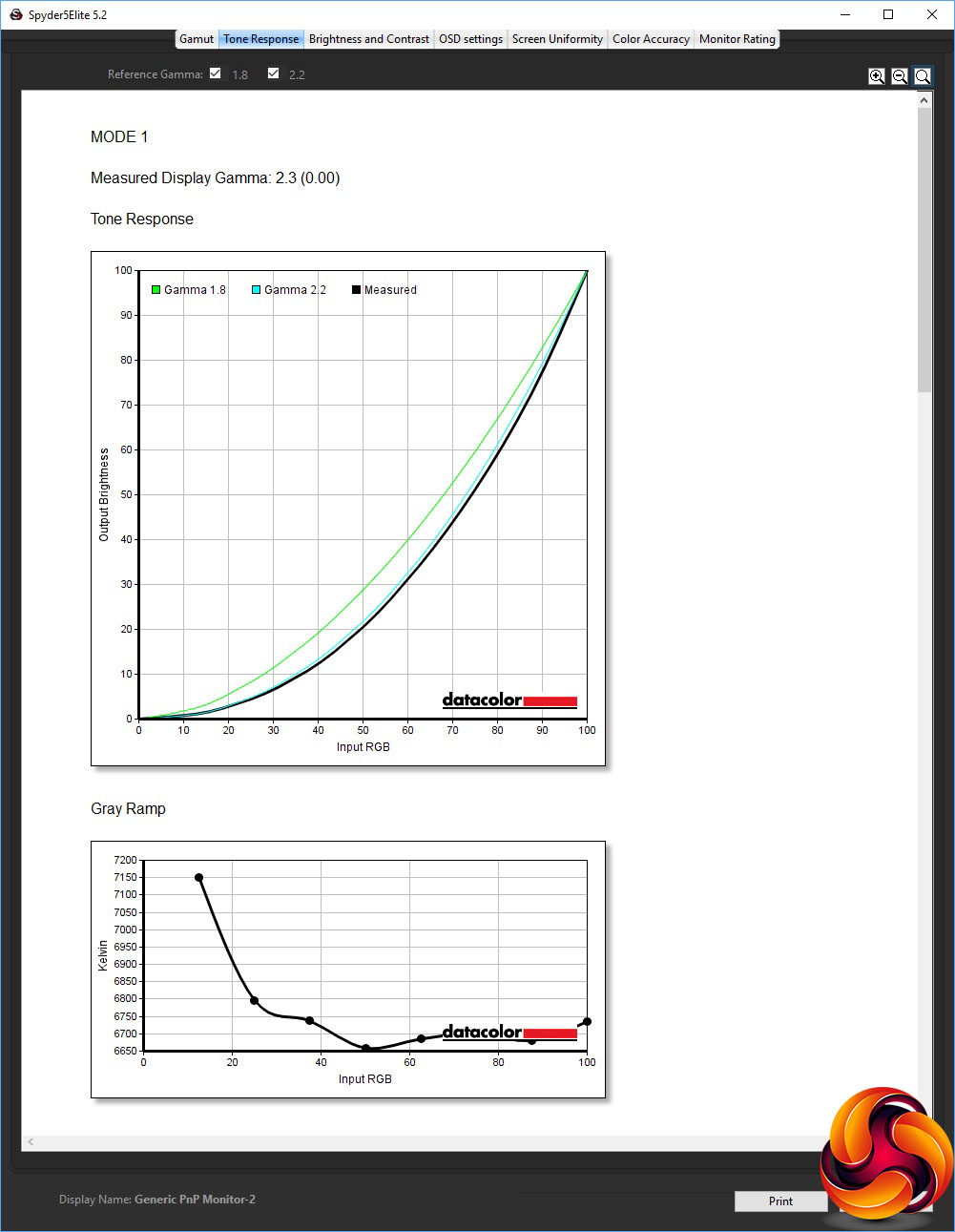
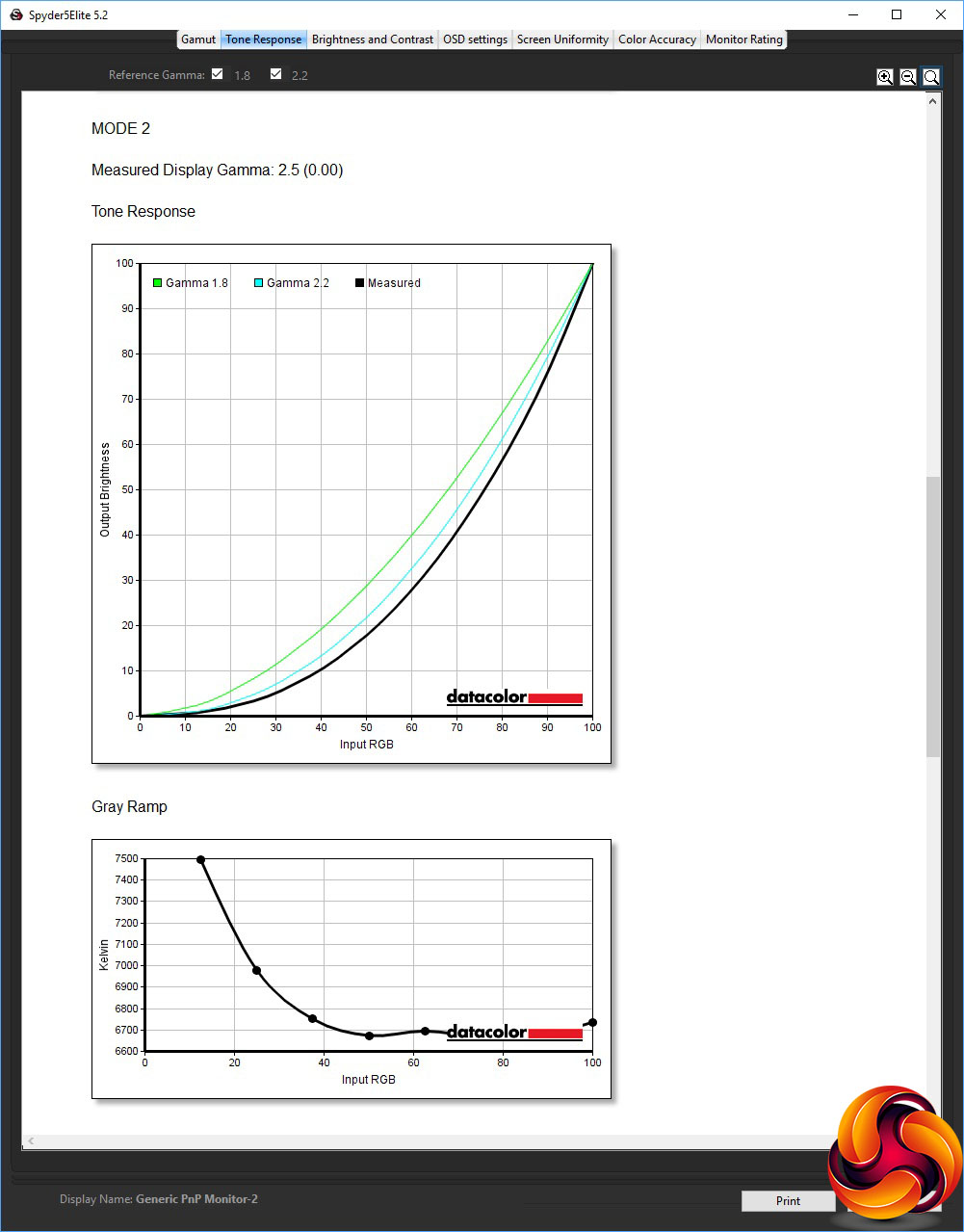
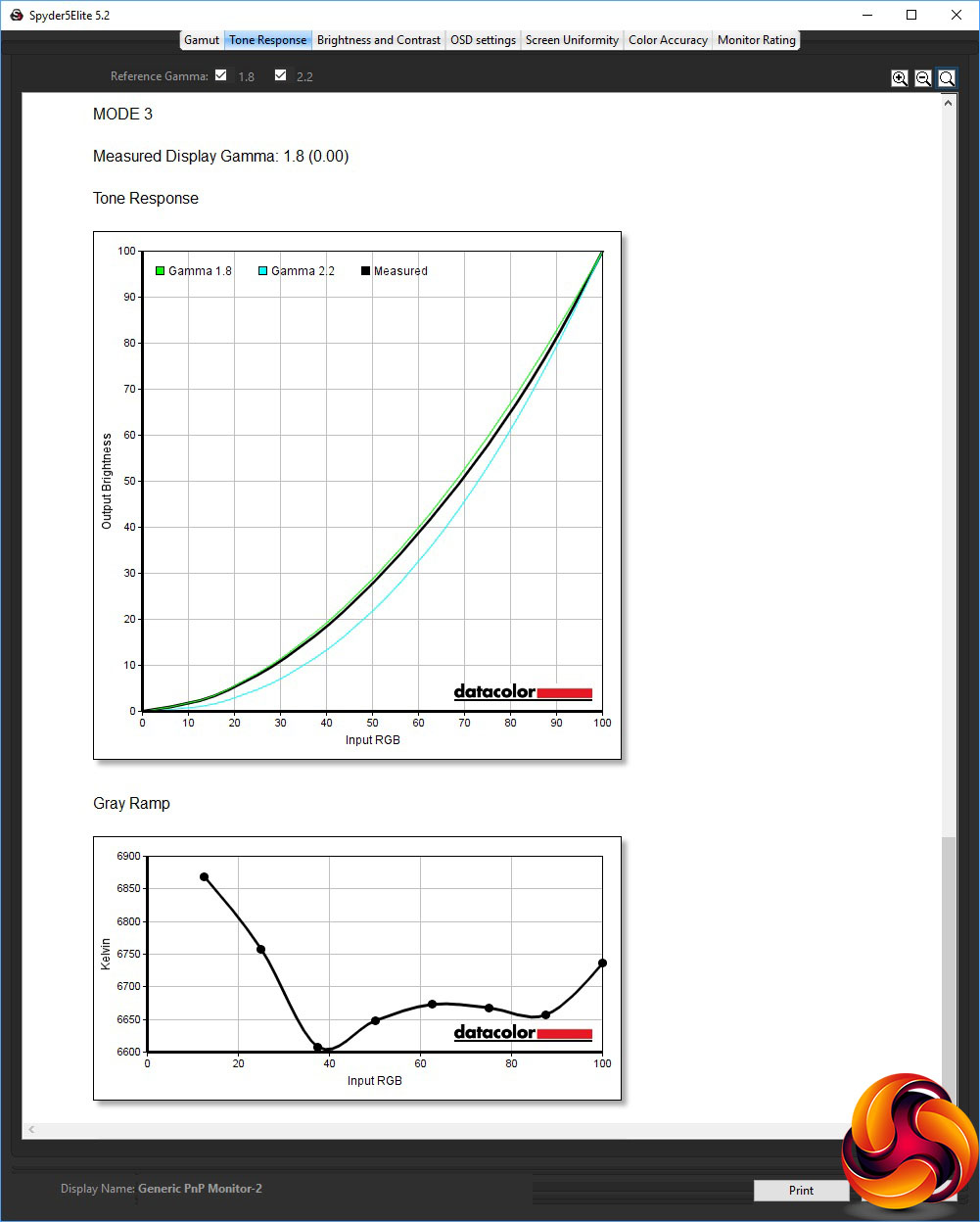
The default MODE 1 gamma setting equates to 2.3, which is around the value we would expect as it's somewhere in the middle of the usual range. MODE 2 goes up to 2.5, and MODE 3 down to 1.8. So you do get a reasonable spread of options, but as always with Iiyama monitors we find it a bit strange that the sequential numbering doesn't correspond to sequential values, and the spread is a bit random too.
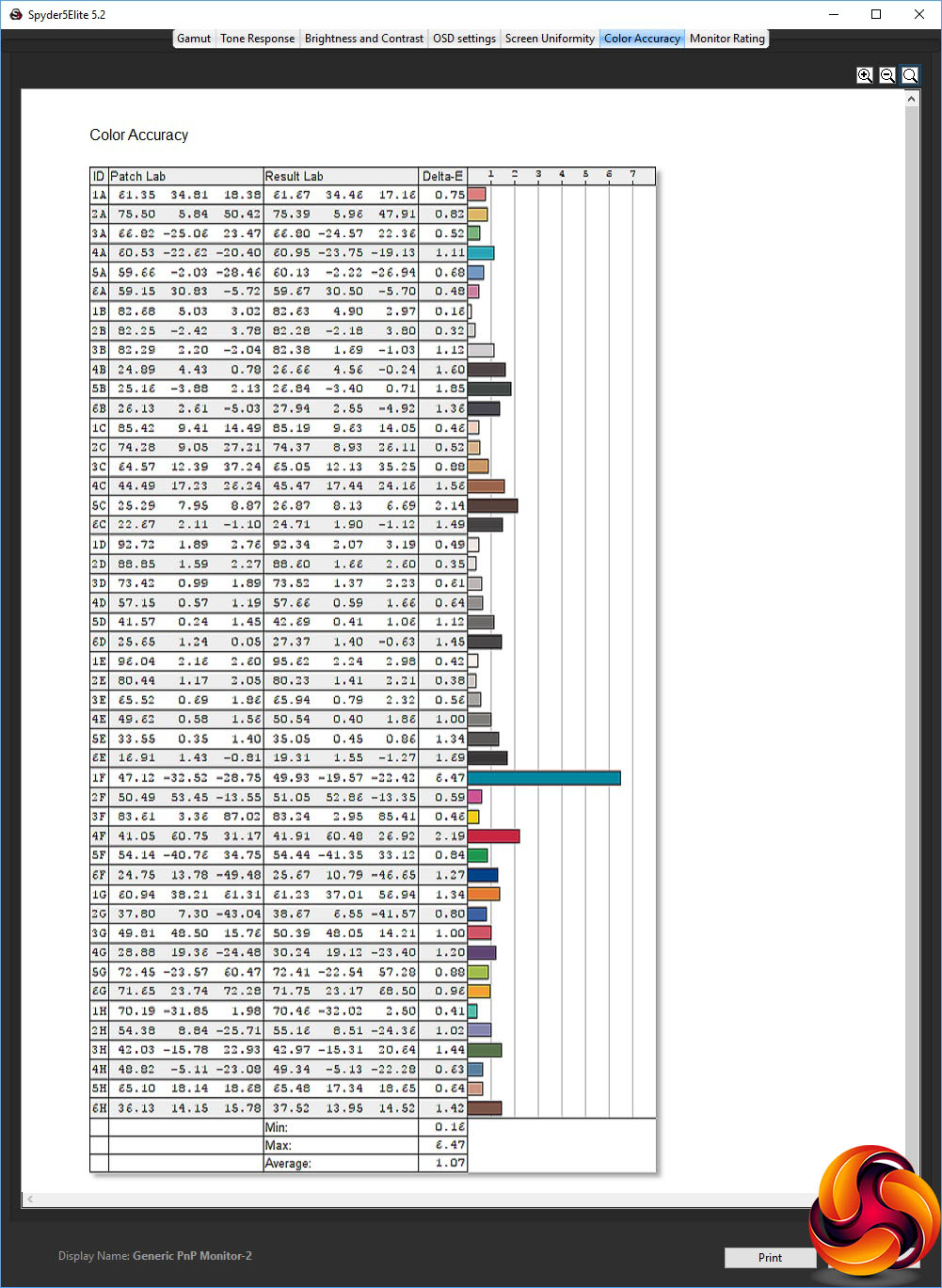
Colour accuracy is something you always expect in a professional monitor, and in this respect the T2736MSC really delivers, with a 1.07 average delta. This is near the top of the pack, and reassures that this panel is of commendable pedigree.
As always, though, we wondered if we could do even better via calibration, so we called upon the Spyder's system to see if improvements could be made.
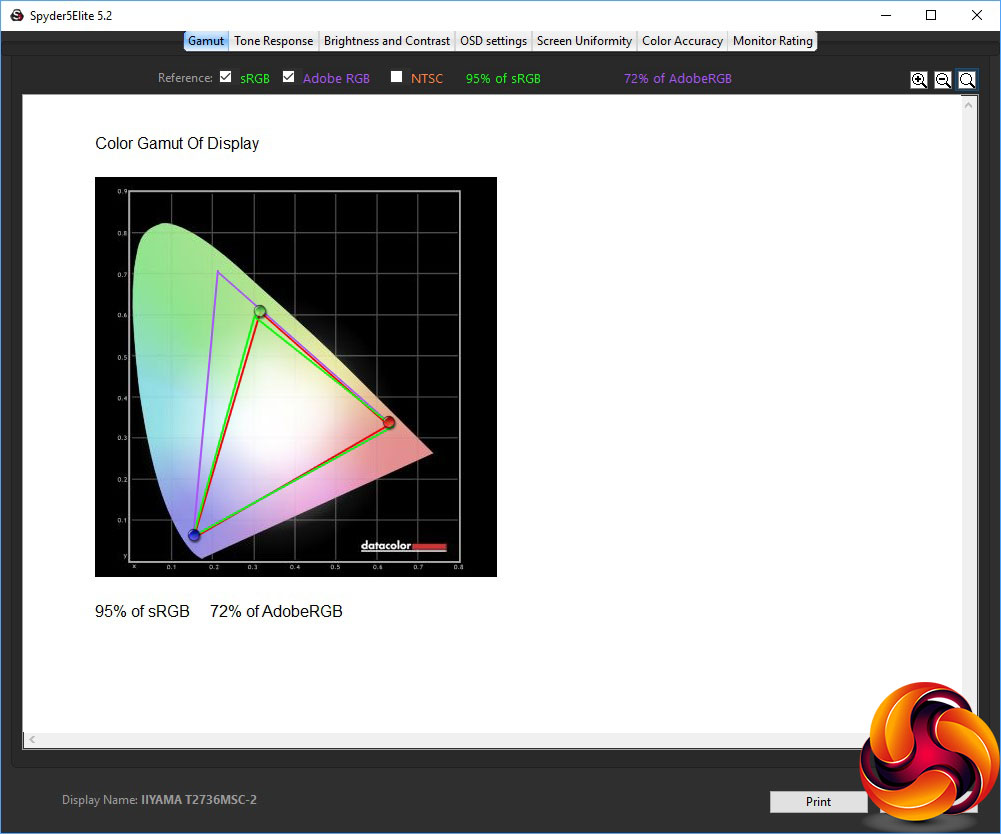
The gamut remains at the same mediocre level of 95 per cent sRGB and 72 per cent AdobeRGB.
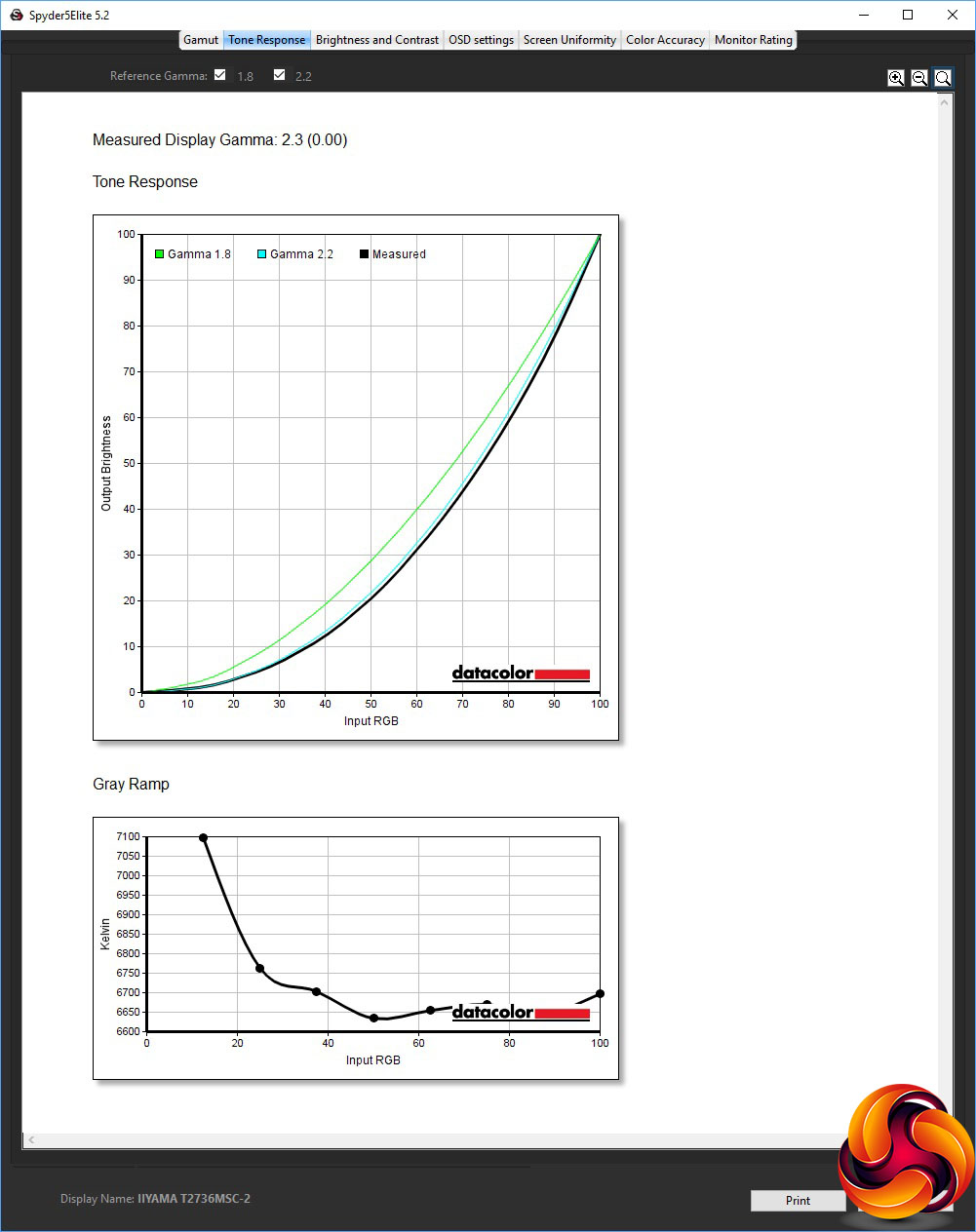
We only retested the MODE 1 gamma option, which also remained the same at 2.3.
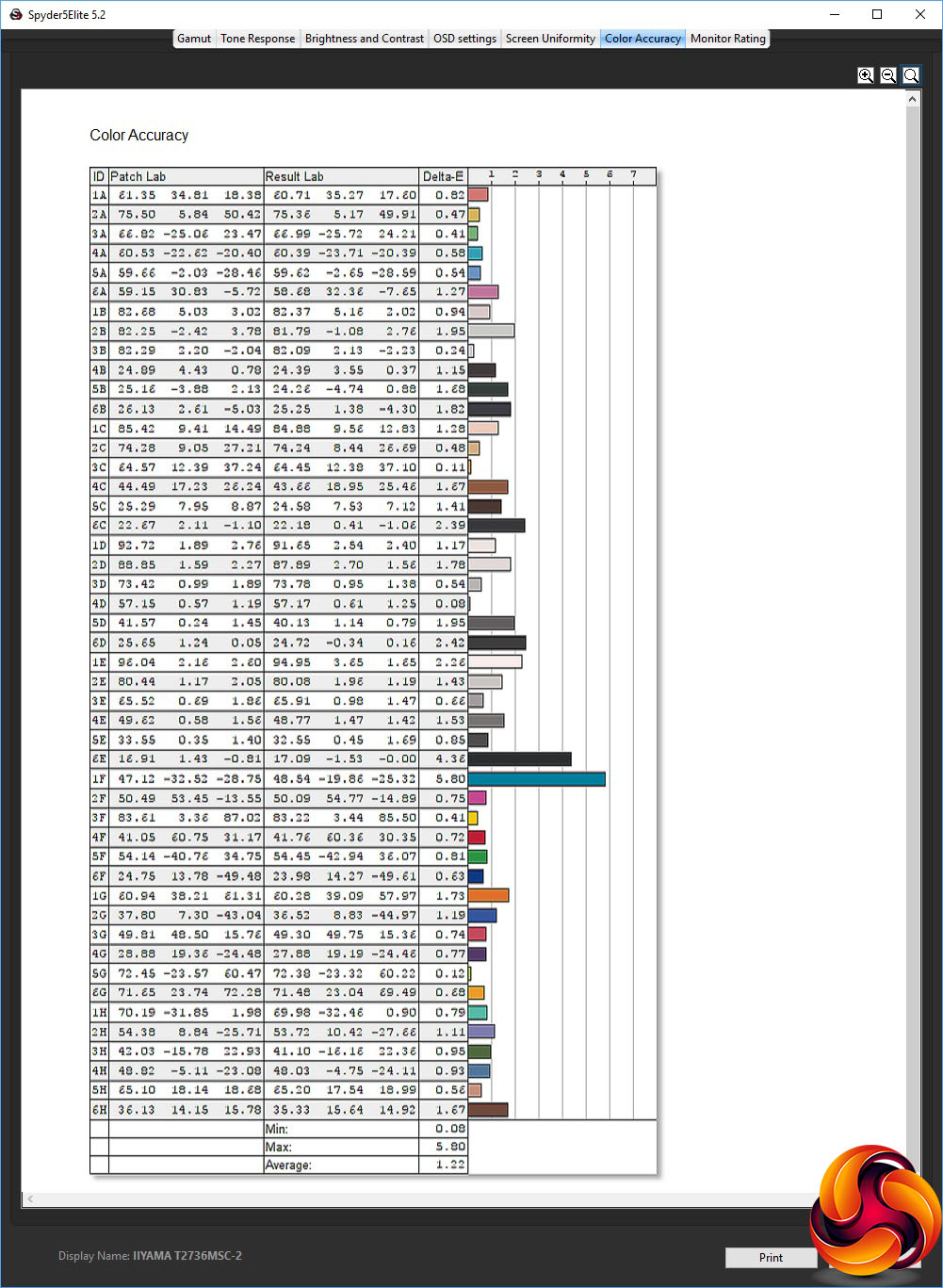
Colour accuracy has actually gotten a little worse, with a 1.22 average delta. That's still a great value, but shows that the screen comes out of the factory about as well calibrated as it can be.
Overall, whilst there are some flaws in the performance, the accuracy and colour uniformity are excellent.
After testing and calibrating the screen, we tried a few professional tasks such as image editing with Photoshop. The touch capabilities support multiple points, so you can do things like rotate and resize windows. We found it responsive and easy to use. However, the relatively low resolution for the size make this monitor less optimal for content creation work that focuses on detail. It's better suited to demonstrations and education.
The Iiyama ProLite T2736MSC is very much a niche product. The Full HD resolution is meagre for a 27in screen, and it's expensive for these specifications at over £400. So you really do need the touch capability and robust design to make it worth a look.
The excellent colour accuracy and uniformity are highly commendable for a professionally-oriented display, although the mediocre gamut and brightness uniformity aren't so impressive.
Connectivity is reasonable, with the usual array of video inputs in evidence including legacy VGA, and the USB hub with side inputs plus built-in speakers add convenience.
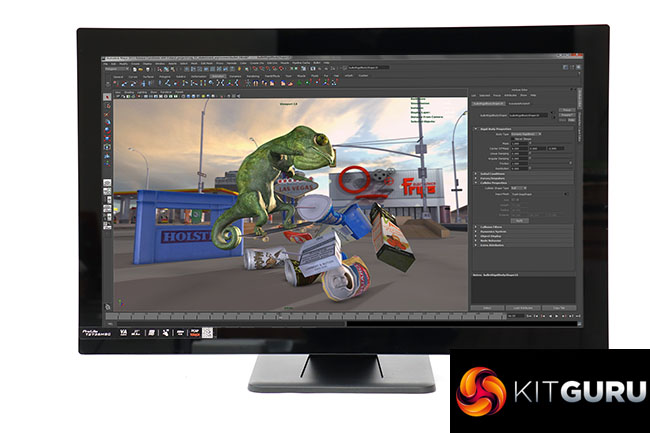
Overall, then, this is a workmanlike display for a specific purpose, where touch input is required. It's not going to cross over into any other markets, but is a solid contender if you're looking for a large, robust, well featured touch screen.
The Iiyama ProLite T2736MSC is available from Amazon for £416.85.
Pros:
- Responsive multi-touch panel.
- Excellent colour accuracy.
- Excellent colour uniformity.
- Robust build.
- USB 3 hub with side ports.
- Built-in speakers.
Cons:
- Mediocre gamut.
- Mediocre brightness uniformity.
- Low resolution for 27in panel.
- Limited ergonomic adjustment.
- Expensive if you won't be using touch that often.
KitGuru says: The Iiyama ProLite T2736MSC does its primary job of providing touch facilities in a big panel well, but its resolution and price mean it's not a panel that will cross over into mainstream usage.