 KitGuru KitGuru.net – Tech News | Hardware News | Hardware Reviews | IOS | Mobile | Gaming | Graphics Cards


The AS3104T is the bigger sibling of the 2-bay AS3102T we reviewed recently. With four bays and a dual-core Celeron processor, the AS3104T is marketed by Asustor as an “all-around multimedia entertainment storage solution” and like the AS3102T it forms part of Asustor's Personal to Home product line.
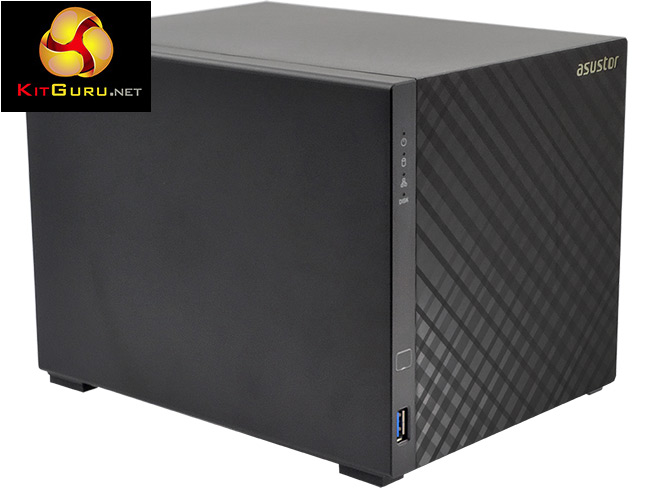
The Asustor AS3104T is a tool free design (cover and drive bays) and is powered by an Intel Celeron N3050 processor – a 14nm dual-core CPU with a clock speed of 1.6GHz (up to 2.16GHz burst) backed by 2GB of DDR3L memory. The memory is soldered to the motherboard so if you feel you need more, you're out of luck.
The hardware acceleration engine supports H.264 (AVC), H.265 (HEVC), MPEG-4 Part 2, MPEG-2 and VC-1 standards.
Asustor quote performance figures for the AS3104T in a RAID 5 array as over 112 MB/s for both reads and writes. The encryption engine offers performance figures of over 112MB/s for reads and writes at over 71MB/s when dealing with encrypted data.
Specifications
- Intel Braswell CPU.
- Built in AES-NI hardware encryption engine.
- 2GB memory.
- HDMI 1.4b multimedia output (4K, 1080p).
- Tool free design.
- 3-year warranty.
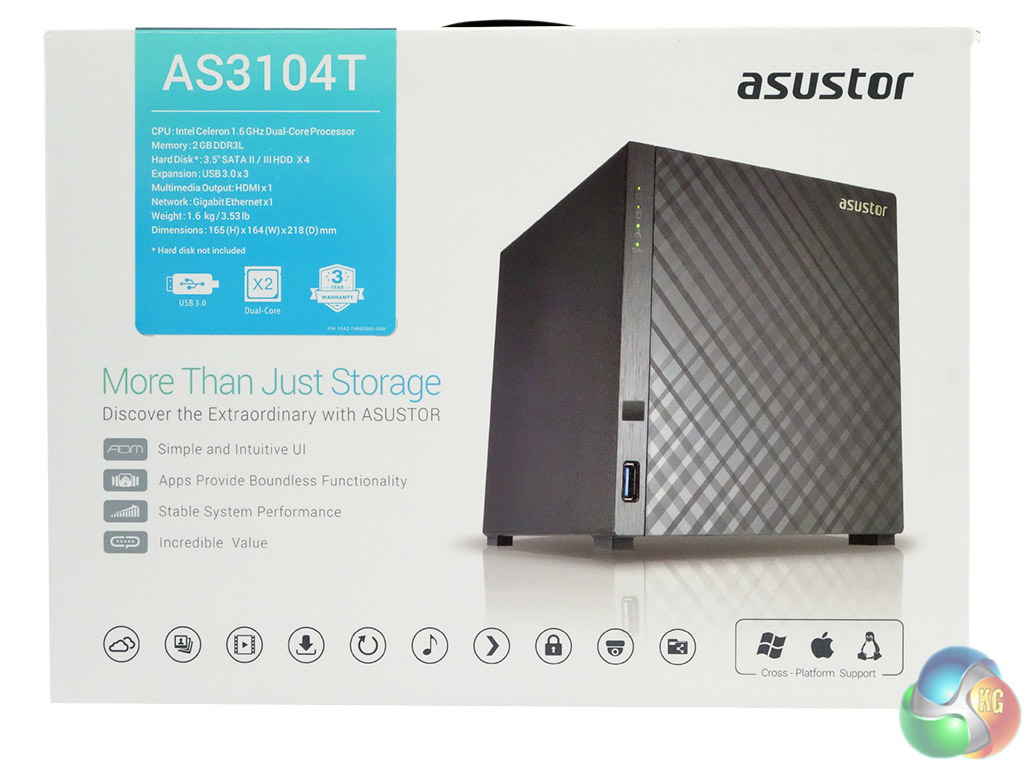
The front of the box features an image of the AS3104T, a panel containing the hardware specifications and a line of icons displaying what the NAS can be used for. The rear of the box is covered by multilingual resumes of some of the device's features.
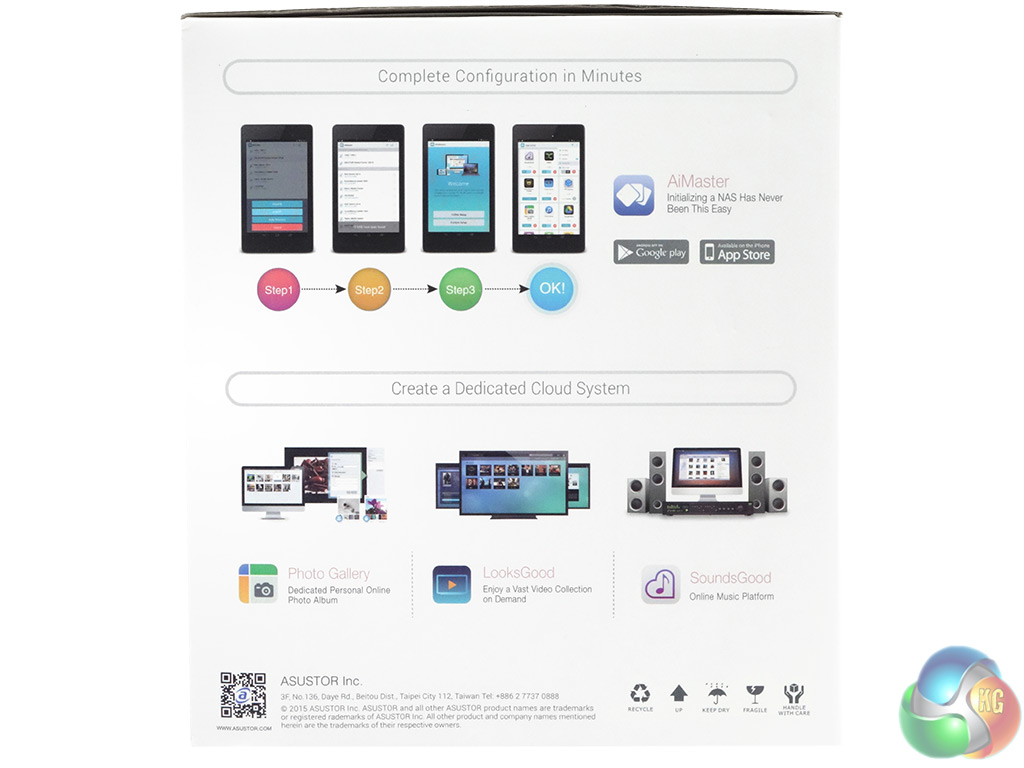
One side of the box has a walkthrough of how to use the Asustor AiMaster app to configure the AS3104T using a tablet or smartphone. There are also descriptions of Photo Gallery, LooksGood (video) and SoundsGood (audio) apps.
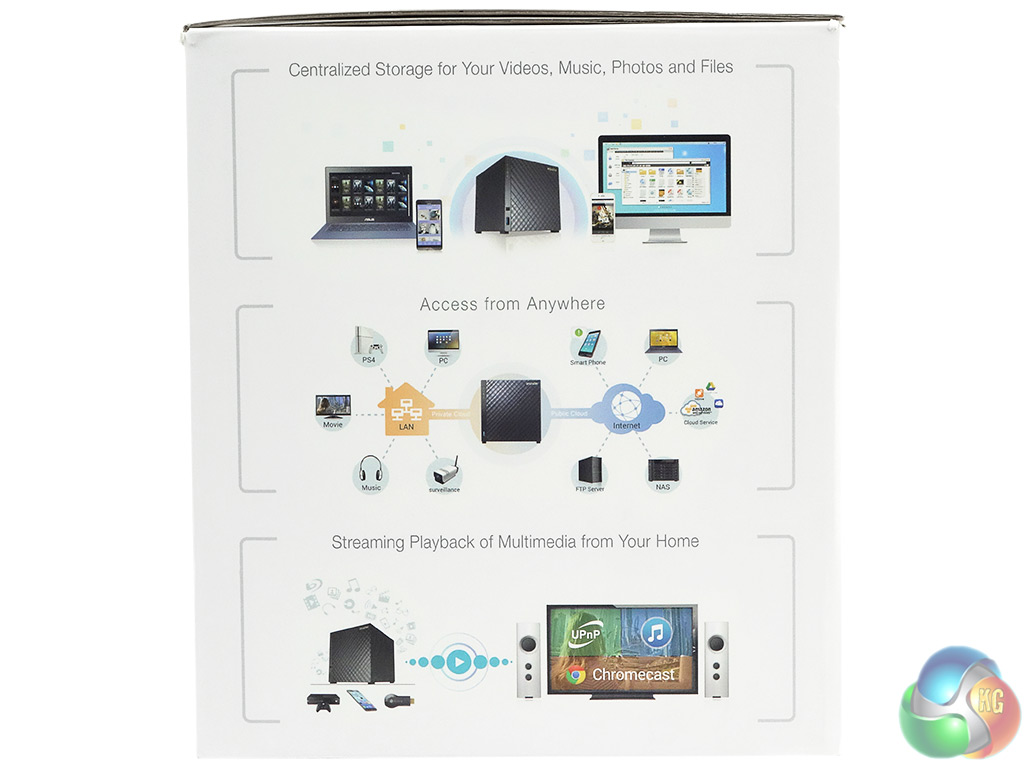
The other side of the box shows a few ideas of what it can be used for besides just dumping files on.
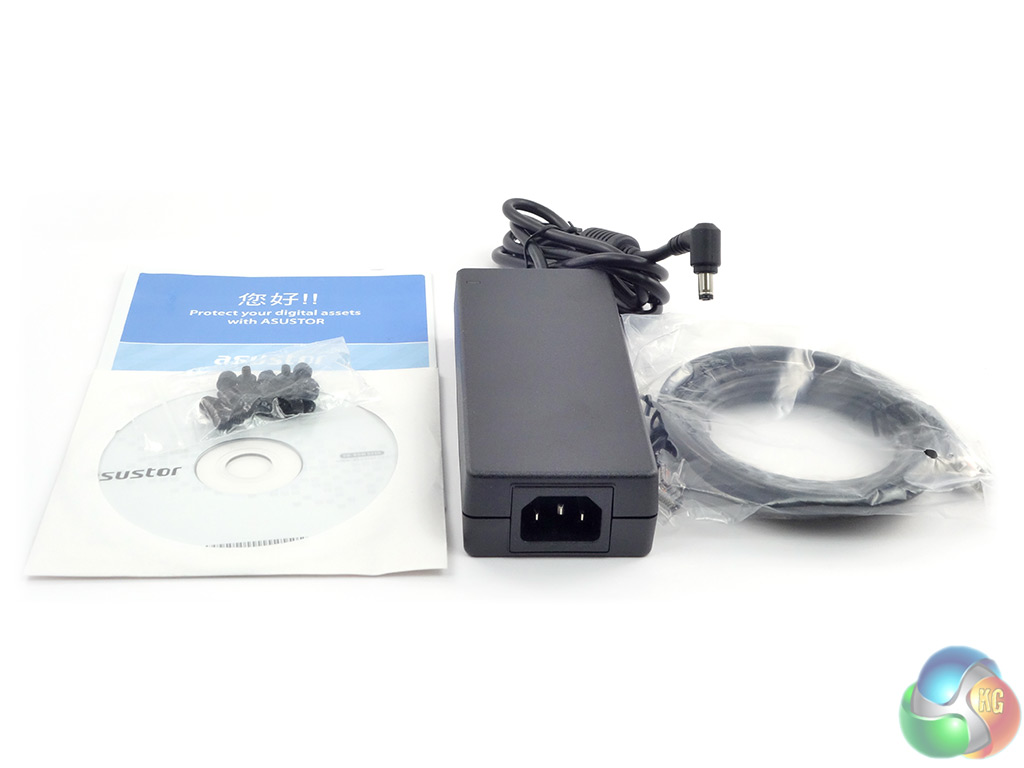
The box bundle that comes with the AS3104T contains everything you need to get the unit up and running; 90W Delta Electronics power supply, Ethernet cable, enough thumbscrews to mount four drives, a quick start-up guide, and an installation CD.
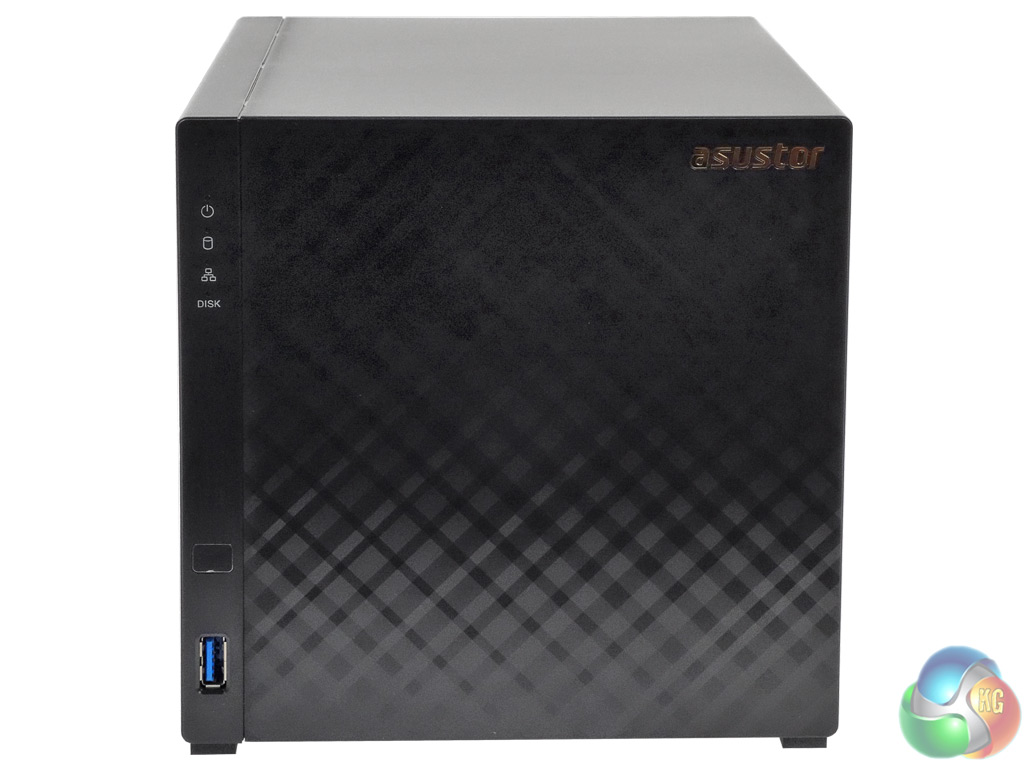
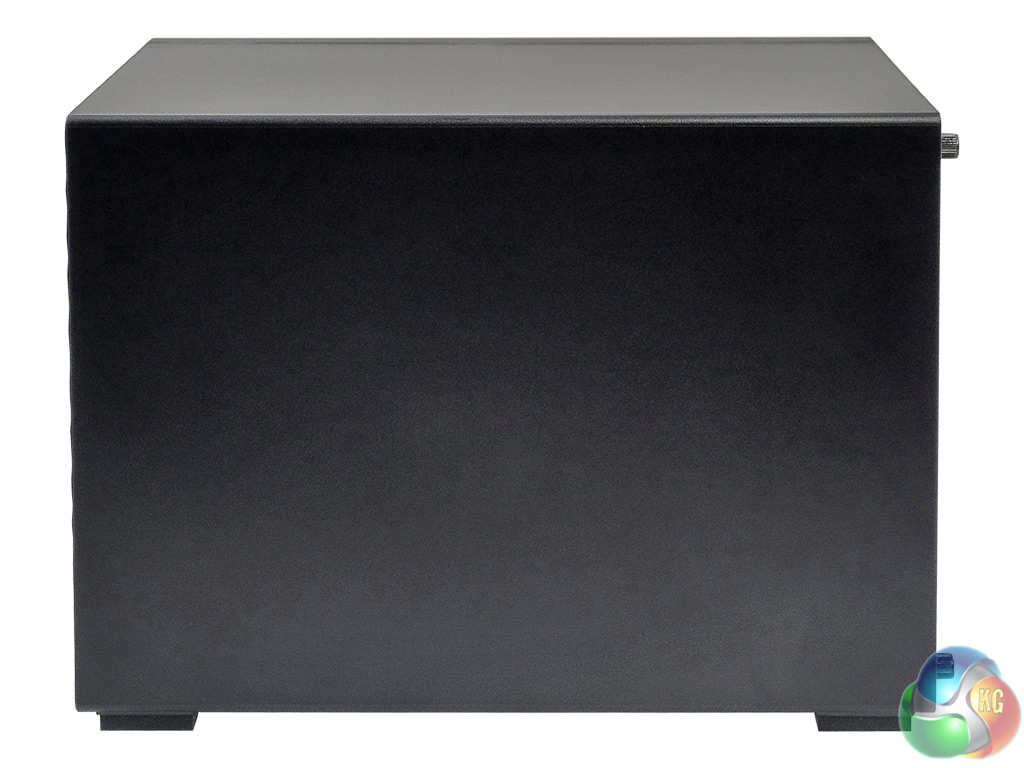
Asustor has given some thought about the AS3104T's design as it's not the usual nondescript box that NAS units tend to be. The front bezel has a striking gloss finish that the company has called diamond-plate, which is set off by a brushed finish panel on one side that holds the indicator LEDs, the front USB3.0 port and an IR receiver, (for the remote control unit which is an additional purchase).
All in all, it makes for an attractive looking NAS. It's also a tool-free design with thumbscrews holding the cover and drives in position.
The four vertically stacked LED’s display power, system and network status and disk activity. These lights can be programmed via the ADM OS to adjust their brightness and to set up night time modes for them.
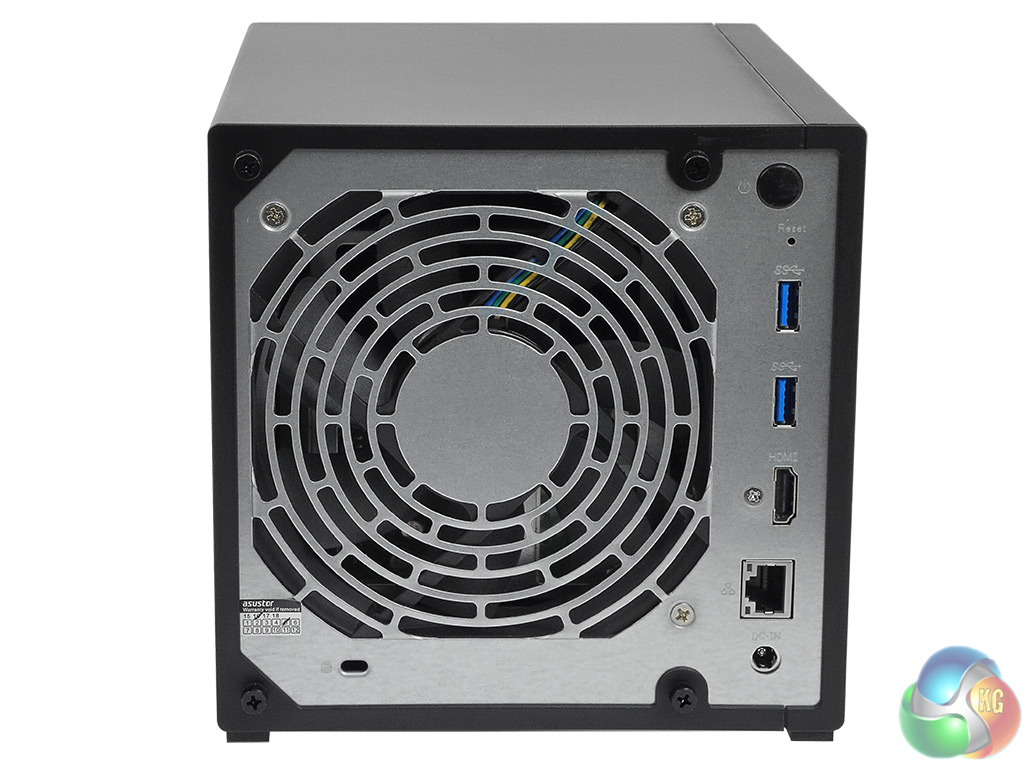
The rear panel is dominated by the grill for the large 120mm cooling fan which is very quiet in operation. The panel holds two USB3.0 ports, single Ethernet and HDMI 1.4b ports, the power in port, a Kensington lock slot and the power button. The only question we have about this location for the power button is ‘why?'
On a NAS it must be the most awkward place to house it. If you think that the vast majority of NAS units are either located on a shelf or in a cupboard where rear access might be restricted, then it's the last place you want the power button to be.
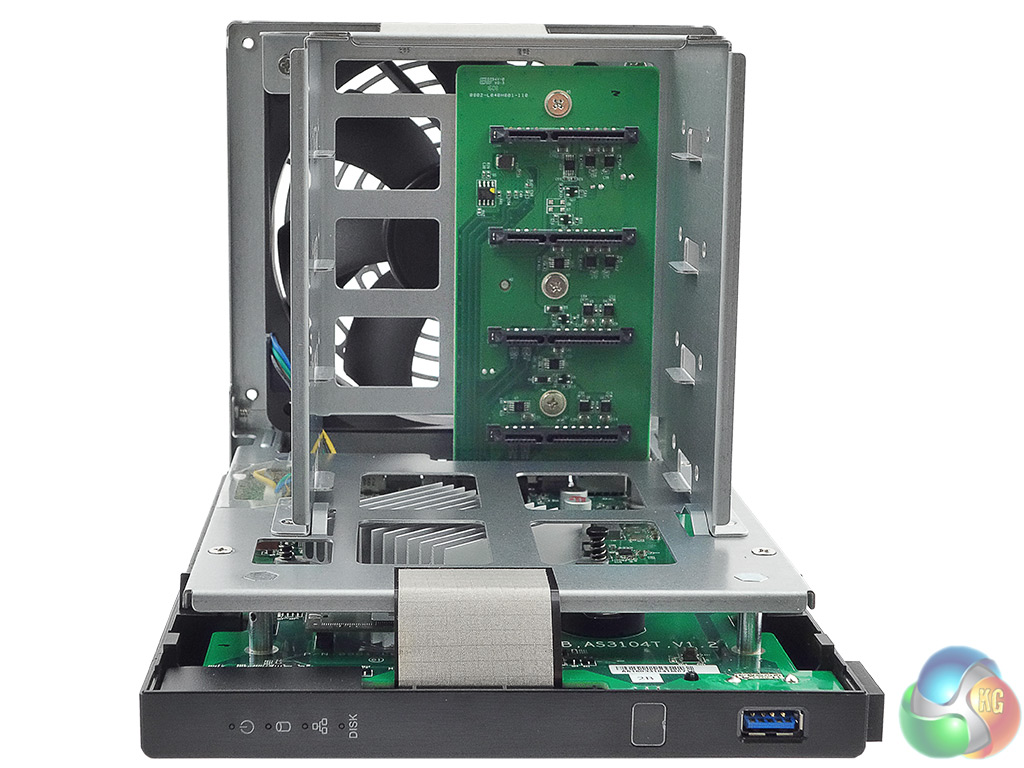

As previously mentioned the drive bays are tool-free thanks to the drives being secured by thumbscrews. Unfortunately, the AS3104T's design means that the drives are not hot-swappable but it any case it's a moot point; in a home environment, how many times would drives be swapped out anyway?
The bays support drives with capacities up to 10TB, giving the AS3104T a total capacity of 40TB.
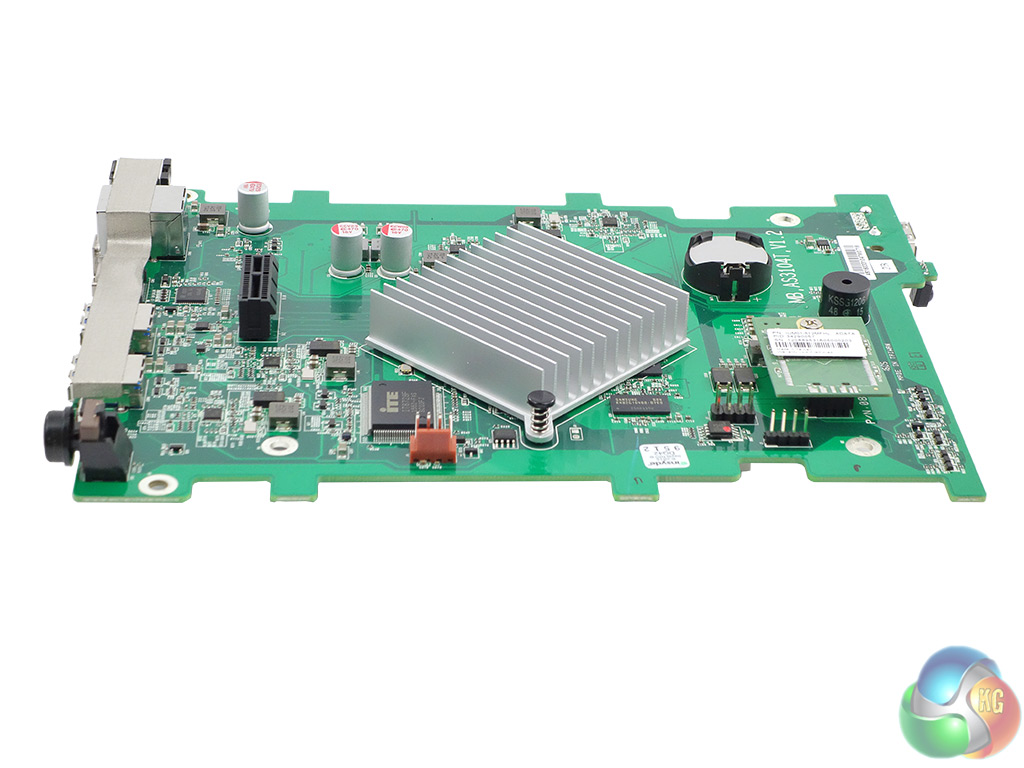
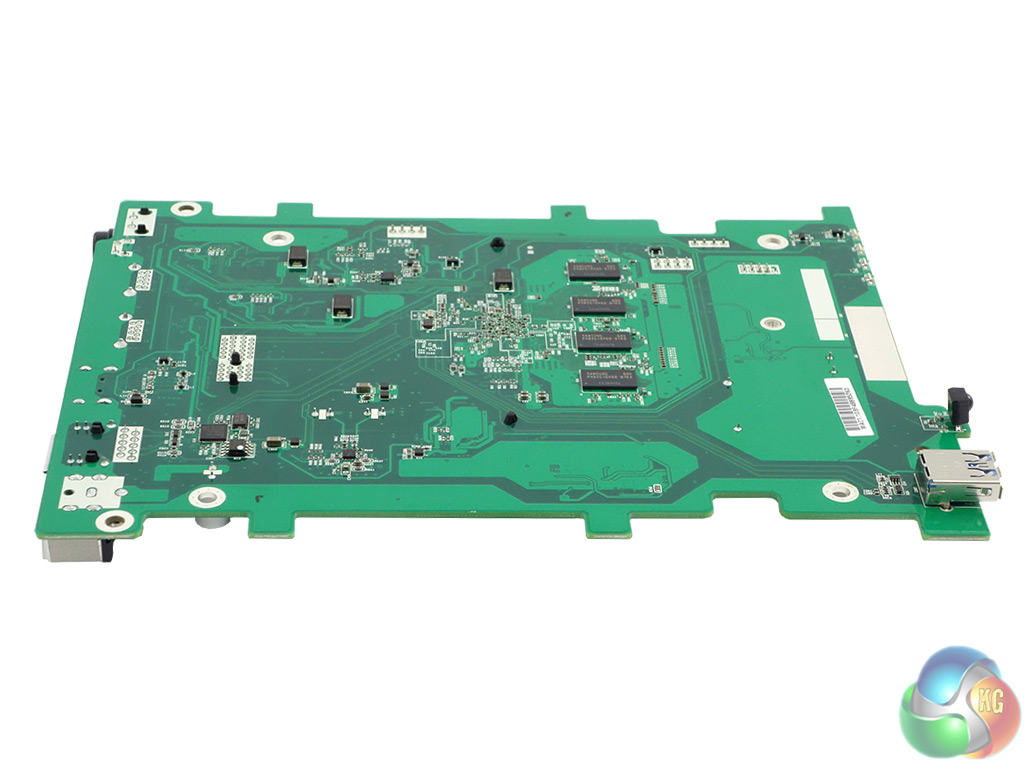
The uncluttered motherboard is dominated by the passive cooler for the 6W TDP Intel Celeron N3050. Positioned next to the processor are four Samsung K4B2G1646Q-BYKO DDR3L-1600 memory packages making up 1GB of the 2GB of memory the AS3104T has. Also on this side of the board are an ITE IT8728F IC monitoring the system, a Texas Instruments SN75DP139 IC providing HDMI 1.4b support and an ADATA IUM01-512MFHL flash memory chip which stores the AS3102T’s firmware.
In contrast, the rear of the board appears quite Spartan. There are four more Samsung K4B2G1646Q-BYKO DDR3L-1600 memory packages making up the remainder of the memory and a Broadcom BCM57781 IC supporting the single Gigabit Ethernet port.
The Celeron N3050 provides support for two of the four SATA 6Gb/s ports with the other two being controlled by an Asmedia ASM1061 IC which sits on the riser board that houses the SATA ports.
Physical Specifications
Processor Intel Celeron N3050 1.6GHz (burst up to 2.16GHz).
Memory 2GB DDR3L-1600.
Gigabit Ethernet Ports x1
Front panel connectors 1 x USB 3.0
Rear panel connectors 2 x USB 3.0 1 x HDMI 1.4b
RAID support JBOD, RAID 0/1 /5 /6 /10
Maximum hard drive size supported 10TB (max total storage 40TB).
Dimensions (D x W x H) 218 x 164 x 165 mm.
Weight 1.6kg.
Asustor’s ADM (Asustor Data Master) GUI is one of the best around – it is graphically rich, fully featured, and easy to install and navigate. Asustor are constantly updating and improving ADM, for example, by adding even more apps to the already impressive App Central suite. At the time of writing the latest version of the software is 2.6.3.
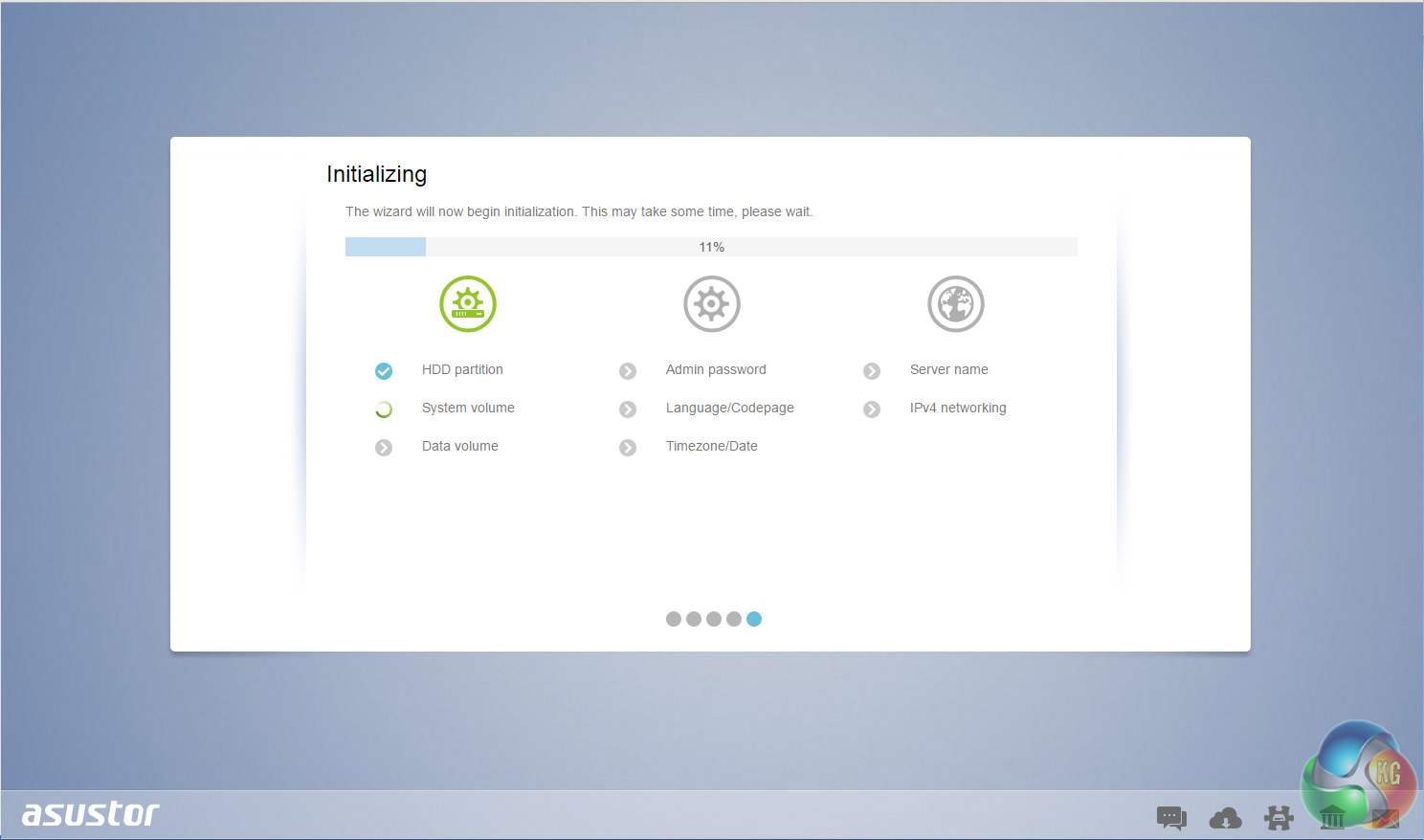
Setting up the AS3104T is straightforward and takes no time at all; from loading the OS to being able to use the NAS took around 10 minutes although waiting for the disks to synchronize obviously takes a good deal longer.
Many NAS operating systems leave you guessing as to what’s going on during the initial install process. Not so with the ADM. Each stage is clearly presented on the initialisation page and checked off as the OS is installed.
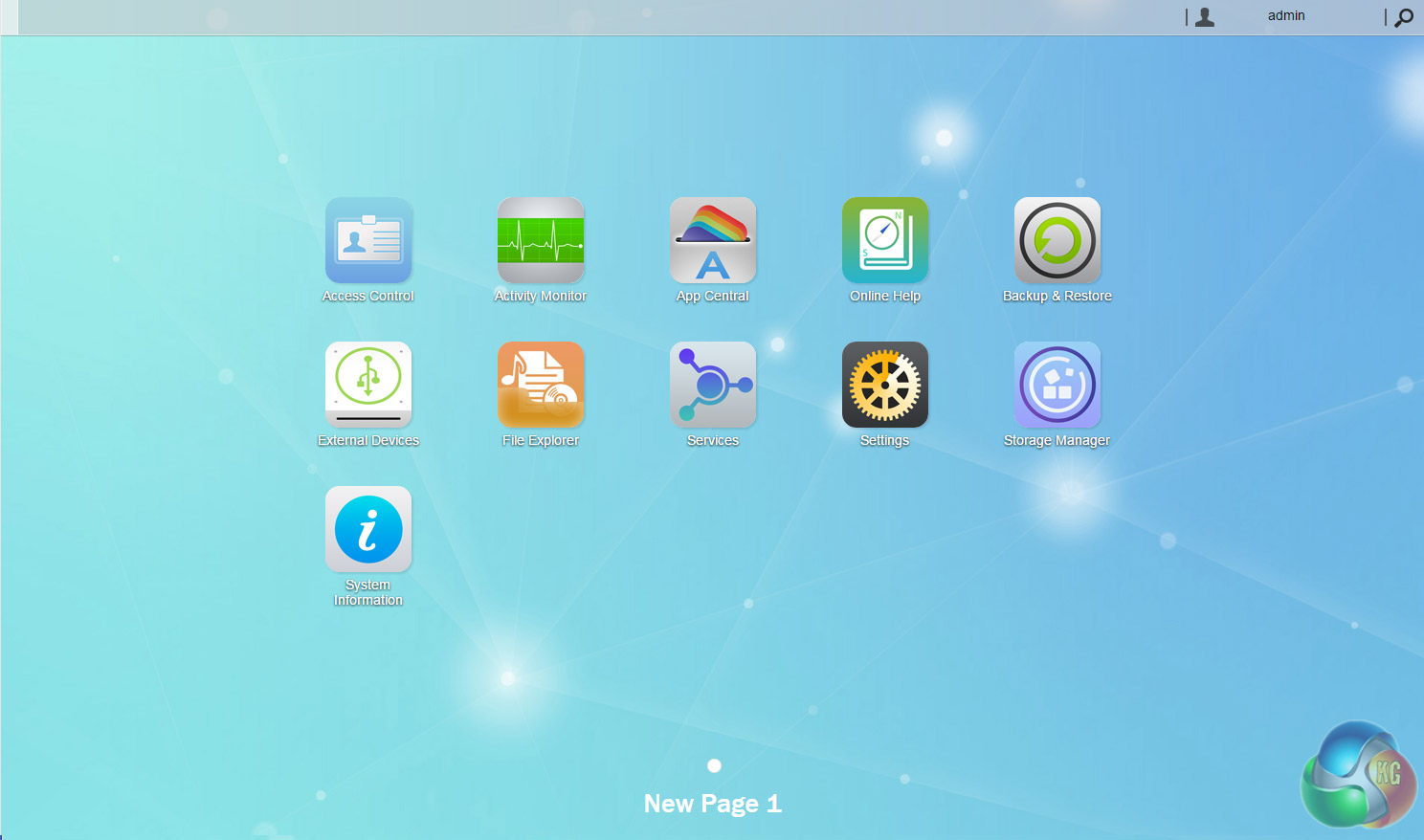
The main ADM page shows the major sections of the OS. For speed, it might be handier to have some form of side menu on this main page as all the other section pages have to help you get to what you are looking for a wee bit quicker.
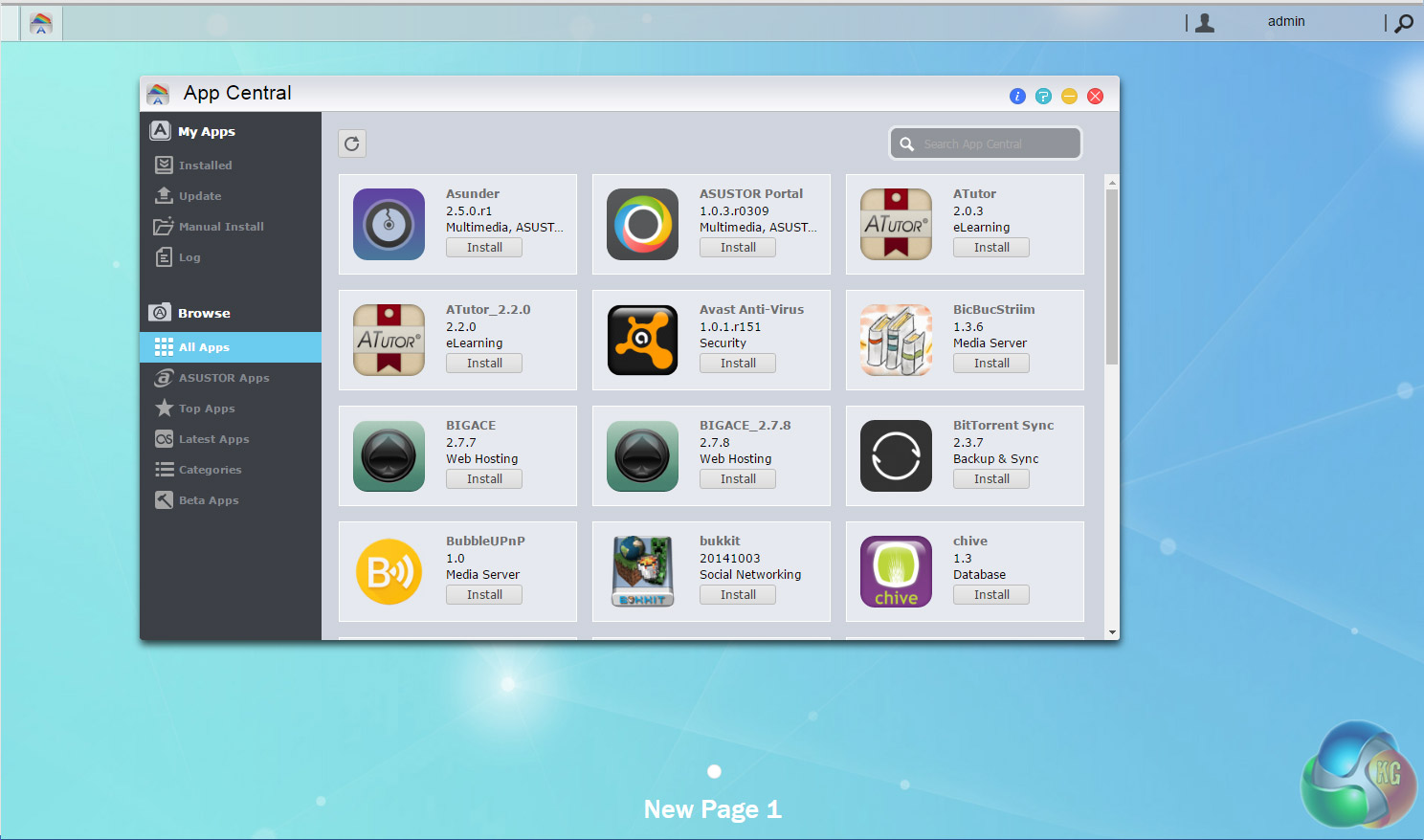
App support has always been one of ADM’s strong points, as one glance at the App Central menu confirms. App Central is the control center for app management and shows installed apps, all available apps and updates. At the time of writing the list of available apps to choose from is closing in on the 200 mark.
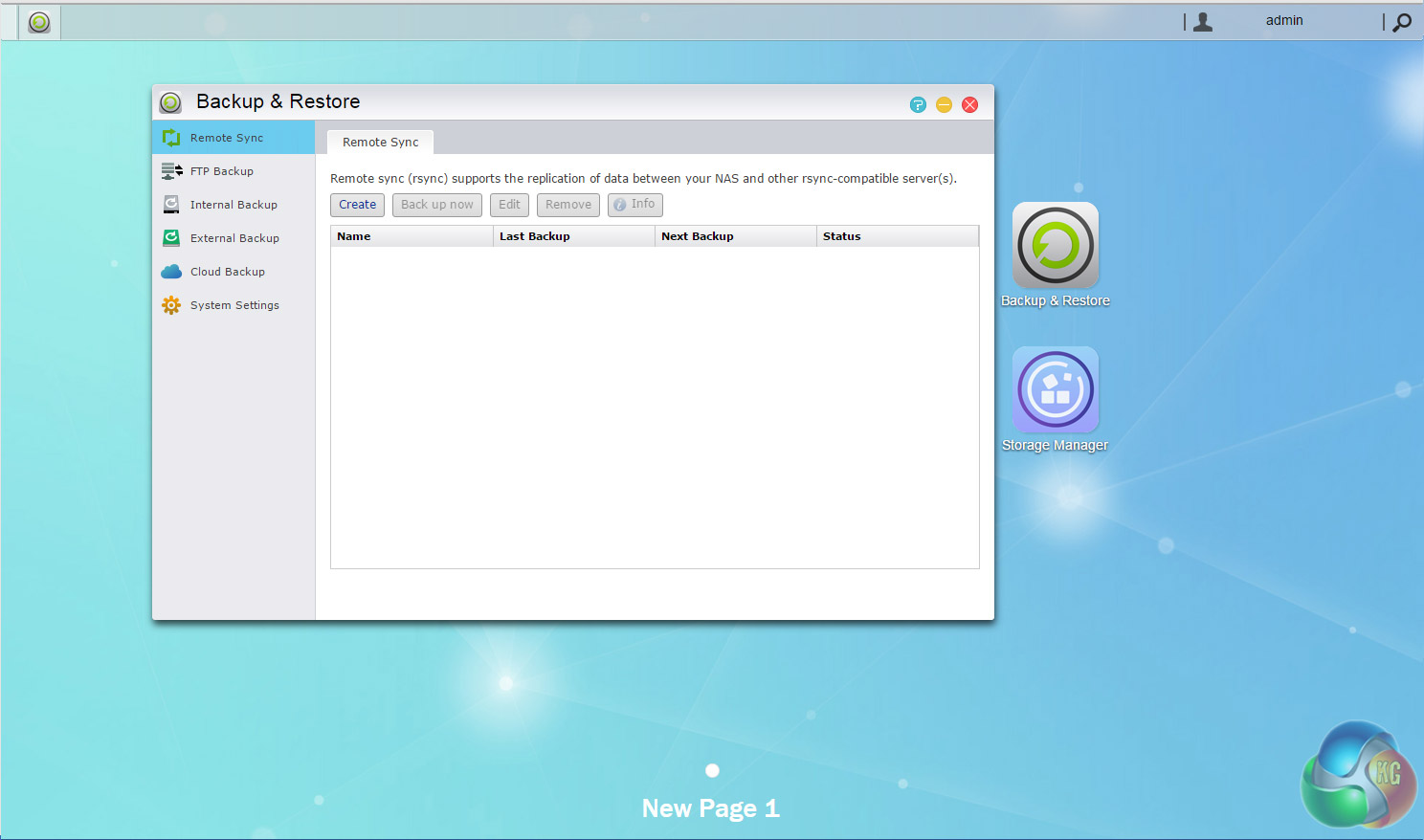
When it comes to backing your data up, ADM comes with a multitude of options; internal and external backups, FTP backup, Remote Syncing and backing up to the Cloud.
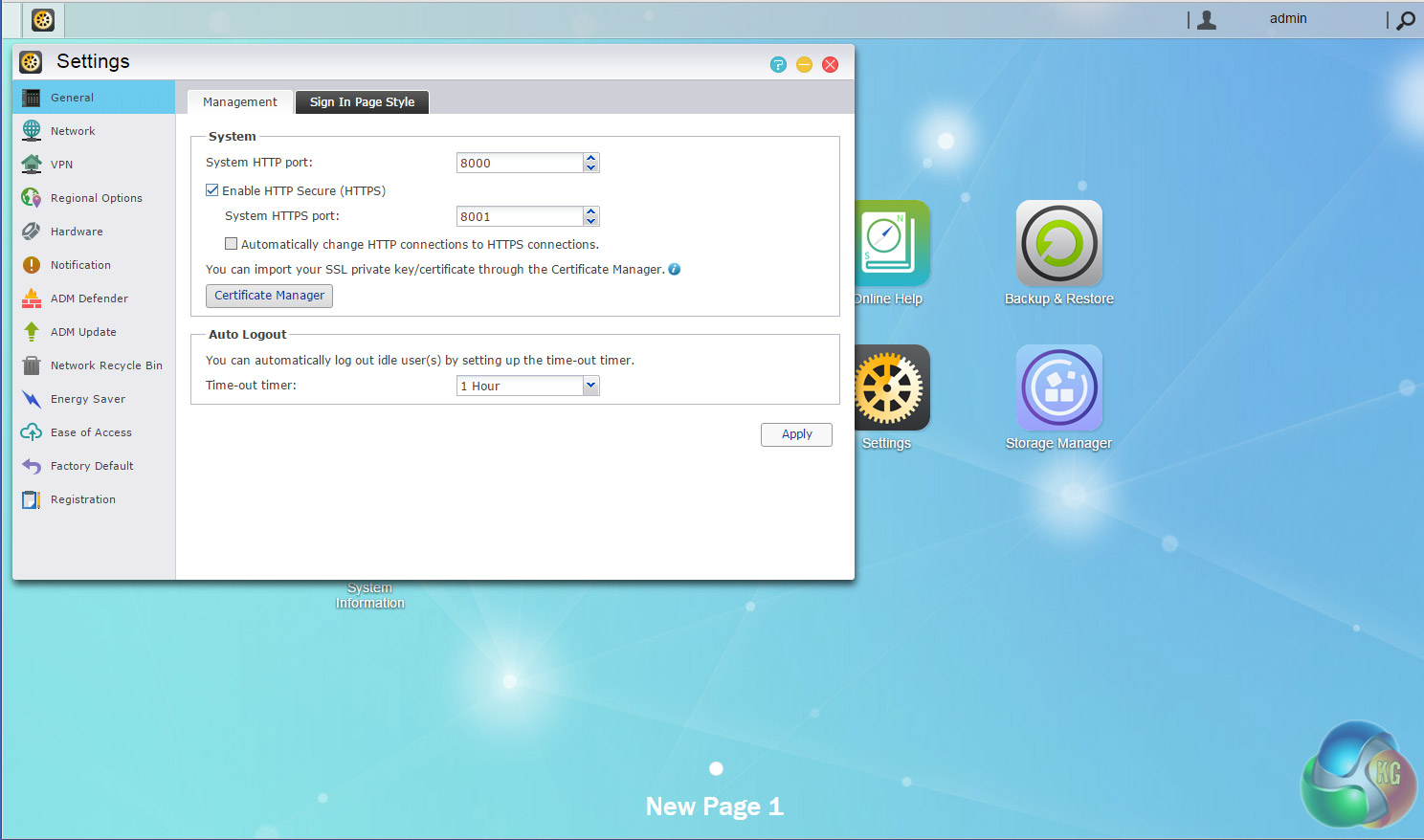
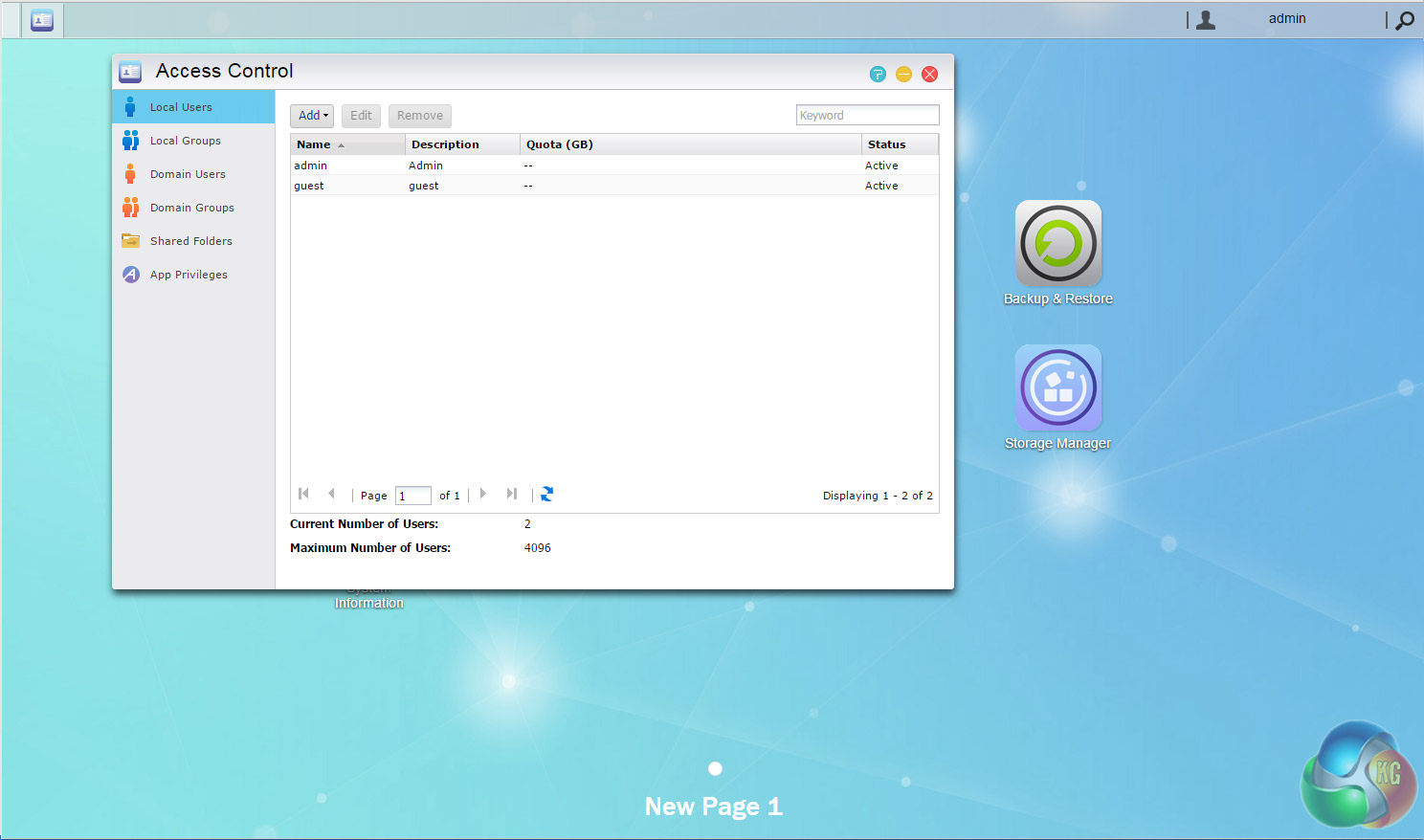
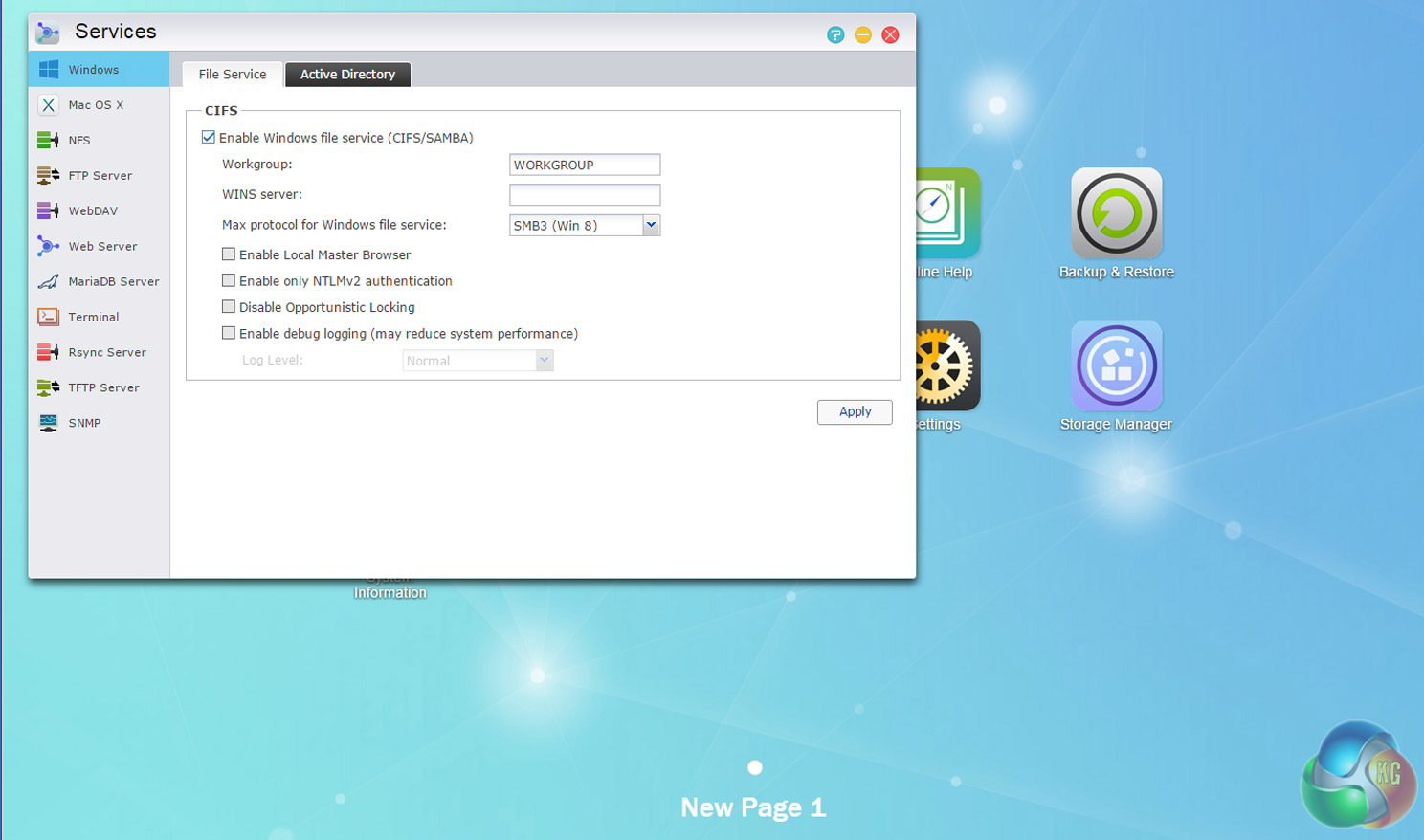
ADM 2.6 Highlights
Asustor Portal
MyArchive
Searchlight
iSCI Lun Snapshots
Cloud Backup
Web-based file access.
VPN server
Built-in FTP server.
BitTorrent client.
Plex Media support.
Mobile control and media streaming via AiData, AiMaster, AiRemote, AiMusic and AiVideos.
To test the AS3104T we used four WD 6TB Red drives (WD60EFRX, 5,400rpm class, 64MB cache). Each set of drives were built into all the RAID arrays supported by the device; RAID 0,1, 5,6 and 10 and then tested.
Software:
Atto Disk Benchmark.
CrystalMark 3.0.3.
IOMeter.
Intel NASPT.
To test real life file/folder performance we use a number of different file/folder combinations to test the read and write performance of the NAS device. Using the FastCopy utility to get a MB/s and time taken for each transfer, the data is written from and read back to a 240GB SSD.
60GB Steam folder: 29,521 files.
50GB Files folder: 28,523 files.
12GB Movie folder: 24 files – mix of Blu-ray and 4K files.
10GB Photo folder: 621 files – mix of .png, .raw and .jpeg images.
10GB Audio folder: 1,483 files – mix of .mp3 and .flac files.
Crystalmark is a useful benchmark to measure theoretical performance levels of hard drives. We are using V3.0.3.
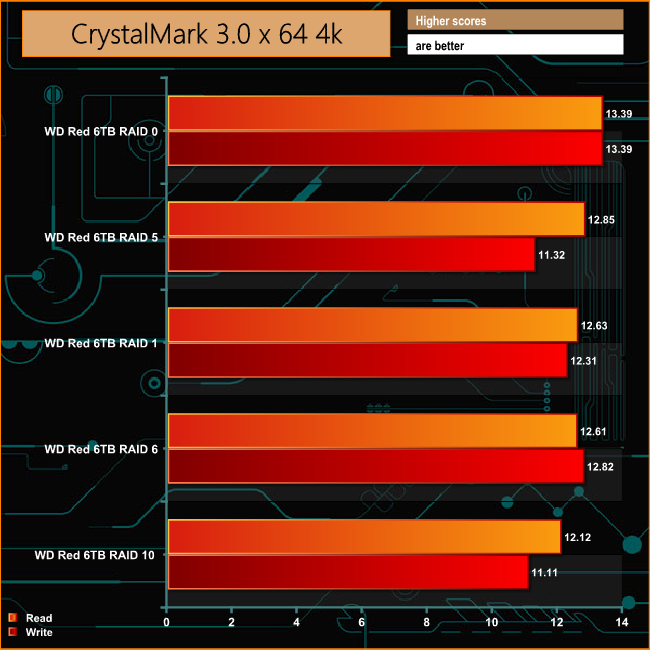
The AS3104T shows pretty good consistency across the differing RAID arrays it supports when dealing with small bity files of everyday office use. Having said that it does fade a little when it comes to dealing with 4K writes in RAID 5 and 10.
The ATTO Disk Benchmark performance measurement tool is compatible with Microsoft Windows. Measure your storage systems performance with various transfer sizes and test lengths for reads and writes. Several options are available to customize your performance measurement including queue depth, overlapped I/O and even a comparison mode with the option to run continuously.
Use ATTO Disk Benchmark to test any manufacturers RAID controllers, storage controllers, host adapters, hard drives and SSD drives and notice that ATTO products will consistently provide the highest level of performance to your storage.
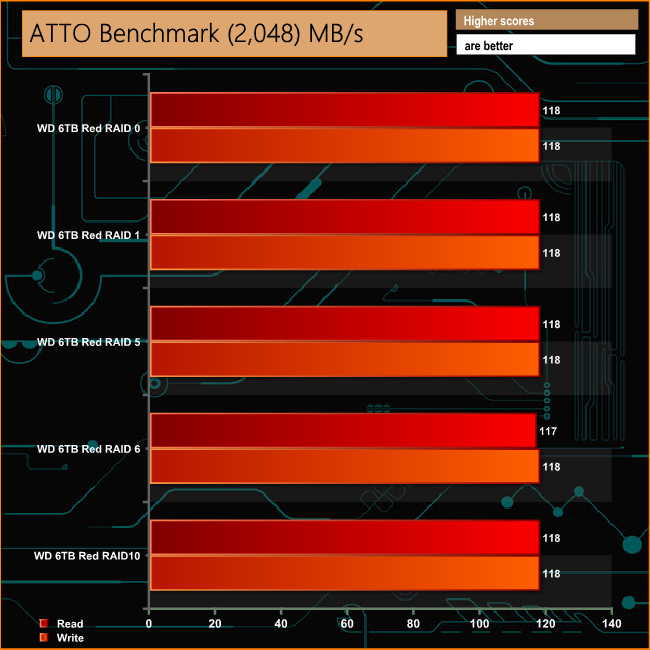
Asustor quote performance figures for the AS3104T as 112MB/s for both reads and writes in RAID 5, speeds that were just bettered across all the arrays under test conditions.
Intel’s NASPT (NAS Performance Toolkit ) is a benchmark tool designed to enable direct measurement of home network attached storage (NAS) performance. NASPT uses a set of real world workload traces (high definition video playback and recording, video rendering/content creation and office productivity) gathered from typical digital home applications to emulate the behavior of an actual application.
We’ve used some of the video and office apps results to highlight a NAS device’s performance.
HD Video Playback
This trace represents the playback of a 1.3GB HD video file at 720p using Windows Media Player. The files are accessed sequentially with 256kB user level reads.
4x HD Playback
This trace is built from four copies of the Video Playback test with around 11% sequential accesses.
HD Video Record
Trace writes an 720p MPEG-2 video file to the NAS. The single 1.6GB file is written sequentially using 256kB accesses.
HD Playback and Record
Tests the NAS with simultaneous reads and writes of a 1GB HD Video file in the 720p format.
Content Creation
This trace simulates the creation of a video file using both video and photo editing software using a mix of file types and sizes. 90% of the operations are writes to the NAS with around 40% of these being sequential.
Office Productivity
A trace of typical workday operations. 2.8GB of data made up of 600 files of varying lengths is divided equally between read and writes. 80% of the accesses are sequential.
Photo Album
This simulates the opening and viewing of 169 photos (aprrox 1.2GB). It tests how the NAS deals with a multitude of
small files.
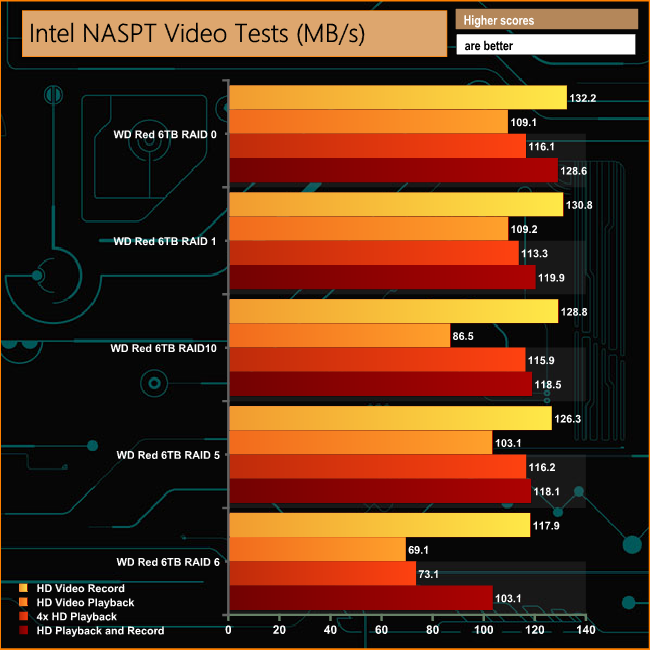
The AS3104T shows a very good turn of speed in most of the arrays, generally scoring well over 100MB/s in most of the tests. The glaring exception is RAID 6 where the performance lags behind all the other arrays in all the tests.
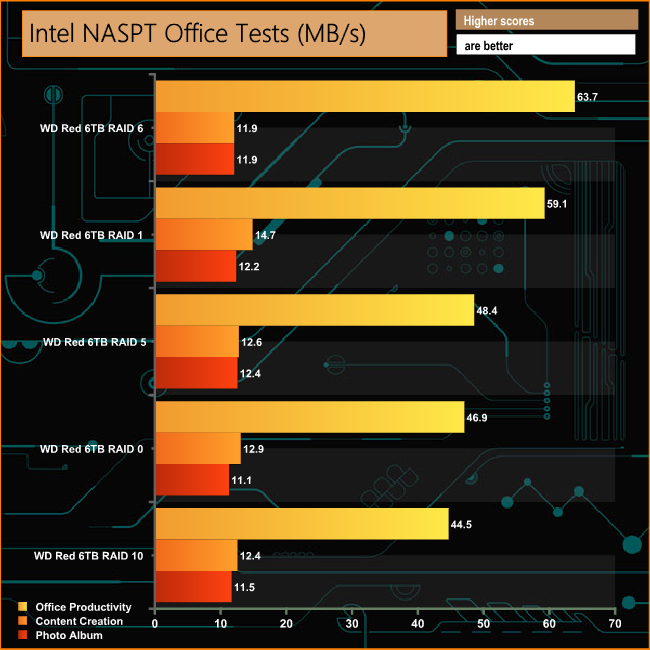
When it comes to dealing with everyday files of the Office Productivity test, the best performance comes when the NAS is in RAID 6 mode. The Content Creation and Photo Albums tests show a good deal of consistency across all the arrays.
IOMeter is another open source synthetic benchmarking tool which is able to simulate the various loads placed on hard drive and solid state drive technology.
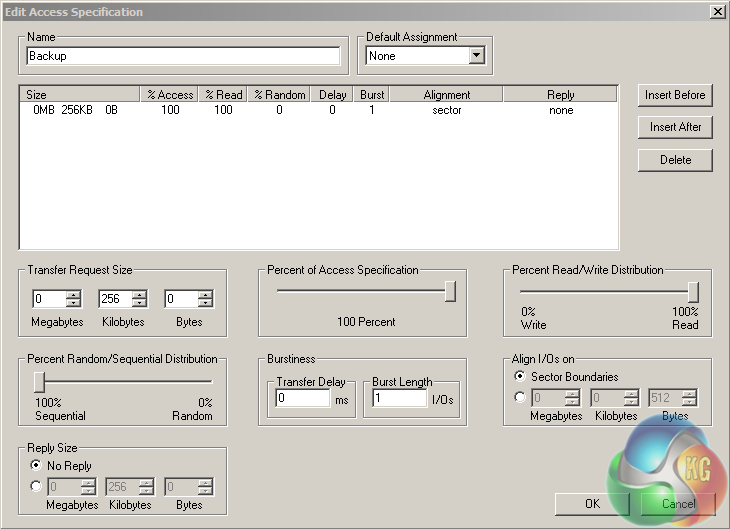
We set IOmeter up (as shown above) to test both backup and restore performance on a 100GB partition.
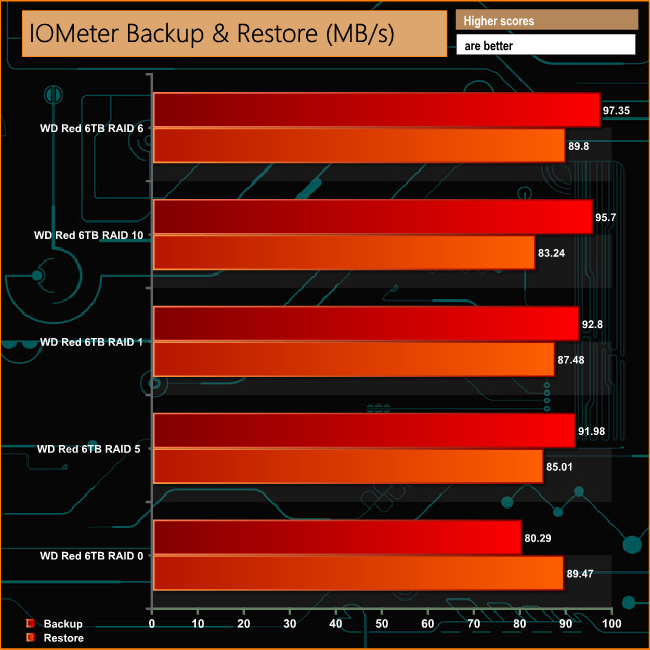
The IOMeter backup test reveals the NAS getting close to the 100MB/s mark for writes, with the exception of RAID 0 which is a little off the pace. When it comes to reads once again the NAS shows pretty good consistency.
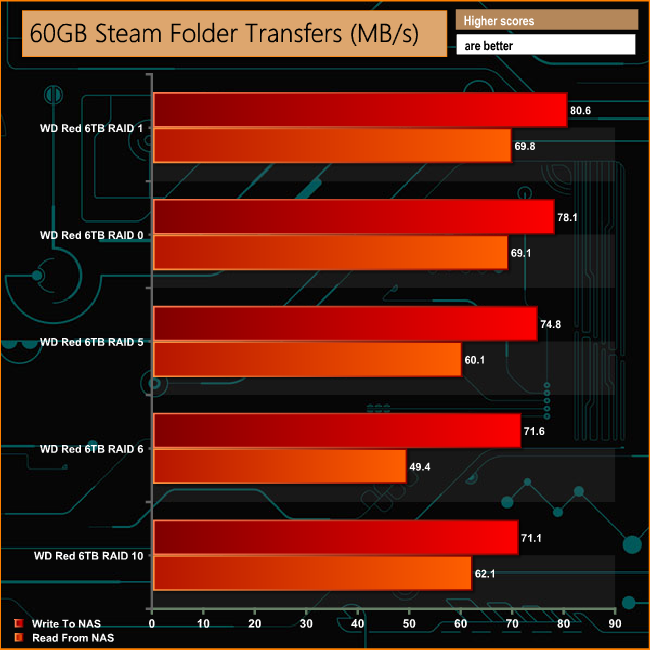
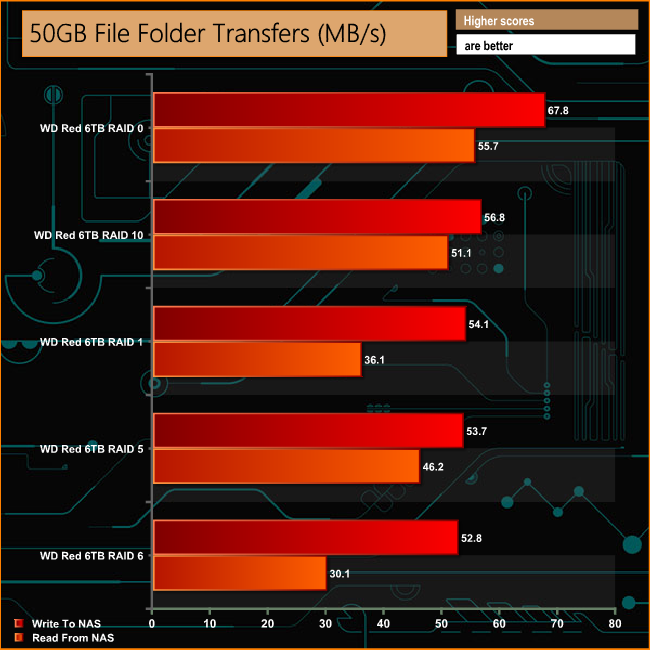

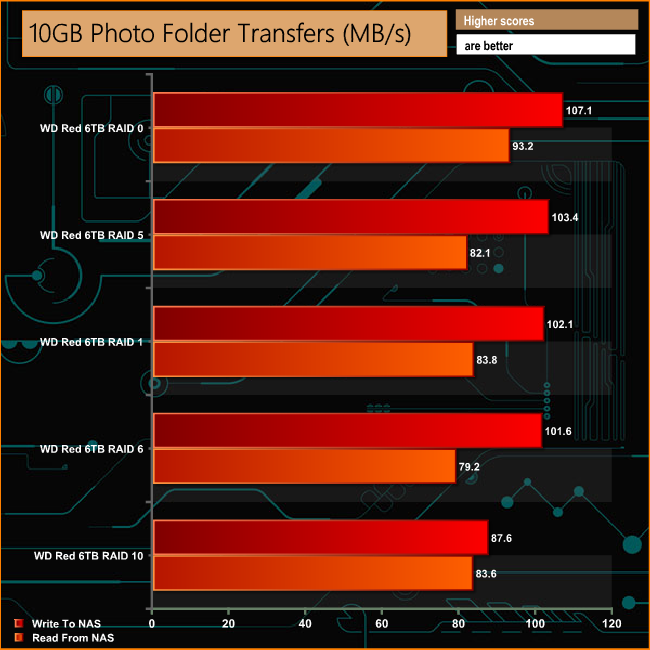
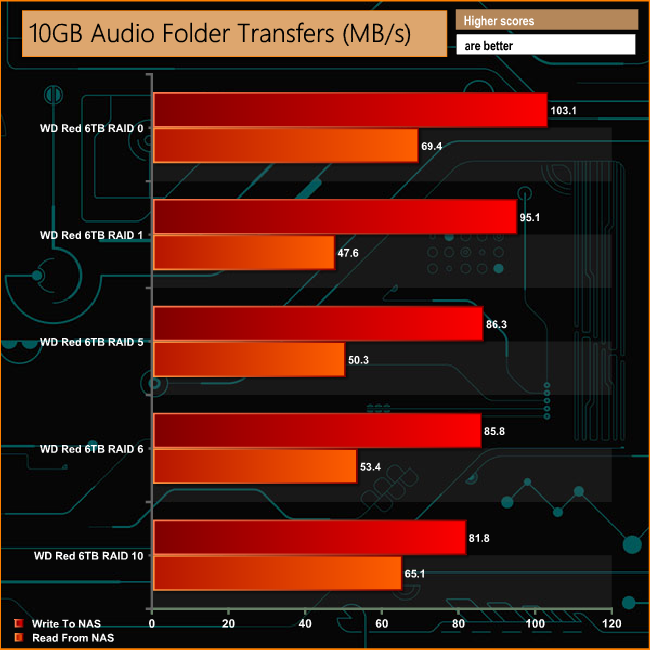
When it comes to real life file transfers, once again RAID 6 reads are the AS3104T's Achilles heel. It doesn't seem to matter what type of file it's dealing with as it's the worst performer when dealing with the small files of the 60GB Steam and 50GB file folder tests, as well as the larger files of the 12GB Movie folder test.
We tested the peak power consumption of a NAS at the wall during a run of CrystalDiskMark 5.0.2. This version of the benchmark runs the read and write benchmark suites separately so it's easier to monitor what power the device is using during each function.
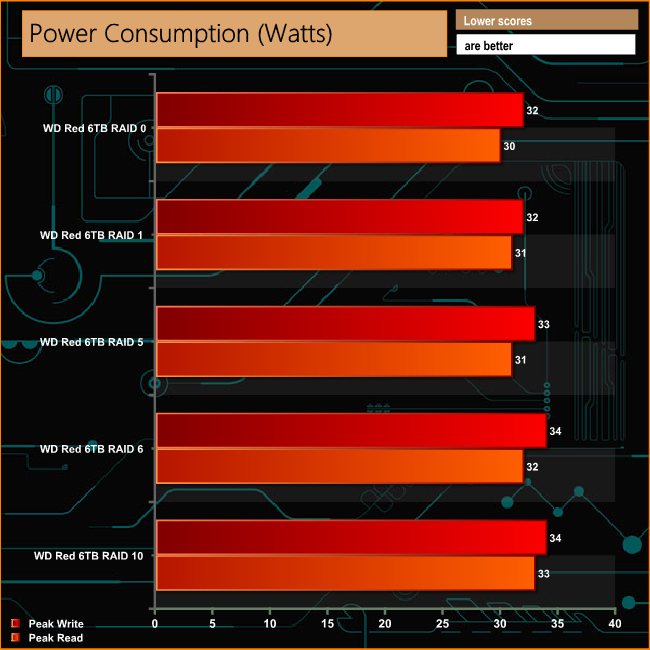
With a processor with a TDP of just 6W, the AS3104T is a pretty efficient NAS even with four 6TB drives installed. But it does help when the drives only have a power requirement of just 6.4W each.
The days of a home NAS being just a box on the network that you stored files on have long gone. These days they are feature rich hubs for a home entertainment system. This is something that the Asustor AS3104T is ideally suited for with its 4K playback support, HDMI port and a multitude of multimedia and streaming apps in App Central.
If you use the Asustor Portal app, there's also the added bonus of being able to use it without the need of a PC being powered up.

Like the AS3102T, the AS3104T comes with a good chunk of memory for a NAS aimed at home use. Although the 2GB of memory cannot be upgraded, it should be more than enough for most purposes in the home and the smaller office.
The tool-free design is a great idea and it certainly speeds up getting to the drives, but because of the AS3104T’s design the drives are not hot-swappable. We really can’t see this being an issue within a home environment.
More of a problem, however, is the head scratching placement of the power button on the rear panel. Most of the time a NAS is either stuck on a shelf or placed in a cupboard, so having a power button on the back of the unit is inconvenient to say the least. It's even more puzzling when there is seemingly enough space on the front bezel to have it put there.
To make using a NAS as painless as possible, you need an easy to install and use OS. In the ADM (Asustor Data Master) OS, Asustor has one of the better NAS operating systems around. It helps that the OS is continually improved and updated, even if that's to only add one or two more apps to the very impressive list in App Central.
You can buy the Asustor AS3104T 4-bay NAS from Amazon for £339.99 inc VAT.
Discuss on our Facebook page HERE.
Pros
- Overall performance
- Tool free design
- Amount of memory as standard
- Low power consumption.
- 4K playback support
- 3 year warranty
Cons
- That rear power button
- Drives not hot swappable
- RAID 6 read performance is a little weak
Kitguru says: A very capable four-bay NAS that has the home entertainment environment at its heart.


I miss the IDLE power consumption, a state that my NAS will have most of the time