 KitGuru KitGuru.net – Tech News | Hardware News | Hardware Reviews | IOS | Mobile | Gaming | Graphics Cards


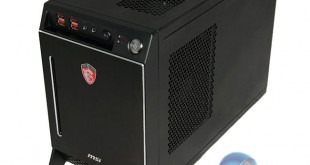
In the last year we have seen a rising demand for smaller chassis such as the excellent Bitfenix Prodigy and Aerocool Dead Silence. With this in mind MSI are launching their MSI Nightblade – a barebones configuration to target the demanding enthusiast audience who feel that ‘smaller is better'. The barebones includes the case, an MSI Z87I gaming motherboard, a Dragon Fan and 80 Plus Gold certified Silverstone 600W power supply. MSI say that this diminutive 16 litre case can house the most powerful components available … so today we put their claims to the test.
MSI will be selling the Nightblade chassis in a barebones configuration however some of their partners such as Scan, Overclockers UK, Yoyotech, Cyberpower UK and MESH will be selling in a fully configured state. This makes sense, because while many people like to build their own system, some just don't want to deal with the hassle, especially when working in the confines of such a small chassis.
Today we will be testing the MSI Nightblade with some of the highest specification components we can use – including an Intel Core i7 4770k, two Plextor Solid State drives in Raid 0, and an MSI R9 290X graphics card. MSI bundled their optional custom CPU cooler so we include that in the mix.
Can the case handle the heat?
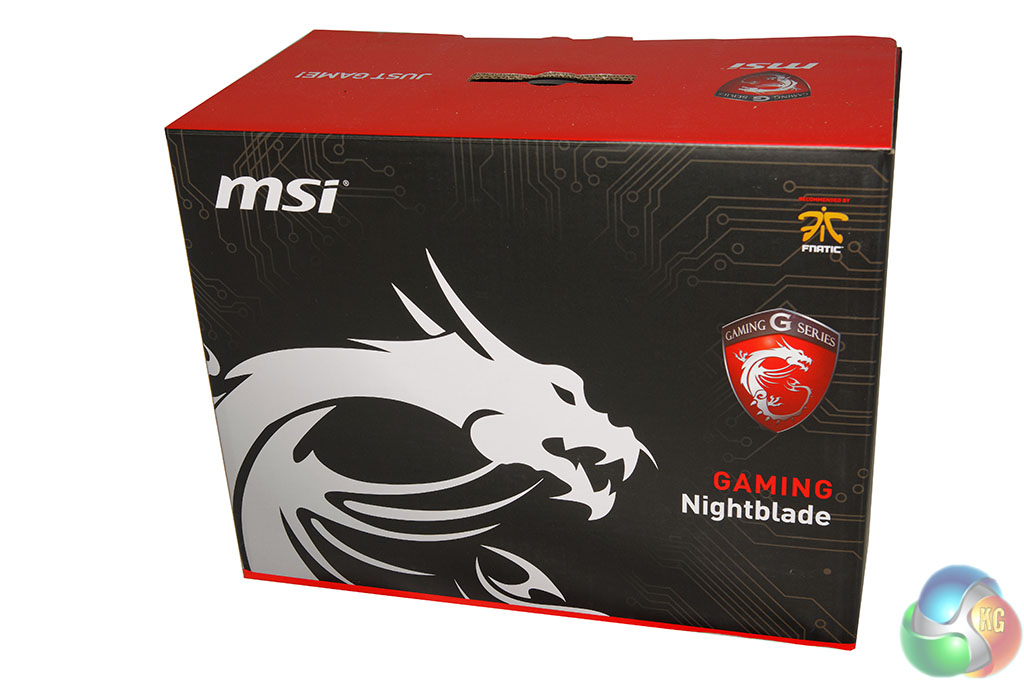
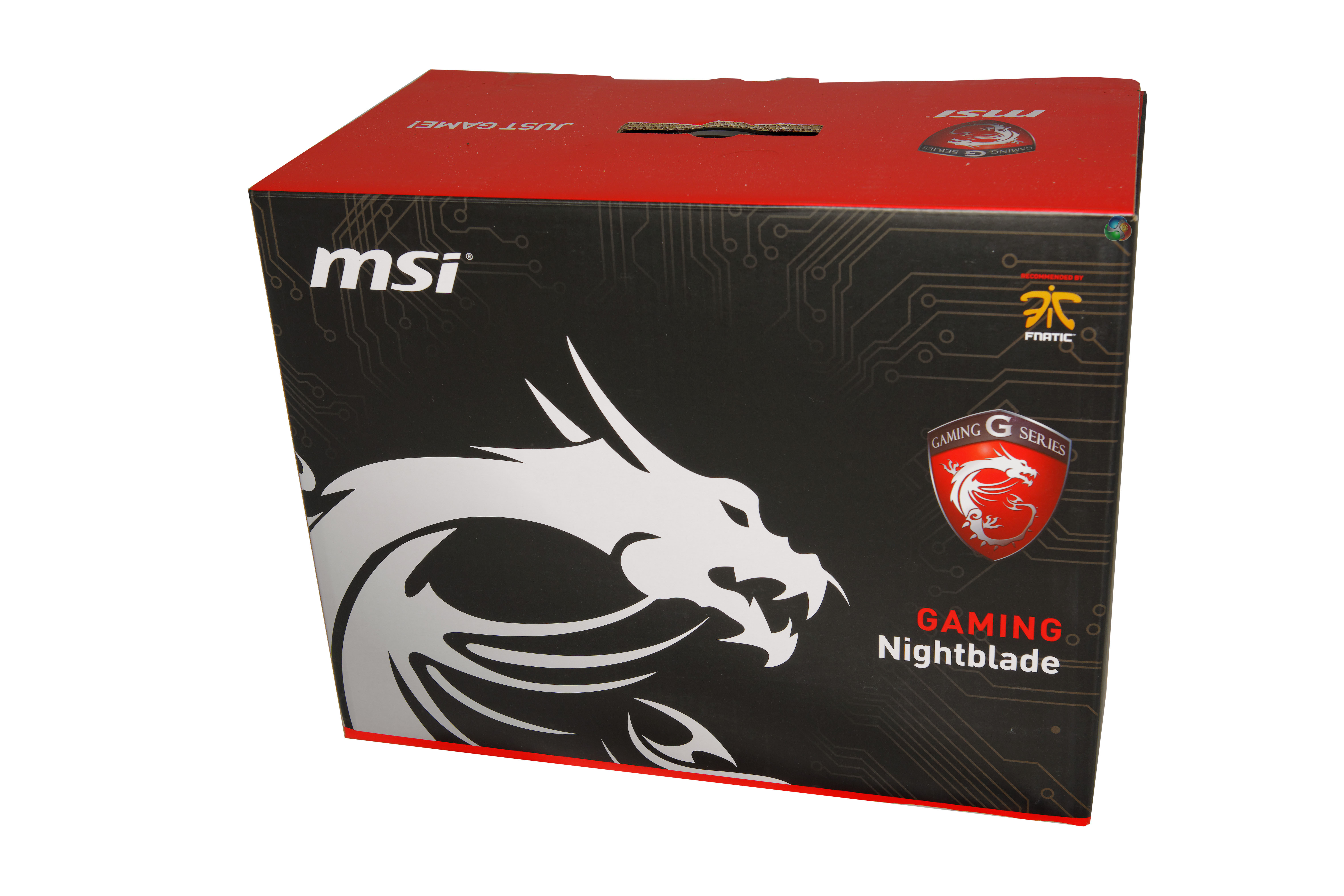
The MSI Nightblade ships in a large, heavy box with the name of the product underneath the company logo. The MSI Dragon takes up most of the real estate here.
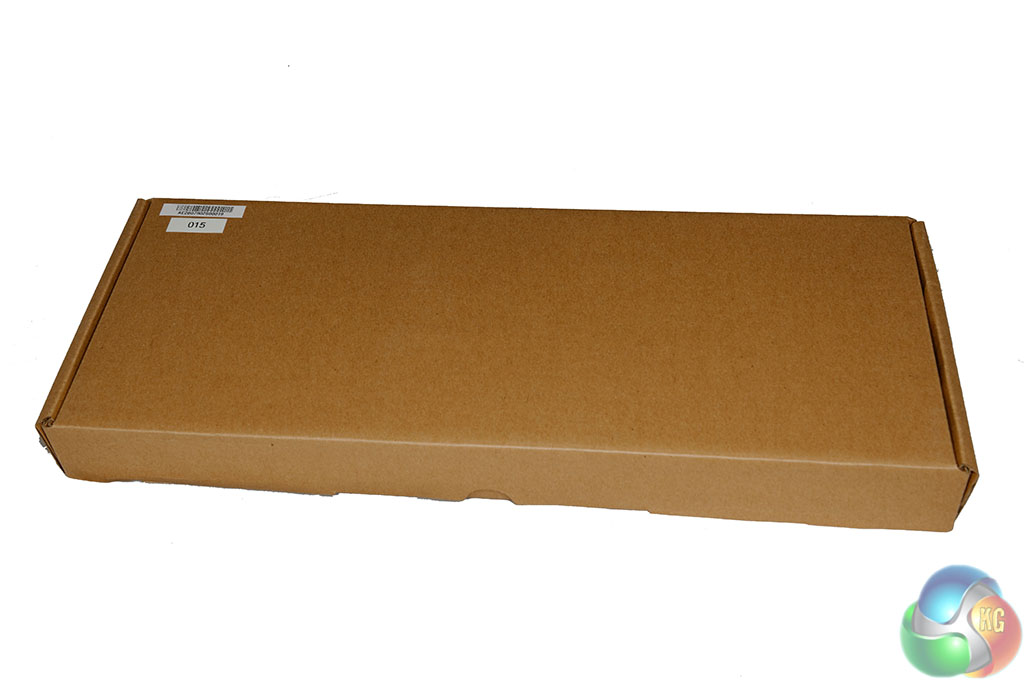
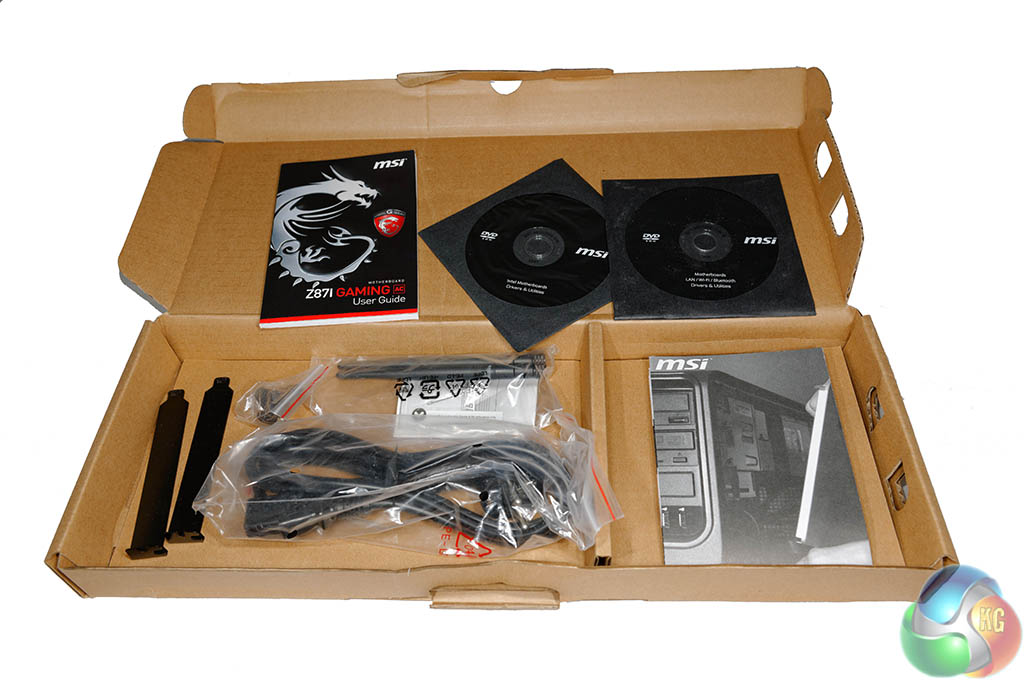
A smaller box inside contains the peripherals, cables, literature and discs.
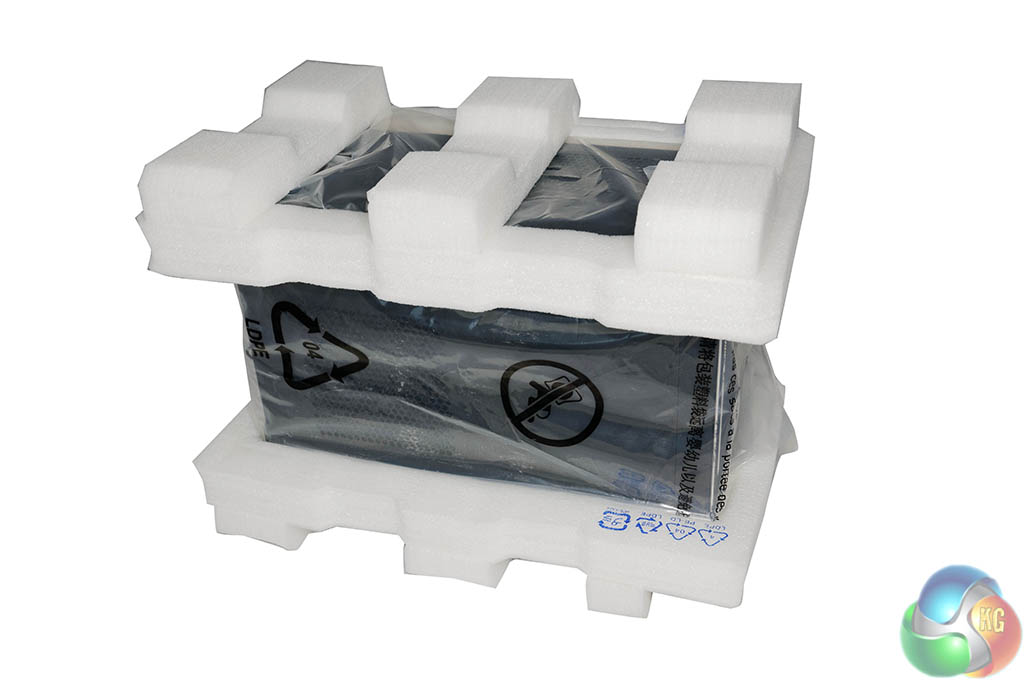
The chassis is well protected inside thick foam, and is covered with a clear plastic wrap for additional protection.
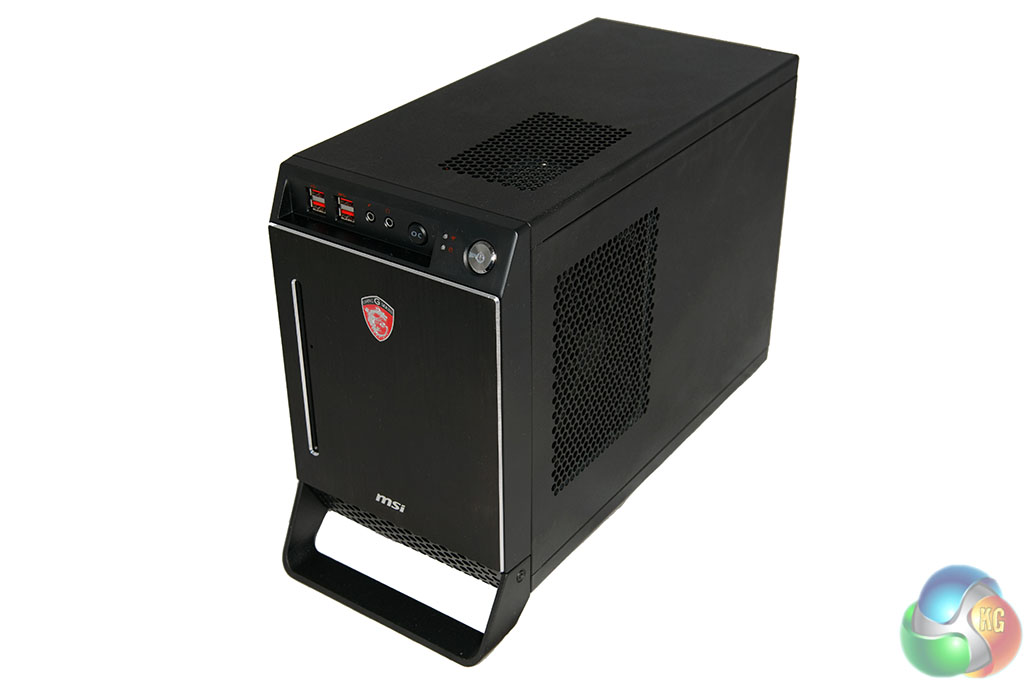
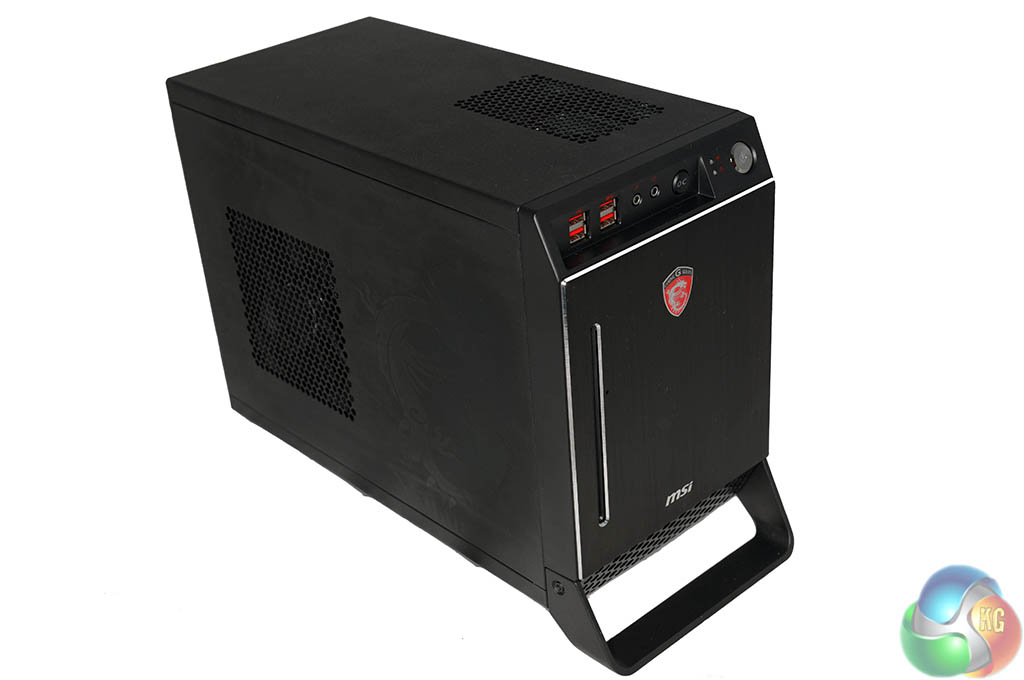
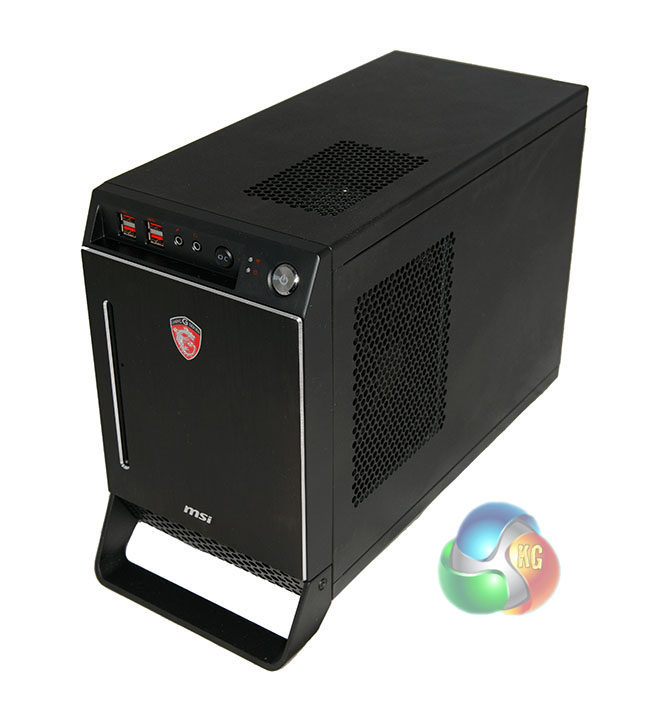
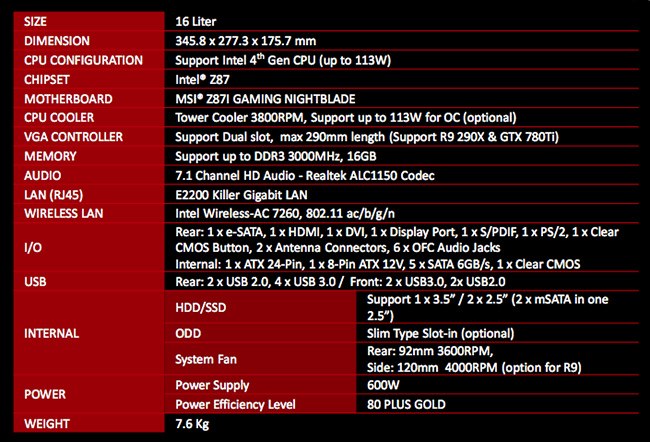
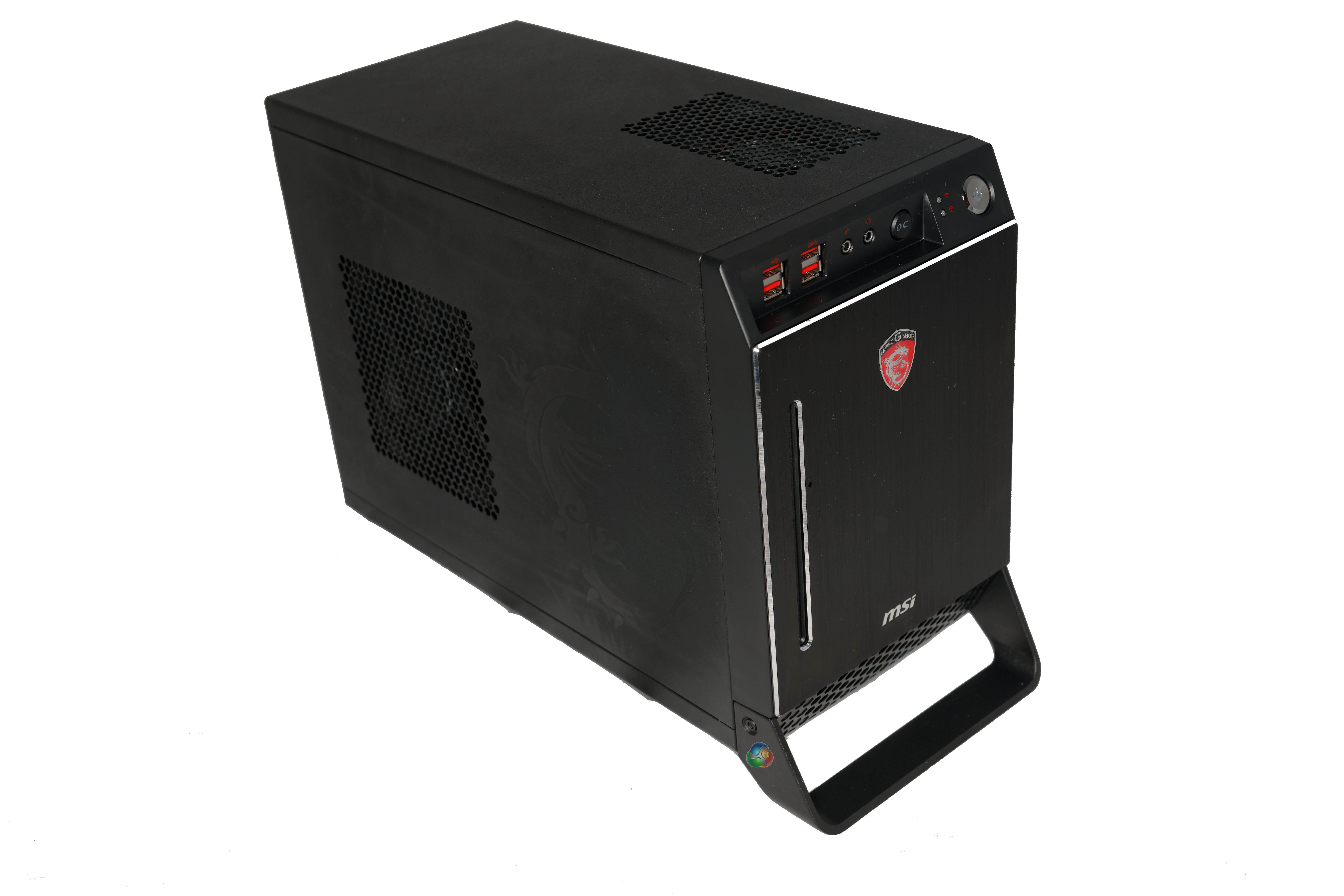
The case measures 345.8 mm x 227.3 mm x 175.7 mm and weighs 7.6kg in a barebones configuration. We wouldn't say the case is the most attractive. The ‘boxy' design does look slightly more old fashioned than the new models from Aerocool and BitFenix, however it is certainly well put together. The case is constructed from steel but MSI have coated it with Zinc to prevent rust and wear. The front of the case is ‘brushed metal' with diamond cut edges.
Our Nightblade review sample was ‘previously used in hot action' as there were masses of finger prints and dirty marks on all sides of the chassis. We did our best to try and clean these away for the pictures in the review.
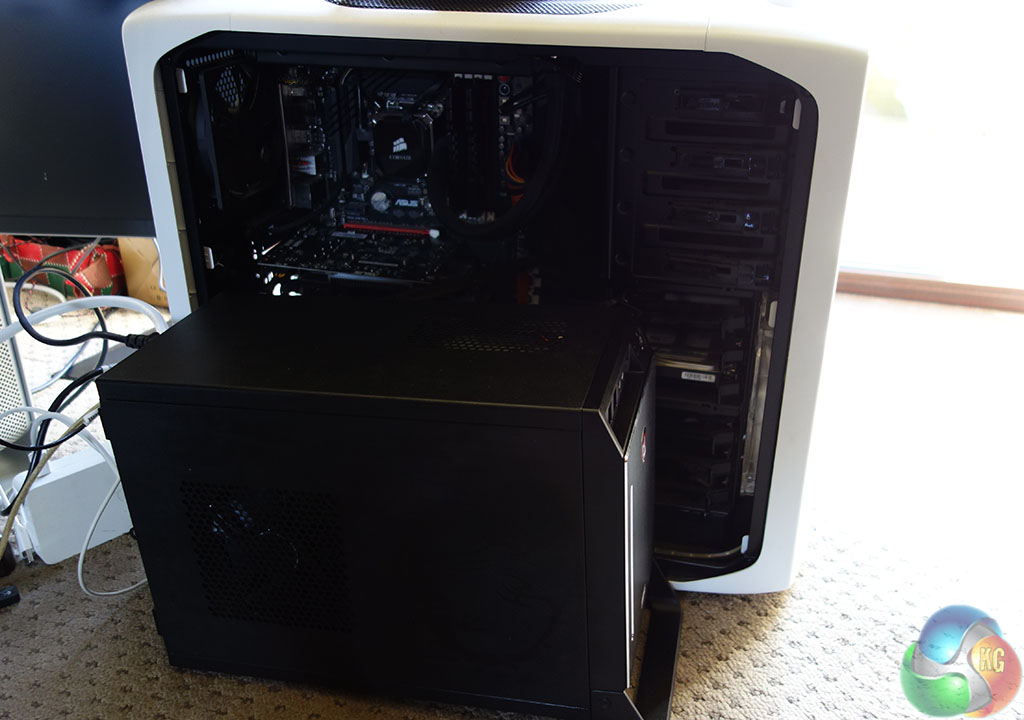
Just to give you an idea of the tiny size of the MSI Nightblade case, we positioned it next to the Corsair 600T chassis (above) used on one of our test systems. We use this specific system as our main graphics card testing rig.
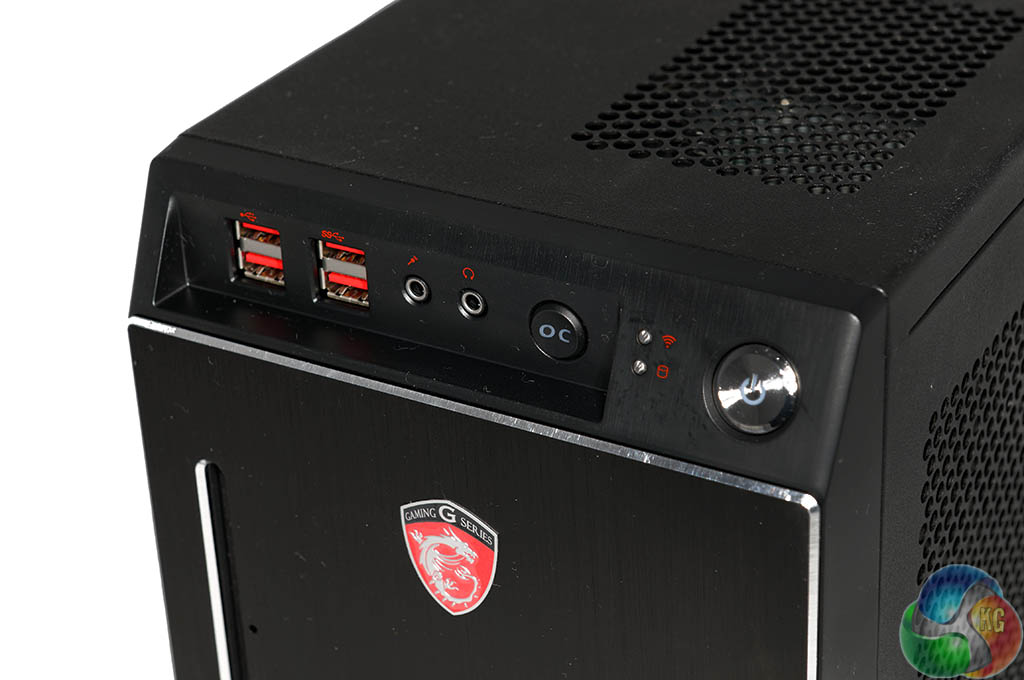
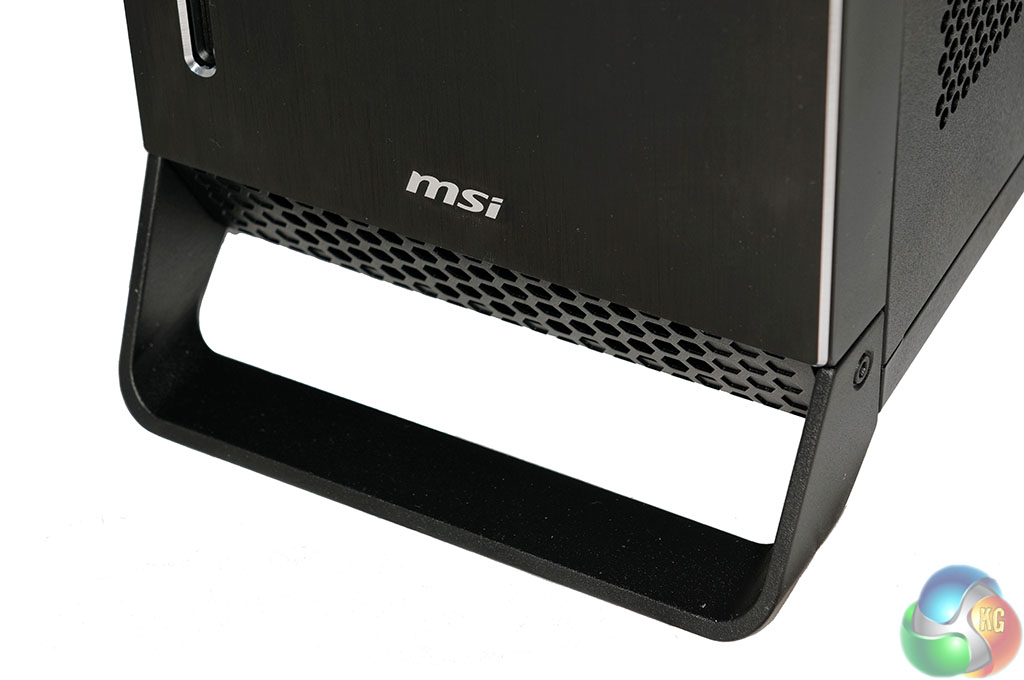
The I/O panel is along the front of the case, angled slightly to point upwards. There are 2x USB 2.0 ports here alongside 2x USB 3.0 ports for faster devices such as hard drives and flash drives. Alongside the USB ports is a microphone and headphone jack. Next to this is an OC Genie button for overclocking – this boosts the speed of the memory and CPU by 15%. Lastly we have two LED indicators and the power button.
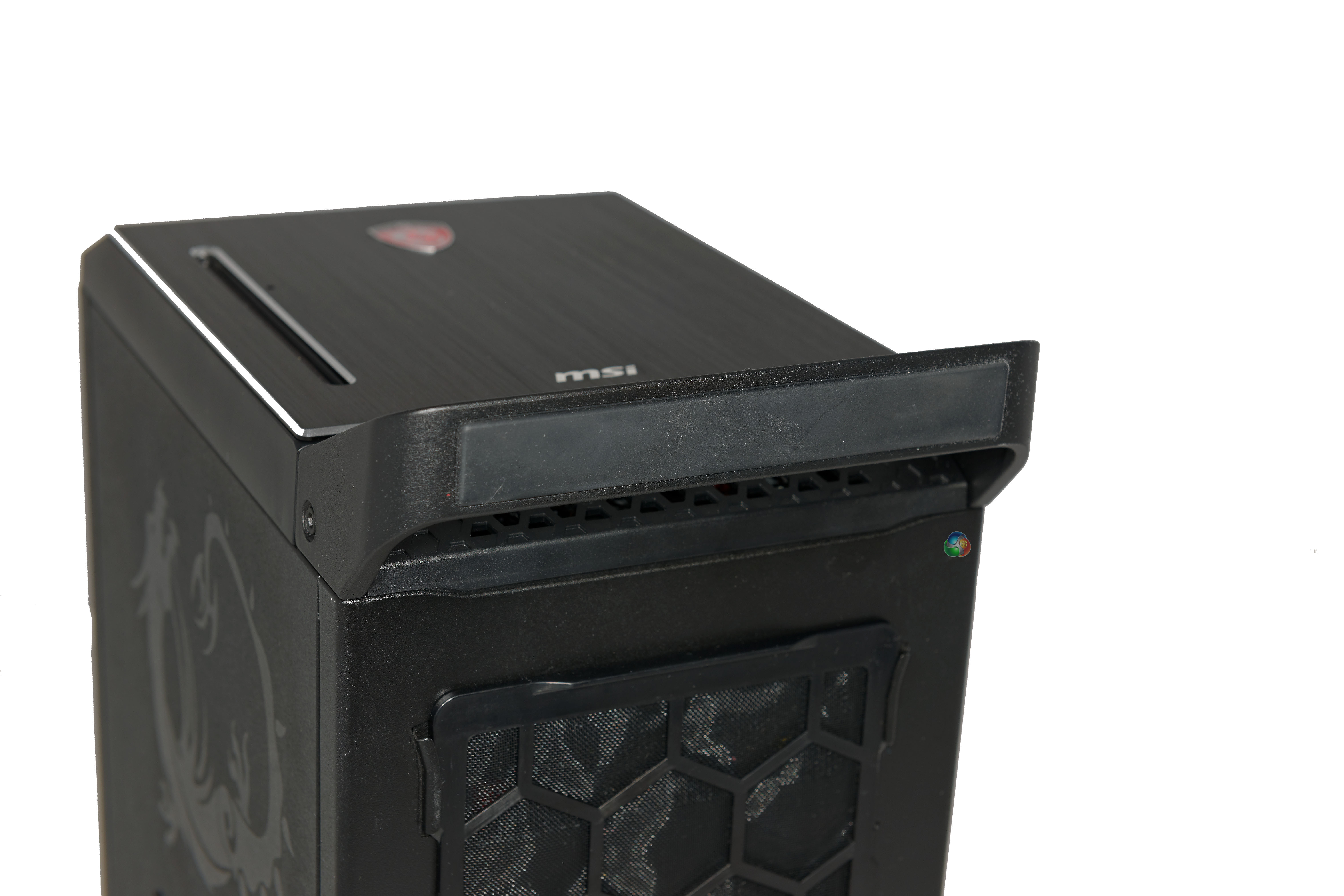
The image above right shows an intake vent – just below the ‘MSI' brand name. this forces cool air in and across the components inside.
Along the bottom of the case is a LAN party handle for easy transportation of the case between locations. This handle actually raises the case from the floor or desk to improve airflow.
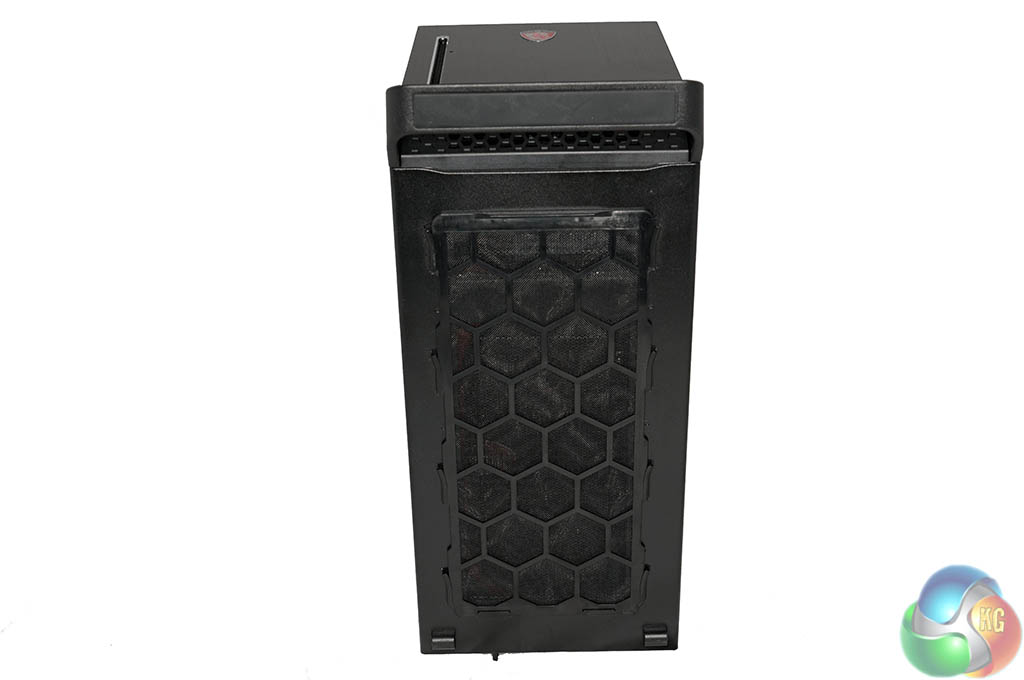
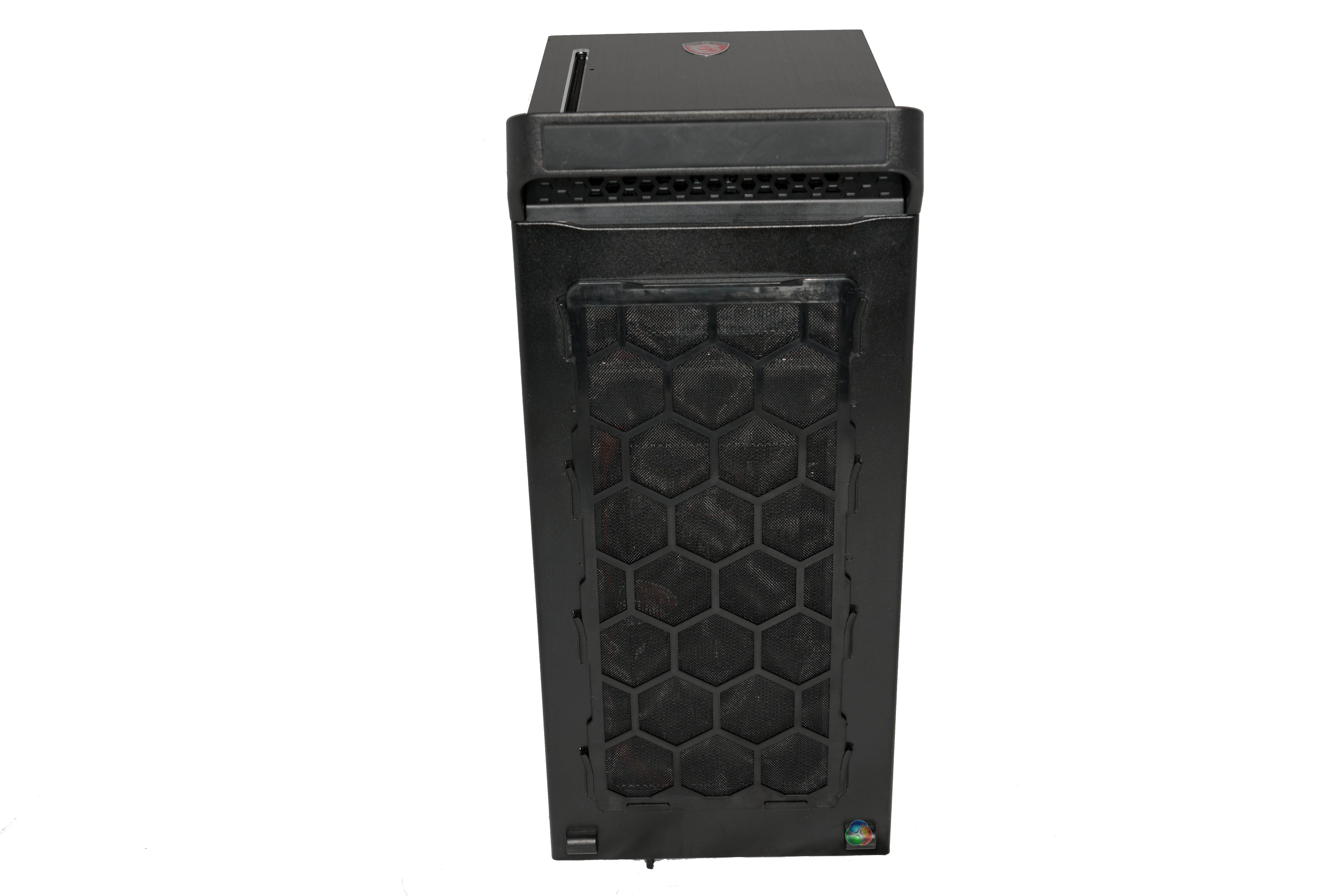
Underneath is a removable dust filter, covering almost the full length of the chassis from front to back.
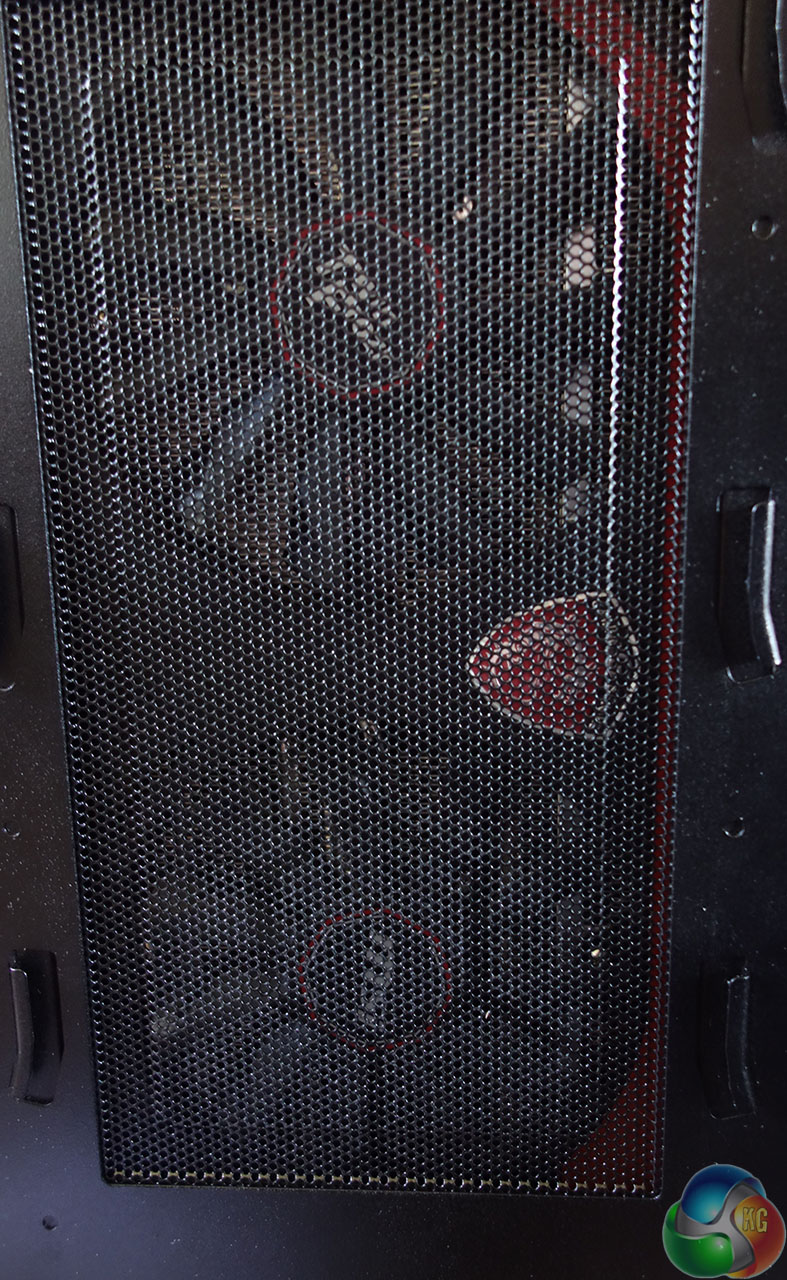
Above, with the fan filter removed we can see the MSI R9 290X graphics card, This is installed horizontally and sucks in cool air from outside the chassis. The LAN handle at the front lifts the case upwards, allowing a good intake of air for the graphics card.
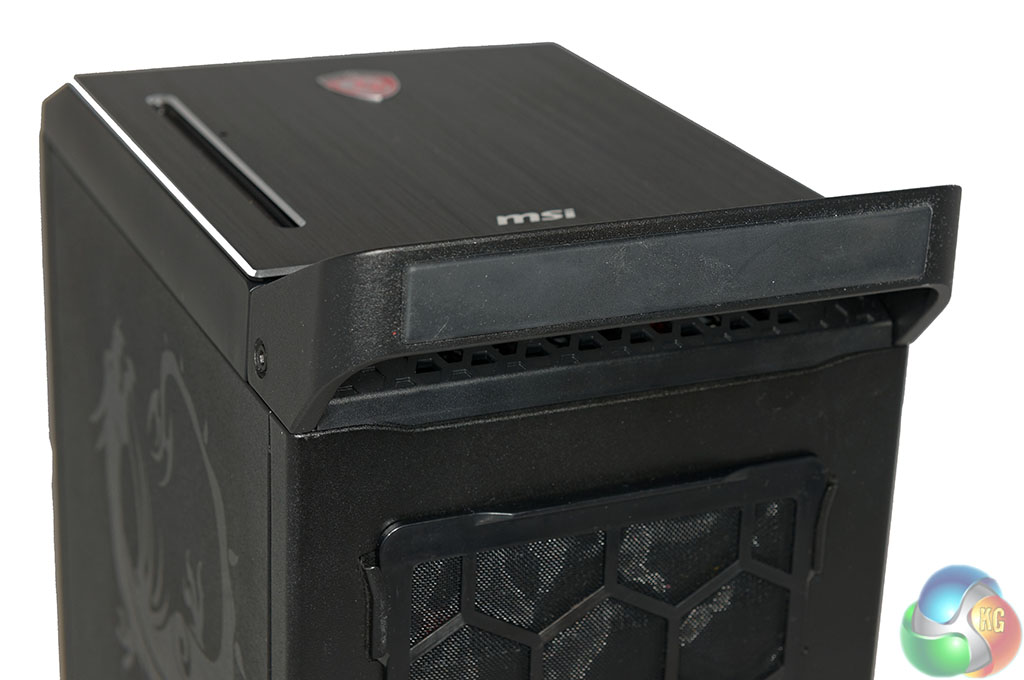
The handle has been fitted with an anti slip rubberised cover – a nice touch for stability – especially if the case is resting on a wooden desk.
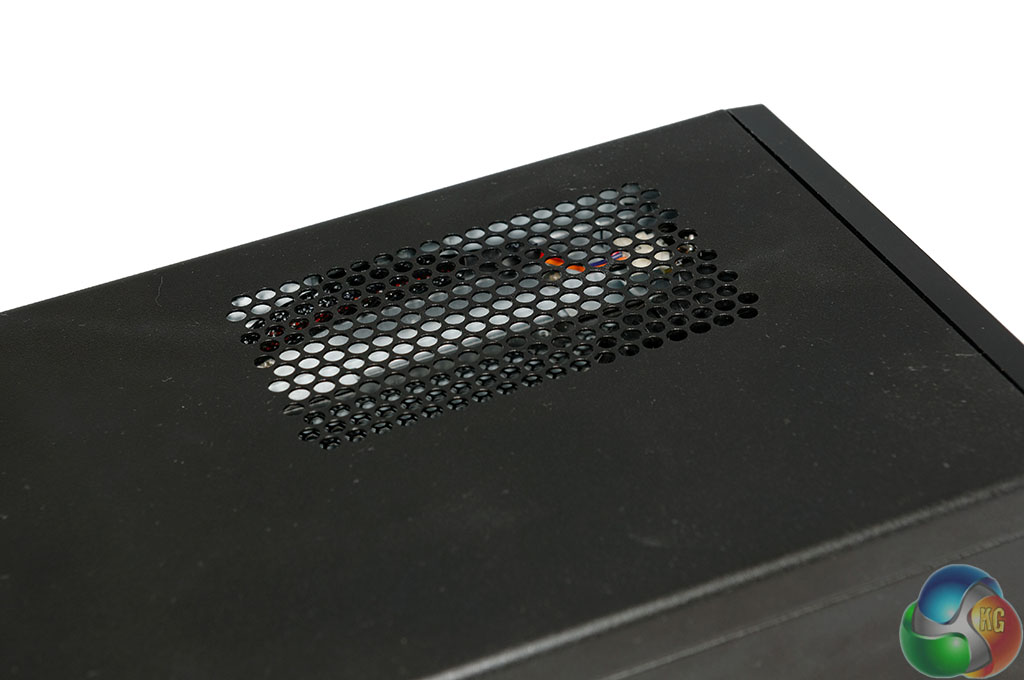
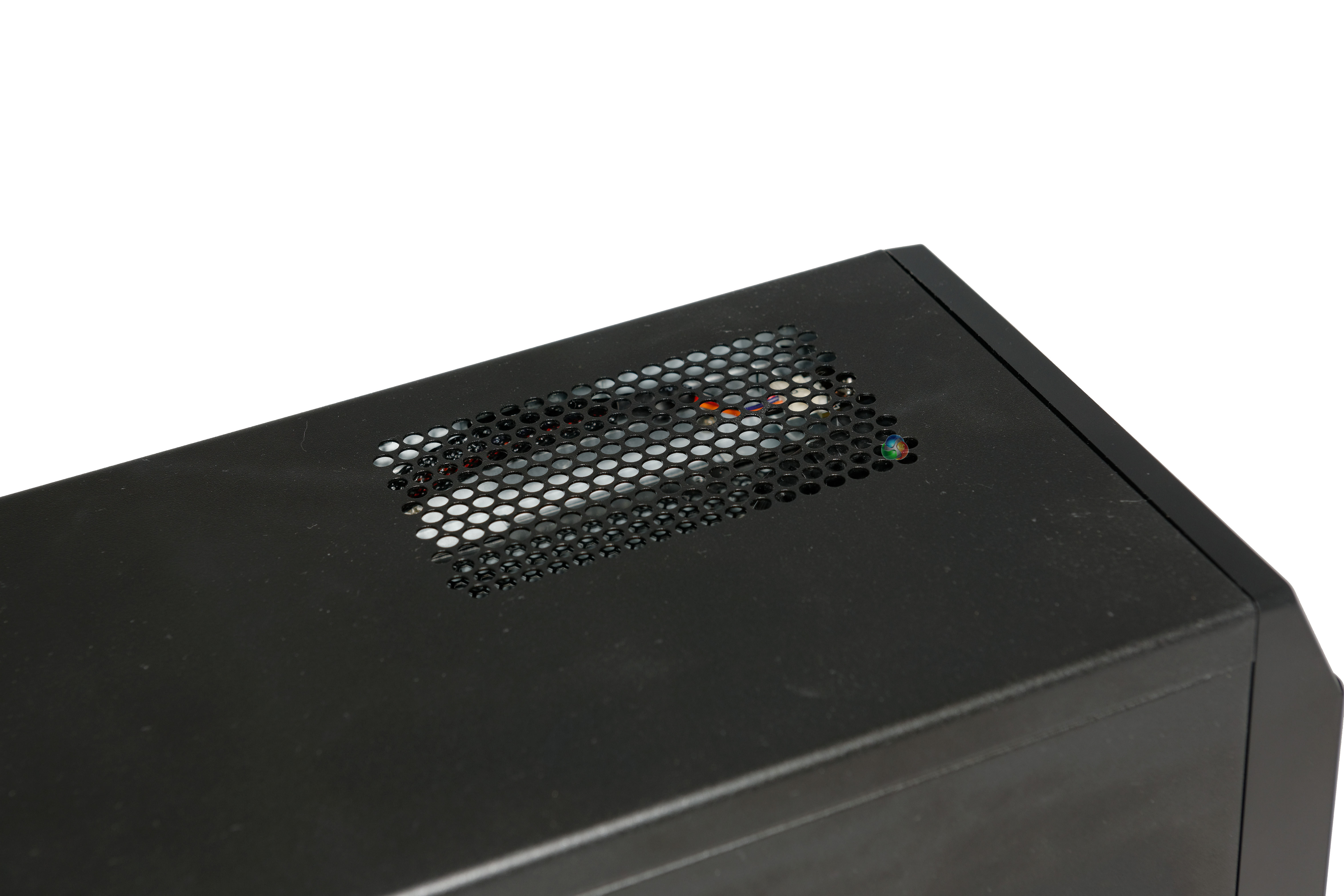
There is a small vent on the top of the case which works in conjunction with the side mounted fans.
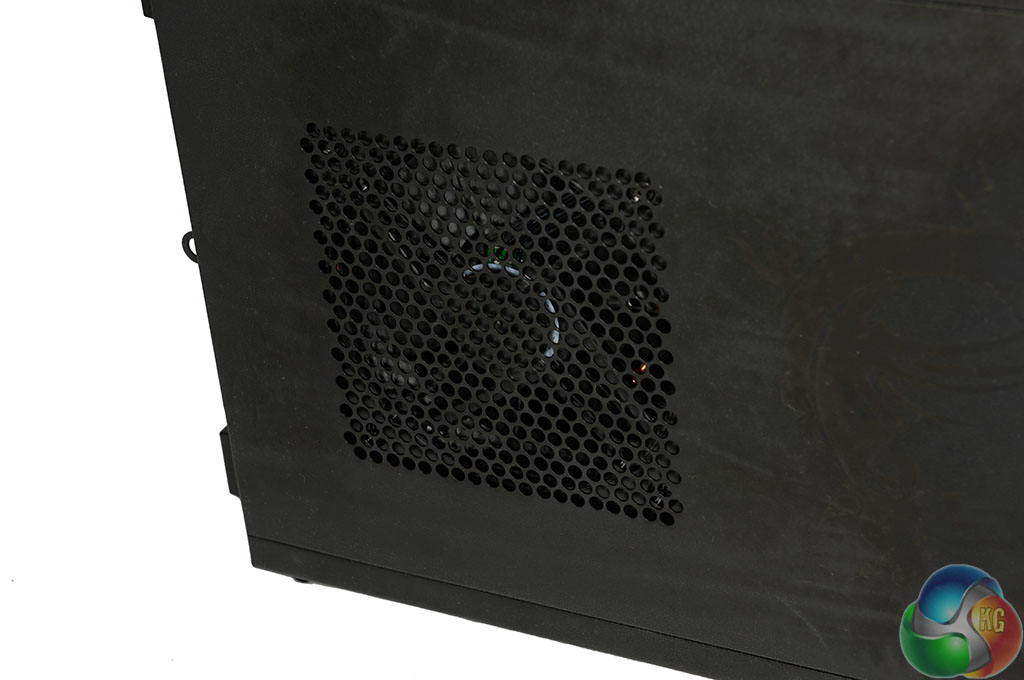
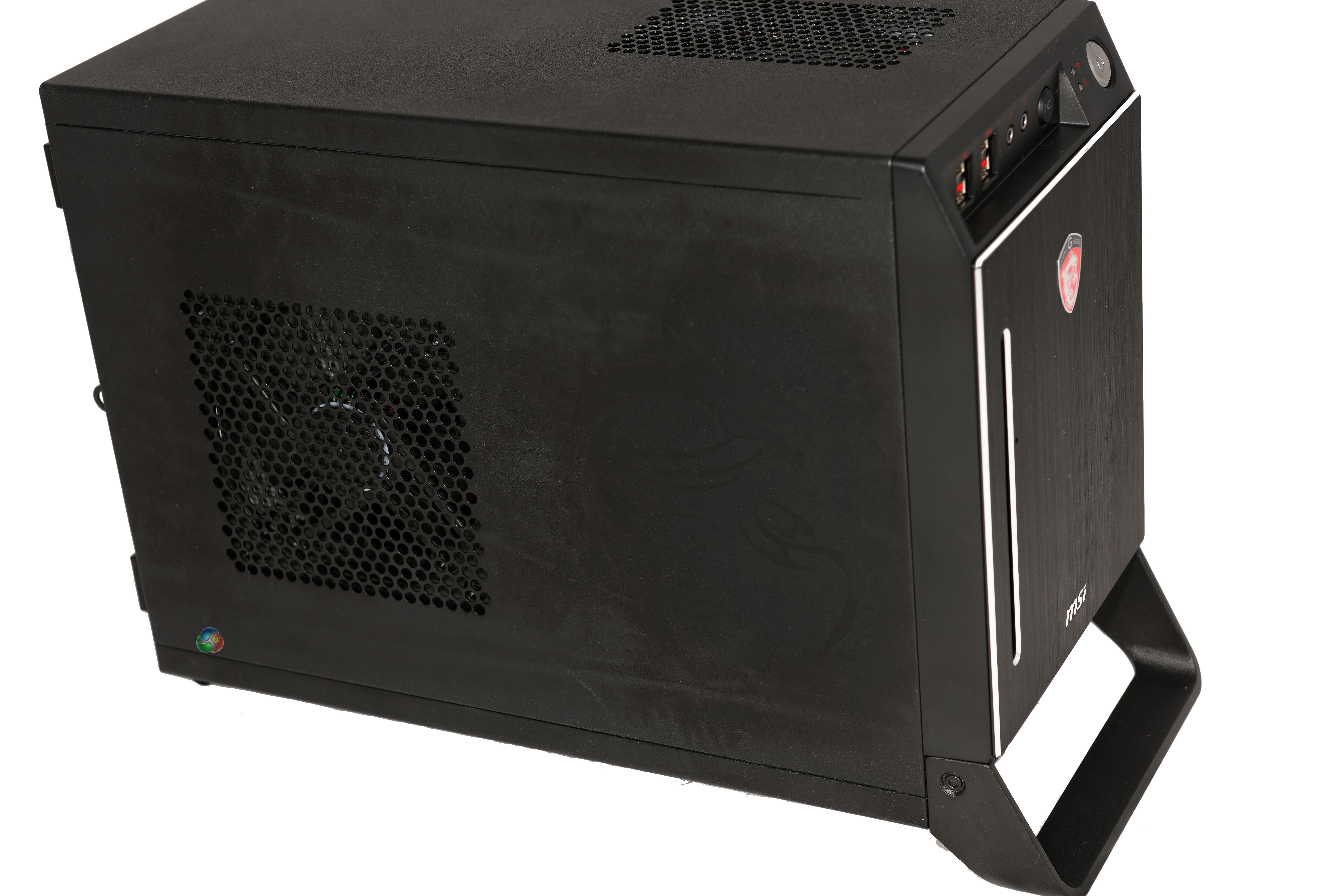
MSI have fitted an intake fan to the side panel, although there is a little more to this than first meets the eye. More on this shortly.
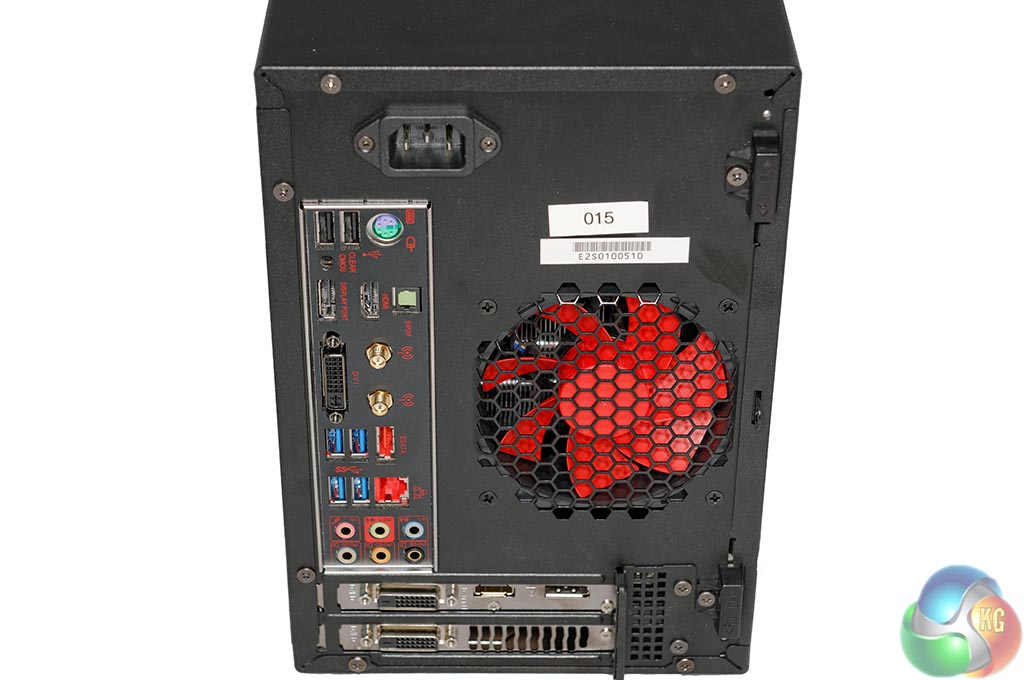
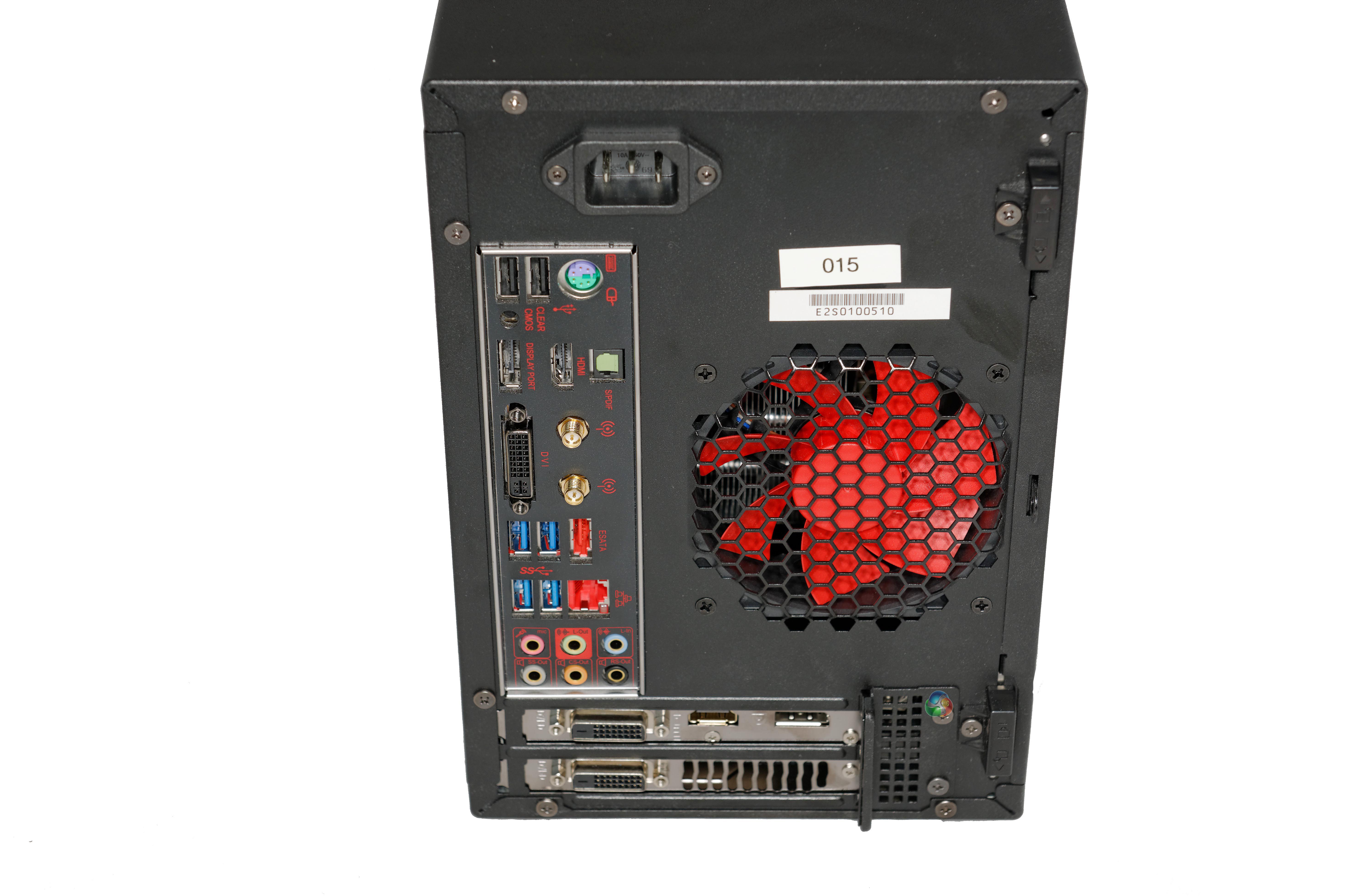
As we can see, the power supply connector is fitted at the top of the Nightblade chassis. A large exhaust fan is installed on the right side, this is controlled by the temperature inside and will spin up to a rated 3,600rpm.
The I/O panel for the MSI Z87I chassis is fully featured. This is a fantastic motherboard and we reviewed it in some detail earlier this year – head over to this page to catch up. It is important to point out that you cannot flash the Nightblade version of this motherboard with the standard MSI Z87I Gaming BIOS.
Finally, as we already know due to the dust filter intake position, the MSI R9 290X is installed at the very bottom of the chassis.
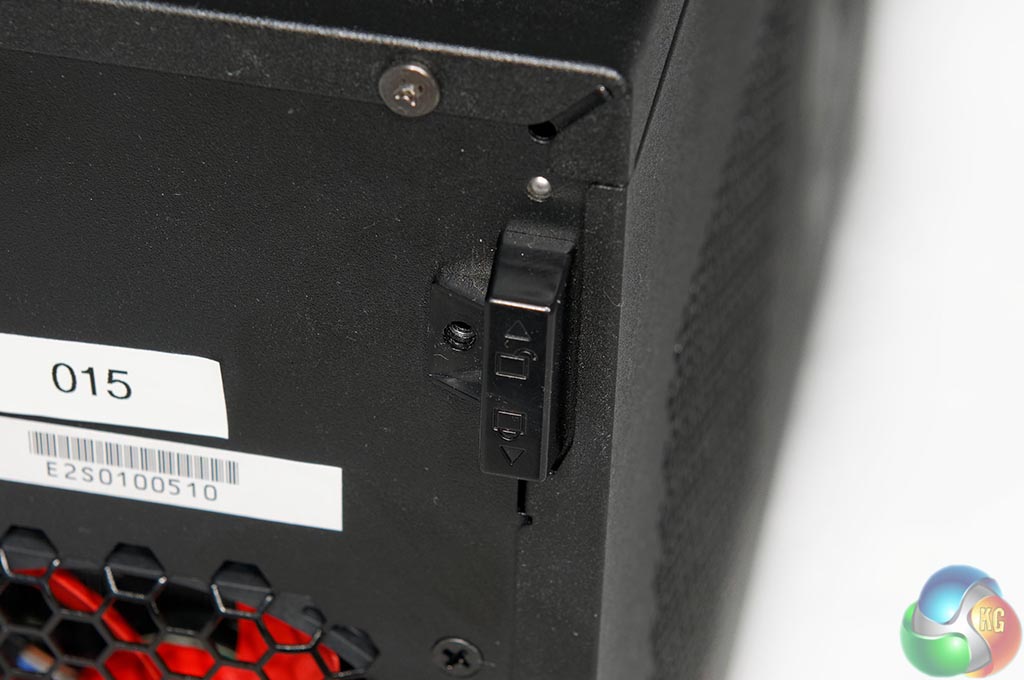
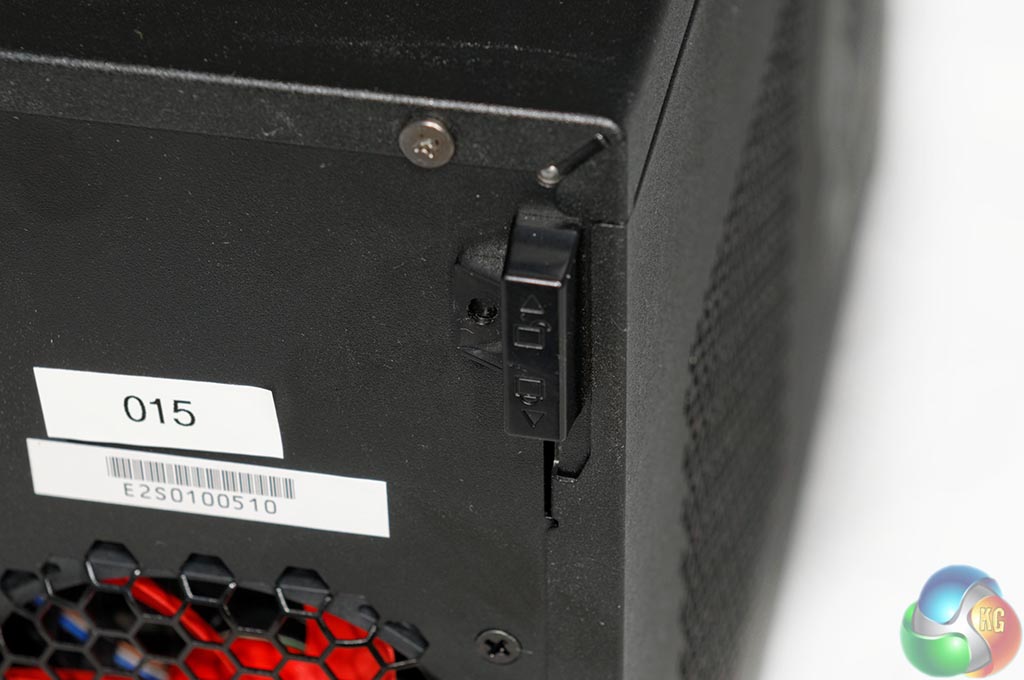
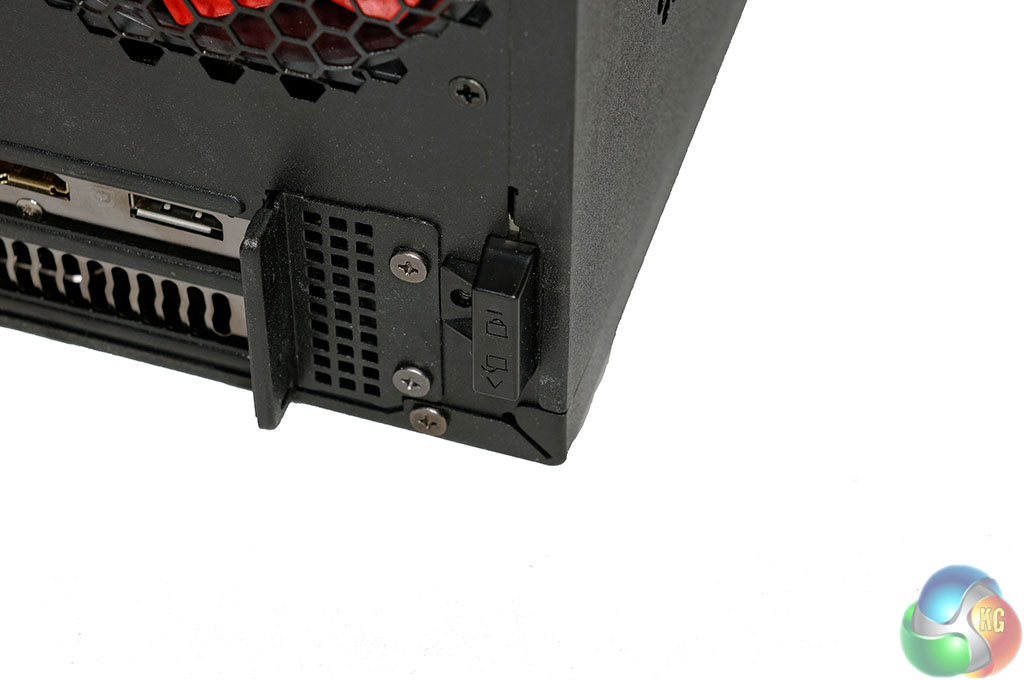
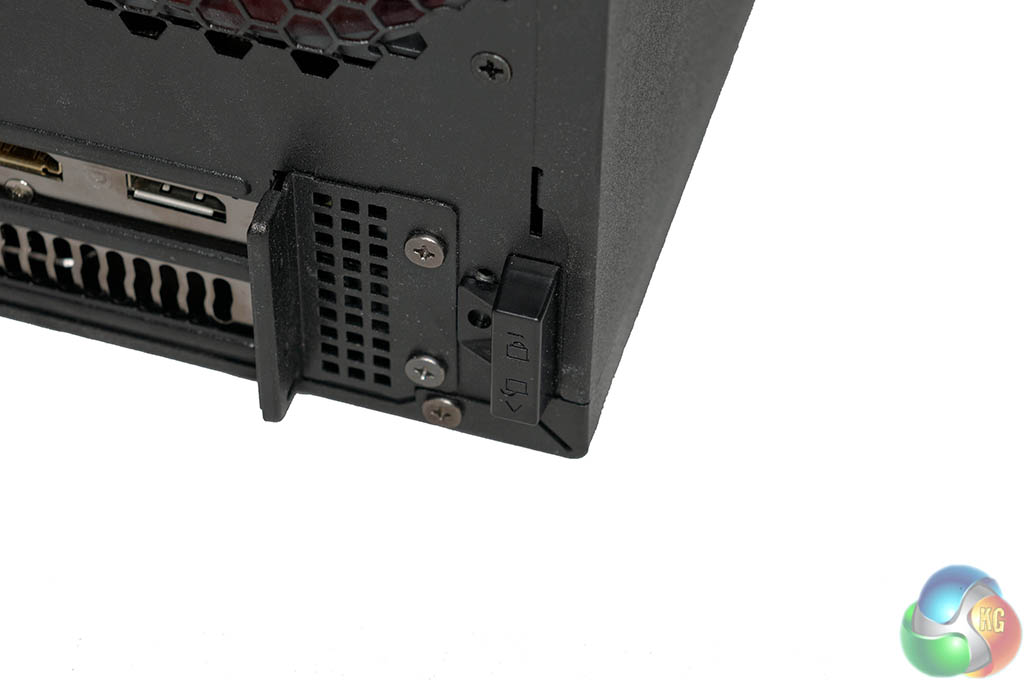
Opening the side door is straightforward, although not tool-less. Remove two screws then push the upper clip upwards to unlock. The lower clip is pushed downwards to unlock.
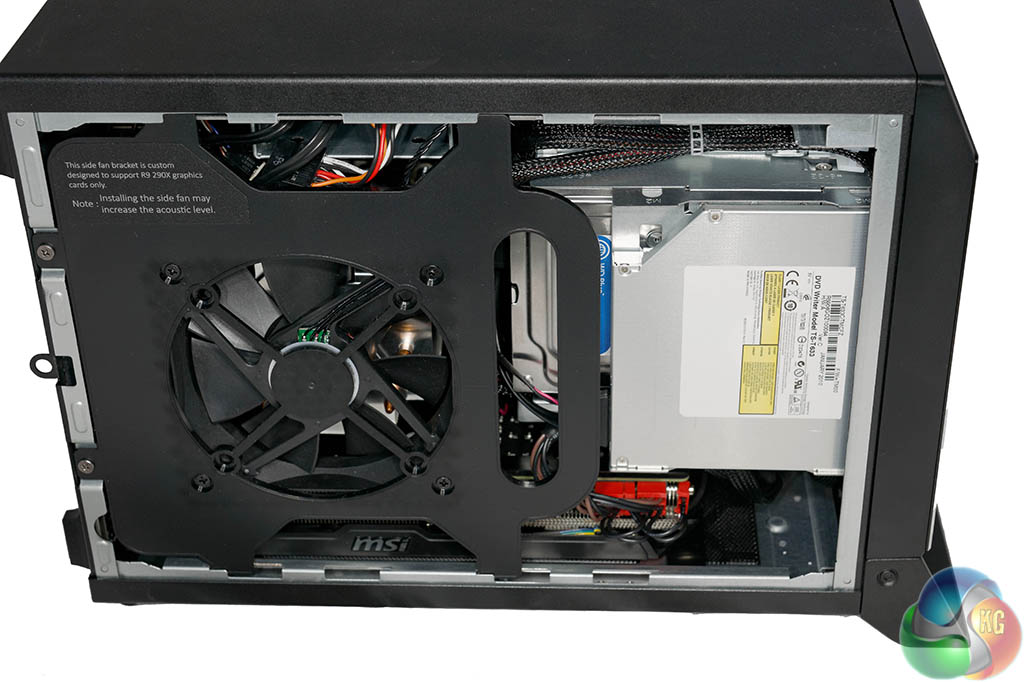
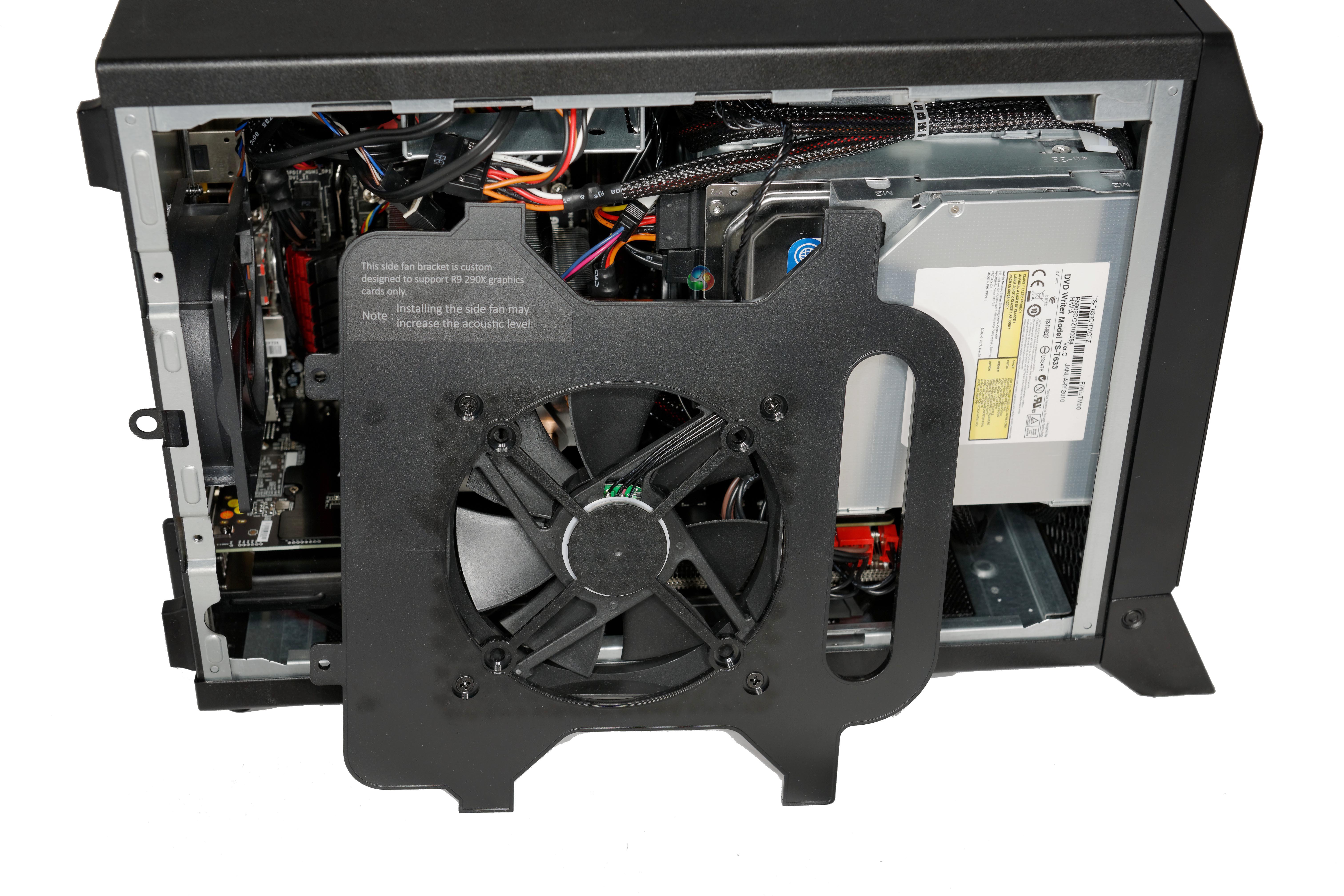
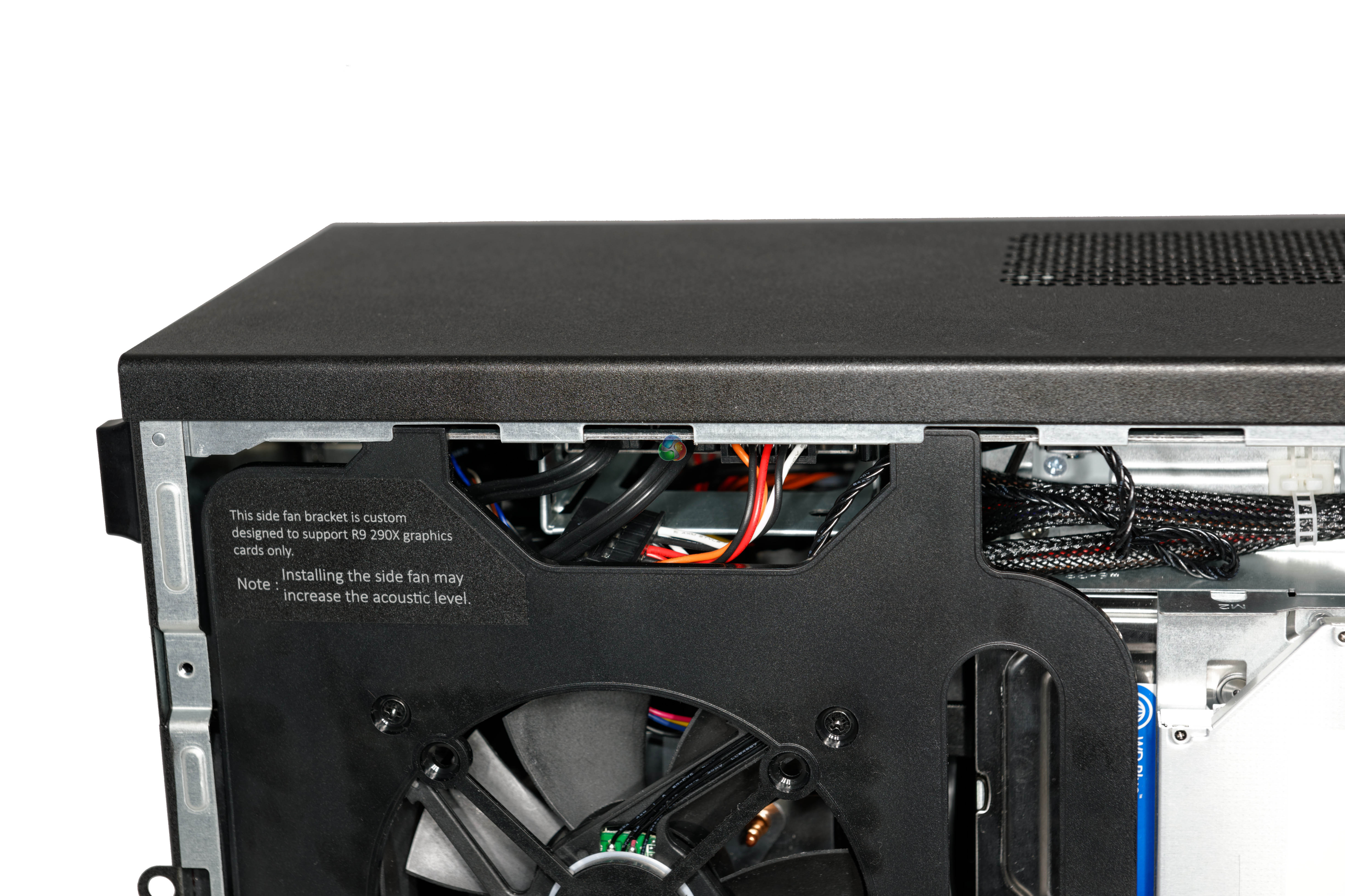
The fan which previously looked fitted to the main chassis door is in fact actually part of an additional cooling panel which slots into the case, screwed into place at the back with two more screws.
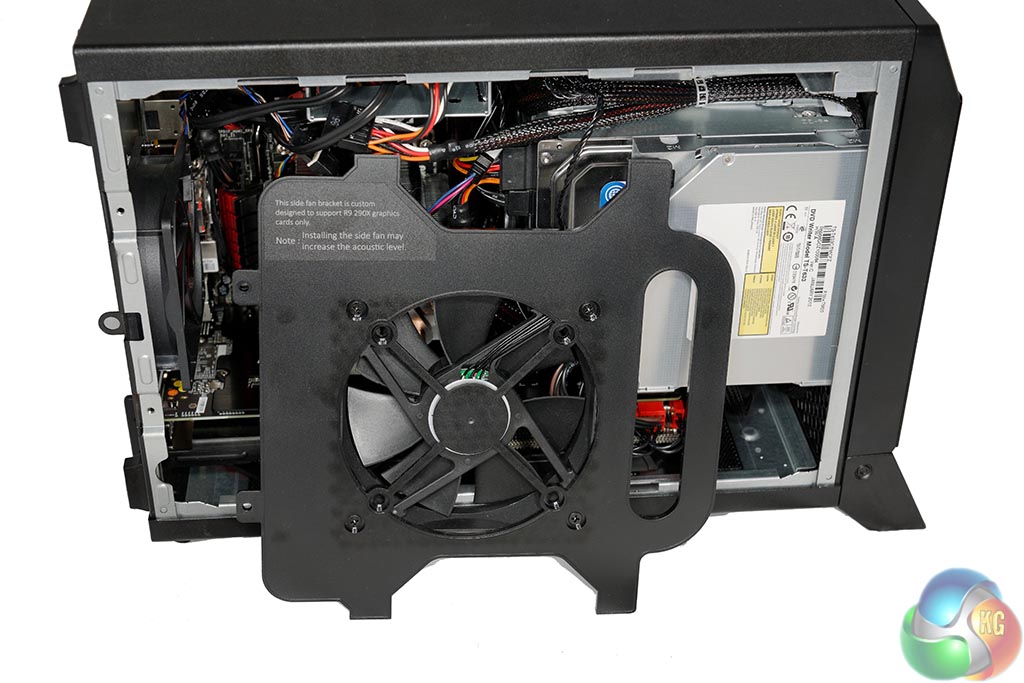
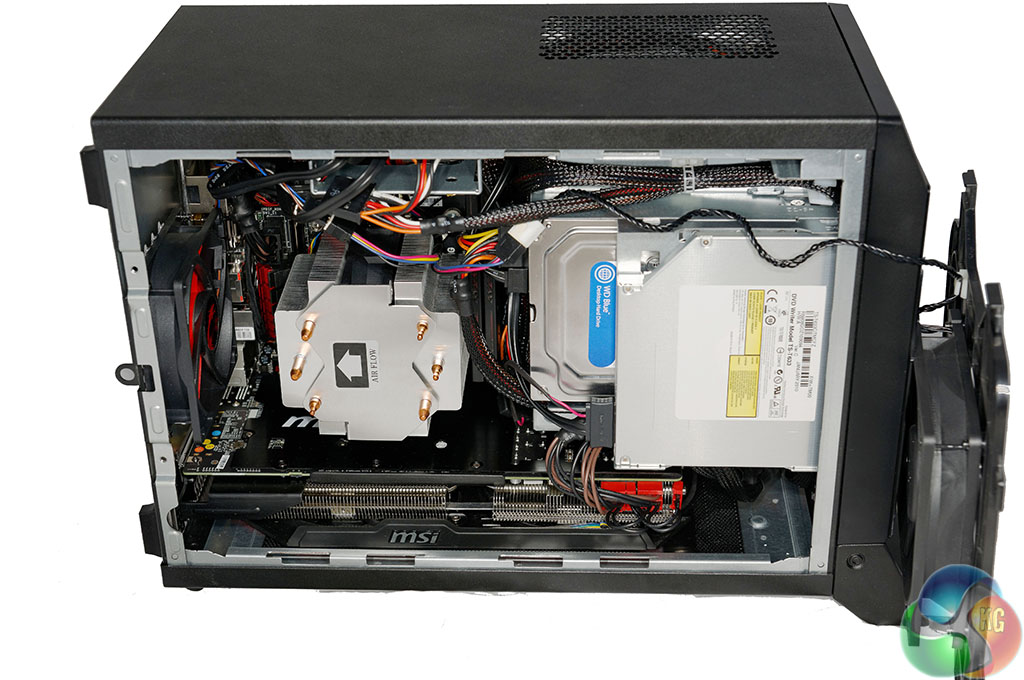
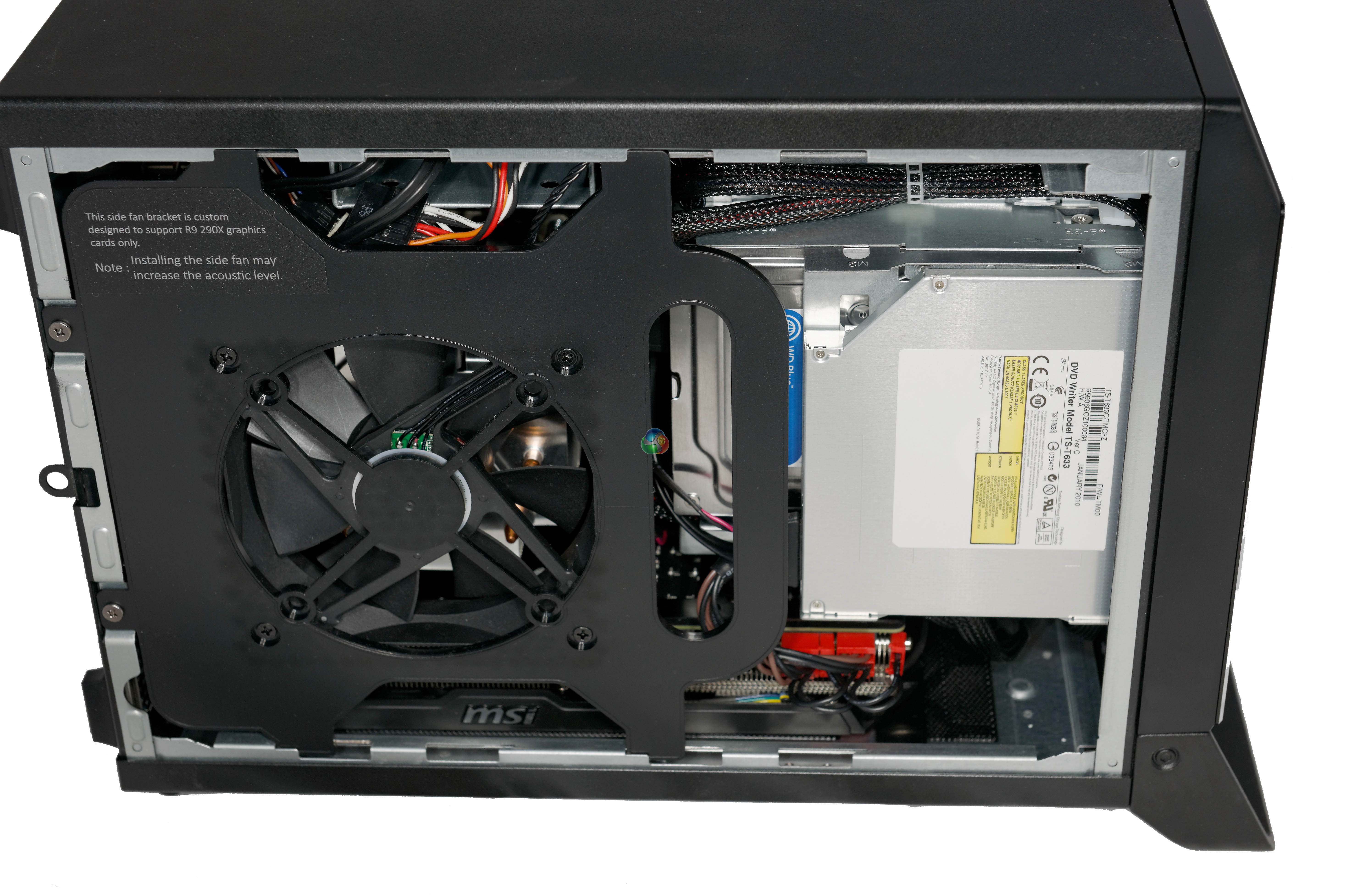
According to the text on the bracket, this side panel is designed to help cool hot running R9 290X graphics cards. You can replace the fan and install your own, although MSI have specifically designed this 120mm fan to help cool the R9 290X. It can run at up to 4,000 RPM. MSI also told us that this can be completely replaced by a liquid cooling system.
When we remove it, we can get a better look inside.
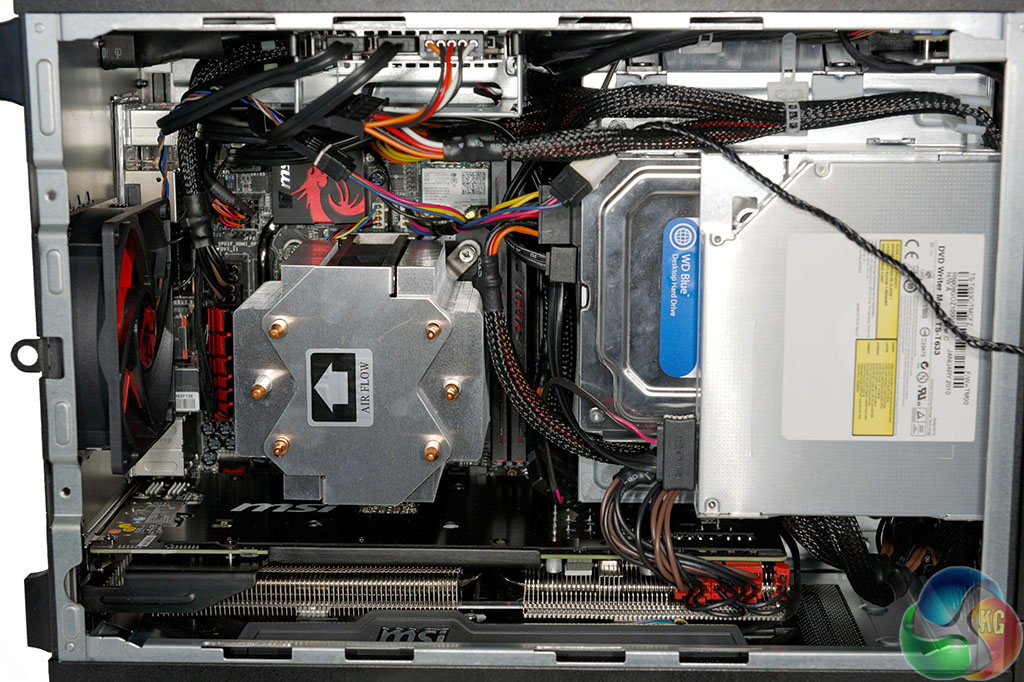
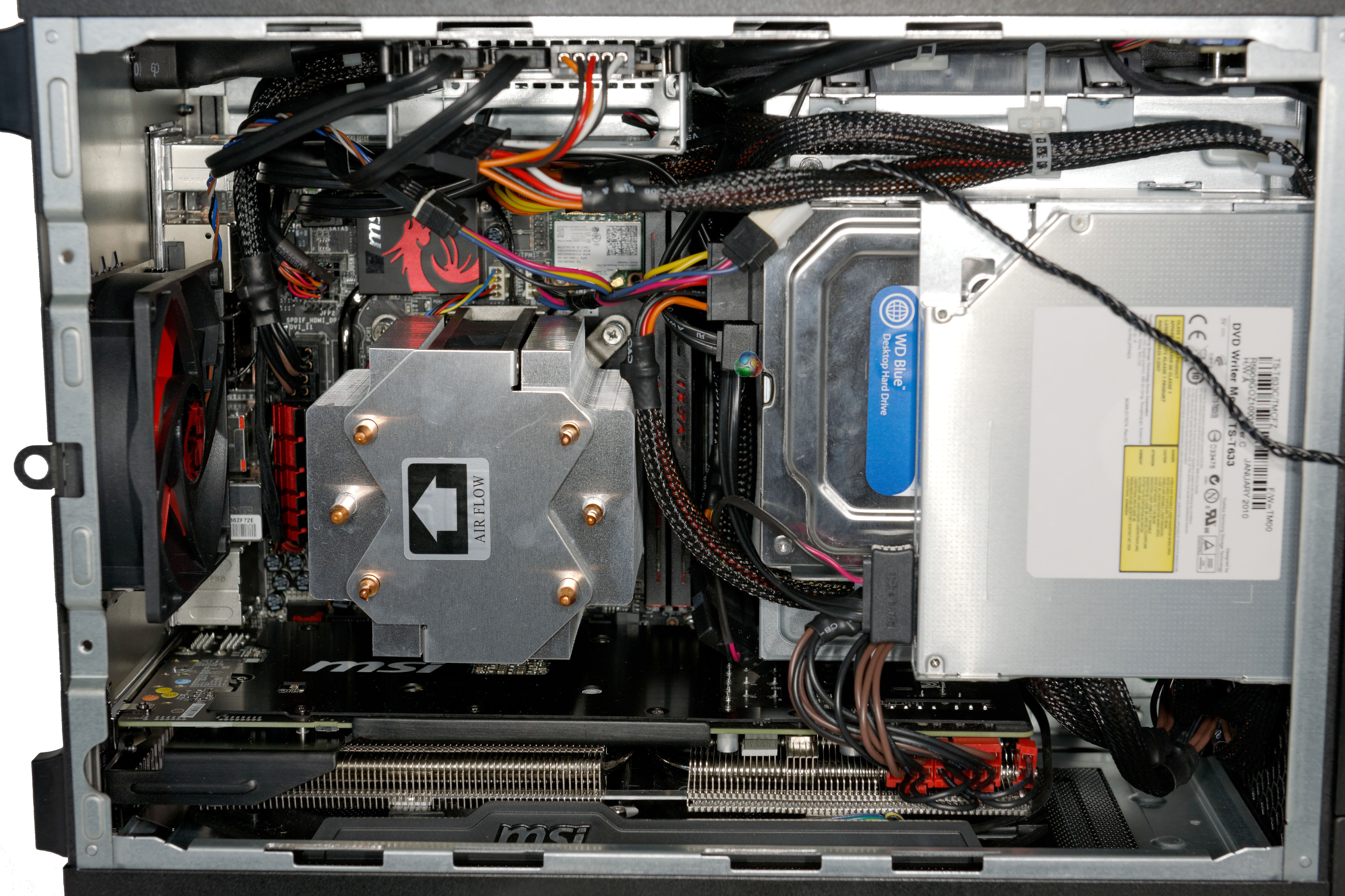
Both the DVD drive and 3.5 inch mechanical drives are installed in place vertically from the side. The MSI Z87I Gaming AC Mini ITX motherboard is fitted with the optional MSI custom CPU cooler. This board supports full sized memory up to speeds of 3,000mhz, so no need to rely on slower SO-DIMMS.
The image above also shows the MSI R9 290X graphics card running along the full length of the chassis, at the very bottom. The case supports graphics cards up to 290mm length and 35mm thickness in this position.
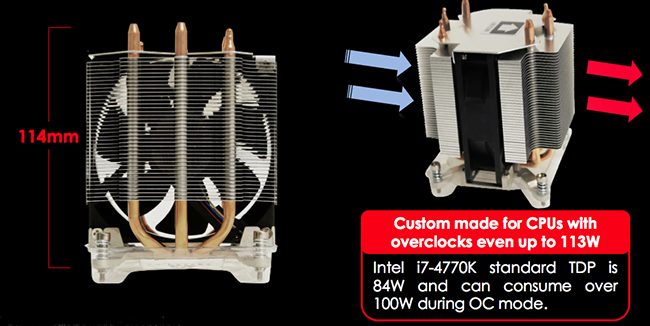
This cooler is a custom design, specifically for this chassis. It measures 114mm – the limit of the height available in this case with the R9 290X cooling panel fitted. It is designed around 3 vertical copper heatpipes and the internally mounted fan can spin up to 3,800 rpm.
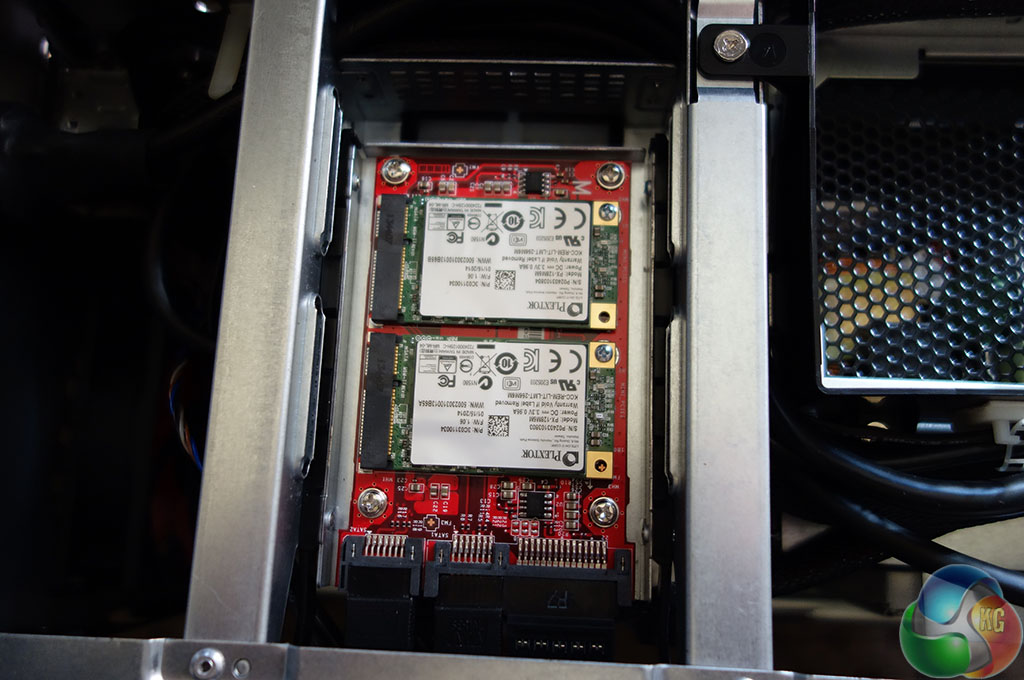
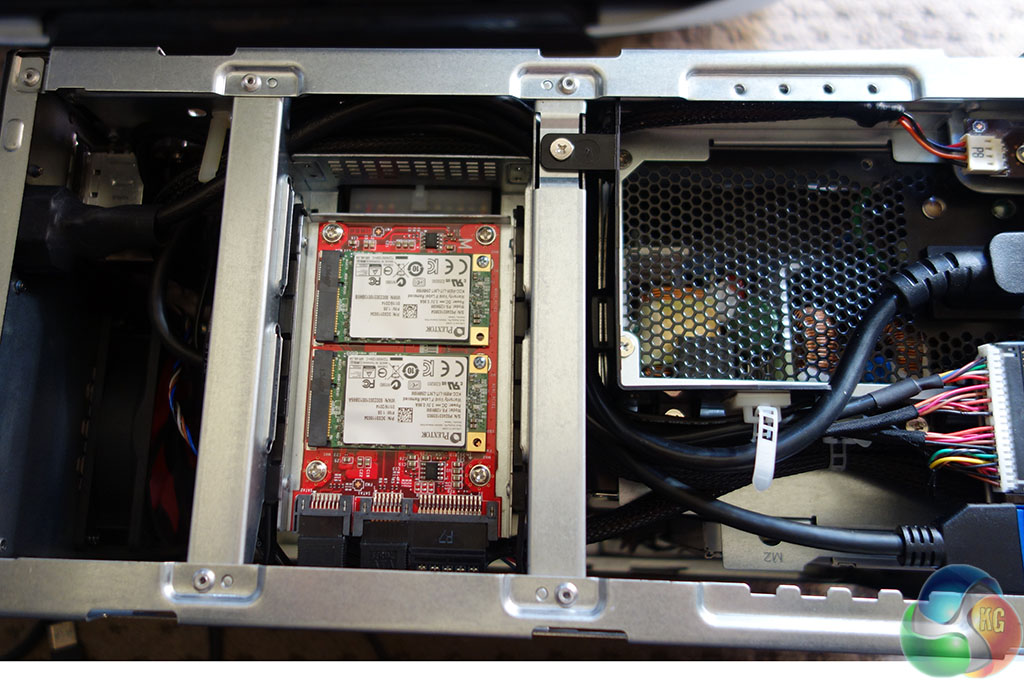
This build is using two mSATA drives, fitted to a single 2.5 inch RAID PCB shown above. If you want to use a traditional 2.5 inch SSD then you can bypass this and just fit directly.
With the top panel of the Nightblade removed, we can see that the Silverstone ST60F-ESG power supply is fitted at the front of the case.
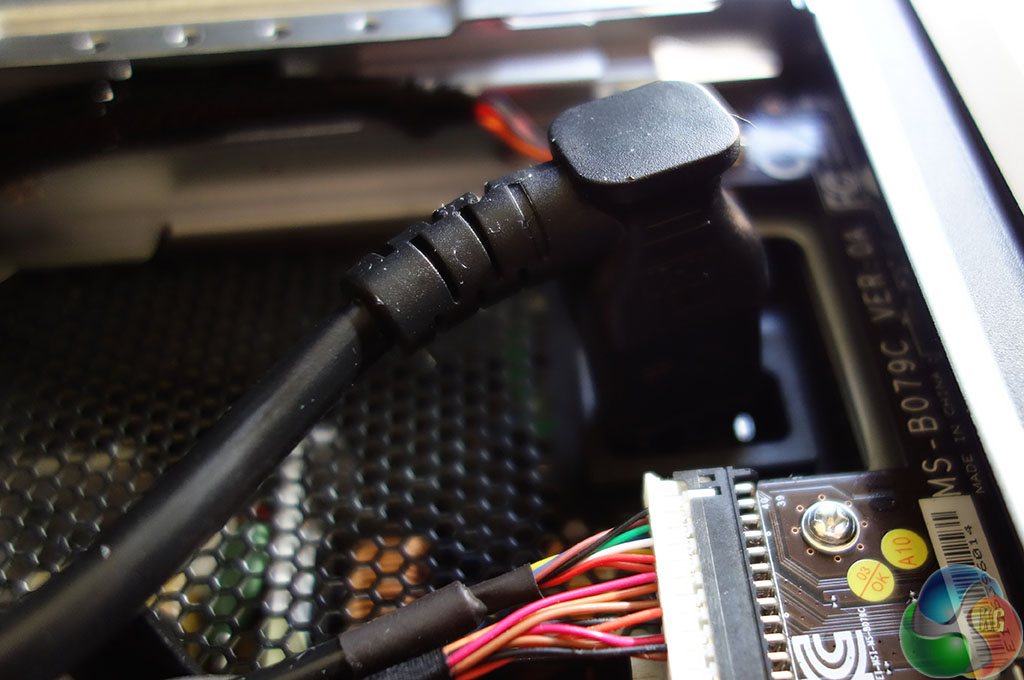
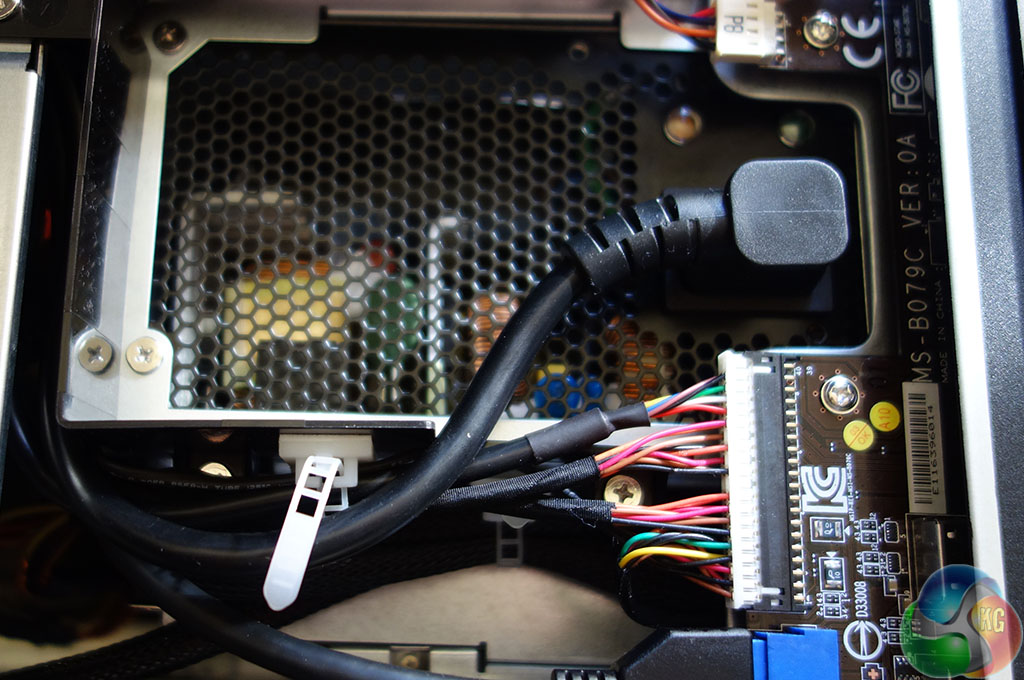
A power supply extension cable runs from the top section at the back of the Nightblade chassis into the power supply at the front.
On this page we present some super high resolution images of the product taken with the 24.5MP Nikon D3X camera and 24-70mm ED lens. These will take much longer to open due to the dimensions, especially on slower connections. If you use these pictures on another site or publication, please credit Kitguru.net as the owner/source.
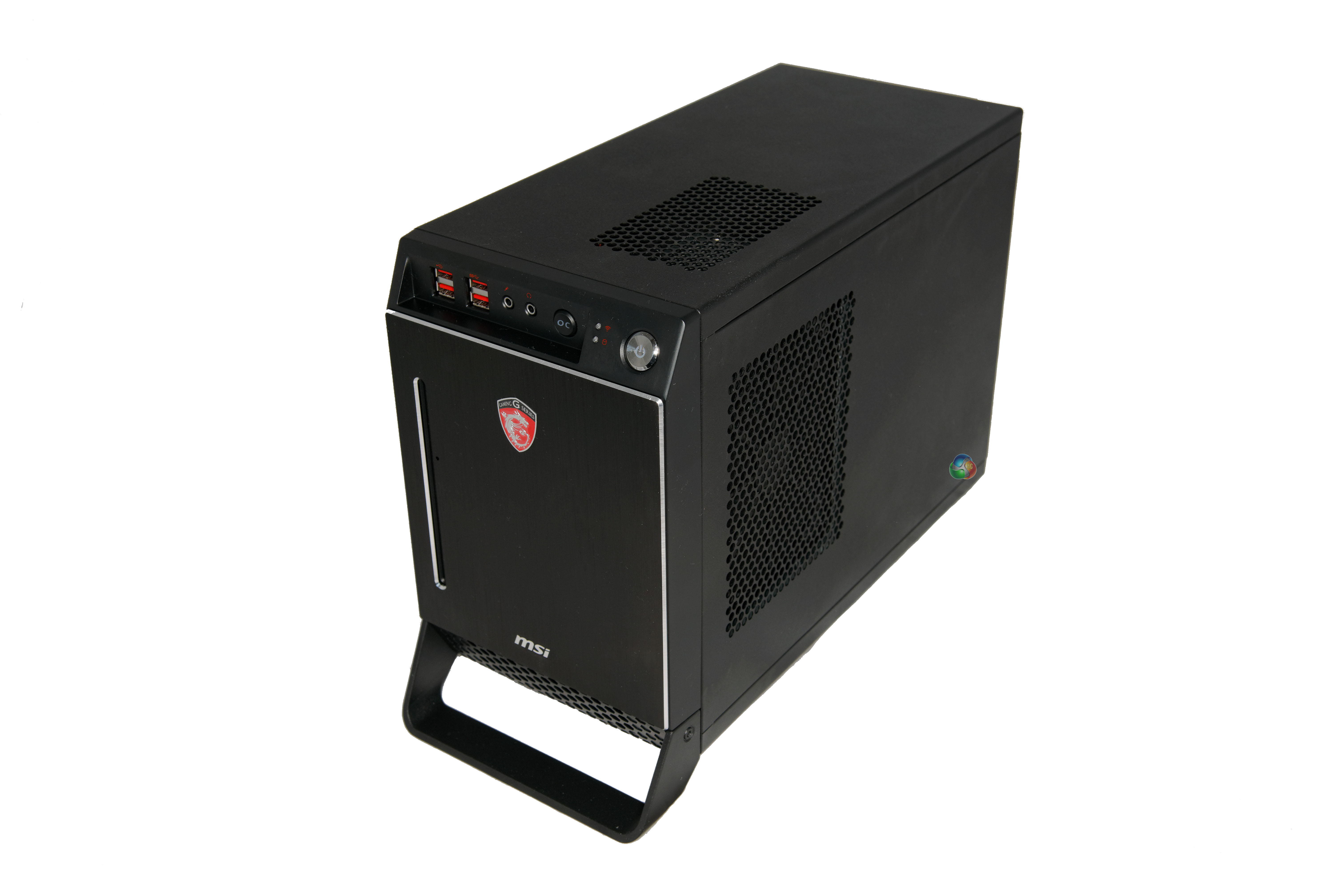
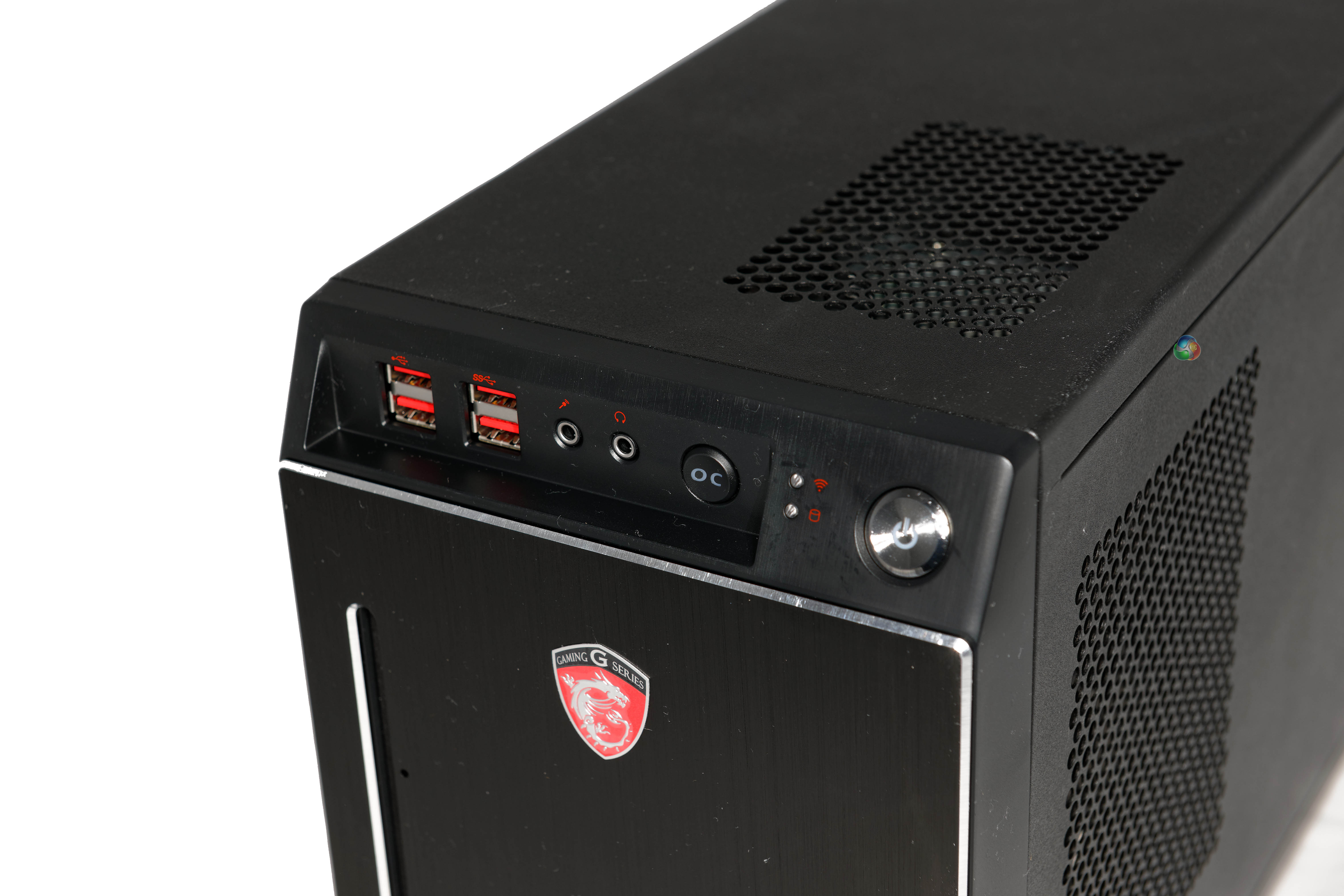
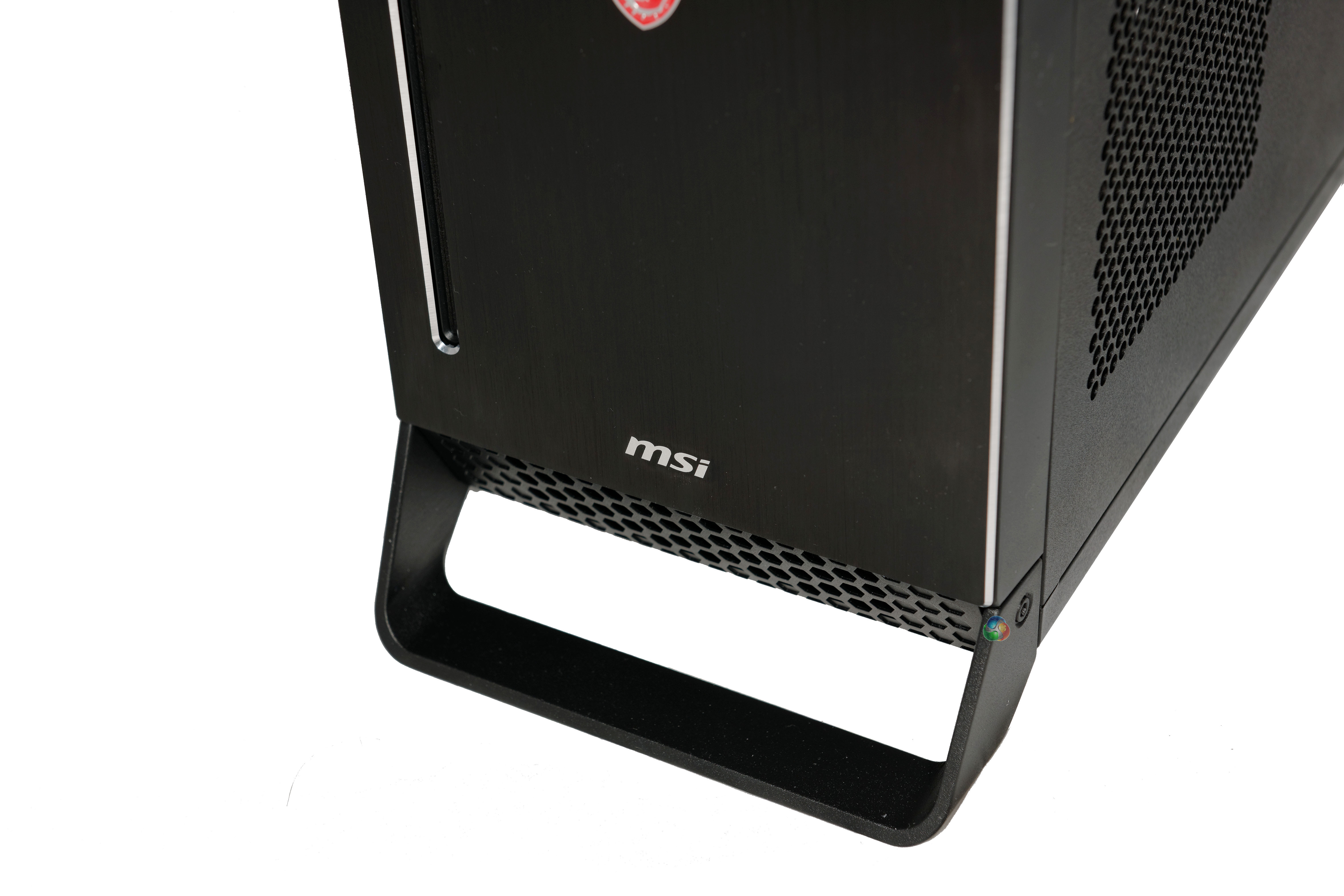
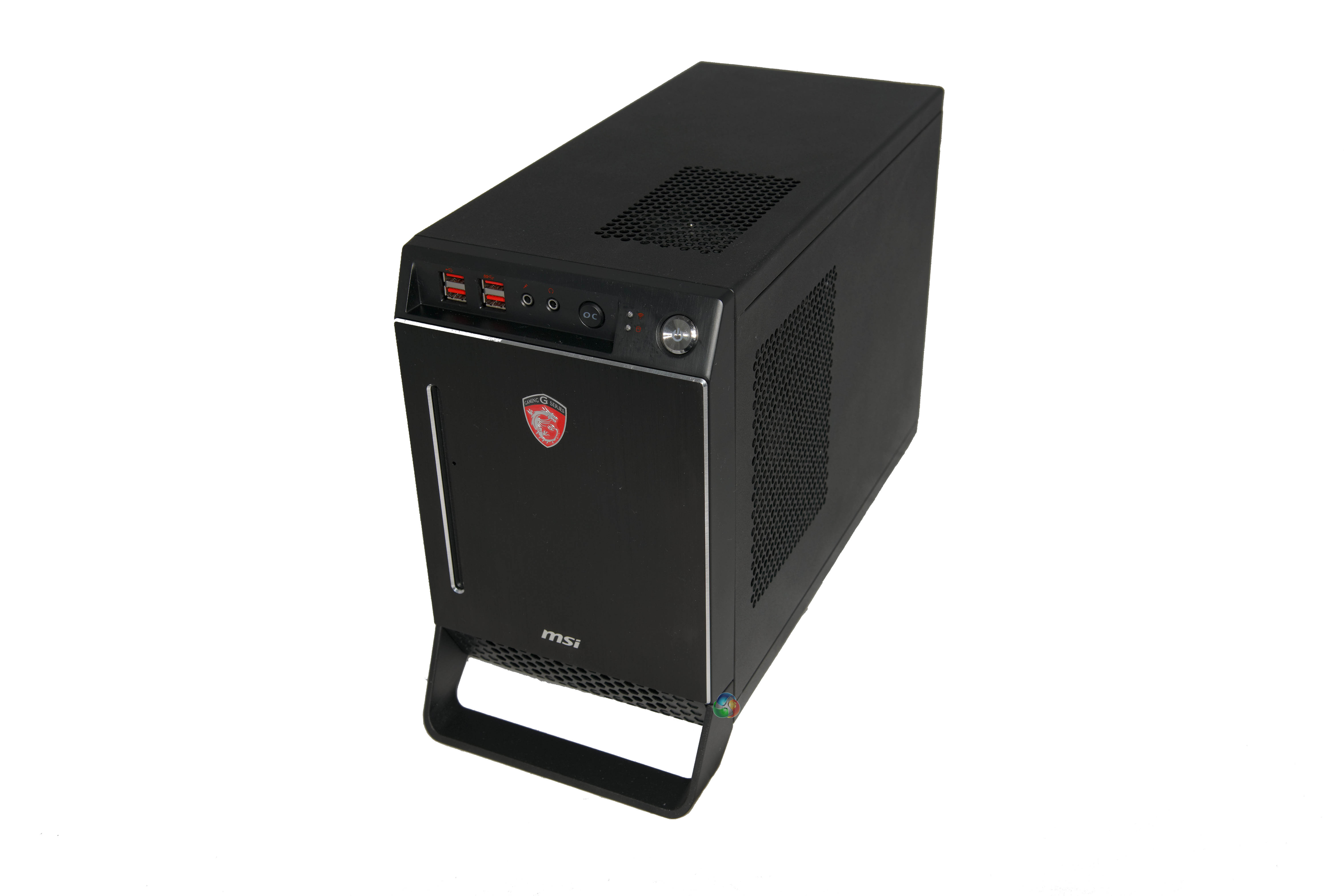
We updated the MSI R9 290X Drivers to the latest 14.2 beta available on AMD's website. Windows 8 64 bit was installed.

We are featuring results today with an Apple 30 inch Cinema HD Display at 2560×1600 resolution and an Asus PQ321QE Ultra HD 4K screen running at 4K 3840 x 2160 resolution.
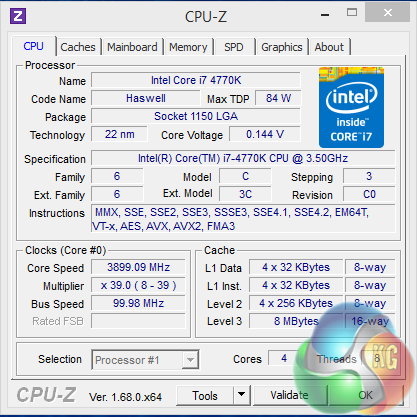
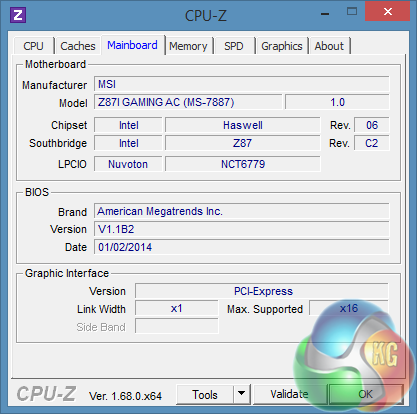
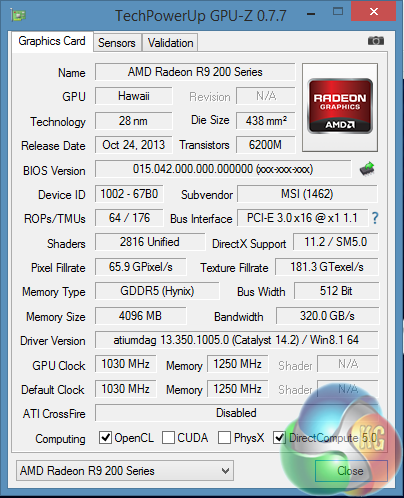
An overview of the MSI Nightblade system – using the highest end parts. The MSI R9 290X is custom cooled and clocked at 1,030mhz. The 4GB of GDDR5 memory is clocked at 1,250mhz (5Gbps effective) and is connected via a 512 bit memory interface. The Hawaii core is built on the 28nm process and is equipped with 2,816 unified shaders, with 64 ROPS and 176 texture units.
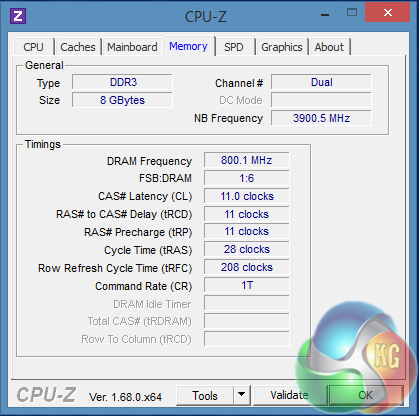
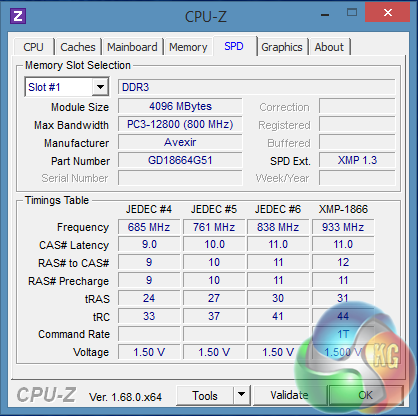
The Intel Core i7 4700k is running at 3,900mhz and the memory is configured to run at 1,600mhz with 11-11-11-28 timings.
Comparison Systems (for specific synthetic test compares):
Dead Silence Kaveri Gaming BattleRig:
Processor: AMD 7850K Quad 3.7Ghz R7 GFX
Cooler: STD CPU Cooler (Supplied)
Mainboard: ASUS A88XMPLUS FM2+ Chipset
Memory: 8GB ADATA XPG 2133Mhz
Video: AMD Radeon HD R7 APU 3D GFX
HDD: 1TB Seagate 7200RPM – 64Mb
PSU: 500w Cooler Master B500 Power Supply
Optical: 24X Samsung DVD-RW Drive
OS: Microsoft Windows 8.1 64Bit
Mesh Elite Mini Gamer Plus:
Power Supply: 750W Cooler Master GX RS-750, 85% Eff’, 80 PLUS Bronze, SLI/CrossFire.
Motherboard: MSI Z87I WIFI – Mini-ITX Motherboard Socket 1150.
Processor: i7-4770K Quad Core Processor (3.5GHz, 8MB Cache) @ 4.2ghz.
Memory: 16GB DDR3 1866MHz Memory (2x8GB) Kit.
Graphics: 4GB AMD Radeon™ R9 290 – 4GD5 Gaming Series Graphics.
SSD: 240GB SSD – Solid State Drive.
HDD: 2TB SATA III 6Gb/s, 7200rpm, 64MB Cache, 8ms Hard Drive.
PCSpecialist Vanquish 230X:
Processor: Intel Core i5-4670K @ 4.2GHz
Memory: 16GB Kingston HyperX BEAST @ 2400MHz
Motherboard: ASUS Z87-A Motherboard
SSD: 120GB Kingston HyperX 3K SSD
HDD: 1TB SATA III 6Gb/s HDD
Graphics: 3GB AMD Radeon 280X Graphics
Cooler: CoolerMaster Seidon 120M Liquid Cooler
Power Supply: Corsair TX650M Modular PSU
Intel E5 2687W x 2
Motherboard: Asus Z9 PE-D8 WS
Coolers: Corsair H80 x2
Memory: 64GB Kingston Predator 1,600mhz 9-9-9-24 1T
Graphics Card: Sapphire HD7970 6GB Toxic Edition (1,200mhz core 1,600mhz memory).
Power Supply: Seasonic 1000W Platinum Modular
Optical Drive: Asus BluRay Drive
Chassis: Lian Li X2000FN
Monitors: Dell U3011, 3x Ilyama ProLite E2472HDD
Boot Drive: Corsair 240GB Neutron GTX SSD
Secondary Drive: Corsair 240GB Neutron SSD
Intel E5 2660
Motherboard: Gigabyte X79S-UP5-WIFI
Cooler: Corsair H100
Memory: 16GB G.Skill ARES 2,133mhz @ 9-11-10-28
Graphics Card: Sapphire HD7970 6GB Toxic Edition (1,200mhz core 1,600mhz memory).
Power Supply: Corsair AX1200
Optical Drive: Asus BluRay Drive
Chassis: Lian Li X2000a
Boot Drive: Intel 510 120GB
Secondary Drive: Patriot 240GB WildFire
Intel i7 3960X EE
Motherboard: Asus P9X79 WS WorkStation
Cooler: Corsair H100
Memory: 8GB Corsair Dominator GT8 2400mhz memory
Graphics Card: Sapphire HD7970 6GB Toxic Edition (1,200mhz core 1,600mhz memory).
Power Supply: ADATA 1200W
Optical Drive: Asus BluRay Drive
Chassis: Cooler Master Cosmos 2
Boot Drive: Crucial C300 128GB SSD
Secondary Drive: Patriot 240GB Pyro SE
Intel i7 3820
Motherboard: ASRock Extreme4-M
Cooler: Intel reference cooler
Memory: 8GB Corsair GTX8 @ 2133mhz
Power Supply: ADATA 1200W
Chassis: Lian Li PC60
Boot Drive: Crucial C300
Secondary Drive: Patriot Pyro SE 240GB
Intel i5 3570K @ 4.2 – OCUK Prodigy Arctic Gaming System
Motherboard: ASRock Z77E-ITX Intel Z77
Cooler: Coolit Liquid
Memory: Corsair Vengeance White 8GB (2x4GB) DDR3 PC3-12800C9 1600MHz Dual Channel Kit
Power Supply: OCZ ZS 750W PSU
Chassis: Bitfenix Prodigy Mini ITX Case – White
Boot Drive: OCZ Vertex 4 128GB
Secondary Drive: 1TB HDD
AMD FX 8150 Black Edition
Processor: AMD FX 8150 Black Edition
Motherboard: Gigabyte 990FXA-UD7
Cooler: Noctua NH D14
Memory: G-SKill Ripjaws 1600mhz 8GB (2x 4GB)
Power Supply: ADATA 1200W
Chassis: SilverStone Raven 3
Boot Drive: Intel 40GB SSD
Secondary Drive: Patriot 120GB WildFire
Intel Core i7 990X
Processor: Intel Core i7 990x
Cooler: Corsair H100
Motherboard: Gigabyte G1 Assassin
Memory: Kingston HyperX 6GB
Drives: Crucial RealSSD C300 256GB
Power Supply: Corsair AX1200
Chassis: Antec Twelve Hundred
Core i7 970 @ 4.6ghz
Graphics: Sapphire HD7970 6GB Toxic Edition (1,200mhz core 1,600mhz memory).
Cooling: Coolit Vantage
Motherboard: MSI X58A-GD65
Chassis: Thermaltake Level 10 GT
Power Supply: Corsair AX1200
Memory: 6GB ADATA @ 2133mhz 9-10-9-32
Storage: Kingston SSDNow V+ 512GB Gen 2 SSD (Storage) / Crucial RealSSD C300 256GB (OS boot)
Intel Core i7 2700k
Processor: Intel Core i7 2700k
Cooling: ThermalTake Frio OCK
Motherboard: Gigabyte GA-Z68AP-D3 Z68 Motherboard
Chassis: Silverstone Raven 3.
Power Supply: Corsair 850W.
Memory: Corsair 1600mhz memory
Storage: Intel 80GB SSD (boot) / Patriot Wildfire 120GB SSD.
Intel Core i7 2600k
Processor: Intel Core i7 2600k
Motherboard: ASRock Fatal1ty Z68 Professional Gen 3
Cooler: Intel XTS-100H
Memory: ADATA 1600mhz DDR3 8GB (2x4GB)
Power Supply: Thermaltake Toughpower 850W
Boot Drive: Intel 510 SSD 250GB
Intel Core i5 2500k
Processor: Intel Core i7 2500k
Motherboard: Gigabyte GA-Z68AP-D3 Z68 Motherboard
Cooler: Arctic Cooling Freezer Xtreme Rev.2 CPU Cooler
Memory: Corsair 1600mhz memory 8GB (2x4GB)
Power Supply: Corsair 850W.
Boot Drive: Patriot Pyro 120GB SSD.
AMD Phenom II X6 1100T
Processor: AMD Phenom II X6 1100T
Motherboard: Gigabyte 990FXA-UD7
Cooler: Noctua NH D14
Memory: G-SKill Ripjaws 1600mhz 8GB (2x 4GB)
Power Supply: ADATA 1200W
Chassis: SilverStone Raven 3
Boot Drive: Intel 40GB SSD
Secondary Drive: Patriot 120GB WildFire.
Software:
3DMark Vantage
3DMark 11
3DMark
PCMark 8
Cinebench R11.5 64 bit
Cinebench R15
FRAPS Professional
Unigine Heaven Benchmark
CrystalDiskMark
Cyberlink PowerDVD Ultra 11
Cyberlink MediaEspresso
Atto Disk Benchmark
CrystalDiskMark
SiSoft Sandra
Games:
Tomb Raider (Direct X 11)
Metro: Last Light (Direct X 11)
GRID 2 (Direct X 11)
Battlefield 4 (Direct X 11)
Batman: Arkham Origins (Direct X 11)
Technical Monitoring and Test Equipment:
Asus USB BluRay Drive
Thermal Diodes
Raytek Laser Temp Gun 3i LSRC/MT4 Mini Temp
Extech digital sound level meter & SkyTronic DSL 2 Digital Sound Level Meter
Nikon D3X with R1C1 Kit (4 flashes), Nikon 24-70MM lens.
Game descriptions are edited with courtesy from Wikipedia.PCMark 8 is the latest version in our series of popular PC benchmarking tools. It is designed to test the performance of all types of PC, from tablets to desktops. With five separate benchmark tests plus battery life testing, PCMark 8 helps you find the devices that offer the perfect combination of efficiency and performance. PCMark 8 is the complete PC benchmark for home and business.
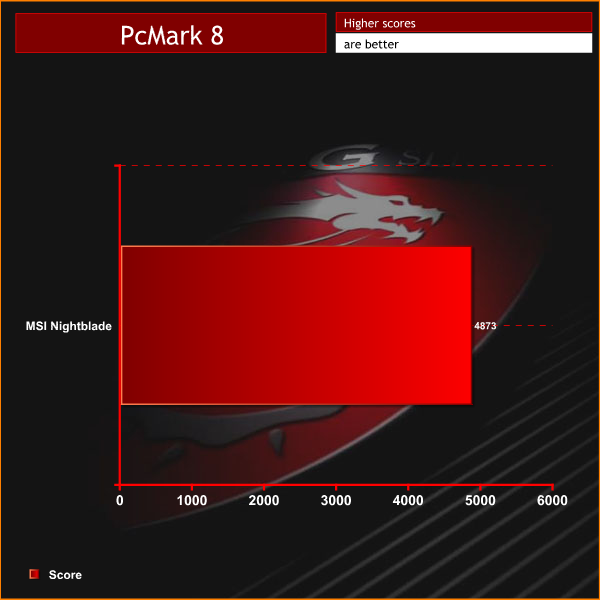
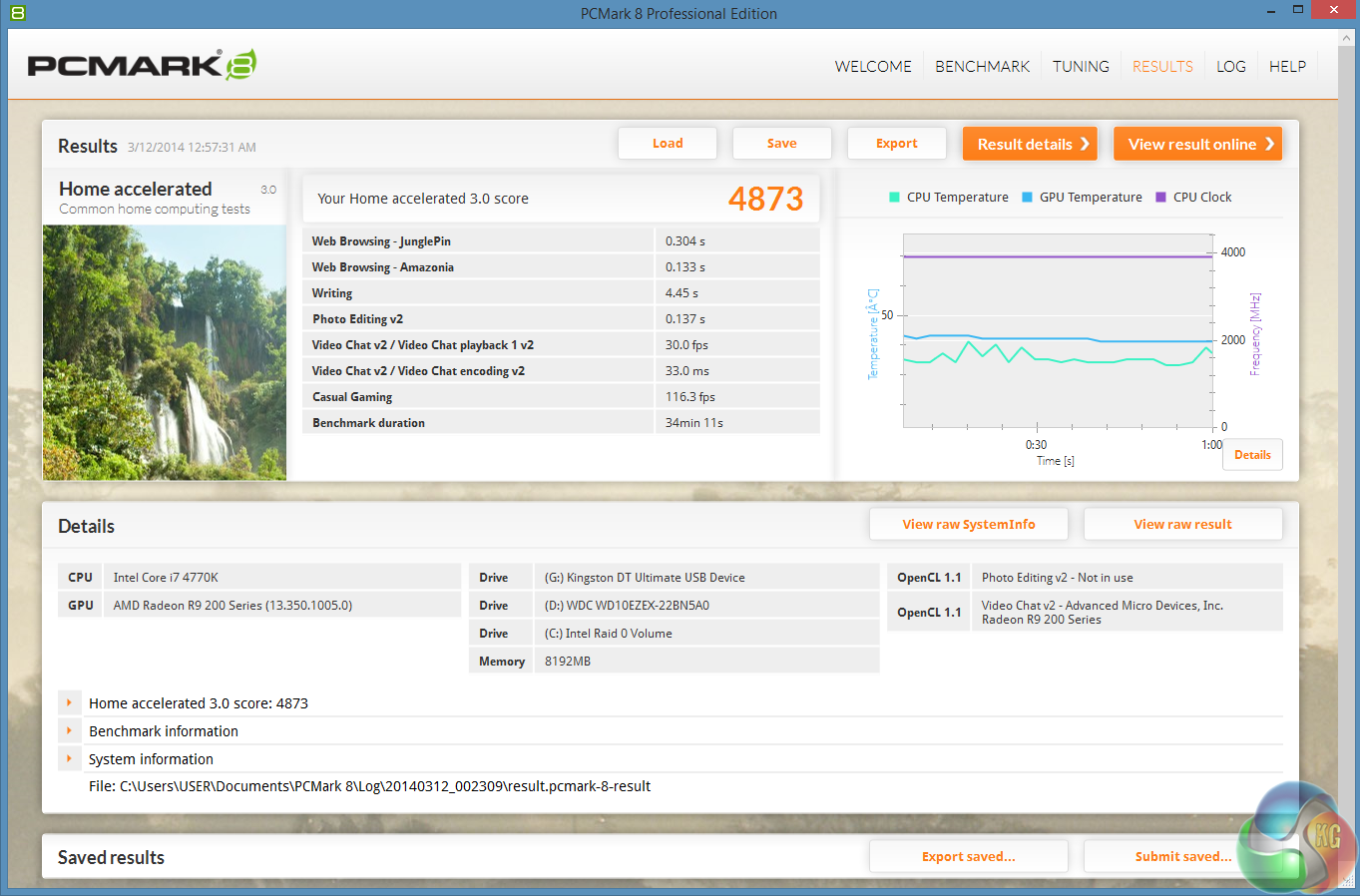
The overall score of 4,873 points is a positive start. The Solid State performance helps, we can immediately see that.
Futuremark released 3DMark Vantage, on April 28, 2008. It is a benchmark based upon DirectX 10, and therefore will only run under Windows Vista (Service Pack 1 is stated as a requirement) and Windows 7. This is the first edition where the feature-restricted, free of charge version could not be used any number of times. 1280×1024 resolution was used with performance settings.
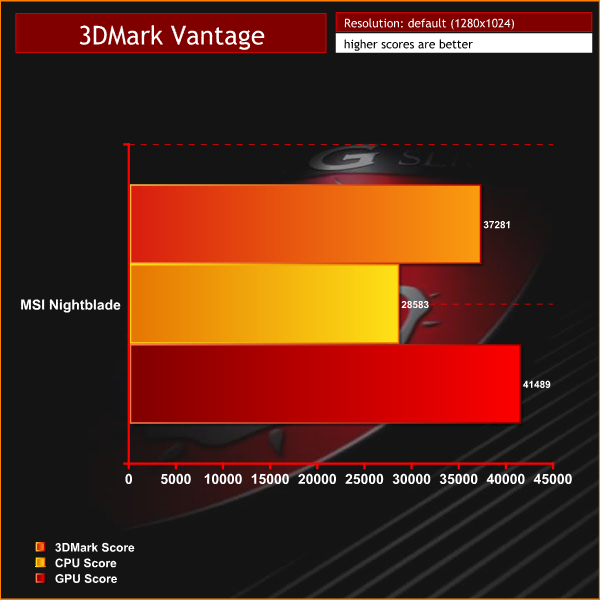
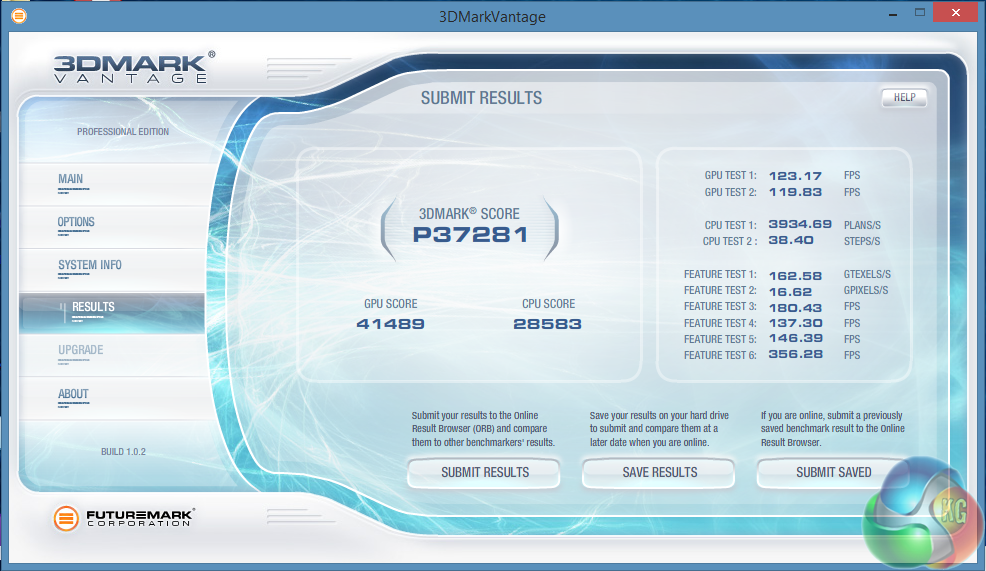
Performance with this older Direct X 10 benchmark is solid – scoring 37,281 points.
3DMark 11 is designed for testing DirectX 11 hardware running on Windows 7 and Windows Vista the benchmark includes six all new benchmark tests that make extensive use of all the new features in DirectX 11 including tessellation, compute shaders and multi-threading. After running the tests 3DMark gives your system a score with larger numbers indicating better performance. Trusted by gamers worldwide to give accurate and unbiased results, 3DMark 11 is the best way to test DirectX 11 under game-like loads.
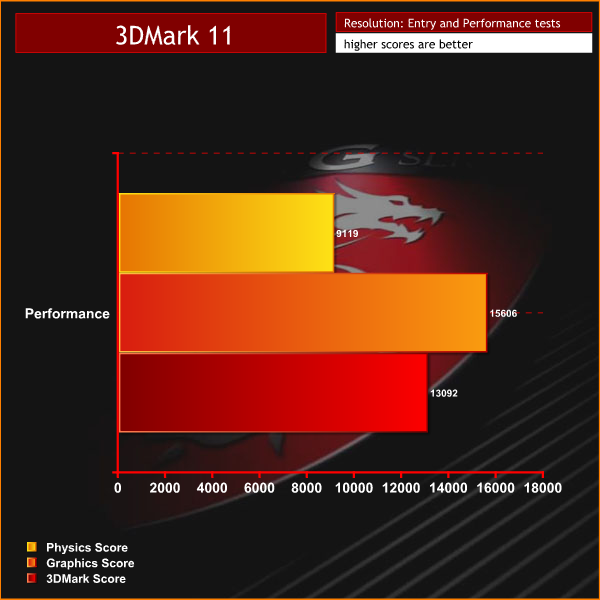
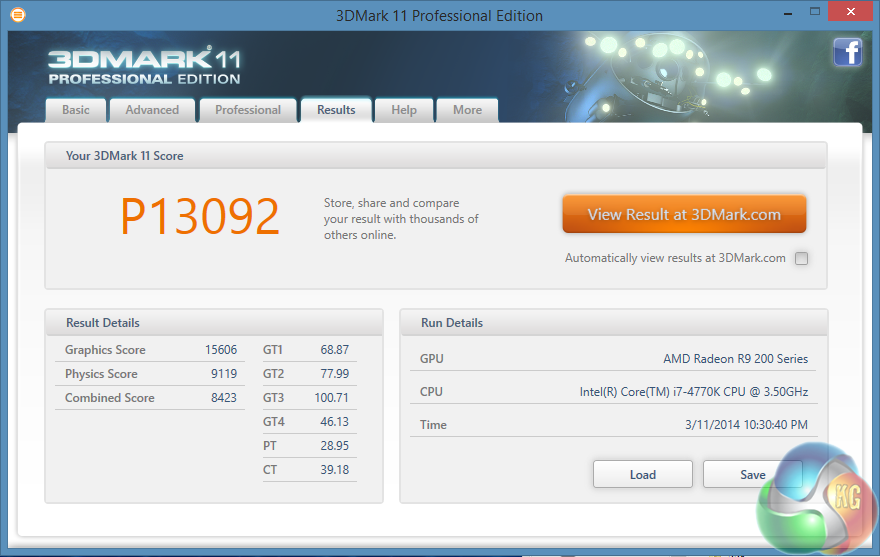
The R9 290X is a powerful card, and we can see the scores are excellent.
3DMark is an essential tool used by millions of gamers, hundreds of hardware review sites and many of the world’s leading manufacturers to measure PC gaming performance.
Futuremark say “Use it to test your PC’s limits and measure the impact of overclocking and tweaking your system. Search our massive results database and see how your PC compares or just admire the graphics and wonder why all PC games don’t look this good.
To get more out of your PC, put 3DMark in your PC.”
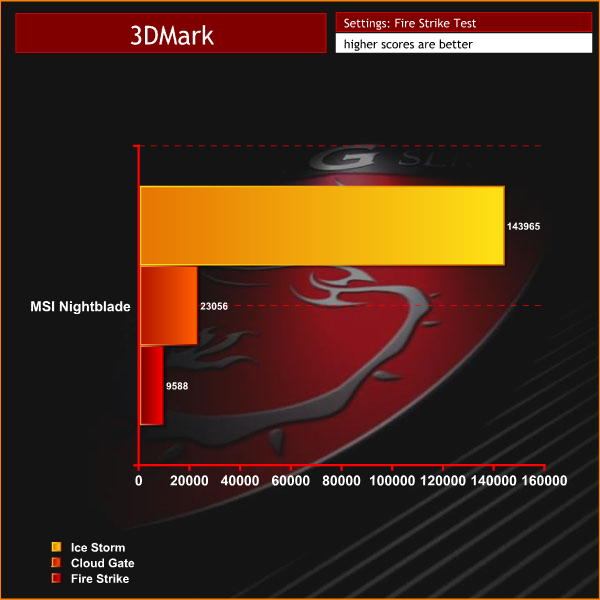

Scores look well in line with what we would expect from the partnering hardware inside.
SiSoftware Sandra (the System ANalyser, Diagnostic and Reporting Assistant) is an information & diagnostic utility. It should provide most of the information (including undocumented) you need to know about your hardware, software and other devices whether hardware or software.
Sandra is a (girl’s) name of Greek origin that means “defender”, “helper of mankind”. We think that’s quite fitting.
It works along the lines of other Windows utilities, however it tries to go beyond them and show you more of what’s really going on. Giving the user the ability to draw comparisons at both a high and low-level. You can get information about the CPU, chipset, video adapter, ports, printers, sound card, memory, network, Windows internals, AGP, PCI, PCI-X, PCIe (PCI Express), database, USB, USB2, 1394/Firewire, etc.
Native ports for all major operating systems are available:
- Windows XP, 2003/R2, Vista, 7, 2008/R2 (x86)
- Windows XP, 2003/R2, Vista, 7, 2008/R2 (x64)
- Windows 2003/R2, 2008/R2* (IA64)
- Windows Mobile 5.x (ARM CE 5.01)
- Windows Mobile 6.x (ARM CE 5.02)
All major technologies are supported and taken advantage of:
- SMP – Multi-Processor
- MC – Multi-Core
- SMT/HT – Hyper-Threading
- MMX, SSE, SSE2, SSE3, SSSE3, SSE 4.1, SSE 4.2, AVX, FMA – Multi-Media instructions
- GPGPU, DirectX, OpenGL – Graphics
- NUMA – Non-Uniform Memory Access
- AMD64/EM64T/x64 – 64-bit extensions to x86
- IA64 – Intel* Itanium 64-bit
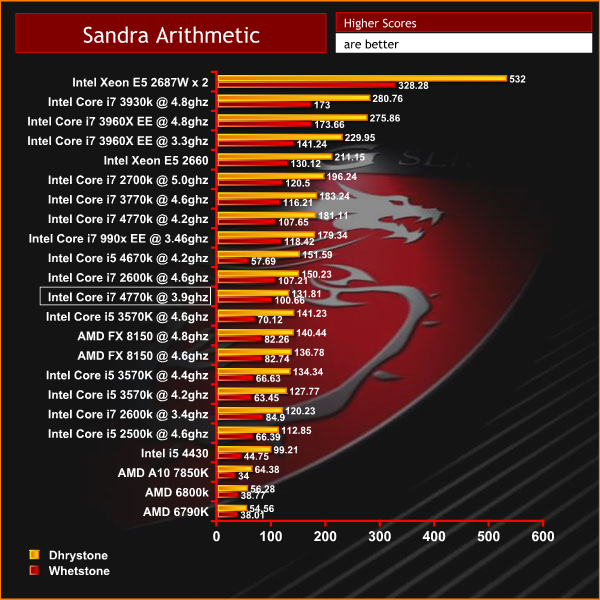
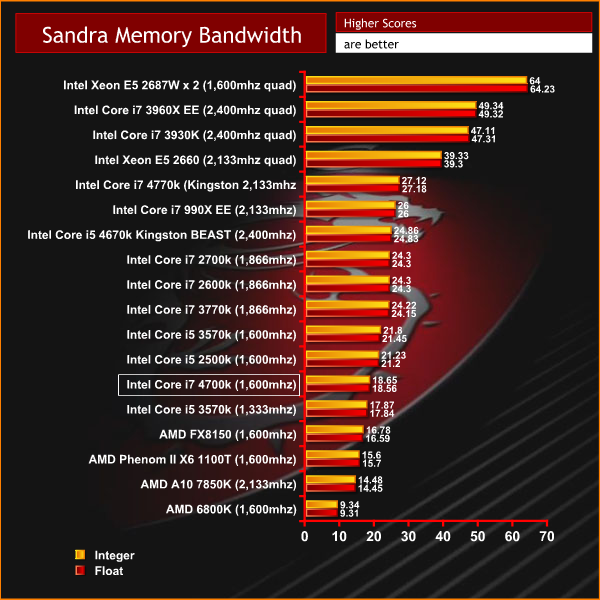

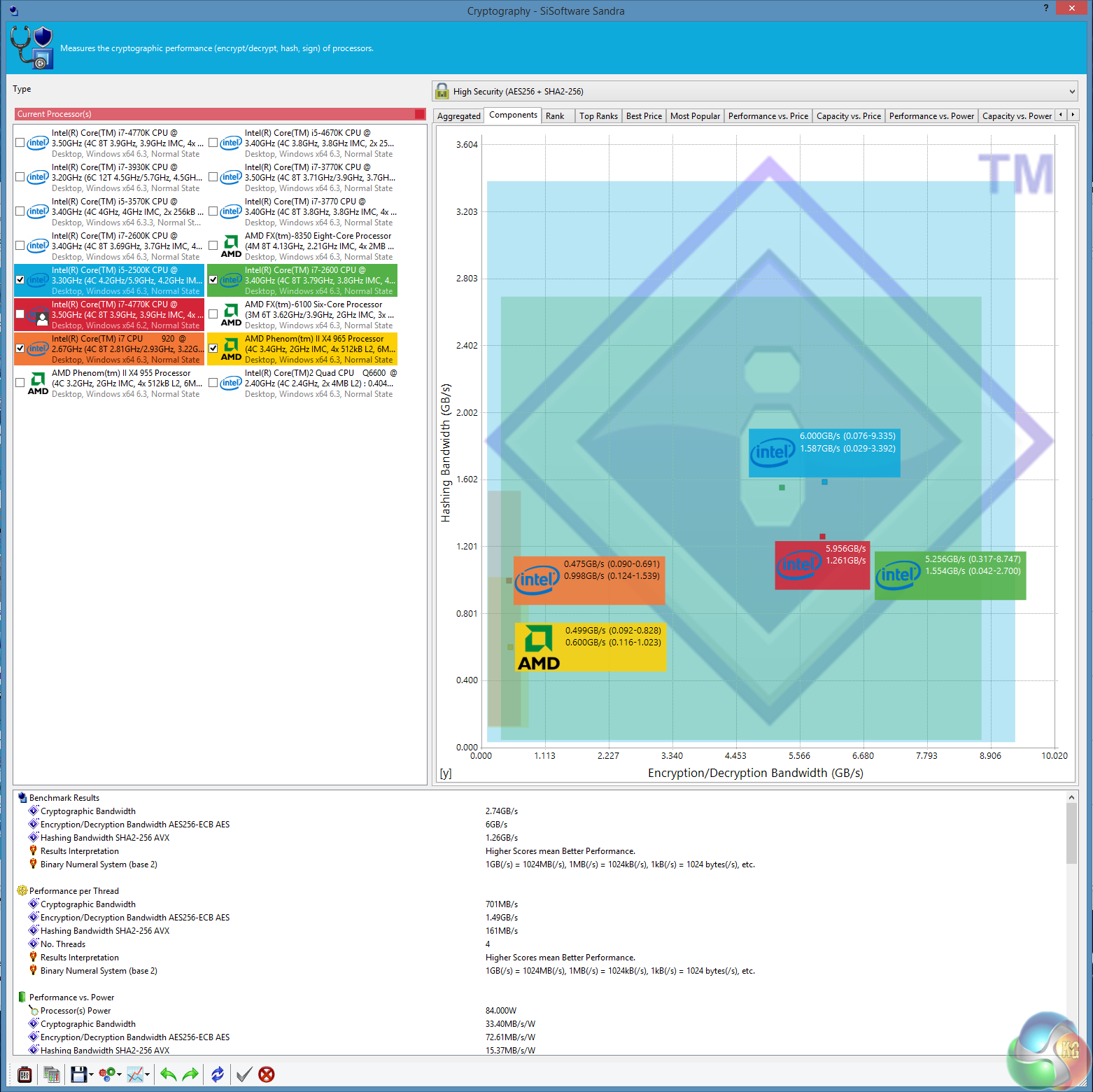
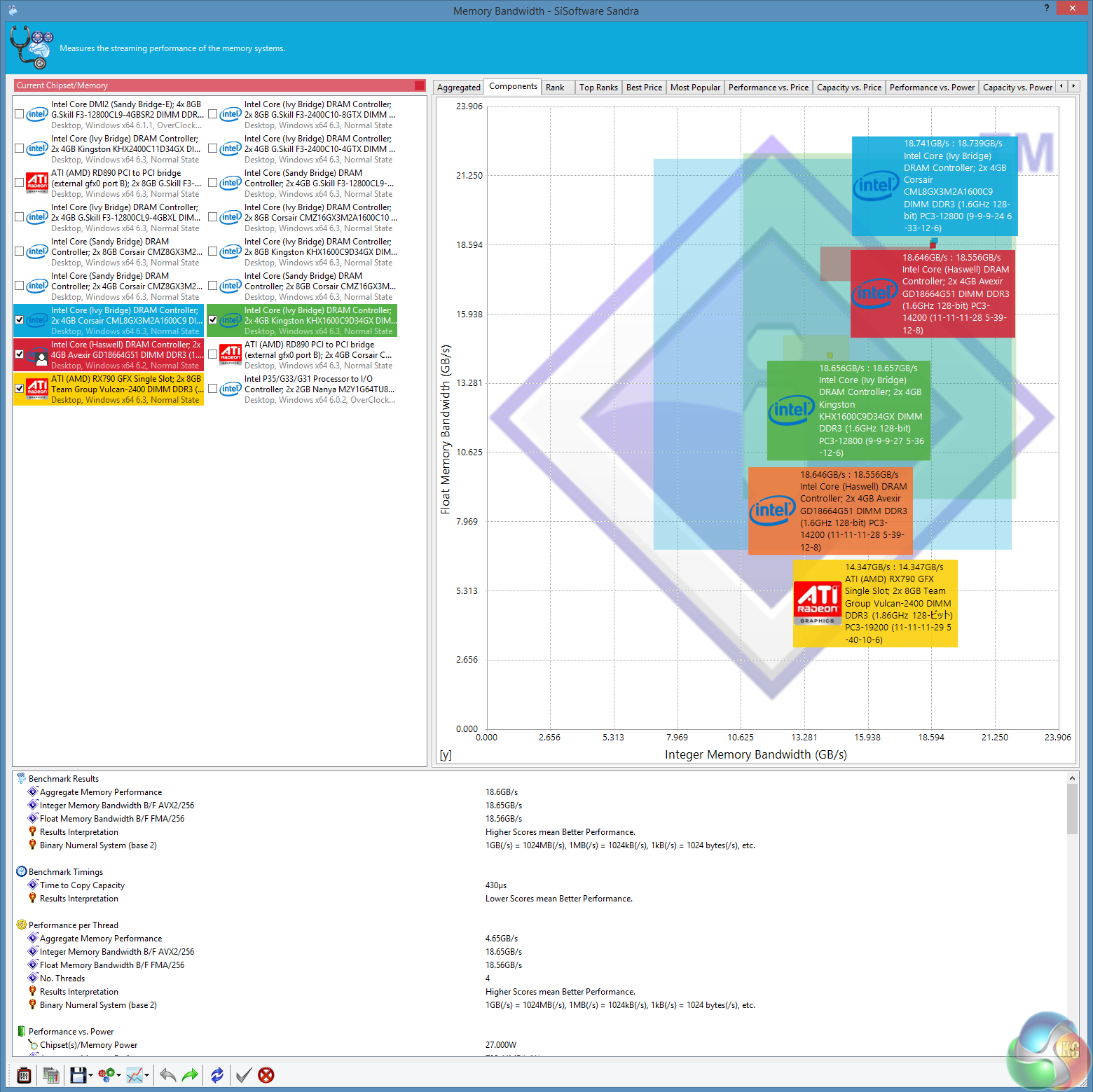
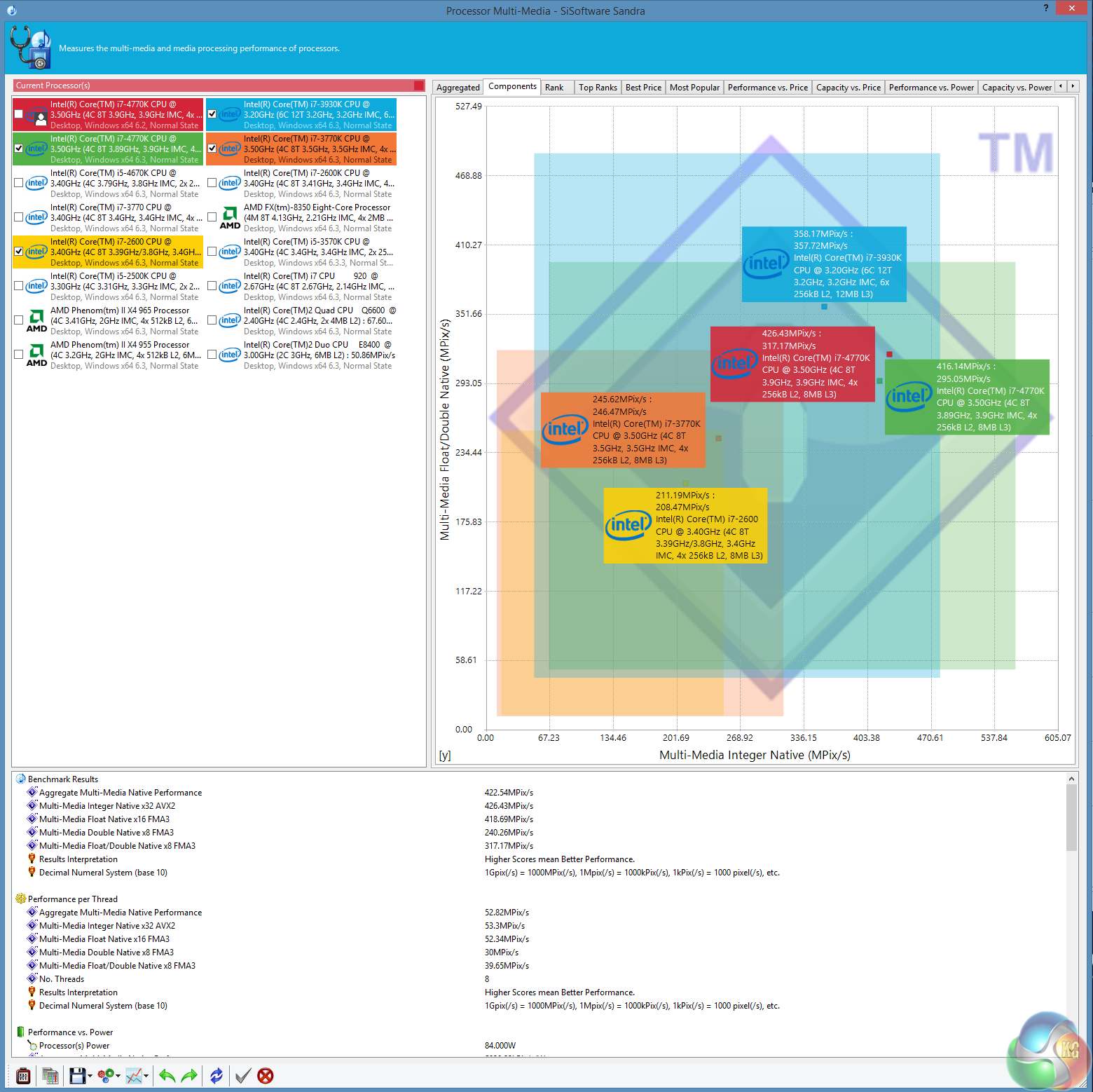
Performance falls in line with what we would expect from an i7 4700k @ 3.9ghz. Memory performance is reasonable, if not remarkable, although considering The Avenxir memory is running at 1,600mhz with loose timings, its not a bad result.CINEBENCH R11.5 64 Bit is a real-world cross platform test suite that evaluates your computer’s performance capabilities. CINEBENCH is based on MAXON’s award-winning animation software CINEMA 4D, which is used extensively by studios and production houses worldwide for 3D content creation. MAXON software has been used in blockbuster movies such as Spider-Man, Star Wars, The Chronicles of Narnia and many more. CINEBENCH is the perfect tool to compare CPU and graphics performance across various systems and platforms (Windows and Mac OS X). And best of all: It’s completely free.
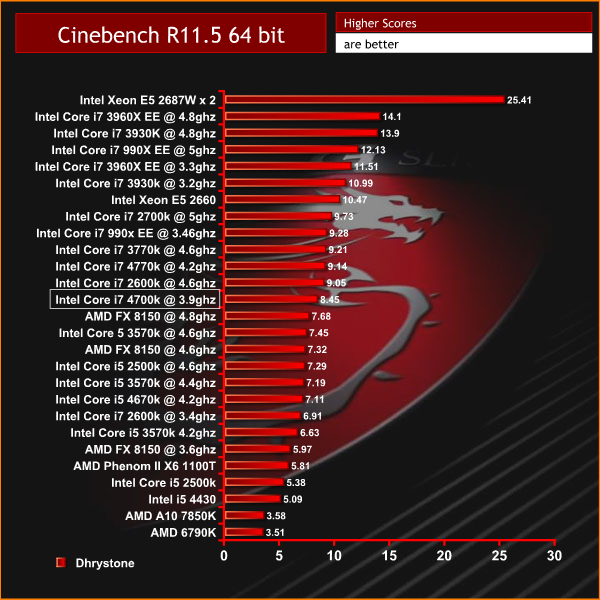
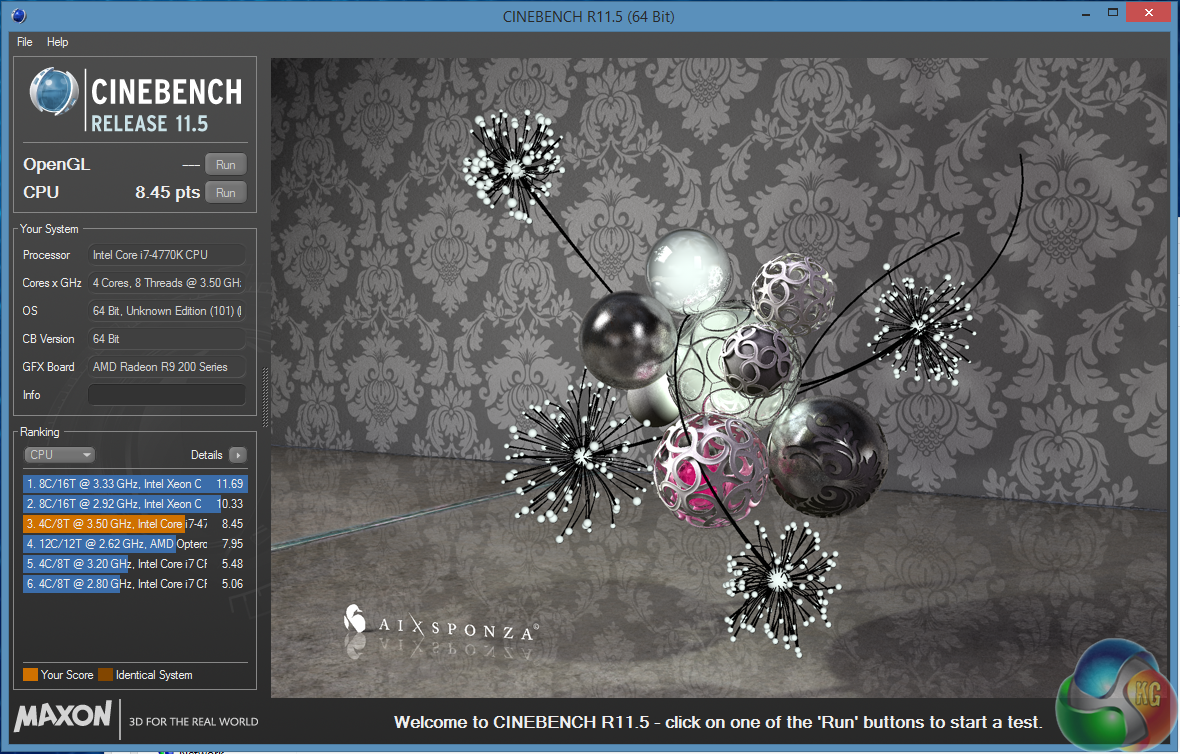
The system scores well and it would be ideal for some mid to heavy rendering duties.
CINEBENCH 15 is a cross-platform testing suite that measures hardware performance and is the de facto standard benchmarking tool for leading companies and trade journals for conducting real-world hardware performance tests. With the new Release 15, systems with up to 256 threads can be tested. CINEBENCH is available for both Windows and OS X and is used by almost all hardware manufacturers and trade journals for comparing CPUs and graphics cards.
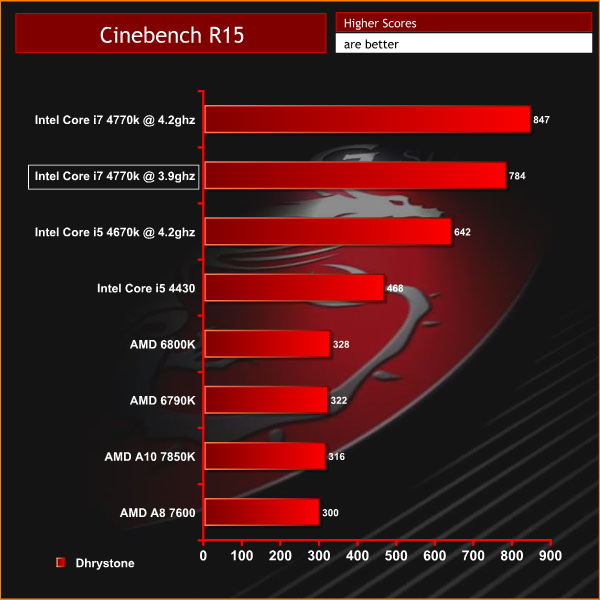
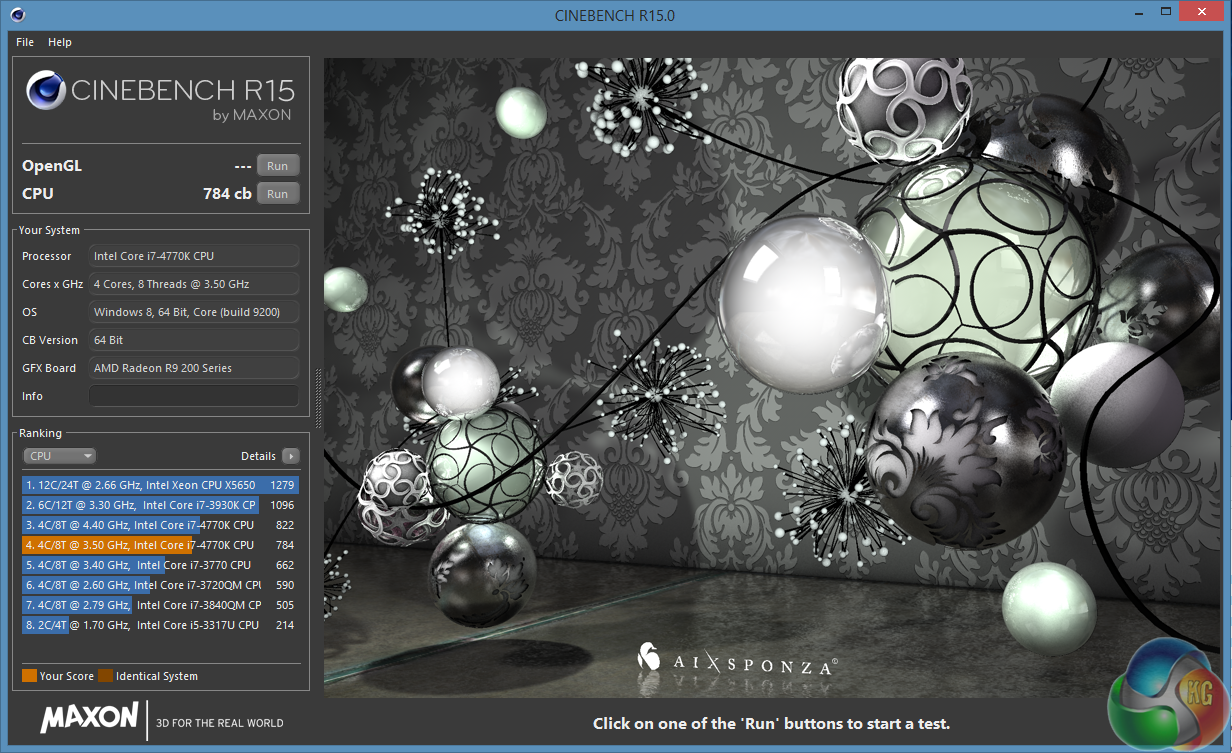
Excellent performance in the latest version of Cinebench, scoring 784 points.
CyberLink MediaEspresso 6 is the successor to CyberLink MediaShow Espresso 5.5. With its further optimized CPU/GPU-acceleration, MediaEspresso is an even faster way to convert not only your video but also your music and image files between a wide range of popular formats.
Now you can easily playback and display your favourite movies, songs and photos not just on your mobile phone, iPad, PSP, Xbox, or Youtube and Facebook channels but also on the newly launched iPhone 4. Compile, convert and enjoy images and songs on any of your computing devices and enhance your videos with CyberLink’s built-in TrueTheater Technology.
New and Improved Features
- Ultra Fast Media Conversion – With support from the Intel Core i-Series processor family, ATI Stream & NVIDIA CUDA, MediaEspresso’s Batch-Conversion function enables multiple files to be transcoded simultaneously.
- Smart Detect Technology – MediaEspresso 6 automatically detects the type of portable device connected to the PC and selects the best multimedia profile to begin the conversion without the need for user’s intervention.
- Direct Sync to Portable Devices – Video, audio and image files can be transferred in a few easy steps to mobile phones including those from Acer, BlackBerry, HTC, Samsung, LG, Nokia, Motorola, Sony Ericsson, and Palm, as well as Sony Walkman and PSP devices.
- Enhanced Video Quality – CyberLink TrueTheater Denoise and Lighting enables the enhancement of video quality through optical noise filters and automatic brightness adjustment.
- Video, Music and Image File Conversion – Convert not only videos to popular formats such as AVI, MPEG, MKV, H.264/AVC, and FLV at the click of a button, but also images such as JPEG and PNG and music files like WMA, MP3 and M4A.
- Online Sharing – Conversion to video formats used by popular social networking websites and a direct upload feature means posting videos to Facebook and YouTube has never been easier.
For our testing today we are converting a 4.4GB 720p MKV file (1h:58mins) to Apple Mp4 format for playback on a portable device. This is a common procedure for many people and will give a good indication of system power.
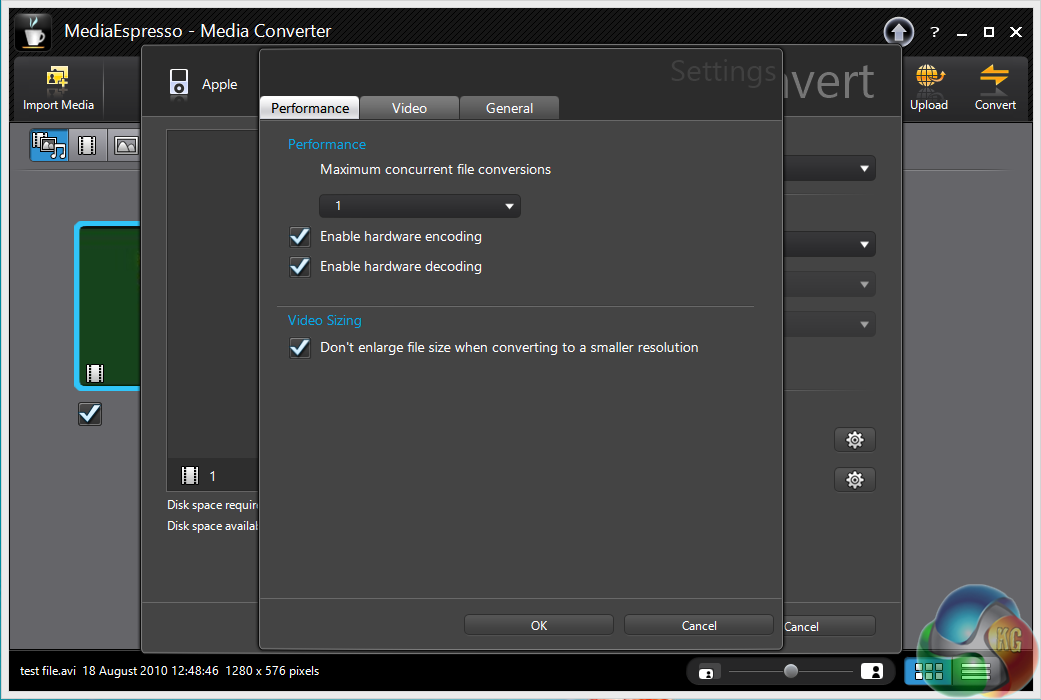
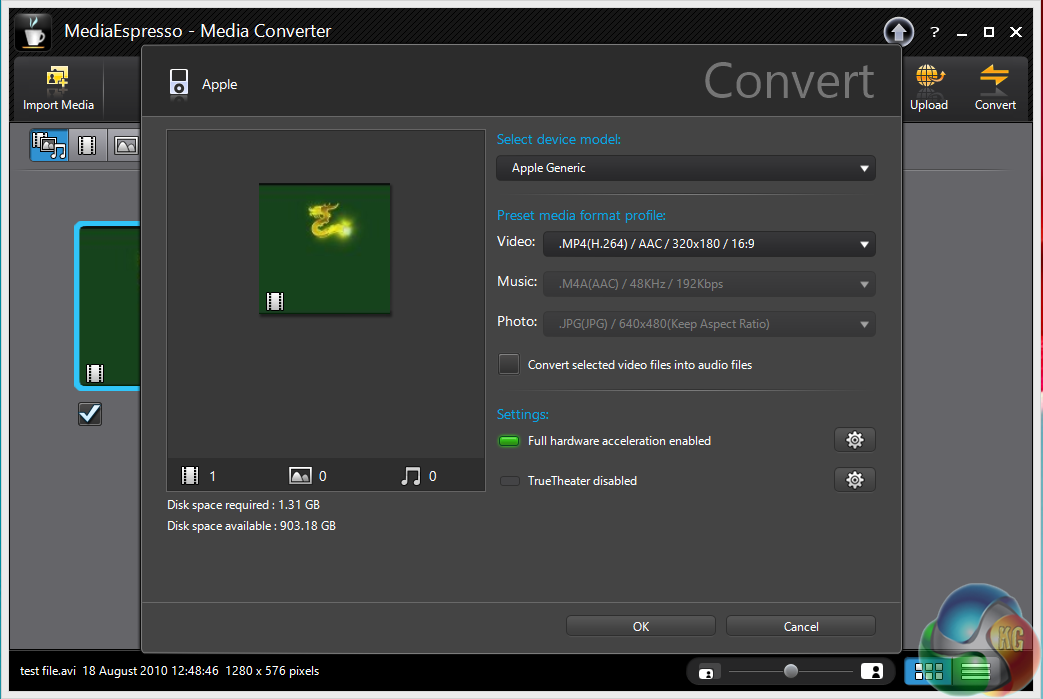
Hardware acceleration is enabled.
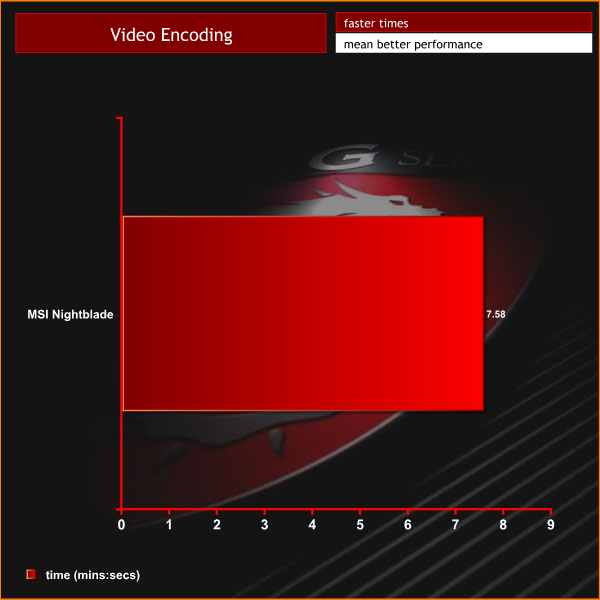
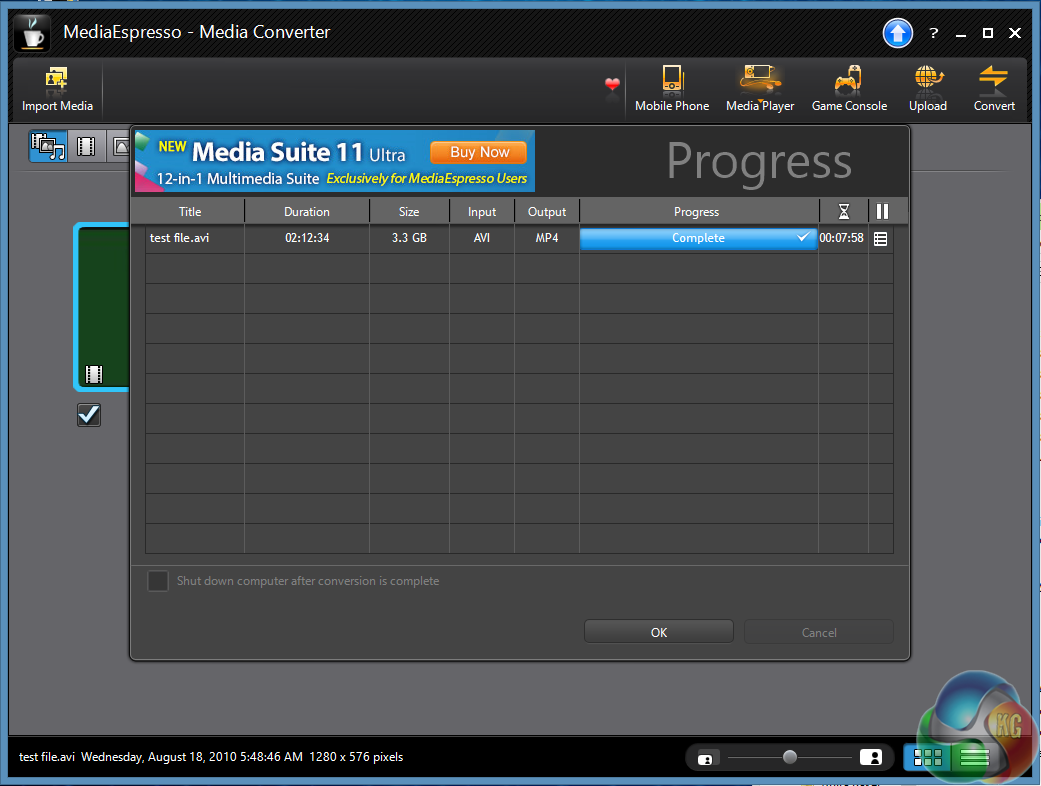
The final time of 7 minutes and 58 seconds is very strong, showing the combined performance of the 4770k and R9 290X.
Crystalmark is a useful benchmark to measure theoretical performance levels of hard drives and SSD’s. We are using V3.0.1 x64.
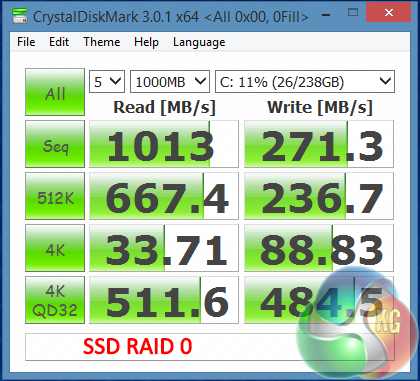
Performance of the two drives in RAID 0 is very good, although the sequential write performance is a little disappointing. In real world terms however the system was immensely responsive and programs loaded within a couple of seconds.
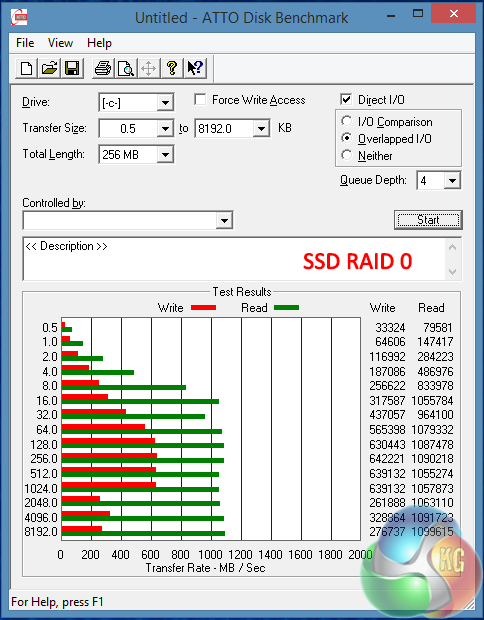
ATTO shows some interesting results, the same stellar 1000 MB/s sequential read performance, but quite a variance with write performance. Write performance increases up to 640 MB/s on the 512k write test, but it drops after this, down to 280 MB/s – same as the Crystaldiskmark test.
Lastly, we ran a few checks with AS SSD – a test designed specifically for Solid State drives. The Score of 1,640 was one of the highest we have recorded to date – showing the performance capabilities when dealing with incompressible data.
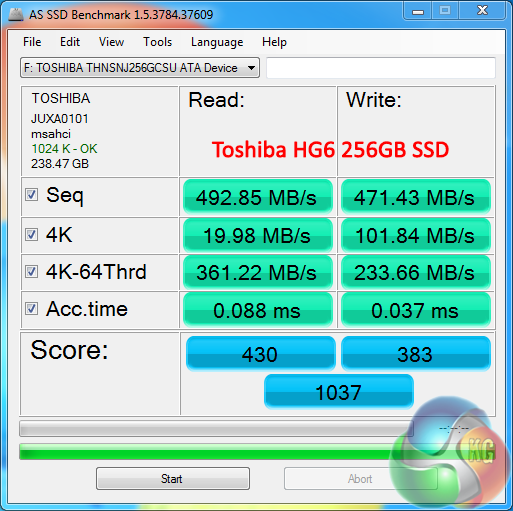
To test the USB 3.0 capabilities of the MSI motherboard, we use one of the fastest drives we have – the Patriot SuperSonic Magnum 256GB. We reviewed this way back in February last year.

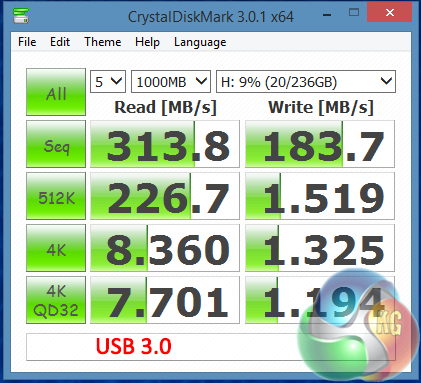
Performance from the USB 3.0 connectors are certainly not in question – we recorded a sequential read speed of 313 MB/s which is pretty much as fast as you will see.
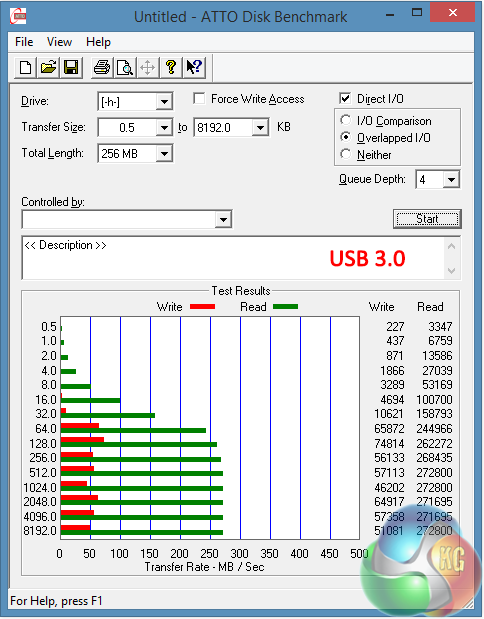
Peaks around 270 MB/s read are as good as we have seen in this particular benchmark. Write performance is much the same, hitting 65 MB/s.
Tomb Raider received much acclaim from critics, who praised the graphics, the gameplay and Camilla Luddington’s performance as Lara with many critics agreeing that the game is a solid and much needed reboot of the franchise. Much criticism went to the addition of the multiplayer which many felt was unnecessary. Tomb Raider went on to sell one million copies in forty-eight hours of its release, and has sold 3.4 million copies worldwide so far.


We use the ULTIMATE profile shown above and test at 2560×1600.
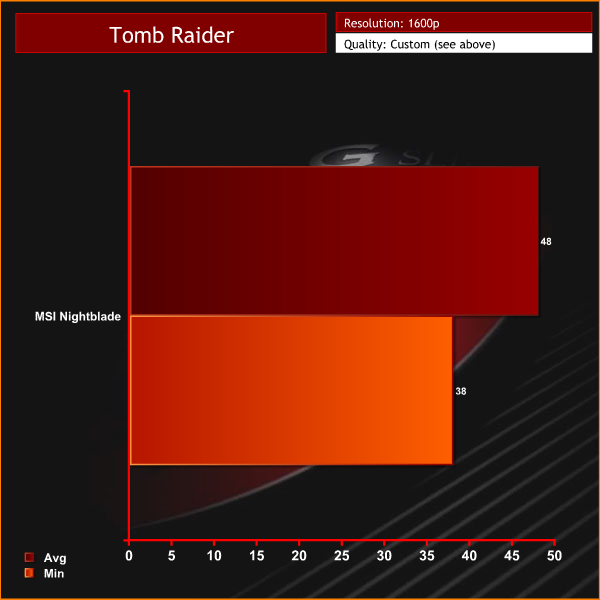
Smooth frame rates at 1600p, averaging just under 50 frames per second.
Tomb Raider received much acclaim from critics, who praised the graphics, the gameplay and Camilla Luddington’s performance as Lara with many critics agreeing that the game is a solid and much needed reboot of the franchise. Much criticism went to the addition of the multiplayer which many felt was unnecessary. Tomb Raider went on to sell one million copies in forty-eight hours of its release, and has sold 3.4 million copies worldwide so far.

We test at 4K 3840×2160 resolution with the ULTRA profile setting enabled – details in the images above.

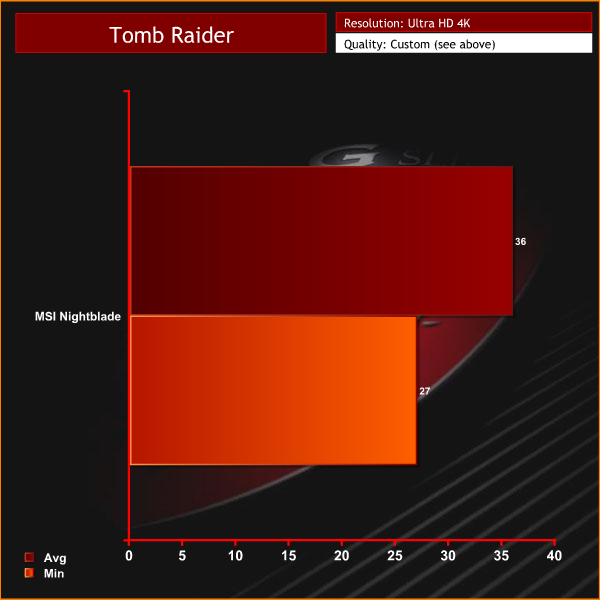
Even at Ultra HD 4K resolutions, the pimped out MSI Nightblade is able to maintain frame rates above 25 at all times.
Metro: Last Light takes place one year after the events of Metro 2033, proceeding from the ending where Artyom chose to call down the missile strike on the Dark Ones. The Rangers have since occupied the D6 military facility, with Artyom having become an official member of the group. Khan, the nomad mystic, arrives at D6 to inform Artyom and the Rangers that a single Dark One survived the missile strike. 4A Games’ proprietary 4A Engine is capable of rendering breathtaking vistas, such as those showing the ruined remnants of Moscow, as well as immersive indoor areas that play with light and shadow, creating hauntingly beautiful scenes akin to those from modern-day photos of Pripyat’s abandoned factories and schools.

We test this game with the built in benchmark with very high quality settings at 1920×1080 – details shown in the image above.
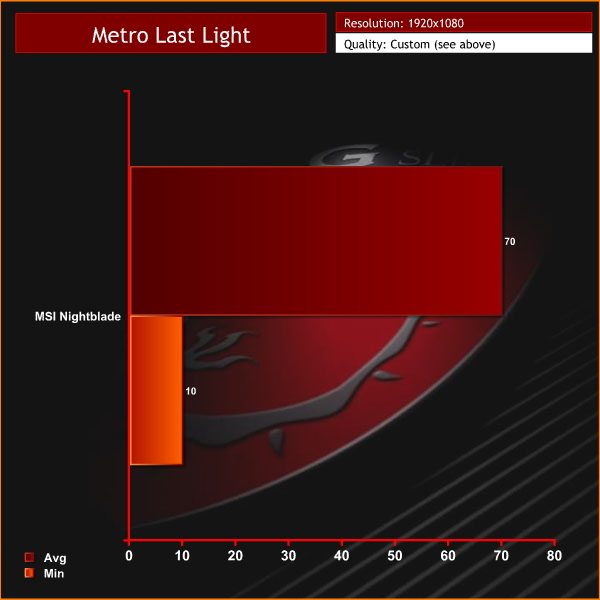
A demanding benchmark although performance is smooth for the most part.
Metro: Last Light takes place one year after the events of Metro 2033, proceeding from the ending where Artyom chose to call down the missile strike on the Dark Ones. The Rangers have since occupied the D6 military facility, with Artyom having become an official member of the group. Khan, the nomad mystic, arrives at D6 to inform Artyom and the Rangers that a single Dark One survived the missile strike. 4A Games’ proprietary 4A Engine is capable of rendering breathtaking vistas, such as those showing the ruined remnants of Moscow, as well as immersive indoor areas that play with light and shadow, creating hauntingly beautiful scenes akin to those from modern-day photos of Pripyat’s abandoned factories and schools.

We test this game with the built in benchmark, with the settings detailed above. Direct X 11 mode, Quality is set at medium, 16 AF, normal Motion blur, Tessellation Normal, Advanced PhysX disabled and SSAA disabled.
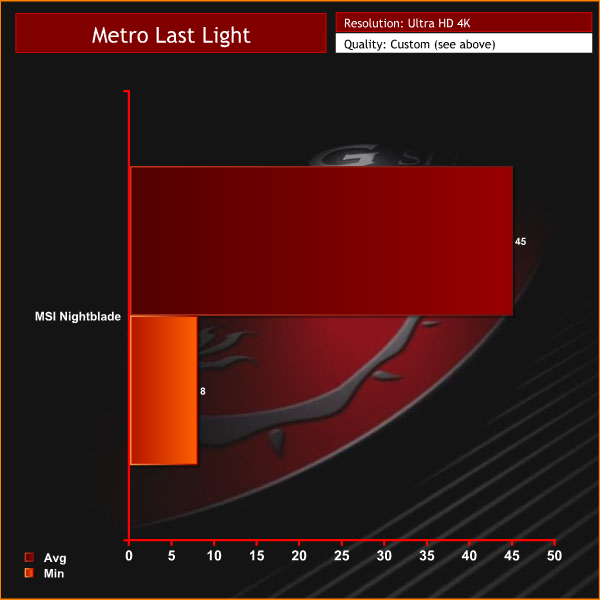
Decent results, averaging 45 frames per second.
Grid 2 is the sequel to the racing video game Race Driver: Grid. It was developed and published by Codemasters. The game includes numerous real world locations such as Paris, numerous United States locations, and many more, and also includes motor vehicles spanning four decades. In addition, it includes a new handling system that developer Codemasters has dubbed ‘TrueFeel’, which aims to hit a sweet spot between realism and accessibility.


We test at 2560×1600 with the Ultra image quality preset, as shown above. 8x MSAA was enabled to improve image quality.
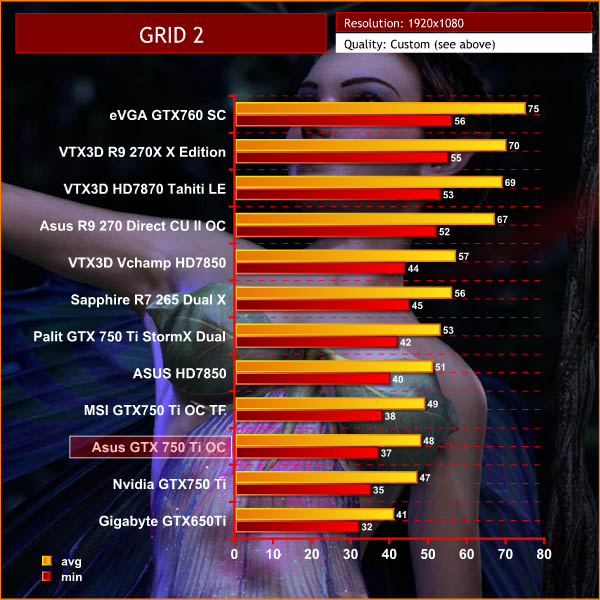
GRID 2 runs well at these settings, averaging over 70 frames per second at 1600p.
Grid 2 is the sequel to the racing video game Race Driver: Grid. It was developed and published by Codemasters. The game includes numerous real world locations such as Paris, numerous United States locations, and many more, and also includes motor vehicles spanning four decades. In addition, it includes a new handling system that developer Codemasters has dubbed ‘TrueFeel’, which aims to hit a sweet spot between realism and accessibility.


We select 4K 3840×2160 resolution and enabled the ULTRA profile with 8 times anti aliasing, as shown in the screenshots above.

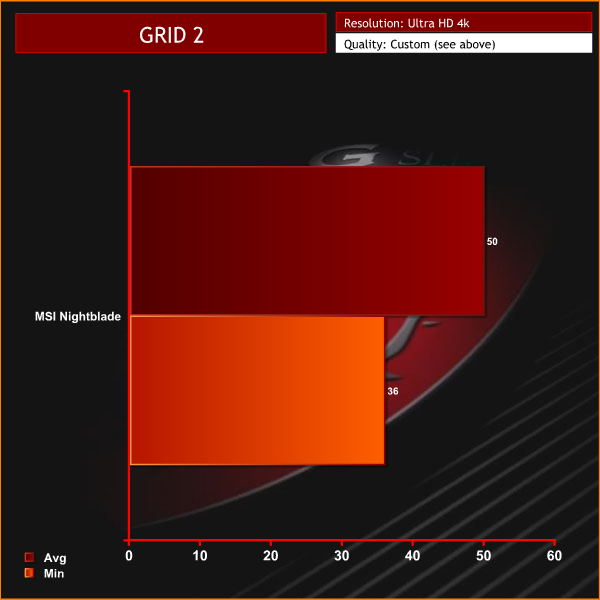
Super smooth frame rates, maintaining well above 30 at all times.
Batman Arkham Origins moved development away from series creators Rocksteady Studios, and is written by Corey May and Dooma Wendschuh. The game’s main storyline is set five years before that of 2009′s Batman: Arkham Asylum and follows a younger and less refined Batman who has a bounty placed on his head by crime lord Black Mask, drawing eight of the world’s greatest assassins to Gotham City on Christmas Eve. The game is presented from the third-person perspective with a primary focus on Batman’s combat and stealth abilities, detective skills, and gadgets that can be used in both combat and exploration. Arkham Origins is the first game in the series to feature multiplayer gameplay.

We test at Ultra HD 4K with a mixture of high image quality settings and 2 MSAA, shown above.
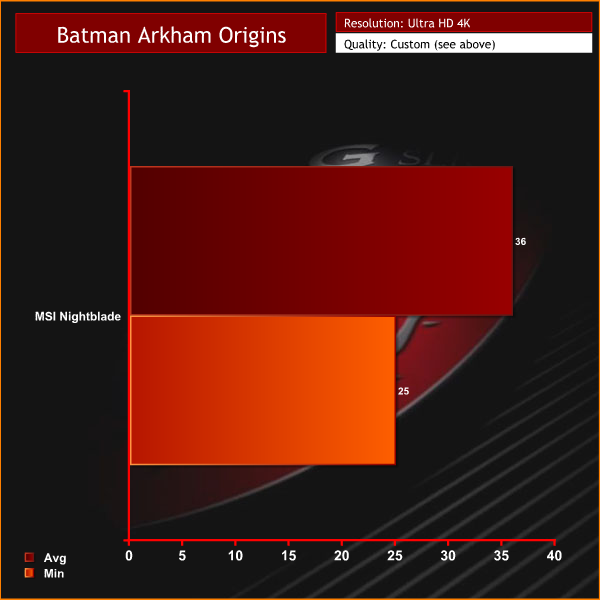
The R9 290X does a good job of powering this engine at Ultra HD 4K, which is much better optimised for Nvidia hardware.
Battlefield 4 (also known as BF4) is a first-person shooter video game developed by EA Digital Illusions CE (DICE) and published by Electronic Arts. The game is a sequel to 2011′s Battlefield 3. Battlefield 4 is built on the new Frostbite 3 engine. The new Frostbite engine enables more realistic environments with higher resolution textures and particle effects. A new “networked water” system is also being introduced, allowing all players in the game to see the same wave at the same time.Tessellation has also been overhauled.

We test at Ultra HD 4K with the high image quality profile, shown above. The latest update was applied as of 12th March 2014.
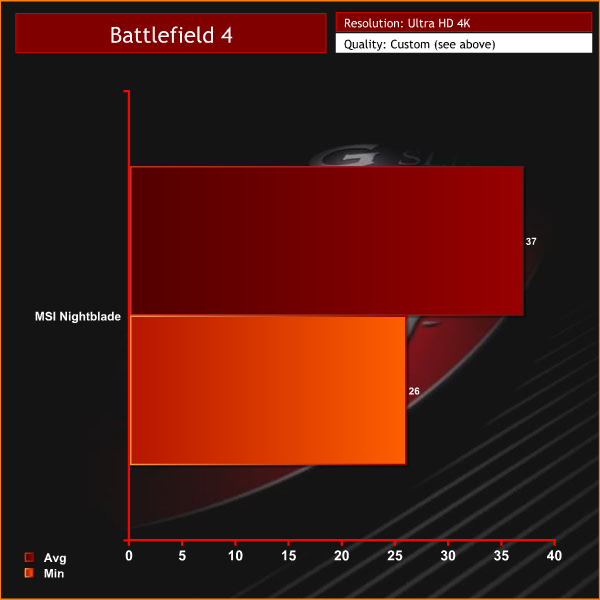
The MSI R9 290X powers this engine well, averaging 37 frames per second.
The tests were performed in a controlled air conditioned room with temperatures maintained at a constant 24c – a comfortable environment for the majority of people reading this.Idle temperatures were measured after sitting at the desktop for 30 minutes.
Load measurements were acquired by playing Crysis Warhead for 30 minutes and measuring the peak temperature. We also have included Furmark results, recording maximum temperatures throughout a 30 minute stress test. All fan settings were left on automatic.
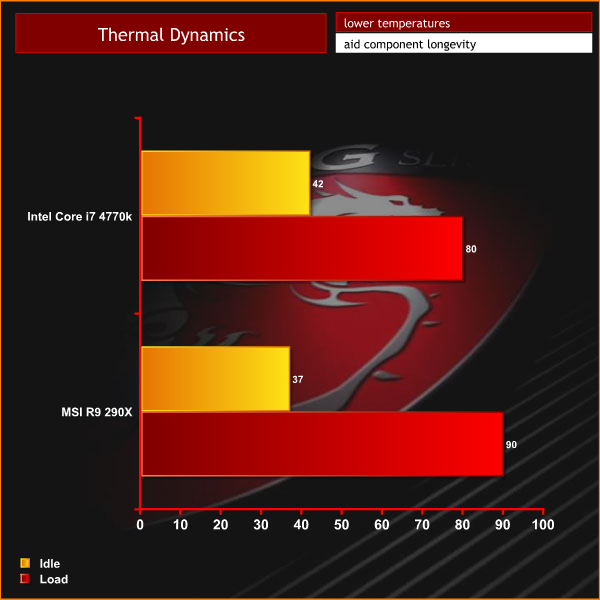
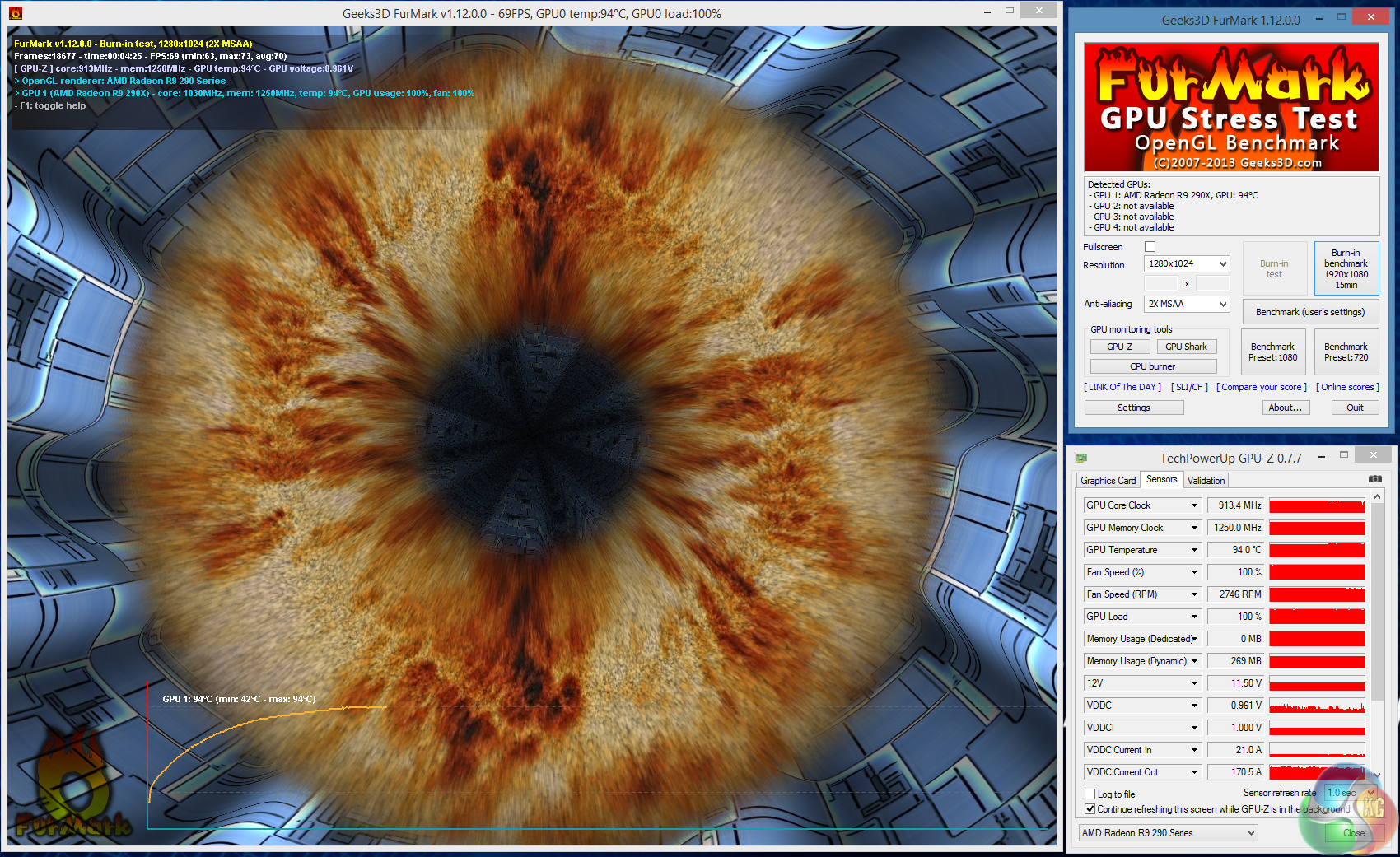
The little case is surprisingly capable, although we feel with this selection of high end hardware that it is quite a tough task. The fans speed up considerably under load, which we will discuss in more detail on the next page. When playing some of the more intensive Direct X 11 games we would see GPU temperatures increase to 90c. Furmark temperatures peaked at 94c.
We have built a system inside a Lian Li chassis with no case fans and have used a fanless cooler on our CPU. The motherboard is also passively cooled. This gives us a build with almost completely passive cooling and it means we can measure noise of just the graphics card inside the system when we run looped 3dMark tests.
We measure from a distance of around 1 meter from the closed chassis and 4 foot from the ground to mirror a real world situation. Ambient noise in the room measures close to the limits of our sound meter at 28dBa. It isn’t a real world situation to be measuring with a case panel off only a few centimeters away from a video card.
Why do this? Well this means we can eliminate secondary noise pollution in the test room and concentrate on only the video card. It also brings us slightly closer to industry standards, such as DIN 45635.
KitGuru noise guide
10dBA – Normal Breathing/Rustling Leaves
20-25dBA – Whisper
30dBA – High Quality Computer fan
40dBA – A Bubbling Brook, or a Refridgerator
50dBA – Normal Conversation
60dBA – Laughter
70dBA – Vacuum Cleaner or Hairdryer
80dBA – City Traffic or a Garbage Disposal
90dBA – Motorcycle or Lawnmower
100dBA – MP3 player at maximum output
110dBA – Orchestra
120dBA – Front row rock concert/Jet Engine
130dBA – Threshold of Pain
140dBA – Military Jet takeoff/Gunshot (close range)
160dBA – Instant Perforation of eardrum
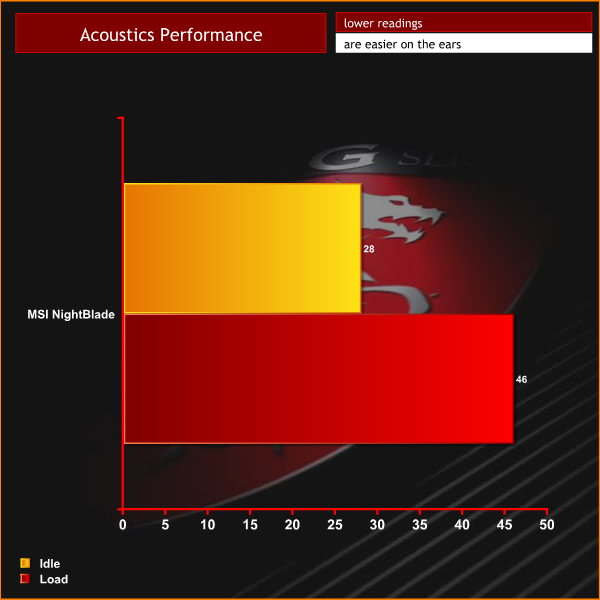
Generally, the system is quiet. However this is far from the overall picture.
When the CPU is under heavy load situations, the fans spin up quickly to counter the rising temperatures. When both R9 290X and i7 4770k are stressed all of the fans spin at very high speeds. The system at full pelt is very noisy and the first time this happened I thought the case might actually take off.
Generally however when gaming we recorded noise levels around 37-38dBa. Acceptable, if a little higher than we would like.
Adding in a Corsair H60 might help to reduce noise levels a little as the MSI CPU cooler fan does spin very quickly when the temperatures rise.
We measure system drain at the socket via a calibrated meter – the monitor is not included in the final result. We measure results while gaming in Crysis Warhead and the synthetic stress test Furmark and record both results.
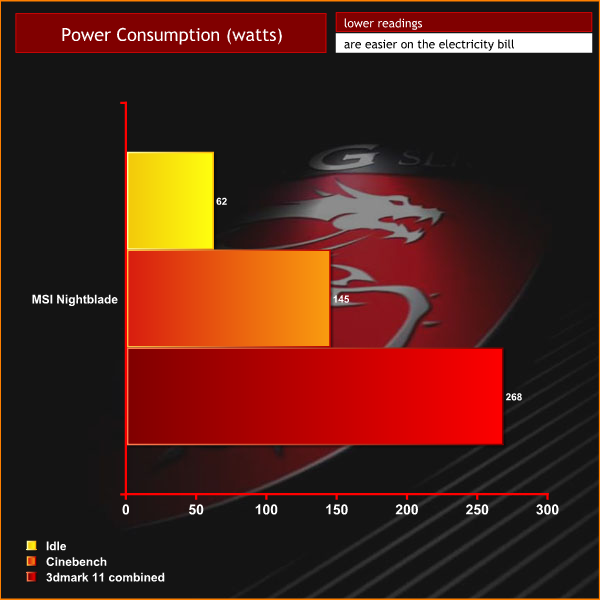
When idle, the system consumes around 60 watts of power. When the 4770k is loaded, this rises to 145 watts. When the final ‘combined' test in 3DMark 11 is triggered, this rises to around 270 watts.
When we were offered the MSI Nightblade initially I will admit, I wasn't quite sure what to think. MSI's documentation focuses on the miniature physical dimensions of the chassis. At only 16 litres, MSI say the Nightblade is almost 15% smaller than other leading mini ITX cases. After seeing this in the flesh, we have absolutely no reason to doubt their claims.
When I removed the Nightblade from the packaging, my first impressions were mixed. I was fascinated that they could cram all the lovely high end hardware into such a miniscule housing. Dissipating the heat from a Core i7 4770k and R9 290X is a tough ask of any chassis, especially one barely larger than the first aid kit in my office.
After my initial inspection I stood back to take in the view. Build quality is exemplary and there is no doubt in my mind that the Nightblade is going to survive years of transportation, between home and LAN events. MSI have coated the steel plate case with Zinc, to help stop rust and wear.
We are sure that MSI's claims of the case being ‘unbreakable' are rather optimistic, but regardless – the engineering standards are superb. All panels fit snugly into place and nothing moves around or rattles when you lift the case up by the handle. All of the metal edges are rounded down carefully, so skin is unlikely to be torn through careless handling.
I would be remiss not to address my concerns with the appearance of the Nightblade. I neither love nor loathe the Nightblade's ‘boxy' design, however I am sure that many gamers who admire the smooth, curved lines of the Bitfenix Prodigy and Aerocool Dead Silence will find the angular, straight edges of the Nightblade very dated. It is almost as if MSI have worked on a design lifted from a decade ago.
How does such a small chassis cope with all the heat?
The Nightblade is a very capable chassis that can cope with some hot running hardware, however it does this by introducing massive airflow, from front to back and bottom to top. This is an intentional design decision in order to cope with the limited space inside.
The custom MSI CPU cooler fan spins at 3,800 rpm under full load and the MSI Dragon Case fan will hit 3,600 rpm if the thermal curve exceeds the limits of the recommended profile. This happened a couple of times during testing – when running the latest 3DMARK benchmark and when running the MultiMedia benchmark in SiSoft Sandra. The noise levels were so that high that I actually thought the system was about to shut down due to overheating. It didn't, and when I could hear myself think again it raised a couple of questions for me …
… MSI are really pushing the thermal boundaries to the limit by promoting the use of a R9 290X and a hot running processor such as Intel's i7 4770k. Personally if I was building this system I would select the cooler running Intel i5 4670k – ideal for general duties, including gaming. I would also opt for a superior CPU cooler such as the Corsair H60. With a better CPU cooler in place, I would change the chassis fan for one that didn't need to spin to 3,600 rpm – such as a bequiet! Silentwings 2, or a new Aerocool Dead Silence. This would help reduce noise levels significantly.
The barebones MSI Nightblade will retail in the United Kingdom for £329.99 inc vat. This includes the chassis, motherboard, fans and Silverstone power supply. Other partners such as Scan, Overclockers UK, Yoyotech, Cyberpower UK and MESH will be offering custom builds at various price points. Right now I have no details on specifics, but we will update this article when we have more information.
Discuss on our Facebook page, over HERE.
Pros:
- Officially supports very high end hardware configurations.
- built to withstand abuse.
- fantastic engineering quality.
Cons:
- Can get incredibly loud under certain load conditions.
- The boxy design of the case does look rather dated.
Kitguru says: Its an incredible concept and well worth buying, but we would recommend some changes over the configuration we received.

I think its quite attractive, although the handle at the front puts the whole shape out of sync or something.
They are taking quite a stance with the high end stuff inside, surprised it didnt just turn off under load 🙂
Yeah I love that, but I would want something a little more cost effective as a build, must be about £2k of hardware there in that. If the barebones is around £300, I would say £1k would get a great system. Something like a GTX770 and a 4670 would work for me.