 KitGuru KitGuru.net – Tech News | Hardware News | Hardware Reviews | IOS | Mobile | Gaming | Graphics Cards


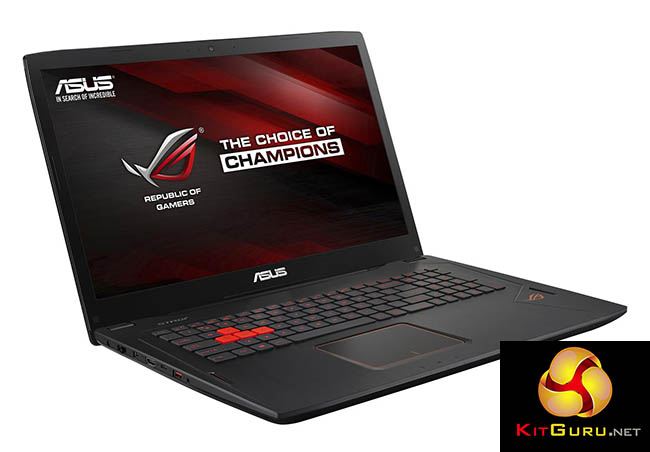
Only a few years ago, powerful 17in gaming notebooks were really only “laptops” by classification. If you tried to use one on your lap, your legs would suffer third degree burns and your feet would eventually fall off due to restricted blood circulation. But at least the experience would be short lived, because the battery life would be so short. These days, though, a serious 17in gaming laptop is much more worthy of its classification, and ASUS’s ROG Strix GL702VT is a case in point.
The GL702VT may sport a quad-core Intel Core i7 processor, high-end gaming graphics, and a 17.3in screen. But it still weighs a reasonable 2.73kg and measures a mere 24.7mm thick across its widest point. So, assuming you have a bag with sufficient internal dimensions, you could carry this around without breaking your shoulders. Yet the gaming potential is immense. We put the beast through its paces.
System Configuration:
- 2.6GHz Intel Core i7-6700HQ
- 16GB 2133MHz DDR4 Memory
- 3GB NVIDIA GTX970M Graphics
- 17.3in Full HD LED backlit TFT
- 1TB Hitachi Deskstar 7K1000 7,200rpm HDD
- Orange backlit keyboard
- 420 x 275 x 22-24.7mm (WxDxH)
- 2.73kg
- Windows 10 64 bit
- 1 year manufacturer’s warranty
Price for this system (at the time of writing): £1,099.99 (inc. VAT)
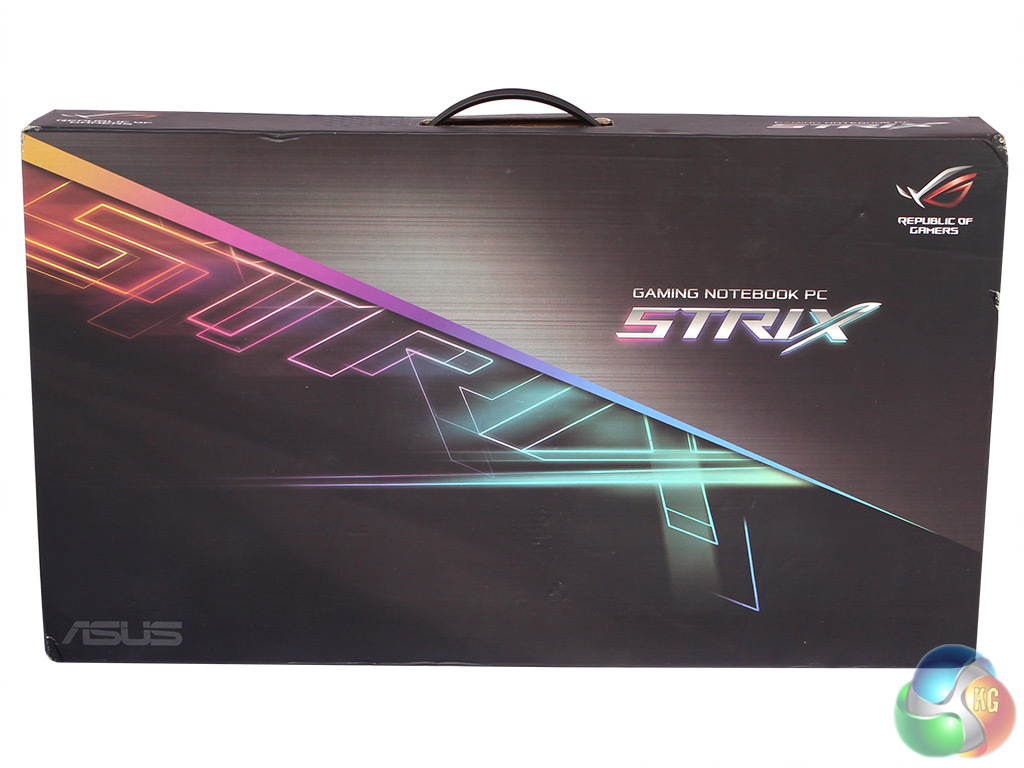
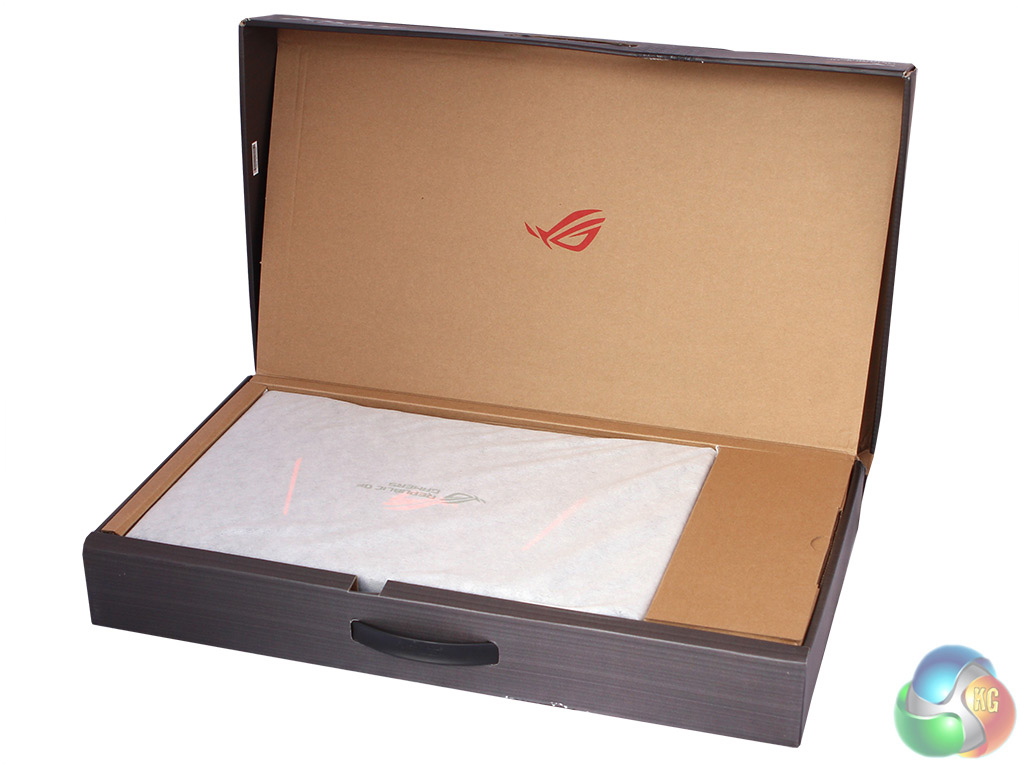
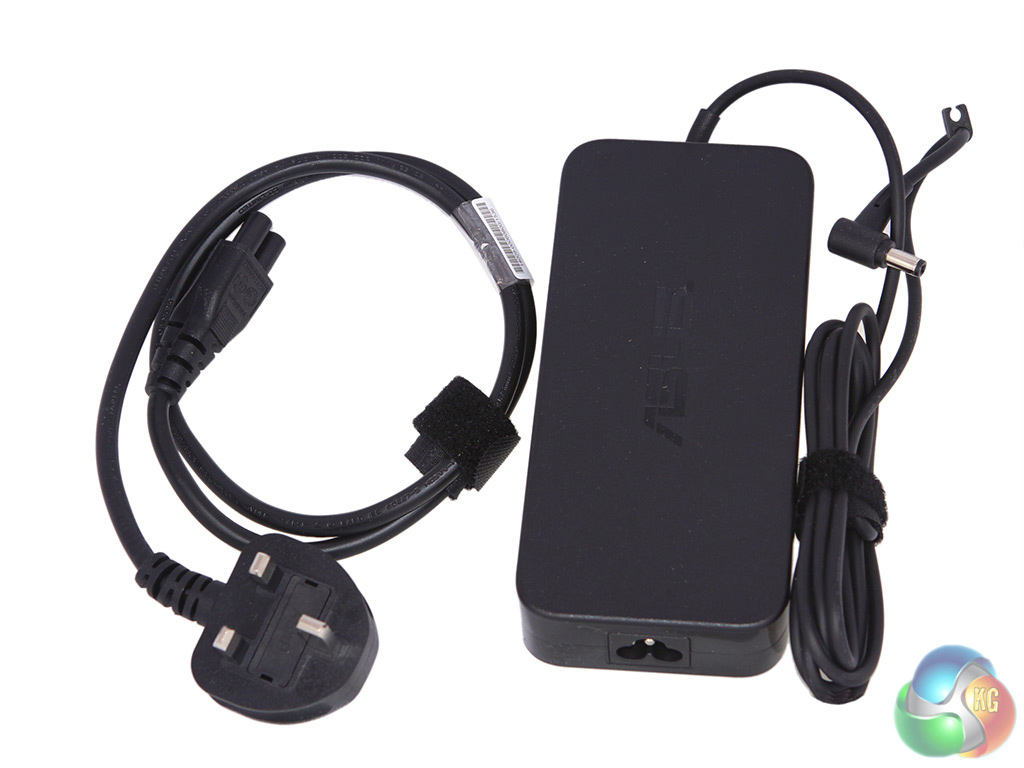
The ASUS GL702VT comes in a fairly typical box, and there’s nothing in it apart from the notebook, power supply and cable. No bonus peripherals here.
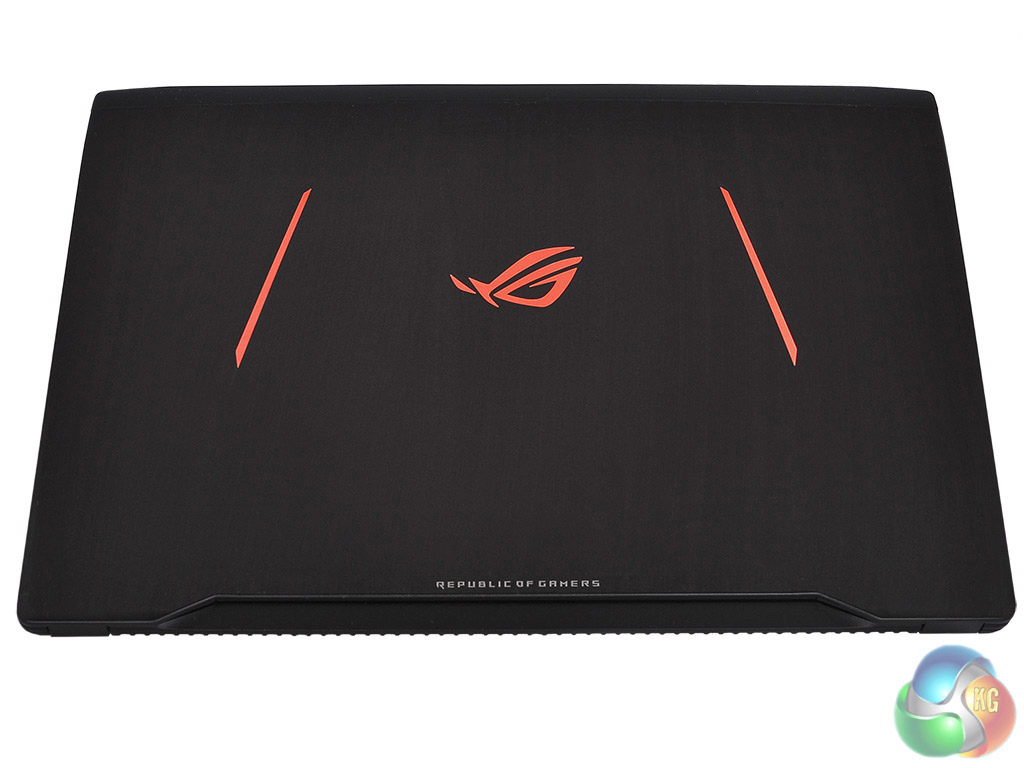
The black and day-glo orange chassis combines style with gaming bling in an attractive manner. Some areas of the orange are lit whilst others are just luminous. It’s an effective combination that says you’re serious about gaming.
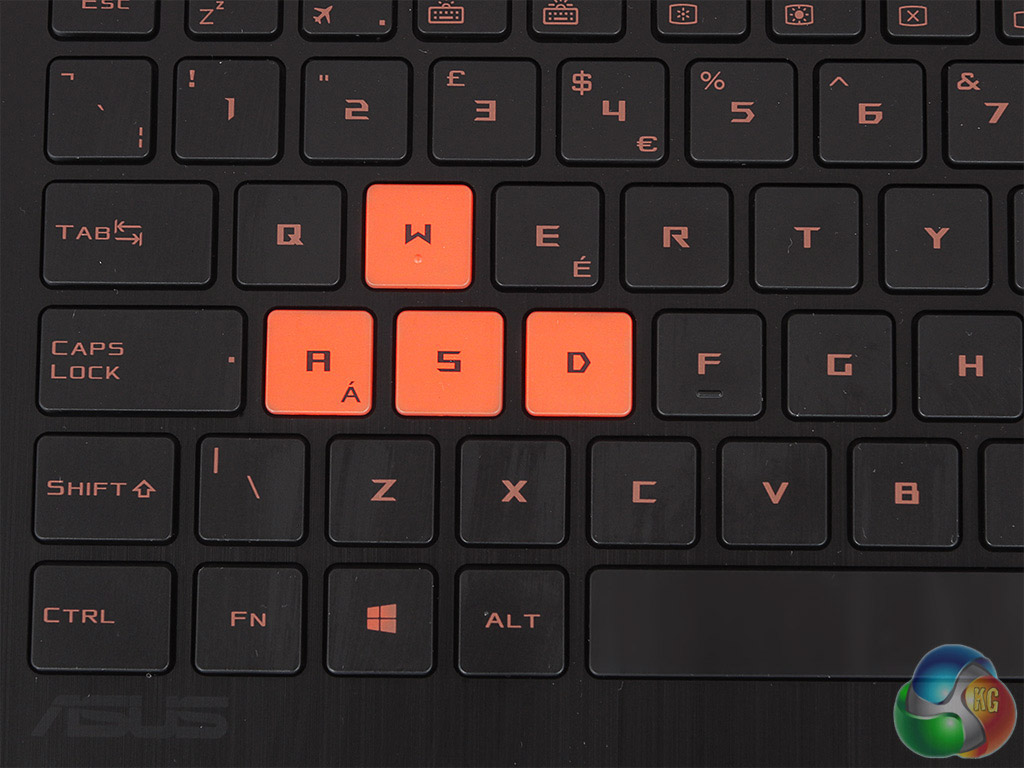
The keyboard takes advantage of the width afforded by the 17.3in form factor to provide a full numerical keypad on the right. The W-A-S-D keys are coloured orange so you’re unlikely to miss them, even in quite dim conditions.
However, the font used on the keys is a little hard to read. The subtle backlighting glows through the orange bits of the keys.
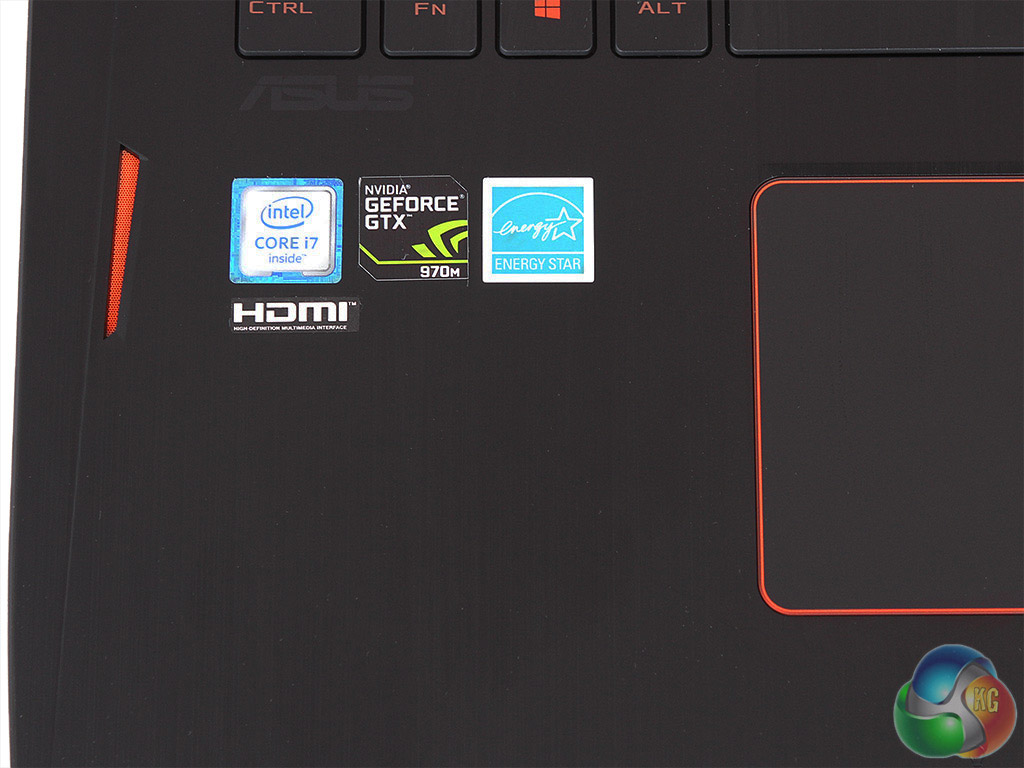
The large one-piece keypad is just about positioned beneath the space bar, which should minimise the effects of accidental brushing when typing with both hands on the keyboard.
Assuming you actually do normal stuff like typing up documents on this system.
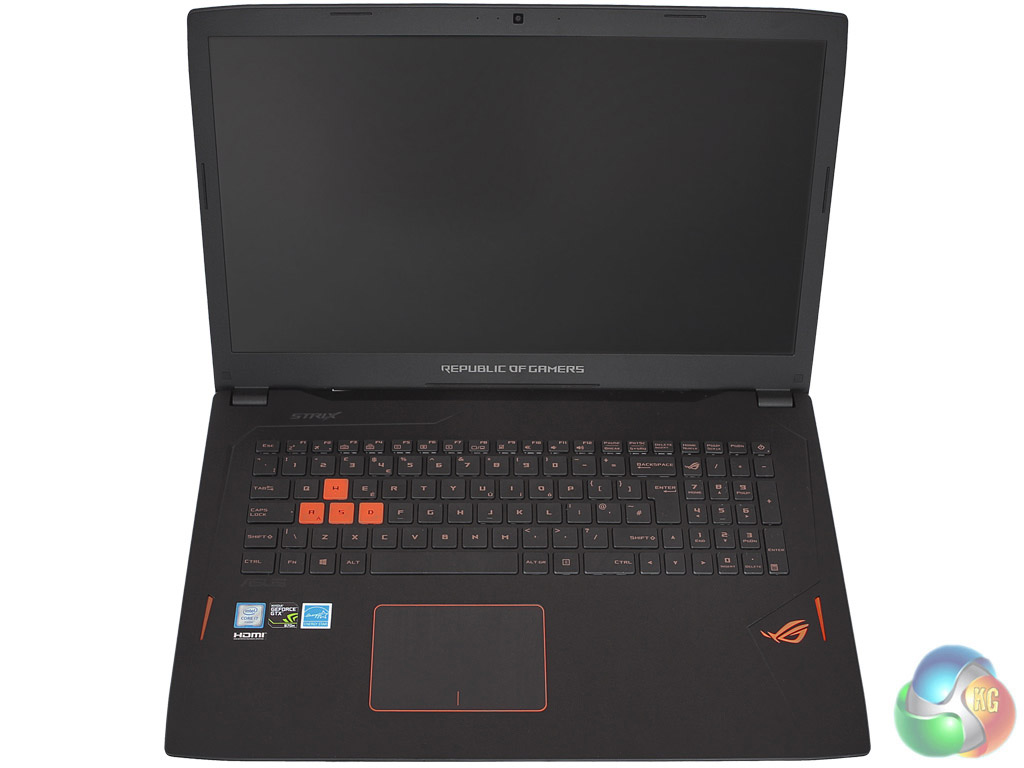
The 17.3in screen has a matte finish and decent viewing angles. The non-glossy surface means that distracting reflections are kept to a minimum. The resolution is 1,920 x 1,080, which is significantly behind the 4K screens that are being provided in some 17.3in laptops – and even smaller.
However, for the GPU supplied, this is probably the optimum resolution, and the 4K options push the price up considerably. It’s a bright and clear panel that is comfortable for gaming. It’s also worth noting that the refresh rate of this screen is 75Hz, not the usual 60Hz.
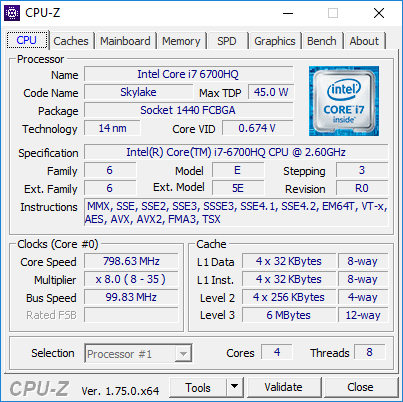
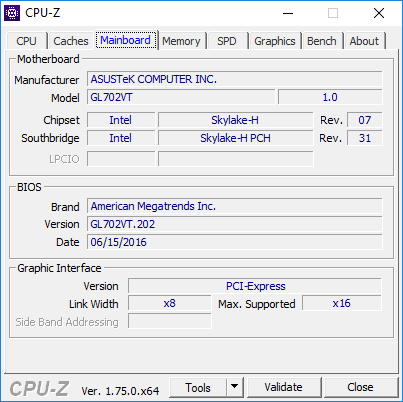
The GL702VT sports a Core i7-6700HQ processor from Intel's latest Skylake generation. This quad-core CPU runs at a nominal 2.6GHz, but with a 3.5GHz Turbo mode for a single core, 3.3GHz for two cores, and 3.1GHz for all four – so it’s essentially a 3.1GHz processor.
This is the second slowest mobile quad-core from Intel's Skylake range (the i5-6300HQ is slower), but it will still be great for gaming, and only draws a maximum 45W, so should be decent for mobility too.
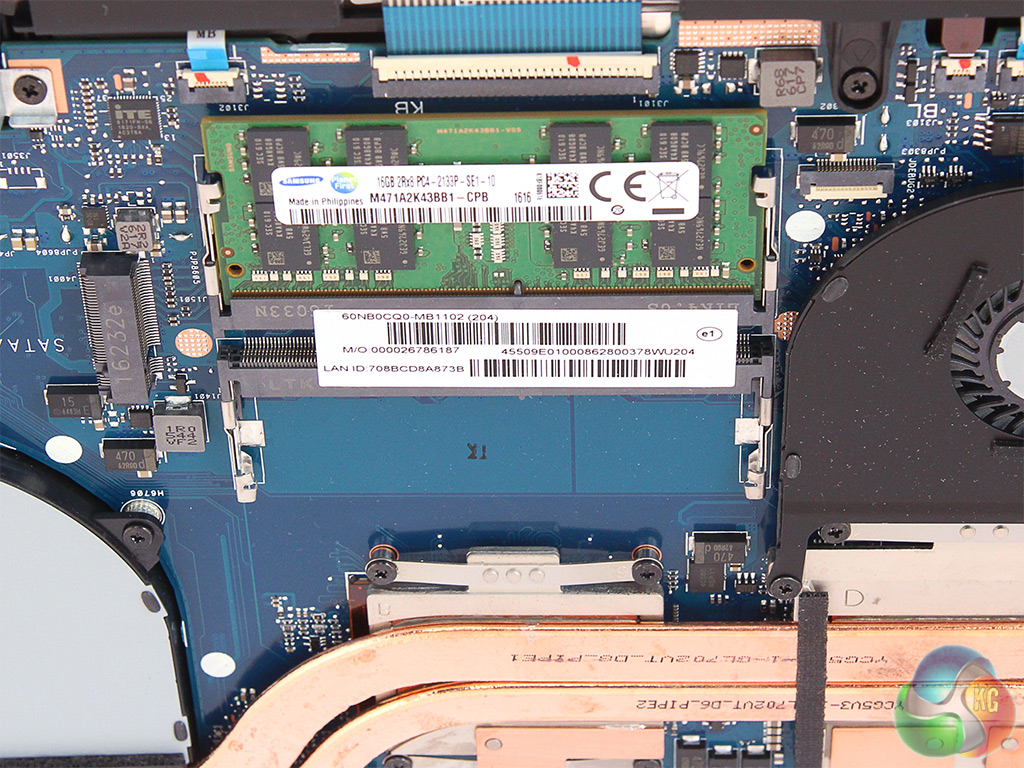
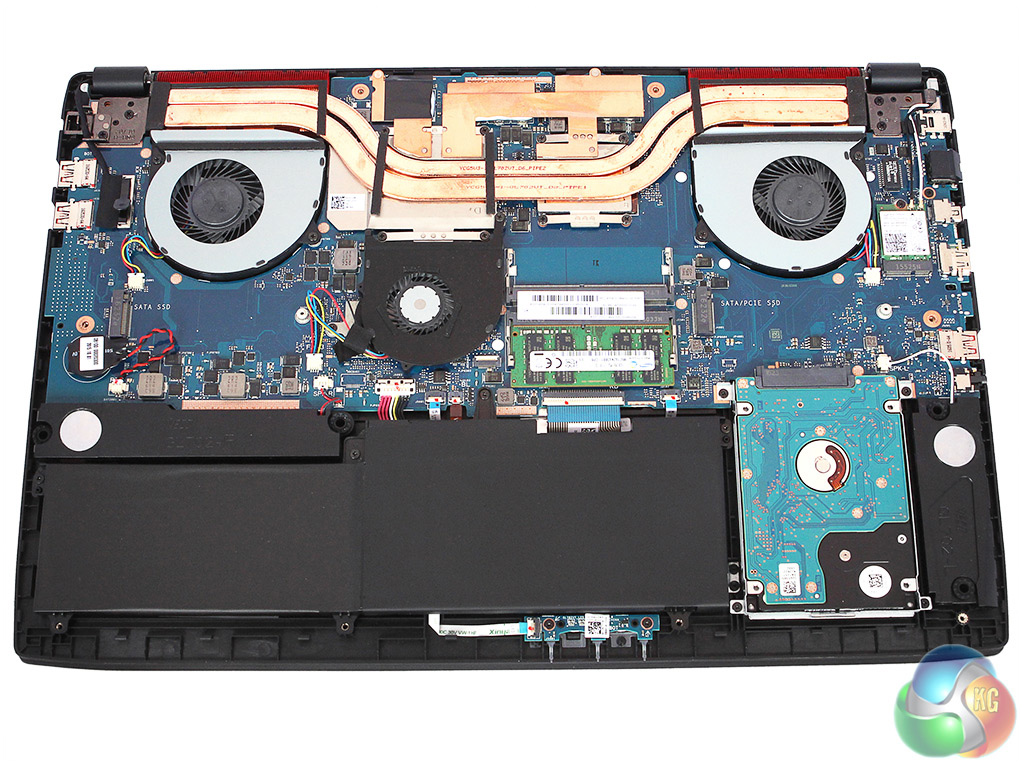
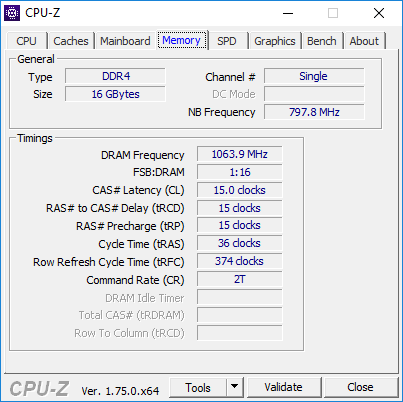
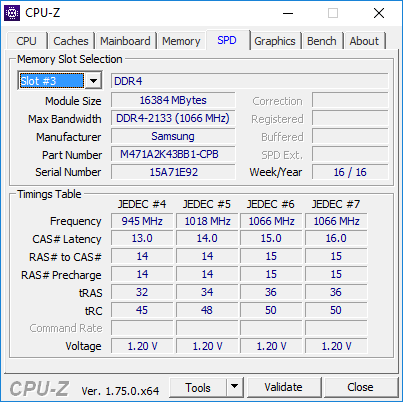
As this is a Core i7 rather than i5, there’s Hyper-Threading on board, so the 6700HQ can run eight threads simultaneously. Our sample shipped with 16GB of 2133MHz DDR4 SDRAM, supplied as a single 16GB DIMM. This is a slightly unusual choice, as it means the RAM will only be operating in single-channel mode.
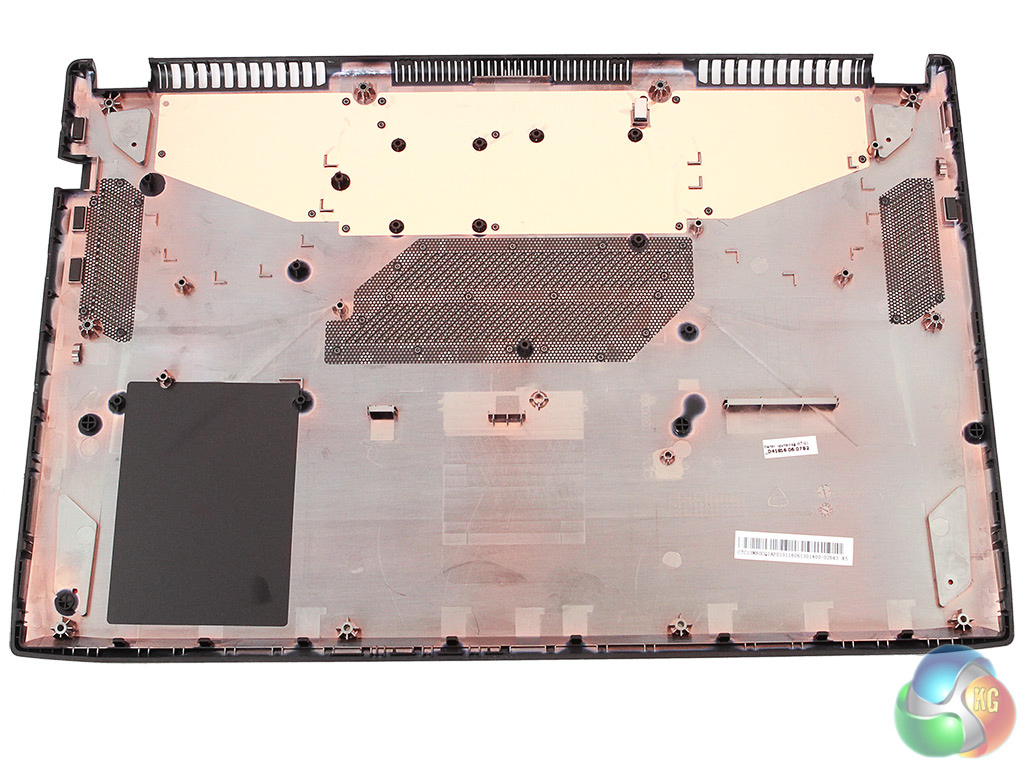
However, at least there’s room for upgrade, with a single slot free, although it's not that easy to get the single-piece base off of the chassis. Ten screws must be removed, followed by very careful leverage of the gap between the base and upper chassis.
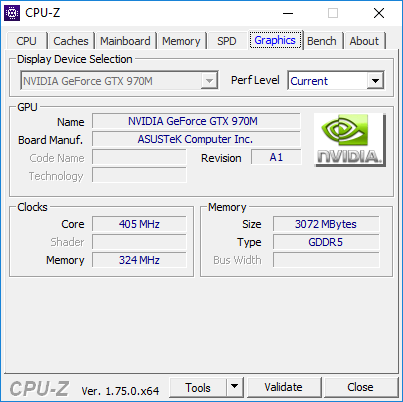
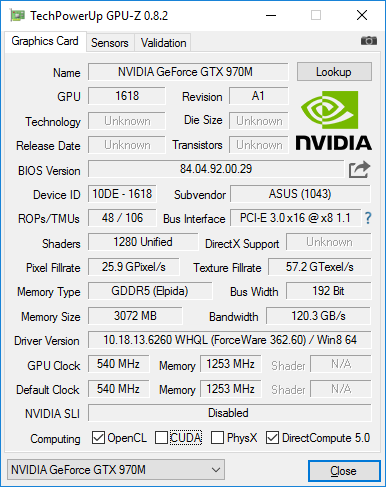
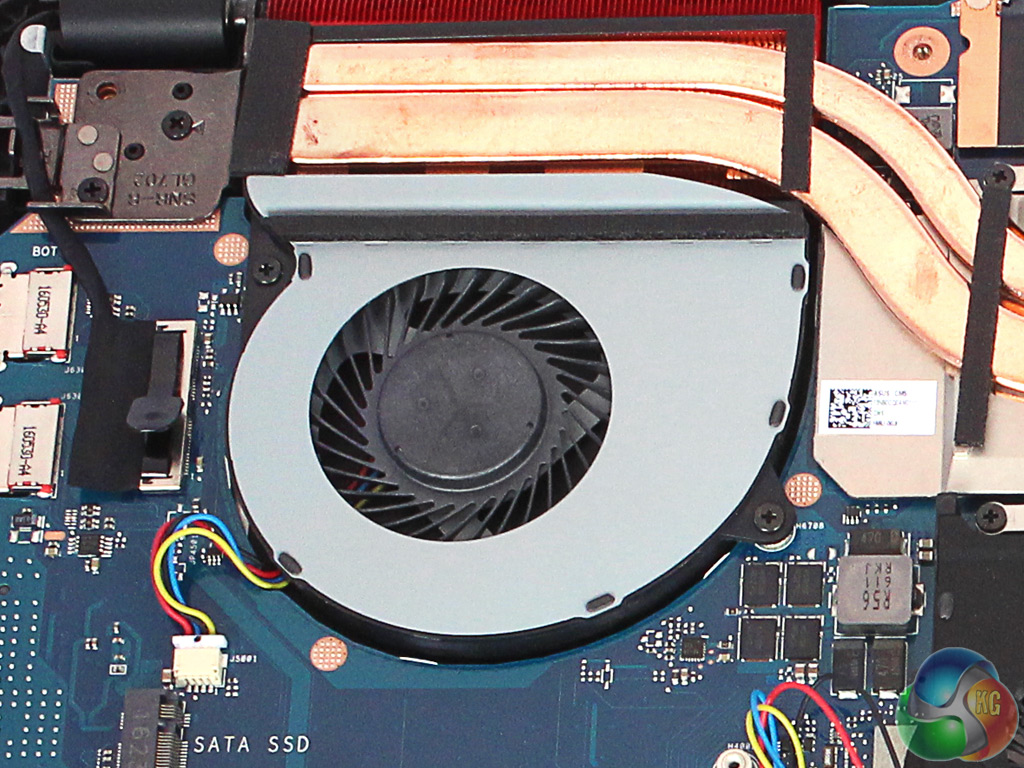
NVIDIA’s Pascal generation had yet to make it into mobile form at the time of review, so the NVIDIA GTX970M graphics still represents a high-end choice for notebook graphics.
The Core i7 processor also supplies Intel HD Graphics 530, running at 1050MHz, which NVIDIA's Optimus technology can switch to when the graphics tasks are not strenuous, to save power. However, when gaming the GTX970M will take over completely.
There are faster NVIDIA GeForce mobile chips available, with a 980M and mobile version of 980 also on the market. But the 970M still offers a very decent 1,280 CUDA cores running at 924MHz, with a 993MHz boost mode.
This is backed by 3GB of 5,000MHz GDDR5 memory, although the memory path is just 192-bit. The top 980 options use 256-bit, so have higher bandwidth. This is a recent GPU with DirectX 12 support, too.
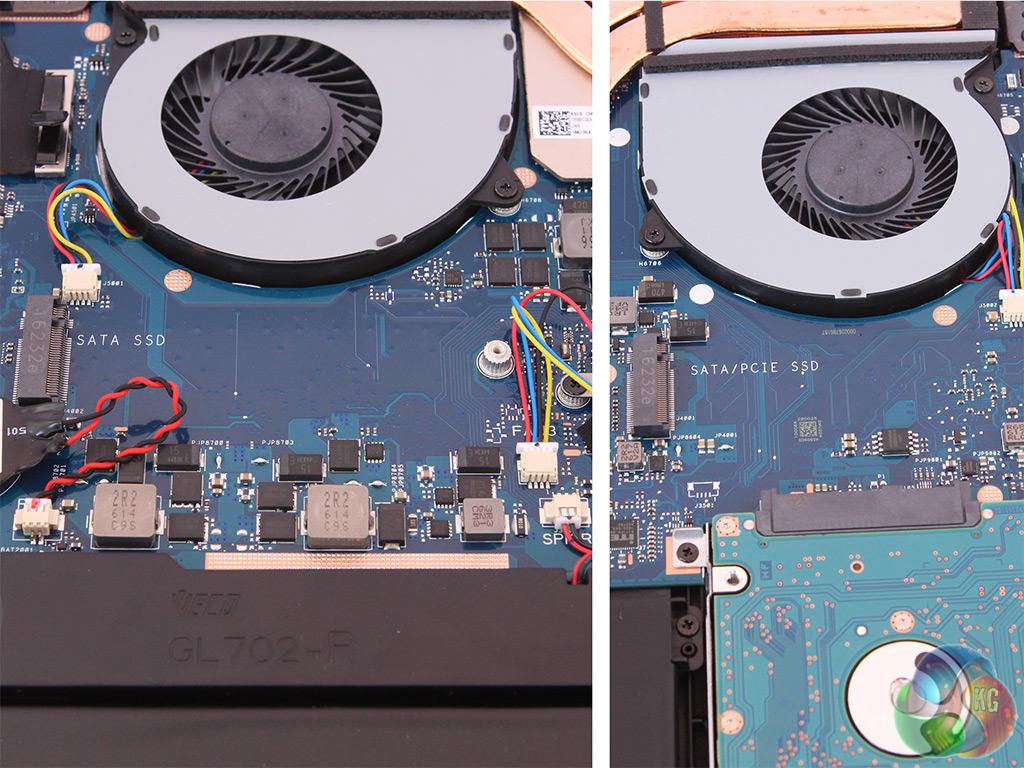
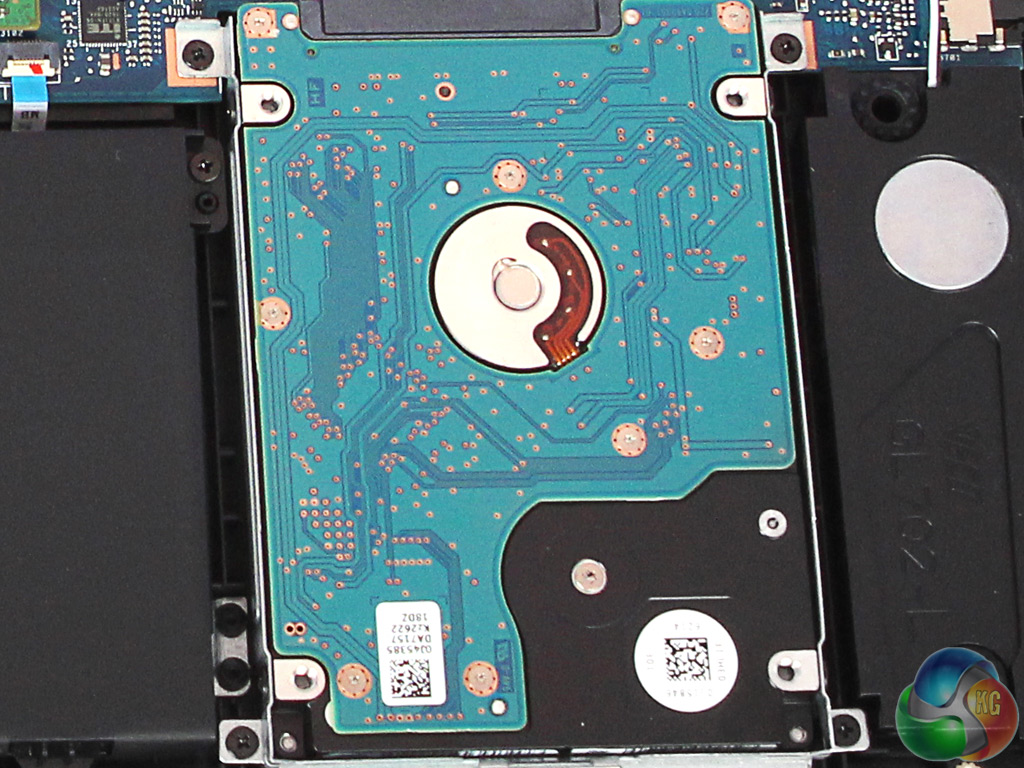
One area where ASUS has cut costs with this model is in the storage department. There’s no SSD for rapid booting and app loading.
However, you won’t be left wanting for capacity, as the conventional hard disk supplied is a 1TB Hitachi Travelstar 7K1000, which has a 7,200rpm rotational speed and should still be reasonably quick for a notebook mechanical storage device.
There are two M2 slots free on the chassis if you did want to use a SSD, one SATA only, the other SATA or PCI Express.
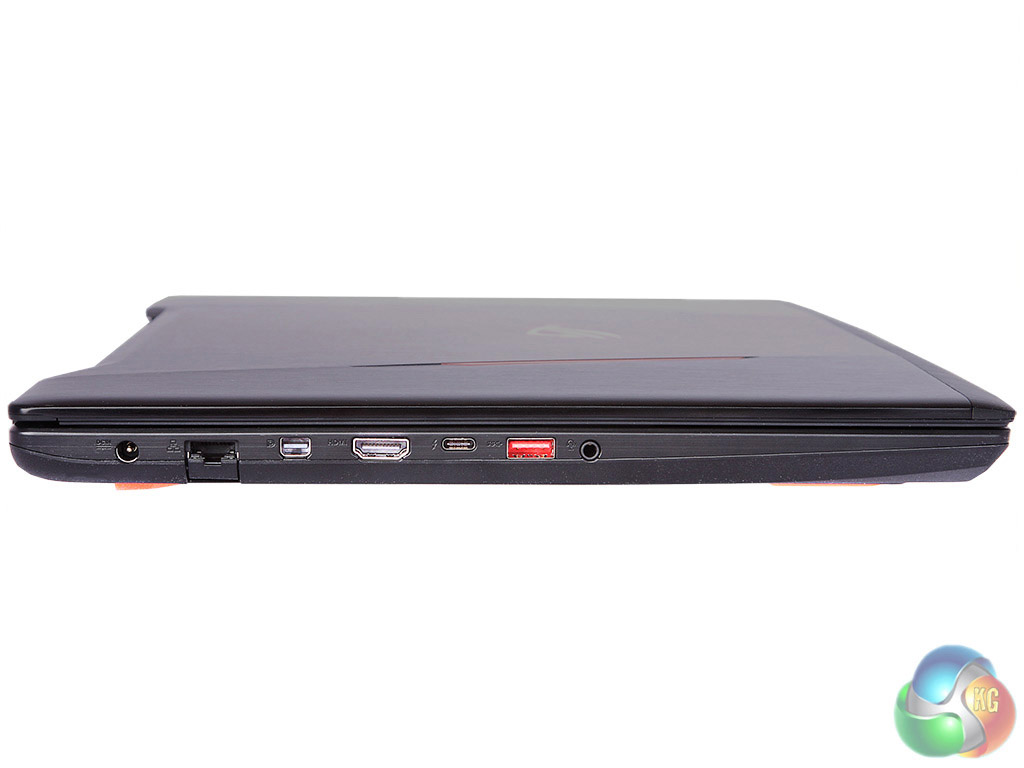
Connectivity is decent, with plenty of space for ports in a 17in form factor chassis. On the left, alongside the power connector, is a Gigabit Ethernet port, mini DisplayPort, full-sized HDMI, USB 3.1 Type C, conventional USB 3.0 and a combo headphone and microphone minijack.
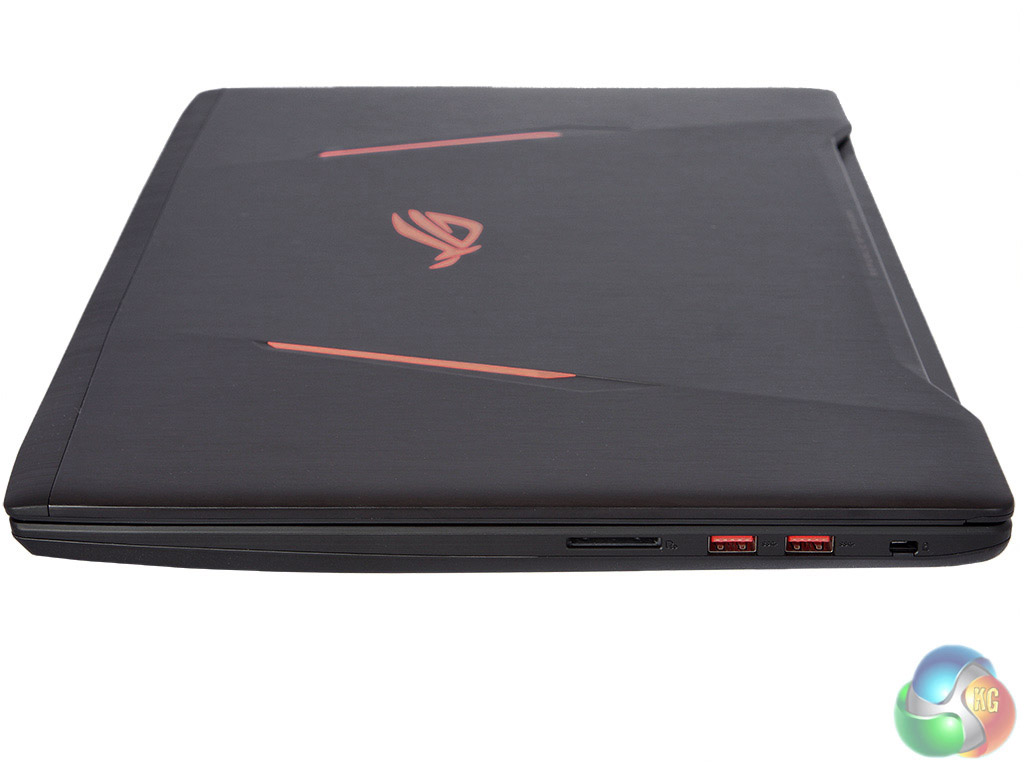
The right provides a Kensington lock slot, two more USB 3.0, and a full-sized SD Card reader. So overall there are plenty of options for hooking up external peripherals and extra monitors.
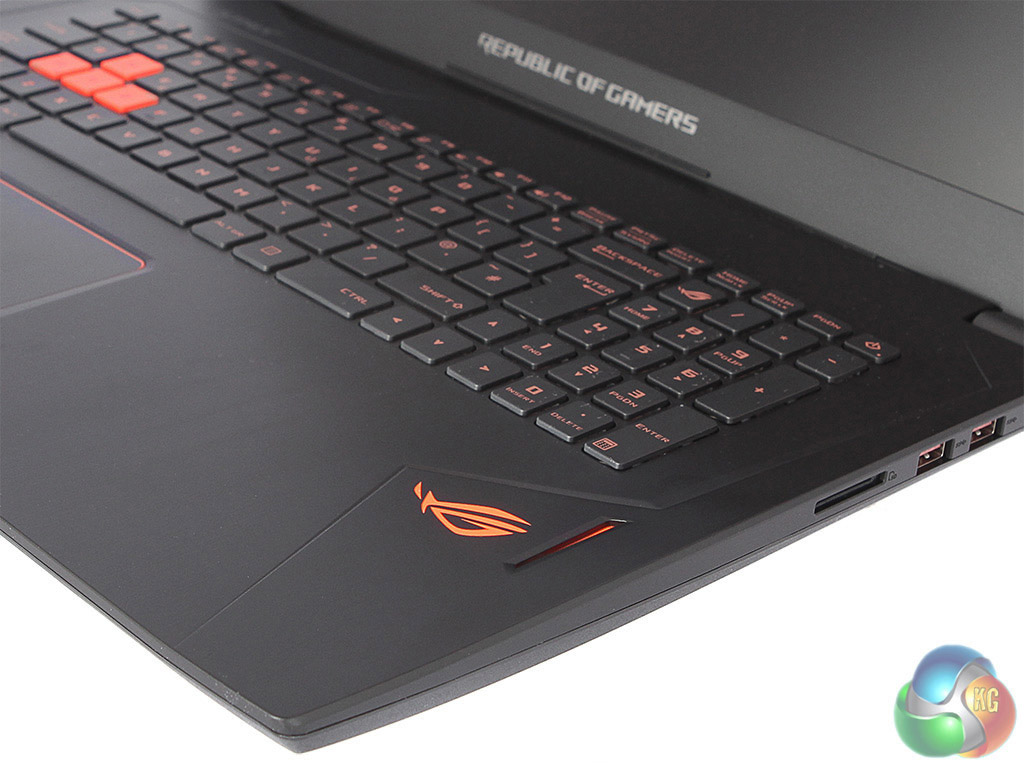
The orange speaker grilles allow through a reasonable level of sound volume for a notebook, although you will probably be gaming with a headset anyway.
The ASUS ROG Strix GL702VT is running Windows 10. We will be testing it against a selection of notebooks we have recently reviewed, the MSI GS40 6QE Phantom, the Asus ROG G750JZ and the MSI GT72 2QE Dominator Pro G. These are the specifications of the comparison systems:
MSI GS40 6QE Phantom specification:
- 2.6GHz Intel Core i7-6700HQ
- 16GB 2133MHz DDR4 Memory
- 3GB NVIDIA GTX970M Graphics
- 14.1in Full HD IPS + True Color TFT
- 256GB Samsung SM951 NVMe SSD
- 1TB Hitachi Deskstar 7K1000 7,200rpm HDD
- Red backlit keyboard
- ESS SABRE HiFi Hi-Res Audio DAC
- Killer Double Shot Pro with Killer Shield Networking
- 345 x 245 x 21.8-22.8mm (WxDxH)
- 1.6kg
- Windows 10 64 bit
Asus ROG G750JZ-T4110H specification:
- OS: Windows 8.1
- CPU: Core i7 4860HQ (2.4GHz – 3.6GHz)
- Display: 17.3″ FHD, LED Backlit, Non-Glare (1920×1080)
- Memory: 24GB (3x8GB) DDR3L 1600MHz
- Graphics Chipset: 8GB NVIDIA GeForce GTX 880M
- Storage: 1 x SanDisk X110 256GB SSD + 1.5TB 5400RPM HDD (HTS541515A9E630)
- Wireless: Killer Wireless-N 1202
- Bluetooth: V4.0
- Webcam: HD Camera
- Security: Kensington Lock
- Battery: 8-Cell Li-Polymer (5900mAh, 88Wh)
- Dimension: 410 x 318 x 17-58 mm (WxDxH) (w/ 8cell battery)
- Weight: 4.8kg (w/ 8 cell battery)
MSI GT72 2QE Dominator Pro G specification:
- Windows 8.1
- Latest 5th Gen. Intel® Core™ i7-5700HQ processor
- 17“ Full HD (1920X1080) , Anti-glare PLS, G-SYNC ready
- The latest USB 3.1 SuperSpeed+ interface built in
- Nahimic Sound Technology with immersive 3D sound processing
- Embedded NVIDIA® GeForce GTX 980M with ultra performance
- Exclusive SHIFT technology for system’s performance and balance
- Exclusive Cooler Boost 3 Technology
- Killer Double Shot Pro (Killer Gb LAN + Killer 802.11 a/c WiFi) with Smart Teaming
- Audio Boost 2 with 3 independent amp for best sound experience
- Evolution of Sound by Dynaudio 2.1 sound system
- SteelSeries Engine to personalize your own style
- XsplitGamcaster for broadcasting, recording and sharing
- Keyboard by Steelseries with full color LED back light
- Matrix display support up to 4 displays
Tests:
Futuremark 3DMark 1.5.915 – Fire Strike 1.1
Maxon Cinebench R15 – All-core CPU and OpenGL graphics benchmark
Futuremark PC Mark 8 – General system performance with productivity applications, plus battery testing
SiSoft Sandra 2014 SP2 – Processor arithmetic, memory bandwidth
Crystal DiskMark 5.0.2 – storage transfer rates
Tomb Raider – 1920 x 1080, ultimate quality
Grand Theft Auto V – 1920 x 1080, high quality
3DMark is an essential tool used by millions of gamers, hundreds of hardware review sites and many of the world’s leading manufacturers to measure PC gaming performance. Futuremark say “Use it to test your PC’s limits and measure the impact of overclocking and tweaking your system. Search our massive results database and see how your PC compares or just admire the graphics and wonder why all PC games don’t look this good. To get more out of your PC, put 3DMark in your PC.”
We used 3DMark's ‘Fire Strike' benchmark, which is designed to test the performance of gaming systems. We opted for the Normal setting, NOT the Extreme mode.
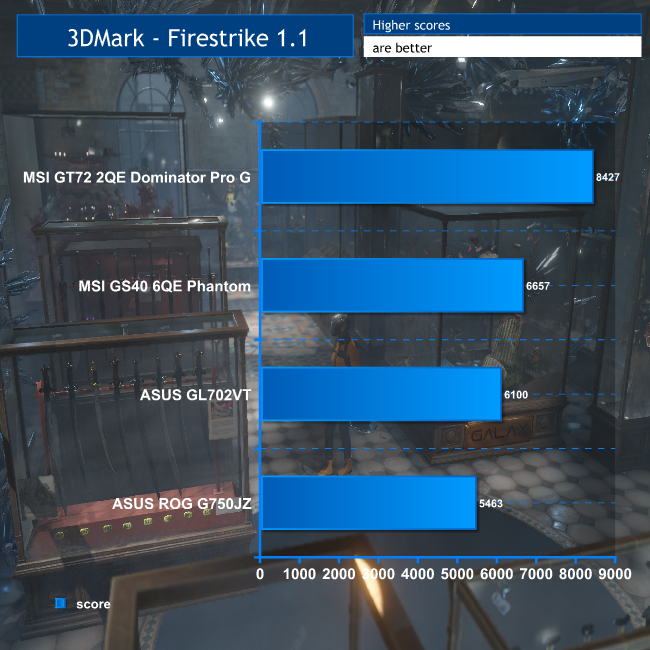
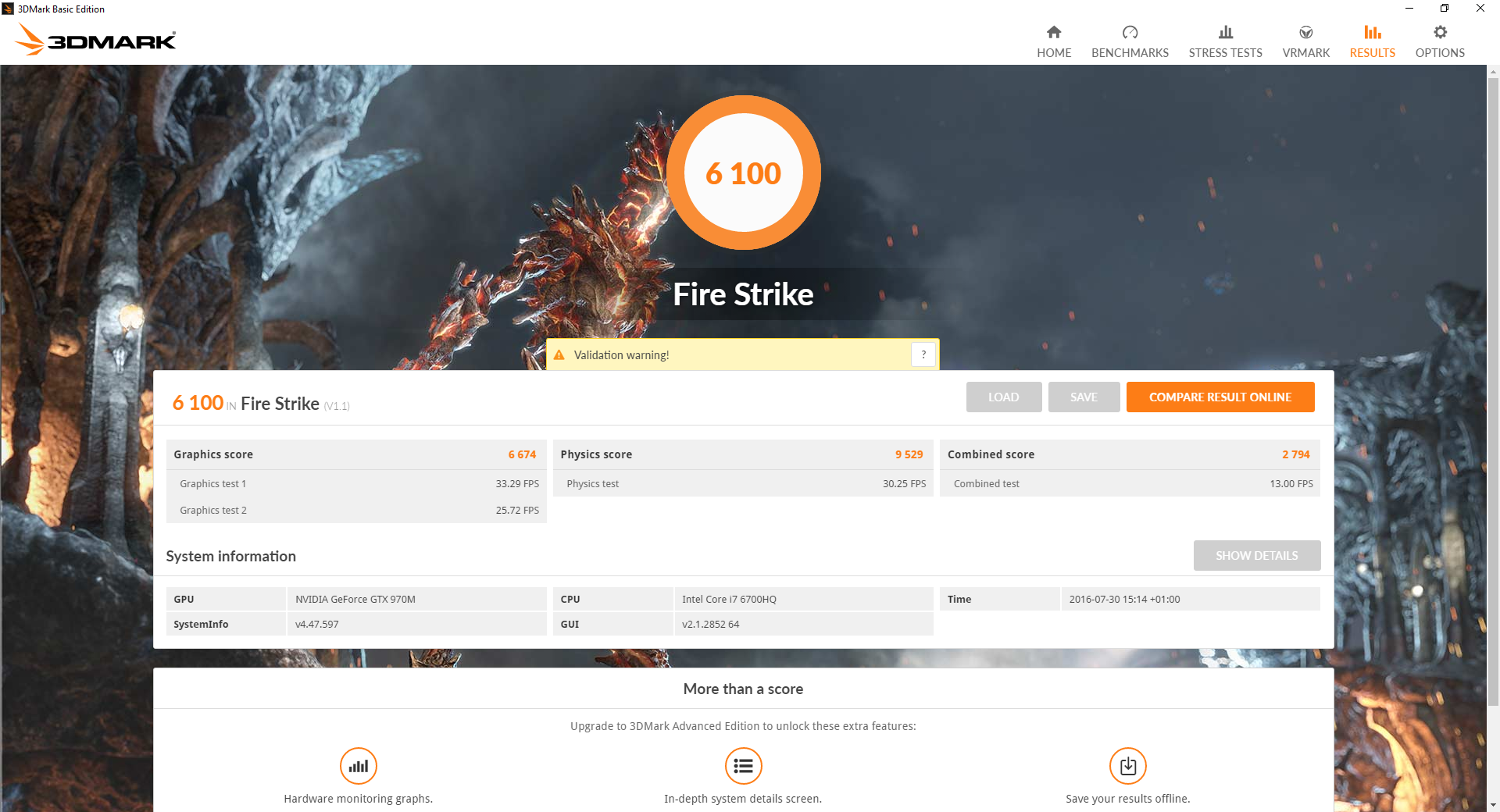
The overall score of 6,100 is very respectable. It's ahead of the Asus ROG G750JZ with its GTX 880M, although the MSI GT72 2QE Dominator Pro G is way out in front, thanks to its GTX980M graphics. The slight worry is that the MSI GS40 has the same graphics and processor, but is 9 per cent faster. The next benchmark might have an explanation.
SiSoftware Sandra (the System ANalyser, Diagnostic and Reporting Assistant) is an information & diagnostic utility. It should provide most of the information (including undocumented) you need to know about your hardware, software and other devices whether hardware or software.
Sandra is a (girls’) name of Greek origin that means “defender”, “helper of mankind”. We think that’s quite fitting.
It works along the lines of other Windows utilities, however it tries to go beyond them and show you more of what’s really going on. Giving the user the ability to draw comparisons at both a high and low-level. You can get information about the CPU, chipset, video adapter, ports, printers, sound card, memory, network, Windows internals, AGP, PCI, PCI-X, PCIe (PCI Express), database, USB, USB2, 1394/Firewire, etc.
Native ports for all major operating systems are available:
- Windows XP, 2003/R2, Vista, 7, 2008/R2 (x86)
- Windows XP, 2003/R2, Vista, 7, 2008/R2 (x64)
- Windows 2003/R2, 2008/R2* (IA64)
- Windows Mobile 5.x (ARM CE 5.01)
- Windows Mobile 6.x (ARM CE 5.02)
All major technologies are supported and taken advantage of:
- SMP – Multi-Processor
- MC – Multi-Core
- SMT/HT – Hyper-Threading
- MMX, SSE, SSE2, SSE3, SSSE3, SSE 4.1, SSE 4.2, AVX, FMA – Multi-Media instructions
- GPGPU, DirectX, OpenGL – Graphics
- NUMA – Non-Uniform Memory Access
- AMD64/EM64T/x64 – 64-bit extensions to x86
- IA64 – Intel* Itanium 64-bit
Sandra Processor Arithmetic
Sandra Memory Bandwidth
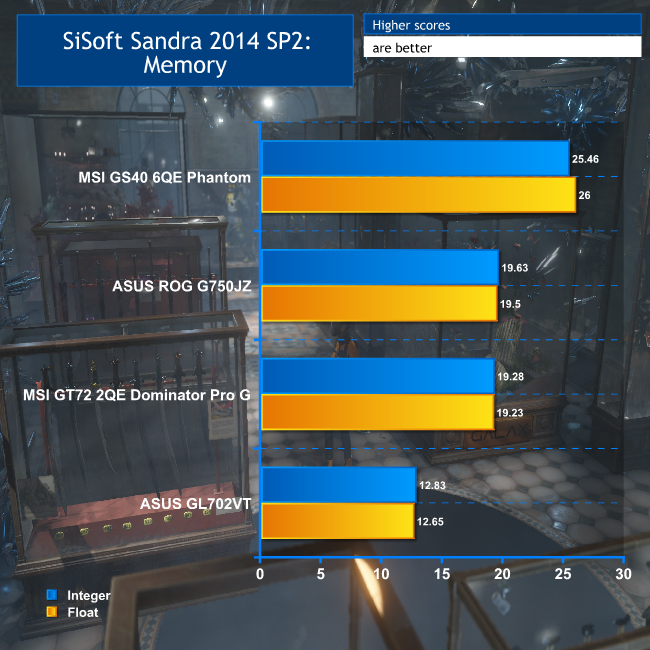
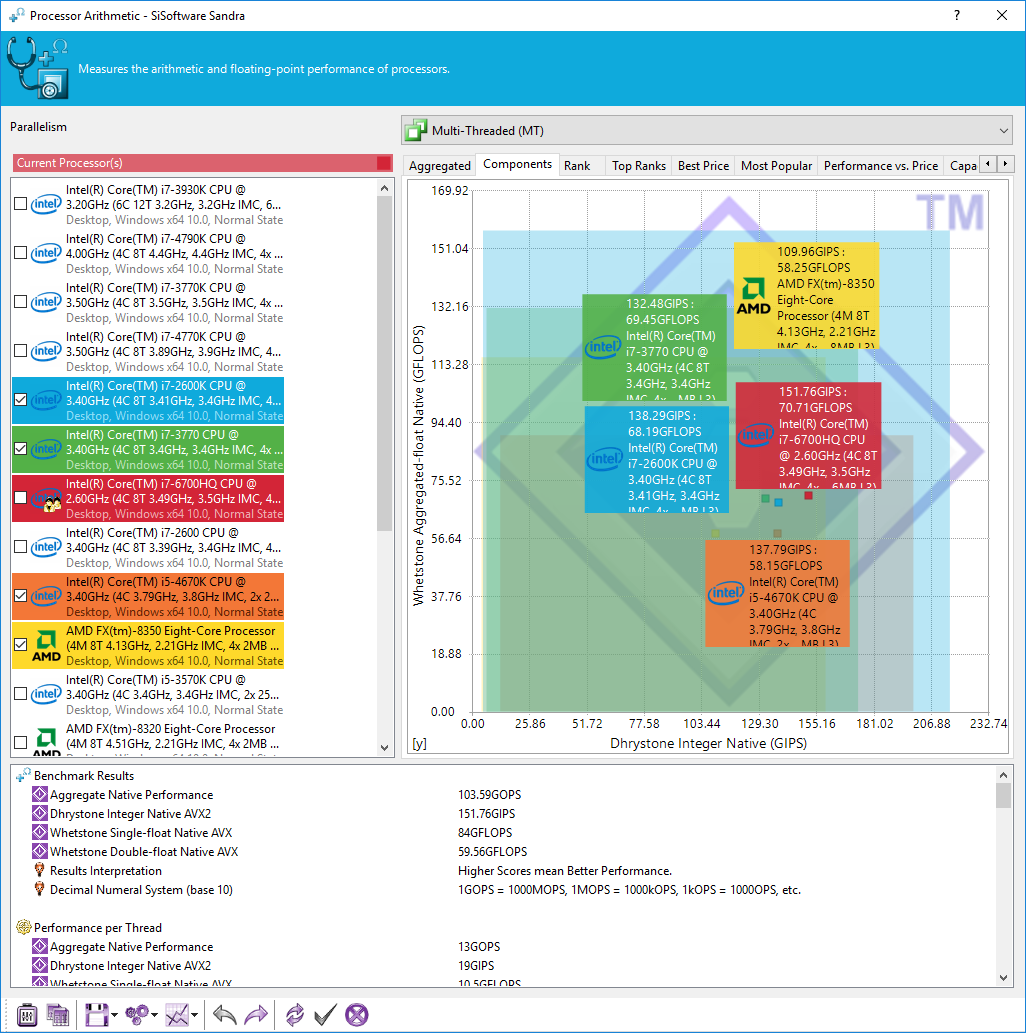
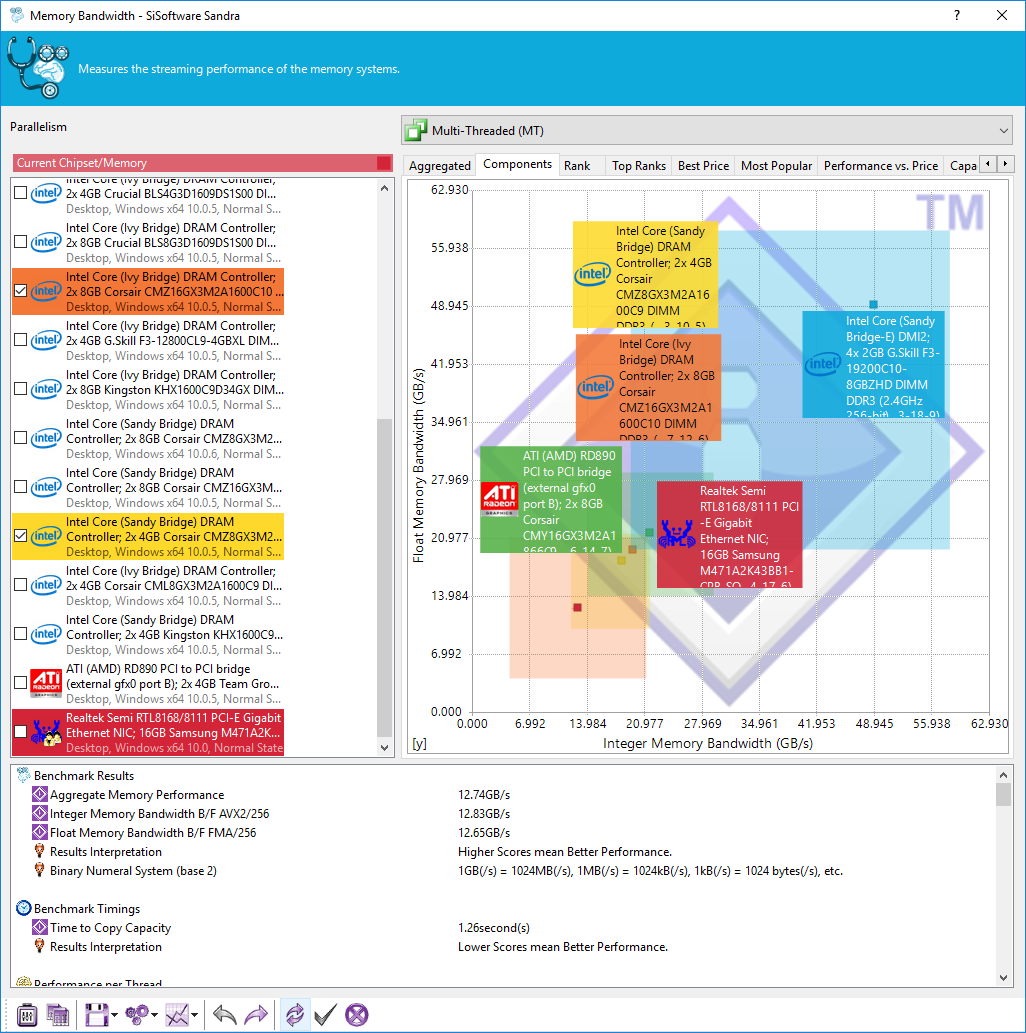
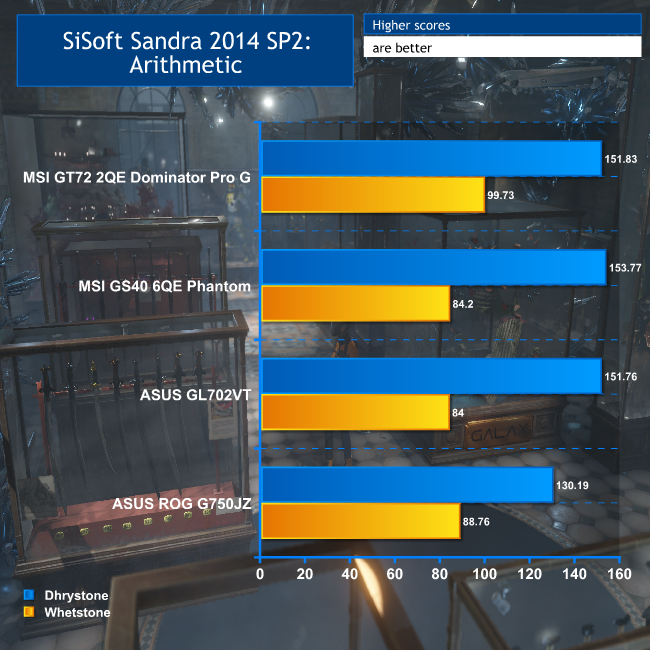
As expected, the GL702VT's arithmetic performance is virtually identical to the MSI GS40's – they have the same CPU, after all. But the memory bandwidth perhaps explains the reduced 3DMark performance.
Thanks to having just one memory DIMM, the GL702VT is reduced to single-channel memory performance, and its bandwidth is clearly almost exactly half that of the MSI notebook, despite using the same 2,133MHz memory and having the same 16GB quantity.
CINEBENCH 15 is a cross-platform testing suite that measures hardware performance and is the de facto standard benchmarking tool for leading companies and trade journals for conducting real-world hardware performance tests. With the new Release 15, systems with up to 256 threads can be tested. CINEBENCH is available for both Windows and OS X and is used by almost all hardware manufacturers and trade journals for comparing CPUs and graphics cards.
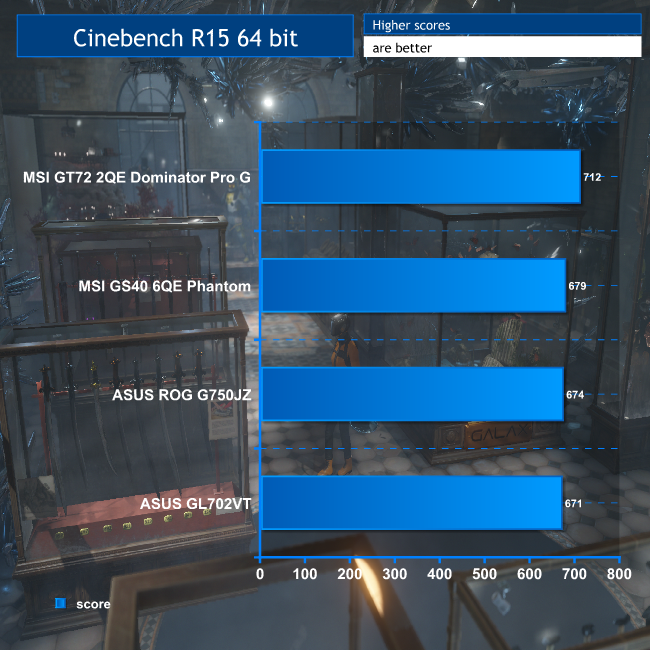
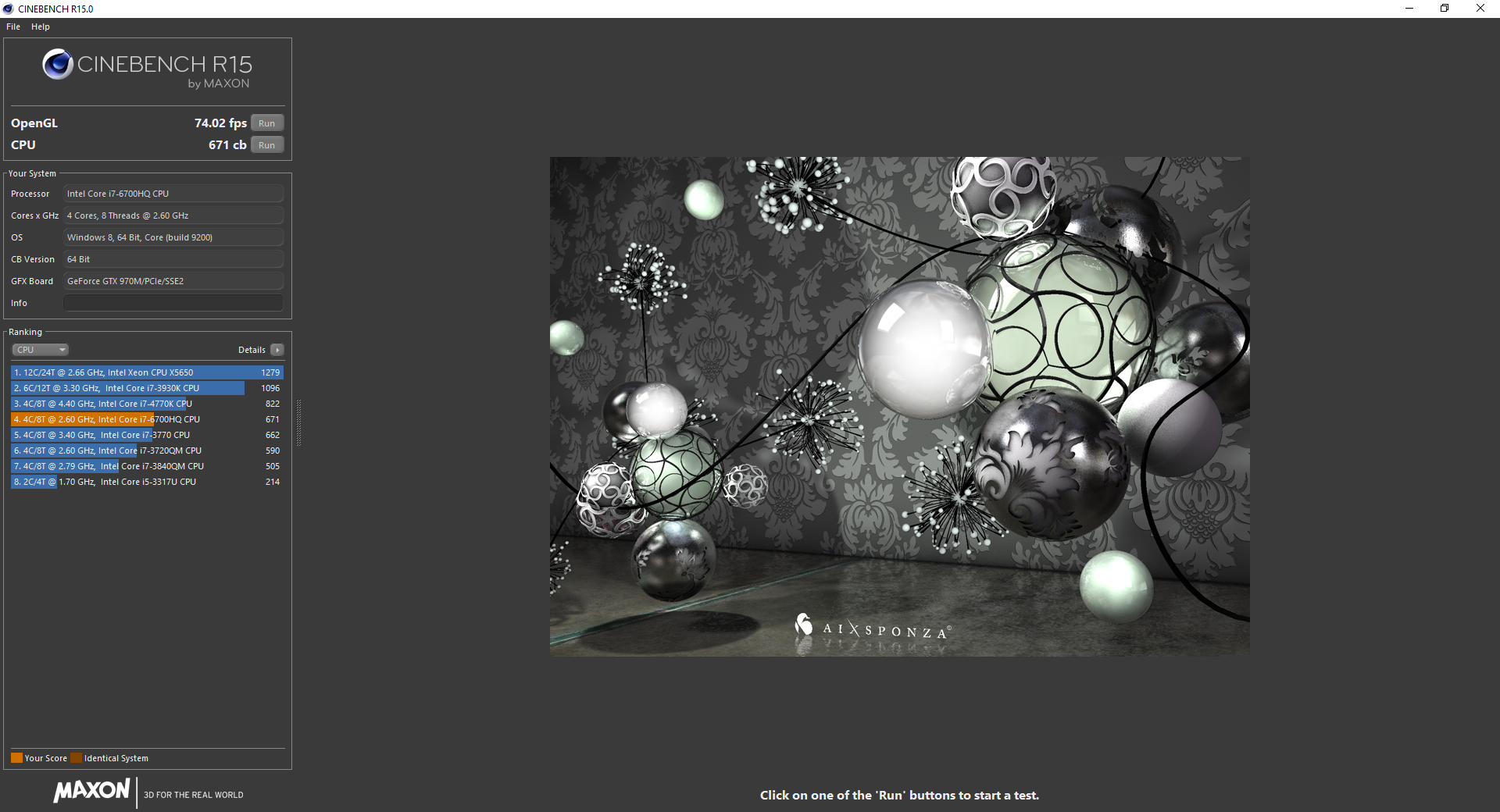
We used the ‘CPU' test built into Cinebench R15. There isn't much difference between the four systems, although the MSI GT72 2QE Dominator Pro G's Broadwell processor has the slight edge. The other three systems are exhibiting very similar raw rendering grunt.
PCMark 8 is the latest version in our series of popular PC benchmarking tools. It is designed to test the performance of all types of PC, from tablets to desktops. With five separate benchmark tests plus battery life testing, PCMark 8 helps you find the devices that offer the perfect combination of efficiency and performance. PCMark 8 is the complete PC benchmark for home and business.

The GL702VT did particularly well with PC Mark 8 Home, showing that it will perform admirably as an everyday workhorse, when you're not playing games.
Tomb Raider received much acclaim from critics, who praised the graphics, the gameplay and Camilla Luddington’s performance as Lara with many critics agreeing that the game is a solid and much needed reboot of the franchise. Much criticism went to the addition of the multiplayer which many felt was unnecessary. Tomb Raider went on to sell one million copies in forty-eight hours of its release, and has sold 3.4 million copies worldwide so far. (Wikipedia).
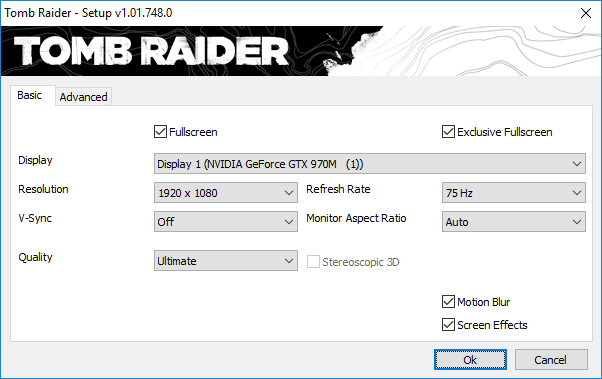
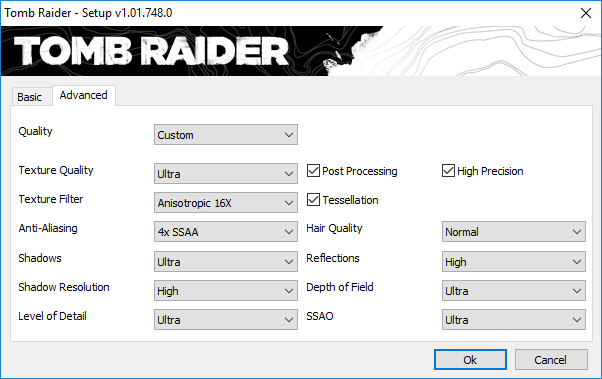
We used a 1920 x 1080 resolution and the Tomb Raider built-in benchmark set to ‘Ultimate' quality, but without TressFX.
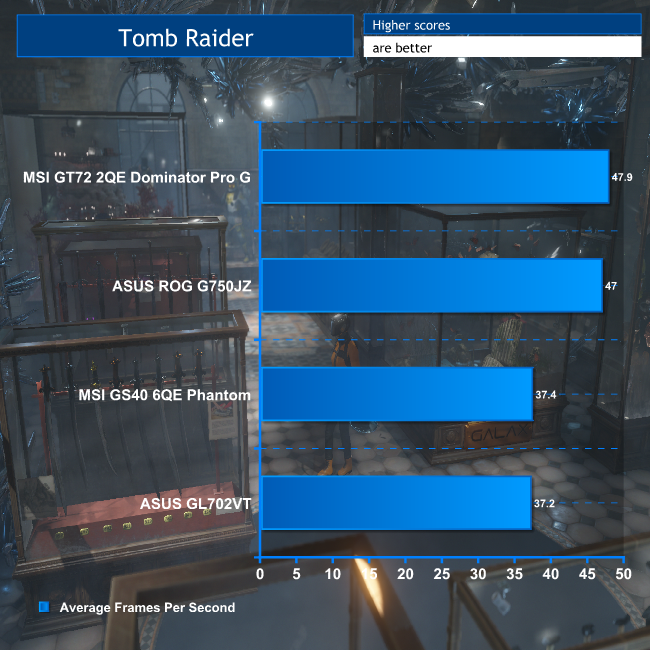
The ASUS GL702VT is providing almost identical Tomb Raider performance to the MSI GS40, which is no surprise given they have the same graphics. The score is behind the MSI GT72 2QE Dominator Pro G. The latter's GTX980M has a greater number of CUDA cores, running at a faster core clock, and 8GB of GDDR5 with a wider memory bus.
The Asus ROG G750JZ also has the benefit of 8GB of GDDR5. But the GL702VT is still providing very playable performance, with a frame rate never falling below 25fps.
Grand Theft Auto V is an action-adventure game played from either a first-person or third-person view. Players complete missions—linear scenarios with set objectives—to progress through the story. Outside of missions, players may freely roam the open world. Composed of the San Andreas open countryside area and the fictional city of Los Santos, the world is much larger in area than earlier entries in the series. It may be fully explored after the game’s beginning without restriction, although story progress unlocks more gameplay content.
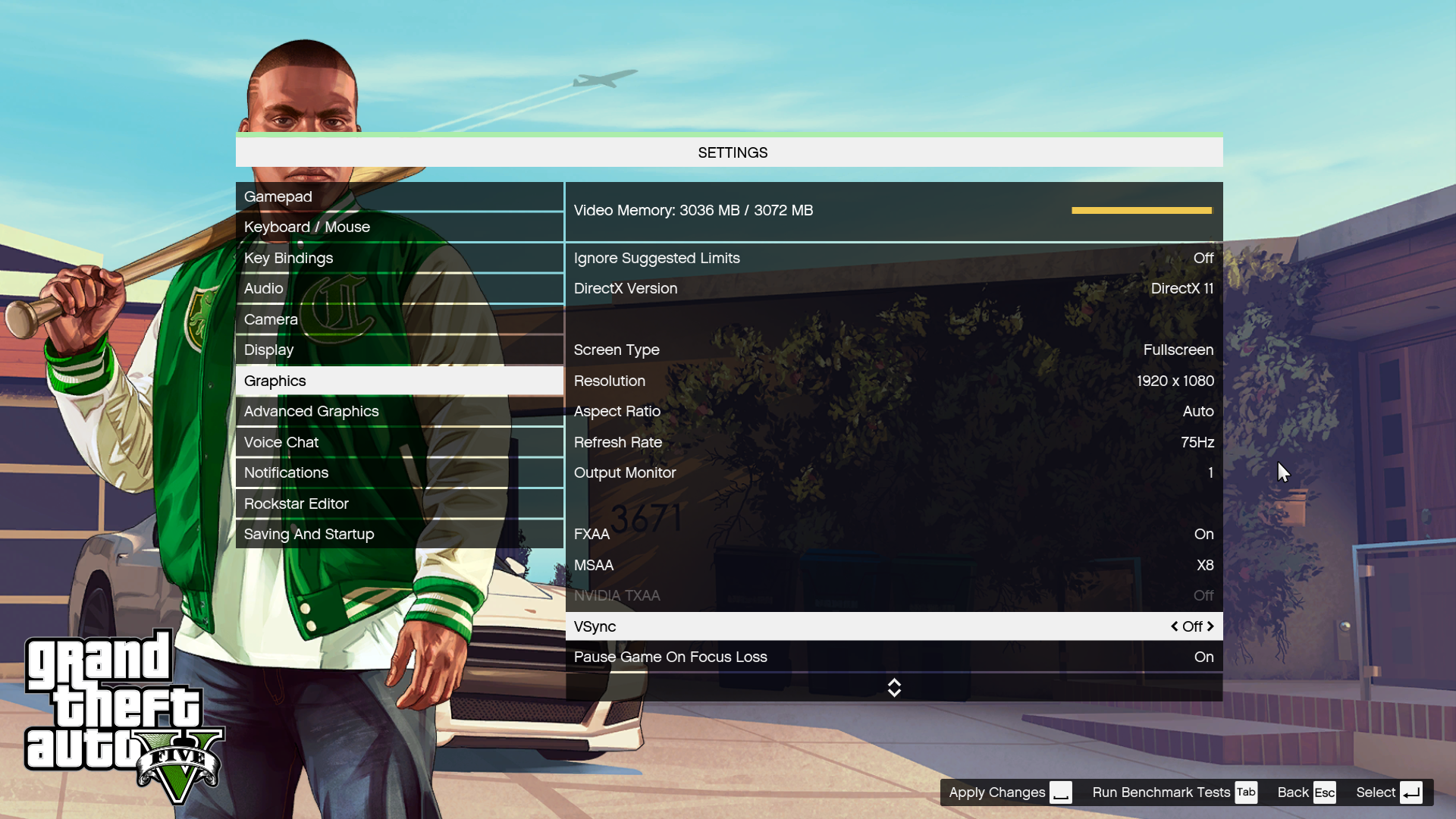
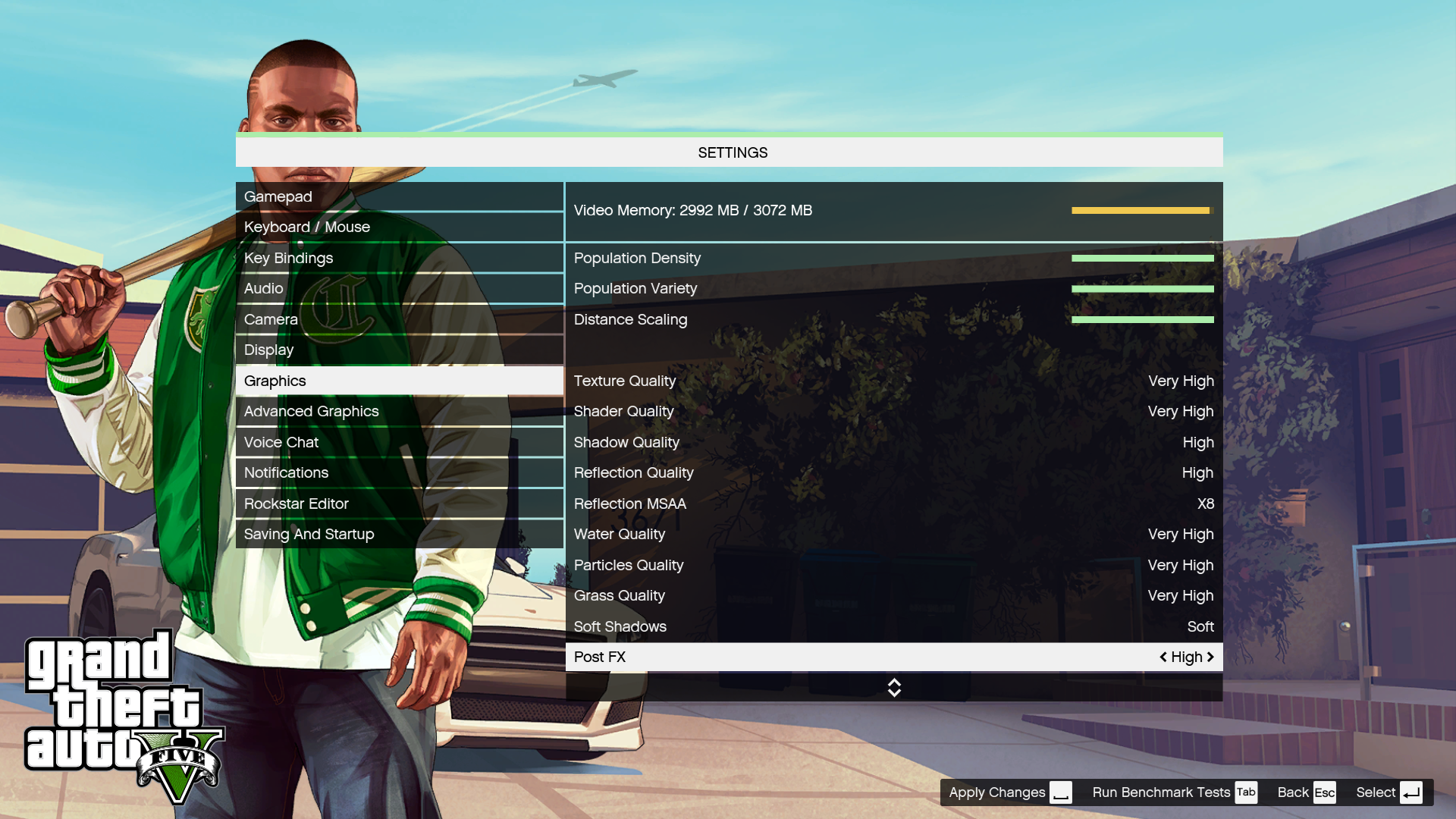
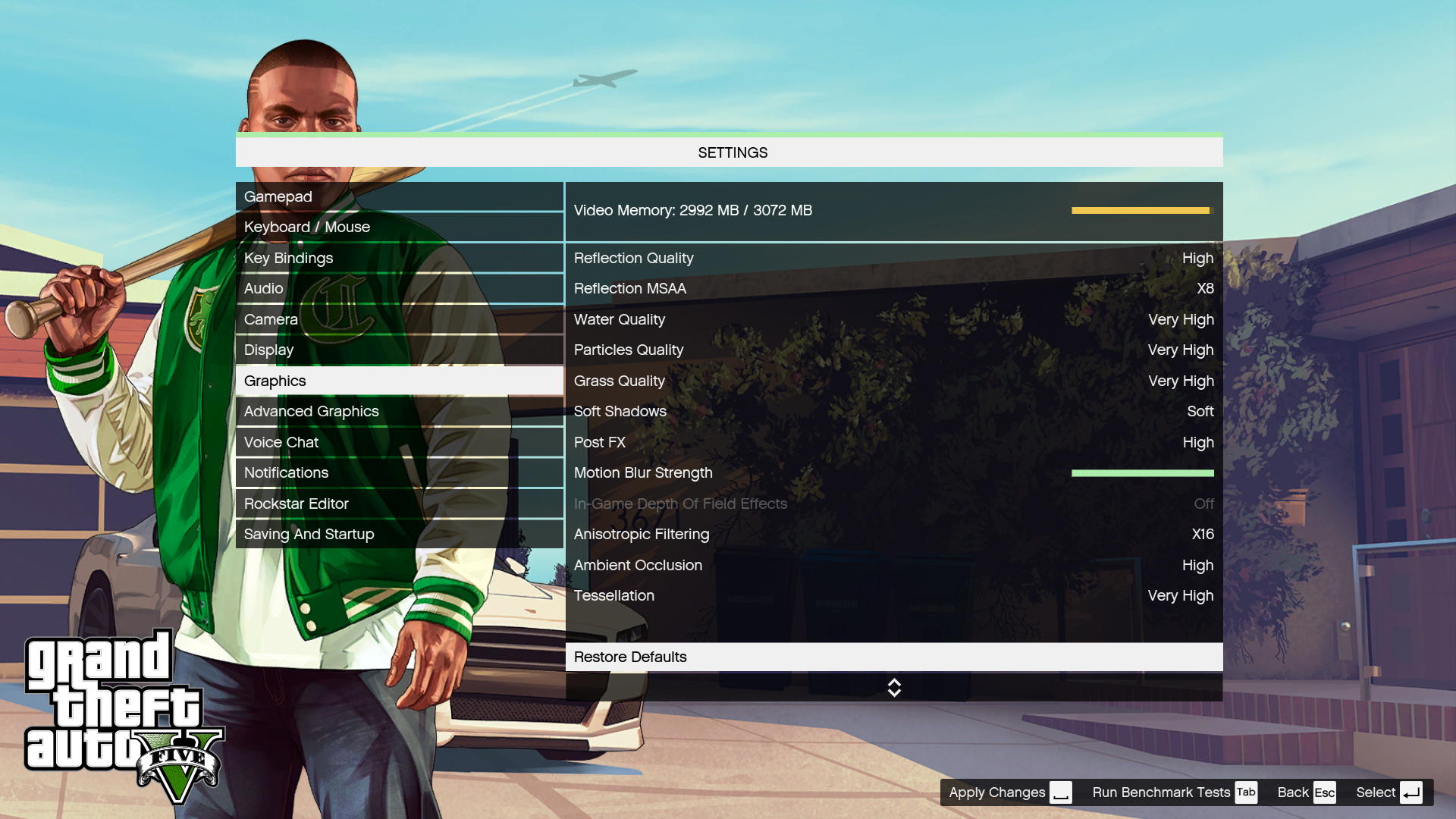
We used a 1920 x 1080 resolution and the Grand Theft Auto V built-in benchmark set to maximum possible quality settings to offer an intense challenge for the gaming hardware while also making playable frame rates a possibility. However, the GTX970M's 3GB of memory meant we couldn't set absolutely every setting to Very High, and had to leave a couple of them on merely High.
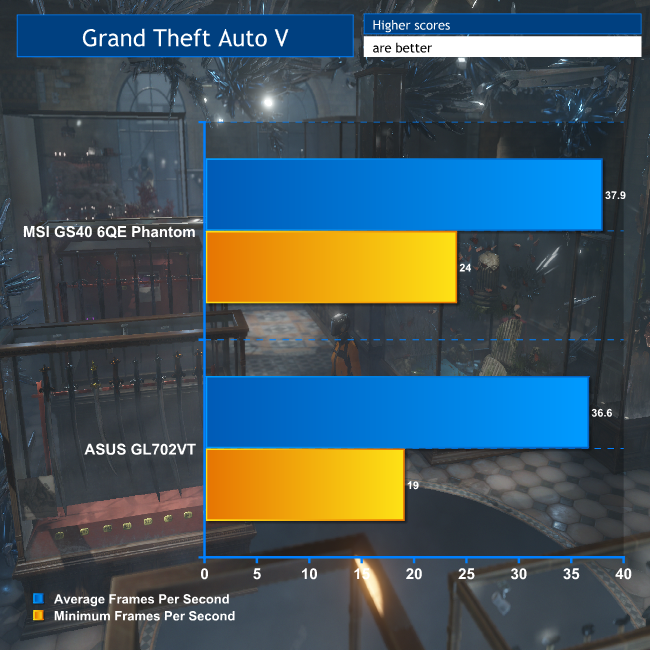
Like the MSI GS40, the ASUS GL702VT can just about handle GTA V at the best quality its memory will allow, which is another reassuring result for contemporary gaming on this notebook.
HDD Performance
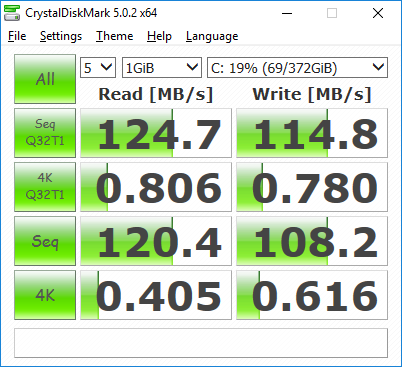
The Hitachi hard disk is a reasonable performer, but this is significantly behind what desktop HDDs can now deliver – in excess of 200MB/sec for the best examples. And, of course, SATA SSDs are three times faster still, then PCI Express NVMe SSDs well beyond that.
In fact, the latest PCI Express NVM SSDs can read at 3,400MB/sec, nearly 30 times as fast. But at least you get 1TB to put all your games on with this notebook – in some ways, a more important consideration when each game can be 30-50GB.
Battery Life
We tested the GL702VT with Battery Saver turned on and a 50 per cent screen brightness, using the PC Mark 8 Home battery test, which runs a series of productivity tasks until the power runs out.
These test scripts don't stress the gaming performance particularly, so this time doesn't represent how long you could play on battery, although there is some 3D activity included. It's supposed to represent a mixture of everyday home user tasks.
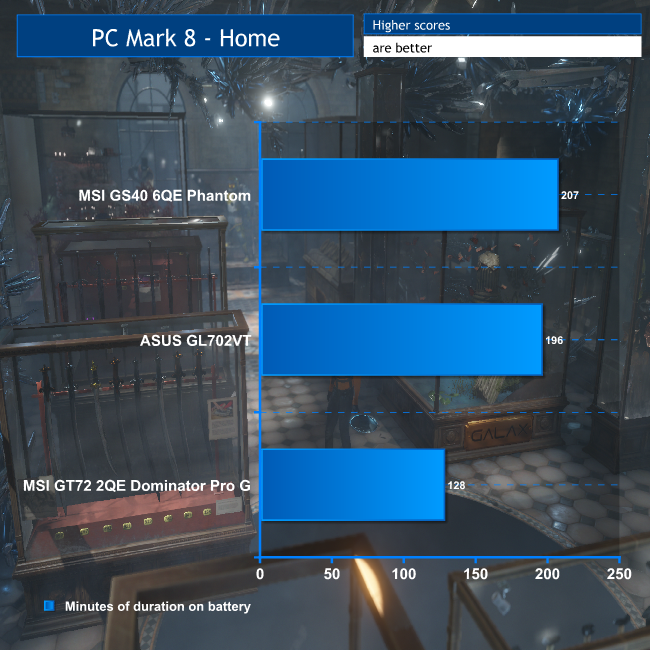
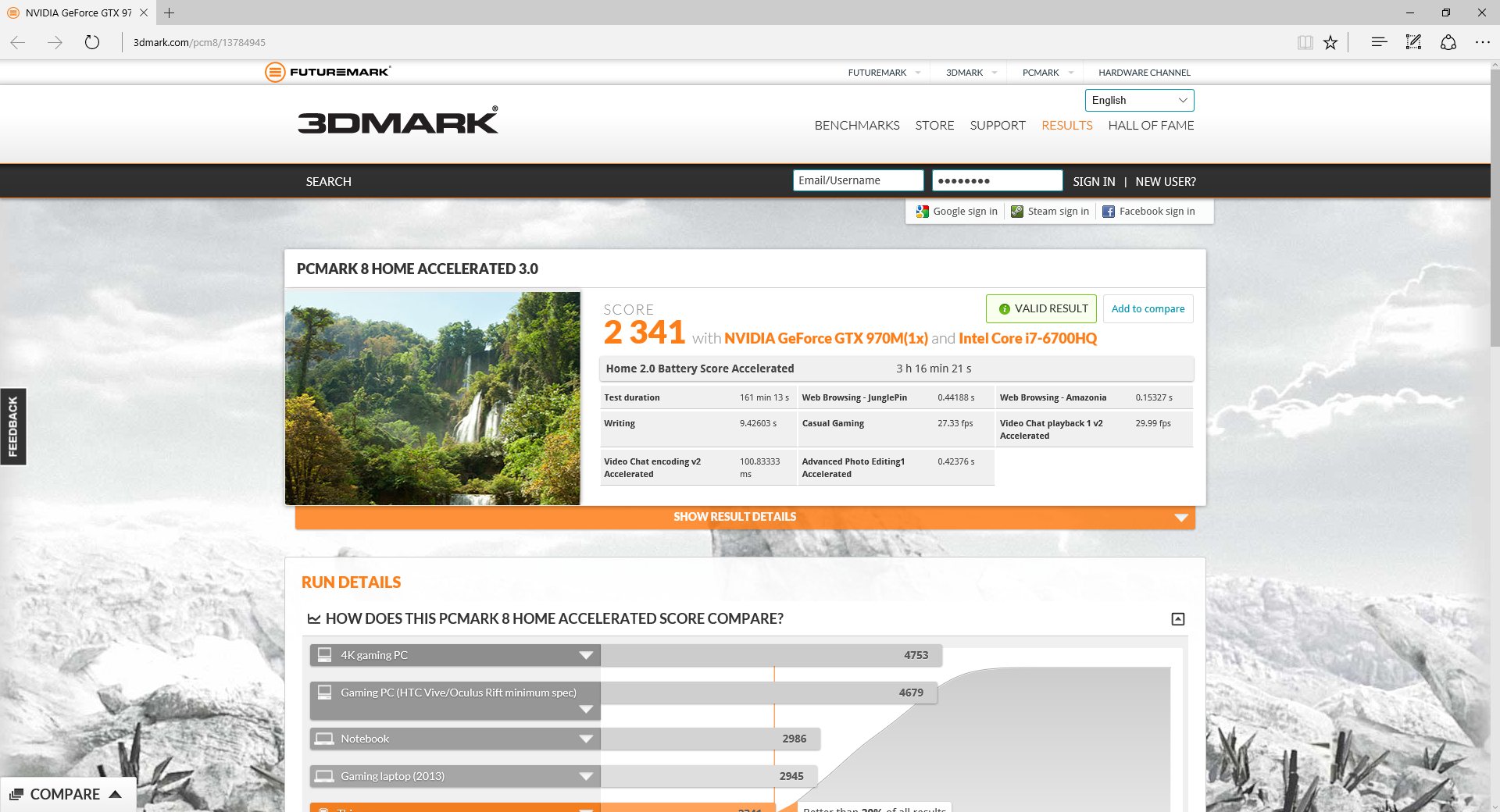
The result of around three and a quarter hours is excellent for a 17in notebook, and significantly greater than the MSI GT72 2QE Dominator Pro G. It's about ten minutes behind the MSI GS40, but this is still a notebook that will give you a usable amount of everyday application usage away from the power socket.
You won't get anywhere as much as this when gaming, but at least if you took the notebook out with you for something other than gaming you'd be able to use it for most of a lengthy train journey or European flight. Not a bad showing for a gaming notebook.
Acoustic Performance
Acoustic recordings are taken while the system sits at the desktop under minimum load. Then we run 3DMark's FireStrike 1.1 and take the measurements again once the sound has settled to its maximum. All fans were left to the ASUS-supplied defaults. We recorded audio from a 1m distance from the base unit at approximately the same level.
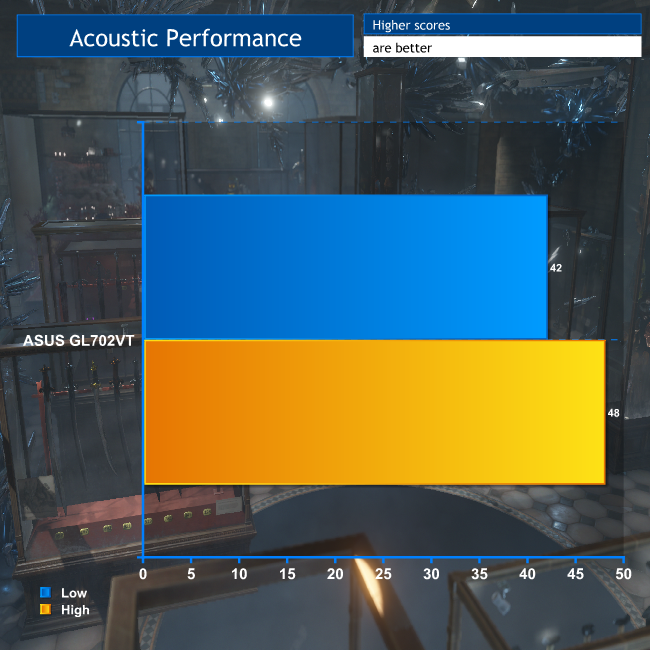
You can hear the fans spin up a little under load, but 48dB is not noisy compared to some of the 17in gaming monsters we've tested in the past. You might not want to play games at a Benedictine monastery on this notebook, but in any other environment it won't be any disturbance at all.
The ASUS ROG Strix GL702VT is an attractive package. Gaming is very capable, and you would need a much heftier beast to get better in a portable. The Intel Core i7-6700HQ processor and NVIDIA GeForce GTX 970M graphics deliver plenty of grunt, but still allow a useful battery life in excess of three hours, which is good for a notebook this size.
We would have preferred the RAM in dual-channel configuration, as this will have an effect on performance in some areas. But with 16GB included, you won’t be having RAM-related issues for the foreseeable future, and there’s room for upgrade too. The lack of a SSD is another slight performance drawback, although at least the supplied hard disk has a healthy 1TB capacity – plenty of room for games downloads and a media collection.
Aside from these two issues, the ASUS ROG Strix GL702VT gets the balance about right between gaming performance you could take to a LAN without losing respect, and proportions that won’t give you backache on the journey there. At £1,099 inc VAT, it's great value too.
Discuss on our Facebook page, over HERE.
Buy from Ballicom for £1,062.60 inc vat HERE.
Pros:
- Very good gaming for a notebook that is still portable.
- Good battery life with productivity apps for a gaming notebook.
- Healthy 16GB of memory.
- Reasonably light 2.73kg for 17in chassis.
- USB 3.1 Type C port.
- Very reasonably priced.
Cons:
- Faster 17in notebooks are available.
- Single-channel memory.
- No SSD for booting and main applications.
KitGuru says: The ASUS ROG Strix GL702VT provides very good gaming in a package that has the battery life and weight to make it still portable, and it’s reasonably priced too.

I earn close to $6.000-$8.000 /every month from freelancing online. For those of you who are looking to do basic freelance jobs for 2-5 h /day from your house and earn solid paycheck while doing it… Try this gig FAVE.CO/20SR7Wt
Seriously how can you make a gaming laptop in this day and age without an SSD? With current prices it’s not that hard to give 128 or even 256GB of space. I’ll bet a lot of gamers would prefer the massive performance increase over the extra space; I know I would.
I have a Dell XPS with a 512GB SSD and 960m. Work paid for it. Worth every penny haha.
I tried MGSV on it earlier and it ran at fairly high settings with an issue. No throttling or anything
I am earning about $6,000-$8,000 on monthly basis online. Those who are prepared to work basic at home jobs for 2-5 h every day from your couch at home and get valuable income for doing it… Then this work is for you… FAVE.CO/20SQZ9r
IKR! I bought last year an Alienware 17 and immediately swapped the 1TB hard drive with a 256GB SSD like on the same week and no regrets! The performance gains are amazing and its only a Crucial MX100 which is working good, a little underrated one.
After the bad experience that I had with Asus after sales support regarding my venerable Asus G74sx, I will never buy another Asus laptop like ever.