 KitGuru KitGuru.net – Tech News | Hardware News | Hardware Reviews | IOS | Mobile | Gaming | Graphics Cards


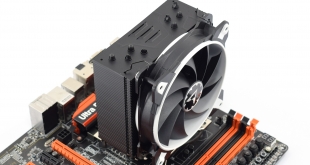
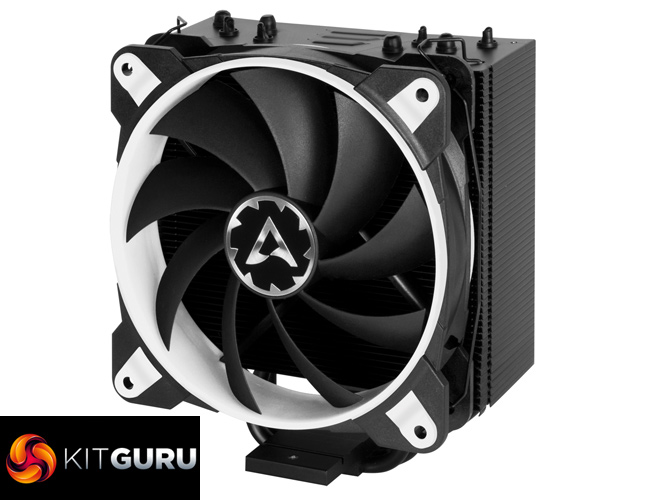
There's no denying the budget CPU cooler sector is fiercely competitive, and it is this market segment that Arctic is targeting with its new air cooler – the Freezer 33 eSports One. Priced at just £29.99, the cooler comes in four different colours while one of Arctic's new BioniX fans is also included in the box. Can the Freezer 33 eSports One do enough to make a dent in this cut-throat market sector, or is it doomed to fail? Let's find out.
Regular KitGuru readers will know that we have been recommending the Arctic Liquid Freezer 240 ever since we first reviewed it back in 2016. As such, we have relatively high hopes for the Arctic Freezer 33 eSports One, especially considering it's priced very competitively at £29.99. In this review we go over the installation process, thermal performance and noise levels before giving our final verdict.
Specification
- Intel socket support: 1151, 1150, 1155, 1156, 2066, 2011-3
- AMD socket support: AM4
- Heatpipes: 4x6mm copper
- Heatsink: 49 aluminium fins, 0.5mm thickness
- Fan speed: 200-1800 RPM
- Fan bearing: Fluid Dynamic
- Fan current/voltage: 0.20 A/+ 12 V DC
- Dimensions (with fan): 150x123x88mm (HxWxD)
- Weight (with fan): 676g
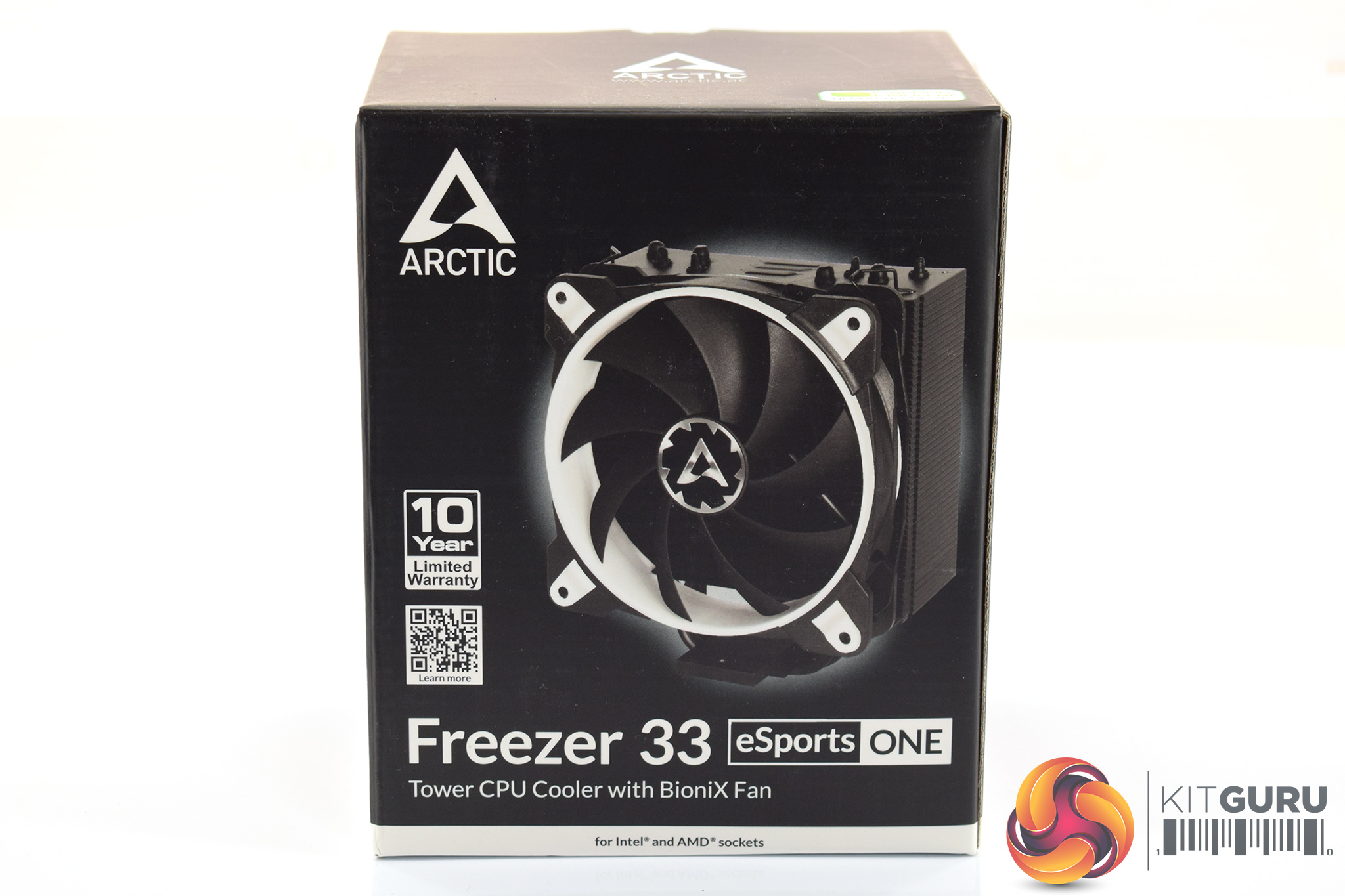

The Arctic Freezer 33 eSports One cooler ships in a black box with white accents. A large photo of the cooler itself is visible on the front of the box.
Inside, instead of providing an actual manual, Arctic gives you a QR code to scan on your phone which then brings up a digital manual. Presumably, this is to save on paper.
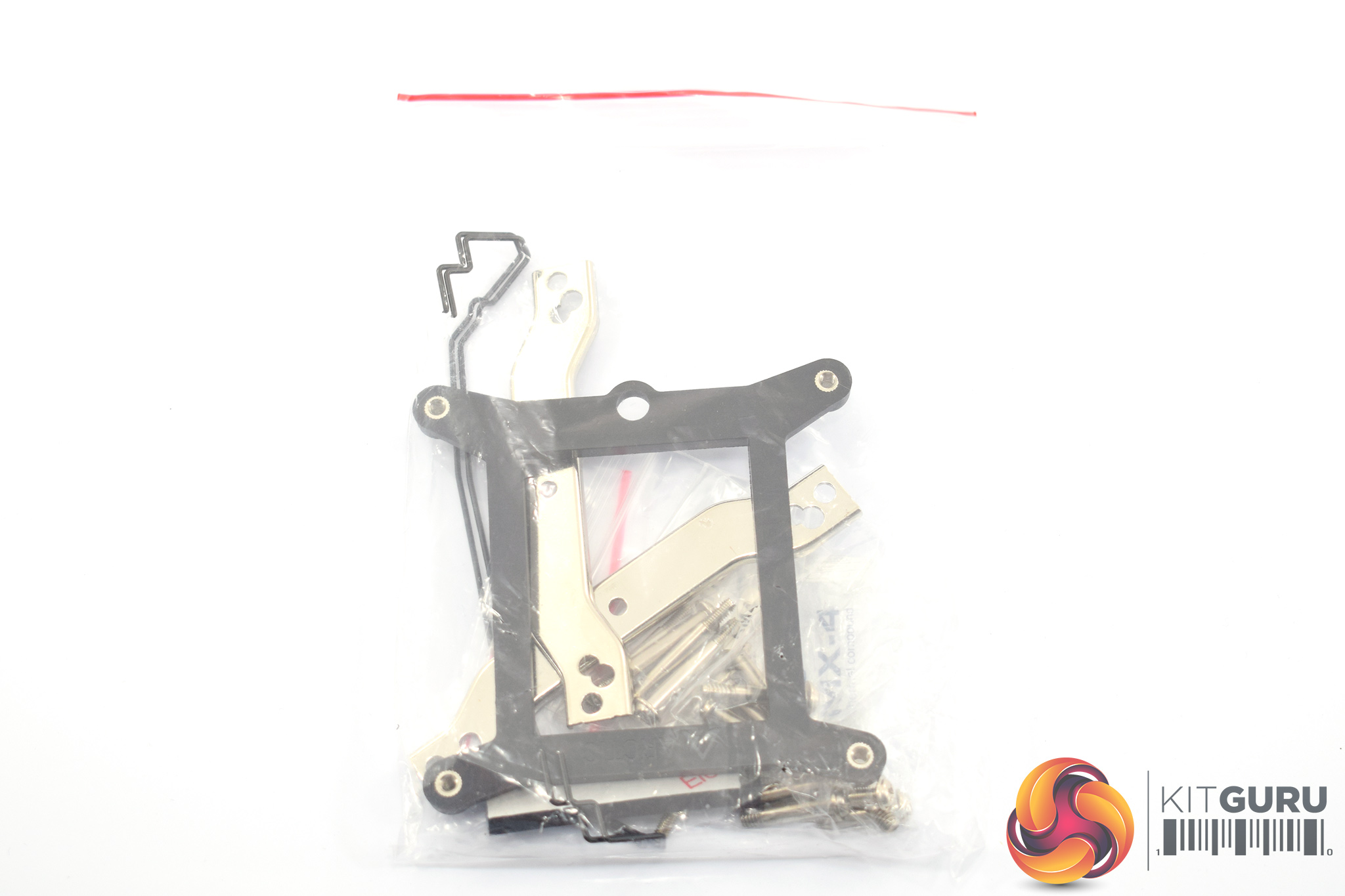
The installation hardware comes in one big bag, though there are labelled bags within that for the different socket types – something we always like to see.
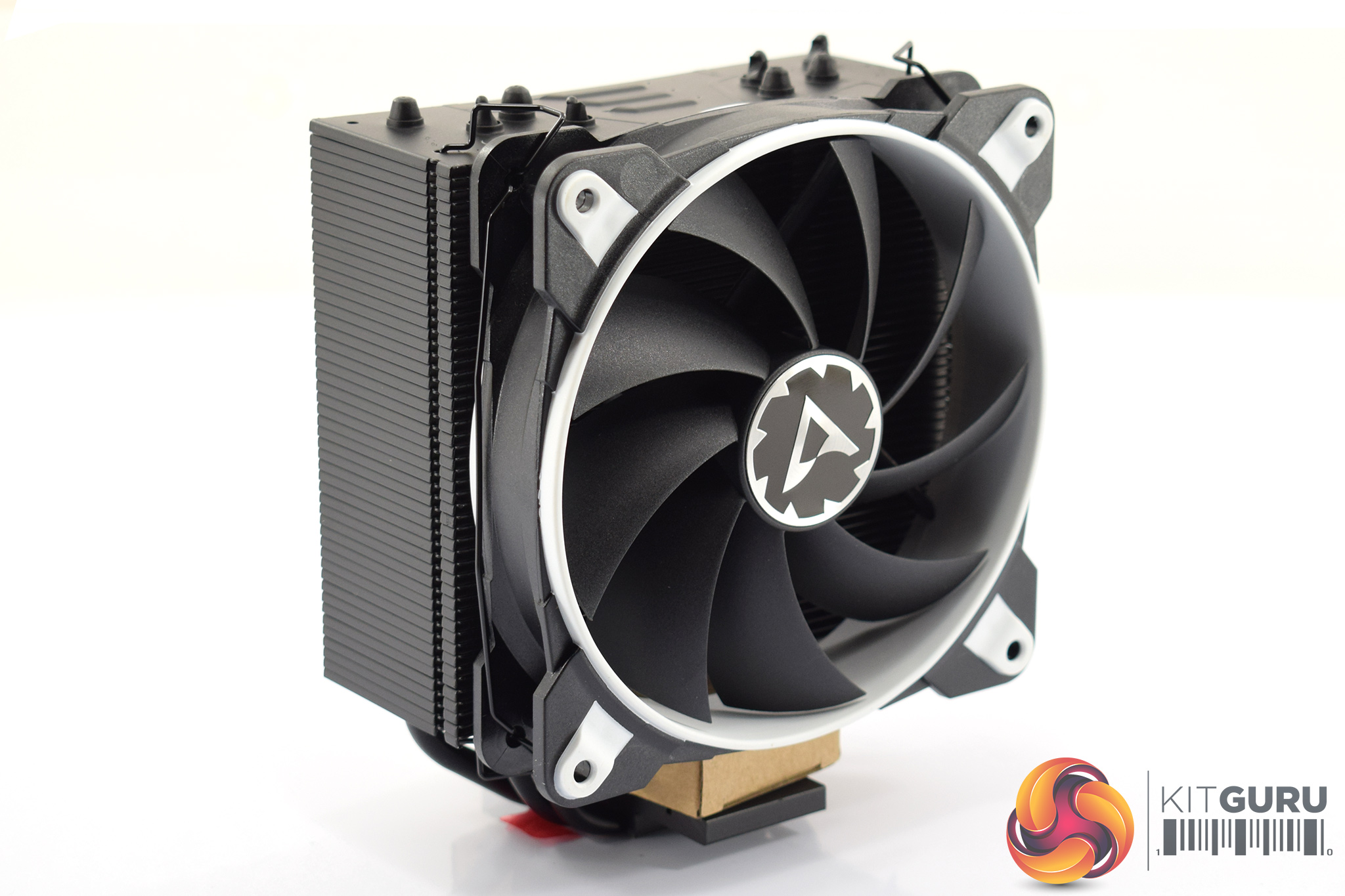
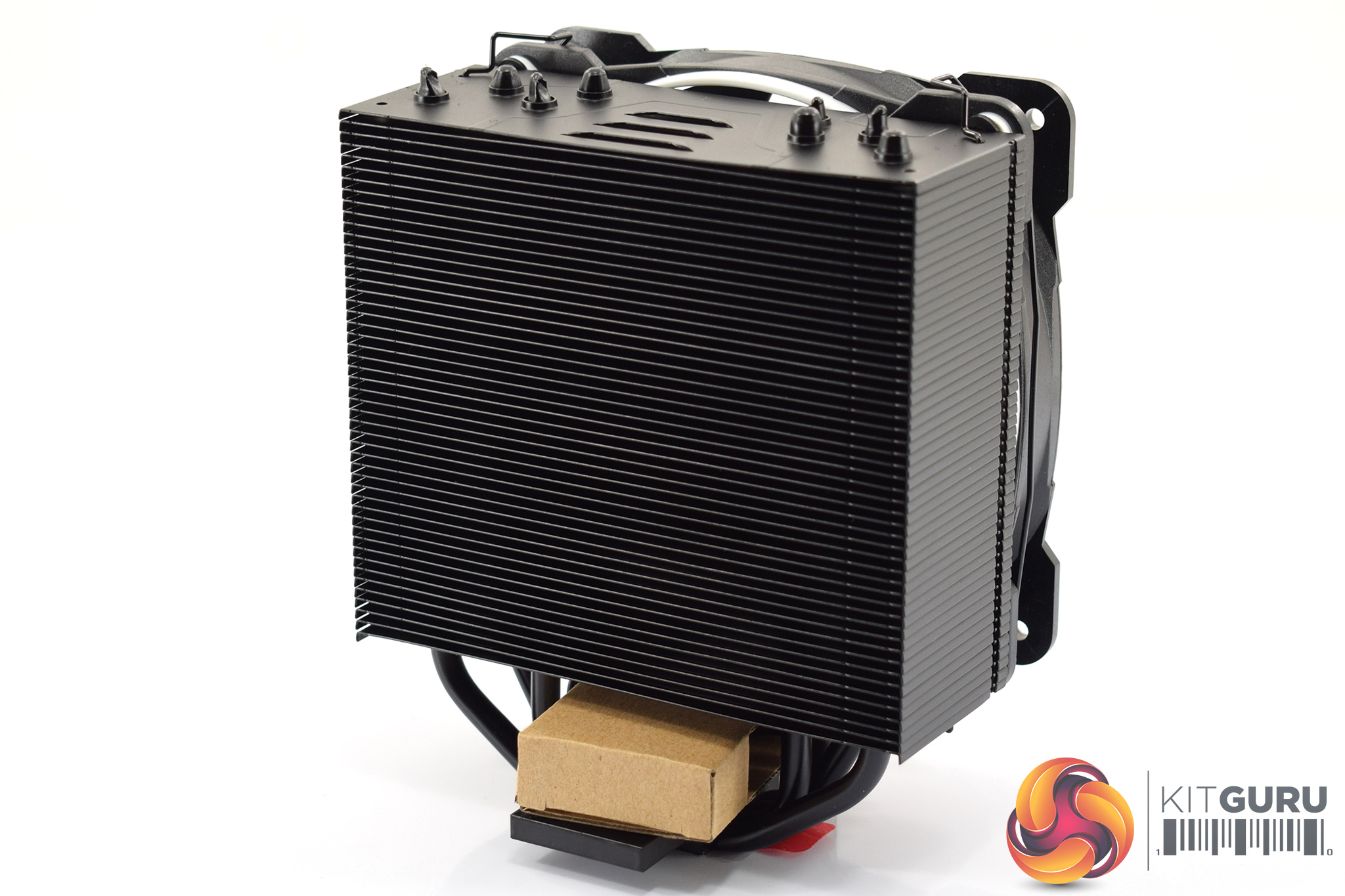
The last thing in the box is the cooler itself, which ships with the single BioniX fan pre-installed. I was sent the white colour option, but the eSports One is also available in yellow, green and red variants so the choice is yours.
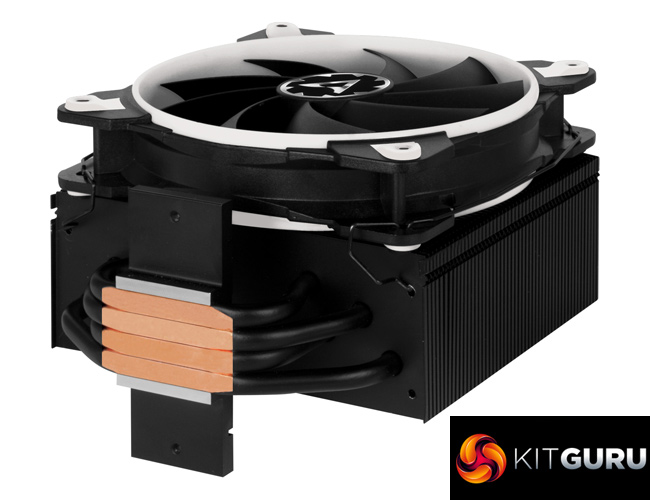
The cooler itself is pretty conventional with 4x6mm copper heatpipes, though the black paint job looks quite smart. With dimensions of 150x123x88mm (HxWxD) it is also quite compact so this should fit in all but the smallest of systems.Here I will walk you through the installation process. It is worth noting we test using a Z97 motherboard – socket LGA 1150. The process below reflects that.
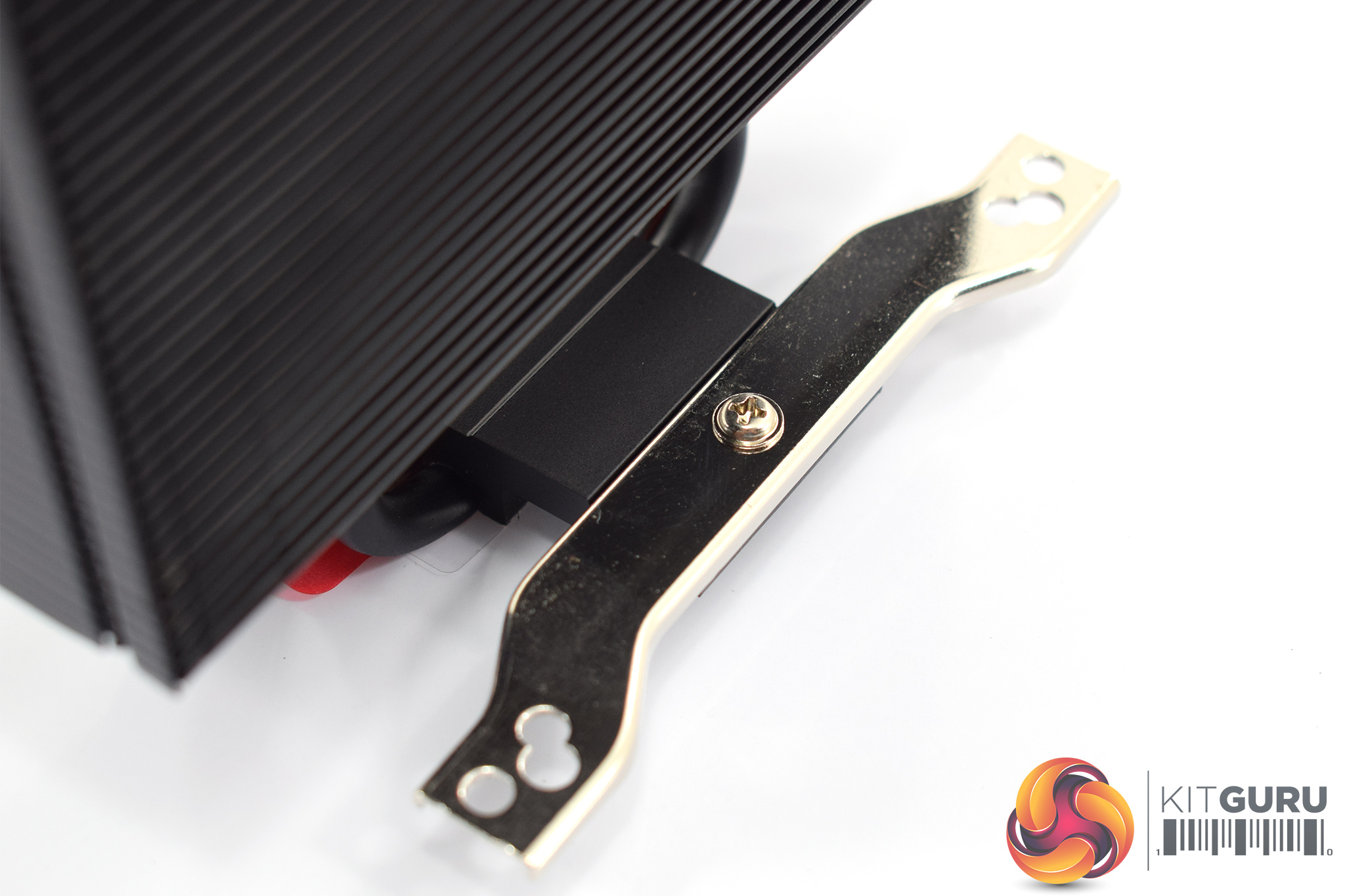
First of all, the mounting arms need to be screwed onto the heatsink's base. To do this, the pre-installed fan does need to be removed but we can easily pop that back on later. Each arm uses a single screw to secure it in place.
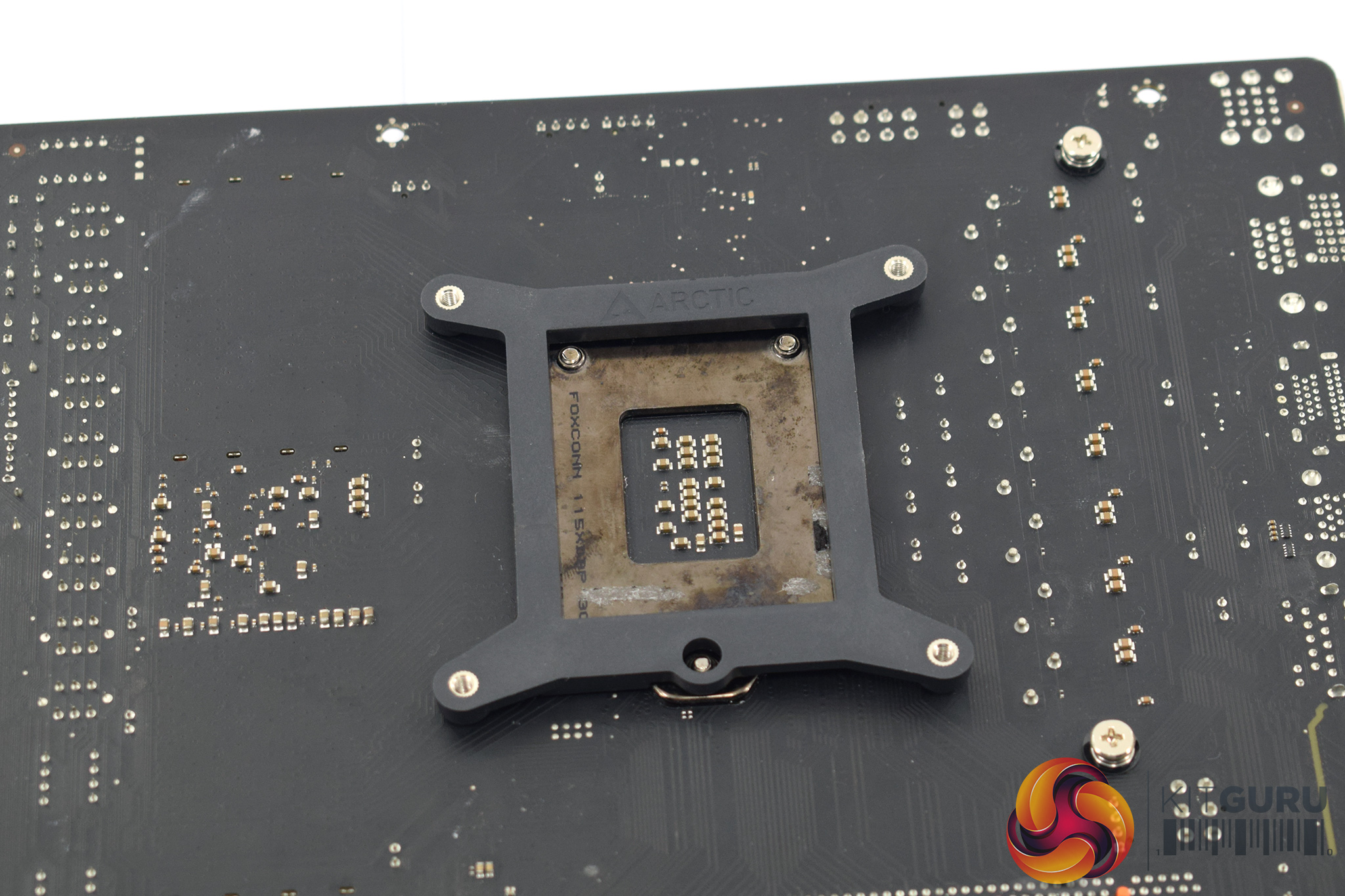
After that, as we are testing with the LGA 1150 socket, we need to place our backplate behind the CPU socket area.
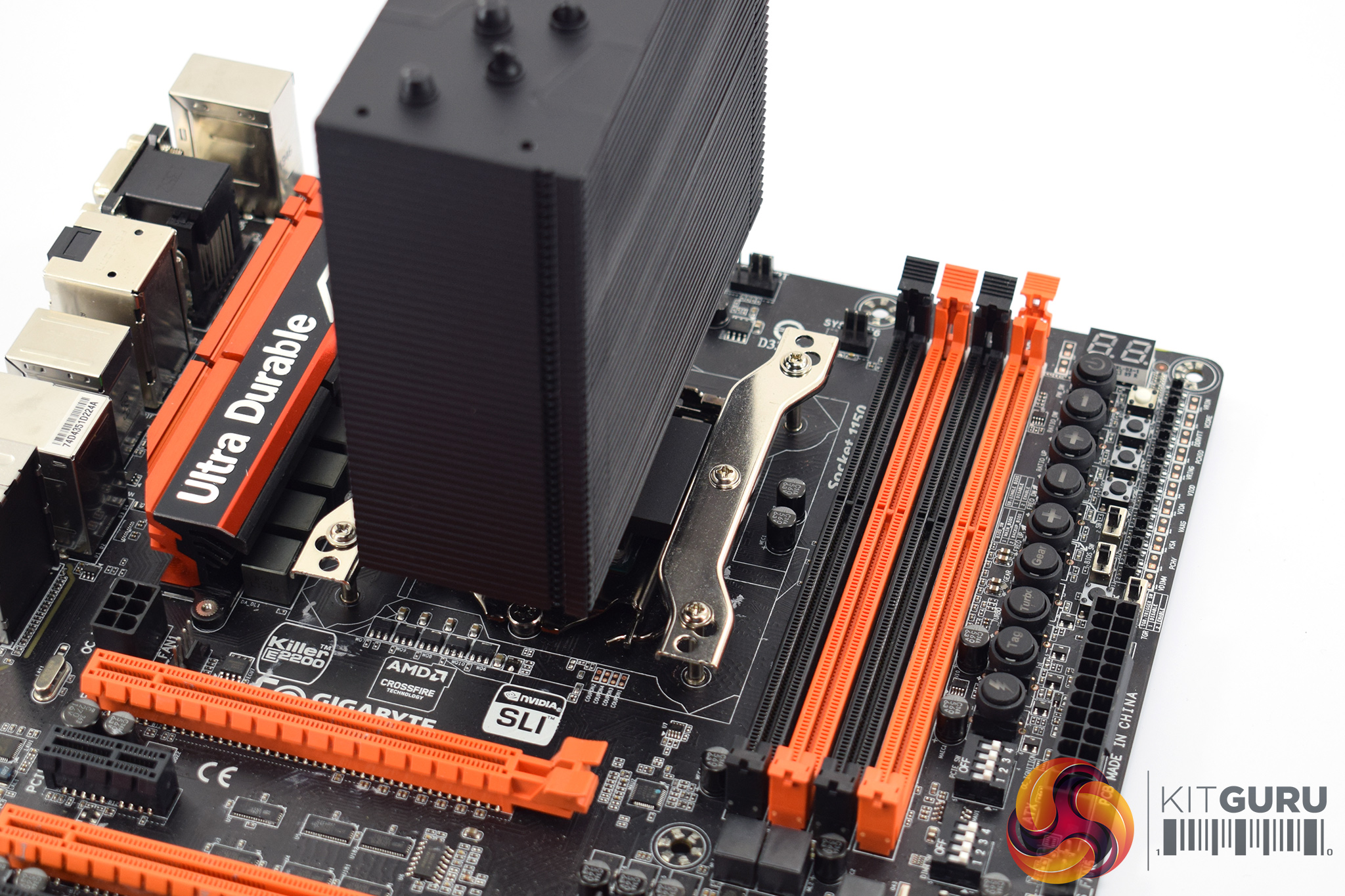
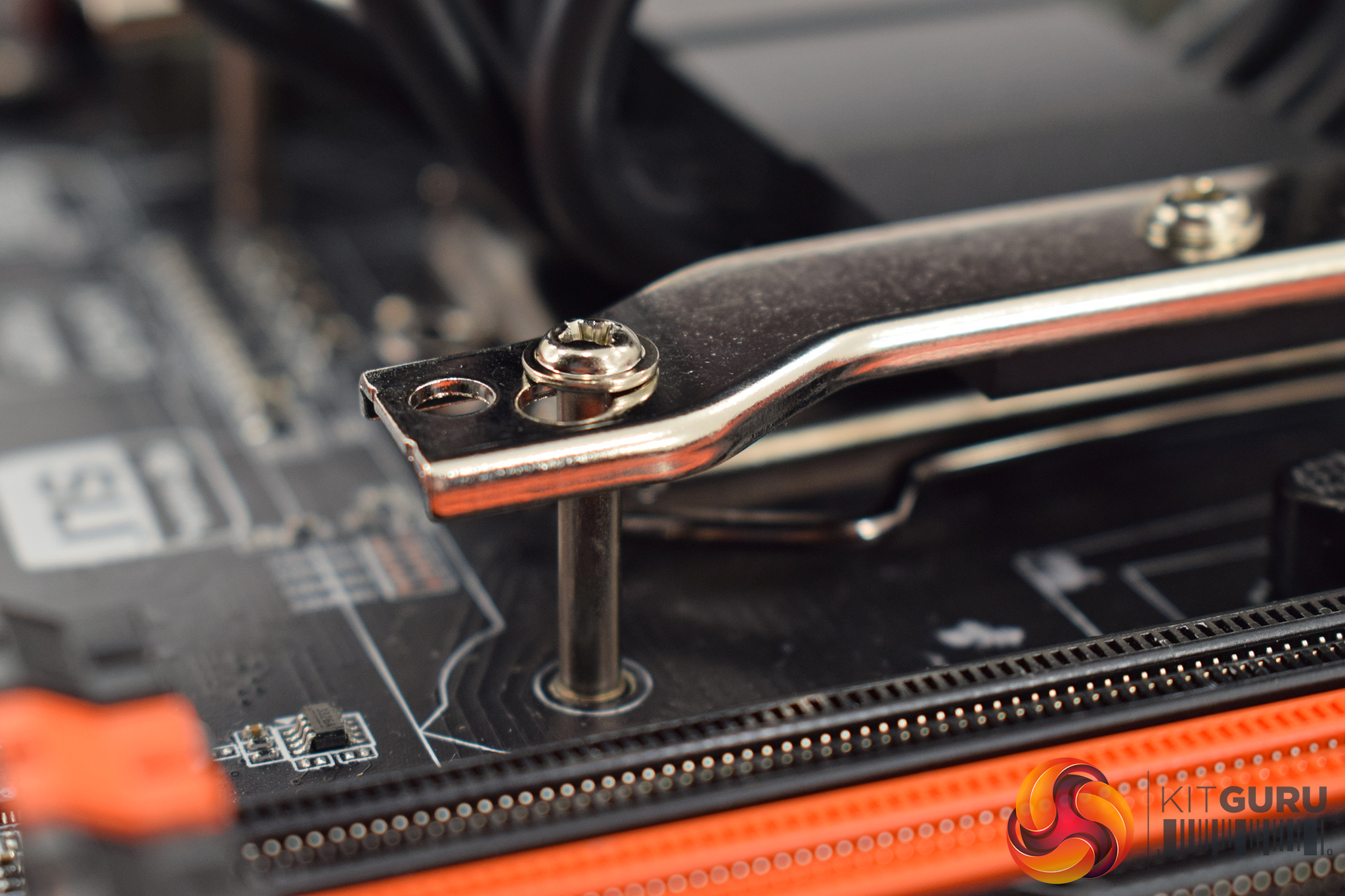
Next, with the backplate in place, the heatsink can be secured to the CPU. This is the fiddly part of the installation process as the four long screws need to pass through the mounting arms and then into the backplate. It sounds easy enough, but in practice I found it tricky to get all four screws aligned perfectly, so it took a few tries to get all the screws in properly.
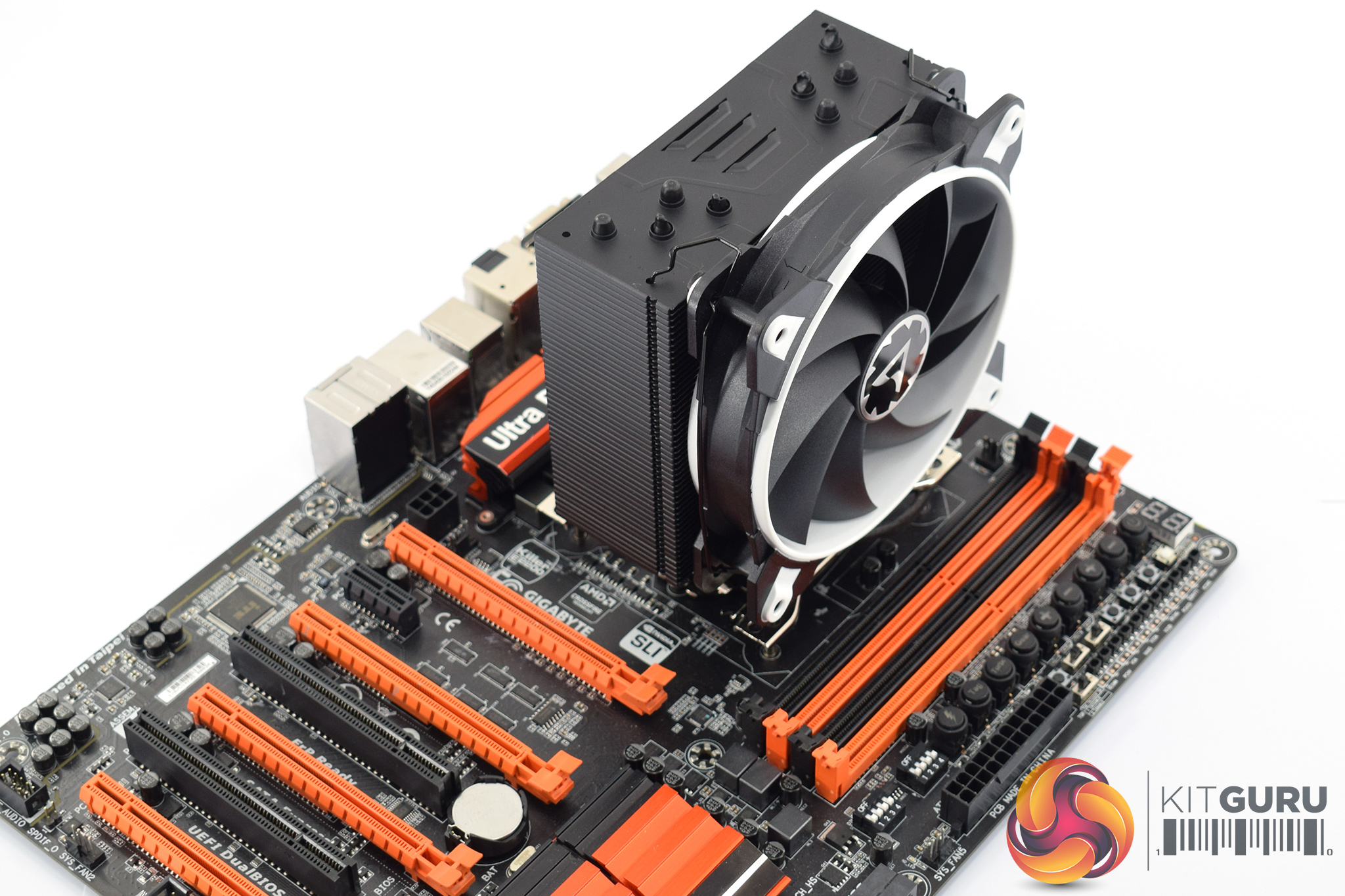
Once you do manage that, though, the process is nearly complete – the fan just needs to be re-attached to the heatsink using the fan clips.
All-in-all, the installation process is quite simple. I do think mounting the heatsink to the CPU is a bit fiddly and could cause a bit of frustration, but on the whole the process is relatively straightforward.To test all CPU coolers, we devised an easily repeatable test with no variables other than the coolers themselves. This ensures that figures from every cooler we test are comparable with each other.
Test rig
Using an open-air test bench, we deploy an Intel Core i7-4790K plugged into a Gigabyte Z97X-SOC Force motherboard. Alongside this is 16GB of 2400MHz Corsair Vengeance DDR3, as well as a 120GB OCZ Trion 150 SSD. Powering everything is a Corsair RM750x PSU.
The test process
Testing coolers involves taking a total of 4 temperature readings per cooler. First, we measure the idle temperature of the i7-4790K at stock speeds (turbo boost disabled), before measuring its temperature under load at stock speeds. Next, we overclock the CPU to 4.5GHz using a 1.3 Vcore, ensuring greater heat output. In its overclocked state we then measure the idle and load temperatures of the CPU again. The figures we present are temperature deltas – meaning we take each temperature reading and minus the ambient temperature from it. This allows us to test in an environment that is not temperature-controlled.
To ward off potential comments or questions, we know 4.5GHz using a 1.3 Vcore is not the ‘best’ overclock – this particular CPU could reach that frequency at closer to 1.25 on the Vcore, which is more efficient. That is not the point, however. We are trying to stress the coolers to see how they deal with excess heat … hence the higher than necessary Vcore.
Where possible, each cooler’s fans are plugged directly into the motherboard using the CPU_Fan or CPU_Opt headers. Some AIOs, however, ship with their own fan controllers or PWM hubs. If we are unable to plug the fans directly into the motherboard, it is specified in the performance section of the review.
An idle reading comes from leaving Windows on the desktop for 15 minutes. A load reading comes from running Prime95’s (version 26.6) Small FFTs test for 15 minutes – enough time for temperatures to plateau.
Noise output
Unfortunately I am unable to accurately measure the sound output of CPU coolers using a digital sound meter. This is because I am based alongside a busy road (with high ambient noise levels). Using a sound meter is, as such, not possible as there are variables out of my control. However, I will try my best to subjectively describe the noise output in a helpful manner.Temperatures
All temperature charts are sorted with lowest load temperatures at the top.
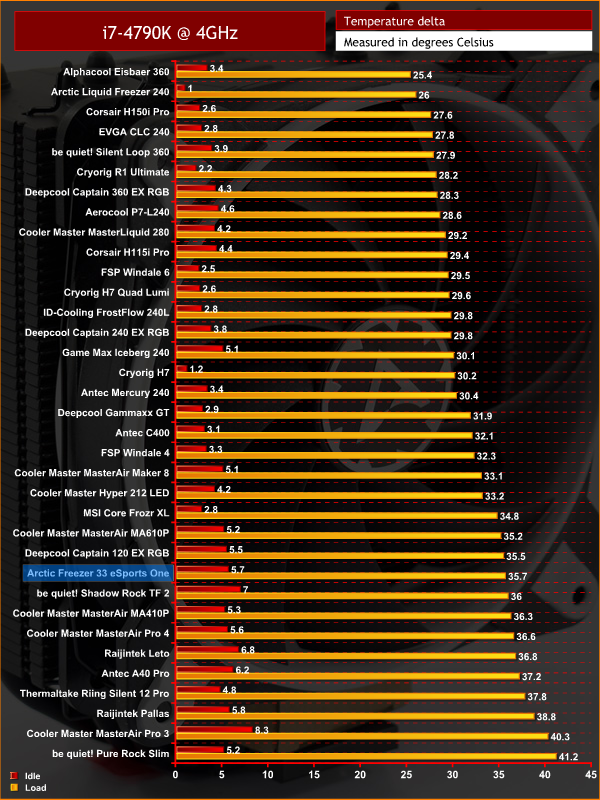
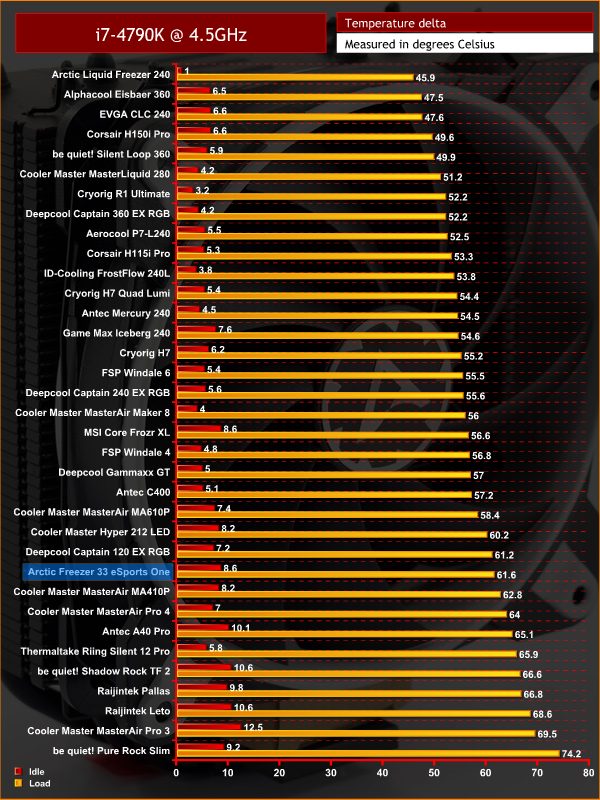
As you can see, thermal performance of the Freezer 33 eSports One is towards the lower end of the spectrum – be it at stock clocks or when cooling an overclocked CPU. Initially this may not look too good for Arctic, but when we factor in the price – just £29.99 – the relative performance is actually pretty good.
Of course, we have seen quite a few air coolers that perform better, but most are a fair bit more expensive. The biggest problem for the Freezer 33 eSports One is the Cryorig H7 – that cooler costs just £5 more but still offers significantly improved thermal performance.
Acoustics
For such a cheap cooler, the eSports One is actually quite quiet. With our CPU at stock clocks, the fan is just about audible but it is quickly forgotten as it is not intrusive at all. When testing with an overclocked CPU the noise does pick up, as expected, but the sound coming from the BioniX fan is actually so low-pitched it blends in with the background noise very easily.
For example, while running the 15-minute Prime95 stress test I switched back to my work PC to do some photo editing. Thanks to the low-pitched fan noise, I forgot I was actually testing the cooler after just a couple of minutes. In short, the eSports One is audible but it is really inoffensive, leaving me little to complain about.For just £29.99, Arctic has created a solid cooler in the Freezer 33 eSports One.
First impressions are positive as the all-black heatsink looks very smart, while there are also four different fan colour options to choose from: white, red, green and yellow.
In terms of the installation process everything is straightforward enough, but I did find mounting the heatsink to the CPU to be a bit fiddly as you have to thread four long screws through the cooler's mounting arms and into the backplate. It is not the worst installation method I've seen, but steady hands and a bit of patience wouldn't go amiss.
Now, coming to thermal performance, I have to say that for £30 the eSports One is actually relatively competitive. It doesn't deliver mind-blowing performance figures, and it is still bested by the Cryorig H7 cooler which costs just £5 more. However, for something this cheap and compact – with four different colour options to boot – it is not bad at all.
In terms of noise levels, the eSports One is quite impressive. Even when cooling our overclocked CPU, the noise emitted by the BioniX fan was very forgettable and inoffensive. For £30 I was expecting something a bit more whiny, but fortunately Arctic has done a good job with the BioniX fans.
So, overall, the Arctic Freezer 33 eSports One is a good buy. It's obviously not the best CPU cooler we've ever tested, but for £30 it offers decent performance, low noise levels and four different colour options, so we're happy to give it our ‘worth buying' award.
You can buy one for £29.99 from Amazon HERE.
Pros
- Affordable.
- Smart black heatsink.
- Choice of four colours for the fan.
- Decent performance considering the price.
- Low noise levels.
Cons
- Installation is a bit fiddly.
- Cryorig H7 is only £5 more.
KitGuru says: While it doesn't offer jaw-dropping price-to-performance, the Arctic Freezer 33 eSports One looks good, is pretty quiet and won't break the bank either. Recommended.

The Amazon link you give prices this at a tad over £35 not £29.99
That is the prime price, you can also order it for £29.99 > https://www.amazon.co.uk/gp/offer-listing/B076LQ39XV/ref=dp_olp_new?ie=UTF8&condition=new