KitGuru KitGuru.net – Tech News | Hardware News | Hardware Reviews | IOS | Mobile | Gaming | Graphics Cards


We all know that EK Water Blocks produces some cracking custom liquid cooling products, but the company has had a slightly chequered history when it comes to its all-in-one liquid cooling solutions. No one can deny that the original EK Predator expandable AIO had excellent thermal performance, but leaking CPU blocks due to faulty rubber O-rings blighted the Predator series before it really got going. EK addressed these problems with its Phoenix modular AIO series, but it was never technically in the same class as a traditional closed-loop AIO.
EKWB announced its return to the AIO cooler market at CES 2020 earlier this year with a true closed-loop, maintenance-free solution in the form of the aptly named EK-AIO. EK claims that its brand new EK-AIO offers optimal performance for its class via a powerful and robust SPC style pump and a copper cold plate with a dense micro fin structure.
Currently, the EK-AIO is available in three sizes ranging from a single 120mm fan version up to a flagship triple fan 360mm variant, with a 240mm radiator model sat in between the two. At the time of writing this review, there is no mention of a 280mm version being available or coming any time soon, which slightly limits choice for users with cases only able to fit up to 280mm radiators.
All three variants of the EK-AIO come equipped with 120mm EK Vardar S addressable D-RGB high static pressure fans that are primarily designed for the use on radiators. EK Vardar S addressable D-RGB fans are equipped with seven opaque blades designed to diffuse the light coming from the nine built-in addressable LEDs, which gives the fan a subtle glow of colourful illumination. The fans are PWM controlled with a speed range of 600-2500 RPM and include standard 4-pin power cables and 3-pin 5V addressable RGB motherboard connections.
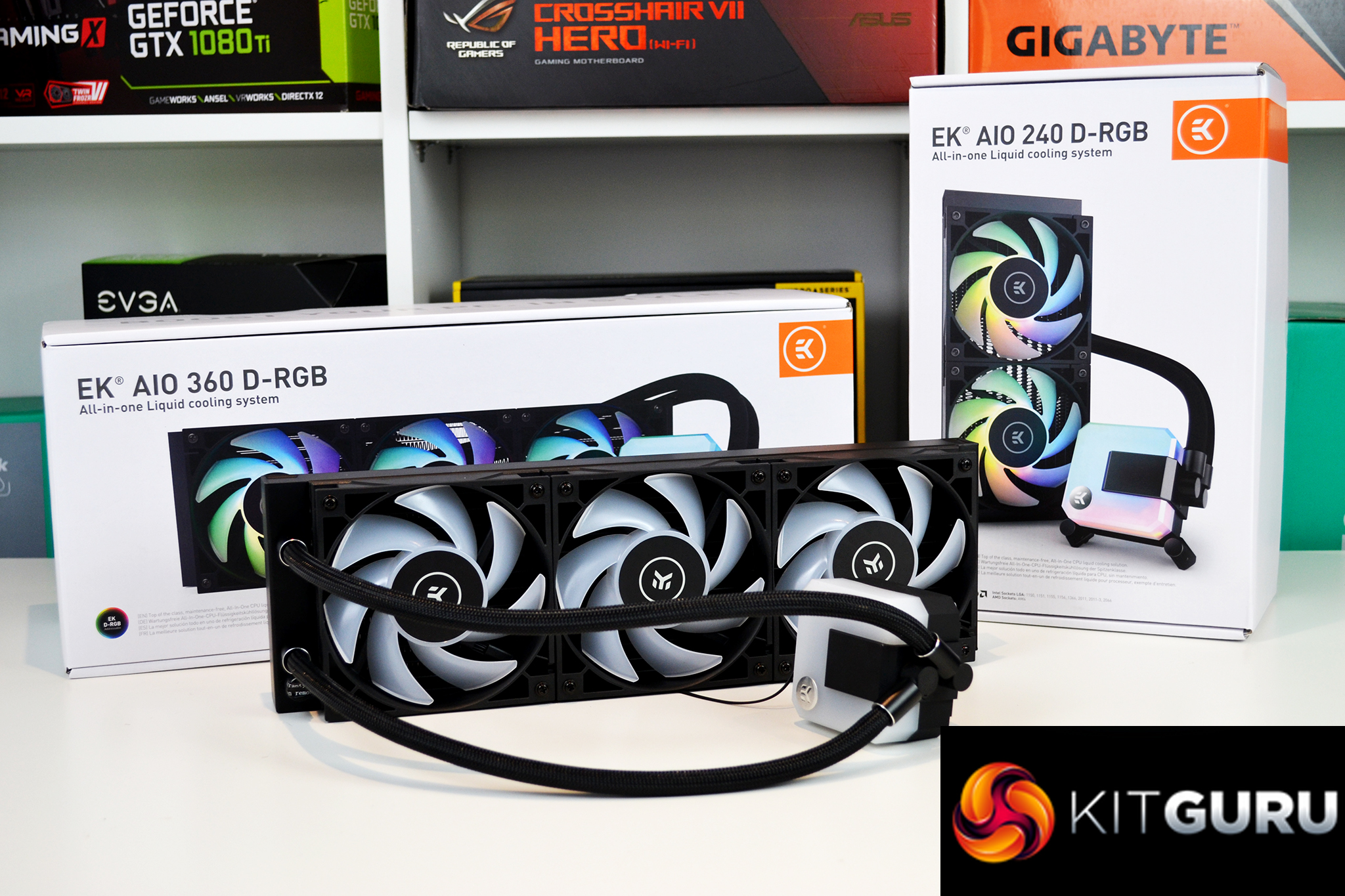
As usual with all-in-one CPU coolers, the EK-AIO includes a high-grade aluminium radiator featuring twelve coolant channels and a densely packed fin arrangement. To ensure maximum compatibility with a wide range of PC cases and to achieve optimal thermal dissipation, the overall thickness of the radiator is 28mm with the core only slightly thinner than the frame. The overall thickness of the radiator with the fans installed measures 53mm.
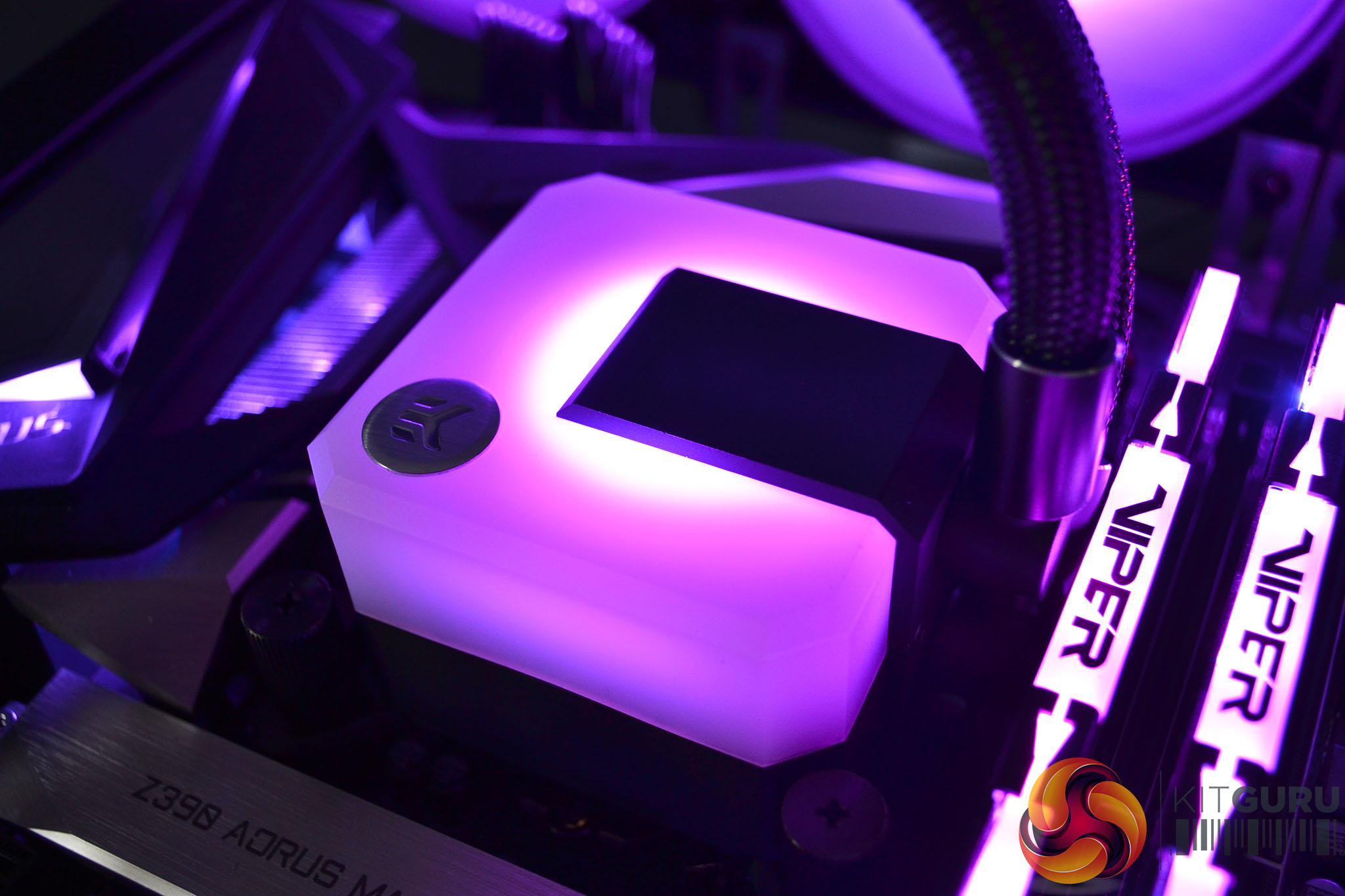
In a very similar style to the Vardar S addressable D-RGB fans, the EK-AIO CPU block top features a frosted opaque cover that subtly disperses the illumination from the addressable D-RGB LEDs that are integrated into the pump housing below. EKWB claims that the EK-AIO pump is able to produce custom-loop grade coolant delivery while offering silent operation via a PWM motor with a speed range of 450-2600 RPM.
To accentuate the premium appearance, EKWB has equipped the EK-AIO with nylon braided tube sleeving and diamond-cut aluminium fittings at the pump and radiator terminals. At the CPU block side, there are 90-degree articulating fittings to aid installation and positioning, the tubing is manufactured from highly durable and reinforced rubber allowing them to be flexible but also resistant to kinks.
The EK-AIO offers universal CPU socket compatibility with support for all current mainstream desktop processors including Intel Socket LGA 1150, 1151, 1155, 1156, 1200, 2011, 2011-3, 2066 and AMD Socket AM4. However, there is no support for high-end desktop AMD Ryzen Threadripper socket TR4 or sTRX4.
Pricing of the EK-AIO seems to be roughly in line with similar closed-loop coolers from rival manufacturers, the EK-AIO 120 D-RGB is priced at €75.53, the 240 is €125.95 and the flagship 360mm EK-AIO is available for €151.16. All of the EK-AIO range is offered with a five-year manufacturers warranty for user peace of mind.
Key Features
- Maintenance-free closed loop
- Dual-zone addressable RGB lighting
- Available in three sizes
- High-performance SPC style pump
- Easy installation
EK-AIO 360 D-RGB Specifications:
| Radiator Dimensions | 395 x 120 x 28 mm |
| Radiator Material | Aluminium |
| Pump Unit Dimensions | 88 x 70 x 53 mm |
| Pump Unit Material | ABS Housing, Copper Cold plate, Steel Mounting Pump |
| Pump Speed Range | 450 – 2600 RPM ± 10% |
| Pump PWM Range | 20 – 100% |
| Pump Cable Length | 500 mm |
| Pump Unit RGB Type | 5V Digital (Addressable) |
| Tubing Material | Ultra-Low Evaporation Rubber with Nylon Braided Sleeve |
| Tubing Length | 400 mm |
| Fan Dimensions | 120 x 120 x 25mm |
| Fan Speed Range | 550 – 2500 ± 10% |
| Fan Noise Level | 36.4dBA (at maximum speed) |
| Fan Static Pressure | 2.89 mm H20 = 28.9 Pa (at maximum speed) |
| Fan Air Flow | 66.04 CFM = 112.20 m³/h (at maximum speed) |
| Fan Cable Length | 500 mm |
| CPU Socket Support | Intel Sockets: 1150, 1151, 1155, 1156, 1200, 2011, 2011-3, 2066
AMD Socket: AM4 |
| Warranty | 5 Years Limited International Warranty |
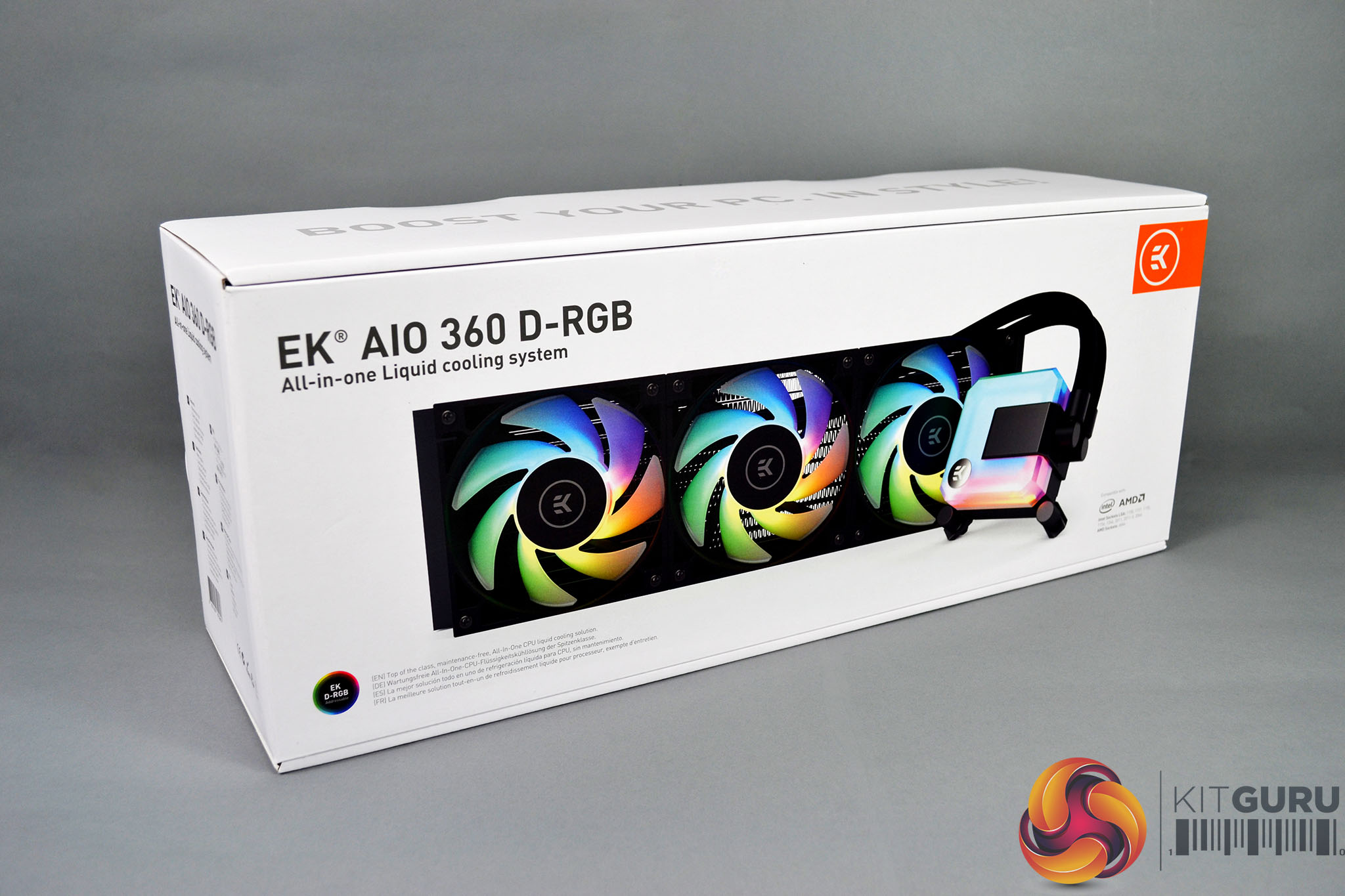
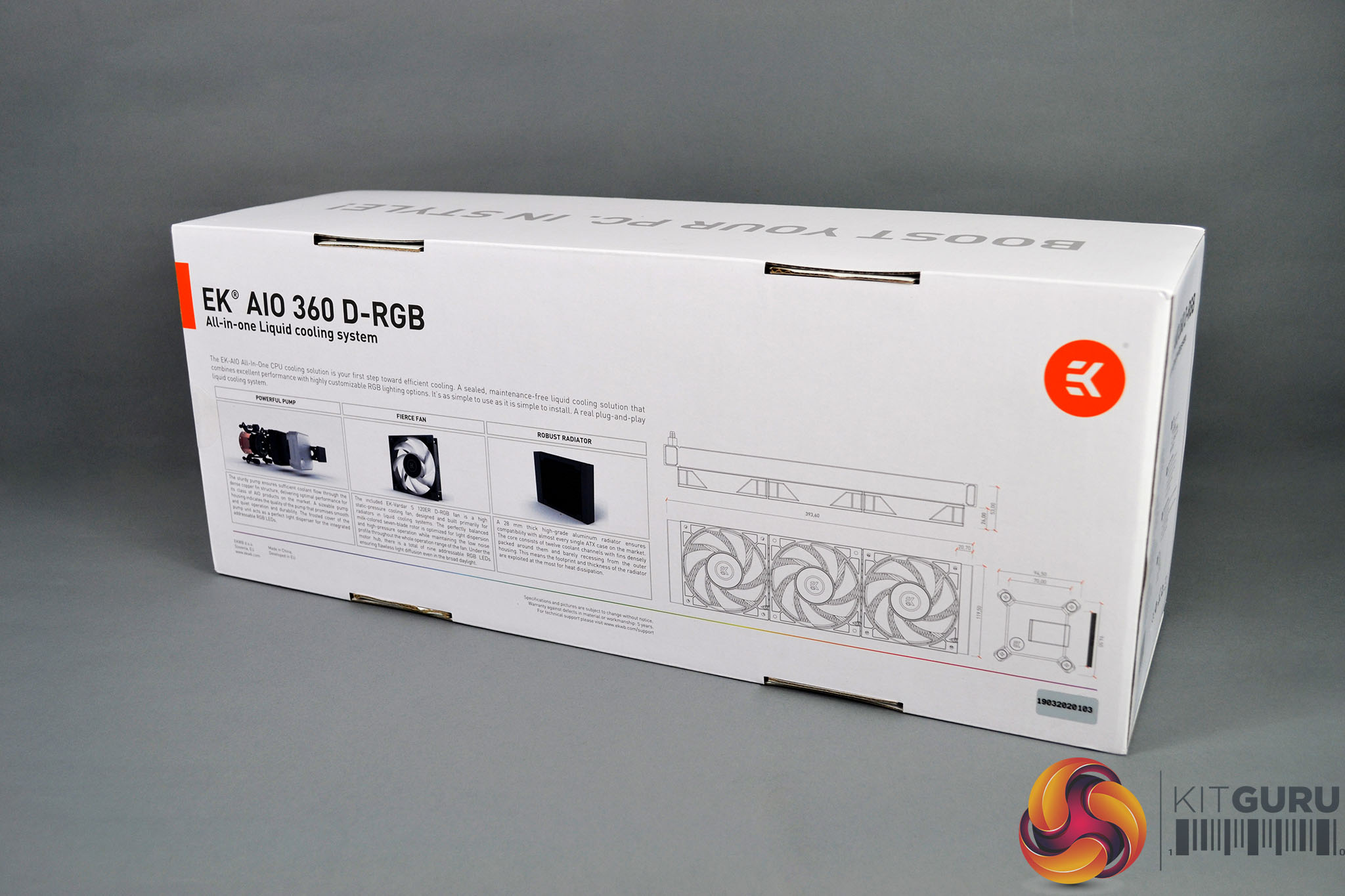
Packaging of the EK-AIO features the familiar white EK colour scheme, a large image of the cooler is printed on the front of the box with a reference to the RGB lighting and CPU socket compatibility along the bottom. On the rear of the packaging are smaller images and diagrams as well as some key features listed.
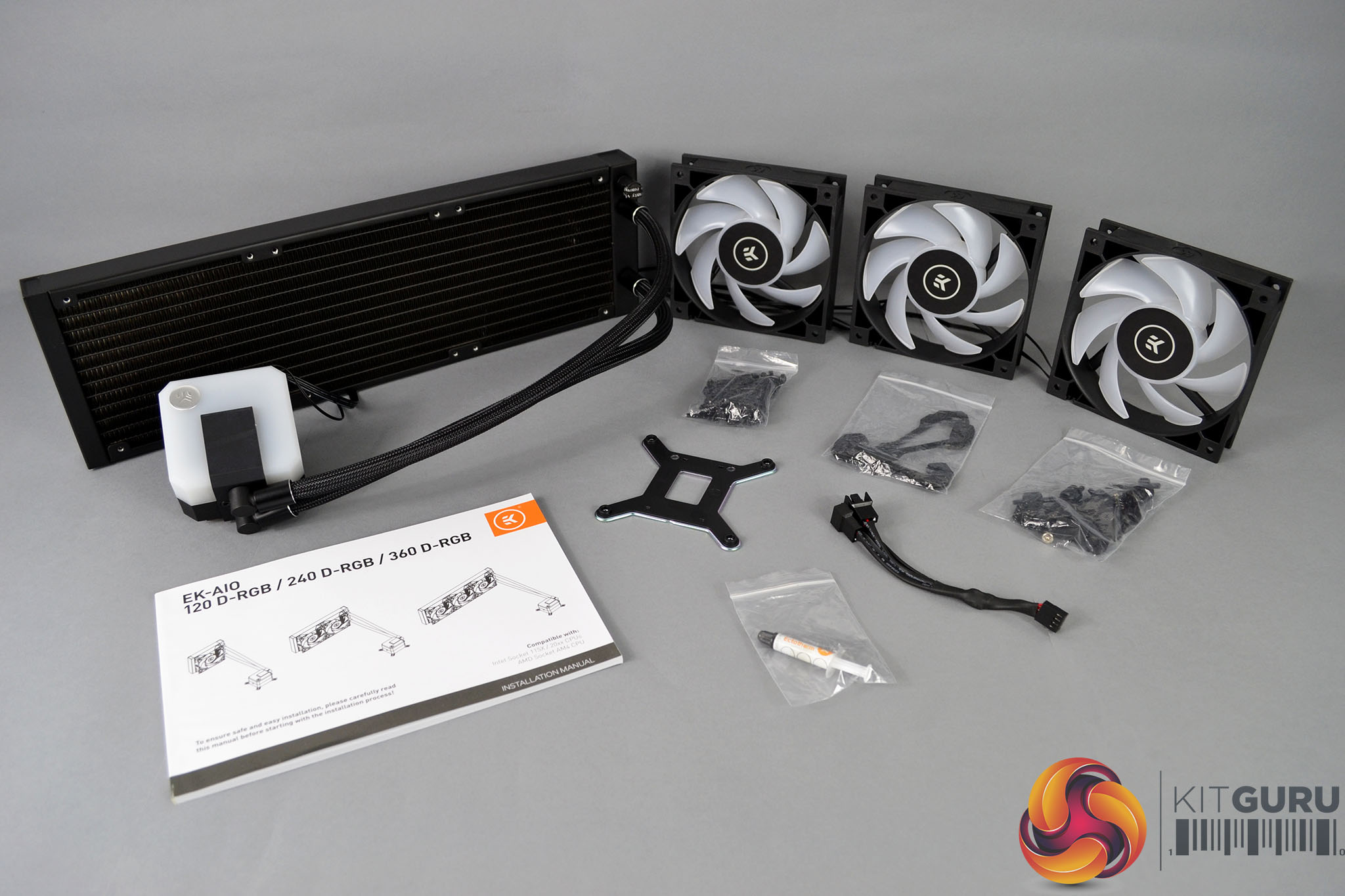
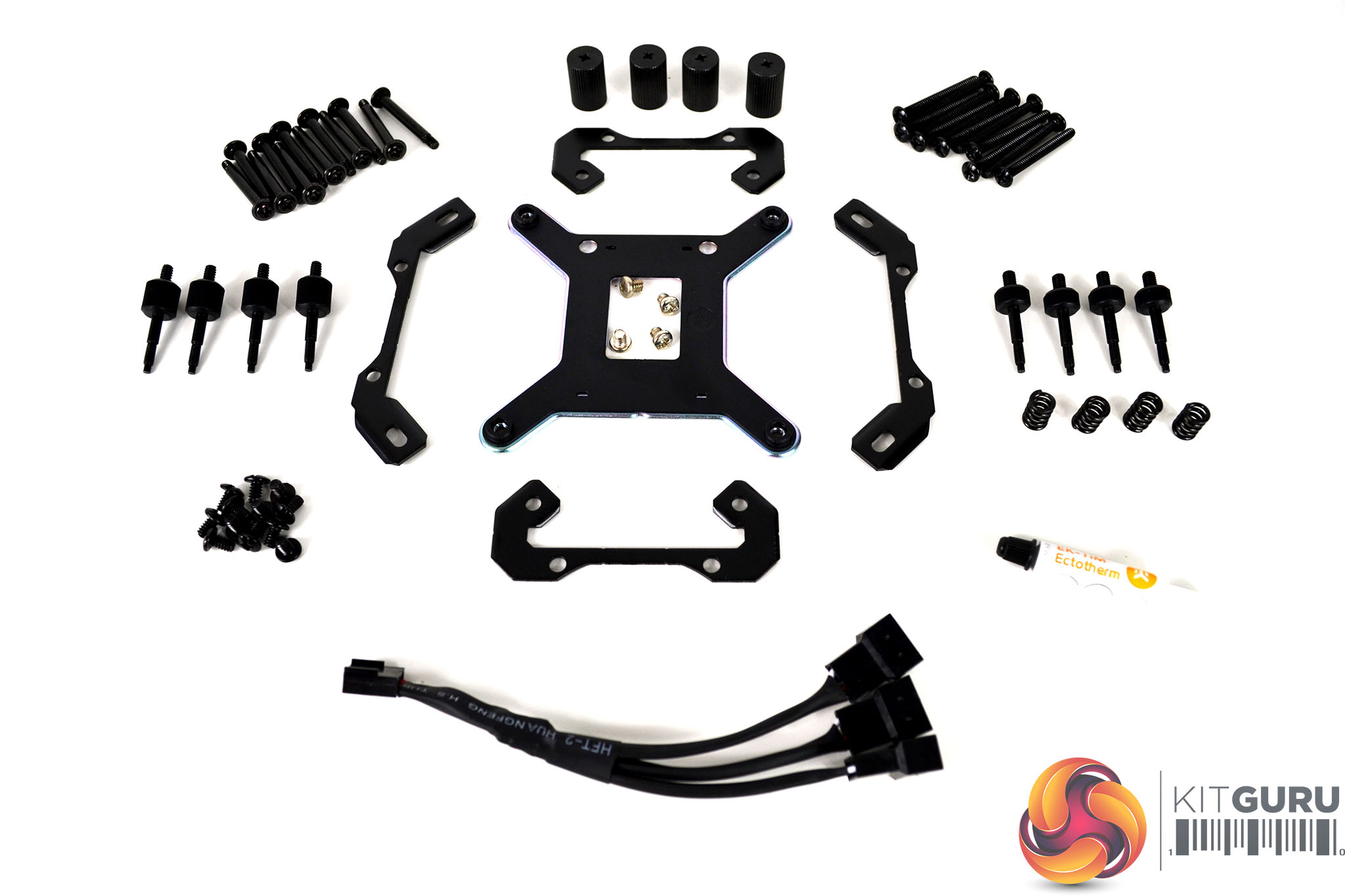
Inside the packaging are three 120mm EK Vardar S addressable D-RGB fans, various pieces of mounting hardware for both mainstream Intel and AMD desktop platforms, an Intel platform-specific backplate, 3-way PWM fan splitter cable, an additional tube of thermal compound as well as a detailed installation manual printed in multiple languages.
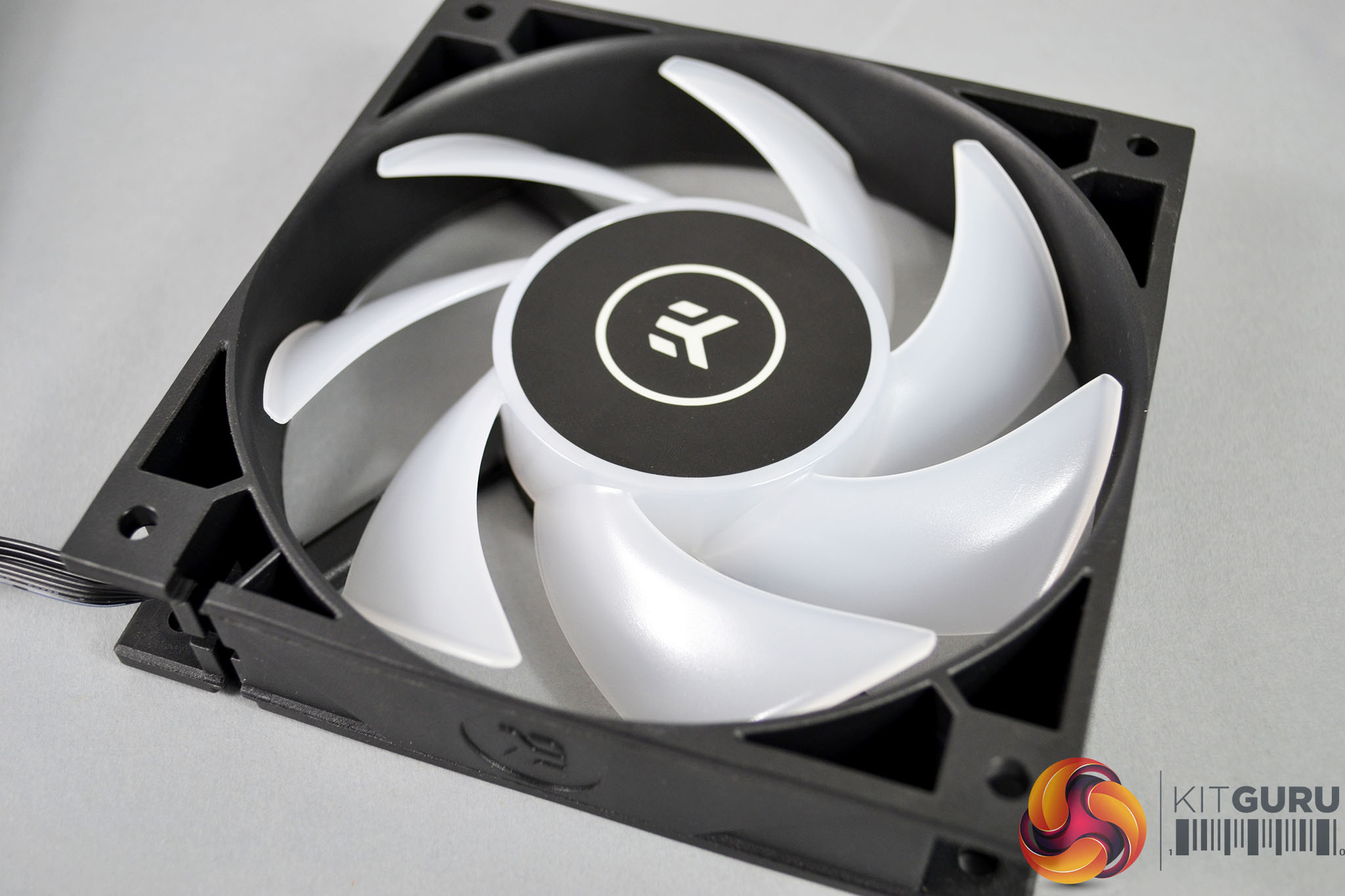
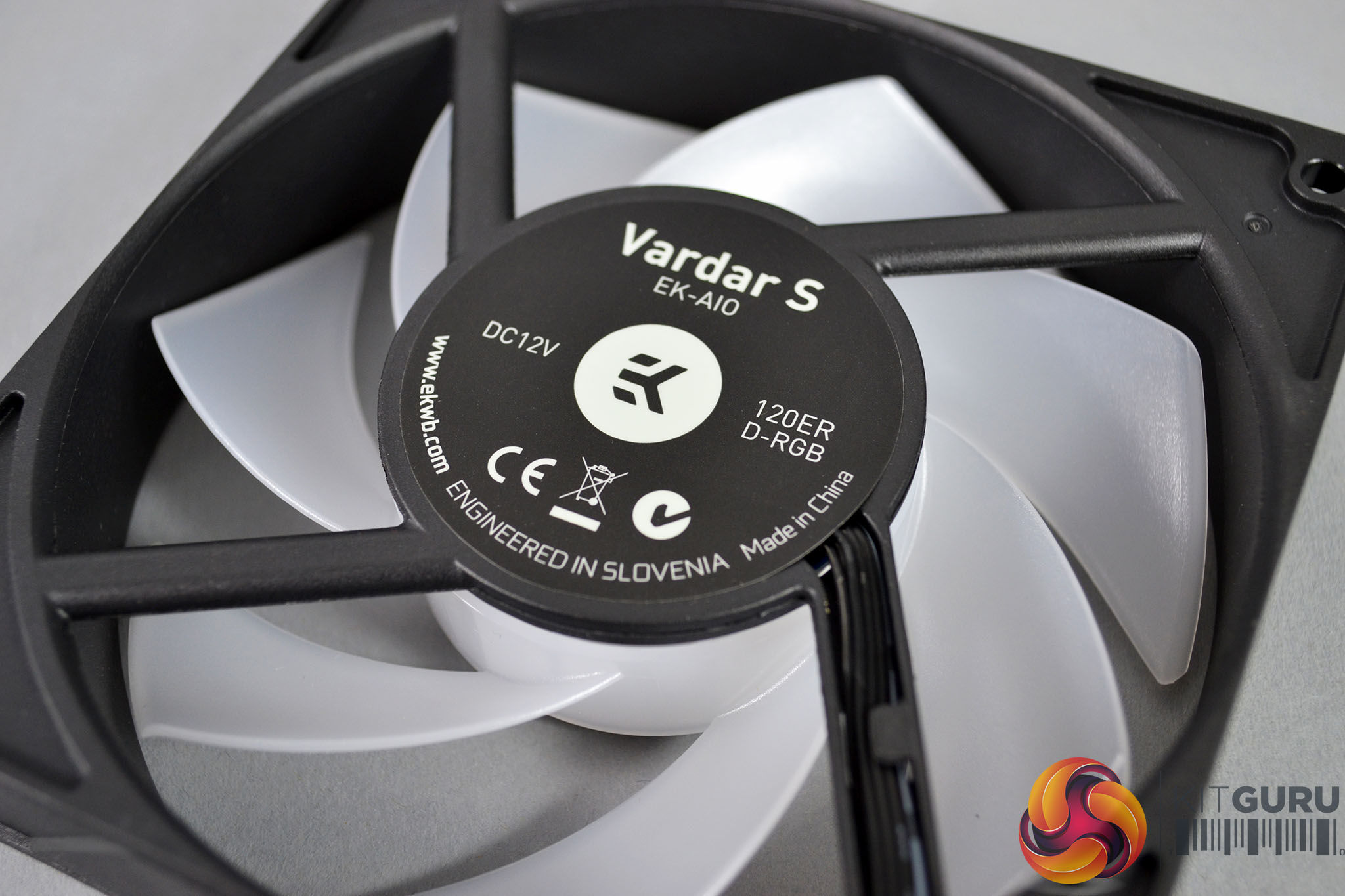
EK Vardar S 120ER D-RGB fans included with the EK-AIO have quite an industrial looking appearance to them, with a robust and completely square outer frame, seven opaque white blades that are illuminated with RGB lighting once powered up and a rather large central hub. Fan cables are a generous 500mm length, they are equipped with 4-pin PWM power and standard 3-pin RGB connections that can be daisy-chained together.
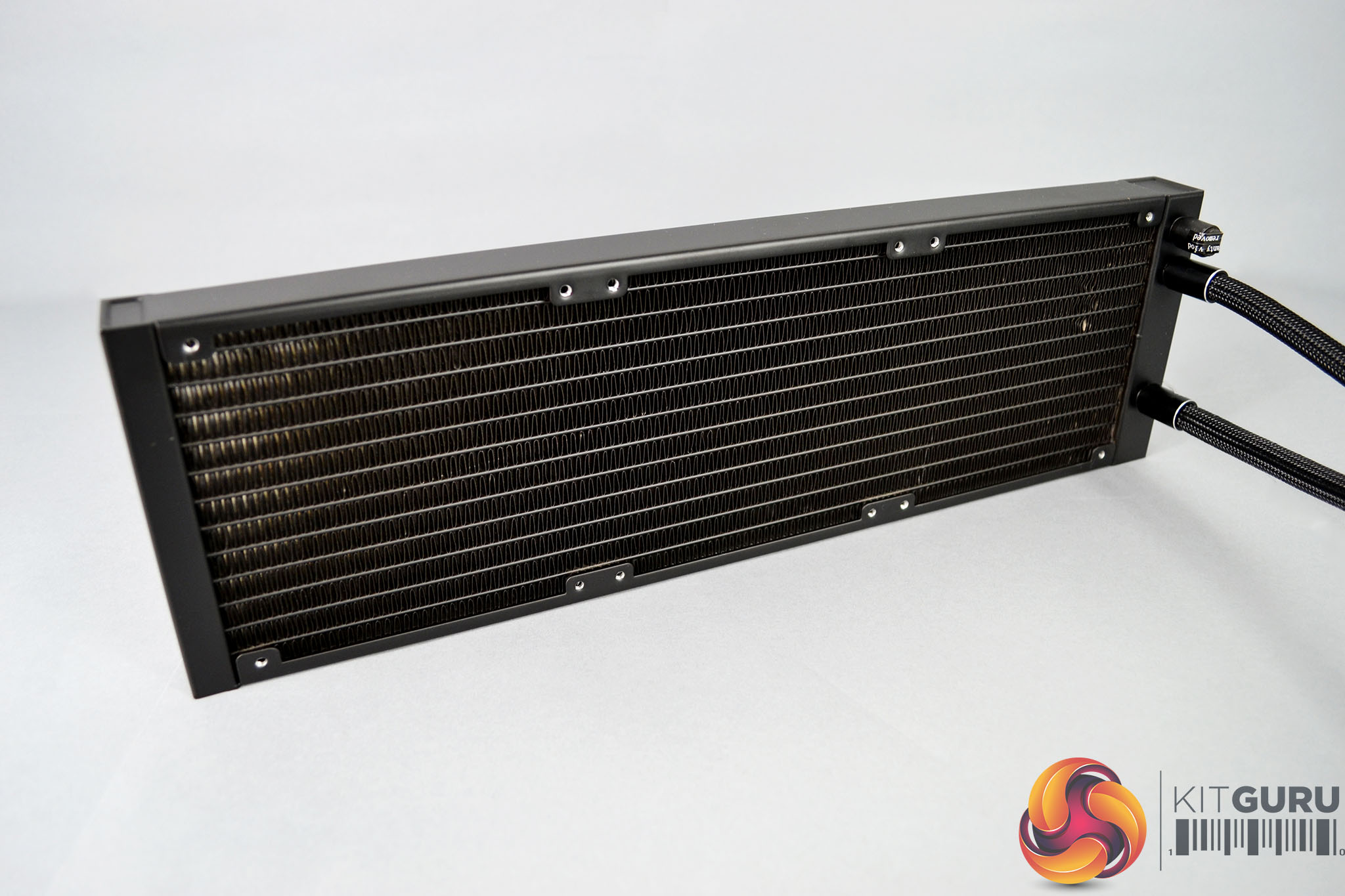
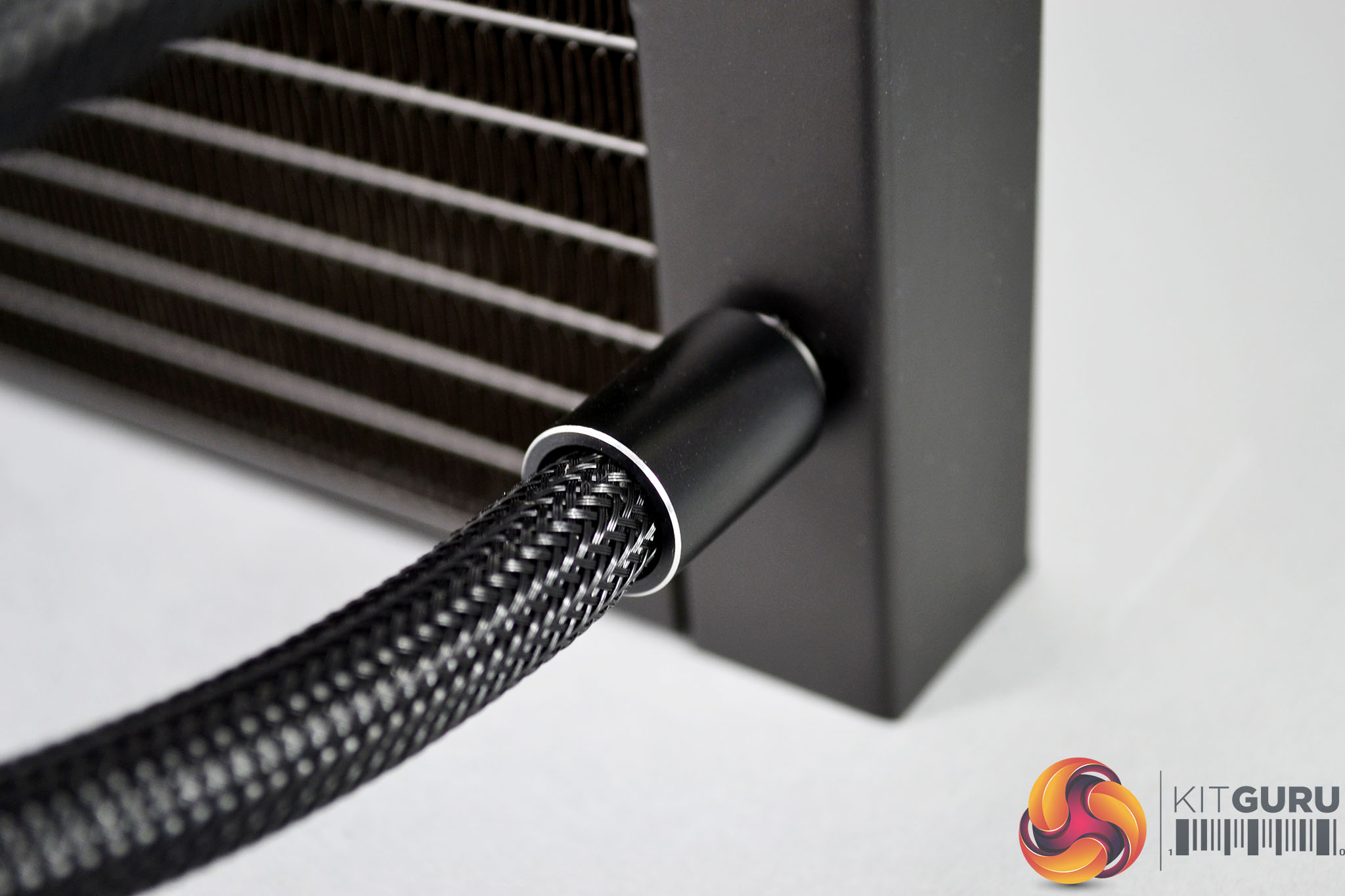
The aluminium EK-AIO radiator measures 28mm overall thickness with the core slightly inset from the frame. It is a very understated design featuring a completely plain black coating with no sign of any branding or logos in sight. The tube fittings at the radiator side are of a fixed type with black covers and diamond-cut edges to add a little style.
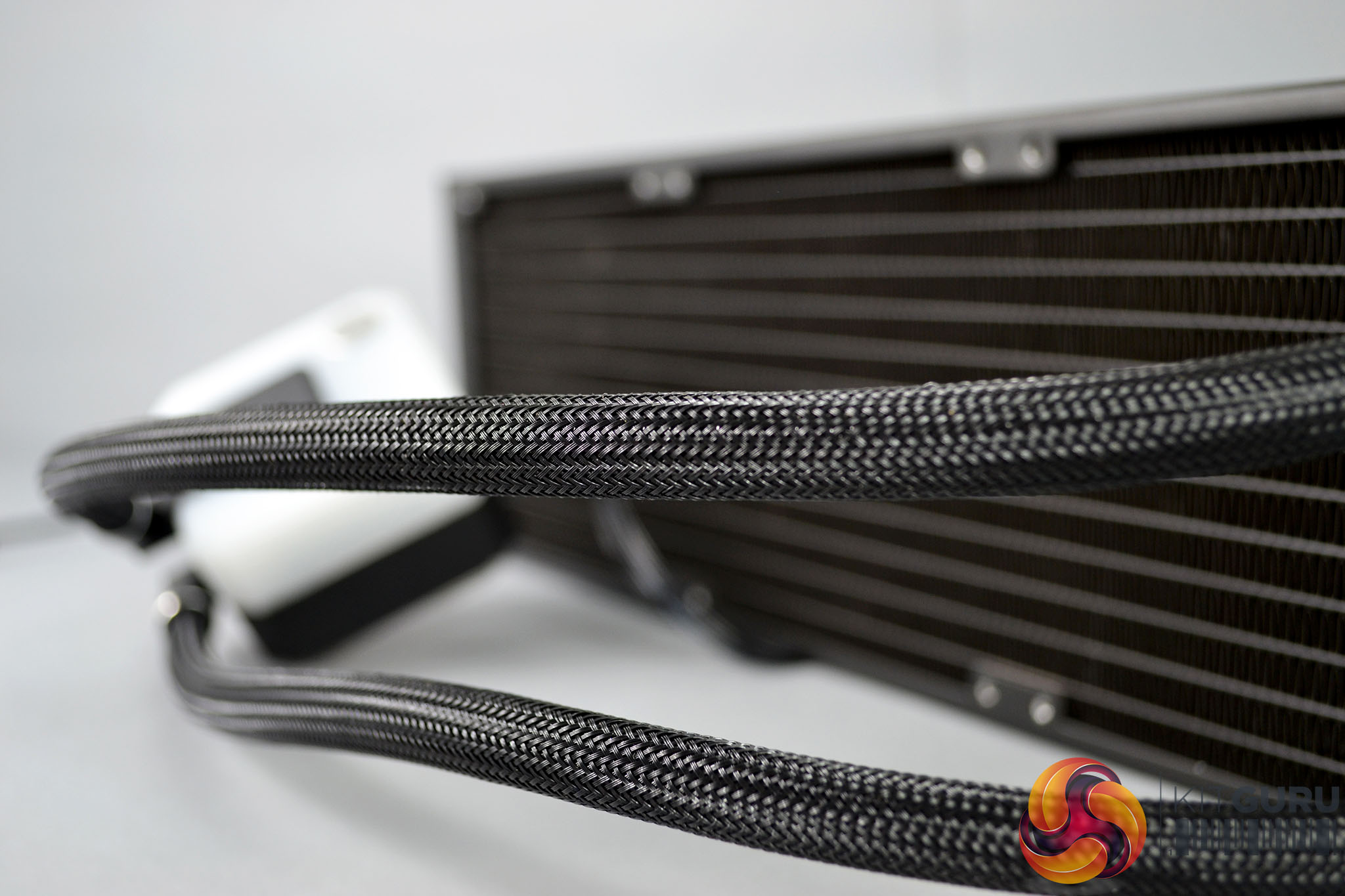
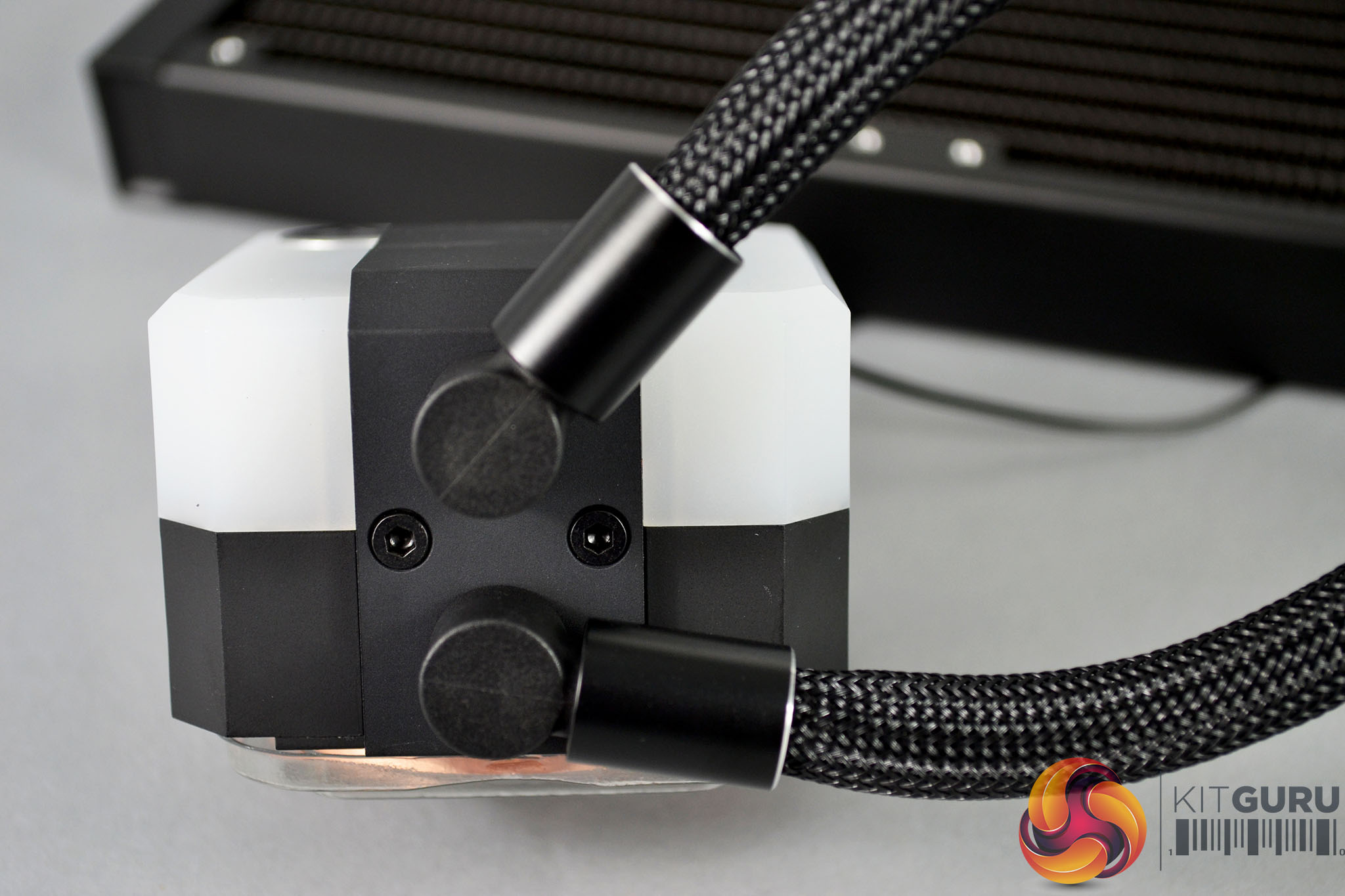
Rubber tubing used in the EK-AIO feels very firm to compress while still being supple enough to manipulate into tight bends quite easily without kinking. The tubing is covered with a nylon braided sleeving for a premium appearance and at the pump side of the tubing are articulating 90° fittings with diamond-cut aluminium covers.
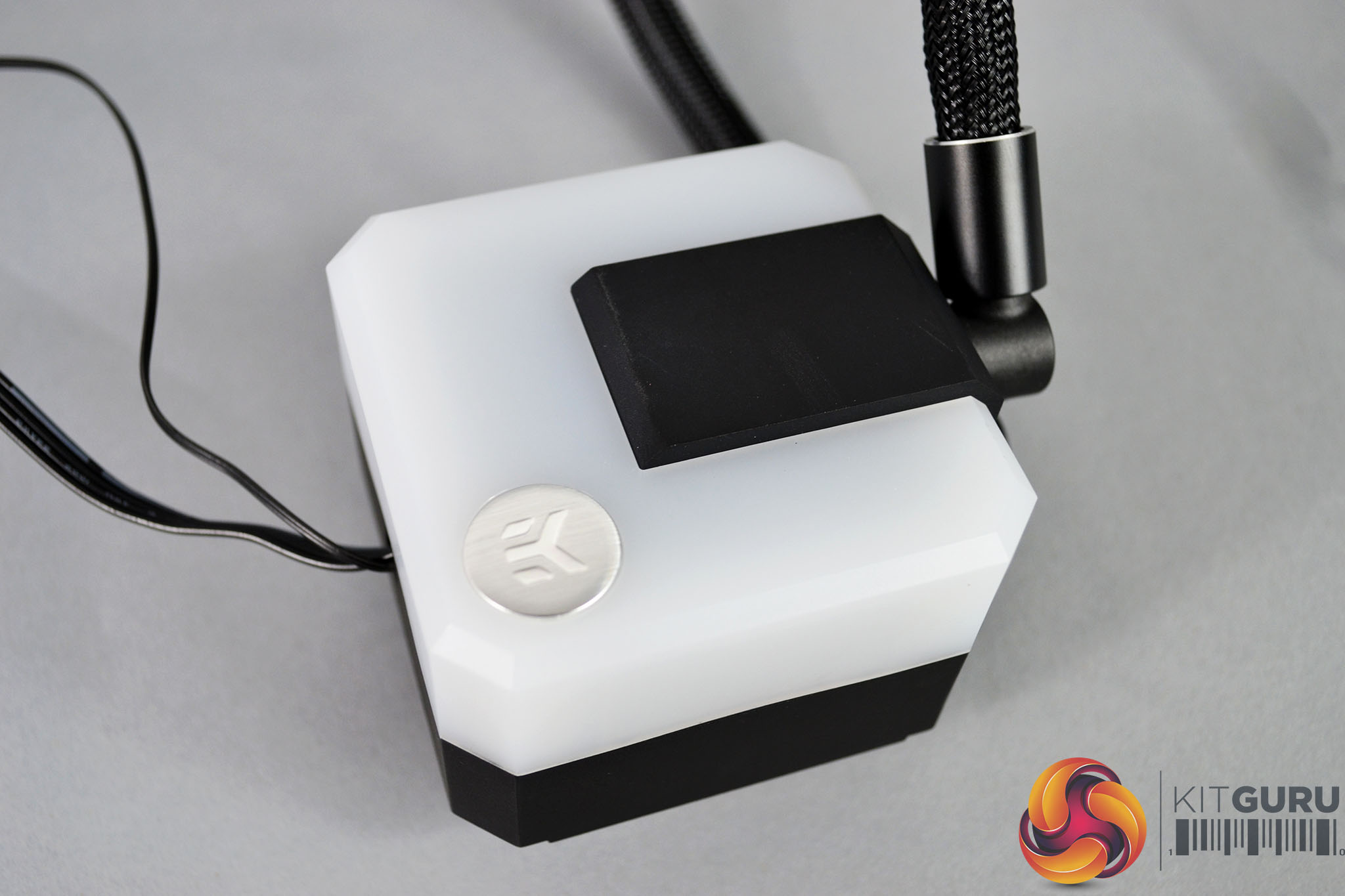
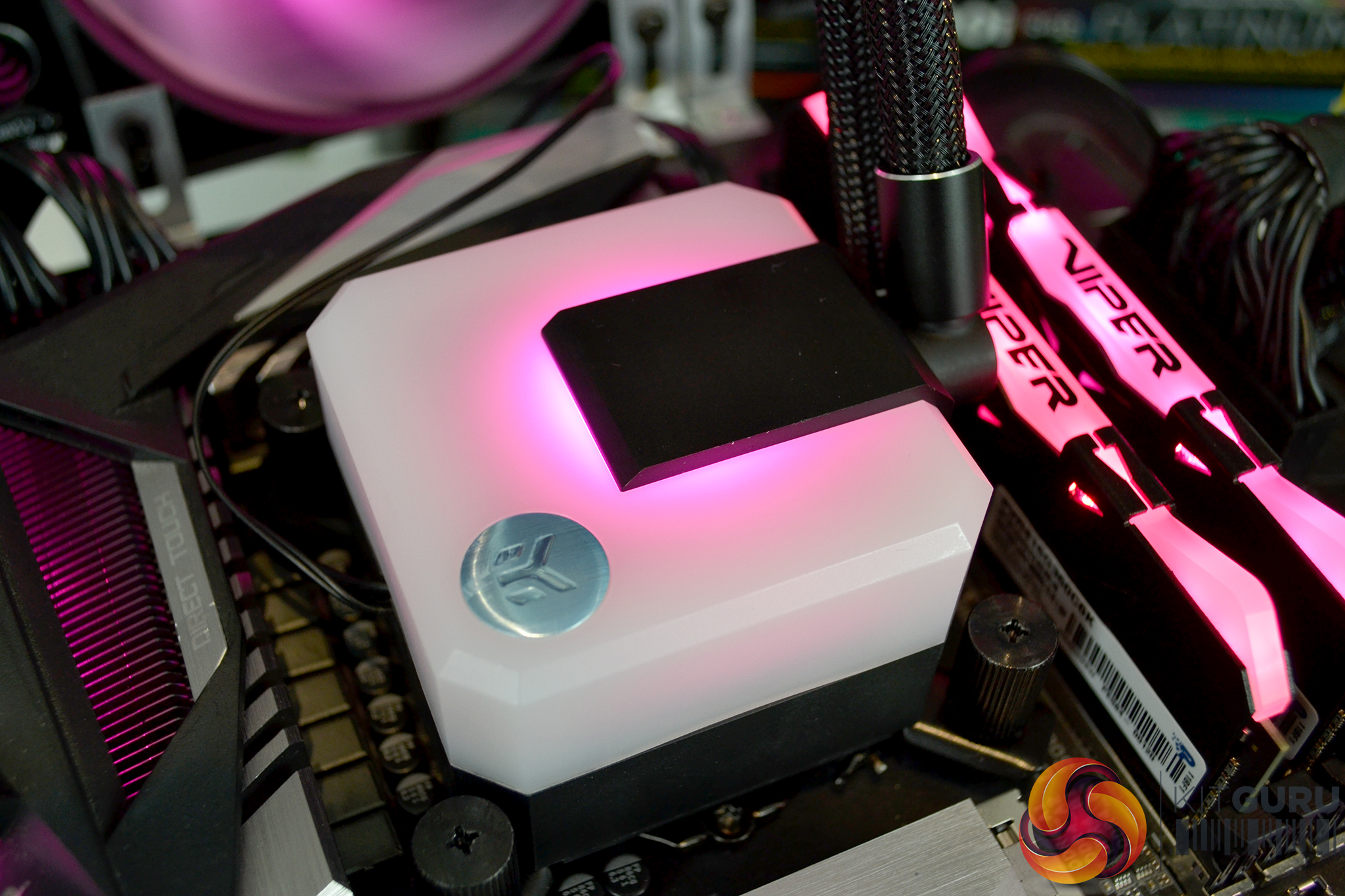
On top of the CPU block/pump housing is a frameless opaque cover with a brushed metal style circular EK logo. When the system is powered on this top cover is completely illuminated with addressable D-RGB lighting that can be configured independently or in sync with the fans depending on how they are connected.
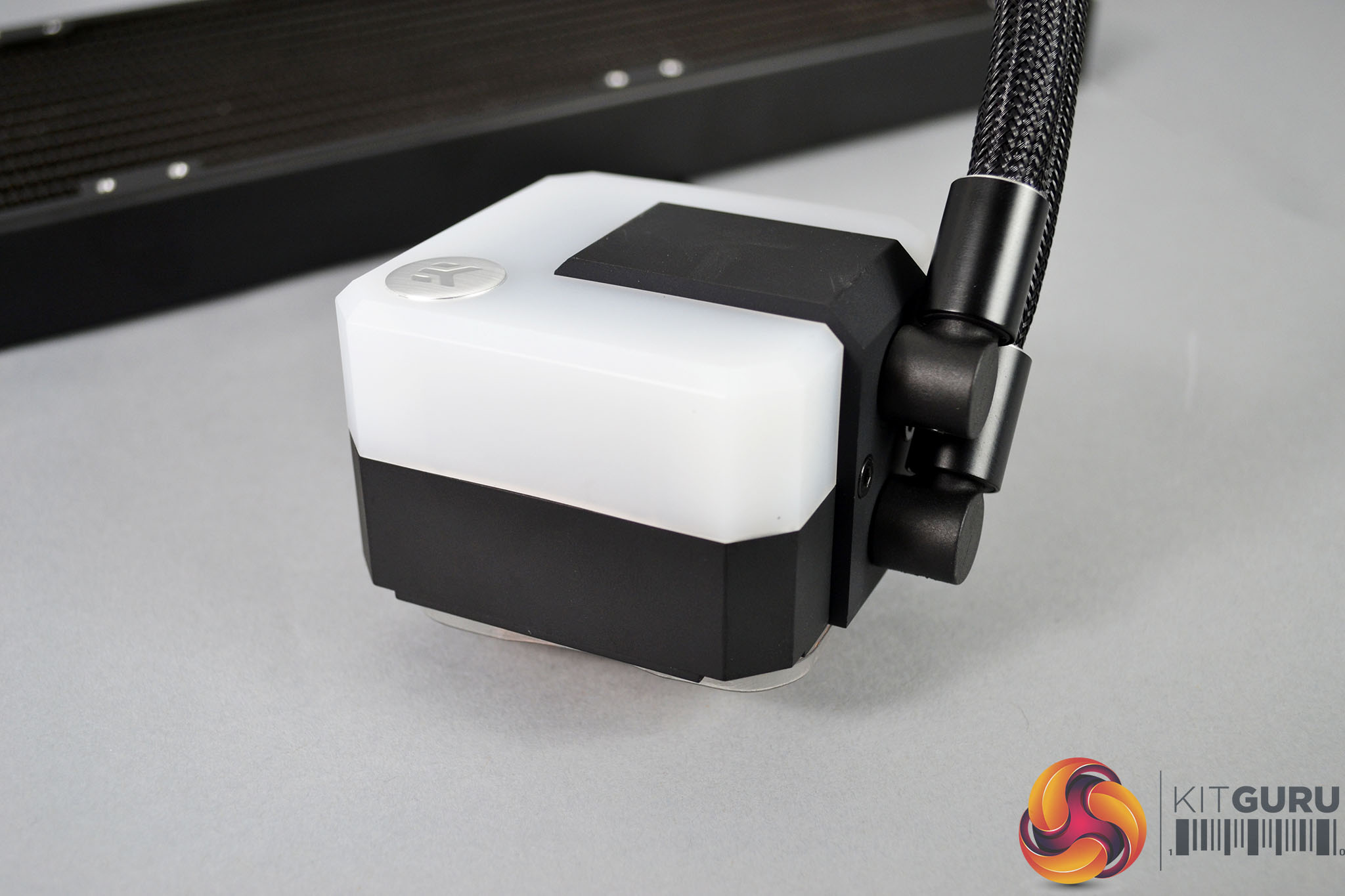
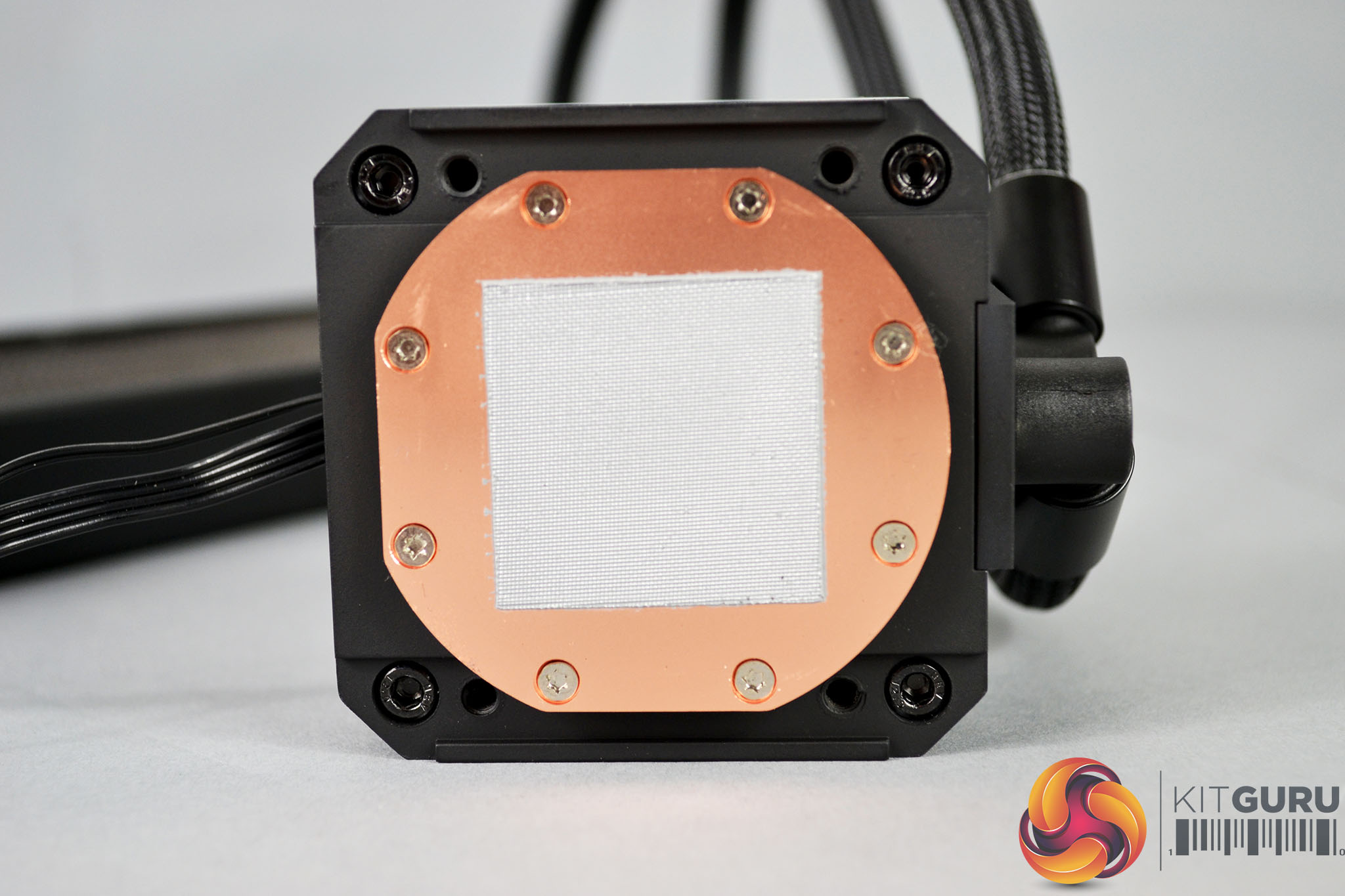
The CPU block looks quite bulky and certainly has some weight to it. EK claims the size of the block is due to the powerful SPC style pump inside. At the base of the CPU block is a smooth copper cold plate with internal micro fins for optimal thermal dissipation. The cold plate comes with thermal compound pre-applied and EK throw in an extra tube for future use.
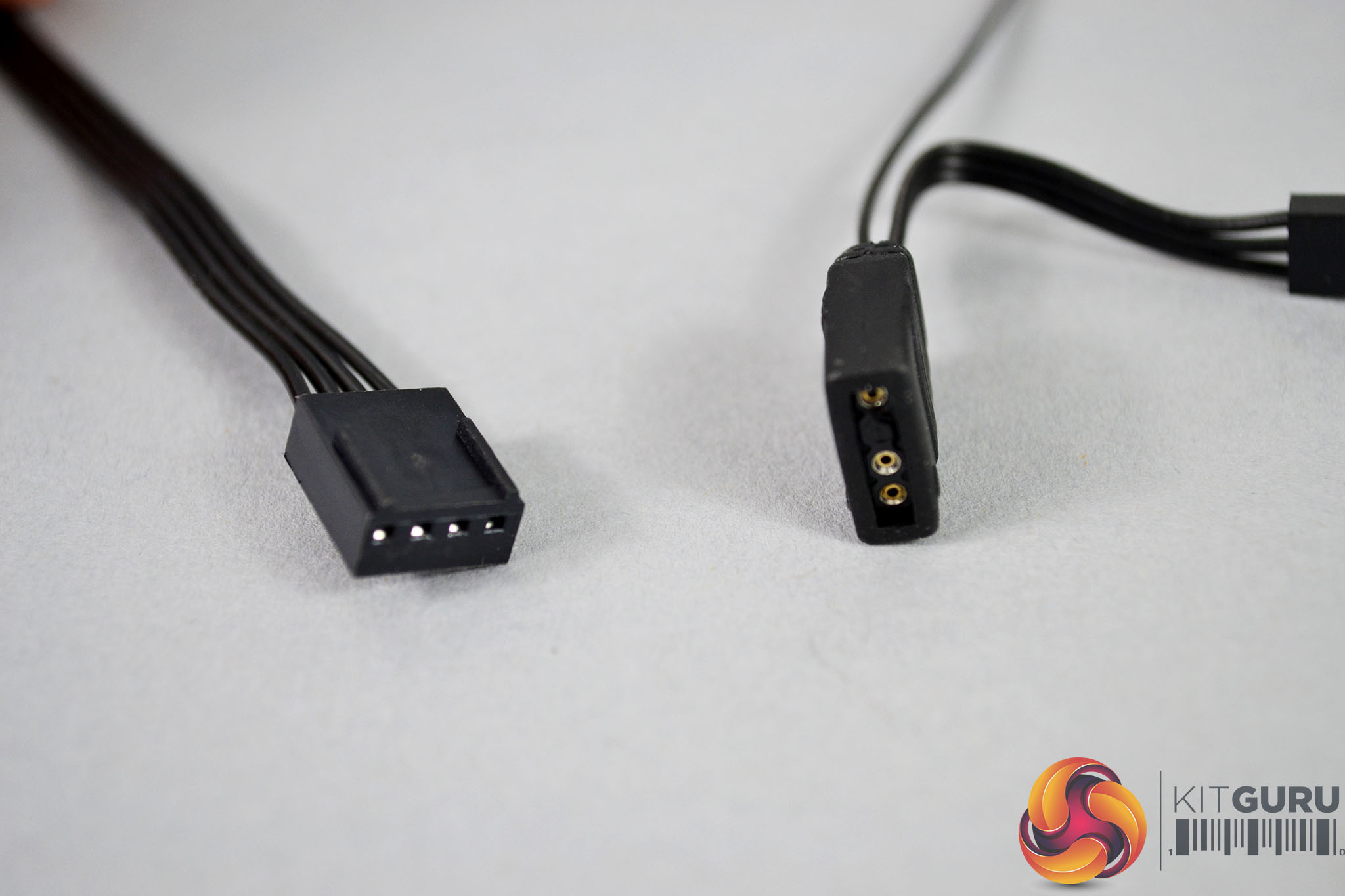
Just like the Vardar S D-RGB fans, the pump is equipped with a generous 500mm cable length with a standard 4-pin PWM power cable and a 3-pin 5V addressable RGB header which means they can be connected directly to motherboard RGB headers and configured by the motherboard BIOS or motherboard manufacturer software.
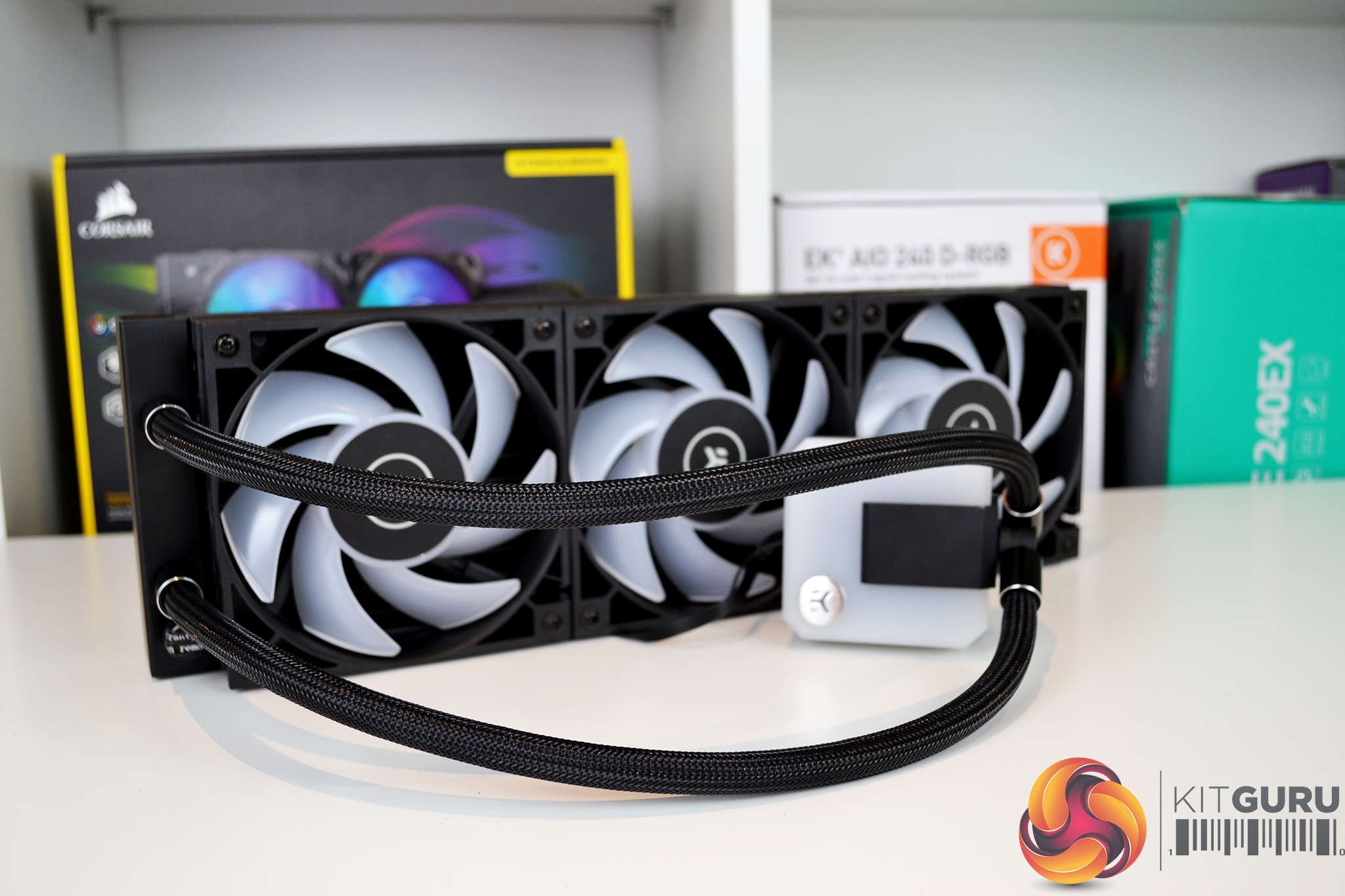
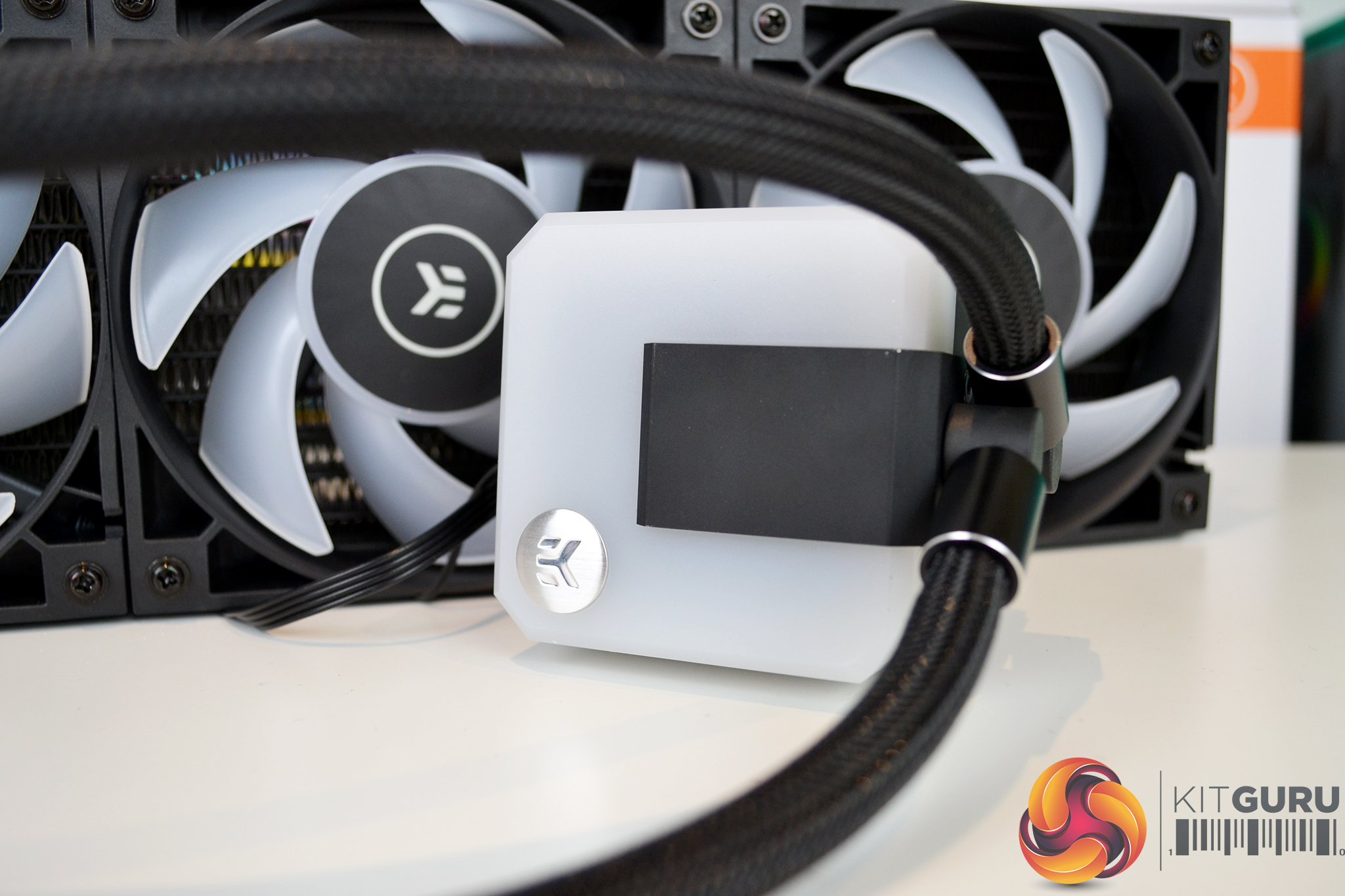
Overall, the EK-AIO looks very well built out of high-quality materials and there is a balanced mix of understated looking black parts as well as dual RGB lighting zones. While we like the use of standard cable connections which means there is no need for additional hubs to control fan speed and RGB lighting, a simple RGB controller for those who don’t have RGB equipped motherboards is missing from the kit.
Our test system is Intel Z390 based, therefore, we will be following the relevant Intel 115X socket installation procedure.
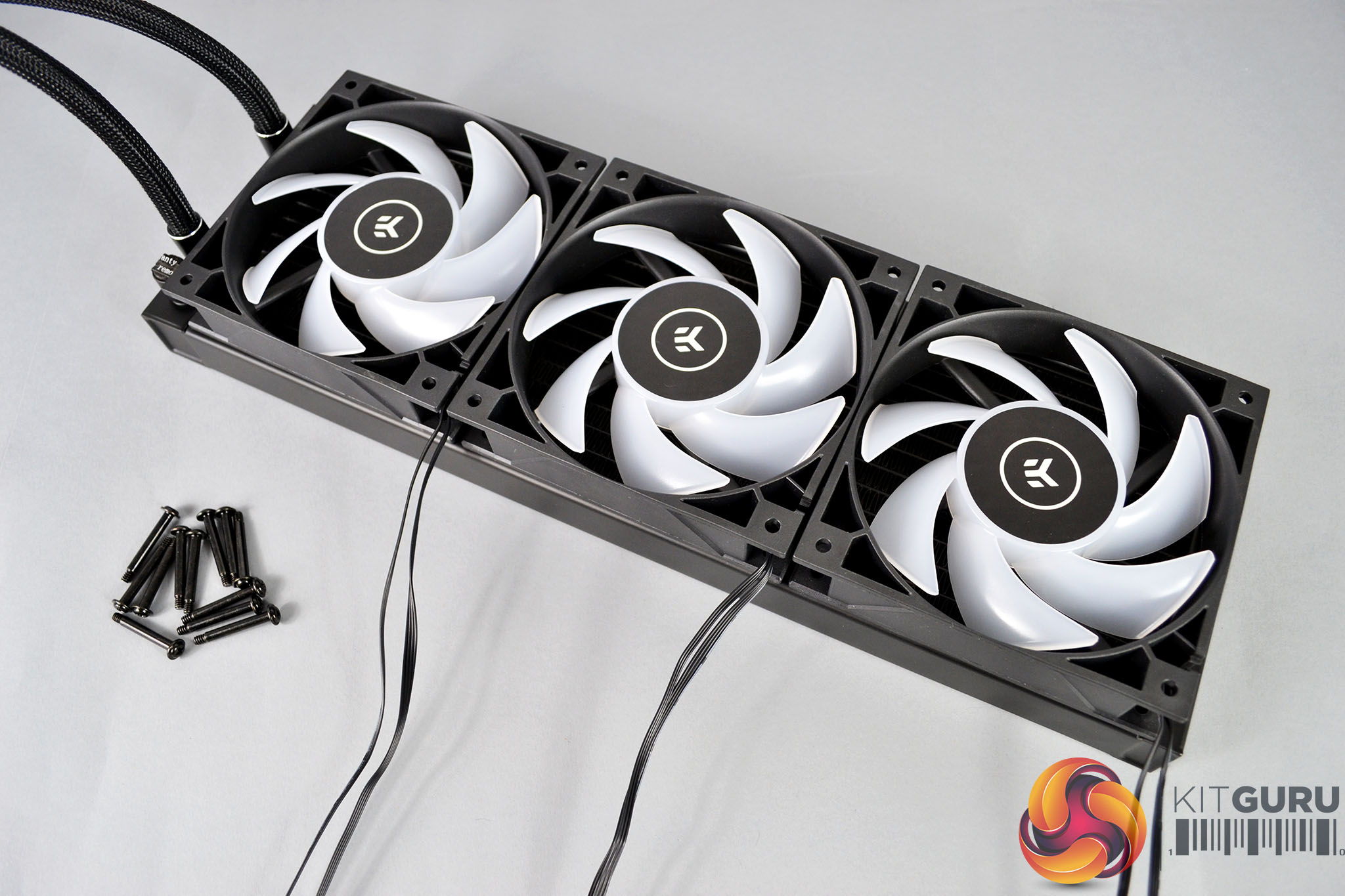
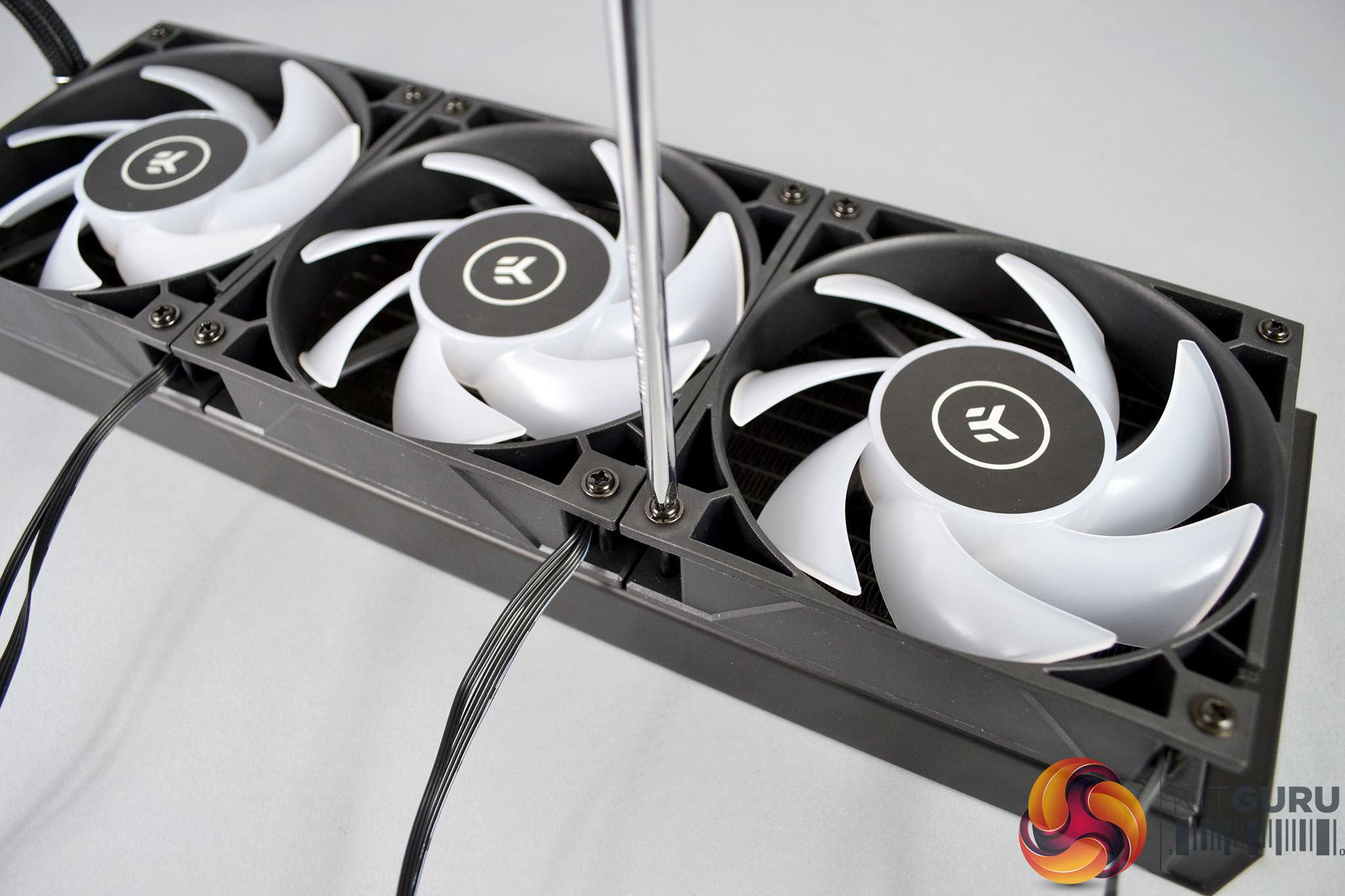
For the first step of the installation, place the three fans on the radiator in your preferred push or pull airflow configuration and using the twelve long black fans screws, tighten the fans down to the radiator using a Philips screwdriver until they are firmly fixed in position.
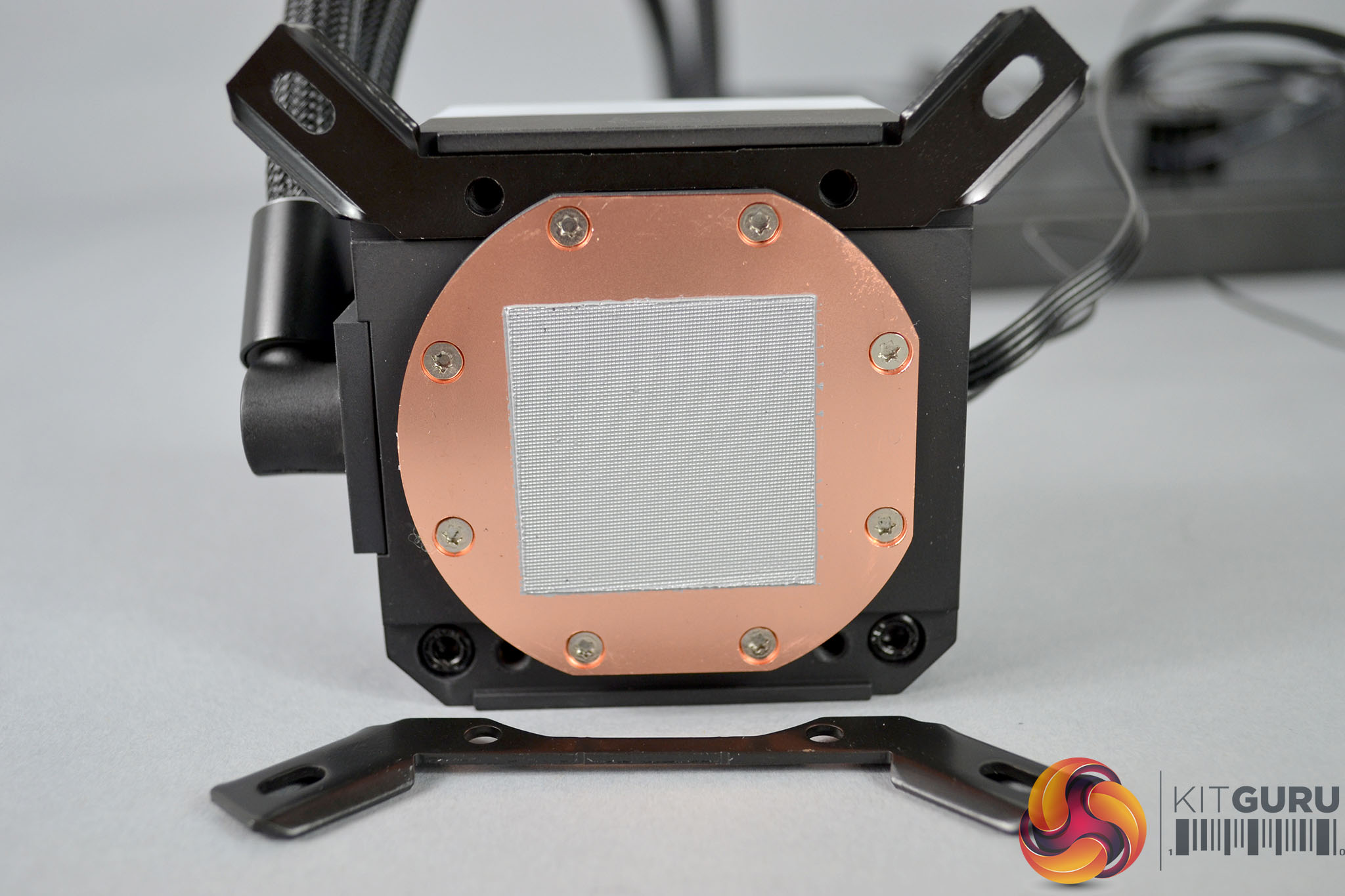
To prepare the CPU block, use the upper mounting brackets that correspond to your CPU socket type and locate them in the slot aligned with the holes on the underside of the block. Tighten them in place using the four short silver Philips head screws provided.
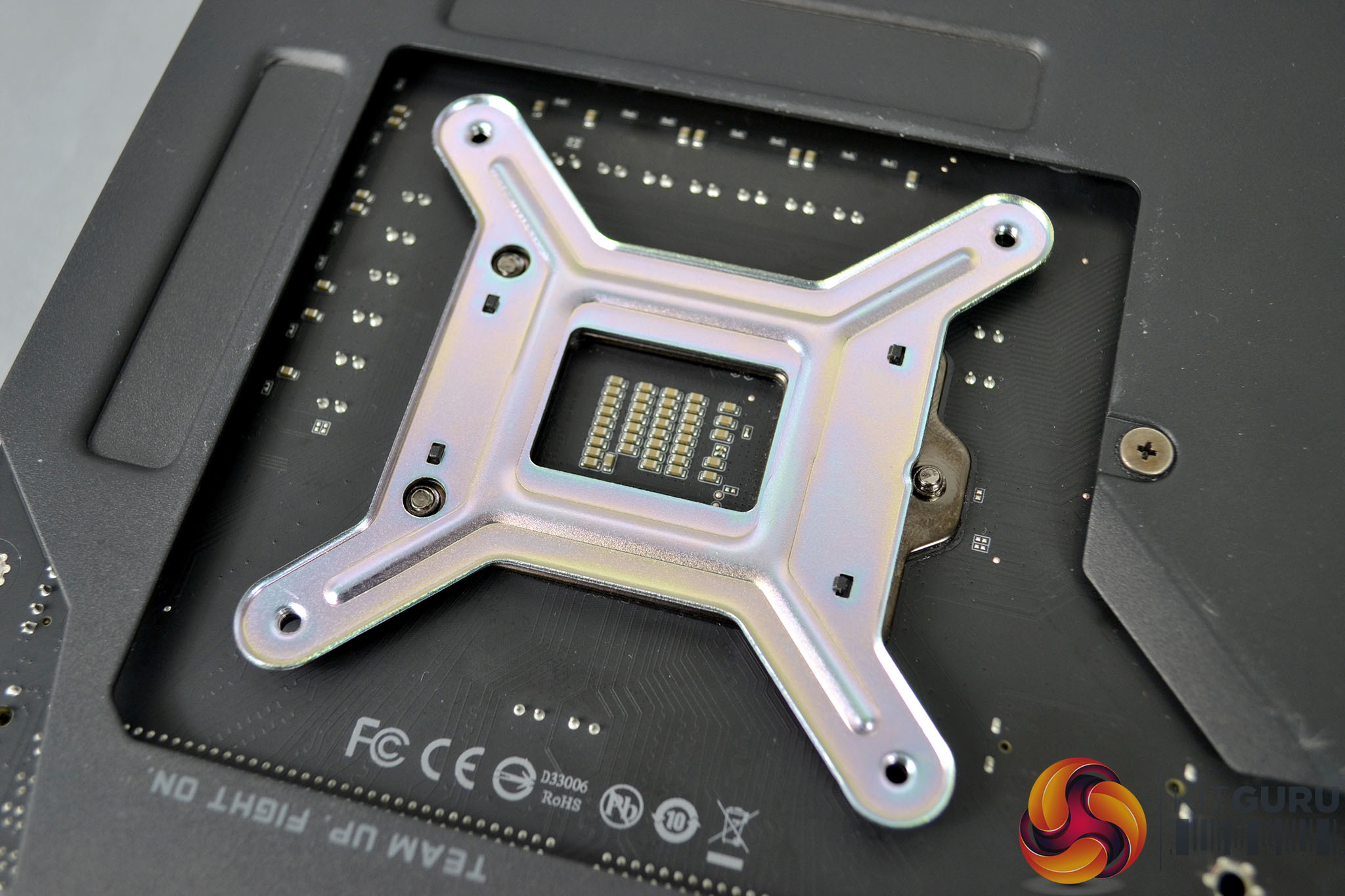
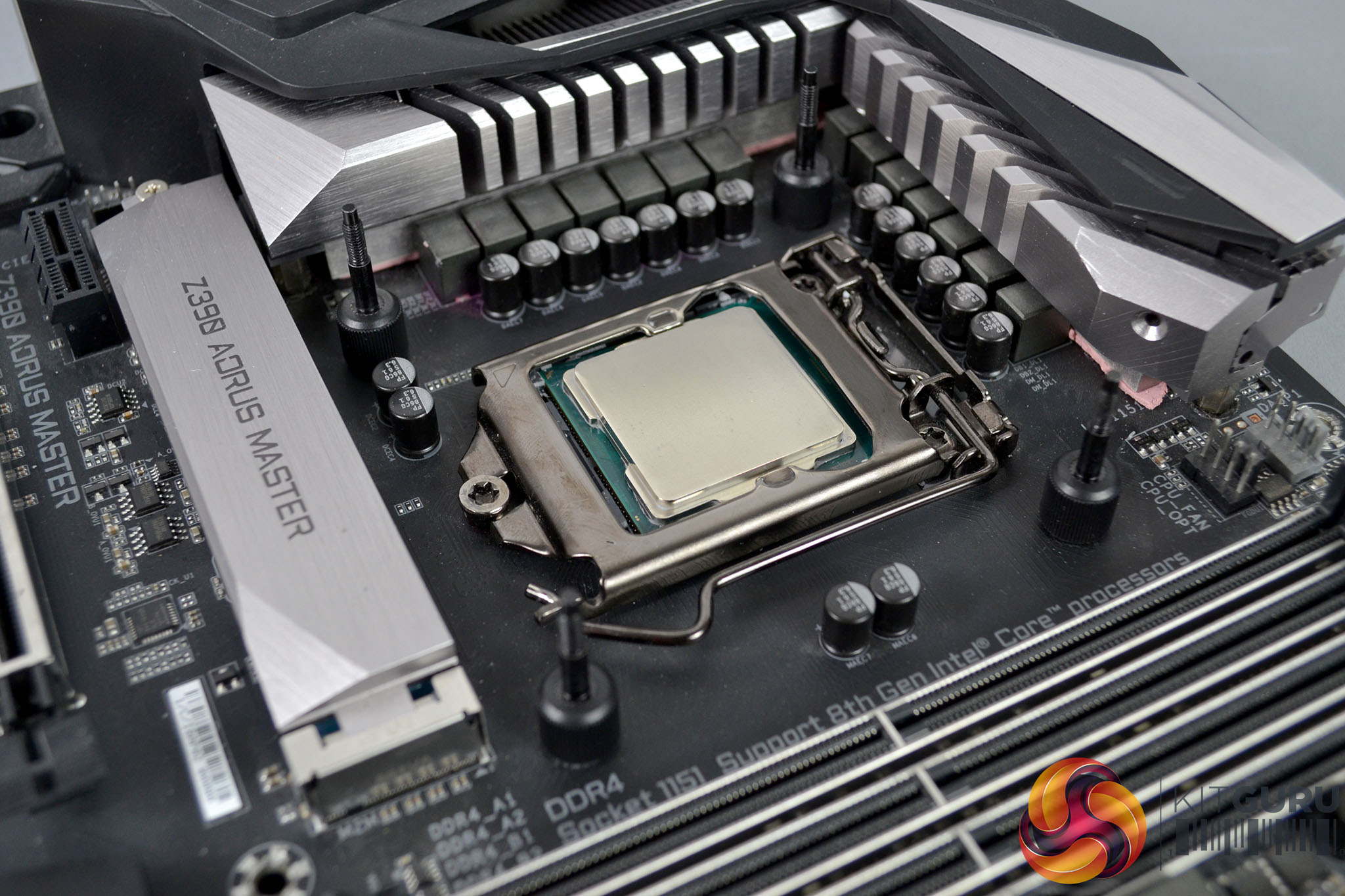
Now we can move on to prepare the motherboard. Intel installation requires the fitting of an EK backplate, AMD installations retain the stock backplate. To proceed, place the backplate over the rear of the CPU socket aligned with the holes. Then flip the motherboard back over and install the Intel specific standoffs, which are the longer of the two types.
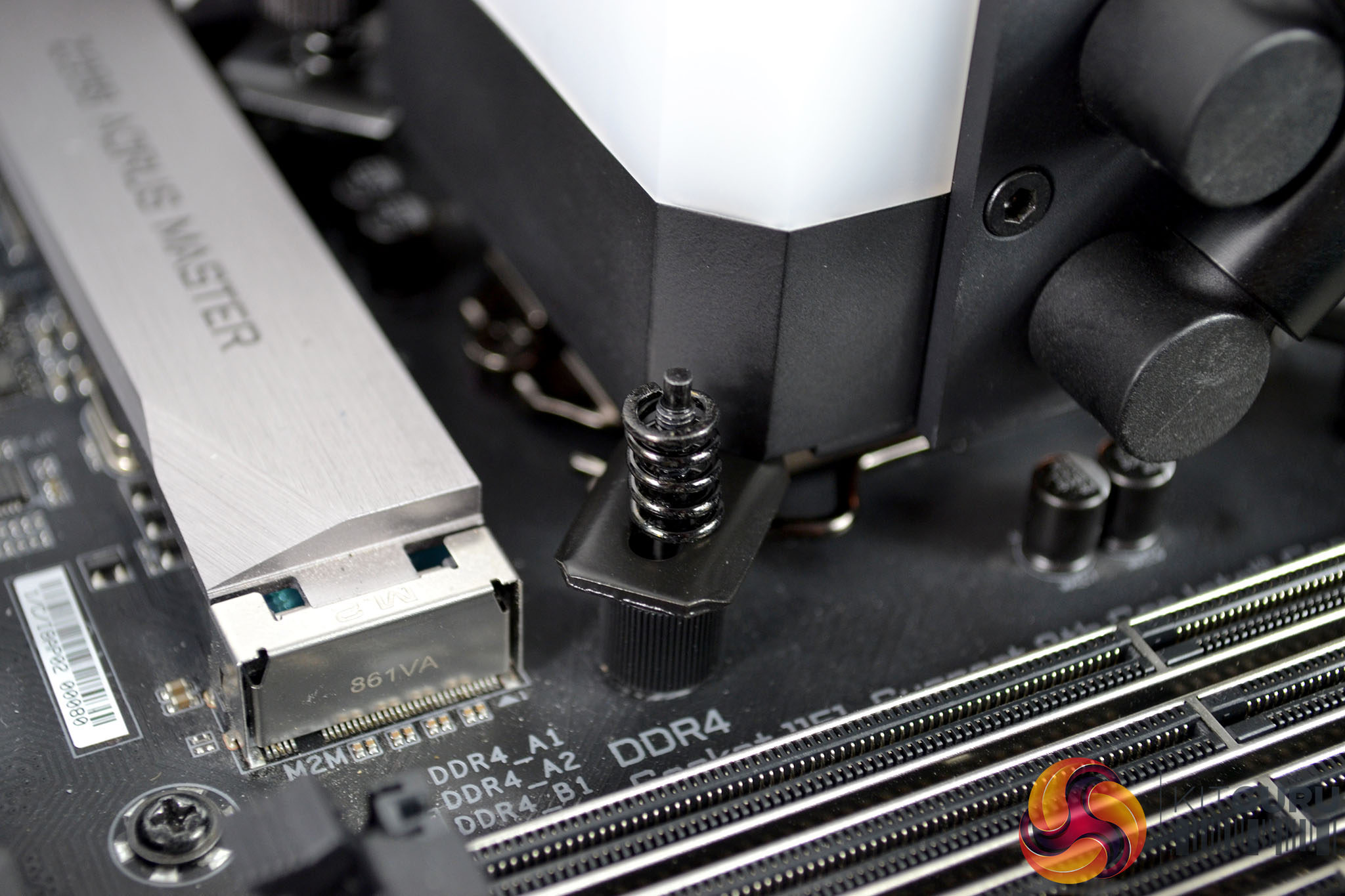
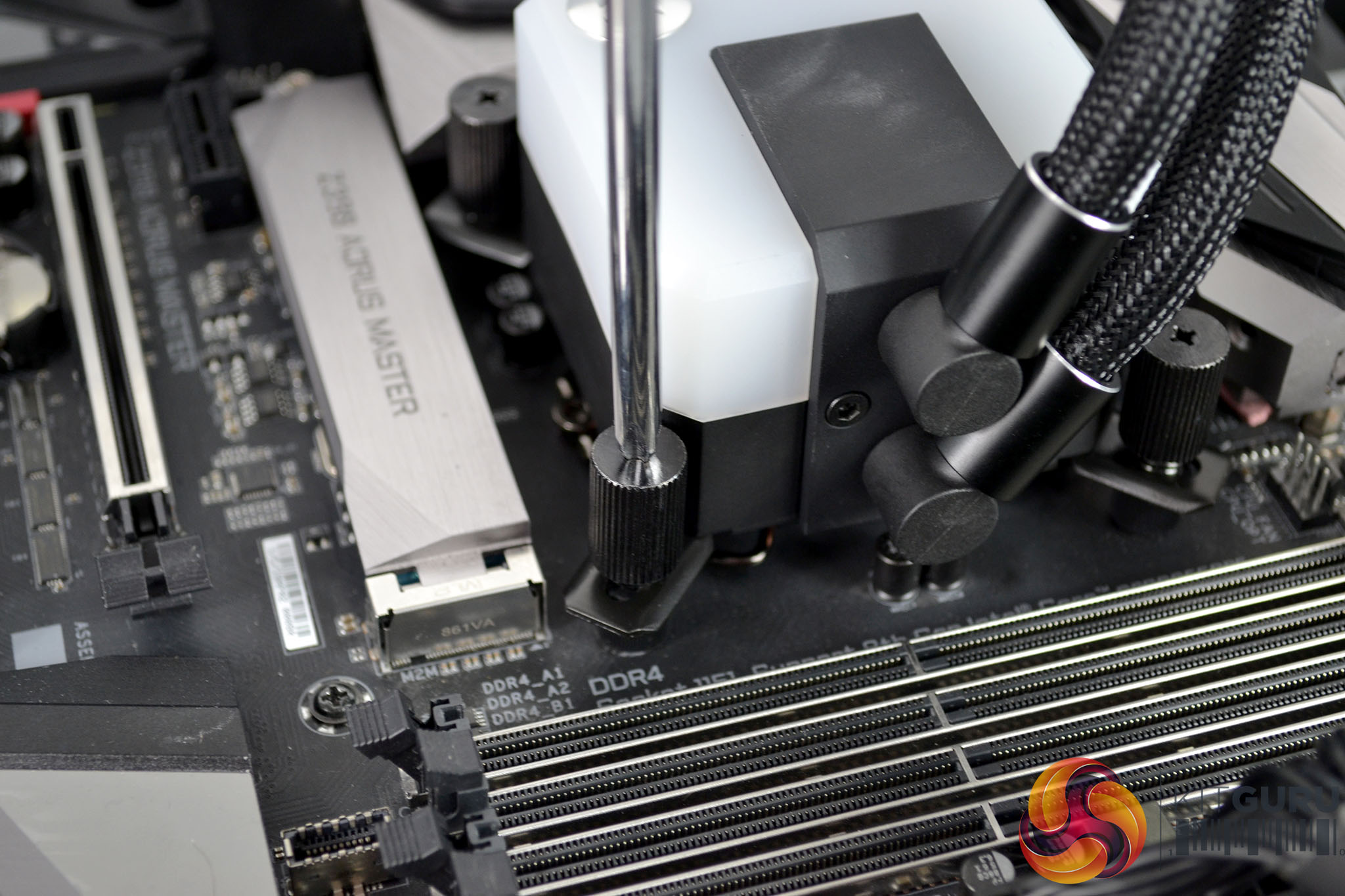
With the motherboard prepared we can now lower the CPU block down over the CPU with the bracket holes aligned with the standoffs and place the springs in position. Next, we just need to use the four large black thumbscrews and tighten down the CPU block evenly using an X shape pattern to distribute pressure over the CPU IHS for optimal contact. Final tightening can be achieved using a Philips screwdriver if necessary.
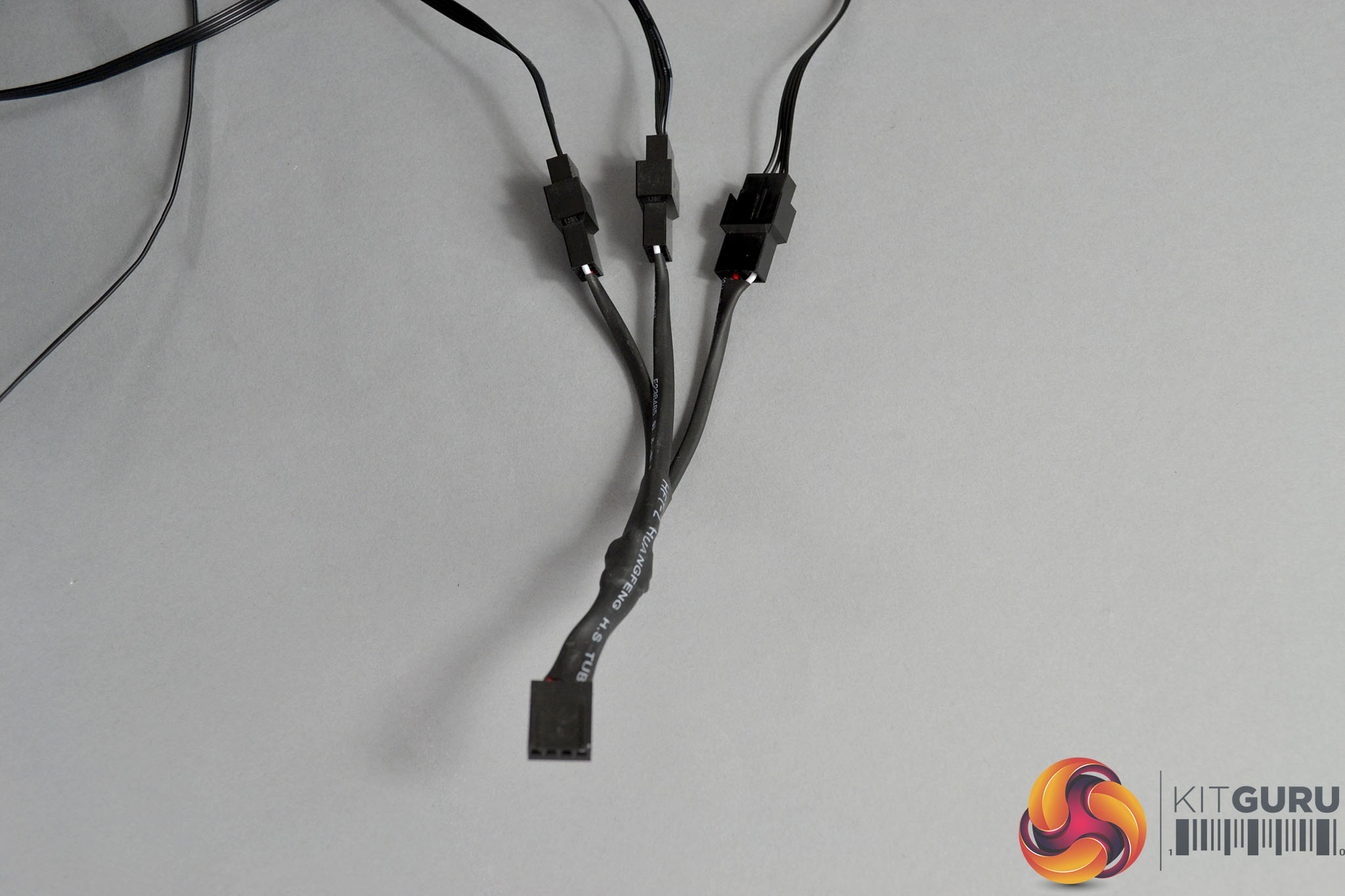
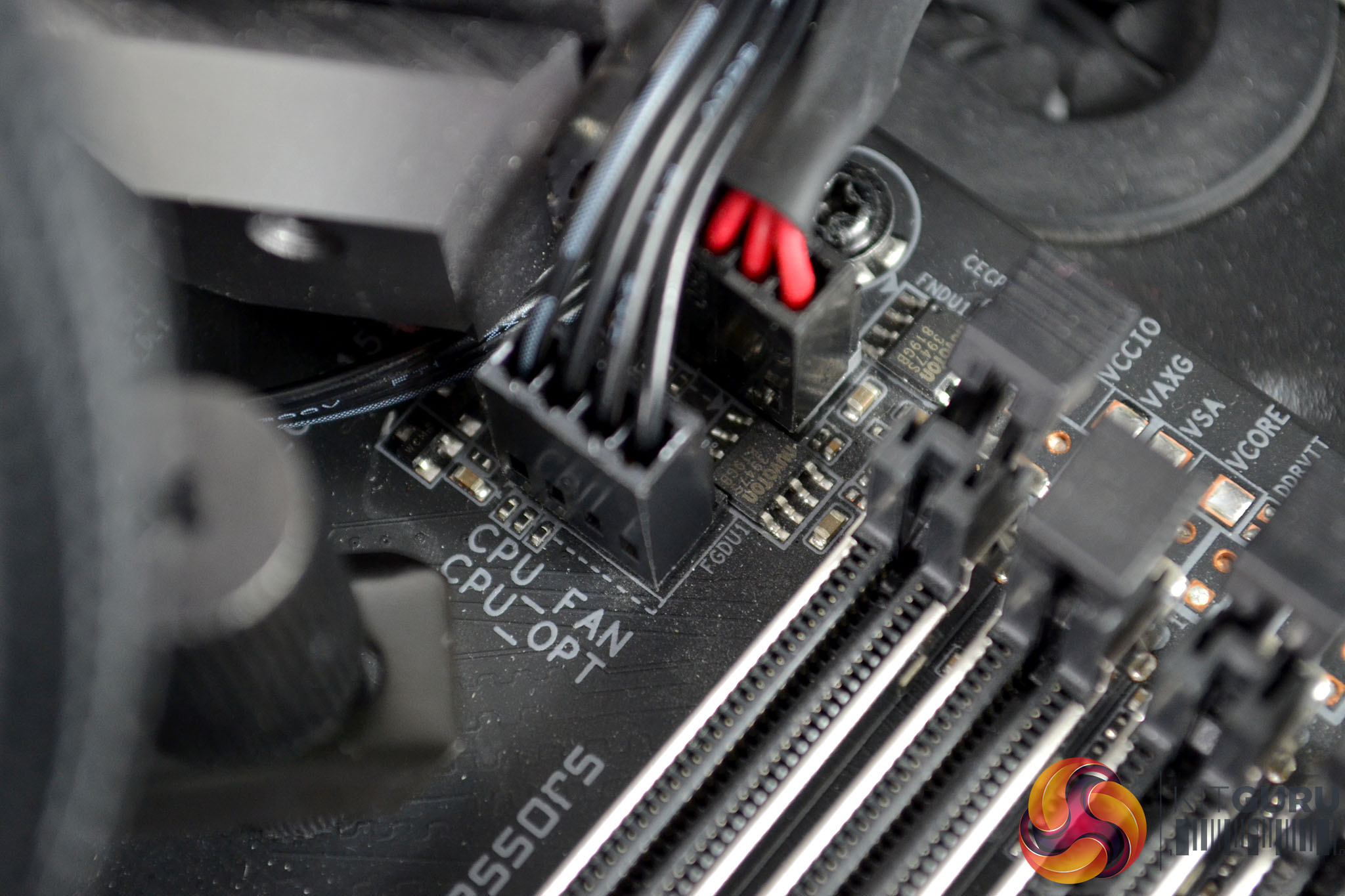
The next step of the installation process is to connect all the wiring. Attach the 4-pin PMW power cables from the fans to the included 3-way splitter cable and then connect the other end of the splitter cable and the 4-pin PWM cable from the pump to the motherboard CPU_FAN and CPU_OPT headers respectively.
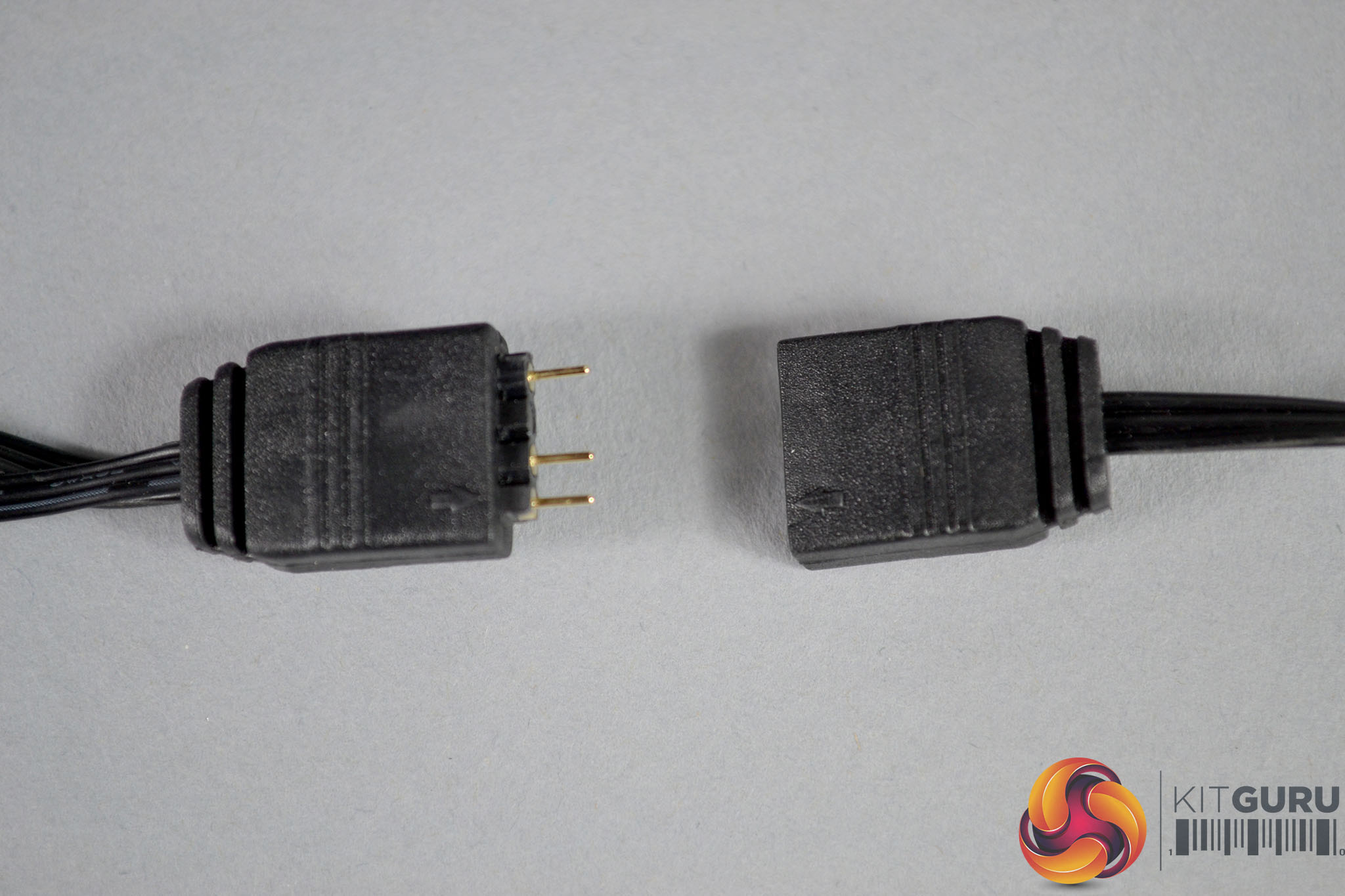
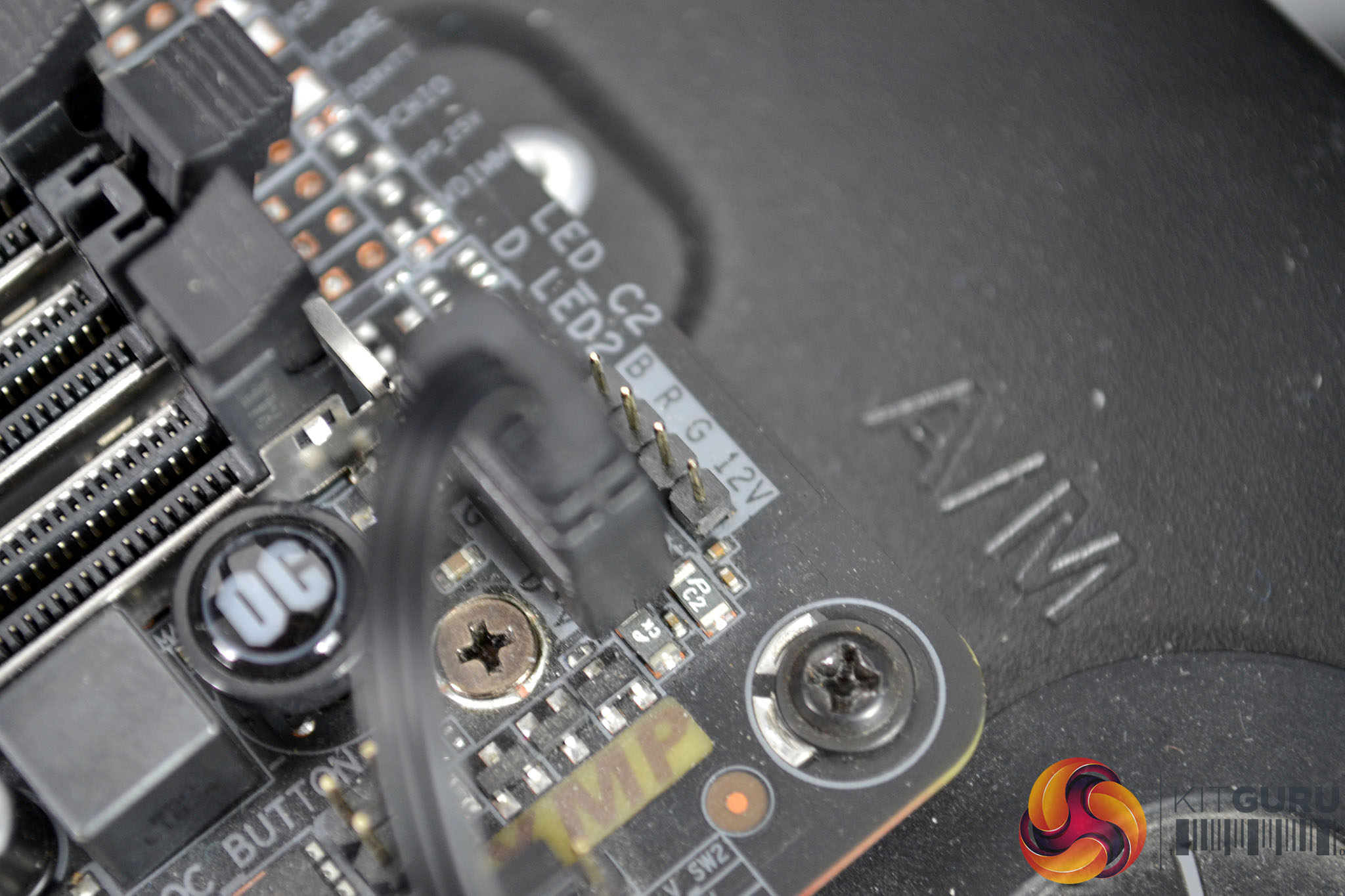
Since the Gigabyte Z390 Aorus Master motherboard in our test bench is equipped with 3-pin 5V ARGB headers, we can connect the EK-AIO RGB lighting directly to this. We simply daisy chain the fans and pump RGB cables to each other and then connect the final cable in the loop to the motherboard 3-pin 5V RGB header to allow full control and synchronisation of the RGB lighting using the Gigabyte RGB Fusion software.
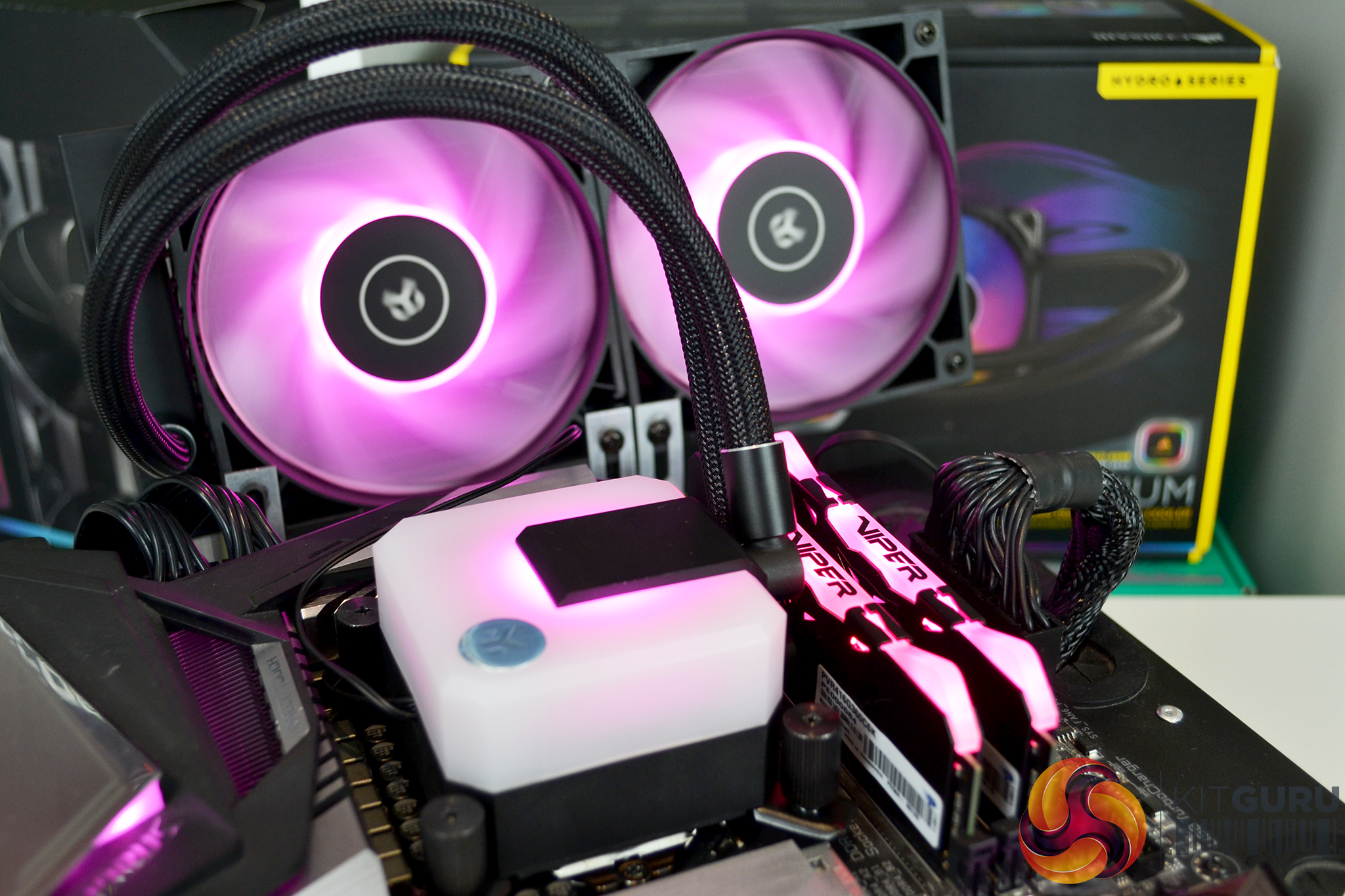
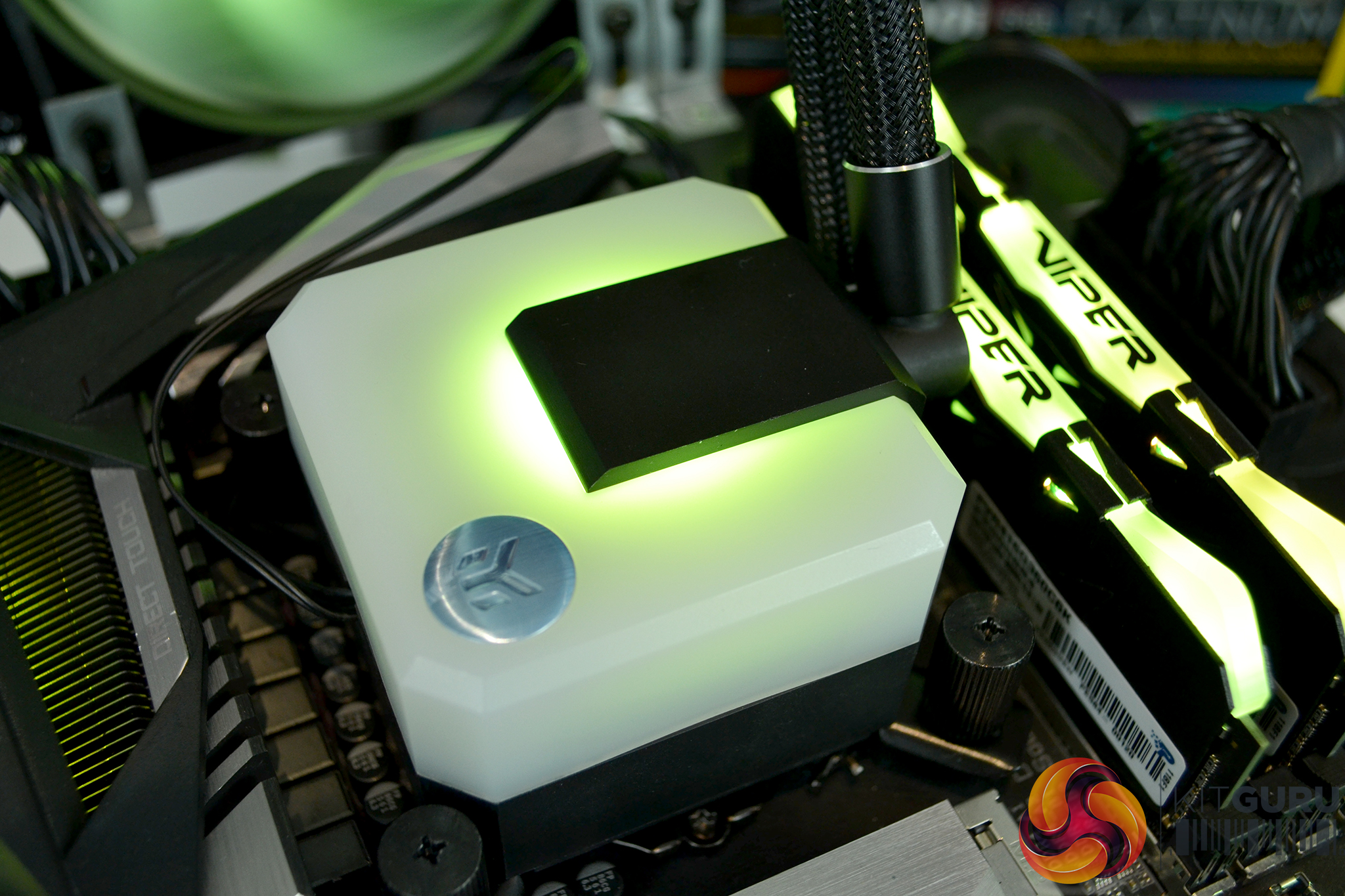
The whole installation process isn’t too difficult but for the novice user who has not installed an AIO or an EK Water Blocks product previously, following the installation manual is recommended. The whole process takes approximately 15-20 minutes and during the installation process we didn’t come across any challenges or issues, everything fitted in place as it should.
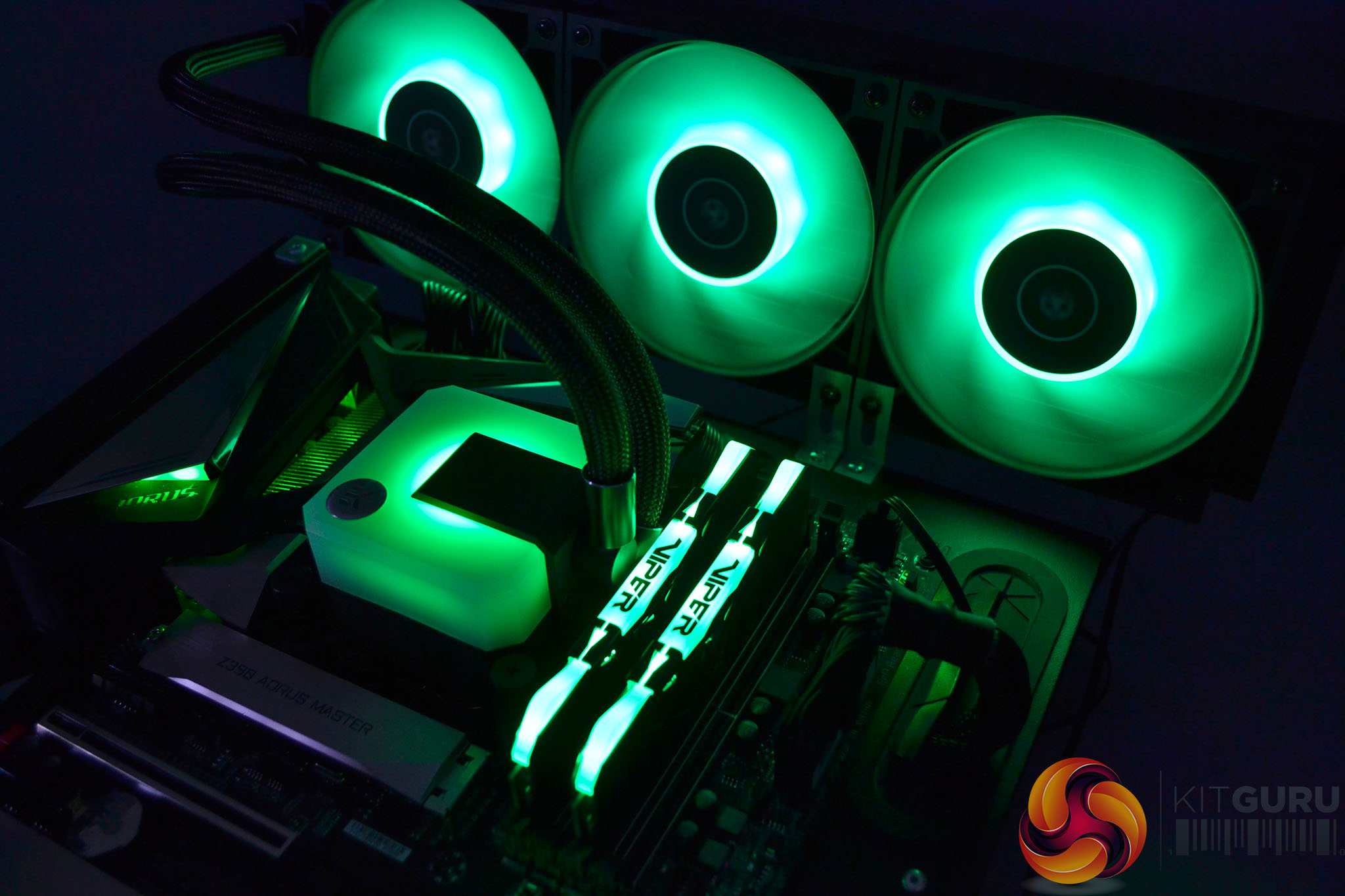
RGB Gallery
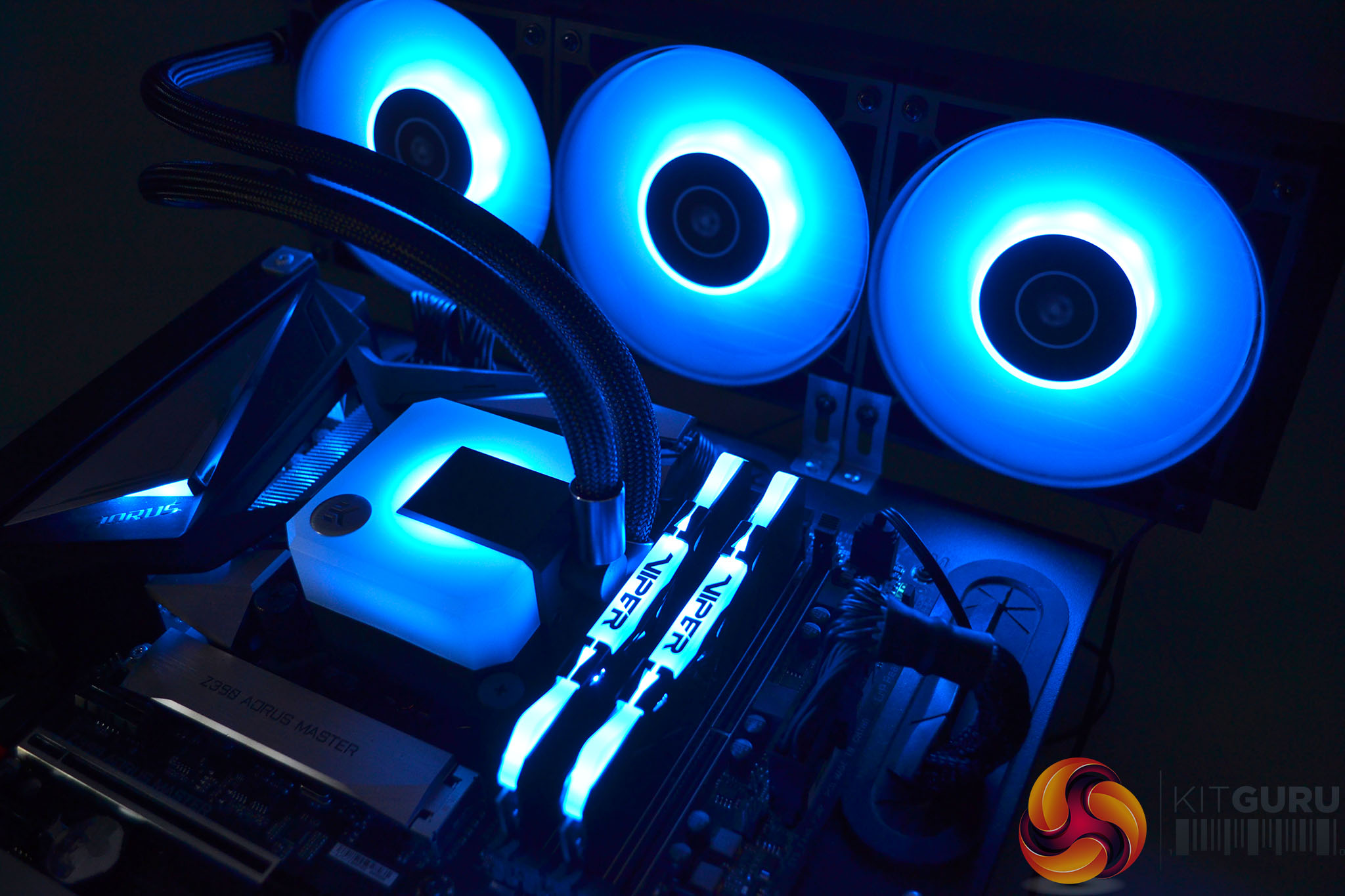
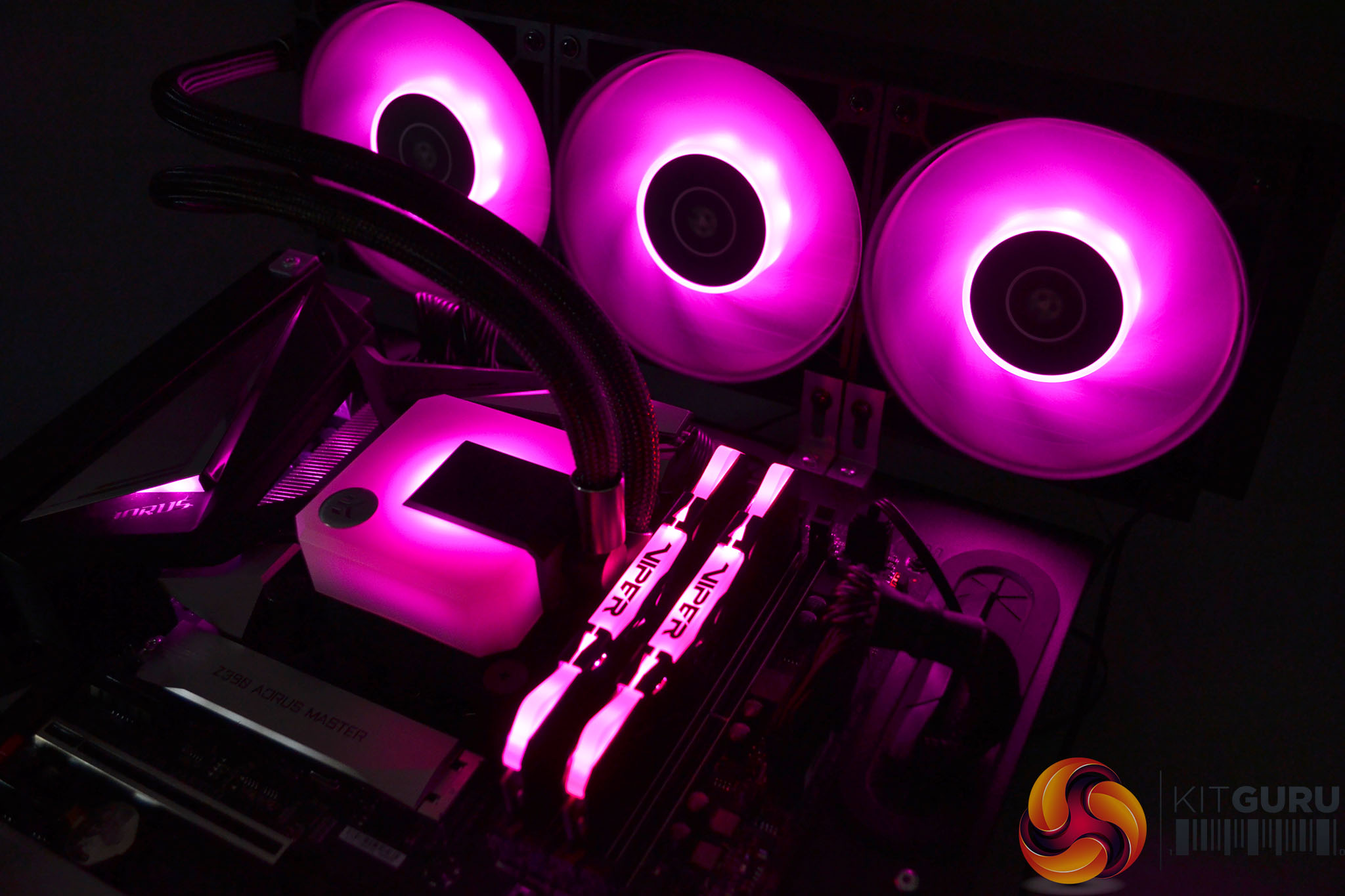
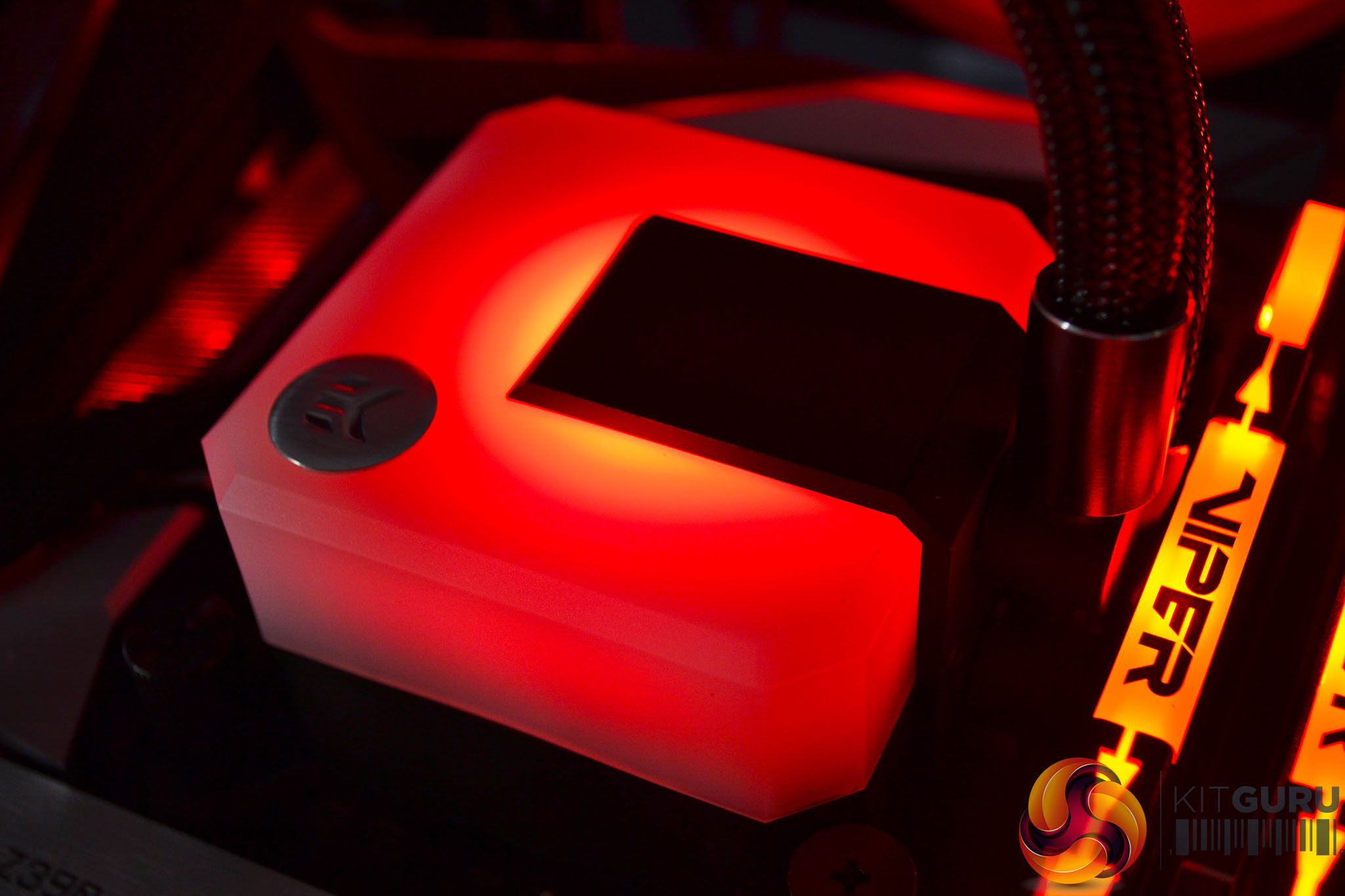
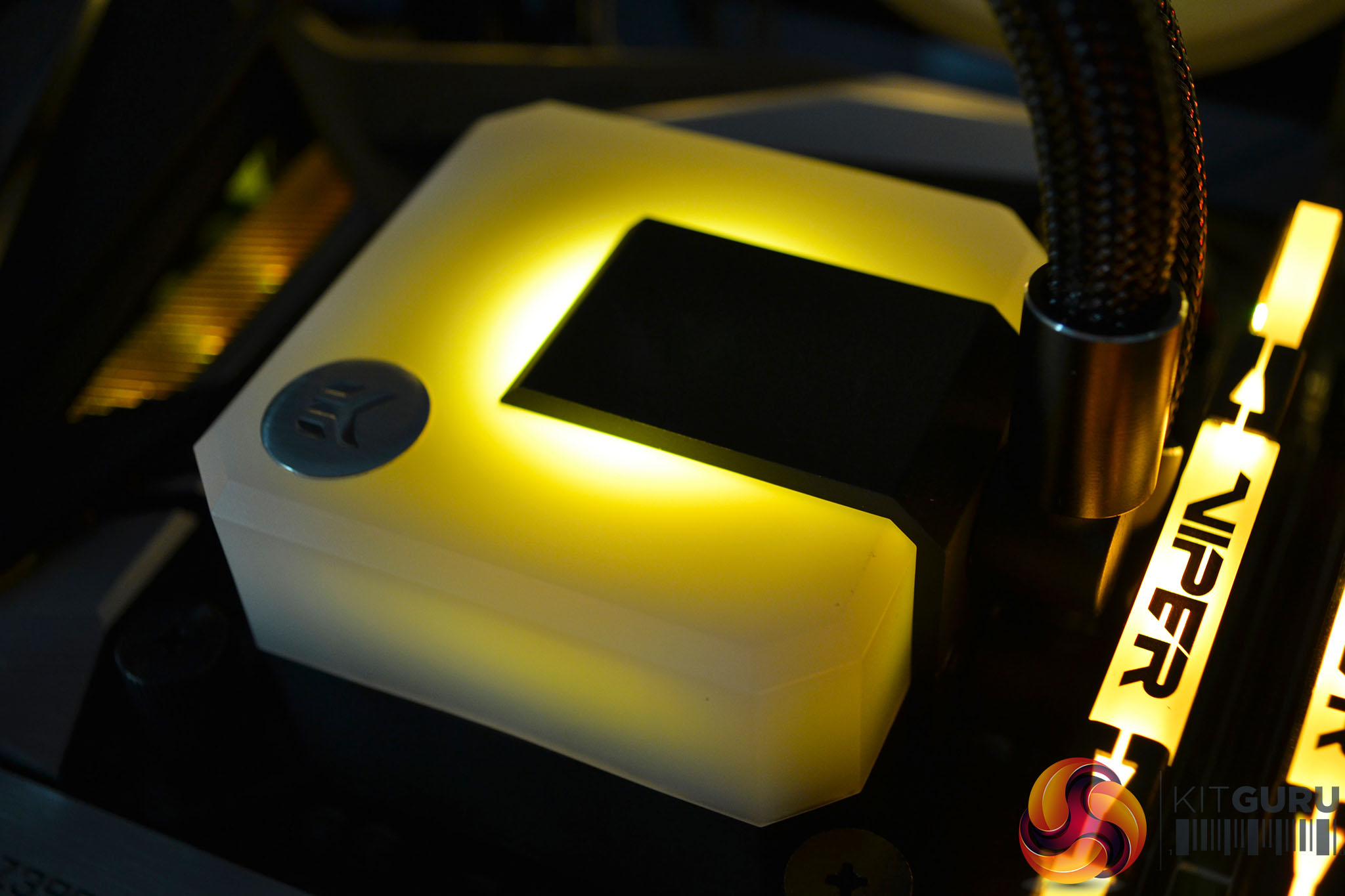
To measure the performance of CPU coolers, we devised an easily repeatable series of tests. The only variable is the coolers themselves to ensure the results can be accurately compared against one another.
Test Rig
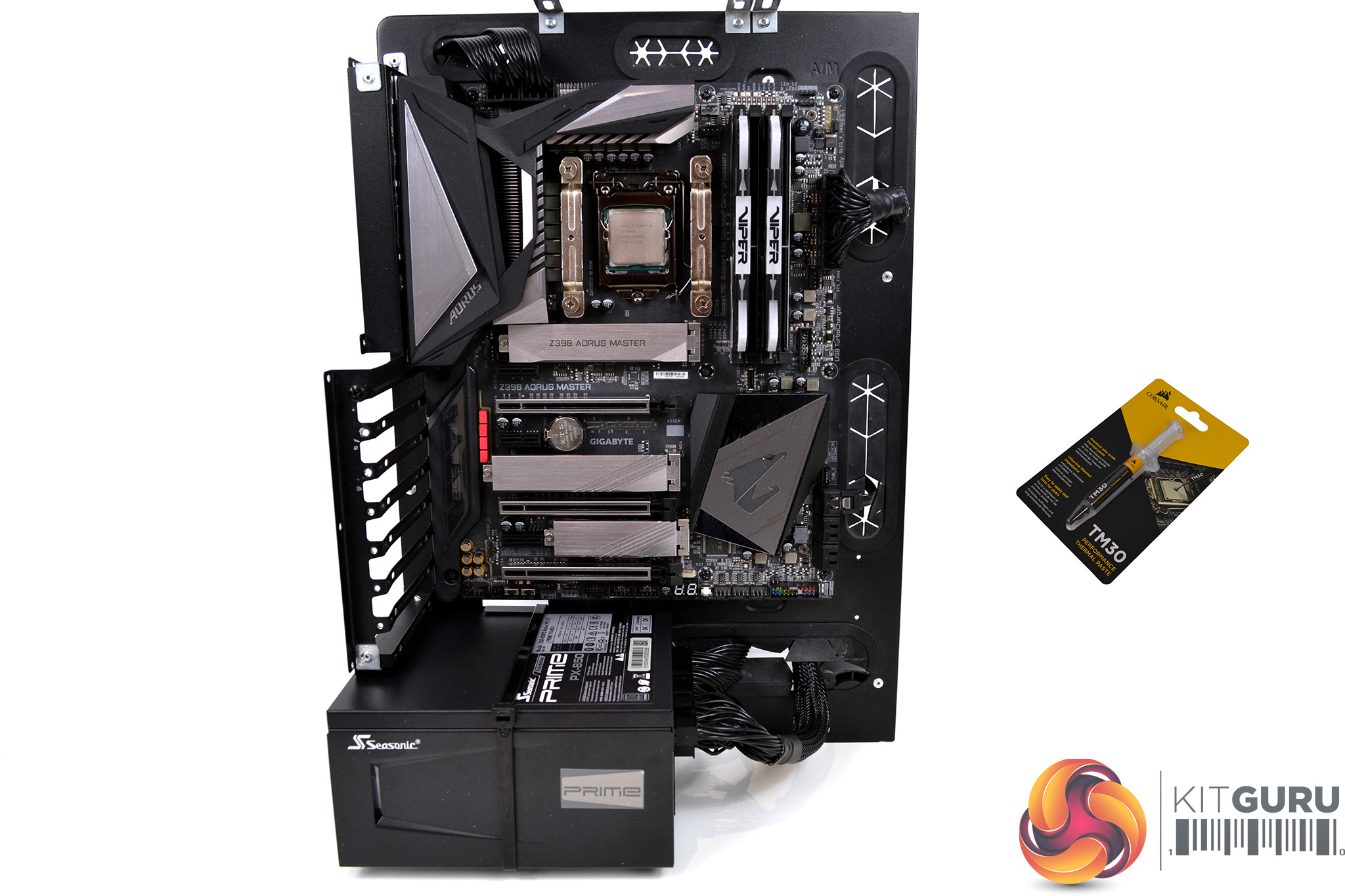
To reflect current hardware demands, the KitGuru test bench comprises of an Intel Z390 platform and included is the Intel Core i9-9900k CPU, mated with a Gigabyte Z390 Aorus Master motherboard and 16GB (2x 8GB modules) Patriot Viper RGB RAM running at 3600mhz CL16. Our storage device is a Corsair Force LE 120GB SATA SSD. Power to the test system is managed by a Seasonic Prime PX-850 PSU. Corsair TM30 thermal compound is used at all times to ensure consistency.
Thermal Testing Procedure
The procedure will consist of several tests that will produce six temperature readings for each cooler. The data can then be used to compare thermal dissipation performance.
First, we will lock the Core i9-9900k at its 3.6GHz all-core base clock speed, with a 1.15V Vcore applied in the BIOS. Then, let the system idle in windows for 15 minutes and measure temperature. At the same frequency, we will then measure the load temperature.
To simulate overclocked frequency, we will then lock the Core i9-9900k to 4.7GHz on all cores with a 1.20V Vcore and run the same idle and load test again. To measure an extreme overclocking situation, we will lock the Core i9-9900k frequency to 4.9GHz on all cores with 1.30V Vcore and run the tests one final time – this should push the limits of the cooling performance of even the very best CPU coolers.
Admittedly, the overclocked frequencies/voltage may not be the highest achievable, nevertheless, it will give us a good set of data to compare the effect frequency/voltage changes have on temperature.
The temperatures presented in the graphs will be average Delta temperatures measured over the length of the test. We will calculate the Delta temperature by deducting the ambient temperature in the test room from the measured CPU temperature, both at idle and under load.
All idle temperatures are measured by letting the system idle in Windows for 10 minutes. Load temperatures are achieved by running AIDA64 stressing CPU, FPU and cache again for 15 minutes. This should give the CPU enough time to reach its maximum temperature. Throughout testing, Load Line Calibration will be set to level 6 (turbo) in BIOS and all CPU Fans/pumps set to maximum RPM.
Noise Testing
Noise levels will be measured with our sound meter at a distance of 1 meter from the test bench. The cooler’s fans will be set to their maximum RPM rating. The ambient noise level in the room is measured at 37.5dBA and the peak noise level of the cooler will be recorded in dBA.
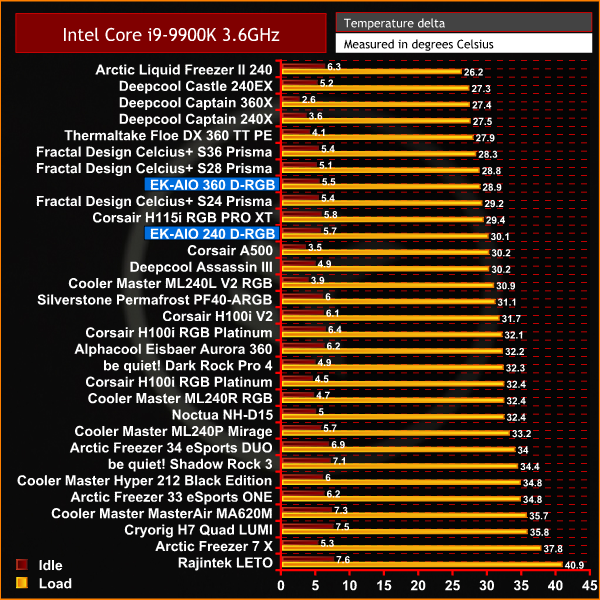
With the Intel Core i9-9900K CPU in our test bench configured to its base frequency of 3.6 GHz, it seems as though the EK-AIO delivers on its promise of providing optimal thermal performance with the 360 recording a very respectable 28.8°C under load, and the 240 is not far behind recording a figure of just over 30°C.
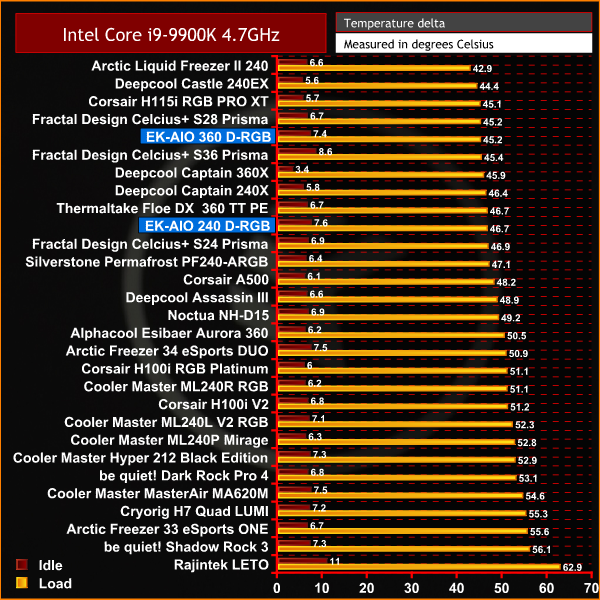
Thermal performance of the EK-AIOs remains towards the top end of our chart with the Core i9-9900K at 4.7 GHz across all cores. The 360 is the best performing 360mm AIO we have tested to date and the 240 continues to record a very respectable load temperature.
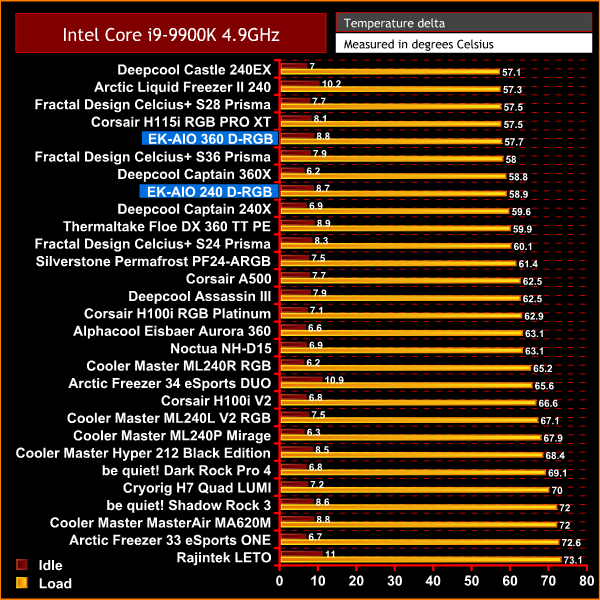
During our extreme overclocked test with the Core i9-9900K configured to an all-core frequency of 4.9 GHz, thermal performance of both the EK-AIOs remain consistent. Naturally the 360mm version records the best result, however, the thermal performance of both is very impressive.
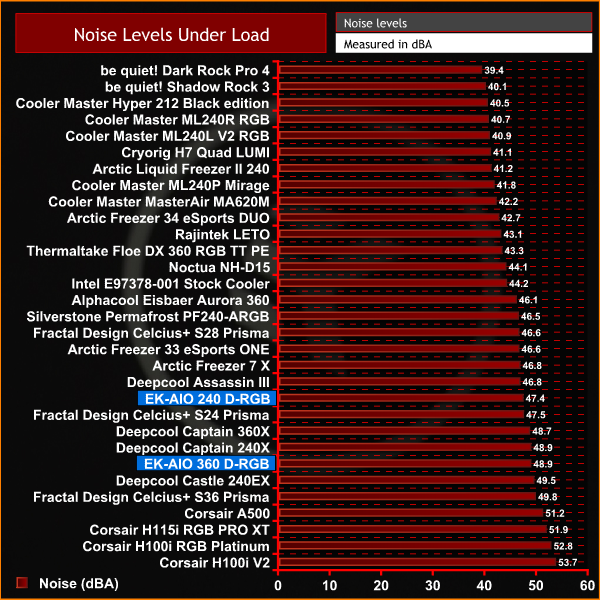
As we often see with AIO coolers that have high thermal performance, noise levels with the fans running at 100% RPM are generally quite loud. The EK-AIOs follow this trend, however, they are not the loudest we have tested by far. So overall, the noise to performance ratio is well balanced and can obviously be tuned to your preference using PWM fan control and setting a custom fan curve.
When the news broke that EK Water Blocks would be launching its first maintenance-free all-in-one CPU cooler earlier this year, I was keen to get my hands on one to put it through its paces on our test bench, and see if it lived up to the company's claims. After testing both the 240mm and 360mm versions of the EK-AIO in this review, I can confidently say that EK’s claims are correct.
EKWB has obviously used its knowledge of custom liquid cooling it has gained over the years and applied some of it here in the EK-AIO. The SPC style pump inside the EK-AIO is extremely quiet, even with the pump running at 100% RPM and with the system at idle, pump noise is barely audible. While being completely silent in operation, the pump still seems to have the power to provide high-performance cooling on thermally demanding CPUs such as the Intel Core i9-9900K that is equipped to our test bench.
Not only at its base frequency, but also while the i9-9900K is overclocked to 4.9 GHz across all cores with 1.3V Vcore, both the EK-AIO 360 and 240 managed to keep CPU temperature well under control during the demanding AIDA64 stress test, so real-world performance should be of a very high standard.
The most important feature of a CPU cooler is its thermal performance with noise levels coming a close second. The EK-AIO certainly isn’t quiet with the fans ramped up to their 2500 RPM maximum speed, however, they are quieter than similar speed fans used in AIO coolers from other manufacturers, which means that with your own custom fan curve configured, the EK-AIO provides a solid thermal performance to noise ratio.
The build quality of the EK-AIO seems to be of a very high standard, although only time will tell if our impressions are correct. The CPU block is a very beefy looking thing and has a bit of weight to it, giving it a quality feel. EKWB is obviously confident that the EK-AIO will stand the test of time since a five-year warranty is given with the cooler, which should give buyers peace of mind.
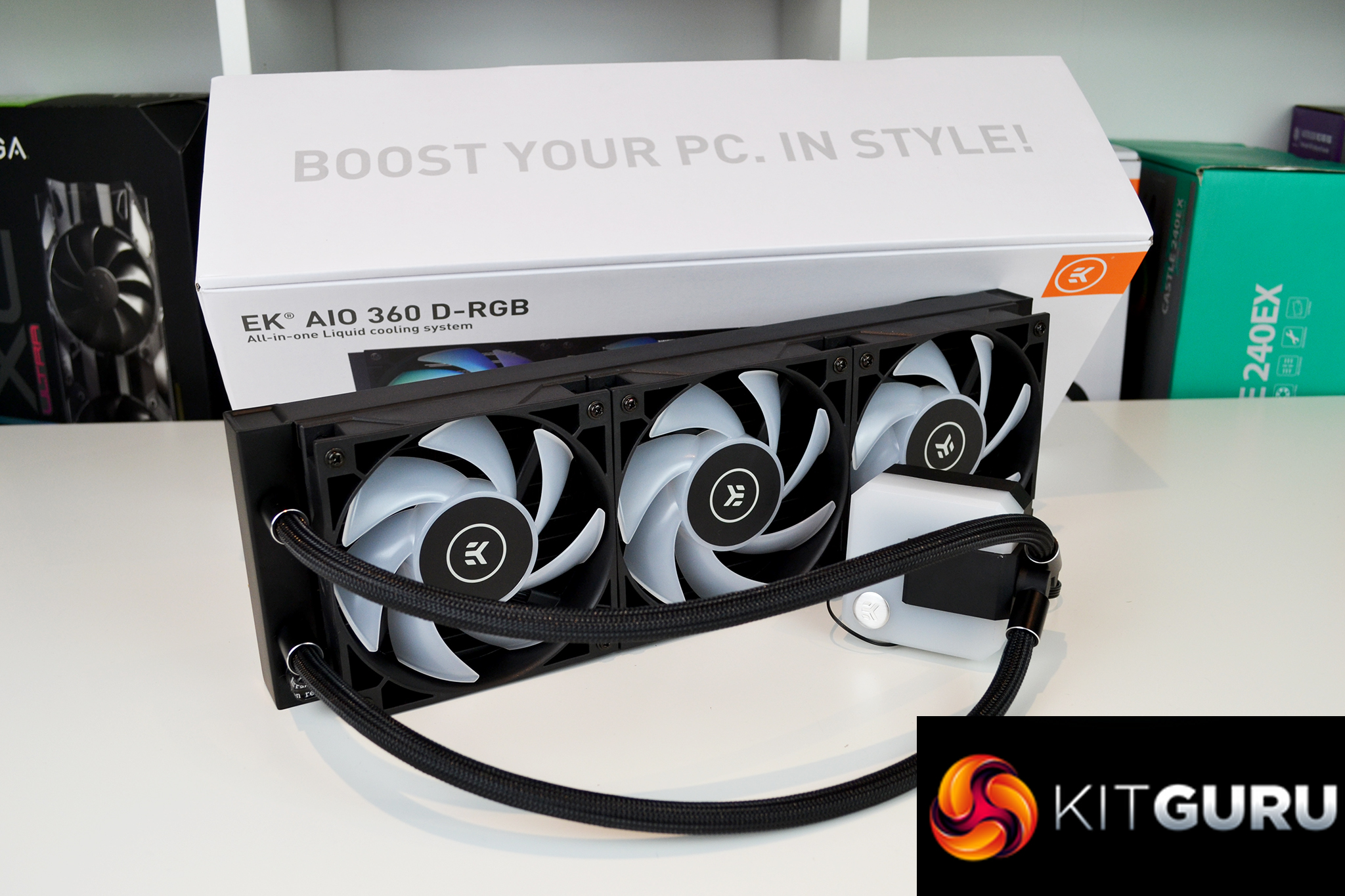
Even though the EK-AIO is a stylish looking cooler with its dual RGB lighting zones and industrial looking square fans, it's not a complicated device to use. EK has used standard fan and RGB connections so there are no additional fan hubs or RGB controllers to install which means cable management is simplified, something which we really like.
However, the downside of this is that any users who have a motherboard that is not equipped with ARGB headers will need an additional RGB controller to control the EK-AIO lighting. Often manufacturers supply a simple RGB lighting controller with their AIOs, but this is missing with the EK-AIO which is a shame and will increase the overall cost of the device for those having to purchase an RGB controller separately.
The EK-AIO comes with a detailed installation manual which may look a little daunting to novice users when opening the box, but it’s actually not at all difficult to install. Following the installation guide carefully will mean you should have the AIO installed and running in approximately 15-20 minutes and shouldn’t come across any challenges or issues, especially on AMD platforms where the stock backplate is retained.
Taken as a whole, the EK-AIO series is a solid and very well balanced all-in-one CPU cooler. If you don’t mind the higher noise levels that come with ramping the fans up then you will enjoy the impressive thermal performance on high-end processors, while tuning the fan profile to your preference should allow a perfect balance of noise vs thermal performance on any mainstream desktop platform.
At the time of writing this review, the EK-AIO is available in 120mm, 240mm and 360mm versions for mainstream desktop platforms. We would have liked to see a 280mm version for users who have space for dual 140mm fan setups, but not triple 120mm, and an obvious omission of the series is the lack of support for HEDT AMD platforms which is a shame. Maybe EK will look at adding both these options in future…
The EK-AIO is available to purchase now from EK Water Blocks direct HERE, priced at €75.53 for the EK-AIO 120 D-RGB, €125.95 for the EK-AIO 240 D-RGB and the flagship EK-AIO 360 D-RGB is €151.16.
Discuss on our Facebook page HERE.
Pros
- Impressive thermal performance.
- Solid build quality.
- Dual RGB lighting zones.
- Stylish appearance.
Cons
- No support for AMD HEDT platforms.
- No RGB controller included.
EK-AIO 240 D-RGB score:
EK-AIO 360 D-RGB score:
KitGuru says: EK Water Blocks has put its vast knowledge of custom liquid cooling to use in producing a very competent, maintenance-free all-in-one CPU cooler that offers the necessary thermal performance to tame even the most powerful desktop processors.