KitGuru KitGuru.net – Tech News | Hardware News | Hardware Reviews | IOS | Mobile | Gaming | Graphics Cards


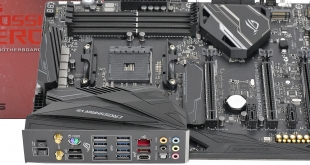
We received our sample of the Asus ROG Crosshair VII Hero Wi-Fi as part of the press kit that AMD delivered for the launch of Ryzen 7 2700X and Ryzen 5 2600X CPUs. As we expected, the Crosshair VII Hero is a high end motherboard that is loaded with overclocking features and while it looks and feels really solid, our initial testing suggested that performance was nothing special.
This was pretty much the opposite of what we expected from the ROG brand, however it seemed unlikely Asus had made a fundamental error with the design so we decided to hold off with our review until Asus had the chance to update the BIOS as that can make a massive difference to the way a motherboard behaves. In the intervening period Asus has issued a steady stream of updates including a BIOS that supports a new version of AGESA, which is the sort of thing we expect, and then Asus sent over a Performance BIOS that looked very interesting.
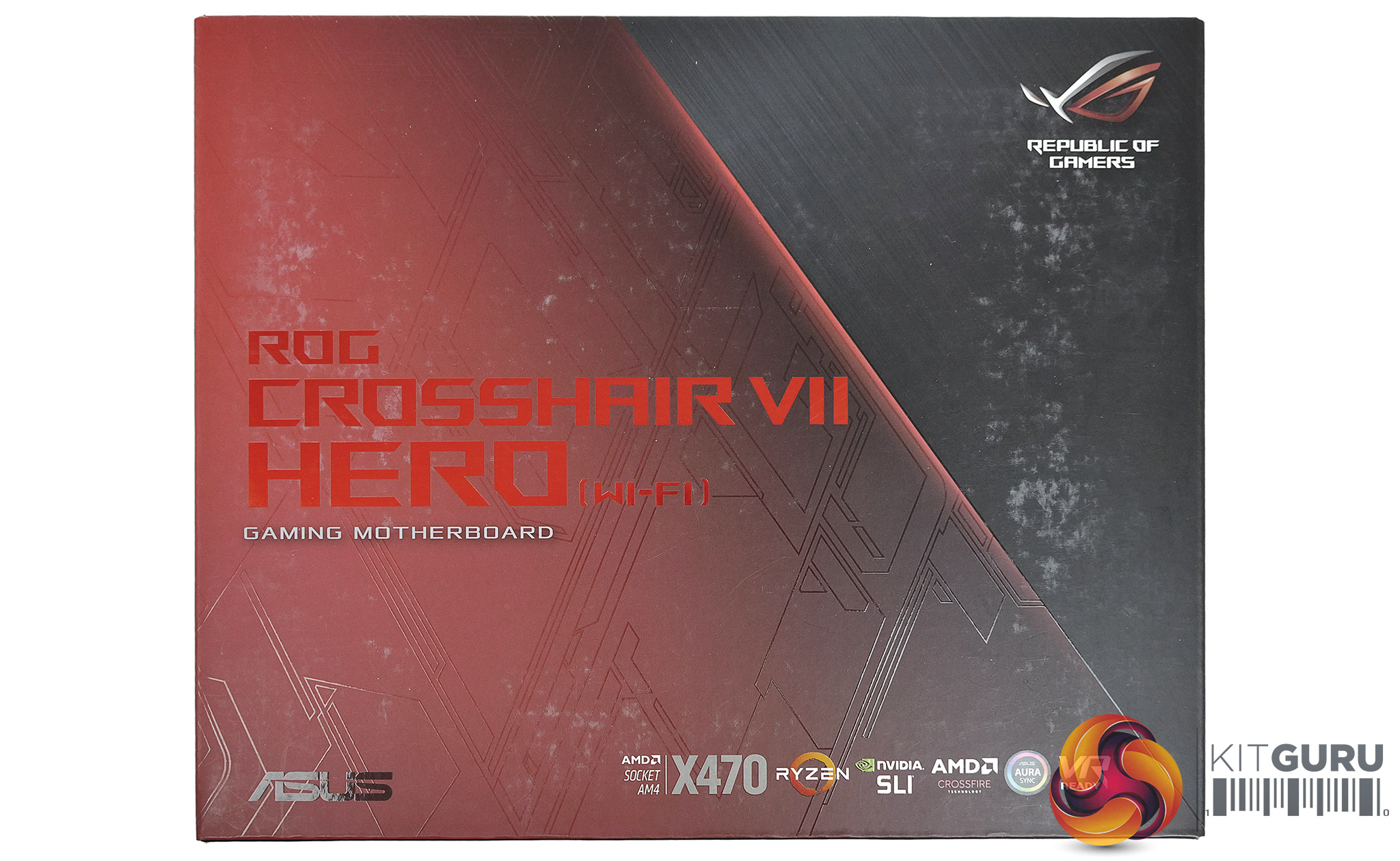
Specification:
CPU: AM4 Socket AMD Ryzen processor
Chipset: AMD X470
Memory: 4x DDR4 DIMM sockets supporting up to 64GB of system memory
Dual channel memory architecture
Support for up to DDR4 3400MHz+(O.C.)
Multi-GPU Support for NVIDIA 2-way SLI and AMD 3-way CrossFireX
PCI Slots:
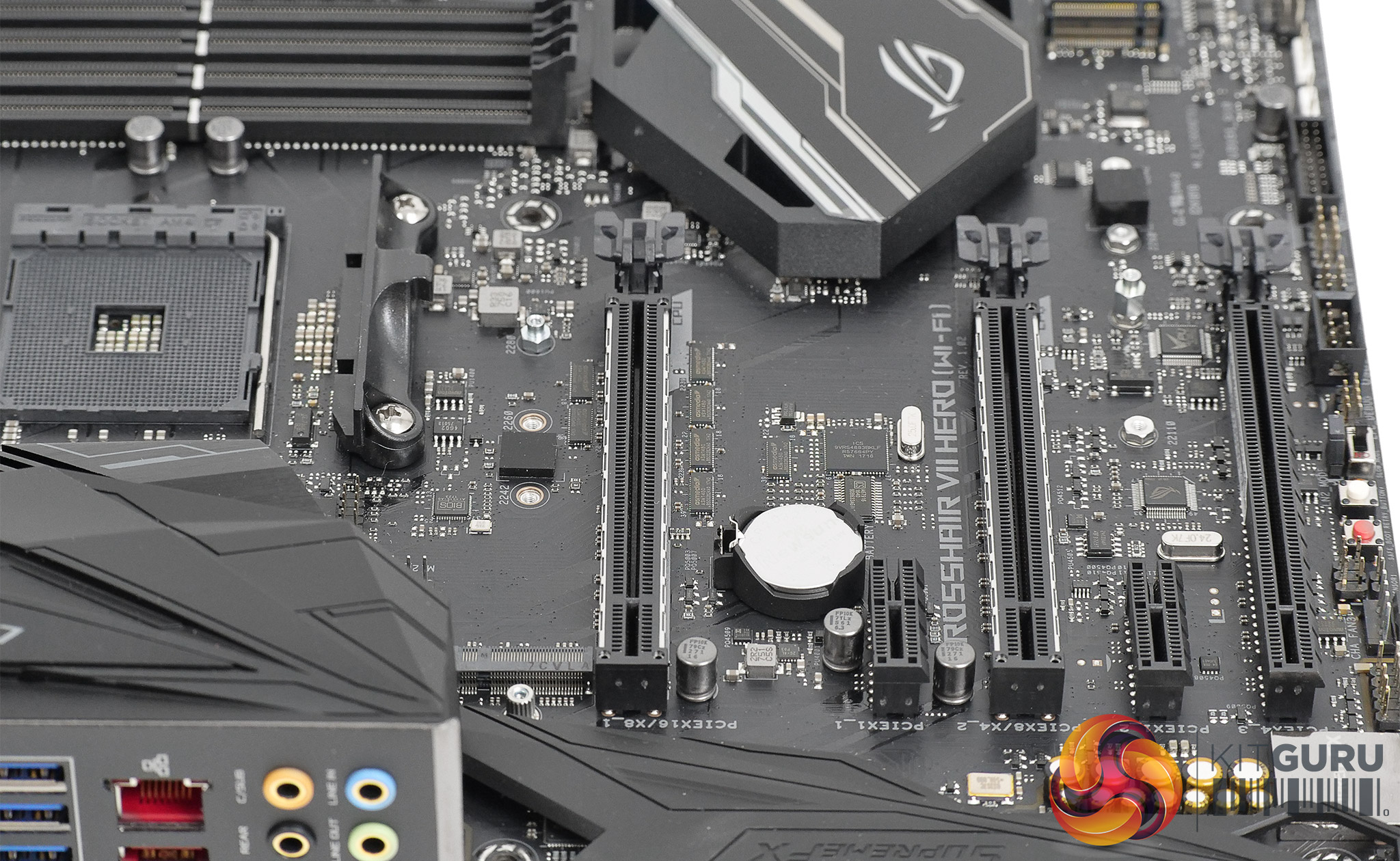
2 x PCI Express 3.0 x16 slot (1x 16 or 2x 8)
1 x PCI Express 2.0 x16 slot, running at x4
2 x PCI Express 2.0 x1 slots
Storage:
1 x M.2 connector M.2 type 2242/2260/2280/22110 SATA and PCIe x4 SSD support
1 x M.2 connector M.2 type 2242/2260/2280 PCIe x4 SSD support
6 x SATA 6Gb/s connectors support for RAID 0, RAID 1, and RAID 10
USB:
ASMedia USB 3.1 Gen 2 Controller:
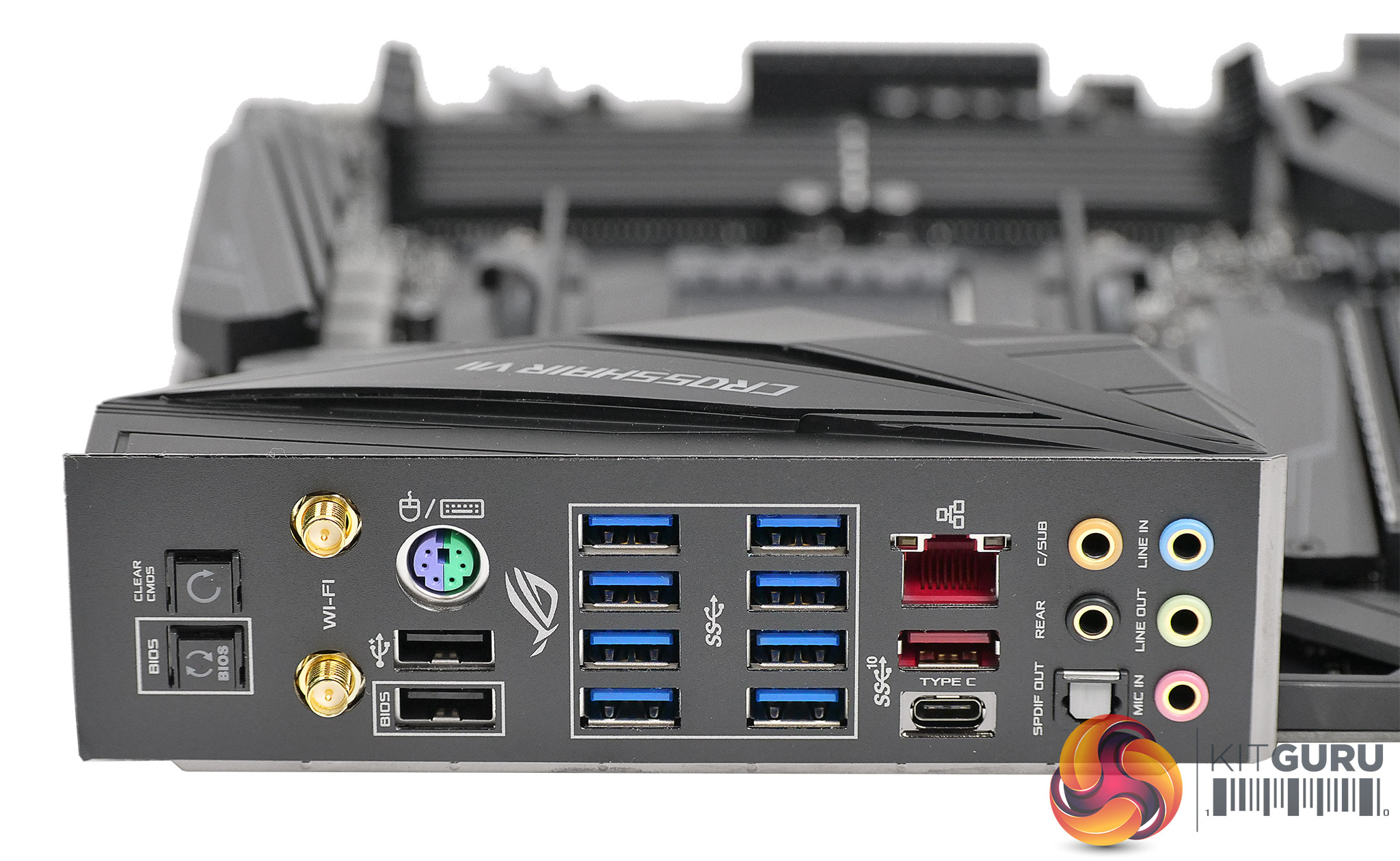
1x Type-C port and 1 x Type-A port on the back panel
CPU:
4x USB 3.1 Gen 1 ports on the back panel
Chipset:
1x USB Type-C port with USB 3.1 Gen 2 support through the internal USB header
6x USB 3.1 Gen 1 ports (4 ports on the back panel, 2 ports available through the internal USB headers)
5x USB 2.0 ports (2 ports on the back panel, 3 ports available through the internal USB headers)
Audio:
ROG SupremeFX 8-channel with S1220 codec
Networking:
LAN Intel GbE LAN chip (10/100/1000 Mbit)
WiFi/Bluetooth Wi-Fi 802.11a/b/g/n/ac, 2.4GHz/5GHz Dual-Band, Bluetooth 4.2
Form factor: ATX 305mm x 244mm
In our video we focus on voltage settings, power draw and performance as those are the aspects of the Asus ROG Crosshair VII Hero Wi-Fi that have changed with the BIOS, however it is well worth going around the other features one more time.
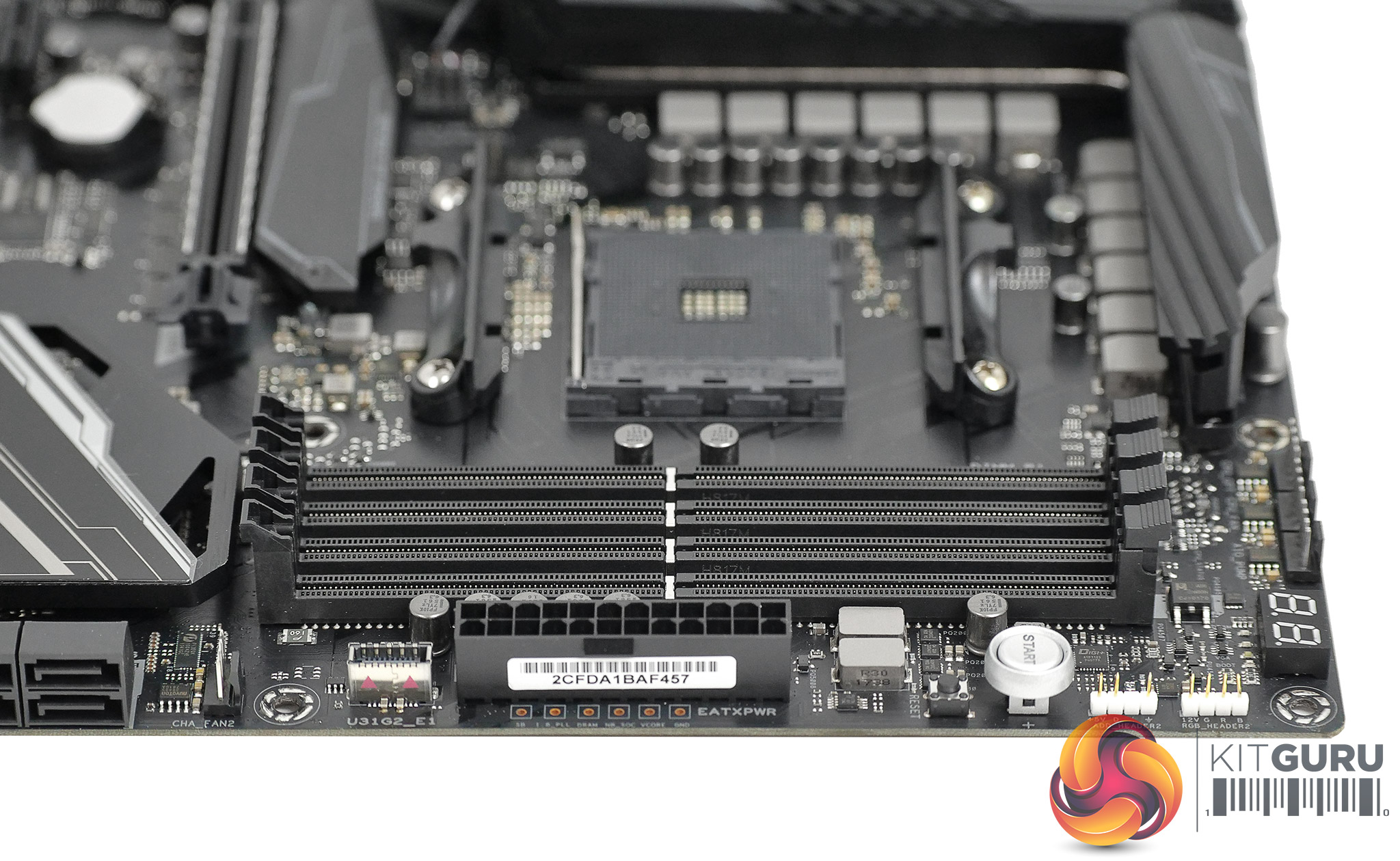
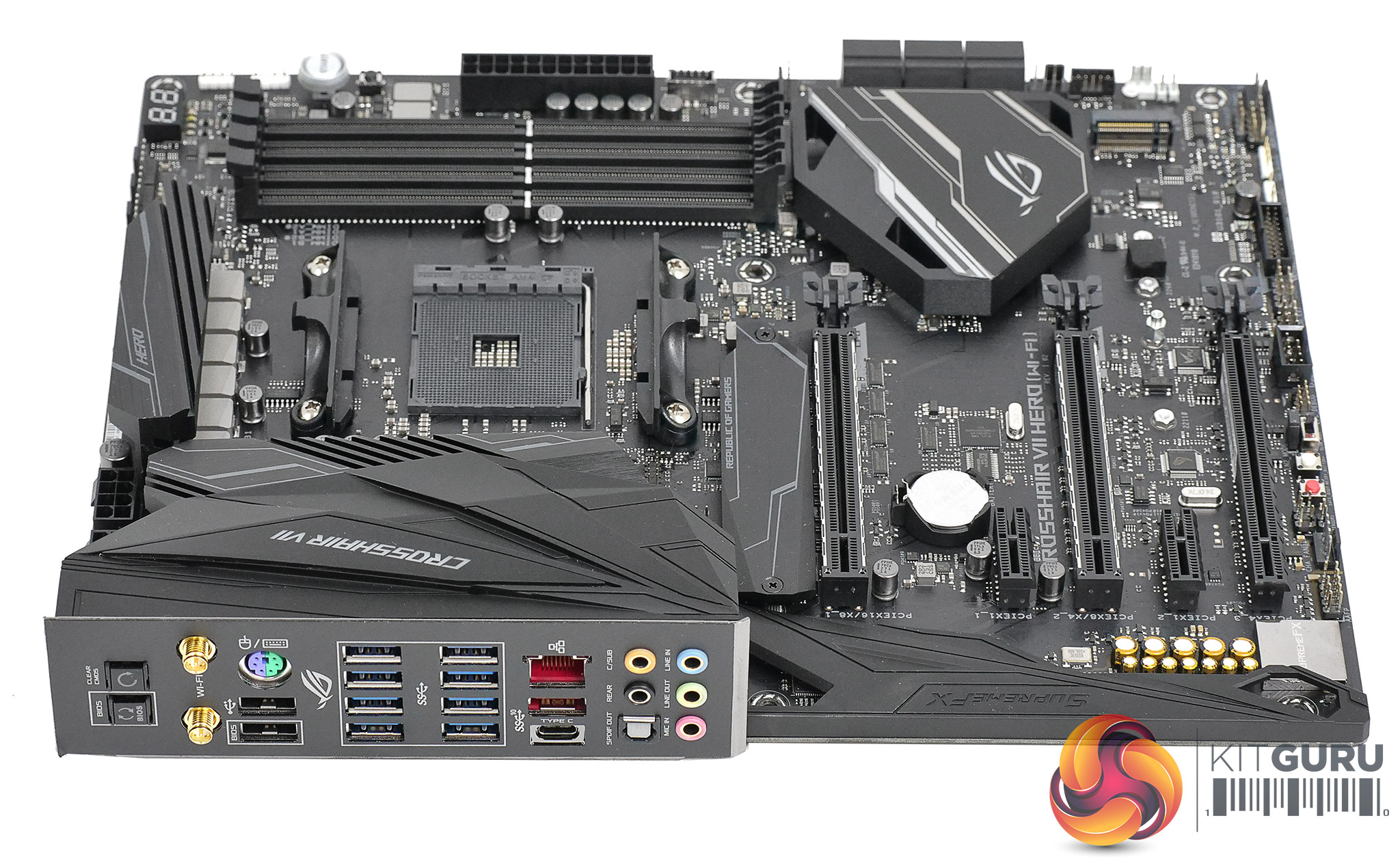
Some features will appeal to mainstream users such as the way the I/O panel is jam-packed with USB ports or the inclusion of high end 802.11ac Wi-Fi and Bluetooth. Other features are aimed squarely at the hardcore ROG customers, such as the multimeter points located next to the main 24-pin power connector or the micro buttons that give you the tools you need to work with the overclocking features in the BIOS as quickly and efficiently as possible.
There are no graphics outputs on I/O panel and it therefore follows the Asus ROG Crosshair VII Hero Wi-Fi does not support AMD APUs, even though they are pin compatible and will drop in the AM4 socket. This makes perfect sense to us as no-one in their right mind would buy this motherboard and then rely on integrated graphics.
Indeed, anyone buying this motherboard is certain to be an enthusiast and when they install the Asus in a PC case they will be pleased to find it sports eight 4-pin PWM fan controllers, which surely offers full control for any level of cooling you may desire.
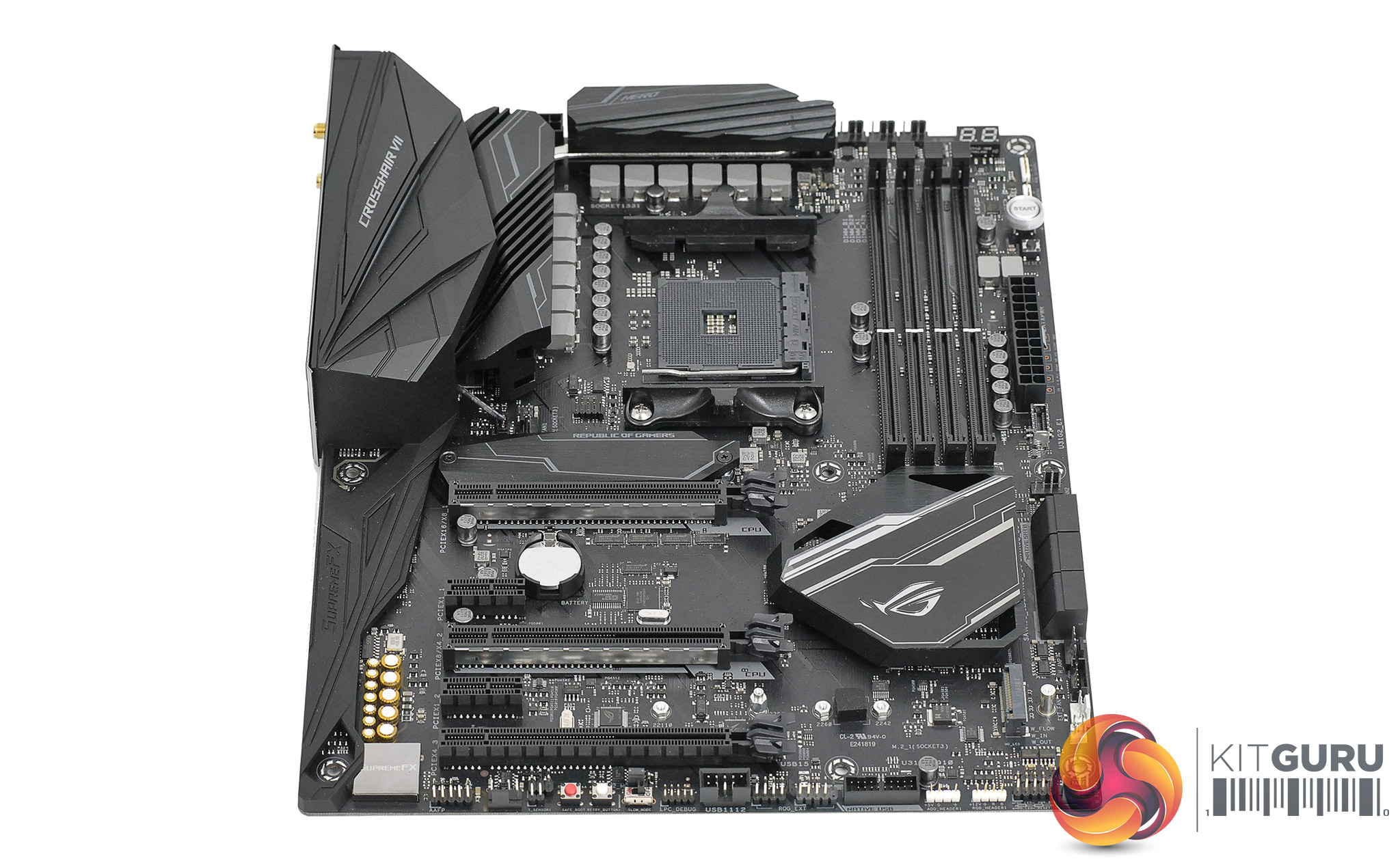
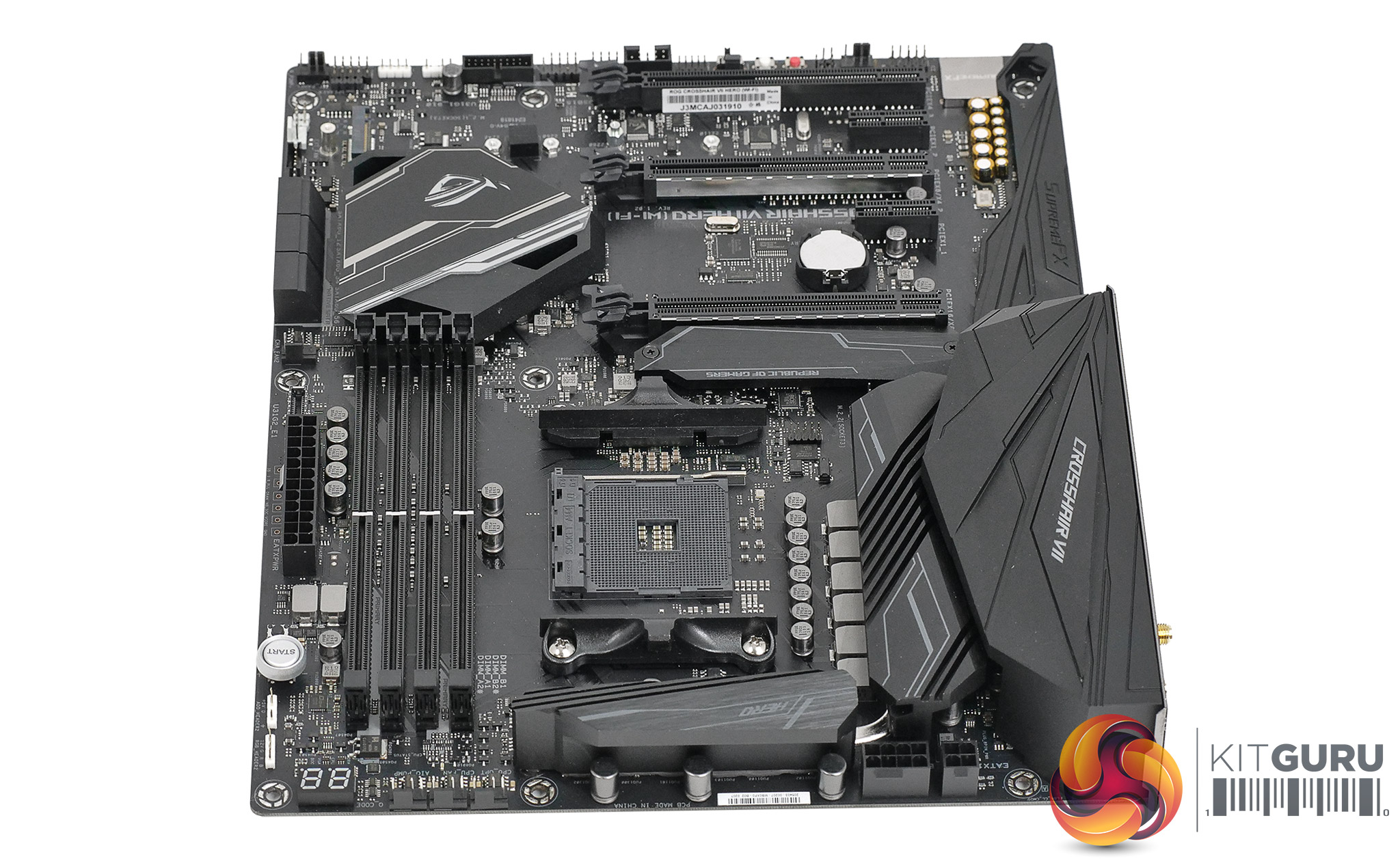
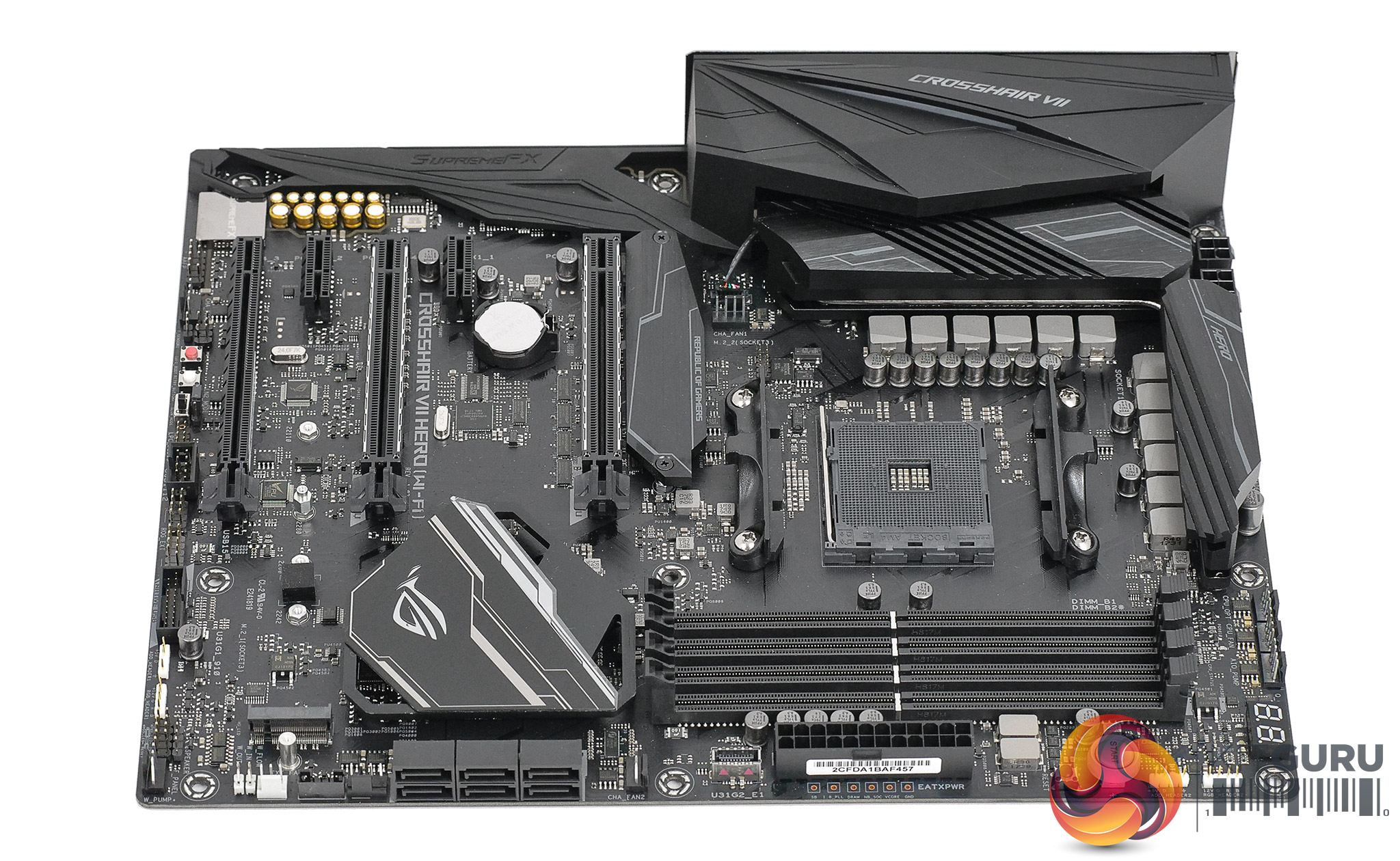
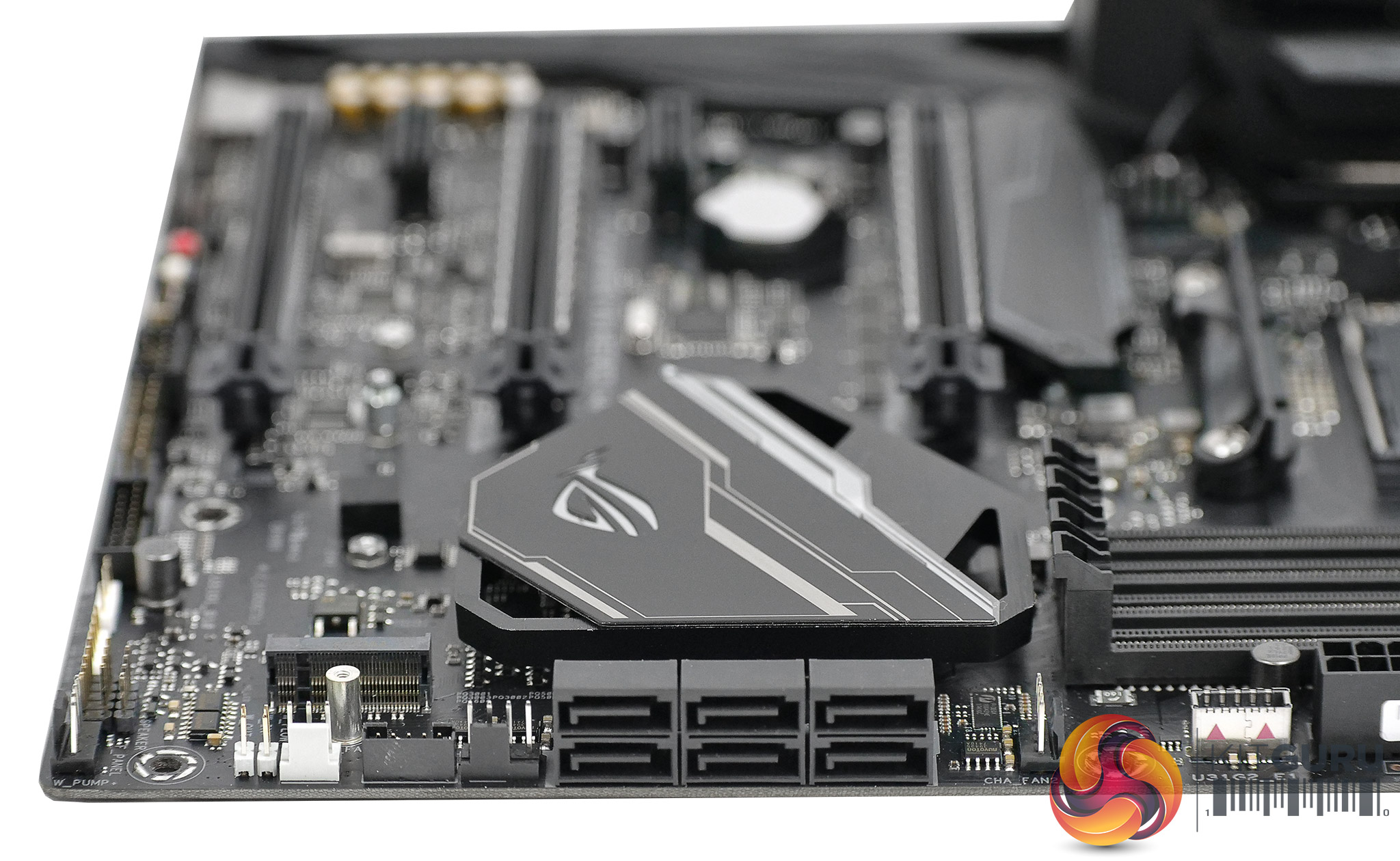
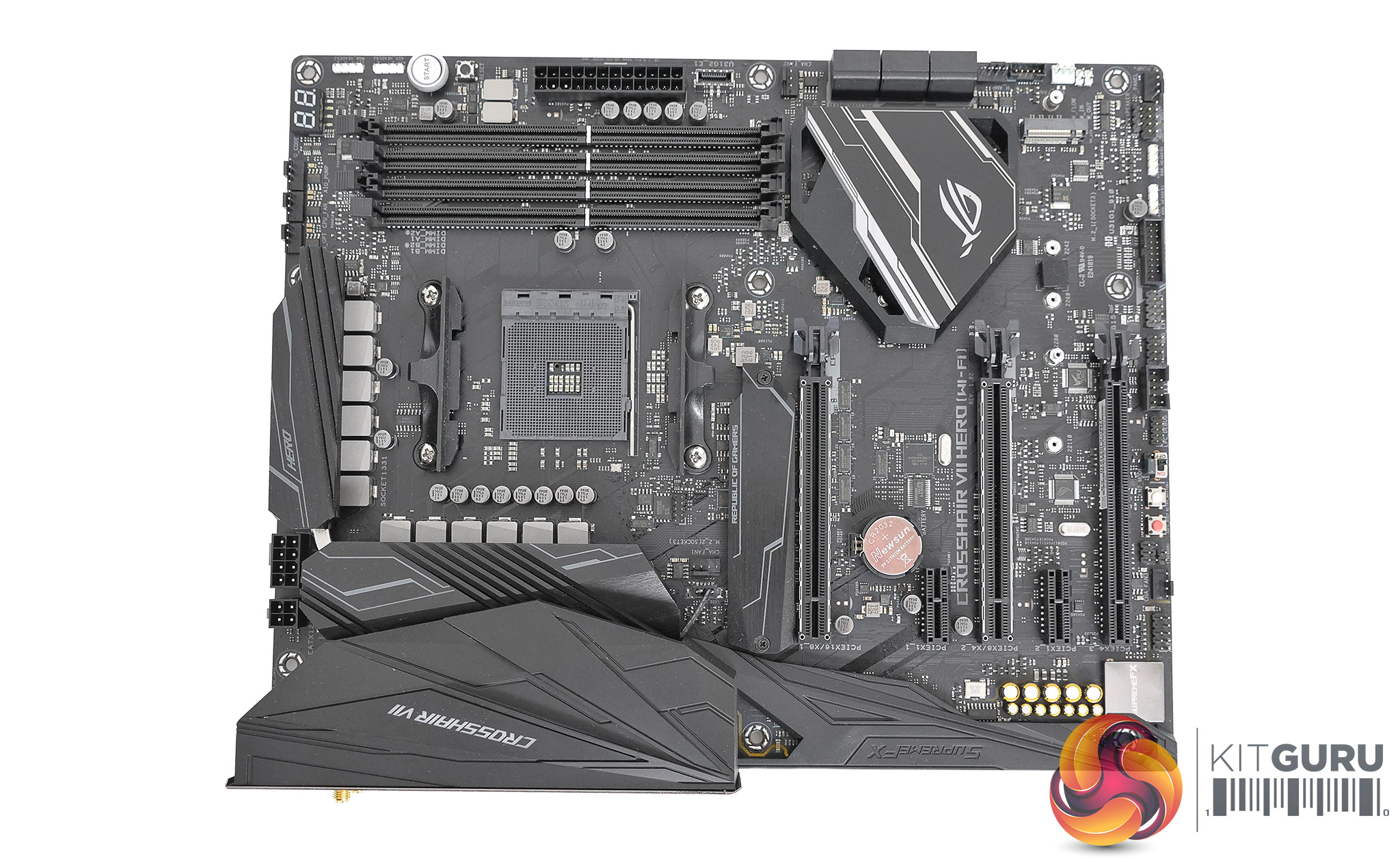
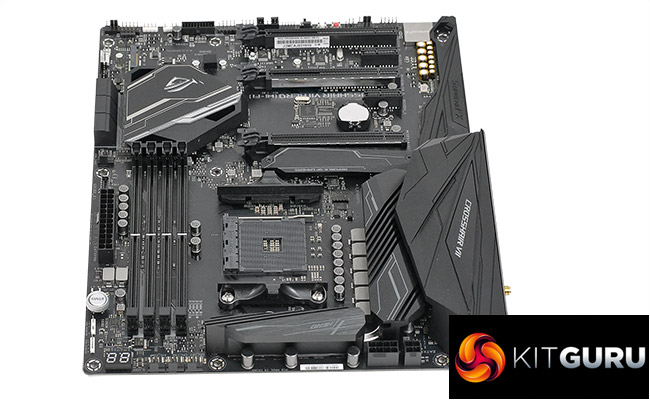
In terms of styling and build quality the Asus ROG Crosshair VII Hero Wi-Fi follows the usual grey and red theme with a lot of solid engineering from the heatsinks on the VRMs with their linking heatpipe to the aluminium cover on the upper M.2 slot.
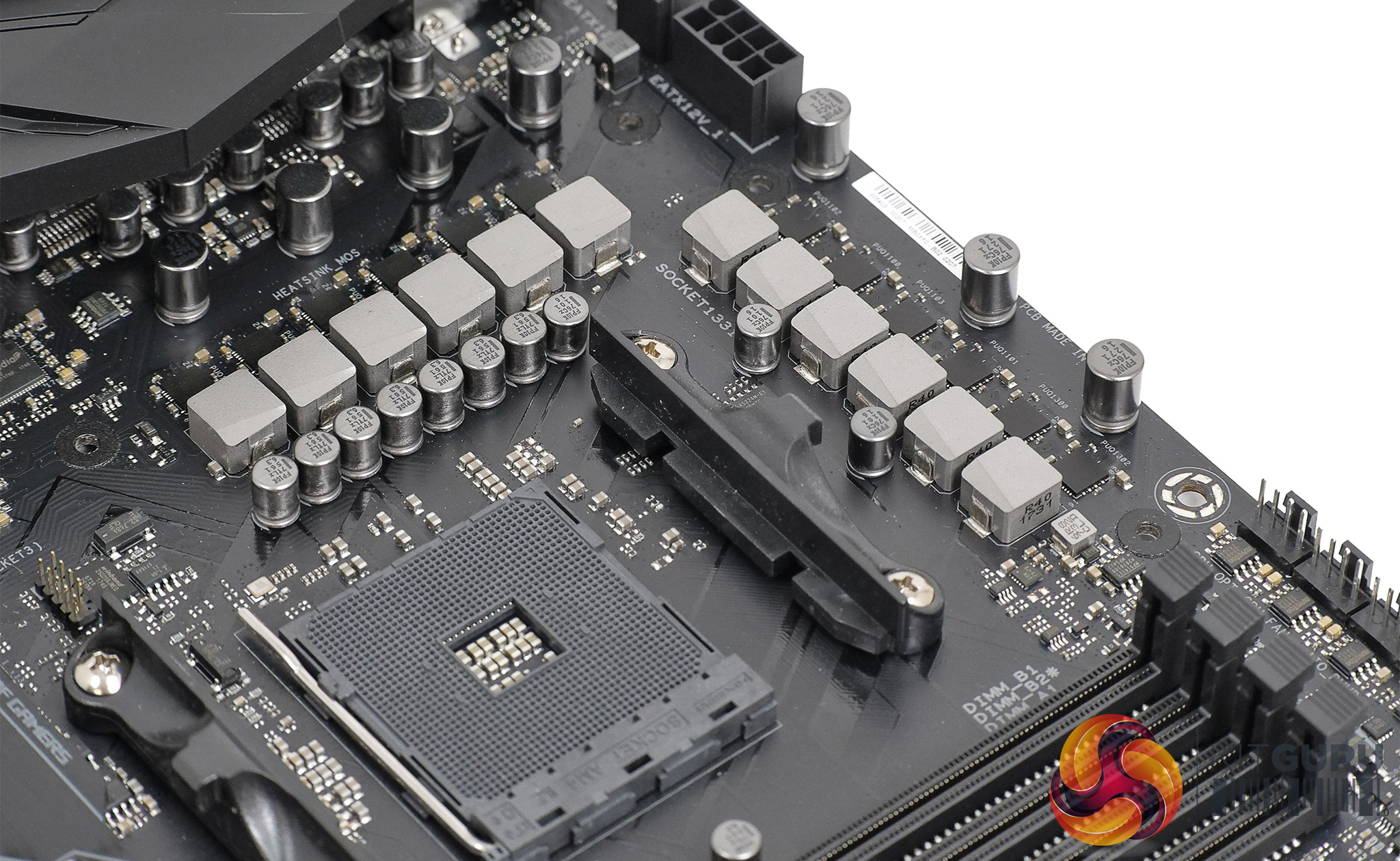
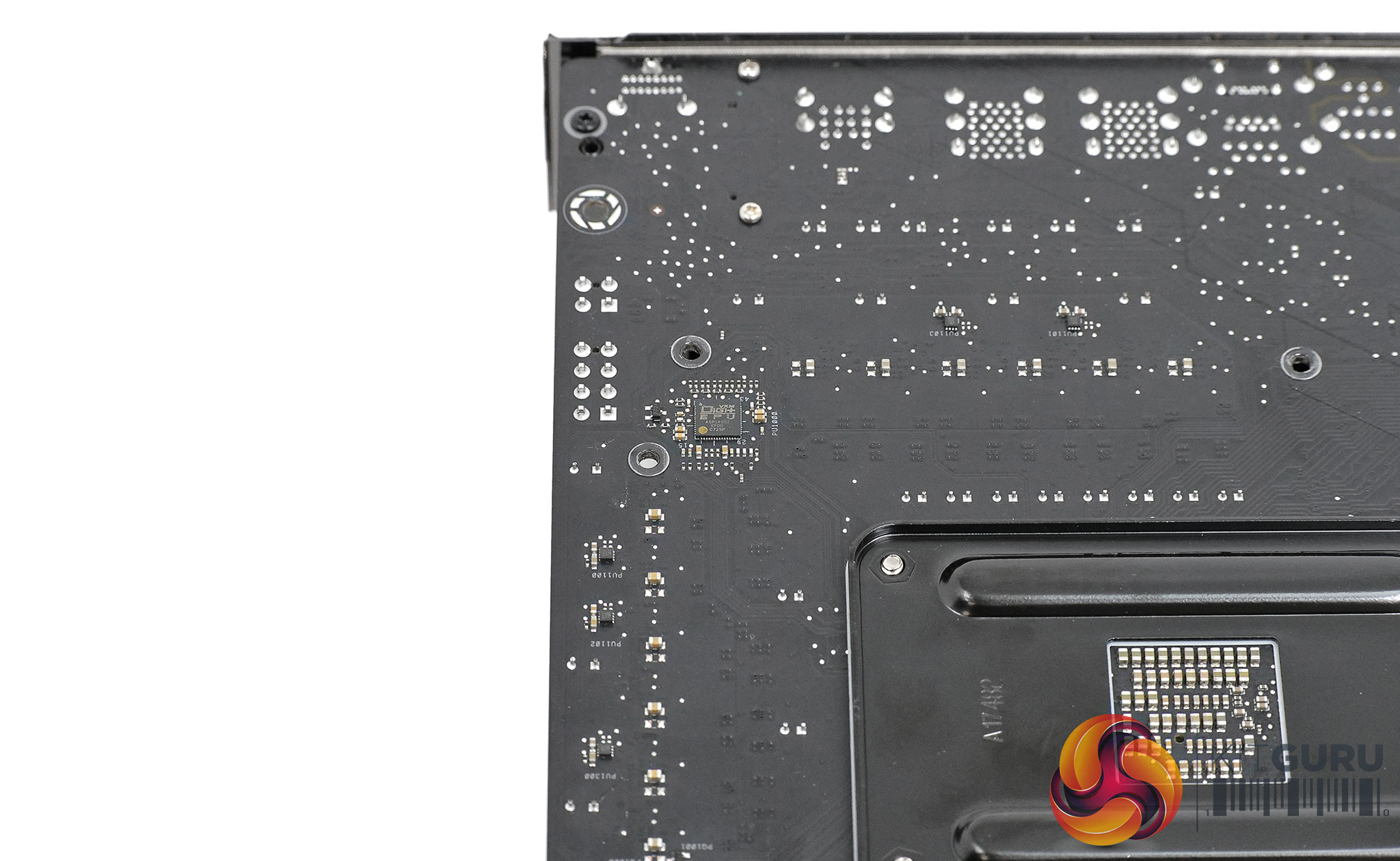
The Crosshair VII Hero WiFi is an evolution of the X370 Crosshair VI Hero so there isn’t much to see that is new. When we checked the VRM layout it became apparent the two VRMs directly below the power connectors control the SoC, which is unusual yet perfectly sensible. In general the Vcore VRMs are arranged in an L shape and the SoC VRMs are positioned at the top of the board. The SoC leads an easier life than the Vcore so Asus has taken the novel approach of placing those VRMs at the hot spot in the angle of the L shape, which means the other VRMs have better access to cooling air.
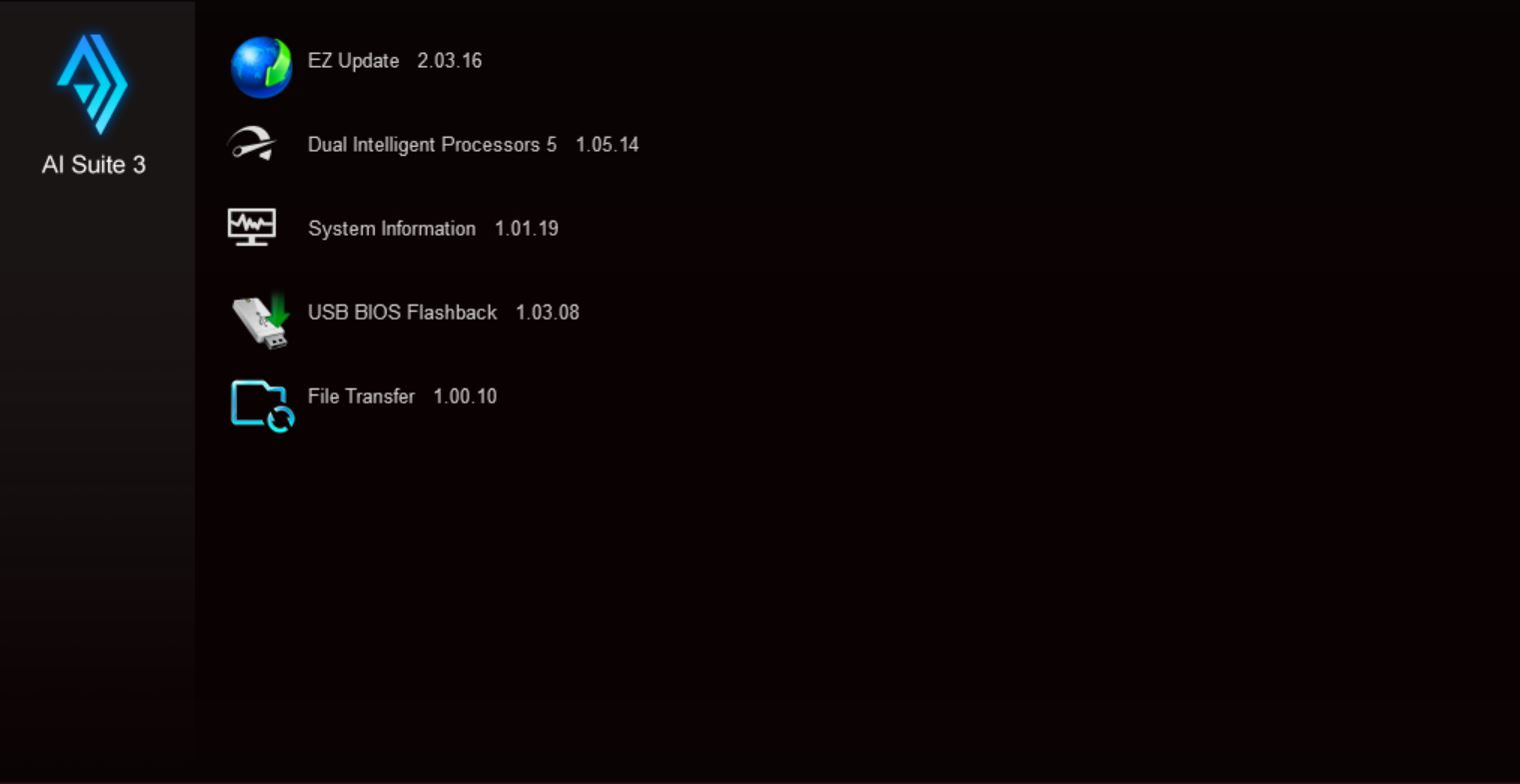
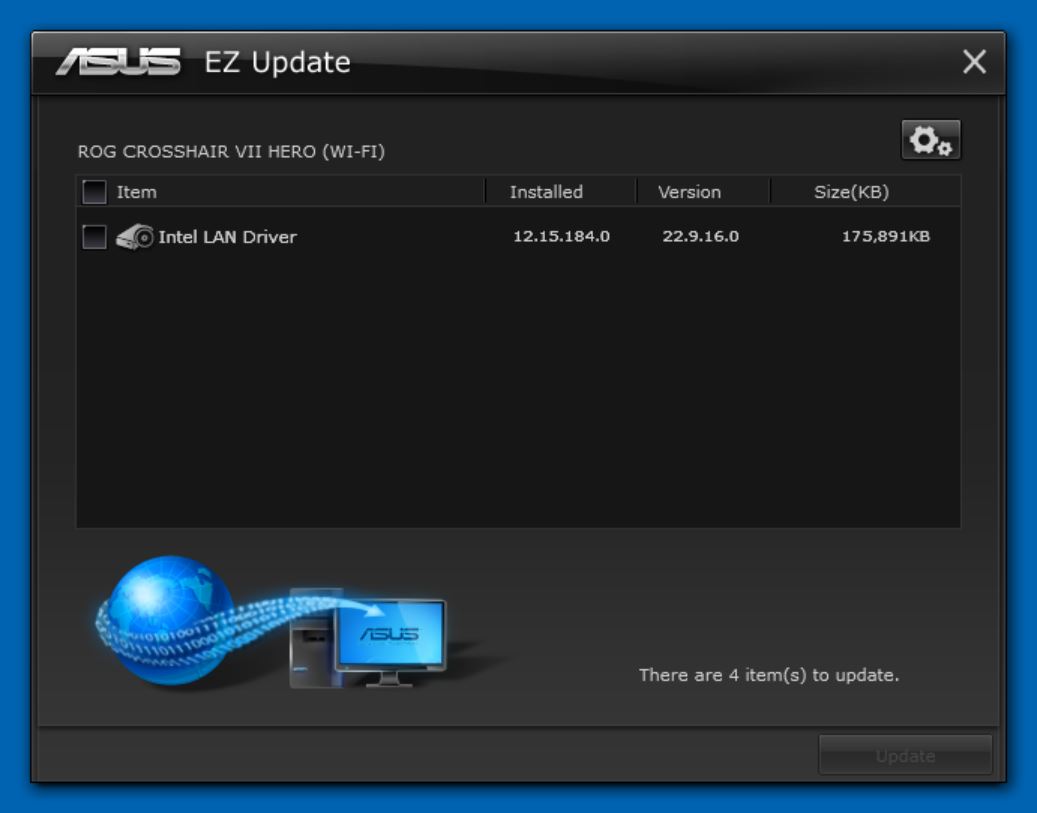
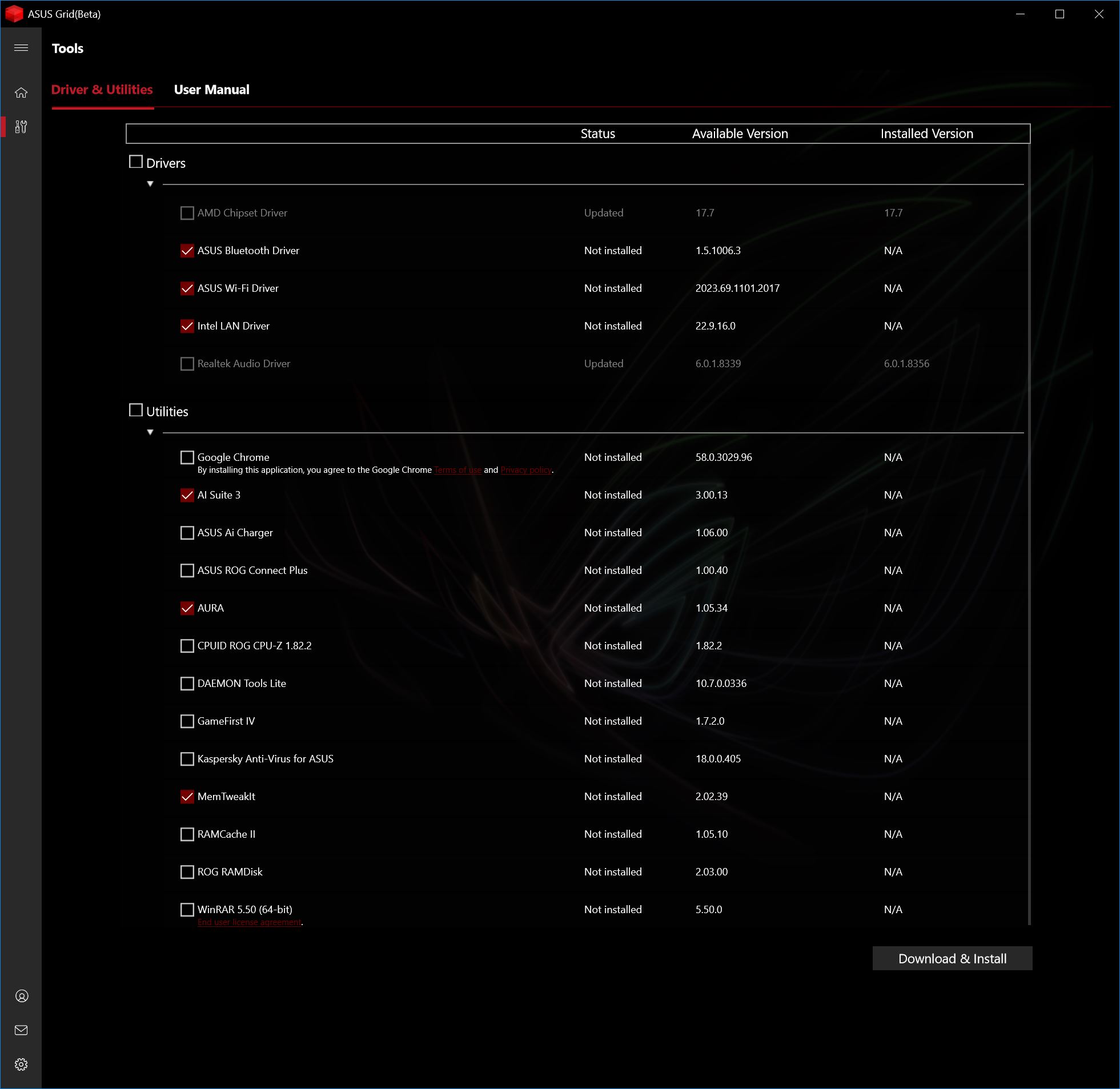
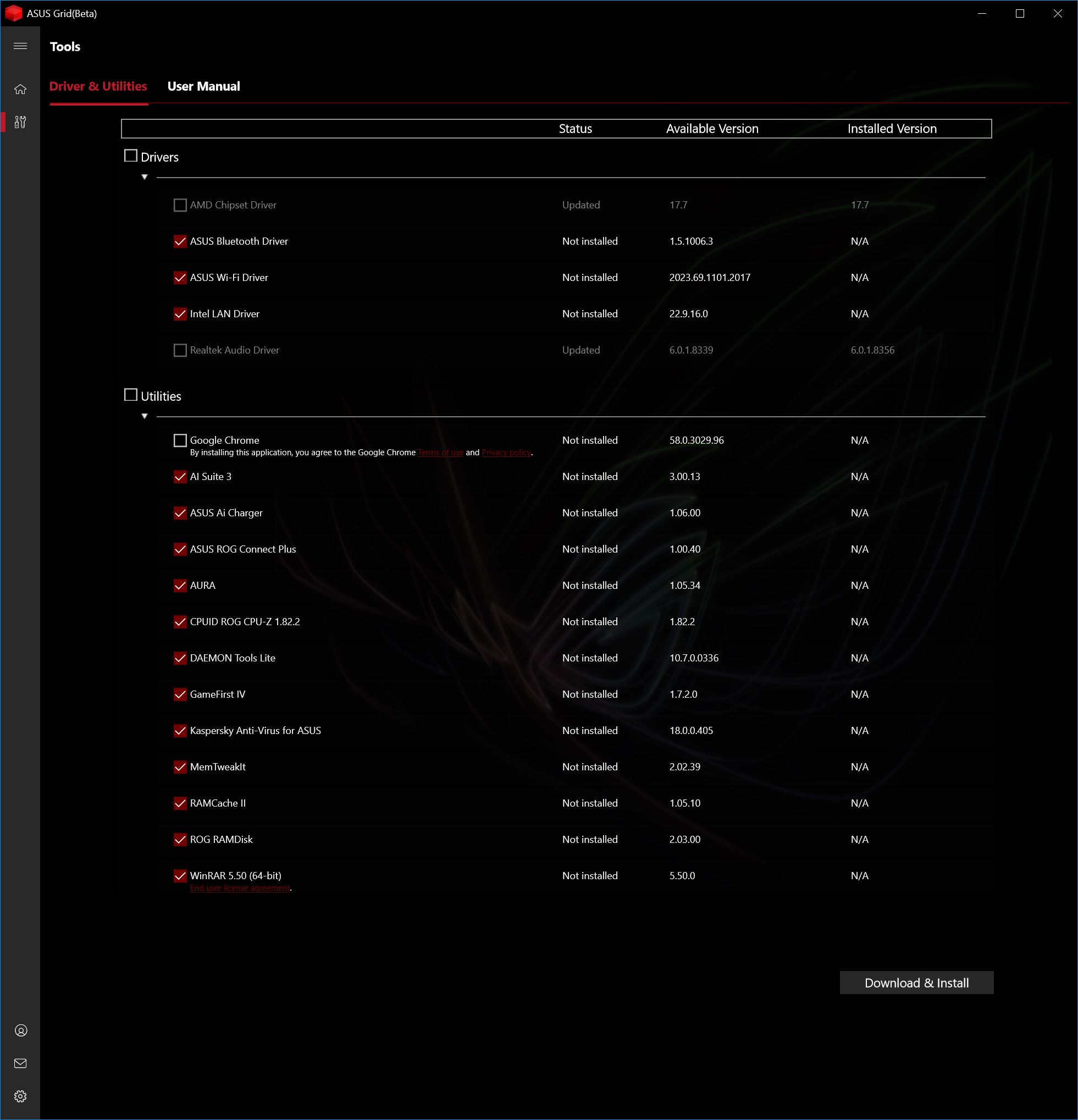
We were taken aback by the beta of Asus GRID which is software that works in a similar manner to MSI Live Update and seems to be triggered automatically by the BIOS. Put it this way, we didn’t install Grid yet there it was in Windows downloading drivers and getting the Crosshair VII Hero ready for action.
Performance and Overclocking
The test system we used consisted of:
CPU: AMD Ryzen 7 2700X overclocked to 4.25GHz
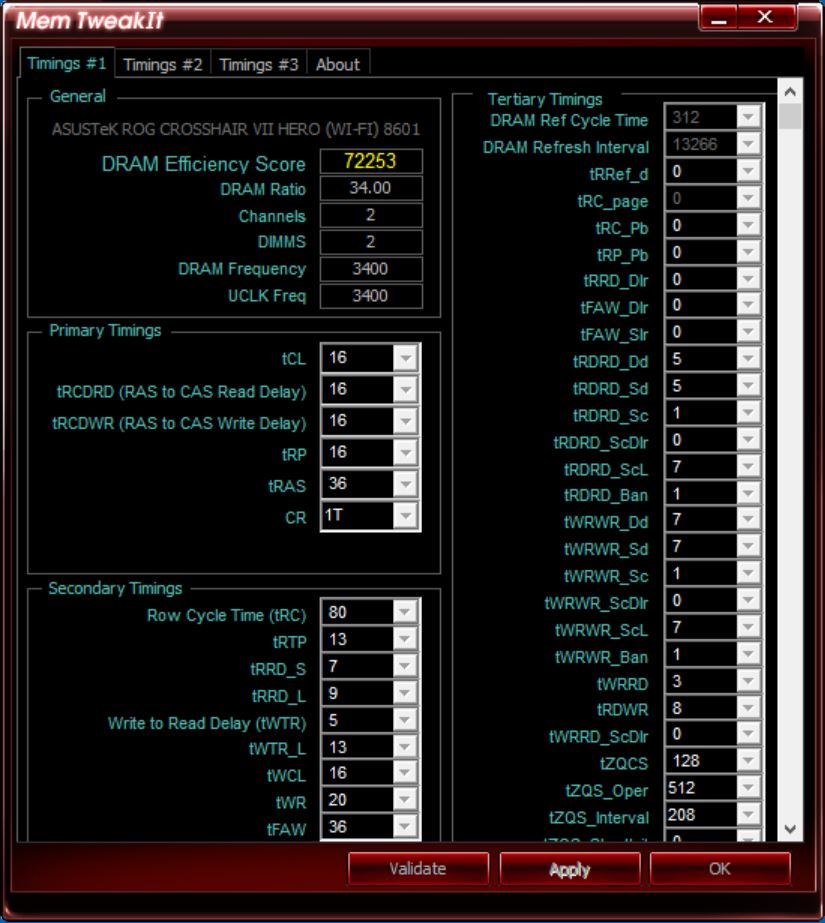
RAM: G.Skill SniperX 16GB DDR4-3400MHz
Motherboard: Asus ROG Crosshair VII Hero Wi-Fi with BIOS 8601
Graphics: EVGA GTX 1080Ti SC
SSD: SK Hynix SC311STD
Cooler: Fractal Design Celsius S24
Power supply: Seasonic Prime Titanium 1000W
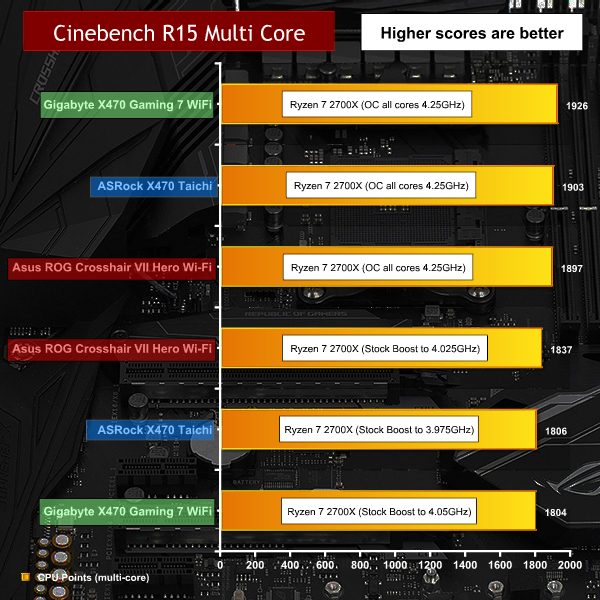
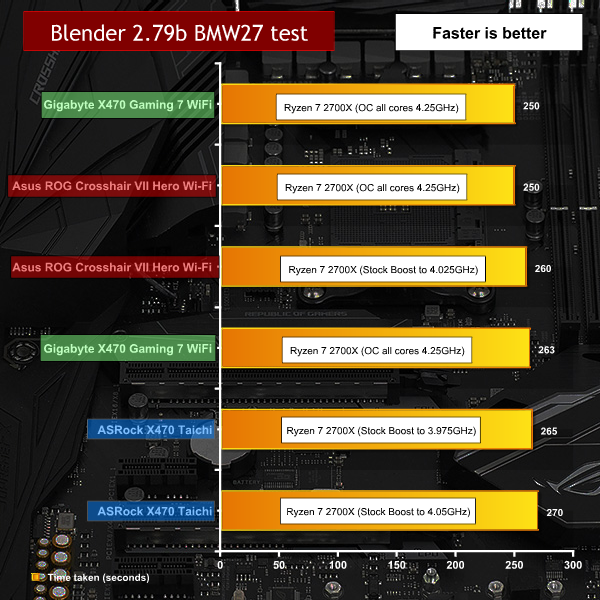
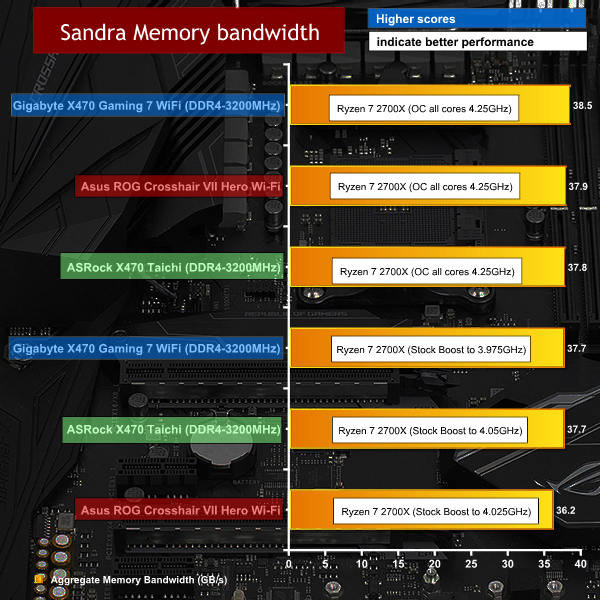
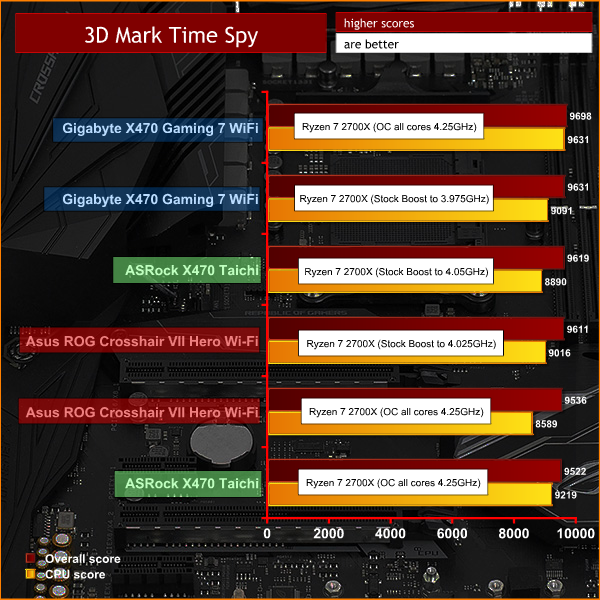

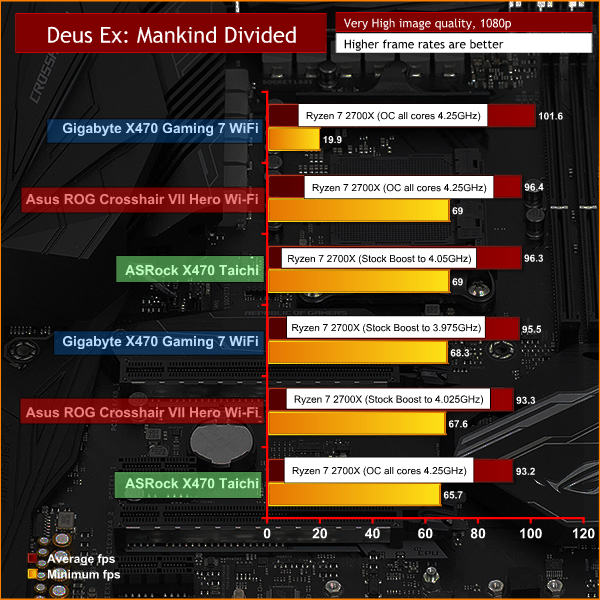
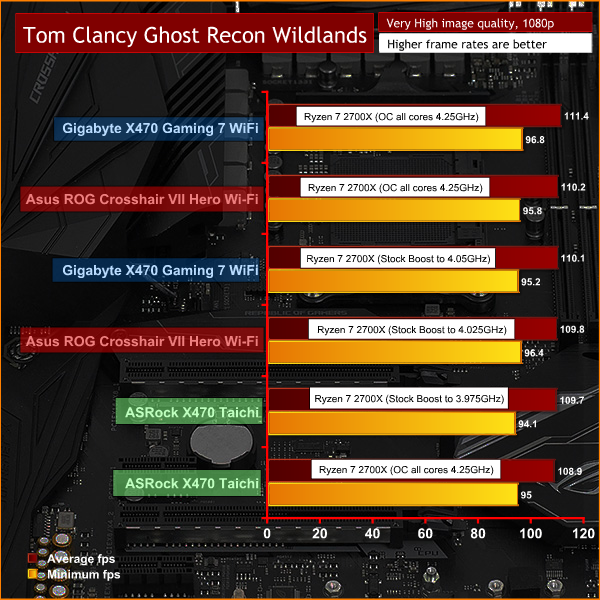
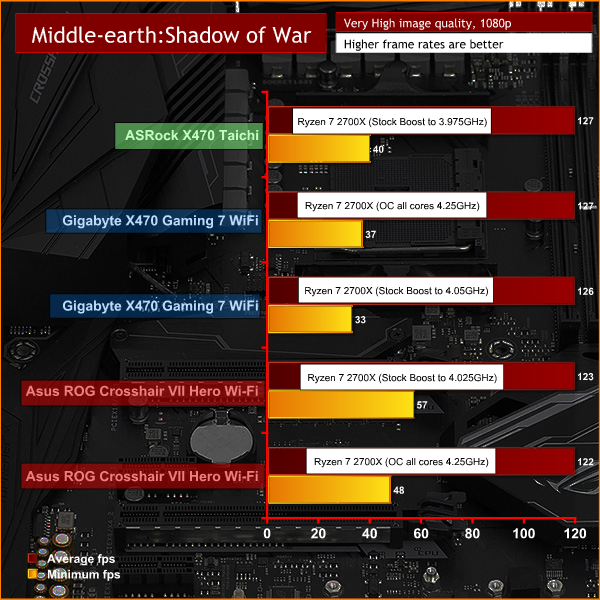
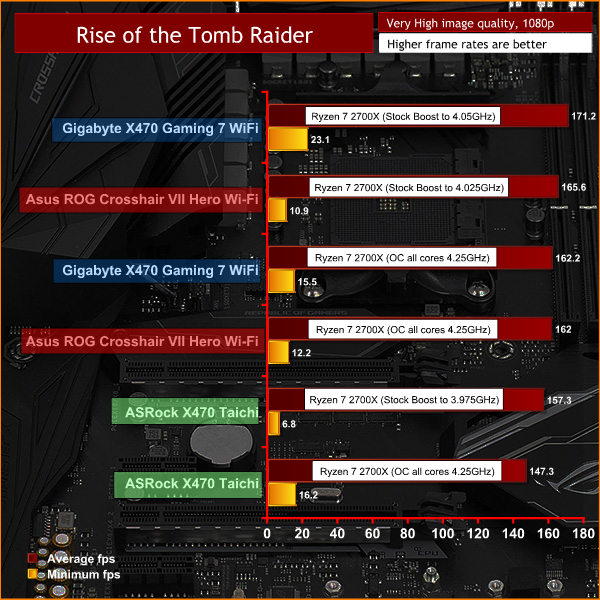
Performance and Overclocking overview
The unusual part of this review is that we used BIOS 8601 which was sent direct to us by Asus. This is described as a Performance BIOS and is not available to the public, not even as a beta. It may be worth noting that Asus has released BIOS 0601 since we made our video, which sounds like a happy coincidence of numbering.
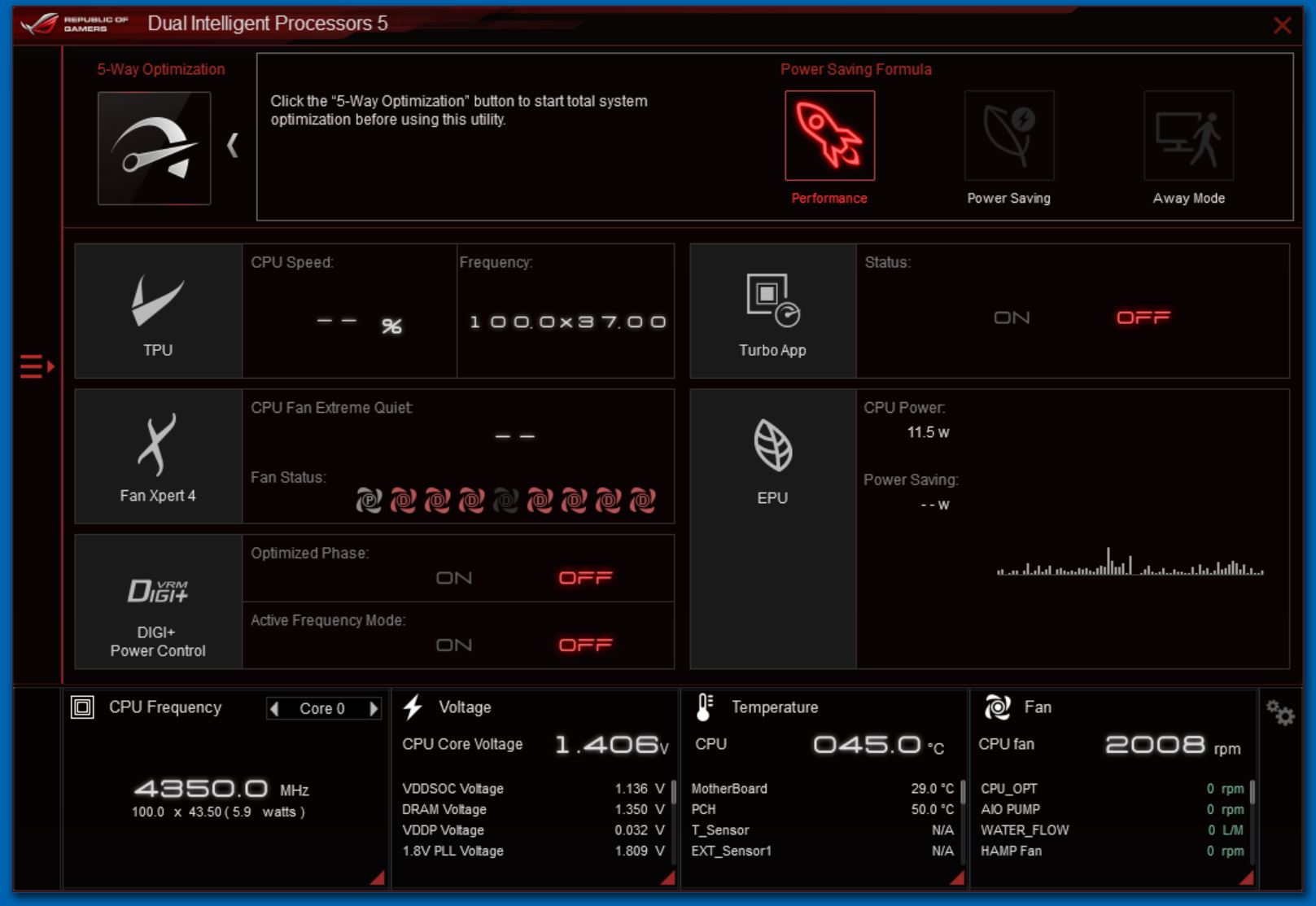
In our video we show BIOS 0509 (which was the release version at that time) and the curious way the Vcore settles at 1.25V using Auto settings when the Ryzen 7 is under maximum load, which is lower than the 1.3V we typically see. By contrast BIOS 8601 uses about 1.35V on Auto settings which is pushing the CPU into overclocking territory. When you manually overclock Ryzen 7 you may try 1.35V or 1.4V, and it is generally considered brave to go beyond that point. In essence the Crosshair VII Hero WiFi is providing sufficient power to dynamically overclock the Ryzen 7 2700X with Precision Boost 2 without any input from the user.
If you are more interested in performance on one or two threads, rather than on all cores, you may want to investigate the Performance Enhancer option in the BIOS which unlocks XFR2. Levels 1 and 2 are within the parameters recommended by AMD while levels 3 and 4 push the limits further. We are confident you will be able to push your CPU to 4.5GHz with this option, however we consider than XFR2 is less useful than Precision Boost 2.
Setting Vcore to 1.4V, raising Loadline Calibration and increasing the CPU multiplier to 42.5x gave a reliable overclock of 4.25GHz which was more effective than having a few cores running 250MHz faster.
Cooling and Power overview
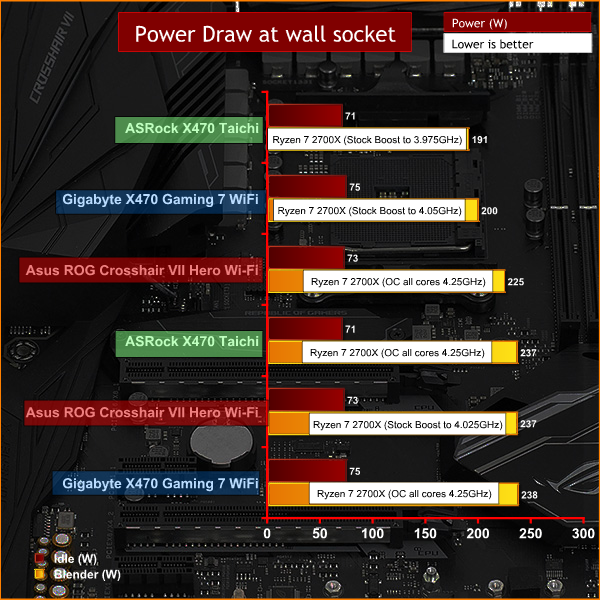
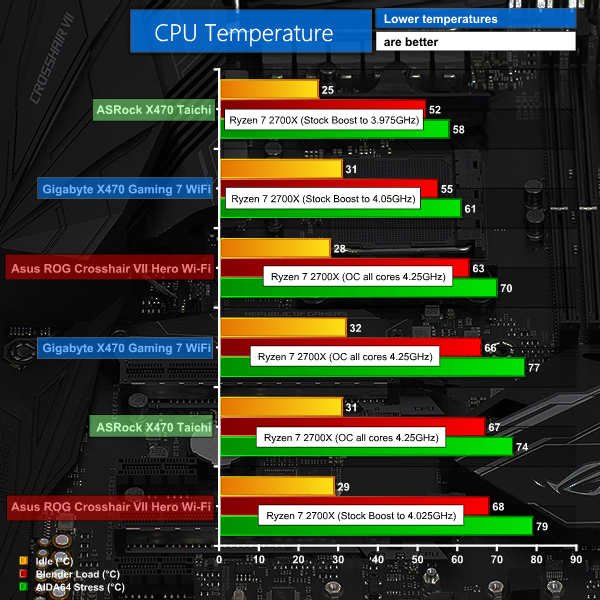
With the BIOS on Auto we were unimpressed by the high power draw. While Auto delivered high performance for a CPU running at ‘stock’ clocks we’re only talking about an extra two percent compared to ASRock X470 Taichi or Gigabyte X470 Aorus Gaming 7. That is a minor difference, however it gives Asus the right to boast about having ‘the highest performance out of the box’ (should they care to make that claim).
The downside is that the extra power results in unnecessary amounts of heat to such an extent that when we manually overclocked the CPU we saw the power draw and temperature decrease while performance increased. That is an unusual combination to say the least and suggests that Asus has taken extreme measures with its Auto settings.
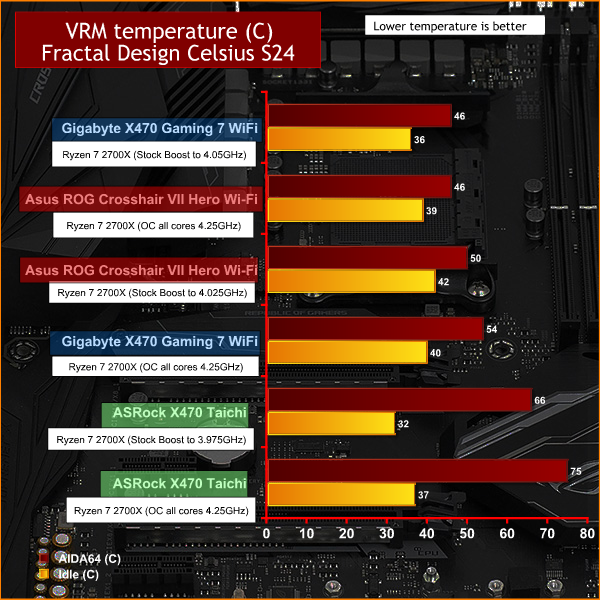
Throughout our testing the VRM temperatures were impressively low, however the AMD CPU has a direct correlation between voltage/power, heat and performance.
Asus ROG Crosshair VII Hero Wi-Fi is an impressive motherboard in every sense of the word.
It looks superb in that ROG-gy way, uses top line components and has a long list of features. While it is fair to say that you will find extra features on more expensive ROG boards we cannot criticise Asus for any aspect of the hardware on the ROG Crosshair VII Hero Wi-Fi as it is fits the brief to perfection. Overclockers will appreciate the plethora of micro buttons, yet there is also plenty to appeal to the mainstream enthusiast.
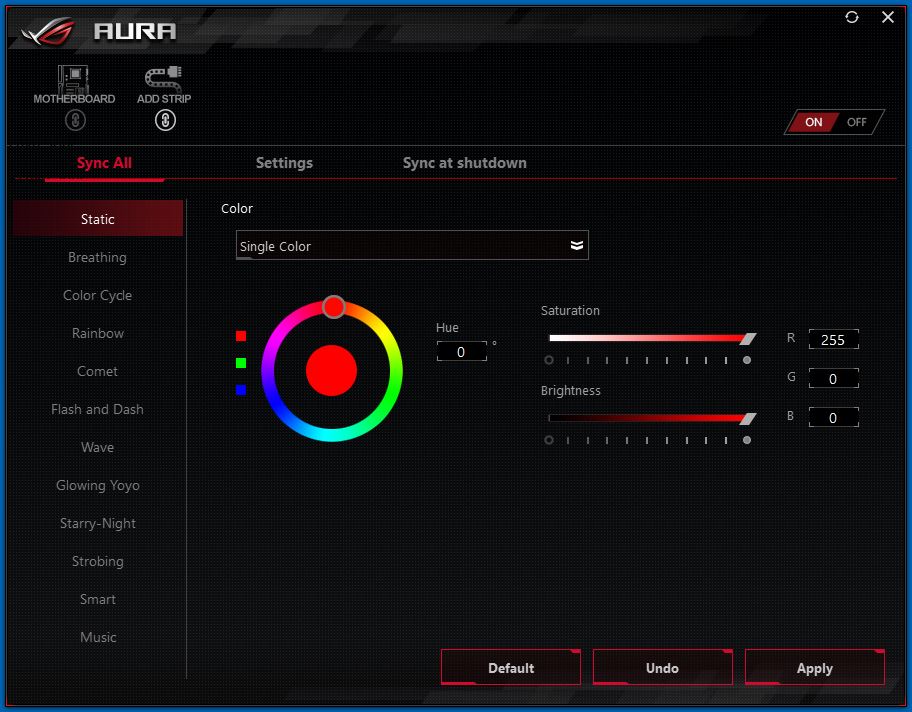
You get a huge number of fan headers that help when you install the motherboard in a case, and you also get massive number of USB ports on the I/O panel that transform the Asus into a very practical proposition. Positioned around the board you will find a selection of RGB headers that even allow you to connect the Aura lighting to Philips Hue. On the one hand this motherboard can handle some serious overclocking while on the other it can also accommodate more prosaic stuff such as printers and card readers.
If the list of options in the Extreme Tweaker section of the UEFI doesn’t make you sit up and pay attention we can only feel sorry as you clearly lack appreciation for the finer things in life.
Using the 8601 BIOS highlighted a fundamental conflict between ROG and 2nd Gen. Ryzen which goes like this:
ROG is aimed at overclockers who want manual control of every last voltage setting and clock speed. The external clock generator chip used by Asus demonstrates this point as you can use the motherboard either in Synchronous or Asynchronous mode. In Synchronous mode the CPU shares the clock signal with Memory and PCIe while in Asynchronous mode those buses are locked down and the CPU clock can be adjusted independently.
Clearly the external clock generator feature is aimed at overclockers who want to work on the BCLK without causing other problems which is a sport of minority interest. That is entirely in tune with the ROG ethos as only the hardcore enthusiasts need to apply for membership.
Where things go off the rails is on the AMD side of things. 2nd Gen. Ryzen has a fair amount in common with the original Ryzen however AMD has worked hard on Precision Boost 2 and XFR 2. These features dynamically overclock your CPU, provided you have sufficient power and cooling, and between them they extract most of the performance your new Ryzen has to offer.
Asus demonstrates this point, perhaps unwittingly, with the Auto settings in 8601 that deliver excellent performance out of the box with zero input from the user. The downside is that this configuration draws 40W or 50W more than you expect to see compared to an ASRock X470 Taichi or Gigabyte X470 Aorus Gaming 7 on stock clocks, and the CPU temperature is about ten degrees C higher. Those are very large numbers and they show the Asus in a poor light.
When it comes to overclocking with the ROG Crosshair VII Hero Wi-Fi you can raise the clock speeds in the usual way and set the voltages any way you choose. We dialled in settings of 1.4V and a 42.5 multiplier and something rather curious happened. CPU clock speed was rock solid at 4.25GHz, however performance changed very slightly, to a much smaller extent than you would expect for an extra 200MHz. Balanced against that we saw the CPU temperature drop five to ten degrees below Auto settings and power draw was down about 10W.
In other words, if you leave the Asus ROG Crosshair VII Hero Wi-Fi on Auto you get good performance with awful thermals and power draw but if you do a basic manual overclock the board falls into line with comparable motherboards from the other vendors.
We are quite sure this behaviour is inherent to the nature of 2nd Gen. Ryzen and does not reflect on Asus ROG in any way. They have delivered a motherboard that is truly epic and it is simply running into the limits of the CPU. It would seem that dynamic overclocking has arrived and manual overclocking is on the wane.

You can buy the motherboard from Overclockers UK for £259.99 HERE.
Pros:
- High quality hardware, excellent VRMs.
- Extensive UEFI set-up screen.
- Loads of overclocking feature and micro buttons.
- I/O panel is packed with USB ports.
Cons:
- Power draw on Auto settings is high.
- The Asus is let down by the limited headroom you get with 2nd Gen. Ryzen 7.
- Price is fairly steep.
- When you manually overclock performance is similar to other motherboards.
KitGuru says: Asus ROG Crosshair VII struggles to extract more performance from Ryzen 7 2700X.