KitGuru KitGuru.net – Tech News | Hardware News | Hardware Reviews | IOS | Mobile | Gaming | Graphics Cards


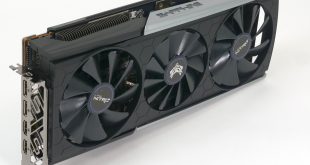
KitGuru has been busy testing and reviewing AMD Navi graphics cards with after-market coolers and today it’s time for Sapphire with their Nitro+ RX 5700 XT.
The new Sapphire shares a number of features with the PowerColor Red Devil, including a dual BIOS function, RGB and a huge triple fan cooler. Sapphire has taken things one step further by making the RGB Addressable – so the Nitro+ looks pretty enough, however the key question is how well it performs.
Our starting point for this review is the reference AMD RX 5700 XT 8GB which provides a fine 1440p gaming experience, however the reference blower cooler is noisy and that counts as a significant flaw. Our first look at a custom Navi came thanks to MSI with their RX 5700 XT Evoke OC which runs significantly cooler than the AMD reference design. On the downside, while the MSI cooler was quieter than the AMD blower, the fans were set to run at high speed and the MSI was louder than we had expected.
Things took a significant turn for the better with the PowerColor Red Devil which ticked all of Dominic’s boxes as it delivered good performance and low noise at a sensible price. In addition the dual BIOS function meant you could even choose to run the Red Devil at a lower power setting than the AMD reference design.
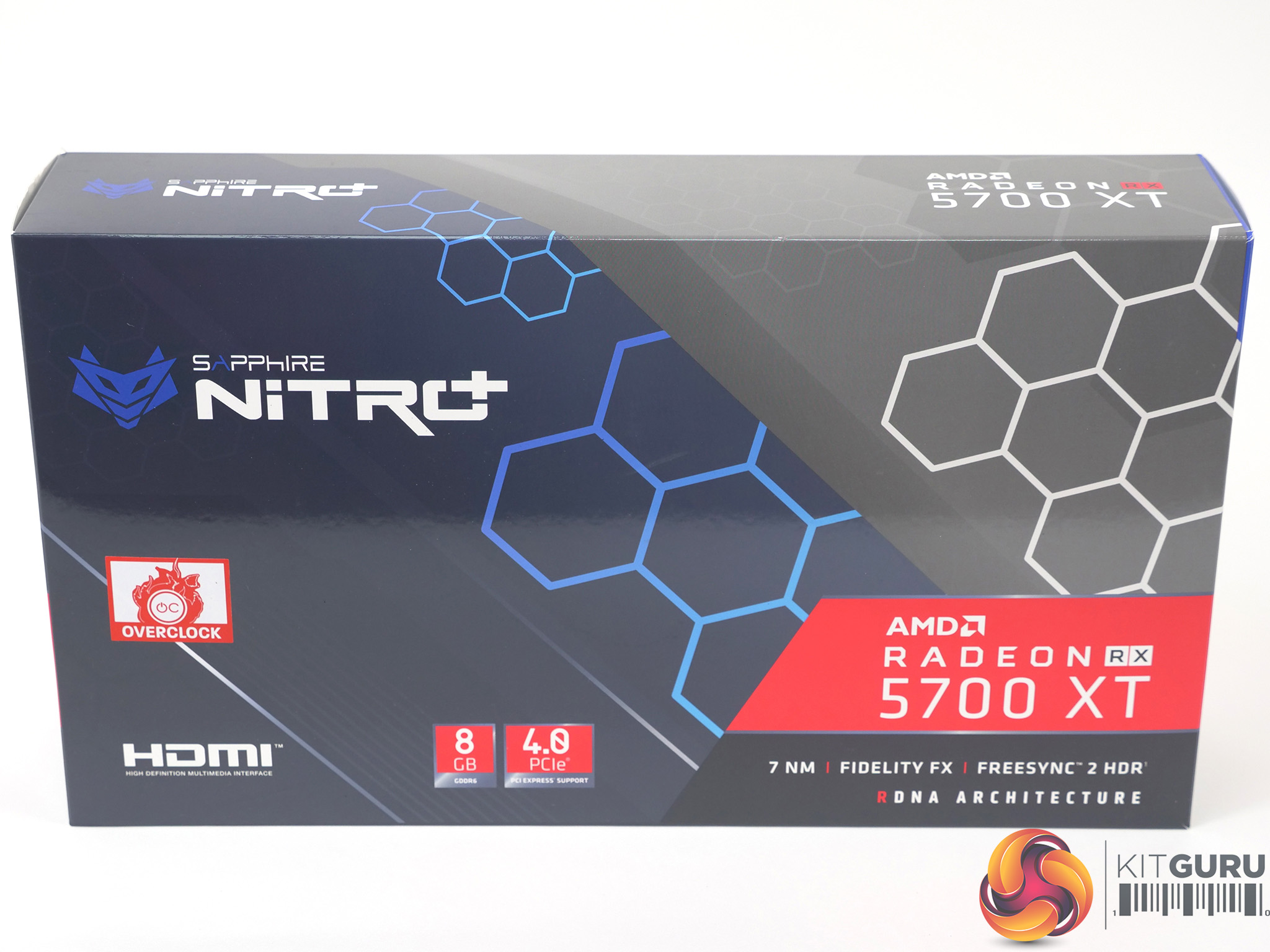
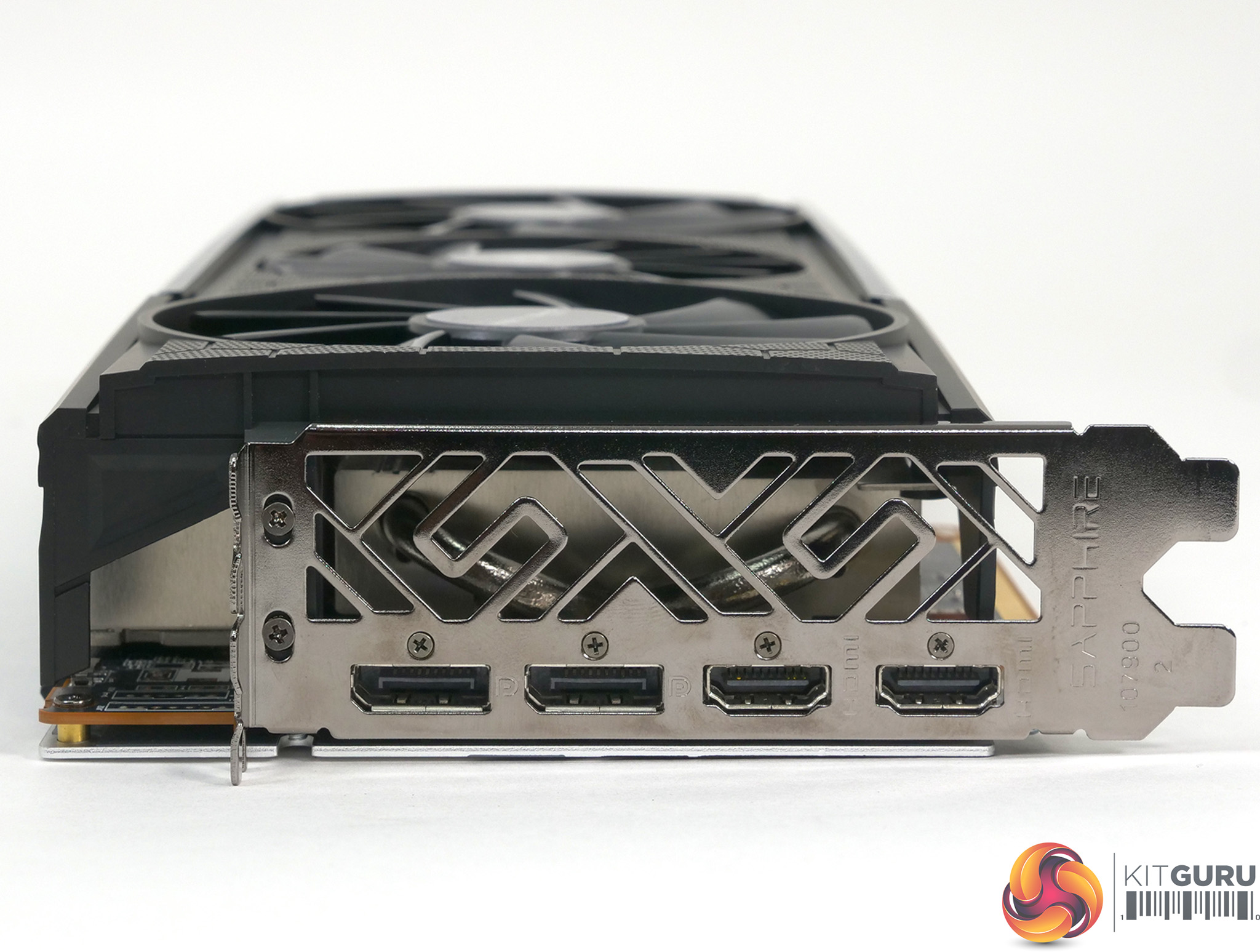
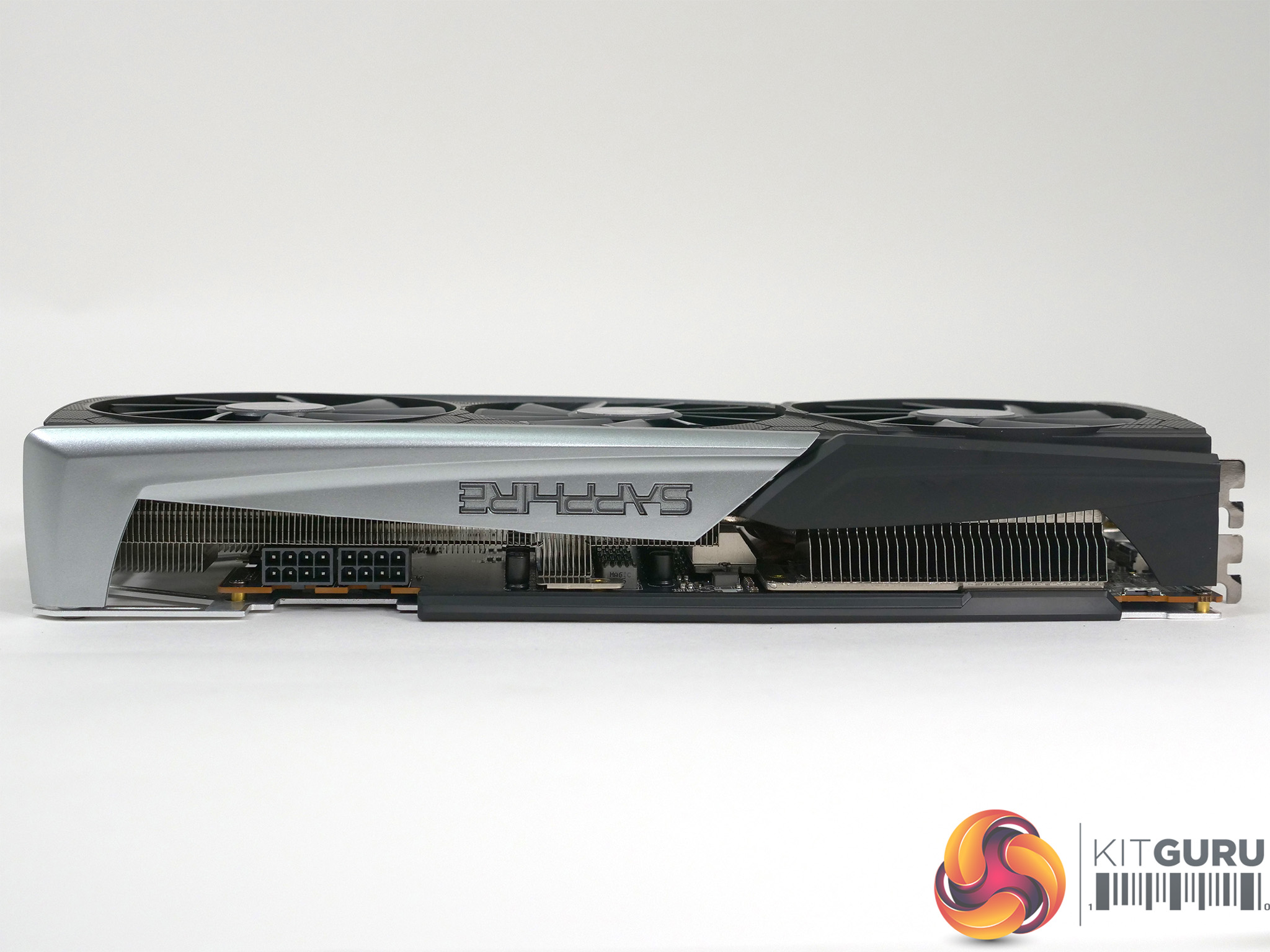
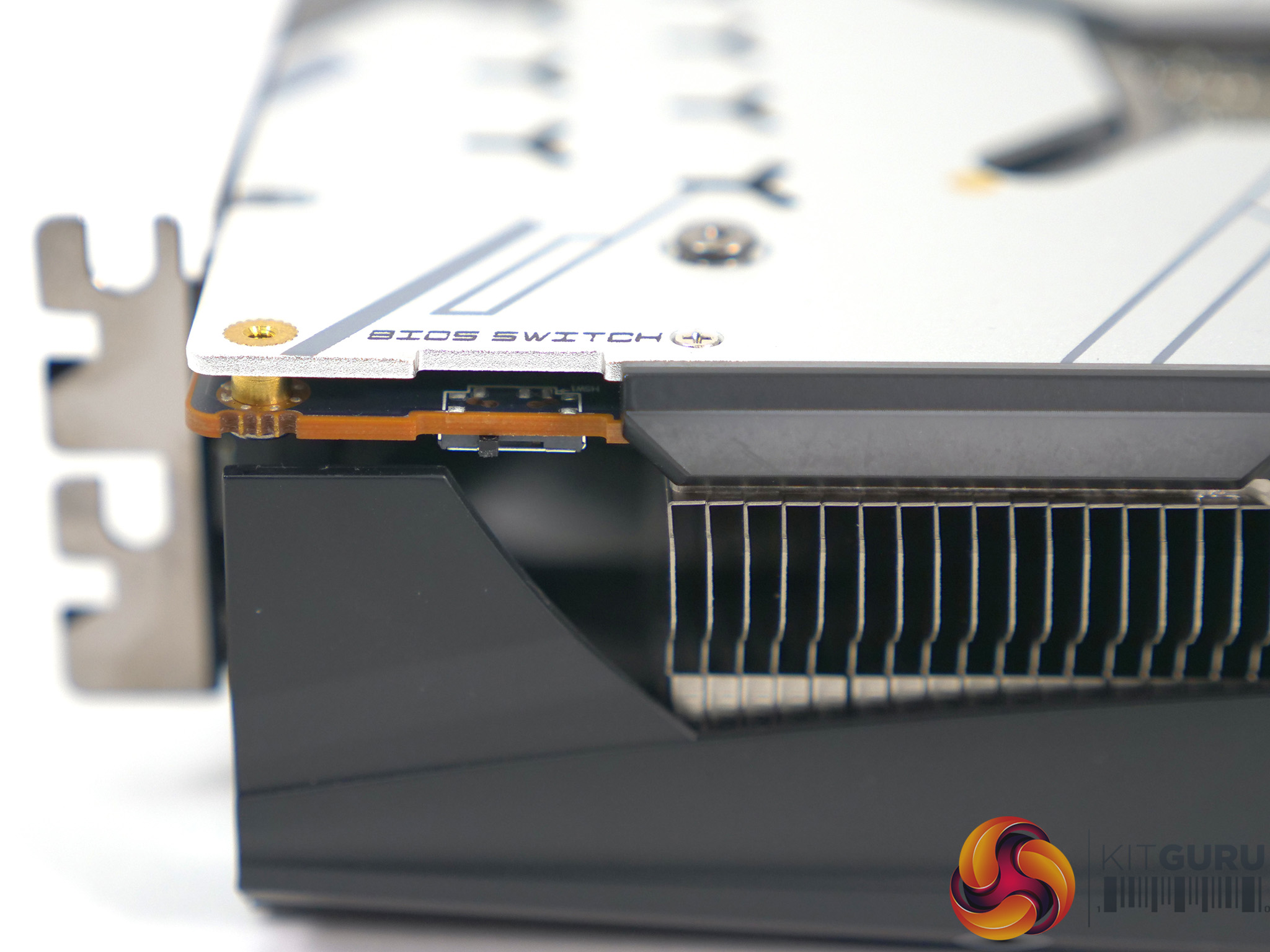
And so we come to the Sapphire Nitro+ RX 5700 XT. We initially noted the Sapphire and PowerColor had the same US price, while the UK price for the Sapphire was higher. We raised a query with Sapphire and the price was reduced to £449.99 – so we are looking at a graphics card that is priced at the same level as the Red Devil and which promises a similar level of performance.
Key features
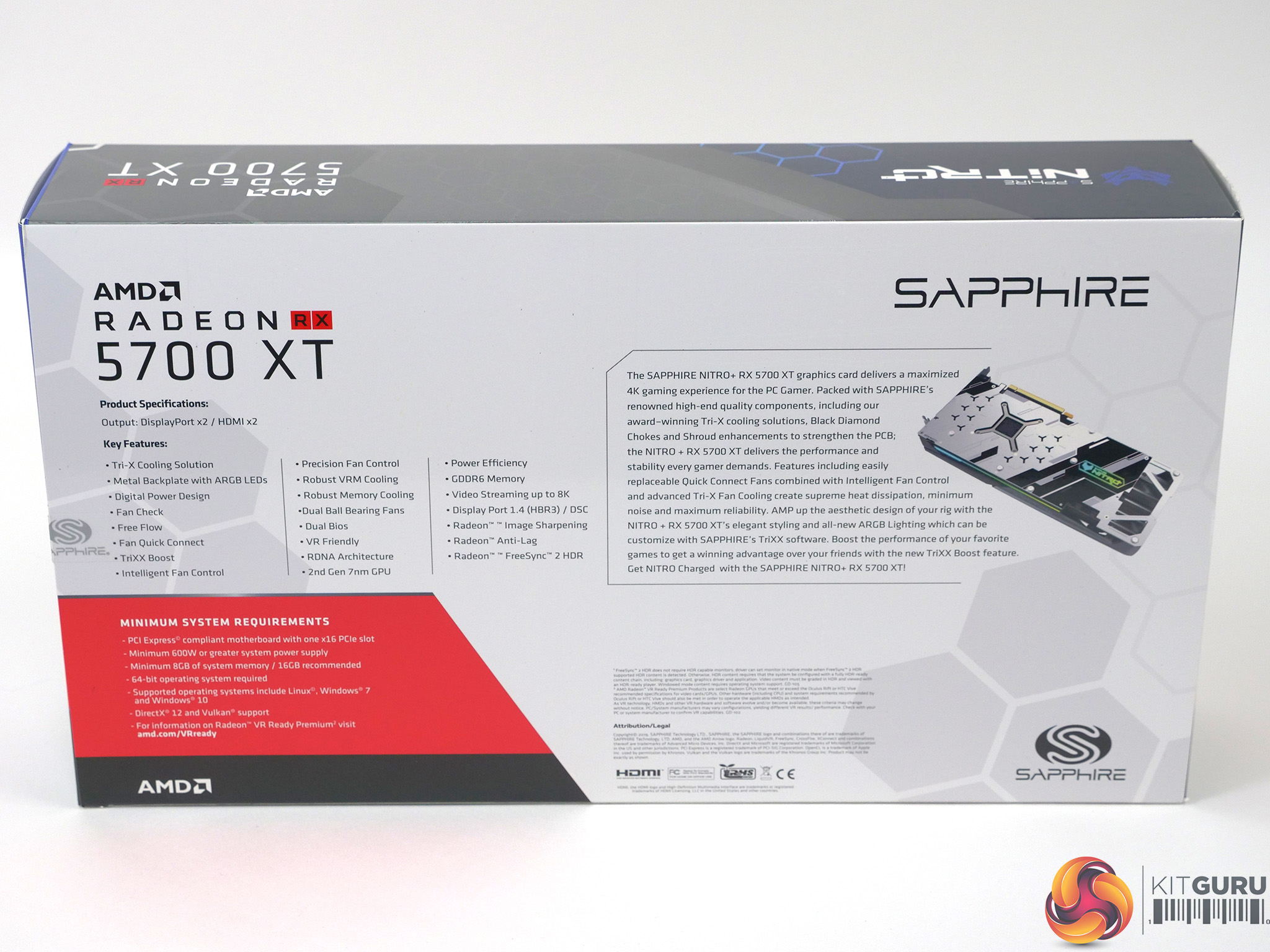
- AMD RDNA architecture with factory-overclocked performance and advanced Tri-X custom cooling solution
- TriXX Software with enhanced user experience and host of new features
- Up to 15% performance increase in popular games with TriXX Boost
- Improved personalization options with Nitro Glow ARGB System
- Superior PCB and Power designs ensure gamers have Fast and Stable clock speeds
- NITRO+ RX 5700 XT card delivers cool, quiet and affordable performance
- Sapphire CoolTech, DNA and Plus Technologies
Specifications of Sapphire Nitro+ Radeon RX 5700 XT
- GPU: Nitro+ RX 5700 XT Graphics, 2nd Gen 7nm GPU, RDNA Architecture
- Stream Processors: 2,560
- Boost Clock: Up to 2,010 MHz (Performance BIOS) or 1,925MHz (Silent BIOS)
- Game Clock: Up to 1,905 MHz (Performance BIOS)
- Base Clock: 1,770 MHz
- Memory Size/Bus: 8GB/256 bit GDDR6
- Memory Clock: 14Gbps Effective
- Interface: PCI-Express 4.0
- BIOS Support: Dual UEFI
- Sapphire Features: Nitro Glow (ARGB)
- Cooling: Tri-X Cooling Two-Ball Bearing
- Form Factor: 2.3 slot
- Dimensions: 306mm x 135mm x 49mm
- Power Consumption: 265W
- Power Connectors: 2x 8-pin
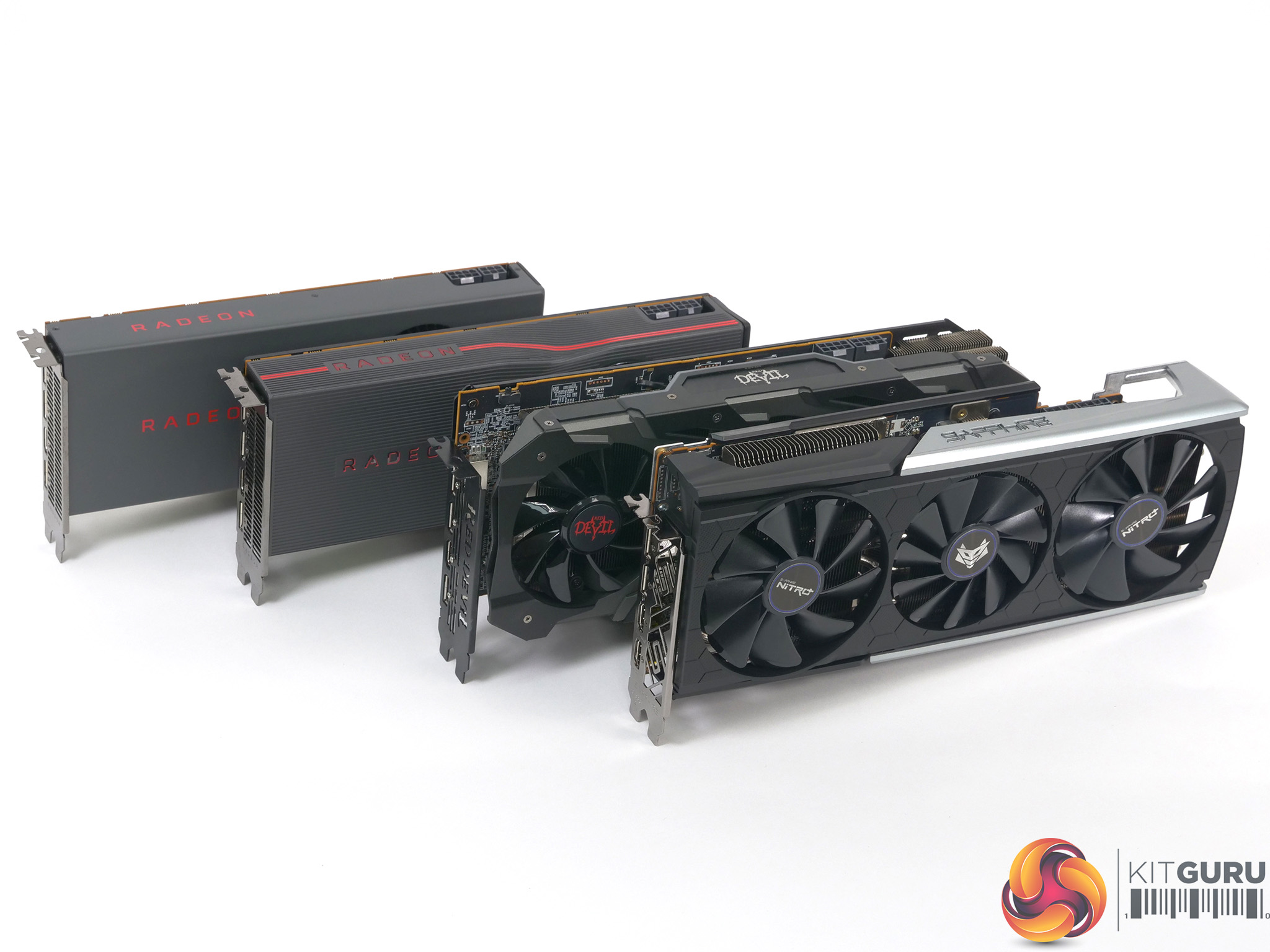
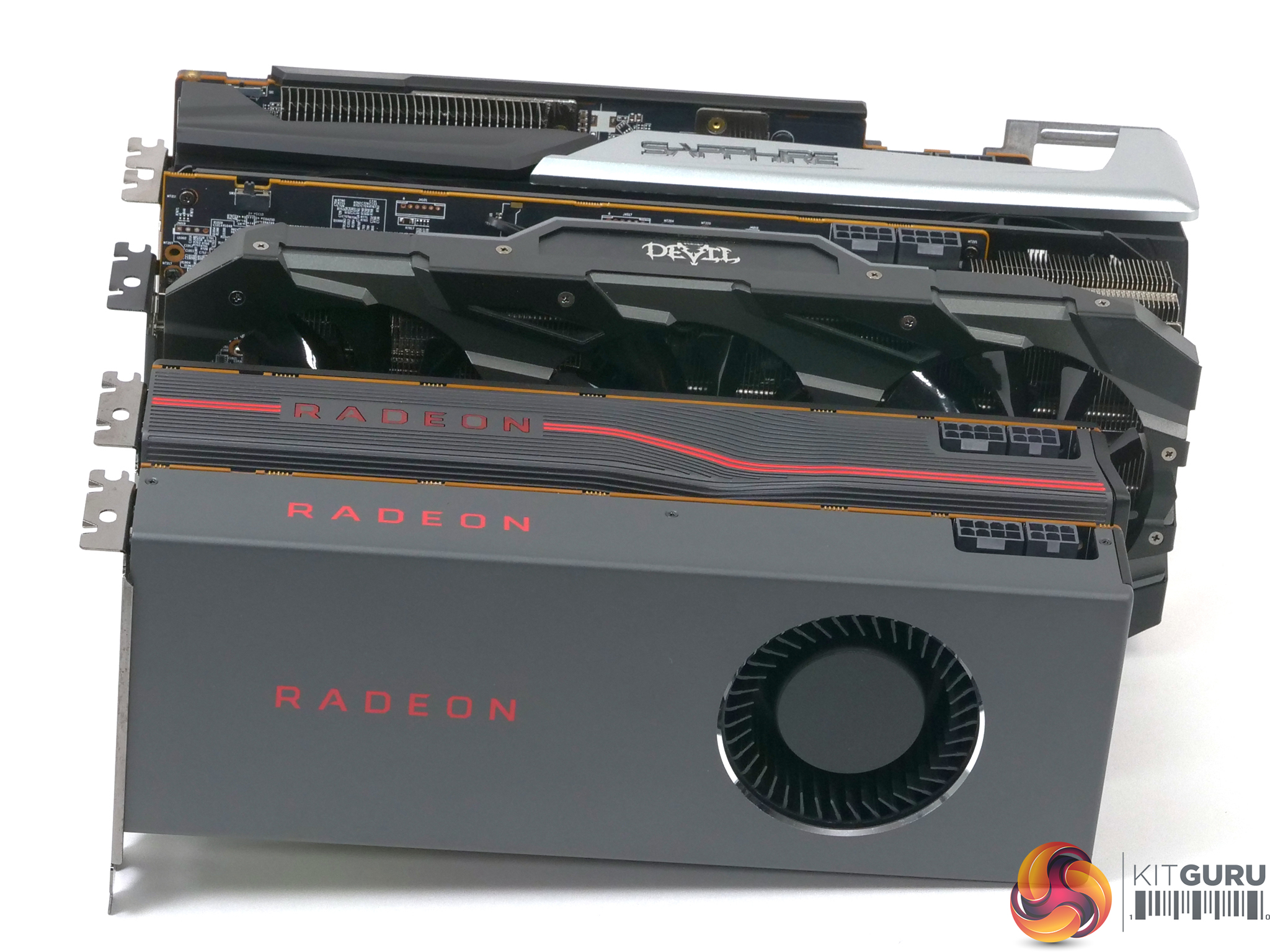
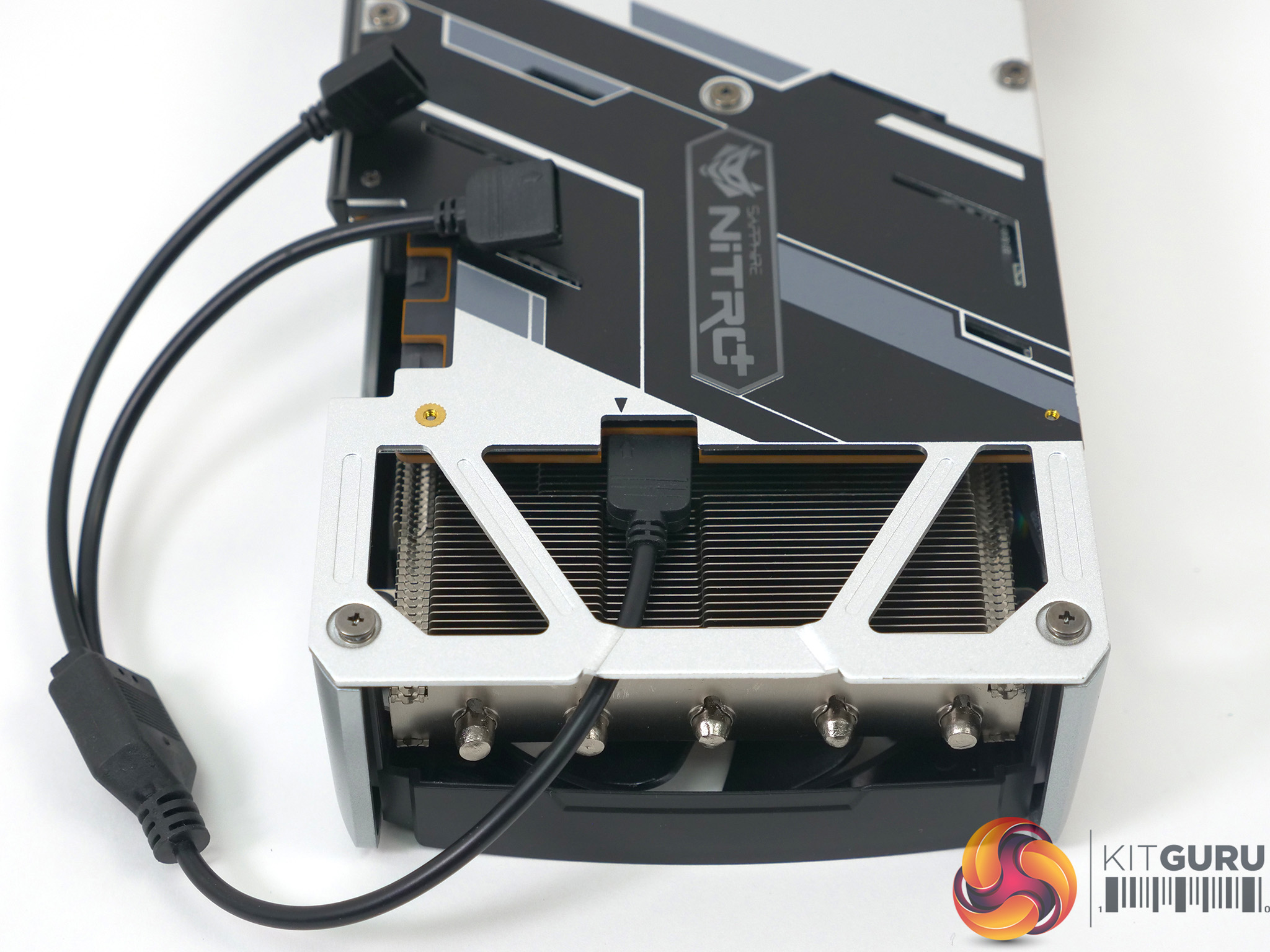
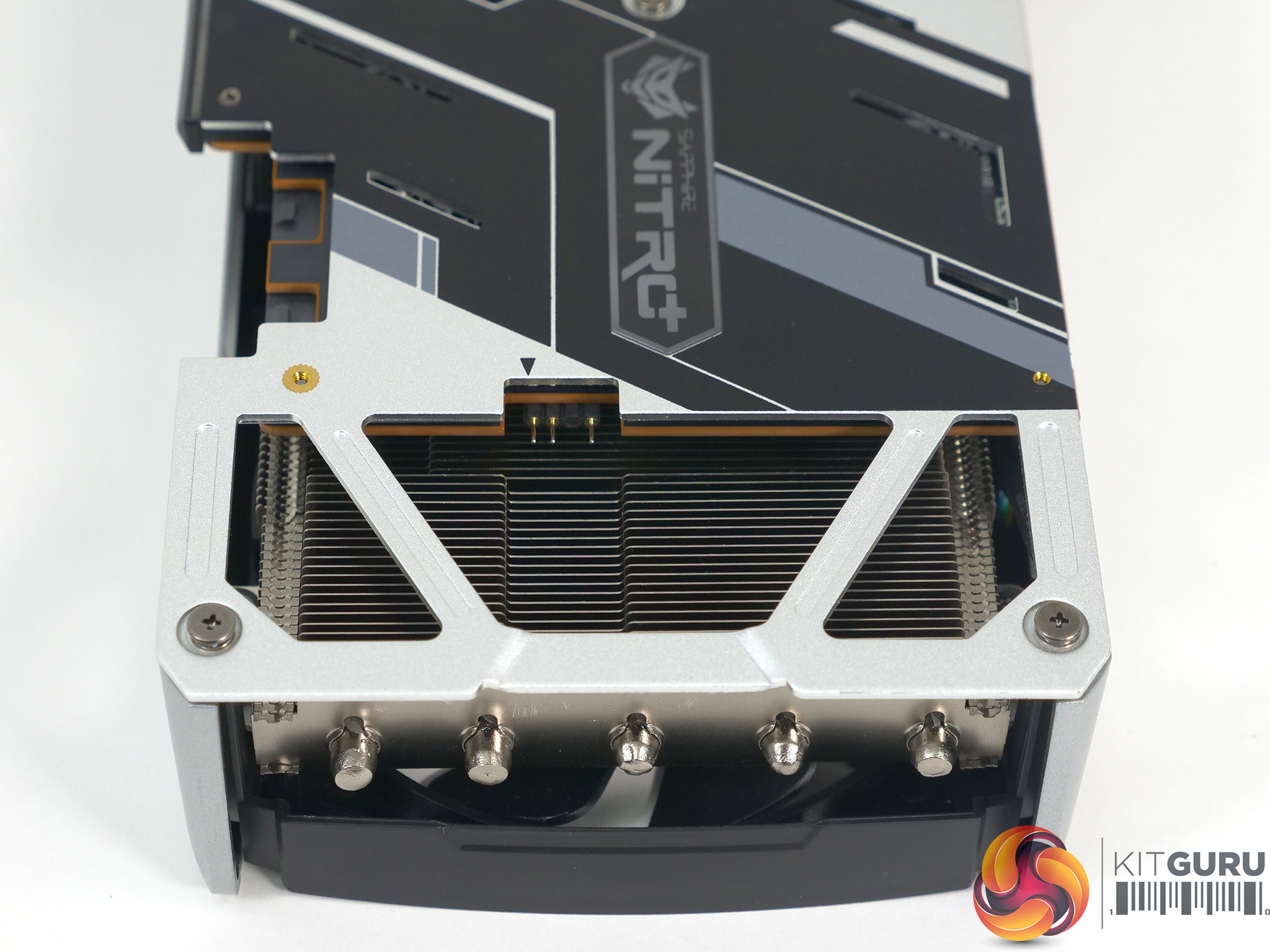
Our sample of the Sapphire Nitro+ arrived with nothing in the way of accessories. This was frustrating as we would have liked to see the inclusion of an ARGB cable in order that we could use the RGB header that is Sapphire’s Unique Selling Point. We spent a few pounds on an Akasa cable that did the job nicely but consider this to be an annoying omission on Sapphire’s part.
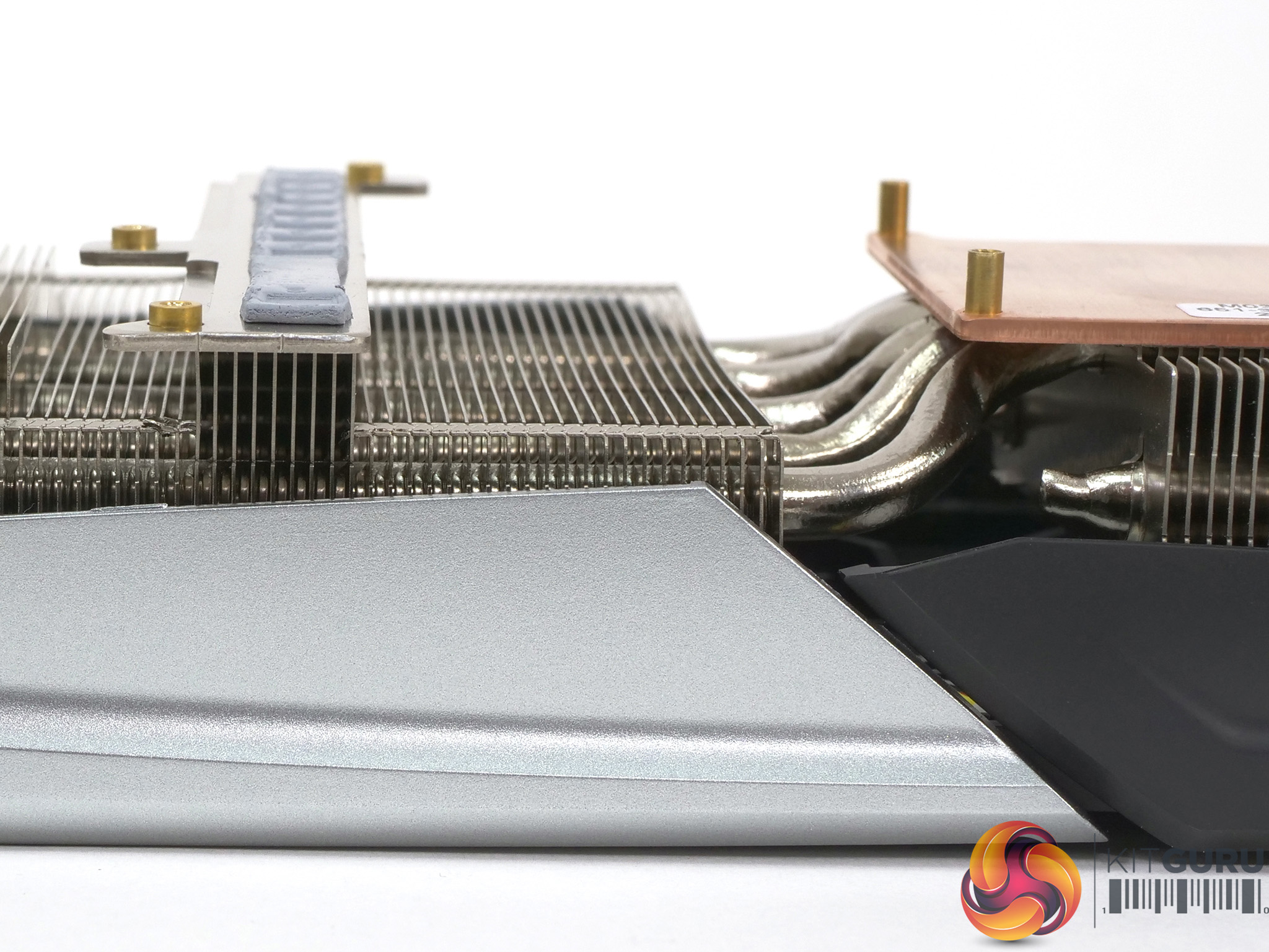
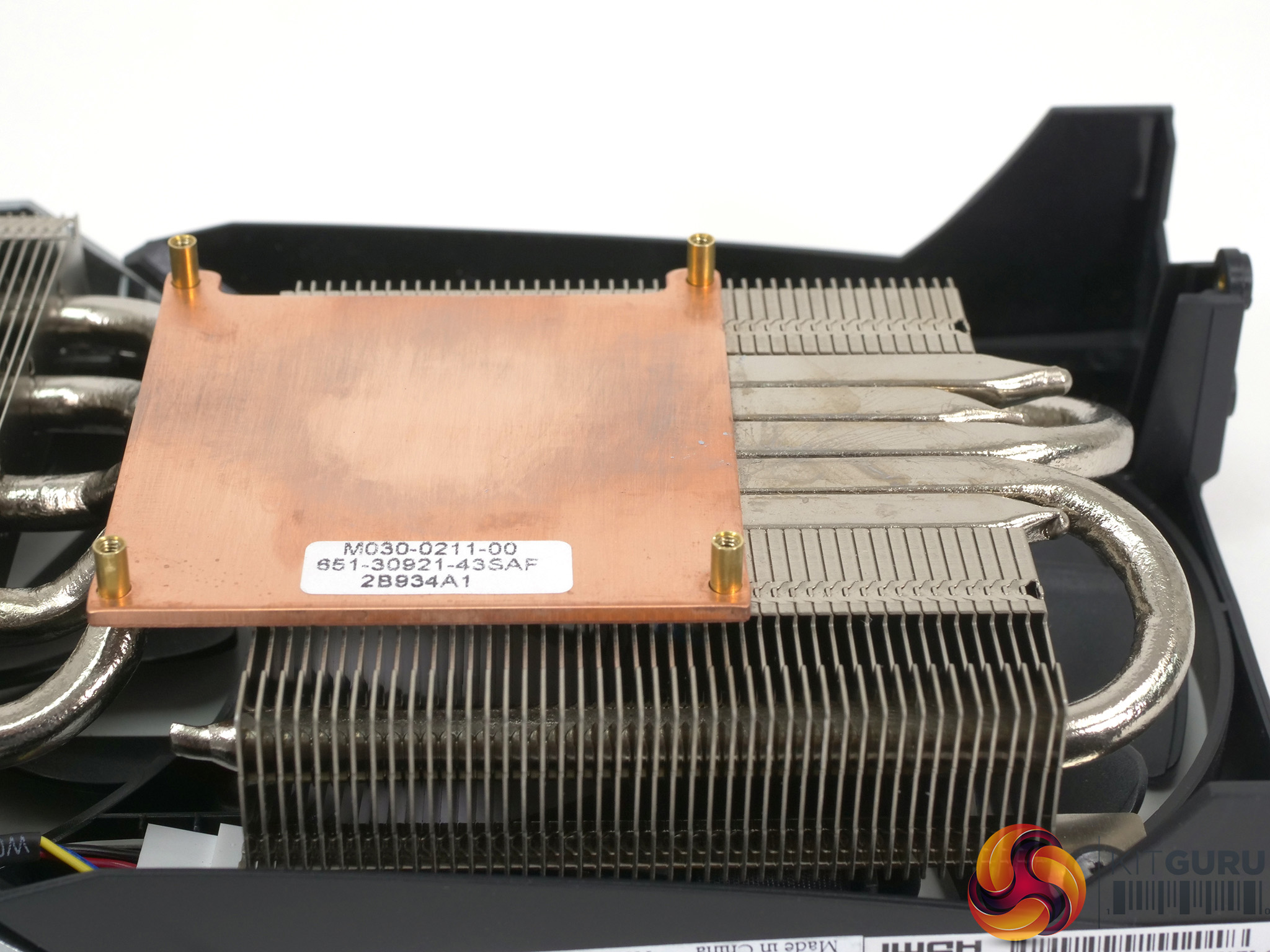
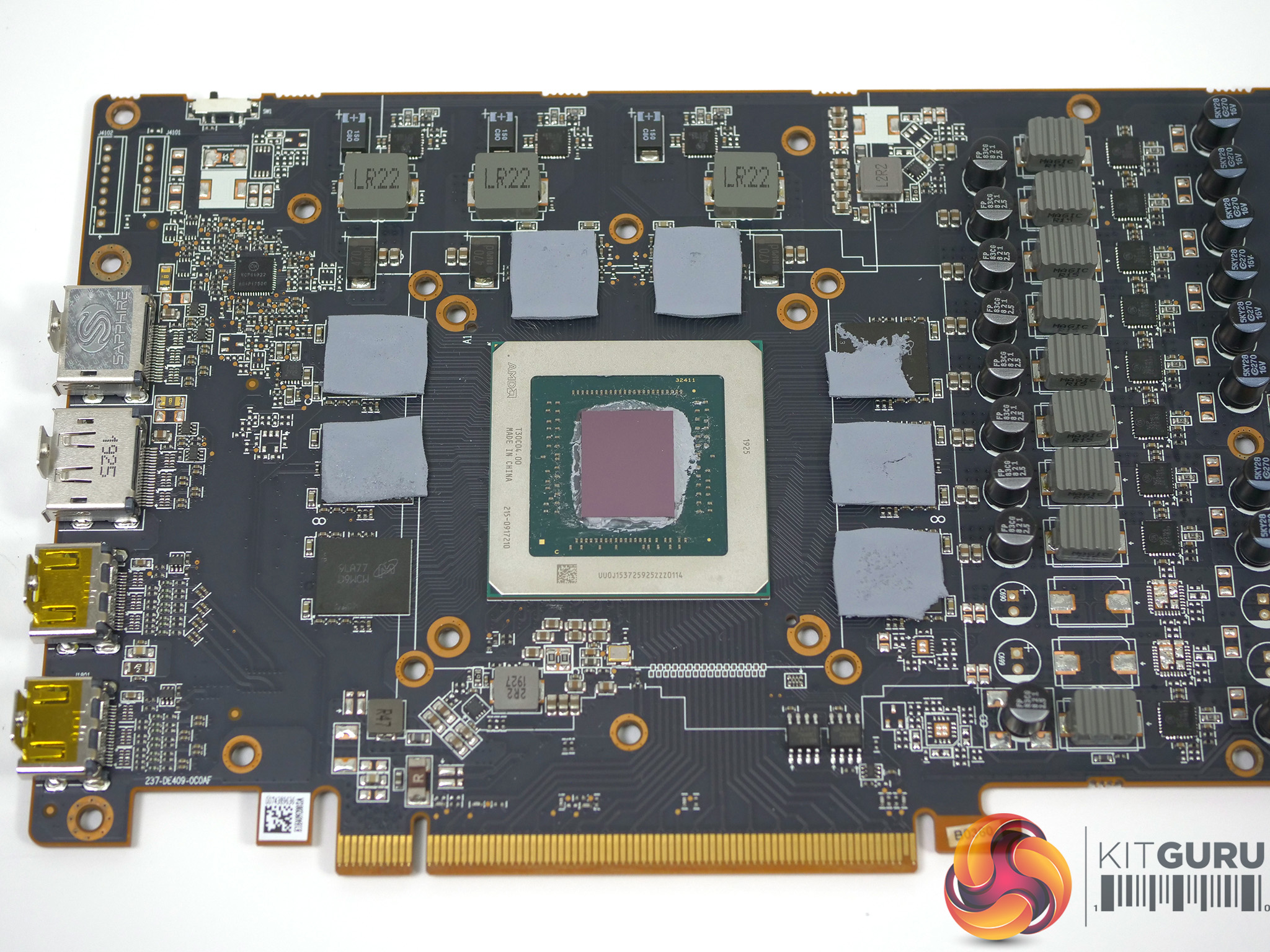
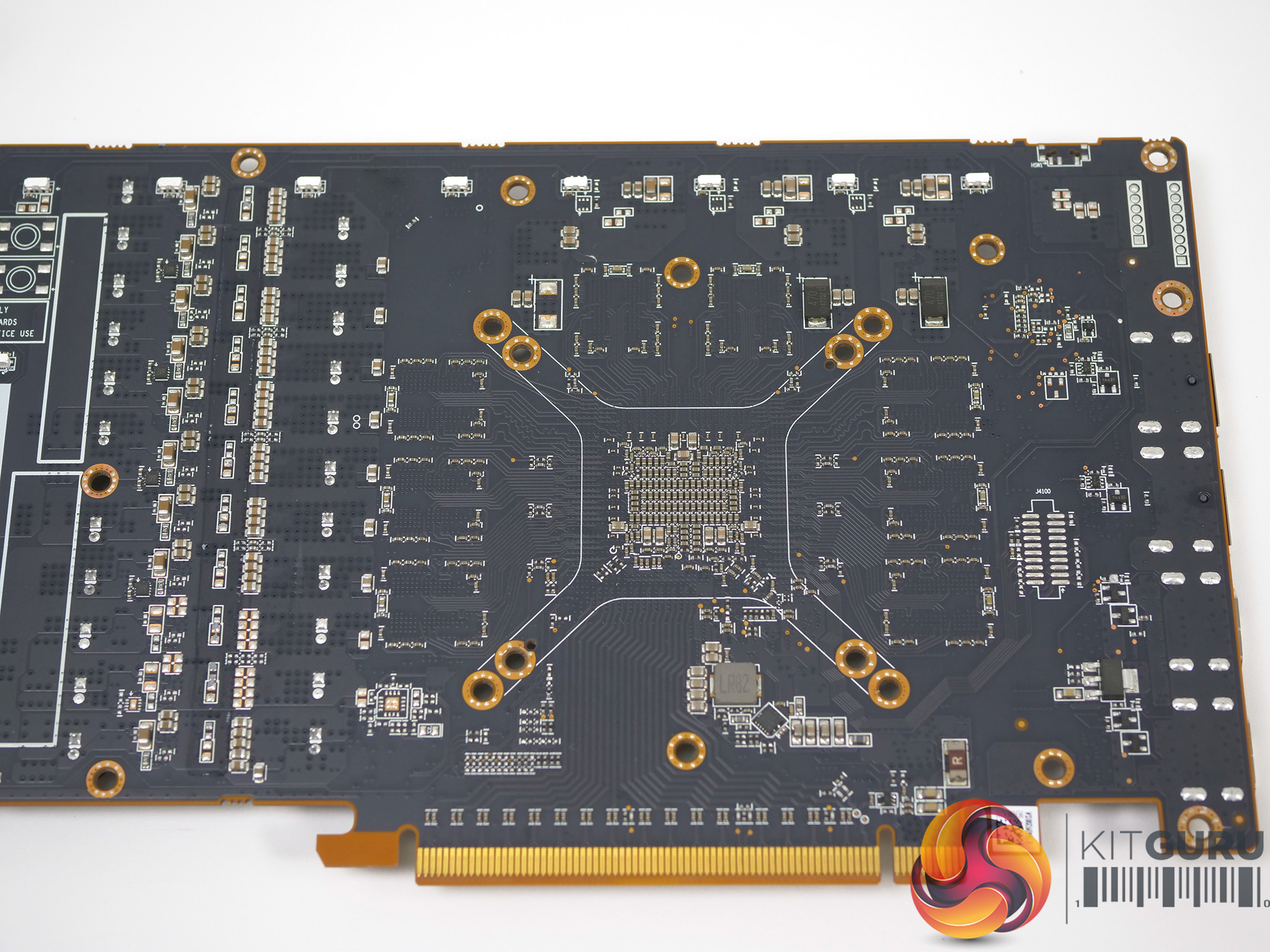
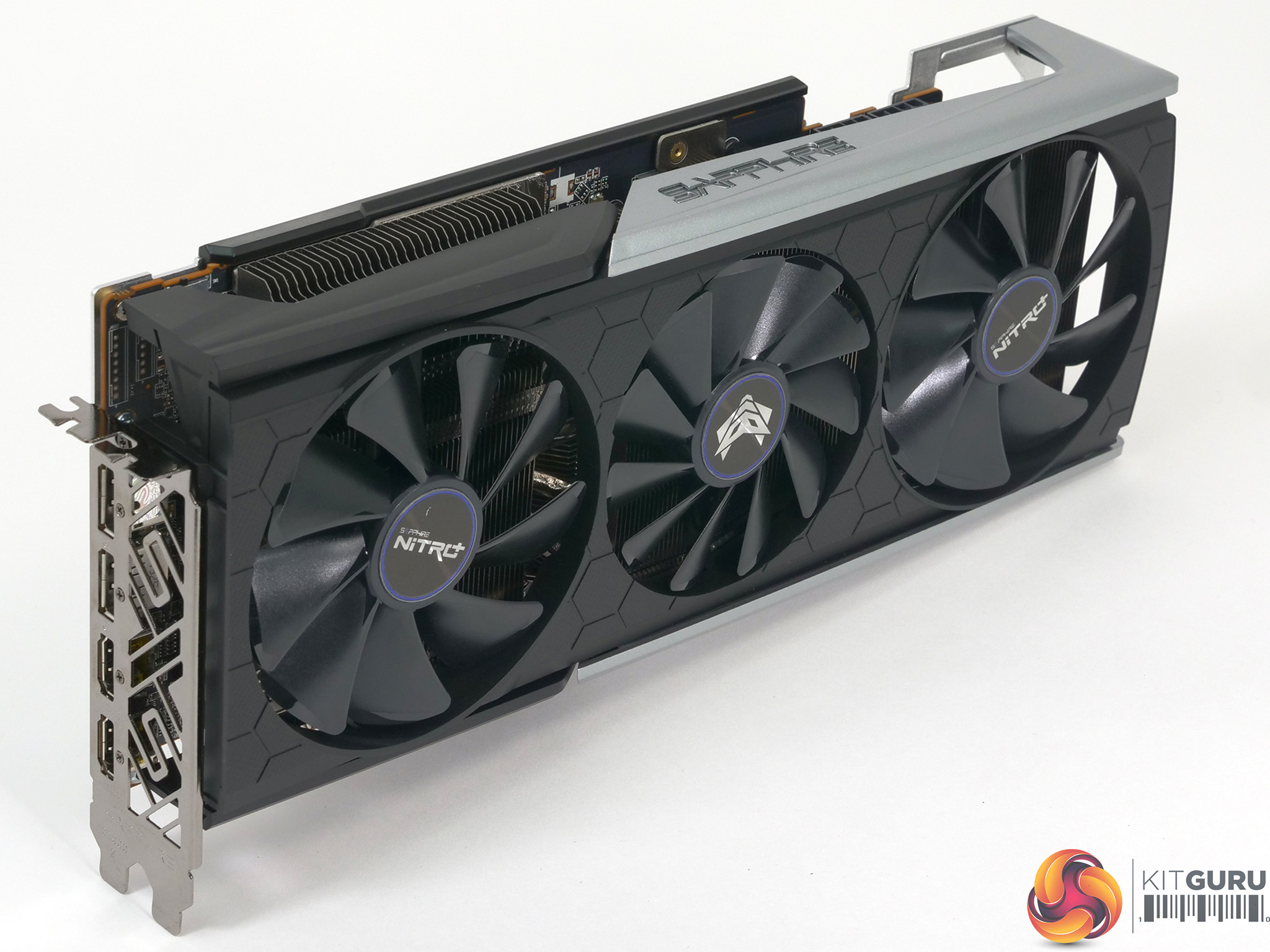
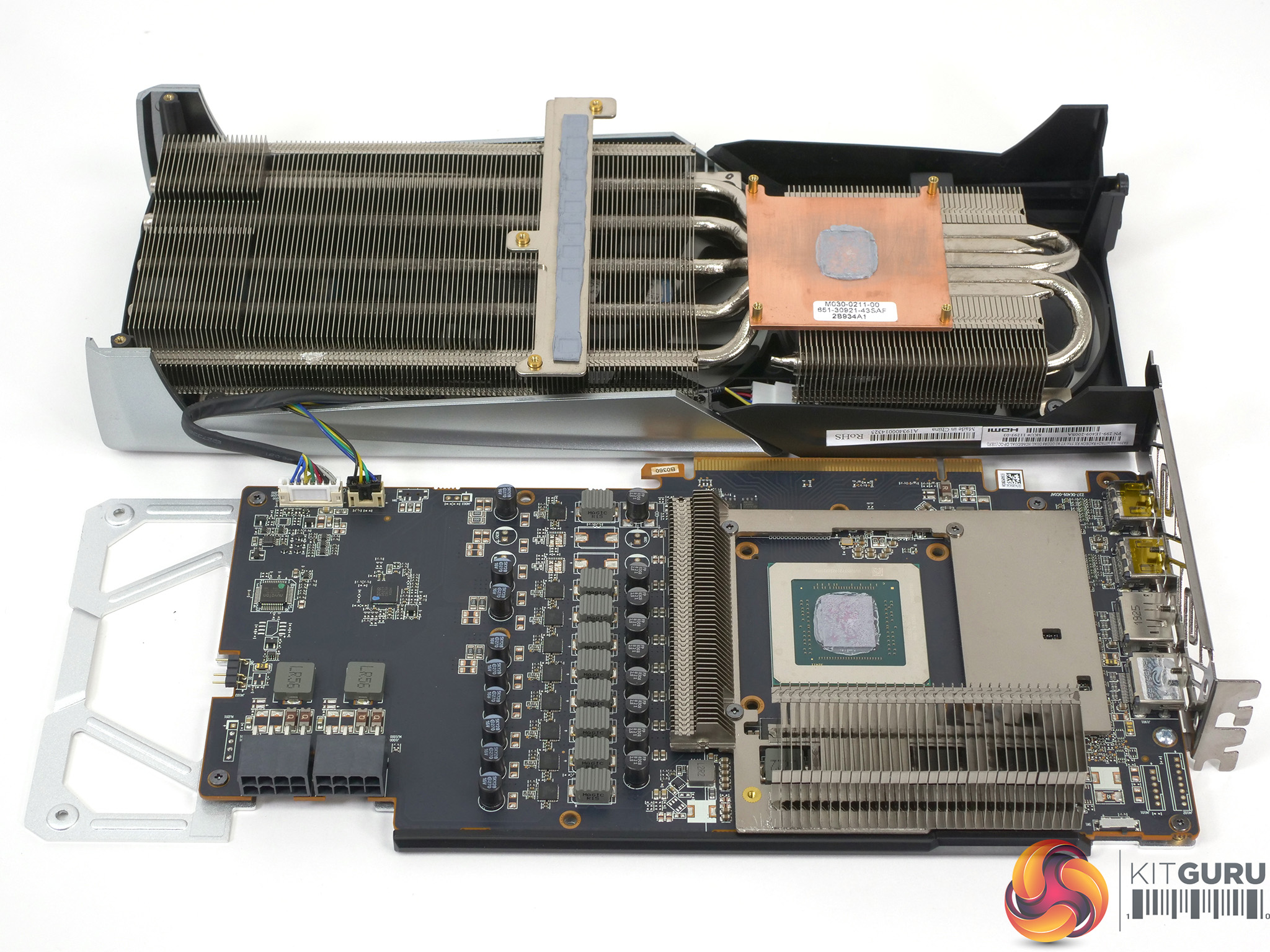
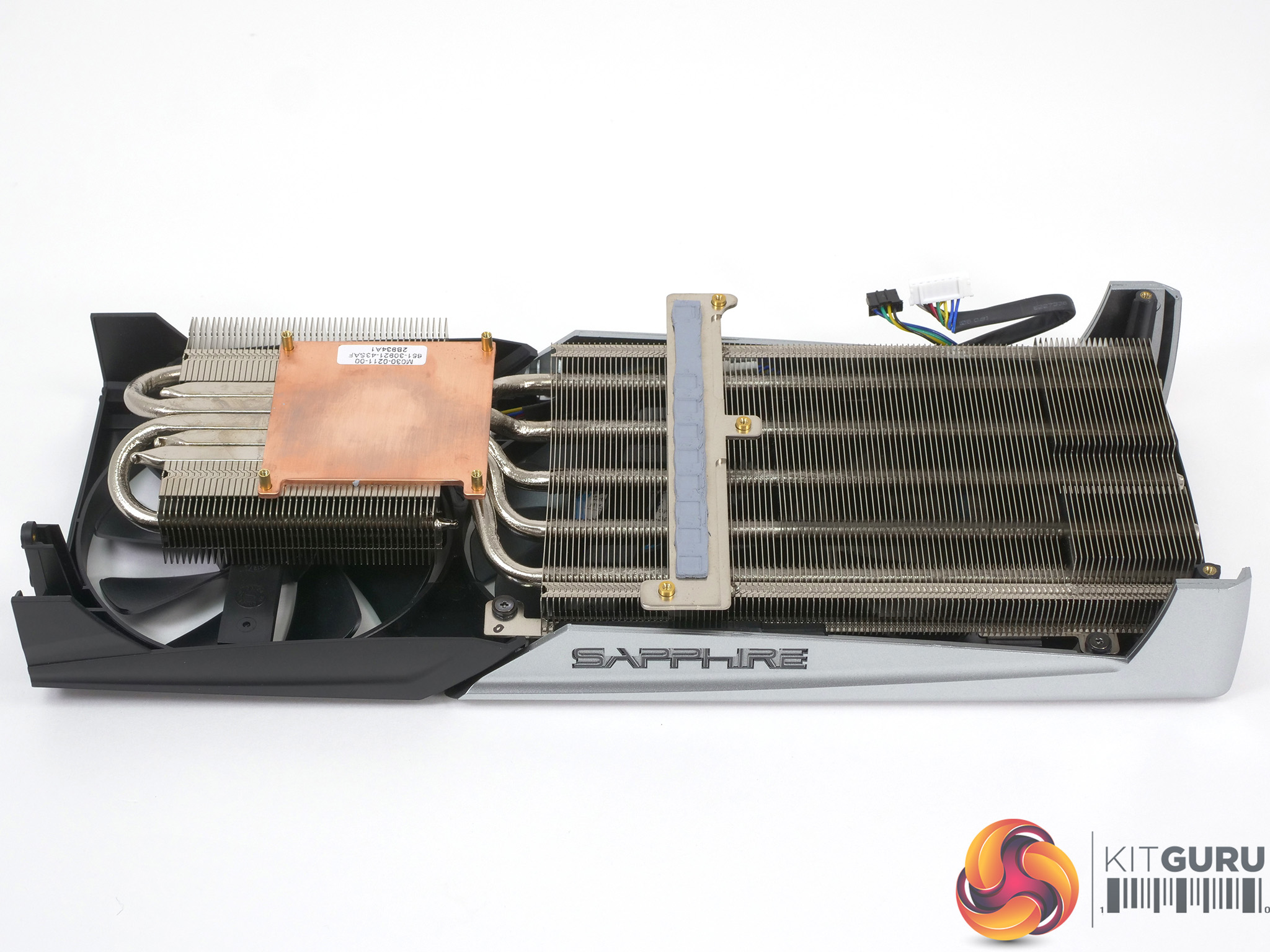
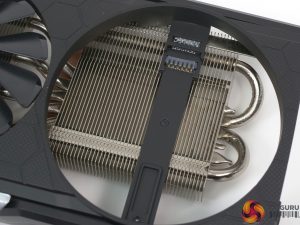
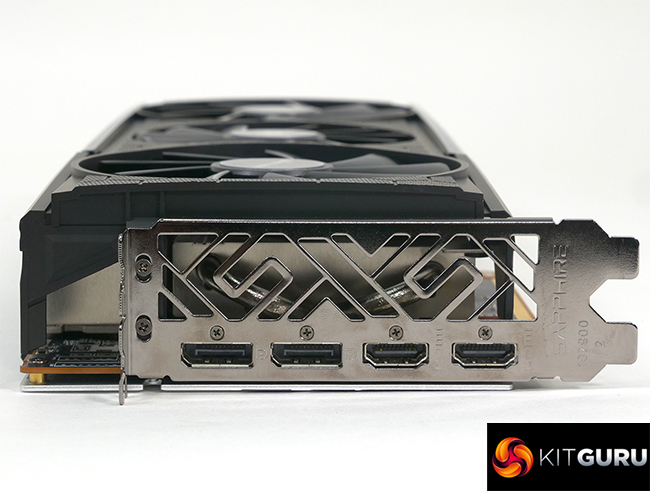
The Sapphire Nitro+ RX 5700 XT sports a large cooler that spans 2.3 slots and seems to be a solid piece of engineering. The Nitro+ cooler uses dual 95mm fans and one 87mm fan, all rated at 3,200rpm with the centre fan rotating in the opposite direction to the two larger fans. It is held in place with 11 screws and once the main cooler is removed you can see there is a separate cooler on the GDDR6 memory chips that is retained by a further four screws, making 15 in all.
PowerColor uses six screws to hold down a single cooler which suggests either that Sapphire is being rather cautious in its approach. Sapphire has used five 6mm heatpipes with the Nitro+ cooler.
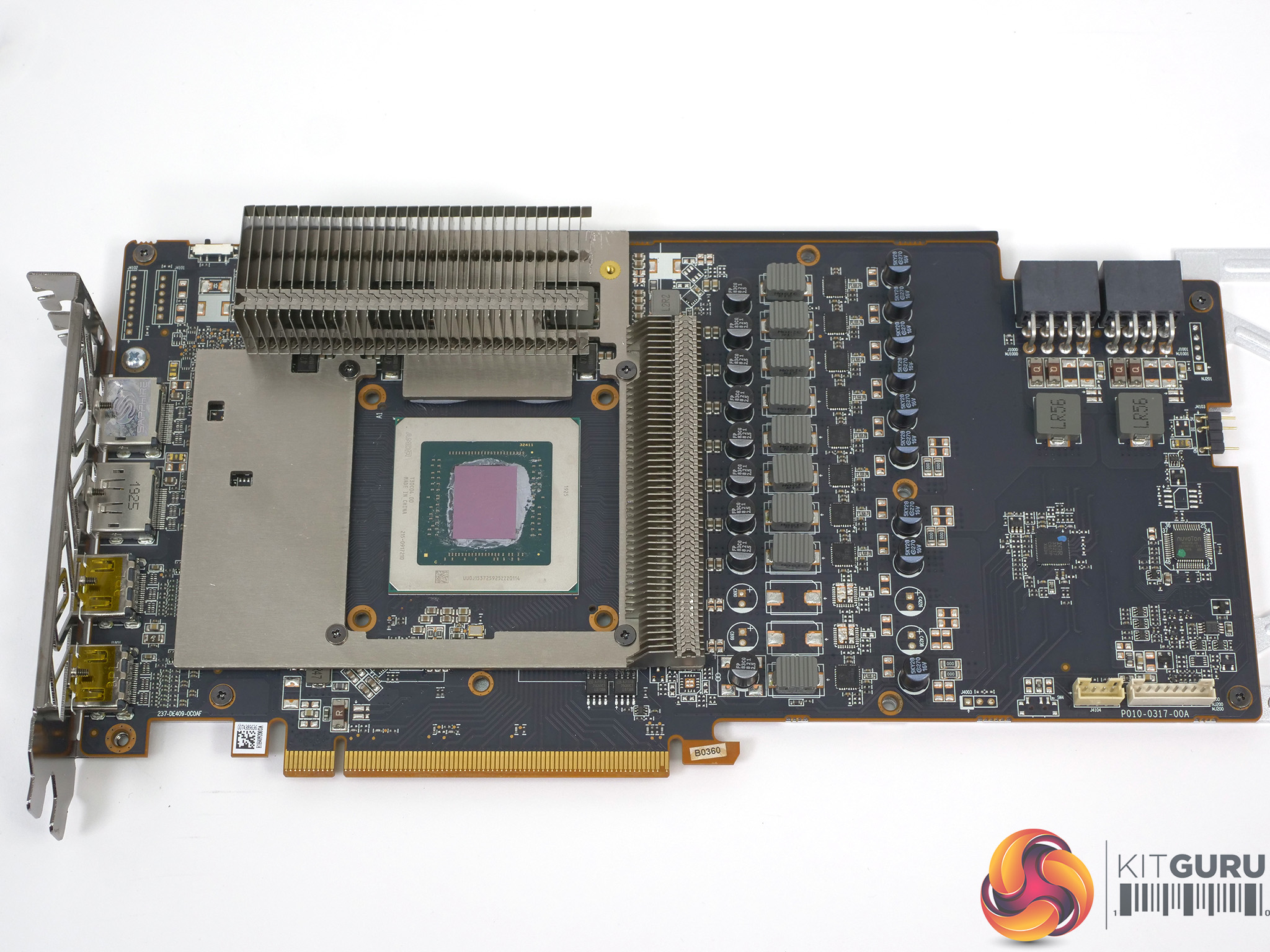
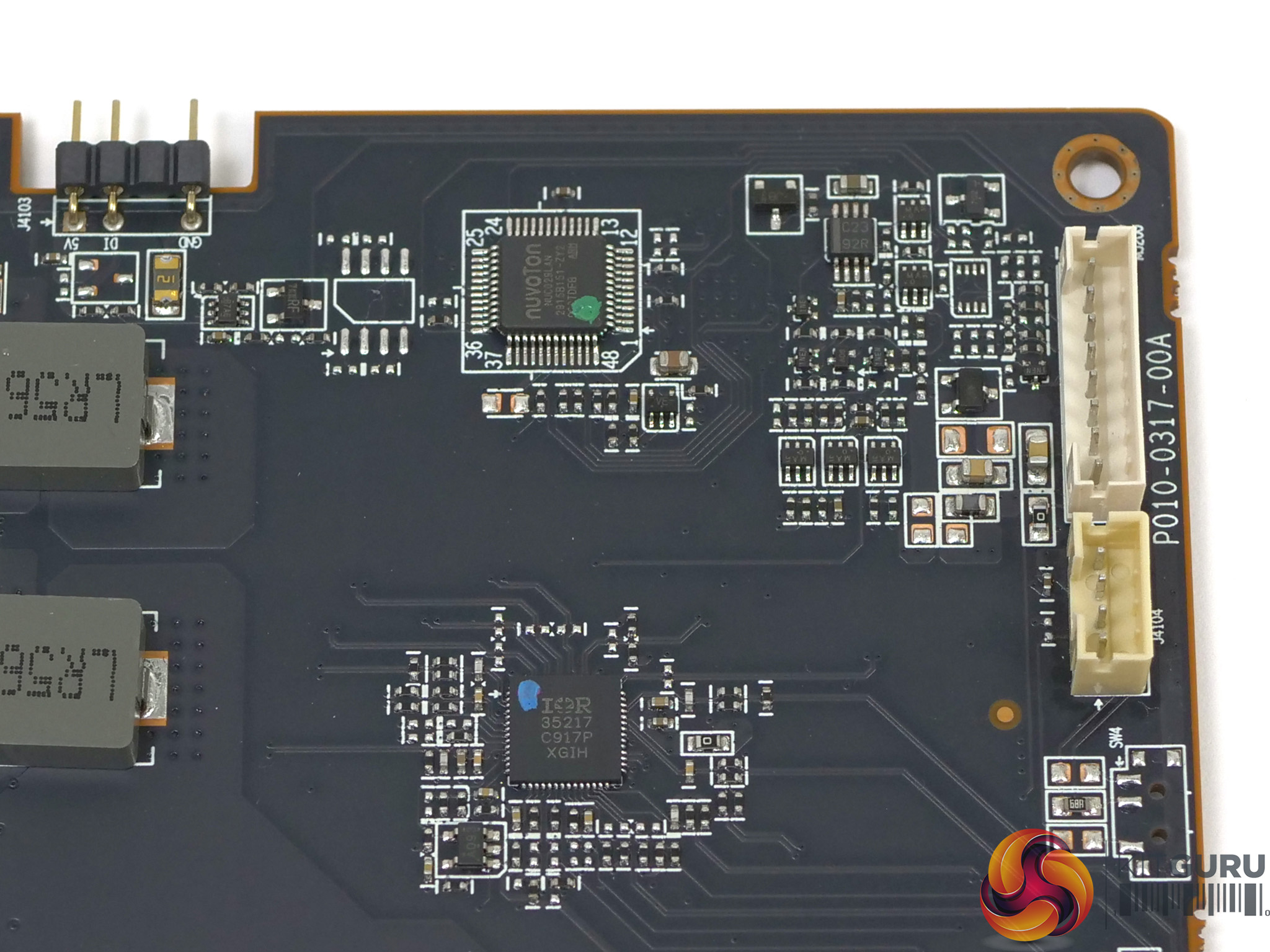
With the cooler removed we can see the layout of the graphics card and that Sapphire has employed an 8+1 power phase arrangement. The IR35217 controller handles 8-phases for the GPU while the memory phase in controlled by an On Semi 81022 chip.
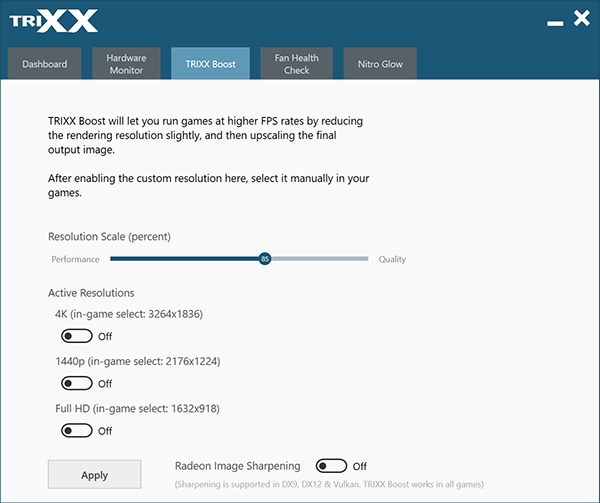
There is also a Nuvoton NUC029LAN chip that controls the RGB, the fan check function and the software BIOS which are features of the TriXX 7.0 software. We particularly enjoyed the ability to switch between the Performance and Silent BIOS modes without the chore of opening the PC case and locating the switch on the graphics card.
The lack of included cable may seem a minor complaint as Sapphire’s TriXX 7.0 software, which includes a feature called NITRO Glow, does a perfectly decent job of controlling the lighting in the graphics card. The better approach, as we show in our video, is to use ARGB to link the graphics card to your motherboard.
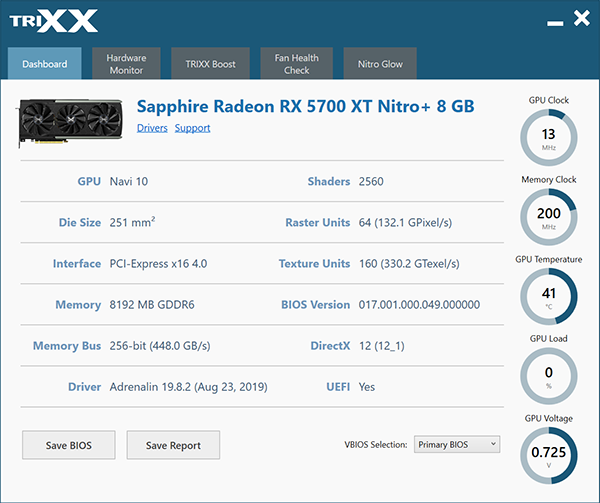
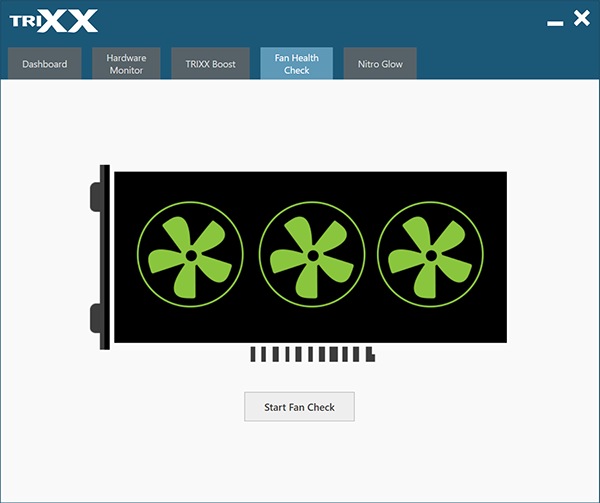
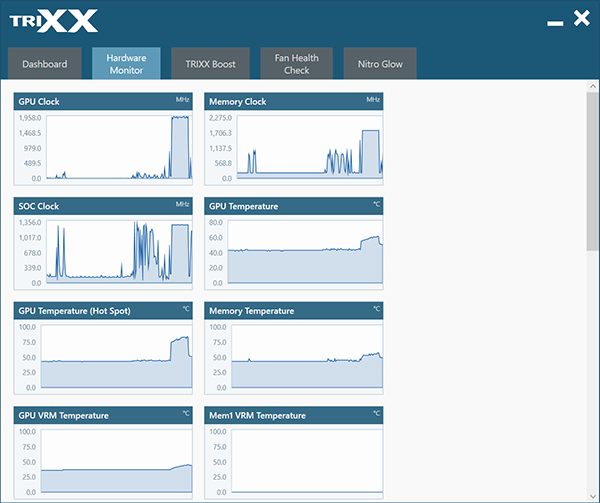
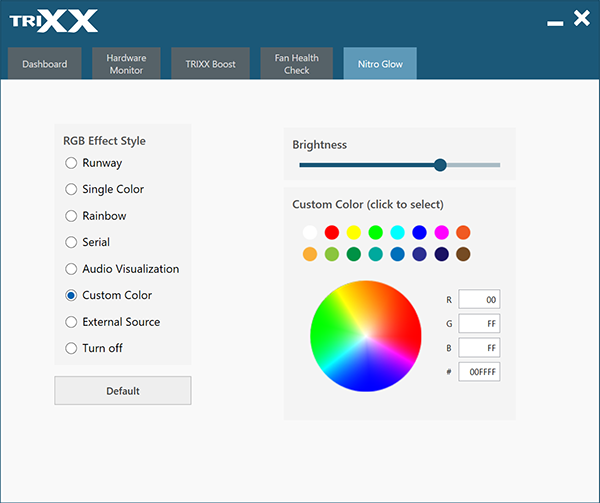
This is especially significant if you decide to invest in Sapphire’s optional ARGB fan upgrade kit when it is launched at the end of the month. It is disappointing we did not receive a sample of the fan kit as it would have been interesting to see the full ARGB show in action.
TriXX 7.0 also has a hardware monitoring function but cannot be used to overclock your graphics card.
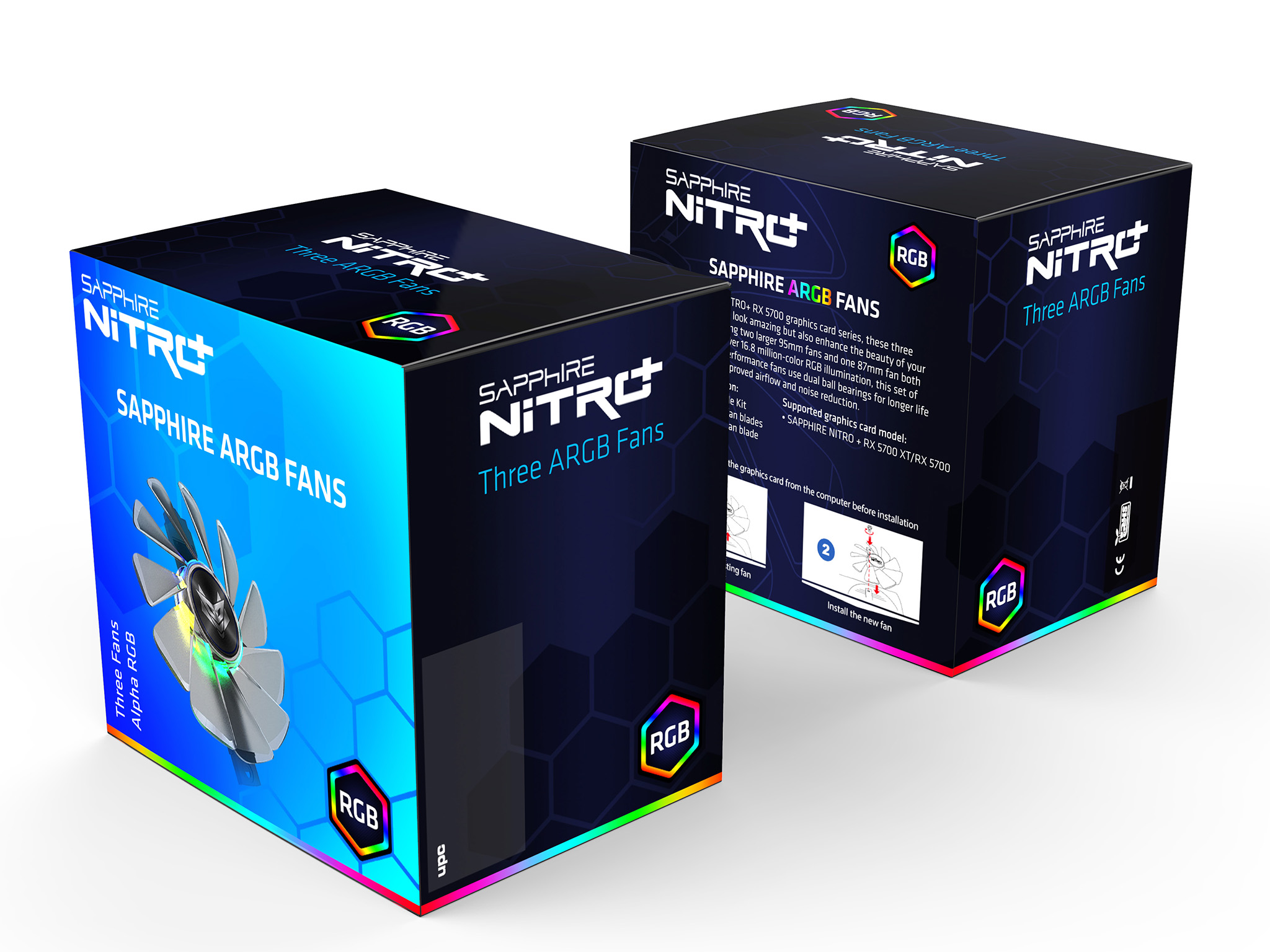
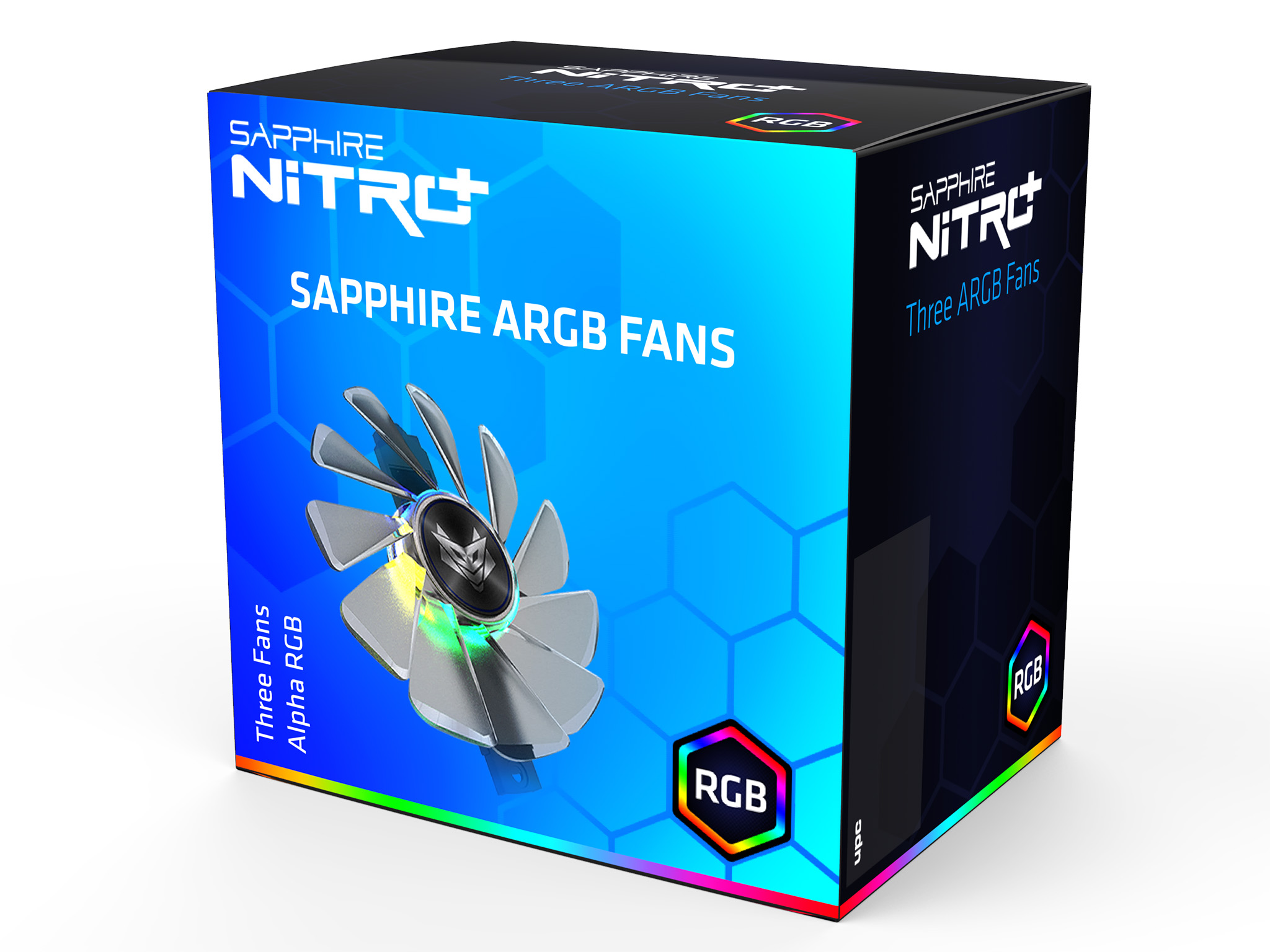
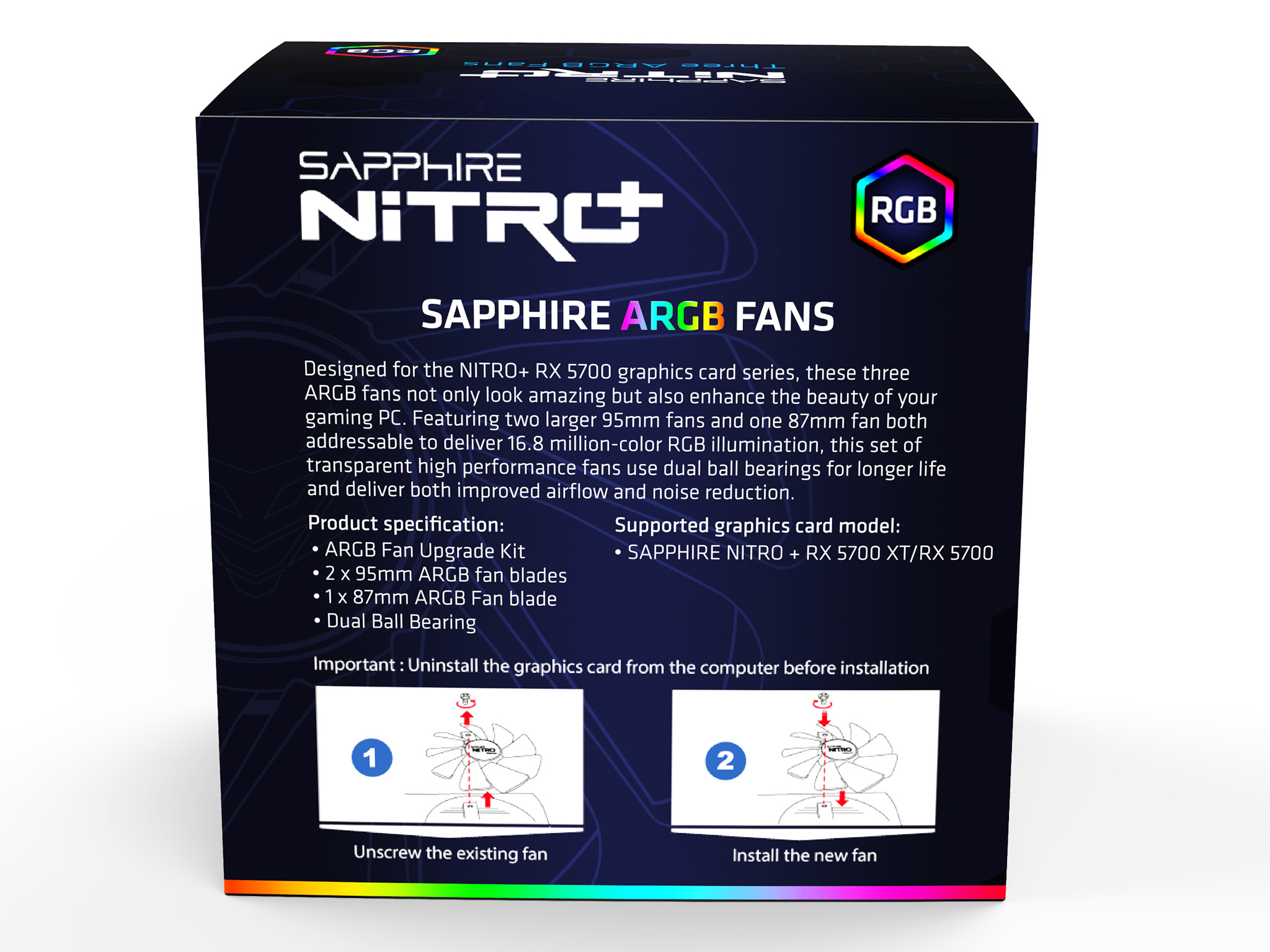
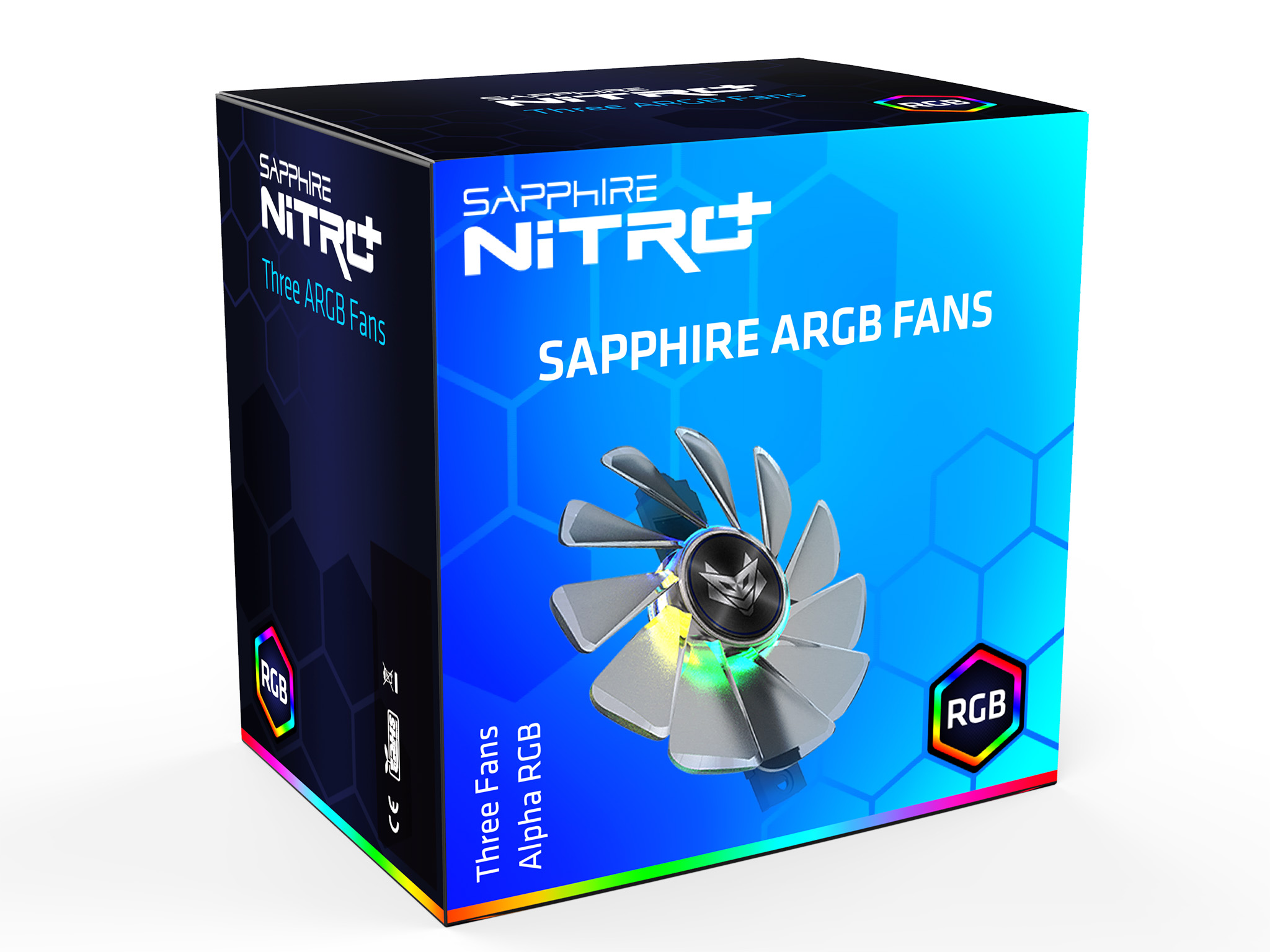
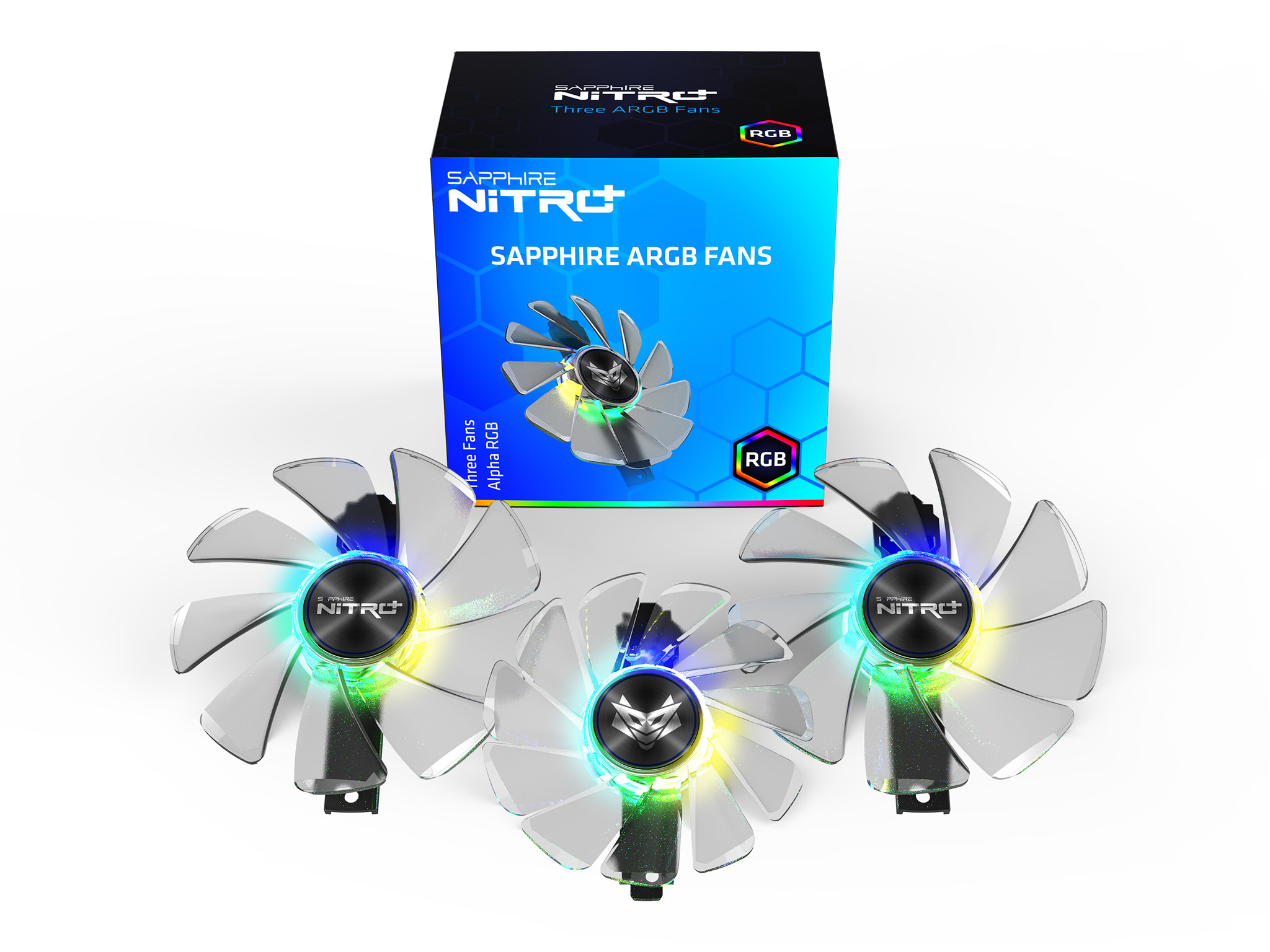
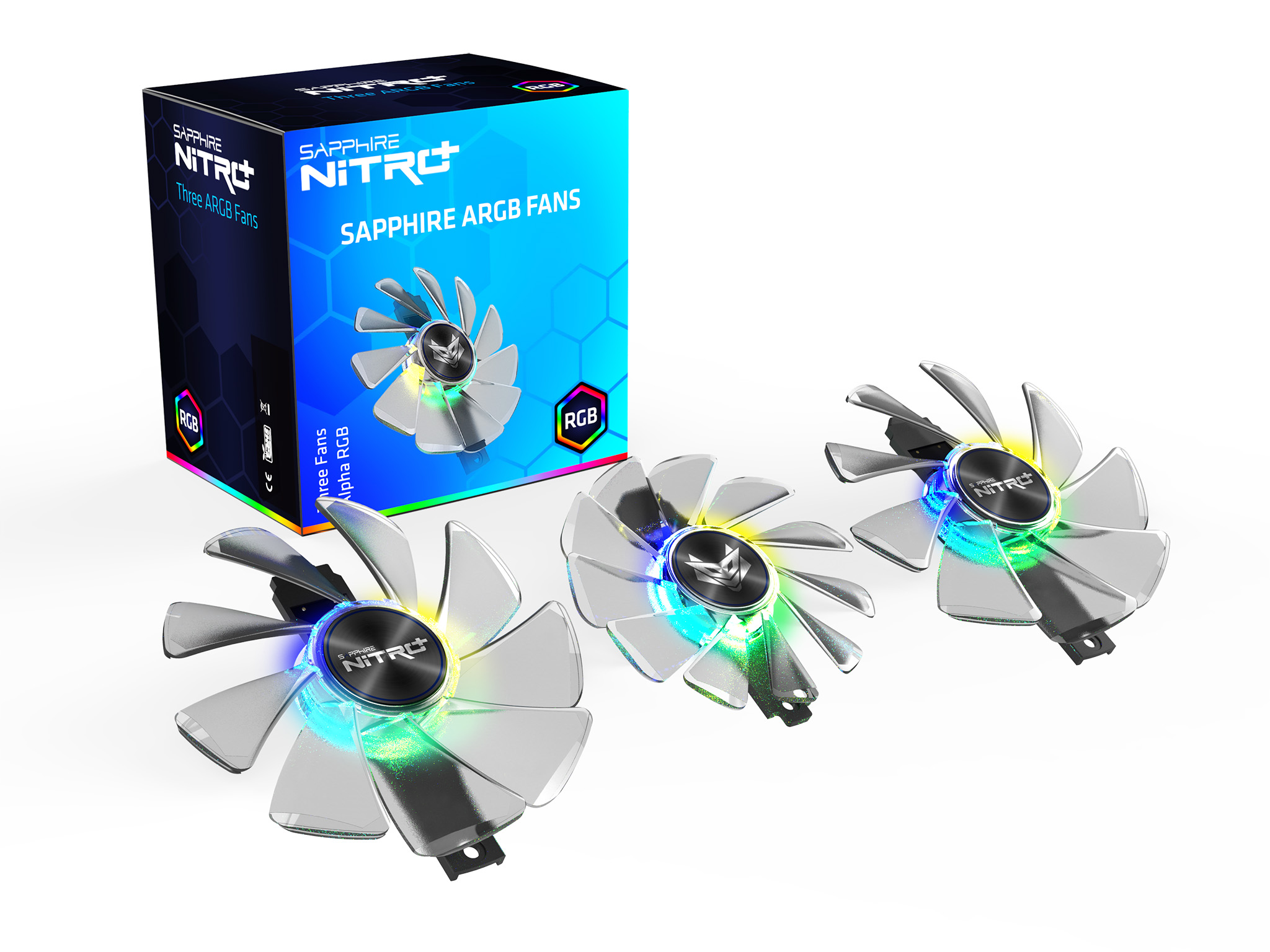
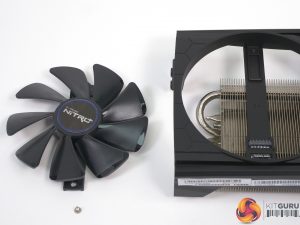
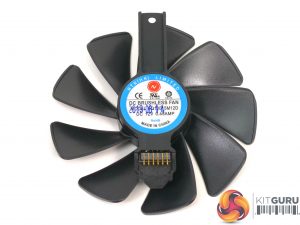
Swapping out the fans is a simple matter of removing one screw for each fan and the lifting away the assembly in one unit.
Specification of Sapphire ARGB Fans
- Number of Fans in package: 3
- Dimensions: 2x 95mm x 15mm, 1x 87mm x 13.5mm
- Fan Bearing: 2 Ball-Bearing
- Precision Fan Control IC: Yes
- Fan Quick Connect Support: Yes
- Airflow (CFM): 57.5CFM for 95mm and 43.1CFM for 87mm
- Static Pressure: (mm/H2O) 4.4mmAq for 95mm, 4.25mmAq for 87mm
- Maximum Sound Level (dBA): 42.5dB for 95mm, 32.5dB for 87mm
- Maximum Speed (RPM): 3200+/-200 RPM
- Power Usage: 5.4W
- Supported Graphics Card: Nitro+ RX 5700 XT/ Nitro+ RX
Test system
- CPU: Intel Core i7-7820X, 8C/16T, OC to 4.6GHz all cores using 1.25Vcore and 240W power limit.
- CPU Cooler: Fractal Design Celsius S24
- Motherboard: Gigabyte X299 Aorus Master
- RAM: 32GB Corsair Dominator Platinum RGB DDR4-3200MHz
- SSD: 1TB Intel SSD 7 M.2 NVMe
- Power Supply: Seasonic Prime Platinum 1300W
- Operating System: Windows 10 1903
Graphics driver version:
AMD driver: Adrenalin 2019 Edition 19.8.2 (19.30.01.40 RC3)
Nvidia driver: GeForce 436.30
3DMark
3DMark Fire Strike is a showcase DirectX 11 benchmark designed for today’s high-performance gaming PCs. It is our [FutureMark’s] most ambitious and technical benchmark ever, featuring real-time graphics rendered with detail and complexity far beyond what is found in other benchmarks and games today.
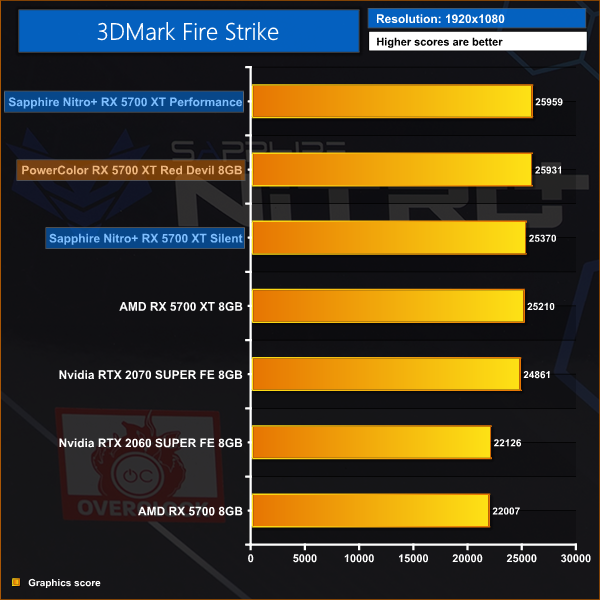
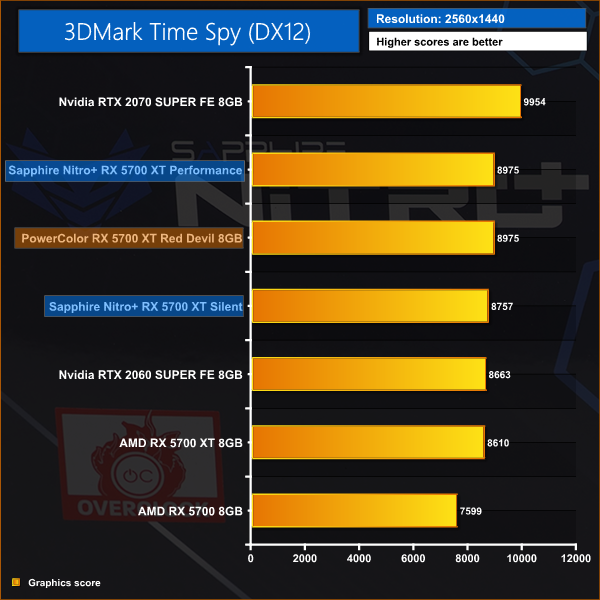
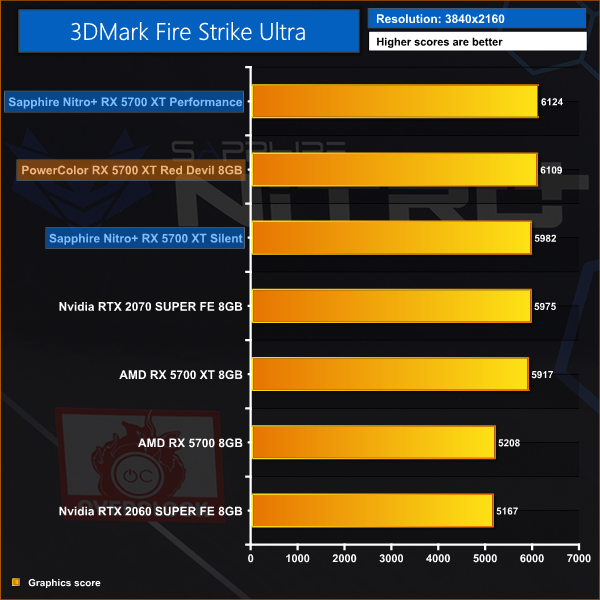
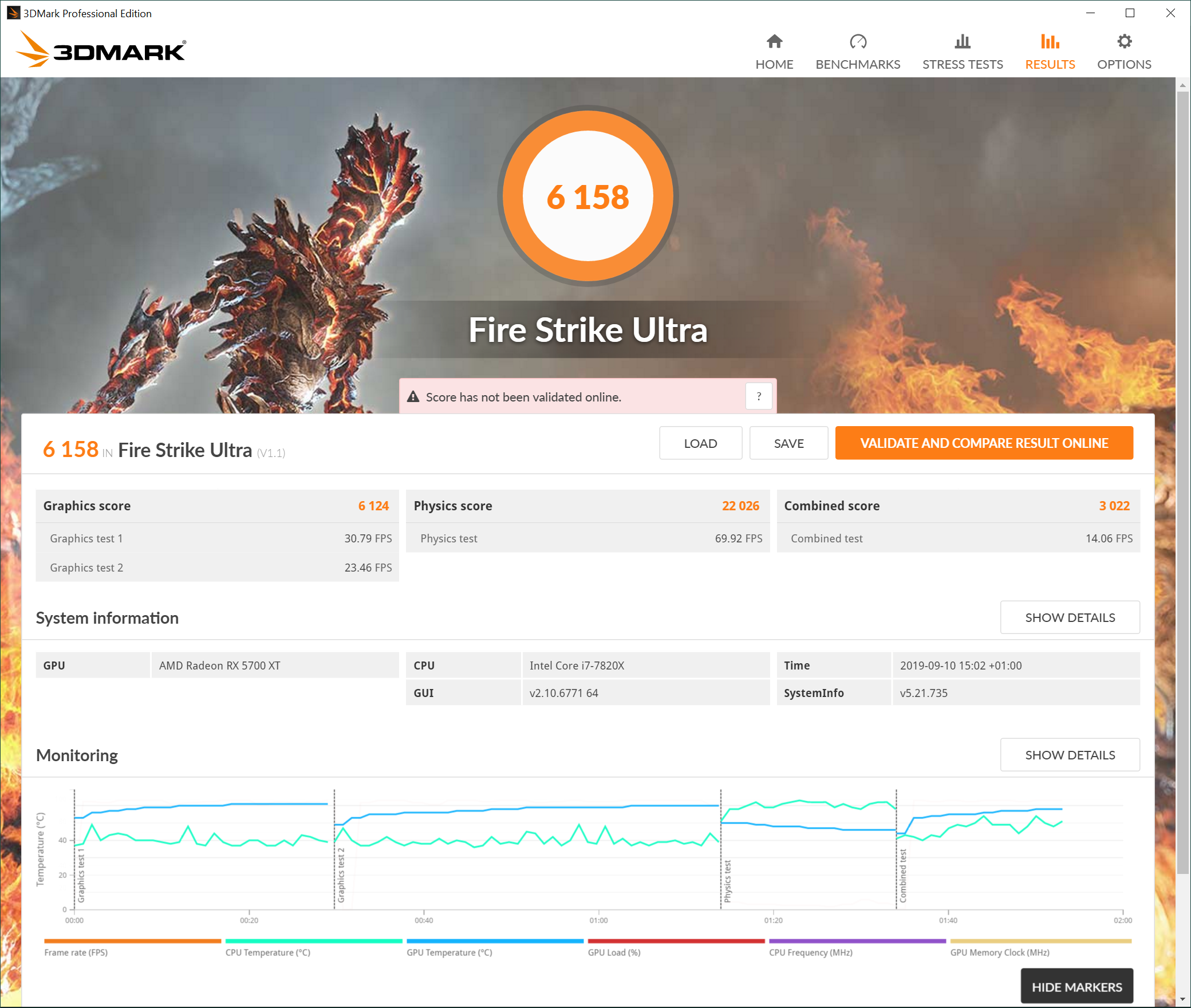
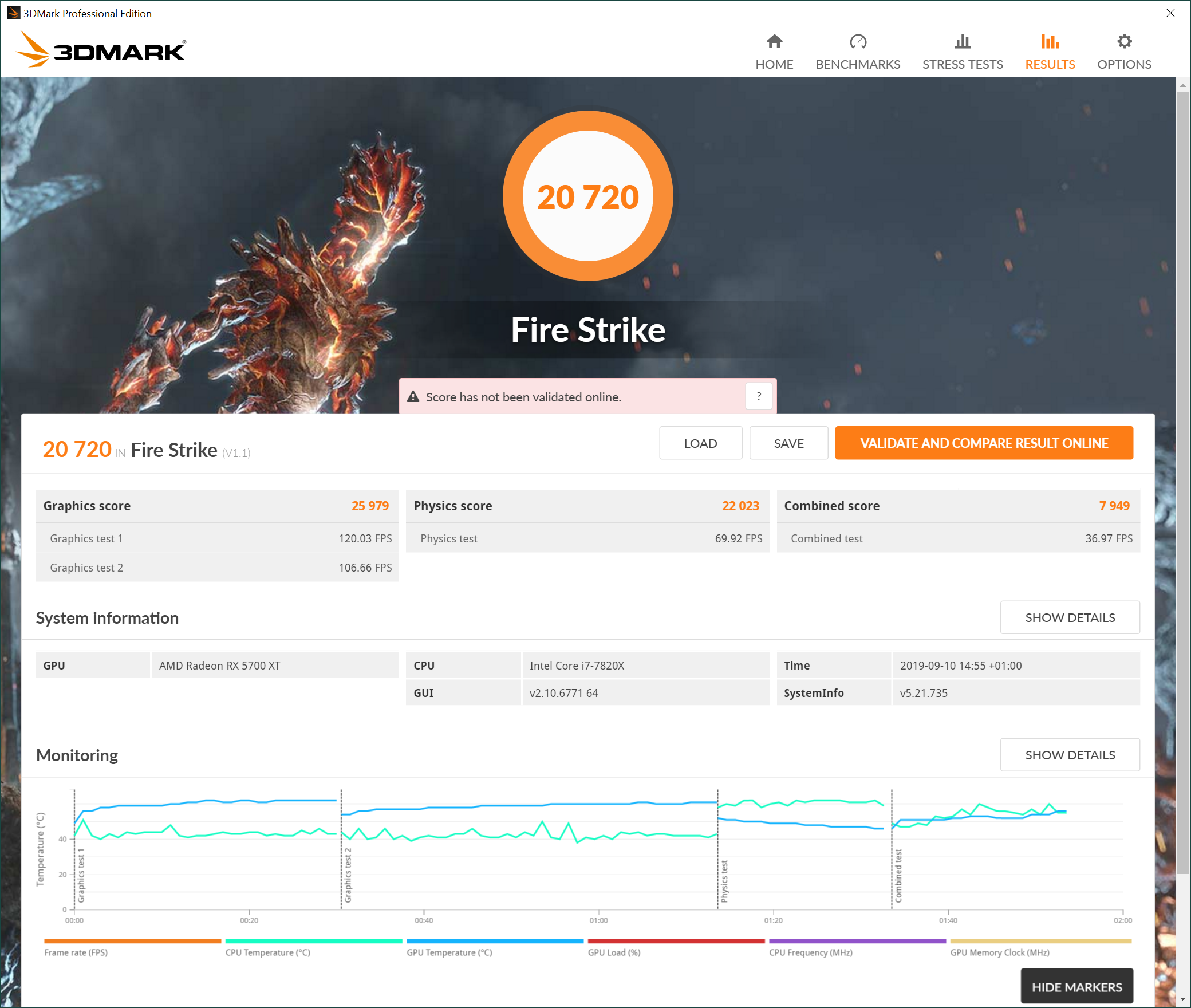
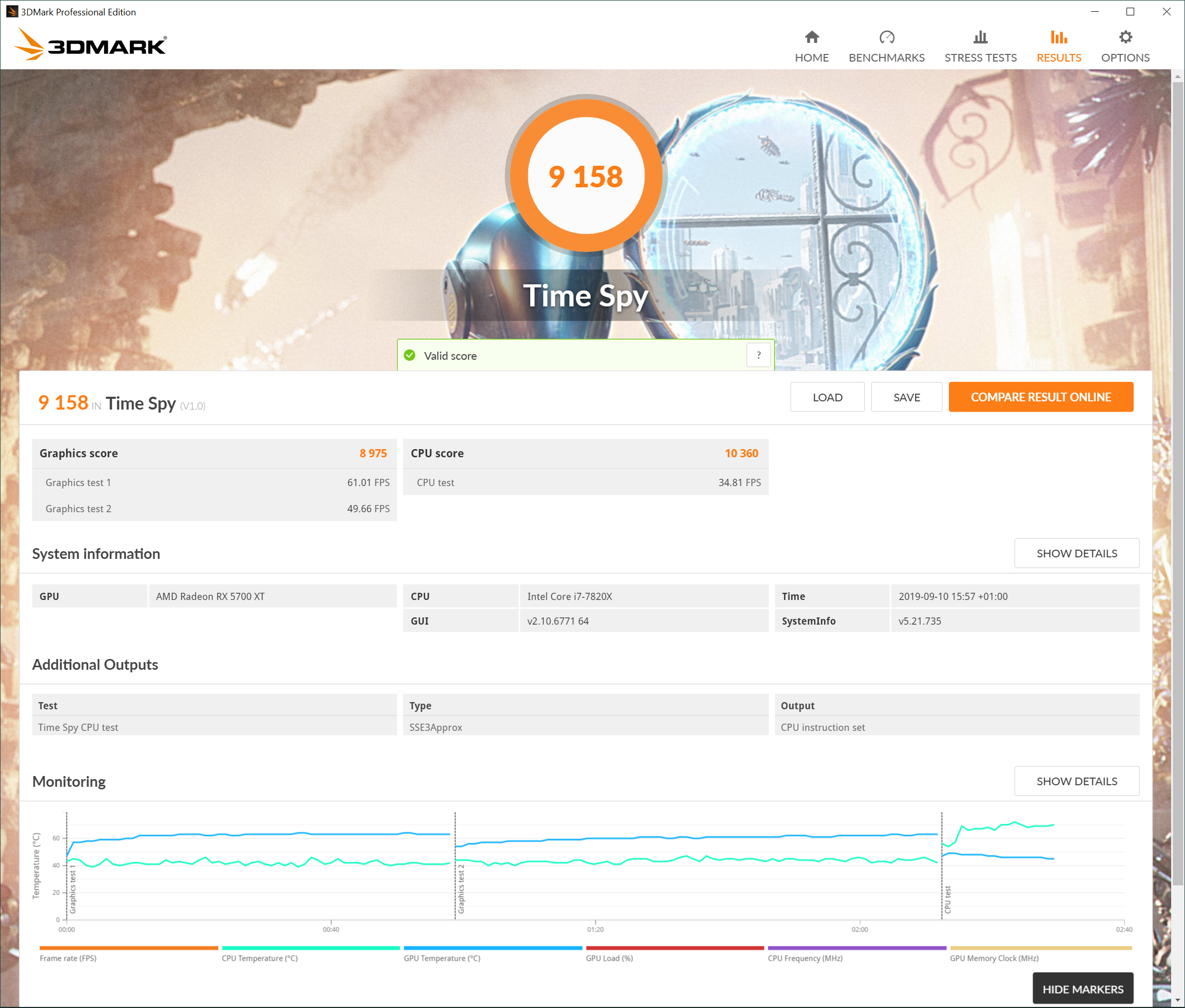
Sapphire's Nitro+ matches the Red Devil in Time Spy and takes two small victories in Fire Strike and Ultra, which is a good start for the new Navi card.
Deus Ex: Mankind Divided is set in the year 2029, two years after the events of Human Revolution and the “Aug Incident”—an event in which mechanically augmented humans became uncontrollable and lethally violent. Unbeknownst to the public, the affected augmented received implanted technology designed to control them by the shadowy Illuminati, which is abused by a rogue member of the group to discredit augmentations completely. (Wikipedia).
We test using the Very High preset, with MSAA disabled. We test using the DX12 API.
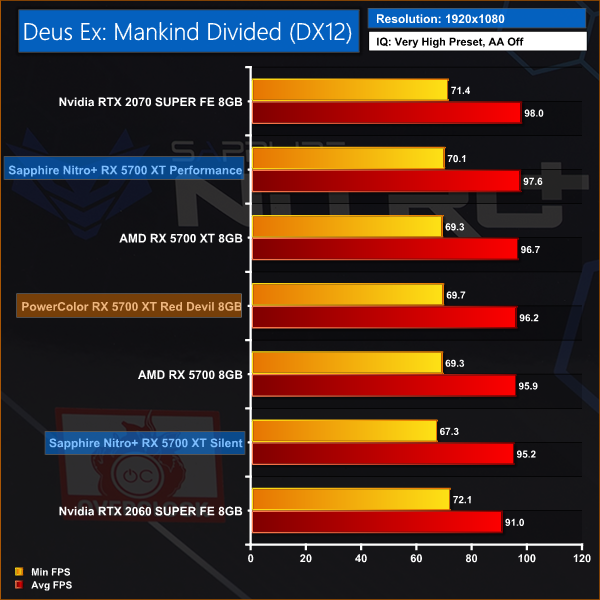
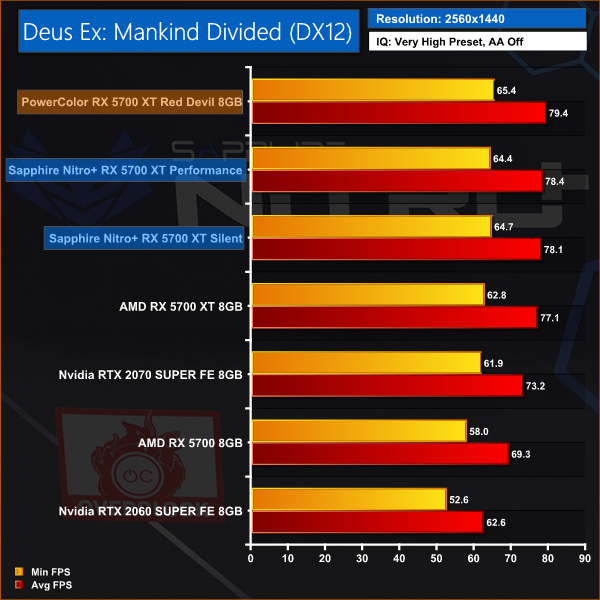
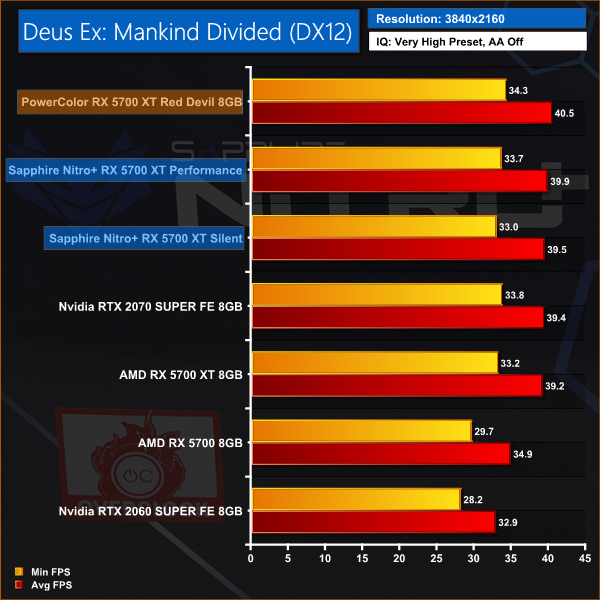
Deus Ex: Mankind Divided shows there is very little to separate one 5700 XT graphics card from another. On balance PowerColor takes the honours but in the great scheme of things there is very little difference.
Far Cry 5 is an action-adventure first-person shooter game developed by Ubisoft Montreal and Ubisoft Toronto and published by Ubisoft for Microsoft Windows, PlayStation 4 and Xbox One. It is the eleventh entry and the fifth main title in the Far Cry series, and was released on March 27, 2018.
The game takes place in the fictional Hope County, Montana, where charismatic preacher Joseph Seed and his cult Project at Eden’s Gate holds a dictatorial rule over the area. The story follows an unnamed junior deputy sheriff, who becomes trapped in Hope County and works alongside factions of a resistance to liberate the county from Eden’s Gate. (Wikipedia).
We test using the Ultra preset, with AA and motion blur disabled.
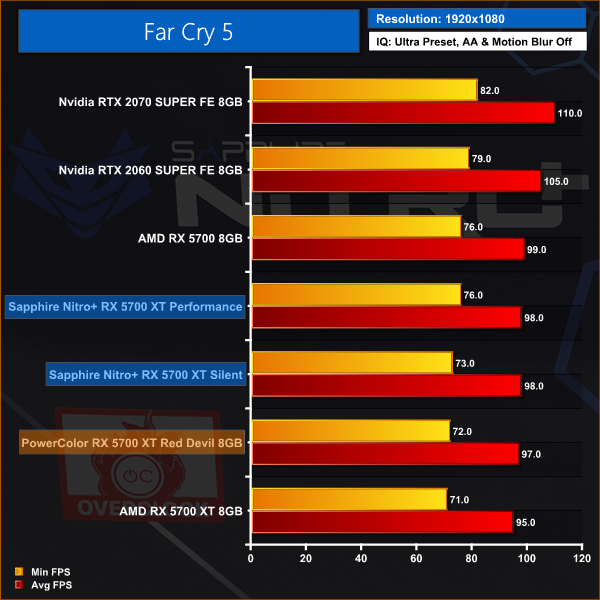
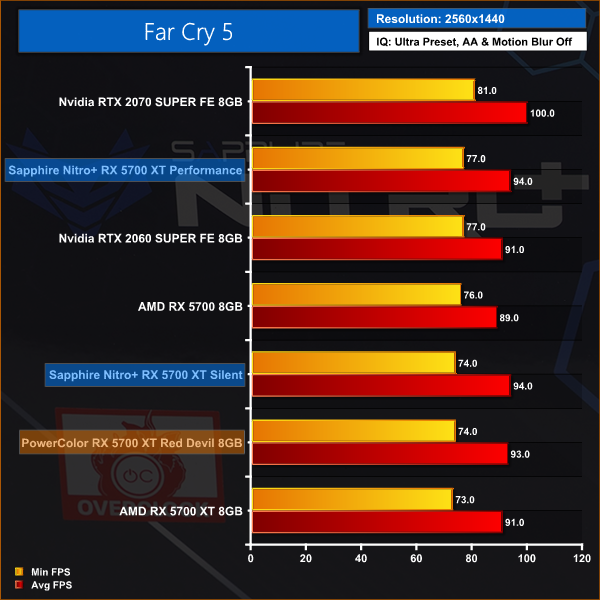
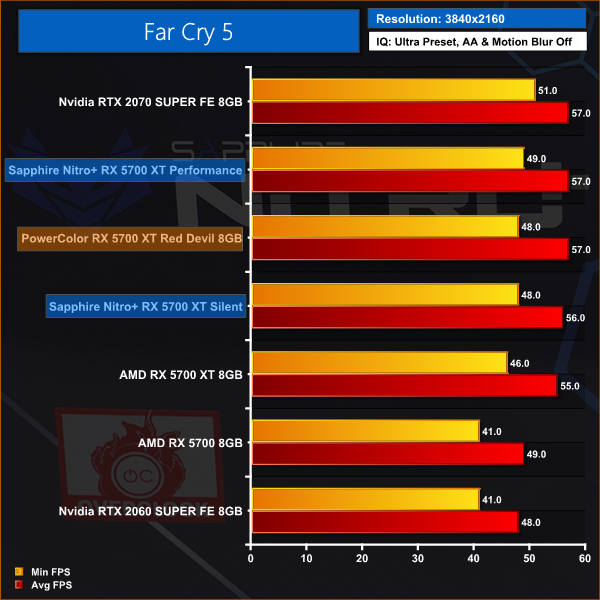
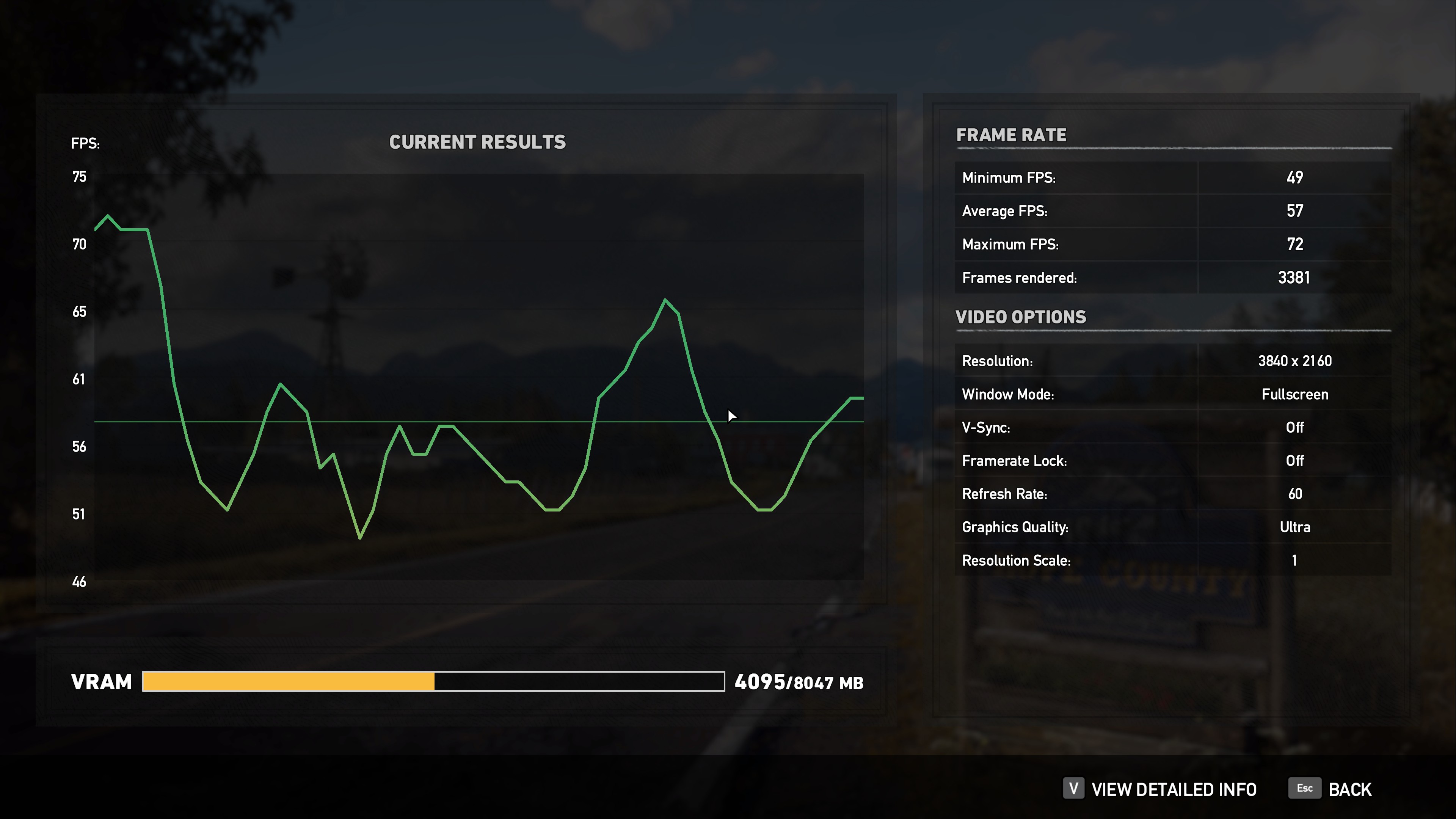
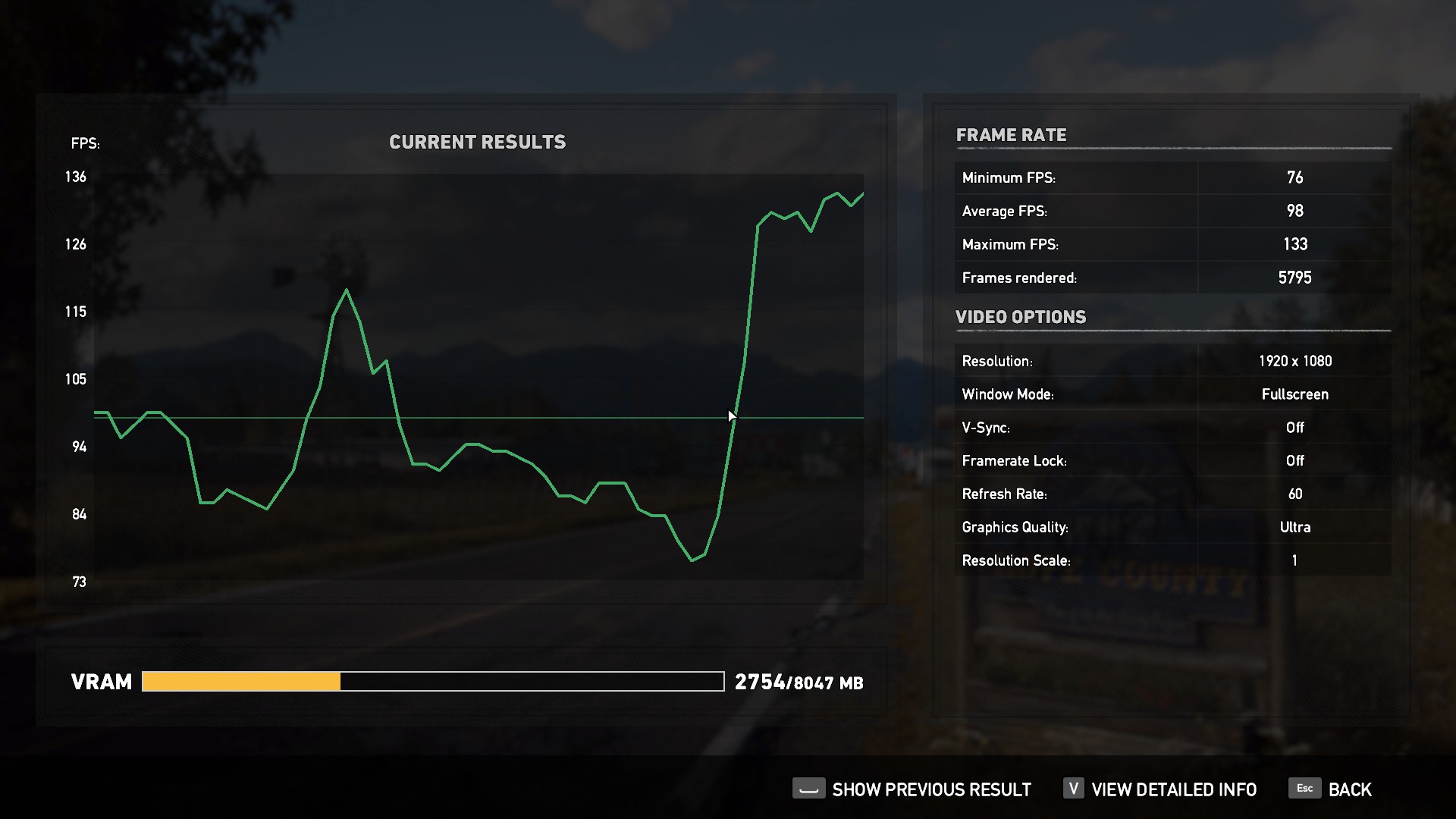
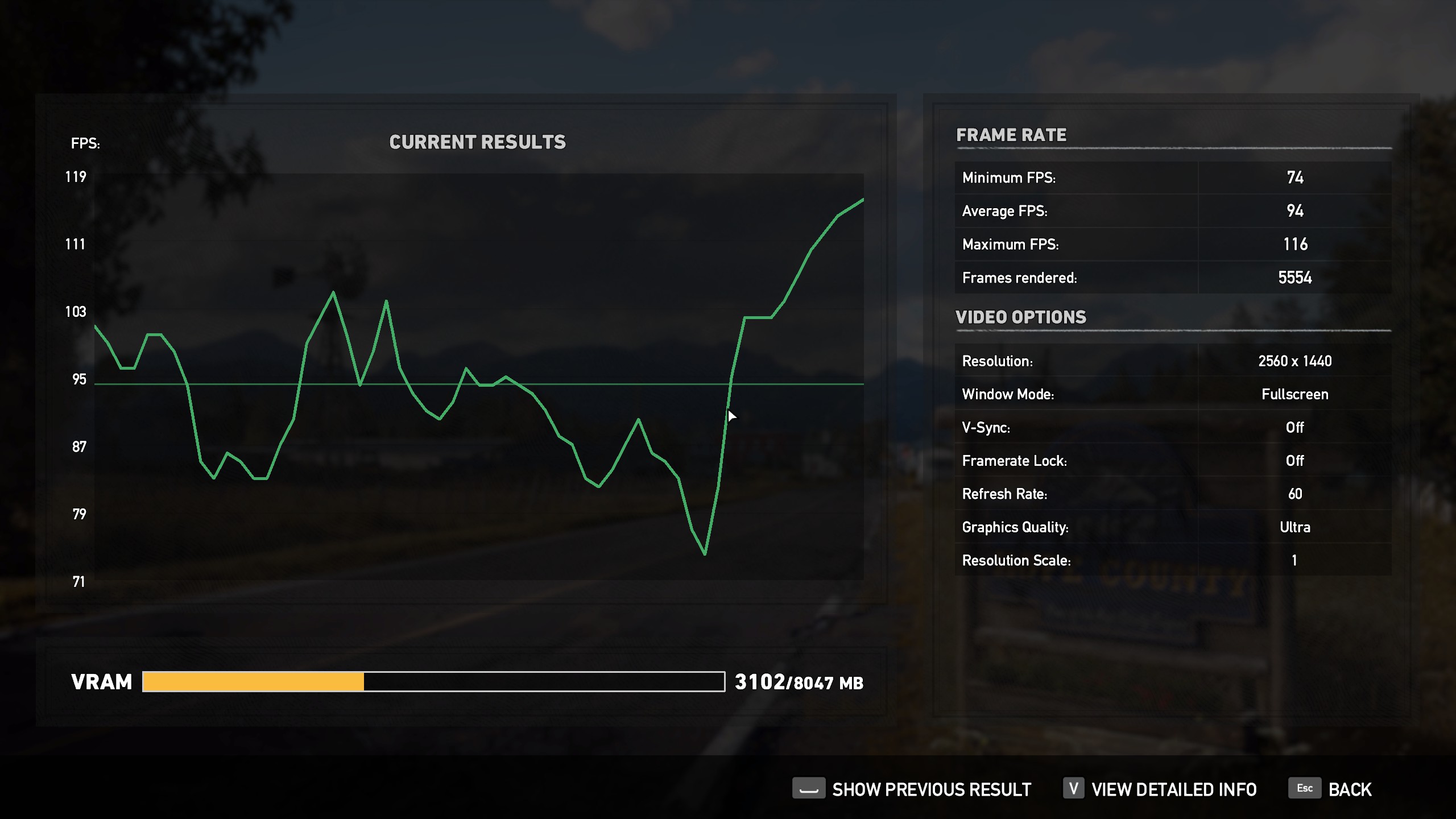
Far Cry 5 flips things around slightly – and the emphasis is on the word slightly – as Sapphire regains a small lead.
Tom Clancy’s Ghost Recon Wildlands is a tactical shooter video game developed by Ubisoft Paris and published by Ubisoft. It was released worldwide on March 7, 2017, for Microsoft Windows, PlayStation 4 and Xbox One, as the tenth instalment in the Tom Clancy’s Ghost Recon franchise and is the first game in the Ghost Recon series to feature an open world environment. (Wikipedia).
We test using the Very High preset.
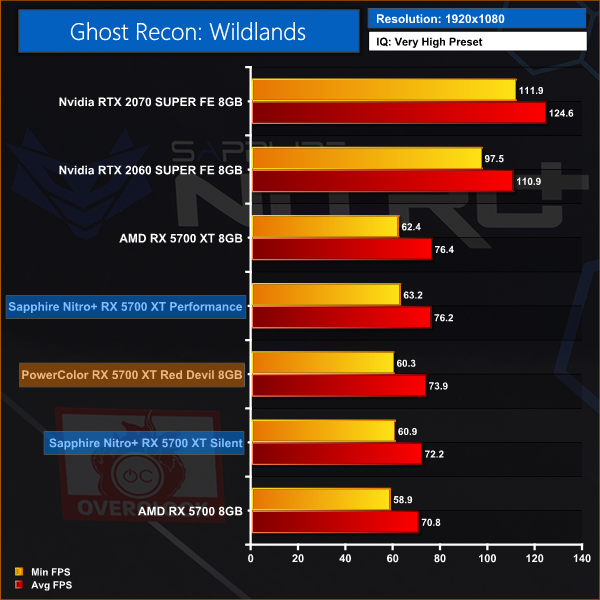
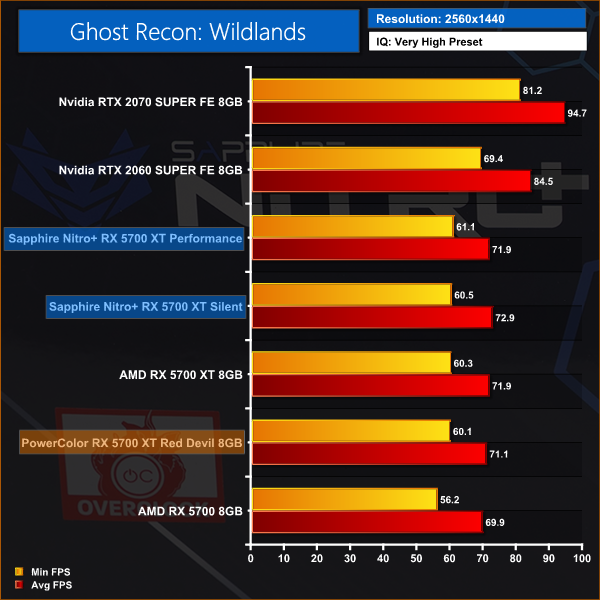
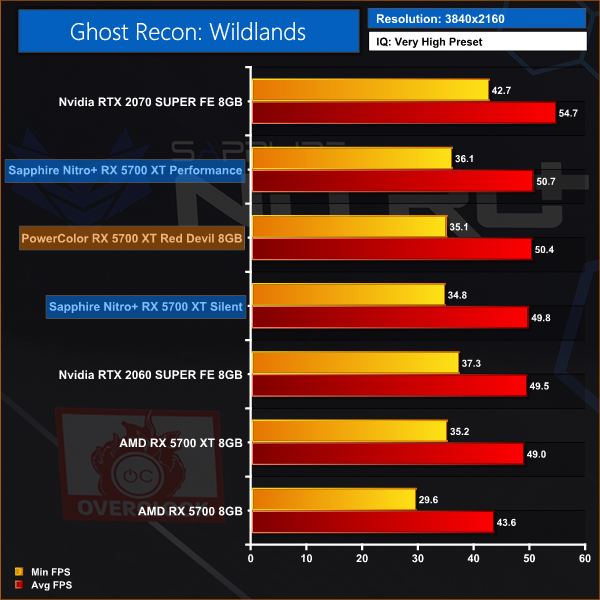
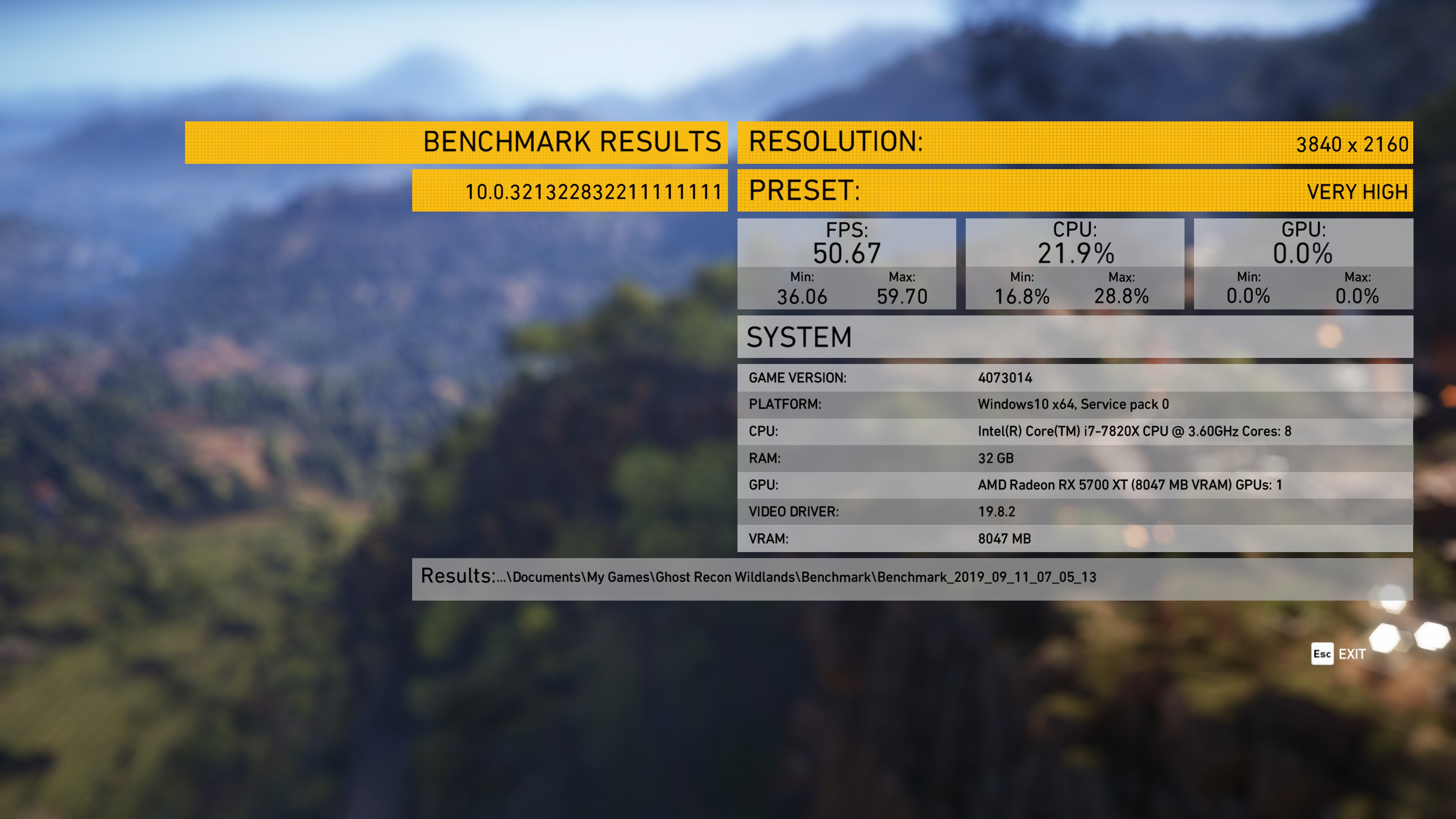
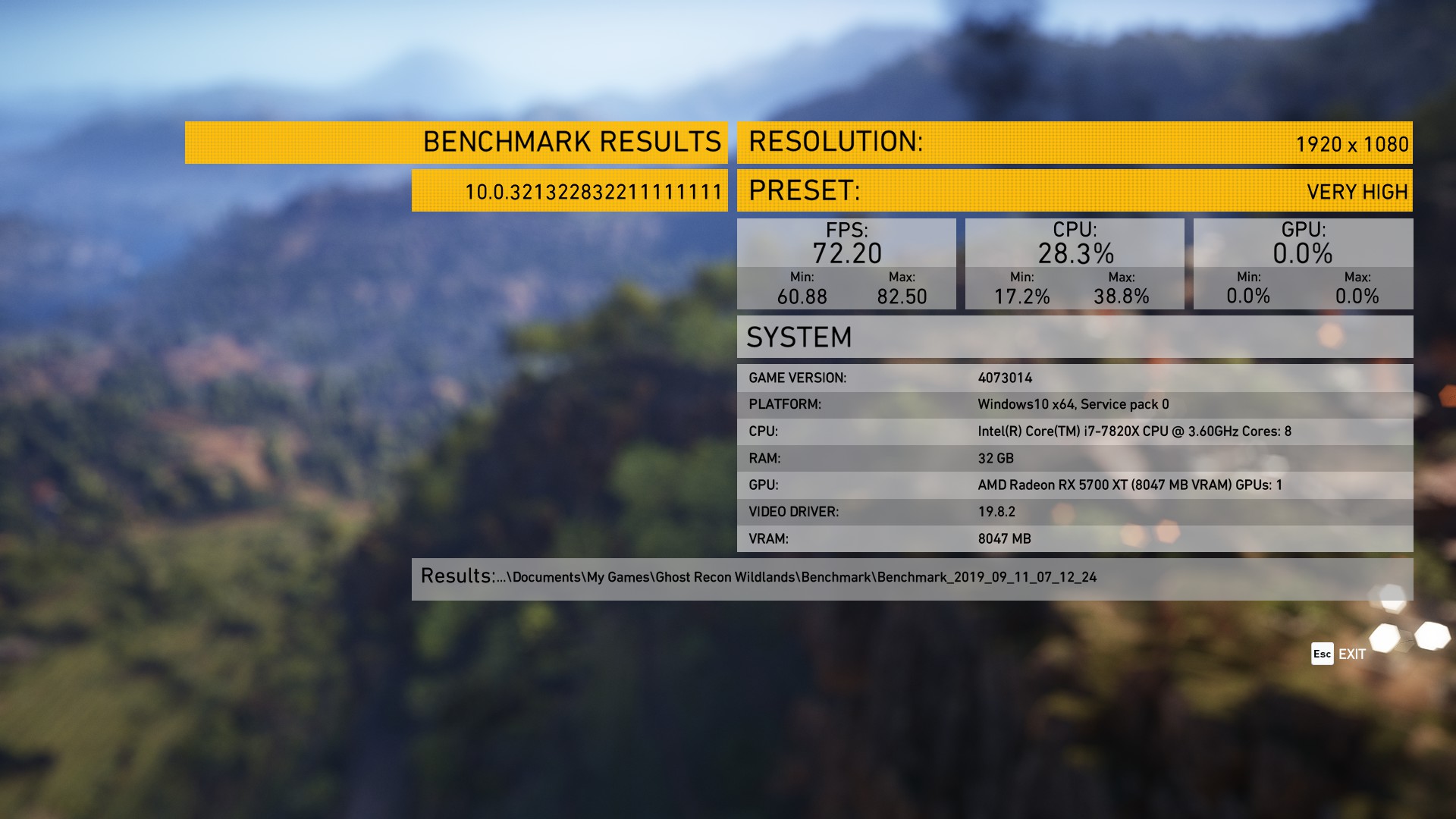
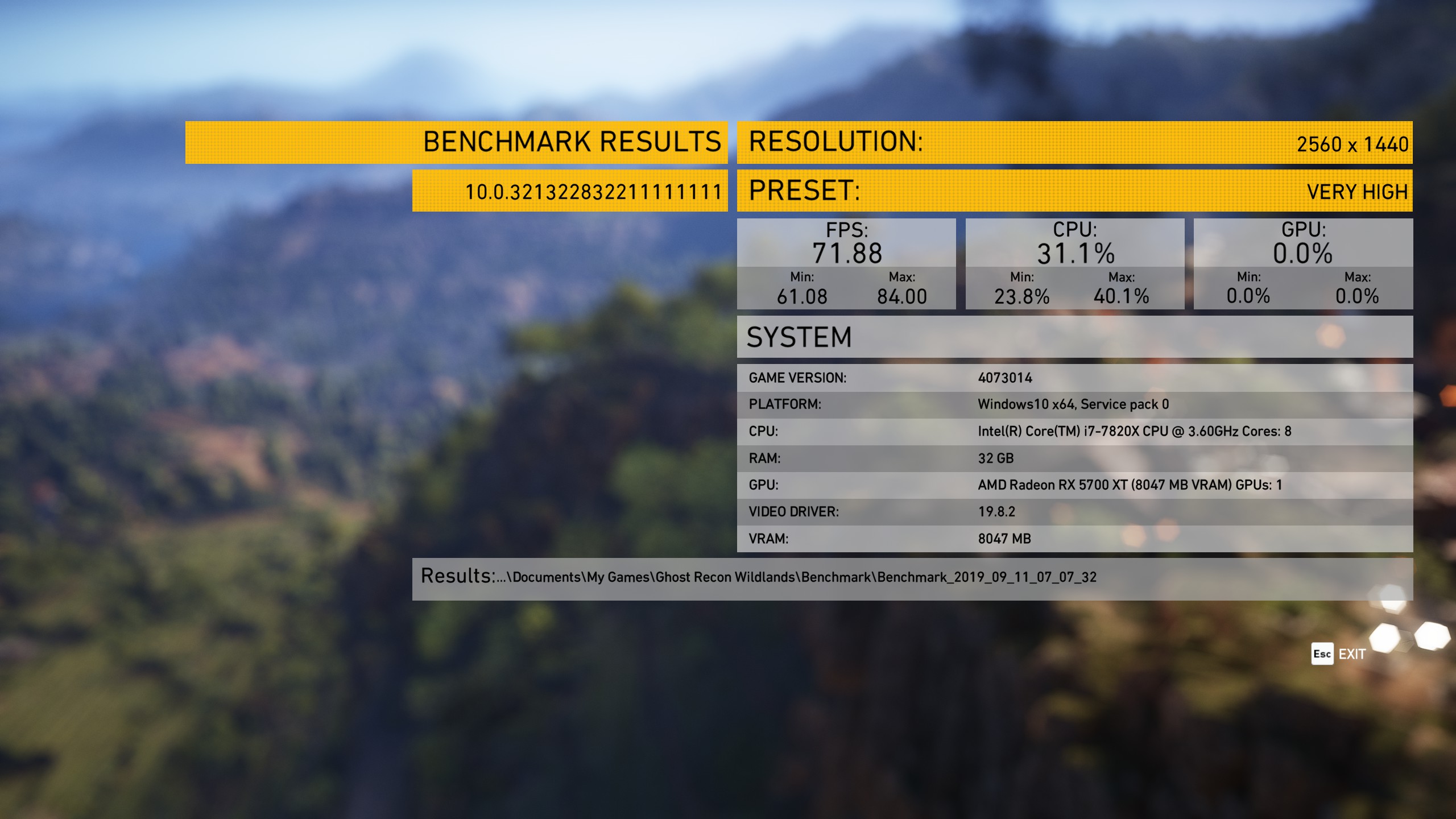
In Ghost Recon: Wildlands we can say Sapphire is the comfortable victor, just so long as 1fps or 2fps counts as comfortable.
Metro Exodus is a first-person shooter video game developed by 4A Games and published by Deep Silver in 2019. It is the third instalment in the Metro video game series based on Dmitry Glukhovsky’s novels, following the events of Metro 2033 and Metro: Last Light. (Wikipedia)
We test using the Ultra preset, but with Hairworks and Advanced PhysX turned off. We test using the DX12 API.
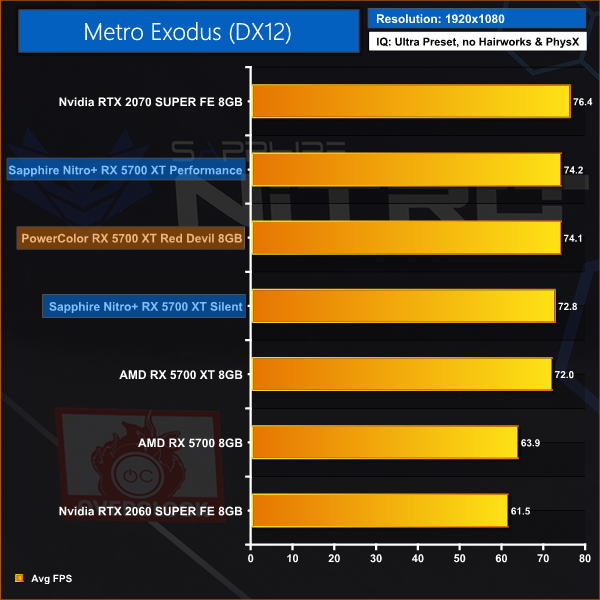
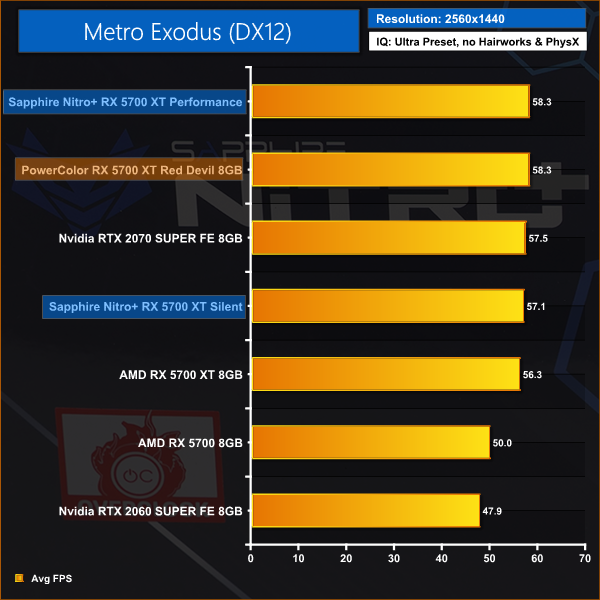
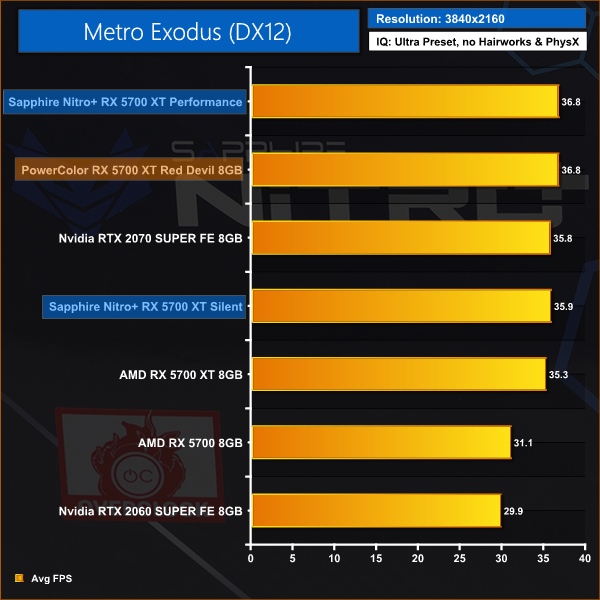
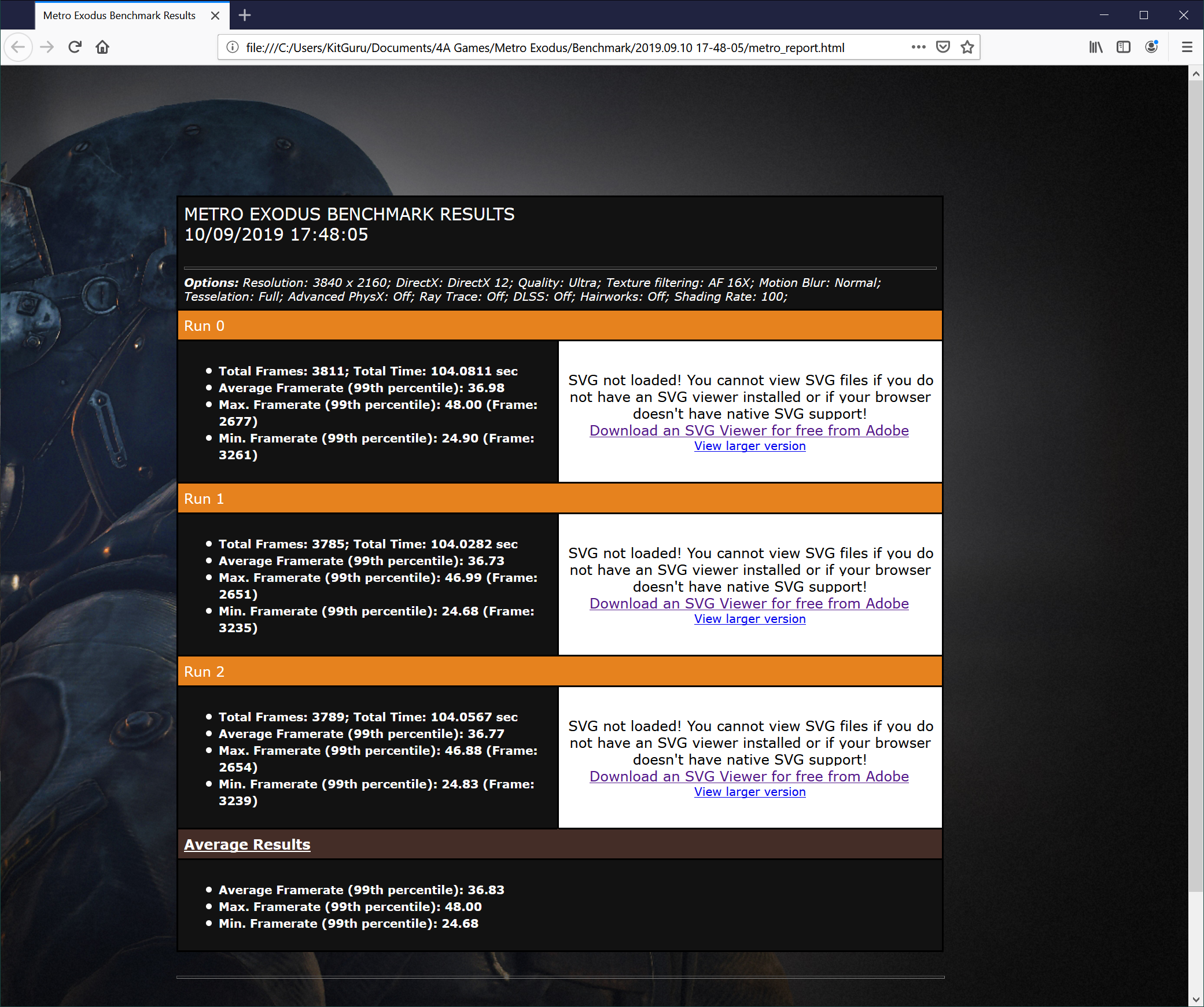
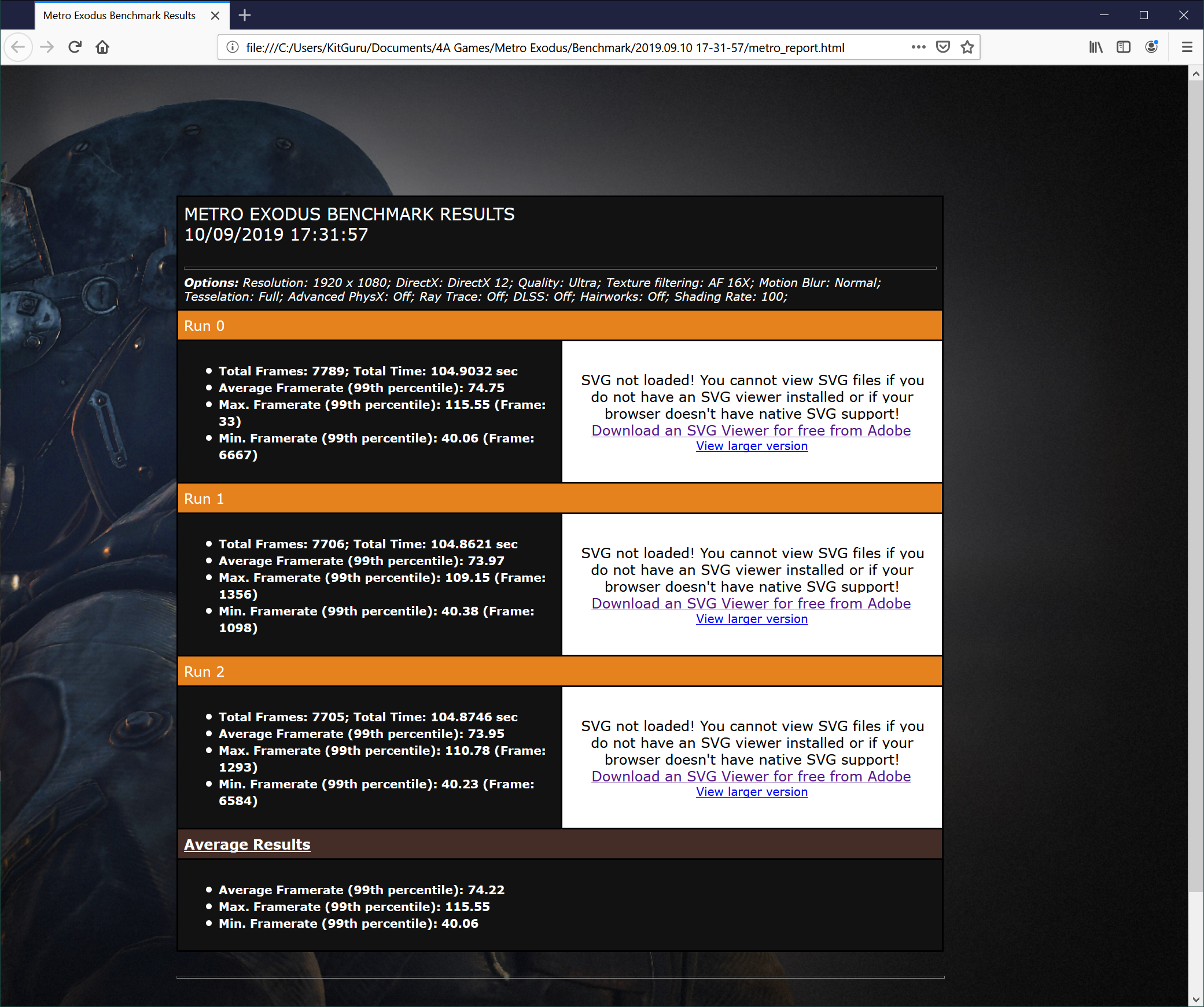
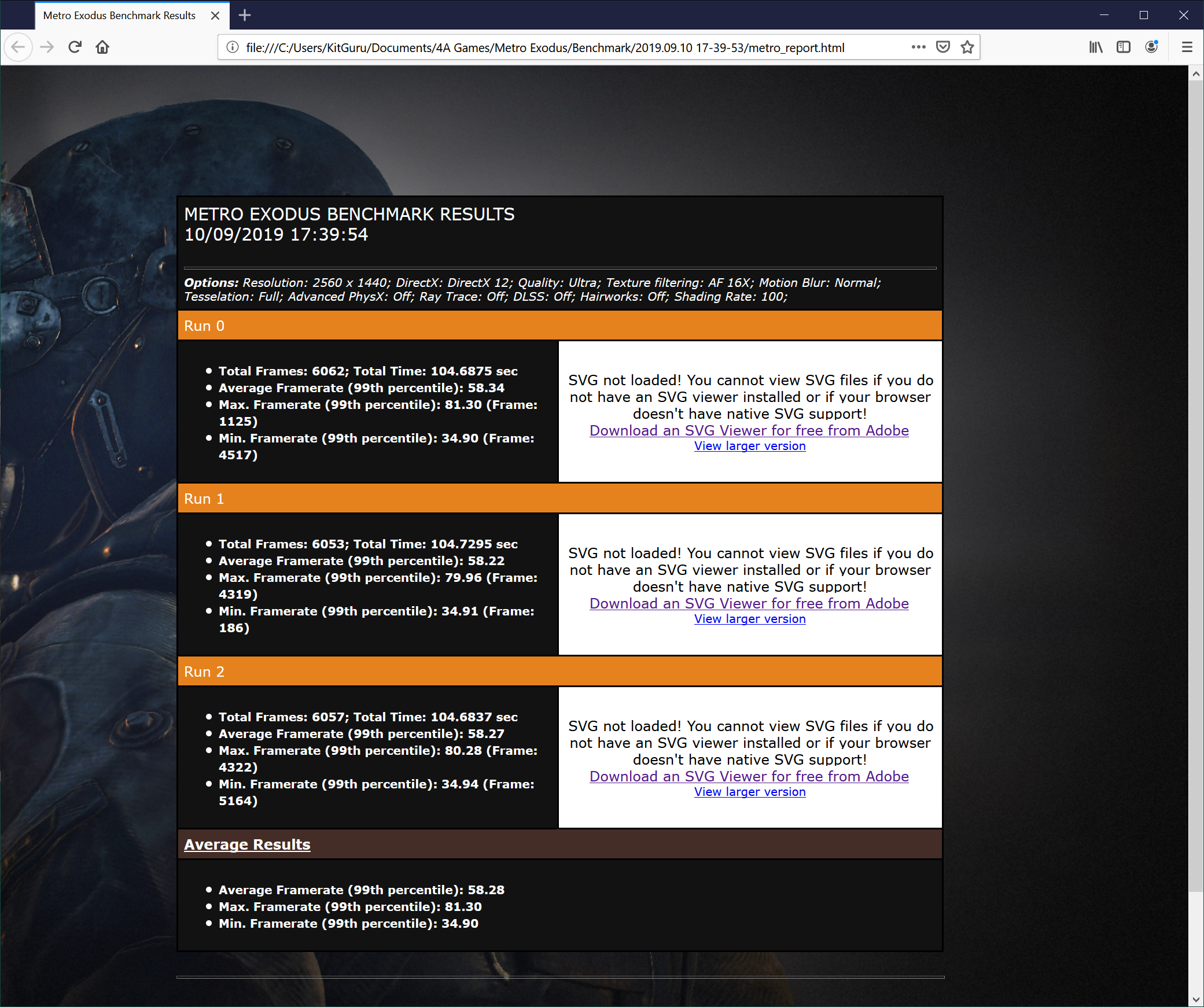
Metro Exodus is incredibly close and is effectively a dead heat between Sapphire and PowerColor.
Middle-earth: Shadow of War is an action role-playing video game developed by Monolith Productions and published by Warner Bros. Interactive Entertainment. It is the sequel to 2014’s Middle-earth: Shadow of Mordor, and was released worldwide for Microsoft Windows, PlayStation 4, and Xbox One on October 10, 2017. (Wikipedia).
We test using the Very High preset.
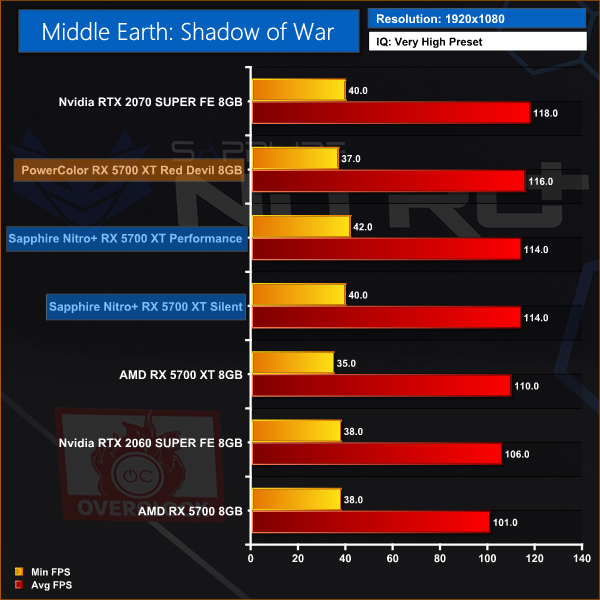
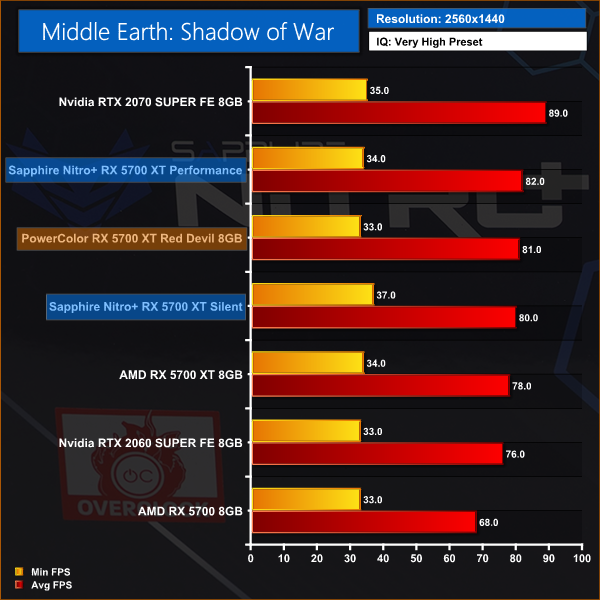
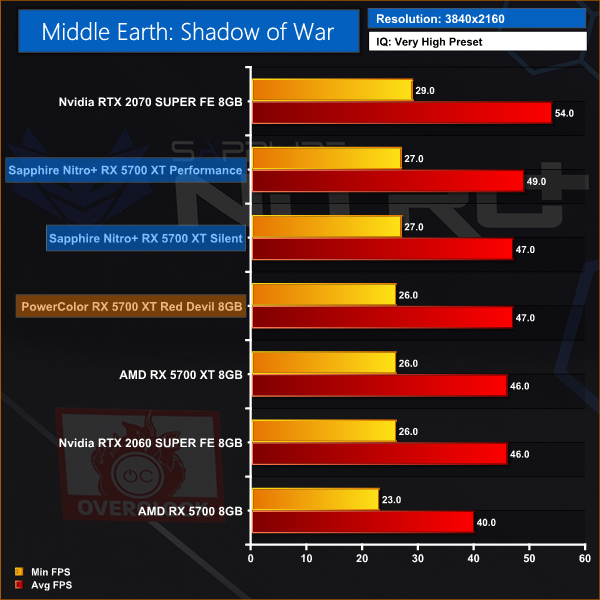
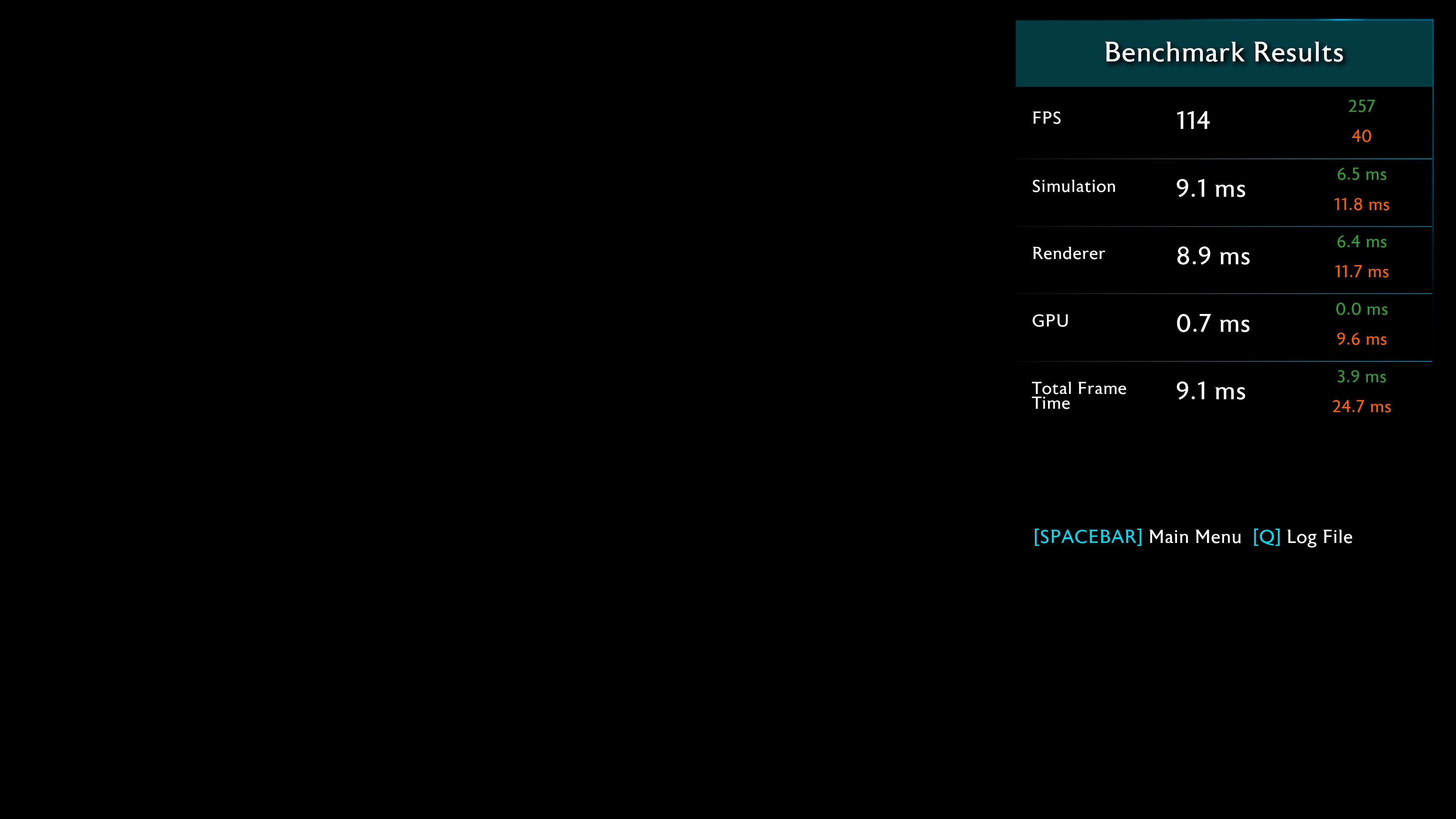
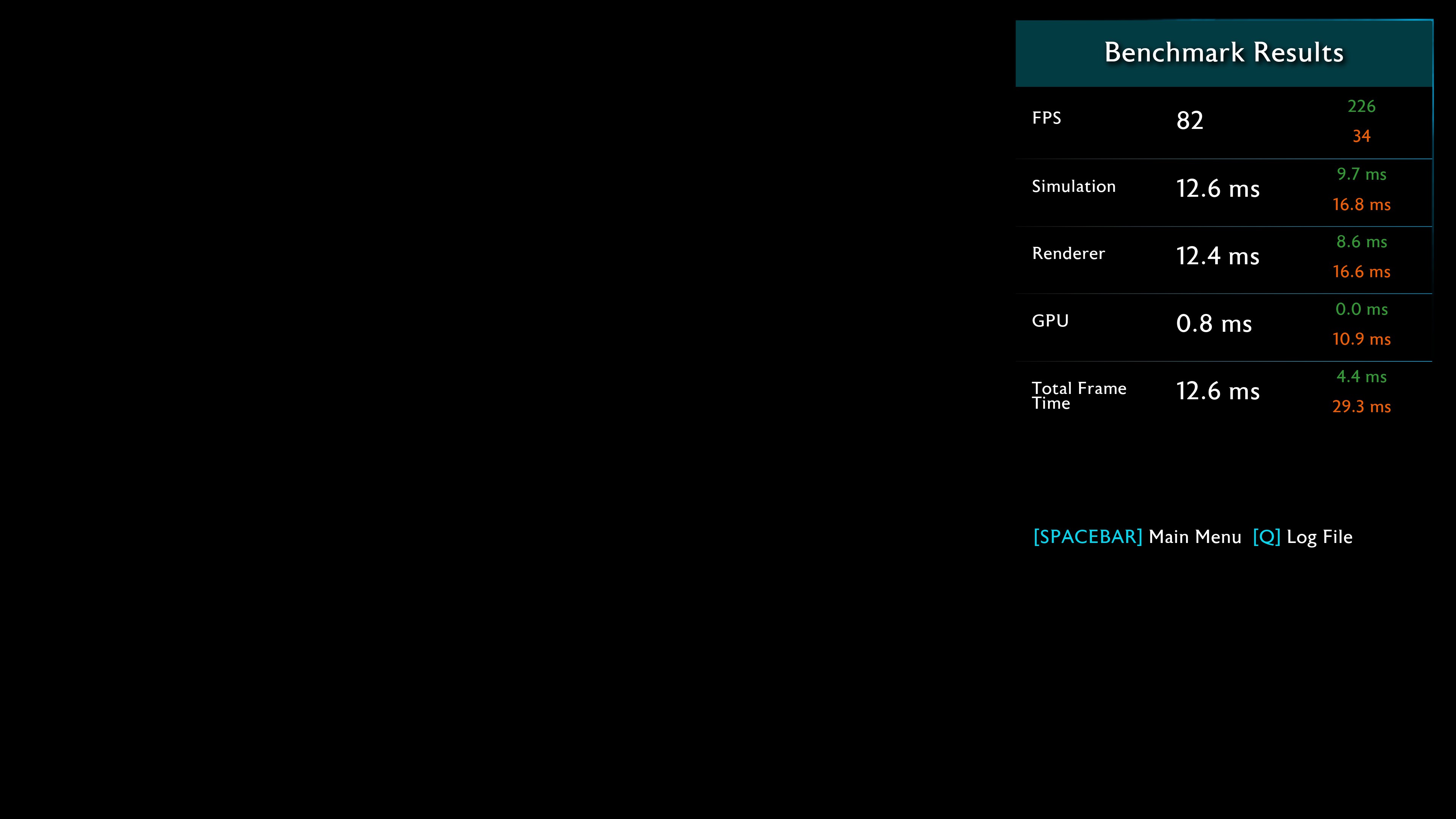
Sapphire ekes out a consistent victory here but once again it is a small victory of a couple of fps.
Shadow of the Tomb Raider is an action-adventure video game developed by Eidos Montréal in conjunction with Crystal Dynamics and published by Square Enix. It continues the narrative from the 2013 game Tomb Raider and its sequel Rise of the Tomb Raider, and is the twelfth mainline entry in the Tomb Raider series. The game released worldwide on 14 September 2018 for Microsoft Windows, PlayStation 4 and Xbox One. (Wikipedia).
We test using the Highest preset, with AA disabled. We test using the DX12 API.
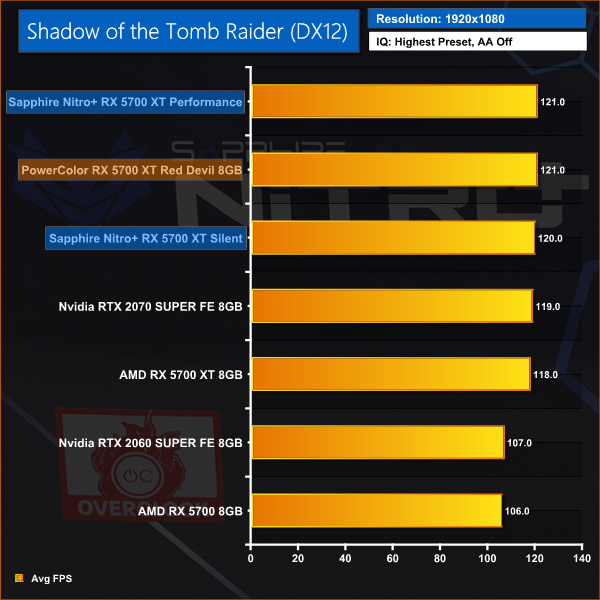
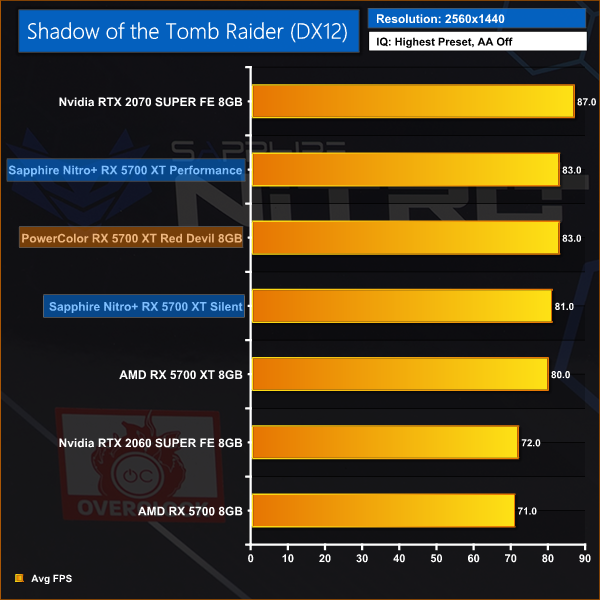
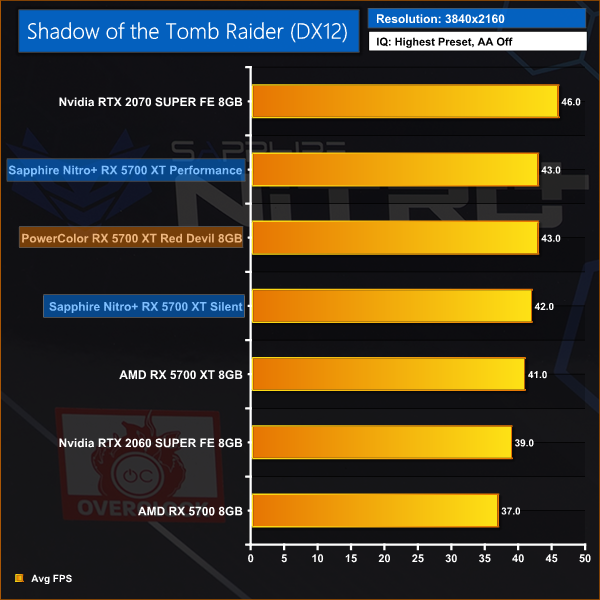
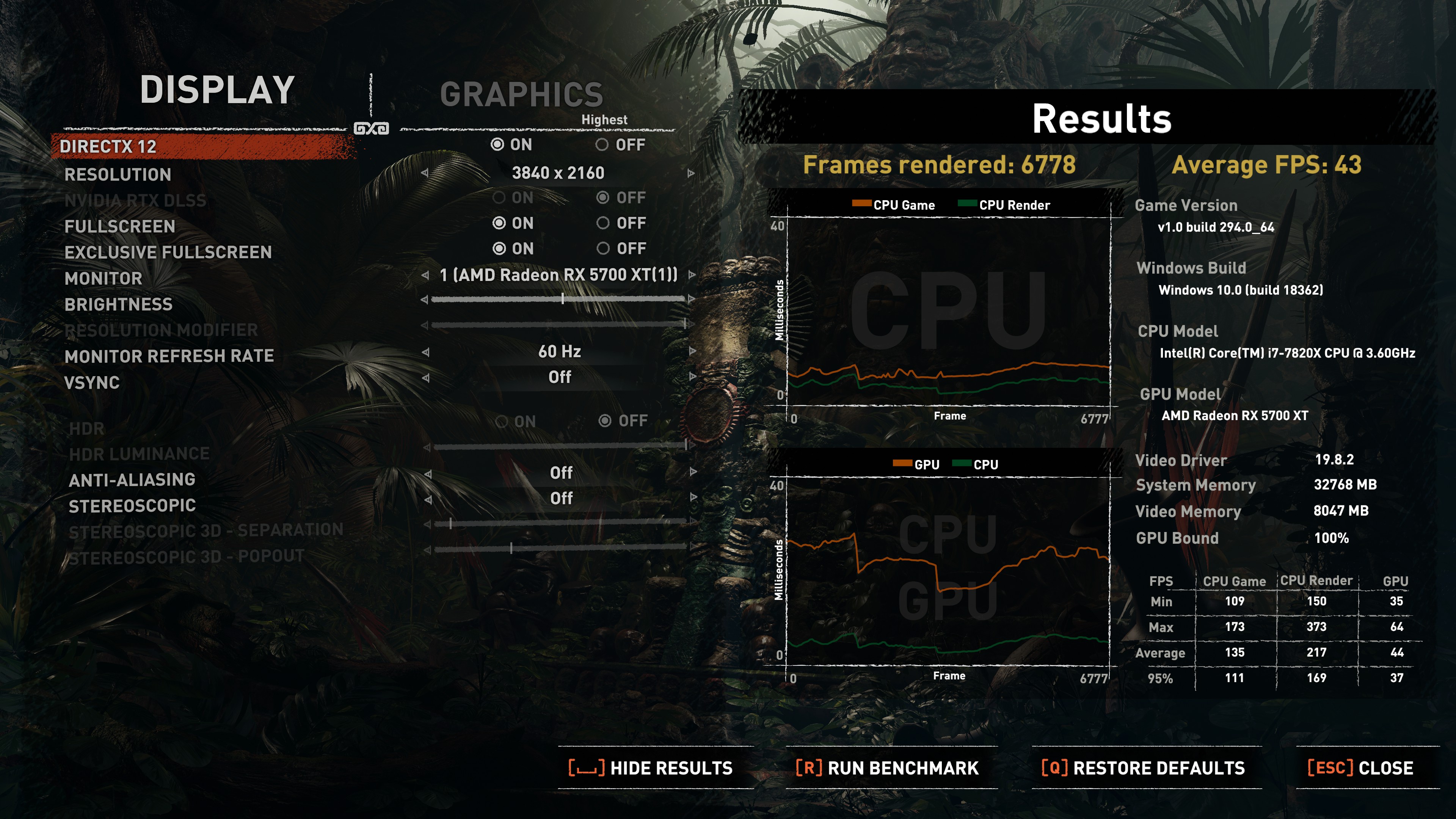
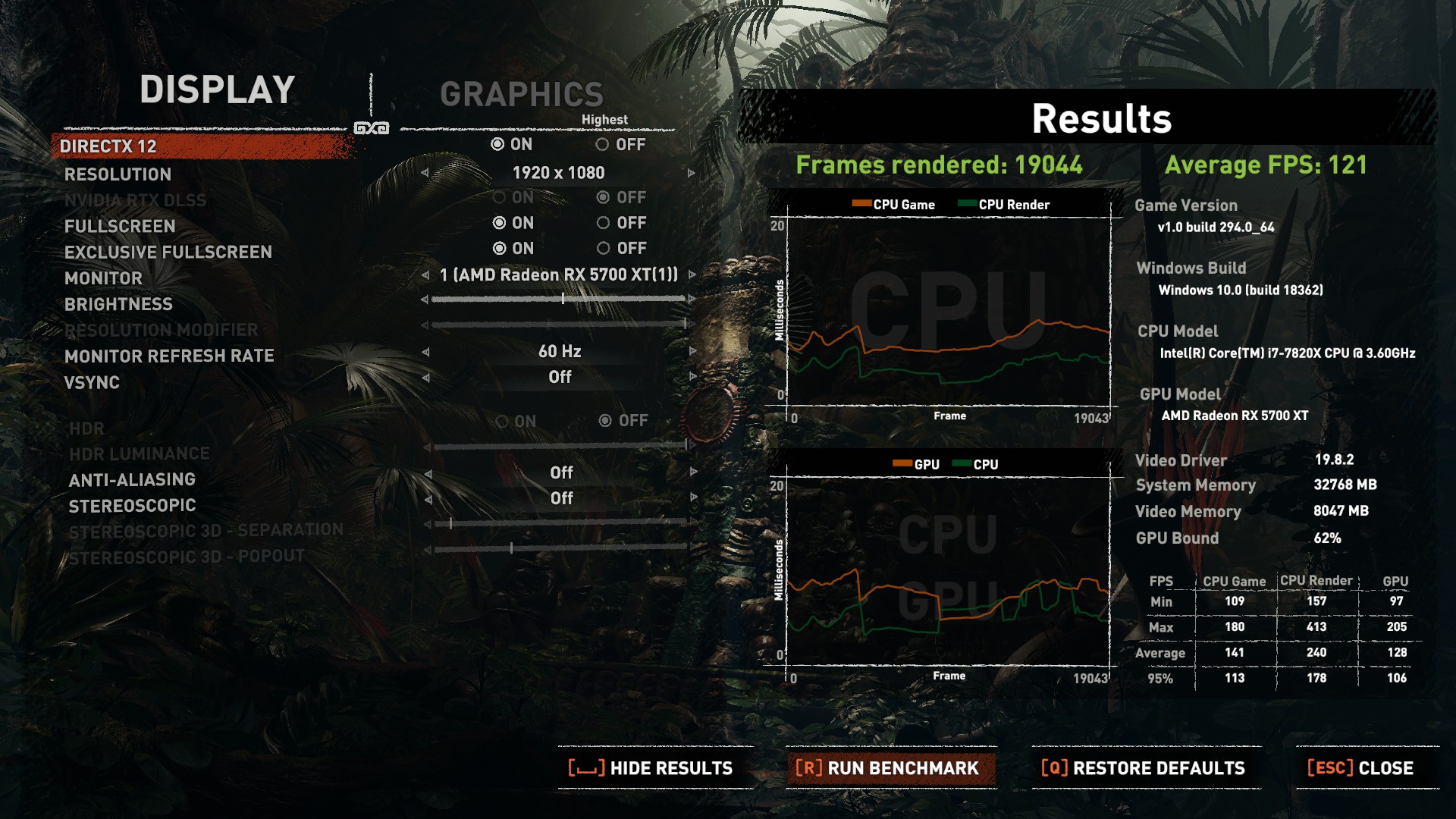
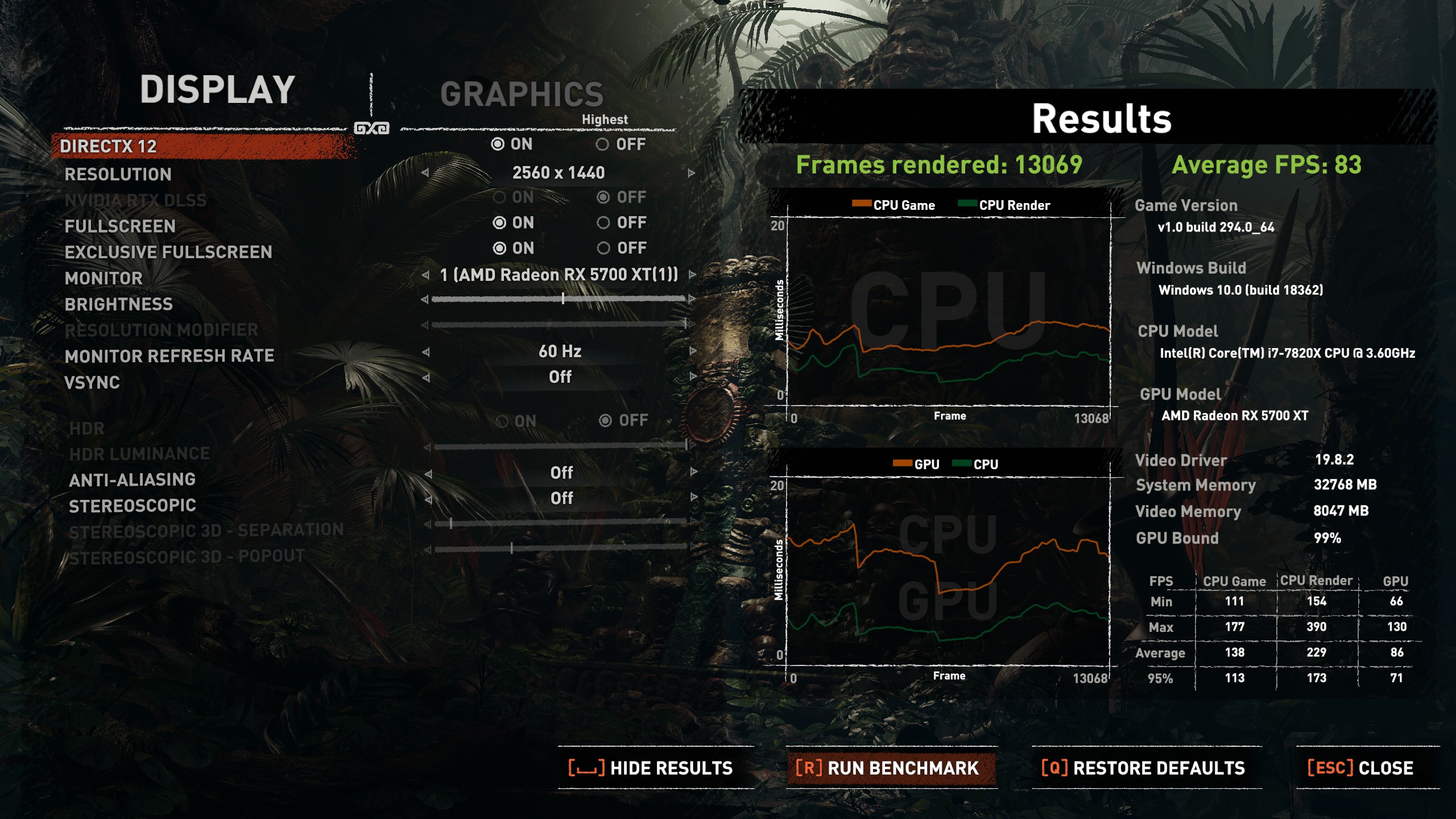
Could the results be any closer? That looks like a dead heat to us.
Here we present the average clock speed for each graphics card while running the 3DMark Fire Strike Ultra stress test 20 times. We use GPU-Z to record the GPU core frequency during the Fire Strike Ultra runs. We calculate the average core frequency during the entire 20-run.
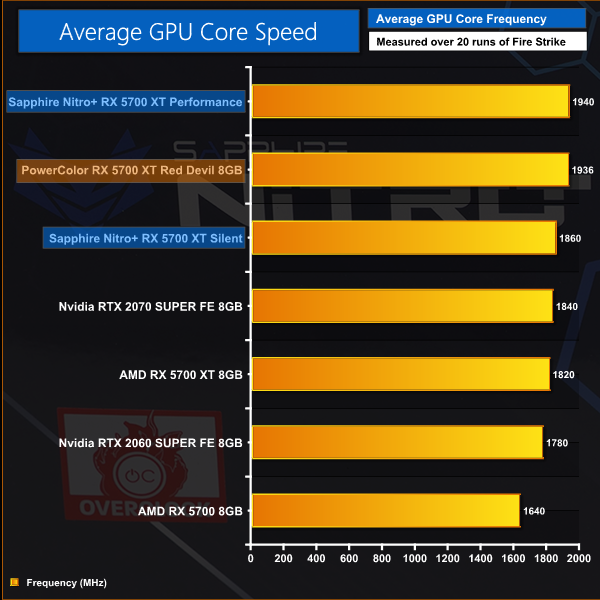
Strap a decent cooler on your 5700 XT and you can expect to see higher clock speeds. Both Sapphire and PowerColor have achieved very good results with their custom coolers in Performance/OC mode. It is interesting to note that Sapphire can still beat the reference design in Silent mode.
For our temperature testing, we measure the peak GPU core temperature under load after running the 3DMark Fire Strike Ultra stress test 20 times.
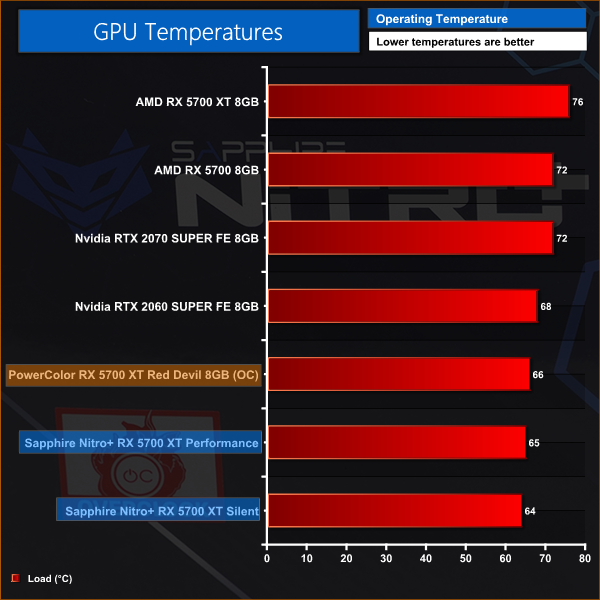
It is impressive how much cooler 5700 XT can run when it has a decent cooler. With the Performance BIOS, the card runs 1C cooler than the PowerColor Red Devil in its OC BIOS. Good work Sapphire.
We take our noise measurements with the sound meter positioned 1 foot from the graphics card.The power supply is passive for the entire power output range we tested all graphics cards in, while all CPU and system fans were disabled.
A reading under load comes from running the 3DMark Fire Strike Ultra stress test 20 times.
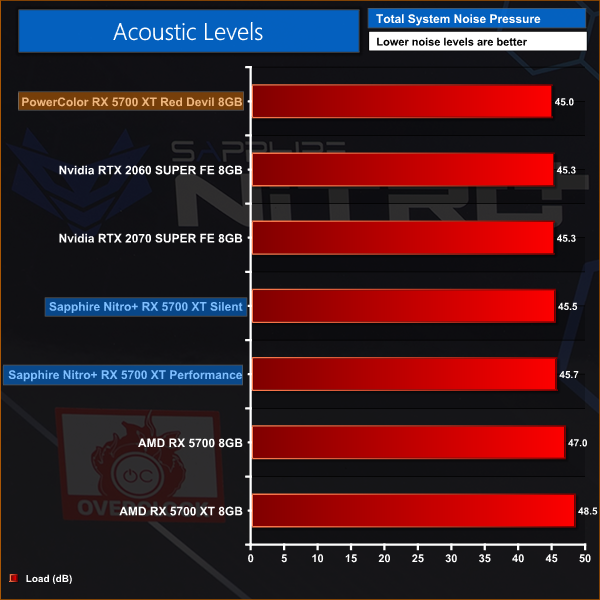
PowerColor wins here, thanks to its low fan speed of 1,100rpm. Sapphire uses 1,370rpm in Silent mode and 1,500rpm in Performance mode with the result that noise levels are slightly higher.
We measure system-wide power draw from the wall while the card is sat idling at the Windows 10 desktop for 30 minutes. A reading under load comes from running the 3DMark Fire Strike Ultra stress test 20 times.
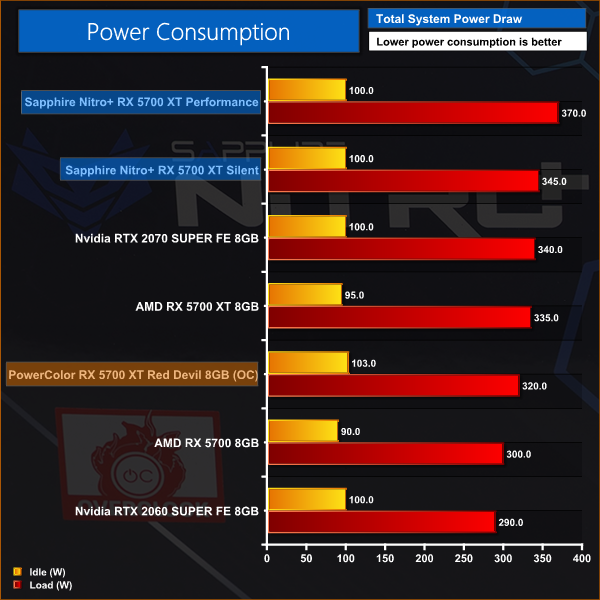
Nitro+ draws considerably more power than Red Devil, which is surely a consequence of the VRM design. PowerColor uses more phases and the benefit seems clear, as even the Nitro+ with its Silent BIOS pulls around 25W more than the Red Devil.
Sapphire has done its usual fine job with the Tri-X cooler on the Nitro + and as a result the 5700 XT runs fast and cool. Unfortunately it also draws a significant amount of power when compared with the Red Devil and the consequence is that Sapphire has to run the fans a couple of hundred rpm faster to maintain low temperatures. You cannot detect the extra power draw in any meaningful way except when you note the Sapphire is every so slightly more noisy than the PowerColor.
It seems to us the root issue here is Sapphire's choice of VRM design which is presumably less efficient than the Red Devil and the consequence is more power and heat. If we looked at the Nitro+ in isolation I am quite sure we would be satisfied, however in comparison with the PowerColor it suffers ever so slightly.
As we say in our video the Silent BIOS mode is the better choice as it helps the Nitro+ to run cool and quiet with only the most tiny reduction in performance. Even then, it is worth making clear that there is not a lot in it between the Nitro+ and the Red Devil. In our opinion, the lower power and noise does just about edge the PowerColor ahead, but the Sapphire still performs very well.
Sapphire does have a couple of tricks up its sleeve, however, and one of those is TriXX. The software utility can control the RGB lighting and can also switch between BIOS modes – meaning you don't have to physically move the switch on the card. We also like that Sapphire has included the ARGB header on the Nitro+'s PCB.
On the whole, there is clearly not a lot of difference between the Nitro+ and PowerColor's Red Devil. The Red Devil just does enough to take the upper hand of the two due to its increased power efficiency and low fan speeds, but the Nitro+ is right on its heels and does have a couple of unique features we appreciate.

The Nitro+ has launched today and is available from Overclockers UK for £449.
Pros:
- High performance.
- Low noise.
- BIOS mode can be switched using TriXX software.
- No overclocking required – arrives with optimal settings.
- ARGB header allows connection to your motherboard.
- ARGB fan kit gives you more lighting options.
Cons:
- UK pricing is steep versus the US.
- High power consumption.
- ARGB cable is not included.
- Painted finish on aluminium backplate is unimpressive.
KitGuru says: Sapphire has added ARGB to RX 5700 XT and has also done a good job with the cooling.