 KitGuru KitGuru.net – Tech News | Hardware News | Hardware Reviews | IOS | Mobile | Gaming | Graphics Cards


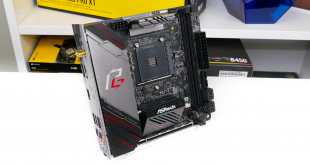
AMD’s high-performance Zen 2-based processors have opened up a new tier of performance to mainstream platform buyers. Key beneficiaries from the uptick in CPU performance are Mini-ITX and Small Form Factor (SFF) aficionados who can now squeeze a new level of compute performance into their mini PCs. ASRock’s X570 Phantom Gaming-ITX/TB3 takes that compute powerhouse argument one step further by also throwing Thunderbolt 3 support into the mix.
Despite featuring ‘gaming’ in the name, ASRock’s X570 Phantom Gaming-ITX/TB3 motherboard is clearly geared towards users who want a small compute workstation. In addition to the obvious support of up to 16-core Ryzen 3000 processors, ASRock deploys a Thunderbolt 3 Type-C port capable of 40Gbps bandwidth, high-res display output, and up to 15W of power delivery. At 2-4x the speed of competing Type-C solutions that use a 10Gbps or 20Gbps connection, the desire for Thunderbolt 3 is obvious.
Aside from the flagship Thunderbolt 3 feature, you also get 2.4Gbps Wi-Fi 6 802.11ax support, plenty of USB connections, and a rear-mounted M.2 SSD slot. One notable feature is the LGA 115X CPU cooler mounting holes. This alleviates many cooling headaches to long-time SFF users who want to upgrade their system without buying a new heatsink.
With a healthy ten-stage power delivery solution and the usual array of RGB and integrated IO shield bonuses, how will ASRock’s X570 Phantom Gaming-ITX/TB3 motherboard perform in our testing?
Features (information taken from the ASRock webpage):
- Supports AMD AM4 Socket Ryzen™ 2000 and 3000 Series processors
- Intel® Wi-Fi 6 802.11ax (2.4Gbps) + BT 5.0
- Intel® Gigabit LAN
- Supports DDR4 4533+ (OC)
- 1 PCIe 4.0 x16
- 7.1 CH HD Audio (Realtek ALC1220 Audio Codec)
- Supports Creative Sound Blaster™ Cinema 5
- 4 SATA3, 1 Hyper M.2 (PCIe Gen4 x4)
- 3 USB 3.2 Gen2 (2 Rear Type A), 4 USB 3.2 Gen1 (2 Front, 2 Rear)
- 1 Thunderbolt™ 3 Type-C
- ASRock Polychrome SYNC
The ASRock X570 Phantom Gaming-ITX/TB3 ships in a black and red box that highlights the ‘gaming’ theme for ASRock’s line-up.
ASRock ships a very basic bundle that consists of a case sticker, installation guides, two SATA cables, the WiFi antenna, and an M.2 screw. An extra couple of SATA cables would not have been too much to ask for on a motherboard at this cost.
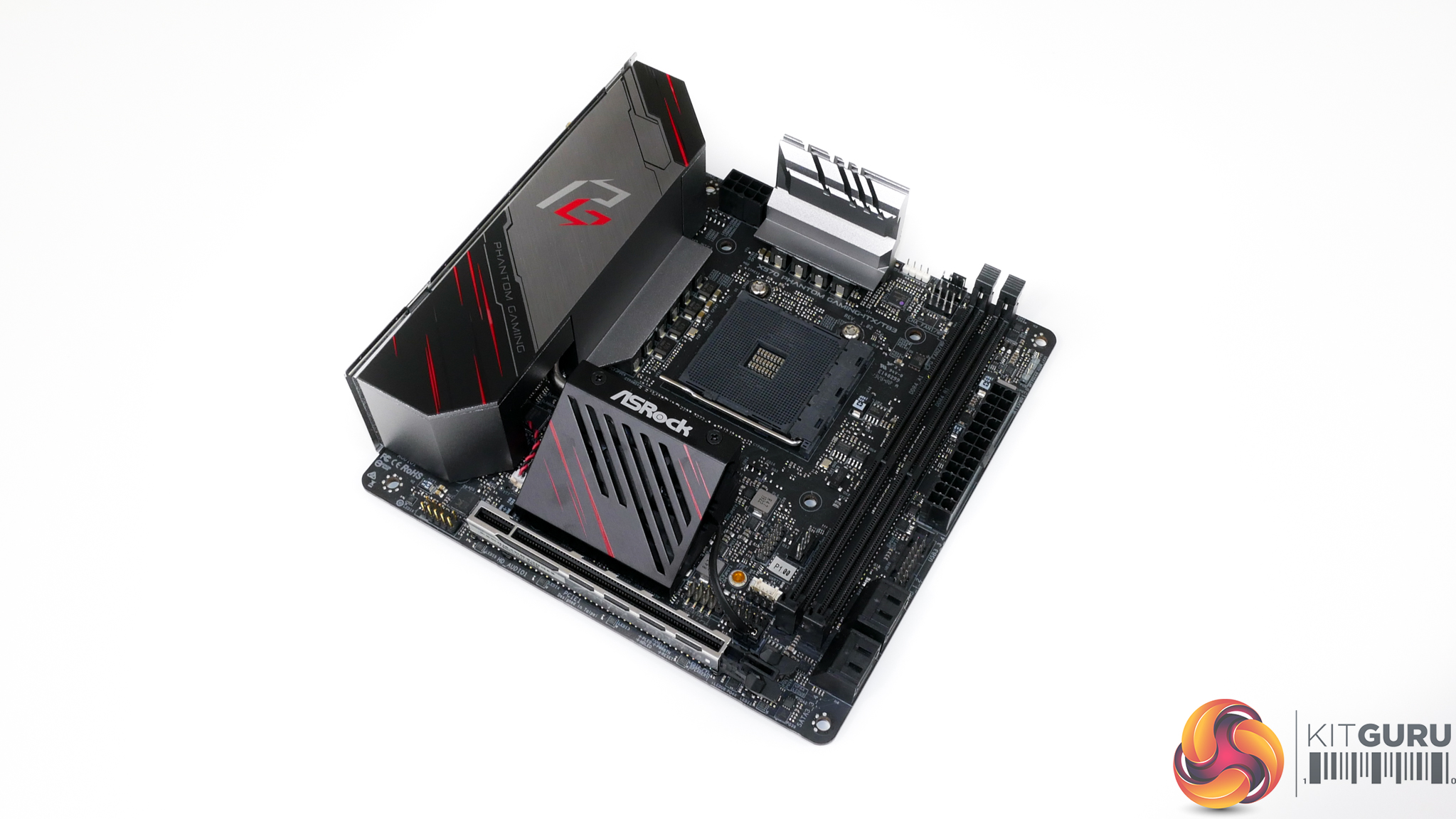
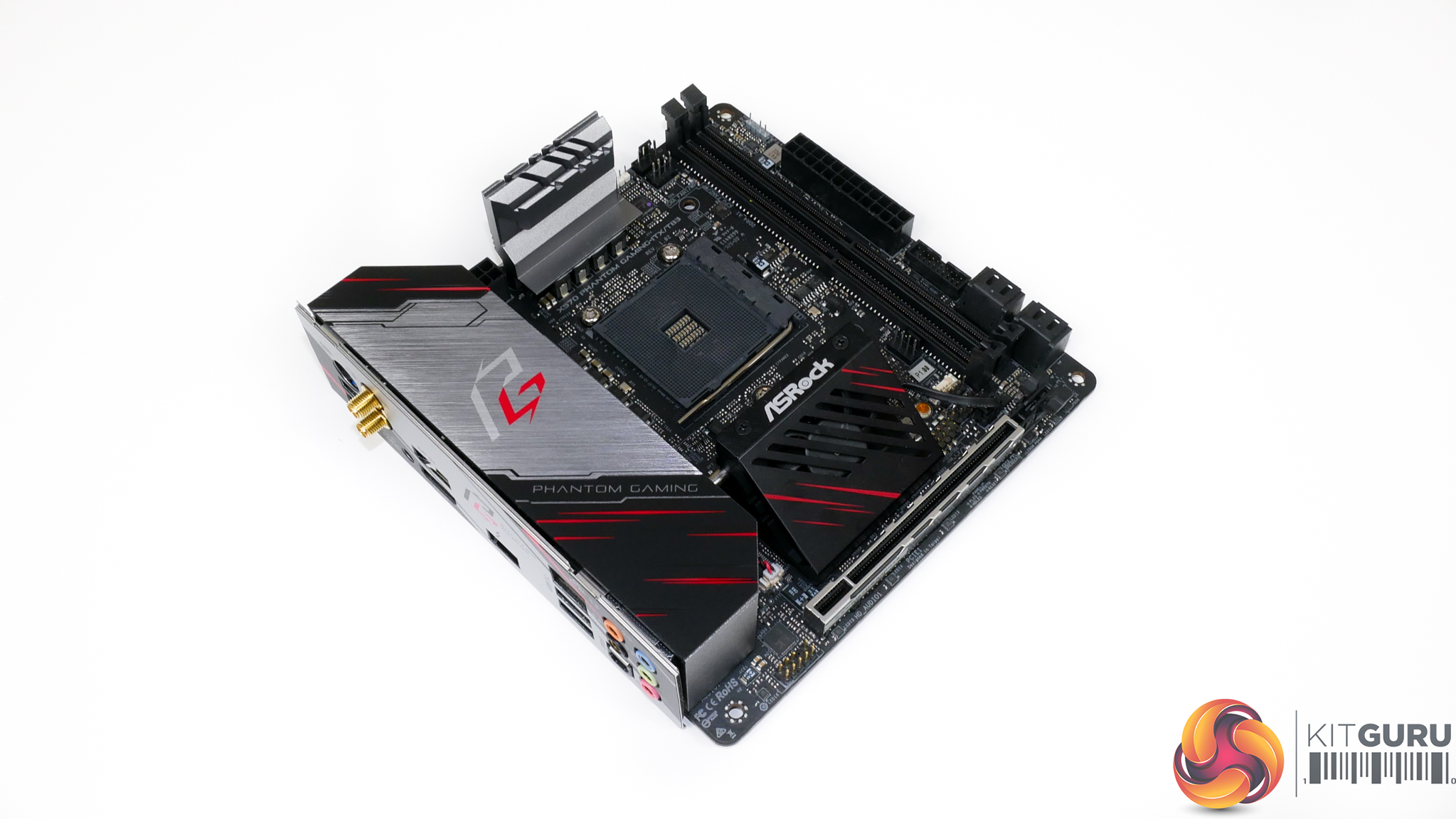
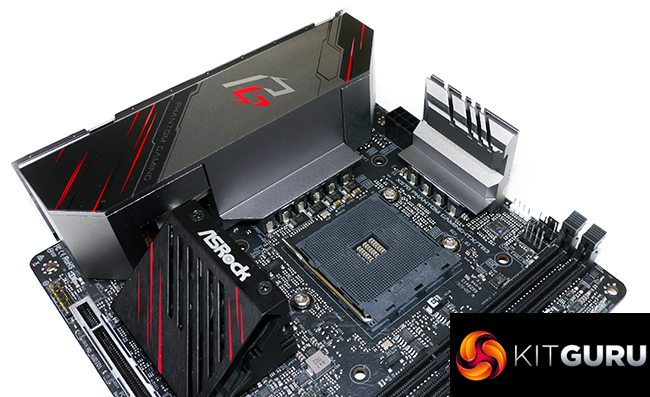
The bulk of ASRock’s miniature and dark-black motherboard is covered by the sizable VRM heatsinks and rear IO cover. A large cover hides the rear IO ports and doubles as the primary VRM heatsink to add a uniform aesthetic appeal.
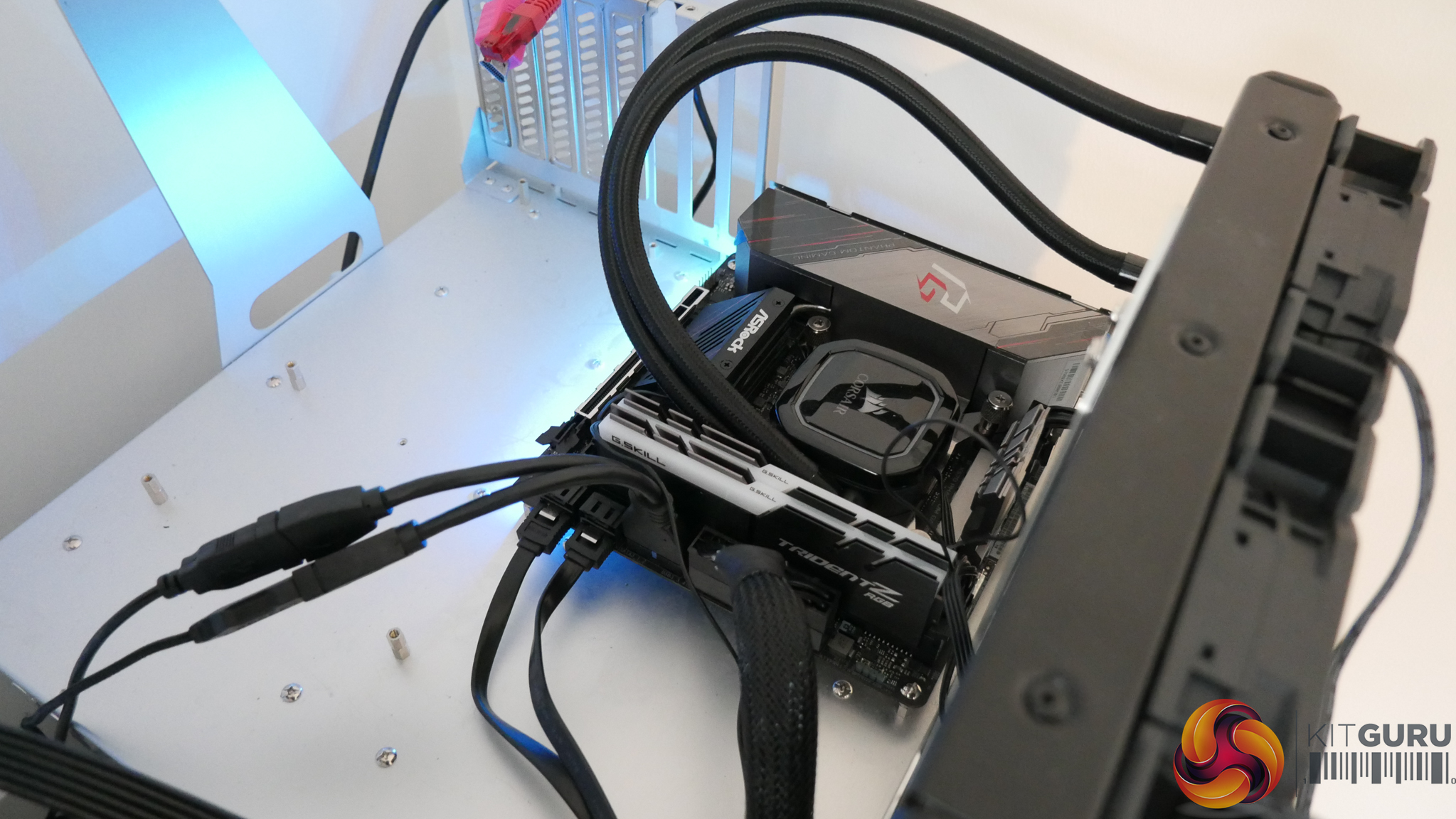
That main VRM heatsink is connected to the chipset heatsink and cooling fan via a single heatpipe. A secondary heatsink is mounted individually above the CPU socket. Its height is likely to cause interference issues with some CPU coolers.
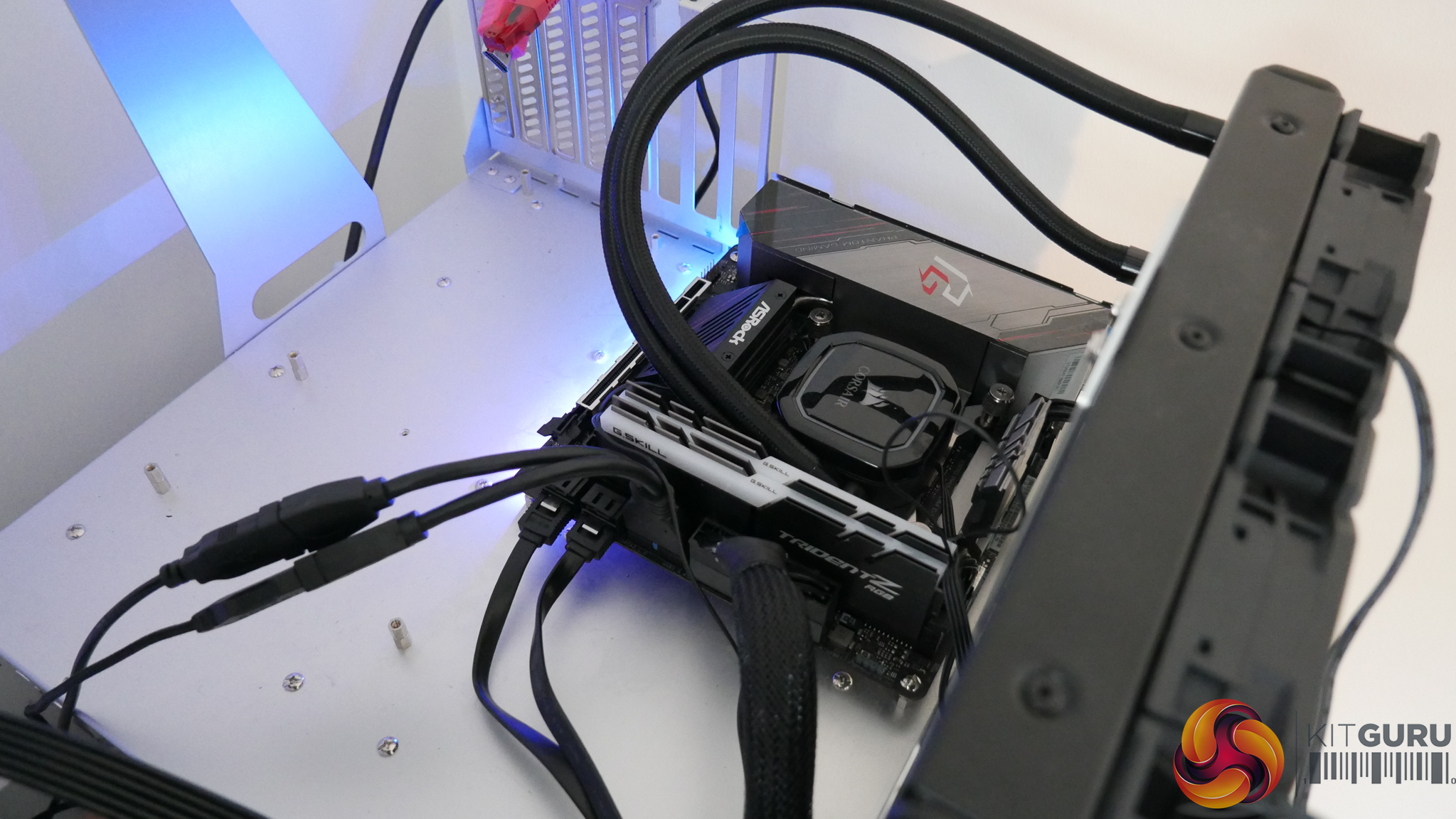
A row of LEDs mounted directly on the underside of the PCB provides a subtle RGB glow to the bottom of the motherboard. Control is available via OS software or the UEFI for users who refuse to install the software in Windows.
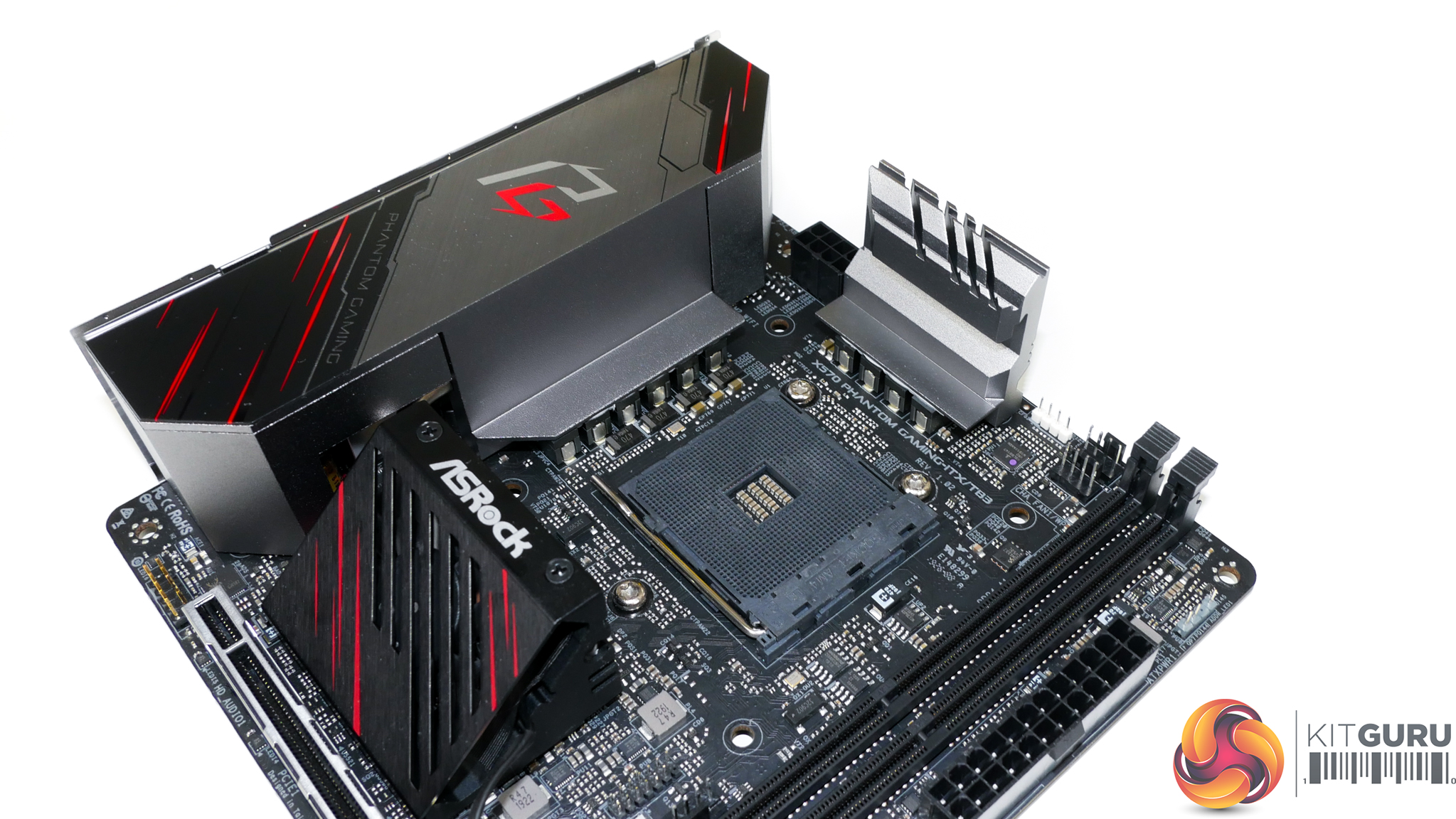
Central to the PCB is the AM4 socket surrounded by the LGA 115X CPU cooler mounting holes.
My initial feelings towards this decision was that it is a smart move. However, further examination of the low-profile CPU cooler market highlights that support for the AM4 mount is now excellent. For example, the Noctua NH-L9a, Cryorig C7 Top Flow, and Alpenfohn Black Ridge all support AM4.
And if you want a larger top-down CPU cooler, the Noctua NH-L9x65, Scythe Big Shuriken 3, and be quiet! Dark Rock TF CPU coolers all highlight AM4 compatibility (not that they necessarily fit without interference).
Importantly, ASRock’s LGA 115X mounting holes mean that stock Wraith CPU coolers supplied with the Ryzen chips are not compatible. This is a significant oversight, especially when the Wraith Spire is a reasonable option with minimal interference headaches.
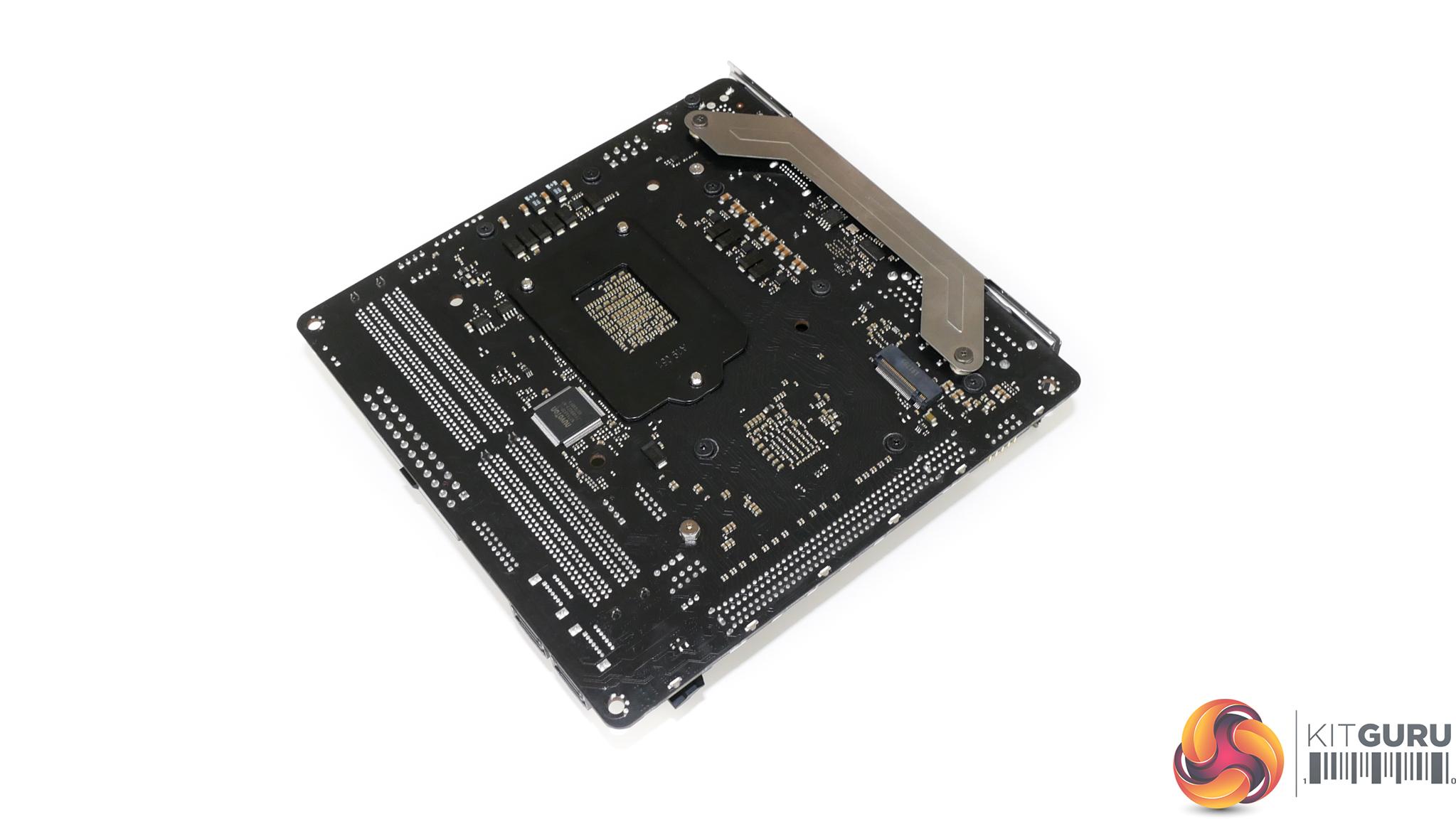
Of course, long-time SFF users who want to carry across their LGA 115X cooler to the new AMD platform will be pleased by ASRock’s Intel mounting locations. And there certainly is a better range of truly low-profile coolers that feature Intel mounting only (versus AMD mounting only), even if some of the options are niche.
But new buyers may be slightly disappointed that they cannot even install the bundled Wraith Stealth or Spire CPU coolers while waiting for their new Noctua or Cryorig unit to be delivered. Perhaps ASRock’s sizeable on-board heatsinks that will undoubtedly cause interference are to blame.
To ASRock’s credit, however, the motherboard product page highlights a reasonable list of options that are confirmed for compatibility.
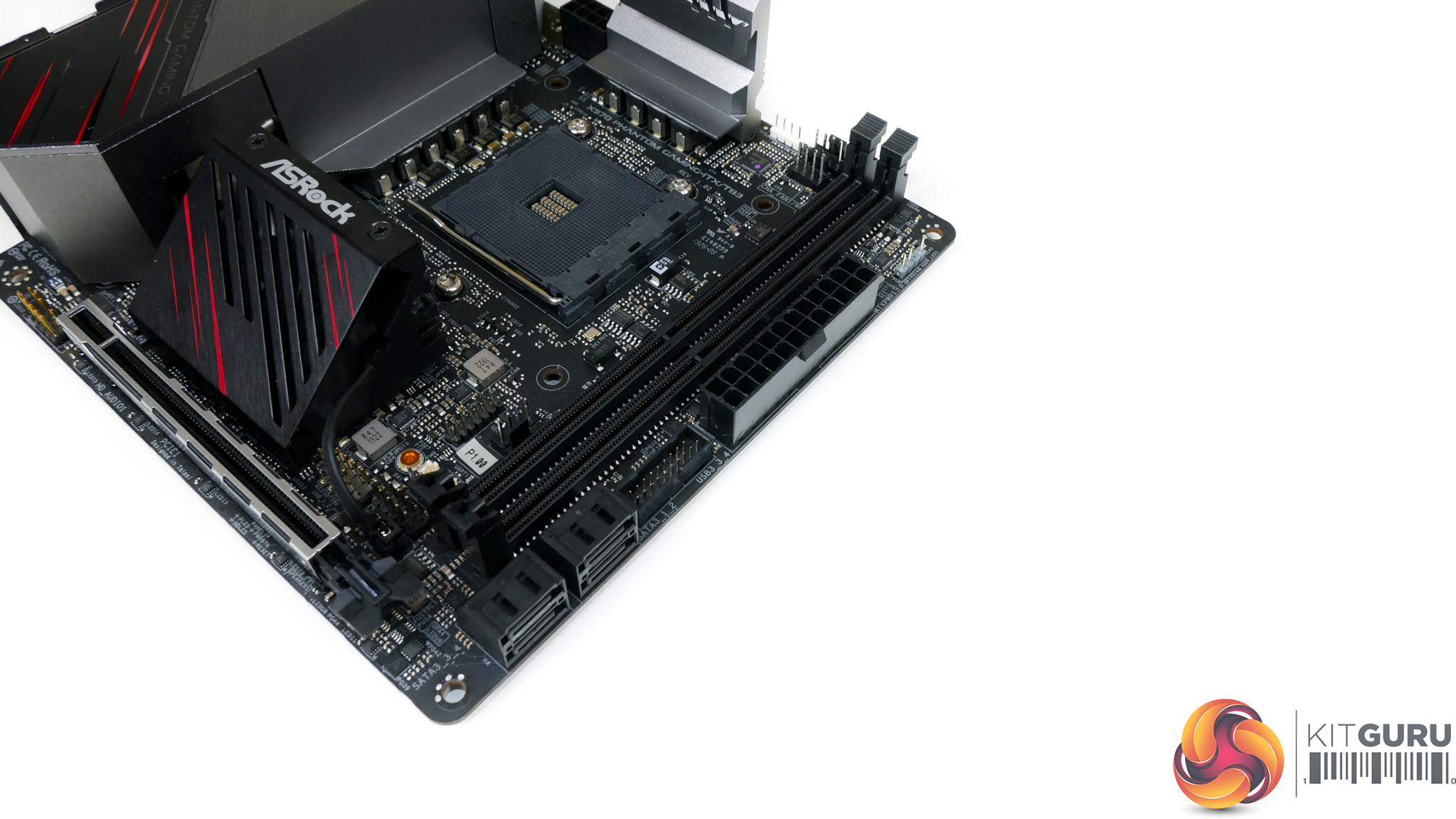
Up to 64GB of DDR4 memory can be installed in the pair of DIMM slots. ASRock’s in-depth QVL highlights support for a few 4.2GHz kits from the likes of Corsair and G.SKILL but realistically you probably want to stick to 3600MHz options with tight timings.
ECC memory is also supported and ASRock highlights a few options from the likes of Kingston that are tested as compatible.
Given the obvious space constraints with a Mini-ITX motherboard, it would be reasonable to look for a set of memory that does not use needlessly oversized heatspreaders and RGB lighting strips. This will help to mitigate the risk of CPU cooler interference.
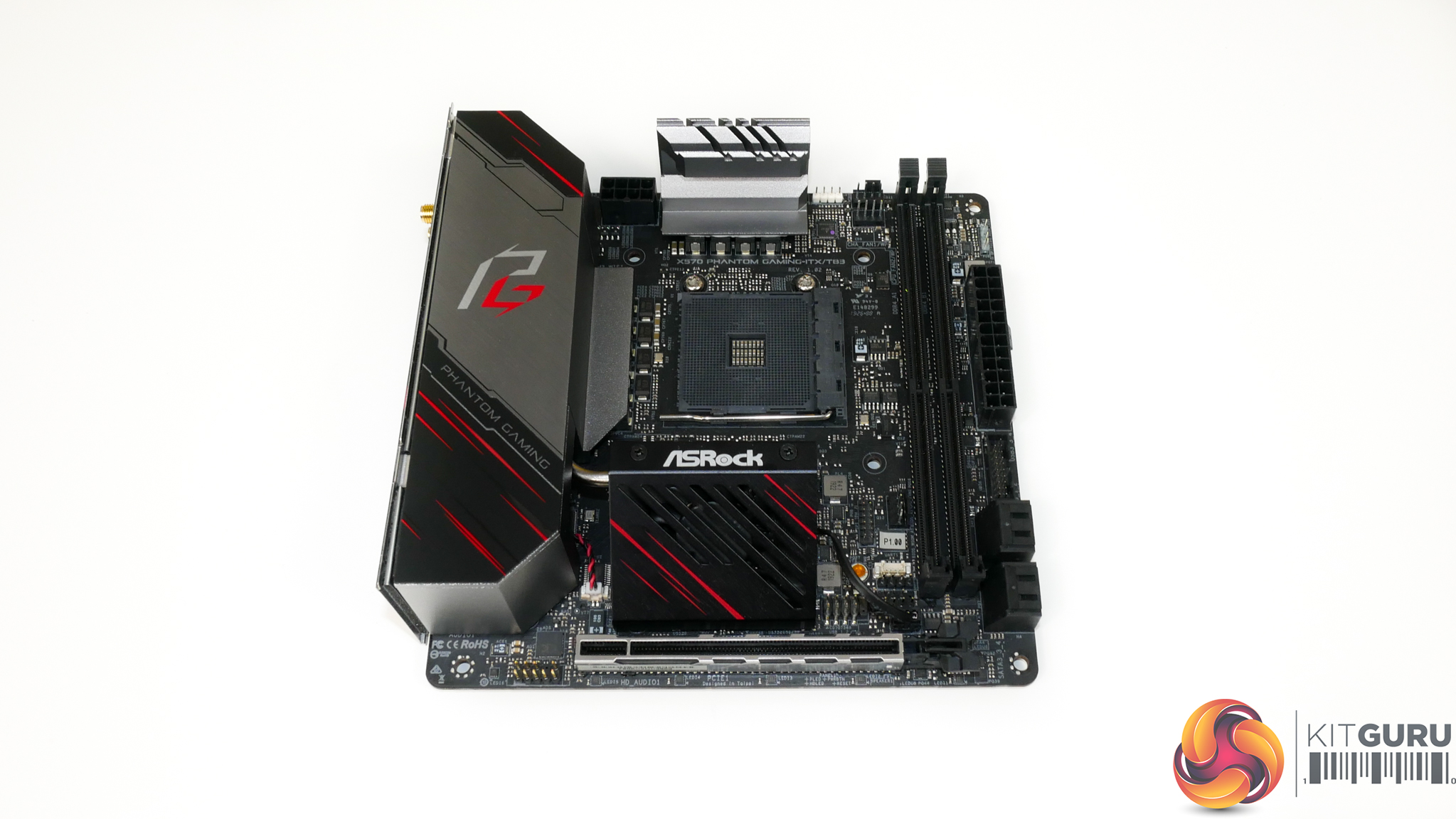
ASRock’s mounting locations for critical ports are what we would consider to be sensible for a Mini-ITX motherboard of this calibre.
A single 8-pin CPU power connector sits in the top-left location while the 24-pin is situated on the far-right edge. Of course, it is impossible to gauge whether this combination will work with all SFF cases given their varied internal layouts. But we personally have few complaints.
You get the front panel USB 3.0 header in an easy to reach spot but there’s no internal USB Type-C header which is disappointing. Just the single USB 2.0 internal header will also annoy users who have a ‘smart’ AIO cooler in addition to front panel ports.
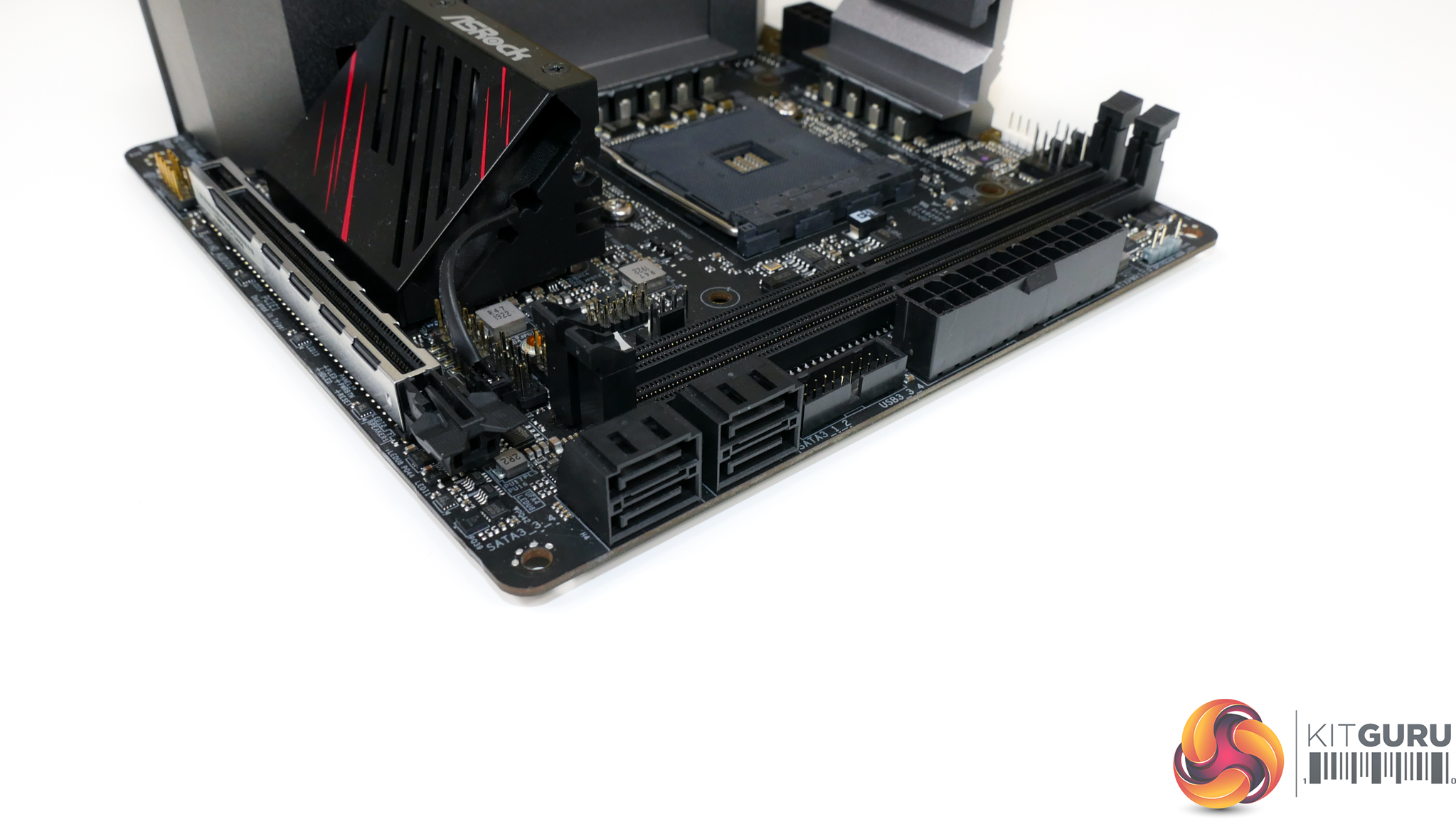
Four right-angled SATA ports sit on the motherboard’s bottom-right edge. All these ports run from the X570 chipset and do not share bandwidth with other connections.
While their right-angled orientation is generally good for cable management, it does present a significant risk given the likelihood of interference inside a Mini-ITX chassis. Making two of the ports vertical facing would have been a smart move, in my opinion.
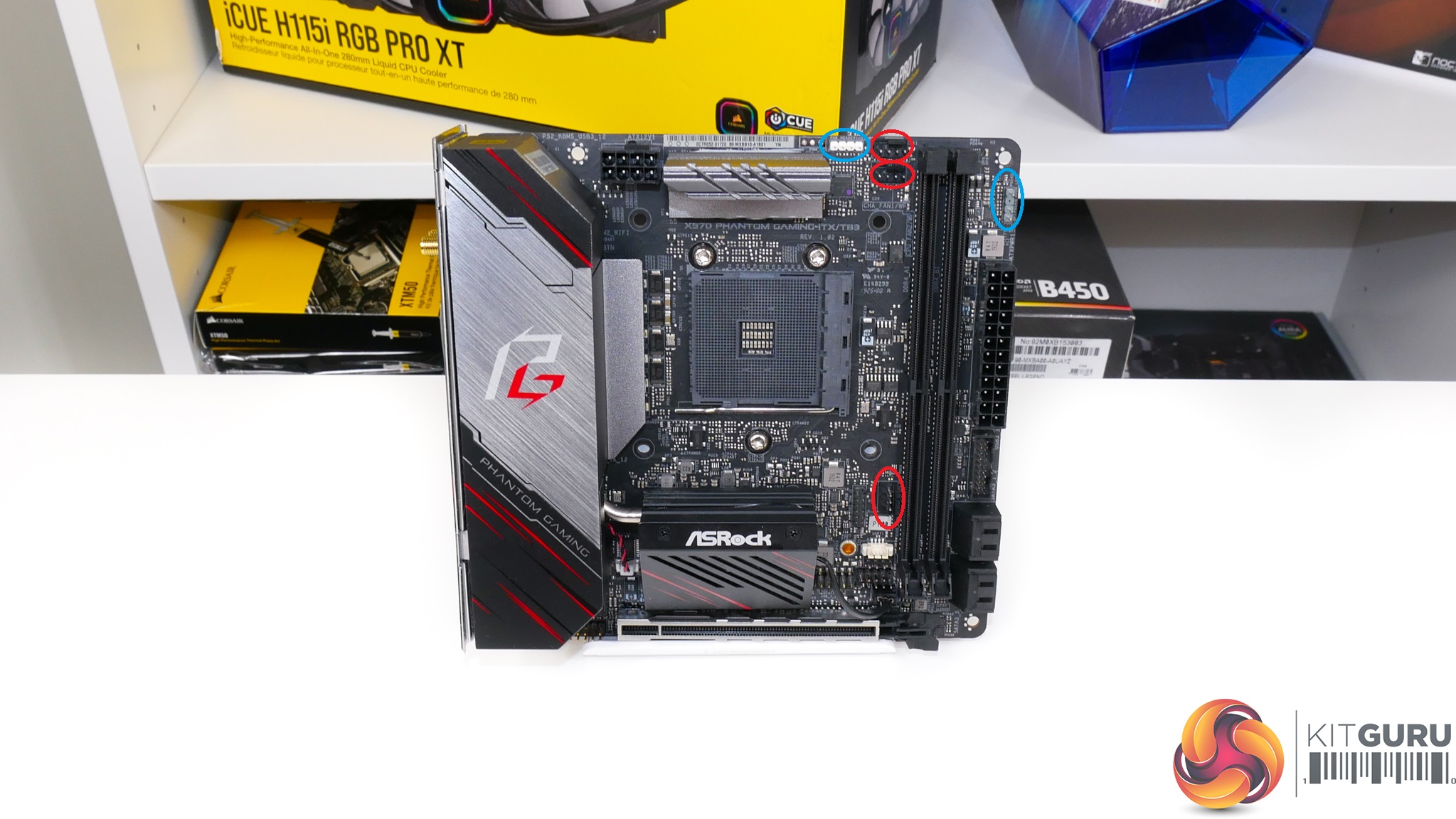
A total of three fan headers are mounted on the motherboard, all of which are within easy reach of the CPU socket. One of the headers is allocated CPU fan duties whilst the other two are chassis connections that can also drive AIO cooling pumps.
The two RGB headers – one of which is addressable – are mounted close to the edge of the motherboard to ease cable management.
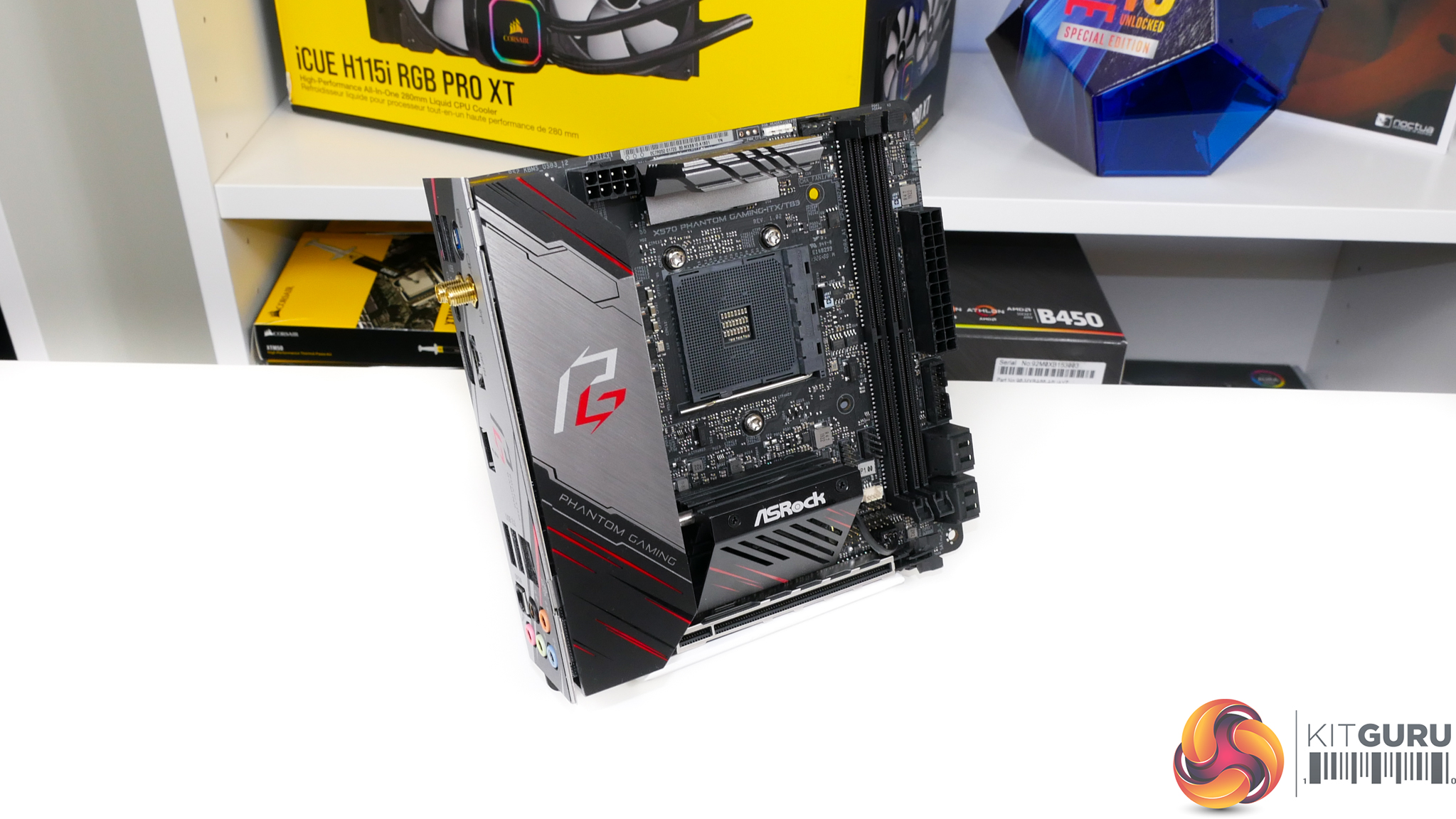
A single, metal-plated PCIe Gen 4 x16 expansion slot is found on the Mini-ITX board. Clearly this is intended for a graphics card to be installed, so the proximity to the chipset heatsink and rear IO cover will need to be noted.
Graphics cards with sizable backplates may cause potential interference issues although it is unlikely to get to the point of complete blockage.
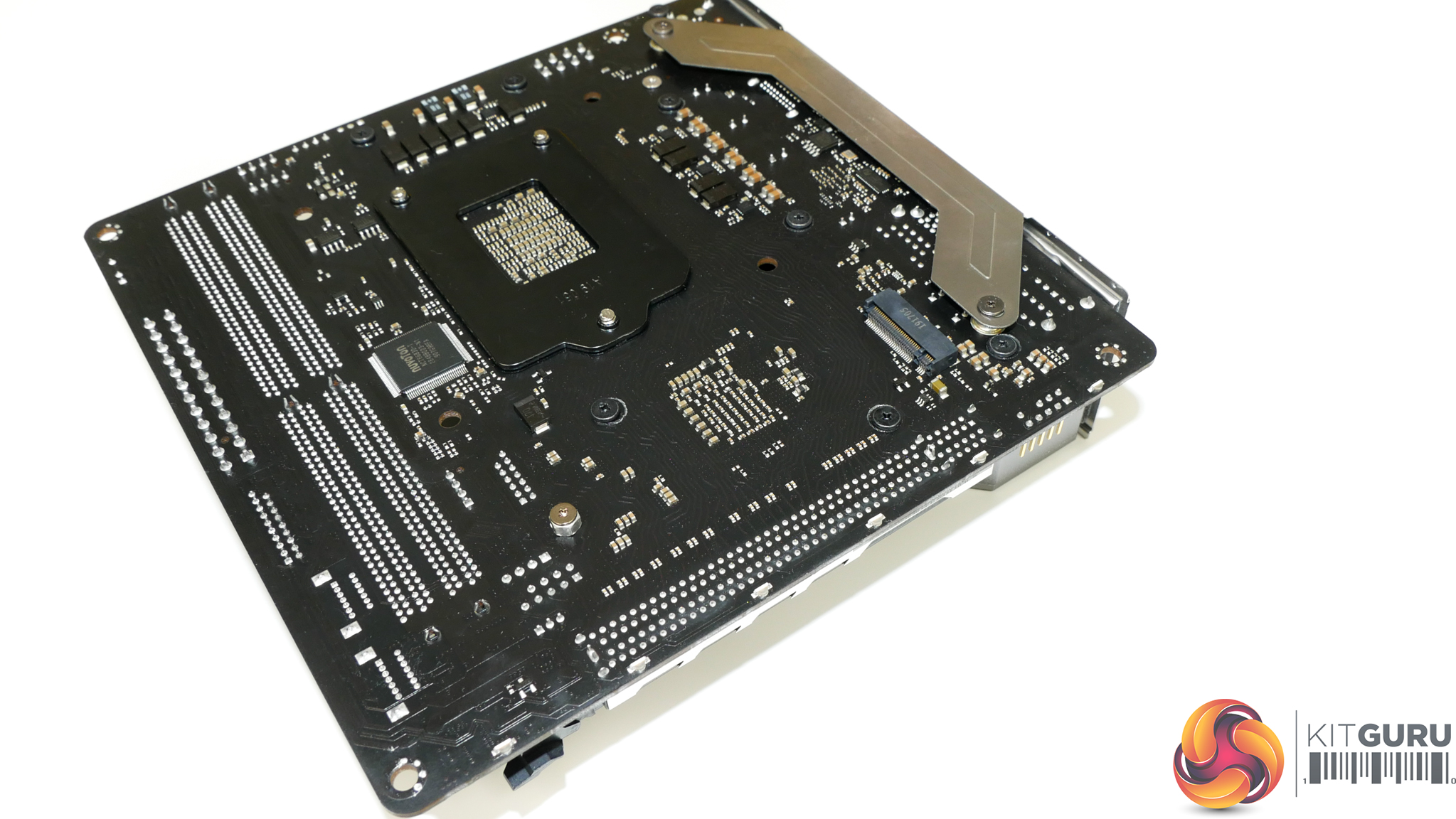
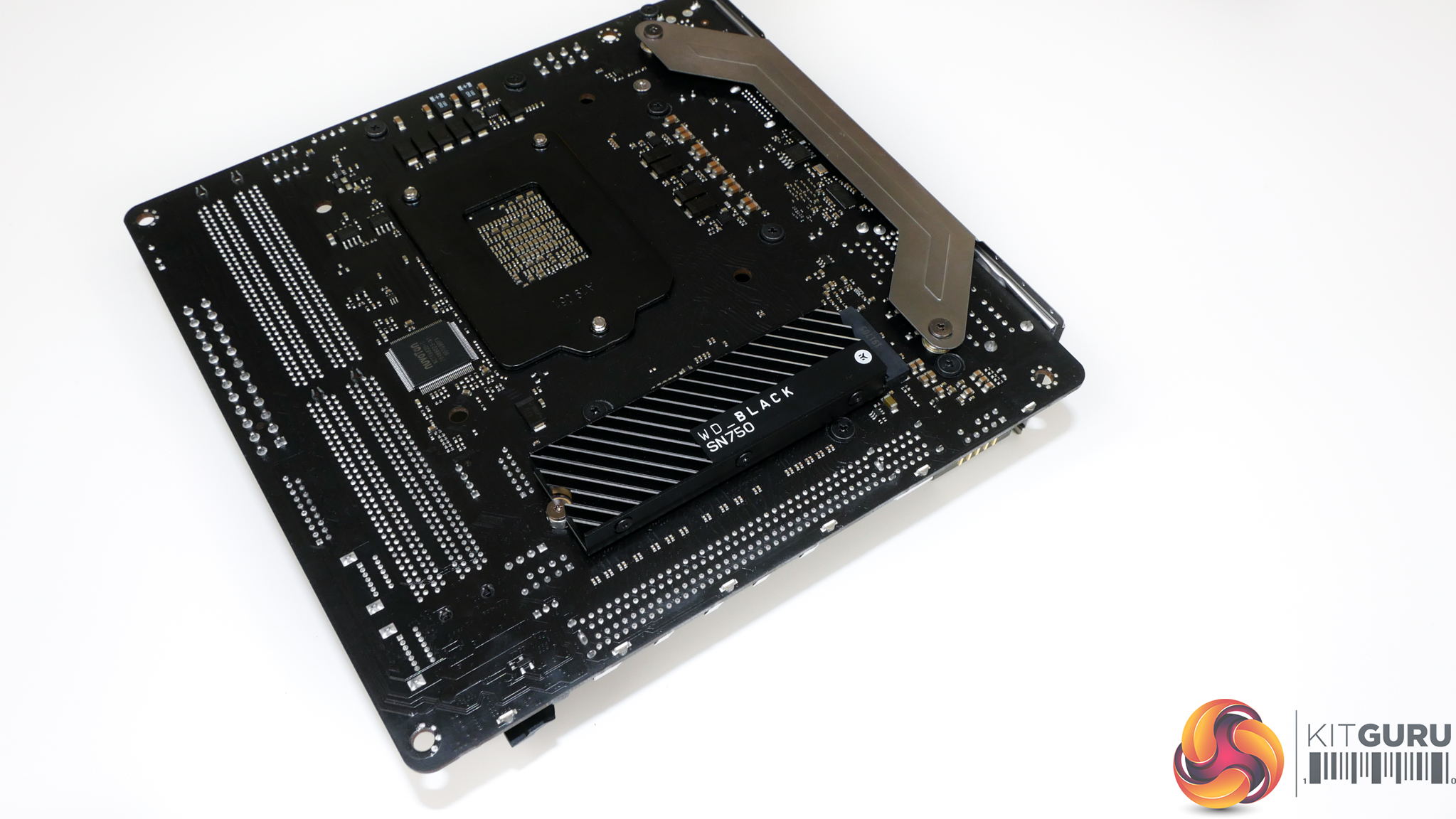
ASRock’s single M.2 connector is mounted on the rear of the motherboard directly behind the chipset silicon. Given that the PCIe Gen 4 x4 link connects directly to the X570 chipset, this positioning is perhaps ideal from a trace routing perspective.
Conversely, the heat output from X570 silicon seeping through the PCB towards the rear-mounted M.2 slot is not ideal. That point is especially valid when rear-mounted M.2 SSDs typically have no room whatsoever for drive heatsink housing and there’s no ASRock-designed cooling mechanism.
Write-heavy SSD usage is certainly a valid use case for those building a high-performance SFF workstation. It is also a use case that will highlight thermal inadequacies for ASRock’s un-cooled SSD mount. A drive with a moderately sized heatsink, such as the WD_Black, is going to be a smart option, provided it fits.
I am disappointed to see only one M.2 connector onboard when ASUS and Gigabyte competing solutions provide two. One M.2 slot is borderline sufficient in today’s market, especially for SFF usage where even 2.5” SATA SSDs and their associated cabling are difficult to deal with. Personally, I would be inclined to run a SATA SSD for my OS and the single M.2 SSD for my high-speed project drive. Gamers, however, will probably go for the opposite approach.
Perhaps the ability to run high-speed external storage via Thunderbolt 3 eases the blow of just the single high-speed M.2 connector. Realistically, however, there is plenty of PCIe connectivity on the X570 platform to equip both dual M.2 slots and Thunderbolt 3 whilst still having lanes spare.
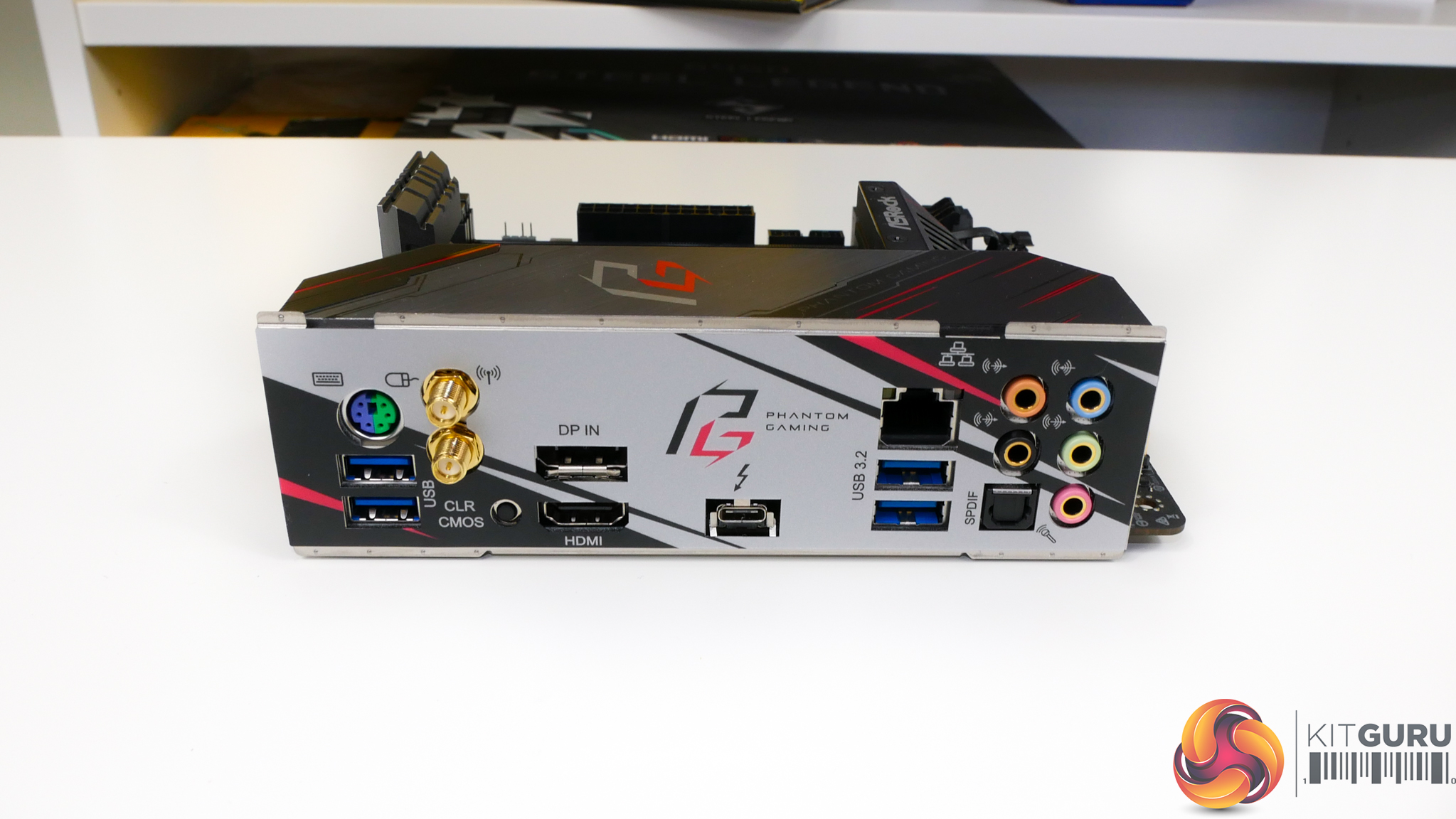
Only four USB ports is certainly a slim number, especially when there’s room to include more. Thankfully, a USB hub is very cheap. Notable inclusions on the rear IO are HDMI 2.0 for APU users, the WiFi connections for the Intel AX200 WiFi 6 adapter, and of course the Thunderbolt 3 Type-C port.
Given the single I211AT-powered port, the lack of 2.5/5GbE at least is disappointing for a motherboard of this calibre and target audience.
A DisplayPort input allows video from a graphics card to be passed through to provide video output over the Thunderbolt 3 Type-C port.
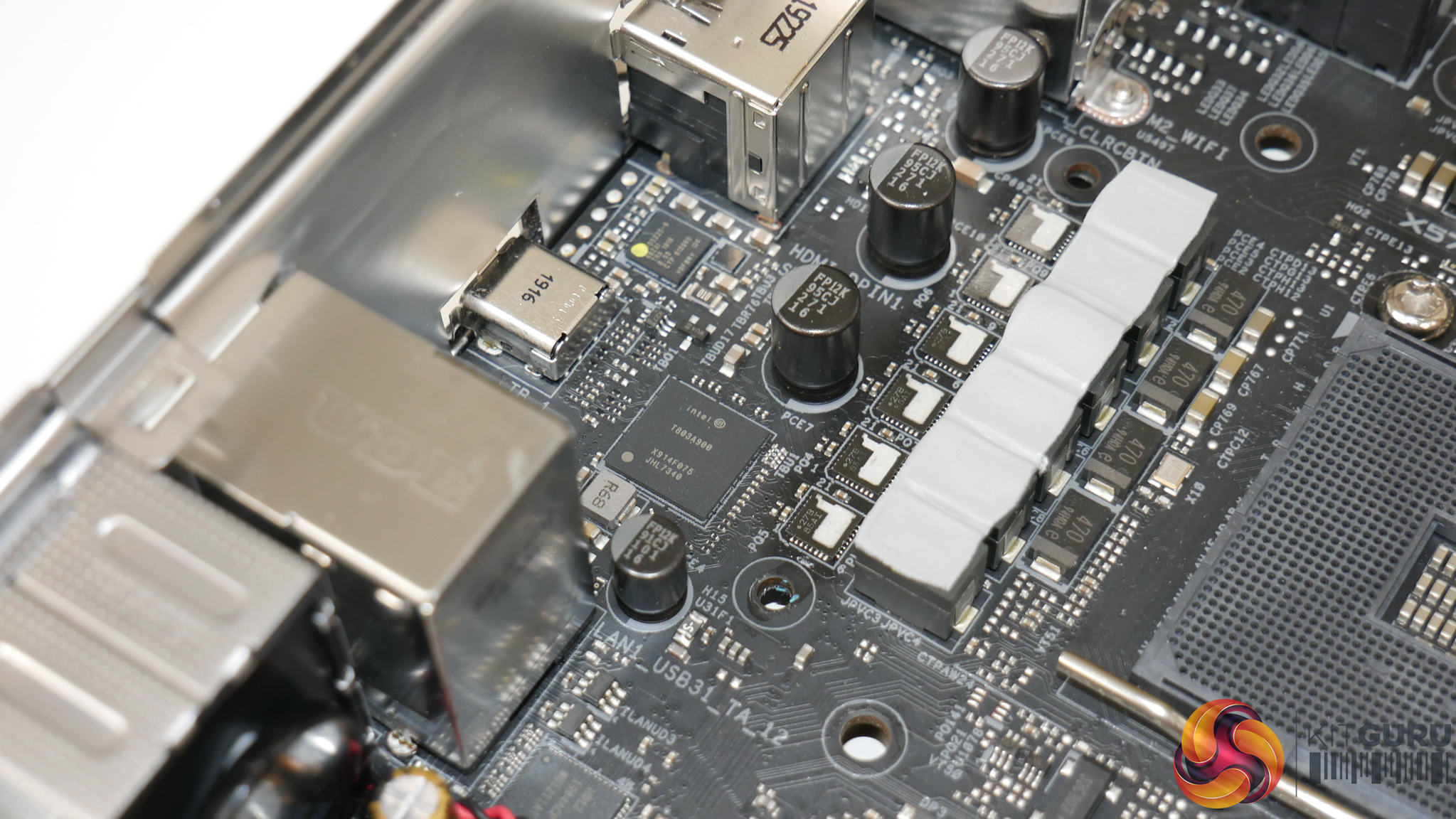
Thunderbolt 3 is run via the Intel JHL7340 ‘Titan Ridge’ PCIe controller. This Type-C connector supports the 40Gbps Thunderbolt protocol as well as 10Gbps USB 3.2 Gen 2 and can deliver up to 15W of power.
Audio is handled by the popular Realtek ALC1220 codec. I am glad to see a rear-mounted clear CMOS button that allows users to reset issues without opening up their SFF build.
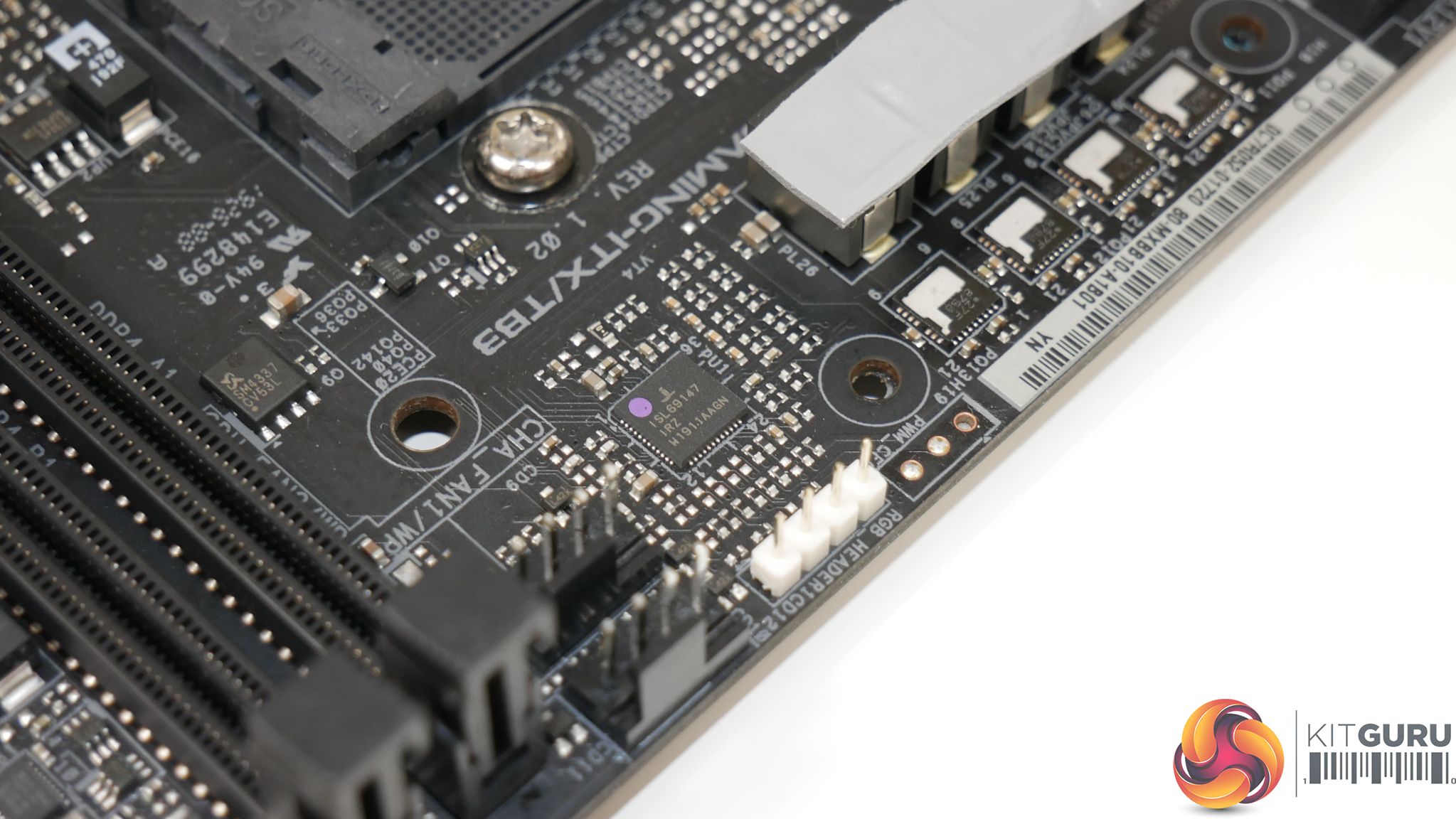
ASRock 10-stage power delivery system is managed by the Intersil ISL69147 PWM controller. This controller operates in 4+2 mode as the four CPU phases are doubled using ISL6617 phase doublers to power eight DrMOS power stages.
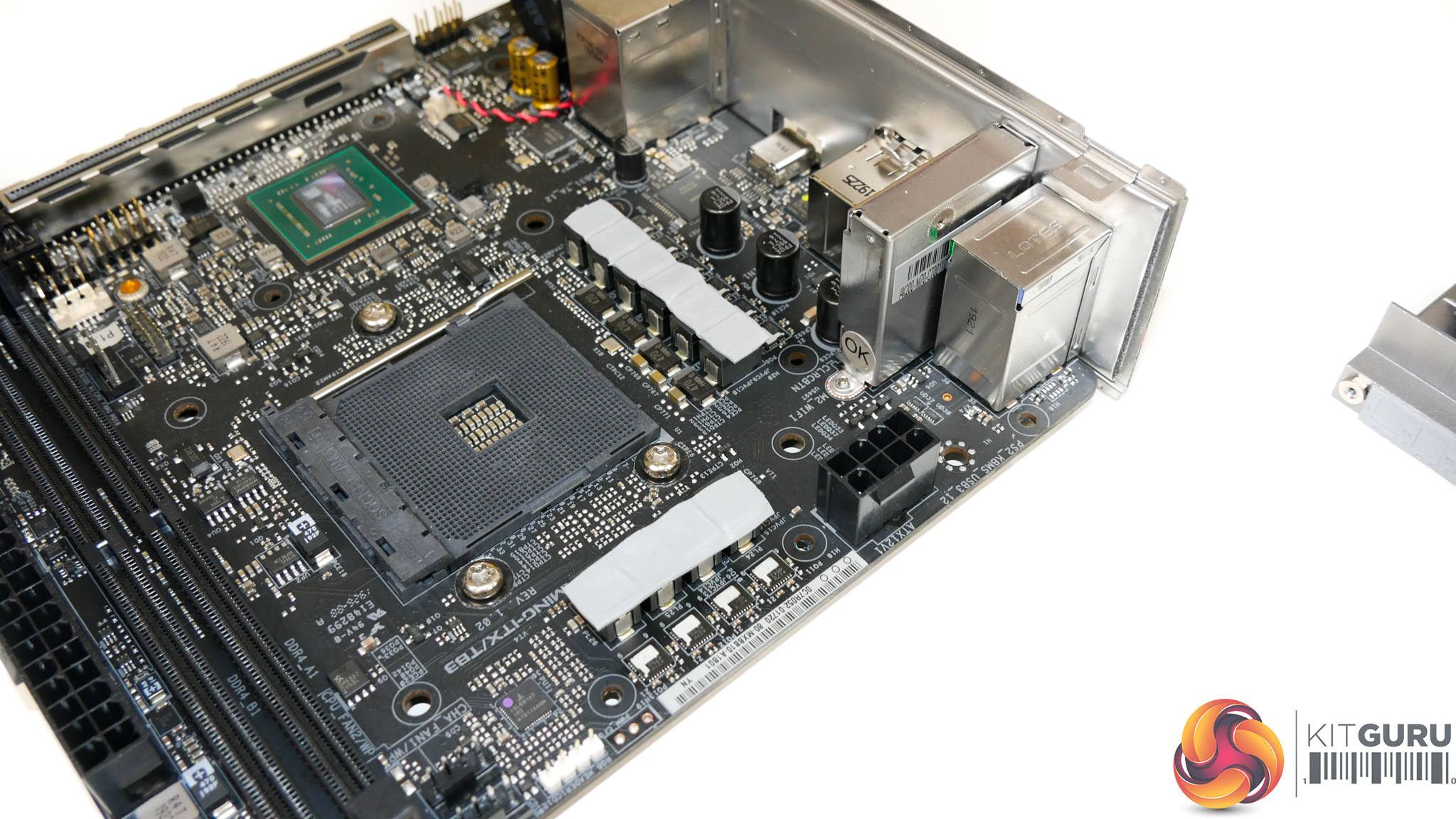
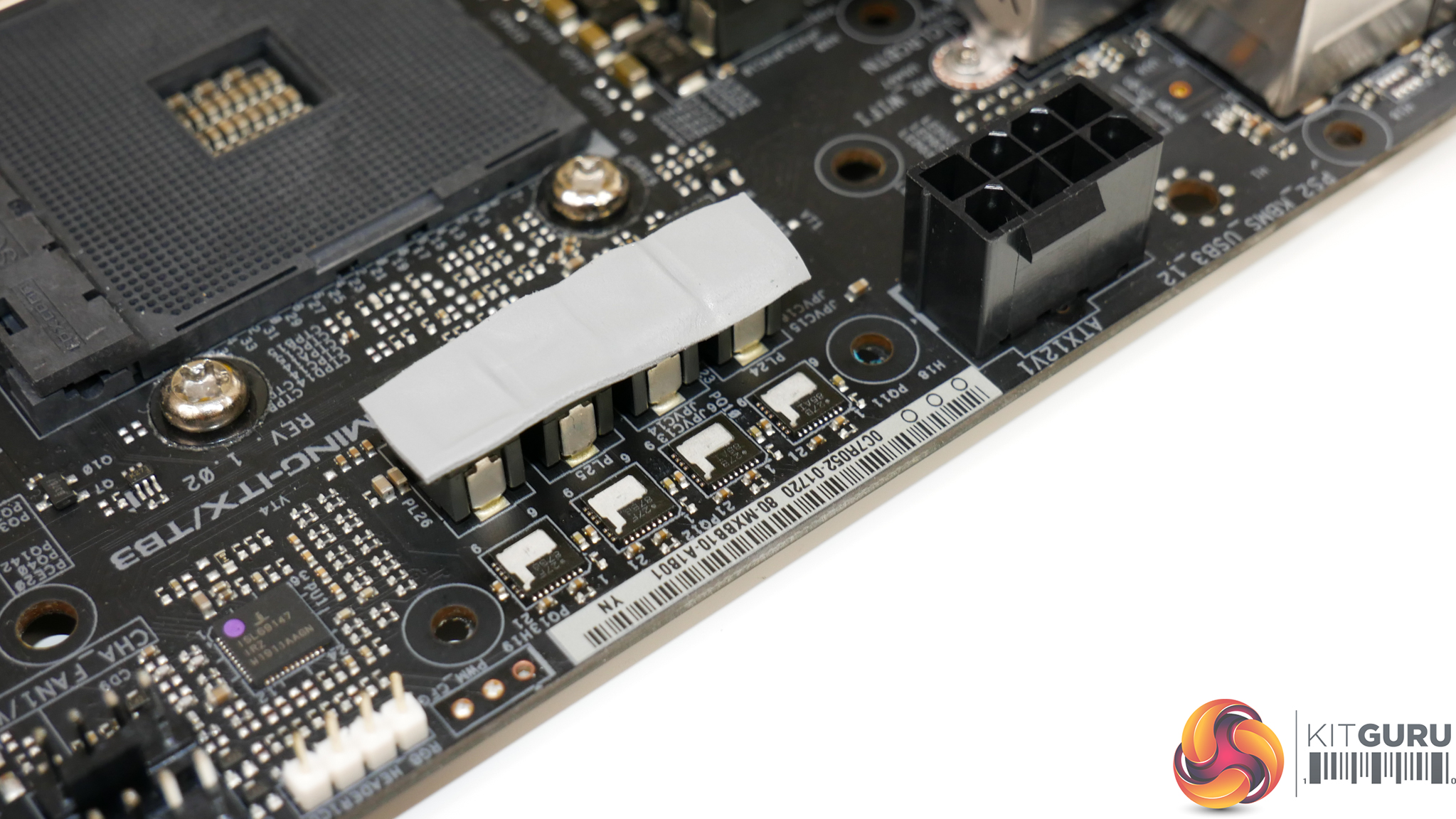
The power stages are Intersil ISL99227 units with 60A-rated capacity. Eight are designated for CPU-powering duties and these are mounted as six on the left side and two on the top. The remaining two phases and stages handle the SOC VRM.
ASRock’s deployment is high quality and smart from a layout perspective as only two of the eight CPU-focussed power stages reside beneath the small heatsink at the top. The other six sit below the bigger heatsink covering the rear IO area.
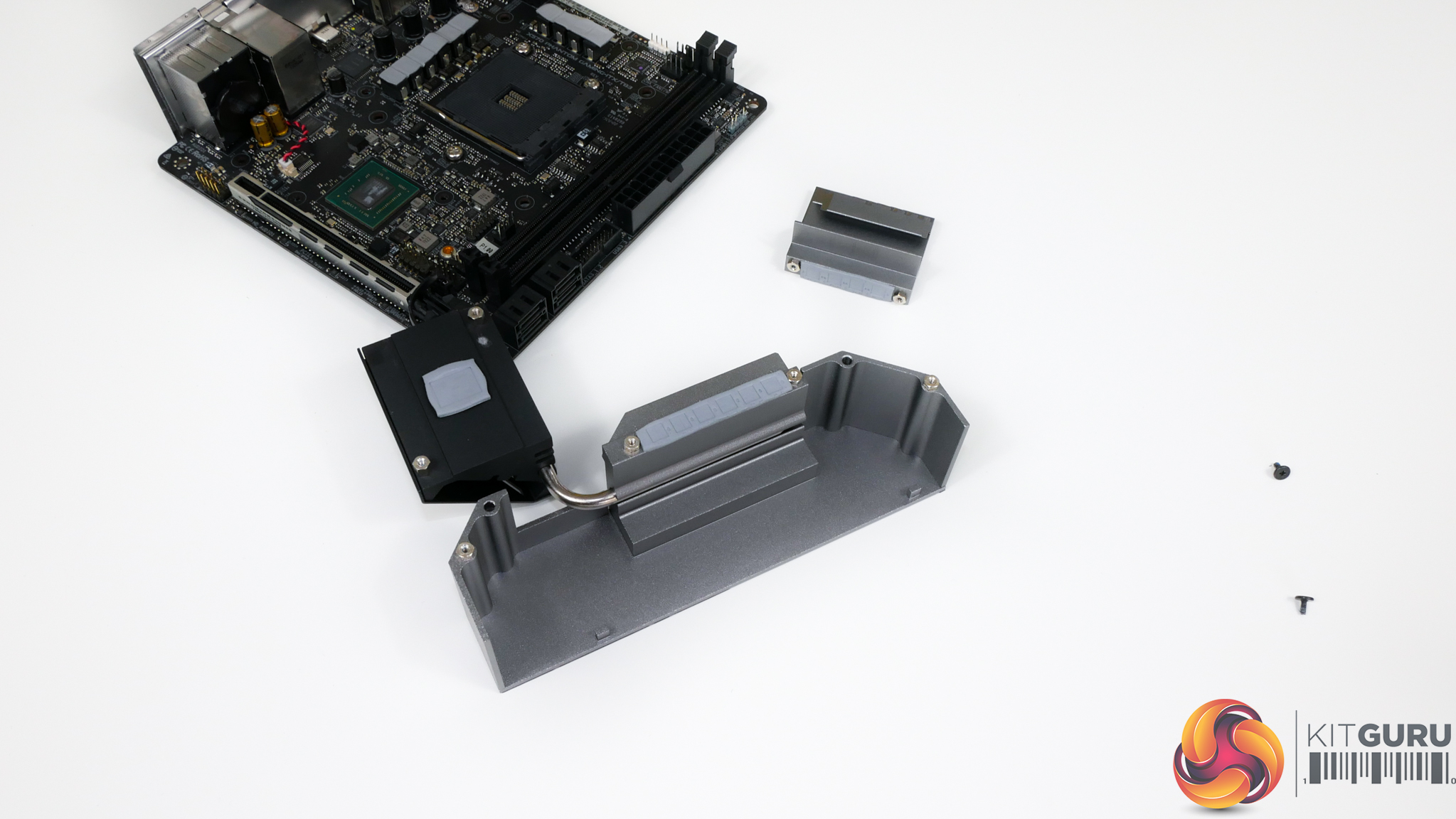
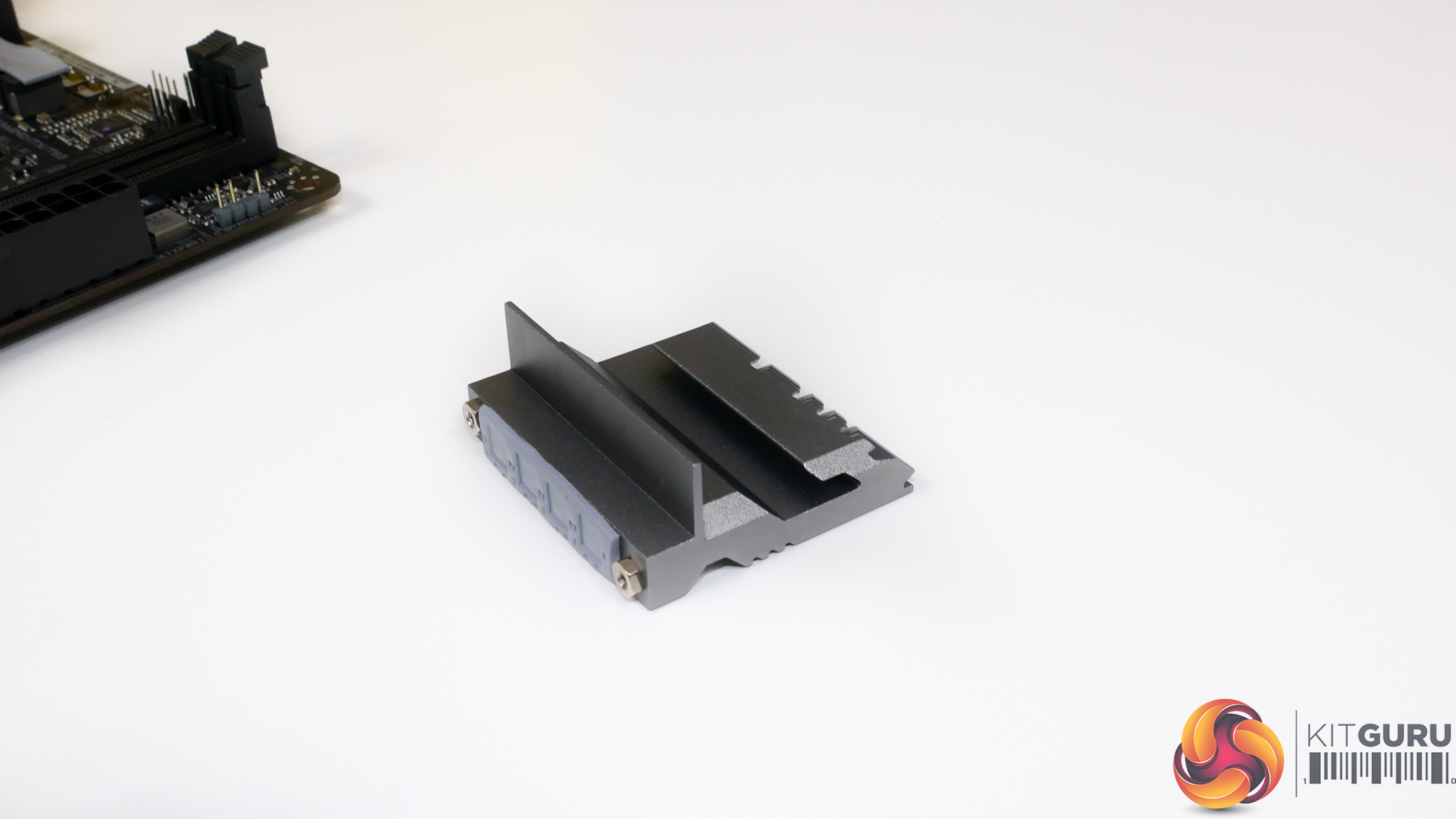
As far as heatsink design goes, ASRock’s deployment is just ‘OK’. None of the heatsinks are particularly well optimised by using fans and the top VRM block is particularly small, albeit an awkward shape for CPU cooler interference.
Thankfully, ASRock is deploying a highly efficient VRM so the bulky rear heatsink should provide ample cooling despite its lack of fins.
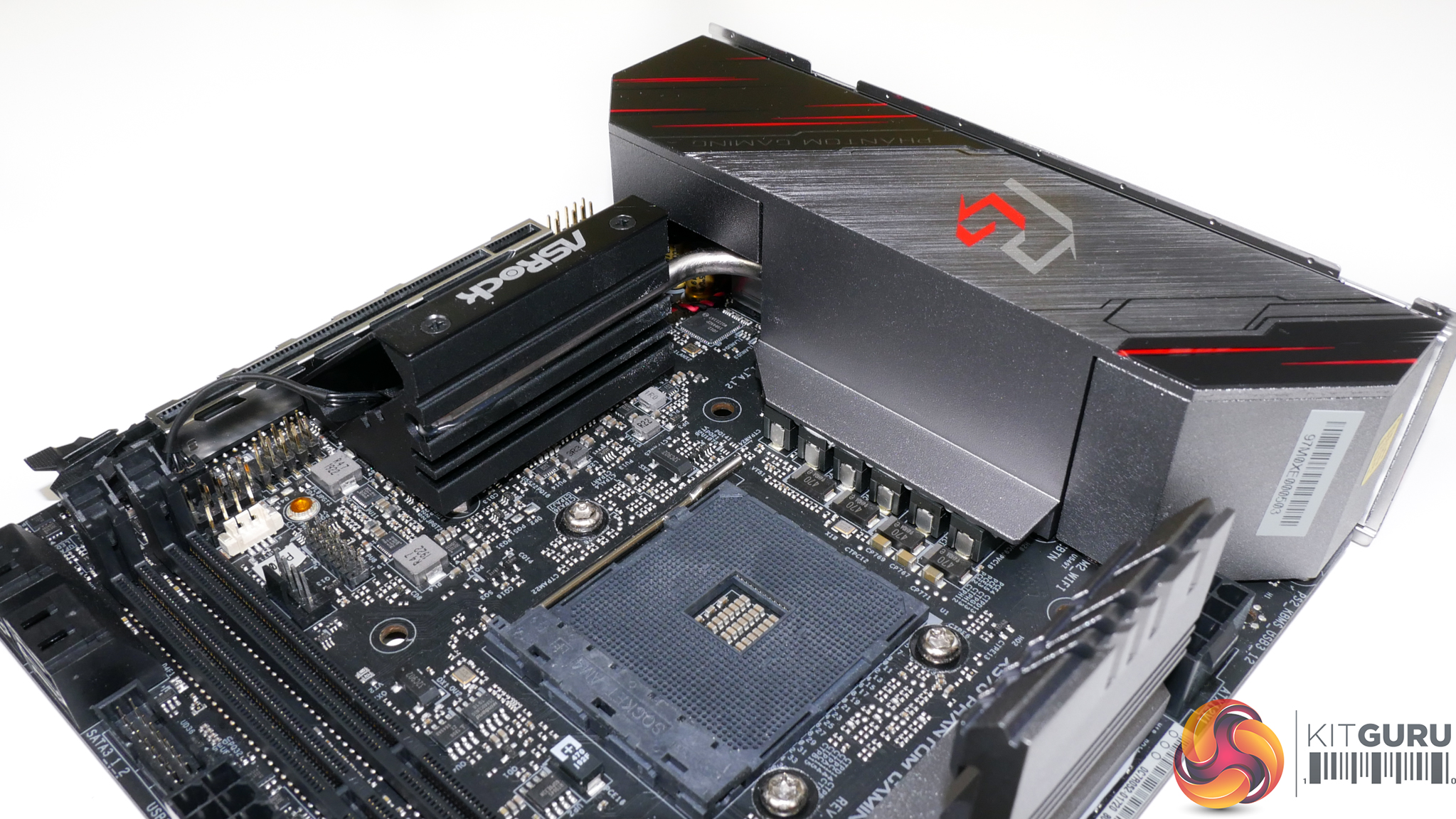
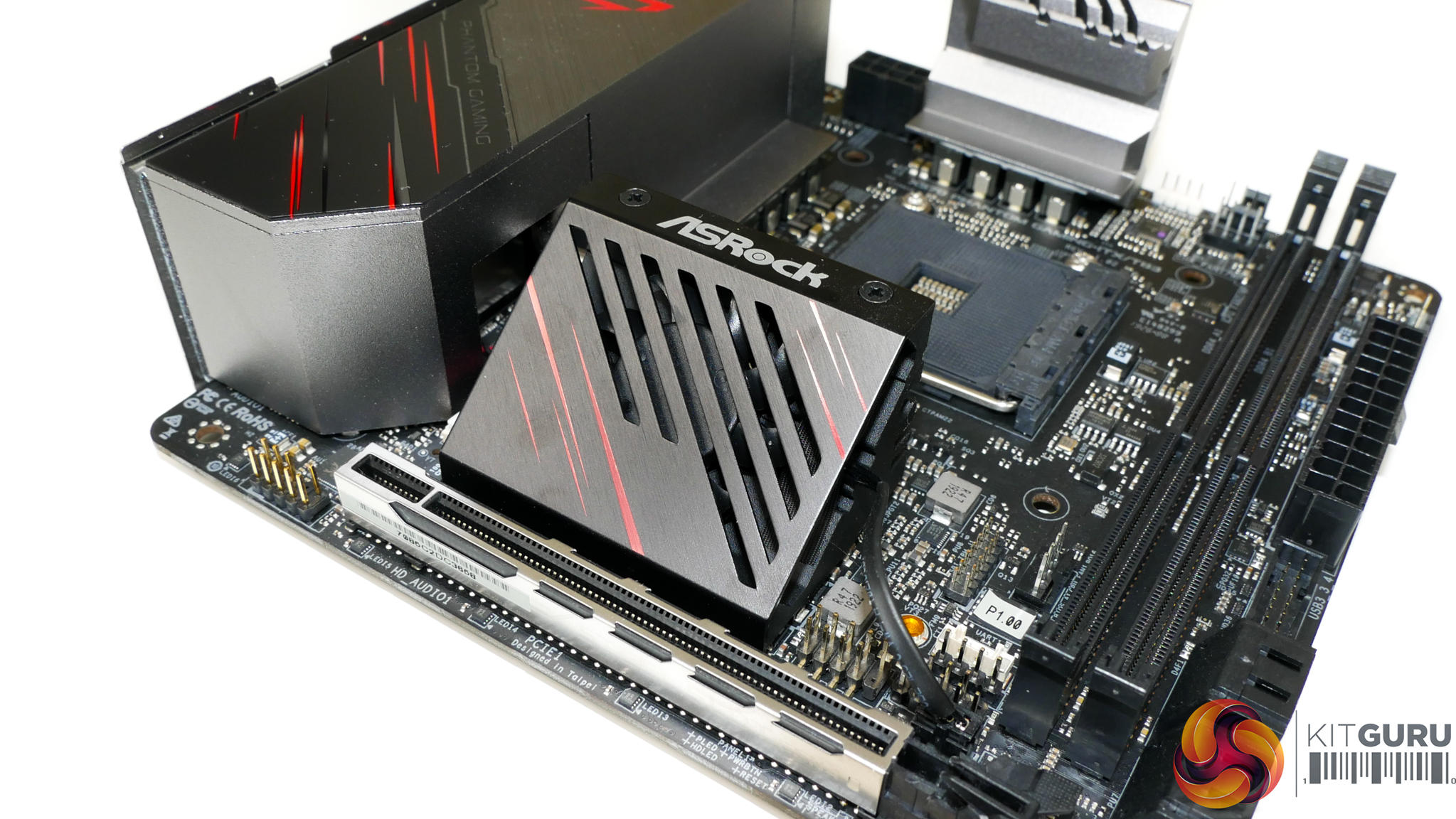
The chipset fan measures in at around 40mm. A heatpipe connects the chipset heatsink and the rear IO heatsink so this provides some degree of active cooling to the MOSFET cooling block.
ASRock's X570 UEFI is largely consistent across the product stack (except for colour schemes). As such, we have re-used the analysis and screenshots from our X570 Taichi motherboard review.
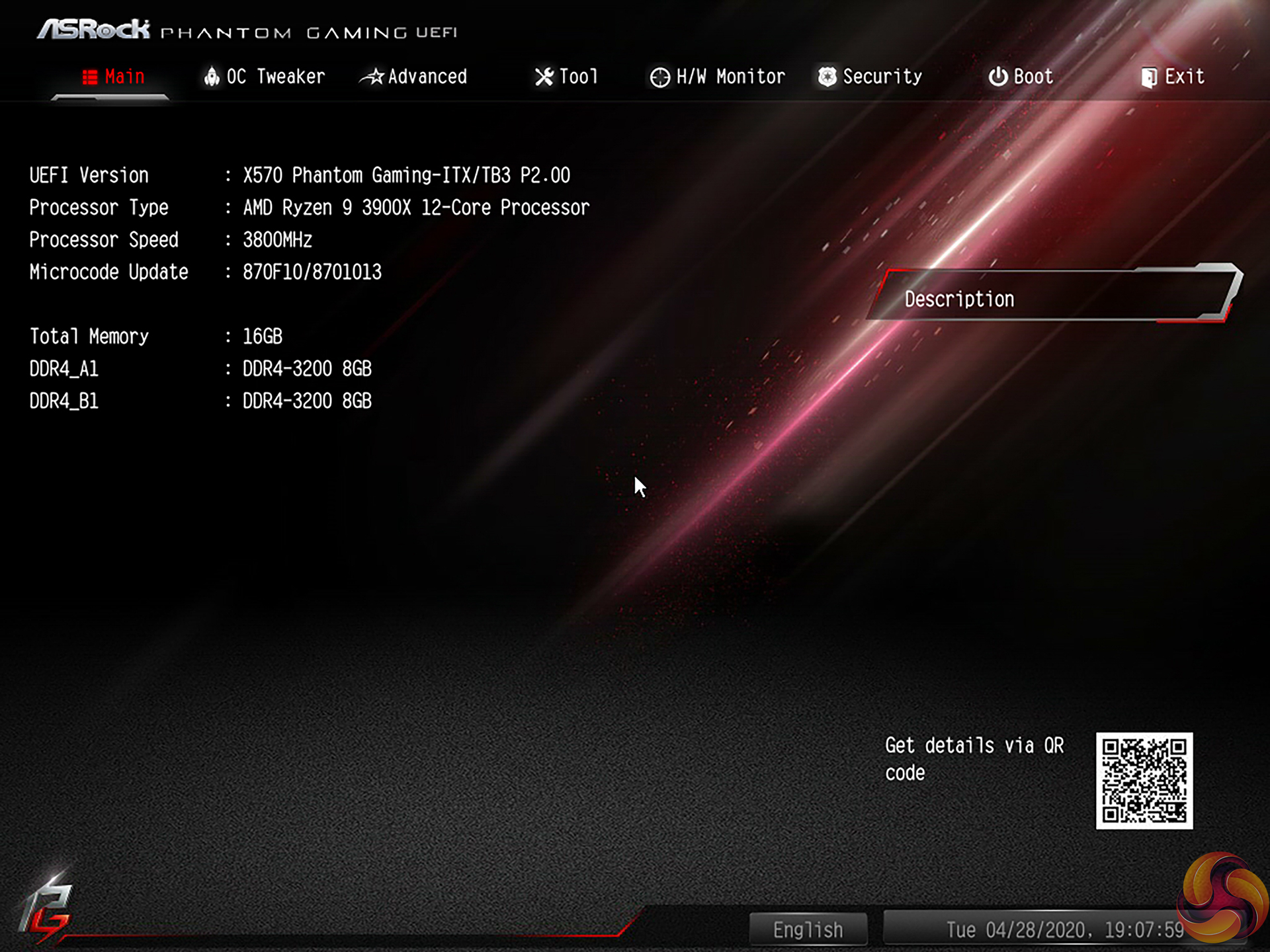
The Main page for ASRock’s UEFI outlines primary information relating to the system and motherboard. We noticed that ASRock does not include an Easy Mode section on the BIOS version that we tested with. This is disappointing given the separate section’s ability to present less-experienced BIOS-dwellers with simple options that are unlikely to cause instability.
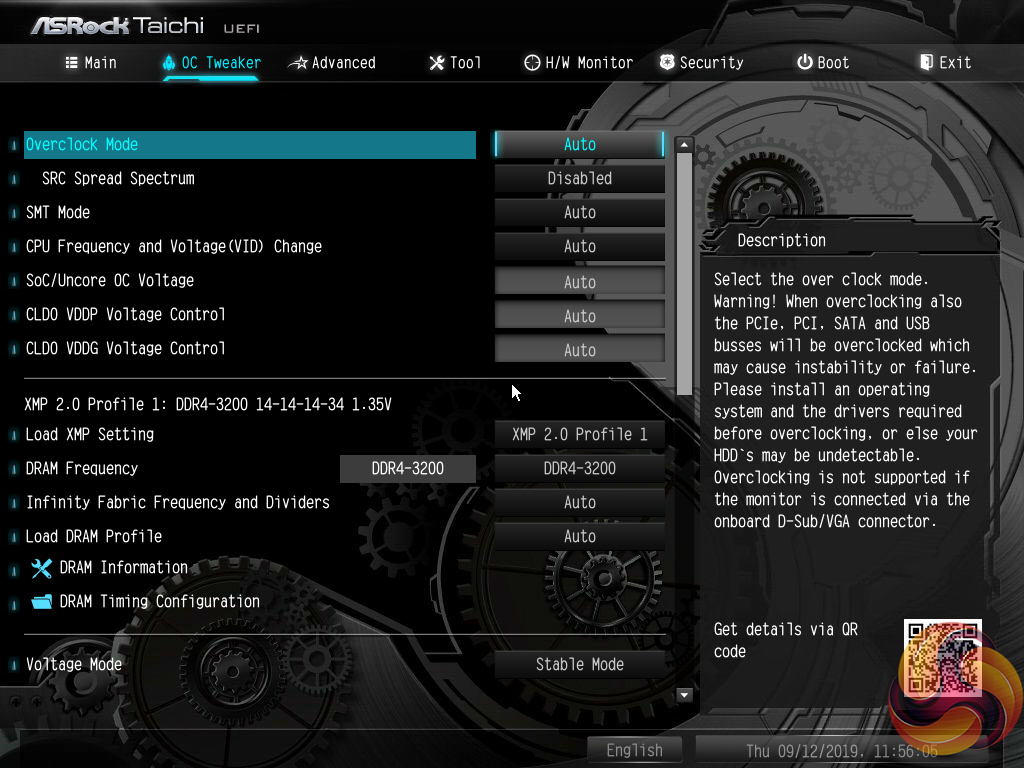
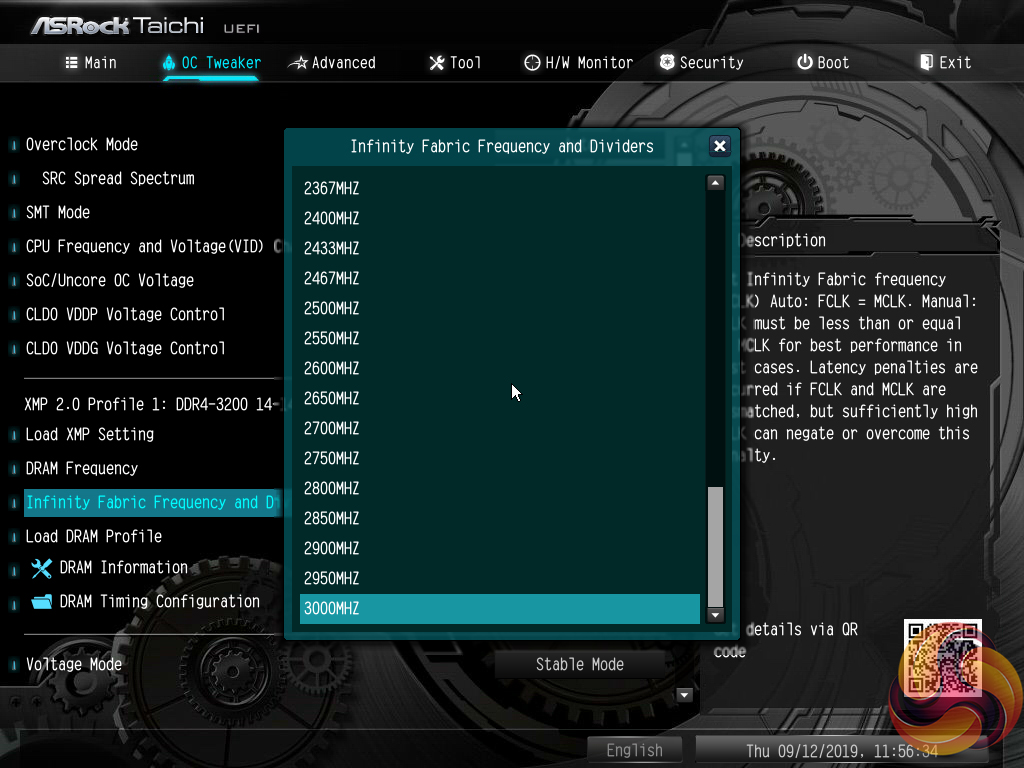
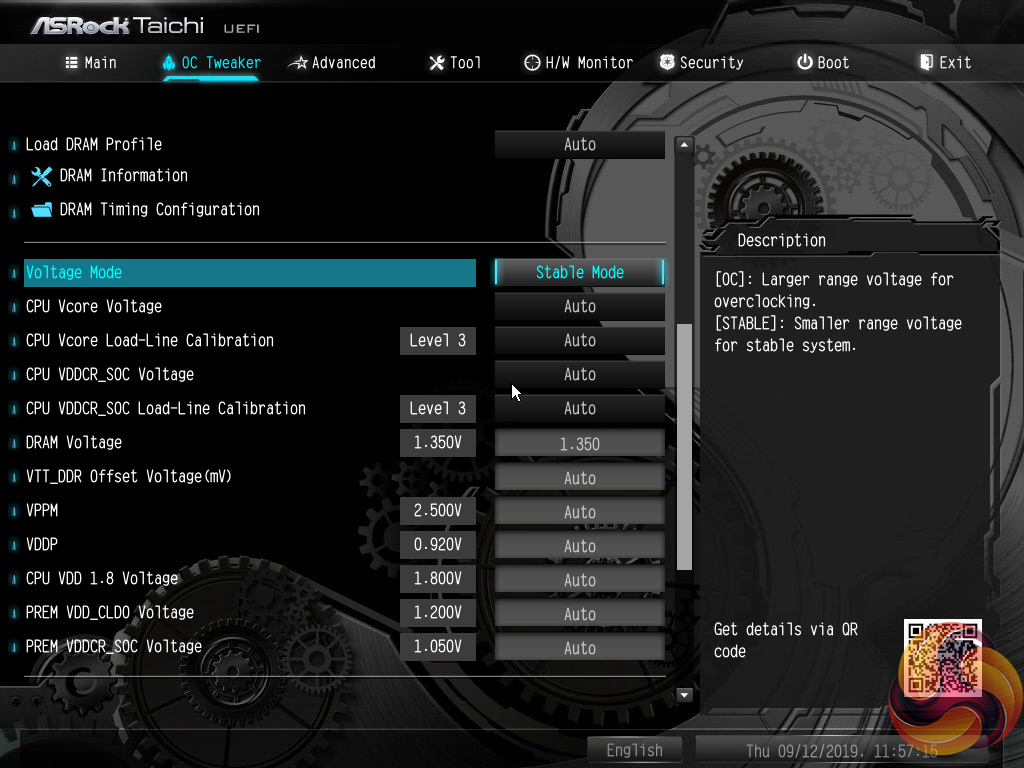
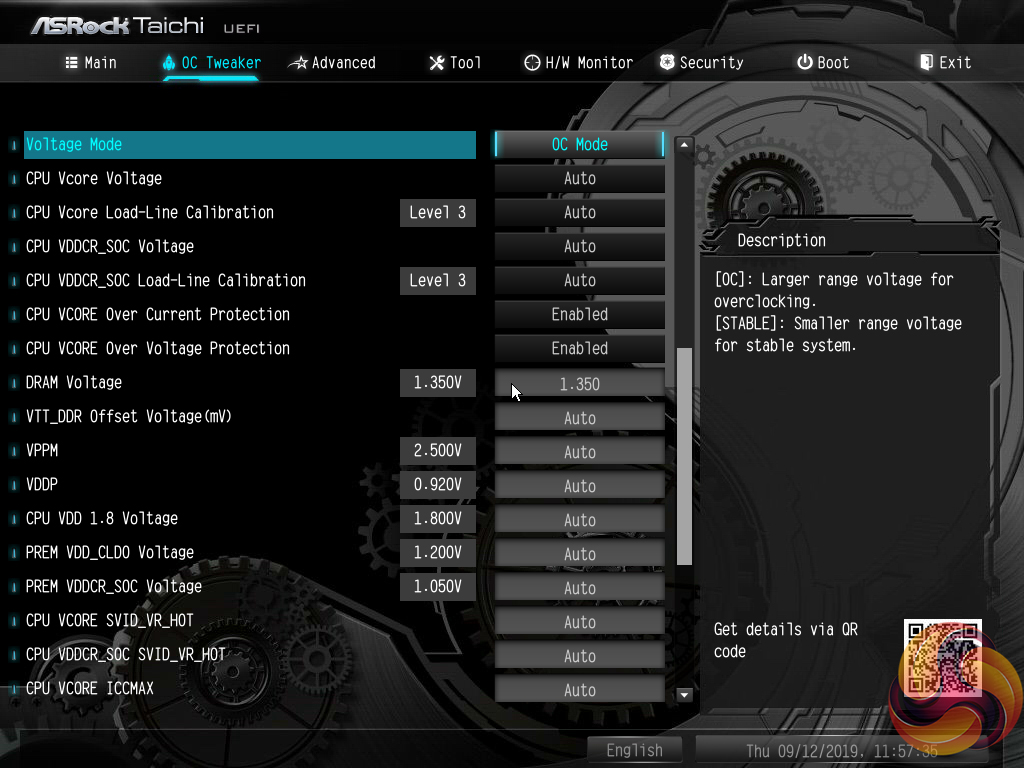
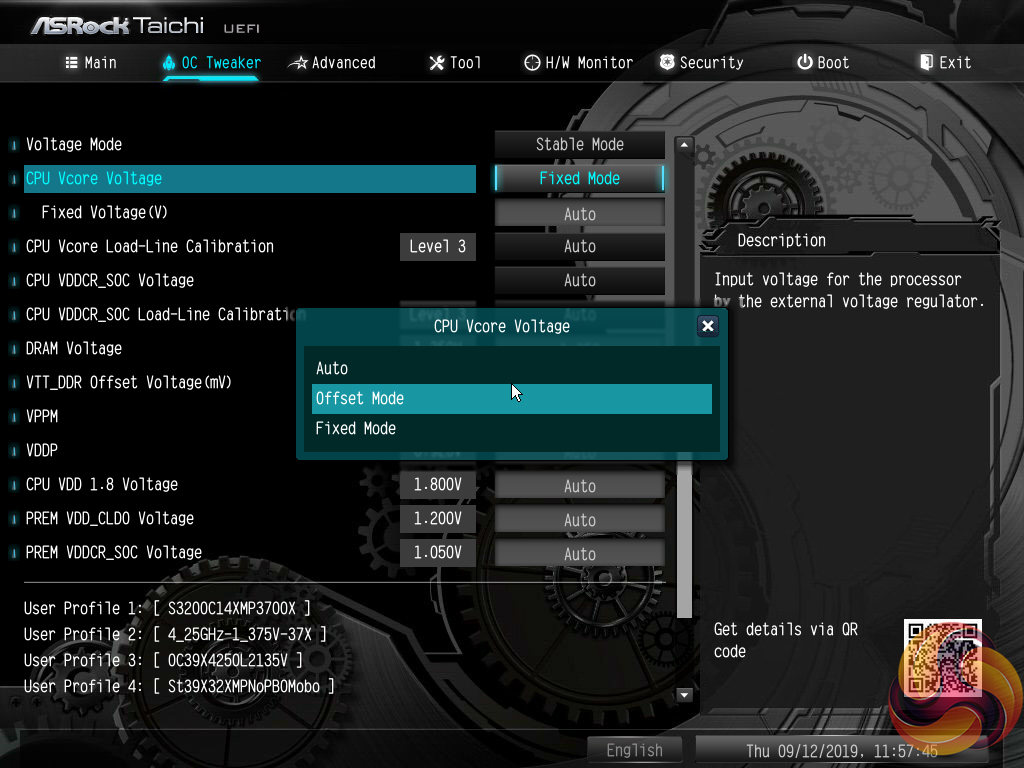
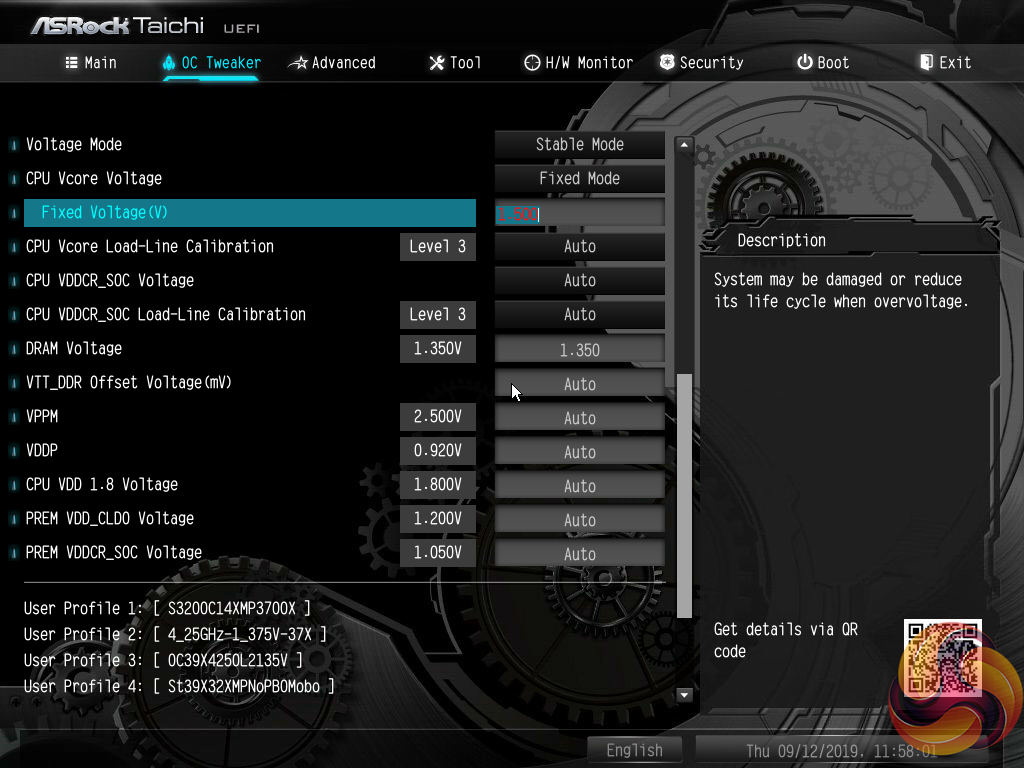
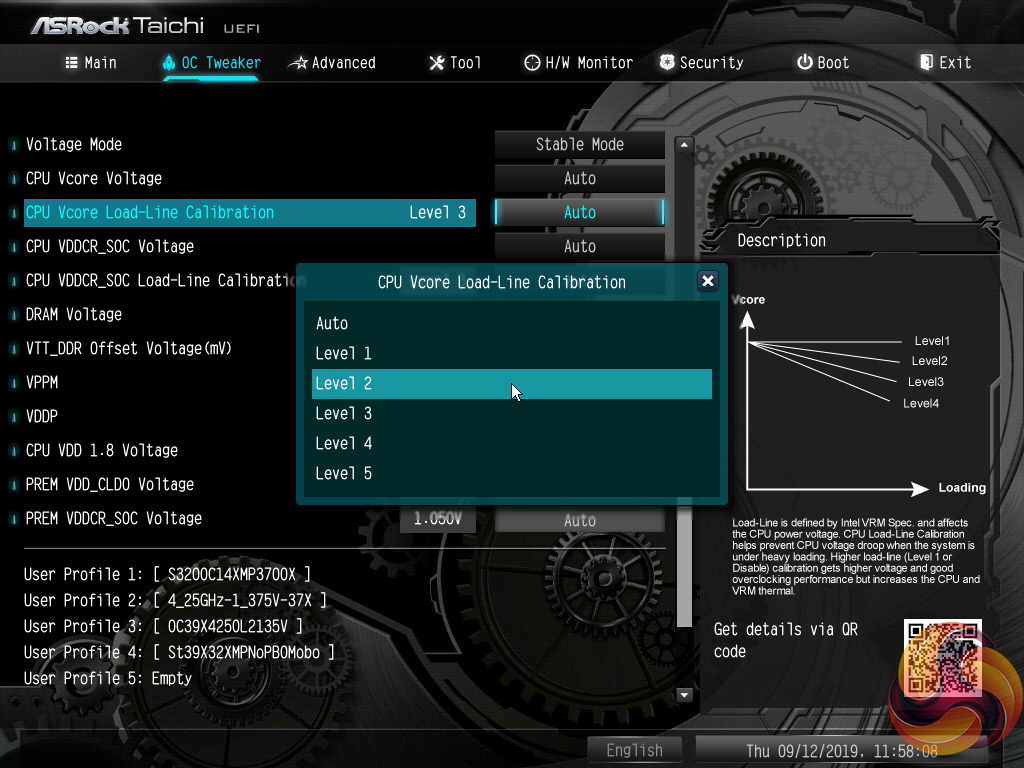
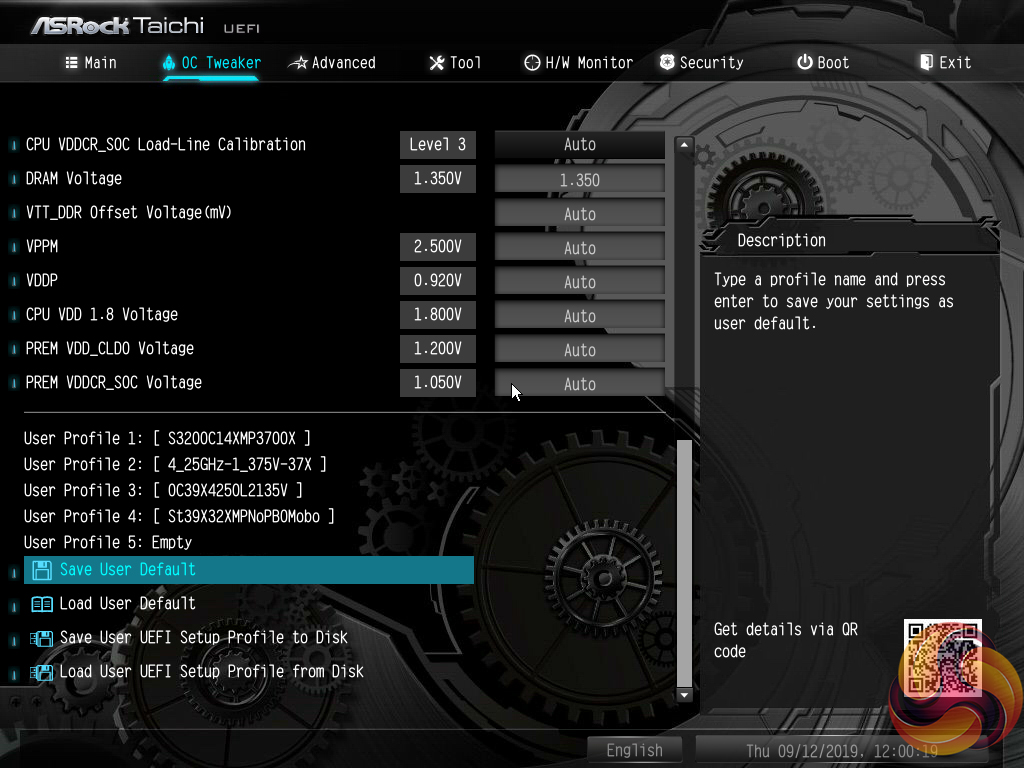
The heart of the performance tuning is the OC Tweaker section within which ASRock splits off the adjustment options into CPU, DRAM, and Voltage to aid ease of navigation.
The OC Tweaker section is good in terms of the options and granularity the user has to tune their hardware. The voltage number input seems to be uses a switch to red text when voltage levels that are high and risky have been entered. ASRock’s system for allowing a user to manage loadline calibration is very good as the options are clearly displayed using a graph.
Five save profiles is perhaps cutting it a little slim for enthusiasts. However, there is the ability to transfer the profiles via USB.
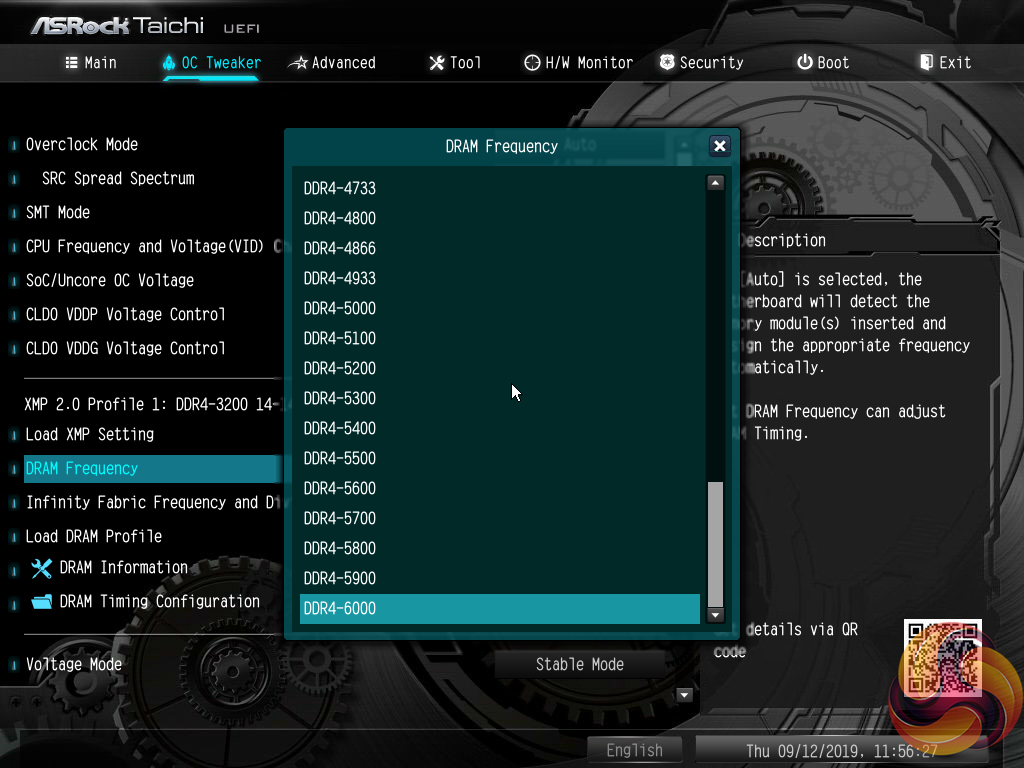
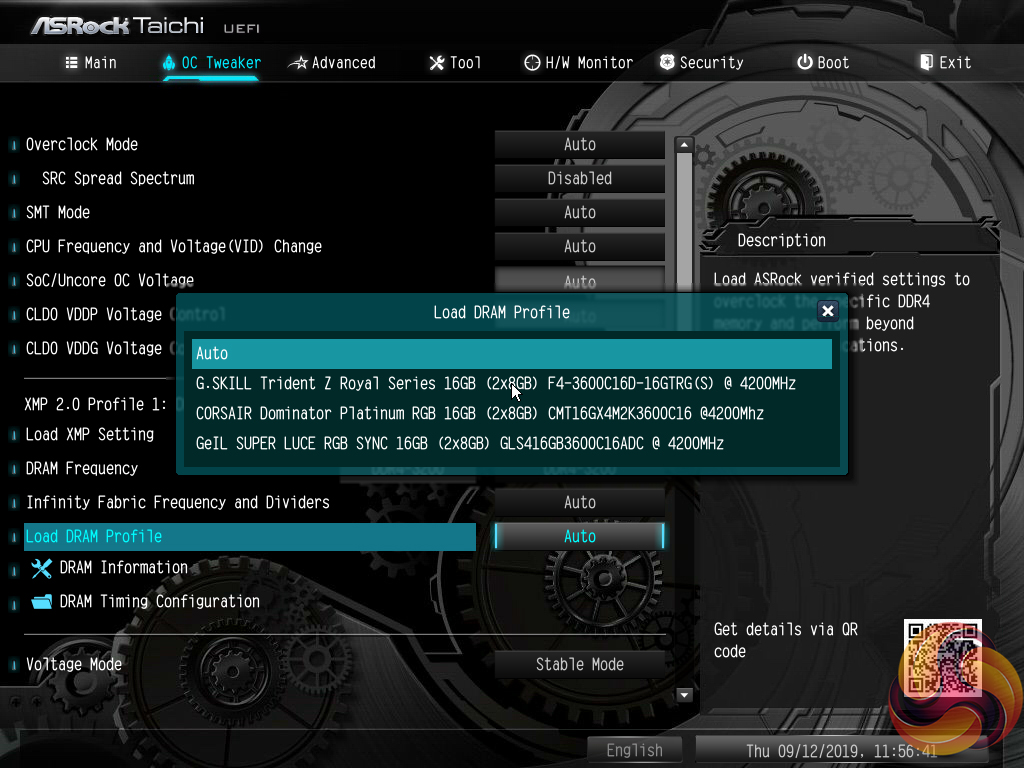
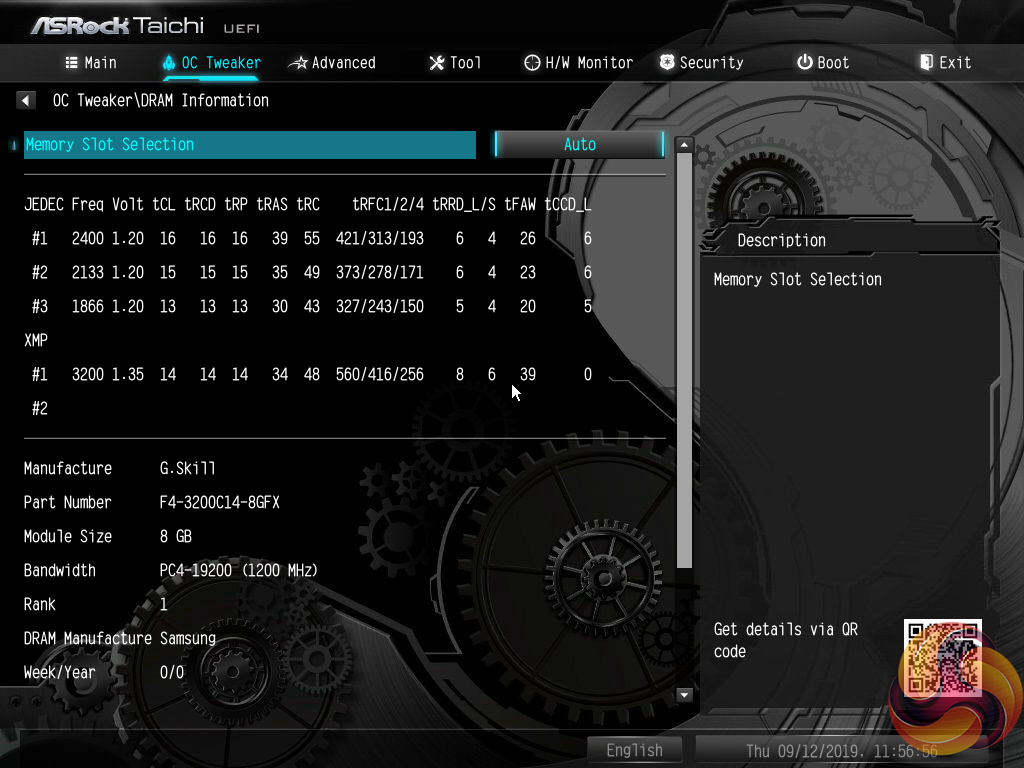
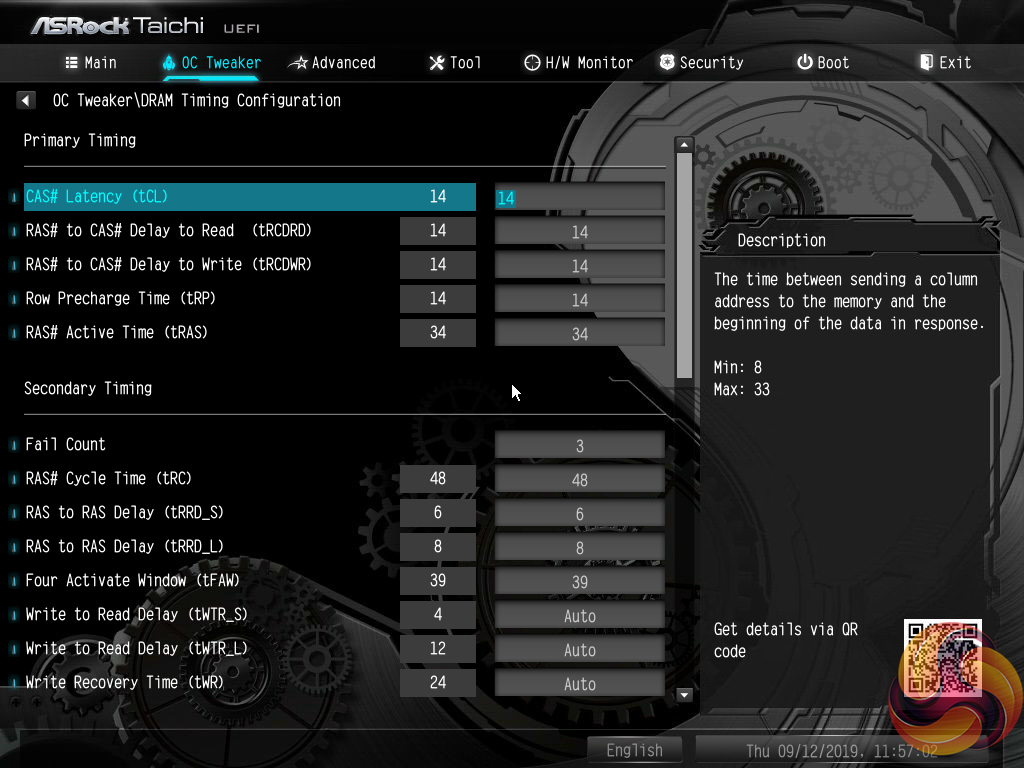
Plenty of memory-related settings are available, including dividers for extremely high frequencies and overclocked presets for specific kits.
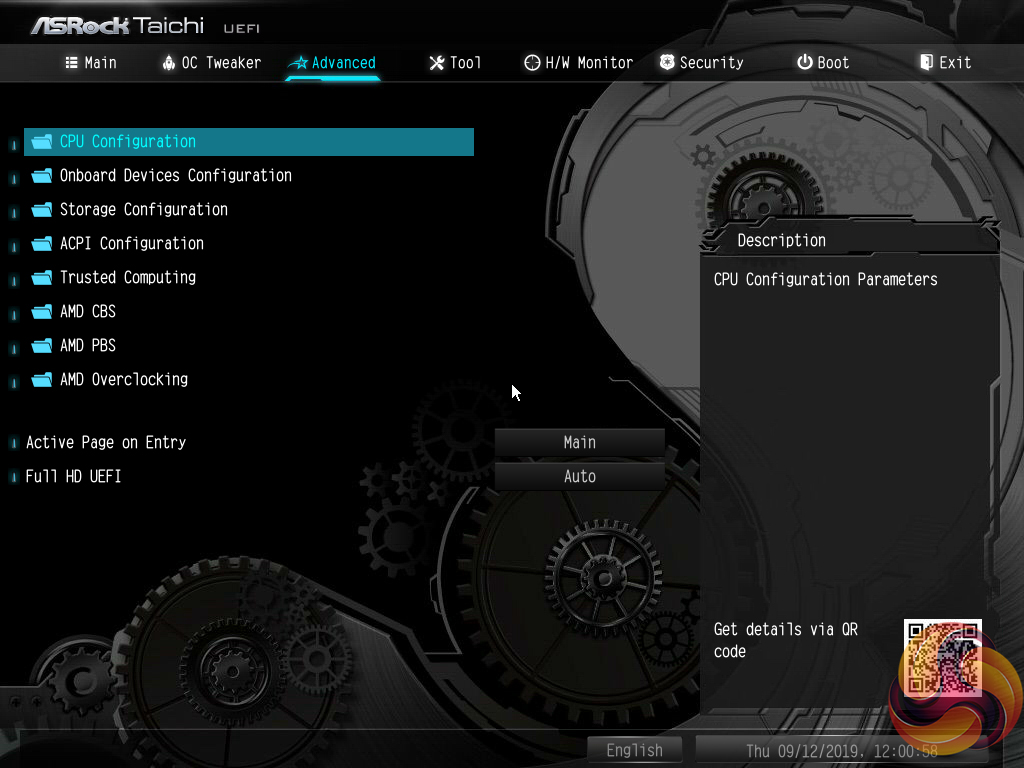
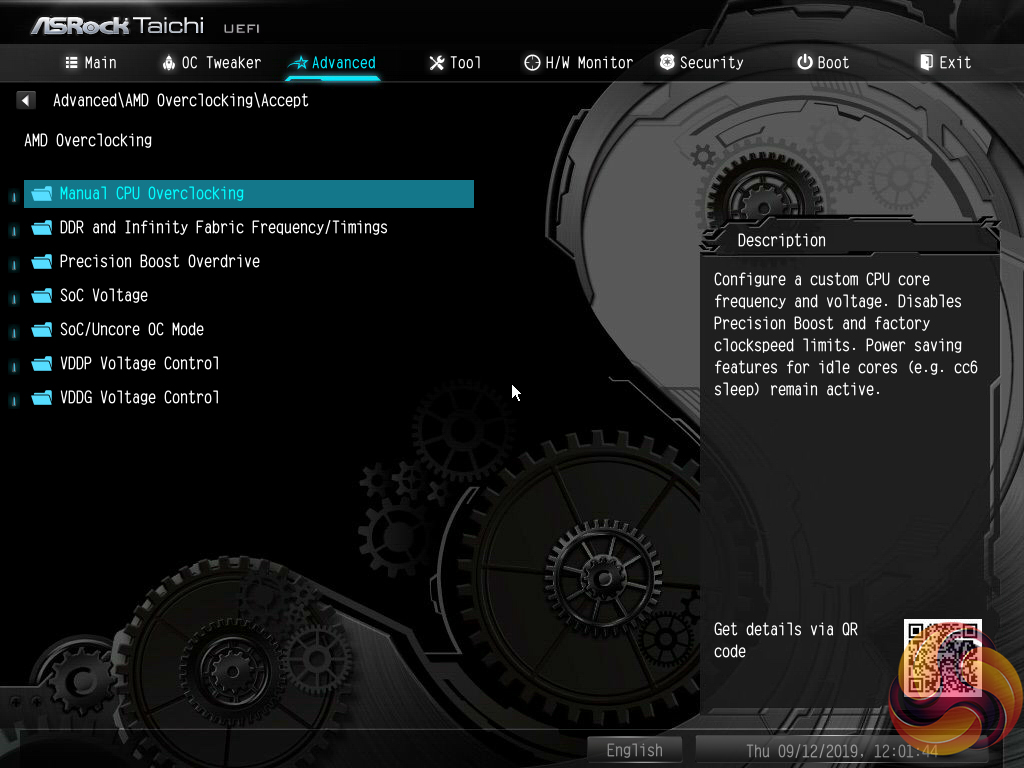
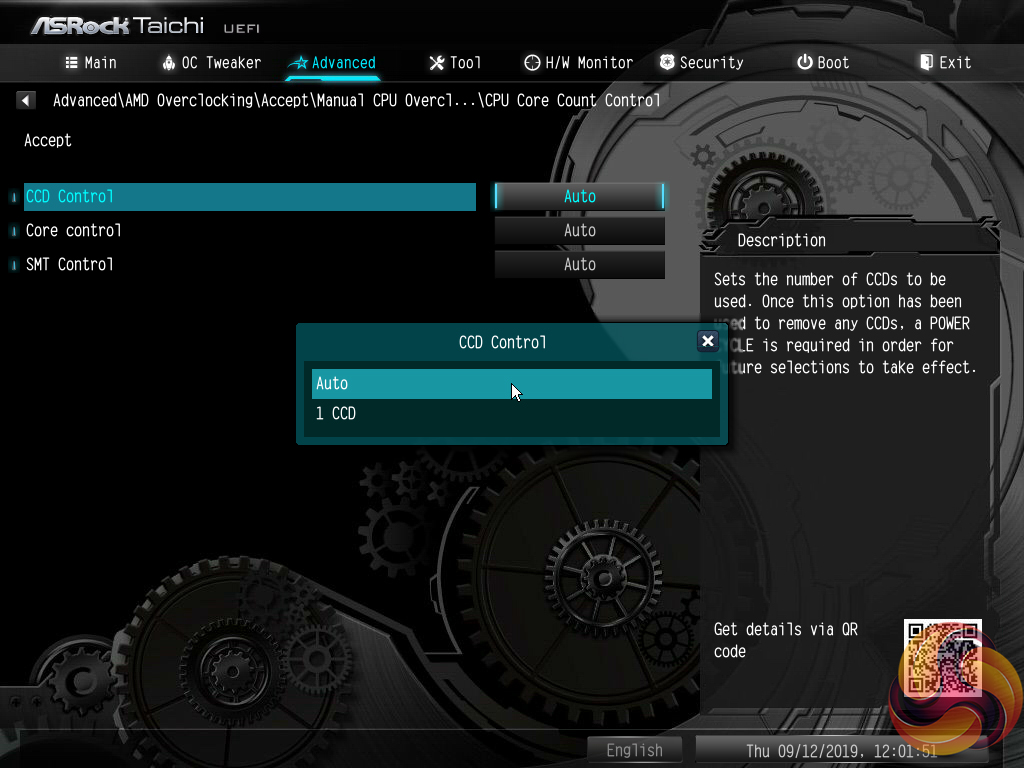
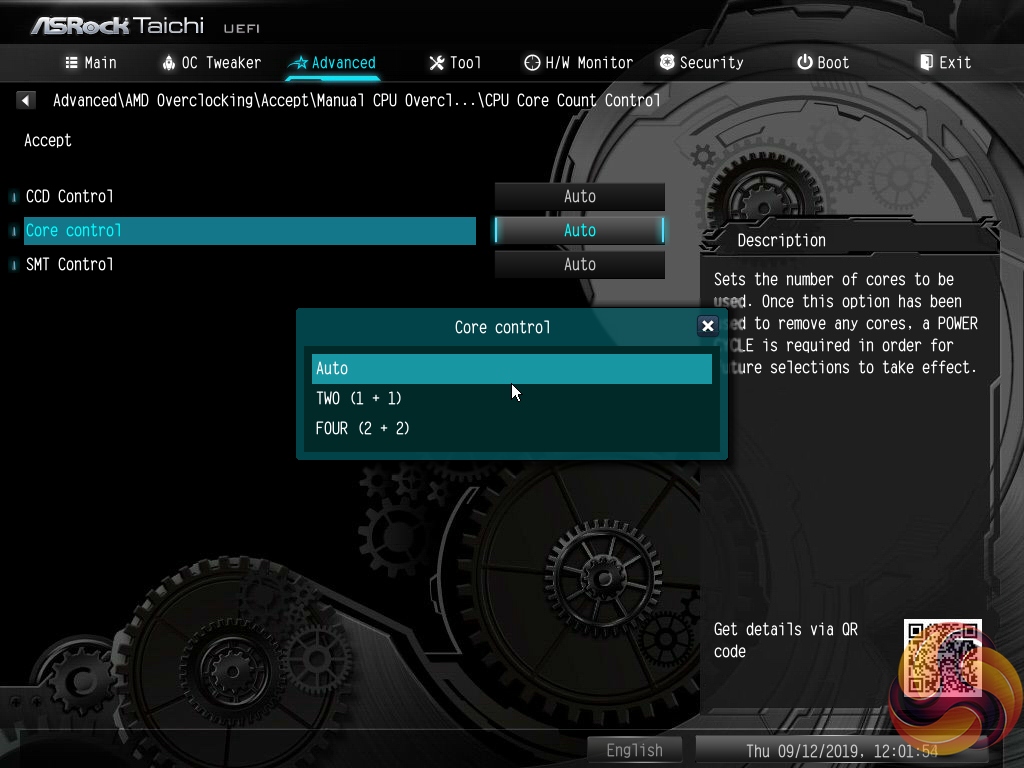
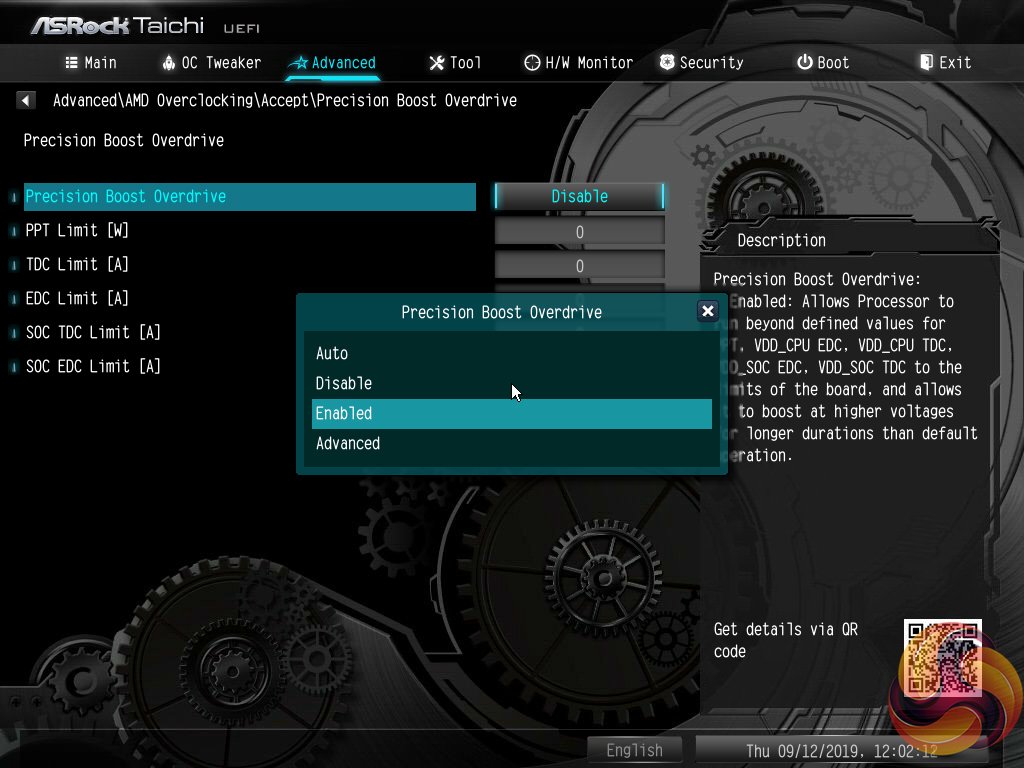
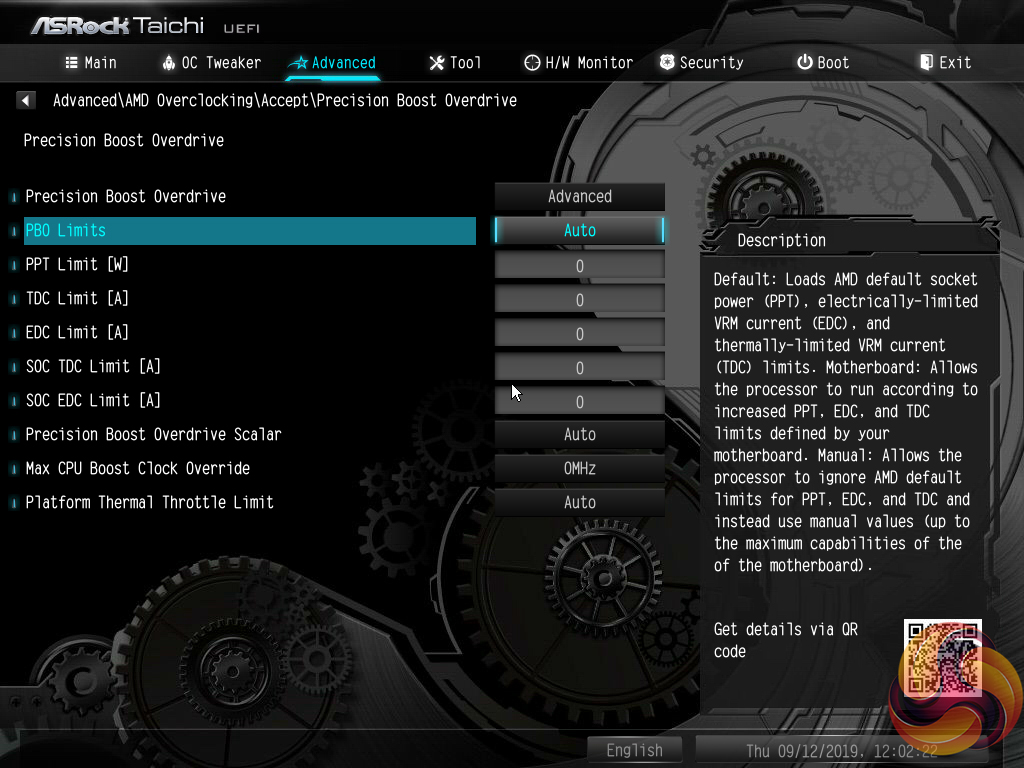
Settings more closely tied to the AMD CPU operation are found within the Advanced section. Settings such as CCD and core operations can be adjusted. There is also access to the Precision Boost Overdrive settings.
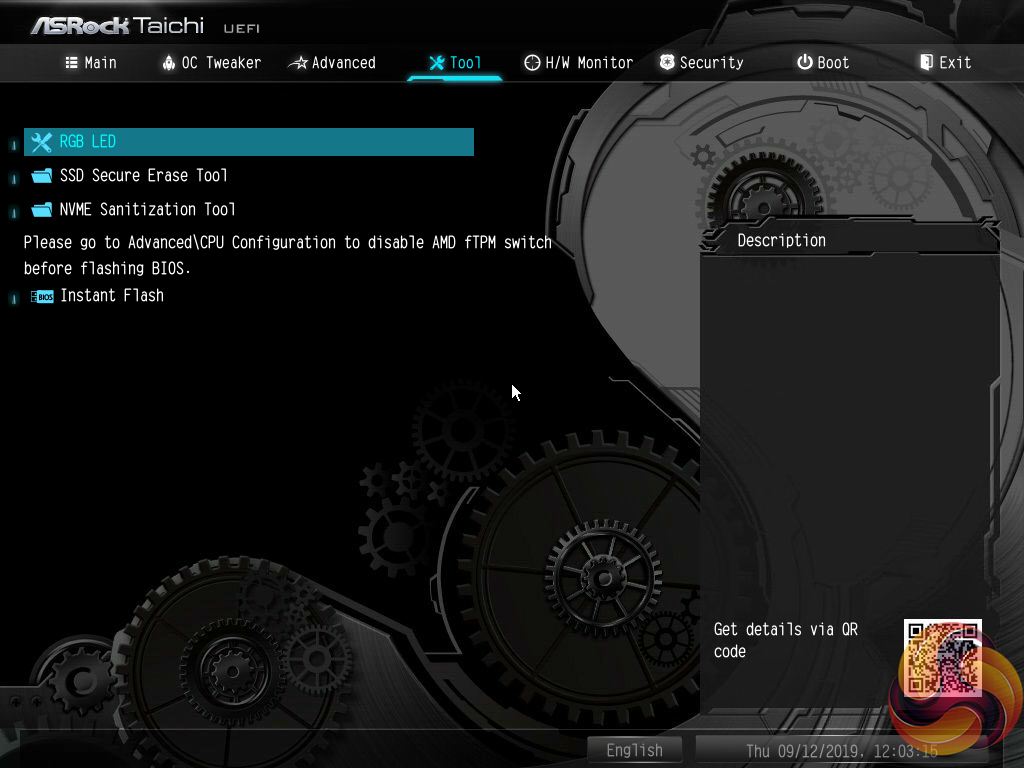
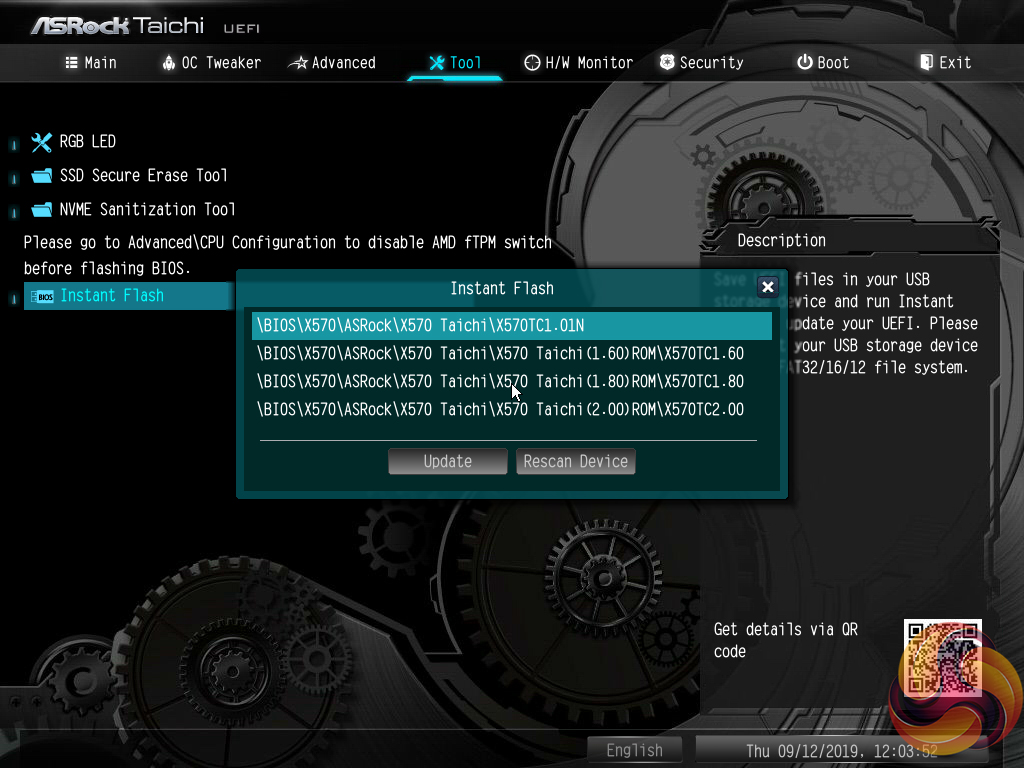
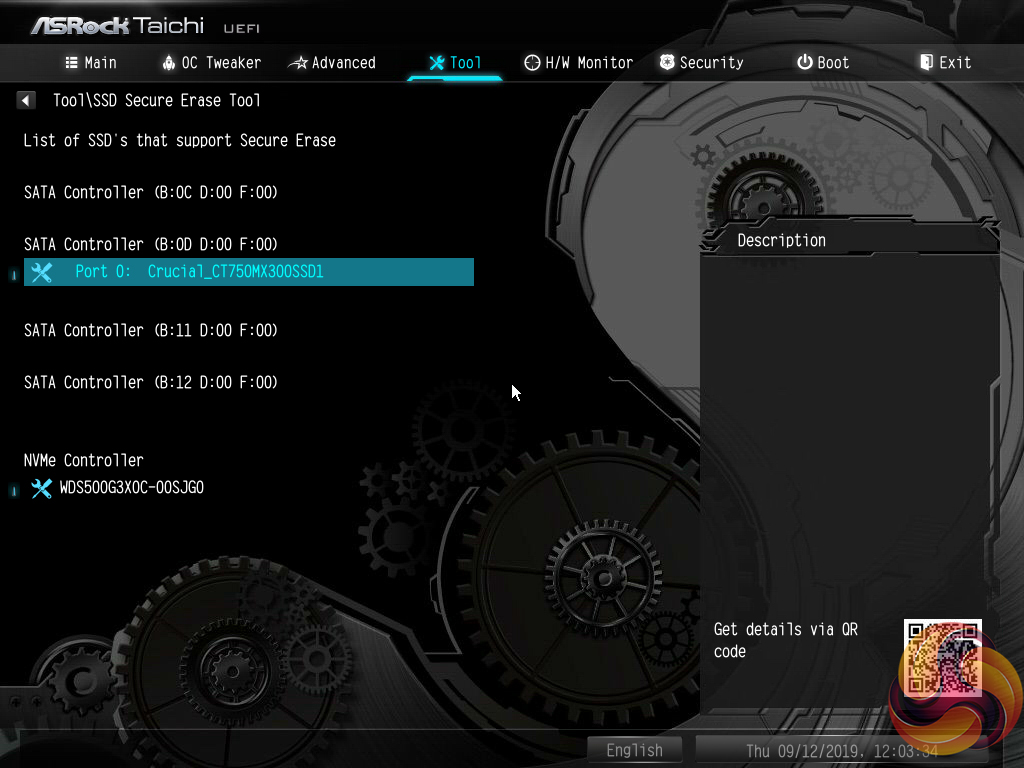
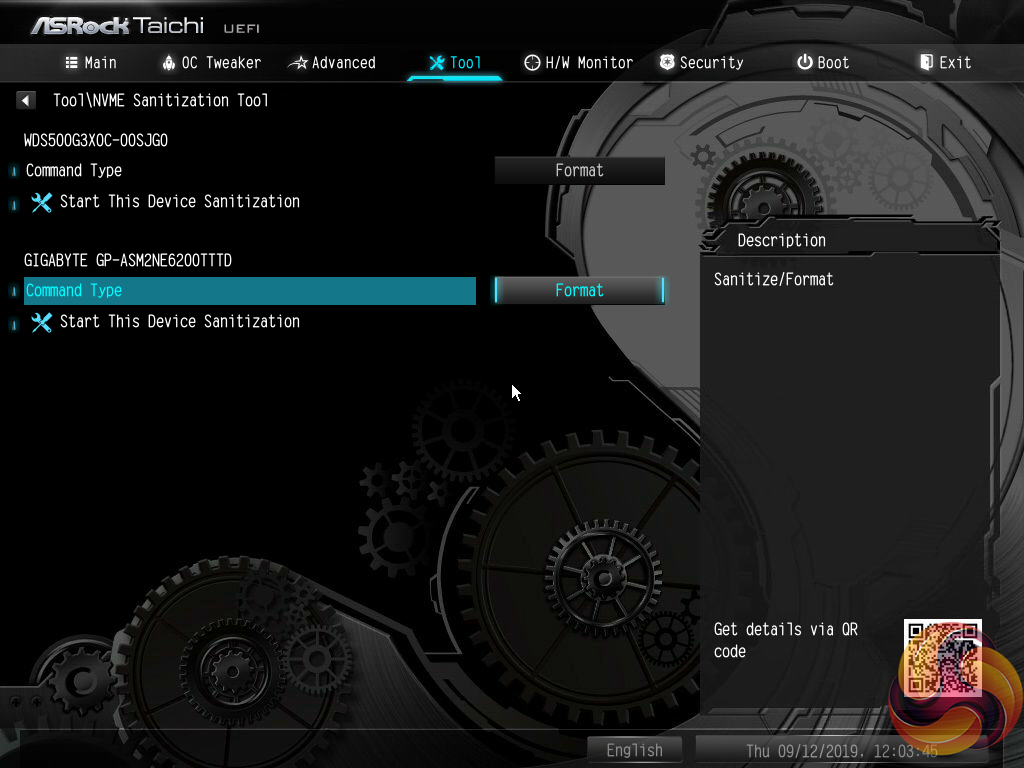
The Tools section holds a number of handy utilities such as Instant Flash for updating the UEFI (including via the internet), a driver installer, and an option for managing the RGB LEDs.
Instant Flash automatically scans a connected USB flash drive, rather than prompting a user to navigate through the folders to a BIOS file. There’s nothing wrong with this approach as the motherboard is able to find the BIOS update file itself. However, if your USB drive contains a large amount of data, the time taken to find the relevant BIOS file will be long.
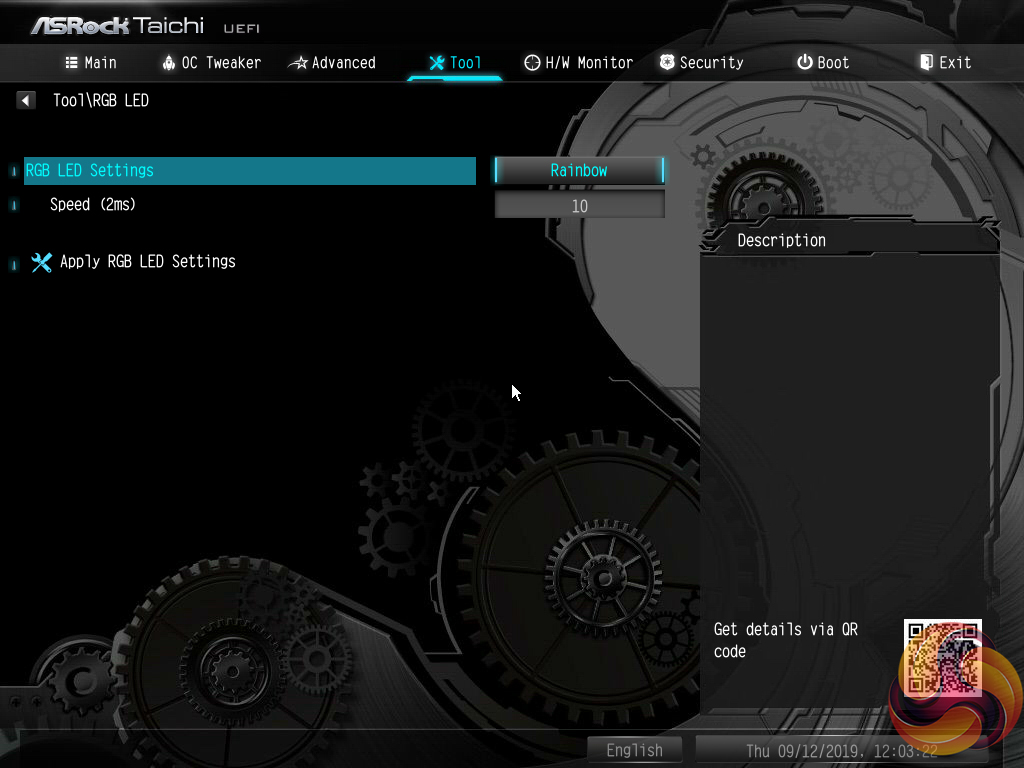
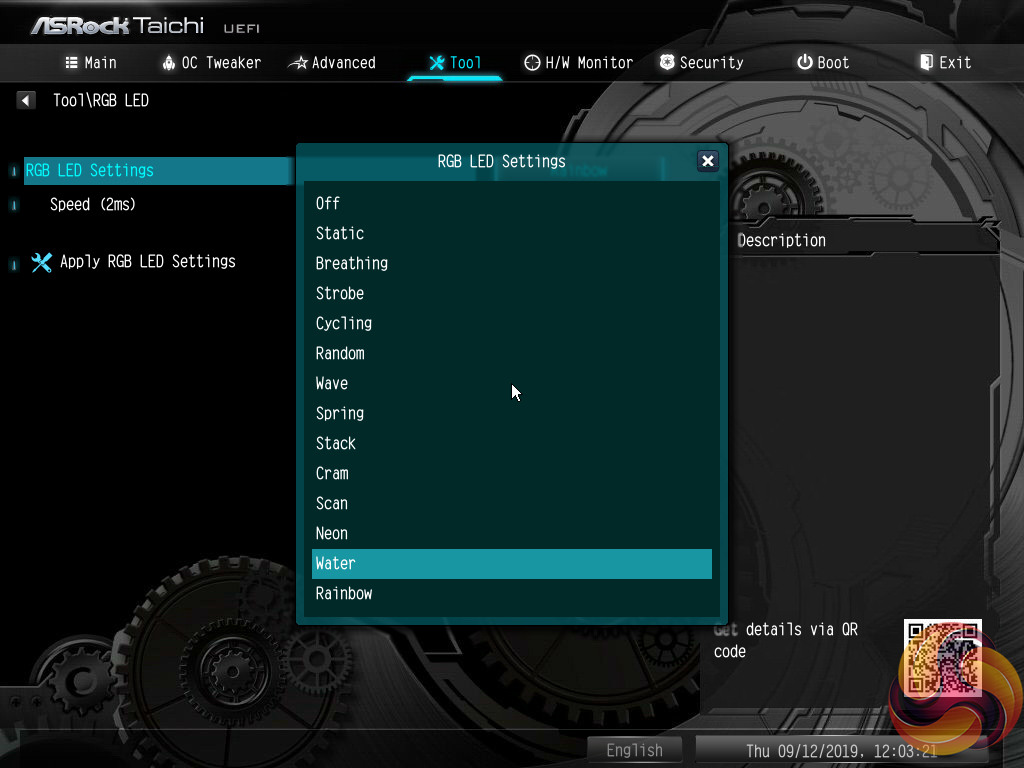
I particularly like ASRock's inclusion of a UEFI-based RGB LED control tool, especially when competing vendors do not provide such an offering. The ability to control one's LEDs within the UEFI is useful as it removes the necessity to install OS-based software that can sometime be badly optimised and hog system resources. Additionally, the UEFI-based control protects settings against Windows crashes or fresh OS installs.
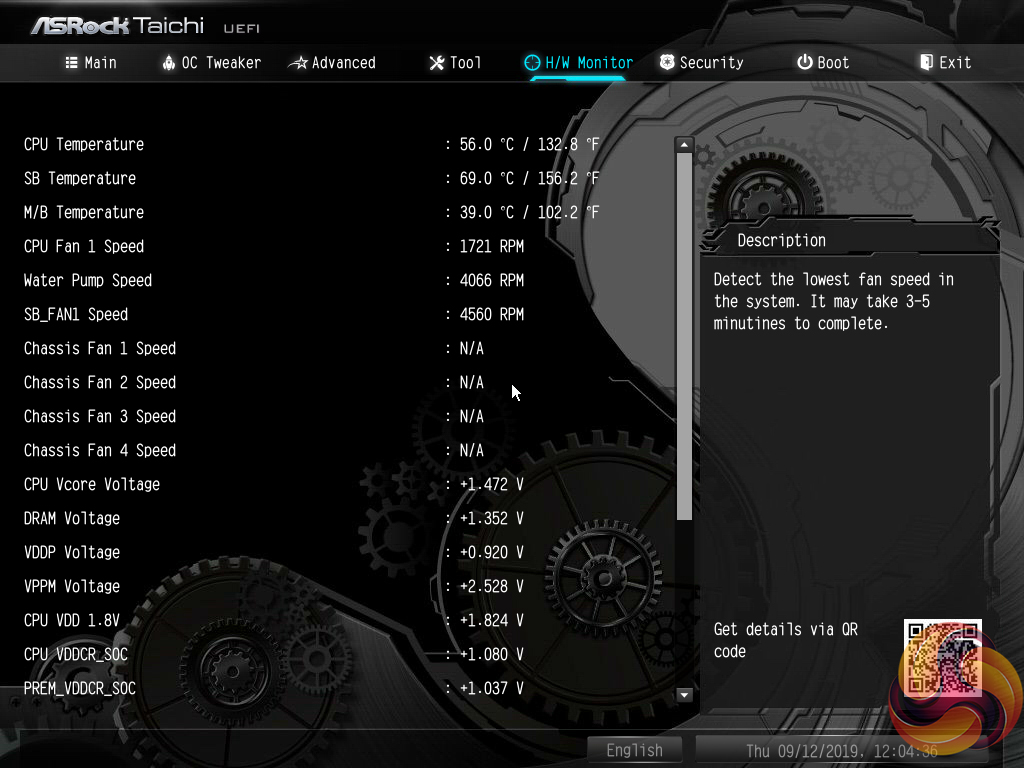
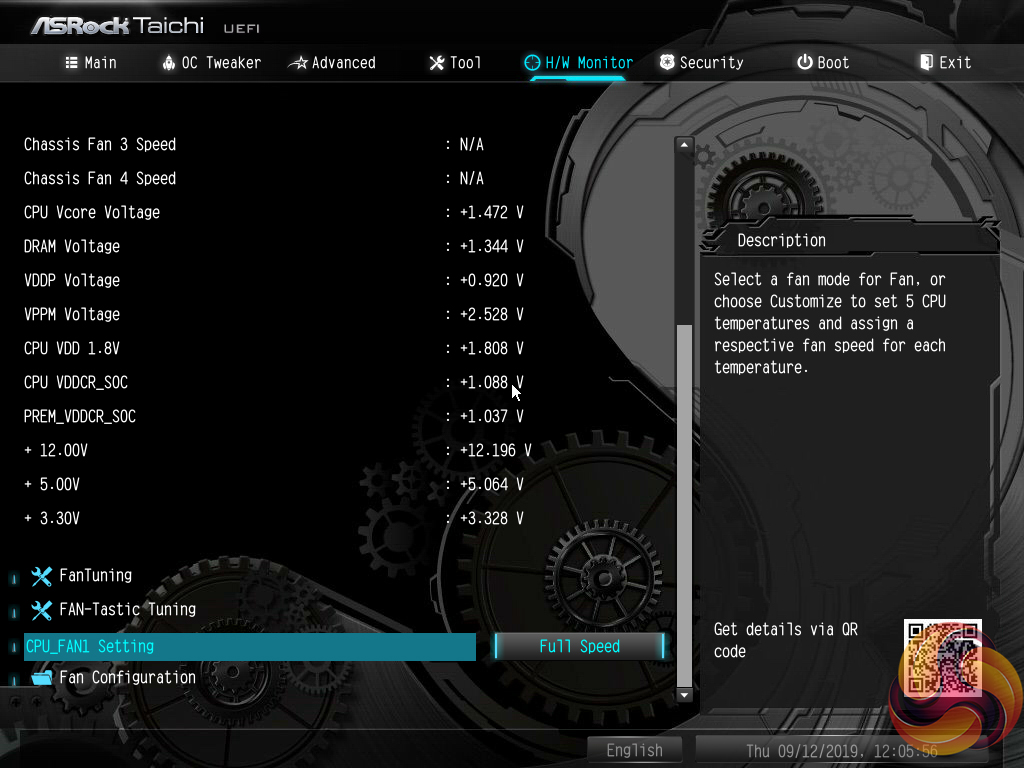
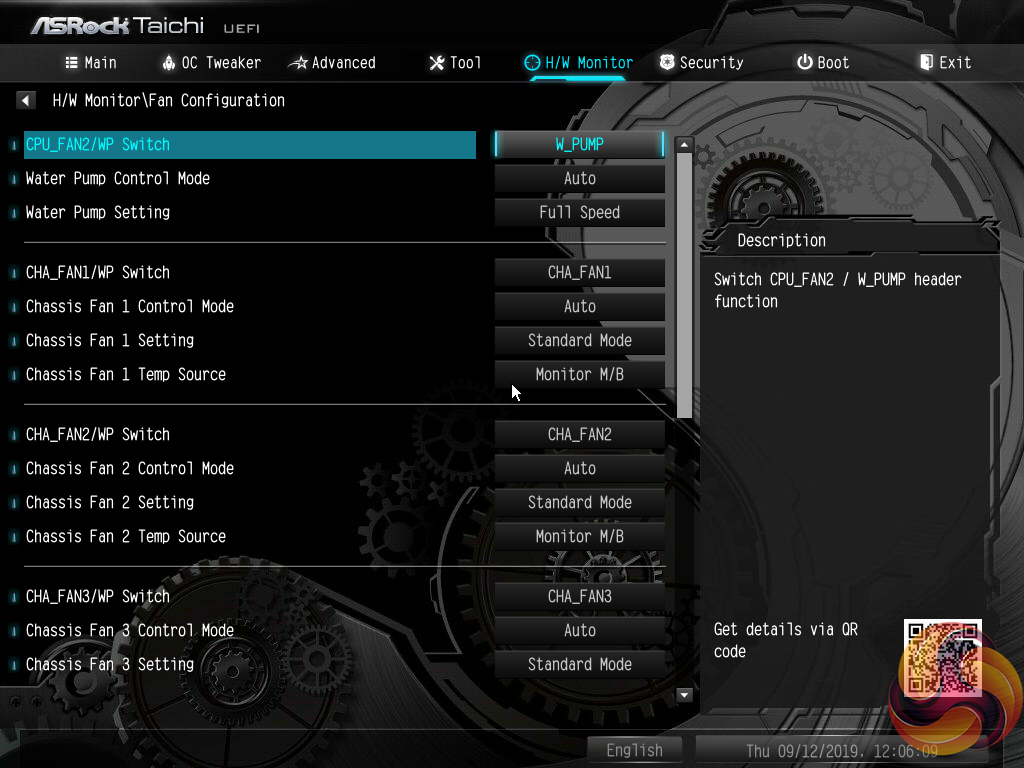
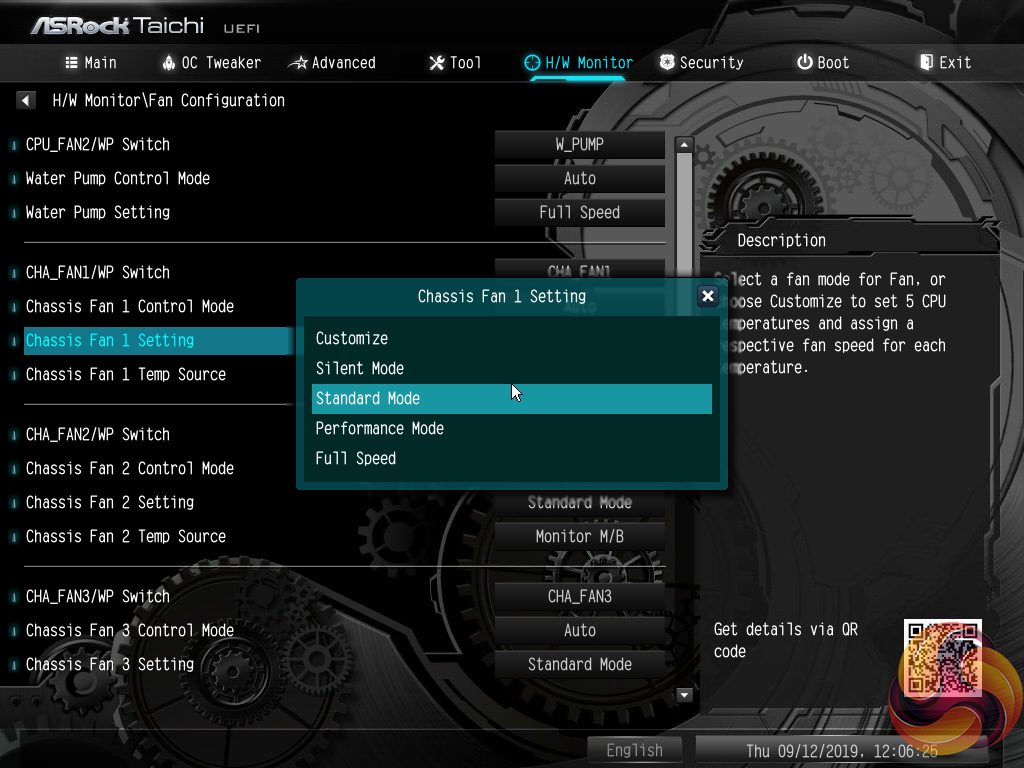
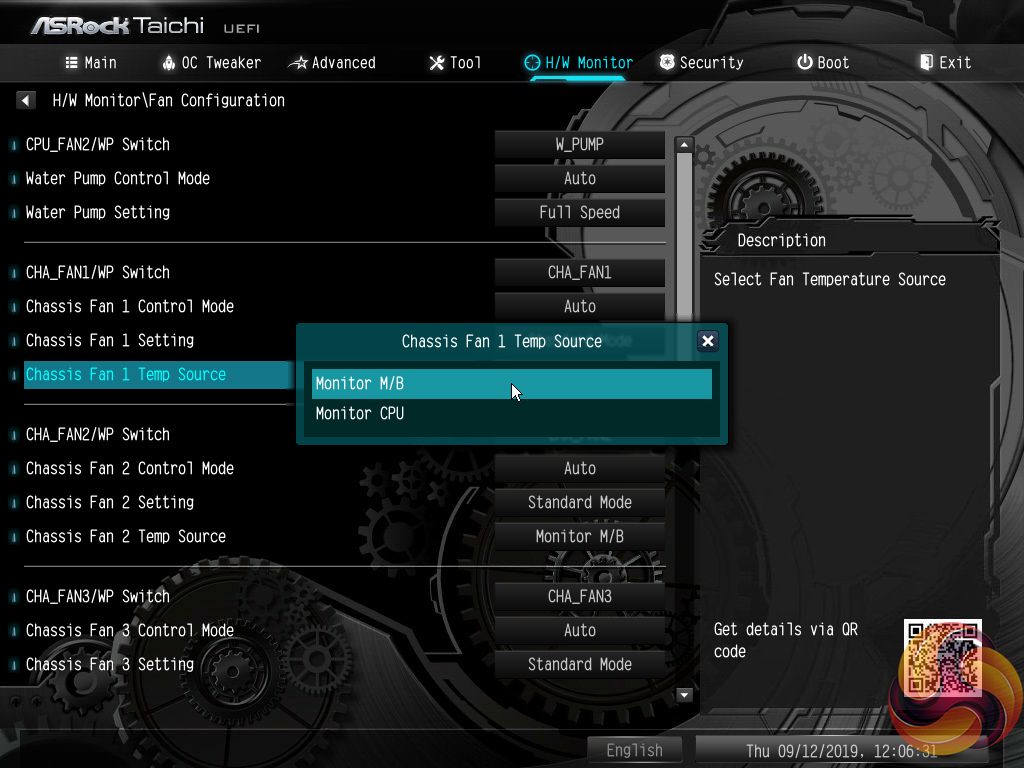
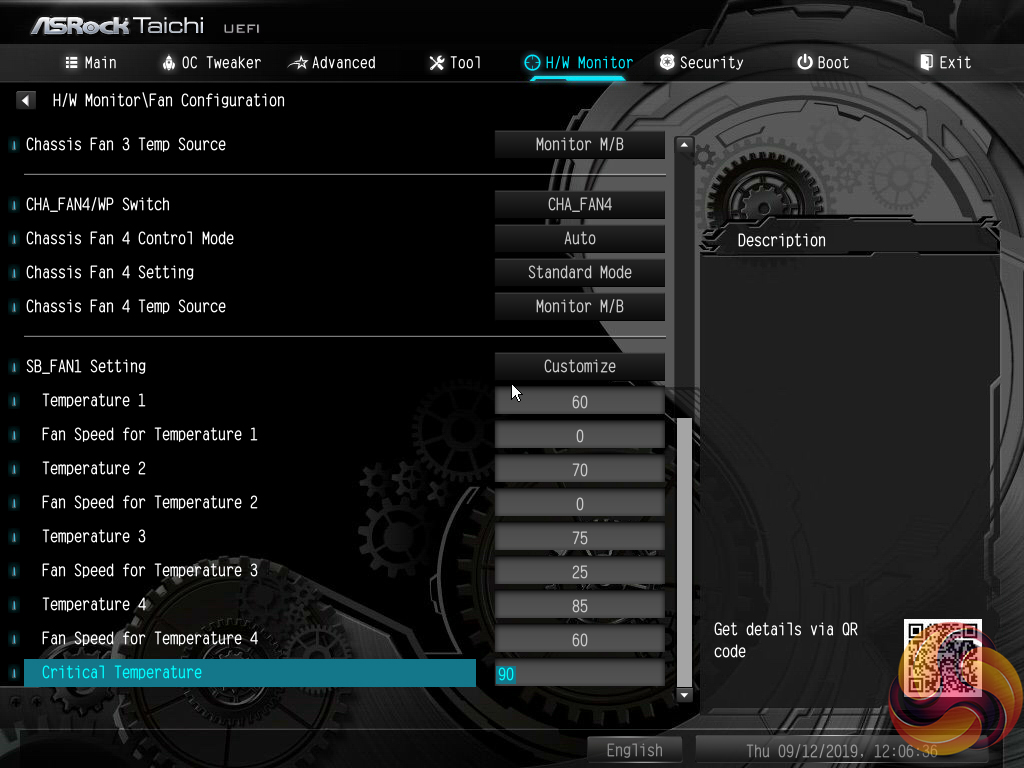
H/W Monitor contains fan controls and a number of temperature and voltage readouts for monitoring. The fan options are plentiful with a variety of fan speed profiles but only CPU and motherboard temperature reading options. A user can set a well-tuned fan speed curve simply by opting for numerical inputs.
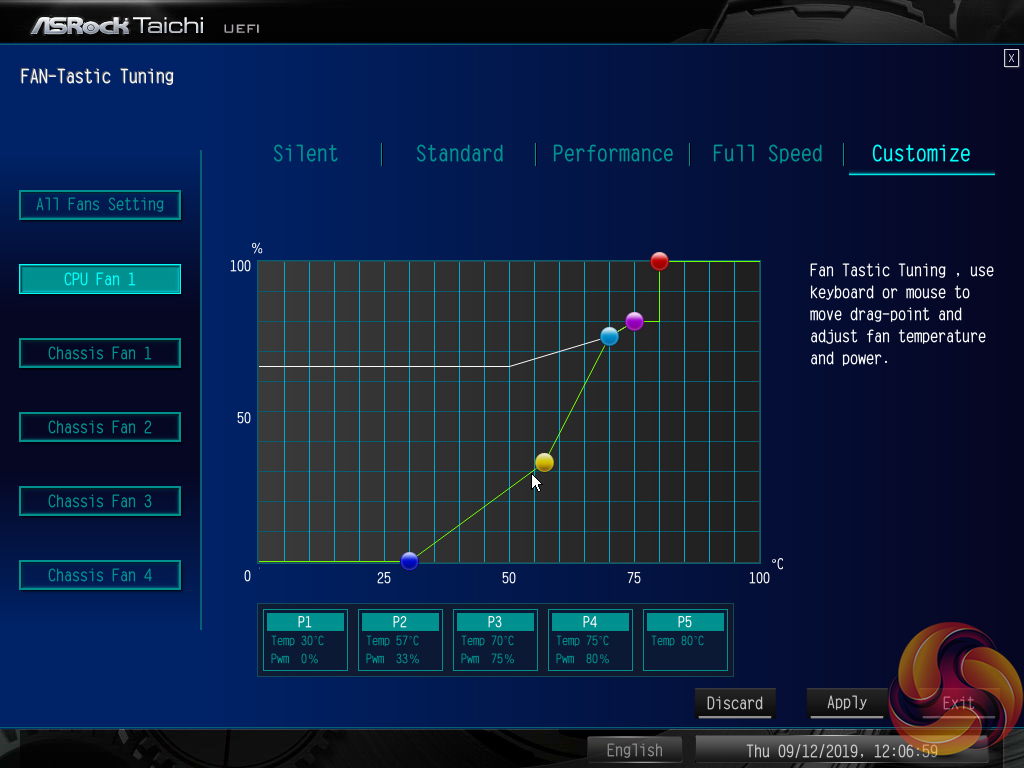
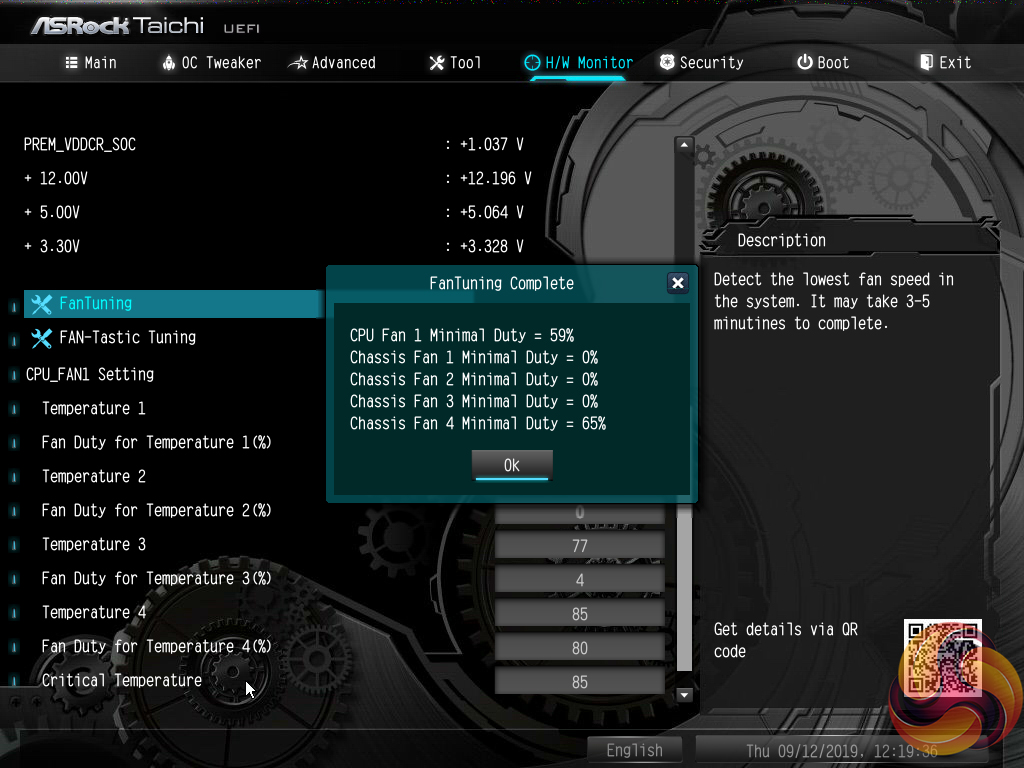
ASRock’s FanTuning utility automatically detects a number of minimum fan speed levels for the connected units. This can be useful when optimising fan speed curves to output as little noise as possible, while ensuring that the fans still rotate. The FAN-Tastic Tuning utility provides a graphical approach for managing fan speeds that is well built. The 5-point curve can be set to run fan speed levels as low as 0% at 30°C and the adjusted parameters update on connected fans in real time, which is ideal for tuning the system to one’s own preference.
There are no hysteresis options (time delays between fan speed changes) that are available on some competing motherboards, which is disappointing. It is good to see included presets for the chipset fan and the same granular level of controllability.
ASRock's OS software for X570 motherboards is largely consistent across the product stack (except for colour schemes). As such, we have re-used the analysis and screenshots from our X570 Taichi motherboard review.
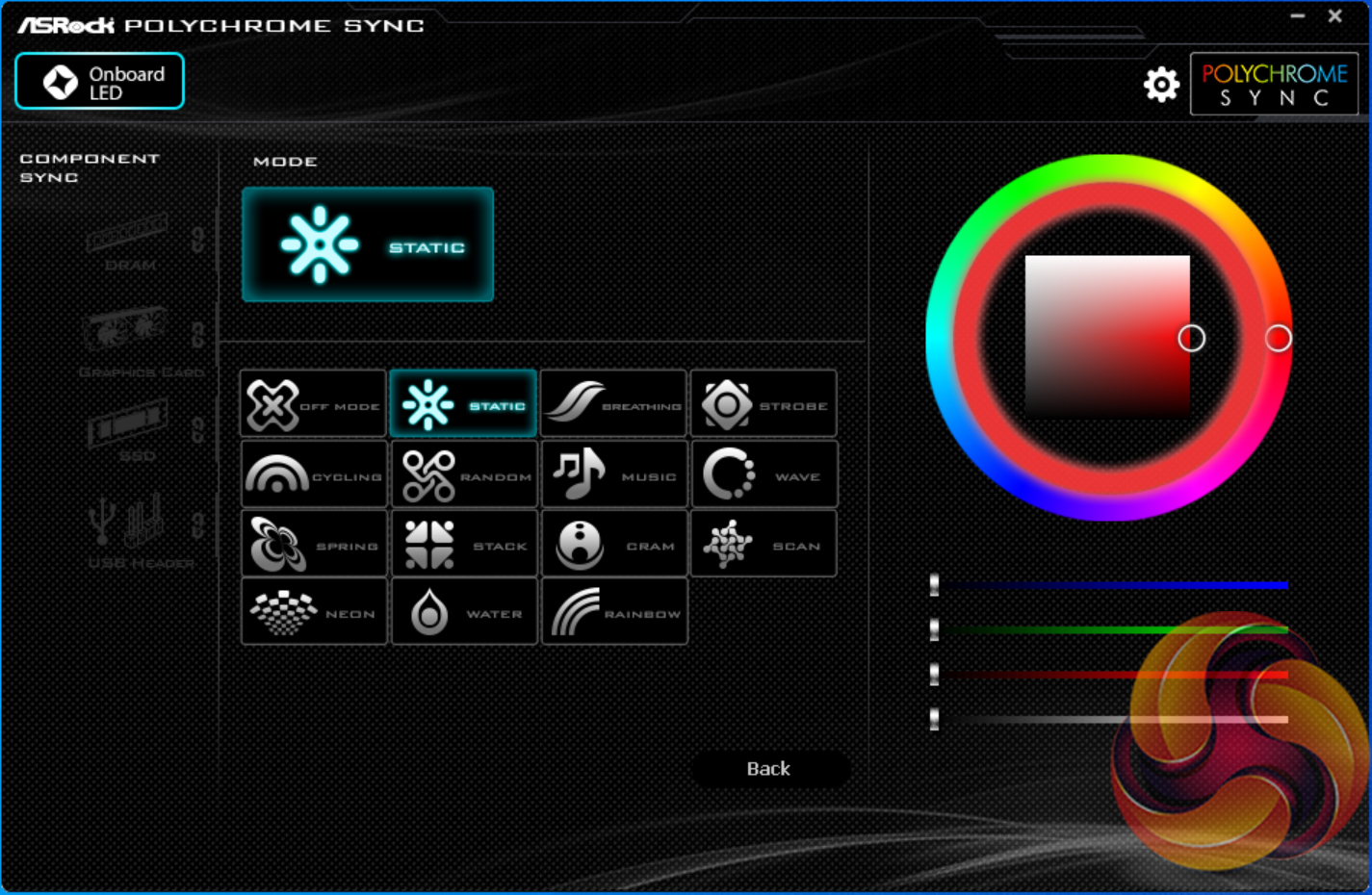
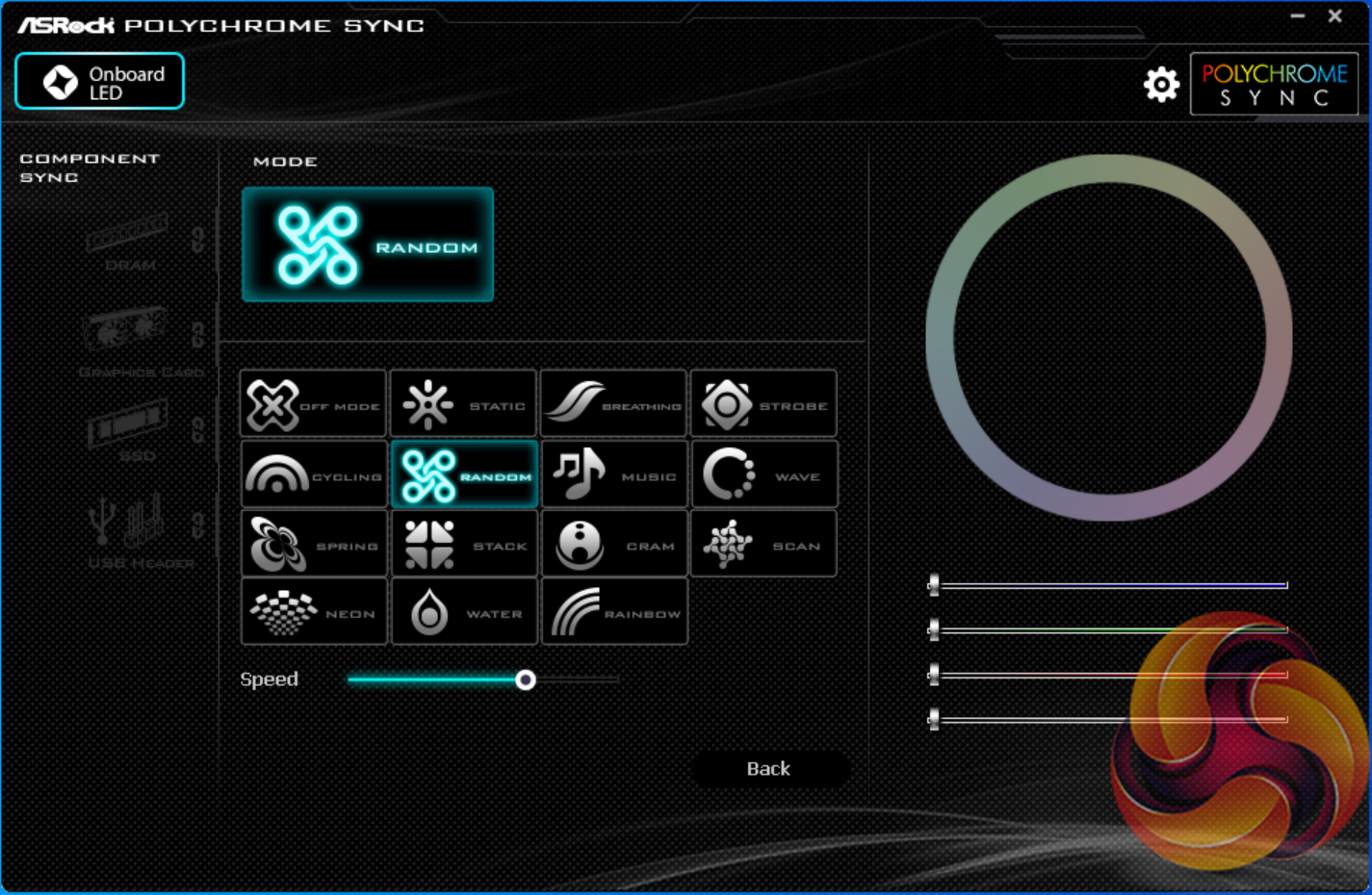
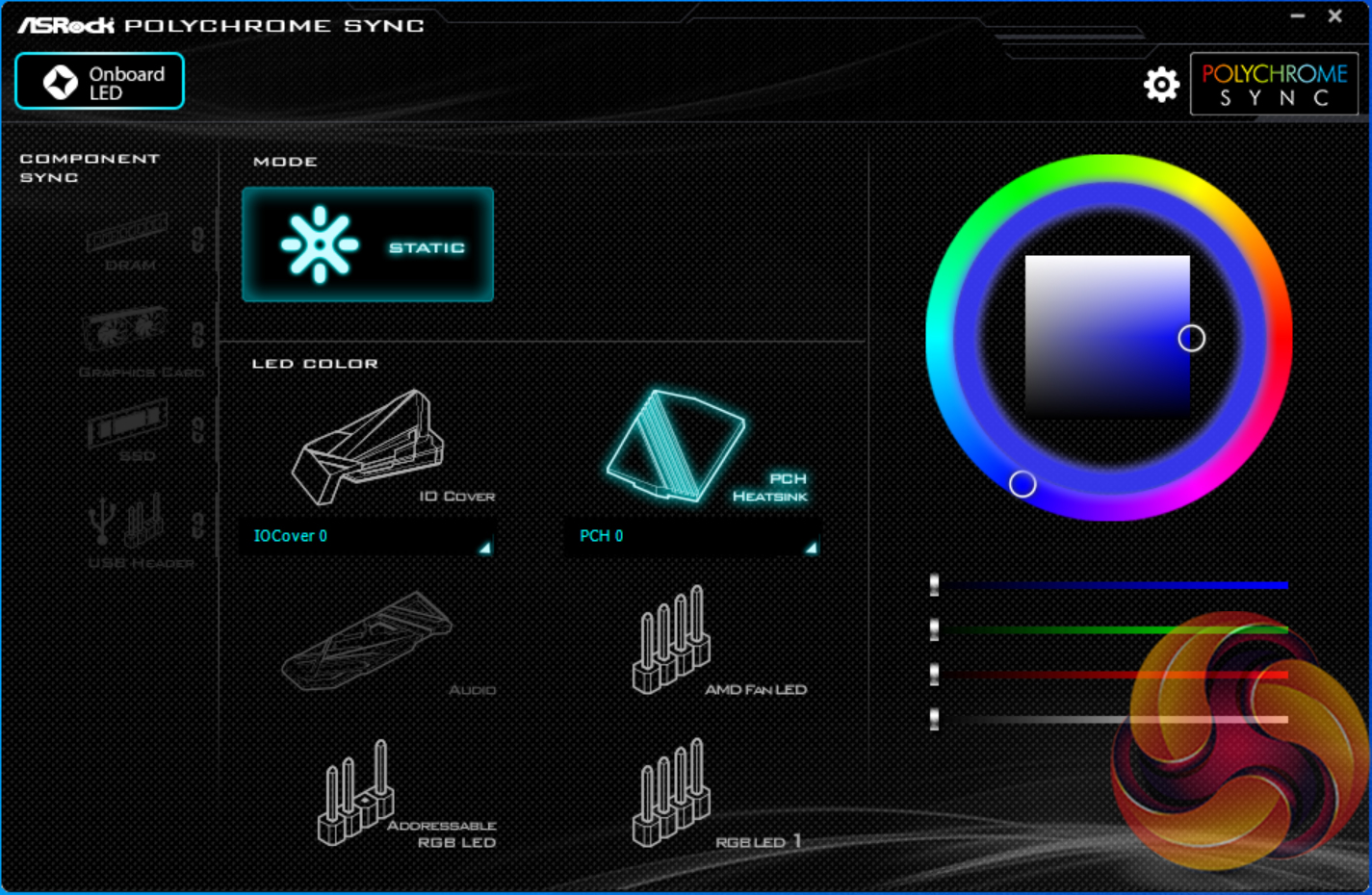
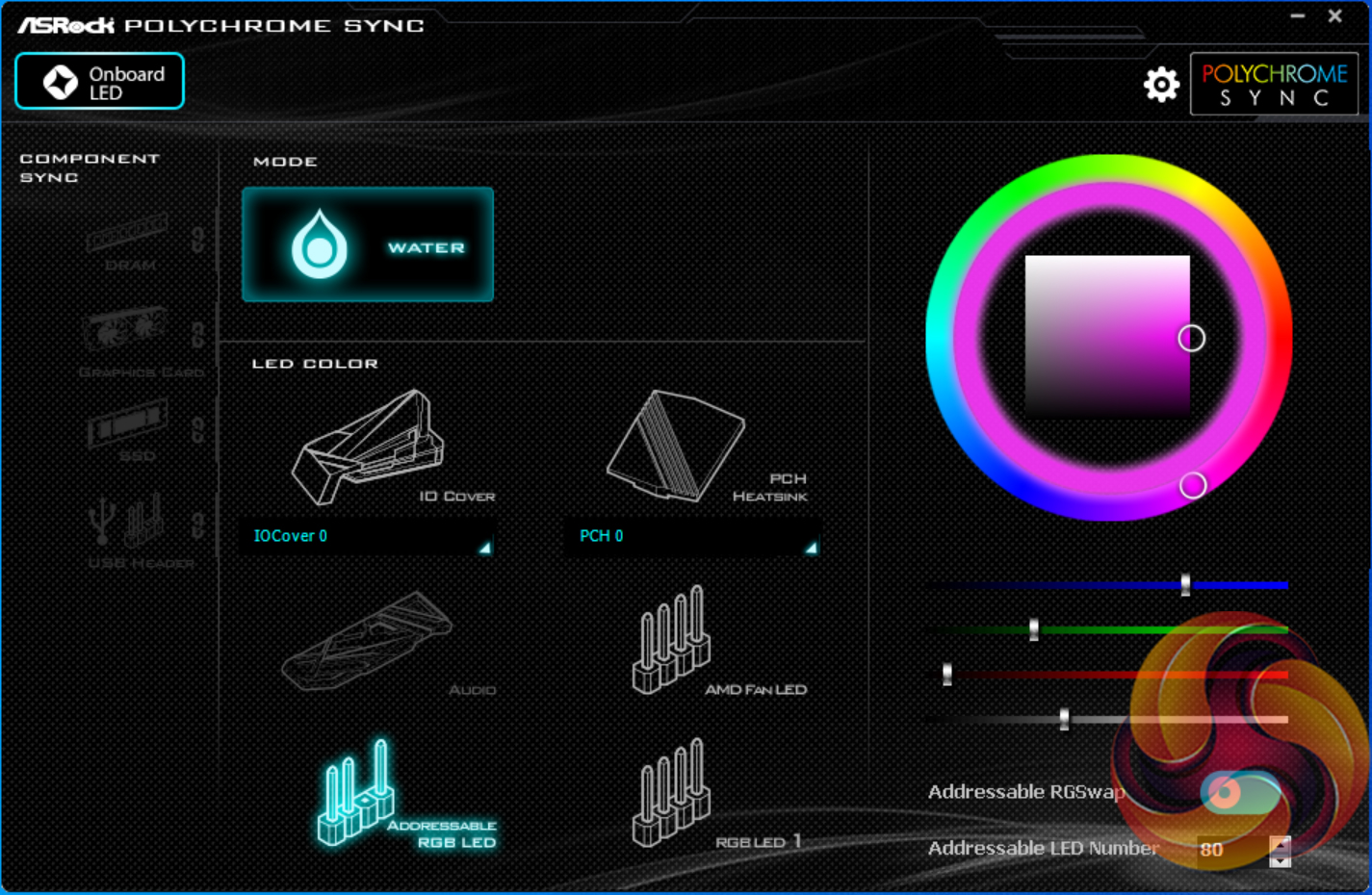
Users wanting to adjust colours of LEDs on the motherboard and those connected via the sync interface will need to install ASRock RGB LED. The software tool provides colour control in a wheel and square mechanism that is a little more complicated than colour blocks but gives superior granularity.
The RGB lighting colours can be controlled individually. There are a few basic lighting modes but nothing that I would consider to be out-of-the-ordinary. There are no ‘intelligent’ control modes as we would find on competing offerings, so don’t expect to set your LED colours to switch when your CPU temperature increases.
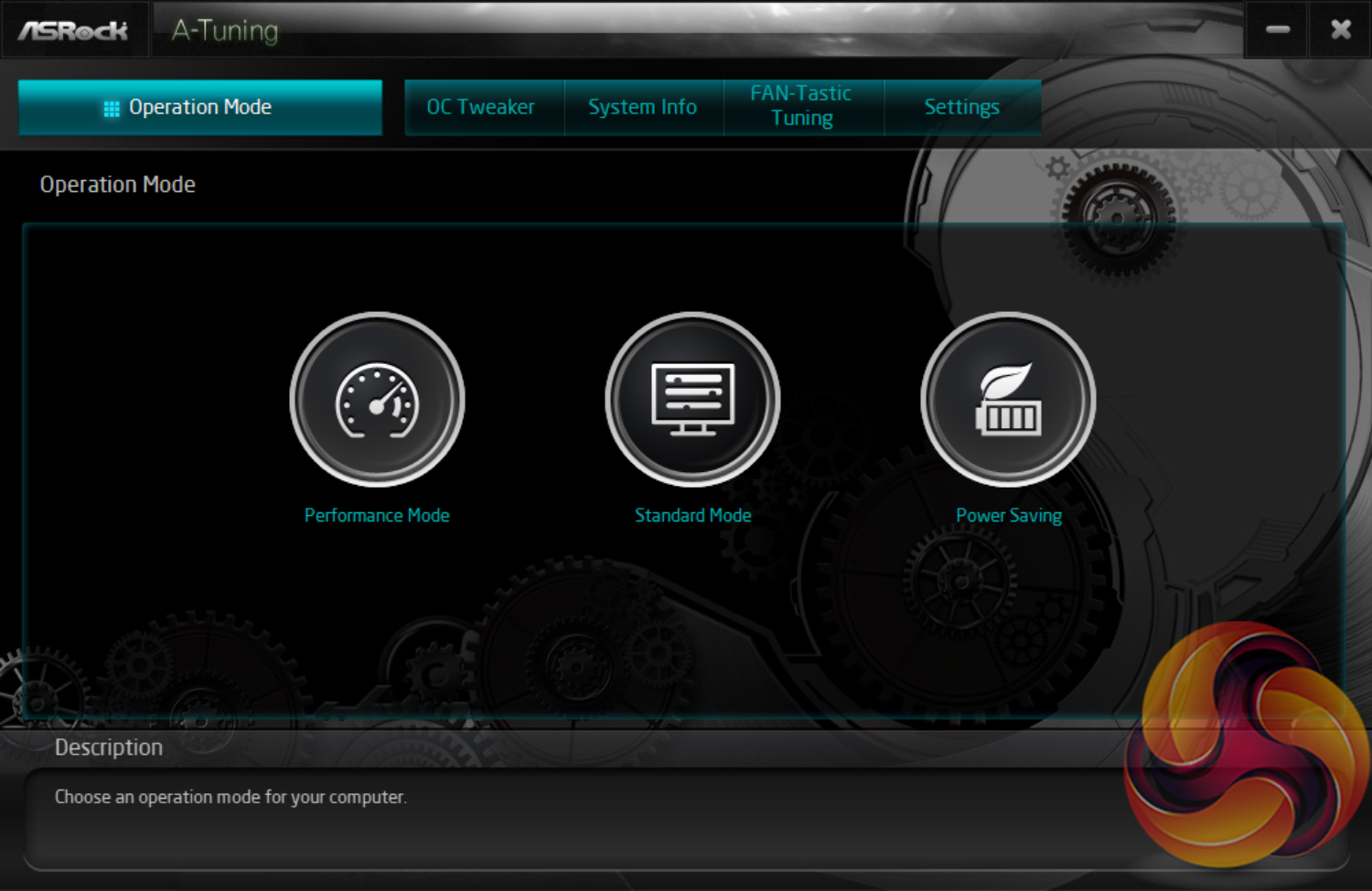
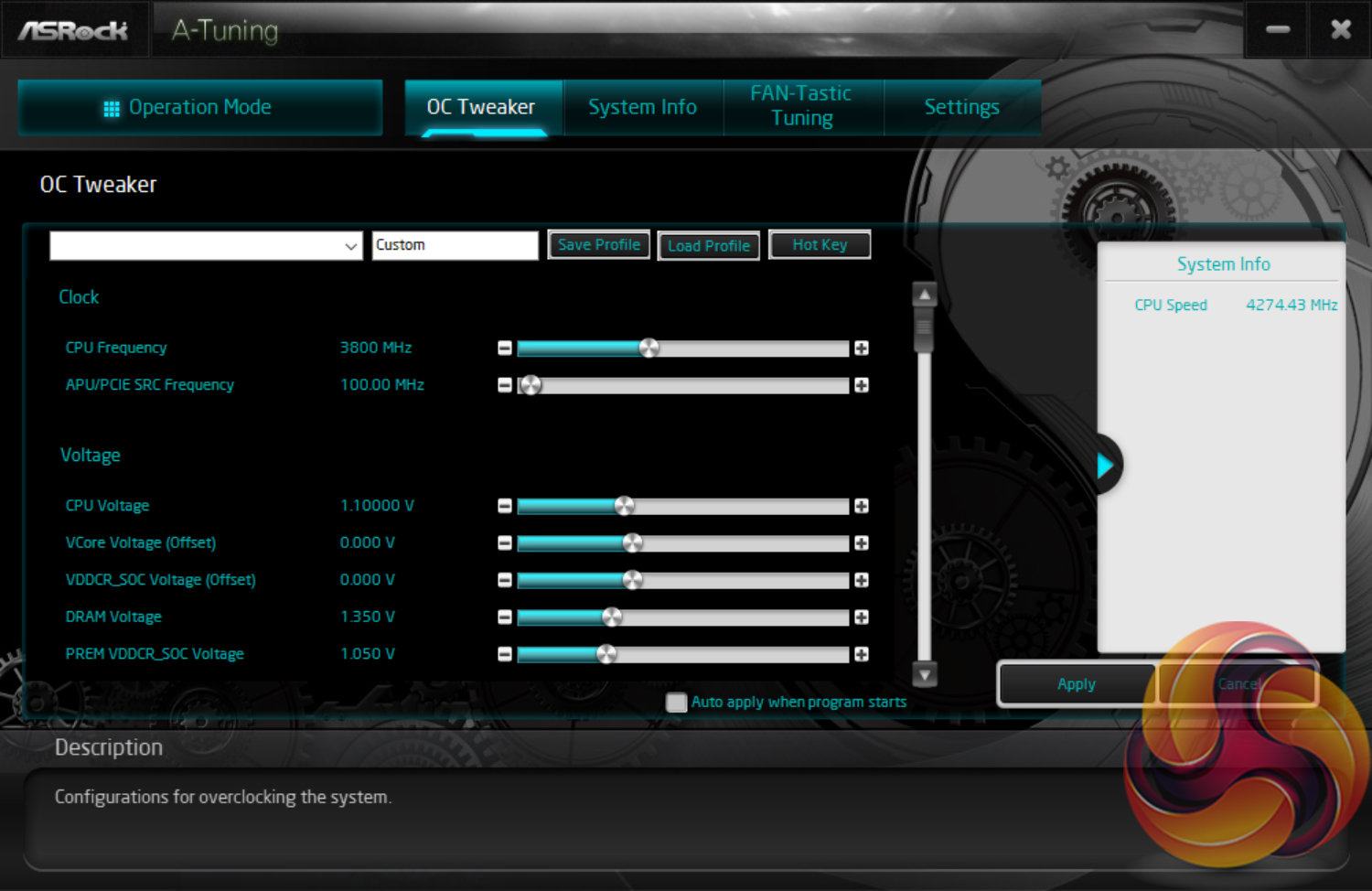
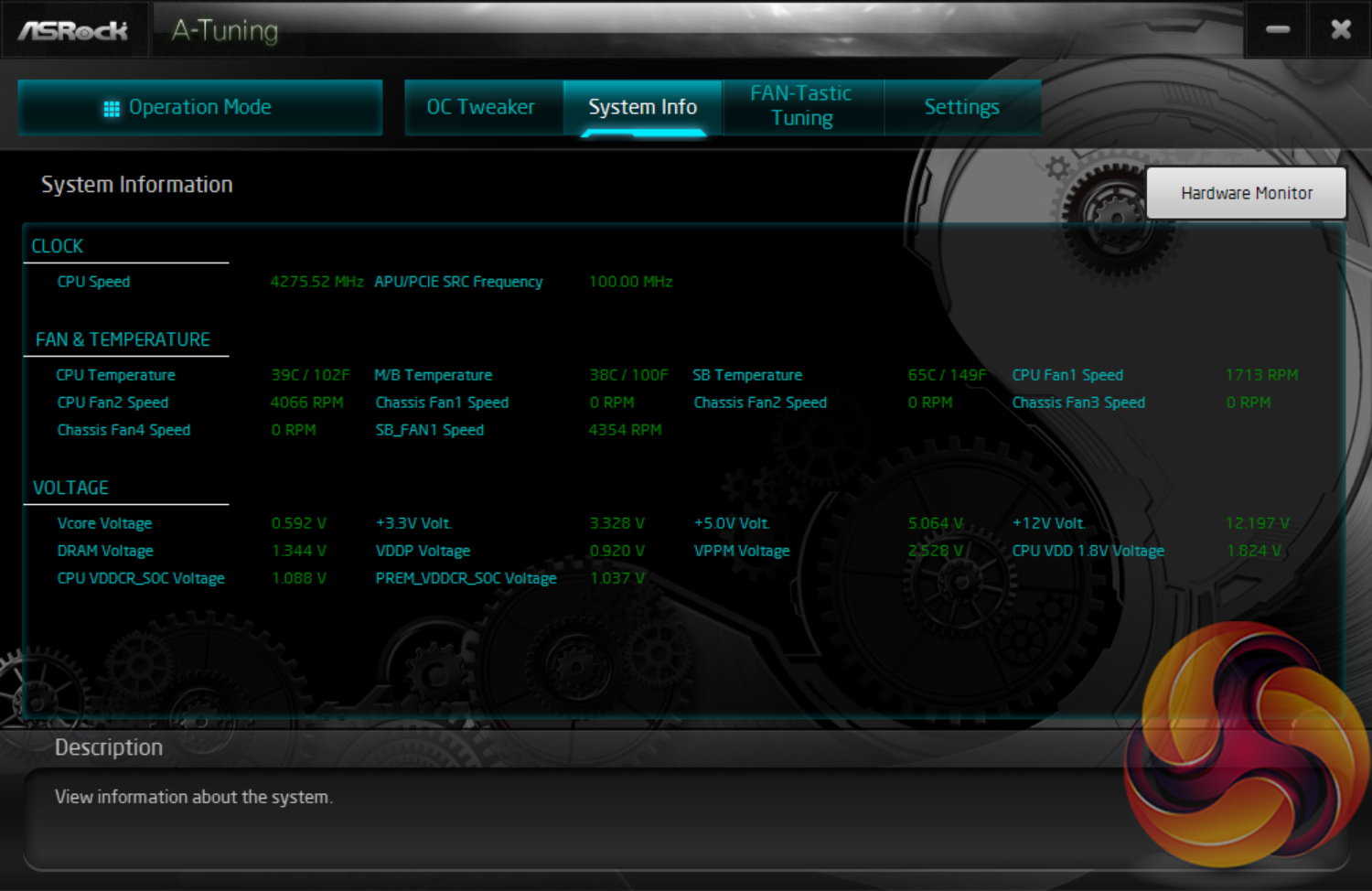
A-Tuning is ASRock’s equivalent to ASUS AI Suite, Gigabyte EasyTune, and MSI Dragon Center. This software allows you to overclock on the fly (OTF) and tune the fan speeds with the ASRock Fan-Tastic tuning utility. It’s a reasonably well-polished piece of software, is light on system resources, and not very intrusive. A-Tuning is decent enough and the data that was pulled through from system sensors seemed to align well with more established monitoring tools such as HWinfo64.
In our experience, overclocking is still better off carried out within the UEFI environment as it has more options and is more granular, but there’s no harm in ASRock offering the software equivalent.
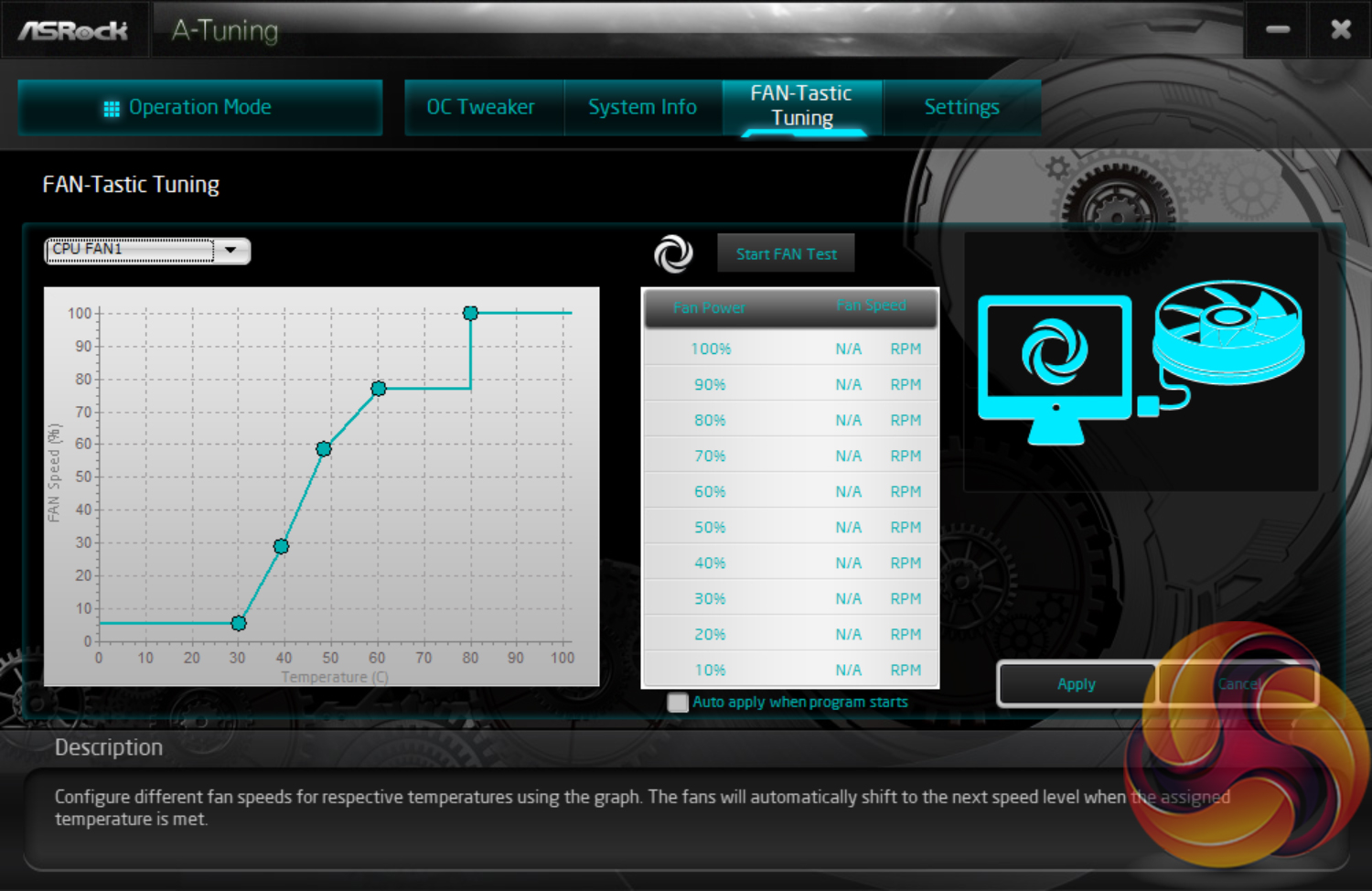
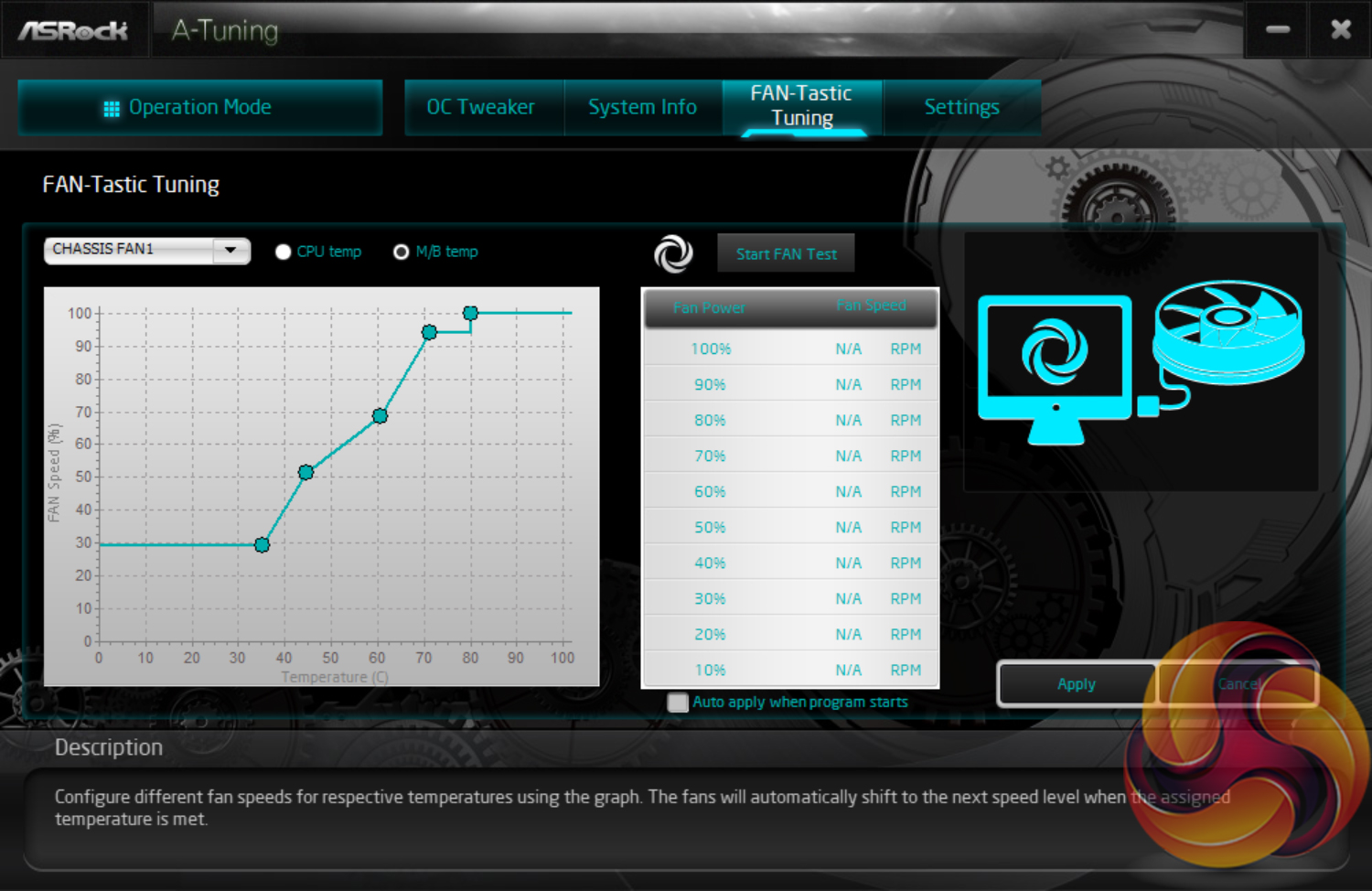
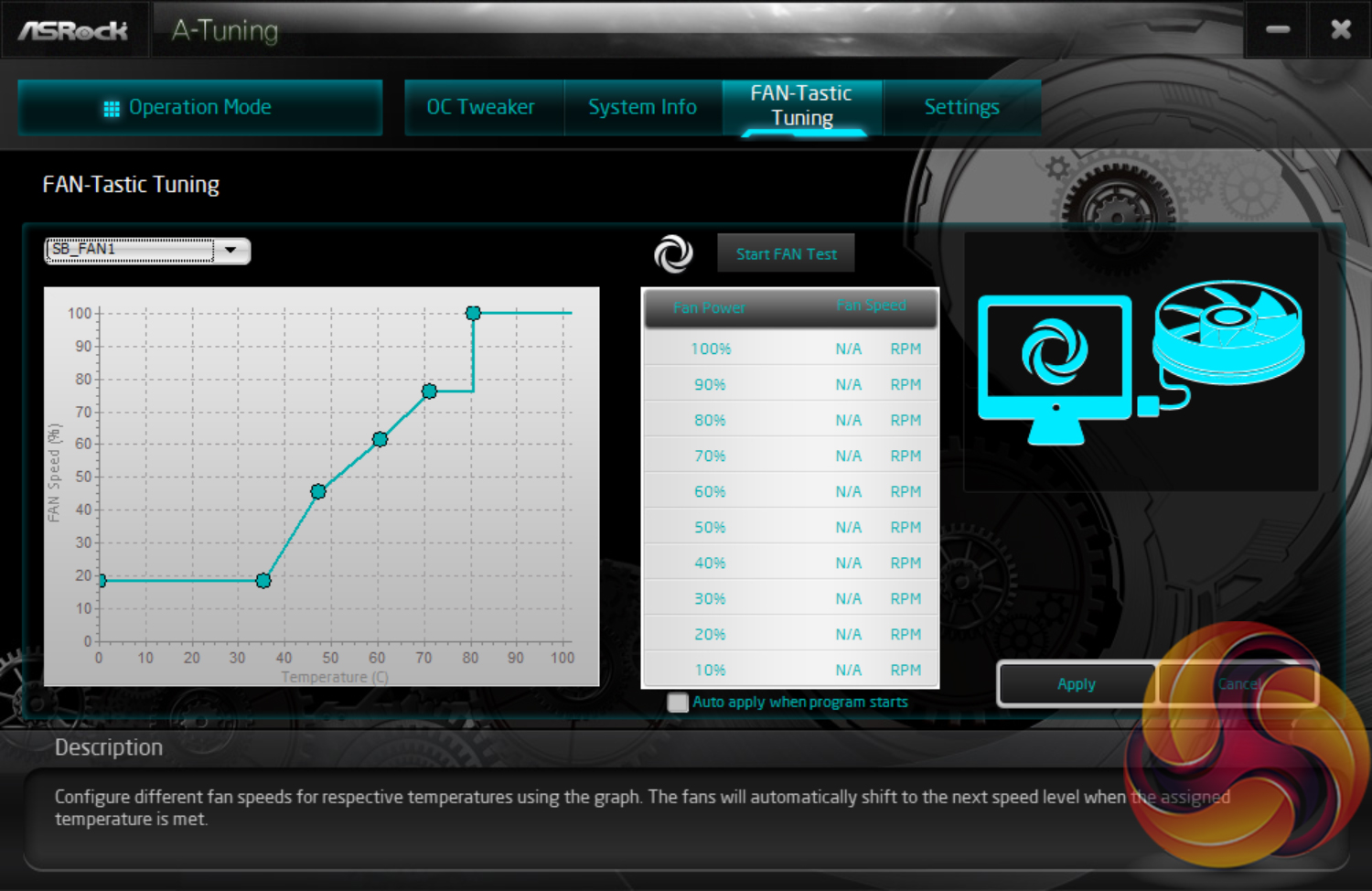
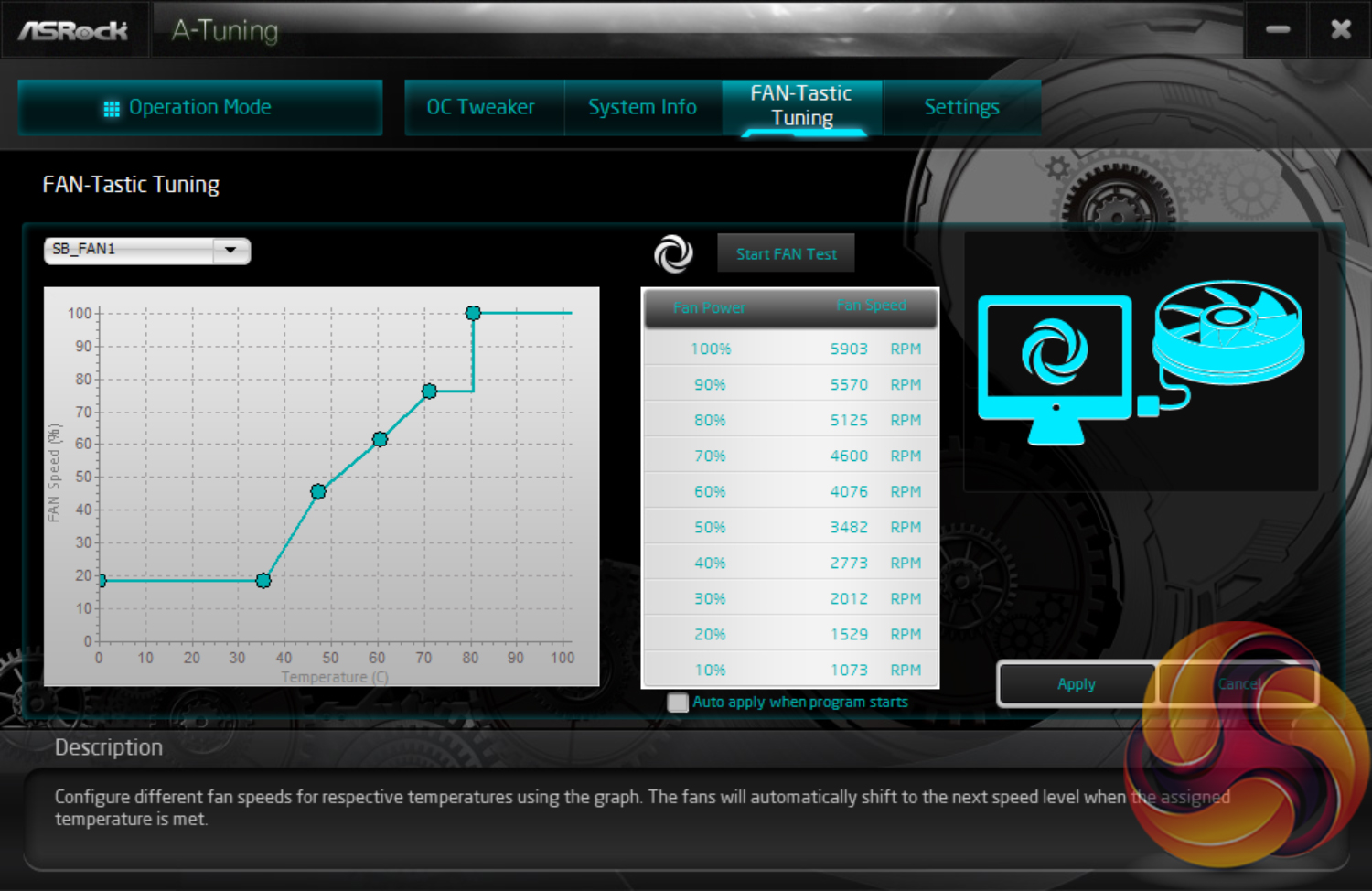
Fan control within ASRock's OS software is good. You get the same 5-point curve capability as is found within the UEFI. And there's the option to apply the fan settings at system start up – ideal if you want to make permanent changes or just temporary ones. The chipset fan featured one additional point on its speed curve.
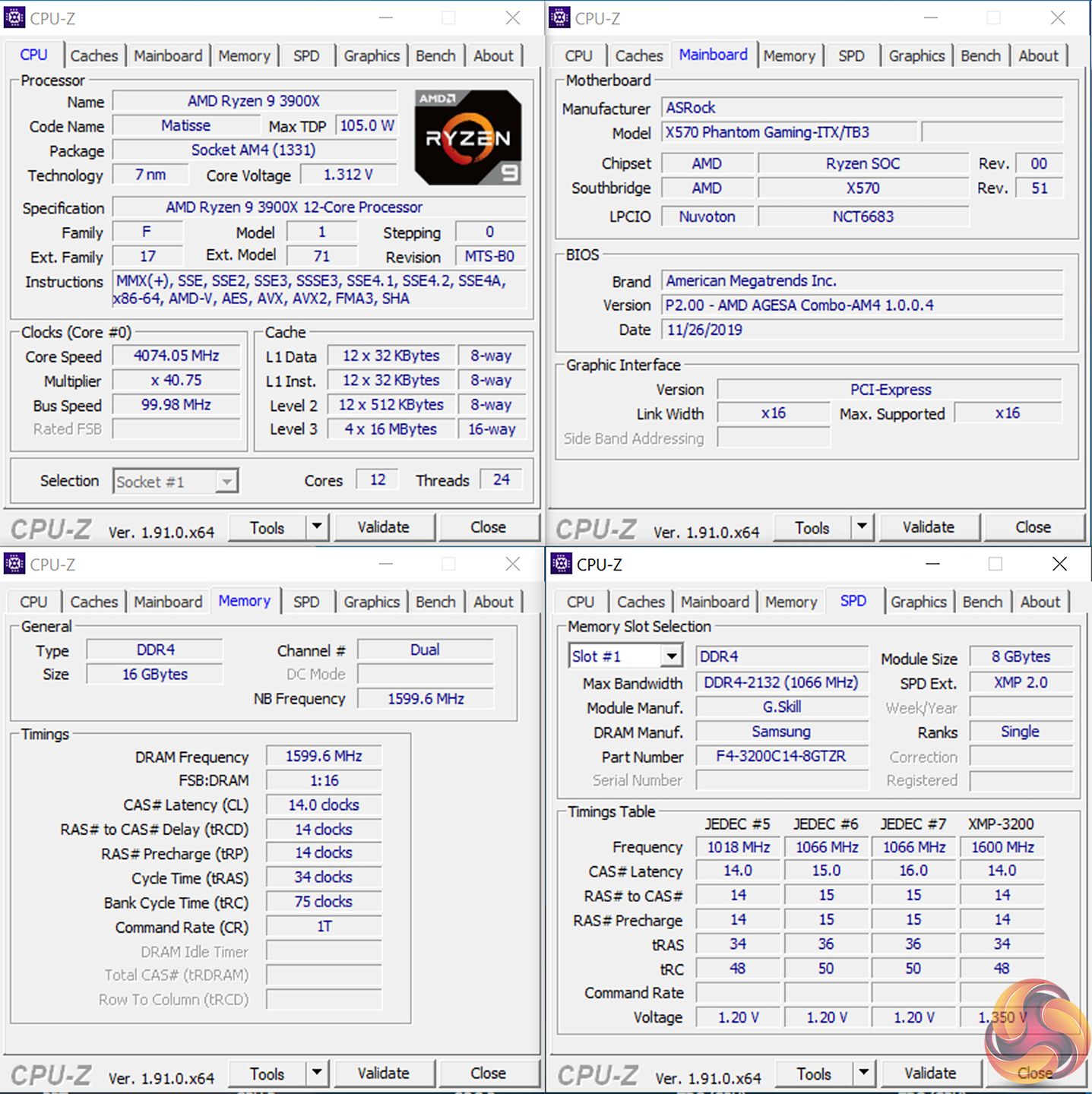
We will be outlining the ASRock X570 Phantom Gaming-ITX/TB3 motherboard’s performance with the AMD Ryzen 9 3900X CPU, 16GB of 3200MHz DDR4 memory, and an Aorus RTX 2080 Ti graphics card.
X570 Motherboard Test System:
- Processor: AMD Ryzen 9 3900X.
- Memory: 16GB (2x8GB) G.SKILL 3200MHz CL14 DDR4 @ 1.35V.
- Graphics Card: Gigabyte Aorus RTX 2080 Ti XTREME (custom fan curve to minimise thermal throttling).
- System Drive: ADATA SX950 240GB.
- Games SSD: Crucial MX300 750GB & Aorus 2TB PCIe Gen 4 M.2 SSD.
- CPU Cooler: Corsair H100X (full speed fans to eliminate thermal throttling).
- Power Supply: Seasonic Prime TX-1000 1000W.
- Operating System: Windows 10 Pro 64-bit.
Drivers and UEFI:
- ASRock X570 Phantom Gaming-ITX/TB3 UEFI P2.00 AGESA 1.0.0.4 Patch B (latest at the time of testing).
Comparison Motherboards:
- ASRock X570 Taichi (AGESA ABB)
- ASUS ROG STRIX X570-E Gaming (AGESA ABBA)
- Gigabyte X570 Aorus Master (AGESA ABB)
- MSI MEG X570 ACE (AGESA ABB)
Tests:
- Cinebench R20 – All-core & single-core CPU benchmark (CPU)
- Blender 2.79b – All-core rendering of the BMW benchmark (CPU)
- SiSoft Sandra – Memory bandwidth (Memory)
- AIDA64 – Memory bandwidth, memory latency (Memory)
- 3DMark TimeSpy – Time Spy (1440p) test (Gaming)
- Deus Ex: Mankind Divided – Built-in benchmark tool, 1920 x 1080, Ultra quality preset, no AA, DX12 version (Gaming)
- Shadow of the Tomb Raider – Built-in benchmark tool, 1920 x 1080, Highest quality preset, no AA, DX12 version (Gaming)
- CrystalDiskMark– Storage transfer rates (Motherboard)
- Rightmark Audio Analyzer 6.4.5 – Record and playback test using a line-in to line-out loopback with a 3.5mm audio cable (Motherboard)
- AIDA64 – Stress test (Temperatures & Power Consumption)
- HWiNFO – System sensor monitoring during stress test (Temperatures & Power Consumption)
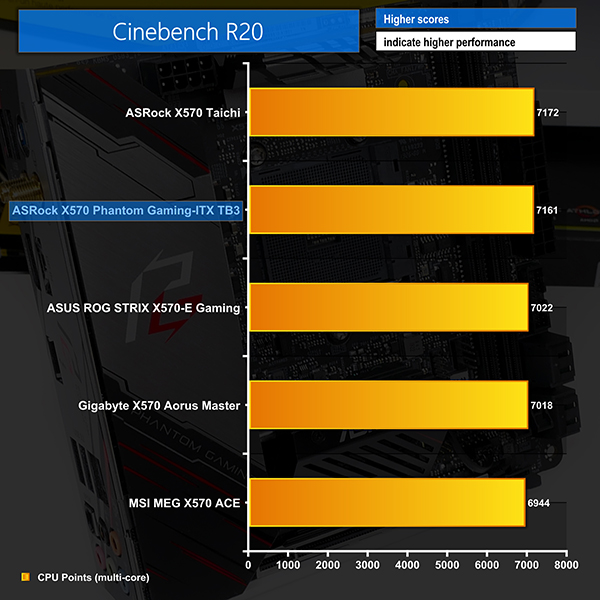
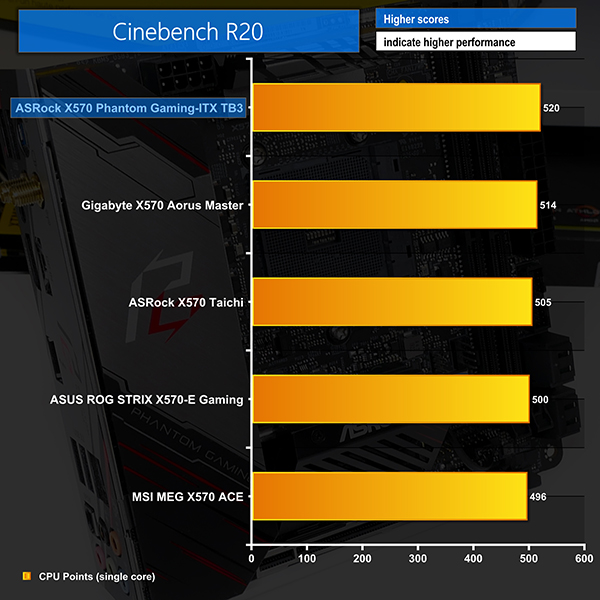
Cinebench R20
Blender BMW Benchmark
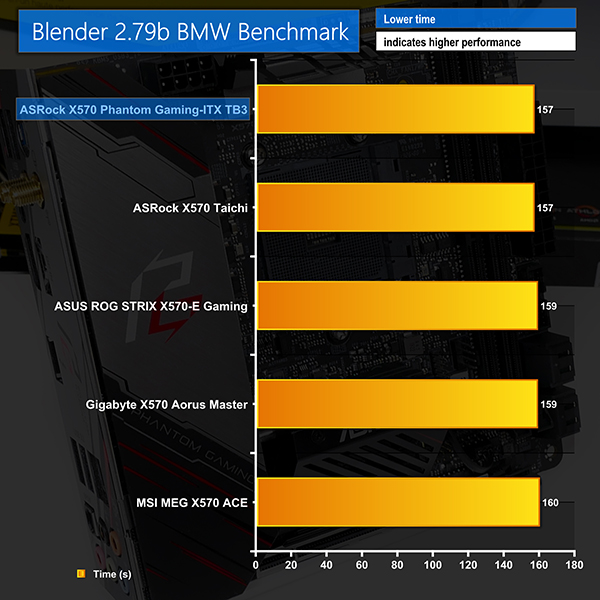
CPU-based performance from the X570 Phantom Gaming-ITX/TB3 is as good as we have seen from other X570 motherboards. Clearly size is no problem for this contender from ASRock.
We hit the boost clocks expected of our Ryzen 9 3900X and the sustained all-core frequency under loads such as Cinebench R20 and Blender was in the order of 4.05GHz.
AIDA64 Engineer
Sandra Memory Bandwidth
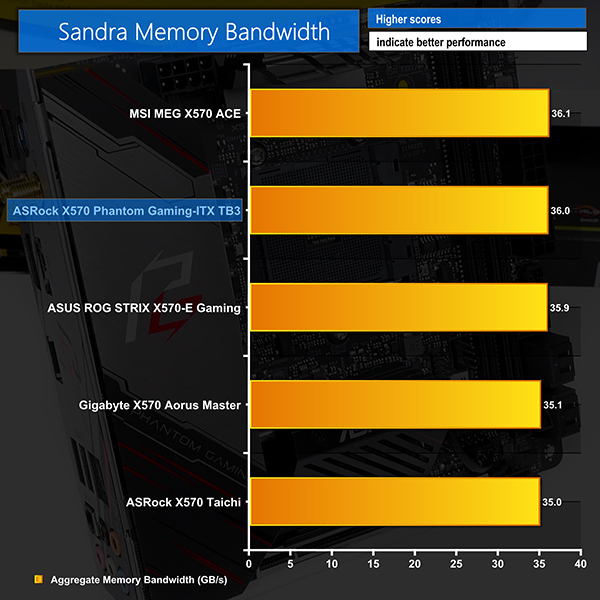
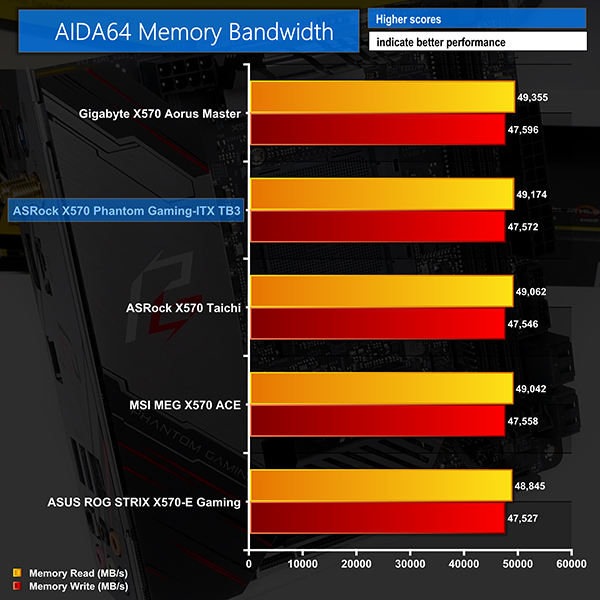
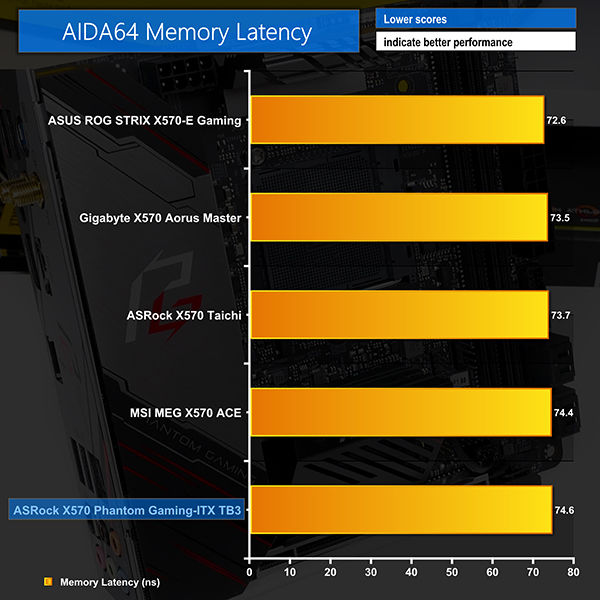
No problems with any of the memory bandwidth results using our 2x8GB 3200 CL14 DDR4 kit. Latency was right where we expected, too.
3DMark
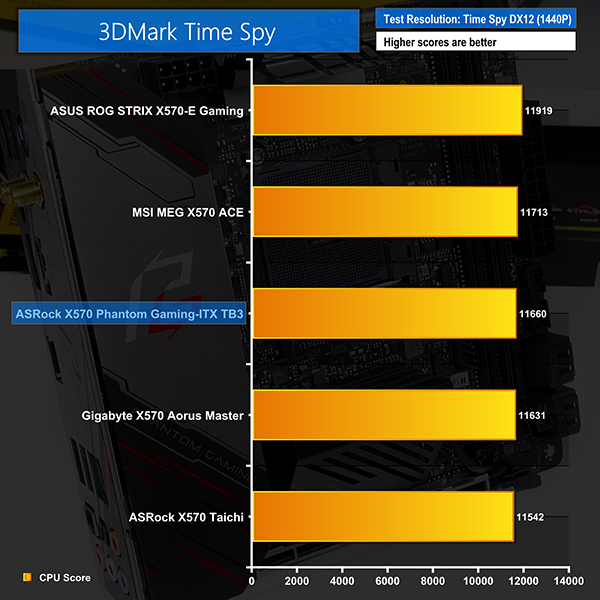
3DMark is a multi-platform hardware benchmark designed to test varying resolutions and detail levels of 3D gaming performance. We run the Windows platform test and in particular the Time Spy benchmark, which is indicative of high-end 1440p PC Gaming.
Deus Ex: Mankind Divided
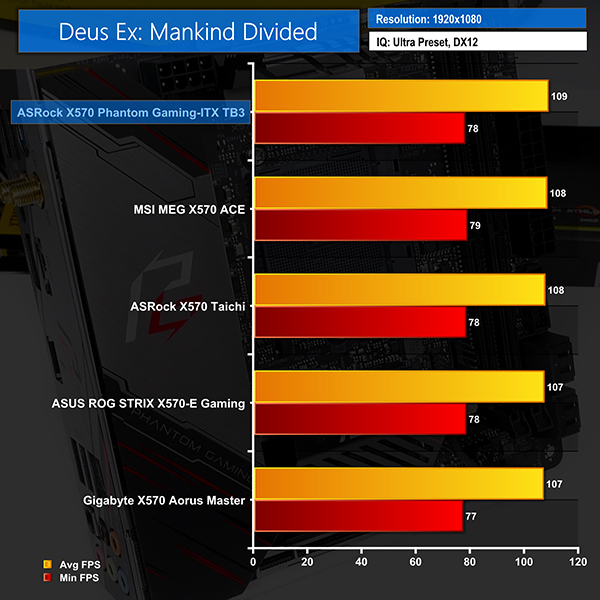
Despite its age, Deus Ex: Mankind Divided remains a demanding title even for modern hardware. We use the game’s built-in benchmark with quality set to Ultra, MSAA disabled, and DX12 mode.
Shadow of the Tomb Raider
We run the built-in benchmark using the DirectX 12 mode, anti-aliasing disabled, and the Highest quality preset.
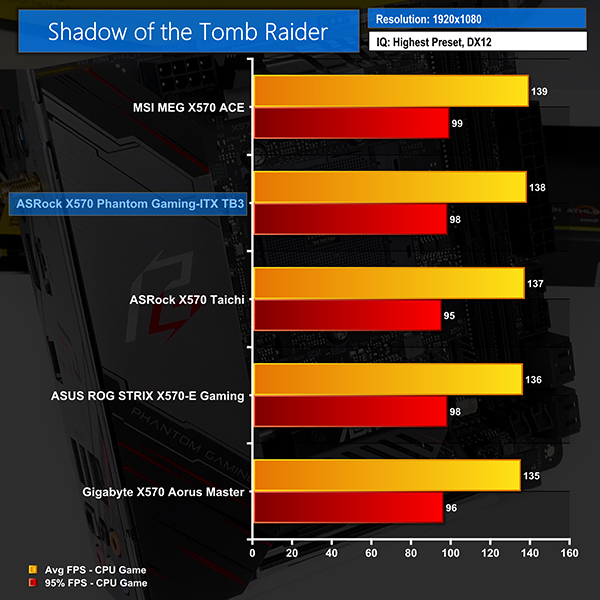
Gaming numbers also had ASRock’s miniature X570 offering competing handsomely against full-sized ATX contenders. This mini-ITX motherboard will be as good as ATX alternatives when it comes to gaming.
M.2 PCIe Performance
We test M.2 PCIe performance using an Aorus PCIe Gen 4 2TB SSD. This SSD uses a Phison-based PCIe Gen 4 controller.
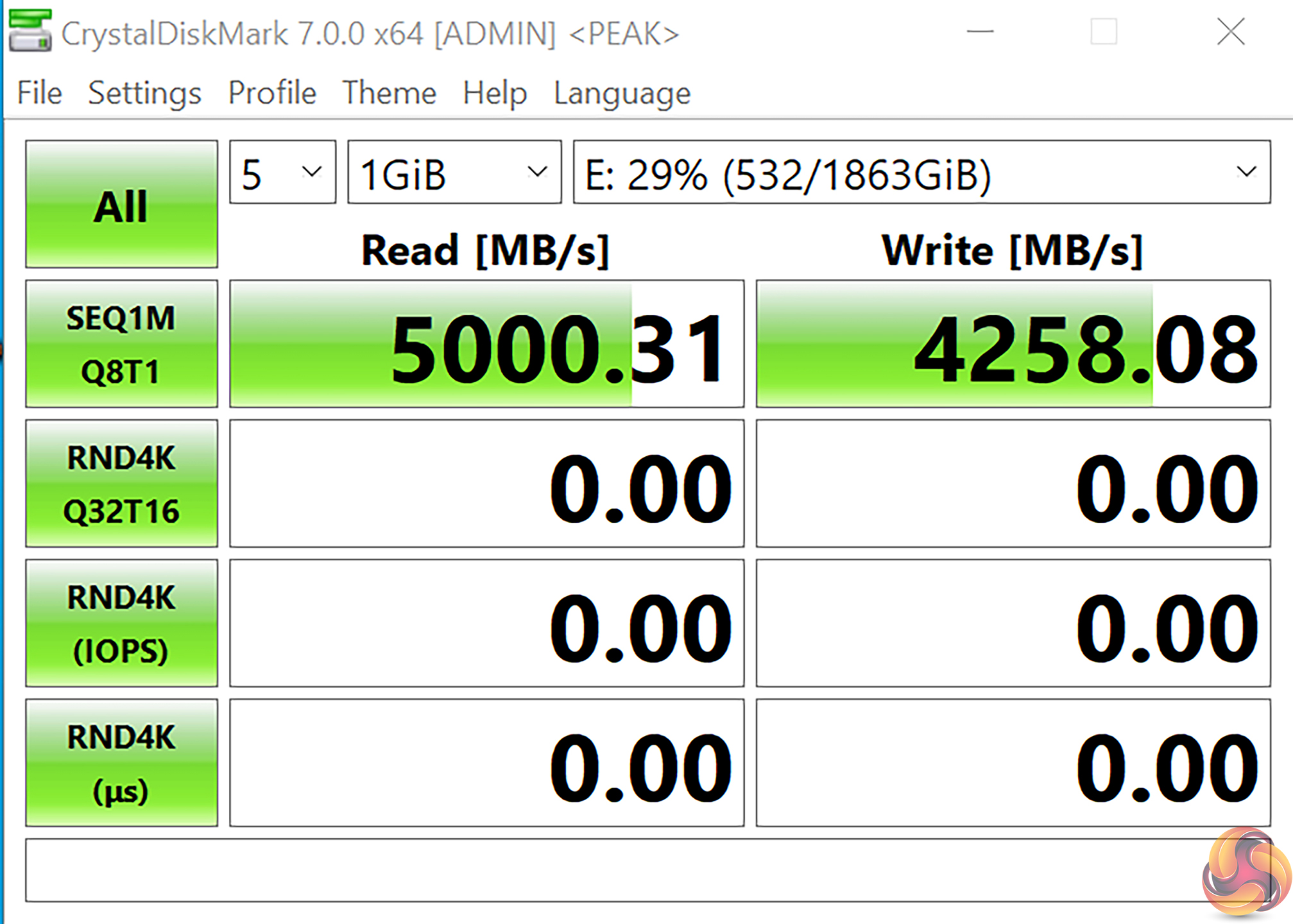
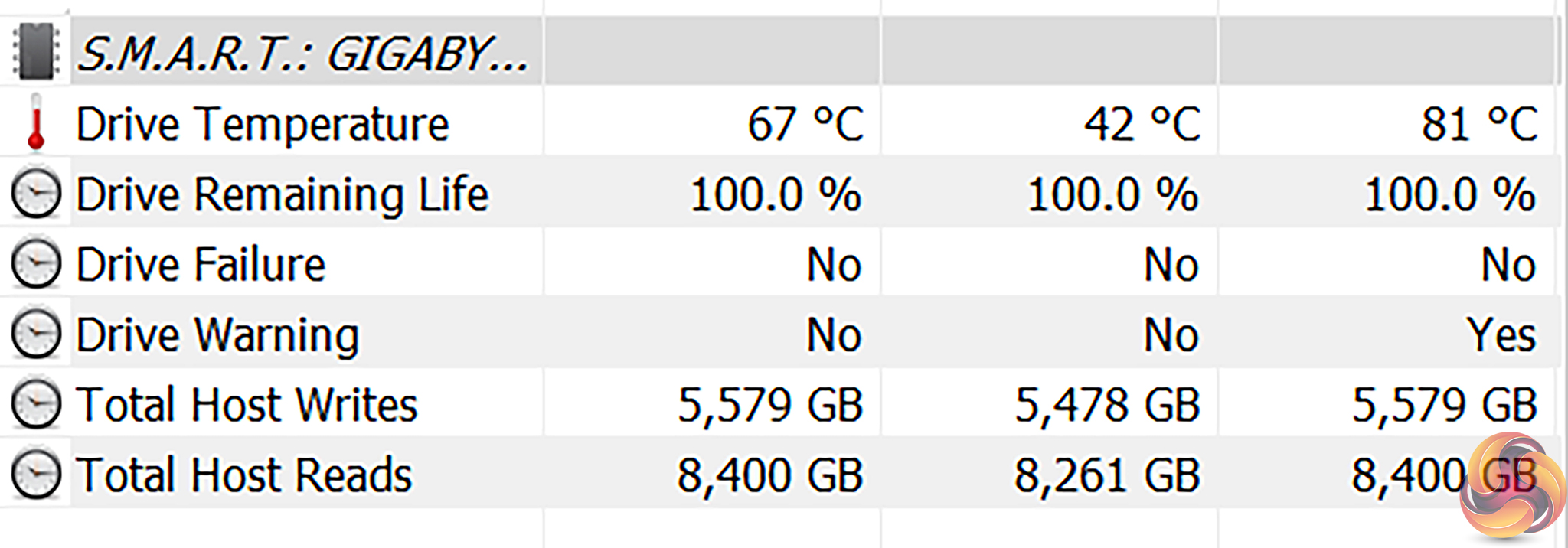
Our PCIe Gen 4 SSD hit its 5GBps levels in CrystalDiskMark but we had to remove the sizable heatsink to install it in the rear location.
This meant that even two back-to-back CrystalDiskMark benchmarking runs, or a single run with 9 read/write operations, would cause thermal throttling and a heavy drop-off in write performance.
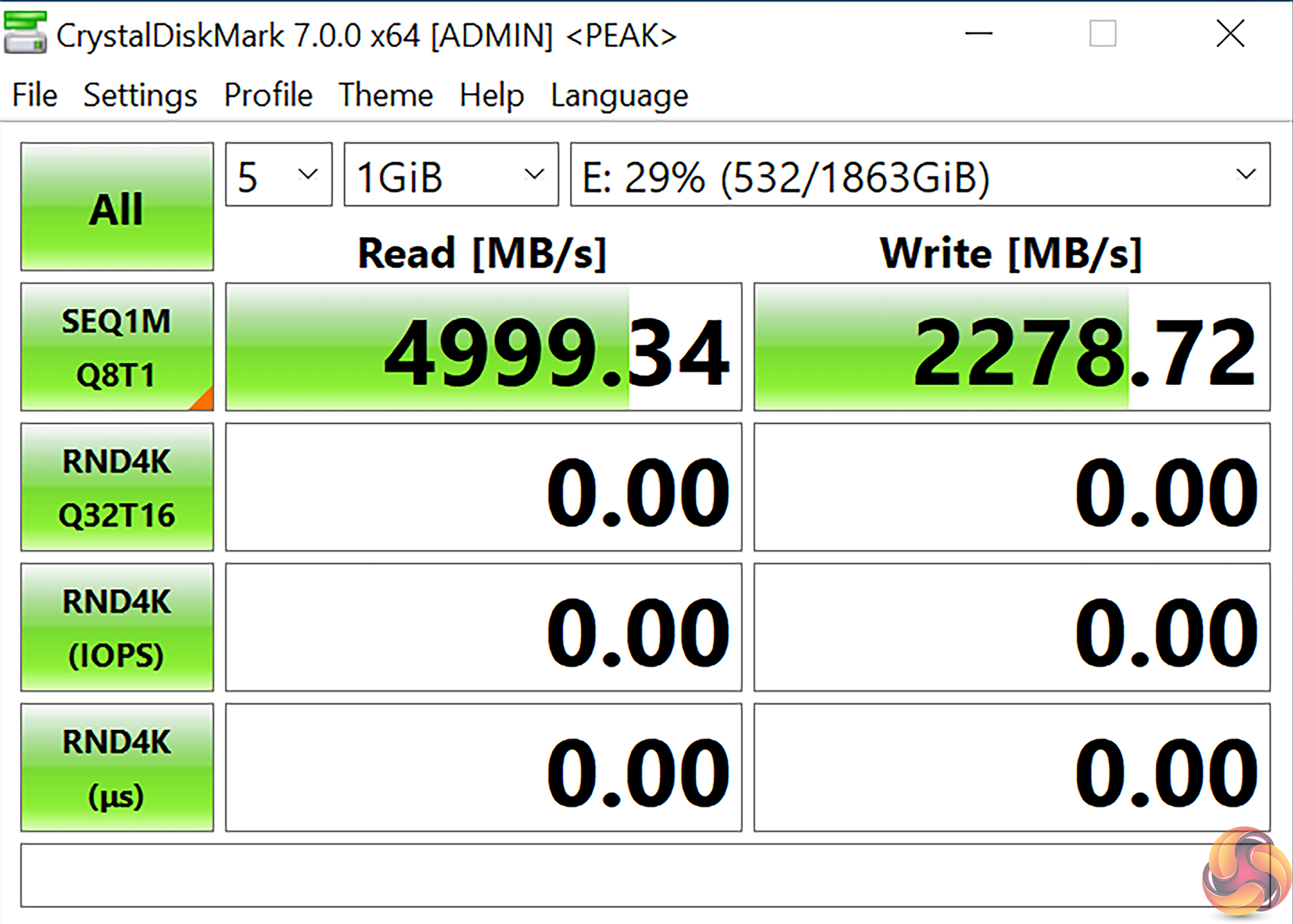
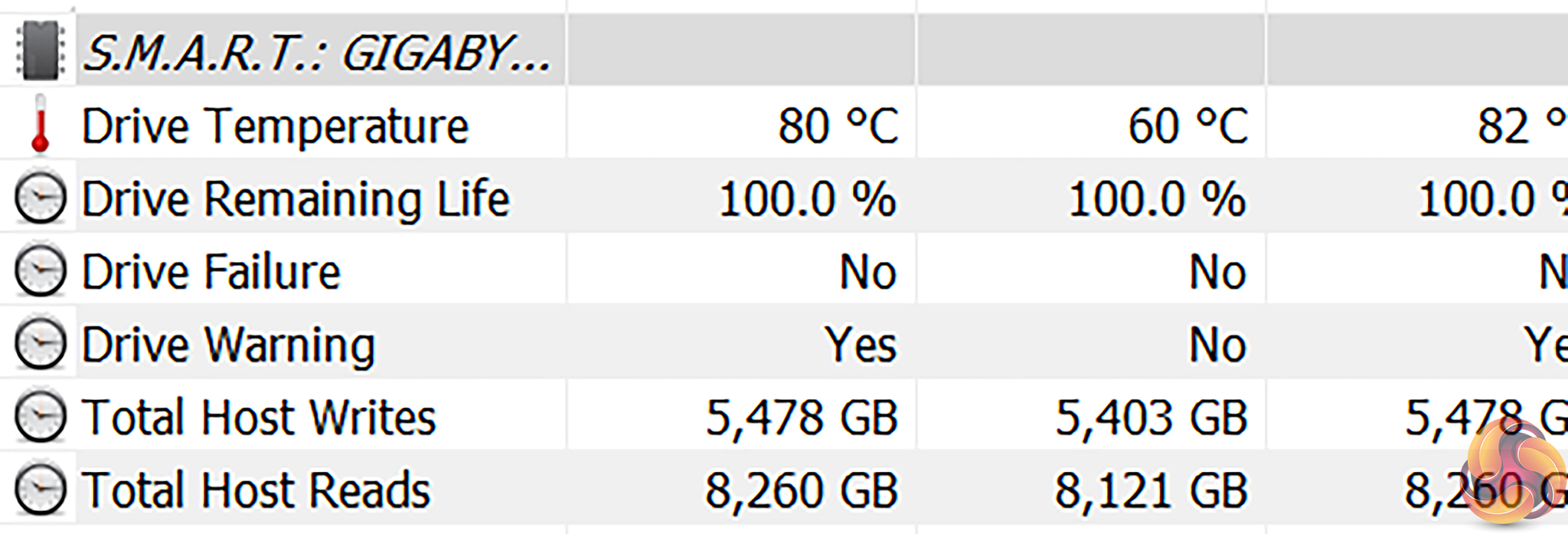
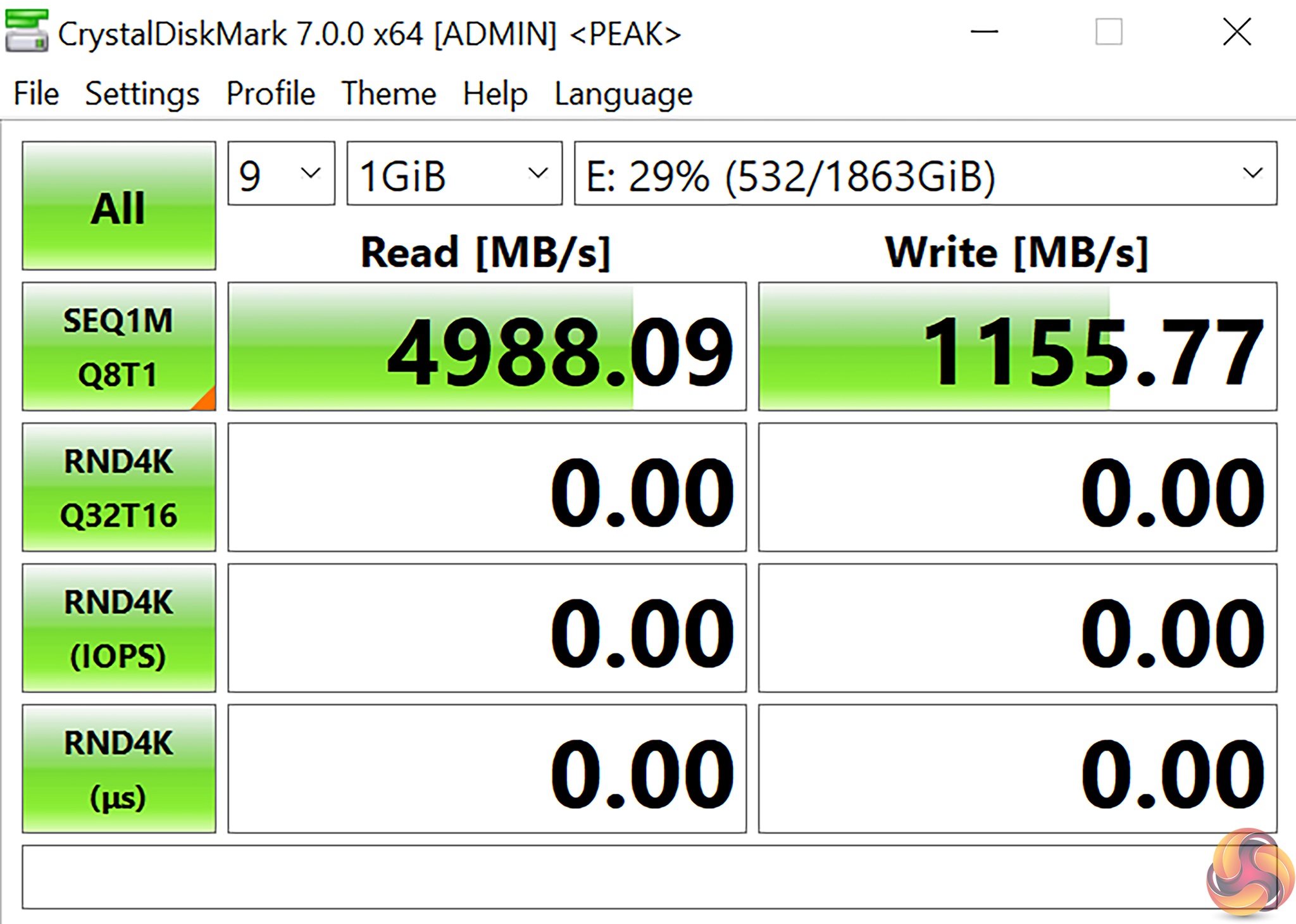
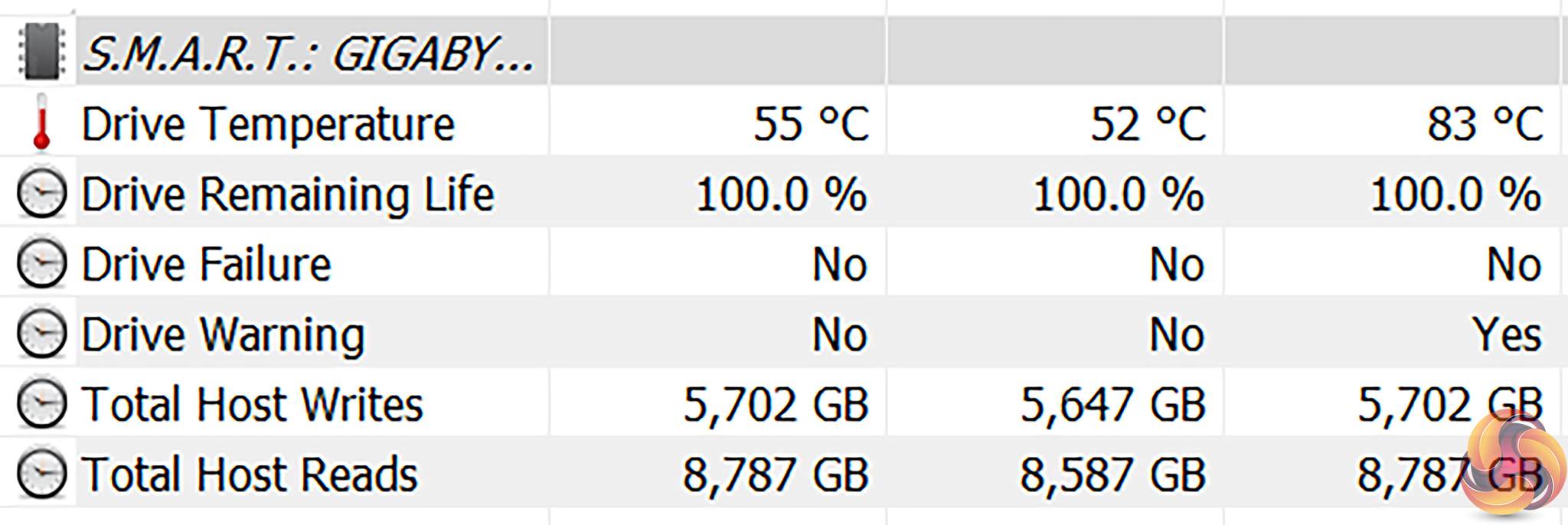
This is clearly something that is going to be a problem to users with write-heavy tasks and that’s a key audience for this motherboard. Copying extremely large files from a Thunderbolt 3 SSD will likely result in overheating some naked M.2 SSDs, if the writes are fast enough and lengthy enough.
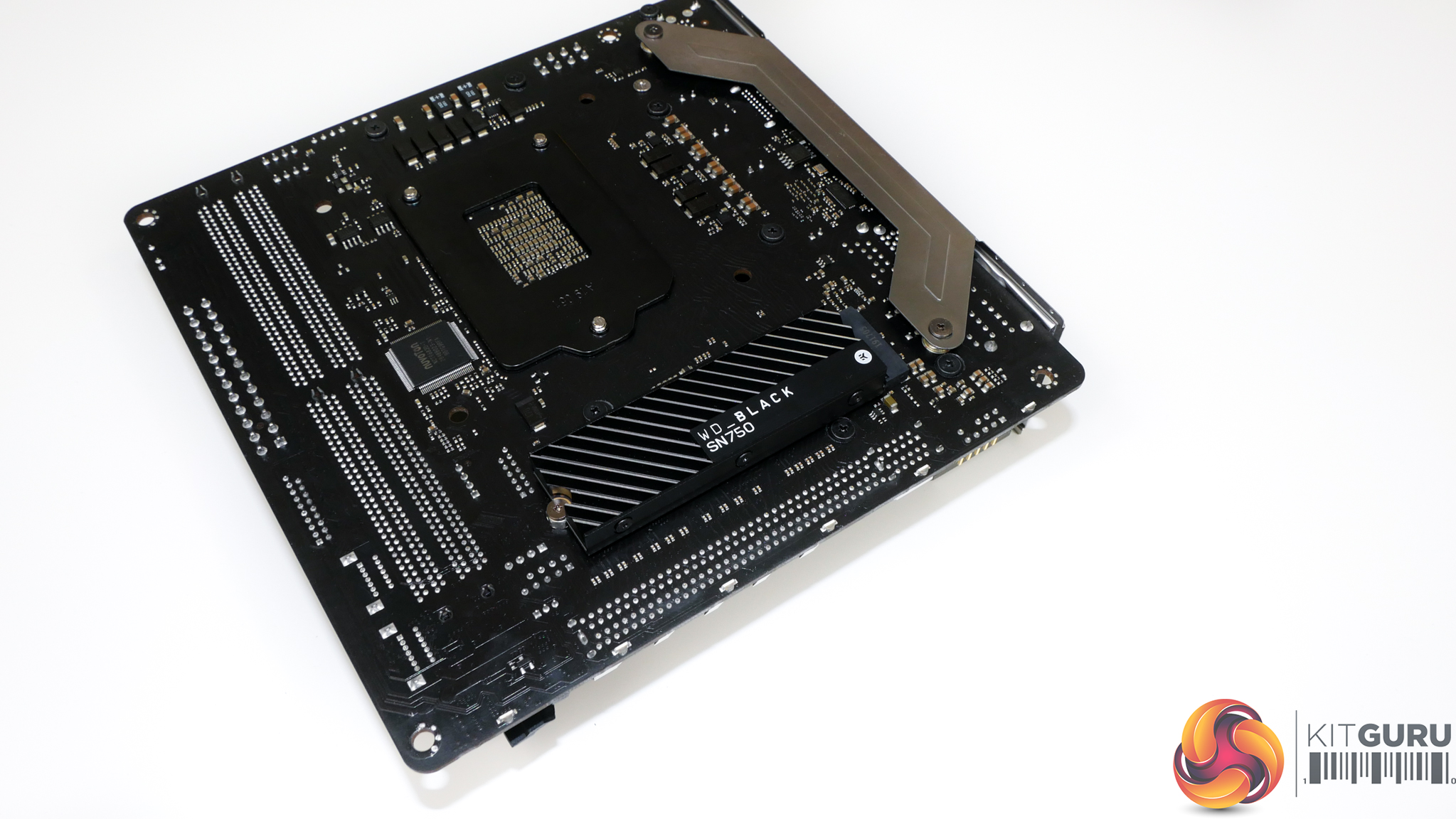
We switched to a WD_Black SN750 SSD equipped with its metal heatsink to see the improvement expected from using a drive with a moderately sized cooling mechanism.
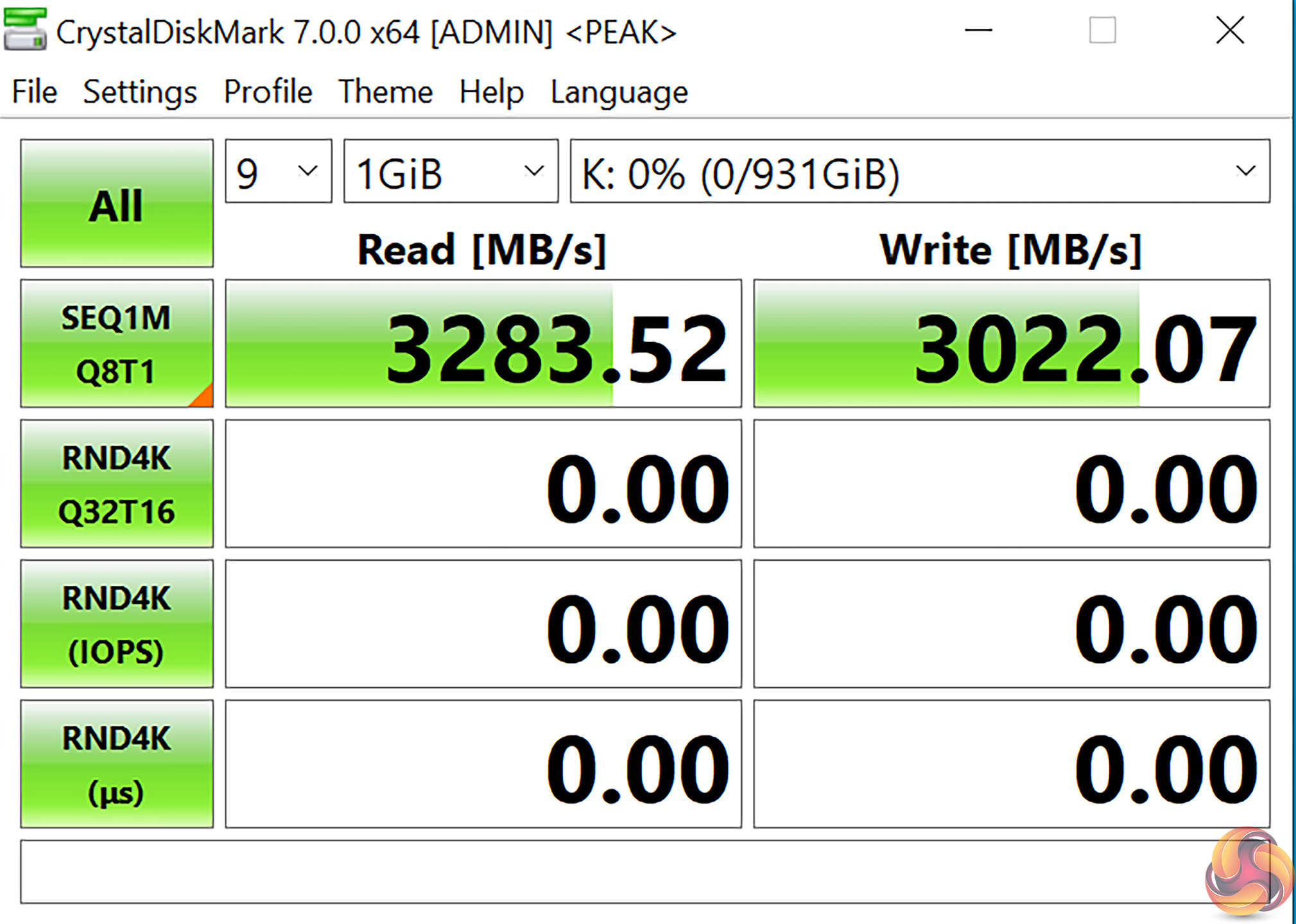
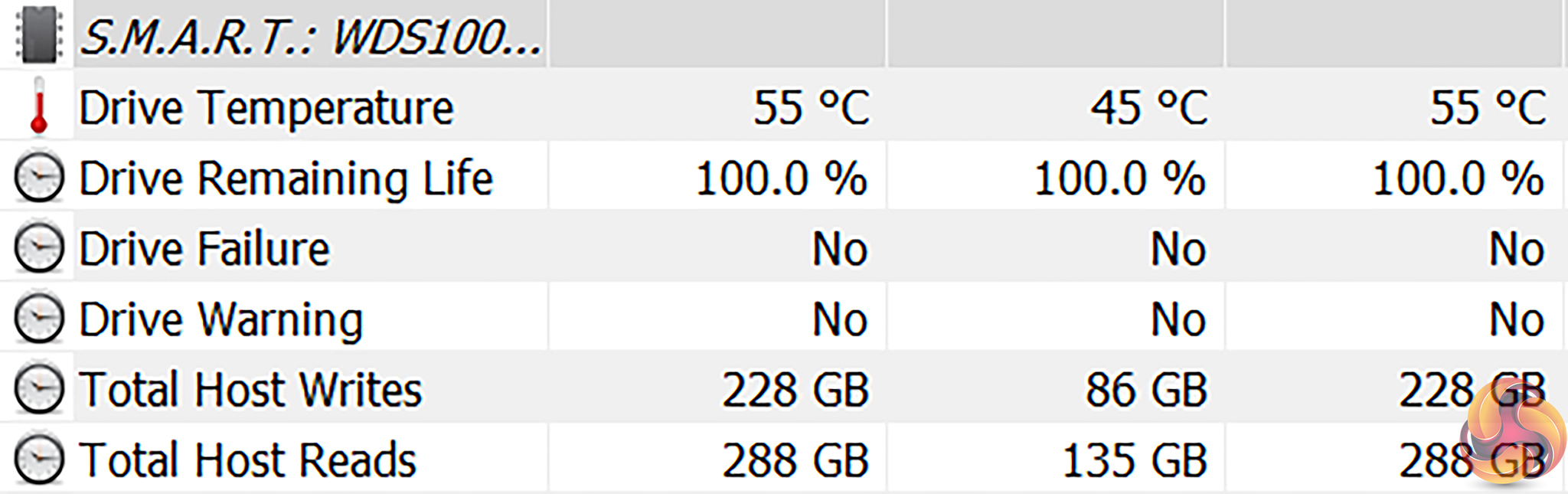
This SSD and heatsink combo alleviated all of our cooling concerns and actually resulted in good performance even for sustained back-to-back read/write operations. Temperatures stayed at reasonable levels too.
The key caveat is that even this SSD is larger than the height of a chassis stand-off, so users will have to hope it sits in the case’s CPU cooler cut-out on the motherboard tray… or opt for a different drive.
Thunderbolt 3 Performance
We test Thunderbolt 3 performance using a PCIe NVMe SSD connected to a TekQ Thunderbolt 3 SSD enclosure.
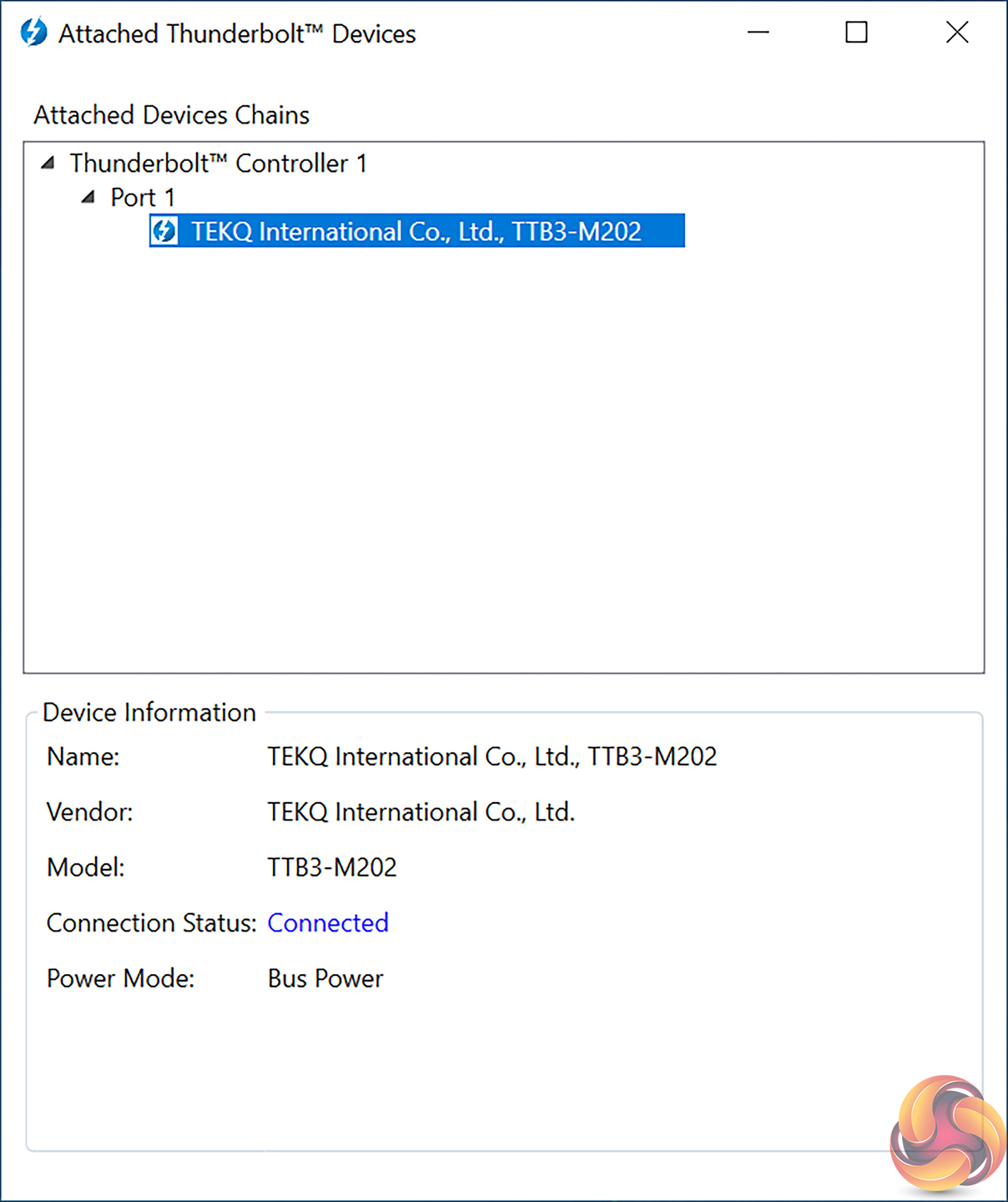
For Thunderbolt 3, we installed the Intel driver from ASRock’s website and used our TEKQ-based SSD enclosure with absolute ease.
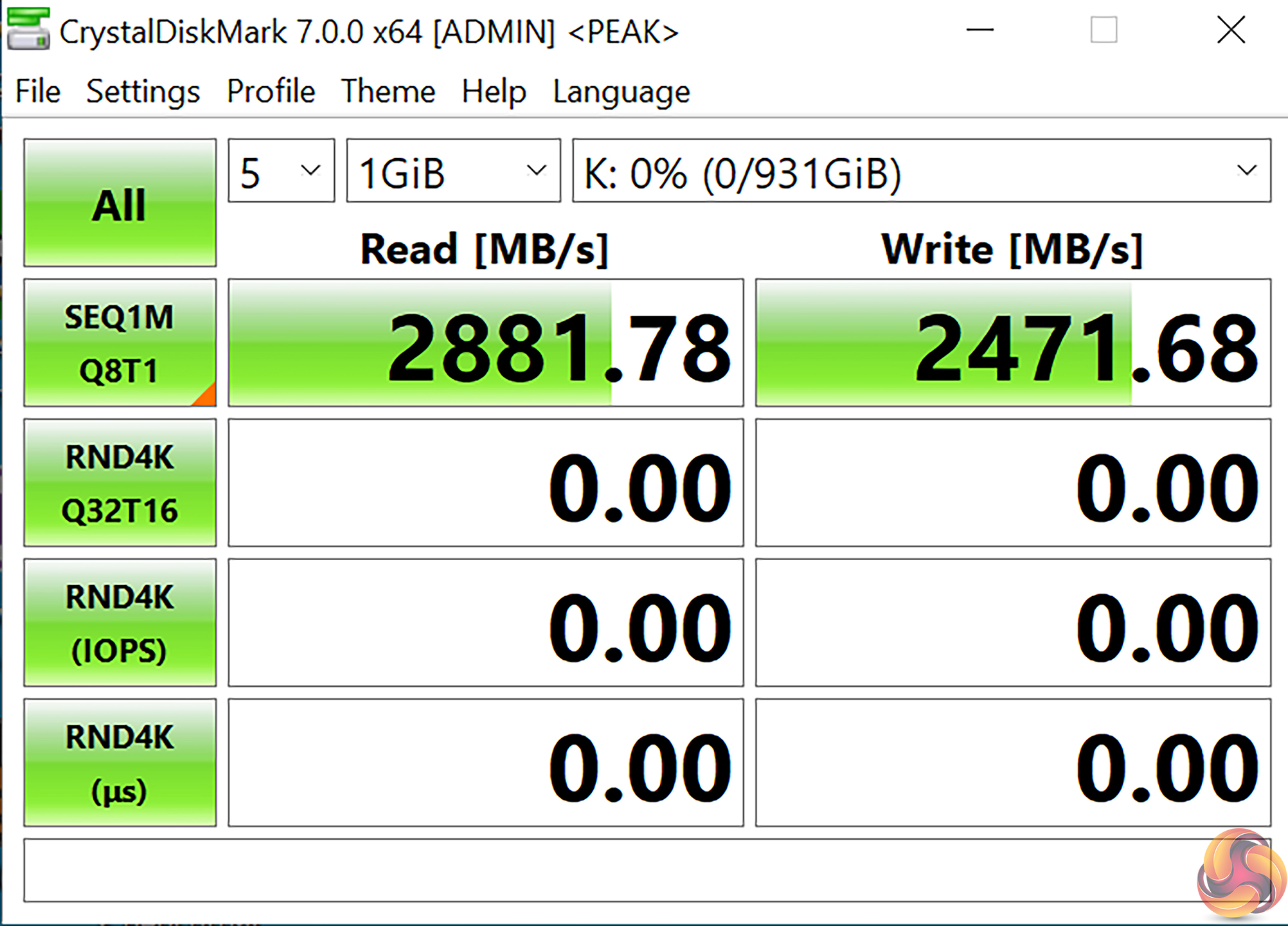
Thunderbolt 3 speeds were good during our testing – hitting just shy of 3GBps peak. This is significantly faster than 10Gbps USB 3.2 Gen 2 and provides strong high-speed external connectivity for users who need it.
SATA 6Gbps Performance
For SATA 6Gbps testing we use a Crucial MX300 750GB SSD.
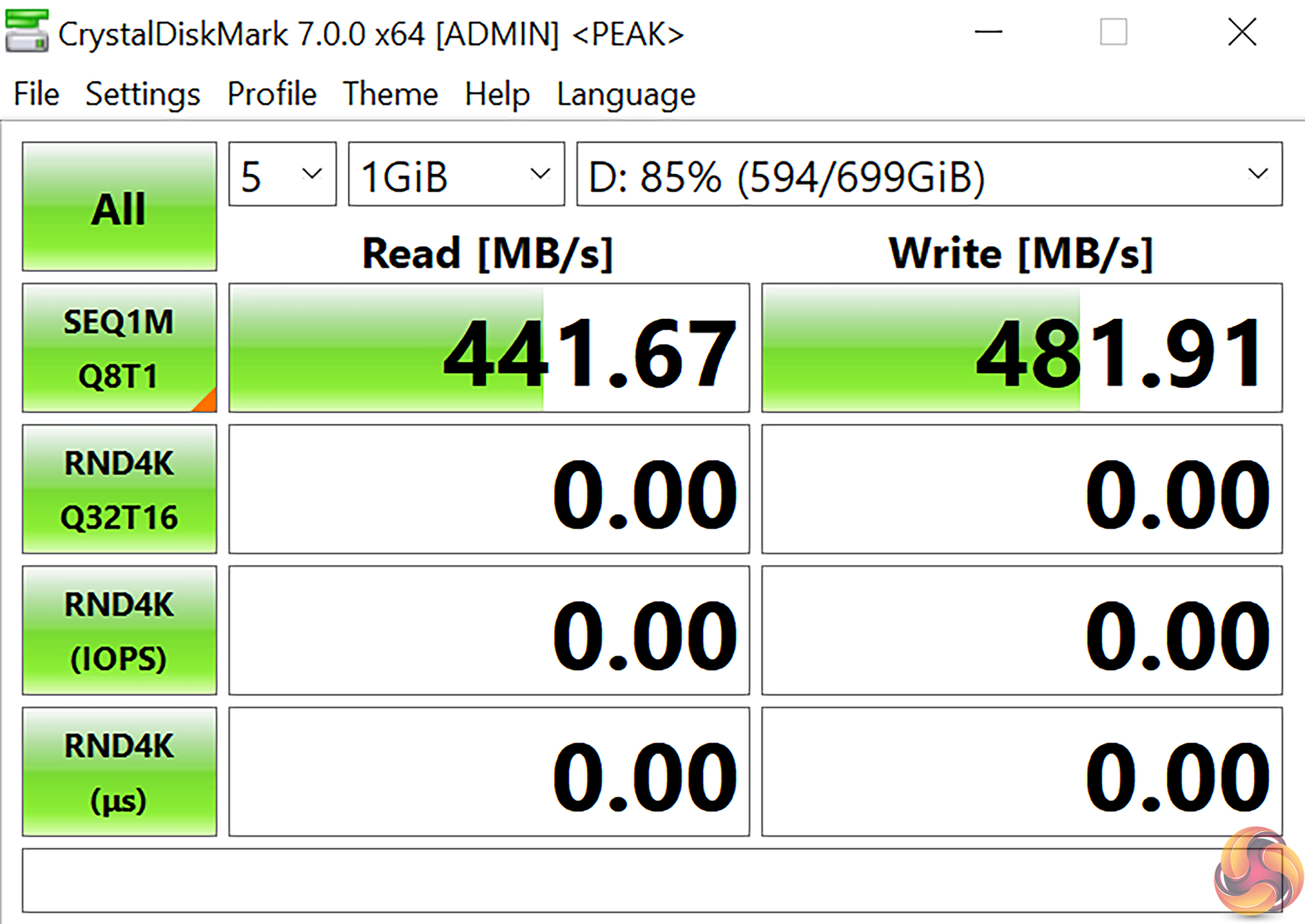
SATA 6Gbps performance from our SSD was fine.
Audio
Rightmark Audio Analyser is a freeware benchmarking utility designed to objectively test the performance characteristics of audio solutions. We setup a line-in line-out loop and execute the record/playback test before generating the results report you see below. A sampling mode of 24-bit, 192 kHz was tested.
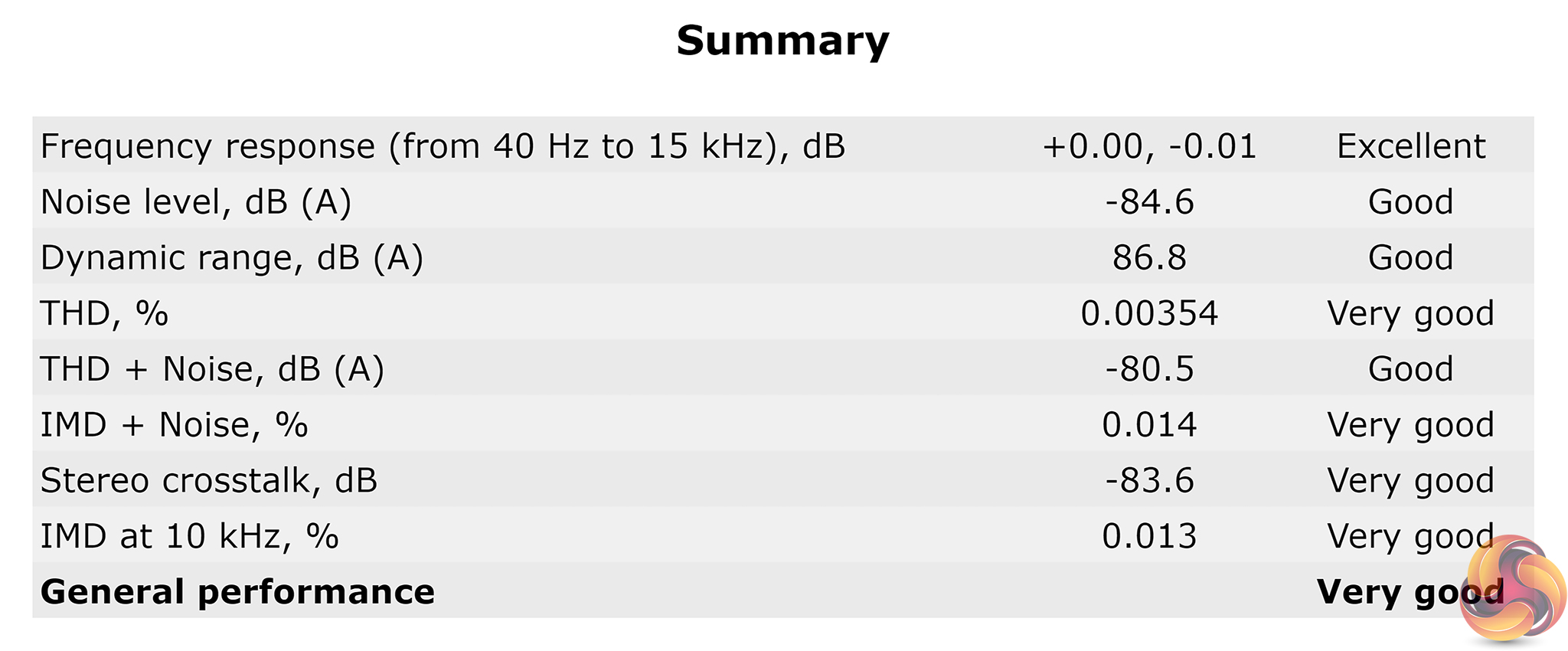
Audio is rated as ‘Very Good’ by Rightmark Audio Analyser, with frequency response being particularly high performance.
Manual CPU Overclocking:
To test the ASRock X570 Phantom Gaming-ITX/TB3 motherboard’s CPU overclocking potential, we set the CPU Core Voltage to 1.35V and applied the Level 1 LLC setting.
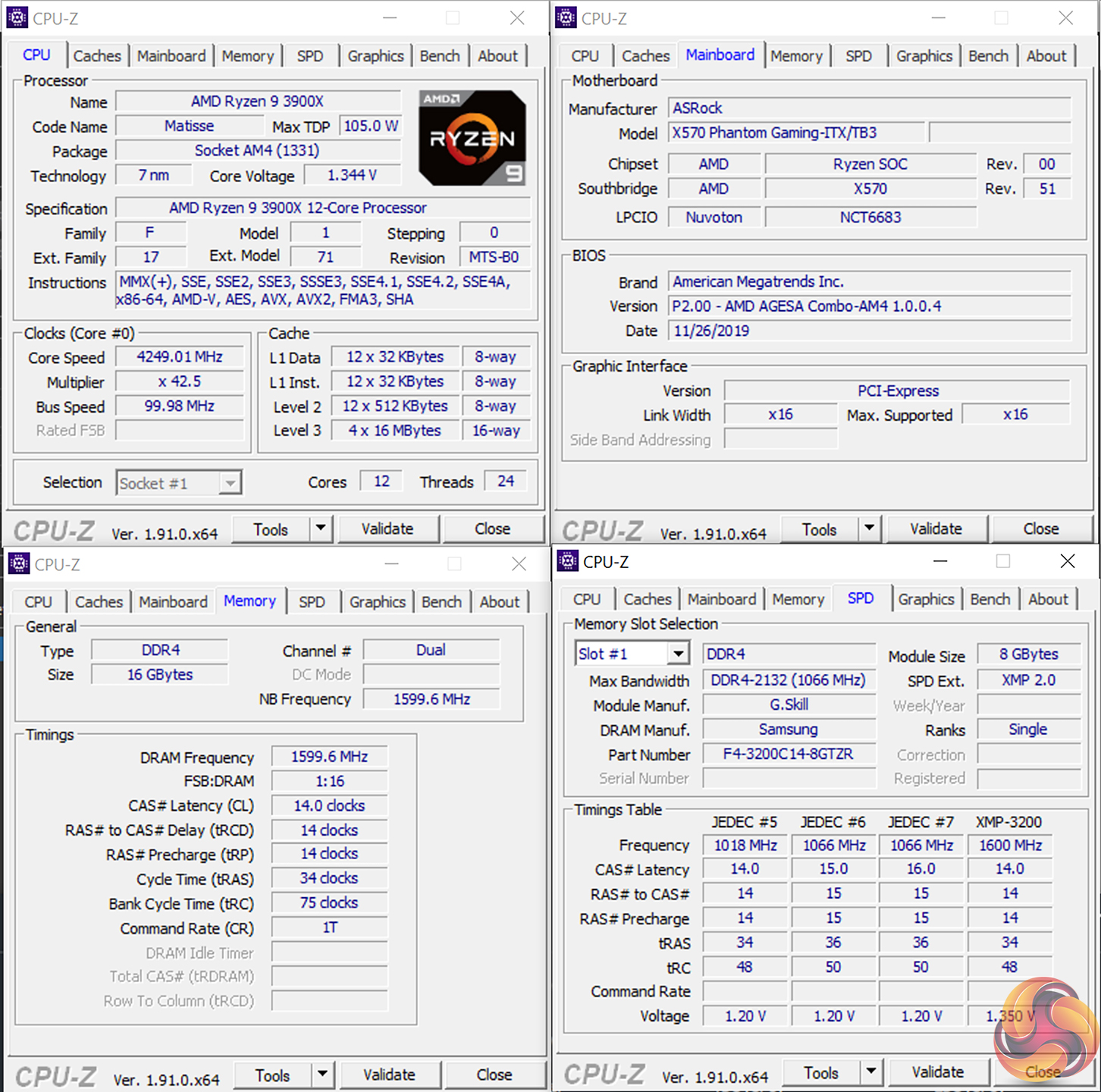
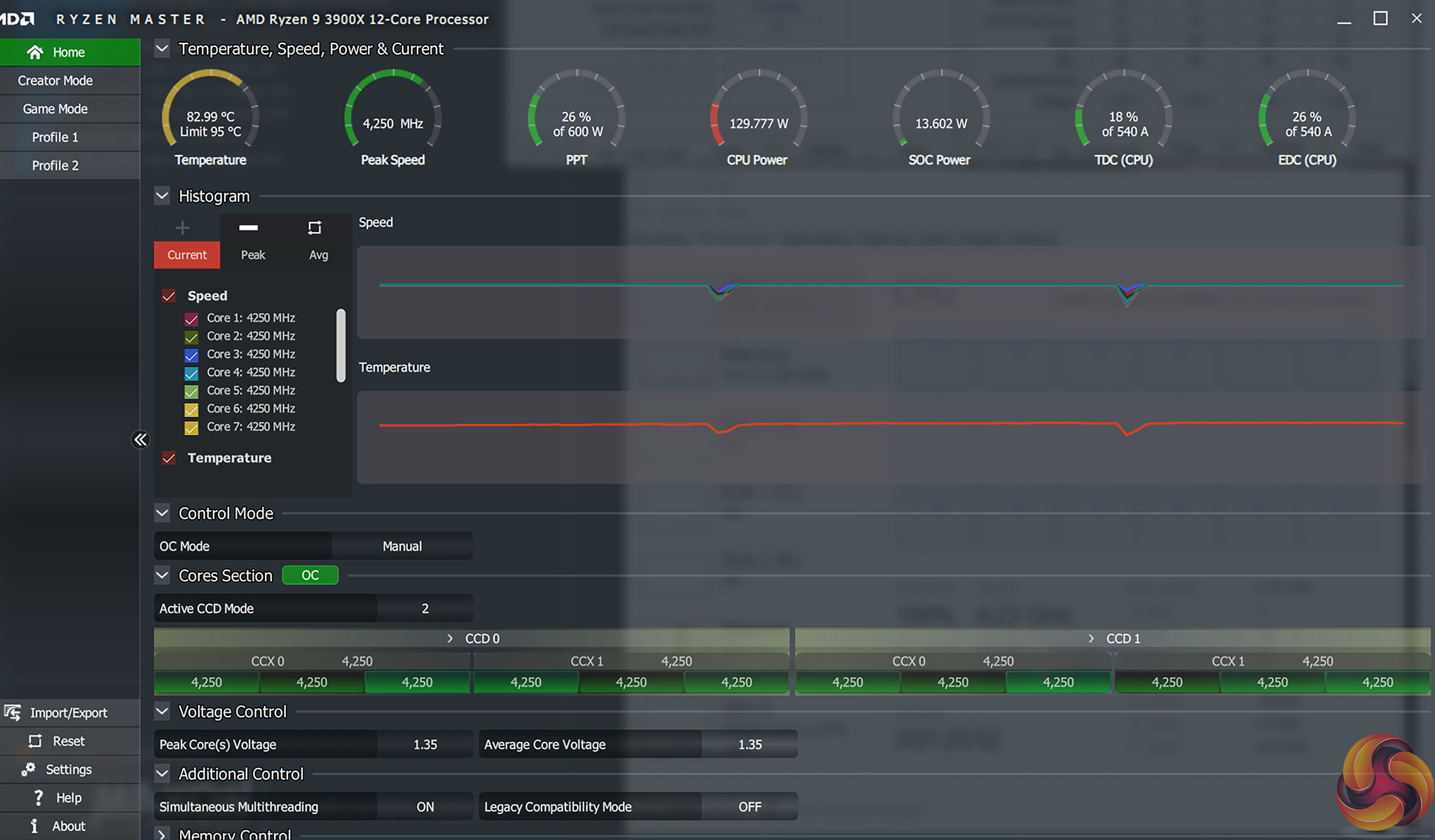
Overclocking was very straightforward thanks to ASRock’s clear UEFI. We were able to hit our usual 4.25GHz with 1.35V with relative ease and the Level 1 LLC was selected thanks to ASRock’s clear display in the UEFI.
Voltage accuracy was good, with CPU-Z reporting a CPU core voltage of 1.344V under load, which represents a 6mV offset from our 1.35V target.
Motherboard Sensors
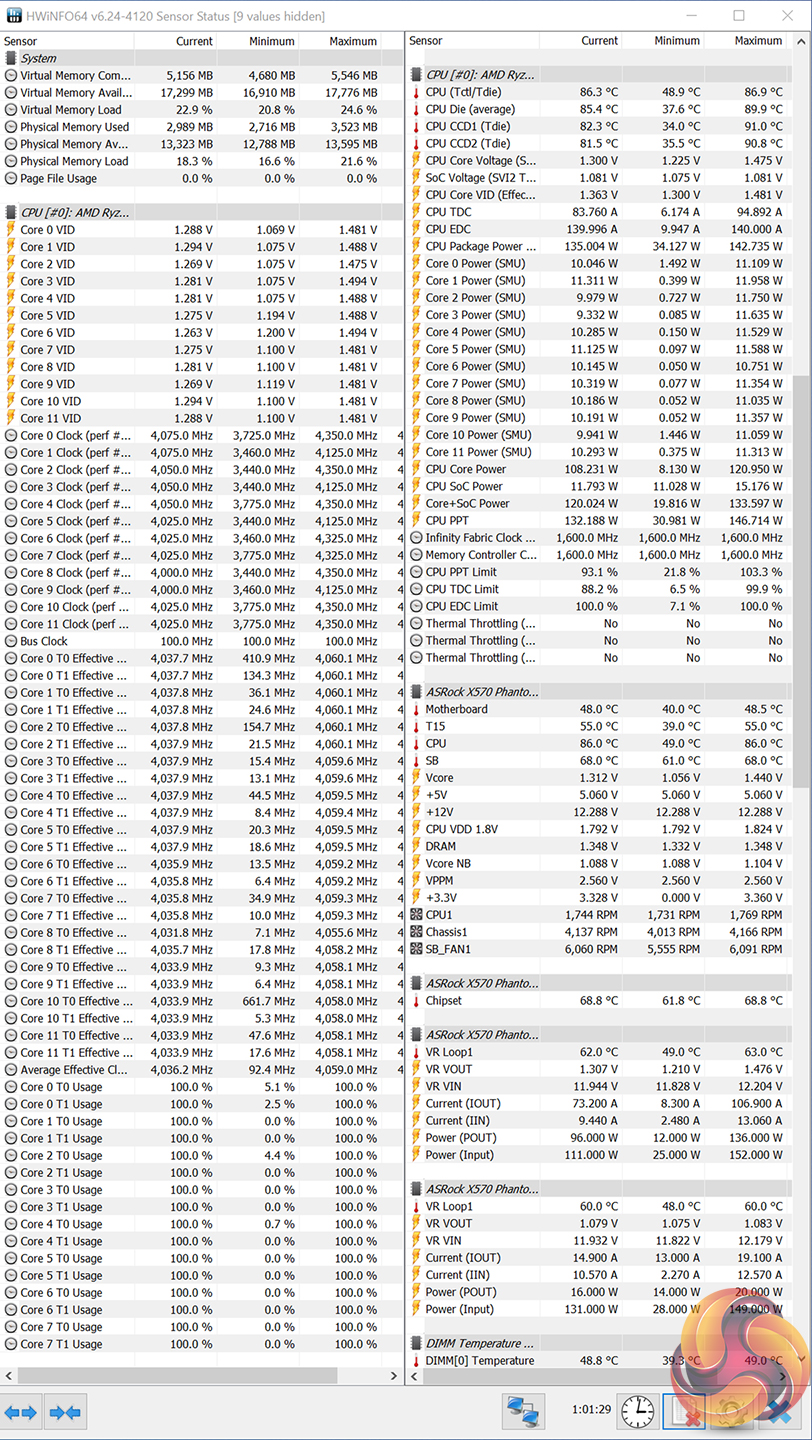
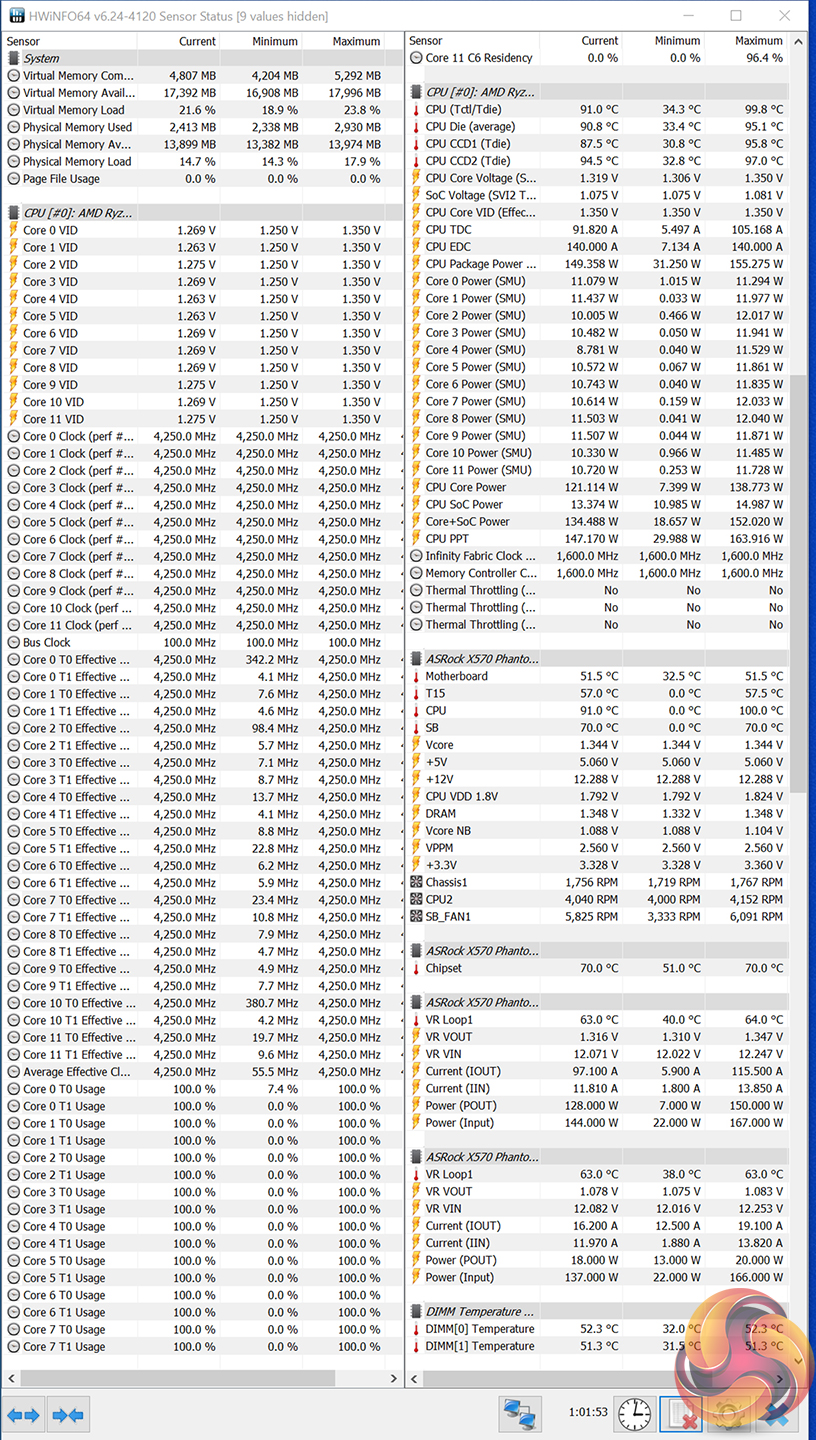
ASRock’s sensor data that is fed through to software such as HWiNFO64 looks to be fairly accurate as it corroborates reasonably with AMD Ryzen Master readings.
The Ryzen 9 3900X CPU commanded its typical 135-142W package power under stock conditions and this increased to around 150-160W under overclocked load.
Overclocked Performance
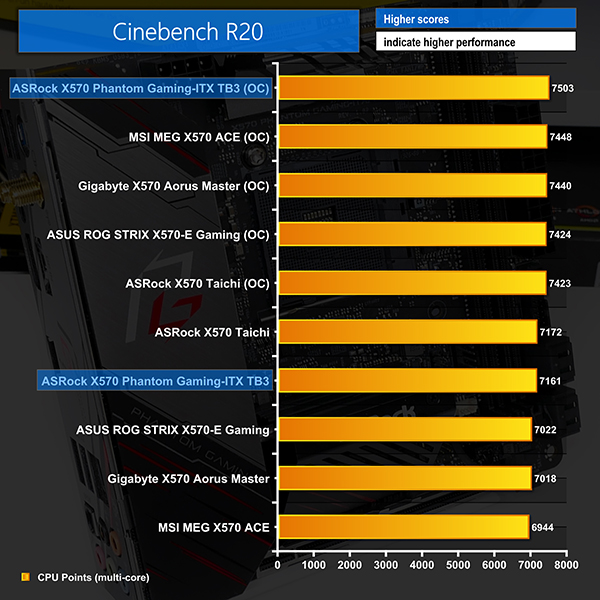
A noteworthy performance boost is obtained from the overclock to 4.25GHz and this helps bump ASRock’s ITX board up into top spot.
System Power Consumption
We leave the system to idle on the Windows 10 desktop for 10 minutes before taking a reading. For CPU load results we run AIDA64 CPU, FPU, and Cache stress tests and take a reading. The power consumption of our entire test system (at the wall) is shown in the chart.
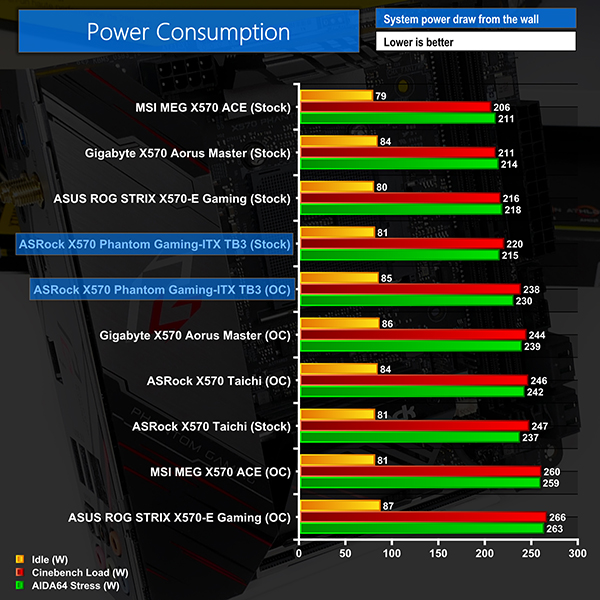
As the physically smaller mini-ITX board is commanding more power than ATX alternatives from Gigabyte, MSI, and ASUS, there is clearly still room for ASRock to improve the motherboard’s stock-clocked voltage and power behaviour.
Overclocked readings with our chip manually tuned are particularly strong as the motherboard has little else to feed power to compared to the larger ATX competitors.
System Temperatures
We run the AIDA64 CPU stress test for 1 hour while recording the system data using HWInfo. This data is then analysed to show the CPU temperatures and also the VRM MOSFET temperatures.
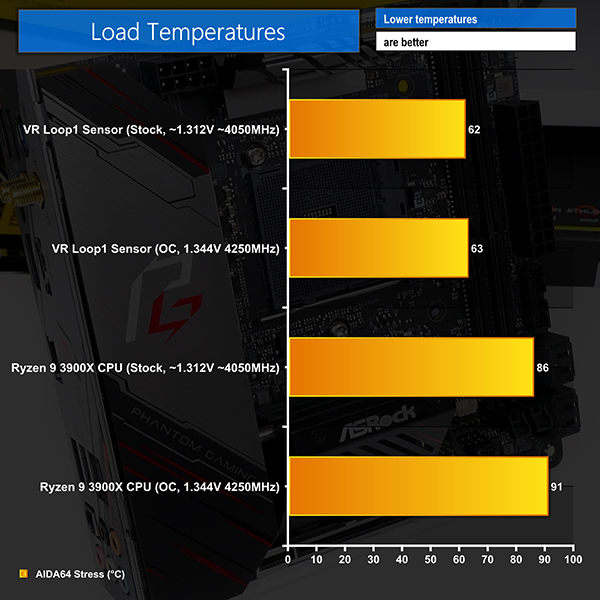
CPU temperatures were certainly on the toasty side of things with numbers around the high-80s and low-90s mark in our very hot ambient environment. While this is more a reflection of our CPU cooler’s performance, it does reiterate the point that there is room for ASRock to tune the stock-clocked voltage levels further.
VRM temperature readings, both via the onboard sensors and through manual readings in the relevant locations, highlight superb results. Despite the small top-side heatsink, ASRock’s bulky cooling block that handles the majority of the VRM heat is more than adequate even for heavy overclocking. This is a testament to the efficiency of the Intersil-based VRM design.
Chipset temperatures were also where we’d expect – around 70C after sustained system usage. The chipset fan does, however, spin rapidly to achieve those temperatures and we regularly saw readings in the 6000 RPM range. This level is irritating, and we’d certainly recommend tuning a fan curve that you are comfortable with via the UEFI.
The ASRock X570 Phantom Gaming-ITX TB3 is a unique X570 offering by way of its SFF design coupled with Thunderbolt 3 support. To users who want a compact powerhouse workstation that provides access to the high-speed Thunderbolt ecosystem, ASRock’s offering is the only choice in town.
Performance overall was excellent, with the miniature contender happily competing against larger ATX competitors. Power delivery from the well-built VRM solution was also positive and the heatsinks had no problem cooling the power stages, despite their rather inefficient design.
LGA 115X mounting holes for the CPU cooler will be excellent news to buyers upgrading from older Intel platforms and wanting to maintain their trusted heatsink. You also get better overall choice for SFF heatsinks that support LGA 115X compared to AM4. With that said, you won’t be able to install the Wraith CPU coolers bundled with your Ryzen CPU, so that is a clear caveat.
The rear-mounted M.2 connector is good for freeing up real estate on the motherboard’s front side. However, it certainly dictates that one uses an SSD with a relevant heatsink in order to avoid severe thermal throttling in write-heavy situations.
We opted for the WD_Black SN750 offering which proved to offer excellent sustained performance thanks to its heatsink. However, there are several chassis in which SSDs with heatsinks will not physically fit behind the motherboard tray, so one needs to make careful consideration.
There are clear caveats with the ASRock X570 Phantom Gaming-ITX TB3 motherboard, though. The lack of a secondary M.2 connection is highly disappointing from flexibility, performance, and sheer storage capacity perspectives. There’s no 2.5/5GbE which would have been very useful features, albeit at a cost increase. And the single internal USB 2.0 header is an oversight that will cause headaches for many AIO users.
Thankfully, the board’s Thunderbolt 3 special feature will help to alleviate many of those shortcomings whilst also offering display output capability through a single cable.
Put simply, if you want a high-performance, mini-ITX, X570 motherboard with Thunderbolt 3, the ASRock X570 Phantom Gaming-ITX TB3 is your only choice. Thankfully, the performance is strong, the VRM is very well built, and we would consider none of its caveats to be deal-breakers, provided you can manage with just one M.2 SSD slot.

The ASRock X570 Phantom Gaming-ITX/TB3 is priced at £249.95 at Overclockers UK.
Discuss on our Facebook page HERE.
Pros:
- Excellent Intersil-based VRM hardware
- Very bulky main VRM heatsink with heatpipe to chipset and fan
- Intel Titan Ridge Thunderbolt 3 controller
- Good video connectivity – HDMI 2.0 and Displayport-in for Thunderbolt 3
- Clear and easy to use UEFI
- LGA 115X cooler mounts are good for SFF users upgrading
Cons:
- Only one M.2 port and no onboard cooling
- No 2.5/5GbE
- Can’t use AMD-supplied Wraith CPU coolers due to LGA 115X mounts
- Only one internal USB 2 header
KitGuru says: A Mini-ITX powerhouse that offers the superb flexibility of Thunderbolt 3, albeit with caveats elsewhere. If you want SFF, X570, and Thunderbolt 3, the ASRock X570 Phantom Gaming-ITX TB3 is your only choice and it's certainly a good one.

