 KitGuru KitGuru.net – Tech News | Hardware News | Hardware Reviews | IOS | Mobile | Gaming | Graphics Cards


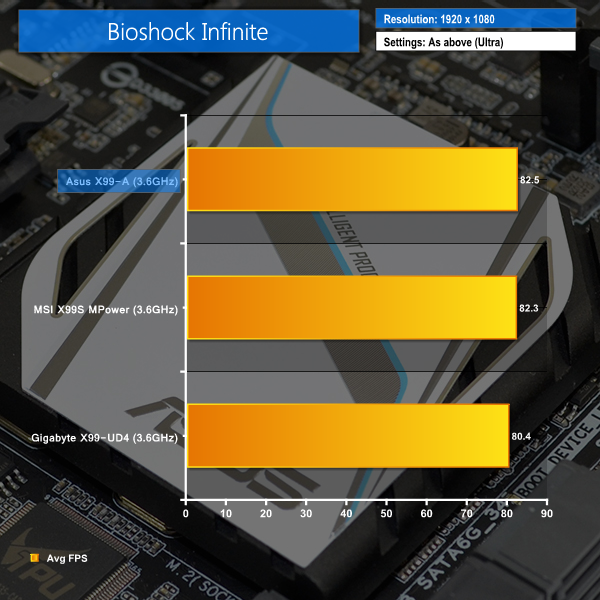
Bioshock Infinite
We used the Bioshock Infinite demanding ‘Ultra’ setting and a 1920×1080 resolution to push today’s gaming hardware. Our data was recorded using a section of the game, not the built-in benchmark.

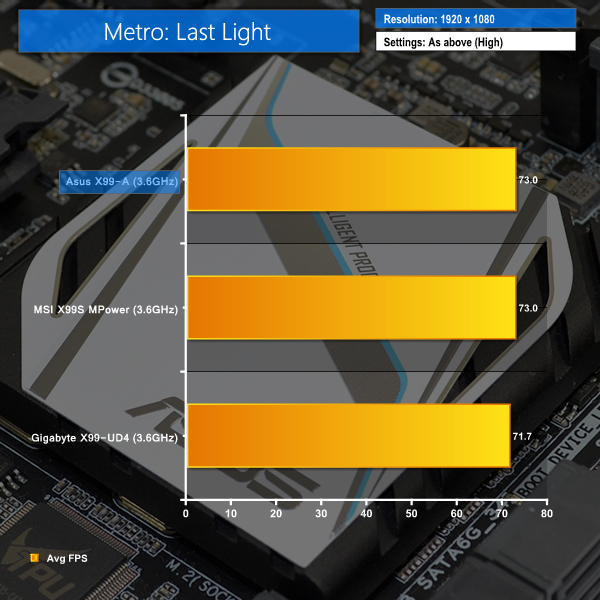
Metro: Last Light
We used a 1920×1080 resolution and the Metro: Last Light built-in benchmark set to ‘High’ quality to offer an intense challenge for the gaming hardware while also making playable frame rates a possibility.

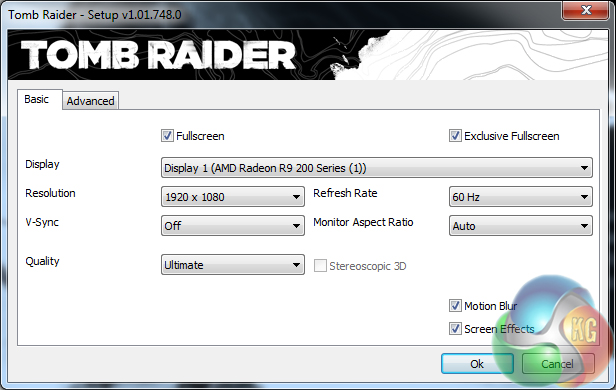
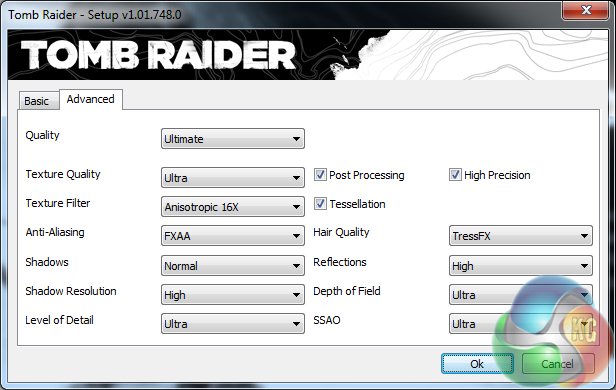
Tomb Raider
We used a 1920×1080 resolution and the Tomb Raider built-in benchmark set to ‘Ultimate’ quality.
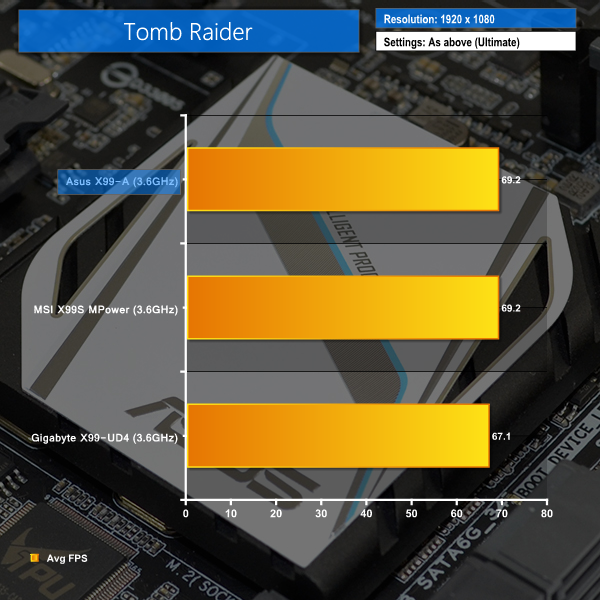
Gaming performance for the X99-A is as we would expect – unhampered. The board's PCIe 3.0 slots have no problem delivering the bandwidth required for our Asus R9 280X graphics card to flex its muscle.
While the Asus and MSI boards are tied for top place in Tomb Raider and Metro: Last Light, Bioshock Infinite shows a 0.2 FPS preference towards the X99-A. That 0.24% performance benefit is low enough to call all gaming results a tie.

Luke, fantastic review. I am interested in two things.
Firstly, is the M.2 slot physically blocked by a second graphics card. For example, 2x4GB EVGA GTX 980? This card extends the whole width of this motherboard and I suspect the second card would occupy the third PCIe slot (PCIEX16_3 on the schematic). Due to the thickness of the card, I am worried that the M.2 slot is obscured.
Secondly, what benefit would I or other readers experience in your opinion by upgrading to the x99 Deluxe motherboard given the following components:
> Intel Core i7 5960X Haswell-E 8 Core
> 2x 4GB EVGA GTX 980
> 8x8GB Corsair DDR4 Vengeance
> 250GB Samsung 840 EVO Basic SSD SATA III
Thanks for your thoughts.