 KitGuru KitGuru.net – Tech News | Hardware News | Hardware Reviews | IOS | Mobile | Gaming | Graphics Cards


Today marks the launch of the new Ryzen 5 line of processors from AMD. If you've been living under a rock for the past month, these are the cheaper hex-core and quad-core chips that slot in under Ryzen 7 in the family hierarchy. Chillblast were very quick to send us a system based on the Ryzen 5 1600, and when coupled with a GTX 1070, could this be a real winner?
The Chillblast Fusion Hex is definitely the most affordable PC with a hex-core processor I have seen in a long while. Priced at £1319.99, this system has the potential to be a winner with those who want to game as well as run multi-threaded software. Read on for our full review, including a look at the system itself, analysis of its computational performance, and how it runs some of the latest games.
Specification
- Cooler Master MasterBox 5T Case – Black & Red
- Gigabyte GA-AB350-Gaming 3 Motherboard
- AMD Ryzen 5 1600 CPU, 6 Cores, 3.2 – 3.6GHz
- Cooler Master MasterLiquid 120 CPU Cooler
- Corsair 2x8GB DDR4 2400MHz Memory
- Zotac GeForce GTX 1070 8GB Graphics Card
- 250GB Samsung 960 EVO M.2 PCIe Solid State Drive
- Seagate 2TB BarraCuda 7200RPM Hard Disk
- Cooler Master MasterWatt Lite 80 PLUS White 600W PSU
- Windows 10 Home 64-bit
- 5 Year Warranty, 2 Years Collect & Return
Price: £1319.99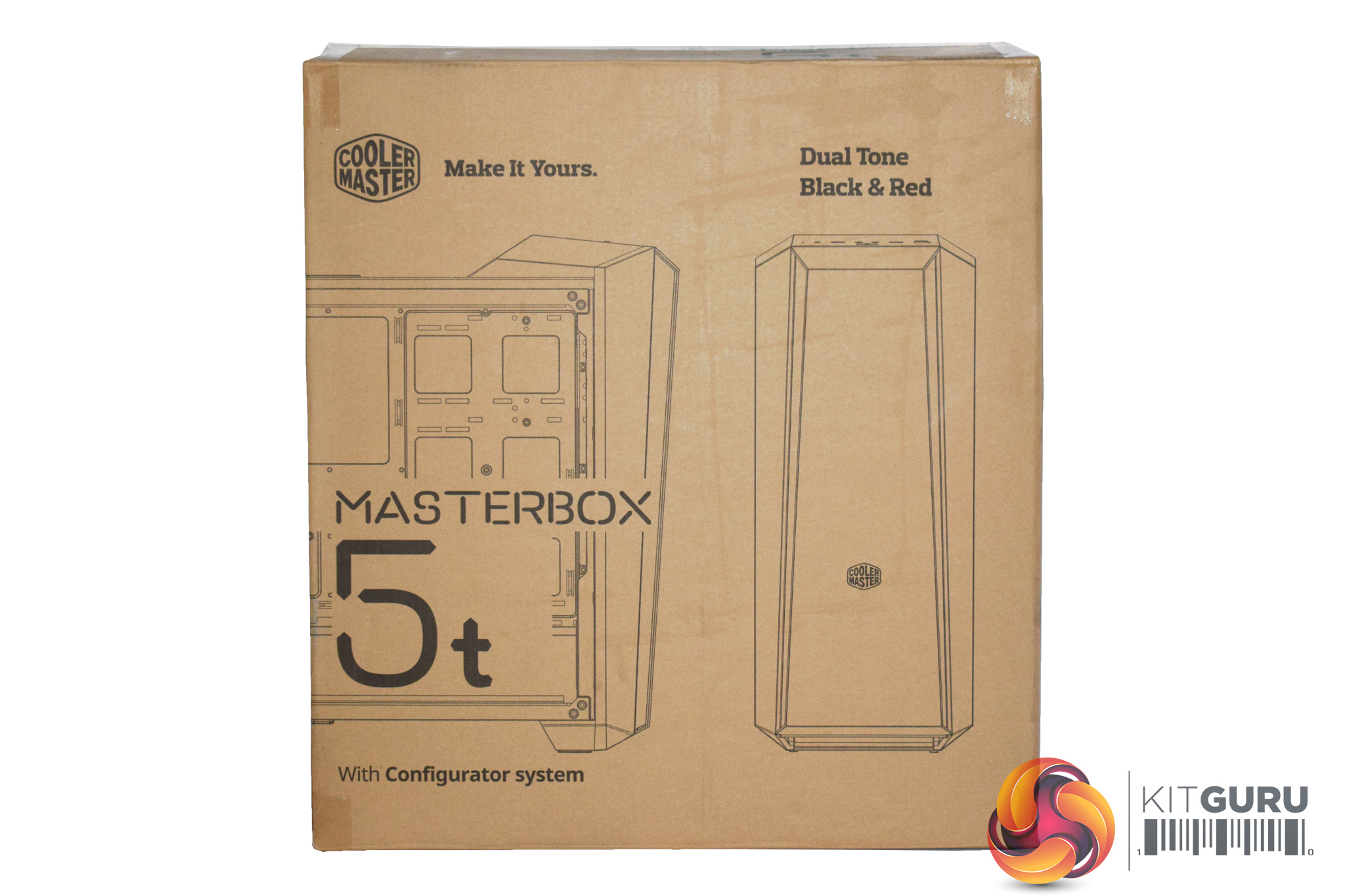
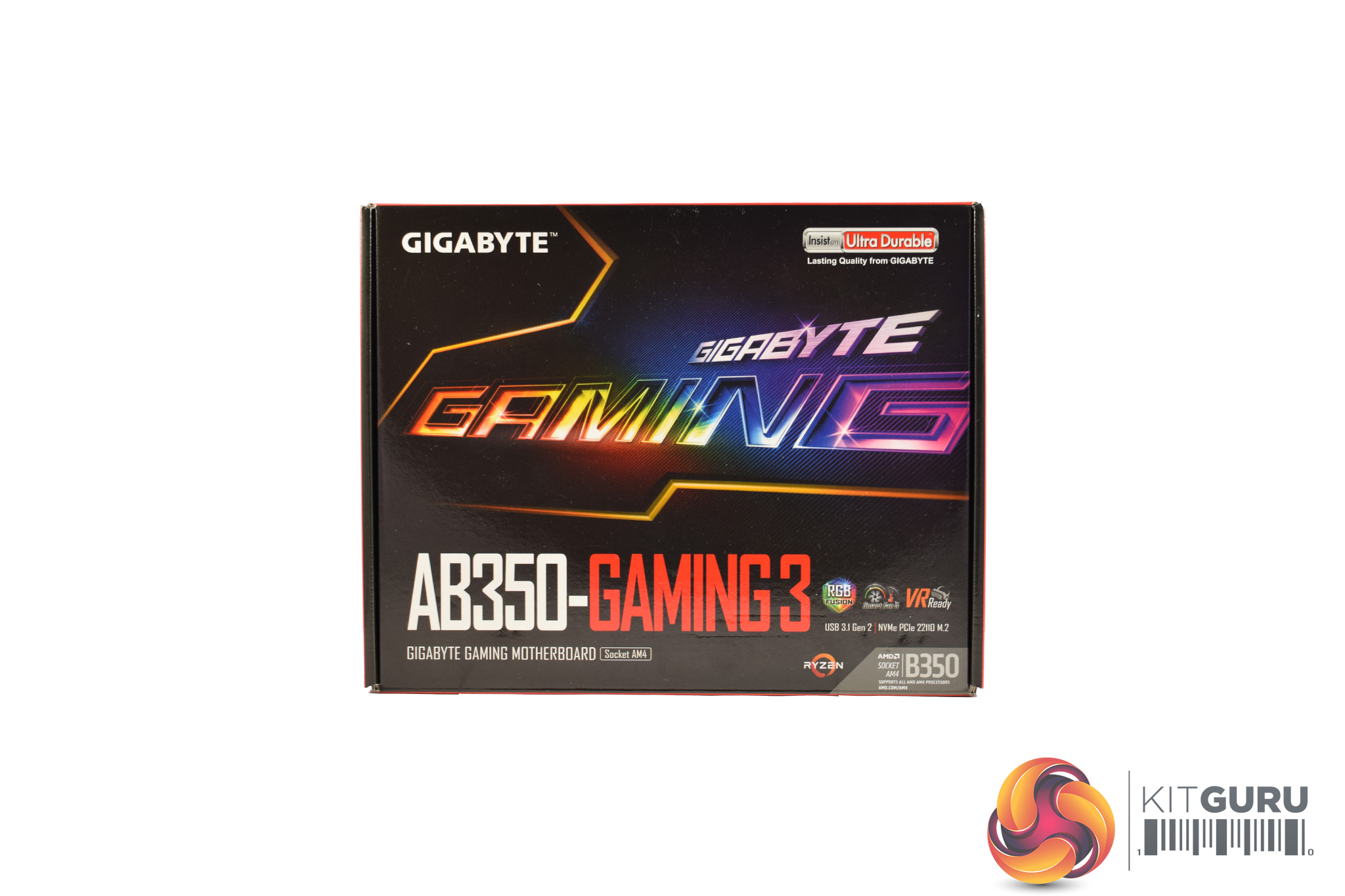
The Chillblast Fusion Hex ships in the MasterBox 5t case, while the AB350-Gaming 3 motherboard box is also included, packed with extra SATA cables, cooler mounting hardware and other things you may find useful in the future.
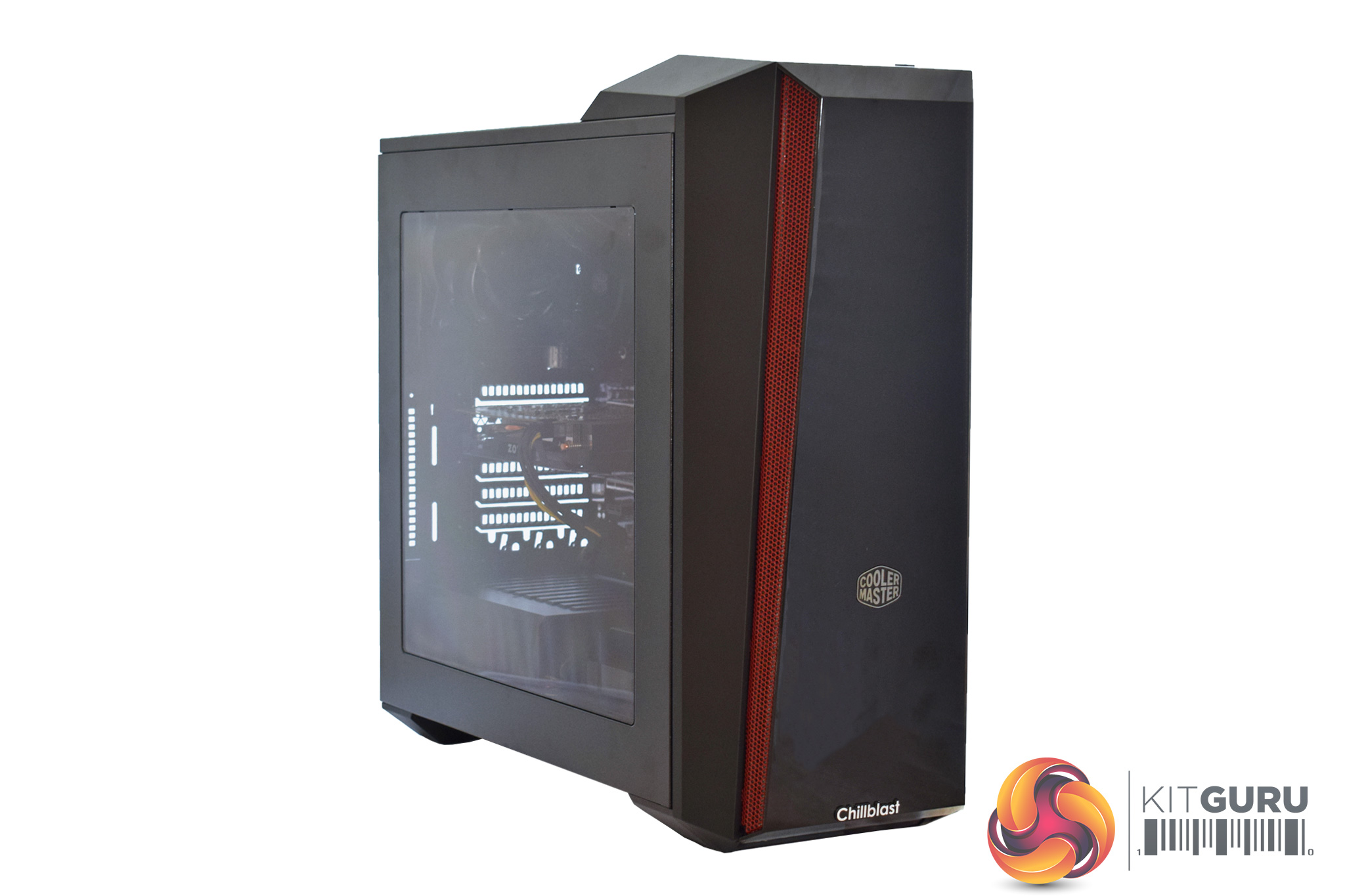
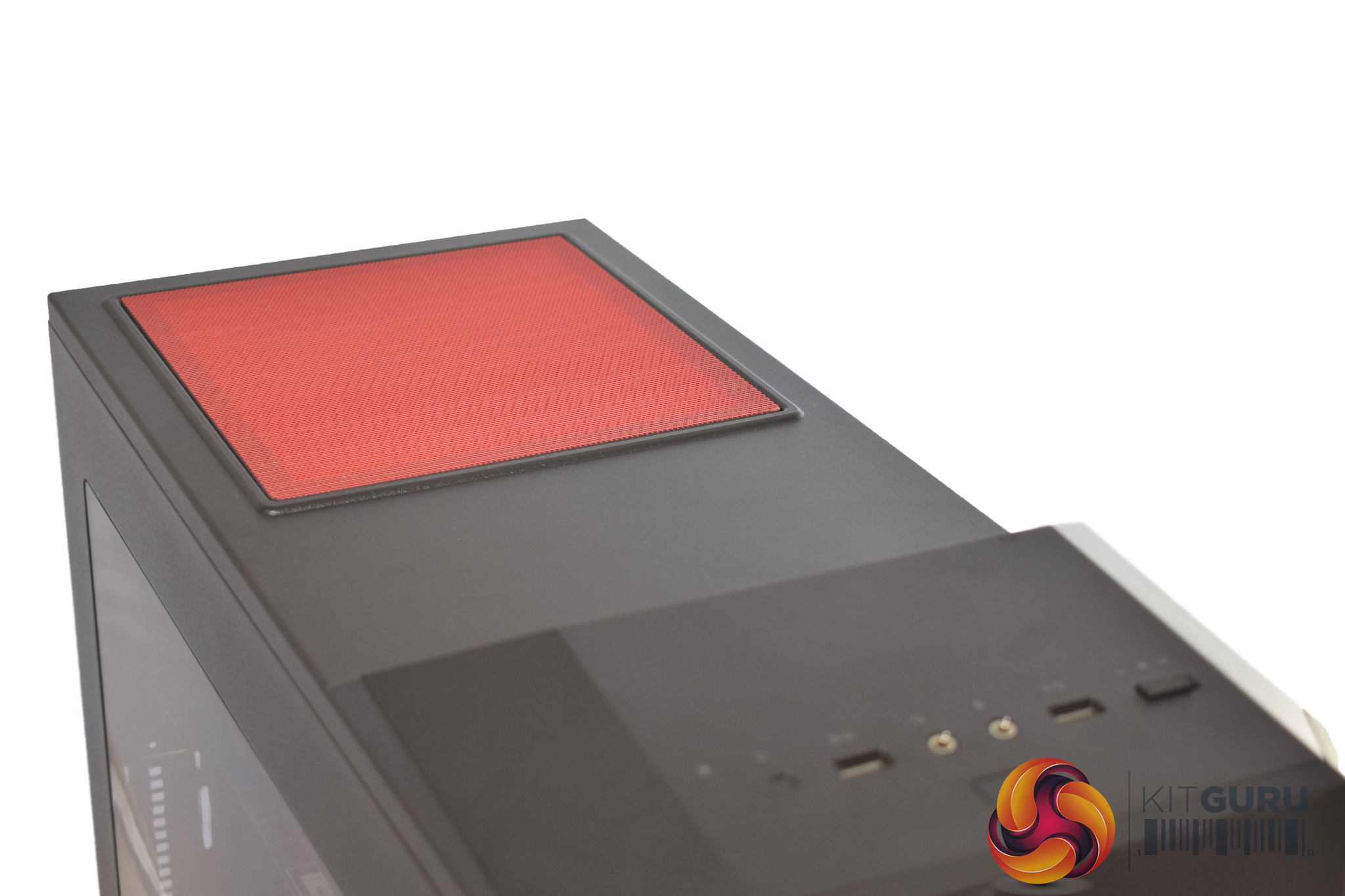
The MasterBox 5t itself is a relatively large case, with red accenting used throughout. It also sports a large acrylic window side panel, something which is great for showing off the internal components.
It is also worth pointing out that the top of the case is fitted with a large magnetic dust filter, definitely something I appreciate.
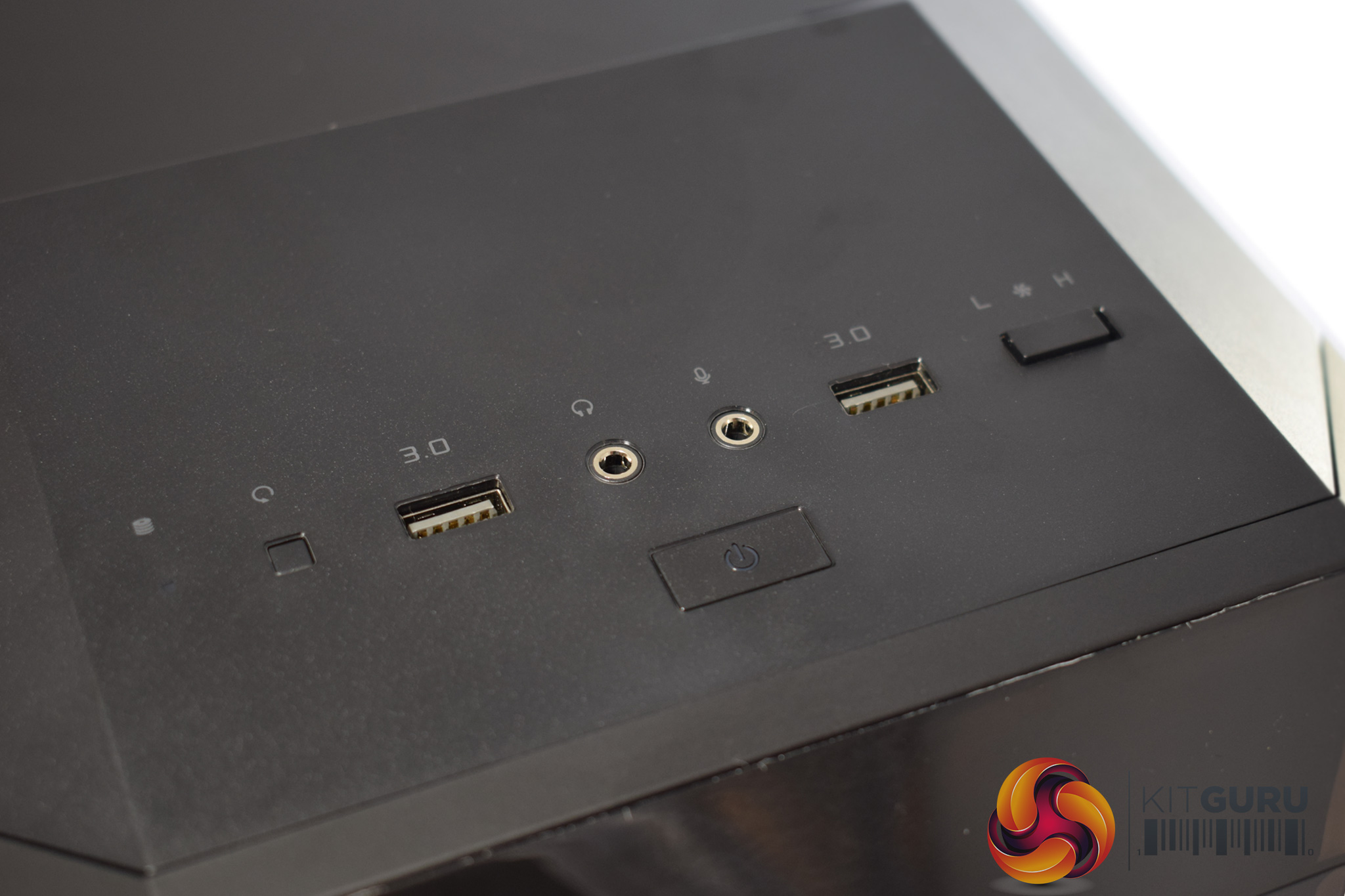
The front I/O is decent but not as expansive as we have seen from other cases, as it features 2x USB 3.0 ports, headset jacks and a small two-speed fan controller.
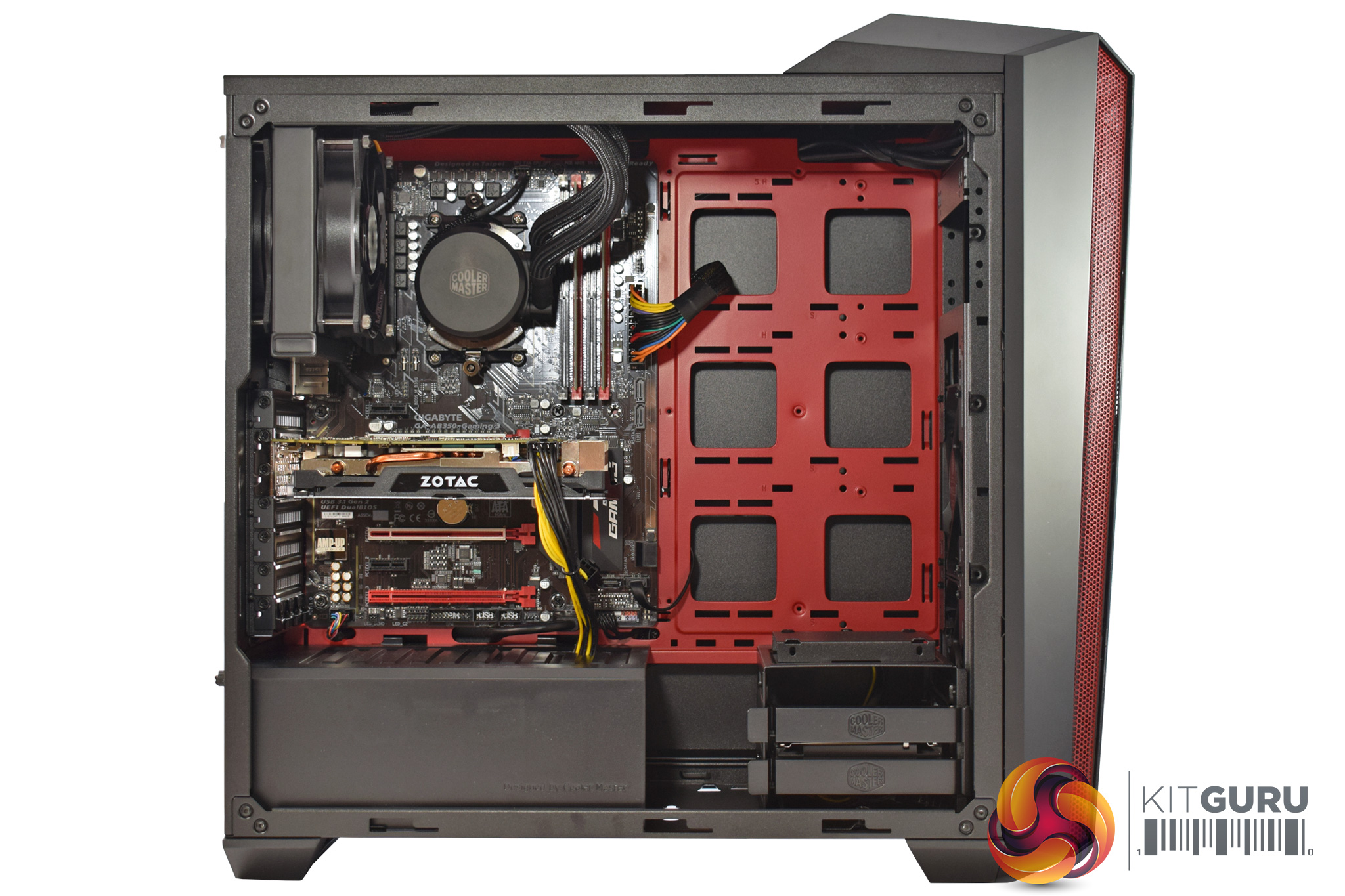
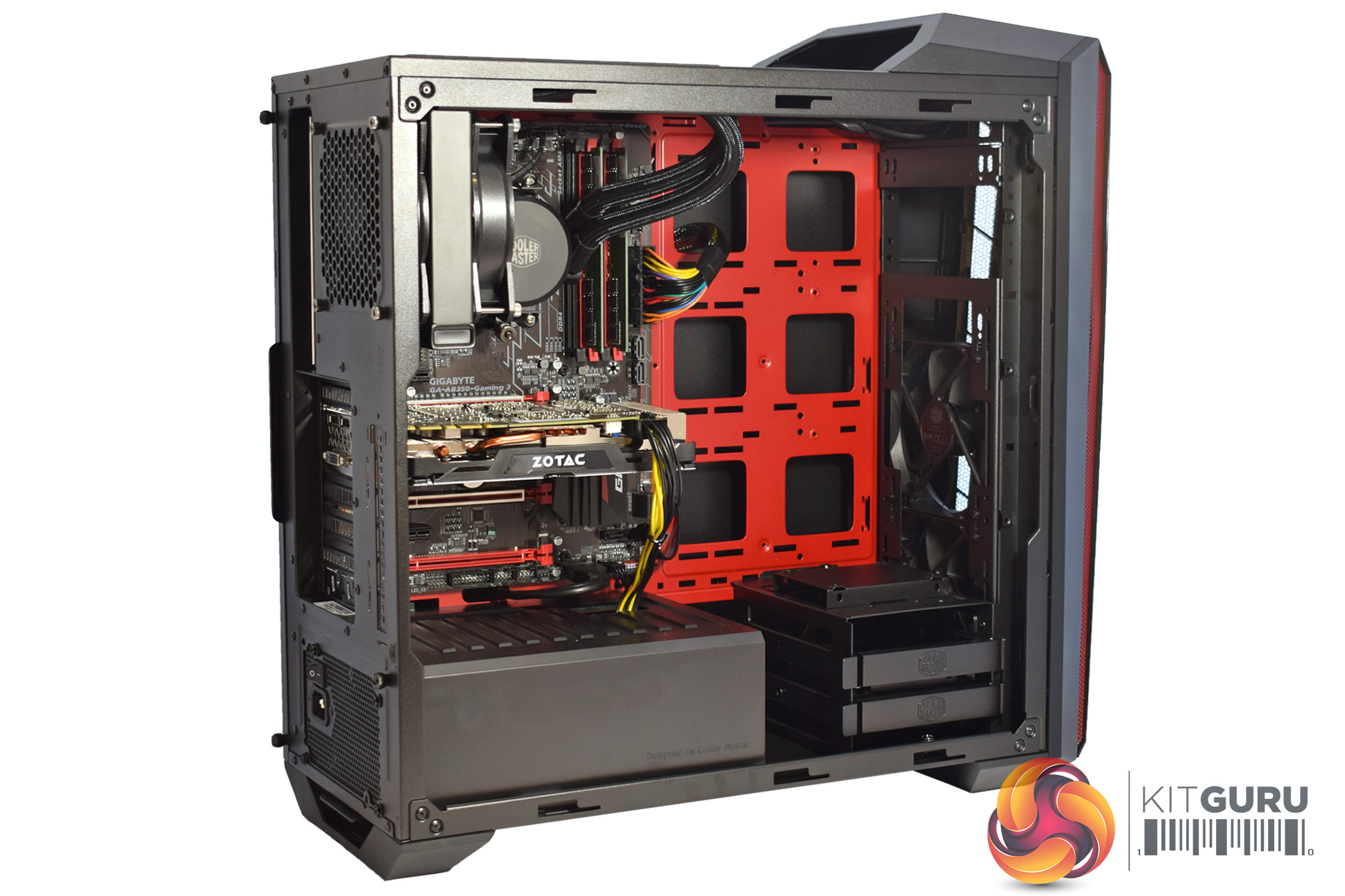
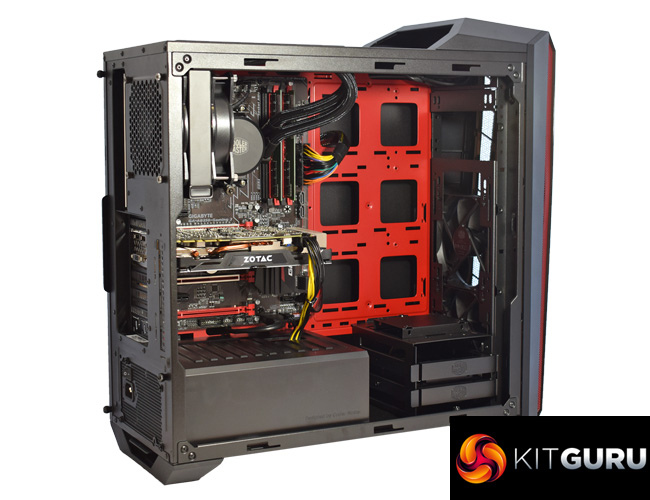
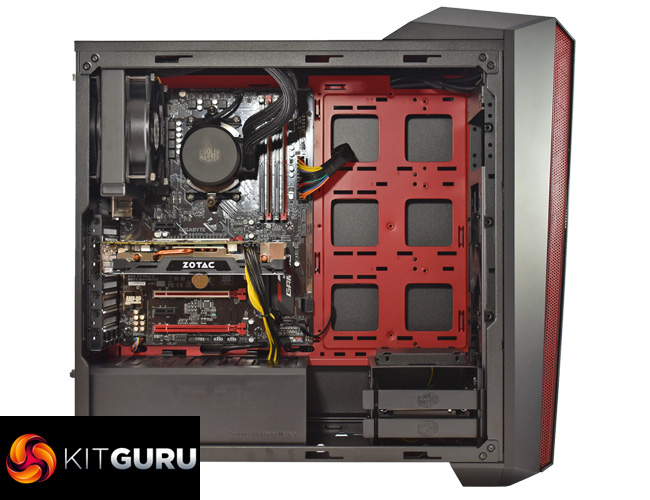
Taking off the side panel, we get a good look at the innards of the Fusion Hex. It is definitely a neat system, with all the cables routed carefully behind the motherboard tray.
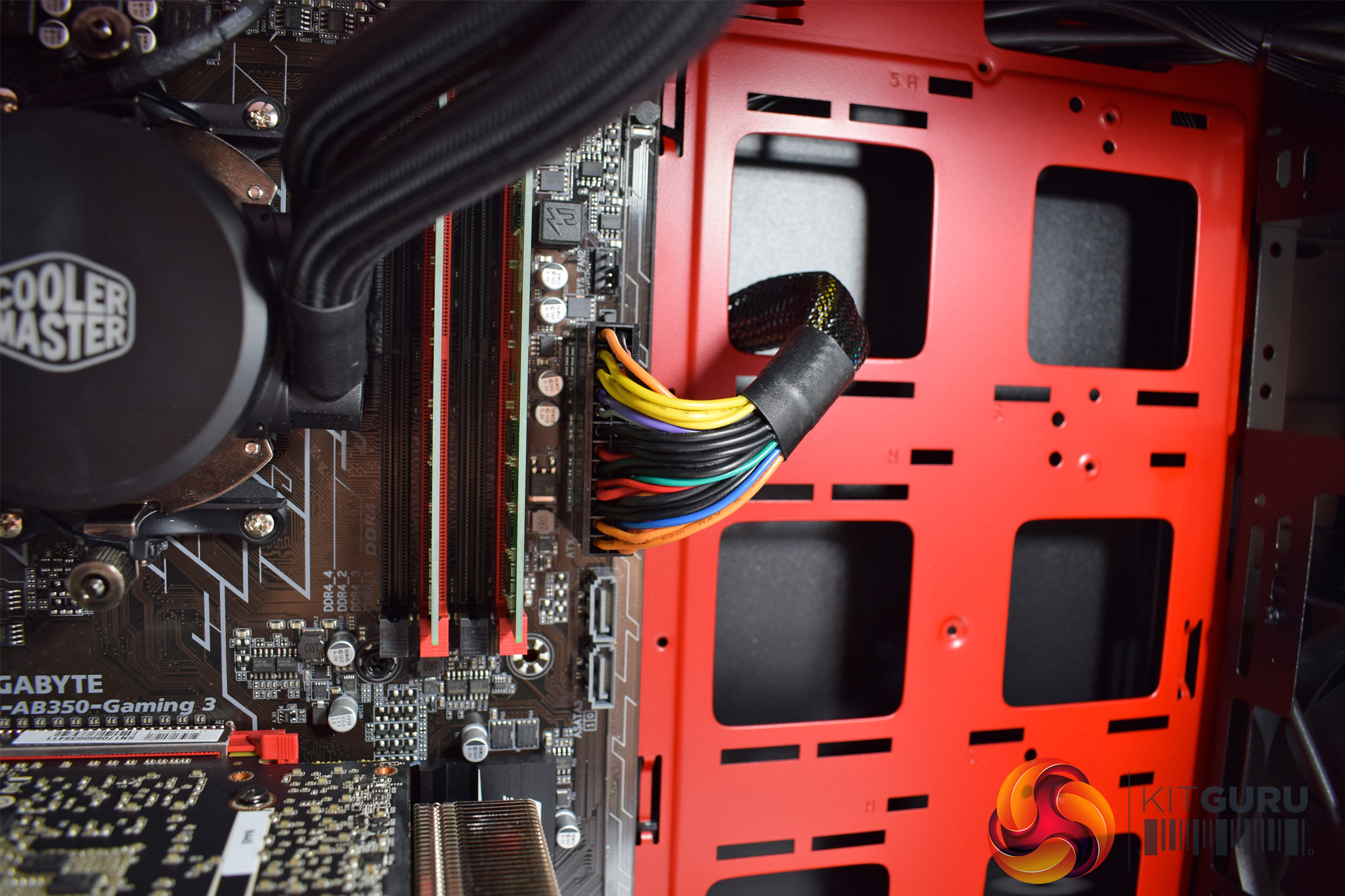
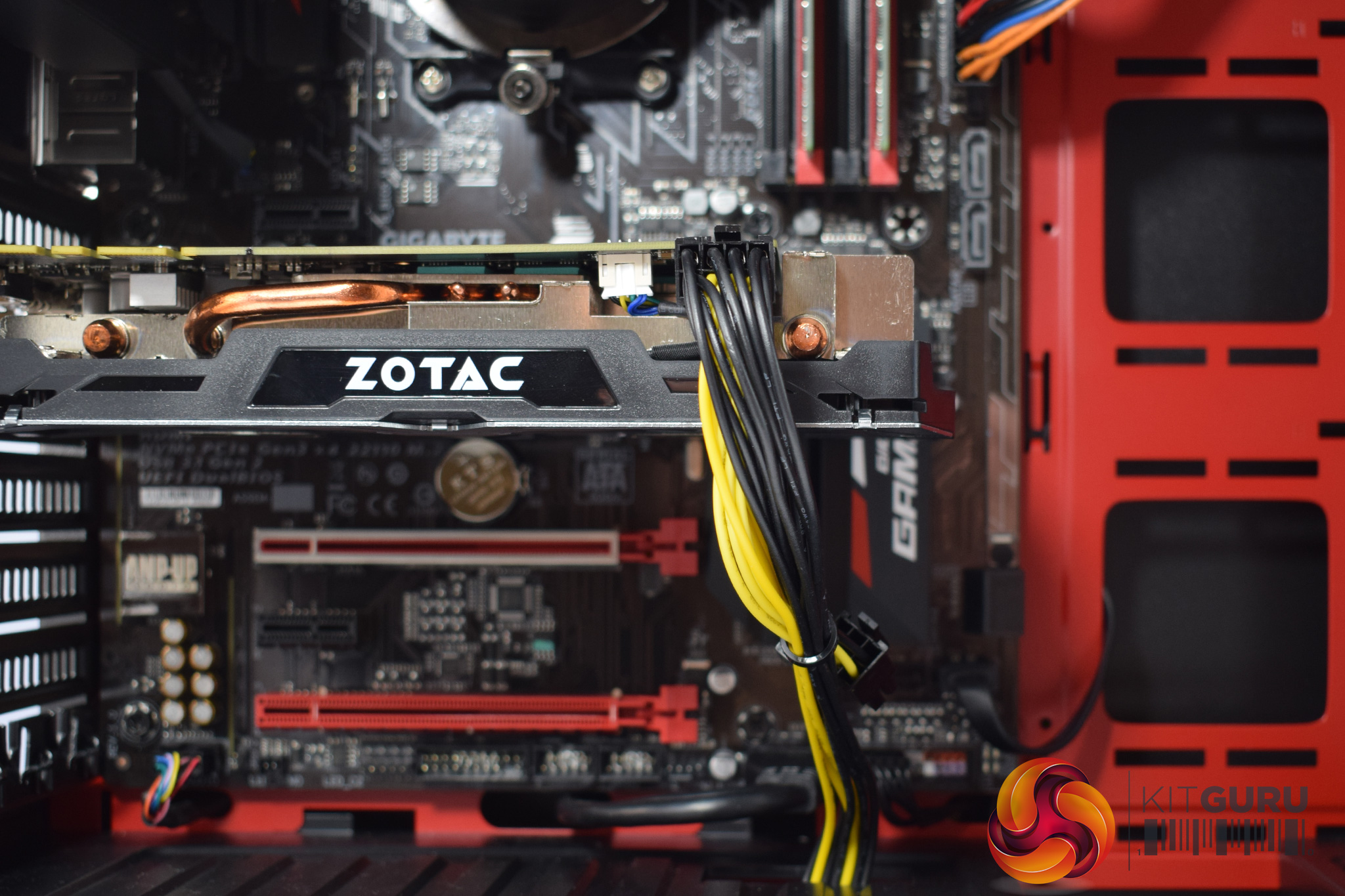
That being said, Chillblast have made several questionable choices when it comes to the system's aesthetics. I'll start with the most obvious issue I have with the system, while I'll also mention a couple more below.
As you can see in the images above, the cables are exposed and they are very ugly. I'm not blaming Chillblast for the fact that the power supply does not come with all-black, or even fully sleeved cabling, but surely it is not too much to ask that Chillblast use some inexpensive braided cable extensions to enhance the final appearance?
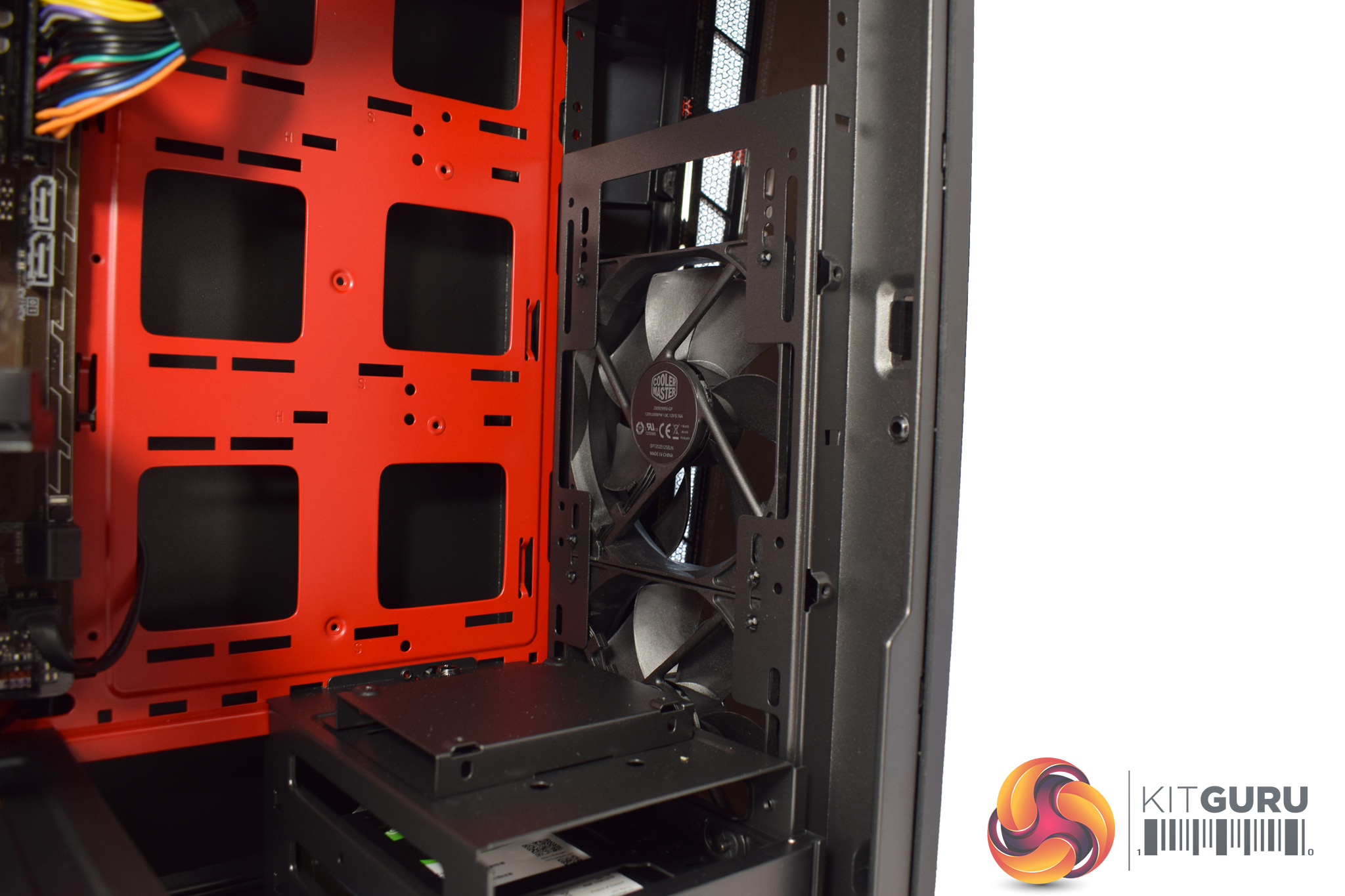
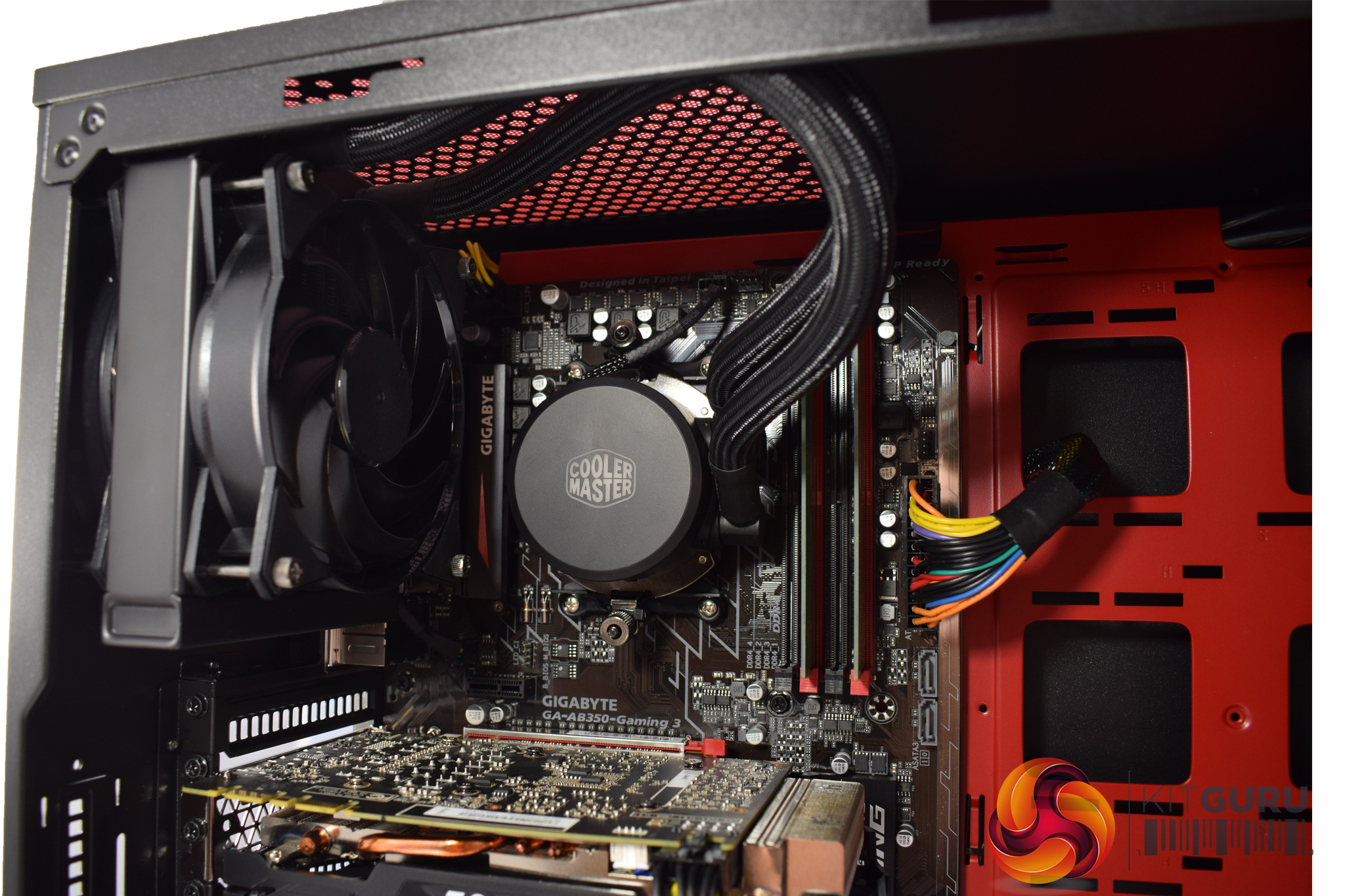
Moving on, the cooling system uses two 120mm fans at the front of the chassis, in-taking fresh air. However, I think Chillblast could have been a bit smarter with the positioning of these fans, as the bottom 120mm spinner is mostly blocked by the HDD cage.
If the fans were shifted upwards, using the top 2 mounting positions, we would likely get better airflow to the GPU and motherboard area. All that said, we will look at the system's thermal performance later in the review and see how competent it is.
Cooling the Ryzen 5 1600 CPU (which has been left at stock clocks) is a Cooler Master MasterLiquid 120 AIO. I've not reviewed this cooler but it is good to see it uses two fans in a push-pull configuration, as this should help with both noise levels and temperatures.
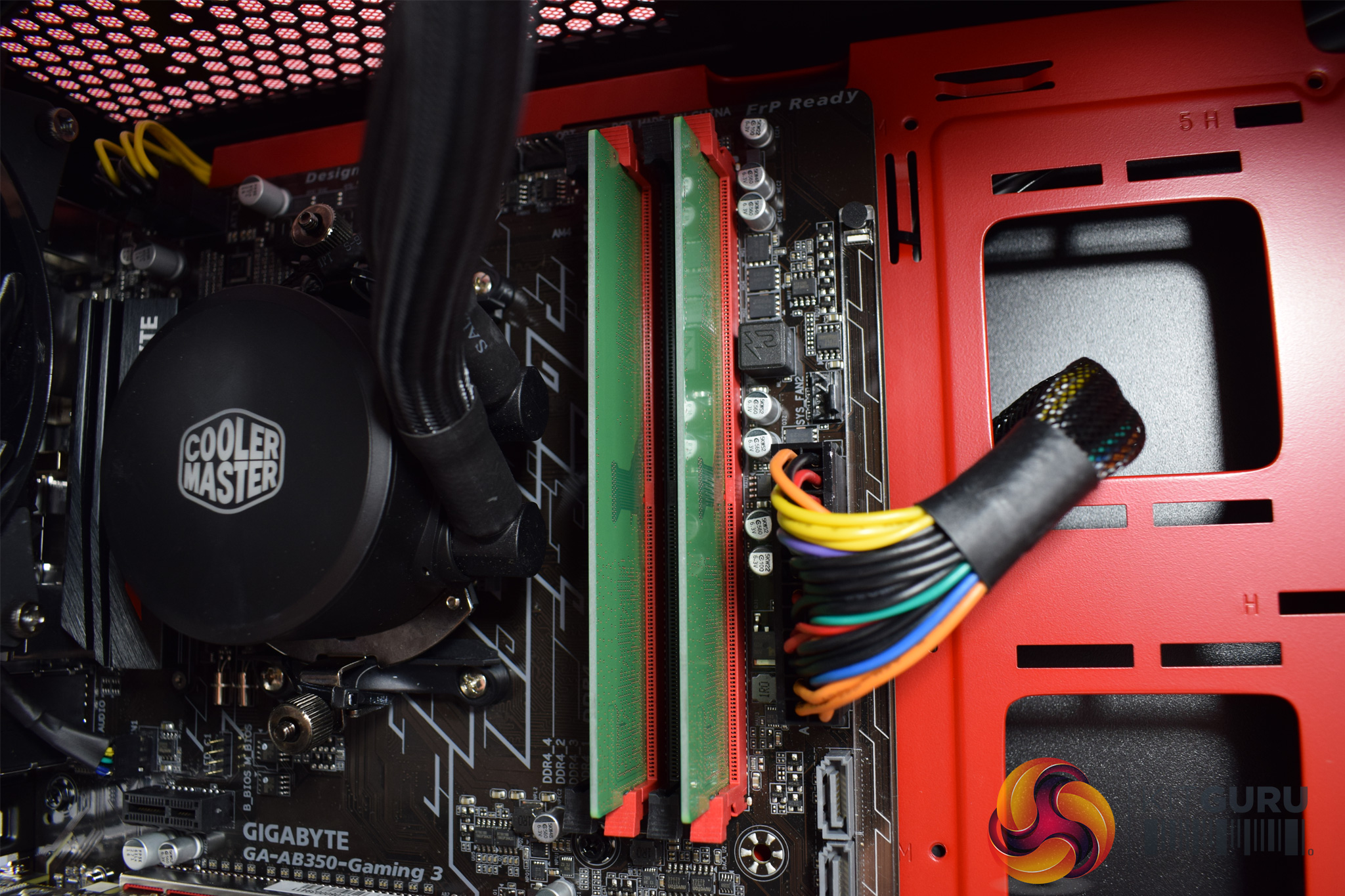
Moving on to the RAM, and here we encounter the next issue I have with the Fusion Hex's aesthetics – the DIMMs are just plain slabs of green PCB. Not a hint of a heatspreader in sight. Being completely honest, I did not even know you could still buy DIMMs like this, and they are truly awful. I would strongly suggest Chillblast use other sticks of memory – anything with any kind of heatspreader would be better than this.
Other than that, though, the memory runs at 2400MHz and each stick is 8GB, giving a total capacity of 16GB.
Here, I would also point out my final complaint when it comes to the Fusion Hex's aesthetics, and that is the motherboard's brown PCB. It is definitely noticeable when looking into the system, and you can see it throughout the photos I present on this page.
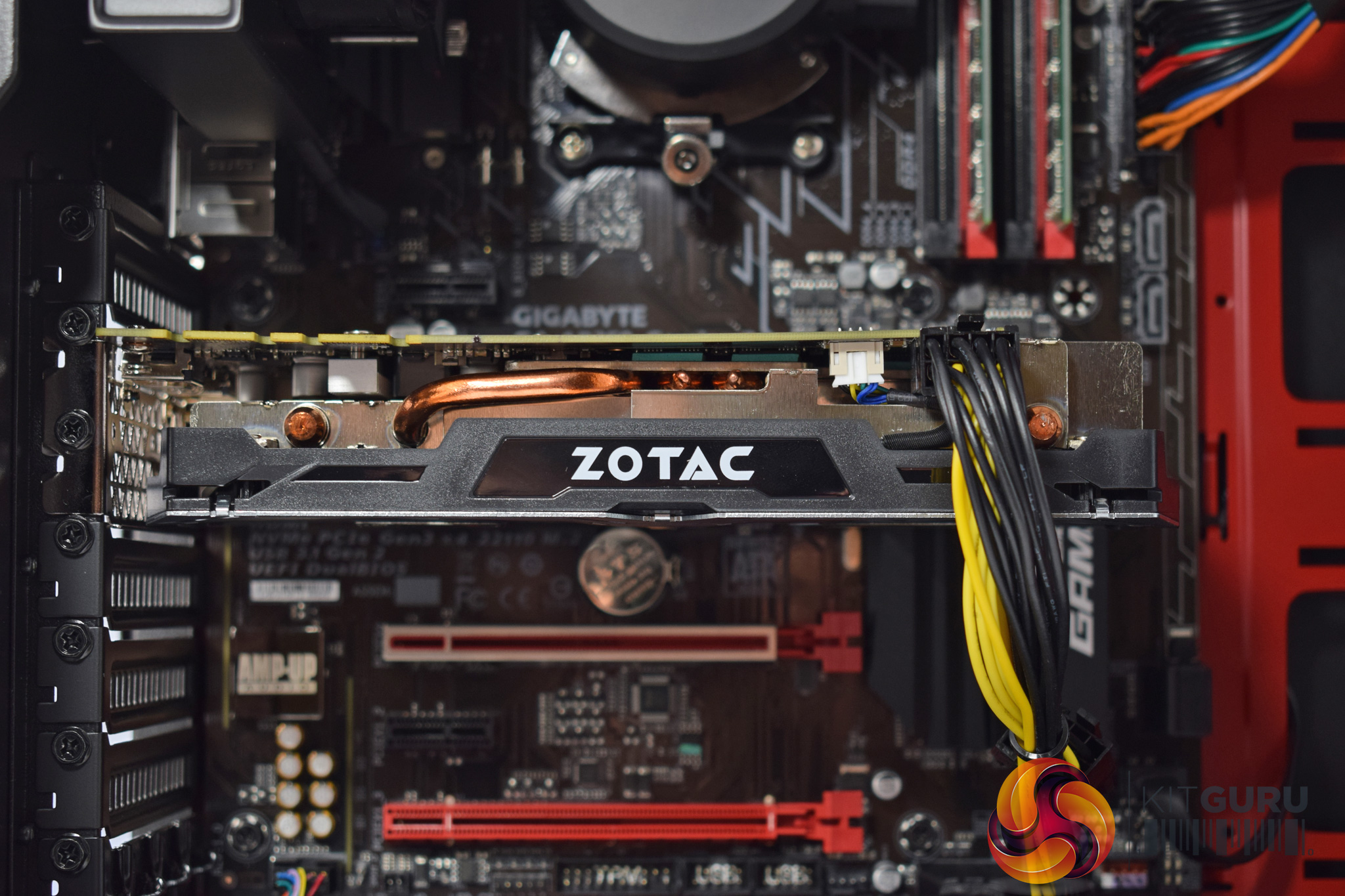
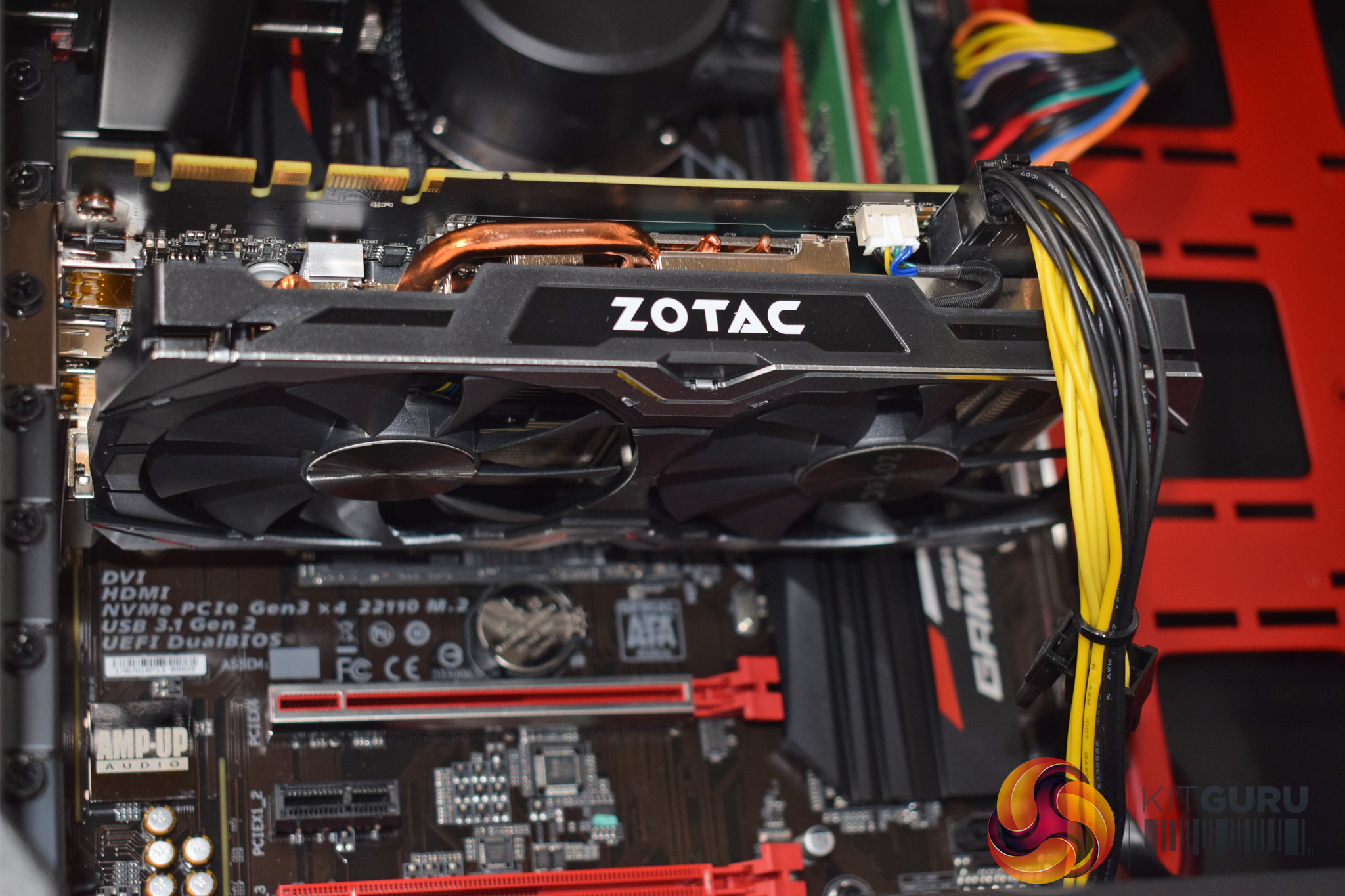
Moving downwards, the GPU is a GTX 1070, and Chillblast have used a Zotac Mini card here – presumably to keep the price down, as there is definitely no lack of space for a graphics card in this case.
Hidden under the GPU, we also find a Samsung 960 EVO NVMe SSD. It offers 250GB of high-speed storage, and we will see just how fast it is later in the review.
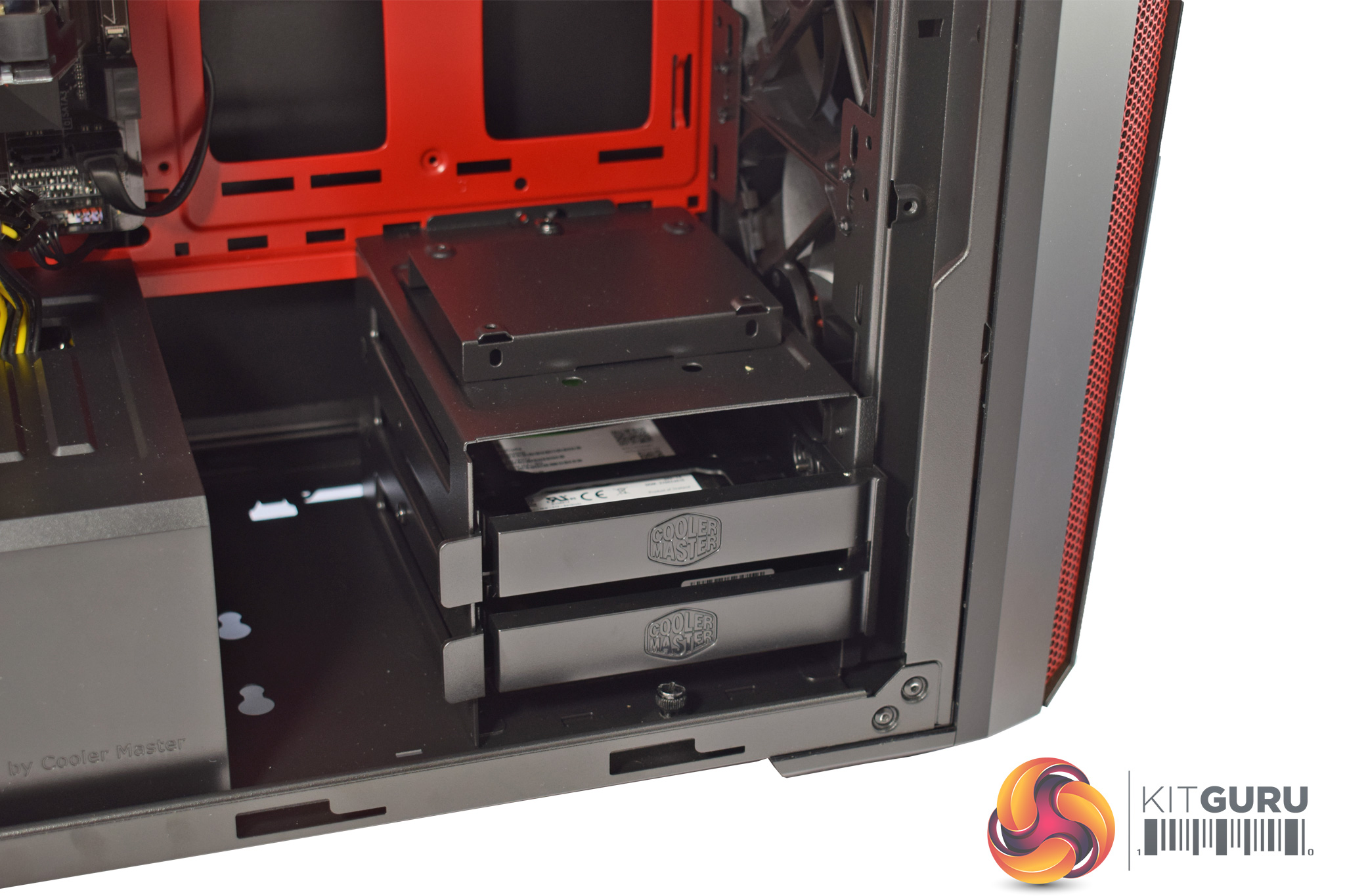
Speaking of storage, there is a small drive cage in the corner of the case. Chillblast have filled one of the two caddies with a 2TB Seagate Barracuda HDD, and this should provide ample storage for games or media files.
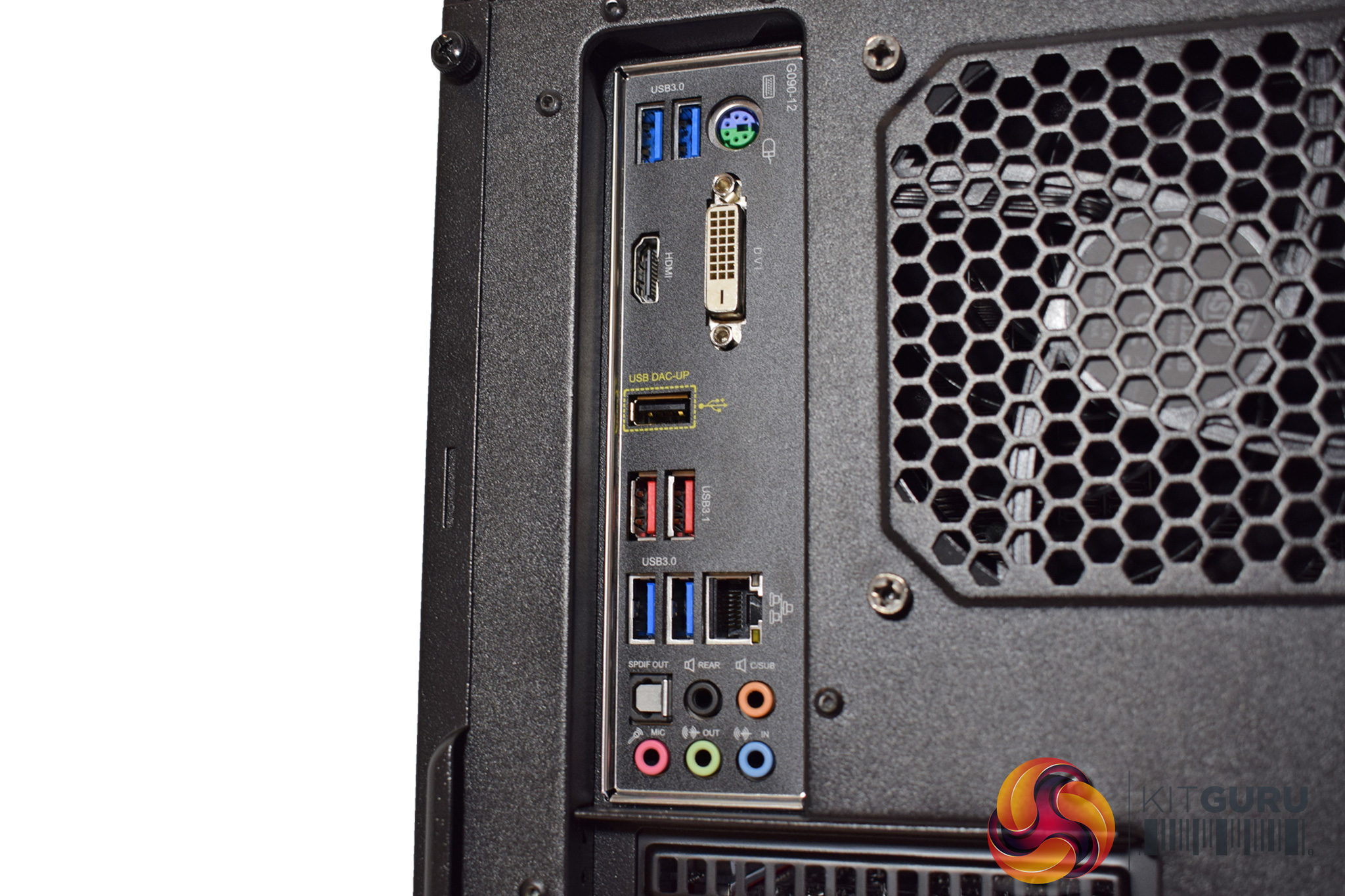
The motherboard's I/O consists of the following ports and connectors: 1 x PS/2 keyboard/mouse port, 1 x DVI-D port, 1 x HDMI port, 4 x USB 3.1 Gen 1 ports, 2 x USB 3.1 Gen 2 Type-A ports (red), 1 x USB 2.0/1.1 port, 1 x RJ-45 port, 1 x optical S/PDIF Out connector, 5 x audio jacks (Center/Subwoofer Speaker Out, Rear Speaker Out, Line In, Line Out, Mic In).
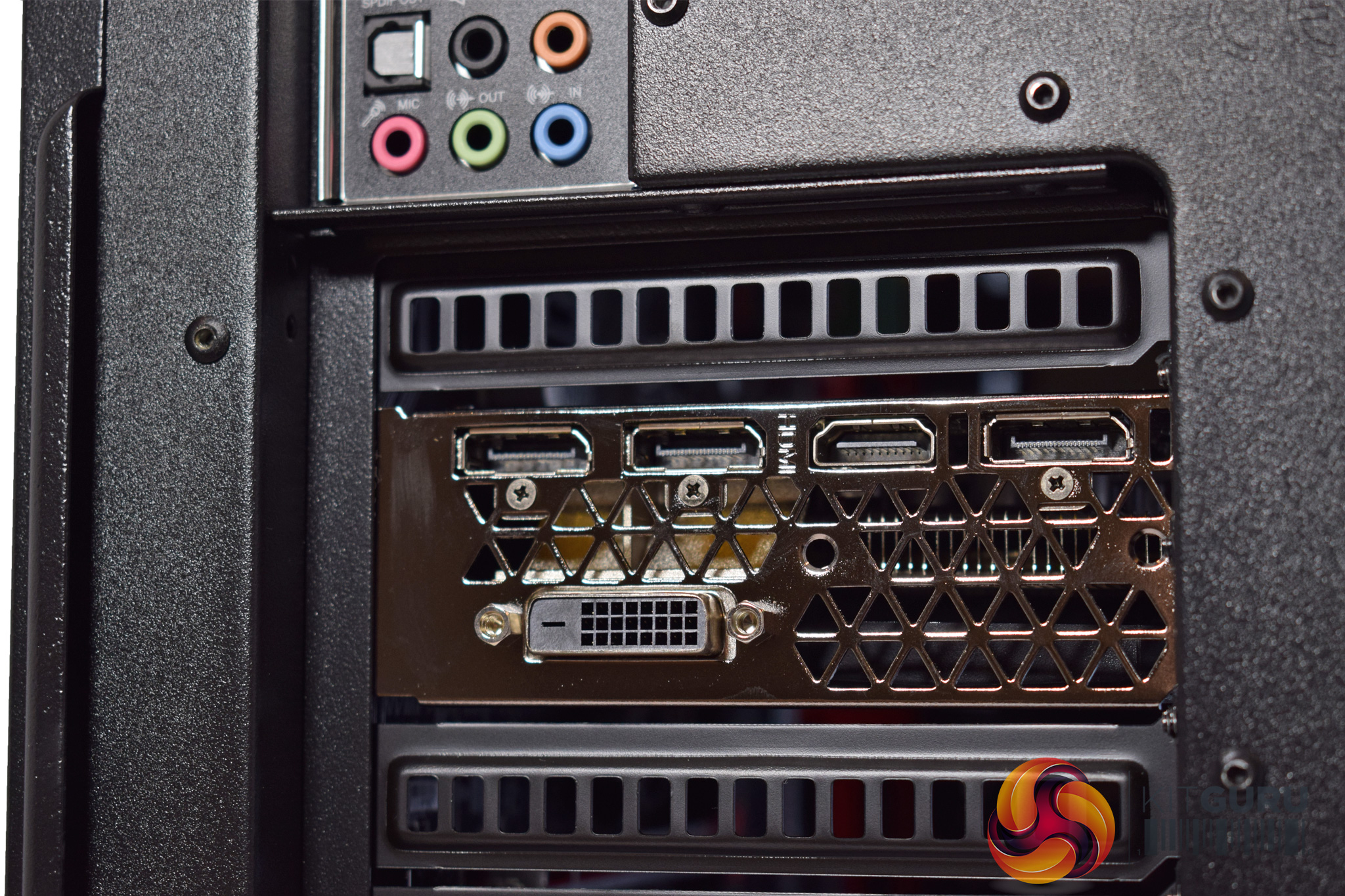
The GPU has the standard array of 3x DisplayPort, 1x HDMI and 1x DVI ports.
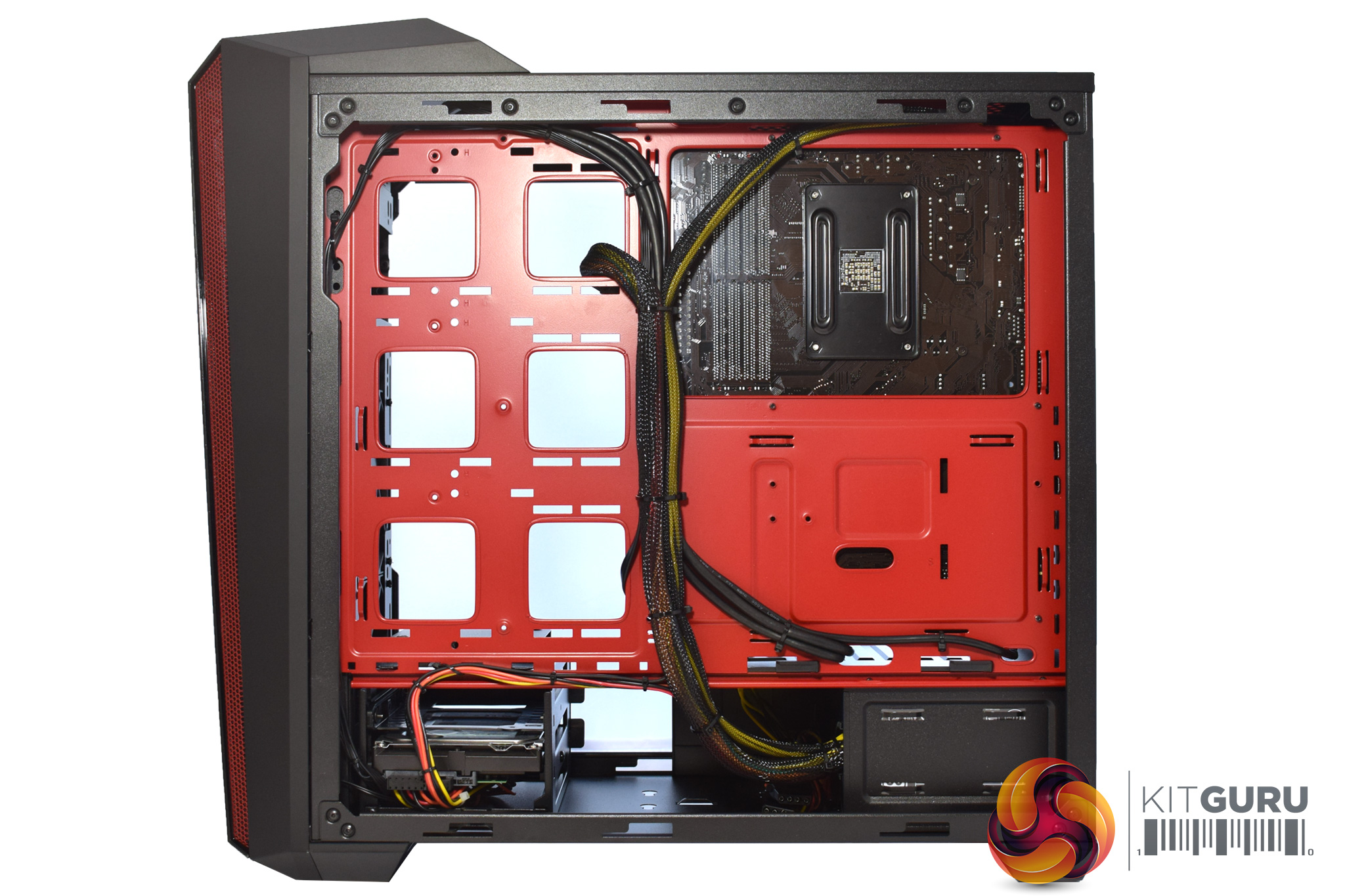
Lastly, we get a look behind the motherboard tray. Cable management is excellent here, with everything neatly tied together. The power supply shroud also helps to hide excess cabling which is definitely a plus considering the ugly ketchup-and-mustard cables!
The power supply, although not on show, is a Cooler Master MasterWatt Lite 600W unit, with only an 80+ White efficiency certification.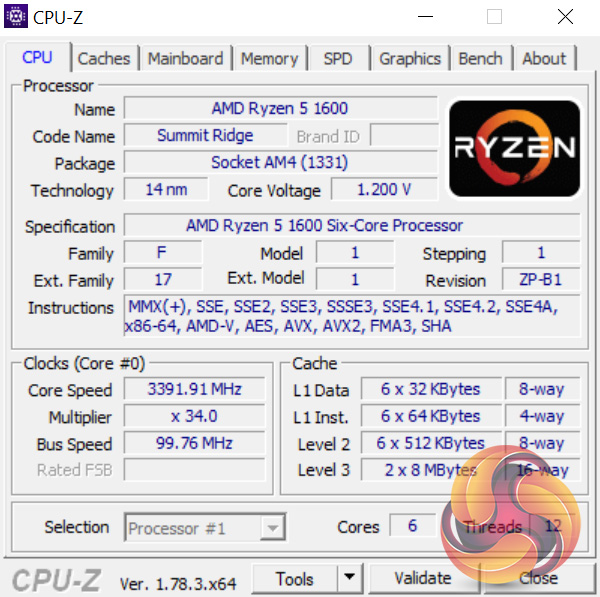
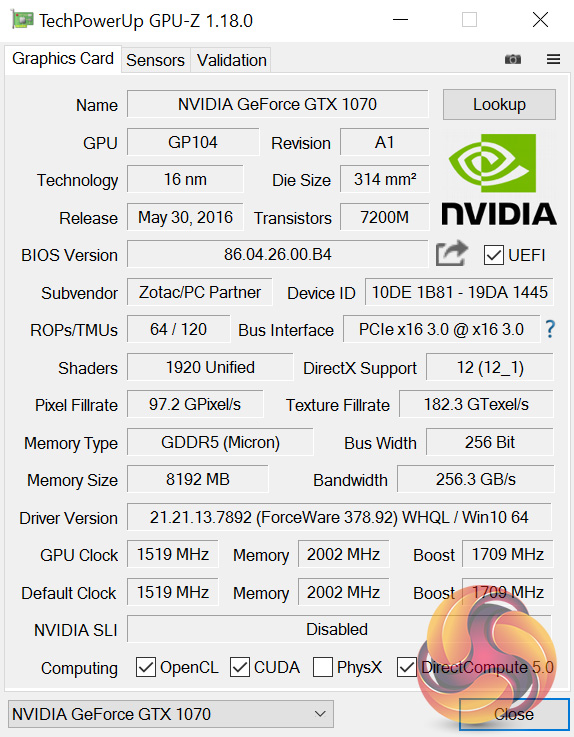
Here we get an overview of the CPU and GPU, courtesy of CPU-Z and GPU-Z, respectively.
The CPU is obviously the Ryzen 5 1600, a brand-new chip. It has 6 physical cores and supports SMT for a total of 12 threads. The 1600 is not clocked as high as the 1600X, though, as its base clock is 3.2GHz while it boosts to 3.6GHz. There is the possibility that a couple of those cores may boost a big higher, maybe to 3.7GHz, thanks to XFR, but it depends on the thermal headroom available.
Lastly, the GTX 1070 has not received a factory overclock, meaning its base clock is 1519MHz, while it is certified to boost to 1709MHz. Thanks to GPU Boost 3.0, though, I saw it settle around the 1770MHz mark while gaming.
Comparison systems
- Intel Core i7-6700HQ
- Nvidia GTX 960M
- 16GB Dual-Channel 1600MHz DDR3 RAM
- 128GB SSD + 1TB HDD
- Intel Bay Trail-M Celeron N2808 SoC
- Intel HD Graphics
- 4GB DDR3L RAM
- 64GB eMMc storage
- Intel Braswell N3050 SoC
- Intel HD Graphics
- 2GB DDR3L RAM
- 32GB eMMC storage
- Intel Core i3 i3-5010U
- Intel HD Graphics 5500
- 8GB Kingston SODIMM DDR3 1600MHz (1 x 8GB)
- 240GB Kingston V300 SSD
- Intel Core™ m5-6Y57
- Intel HD Graphics 515
- 8GB LPDDR3 1866MHz Memory
- 256GB Solid State Drive M2 2280 PCIe
- Intel Core i5-6500
- Asus Turbo GTX 960
- 8GB Corsair Vengeance LPX 2400MHz DDR4 RAM
- 500GB Samsung 850 EVO SSD
- Intel Core i7-6820HK
- Nvidia GTX 980 (desktop)
- 32GB DDR4 2400MHz RAM
- 2x 256GB Samsung SM951 PCIe SSDs in RAID0
- AMD FX-8320
- AMD RX-480
- 16GB DDR3 2133MHz RAM
- 240GB Adata Premier SP550
PCSpecialist Defiance III 17.3
- Intel i7-6700HQ
- Nvidia GTX 1060
- 16GB HyperX DDR4 2133MHz RAM
- 512GB SanDisk X400 M.2 SATA SSD
- Intel i7-6700HQ
- Nvidia GTX 950
- 16GB Crucial DDR4 2133MHz RAM
- 512GB Samsung Pro M.2 SSD
- Intel i7-7500U
- Intel HD Graphics 620
- 16GB G.Skill DDR4 2133MHz RAM
- 256GB Toshiba OCZ RD400 M.2 SSD
- Intel i7-6700K
- Nvidia GTX 1070
- 16GB Corsair Vengeance 3000MHz DDR4 RAM
- 500GB Samsung 750 EVO SSD
- Intel i5-6402P
- Nvidia GTX 1060
- 16GB Corsair Vengeance LED 3000MHz DDR4 RAM
- 256GB Intel 600p M.2 SSD
- Intel i5-6200U
- Intel HD Graphics 520
- 16GB G.Skill Ripjaws 1600MHz DDR3 RAM
- 256GB Toshiba OCZ RD400 M.2 SSD
- Intel i5-6600K
- Nvidia GTX 1070
- 16GB Corsair Vengeance 3000MHz DDR4 RAM
- 256GB Intel 600p M.2 SSD
- Intel i5-7600K
- Nvidia GTX 1060
- 16GB HyperX 2133MHz DDR4 RAM
- 250GB SK Hynix SL308 SSD
- Intel i7-7500U
- Intel HD Graphics 620
- 8GB 1866MHz DDR3L RAM
- 256GB PCIe SSD
- Intel i5-7600K
- Nvidia GTX 1060
- 16GB Corsair Vengeance 3000MHz DDR4 RAM
- 250GB WD Blue M.2 SSD
- Intel i5-7200U
- Intel HD Graphics 620
- 8GB 2133MHz DDR3L RAM
- 512GB SATA M.2 SSD
- Ryzen 7 1700X
- Nvidia GTX 1080
- 16GB 2933MHz DDR4 RAM
- 256GB Intel 600p M.2 SSD
Test software
- SiSoft Sandra
- Cinebench R15
- Handbrake
- CrystalDiskMark
- ATTO Disk Benchmark
- 3DMark 11
- 3DMark
- VRMark
- Prime 95 (version 26.6)
- CPUID HWMonitor
- AIDA64 Engineer
- Fraps
Test games
- The Witcher 3: Wild Hunt
- Grand Theft Auto V
- Doom (2016)
- Deus EX: Mankind Divided
- Tom Clancy’s Ghost Recon: Wildlands
Today we are testing the Fusion Hex at 1080p, 1440p and 2160p (Ultra HD 4K). All tests were conducted using the Nvidia GeForce 378.92 driver, the latest at the time of writing.SiSoftware Sandra (the System ANalyser, Diagnostic and Reporting Assistant) is an information & diagnostic utility. It should provide most of the information (including undocumented) you need to know about your hardware, software and other devices whether hardware or software.
Sandra is a (girls’) name of Greek origin that means “defender”, “helper of mankind”. We think that’s quite fitting.
It works along the lines of other Windows utilities, however it tries to go beyond them and show you more of what’s really going on. Giving the user the ability to draw comparisons at both a high and low-level. You can get information about the CPU, chipset, video adapter, ports, printers, sound card, memory, network, Windows internals, AGP, PCI, PCI-X, PCIe (PCI Express), database, USB, USB2, 1394/Firewire, etc.
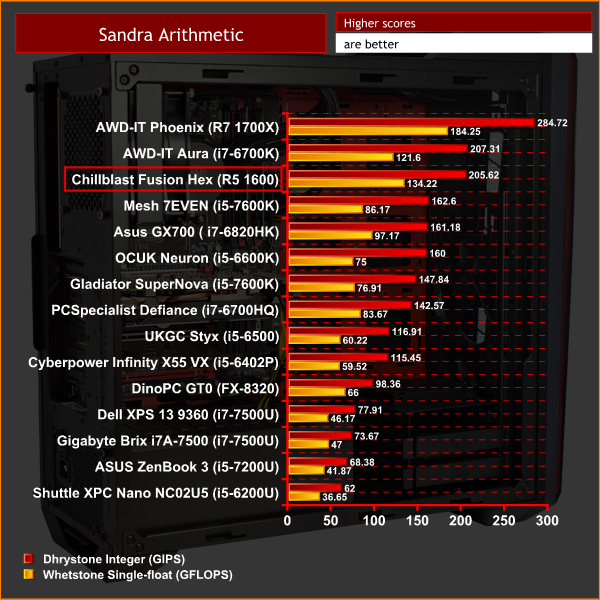

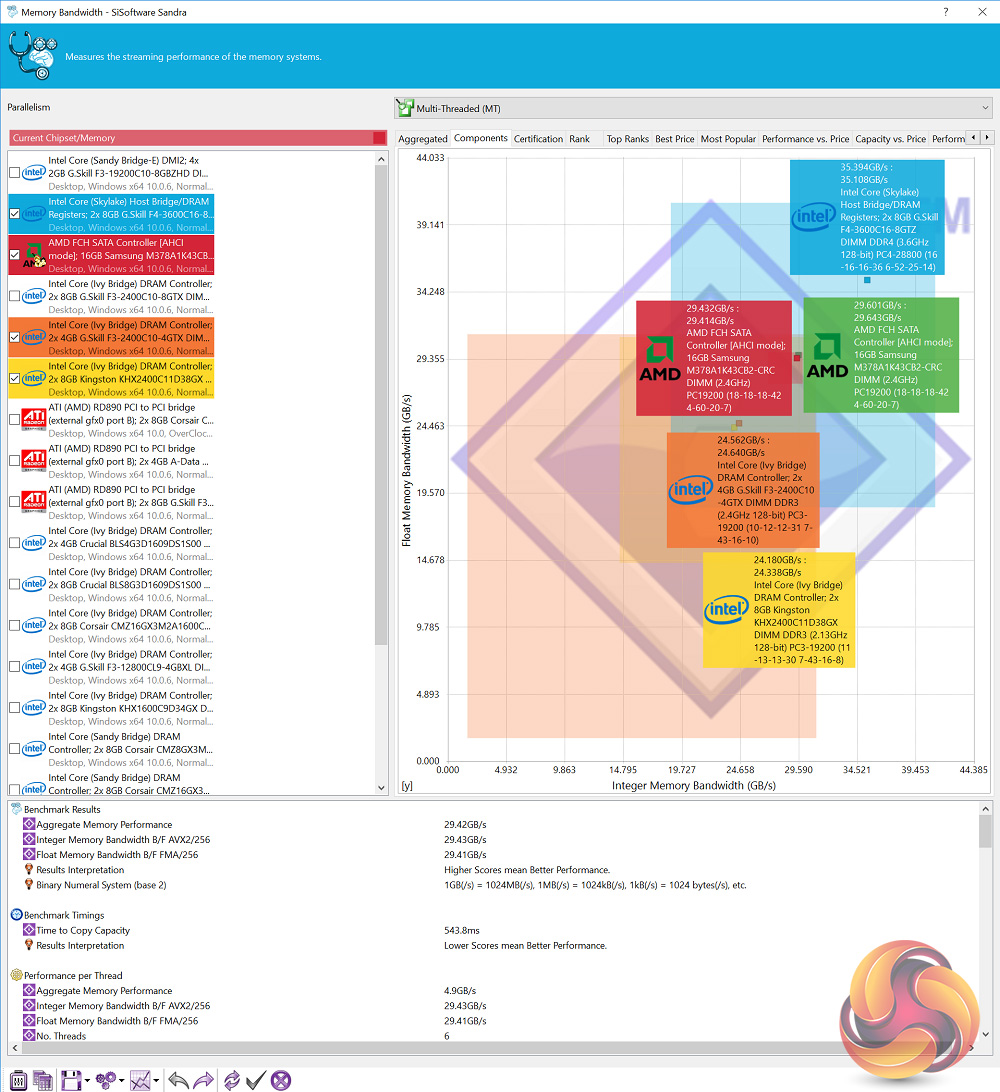
The Fusion Hex gets off to a good start with the Sandra Arithmetic test. The R5 1600 clearly offers strong computational performance, though the i7-6700K does just pip it to the post, likely because that chip was overclocked to 4.5GHz while this 1600 has been left at stock clocks.
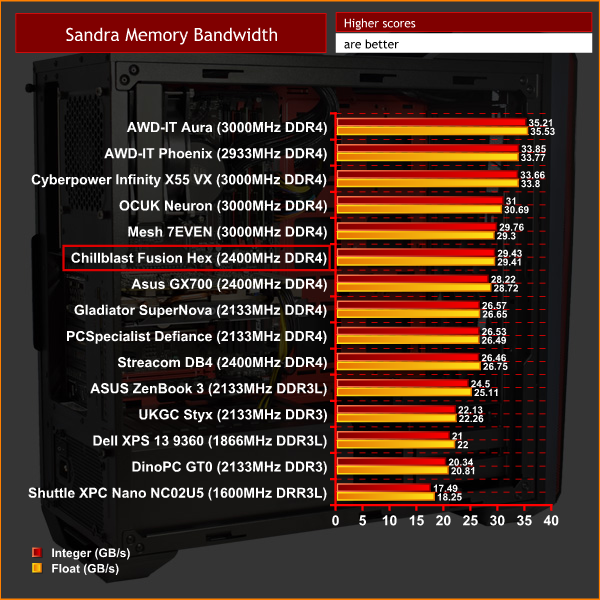
The memory performance is also decent, though the Fusion HEX could have benefited from a faster kit of DDR4.CINEBENCH R15 is a cross-platform testing suite that measures hardware performance and is the de facto standard benchmarking tool for leading companies and trade journals for conducting real-world hardware performance tests. With the new Release 15, systems with up to 256 threads can be tested.
CINEBENCH is available for both Windows and OS X and is used by almost all hardware manufacturers and trade journals for comparing CPUs and graphics cards.
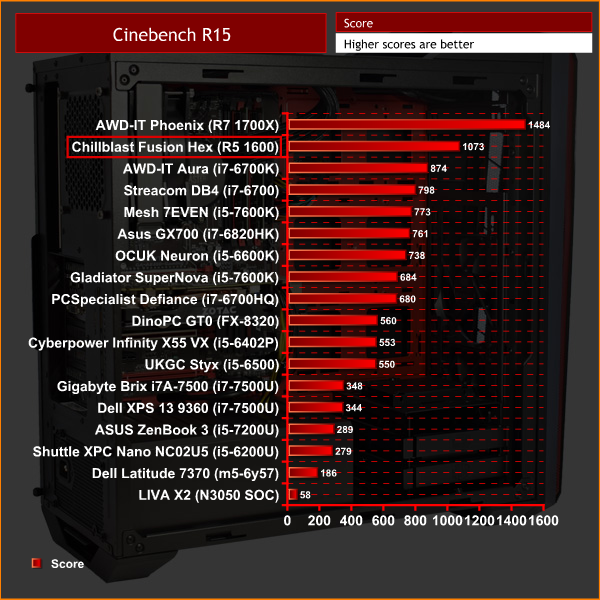
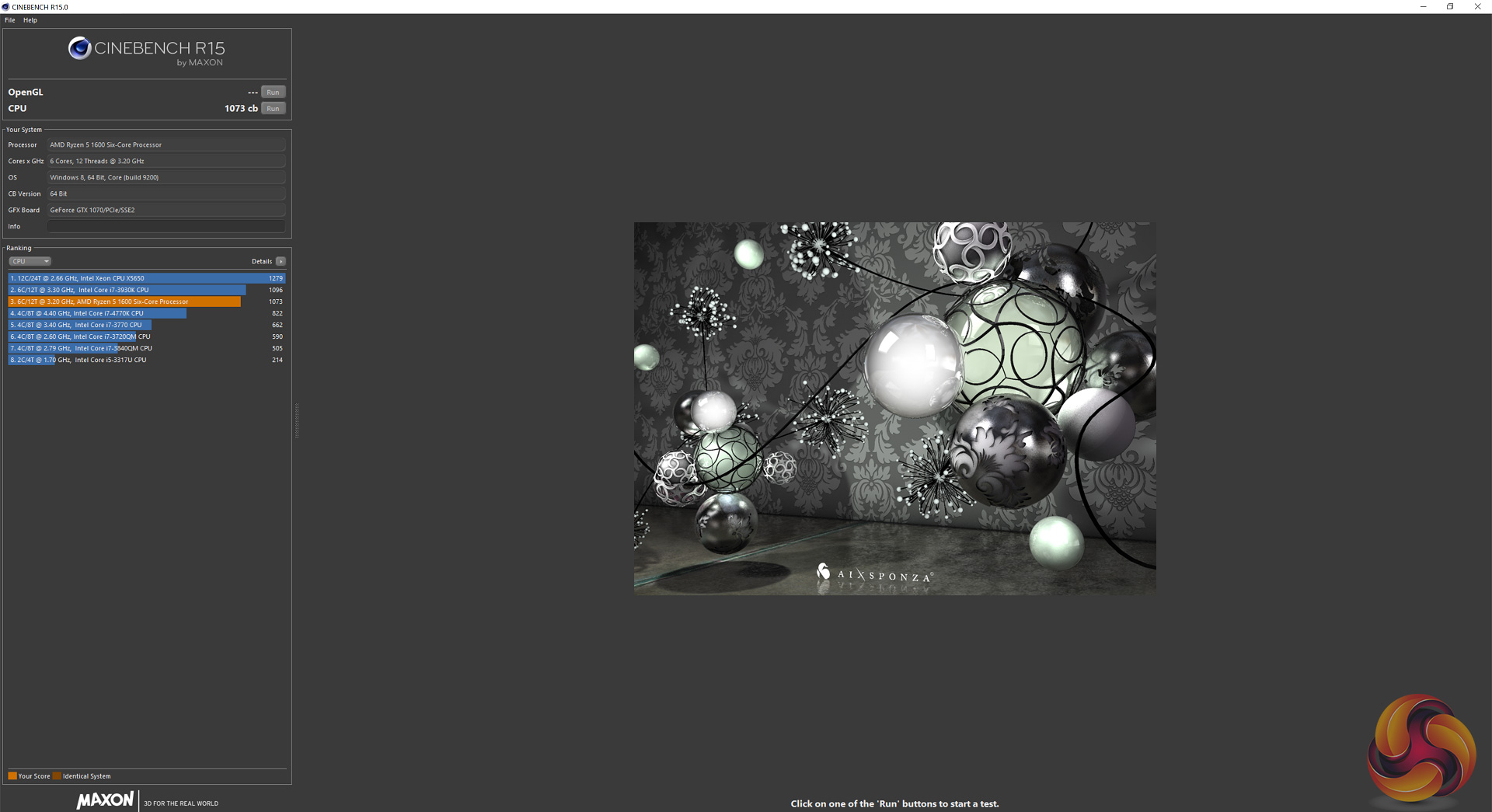
The CPU's 6 cores clearly play a big part when it comes to Cinebench, with a 200-point lead established over the i7-6700K.
HandBrake is a tool for converting video from nearly any format to a selection of modern, widely supported codecs.

Interestingly, the Fusion Hex is slightly off the pace when it comes to my Handbrake video encoding test, and I would stay this is mostly likely because the chip has been left at stock clocks. It is by no means slow, though.Here we test the Fusion Hex’s storage performance, using CrystalDiskMark 5.1.1 and ATTO Disk Benchmark 2.47.
SSD Performance
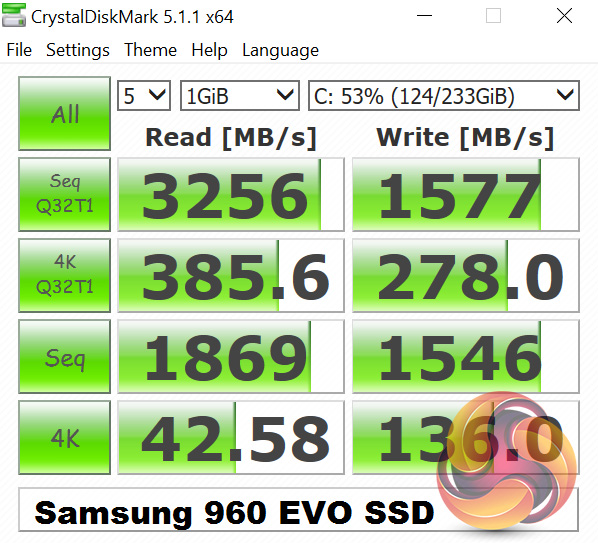
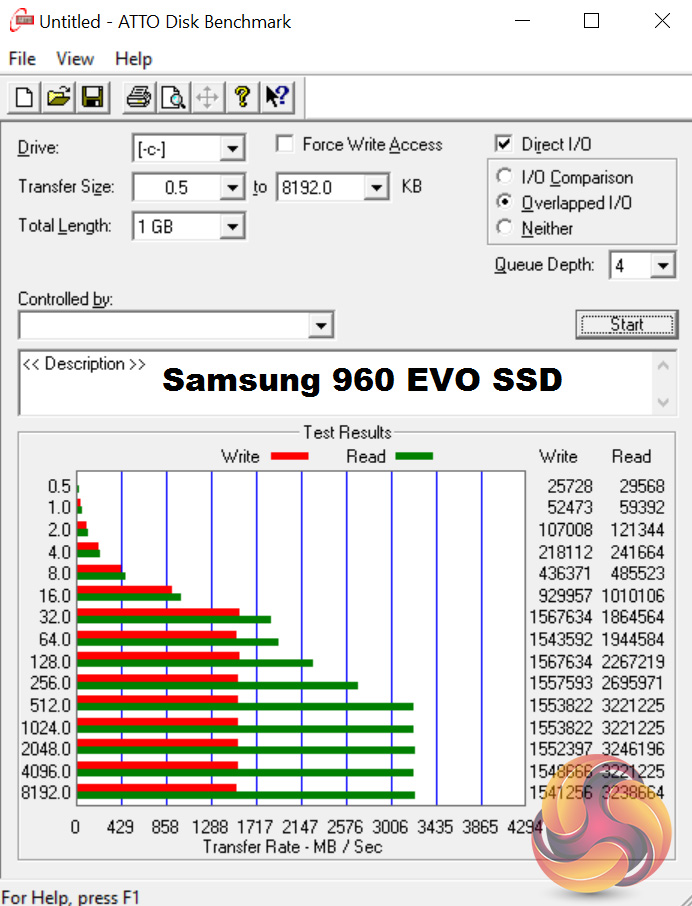
The Samsung 960 EVO is a blazing-fast drive, and it delivers in spades here.
HDD Performance
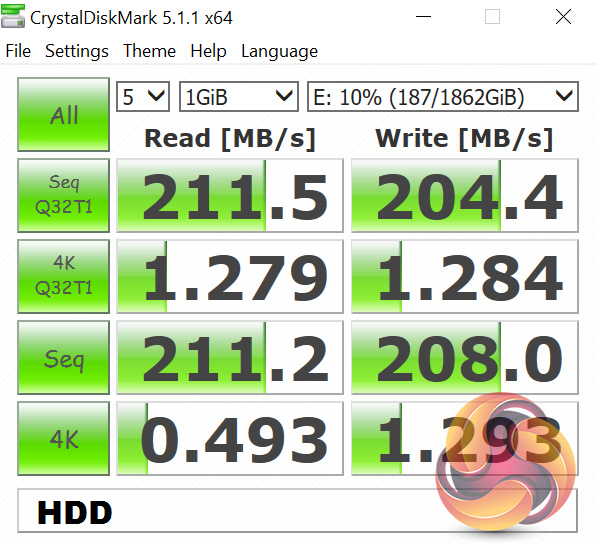
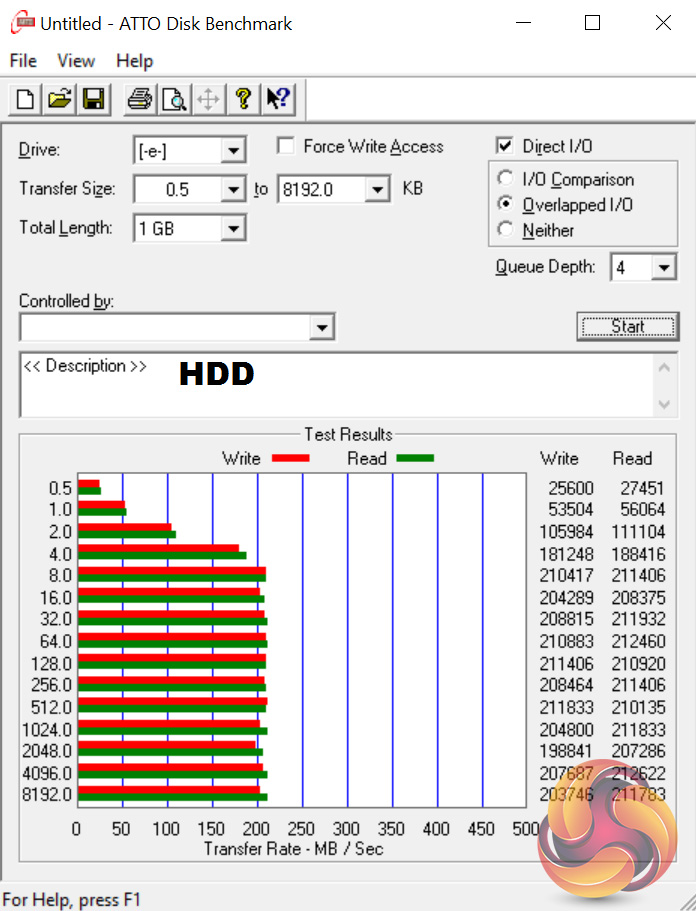
The Seagate Barracuda offers nothing we haven't seen before, but its 2TB capacity is why it's here and it is good to have lots of room for games or media files.To test the USB 3.0 ports on the Fusion HEX, I plugged in an OCZ Trion 150 SSD via a SATA-to-USB 3.0 5Gbps adapter, which uses the ASMedia ASM1053 controller. We reviewed the SSD HERE, finding it delivers good speed at a budget price.
Most importantly, it is capable of saturating the USB 3.0 bus, allowing us to test the speeds the USB 3.0 ports deliver. To test this, I ran both CrystalDiskMark and ATTO Disk Benchmark on the Trion 150 drive.
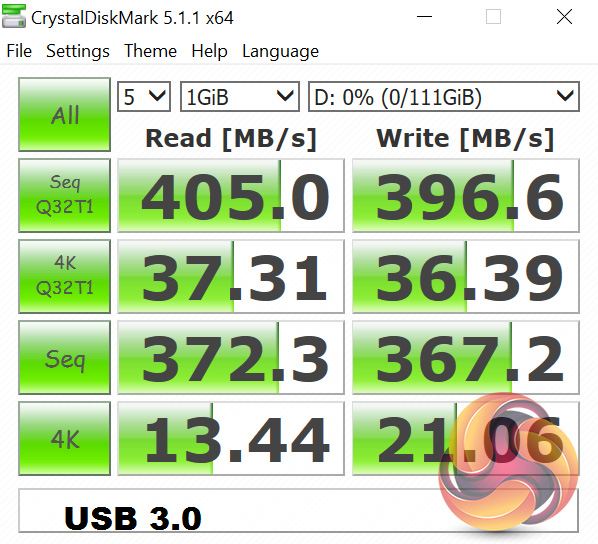
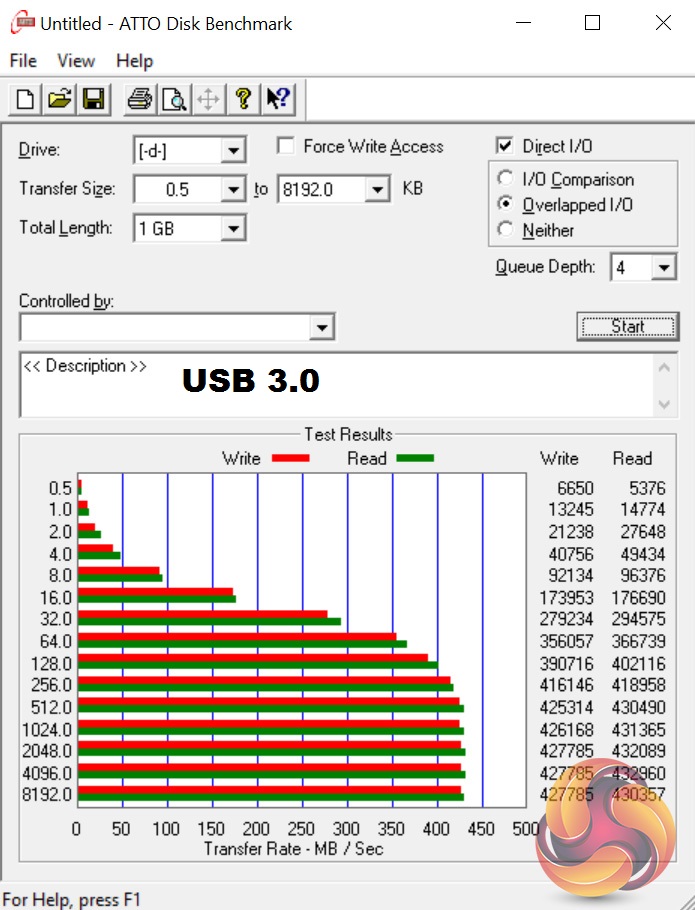
Here we see no issues – the USB 3.0 performance is as expected.3DMark 11 is designed for testing DirectX 11 hardware running on Windows 7 and Windows Vista. The benchmark includes six all new benchmark tests that make extensive use of all the new features in DirectX 11 including tessellation, compute shaders and multi-threading.
After running the tests 3DMark gives your system a score with larger numbers indicating better performance. Trusted by gamers worldwide to give accurate and unbiased results, 3DMark 11 is the best way to test DirectX 11 under game-like loads.
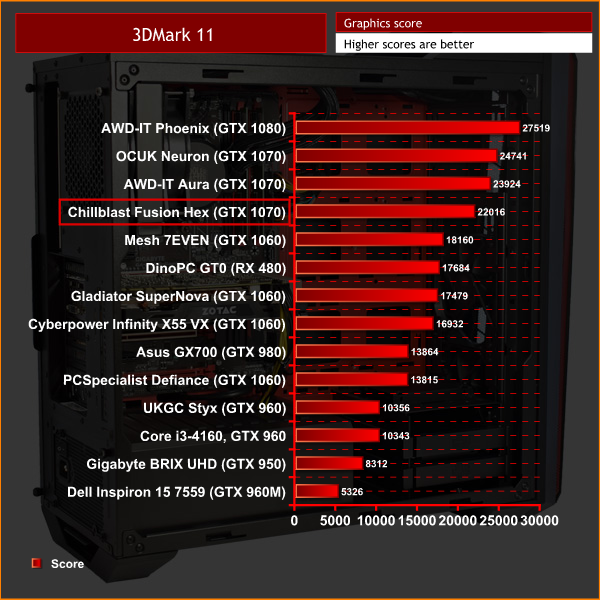
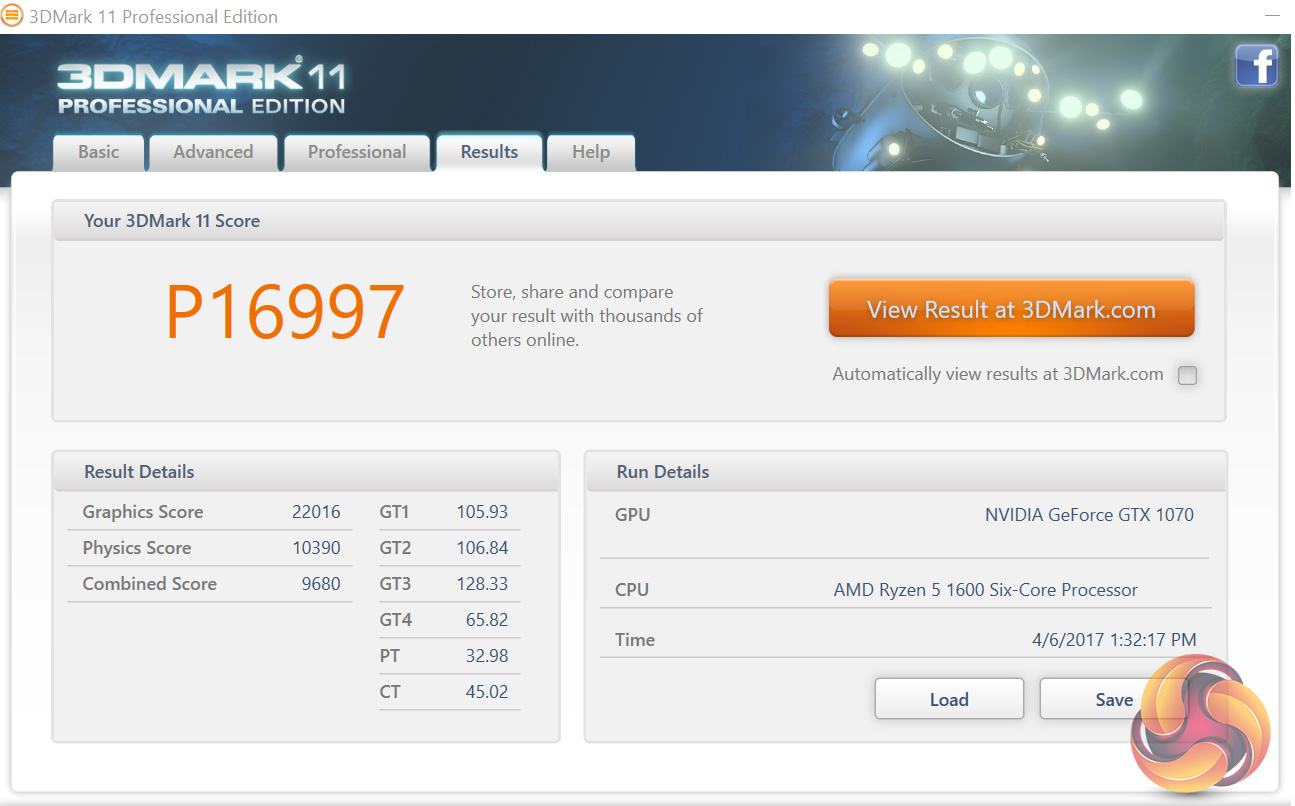
The first of the graphical benchmarks, 3DMark 11 tells an interesting story – the Zotac GTX 1070 is around 2000 points slower than other GTX 1070-based systems I have seen previously. This is likely due to the lack of factory overclock to the GPU's core, and it looks like that could hurt performance quite significantly.3DMark is an essential tool used by millions of gamers, hundreds of hardware review sites and many of the world’s leading manufacturers to measure PC gaming performance. Futuremark say “Use it to test your PC’s limits and measure the impact of overclocking and tweaking your system. Search our massive results database and see how your PC compares or just admire the graphics and wonder why all PC games don’t look this good. To get more out of your PC, put 3DMark in your PC.”
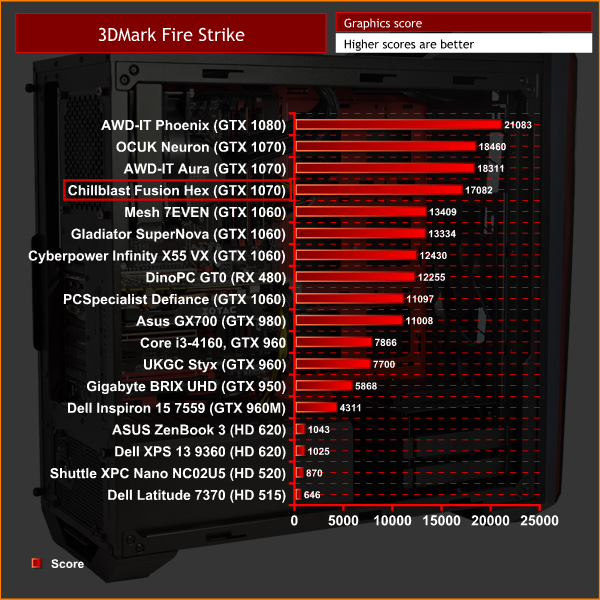
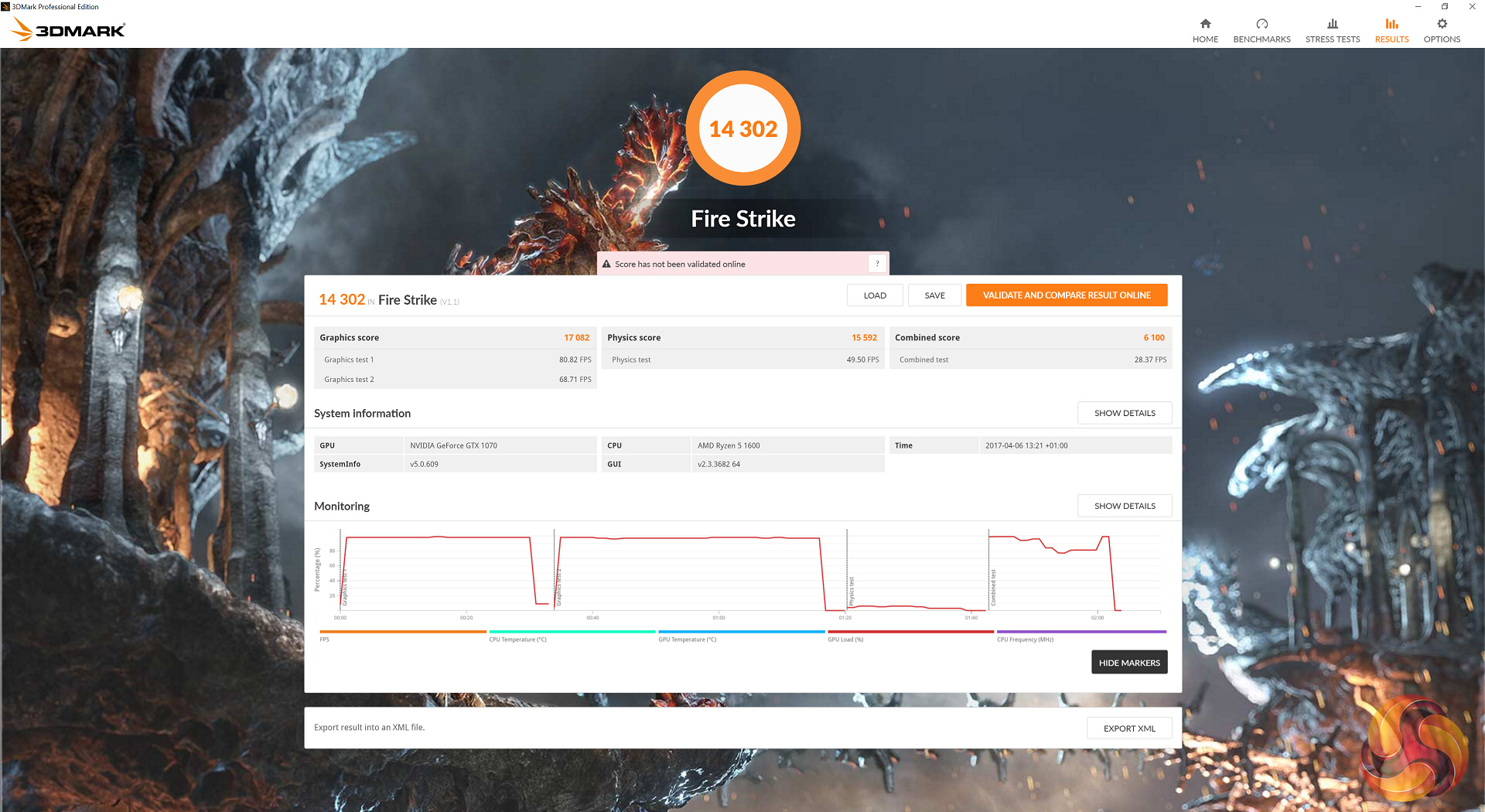
3DMark Fire Strike tells a similar tale to 3DMark 11 – this GTX 1070 is definitely slower than the competition, scoring around 1300 points less than other GTX 1070s.VRMark is a benchmark designed specifically with virtual reality gaming in mind. Futuremark say: ‘the performance requirements for VR games are much higher than for typical PC games. So if you’re thinking about buying an HTC Vive or an Oculus Rift, wouldn’t it be good to know that your PC is ready for VR? VRMark includes two VR benchmark tests that run on your monitor, no headset required, or on a connected HMD. At the end of each test, you’ll see whether your PC is VR ready, and if not, how far it falls short.’

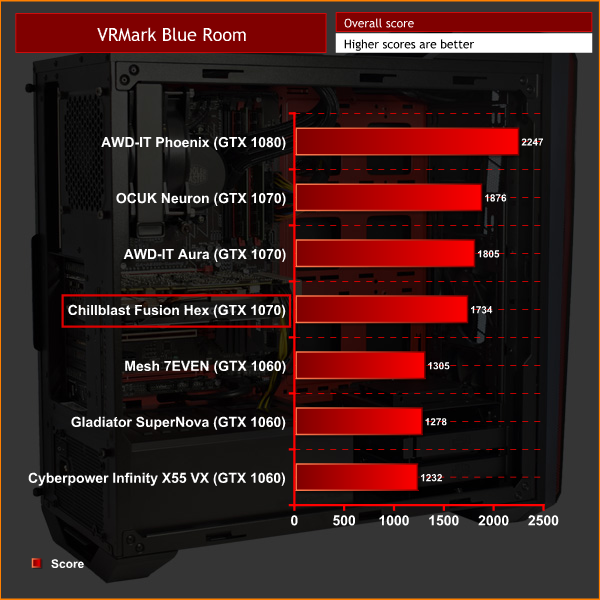
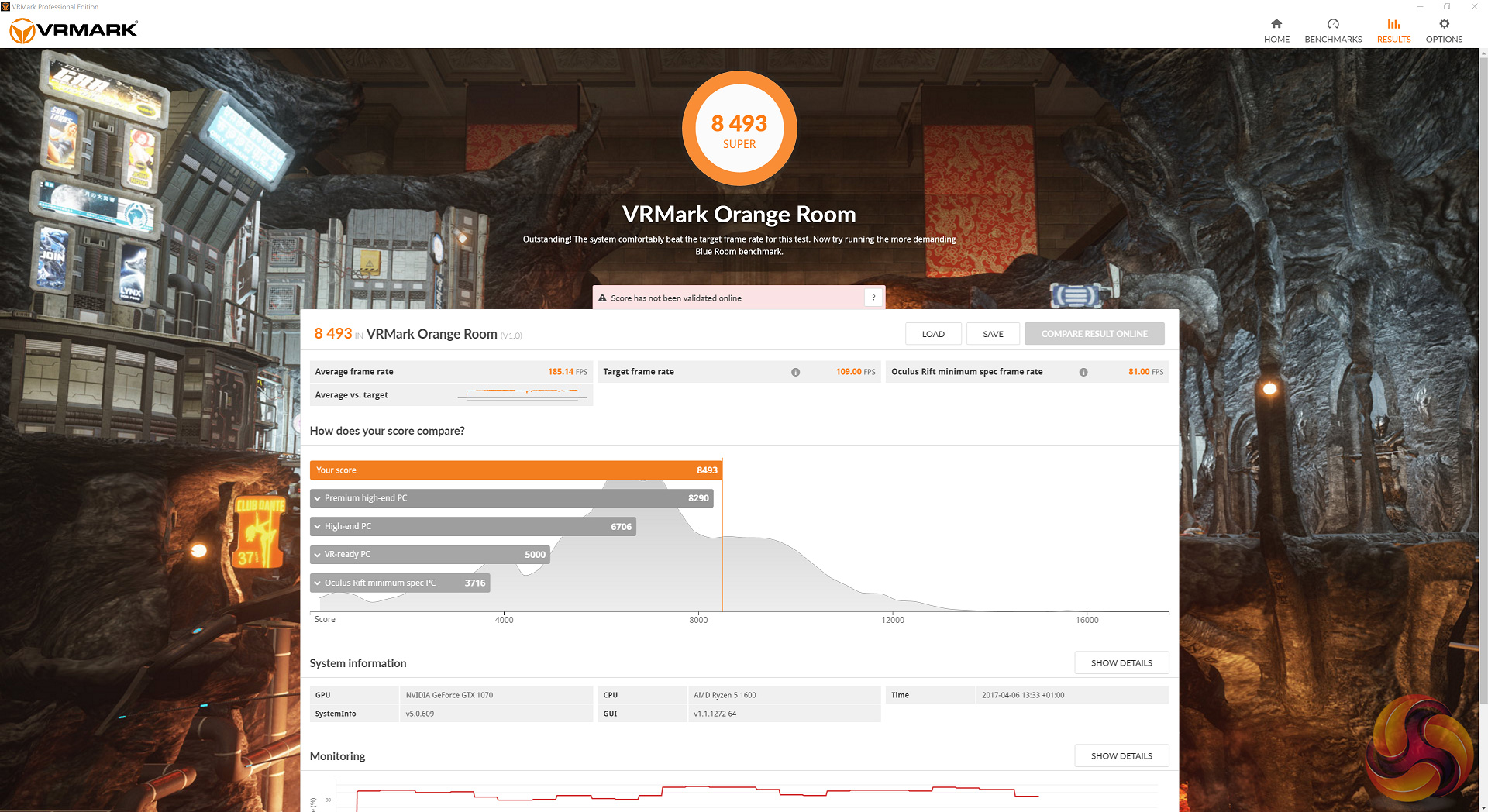
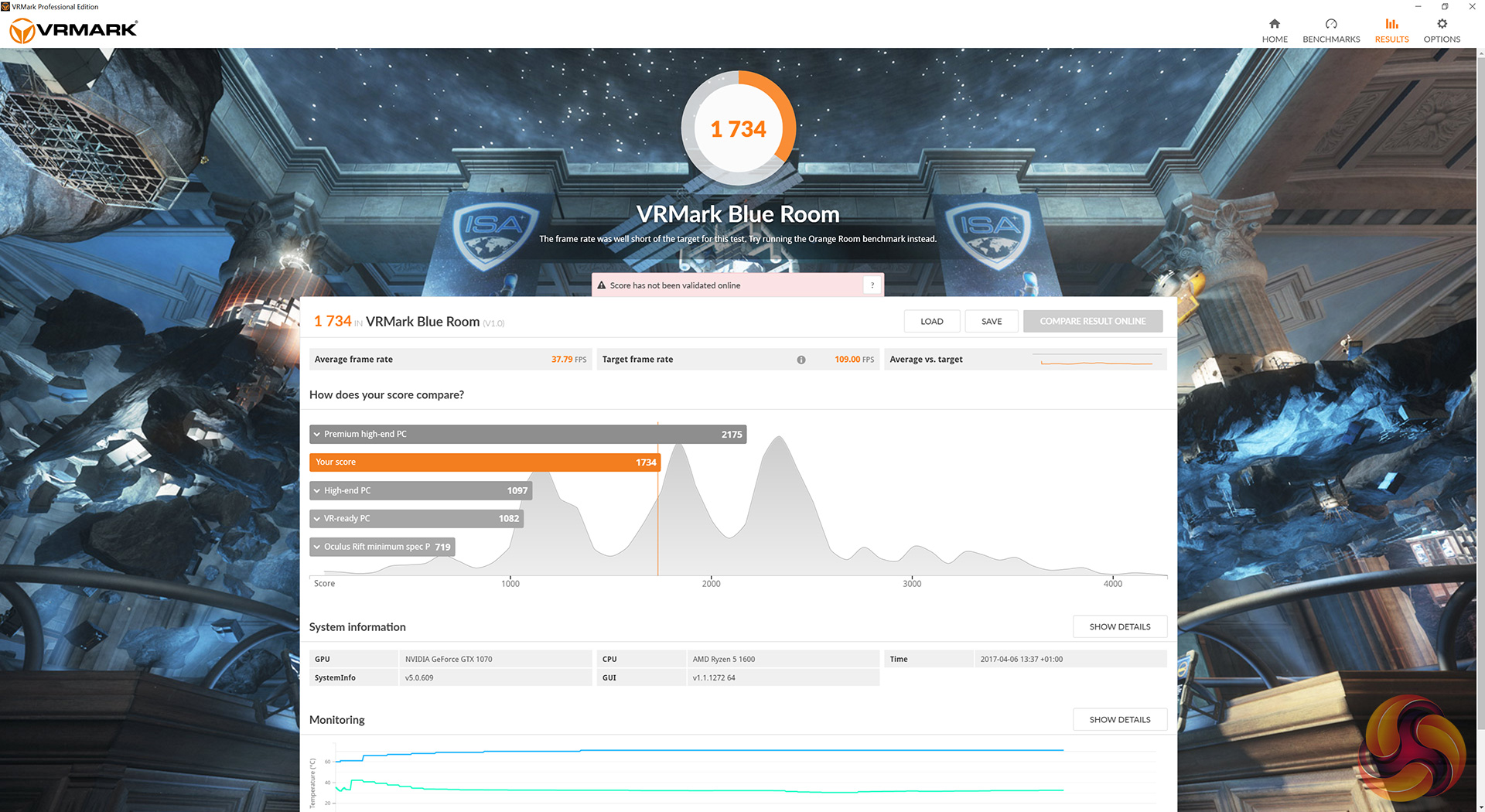
A new addition to our benchmarking suite, VRMark looks like one of the few valid ways of testing the VR capabilities of a PC. Consisting of two ‘rooms’, or benchmark tests, the Orange Room is the standard test, while the Blue Room is much more demanding.
We have already seen that Ryzen 7 does not get on so well with the Orange Room, and that trend continues here. It is quite possible that VRMark does not utilise more than four cores, which – along with the lack of CPU overclock – would explain the Ryzen chips' lacking performance.
The Blue Room is all about graphical power, though, so CPU bottlenecking is not a factor. However, we do still see evidence that this Zotac GTX 1070 is a fair bit slower than competing 1070 cards.The Witcher 3: Wild Hunt concludes the story of the witcher Geralt of Rivia, whose story to date has been covered in the previous titles. Continuing from The Witcher 2, Geralt seeks to move on with his own life, embarking on a new and personal mission while the world order itself is coming to a change. (Wikipedia).
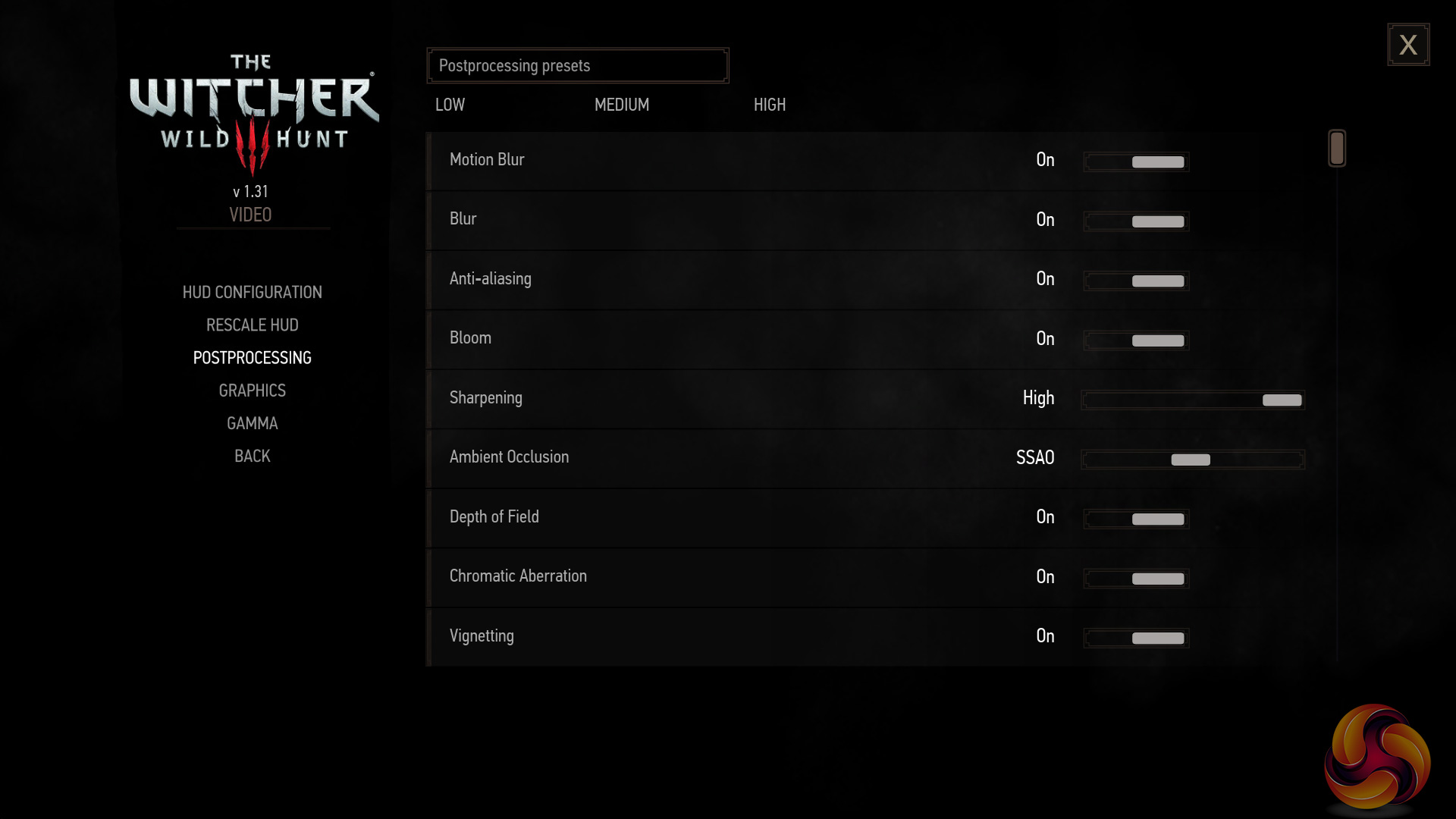
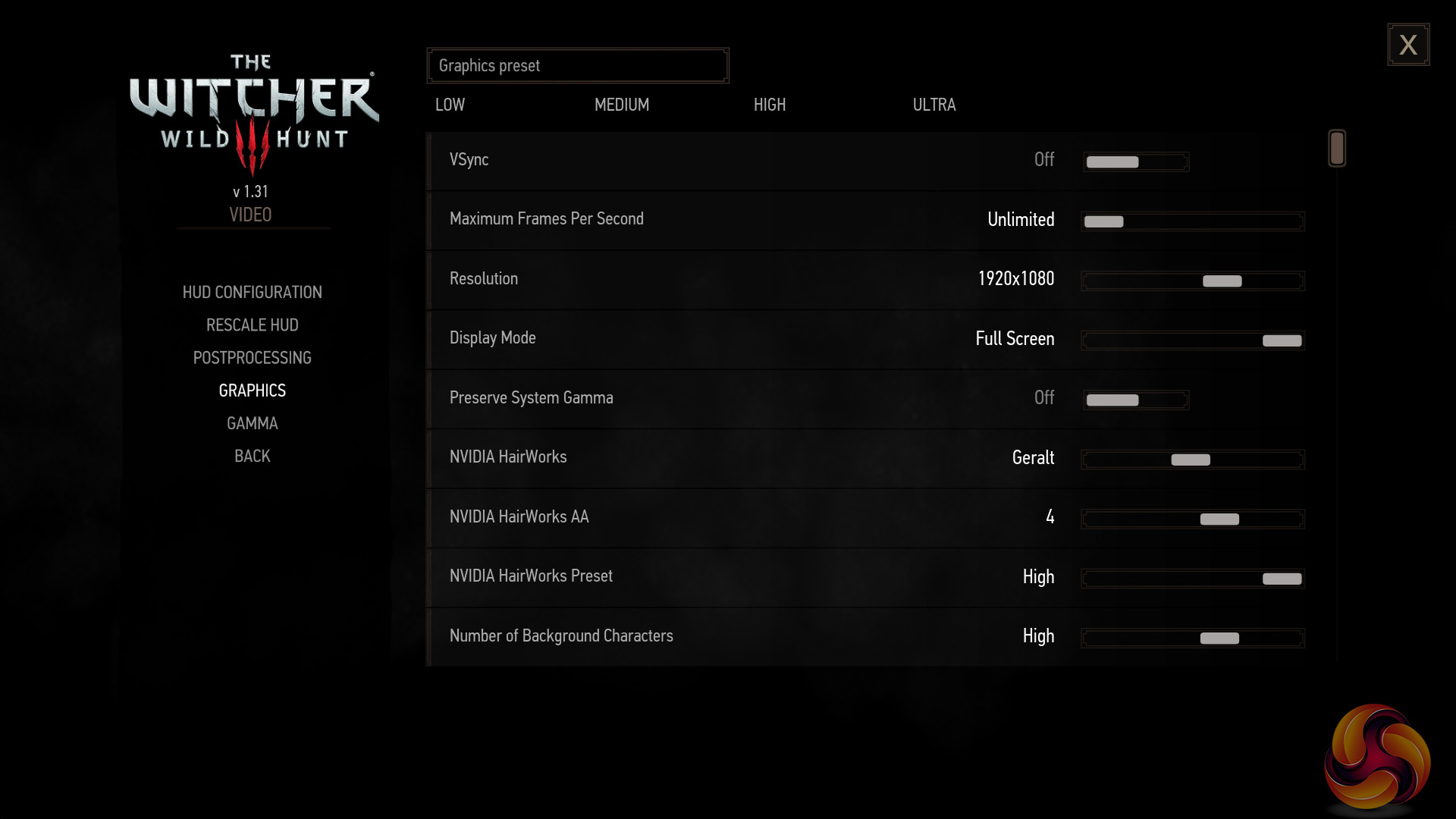
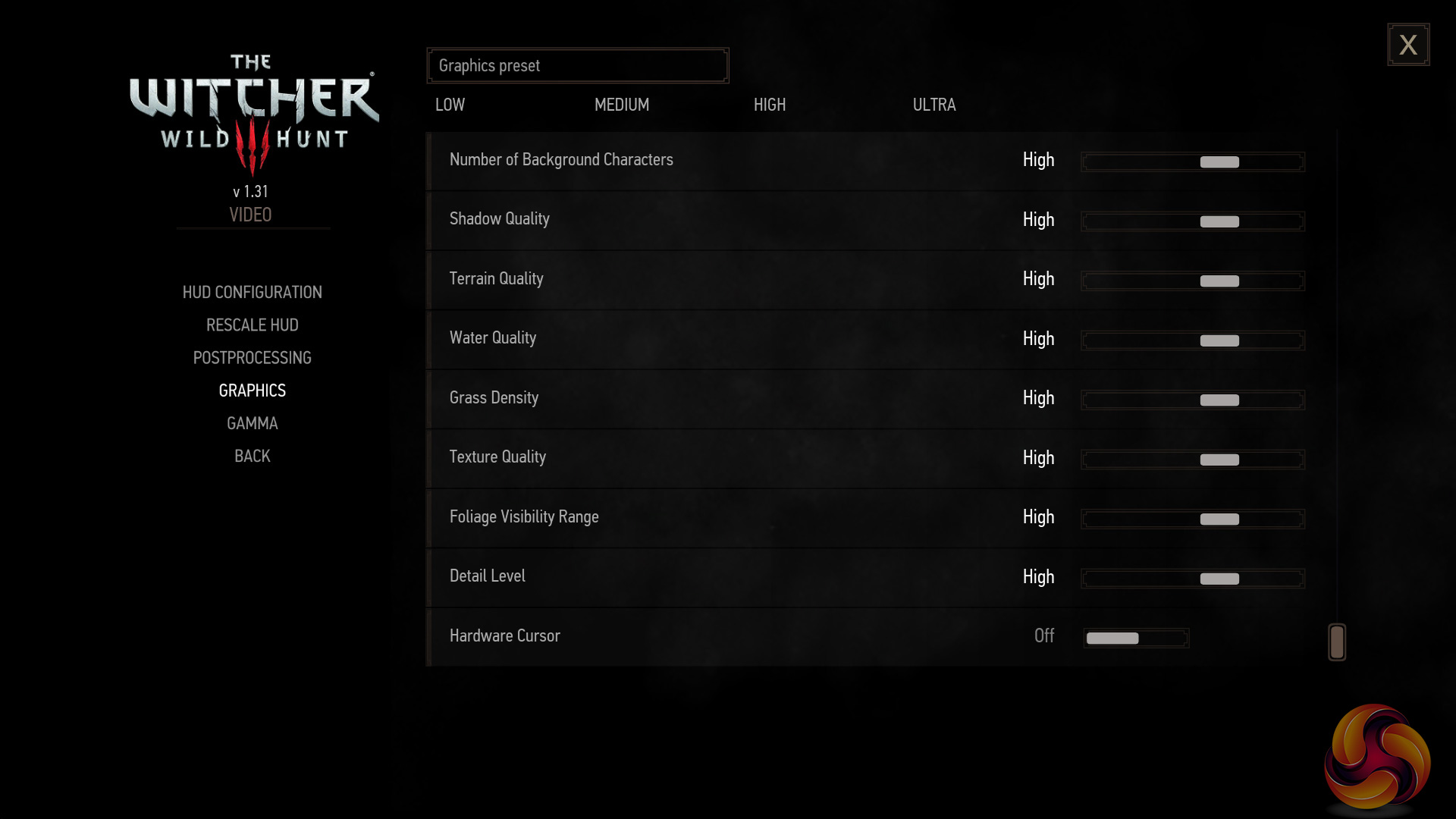
We test using the ‘high’ preset. Given The Witcher 3 does not have its own in-built benchmark, I tested near the beginning of the game with Geralt riding through White Orchard on his horse, before dismounting and carrying on on-foot. I benchmarked 3 closely-matched runs and then took the average figures from those runs to present here.
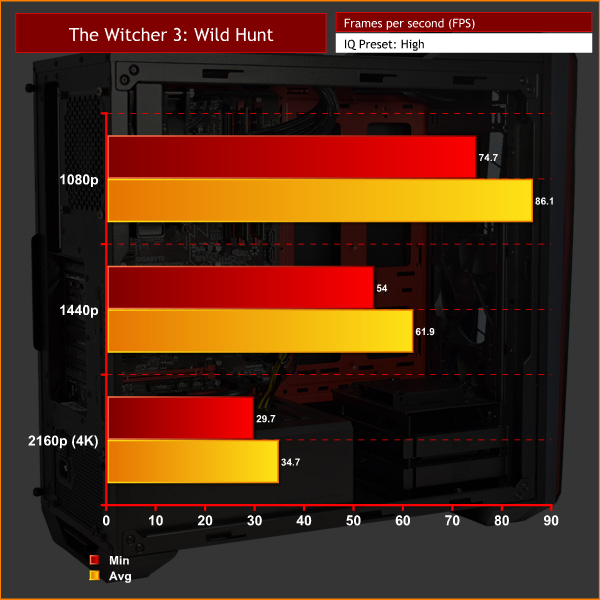
The Fusion Hex delivers solid performance at 1080p and 1440p, with those frame rates being very decent. 4K is a different story, though, and the IQ settings would require a bit of tweaking to give smoother gameplay.Grand Theft Auto V is an action-adventure game played from either a first-person or third-person view. Players complete missions—linear scenarios with set objectives—to progress through the story. Outside of missions, players may freely roam the open world. Composed of the San Andreas open countryside area and the fictional city of Los Santos, the world is much larger in area than earlier entries in the series. It may be fully explored after the game’s beginning without restriction, although story progress unlocks more gameplay content.
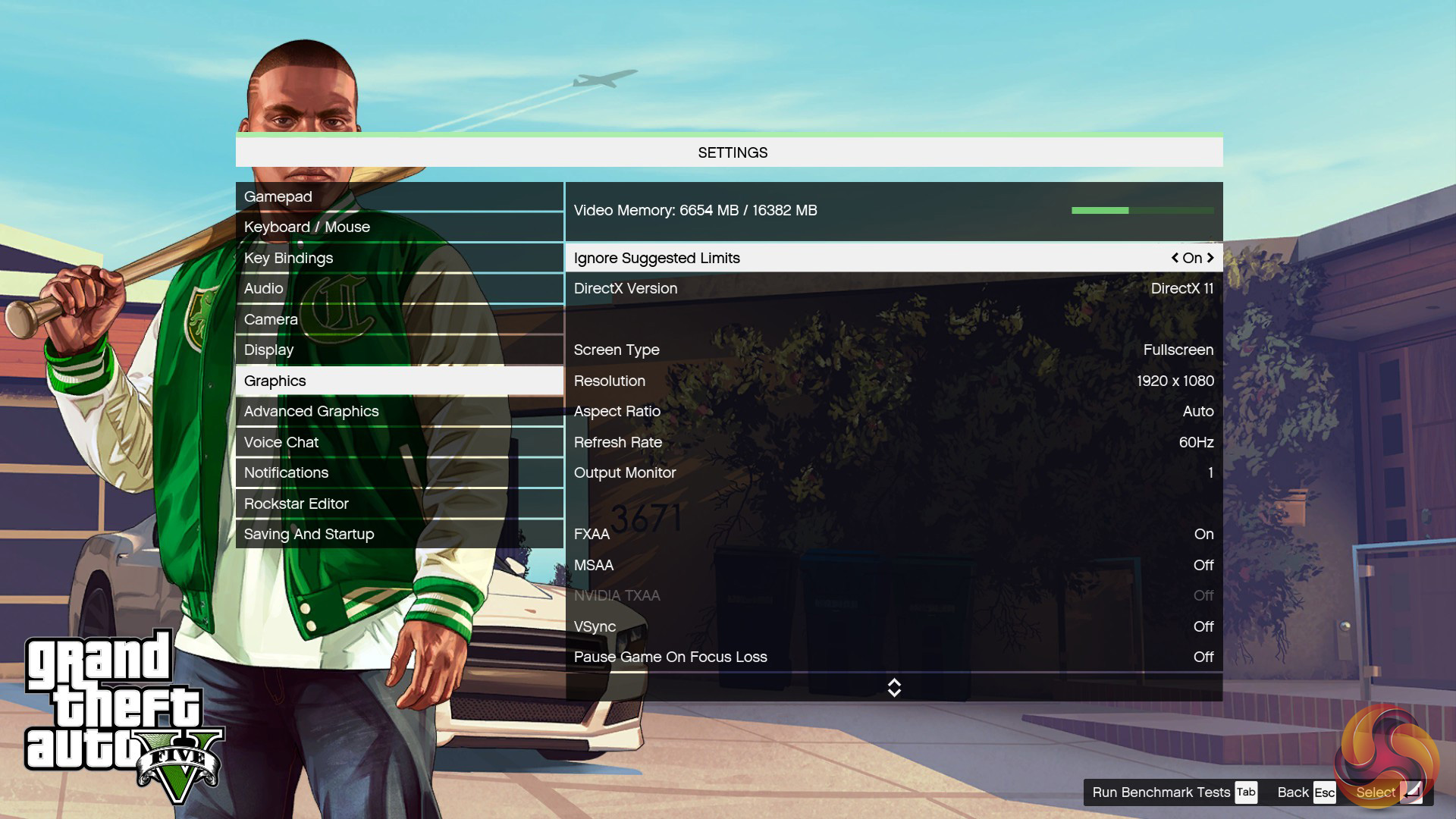
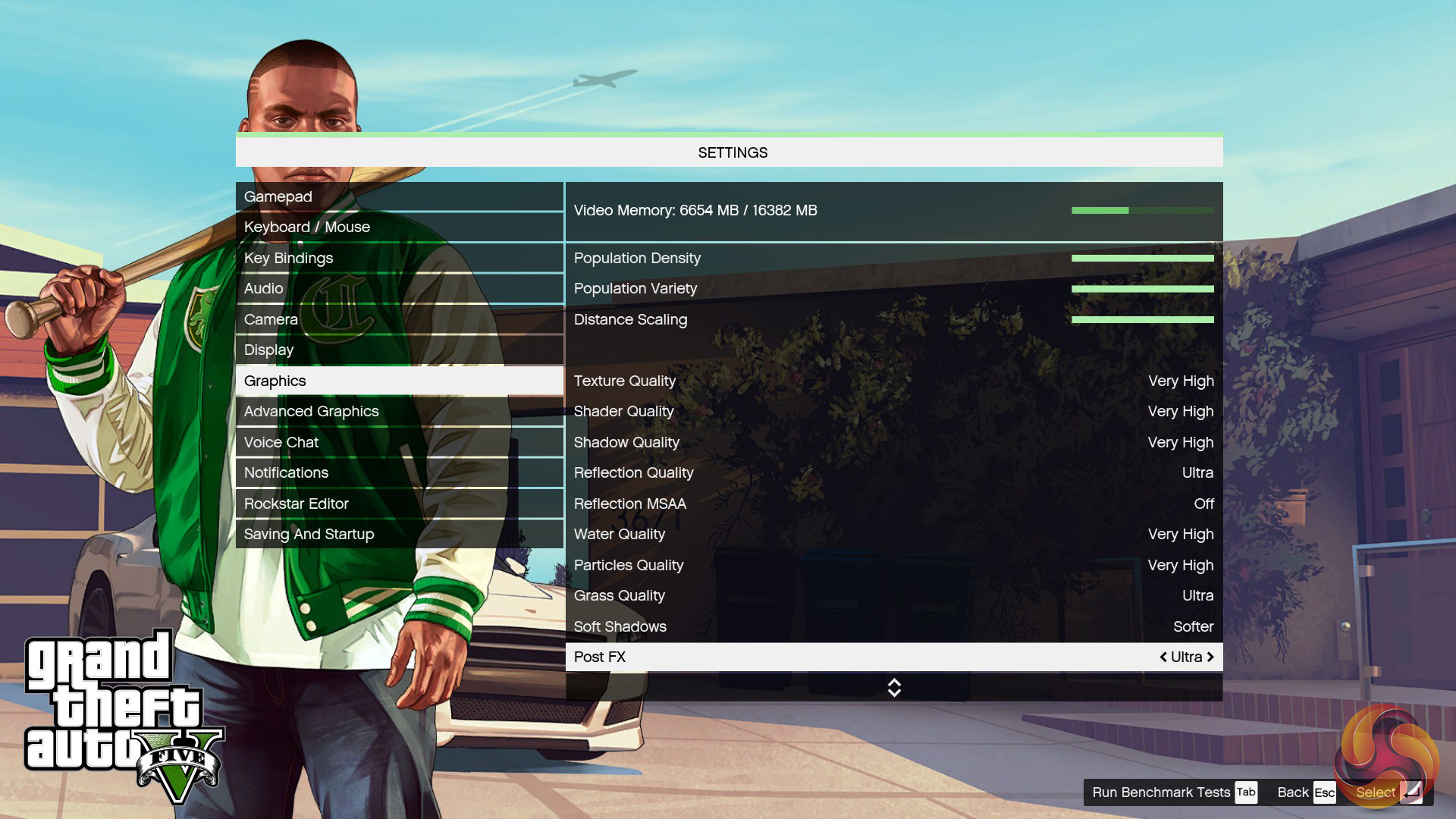
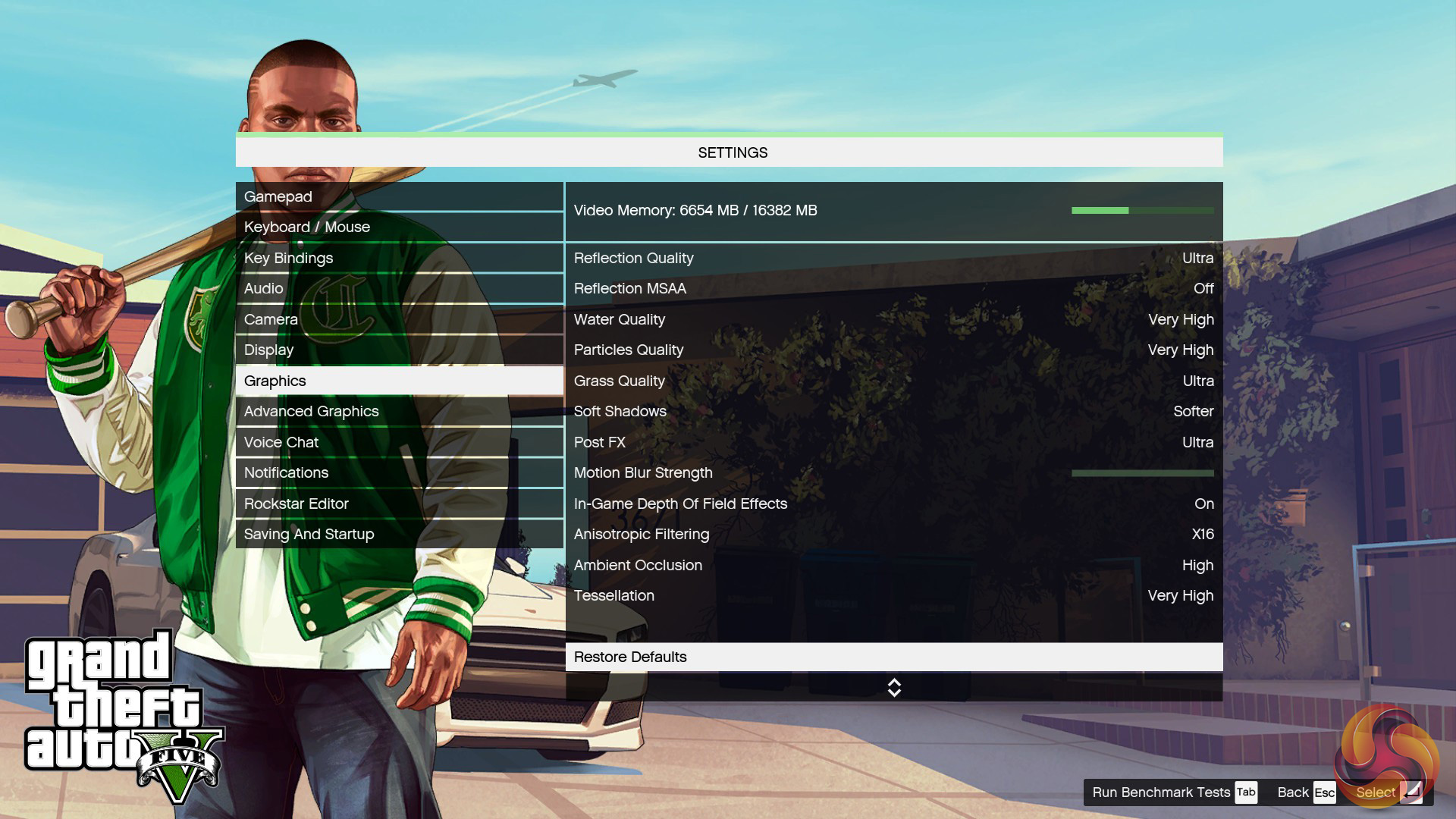
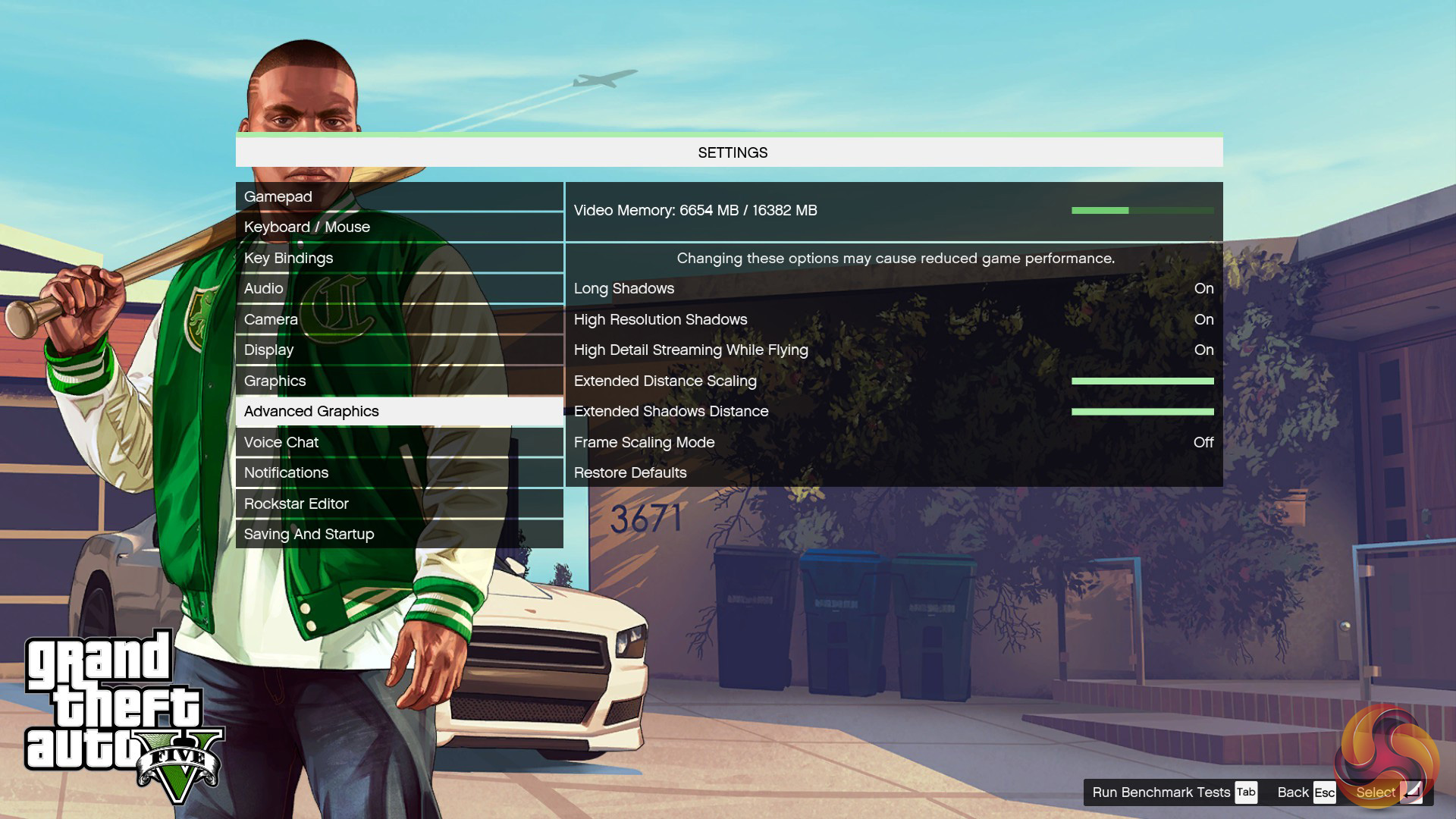
We maximise every setting but leave MSAA disabled.
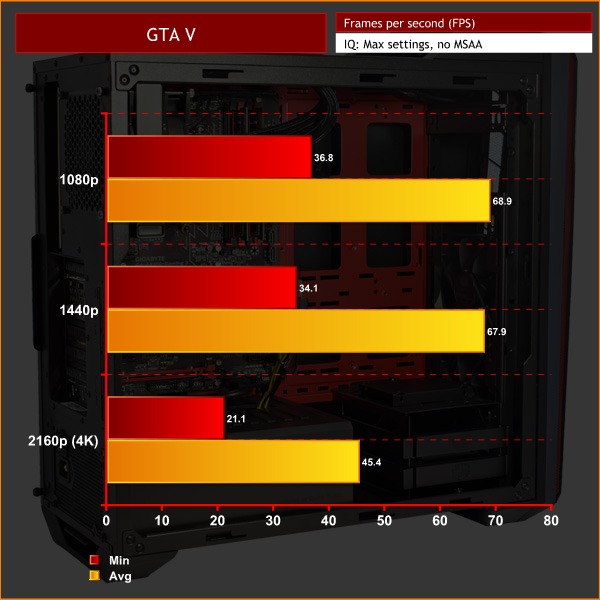
With GTA V, we see some significant CPU bottlenecking – as we saw with Ryzen 7. This is made clear by the fact that the 1080p and 1440p results are essentially identical.DOOM is a science fiction horror first-person shooter video game developed by id Software and published by Bethesda Softworks. It is a reboot of the Doom series and is the first major instalment in the series since the release of Doom 3 in 2004 and the fourth title in the main series of games.
The game is played entirely from a first-person perspective, with players’ taking the role of an unnamed marine, as he battles demonic forces from Hell that have been unleashed by the Union Aerospace Corporation on a future-set colonised planet Mars.
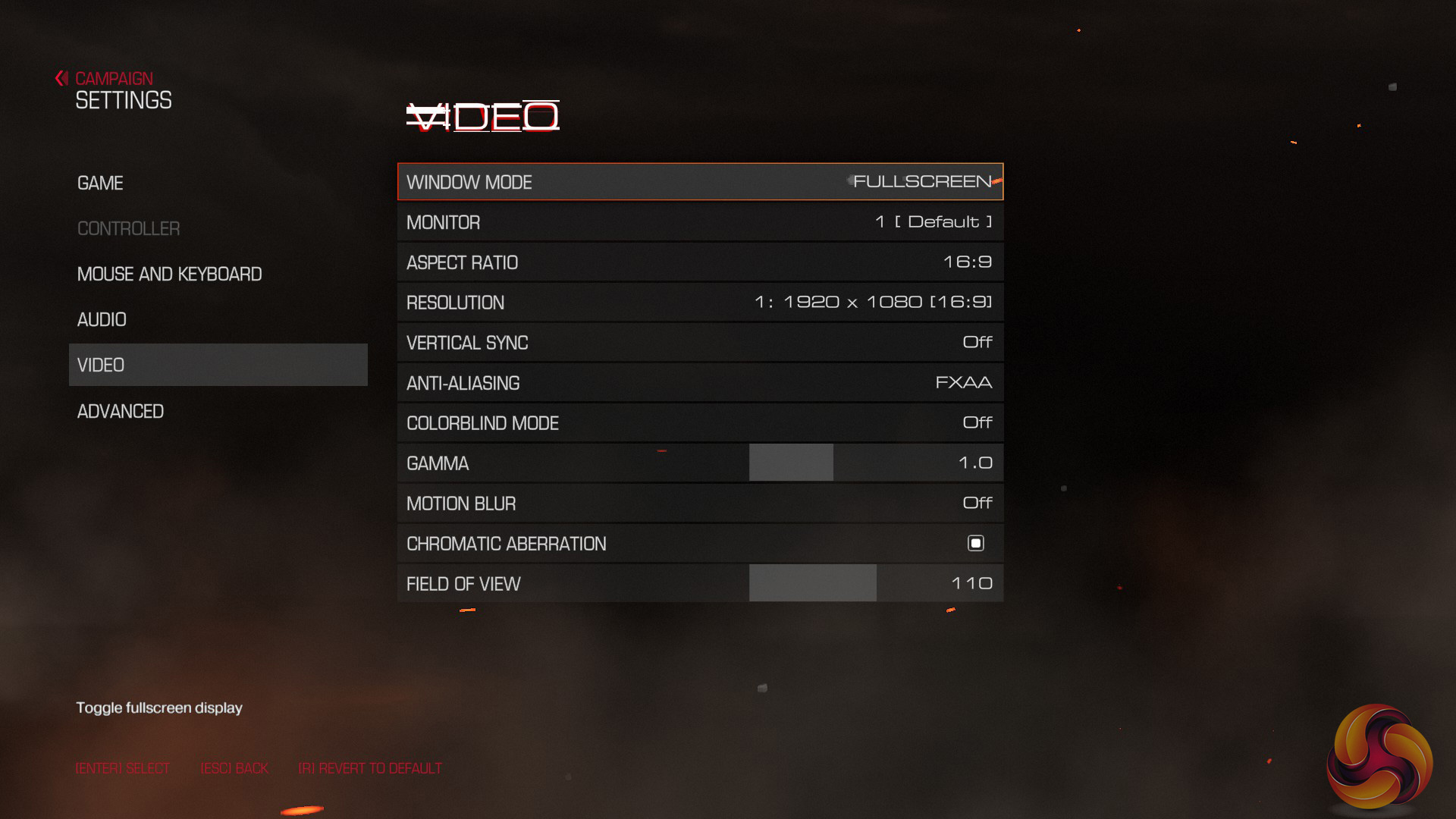
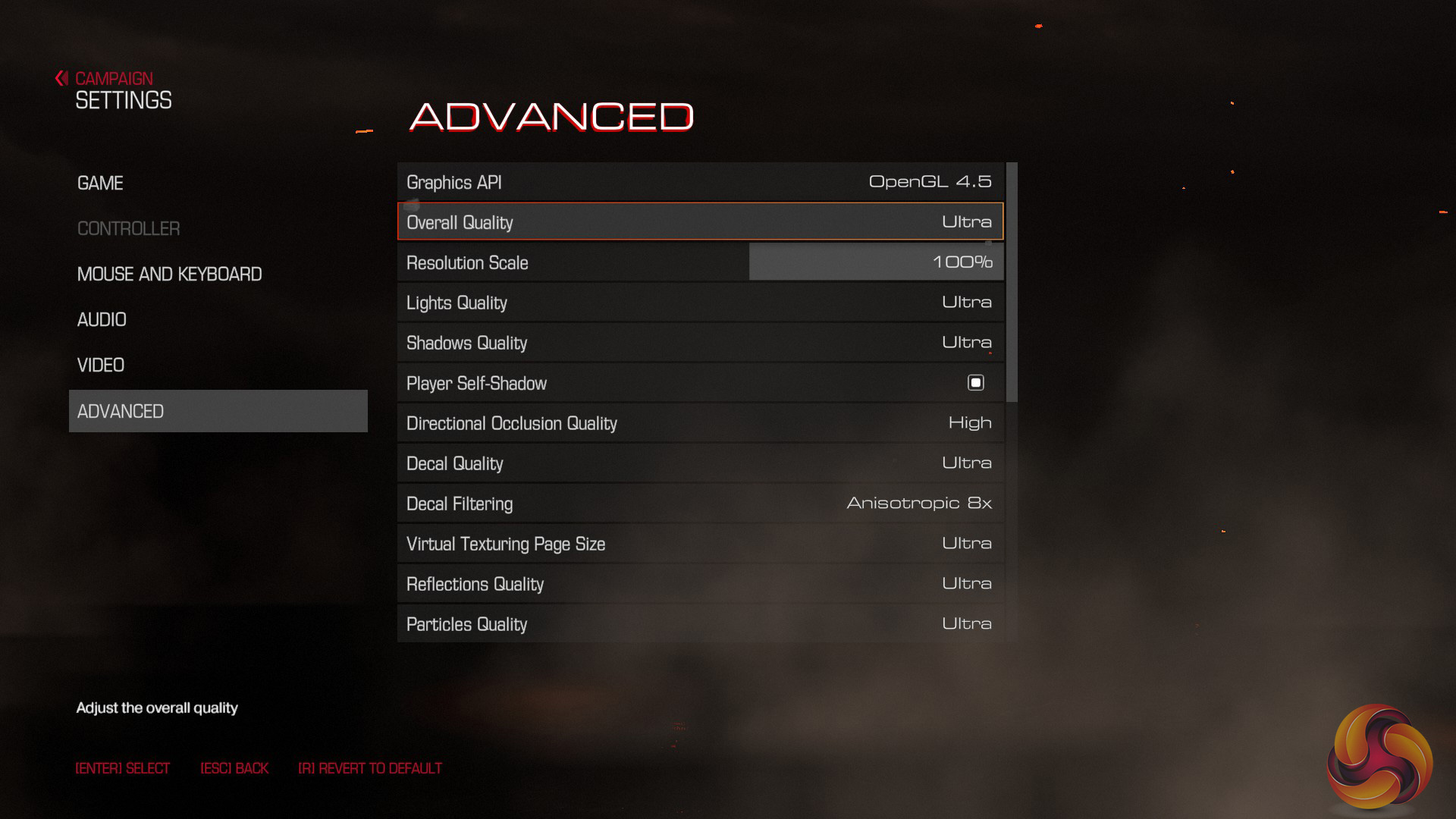
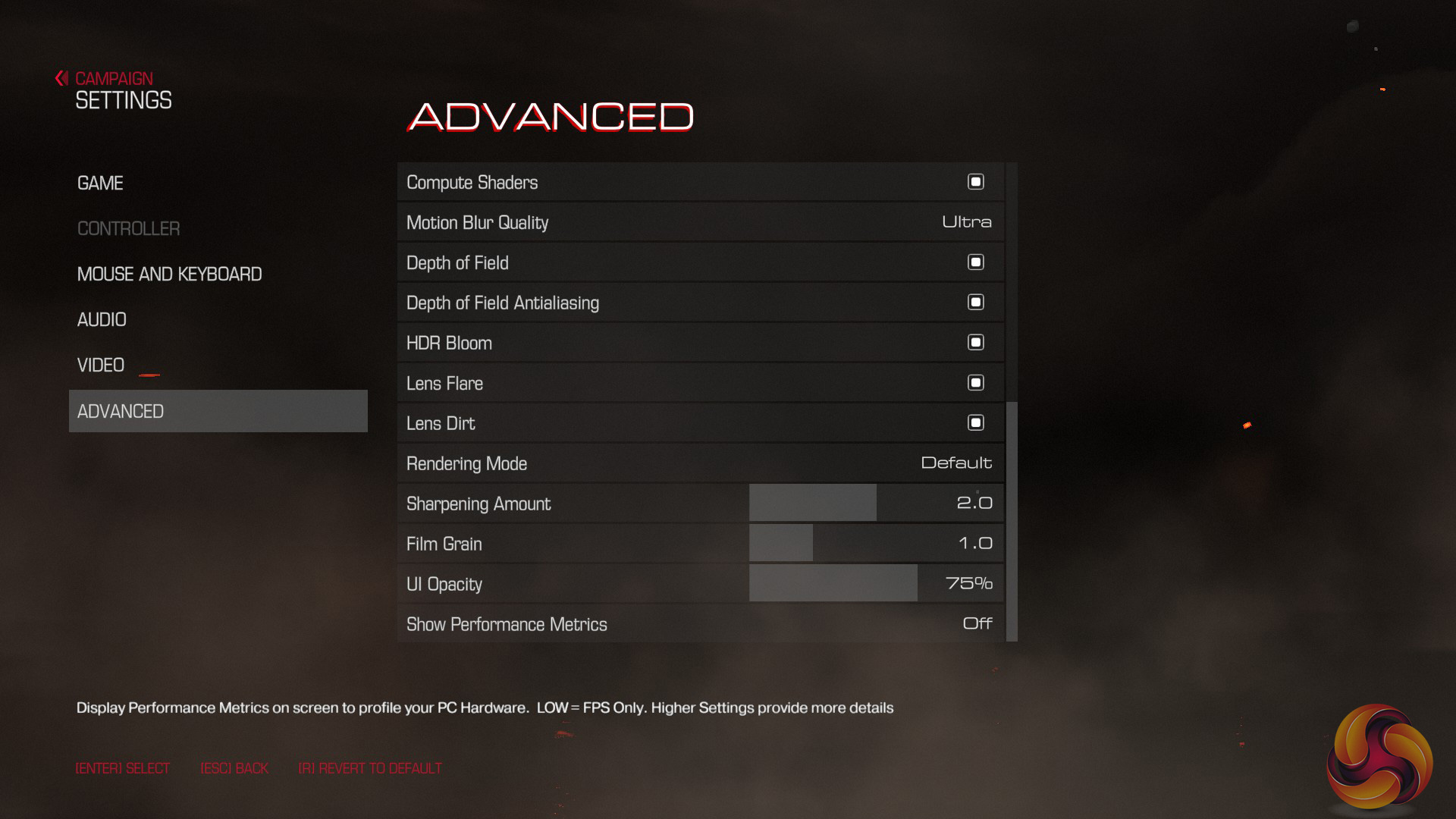
We test using the ‘ultra’ preset. Given Doom does not have its own in-built benchmark, I tested at the beginning of the game as the player destroys the very first Gore Nest. I benchmarked 3 closely-matched runs and then took the average figures from those runs to present here.
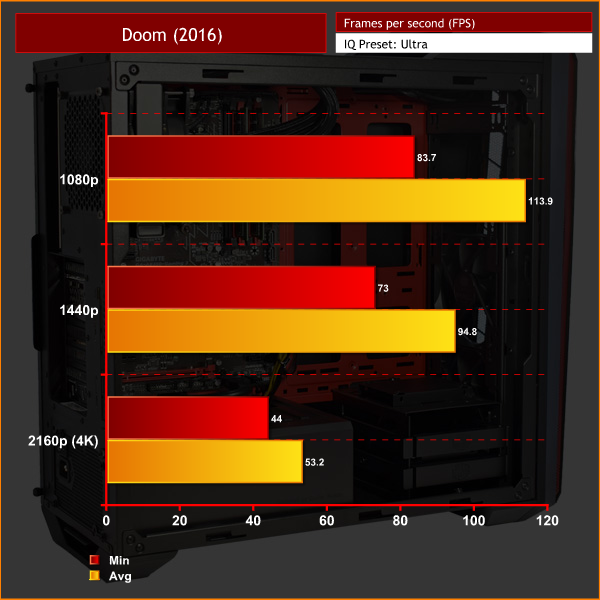
DOOM offers the best frame rates of any game on-test today. The 1080p and 1440p results are fantastic, while a minimum of 44 FPS at 4K is also very playable.Deus Ex: Mankind Divided is set in the year 2029, two years after the events of Human Revolution and the “Aug Incident”—an event in which mechanically augmented humans became uncontrollable and lethally violent.
Unbeknownst to the public, the affected augmented received implanted technology designed to control them by the shadowy Illuminati, which is abused by a rogue member of the group to discredit augmentations completely. (Wikipedia).
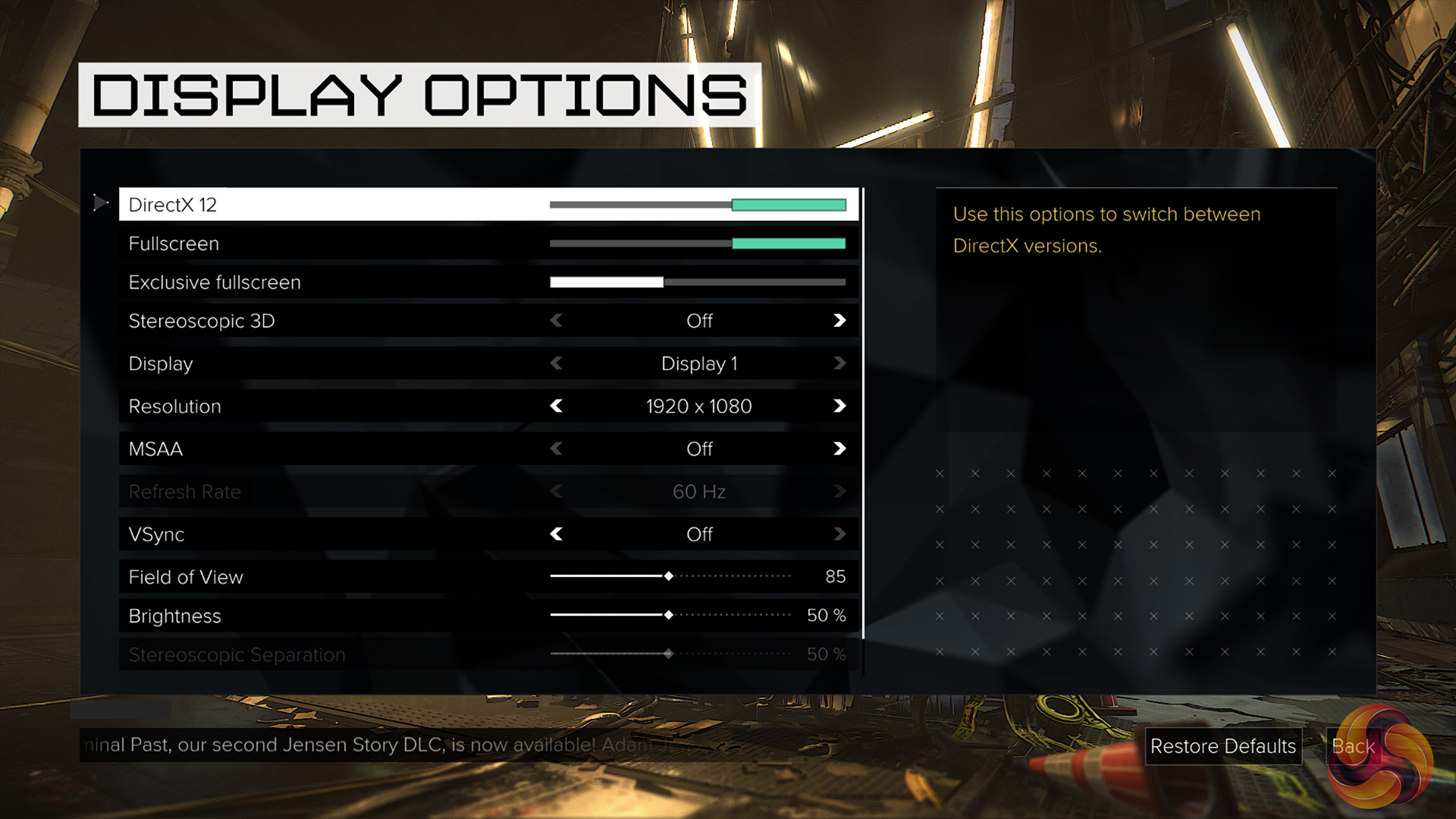
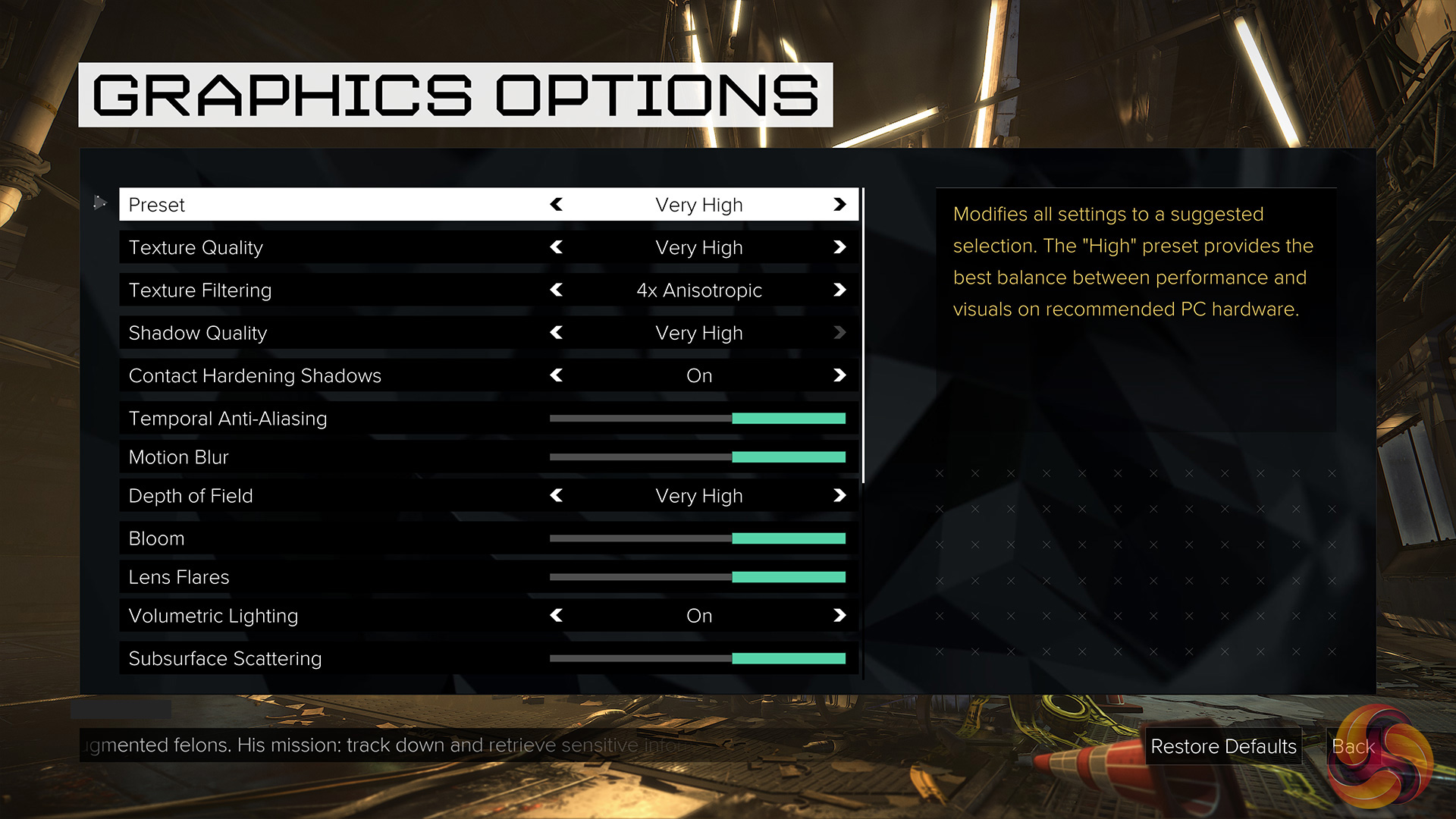
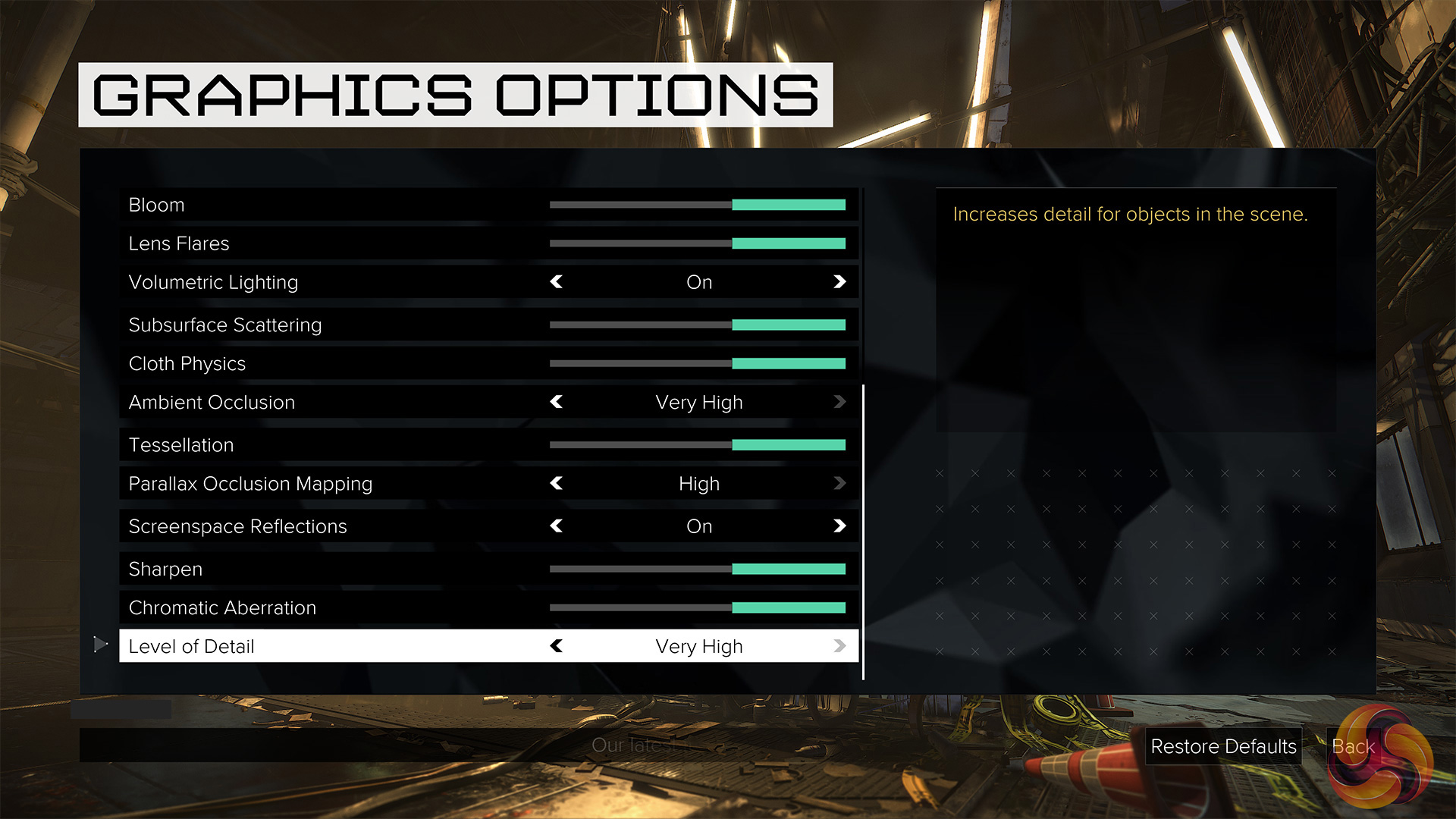
We test using the ‘very high’ preset and the DX12 API.
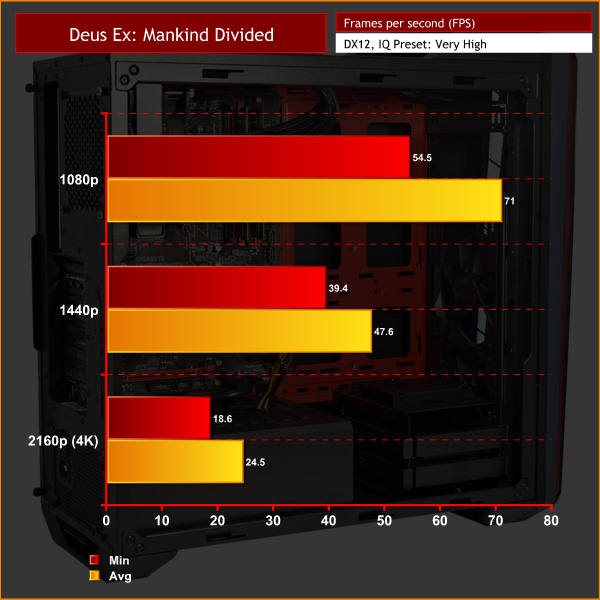
Deux Ex: Mankind Divided is a challenge for the Fusion Hex, with only 1080p gameplay being what I would call comfortably smooth. 1440p gameplay could benefit from IQ tweaking, while 4K is out of the question.Tom Clancy’s Ghost Recon Wildlands is an open world tactical shooter video game developed by Ubisoft Paris. It is the tenth instalment in the Tom Clancy’s Ghost Recon franchise and is the first Ghost Recon game to feature an open world environment. Ubisoft described it as one of the biggest open world games that they have ever published, with the game world including a wide variety of environments such as mountains, forests, deserts and salt flats. The game was released on March 7, 2017 for Microsoft Windows, PlayStation 4 and Xbox One. (Wikipedia).
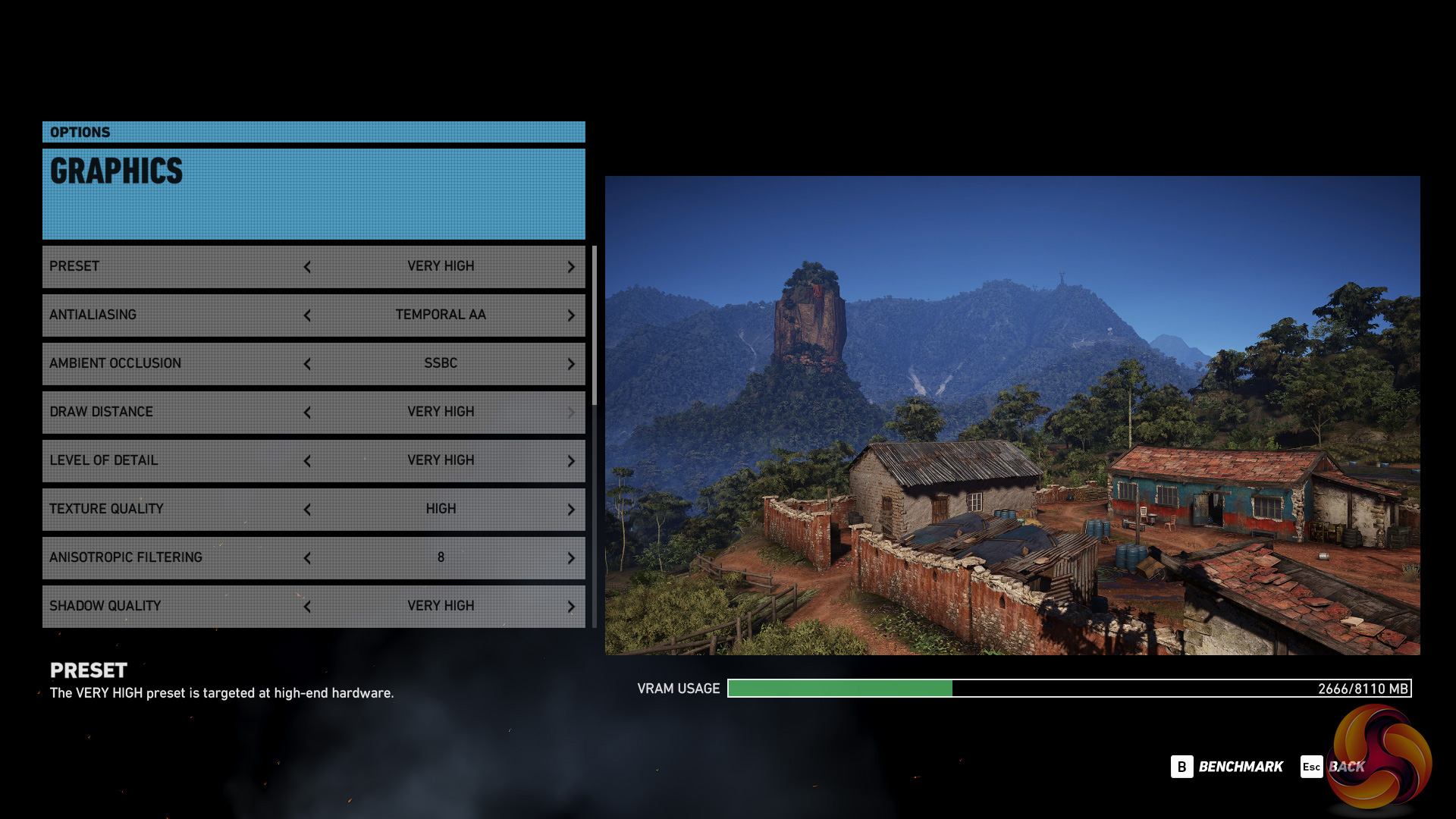
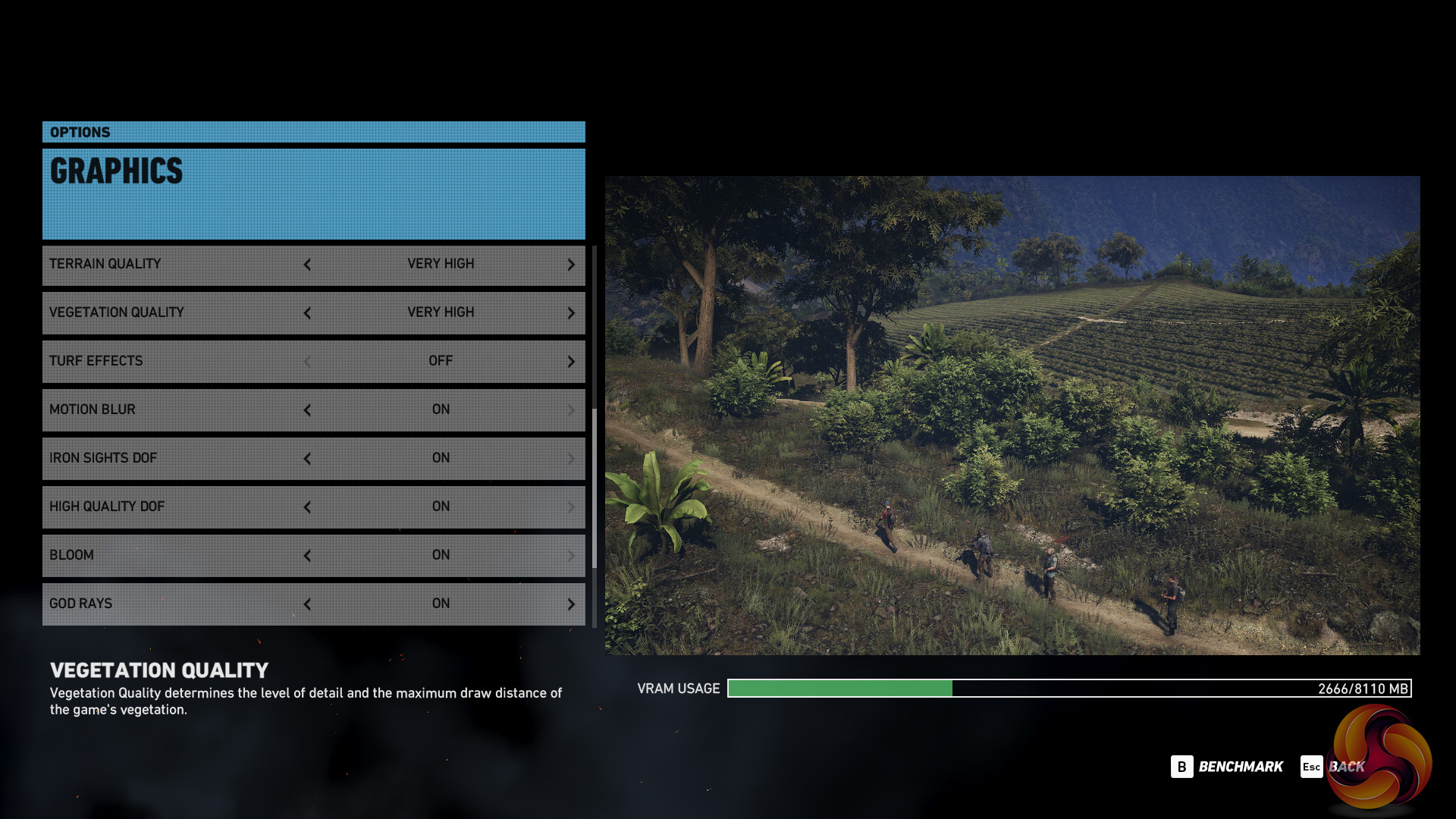
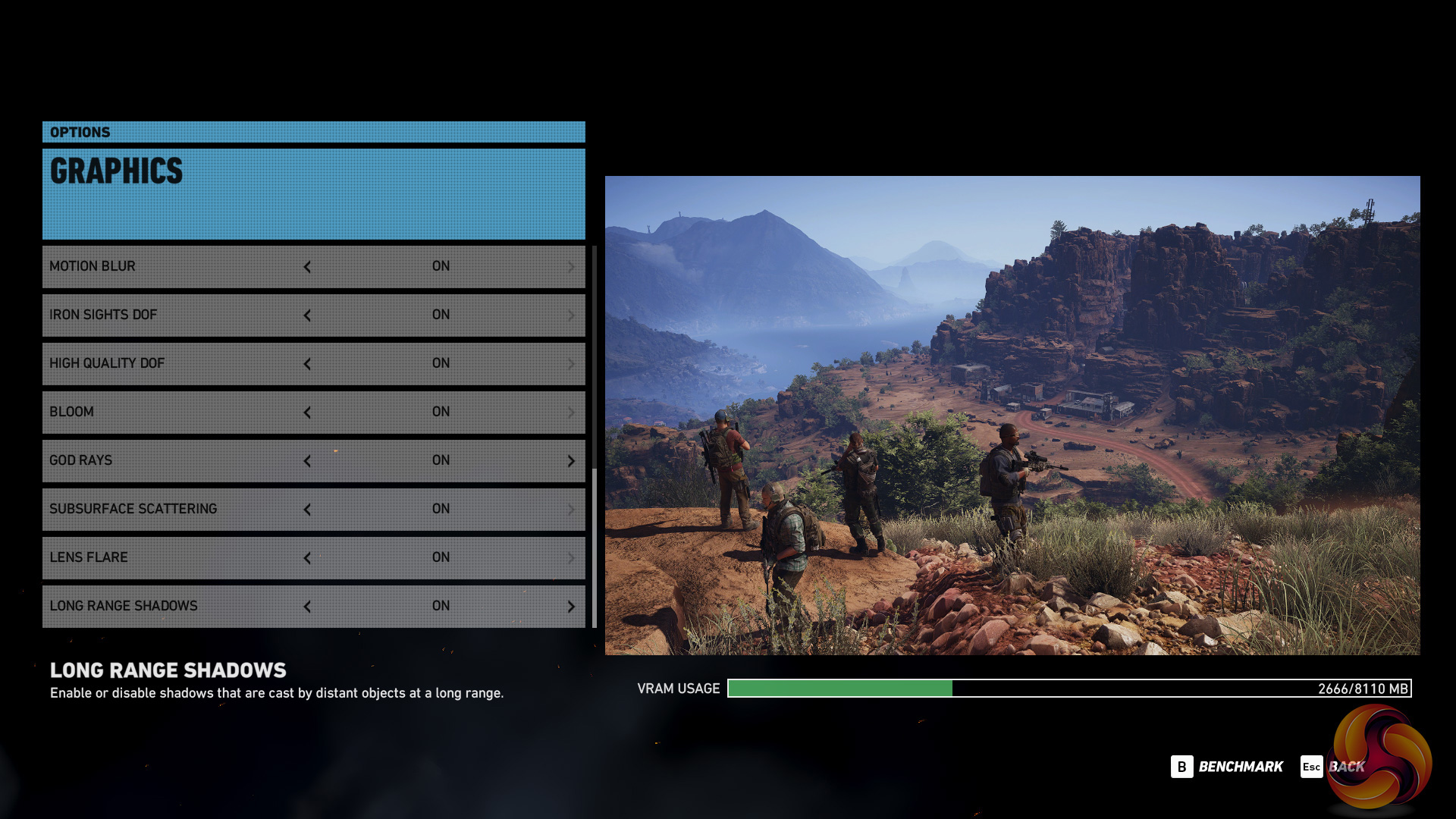
We test using the ‘very high’ preset.
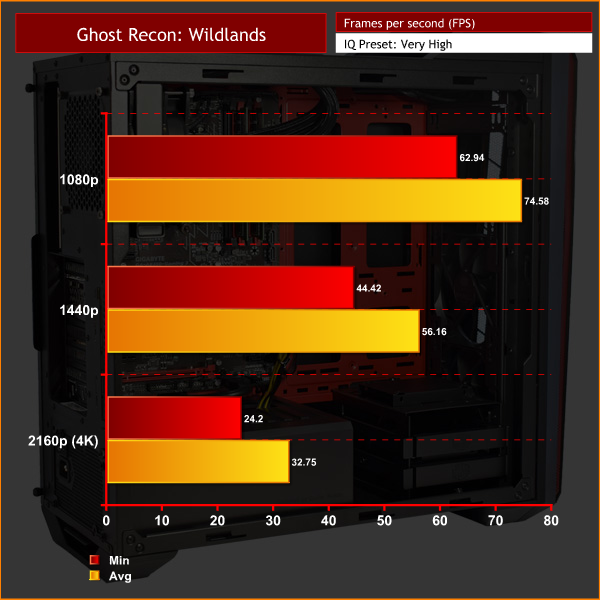
Wildlands is another demanding game, though I would say it definitely performs better than Deux Ex: Mankind Divided. 4K gameplay is still too much for this GTX 1070 to handle, though.Thermal dynamics
To measure idle temperatures, a reading was taken after having Windows open on the desktop for 30 minutes. A reading under load was taken with Prime 95’s SmallFFt test running alongside 3DMark Fire Strike.
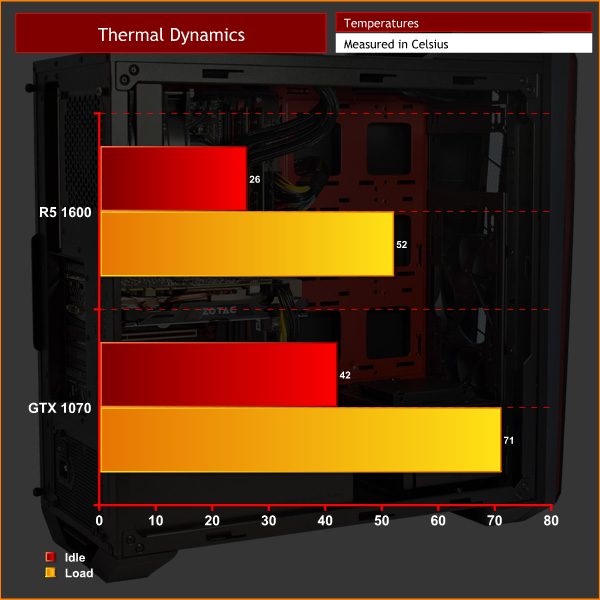
Thermals are very good here, with the CPU getting no hotter than 52 degrees at 100% load. The graphics card does idle a bit higher than we might expect, but this is because it has a ‘zero-RPM' mode, so the fans switch off completely under low load.
Acoustics
The Fusion Hex is impressively quiet. The push-pull configuration on the 120mm AIO means the fans do not have to work too hard, while the case also features a two-speed fan controller. With the speed set to ‘low', the system is essentially whisper-quiet, even when the GPU is being taxed at 100% load. Good job Chillblast and Cooler Master, I say.For ‘idle’ power draw, a reading was taken after having Windows open on the desktop for 30 minutes. A reading under load was taken with Prime 95’s SmallFFt test running alongside 3DMark Fire Strike.
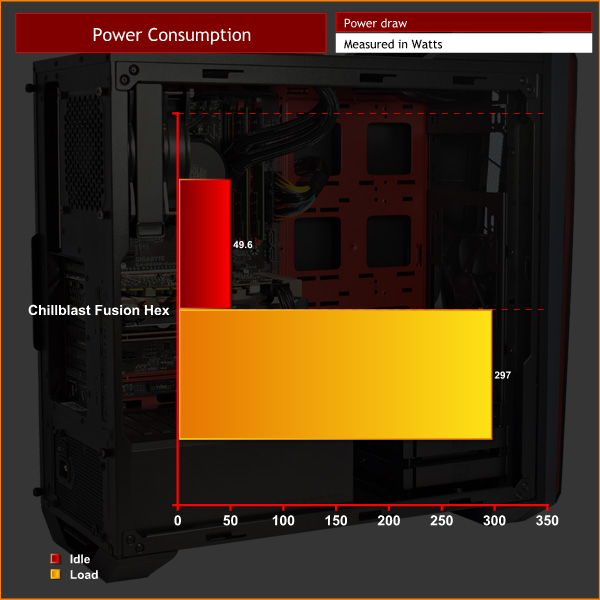
The Fusion Hex is not overly power-hungry, drawing a comparable amount of power to other i7/GTX 1070 systems I have seen in the past. There would be room for a second GTX 1070 for SLI, but the B350 chipset does not support SLI anyway, only Crossfire.
I would point out, though, that the Cooler Master MasterWatt Lite 600W PSU is only 80+ White certified (or just 80+). Given that even 80+ Bronze PSUs now feel quite dated, I would have expected a unit with higher efficiency to be used in a rig like this.
All-in-all, the Chillblast Fusion Hex system is a bit of a mixed-bag.
On one hand, it offers strong multi-core performance thanks to the brand-new Ryzen 5 1600 CPU. Given the low cost of this chip, the Fusion Hex can offer this multi-core goodness for £1319.99, significantly less than what you would pay for a system based on Intel's competing 6-core i7-6800K.
The Ryzen CPU, coupled with the GTX 1070, also makes for a solid gaming PC. Taken together, the Fusion Hex is a solid bet for those who want to game as well as use multi-threaded software. For example, it would be great if you want a relatively low-cost system to get into streaming or content creation.
However, there are a few niggling issues that hold the Fusion Hex back.
For one, there are numerous examples of poor decision-making when it comes to the system's aesthetics. This is made clear by the ugly, unsleeved ketchup-and-mustard cables which are very visible, as well the motherboard's brown PCB. By far the worst decision on Chillblast's part was to use plain green DIMMs, though, which is not something an enthusiast wants to see in their rig.
You may say that system performance is more important than visuals, and that's fair enough. However, I am of the opinion that anyone spending over £1300 on a PC will at least want it to look good, and sadly, I can't say this PC is attractive at all.
Lastly, the Fusion Hex also suffers because of the Zotac Mini GTX 1070. All of the graphics benchmarks I ran show this to be a comparatively slow GTX 1070 card, as it lacks any sort of factory overclock. The smaller cooling solution also means GPU Boost 3.0 can't take the clock speed as high as other, bigger cards can manage.
As such, we would say that the Chillblast Fusion Hex is a good system for those who want to get into content creation, and are not bothered about aesthetics at all. However, many would find the system's interior very unappealing, which really is disappointing. Lastly, it is also worth mentioning that those just looking for the fastest gaming PC would still be best served by system using an overclocked Intel chip.
You can buy the Chillblast Fusion HEX for 1319.99 inc. VAT HERE.
Pros
- Ryzen 5 1600 offers strong multi-core performance at a very reasonable cost.
- Quiet.
- GTX 1070 is good for 1080p and 1440p gaming.
Cons
- The lack of thought given to the system's aesthetics is a big let-down – green RAM, unbraided cables and a motherboard with a brown PCB creates quite the colour-clash.
- Zotac Mini GTX 1070 is a comparatively slow 1070 card.
- Pure gamers are best served with an Intel-based system.
- PSU is only 80+ White certified.
KitGuru says: The Fusion Hex definitely shows promise and offers strong multi-core performance. However, the system's aesthetics need a serious revamp, while the slow GTX 1070 card is also a bit disappointing.

Thanks for the review KitGuru! Just a couple of points in response to the points raised in the review:
1. We are working with Cooler Master to produce a sleeved variant of this PSU for this system
2. With Ryzen 5 being such a new platform we were very limited with memory options that correctly operated to specification on this platform. As the platform matures we will look to include black PCB memory with attractive heat spreaders at no additional cost :).
Thanks,
Chillblast
Oh my god is this THAT power supply? Someone actually chose to use it, I questioned this when Leo did his coverage of CeBIT, did someone actually go to the trouble of making a White rated PSU, is that really a PSU that does not even make Bronze efficiency rating?
This system appears to have corner cutting written all over it or someone got a job lot of parts from Cooler Master. If you are going to fill it with butt ugly components don’t put a huge window on the side, also don’t use a huge case then fill half of it, and leave the empty half bright red so it stands out even more. I’m not the biggest expert in the world but every review I have read has said pair a Ryzen Processor with as high a frequency RAM as you can, certainly not 2400mhz this minimises the lower resolution framerate loss due to the RAM bottleneck. Only use a mini GPU if you are short of space or its for a aesthetic reason.
Chillblast are normally so much better than this and produce some awesome computers, all I can think is they wanted something in reviewers hands for the launch of Ryzen R5, I hope they take a look at some of the issues…..or at least pick a case without a window as an option ; )
Google is paying 97$ per hour! Work for few hours and have longer with friends & family! !mj149d:
On tuesday I got a great new Land Rover Range Rover from having earned $8752 this last four weeks.. Its the most-financialy rewarding I’ve had.. It sounds unbelievable but you wont forgive yourself if you don’t check it
!mj149d:
➽➽
➽➽;➽➽ http://GoogleFinancialJobsCash149HomePowerGetPay$97Hour… ★★✫★★✫★★✫★★✫★★✫★★✫★★✫★★✫★★✫★★✫★★✫★★✫★★✫★★✫★★✫★★✫★★✫★★:::::!mj149d:….,……
This PC is overpriced by about £300