 KitGuru KitGuru.net – Tech News | Hardware News | Hardware Reviews | IOS | Mobile | Gaming | Graphics Cards


Since Intel launched its new Kaby Lake CPUs last month, we have seen a lot of system builders ship out gaming PCs sporting those processors. Mesh are no different, as their 7EVEN Gaming PC comes with an i5-7600K as well as a GTX 1060 to provide the necessary grunt for gaming. With a focus on the system's aesthetics as well, could this be a winner in the sub-£1500 sector?
The Mesh 7EVEN Gaming PC is admittedly a great-looking system. That being said, we still need to take a closer look to assess things like the build quality, cable management, and – of course – gaming performance. Read on for our full analysis and final verdict.
Specification
- Phanteks Eclipse P400S Glass Midi Tower Case – Noise Dampened White
- 650W Corsair RM650x Series, 80 PLUS Gold, Full Modular
- TtMod Sleeved Cable – Black & Blue Kit
- MSI Z270 ENTHUSIAST GAMING M7 Motherboard
- Intel® Core™ i5-7600K Kaby Lake, 3.8GHz – 4.2GHz Turbo Quad Core Processor
- iD-Cooling FrostFlow 240mm AIO Water Cooler Blue LED
- Overclock Configuration (available when Liquid CPU Cooler is selected)
- 16GB 3000MHz DDR4 Memory (2x8GB) Dual Kit – Corsair
- MSI 6GB GeForce® GTX 1060 Gaming X Graphics Card
- 250GB M.2 SATA SSD – WD Blue
- 1TB SATA III 6GB/s 7200rpm 64MB Cache 8ms
- Integrated 7.1 High Definition 8-channel Audio
- High Speed Network Port (Supports High-Speed Cable / DSL / Network Connections)
- Microsoft Windows 10 Pro 64 bit
- 90 Days BullGuard Internet Security
- Gold Warranty – (Lifetime Labour, 2 Year Parts, 1 Year Free Collect & Return)
Price: £1349
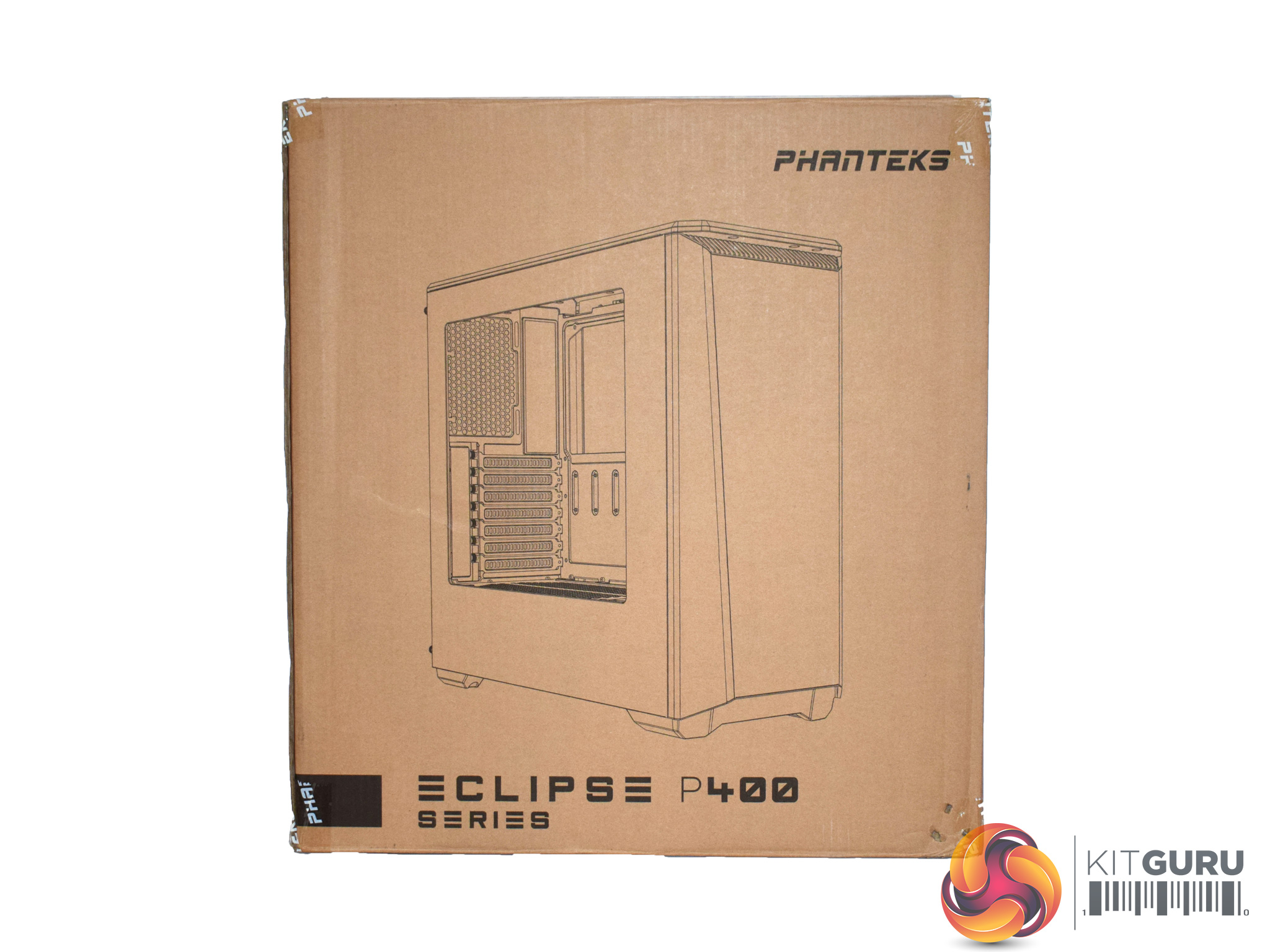
The Mesh 7EVEN Gaming PC ships well-protected in the Phanteks Eclipse P400 case box.
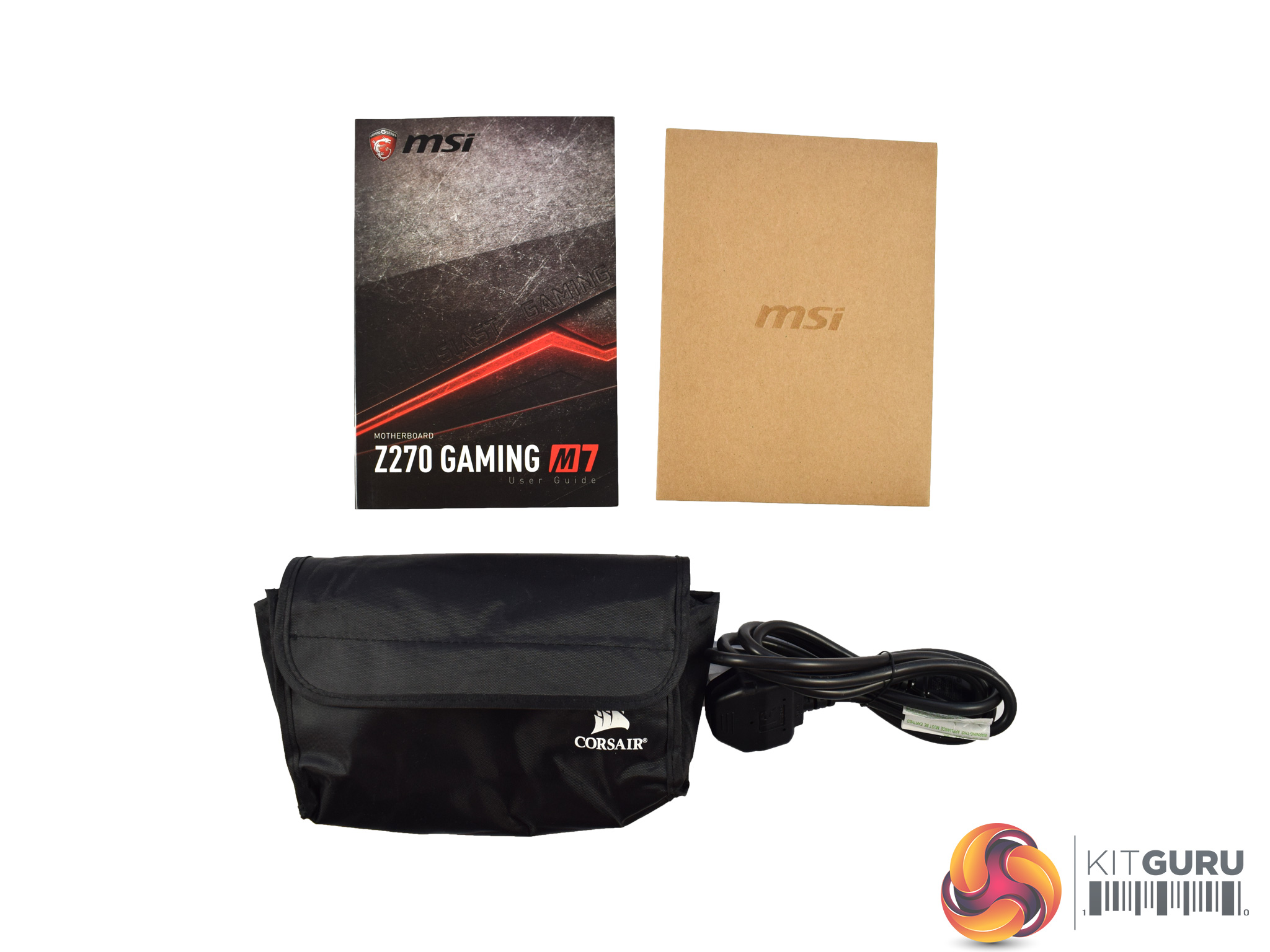
There are also some extra accessories included: two motherboard manuals, a bag of spare Thermaltake sleeved cables as well as a power lead.
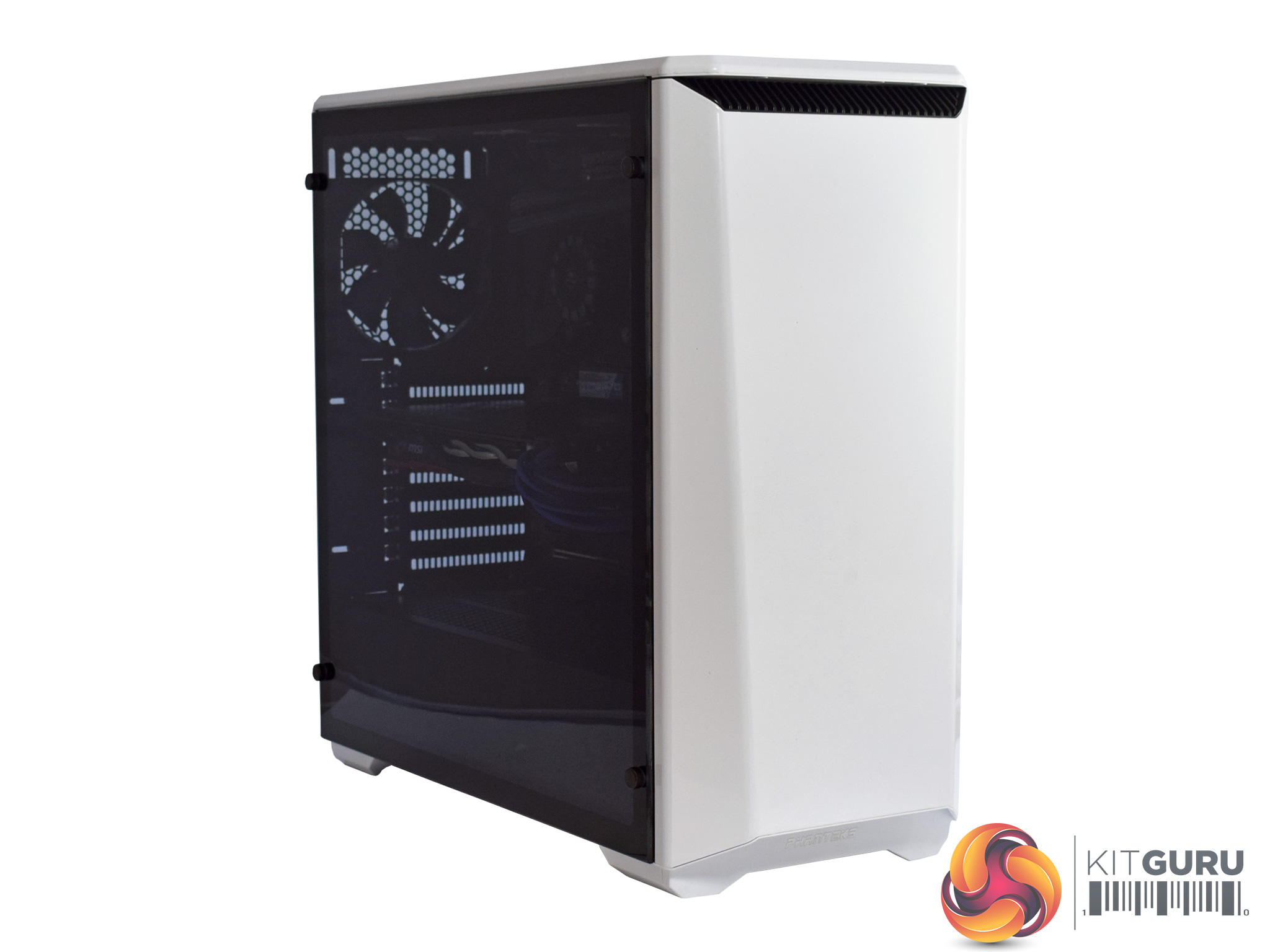
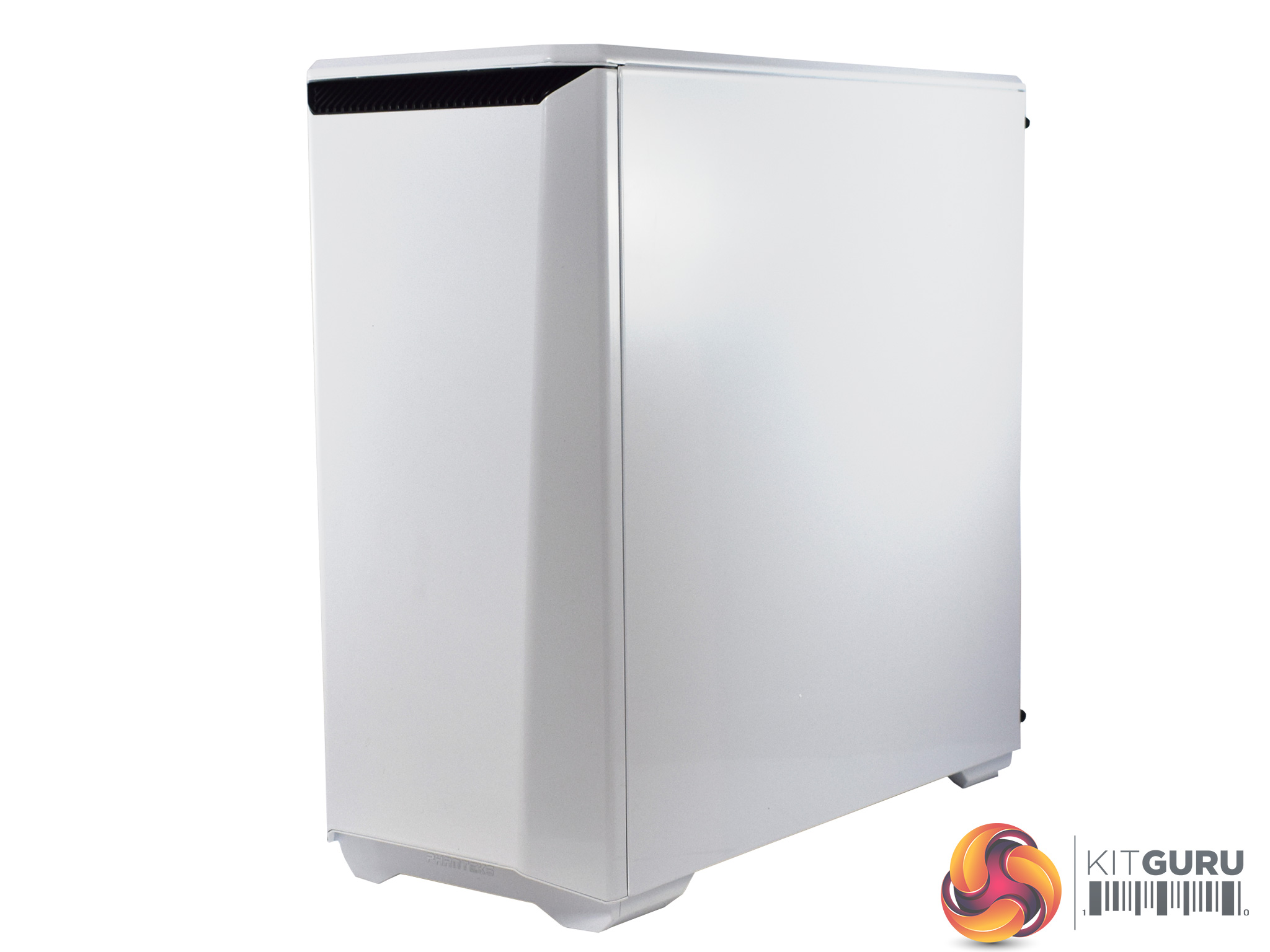
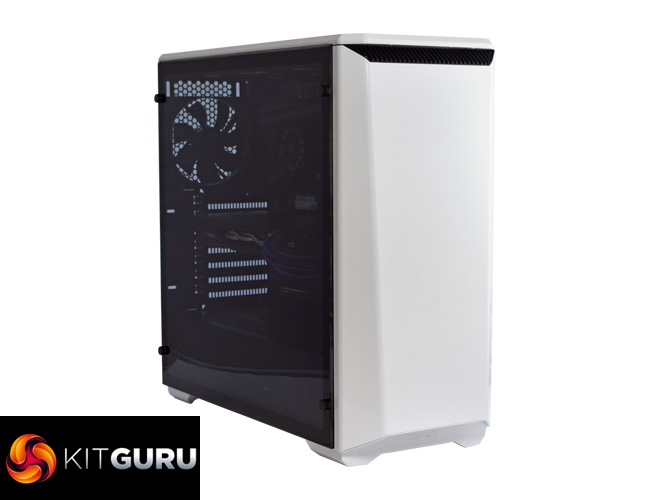
Taking our first look at the system, Mesh have used the Phanteks Eclipse P400 Tempered Glass edition case, which definitely adds some class. Acrylic windows are fine but having a tempered glass side panel just looks so much better.
Only the left-hand side panel uses glass, though, as the other side makes use of a solid steel panel.
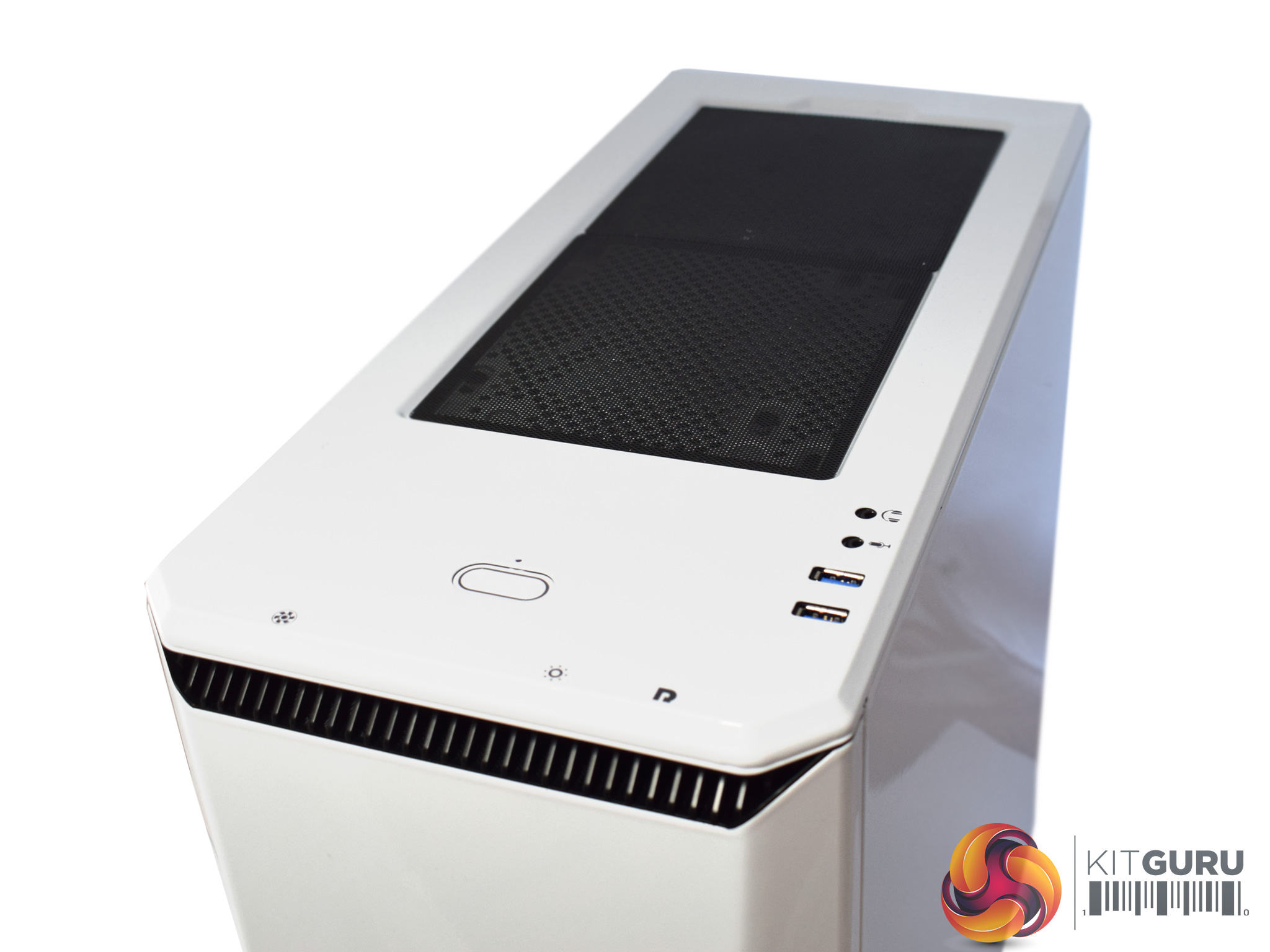
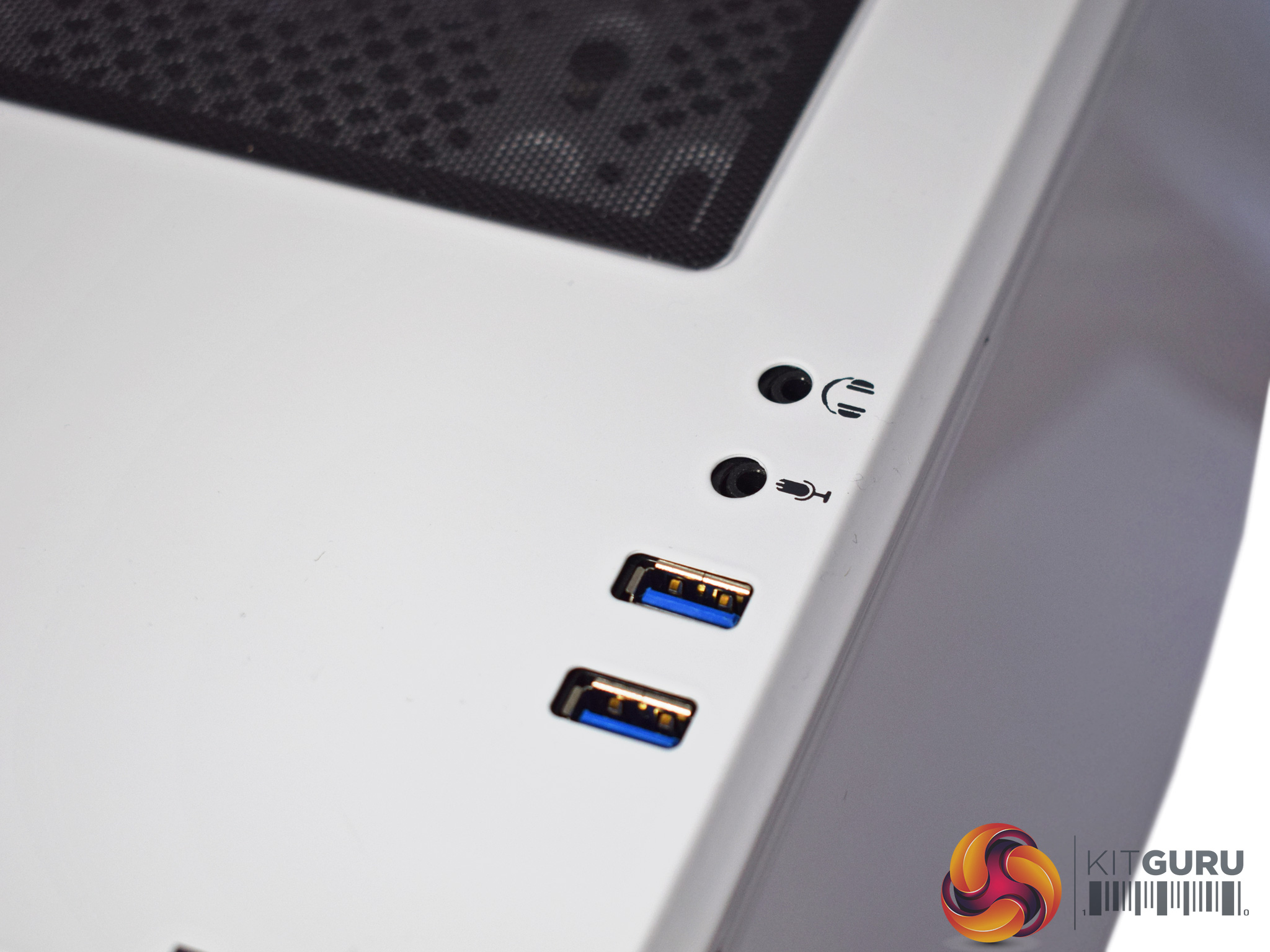
The top panel is not completely solid, though, as there are meshed roof mounts for 2x 120/140mm fans. Each mount has its own magnetic dust-filter, too, so you can keep one but remove the other if you wish.
The case's I/O sits on the right-hand edge of the top panel and consists of 2x USB 3.0 ports as well as 2 headset jacks.
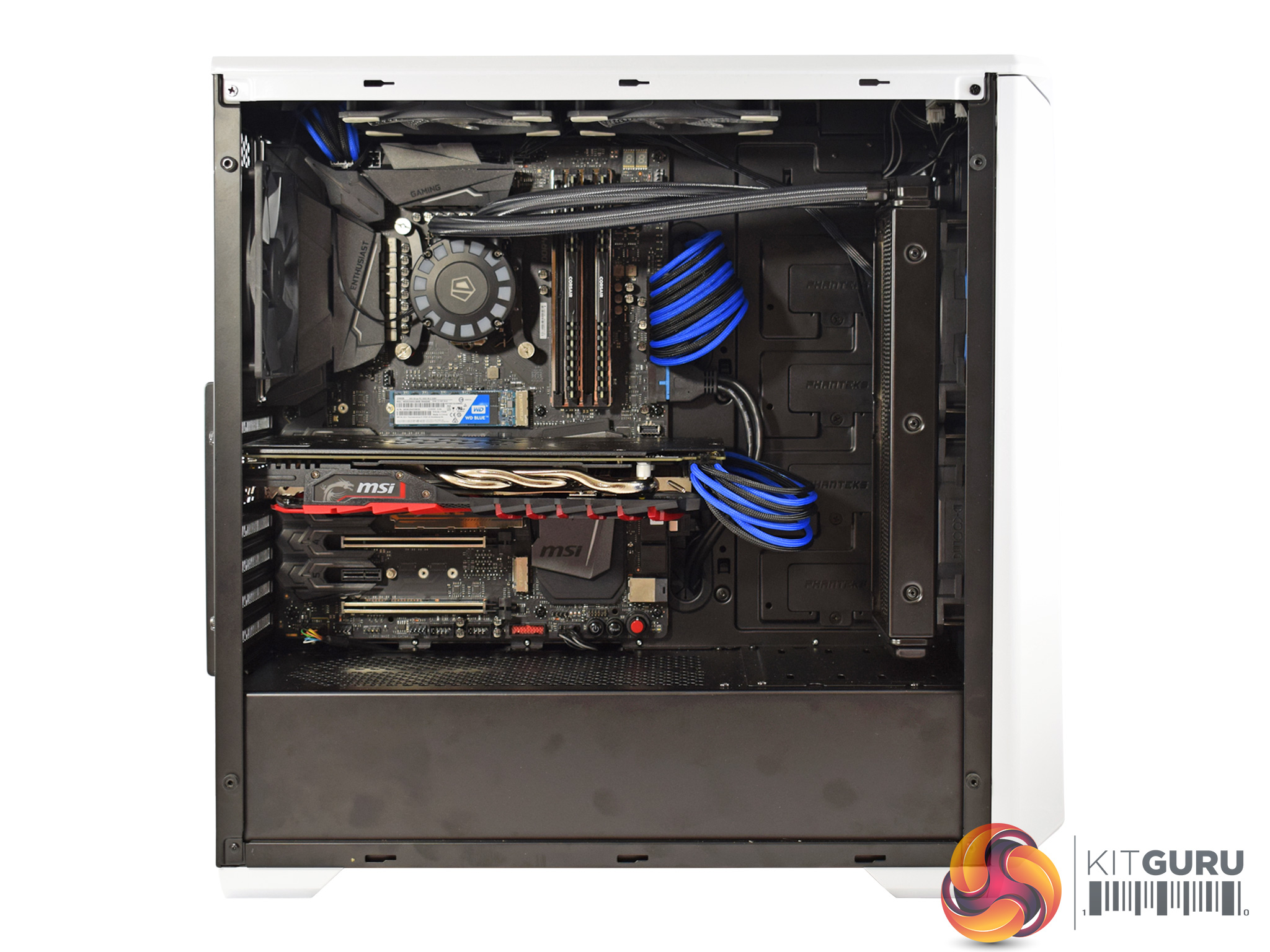

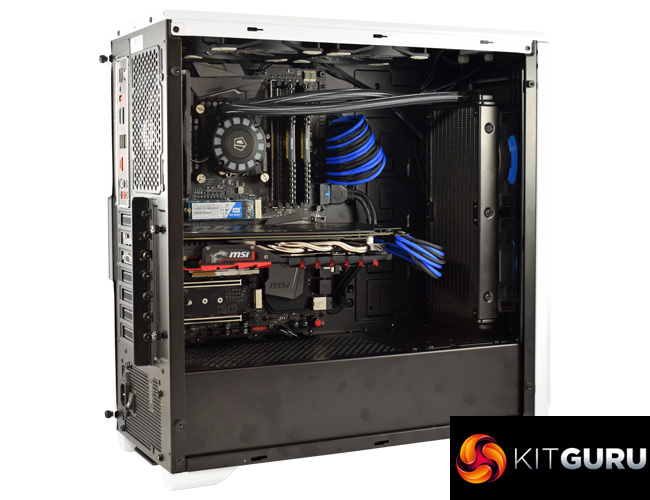
Once we removed the dark glass panel, we get a much better look at the innards of the system.
Mesh have done a great job with the aesthetic side of things – that is clearly a key area for the 7EVEN gaming PC. This is made evident by the use of Thermaltake sleeved cable extensions and the use of a blue LED strip in the roof (pictured below). These flashes of colour amidst the dark interior of the case work really well and add some pizazz without being gaudy. All-in-all, the system looks very sleek and clean.
Cable management is also excellent, Mesh have utilised the cut-outs very well and what cables you can see still look great due to the use of the sleeved extensions.
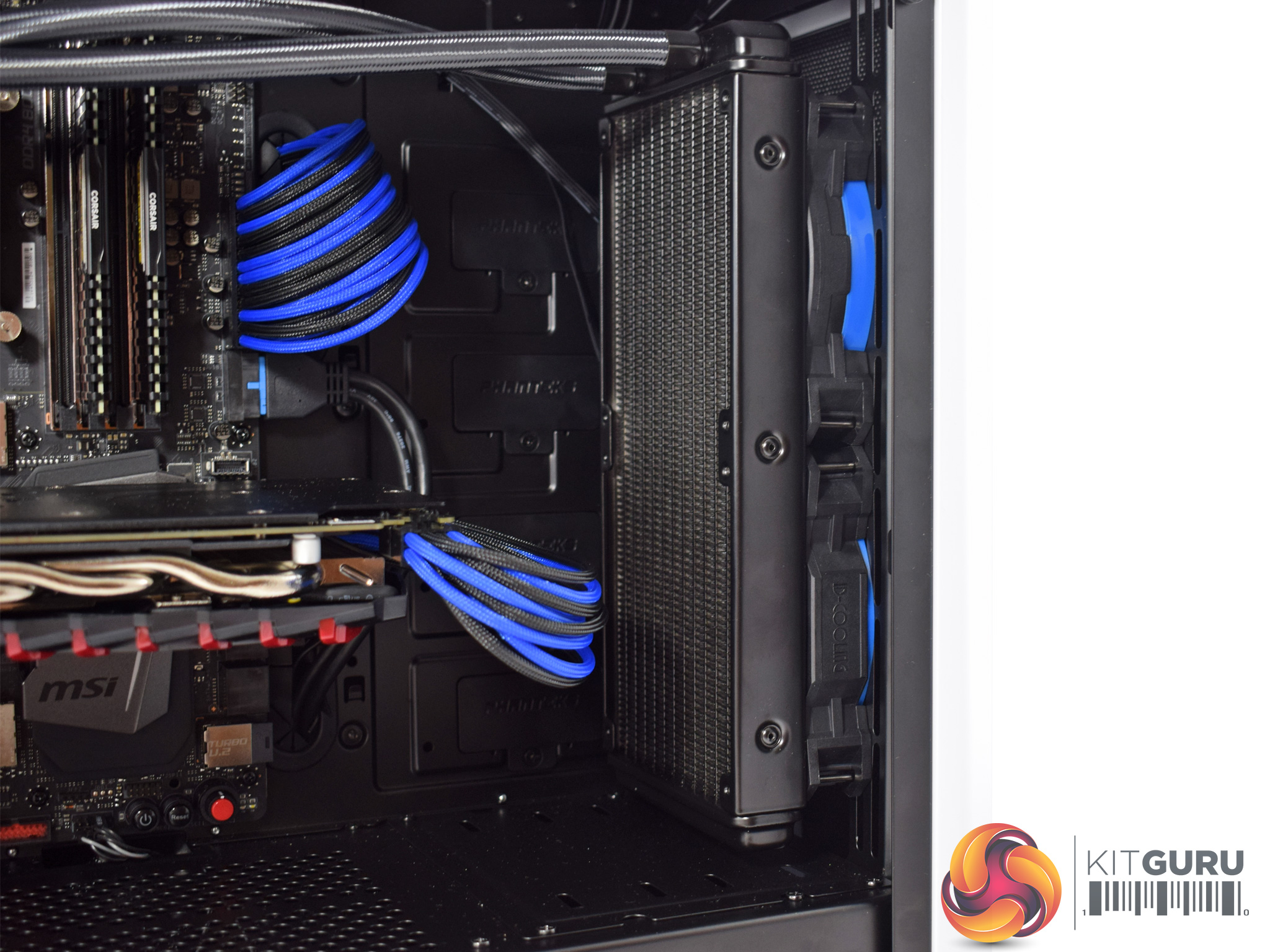
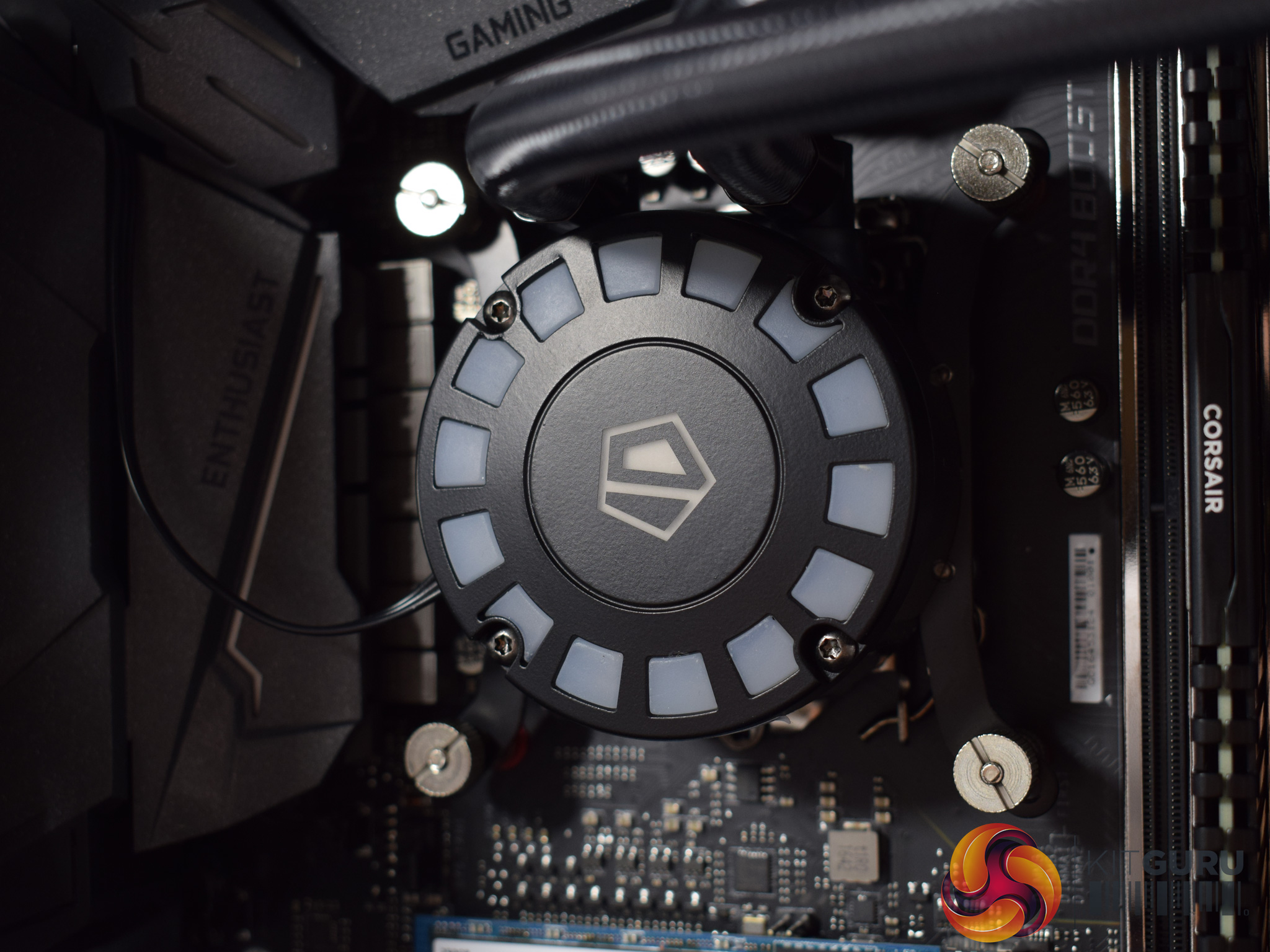
I do have one minor complaint about the watercooling set-up, though. Mesh have deployed a ID-Cooling 240mm FrostFlow AIO cooler, which is fine by itself. However, I would have liked Mesh to rotate the pump/waterblock by 90-degrees clockwise. This is for two reasons: firstly, it would make the ID-Cooling logo the right-way up (something which bothers me, although it is obviously just a minor aesthetic thing). Secondly, and a bit more importantly, there is a lot of tension on the AIO's tubing. I am sure nothing would happen to the cooler, but rotating the CPU block would just give some added peace-of-mind that the cooler's tubing is not over-stretching itself.
Incidentally, the FrostFlow AIO is cooling an i5-7600K overclocked to 4.7GHz using 1.38 volts. We assess system temperatures later in the review.
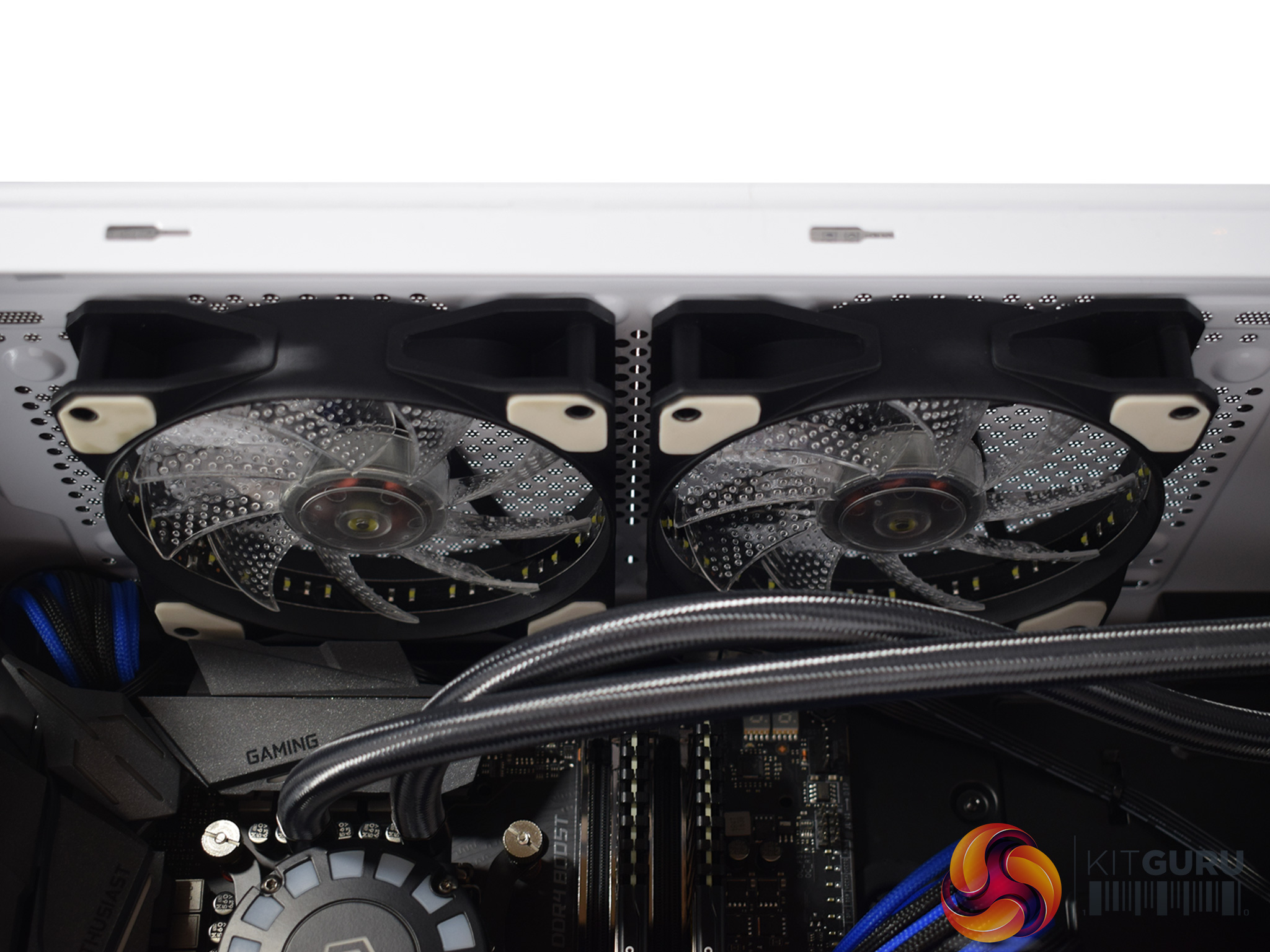
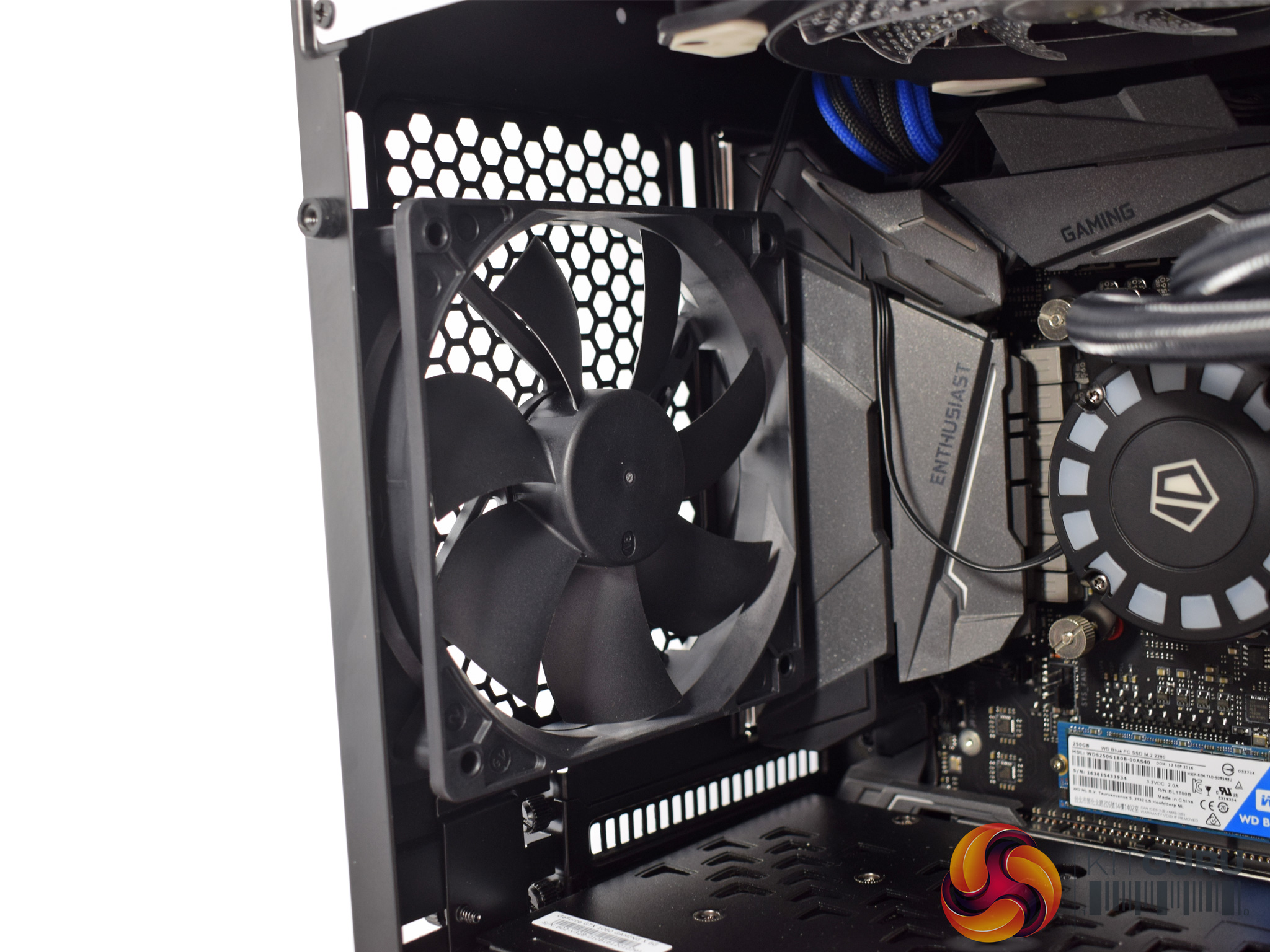
Elsewhere, Mesh have included 2x 120mm GameMax white LED fans in the roof of the case, exhausting air out of the chassis.
There is also a standard, black 120mm fan at the rear.
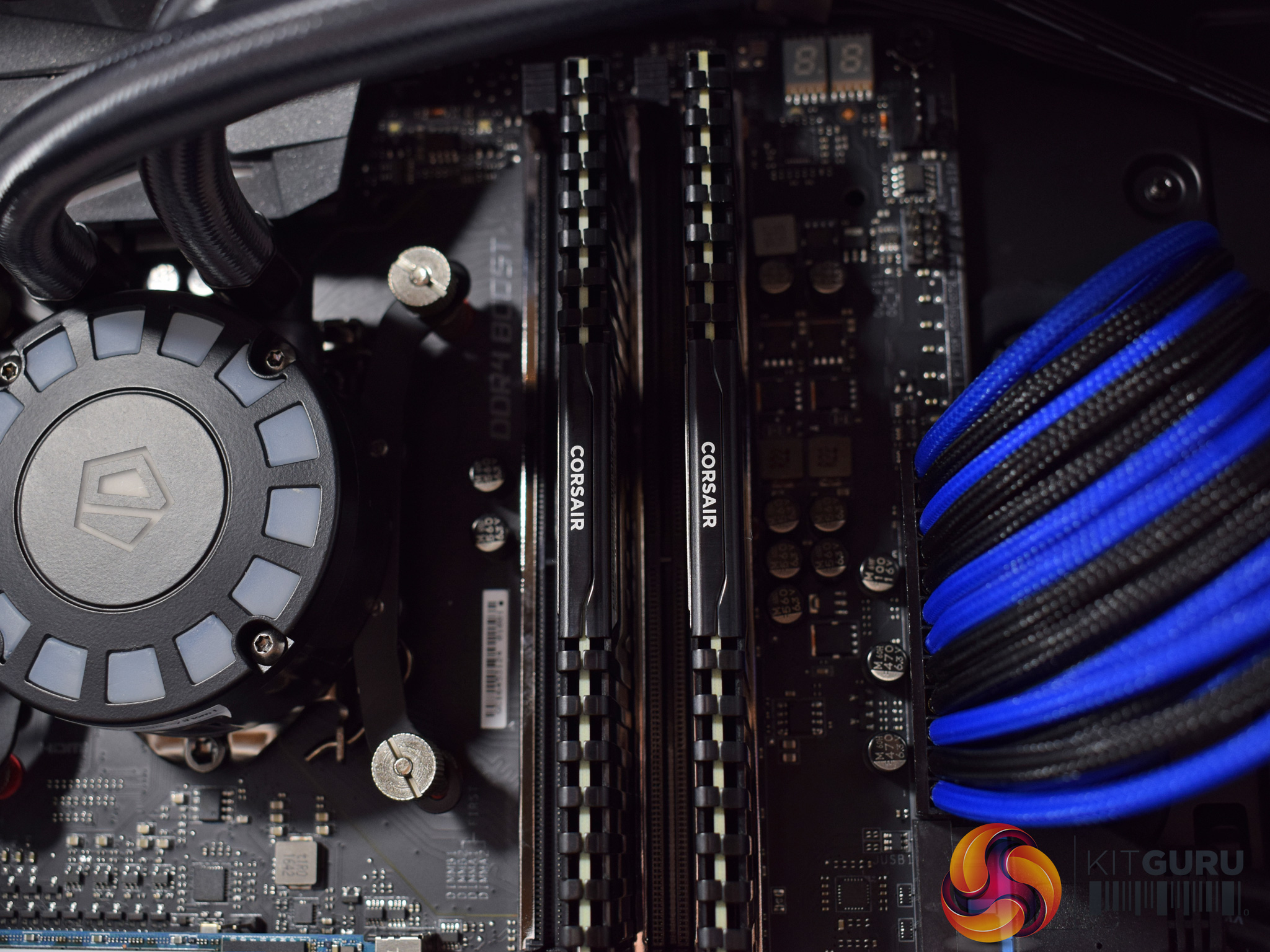
To the right of the FrostFlow pump/waterblock is the system memory. Mesh have gone with 16GB (2x8GB) of Corsair Vengeance LPX 3000MHz DDR4 which is good to see – this configuration gives enough capacity for the majority of users, while the RAM is also nice and speedy.
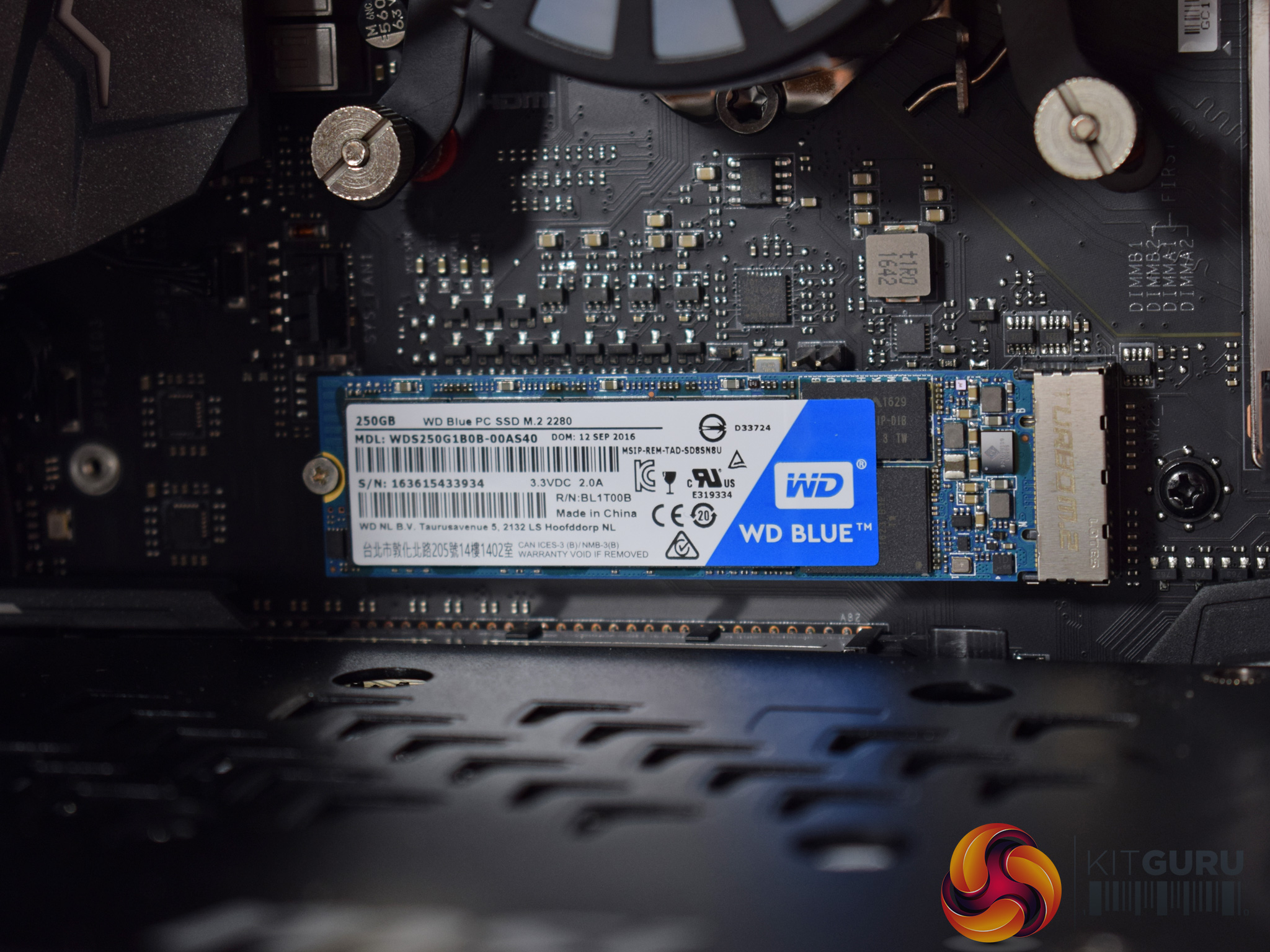
Below the CPU block is the WD Blue M.2 SSD. It is just a SATA SSD, though – not PCIe/NVMe – but its 250GB capacity is enough for Windows and some key apps/games, and it should still perform much faster than a mechanical hard drive.
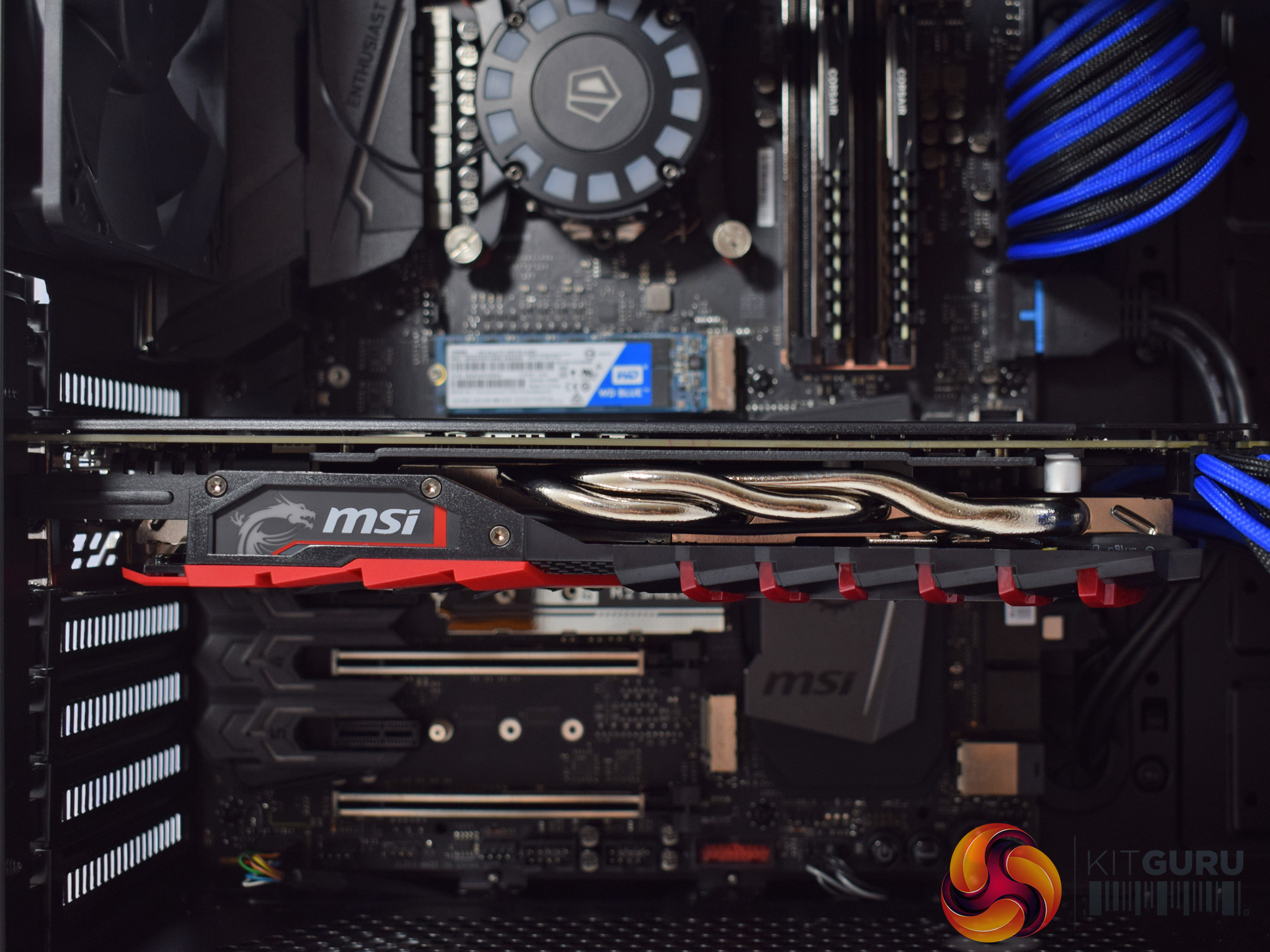
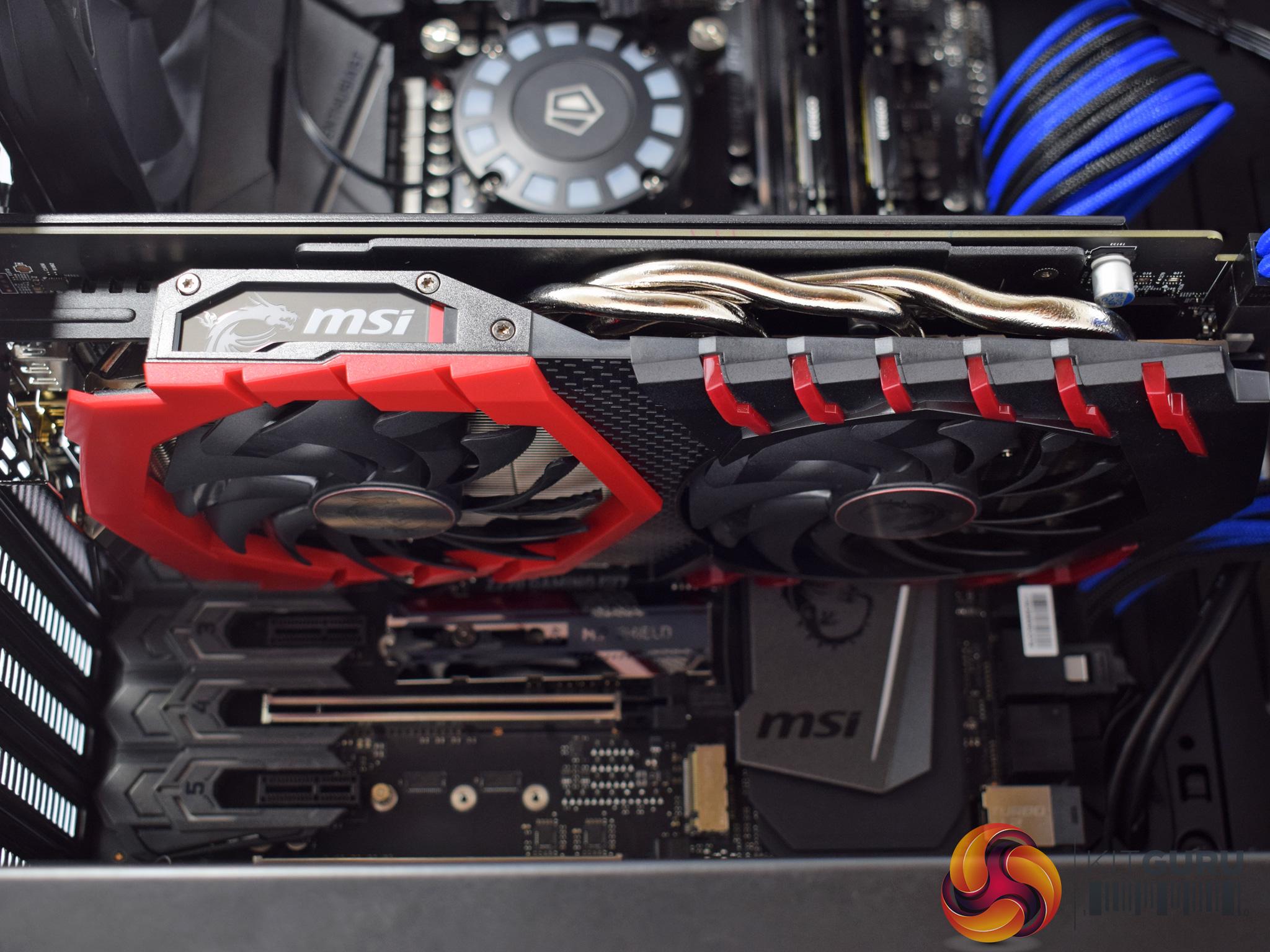
Moving downwards, Mesh have gone for a GTX 1060 6GB in the 7EVEN. Specifically, this is the MSI TwinFrozr Gaming X model, which actually won our ‘Must Have' award last August (review HERE).
It uses a dual-fan cooler with red accents, while the MSI logo on the side is illuminated by some RGB LEDs.
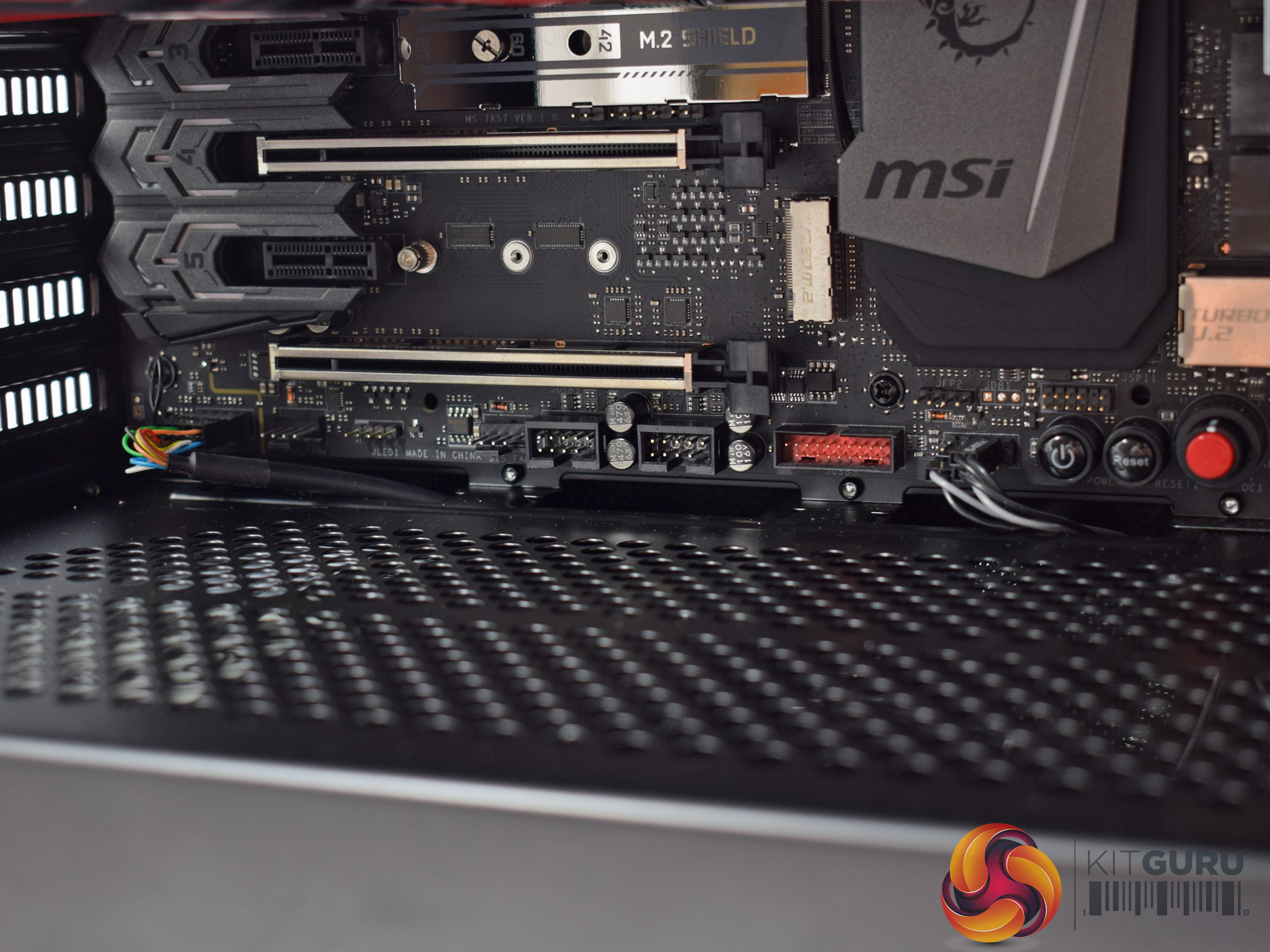
Before moving behind the motherboard tray, it is worth pointing out Mesh have done a great job of routing the front-panel connectors, too.
There are also 2 spare x16 PCIe slots on the motherboard, but the GTX 1060 does not support SLI, so they are not going to be much use to you in the future unless you upgrade to a different, SLI-compatible GPU.
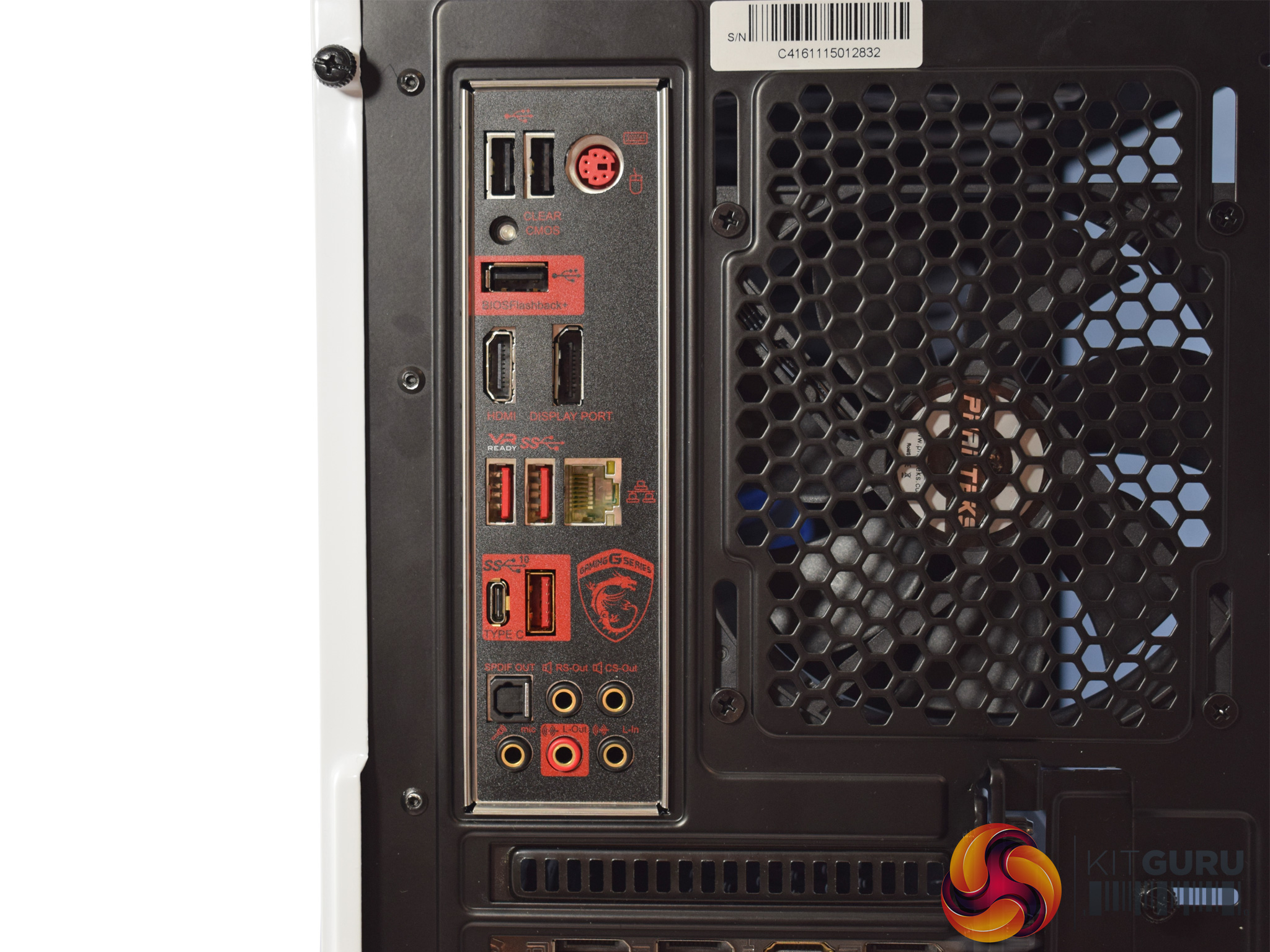
The MSI Z270 Gaming M7 motherboard has the following I/O ports: 3x USB 2.0, 1x PS2, 1x HDMI, 1x DisplayPort, 3x USB 3.1 Type-A (only 1 Gen 2 10Gbps), 1x USB 3.1 Gen 2 10Gbps Type-C, 1x Killer Ethernet, 6x audio jacks.
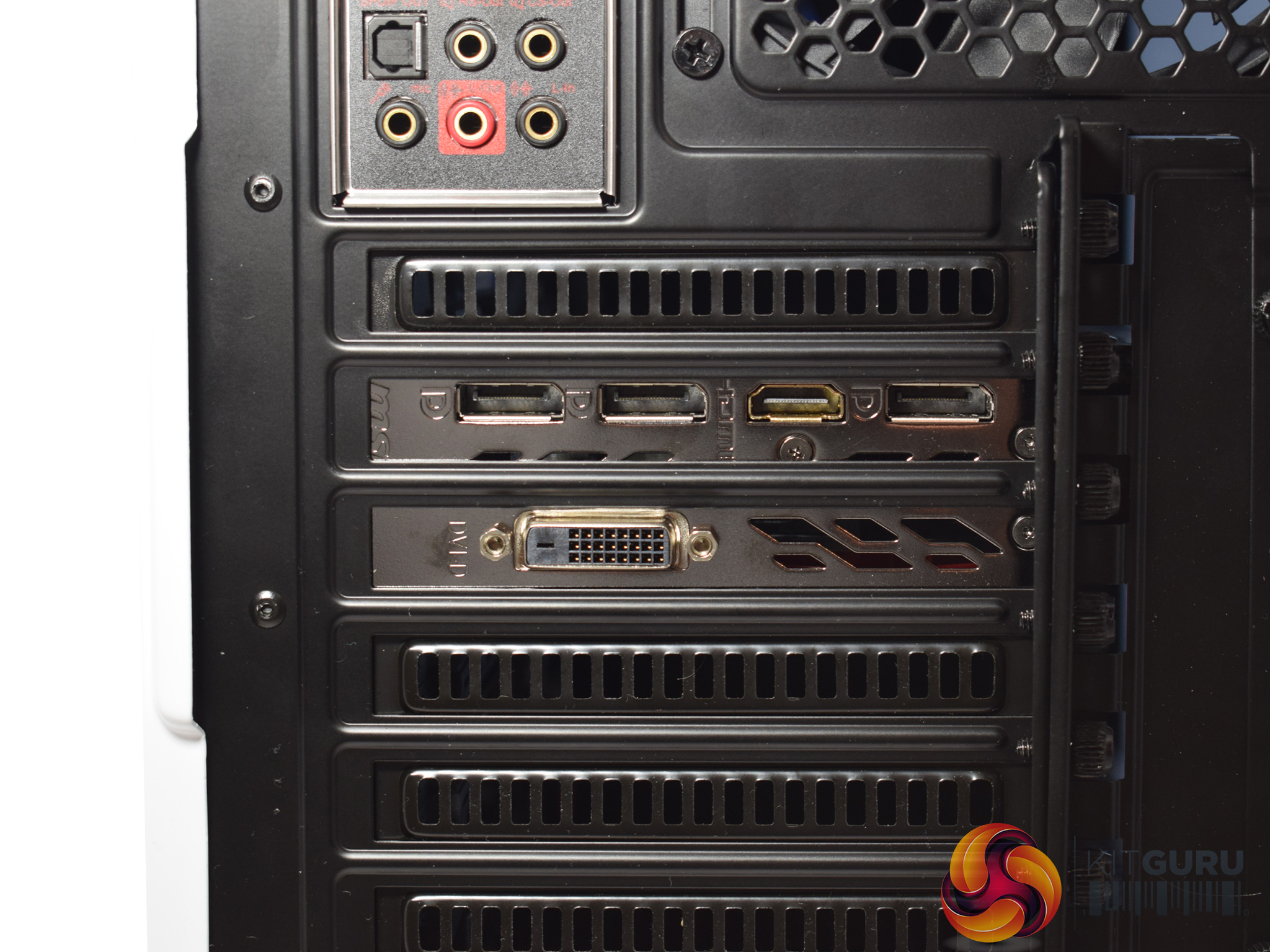
The GTX 1060 has the standard configuration of ports, meaning it features 3x DisplayPort connectors, 1x HDMI and 1x DVI ports.
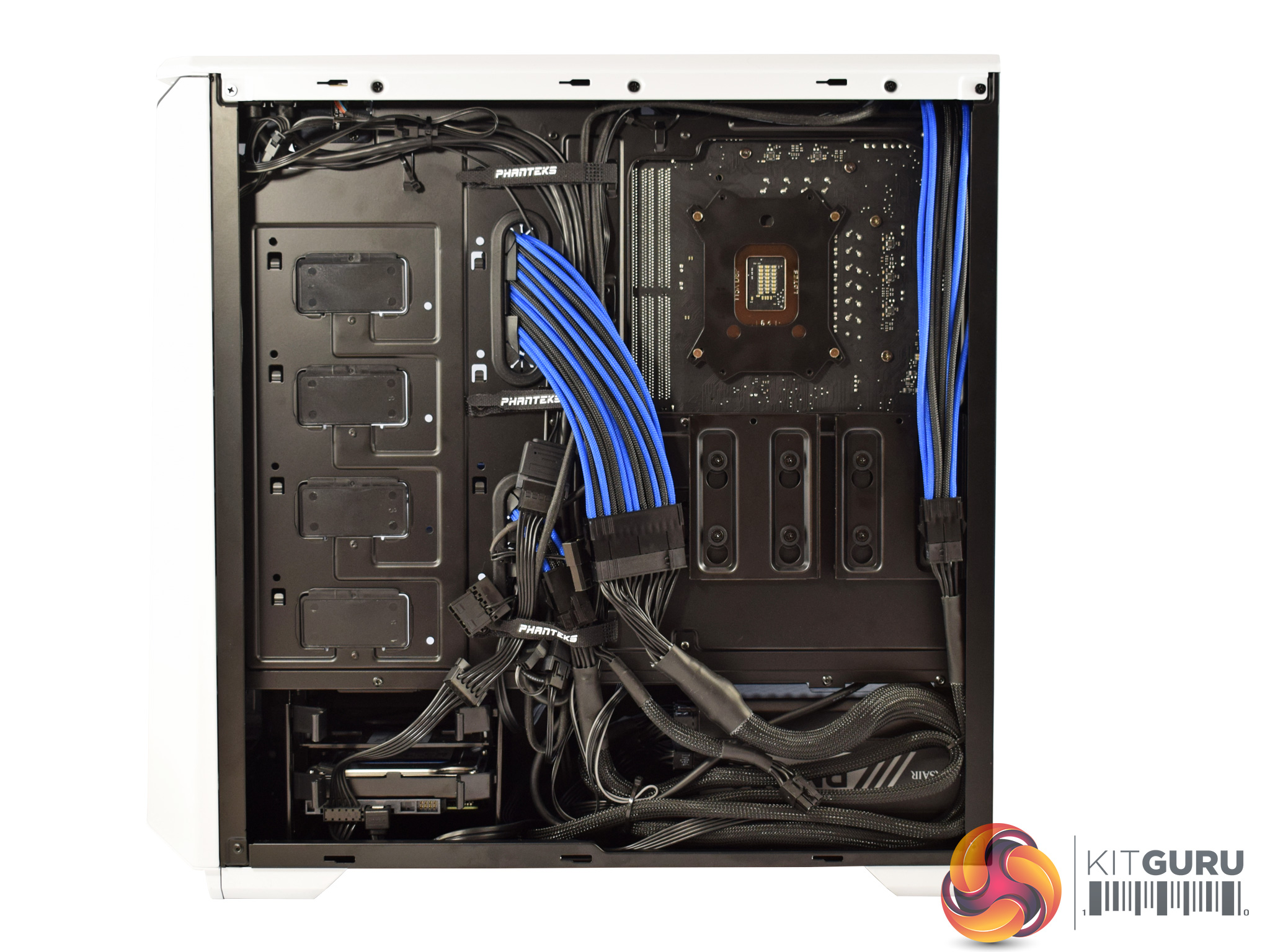
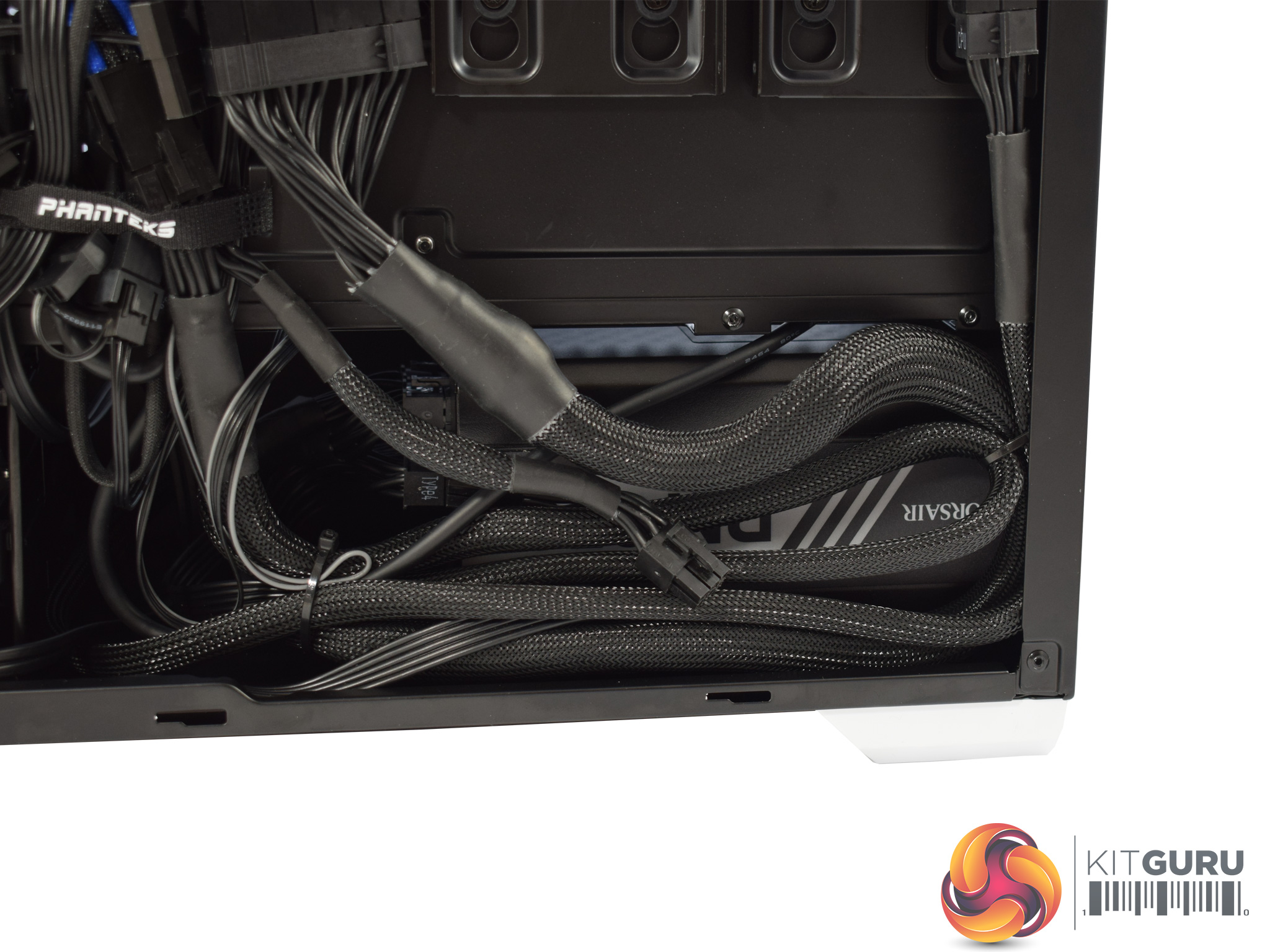
Behind the motherboard tray, Mesh have done a decent job but there is definitely quite a lot of cabling on show. This is due to the fact that Mesh have used some cable extensions, so there is simply more cabling that needs to be tucked away. The side-panel still fits on fine, though, so it is hardly an issue.
In the bottom left corner is a 1TB WD hard drive, while in the bottom right corner (hidden by some cabling) is the Corsair RM650x PSU.
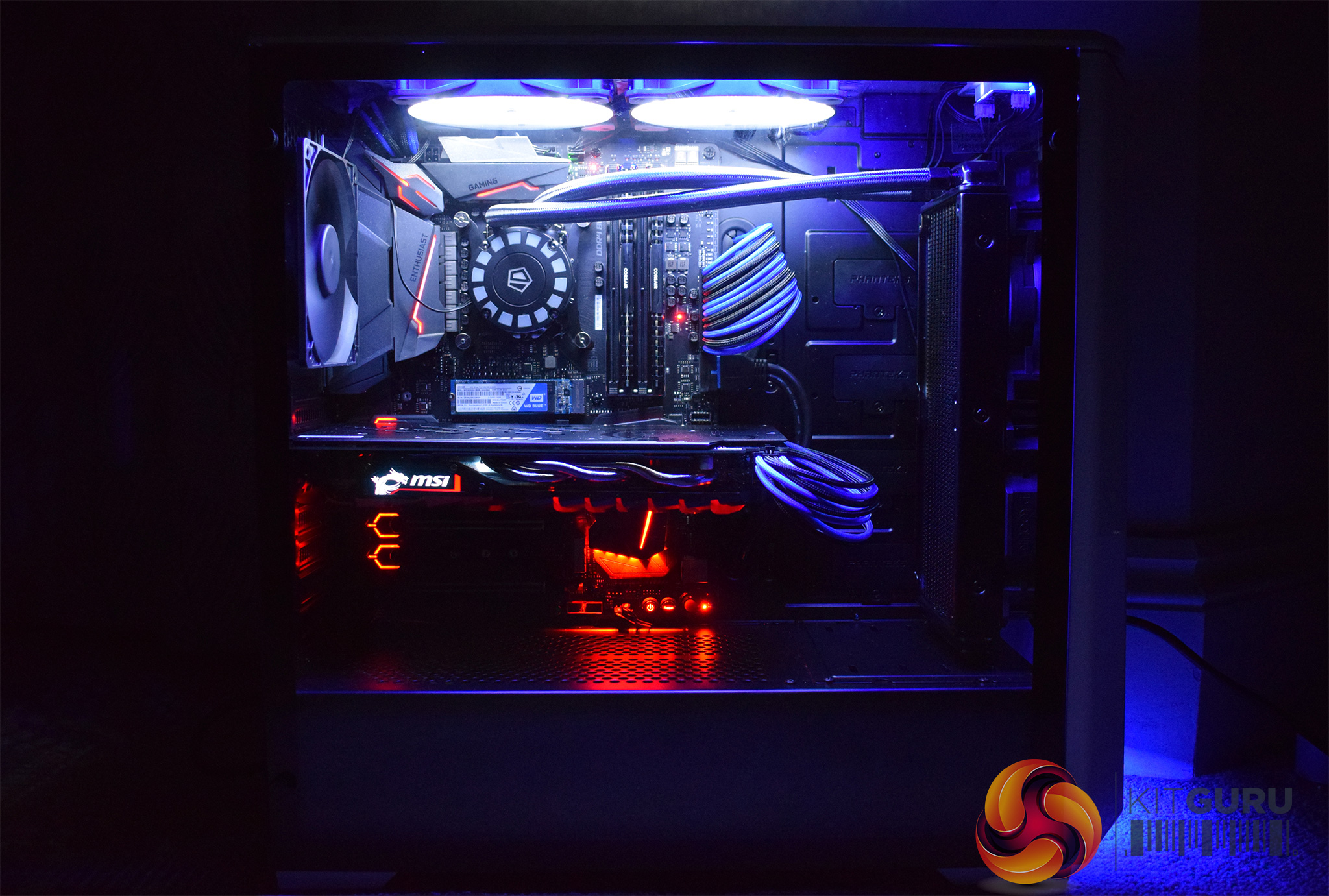
Lastly, we get a look at what the system looks like when powered on. The blue LED matches the cable extensions nicely, but I do think Mesh should have configured the motherboard LEDs to be blue as well. As it is, the motherboard LEDs are red which does not work so well with the blue colour scheme of the system.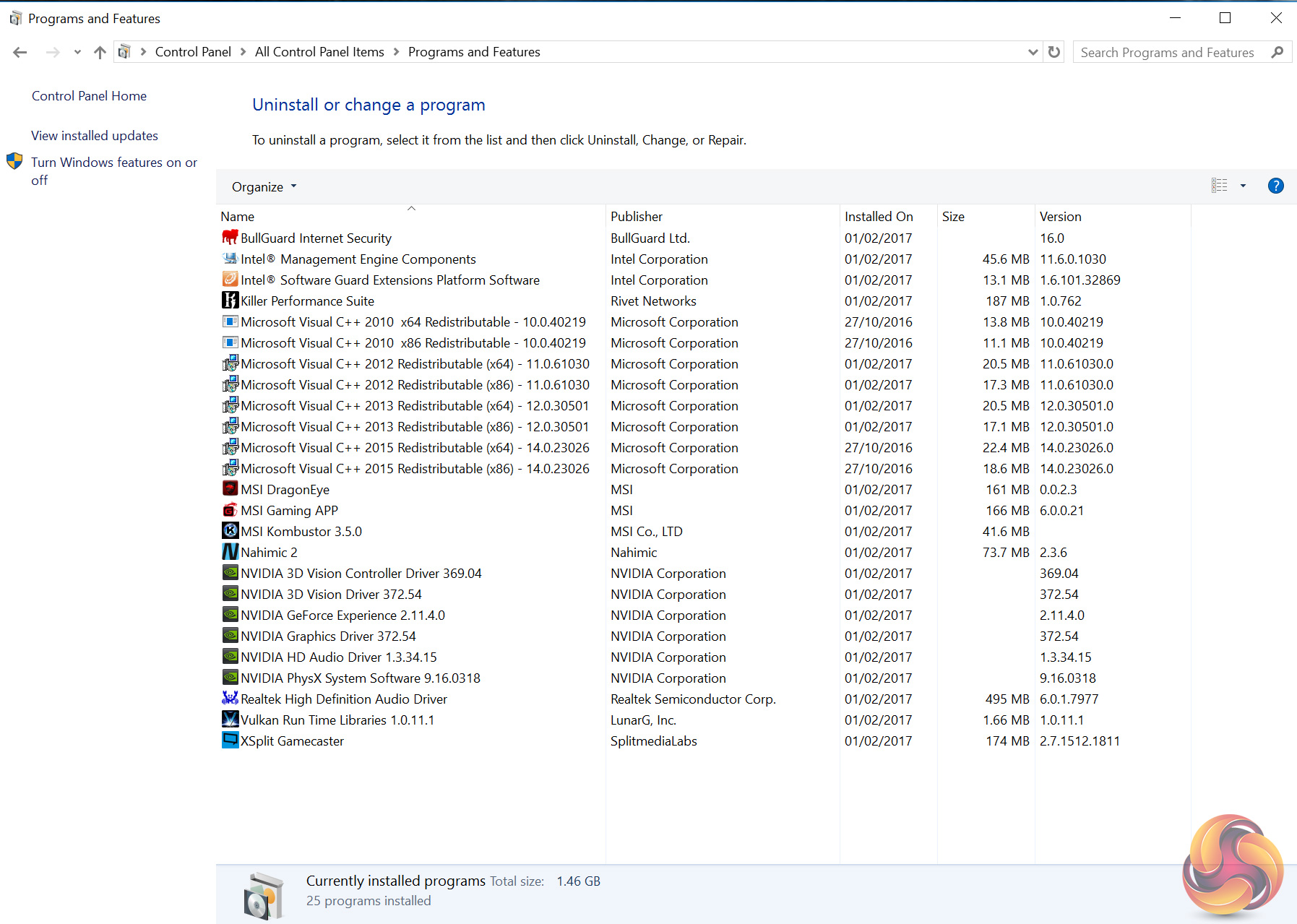
Before going into detail about the CPU and GPU, I am sad to say the system does ship with a bit of bloatware, as you can see above. BullGuard Internet Security is particularly annoying, with continual prompts to register or upgrade – I quickly uninstalled it.
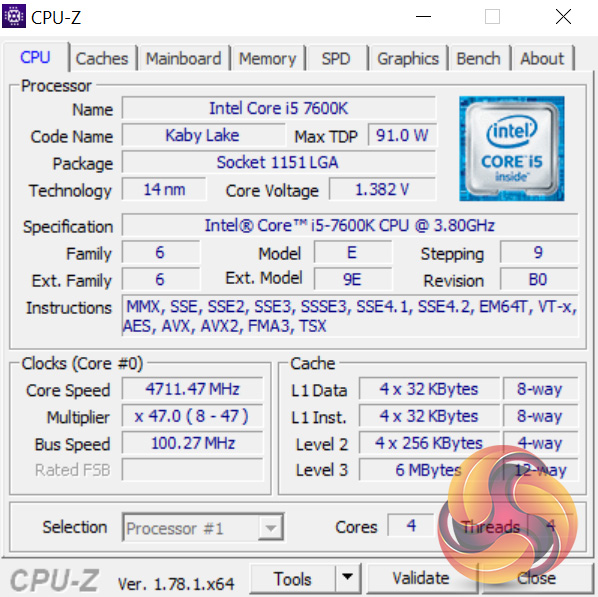
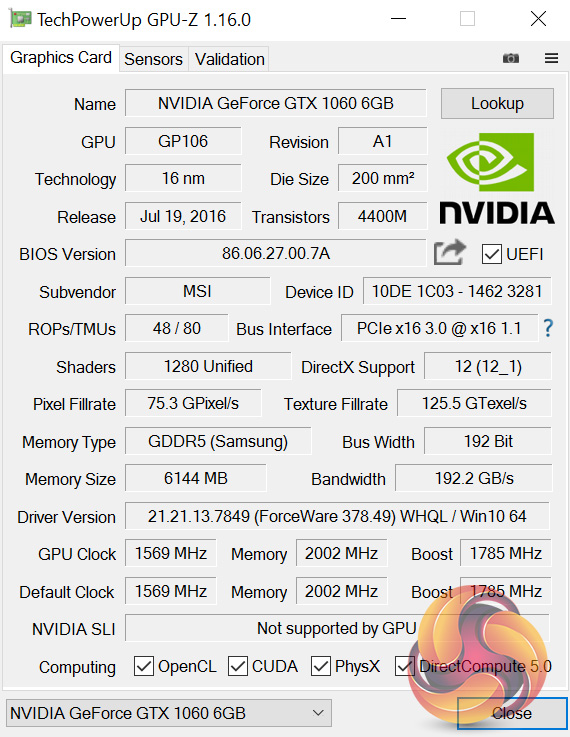
Moving on, here we get an overview of the CPU and GPU, courtesy of CPU-Z and GPU-Z, respectively.
The i5-7600K is a quad-core chip that does not support HyperThreading. Mesh have overclocked it to 4.7GHz using 1.38 volts.
The GTX 1060 6GB has a factory base clock of 1569MHz, but using MSI's OC Mode, this rises to 1594MHz. In the same OC Mode, the card's boost clock gets bumped up to 1809MHz as well.
Comparison systems
- Intel Core i7-6700HQ
- Nvidia GTX 960M
- 16GB Dual-Channel 1600MHz DDR3 RAM
- 128GB SSD + 1TB HDD
- Intel Bay Trail-M Celeron N2808 SoC
- Intel HD Graphics
- 4GB DDR3L RAM
- 64GB eMMc storage
- Intel Braswell N3050 SoC
- Intel HD Graphics
- 2GB DDR3L RAM
- 32GB eMMC storage
- Intel Core i3 i3-5010U
- Intel HD Graphics 5500
- 8GB Kingston SODIMM DDR3 1600MHz (1 x 8GB)
- 240GB Kingston V300 SSD
- Intel Core™ m5-6Y57
- Intel HD Graphics 515
- 8GB LPDDR3 1866MHz Memory
- 256GB Solid State Drive M2 2280 PCIe
- Intel Core i5-6500
- Asus Turbo GTX 960
- 8GB Corsair Vengeance LPX 2400MHz DDR4 RAM
- 500GB Samsung 850 EVO SSD
- Intel Core i7-6820HK
- Nvidia GTX 980 (desktop)
- 32GB DDR4 2400MHz RAM
- 2x 256GB Samsung SM951 PCIe SSDs in RAID0
- AMD FX-8320
- AMD RX-480
- 16GB DDR3 2133MHz RAM
- 240GB Adata Premier SP550
PCSpecialist Defiance III 17.3
- Intel i7-6700HQ
- Nvidia GTX 1060
- 16GB HyperX DDR4 2133MHz RAM
- 512GB SanDisk X400 M.2 SATA SSD
- Intel i7-6700HQ
- Nvidia GTX 950
- 16GB Crucial DDR4 2133MHz RAM
- 512GB Samsung Pro M.2 SSD
- Intel i7-7500U
- Intel HD Graphics 620
- 16GB G.Skill DDR4 2133MHz RAM
- 256GB Toshiba OCZ RD400 M.2 SSD
- Intel i7-6700K
- Nvidia GTX 1070
- 16GB Corsair Vengeance 3000MHz DDR4 RAM
- 500GB Samsung 750 EVO SSD
- Intel i5-6402P
- Nvidia GTX 1060
- 16GB Corsair Vengeance LED 3000MHz DDR4 RAM
- 256GB Intel 600p M.2 SSD
- Intel i5-6200U
- Intel HD Graphics 520
- 16GB G.Skill Ripjaws 1600MHz DDR3 RAM
- 256GB Toshiba OCZ RD400 M.2 SSD
- Intel i5-6600K
- Nvidia GTX 1070
- 16GB Corsair Vengeance 3000MHz DDR4 RAM
- 256GB Intel 600p M.2 SSD
- Intel i5-7600K
- Nvidia GTX 1060
- 16GB HyperX 2133MHz DDR4 RAM
- 250GB SK Hynix SL308 SSD
- Intel i7-7500U
- Intel HD Graphics 620
- 8GB 1866MHz DDR3L RAM
- 256GB PCIe SSD
And lastly my personal desktop with a Core i3-4160, 8GB 1866MHz DDR3 and a GTX 960.
Test software
- SiSoft Sandra
- Cinebench R15
- Handbrake
- CrystalDiskMark
- ATTO Disk Benchmark
- 3DMark 11
- 3DMark
- VRMark
- Prime 95 (version 26.6)
- CPUID HWMonitor
- AIDA64 Engineer
- Fraps
Test games
- Grid Autosport
- The Witcher 3: Wild Hunt
- Grand Theft Auto V
- Doom (2016)
Today we are testing the 7EVEN at 1080p, 1440p and 2160p (Ultra HD 4K). All tests were conducted using the Nvidia GeForce 378.49 driver, the latest at the time of writing.SiSoftware Sandra (the System ANalyser, Diagnostic and Reporting Assistant) is an information & diagnostic utility. It should provide most of the information (including undocumented) you need to know about your hardware, software and other devices whether hardware or software.
Sandra is a (girls’) name of Greek origin that means “defender”, “helper of mankind”. We think that’s quite fitting.
It works along the lines of other Windows utilities, however it tries to go beyond them and show you more of what’s really going on. Giving the user the ability to draw comparisons at both a high and low-level. You can get information about the CPU, chipset, video adapter, ports, printers, sound card, memory, network, Windows internals, AGP, PCI, PCI-X, PCIe (PCI Express), database, USB, USB2, 1394/Firewire, etc.
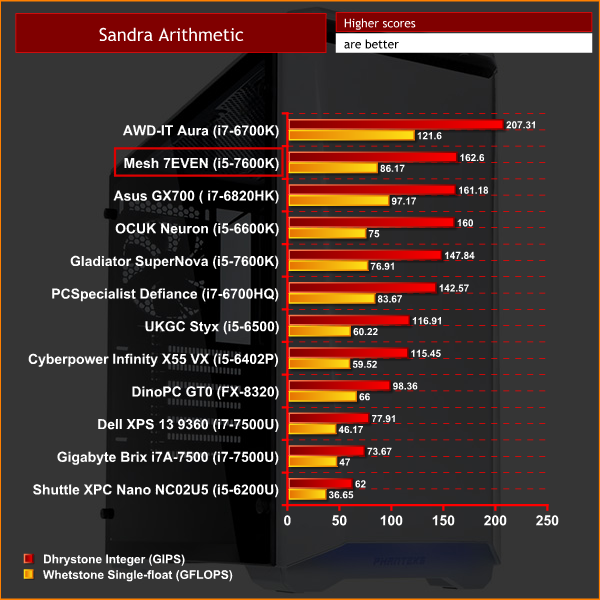
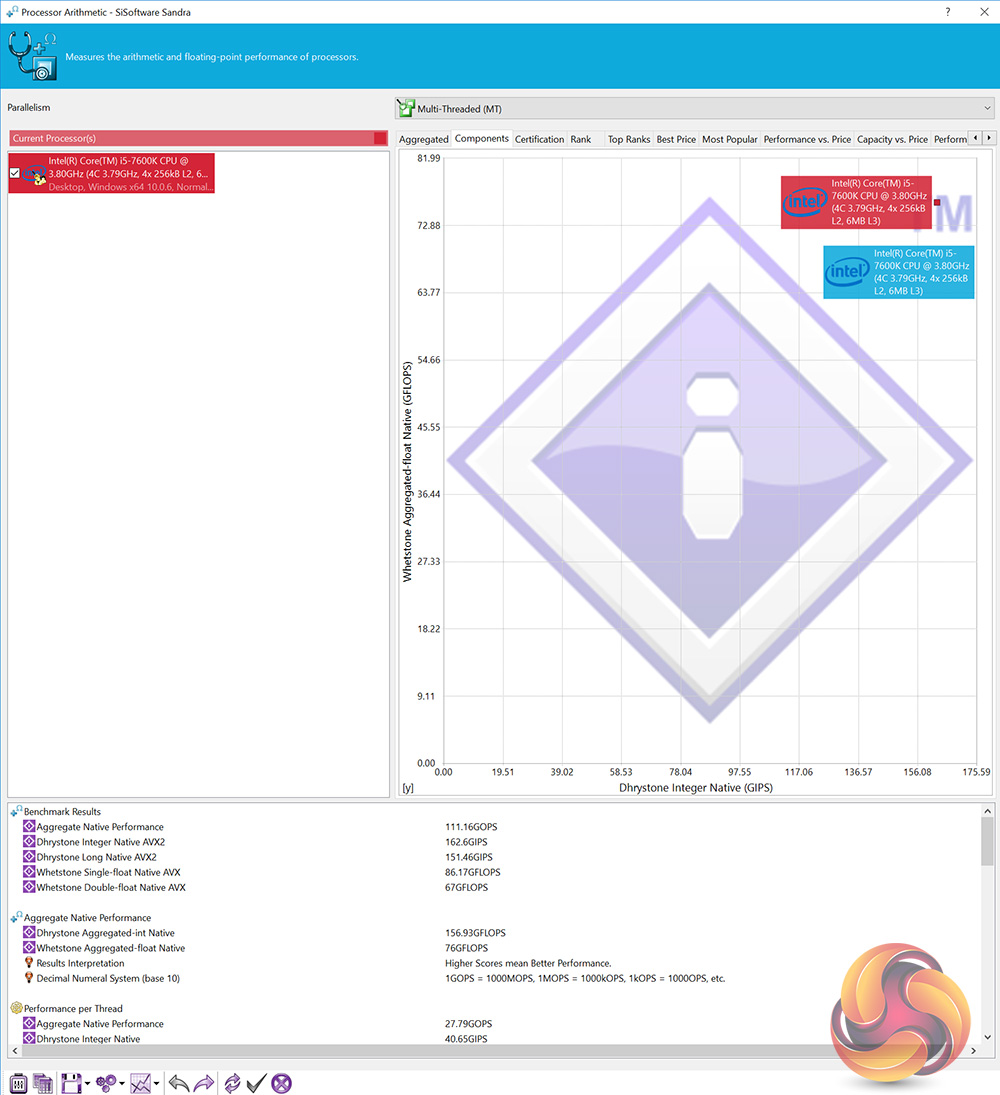
Thanks to the strong 4.7GHz overclock on the CPU, the i5-7600K moves into second-place in the CPU arithmetic test.
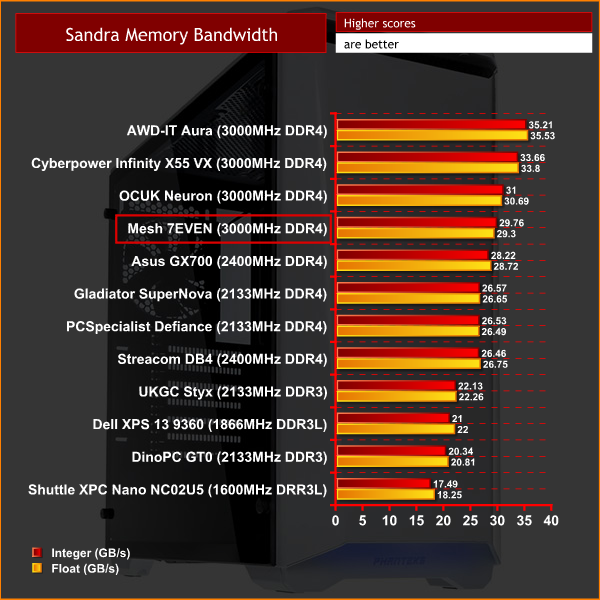
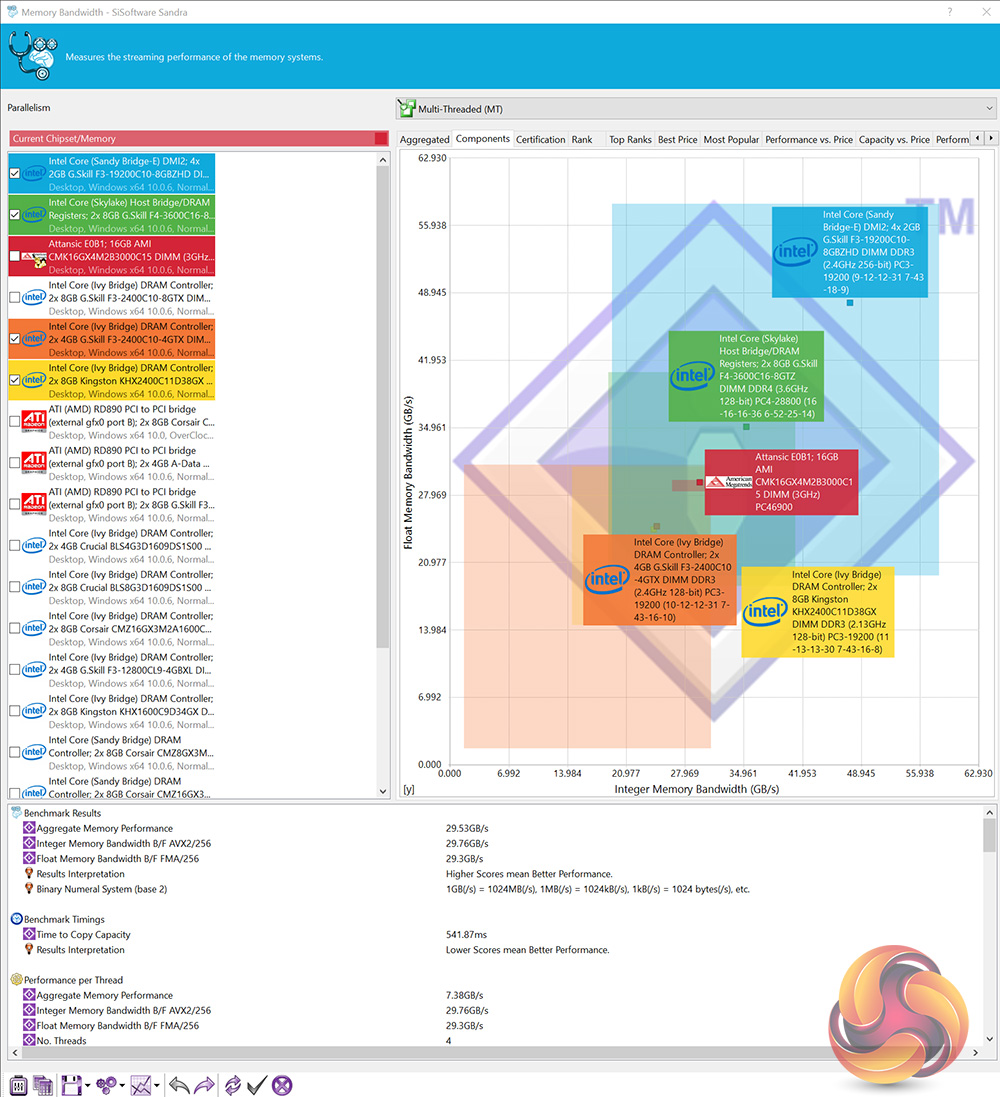
The fast, 3000MHz DDR4 also performs well – placing in the top-half of the memory bandwidth test.
CINEBENCH R15 is a cross-platform testing suite that measures hardware performance and is the de facto standard benchmarking tool for leading companies and trade journals for conducting real-world hardware performance tests. With the new Release 15, systems with up to 256 threads can be tested.
CINEBENCH is available for both Windows and OS X and is used by almost all hardware manufacturers and trade journals for comparing CPUs and graphics cards.
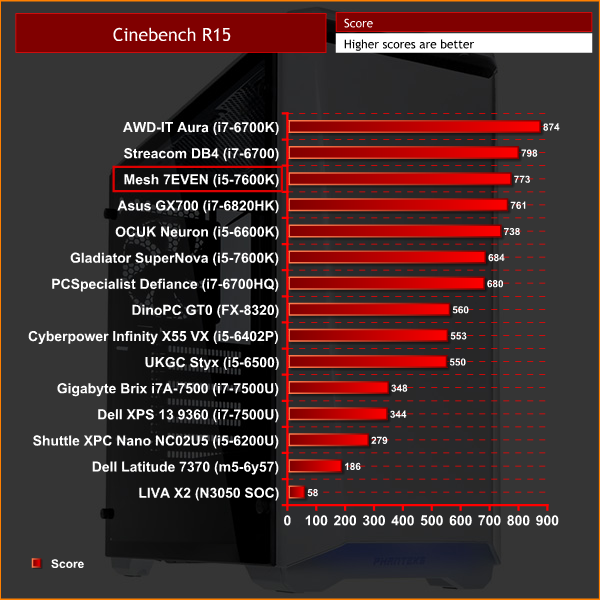
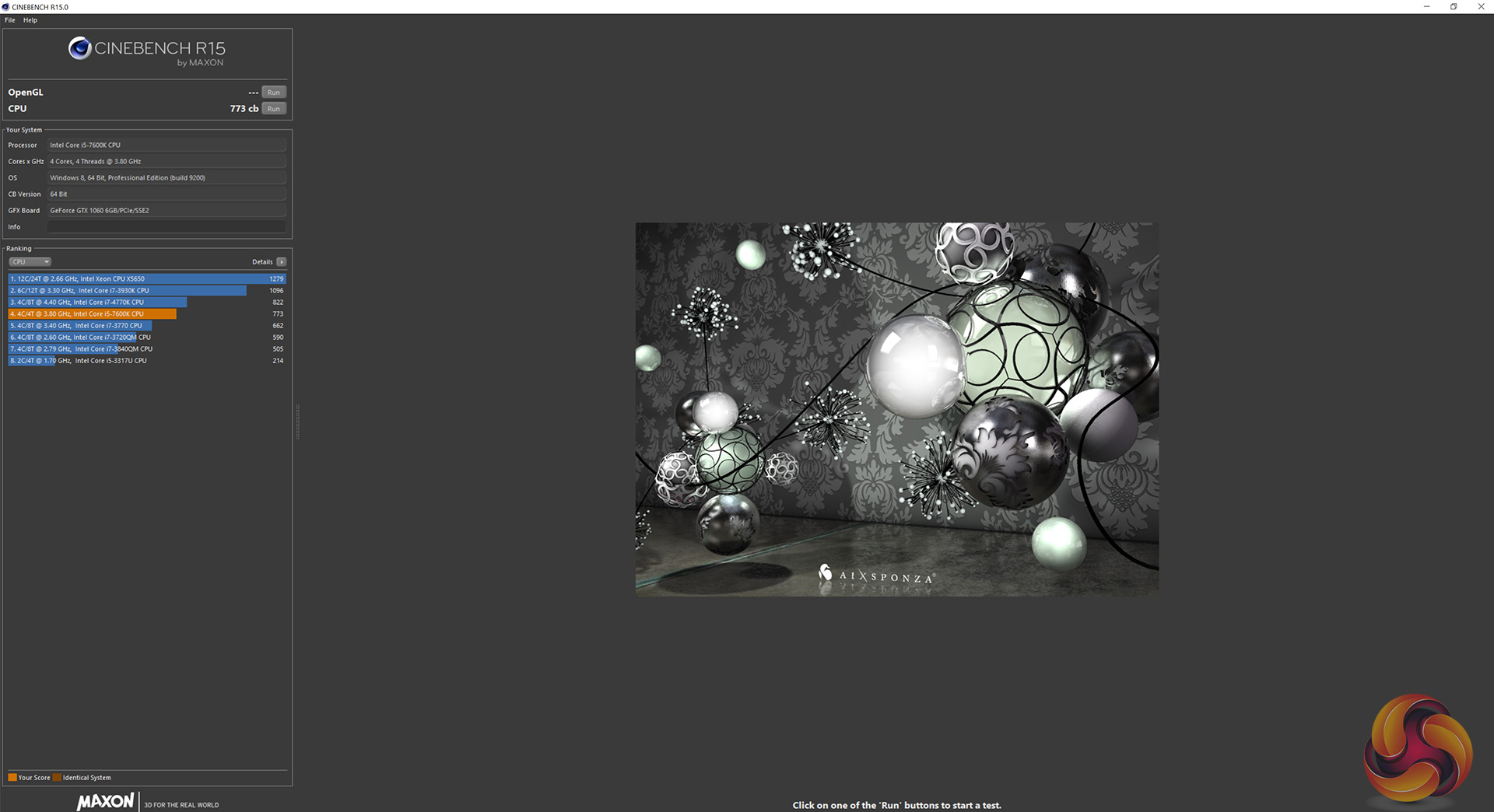
As a general rule, Cinebench favours more cores and threads over clockspeed (though clockspeed still plays a significant role), which is why the overclocked i5-7600K can't quite match the i7-6700 or the i7-6700K. It does take a lead over the i5-6600K, though, thanks to its bigger overclock.HandBrake is a tool for converting video from nearly any format to a selection of modern, widely supported codecs.

Here we see a great result from the i5-7600K – the overclock again helps it to a very strong position on our chart.
Here we test the 7EVEN’s storage performance, using CrystalDiskMark 5.1.1 and ATTO Disk Benchmark 2.47.
SSD Performance
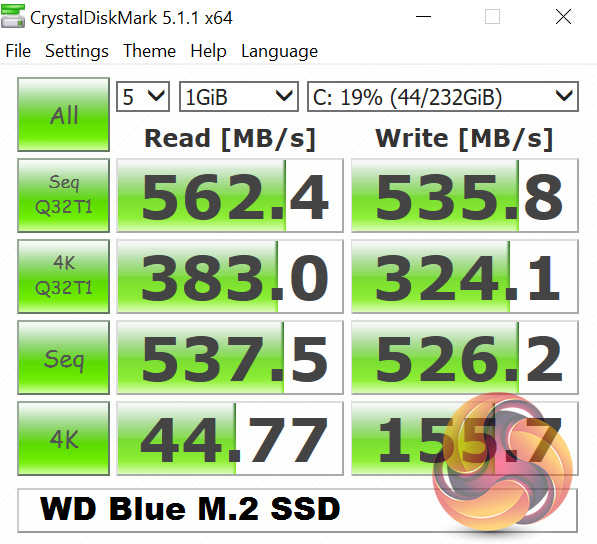
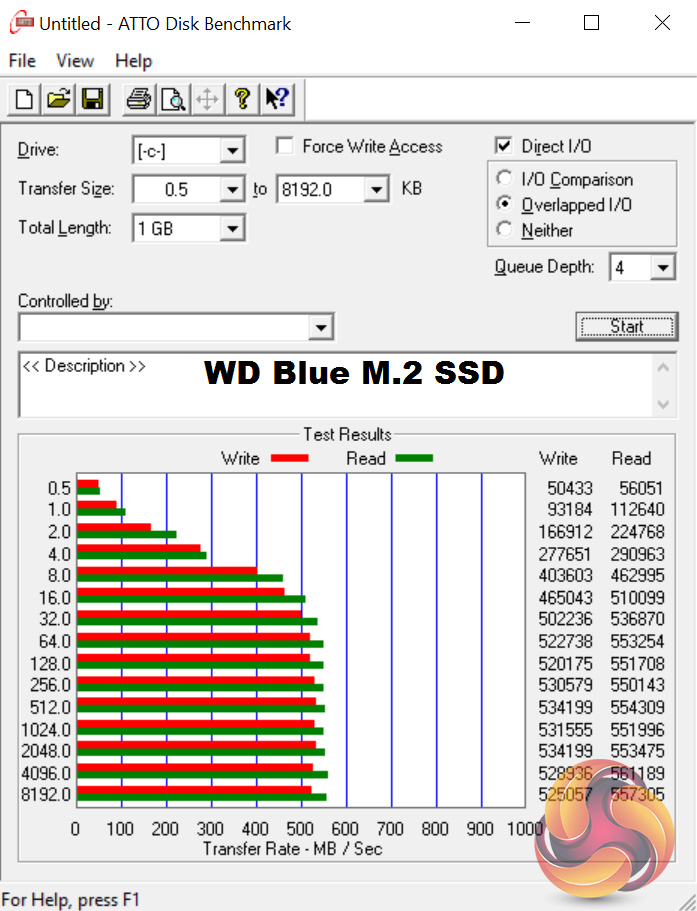
The WD Blue SSD is clearly a capable drive – its speeds are right at the limit of the SATA interface. It is not as fast as a PCIe drive, but for most people, it will still be great for Windows and a handful of games.
HDD Performance
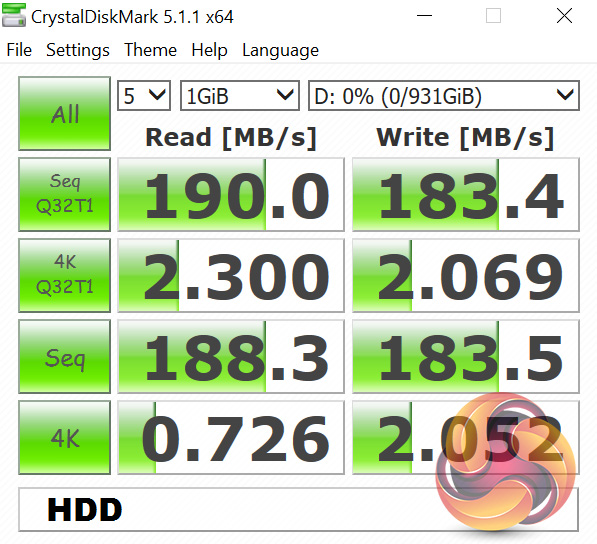
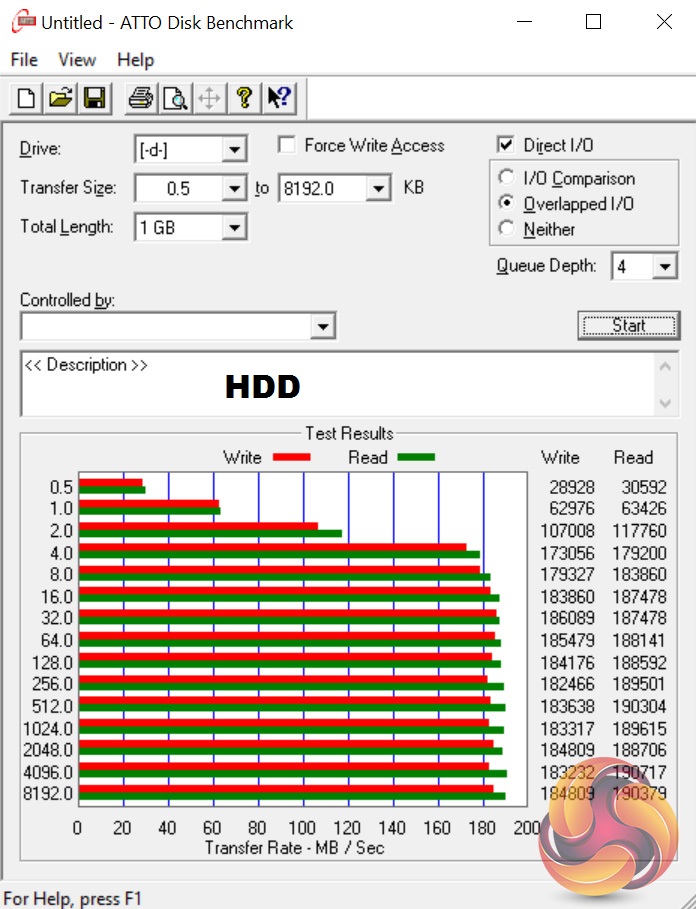
Typical speeds from the 1TB WD HDD here – it offers nothing we haven't seen before in-terms of raw performance, but the 1TB capacity is good for those with large Steam libraries or lots of media content.3DMark 11 is designed for testing DirectX 11 hardware running on Windows 7 and Windows Vista. The benchmark includes six all new benchmark tests that make extensive use of all the new features in DirectX 11 including tessellation, compute shaders and multi-threading.
After running the tests 3DMark gives your system a score with larger numbers indicating better performance. Trusted by gamers worldwide to give accurate and unbiased results, 3DMark 11 is the best way to test DirectX 11 under game-like loads.
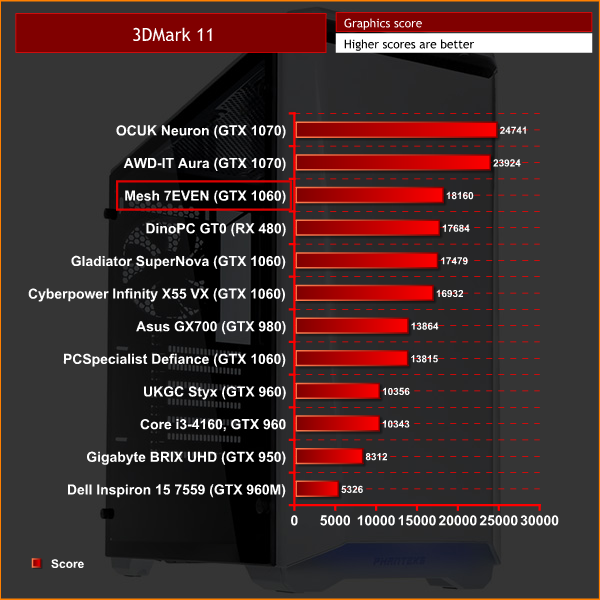
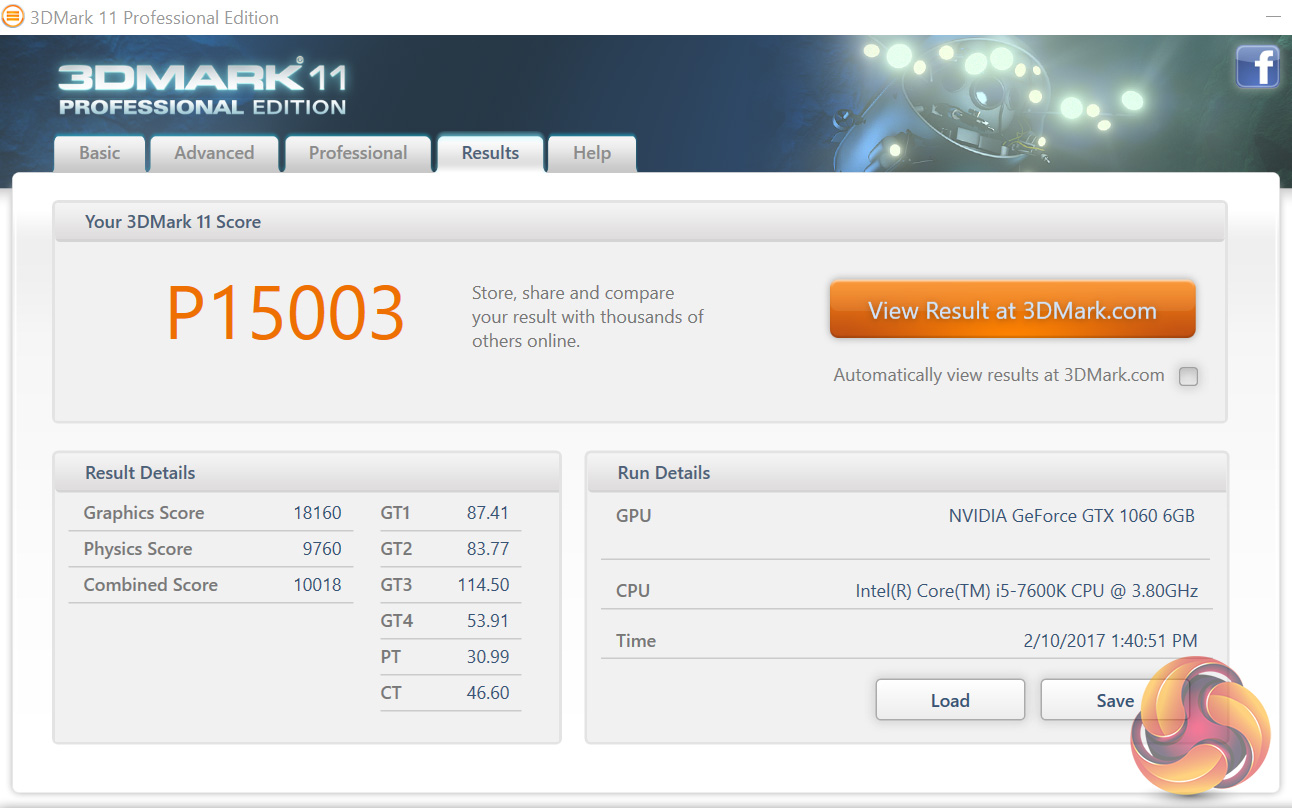
The MSI GTX 1060 6GB gives the best performance from any GTX 1060 I have seen to-date. This is likely due to the effective GPU cooler which enables GPU Boost 3.0 to keep the clockspeed high.3DMark is an essential tool used by millions of gamers, hundreds of hardware review sites and many of the world’s leading manufacturers to measure PC gaming performance. Futuremark say “Use it to test your PC’s limits and measure the impact of overclocking and tweaking your system. Search our massive results database and see how your PC compares or just admire the graphics and wonder why all PC games don’t look this good. To get more out of your PC, put 3DMark in your PC.”
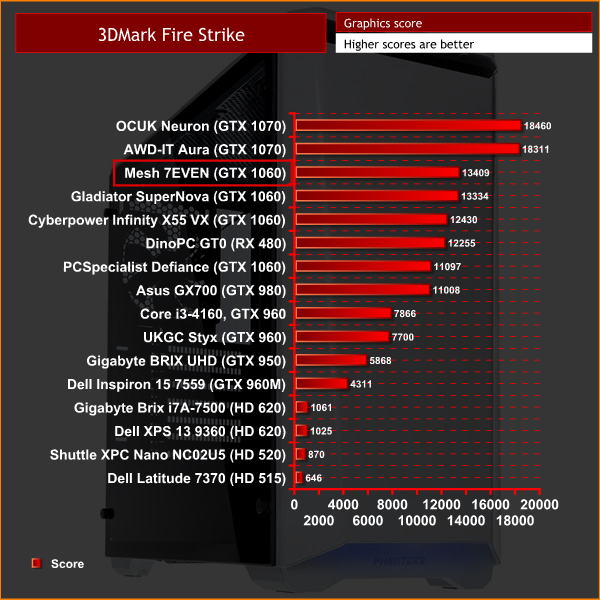
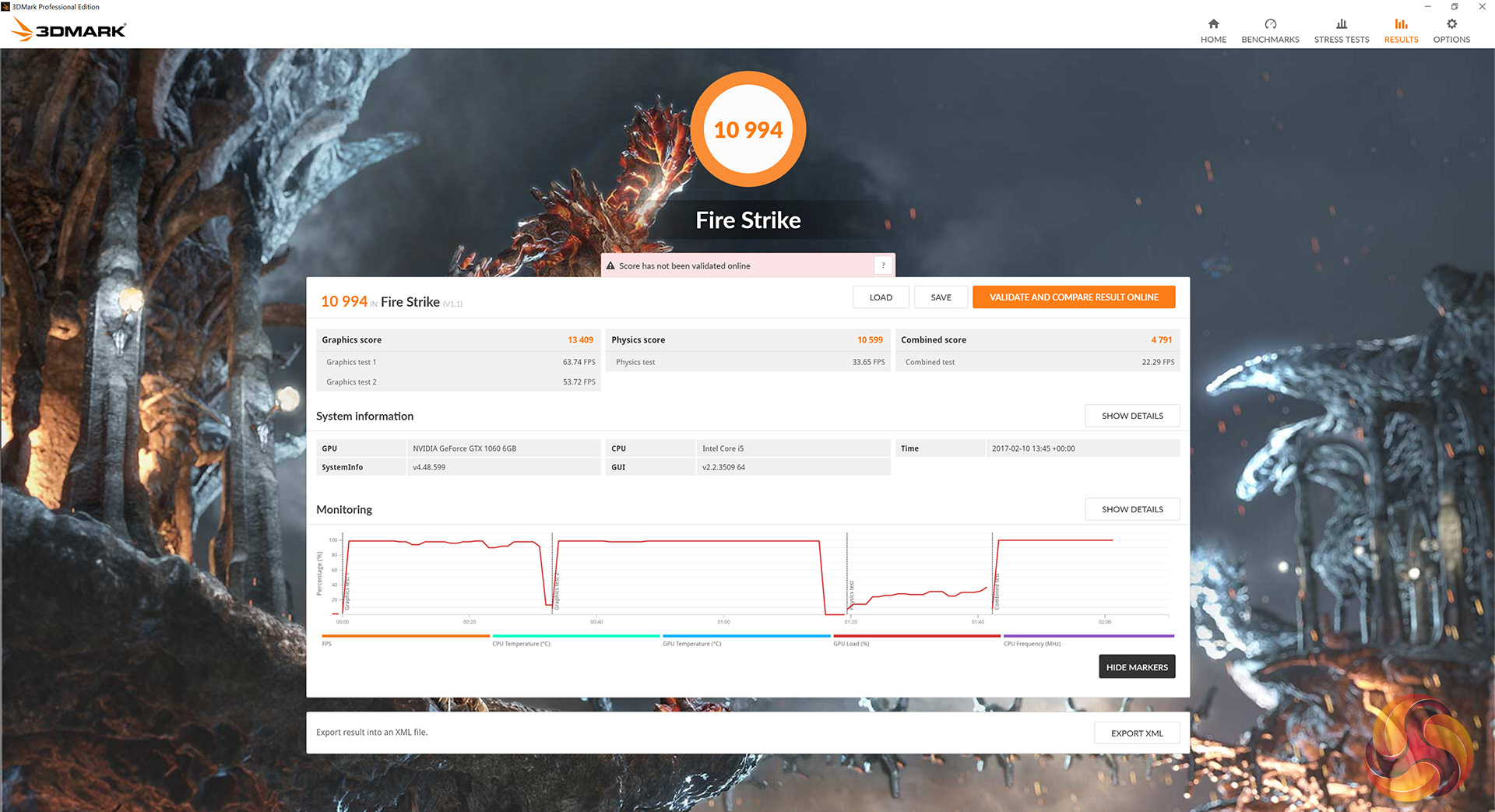
Again, the MSI 1060 beats out the other GTX 1060 solutions in Firestrike. There is still a big gap between the 1060 and 1070 cards, though, but that is obviously to be expected.VRMark is a benchmark designed specifically with virtual reality gaming in mind. Futuremark say: ‘the performance requirements for VR games are much higher than for typical PC games. So if you’re thinking about buying an HTC Vive or an Oculus Rift, wouldn’t it be good to know that your PC is ready for VR? VRMark includes two VR benchmark tests that run on your monitor, no headset required, or on a connected HMD. At the end of each test, you’ll see whether your PC is VR ready, and if not, how far it falls short.’
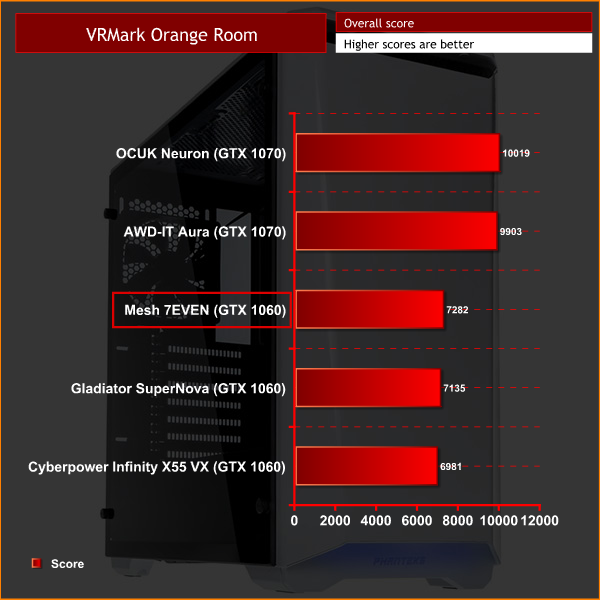
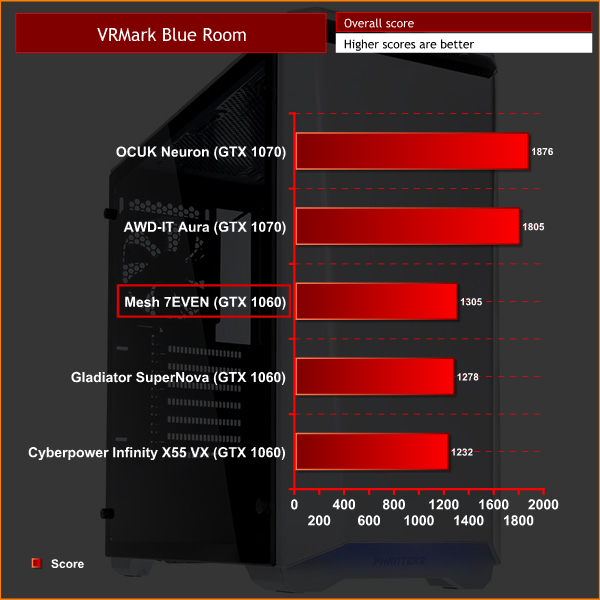
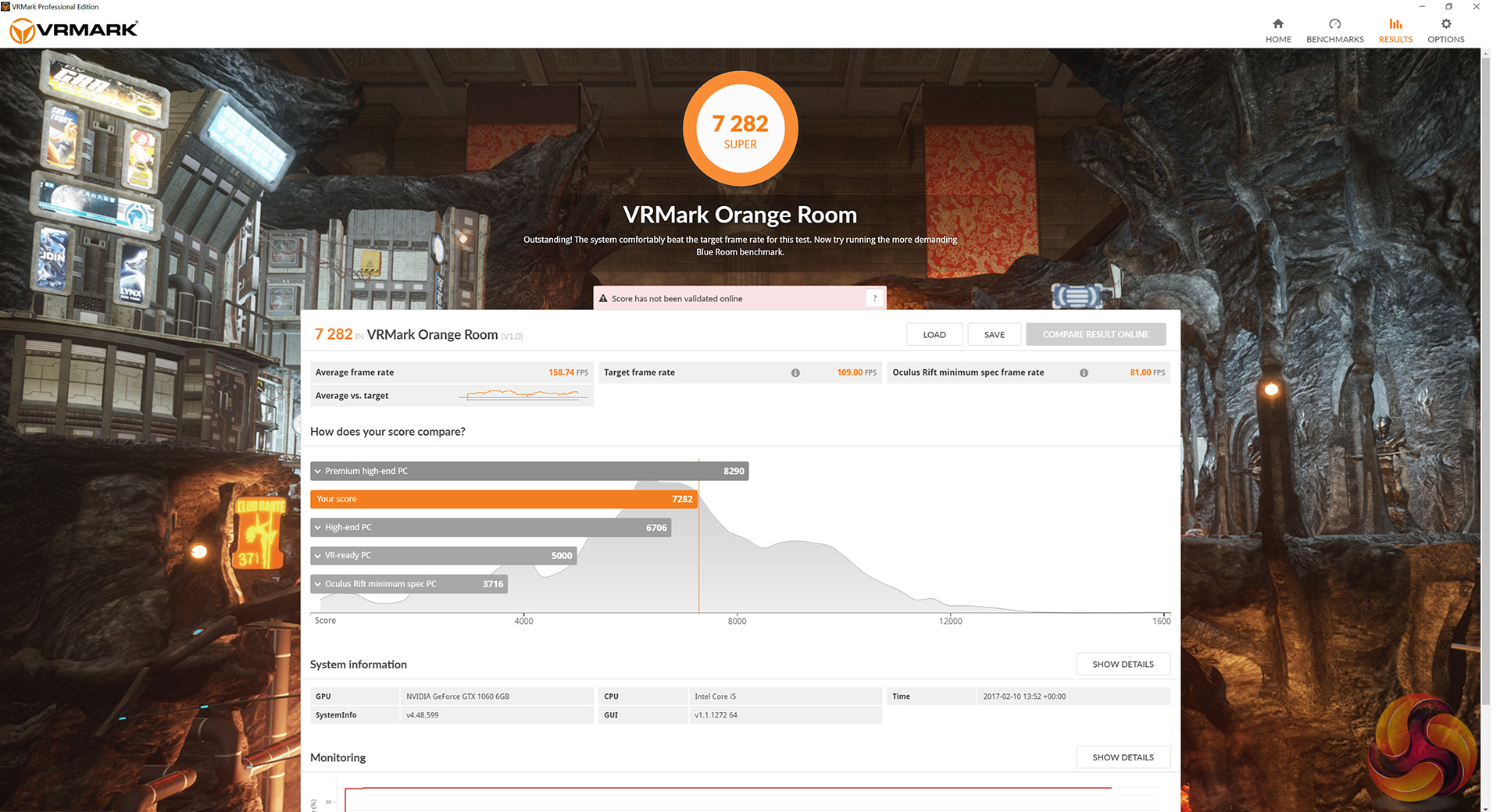
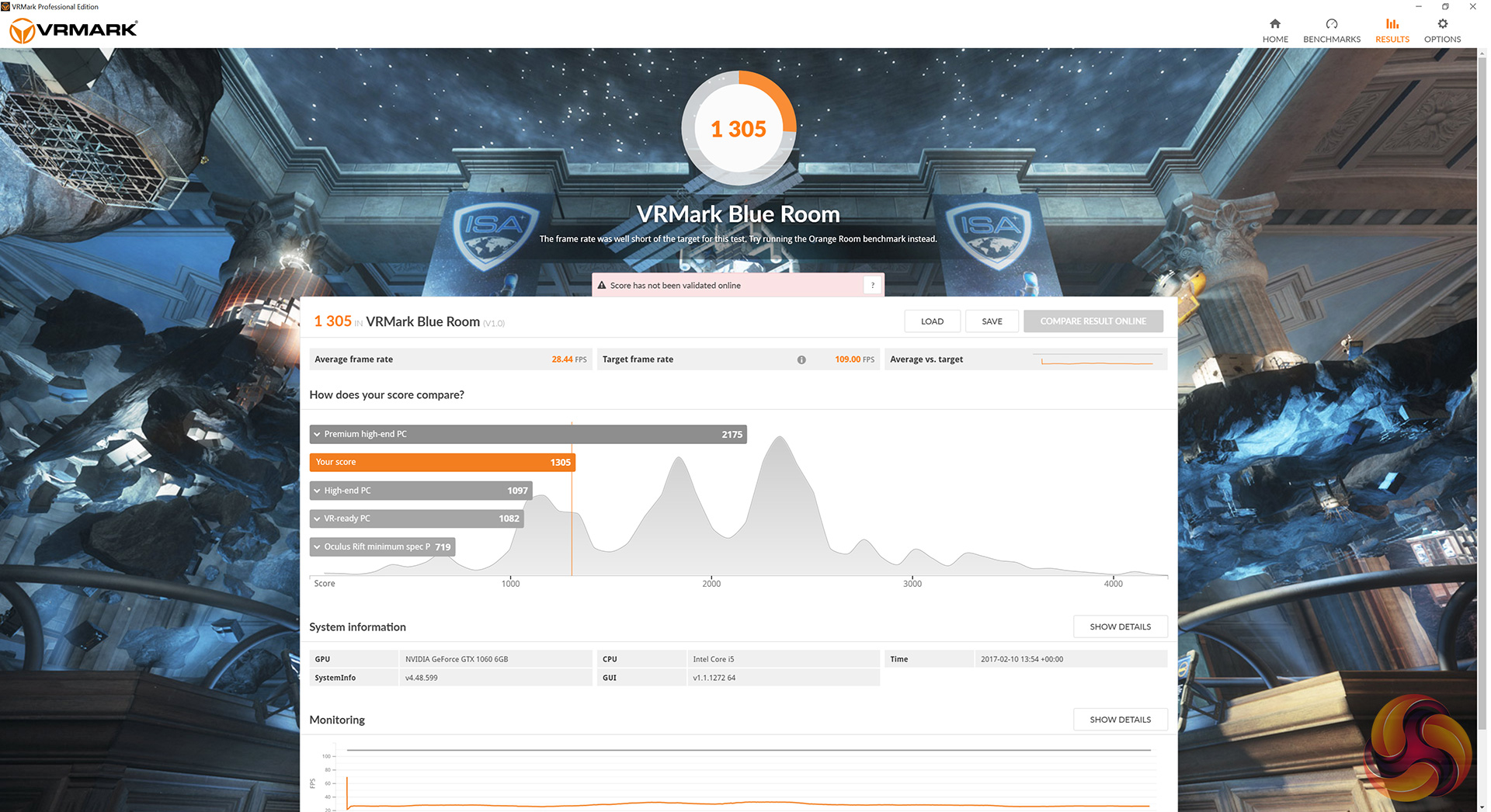
A new addition to our benchmarking suite, VRMark looks like one of the few valid ways of testing the VR capabilities of a PC. Consisting of two ‘rooms’, or benchmark tests, the Orange Room is the standard test, while the Blue Room is much more demanding.
The GTX 1060 is a VR-ready card, so it easily passes the Orange Room test. However, I have never seen any card pass the Blue Room test. I even tried it out with my personal system (i7-5820K, GTX 1080 SLI) and even that failed!Grid Autosport is a racing video game by Codemasters and is the sequel to 2008′s Race Driver: Grid and 2013′s Grid 2. The game was released for Microsoft Windows, PlayStation 3 and Xbox 360 on June 24, 2014. (Wikipedia).
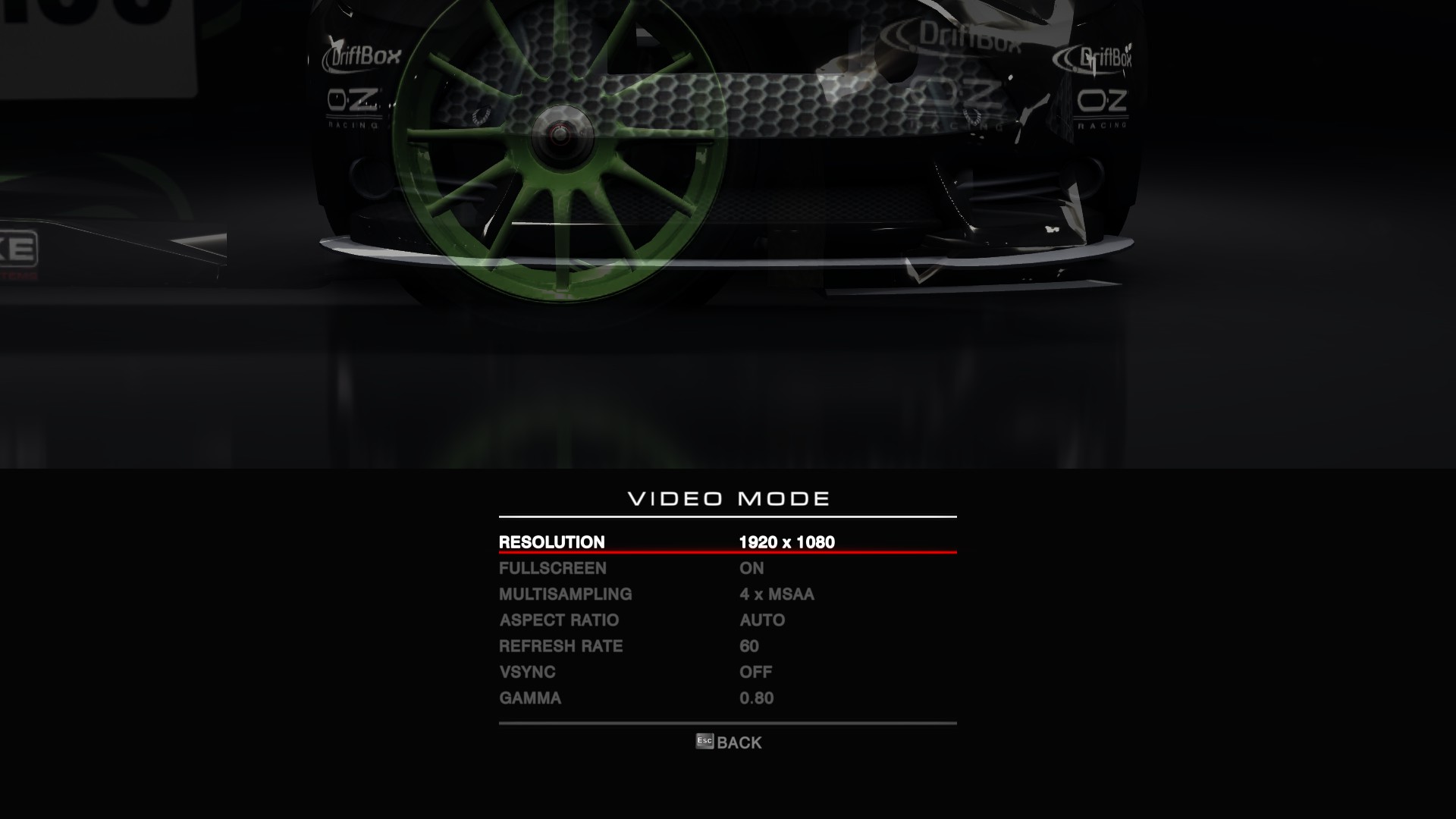
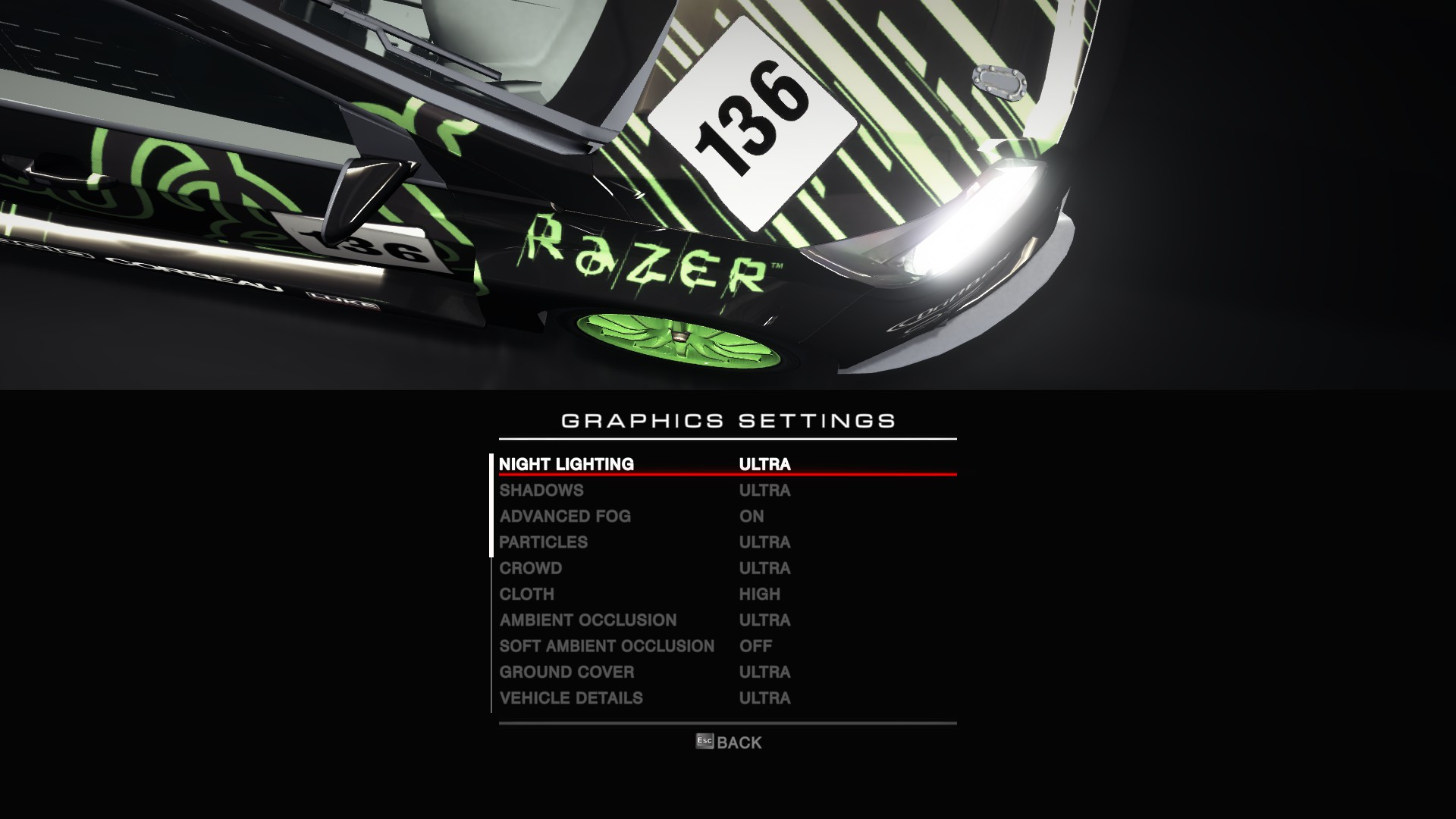
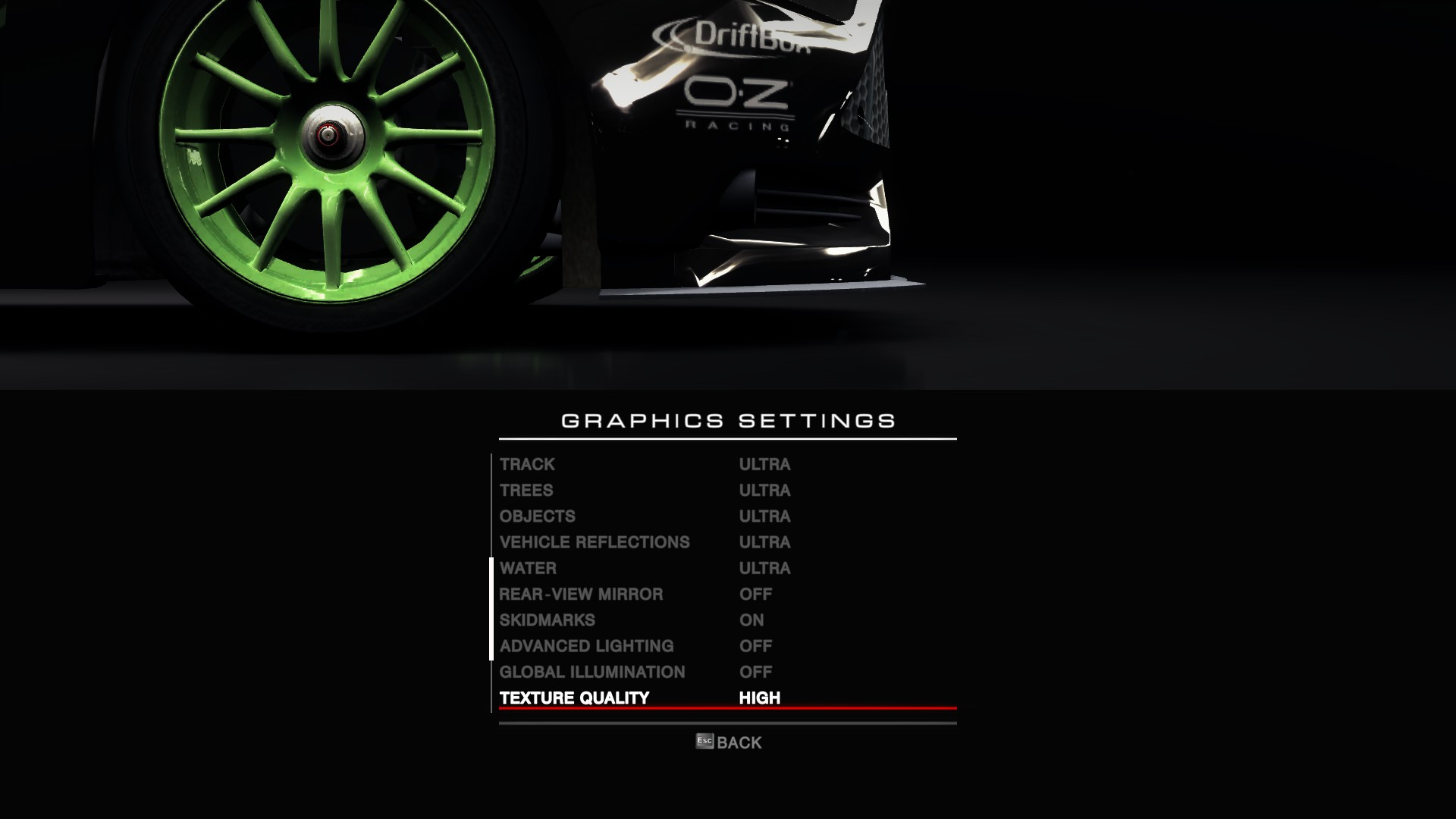
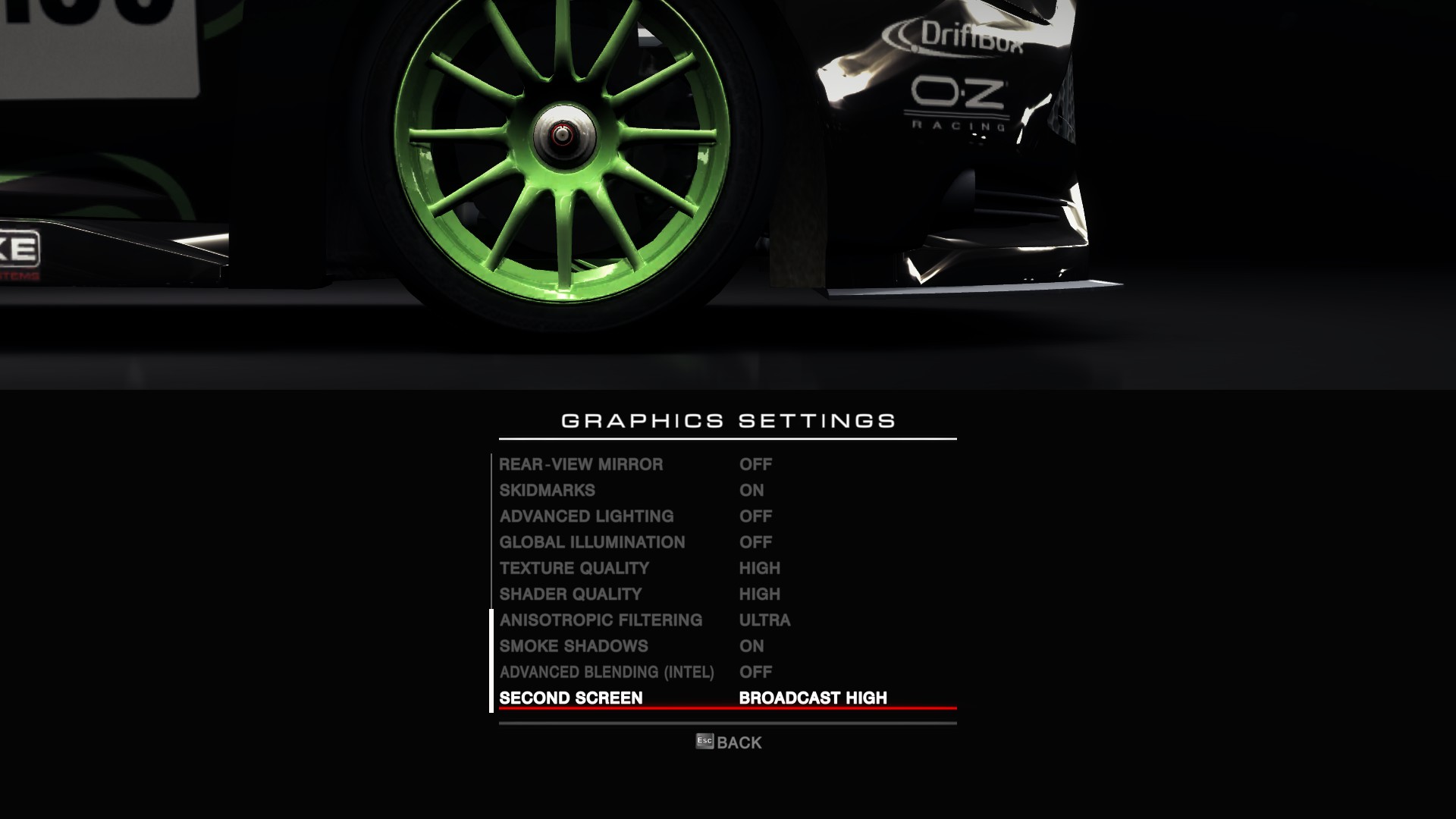
We test using the ‘ultra’ preset with 4x MSAA.
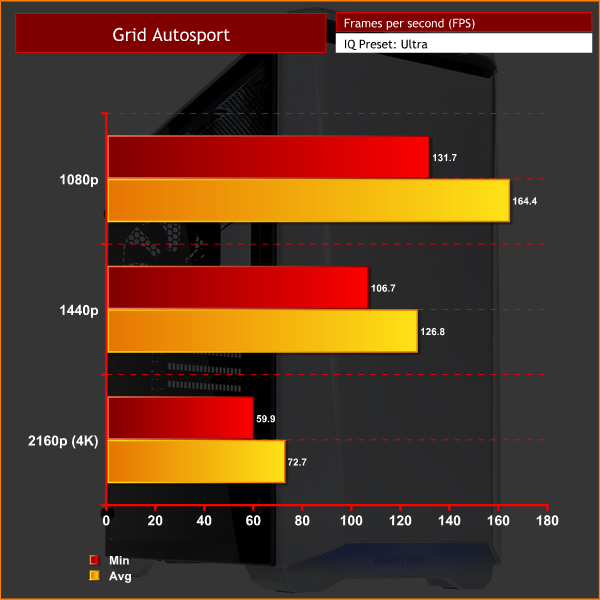
Even though it is now a relatively old game, I still benchmark Grid Autosport as it gives a good indication of a how a system performs with games that utilise less demanding game engines. As you can see, the 7EVEN performs very well across all 3 resolutions.The Witcher 3: Wild Hunt concludes the story of the witcher Geralt of Rivia, whose story to date has been covered in the previous titles. Continuing from The Witcher 2, Geralt seeks to move on with his own life, embarking on a new and personal mission while the world order itself is coming to a change. (Wikipedia).
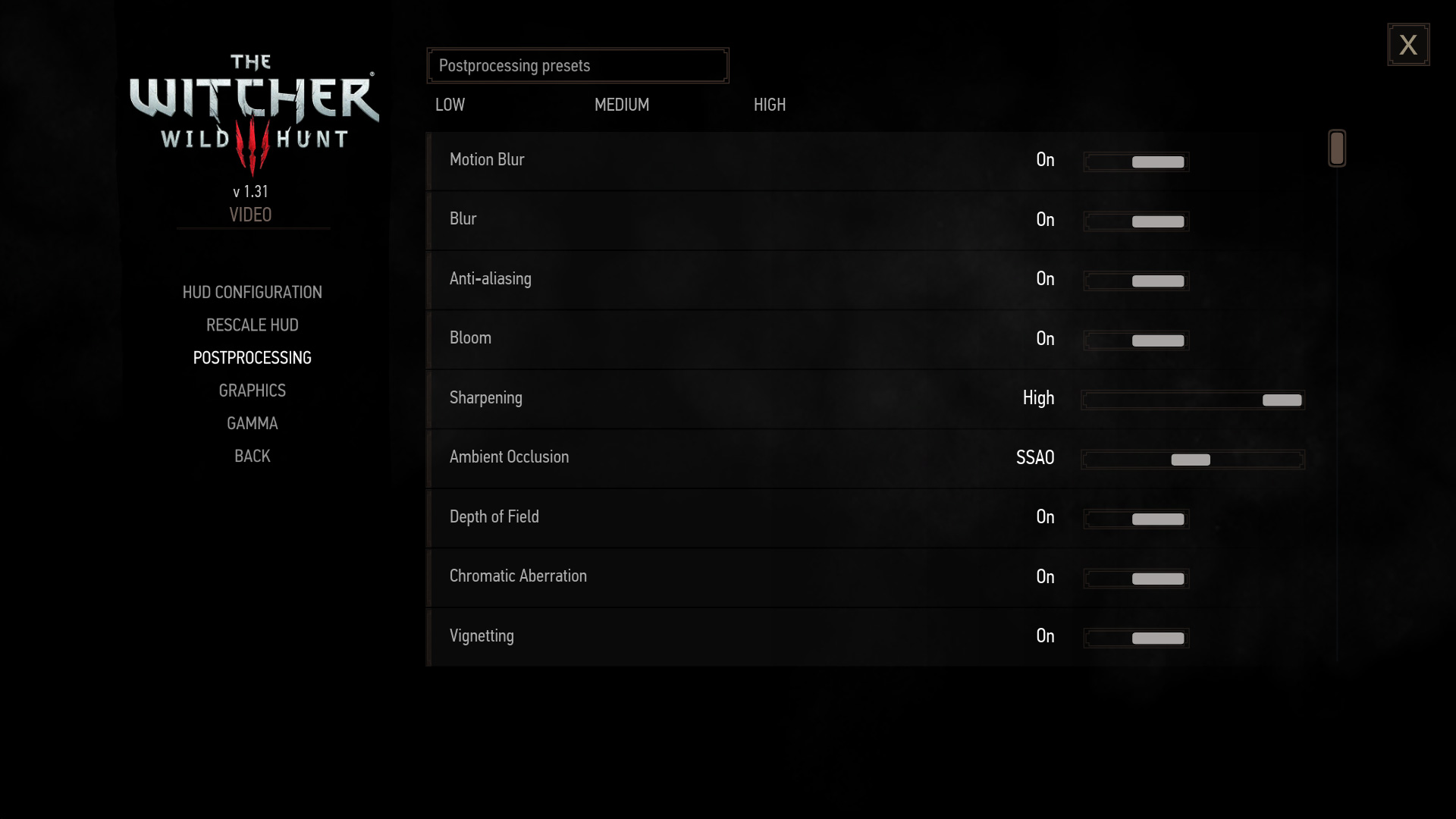
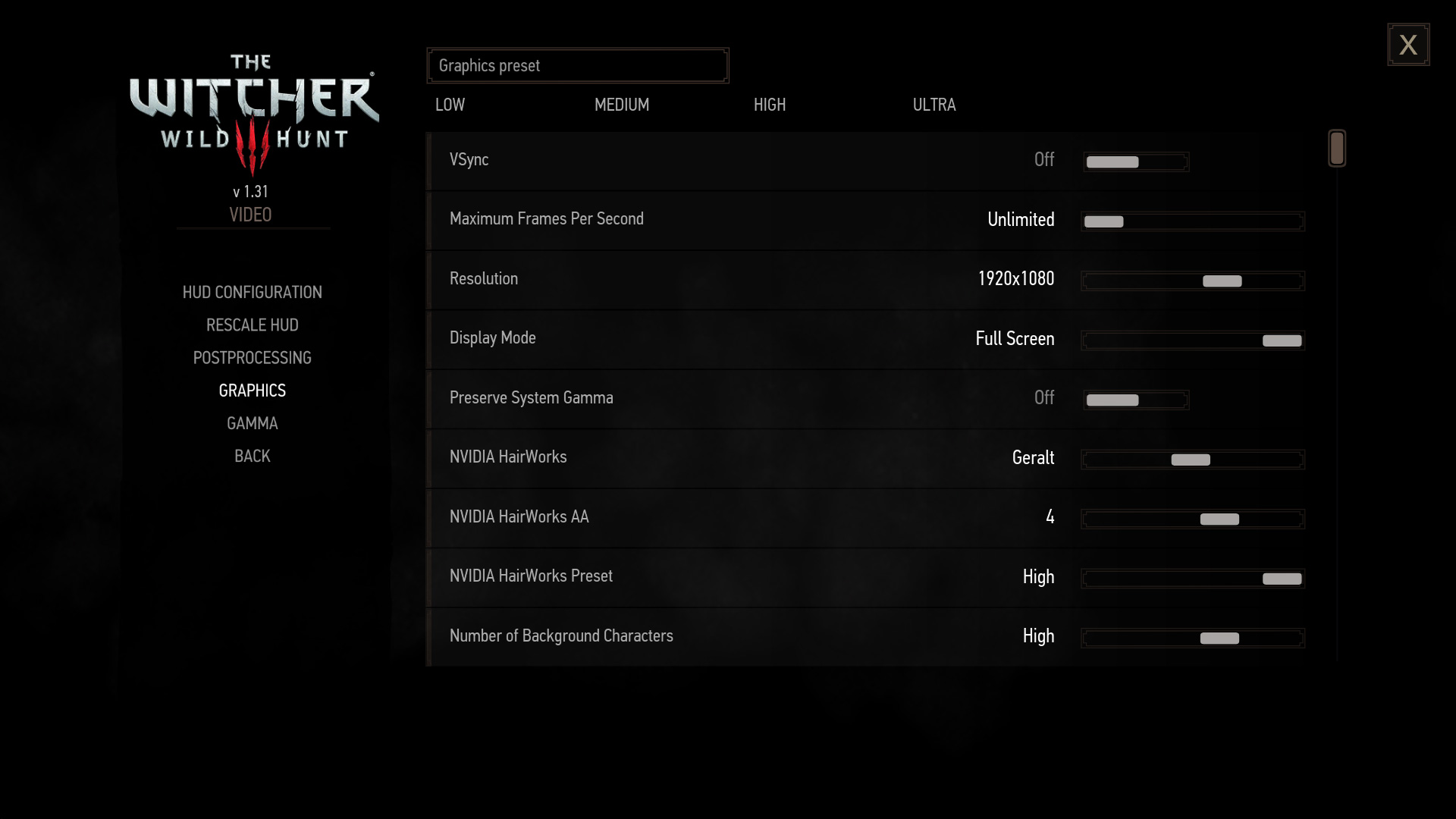
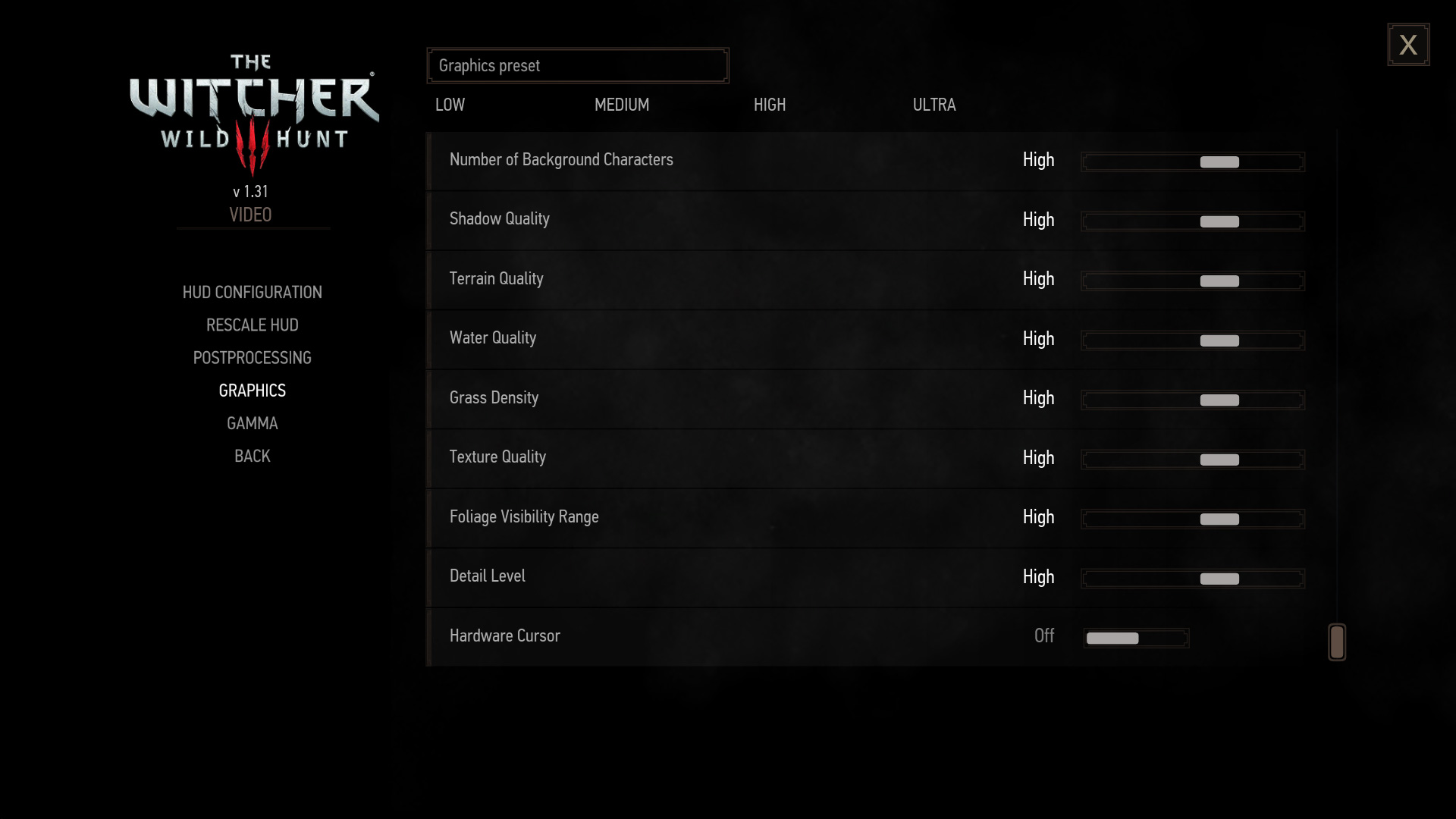
We test using the ‘high’ preset. Given The Witcher 3 does not have its own in-built benchmark, I tested near the beginning of the game with Geralt riding through White Orchard on his horse, before dismounting and carrying on on-foot. I benchmarked 3 closely-matched runs and then took the average figures from those runs to present here.
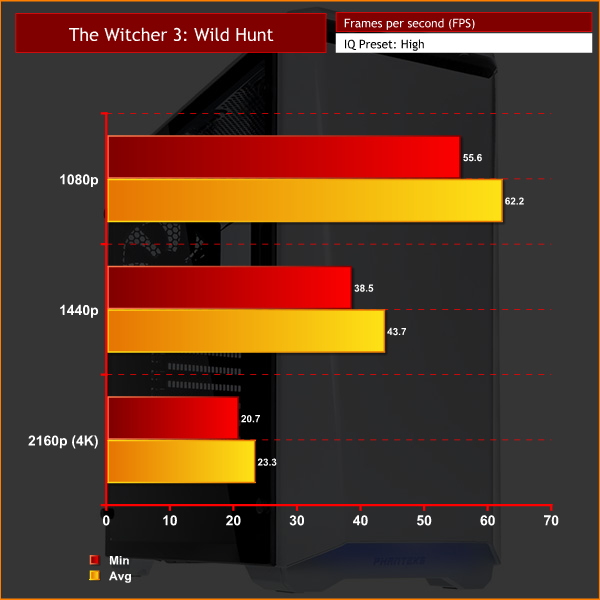
The Witcher 3 is a demanding game which can crush even the best gaming PCs. At 1080p the game plays very well, and 1440p performance is also decent, though the frame rate does drop into the 30s. 4K gaming is out of the question, however.Grand Theft Auto V is an action-adventure game played from either a first-person or third-person view. Players complete missions—linear scenarios with set objectives—to progress through the story. Outside of missions, players may freely roam the open world. Composed of the San Andreas open countryside area and the fictional city of Los Santos, the world is much larger in area than earlier entries in the series. It may be fully explored after the game’s beginning without restriction, although story progress unlocks more gameplay content.
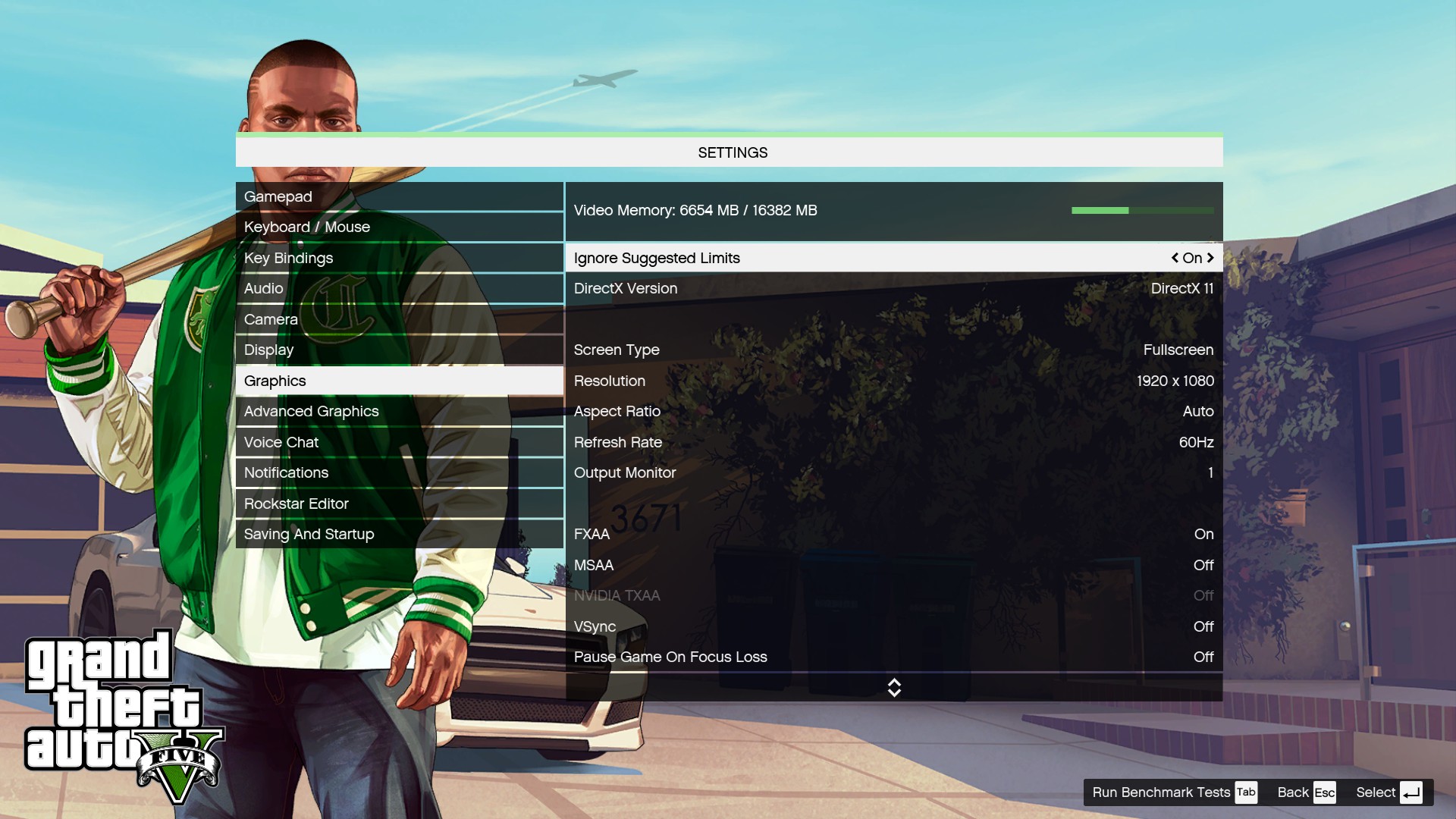

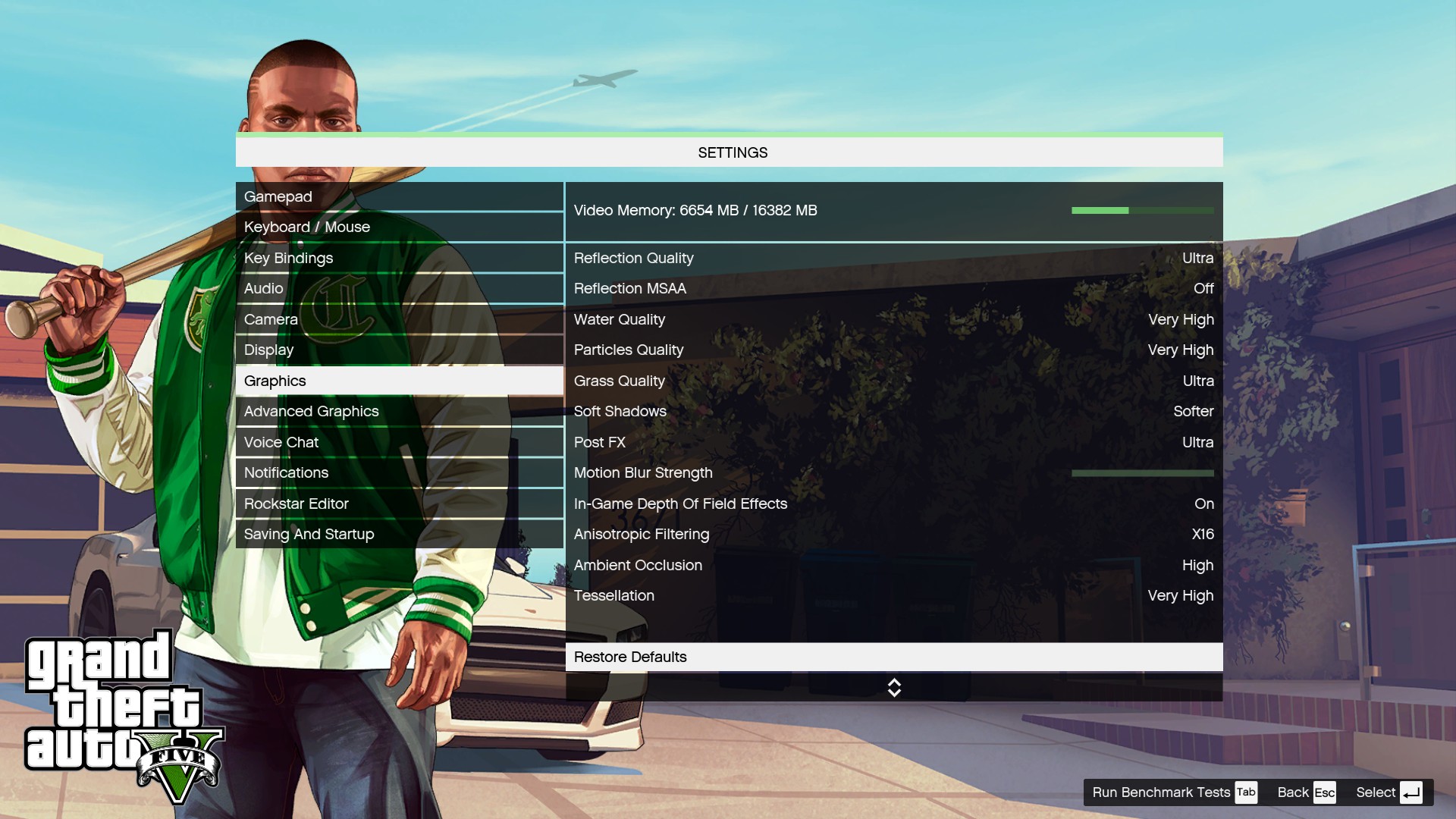
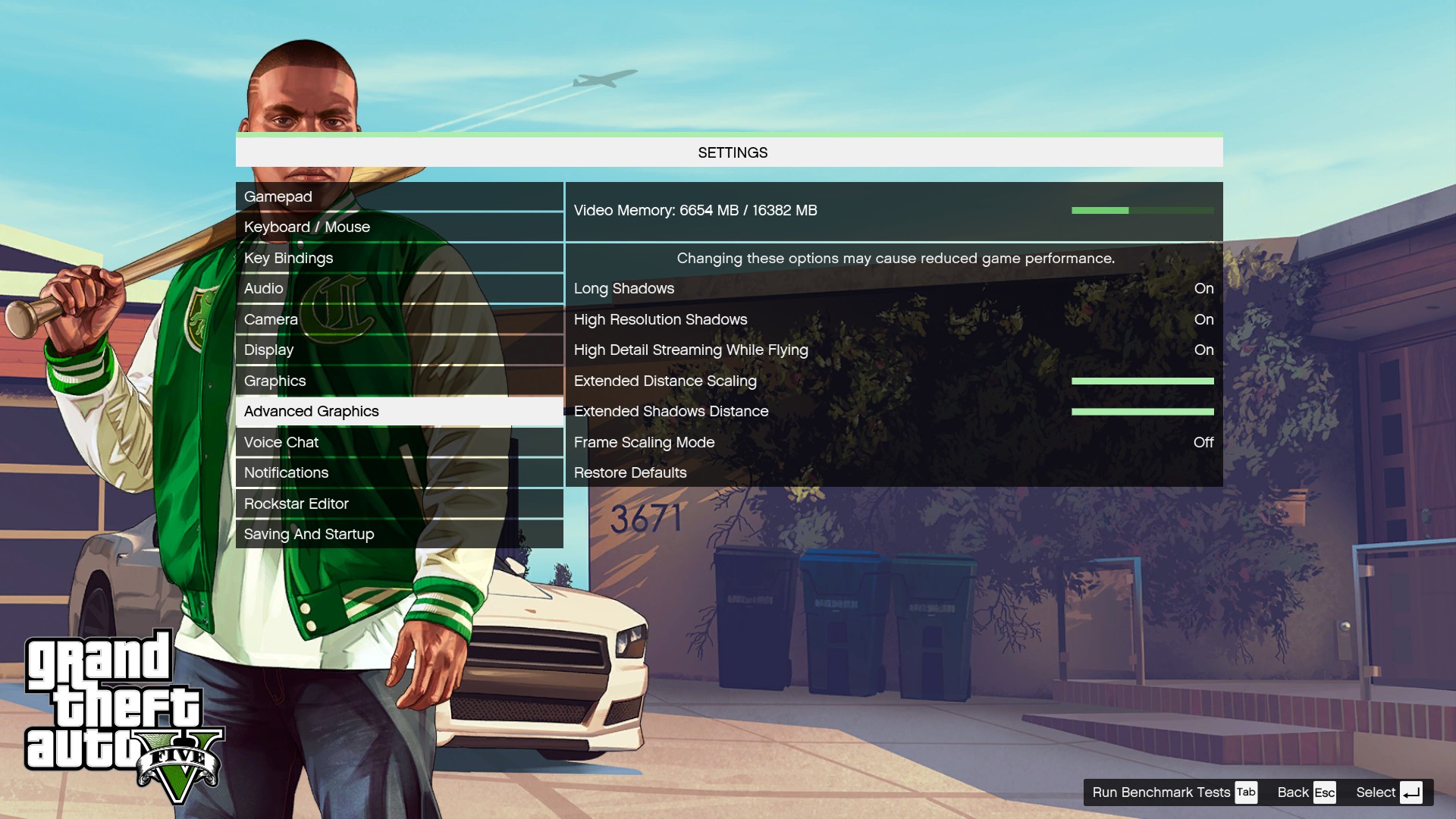
We maximise every setting but leave MSAA disabled.

Performance is very solid at both 1080p and 1440p resolutions – both keep the average frame rate above 60FPS. However, 4K is a bit too tough for this system, with the minimum frame rate dipping down to just 16FPS.DOOM is a science fiction horror first-person shooter video game developed by id Software and published by Bethesda Softworks. It is a reboot of the Doom series and is the first major instalment in the series since the release of Doom 3 in 2004 and the fourth title in the main series of games.
The game is played entirely from a first-person perspective, with players’ taking the role of an unnamed marine, as he battles demonic forces from Hell that have been unleashed by the Union Aerospace Corporation on a future-set colonised planet Mars.
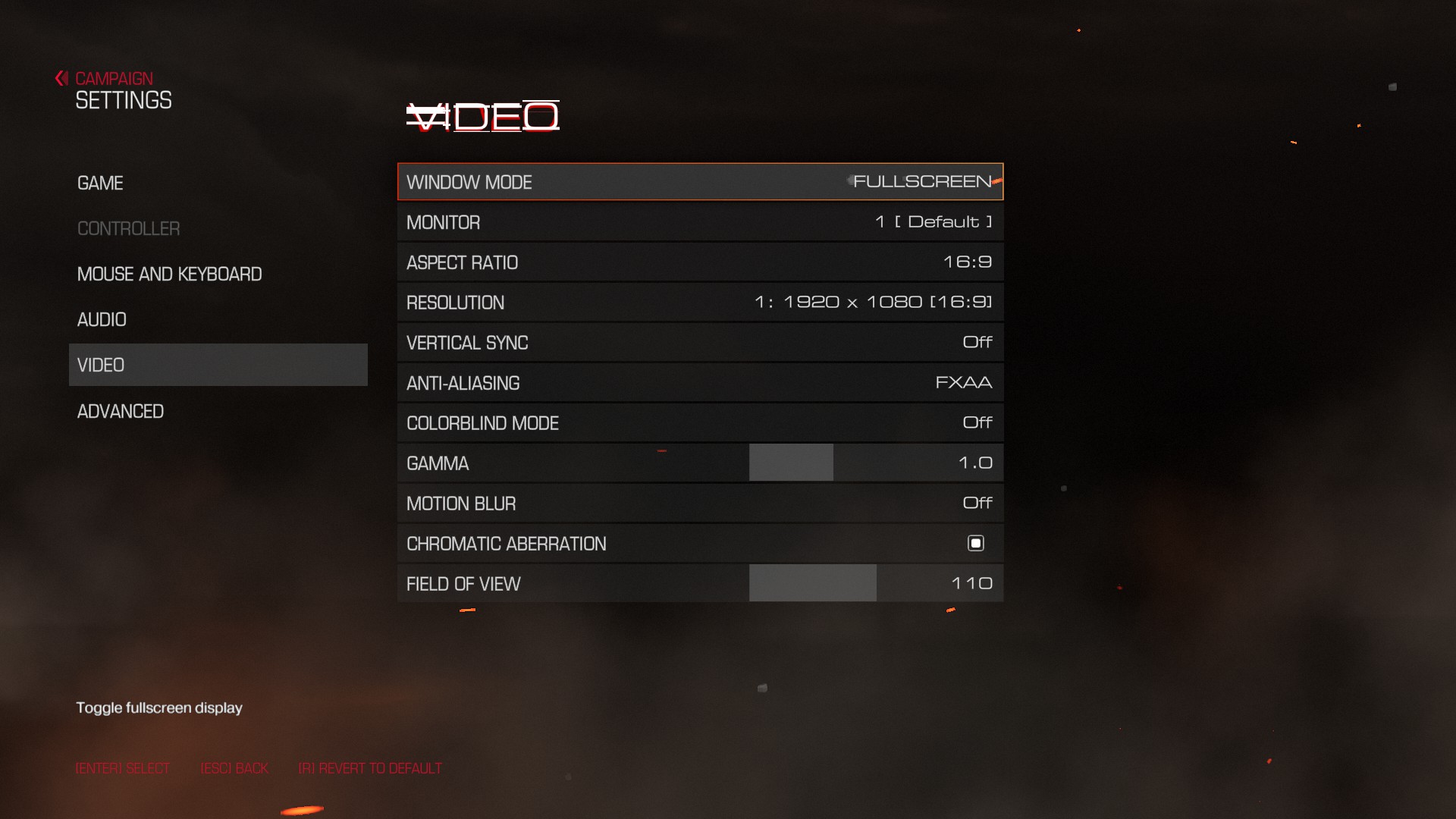
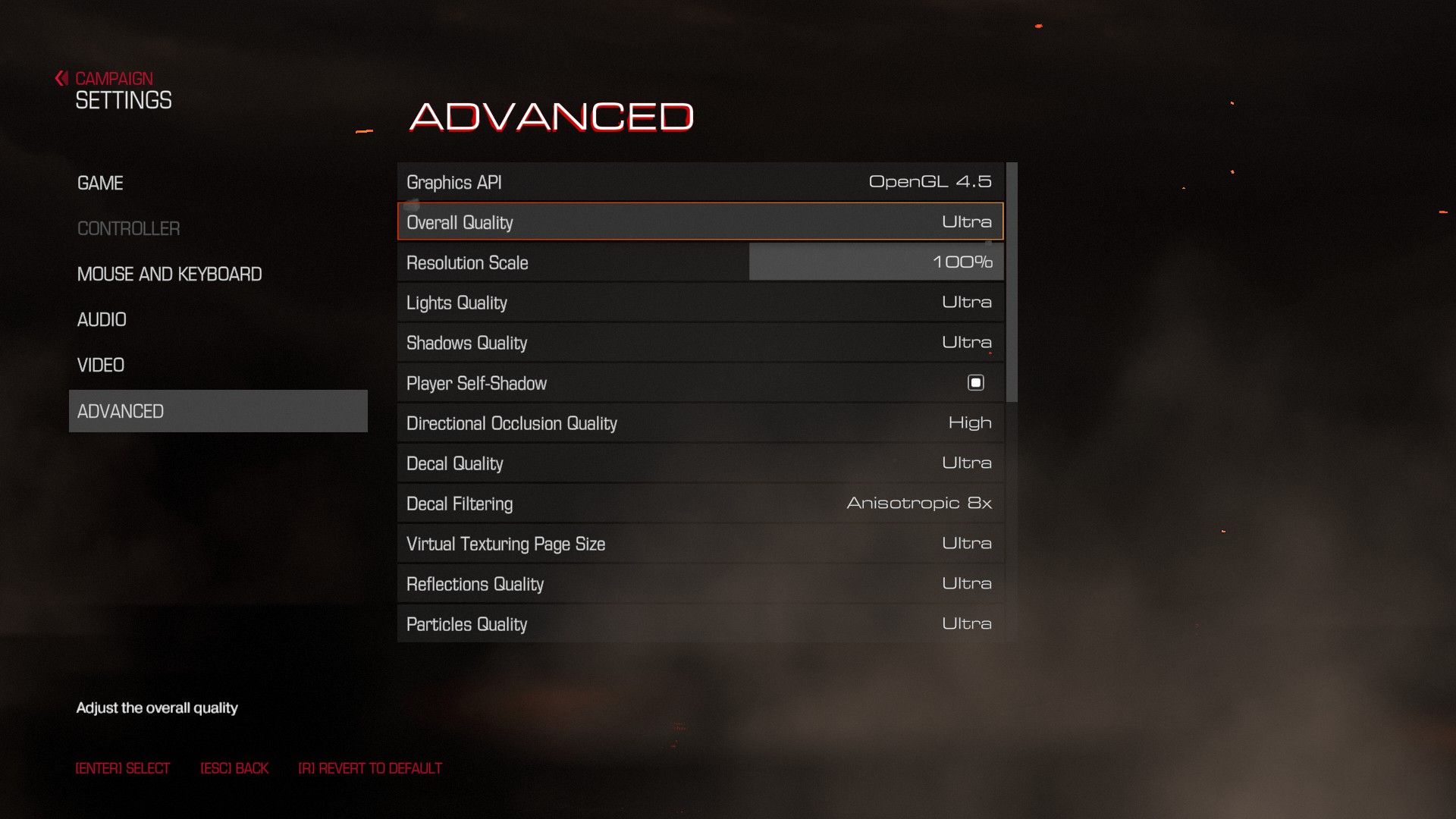
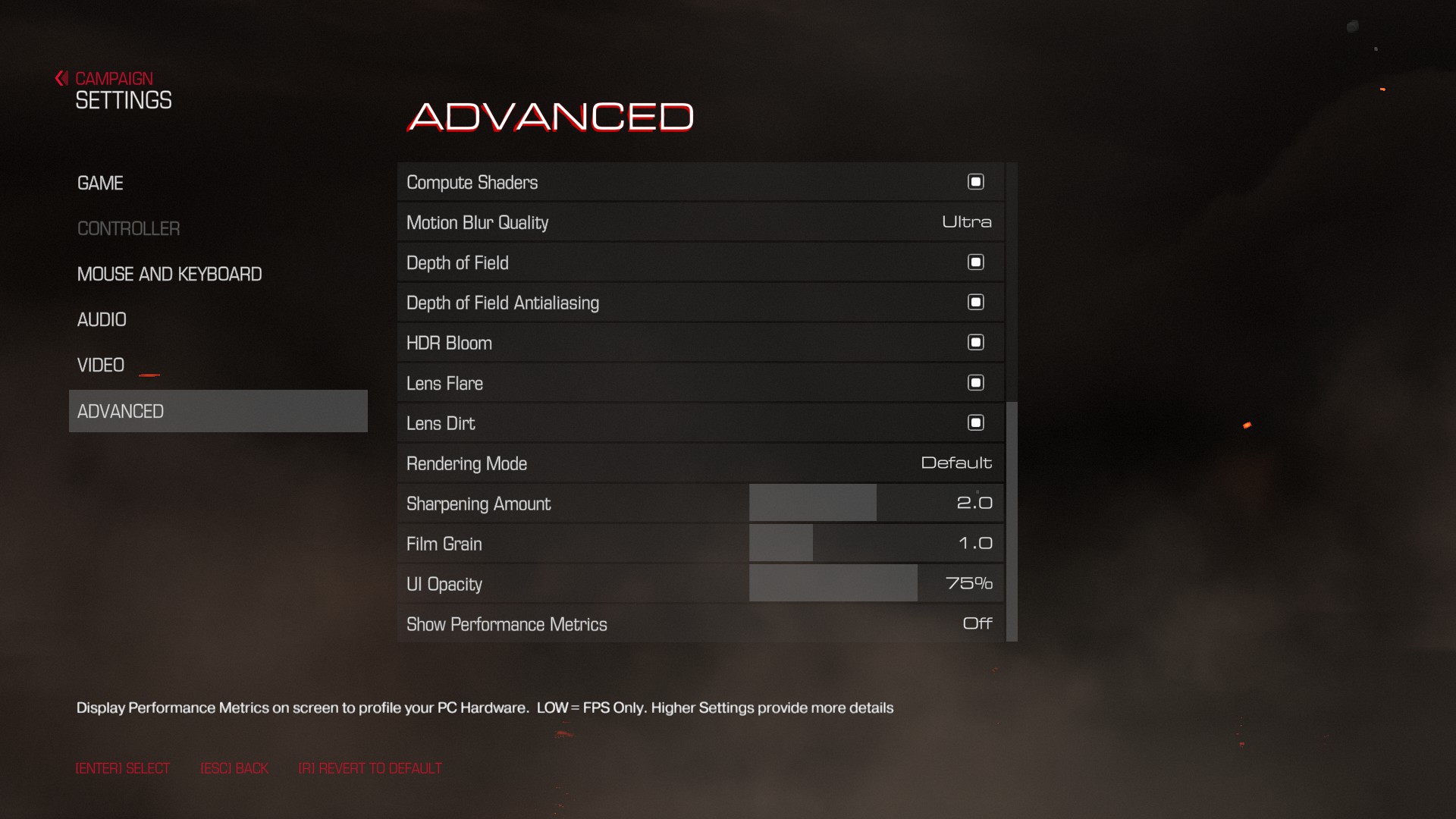
We test using the ‘ultra’ preset. Given Doom does not have its own in-built benchmark, I tested at the beginning of the game as the player destroys the very first Gore Nest. I benchmarked 3 closely-matched runs and then took the average figures from those runs to present here.
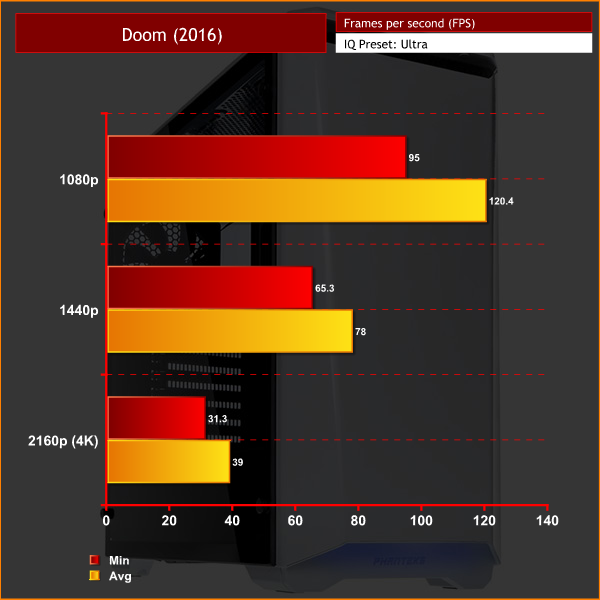
Doom is a well-optimised title, offering great frame rates at both 1080p and 1440p resolutions – at 1440p, the frame rate stayed above 60fps at all times, which is particularly impressive. 4K gaming does get a bit choppy as the frame rate drops into the 30s, though many would still consider this playable.Thermal dynamics
To measure idle temperatures, a reading was taken after having Windows open on the desktop for 30 minutes. A reading under load was taken with Prime 95’s SmallFFt test running alongside 3DMark Fire Strike.
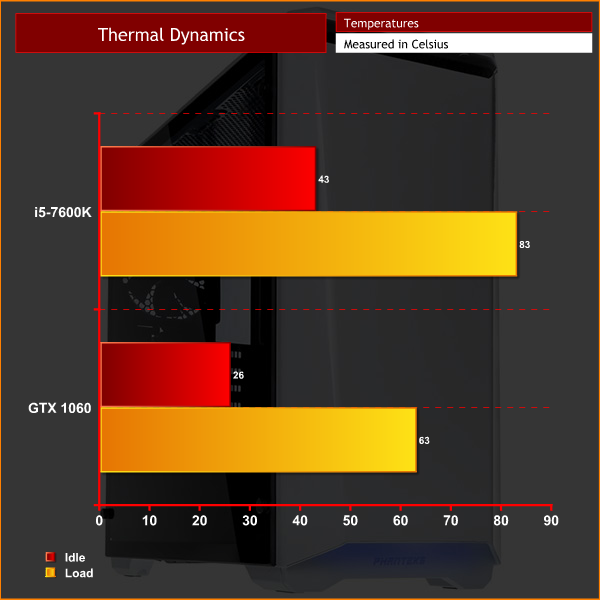
I must admit, I do feel the i5-7600K gets a bit hot. Idling at 43 degrees is certainly on the warmer side, while a peak of 83 degrees is not ideal either. I put this down to the 4.7GHz overclock on the CPU which uses a heavy VCore of 1.38V.
The GTX 1060 stays very cool, though – this is truly a testament to the efficiency of MSI's cooling solution.
Acoustics
Out-of-the-box, the 7EVEN PC was very loud. The fans were clearly running at 100% constantly which is obviously not ideal. I quickly dived into the BIOS to figure out what was going on – it seems Mesh did not enable ‘smart fan control', so the fans just ran at 100% all the time. Enabling the fan control just means the fans speed up or slow down according to CPU temperature, which is obviously what we want. However, it is definitely disappointing Mesh did not configure the fans properly themselves.
Once I enabled the fan control, the system got a lot quieter. It is still not the quietest PC I have ever reviewed, with there being an audible thrum from the machine even when idling. However, the fans did not actually ramp up when gaming so that is a plus – this would be because gaming does not tax the CPU as much as the GPU, so the CPU cooler fans did not have to speed up much to keep temperatures down.
For ‘idle’ power draw, a reading was taken after having Windows open on the desktop for 30 minutes. A reading under load was taken with Prime 95’s SmallFFt test running alongside 3DMark Fire Strike.
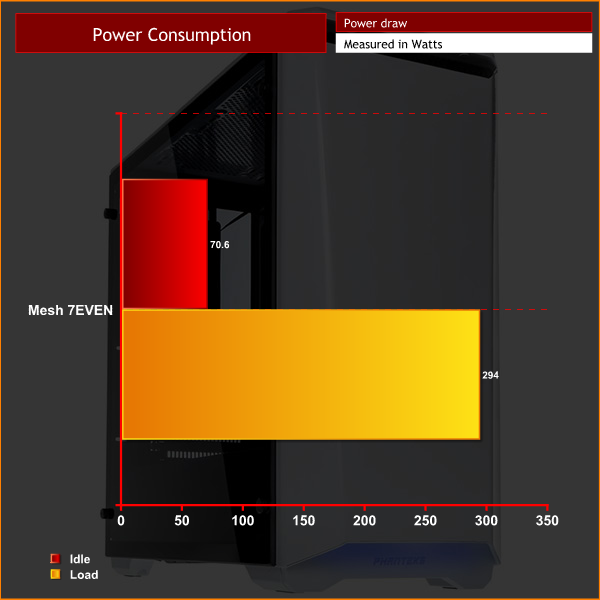
Power consumption is very low – the load figure is less than half of the RM650x's rated capacity. This ensures a quiet power supply fan, while the PSU should also be operating at its peak efficiency level.All-in-all, the Mesh 7EVEN Gaming PC is definitely an impressive system.
It is well-built, while the tempered glass case and braided cable extensions definitely look great. The rest of the specification is also well-balanced, with a i5-7600K and GTX 1060 well-complimented by a 250GB SSD and 16GB of fast DDR4 memory.
This level of hardware means the 7EVEN is a very capable gaming machine, too. All of our games played well at 1080p and 1440p resolutions – so if you are looking for a machine to play games at those resolutions, the 7EVEN is definitely worth thinking about.
There are just a few niggling issues with the system, though. One is that Mesh did not configured the motherboard LEDs to match the blue colour scheme – a minor issue, yes, but the red lighting clashed with the blue cable extensions.
Mesh did not configure the fan control, either, meaning the fans ran at 100% out-of-the-box. This is another easy fix, but for an inexperienced user, it could have left them stumped and a bit irritated with the fan noise. Even once the fans have been properly tweaked, the CPU still ran hotter than what I would have liked.
When it comes to pricing, though, Mesh offer the 7EVEN Gaming PC for £1349. I found this to be pretty cheap as I actually priced-up all the parts and came to a total of £1332. That means you are getting the system built, and supported with Mesh's warranty, for just £17 more than what you could do yourself – this is clearly a great deal.
Thus, I am happy to recommend the Mesh 7EVEN Gaming PC. It is not quite perfect, but it is a great-looking system that uses some premium components which can game comfortably.
You can buy one directly from Mesh for £1349 inc. VAT HERE.
Discuss on our Facebook page HERE.
Pros
- Looks great.
- Well-balanced spec.
- Great for 1080p and 1440p gaming.
- Excellent value for money.
- Strong CPU overclock.
Cons
- Motherboard LEDs were not configured to match the blue LED strip.
- Fans were not configured out-of-the-box so they ran at 100% speed constantly.
- CPU does run hotter than I would like.
KitGuru says: Despite a couple of minor issues holding it back from our top award, the Mesh 7EVEN Gaming PC is an excellent system. It delivers 1080p and 1440p gaming comfortably, while it also offers excellent value for money.


Dominic can I ask what’s with the fingerprints again? It’s a case with a glass window, did it arrive like that or is that from handling? It’s hugely obvious even on the main picture on the title page and if it arrived like that it’s a QA issue, I wouldn’t be very happy with it.
Secondly who the hell names a PC after Len Goodman’s Catchphrase from Strictly Come Dancing, every time you switch it on does it shout SEVEN!!!!!
It does use an i5.
lol I could edit my post but where’s the fun in that?. Everytime I See that I think 6700k. I was probably the only person in the world who cheered when AMD called it’s top GPU the Fury X, now that’s a real name, a name someone who is fond of the odd whisky or two can remember. With an entire Oxford English Dictionary of words I think we should lobby for real names then I can ask my Wife for the new Intel Xylophone for my birthday.
I believe it arrived like that although I could not be sure in the slightest