 KitGuru KitGuru.net – Tech News | Hardware News | Hardware Reviews | IOS | Mobile | Gaming | Graphics Cards


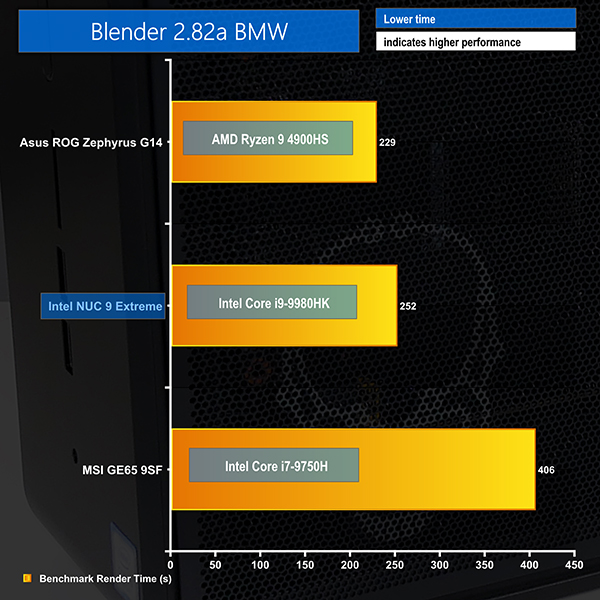
Blender BMW Benchmark
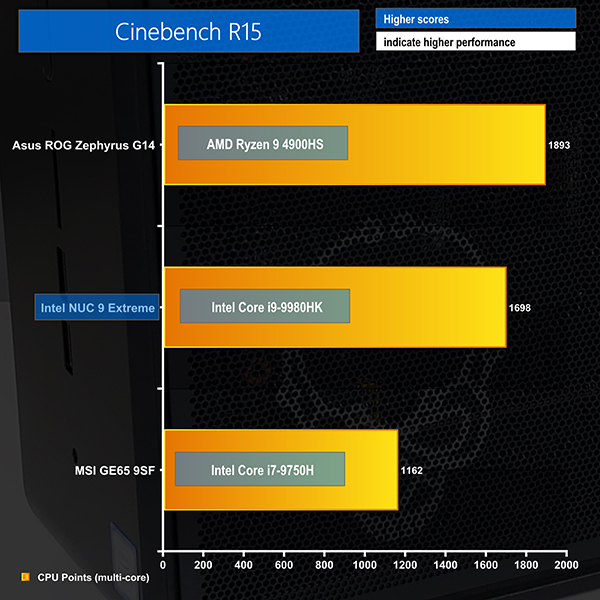
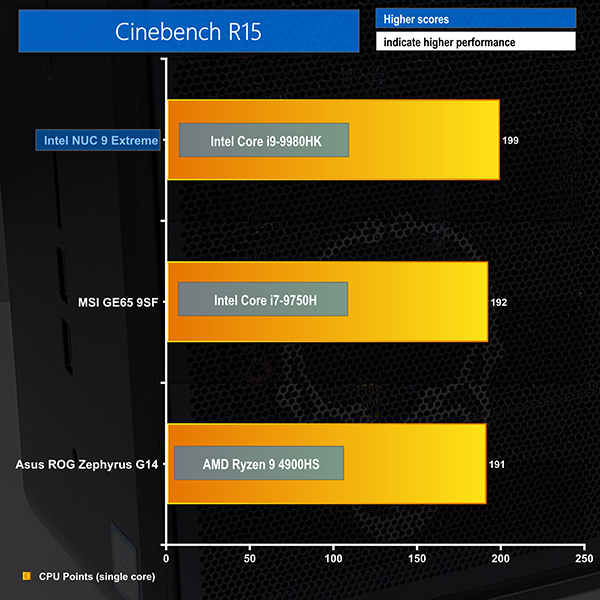
Cinebench R15
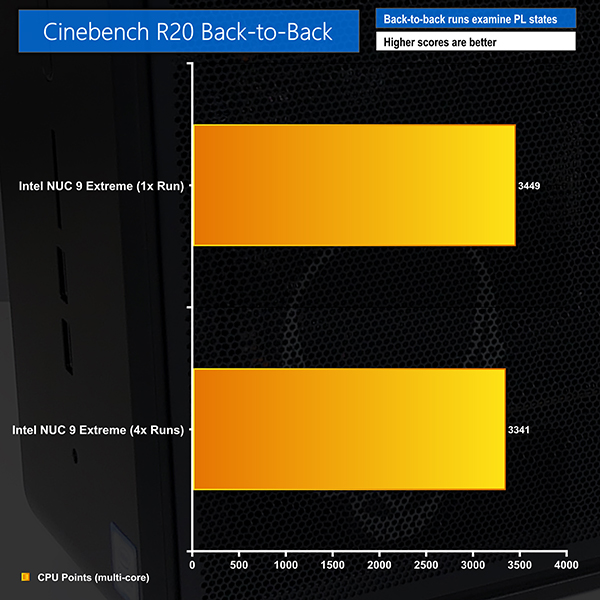
Cinebench R20 Back-to-Back
CPU-tied performance is about what we have come to expect from a laptop-based Intel 8-core CPU. The increased power limits to 107W short duration and 65W long duration certainly help versus the Intel six-core alternative CPU but AMD’s eight-core Ryzen 9 4900HS is comfortably faster.
Compared to a desktop CPU, you’re talking around Ryzen 5 3600 levels of performance. The 8-core Ryzen 7 3700X and Core i9-9900K are comfortably faster and both can go inside a compact mini-ITX build with relative ease.
In terms of clock speeds, Intel’s high boost clocks do a fine job for single threaded and lightly threaded tasks. We measured around 3.8-3.9GHz for an all-core load during the short duration 107W power period but this quickly dropped to around 3.1-3.3GHz all-core when running at the sustained 65W power limit.
Back-to-back runs on Cinebench R20 show a performance drop-off of around 3%, indicating that the NUC 9’s cooling solution does an excellent job at maintaining CPU clocks beyond the short duration boost limit.
