KitGuru KitGuru.net – Tech News | Hardware News | Hardware Reviews | IOS | Mobile | Gaming | Graphics Cards


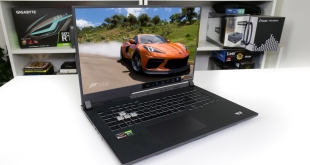
In a world where desktop graphics cards are still difficult to find at sensible prices, high-end gaming laptops are making increasing sense to many budding PC gamers. That is where the £1900 ASUS ROG STRIX G17 gaming laptop comes in.
Built around a 17.3” 300Hz 1080P display, this gaming laptop is powered by the eight-core AMD Ryzen 9 5900HX processor, Nvidia RTX 3070 Laptop 115W GPU, and 32GB of DDR4 memory. Pushing that 300Hz display anywhere near its rated refresh rate will be tough, but how much performance can the liquid metal-cooled hardware offer up?
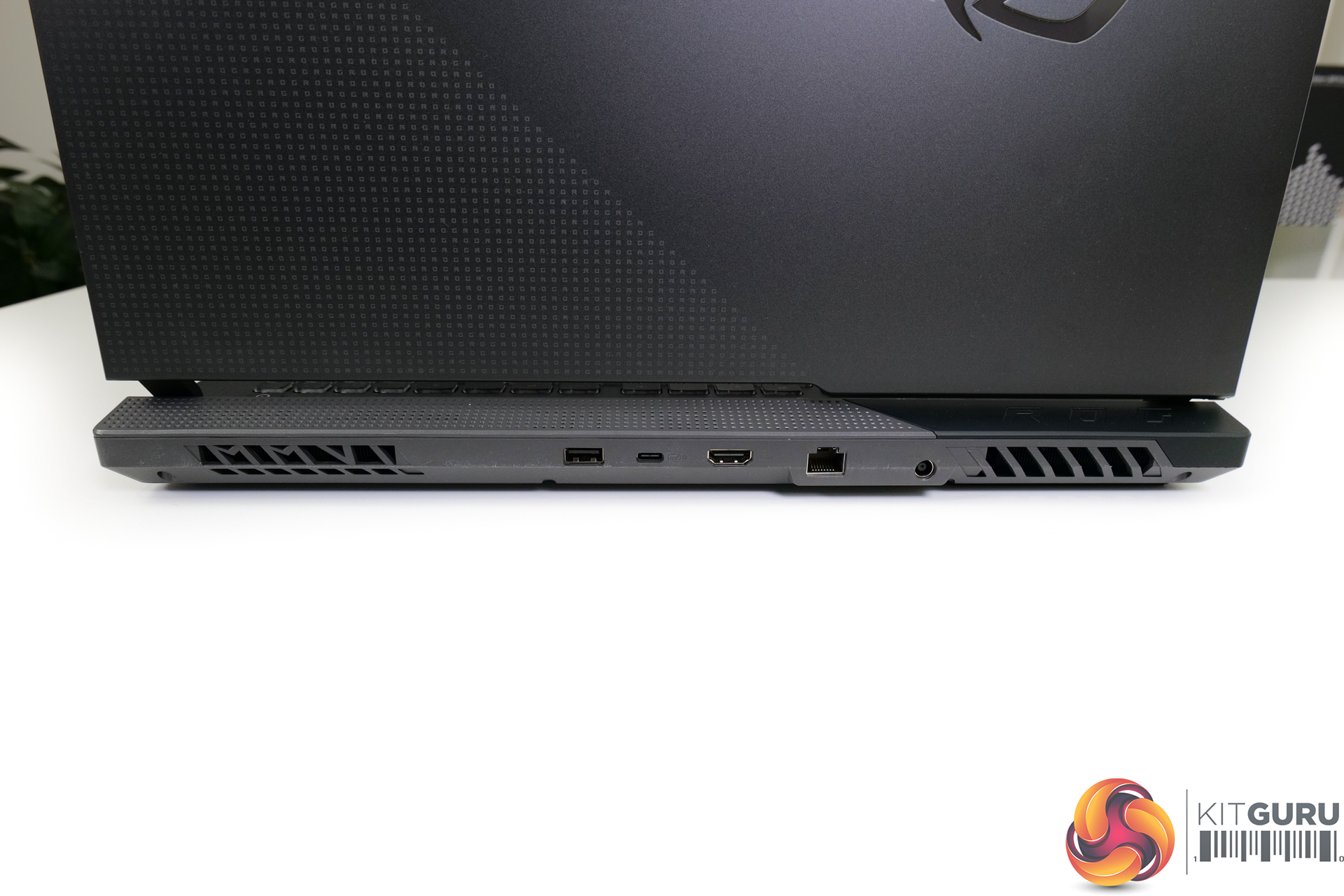
Specifications (ASUS ROG STRIX G17 G713QR-HG026T):
- Operating System: Windows 10 Home (Free upgrade to Windows 11)
- Processor: AMD Ryzen™ 9 5900HX Mobile Processor (8-core/16-thread, 20MB cache, up to 4.6 GHz max boost)
- Graphics: NVIDIA® GeForce RTX™ 3070 Laptop GPU With ROG Boost up to 1660MHz at 115W (130W with Dynamic Boost) 8GB GDDR6
- Display: 17.3-inch FHD (1920 x 1080) 16:9 anti-glare display, 300Hz, 3ms IPS-level
- Memory: 16GB DDR4-3200 SO-DIMM x 2
- Storage: 1TB SK Hynix M.2 NVMe™ PCIe® 3.0 SSD
- I/O Ports:
-
1x 3.5mm Combo Audio Jack1x HDMI 2.0b1x USB 3.2 Gen 2 Type-C support display / power delivery3x USB 3.2 Gen 1 Type-A1x RJ45 LAN port
-
- Keyboard and Touchpad: Backlit Chiclet Keyboard 4-Zone RGB
- Audio:
- Smart Amp Technology
- Audio by Dolby Atmos
- AI noise-cancelling technology
- Built-in array microphone
- 2x 4W speaker with Smart Amp Technology
- Network and Communication: Wi-Fi 6(802.11ax)+Bluetooth 5.1 (Dual band) 2*2;(*BT version may change with OS upgrades.) -RangeBoost
- Battery: 90WHrs, 4S1P, 4-cell Li-ion
- Power Supply: ø6.0, 240W AC Adapter, Output: 20V DC, 12A, 240W, Input: 100~240C AC 50/60Hz universal
- Weight: 2.70 Kg (5.95 lbs)
- Dimensions (W x D x H): 39.5 x 28.2 x 2.34 ~ 2.83 cm (15.55″ x 11.10″ x 0.92″ ~ 1.11″)
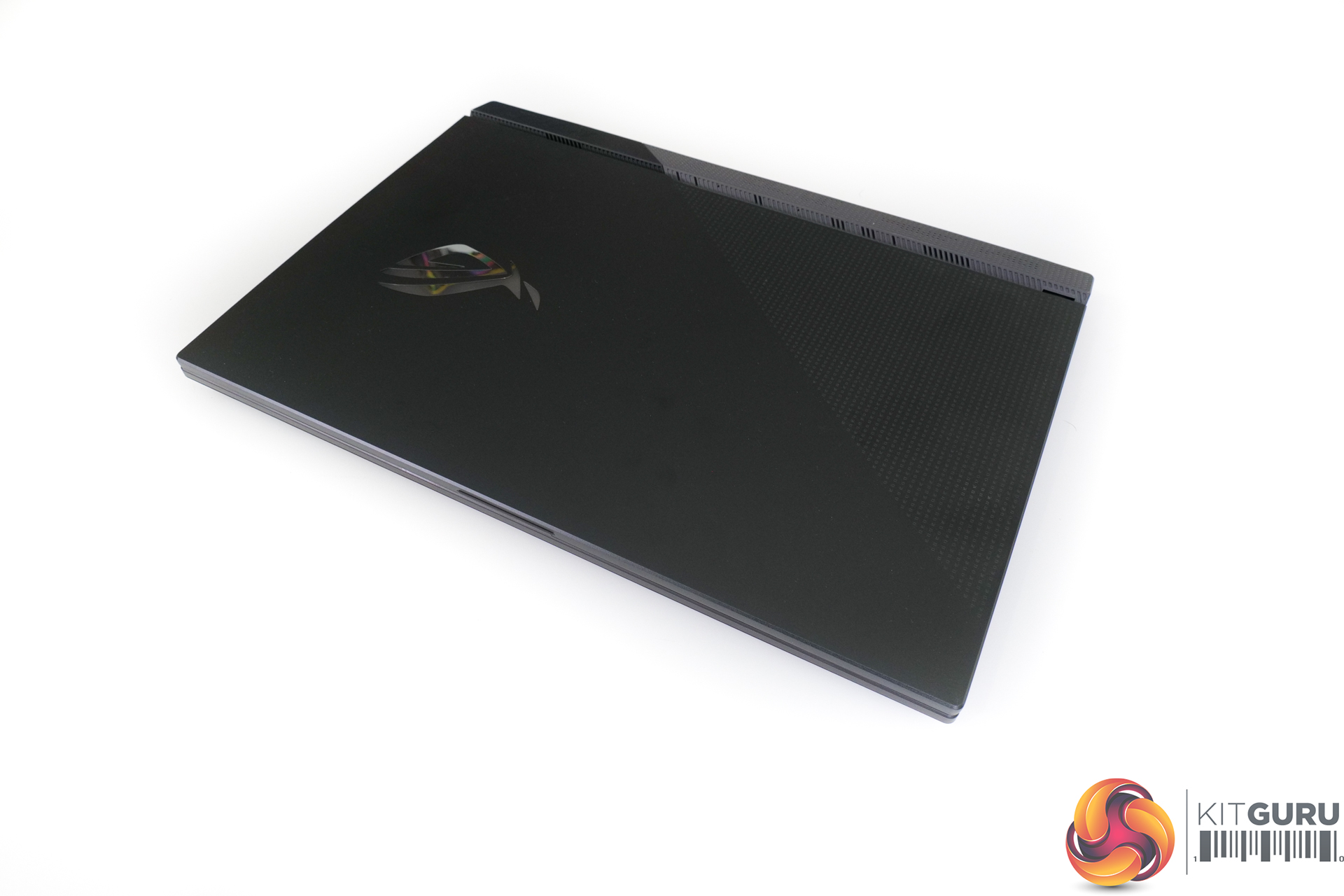
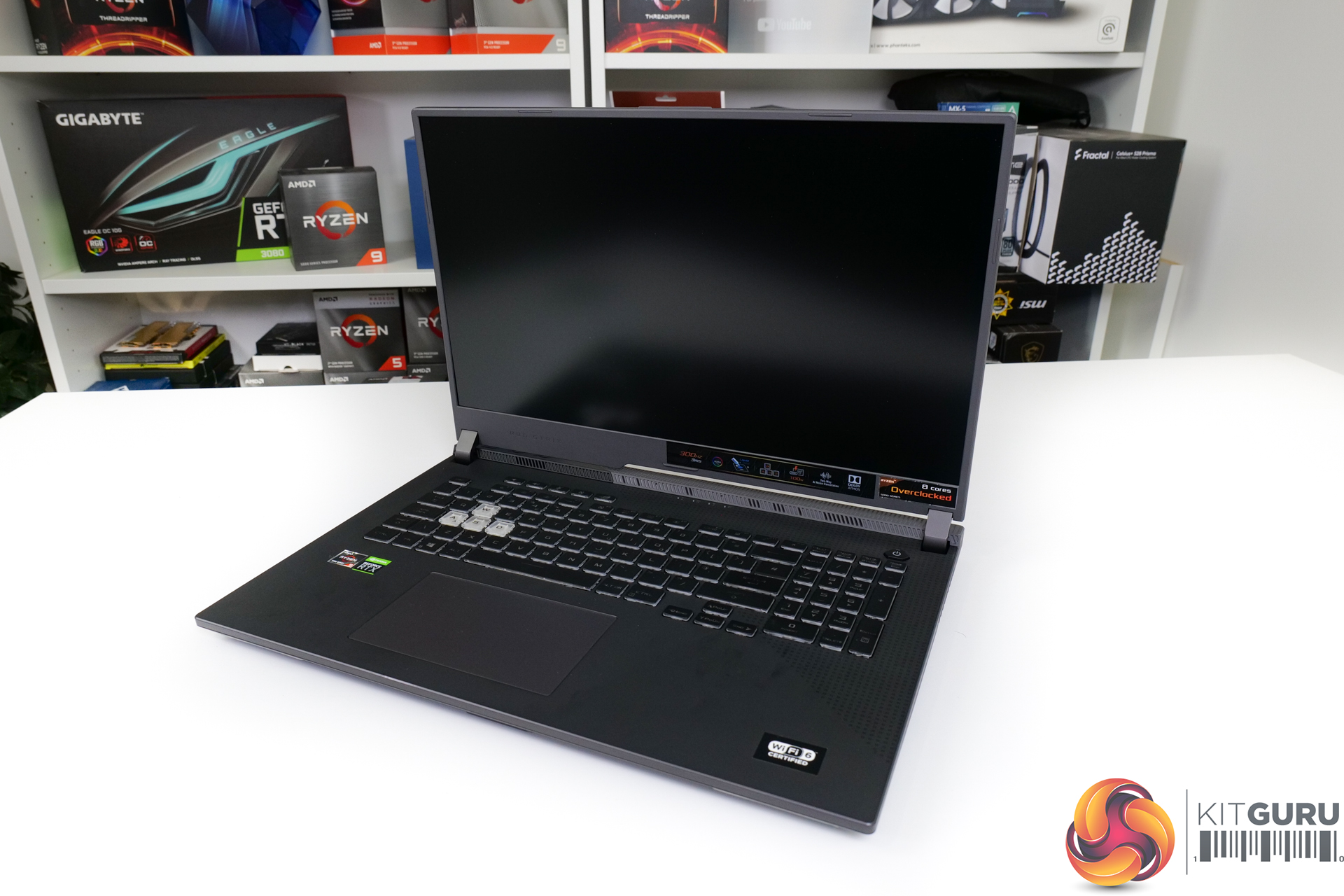
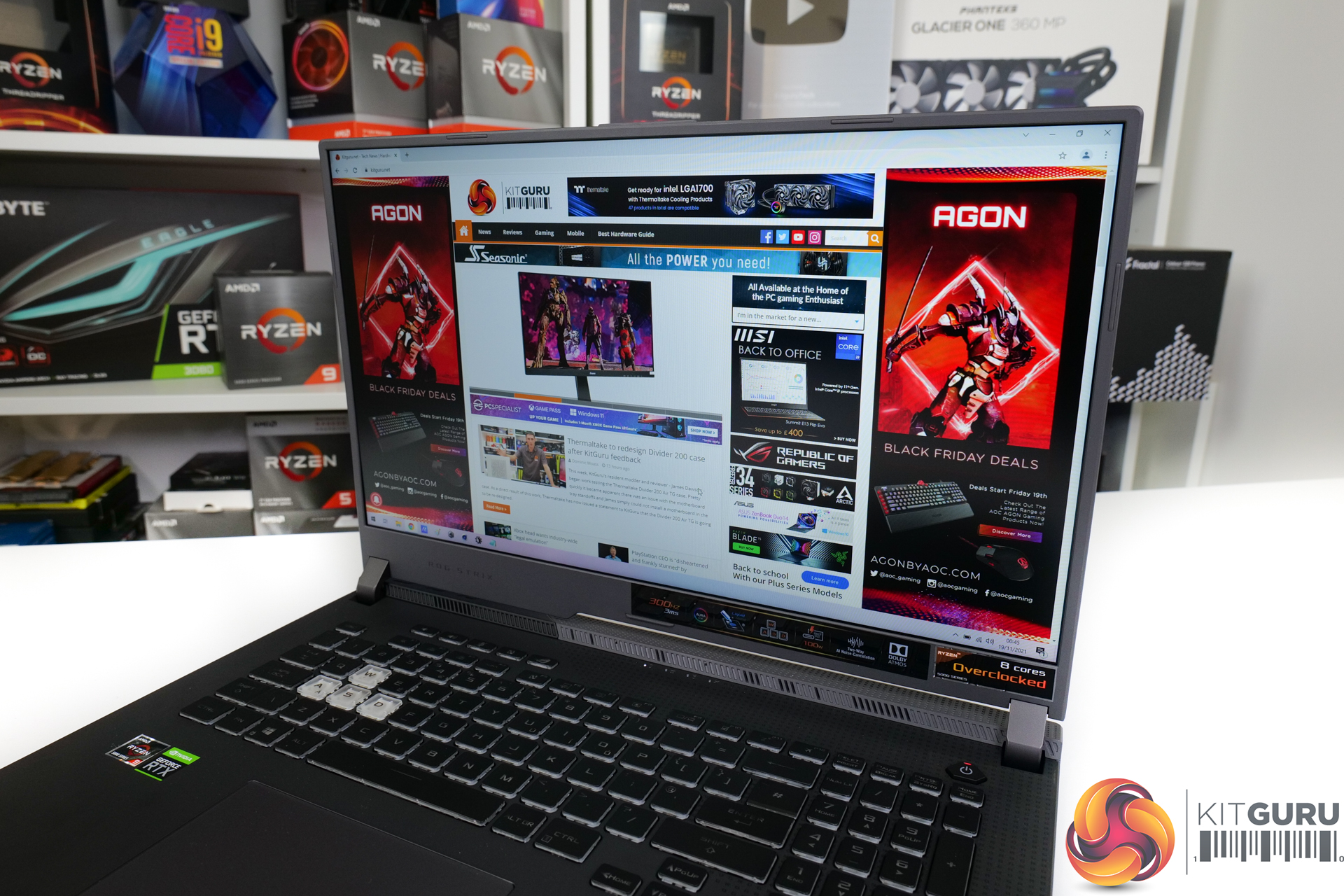
Starting with the design of the ASUS ROG STRIX G17 G713QR-HG026T, the 17.3” class unit is evidently sizable. This is not a laptop that you will want to regularly lug around with 2.7kg weight (excluding the 240W barrel connection charger). With that said, sub-3kg is actually very impressive for a 17” class laptop, and the thin bezels on the sizable screen make the unit a little sleeker than some of its competitors.
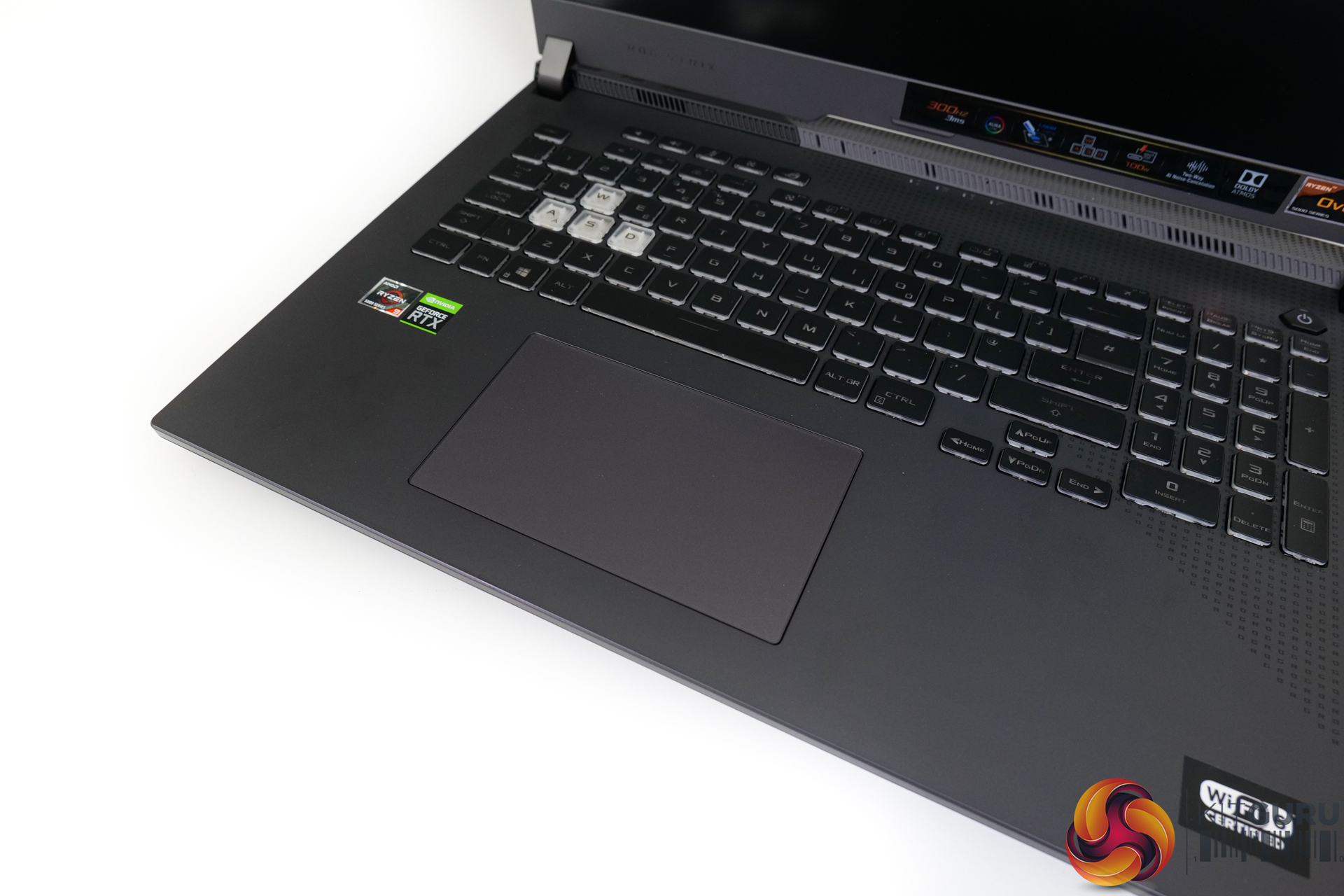
The build is primarily plastic, though ASUS has done a good job to ensure that the chassis feels sturdy and with an appropriate degree of stiffness. Fingerprint resistance is exceptionally good, and I personally feel that the grey colour scheme is OK. Though this is certainly down to individual preference. Five dedicated hot keys is a positive, but a complete lack of a webcam or fingerprint reader is disappointing in 2021.
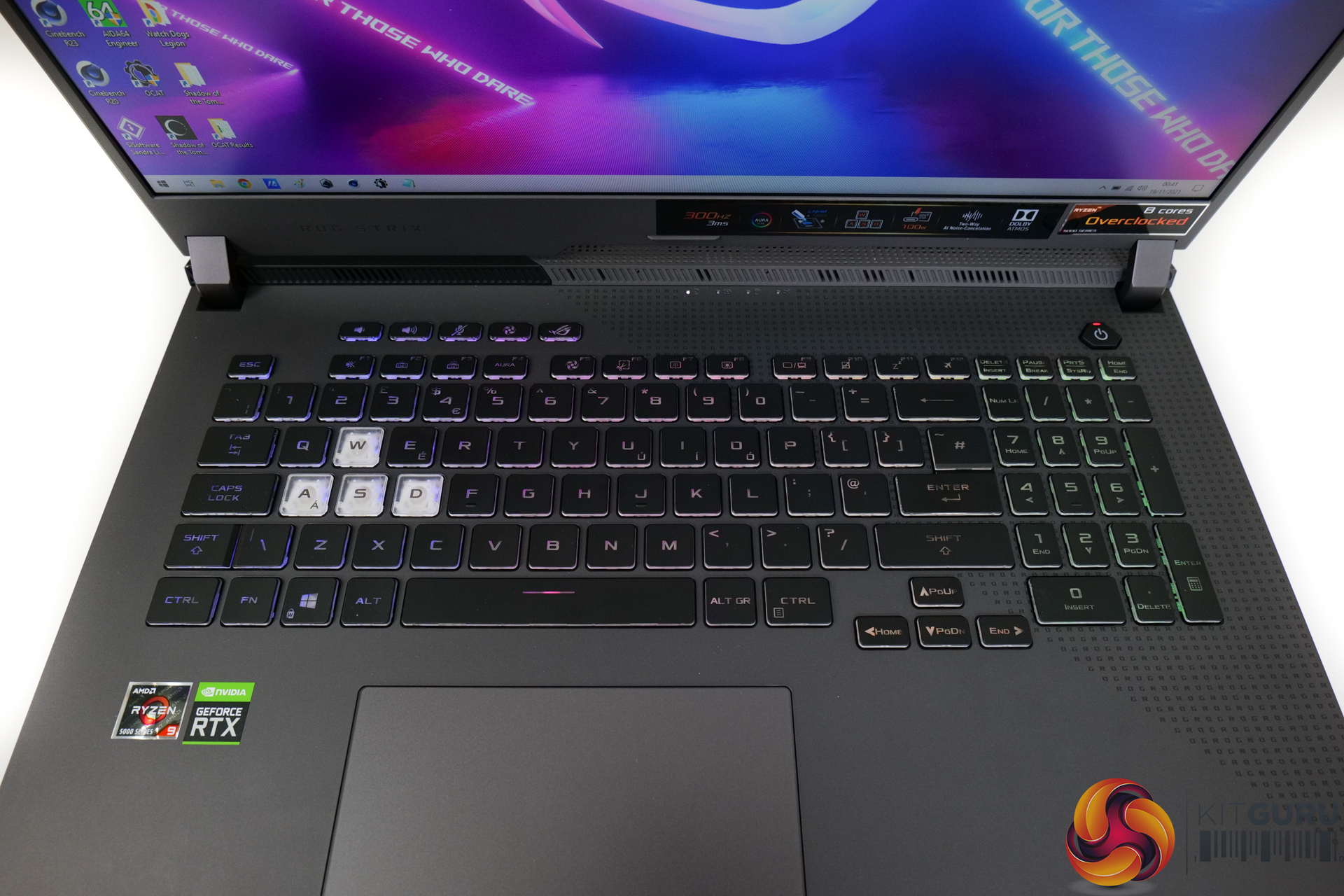
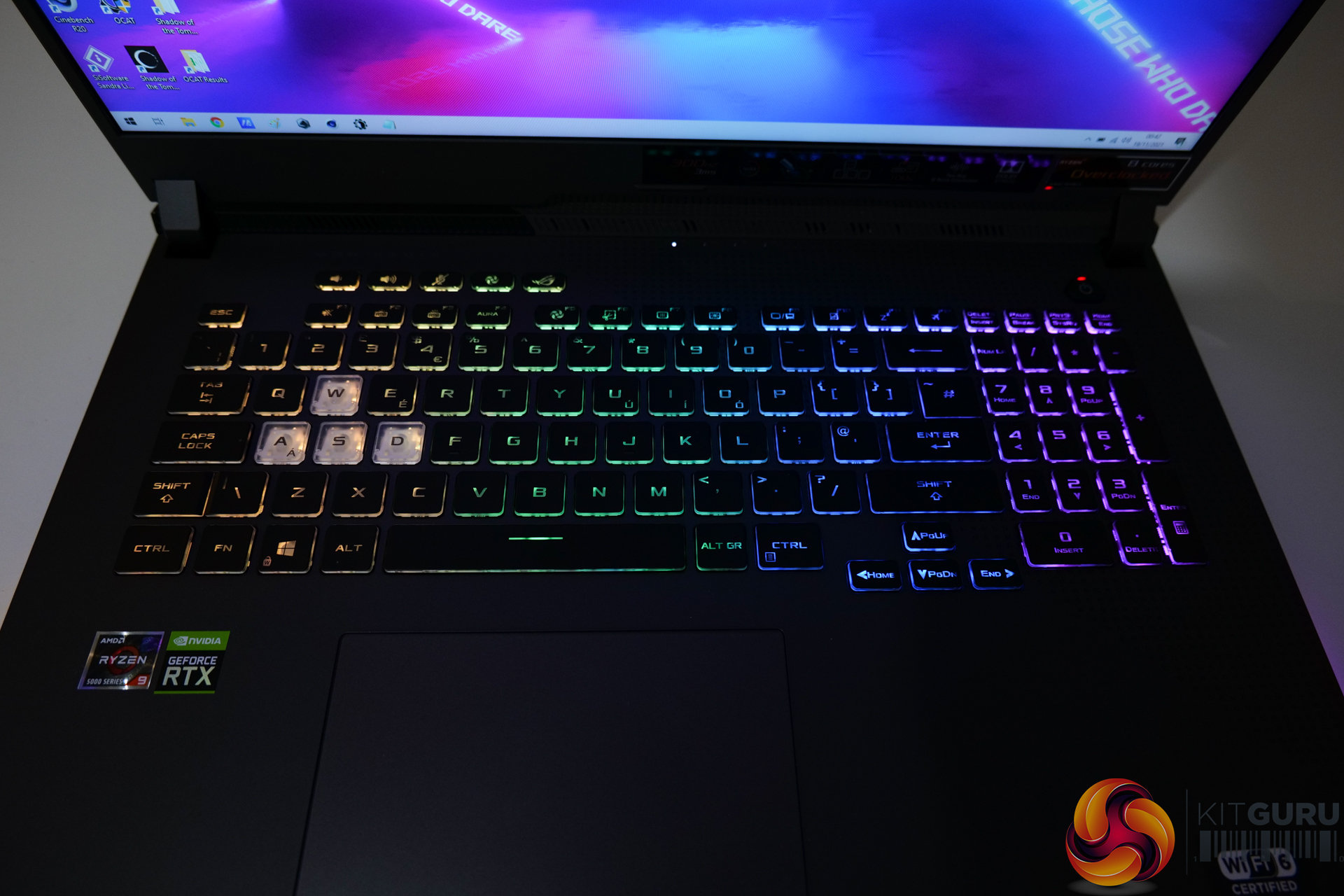
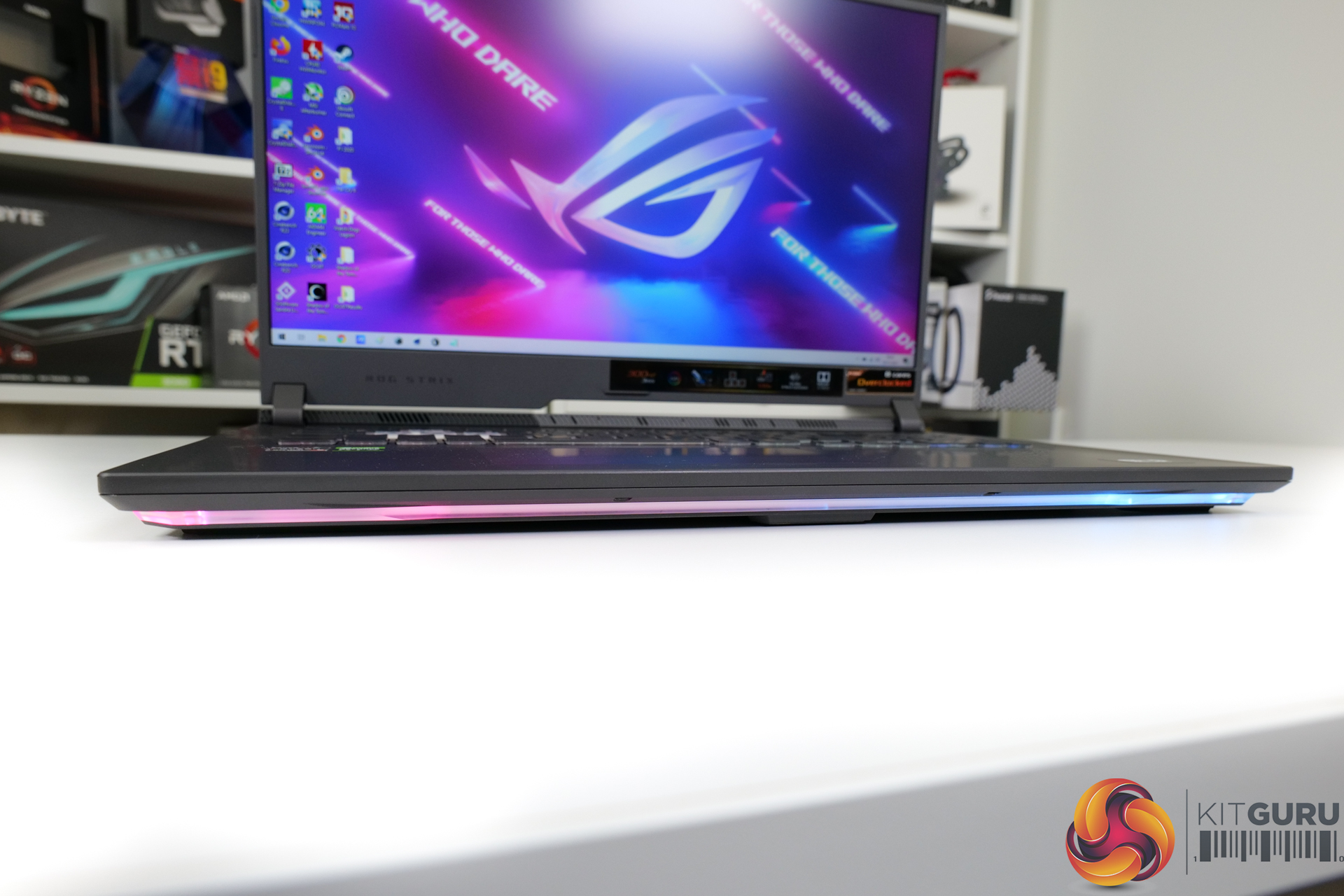
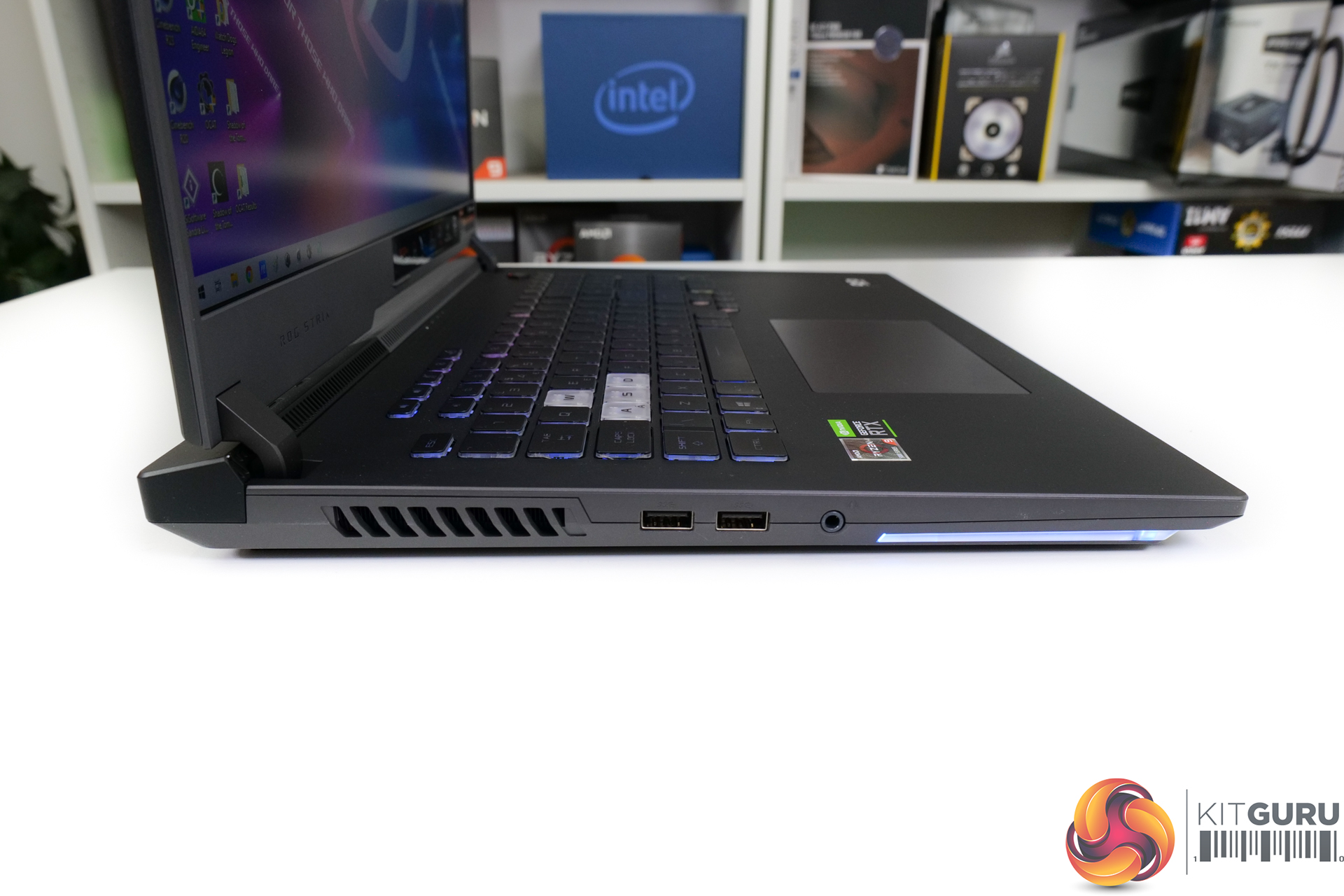
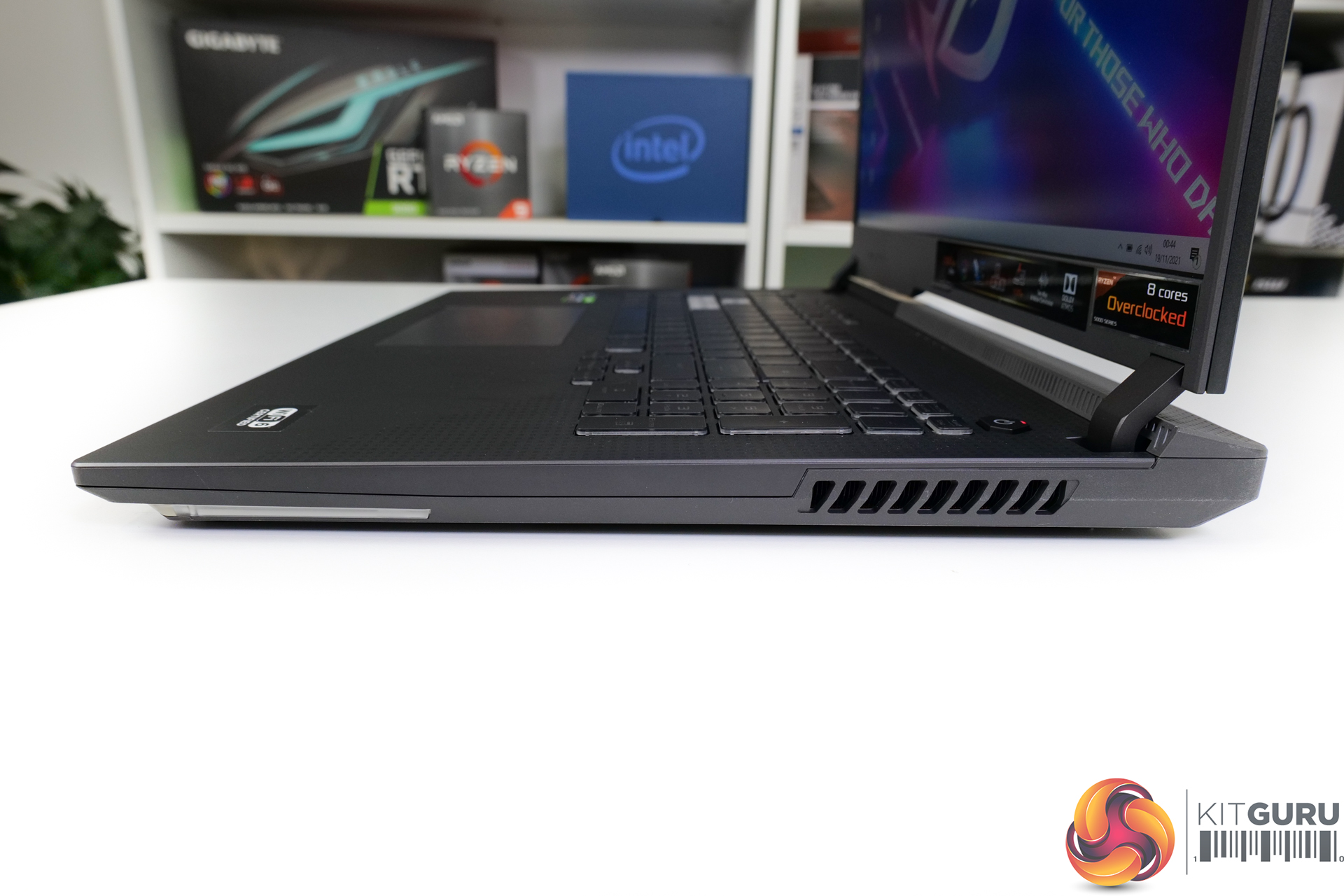
ASUS’ gaming styling is evident throughout the STRIX G17, and I feel that is a good thing. You get appealing angles, ventilation holes, RGB lighting, highlighted WASD keys, and a premium hinge design. Speaking of the hinge, one finger lifting is possible and easy. Well done there, especially for this 17.3” display iteration that flips back somewhere in the order of 120 to 135 degrees.
In terms of peripherals, ASUS has done a solid job with the keyboard quality and design, except for the half-height enter key of course. There is basically zero flex even when pushing hard on the keys. And I feel that key pitch is smartly done for the laptop’s sizable 17” form factor. In fact, ASUS also includes a full-sized number pad which strikes me as efficient use of space.
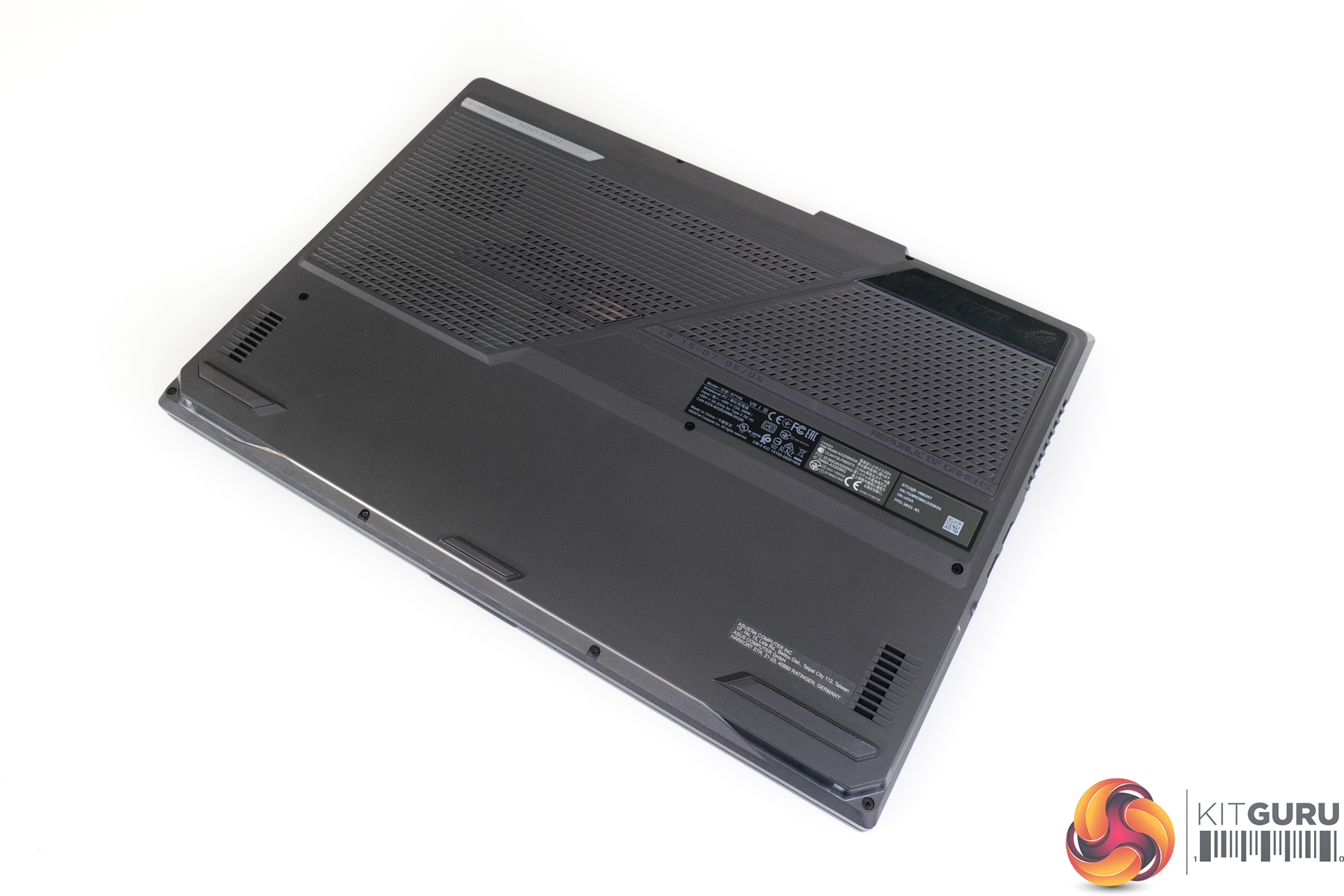
I have no complaints about the trackpad; it is smooth and large and the tactile clicky keys work well. Though I would have preferred visual segregation for the click keys, but that is a touch of personal preference. In terms of audio, the downwards-pointing speakers mounted on the chassis underside are deceptively good performers. Bass feels a little empty, but the audio sounds clean even at the unit’s impressively high volume levels.
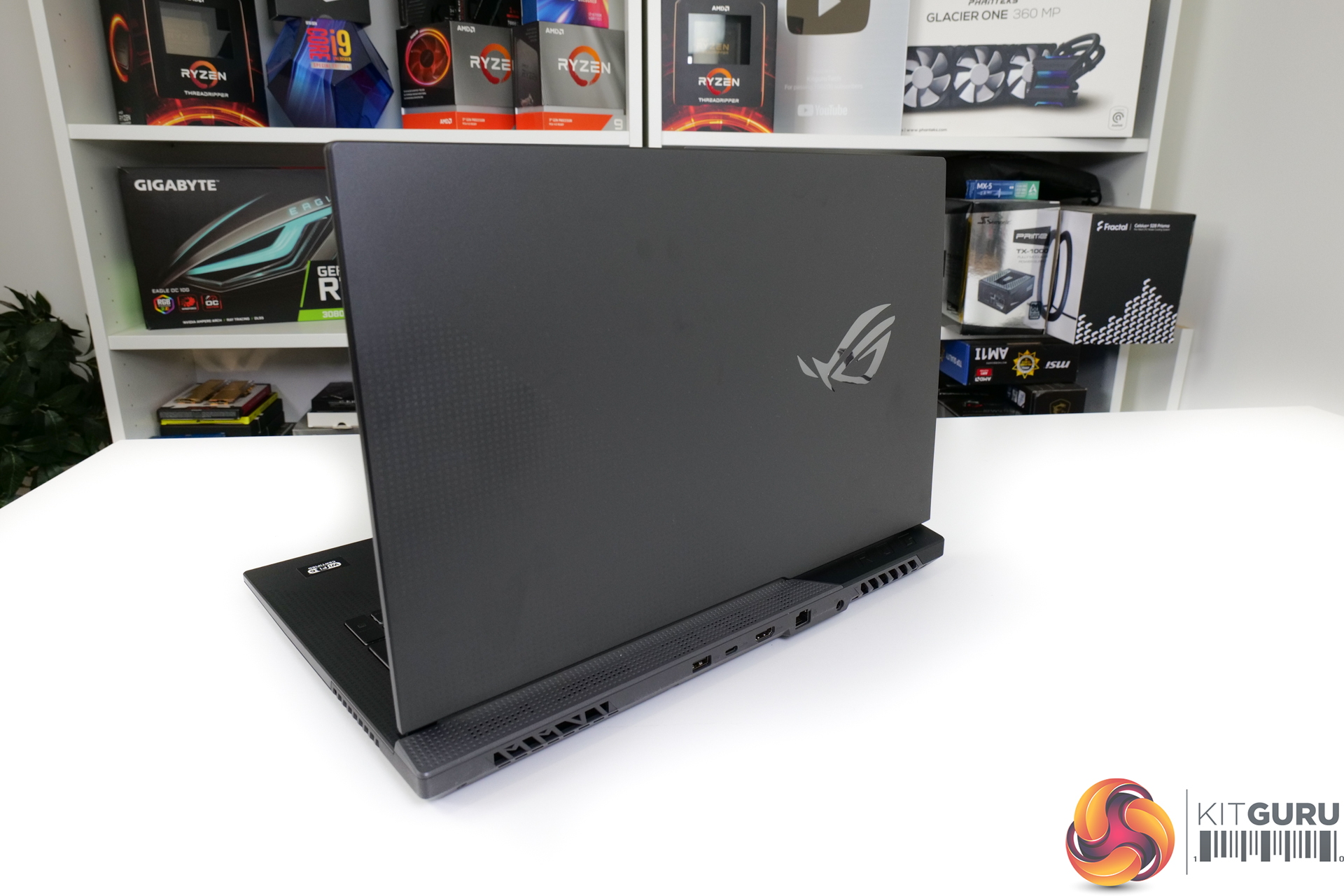
Connectivity is fine, but not particularly inspiring for a 2021 laptop. There is Intel AX200 WiFi 6 (not 6E) with BT 5.1, a Realtek Gigabit Ethernet port (not 2.5GbE), and no SD card reader or Thunderbolt; the latter of which is somewhat understandable for the AMD platform. Further port connectivity comes in the form of three USB Type-A, USB Type-C with display output and 100W power delivery capability, a 3.5mm audio jack, and HDMI 2.0b (not HDMI 2.1).
I guess that the configuration will be fine for most users. Some people may see the networking connectivity as having limited future upgrade potential. And the lack of HDMI 2.1 is very disappointing indeed, especially for occasional 4K120 TV users.
Focussing on the screen, ASUS deploys a 17.3” 1920×1080 FHD screen with a 300Hz refresh rate and 3ms response time. This ‘IPS-level’ panel is clearly targeting enthusiast gamers who want to push their titles at uber high FPS numbers. And that’s fine for the audience, given that a Full-HD panel with 75% Adobe colour coverage is unlikely to impress too many content creators. The visual quality itself is actually good in my opinion, and the peak brightness was fine for my own testing usage (that doesn’t include outdoors in the UK autumn/winter).
The 300Hz refresh rate is incredibly smooth. If you’re a gamer who wants a fast screen on the laptop, this makes sense. And that’s especially potent as driving a high refresh rate 1440p screen (albeit not at 300Hz) would likely be too demanding on the hardware.
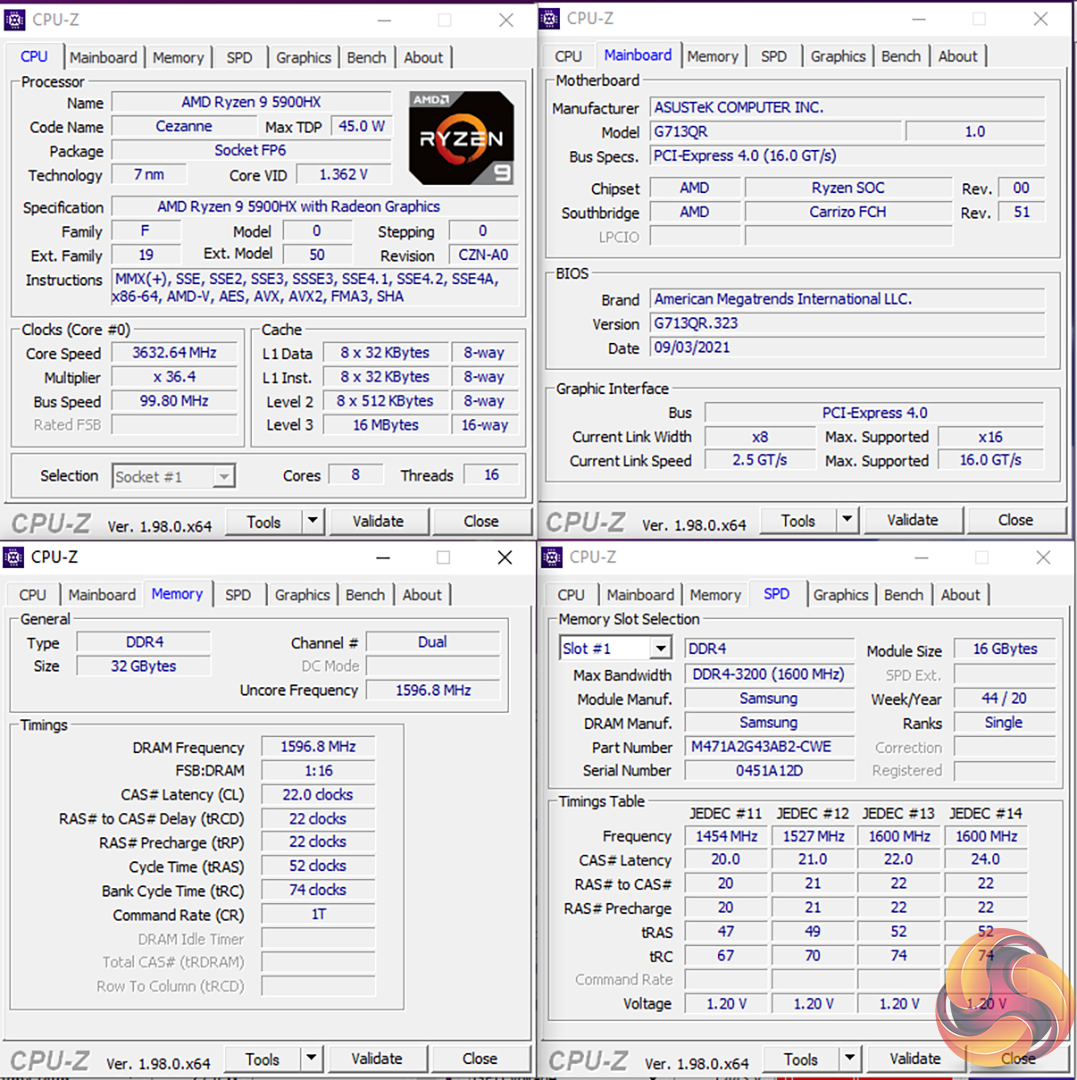
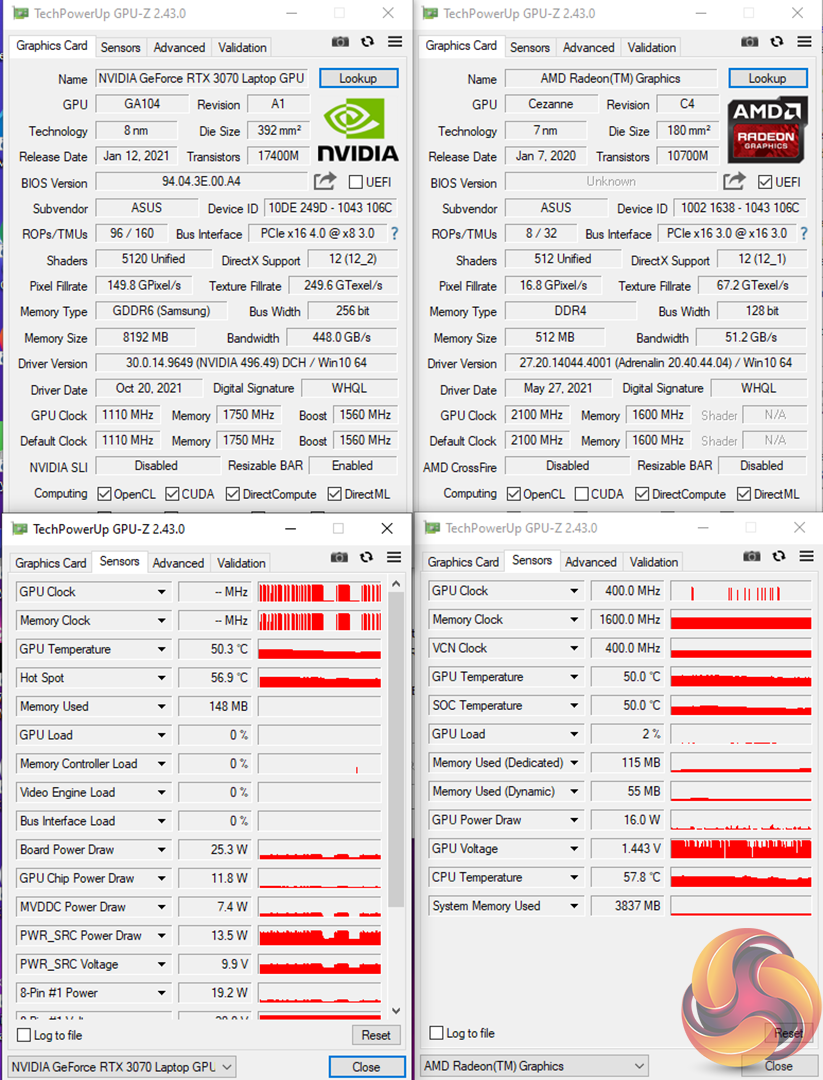
Speaking of hardware, ASUS deploys an eight-core AMD Ryzen 9 5900HX 45W TDP processor alongside the Nvidia RTX 3070 Laptop 8GB GPU in its 115W form, with capability of up to 130W with Dynamic Boost. 2x16GB of DDR4 memory gives 32GB capacity running at 3200MHz CL22. This trio seems like an incredibly sensible setup for a 17” laptop given the well-matched CPU and GPU alongside a comforting 32GB of DDR4 memory.
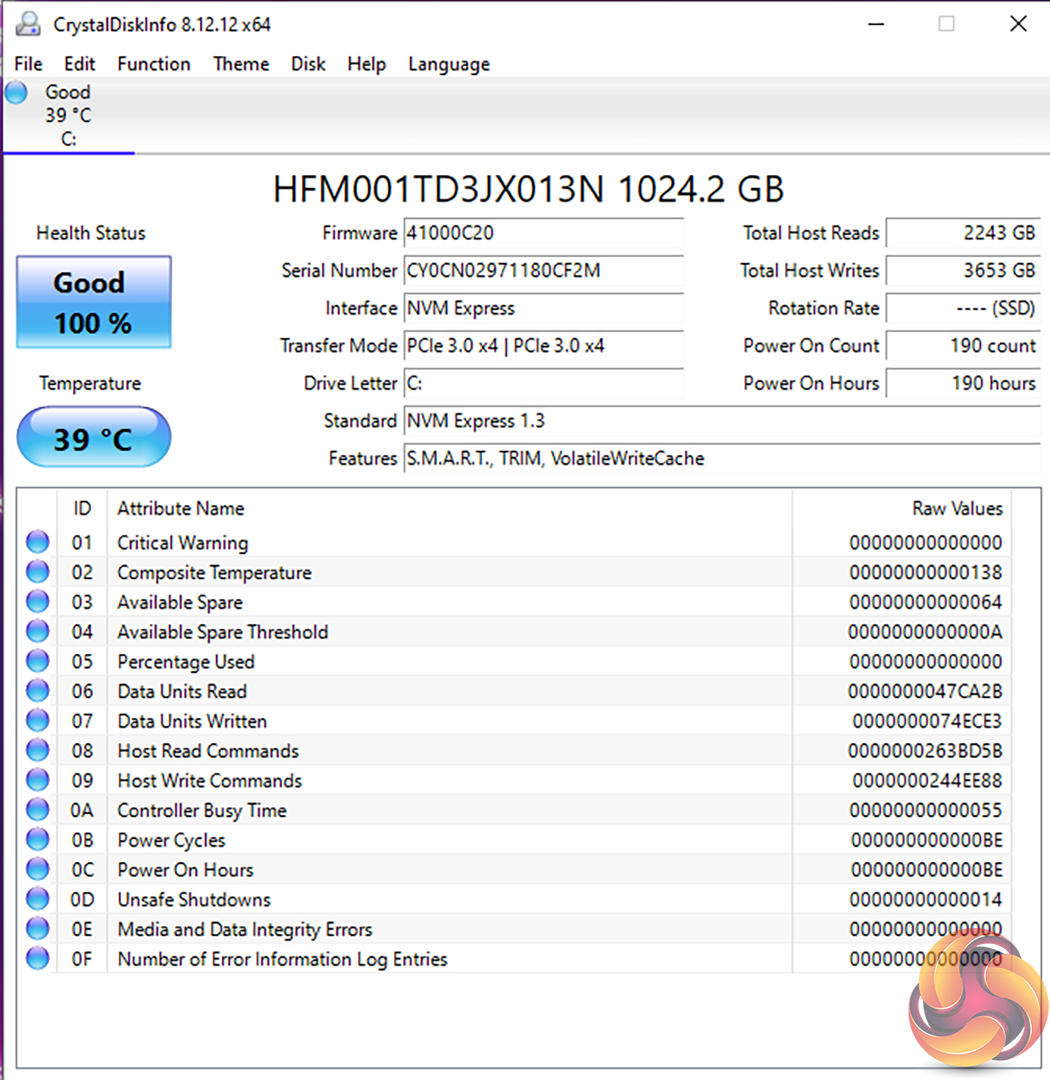
The SSD is a 1TB SK Hynix BC711 NVMe drive which runs at PCIe Gen 3 x4 as the AMD Mobile platform disappointingly does not support PCIe Gen 4. Of course, there is also the integrated GPU of the Ryzen 9 5900HX chip, so this should help to extend battery life from the 90Whr 4-cell unit.
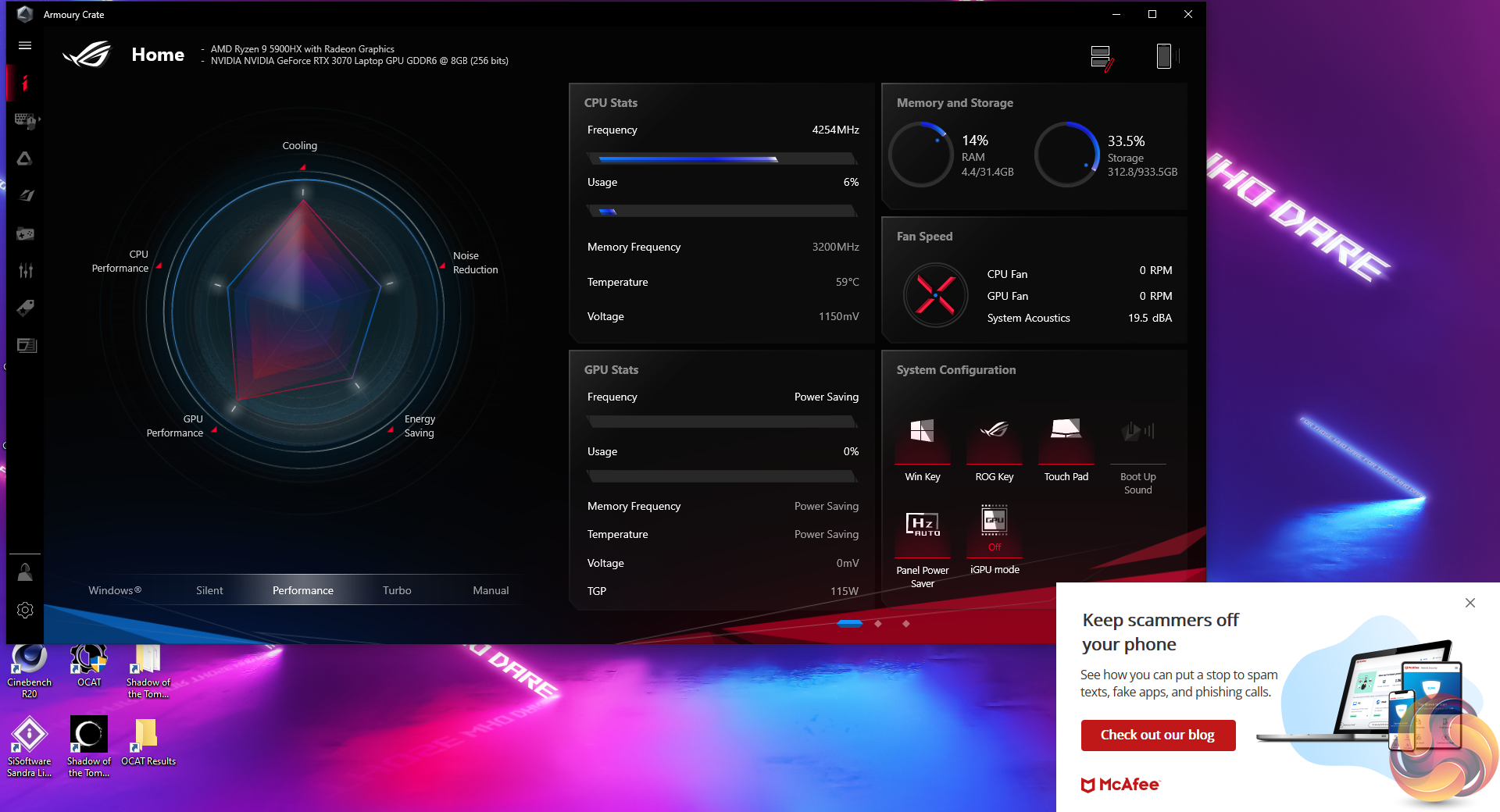

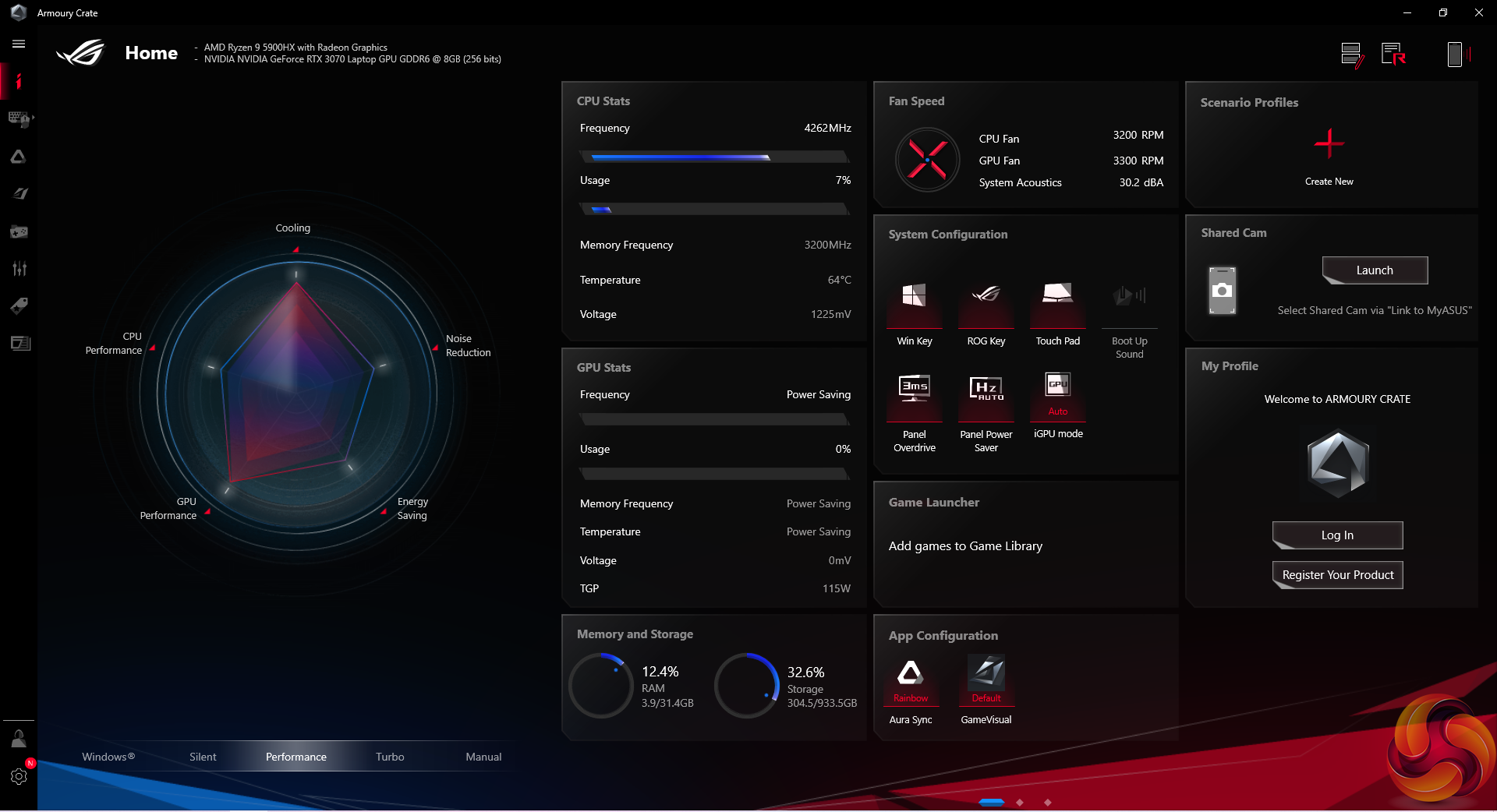
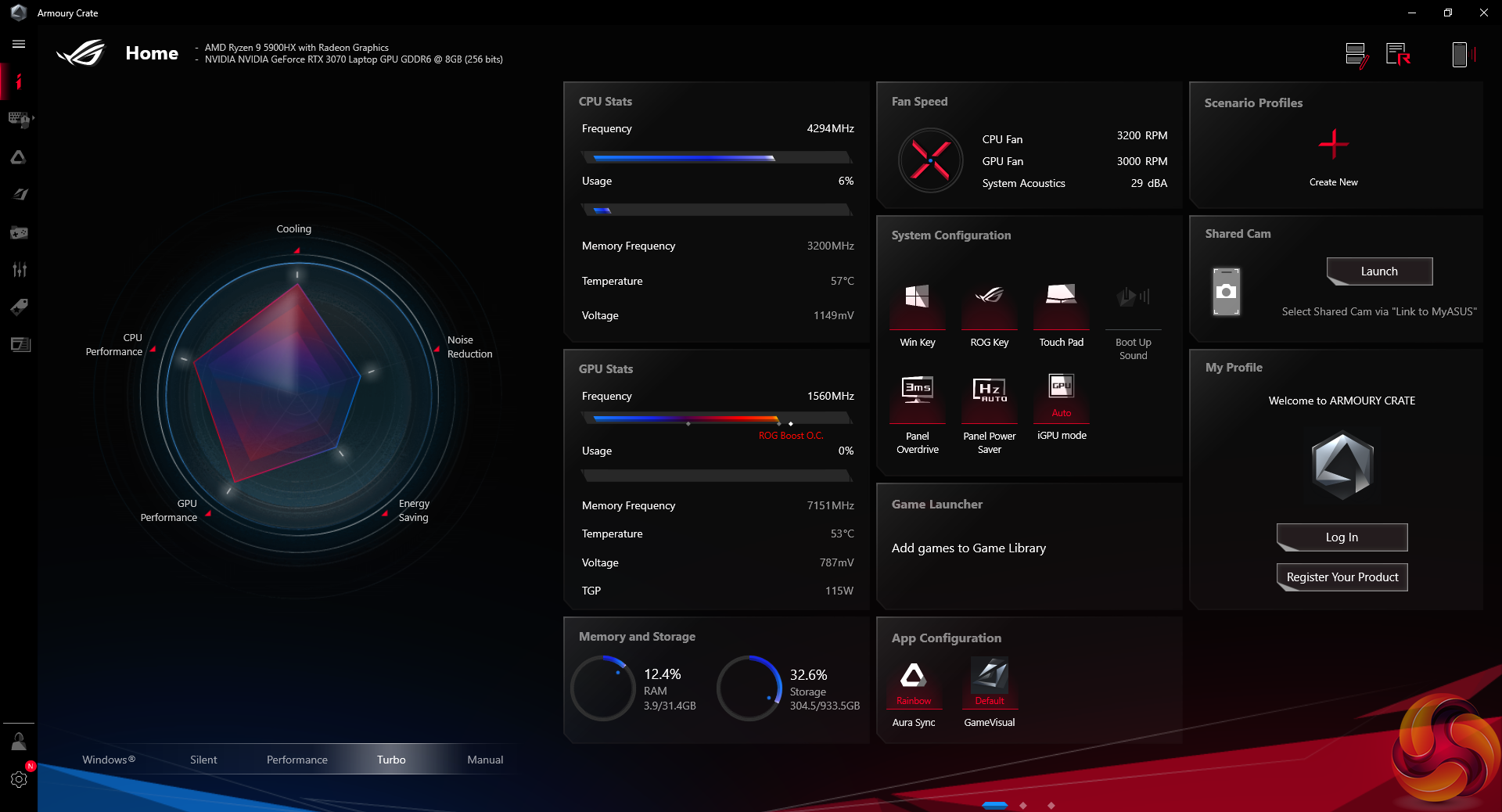
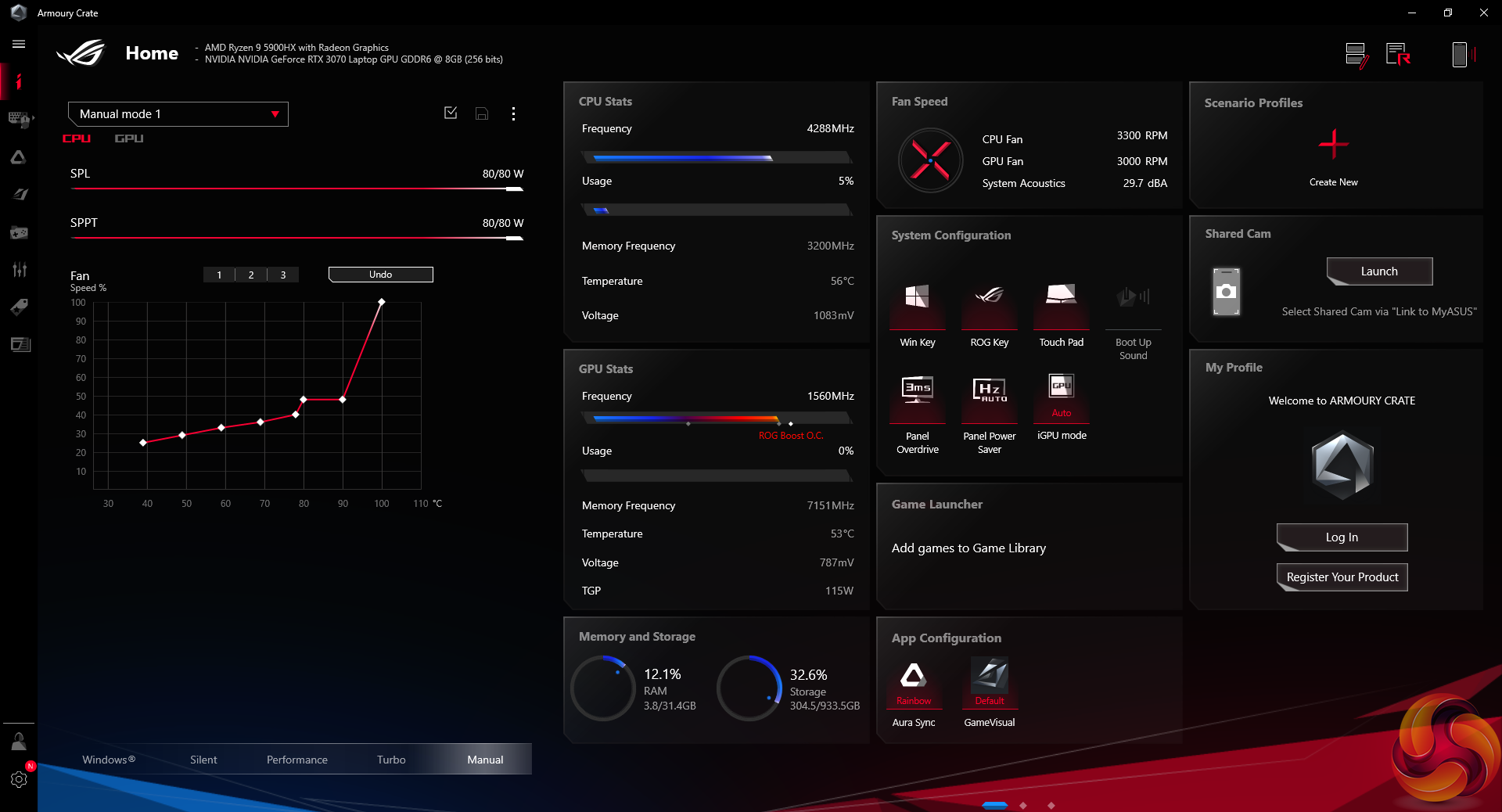
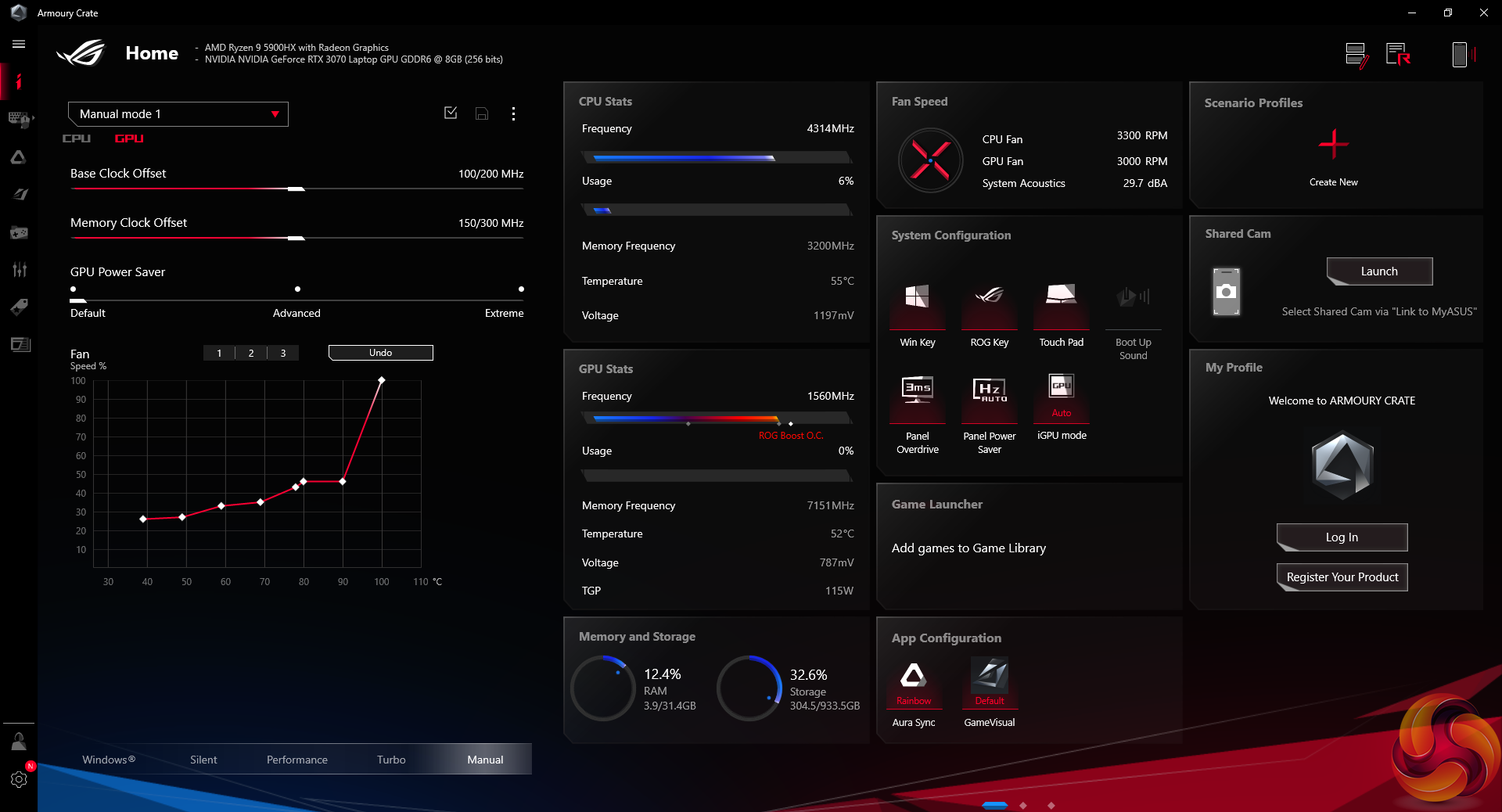
ASUS shipped our sample with Windows 10 Home, though this can no be updated to Windows 11. Serious negative points to ASUS for the annoying inclusion of bloatware such as McAfee – which irritatingly pops up far too often. Thankfully, the annoying ASUS ROG swoosh sound that plays during start-up can be enabled or disabled.
Armoury Crate is the primary port of call for handling system operations, and here ASUS does well at including a sensible set of pre-defined operating modes with clear guidance as to their functions.
We are examining the ASUS ROG STRIX G17 G713QR laptop for use as a gaming machine as well as a compute workstation. Testing is conducted using the Performance Armoury Crate mode which we feel offers sensible balance.
Comparison laptop data taken from Dom's recent laptop testing where relevant, as shown HERE.
Comparison CPU data taken from our recent Core i9-12900K review with freshly gathered data, as shown HERE.
Tests
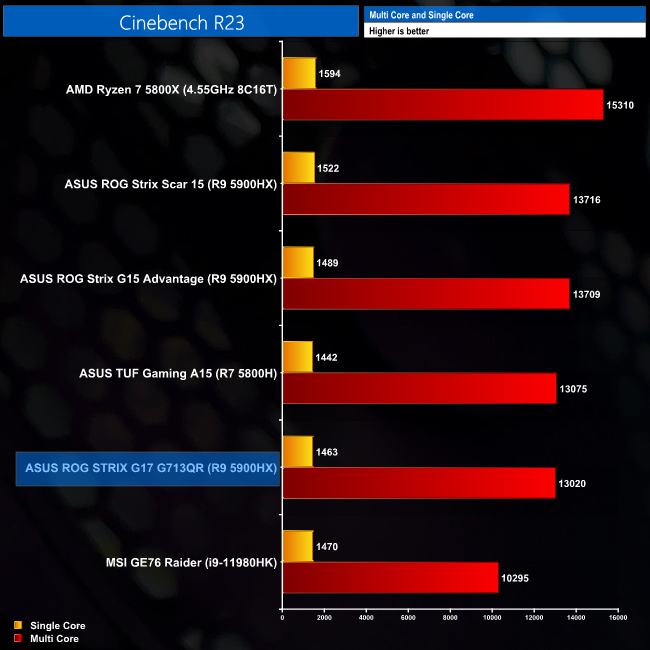
- Cinebench R23 – All-core & single-core CPU benchmark (CPU Compute), Stress test (Temperatures & Power Consumption)
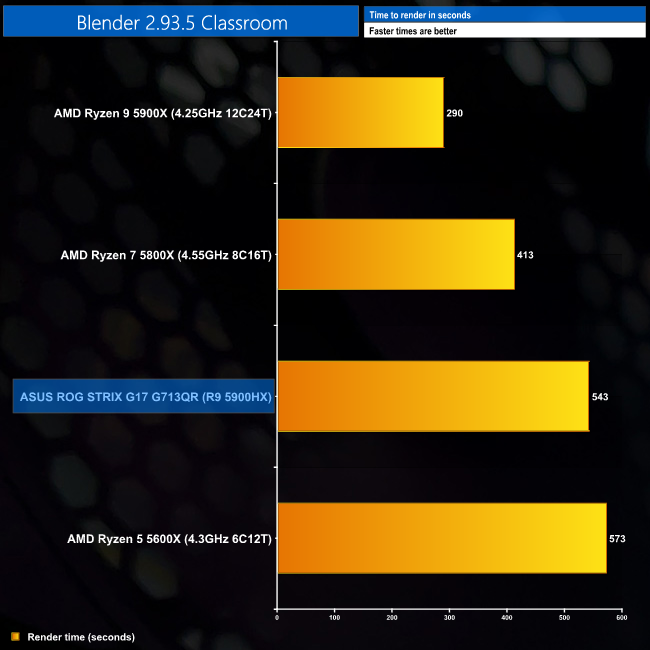
- Blender 2.93.5 – All-core rendering of the Classroom scene (CPU Compute)
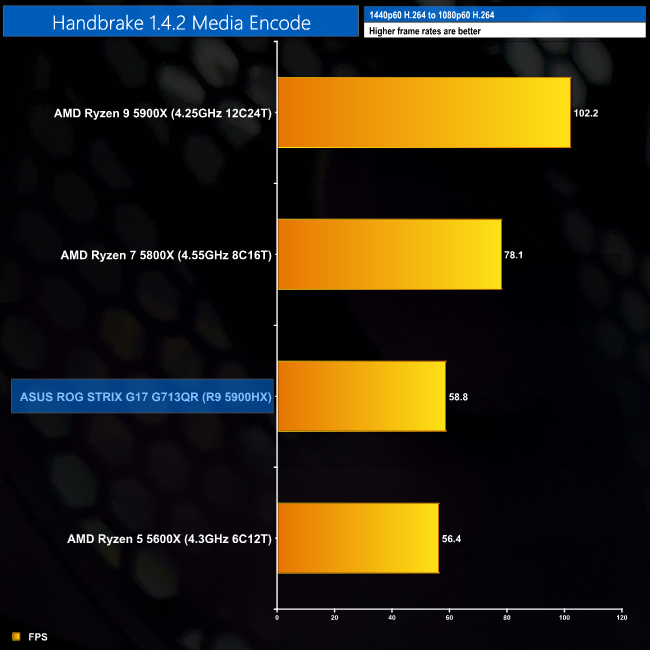
- HandBrake H264 – Convert 1440p60 H264 video to 1080p60 H264 using the YouTube HQ 1080p60 preset (CPU+Memory)
- AIDA64 – Memory bandwidth (Memory)
- PCMark 10 – Modern Office & Battery Life Test (Battery Life)
- 3DMark – Time Spy (1440p) test, Fire Strike (1080p) test (Gaming)
- F1 2020 – 1920×1080 Ultra High quality preset, DX12 (Gaming)
- Far Cry 6 – 1920×1080 Ultra quality preset, HD Textures OFF, no AA, DX12 (Gaming)
- Shadow of the Tomb Raider – 1920×1080 Highest quality preset, no AA, DX12 version (Gaming)
- Watch Dogs Legion – 1920×1080 Ultra quality preset, DX12 version (Gaming)
CPU Performance
Blender 2.93.5
Cinebench R23
Handbrake
CPU Performance Summary:
Starting off with Blender performance as compared to desktop Ryzen CPUs, we see the ASUS ROG STRIX G17 and its 8-core Ryzen 9 5900HX sitting just above a higher-powered desktop Ryzen 5 5600X's performance level. Handbrake's performance hierarchy shows the same trend.
In Cinebench R23, the G17 actually sits a little behind the Ryzen 7-equipped TUF Gaming A15 in our charts. This result is repeatable and is around 5% lower than I would expect from the G17 given the Ryzen 9 5900HX G15's performance. I am pointing the finger at sustained cooling performance or BIOS revisions here.
Memory Performance
AIDA64
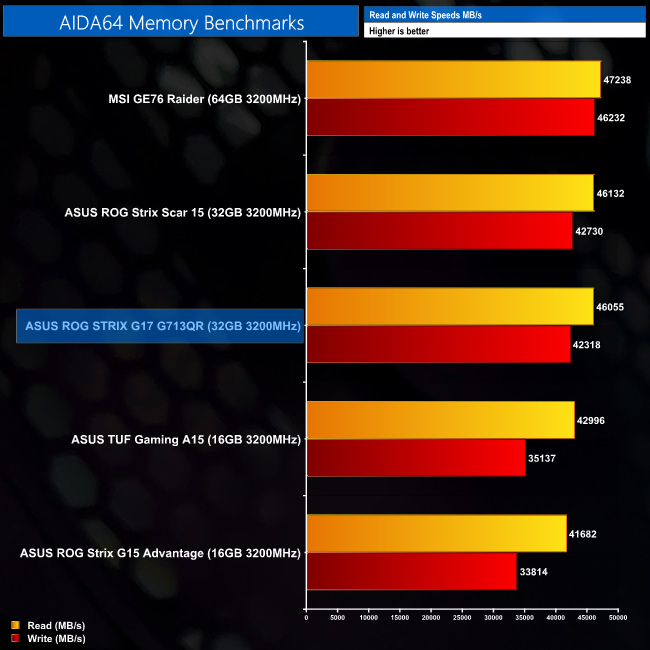
Memory performance is right where we would expect it to be for 2x16GB of 3200MHz DDR4 at CL22.
Drive Performance
Crystal Disk Mark
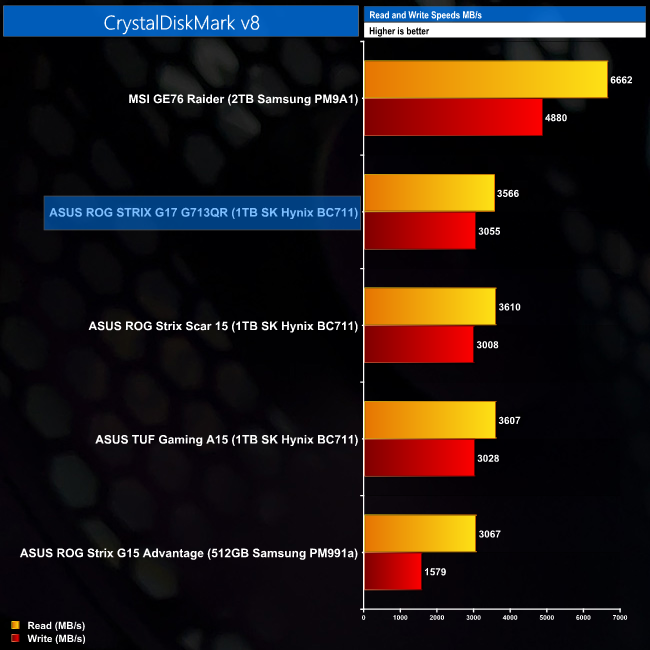
The SK Hynix BC711 1TB NVMe SSD looks to be a reasonable performer. This drive makes logical sense on the G17, as the AMD mobile platform does not support PCIe Gen 4, disappointingly. That highlights why the MSI Intel-based competitor is so vastly superior in terms of SSD performance.
Fire Strike GPU
Time Spy GPU
Time Spy CPU
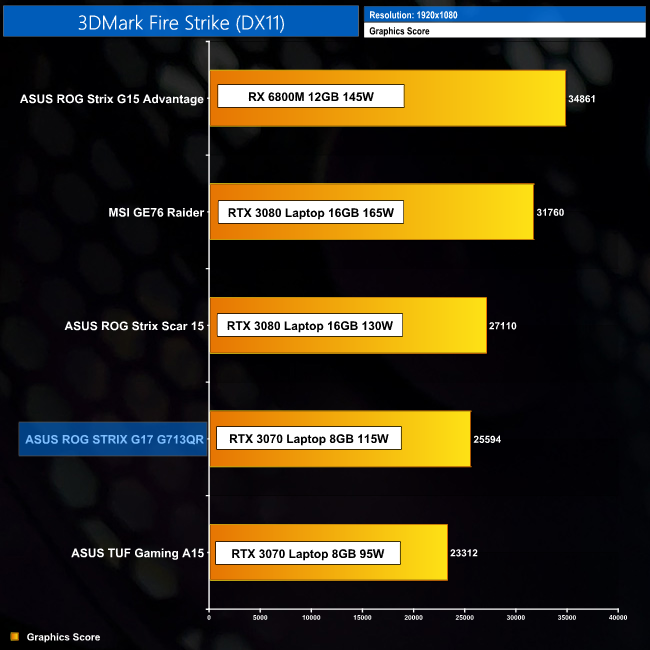
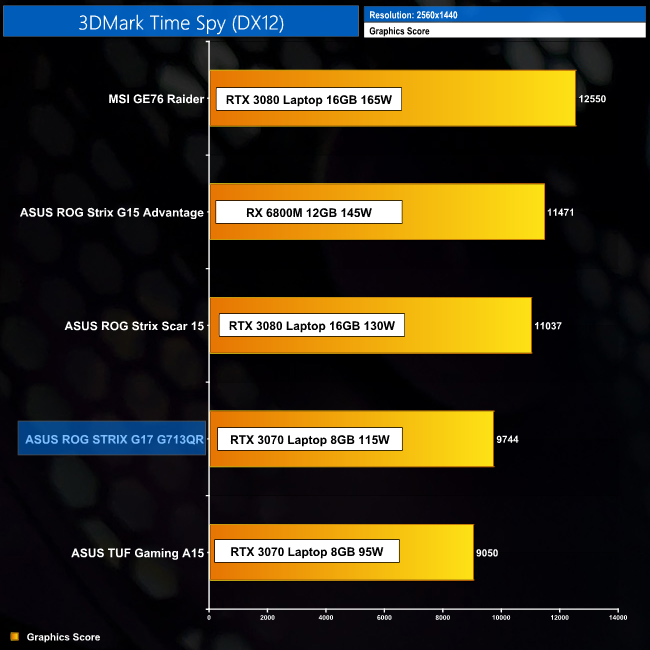
GPU-focussed performance in 3DMark is basically a chart showing the power limits allowed to each laptop GPU. With its 115W TGP, the STRIX G17 sits above the 95W RTX 3070 in ASUS' TUF Gaming A15. But the 130W RTX 3080-equipped ROG STRIX Scar 15 is faster.
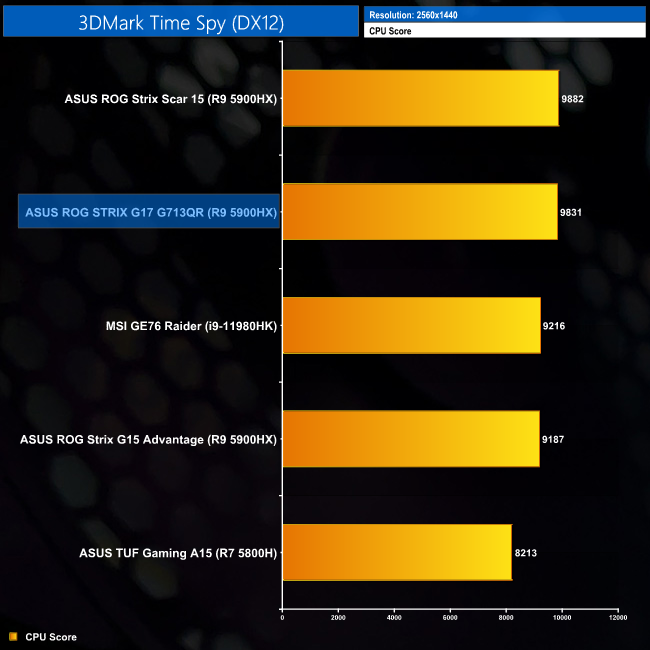
CPU-based scoring for the Time Spy test is an area where the G17 does very well, though. With this CPU test that is clearly less demanding than Handbrake or Blender, the ASUS laptop allows AMD's Ryzen 9 5900HX chip to flex its muscles at the top of our chart.
Gaming
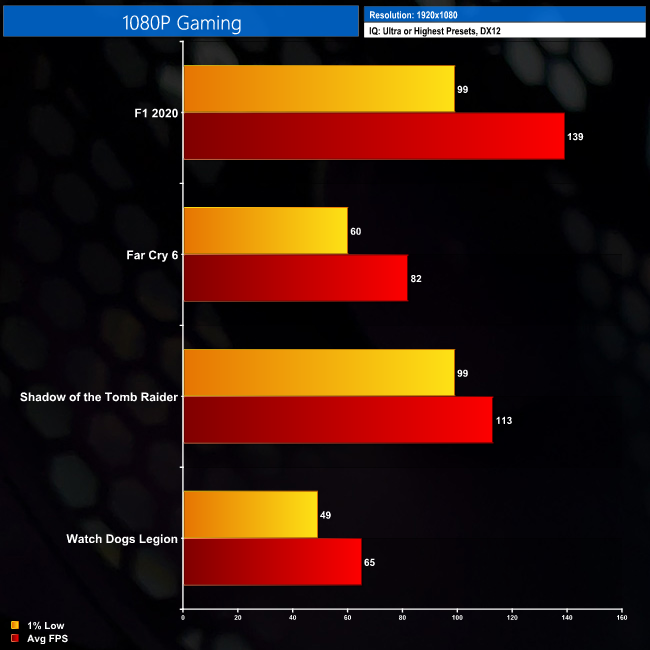
Driving that 300Hz panel anywhere near its default refresh rate will demand a reduction in image quality for newer and even older AAA titles. In isolation, however, the frame rates are solid for gamers who demand higher-than-60FPS whilst maintaining high levels of eye candy.
Of course, there is also the option to play less demanding eSports titles somewhere in the region of the display's 300Hz refresh rate.
Thermals
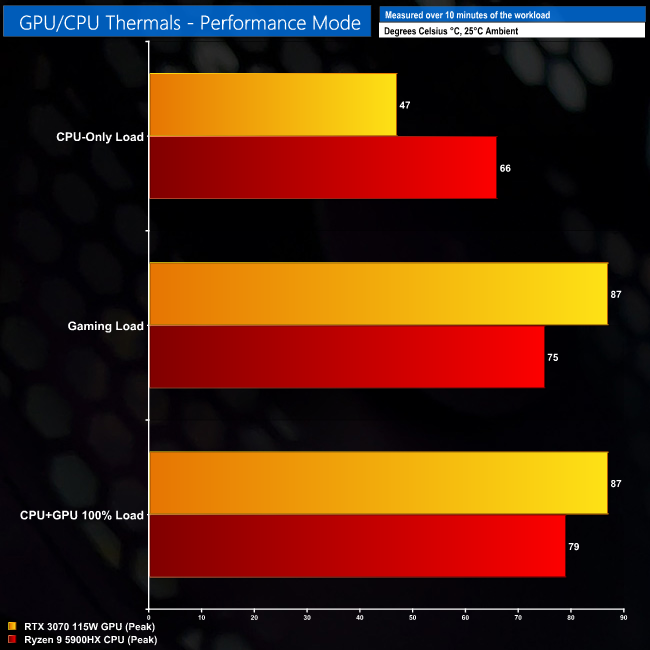
Cooling performance on the CPU side of the equation looks to be positive in terms of raw thermal numbers. Of course, the underlying CPU clock speed is also very important in this equation. We saw the Ryzen 9 5900HX running at around 3.4-3.5GHz in its long-duration 45W TDP mode. This figure dropped to more like 3.2GHz and 35W package power when the GPU was also loaded and prioritised from an energy and cooling perspective.
The GPU stays below 90C in our testing (ignoring Hot Spot temperatures that skirted around the 98C level), which is high for a 115W RTX 3070 versus some of the Intel competition we have seen. And that is when running at around 1350-1400MHz under the gaming conditions, and around 1290MHz under the CPU+GPU 100% load situation. The RTX 3070 8GB chip gobbled up most of its allowable 115W of power from the laptop.
Thankfully, I had no issues touching the laptop's surface and carrying on with normal duties. The keyboard area did not get hot to the point where it was uncomfortable. This is largely a by-product of the laptop's plastic design that struggles to even transfer heat from the components to the keyboard area (that's at least one positive for a plastic chassis, I guess).
Noise
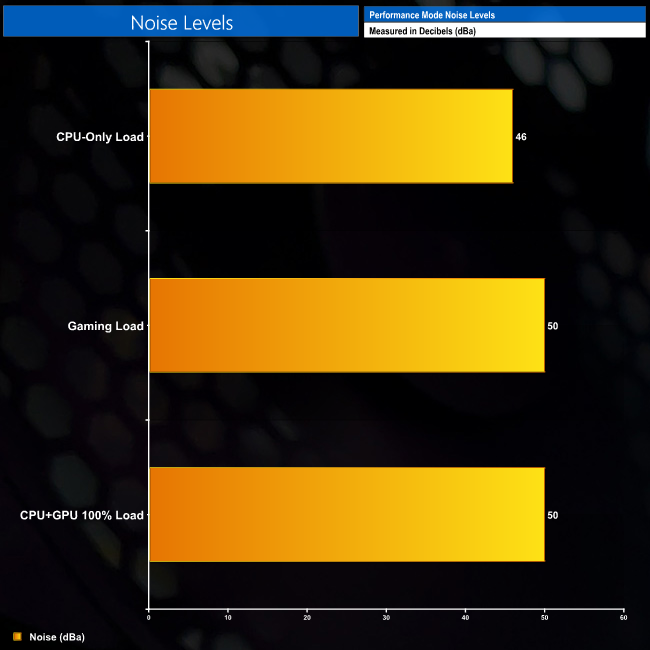
There is no way that would describe the G17 as quiet with both of its fans running just above 4300 RPM under heavy CPU+GPU loading. However, the noise level was tolerable whilst gaming and actually quite reasonable as far as gaming laptops go.
The physically large form factor of this 17″ beast is likely helping ASUS' cooling provisions in terms of noise output. Under gaming load, the laptop consumed 158W at the wall. This increased to 168W with both the CPU and GPU fully loaded.
Battery
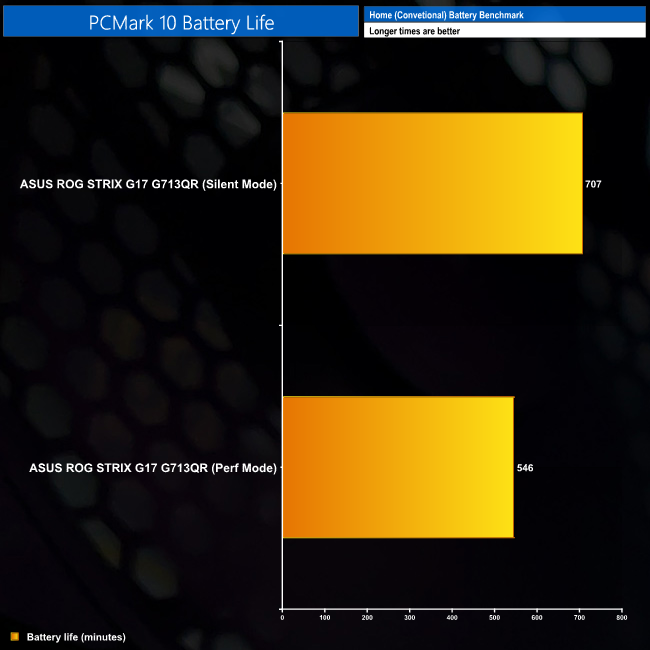
Battery life for the G17 G713QR is absolutely astonishing. We managed over 11 hours of the PCMark 10 Modern Office test from this 17″ laptop when running its Silent mode. That is an outrageously good showing!
Even with the hardware cranked up to the Performance Mode under battery operation, the laptop runtime was still a very respectable 9 hours. ASUS has done an absolutely superb job for battery capability that means this laptop can actually be used without its charger for a day of work.
In the ROG STRIX G17, ASUS has delivered a well-specced laptop that packs a hefty punch in terms of raw performance. The Ryzen 9 5900HX CPU and RTX 3070 Laptop GPU in its 115W form complement one another well, and the combined 32GB of DDR4 is good to see.
Of course, running the 17.3″ FHD display anywhere near its 300Hz refresh rate is not really possible for AAA titles. But if you're more interested in less demanding gamers or older titles, there is the possibility of getting FPS close to those high levels given the hardware on offer.
Battery life is astonishingly good from the 90Whr pack. This surprised us as we did not expect a 17″ calibre gaming laptop to offer 11 hours of usage under the PCMark 10 test. That is incredible. And the cooling performance from the liquid metal-equipped configuration was solid in our testing, with noise levels that we considered to be very tolerable.
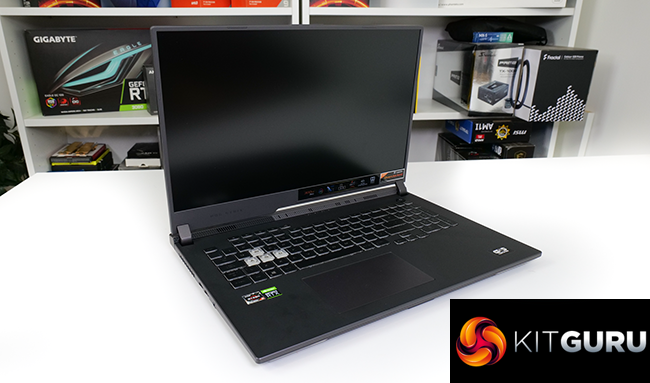
Build quality is strong and I like the subtle but eye-catching RGB LED lighting. With that said, there are a few minor gripes such as the half-height enter key. ASUS' pre-installed software that includes constant McAfee pop-ups is infuriating. But thankfully, Armoury Crate serves its purpose in delivering functionally useful operating modes to the end-user.
ASUS could have certainly done better in terms of connectivity. We get WiFi 6 instead of WiFi 6E. Ethernet is 1Gb instead of 2.5Gb. And there's no HDMI 2.1 for users interested in connecting their 4K120 VRR TV from time to time. The lack of SD card reader is a small downside, but the complete omission of a webcam is completely illogical and unforgivable in the world of 2021.
The going price for the ASUS ROG STRIX G17 G713QR is around £1900 at ASUS' own webstore. Albeit the unit is not currently in stock. £1900 feels reasonably OK for the laptop's offering and competitors.
The AMD Advantage spec ASUS ROG STRIX G713QY with its Radeon RX6800M GPU is a notable competitor at around £100 more currently. The swap for a QHD 165Hz screen on that all-AMD model versus 32GB DDR4 on this one may be a reasonable compromise to some users. But that does emphasise that the ROG STRIX G17 G713QR reviewed here is certainly competitive enough to put up a strong fight.
Discuss on our Facebook page HERE.
Pros:
- Good short burst Ryzen 9 5900HX performance.
- Strong 115W RTX 3070 performance.
- Smooth gaming for the 1080p 300Hz screen, even at high refresh rates.
- Outstanding battery life.
- Solid cooling performance.
- Easily switchable Armoury Crate performance operating modes.
Cons:
- Long duration Ryzen 9 5900HX performance seems sub-par.
- Overall connectivity should be better – no WiFi 6E, 2.5GbE, or HDMI 2.1.
- No webcam or SD card reader.
- ASUS' pre-installed software is annoying (McAfee?! Seriously?!).
KitGuru says: Smartly balanced hardware with strong build quality and a ludicrously high refresh rate display make the ASUS ROG STRIX G17 an appealing 17″ gaming laptop.