KitGuru KitGuru.net – Tech News | Hardware News | Hardware Reviews | IOS | Mobile | Gaming | Graphics Cards


Earlier this year I reviewed the Razer Mamba Hyperflux, and at the time I said it was my favourite mouse of the year so far. It used magnetic induction to transmit power from the Firefly mousemat to the mouse itself, negating the need for a battery and thus keeping the weight down. Though I loved the technology and the mouse itself proved to be excellent, it had a fairly major drawback – the mouse and mousemat bundle would set you back a staggering £250.
So what happens when you take the Mamba Hyperflux mouse, ditch the fancy (and expensive) magnetic induction technology and add a standard rechargeable battery instead? Well, you pretty much end up with the Mamba Wireless (2018) that we are reviewing today, with a more affordable price point of £99.99.
That in a nutshell really sums up the Mamba Wireless Razer has released towards the end of 2018. Not to be confused with previous versions – also named just ‘Mamba Wireless' – that used laser sensors and came with a funky charging stand, this new model uses Razer's top of the line optical sensor with a slightly less in-your-face lighting configuration as well. At a penny under £100, it's still not cheap – but is it worth the cash?
Specifications
- Razer 5G Advanced Optical Sensor with true 16,000 DPI
- Up to 450 inches per second (IPS) / 50 G acceleration
- 1000 Hz Ultrapolling
- Seven independently programmable Hyperesponse buttons
- Razer™ Mechanical Mouse Switches with 50 million clicks life cycle
- Gaming-grade tactile scroll wheel
- Ergonomic right-handed design
- Razer Chroma™ lighting with 16.8 million customizable color options
- Hybrid On-Board Memory and Cloud Storage
- Razer Synapse 3 enabled
- Approximate size: 125.7 mm / 4.95 in (Length) X 70.0 mm / 2.75 in (Width) X 43.2 mm / 1.70 in (Height)
- Approximate weight (excluding cable): 106 g / 0.213 lbs
- Cable length: 2.1 m / 6.89 ft
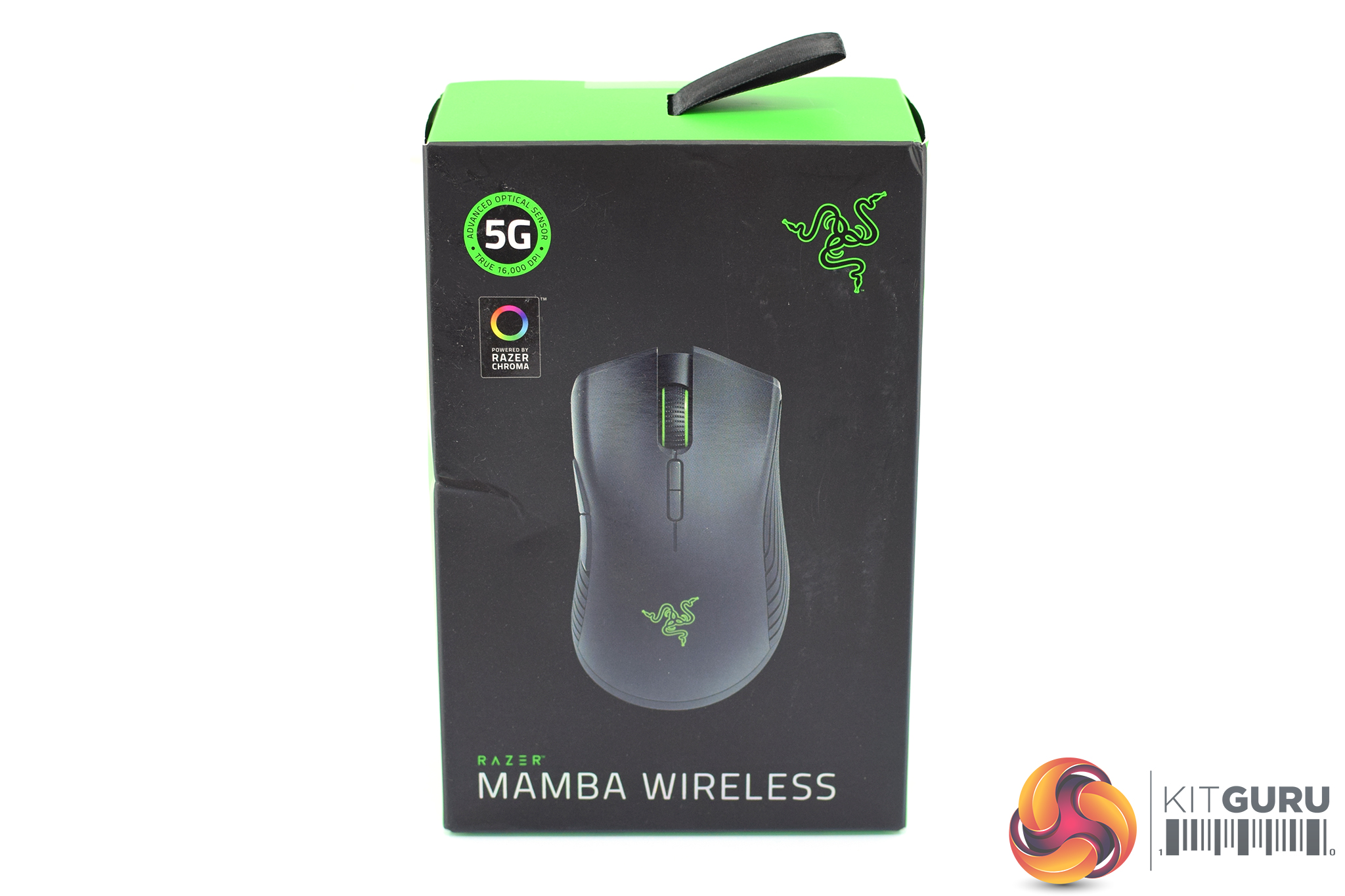
If you've owned a Razer product from the last few years, you will be familiar with the box that the Mamba Wireless comes in – it is mostly black, with green accents, and a large photo of the mouse itself is positioned on the front of the box.
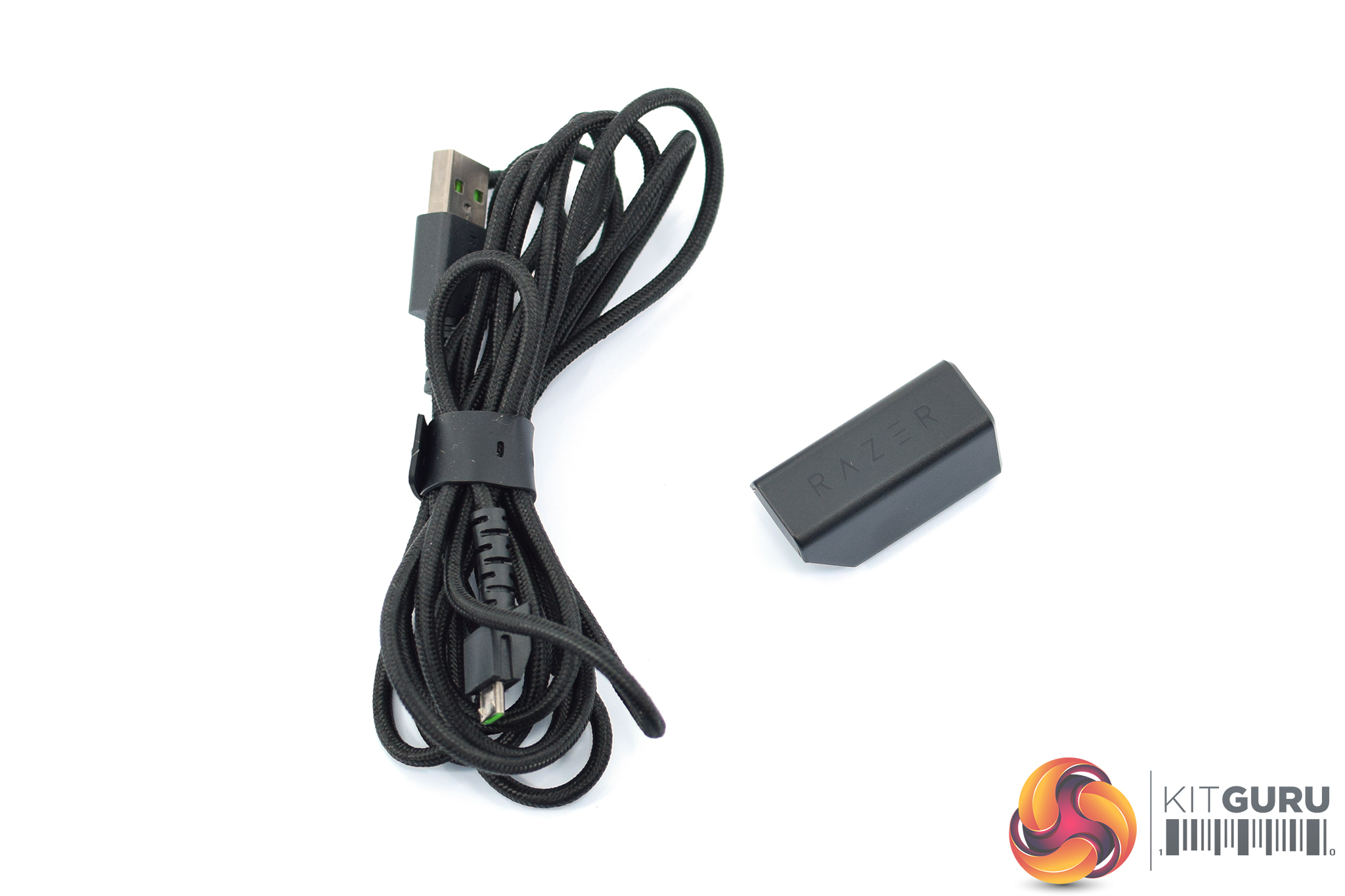
Inside, there isn't much in the way of accessories – one braided USB cable and one small micro-USB to full-size USB Type-A adapter (for connecting the mouse's USB receiver into the USB cable) is all we get.
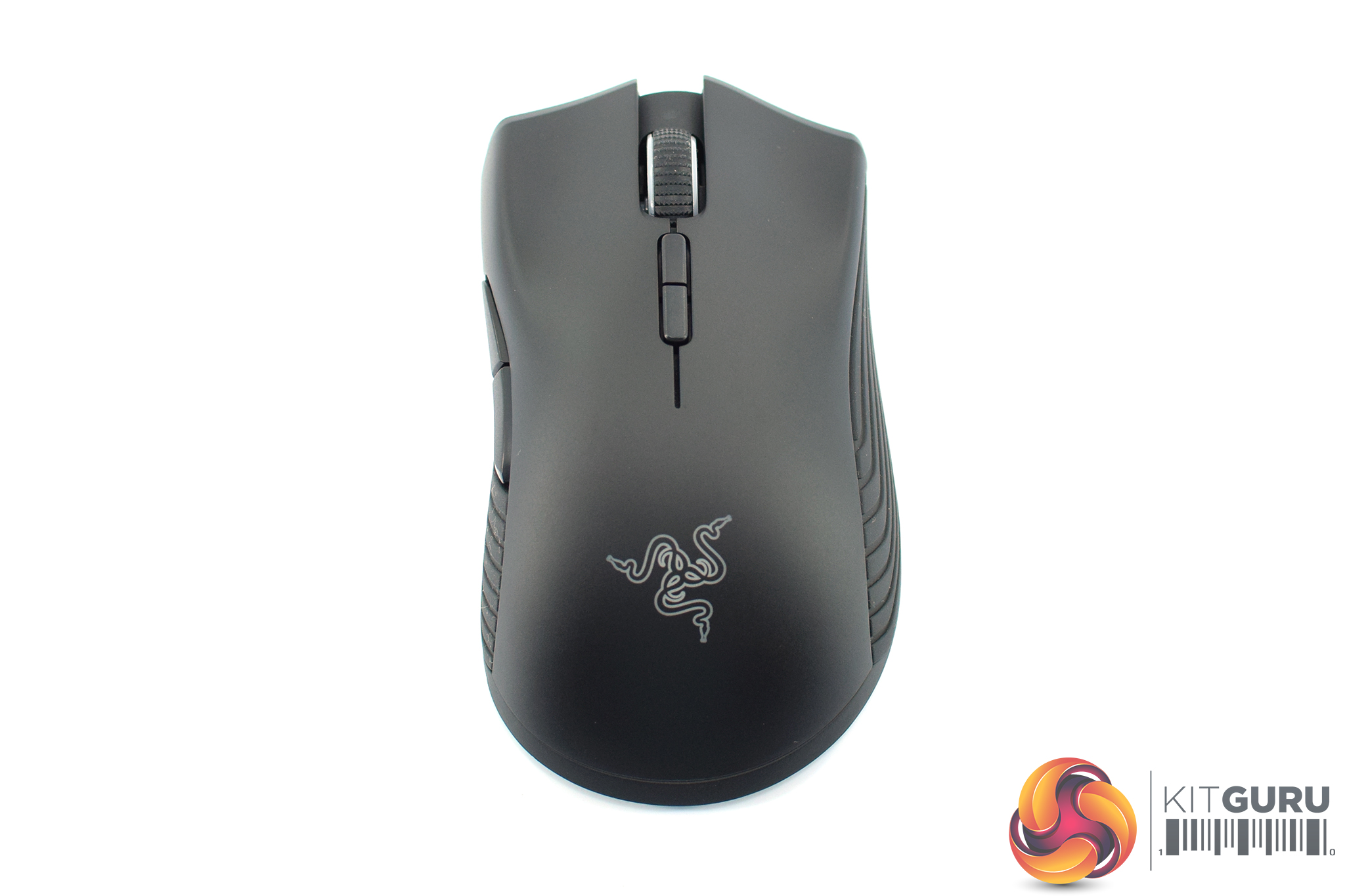
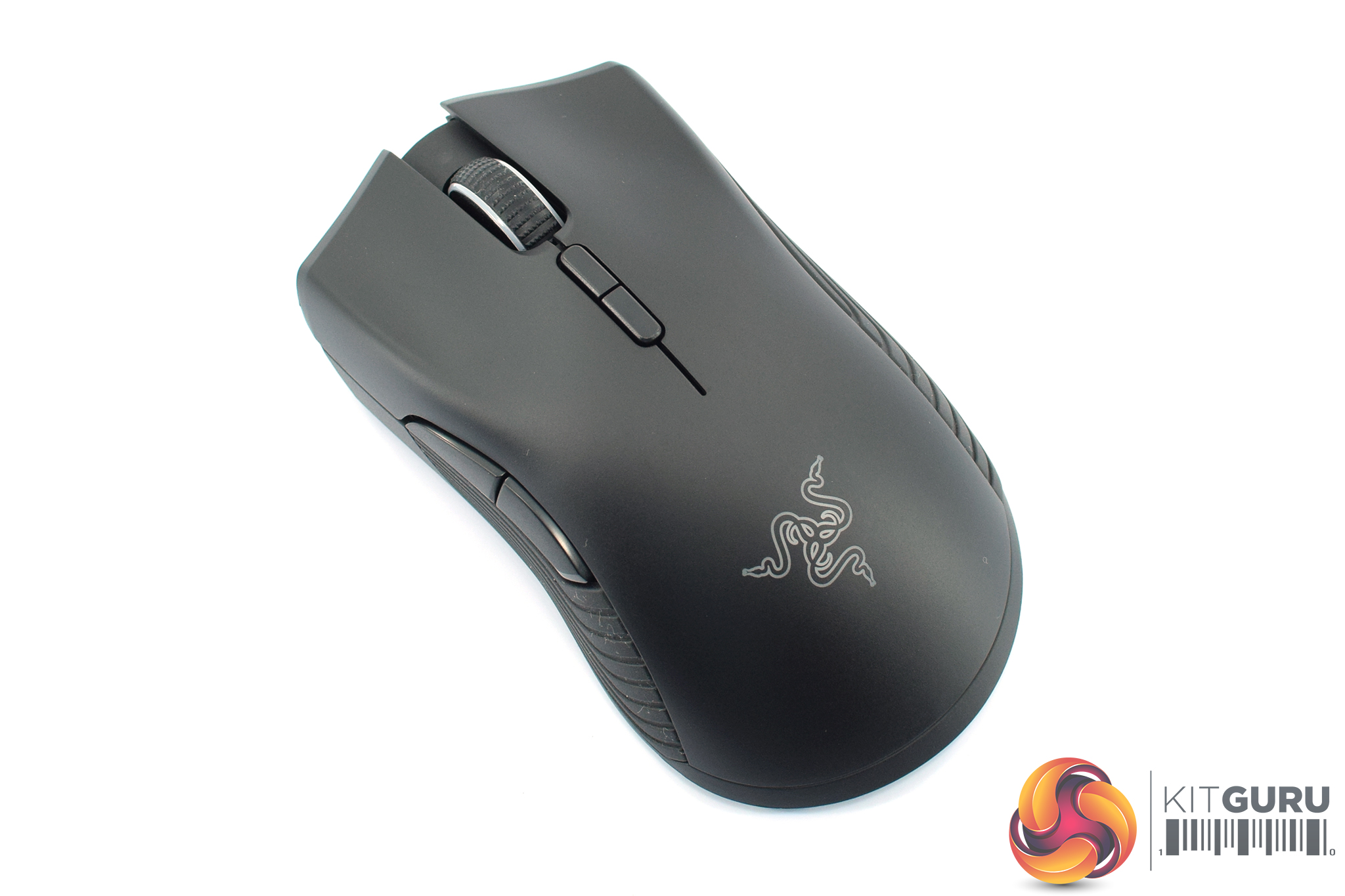
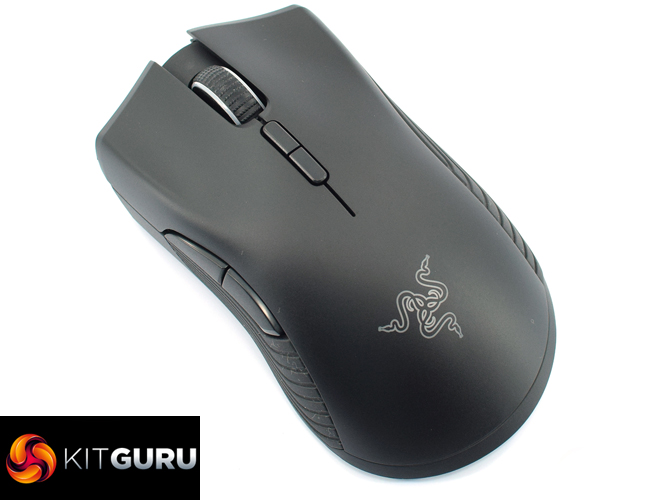
The mouse is what we are here for, though, and if you have seen the Mamba Hyperflux you will be instantly familiar with this design as both mice use an almost identical shell.
That means it is a relatively large (125.7 mm x 70.0 mm x 43.2 mm), ergonomic mouse for right-handers only. It is similar to the DeathAdder Elite, but slightly smaller and slightly less curved – if you have not used a Razer mouse before, I'd say the Mamba is the safer shape.
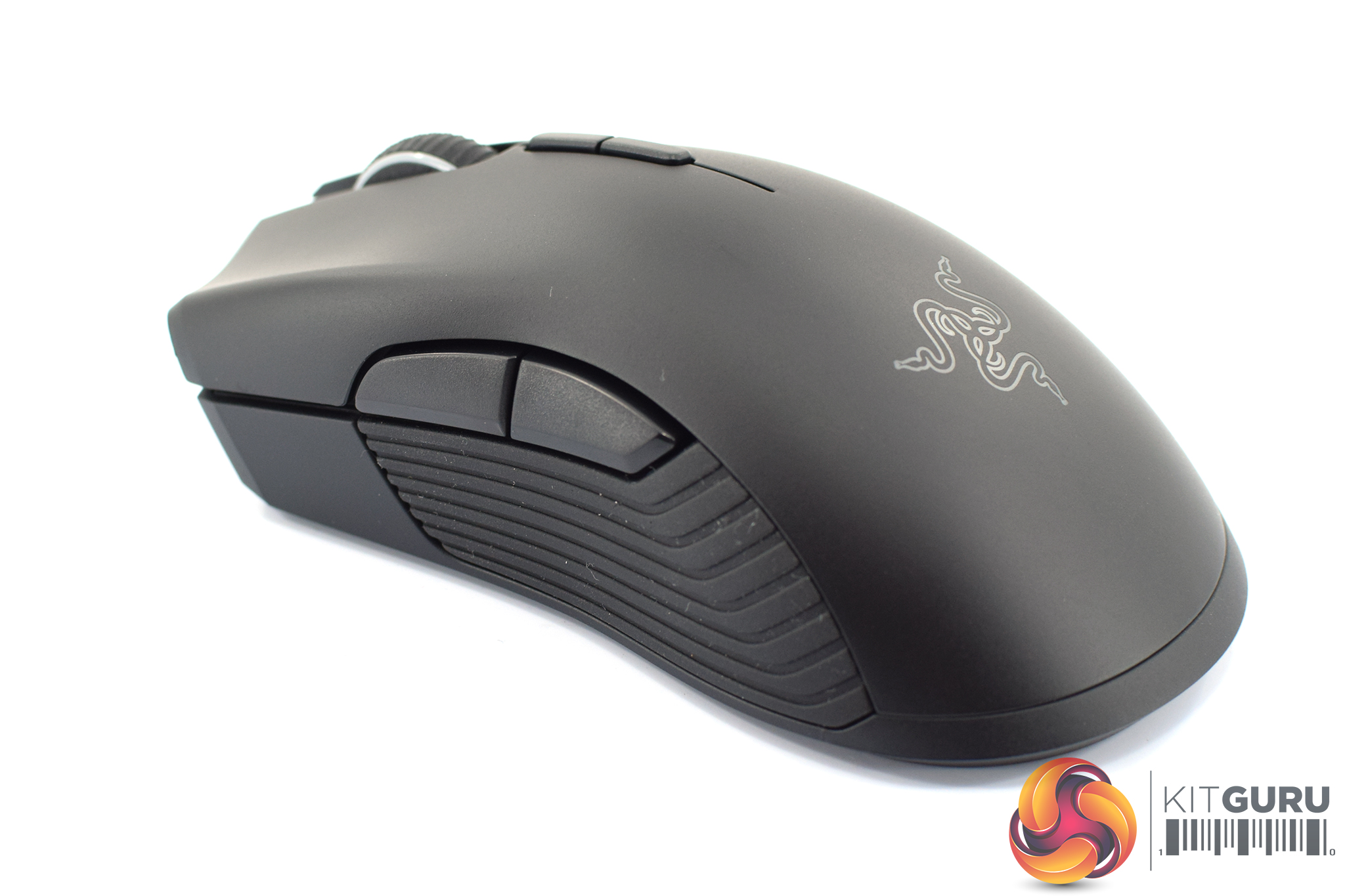
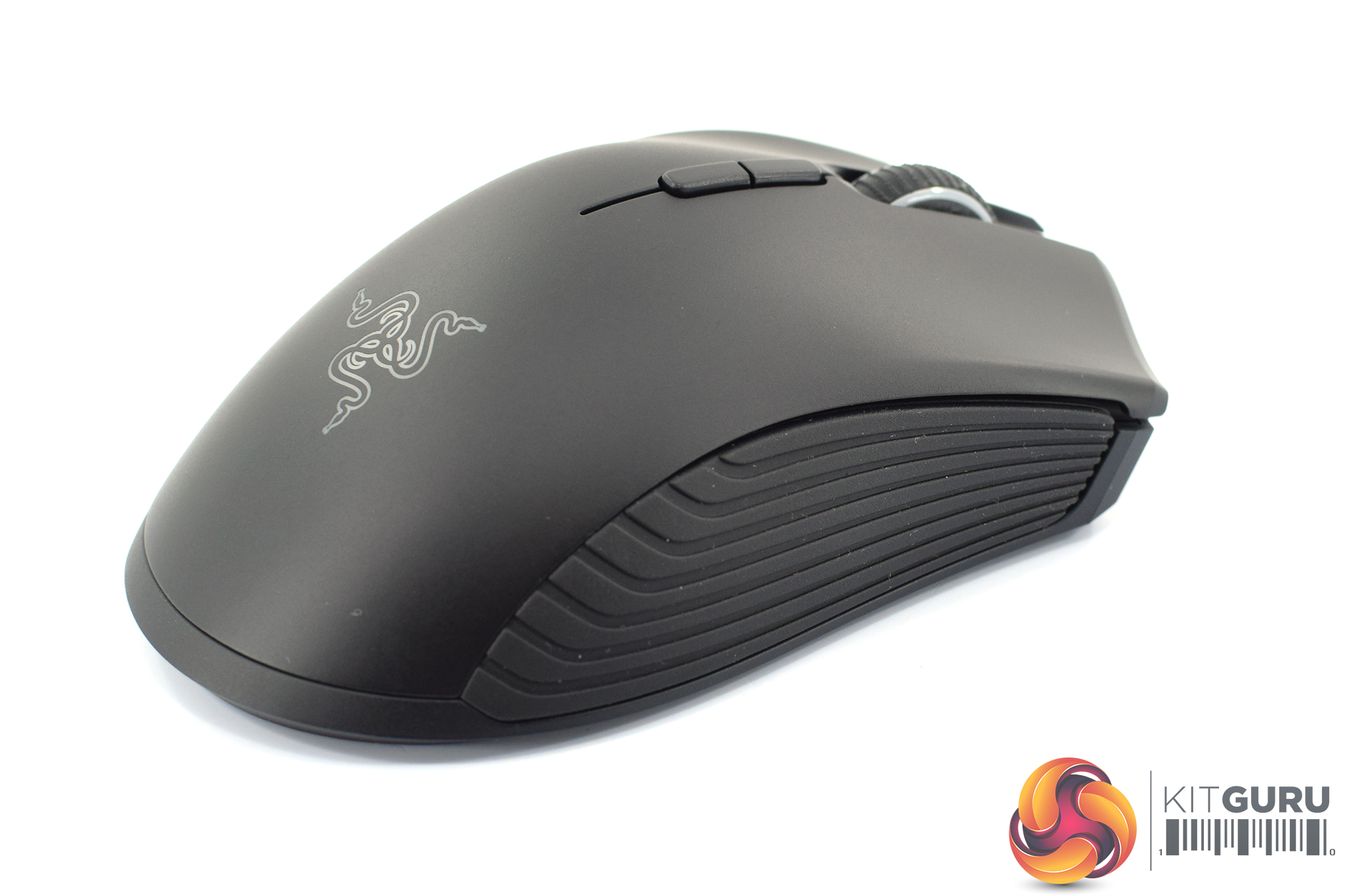
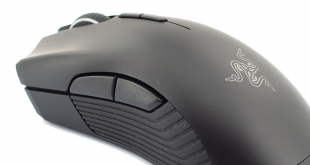
It has two side buttons on the left-hand side, and these sit above some textured rubber side grips. Incidentally, the Mamba Hyperflux had a profile change button on this left-hand side as well – just in front of the side buttons – but this has been moved to the underside of the mouse, and that is actually the only difference between the two I have been able to spot.
Moving onto the right-hand side there are no buttons, but there is another rubber side grip. Incidentally, these grips are using Razer's new design first introduced with the Basilisk and they do feel great on your fingers/thumb.
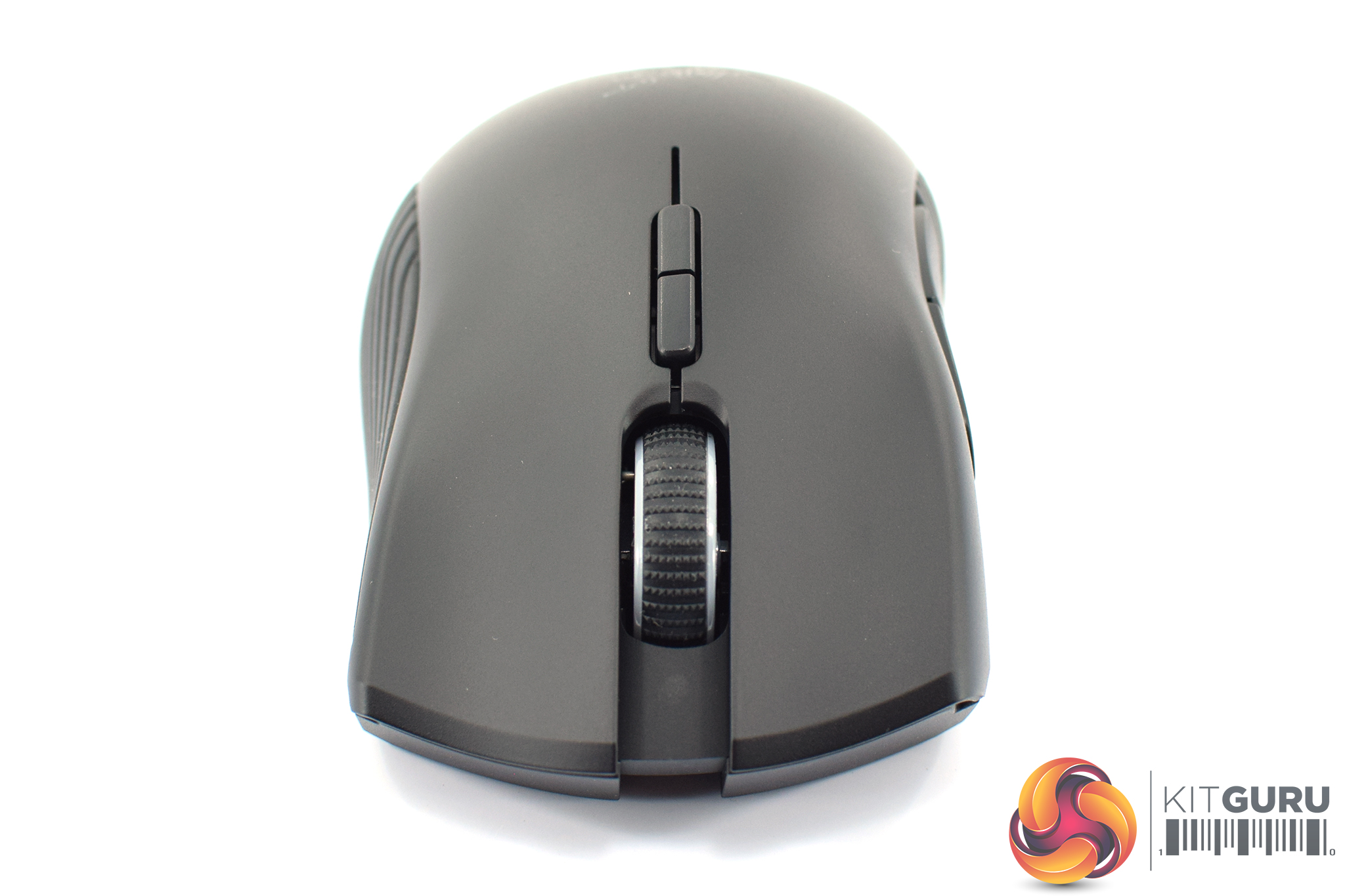

The front of the mouse is obviously home to the primary buttons, with the shell incorporating comfort grooves for your index and middle fingers, while in between those sits the scroll wheel. Just behind that, two remappable DPI buttons are also included.
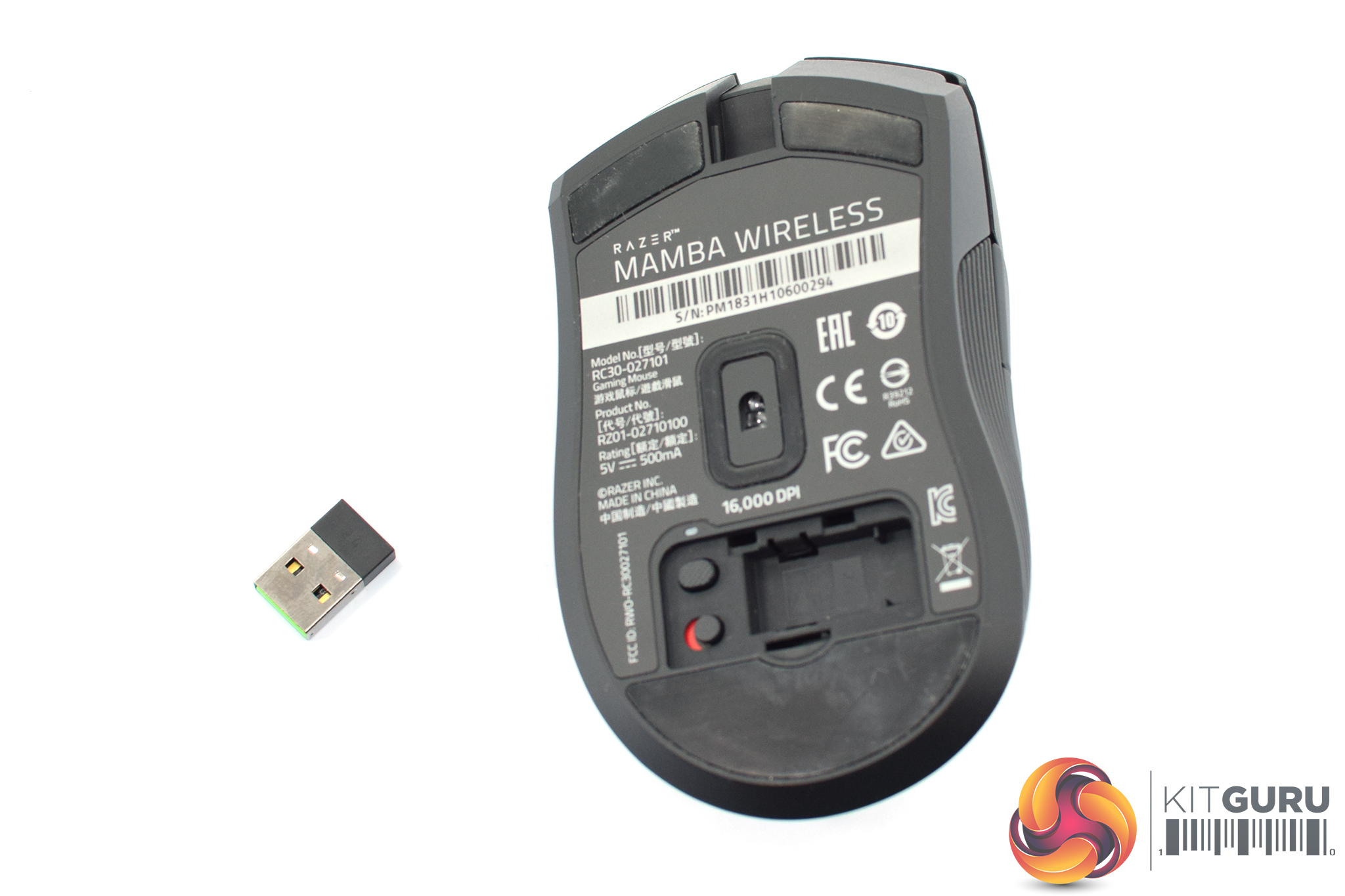
On the underside of the mouse, we can see the Mamba Wireless uses three PTFE mouse feet – two small ones at the top, one big one at the bottom – and the sensor is also positioned centrally. This is Razer's ‘5G Advanced Optical Sensor', and although it hasn't been confirmed to me, this in the past has been based on the PMW 3389 sensor. Just below the sensor there is also a switch to change mouse profiles, and a power switch to turn the mouse on or off.
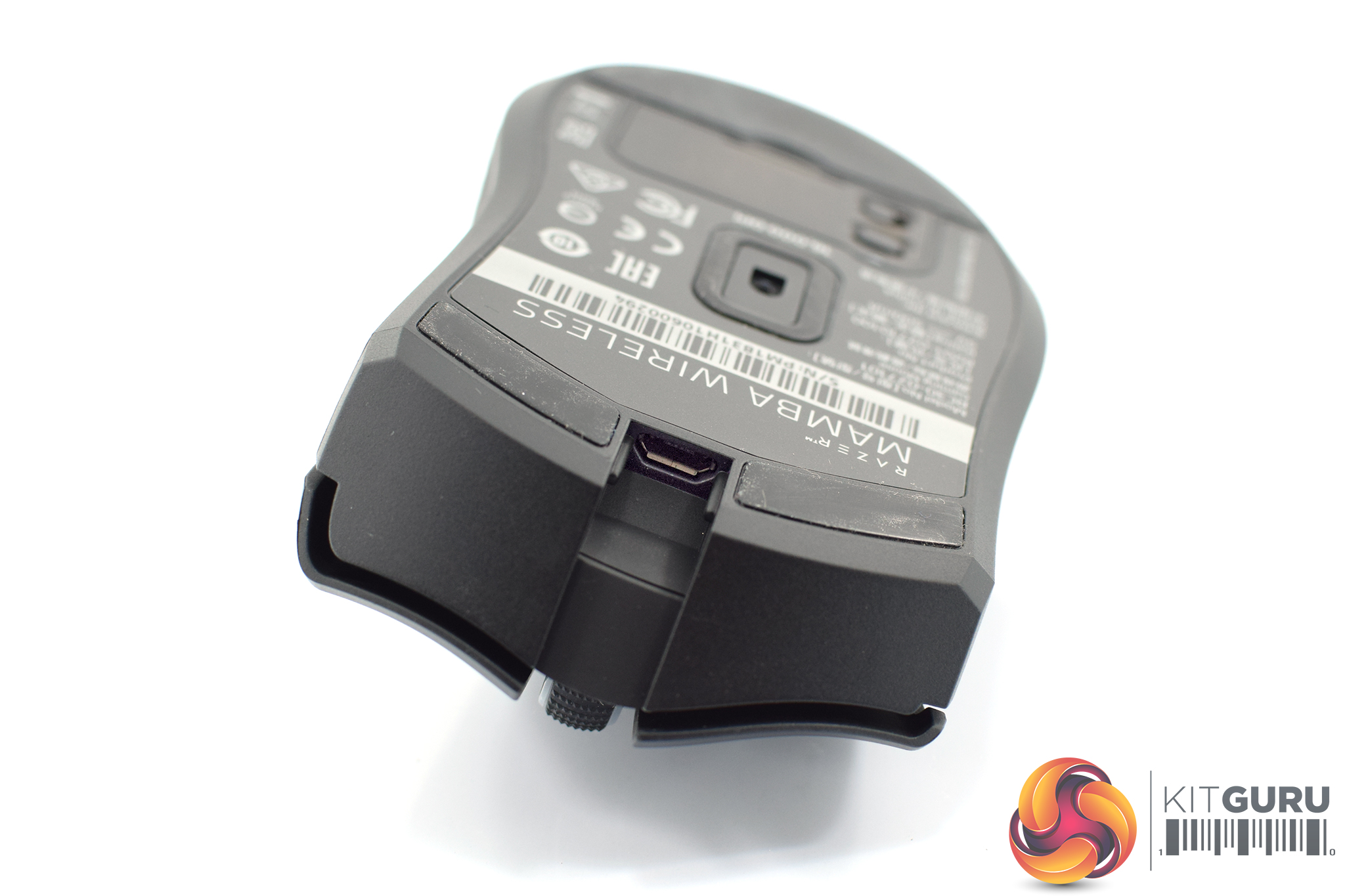
At the front of the mouse there is also a microUSB input which will charge the Mamba Wireless and also let you use it as a fully wired gaming peripheral.
Lastly, the bottom of the mouse is home to a small compartment which you can open up and safely store the mouse's USB receiver in when it is not in use.
To test the Mamba Wireless, I used it as my daily driver for two weeks. We break down testing into four main sections: software, lighting, build quality and comfort, and performance.
Software
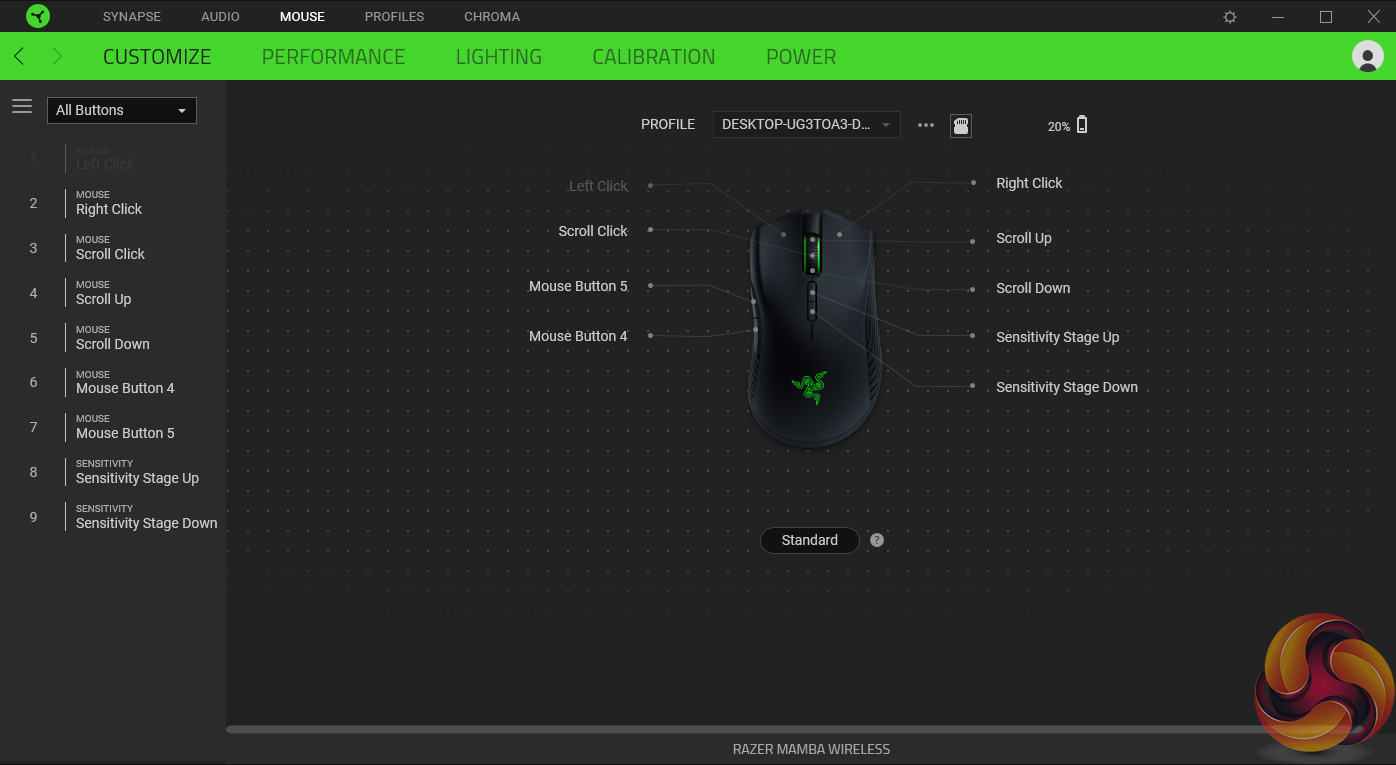
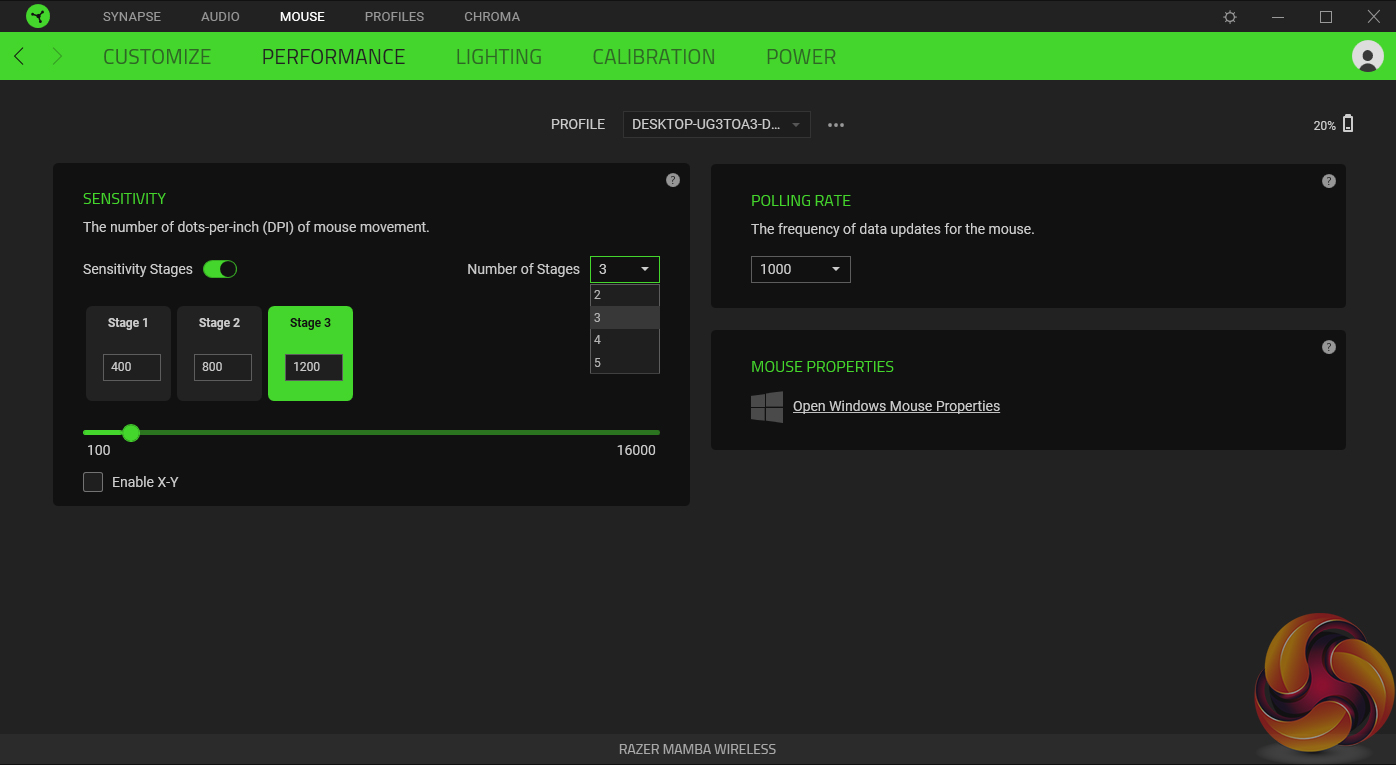

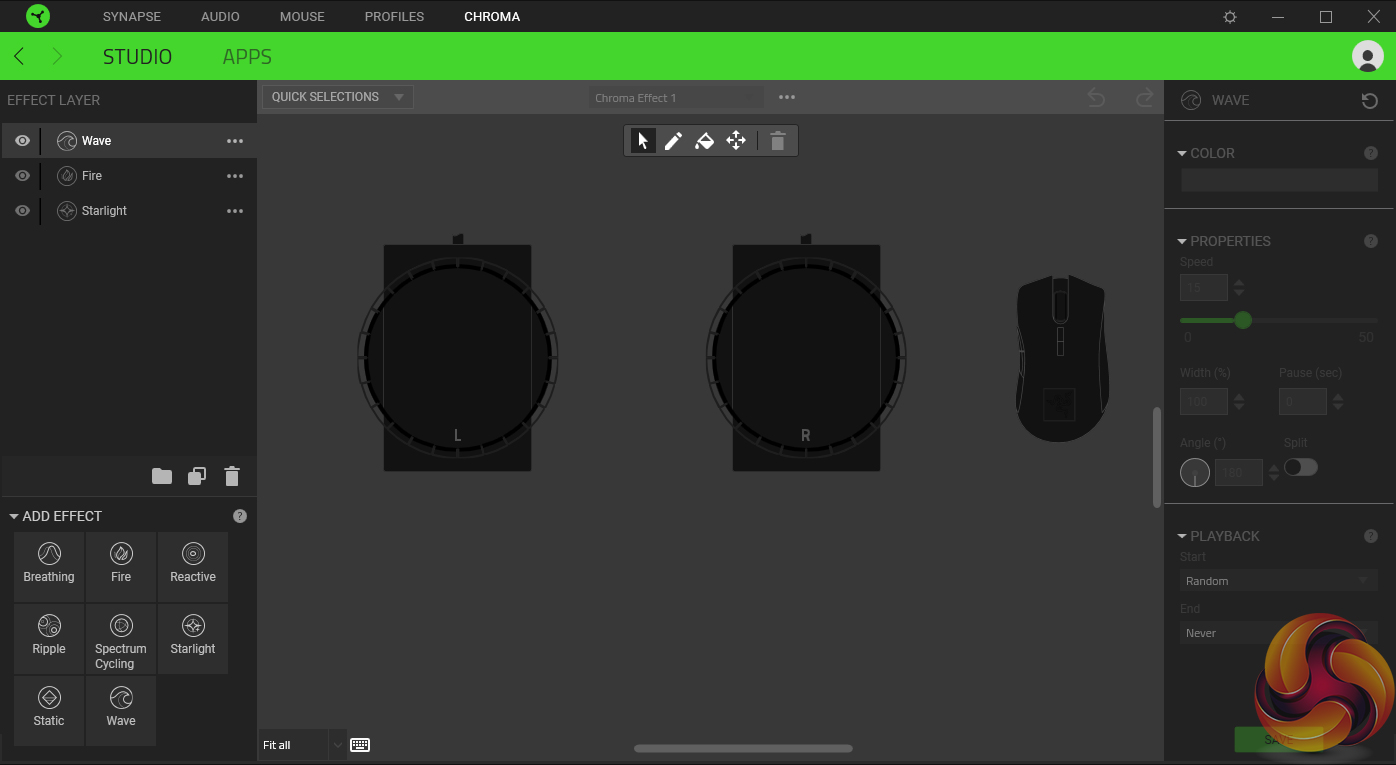
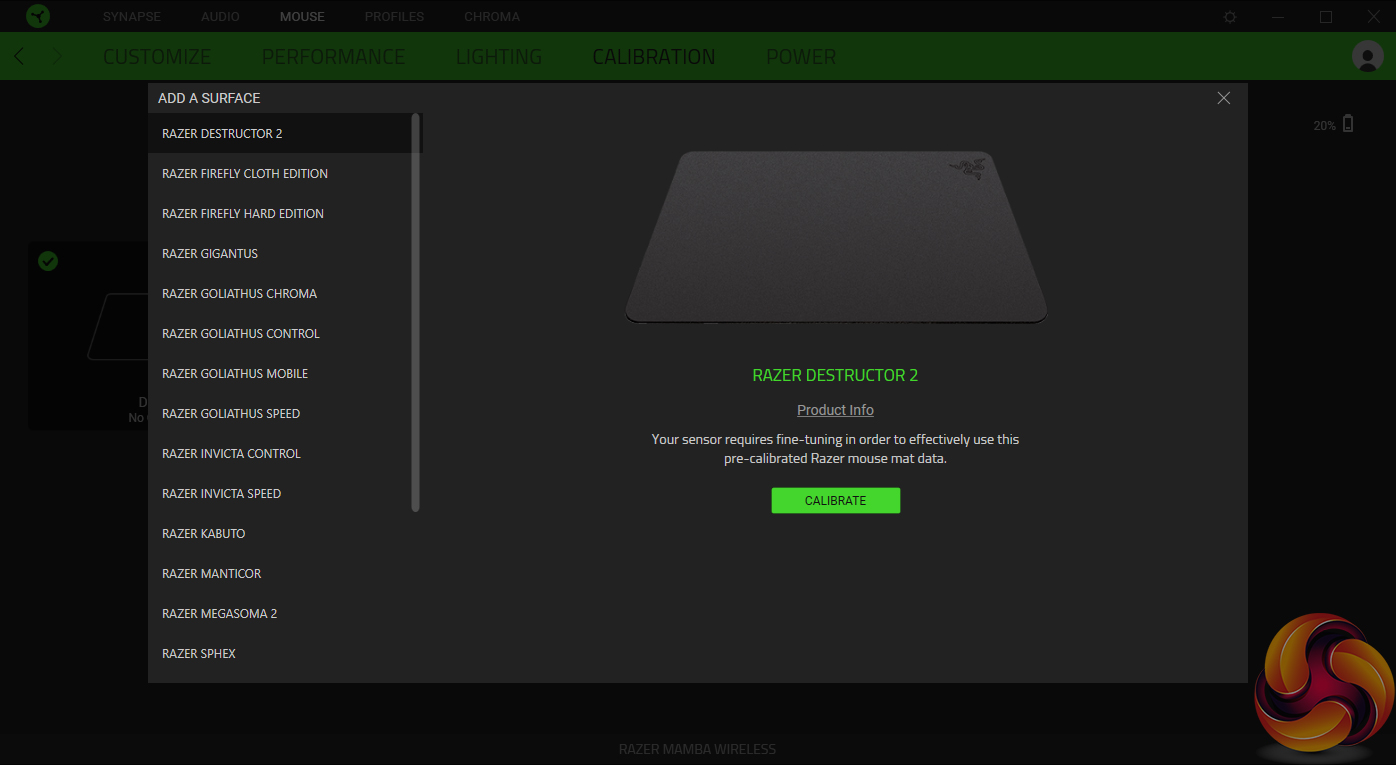
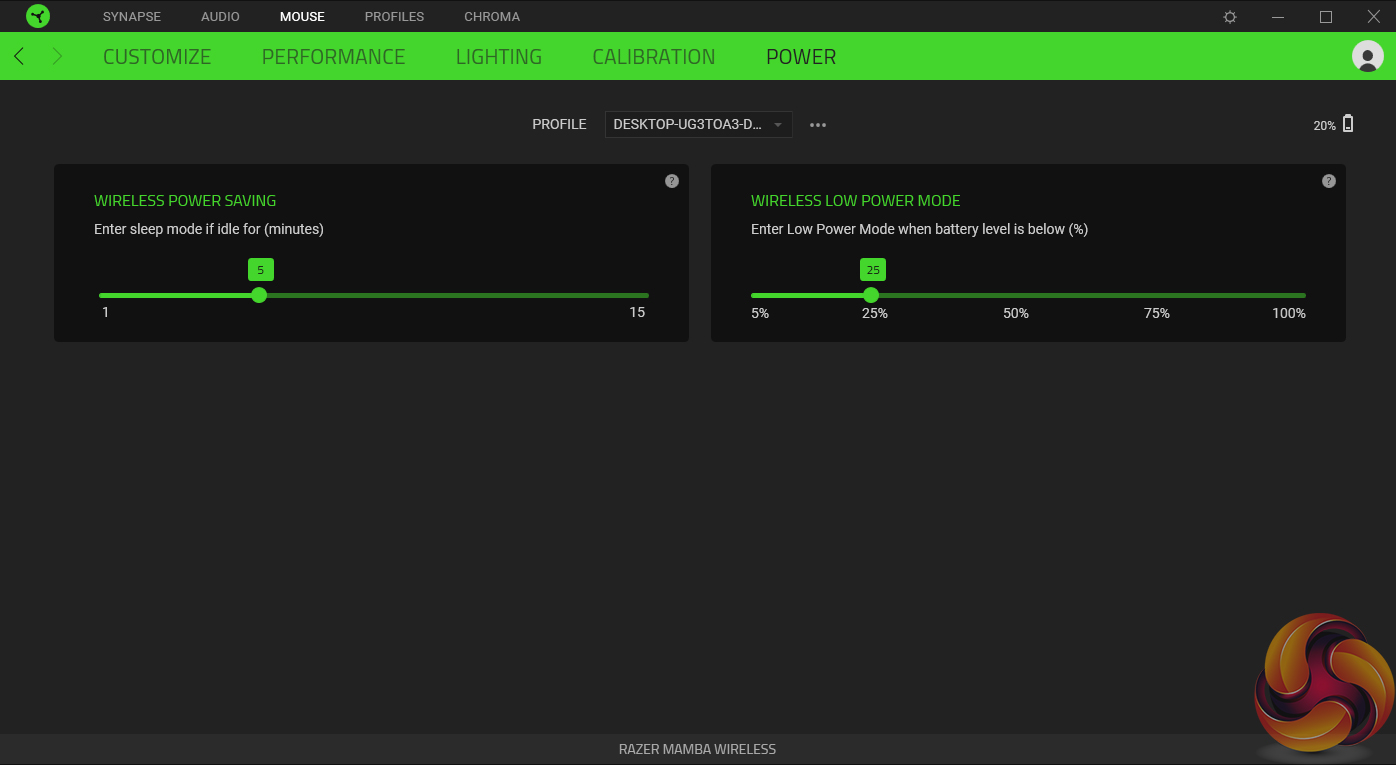
Razer's software suite is obviously Synapse – now on version 3. It's overall a pretty effective tool and it's not that complicated either.
Each of the various mouse controls are broken down into several tabs. First up is ‘Customize' which lets you re-map buttons, create different profiles and save up to 5 of them on-board the mouse itself. Next we have ‘Performance' which essentially boils down to setting up to 5 DPI stages and adjusting the polling rate.
‘Lighting' is pretty self explanatory as well, with brightness levels and a bunch of quick effects to choose from, while you can also use Chroma Studio to create your own advanced lighting effects if you like. ‘Calibration' lets you calibrate the mouse's sensor to your mousemat, with a lot of Razer mats pre-calibrated for quick use with the Mamba. And lastly ‘Power' gives you control over how quickly the mouse goes to sleep, and when it should enter the low power mode.
Overall, it's generally a clean and easy to use software suite. I've found it a little buggy in the past and it still gets updates far too frequently in my opinion which just is annoying. When using the Mamba Wireless, though, I've simply had no issues with Synapse – it's given me control over everything I may have wanted to tinker with, and I haven't encountered any bugs or had random crashes.
Lighting
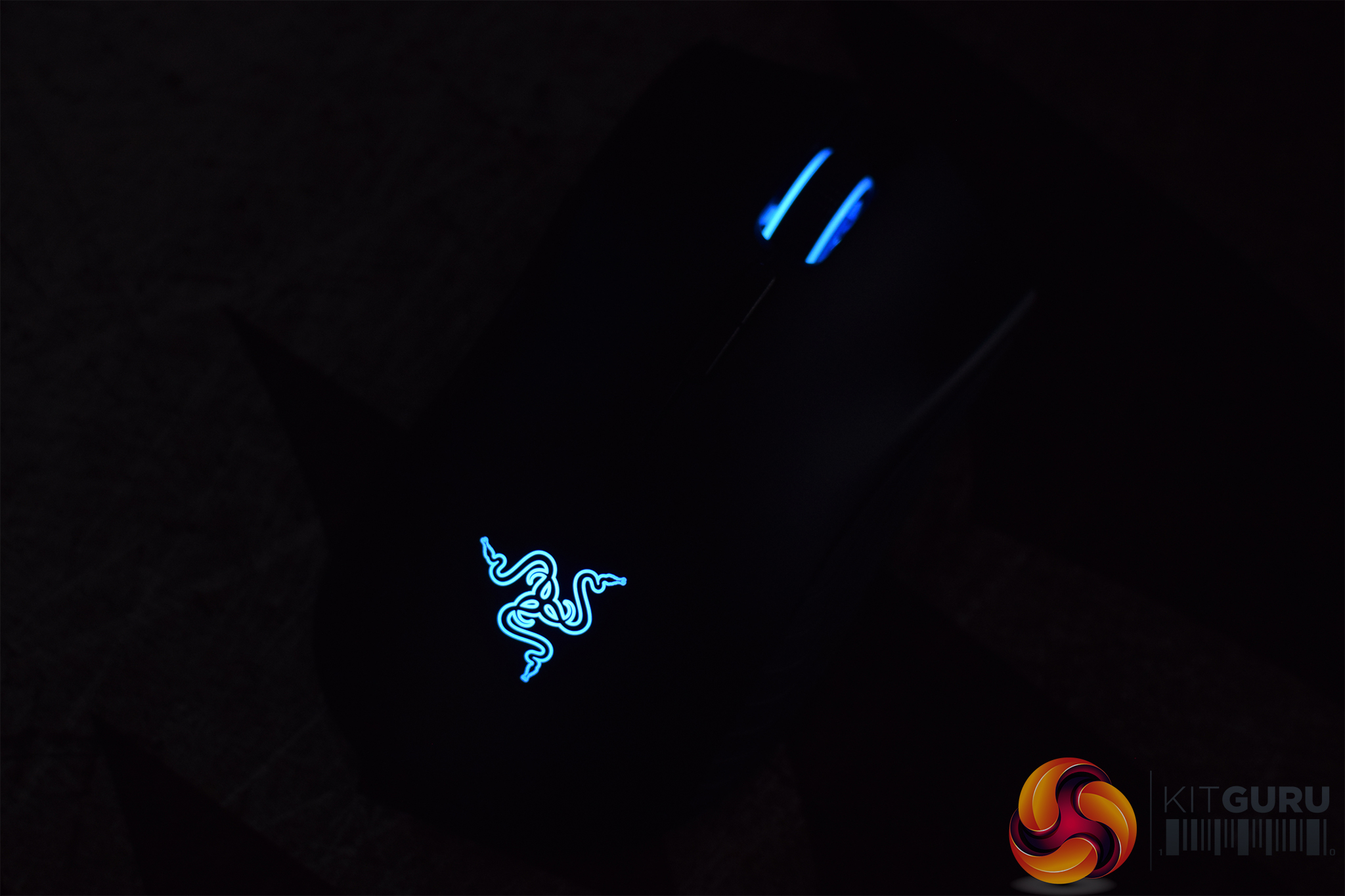
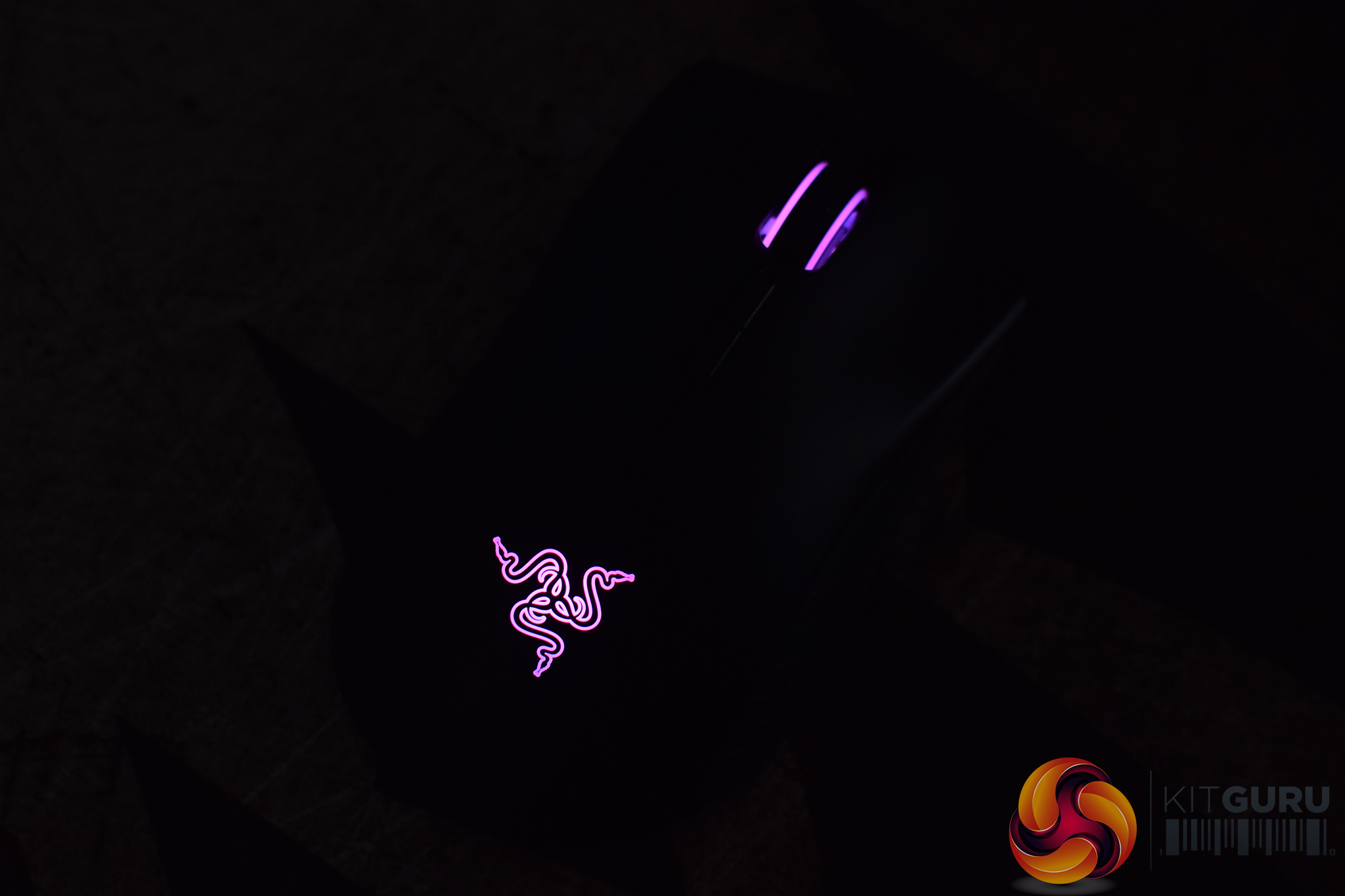


Razer uses its own Chroma ecosystem for the Mamba's RGB lighting, and here it works exactly the same as on the Hyperflux – the Razer logo and scroll wheel are the two RGB zones, and I have to say it looks very good. The colours are nice and vibrant, coverage across the Razer logo is even and brightness levels are also very good. By default the brightness setting is at 67% for the sake of battery – but I found that is more than bright enough for the lighting to be visible at all times.
In short, it is an excellent RGB implementation. Speaking for myself, I would always choose a mouse based on its shape and sensor first and foremost, and RGB for me is secondary. That being said, when you look at the Mamba Wireless with the all-round excellent lighting, it is easy to see how the RGB craze has spread to essentially every corner of the gaming market – it just looks fantastic.
Build quality and comfort
Moving on now to build quality and comfort, I have to say the Mamba Wireless does feel very well built. It weighs in at 106g – so 10g more than the Hyperflux model – which is decent for a wireless gaming mouse, though this year we have seen Logitech's G Pro Wireless which weighs just 80g, so if getting the lightest possible wireless mouse is your priority, that is definitely worth looking at.
Back to the Mamba Wireless, though – it feels generally very solid. There is no creak or flex to the sides of the mouse, the buttons don't have any unwanted pre-travel or post-travel and the main shell doesn't have any issues either. If I were to nit-pick there is some slight scroll wheel rattle, but this was only noticeable when I picked up the mouse and shook it hard – in everyday use and while gaming, I simply didn't notice it.
Still on the subject of build quality, I think it is safe to say there have been a few stories cropping up online about Razer products failing early and generally having issues. Now, I don't know whether this is simply because Razer sells at high volume, so it appears that its products fail at a higher rate than competitors – but all I can say is I have had no build quality issues over the last two weeks with this mouse. I plan on using it more into the future as well, so if anything does happen to my sample, KitGuru readers will be the first to know.
Comfort-wise, the Mamba suits me very well. The size and shape of a mouse is of course very subjective, but generally I get on very well with Razer's ergonomic designs. It is on the larger size, though it is slightly smaller than the DeathAdder Elite, so I wouldn't recommend it if you have smaller hands, but mine measure just under 19cm from wrist to the top of my middle finger, and I got on with it fine.
That was primarily using my preferred claw grip, but I was also able to palm grip it with no problems. I really like the comfort grooves built into the primary buttons, while as I mentioned on the previous page, Razer's rubber side grips also feel great in the hand and I would definitely rather have them over bare plastic.
Performance
Starting with the performance of the Mamba's buttons, both primary left and right buttons use Razer's own ‘Mechanical Mouse Switches', though I believe these are made in collaboration with Omron. In any case, I have to say they are really satisfying to use. They both feel uniform – one of my pet peeves with mice is when one button feels different to the other – and they are generally quite light and responsive. Some people may prefer heavier switches with a bit more snap – in which case the DM1 FPS springs to mind with its Huano blue switches – but for me, these clicks are great.
The scroll wheel is also excellent. It is textured rubber and has very distinct steps so you can really feel it as you scroll, though it is still able to cycle at a fast pace so that didn't prove to be an issue either. It's also relatively easy to click in, when a lot of scroll wheels need a fair bit of force, which for me is a definite plus. There's no option to tune the wheel's resistance as with the Basilisk, but regardless I have to say this is one of the best scroll wheels in the business.
Now we come to the wireless and sensor performance of the mouse. As mentioned, the Mamba Wireless uses Razer's ‘5G Advanced Optical Sensor', and although it has not been confirmed to me, I would expect this to be the PMW 3389. In short, it is excellent – I had no issues with it all, be it angle-snapping, jitter or unwanted acceleration, and it simply tracked perfectly for me whether I was gaming, moving round the desktop or editing photos at low DPI settings.
That ties in with the wireless performance of the mouse, and I have to say I really couldn't tell the difference between using it wired or wirelessly – the connection didn't drop out at all, and latency was a complete non-issue. The only time where I noticed the wireless performance degrade was when the mouse's battery was nearly gone – I found when it was getting to below 30% or so, I would start to notice increased latency and my movements just felt sluggish.
It turns out this was because the mouse enters ‘low power mode' by default once the battery drops past 25%. I was quick to change this setting in Synapse, however, and now it only happens when the mouse is below 5% battery – at which point I'd just plug it in anyway. But if you are experiencing something similar, the low power mode setting is definitely something to look at.
In terms of sensor lift of distance (LOD) as well, I found the mouse would still track with a single DVD wedged under either end, but a second DVD caused it to stop tracking, which is overall pretty standard. It is worth noting there is no LOD control within Synapse, though.
The last thing to touch on is battery life, and I have to say Razer has done a very good job here. During my testing I left LED brightness at the default 67%, but tweaked low power mode to only kick in once the battery went below 5% as mentioned. With those settings, I was able to get between four and five full days use out of the Mamba Wireless.
Bearing in mind I am sat at my desk pretty much all day working on reviews and the like, this really impressed me – I could charge the mouse on Monday morning, and it would see me through to about Friday afternoon off a single charge. More often than not I would forget to switch the mouse off overnight, too, so it would enter sleep mode but not completely shut down – if you were diligent about turning it off every day, you could probably stretch it even further.Considering I really enjoyed using the Razer Mamba Hyperflux, it probably comes as no surprise that I am equally effusive about the Razer Mamba Wireless (2018).
That's because it is essentially the exact same mouse, with an added 10g weight because it uses a traditional rechargeable battery instead of magnetic induction.
What that means is it is an all-round excellent mouse that I find very hard to fault. It is a slightly larger, ergonomic design so that may not be for everyone, and while at 106g it is not heavy for a wireless gaming mouse, we have seen the Logitech G Pro Wireless launch this year which weighs just 80g – so those searching for the lightest wireless mouse possible may be more interested in that.
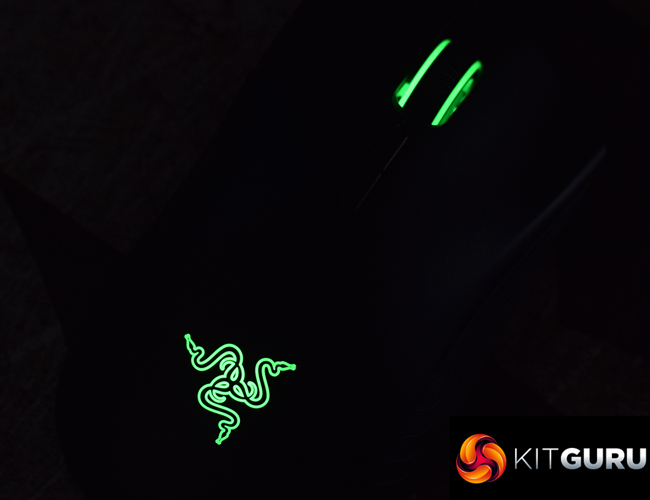
Mouse sizes and shapes are always going to be subjective, though, and for me I really get on with the Mamba's design. It also benefits from excellent RGB lighting, the buttons are crisp and responsive, while Razer's sensor and wireless technology worked flawlessly during my two weeks of testing.
Battery life is also very good for a wireless mouse, and I could get up to 5 full days use out of a single charge. Turn off the LEDs and it would last even longer.
So in all in all, I really find it hard to fault the Razer Mamba Wireless (2018). At £99.99 it is not cheap – but premium wireless mice never are. Considering this has far greater versatility than the Mamba Hyperflux, and that cost £250, it makes the Mamba Wireless seem like a bargain.

You can buy the Mamba Wireless from Overclockers UK HERE. It is currently reduced to £86.99, too, which only helps the value aspect of the mouse.
Pros
- Lovely ergonomic shape.
- Very good battery life – even with LEDs on.
- Fast and crisp buttons.
- Build quality is solid.
- Sensor and wireless performance caused me zero issues.
- Chroma lighting is excellent.
Cons
- There are now lighter alternatives available.
KitGuru says: The Razer Mamba Wireless (2018) is an all-round fantastic peripheral. I really can't fault it, and this will now become my new daily driver.