KitGuru KitGuru.net – Tech News | Hardware News | Hardware Reviews | IOS | Mobile | Gaming | Graphics Cards


Our main test involves using an X-Rite i1 Display Pro Plus colorimeter and utilising Portrait Displays’ Calman Ultimate software. The device sits on top of the screen while the software generates colour tones and patterns, which it compares against predetermined values to work out how accurate the screen is.
The results show:
- A monitor’s maximum brightness in candelas or cd/m2 at various levels set in the OSD.
- A monitor’s contrast ratio at various brightness levels in the OSD.
- Gamut coverage, primarily focusing on sRGB and DCI-P3 colour spaces.
- Greyscale accuracy, measured across 20 shades, with an average colour balance reported.
- The exact gamma levels, with a comparison against preset settings in the OSD.
- The colour accuracy, expressed as a Delta E ratio, with a result under 3 being fine for normal use, and under 2 being great for colour-accurate design work.
We first run these tests with the display in its out-of-the-box state, with all settings on default. If there is an sRGB emulation option or other useful mode then we may test that too. We then calibrate the screen using the Calman Ultimate software and run the tests again.
You can read more about our test methodology HERE.
Default settings
Brightness and Contrast (Full Screen)
| OSD Brightness | White Luminance (cd/m2) | Black Luminance (cd/m2) | Contrast Ratio |
| 0% | 33.1 | 0.00 | ~Infinite |
| 25% | 92.4 | 0.00 | ~Infinite |
| 50% | 152.3 | 0.00 | ~Infinite |
| 75% | 211 | 0.00 | ~Infinite |
| 100% | 270.8 | 0.00 | ~Infinite |
We're kicking things off with brightness testing, and we see a decent range at default settings – up from just 33 nits minimum, to 271 nits maximum for a full-screen white.
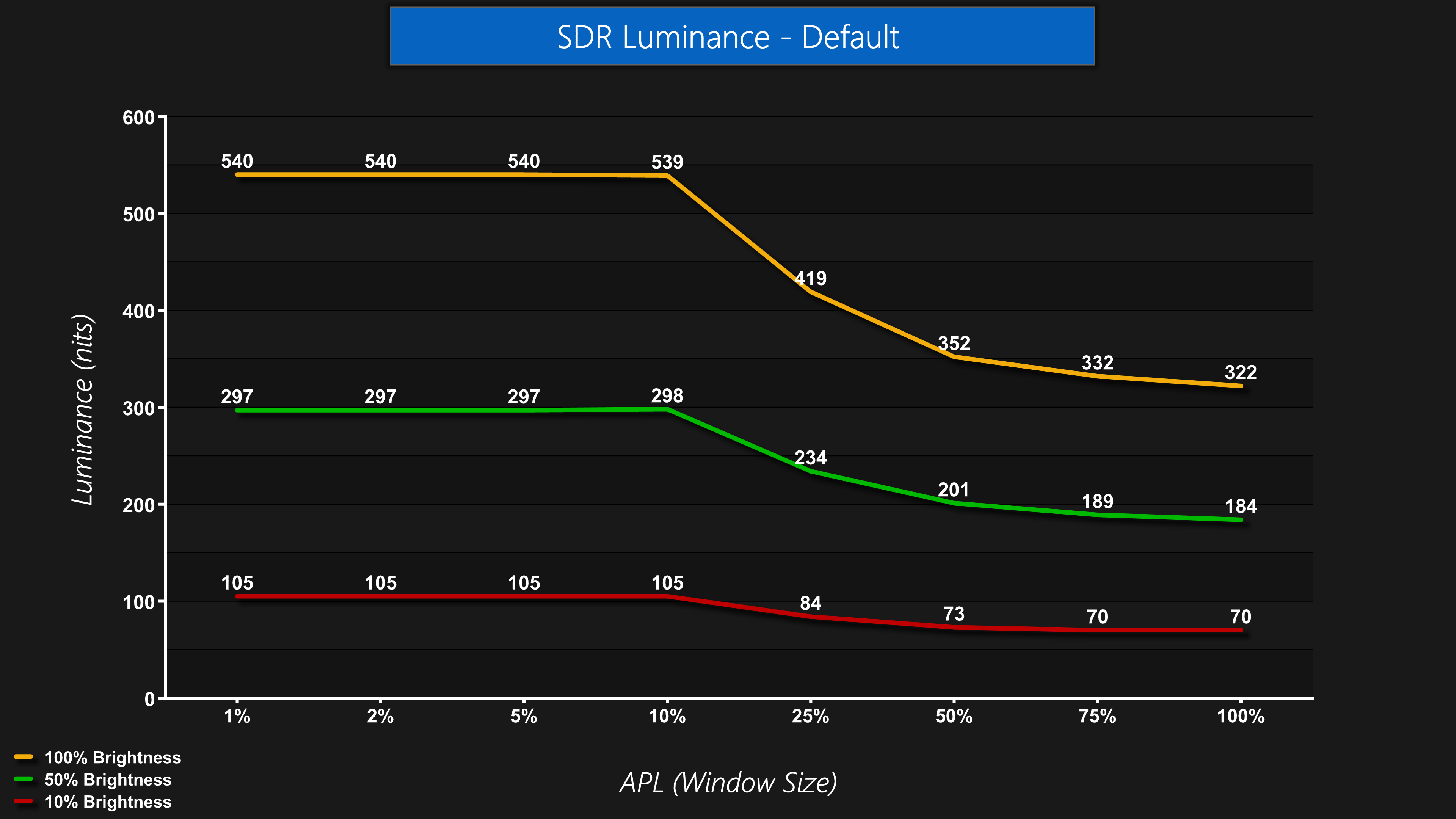
Interestingly, though, iiyama has not implemented any sort of ‘uniform' mode, so brightness does drop off at larger window sizes (APLs) due to OLED's ABL behaviour. This does mean you can get higher peak brightness, up to 540 nits in our testing, though it also means you may notice the screen dimming and brightening depending what content is on screen, which not everyone enjoys. We'd really like to see a uniform mode implemented which caps brightness to avoid any visible ABL behaviour.
Screen Uniformity
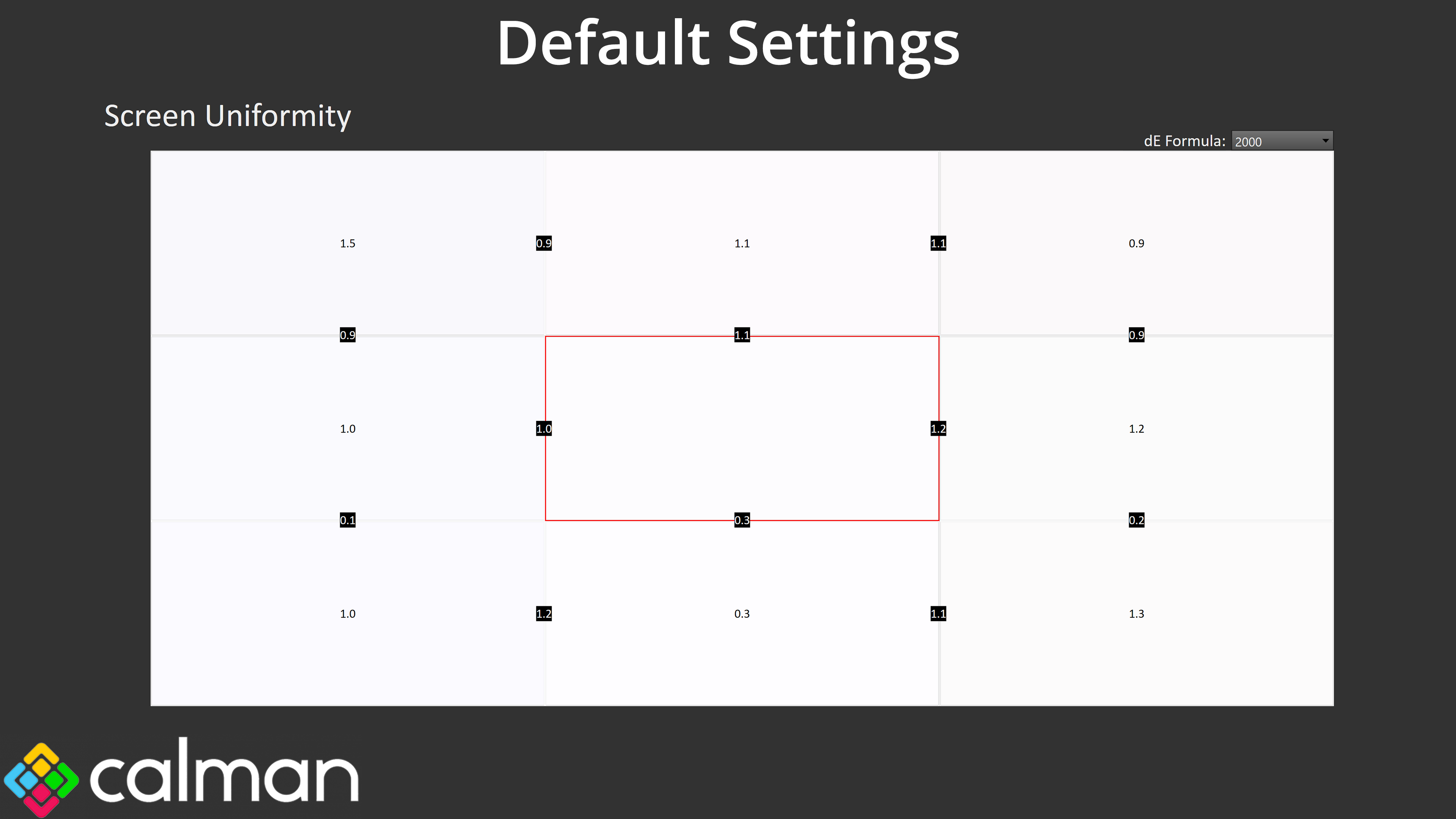
Panel uniformity is very good, though, with a maximum deviation of just 1.5 from the centre, indicating strong uniformity across the board.
Gamut (CIE 1976)
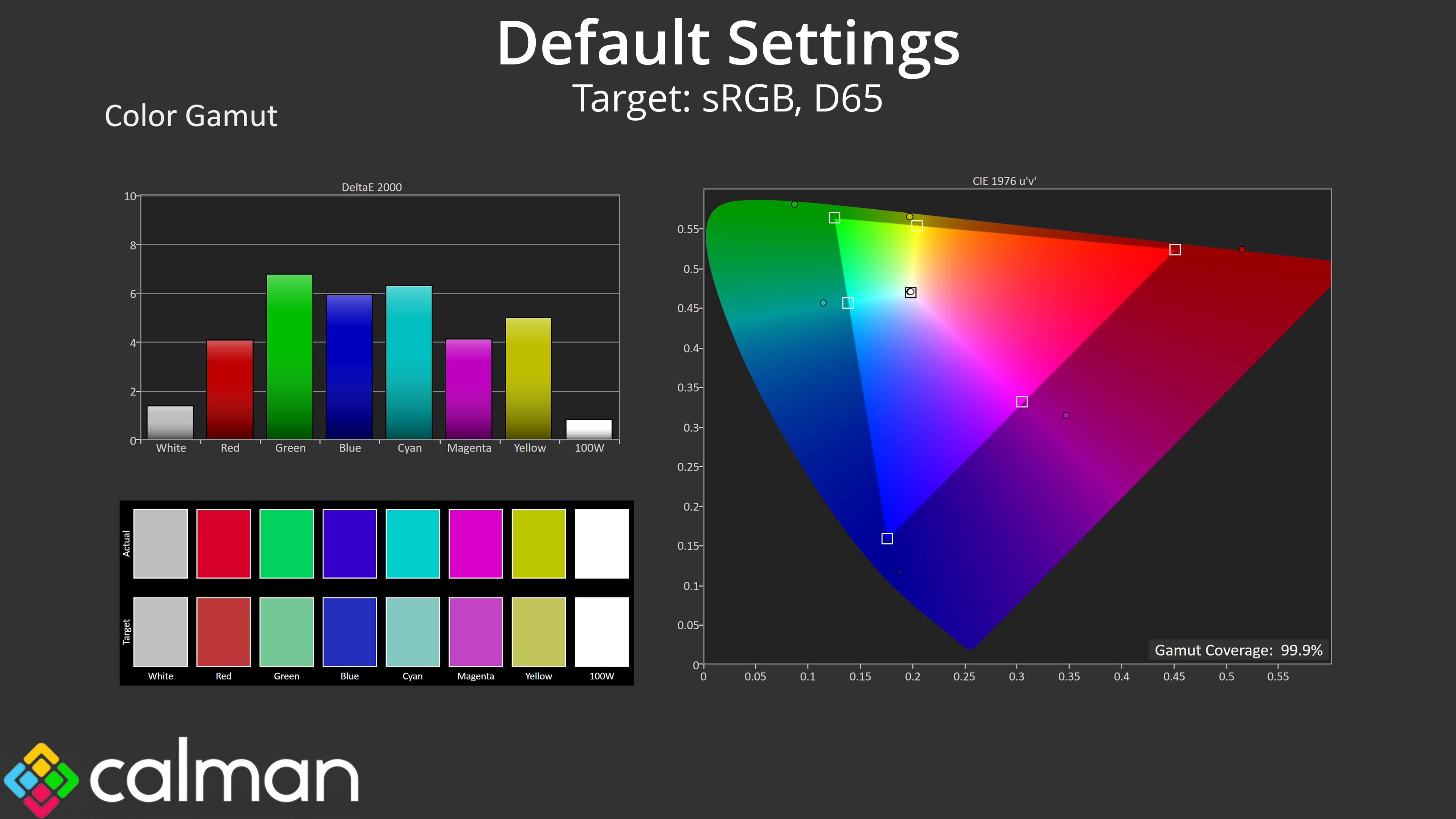
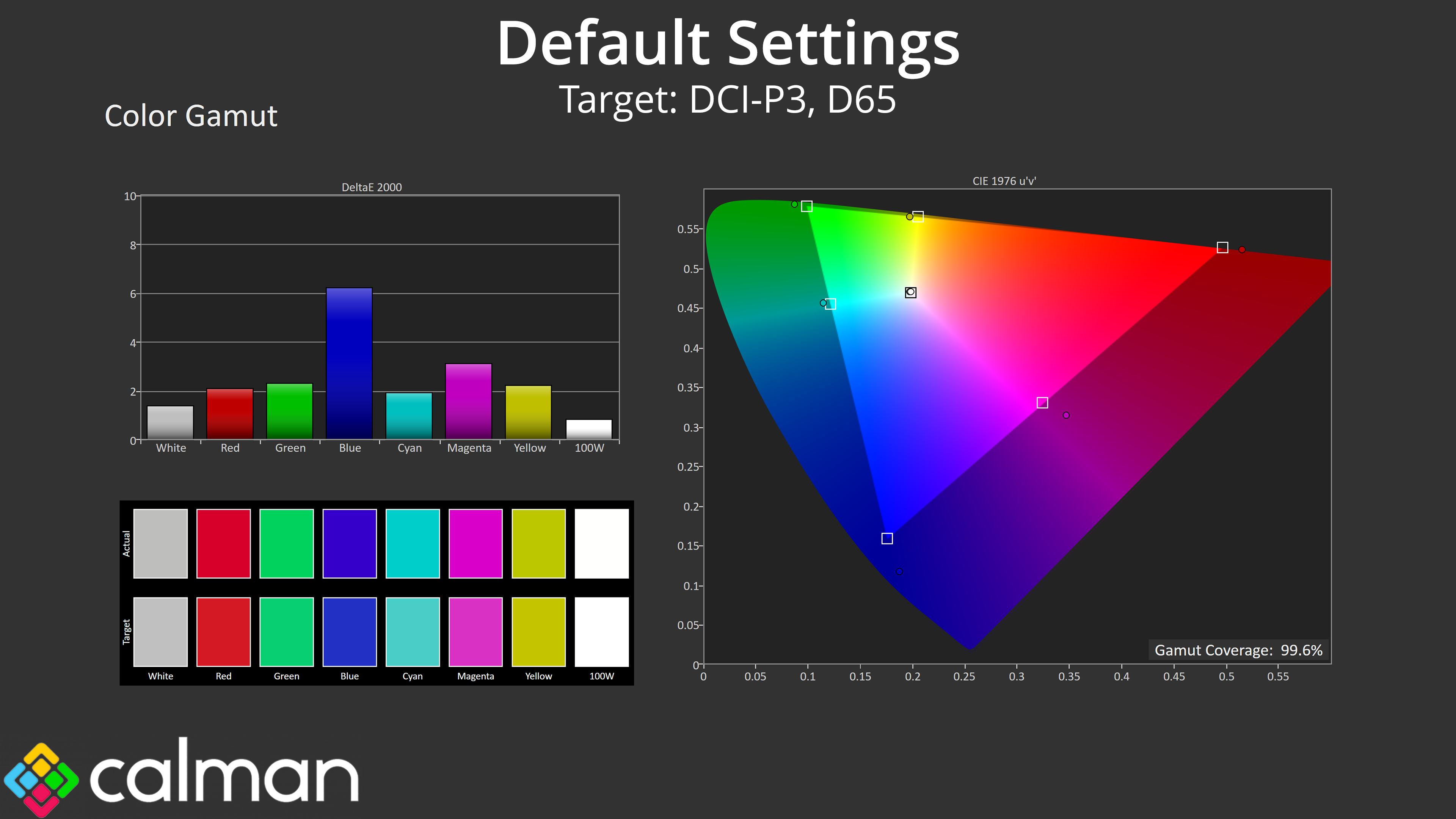
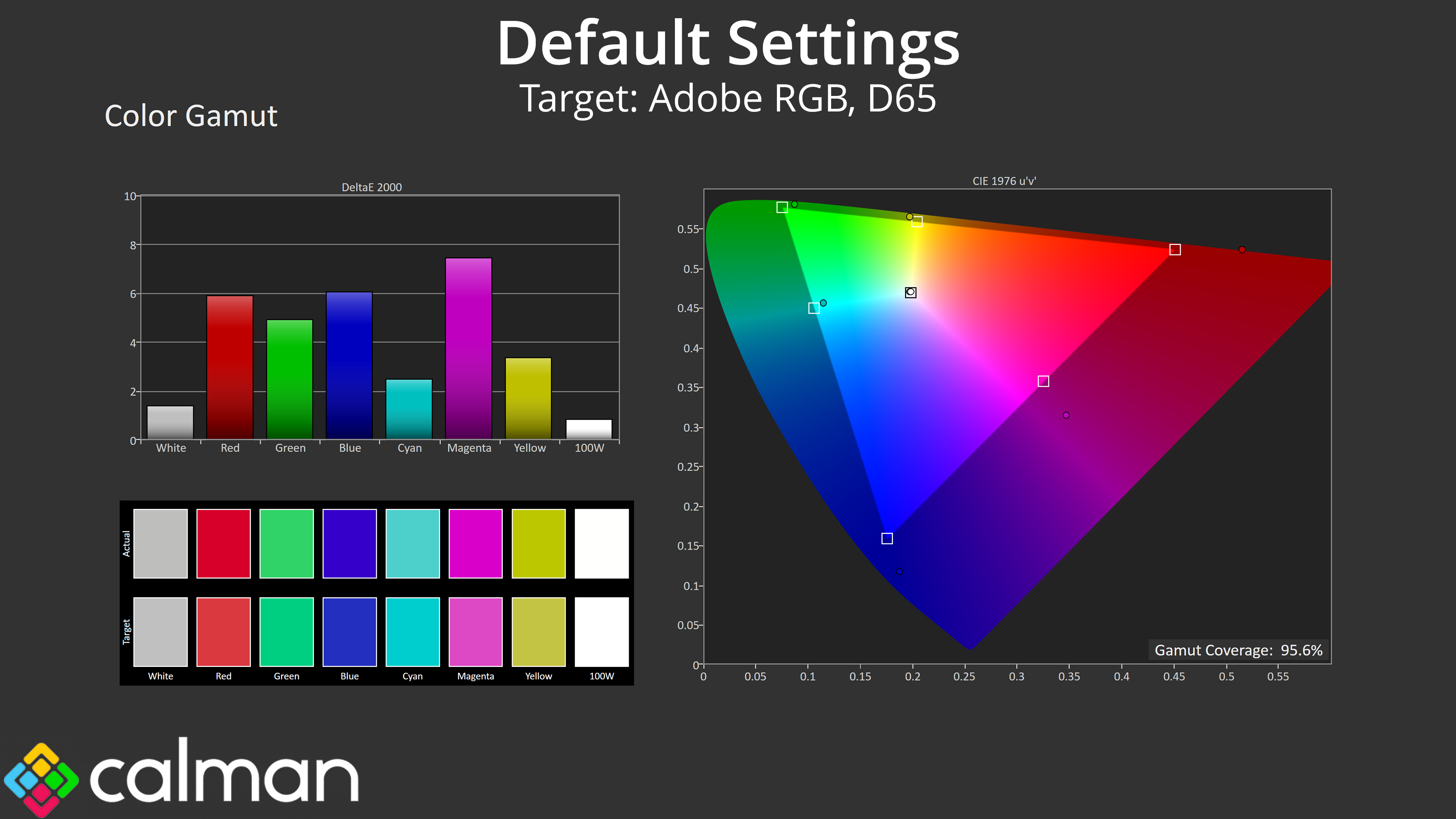
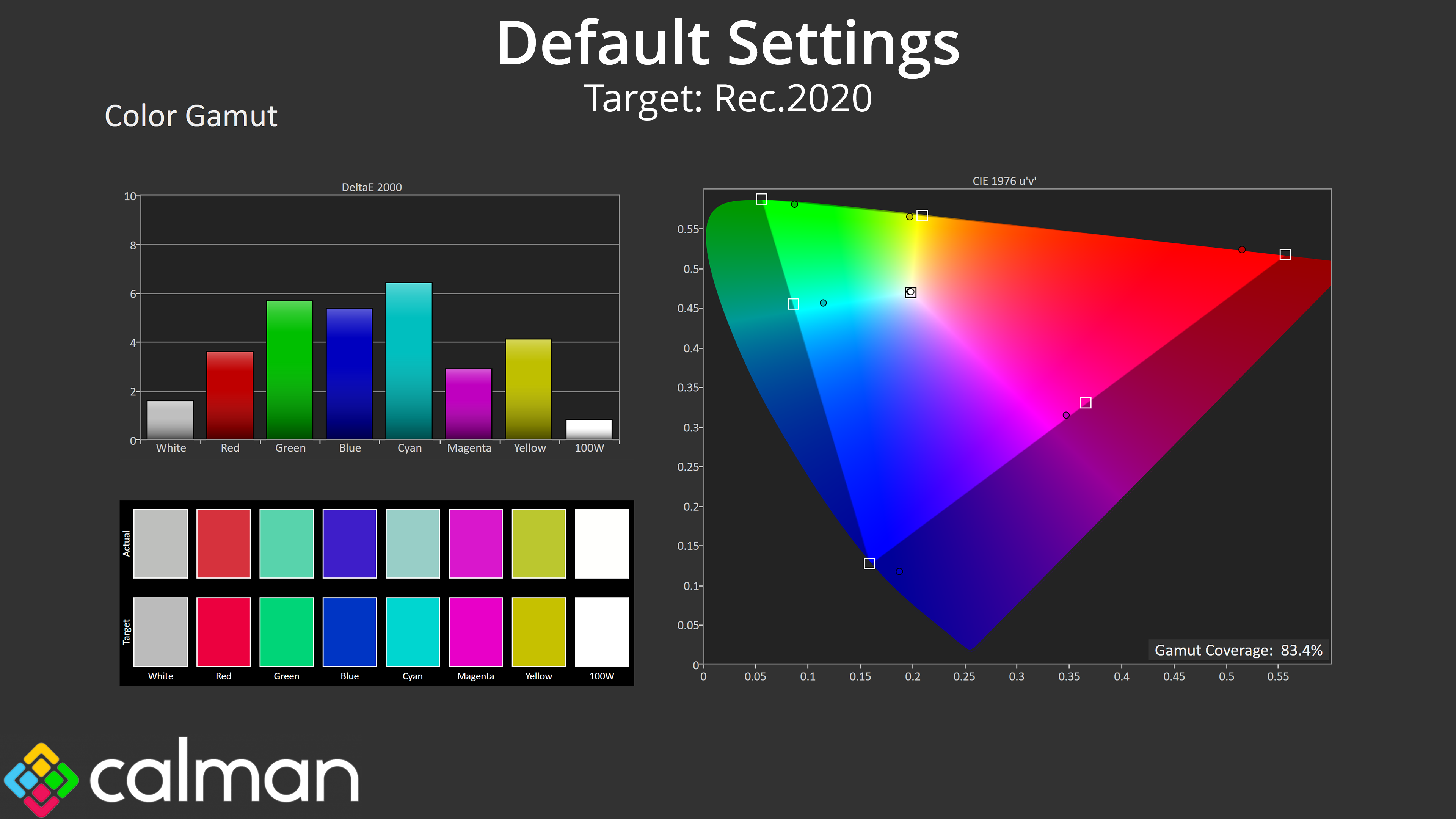
| Colour space | Coverage (%) |
| sRGB | 99.9 |
| DCI-P3 | 99.6 |
| Adobe RGB | 95.6 |
| Rec.2020 | 83.4 |
Gamut is also as wide as we'd expect from a Tandem WOLED panel. It generally far surpasses the sRGB space, then hitting 99.6% DCI-P3, 95.6% Adobe RGB, and 83.4% Rec.2020.
Greyscale
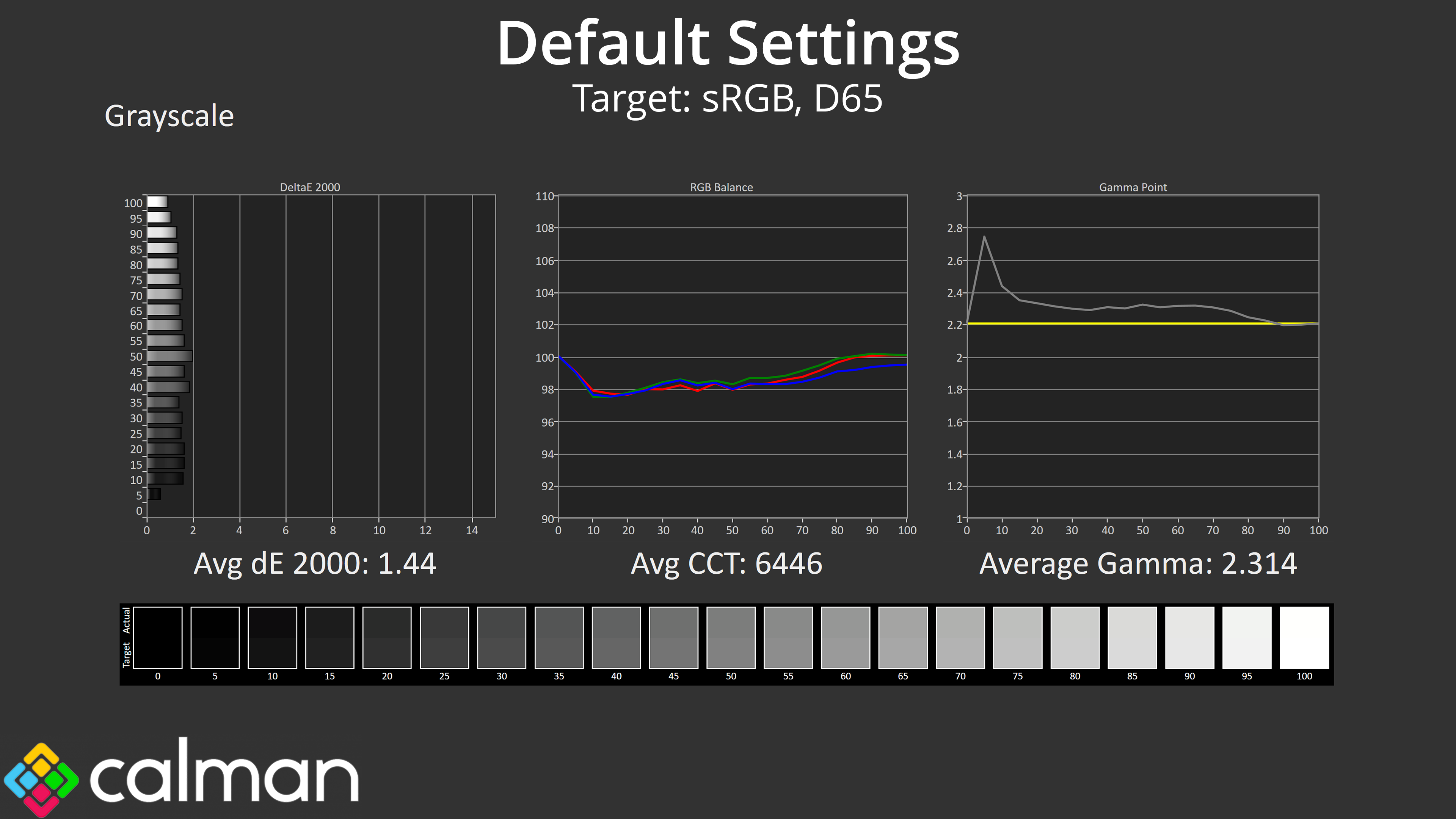
As for greyscale performance, here is where things get interesting. Default colour balance is as close to perfect as I've seen from a monitor, but gamma is too high, particularly for the darkest shades of grey where there is a large spike. Over all 20 shades tested, gamma averages 2.314.
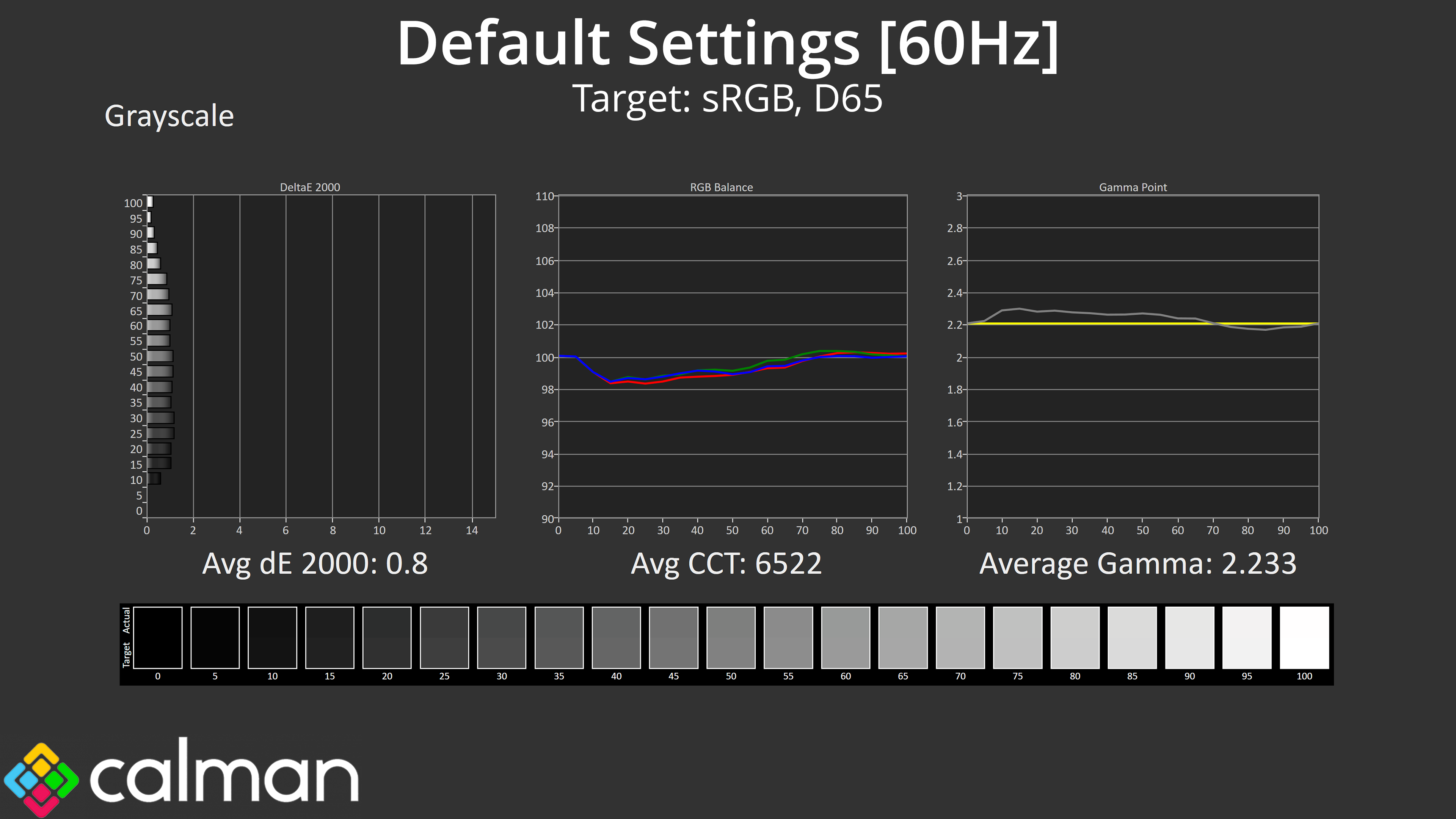
What's really interesting is that – credit to Simon from TFTCentral – behaviour actually changes significantly if we test at 60Hz, instead of the native 280Hz refresh rate. Be sure to check out the TFTCentral article for the full analysis, but in simple terms, this seems to be a quirk of the 4th-gen Tandem WOLED panels. At higher refresh rates, they have less time to control the currents needed for near-black shades, so those dark tones can end up too dark, which shows up as the gamma spike we can see here, and some lost shadow detail. But at 60Hz, where there is longer between each frame, and that behaviour is much less pronounced.
Of course, it's good to know why something happens, but that doesn't mean we can ignore it – after all, who's buying a 280Hz WOLED to run it at 60Hz? But hopefully it is something that can be addressed with future models, and it's not an iiyama-specific issue.
Saturation
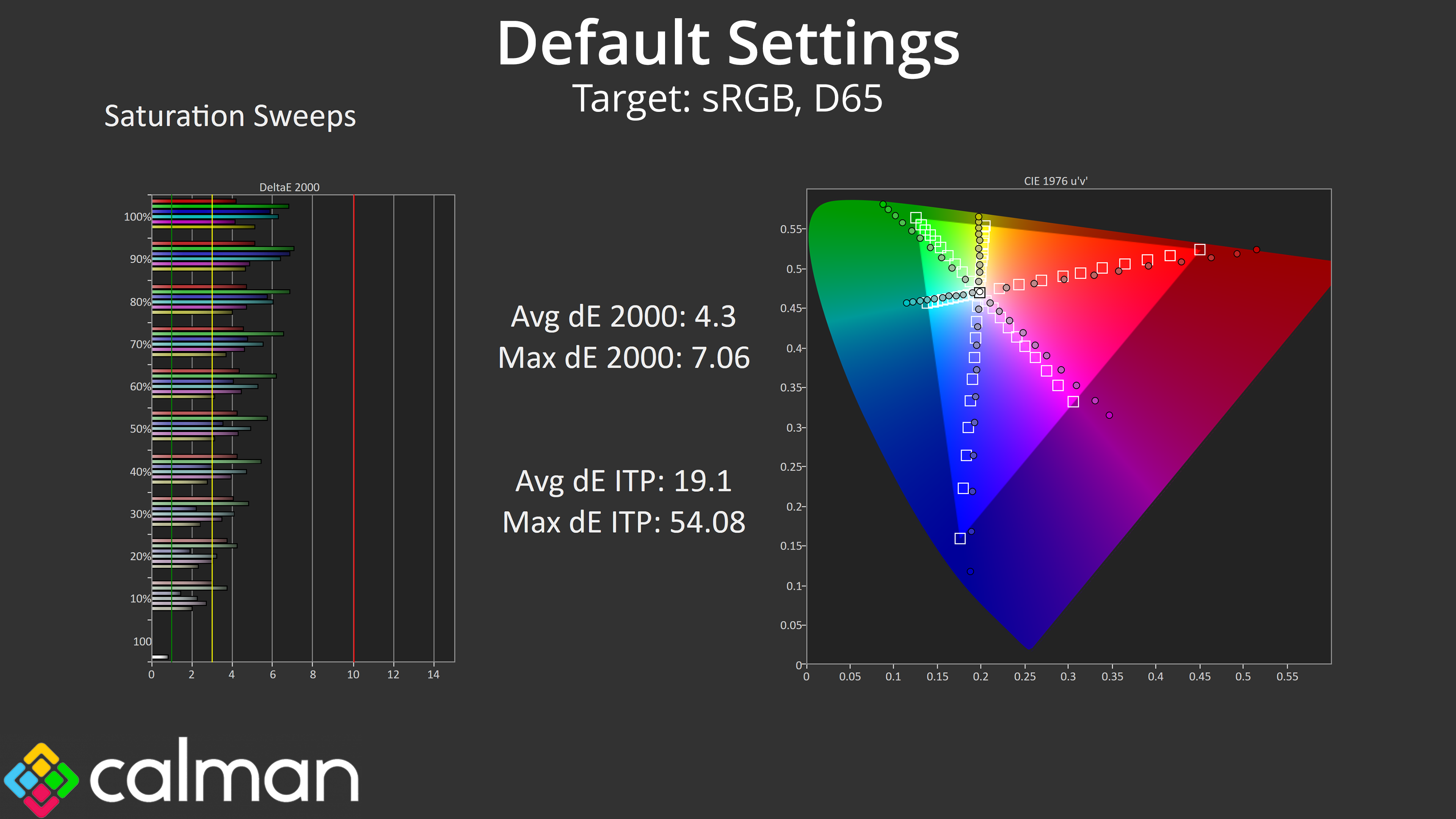
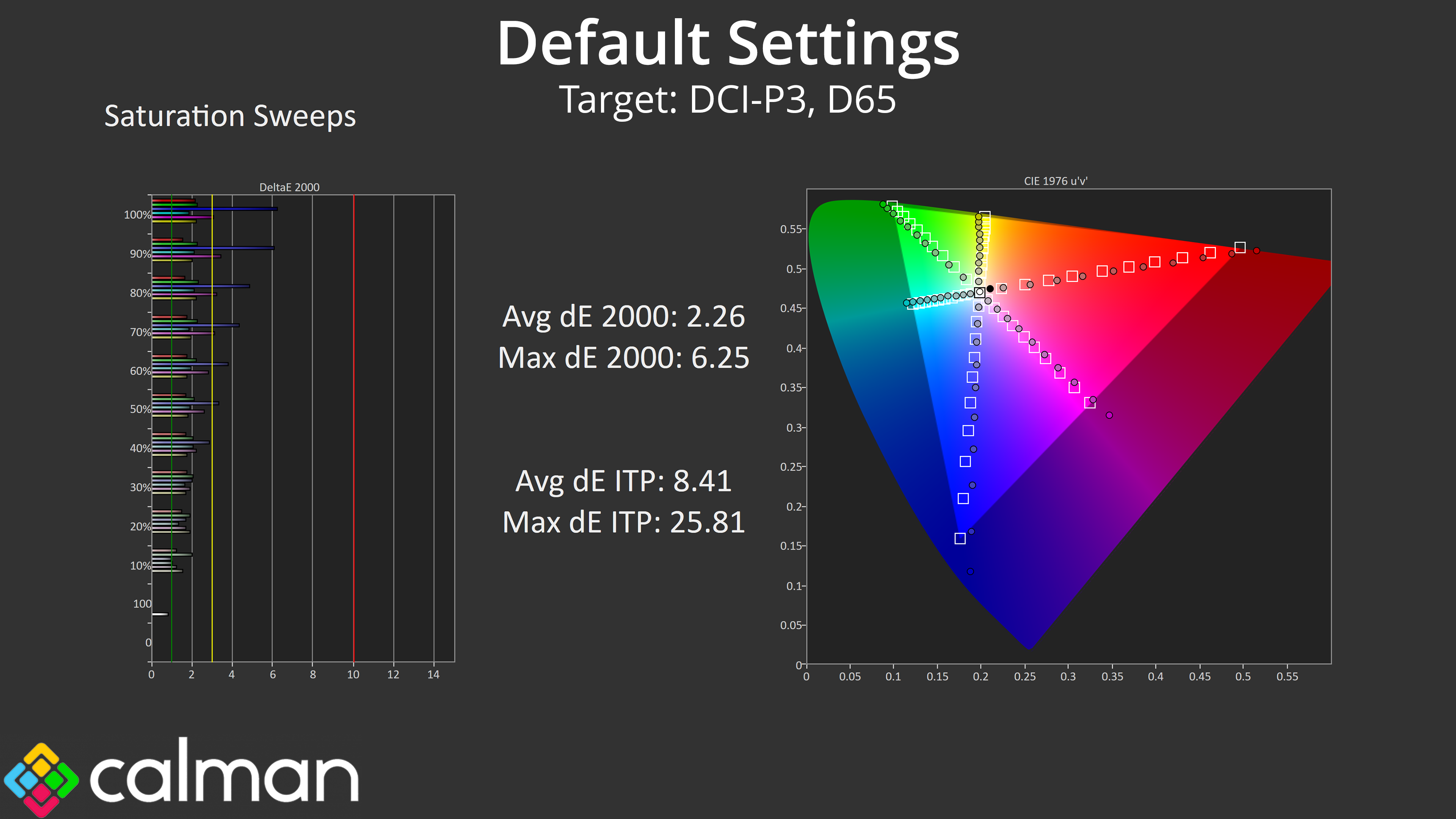
Moving onto saturation sweeps, here things are as expected. Due to the very wide colour gamut, there is a lot of over-saturation relative to the sRGB space, though this does improve, with an average dE 2000 of 2.26 when comparing against the DCI-P3 space.
Colour Accuracy
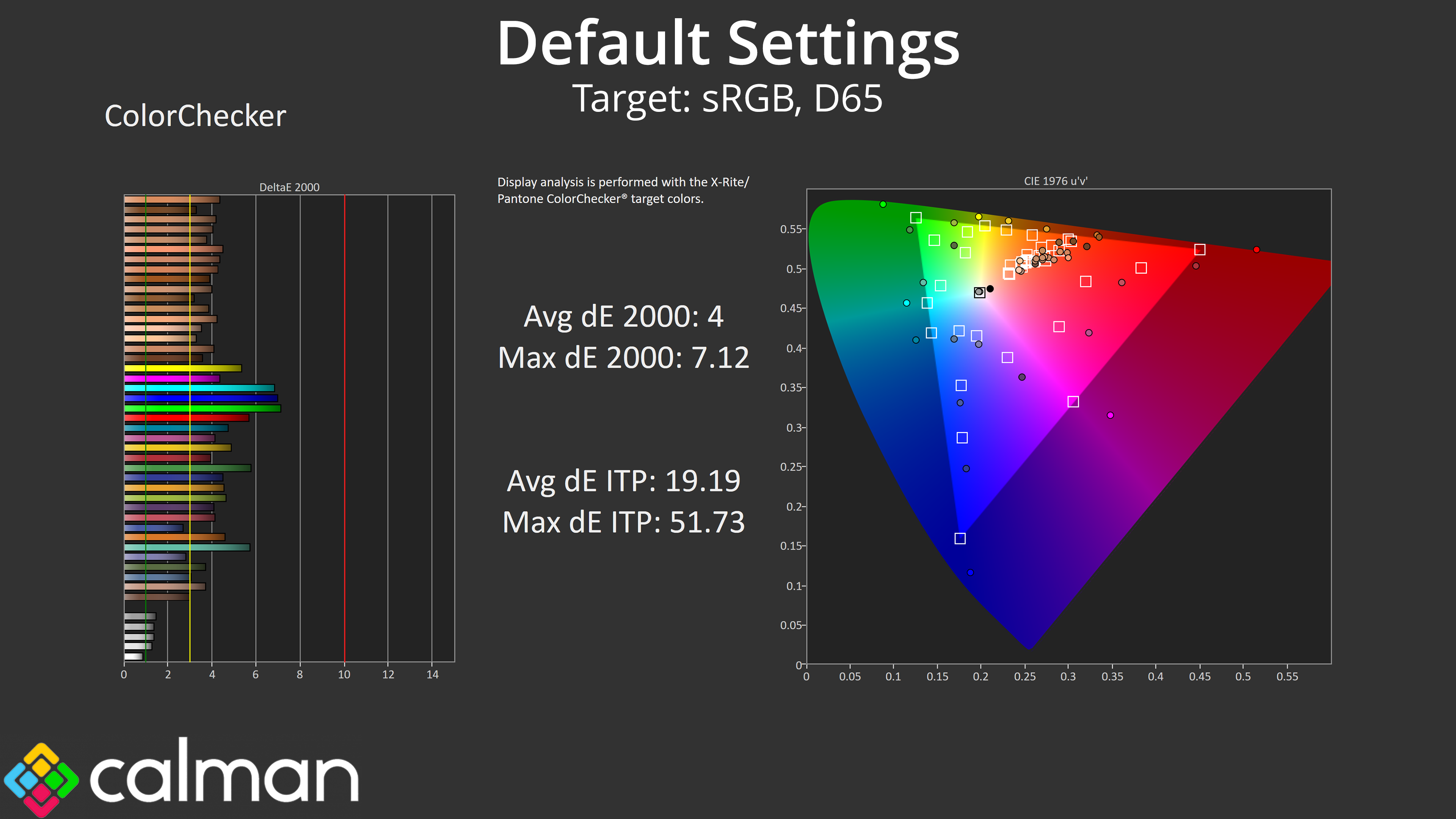
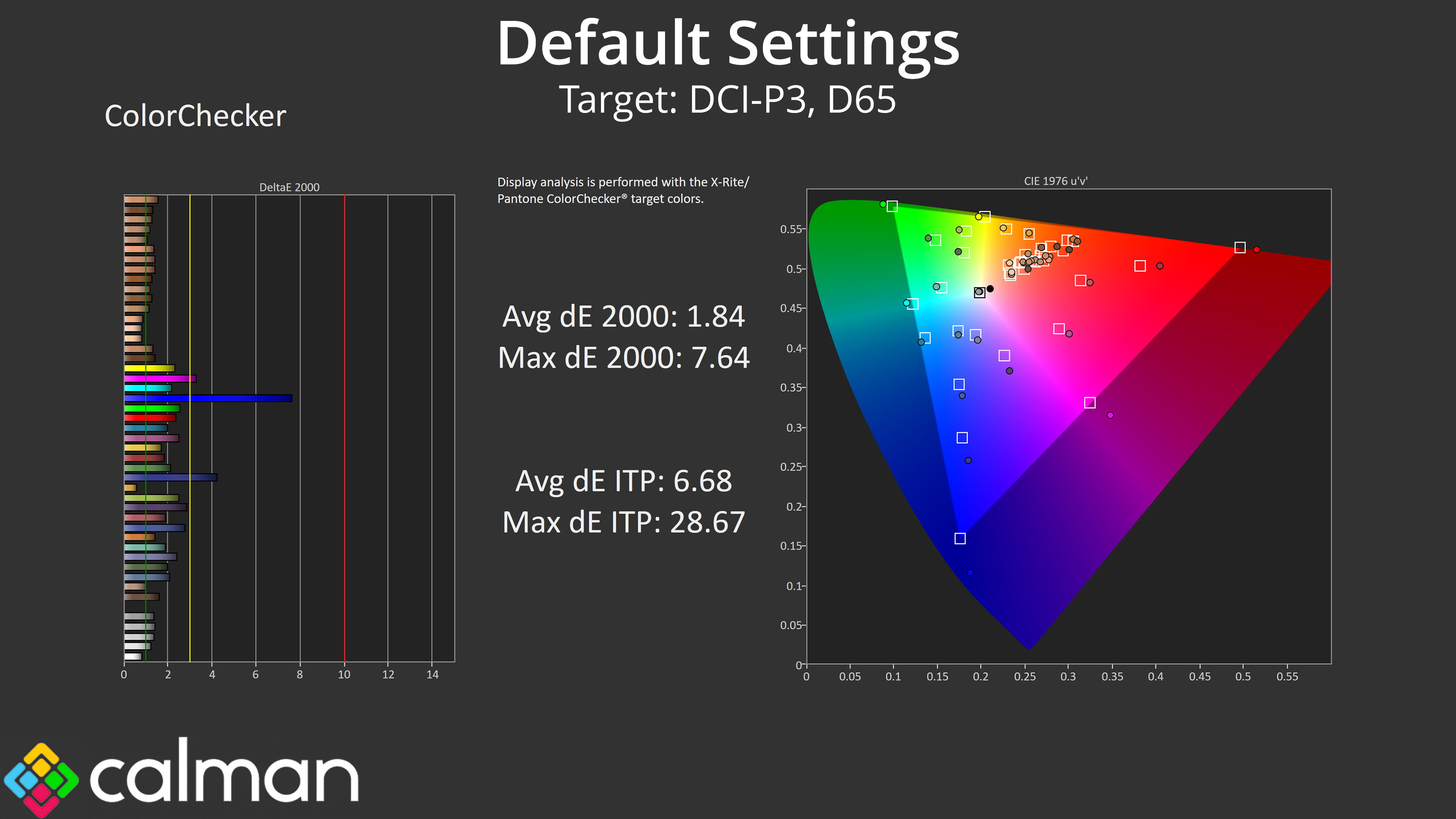
The same also goes for colour accuracy – the high levels of oversaturation mean colour accuracy relative to sRGB is quite poor, but this is always the case with OLED. Relative to the wider DCI-P3 space, though, things are much improved with an average dE 2000 of just 1.84.
sRGB Emulation Mode
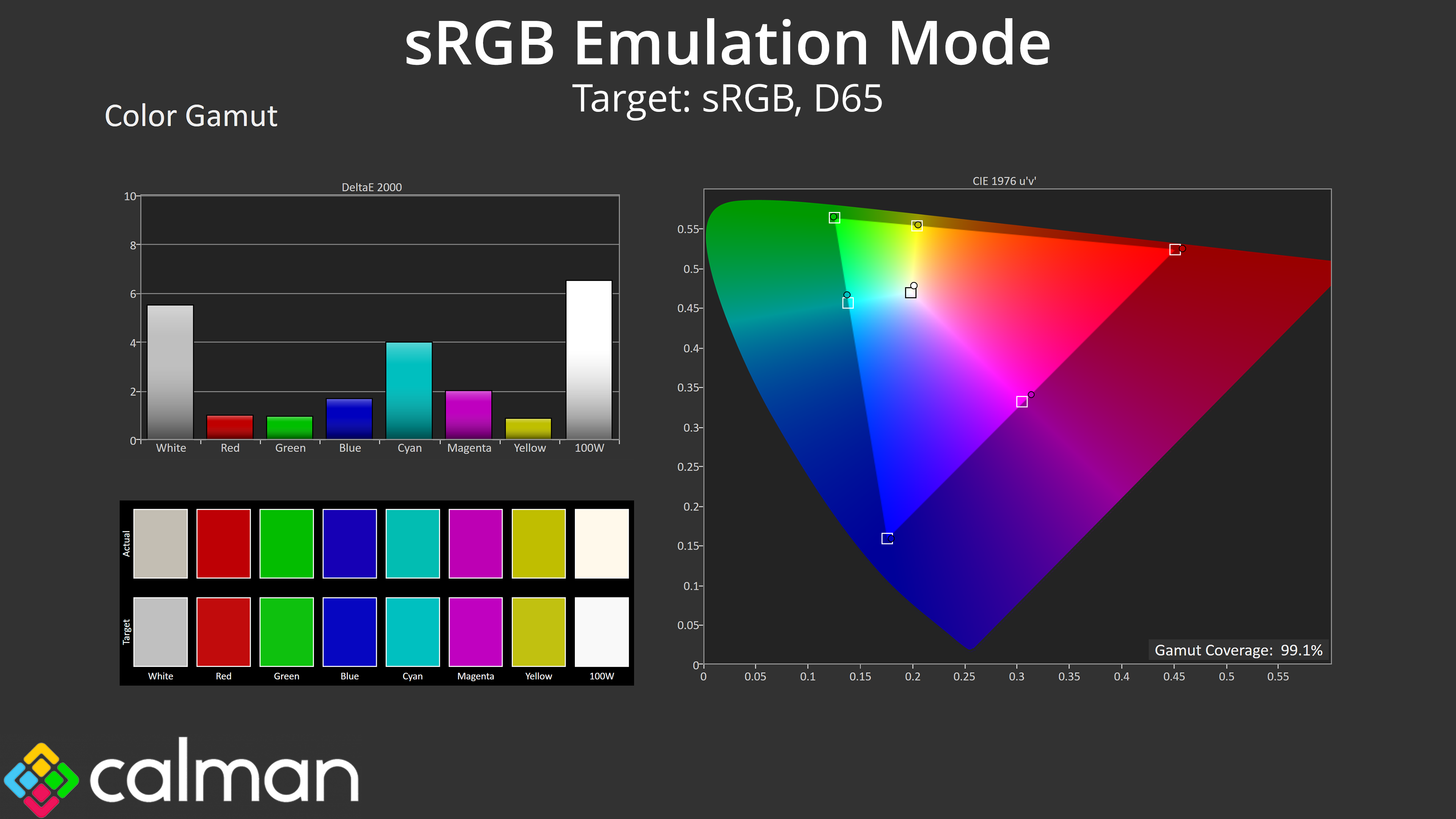
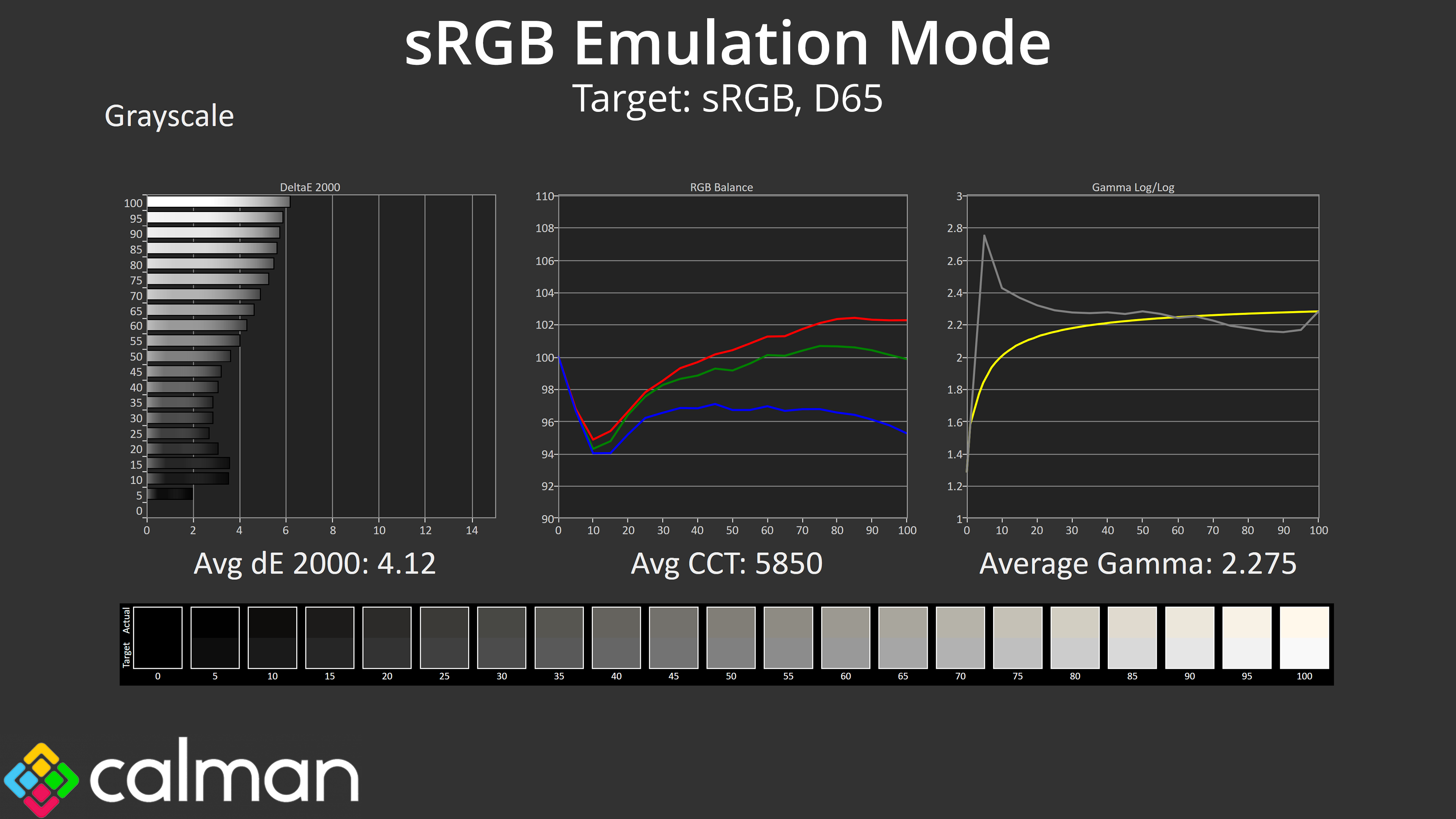
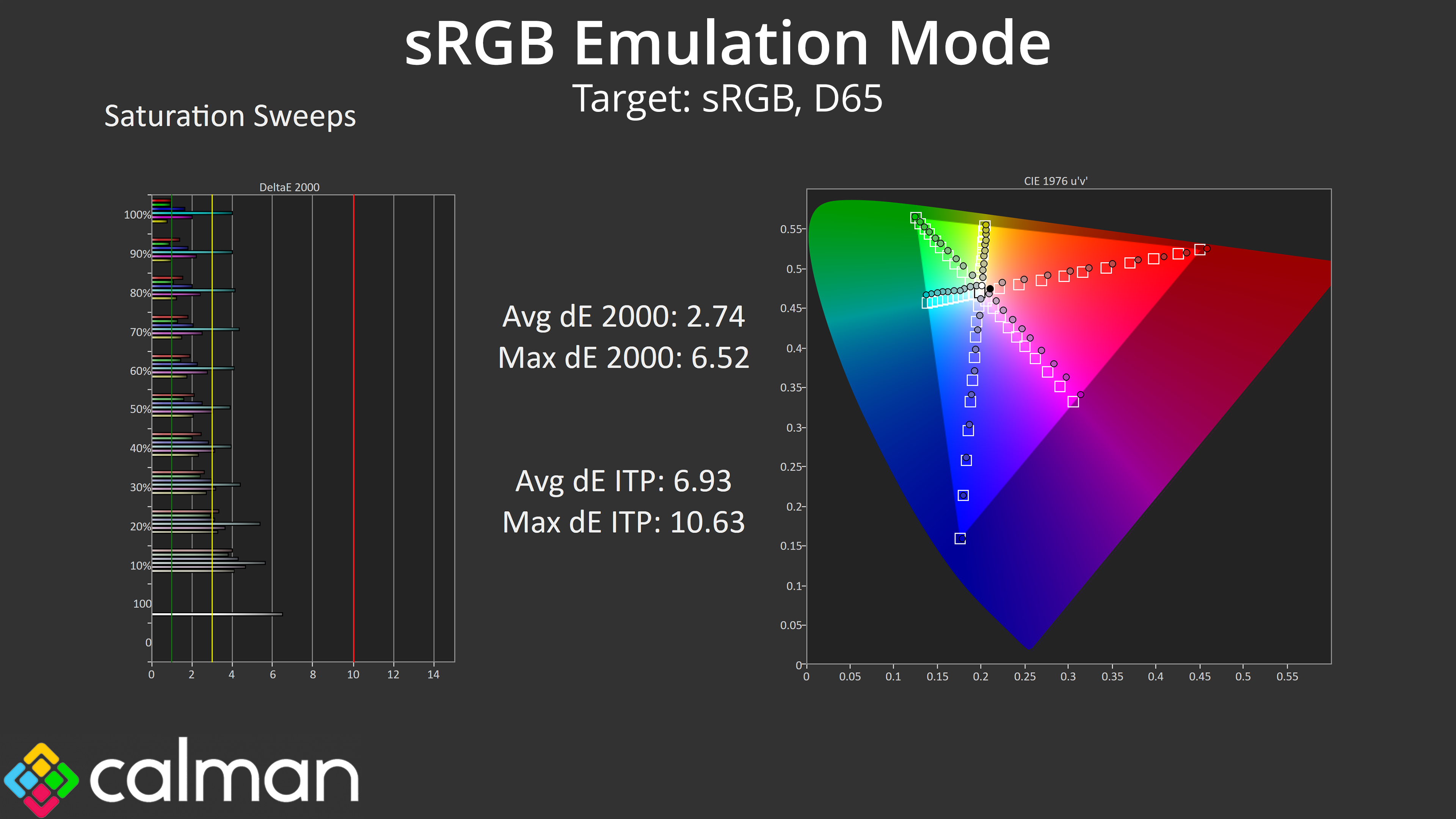
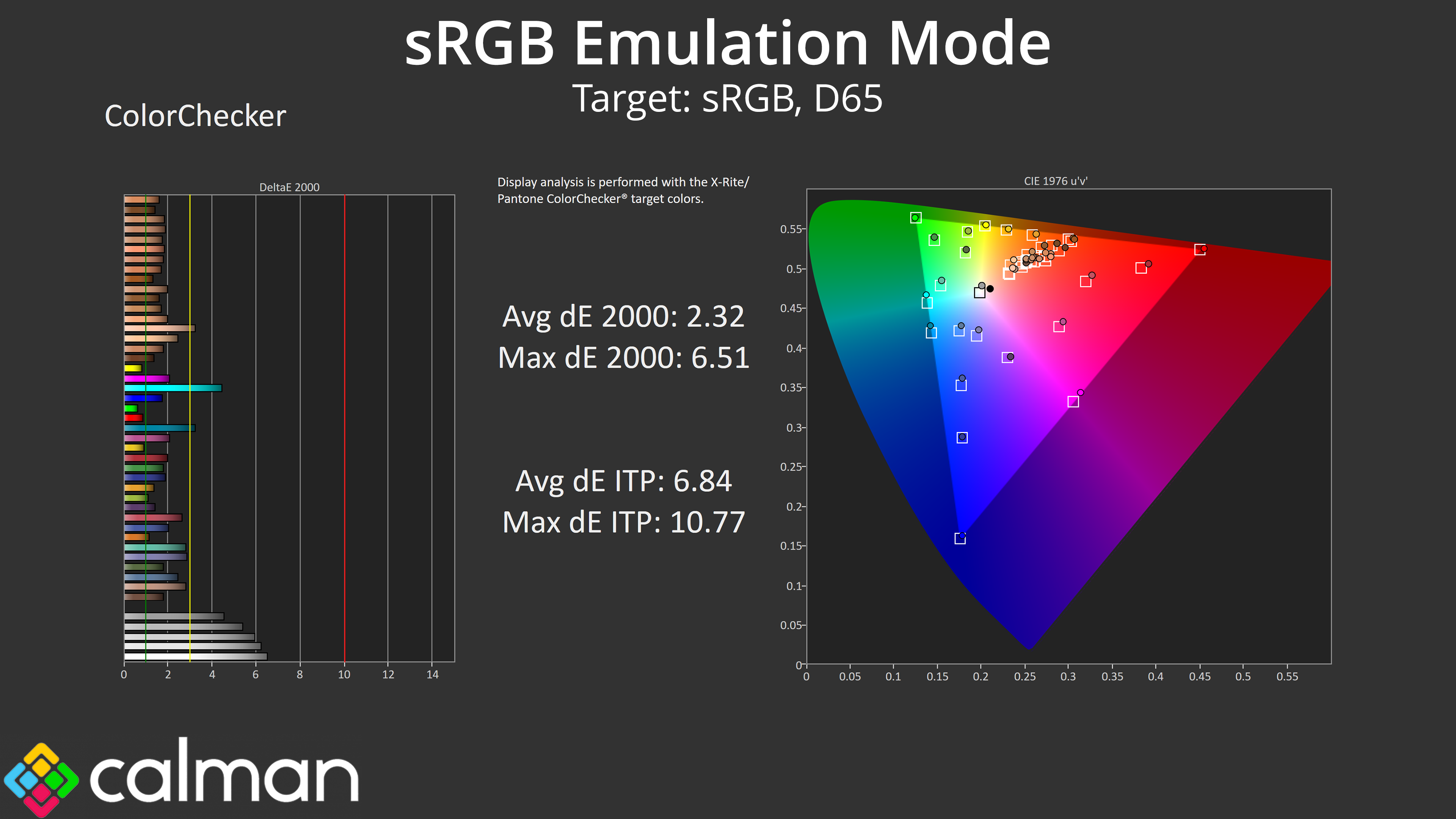
iiyama does also include an sRGB emulation mode which clamps the gamut to prevent oversaturation. However, it also uses a very different colour balance – one that is much too warm, and that affects overall accuracy. Gamma also sees the same spike we saw in darker shades, but it doesn't appear to properly track the sRGB gamma curve either. Still, clamping the gamut does show some improvements for saturation and colour accuracy readings, but overall this mode needs a lot of work.
Calibrated Results
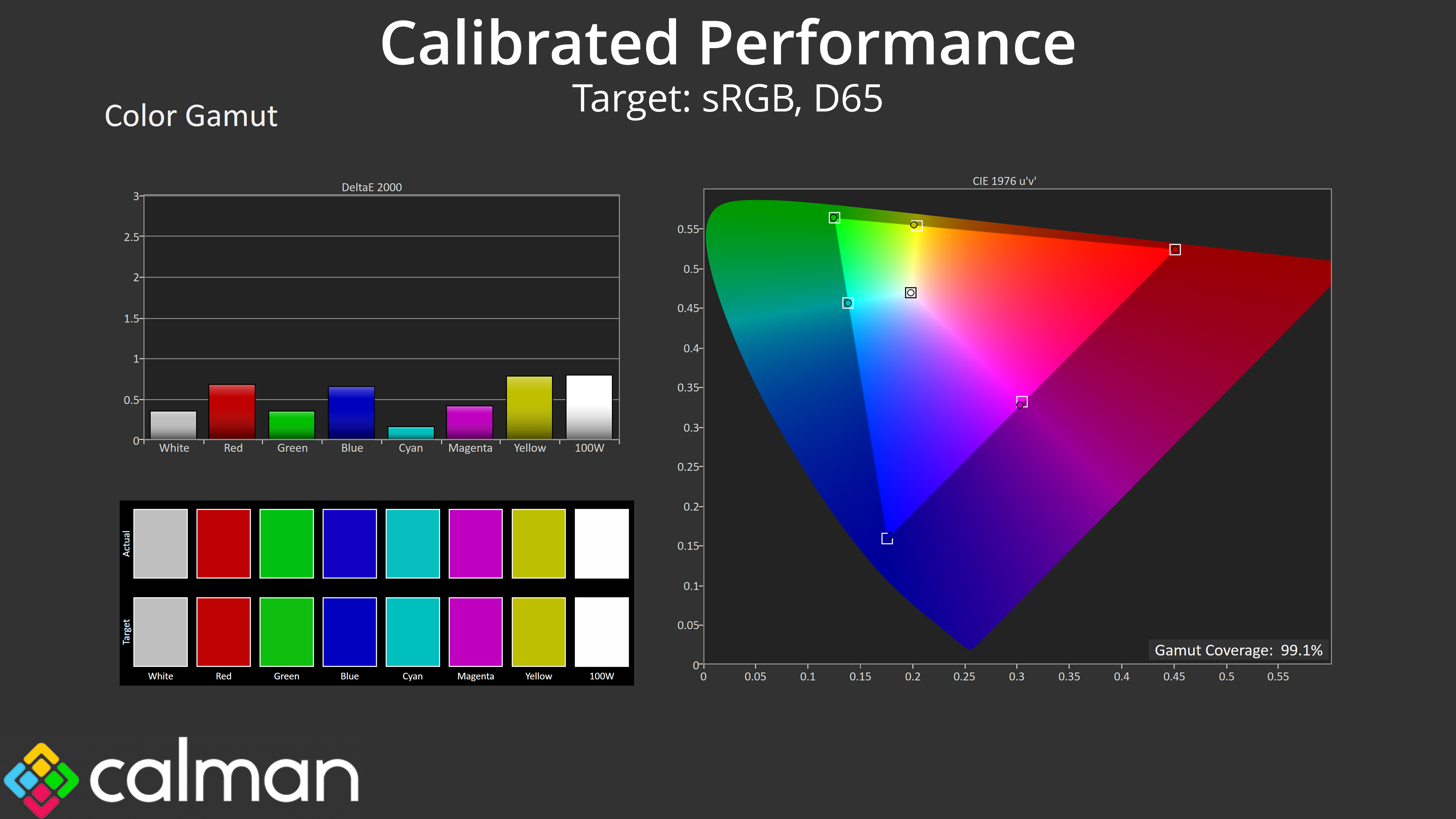
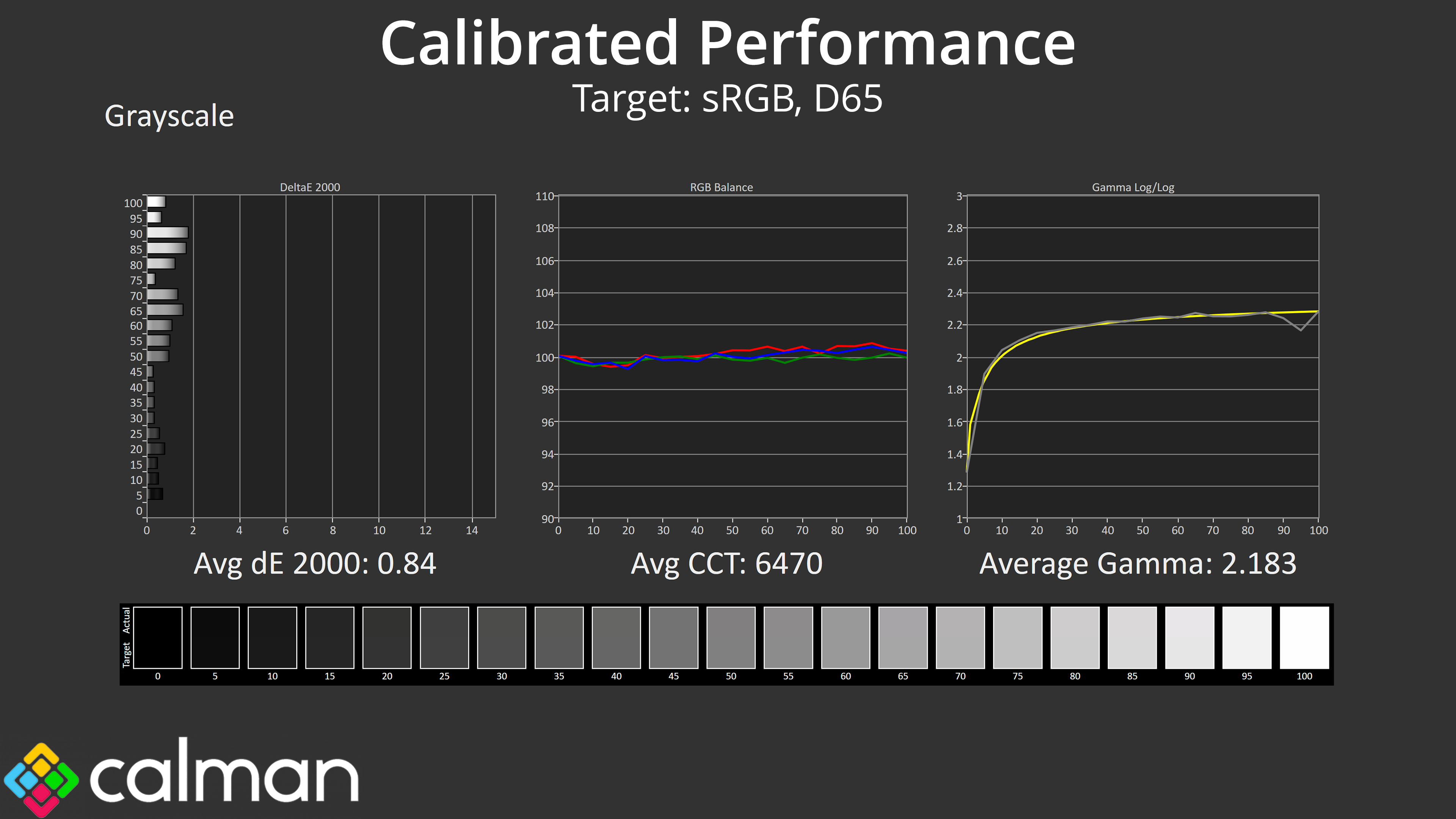
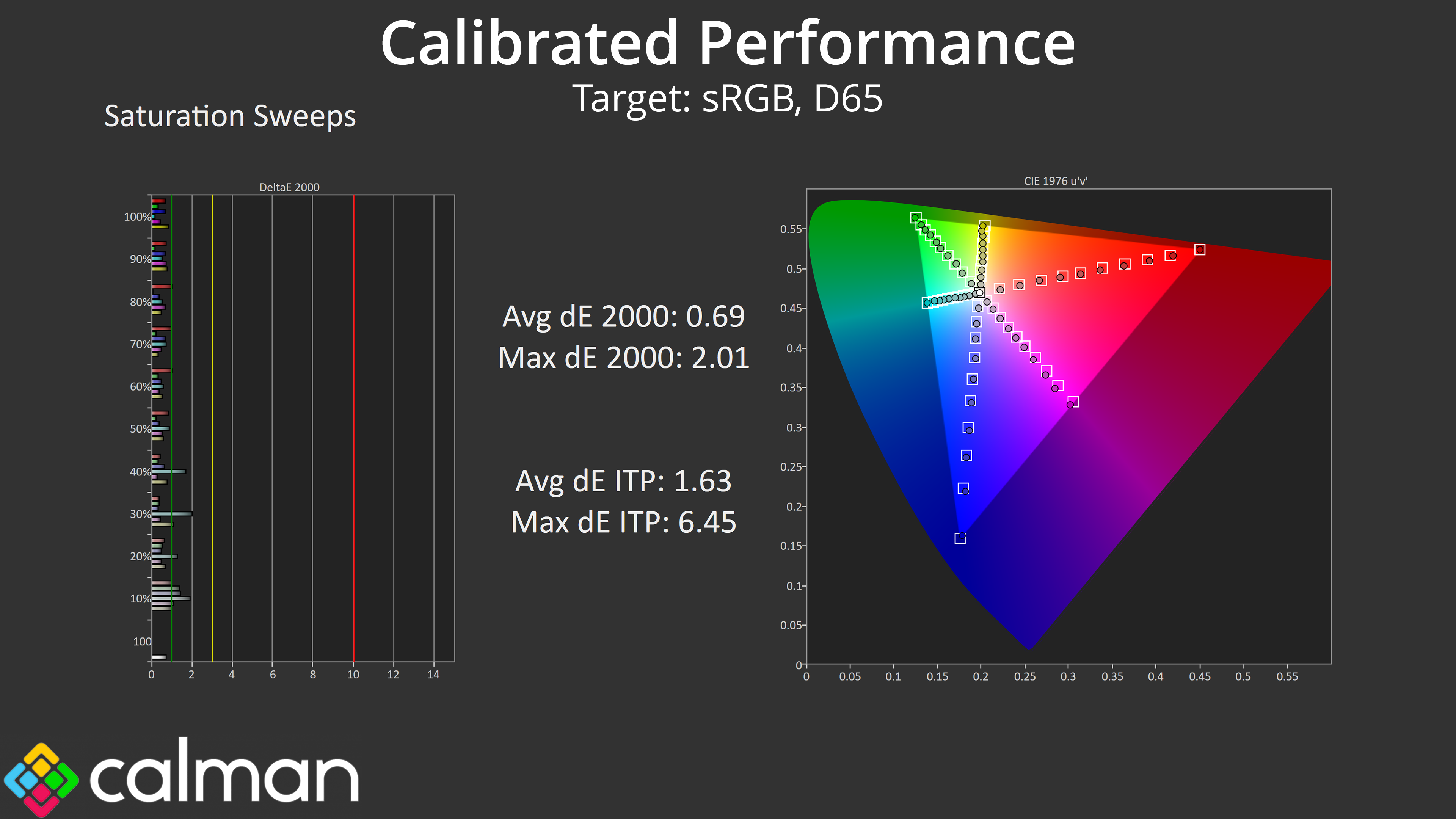
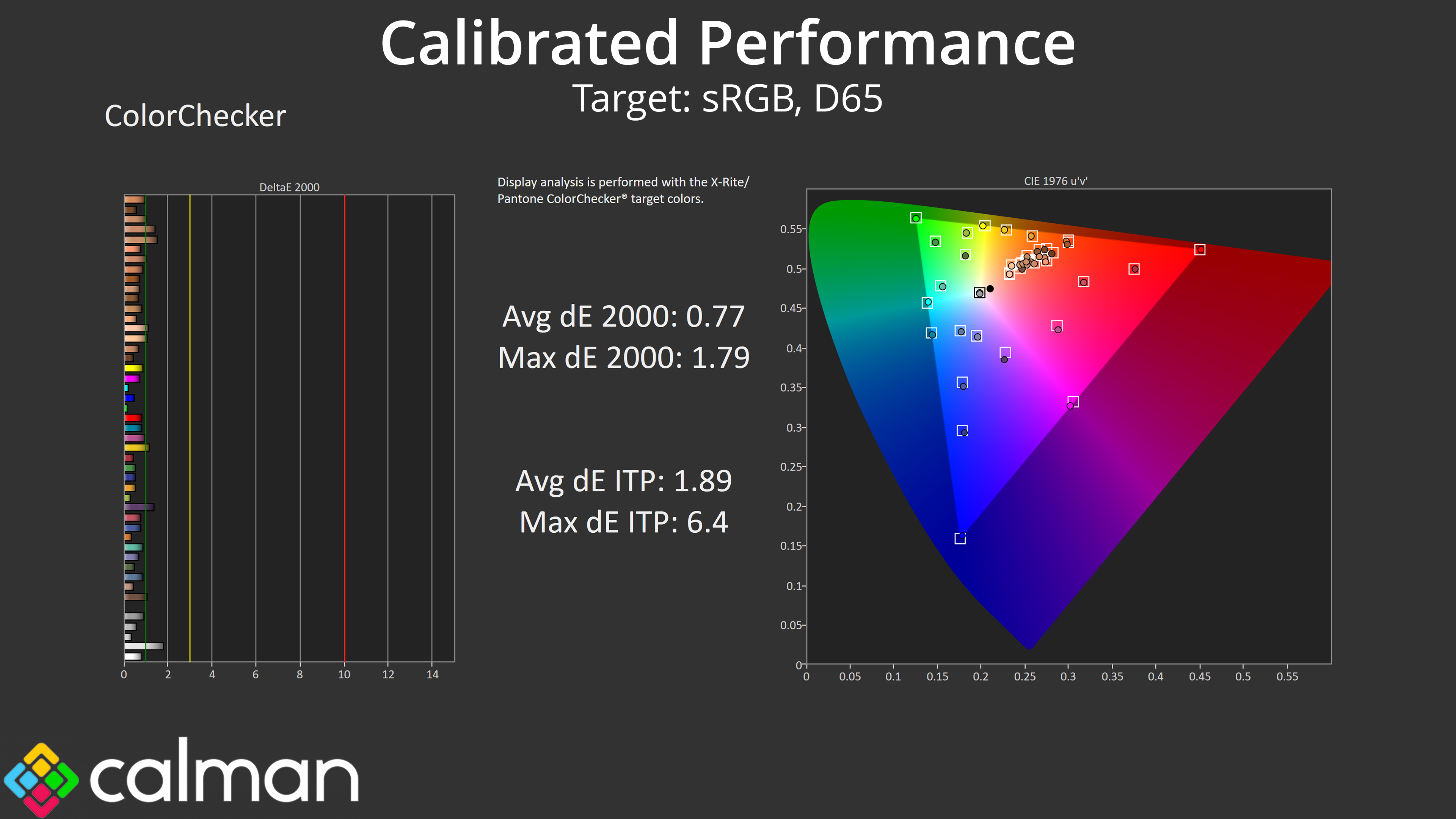
Thankfully, stellar results are possible if you have the necessary software and hardware tools for a full calibration, with our results showing just what the panel is capable of when targeting the sRGB space.