KitGuru KitGuru.net – Tech News | Hardware News | Hardware Reviews | IOS | Mobile | Gaming | Graphics Cards


We use the Open Source Response Time Tool (OSRTT), developed by TechTeamGB, for our response time testing. This measures grey-to-grey response times and presents the results in a series of heatmaps, the style of which you may be familiar with from other reviews.
Initial Response Time is the time taken for the panel to transition from one colour to another, where lower values are better. We present the initial response time, so overshoot is not taken into account and is measured separately. We use a fixed RGB 5 tolerance for each transition.
Overshoot is the term given for when a monitor's transition exceeds or goes beyond its target value. So if a monitor was meant to transition from RGB 0 to RGB 55, but it hits RGB 60 before settling back down at RGB 55, that is overshoot. This is presented as RGB values in the heatmaps – i.e. how many RGB values past the intended target were measured.
Visual Response Rating is a metric designed to ‘score' a panel's visual performance, incorporating both response times and overdrive. Fast response times with little to no overshoot will score well, while slow response times or those with significant overshoot will score poorly.
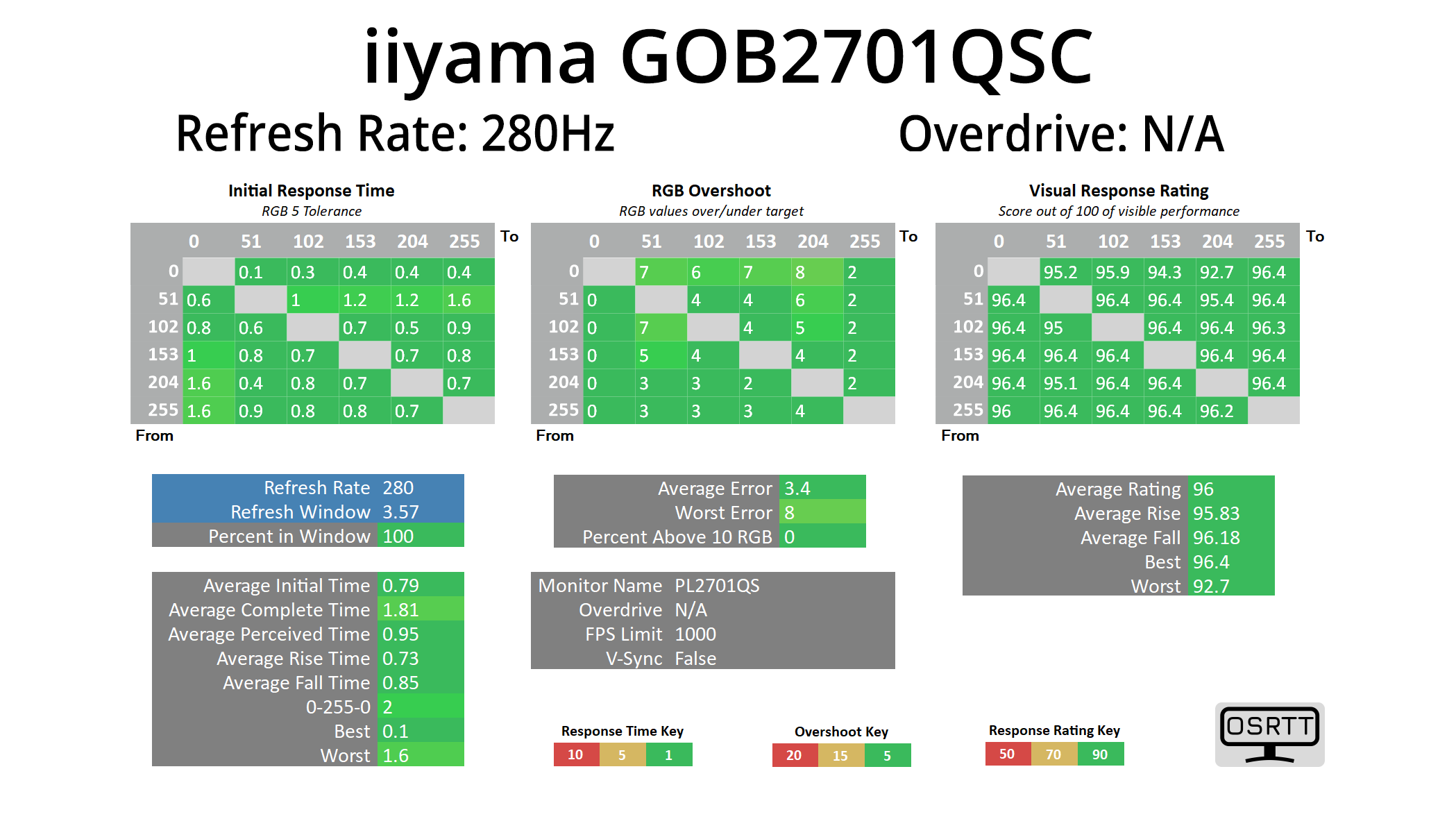
In terms of response times, we only tested at 280Hz given we know that all OLED monitors are about as fast as each other when it comes to response times, and that is the case regardless of the refresh rate used.
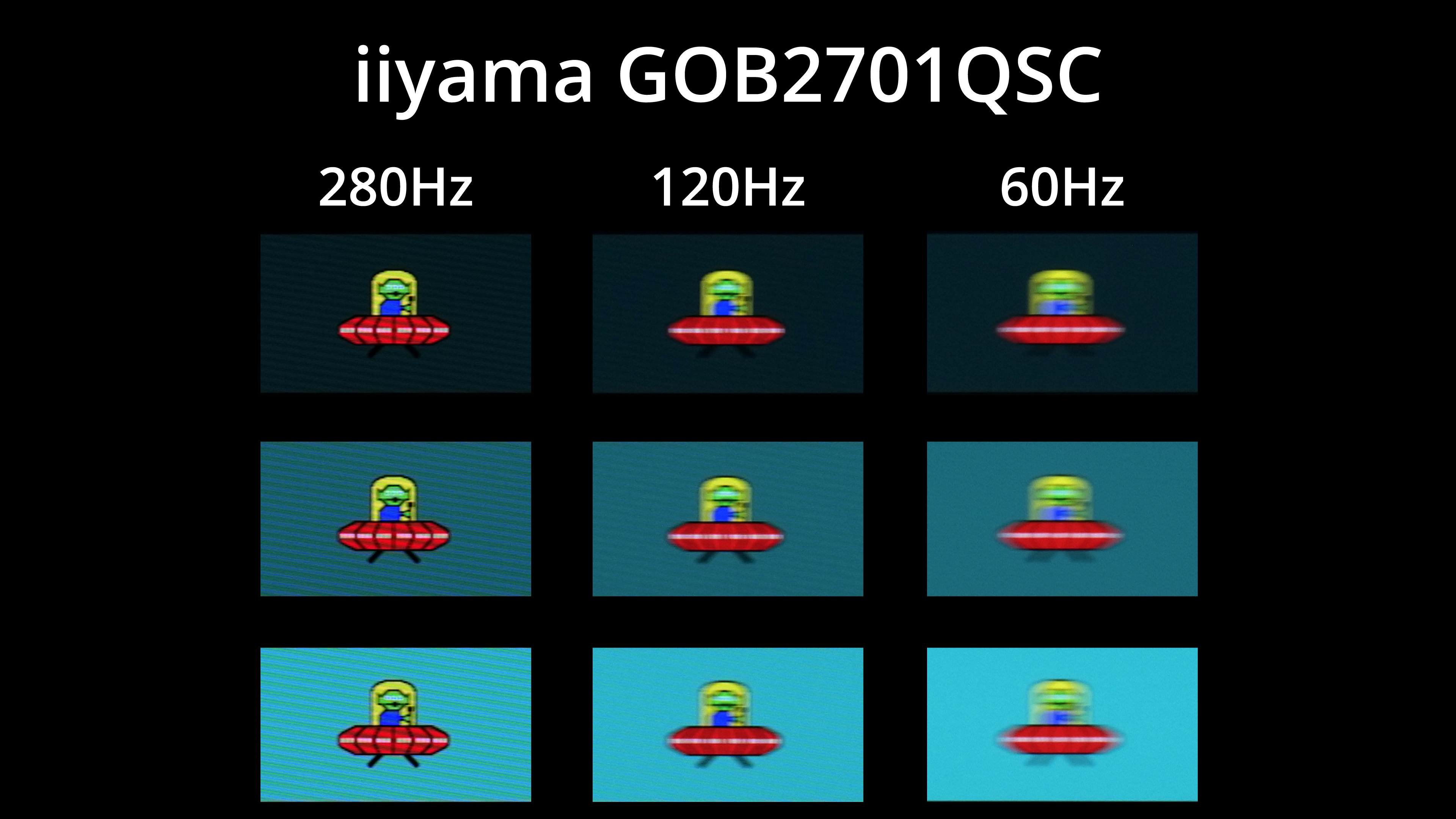
Of course, that doesn't mean motion clarity will be the same regardless of the refresh rate – the higher you can push the refresh, the smoother things look. As I always say, the jump from 120Hz to 280Hz, in this case, is quite noticeable, but you can also note there is zero ghosting at any given refresh rate target.
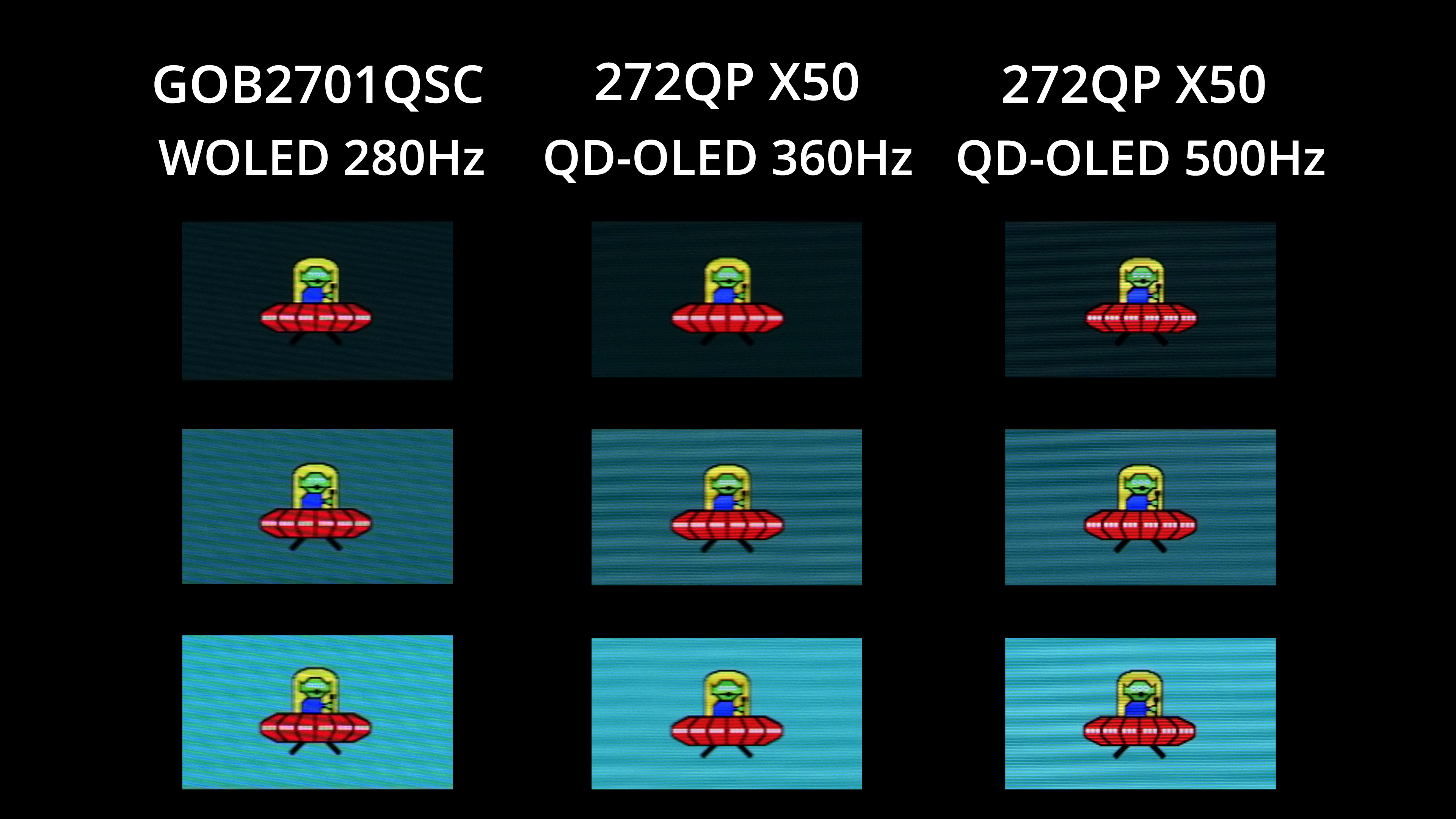
Still, as we approach 2027, 280Hz is a relatively mid-range refresh rate for an OLED screen, with other screens hitting 500Hz, even 720Hz now. With OLED, the higher the refresh rate, the clearer things will look – but equally you do need to be able to drive frame rates to match, which isn't always easy!
It is just worth making clear, though, that there's no Black Frame Insertion (BFI) option for the GOB2701QSC, like we have seen on other monitors from the likes of ASUS and MSI.
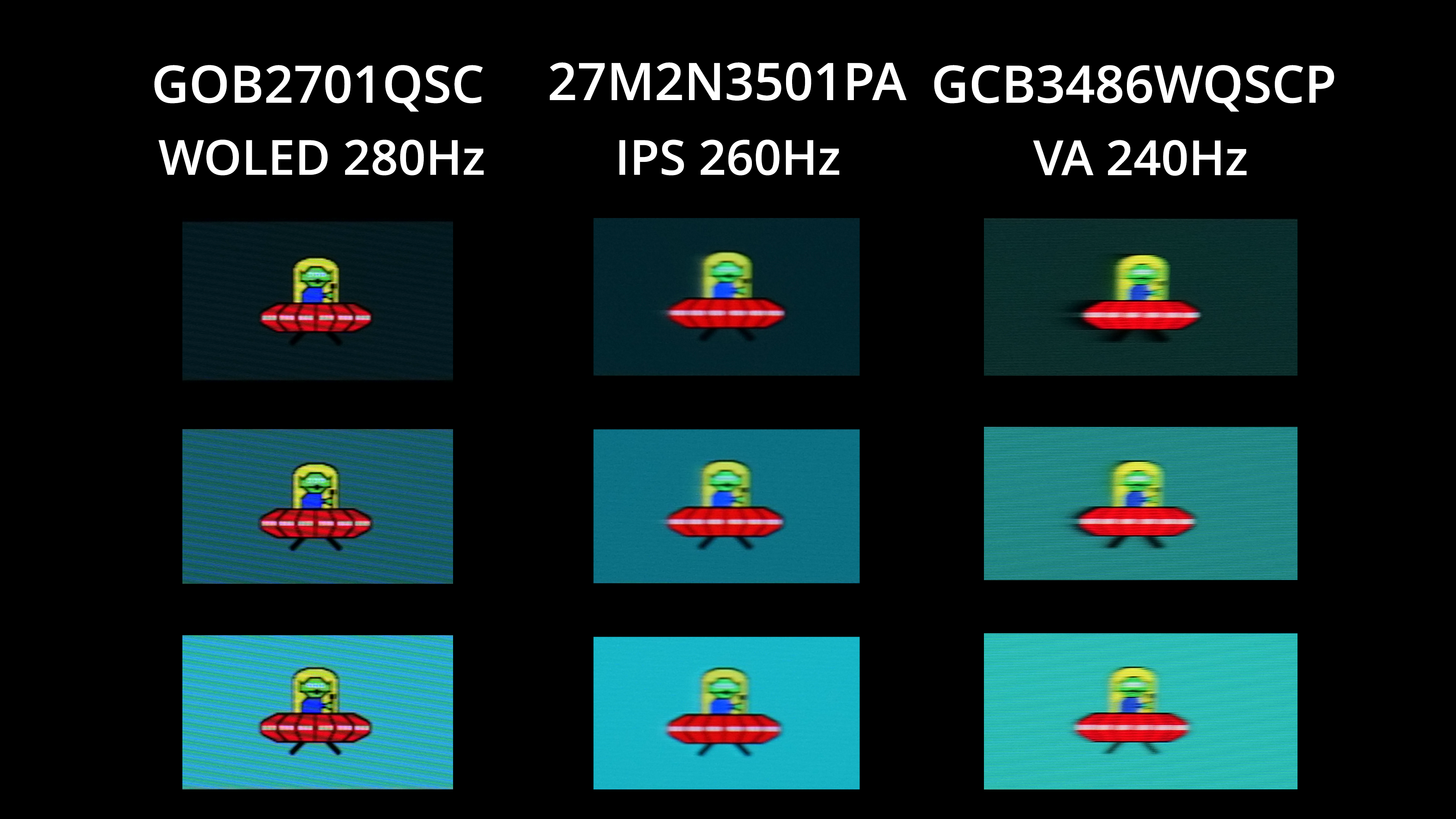
I also included some other comparisons so you can see how this 280Hz OLED compares to two similarly-clocked LCD panels – and it's just not even close. The improvement in general clarity, and the complete lack of ghosting, really sets OLED apart and makes it such a good technology for gaming monitors.