KitGuru KitGuru.net – Tech News | Hardware News | Hardware Reviews | IOS | Mobile | Gaming | Graphics Cards


HDR Testing
Following on from the SDR results on the previous page, here we re-test the relevant areas of the display with HDR enabled.
First things first, the GOB2701QSC has a strange and quite annoying quirk that HDR must be enabled manually within the OSD every time you use it. In other words, it does not automatically turn on when you enable HDR in Windows – unlike basically every other HDR-capable monitor I've ever tested – and the image looks incredibly washed out until the OSD setting is toggled.
There's also no choice of HDR modes – it's the default ‘HDR On' experience, and that's it.
Brightness
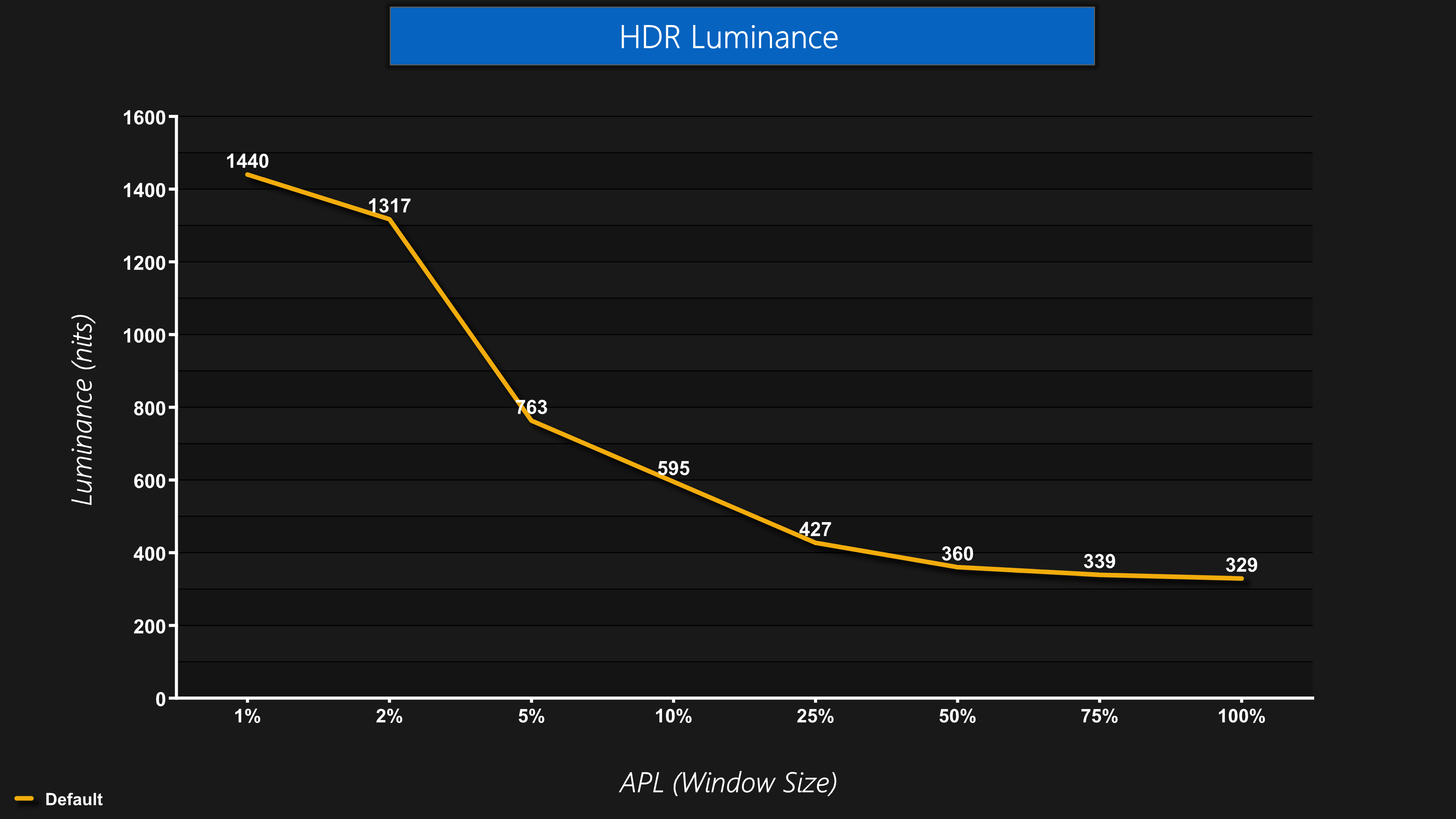
As we can see here, it does get very bright – we didn't quite measure 1500 nits for a 1% APL, but we certainly came close.
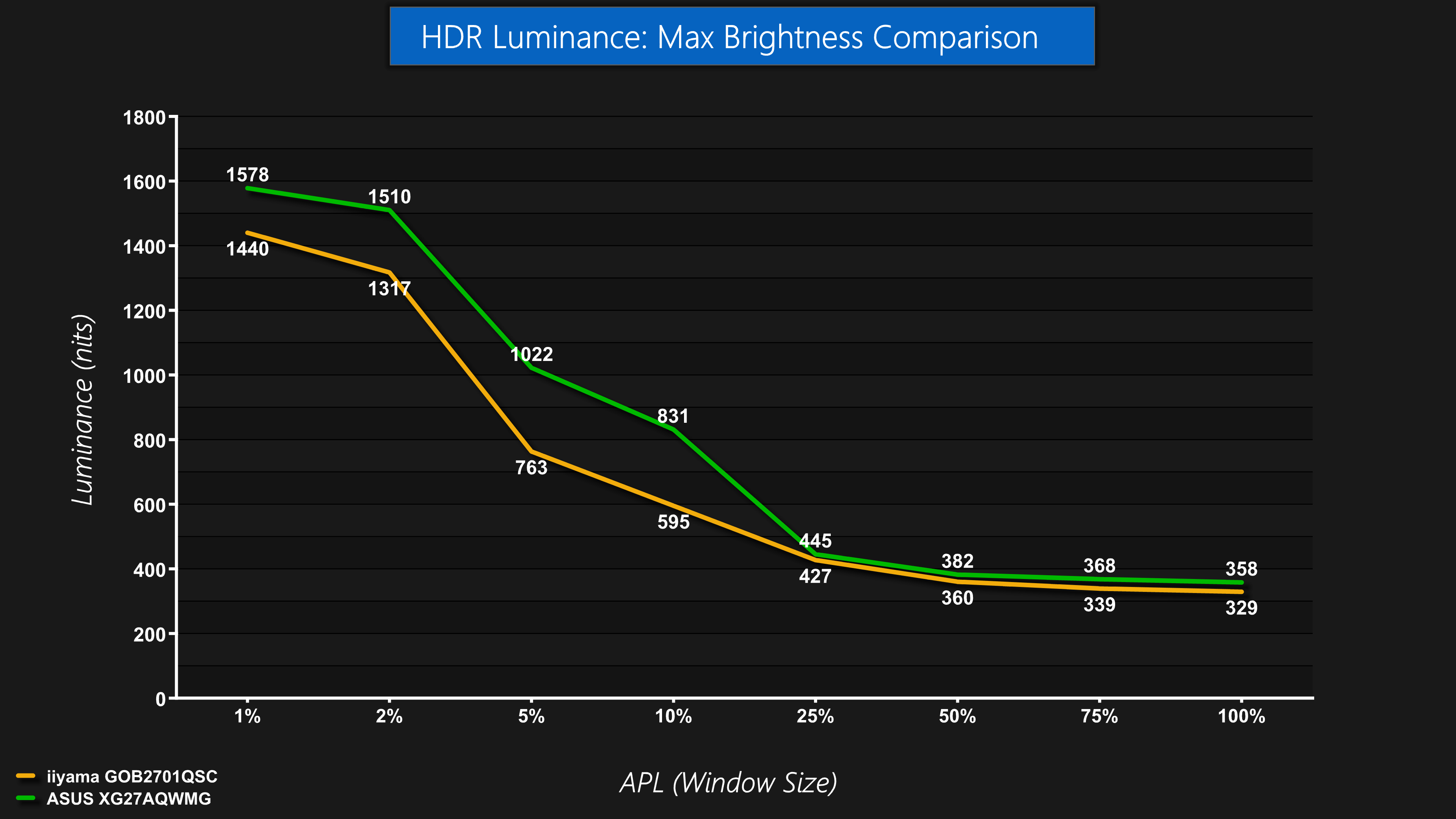
However, the ASUS XG27AQWMG – using the exact same panel – was able to hit almost 1600 nits, so iiyama is missing out slightly – though it's still very bright for those small highlights.
The downside to a lack of HDR modes is that there's no True Black equivalent mode, so if you wanted a dimmer experience, but one with less ABL behaviour, that is not possible – so definitely something to work on with a firmware update.
Greyscale
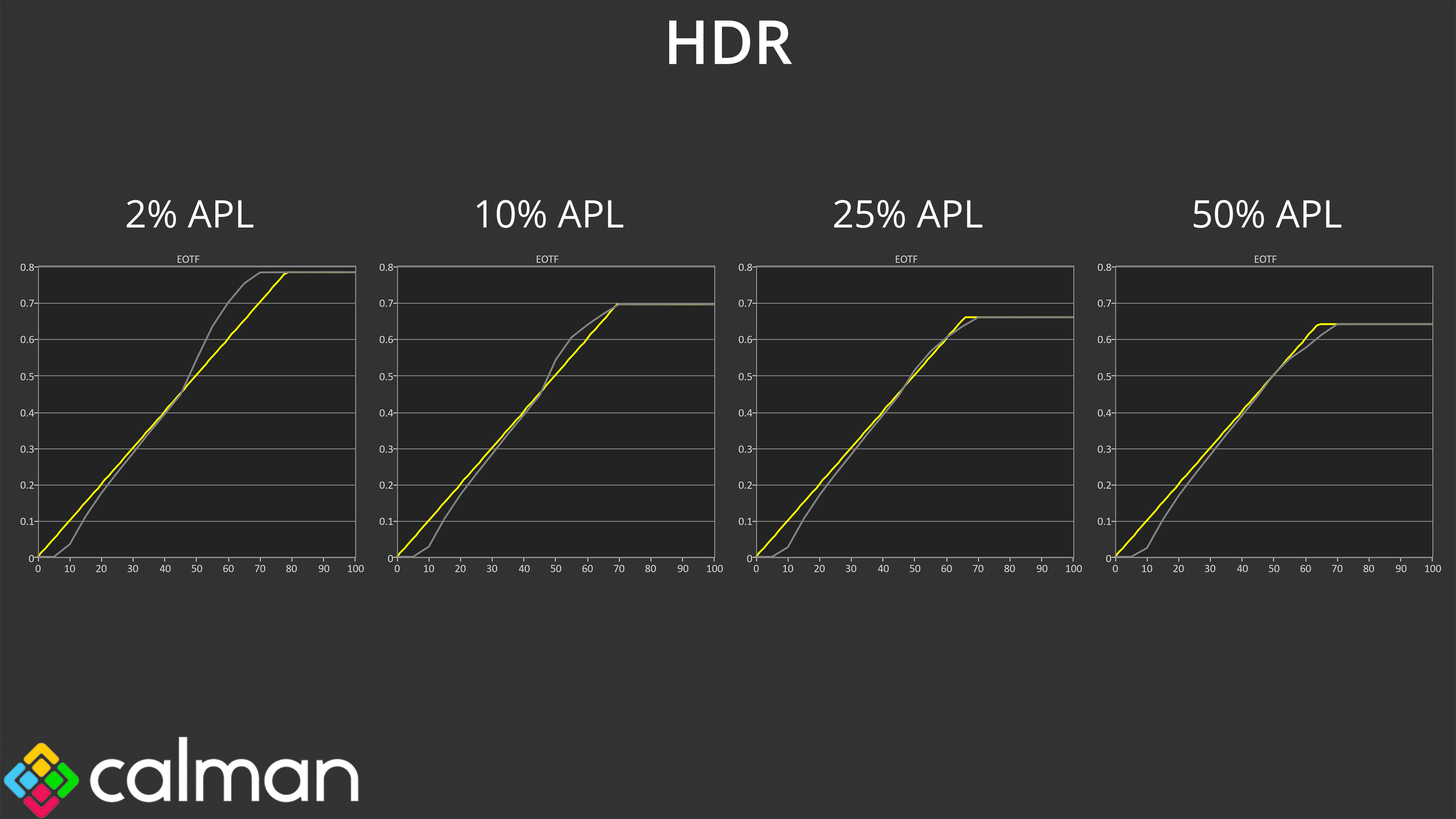
The good news is that EOTF tracking is pretty solid in the default HDR configuration – it's slightly over-brightened in the lighter shades for small window sizes, but nothing terrible, and there's only minimal roll-off for the 25% and 50% APL tests, so overall brightness presentation is solid. There is a touch of lost detail in those darker shades as we saw in SDR, but nothing terrible.
Colour Accuracy
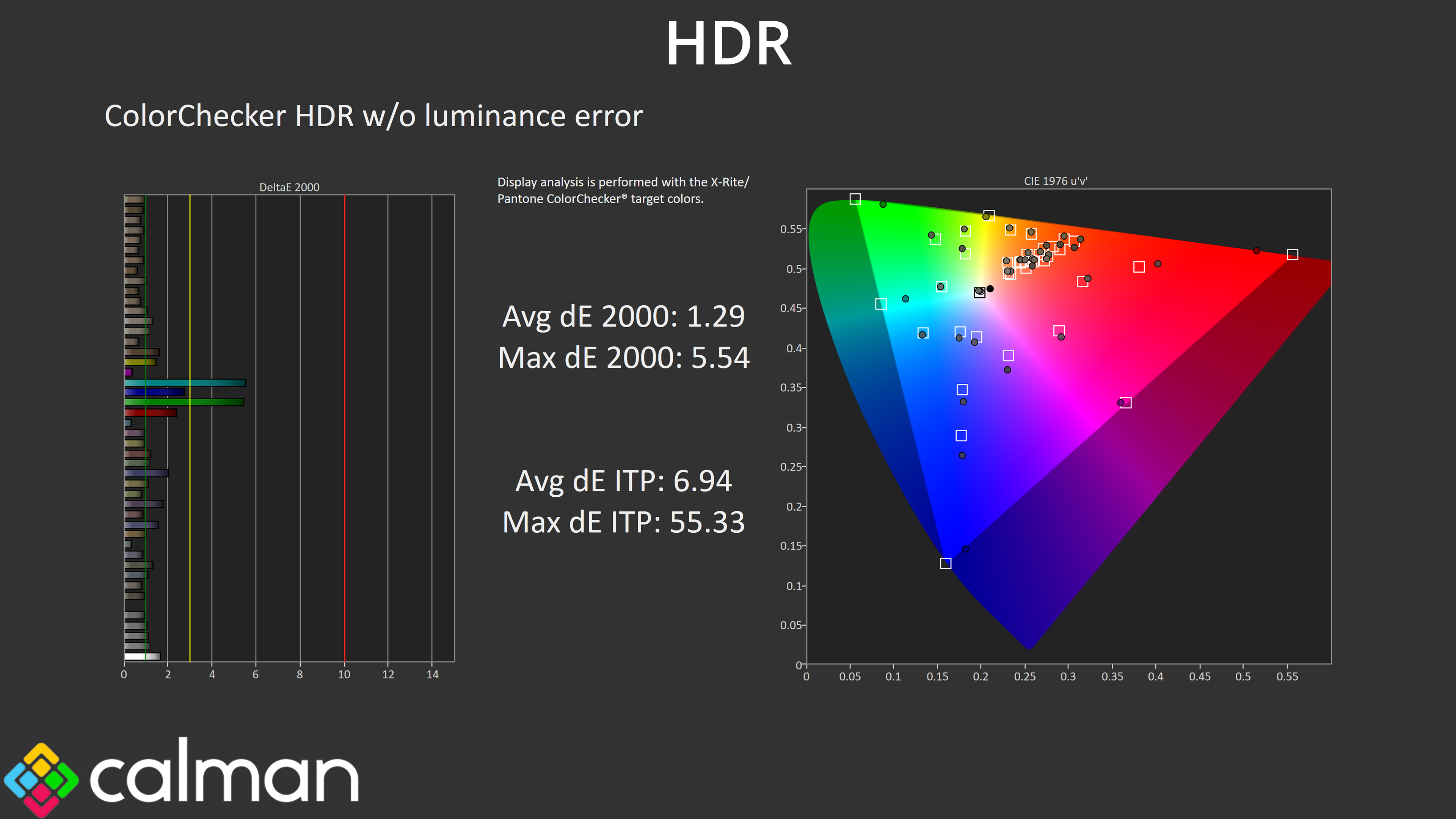
Colour accuracy is also good, with a very low average, with the worst results coming from the 100% cyan and 100% green channels, which is to be expected as the panel doesn't cover the full Rec.2020 gamut.