KitGuru KitGuru.net – Tech News | Hardware News | Hardware Reviews | IOS | Mobile | Gaming | Graphics Cards


HP isn’t perhaps the first company that springs to mind when it comes to PC gaming but its Omen brand has been steadily making a name for itself thanks to some stylish PCs and laptops. Now it has branched out into desktop monitors too, and the Omen by HP 27 makes a striking impression.
With its narrow bezels, slim metal stand and moody all-black colour scheme, it’s arguably the best looking display of its type. You get a high-end, if fairly typical spec sheet too, with a 2,560 x 1,440 resolution, a 144Hz (overclockable to 165Hz) TN-type LCD panel and G-Sync, so this is a serious gaming tool.
The big downside is price. Costing £699, this is the most expensive display of its kind. A chunk of that is down to the inclusion of G-Sync but this is still around £100 more than most direct rivals and double the price of more basic 144Hz gaming displays. Let’s find out if HP has done enough to justify that high price.
Specifications:
- Screen size: 27-inch, 16:9 aspect
- Native resolution: 2,560 x 1,440
- Refresh rate: 144Hz (overclockable to 165Hz)
- Panel type: TN
- Contrast ratio: 1,000:1 native
- Brightness: 400cd/m2
- Response time: 1ms grey-to-grey
- Display inputs: DisplayPort, HDMI
- USB hub: USB 3.0, two ports
- Tilt: Yes
- Raise: Yes
- Swivel: No
- Pivot: No
- VESA: Yes
- Warranty: 3 years
Retail Price: £699 (inc. VAT)
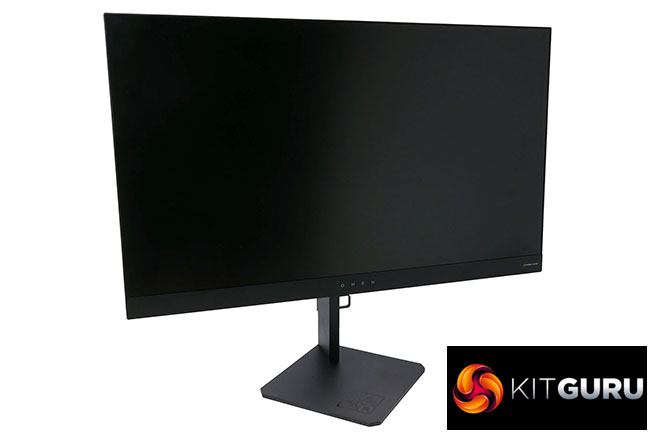
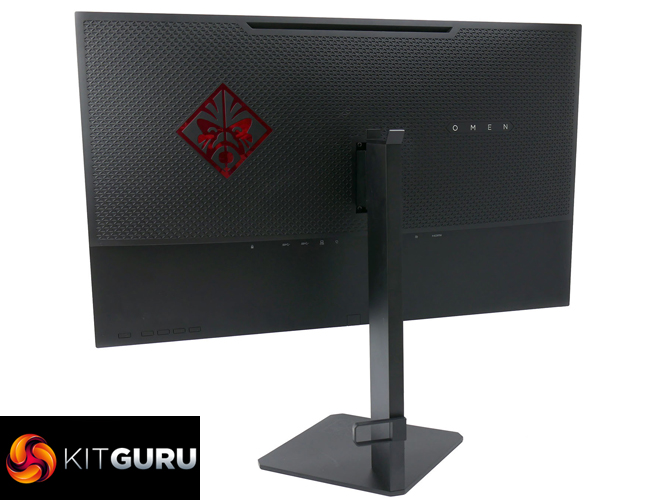
We’re just going to come right out and say it – this is the best-looking monitor in its class. For a start, you’ve got narrow, low-profile bezels round the top and sides of the display. This immediately creates a sense of sleekness that any chunky-bezelled rivals struggle to overcome.
Then there’s the slender base and stand. Made from solid metal, they’re reassuringly hefty and rigid, despite being so slim. Stick this display next to just about any rival and they look positively dumpy in comparison.
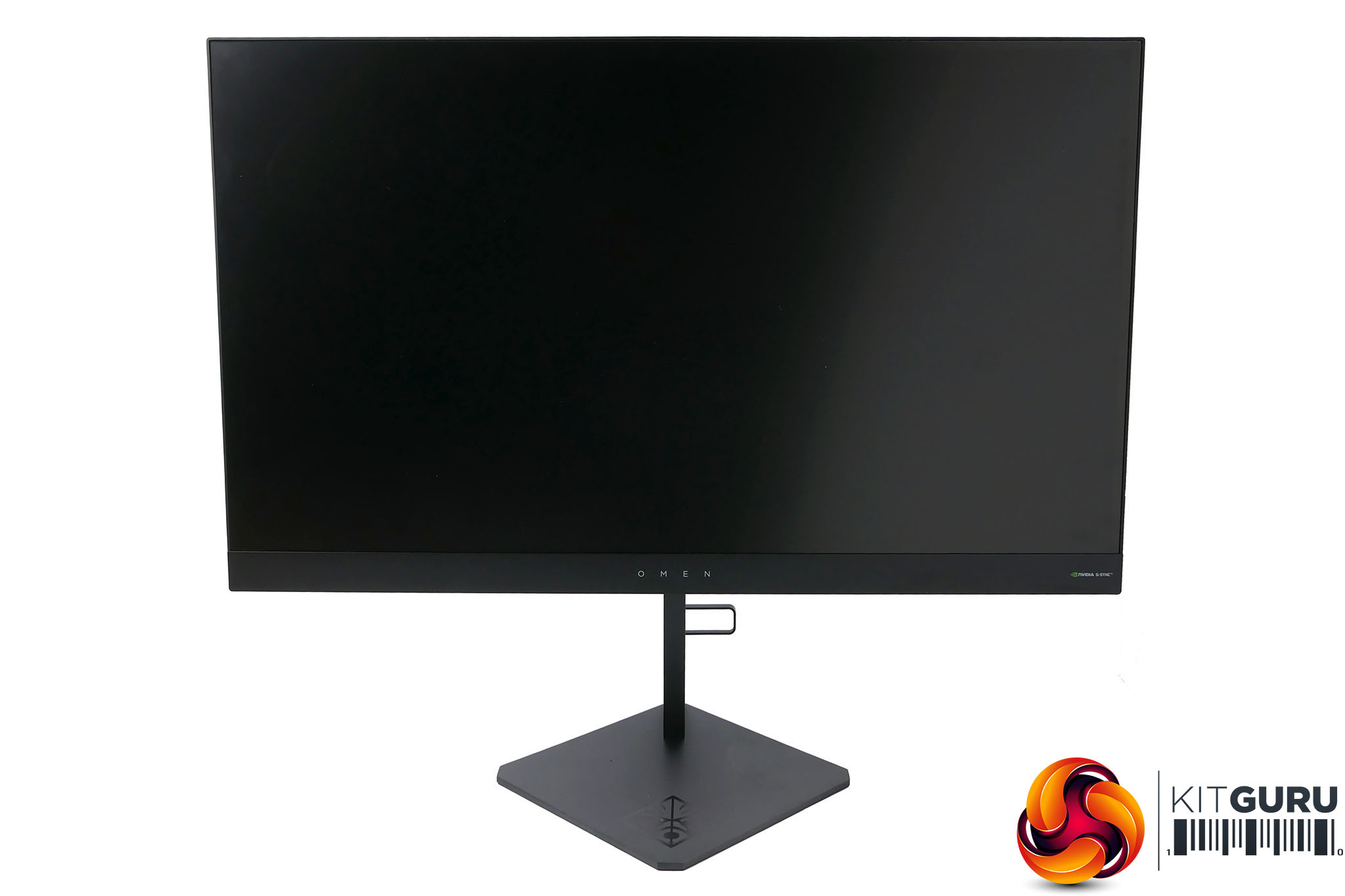
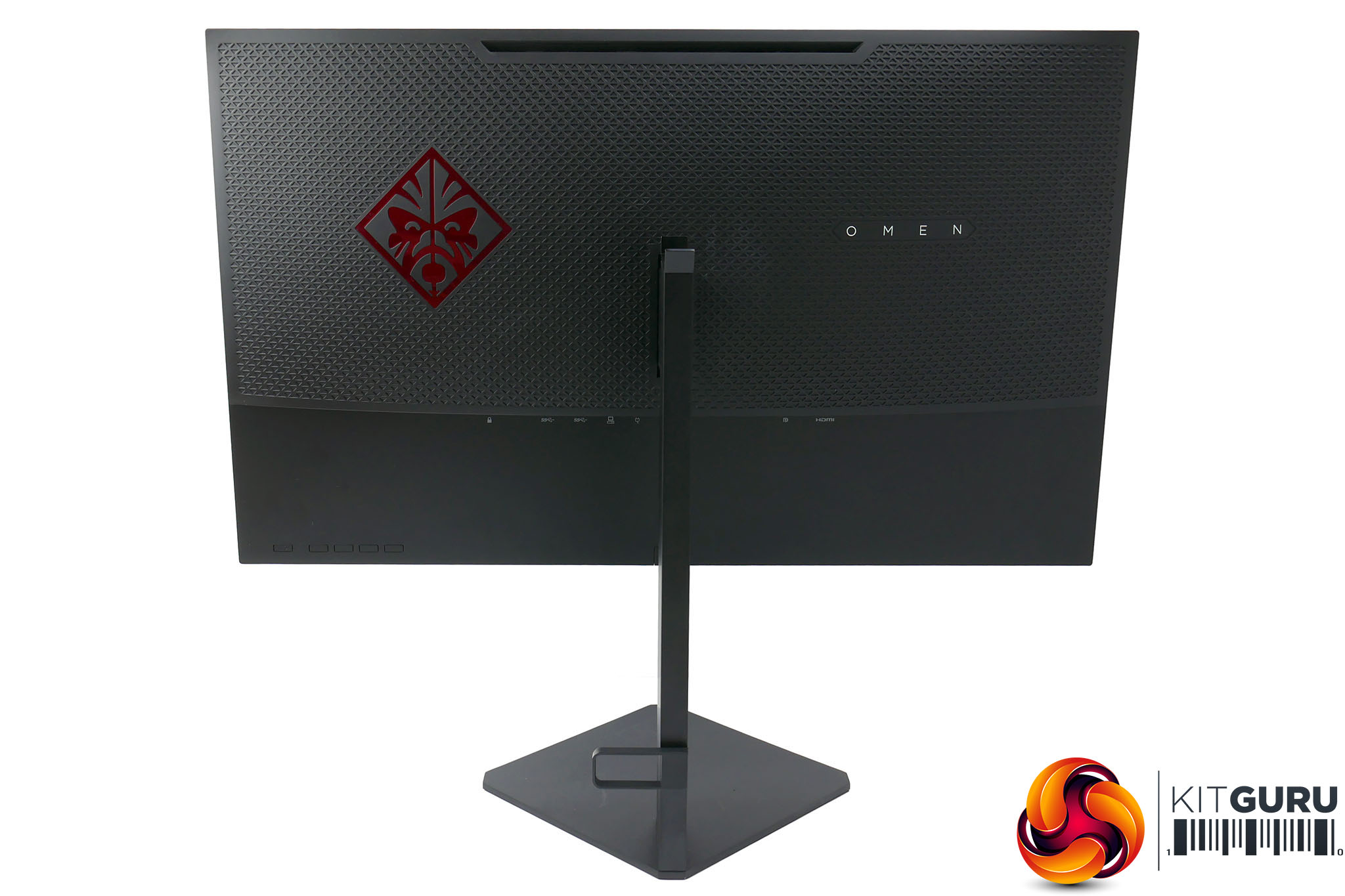
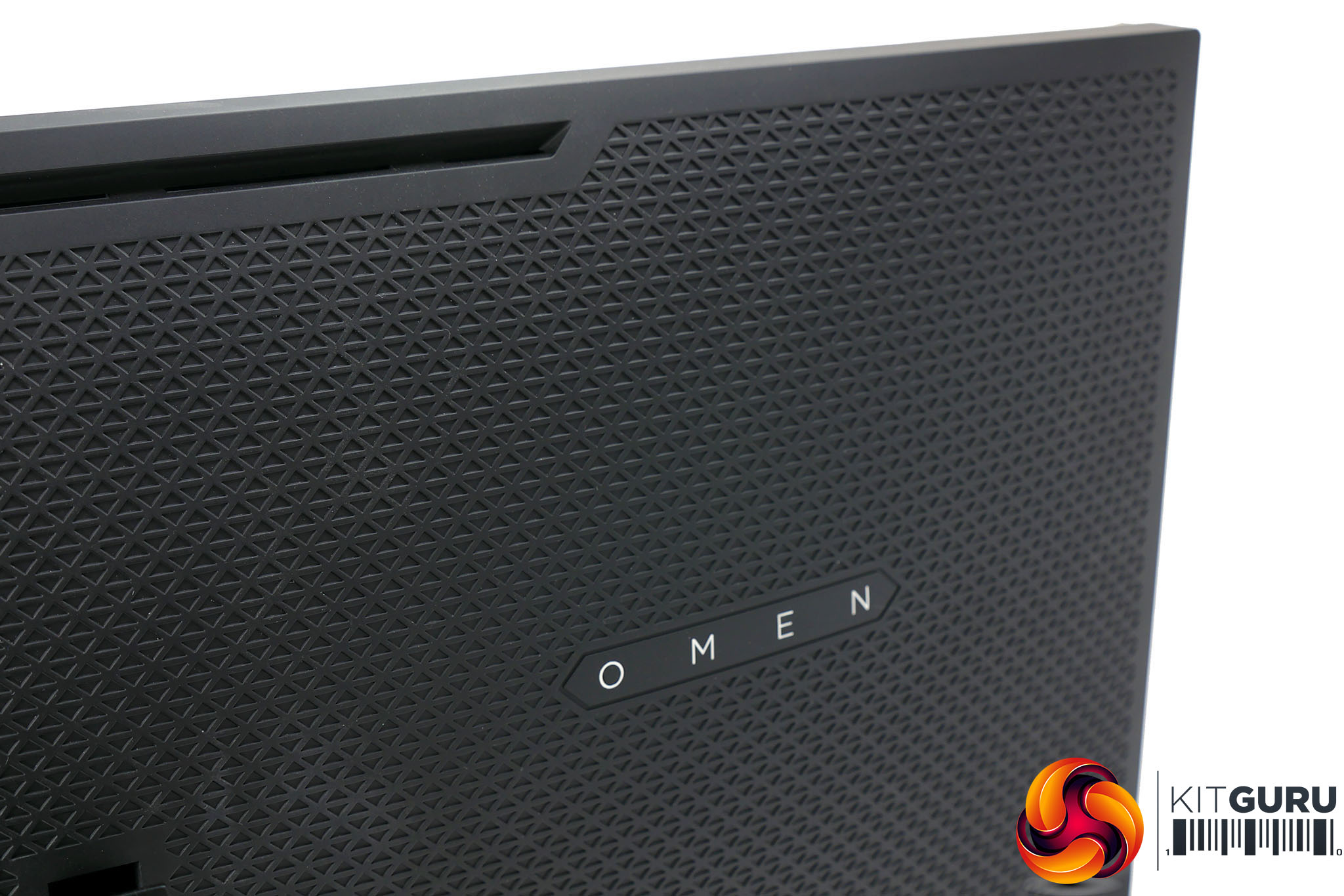
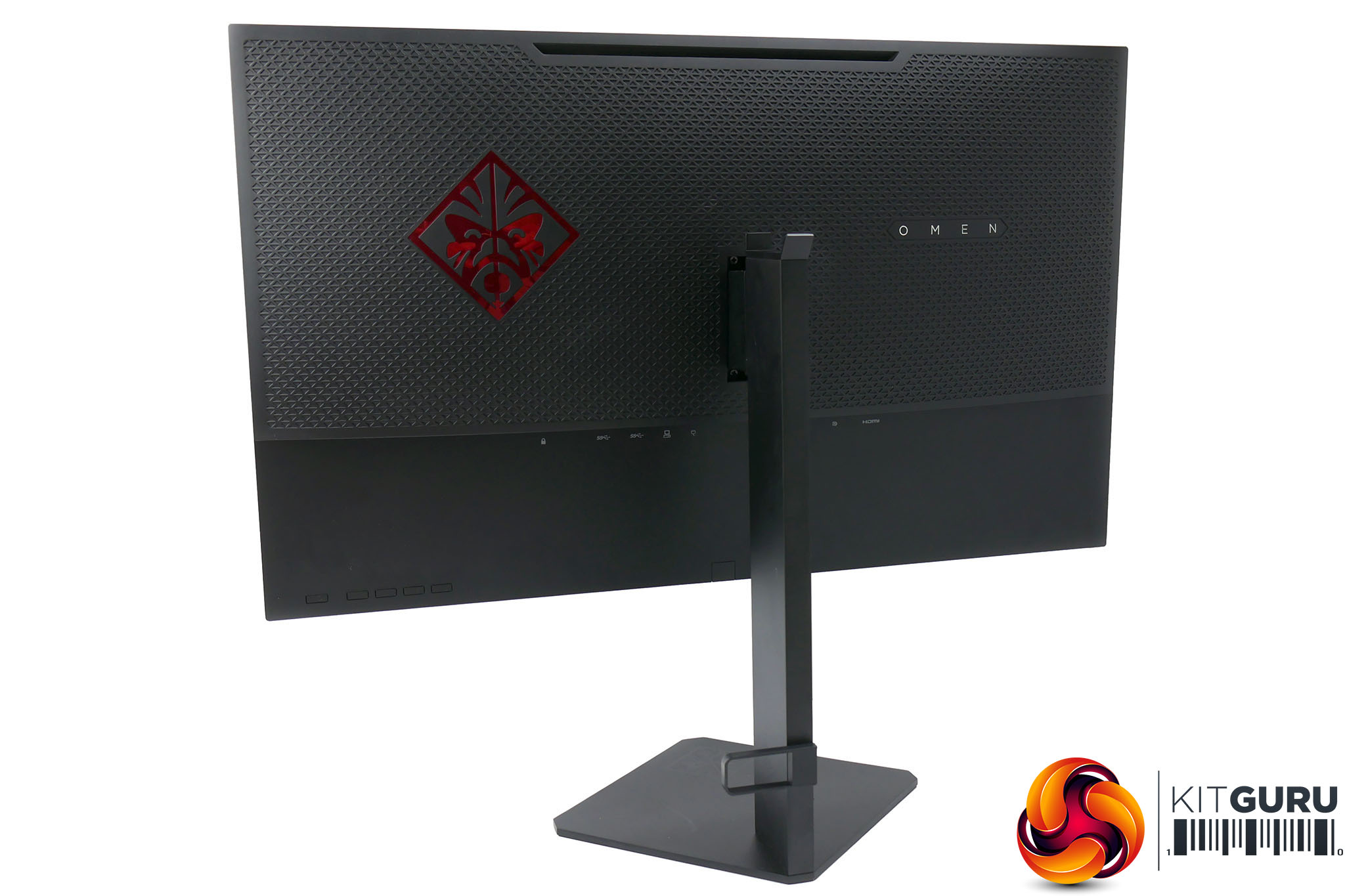
The design is then made cohesive by a nicely uniform matt black finish throughout. There’s a triangular pattern on the back of the display but it totally fits in with the angular theme of the stand.
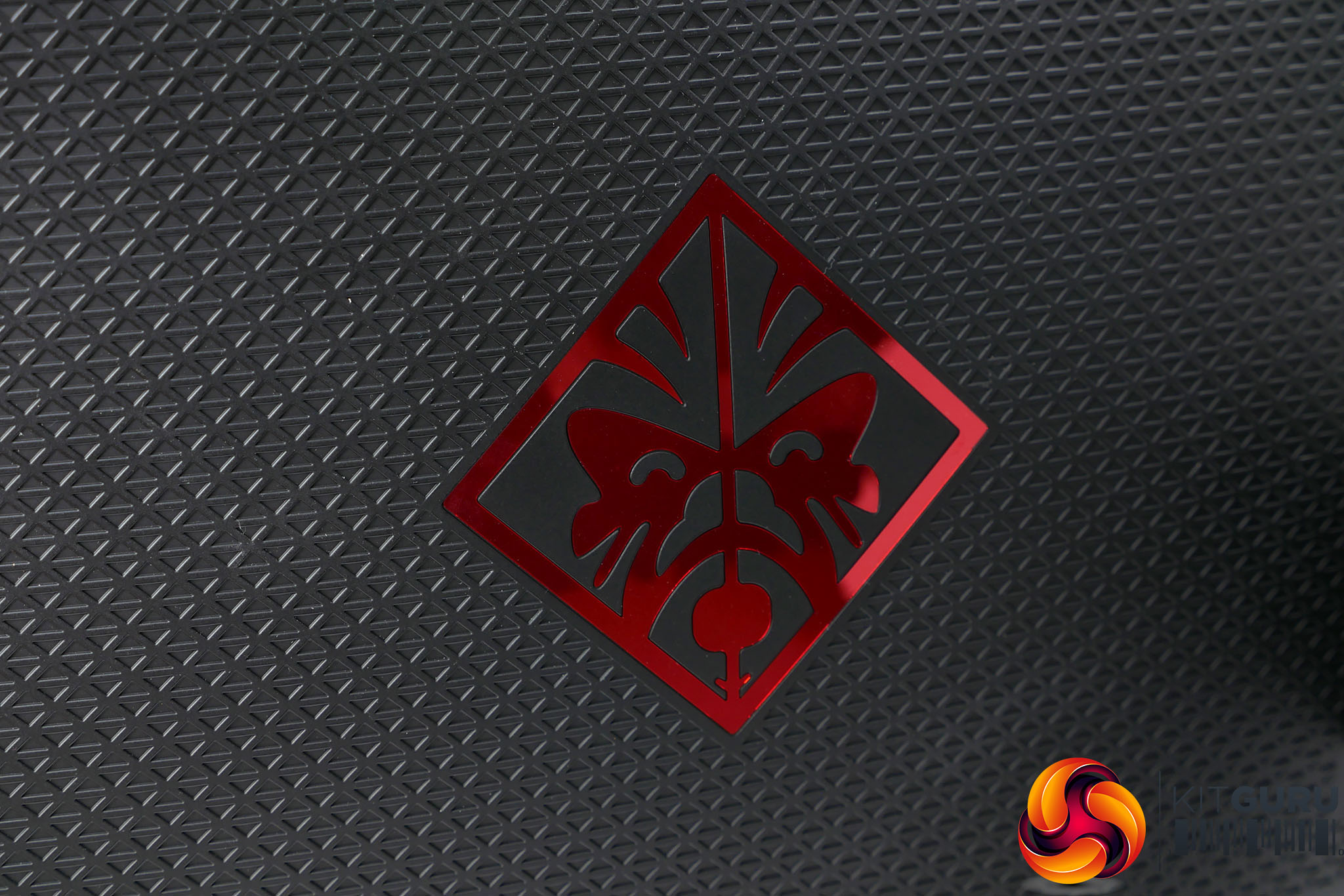
Even the more gimmicky aspects of the design have been done well. The rather fetching Omen logo on the base is marked out in glossy black to contrast with the matt black surrounding it. You’ll notice it catch the light but otherwise it’s unobtrusive. The same can be said for the white Omen lettering on the lower bezel and back of the display, as well as the further metallic red Omen logo on the back. The whole thing just feels classy.
There’s also a light that shines down from under the display onto the base, like we’ve seen before on the likes of the Asus PG27UQ. However, here it’s a single light with no gimmicky patterns; it just adds a nice subtle glow. You can even have the light react to what’s on screen, like a really basic version of Philips Ambilight.
Unfortunately, what this display can’t claim to be is the most feature rich we’ve ever seen. Specifically, while the stand offers tilt and height adjustment, you don’t get pivot or rotation options. Neither is essential but nearly all rival displays have these features and they do make plugging in cables much easier.
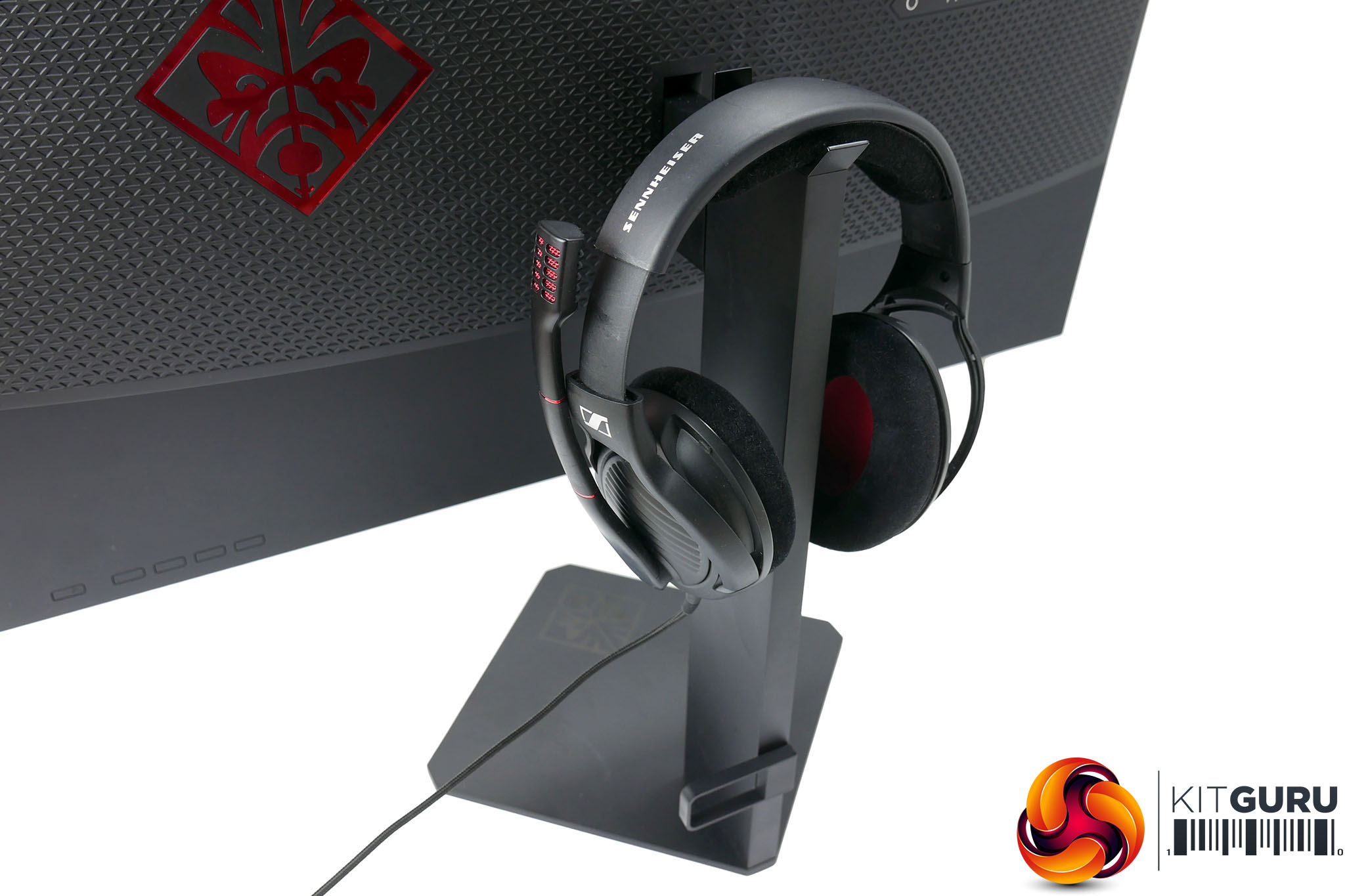
One little nod to practicality is that the top of the stand has a couple of protrusions that act as a headphone stand. We’ve seen headphone stands round the back of displays before and generally found them impractical. However, here it works better than we expected, as the rest of the stand is so narrow that the headset slides over it easily, plus the landing area is nice and long so you don’t have to be too precise when aiming your headset.
As for connectivity, you get the standard G-Sync selection of one DisplayPort and one HDMI. Non G-Sync displays tend to offer a few more, making them a little more practical as a screen for your multimedia hub, but two ports should be enough for most users.
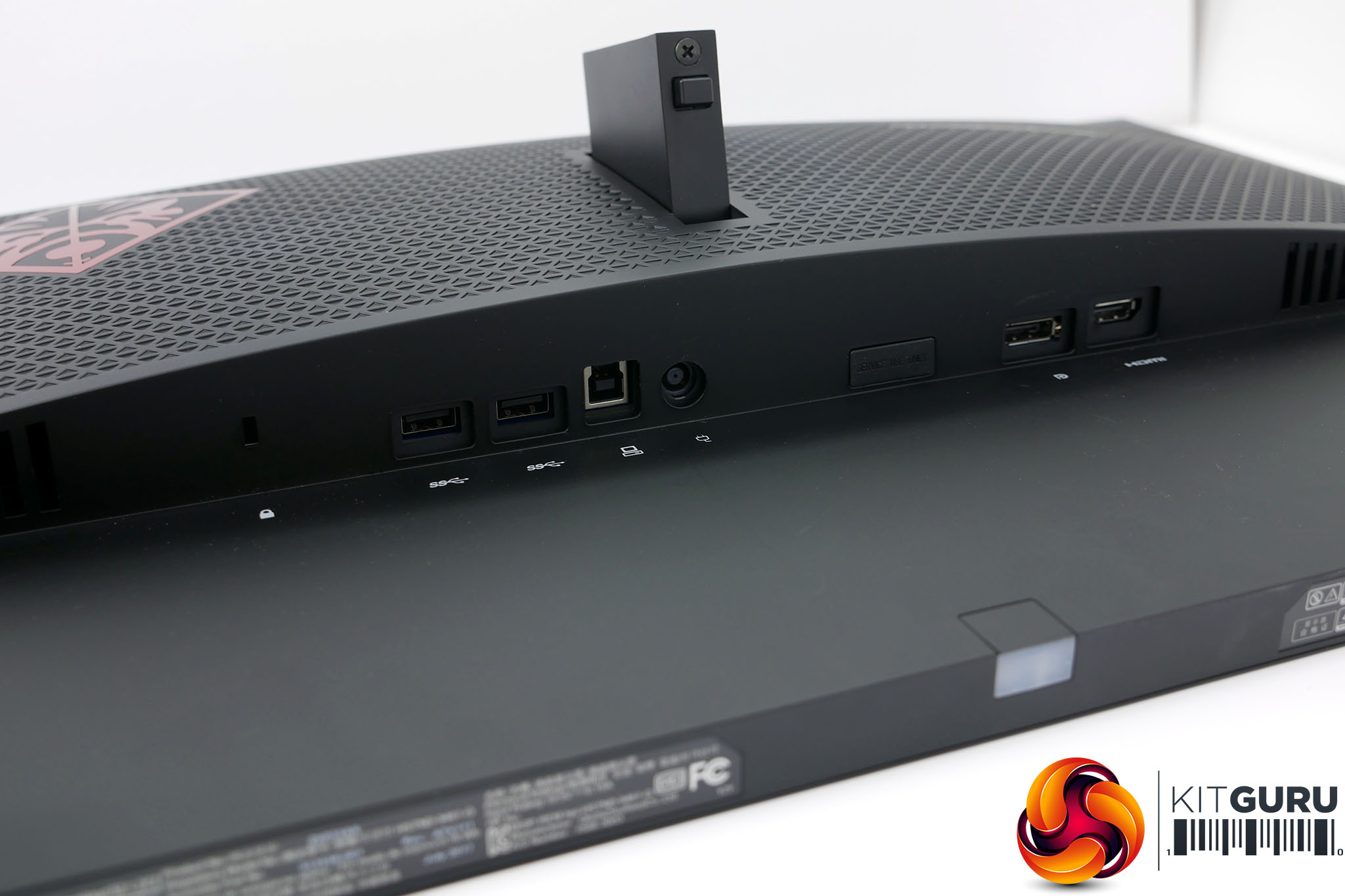
Joining these sockets round the back of the display are two USB 3.0 ports. Sadly, you don’t get any further USB ports on the side of the display as you do on the AOC AG271QG, for instance. You do, though, get a headphone jack on the left edge. There are no speakers.
As for this monitor’s display, it uses a 27-inch, TN-type panel made by AU Optronics. It’s a 2,560 x 1,440 resolution panel that has true 8-bit colour processing so should have good colour reproduction.
Being a TN panel, it has a lightning fast response time of 1ms, making this a genuine competitive gaming-class screen. The default refresh rate is 144Hz, though this can be overclocked to 165Hz.
The downside to using a TN panel is that you get poor viewing angles and colour accuracy isn’t as good as IPS displays. A sister screen to this one that uses the same IPS panel as the Asus PG279Q and Acer XB271HU would be a fine addition to HP’s display lineup.
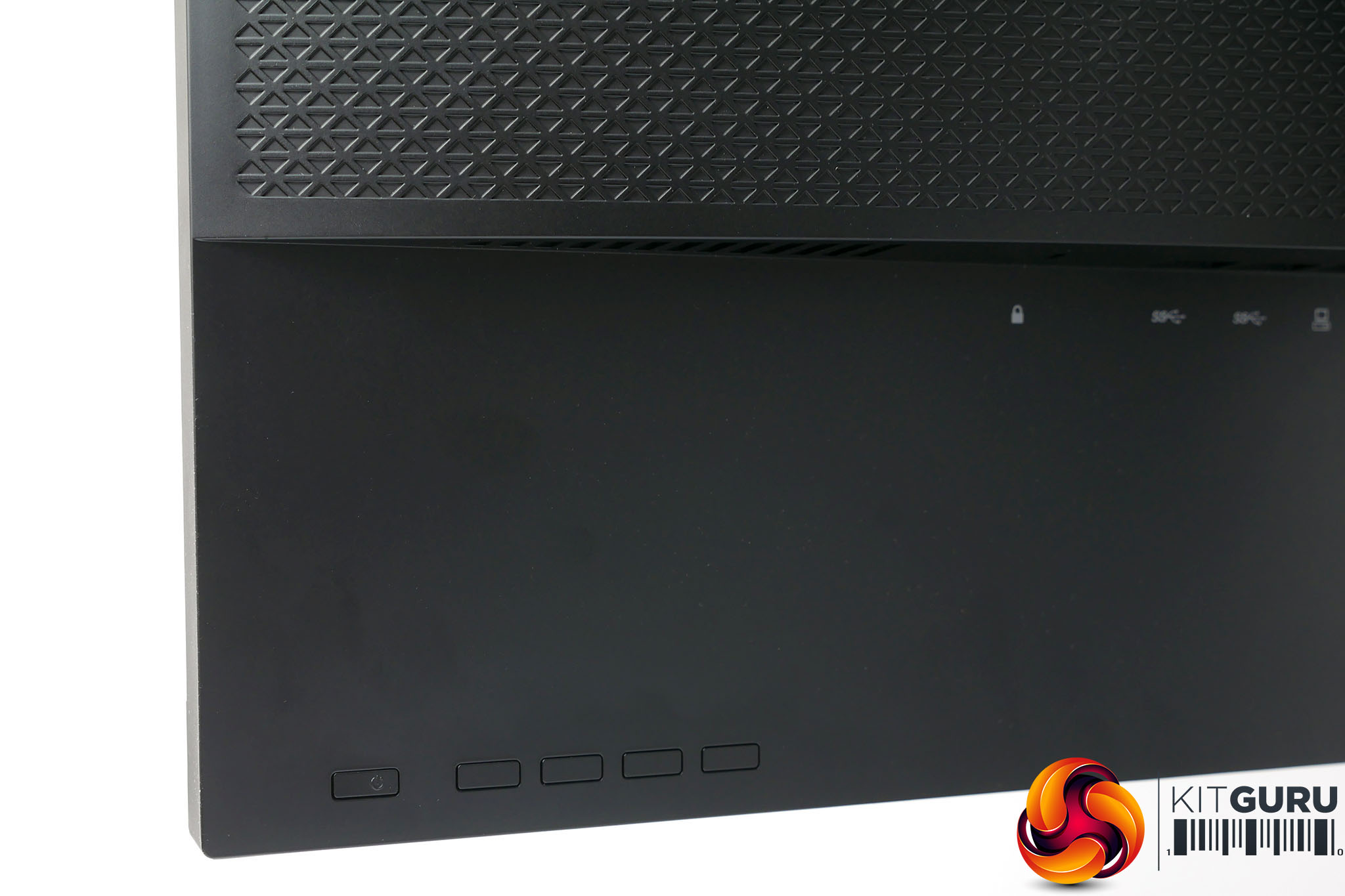
One of the final clever touches to this monitor’s design is the integration of the OSD controls, which are all flush with the back surface of the display, alongside the power switch.
The OSD controls on this monitor may be smart-looking, but they’re not very practical. The flush design means it’s decidedly tricky to find them in the first place, without accidentally hitting the power button, plus the way they work isn’t all that clever either.
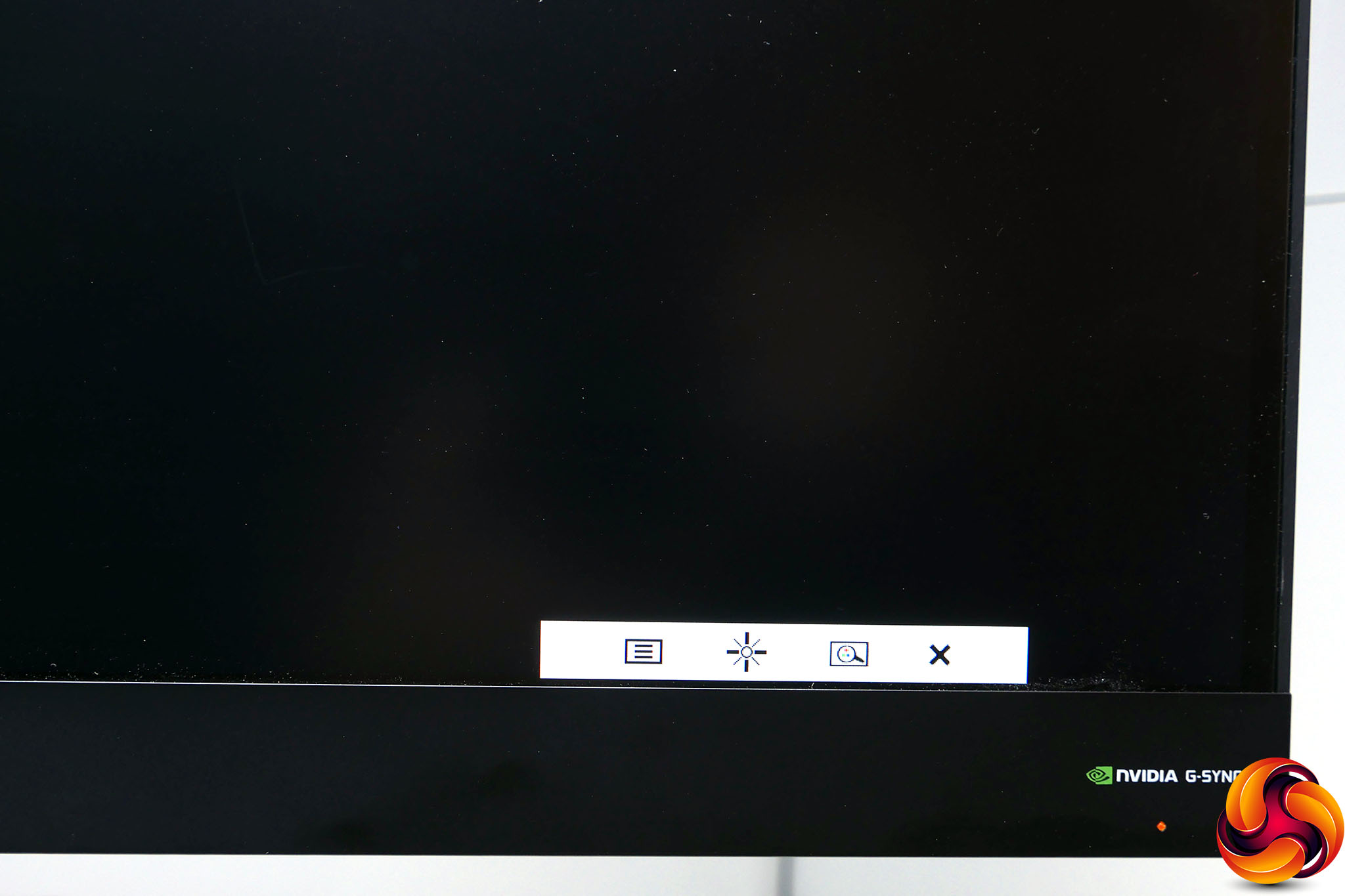
The buttons change function depending on what’s on screen but the default layout of Enter, Up, Down, Back seems to us to be exactly the opposite way round to what you’d expect. It’s far from the worst control scheme we’ve used, but equally far from the best. One thing we do like, though, is that you can access the menus without a video source plugged in. Many monitors insist on going into standby if no source is detected.
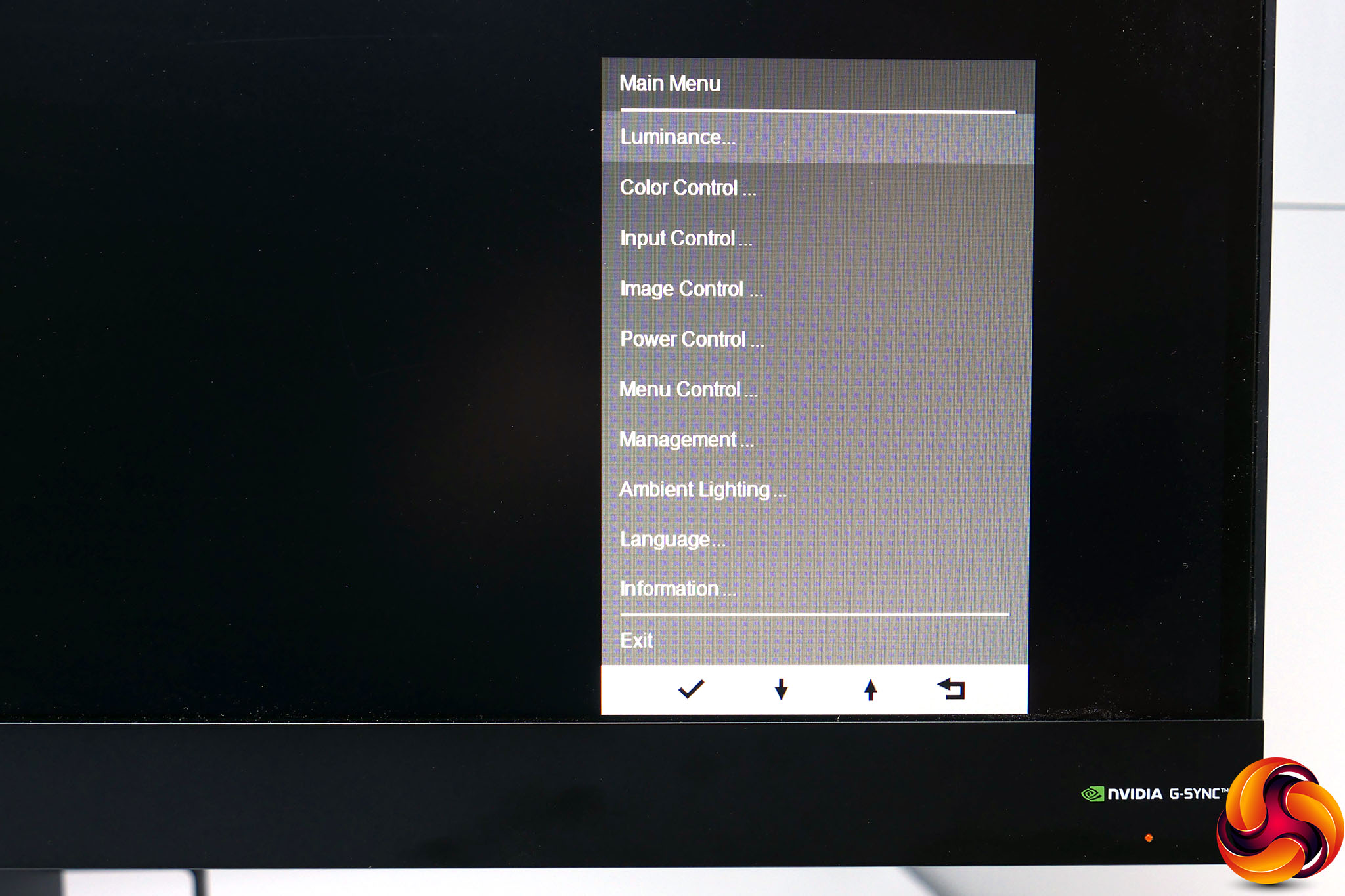
As to the menus themselves, their style is surprisingly stark, with just a very plain – and rather long – list of options in white text on a grey background, and some slightly business-sounding terms such as Luminance (brightness) and Management (setup).
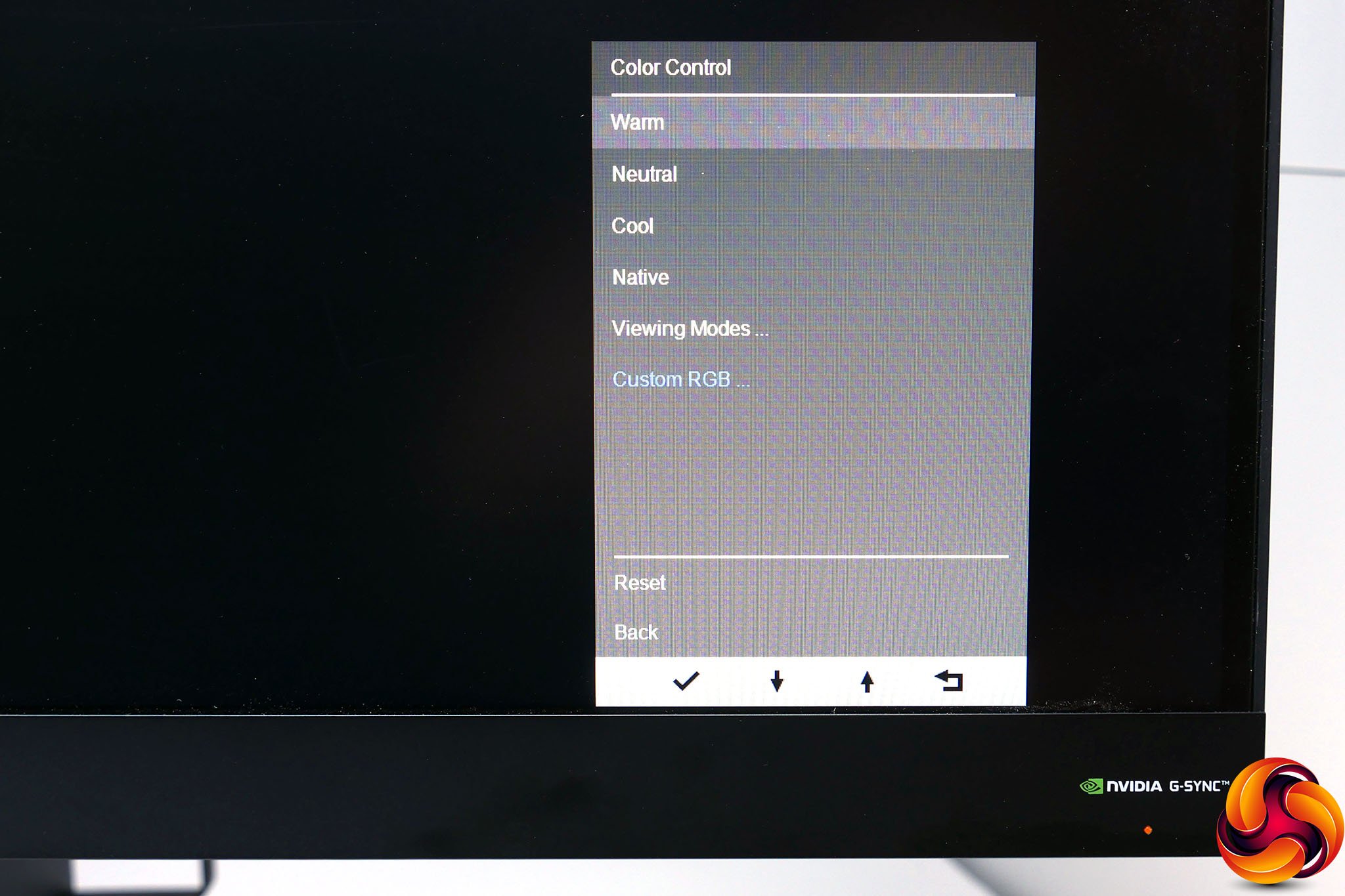
Dive into the Color (sic) menu and we find a few more slight oddities. You can choose from Warm, Neutral, Cool and Native colour temperatures or you can opt for a custom ratio of RGB values, which is logical enough. However, there’s then a further set of options for presets called Viewing Modes that seem to override the choices you’ve just made. It’s not the most intuitive system.
Regardless, the Viewing Modes consist of Low Blue Light, Night, Movie, Photo, Gaming – Racing, Gaming – FPS, Gaming – RTS and Custom. Change any settings – such as brightness – and the Viewing Mode automatically switches to Custom.
Notably, there aren’t menu options for either contrast or gamma. On a decent quality (and non-professional) screen we’d hope never to have to change these anyway but sometimes it’s good to have the option, especially if the screen is poorly calibrated out the box.
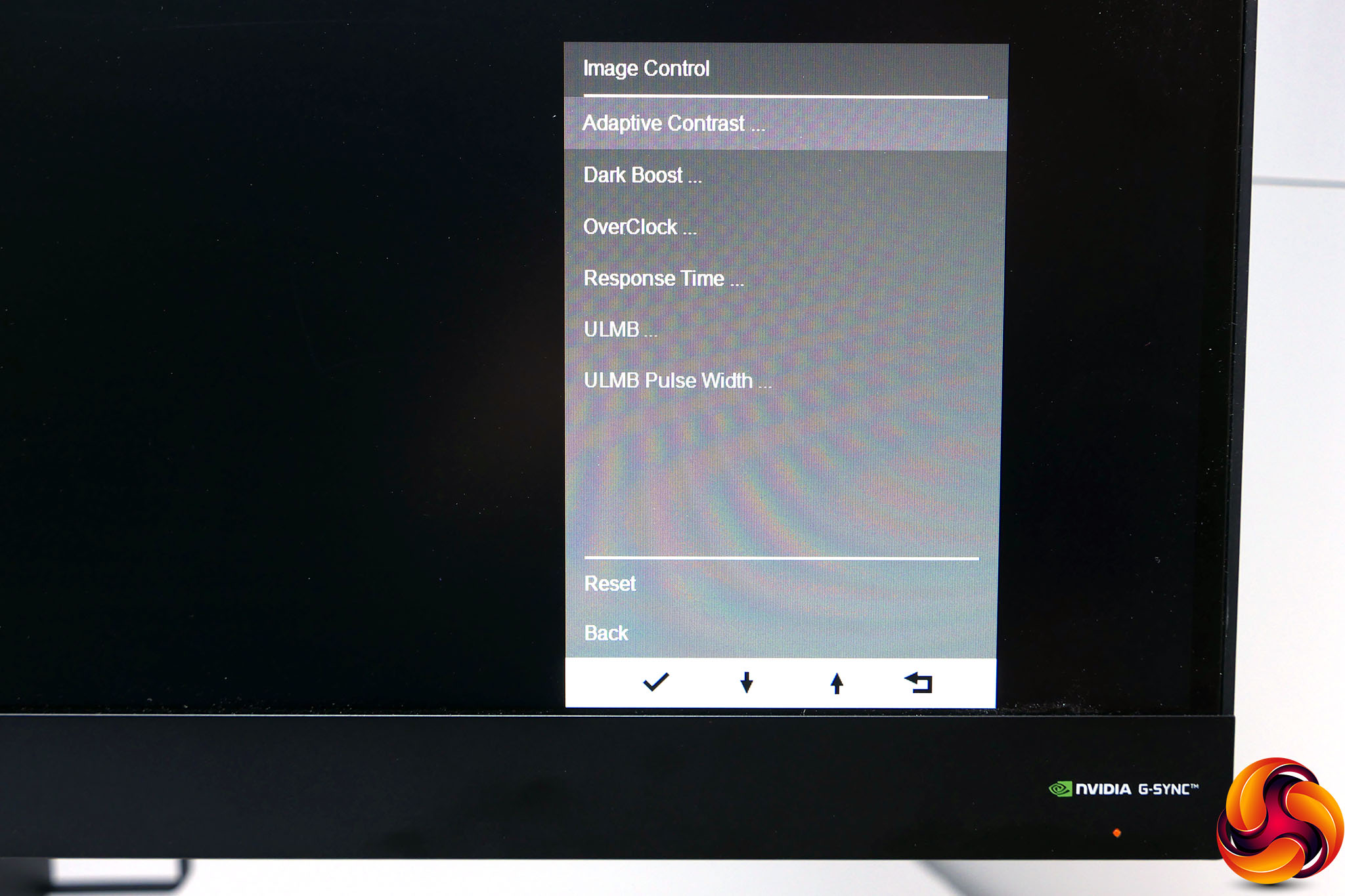
In the Image Control menu you can turn on settings such as Adaptive Contrast, Dark Boost and ULMB as well as OverClock the screen’s refresh rate and adjust the response time. The latter has a whopping six levels to choose from.
ULMB, or ultra-low motion blur, is Nvidia’s proprietary eye-tracking motion blur reducing technology that flashes the monitor’s backlight on and off. It works well though doesn’t work in conjunction with G-Sync and is limited to 120Hz.
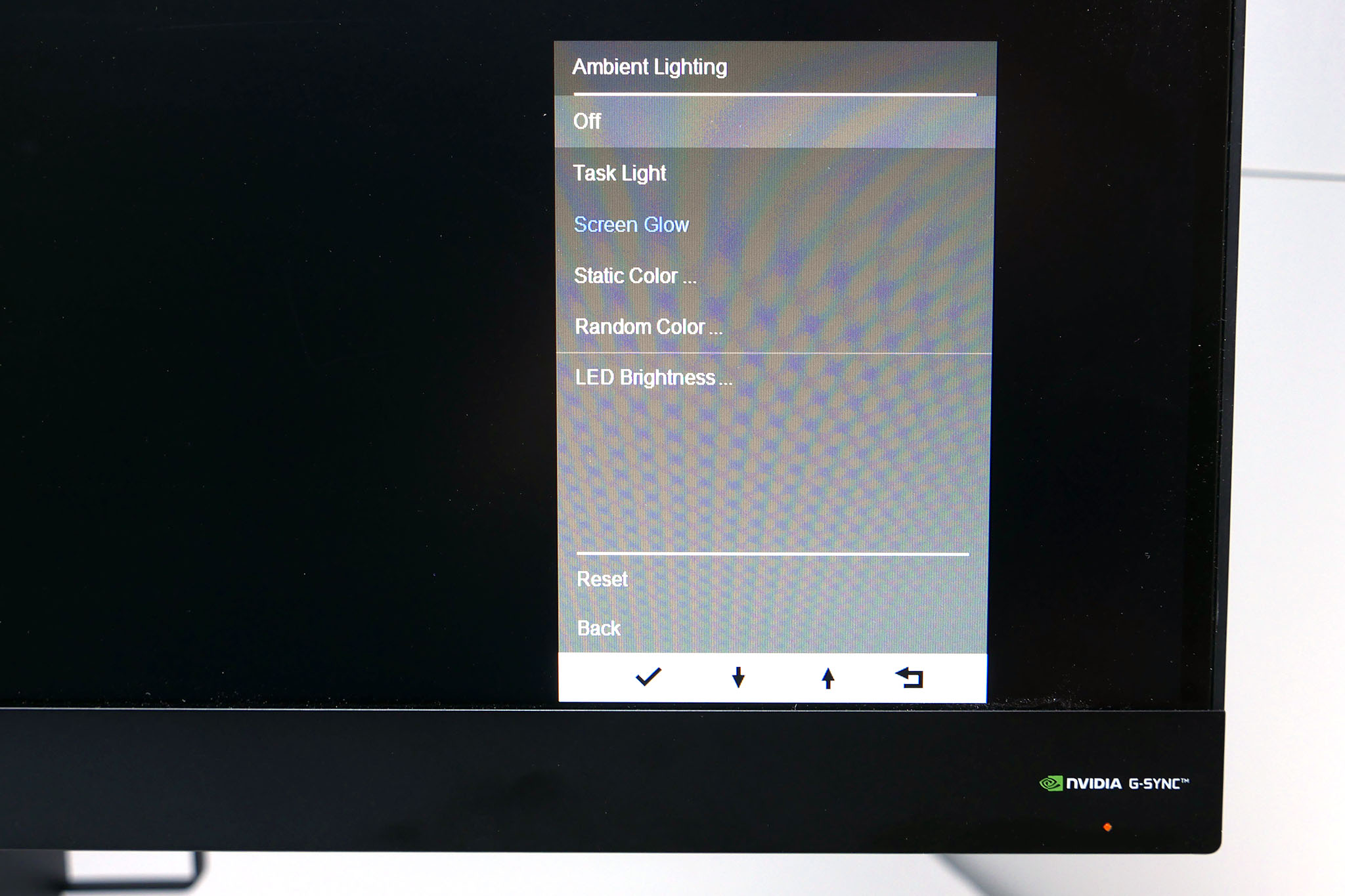
The only other menu option of note is the Ambient Lighting menu. Here you can set the underlighting to a fixed colour, a random colour or have it change in accordance with what’s on screen. You can also adjust the brightness and turn it off completely.
Starting off with our subjective analysis, the most obvious thing about the image quality of this display are the tell-tale characteristics of a TN-type display. That is, viewing angles are poor and reproduction of light grey colours, in particular, isn’t very good.
Regarding viewing angles, the poor off-axis image quality limits this display’s use as a multimedia screen – you won’t want to be dropping that seat back and watching a movie on this panel. But, more importantly, you can notice the slight change in colour response from the top to the bottom of the screen, even when viewed straight on. You’ll hardly notice in games but for working, editing pictures or anything else that requires a consistent looking image, it’s something to bear in mind.
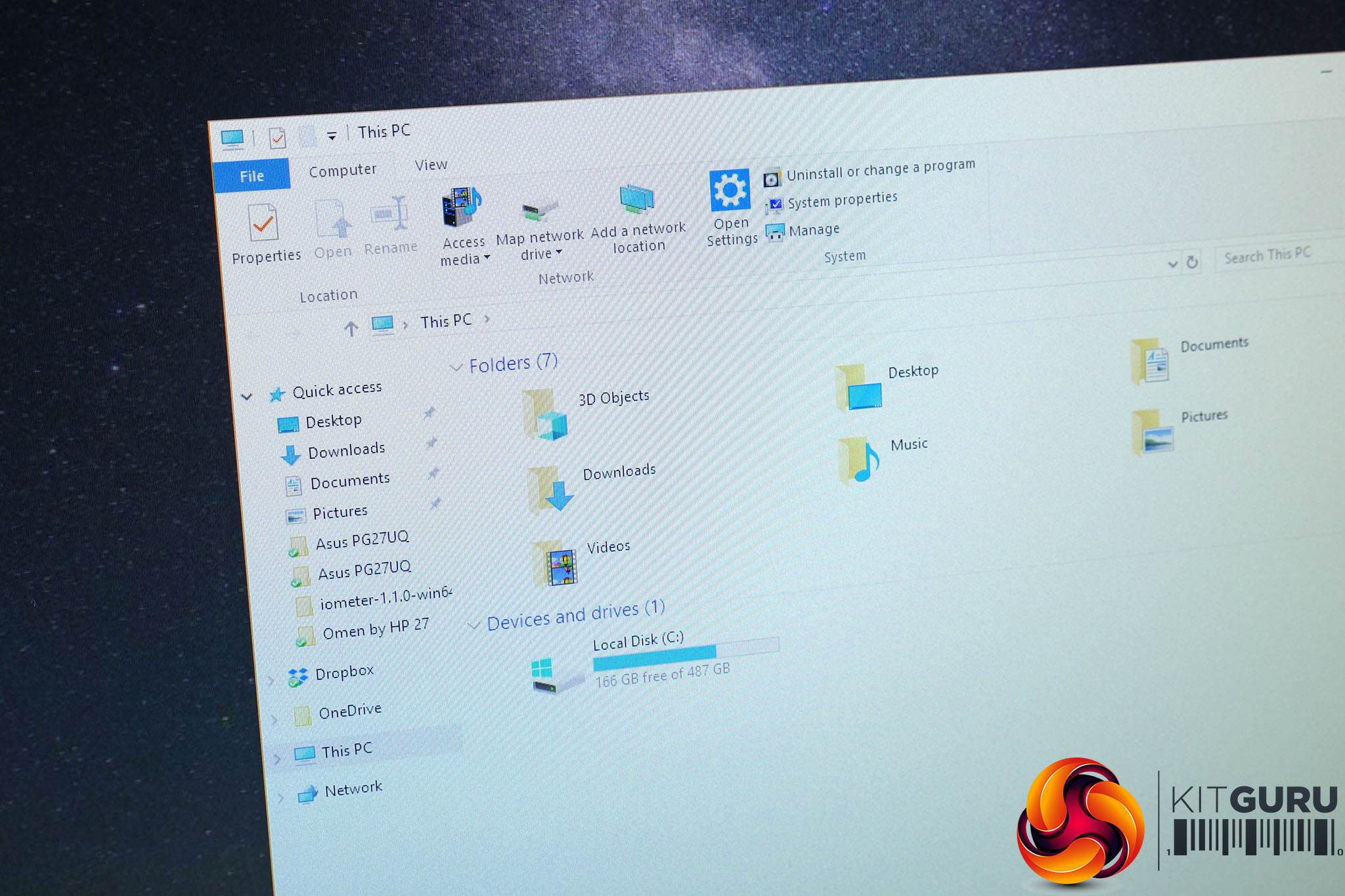
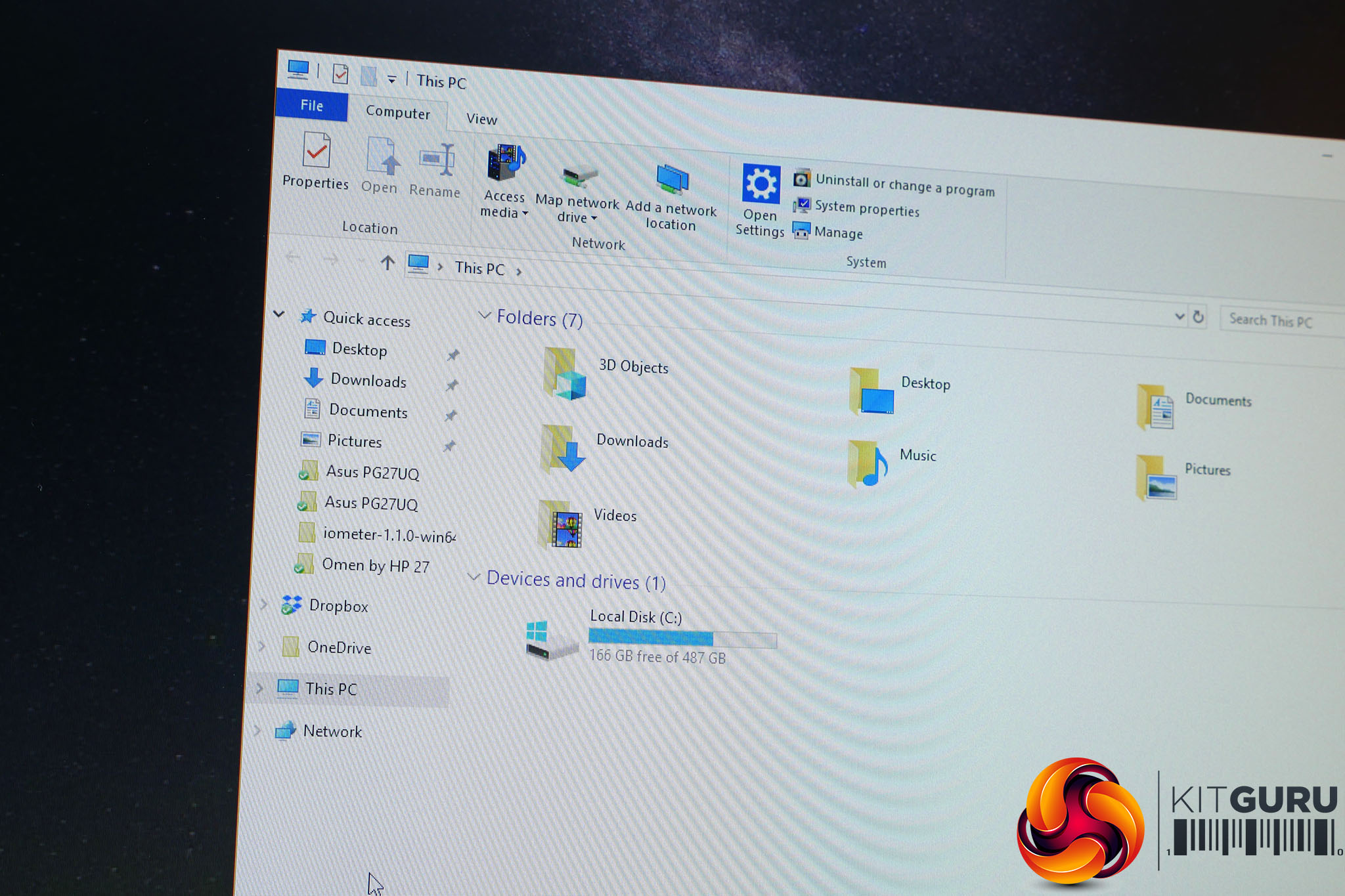
Light grey colours are lost in the left image. Changes in the white colour due to viewing angle shift is visible in both.
As for the light grey colours issue, open an app like Outlook or Word, or even just a web browser and all those light grey shades that are used to frame and highlight menus and scroll bars merge into one and look a little off-colour. This actually relates to viewing angles as well, and if you tilt the screen back a bit the colours become more distinct, but fundamentally it’s something you clearly notice even when viewing the screen straight on.
Just to be doubly clear, though, these are typical problems with TN LCD panels. Some people are happy to take them in order to gain the gaming advantages. Others find them too distracting.
Otherwise, this display puts in an excellent performance. Out of the box, colour balance looks good, there’s a depth and richness suggesting a good level of contrast and there’s no evidence of colour banding or flickering, as you can get on lower-quality 6-bit panels. There's no egregious backlight bleed either.
Putting these impressions to the test, we next fired up our colorimeters to measure objectively how this display performs. We use a Spyder5 Elite with its accompanying software for most of our testing but find it under-reports contrast so use an Xrite iDisplay Pro and DisplayCal for these tests.
Starting with the contrast test and the Omen by HP 27 puts in a middling performance. At full brightness it hits just 777:1, which is some distance from the 1000:1 we’d hope for. Dropping the display’s brightness down to a more sensible level (150nits) and contrast increased significantly to 865:1. Still not amazing but much more acceptable.
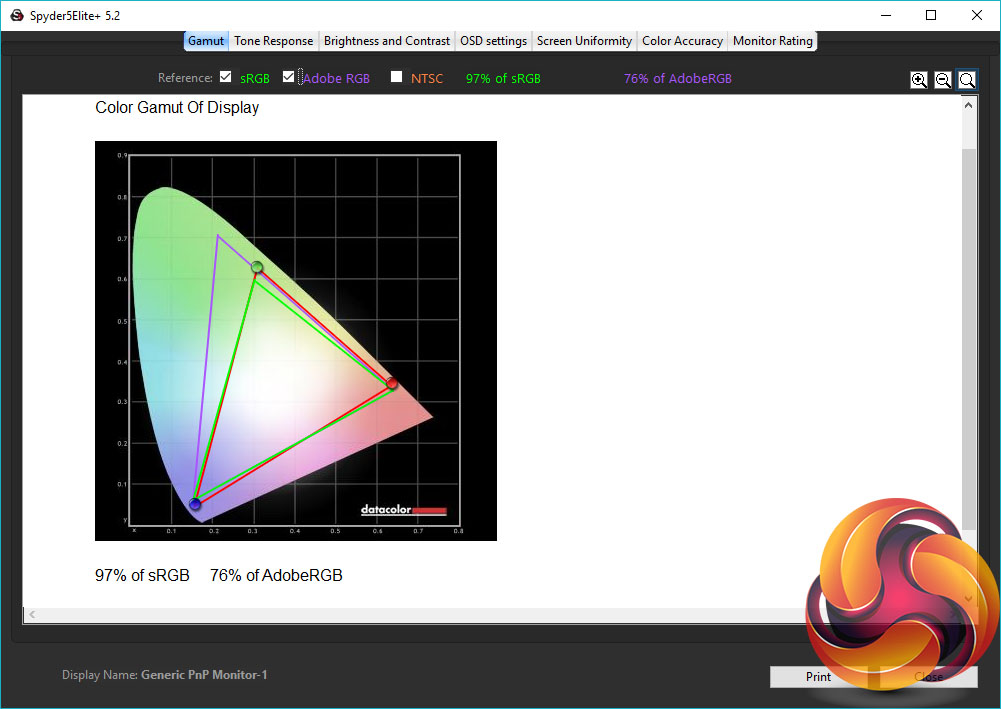
Next we moved on to our Spyder5 tests, and the first routine it performs checks for how much of the various standard sRGB and AdobeRGB colour spaces the monitor can cover – sRGB is what matters for a display of this type. The Omen by HP 27 puts in a decent performance, delivering a 97% sRGB coverage rating.

The uniformity tests are up next. These check to see how consistent the brightness and colour reproduction is across the full surface of the screen. At 100% brightness this display varies by an average of 9% and peaks at 19% variance. That’s not awful but not amazing either.
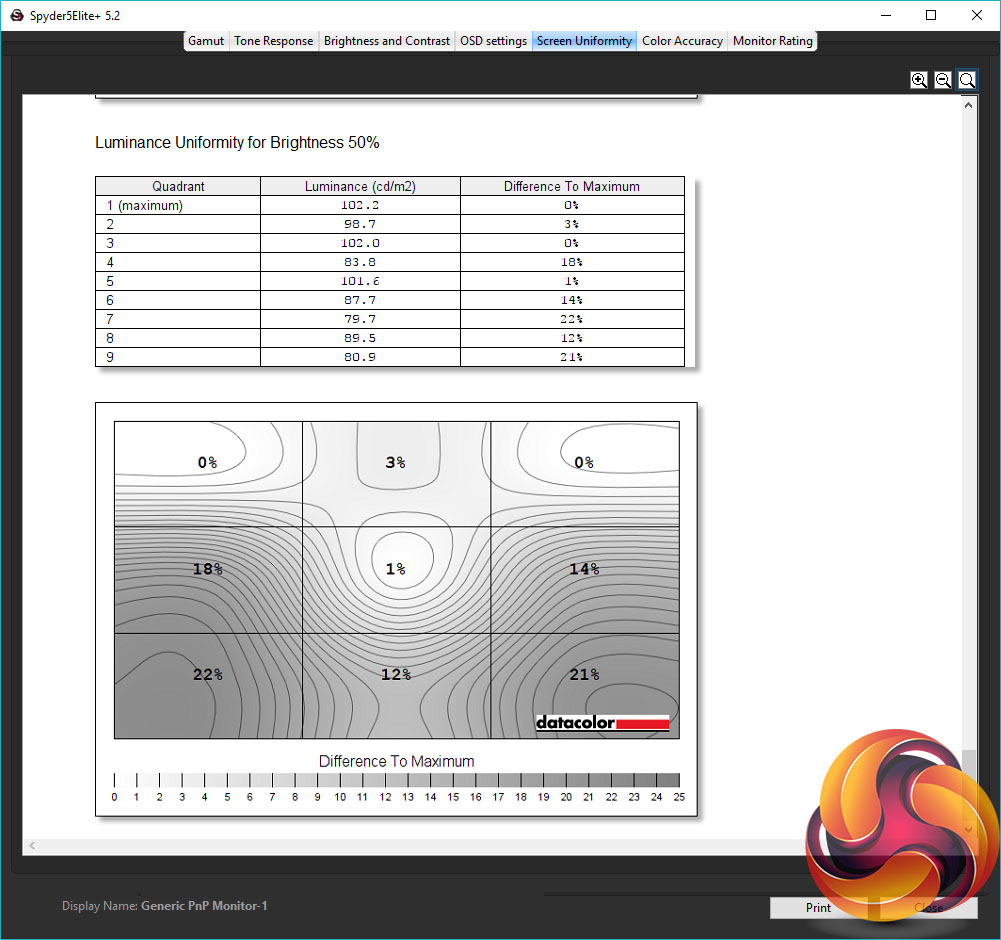
Dropping to 50% brightness – a more realistic brightness setting – and the average doesn’t change too much but the peak variance increases to 22%. That is, the bottom left corner is 22% darker than the top right. Hardly noticeable when gaming but not great for editing pictures or anything of that sort.
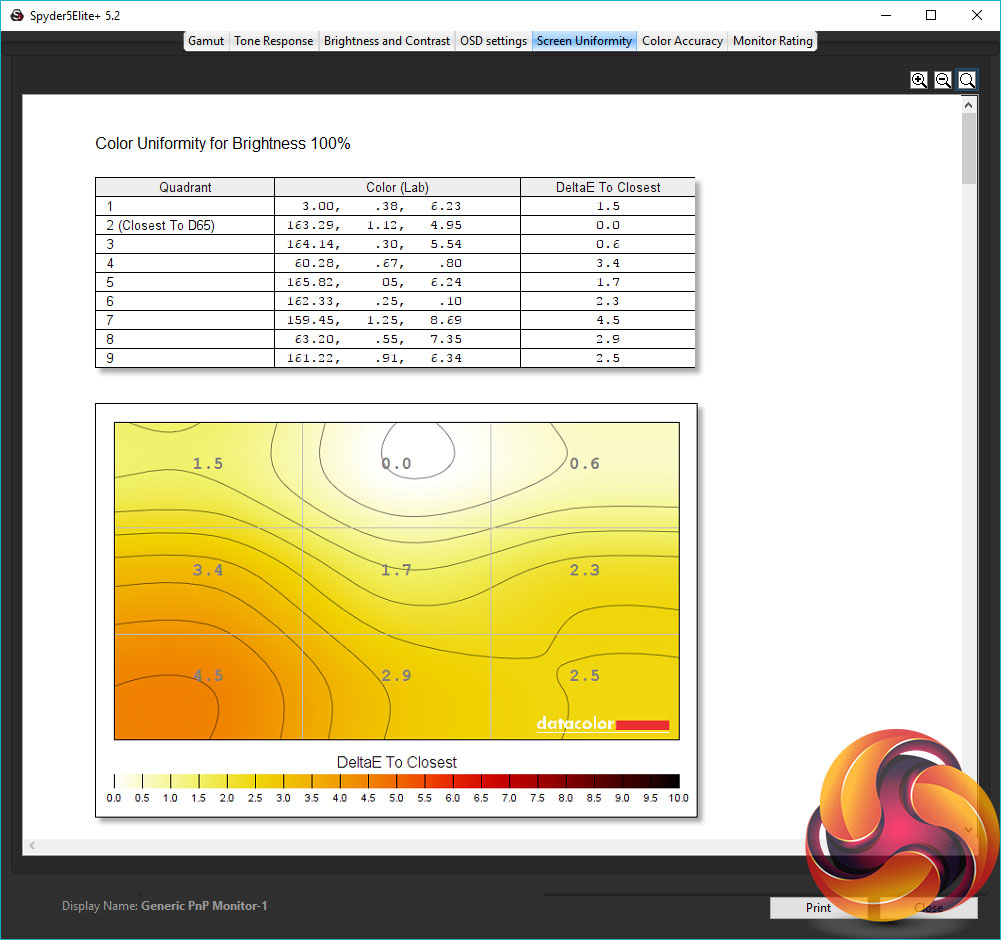
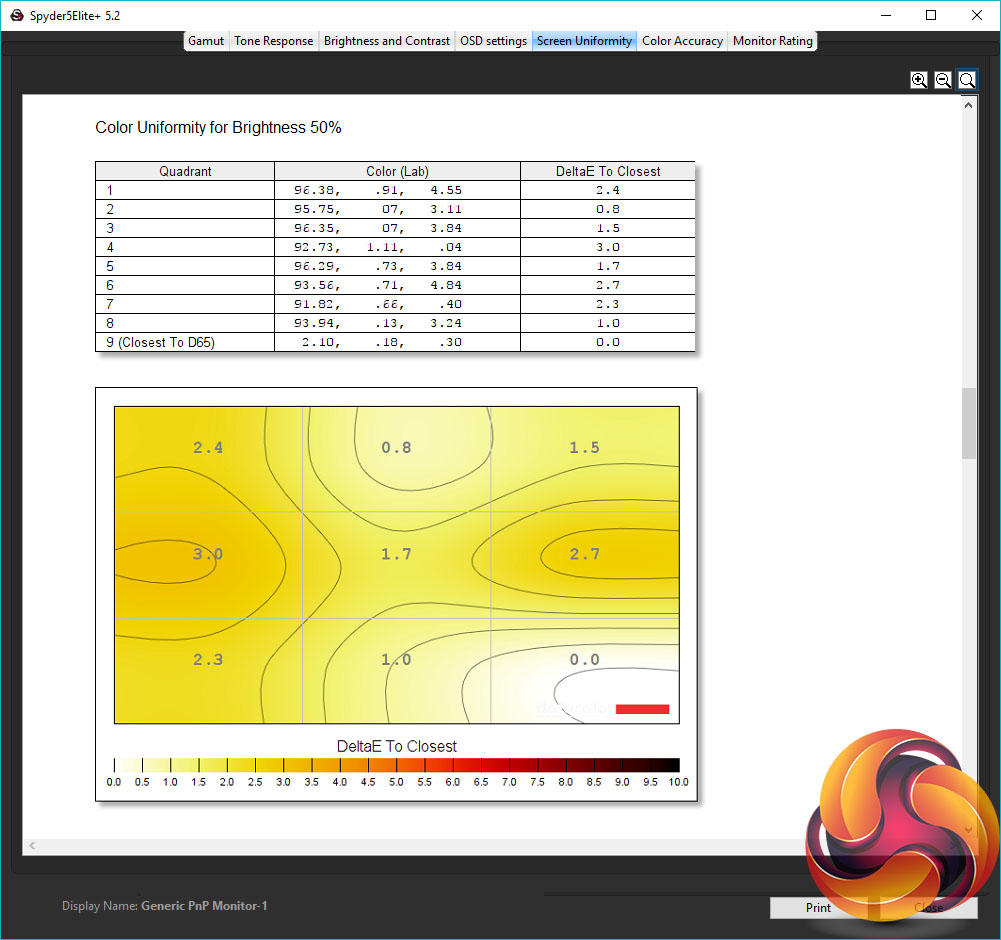
As for colour uniformity, this display does well. Colour temperature varies by an average of just 2.2% at full brightness and 1.7% at 50% brightness.
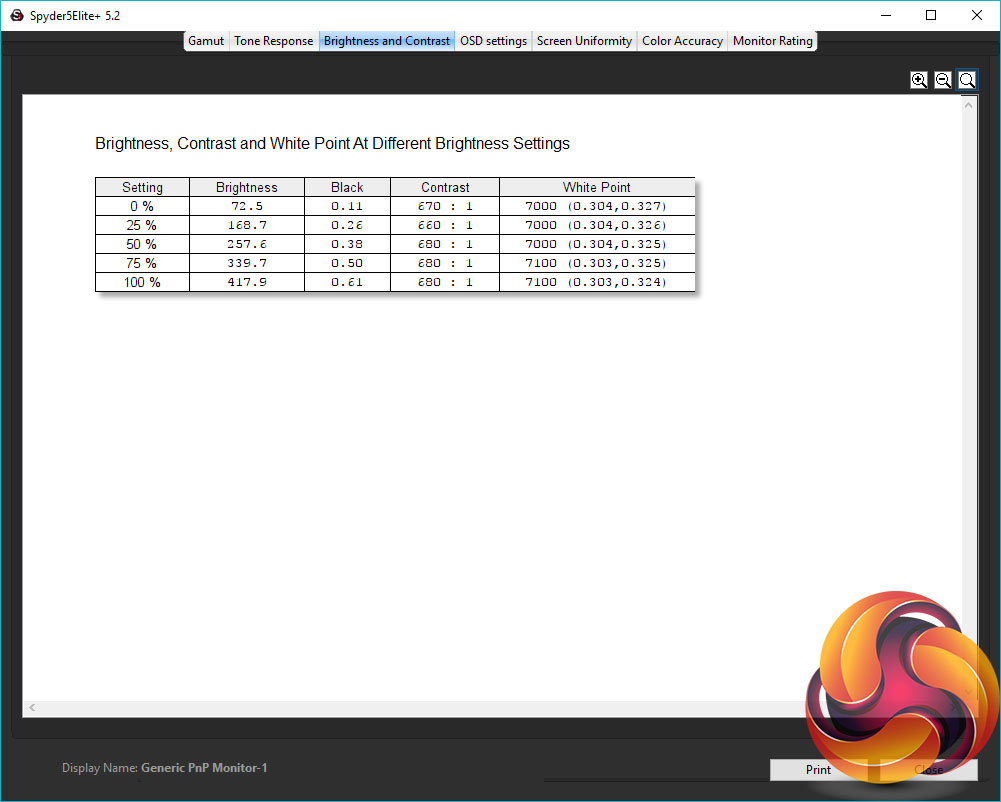
The Spyder Brightness and Contrast test checks for the white and black brightness levels as you change the display’s brightness settings from 0-100 (or equivalent). We ignore the contrast as this is under-reported but we can see from the brightness test that the monitor’s brightness settings provide a nice range of values, topping out at an impressive 418nits and dropping steadily down to 73nits. The colour balance also stays reasonably consistent as the brightness changes.
Talking of colour balance, this is the next test. The Omen by HP 27 has four main colour modes plus a host of gaming presets. We tested just one of the latter, for the sake of brevity.
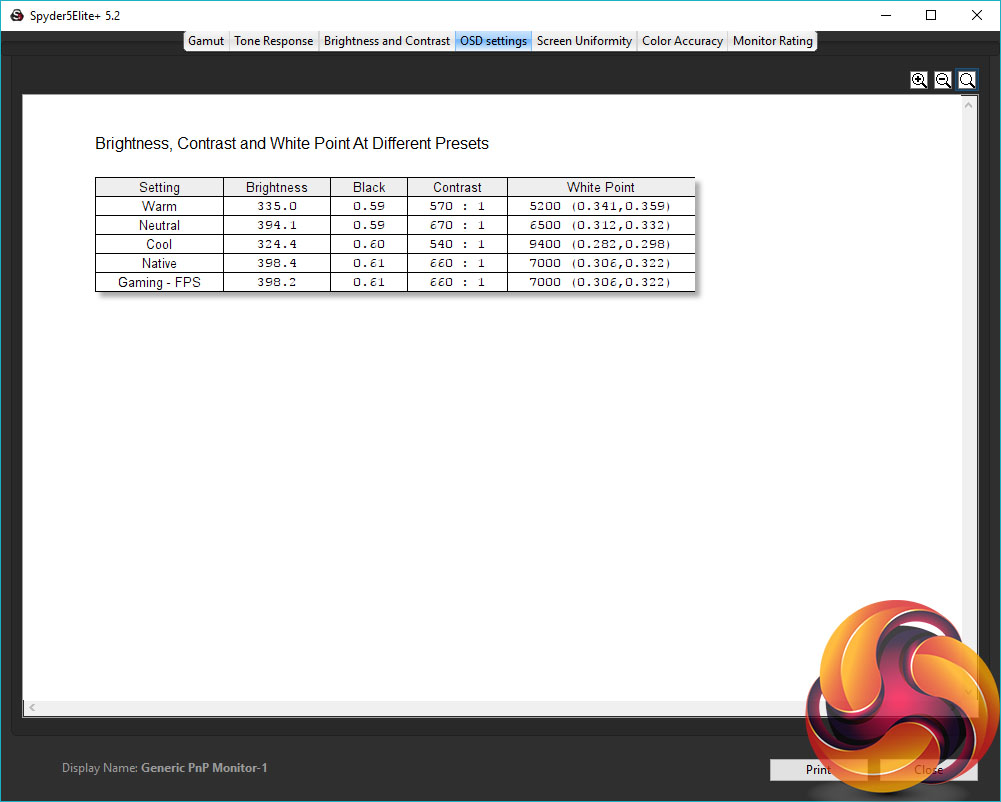
A colour temperature white point of 6500K is the standard for PC use so we can clearly see that the Neutral colour option is the one to go for with this monitor.
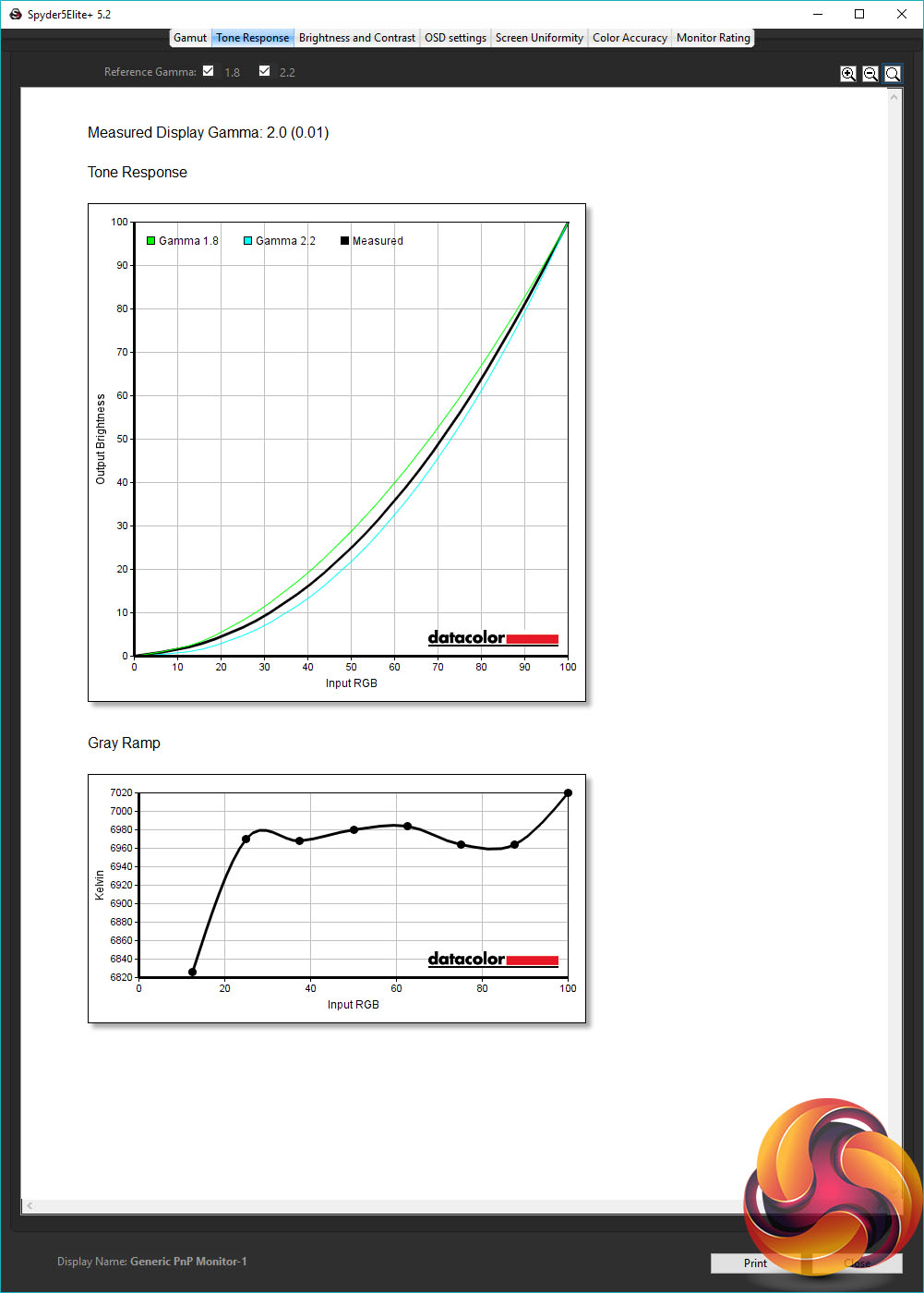
The penultimate test is for gamma, which is the rate at which the brightness of a monitor changes. A high gamma value makes the image look darker, while a low value makes it look lighter. Normally monitors have a choice of gamma values but not here. The fixed gamma setting on the Omen by HP 27 appears to be aiming for the PC standard of 2.2 but falls a little short, with a value of 2.0. This will make for a slightly darker looking image than is ideal.
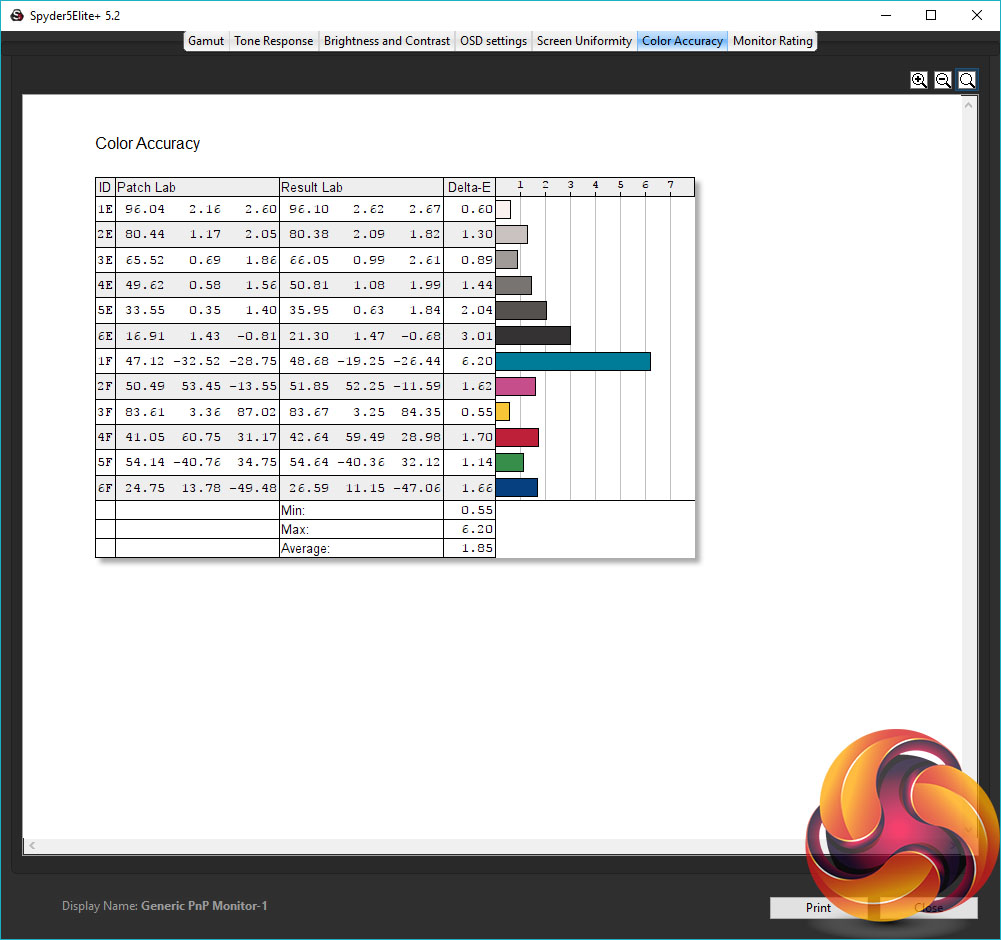
Finally, we test for this display’s ability to distinguish between small colour values, with a number called the Delta E – the lower the better. With an average Delta E of 1.85 and maximum of 6.20, this display does well, showing that its use of a higher-quality 8-bit panel does indeed result in finer colour fidelity.
All in all, the Omen by HP 27 delivers exactly the image quality we’d expect. For a TN panel it provides a reasonable level of contrast, colour balance and gamma are reasonably accurate and colour fidelity is good too. If you’re happy with the normal compromises of a TN panel, it’s one of the better options.
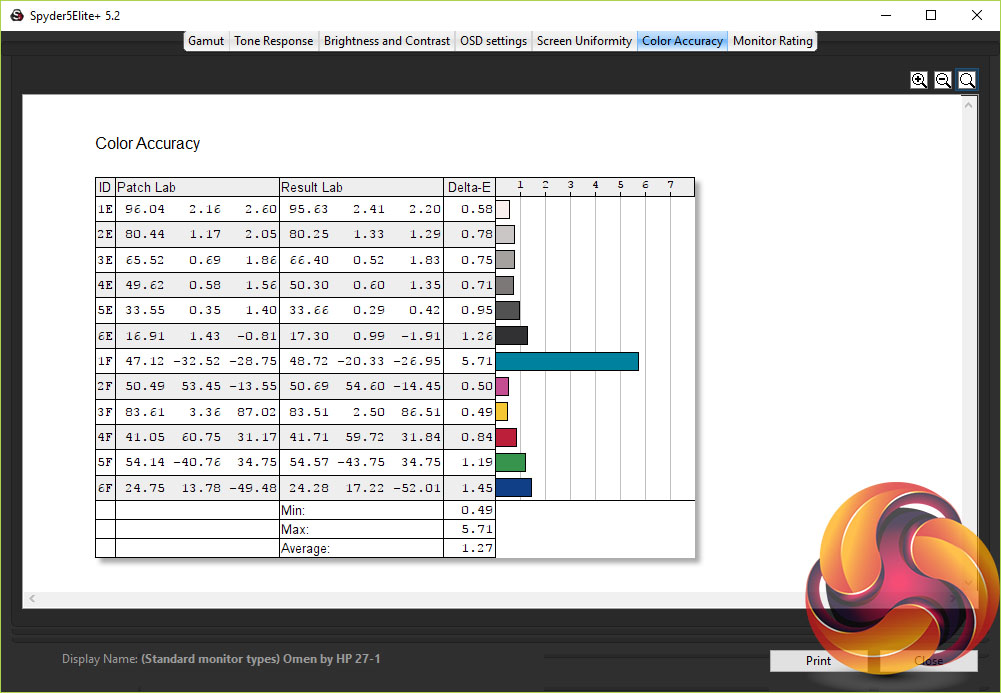
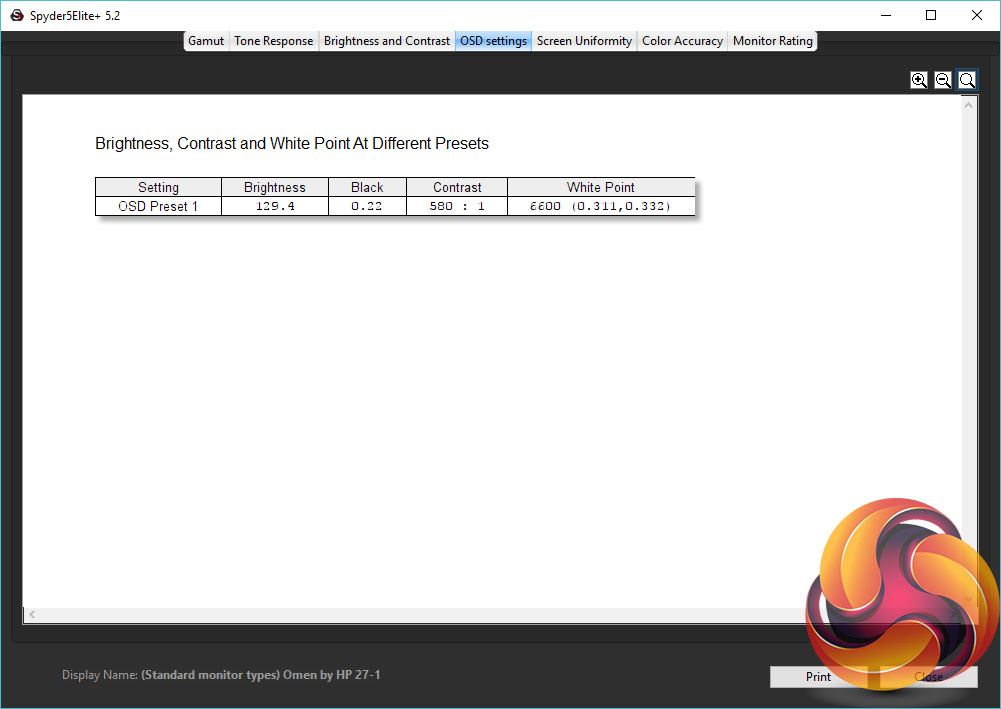
Using the Spyder 5 to calibrate the display, we selected the Custom RGB colour setting and adjusted the values to 100x100x96 then let the Spyder5 does its colour profiling magic. At the end of this process the display had improved only very slightly. The Delta E scores had dropped a smidge but colour space coverage, white point and gamma were all as before. This largely goes to show how good the baseline image quality is – non-adjustable gamma and contrast aside.
Gaming
With its 1ms 144Hz TN panel this display delivers just the sort of raw gaming performance you’d expect. It’s feels responsive and easily kept up with our competitive gaming sessions. Upping the refresh rate to 165Hz didn’t bring a perceptible advantage and did result in a slight drop in image quality so we’d be inclined to keep it at 144Hz.
Meanwhile, the six different response time settings provide a really nice demonstration of how a monitor’s overdrive setting works. At level 1 there’s noticeable normal ghosting, where there’s a slight softness introduced to the moving images, due to the previous frame’s image being left behind.
Meanwhile, switch all the way to level 6 and there’s massive inverse ghosting. This is where you get a sharper main image but with a trail of oddly coloured images.
Set the response time to the default level 3, though, and it provides a near perfect balance. The image sharpens up a little but there’s no really obvious inverse ghosting.
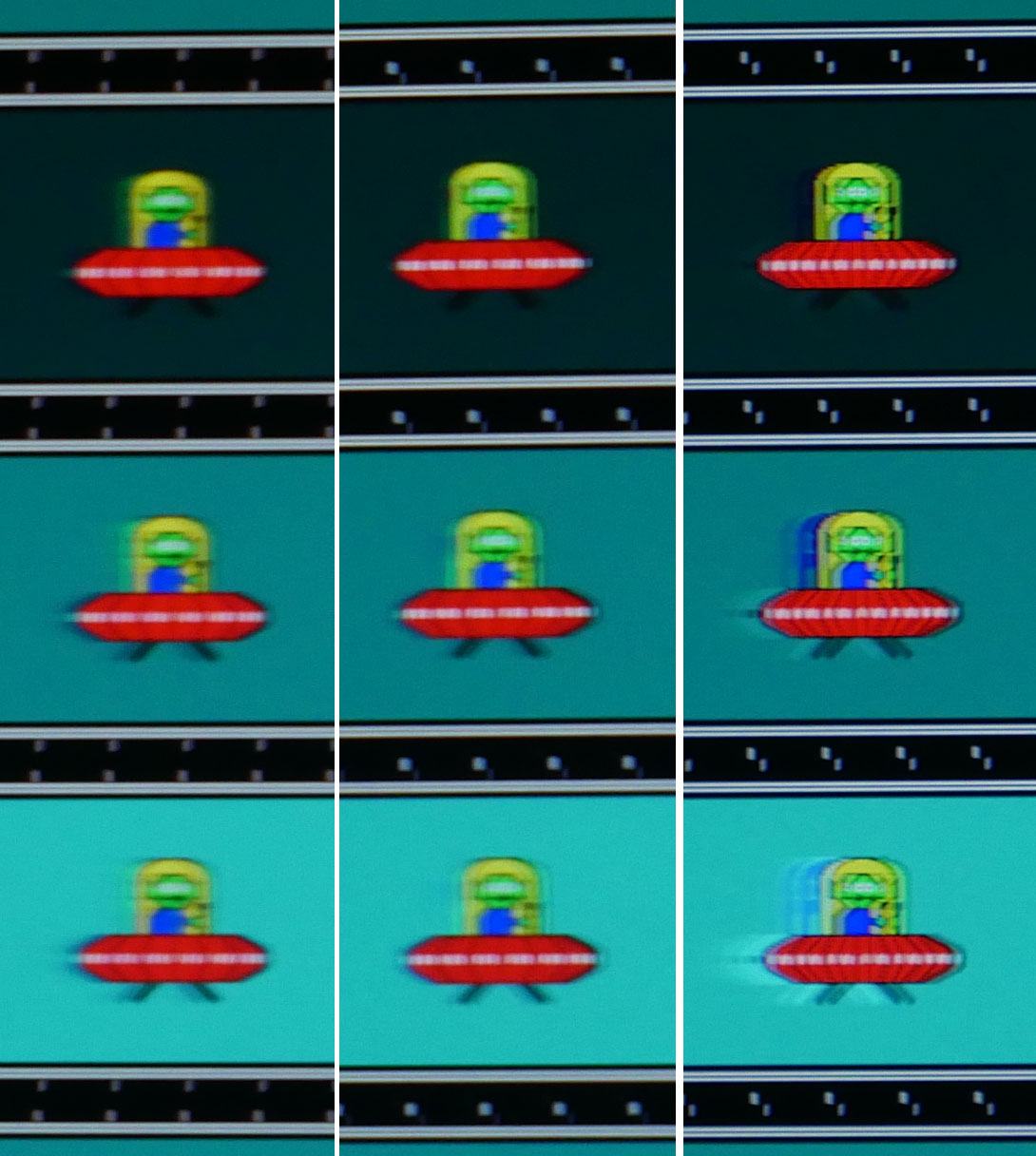
Level 1, Level 3, Level 6
As for G-Sync, it again works as well as we’ve come to expect, consistently delivering tear and stutter-free images. Likewise ULMB noticeably helps to reduce motion blur. However, we tended to leave it turned off as it doesn’t work in conjunction with G-Sync.
All told, this monitor doesn’t break new ground for gaming performance but delivers on all the promises made by its impressive spec list.
The Omen by HP 27 is a good quality 27-inch gaming monitor that easily takes the fight to the likes of the Asus PG278Q and Dell S2716DG. Its gaming performance is excellent, its image quality is as good as you can get for a TN gaming display and it has essentially all the features you’d hope for.
What’s more, this display’s design comfortably puts it ahead of all competitors. It has the class, cohesion and build quality that no other screen can match. Only the lack of pivot and rotation adjustment in the stand puts a dent in its appeal.
The problem is, this display is £100 more than those direct competitors, and while its design does make up for that somewhat, it’s still a large gap to bridge. Moreover, those direct competitor displays are already rather expensive. The premium of including G-Sync means they’re well over £100 more than non-G-Sync models that otherwise largely match their performance.
What’s more, you can even buy the Acer XB271HU and AOC AG271QG for less, and those displays have the better image quality of an IPS panel.
As a result, it’s hard to strongly recommend this display. For competitive gaming performance, there are umpteen cheaper displays that deliver where it counts. Meanwhile, if you’re after a more premium monitor a version of this display that uses an IPS panel would seem a far more sensible option for the price.
You can buy one directly from HP for £699 HERE.
Pros:
- Class-leading design.
- Excellent gaming performance.
- Good image quality for TN.
- High brightness.
Cons:
- Expensive.
- Poor viewing angles.
- Poor light grey colour reproduction.
- No pivot or rotation on stand.
KitGuru says: A stylish design and good overall image quality make this display a real contender but its high price is hard to swallow.