 KitGuru KitGuru.net – Tech News | Hardware News | Hardware Reviews | IOS | Mobile | Gaming | Graphics Cards


Like with every aspect of our modern lives, securing your home is becoming as connected as the rest of it. There are apps and companion hardware available, which is exactly what we are looking at today. It is known as the Piper nv iControl Network, which incorporates everything from a security camera to window and door monitors and smart home features such as automated power-saving plugs.
It is a full suite of contemporary security and management systems for your home and with families in mind. That means set up and installation is touted as engineer free, simplistic and fast. All controls are app based, so should not be too difficult to figure out, but will all of this be worth its retail price?
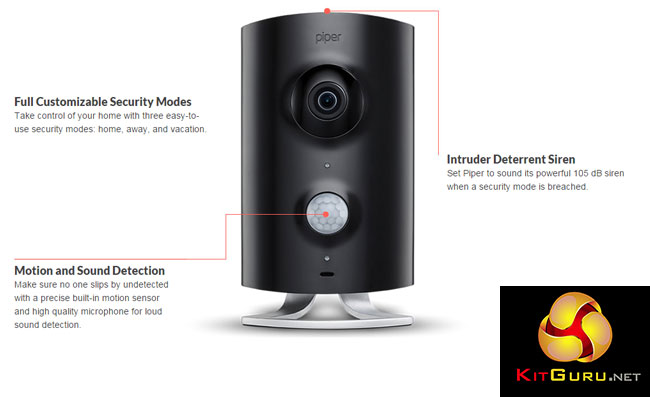
Piper NV camera specifications
- Night vision.
- Enhanced HD resolution.
- 3.4 megapixel sensor.
- 180 degree view.
- Pan, tilt, zoom and quad-view.
- Microphone provides audio recording.
- Speaker for audio output.
- 105 db siren in “panic mode.”
- Built in sensors: Motion, temperature, humidity, light, sound.
- 7.5 watt AC/DC wall adapter and 3xAA battery backup.
- 802.11 b/g/n wirelesss support.
- Series 500 Z-Wave controller.
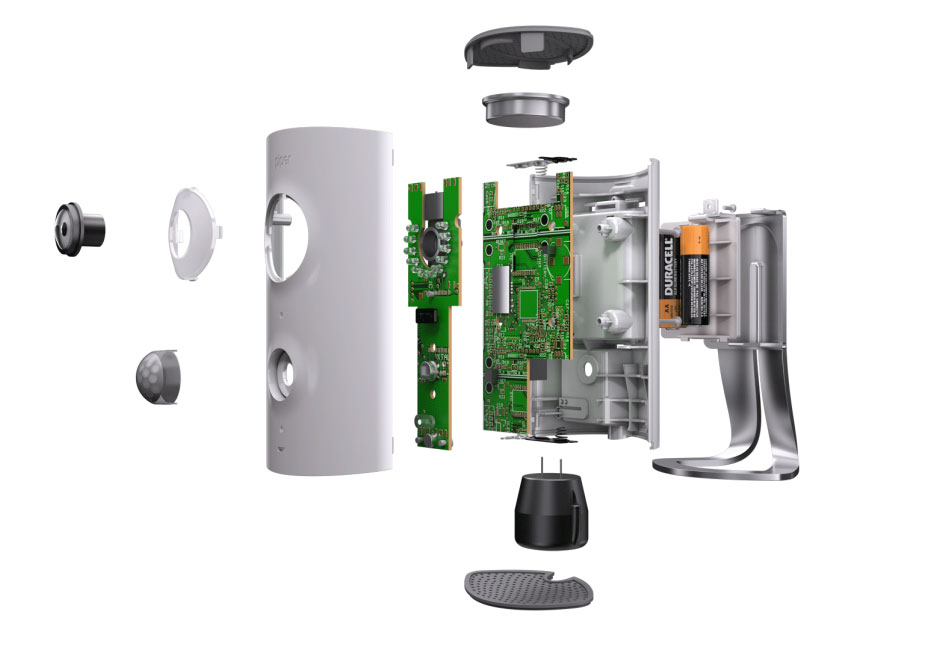
The Piper nv (or its non night-vision counterpart) acts as the hub for both the remote viewing camera functions, sensor suits and the back-end software application. It can also be used to connect up several of Z-Wave Automation devices and sensors, which can expand the ways in which Piper can be triggered.
These are available separately, but we were sent through some, so we will be looking at those also.
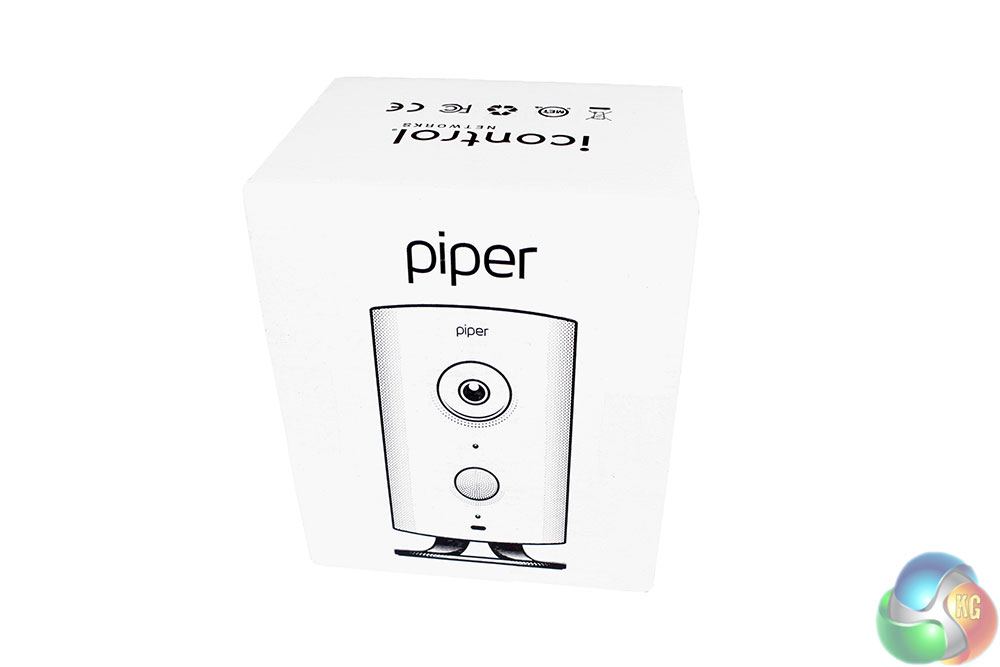
Clearly the Piper iControl system is not designed to draw you in with its packaging. But that is a good thing. In the age of internet buying, we do not really need fancy boxes, we want reduced pricing, which basic packaging can help achieve. Beyond a basic line drawing of the camera itself, there is little to suggest what is inside this box.
Inside it, you find the camera hub itself, a short set up guide sheet, warranty information and a “protected by Piper” sticker. The question? is Piper a well-known enough company that that sticker would deter would be criminals? If you are a burglar or home invader, let us know in the comments below whether Piper makes you wary.
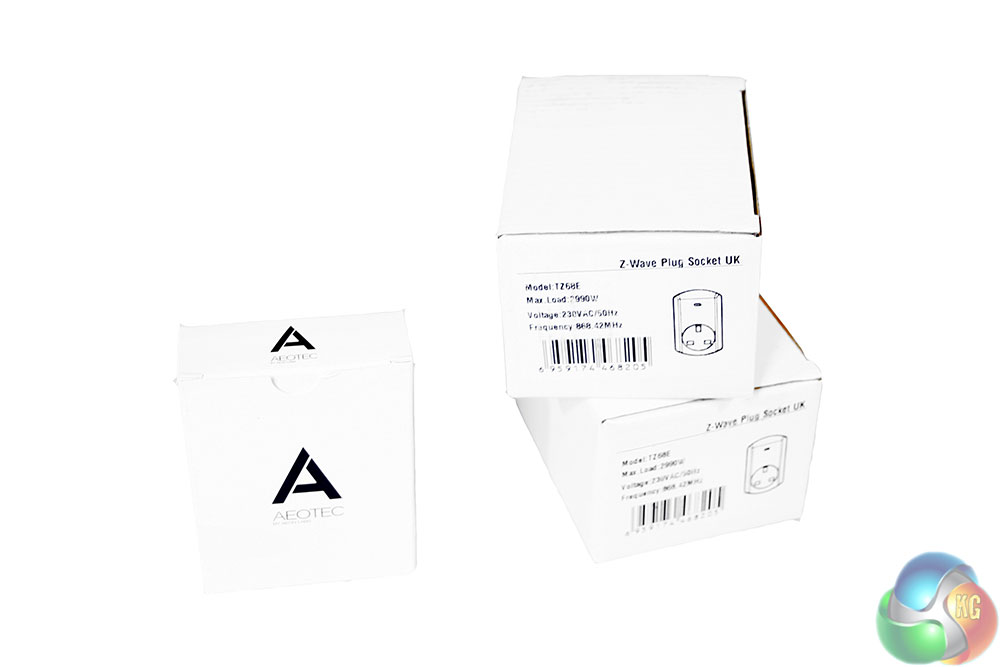
The Piper camera is not all that we were sent. Along with it we also have another set of equally nondescript boxes.
These contain two smart plugs, to enable automated or remote control of the switch, and a window security sensor, which can set off an alarm if it is tripped by an intruder.
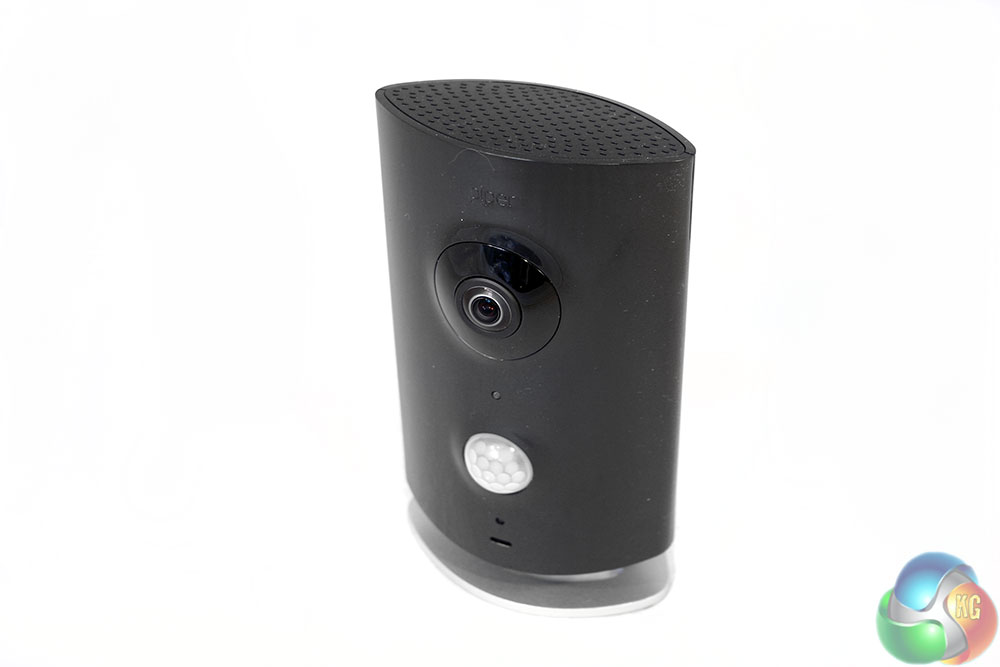
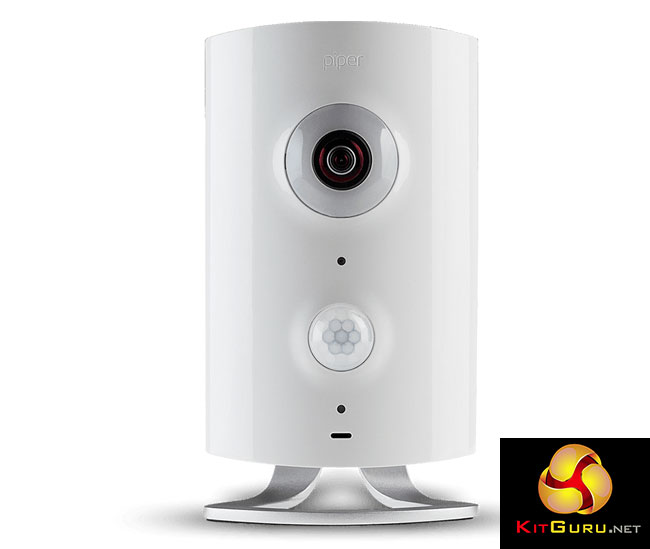
The main camera/control hub is entirely black, which is the only external difference between this “NV” version and the standard edition Both however can come in the alternate colours if a specific preference is noted during the order.
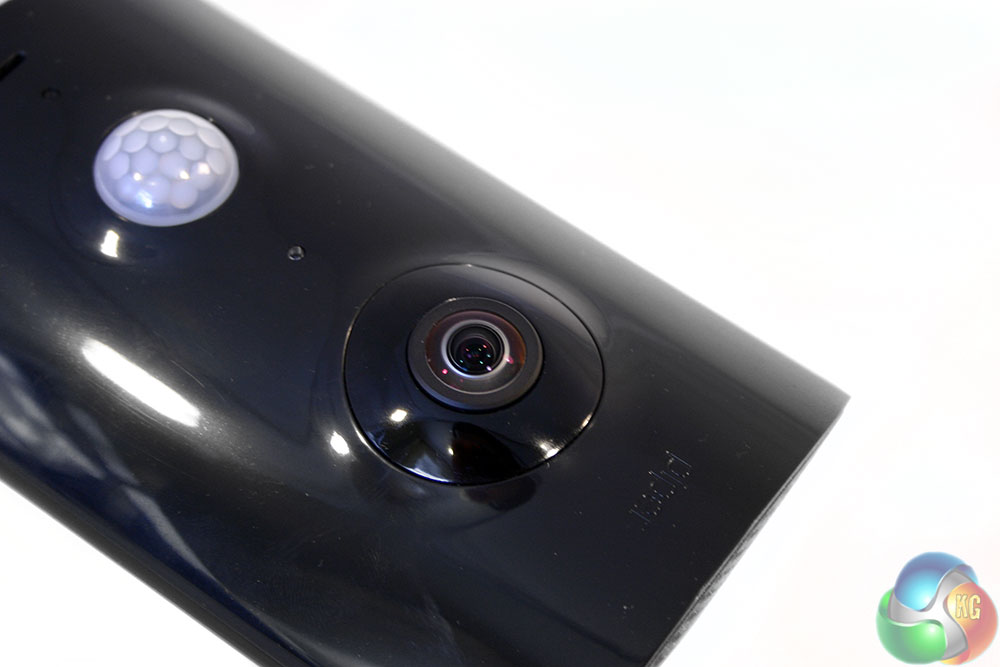
It has an obvious lens two-thirds of the way up, which provides full 180 degree coverage using a fish-eye lens. Beneath it, is the motion and light sensor, so you will be able to receive warnings if someone trips the camera feed, or have it automatically record the potential intruder.
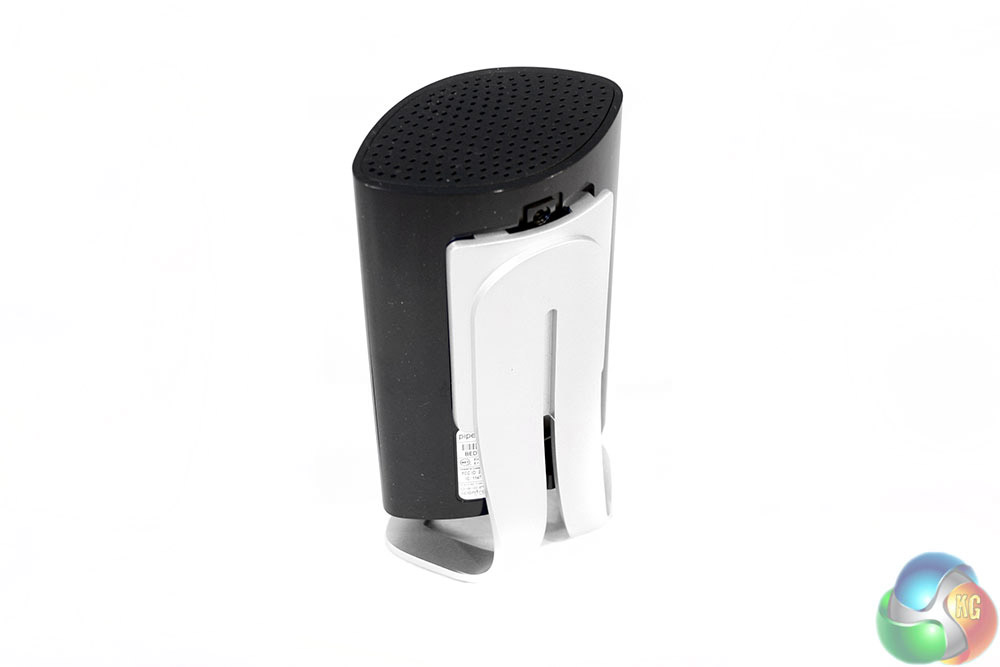
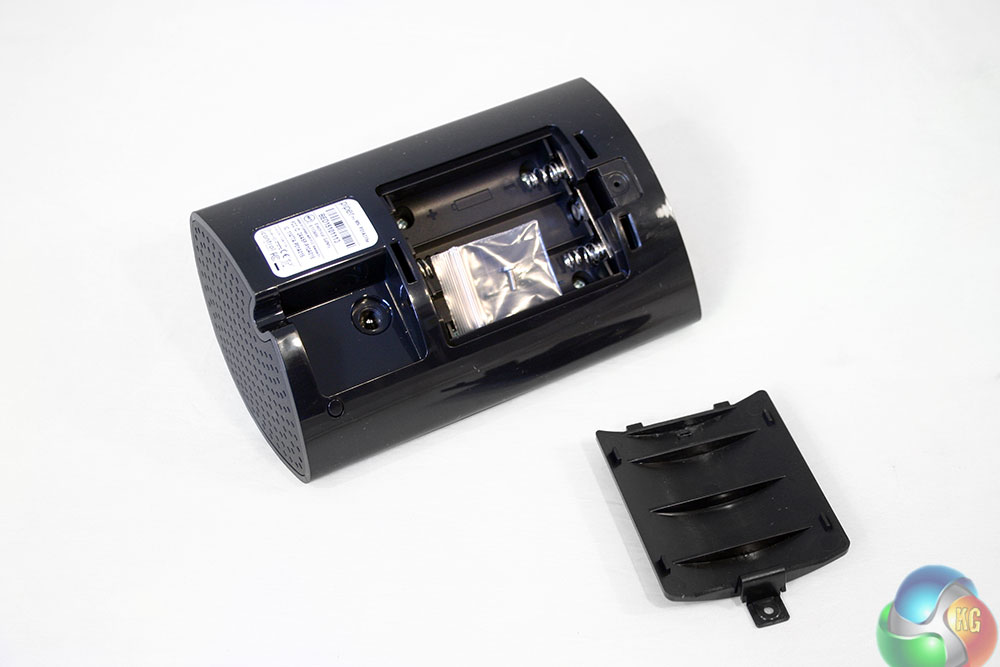
The back of the device has a plug-in stand, which can be easily removed to get at the battery compartment and power port and can be slotted back into place just as simply. It is however reasonably sturdy and has some rubber padding on its base to prevent any sliding around.
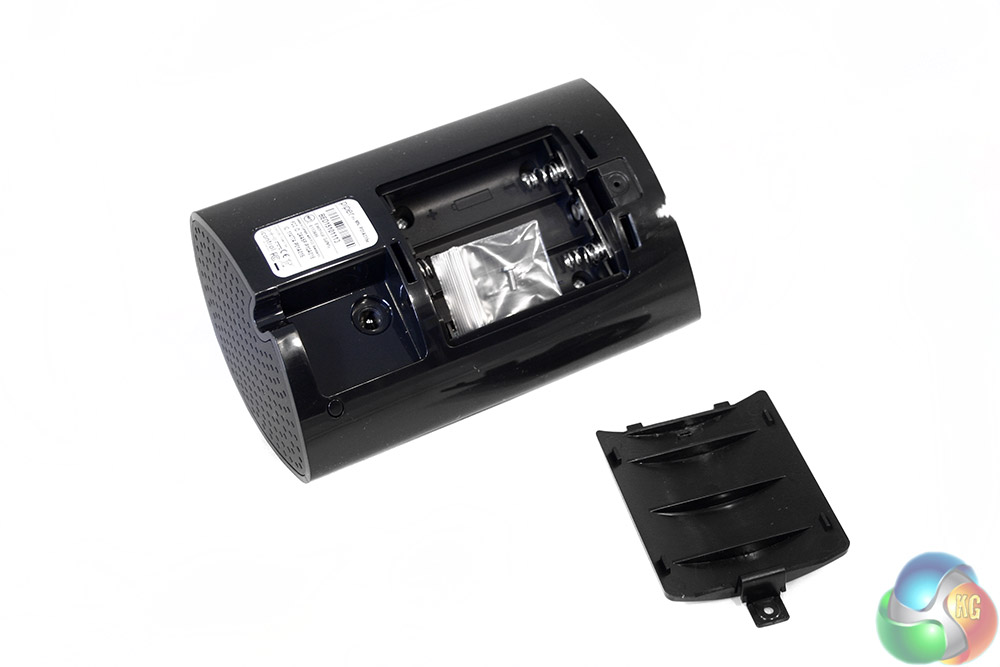
When you remove the silver stand, you can then undo the back panel, which houses the batteries (when installed) that keep the camera running in-case you lose power. It also has a small screw stored in there, for those that want to wall mount their Piper iControl hub.
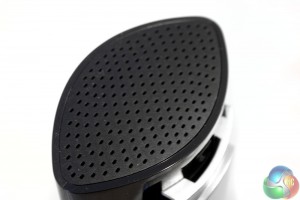
At the top there is a perforated panel, which helps prevent the internal hardware from overheating and provides a good avenue for the blaring alarm to escape from.
Z-Wave Accessories
Along with the camera system, we were also sent a couple of extras that expand the Piper security network's features. They include a pair of plugs, which allow for the remote control of power sources.
They can also be automated, so if you leave the house, electronics can be automatically turned off.
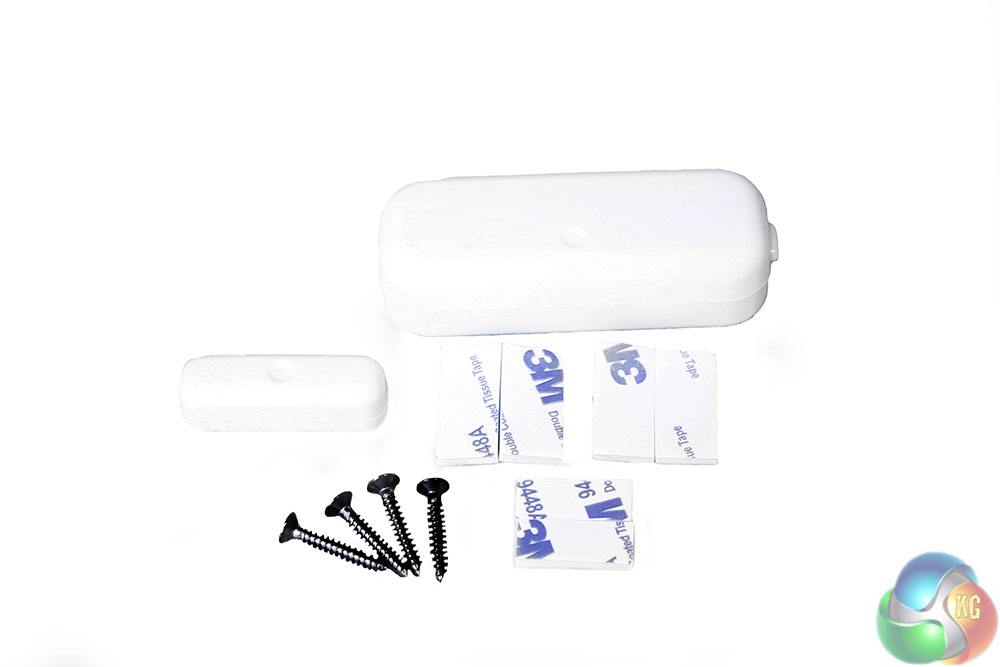
The second device was a window or door sensor, which can trigger an alarm should they be opened. It comes with several screws and sticky pads for ease of installation. While neither of these are included as standard they are available as companion accessories and can expand what you can do with the Piper control system.
So while not part of the main review, we will factor in their usage to the functionality (and cost) of the Piper nv iControl system.
To test the Piper nv iControl system, I set it up to monitor different areas of my house and ran through several of its major features. That meant scaring my neighbours by setting off the alarm using the motion sensor, playing around with the application to set different modes of use and I also utilised the Z-Wave accessories and their various triggers to automate some of my home's functions.
Setting up the Piper nv iControl is surprisingly easy for a piece of kit that purports to do so much. All you need do is add the batteries (so it can operate independently of mains power if needed) plug-in the power cable and download the application. Once you have input your WiFi details and connected it your local network, you are off and running.
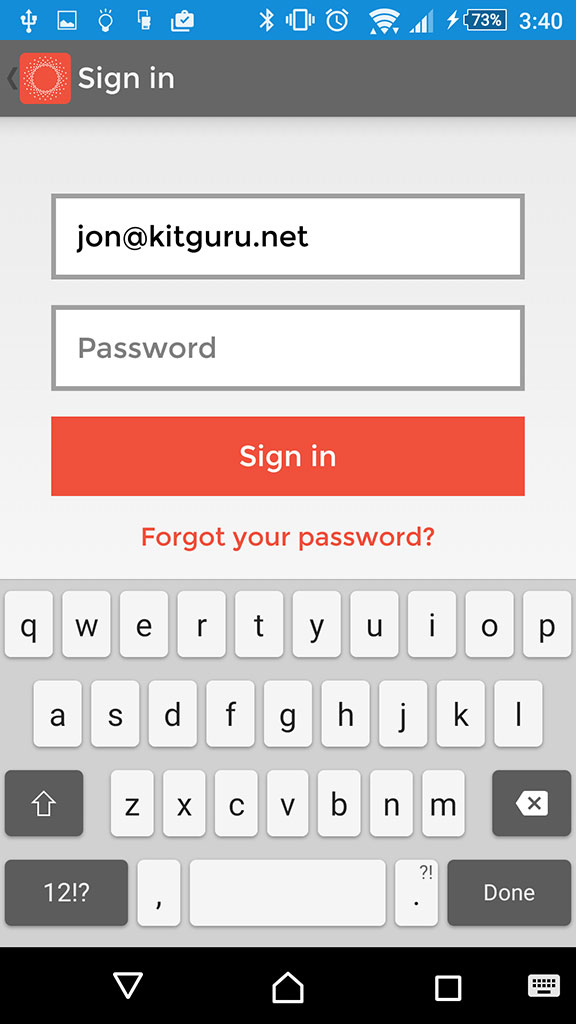
Starting the app up requires a login, the details for which you cannot save – a plus for security.
Without making any adjustments whatsoever, you are given access to a live feed, which can be monitored anywhere in the world at the touch of a button. The sound is a little flaky, in that it has quite a loud background buzz which seems to cut in and out intermittently, though speech and other noises are recorded in much higher clarity and there is only a couple of seconds of delay between the live audio being recorded and it being output from your smartphone's speaker.
NB. Having spoken to Piper, we can confirm that they is aware of the background buzz and is actively trying to fix it.
The home screen also gives you some basic stats for your perusal. Along with the current status of the camera system, there are indoor and outdoor temperature gauges, which can help you manually adjust your central heating or air conditioning.
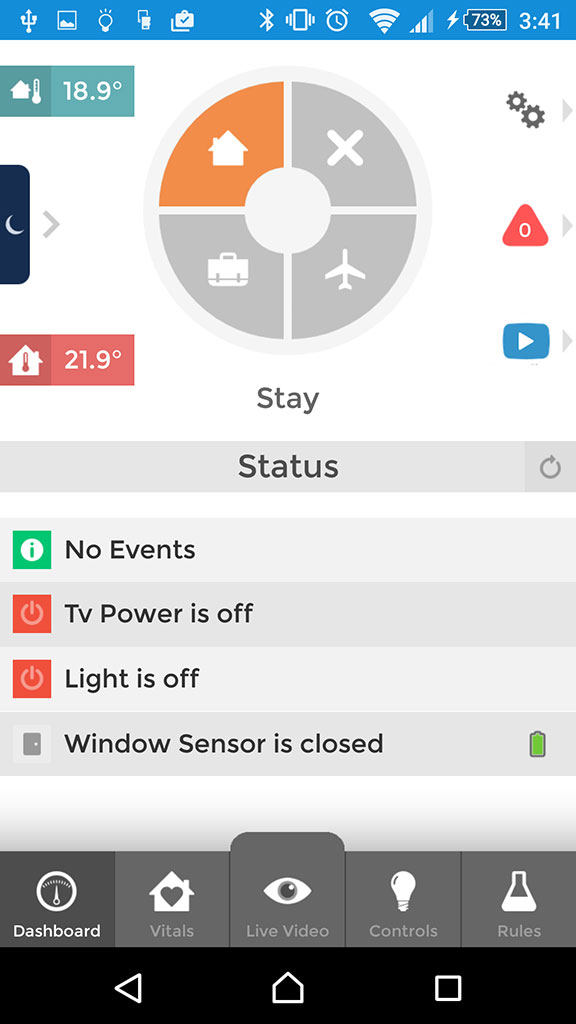
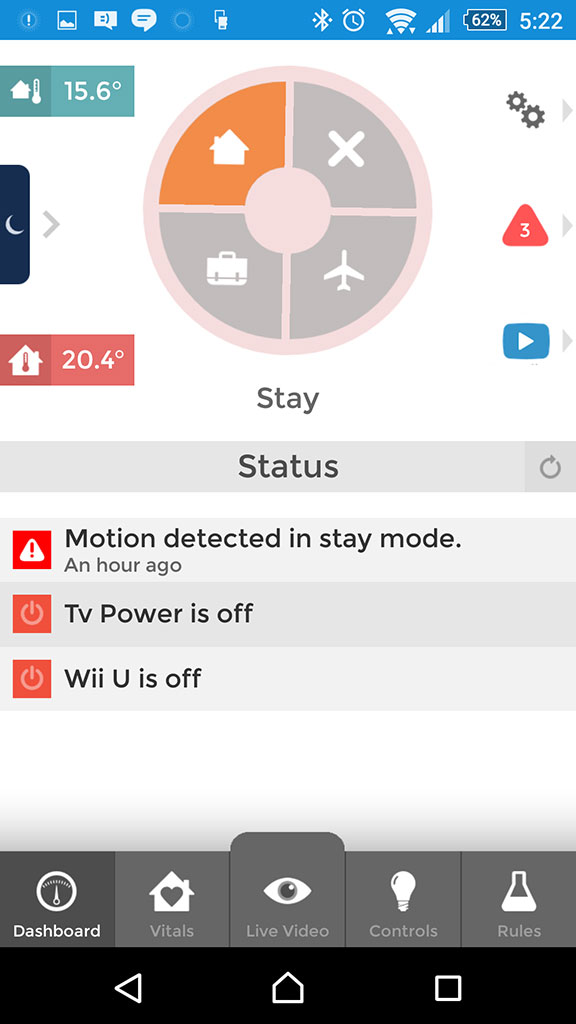
The home screen has the mode wheel, as well as status updates for every aspect of your security system
Just off of the home screen is a night-time mode, which gives you immediate stats on the status of the network, as well as a quick slide button to enable panic mode, which trips the 105db alarm. It is very loud and will certainly have you scrambling for your phone if engaged out of curiosity, but also gives you an excellent way to startle an intruder or other threat that you find yourself faced with in the early hours of the morning.
Although frustrating when you do not want it blaring, the fact that the camera-hub cannot be disengaged by simply pulling out the plug is a real plus, since an intruder will not quickly be able to stop it alerting you to their presence.
There is also a notification screen and another to play back automated recordings, all of which are stored in the cloud and accessible forever, for free. Piper informs us that it can store up to “1000 clips,” of various lengths and that they will only be overwritten when the 1001st clip is recorded.
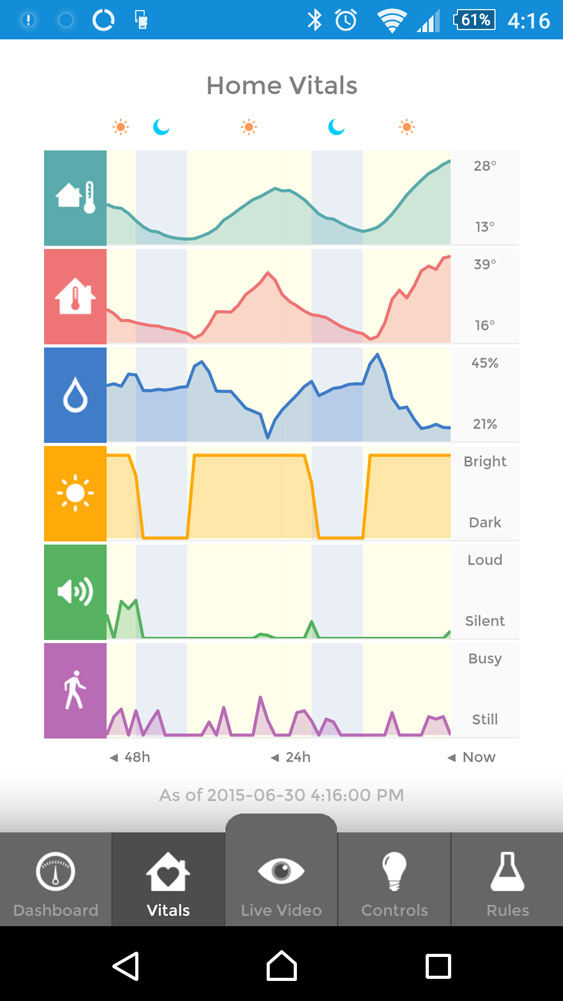
System vitals can give you an idea about what your home is like throughout the day. There is a charted temperature for the outside and in, as well as humidity levels, brightness and motion related activity. This would be excellent for those that are continuously recording an area, as it would mean anything out of the ordinary should register, letting you jump to that select piece of footage rather than watching through every day to make sure nothing untoward has happened.
The big feature that makes the Piper nv so versatile, is that it has different modes. The standard mode is “off,” represented by the cross on the dashboard wheel. That gives you basic camera monitoring and all of the features mentioned above, but you can add much more automation to your home security.
Each of the available options – stay, away and vacation – give you the same abilities, but let you choose different scenarios. Stay is for when you are in the house, where you likely do not need the alarm on, but you might want some automated temperature adjustment. Should it get too warm where the camera is located, you could have the bundled Z-Wave accessory automatically power on the air conditioning, or in the reverse case, an electric heater. Lighting could be triggered at a certain time of night or when the brightness in the room drops too low.
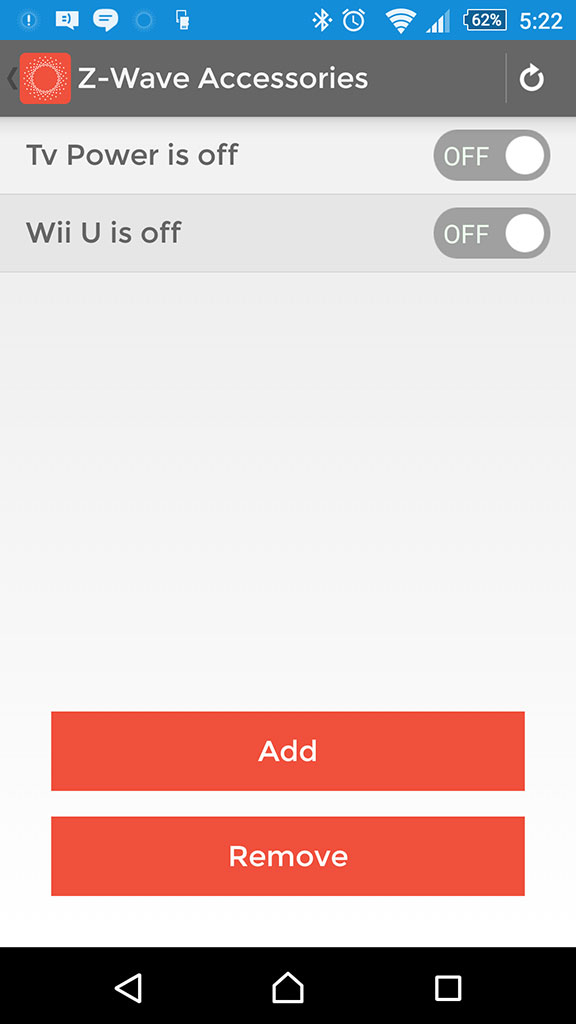
Rules can be changed for each device, as well as specific functions of additional accessories
You can extrapolate something similar for away mode, but perhaps you would want the security system to monitor movement, recording footage and sending you a push notification if something out of the ordinary happens. Vacation, you may want to go all out and have the alarm triggered if so much as a mouse crosses the camera's path, immediately recording the intruder and sending you an email or push notification.
If you really want to be freaked out, have the device call you instead – a robotic voice will tell you something is moving around in your home.
All of this can be configured very simply through the Piper “rules” tab, with enough versatility that with a bit of playing you can have your own personalised security system, all managed through your phone. Do not worry if you have pets that might trigger it though, you can change the camera's sensitivity to cater to that. You can also add trusted friends and family to the security system so that if it is triggered, they receive a notification too, letting them handle it if you are not around.
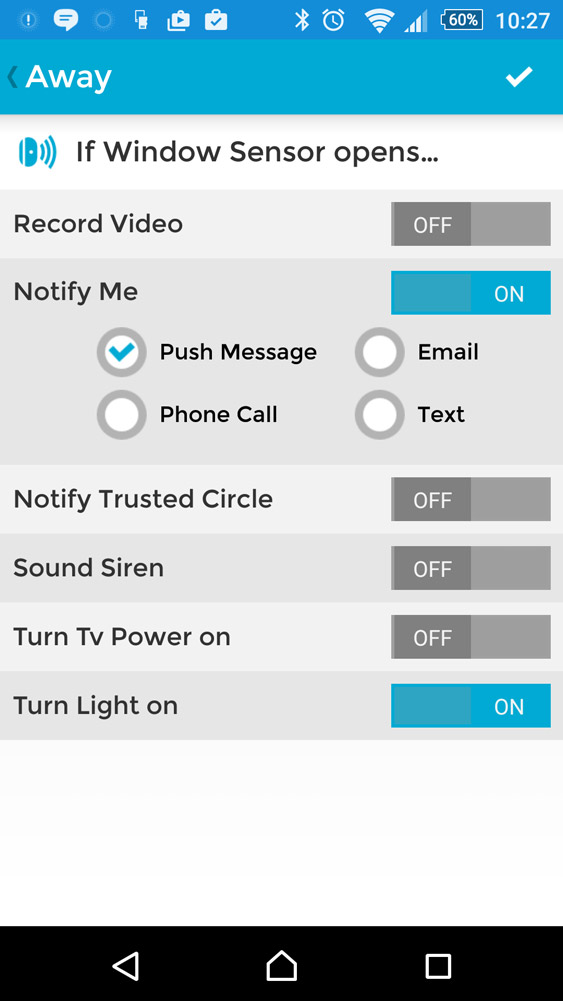
Sensor settings can be quite complex once adjusted
There are even auditory confirmations for each mode, so you know exactly what has been engaged. When set up is complete, “Piper Ready ” will be blurted out by a robotic voice from its speaker. Similarly so, when the alarm is engaged it will let you know, and any intruder may end up dealing with an immediate blaring, or a few seconds of warning beeps before their ear drums are assaulted.
Similarly so, when switching to Away mode, where the device assumes the alarm will be set, it gives you a count down to leave the house without triggering it. As a plus over traditional housing alarms, through app control, you can turn the alarm off before you open the front door, so there is no frantic rush to shut it down before people think you are burgling yourself.
To give you an idea of how the camera system works, I recorded my pets (a pair of rodent Prairie Dogs) for a few days and tweaked the sensors so that even though they were close to the foreground, they rarely set the sensor off. However if I made an appearance (like in the footage below), it would set it off and record not only my entrance, but the seconds leading up to and after it as well.
It must be noted however that this is a video of my smartphone's (Xperia Z2) screen capture, rather than the original video file. That is because there is no way to actively download the recorded video at this time and it can only be viewed within the application. This is something else that Piper claims to be working on.
Within the video you can hear the transition between modes, where there is an auditory cue to let you know that is what is happening. Although the video does appear somewhat dark, this is a symptom of the location it was taken from, where the exterior sunlight is causing the sensor to limit the light going in.
This is not the case if you film exclusively outdoors or indoors.
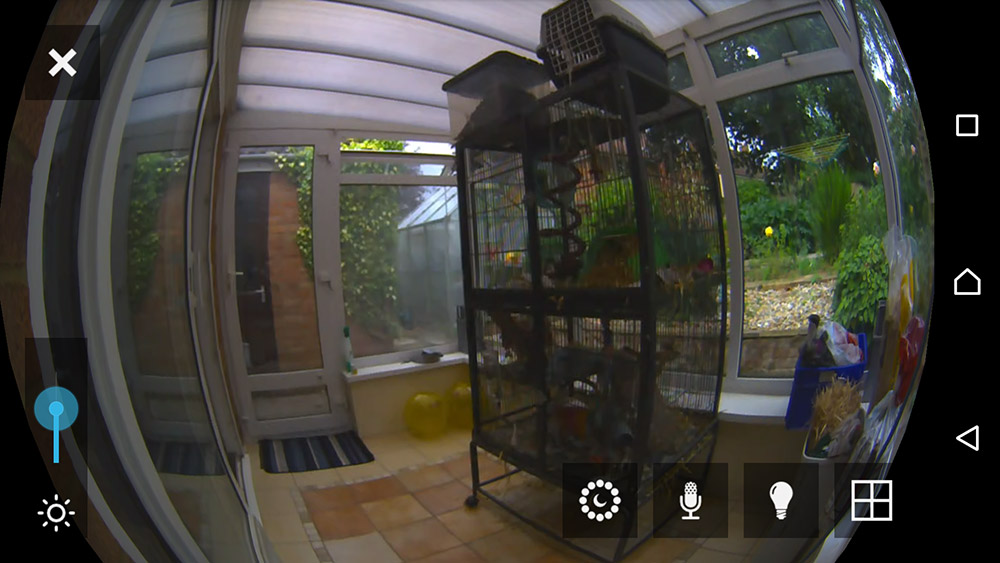
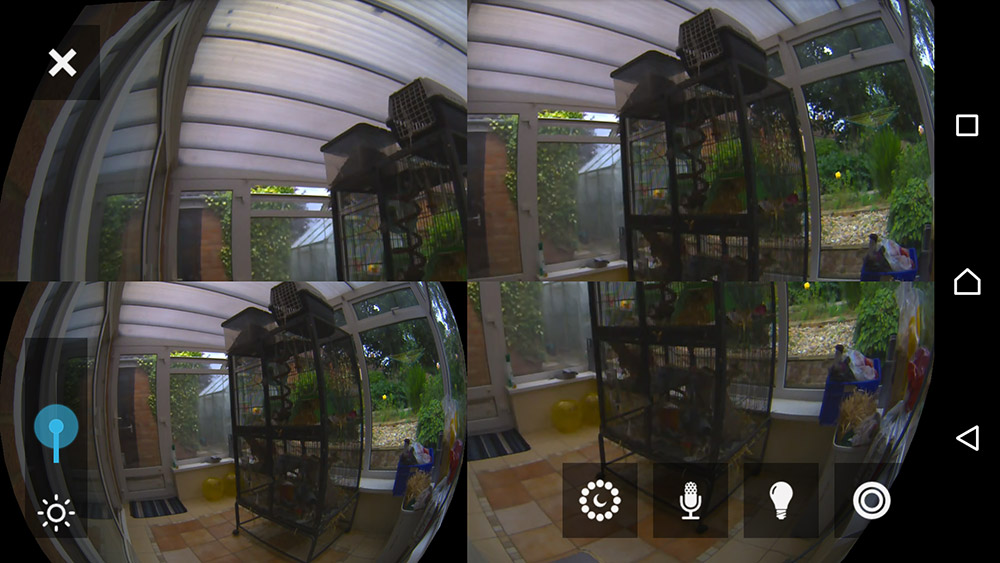
When actually viewing the video live, since it's a fish eye lens you can move it around and view all of the different parts, or split it and have four separate views from the same camera. other settings include the ability to turn the microphone on or off, as well as tweak light sensitivity; though that latter part has to be adjusted every time you view the live feed.
The Z-Way power plugs were a nice addition to the Piper network. They let me automate various aspects of my home, having certain lights come on as the light levels dropped enough to make them necessary and turning off power-hungry standby electronics when they are not needed. It would be nice if there was some form of power monitoring built-in to make them that bit more useful, but for what they offer they are quite good, if a bit expensive at £35 each.
When it came to testing the Z-Way window/door sensor, it was surprisingly easy to use as well. You input some batteries, put it in place on your window or door frame and then hook it up to the app like you do with the Z-Wave power plugs. You can even combine the two so that a light comes on if a door opens – which can be good for security or home comforts.
It can also be used to trigger the alarm if you are using it purely for keeping your home safer. The fact that they are so low profile too, means that an intruder would need to especially look for them to spot that you had such a device in place.
At around £40 though, again it's not a cheap way to expand functionality, especially if you want to link up multiple windows, as each will require their own sensor.
The Piper nv is a very versatile piece of kit for those that want a comprehensive security solution for their home or small business. As well as providing a solid remotely viewable camera system, it offers a number of rules that are automatically adhered to by the system, letting you set up deeply customised security and environmental controls for the home or office.
The camera feed itself offers a huge field of view, good quality and very quick access streaming options through the application. Its built-in night vision functionality is a welcome addition, though does require the extra expenditure over the standard Piper system. The inclusion of a surprisingly loud and attention-getting alarm is a good secondary security feature, that when combined with the door/window sensor lets anyone install a pretty versatile security system that is far easier to use than a traditional alarm.
That is actually the biggest take home from my time using the Piper nv – it is simple. With full application control anywhere in the world where you have internet access, many options for expansions over time and deep customisation, it is hard to imagine a feature that is missing. And it does not even require a complicated set up. Within just a few minutes of opening the box you have a great camera at your disposal, but if you are the kind of person that likes to dive into app menus and customise the security system, you will have a lot of fun setting everything to do the work for you.
The only holes worth picking are that the camera feed's buzzing background noise is irritating and you should be able to download the footage for analysis somewhere other than your android or iOS device – but that sounds like a feature that is coming down the pipeline.
The whole set up also is not particularly economical. The main camera hub is the most versatile and affordable aspect of it, but if you start factoring in Z-Wave accessories, deeper pockets than most may be required – even if it might save you a few pennies on your power usage. Which makes you wish for the support of cheaper third-party alternatives.
That said, this is the best connected home and office security solution I've ever tested. Its simplicity is its biggest draw, but it has deep, heavily customisable features that feel very comprehensive even after several weeks of use.
The Piper nv can be purchased from the BT store for £230, with accessories costing anywhere from a few pounds to £40.
Discuss on our Facebook page, over HERE.
Pros
- Versatile camera system with wide-angle view, zoom and different quality options.
- App is easy to use, set up and manage.
- Stay, Away and Vacation modes let you set rules for different scenarios.
- Controls can be customised and tweaked to your specific setting.
- Alarm is loud and abrasive enough to give intruders a surprise.
- Notifications and live video can be viewed anywhere in the world.
Cons
- No third-party hardware support.
- While worth the money, it is not cheap.
- Videos can only be viewed through the app and cannot be downloaded.
KitGuru Says: The Piper nv is an excellent security system, which while lacking third-party hardware compatibility, does just about everything you could want.


One comment