KitGuru KitGuru.net – Tech News | Hardware News | Hardware Reviews | IOS | Mobile | Gaming | Graphics Cards


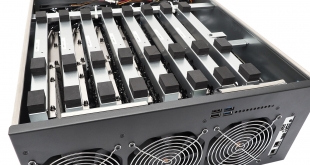
The furore surrounding Bitcoin from the end of 2017 may have subsided along with the value of cryptocurrency in general, but the repercussions are still being felt. GPU prices have risen as a result of demand, although there are signs of this softening. There is still potentially money to be made from mining, despite the price of a Bitcoin being nowhere near its $19,783.21 peak, if you have cheap power and optimised hardware. Graphics supremo Sapphire aims to provide this with its new INCA CS-14 Compute System.
We discussed how you can get started with cryptocurrency mining a few months ago, but the INCA is aimed at a much more serious user. It doesn't look that exciting, because it's a 4U 19in rackmount chassis. In theory, you can install eight of them in a full rack. But inside it gets much more interesting – you can fit up to 14 GPUs using special dual-GPU cards. These can be either the 4GB or the 8GB versions of the AMD Radeon RX470, and we were sent seven of the latter. These are managed by an embedded AMD System-on-Chip, running Ubuntu Linux and with the Claymore mining software preloaded.
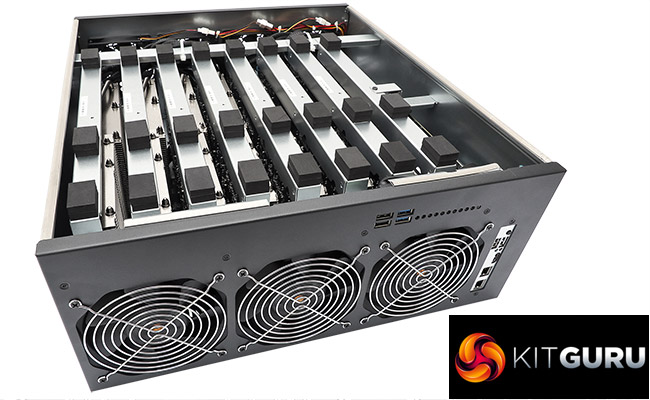
To support all seven of the PCI Express x16 slots (which actually operate in x1 mode on this rig), the onboard Gigabit Ethernet is disabled, so a USB-based Ethernet adapter is also included to provide the network functionality. With all those GPUs, the power draw is immense. To handle this, two PSUs are installed, with room for a third to provide load sharing and active redundancy.
The result is a machine capable of huge amounts of GPU-powered processing, with Sapphire claiming more than 400MH/s of ETH hashing power. This could theoretically bring in around £270 a month even at today's prices, although how much of this you keep depends on the cost of your power. So let's take a closer look at the INCA CS-14 to see whether it really is a cryptocurrency goldmine, or more of a money pit.
System Configuration:
- 19in 4U rackmount chassis
- AMD Embedded G-Series FP4 SoC
- 4GB DDR4 SDRAM
- 128GB M.2 SSD
- 7 x Dual AMD Radeon RX470 with 8GB GDDR5 each GPU
- 2 x 1,600W Seasonic S1M-162CGP2 power supplies
- Option for third power supply
- Ubuntu Linux with Claymore mining client preloaded
Price for this system (at the time of writing): £5,400 (inc. VAT) and for inquiries contact [email protected] This is a pretty undistinguished black box. But then you're not supposed to look at it, and considering the noise it makes (of which more later), you won't want to be in the same room as it very often either.
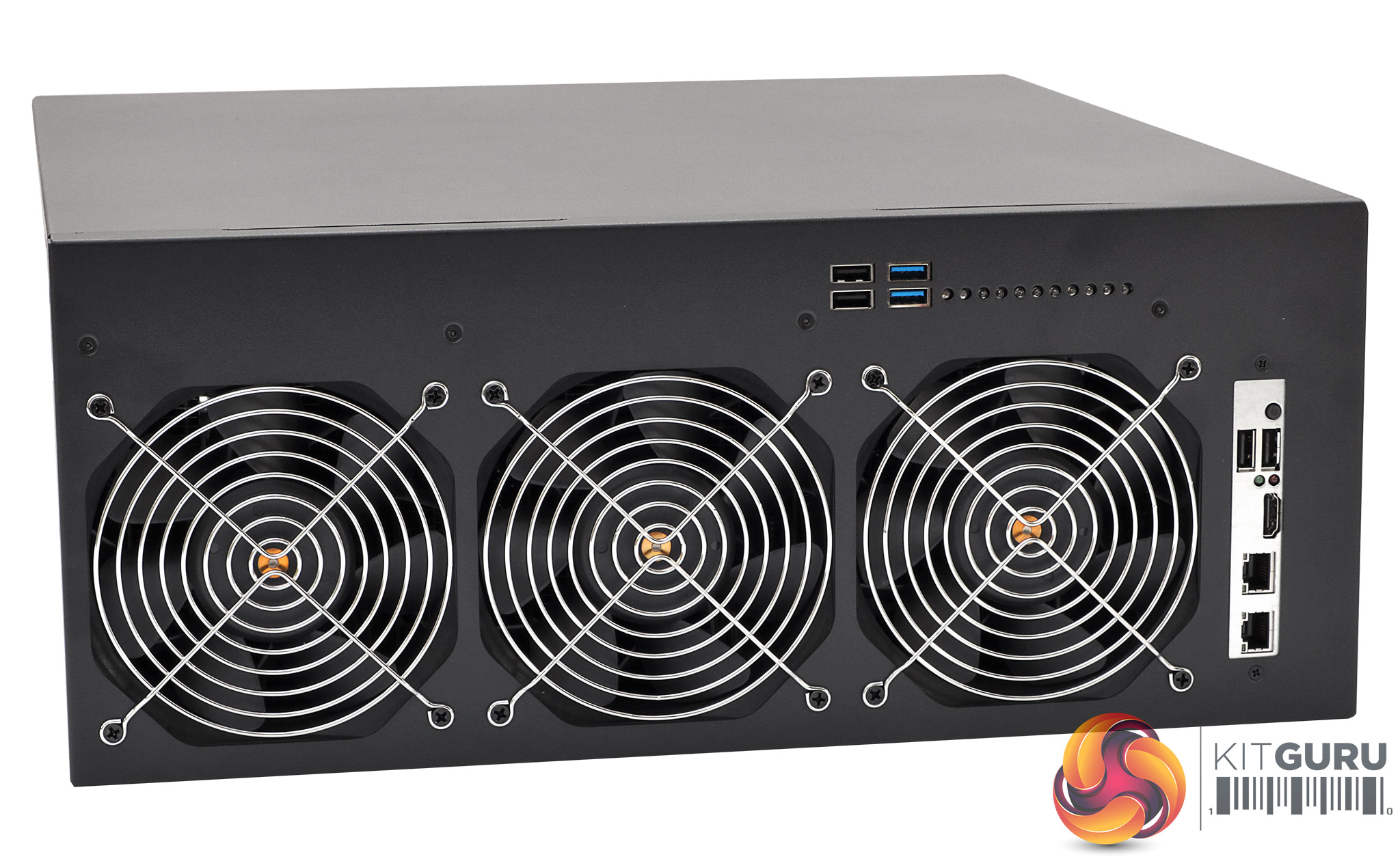
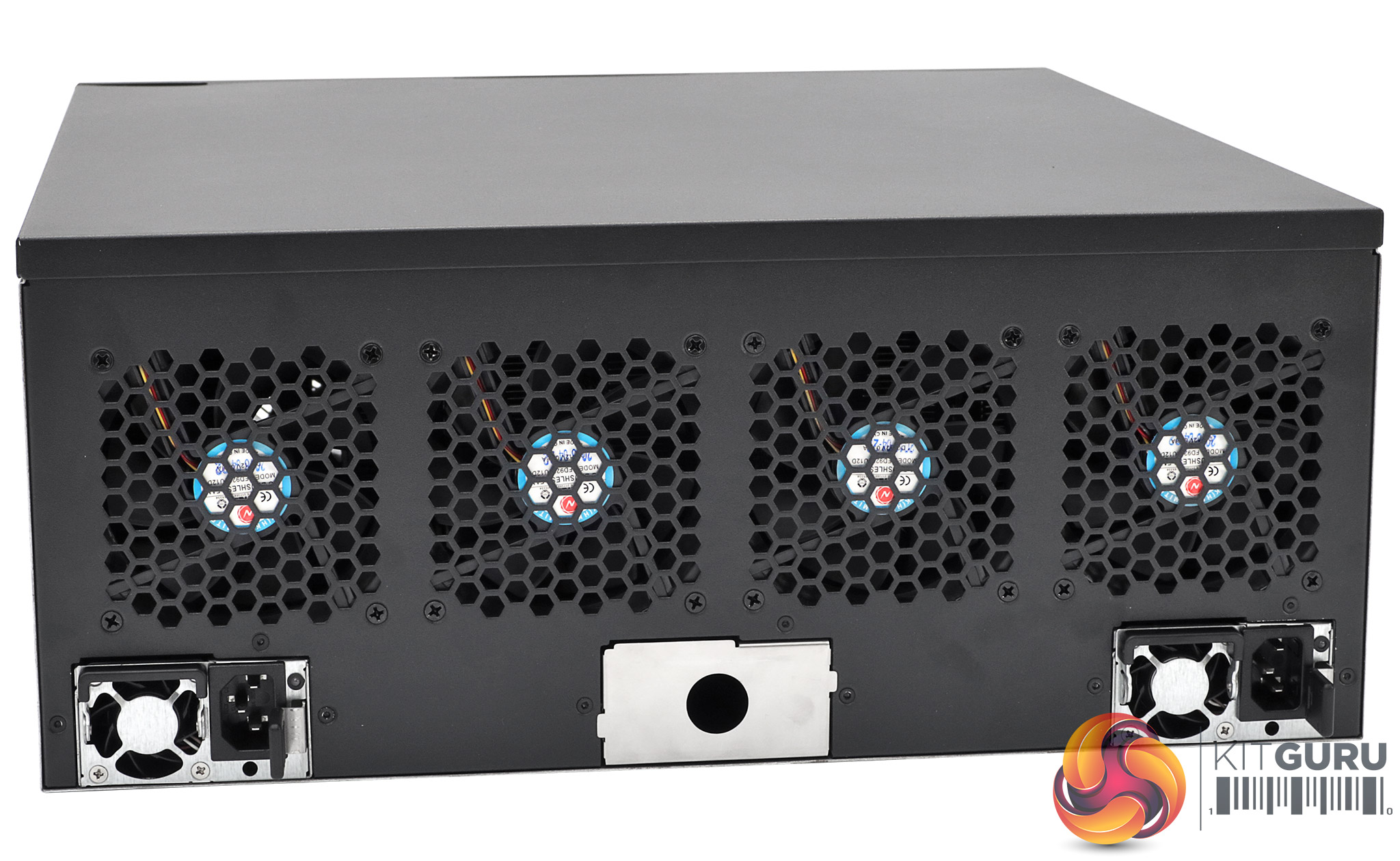
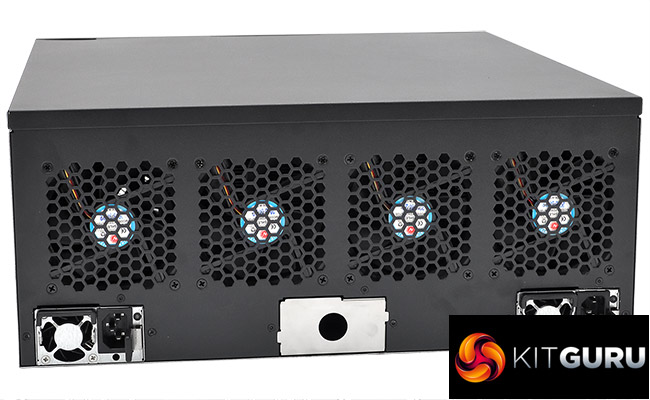
The front of the system is dominated by three 120mm fans, which are pretty much a necessity given the number of GPUs inside the case. The control CPU system board sits on the right of these fans, exposing its ports to the front. Above the front fans are four USB ports and a string of LEDs to show which PCI Express slots have graphics cards installed and are operational. The rear houses four 90mm fans so there's room for the power supplies below. There are three slots for these, although as standard only two are populated.
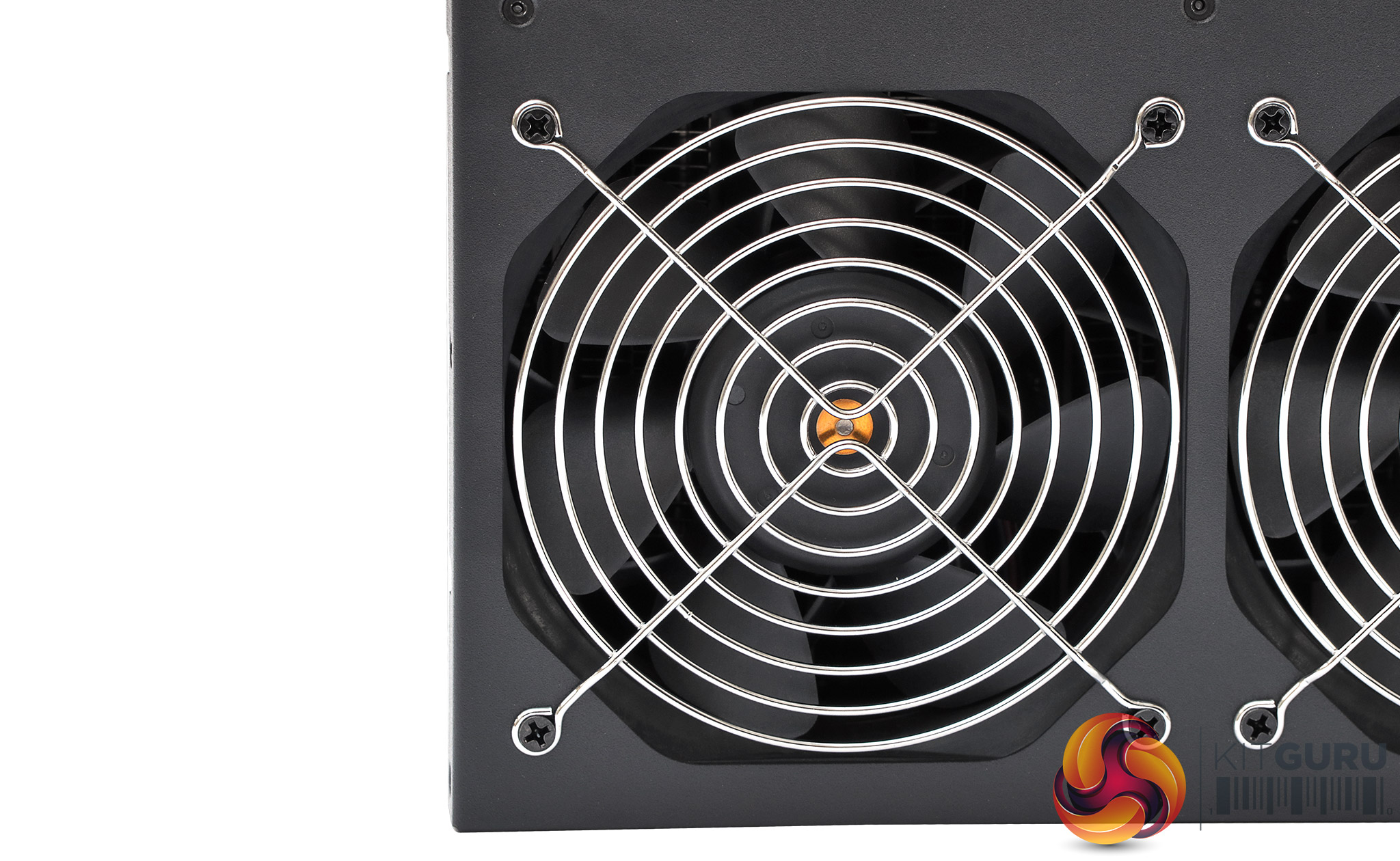
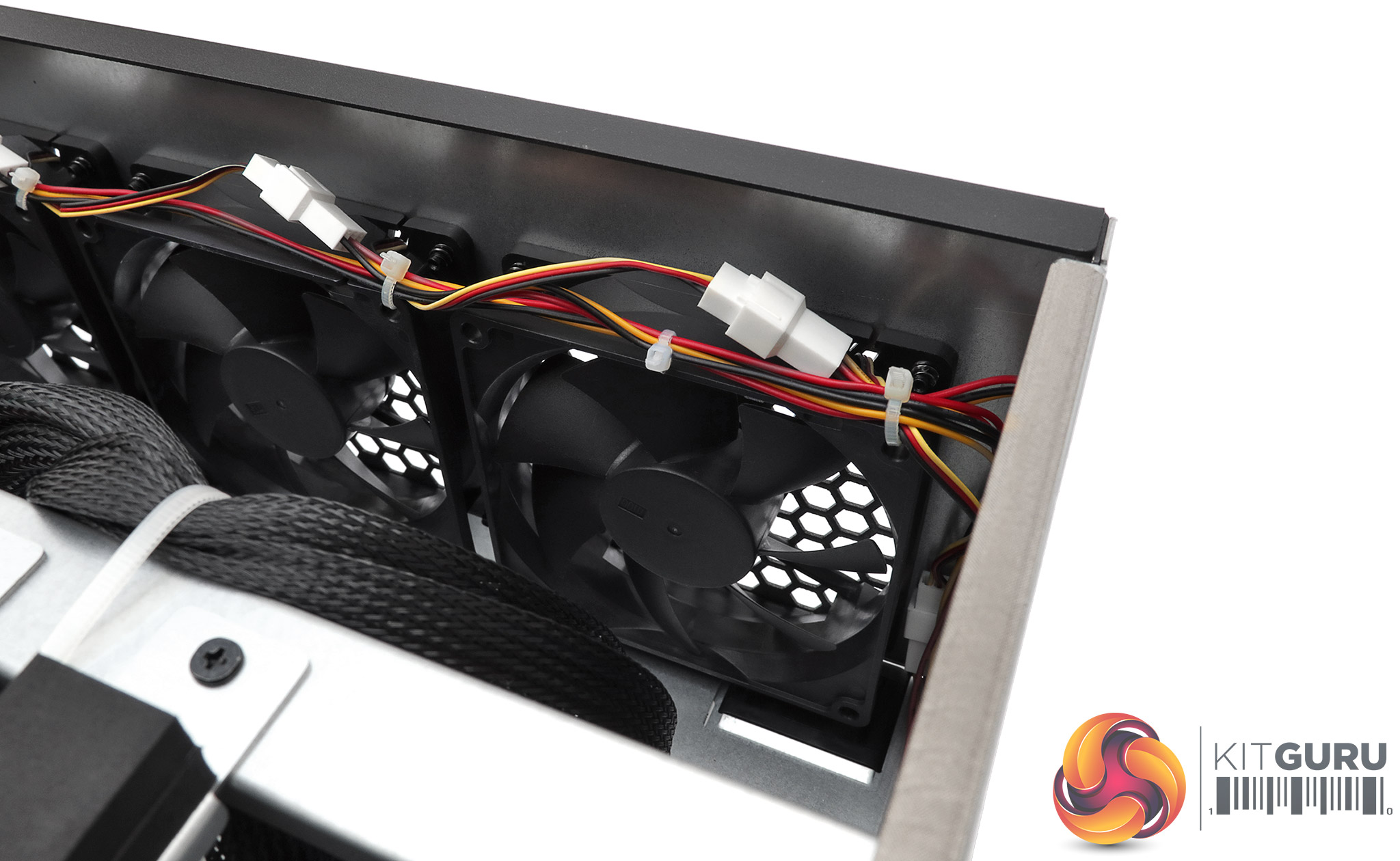
The 120mm fans on the front draw air into the system. Then the 90mm spinners take it back out again once it has passed over the GPUs. We should point out here again that this machine is NOISY. In fact, capital letters and bold typeface do not do justice to just how noisy this system is. We've stood near jet aircraft that were quieter. This is not a system you would want to have in a work room. It's entirely intended to sit in a soundproofed machine room, away from regular human experience.
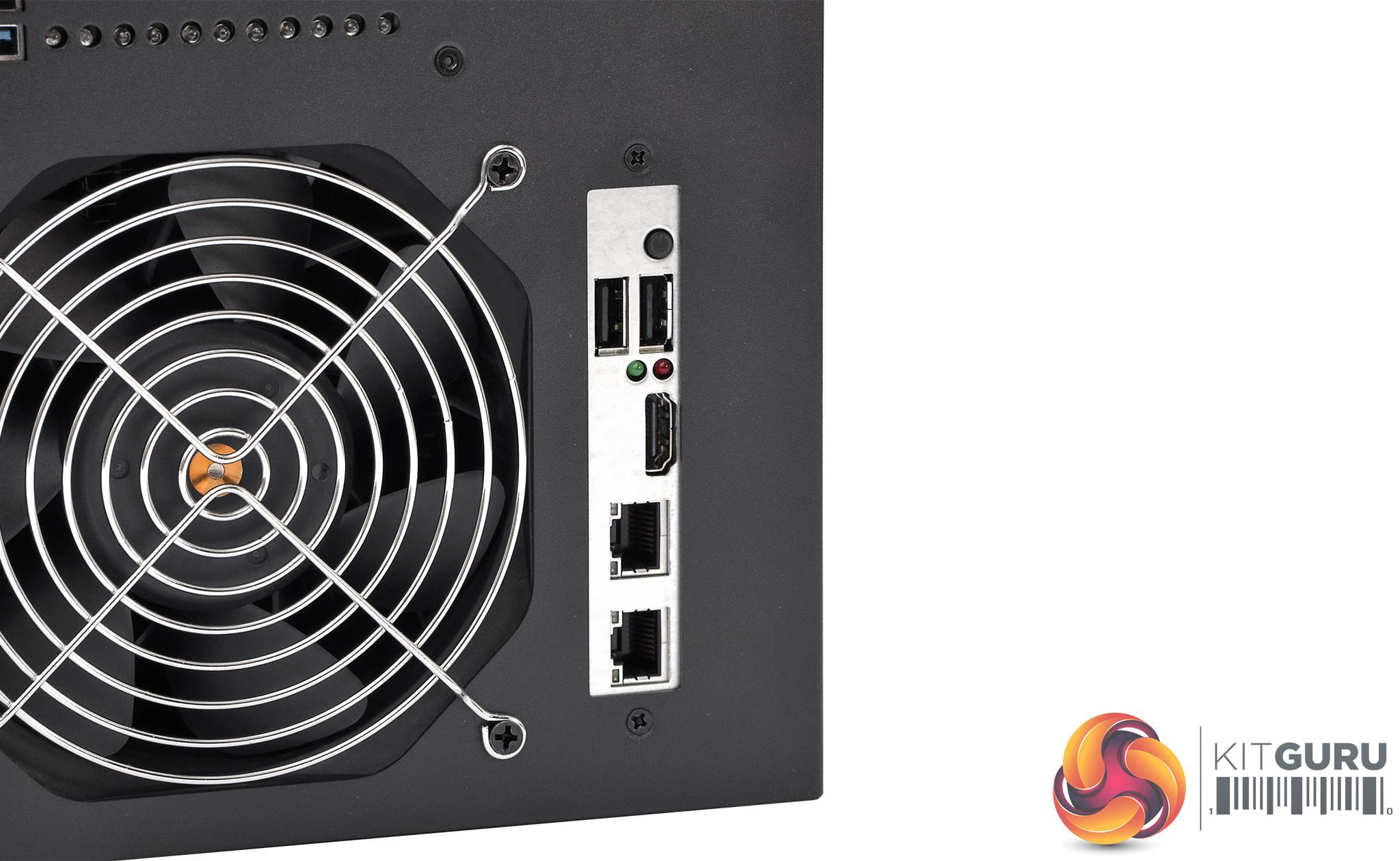
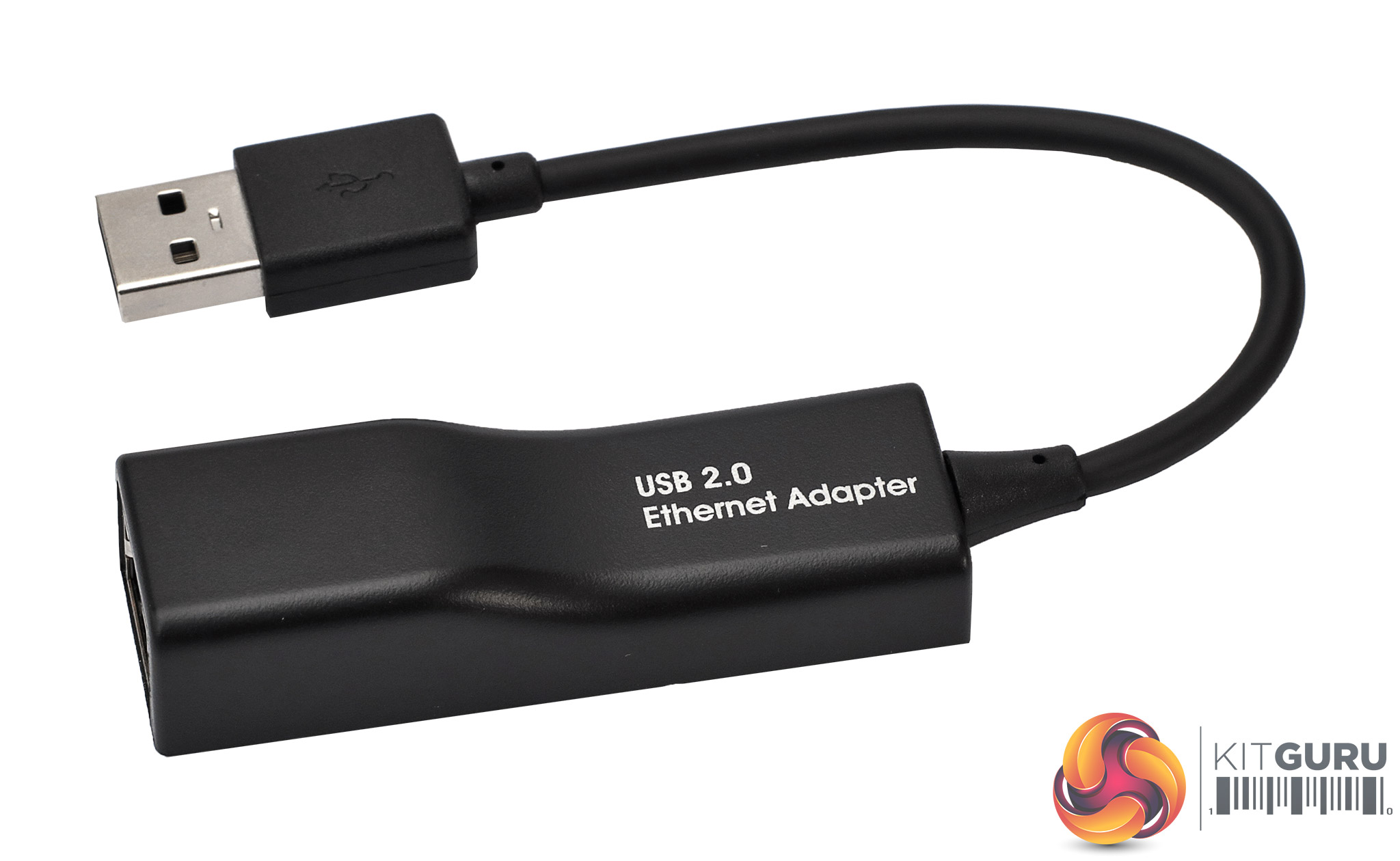
Although there are four USB ports along the top of the chassis, the main control brain for the INCA CS-14 is on the the PCB the other side of the silver panel. This houses two more USB ports, HDMI, and a pair of Gigabit Ethernet LAN ports. With seven of the PCI Express 16x slots populated with dual-GPU cards, the Ethernet ports on the control CPU board have to be disabled, so a separate USB-based Gigabit Ethernet adapter is supplied instead. It's only a USB 2.0 adapter, but you don't need a high bandwidth for mining hashes.
The control system is based around an AMD Embedded G-Series FP4 System-on-Chip (SoC). This combines a dual-core 2.4GHz “Excavator” CPU with 1MB shared L2 cache, AMD Radeon R4E graphics with three compute units, capable of driving up to 4K screens at 30Hz, and support for a single DDR4 memory SODIMM. Sapphire has populated the latter with 4GB of DDR4 memory. The SoC only has eight PCI Express Gen 3 lanes on offer, however, which is why it can't drive seven slots plus its own onboard graphics, SATA controller, AND the separate LAN controller.
On the other hand, the beauty of the embedded SoC is that it has all you need to run an operating system and mining control software, but only draws 15W, so won't contribute to the cost of running this mining rig significantly. Sapphire also includes a 128GB M.2 SSD to house the Linux operating system and software, but you're probably not going to be making use of anywhere near this capacity for the intended purpose.
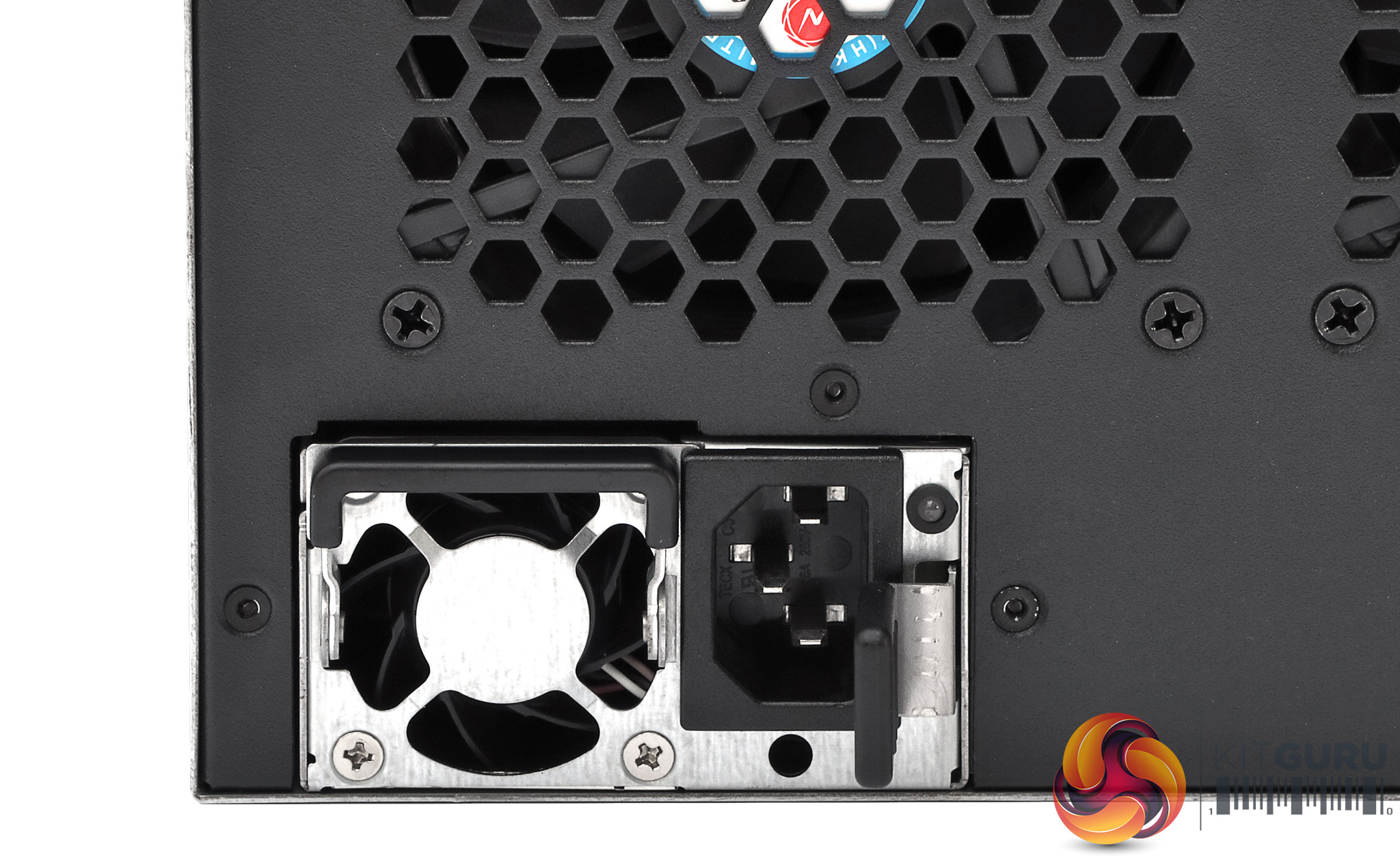
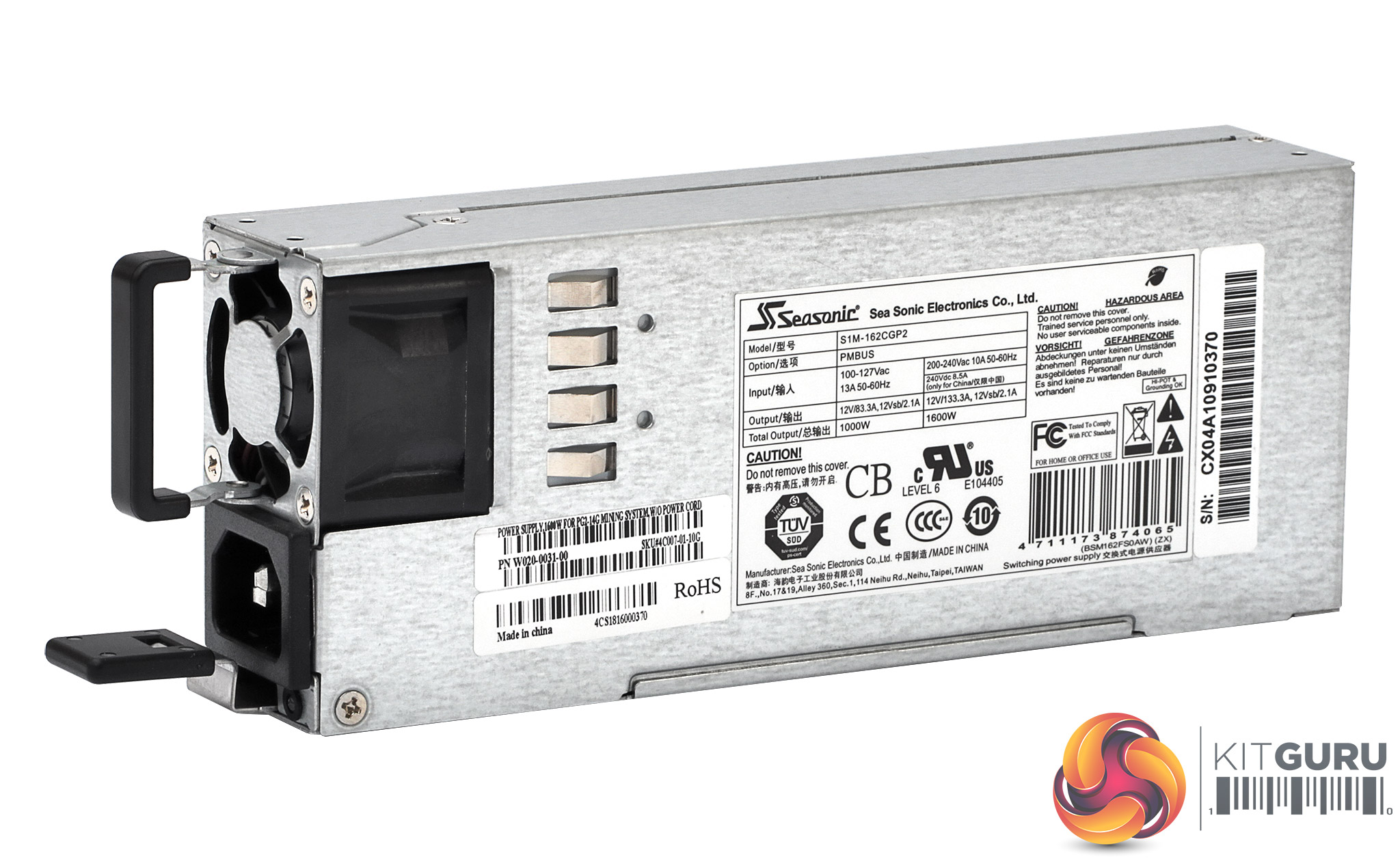
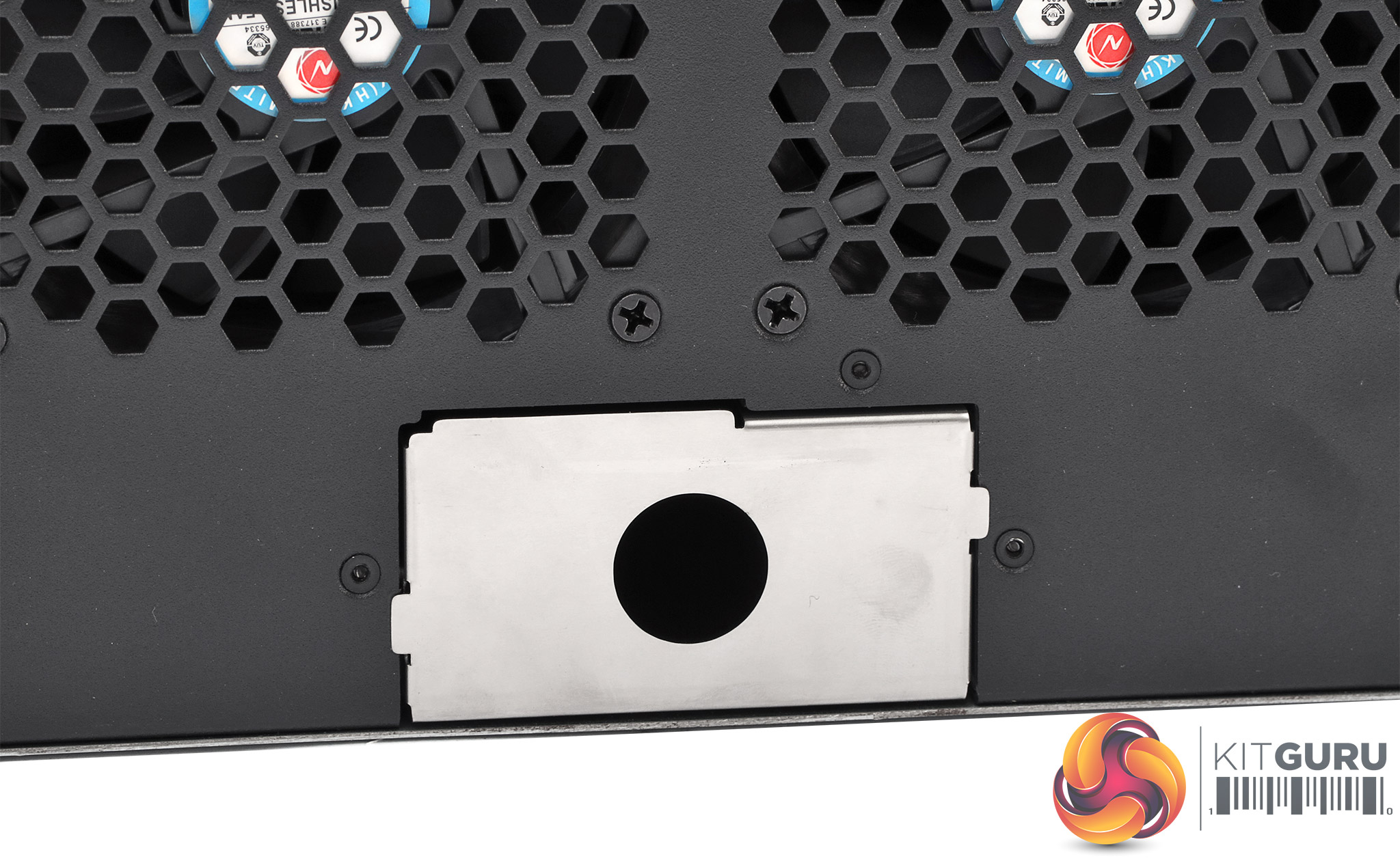
The PSUs slide out easily for replacement. Each one is an industrial-grade Seasonic unit rated at 1,600W output at 240V. Sapphire claims the system will draw 1,950W at full pelt, so this should be more than enough power, but just in case there are issues a third slot is available for one more Seasonic PSU, which will help carry the load and prevent the system falling over if one of the PSUs stops working.
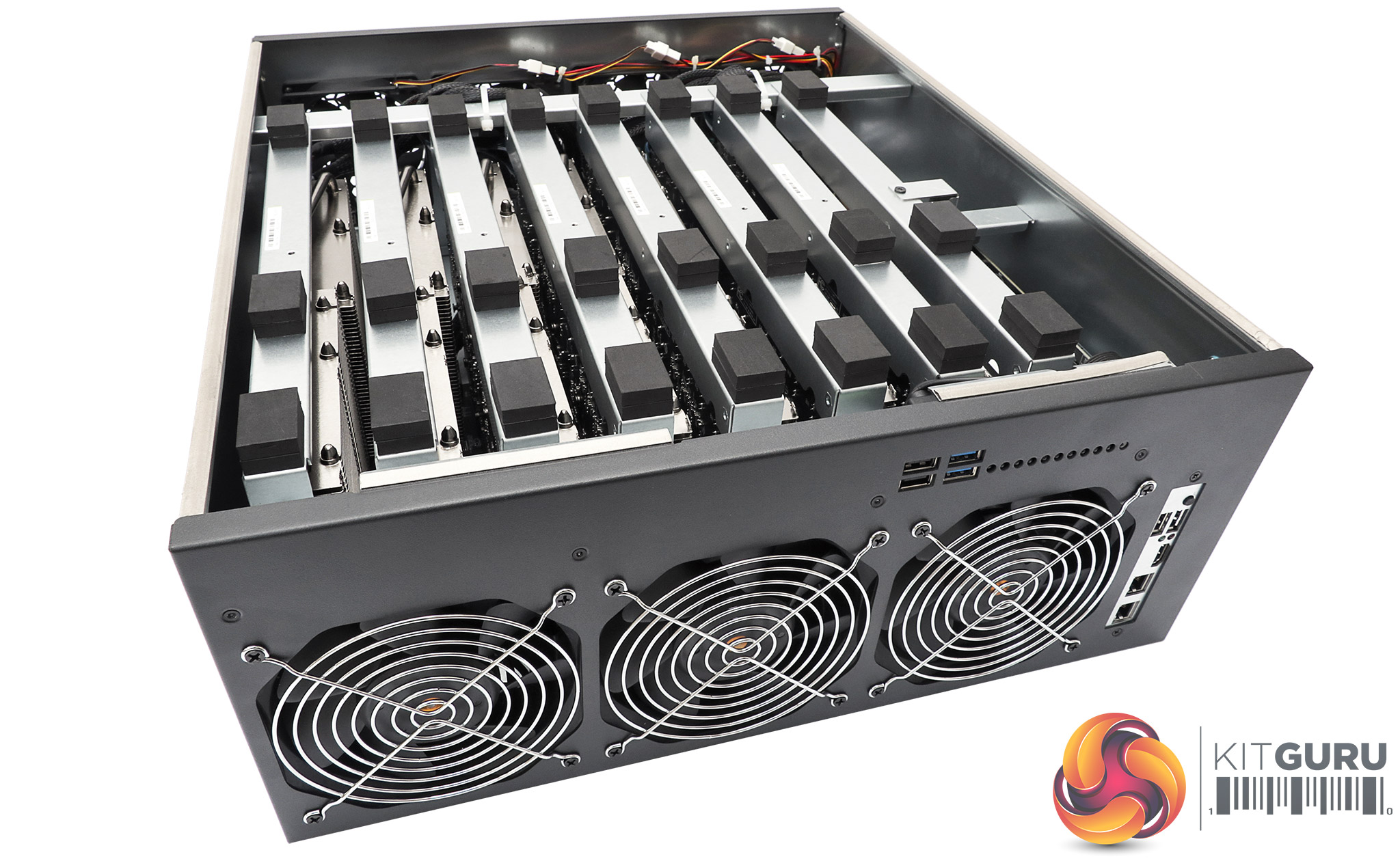
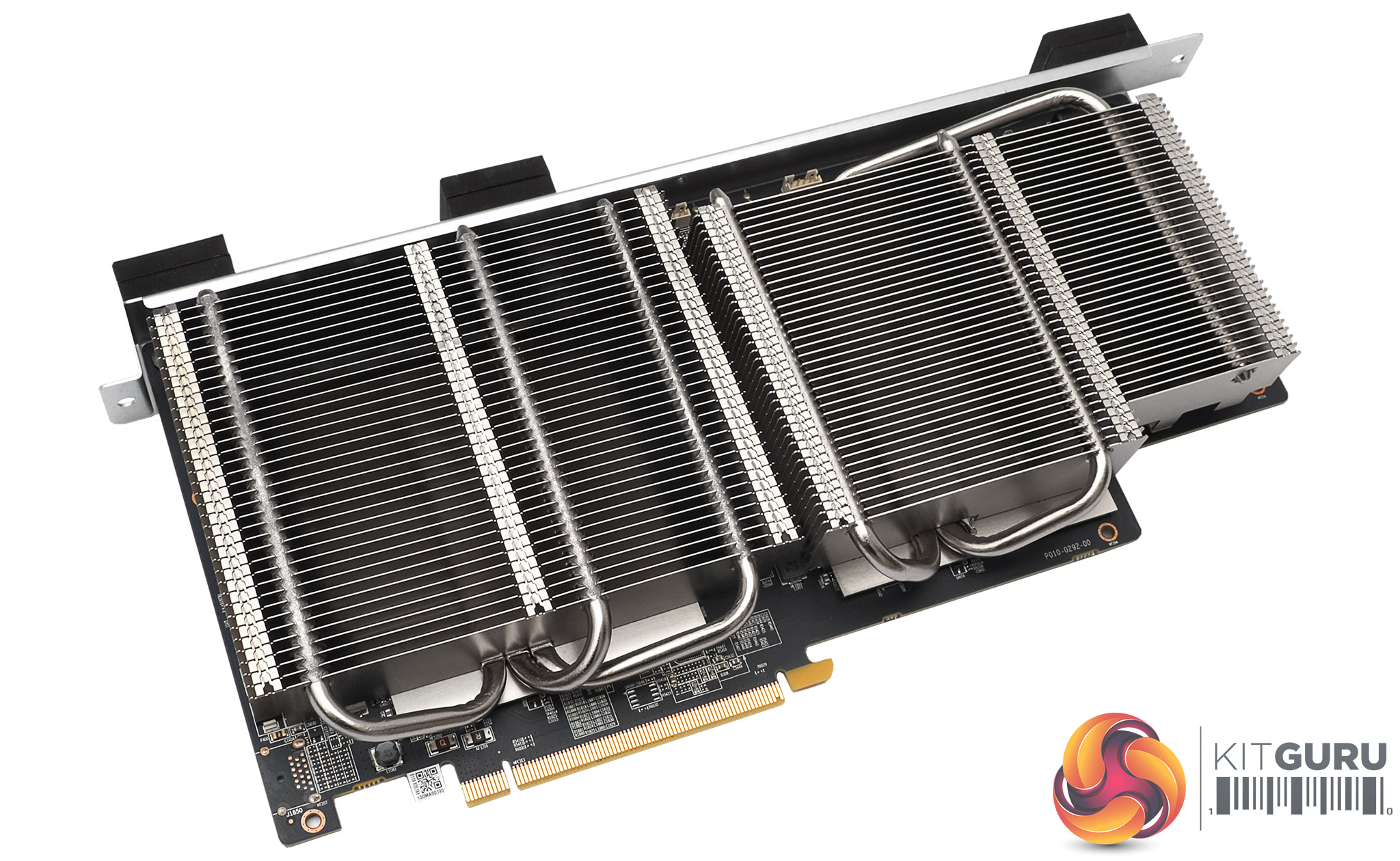
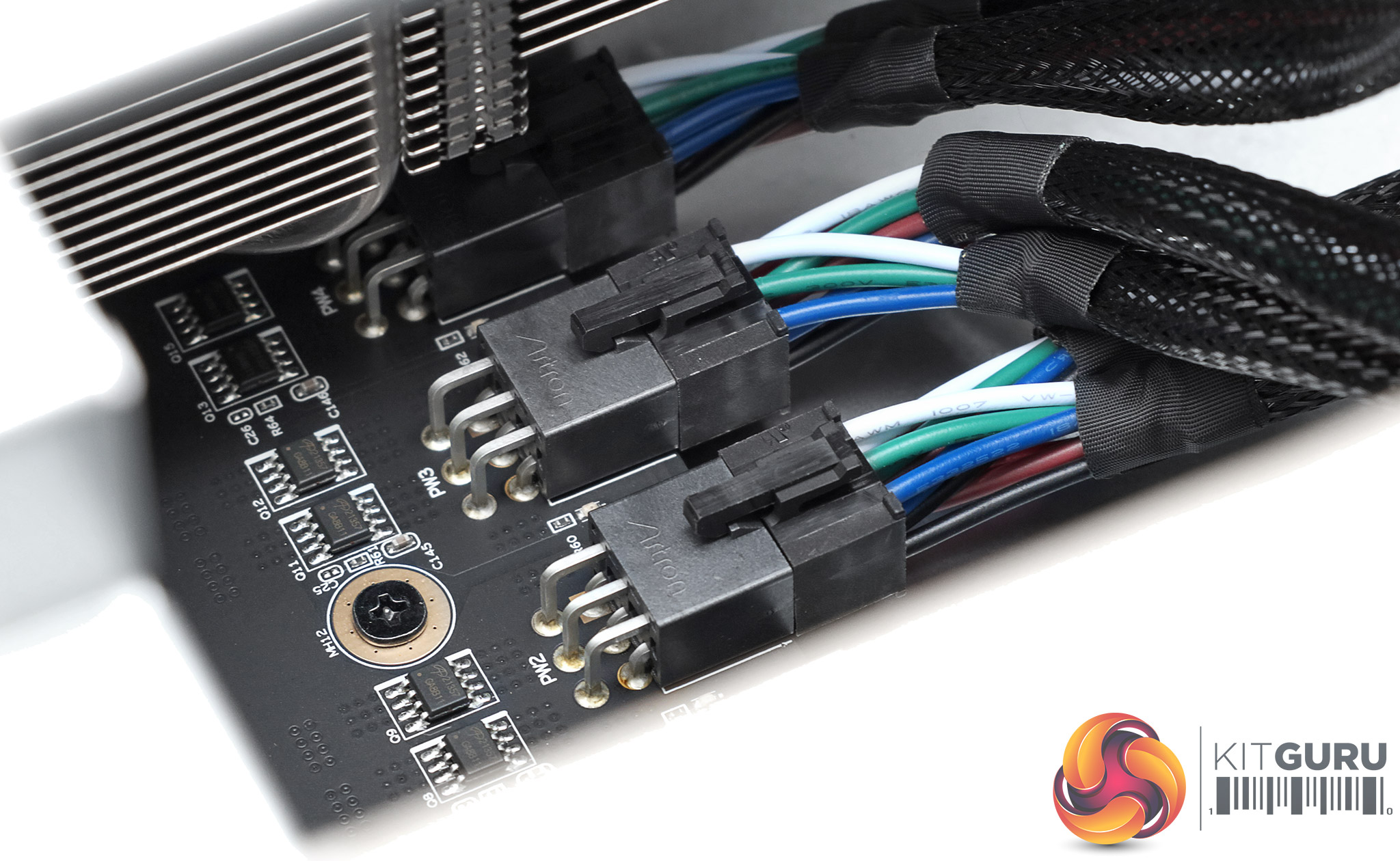
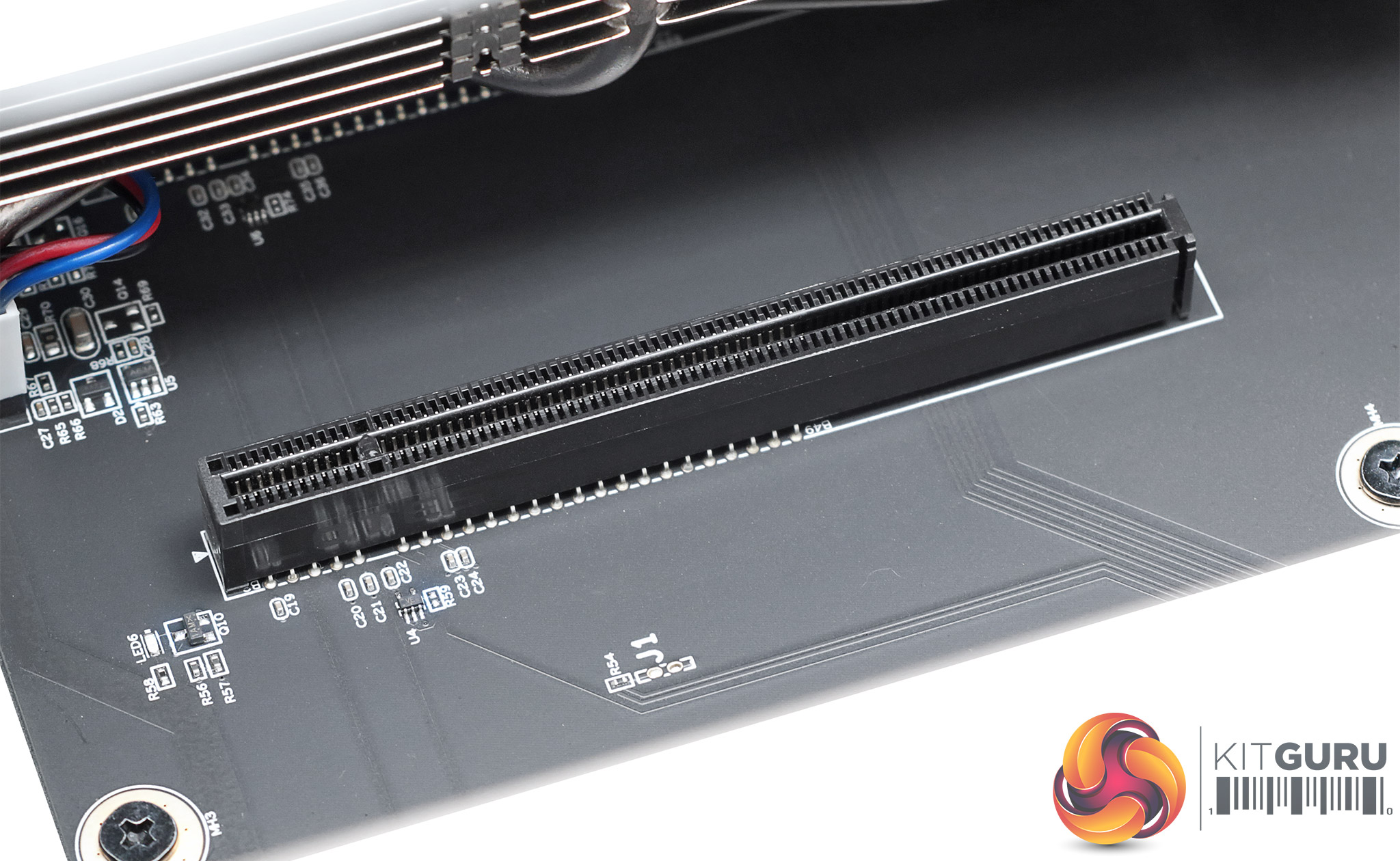
Finally, we get to the main feature of the INCA CS-14 – its hefty GPU complement. The graphics cards are held in place by special brackets, and there are in fact eight of these corresponding to eight PCI Express slots. Only the seven on the left are populated, however, with the right-most slot remaining empty. Each of the seven slots contains one of Sapphire's custom dual-GPU mining cards, which require a pair of power connectors each.
There are two choices of card for the system, but given both use AMD Radeon RX470 GPUs, your only choice is whether you want 8GB or 4GB of GDDR5 per GPU. We were sent the former. Otherwise the cards are the same, with a 1,120MHz GPU and 1,920MHz memory frequency, giving you 224GB/sec of memory bandwidth. They are rated to provide a 58MH/sec Ethereum hashrate while drawing 240W of power. These cards are passively cooled, hence the massive array of fans driving air from front to back so the GPUs remain at optimal temperature. They don't have any kind of video connectivity.
Just to underline that these cards are completely aimed at mining, they have a switch on the back providing two different settings. The default is optimised for mining Ethereum, but there's an AMD default mode which may prove faster for other types of mining software. This switch must be altered with the machine off, because they switch between different BIOS code.
Next, let's turn to the setup and configuration of the INCA CS-14.
The INCA CS-14 runs Ubuntu Linux, and this comes ready configured for you. It even includes some software like Libre Office and Firefox, should you want to do some word processing, spreadsheets or Web browsing on your five grand mining rig.
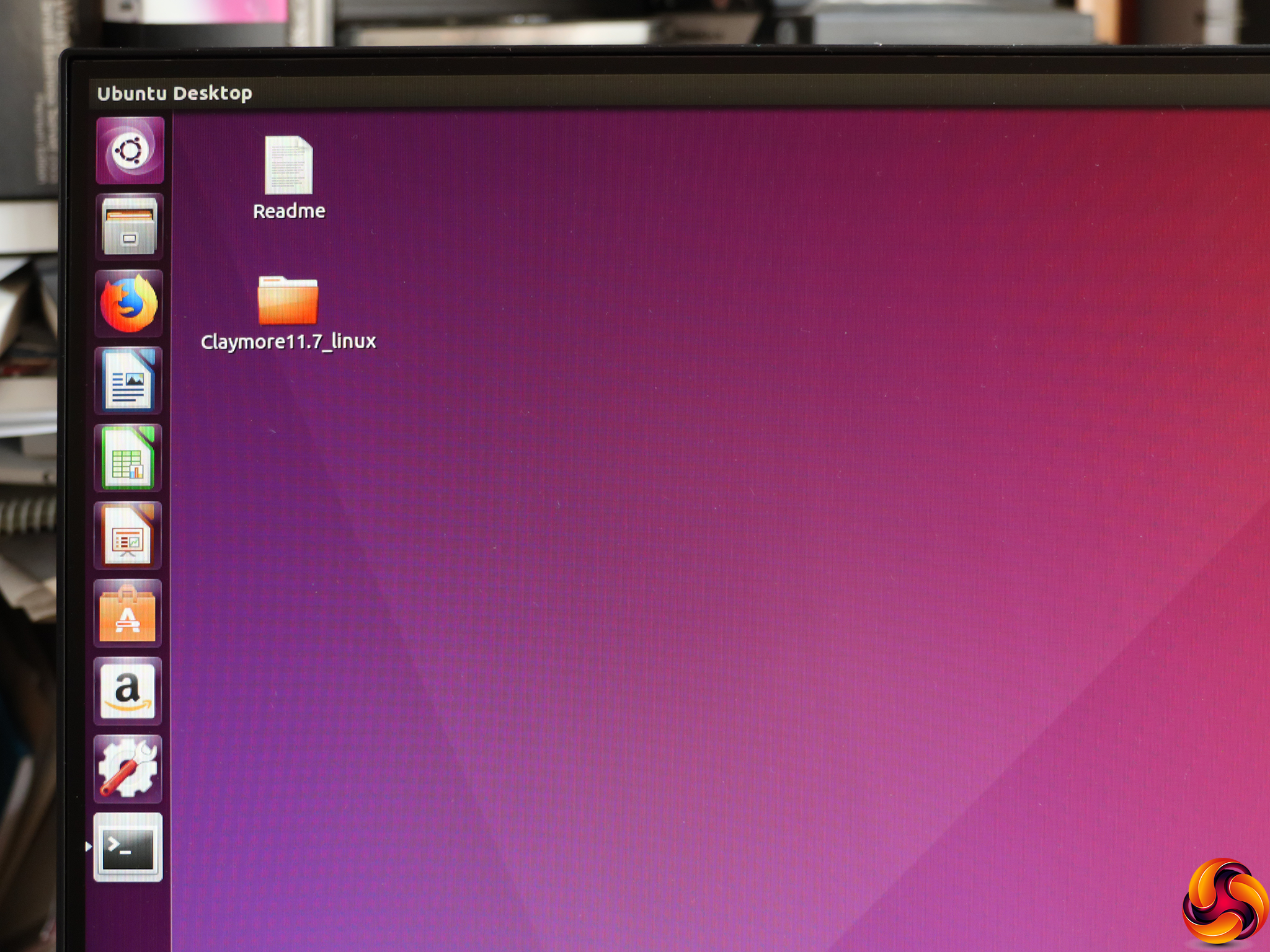
The system comes with the Claymore miner already downloaded, and on our system this was the 11.7 version.
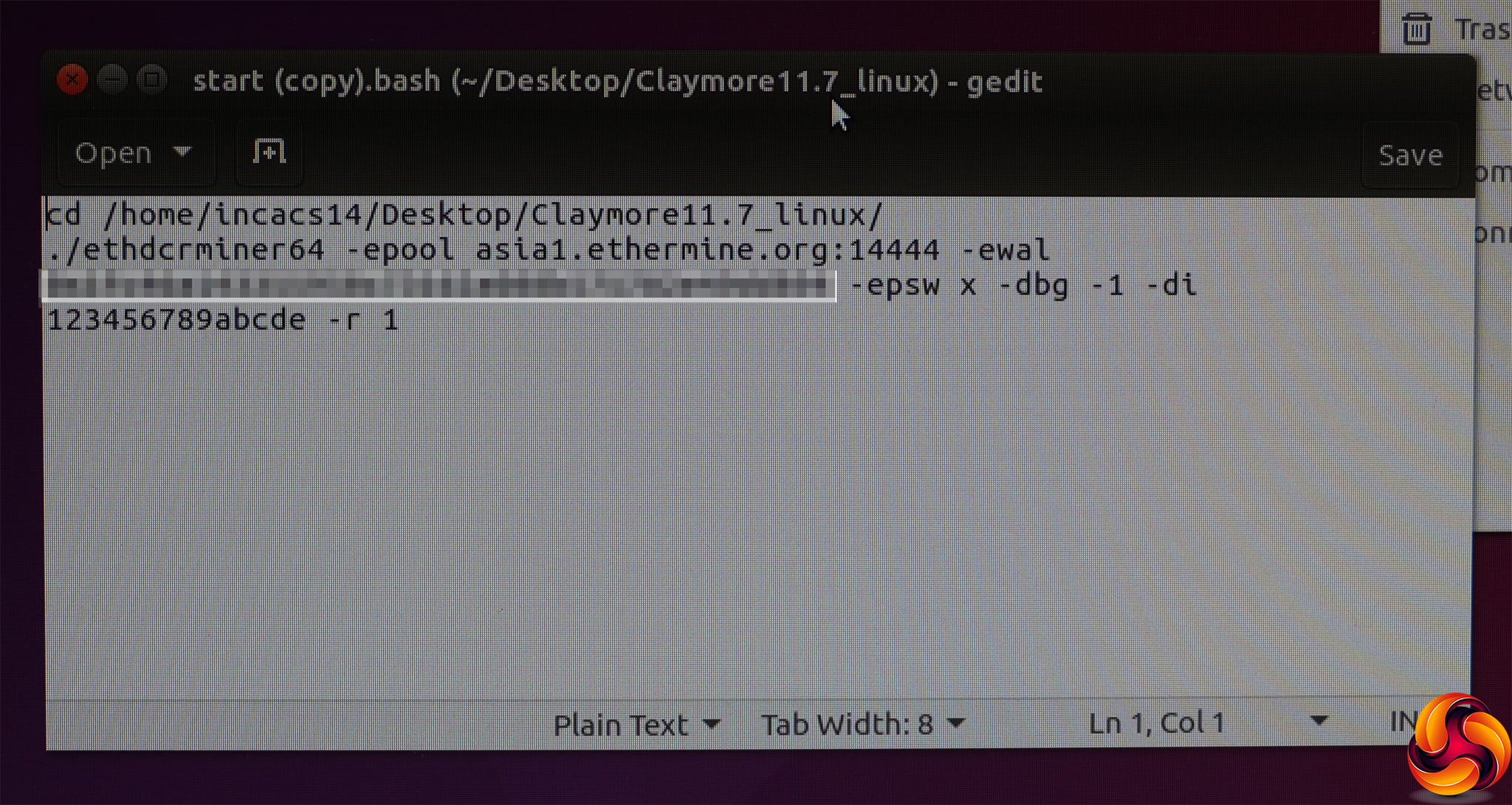
Our sample went straight into mining, using this configuration file to set the stratum to use. However, we wanted to use the NiceHash pool so we could track our earnings using their API and Web interface, so we changed the command line.
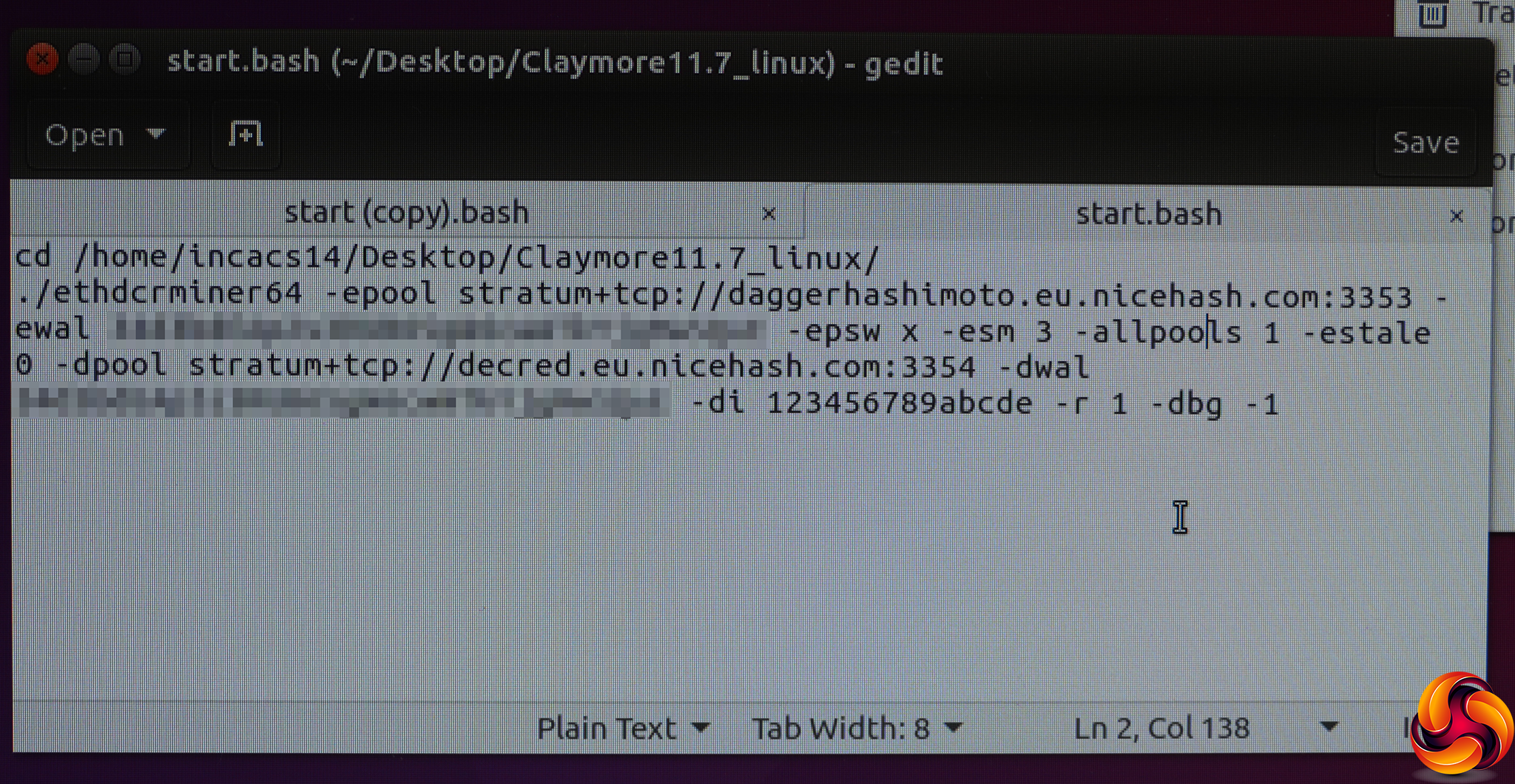
It took some trial and error to get the command line right for NiceHash and our system configuration, with the help of the Claymore command line parameters. First, we had to set the -epool and -dpool URLs to NiceHash's stratum servers for dual DaggerHashimoto and Decred mining respectively. Then we added the Bitcoin address we wanted payment to go into (pixellated out in this image) via the -ewal and -dwal parameters.
The -epsw parameter sets the password for the pool, usually x. The -esm parameter sets the Ethereum Stratum mode for your pool, with 3 being for NiceHash. The -allpools parameter prevents mining on specific pools, whilst -estale sends stale shares to the pool, which can increase effective hashrate. The -r and -dbg parameters set restart and debugging options.
The parameter that we found we had to play around with most (and eventually copy from the original command file) was -di. This sets the GPUs being used for mining. The INCA CS-14 actually has 15 GPUs, with the first one on the list being the embedded Radeon graphics from the control SoC. You really don't want to use that for mining, because it's puny and actually makes the Claymore miner fall over. So the -di 123456789abcde parameter misses out GPU 0, which is the embedded Radeon, and just uses the 14 RX470 GPUs.
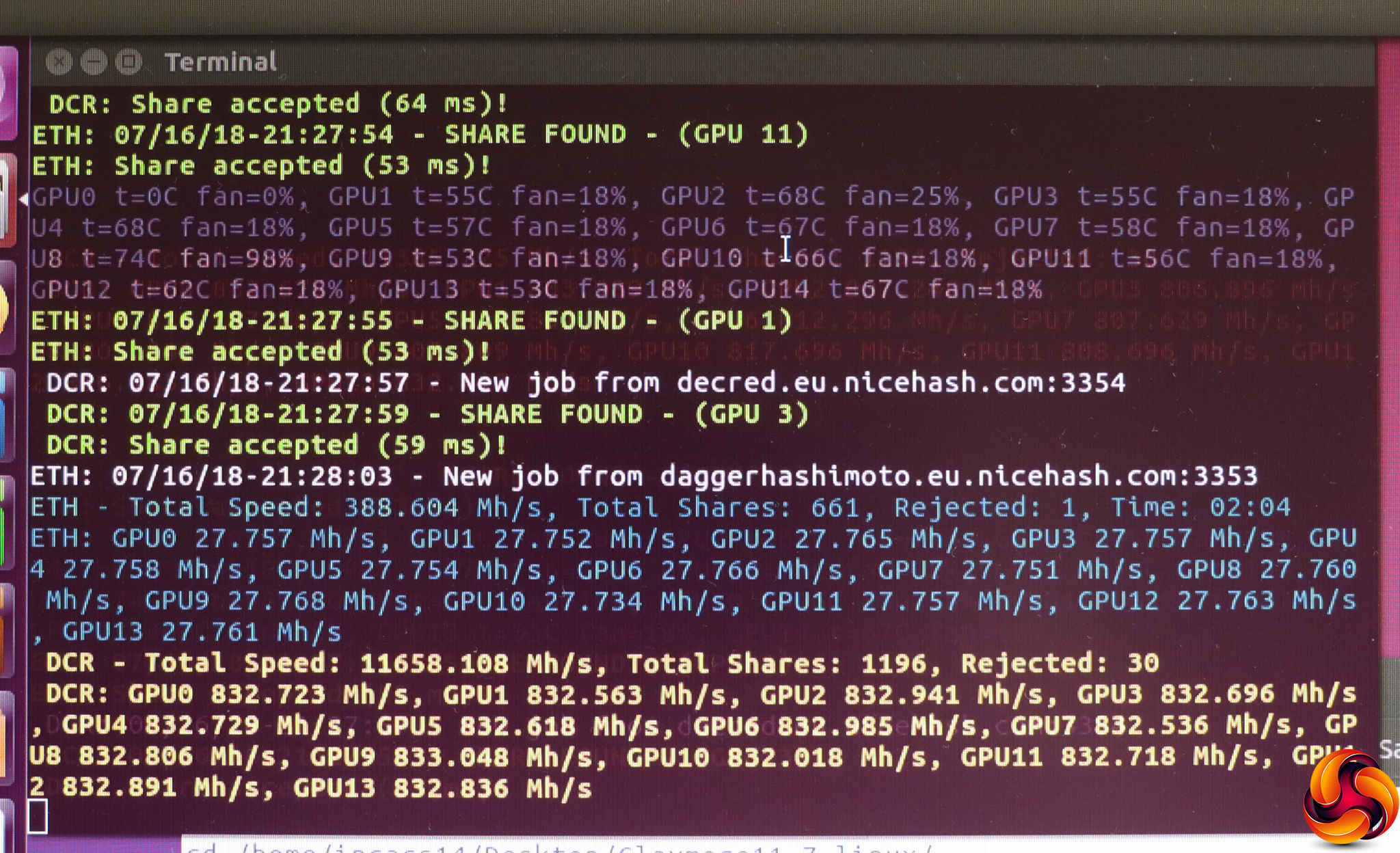
Once the Claymore mining software was properly configured, we were able to don our ear protectors and get mining. The INCA CS-14 ripped through jobs at a rate of knots, as you would expect, pumping out hashes faster than a breakfast fry up. Next we needed to work out whether we were actually making any money, or just lots of noise and heat.
Profitability
In order to find some form of comparison, we tested the money-making potential of the Sapphire INCA CS-14 against an Armari Magnetar S16T-RW850G2 workstation, which we also used in our introductory guide to mining. This was equipped with an AMD Radeon Vega Frontier Edition graphics card and AMD Ryzen Threadripper 1950X processor. At around £4,500 inc VAT, the Armari is also similarly priced to the INCA CS-14.
With the Armari system, we reported the income in Bitcoins over a single day of mining, but with the Sapphire INCA CS-14 we waited until the system was producing a stable income, calculated the income over a two-hour period, and then extrapolated that out to earnings over 24 hours. We converted the income to Satoshis (100 million Satoshis make up a Bitcoin) to make the figures easier to read.
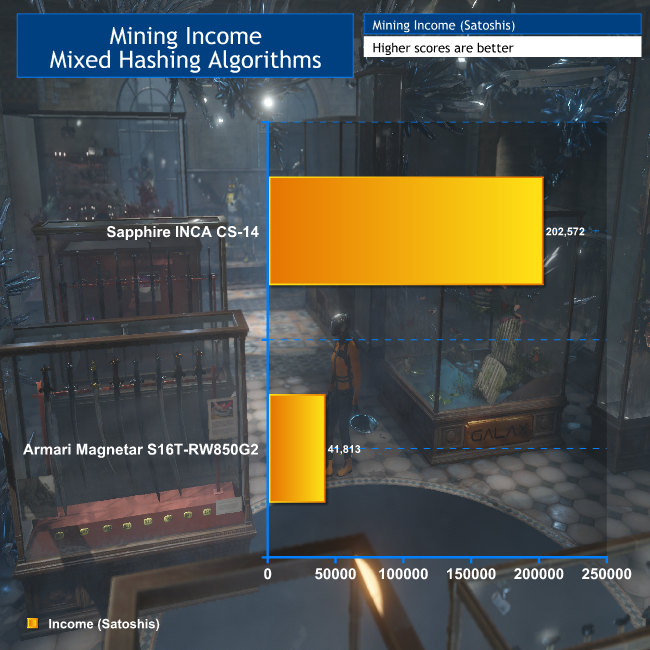
As you can see, you're getting around five times the mining performance from the INCA CS-14 compared to the Armari workstation, showing how much better at its specialised task of mining it is. If you're looking to spend £5,000 or so on a mining system, the INCA CS-14 certainly delivers way above what a very powerful general workstation can offer.
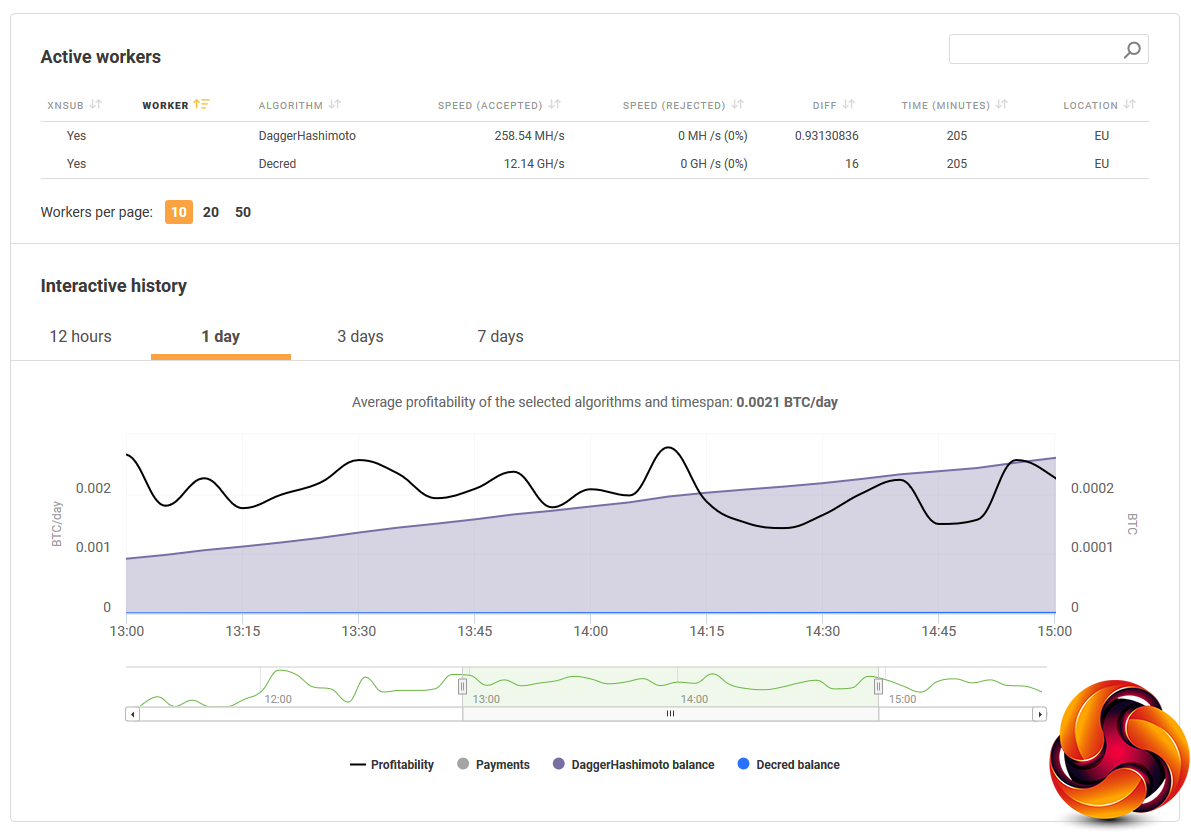
At the time of writing, Bitcoins were trading at £4,964.67, so the Sapphire INCA CS-14 was earning the equivalent of £10.06 a day in income, although of course Bitcoin pricing is extremely volatile and was at more than double this value at the end of 2017.
Power Consumption
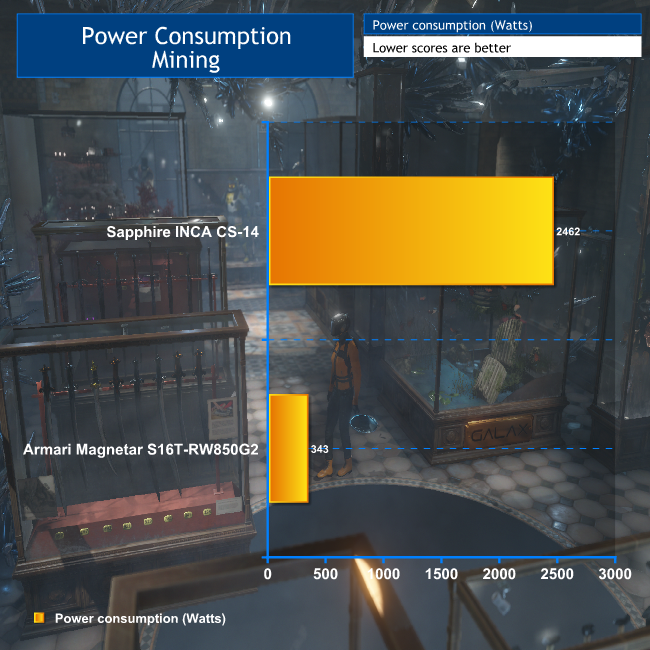
The purchase price of the INCA CS-14 is really only part of the picture, however. As we explained in our feature on starting out with mining, power consumption is an increasingly significant factor in whether or not you can actually make any money out of it.
Although the INCA CS-14 is rated as drawing 1,950W when mining, we found it required close to 2,500W instead, which actually tripped the heat sensor on our extension lead until we completely unfurled it. The unit cost from our energy supplier is 16.5p per kW per hour, so this system will require £9.70 a day to run. So it was actually only making 36p a day in profit.
However, this is when using expensive domestic power, and there are much cheaper suppliers – or even renewable options. So the money you can make from the INCA CS-14 really depends on how little you can pay for electricity.
Acoustic Performance
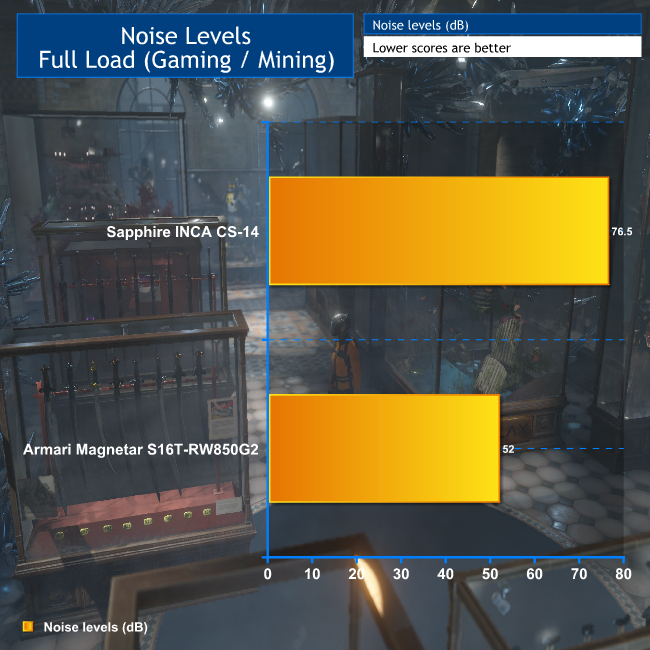
Just so you know how loud this system is in quantitative terms, we compared the noise level of the INCA CS-14 to the Armari workstation as well. As you can see, the INCA CS-14 is significantly louder, although a number on a graph doesn't do justice to how noisy this system is. You really won't want to be in the same room as it is when it's in operation.
The Sapphire INCA CS-14 is a very focused piece of hardware, and what it's meant to do, it does extremely well. Compared to a regular self-built PC, it's in a different league in terms of cryptocurrency hashing power. The chassis is well designed for the purpose, so it doesn't waste Watts on components that aren't contributing to the cause. It's a sturdy build, with dependable levels of cooling and the potential for power supply redundancy.
On a domestic power contract, the numbers obviously don't quite add up in terms of cryptocurrency mining profit. But you can get business supplies with night-time rates lower than 11p per kW hour, which would bump up daily profit to between £3 and £4, allowing over £1,000 a year in income after power expenses. If the cryptocurrency exchange rates rise again, this could go up considerably too.
Overall, if you're after a turnkey cryptocurrency mining rig, the Sapphire INCA CS-14 makes a lot more sense than struggling with your own PC rig, or trying to cobble together a multi-GPU system using an open frame and consumer-grade graphics cards. You will probably spend more on the latter than the £5,400 inc VAT being asked for the Sapphire offering, too.
The INCA CS-14 is also more flexible than ASICs that are aimed at specific cryptocurrency coins, so can rapidly become obsolete if the algorithm is changed to cut them out of the picture. It's a very specialised piece of hardware, but for its intended task it packs a lot of hashing power into one box for a reasonable price.
Price for this system (at the time of writing): £5,400 (inc. VAT) and for inquiries contact [email protected]
Pros:
- Huge amounts of cryptocurrency hashing power in one box.
- 19in 4U configuration allows multiple installations in standard machine room rack.
- Preloaded with Linux and Claymore mining software.
- Redundant power option.
- Sturdy, well ventilated chassis.
- GPUs can be optimised for different hashing algorithms.
- Flexible range of cryptocurrency mining software options.
Cons:
- Heavy overall power draw.
- Only meant for mining.
- Noisier than a jet aircraft.
KitGuru says: The Sapphire INCA CS-14 is a potent mining rig capable of immense hashing rates, although it's best suited to a machine room or co-location facility.