KitGuru KitGuru.net – Tech News | Hardware News | Hardware Reviews | IOS | Mobile | Gaming | Graphics Cards


Today we are taking a look at a new mid-range CPU cooler from Zalman – the CNPS10X Performa Black. Despite featuring the same name as the CNPS10X Performa (not Black) that launched earlier in the last decade (!), the new BLACK edition is vastly different – and it has no RGB lighting, which I know will be breathe of fresh air to some!
Video Timestamps:
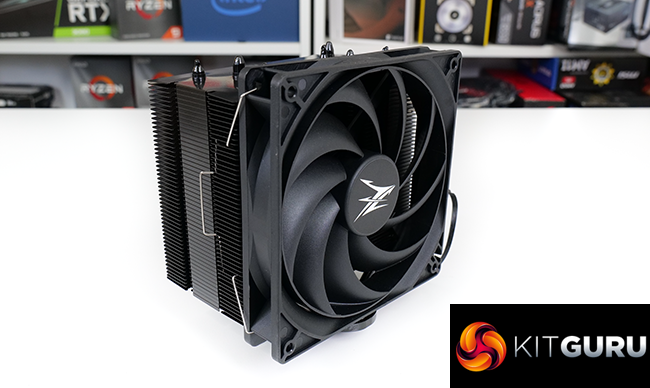
Priced with a target of around £33, but with suggested retail availability being more like £38 later this month, the Zalman CNPS10X Performa Black is firmly sat in the mid-range CPU cooler territory.
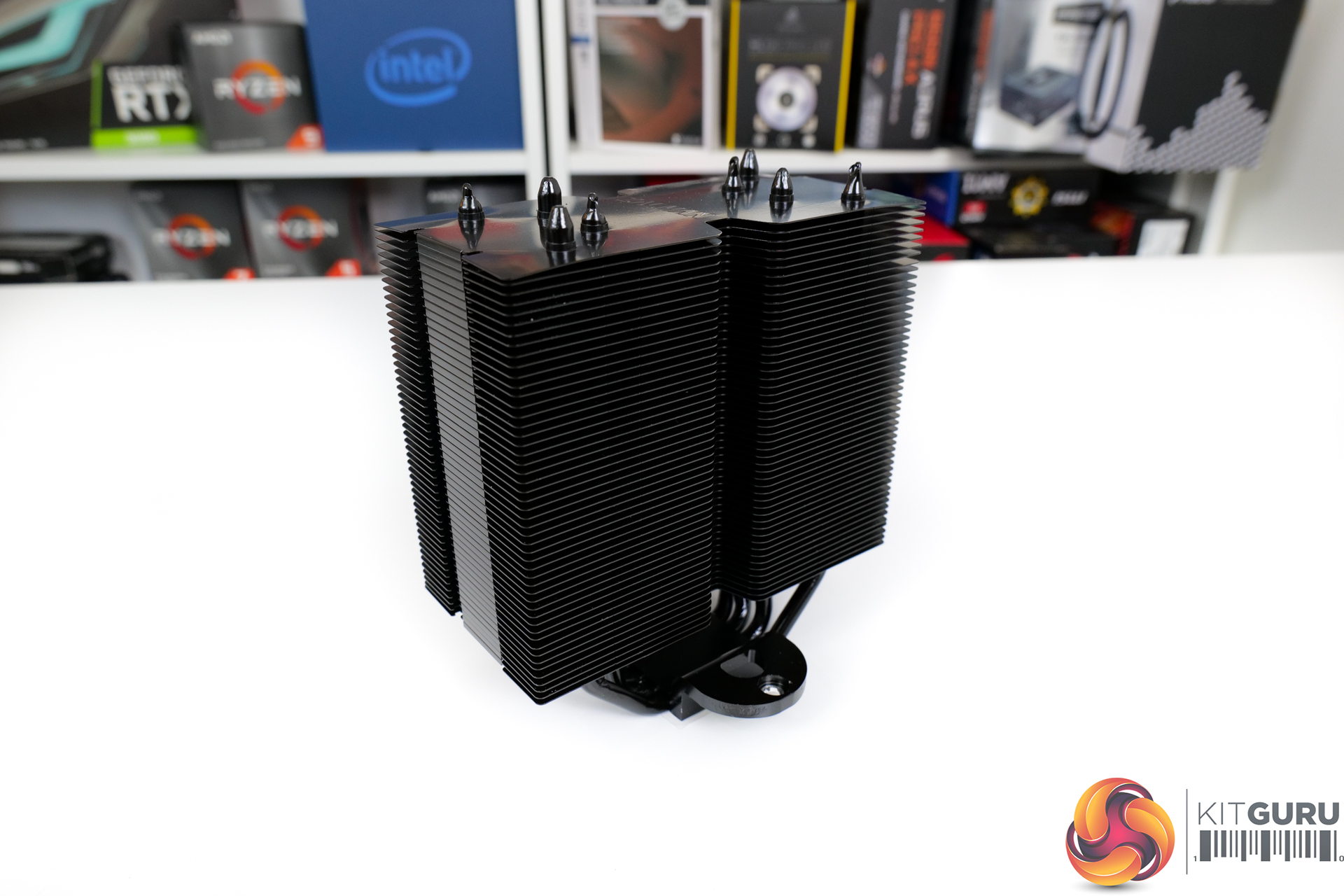
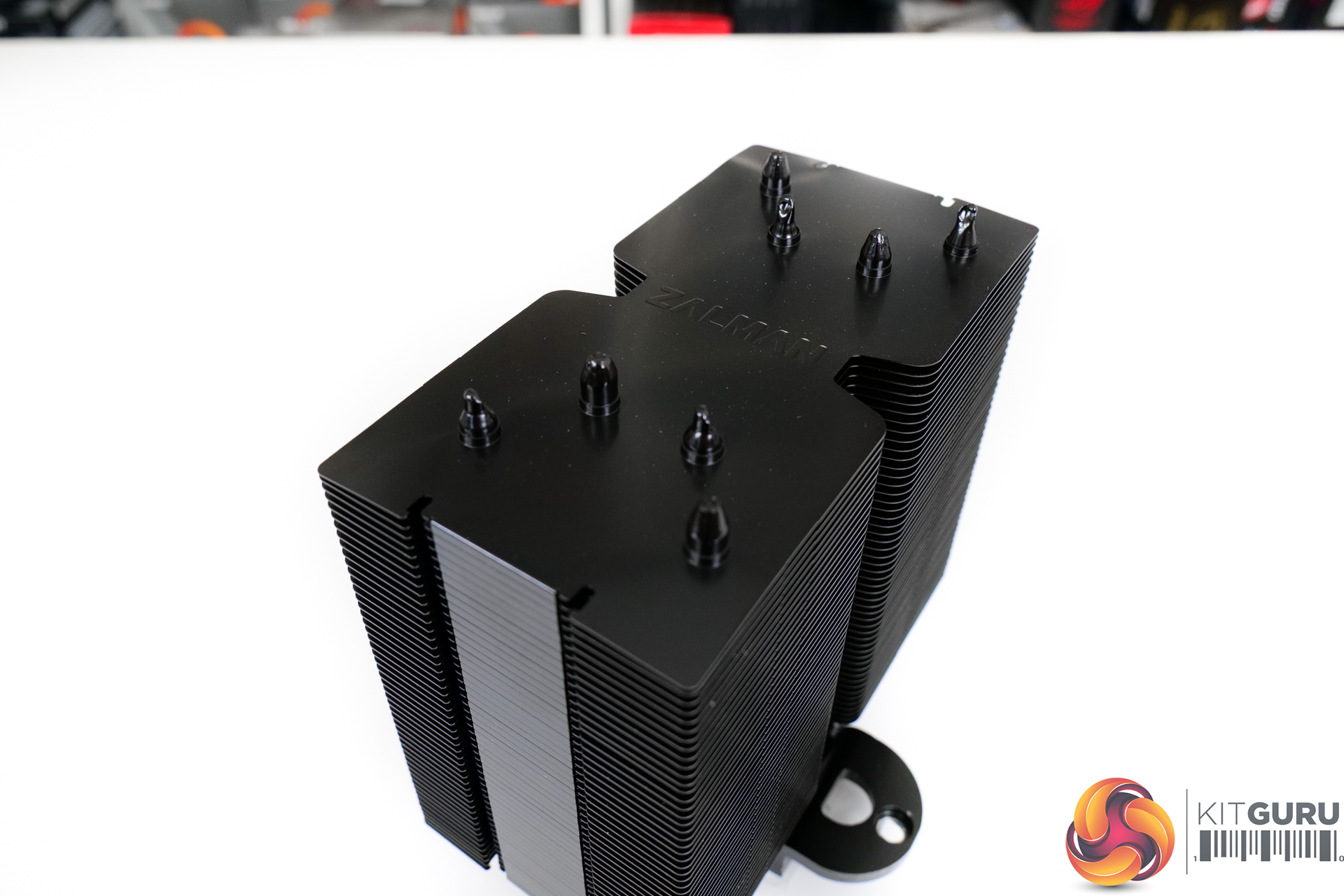
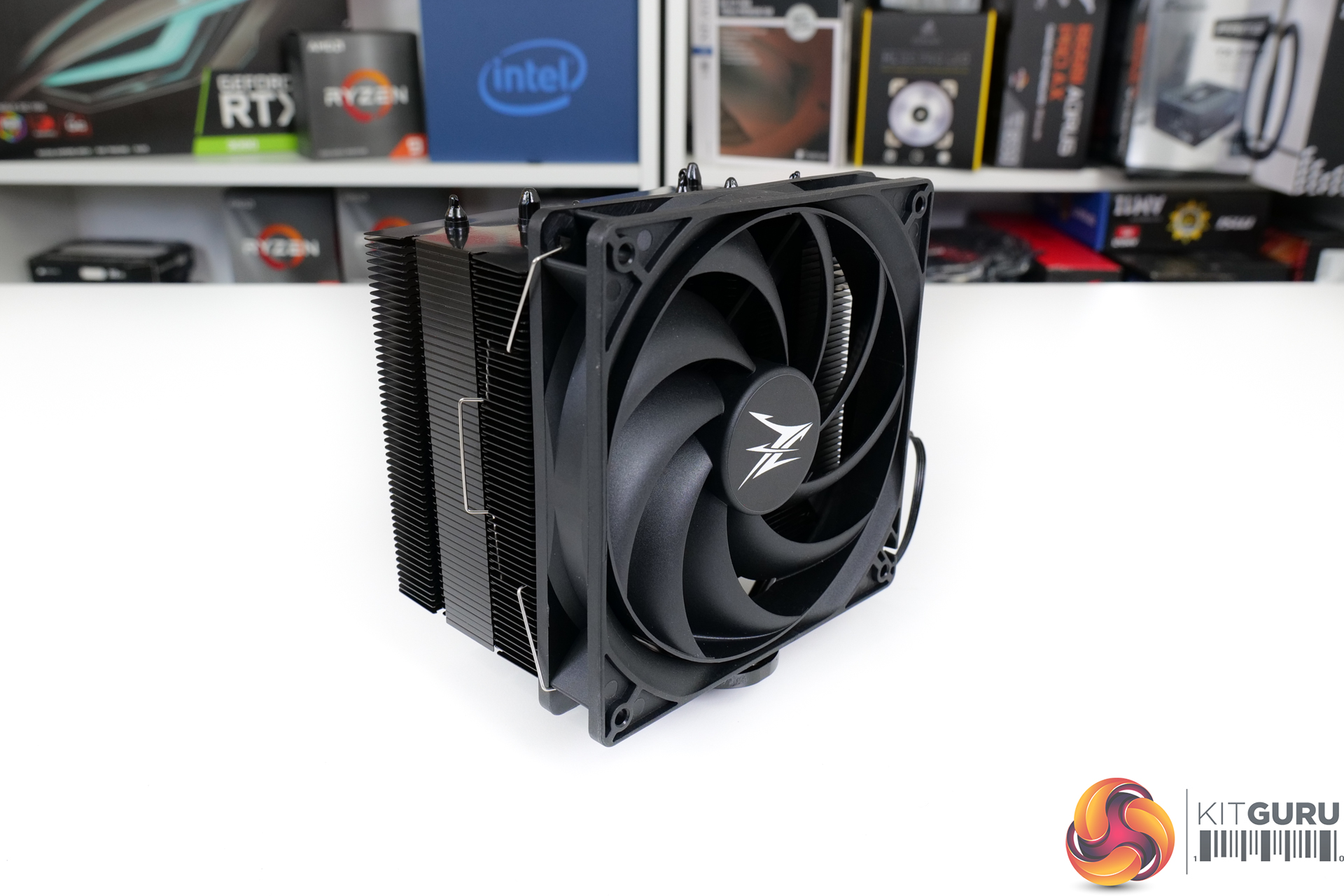
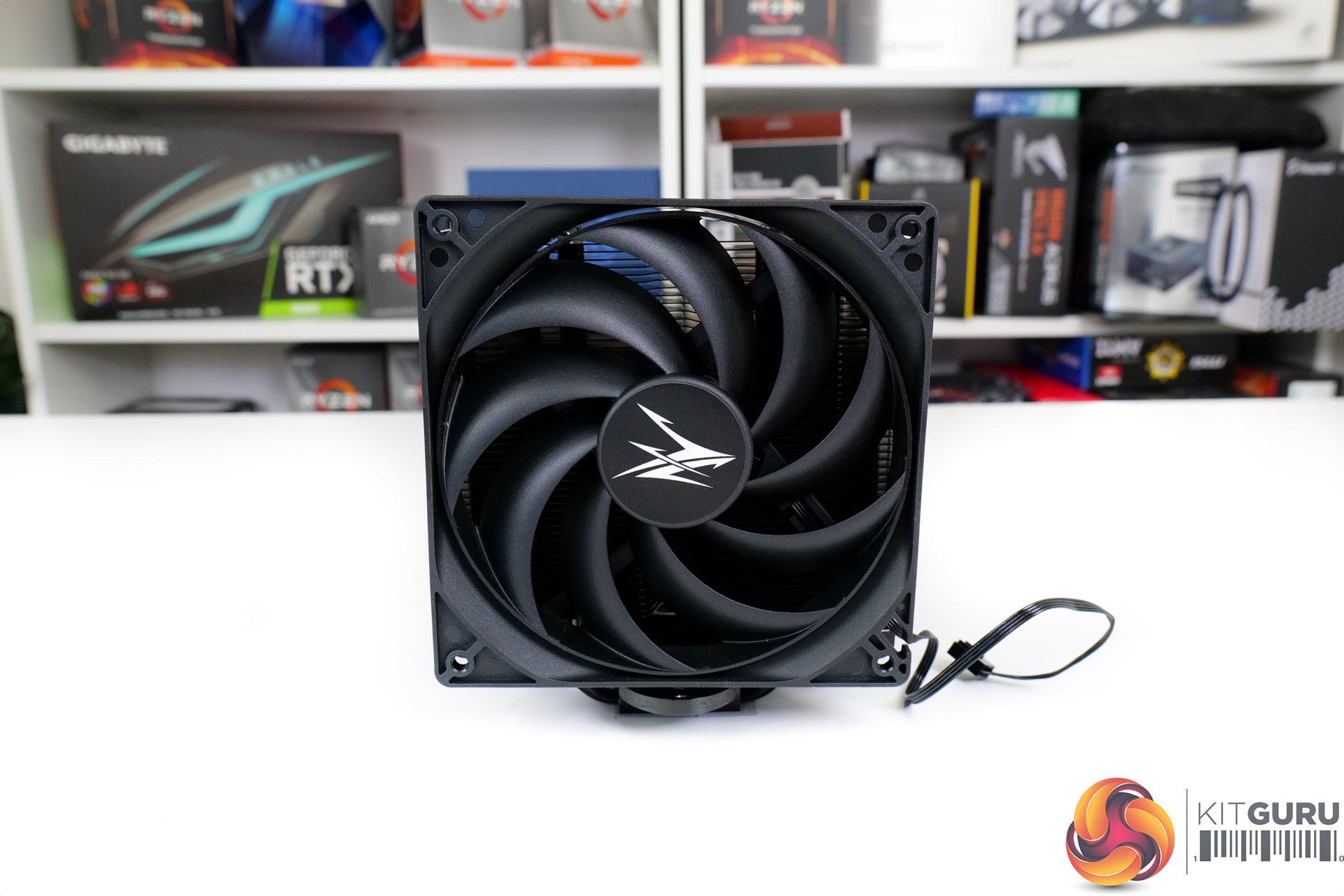
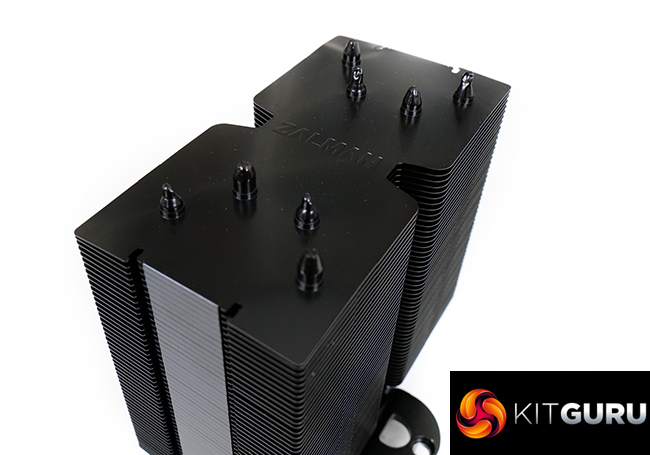
Looking firstly at the CPU cooler heatsink itself, Zalman has gone with an all-black design. This has a matte finish that is what I would describe as a pure black. The design is very be quiet!-esque; that is strong praise.
The consistency of the coating is excellent for our sample. Zalman advertises that it uses an Electrophoresis application method for the black coating which – if done correctly – may add some minor thermal performance benefits aside from just aesthetics.
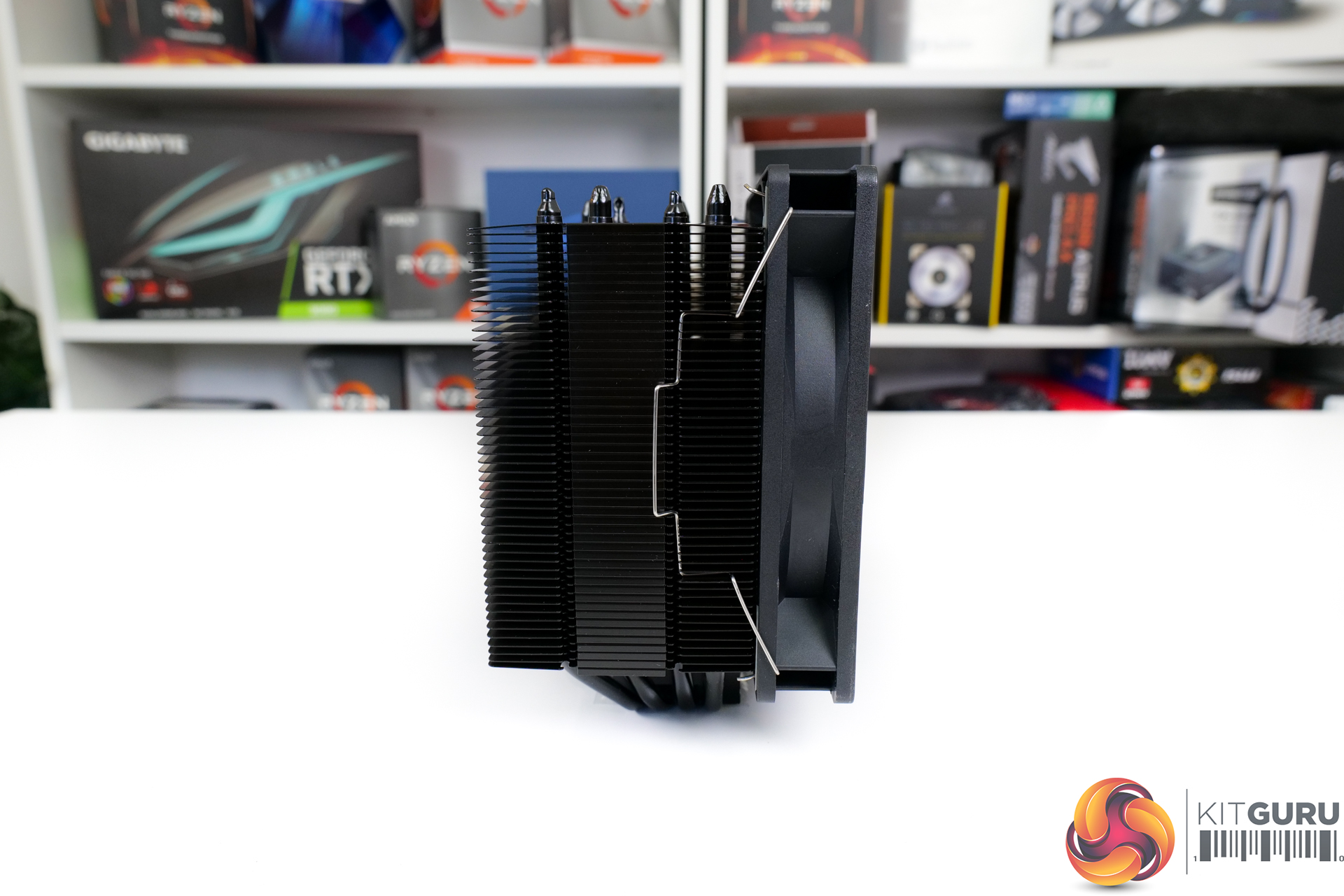
The heatsink weighs in at 860g and has reasonably large dimensions of 135mm width and 155mm height. Certainly, watch out for VRM heatsink interference with that width of fin array. Zalman does, however, offset the aluminium fin array so that memory interference will be of lesser concern.
Heatsink dissipation area is 9271 cm2… in case you were interested.
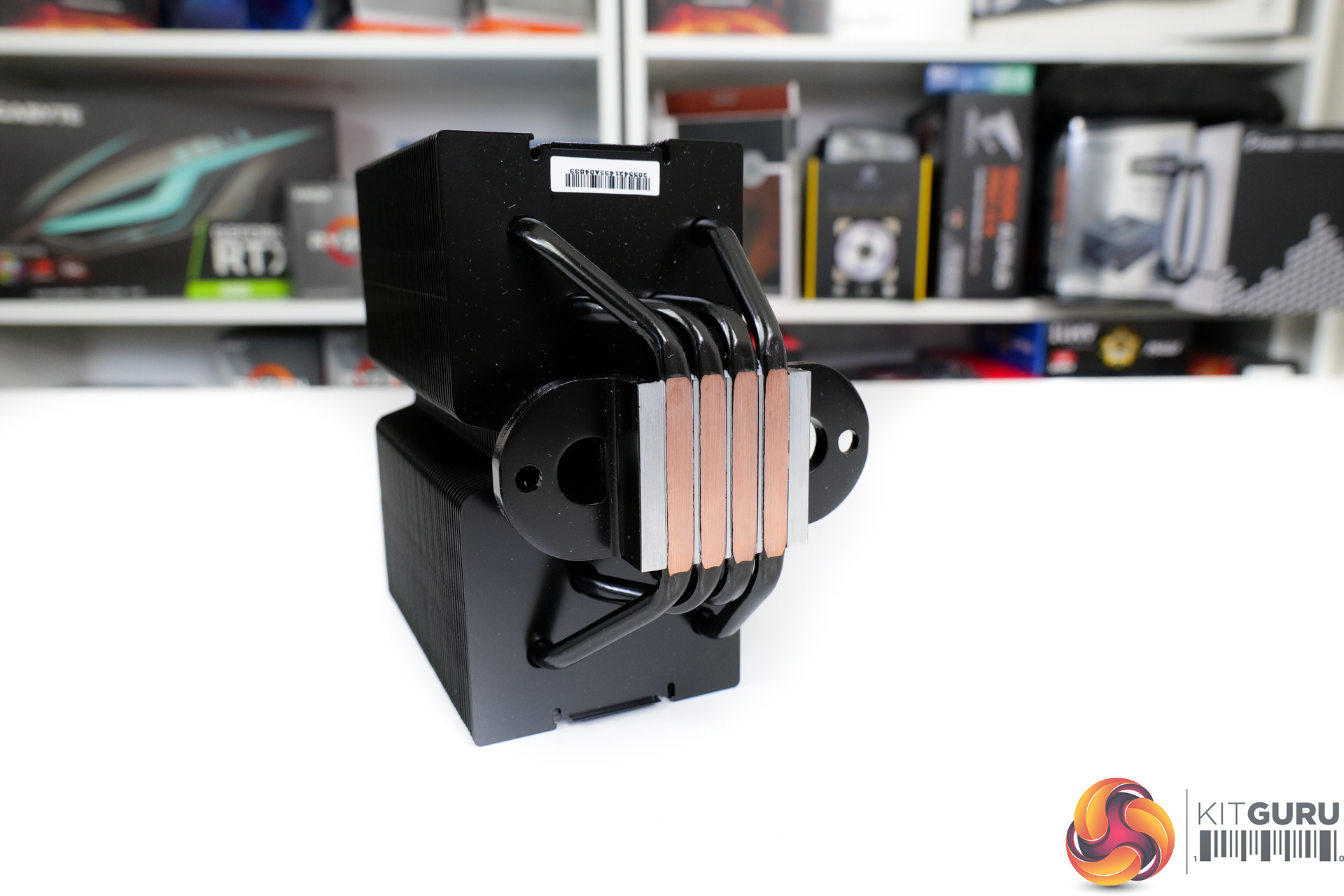
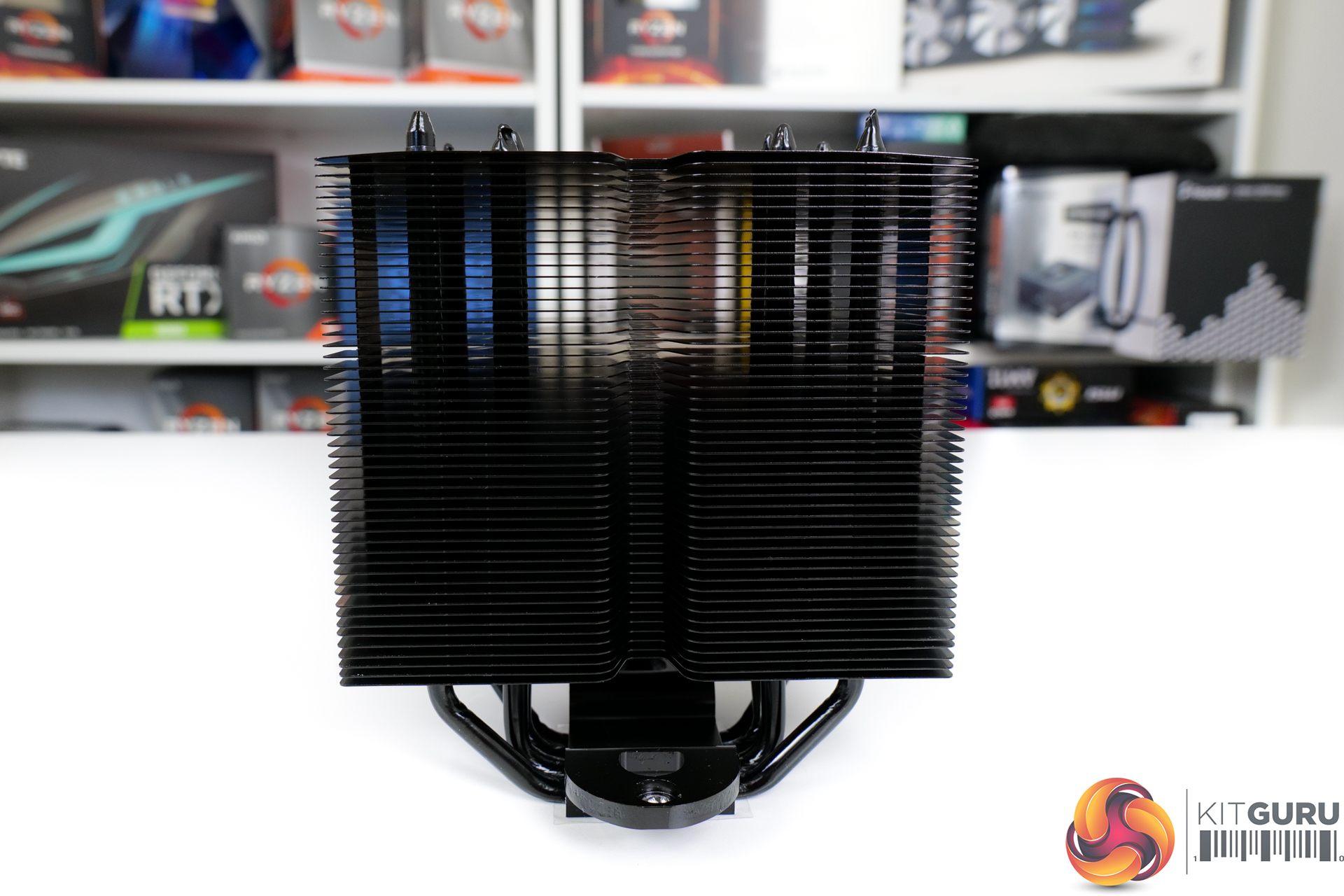
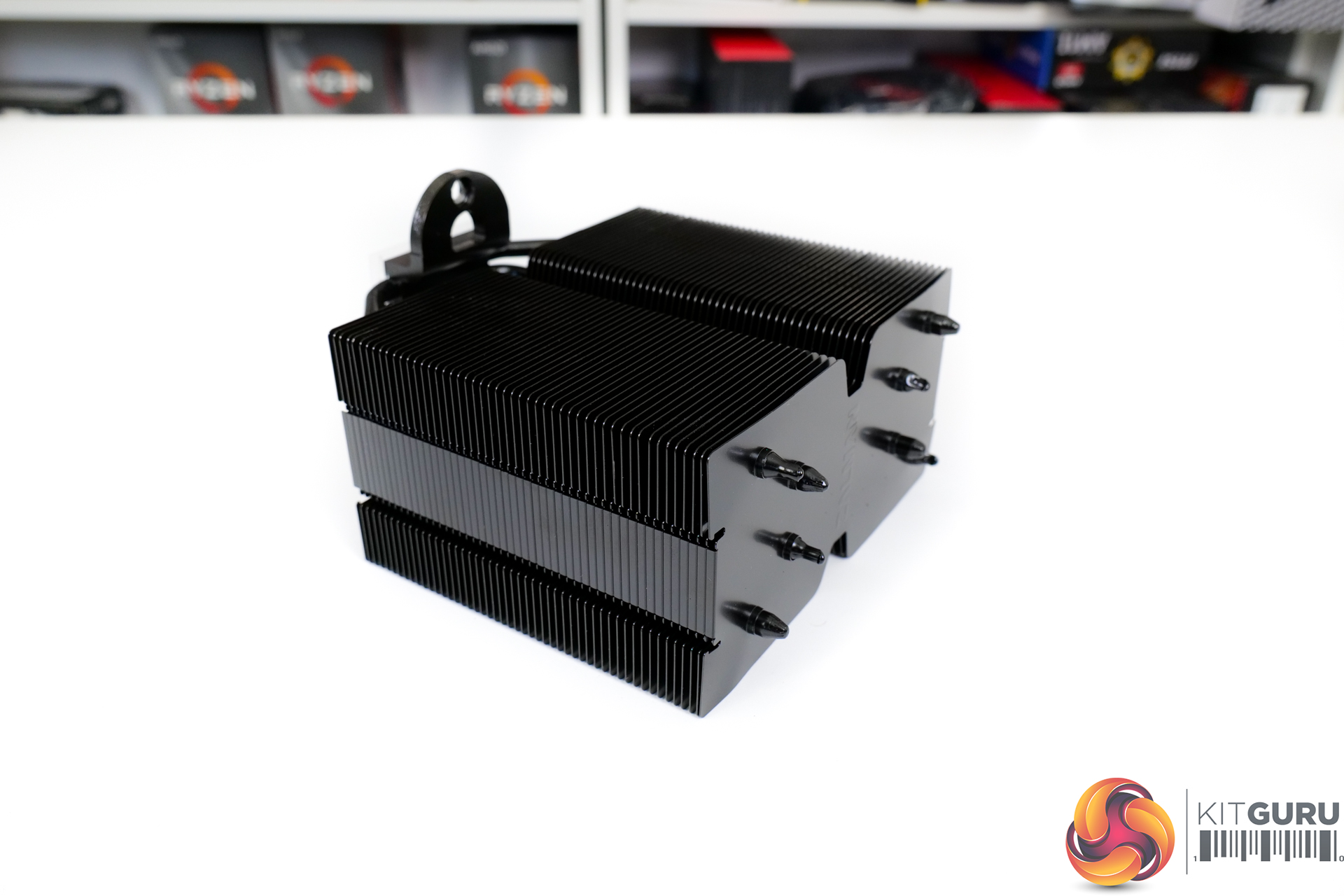
Running through the aluminium fin array are four 6mm diameter copper heatpipes that emerge from the Heatpipe Direct Touch base. These are mounted in a U-shaped orientation, as we would expect for a single-tower heatsink.
This HDT base design is likely to be a good solution for a mid-range cooler such as this with a 180W TDP rating (whatever that means in a world of vastly different CPUs). It is not realistically intended to be paired with a CPU thermal load whereby the HDT design will become insufficient.
There is some gap between the heatpipes at the base, so this should allow for decent coverage on bigger heatspreaders such as Ryzen.
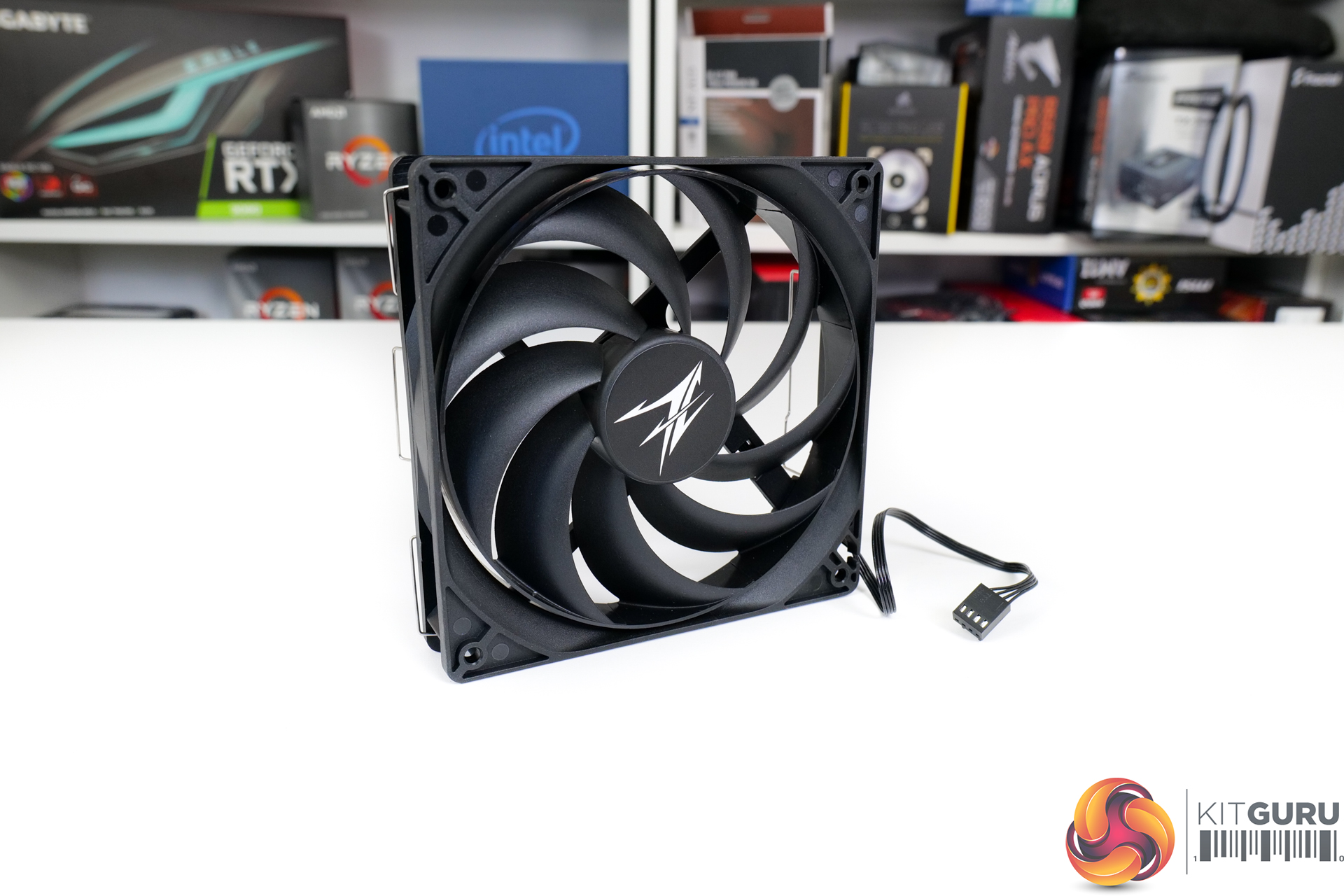
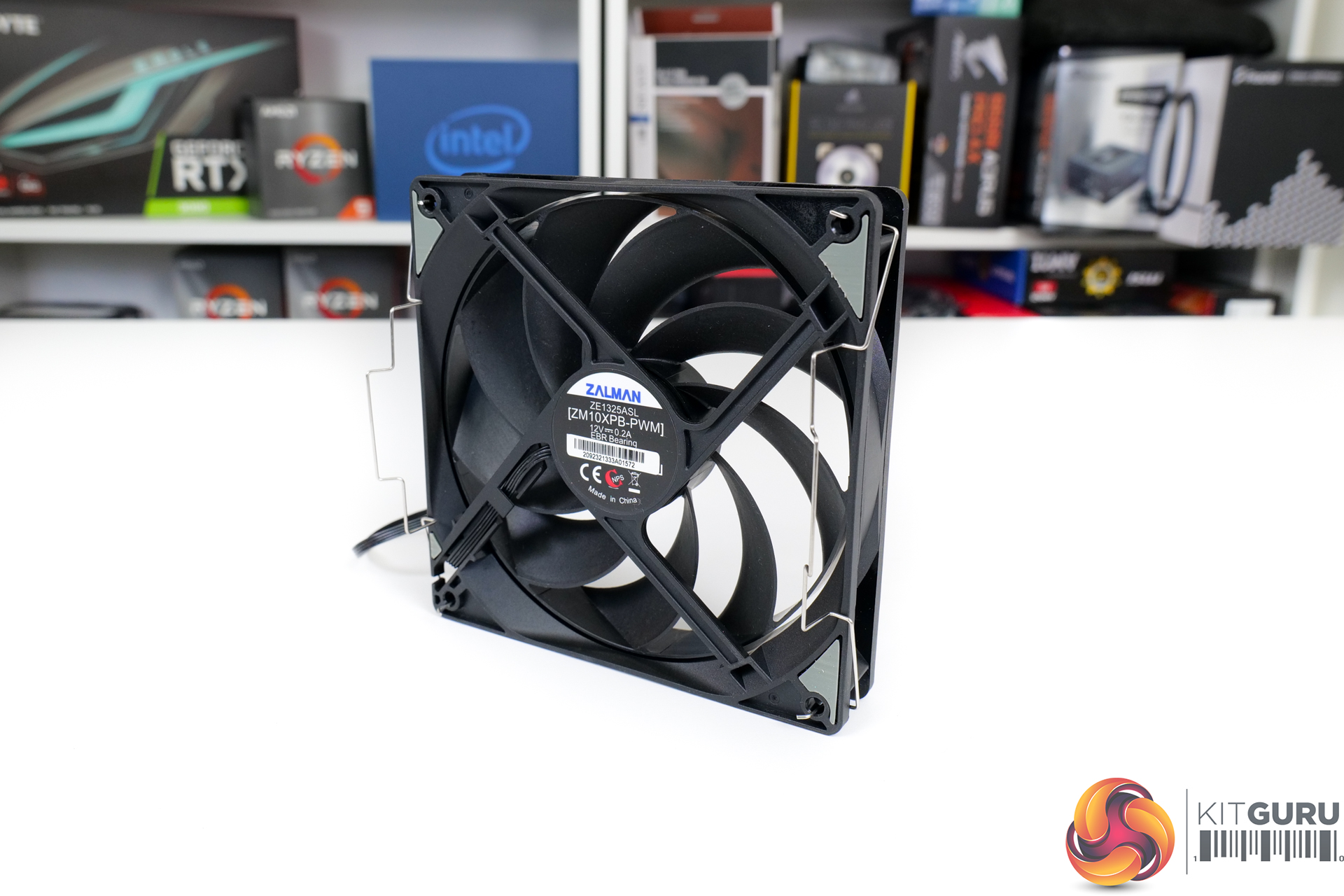
Regarding the fan, Zalman supplies a 135mm unit with model number ZM10XPB-PWM. The annular design is touted by Zalman as offering improved noise operation and a more focussed flow direction, both of which seem like fair claims. This 135mm EBR bearing design version is a clear step up versus the typical 120mm offering at the sub-£40 price point.
Powered by a 4-pin PWM connector, the speed range is rated at 700-1500 RPM. 1500 RPM is fine on the higher-end as that should offer a good balance of noise and performance for a 135mm blower. But 700 RPM on the low side is not particularly low when we see some competitors such as Arctic offering semi-passive models with wider speed ranges.
With the fan in place, the cooler extends to 95mm depth and there is an option to not extend the height past 155mm tall. You also get some design logic applied to clearance for motherboards VRM heatsinks. Though taller heatsinks will likely interfere a put a reliance upon moving the fan to a higher vertical position.
One minor point to note is that the 50,000-hour rated fan lifespan does not instil particularly high confidence in its longevity. 80,000+ hours seems to be more typical even for this price range.
And that ties in nicely to the warranty period for Zalman which we are told is 12 months. That is pathetic for a mid-range cooler in today’s market. Arctic competitors offer 10 years, be quiet! is 3 years, Cooler Master is 2 years, and even a budget alternative from SilentiumPC is 6 years.
There is a technicality whereby one UK distributor – VIP – offers a 24-month warranty. This should mean that retailers using VIP will also offer 24 months. But we would imagine that this could vary from retailer to retailer and region to region.
Either way, 12 months or 24 months is pretty poor indeed.
Specifications and Features (taken from manufacturer webpage):
- 135mm Annular Fan
- Asymmetric heatpipes for installation space
- Motherboard VRM cooling
- Heatpipe Direct Touch (HDT) technology
- PWM fan with automatic speed control
- ZM-STC8 thermal compound
- Modern Intel and AM4 socket support
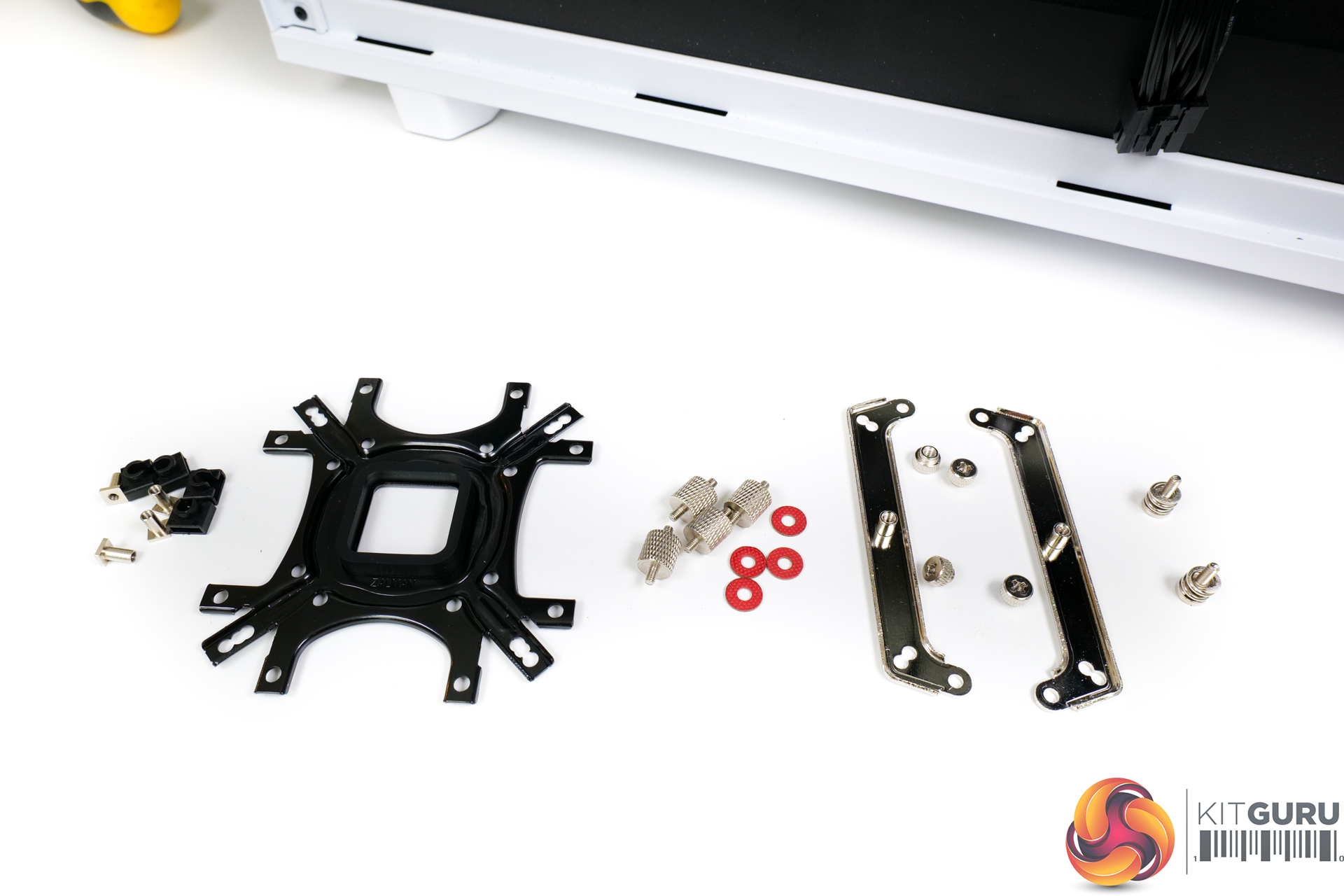
The bundle consists of installation hardware for modern Intel sockets and also AM4. There are no additional fan clips for dual fan operation, which is slightly disappointing. And the ZM-STC8 thermal paste comes in a sachet rather than a tube, making secondary installations less preferable.
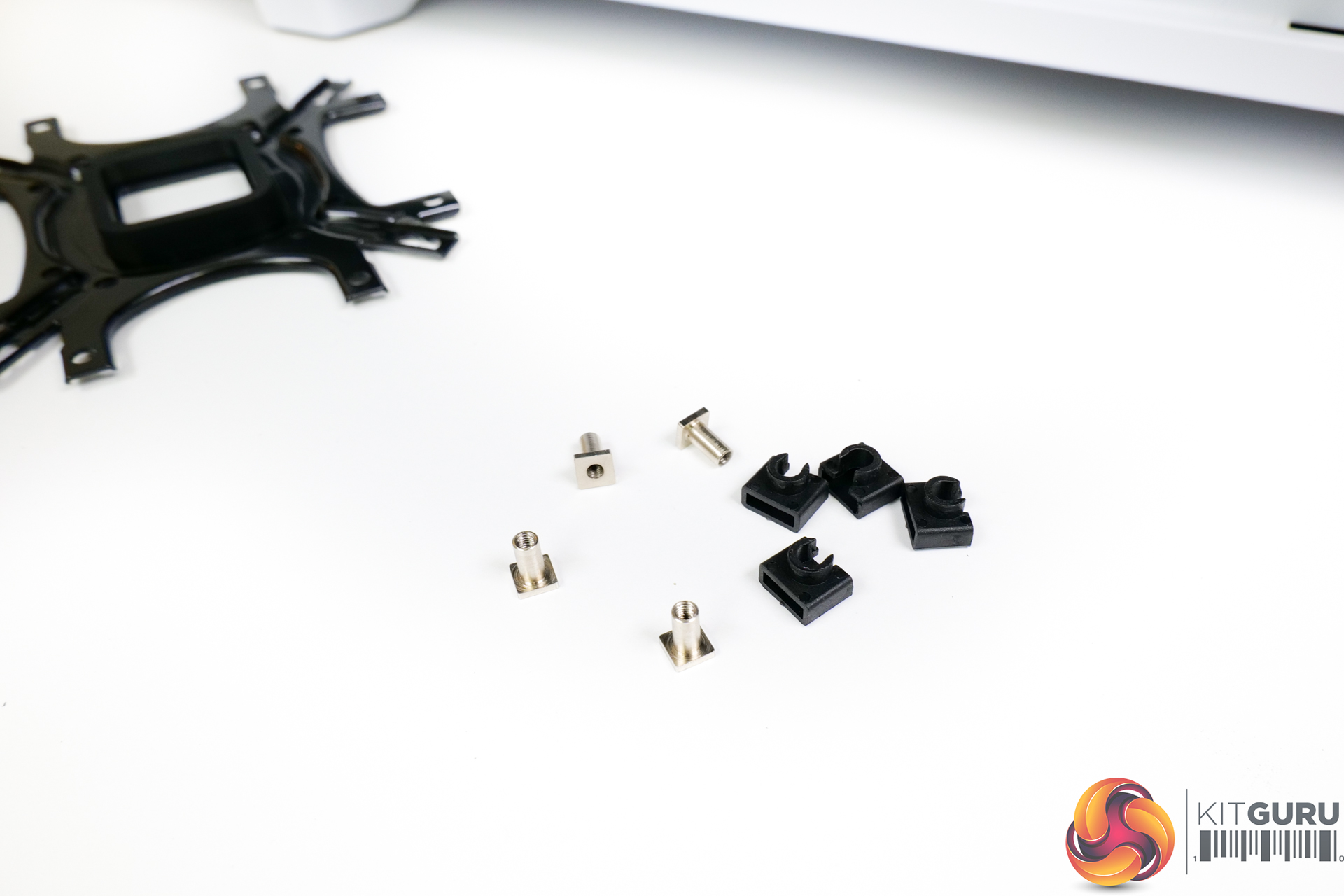
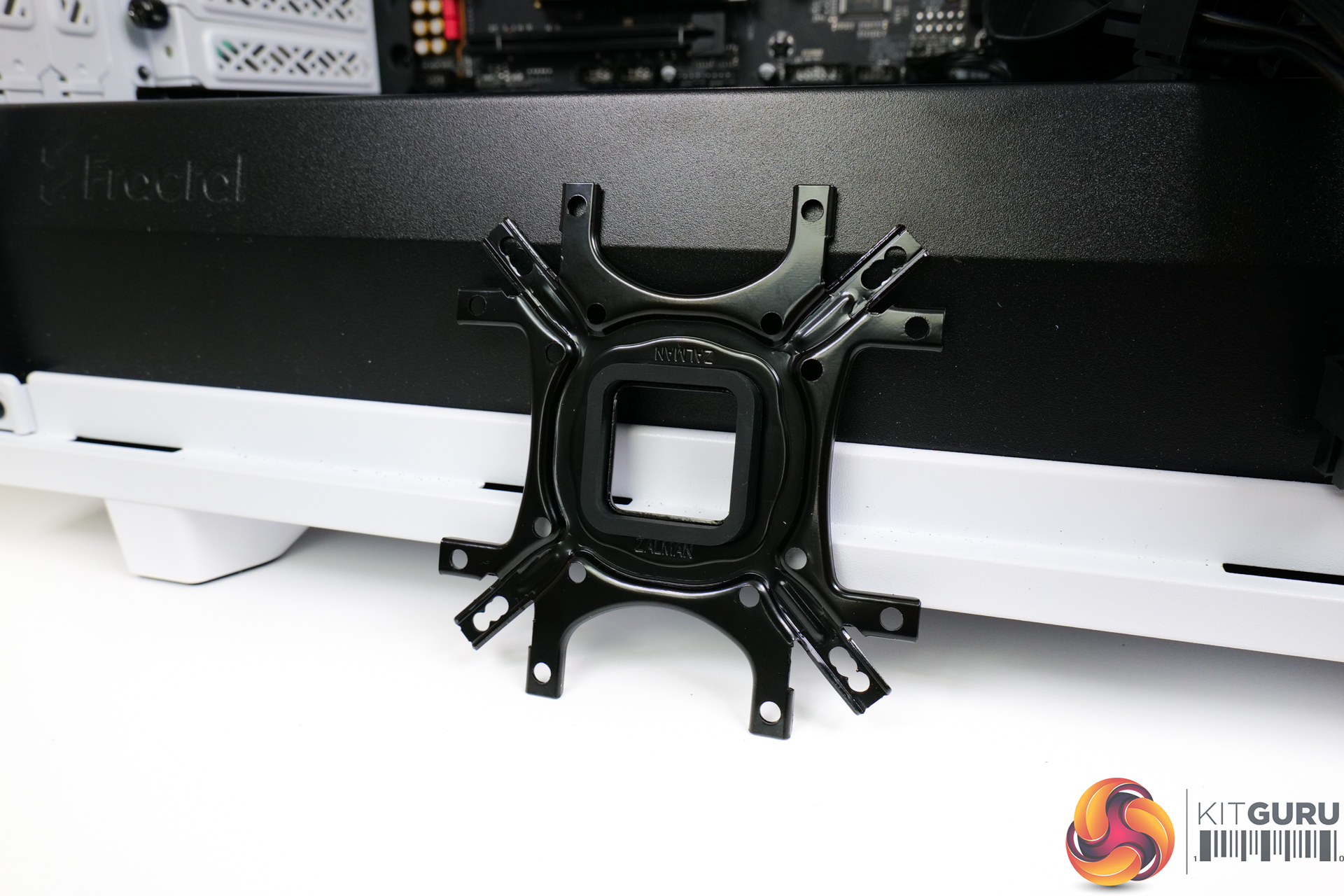
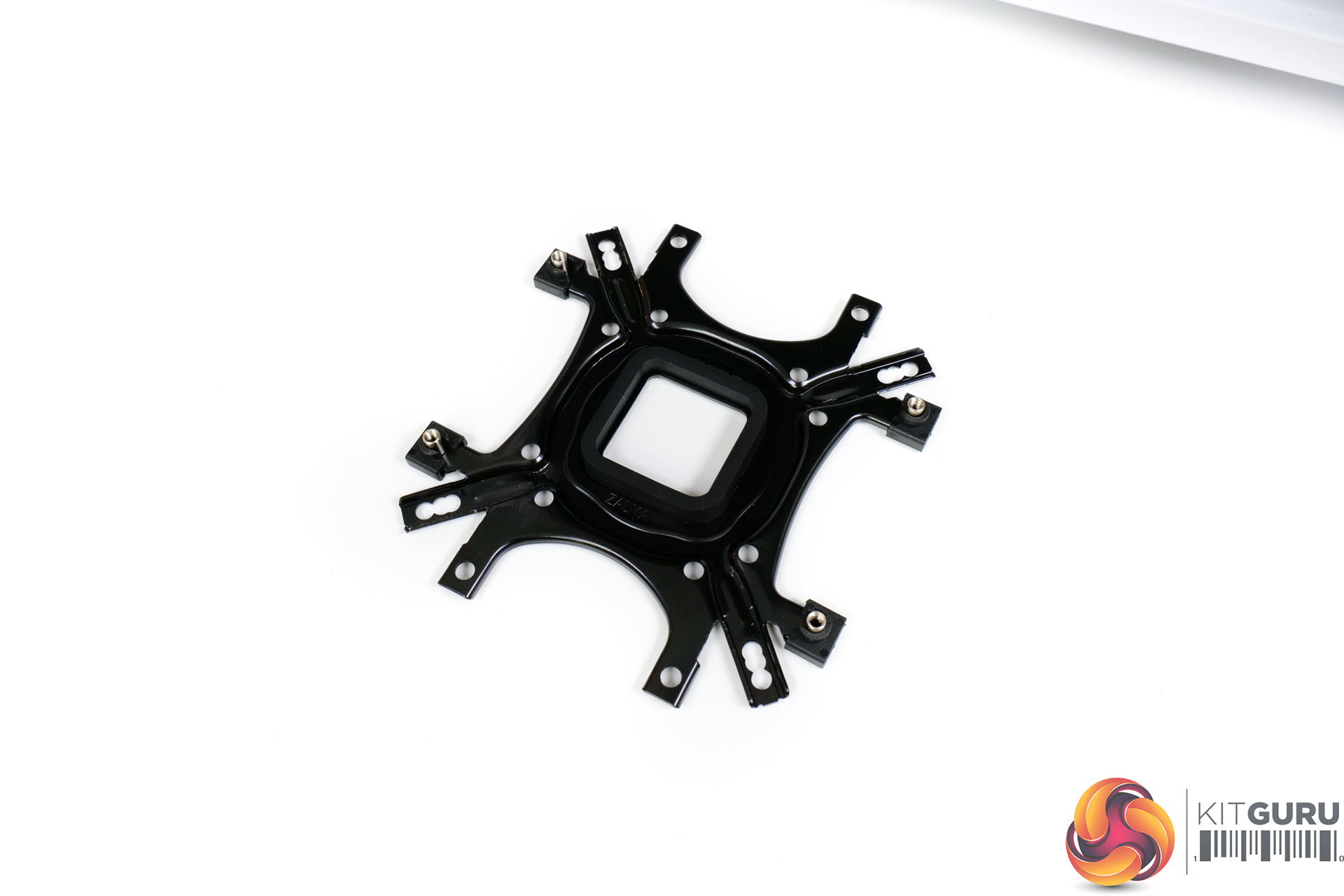
AM4 installation starts by preparing the backplate (after the default AMD fittings are removed, of course). This process requires 4 posts to be positioned through the relevant holes and then clipped in place by plastic caps. The instructions for this step are less clear than they should be, especially as there is more than 1 way to physically carry out the backplate preparation method.
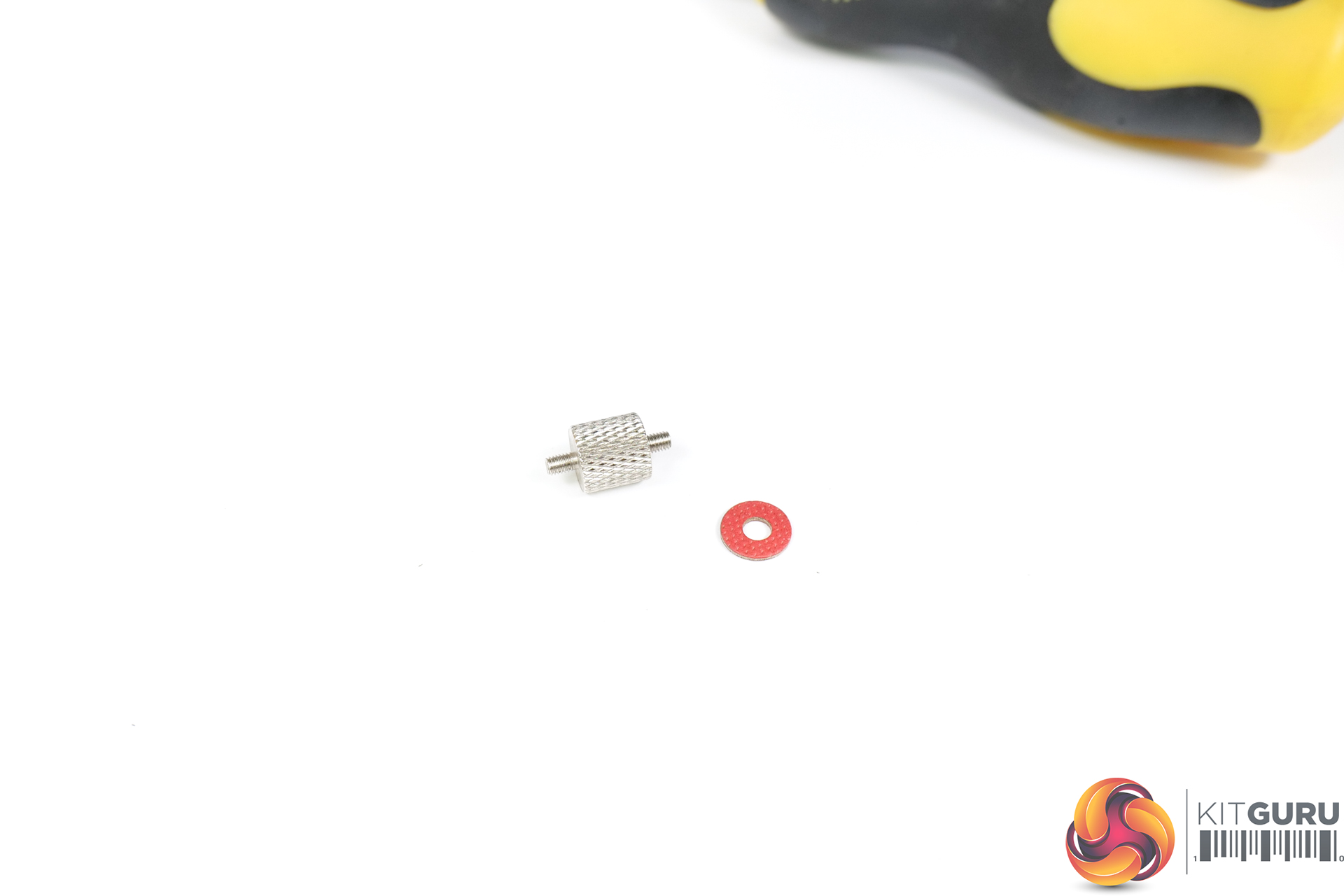
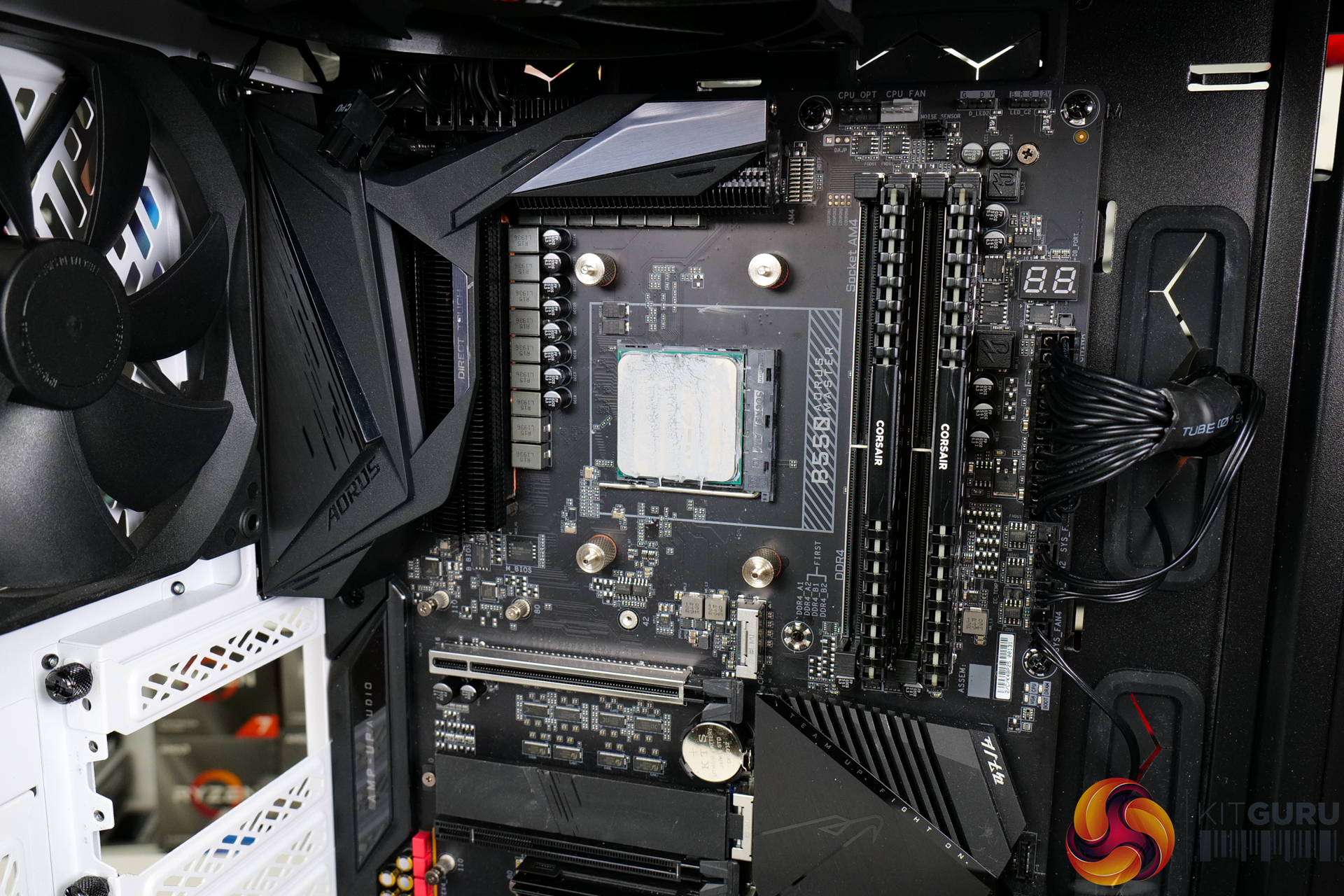
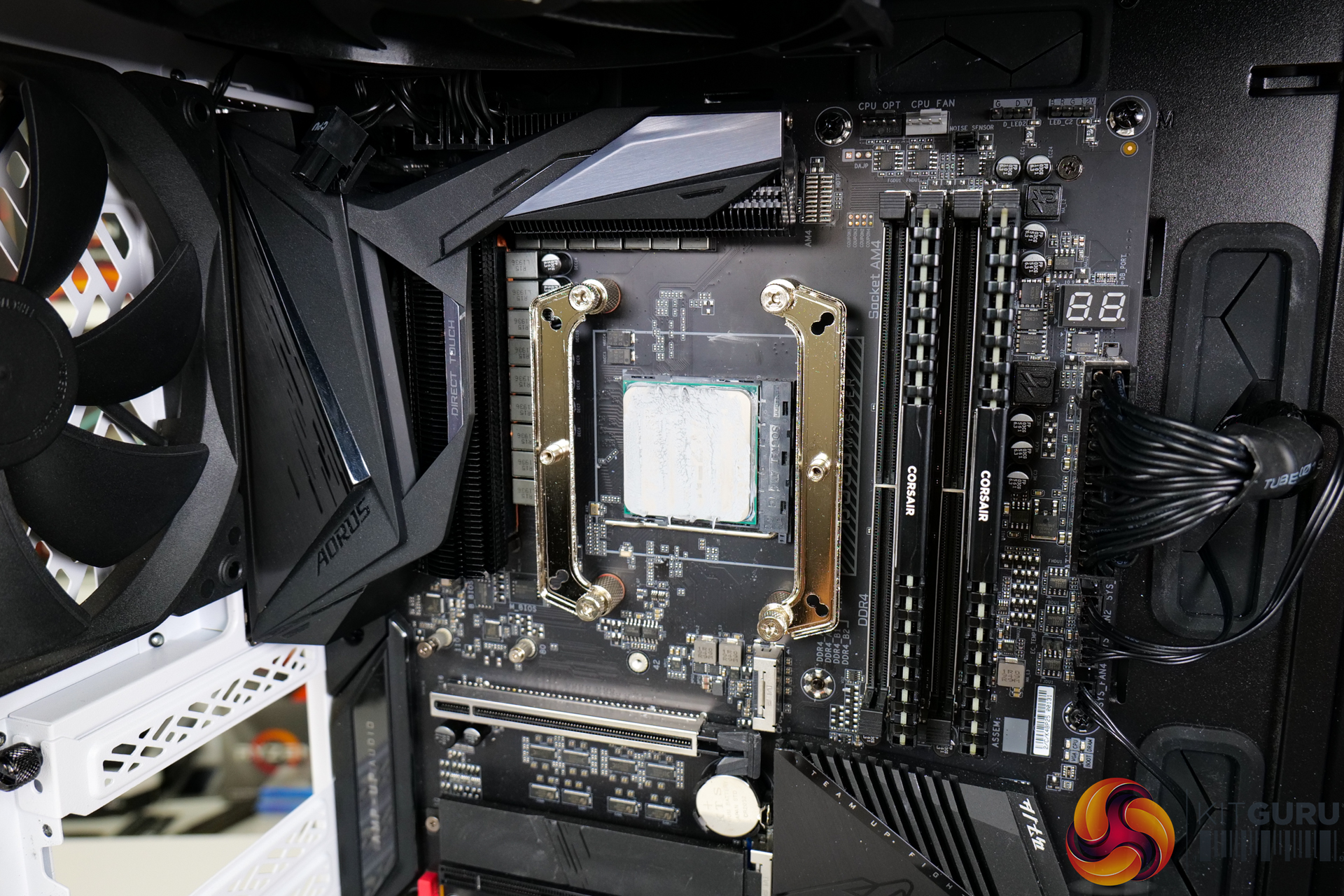
Once the backplate rubber space is stuck on, the bracket can be positioned on the motherboard. Washers and 4 individual stand-offs then hold the backplate in place. This is an OK procedure as long as you have one hand round back and then one hand messing with the washers and stand-offs.
Metal retention brackets then screw onto the stand-offs.
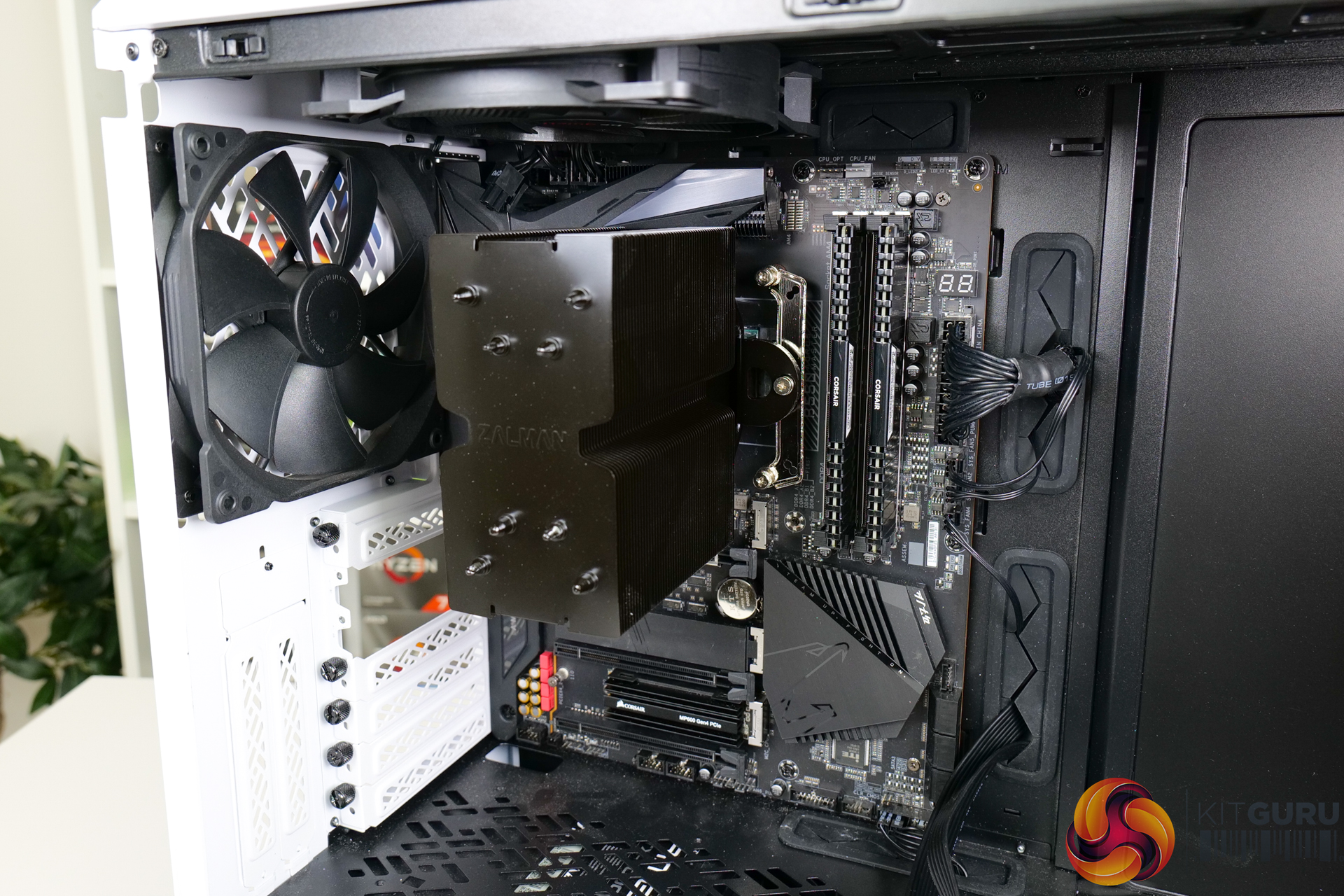
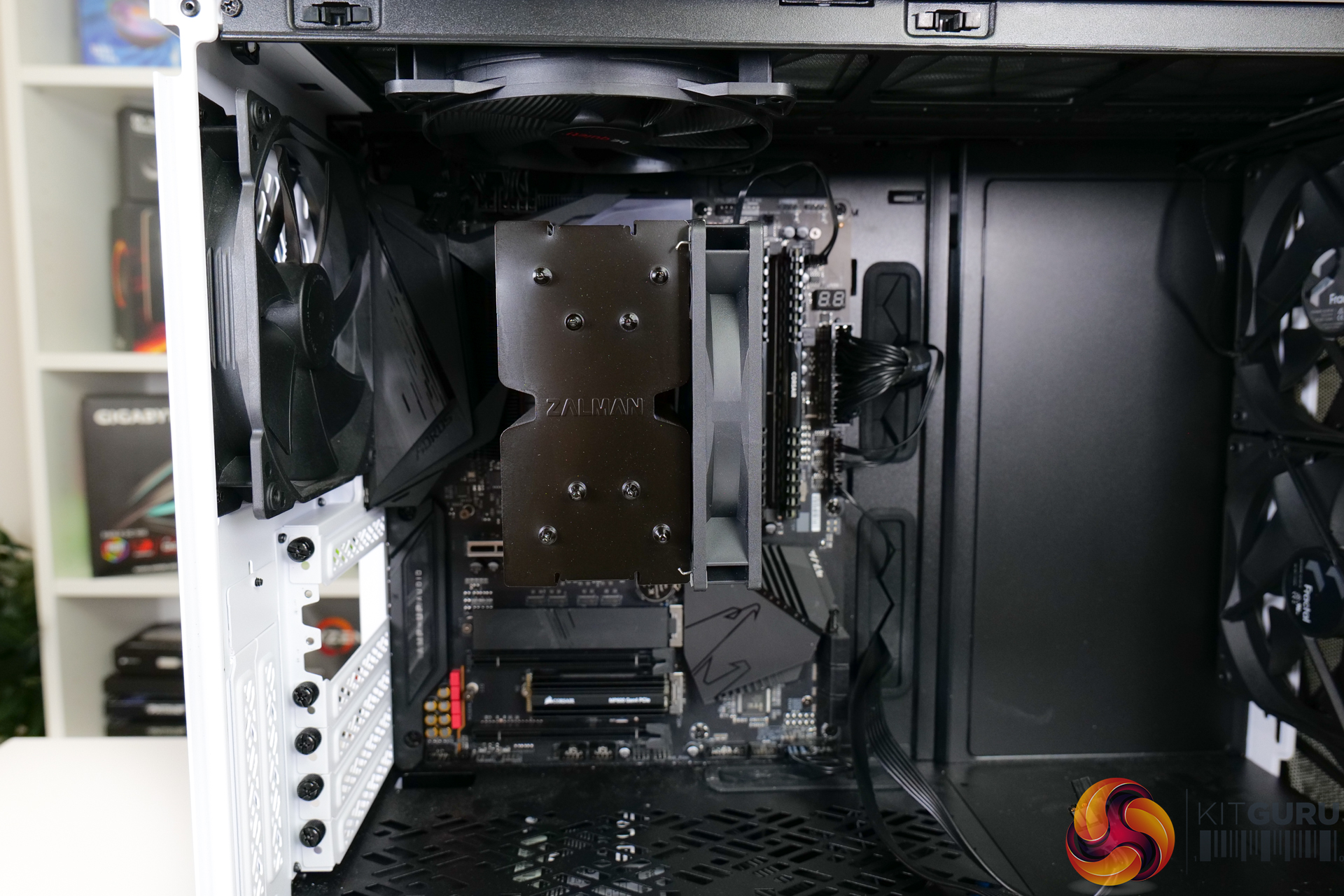
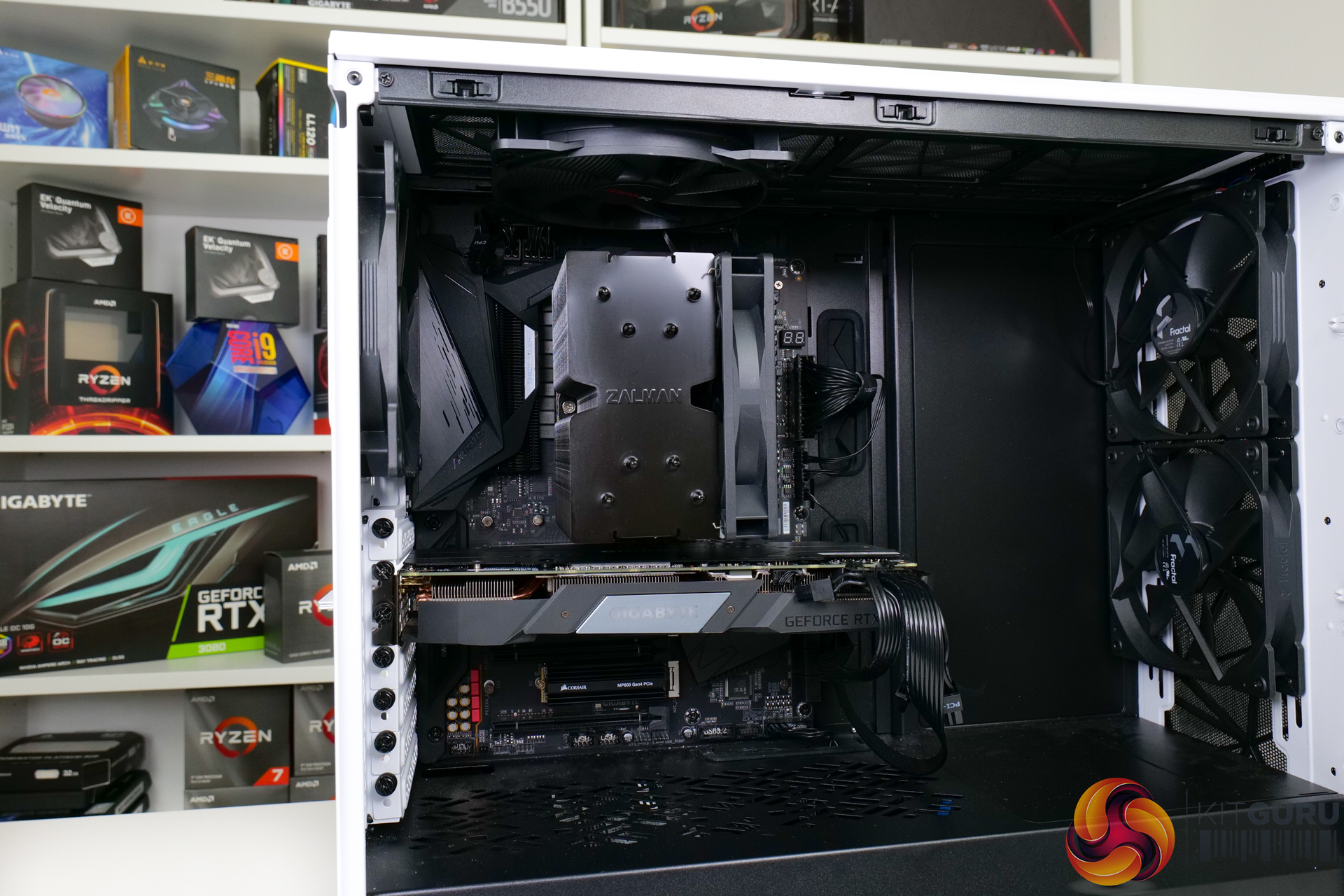
The cooler is then sat atop the pasted CPU in its position.
Instead of retained spring-loaded screws on the bracket, Zalman supplies the component separately. Thankfully, the springs stay attached to the screws well, making the tightening process straightforward. Screwdriver accessibility is also excellent.
The fan is then clipped into place at the desired height.
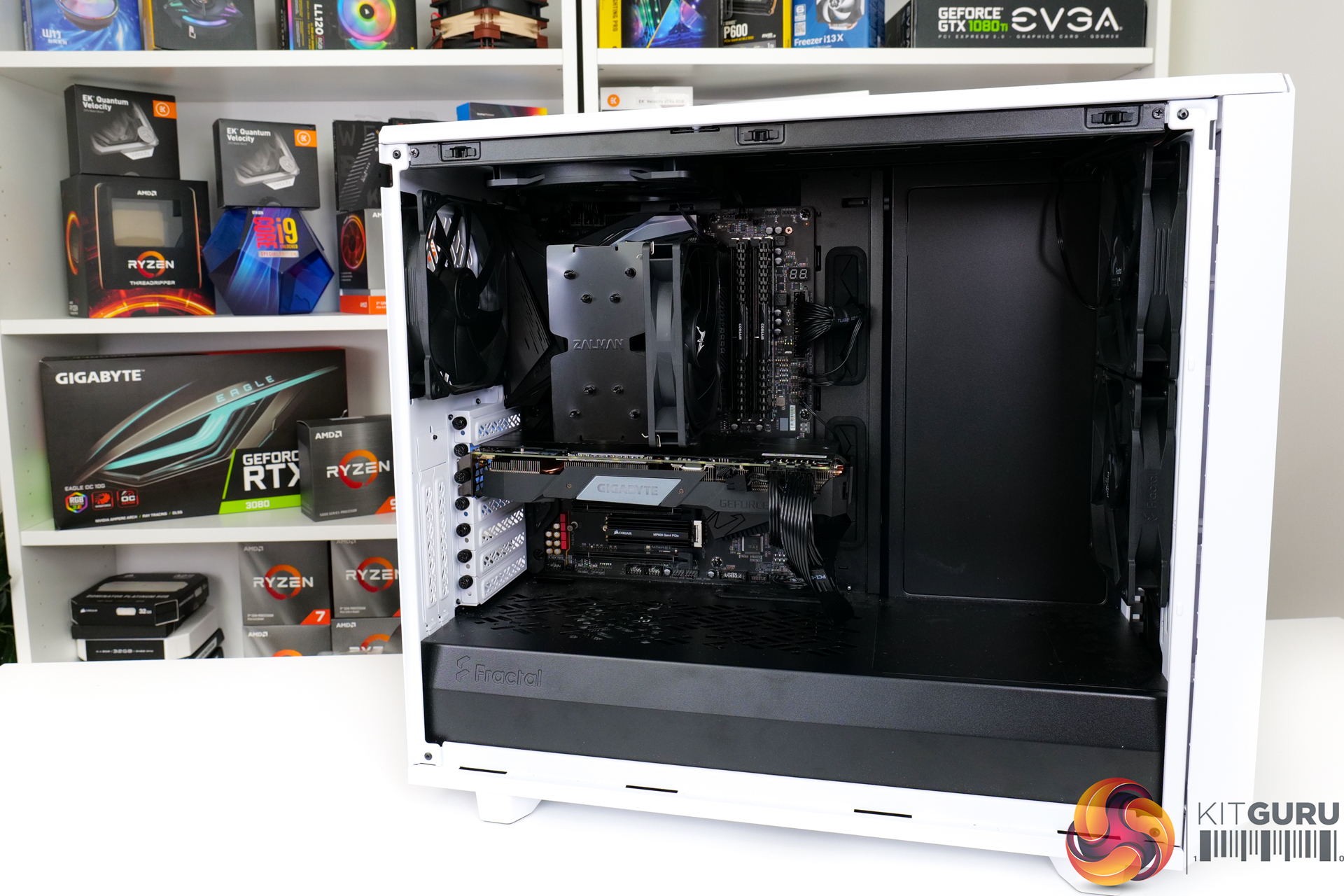
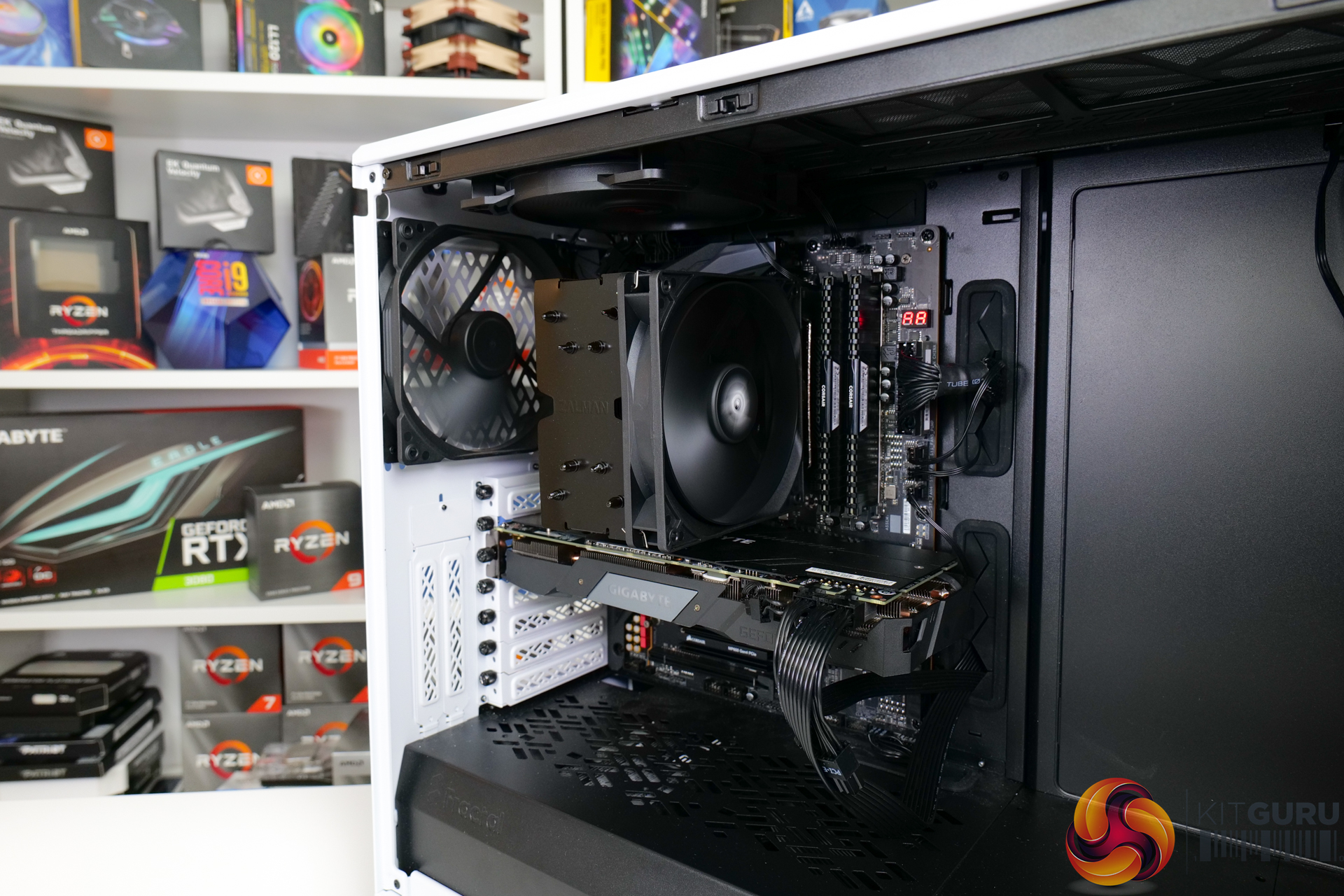
Overall, the installation process is reasonably straightforward for experienced builders. However, some of the explanation steps early on could be improved. And that initial backplate preparation step is more fiddly than it needs to be.
The final mount is very secure, though, so credit there.
There are several perfectly valid ways to test CPU coolers. We are primarily focussing on the performance of each cooler at 100% fan speed and also when locked to 40dBA noise output. We will focus on cooling performance using a manual overclock and Precision Boost Overdrive, as well as some reference to stock numbers. We will also highlight VRM temperatures.
Typically, we go for a 4.45GHz overclock, but this was too high for mid-range air coolers. As such, we backed off to a reasonable 4.1GHz fixed frequency and 1.225V BIOS voltage that generates around 180W of CPU package power to deal with. Given the introduction of this new 4.1GHz mid-range cooler test, we currently have limited comparison data. But check back for future review of additional mid-range coolers we have in for testing.
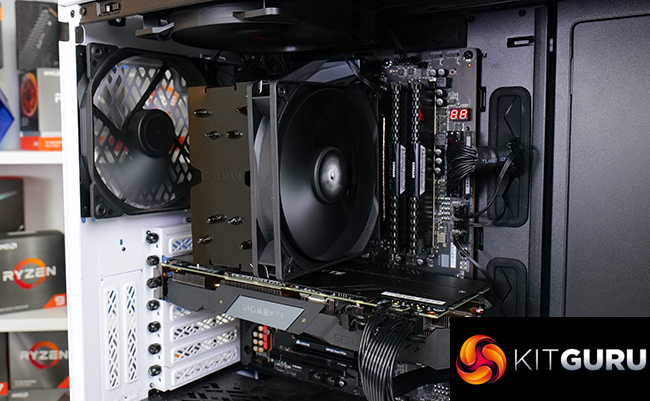
We decided to test using a chassis as we feel that this is most representative of real-world use cases. It does have some unwanted influences on the test data, as does open-air test bench testing. But we feel that this is a worthwhile trade-off for real-world chassis performance of the coolers.
Our chassis of choice is the Fractal Design Meshify 2 case that Leo reviewed and scored very highly. We like this chassis thanks to its high airflow optimisation and well-vented front and top panels.
The fan configuration is the three included Fractal Dynamic X2 GP-14 fans spinning at full 1000 RPM speed. In addition to the two 140mm front-mounted fans, and single 140mm rear exhaust, we added a be quiet! Pure Wings 2 1000 RPM 140mm fan as roof exhaust for air cooler testing. The aim here was to keep consistency with the airflow path of the liquid coolers which are always roof mounted.
If you want more details on our CPU cooling test procedures, check out some of our previous articles HERE and HERE.
CPU Cooling Test System:
- Processor: AMD Ryzen 9 5950X
- Overclocked Settings: 4.1GHz all-core @ 1.225V (UEFI), Medium LLC – around 180W-190W delivered
- Motherboard: Gigabyte B550 Aorus Master
- Memory: 32GB (2x16GB) Corsair Vengeance LPX 3600MHz 16-18-18-36 DDR4 @ 1.35V
- Graphics Card: Gigabyte RTX 2060 Super 0dB Mode
- Chassis: Fractal Design Meshify 2
- Chassis Fans: 2x140mm 1000 RPM Fractal Front Intake, 1x140mm 1000 RPM Fractal Rear Exhaust, 1x140mm 1000 RPM be quiet! Pure Wings 2 Roof Exhaust (for air cooler testing)
- Power Supply: Seasonic Prime TX-1000
- OS SSD: Corsair MP600 NVMe M.2 SSD
- Operating System: Windows 10 Pro 64-bit
Comparison Coolers:
- Zalman CNPS10X Performa Black – around £38, 1x135mm 1500 RPM Fan
- Arctic Freezer 33 eSports One – £29.99, 1x120mm 1800 RPM Fan
- be quiet! Shadow Rock 3 – £44.99, 1x120mm 1600 RPM Fan (operated up to 1750 RPM according to our motherboard sensor)
- be quiet! Silent Loop 2 – £199.99, 2x120mm 2200 RPM Fans, 2800 RPM Pump
- Deepcool AS500 Plus – £64.99, 2x140mm 1200 RPM Fans
- Noctua NH-D15 – £80, 2x140mm 1500 RPM Fans
- Cooler Master MA624 Stealth – £99.99 MSRP, 2x140mm 1400 RPM Fans
- Arctic Freezer 50 – £59.99, 1x140mm 1700 RPM + 1x120mm 1800 RPM Fans
- Cougar Aqua 240 ARGB – £89.99-£99.99 MSRP, 2x120mm 2000 RPM Fans, 3200 RPM Pump
- Silverstone IceGem 240P – £119.99, 2x120mm 2200 RPM Fans, 3000 RPM Pump
- Phanteks Glacier One 360 MP – £154.99, 3x120mm 2200 RPM Fans, 3600 RPM Pump
- G.SKILL Enki 360 AIO – $179.99 MSRP, 3x120mm 2100 RPM Fans, 5000 RPM Pump
- IceGiant ProSiphon Elite – £169.99, 4x120mm 2300 RPM Fans
Testing Methodology:
- For testing, we use a 30-minute looped run of Cinebench R23 and record the steady-state CPU temperature at the end of the test. This ensures that the CPU has had ample time to warm up and reach steady state under all of the coolers.
- Ambient is maintained around 23-25 degrees Celsius. Where there is variation beyond this temperature range, we add in extra repeated tests to ensure consistency.
- We also test each cooler with at least two fresh installs (typically three) to mitigate the likelihood of a dodgy mount spoiling results.
Let’s start off with noise performance from each cooler at 100% fan speed.
This is important as it sets the precedence for which coolers we expect to deliver the higher levels of performance based on the faster and louder fans. Assuming that their performance is efficient in comparison to their noise output levels, that is.
The chassis fans are disabled, all case panels are on, and the sound meter is placed 12 inches from the side of the Fractal chassis’ glass side panel – roughly where a desk user will be sat.
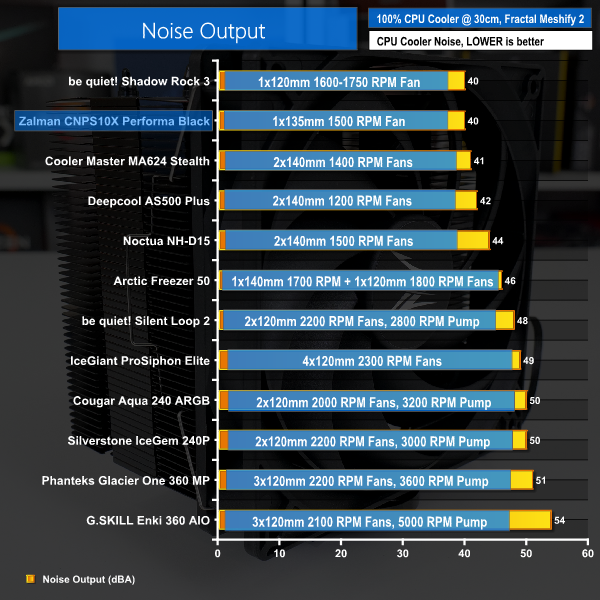
Rounding to 40dBA noise output at our usual 12-inch test distance from the Fractal chassis, Zalman’s cooler delivers excellent acoustic results. In fact, only be quiet!’s marginally less noisy Shadow Rock 3 can outperform the 135mm Zalman cooler (by a within margin of error 0.2 dBA).
Put simply, the CNPS10X Performa Black is equipped with a fan that is superb for low noise operation even when at its full 1500 RPM operating speed.
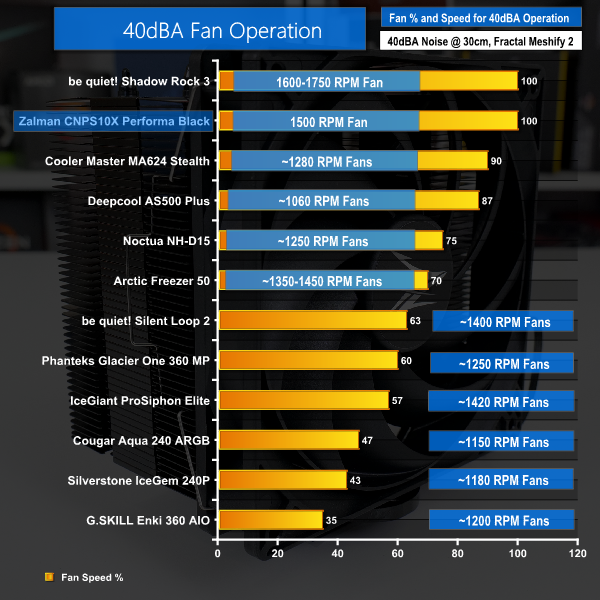
The results of 40dBA noise output also mean that there is no need for added charts showing our usual 40dBA fixed noise output testing.
That’s the performance you get at full fan speed.
Let’s start by looking at Precision Boost Overdrive test results. With 90C the maximum target temperature for PBO, we are looking at how the cooler achieves the balance between lower temperature operation and higher PBO clock speeds. Higher clocks with lower temperatures are better. But one cooler may run at slightly higher temperatures than another, albeit with higher clock speeds, so look out for that.
In essence, this test is showing us how far the cooler can be pushed while keeping a sensible 90C maximum. Or whether there is more room for pushing clocks and power delivery beyond the PBO limits while still sticking to a 90C target.
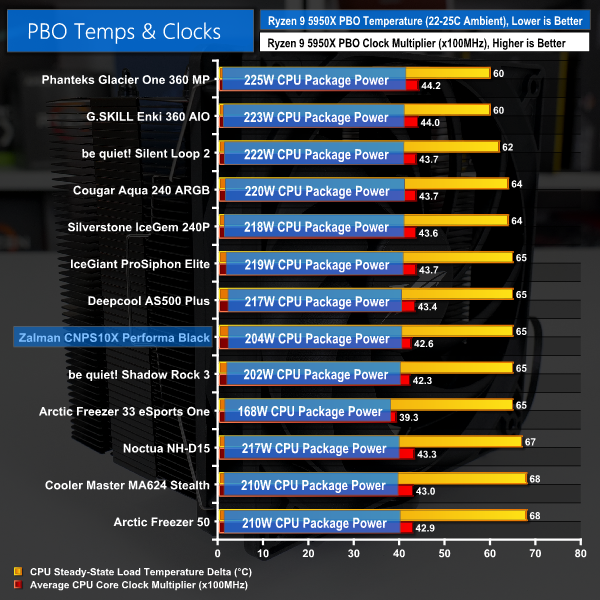
Firstly, it is critical to note that small differences in the displayed delta temperatures are not important for our PBO testing as the clock speed and cooling power achieved are more important metrics.
Zalman’s CNPS10X Performa Black manages to cool 204W of CPU package power from our Ryzen 9 5950X. This translates into an average CPU clock speed of 4260MHz. By comparison, the slightly more expensive and marginally lower noise be quiet! Shadow Rock 3 tolerates 202W of cooling that translates into 4230MHz average clock speed.
Between the two, Zalman’s option is a slightly higher performer and allows the chip to deliver marginally higher clock speeds. In fact, Zalman does a decent job at closing the gap to some of the bigger dual-tower coolers such as the Arctic Freezer 50. And the budget Arctic Freezer 33 eSports One (which is very similar to the current Freezer 34 model that is around £30 in the UK) is comfortably outperformed. Zalman’s slightly more expensive cooler offers more than 300MHz higher clock speed capability for our Ryzen processor.
That is a strong victory for Zalman.
And if you are interested in stock results, the Zalman CNPS10X Performa Black recorded a temperature delta of 33-34C for 128W package power cooled.
That is similar to the physically larger and more expensive Arctic Freezer 50 in terms of temperature. Though the Zalman cooler did deliver a slightly lower average clock speed of around 3.85GHz versus around 3.87GHz.
Moving on to our new 4.1GHz fixed frequency overclocked test, as we have only recently added the new 4.1GHz mid-range cooler test to our suite, we have very limited comparison data at the moment. Do check back on future reviews, as we have quite a few mid-range CPU coolers for test over the coming weeks, so the charts will start to show significantly more comparison data.
As we are locking the voltage and clock speed, the temperature figures are directly comparable between competing coolers. We see package powers in the order of 180-190W for the CPU and wall power levels that exceed 260W for the system.
Note the use of delta temperature data in our charts and factor in your own ambient conditions for reference.
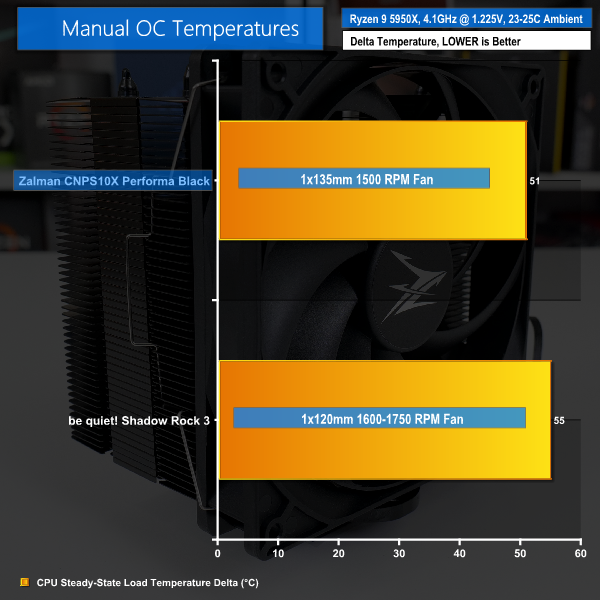
With the Zalman and be quiet! coolers directly compared in a fixed frequency scenario, the CNPS10X Performa Black comes out on top. Zalman’s sub-£40 cooler manages a delta temperature of 51C whereas the more expensive but slightly lower noise be quiet! competitor is around 4 degrees hotter running.
Applying a sensible ambient temperature of perhaps 25C, it looks like the affordable Zalman offering can cool even an overclocked 5950X spitting out 180W of heat to sub-80C operating temperature.
This represents another solid victory for Zalman and reinforces the performance that we saw delivered in the PBO test.
We highlight VRM temperatures when using each cooler on our Gigabyte B550 Aorus Master motherboard with the overclocked Ryzen 9 5950X. Do note that the results are heavily influenced by the specific layout of the Gigabyte B550 Aorus Master test motherboard with respect to top-side or rear IO-side VRM components. Your findings may vary if you have a different motherboard VRM layout and heatsink design.
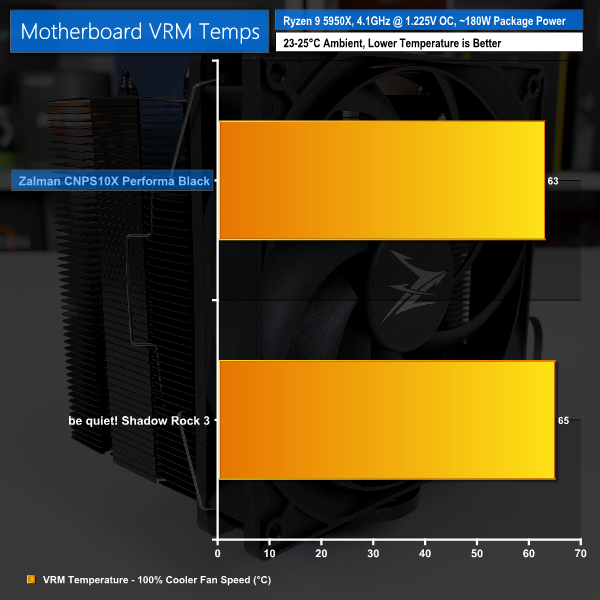
Checking the VRM temperatures for our overclocked cooling run, we see that the 135mm fan used by Zalman is perfectly competent in providing incidental airflow. Less than 70C on the VRM temperature sensor of our Gigabyte motherboard is nothing whatsoever to be concerned about.
And even with the higher-power PBO load applied, the cooler still put in a result of 72C VRM temperature for that 204W CPU package power cooling load.
Stellar job there, in our opinion.
We are happy with the performance offered by the Zalman CNPS10X Performa Black CPU cooler. Versus a realistic, direct competitor in the low-noise, mid-range CPU cooler territory, Zalman’s 135mm-class unit actually manages to outperform the be quiet! Shadow Rock 3 in general.
Arctic’s slightly cheaper (and older) single-tower 120mm Freezer unit is also comfortably bettered by Zalman. And the noise levels from the 135mm 1500 RPM fan are impressive at around 40dBA nominal.
There are some clear downsides that need noting. The warranty situation is confusing and – quite frankly – weak, the speed range of the single fan is a little limited at 700 RPM rated minimum, and I would have liked an extra set of fan clips for future upgrades.
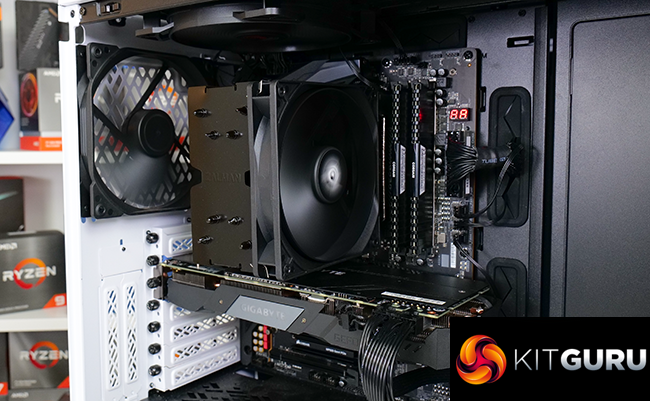
However, the styling and quality of manufacture is very good for our sample. The RAM and VRM heatsink compatibility look to be good thanks the asymmetric tower design and adjustable fan height. And the mount system is very sturdy, even if a little confusing at first.
At around £35 initial conceived price – but perhaps more like £38 currently in the UK – the Zalman CNPS10X Performa Black offers a lot of bang for its buck with stellar performance at impressive noise levels.
You should be able to purchase the Zalman CNPS10X Performa Black for around £38, with availability targeting this month.
Update 21/7/21 – Zalman have confirmed to us a 2-year warranty will be offered to UK customers. Read more details HERE.
Discuss on our Facebook page HERE.
Pros:
- Great aesthetics from the clean black
- Impressive low noise operation
- Good cooling performance
- Sturdy installation hardware
- Excellent RAM clearance and adjustable fan height
Cons:
12-month (or possibly 24-month) warranty is poor.See update above.- Limited fan speed control range with 700 RPM lower end
- Installation process needs slightly clearer guidance for the early steps
KitGuru says: Strong performance, low noise operation, and a wallet-friendly price tag. The Zalman CNPS10X Performa Black has a lot to offer.