KitGuru KitGuru.net – Tech News | Hardware News | Hardware Reviews | IOS | Mobile | Gaming | Graphics Cards


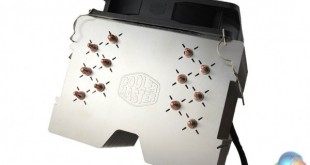
Cooler Master is well known for its ‘Hyper' series of CPU coolers, which tend to promise excellent cooling performance at a low price. Today we will be looking at the latest addition to the range, the Hyper 612 V2 – how does it stack up against the competition?
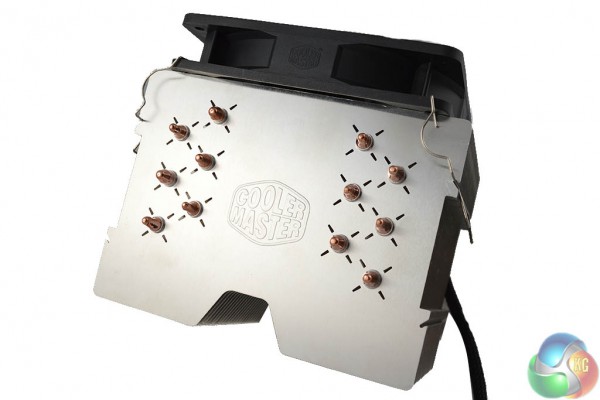
The Hyper 612 V2 packs in six heat pipes, rated to handle up to 180W of heat and universal mounting support. For this review, we will be comparing this unit to the Artic Cooling A30 and the be quiet! Dark Rock 3.
Specifications:
- CPU Socket Compatibility: Intel LGA 2011/1366/1155/1156/1150/775 & AMD FM2/FM1/AM3+/AM3/AM2+/AM2.
- Heatsink Dimensions: 139 x 128.9 x 160.4mm (H x L x W)
- Heatpipe Dimensions: 6mm
- Fan Dimensions: 120 x 120 x 25mm (H x L x W)
- Rated Voltage: 12v
- Fan Speed: 800-1300 RPM
- Acoustic Noise: 20dBA
- Cooling Power: 180w
- Weight: 732g
The Cooler Master Hyper 612 V2 ships in a slightly larger box compared to what we would generally expect.
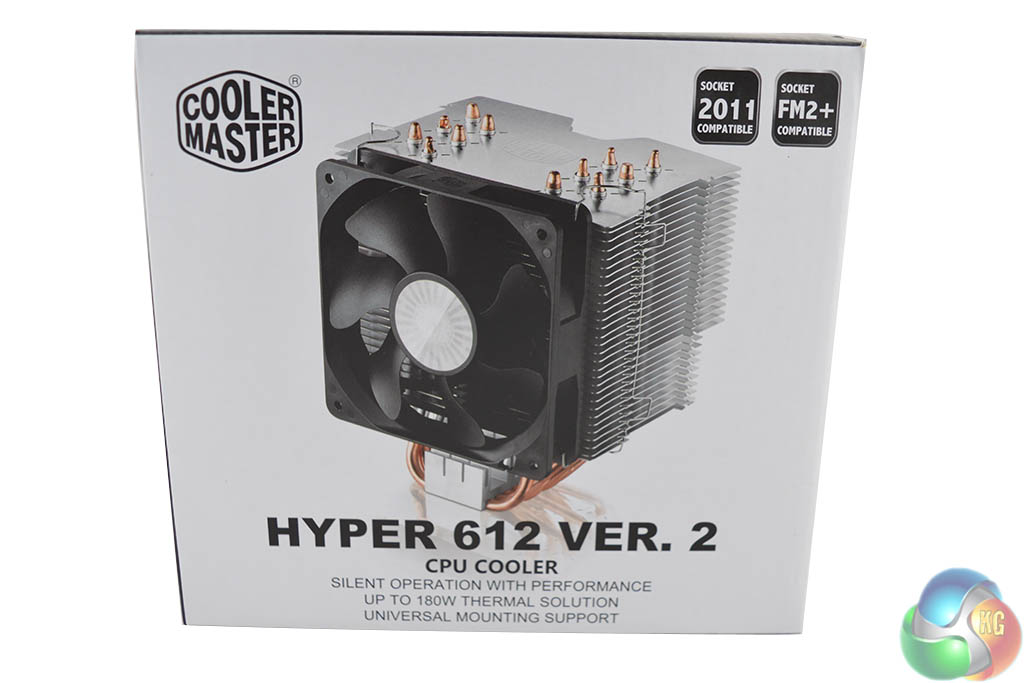
The front of the box shows off the cooler itself and boasts universal mounting support, silent operation and an up to 180W cooling capacity.
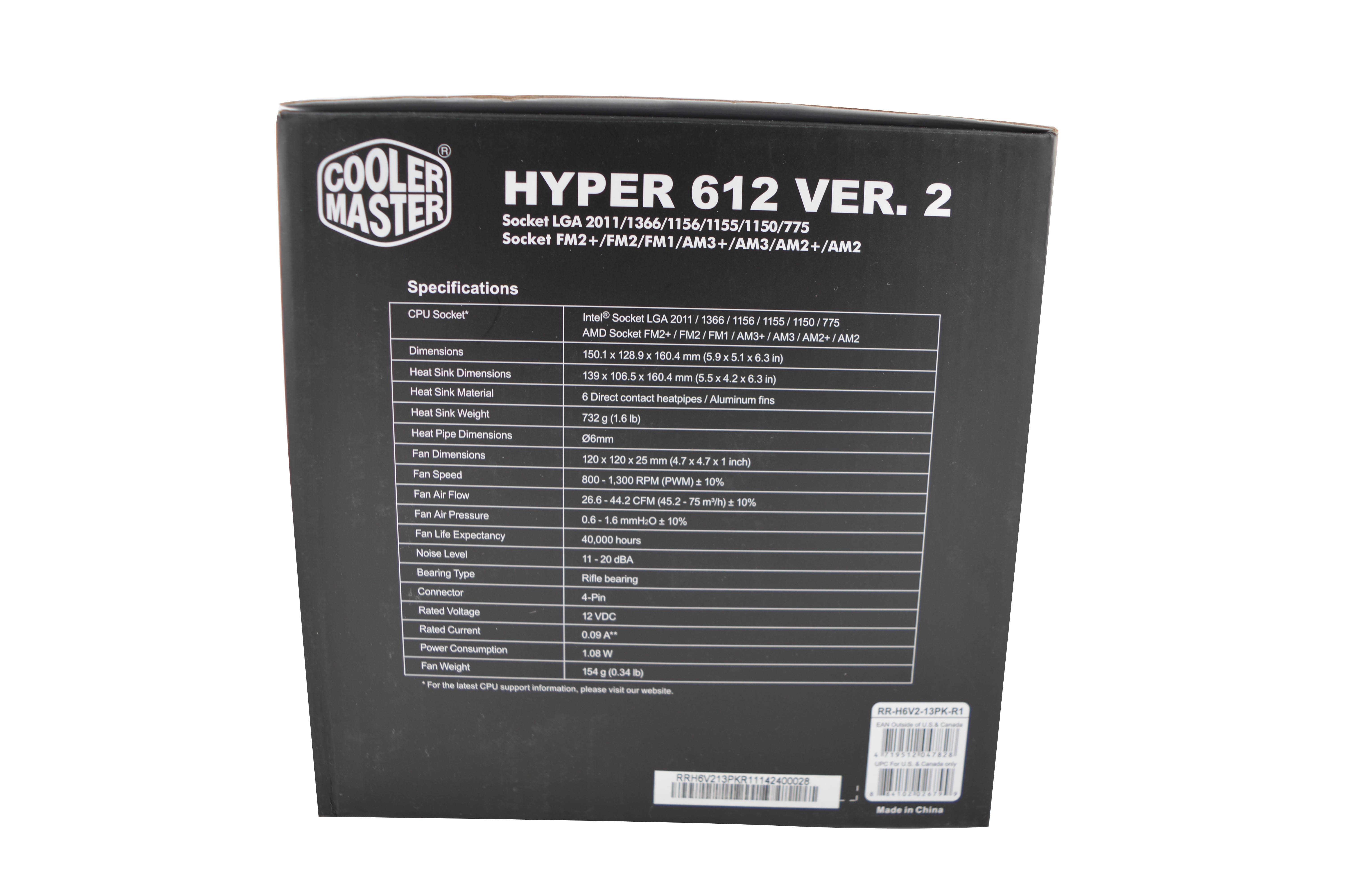
The side of the box lists all of the important specifications and compatibility options.
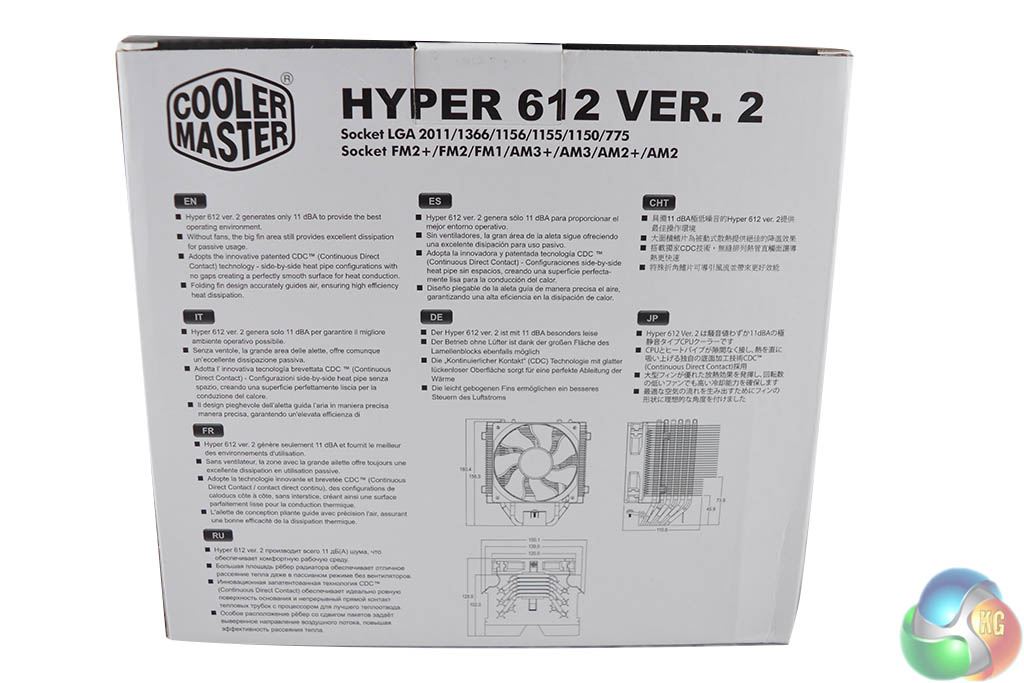
The back of the box reiterates socket compatibility and claims that even without fans, this cooler's heatsink would make a capable passive solution.
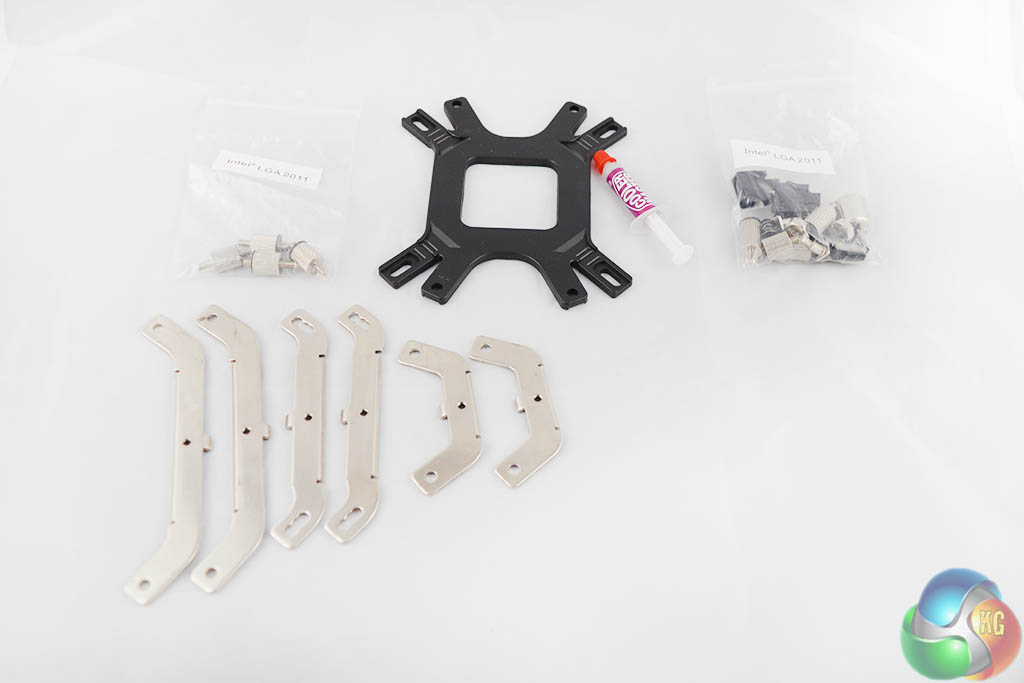
Inside the box you'll find all of the mounting hardware you'll need and a small tube of thermal paste.
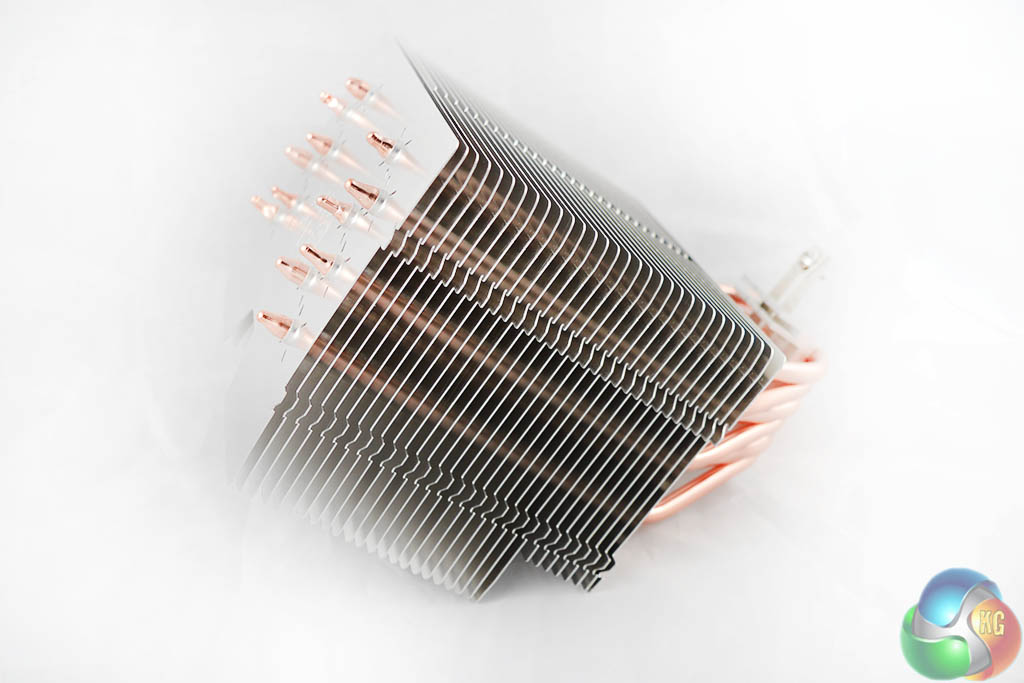
The Hyper 612 V2 uses a large, oddly shaped, top heavy heatsink, which stops it from being able to stand up on its own.
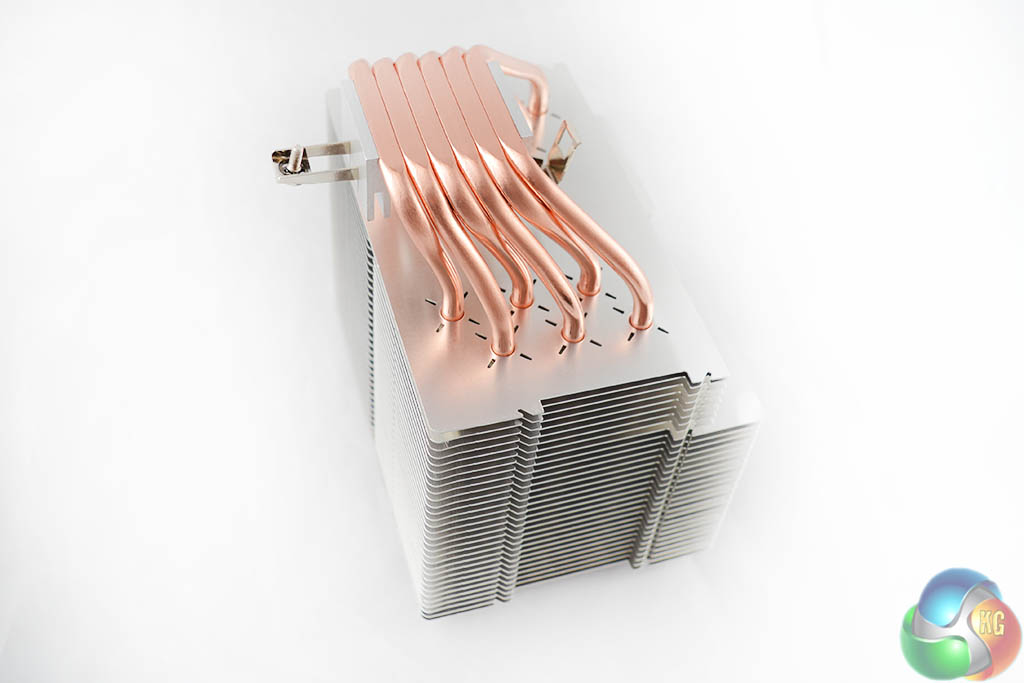
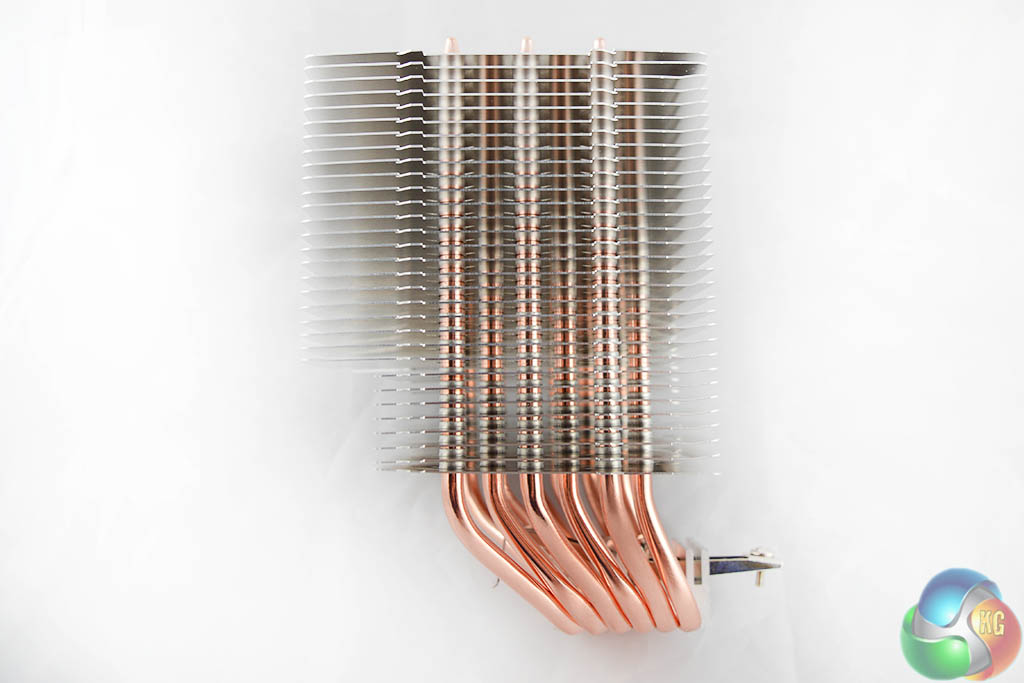
There are six direct contact heatpipes, which should do a good job of carrying heat away from the CPU swiftly and efficiently. As you can see, the fins on the heatsink are spaced quite far apart, which should help with airflow.
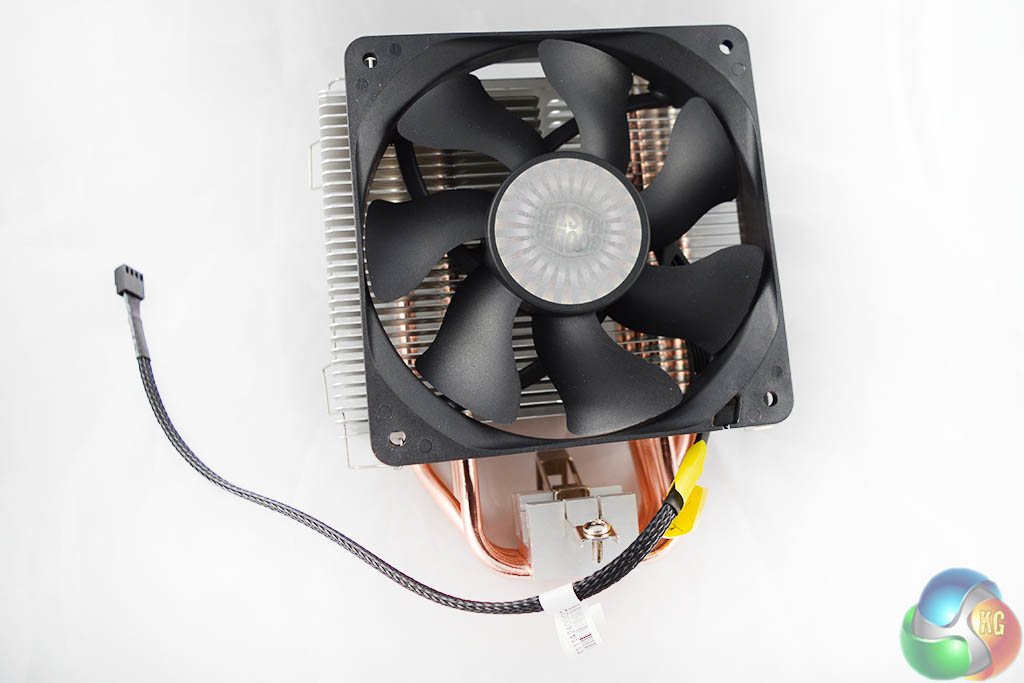
The Hyper 612 V2 ships with a large 120mm fan, the packaging states that its maximum noise level is only 20dBA, something that we will talk about a bit more over on the acoustic performance section of the review.
The instruction manual included with the Cooler Master Hyper 612 V2 relies solely on images with no accompanying text included. The steps are easy enough to follow but the addition of some short, concise written instructions would have been a nice addition.
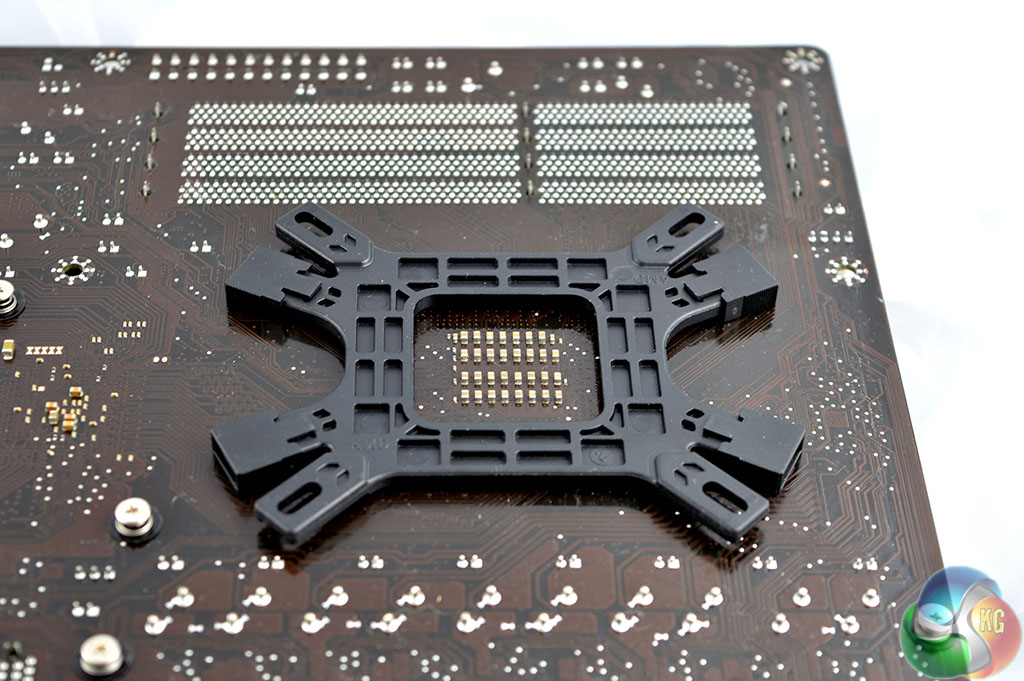
We had to do a little bit of ‘backplate preparation' before we could install it. To start off with, you will have to push four plastic screws into the corresponding holes for your CPU socket, you then push a plastic cover over each hole in order to keep the screws in place.
Then hold the backplate against the motherboard and secure it on the front side with the thumb screws provided.
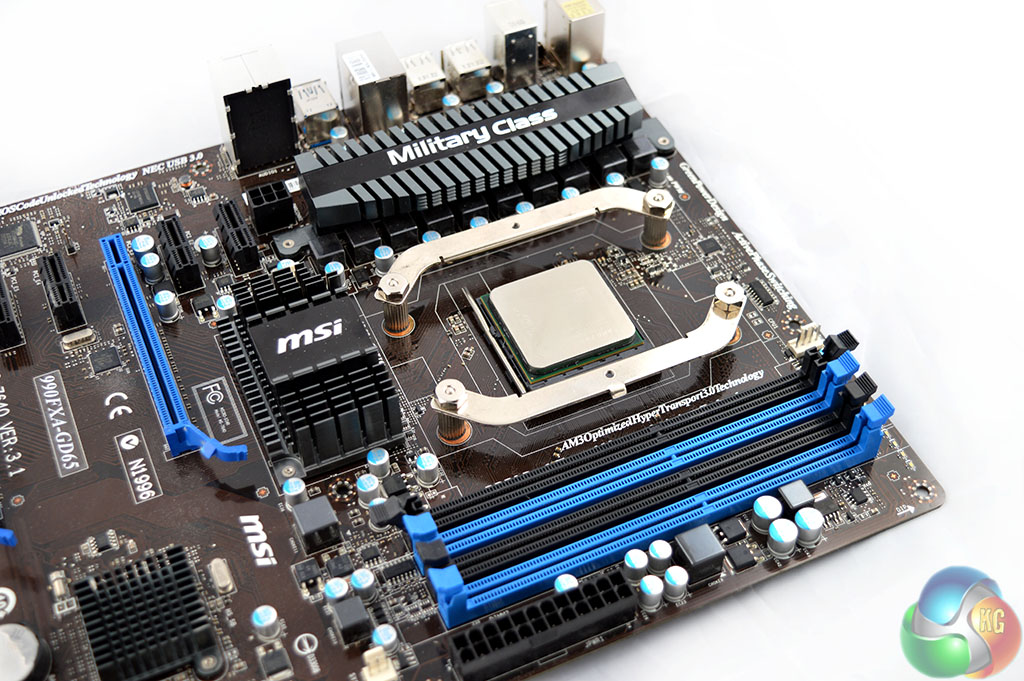
AMD users can then choose between two different mounting brackets, depending on how you want to position the cooler. For the purpose of this review, we chose to use the longer, arm shaped brackets, which are also compatible with Intel sockets. This way, we can position the Hyper 612 V2 with the fan taking air from the front of the case and directing it towards the back.
If you were to use the shorter, U-shaped mounting brackets, then the cooler would be positioned in such a way that the fan would be taking air from the bottom of the case and blowing it towards the top.
Securing the mounting brackets is an easy task, just place each arm on top of the thumb screws you just attached to the backplate and secure with a nut. There is a hole in the middle of each bracket- in order to screw the heatsink in to place, you will need to take one last thumb screw and place it in the middle of the bracket facing towards the back of the case.
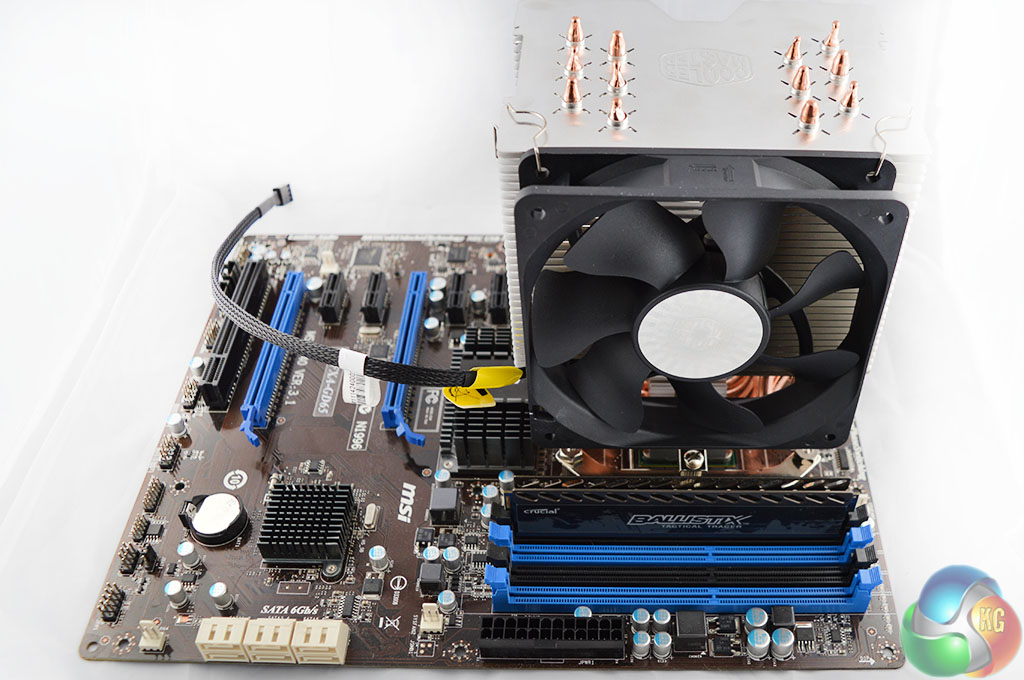
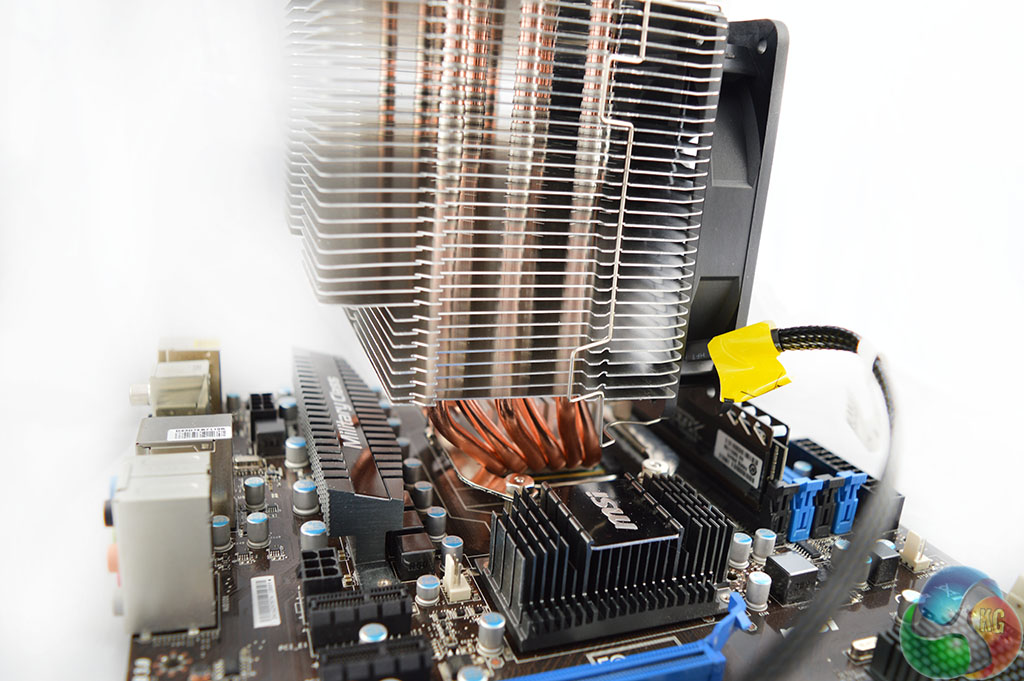
Now we're at the final step, one side of the CPU block has a latch, while the opposite side has a single screw. Simply latch the first side of the CPU cooler and then secure it down with the screw.
Personally, I liked this mounting method a lot- it's simple and easy to work with. Now let's move on to the testing…
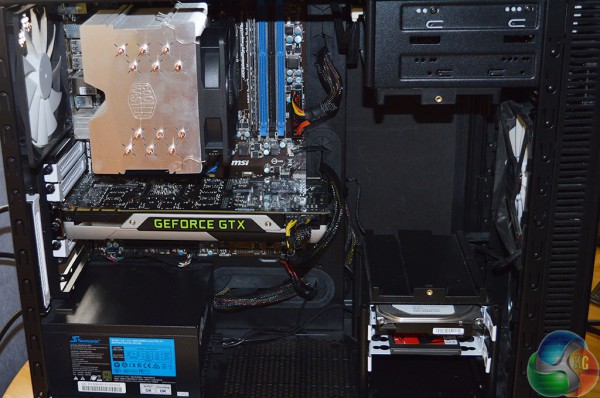
Thermal Performance Test Procedures:
- Idle temperatures are obtained after sitting at the desktop for 15 minutes.
- Load temperatures are obtained after running Prime95 in the ‘Small FFTs’ mode for 15 minutes.
- We tested with our AMD FX-8350 CPU at stock voltages and at stock speeds.
- The cooler’s fan is set to 100% to eliminate any inaccuracies from dynamic PWM fan speed adjustments.
- We use HWMonitor to measure the CPU temperature.
- CPU temperature recording is accurate to +/- 0.5 °C. Ambient temperature recording is accurate to +/- 0.05 °C.
- Ambient temperature was maintained at 22 °C.
Acoustic Performance Test Procedures:
- We measure the noise output of our entire system from a distance of 1m while the CPU Cooler’s fan operates at 100%. This way indicates the maximum noise output possible.
- We unplug the case fans and avoid using a discrete GPU when possible in an effort to isolate CPU fan noise.
Test System:
- Processor: AMD FX-8350 Retail (4.0 GHz, 4.2 GHz Turbo)
- Motherboard: MSI 990FX GD-65.
- Memory: 8GB Crucial Ballistix 1600 MHz.
- Graphics Card: Reference design Nvidia GTX 780.
- System drive: 240GB Kingston V300 SSD .
- Secondary Drive: 1TB Seagate Barracuda 7200rpm.
- Case: Fractal Design Define R4.
- Power Supply: Seasonic G-750 80+ Gold.
- Thermal paste: Supplied Cooler Master branded thermal paste.
We compared the Cooler Master Hyper 612 V2 CPU cooler to a couple of competing models on the market- the Arctic Cooling A30 and the be quiet! Dark Rock 3. It is worth noting that both comparison coolers are brand new, meaning that there is no dust, dirt or damage that could possibly affect the accuracy of our recorded results.
Our charts show actual temperatures of the CPU rather than delta temperatures.
Ambient temperature was maintained at 22°C.
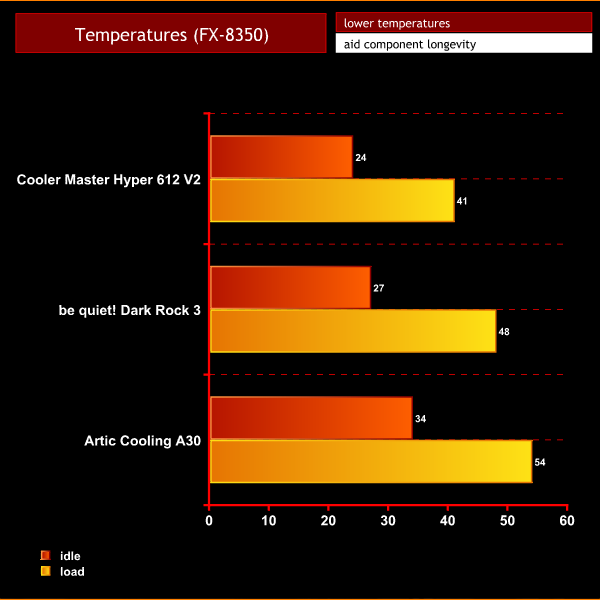
As you can see, the Hyper 612 has no problem keeping temperatures low, beating out both of our comparison units and even the recently reviewed Thermaltake Frio14. However, thermal performance is just half of the battle, lets find out if this cooler can keep noise levels low too…
We measured the noise output of our entire system from a distance of 1m while the CPU cooler’s fan operated at 100% and when also under PWM conditions. This allowed us to record the maximum possible volume of the CPU cooler as well as more ‘realistic' real world noise levels..
KitGuru noise guide:
10dBA – Normal Breathing/Rustling Leaves
20-25dBA – Whisper
30dBA – High Quality Computer fan
40dBA – A Bubbling Brook, or a Refrigerator
50dBA – Normal Conversation
60dBA – Laughter
70dBA – Vacuum Cleaner or Hairdryer
80dBA – City Traffic or a Garbage Disposal
90dBA – Motorcycle or Lawnmower
100dBA – MP3 player at maximum output
110dBA – Orchestra
120dBA – Front row rock concert/Jet Engine
130dBA – Threshold of Pain
140dBA – Military Jet takeoff/Gunshot (close range)
160dBA – Instant Perforation of eardrum
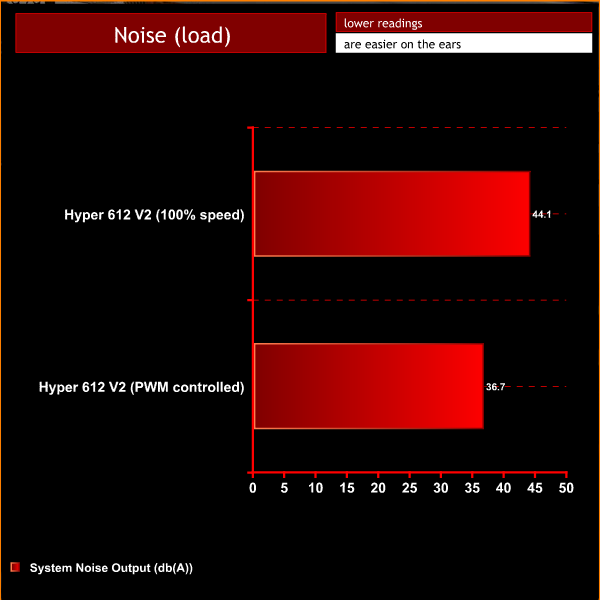
Under our test conditions, the CPU fan rose our overall system volume to 44.1 dBA, which is fairly high. However, end users likely won't be running their CPU fans at 100% speed, even while gaming- so we decided to include the PWM controlled result as well.
Allowing for automatic speed adjustments greatly improved our results, reducing noise levels all the way down to 36.7 dBA under full CPU load.
Overall, the Cooler Master Hyper 612 V2 has impressed us. It beat out the competition in our thermal tests, keeping temperatures incredibly low, even under load conditions.
We always run our acoustic tests with the fan set to 100% speed, this helps us eliminate any inaccuracies during automatic PWM adjustments. However, real world results are often just as important to our readers, which is why we included the PWM controlled result as well.
We found that under normal usage conditions, the cooler managed to stay relatively quiet, even under full CPU load.
Installing a CPU cooler can be a frustrating job at times. However, the mounting process for the Hyper 612 V2 was one of the best I have encountered and was incredibly easy to work with.
The Cooler Master Hyper 612 V2 will launch on the 30th of September for £34.99, a very good price given the sheer cooling performance. However, it will face stiff competition from other highly rated products in this price sector- such as the Thermaltake Frio 14, which we reviewed recently.
Discuss on our Facebook page, over HERE.
Pros:
- Excellent cooling performance.
- Easy mounting procedure.
Cons:
- Lots of competition in the budget sector.
KitGuru Says: The Cooler Master Hyper 612 V2 delivers solid performance at a low price. It might not be at the top of our shortlist but it is definitely a cooler worth considering.